Home > News

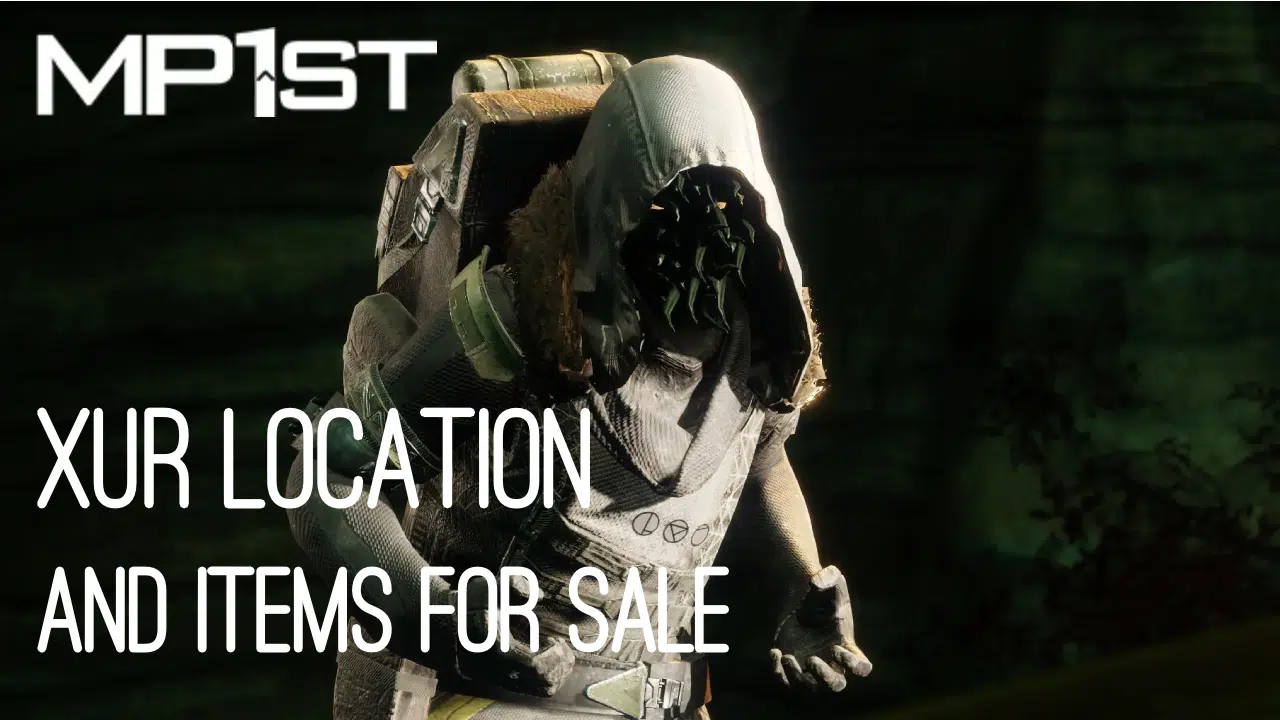
New Destiny 2 Xur Location Today May 5, 2023 (And What Xur Is Selling)

Been missing Xur since the Weekly Reset? The mysterious vendor has returned today with a refreshed inventory of Exotics, Engrams, and Legendary gear. If you’re wondering where he’s holed up today or what goodies he’s carrying, here’s your answer: MP1st’s new Destiny 2 Xur location today, May 5, 2023 post lists both his location and the wares he is carrying this week below.

New Destiny 2 Xur Location Today May 5, 2023 (And What Xur Is Selling):

Xûr, Agent of the Nine

A peddler of strange curios, Xûr’s motives are not his own. He bows to his distant masters, the Nine.

Location

Arcadian Valley, (Watcher’s Grave), Nessus

Exotic Weapons

Name Type Column 1 Column 2 Column 3 Column 4
The Queenbreaker Heavy Linear Fusion Rifle
Hawkmoon Kinetic Hand Cannon Polygonal Rifling Hip-Fire Grip Polymer Grip
Dead Man’s Tale Kinetic Scout Rifle Fluted Barrel Ricochet Rounds Killing Wind Fitted Stock

Note: Fixed perks on weapons are not displayed

Exotic Armor

Name Type MOB RES REC DIS INT STR Total Cost
Ophidia Spathe Hunter Chest Armor 15 2 17 2 13 16 65 23 Legendary Shards
Eternal Warrior Titan Helmet 16 4 10 6 13 12 61 23 Legendary Shards
Phoenix Protocol Warlock Chest Armor 15 8 11 8 23 2 67 23 Legendary Shards

Exotic Ciphers

Name Description
Xenology Complete Vanguard playlist activities, or win matches in Crucible or Gambit. Extra progress is awarded for more challenging activities and for succeeding with clanmates.

Engrams

Name Description Cost
Exotic Engram An engram with a predestined outcome. Contains a new Exotic if any of the possible rewards remain to be collected. Preview contents for possible rewards. 97 Legendary Shards

Legendary Weapons

Name Type Column 1 Column 2 Column 3 Column 4
Chroma Rush Kinetic Auto Rifle Arrowhead Brake // Hammer-Forged Rifling Tactical Mag // Steady Rounds Heating Up Rampage
Deafening Whisper Energy Grenade Launcher Volatile Launch // Linear Compensator High-Velocity Rounds // Implosion Rounds Surplus Auto-Loading Holster
Seventh Seraph Officer Revolver Kinetic Hand Cannon Arrowhead Brake // Extended Barrel Accurized Rounds // Tactical Mag Threat Detector Osmosis
Planck’s Stride Heavy Machine Gun Full Bore // Hammer-Forged Rifling Appended Mag // Steady Rounds Slickdraw Harmony
Enigma’s Draw Kinetic Sidearm Control SAS // Tactic SAS Extended Mag // Alloy Magazine Zen Moment Elemental Capacitor
IKELOS_SR_v1.0.3 Energy Sniper Rifle Chambered Compensator // Smallbore Seraph Rounds // Extended Mag Perpetual Motion High-Impact Reserves
Quickfang Heavy Sword Hungry Edge // Enduring Blade // Honed Edge Relentless Strikes Assassin’s Blade

Note: Fixed perks on weapons are not displayed

Legendary Armor

Name Type MOB RES REC DIS INT STR Total Cost
Simulator Gauntlets Titan Gauntlets 12 9 8 6 2 23 60 50 Legendary Shards & 1000 Glimmer
Simulator Plate Titan Chest Armor 2 16 10 26 2 2 58 50 Legendary Shards & 1000 Glimmer
Entanglement Mark Titan Mark 0 0 0 0 0 0 0 50 Legendary Shards & 1000 Glimmer
Simulator Helm Titan Helmet 15 9 6 18 9 6 63 50 Legendary Shards & 1000 Glimmer
Simulator Greaves Titan Leg Armor 20 6 6 19 6 8 65 50 Legendary Shards & 1000 Glimmer
Simulator Gloves Warlock Gauntlets 2 16 13 17 2 10 60 50 Legendary Shards & 1000 Glimmer
Simulator Robes Warlock Chest Armor 13 6 12 13 2 12 58 50 Legendary Shards & 1000 Glimmer
Entanglement Bond Warlock Bond 0 0 0 0 0 0 0 50 Legendary Shards & 1000 Glimmer
Simulator Hood Warlock Helmet 12 2 16 6 9 14 59 50 Legendary Shards & 1000 Glimmer
Simulator Legs Warlock Leg Armor 7 6 18 7 17 6 61 50 Legendary Shards & 1000 Glimmer
Simulator Grips Hunter Gauntlets 20 6 6 17 6 6 61 50 Legendary Shards & 1000 Glimmer
Simulator Vest Hunter Chest Armor 9 6 16 16 12 6 65 50 Legendary Shards & 1000 Glimmer
Entanglement Cloak Hunter Cloak 0 0 0 0 0 0 0 50 Legendary Shards & 1000 Glimmer
Simulator Mask Hunter Helmet 7 9 12 7 12 10 57 50 Legendary Shards & 1000 Glimmer
Simulator Boots Hunter Leg Armor 9 13 7 13 2 18 62 50 Legendary Shards & 1000 Glimmer

What’s a Xûr?

Xûr, Agent of the Nine, is a strange vendor who randomly appears in a Public Sector on one of the Worlds. Xûr sells Exotic equipment (as well as Engrams and Legendary equipment), only accepting Legendary Shards as payment.

TL;DR: He’s the Santa Claus of Destiny and every weekend is Christmas. Sometimes he brings you what you want, sometimes he brings you coal. Mostly it’s coal.

When does Xûr visit?

Xûr visits every Friday at 17:00 UTC and departs at Weekly Reset (Tuesday 17:00 UTC). If you would like to see all the live conversions of Time Zones, please follow this link here.

(As always, thanks to /r/DestinyTheGame!)

Avatar photo

Salman Haider Zaidi

That's a nice argument, Senator.

Home > News

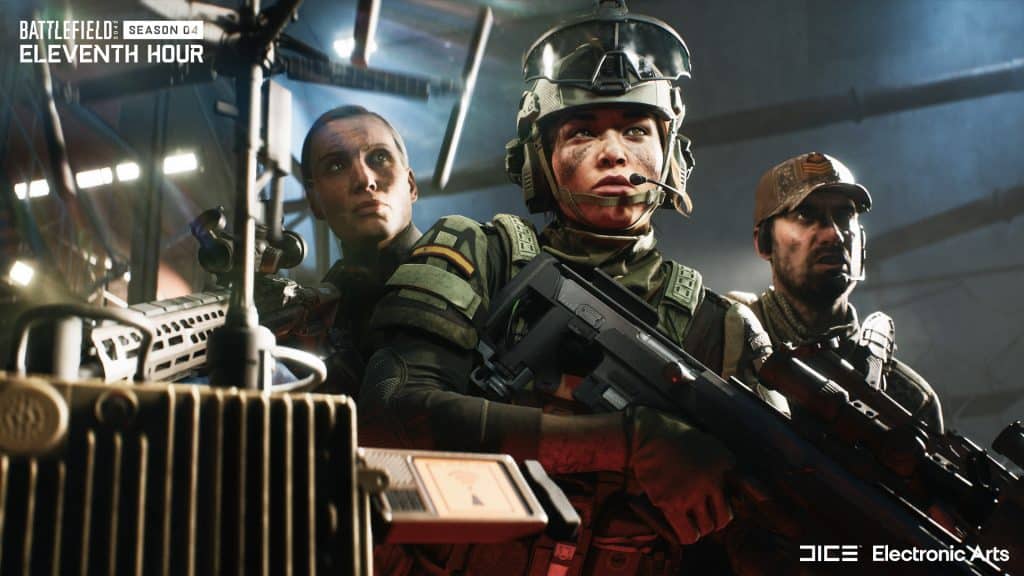
Battlefield 2042 Update 4.2.1 Patch Notes Revealed, Download Set for Next Week

While we’re not getting Season 5 for Battlefield 2042 just yet, DICE is rolling out a new patch this coming week. The studio has revealed the Battlefield 2042 update 4.2.1 patch notes head of the title update’s download next week.

Battlefield 2042 Update 4.2.1 Patch Notes:

Changelog

Maps

  • Players will no longer spawn out of bounds on Capture Points D1 and D2 on Discarded
  • Resolved an issue that resulted in an unintended visual effect being placed on weapons when stood in heat sources / explosions of vehicles

Collection & Customization Improvements

  • Resolved an issue that displayed incorrect attachment stats for ammo and rate of fire fields when equipped into the first slot of the Plus Menu
  • Resolved an issue that sometimes displayed the incorrect attachment upon selection within the Plus Menu customization screen
  • Resolved an issue that resulted in the “Replace” button overlapping the Class text on the Classes customization screen
  • Resolved an issue where equipping a melee takedown for a 2042 Specialist would also equip it for the other Specialists of the same class

Gameplay Improvements

  • Resolved an issue that resulted in the camera being pulled down too significantly upon landing while aimed down sights
  • Air-to-Ground Missiles will now deal higher damage when fired at a laser designated target
  • Resolved an issue where players would sometimes count as occluded when standing in front of smoke
  • The vehicle cooldown timer on the deploy screen will now countdown in real time

End of Round

  • Resolved an issue that resulted in Marksman Kill stats being incorrectly calculated at the End of Round screen 

Battlefield Portal

  • Custom Experiences will now correctly gray out characters if they have been restricted as part of the construction of the mode 

Weapons

  • Resolved an issue that caused a broken recoil animation when firing the MTAR-21 on PlayStation® 4 and Xbox One consoles

Vehicles

  • LCAA Hovercraft engine damage will now correctly display a damage indicator Explosive damage will now be applied towards Transport Helicopters, alongside the impact damage of the projectile 

Specialists

  • Resolved an issue that resulted in Dozer having the ability to skywalk when climbing down ladders. It’s not that type of game!
  • Resolved a visual issue where grenades sometimes clipped through Dozer’s shield
  • Rao’s Cyber Warfare Suite will now transmit designated lock-on targets to friendly vehicles

Outside of the patch, DICE has mentioned that we will be getting quality of life previews for Season 5 throughout the month, so there’s that to look forward to.

Once the patch is out, we’ll be sure to let our readers know. Chances are, it’ll be out on Tuesday, May 9.

Source: EA

Avatar photo

Alex Co

Father, gamer, games media vet, writer of words, killer of noobs.

Home > News

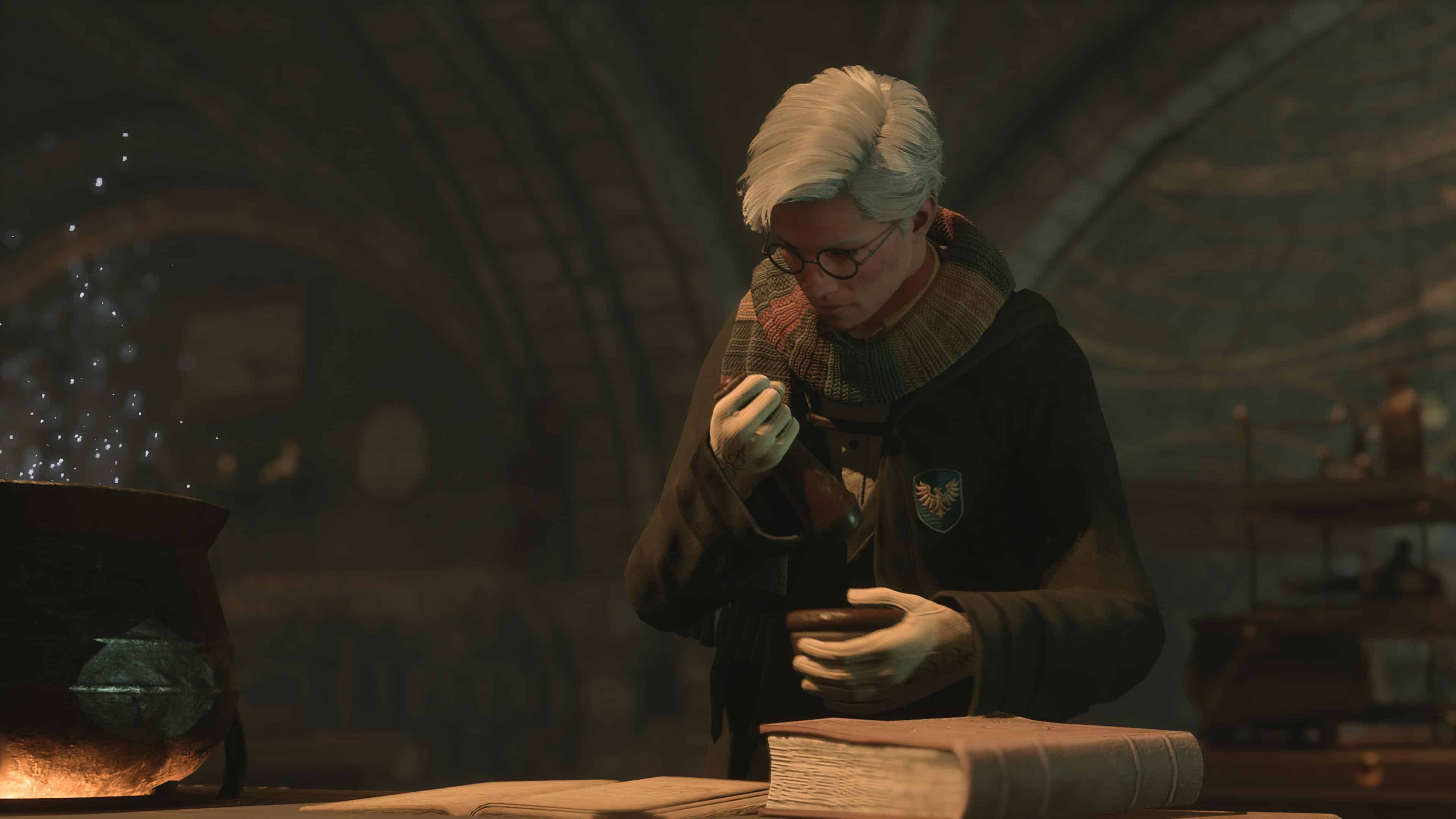
Hogwarts Legacy Surpasses $1 Billion in Sales With Over 15 Million Units Sold

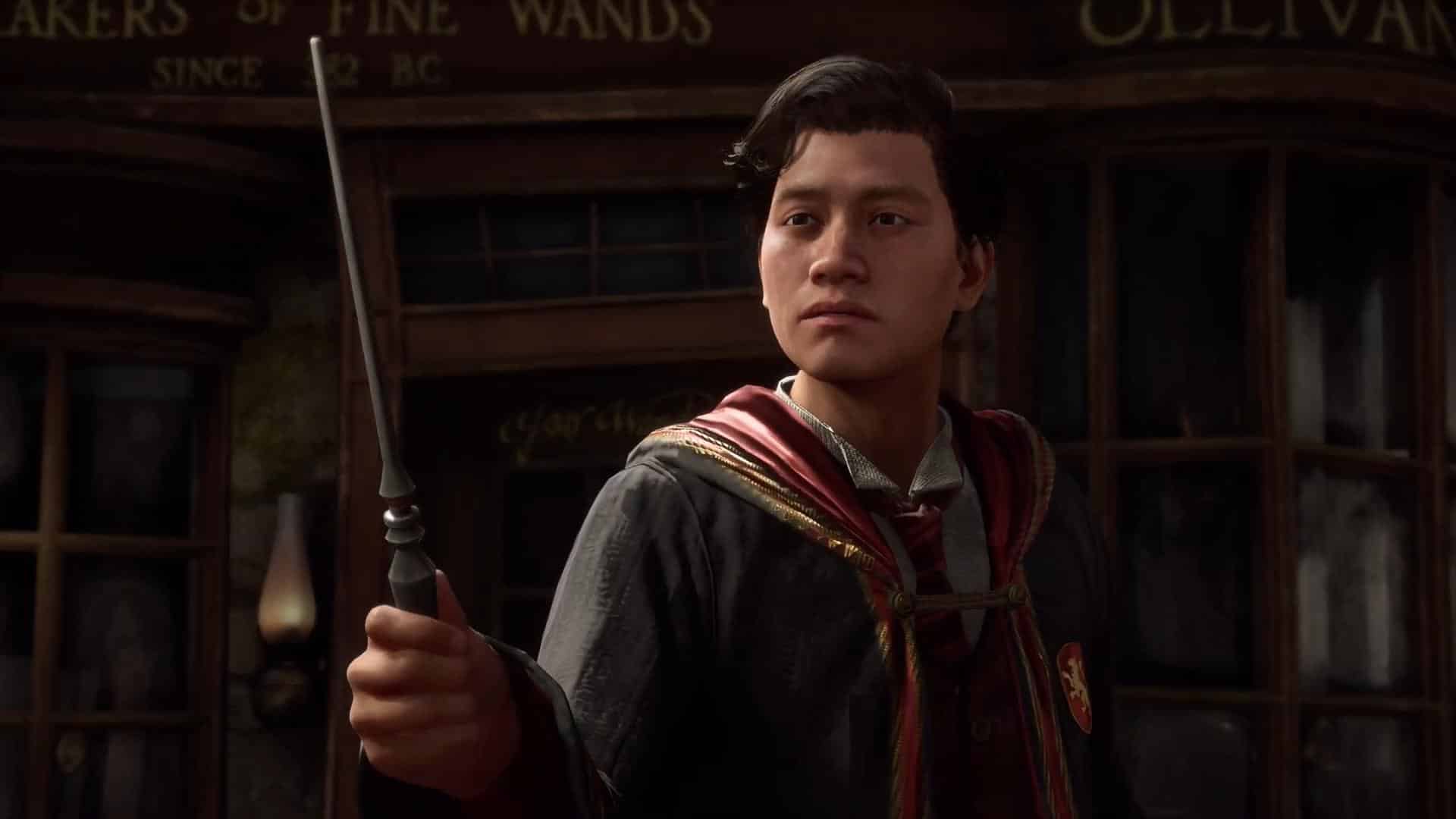
Avalanche Software’s Wizarding World adventure is enjoying an unprecedented level of popularity: Hogwarts Legacy has raked in over $1 billion in sales, with over 15 million units sold worldwide across all platforms. Now that the game is out on PS4 and Xbox One today, that number is sure to only go upwards.

Since its launch on February 10, Hogwarts Legacy has been continuously breaking records and achieving engagement milestones across all platforms. Three days prior to release, it became Twitch’s most-viewed single-player game with over 1.2 million concurrent viewers; less than two weeks into release, it had already gathered the second-largest concurrent playerbase on Steam for a single-player game and sold a staggering 12 million units across all platforms. As the current best-selling game in the US for 2023, it’s no surprise that the title now has surpassed a billion dollars in sales across the world.

Hogwarts Legacy is now available on PC, PS5, PS4, Xbox Series X|S, and Xbox One, with a Nintendo Switch launch slated for July 25. If you’re wondering why the title has been so massively popular, go read our review of Hogwarts Legacy where we found it “a genuine, authentic” Harry Potter experience “like no other.”

Avatar photo

Salman Haider Zaidi

That's a nice argument, Senator.

Home > News

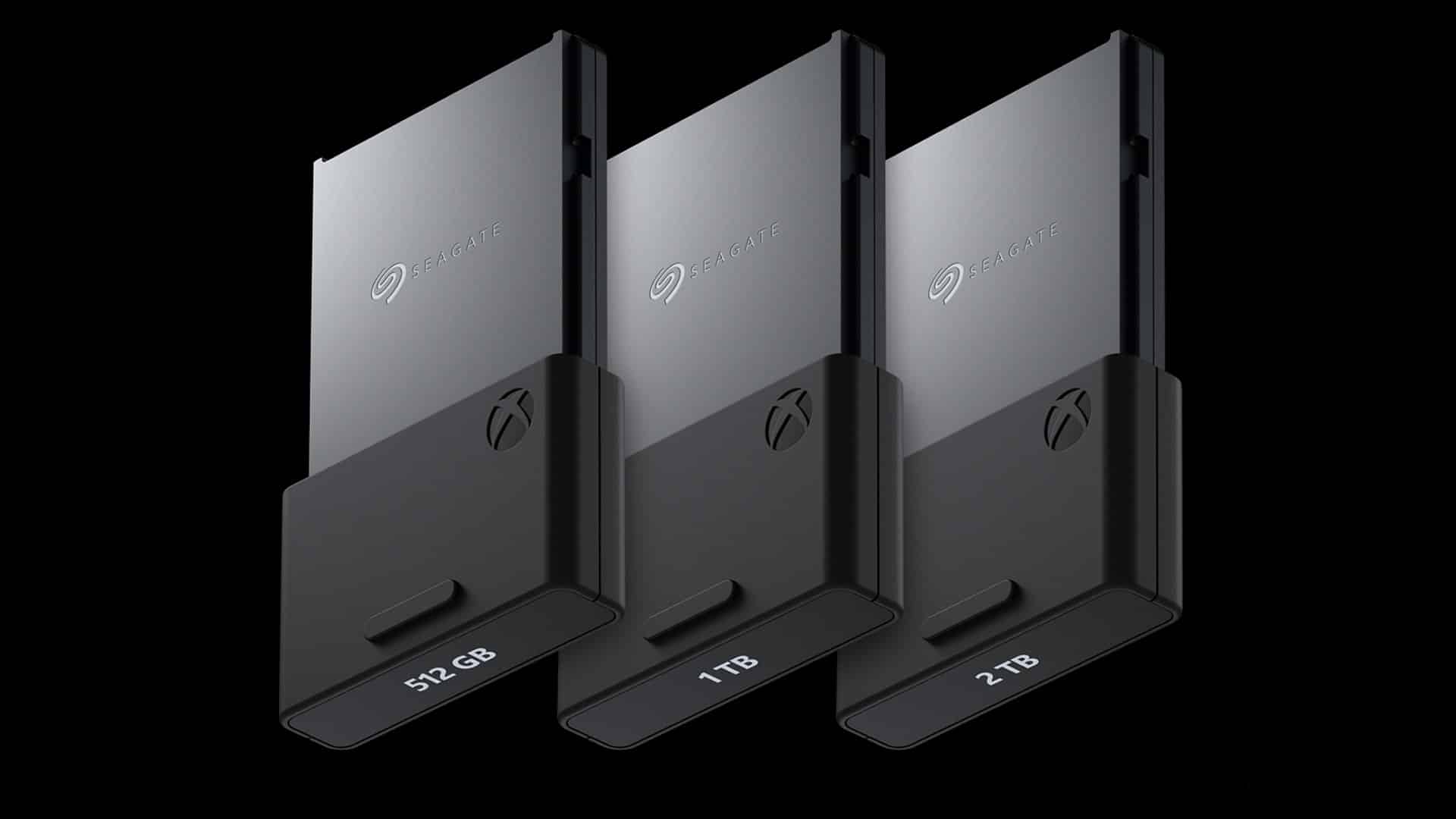
Xbox Series X|S Seagate Expansion Cards Receive Significant Permanent Price Drop

In a surprising turn of events, the Xbox Series X|S Seagate expansion cards have been significantly discounted, and the discounts appear to be permanent. The reduction in prices applies to the 512 GB, 1 TB, and 2 TB SSDs, with the largest discount coming in at $120 off.

Between the CMA’s blocking of the Microsoft-Activision deal and Redfall’s catastrophic launch, the Xbox Series X|S generation largely remains in trouble this year. For years, criticism of the current-gen Xbox consoles has extended from their limited library of satisfactory first-party AAA titles to their limited storage options, with the high cost of the Seagate expansion cards (which were the only options until Western Digital’s offerings recently leaked out) remaining a focal area of complaint.

In what may be one of the few positively-received moves for the platform this year, Seagate’s Xbox Series X|S expansion cards have been significantly discounted as follows:

  • 512 GB – $139.99 $89.99
  • 1 TB – $219.99 $149.99
  • 2 TB – $399.99 $279.99

The Xbox Series X|S Seagate expansion cards are available on the official Xbox website as well as through select retailers. As for how the platform’s premier titles are doing, check out our Redfall review in which we found the co-op zombie FPS “a misfire that may tarnish the reputation of one of the most creative and exciting development outfits.”

Avatar photo

Salman Haider Zaidi

That's a nice argument, Senator.

Home > News

Wolcen Lords of Mayhem Update 1.08 Out for Patch 6 This May 5

Developer Wolcen Studio has released Wolcen Lords of Mayhem update 1.08 today for all platforms. This is title update 6 and it comes with several bug fixes and gameplay improvements. On Xbox this is patch 1.1.7.15 and for PC it’s version number 1.1.7.6. Check out the Wolcen Lords of Mayhem May 5 patch notes below.

Wolcen Lords of Mayhem Update 1.08 Patch Notes | Wolcen Lords of Mayhem Update 6 Patch Notes | Wolcen Lords of Mayhem 1.1.7.15 Patch Notes | Wolcen Lords of Mayhem 1.1.7.6 Patch Notes | Wolcen May 5 Patch Notes:

Improvements:

  • We have done a pass on how often particular biomes and enemy types spawn in Endgame Operations, to bring some balance and variety to what players typically encounter. Some environments, such as the Red Wastes, were overrepresented, whilst others were rarely encountered. For enemies, the Cult of Souls faction were the most encountered, whilst the Cult of Fury and Bandits were seen less often.
  • We have also done a pass on the spawn rate of secondary dungeons in eligible Operation types. Some environments would not spawn a secondary dungeon, and thus deny the player access to a trade shrine and result in a prematurely full inventory. Where appropriate, there should now always be a secondary dungeon available.

Balancing:

  • Stings of Krearion has been tuned back down to a more reasonable power level. However, it has been left more potent than it was before 1.1.7.5, with a 300% Skill Weapon Damage (up from 200% pre-patch).
  • Annihilation Skill Weapon Damage has been increased from 250% to 300%.

Bug Fixes:

  • Fixed an issue where the Consequence Reversal Active Skill Modifier for Aether Jump would not remove Crowd Control effects.
  • Fixed an issue where the Howl of Battle Active Skill Modifier for Flight of Gaavanir would not generate Rage on Hit if there was only one target.
  • Fixed an issue where the Drums and Bells Skill Modifier for Flight of Gaavanir would not grand movement speed to the player.
  • Fixed an issue where some elements of the minimap would still be visible when using the map overlay.
  • Further improved the detail on Iosonic Rain’s Active Skill Modifier tooltips.
  • Fixed an issue where frenzied enemies would break the cardinal rule of entertainment media by attempting to attack the player’s pet dog (or wolf, or tiger, or dragon). You. Do. Not. Hurt. The. Dog.
  • Fixed an issue in Phase 1 of the Lambach encounter where the text indicating that the pods should be destroyed would be unhelpfully small.
  • Fixed an issue in Game Settings where the “Reset to Default” button would not reset audio volume options.
  • Changed the error message displayed when attempting to sell Enneracts to Demetra to be more helpful.
  • Fixed an issue in Demetra’s Skill Duplication menu where the selected skill would unintentionally change.
  • Fixed an issue where some menus could be opened during cinematics.
  • Fixed an issue on gamepad which prevented full navigation of the Skills & Modifiers screen.
  • Fixed an issue where some level 80 versions of the Imbued Legacy of the Willbreaker unique shield had a level requirement of 60.
  • Fixed an issue where some level 80 versions of the Imbued Prototype: Deliverance V2 unique weapon had a level requirement of 60.
  • Fixed an issue where menus could be unintentionally opened whilst the chat box is open.
  • Fixed a series of issues which could arise from kicking a player out of a multiplayer session whilst the joinee was loading in.
  • Fixed an instance of missing SFX
  • Various Localisation fixes.
  • Various crash fixes.

Console Only:

  • Enabled the option to toggle the “panning effect” of the camera. The option’s checkbox can be found in Gameplay Settings with the label “Controller Camera”.
  • Fixed instances crashes on PS5 and PS4 Pro that would occur after running multiple expeditions.

Source: Wolcen Game

Damien Seeto

Home > News

Watch 10 Minutes of Amnesia: The Bunker Gameplay to See the Horror That Awaits

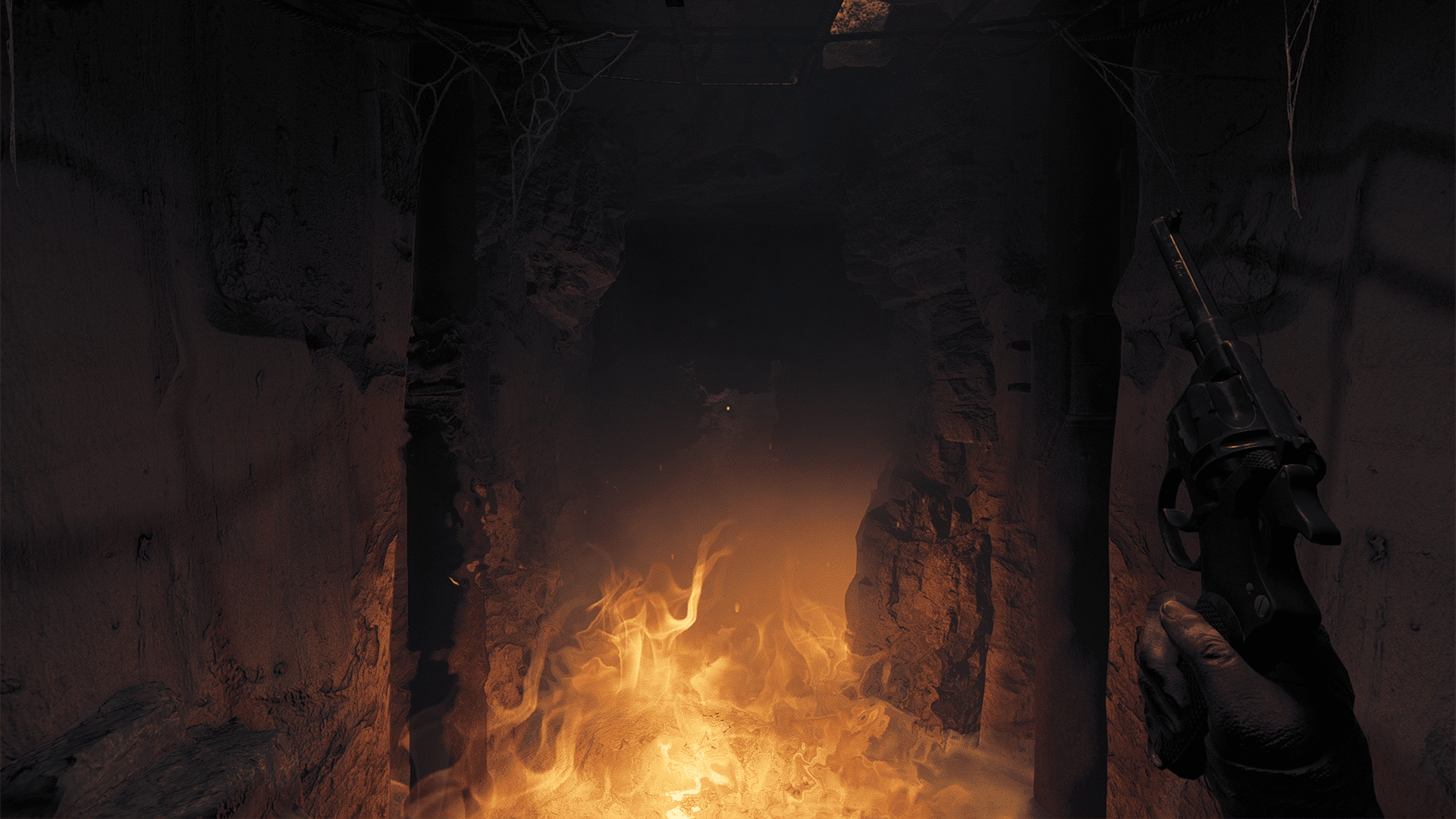
Frictional Games has released a good 10 minutes of Amnesia: The Bunker gameplay, which gives us a good idea on how this first-person horror game will play out.

Right off the gate, we see how tense everything is with the game’s setting and cramped spaces make for an uncomfortable trek. We also get to see some of the game’s puzzles in action too.

Here’s the official game description (via Steam):

ABOUT THIS GAME
Amnesia: The Bunker is a first-person horror game from the makers of SOMA and Amnesia.

Left all alone in a desolate WW1 bunker with only one bullet remaining in the barrel, it’s up to you to face the oppressing terrors in the dark. Keep the lights on at all costs, persevere, and make your way out alive. A truly intense horror experience.

RISING TENSION
Immerse yourself in the multiple ways of tackling survival. In the shoes of the French soldier Henri Clément, you are armed with a revolver gun, a noisy dynamo flashlight, and other scarce supplies to scavenge and craft along the way. With randomization and unpredictable behavior, no play-through is the same.

Hunted by an ever-present threat reacting to your every move and sound, you must adapt your play-style to face hell. Every decision will change the outcome of how the game responds. Actions bear consequences.

FEATURES

  • Dynamic and ever-present monster that reacts to player actions.
  • Constant tension – Time is not on your side.
  • Tactile and physics based interactions with the world.
  • Scavenge for resources and craft tools to aid your survival.
  • Multiple solutions to problem solving in a non-linear open world.

It looks like horror fans are going to continue feasting! Amnesia: The Bunker will be released this May 23 on the PS4, PS5, Xbox One, Xbox Series X|S and PC.

Avatar photo

Alex Co

Father, gamer, games media vet, writer of words, killer of noobs.

Home > News

Gungrave GORE Update 1.08 Shoots Out This May 5

Iggymob has released Gungrave GORE update 1.08 today for all platforms. Check out the Gungrave GORE May 5 patch notes down below.

Gungrave GORE Update 1.08 Patch Notes | Gungrave GORE May 5 Patch Notes:

Here are some details of today’s patch from the game’s PS4 update history. You can read the info down below.

  • Stabilization Patch including various bug fixes.

The developer also mentioned last month that they were fixing various bugs reported by the community. You can read the full Twitter message posted down below.

Thank you for reporting the bugs of not being able to complete some of the trophies. We are on it and it will be addressed ASAP. Please stay patient and we are sorry that we have caused inconvenience.

If any proper and more detailed patch notes are posted, we’ll be sure to update this post as soon as we can. Look out for more updates about the game in the near future.

Source: Gungrave GORE Twitter

Damien Seeto

Home > News

Discord Usernames to Drop 4-Digit Format for Unique Handles and Display Names

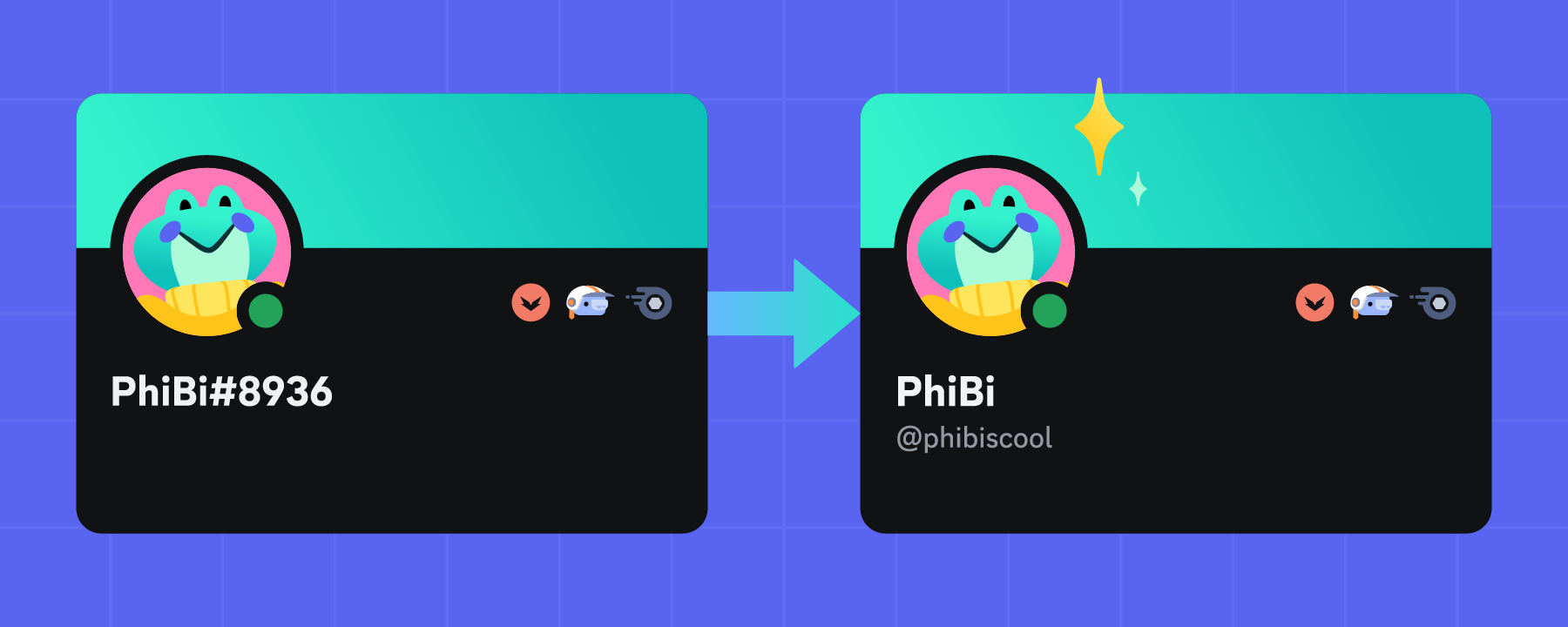
Communication app Discord is making a major change to its username format, opting to drop its original four-digit discriminator format for a more standardized approach similar to that of Twitter handles. The change will also be accompanied by a Display Name feature that will let players change their names on the fly.

Currently, Discord uses a unique format for differentiating users via what’s known as a four-digit discriminator. This is the four-digit number that follows your username, with a hash sign (#) preceding said numbers. This allowed users with the same name of choice to effectively have different usernames via the discriminators (John#0001 would be different from John#0002, for example). While this system does work as intended, Discord co-founder Stanislav Vishnevskiy pointed out a few flaws in a recent blog post, including a 9,999 user limitation for extremely common names such as Mike or Jane, or case sensitivity which causes confusion when sharing usernames. Vishnevskiy even claims that more than 40% of users don’t even remember their four-digit discriminator.

The new changes to the username system will be more in line with Twitter’s, providing users with two ways to identify themselves. The username will function as the user’s unique ID and will be written with alphanumeric characters. A non-unique Display Name will also be available to display any name of choice, regardless of how common it is. Overall, the new system aims to make it easier for users to remember and share their unique IDs with others while still retaining the ability to set names freely.

The username format change has been met with quite a bit of pushback from the community, with some raising concerns over the “first come, first served” system that comes with unique handles as well as potential username “theft” from malicious actors who aim to claim usernames of popular influencers or personalities. The update is set to roll out in “the coming weeks,” with users being notified of their ability to switch over to the new system via an in-app prompt.

What are your thoughts on the upcoming username change? Let us know in the comments!

Source: Discord

Carlos Perez

Home > News

Hogwarts Legacy Update 1.000.006 Casts Out This May 4

Avalanche Software has cast the Hogwarts Legacy update 1.000.006 download on all platforms today, which is a day before the PS4 and Xbox One versions are set to be released into the wild. Don’t expect anything new from this outside of bug fixes. Read on for what’s new in the Hogwarts Legacy May 4 patch notes.

Hogwarts Legacy Update 1.000.006 Patch Notes | Hogwarts Legacy May 4 Patch Notes:

Download Size: 2.3GB (PS5)

Build Version – 1140773

Developer Note – This patch addresses overall gameplay experience and stability improvements.

Overview
Arachnophobia Mode

An Arachnophobia Mode has been added to the accessibility options. When toggled
on, this mode:

  • Changes all enemy spider appearances
  • Reduces and removes spider skitters and screeches
  • Removes small spider ground effect spawners
  • Makes static spider corpses in the world invisible
    • Collision is still active to prevent players from getting stuck when
      toggling this setting
  • Note that spider images in the Field Guide remain unchanged

Professor Ronen Themed Cosmetic Gear

  • Added support for the new Professor Ronen Cosmetic Set Twitch Drops

Additional Fixes

  • Resolved Lodgok’s Helm of Urtkot quest lock, preventing players from
    continuing with the quest
  • Did some laundry after students pointed out that robes looked dirty
  • Multiple save game fixes
  • Identified and resolved multiple collections and Field Guide Page issues
  • Resolved multiple issues that could cause the player to fall out of the world

Performance

  • Resolved multiple potential crashes
  • Performance fixes and optimizations

And more than 500 additional fixes. You can read the full detailed notes below.

Bug Fixes:

General

  • Online
    • Resolved non-offensive player names being restricted when naming a character: HL-50
    • Updated Israel EULA mapping from ae-AR to en-GB”
  • Gameplay
    • Missions
      • Resolved gaps between walls being present at various locations
      • Resolved collision related issues at various location in and out of combat
      • Resolved re-spawning issues with Gobstones after they have been collected: HL-1894
      • Resolved avatar being able to move a lantern to an unreachable location when using Windgardium Leviosa making it impossible to progress.
      • Resolved the Ancient Magic barrier persisting after defeating all the enemies
      • Resolved Professor Weasley not being at the entrance of the Ravenclaw dorms after waking up
      • Resolved Accio Ball fail mission becoming stuck
      • Resolved player being able to escape Hogwarts as Professor Black
      • Resolved the player being able to defeat Leander and Nellie with Incendio and they will remain actively moving
      • Resolved the collision for the Slytherin common room entrance always being present
      • Resolved failing the mission with the key of admittance causes the key to disappear: HL-974
      • Resolved an issue with the camera shaking uncontrollably if placing the Accio box with the treasure directly under the regular one
      • Resolved mission not progressing past “defeat the enemies” in final area
      • Resolved Sebastian spinning in Devil’s Snare tunnel side area: HL-518
      • Resolved there being no collision on the right side of the shop’s roof Dogweed & Deathcap: HL-3046
      • Resolved one of the bells being stuck behind stairs at the bell towers by using Wingardium Leviosa
      • Resolved intermittent fog being present close to Professor Fig’s Classroom
      • Resolved fog having unintended behavior in a room in the Headmasters office: HL-12376
      • Resolved volume water not calculating correctly: HL-47
      • Resolved an issue when untracking and activating, mission icon is in the ground
      • Resolved the Hogwarts South Battle Arena not having a checkmark after being completed: HL-7777
      • Resolved the chests not being able to be collected in various locations
      • Resolved beast in a cage not being rescued after opening the cage: HL-1390
      • Resolved visible gaps on the ground at various locations in the open world
      • Resolved Jackdaw’s statues having a chance of not falling, remaining inaccessible.
      • Resolved issue when leaving the game just when the Avatar gets inside the book may block the progress: HL-2953
      • Resolved when reloading inside the open room after solving the puzzle will cause the avatar to respawn trapped.
      • Resolved avatar falling out of world through a spot near Hogwarts West Valley
      • Resolved Graphorn disappearing during battle.
      • Resolved objective description finding and returning Rabe’s wand errors.
      • Resolved hanging crate taking a long time to fall down after the pulley is destroyed
      • Resolved Dorran being immobile after the cinematic where the centaurs arrive
      • Resolved a Note disappearing from a body after the avatar casts Confringo on it
      • Resolved West Hall- Art – gameplay investigateable mesh missing and does not match with the related guide page
      • Resolved defeating Ranrok’s loyalists without getting detected and using Disillusionment blocks mission progression: HL-11365
      • Resolved using bone clusters meant for another part of a puzzle blocking a mission
      • Resolved an invisible collision in the Central Hall near the Library
      • Resolved avatar and NPCs getting stuck for a while due to an invisible collision on a step outside J. Pippin’s Potions at Hogsmeade
      • Resolved the target lock from Clock Tower’s pendulum being misplaced blocking the avatar from casting spells on it when positioned by its side
      • Resolved ehe Avatar becoming stuck on a loop by saving on the platform after losing the match and closing the title: HL-11476
      • Resolved mission beacon appearing improperly if the avatar dies during the goblin fight
      • Resolved Kogawa becoming stuck outside between missions
      • Resolved Helga Hufflepuff being seen in a Portrait in Central Hall
      • Resolved the races not being skipped if the player chooses to skip them via the “Skip Trial” prompt after failing them at least twice in Story difficulty
      • Removed unintended plane observed over the water in the open world
      • Resolved a black screen occurring when releasing beasts into the Vivarium
      • Resolved objective updates triggering late and authority figures appearing late after unlocking first door
      • Resolved avatar blocking the spot on the rock that Poppy is supposed to climb, otherwise it will cause her to walk off and not climb the rock
      • Resolved Conjuration Chests not giving out their loot after being opened: HL-3868
      • Resolved Fig getting stuck on a roof by using a broom at the start of the mission
      • Resolved the avatar being able to jump off the bridge next to the Ravenclaw Tower while being the Headmaster
      • Resolved a visible seam on the pillar in Central Hall
      • Resolved an issue with quest step to Hogsmeade being delayed
      • Resolved Reparo bridge not having any animation when being repaired
      • Resolved Reparo bridge flickering after it is repaired
      • Resolved three torches failing to light up blocking the mission from being completed
      • Resolved consumables not being restored to the original amount if they’re used up prior to the wave, after restarting/quitting the North Coast battle arena
      • Fixed door for Headmasters room
      • Resolved Vivarium animation and save locking when updating game: HL-6449
      • Resolved misleading paths when tracking the missions
      • Resolved the Mountain Cave Ruins stop streaming when the player loads in the game during the transition
      • Resolved mission not appearing on the Quest Log if the Avatar interacts with Clothilde after defeating Selwyn
      • Resolved player getting game over screen when restarting from last save after defeating the troll
      • Resolved world marker pulsing when the player needs to return to Herbology class
      • Resolved issue with control lockout for side mission does not occur if the player fast travels after another mission
      • Resolved player getting stuck when jumping over the banister in the Hufflepuff Common Room
      • Resolved Sebastian Sallow getting stuck spinning in circles outside the Restricted Section entrance
      • Resolved the Phoenix being able to escape from the mountain cave when hit by Depulso
      • Resolved the lore notes and the chests in the Kogawa’s office disappearing when the avatar approaches the office
      • Resolved avatar being able to go out of bounds by jumping over the rocks
      • Resolved Ominis getting stuck on the ceiling of the undercroft making it impossible to finish the mission
      • Resolved there being no interact prompt to interact with Poppy after collecting the moonstone
      • Resolved avatar entering library without learning Disillusionment using collision
      • Resolved ghost detecting the avatar in a wrong section and stalling the mission
      • Resolved Deek appearing inside the wall of ”Room of Requirements” blocking the mission progression
      • Resolved the player being able to use the wait function in-between mission objectives, blocking the player from starting the Quidditch pitch Broom Trial
      • Resolved there not being any nav mesh inside of the player shop
      • Resolved the wand chest streaming out when the avatar flies
      • Resolved students standing on broom and having no faces when loading during the mission
      • Resolved mission pathing not leading the player to the mission entry point after completing
      • Resolved arena blockade lingering for a moment after casting Reparo on the destroyed house
      • Resolved ancient magic not working correctly when Avatar reaches an unintended area
      • Resolved handing in moons without tracking the mission causing incorrect moon requirement to be displayed
      • Resolved collision related issues in and out of combat
      • Resolved Sebastian Sallow being idle in library after mission
      • Resolved the Avatar is able to return Biscuit to Garnuff even without having it
      • Resolved the Camera following the first cinematic of the mission zooms in too much
      • Resolved avatar jumping over the shifting stairs to get stuck in the treasure area
      • Resolved issue with the Avatar being able to jump outside the castle into an out of bounds spot with no “return to quest area” countdown
      • Resolved an issue with the user being unable to track/untrack the ‘The Sky is the limit’ mission directly in the map
      • Resolved free aim tutorial appearing after almost completing the mission
      • Resolved missing interact prompt when entering the elevator from the Underground Harbor
      • Resolved avatar being able to fall OOW inside a cave below the ground from a corner of the house in front of the mill in Irondale
      • Resolved a missing spider lair not showing up in open world
      • Resolved the avatar getting trapped in a collision at the entrance to Rackham’s vault, and will be forced to restart the game
      • Resolved issue with avatar getting stuck between a chair, sofa and a box, located in Pitt-Uppon Ford Hamlet
      • Resolved waypoints disappearing after failing the mission
      • Resolved Jackdaw statue getting stuck inside the wooden floor of the owlery blocking mission progression
      • Resolved mission being blocked when loading an autosave made after “Speak with Anne and Solomon”
      • Resolved items that appear inside boxes after learning Wingardium Leviosa disappearing when the Avatar uses Accio on them
      • Resolved avatar’s feet clipping visibly
      • Resolved out of world being visible when the avatar stands in the entrance of vault
      • Resolved avatar being able to get into the water using Highwing and not getting out unless it mounts the broom
      • Resolved box clipping through the Depulso platform at the final Lumos puzzle area of the Collector’s cave dungeon
      • Resolved cliff base being above the ground allowing avatar to see out of bounds
      • Resolved there being a long delay before the final conversation with Jackdaw triggers after the pumpkin game
      • Resolved missing collision in a tree outside the Combat Challenge
      • Resolved after completing the “Dark Arts Arena”, defeated one time causes the enemies to not spawn when retrying
      • Resolved when avatar meets Lodgok outside the tavern, he turns back and returns to Hogsmeade by walking
      • Resolved Kogawa missing from her office
    • Doors
      • Resolved leaving and reentering the dungeon may cause the doorway to become blocked: HL-2199
      • Resolved the Avatar gets stuck between the wall and the spinning door.
      • Resolved doors being kept open too long to help with streaming
      • Resolved the haunted house door standing out when the Avatar cast Revelio: HL-6617
    • World Events
      • Resolved black debug planes being visible when the Dancing Shoes WOW event triggers
      • Resolved Dancing Shoes being triggered while still in the store
      • Resolved interacting the first time with Ice Garden freezing the game
      • Removed Ice Garden world events from game
      • Resolved Zonko clipping with a door at the end of the WOW event
      • Resolved WE_ICE_GARDEN_RUNAWAY not spawning and blocks all variations
    • NPC
      • Resolved issue with characters spawning in wrong direction or incorrectly
      • Resolved incorrect or erratic pathing and navigation
      • Resolved treadmilling issues
      • Optimization adjustments to lower the distance when NPCs on the way to Hogsmeade, Hogwarts and other locations
      • Resolved vendor floating over the sea at Clagmar Coast: HL-4636
      • Resolved NPC hands floating far above desk with specific animation transitions
      • Resolved Poacher Ranger treadmilling onto a wall when the Avatar casts Disillusionment and hides after a cutscene
      • Resolved bumping the elf causing the NPC to multiply and stack on the pumpkin
      • Resolved issue with Avatar talking with “Clifford Cromwell”, he would reintroduce himself again
      • Resolved Ellie Peck in Brood and Peck having 3 Vendor Icons
      • Resolved station misplacement causing the NPC not to interact with the railing
      • Resolved misplaced stations causing the NPC to clip with the couch
      • Resolved animation issue with ghost painting a picture in Hogsmeade
      • Resolved NPCs using certain stations being misplaced, noticeably floating in the air during Halloween
      • Resolved misplaced creepy man station making the NPC lean into nothing
      • Resolved NPC using station clipping with the environment
      • Resolved disappearing animation from goblins NPCs not beiong displayed correctly
      • Resolved generic Prefect NPC seen walking in mid-air in the room before going in the Athenaeum
      • Resolved a student being seen standing next to the player while Professor Black announces the house cup winner
      • Resolved floating NPCs due to winter decoration near Honeydukes
      • Resolved long delay on Ronen
      • Resolved station Grindstone being under the surface making Helen Thistlewood walk through the ground and then appear out of nowhere in Upper Hogsfield
      • Resolved world not streaming in when loading the title after opening the legendary chest inside the Venomous Tentacula room: HL-807
      • Resolved Lucan getting stuck walking in the same place after completing mission
      • Resolve NPCs not being transferred between locations in low population settings
      • Resolved interacting with Deek while entering the vivarium for the first time can skip the cinematic and generate issues
      • Resolved Sebastian Sallow behaving incorrectly after being caught and retrying the mission
      • Resolved Thornback Matriarch getting stuck on a loop between animations after spawning
      • Resolved Natty walking off and getting stuck walking up a hill backwards
      • Resolved the Avatar being able to push the hanging crate with Depulso when it is falling, affecting the landing
      • Resolved Diffindo not targeting enemies correctly if they are falling or lying on the floor
      • Resolved the ability to cause Marmaduke’s sarcophagus to disappear by casting certain spells on it
      • Resolved Levioso not properly destroying a Yellow Shield
      • Resolved students colliding with the Avatar and getting stuck
      • Resolved interacting with vendors causing an unintended camera angle
      • Resolved misplaced stations causing the NPC to clip with the couch
      • Resolved student NPCs not leaving the classroom after completing mission
      • Resolved the avatar being able to hear the mission giver even if they are not present and suddenly appears
      • Resolved NPC Alfred Lawley walking against the wall indefinitely when getting alert from the other side of the wall
    • Combat
      • Resolved spiders spawned by the Acromantula keep attacking on the Arena’s victory screen: HL-5171
      • Resolved when using Glacius and Confringo to damage Inferi it does not remove its invulnerability stat
      • Resolved troll not attacking when Avatar is close to a wall
      • Resolved when dodging the first swing of a Troll parry attach with a blink the second attack will teleport in front of the avatar
      • Resolved when dodging the first swing with a blink the next club smashing onto the ground attack will be unblockable from Troll
      • Resolved issue when avatar dies during the first time doing the encounter the Enemies reappears in different positions.
      • Resolved the enemies being able to activate their shields even after the avatar has won the duel
      • Resolved rock wall no longer being highlighted early with manual target
      • Resolved an issue when the avatar fails a spell, the second failure is triggered once the dummy gets up
      • Resolved character partial wetness from wading not displaying
      • Resolved the DW Animagus transformation being broken
      • Resolved while fighting the ‘Poacher Animagus’ and casting Levioso and then Transformation, the enemy won’t turn back to its original form
      • Optimization in delaying the Death FX
      • Resolved Trolls being able to dash for an excessive long distance when attacking the Avatar after they perform a Swift dodge roll: HL-3853
      • Resolved Forest Troll disengaging from combat in a bandit camp
      • Added a vertical root motion to the spider squish finisher animation
      • Removed 180 rotation on the main control of spider squish finisher animation
      • On easy mode, players can defeat opponents without breaking their shield
      • Resolved spiders – While in their explode-able “on-fire state” not exploding when taking death blow damage while in air
      • Resolved avatar being able to cast ancient magic during stealth portion disrupting enemy
      • Resolved Graphorn getting stuck on rocks in fight arena
      • Resolved chance dummy’s textures stretch after being hit with Glacius then hitting the ground
      • Resolved spider webs producing a frozen square texture when the Avatar casts Glacius on them
      • Resolved an issue in the last part of the witches tomb the Inferis not attacking the avatar when standing on the Depulso platform
      • Resolved in the South Coast Battle Arena, being able to get the Armored Troll stuck in a spot
      • Resolved Victor Rookwood standing off screen during the wand linking
      • Resolved an issue with enemies (Hogwarts Protector / Guardian) not animating properly when hit with abilities
      • Resolved Training Dummies not reacting correctly when hit by Expelliarmus
      • Resolved the River Troll not attacking the avatar at a certain distance
      • Resolved the Avatar not being able to perform the Ancient Magic Finisher while aiming
      • Resolved Animagus in Wolf form being affected by Transformation while in the air does not revert to their normal form
      • Resolved pickups getting destroyed
      • Resolved issue just before the final fight with the Pensieve Guardian the enemies can disappear while fighting with them causing a delay on the mission
      • Resolved enemy combatants disappearing
      • Resolved corruption effect disappearing from the troll when it is hit by the avatar
      • Resolved Dugbogs not being harmed when lifted by the tongue
      • Resolved enemies getting stuck in fear animations if the avatar uses the ancient magic finisher just before failing a mission
      • Resolved being able to pull board out of door without breaking the board, causing door to not open
      • Resolved generic student NPC treadmilling when fast traveling to Grand Staircase Floo Flame
      • Resolved Dorothy Dencourt getting stuck in the door of her house making it impossible to get in after finishing her routine walk in Upper Hogsfield
      • Resolved delay on one of the enemy shields not showing up correctly during the mission
      • Resolved Troll Lair Troll disengages from combat and fazes through wall
      • Resolved spider lairs only spawning baby spiders
      • Resolve during the second encounter with the Inferis they do not attack the avatar if it remains on the ramp
      • Resolved Poacher Ranger cloak reacting oddly to Glacius
      • Resolved Acromantula joining combat while crawling over hole in cave
      • Resolved Pensieve Guardian´s Blue-Orb Attack not being able to be countered
      • Resolved the Troll being able to get stuck on a sign mid-fight
    • Cinematics
      • Resolved a chance of random T4 Student appearing between characters: HL-7500
      • Resolved Claire Beaumont animation expression transitions
      • Resolved Adelaide Oakes intense robe clipping issues during cinematics
      • Resolved Kogawa cinematic starting prematurely during fade out transition
      • Resolved issue with avatar’s wand being visible in their hand during the cinematic
      • Resolved Professor Hecat sliding to her spot before setting up the dueling table
      • Resolved both Prof. Ronen and the Avatar floating in the air during the cinematic
      • Resolved Sebastian being positioned in front of the camera during the last cinematic with Professor Garlick
      • Resolved Niamh Fitzgerald missing from her portrait in the map chamber
      • Resolved the avatar being able to use the target lock on Guardians during the cinematic
      • Resolved avatar’s robes appearing before Fig makes them appear: HL-11993
      • Resolved avatar’s hand not positioned correctly when grabbing the potion
      • Resolved camera freezing in one place after talking to Garreth Weasley before starting
      • Resolved the avatar seeming to have no legs for a moment due to improper coat collision
      • Resolved Sebastian Sallow’s Robe clipping through body at end of cinematic
      • Resolved missing black screen transitions when skipping the certain cinematics
      • Resolved black lines appearing on the Summoner’s Court platform during the cinematic
      • Resolved the avatar clipping with the camera at the end of the cutscene when entering the Ravenclaw’s room
      • Resolved Professor Ronen being out of place during the end of year cinematic: HL-11595
      • Resolved Professor Onai’s bracelet clipping through her forearm
      • Resolved NPC’s having their eyes misaligned during cinematics: HL-316
      • Resolved skipping the final cinematic places the Avatar in the middle of the room
      • Resolved the book on the pedestal disappearing during the transition into the cutscene
      • Resolved preview videos taking unusually long time to load in
      • Resolved avatar being able to cast Revelio during the cinematic
      • Resolved a missing part of the texture in the left armpit of the avatar after winning pumpkin game
      • Resolved issue of avatar being sent out of world when using skip functionality
      • Resolved Fig not having the book in a part of the cinematic
      • Resolved random NPC that walked in front of Cressida during the cinematic
      • Resolved black flickers appearing on the Avatar’s back during the cinematic
      • Resolved being able to open the Tools Wheel and the Spell Tab during the cinematic
      • Resolved black flickers on the avatar’s robes during the cinematic where the Field Guide is given to the avatar
      • Resolved avatar’s tongue being seen clipping through their teeth when they talking
      • Resolved a black screen allowing the avatar to do basic casts and spells can appear instead of cinematic
      • Resolved Grotto entrance appearing before the cinematic Squid Door playing
      • Optimization to speed up initialization of conversations
      • Resolved camera angle issue of Sophronia Franklin, the mission giver, obstructing the final cinematic
      • Resolved not able to continue with the mission when closing the title during cinematics
    • Puzzles
      • Resolved Moth near Fig’s classroom disappearing when the avatar is carrying it to the Mothframe
      • Resolved Lumoths ignoring spinners and not attaching
      • Resolved Snidgets not being found if the Avatar finishes the moonstone puzzle prior to starting the quest: HL-4430
      • Resolved low LOD on fire puzzles in Hogwarts
      • Resolved missing collision on the wall next to the Incendio puzzle cube
      • Resolved blocking the progression by placing the Accio Platform in the middle of the bridge puzzle and resetting the room
      • Resolved the puzzle cube not respawning and getting stuck mid-air multiple times
      • Resolved characters disappearing during dialogues if a Merlin Trial was completed just before the interaction
    • Conversations
      • Resolved general conversation timing issues
      • Resolved issue when interacting with Kogawa outside her room causes the Avatar to be teleported back to her room
      • Resolved avatar popping during conversations
      • Resolved a chance for cinematic to present misplaced camera while on stairs
      • Resolved the avatar shifting up and down during the conversation with Natsai
      • Resolved Ominis holding two wands to one wand in different conversations
      • Resolved Natsai and Sebastian’s necks briefly stretching up during the Three Broomsticks conversation: HL-11584
      • Resolved flashing light just after the conversation with Natty
      • Resolved Thomas Brown arm traversing his body if quickly skipping conversation
      • Resolved the arm of Sacharissa Tugwood making weird movements while talking to the Avatar
      • Resolved subtle flickering on Sharp and Avatar’s faces during conversation
      • Resolved talking with Niamh Fitzgerald after starting mission, the camera gets stuck in the right pillar
      • Resolved hands clipping with shoulders during conversations
      • Resolved the camera staying locked on Dorothy Sprottle during a conversation
    • Characters
      • Resolved general clipping instances with gear and hair combinations: HL-4080
      • Resolved ambient beasts can’t return to their normal shape
      • Resolved Cedar Rivet Gloves and Forest Rivet Gloves having unexpected textures
      • Resolved Orange Eye of Newt Goggles appearing identical to the Brown Eye of Newt Goggles: HL-1117
      • Resolved Intro outfit and robe not being available in your Gear Appearances by default: HL-4880
      • Created model for the Arachnophobia version of Spider – meshes and textures
      • Created Acromantula balloon model for Arachnophobia mode
      • Resolved Fig’s robes clipping through his torso after the final repository reveal
      • Creation, updates and support for new Ronen Themed Gear for male and female
      • Resolved Dorothy Dencounrt AO issue on her hands by changing her SRXO
      • Resolved ceramic mask having a wrong positioning on the avatar’s head after casting Disillusionment
      • Resolved avatar’s clothes looking dirty: HL-344
    • Avatar
      • Resolved Avatar getting stuck at various locations in the game
      • Resolved issue of avatar dying jumping over railing
      • Resolved the Avatar not alerting the enemies if the player quits the mission after taking the invisible cloak and loads another save file
      • Resolved the avatar getting stuck between some ruins walls and lose all control input
      • Resolved the avatar’s shadow not connecting to their feet
      • Resolved Lumos light passing through the headwear and illuminates the Avatar’s head
      • Optimization to remove/delete objects at locations avatar respawning points to avoid becoming stuck: HL-2911
      • Resolved avatar becoming stuck in a swimming animation after jumping within a dive spot cave
      • Resolved avatar bouncing on the water while swimming: HL-47
      • Resolved the avatar getting stuck under water near The Watermill wheel
      • Resolved avatar getting stuck on the rails of the staircase that leads to the ‘Room of Requirement’
      • Resolved avatar getting stuck in a toilet cubicle in the Witch’s Bathroom
      • Resolved bad robe issue on avatar
      • Resolved avatar getting stuck in a pile of packages after using Reparo on them
      • Resolved the avatar having a lazy eye: HL-316
      • Resolved avatar headtracking
      • Resolved the avatar being controlled during the cinematic of the door of the Room of Admittance
      • Resolved the avatar becoming stuck / trapped between a telescope and railing in the Astronomy Tower
      • Resolved the avatar being able to jump off the bridge while being the Headmaster
      • Resolved the avatar getting stuck behind the elevator at the end of the dungeon
      • Resolved avatar headtracking abruptly focusing on more than one point upon entering Underground Harbor
      • Resolved the avatar getting stuck at the entrance of a goblin tent
      • Resolved the avatar headtracking abruptly focusing on more than one point upon entering Underground Harbor
      • Resolved avatar being able to reverse the rotation of the Shifting Stairs which can lead to OOW content
      • Resolved the avatar being able to glide and stay in midair at the dungeon
      • Resolved the avatar being able to get trapped between a chariot and some rocks
      • Resolved the avatar getting stuck and it being impossible to go out without turn off the title
      • Resolved the avatar getting stuck in the roof of the shop “Flutes and Lutes” due to a missing collision
      • Resolved the avatar being able to fall OOW through some textures of the mountain next to a Puffskein Den
      • Resolved avatar not interacting with the crate after falling on the floor instead the grid
      • Resolved the avatar being rejected by the common room door
      • Resolved the Ancient Magic meter capping at two bars when loading a save from the main menu: HL-11989
    • Flight
      • Resolved broom flight boosting and vertical animation: HL-8140
      • Resolved light fading in and out on Moon Trimmer Broom
      • Resolved while mounting a broom, the player is performing an Ancient Magic throw will freeze the thrown object in place and it can be thrown again
      • Resolved avatar being able to climb to the top of the mountain surrounding the Tower Tunnel dungeon, allowing them to fly OOW
      • Resolved avatar flying out of bounds under barrier behind Falbarton Castle
      • Resolved hole in no-fly allowing player to enter old Forest region
      • Resolved avatar entering vault castle while flying in a broom
      • Resolved avatar being able to fly out of world through wall with broom
      • Updated new fly volumes
      • Resolved No Fly Zone border not appearing correctly
      • Resolved Headmaster’s Office can be accessed via broom
      • Resolved getting stuck while trying to enter the San Bakar’s Tower while mounting the Graphorn
      • Resolved the avatar being able to fly OOW through a missing collision in the mountain next to a Puffskein Den
    • Achievements/Trophies
      • Resolved Game not progressing after collecting the Guide Page
      • Resolved progress not given toward Challenges when defeating Inferi by using the ‘Transformation’ and ‘Depulso’ spells: HL-2980
      • Resolved the chests not being able to be collected in various locations
      • Updated location some Hogwarts items
      • Resolved “Combat” and “Quests” challenges remaining at 99% when completed, blocking the Avatar from reaching level 40 and 100% completion: HL-5331
      • Resolved an issue defeating all named enemies did not complete challenge: HL-2980
      • Resolved Great Hall Demiguise statue after patching game
      • Resolved Goblet of Fire Casket’s Revelio Page respawning after patching game
      • Resolved issue with “A Forte for Achievement” being unlocked too earlier: HL-5331
      • Resolved “The Merlin’s Beard!” achievement being collected without completing all the Merlin trials
      • Resolved the Overland’s Collection Chests total counter only updating after all the Hogwarts and Hogsmeade chests are collected
    • Spells/Talents
      • Resolved the “Confringo Mastery” talent not breaking the shields with the small fiery projectiles
      • Resolved Alohomora VFX can be spammed with auto solve button
      • Resolved Wooden gate becoming stuck after using Transformation spell.
      • Resolved Revelio incorrectly revealing / highlighting Astronomy tables after they have been solved
      • Resolved issue when using Wingardium on objects, the objects do not break when hitting enemies
      • Resolved Diffindo spell not working inside the undercroft
      • Resolved using any spell that has an AoE effect near any animal will count towards the combo counter and will drop ancient magic particles
      • Resolved the user not being able to give any input to the character if hard quitting the title when learning Crucio
      • Resolved Glacius causing an odd behaviour on Ashwinders clothes when cast
      • Resolved issue with forgotten statue can grow in size after casting Reparo multiple times
      • Resolved player being able to break shields with the basic cast
      • Resolved Inferi tutorial needing a hold A to continue instead of tap A
      • Resolved Marmadukes sarcophagus incorrectly revealed / highlighted by Revelio when accessing the dungeon outside of the quest
      • Resolved AoE spells affecting enemies without entering a cooldown when used while aiming without targeting them
      • Resolved casting Descendo on a recently transformed enemy will cause it to fall through the ground
      • Resolved casting Depulso on the tree while levitating causes it to flip and float in the air
      • Resolved the avatar being able to cast Alohomora to the door leading to long hallway even though the lock is on the other side of the door
      • Resolved using Depulso on objects, they sometimes don’t break on other enemies if they’re too close
      • Resolved casting Accio to the hanging crate will make the crate fall in the floor making the avatar unable to interact with the crate blocking the progress
      • Resolved the ability to hit the ghost ‘Nearly Headless Nick’ with a vase using Accio
      • Resolved Hogwarts forgotten statue already repaired before the Player repairs it
      • Resolved Daedallian house chests being highlighted with Revelio even when they are in a different house
      • Resolved the statue not being rebuilt with Reparo
      • Resolved issue with Glacius not affecting the water
      • Resolved Wingardium Leviosa be able cast on targetable objects within Hogwarts, making the camera move in odd angles
      • Resolved player not being able to cast Accio or Wingardium Leviosa on the bones
      • Resolved an issue in getting stuck in one of the Reparo objects after Reparo’ing it
      • Resolved the avatar getting stuck on one of the Reparo objects during the Troll fight
      • Resolved Sebastian sitting on nothing at the end of the mission after learning Transformation
      • Resolved Crucio spell missing if the spell is cast too close to an enemy
      • Resolved the Swift talent spawning in a brighter light as VFX at night
      • Resolved cast basic attacks against the second crystal wall generating a light issue on basics VFX
      • Resolved weird Reparo animation when casting it on the wooden bridge
      • Resolved the second Reparo bridge during mission having an odd animation while being repaired
      • Resolved blue outlines being seen in incorrect locations when using Revelio on Merlin Trials
    • VFX
      • Resolved VFX Ring not being present when using “Wait” at a Mission Entry Point
      • Resolved whirlpool VFX issue when using swimming teleport
      • Fixed Wingardium excessive range
      • Resolved the Incendio VFX coming out in the wrong direction after rolling
      • Resolved issue with shield effects not showing
      • Resolved altering the Alcove visual style for the first time the VFX becomes misplaced
      • Updated timing of VFX to unlock triptych
      • Resolved issue with water/steam VFX disappearing briefly based on the angle of the camera
      • Resolved iteration transition effect is too intense on room architecture
      • Resolved Incendio Dragon Braziers (floor & wall mounted) briefly having a pixelated flame when ignited
      • Resolved particle effects for Ancient magic pickups remaining on indefinitely
      • Optimized rainbow VFX
      • Resolved no candy being visible in the avatar’s hand when eating Whizzbees candy from a bowl
      • Optimization Troll Swing Cascade VFX
      • Resolved Wendelin the Weird Painting missing VFX
      • Resolved explosive barrels not exploding even though they are lit and then just disappear
      • Added new set of incinerate VFX for arachnophobia-mode spiders
      • Resolved ancient magic crater inside the dungeon havig a red halo flickering with white noise textures
      • Resolved volumetric wind not working
      • Resolved volumetric fog suddenly appearing when walking out the map chamber
      • Resolved when customizing the alcoves in the ‘Room of Requirement’ the VFX will be displayed on the wall to the right of the alcove and distort the Avatar’s hand
      • Resolved issues with Guardian’s attack(AM re-activate/recovery radial blasts VFX could be tilted to the side
      • Resolved the glow of the Deathly Hallows disappearing when moving the camera
      • Resolved fire VFX is not present in the fireplace inside the library
      • Resolved Felix Felicis potion remaining on after using a previous save
      • Resolved unnatural water behavior in the Green houses interior pond
      • Resolved dust VFX popping far away from the Graphorn
      • Resolved fire VFX is missing on campfires and candelabras
      • Updated the shadowy VFX particles on Death Appear and Disappear during the final combat sequence
      • Resolved there being a white fire in professor Weasley’s office chimney
      • Resolved some Ancient Magic Hotspots not finishing VFX at the end cinematic after completing them
      • Resolved Inferius’ VFX missing when it is defeated and its body just disappearing abruptly
      • Resolved the dirt appearing misplaced when the avatar puts the Mandrake into the pot
      • Removed odd VFX over Pensieve guardians before starting the combat
    • Owl Mail
      • The letter overlays the UI of the Owl Post
  • Accessibility
    • Resolved the ‘Audio Visualiser’s ‘Ambient Conversation’ icon lingering on screen when fighting Inferi
    • Added Arachnophobia mode to the Accessibility option
    • Resolved the Fireplace not having any UI interaction despite being highlighted in High Contrast Gameplay
    • Resolved Teacup not having any UI interaction despite being highlighted in High Contrast Gameplay
    • Removed Corruption VFX from the Arachnophobia mode spider version
    • Removed small crawling spiders for Arachnophobia mode
    • Adjusted the spider corpse assets that are already present in dungeons and lairs will remain on screen even if Arachnophobia mode is turned on
    • Resolved assets of small crawling spiders in the dungeon stages and in the open world when arachnophobia mode is active
    • Resolved issue with Arachnophobia Mode enabled spiders emitting a screech when burning causing discomfort to people with Arachnophobia
    • Resolved an issue of Arachnophobia mode not defaulting to Off
    • Resolved the ‘Arachnophobia Mode’ accessibility option not resetting to the default value when using the ‘Reset to Defaults’ menu feature
    • Resolved the animation after killing small spiders and exploding normal spiders still showing normal spider legs with the Arachnophobia mode On
    • Resolved spiders having texture issues when toggling Arachnophobia Mode on or off during battle
    • Resolved the body of the spider for the WE_ICE_GARDEN world event failing to be displayed correctly when activating Arachnophobia mode
    • Resolved spiders in dungeons not remaining unchanged with Arachnophobia mode is on
  • UI
    • Resolved minimap pathing displaying correctly
    • Updated minimap functionality: HL-7913
    • Fixed field guide locking
    • Resolved localization of Japanese line breaking rules not displaying correctly for low screen resolution
    • Resolved Map Changing to a black screen if the Player Presses the Pause Button During the Map Tutorial
    • Resolved minimap breaking after leaving poacher tent: HL-12306
    • Resolved icons disappearing from the map when quickly zooming in or out
    • Resolved Player losing ability to fast travel after abandoning quest while competing in broom races
    • Resolved damage numbers that are 5+ digits/figures are cutoff on Death’s Trolls
    • Resolved issue when wearing a robe’s hood, equipping a gear item will cause the hood icon to appear on all slots.
    • Resolved Field Guide page challenge counters not being consistent: HL-2376
    • Resolved floo flames missing for fast travel
    • Resolved holding the purchase key before the wand UI appears causing the cinematic to be black
    • Resolved an issue with giving a custom name to any beast causes its description to appear as debug/placeholder text while selling them to Brood and Peck: HL-8818
    • Resolved floo flames not being unavailable when loading an autosave after learning an unforgivable spell in the Undercroft: HL-5739
    • Resolved issue with quest beacons / icons flickering
    • Resolved cursor in the Menus to disappearing
    • Resolved missing house on the Hogsmeade map
    • Resolved reward icon remaining in the challenge after collecting the reward
    • Chance the item / tool wheel may become inaccessible after using Ancient Magic Throw
    • Resolved the pathing in the HUD changing and misleading the player
    • Resolved the Room of Requirement’s Floo Flame UI guiding the avatar to the observation deck in the Astronomy Tower
    • Resolved the story difficulty “Skip Sequence” prompt for Astronomy Tables is missing its description instead showing its Title / Header twice
    • Resolved options in the Main Menu reverting to default after rebooting the title
    • Resolved fast traveling before mail tutorial causing busy state blocker
    • Resolved the text on the Giant Purple Toad’s offspring cutting off at the top when font size is set to large
    • Resolved debug text [QUEST_GT01_01_THIEFRING] appearing when the player loot the “Signet Ring” item during mission
    • Resolved notes throughout the game not opening properly when interacted with
    • Resolved the message of the day text cooldown is very long and defaulting size always
    • Resolved the loading screen going pitch black for 22 seconds after using a Floo Flames
    • Resolved spell diamond not displaying spells correctly
    • Resolved an overlapping issue for location names in saved games section in main menu
    • Resolved floo flames being accessible on map when not visible
    • Resolved a virtual cursor being available during gameplay if the Avatar open and closes the Field Guide Map quickly using the Touchpad button
    • Resolved beast names “Gwyneira the Diricawl” and “Biscuit the Mooncalf” being cut off in Breeding Pen screen
    • Resolved Keenbridge hamlet not showing the Field Guide pages counter on the collectables tracker
    • Resolved text cutting off when choosing a breeding pair in Breeding Pen menu when text size is set to large
    • Resolved Fwopper den having a double icon
    • Resolved UI displaying an incorrect number of defeated enemies for a moment when a wave starts at the Battle Arena
    • Resolved locking up of the Pause Menu when trying to exit by pressing several buttons
    • Resolved Flying Page at the Fountain in Hogwarts Grounds not counting towards the Map counter or The Bell Tower Wing sector: HL-2376
    • Resolved Lucan appearing with two mission icons above his head
    • Resolved crash Fast Traveling to Hogsmeade after mission
    • Resolved the update history always displayed on the default English language instead of being localized to supported languages
    • Resolved female – Gear icon is missing and showing up as a red exclamation mark
    • Resolved Felix Felicis potion UI being slightly displaced and can causing an erratic animation when switching potions
    • Resolved red debug lines on top of the Hogwarts north combat challenge battle arena
    • Resolved icons not matching the spells when swapping to a new spell set during a battle
    • Resolved map counter for Collection Chests increasing for the Astronomy Wing area, instead of the counter for the Library Annex area
    • Resolved an issue with the mission UI updating even though the player doesn’t start it
    • Resolved gear comparison when trying to sell unidentified gear displaying correctly
    • Resolved hood icon appearing on each equipment after activating and re-open the Gear menu
    • Resolved Leopold Babcocke’s store being misplaced in the minimap
    • Resolved the minimap inside the underwater vault being inaccurate
    • Resolved ‘Gregory the Smarmy’ Revelio page does not count as collected on the UI
    • Resolved enemy damage numbers’ option stops working when the ‘Show Enemy/Target Info’ option is set to off
    • Resolved pause menu getting stuck in transition when map is disabled
    • Resolved the player hanging on the MAP’s menu if they select the Hogwarts map before the map tutorial going to Hogmeade asks for it
    • Resolved the player getting stuck in the shopping interface after attempting to interact with a vendor while Natsai’s ‘Owl Post’ letter is being read
    • Resolved UI not popping up after completing mission
  • Audio
    • Resolved VO mission triggers and lines not delivering correctly
    • Resolved mission VO not playing naturally
    • Resolved pressing the skip button during the reveal of the next pensive will cause the audio and the subtitles to vanish.
    • Resolved skipping dialogue can lead to characters remaining in silence
    • Resolved many locations having no audio ambience
    • Resolved attenuation on the big waterfall
    • Resolved missing SFX in female antigravity hat animations
    • Resolved some Lodgok dialogue issues
    • Resolved straining one-sided Goblin door lacking any audio
    • Resolved location specific lines not playing correctly
    • Resolved caged Kneazle having no sound when crying for help
    • Adjusted cooldown of certain lines
    • General audio performance and optimizations enhancements
    • Resolved issue with Hogsmeade related dialogue playing when exiting location but should only play when entering
    • Resolved certain audio lines not being reproduced
    • Resolved generic NPC Prefect girl missing dialogue when detecting the avatar
    • Resolved lip sync missing throughout the game
    • Resolved VO dictionaries edge cases
    • Resolved audio and subtitles issues for optional strings for playerfemale-male and playermale-female not being played
    • Resolved no SFX being heard when the Hedge Maze retract after finding the chest at any Hedge Maze
    • Resolved Nora’s dialogue line not being played at her location
    • Resolved every character besides the avatar is missing their lip-sync in Brazilian Portuguese
    • Resolved spamming triangle button making several Protego SFX reproduce simultaneously on the controller speaker
    • Resolve1d an issue with the avatar’s mission VO starting to play while the shop is open
    • Resolved dialogue option about the tasks to learn Flipendo being available after having learnt the spell
  • Save Game
    • Fixed save game inconsistencies: HL-2953
    • Resolved reloading issues with missions
    • Resolved reloading the last save file after finishing the mission before collecting its related Field Guide Page will cause it to become uncollectable
    • Resolved online save transfer causing player to load in with spell diamond automatically filled
    • Resolved destroyed boxes respawning after doing a reload causing the Avatar to become stuck
    • Resolved reloading a mission after defeating enemies causes enemies to spawn inside tent
    • Resolved issue of platforms stop reading previously saved data
    • Resolved avatar spawning OOW when loading a save made inside one room of the Slytherin Common Room: HL-71
    • Resolved reloading a save in Kogawa’s Office makes the Avatar go OOW: HL-6216
    • Resolved restarting from last save after completing mission causes arena walls to reappear and linger
    • Resolved avatar spawning OOW after loading a save on the corridor between the Library and Central Hall: HL-2650
    • Resolved reloading a save made during the Reparo objective after the troll fight fails the mission
    • Resolved saving and loading a save while inside the stone pillars type of Vault traps the avatar permanently
    • Resolved being unable to generate manual and autosaves: HL-3622
    • Resolved an issue generating two auto saves once the game opens
    • Resolved an issue where flushing the auto save cache wasn’t going through the compression process
    • Resolved an issue with the save file leading to an infinite loading screen after the game is closed during Weasley’s conversation: HL-7000
    • Resolved inconsistences found on the save data when transferring saves from Gen8 to Gen9 consoles
    • Resolved title generating two auto saves once the game opens
    • Resolved modification of the option “Upscale Sharpness” not correctly saving when the player restarts the game: HL-3153
    • Resolved reloading a save made right before talking with Grace, the mission becomes stuck on the “Return to Grace” mission step: HL-5684
    • Resolved issue to progress after placing a lantern on a pedestal then loading a save file.
    • Resolved when reloading a save after completing the astronomy table the table is not interactable
    • Resolved a save being reloaded after reading Jackdaw’s clue will not advance mission step
    • Resolved loading a save created after having defeated Fastidio’s for the final time causing him to attack the player even though he’s already defeated
    • Resolved autosaves not showing the save icon and closing and opening the title creates progression loss
    • Resolved mission getting stuck on after restarting from last save
    • Resolved issue when creating a new character while having previous save data causing loading issues when selecting previous save
    • Resolved progression getting stuck when reloading an autosave during missions
    • Resolved abandoning quest sees the avatar fall to the ground when gameplay resume
    • Resolved pop-up message when there’s not enough available space to save not pausing the title and maintaining controller input
    • Resolved the title remaining in a black screen if the avatar loads an autosave made after completing mission and solving the astronomy table for a second time
    • Resolved title generating corrupted manual and autosaves that makes the game crash when reloading it
    • Resolved reloading a save made on a corner of the Faculty Tower makes the avatar go OOW: HL-11915
    • Resolved reloading an autosave before the first encounter with Ranrok, leaves the player stuck behind closed doors
  • Performance
    • Resolved general platform crashes
    • Resolved memory leak with object state
    • Added general mission performance updates
    • Added general streaming optimization and updates
    • Resolved streaming of content causing avatar to be OOW
    • Optimization update for NPCS
    • Resolved graphical corruption issues at various locations of the game
    • Resolved dying and reloading a manual save from inside the Water causing a brief Soft Lock for the Avatar
    • Resolved crash on failure initiating online access
    • Resolved memory leaking when using Jinx cool down
    • Optimization to VFX for enemy & avatar shields
    • Optimization to Gear DB queries
    • Resolved a LoadMap crash
    • Resolved crash with getting damage over time
    • Optimization to several hitches within game
    • Resolved crash while navigating mission
    • Resolved crash fast travelling to the Central Hall
    • Resolved a crash when gameplay kept referencing the old world
    • Resolved crashes when using the fast travel after defeating the River Troll
    • Resolved crash in with water related volumes
    • Optimized sun fading issue in intro
    • Resolved hitch happening when hitting goblins with Stupefy
    • Resolved crash with Incendio
    • Resolved crash when accessing inventory items
    • Resolved crash for times when fog is turned off
    • Optimization reflection captures
    • Optimization to bad reflection popping on water
    • Resolved performance issues with ancient magic squash finisher on elevated Thornback Ambusher in Rune Door arena
    • Optimization with lighting
    • Optimization DB queries
    • Optimization to fix for infinite loop caused by running out of memory
    • Performance improvements at the end of the missions
    • Optimization in moving NPC VFX to soft references
    • Animation optimization
    • Resolved crash with critical finisher
    • Resolved infinite load screen when attempting to mission
    • Resolved load times of up to five minutes when entering the sanctuary
    • Resolved crash when running movies
    • Resolved crash when running destructible meshes
    • Resolved spell tool crash
    • Resolved crash with wizarding world linking
    • Resolved crash when loading save game in PerksTree
    • Resolved hitches happening multiple times a frame
    • General performance and optimization to stations
    • Resolved infinite loading screen after force shutting the game during the conversation with Weasley: HL-7000
    • Resolved crash after getting caught by death
    • Resolved general proxy and LOD updates/optimizations
    • Resolved crashes while finding references and garbage collection
    • Resolved poor performance occurring when certain trees are on-screen while Ray-Tracing is enabled
    • Resolved a crash with spell caster
    • Resolved TargetInfo crash
    • Optimization to shaders
    • Resolved a crash with navlinks
    • Fixed and cleaned up the library airlock
    • Resolved crashes during the boot sequence when launched on the bare minimal initial payload
    • Resolved hitches with Broom Enemy spawner
    • Optimized bink player url open to async thread for ambient paintings
    • Resolved extreme tile streaming issues being observed in the open world
    • Resolved a wheel item crash
    • Wingardium crash fix
    • Fixed crash with characters visibility
    • Fixed crash accessing HUD
    • Resolved UI loading screen crash
    • Resolved crash for LookingActor functionality
    • Resolved ‘Something went wrong’ message being displayed when trying to start the game without enough available space
    • Resolved several crashes during combat encounters
    • Resolved a crash with chaos collision
    • Resolved crash when reloading a save file after exiting to the main menu
    • Resolved a crash when accessing wand linking
    • Resolved a crash when accessing initializing tools
    • Resolved infinite loading screen if fast travelling to the Room of Requirement
    • Resolved being stuck in an infinite load after disconnecting controller while fast travelling
    • Resolved streaming issues with wall and several assets from a house when looking through outside the door in Irondale
    • Resolved streaming issue of furniture and other elements of Pitt-Upon Ford house when the avatar passes by the door
    • Optimization turning certain NPCs visibility mesh being considered for ray tracing
    • Resolved PhysicalMaterial crash
    • Resolved coastal entrance taking too long to stream in, blocking the avatar permanently if they fly through the tunnel
    • Resolved significant performance drops and hitches before entering vault twelve
    • Resolved last bridge on the way to the Dragon’s nest presenting streaming issues
    • Resolved title crashing if the avatar uses ‘Avada Kedavra’ on ‘Cassandra Manson’ at the beginning of the boss fight
    • Resolved crash after casting Diffindo at a goblin in the southern battle arena
    • Resolved a soft lock happening when talking to Professor Weasley at the end of mission
    • Resolved a major hitch while following Professor Binns
    • Resolved general hitch issues throughout the game
    • Resolved crash when attempting to enter Horklump Hollow
    • Resolved crash during the first Knight fight
    • Removed Online Chat Plugin because it has a chance to crash game
    • Resolved general platform crashes
    • Resolved crash when fast traveling to Hogsmeade floo flames
    • Added spell impact optimization to fix hitches
    • Optimization when streaming in different wand styles at Ollivander’s
    • Resolved one of the rooms leading to the first astronomy table having a streaming delay
    • Resolved hitches when the avatar loots any transfiguration or trait chests
    • Resolved door connecting the North Hall with Transfiguration Courtyard having streaming issues
    • Resolved the stairs leading to the Hufflepuff Basement having LOD issues and taking a while to load
    • Resolved the interior of the owlery not streaming in when the avatar looks through the top window
  • Miscellaneous
    • Resolved directional light popping on/off at certain times of day – Fixing up sun/moon
    • Changes and additions made to the game credits
    • Resolved light changing abruptly when the Avatar moves around near the Tower Tunnel
    • Resolved flickering lighting on the window left of the Demiguise in Fig’s office
    • Resolved sparkle seaweed roughness.
    • Resolved Blue Light occurring outside of the Astronomy Tower After speaking to Amit
    • Resolved the camera experiencing intense vibrations when the platform overlaps the bridge
    • Resolved unintended shadow effect after casting Lumos
    • Resolved window’s light streaming in and out when walking near the door that led to the Transfiguration Courtyard at day
    • Resolved sunlight streaming in and out when the Avatar is climbing the ladder to the Divination Classroom
    • Resolved issue with avatar casting no shadow in Gringotts vault
    • Resolved physics simulation crashes

PlayStation 5

  • Performance
    • UDS optimizations
    • Added PS5 Controller Firmware out of date popup for DualShock on PC Platforms
    • Updated a valid CachedSaveGameListInfo structure to help avoid PS5 from being overburdened and crashing.
    • Resolved transferring save data from PS4 to PS5 causing a suspended and unresponsive screen to appear for more than 30 seconds.
  • Trophies
    • Resolved Levioso Statue page already collected respawning again after importing a PS4 save file to PS5.
  • Audio
    • Resolved when using the original audio setting on a PS5 set to any language with VO available other than English, the character’s lip-sync will not match the audio language

Xbox Series X/S

  • Performance
    • Resolved graphical corruption issues at various locations of the game.
    • Resolved the user no longer being able to return to the main menu after disconnecting and reconnecting the controller on the ‘Installation Progress’ screen.

PC

  • Performance
    • Resolved graphical corruption issues at various locations of the game
    • Optimizations for Apparate for PC low settings
    • Optimizations for DisApparate for PC low settings
    • Optimizations for Spell/AOE for Low PC
    • Resolved Avada Kedavra spell VFX not being visible with effects quality set to Low
    • Reduced spell VFX in Deathly Hallows
    • Resolved a framerate drop around the manor on Steamdeck
    • Resolved a frame drop from intro section of game up to reaching Hogwarts on Steamdeck
    • Resolved ChromaSDKPlugin Update 1.0.0.8 crash.
    • Updated NRD
    • Improved minimum pool sizes to prevent textures from getting too blurry
    • Shader type compilation optimization
    • Shader compilation performance updates and functionality enhancements


  • Achievements
    • Resolved issue with achievements do not follow Steam language


  • Controllers
    • Resolved back audio channels not playing and converting to ‘vibration’ when a ‘DualSense’ controller is set as the audio output
    • Resolved rumble vibration feature not functioning on Sony controllers
    • Dualsense controller support for PC
    • Resolved Xbox prompts showning when playing with a PS5 DualSense Edge controller
    • Resolved the d-pad interacting with the settings menu while the EULA is opened
    • Resolved Switch Pro Controller spell diamond action keys incorrectly replicating the Xbox controller


  • Display
    • Resolved avatar appearing in the right corner of the screen during the Hogwarts invitation letter when using an Ultrawide monitor
    • Resolved localization of Japanese line breaking rules not displaying correctly for low screen resolution


  • Upscalers
    • Update DLSS to 3.1.2
    • Set XeSS as default upscaler for Intel Arc GPUs
    • Added warning to be shown when using outdated drivers on the Intel Arc GPU.
    • Updated to FSR 2.2
    • Updated to XeSS 1.1


  • Raytracing
    • Fixed issue with RTAO and decals being black
    • Adjusted lighting and shadows
    • Resolved Ray tracing making odd or extremely bright visual effects on affected textures in certain areas: HL-9198
    • Resolved Ray Tracing shadows creating a hitch when moving in a specific area of Hogsmeade at night


  • Miscellaneous
  • Updated min driver recommendation for Nvidia cards
  • Resolved Ranrok’s Orbs not breaking on low-spec PC: HL-9076
  • Resolved GPU drivers warning prompt only appearing in English
  • Resolved the “Nvidia Reflex Low Latency” tooltip not providing information on its options

That seems to be it. The PS4 and Xbox One versions are set to be released tomorrow, and we’re hoping the fixes here are also present there once players boot it up.

Source: Hogwarts Legacy

Avatar photo

Alex Co

Father, gamer, games media vet, writer of words, killer of noobs.

Home > News

EA UFC 4 Update 24.00 Strikes Out for New Fighters This May 4

EA has released EA UFC 4 update 24.00, and this once again adds new fighters to the mixed martial arts sim! Players can expect a new Featherweight and new Lightweight fighter to be part of the roster today for free. Read on for what’s new in the EA UFC 4 May 4 patch notes.

EA UFC 4 Update 24.00 Patch Notes | EA UFC 4 May 4 Patch Notes:

Check out the new fighters added today as announced by EA:

Arman Tsarukyan Ribas – Lightweight

  • Grappling – 4/5 Stars
  • Striking – 5/5 Stars
  • Health – 4.5/5 Stars

Ilia Topuria – Featherweight

  • Grappling – 4/5 Stars
  • Striking – 5/5 Stars
  • Health – 4.5/5 Stars

That seems to be it. As far as we’re aware, there are no gameplay-related adjustments made. However there seems to be a bug for Ilia, as his shorts aren’t loading properly as you can see from the image below (via Imperialdude94):

r/EASportsUFC - Ilia has no shorts

In case you have friends or know anyone who thinks it’s just that this bug is happening to, you can confirm that it’s happening to everyone regardless of platform it seems. Don’t forget to bookmark our EA UFC game hub to know the latest about the game and for news about the upcoming fighting game, which EA has confirmed to be in development.

Avatar photo

Alex Co

Father, gamer, games media vet, writer of words, killer of noobs.

Home > News

Ghostbusters: Spirits Unleashed Update 1.15 Released for Patch 1.5.1 This May 4

Illfonic has released Ghostbusters: Spirits Unleashed update 1.15 and this is for hotfix 1.5.1! Players can expect various gameplay-related fixes to gameplay, crashing and more. Read on for the official patch notes.

Ghostbusters: Spirits Unleashed Update 1.15 Patch Notes | Ghostbusters: Spirits Unleashed Update 1.5.1 Patch Notes:

General

  • Various Crash fixes
  • Various Localization issues fixed
  • Fixed an issue where certain cinematics were not displaying properly at lower video settings
  • Made improvements and fixes to various locations in Courthouse
  • Fixed various locations that could cause players to become stuck
  • Fixed various locations that could cause the Drudges to become stuck
  • Fixed an issue where certain possessables would have their particle effects loop after being destroyed
  • Fixed an issue where certain locations had walls that would become invisible at a distance

Busters

  • Added the option to remap the Buster’s Trap Minion minigame in the Controls menu
  • Fixed an issue where the R.T.V. would not behave properly when switching in and out of the R.T.V. control view
  • Fixed an issue where the Ghost VO would not play for the Busters during the end of match cinematic when the Ghost wins
  • Fixed an issue where the Ecto Goggles could cause the Buster’s character model to not behave properly
  • Fixed an issue where the Buster would temporarily not be able to use their gear after being downed by a Trap Minion
  • Fixed an issue where the Buster’s Proton Pack could not vent after using the P.K.E blast
  • Fixed an issue where certain attachments were causing heat generation to not work properly
  • Fixed an issue where the Ecto Zapper attachment would sometimes not work properly as a client
  • Fixed an issue where the Seismic Proximity Pedal attachment would sometimes have an inconsistent recharge rate

Ghosts

  • Removed the ability for Ghosts to possess and place rifts into various large possessable objects

Glutton

  • Fixed an issue that was causing the Glutton to become invisible

Possessor

  • Fixed an issue where the Possessor could possess a buster after the match has already ended
  • Fixed an issue where the Hellion’s Charging Chaos was not getting canceled when tethered during windup.
  • Fixed an issue where the Hellion’s Charging Chaos would have it’s cooldown reduced when charging into a wall
  • Fixed an issue where the Terror Sentinel was able to place more than the maximum amount of Trap Claws on the map
  • Fixed an issue where the Scuttle’s Malevolent Vortex was not cancelable during windup Reduced Phase energy cost
  • Reduced Scuttle’s Malevolent Vortex health Increased slime dealt to Busters from Terror Sentinel’s Trap Claws

That’s about it. Don’t expect any new content from this given we just got the big DLC 2 patch this April.

Source: Ghostbusters Spirits Unleashed

Avatar photo

Alex Co

Father, gamer, games media vet, writer of words, killer of noobs.

Home > News

Star Wars Jedi: Survivor Pre-Order Bonus Items Missing for Players After Latest Update

Star Wars Jedi: Survivor players have reported that their pre-order bonus items have gone missing or have been “locked” in-game, preventing them from accessing the exclusive bonus content. The Star Wars Jedi: Survivor pre-order bonus items, which include a lightsaber, a blaster, and a body cosmetic, became inaccessible to certain players these past few days, with some reporting on the issue online.

On Reddit, a post details how the original poster ran into the issue.

i was playing and i went to customize my lightsaber then parts of the hermit lightsaber we’re in the wrong spot then it said “locked item” and now my pre order bonus’s are gone, im pissed off because my games been crashing constantly and losing progress n now this, how do i get my pre order bonus’s back?

According to the comments on the post, some players already had the pre-order bonuses when starting the game, only to find them now no longer accessible. One commenter even reported only having access to the Hermit outfit cosmetic, with the other bonus items no longer available. Steam users have also been raising concerns via the forums, with some claiming that disabling and re-enabling the firewall or launching the game through EA instead of Steam can help solve the problem, though this doesn’t seem to be a permanent solution.

Many believe that the recent patch for Jedi Survivor is behind the bug, as many of the reports were made following the update, though we don’t have any confirmation on that just yet. The bug also seems to affect consoles too, not just PC, so be on the lookout for that if you’ve pre-ordered the game yourself. This isn’t the first major Jedi: Survivor bug that players have run into either, with download issues and game crashes affecting various players.

If you don’t mind trying out Jedi Survivor despite this reported bug, you can read our review of the game here.

Carlos Perez

Home > News

The Texas Chain Saw Massacre Technical Test Details Revealed; PC Requirements and More Detailed

With the Texas Chain Saw Massacre technical test set to run later this month, various details surrounding the test have been released, including PC requirements for various resolutions and framerates. The technical test’s release date was announced a couple of months ago, which is set to occur a few months before the game’s final launch date.

The Texas Chain Saw Massacre Technical Test Details:

Here’s the full FAQ list from the official Texas Chain Saw Massacre website:

When is the Technical Test? 

The Test will take place on Thursday, May 25th, 2023.

How long will the Test last?

The Test will last through the weekend.

What platform is the Test on?

The Tech Test will be available via Steam PC.

What specs are needed to play?

Below we have listed the required specs to play the Technical Test of The Texas Chain Saw Massacre, separated by resolution and expected frame rate. Please keep in mind, these specs are intentionally a bit more strict than what will be present at launch. The final build of the game will have further optimization and that will impact the required specs allowing a wider variety of machines to run the game well.

The specs needed to play The Texas Chain Saw Massacre:

  • 1080p 30FPS

    • i5 CPU / 8GB RAM / 30GB HDD / RTX 2070

  • 1080p 60FPS

    • i7 CPU / 16GB RAM / 30GB SSD / RTX 3070

  • 4k 30FPS

    • i7 CPU / 16GB RAM / 30GB SSD / RTX 3090

  • 4k 60FPS

    • i9 CPU / 16GB RAM / 30GB SSD / RTX 4090

How do I participate/sign up for the Tech Test?

You can wishlist The Texas Chain Saw Massacre on Steam. Wishlisting the game is the best way to stay informed of when the Tech Test page goes live.

Is Gun Interactive working with Content Creators during the Tech Test?

All content creators can reach out to Evolve PR through Terminals.io.

How will I know if I get chosen to be part of the Tech Test? 

You will receive an email from Steam when you are added to the Tech Test. You will see your status on the store page for the base game, as well.

Is the Technical Test public?

Yes. The Test will be free to the public.

How many seats for the Test?

The seats will be limited. Exact seat counts are not set in stone at this time.

Can I create and stream content of the Tech Test? NDA?

The Tech Test does not require an NDA, which means that all players can stream, create, and upload content during the Test.

Is the Tech Test free?

Yes. The Tech Test will be free for anyone who receives an email from Steam for access to the Tech Test.

What’s the difference between a tech test and a beta?

A Tech Test differs from a Beta in that the Technical Test is more focused on stress testing the game and backend services, allowing our team to adjust server load and make any adjustments prior to launch.

What content should we expect in the tech test? Maps, characters, metagame, etc?

Players can expect PVP matches with other people who received Steam keys. You will only be allowed to access the Family House map during the Technical Test. Players can expect to play as Victims Leland, Connie, Sonny, and Ana.  For Family, players will be able to choose from The Cook, The Hitchhiker, and Leatherface.

What are the main purposes of the tech test?

The purpose of the Tech Test is to see how the game handles the player base, the servers, the gameplay, and the ins and outs of The Texas Chain Saw Massacre. This will not only be for players but will also be for us to see what works and what may possibly need improvement before the release date of Friday, August 18th, 2023.

Is the build of the tech test close to what the game will be at launch?

The build of the Tech Test is the latest build of The Texas Chain Saw Massacre, but it is not its final version. On release day, the game will be its finalized version.

Among the various details revealed via the FAQ, it’s worth noting that the game will be free to play during the technical test, so you can try it out even if you don’t plan on grabbing a copy of the game when it launches. It’s also worth mentioning that the PC specs detailed here are for the current latest build of the game, which is not the final version. It’s possible that the PC requirements will change down the road, so keep that in mind.

The Texas Chain Saw Massacre launches this August 18 on PS4, PS5, Xbox One, Xbox Series X|S, and PC.

Carlos Perez

Home > News

Warzone 2 Ranked Play Structure, Progression and Rewards Detailed

Ahead of the launch of Modern Warfare 2 and Warzone 2 Season 3 Reloaded on May 10, Infinity Ward has detailed the Warzone 2 Ranked Play structure, progression, and rewards, as well as the gameplay restrictions and conditions unique to the beta Ranked Play season in Season 3 Reloaded. Check out the full details of how Ranked Play functions in Warzone 2 below.

Warzone 2 Ranked Play: Divisions, Progression, Skill Rating, Rewards & More:

The Basics

warzone 2 ranked rewards

Ranked Play is the official competitive Warzone™ 2.0 Battle Royale experience. Players must be at least Level 45 to access Ranked Play.

With the launch of Ranked Play (BETA) in Season 03 Reloaded of Warzone™ 2.0, our goal is to deliver a competitive and fair system of play, all while striving to ensure a consistent experience across all Battle Royale modes.

To achieve this, the Ranked Play (BETA) will have initial gameplay restrictions in order to gather crucial feedback and data for the full launch of Ranked Play in Season 04, and beyond.

With that said, here is a preview of what you can expect for the Ranked Play (BETA) until the full  Warzone™ 2.0 Patch Notes drop next week:

  • Party Size: Trios
  • Map: Al Mazrah
  • Game Mode: Battle Royale
  • Public Event restrictions (e.g. No Firesales)
  • Vehicle restrictions (e.g. No Heavy Choppers)
  • Restricted gameplay elements (e.g. no multi-circles, changes to redeploy mechanics)
  • Buy Station Inventory Adjustments
  • No flinging rocks at people in the Gulag, because that is just mean

Furthermore, Ranked Play in Warzone 2 uses a similar ranking system to that in Call of Duty: Modern Warfare 2 multiplayer (learn more about it here).

There are seven standard Skill Divisions, with all players beginning at Bronze I at the start of Season 03 Reloaded. Because this is being launched at mid-season, this first Ranked Play season will be shorter than all subsequent seasons.

Players will earn a Skill Rating (SR) based on match performance, specifically:

  • Placement (e.g., 1st, 2nd, 20th)
  • Kills
  • Assists
  • Kills by your squad.

The SR earned for Kills, Assists and Squad Kills is increased based on the number of squads remaining:

  • 21+ Squads Remaining: +5 SR per Elimination/Assist, +2 SR per Squadmate Elimination
  • 3–20 Squads Remaining: +7 SR per Elimination/Assist, +3 SR per Squadmate Elimination
  • 1–3 Squads Remaining: +15 SR per Elimination/Assist, +7 SR per Squadmate Elimination

warzone 2 ranked divisions

At the beginning of each match, a Deployment Fee is deducted from each player’s SR total. The higher the player’s Skill Division and Tier, the higher the Deployment Fee.

  • Bronze I–III: No Deployment Fee
  • Silver I: –10 SR
  • Silver II: –14 SR
  • Silver III: –18 SR
  • Gold I: –23 SR
  • Gold II: –28 SR
  • Gold III: –33 SR
  • Platinum I: –39 SR
  • Platinum II: –45 SR
  • Platinum III: –51 SR
  • Diamond I: –58 SR
  • Diamond II: –65 SR
  • Diamond III: –72 SR
  • Crimson I: –80 SR
  • Crimson II: –90 SR
  • Crimson III: –100 SR
  • Iridescent and Top 250: –110 SR + 10 SR every 250 SR above 10,000 up to a max Deployment Fee of –210 SR

At the end of each Season, players are knocked back to the lowest Tier one Division below where they ended the Season. For example, a Gold III player at the end of Season 03 Reloaded will start Season 04 at Silver I, while a Diamond II will go back down to Platinum I.

However, the highest Division at which players can start a new Season is Diamond I, so anyone in Crimson, Iridescent, or Top 250 will be brought down to Diamond I at the start of a new season.

Additional New Features

modern warfare 2 sale

All new or updated features brought into Multiplayer Ranked Play — SR Forgiveness and Demotion Protection, Squad Backout and Match Cancelling, and Suspensions — will be included for Warzone 2.0 Ranked Play.

This team will have an update when new features are introduced for both Ranked Play modes.

And remember: RICOCHET Anti-Cheat™ will be enforcing its zero-tolerance policy related to cheating, especially in Ranked Play. Learn more about the latest update from that team here.

To the Victor — and the Most Dedicated — Go the Spoils

warzone 2 guides

And now for the good stuff: the rewards for divisional placements, ranking up, and completing seasonal placement and kill challenges.

All of these rewards are unique to and separate from Modern Warfare 2 Ranked Play, so there is a reason for you to play both and collect everything these competitive experiences have to offer.

First, the Rank system, separate from Division: Players progress their Rank by earning Stars, with up to three Stars being earnable per match:

  • Top 25: 1 Star
  • Top 10: 2 Stars
  • 1st Place: 3 Stars

Rank Rewards include a Vehicle Skin (Rank 5), a Ranked Play Win Tracker Gunscreen (Rank 30), and a Ranked Veteran Operator Skin (Rank 50).

In addition to Rank Rewards, players can earn unique rewards each season for completing two separate challenges: Placement and Eliminations.

Placement rewards include a Pro Issue Weapon Blueprint, based off a popular weapon choice among the community during Season 03, as well as a Weapon Charm. Elimination rewards include an awesome Camo to use on any weapon.

warzone 2 ranked play season 3

Lastly, due to a shortened season, we want players to use Season 03 Reloaded to jockey for division placement in Season 04. Therefore, End of Season Divisional rewards will be available starting in Season 04, but we want to emphasize that — if you at least finish in Crimson in Season 03 Reloaded — you will start at Diamond I for next season.

With that said, expect emblems, charms, and more rewards — especially for reaching the Top 250 and No. 1 in the World — for your efforts starting next season.

We cannot wait to have our incredibly dedicated, skilled, motivated, ambitious, passionate, and determined competitive community dive into Ranked Play and begin this journey with all us developers on shaping Warzone 2.0 Competitive Play.

Modern Warfare 2 and Warzone 2 Season 3 Reloaded goes live on May 10, bringing a new Raid episode and Special Ops mission, new Weapon Camos and Secondary Weapons, a new 6v6 MP map and the return of Faceoff, and a certain basketball legend. Stay tuned here at MP1st for the full patch notes and further updates closer to the launch of the new season.

Source: Call of Duty Blog

Avatar photo

Salman Haider Zaidi

That's a nice argument, Senator.

Home > News

LEGO 2K Drive Post-Launch Support Includes Four Seasons of Drive Pass Content

Ahead of the game’s May 19 launch, 2K and The LEGO Group have detailed LEGO 2K Drive’s post-launch support, which will include four seasons of Drive Pass content in the first year with a host of free and premium rewards. Drive Pass seasons will not be time-limited, meaning players will be able to play through each season and collect the corresponding rewards at their own pace.

LEGO 2K Drive Post-Launch Support: Year 1 Drive Pass

lego 2k drive drive pass

In the game’s first year, the Drive Pass will consist of four seasons, the first of which will begin this June. Each season will bring a refreshed set of free challenges and rewards, as well as 100 new levels to play through. An all-new biome will also be released during the first year. The four seasons can be played through at any point during the year, and upgrading to the Premium Drive Pass for a season will instantly unlock all Premium rewards that have been unlocked at players’ current level.

For more valuable rewards, players can purchase the Premium Drive Pass for a given season in order to acquire rewards from the Premium track of the Drive Pass (which include new vehicles from popular car manufacturers such as Dodge and Nissan). The Premium Drive Passes for all four Year 1 seasons can be purchased together through the Year 1 Drive Pass, which also includes the Awesome Pizza Vehicle and 550 Coins that can be used in the “Unkie’s Emporium” in-game store.

LEGO 2K Drive will be available on May 19 for the PS4, PS5, Xbox One, Xbox Series, PC, and Nintendo Switch.

Source: 2K

Avatar photo

Salman Haider Zaidi

That's a nice argument, Senator.

Home > News

Apex Legends: Ballistic Abilities Listed and Shown Off in Flashy Character Trailer

Respawn has now revealed Apex Legends’ Ballistic’s abilities in his official character trailer, featuring the charming debonair making full use of his eccentric arsenal in the Apex Games. Ballistic possesses significant firepower with his Sling passive ability, and can turn the tables on an enemy offense by disabling their weapons and heavily buffing his allies.

Watch the Apex Legends: Ballistic character trailer below:

Apex Legends: Ballistic’s Abilities:

  • Passive ability – Sling

    • What’s better than two guns? How about three? Ballistic is packing some serious heat as he can store a third weapon in his Sling which can be accessed via Inventory or the Character Utility Action. However, the Sling weapon cannot take attachments, but hey, the more firepower, the better.

  • Tactical ability – Whistler

    • Opponents need to keep their eyes peeled as Ballistic can shoot a guided projectile that heats up enemies’ guns which cause damage as they shoot. The Whistler may be guided but players will need to hold the Tactical in order for it to lock-on.

  • Ultimate ability – Tempest

    • Good thing Ballistic is a team player! Activating Tempest near teammates adds faster reloads, faster armed move speed and infinite ammo. As Ballistic is glutton for fashion, Tempest also upgrades the Sling weapon to gold.


Apex Legends: Arsenal releases May 9 on all platforms, bringing a World’s Edge map update, Weapon Mastery, a redesigned Firing Range, and much more. Stay tuned here at MP1st for the corresponding patch notes and further updates closer to the launch of the new season.

Avatar photo

Salman Haider Zaidi

That's a nice argument, Senator.

Home > News

Battlefield 2042, FIFA 23, Madden 23 and Other EA Titles Down This May 4 (Update)

For those playing EA titles such as Battlefield 2042, FIFA 23, Madden 23 and the rest, you might be experiencing server outages right now, and it’s not just you! A bunch of EA titles are currently having issues connecting online and putting players in matches.

Battlefield 2042, FIFA 23, Madden 23 and EA Servers Down Status and Updates for May 4:

Update: EA has announced that issues have been sorted.

Reports have surfaced for various games that servers are down. EA has acknowledged the issues as well:

Note that this isn’t only affecting new titles, as older games such as Battlefield V and the rest are affected as well.

No word yet on how long this downtime will be, but we’re guessing it should be up fairly soon. Let’s hiope this isn’t affecting single-player game like Star Wars Jedi: Survivor.

Once we know more about the situation, or if EA delivers an update on what’s happening, we’ll be sure to let our readers know.

More EA Reading:

Avatar photo

Alex Co

Father, gamer, games media vet, writer of words, killer of noobs.

Home > News

Redfall Mock Internal Reviews Rated It “Double Digits” Higher, Says Phil Spencer

It’s a tough year for Xbox: the Microsoft-Activision deal has fallen through for now in the UK, and Arkane Austin’s AAA Xbox exclusive Redfall has been received overwhelmingly negatively by critics and gamers alike. In a new interview, Xbox boss Phil Spencer has admitted that Redfall reviews have been “double digits” below what the title scored in mock internal reviews prior to launch, though he reassures fans that Arkane is “taking the near-term feedback” and working on actively improving the game.

Speaking on the latest Kinda Funny Games videocast, Spencer spoke at length about the UK CMA’s decision to block the Microsoft-Activision deal as well as Redfall’s failure to live up to fans’ expectations at launch. Asked about the game’s negative reception as well as Xbox’s ongoing commitment to the title, the Microsoft Gaming CEO admitted that Redfall reviews are significantly below what the developers thought they would be; however, Xbox will remain “committed to the game:”

As anybody in the industry, we’ve all seen downs. On the score, we do mock reviews for every game that we launch, and (Redfall’s review scores are) double digits lower than we thought (they) would be […] through our mock reviews. […] We would never strive to launch a game that we thought was going to review in the low 60s. […] If you look at our review scores over the last year, I think the teams have done a much better job in upping the level of quality of the games that we’ve shipped. Some of those games first shipped on PlayStation, but still. […] This game was significantly below our internal metrics in terms of where it actually reviewed. But that’s not on anybody but us. We have to own that.

In terms of our commitment to the game, absolutely, the team at Arkane is on taking the near-term feedback. We’re still working on the 60 frames per second; we have a good timeline for that. We’re committed to getting that done, and we’re going to continue to work the game. I think we’ve shown a commitment to games like Sea of Thieves and Grounded, to continue to go and build games, but I also know that these games are 70 dollars, […] and I’m going to take full responsibility for launching a game that needs to be great. […] We will remain committed to the game and the players as long as the players want to go play games. That’s my commitment to the community; I’m kind of at a low point right now in terms of my delivery on that commitment, […] but it very much stays.

In the same interview, Spencer also admitted that he had disappointed the Xbox community, and regretted not making good on the 60fps-at-launch commitment. Redfall is currently sitting at a 62 on Metacritic, and has a “Weak” rating on OpenCritic. If you’re curious as to why the game has done so poorly, read our review of the title in which we found the co-op zombie FPS a “a misfire that may tarnish the reputation of one of the most creative and exciting development outfits.”

Avatar photo

Salman Haider Zaidi

That's a nice argument, Senator.

Home > News

Shadowman: Darque Legacy Announced for PS5, Xbox Series and PC, Releases in 2024

Comic book series Shadowman is headed to next-gen consoles and PC, as Shadowman: Darque Legacy has been announced today with a reveal trailer.

This is an all-new action-horror game from publisher and developer Blowfish Studios (Winter Ember, Blackwind), and is confirmed to be headed to the PS5, Xbox Series X|S and PC. Check out the short reveal trailer now where we see the game’s logo, voodoo paraphernalia and more.

Get ready to face your fears with SHADOWMAN® Darque Legacy ! In this heart-pounding single-player action horror game, take up the scythe of novice Shadowman Jack Boniface, to defend humanity against the terrors of the Deadside. Enter a vivid, horrifying world, shifting between two planes of existence, each with their own twisted challenges. Master visceral, rewarding combat with deadly supernatural weapons and brutal finishing moves, as you battle both human foes and hellish abominations. With its intriguing narrative and dark atmosphere, Shadowman offers an unforgettable experience, blending the best of the Action, Horror and Adventure genres. Don’t miss out on this unique and spine-chilling game.

Per the press release:

As a conspiracy threatens to overrun the realm of the living, Shadowman must contend with horrifying inhuman entities with challenging melee combat. Follow a dark path from the land of the living to the hellish realm of the Deadside as you cross the veil between both. Embody the hero of the dark to traverse the necromantic divide, overcome dastardly obstacles, and silence the terrifying threats lurking within.

Shadowman’s latest video game outing was Shadowman: 2econd Coming, which was released on the PS2 way back in 2002.

Hopefully, we’ll see gameplay of the game soon.

Avatar photo

Alex Co

Father, gamer, games media vet, writer of words, killer of noobs.

Home > News

GTA Online Update This Week for May 4 – Discounts, GTA Plus & More

Rockstar Games has rolled out the new GTA Online update this week for May 4 featuring new activities alongside discounts, GTA Plus bonuses and more! Check out the complete highlights and recap in one handy list below.

New GTA Online Update This Week for May 4 – Discounts, GTA Plus & More:

Los Santos’ Smugglers are in high demand this week with Air Freight Cargo Sell Missions offering 50% more GTA$ and RP.

Plus, players looking to get in on the action and expand their criminal empires can enjoy 30% off Hangars and all their Upgrades and Modifications.

Full details include:

  • 1.5X GTA$ and RP on Air Freight Cargo Sell Missions and all Los Santos Drug Wars Missions
  • The Last Dose Hard Mode Event Continues:
    • Complete This is an Intervention on Hard difficulty to receive the Pink and Lime SC Coin Wraps
    • Complete Unusual Suspects on Hard difficulty to get the Classic DS Tiger Embroidered Designer Jeans
    • Complete Checking In on Hard difficulty to earn the Black VDG Cardigan and Black VDG Wide Designer Jeans
    • Complete all missions in The Last Dose on Hard difficulty to win a finish for the Micro SMG
  • 2X GTA$ and RP on Turf Wars
  • On PlayStation 5 and Xbox Series X|S
    • Premium Test Ride: The Pegassi Weaponized Ignus
    • This week’s HSW Time Trial takes place between Sandy Shores and La Puerta
  • This week in Simeon’s Premium Deluxe Motorsport Showroom: The Vapid Retinue, Declasse Impaler, Vapid Flash GT, Dinka Jester, and Übermacht Sentinel
  • On Display at the Luxury Autos Showroom: The Grotti Visione and Übermacht SC1
  • Lucky Wheel Top Prize: The Pegassi Zentorno
  • LS Car Meet Test Rides: The Dewbauchee Rapid GT Classic, Bravado Greenwood, and Lampadati Furore GT
  • LS Car Meet Prize Ride: Win a Pursuit Race four days in a row to earn the Ocelot Jugular
  • 30% off Hangars and their Upgrades & Modifications
  • Vehicle Discounts: 30% off the Western Company Rogue, Bravado Greenwood, Übermacht SC1, and Vapid Flash GT
  • Gun Van Discounts: 25% off the Heavy Sniper, 20% off Armor, and 15% off throwables
  • GTA+ Benefits: A free Karin Boor; the Paleto Bay Meth Lab property with a free staff upgrade; Spatter finishes for the Baseball Bat and Knife at the Gun Van; new Dark Blue Pearl and Green Prismatic Pearl Chameleon Paints free at Los Santos Customs; 50% extra GTA$ and RP for completing Acid Lab Sell Missions, and more

GTA+:

This is the last week for GTA+ Members to claim the following before the current event period ends on May 10:

  • Free Karin Boor Off-Road vehicle
  • The Paleto Bay Meth Lab, with a free staff upgrade
  • Spatter finishes for the Baseball Bat and Knife at the Gun Van
  • Dark Blue Pearl and Green Prismatic Pearl Chameleon Paints
  • 1.5X GTA$ and RP for completing Acid Lab Sell Missions

All of this, and more, for just $5.99 a month, including a bonus of GTA$500,000 delivered upon billing and deposited automatically into your Maze Bank account. For full details, visit the GTA+ website.

Discounts:

In addition to 30% discounts on Hangars and their Upgrades and Modifications, fill out your roster with the following discounted vehicles:

  • Western Company Rogue (Plane) – 30% off
  • Bravado Greenwood (Muscle) – 30% off
  • Übermacht SC1 (Super) – 30% off
  • Vapid Flash GT (Sports) – 30% off

Gun Van Inventory

Locate the Gun Van to shop for a rotating selection of weapons (10% off) including a 25% discount on the Heavy Sniper, throwables (15% off), and armor (20% off). GTA+ Membership gives access to 50% off the Up-n-Atomizer and significantly increases the discounts.

Baseball Bat | Knife | Up-n-Atomizer (50% off for GTA+ Members) | Heavy Sniper (25% off) | Musket | Advanced Rifle | Molotovs | Sticky Bombs | Pipe Bombs

Tune in next week for the new GTA Online update.

Avatar photo

Salman Haider Zaidi

That's a nice argument, Senator.