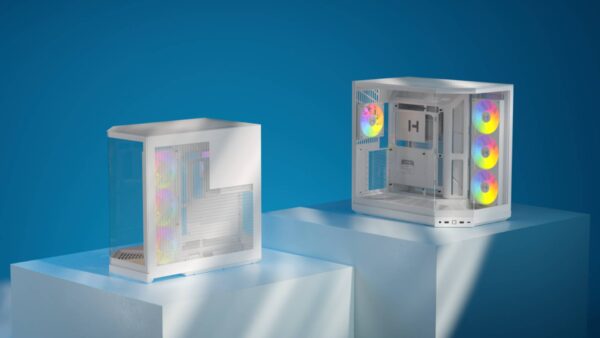
HYTE Y70 Touch Infinite Case Review – What Dreams are Made of
HYTE may be a fresh face in the crowded world of PC hardware, but its brief history is anything but quiet. Since its arrival, it’s quickly established a reputation for bold aesthetics and premium build quality in the PC case market, turning heads wherever it goes, with competitors even taking heavy notes and drawing inspiration. They’ve gone from being the new kids on the block to being one of the biggest innovators in the market.
We saw this just this year with their new line of PC cases, the HYTE X50 and X50 Air, which boldly redefined the traditional mid-tower form factor cases, taking the classic box-shaped design and rounding it off into something that not only felt like a fresh take on what a modern PC should look like, but also into something that changed the way we looked at airflow. Of course, building up to the X50 was a long path for HYTE, but it was well worth taking, as the result is truly remarkable.
Yet, even with newer flagship iterations pushing the boundaries of the mid-tower space, one chassis continues to cast a shadow over the entire dual-chamber market. It’s a case I’m sure you’ve seen advertised all over the internet plenty of times, and it’s made appearances at many big gaming events, with its massive roster of special-edition collaborations. We are, of course, talking about the HYTE Y70. It’s been years since its debut, and despite that, it continues to prove why it’s the case to beat.
Design, Build Quality, and Building Out of It
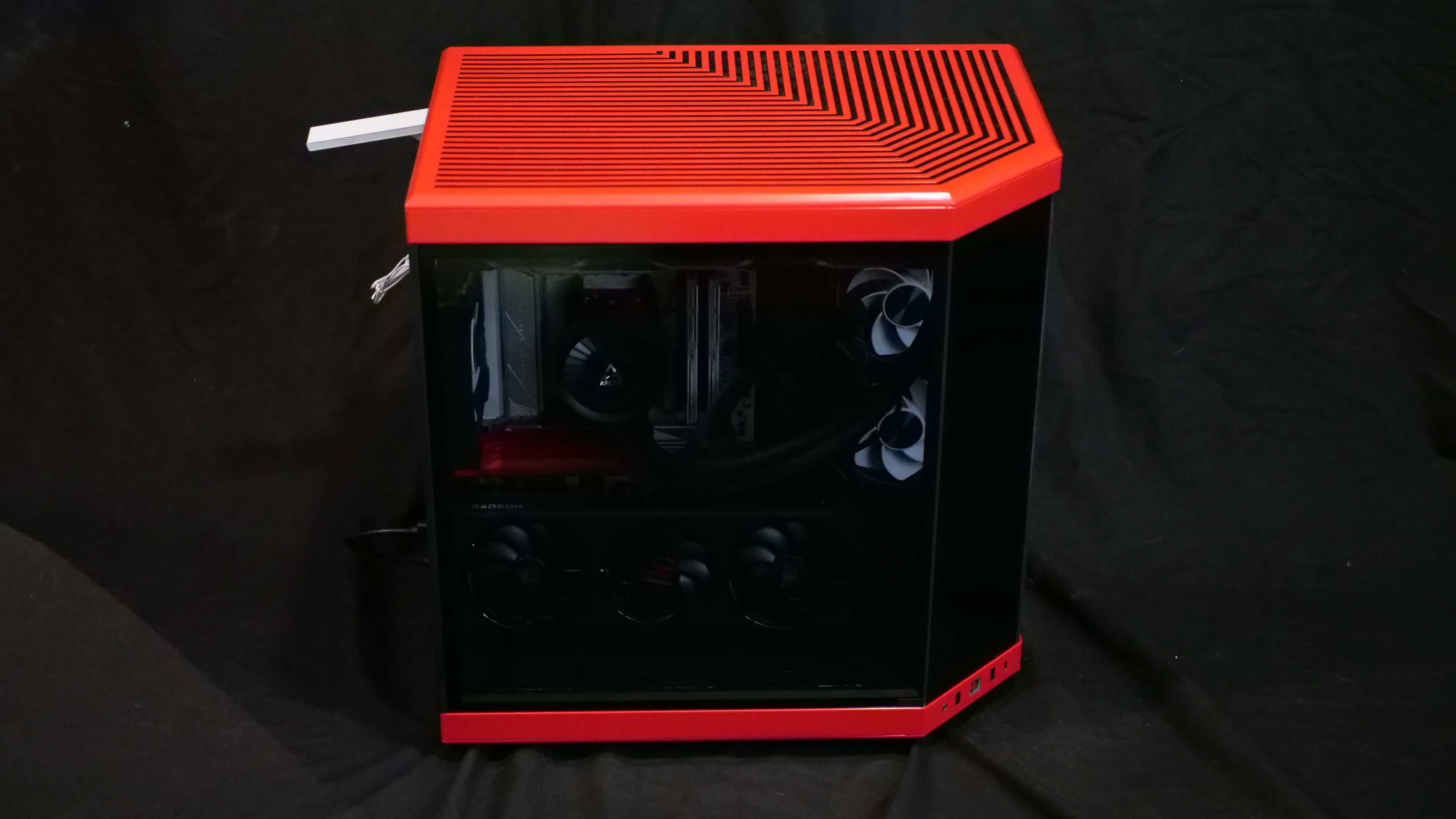
The HYTE Y70 certainly has one of the more interesting and well-thought-out designs that I’ve seen for a Dual-chamber, or as some would call “fish tank” case. First, let’s talk about the available options. In total, HYTE offers 8 colorways, plus 16 collaboration cases featuring various IPs in partnership with Hoyoverse, Square Enix, Atlus, and many more. For our setup, we opted for the classic Black Cherry, with a red exterior and black interior. It’s really nice to see PC cases offering dual coloring like that, rather than just being all black, white, red, or whatever color. Those options still exist if you fancy something more uniform, but the distinct contrast here gives the chassis a premium, custom-modded feel right out of the box. I can’t tell you how many white PC cases I’ve had where I wish the interior were black to match my motherboard. Ironically, the build I ended up moving into this case had a white motherboard, but it still looked great.
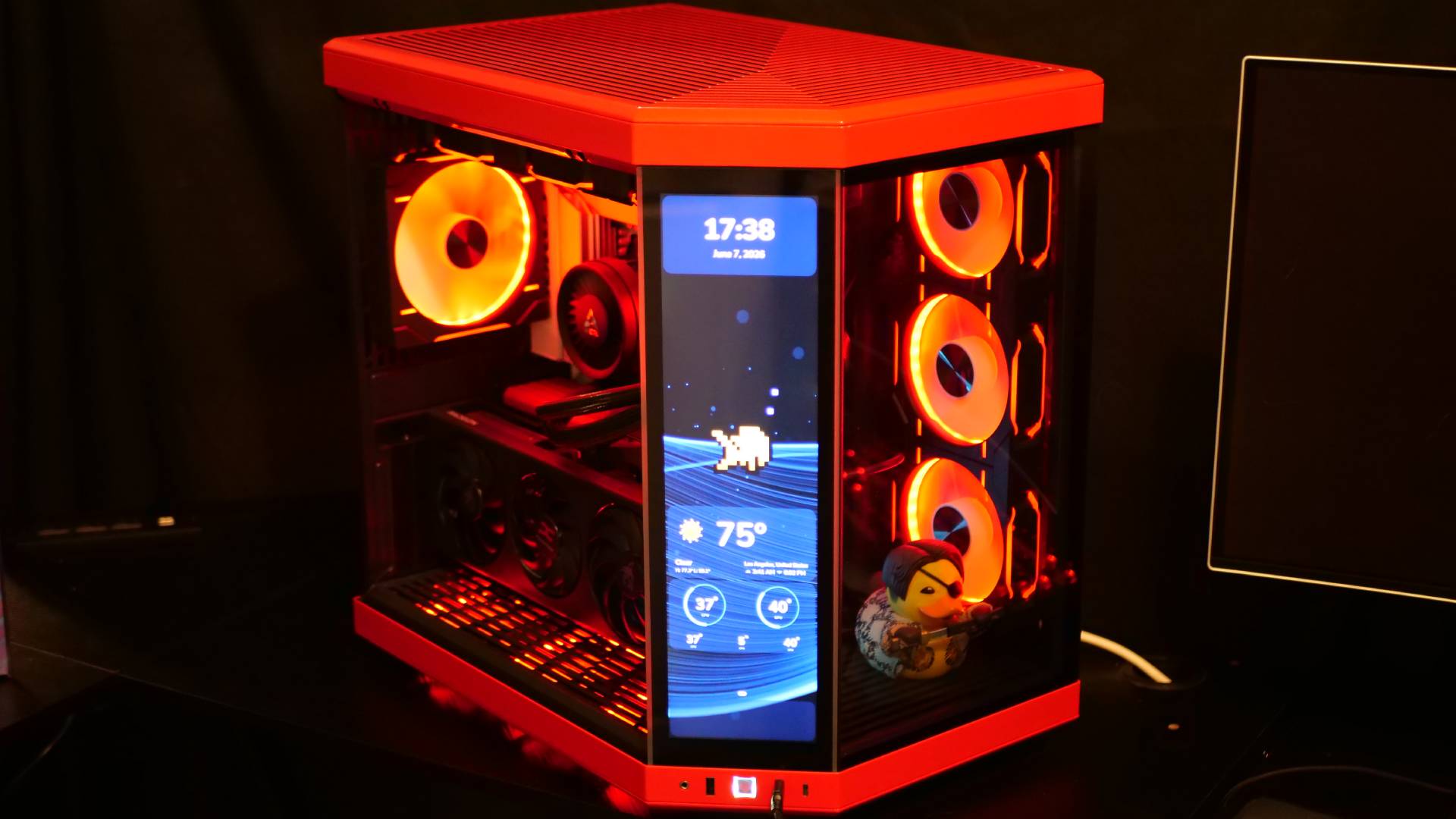
Regardless of which colorway you choose, the case’s shape is the same, featuring a full glass display on the front. However, unlike many traditional fish tank cases, the Y70 features three glass panels instead of your normal two. There’s the one on the front, the one on the side, and then the one in the middle, giving you a clear view into the case, no matter the angle. The case is also available in a Touch Infinite edition, where instead of that center glass panel, it’s a full touch screen display. For those wondering, it’s not 4K, but instead 2.5K. This is actually perfect, given that the display is small, which works in its favor: pixel density still delivers sharp image quality, and you get more performance out of your PC since you aren’t outputting to a full 4K screen. Surprisingly, despite being three separate panels, HYTE made them so they slot into the case as closely as possible. They don’t touch each other, and that’s just asking for breakage, but there also isn’t this massive gap between them.
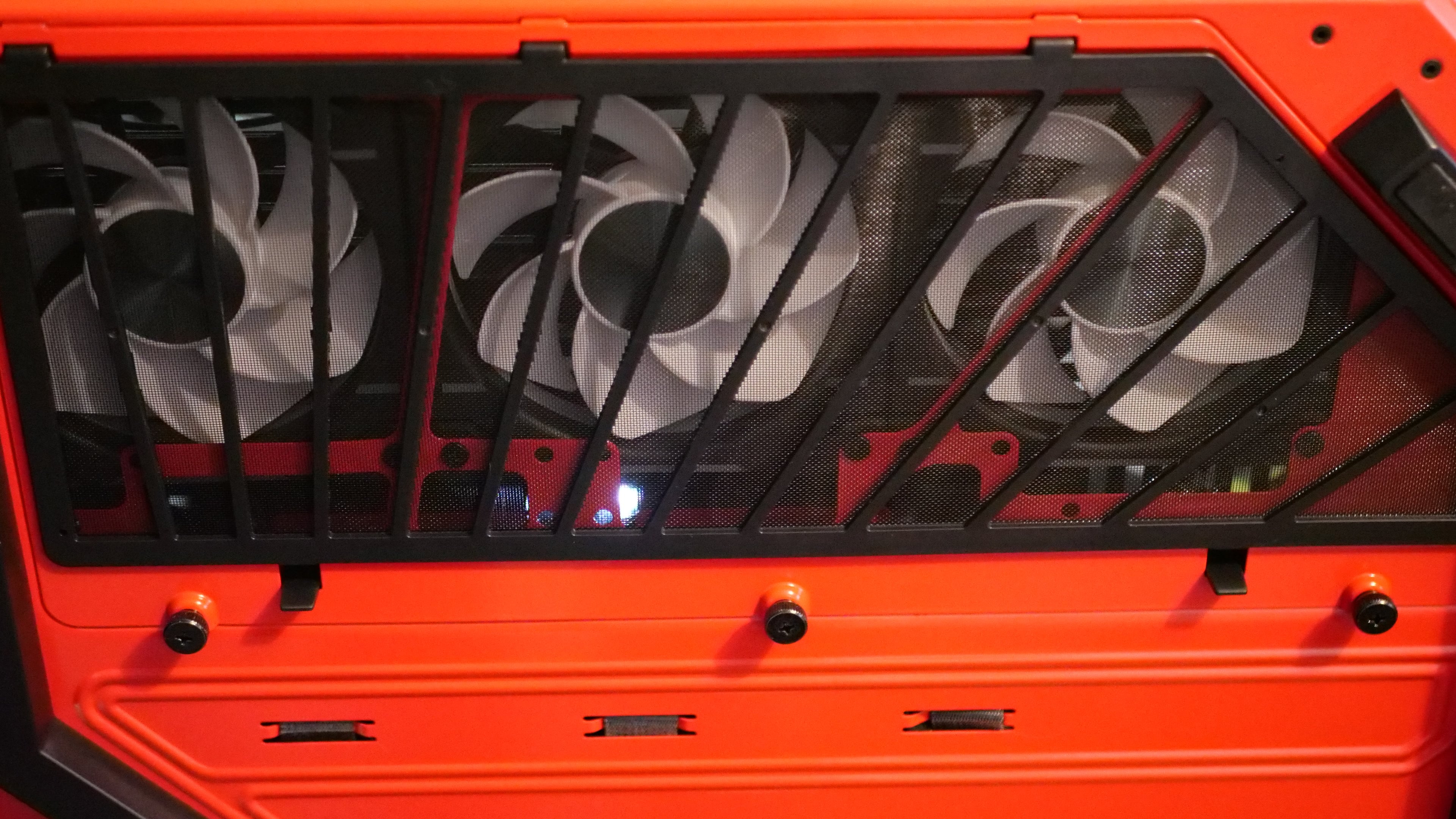
As for the non-glass paneling, it’s a mix of steel and ABS plastic. The steel is sturdy and strong as expected, and while there is some bend to the big ABS plastic panels, they’re quite durable too. This is due to reinforcement by a second, matching panel beneath, with a netted mesh between the two to help with dust. I do have some issues with this design that I’ll discuss later, but the quality is pretty solid for what it is.
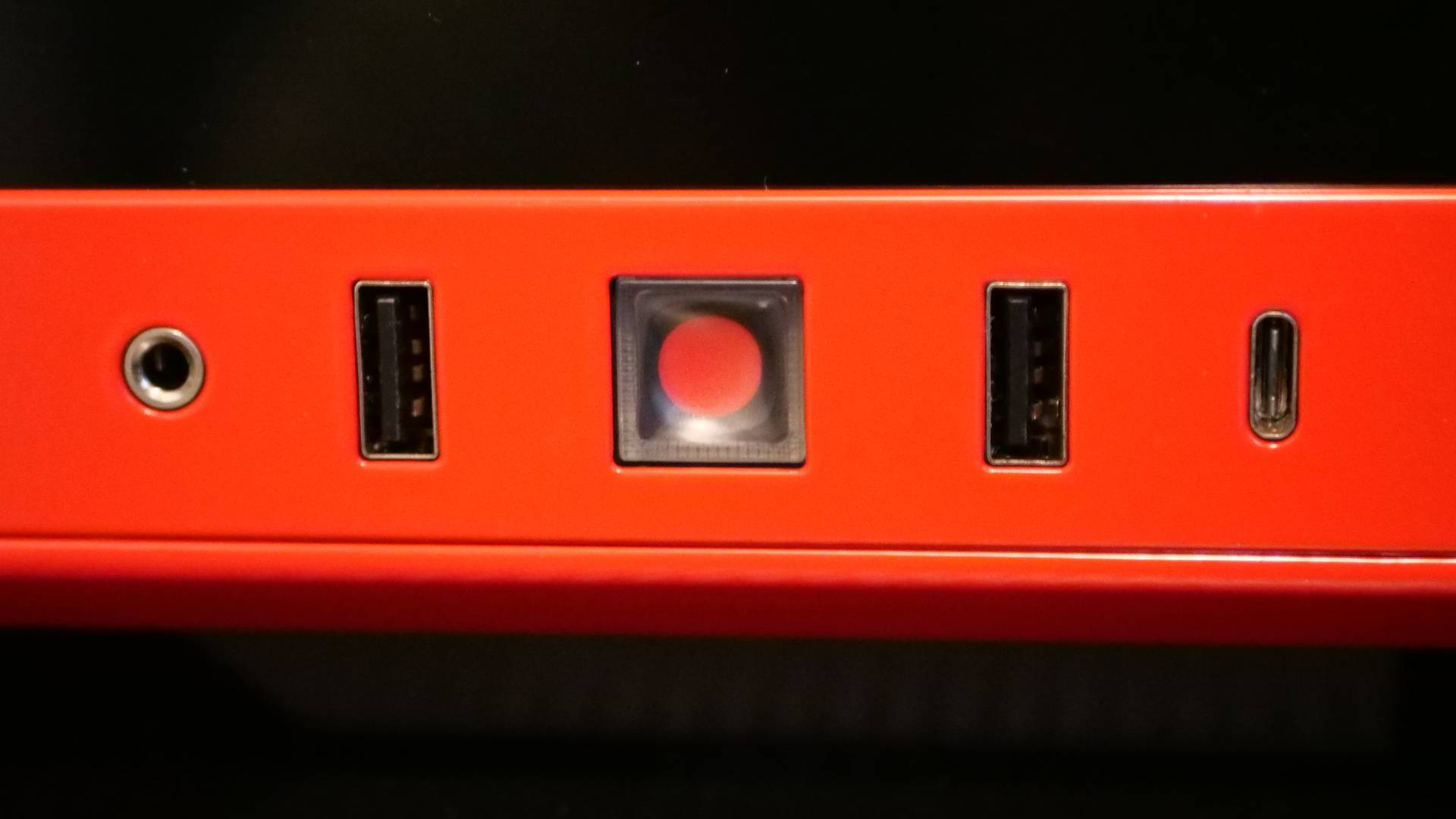
Continuing with the front of the case, we have the front I/O, which consists of our power button, USB connectivity, and audio jack (1x USB-C 3.2 Gen 2, 2x USB-A 3.2 Gen 1, 1x 3.5mm Audio/Mic Combo Jack). I’m a big fan of PC cases that put these on the side somewhere rather than directly on top. The reason is a bit odd: I have cats, and if anyone knows anything about cats, it’s that they like warmth. PCs generate a lot of it, so if you’re ever wondering why they like hanging around them so much, that’s why. That, and they also like being annoying little monsters, which, for anyone who does have a cat, you’ve probably had them jump on top of your PC and “accidentally” turn it on because they stepped or sat on the power button.
I also like having my USBs on the side, rather than on top, because if my PC is on my desk, and I’m playing a game using a wired controller, having it come out of the side gives me a bit of extra cable, and also less tension on the port itself if I end up pulling on the cable by mistake.
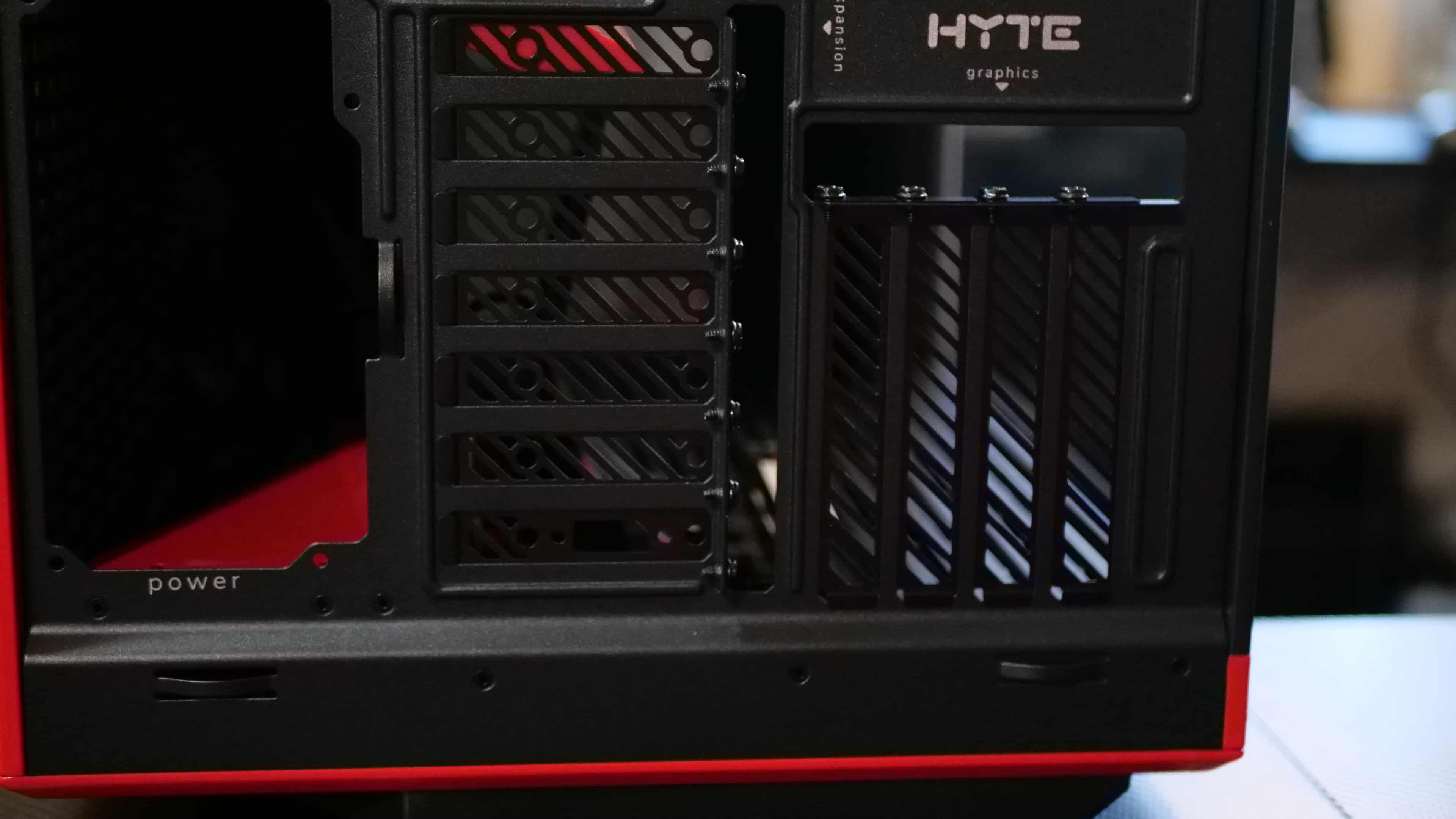
Anyway, moving on. On the backside, we have our standard back panel that features spacing for the rear I/O, some horizontal expansion slots, which is where the Touch display outputs to, as well as any PCIE cards that are small enough to fit there (like a USB expansion card), and some vertical expansion slots for your GPU.
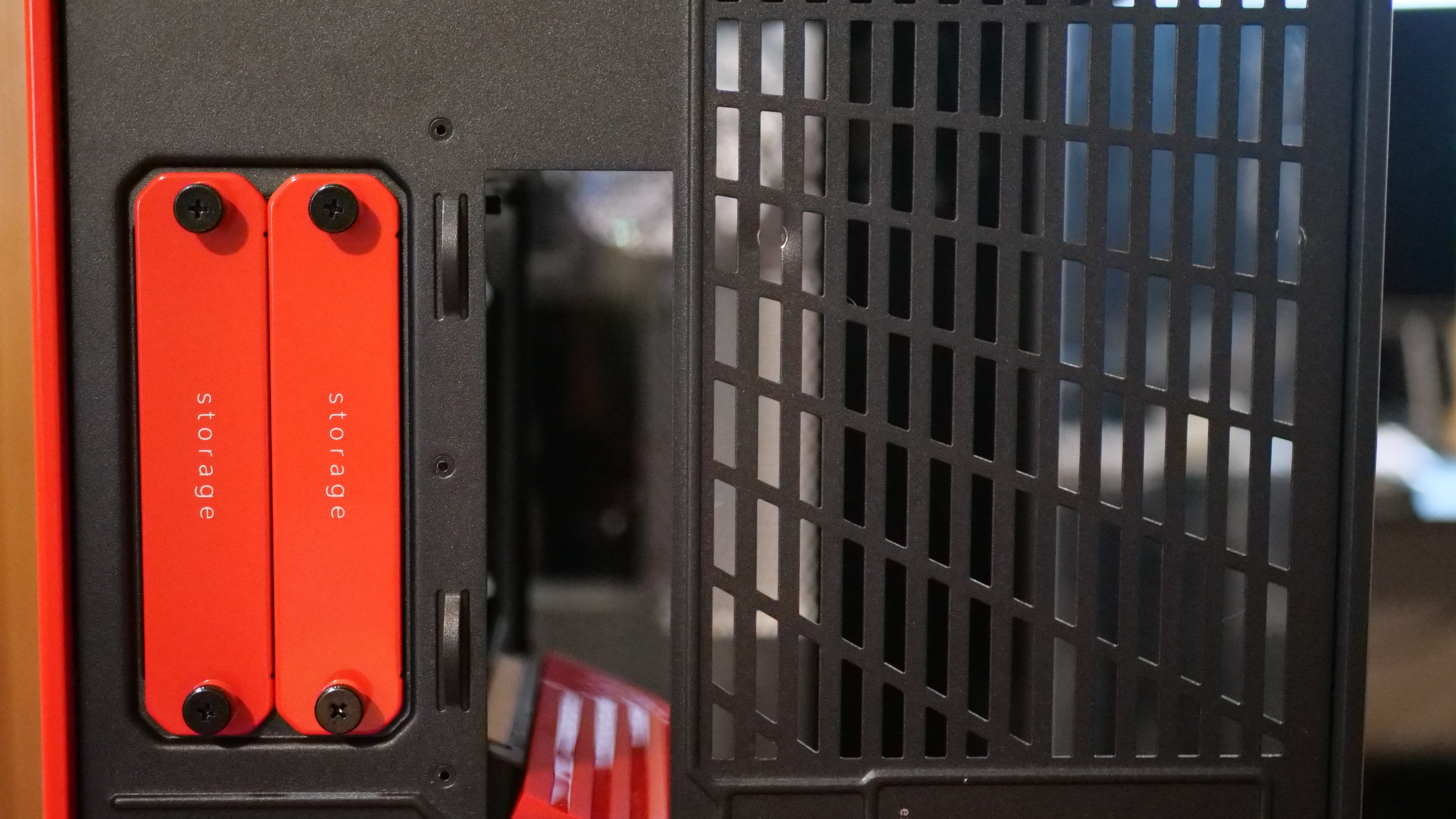
SSD/HDD storage slots are also located in the back, allowing you to slide them in and out directly from the case. This is a fantastic design choice because not only does it ingeniously hide the drives, but it also makes swapping them out super easy. Many cases have mounting brackets on the back panel. It’s not much of a hassle to remove those by any means, but the HYTE Y70 certainly makes it much more convenient and gives you more room for cable management.
Going back to the expansion slot, one thing you’ll notice is that the screws to hold the covers in are actually on the outside of the case. Considering you’ll already have display, power, and USB cables protruding from the rear, the expansion screws on the outside won’t be an eyesore. In fact, I love having them on the outside of the case rather than the inside, because anyone who has built a PC likely already knows the feeling of unscrewing them and having one accidentally fall inside the case. That bottom portion is where the fans normally are, and having that screw fall between the blades is just a source of unwanted frustration. So, in the case of the HYTE Y70, the screws will just fall directly on the ground. No more having to look around and find exactly where it fell inside the case, plus, it makes mounting a GPU vertically way easier, too.
For fans, the case supports up to 10 120mm fans, three on the top, three on the side, three on the bottom, and one in the back, as well as support for a 120-360, 140-280 @ 68 mm thick radiator on the top, or a 120-360, 140-280 @ 125 mm thick on the side. The case measures 470 x 320 x 470 mm and has a volume of 70 liters. Yes, it’s a big case, but that’s part of its draw.
At the bottom is a removable mesh screen for cleaning, though it requires picking up the case and tilting it. I think the legs could have been a little higher for more clearance from the floor, and making that mesh panel slide out would have been a better choice, in my opinion. But that’s a very minor thing.
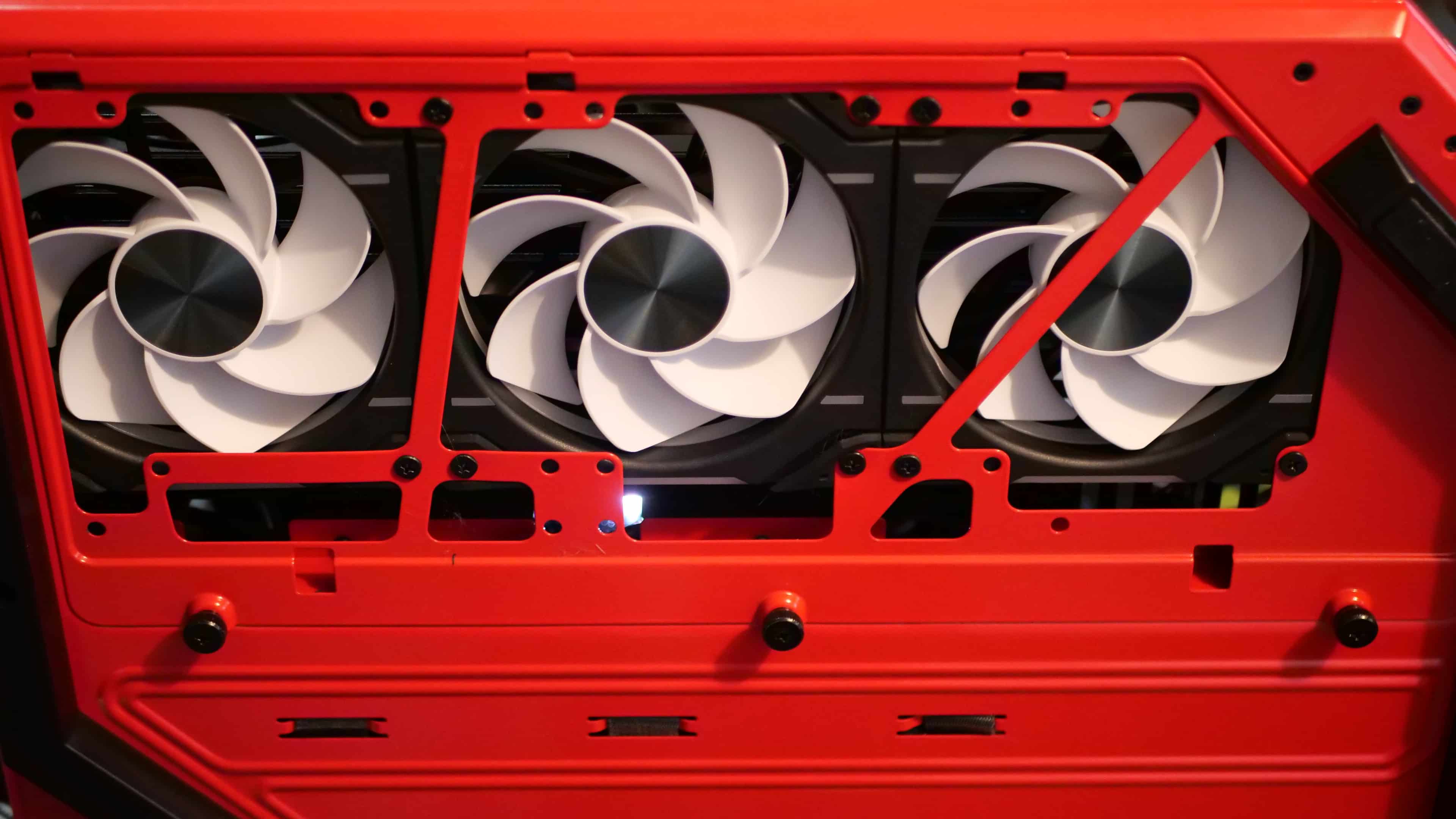
In terms of building a full PC with the case, it’s actually one of the easiest I’ve ever worked in. No surprise, given it’s a dual-chamber setup and one of the largest I’ve seen on the market. Its fish tank design leaves you with plenty of working space, so much so that I never felt like I was trying to cram any components in, aside from the bottom fans (more on that in a bit). The case supports full ATX and ITX boards, and even with the former, it was a breeze to reach the spots. Nothing in the case was really blocking movement, and it probably took me only 20 to 30 minutes to fully build my PC.
For GPU setup in a PC case, it is vertical mounting only, and I do love that the Vertical-GPU riser is included in this build rather than being a separate component to buy. HYTE even made sure its color matches your case option. There was some thought put into the spacing between the glass paneling and the motherboard, and where the riser was mounted, to ensure the GPU had enough clearance from the glass and from radiator tubing, something I’ve struggled with before in other PC cases.
The wire management is also fantastic, with the other side of the case featuring wide channels for running wires. Unfortunately, a BIOS update on my motherboard killed the RGB headers, forcing me to use an RGB hub powered directly from the PSU. So my cable management doesn’t look as good as it should because I had already set it up in a specific way, which meant I had to undo it all after realizing the issue to reroute everything to a dedicated hub. But even with my spaghetti mess, the case still has plenty of space to tuck it away when the back panel is set back on.
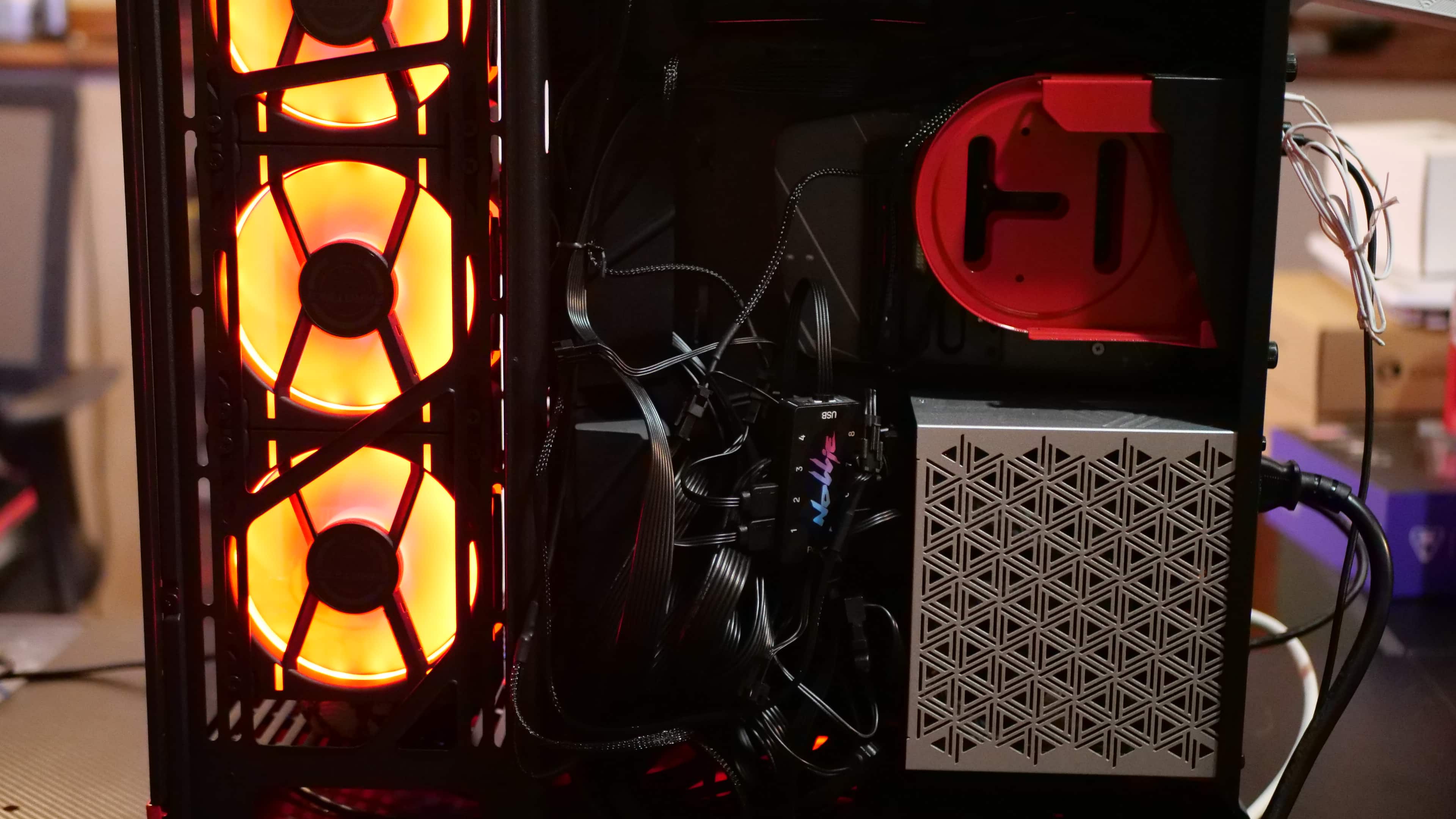
There are two things I hope HYTE eventually addresses in future iterations, be that with a new version of the case or a new Y-successor (this review was written before the HYTE Y50 announcement, which looks to address these issues). The first is the way the installation works for the bottom fans. In total, you can fit three 120mm fans on the bottom, though the way the mounting brackets work is that you need to take that off, insert one of your fans into the case, then mount the other two to the bracket, slot it back in place, and then you can mount the third one. You can’t attach all three to the bracket while it’s off; you have to slide one of the fans into the bottom portion of the case first.
It’s not entirely difficult to do if you have standard RGB or non-RGB fans, but if you plan on using something that chains the fans together via a bridge connection (such as the Phanteks D30), well, you’re going to have a bit of fun (you really won’t) trying to get that last bridge connector on.
I’m not one to look up “how to” videos, but working out of that bottom fan setup prompted me to check one out. Unsurprisingly, the comments and most replayed sections revolved around that very part of the case. Again, it’s not too difficult, but it is an area HYTE could improve in later iterations of this series case.
My second problem with this case is that it can get a bit hairy, and I mean that literally. If you have a cat, a dog, or any critter that sheds a lot of hair, you may notice hair getting stuck to some of the panels. Obviously, pet hair and PC are two combinations you never want to see together, but hey, I’m not getting rid of either of them, so they’ll have to find a way to coexist. For the most part, they have, and despite my cats finding a nice, warm sleeping spot on my PC after use, I make sure to clean it of dust and any hair almost monthly.
I can tell you, after receiving my HYTE Y70 in the mail and unboxing it, leaving it empty of any functional, moving parts, the HYTE Y70’s top and side metal ventilation panels love grabbing cat hair and keeping it there. Normally, I can just use an electric duster or even wipe it off, but the way the top and side panels are layered means hair finds a way to wedge itself. It’s because the top metal panel, the mesh screen, and the plastic enclosure that holds them are built as a single piece rather than two. So hair gets lodged between the top and side metal panels and the mesh underside.
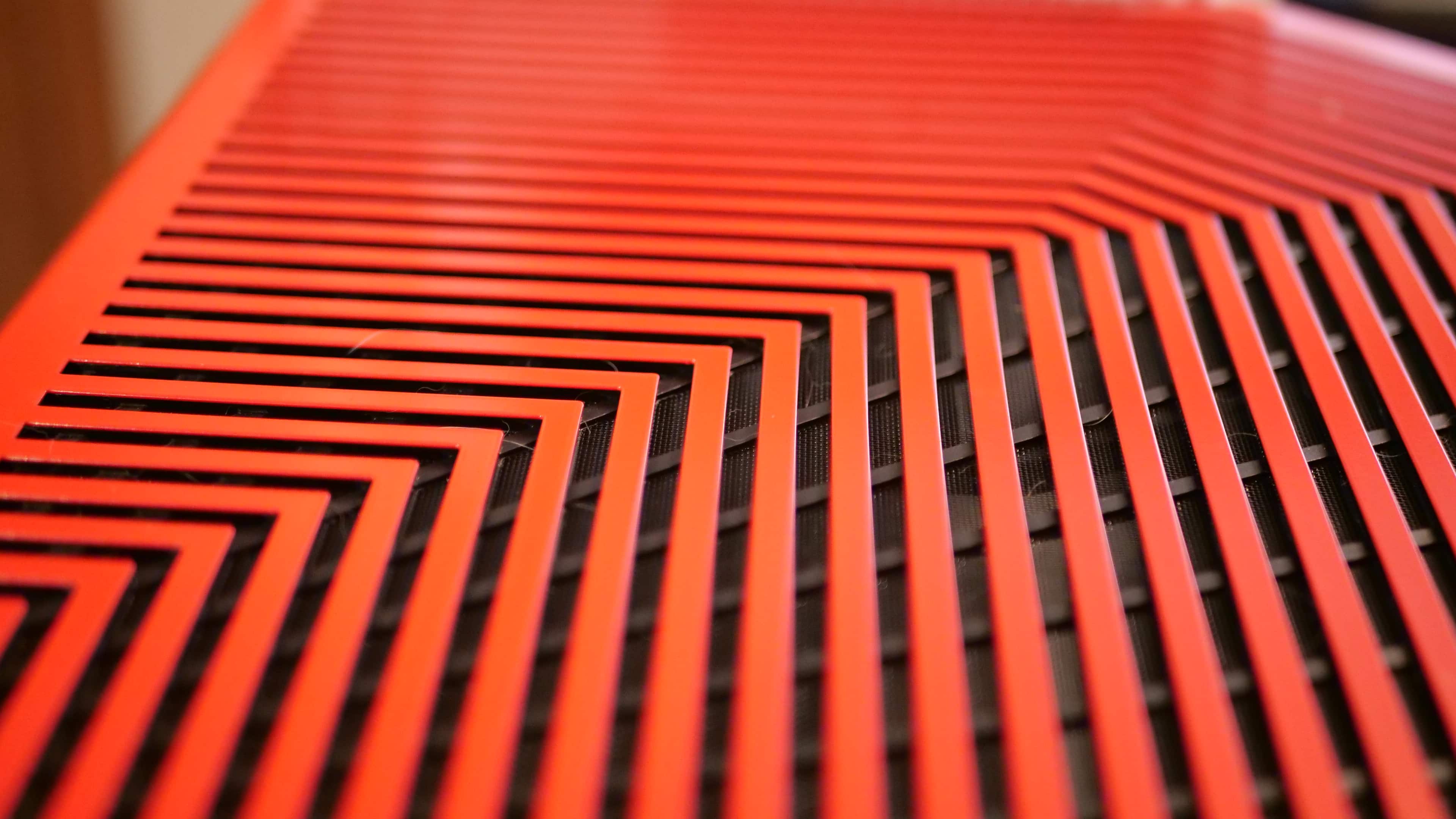
If you don’t have pets, this isn’t much of an issue for you, though it does raise the question of what other particles might find their way trapped in there.
On the one hand, it’s good that the case is stopping all of this. On the other hand, it’s a bit of a pain to pluck those out. Definitely a lot more time-consuming than simply grabbing a duster and blowing it out.
Your Dream PC Awaits
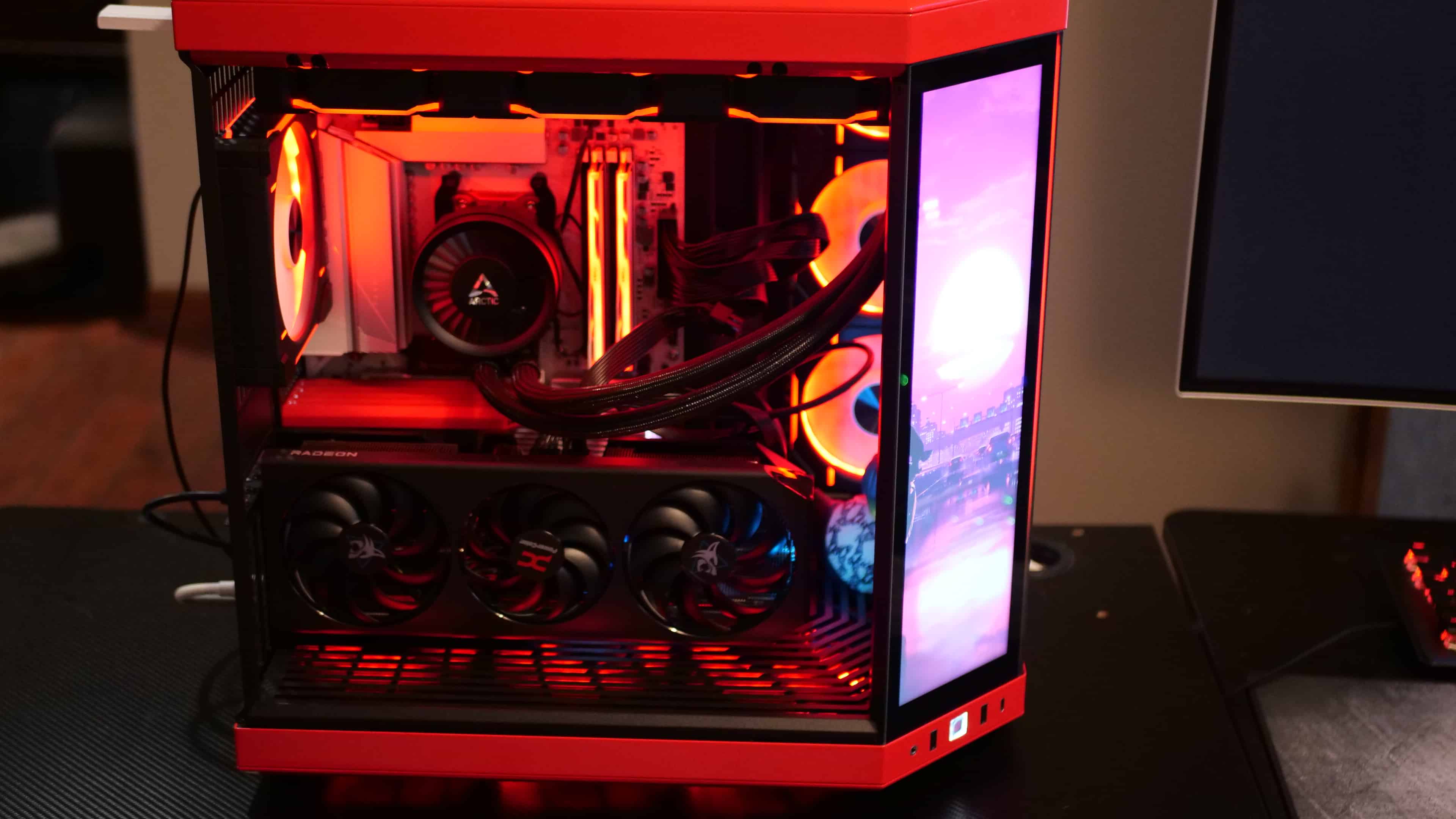
While the HYTE Y70 isn’t necessarily marketed as an airflow-first “mesh monster,” it remains remarkably capable of keeping thermals in check, provided you pair it with the right cooling configuration. While idling, my PC temps generally remained around the 37-45-degree mark for the CPU and GPU, and under heavier, continuous load and peak gaming, between 70 and 80 degrees. Pretty good, and in line with even their HYTE X50 case, a case more geared towards providing the best possible cooling.
But being someone who has long wanted to get their hands on a HYTE Y70 case, and having built out of several other cases over the years, with the most recent being the HYTE X50, my expectations for the HYTE Y70 weren’t so much about dropping temp digits, but more so to show off my gaming beast to the world. This meant picking fans that weren’t necessarily about pushing RPM, but rather, focused on giving me that “wow factor.”
If you’ve done any research into the HYTE Y70, you probably understand what kind of case this actually was from the start: a case designed to turn heads, showcasing your high-end components like a piece of modern art. The three-piece panoramic glass panels (two for the Y70 Touch Infinite panel version) provide a wraparound view of your hardware, effectively turning your build into a high-end display case. For the HYTE Y70, the components aren’t just parts to be tucked away; they are the stars of the show, and this case provides the perfect stage for them.
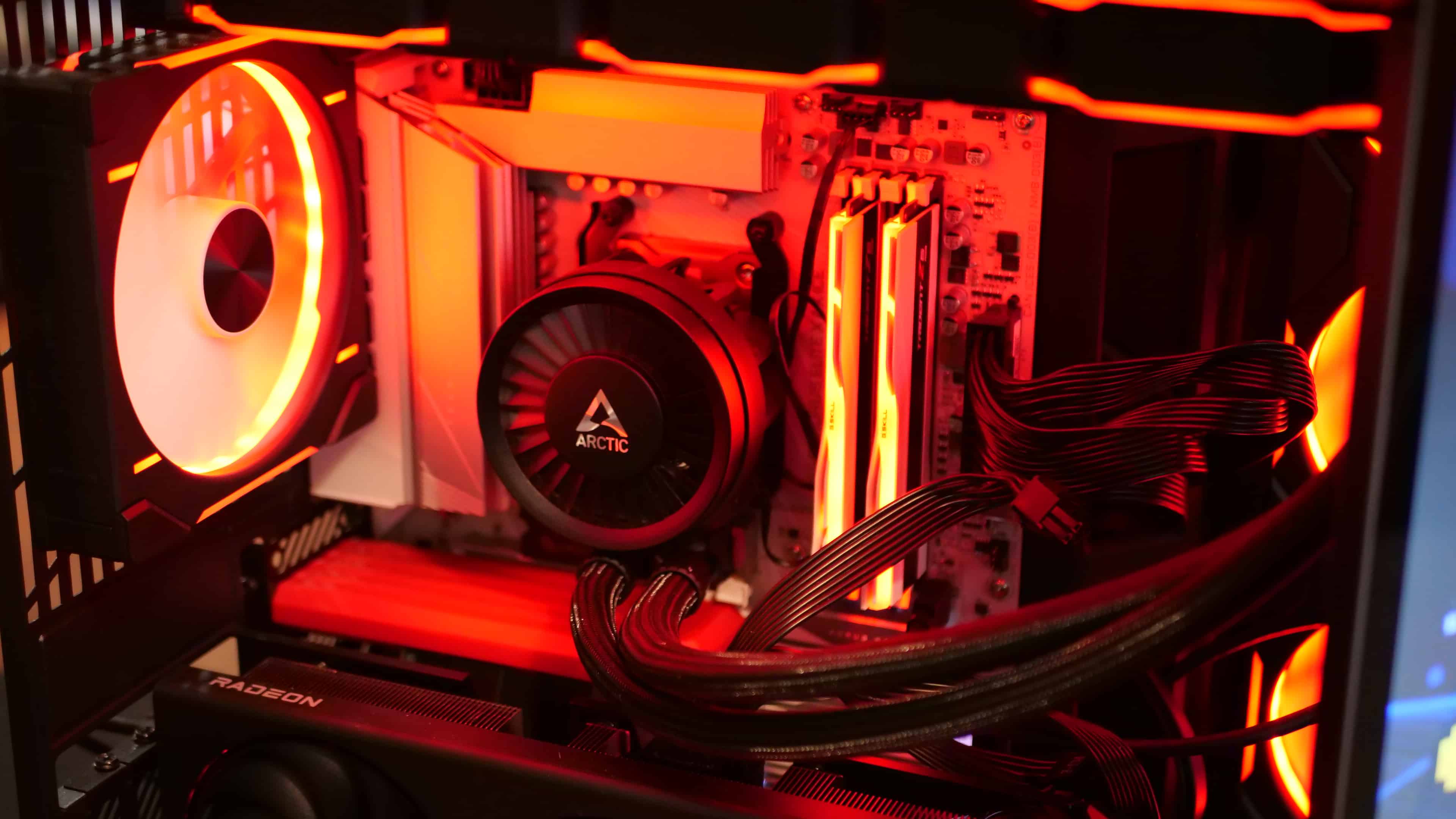
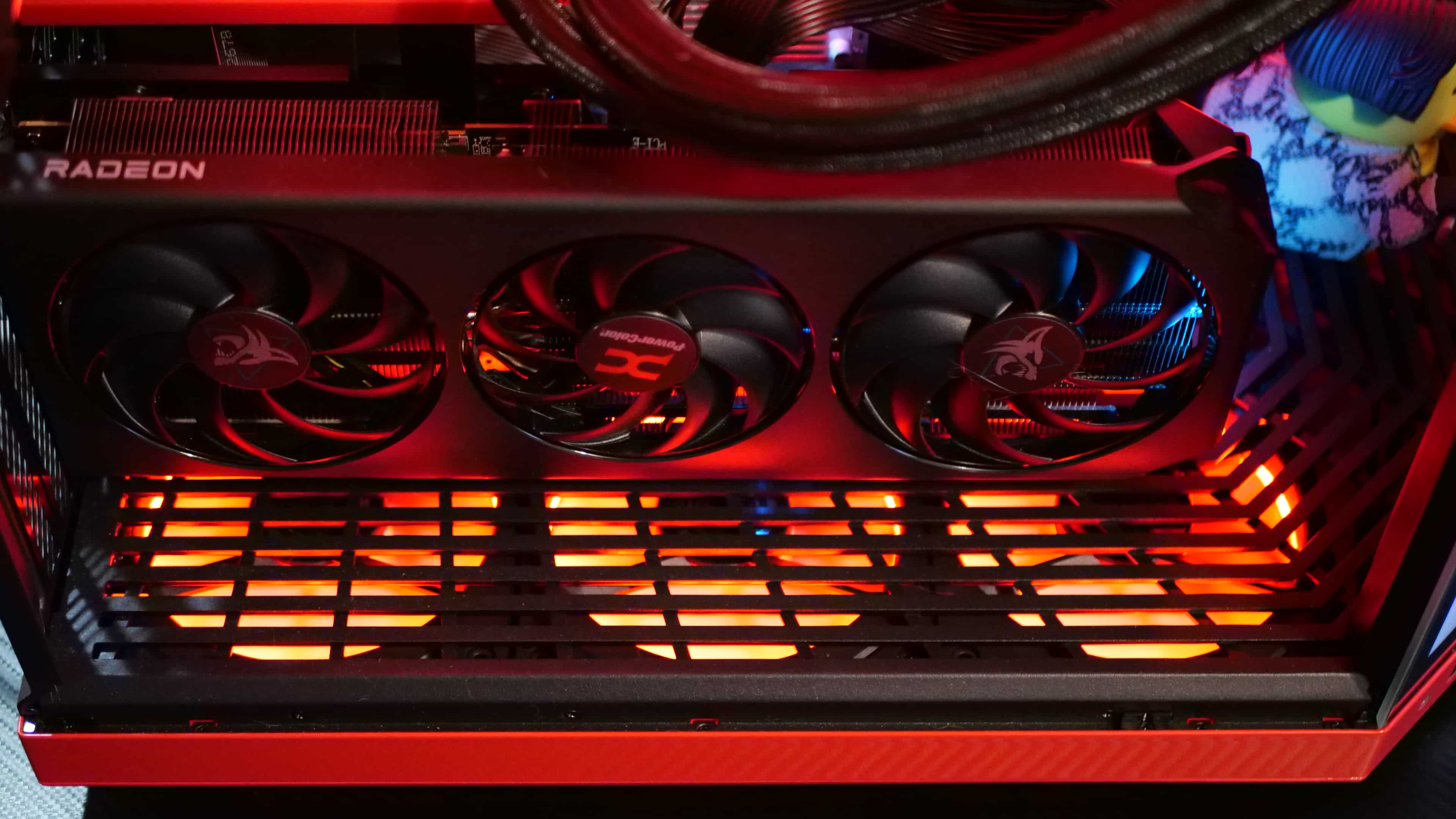
If there was ever a case that absolutely had to have RGB, it’s undoubtedly the HYTE Y70. The way the fans are oriented provides the perfect lighting over all your components. Now I didn’t get too crazy, like adding an RGB fan for my CPU cooler or buying a GPU that had lighting (due to cost), but even with the current setup, it really makes everything just pop, and in the right kind of way. The HYTE Y70 Touch Display might seem a bit of a gimmick to some, but once you see it synchronized with your overall lighting theme, I really do think it transforms the build into something from the future. It’s such a beautiful PC case, and I understand the hype behind it now that I’ve built it out. So much so that I’ll likely revisit this build down the road for my first custom water-cooling system
We’ve seen all the amazing collaborations that HYTE has done with this case over the past few years for the HYTE Y70. My favorite out of the bunch would be the Gundam Wing one, mostly because I’m a Gundam fan. But the case itself sports a pretty unique color scheme.


There are loads of possibilities when it comes to what HYTE can offer for this case, but I think ultimately, where the most fun is going to be is in the community mods. Taking one look at the HYTE subreddit, you can see just how creative some users are getting with custom setups for the HYTE Y70. Heck, I loved my push/pull radiator fan setup in my old PC case so much that I ordered a custom riser for the HYTE Y70 on Etsy. It’s not the best in terms of build quality, certainly doesn’t match the material used in the HYTE Y70, but it’s not really a complaint either. Being able to add additional fans, on top of having glass panels that mimic the HYTE Y70’s, is a cool option to see, even if it’s one by the community. I think it could be a great option for HYTE to offer, but understandably, they don’t, given how niche that sort of setup would be. That, and if I am honest, this custom riser I got does make the case a bit ridiculous looking.
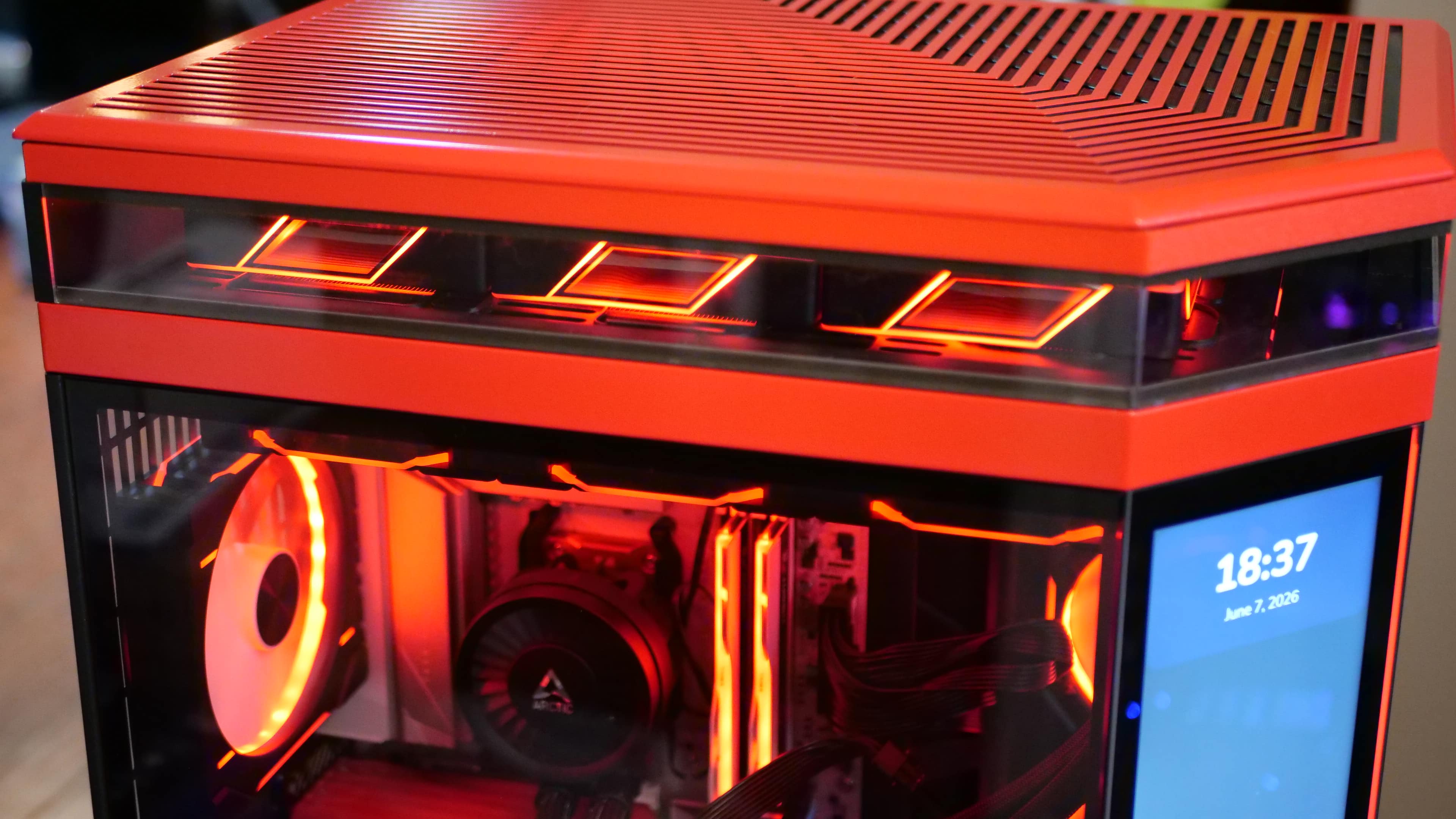
But the point here is that there’s plenty of customization you can do with this case, whether with standard or custom components. HYTE even left enough room in front for you to put a figurine there if you really wanted, something they leaned even more into with the upcoming HYTE Y50.
Now, if you aren’t someone who’s big on the touch display as the center panel, you can opt for a full-glass version of the case. It looks just as good in my opinion, and also saves you $180 on the case. For those who like the idea of a display in the middle of their case, everything can be managed via HYTE’s Nexus software. There are several features you can customize, including hardware monitoring tools, app shortcuts, and even games you can play on it. It does have its issues, such as not being able to detect temperatures of certain things all the time (at least for me) and a few other things, but the company is also working on its next generation of the app, which will be taking plenty of that feedback, fixing, improving, and building upon it.
It’s a fun piece of software to play around with, but for me, I used it mainly for wallpapers (Wallpaper Engine works on it too) and for setting up different themes. In a way, it’s almost like getting a new colorway without actually buying a whole new case.
The touchscreen is a great addition, even if it may be a gimmick to some. But that’s the beauty of this case: you don’t have to get the one with the touchscreen if you don’t want it, and those who do already know what kind of customization they’ll do to it.
As for whether it impacts performance, I can’t say I noticed much while testing out games like Forza Horizon 6, 007 First Light, Cyberpunk 2077, and other pretty demanding games. I’m sure there is some impact, considering it’s a second display, but for what I normally target (60 FPS @ 4K resolution), I didn’t notice any significant performance differences.
Verdict
It’s crazy to think that HYTE has been in the PC case business for barely five years, and yet in that time, they have crafted some of the most exciting PC cases ever to hit the market. It’s not to say they don’t come with a hefty price tag, but for what they have to offer, especially with the HYTE Y70, the investment is entirely worth it if you want your PC to be more than just a box under your desk. In the case of the HYTE Y70, that means turning it into a showroom centerpiece, where your high-end hardware gets the exact stage it deserves.
For the pure performance-per-dollar crowd, the entry price might still cause some hesitation. But for enthusiasts who want to showcase their components like pieces of modern art, this case has earned every bit of its immense hype. It firmly cements HYTE as one of the most innovative forces in PC hardware today. Even with their latest case, the HYTE X50, now on the market and innovating on many of the ideas seeded by the Y-series of cases, the HYTE Y70 is still the reigning king when it comes to near-full-glass cases.
Pros
- Spacious - Plenty of room to work and play around in.
- Fantastic cable management
- Plenty of colorway options and collaborations to choose from
- The 3-piece panoramic tempered glass design really highlights the joy of PC building and customization, putting all your components in full display
- Includes a vertical PCIe 4.0 riser cable and mounting kit
Cons
- It's expensive, though HYTE's new Y50 case may soon be the answer to that
- No fans included
- Bottom fan cases are a bit annoying to set up when using three fans.
Where to Buy:
- HYTE Official Website
- Micro Center
- iBUYPOWER (Case) (Pre-Built/Custom Built)
- Amazon (Case) (Touch Infinite)