

Turtle Beach KB7 Command Series Keyboard and KP7 Keypad Review – Command All at a Push of Button
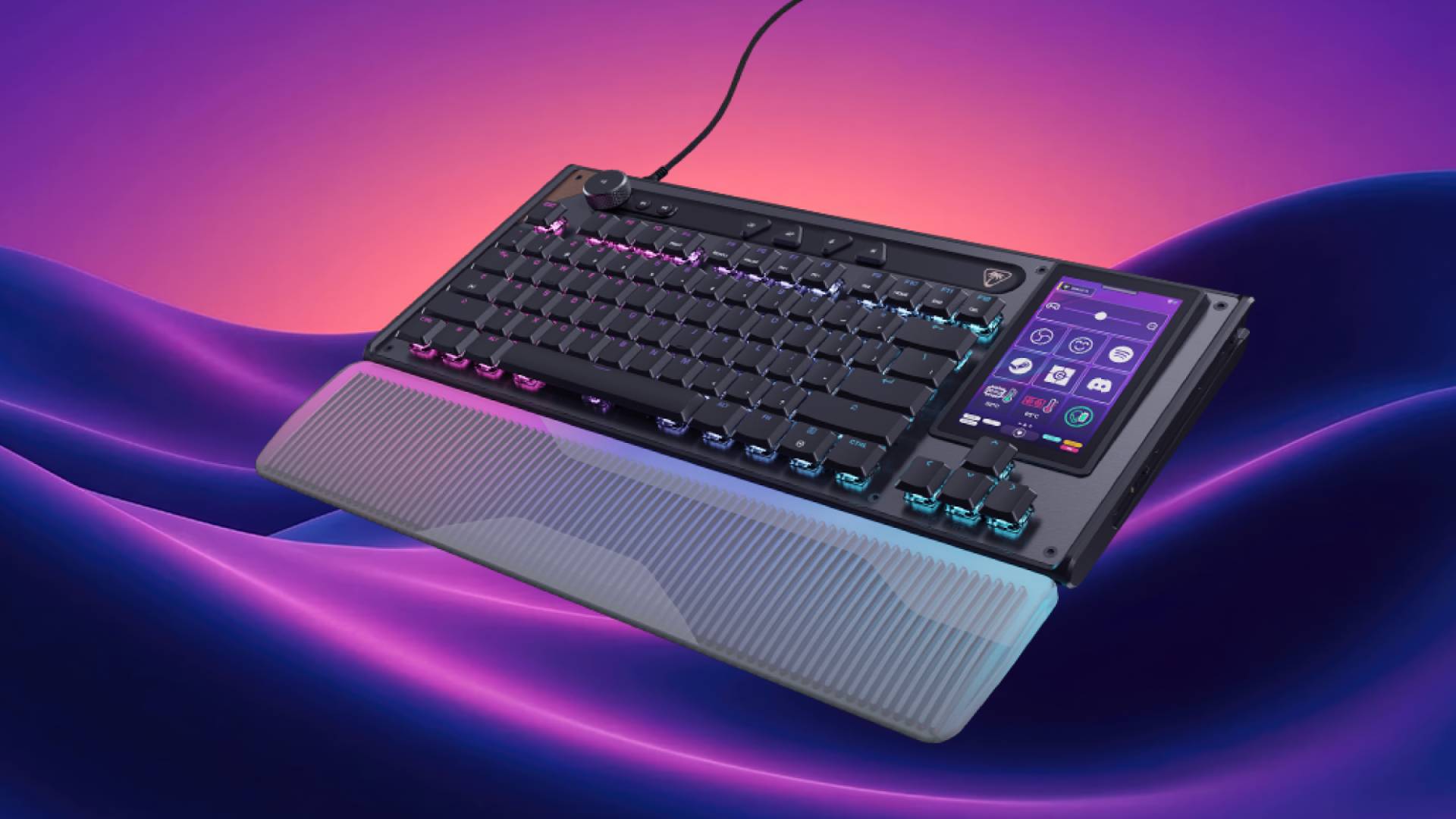
Turtle Beach has entered a new era of PC peripherals with its latest line of mice and keyboards: The Command Series. With a focus on gamers, content creators, and everyday productivity alike, the Command Series of peripherals puts everything in one place, and all is accessible with just a click of a button.
It sounds, and even looks, amazing, though it does come with some caveats that hold it back from perfection.
Sleek, Premium, and Unmistakably Modern
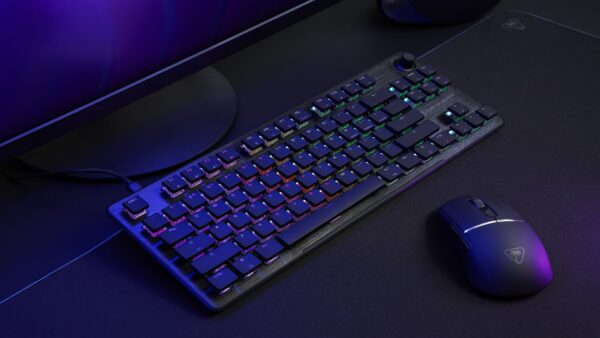
Right off the bat, I want to say that the Turtle Beach KB7 and its KP7 keypad add-on both boast a beautiful, well-built design. Turtle Beach has made it a habit over the last few years to focus on the build quality of their keyboards, and I’ve had zero complaints about that so far, but with the KB7, I feel they’ve really outdone themselves here.
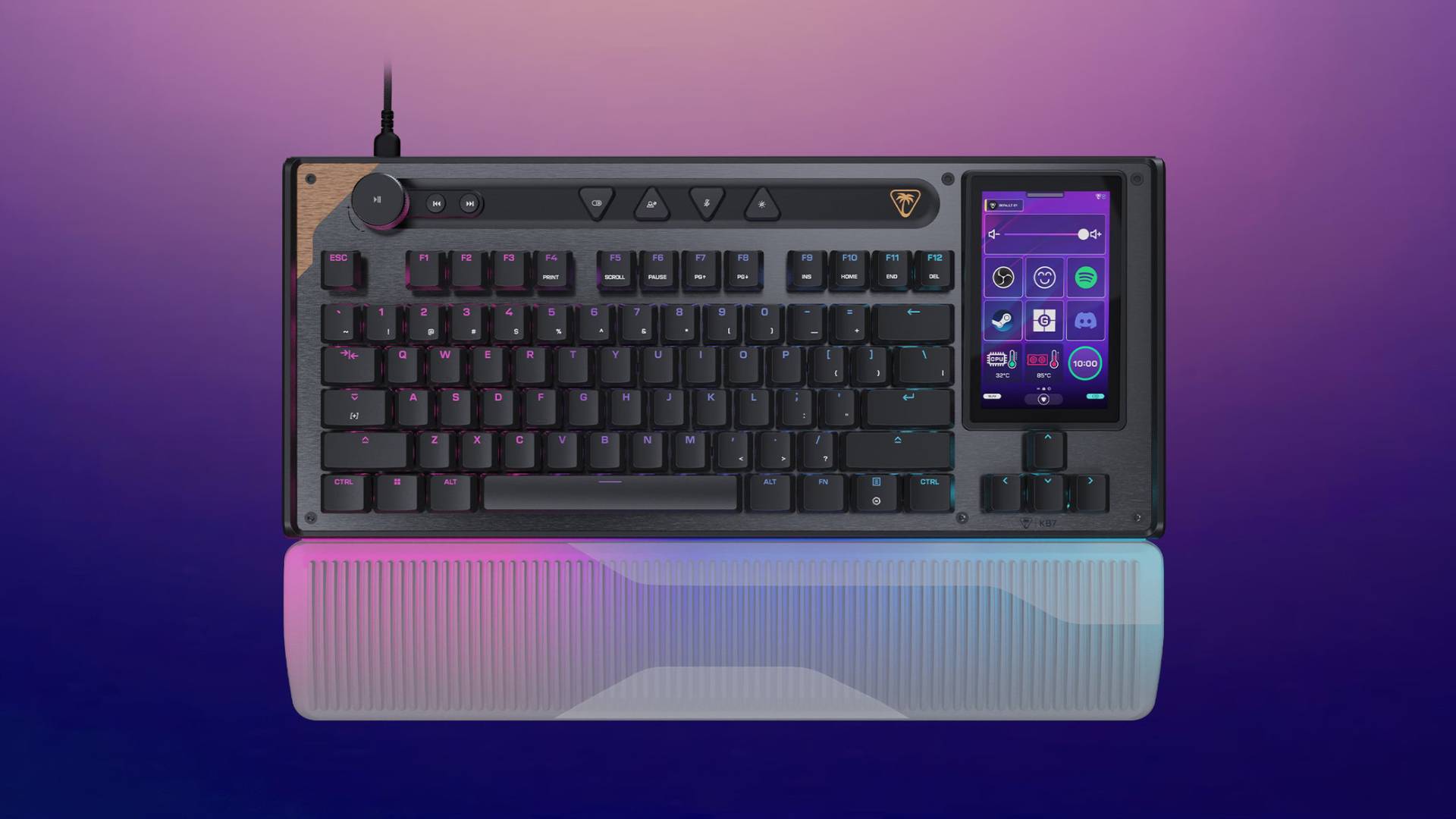
Looking at the keyboard, you can tell they’ve taken a lot of the best bits from previous offerings under the ROCCAT branding, such as the RGB lighting, aluminum plate, and wrist rest, while also integrating signature Turtle Beach features. There are full audio and media controls that let you skip forward and back, as well as a dedicated volume knob with a play/pause button. I’m a sucker for stuff like that, and with Turtle Beach being mostly known for their headsets, there’s even a dedicated mute button on the board.
Going back to the aluminum plate, in one corner, there’s a copper-colored part that almost looks like a piece of wood. I don’t know, I’m really fond of the way it looks. It makes the keyboard pop out more, without it being over-the-top.
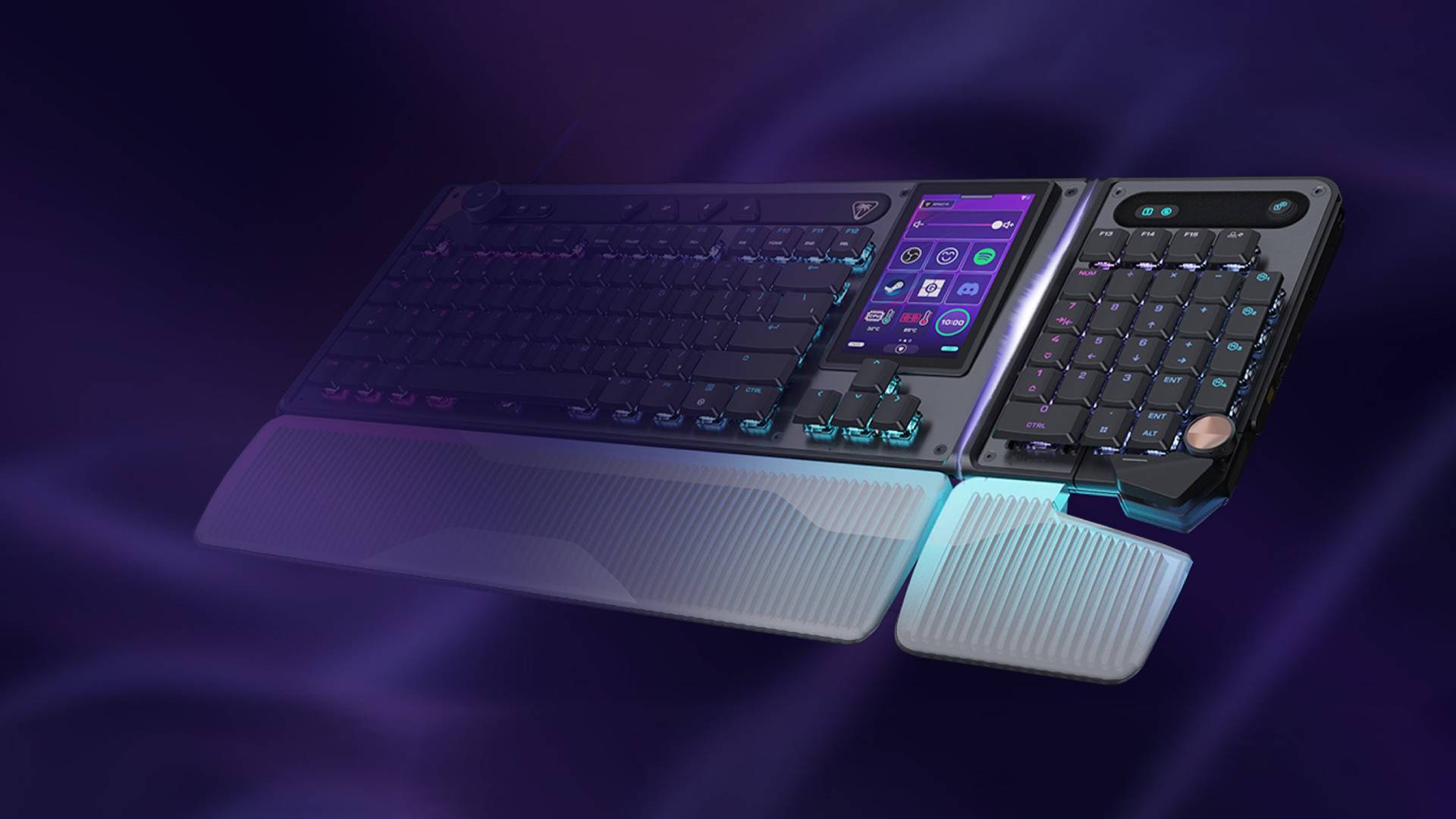
The overall build quality is great. The keyboard feels nice and sturdy, though I wouldn’t recommend dropping it due to the onboard screen. Which speaking of, this keyboard comes with a 4.3” touchscreen that’s fully customizable.
I was a bit skeptical about that at first, but being someone who also creates content on the side, being able to map things out like Adobe Premiere, specific PC folders, and even web URLs, such as my Google Drive, all in one place, on a single screen, with a click of a button, is amazing. But more on that a bit later.
In terms of click noise, I don’t have a dB meter to give an exact reading, but Hall-effect switches, in my experience, make this one of the quietest keyboards I’ve ever used. I’ve used other Turtle Beach keyboards (and previously ROCCAT) that mostly use their new Titan switches. In comparison, it’s not even a contest when it comes to sound levels, as the KB7 is superbly silent, so much so that I feel confident enough to type during the night without even waking someone up. It’s like typing on a cloud, almost, and the keypresses feel pretty good, too. No stickiness, and they click back up almost immediately after a press.
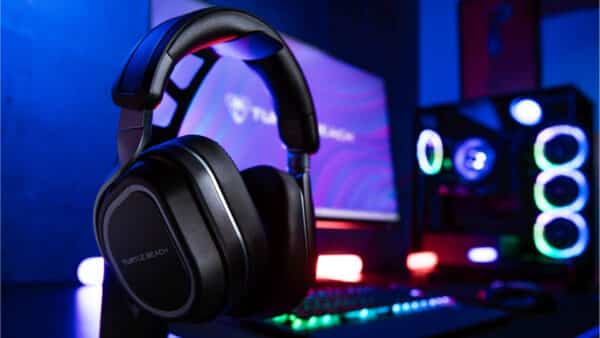
I was a little worried that the hall effect switches weren’t going to feel as good as mechanical ones, let alone as the Titan switches by Turtle Beach, but to my surprise, they’re great.
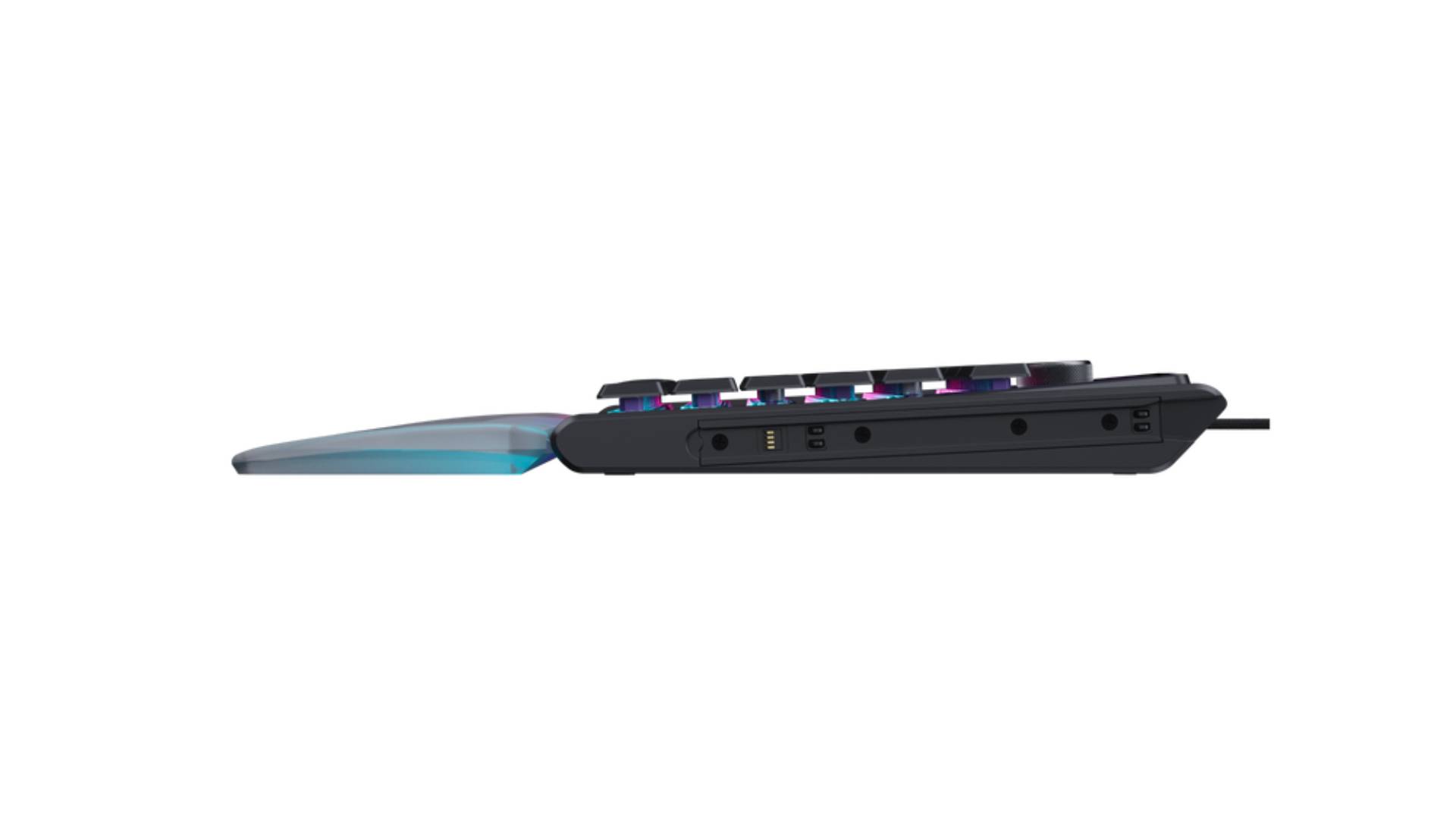
As for the KP7 keypad, there’s not much to it beyond being a keypad with a volume knob. Don’t get me wrong, I like it a lot, but the main features are going to be all on the KB7, where this is more like an add-on if you want a dedicated number pad. One thing I do like about it is that it doesn’t have to be attached to the keyboard to use it. You can keep it detached, and it’ll still function just fine. To attach it, you just slide it onto the side siderail of the KB7, similar to how the Switch controller works.
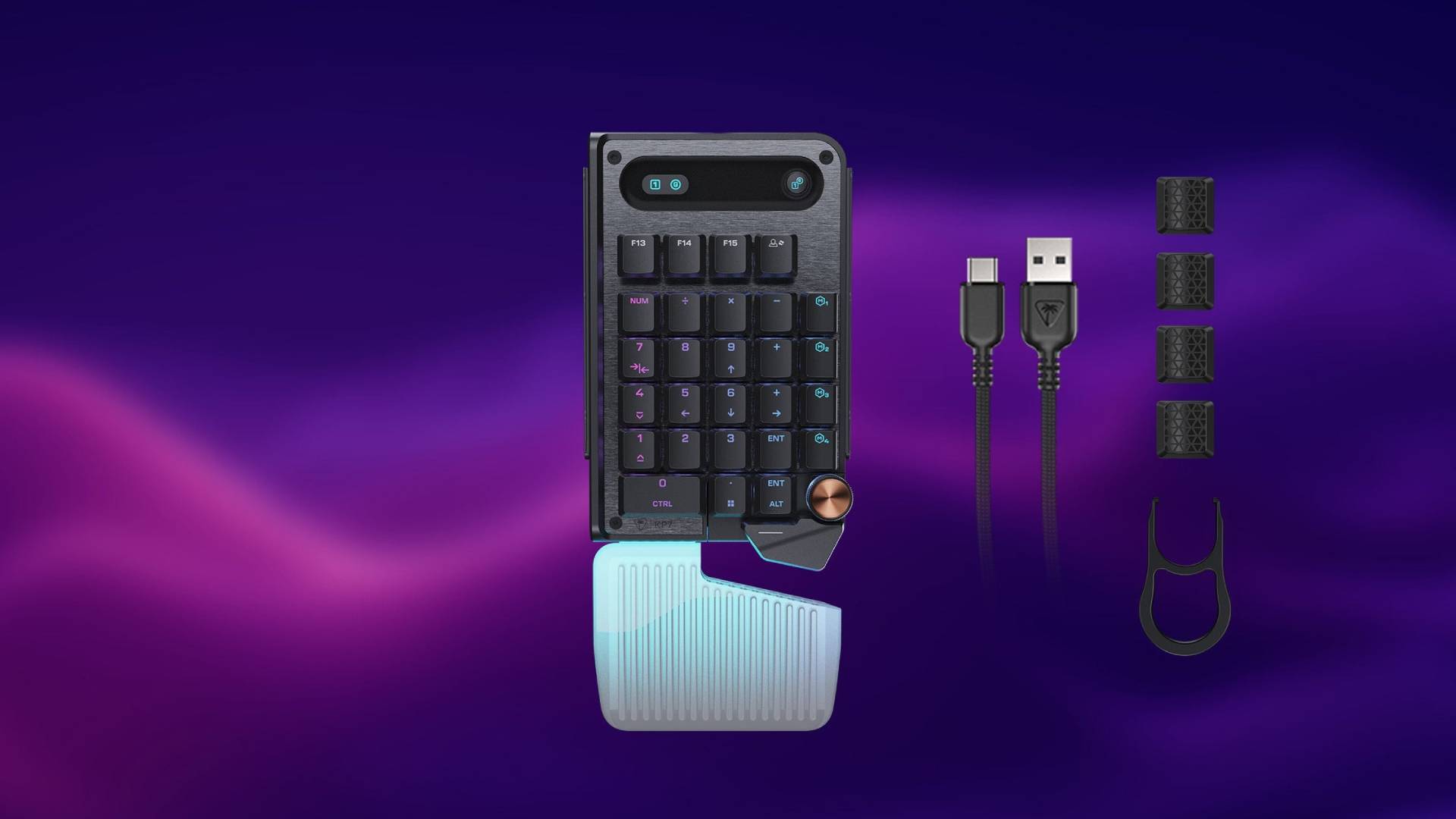
A cool addition that makes this very accessible is that the KP7 can be used on either side of the keyboard, so if you prefer a left- or right-hand setup, you can do that without buying a whole new system. That’s pretty ingenious if you ask me.
Overall, in terms of build quality, it’s rather excellent, and feels like the kind of product you should be getting for its high asking price ($199 for the KB7, $99 for the KP7). Yes, it is pretty steep in price, but that’s mainly due to the added touchscreen. I hope Turtle Beach releases a standalone version of this without the screen, because the keyboard alone is superb in terms of quality and feel. I would say it’s one of the best keyboards I’ve used for basic functionality, but given how Turtle Beach advertised it, you’re probably not looking to use it solely for simple tasks.
Instead, the Command Series of products has been geared towards, well, as the name would suggest, being able to command your entire desktop experience right from your fingertips. Turtle Beach is clearly pushing boundaries here, trying to bridge the gap between a high-end gaming deck and a dedicated productivity stream dock. It’s an ambitious swing, and for the most part, they really stick the landing, granted if you can ignore some glaring launch issues.
Excellent Hardware, But the Software Needs Some Much-Needed Attention
I have nothing but high praise for the hardware itself, and if it weren’t for the fact that it needed to be used with Turtle Beach’s proprietary software, the Swarm II, I would probably say this is the best keyboard they’ve released thus far. But before I dive into that, I want to talk about my experience after I got the darn thing to actually work.
Being someone who does a lot of gameplay recording, editing, and uploading, the idea of creating a system on my keyboard, and with such ease, to be able to access all of these functions is something I knew I was going to love about the KB7. In the Swarm software, you can add many functions to the screen, with up to three custom pages and five profiles to switch through. For me, I have things set up so I can open OBS with a single click, then hit record, open the folder where my recordings are stored, map a button to open Premiere to edit the footage, one for the folder where my renders are, and one to launch directly into Google Drive. All from a single screen. Now I know I can remap all this to a standard keyboard, and on my PC’s taskbar, but the fact that I don’t have to sit there and remember which key does what, or have my taskbar cluttered with more apps, since the touchscreen tells me all that, is already a game-changer in itself.
Turtle Beach has preset templates too if you wanted to play around with some stuff, including ones specifically for OBS, Teams, Discord, Photoshop, and gaming titles like Counter-Strike, which even track things like your health, ammo, and more. That latter one is moot, since you’d want to keep an eye on your screen rather than look down at the keyboard, but the point is that it’s entirely possible if you wanted that. You can even create your own macros or tie multiple inputs to a hotkey on the touchscreen.
It’s a fantastic piece of hardware, and when the software works, it excels at being what Turtle Beach set out for it to be: The ultimate command center. The thing is, it has to actually work, and unfortunately, the software side is pretty broken in its current state.
If there is one major area holding back the KB7 Keyboard, it’s undoubtedly the Swarm II software. For a keyboard essentially built around the Swarm II software, that very software does a lot to undermine its functionality.
I know I’ve had my complaints about the Swarm in the past, but that was mostly about the app’s design in its first version, which looked like something from the 90s rather than today. That’s something Turtle Beach has addressed with the Swarm 2, giving its user interface a full overhaul that feels much better to use than its early versions. They’ve made things like hardware updates much easier, as well as accessing unique functions for each device through a dedicated device view.
There’s a lot to like about the app in terms of what it offers, but much of it doesn’t work. Since receiving the unit, Turtle Beach has released a few updates to the Swarm II software, and although they’ve improved it, it still has a long way to go before it works. For starters, the app crashes quite a bit, and whenever it does work, it keeps telling me there’s a new software update. It’ll update, reboot, then prompt you, saying there’s a new update available. An annoyance, but it is a tolerable one.
What isn’t as tolerable is the process of setting up the dedicated Discord and OBS integration for the KB7 keyboard. I’m not sure what they do specifically, because since receiving the unit, I’ve yet to be able to set those things up. Anytime I attempt to pair them, the app crashes and never boots up again, requiring a full install of the Swarm II software, which, oddly, then requires me to reinitiate the update on the keyboard itself. Any third-party app setup with the keyboard would prompt a crash and a full reinstallation of the app.
I’ve had issues with the keys getting “stuck,” but not physically, and it would freak out, typing a bunch of random stuff on its own. I initially thought my keyboard had arrived defective, but after checking the Turtle Beach subreddit, I saw I wasn’t the only one having these issues. I did manage to fix that issue by having the firmware reinstall itself after another crash. I’ve probably had to reinstall the app 10 times since testing the unit, and at random, my customized display setup would reset, prompting me to spend even more time redoing it.
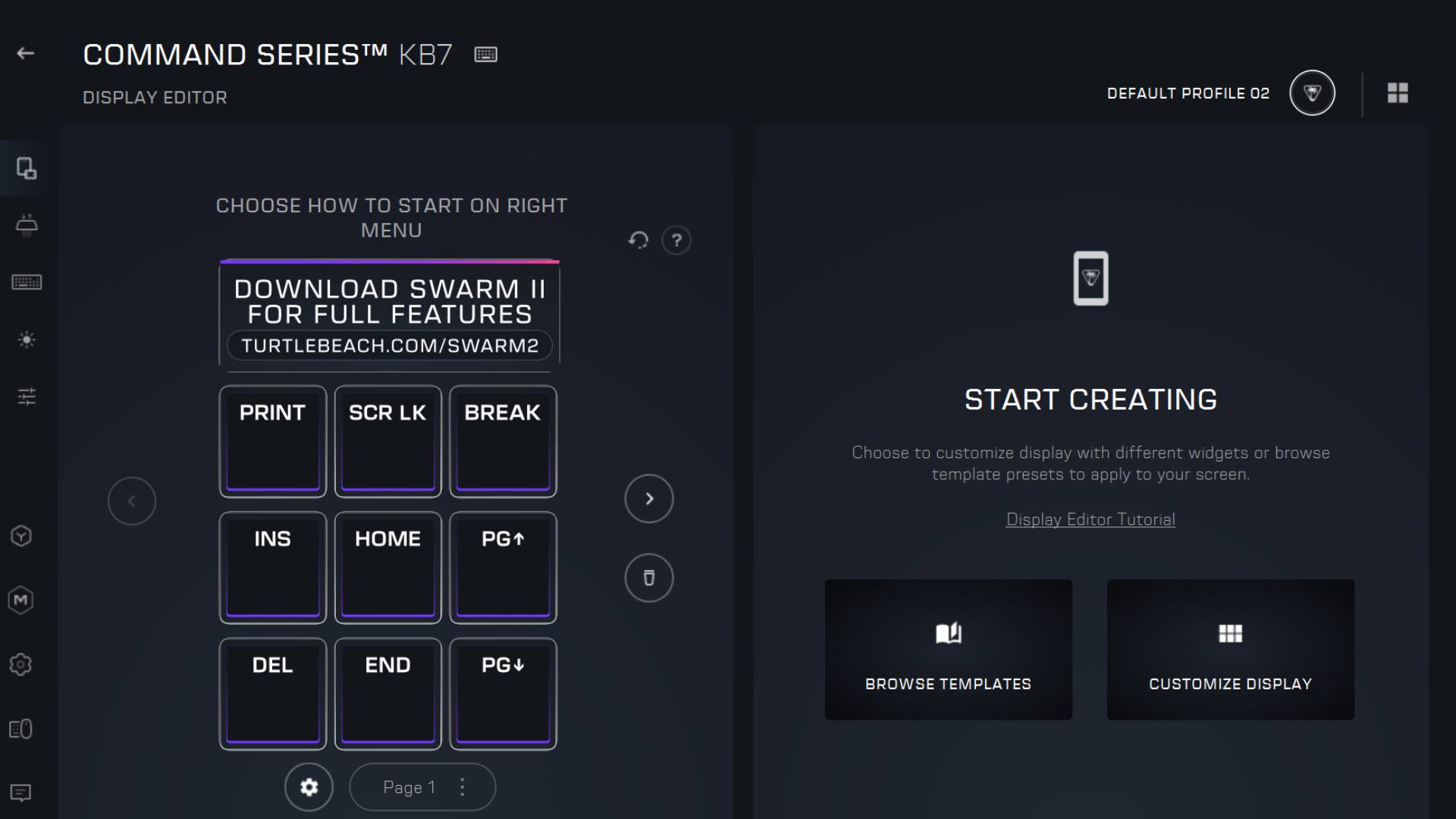
The touchscreen keymapping also randomly wipes. After finally getting my setup exactly how I wanted it, the custom layout reset to the default after a fresh PC bootup. Even my saved presets in the app didn’t restore them, as I had to relink software, links, and some of my macros.
It’s just not a good user experience at all, and for the price Turtle Beach is asking for this keyboard, the software is expected to be up to par with the experience, not one that makes someone regret their purchase.
The bright side is that this is a software issue rather than a hardware one, so chances are we’ll see a fix for all of this soon. But at the time of writing this review, it’s a big problem, enough for me to say, hold off on purchasing this keyboard. I can only hope that Turtle Beach can get this fixed sooner rather than later, because I do think it’s a big enough problem to sink the product.
Verdict
Turtle Beach set out to create the ultimate command center with this keyboard, and while there are issues, I do think it lives up to that promise. As a piece of hardware, it meets all expectations, delivering on a build quality that feels up to par with the premium price. However, if Turtle Beach has any hope of seeing the KB7 reach the success levels of their past keyboard releases, they’re going to have to kick things into gear and address the issues with their buggy Swarm II software.
I’m torn, because it’s not often I find myself being on the other end of a Turtle Beach product. I mean, I don’t hate the KB7, not far from it, it’s just, knowing the issues with the Swarm II, it’s hard for me to tell anyone to drop $200 on a keyboard alone, and expect them to have a great experience with it.
As for the KP7, it’s an excellent standalone keypad and a fantastic addition to the KB7. Its Nintendo Switch-like rail attachment system lets you use it as either a left- or right-hand pad. I applaud that kind of accessibility, where you can make a product that works great for two types of audiences.
Pros
- Beautiful design that may just be one of Turtle Beach's best in terms of looks and quality
- Hall-effect switches are extremely quite, yet offer just the right amount of feedback
- Dedicated media buttons - Takes the best parts of Turtle Beach audio and puts it right there on the keyboard, without compromising the layout or any other features.
- The touch-screen might be a gimmick to some, but being able to map virtually anything to it, even with programs and their icons, along with shortcuts and macros, is a massive game changer. However...
- It's Nintendo Switch-like side rail system, makes adding attachments, such as the KP7 keypad, such a fantastic accessibly option. The KP7 can be used as a left or right handed keypad.
Cons
- ...the Swarm II software is drastically holding this amazing piece of hardware back. It's unstable, and makes the experience feel more frustrating than it should be.
- It's high price point isn't justified when the software has so many issues.
Where to Buy
- KB7 Keyboard ($199.99 MSRP) – Turtle Beach
- KP7 Keypad ($99.99 MSRP) – Turtle Beach
Stay connected to MP1st and the latest news by following us on Bluesky, X, Facebook, TikTok, YouTube, and Google News.
