iBUYPOWER RDY Element Pulse X B02 Review – Solid Mid-Range Performer
Gaming components continue to rise in price, driven by the surge in AI-related fields. With demand for GPUs and RAM skyrocketing, what was once considered low-to-mid-range budget has moved into the pricing you’d expect enthusiasts to pay, and their components are now hitting price points that even make the wealthiest folks bat an eye. So it’s no surprise that many are either waiting for prices to come down or turning to the side of the hobby once thought to be the more “expensive” one. We’re talking about pre-builts, which have seen increased interest thanks to the many discounts and Holiday sales they’ve been running.
One such Prebuilt manufacturer, iBUYPOWER, seems to be among the many offering steep discounts, though it begs the question: are prebuilts really worth the value in today’s market?
To help answer that, we’ll take a look at iBUYPOWER’s Element Pulse X lineup of mid-range gaming desktops, specifically the RDY Element Pulse X B02. Does this system warrant its premium price, or is there a better bargain in building a similar system yourself? Let’s find out.

Taking the Stress Out of Building
PC gamers have one important question when upgrading their desktop system: custom or pre-built? For many, the allure of custom builds is the journey, finding compatible parts for a bargain, or hunting for some savings by spending less on some components. For the rest of us, a prebuilt might cost a little more, but it’s worth the premium given the time and energy saved on researching parts, waiting for everything to ship, installing, configuring, testing, and troubleshooting initial driver and update issues. This all boils down to personal preference, of course, but iBUYPOWER hopes they represent enough value-add to warrant a purchase.
They might just be onto something here. Specs-wise, iBUYPOWER has the latest-generation everything, at a now-reasonable-sounding $2,549 MSRP at the time of this writing. The build we were shipped out had an Intel Core Ultra 7 270K, 32 GB of DDR5-6000MHz RAM, and a 2 TB M.2 SSD, all installed onto an ASUS Z890 Max Gaming WiFi 7 motherboard, with Windows 11 Home preinstalled. The NVIDIA GeForce RTX 5070 12 GB came uninstalled. Yes, iBUYPOWER defaults to shipping the GPU in a separate box. In our case, the GPU arrived in a separate, smaller box right next to the desktop’s box, packed to the side and surrounded by dense, hand-molded foam that slotted in, leaving the GPU little room to wiggle.
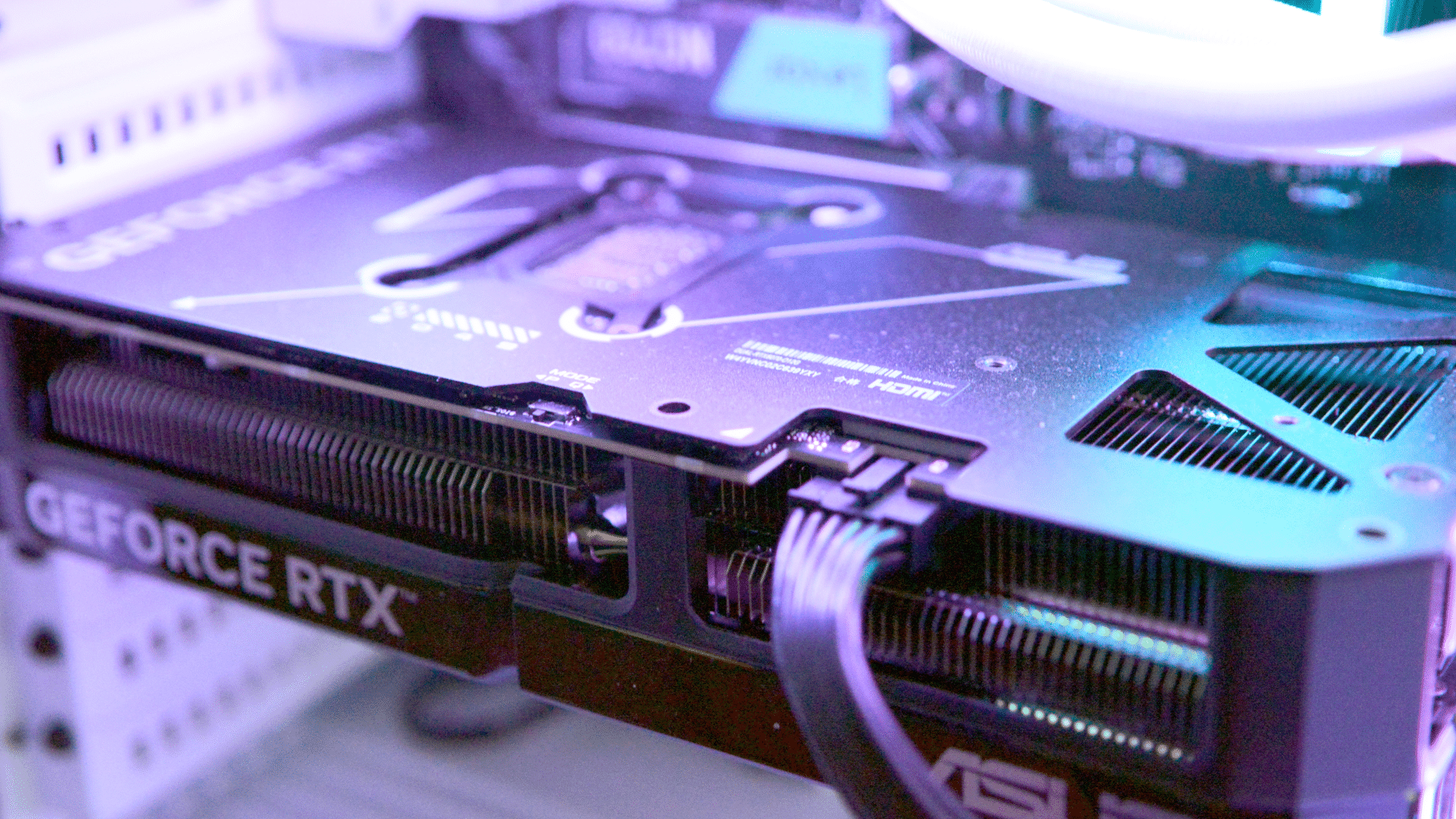
It’s important to keep in mind that the RTX 5000 series of cards are bulky, so much so that many of them will come with a support leg, and many in the community will add their own anti-sag bracket. So while some might view it as an inconvenience, it’s worth the hassle instead of opening up your brand-new prebuilt only to find the GPU suffered a horrific accident mid-transit.
Detailed Specs:
| Component / Detail | Specification |
| OS | Windows 11 Home |
| CPU | Intel® Core™ Ultra 7 270K Plus Processor (8X 3.70GHz + 16X 3.20GHz/36MB L3 Cache) |
| GPU | GeForce RTX 5070 – 12GB GDDR7 (DLSS 4.5 Performance) |
| Memory | 32GB [16GB x 2] DDR5-6000MHz RGB |
| Storage | 2TB M.2 NVMe SSD |
| Motherboard | ASUS Z890 MAX GAMING WIFI 7, WiFi 7, Back Panel USB (1 Type-C, 7 Type-A) |
| Case | iBUYPOWER Element Pulse X Gaming Case – White |
| Processor Cooling | iBUYPOWER 360mm Addressable RGB Liquid Cooler – White |
| Power Supply | 750 Watt – High Power – 80 PLUS Gold Certified |
| Wireless Network | On-Board Wireless Network |
| Bundles & Promotions | Intel® Holiday 2026 Bundle, Intel® 2026 Motherboard Bundle |
| Warranty | 3 Year Standard Warranty (3 Year Labor + 3 Year Parts) |
| Packaging | iBUYPOWER SafeGuard Packaging (Ship Video Card Uninstalled and Packaged Separately) |
Indeed, ordering a prebuilt takes a lot of the questions that surround PC gaming off the table. You don’t have to worry about which parts go where, outside of the GPU. A QR code awaits those who need guidance; for the rest of us, it’s simply install the GPU, connect peripherals and power, then turn it on and let Windows finish installing itself.
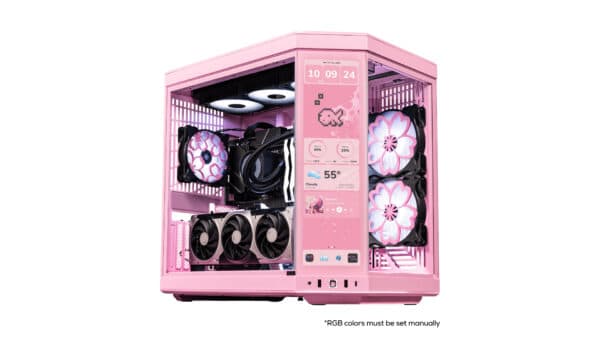
 The Element Pulse X has a striking design, with hardly any wires visible through the fishbowl-like, glass-heavy front. The wirework is quite clean here, though it gets a bit more tangled around the back. The side panel can be removed without a tool, so you can access some of the internals. The ASUS Z890 includes a shark fin-like antenna for its WiFi 7 radio. While our WLAN only goes up to 6E, connectivity was rarely an issue as the desktop moved around the house, first in our living room and then in a gaming room. There is also a 2.5 gpbs Ethernet port, a single DisplayPort connector for the iGPU, a switch for selecting which UEFI bootloader to start, multiple USB 2/3/C ports (seven on the back panel, three on the front), the usual smattering of analog audio input/output ports (3.5mm, you know, headphone jacks), and, once installed, the RTX 5070 sports three DisplayPort connectors alongside a solo HDMI port.
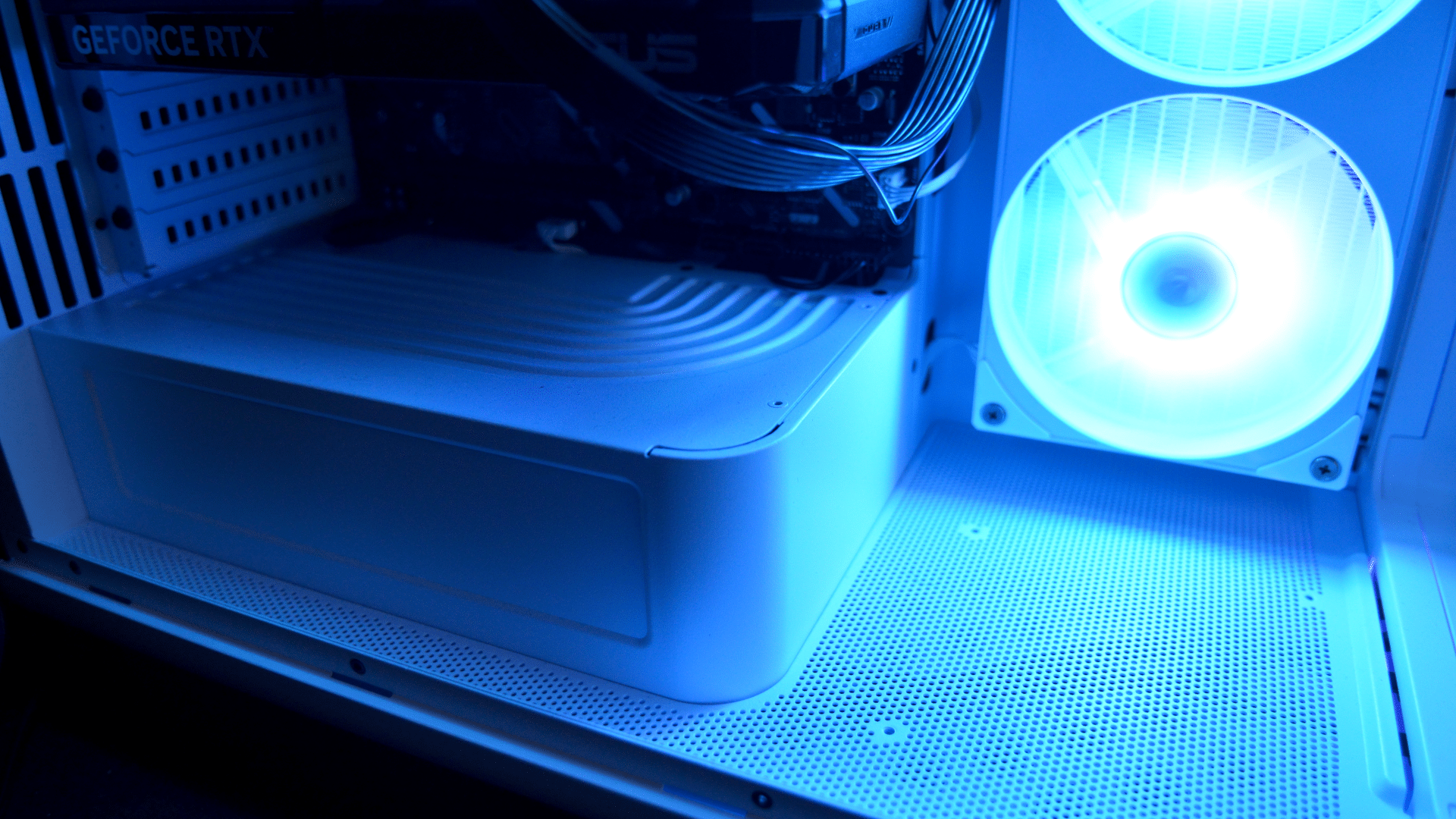
The front of the system gets all the attention, naturally. The whole case is a bright, clean white color. This immediately clashes with the darker-hued motherboard, and of course, the massive RTX GPU, but overall the system still looks quite clean. There is more than enough space within the case for a few figures or other things you might like to show off, and the power supply is not-so-secretly hidden behind a large step-like hump to the left of the AIO cooling fans. Those three fans take up a good chunk of the right side of the case, while three more fans line the ceiling, and one lone fan stands guard at the back, forcing air into the case and directly over the CPU. There is still enough room to the right of the power supply to install one more 120mm fan, should you so choose. All of these fans, the AIO pump, and even
Setup was a breeze, at least as far as Windows is concerned. Nothing complicated, no real bloatware besides some Norton “gaming” antivirus (whatever that means…), and even a utility to control the system’s synchronized RGB lighting effects (which you can turn off, if you want). You mostly just hit the power button, used the included keyboard and mouse if you wanted, logged in to your Microsoft account, and let Windows do its thing of installing updates and rebooting as needed. This system currently qualifies for Intel’s Holiday 2026 Bundle, which entitles you to receive, at no additional charge, two games of your choice from seven recent titles, from Total War: WARHAMMER 40,000 to Tomb Raider: Legacy of Atlantis, Battlefield 6, and even STAR WARS: Galactic Racer. It’s a nice extra courtesy of Intel, and any of these games, as well as the rest of the list (Everwind, Assassin’s Creed: Shadows, and LEGO Batman: Legacy of the Dark Knight

A Budget to Run Practically Everything With Ease
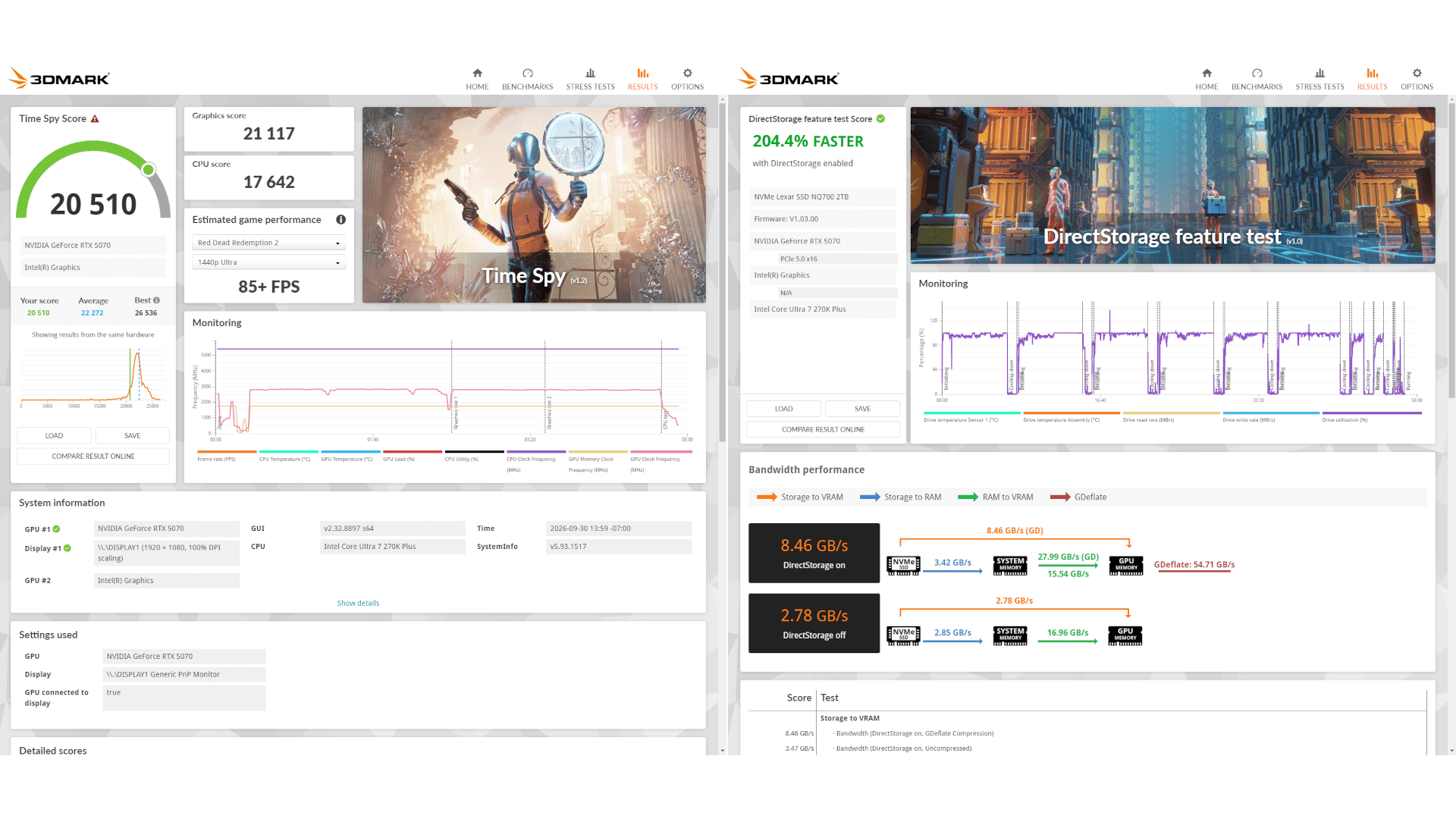
The Element Pulse X performed well as a reliable mid-range gaming desktop. iBUYPOWER’s product page quotes a 3DMark Time Spy score of around 22,000, and in our time with the desktop, we scored 20,510 on the same test – the GPU scored 21,117 while the CPU appeared to bring things down a little with its score of 17,642. The SSD is also fairly fast with DirectStorage on, as the benchmark for that feature averaged around 8.5 GB/s. Plenty fast for most games and applications you’re likely to throw at it. Overall, performance is generally around the quoted numbers, so unless you get a dud part, expect similar performance from a unit of your own.
All the modern games you could throw at it, the Element Pulse and its RTX 5070 hummed along at High or Ultra settings, at 1440p resolution, without DLSS, and would often hit 120 fps on our TV, which maxed out at that frame rate. Naturally, something like Fortnite ran without any issue here. Full, unassisted 4K sometimes proved a bit tougher on this setup, though, and frame rates in intensive games like Cyberpunk 2077 and newer titles like The First Berserker often dipped below 60 and into the mid-40s at times. But either turning on DLSS or setting it to Performance mode usually did the trick until frames climbed to 60, 90, or even 120. So, 4K is doable, but you’ll need to either turn settings down or turn DLSS on/up, but if you’re looking for a “set it and don’t sweat the fps” mode, then anything at or below 1440p would be ideal.
If you play VR, this is a good rig to experiment with, too. Your mileage will largely depend on how well a game is optimized for VR, but with settings scaled back to High or even Medium, you should be able to keep frame rates high enough to limit motion sickness. At least, that was my experience with games such as No Man’s Sky and Beam.NG in VR. The 5070 has more headroom with its 12 GB of VRAM, so you can get higher fidelity than many other setups.

From a productivity standpoint, a gaming system does often lend itself well to other tasks. For instance, the RTX 5070, with its 12 GB of VRAM, could easily handle local LLM inference. 9B-parameter models such as Ornith, Gemma 4 12B Agentic Fable 5, and other 12B-size models proved easy to run at practically real-time speed, with token generation reaching 30-60 t/s or higher on agentic coding tasks. Note that these weren’t benchmarks, but rather me working through some actual programming on mobile game development, using the RAG development method (Retrieval-Augmented Generation, where you basically give a model access to the internet to supplement its built-in knowledge about a topic). The results were surprisingly workable and show that gaming desktops have applications beyond simply pushing pixels, though they do that quite well, as this shows.
We did encounter one slight hiccup with our system. The CPU came with a pre-installed AIO, and one component in it caused an odd high-pitched whine when the fans connected to it revved up to about 60% duty cycle or higher. iBUYPOWER was quick to get a tech connected to me via email, and they helped troubleshoot where the noise was coming from. Under normal circumstances, they would’ve advised an RMA. But in the interest of time, we simply marked the issue down, as the noise was mostly drowned out by the fans themselves, as the system’s sustained load was high for many of our tests.
The case for prebuilts used to be a pretty hard sell to someone like me, who built their first system in high school. Now, though? To spec out a similarly kitted system of my own, the cost ended up hovering around $2,500, unassembled and with parts coming from who-knows-where. Meanwhile, this Element Pulse X can arrive almost completely pre-assembled for a smidge below the current MSRP of $2,749, which, more often than not, is discounted to around $2300. For many, myself included these days, that extra $50~$100 is worth it to save the headache of orchestrating multiple shipments, dealing with potential supplier delays, and other issues that can happen when parts are as scarce as they are expensive.

This desktop doesn’t exist in a vacuum, so anyone considering a purchase at this price point should see what else is out there. CyberPowerPC, for example, has several desktop models with the same RTX 5070 12GB, sometimes for considerably less. One such example: Their Gamer Supreme model costs $1799, but it ships with a slightly weaker Intel Core Ultra 7 265K, only 16 GB of RAM, and a 1 TB SSD which, from experience, starts feeling cramped after installing just a couple of flagship games and/or downloading some LLMs. Perhaps a more apples-to-apples system would be the MSI Aegis ZS2, which has an AMD Ryzen R9-9900X, the same RTX 5070 12 GB, 32 GB of RAM, and 2 TB of SSD space, all for about $2369. In other words, the iBUYPOWER Element Pulse X seems priced in line with its specs, given the sorry state of component pricing due to the global component shortage/AI gold rush.
The iBUYPOWER Element Pulse X is a quality prebuilt, made for those who want something that stands out, but also something that will last a long while. With parts suppliers constantly reminding us that it’s going to be harder to source things for a while yet to come, this might also be one of the most reasonable ways to score modern parts without eye-watering markup. You get what you pay for, and the Element Pulse X is a premium example of that feeling.
Pros
- Striking design
- RGB syncs across system
- Solid gaming performance
- GPU also lends itself well to local AI usage
- Reasonably priced considering competition

Cons
- Still expensive for mid-range (industry-wide issue) PC, but also considered a better deal in today's market
Where to buy:
iBUYPOWER loaned MP1st an Element Pulse X unit for review purposes. You can read MP1st’s review and scoring policy right here.
This website contains affiliate links. If you click a link and make a purchase, we may earn a commission at no additional cost to you. This helps support our work. Learn more on our affiliate page.