007 First Light Best Settings for Gameplay, Controls and Graphics
With the release of IO Interactive’s 007 First Light, players are now able to take on the role of James Bond right as he’s just starting out to become the world’s most famous spy.
For those who plan to take that journey, we’re here to help. In order to make the most of your experience, we’ve written up our 007 First Light best settings! This isn’t just for PC players, as this also tackles gameplay, controls, and more.
Global (All Platforms) Settings
Gameplay
- Show Optional Tutorials – OFF – You can turn this on if you are completely new to third-person shooters. But otherwise, a majority of the key tutorials are enforced in the game, and having a reminder pop-up during gameplay can be a bit annoying.
- Automatic Agility – On or Off – I played with this value on, and essentially, it means that whenever you run, you’ll automatically jump, vault, and climb things in the environment. It can be a bit annoying during close-quarters combat, though.
- Aim Glow – OFF – Highlights hazards, such as explosives, in the environment while aiming. Unless this is your first time ever playing a game, it’s pretty obvious what a hazard is.
Control
A majority of these settings are user choice, but I’ll go over some things that made the gameplay feel better for me.
- Horizontal aim sensitivity – 1.50
- Vertical aim sensitivity – 1.50
- Horizontal camera sensitivity – 1.50
- Vertical camera sensitivity – 1.50
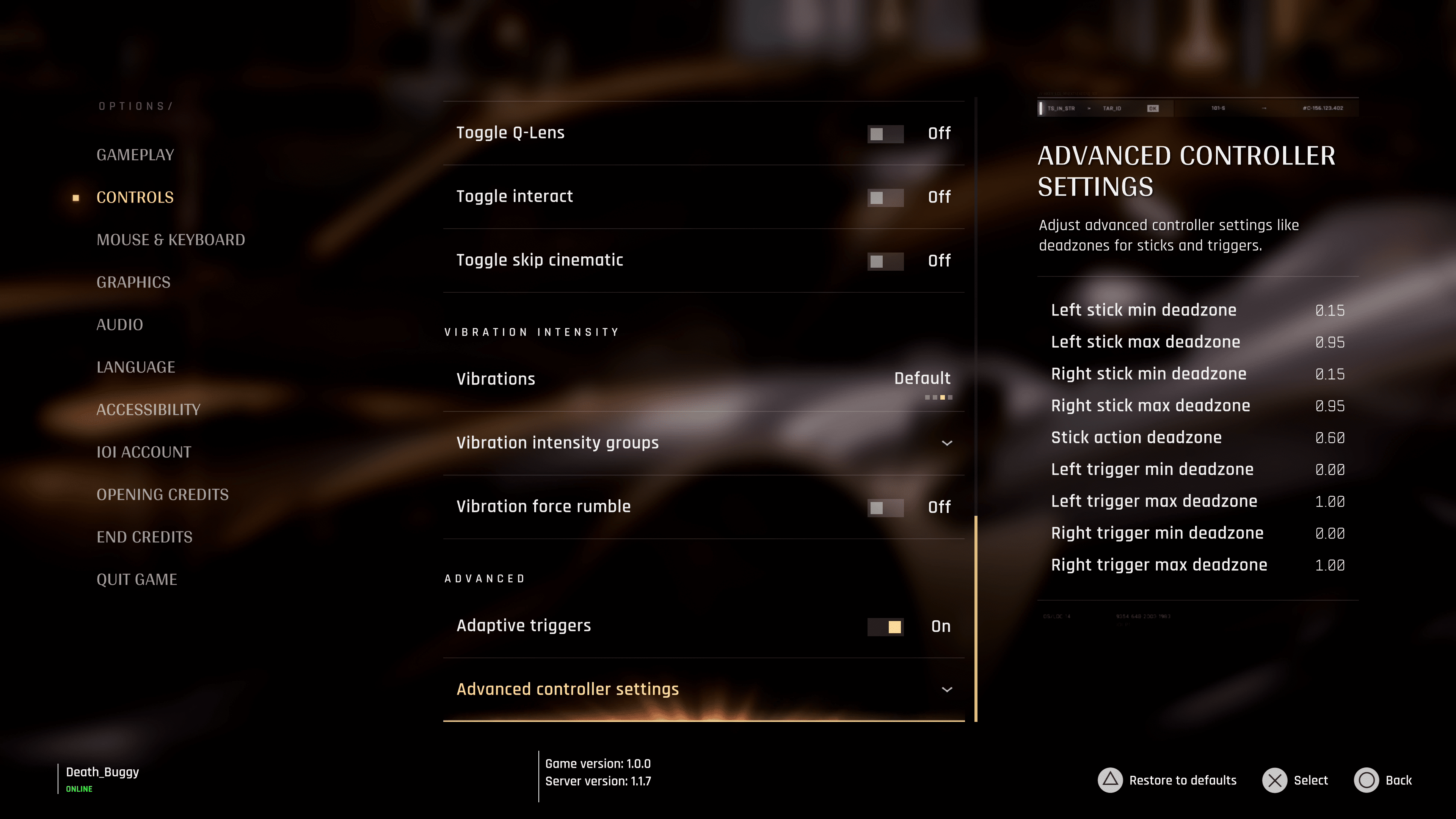
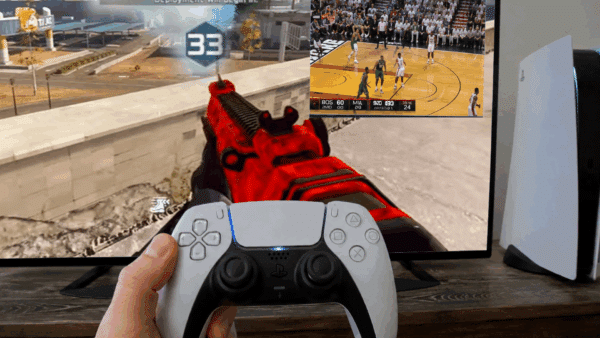
- Vibration – DualSense Controller – For those playing on PS5 or using a DualSense controller on PC, I highly recommend setting the vibration intensity for everything to HIGH. I found 007 First Light to have some of the best haptic integration I’ve seen in a game, being able to feel things such as a heartbeat, Bond reacting to the weather, such as coldness, the feeling a vehicle engine, and so much more. It’s great, and I think cranking these options up to make them even more noticeable makes the experience even more immersive.
- Adaptive Triggers – Given that this is a single-player-only game, I recommend keeping this on.
Graphics
- For consoles with a performance or quality mode option, I would say stick with 60 FPS (Performance), as I do think the high-intensity action benefits more here than in quality mode.
- Motion Blur – Off
- Fullscreen blur effects – Off
- Radial blur effects – Off
- Wobble distortion effects – Off
- Film grain effects: Off unless you like that grainy movie look.
- Chromatic aberration effects – Off – does anyone actually like this?
These are the big options I recommend changing. For everything else, such as audio and accessibility, it will all depend on your own preference.
007 First Light Best PC Settings
Like any PC game out there, these settings will all depend on the type of system that you have. However, despite some of the recommended specs for 007 First Light, we found the game to be generally well-optimized across several of our builds. Of course, that meant scaling the graphical levels to find the sweet spot for performance and quality, but overall, the game ran surprisingly smoothly despite how CPU and graphics-heavy it can get.
For this first setup, we’ll focus on a PC that can push the game to its maximum settings (pre-path tracing update).
RTX 4090 GPU with an AMD 9800X3D (targeting locked 60 FPS)
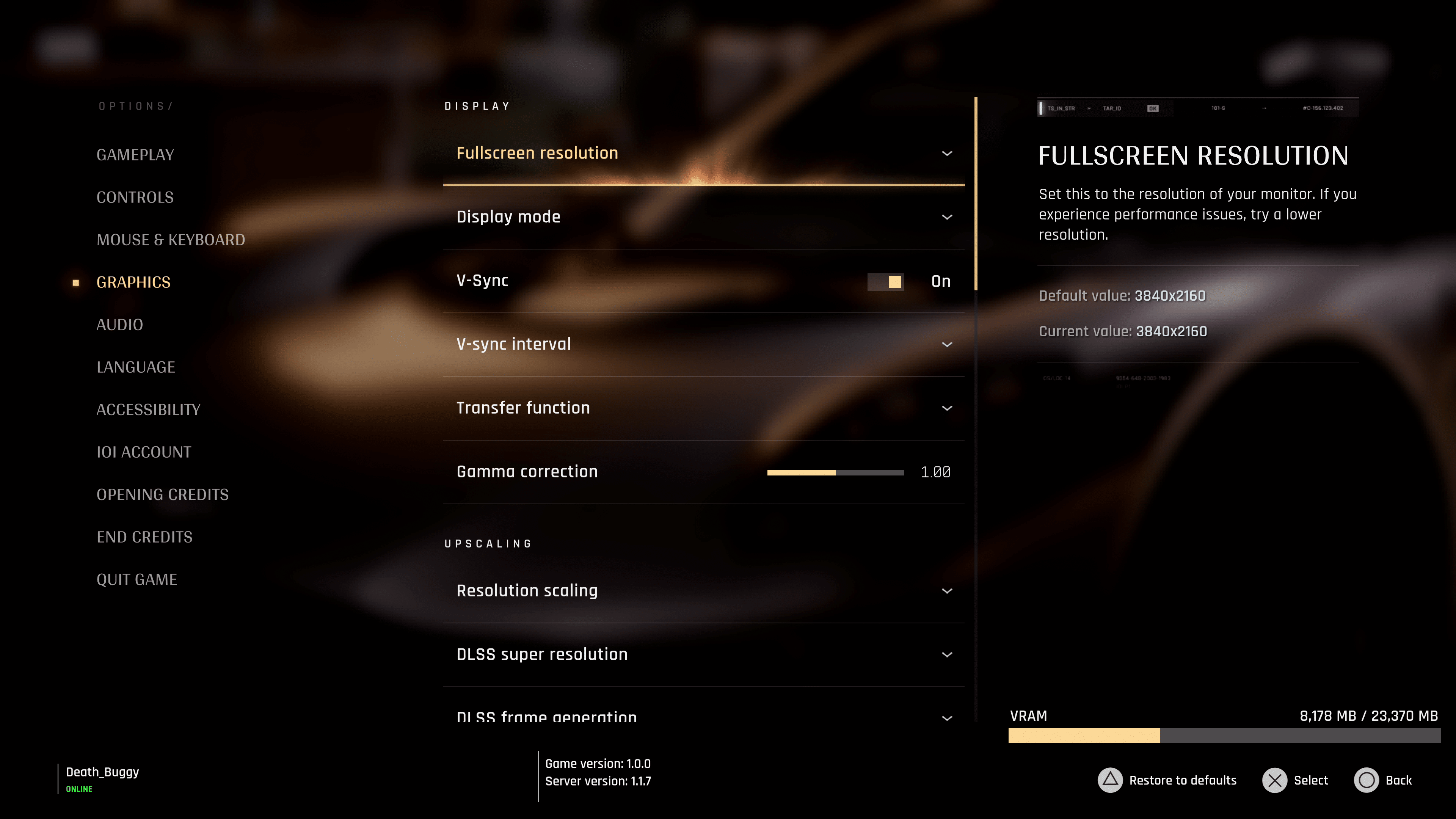
- V-Sync – On – I don’t think there’s ever a reason to have this off, though if you plan on using frame generations to get more frames, this will default to off.
- Transfer Function – sRGB for me on my OLED screen. Really makes those Black colors deeper.
- Gamma Correction – Set to your preference. For me, the default was good enough.
- Resolution Scaling – DLSS, otherwise FSR on non-NVIDIA GPUs
- DLSS Super Resolution – Balanced or Quality will still give a solid 60 FPS performance
- DLSS frame generation – Off if screen tearing becomes an issue.
- All the graphical options can be set to Ultra, which should use a little over 8GB of VRAM.
RTX 3060 With an AMD Ryzen 5 5600XT
On our lower-equipped system, we found that maintaining a mix of settings between medium and high can still give a pretty close to 60 FPS. Resolution, we had to drop down from 4K to 1080P on this build, but even so, the game ran fantastically with some tweaks.
- V-Sync – On – I don’t think there’s ever a reason to have this off, though if you plan on using frame generations to get more frames, this will default to off.
- Transfer Function – sRGB for me on my OLED screen. Really makes those Black colors deeper.
- Gamma Correction – Set to your preference. For me, the default was good enough.
- Resolution Scaling – DLSS, otherwise FSR on non-NVIDIA GPUs
- DLSS Super Resolution – Balanced or Quality
- All the graphical options can be set to High, though this does mean running at some pretty high temps. It’s doable, though, but for those wanting something not as stressful on your machine, we recommend dropping those settings down to medium then.
Steam Deck
We’re still testing and tweaking some of these settings, but at the moment, the game seems to struggle on the Steam Deck. No surprise, given how demanding it can be, but we’re hopeful that IO Interactive creates a more optimized experience for it. Perhaps when the Switch 2 version is released, we’ll have something that is much more stable at 30 FPS on the Steam Deck.
If you’re on the fence about whether to pick up Bond’s latest adventure, check out our review to see why IO Interactive has another franchise on their hands.

This website contains affiliate links. If you click a link and make a purchase, we may earn a commission at no additional cost to you. This helps support our work. Learn more on our affiliate page.