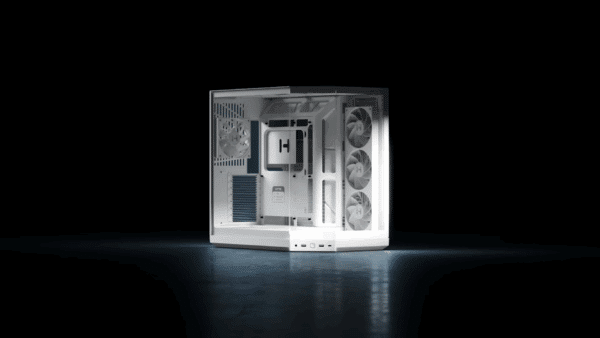
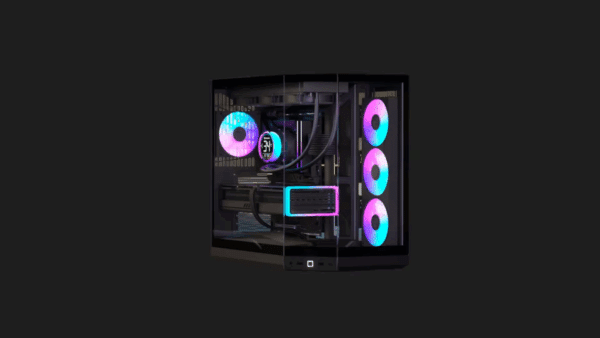
HYTE X50 PC Case Review: Limitless Potential
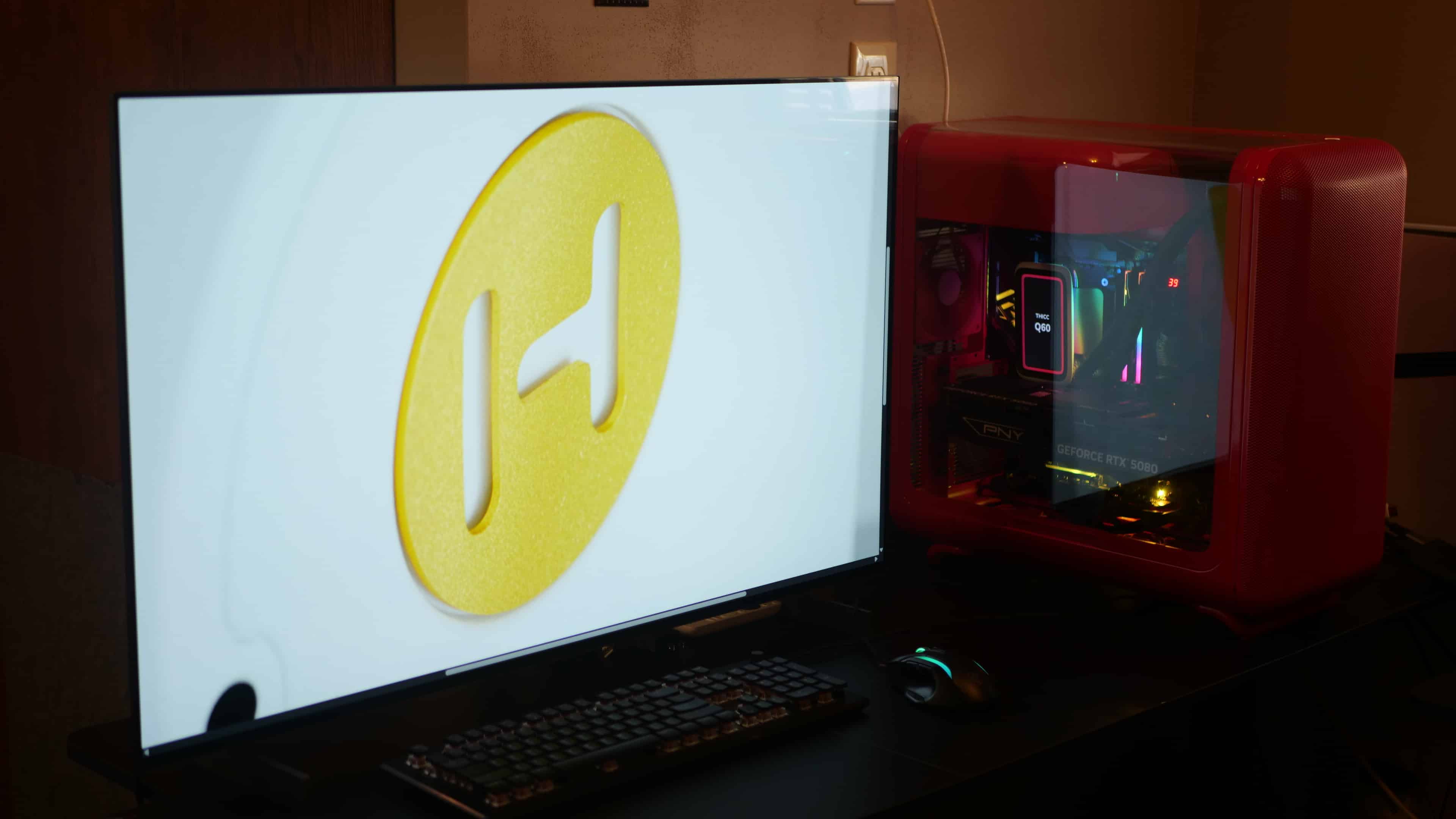
HYTE’s latest and greatest, the X50 and X50 Air, are finally here. We’ve had the opportunity to build out of the case for the past few weeks, and it’s safe to say that HYTE’s endless pursuit for perfection, has resulted in one of the most refreshing and thoughtfully designed cases we’ve ever encountered.
It not only looks stunning from every angle, but also provides some of the best cooling we’ve seen out of a mid-size case, while offering an accessible building experience.
Design, Build Quality, and Unique Features
First thing off the bat, and it’s the most obvious one, is that X50’s shape. While it sports the traditional cube design that you would find in most mid-tower cases, what isn’t traditional about it is the fact that this case sports curves, and plenty of them. In fact, you won’t find a single sharp edge on its exterior, just smooth, continuous lines that wrap elegantly from the front panel all the way to the rear.
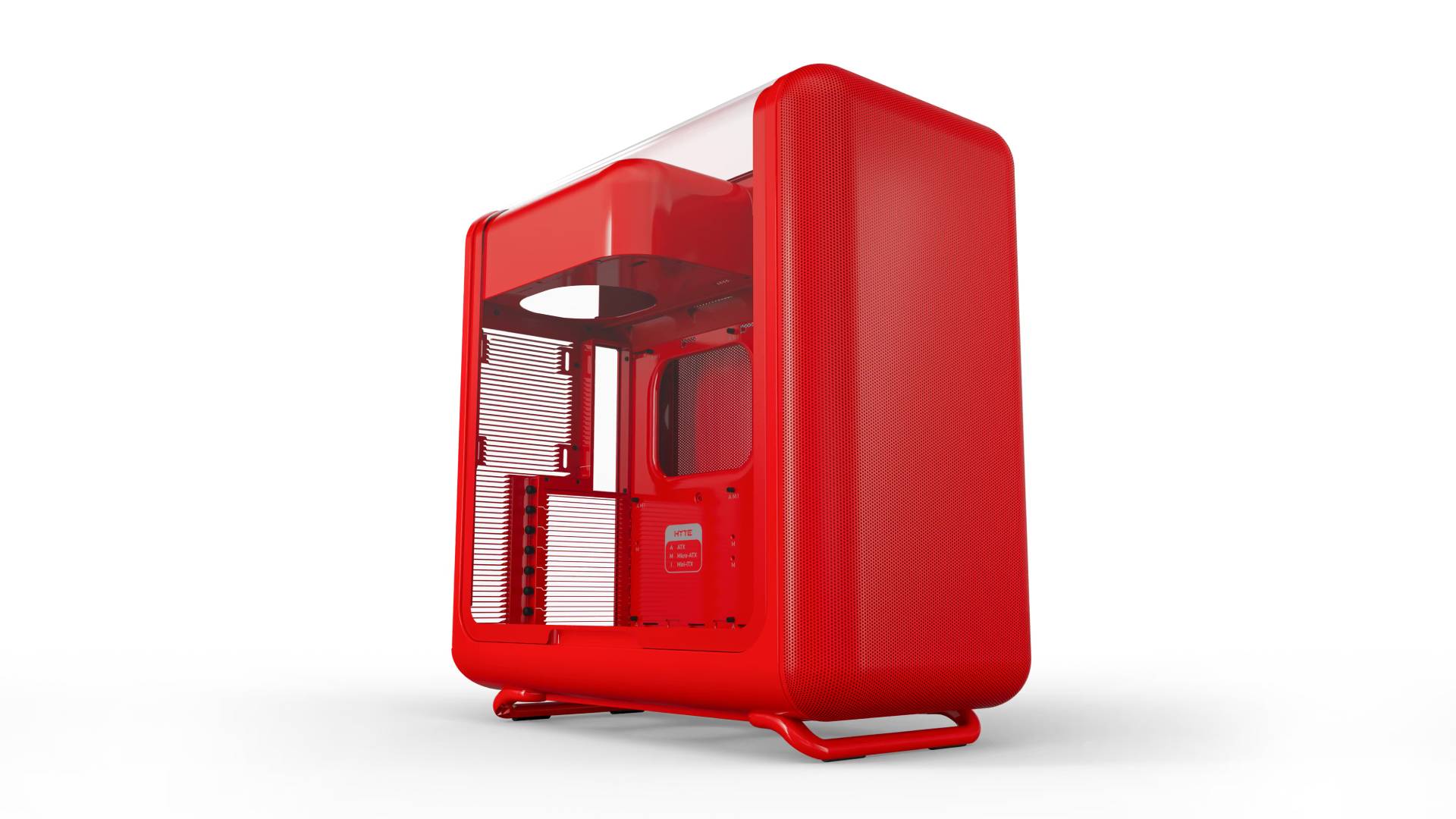
In many ways, it reminds me of Apple’s iMac G3, you know, those all-in-one PCs with a monitor from the 90s that were also curved and rounded in their design. Perhaps a nod to the iMac G3, the HYTE X50’s curved design is certainly a head-turner, breaking away from the traditional hard-cornered box aesthetic that has dominated the PC chassis market for decades.
There may be mixed feelings about the HYTE X50’s looks, but for me, it’s a stunning design that feels both modern and retro. It’s a case that I feel fits perfectly anywhere, whether in an office, your gaming setup, or right in your home living room, where it acts more like a piece of modern decor than a utilitarian tower.
Now, don’t get me wrong, the X50 is quite a large case, measuring 63L, with dimensions of 485mm (Height) x 510mm (Length) x 255mm (Width). So, it’ll still stand out wherever you put it, but thanks to those rounded edges and lack of harsh angles, it doesn’t feel nearly as imposing or monolithic as a standard rectangular tower of the same volume. It commands attention for its elegance rather than its bulk, becoming a focal point you actually want people to see.

Pictures just don’t do it justice (at least mine), in my opinion.
Speaking of which, despite how some promotional pictures may come off, this case is entirely made of metal, both on the outside and on the inside. Forged from thick steel and weighing close to 26 pounds before any components are added, it is quite heavy for PC cases, though, in fairness, most cases are made of plastic paneling with steel framing. Here, it’s basically the entire case, except for some grooves and interior panels.
With the case featuring curved panels on the front, right, and left (glass for the X50, metal mesh for the X50 Air), I initially had some quality concerns, but each panel is insanely durable. I’m sure I can bend them if I really tried, but it’s nice not having something that feels flimsy, and budges whenever even a tiny bit of pressure is applied.
The X50’s feet are made of plastic. Very dense plastic that can easily support the weight of a full build. They have a fun curved shape, too, and it’s interesting that the case doesn’t rest so much on the part of the leg that actually makes contact with the ground, but on the curved portion. Very different from your normal vertical legs, which tend to have the case sit on top of the legs.
Depending on which X50 model you buy, you can get a glass side panel (X50) or a metal side panel (X50 Air). We opted for the glass panel (4mm Thick Laminated Acoustic Glass) model for our review unit because this is perhaps the craziest design choice we’ve seen in a glass panel case. Normally, you would have a nice flat piece of glass for a panel, but for the X50, the glass curves over the top of the case.

Of course, this design means you can’t mount top fans, but given how HYTE engineered the case for optimal airflow, that won’t matter much. In total, you can fit 10 fans into the case, with an air cooler for the CPU, or add a radiator AIO up to 240mm / 280mm / 360mm long and 105mm thick in the front (adjustable to accommodate those sizes), or a 120mm AIO on the side. For my setup, I went with one rear exhaust, with the bottom fans (three), the side (three), and my AIO (front 240mm) all set as intakes, opting for slightly positive pressure.
It may not seem like a lot for exhaust fans, but the case actually has one unique, and perhaps one of the coolest (pun intended?) features I’ve seen in a case, which are vents found on the back panel. Rather than opting for your everyday mesh-hole backplate, HYTE has engineered something entirely new for PC cases that not only adds a unique, gorgeous style to the X50 but also offers smart functionality.

That’s right, louvers, or as many of you would probably refer to them as, fins.
From a visual standpoint, these look fantastic. It’s such a small design shift for a PC case, yet it adds so much to the aesthetics, even if you’re unlikely to ever see them since they’re on the back. I’ve never seen a PC case with vents like that, and probably for good reason, since I can’t imagine it being cheap to shape them like that.
But these louvers do more than just look pretty. In HYTE’s journey to create the ultimate airflow design, they’ve arrived at an idea that has helped keep our homes both warm and cool for centuries. When you think about it, the louver vent design actually makes a lot of sense for airflow in a PC.
Now, of course, a home’s heating and air conditioning system is vastly different from that inside a PC, but they share very similar principles. Both work to try to move heat out of unwanted areas. They both use airflow, heat exchangers, and refrigerant (or coolant on PC), and are limited by thermal transfer efficiency and air resistance.
There’s obviously a lot more moving parts in a home than in a PC, but the basic idea remains: keep your place as cool as possible whenever the heat starts to build up.
Getting back to the subject at hand, take a look at the X50’s vents. Now, have a look at the vents inside your home. The ones on the floor, on the ceiling, even the returns on the walls, and the ones outside of your home. Notice anything? Well, you should, as the X50 shares a similar louvers design to the ones on your vents. I’m not going to do a massive deep dive (archlouver has one here) into their function, because some of it isn’t applicable here, but know that this design has been chosen for its efficiency in controlling airflow and for helping limit dust and other particles.
The benefits of these fin-style vents are pretty significant, as they help direct airflow through the X50 more effectively. Using a single fan for back exhaust and the rest for intake, those fins will do a lot of heavy lifting, moving that air out. There’s also less air resistance due to the fins’ size, length, and angle of bend compared to holes in a flat frame. So, when the air exiting the case hits those fins, it’s guided out, creating airflow that moves in a single fluid direction.

In mesh ventilation, there is some air resistance due to the flat surfaces surrounding each hole. As air exits the case, it flows through the mesh holes as it should. But then you also have some of it hitting the metal paneling, and in a fin design, hitting that part would still guide it out to another fin, either above or below. In a mesh, it disperses through multiple holes. It’s more of a wavy airflow than a clear directional one, causing turbulence both inside and outside a case. Turbulence can be beneficial in some cases, but when it comes to exhausting hot air, you’re trying to get as much of it out of the case as possible, not have it bouncing around.
The reality is, it’s probably a minimal difference in temperature, but hey, I’ll take any win in lower temps whenever I can.
Now you might be asking: why wouldn’t HYTE opt for the same front-panel design if it would provide better airflow? Well, having more airflow isn’t always a good idea. Sure, on paper, bringing in more fresh, cooled air should mean lower temperatures, but it can also introduce other issues, specifically dust and other particles.
This is why I mentioned using the back fan as an exhaust, rather than an intake: pushing air out of those fins will be much more beneficial than bringing air in through them. A larger opening means dust and other larger particles (such as cat hair) can easily get into the case. It makes a ton of sense that the front panel is mesh-designed.

This is genuinely a well-thought-out design by HYTE, and the more I think about it, the more impressed I am.
Now, when it comes to temperatures, there are many factors that play into them, from the fans you use to the CPU cooler, GPU, etc. HYTE sent us a set of matching-colored fans to slot into the case, available in all the colors the X50 comes in. Sadly, this means the case ships with no fans, and a four-pack will set you back $50 or $100 for the eight-pack, a cost that adds up quite a bit. Mind you, you don’t have to use these fans; you can probably find a decent RGB set for the same price if you want something flashier. As for the CPU cooler, we picked up HYTE’s Thicc Q60 240mm AIO on sale recently for this build. So our PC is essentially cooled by HYTE, not counting the fans on our GEFORCE RTX 5080 GPU and the one on our PSU.
On idle, our PC’s CPU mainly hovered around 39°C to 44°C. For max load, and I mean this in terms of my actual workload and not stressing the PC, which equates to running Adobe Premiere, rendering nonstop 4K content for days (I had my PC on for almost a week doing nonstop recording and rendering) with multiple effects and overlays, my PC stayed within respectable temps of 70°C-80°C. Very similar results to other cases I’ve used and definitely within the optimal range.

My only complaint about the X50 (glass model) is how difficult it is to reinstall the glass panel. Handling removable glass panels on any PC case can be pretty frightening. It’s glass; nobody wants to accidentally drop it. On my Corsair 5000D, the panel is held in place by two screws on the back. Pretty normal, but I hate handling it because it tends to pop off on its own once unscrewed, to the point that I managed to chip off a small chunk from the corner. I was fortunate there, because I’ve seen videos of people dropping it on that same corner, shattering the entire thing.
Side glass panels are usually a hassle to remove, but quite the opposite when putting them back on. It’s normally easy, since these panels generally slide into place without much fuss, one side at a time.
The X50 is a little bit different. Removing the glass panel itself is actually super easy. It’s 100% tool-free, with a small cut-out on the bottom for your fingers to slip in for leverage. All you do is lift, and it pops right off. With the glass curved, there’s a bit of a safety net for you to grab onto from the top, and it rests nicely. It’s actually one of the safest and easiest methods I’ve seen for removing a glass panel from a PC case. You always have a point of contact with the glass, and it’s not just pushing against it; it’s physically gripping it.
But when it comes to putting the glass panel back on, it’s not as easy as lining up one set of notches (two on the top, two on the bottom). If you do that, you leave the top out of alignment and wide open; the same goes for the other way. Instead, you have to align all four notches (the top and bottom) in a way that the panel then falls in place evenly. It’s easier said than done.
Mind you, this is a nitpick, and despite it being more difficult than traditional flat panels, HYTE did make it very safe. It was always going to be a concern with a curved glass panel, and I think HYTE realized that, to the point that it’s still easy to handle and safe to do so. Even if you mess up, something is holding the panel in place so you can retry, while maintaining contact with it so it doesn’t fall. I do think it’s one area HYTE can improve on with future iterations, but as I mentioned, it’s a nitpick, a small one at that. I’ll tell you, I never once felt like I was going to break the glass, be that by accidentally dropping it as I took it off or by placing it back on.
There are some key differences between the X50 and X50 Air for those who are curious. The most obvious being that the X50 Air, as the name suggests, is entirely focused on optimal airflow, trading up the glass paneling for another metallic mesh panel. But that’s not the only difference, as the X50 Air also lacks the rubber grommets, which the company has noted in past videos as one of the most expensive features to manufacture for the X50. Given that you’ll only ever see inside the X50 Air when the mesh is removed, it makes sense that they aren’t present on the X50 Air. That, and we’d imagine it helps with airflow a bit more, even if it’s only a few degrees different.

I mentioned before that this case is pretty big, and I wanted to talk about it a little more, specifically regarding ease of building. It’s not surprising to hear that building out of this case is very easy. There’s room, and I mean a ton of it, with the bottom fans sticking down into the case, and the side and front fans have ample room distance from internal components.
But the curved glass and the opening it leaves on top really make working out of this case such a breeze. Just having that extra clearance makes it feel so roomy in there, allowing your hands to move freely. Even with the PSU shroud mounted on top of the case, there’s still plenty of clearance between the top of your motherboard and the bottom of the shroud. The X50 is easily one of the best cases I’ve worked out of in recent years. It feels like it has the spacing of a dual-chamber case, but it isn’t a dual-chamber case. Like, even the spacing between the glass and my GeForce RTX 5080 is a lot, where you won’t have to worry about the power cable touching the glass, something I have going on in my Corsair 5000D case.
Cable Management and Some Feedback for Improvements
In my opinion, one of the most fun aspects of building a PC is routing and managing cables. Now, I’ll be the first to admit I’m not the tidiest with that, but when I get it right, I can’t help but admire how clean a build can look when it comes to hiding cables. It’s always a plus, in my opinion, when a case takes that into consideration. With the HYTE X50, cable management is one of those aspects that the case really pays attention to.
First, the back of the case has spots for zip ties and cable straps. Although I didn’t use them myself, they are nice to have if someone wanted to route their power and USB cables in a more organized fashion.

These are also located inside the case, around each side, allowing you to run cables cleanly up and down the channels. What I love most, though, are the grommets that come with the X50 (glass-panel version). Normally, these are just rubber flaps you run your cable through, but in the X50, they’re large holes that protrude toward the back of the case, making it super easy to feed cables through while also hiding them a bit.
There’s plenty of channeling to work with, and although my cable management is far from being perfect, the case does a fantastic job at hiding and managing cables. Anytime I open up my PC case to work on it, I should know what cables are what, and management plays a huge role in that.
There are three major channels in the case that I feel HYTE should change in future versions. Whether they intended users to use them or not, these channels are somewhat difficult to access or fail to fully hide cabling from the glass-side view. These channels are located on the front right of the case: one along the top, another along the bottom, and one along the front.

The channel on the front side, which runs alongside the front fans, is used by the case wires (power and USBs), though it does offer enough room for you to run more cabling through. They dip down to the bottom channel, enter through the back of the case, and join the other wires. If this channel were just slightly larger, it would be easier to fish some cables through. Additionally, having openings on the front channel would be a great way to pull your fan cables through the case without relying on a pull string/stick, and with some cable extensions, run them through the bottom channels as well. It’s doable now, but not without some work. You can, of course, always hide your fan cables along the sides and route them through the bottom channel. Could be a solution for the side fans to, rather than exiting through the grommets.

Then there’s the top channel. Plenty of room here to work with. The only problem? Its exit point is back inside the glass side of the case, rather than to the back, leaving exposed wiring. Relocating the opening from the front glass side to the mesh side would allow cables to be hidden entirely, routing to where the rest of the case cables are.

If you felt daring enough, the rounded part of the channel (the blue-circled area at the top right of the image) is made of plastic, so you could technically drill your own exit point there.
These are minor things, but they could make for an even better case.
The Potential for Custom Builds Is Already Looking Promising
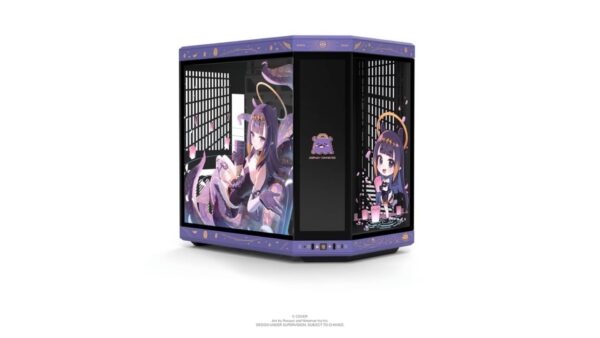
What excites me most about HYTE’s X50 and X50 Air is the potential for customization. If you’ve followed HYTE’s history of releases, you’re probably well aware of all the collaborations they’ve done with past cases. The Y70 is one such example, with a collection of customized cases that have collaborated with IPs such as Persona, Honkai: Star Rail, and even recently, Gundam.
I’m not expecting these collaborations to slow down anytime soon, either, and we’re definitely going to see these extended out to the X50 cases. But the nice thing about the X50 series versus the Y70 is how easy it is to remove the metallic mesh and glass panels, as well as the feet, allowing buyers to get a little more creative with their cases than with most others. Take this user on HYTE’s Reddit channel, where they mixed and matched the Cherry Red and Pitch Black X50 cases.
HYTE X50 Color Swap
byu/moto_zima inHyte
Of course, that assumes HYTE would offer individual-panel purchases down the road, but the possibility remains. It could definitely introduce an easy way for existing buyers to jazz up their cases with collaborative panels, rather than buying an entirely new case.
I’m a little surprised HYTE doesn’t offer mix-and-match colorways on its site either. That’s something I think many would even pay extra for if given the option, and an easy way to expand their case lineup.
But going back to collaborative cases, HYTE recently shared this beauty on their socials.
This Hollow Knight: Silksong PC powered by @AMDGaming in the Red Cherry X50 is truly a sight to behold 🫶#CES2026 | #HYTECES2026 pic.twitter.com/vIiT5v0f2e
— HYTE (@hytebrand) January 9, 2026
If you look closely enough, you can tell they’re decals.
Glass panel PC case owners are probably no strangers to putting decals on their glass panels. It’s not a new concept, but it is a market HYTE could potentially explore. That, and again, it would make getting into these collaborations much easier and cheaper for existing owners. That all depends on whether there’s a market for that, and if it’s profitable and reasonable for HYTE to do so. Still, the option is there for people to consider elsewhere, and I think there’s plenty of room for creativity, especially for the X50 (glass).
Though I could not prepare it for this review, as I’m still exploring whether or not it’ll be possible, this case has room for some pretty cool printed mods. My idea, for those who prefer their cases under their desk, is to build a mounting bracket that connects to the top portion of the side and front fan mounts, while leaving room for an AIO or a six-fan setup. On the X50 Air, this would allow for the addition of another fan, because why not?
On the X50, I’m considering adding a small LCD display. Exactly what it’ll display, well, anything I want, from temp stats, rendering progress, to even a picture of my cats. The possibilities are endless.
Here’s another modified case a user shared on Reddit:
XENO – X50
byu/paislen inHyte
I think the X50 has a lot of room for really fun user customization, both officially from HYTE and through custom mods, be that 3D-printed parts that take advantage of the unique case design or paint jobs. These aren’t exclusive to HYTE cases, mind you, but I feel from a design point of view, the X50 just screams for buyers to do just that.
Paving the Road for an Exciting Future
Every now and then, something releases that you know is going to be truly special. We may not know it yet, but I have a strong feeling that HYTE’s X50 line of cases is that, a spark that will ignite a new trend in PC cases. I certainly hope so, but even if it doesn’t, there’s no denying that the X50 has earned its place as one of the most memorable and exciting cases in recent years. A rare piece of hardware that, dare I say, manages to be timeless on day one.
It’s a fantastic case that not only looks beautiful and modern but is also built to keep your components cool, while turning heads. If there’s ever a case to get into PC gaming, or something that really feels like a step forward into the future of PC building, the X50 is it.
Additional Details:
Specs
- Form Factor – ATX Mid-Tower
- Case Dimensions – 485mm (H) x 510mm (L) x 255mm (W)
- Chassis Material(s) – 1mm Thick Steel, ABS
- Window Material(s) – 4mm Thick Laminated Acoustic Glass
- Motherboard Support – E-ATX (up to 10.6”), ATX, MATX, ITX
- Power Supply – Up to 223mm
- GPU Support – Up to 430mm Length, 160mm Height
- Warranty – 4 Years
Price:
- HYTE X50 – $149.99 (via HYTE)
- HYTE X50 Air – $129.99 (via HYTE)
Pros
- Beautiful modern design with impactful cooling - Its curved design makes it standout from any other cases we've owned.
- High build quality - The metal work is some of the best material I've seen for a case.
- Excellent cooling potential - Support for various size radiators, and if someone really wanted, custom-loop cooling. The fan cooling
- Easy to build out of - Plenty of room and cable channels to hide cables.
- Customization - Any case can be customizes, but the HYTE X50 is one of those cases where you can truly see all kinds of potential for it.
- Awesome fin design exhaust back plate that looks fantastic and provides additional cooling.

Cons
- No case fans included means you'll spend more than the initial MSRP.
- Some cable channels could be improved on.
A HYTE X50 PC Case was provided by HYTE for review. You can read MP1st’s review and scoring policy right here.
This website contains affiliate links. If you click a link and make a purchase, we may earn a commission at no additional cost to you. This helps support our work. Learn more on our affiliate page.