Expeditions: A Mudrunner Game Update Version 1.011 Out for Patch 7.2 Fixes This Sept. 24

Saber Interactive has released Expeditions: A Mudrunner patch 7.2 today for PC and consoles. This is update 1.11 (PS5 version 1.011) and it comes with critical changes such as improvements to the map UI, fixing FPS drops and more. Check out the patch notes down below.
Expeditions: A Mudrunner Game 1.011 Patch Notes:
We’re updating the Public Beta Branch with the latest update for Expeditions: 7.2! 🚚
You will find all the changes below:
Most critical changes:
Changed flow of Task tracking. Previously, the “Start tracking” button did nothing if a task was found by Binoculars without visiting a task giver zone. The new flow is:
Find a task giver zone with the binoculars or visit a zone
The stages of the task are added to the task list on the map
The “Start tracking” button is clickable and allows the player to activate a task
- Added the new tooltip about changing trucks or recovering to the Outpost. The tooltip instructs the player to open the Details menu and then either recover or change the truck. It is displayed on the imap, near the Outpost icon and the Truck icon, depending on which one is selected
- The Recovery tutorial has also been updated
- Significant changes have been made to the map UI, including a bug on gamepads where the Accept button did nothing without pressing any buttons on the D-pad, and a bug where the cursor was missing when opening the map after Recovery to the outpost
- Headlights could be turned on by pressing right stick on gamepads
- Fixed FPS drops during opening the map
- Sedona region is added to the progress page on the Profile
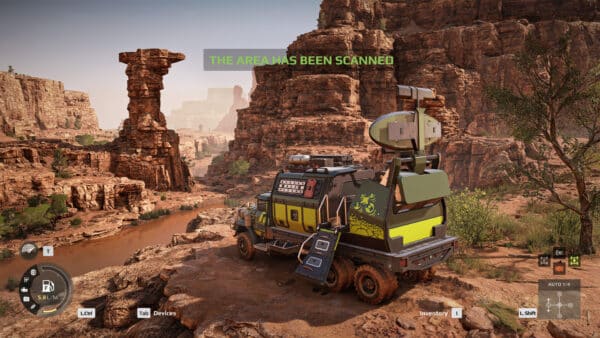
- Fixed shadow borders in the Drone scannings
- Improved the Helipad sounds
- FPS drops in the Garage
- On consoles, connection to an existing session resets in some cases (please try again after receiving the pop-up Connection lost)
- In some cases, the Guest crashes when the Host leaves the crossplay session
- HUD will not be hidden when module building pop or trade pop up is opened
- Quest truck markers are displayed on the map while using the Helipad, after selecting a quest truck, the player will be teleported to the first playable truck on the list
- Outpost and Gateway icons are missing on the map
- Displaying ‘No rewards on this type’ text instead of showing bonus rewards on the map, please note that rewards are available and will be displayed on the Summary screen
- Overlay of “Rewards” text in HQ in all languages except English localisation
When a newer update for the game is released, we will let our readers know.
[Source: Steam]
This website contains affiliate links. If you click a link and make a purchase, we may earn a commission at no additional cost to you. This helps support our work. Learn more on our affiliate page.