Fortnite Download Version 1.000.168 Released

[summaraize]
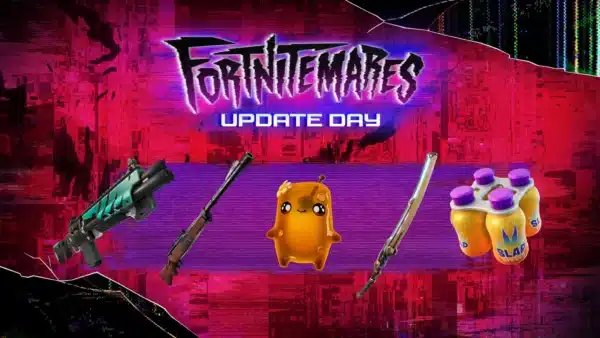
Epic Games has released a new Fortnite update this February 28, and this should show up as download version 1.000.168 for players. This is an unannounced patch, and given that we just got the Chapter 6 Season 2 patch last weel, don’t expect new content from this outside of fixes.
Read on for what’s being fixed and the known issues being looked at by the developers.

Fortnite Gets New Update on Feb. 28, 2025 as Version 1.000.168

Update: The issues fixed today per Epic Games include:
- The issue that was impacting aiming and movement when making small adjustments with some controller types and keyboard + mouse settings has been resolved. Thank you for your patience while we were working on a fix.
- We have issued a fix for the issue causing crashing when attempting to play UEFN islands on Nintendo Switch, PlayStation 4, and Xbox One. Some players may still experience issues, and we are working on a full resolution in a future update.
- SoundWaves with 96khz sample rates now play correctly in UEFN islands.
Epic Games has not released patch notes so far, though one bug being worked on is a fix to the TPM and Secure Boot, which incorrectly show PC players as ineligible to participate in certain tournaments. Don’t be surprised to see that fix as part of today’s update.
In the meantime, the known issues are available below via the official Trello board. Don’t be surprised to see the issues tagged with “Fixed in Next Game Update” as some of the stuff fixed in today’s patch.
GENERAL TOP ISSUES
Fixed in Next Game Update
- The Batman Comic Book Cape may not animate properly in Performance Mode.
In Development
- Nintendo Switch players encountering storage space issues
- Splitscreen Issue when player 2 logs out.
Investigating
- Unable to change the style of Outfits with customizable elements.
- Players cannot close the emote wheel without selecting an emote
- Built-In Emotes do not play in Creative / UEFN Experiences.
BATTLE ROYALE/RELOAD/OG TOP ISSUES
Fixed in Next Game Update
- Ranked cosmetics not unlocking Styles when ranking up.
- Campfires take damage and are destroyed after being lit.
- Vending Machine menu closes after making a purchase.
In Development
- When equipping the Falcon Sniper, cosmetic issues may occur on certain Outfits
- Can’t edit structures while a DBNO (knocked) player is nearby.
Investigating
- Some Outfits may change their rarity when scrolling in the Locker.
- Players may float briefly after using Typhoon Blade’s Cyclone Slash upon exiting a vehicle.
- Changing to another item right after using the Fishing Rod breaks the animation.
BALLISTIC TOP ISSUES
In Development
- Battle Royale Building UI may appear in Spectate Mode.
- UI may disappear from the top of the screen after spamming the “Inventory” and “Buy” buttons on keyboard.
- Weapon may switch to the left side of the screen after joining an ongoing match.
- Combat Report might be inaccurate.
- Player’s character may drop the items and disappear from the post-match screen after exiting the game.
LEGO FORTNITE TOP ISSUES
Fixed in Next Game Update
- Inaccurate growth display of harvestable plants.
- Some Journal tasks cannot be completed
Investigating
- Lag/hitching issues in the Storm King fight
- ‘F’ key conflict: unable to interact with objects.
- A prompt to flip a vehicle no longer appears when a vehicle is flipped.
- Isabelle won’t talk to players while interacting with the blackboard.
- The ‘B’ button has two actions when ‘LEGO® KITS’ tab is selected in the Locker.
- The Wasp 8000 Motorcycle may float after hopping off while in motion.
ROCKET RACING TOP ISSUES
Fixed in Next Game Update
- Unable to end Speed Runs while using a controller.
In Development
- [Switch] Non Party Leaders may experience matchmaking errors when attempting to queue for Casual mode while in a party.
- Locker’s Vehicles – SUV/Truck and Sports Cars sections changes to a different background color when navigating through the cosmetics options
- Vehicle appears blurry at start of race
- Ranked reward previews may appear in low resolution in the ‘Quests’ tab.
Investigating
- Players may observe extremely bright lights.
- All Foliage Trail Ranked reward previews incorrectly displayed in the Forest Green Style.
FORTNITE FESTIVAL TOP ISSUES
In Development
- Jam Stage Mixers – Players need to equip Jam Tracks before hopping into the Jam Stage to access songs and start making music.
Investigating
- Audio Stuttering On Switch After Extended Play
- [Local Multiplayer] Incorrect HUD loading in Main Stage.
SAVE THE WORLD TOP ISSUES
Fixed in Next Game Update
- Players not respawning at Banners.
- Unable to pin Quests in the Quest Log.
- Resource count in the HUD reflects the total amount, not the recently picked up amount.
FORTNITE MOBILE TOP ISSUES
Fixed in Next Game Update
- The “Toggle Zoom” button may be placed too far inside the scope lens on certain HUD layouts.
In Development
- ADS remains active when switching between Combat and Build mode.
Investigating
- Unable to send Game Channel messages in Battle Royale Solos.
- Scope reticle may not appear, or appears in low resolution on Low quality settings.
We’ll update the article with the info if we get a proper changelog.
This website contains affiliate links. If you click a link and make a purchase, we may earn a commission at no additional cost to you. This helps support our work. Learn more on our affiliate page.