MindsEye Update 4 Released as Version 1.010; Improves Performance and Fixes Bugs

Build a Rocket Boy has released Update 4 for the troubled action game MindsEye, which is now available on consoles and PC. This is a beefy update that slots in performance improvements, bug fixes, and more.
Console gamers will see this as MindsEye update 1.010 (complete version 01.010.000), and while there are PC-specific improvements, the majority of the changelog applies to both versions.
Read on for everything that got fixed and improved this September 5.
MindsEye Update 4 Improves Aim Assist, Performance, and More via Patch 1.010
Versions and File Size
- Steam: 15 GB (Version #: 5302548)
- Epic Games Store: 15 GB (Version #: 5302548)
- Build A Rocket Boy Launcher: 15 GB (Version #: 5302548)
- PlayStation 5: 7.2 GB (Version #: 01.010.00)
- Xbox Series X|S: 12.1 GB (Version #: 1.0.25.5859)
Highlights
PC & Console
- UI: Added the ability to Skip Cinematics story telling
- Environment: several improvements have been made to architecture and assets to help improve Memory, CPU and GPU performance
- Art: general performance improvements: shaders, assets, collisions
- Gameplay: Aim assist will focus on enemies in vehicle turrets over the driver
Build.MindsEye (Currently PC Only)
- Added a new “Player Content” Tile to the MindsEye Play Menu where all Builders published content will be immediately available to browse and play
- Updated UGC Moderation flow from Pre-Moderation to Post-Moderation
- Player created content will now be automatically accessible in the new “Player Content” Tile
- A new Tile for “Curated Content” has been added, that will highlight player created content featured by our Studio
IMPROVEMENTS
Environment
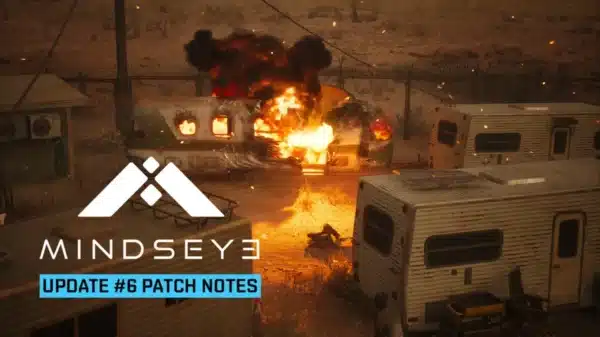
- Trailer Tanks in Free Roam now explode when shot at
- Several improvements have been made to architecture and assets to help with performance
- Improved weather change when player leaves the Factory at the start of Robin Hood Mission
- Improved traversal on A New Job and Loose Ends missions where player may get stuck in certain assets
Visual Effects
- Cutscene VFX performance improvements
- Cutscene VFX management changes and Niagara system updates to reduce CPU spikes and overall frame rate
- Disabled ambient rubbish to improve performance
NPC
- Small performance improvement on Robots
- NPCs that are aiming and in-cover now look more natural
Art
- General performance improvements: shaders, assets, collisions
UI
- Resolved inconsistent dropdown menu behaviour in graphics settings, ensuring reliable input response
- Added the ability to skip cinematics
Audio
- Audio Optimisation regarding Mass Vehicles
- Music adjustments throughout MindsEye missions
- Added Destruction SFX on Glass Bottle Props
Missions
- Conditional dialogue now triggers with more natural pacing
- The companion drone torch is now automatically enabled when entering or starting in dark areas
Animation
- Optimised the ambient and civilian animations
- Exit/entry animations no longer play for driverless vehicles
Gameplay
- Aim assist will focus on enemies in vehicle turrets over the driver

BUG FIXES
- Various Mission flow bug fixes
- Fixed pixelated reflection in Rocket Transporter window
- Fixed Industrial vent asset to help with performance
- Resolved an issue where players transitioning from Meeting Marco Silva to Executive Paranoia could drive through objects and fall through the map
- Fixed ambient animation glitches in Welcome to Redrock City
- Fixed an issue where camera rotation was lost after cutscenes
- Several lighting LOD pop issues fixed in cutscenes
- Fixed a bug where burning vehicles wouldn’t transition to destroyed state
- Fixed several traversal issues in world where the player may get stuck
- Fixed an issue in The Ziggurat where a hole in wall allowed players to climb through and trap themselves
- Fixed an issue in Oh Lily! where players could get stuck in Morrison’s Silo without a way to get back out
- Fixed collision on glass roof of Silva Factory
- Fixed a number of Character Model issues in cutscenes that made them look deformed and stretched for a few frames
- Resolved Silva’s teeth looking too bright on medium/ lower settings on PC
- NPCs no longer freeze when interacting with certain objects
- Weapon Wheel hover SFX is now triggered correctly, without delays
PC only
- The character Red Sand Male 25 is now available for use in Build.MindsEye
- Fixed a UI issue where backing out of a submenu in ‘Build’ caused the second-last selected tile to remain highlighted
- Fixed a bug where the ‘effects’ tile would remain highlighted after returning to Build mode from Play mode
- Fixed an issue where the placement header text overlapped UI elements in the asset settings menu when playing in French
- Fixed a bug causing specific Korean characters to appear invisible in vehicle spawner labels
- Fixed a localization issue where the French translation of “Total PI” overlapped with the performance impact number in the top toolbar
- Replaced the incorrect icon used for the MindsEye menu button in Play/ Build with a proper menu icon
- [Min Spec Performance Improvement]: Disabled Nanite compute materials as it has a negative effect on GPU rendering time in our game, especially on older Nvidia Graphics Cards.
- [Min Spec Performance Improvement]: Fixed an issue where our Nanite render pipeline always used the Hardware Rasterizer path rather than correctly splitting between
- Hardware Rasterizer and Software Rasterizer
Console only – PlayStation and Xbox
- Fixed a UI focus issue where the graphics settings tab failed to auto-focus on the first option when accessed on PS5 and Xbox
The Build.MindsEye also has fixes for PC, which you cna read about here.
We don’t get a lot of patches for the game, but once there’s a new one, expect it here on MP1st.
This website contains affiliate links. If you click a link and make a purchase, we may earn a commission at no additional cost to you. This helps support our work. Learn more on our affiliate page.