

Dragon’s Dogma 2 Update 3.210 Fixes Loading Data Issues on PS5
Following the major update for Dragon’s Dogma 2 that was released last week, Capcom has pushed out a follow-up patch today, September 7, and this is to fix loading issues plaguing PS5 gamers.
Dragon’s Dogma 2 update 3.210 should be available for download now on PS5, and this small download resolves critical save issues.
For the official word from Capcom, read on.
Dragon’s Dogma 2 Loading Data Issues Fixed in Update 3.210

Capcom’s initial acknowledgement mentioned:
Currently Confirmed Behavior
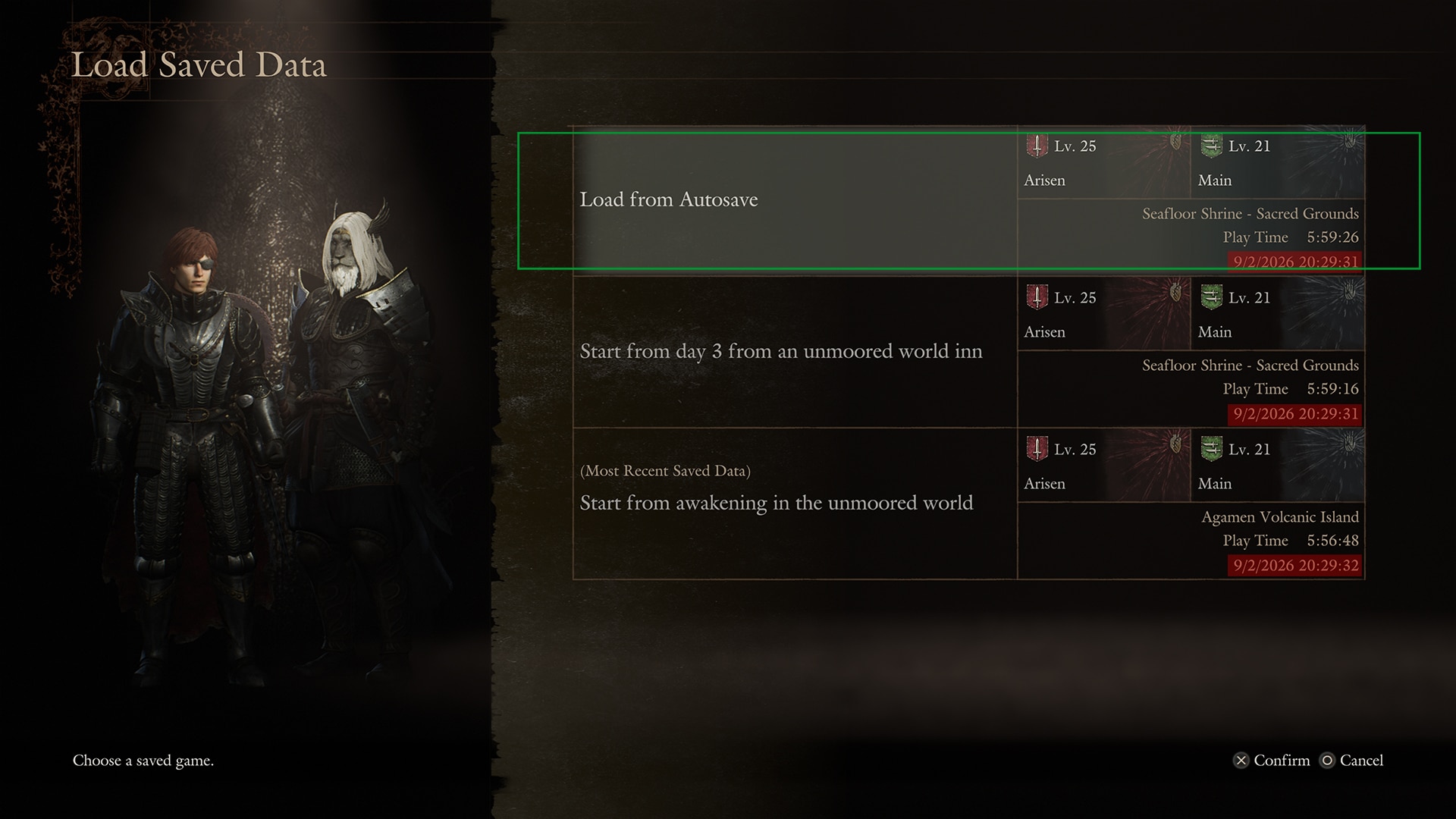
-After updating to Title Update 3.2 on the PlayStation®5 version, when launching the game for the first time, or when loading data from cloud saves, the timestamps displayed for save data are overwritten with the time of the game launch or cloud save load.
-Under these circumstances, selecting “Load from Last Saved Data” from the title screen can result in save data being loaded from “Load from Last Inn Rest” or “Start from awakening in the unmoored world,” which doen’t reflect the players’ most recent progress.
Workaround
We kindly ask that you select the save data via “Select Saved Data to Load” on the title menu to resume the game. If you wish to resume from the most recent save data, please select “Load from Autosave.”

For today’s update, the following patch notes have been released:
[PlayStation®5 Pro / PlayStation®5]
- Fixed a bug from Title Update 3.2 to ensure that selecting “Load from Last Saved Data” on the title screen will now load the correct save data, when launching the game for the first time after the update or when loading a cloud save.
- Fixed a bug from Title Update 3.2 to ensure save data timestamps display correctly when launching the game for the first time.
Note: Cloud save data timestamps reflect the time that the save data was loaded.
Note: If players have already loaded save data after Title Update 3.2, there may be discrepancies with actual timestamps displayed for save data until a new Autosave, Interim Save, or Last Inn Rest Save occurs.
That’s about it. This seems to be a bug just affecting the PS5, but if it ever affects other platforms, leave a comment below and let us know.
Stay connected to MP1st and the latest news by following us on Bluesky, X, Facebook, TikTok, YouTube, and Google News.
