Mojang and 4J Studios have released Minecraft update 2.59, which is for patch version 1.19.70, as well as a patch for Minecraft Java Edition with patch version 1.19.4! We’ve listed both changelogs in the Minecraft March 14 patch notes below.
The latest Minecraft update has arrived! This release brings several quality of life improvements to the game, changes to horse breeding, plus early versions of Archaeology and the Sniffer as new experimental features from the upcoming 1.20 update. Let’s see what’s inside!
Fixed multiple crashes that could occur during gameplay
When breeding horses, the baby horse now has a chance of being better than its parents in speed, jump strength, and health
Improvements to player emotes
Take an early look at archaeology and the sniffer mob with experimental features
Fixes to over 30 community-reported issues
NOTE: There is a delay with the update on Nintendo Switch and the update will be available soon.
Changes:
Player Emotes
Several improvements have come to the emote system in Bedrock Edition!
Emote usage now appears in chat
The emote wheel now has four slots with an improved interface
Quick emoting with new hotkeys
Easier sorting of emotes
Creating a new character now automatically applies four default emotes
Improvements have been made with vanilla parity to align with Java Edition, especially with horse breeding, mobs, and blocks.
Gameplay
Fixed an issue where night could not be skipped if one or more players were on the death screen
Eating and drinking animations are now always centered, regardless of screen aspect ratio
Mobs
Breeding horses can now produce random variants (MCPE-129071)
When breeding horses, the baby Horse now has a chance of being better than its parents in speed, jump strength, and health. This change is intended to make Horse breeding a viable way of getting great Horses, if a player starts with good parents and puts in enough time and Golden Carrots
Horses cannot be pushed over Fences covered by Carpets anymore (MCPE-164717)
Ghasts’ sound volume will now fade the further they are from the player (MCPE-35222)
Villagers will now emit anger particles when hit by a player outside of a village
Fixed a bug where Zombified Piglins would spawn in the Nether in light levels above 11
Minecarts can now eject mobs into liquid blocks (MCPE-120078)
Witches will now drink a Fire Resistance Potion when standing on a Campfire
Blocks
Bells that are connected to multiple blocks no longer drop when one block is broken
Note Block sound attenuation over a distance is now linear (MCPE-164935)
Impact sounds of projectiles on Amethyst blocks and clusters are now audible
Dead Bush will now drop Sticks when broken with any tool except Shears, even those with the Silk Touch enchantment. Vines will drop nothing in the same situation (MCPE-163246)
Experimental Features:
The Sniffer and Archaeology are now available for testing that are coming to Minecraft 1.20, now known as Trails & Tales! The sniffer and archeology are two experimental features that you can try out in this release.
As these features are still incomplete, in development, and considered a work in progress, be sure to backup your worlds before enabling experimental features. The features can be enabled by turning on the “Next Major Update” toggle in world settings.
Archaeology
Added the Brush item
Added the Decorated Pot block
Added four Pottery Shards (Arms Up, Skull, Prize, and Archer)
Added the Suspicious Sand block
Added Suspicious Sand to the Desert Temple
Added Suspicious Sand to the Desert Well
Brush
The Brush is a craftable item you can use to brush things
Pottery Shards and Decorated Pots
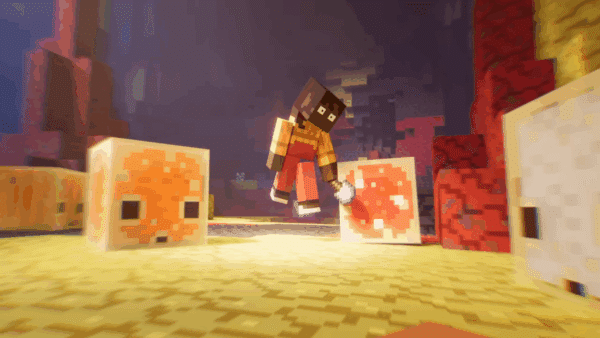
Pottery Shards have pictures on them. They cannot be crafted and must be found in the world. Hint: you will need a Brush! By crafting four of these together you can create a Decorated Pot with a picture on each side.
You can also use Brick items instead of Pottery Shards in the crafting recipe. The sides that were made from Brick items will not have pictures.
Smash a Decorated Pot with any block-breaking tool to break it apart and get the Pottery Shards back! Or hit it with your fist to pick up the pot without breaking it.
Suspicious Sand
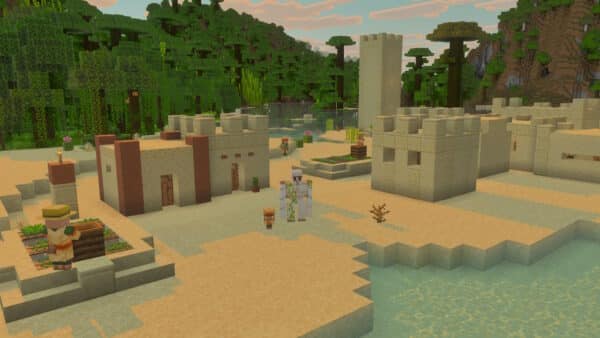
Desert Temples and Desert Wells now contain Suspicious Sand. This fragile block is hard to spot and easy to destroy, so be careful!
If you manage to find the Suspicious Sand and brush it with your Brush, you will extract objects that were buried long ago.
We’re giving you an early look at these Archaeology features. We want to spend more time developing them. Please let us know where you think we can improve or expand!
Sniffer
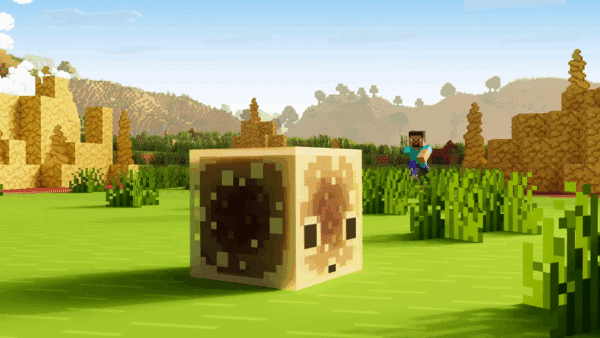
The Sniffer is the mob vote winner of Minecraft Live 2022 and the first [HS1] extinct mob brought to life and added to the game
Sniffers cannot be tempted or tamed
Sniffers are passive friendly mobs
Sniffer sniffs in the air and occasionally dig for seeds
Torchflower
The Torchflower seed can be planted on farmland and grows into a flower
The seed can be used to breed two Sniffers
The full-grown flower can be harvested and replanted but can also be crafted into a dye
Fixes:
Stability and Performance
Fixed an issue where simultaneously pressing the “Mine” and “Place” button on any input device while targeting a Structure Block could cause the game to crash (MCPE-155689)
Fixed a crash on Nintendo Switch when attempting to log in while set to local network mode
Fixed a crash that could occur when entering a 1.7.1.0 world in 1.8 or above (MCPE-165564)
Gameplay
The player’s crosshair now properly mines/interacts with items in front of them while swimming/gliding, rather than 1 block above their position (MCPE-57257)
Players no longer take rapid damage when touching damaging blocks (MCPE-165347)
Projectiles shot while swimming/gliding no longer spawn from above the player’s position (MCPE-31896)
Items dropped while swimming/gliding, manually or on death, no longer spawn from above the player’s position (MCPE-31896)
Mobs
Fixed a bug where an Allay holding a Lead wasn’t able to be leashed unless the player held a full stack of 64 Leads in hand
Parrots will no longer shake while on a player riding a Horse that is turning mid-jump
Fixed a bug causing global entities (e.g. Ender Dragon and projectiles) to stop rendering when out of normal entity render distance (MCPE-161136)
Blocks
Sounds from all Button types and Lever are now controlled by “Blocks” slider in Audio Settings (MCPE-166420)
Redstone source can now power a single block from different sides at the same time (MCPE-163651)
Destroying Mangrove Log or Mangrove Wood now properly cause leaves to decay
End Crystals occupying the same space as a block will no longer cause that block to disappear
Players are now able to place top Slabs in blocks that are only partially blocked by an entity (MCPE-155016)
Players can no longer see through partial blocks when sneaking or riding in third person (MCPE-156273)
Composter now always consumes an item when becoming full (MCPE-162020)
Importing experimental blocks into a non-experimental world using the Structure Block will now correctly place unknown blocks, which are not interactable
Error messages about building outside the world height limits no longer appear when simply interacting with blocks at the world height limits from certain angles (MCPE-152935)
Fixed a bug where Observers would not detect changes due to corrupted data (MCPE-150506)
Hoppers now pull in items from above them through all blocks that have a lower height than a full block (MCPE-55824)
Items
Crossbows now shake while charging arrows (MCPE-152952)
Spawn eggs for Snow Golem, Wither, and Trader Llama now appear correctly in the inventory and hotbar
Written Books can now be moved in the inventory even when the player has identical Written Books
Touch Controls
Updated the How to Play screen with information on new touch controls
Changing input modes from Gamepad to Touch while an item is selected will return the selected to the inventory or drop it
Fixed an issue on the Furnace screen where double-tapping the output window caused other slots to become unselectable (MCPE-164589)
Fixed a bug where stack splitting was automatically initiated on the first slot when opening a small Chest
Allowed left and right D-pad buttons to keep input when the forward button is pressed (MCPE-155199)
Added the leave Boat button when the player falls from a height within in the Boat (MCPE-158489)
Fixed an issue that prevented players from removing equipped armor by tapping on an item or block in the Creative inventory (MCPE-165790)
Tweaked the keyboard interaction on Android devices for text input fields
User Interface
Fixed an issue where the “Mine” tooltip was appearing when targeting a block with a Trident in Creative game mode (MCPE-44846)
Navigating right with controller left stick on the Marketplace sidebar now collapses it
Added a new ‘Marketplace’ icon to the Marketplace screen sidebar
Ocean Explorer, Woodland Explorer, and Treasure Maps now show the proper icon in the inventory (MCPE-163464)
Fixed a bug where mouse scrolling on the Friend Options dropdown would not scroll the dropdown contents
Resolved an issue where graphical elements of the Sign-In/Sign-Up screen could extend beyond the bounds of the dialog container
When starting a new world in Pocket UI, removed the “Press Open Chat to open chat” message for players with text-to-speech turned off
Double-clicking on the Furnace output slot will no longer drop the item (MCPE-165079)
Fixed a bug where moving the player or camera with a controller while text-to-speech for UI was turned on would cause the narrator to say “X of Y”
Fixed a bug where the Edit World screen couldn’t be opened for a world if the corresponding world directory had a space in it (MCPE-166763)
The loading screen no longer flickers when entering the Nether in immersive VR mode
The swap item animation now plays when switching hotbar items of the same type with the same durability
Spectator Mode
Phasing through blocks in third person view no longer makes the camera zoom in and out towards the player’s head (MCPE-160467)
End Gateways can no longer be used in Spectator Mode (MCPE-165689)
Realms
Added a Sign In button on the Realms screen if player is not yet signed in
Fixed the issue that the “Find Friends” button and the “Close Realm” buttons would be autofocused when the “Members” or “Subscription” tab was clicked
Fixed a bug where players were not able to create another world on Realms if the first Create World on Realms attempt was interrupted
Fixed a bug where players could see duplicate applied packs with unknown titles the first time they entered the Realms settings screen
Resetting a Realms World now correctly updates the World settings
Removed the Close button in the Play on Realm popup dialog when using controllers
Updated the reset/replace world confirmation text to make it clearer what each function does
Fixed the world list not updating with a new Realm immediately after accepting an invite
In Realms Settings->Members, the dropdown ‘…’ menu can now be open/closed with the Enter key and navigated with arrow keys
Technical Updates:
Updated Add-On Template Packs
Updated Add-On templates for 1.19.70 with new resources, behaviors, and documentation are available to download at aka.ms/MCAddonPacks
General
Behavior packs with scripts can now be removed from worlds
Item loot table conditions are no longer ignored in-game when used inside functions (MCPE-164582)
Carrots now display the proper name in item tooltips when used in can_place_on and can_destroy item components (MCPE-160838)
In JSON formats 1.19.70 and later, blocks fail to load if the “condition” field in Block Permutations is not a valid Molang string
Crafting Table component no longer appends “tile.” when defaulting to use block name for crafting table label
Wool Blocks
Wool has been flattened into separate blocks, namely:
white_wool
orange_wool
magenta_wool
light_blue_wool
yellow_wool
lime_wool
pink_wool
gray_wool
light_gray_wool
cyan_wool
purple_wool
blue_wool
brown_wool
green_wool
red_wool
black_wool
Commands, recipes, loot tables, etc. will still work with wool and an aux value or color state, but wool will not be suggested in the command prompt. Instead, the new wool block names will.
Commands
Fixed a crash with deferred command execution when the executing actor is removed before execution (MCPE-165374)
Summon command no longer causes some entities to be spawned in at an angle
Removed support for field “data” in commands /clone, /execute, /fill, /setblock and /testforblock beyond version 1.19.70, eg. /setblock ~ ~ ~ minecraft:wool 1 will only have its equivalent /setblock ~ ~ ~ minecraft:wool [“color”:”orange”] supported
Here are some additional examples[JW1] [JW2] [JW3] :
/setblock ~~~ green_wool [] [] is equivalent to the old 0
More information about commands can be found at learn.microsoft.com/minecraft/creator/commands
Volume arguments no longer floor the selector’s position (MCPE-162237)
Selecting targets by volume will now select all entities whose hitbox collides with the volume box. This is versioned for 1.19.70 and later (MCPE-162237)
Previous behavior works as expected on versions less than 1.19.70
Volume arguments for selectors (dx, dy, dz) now support float values (MCPE-163863)
Replaceitem and loot replace block commands no longer place items in Cauldrons (MCPE-129472)
Rotation in the teleport command is now relative to the executor of the command instead of the target. Old usage of rotations in commands will stay relative to the target mob for backwards compatibility
Entity Properties
Fixed an issue where Entity Property value changes could be discarded if done by events fired as part of removal of active behaviors caused by other events
Mobs
Witch potion drinking and ranged attack behaviour is now defined in its .json file
The game will no longer create a content error when Bee spawn eggs are used on a Mob Spawner
Added assertEntityInstancePresentInArea(entity: Entity, isPresent?: boolean) to check if an entity instance is present in the test area
Made the searchDistance parameter optional in assertItemEntityPresent
API (Experimental)
IMPORTANT BREAKING CHANGE: The classes Location and BlockLocation no longer exist in the beta script API. All usages of these classes have been changed to use the Vector3 interface (that is, { x: 1, y: 2, z: 3} objects)
Also, note that several changes were made to properties and get/set methods across objects (listed below) to make them more consistent in calling structure
World Events
Added event entityDie – It is fired when an entity dies
Modified projectileHit to be a readOnly property on the Events class
Player
Added method getSpawnPosition – Gets the spawnPointposition
Added property spawnDimension – Gets the spawnPointdimension
Added method setSpawn(spawnPosition : Vec3, spawnDimension : Dimension) i Sets spawnPoint with a position and dimension
Added method clearSpawn – Sets the spawnPoint position and dimension to undefined
Renamed function tell to sendMessage
World
Renamed function say to sendMessage
Added method ‘getDefaultSpawnPosition’ – Gets the spawnPoint position
Added method ‘setDefaultSpawn'(spawnPosition : Vec3) – Sets the spawnPoint position within ‘overworld’ dimension
BeforeChatEvent
Added function getTargets(): Player[] – Gets chat Player targets
Added function setTargets(players: Player[]) – Sets chat Player targets
Removed property targets
BeforeDataDrivenEntityTriggerEvent
Added function getModifiers(): DefinitionModifier[] – Gets entity definition modifiers
Added function setModifiers(modifiers: DefinitionModifier[]) – Sets entity definition modifiers
Removed property modifiers
BoolBlockProperty
Added function getValidValues(): boolean[] – Gets all valid boolean values for the BoolBlockProperty
Removed property validValues
Converted BlockHitInformation to an interface
ChatEvent
Added function getTargets(): Player[] – Gets chat Player targets
Removed property targets
Converted Color to an interface
DataDrivenEntityTriggerEvent
Added function getModifiers(): DefinitionModifier[] – Gets Entity definition modifiers
Removed property modifiers
DefinitionModifier
Added function getComponentGroupsToAdd(): string[] – Gets component groups that will be added with the DefinitionModifier
Added function setComponentGroupsToAdd(newGroups: string[]): void – Sets component groups that will be added with the DefinitionModifier
Added function getComponentGroupsToRemove(): string[] – Gets component groups that will be removed with the DefinitionModifier
Added function setComponentGroupsToRemove(removedGroups: string[]): void – Sets component groups that will be removed with the DefinitionModifier
Added function getTriggers(): Trigger[] – Gets event triggers of the DefinitionModifier
Added function setTriggers(newTriggers: Trigger[]): void – Sets event triggers of the DefinitionModifier
Removed property componentGroupsToAdd
Removed property componentGroupsToRemove
Removed property triggers
DirectionBlockProperty
Added function getValidValues(): Direction[] – Gets all valid direction enum values for the DirectionBlockProperty
Removed property validValues
Entity
Added function getViewDirection(): Vector3 – Gets view direction of the Entity
Added function getRotation(): XYRotation – Gets rotation of the Entity
Added function getVelocity(): Vector – Gets velocity of the Entity
Removed property viewDirection
Removed property rotation
Removed property velocity
Added function playAnimation(animationName: string, options?: PlayAnimationOptions)
Plays the specified animation for an entityReplaced general setVelocity call with methods to apply impulses to entities:
Added function clearVelocity(): void – Sets the current velocity of the Entity to zero
Added function applyImpulse(vector: Vector3): void – Applies impulse vector to the current velocity of the Entity
Added function applyKnockback(directionX: number, directionZ: number, horizontalStrength: number, verticalStrength: number): void – Applies knockback to the Entity in specified direction based on vertical and horizontal strength
Removed function setVelocity
EntityAgeableComponent
Added function getDropItems(): string[] – Gets items that drop when entity grows
Added function getFeedItems(): EntityDefinitionFeedItem[] – Gets items that can be fed to the entity
Removed property dropItems
Removed property feedItems
EntityBreathableComponent
Added function getBreatheBlocks(): BlockPermutation[] – Gets blocks entity can breathe in
Added function getNonBreatheBlocks(): BlockPermutation[] – Gets blocks entity can’t breathe in
Removed property breatheBlocks
Removed property nonBreatheBlocks
EntityHealableComponent
Added function getFeedItems(): FeedItem[] – Gets healing items for the EntityHealableComponent
Removed property items
Converted EntityHitInformation to an interface
EntityRideableComponent
Added function getFamilyTypes(): string[] – Gets supported rider entity types
Added function getSeats(): Seat[] – Gets rider information for each seat
Removed property familyTypes
Removed property seats
EntityTameableComponent
Added function getTameItems(): string[] – Gets tame items of the EntityTameableComponent
Removed property tameItems
FeedItem
Added function getEffects(): FeedItemEffect[] – Gets effect of the FeedItem
Removed property effects
IntBlockProperty
Added function getValidValues(): number[] – Gets all valid integer values for the IntBlockProperty
Removed property validValues
ItemDurabilityComponent
Added function getDamageRange(): NumberRange – Gets the range of numbers that describes the chance of the item losing durability
Removed property damageRange
Converted NumberRange to an interface
ProjectileHitEvent
Added function getBlockHit(): BlockHitInformation – Gets block hit information from the ProjectileHitEvent
Added function getEntityHit(): EntityHitInformation – Gets entity hit information from the ProjectileHitEvent
Removed property blockHit
Removed property entityHit
StringBlockProperty
Added function getValidValues(): string[] – Gets all valid string values for the StringBlockProperty
Removed property validValues
ItemStack
ItemStack can now be constructed using a string identifier
Removed constructor parameter data
Removed property data
Removed function clearLore – To clear lore, call setLore with an empty array or undefined
Setting nameTag to an empty string will now clear the name tag
Setting nameTag to a string longer than 255 characters will now result in an exception
Setting amount greater than the maximum stack size will now clamp the value to the maximum stack size
Setting amount to a value less than 1 will now result in an exception
Item lore can now be cleared by calling setLore(undefined) or setLore([])
Fixed a bug where calling function ItemStack.getComponent or ItemStack.getComponents would fail on ItemStacks returned from EntityItemComponent.itemStack
Added read-only property getMaxAmount: number – Returns the maximum stack size for the item
Added read-only property isStackable: bool – Returns whether the item is stackable
Added function isStackableWith(itemStack: ItemStack): bool – Returns whether the item can be stacked with the given item
Added read-only property type: ItemType – Returns the type of the item
Added function clone(): ItemStack – Returns a copy of the item stack
Added property keepOnDeath: bool – Sets whether the item is kept on death
Added property lockMode: ItemLockMode – Sets whether the item can be moved or dropped
Added function setCanPlaceOn(blockIdentifiers?: string[]) – Sets which blocks the item can be placed on
Added function setCanDestroy(blockIdentifiers?: string[]) – Sets which blocks this item can destroy
ContainerSlot
Removed function clearItem – To clear the item, call setItem with undefined
Removed function clearLore – To clear lore, call setLore with an empty array or undefined
General changes to more consistently use methods when working with simple data-only objects vs. properties:
BeforeExplosionEvent
Added function getImpactedBlocks(): Vector3[] – Gets the blocks locations that are impacted the by the explosion
Added function setImpactedBlocks(blocks: Vector3[]): void – Sets the blocks locations that are impacted the by the explosion
Removed property impactedBlocks
BeforeItemUseOnEvent
Added function getBlockLocation(): Vector3 – Gets the location of the block being impacted
Removed property blockLocation
BlockInventoryComponent
Removed property location
BlockLavaContainerComponent
Removed property location
BlockPistonComponent
Added function getAttachedBlocks(): Vector3[] – Gets the blocks locations that are impacted by the activation of this piston
Removed property attachedBlocks
Removed property location
BlockPotionContainerComponent
Removed property location
BlockRecordPlayerComponent
Removed property location
BlockSignComponent
Removed property location
BlockSnowContainerComponent
Removed property location
BlockWaterContainerComponent
Removed property location
Added function getHeadLocation(): Vector3 – Gets the head location of the Entity
Removed property headLocation
ExplosionEvent
Added function getImpactedBlocks(): Vector3[] – Gets the blocks locations that are impacted the by the explosion
Removed property impactedBlocks
ItemStartUseOnEvent
Added function getBlockLocation(): Vector3 – Gets the location of the block being impacted
Added function getBuildBlockLocation(): Vector3 – Gets the location of the resulting build block
Removed property blockLocation
Removed property buildBlockLocation
ItemStopUseOnEvent
Added function getBlockLocation(): Vector3 – Gets the location of the block being impacted
Removed property blockLocation
ItemUseOnEvent
Added function getBlockLocation(): Vector3 – Gets the location of the block being impacted
Removed property blockLocation
NavigationResult
Added function getPath(): Vector3[] – Gets the locations of the blocks that comprise the navigation route
Removed property path
Player
Added function getHeadLocation(): Vector3 – Gets the head location of the Player
Removed property headLocation
Block
Added function isAir – Returns if the block is an air block (i.e. empty space)
Added function isLiquid – Returns if the block is a liquid (e.g., a water block and a lava black are liquid, while an air block and a stone block are not)
Added function isSolid – Returns if the block is solid (e.g., a cobblestone block and a diamond block are solid, while a ladder block and a fence block are not)
The following blocks now have an inventory component:
Barrel
Beacon
Blast Furnace
Brewing Stand
Dispenser
Dropper
Furnace
Hopper
Jukebox
Lectern
Smoker
BlockPermutation
BlockPermutation has been significantly refactored! Every BlockPermutation now share a unique JavaScript handle so exact equality (===) will work for permutations that share exactly the same state values. We’ve also added utility methods that make interacting with permutations easier, which includes the removal of the XBlockProperty classes and now directly return properties (boolean | number | string) or a while collection of properties ( Record<string, boolean | number | string>)
Added method matches(blockName: string, properties?: BlockProperties): boolean which is used to match a block with optional states against a BlockPermutation
Added method withProperty(name: string, value: boolean | number | string): BlockPermutation; which returns a new block permutation with a given property set to a specific value. Throws if the provided data cannot be resolved as a valid block permutation
Added function static resolve(blockName: string, properties?: BlockProperties): BlockPermutation which resolve a BlockPermutation from a block name and optional states. Throws if the provided data cannot be resolved as a valid block permutation
Updated methods getProperty and getAllProperties to return values directly instead of wrapped into class objects. Example code:
Added new class to track “definitional” data about block properties. This is how you can find which values are valid for each block property
Data-Driven Custom Blocks
Released block properties and permutations out of experimental in JSON formats 1.19.70 and higher
Added a content warning when loading world with more than 65536 custom block permutations. Custom block permutation counts are logged in debug log
Minecraft Java Edition 1.19.4 Patch Notes:
We’re now releasing 1.19.4 for Minecraft: Java Edition. This release comes with improvements to horse breeding and jukeboxes, new visuals for potions, new accessibility features and many new technical capabilities like the damage and ride commands and display and interaction entities.
The update_1_20 experiment has also been updated with a first look at the Sniffer, Archaeology, Armor Trims and Cherry Grove features.
CHANGES
Updated Horse Breeding
Jukeboxes have changed to be at parity with Bedrock
Interacting with armor or elytra items in-hand will now swap them with equipped gear
The camera tilt when hurt is now based on the direction of incoming damage
Potions colors have been adjusted to make different types of potions more distinguishable
Potions no longer have an enchantment glint due to it obscuring the color of the potion contents
Enchantment glint on items and armor is now more subtle
Armor Stands now preserve custom names when placed and broken
Vexes now use a separate charging animation when empty-handed
Tweaks to recipe unlocking to make discovering vital crafting recipes easier for new players
Updated the Create New World screen
New accessibility options and improvements
Updated the Realms screen to be more in line with the Singleplayer and Multiplayer screens
Added a notification system for Realms to tell you about important information about your Realm
Added “Credits & Attribution” button in the Options menu
HORSES, DONKEYS AND LLAMAS
The speed, jump height and health of a baby is now a variation of the average of the parents’ attributes, rather than being biased towards the average possible value.
This change makes horse breeding a viable way of getting great horses, if a player starts with good parents and puts in enough time and Golden Carrots.
JUKEBOX
Emits a note particle above it while playing a music disc
While playing a music disc, it will emit a redstone signal of 15
Droppers and hoppers can now interact with it
CREATIVE MENU
Added painting variants to the creative menu
Paintings with a pre-defined variant will now display the author and title in the item description when hovered over
RECIPE UNLOCKING
The Crafting Table recipe is unlocked immediately on creating a new world
The Crossbow recipe is no longer unlocked by sticks
The Soul Campfire recipe is no longer unlocked by sticks
UPDATED CREATE NEW WORLD SCREEN
The screen is now organized into three tabs
The Game-Tab allows to set the world name, Gamemode, Difficulty and whether to allow cheats
The World-Tab allows to set the World-Type and Seed, and to toggle the generation of structures and the bonus chest
The More-Tab provides access to the Game Rules and DataPack Selection Screen
Tabs can be switched with the keyboard by pressing Ctrl+Tab and Ctrl+Shift+Tab
Specific tabs can also be navigated to by pressing Ctrl+Tab Number
For example, Ctrl+2 navigates to the second tab
Removed the Import Settings button and the corresponding Export Settings button in the Edit World Screen
Added a screen to easily enable/disable experimental features
The screen can always be found under the More-tab
In snapshots, a shortcut button can be found under the Game-tab
ACCESSIBILITY
Added an accessibility onboarding screen for players launching the game for the first time
Auto-Jump is now off by default
Added arrow key navigation
Added high contrast resource pack
The resource pack screen is now keyboard-navigatable
Changed how tooltips in the menu UI are positioned so buttons are still readable
Added a tooltip in the key binds screen that specifies which key binds are conflicting
Added a “Damage Tilt” accessibility option that controls the amount the camera shakes when being hurt
Added two new options in the accessibility menu for adjusting the speed and transparency of enchantment glints
Added a “Notification Time” accessibility option that changes how long notifications such as unlocked recipes, advancements, subtitles and selected item names are visible for
ARROW KEY NAVIGATION
Menu screens can now be navigated by using the arrow keys
When navigating with arrow keys, sliders need to be activated by pressing Enter or Space to start changing the value
HIGH CONTRAST RESOURCE PACK
Added a built-in resource pack that enhances the contrast of UI elements
Added a new option in the Accessibility menu that enables the high contrast resource pack
This only affects the menu UIs for now, but we’ll be looking to bring this to gameplay UIs in the future as well
TECHNICAL CHANGES
The data pack version is now 12
The resource pack version is now 13
Added a group of entities to display items, blocks and text
Added entities to detect interactions and attacks
Added data-driven damage types
Added a damage command for applying damage to entities
Added ride command to mount and dismount entities
The clone command now supports cloning to and from different dimensions
A new string source is now available for the data modify command
New execute sub-commands: if dimension, if loaded, on, positioned over, summon
Added a new type of atlas configuration source: paletted_permutations
Pressing F3+S will now dump contents of dynamic textures (like atlases, maps, etc.) to screenshots/debug/
Added fallback fields to translate text components
Out-of-bound arguments in translate formats are no longer silently ignored
Added the following game events:
entity_dismount with a vibration frequency of 6
entity_mount with a vibration frequency of 7
Changed the following game events:
item_interact_finish now has a vibration frequency of 2 instead of 14
Removed heldItemTooltips option from options.txt
Added a network protocol feature for forcing bundle of packets to be processed within same client tick
Added –pidFile argument to dedicated server command line for printing process id to file
The vanilla resource pack en_us language file is now sorted alphanumerically by key
Added show_notification field to recipes
Accepts a boolean which determines if a notification is shown when unlocking this recipe
defaults to true if isn’t specified
A new recipe type smithing_transform has been added for the updated Netherite Upgrade recipe
A new recipe type smithing_trim has been added for the new Armor Trim recipe
A new recipe type crafting_decorated_pot has been added for the new Decorated Pot recipe
New registries trim_pattern and trim_material have been added for the armor trim system
Smithing table has temporarily two menu types
Old menu without Smithing Template slot has been renamed to legacy_smithing
Will be removed when Armor Trim feature stops being an experimental feature
New menu with Smithing Template slot was added called smithing
Added new flag (value 128) to HideFlags NBT field for hiding armor trim item tooltips
RESOURCE PACK FORMAT
The enchantment glint now has two separate texture files: enchanted_glint_entity.png and enchanted_glint_item.png
The texture format used to dynamically scale buttons and sliders has been updated to always include fixed 20px borders on the left and right
Slider textures are now defined in a separate slider.png file
The Create New World screen now uses a separate light_dirt_background.png for its background, unlike other screens
COMMANDS
CLONE
The clone command now supports specifying the source and target dimensions.
This determines how the damage affects the entity as well as which death message is displayed
entity: The entity inflicting the damage
cause: The cause of the damage, in the case of indirect damage
Example: When shot by an Arrow, the entity is the Arrow projectile while cause might be a Skeleton
location: The location the damage originated at (when no entity caused the damage)
For instance, location might represent the location of a Bed exploding in the Nether
DATA
New source available:
string <entity|block|storage> [path] [start] [end] – reads a value as text, resulting in a string value
New arguments:
start: Index of first character to include at the start of the string
end: Index of the first character to exclude at the end of the string
EFFECT
infinite is now a valid option for effect durations
Infinite effect durations show up as “∞” in the player inventory view
EXECUTE
EXECUTE IF|UNLESS
New conditions available for the execute if|unless sub-command:
execute if|unless loaded <pos> – checks if the position given is fully loaded (in regard to both blocks and entities)
execute if|unless dimension <dimension> – checks if the execution is in a matching dimension
Parameters:
pos: Block position to check
dimension: A dimension id
EXECUTE ON
New execute sub-command for selecting entities based on relation to the current executing entity:
execute on <relation>
Relations:
vehicle – the entity that the executing entity is riding
passengers – all entities directly riding the executing entity (no sub-passengers)
controller – the entity that is controlling the executing entity (for example: first passenger in a boat)
owner – the owner of the executing entity, if it is a tameable animal (like cats, wolves or parrots)
leasher – the entity leading the executing entity with a leash (might be a leash knot in case of being attached to a fence)
target – the attack target for the executing entity
attacker – the last entity that damaged the executing entity in the previous 5 seconds
origin:
shooter, if the executing entity is a projectile (like Arrow, Fireball, Trident, Firework, Thrown Potion, etc.)
thrower, if the executing entity is an item
source of effect, if the executing entity is an Area Effect Cloud
igniter, if the executing entity is a Primed TNT
summoner, if the executing entity is Evoker Fangs or a Vex
If the relation is not applicable to the executing entity or there are no entities matching it, the selector returns zero elements.
EXECUTE POSITIONED OVER
New execute sub-command for finding positions on top of a heightmap. Changes the height of the execution position to be on top of the given heightmap.
Syntax:
execute positioned over <heightmap>
Heightmaps
A heightmap records the highest position in a column of blocks according to some criteria. Available options:
world_surface: Any non-air block
motion_blocking: Any motion blocking material (e.g. ignores flowers and grass)
motion_blocking_no_leaves: Any non-leaf motion blocking material
ocean_floor: Any non-fluid motion blocking material
EXECUTE SUMMON
New execute sub-command for summoning a new entity and binding the context (@s) to it. Meant to simplify entity setup and reduce the need for raw NBT editing.
Syntax:
execute summon <entity id>
FILLBIOME
The amount of network data transmitted when using the fillbiome command has been optimized
TITLE
All time arguments to title times are now time durations and work with t, s and d suffixes
WEATHER
The duration of the weather change now matches the game’s regular weather cycle if not specified
The duration parameter is now a time duration in ticks and works with t, s and d suffixes
To retain existing functionality, you need to add an s suffix to pre-existing commands
RIDE
New command to allow entities to start or stop riding other entities.
Syntax:
ride <target> mount <vehicle>
Makes a single target mount a single vehicle
The command will fail if:
vehicle is a player
target is already riding a vehicle
target and vehicle are the same entity
vehicle is already a passenger (direct or indirect) of target
ride <target> dismount
Dismounts target from any vehicle it is riding
Fails if target is not riding anything
DAMAGETYPES
Damage Types are a new registry that can be extended through data packs. A Damage Type determines how damage is handledby the game. This includes which attributes the damage has as well as which death message is used when an entity diesdue to that type of damage.
message_id: The message id used for deaths caused by this damage type
Will be combined with other string fragments to form a translation key
exhaustion: The amount of hunger exhaustion caused by this damage type
scaling: Whether this damage type scales with difficulty levels. Possible values:
never: Damage is always the same
always: Damage always scales with difficulty
when_caused_by_living_non_player: Damage scales with difficulty if it was caused by a living entity who is not a player
effects: Optional field controlling how damage manifests when inflicted on players. Possible values:
hurt (default): the default hurt sound
thorns: Thorns hurt sound
drowning: Drowning sound
burning: A single tick of burning sound
poking: Berry bush poke sound
freezing: Freeze tick sound
death_message_type: Optional field that controls if special death message variants are used. Possible values:
default (default): No special death message logic is applied
fall_variants: Show a variant of fall damage death instead of a regular death message, e.g. death.fell.assist.item
intentional_game_design: Show the intentional game design message instead of a regular death message
Damage type tags control many aspects of how damage from different sources are interpreted.
PREDICATES
DAMAGE TYPE PREDICATES
The following fields have been removed from damage type predicates: is_projectile, is_explosion, bypasses_armor,bypasses_invulnerability, bypasses_magic, is_fire, is_magic, is_lightning.
A new tags array has been added, with the predicate matching if all entries match. Each entry has two fields:
id: The ID of a damage type tag
expected: Whether the damage is expected to have or not have the tag for the predicate to match
GAME RULES
Added commandModificationBlockLimit, controlling the maximum number of blocks changed in one execution of clone, fill and fillbiome
Added doVinesSpread game rule, determining if vines will spread to nearby blocks
Defaults to true
TEXT COMPONENTS
Added an optional fallback field to translate text components.
The new field is a string that will be used in place of translation if it is missing
If fallback is missing, the old behavior (i.e. using the key itself as the translation) is preserved
DISPLAY ENTITIES
Three new entities have been added for flexible display of items, blocks and text
Those entities, similarily to marker, don’t tick and have no collisions or physics
Models render at entity position, with normal rotation around X and Y axis (so it can be controlled by teleport commands), but also with additional arbitrary model transform
COMMON DATA TYPES
Tag contents for display entities include some new data types with a complex structure. Any form can be used for modifying data, but only one form is used for saving.
TRANSFORMATIONS
Arbitrary affine transform.
Matrix form: array of 16 numbers, describing row-major matrix
Decomposed form (used for saving): object with following fields:
translation – 3d vector
left_rotation, right_rotation – rotation
scale – 3d vector
Transforms are composed in order translation, left_rotation, scale, right_rotation
ROTATIONS
Quaternion form (used for saving): array of 4 numbers, describing components (x, y, z, w)
Axis-angle form: object with following fields:
axis – unit 3d vector
angle – in radians
INTERPOLATION
Some properties of display entities can be interpolated. That means that clients will see gradual changes over time instead of instantaneous jumps.
Display entities keep track of current and previous values of interpolated values:
All properties marked as “interpolated” are part of a single interpolation set
Any update to interpolated property will cause all values of interpolation set to be saved as “current”
Data command executions that do not change value of property (even if it’s present in NBT) do not count as updates
Updates are synchronized to clients at most once per tick, so multiple updates within command will still count as a single update
The last values generated before an update are saved as “previous”
If interpolation is enabled, the entity will transition between “previous” and “current” values over interpolation_duration ticks
Interpolation can be started by writing to the start_interpolation field (this field is not normally present in NBT)
The value in this field is a delay in ticks between client receiving the update and interpolation start
A value of 0 ticks means that interpolation will start in next client tick after receiving the update
Positive values increase this delay further
Interpolation will end (entity fully in “current” state) in start_interpolation + interpolation_duration ticks after receiving the update
The interpolation target can be updated without setting start_interpolation, but it will still behave as if it was started at the moment of the last update to start_interpolation
That means that if the value is updated, but more than interpolation_duration ticks have passed since last start_interpolation update, the entity will immediately jump to new values
COMMON PROPERTIES
All display entity types have the following fields:
transformation – the transformation applied to model (after normal entity orientation). Defaults to identity. Interpolated
billboard – option to control if entity should pivot to face player when rendered:
fixed – no rotation (default)
vertical – entity can pivot around its vertical axis
horizontal – entity can pivot around its horizontal axis
center – entity can pivot around its center point
brightness – if present, overrides light values used for rendering. Omitted by default (which means rendering uses values from entity position). Object has two fields:
sky – value of skylight, 0..15
block – value of block light, 0..15
view_range – maximum view range of this entity. Actual distance depends on client-side render distance and entity distance scalling. Default value 1.0 (roughly the same as fireball)
shadow_radius – size of shadow. Defaults to 0 (no shadow). Interpolated
shadow_strength – strength of the shadow. Controls the opacity of the shadow as a function of distance to block below. Defaults to 1. Interpolated
width, height – describe size of culling bounding box
Bounding box spans vertically y to y+height and horizontally width/2 in all directions from entity position
If either field is set to 0, culling is disabled
Both default to 0
glow_color_override – override glow border color. Defaults to -1 (use team color). Alpha component is ignored
ITEM_DISPLAY
Displays a single item stack.
Stack can be changed with commands by setting slot container.0
Fields:
item – item stack to display. Same format as in inventory (example: {id: “minecraft:dirt”, Count: 1})
item_display – describes item model transform applied to item (as defined in display section in model JSON)
Does not display all block entities, even if they would normally be created on block placement (like chests)
Fields:
block_state – block state to display. Same format as item held by endermen (example {Name:”minecraft:dirt”})
TEXT_DISPLAY
Displays a text component.
Fields:
text – text to display. Components are resolved with the context of the display entity
line_width – line width used to split lines (note: new lines can be also added with \n characters). Defaults to 200
text_opacity – opacity (alpha component) of rendered text. Defaults to 255. Interpolated
background – color of background. Includes alpha channel. Defaults to 0x40000000. Interpolated
default_background – if true, rendering uses default text background color (same as in chat). Defaults to false
shadow – whether the text should be displayed with a shadow. Defaults to false
see_through – whether the text should be visible through blocks. Defaults to false
alignment – how the text should be aligned
Values: center (default), left, right
Note: text display backgrounds uses new shader types rendertype_text_background and rendertype_text_background_see_through.
INTERACTION ENTITIES
A new type of entity that records attacks (“left clicks”) and interactions (“right clicks”). Interactions are invisible and of a custom size.
Fields:
width: Width of the entity’s bounding box (default 1)
height: Height of the entity’s bounding box (default 1)
attack: Records the last attack action on the entity
interaction: Records the last interaction action on the entity
response: Boolean specifying if interacting should trigger a response (arm swing, sound effects, etc – default false)
ACTION FORMAT
When an action is stored, it always has two fields:
player: The UUID (in standard integer array format) of the player performing the action
timestamp: The timestamp of the game tick when the event happened (stored as a long)
ADVANCEMENT TRIGGERS
Interacting with an Interaction entity triggers player_interacted_with_entity
Attacking an Interaction entity triggers player_hurt_entity
EXECUTE ON WITH INTERACTIONS
The Interaction entity targets the player who last interacted with it. That makes the following possible:
execute on attacker: execute as the last player who attacked the entity
execute on target: execute as the last player who interacted with the entity
TAGS
BLOCK BEHAVIOR
Fire burns out faster in certain biomes, and this is now controlled by the increased_fire_burnout biome tag
MOB SPAWNING
The only_allows_snow_and_gold_rabbits biome tag has been renamed to spawns_gold_rabbits to match its behavior
White Rabbit variants are now controlled by the spawns_white_rabbits biome tag
Fox variants are now controlled by the spawns_snow_foxes biome tag
MOB BEHAVIOR
Snow Golems melting in warm biomes is now controlled by the snow_golem_melts biome tag
Only mobs in the dismounts_underwater entity tag will now force the rider to dismount when underwater
NETWORK PROTOCOL
Clients now reset their Secure Chat session state when receiving the login packet
PACKET BUNDLES
Added new delimiter packet to clientbound game protocol
All packets between two delimiters are guaranteed to be processed within same tick
For security reasons this feature is not supported in the serverbound direction
PALETTED PERMUTATIONS
paletted_permutations is a new type of atlas configuration source used to dynamically generate new textures in memory based on a set of color palettes
Color palettes allow you to swap out the colors of a texture without having to supply all files for the variants of a texture in a resource pack
This is useful for things like armor trims, where you want to be able to change the color of parts of the armor without having to create a new texture for each color
The paletted_permutations source has a set of required parameters:
textures A list of namespaced locations of base textures
These textures will be used to generate variants of them that have been modified by color palettes
palette_key A namespaced location of a color palette key file
A color palette key is used to define the set of key pixel colors we want to swap out with the color palettes defined below
permutations A map of permutations from suffix to a namespaced location of a color palette file
The suffix is appended at the beginning to the resource location of the output variant textures, with a _ character separating the suffix and the base texture name
The color palette is a texture file with a set of pixels that are used for replacing pixels that match the color palette key in each base texture
The number of pixels in each color palette must be the same as that of the palette_key defined for this source
Key matching is done by comparing the RGB values of each pixel in the palette_key to the RGB values of each pixel in the color palette
The alpha channel is ignored for key matching, but in the resulting texture the alpha channel is multiplied with the color palette’s alpha channel
Pixels that do not match the palette_key are copied over to the resulting texture as-is
After defining a paletted_permutations source, you can then reference those namespaced output textures in other resources in your resource pack
For example, if you have the following paletted_permutations source:
Trim patterns and materials for armor are defined by the server through the trim_pattern and trim_material registry respectively
As a result, new trim patterns and materials can be added via data packs
These are synchronized to clients when they join the server
However, clients must have an accompanying resource pack to see those registered trim patterns and materials
The paths to these textures are inferred based on the filename of the pattern json, and will try to find the textures within the same namespace as the trim pattern’s name field
The following data is defined by a trim pattern:
asset_id which is a namespaced id used to infer texture locations and localization
template_item which is the id of the smithing template item used to apply the trim pattern
description which is a text component used for displaying the pattern name of an armor trim when hovering an armor itemstack
The following data is defined by a trim material:
asset_name which is a string used as a suffix for armor trim texture locations
ingredient which is the id of the ingredient item used to apply the trim material
item_model_index which is a float which defines the item model override each armor item model should target to change their visuals for this material
override_armor_materials which is an optional map of armor material to overridden color palette
Map key is the armor material that this trim material wants to override with a different color palette
Map value is the name of the color palette that will be used when this trim material is applied to an armor piece with the corresponding armor material
description which is a text component used for displaying the material name of an armor trim when hovering an armor item stack
The style defined in this description is applied to the armor trim pattern description as well
EXPERIMENTAL FEATURES
The following changes only apply when one or more Experiments is turned on, either by activating the corresponding experimental data pack or by turning it on in the Experiments screen while creating the world.
Added Smithing Template items
Redesigned the Smithing Table
Changed how Netherite equipment is crafted
Added a new armor trimming system to visually customize your armor
Added Sniffer mob and Torchflowers
Added the Cherry Grove biome
Added Archaeology
Mob Heads can now be placed on top of Note Blocks without sneaking
SMITHING TEMPLATES
Smithing Tables have been redesigned into a workstation for physical equipment upgrades and modifications
Alongside slots for combining a piece of equipment and materials, there is now a required slot for an item type called Smithing Templates
Smithing Templates define what type of upgrade you will be making to equipment
It specifies both what type of items you can upgrade, and which ingredients are valid to customize the upgrade
There are currently two categories of Smithing Templates: Armor Trim and Netherite Upgrade
Smithing Templates are consumed when used to upgrade an item in the Smithing Table
You can craft a copy of a Smithing Template in the Crafting Table with 7 diamonds + 1 block of material that the template is made out of + 1 smithing template, which will output 2 of the same Smithing Template
NETHERITE EQUIPMENT
Netherite equipment crafting now also requires a Netherite Upgrade Smithing Template
Netherite Upgrade Smithing Templates can be found randomly in all Bastion Remnant chests, and there is a guarantee of 2 in every Treasure Room Bastion Remnant
This change was made for a variety of reasons:
Increase the time players utilize Diamond equipment before Netherite
Make Netherite equipment a more significant achievement in the game’s progression
Adapt Netherite more naturally into the new Smithing Table crafting system
ARMOR TRIMS
You can now visually customize your armor with a variety of unique trims at the Smithing Table
Armor trims are purely visual with no gameplay benefits, and can only be applied to Helmets, Chestplates, Leggings and Boots
All trim patterns are visually the same on an armor’s item icon, but the color will still change based on the trim material
To check which trim pattern a piece of armor has, you can hover over it in the inventory
Armor Trim Smithing Templates can be found all throughout the world, and each of the following structures contain their own unique Smithing Template:
Pillager Outpost: Sentry Armor Trim
Desert Pyramid: Dune Armor Trim
Shipwreck: Coast Armor Trim
Jungle Temple: Wild Armor Trim
Ocean Monument: Tide Armor Trim
Ancient City: Ward Armor Trim
Woodland Mansion: Vex Armor Trim
Nether Fortress: Rib Armor Trim
Bastion Remnant: Snout Armor Trim
Stronghold: Eye Armor Trim
End City: Spire Armor Trim
Smithing Templates are found in chests in their respective structure
The Ocean Monument has no chests, Elder Guardians sometimes instead drop a Smithing Template upon death
Some Armor Trim Smithing Templates are rarer than others, so be on the lookout for them to impress your friends!
An armor trim has two properties: a pattern and a material
The pattern is defined by the Smithing Template used to apply the trim, and represents the visual pattern of the trim
The material is defined by what ingredient you used to apply the trim, and represents the color of the trim
The viable ingredients you can use to define the color of your armor trim are the following:
This website contains affiliate links. If you click a link and make a purchase, we may earn a commission at no additional cost to you. This helps support our work. Learn more on our affiliate page.