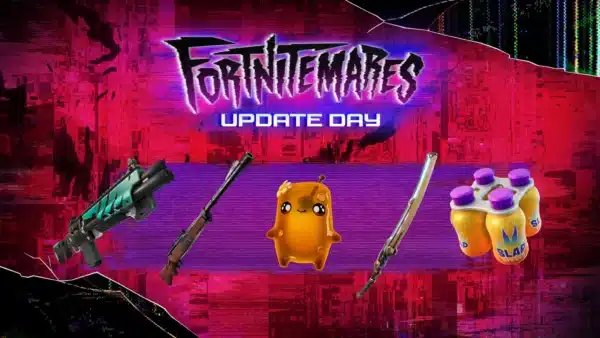
Fortnite New Update on July 29 Brings v36.30 via Update 4.77

Fortnite just got a new update, which the developers call v36.30, and this is a massive patch that brings cats into LEGO Fortnite, new Squid Game content, and a slew of fixes.
Console gamers will see this as Fortnite update 4.77, and there’s a lot to take in, so read on for the patch notes and everything new in today’s patch roll out.

Fortnite Update on July 29 Patch Notes for Version 4.77

Overview of New Additions
- Squid Game Toolset and Templates Are Updated!
- Voiceover Audio
- Minigame Mastery and Social Deduction Templates
- Squid Game Dynamic Team Emotes
Updated Brand Rules
Based on community feedback, the Squid Game Brand and Creator Rules were updated to clarify what is permitted in promotional assets for your islands.
Over 800 New LEGO Styles for NPCs
Expand your LEGO Islands with 882 LEGO Styles for NPCs that were added to this release. Create more relationships and deeper storylines with a wider range of Minifigures. These styles are compatible with the NPC Spawner device.
Property Validation Warnings Becoming Errors in v37.00
As a reminder, starting in v37.00, modifying certain hidden properties from their default values will cause validation errors instead of warnings. Please migrate away from these properties now to avoid errors. If there are any properties that you can’t work around, please let us know in this forum thread.
It is not possible to publish islands with validation errors. As a result, following v37.00, you won’t be able to publish updates to already live islands or publish new islands that use these properties. To resolve the validation errors, you will need to migrate off of the following properties:
bVisibleInRealTimeSkyCapturesbReceiveMobileCSMShadowsbCastDistanceFieldIndirectShadowbSelfShadowOnlybTreatAsBackgroundForOcclusionCastRaytracedShadows

New Prop Reference Options in UEFN
In UEFN, you can now assign a Prop Mover device directly to a specific prop using the new Prop Reference setting.
To enable this:
- In the Details panel, locate the Prop Selection user option.
- Click the dropdown, and select From Reference. This makes the Prop Reference option active.
- Click the Prop Reference dropdown to select a prop.
This setup is especially useful for precise control when rotating props. The original Overlap behavior remains available, and is still the default option.
New Rotation Options
The Prop Mover device can now rotate props in addition to moving them!
Under the Movement Mode option, you can now choose between Translation and Rotation.
When Rotation is selected, the available options include:
- Rotation Direction
- Rotation Axis
- Rotation Angle
- Rotation Duration
- Rotation Pivot Point
- Rotation Complete Action (corresponds to the Path Complete Action option when Movement Mode is set to Translation)
With the new Rotation Pivot Point setting, you can define the point around which the prop rotates. You can select the prop’s origin point or center, or the Prop Mover’s position, providing more flexibility in how your props animate.
Dynamic Team Emotes
You can now create opportunities for players to join and leave teams dynamically within your Fortnite islands. Using the new Invite to Team emote, players can join forces with another player they’ve encountered in your Island. You can also choose to enable the Leave Team emote for players to dynamically leave a team during a session.
Epic’s Picks Updates!
Several updates to the Epic’s Picks:
- We added our guidelines for featuring islands, and a policy summary.
- We listed the Epic’s Picks Three Pillars for selection, the criteria we use to select islands.
- We outlined the review process to clarify how we determine if your island is eligible for featuring.
To learn more, see Epic’s Picks documentation.
Creator Most Wanted Weapons
You wanted it, you got it!
- Midas’ Gilded Eye Drum Gun
- The Foundation’s MK-Seven Assault Rifle
New Prefabs & Galleries
- Outlaw Oasis Reception Prefab
- Outlaw Oasis House Prefab
- Outlaw Oasis Roof Gallery
- Outlaw Oasis Wall & Fence Gallery
- Outlaw Oasis Floor & Stair Gallery
- Outlaw Oasis Prop Gallery

Fortnite Ecosystem Updates and Fixes
Fixes:
- Fixed HUD Actions text to show Wraith Form instead of Myst Form.
- Fixed an issue where weapons with two magazines like the Twin Mag SMG and Twin Mag Assault Rifle did not switch between magazines after emptying one.
- Fixed the Bouncer, Launch Pad, and Chiller Trap items not appearing in the Creative inventory.
- Fixed characters getting stuck in an animation if they initiated a primary attack while doing an air attack with the Kinetic Blade or Thorne’s Vampiric Blade.
- Resolved an issue where a QR code in Creative was pointing to the wrong docs link.
- Fixed the Myst Form item to enable weapon unholster when catching a zipline in air after coming out of myst form.
Brand Island Updates and Fixes
New:
- Added new stairway color options to the Squid Game Stairway Galleries.
Fixes:
- Resolved an issue that was preventing the Squid Game characters from showing up in the Cosmetic section of the Guard Spawner. Guards and contestant characters are now usable in Creative.
- Fixed Aggroed LEGO NPCs not immediately attacking players after entering an aggressive state.
- Reduced roughness noise on Squid Game stairway assets.
- Replaced placeholder visuals in preview thumbnails for some Squid Game assets.
- Fixed issue with some Squid Game Stairway Galleries breaking when placed.
- Fixed issue with camera position when a player is hidden in Squid Game Giftbox device.
- Improved Squid Game Ddjaki VFX.
Squid Game General Template Updates and Fixes
The following bug fixes and updates have been made to the Squid Game Social Deduction and Minigame Mastery templates.
- Minigame Mastery
- Removed the out-of-bounds teleporter when leaving the Voting minigame.
- Improved lighting in Shove arena.
- Improved teleportation when entering a room from the lobby.
- Fixed being able to activate the Throwables minigame from too far back, locking the player out of it.
- Fixed pendulums on the Carryable object minigame from jittering.
- Fixed the Multiplayer Skilled Interaction device minigame not ending when a team is eliminated.
- Fixed typo of the word ‘Ddakji’ in the Throwables example room.
- Social Deduction
- Swords from the Hiding Props room can no longer be kept by respawning.
- Fixed the seeker in the Giftbox minigame not getting stunned after the first incorrect search.
- Fixed the seeker not getting any HUD messages in the Giftbox minigame.
- Fixed the voting VFX glows not applying correctly in the stand on shape voting example.
- Fixed the door not opening at the start of the Giftbox minigame.
- Fixed the Blue Team Win switch on the pedestal voting example not triggering correctly.
- Fixed validation errors on running the template.
- Added a room for the Dynamic Team Emotes feature.
- The Sniper minigame now switches a player’s team when choosing a role.
- Fixed an issue with the pedestal voting example resetting when a vote is switched to a different option.
- Both Templates
- Building is no longer enabled in Play mode.
- Fixed warnings when creating or opening either template.
- Added a new map for verse examples to both templates.
UEFN Updates and Fixes
Fixes:
- Fixed the renaming of actors when opening multiple outliners.
- Resolved duplicated array items from pointing back to the source item when editing.
- Fixed a regression where the 2D Snap Layer menu was not available in the new viewport toolbar.
- Fixed a few buttons not appearing in the Details panel.
- Physics Experimental: Fixed for player jump and movements after they join a game in progress.
Unreal Revision Control (URC) Updates and Fixes
Fixes:
- Fixed an issue in which actions such as restoring an older snapshot could fail without much context. The underlying issue was determined to be connection and/or authentication related. Users will now receive clearer errors when this issue arises.
- Fixed an issue in which disabling URC could occasionally cause an unclear and indefinite stall if operations were still in flight behind the scenes.
- Fixed an issue where a checked out actor could not be reverted after subsequently disabling and reenabling revision control.
There’s a lot more to read up on today’s patch, which we suggest players do so on the Fortnite dev portal.
LEGO Fortnite New Content via Patch 4.77

Overview of New Content
- Expeditions: Battle on the Supernova Academy Map
- LEGO Fortnite Odyssey x Expeditions
- Brick Life: Join Leelah and Halley in Bestie Fest!
- Brick Life: Care for Ponies and Cats!
Brick Life: Even More Job Updates
A career in animal care not your style? All good! There are new professional pathways for go-getters in Brick Bay. Specifically, the managers at The Golden Cart and Bobom Milk Tea need some assistance. They’re offering great employee perks too!
The Golden Cart
Here’s your chance to become best of the bao. The Golden Cart needs you to master the art of making fluffy, delicious Bao Buns. But dough not worry about getting peckish — you’ll get the chance to snack on some while you work! (The best chefs taste their own food, after all.)
But that’s not the only perk. There’s a bao-ntiful selection of rewards you can earn as you get promoted at The Golden Cart:
- Dumpling Station
- Bao Bros. Sign
- Bright Bonzai
Bobom Milk Tea
Everyone has to start somewhere, and Bobom Milk Tea Baristas start as Tea Trainees. Get down to business brewin’ beverages and listening to customers’ special requests to earn promotions and eventually become an Expert Bobarista. Just be warned, experienced employees are also expected to deal with a few vampires…
Here are all the thirst-quenching rewards you can earn as you get promoted at Bobom Milk Tea:
- “Blitz It” Blender
- Tea Dispenser
- BUBBLE Sign
Brick Life: One More Thing
When you spawn into Brick Bay, there’s a high chance your home will show up at your spawn point. It’ll be your previously used home!
Don’t be surprised if we receive another patch to address any issues that arise from this major update from Epic Games.

This website contains affiliate links. If you click a link and make a purchase, we may earn a commission at no additional cost to you. This helps support our work. Learn more on our affiliate page.