Fortnite’s New Update on November 1 for Version 4.89 Brings The Simpsons

Fortnite players, prepare to enter Springfield, as Epic Games has released the v38.00 patch on all platforms today, and this brings The Simpsons to the game.
Expect the Springfield Battle Pass, new animated shorts every week, and a lot more starting wth the Fortnite update 4.89 download that appears for the console version.
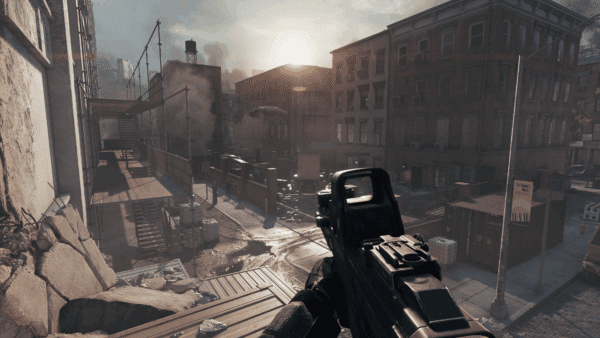
Welcome our new Alien Overlords in Battle Royale, with the info below.
Fortnite Update 4.89 Brings Simpsons Content
Drop from the Battle Bus into… Springfield? The 80-player Springfield Island features a fast-paced, back-to-basics Battle Royale experience straight from the minds behind The Simpsons. Giant donuts will fall from the sky and angry clones will roam the streets, but don’t worry, Homer Simpson is in charge. Check out Delulu for new Simpsons weapons during the Season and prepare for a month of gags, gadgets, and Simpsons animated shorts!
Springfield Battle Pass
attle in cel-shaded Springfield as one of the locals! The Springfield Battle Pass includes Outfits as premium rewards including Homer, Marge, Flanders, Blinky Fishstick, and Springfielder Peely.
This Battle Pass has Fortnite’s first Sidekick: Peels! Peels is the exclusive Sidekick until more arrive in the Shop on November 7.
Introducing Fortnite Sidekicks
Sidekicks are new pals in Fortnite that join your adventures in Battle Royale, LEGO® Fortnite, developer-made experiences, and more. Enjoy their company as they react to the world around you!
They’re your own customizable companion. You can design your Sidekick, and select their permanent, physical traits, which is how they will appear moving forward. However, you can change their name and accessories at any time. Cosmetics like hats and hoodies can be earned with Sidekick Points from hanging out together.
The first Sidekick in Fortnite will be Peels! Unlock Peels in the next Battle Pass on November 1.
More Sidekicks come to the Shop on November 7 including Bonesy, Spike, and Lil’ Raptor. Not long after, we’ll have something for all the cat people out there!
Animated Shorts Every Week
Original animated The Simpsons shorts highlighting new gameplay will air in Fortnite (Quests tab > Animated Shorts) during the Season. Also find them on Disney+ by searching for “The Simpsons” or heading to The Simpsons Collection! These mini episodes preview the mayhem of the week.
- November 1 – “Apocalypse D’Oh”
- November 10 – “Sugar High”
- November 17 – “Multiplidiocy”
- November 24 – “The Incredible Bulk”
Account Linking & Twitch Drops
Nab the Kang and Kodos Gliderby connecting your Epic and MyDisney accounts through Apps and Accounts before February 28, 2026 Eastern Time. Whether you just connected or already connected your accounts, you’ll have it in your Locker before November 15. Woo-hoo!
On Twitch from November 1 at 4:30 PM ET to November 2 at 11:59 PM ET, watch 30 minutes cumulative of any stream in the Fortnite category to unlock The Siiimpsooooons… Wrap.
In addition to the official info revealed above, we have more to share thanks to reliable dataminers of the game.
Fortnite Springfield Map

Other Key Info
- Free Kang & Kodos glider (Connect your Epic & MyDisney accounts before March 2026 to redeeem)
- New Simpsons Donut Battle Pass

- All Simpsons Battle Pass Skins

- End of chapter event confirmed for November 29
- Team Monster and Mech emotes returning after 800 days
- SpongeBob collaboration coming soon (via Shiina)
Epic hasn’t mentioned any specific gameplay improvements or fixes with today’s patch, but if any are revealed officially, we’ll update the article with the info.
Fortnite Update 38.00 Ecosystem and Patch Notes

Updated Engagement Payout Formula with User Acquisition Rewards
We’re now using the updated engagement payout formula, announced in September, to calculate your payouts. The updated formula introduces User Acquisition Rewards for developers bringing in new players and reengaging lapsed players in Fortnite. This change will be reflected in your monthly payouts, beginning with the November 2025 payout that will be paid starting December 30, 2025. Learn more here.
Create Dynamic UI: Verse Fields Now Available in UMG
Create UI widgets with Verse that can be updated dynamically using the new Verse fields in UMG. Developers can now dynamically drive UI data, materials, animations, and Widget properties using Verse code, unlocking new UI capabilities. Open the Variables window in the UMG Designer to get started.
You can add fields of various types, including logic , int, float, message, material and texture to a User Widget in the UMG Designer. These fields can be bound to widget properties using View Bindings. Fields are reflected in the Verse asset digest for the User Widget, allowing you to reference these Fields in Verse, and pass Verse data into a User Widget! This makes it possible to drive the content of a User Widget using Verse code.

New UI Materials
New UI materials have been added under the Fortnite/UI/Materials folder in UEFN. These materials include a variety of progress bars and texture effects to help with UI prototyping and development.
New Tycoon Feature Example
A new UEFN feature example showcases best practices for building Tycoon games using Scene Graph and interconnected systems. It’s designed as both a learning resource and as a customizable base for building your own Tycoon experiences.
Epic Developer Assistant Now Available in Editor with Increased Character Limits!
The Epic Developer Assistant is now integrated directly into the UEFN editor. A dedicated slide-out panel enables you to ask questions, generate Verse code, or follow step-by-step guidance — all without leaving the editor — so you can stay focused on the task at hand.
In addition to typing questions, you can access the AI Assistant as easily as you would a tooltip: hover your cursor over an interface element and press F1 to automatically start a conversation with the AI assistant about that topic.
We’ve also increased the character limit for prompts from 4,000 to 20,000 characters for developers using the Epic Developer Assistant, both in Editor and on the web, enabling you to include longer snippets of Verse code in your queries.
Content Browser and Inventory Updates

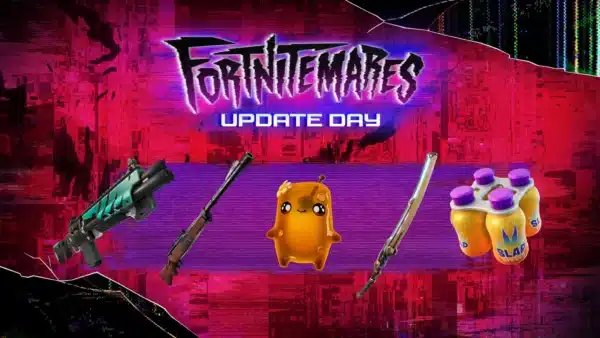
New Weapons
- Suppressed Assault Rifle (Common, Uncommon)
- Tactical Shotgun (Epic, Legendary)
- Infantry Rifle (Epic, Legendary)
- Compact SMG (Common, Uncommon, Rare, Epic, Legendary, Mythic)
New Prefabs and Galleries
- Canyon Crossing Cuddle Buns Street Prefab
- Canyon Crossing Madbuns Prefab
- Canyon Crossing Floor and Stairs Gallery
- Canyon Crossing Wall Gallery
- Canyon Crossing Roof Gallery
- Canyon Crossing Outdoor Prop Gallery
- Canyon Crossing Indoor Prop Gallery
- Canyon Crossing Foundation Gallery

Device Updates and Fixes
New:
- Added 108 new outfits to the following devices:
- Character device
- Character Controller device
- Dance Mannequin device
- Guard Spawner device
- NPC Spawner device
- Changing Booth device: Implemented On Player Enter / On Player Exit events. Implemented new device events to a send signal when a player enters or exits the changing booth.
- Added stamina for sprint to the Player Info View Model.
- HUD Controller device: There’s a new option to hide the player actions message (elimination message, and so on).
- Guard Spawner and NPC Spawner: Increased Maximum Spawn Count from 20 to 90. Increase of the spawn count has been one of the top community requests. This still respects the maximum spawn limit (90 across a single island).
- Wildlife Spawner: Increased Maximum Spawn Count from 20 to 90.
- Item Granter: Added option to rename the item to be granted:
- Grant Current Item: item to equip is grayed.
- Grant all items: item to equip is editable.
- Elimination Manager: Added Air Jelly, Wildwasps, and other Wildlife Spawner types.
- Added two new user options to the Teleporter device: Conserve Prop Momentum and Prop Momentum Conservation.
- Added a cooldown property to the Quickbar Slot ViewModel:
- Added Cooldown, Duration, and Rarity properties to Equipped Item ViewModel.
- Added Total Ammo text in the Quick Bar Slot View Model that handles infinity symbols automatically.
- Changing Booth device: Implemented the
PlayerEnterEvent / PlayerExitEventAPI.
Fixes:
- Fixed an issue where Heisted weapons, Lawless weapons, and modular weapons had incorrect visuals in the Item Placer device.
- Fixed granting of phantom ammo when granting Chug Jug and Med Mist items through Item Granter devices.
- Creature Placer & Spawner: Fixed an issue where Despawn Type does not despawn Creatures when set to Distance to enemy.
- NPC Spawner: Fixed an issue where the NPC is not tracked on Elimination Manager.
- Fixed an issue with duplication of arrays of device references in the property editor.
- Guard Spawner and NPC Spawner: The Despawn API / event now functions correctly when the devices are disabled.
- HUD Controller device: Fixed resources (wood, stone and metal) not hiding when calling HideElements with
creative_hud_identifier_all. - HUD Controller device: Calling
GetPlayspace().GetHUDController()no longer resets the visibility of everything previously hidden. - Fixed an issue where Physics props weren’t affected by the Effect Radius option in the Teleporter Device.
- NPC Spawner: Added SpawnOnEnabled option to Migrate NPC Spawning Issue. Added a new option, SpawnOnEnabled to help devs manage if they want NPC to be spawned on device enabled or not. Default is set to On to stay consistent with live.
Community Bug Fixes
The following fixes are from issues that you submitted to us on the forums. Thank you for your patience and for bringing these issues to our attention.
- Fixed an issue where the Barrier material was visible to users on the ignore list.
- Fixed an issue where
GetViewRotation()was not working with Physics Enabled. - Fixed an issue with the Save Point device equipping the wrong weapon when the saved loadout is reloaded.
- Fixed an issue where the player inventory layout was not respecting the HUD controller settings
- Fixed an issue where, when a Verse device containing an array of device references is duplicated, the copy does not reference the devices correctly.

Fortnite Ecosystem Updates and Fixes
New:
- Set a fixed time of day for Creative Hub.
- The Infinite Loaded Energy island setting now lets you infinitely fly with the Rocket Drill and ride the Chainsaw.
- When detecting corrupt installation files on startup, a dialog now asks for verification through Epic Games Store.
Fixes:
- Fixed an issue where the camera would be displaced from players who got eliminated while using the Surf Cube in certain situations.
- Fixed an issue where the high tier Burst Assault Rifles would rotate sideway when fired or reloaded.
- Fixed issue where Precision Air Strike ammo count reads as 0 with Infinite Consumables turned on.
- Fixed several issues with the Phone Tool:
- Fixed control points appearing on UEFN when duplicating spline meshes with the Phone Tool.
- Fixed Zipline and Grind Rail devices having inconsistent previews when using the Phone Tool.
- Fixed props with custom materials losing them when placed with the Phone Tool.
- Fixed an issue where the Backpack Button could not be hidden. Added the missing tags to the backpack mobile action to fix the issue. It can now be hidden with either Show Player Inventory or Show Backpack options set to Off.
- Fixed an issue where the Fine Art Gold Rock Sculpture reacted to player damage when set to Non-Interactable.
Matchmaking Updates and Fixes
New:
- Creator Matchmaking Settings: Added MMS Backfill and Social Joining options to both the Island Settings and Round Settings device. This allows you to control the initial matchmaking behavior and override it on a per-round basis.
- Replaced Join In Progress with Join In Progress Behavior to allow you to select between Spawn During New Round (spectate until next round), Spawn Immediately, and Watch Only (remain a spectator for the rest of the game).
- You can now override the join-in-progress team assignment through a separate Join In Progress Assigned Team property. This allows for the same behavior as the old Team Index option.
- Matchmaking Portal: Fixed an issue with the modal popup never displaying if the island split teams.
For more info on the changelog, read on for the developer’s explanation.

This website contains affiliate links. If you click a link and make a purchase, we may earn a commission at no additional cost to you. This helps support our work. Learn more on our affiliate page.