

LEGO Horizon Adventures Patch 1.004 Fixes Prologue Loading Screen Bug, Progression Issues and More

[summaraize]
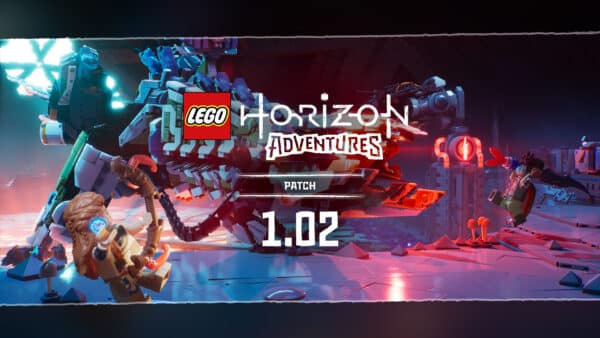
Studio GOBO has pushed out a new patch for LEGO Horizon Adventures on all platforms as version 1.04. Players can expect this to fix various progression issues, that nasty bug where you’ll get stuck on a loading screen during the Prologue and more.
Those on consoles expect to see this as LEGO Horizon Adventures patch 1.004 and the full patch notes are available below.

LEGO Horizon Adventures’ Latest Patch Fixes a Lot of “Stuck” Issues

FIXES AND IMPROVEMENTS
Runs
- Fixed an issue where the player could become stuck on a loading screen during the Prologue. Come onnn, we don’t have time, we need to save the world!
- Fixed an issue where loading screen music could play during a cinematic. The loading screen music is great, but that’s for loading… screens.
Mother’s Heart
- Fixed an issue where the ‘Stay Frosty’, ‘Flaming Ninjas!’ and ‘Silent Storm’ challenges would not progress when defeating element afflicted enemies with a non-elemental weapon. Now you can save your elemental arrows for them pesky Corruptors!
- Fixed an issue where the ‘A Brush with Greatness’ challenge did not accurately count when changing zone colors. Change alllll the colors!
- Fixed an issue where the Wardrobe could become blocked after the player threw a chicken into it. Why would you even do this, poor chicky.
Characters, Combat & Co-op
- Fixed an issue where Varl could become stuck in place when catching a Boomerang or Homing Spear. He just got a bit scared; it happens to us all.
- Fixed an issue where the Brick Remover gadget would not destroy Corruption Pools. The Brick Remover had a firmware upgrade.
- Fixed an issue where Broadheads could become stuck at the edges of the area. Now they’ll attack you instead! That’s better, right?
- Fixed an issue where the aim indicators for the Spreadshot Bow would disappear for the guest player. Player 2 always has it on hard mode…
Other
- Fixed various crashes when pressing ALT+F4 to close the game.
- Various bug fixes and stability improvements.
- Various audio fixes and improvements.
- Various text and localization fixes.
Studio GOBO is aware of a few issues, so expect them to be fixed in an upcoming patch.
KNOWN ISSUES
- Lighting may appear blown out on HDR Steam Deck. To resolve this, either disable HDR or increase the max luminance value to 4500 in the graphics settings.
- The game may crash on boot on specific 13th and 14th generation Intel CPUs. To resolve this a BIOS update may be required. More information is available here.
Once another patch is released that addresses these issues, we’ll let our readers know.
This website contains affiliate links. If you click a link and make a purchase, we may earn a commission at no additional cost to you. This helps support our work. Learn more on our affiliate page.


now iam very happy because trump lounch a crypto coin soo this is a time to develop up for more updates to join this……COPY HERE➤➤ salaryhere.Com