

Minecraft Bedrock 26.50 Brings Major Update 1.058
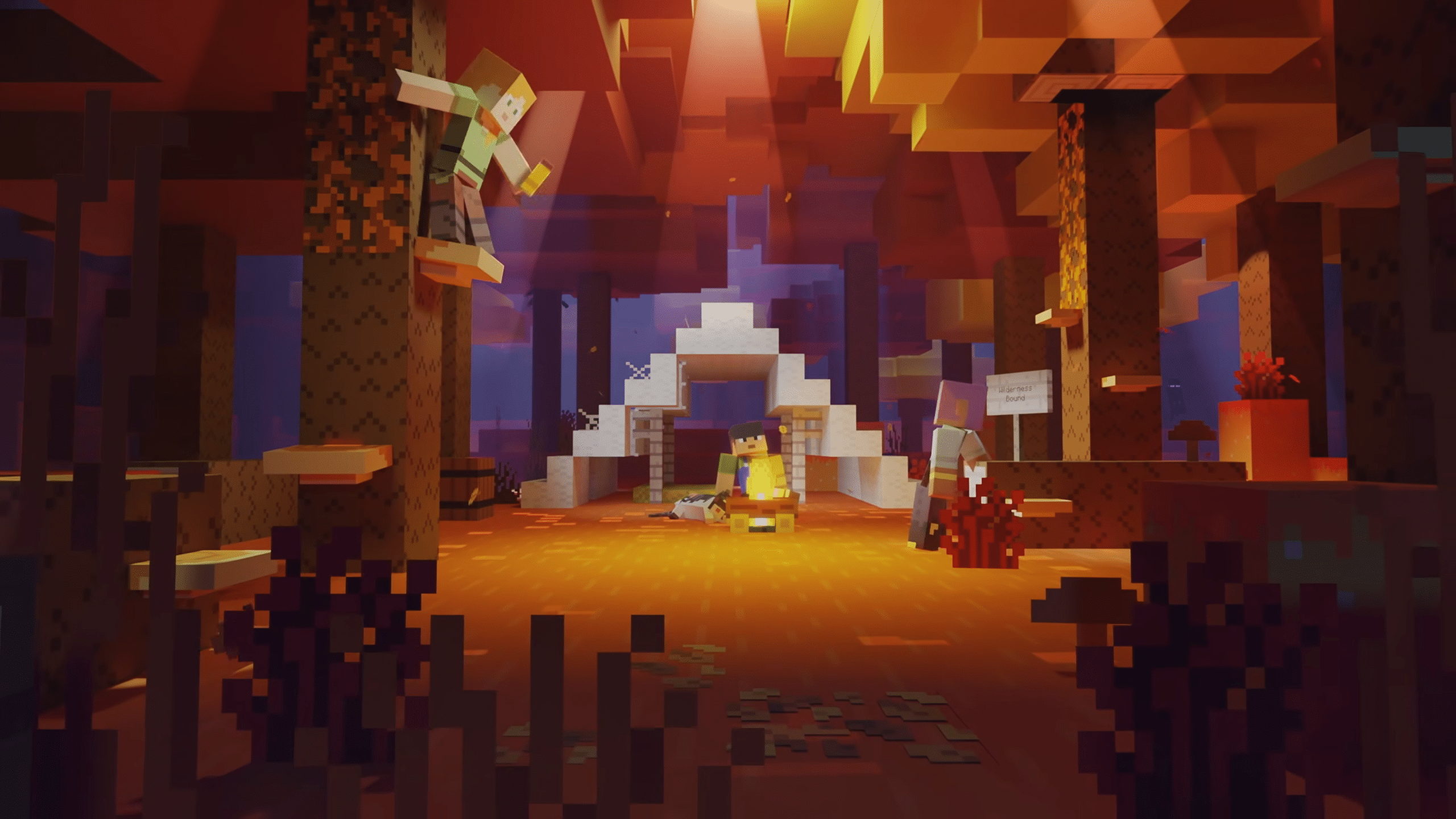
Minecraft update 1.058 is live for Bedrock 26.50, and this is for the Wilderness Bound content drop.
Alongside the gameplay bug fixes and improvements, there’s also a new structure, the introduction of a cushion, and a lot more.
Read on for the complete patch notes straight from the developers.
Minecraft New Bedrock 26.50 Update Live as Console Patch 1.058
Here are the Game Drop 3 new features.
Abandoned Camp
- The Abandoned Camp structure is a new kind of structure which can be found in the following biomes:
- Meadow
- Cherry Grove
- Forest
- Birch Forest
- Old Growth Birch Forest
- Flower Forest
- Windswept Forest
- Dappled Forest
- Taiga
- Snowy Taiga
- Old Growth Spruce Taiga
- Old Growth Pine Taiga
- Sparse Jungle
- Bamboo Jungle
- Swamp
- Savanna
- Wooded Badlands
- Pale Garden
- Each of these biomes has its own variant of the structure with design based on that biome
- Certain structure pieces are generic for all biome variants of the structure
- Various Chests and Barrels with loot can be found at Abandoned Camps
- Straw Beds can be found in Abandoned Camps
- Cushions can be found in Abandoned Camps
- Chests in Abandoned Camps contain Explorer Maps that lead to Ancient City, Mineshaft, Desert Pyramid, Warm Ocean Ruins, and other biome variants of Abandoned Camps
Blocks
- Added Wool Stairs and Wool Slab blocks in all 16 colors
- Added Concrete Stairs and Concrete Slab blocks in all 16 colors
Cushion
- The Cushion is an item that the player can place in the world and interact with to sit on
- Can be crafted in 16 colored variants
- Cushions are crafted using 3 Wool Slabs of the same color
Cushion Placement Rules
- A Cushion can be placed on any flat surface
- Cushions always align horizontally to the grid, but vertically sit on top of the supporting surface
- Cushions cannot move
- Cushions break if the supporting block is removed
- Cushions do not have collision and can overlap with other objects (except other Cushions)
Dappled Forest
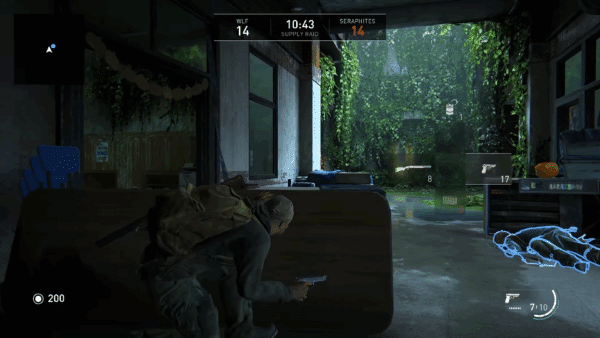
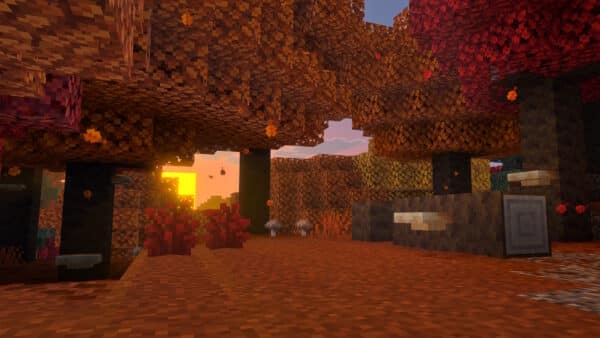
- The Dappled Forest is a new type of forest biome which can be found near cold biomes
- Poplar Trees and fallen Poplar Trees generate here
- Shelf Mushrooms can be found here, placed on Poplar Trees and fallen Poplar Trees
- Red Shrubs generate here
- The following passive and neutral mobs spawn in the Dappled Forest, using their cold variants where applicable:
- Sheep
- Chicken
- Cow
- Pig
- Rabbit
- Fox
- A Dappled Forest variant of the new Abandoned Camp structure can be found here
Poplar Trees
- Added the Poplar Tree to the game
- A new type of tree in the Dappled Forest which comes in three color variations:
- Red Poplar Leaves
- Orange Poplar Leaves
- Yellow Poplar Leaves
- Each variant of the tree has its own variant of falling leaf particles matching the color of the leaves
- Poplar Leaves drop Poplar Saplings which will randomly grow into any of the three different variants
- Poplar Saplings can be found in trades with Wandering Trader
- Shelf Mushrooms and Leaf Litter naturally generates on and around Poplar Trees
- The trunk of the trees are made of Poplar Logs
- Poplar Logs can be crafted into a new set of Poplar wood blocks
- Forest ambience sounds are tied to the Poplar Leaf blocks
Red Shrub
- Red Shrub is a new type of decorative plant block that can be found in small patches in the Dappled Forest
- Can be used in the Composter
- Using Bone Meal on a Red Shrub grows a Red Shrub in a random adjacent space, if possible
Shelf Mushroom
- A new type of mushroom that generates on Poplar Trees and fallen Poplar Trees
- Can be found in two sizes, small and large
- A small Shelf Mushroom can be grown into a large Shelf Mushroom using Bone Meal
- A large Shelf Mushroom drops two Shelf Mushroom items when broken
- Can be used like other mushrooms to make Stews
- Can be found in trades with Wandering Trader
- Shelf Mushroom has a slight bounciness when stepped on, similar to Beds
Straw Bed
- Straw Bed is a new type of bed which can be used to sleep through the night without setting your spawn point
- It can only be used once and will be destroyed after use
- It can not be used in the Nether or The End and will be destroyed if you try to sleep on it there
- It is crafted using 3 Hay Bales and will give you 4 Straw Beds
- Straw Beds breaks faster when using a Hoe
Minecraft Wilderness Bound New Features and Bug Fixes
Accessibility Features
- The “Text to Speech with Device Settings” option has been removed. Text to speech can still be turned on or off through the accessibility settings, and a first time TTS discovery is still done on all devices as before.
- A green vignette now appears while the nausea effect is active when screen distortion is turned all the way off via accessibility settings (MCPE-239554)

Blocks
- Restored the growth speed of Sulfur Spikes and Pointed Dripstone after a recent change accidentally made them grow 25 times faster
- Cherry, Pale Oak, and Poplar Saplings are no longer flammable, matching all other Saplings
- Fixed Saplings not growing when Leaves were above them (MCPE-240014)
- Fixed block connection states being lost when loading a world saved before those states existed, which could leave fences, stairs, thin fences, and trip wire drawn as if they were not connected
Character Creator
- Skins can now have names consisting entirely of numbers
Gameplay
- Fixed Hoppers unintentionally collecting items on its side at large coordinates (MCPE-99462)
- Fixed Droppers facing east or south inserting items into containers below them instead of ejecting items forward (MCPE-167490)
- Fixed a bug where damage calculation did not apply correctly to Players falling from certain heights through one block of water
- Fixed an issue that could cause players who died while inside a Nether portal to respawn in the Nether
- Fixed an issue where the same world seed would generate end portals with inconsistent amounts of Eyes of Ender (MCPE-227980)
- Fixed entity teleporting to unexpected location when using the teleport command between dimensions (MCPE-181173)
- Player Map icon now shows rotation even while outside of the map bounds
- Explorer Maps now have new item icons to better indicate where they lead
- Fixed Totem activation not synchronizing health when final health equals the original value
- Fixed an issue where players and mobs could load in a world at (0,0,0) and lose all their items after reloading world
- Lava lakes no longer replace nearby Beds or Doors with stone during world generation if a lake generates in a village
Graphical
- Fixed missing Baby Fox texture (MCPE-240546)
- Fixed clouds rendering as bright white spots after switching to Vibrant Visuals in-game with low cloud render distance
- Fixed tears in the dithering effect when looking through models in Vibrant Visuals.
- In-game models and textures now load correctly when the network connection changes while joining a world (MCPE-234954)
- Fixed bug with item in hand jittering with temporal anti-aliasing upscaling enabled
- Fixed an issue that caused the sky to render incorrectly when seen through boats in Vibrant Visuals
- Changed the map color of the Red Shrub to Crimson Nylium
- Changed the map color of the Shelf Mushroom to Terracotta Yellow
Items
- Updated Sulfur Cube Spawn Egg icon’s MERS (MCPE-237771)
- Projectiles can now only hit the entity that shot them, or entities in the same vehicle hierarchy (such as the shooter’s mount), after they have spatially left that hierarchy (MCPE-240527)
- This prevents players from damaging themselves with lightly charged Arrows
- Fixed issues that occurred when attempting to pick up a Small Sulfur Cube or a lit TNT Sulfur Cube with a Bucket (MCPE-239750)
- The targeted Sulfur Cube and water or lava sources, Powder Snow, or water from waterlogged blocks at the world origin no longer disappear
- Using a Bucket from a stack larger than eight no longer creates additional Buckets
Mobs
- Reduced stuttering that can occur when a mob is far away (MCPE-108119)
- Endermen will now always attempt to teleport away before being hit by a projectile (MCPE-117298)
- Armor Stands and Drowned are now harder for hostile mobs to detect while invisible
- Bats now spawn in all Overworld biomes except the Deep Dark
- Fixed a bug where Spiders and Cave Spiders would occasionally be slowed by Web blocks
- Fixed an issue where mobs and players could reload with an inconsistent movement speed
- Chains no longer prevent mobs from spawning in the space underneath them (MCPE-190746)
- Fixed issue where using a lava bucket on a cow produced a milk bucket.
- Husks and Zombies now retain their held and equipped items when transforming into Zombies and Drowned
- Fixed incorrect naming for the yellow tail parrot fish (MCPE-117477)
Pack Settings
- Fixed a bug when a pack’s dependency packs would not load pack settings properly.
Realms
- Fixed an issue where players would sometimes not respawn at their bed or respawn anchor after dying in a different dimension on a Realm (REALMS-14459)
- Fixed in-game realms system performance regression
- Disable an expired Realm’s Renew button when renewal is not supported on current device
- Users are warned when applying custom packs to their realm and how they will appear when profanity filter is enabled & custom pack names and descriptions are filtered when viewing in Edit World when profanity filter is enabled
- Added support for realm name changed and realm description changed admin log events
- Add different default values for some subscription details information that can come back null from Realms Services to avoid blocking players from viewing subscription related screens with an error modal
- Added guards for cases where callbacks are fired after facet goes out of scope in create new world flow
- Fix for when the user tries to download a copy of a Realm world after changing settings results in the download never happening
- Fixed height on the members search bar
- Introduced a localized loading spinner to replace the play button on the Realms tab when the client is fetching additional information from services, and a reload button that player can use to reload the tab should the fetch fails
- Fixed the string Core and Plus sometimes are being translated in other languages
- Fixed realm role actions not showing correctly for certain roles
- Friend profiles now have a Realm-specific join button when the Realm is available
- Fixed an issue that would sometimes cause a crash on opening Realms Edit World, particularly on iOS devices
Sounds
- Multiple Jukeboxes can now play the same record independently
- Broadcast sounds such as Jukebox records now play from the correct position for players who move into range or connect after the sound has started
Stability and Performance
- Fixed a rare crash that could occur while ticking block entities
- Fixed a crash that can occur when failing to parse certain resource pack contents.
- Fixed an issue where updates to chunks would sometimes not save correctly when the same chunk was unloaded and loaded rapidly
- Fixed a crash that could occur when opening Change Control Mode under Touch Settings after deleting a world
- Fixed memory leaks when blocks are moved by a piston outside of simulation distance (MCPE-238926)
- Fixed a crash that could occur while retrieving network addresses on Android
- Fix CPU usage increasing after idling on the pause screen or controller disconnected screen (MCPE-235086)
- Fixed some particles that crashed the game when ran as commands (MCPE-184162)
- Fixed a crash that could occur when flying over or through water bodies with entities nearby
- Reduced main thread work during world load by removing the redundant precaching of the world settings screen
- Fixed a crash that could occur when render controller expressions referenced variables of the wrong resource type
- Fixed worlds containing chunks saved before block connection upgrades getting stuck while loading when creating the world
- Fixed an issue that could disconnect players while loading worlds with certain add-on content (MCPE-241505)
- Fixed the game stuttering in world after long play sessions or after leaving the game suspended for an extended time
- Reduced the memory used by animated Character Creator skins

User Interface
- New social/friends drawer infrastructure with performance fixes.
- The profile achievements screen now mentions “Beta” instead of “Preview” when on a Beta build (MCPE-186514)
- Added high-resolution Korean font support and fixed Korean text showing as question marks on mobile
- Fix mouse wheel input sometimes not registering on Windows platform (MCPE-234311)
- Fixed a bug where bold text inside a book would extend beyond the page margins (MCPE-235450)
- Added missing translation text to layout button of Achievements screen
- Selecting a Featured Item from the Dressing Room no longer requires 2 clicks to select the item
- Ported the party eligibility check when joining multiplayer from JSON to the OreUI
- Added a Clear Layout Cache action to Storage settings for cached Server tab content
- Added a new grid option for viewing achievements and some general UX improvements
- Updated the inventory panel in the Loom, Stonecutter, Cartography Table, Villager, and Wandering Trader screens in Pocket UI to match the header style used by the Inventory and Crafting Table screens
- Added Acquired Date as the default sort option for the Owned by Me tab in Create from template, showing the most recently acquired templates first
- Store the Furnaces recipe book preferences after reloading a world (MCPE-239320)
- Fix vertical menu screen reader narration in settings screens
- Fixed the game crashing by pressing Tab repeatedly while dying (MCPE-239639)
- Japanese symbols are no longer displayed with a different font in specific areas of the UI (MCPE-239802)
- Text strings on world tile buttons across My World, My Templates and Servers menus are no longer truncated by ellipses
- Screenshots can now be set as world thumbnails without triggering an assertion
- Fixed cape causing visual discrepancies between the in game model and the model shown in the Dressing Room
- Trusted servers no longer prompt players for confirmation after restarting the client
- Fixed error message display when the Marketplace wishlist fails to load, ensuring players receive appropriate feedback about connectivity and service issues (US-1656572)
- Updated Adjust brightness screen in Settings (in and out of game) to use new Ore UI design and tech.
- Added an empty-state message for Marketplace Wishlist with a Browse Marketplace call to action
- Updated the Chat Settings UI to increase readability of the Chat Color and My Mentions Color dropdowns
- Fixed an issue that prevented TNT and Stonecutters from being crafted using quick crafting in the Recipe Book (MCPE-240038)
- Fixes ‘out of space’ error displaying when attempting to download large items regardless of available space
- Fixed issue where setting the Cheats toggle to OFF during world creation would not reset cheats to default values
- Added wishlist pagination with gamepad bumper navigation
- Added dynamic wishlist grid row sizing for marketplace wishlist cards
- Improved inventory item tooltips
- Let us know what you think here
- PS4/PS5: GUI Scale modifier will now be respected on title launch (MCPE-89543)
- Updated style of “Leave Boat” button in the “D-Pad & tap to interact” touch option (MCPE-235723)
- Achievement warnings are no longer displayed in Preview or Beta builds
- Realms Plus subscribers who open Marketplace Pass from the Marketplace sidebar now go straight to the View All Packs screen instead of the subscription page
- Improved inventory input mode switching between touch and mouse
- Prevent gamepad button swapping for emotes
- Fixed an issue where block items held on the cursor could render behind other block items, such as a Shelf Mushroom appearing behind a Snow Layer, in the inventory (MCPE-240495)
- Fixed double toast notification happening while importing an old world from PS4 preview to PS5 preview
- Fixed leftover instances where button touch areas did not align with the buttons in windowed Android modes with a title bar, such as Samsung DeX and pop up view.
- Some sign-in errors which were previously reported as “Wool” are now reported with a more specific codename
- Screen narration now properly reads out the first focused element after opening the Pause Menu
- Fixed a bug where a party leader using Join Game on a friend not in their party would spuriously see the “Your party is too large” message
- The Shelf Mushroom now has the correct scale in the inventory slots
- Prevent soft-locks when the game is unable to connect to a server (MCPE-240897)
- Fixed the gamepad cursor in menus becoming choppy after long play sessions or after leaving the game suspended for an extended time
- Added an option to mute a player when reporting their chat messages
Marketplace
- Migrated the Marketplace Wishlist flow to the OreUI factory pattern
Play Screen
- Remove flickering icon and world card texture on layout change in Play screen. Additionally, the column layout now alternate between 4, 3 and 2 columns depending on screen size.
Settings
- The Tick Speed can now be set to 0 inside Game Settings Tab. (MCPE-238556)
Storage
- Updated old world conversion flow in Ore UI Storage Settings Tab.
- Ported in OreUI the Modal connected to the “Sync Old World” action in the Storage tab
- Ported in OreUI the deletion modal used by the Storage list
For the technical changes made, read Mojang’s changelog.

This website contains affiliate links. If you click a link and make a purchase, we may earn a commission at no additional cost to you. This helps support our work. Learn more on our affiliate page.


With the new update to ps5, some users are now unable to create new worlds for some reason(?)