Minecraft Chaos Cubed Update Released as Patch 3.39 on June 16
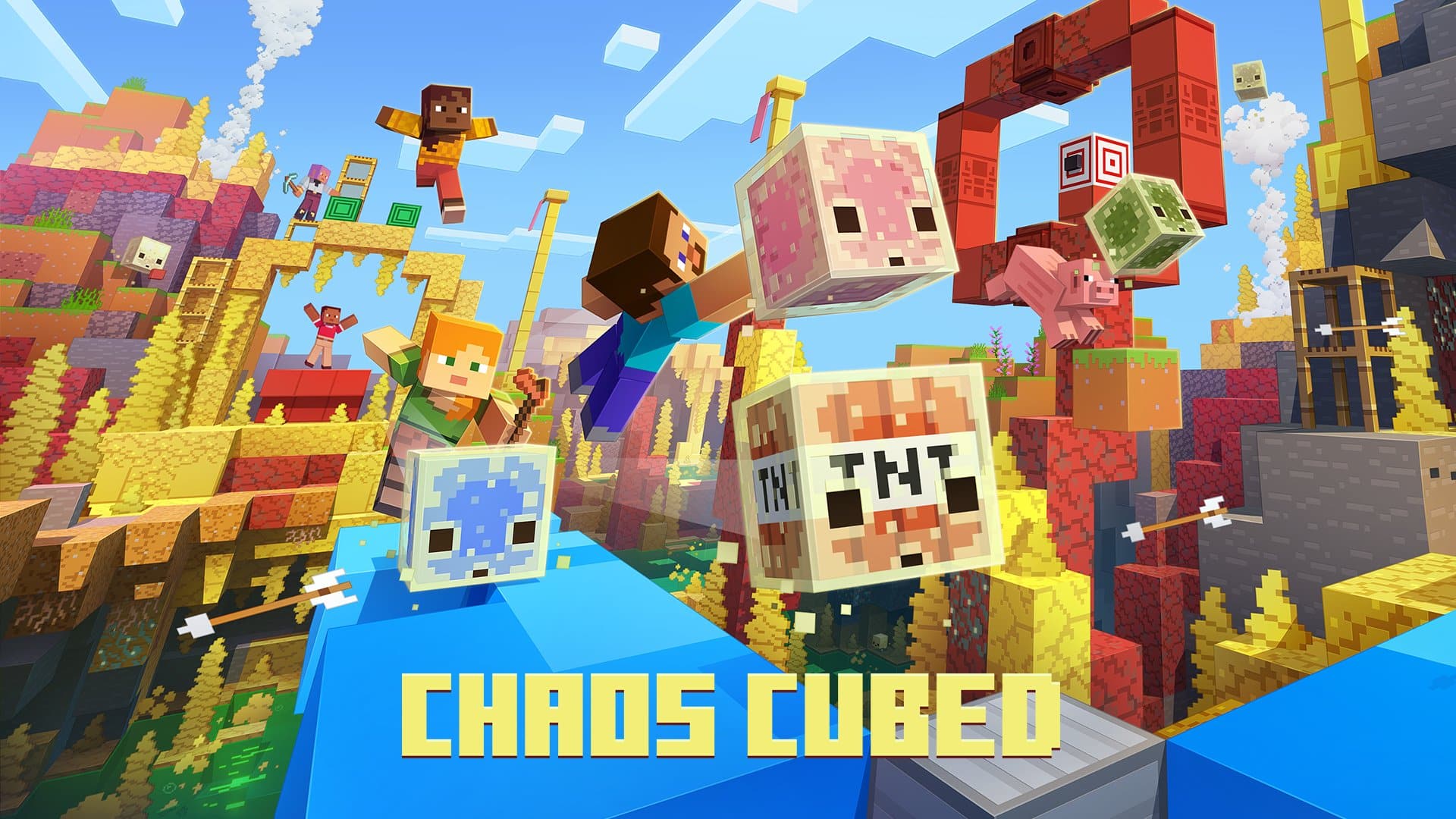
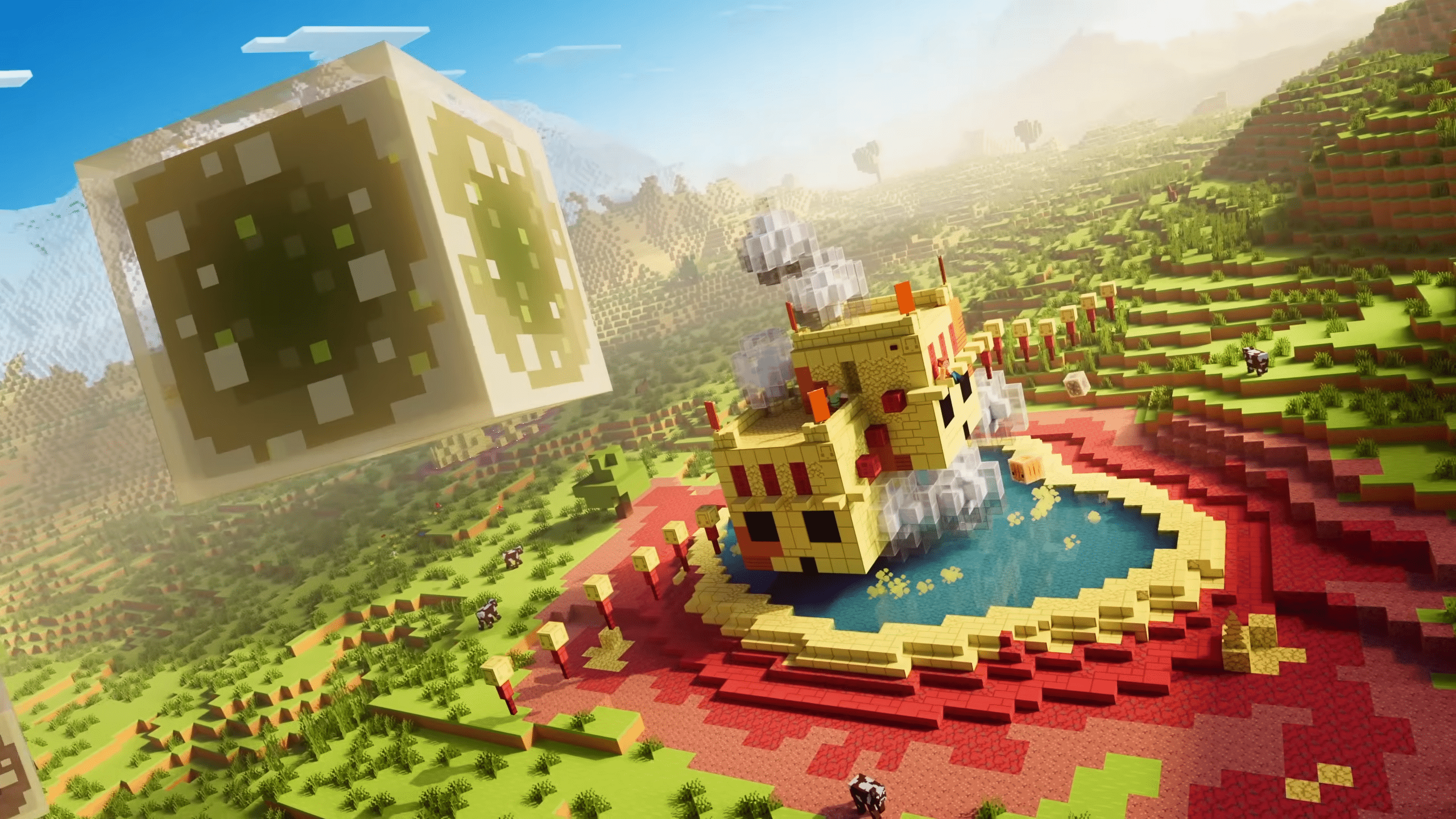
Mojang has deployed the latest major content update for Minecraft and it’s called the Chaos Cubed update! This adds a slew of new cubes, various fixes and more.
Console gamers will see this download appear as Minecraft update 3.39, and this is for Bedrock version 26.30, and this should be another hefty download.
For the complete list of new added cubes and features, bug fixes and more, read on.
Minecraft Update 3.39 Adds New Cubes
Chaos Cubed Features
Bucket of Sulfur Cube
- Need an easy way of getting your new Sulfur Cube friend from the Sulfur caves to your base? Sure, you could experiment with blocks to make the Sulfur Cube bounce, slide, or traverse long distances – or you can just scoop it up with a bucket and tuck it safely away in your inventory.
Sulfur Cubes
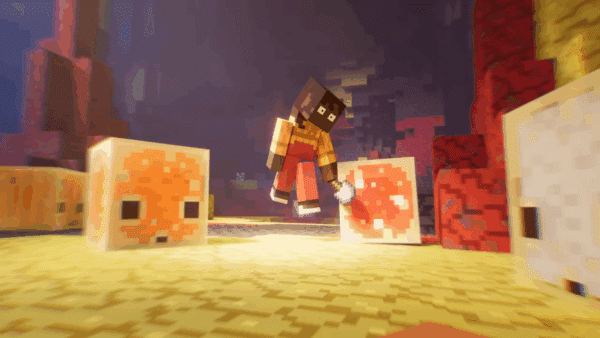
- Sulfur Cubes are a new mob coming to Minecraft with a curious appetite for… blocks! Found in Sulfur caves, this curious mob transforms depending on which block the player feeds it. Experiment and discover how to send Sulfur Cubes bouncing, sliding, and more!
Sulfur springs
- Found across the Overworld, you’ll know if you’ve spotted a Sulfur pool thanks to its Sulfur and Cinnabar blocks – and the noxious gas coming from it! But dig beneath these and you’ll discover a Sulfur cave, filled with new blocks to mine and a new mob to meet!
Potent Sulfur
- The new potent Sulfur block is the reason why Sulfur springs are so bubbly – and a bit nauseating. You can also create hot bubbling pools by placing potent Sulfur beneath water! You’ll soon spy bubble columns, as well as puffs of noxious gas. Build with caution, because noxious gas will trigger nausea in players and nearby mobs!
Sulfur caves
- Discover this new cave type, with shallow pools of water and glow lichen. Sulfur caves are filled with yellow blocks of Sulfur, red blocks of Cinnabar, Sulfur spikes, and a curious mob called the Sulfur Cube!
New block sets
- You’ll find two new block sets in Sulfur caves – Cinnabar and Sulfur! These new blocks allow you to add rich reds and yellows into your builds, and each comes with its own full block set. Cobble them, craft with them, turn them into stairs or bricks – the choice is yours!
Sulfur Spikes
- Sulfur Spikes grow on Cinnabar and Sulfur blocks, giving Sulfur caves a distinctive look. Unlike Pointed Dripstone, stepping on Sulfur Spikes is harmless, but they can still fall and hurt you – it’s just a pretty rare occurrence.
Geysers
- Watch your step or you’ll go flying! Geysers form when a Magma block is generated or placed underneath a potent Sulfur block that’s submerged underneath 1 to 4 blocks of water. Use them for a vertical boost or a dramatic landscaping element!
Special block: TNT
- Why would anyone feed a TNT block to a Sulfur Cube? To see what happens, of course! Try it out for yourself, ignite it, and enjoy (or deeply regret) the explosive results.
Special block: Magma
- Play hot potato by having a Sulfur Cube absorb a Magma block.

Music
- Added new music by composer fingerspit (Paula Ruiz) to the game
- Added a new music disc with the song “Bounce” that may be found inside Minecarts with Chests in abandoned mineshaft structures within Sulfur Caves
- Added new music tracks Ebb, Home, Memories, Nightly, and Shores to the main Menu music, Creative Mode music, and several biomes
- The new music tracks will play in the following biomes:
- Mesa
- Bamboo Jungle
- Cherry Grove
- Desert
- Dripstone Caves
- Flower Forest
- Forest
- Frozen Peaks
- Grove
- Jagged Peaks
- Jungle
- Lush Caves
- Meadow
- Old Growth Spruce Taiga
- Old Growth Pine Taiga
- Snowy Slopes
- Sparse Jungle
- Snowy Peaks
- Swamp
- Sulfur Caves
Features and Bug Fixes

Accessibility Features
- Added a Panorama Scroll Speed slider to Video settings that controls the rotation speed of the main menu background (MCPE-180178)
- Fixed a bug where animations always generated closed captions regardless of distance (MCPE-238088)
- “Hide Sky Flashes” setting now also suppresses lightning sky flashes in the Overworld, matching Java Edition behavior (MCPE-180737)
- Text to speech (TTS) will now read the character ‘&’ as ‘and’ instead of ‘ampersand’

Biomes
- Fixed a bug that caused custom Nether biomes to generate with a repeating tiling pattern across chunk boundaries
Blocks
- Fixed Command Block Hover Note text not updating after changing it until the world is reloaded (MCPE-236701)
- Iron doors and stone buttons now generate in strongholds (MCPE-11765)
- Fixed wooden doors in strongholds being placed with the wrong orientation
- Fixed Java parity issue where Cauldron/Composter blocks pulled by sticky pistons can pull player through walls (MCPE-181221)
- Using Bone Meal on Dirt in shallow water will now correctly create Seagrass or Coral (MCPE-91152)
- Fixed a client-side display issue that caused falling blocks (such as Sand, Gravel, and Anvils) to appear to pass through Cobwebs without slowing down and to lose their collision after landing
- TNT blocks now have smoke particles when ignited (MCPE-238488)
Character Creator
- Improved character load time on the main menu
- Fixed error message displayed when importing a custom skin on Android without enough device space (MCPE-231262)
Gameplay
- Fixed items being duplicated when crossing chunk borders in The End (MCPE-233883)
- Fixed a bug that caused entities on the edge of less-than full-height water and lava to still be affected by the liquid. (MCPE-45633 ) (MCPE-183531)
- Fixed a bug where bees don’t pollinate Spore Blossoms and Chorus Flowers (MCPE-174401)
- Fixed a bug where Strider’s loot was not affected by Looting Enchantment (MCPE-112761)
- Fixed Experience Orbs spawning at an incorrect position after killing a Bee, Phantom, or Vex (MCPE-61885) (MCPE-49418)
- Bees now follow players holding Chorus Flowers or Spore Blossoms
- Bees can now be bred and aged by Chorus Flowers and Spore Blossoms
- Fixed a bug where trees growing next to Spore Blossoms and Chorus Flowers did not have a chance to generate beehives.
- Fixed an issue where dimensions with large sections of air blocks could degrade performance during initial load
- Fixed a bug where vehicles with a non-zero lock_rider_rotation value would continuously rotate when a player was riding them without giving any movement input
- Removed warning text that “you can’t earn achievements” when creating a world with Add-ons enabled.
General
- Fixed the rest of the cases where offline multiplayer would load infinitely (MCPE-173418)
- Fixed bug where boat would jitter when switching from one to the other.
- Connections from players with names that could interfere with game functions are now rejected (MCPE-233682)
- Fixed an issue where players could not join another player’s game session when launching the game from an external invitation
- Dedicated servers now have the allow list enabled by default in the server.properties, and will display a warning on server startup if the allow list is enabled but contains no entries
- Party chat now appears in the world, and you can respond from world chat with the /party command
- Fixed a crash that could occur when loading behavior packs with multiple custom dimension definitions (MCPE-238456)
- Updated the game credits
- Updated the Cubemap
- Fixed an issue where accepting a game invite while the game was loading could fail due to skins not yet being loaded
- Fixed placement of Lakes where they would not break above the surface
- Fixed a scenario where the game would send excessive web requests.
Graphical
- Texture streaming is now enabled by default on supported platforms and can be disabled in Video settings. Texture streaming is currently only available to PC and mobile devices and will be expanded to other platforms in the future
- Fixed some blocks appearing as semi-transparent in the inventory when Texture Streaming is enabled (MCPE-235799)
- Streamed textures are no longer completely invisible after being off-screen for a while.
- Fixed an issue where dithered objects would flicker in split-screen.
- Fixed an issue where item-in-hand was clipping when inside a block in Vibrant Visuals
- Fixed an issue for certain item-in-hand not rendering when inside a block in Fancy
- Snow golem heads no longer render as completely black with Vibrant Visuals enabled
- Added fog in the End Dimension while the Ender Dragon is alive.
- Fixed some animations not working correctly on certain Android devices (MCPE-235729)
- Fixed an issue that caused dropped items to sometimes appear behind other objects in Ray Tracing graphics mode
- Fixed snow golem heads disappearing in Ray Tracing mode when the player is too close
- Fixed z-fighting on scaffolding top face.
- Fixed an issue where loading in some Marketplace worlds would result in all white screen in Vibrant Visuals.
- Updated the fog JSON schemas to allow keyframes for the following volumetric fog data members. JSONs must target the 1.26.20 schema version to use this new capability :
- Max Density: Maximum fog density (0.0–1.0)
- Zero Density Height: Y level with maximum density
- Max Density Height: Y level where density reaches 0
- Scattering: RGB scattering coefficients (light bouncing in fog)
- Absorption: RGB absorption coefficients (light absorbed by fog)
- Henyey Greenstein G: Scattering asymmetry parameter
- Fixed bug with the sky Cubemap and volumetrics not updating after teleport in Vibrant Visuals.
- Fixed incorrect tile border seam for tiles with heightmaps in Vibrant Visuals.
- Fixed Snow Golem heads being sometimes incorrectly lit in Vibrant Visuals
- Fixed an issue where emissive parts of Eyeblossom and Firefly Bush were affected by Dithering. (MCPE-225919)
- Fixed issue causing textures to appear broken when Ray Tracing is enabled.
- Fixed issue causing name tags to not appear when Ray Tracing is enabled.
- Fixed a bug where Boats and Chest Boats would visually fill with water when the player was seated inside them near the water surface
- Re-enabled texture streaming in PC and mobile previews after fixing a bug with blank textures
- Fixed shulker boxes appearing as semi-transparent in the inventory when Texture Streaming is enabled (MCPE-235799)
- Fishing line no longer disconnects from the bobber in split-screen mode (MCPE-230910)
- Clouds no longer jitter when upscaling is enabled in Vibrant Visuals.
- Armor attached to player no longer flickers when upscaling is enabled in Vibrant Visuals.
- Atlas composited textures for in-hand items now render correctly (JIRA (MCPE-223126)
- Fixed Vibrant Visuals shadows and reflections not rendering on PlayStation 4
- Fixed a crash that could occur on Windows when resizing the game window during initial loading
- Fixed corrupted visuals on mobs when using Vibrant Visuals with PBR resource packs that include heightmap textures for actors
Input
- Fixed a crash that can occur when prompted about extra Joy-Con controllers that are connected
Loot Tables
- Fixed loot table container filling so that when trying to insert a new item, existing partial stacks will be merged to open up slots for new additions (MCPE-233039)
Marketplace
- Fixed instances where open color picker button appeared on pages with no color picker (MCPE-229764)
- Fixed flickering crosshair in split screen (MCPE-123918)
Mobs
- Skeletons, Strays, Bogged, and Parched now shoot arrows at the same rate as Java Edition, with difficulty-based attack intervals instead of distance-scaled intervals (MCPE-61036)
- Fixed issue where Villager farmers get stuck nodding while planting crops (MCPE-237708)
- Fixed a bug where Ghasts could get stuck in the preparing-to-fire animation pose after the player walks out of attack range
- Fixed an issue where mob audio could switch to underwater sound variants while the mob was still above the visible water surface
- Sulfur Cubes can now receive angled knockback when hit using weapons enchanted with Knockback and when the attacker is sprinting or swimming (MCPE-238284)
Realms
- Fixed a bug in the Realms saves screen where the “Save to storage” button on an automatic save displayed the active world’s size instead of the selected save’s size, and the “Free up space” dialog was not shown when the selected automatic save was too large to fit in the Realm’s storage
- Fixed an issue where two states could be presented in the moderate feed screen
- Added information surrounding resource packs download progress to join Realm progress message
- Fixed number of online players not showing on chosen Realm screen
- Added achievements disabled warning modal to Realms Edit World
- Fixed an issue where clearing Realm members via “Clear All Members” resulted in a crash
Realms Hub
- Realms Hub added to In-game pause screen, replacing the Realms Stories button.
- Server Settings added for Render distance, Simulation distance and Max player count.
- “No Members Found” modal no longer briefly shows up before loading members in Realms Stories and Realms Hub
- Fixed Realms Hub settings screens not exiting properly after saving changes made on the screens.
- Disable clear all members button for admin roles to avoid confusion, since admins cannot remove other admins or owners
- Adding in a hardcore heart and border in the Realms Hub Slots section
- “No Members Found” empty state no longer briefly shows up before loading members in the Realms Hub Members tab
Social Drawer
- Fixed a crash that could occur when trying to search for players without signing in (MCPE-235488)
Sounds
- Tune trumpet sound assets for Copper variants Note Block interaction so that they are in tune with other Note Block variants (MCPE-237578)
Stability and Performance
- Fixed a crash related to the data-driven renderer when an entity’s geometry expression was unable to be resolved
- Fixed crash when using a structure block that contains a glow stone in Ray Tracing graphics mode . (MCPE-236402)
- Fixed constant hard drive activity caused by the texture cache flushing to disk every frame (MCPE-238187)
- Fixed a crash that could occur when loading recipes with invalid result counts from behavior packs during server initialization
- Fixed a crash that could occur on world exit or join when texture streaming is enabled
- Reduced unnecessary copies in atmospheric scattering keyframe lookups to improve frame time when Vibrant Visuals are enabled
- Fixed a crash that could occur when initializing a dimension on the client side if the spawn dimension was set to a non-Overworld dimension
- Fix a crash that could occur when a player takes too long to join local multiplayer on XBOX
User Interface

- Text fields can now be navigated using the Tab key, which enters editing mode with all text selected. Pressing Tab while editing moves to the next field
- Fixed an issue that caused the Default Game Mode and the Activate Cheats settings to appear editable to players that don’t have operator permissions. (MCPE-237784)
- Fixed the on-screen keyboard not dismissing after submitting text in JSON UI text fields on iOS and Android
- Fixed Banner message for graphics mode settings option (MCPE-231879)
- Storage indicator now is taller and has a square action button. Copy has been updated from “Go to storage settings” to “Settings”.
- Enabled add-ons in the create from template screen for preview (MCPE-232902)
- Narrate chat text if UI or Char narration is enabled
- Stop narration of typed letters when the message is sent
- Narrate chat input text when it’s auto-completed or taken from history
- Updated Recipe unlocked tooltip design
- Fixed issue on the idle device screen on Switch, which could result in the text showing incorrectly. The image has been updated also.
- Fixes buttons sometimes becoming unselectable at the bottom of a scroll panel while using a controller (
- Crafting preview now shows the correct wood material variants.
- Recipes containing different wood materials now show the variants related to the materials you own.
- Fixed a bug where resource packs with subpacks would not correctly save to new worlds when they were added automatically by activating a corresponding behavior pack.
- Fixed a bug where resource packs with subpacks would not display the valid default settings when they were added automatically by activating a corresponding behavior pack.
- Fixed format for number percentage strings in Turkish language
- Fixed the profile picture on the start screen showing a blank space instead of the default Alex icon while loading
- Fixed the profile picture not updating after signing in due to the refresh window closing prematurely
- Ctrl + Left/Right Arrow now correctly moves the cursor by word in Ore UI text fields on Windows
- Ctrl + Backspace and Ctrl + Delete now correctly delete an entire word in Ore UI text fields on Windows (MCPE-237189)
- Fixed sorting by Installed state in player library not working on Switch
- Players are now informed when their skin is not compatible with cross-platform multiplayer and can choose to proceed when creating or starting a world
- Double tap or click now selects a word, and triple selects all text in Ore UI text fields
- Tap and drag now moves the cursor in Ore UI text fields
- Tap and hold now allows selecting text in Ore UI text fields
- Added ContentCard component to display marketplace items with pricing, ratings, and content badges
- Furnace recipe book was moved from experiments to the common game
- Fixed Fullscreen mode to remember which screen it was last on.
- Added a new color formatting code (§w) for the shade of blue used by party chat
- Added Wishlist grid component to display marketplace wishlist items with responsive column layout
- Prevent game freezing when loading a world if a specific resource pack is enabled – Fixed a bug that could cause the game to freeze when loading a world with a specific resource pack applied (MCPE-237537)
- Fixed a bug where the emote wheel could be opened while riding a mob or Minecart, causing the player to crouch instead of dismounting
- Added Marketplace Error component to display marketplace errors
- Non-gameplay related toast notifications (e.g. Minecraft Live reminders) will no longer be able to show during gameplay
- Added ability to access Marketplace for Preview
- Fixed an issue that caused the framerate limit option under Vibrant Visual Options to behave differently from the other quality options
- Improved the furnace recipe book UI
- Fixed a freeze when opening a furnace without recipes
- Replaced the Locator Bar toggle in the Multiplayer tab of the Create New World and Edit World screens with a Player Waypoints setting, allowing players to choose between “Off” (no players shown on the locator bar) and “Everyone” (all players shown on the locator bar)
- Added support for new Marketplace Content Cards
- Updated skin info panel in dressing room to remove duplicate author label
World Storage
- Added OREUI Storage Settings: Storage Status and Management
- Added cloud backup of Windows worlds as an early preview
- Please share your feedback at feedback.minecraft.net and report any bugs you find at bugs.mojang.com to help inform next our steps
- Increased Windows Preview cloud backup storage capacity to 4GB
For the technical updates made in this patch, check out the complete changelog for that from Mojang.
In other gaming news, Mojang’s parent company, Microsoft, is said to be shutting down a slew of first-party studios as part of Xbox’s restructuring.
This website contains affiliate links. If you click a link and make a purchase, we may earn a commission at no additional cost to you. This helps support our work. Learn more on our affiliate page.