Final Fantasy Tactics: The Ivalice Chronicles Update 1.05/1.050 Adds New Game+
Final Fantasy Tactics: The Ivalice Chronicles might be a single-player game, but that hasn’t stopped Square Enix from adding in a significant patch to the RPG.
Today, Final Fantasy Tactics: The Ivalice Chronicles update 1.05/1.050, and this adds New Game+, new settings, and a lot more.

This is a surprise update, though one I’m sure players will appreciate.
Final Fantasy Tactics Receives New Features in June 2026

New Features
New Game + has been added. This feature allows you to start a new game with unit levels, item data, and more carried over from a previously completed playthrough.
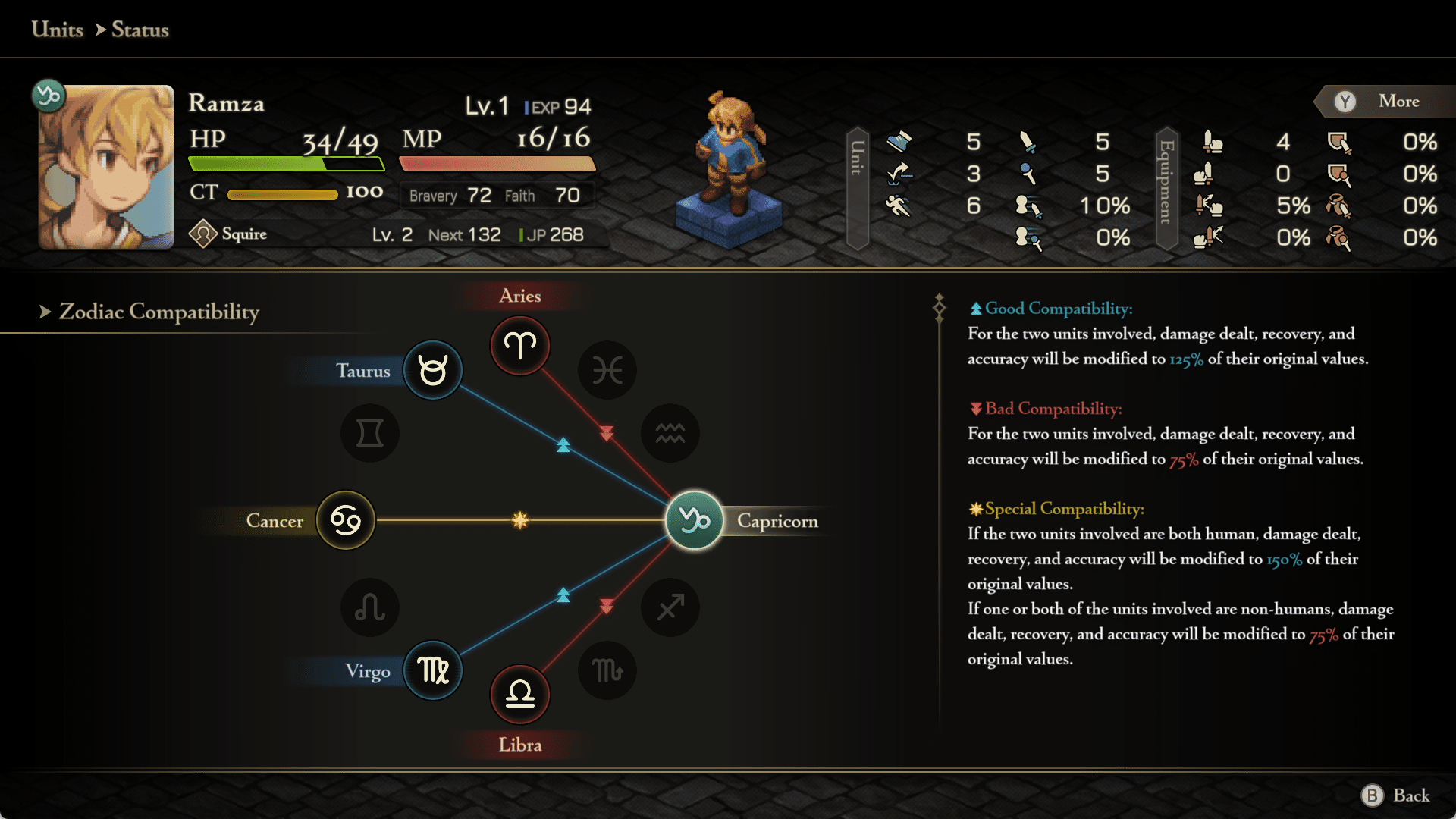
The Zodiac Compatibility function has been added. You may now check a unit’s zodiac sign and compatibility from its status screen.
Adjustments
- When selecting a tile to move to or target with an ability, you may now check the status of a unit under the selection cursor.
- “Remove All Equipment” has been added to the Equipment & Abilities section of the unit status screen.
- Job unlock conditions are now displayed more clearly for those currently locked, via the Job section of the unit status screen.
- During battle, the camera angle and zoom settings are now retained for the entirety of that battle.
New Settings
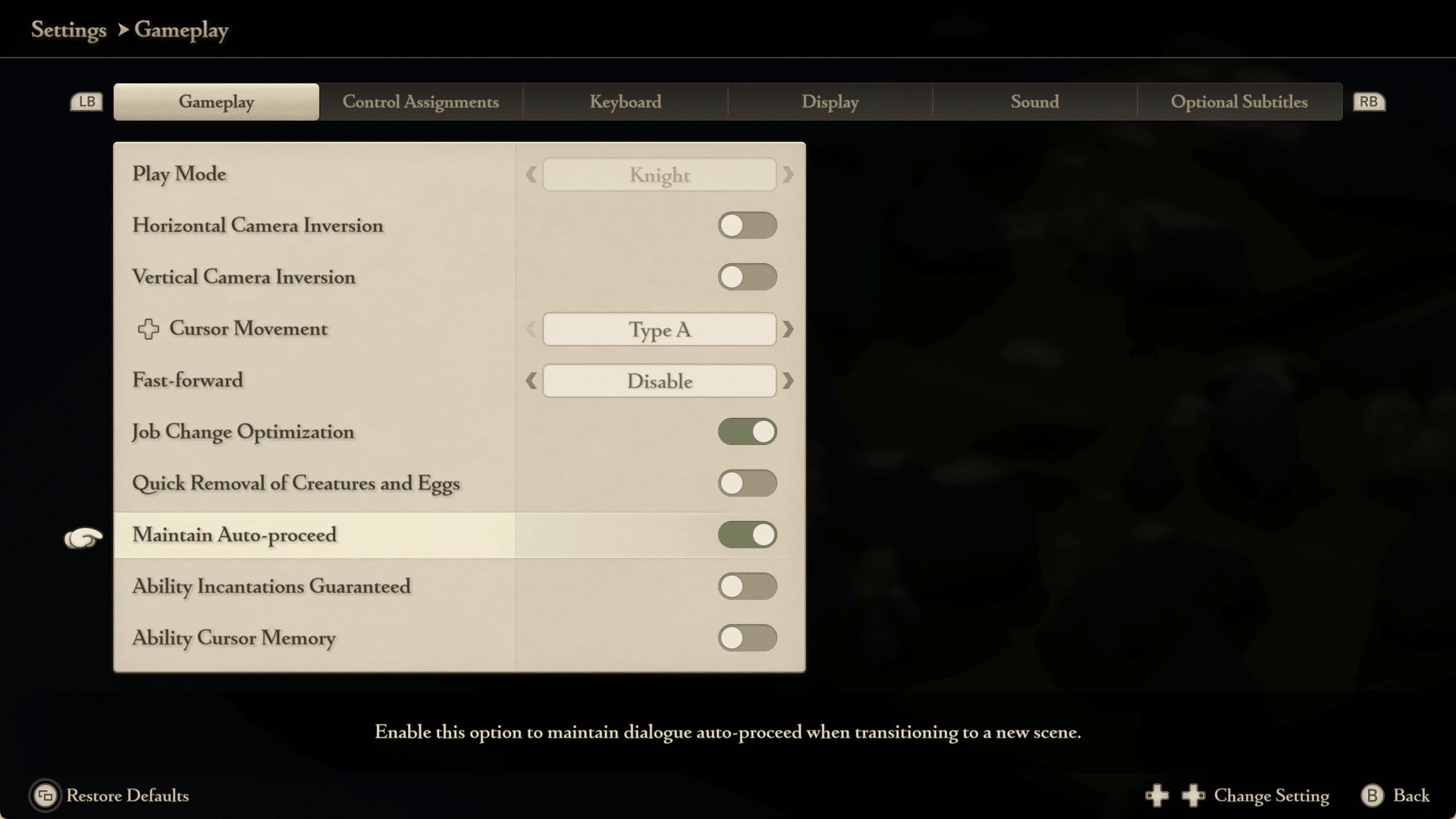
- The “Maintain Auto-proceed” setting for cutscenes has been added. To activate it, go to the main menu’s Options tab, followed by Settings, then Gameplay, and use the “Maintain Auto-proceed” toggle.
- The “Ability Incantations Guaranteed” setting has been added, which ensures that dialogue spoken when using certain abilities is always performed. To activate it, go to the main menu’s Options tab, followed by Settings, then Gameplay, and use the “Ability Incantations Guaranteed” toggle.
- The “Ability Cursor Memory” setting has been added, which retains the cursor position in the Abilities section of the battle menu. To activate it, go to the main menu’s Options tab, followed by Settings, then Gameplay, and use the “Ability Cursor Memory” toggle.
- Minor text changes have been made in all languages.
- Certain sound effects have been adjusted.
- Overall stability has been improved.
- Other minor issues have been resolved.
New Languages
The enhanced version now includes text support for Simplified Chinese, Traditional Chinese, and Korean.
-
To change the enhanced version text language, go to the General Settings menu’s Language tab and select a language from “”Text Language (Enhanced).””
That’s about it. We don’t expect a lot of updates to be released for the tactical RPG, so anything like this is a bonus.
If you haven’t played it yet, check out our review and see why it’s a trip worth taking.