Dispatch HR Violations Update on June 17 Adds New Optional Censorship Settings via Patch 1.000.012
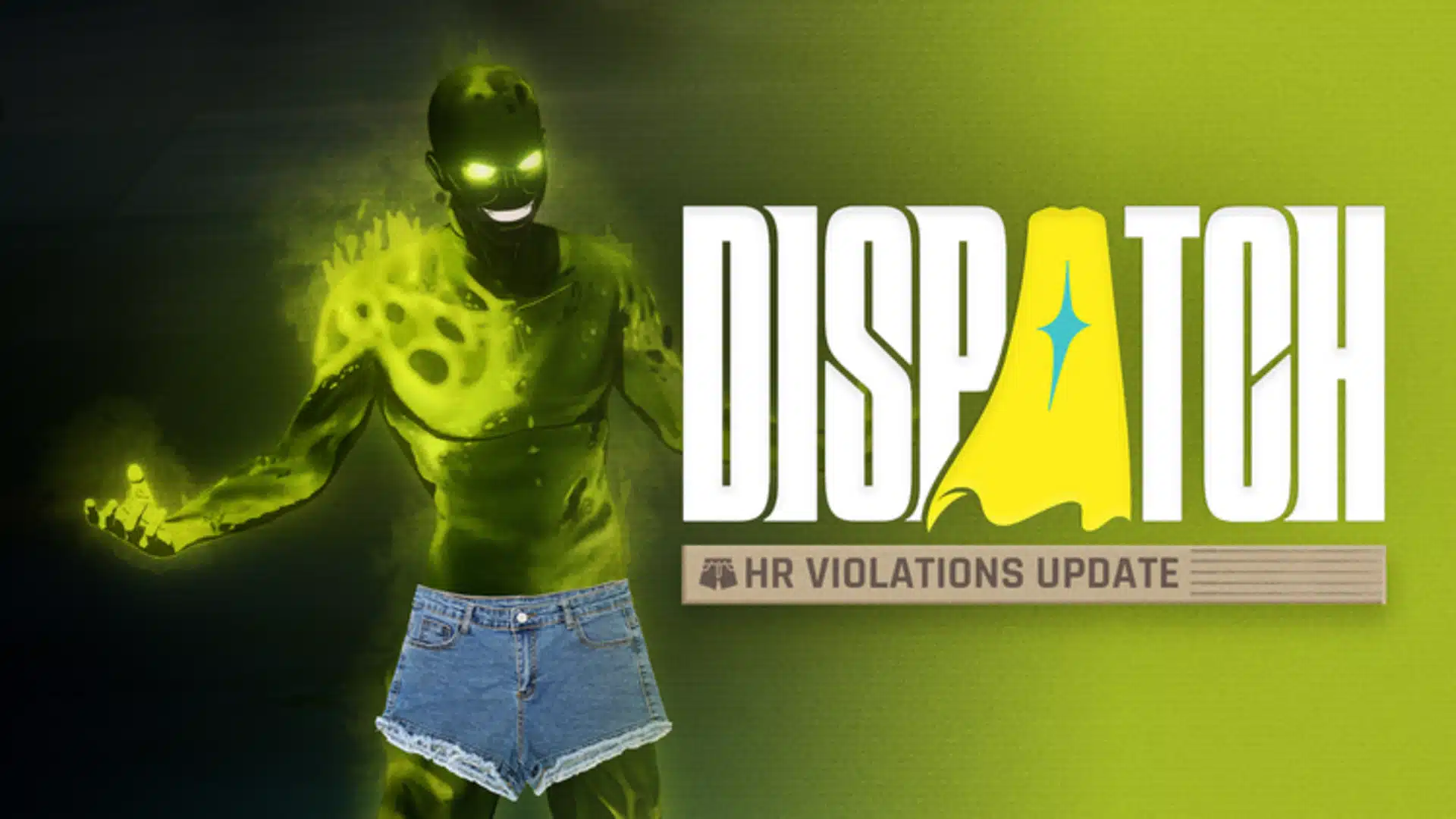
AdHoc Studios might not update Dispatch as often as other games, but we do get significant patches from time to time. Speaking of which, we’re getting one today, as the developers have released Dispatch update 1.000.012 on PC, PS5 and Switch, and this adds new features.
Players will see the new optional censorship settings available after installing today’s patch, which the developers call the HR Violations update.

Read on for the complete patch notes that contain a lot more swear words than we’re used to.
Dispatch HR Violations Update Censorship Settings

New Optional Censorship Settings Added optional visual censorship filters, accessible in Game Menu > General Settings > Filters. Settings vary per region. Uncensored remains the default on PC and PS5. New Coverage Settings: Partial or Full
- Partial (Switch default): covers genitals and explicit audio, leaves butts, boobs, and birds (AKA, middle fingers) uncensored
- Full (formerly “On”): censors all explicit visual and audio content
New Style Settings: Mosaic, Chaotic, Blackout
- Mosaic (Switch default): a demure pixelated blob
- Chaotic: covers up with whatever’s lying around, like jorts
- Blackout: the standard black bar, for maximum coverage
Coverage and Style are independent settings and can be mixed and matched.
For the complete patch notes, read on.
Steam and PS5
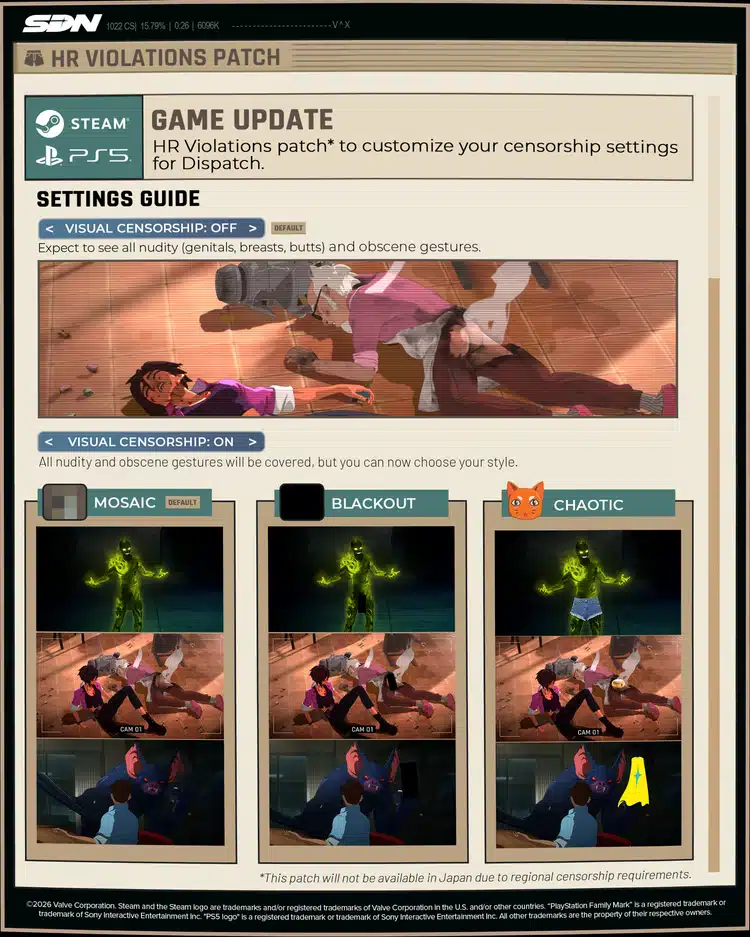
While Steam and PlayStation will continue to have all the classic, uncensored smut you know and love as the default setting, we’re also making this free update available on those platforms – because everyone deserves the chance to see Toxic in jorts.
Xbox players will get access to these settings when the game releases later this summer.
Default Steam & PS5 Settings
-
Japan: Full Coverage in Blackout style
-
All other regions: Totally uncensored
How to Access
Steam & PlayStation 5: Simply update your game to find the new coverage options in your Game Menu under General Settings > Filters.
Switch and Switch 2
Coverage Settings (Partial or Full)
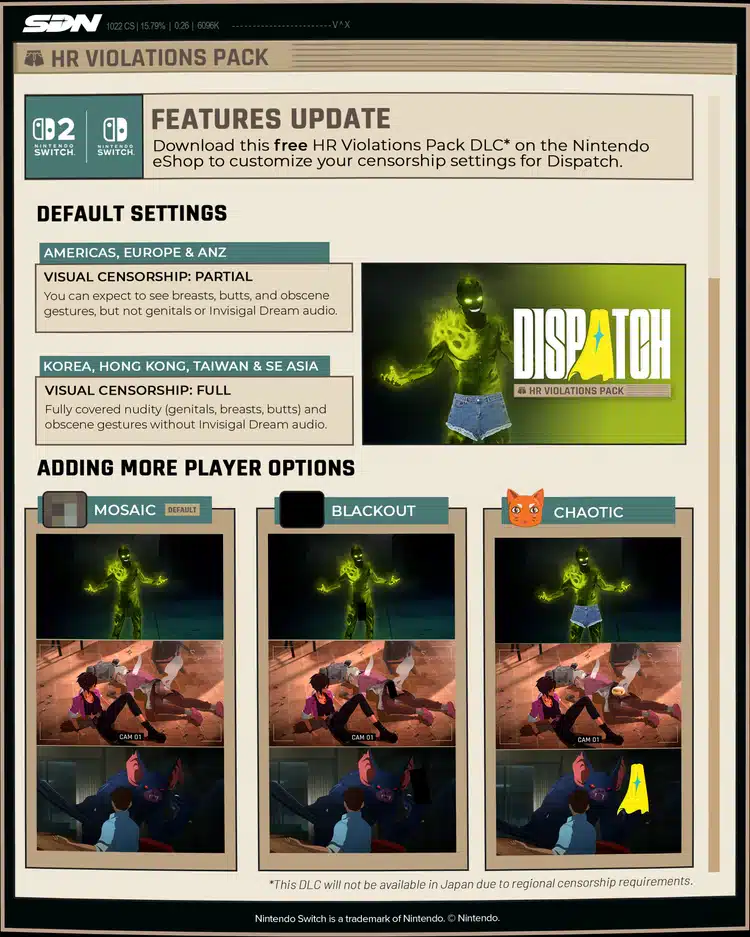
Partial Coverage (Default): Butts, boobs, and birds (AKA, middle fingers) are all set free. HR tells us genitals and explicit audio are still off limits, so those stay censored.
Full Coverage: Fully censors all explicit visual and audio content.
Censorship Styles (Mosaic, Chaotic, or Blackout)
Mosaic (Default): Covers up with a demure pixelated blob.
Chaotic: Covers up with whatever’s lying around, like jorts.
Blackout: This standard censorship style is still available for maximum coverage.
Regional Availability
Coverage Settings:
-
North America, Europe, Australia, New Zealand: Partial or Full Coverage (player choice)
-
Japan, Taiwan, Hong Kong, Korea, Southeast Asia: Full Coverage only
Censorship Styles:
-
North America, Europe, Australia, New Zealand, Taiwan, Hong Kong, Korea, Southeast Asia: Mosaic, Chaotic, or Blackout (player choice)
-
Japan: Blackout only
How to Access
Nintendo Switch & Nintendo Switch 2: Via the DLC menu in the Nintendo eShop. Once downloaded, find all coverage and style options in your Game Menu under General Settings > Filters.
Given we don’t receive a lot of updates for Dispatch, don’t be surprised if it takes months to see a new one again, unless we get a hotfix.

This website contains affiliate links. If you click a link and make a purchase, we may earn a commission at no additional cost to you. This helps support our work. Learn more on our affiliate page.