Fortnite Update 37.40 for Console Patch 1.000.197 Ushers in KPop Demon Hunters

Prepare for some killer KPop in Fortnite! Epic Games has unleashed the latest collaboration for the game, and it’s with Netflix’s K-Pop Demon Hunters, which is now live as part of Fortnite’s 17.40 update.
For those on consoles, this will show up as Fortnite update 1.000.197, and this also brings ecosystem changes.
Read on for the official patch notes and info on what’s new this Oct. 2.
Fortnite KPop Demon Hunters Added in Latest Update 37.40
KPop Demon Hunters Comes to UEFN and Fortnite Creative!
KPop Demon Hunters has landed in UEFN and Fortnite Creative! Developers can now build, publish, and share their KPop Demon Hunters islands. No publishing hold this time!
With HUNTR/X taking down foes in style across Fortnite, developers can now ride the wave from the start. Dive into features inspired by Rumi, Mira, and Zoey — perfect for building bold, melee-focused islands or remixing existing ones! Get the lowdown in our blog post.
KPop Demon Hunters Starter Island for UEFN
Get started creating with the KPop Demon Hunters starter island. Explore a Fortnite-inspired take on the colorful KPop Demon Hunters streets! Fight demons with friends in the moody bathhouse, then celebrate on the beautiful plaza!
HUNTR/X and Demon NPC Devices
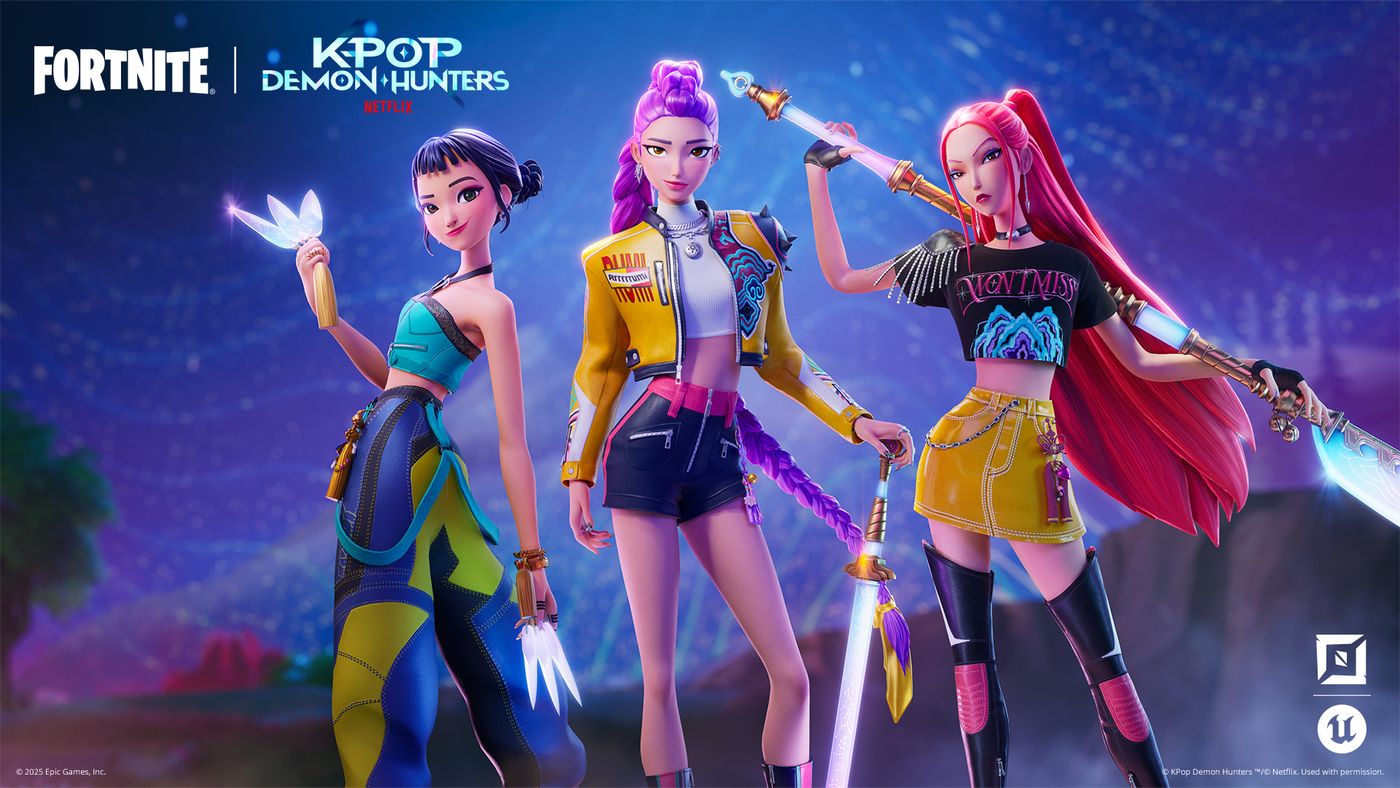
Spawn HUNTR/X into your island to help players protect the honmoon and defeat demons. You can add the hero characters, each with their own unique pickaxe, using the KPop Demon Hunters Character Spawner device.
The feature set also includes a new enemy type — demons — inspired by the movie. Use the Demon Spawner or Demon Placer devices to summon demons from the underworld.
KPop Demon Hunters Assets
Build your island with themed assets like gameplay items, honmoon shaders, props, and a background vista of Gwi-Ma collecting souls.

To learn more about the available brand content, see Working with KPop Demon Hunters Islands.
Also, make sure to read and follow the KPop Demon Hunter Brand and Creator Rules!
Custom Inventory and Items (Experimental)
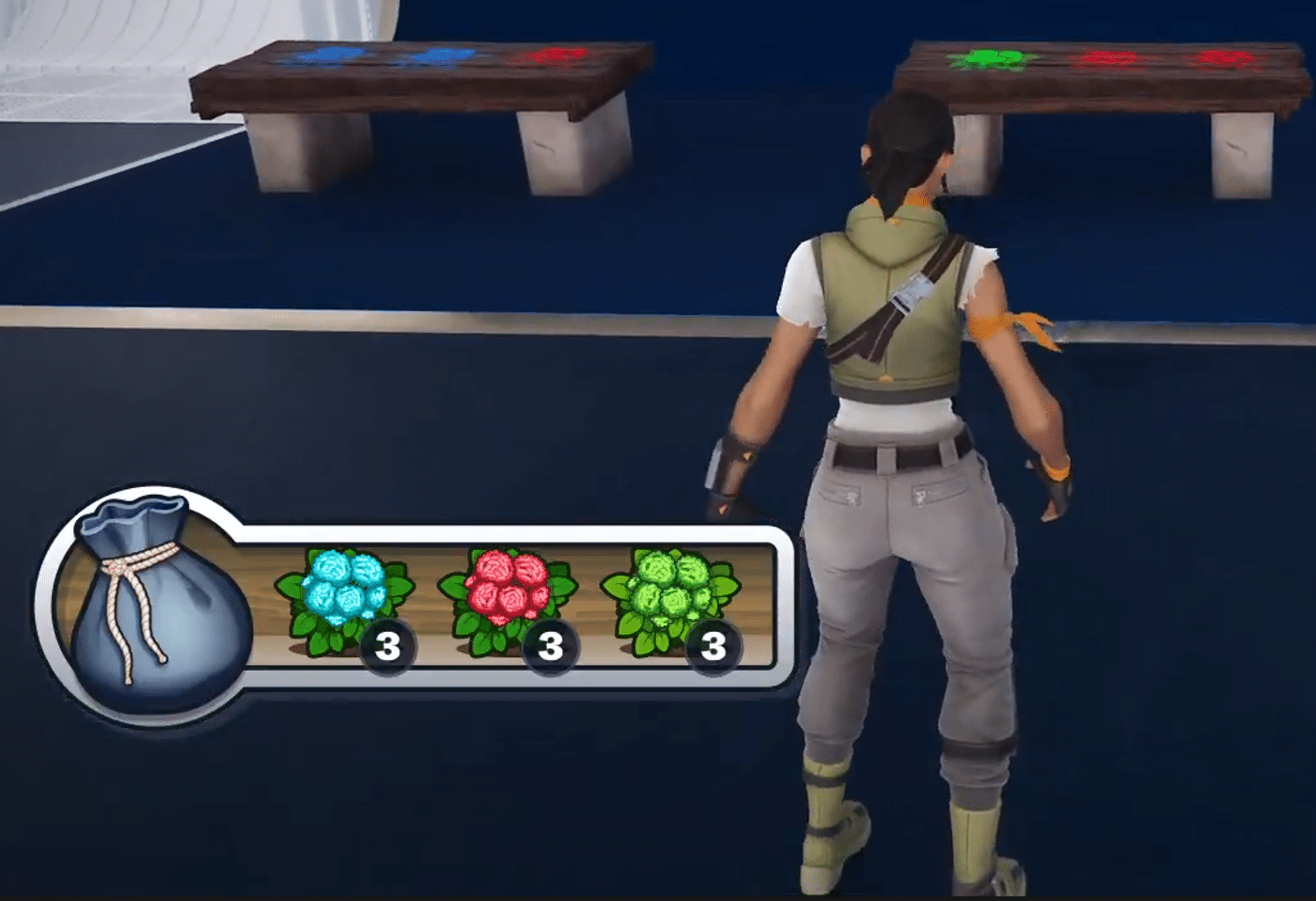
The Experimental release of Custom Inventory and Items allows developers to modify, customize, or completely replace the default player inventory. Developers can design original items with unique properties, and build gameplay systems centered around inventory interactions.
From in-game economies to crafting mechanics and beyond, this system supports a wide range of gameplay styles, unlocking even more ways to create distinct and engaging player experiences.
Custom items are made up of Scene Graph components, more of which will be released regularly. You can also create your own components with Verse.

Best Practices for Building Mobile-First Islands
This new documentation aims to guide developers with design best practices and tips to optimize island performance for mobile devices. As UEFN continues to enhance the mobile development experience for developers, we’ll update and expand this content as needed.
Hive Lobbers
A new wildlife type has been added to the Wildlife Spawner device: the Hive Lobber. This large insect fires ranged projectiles at its enemies, and will burrow and tunnel away from them when they get close. Hive Lobbers can be tamed by players like other wildlife types (such as the Wolf and Boar) using device events. However, Hive Lobbers currently do not work with patrol paths.
The Wildlife Spawner also has a new option called Aggression Level. This option determines how often the Hive Lobbers perform their ranged attack, so you can control their behavior and how threatening they are.
Verse API for Hive Stash Device
Verse API for the Hive Stash device is now live! You can now use Verse to dynamically track and adjust the Hive Stash state, appearance, and behavior. You can also link Hive Stashes directly to Guard and NPC Spawner devices for even more control over rescued characters. Check it out in the Verse API documentation!
New Prefabs and Galleries
- Reckless Railways Grand Station
- Reckless Railways Villa
- Reckless Railways Houses
- Reckless Railways Floor and Stairs Gallery
- Reckless Railways Wall Gallery
- Reckless Railways Roof Gallery
- Reckless Railways Props Gallery
- Reckless Railways Foundation and Street Gallery
New Debug Commands
To help you efficiently debug your projects, we are committed to adding more debug commands to the Beta Debug Command menu. We’ve now added:
- Set Health: Adds health as a percentage of max health.
- Increase Gold Resources: Instantly adds the requested number to the player’s gold resources.

Community Bug Fixes
The following fixes are from issues that you submitted to us on the forums. Thank you for your patience and for reporting these issues!
- Fixed an issue where the Pinball Bumper device’s animation would trigger, but the user remained on top of the device.
- Fixed an issue where explosive weapons were not dealing enough damage.
- Fixed an issue where DBNO players were entering a broken state after being revived.
- Fixed an issue where Verse code based on a subscription for DestroyEvent was ignored.

Fortnite Ecosystem Updates and Fixes
New:
- Added utility functions to query private states in the widget. This can be useful when creating widget validators.
- The Speaking Players widget on the right side of the screen is now more responsive during game chat.
- When players speak, their player name is displayed in the Speaking Players widget on the right side of the screen.
Fixes:
- Fixed an issue where the Boom Box dealt no damage to objects around it.
- Fixed an issue where many explosive items and weapons dealt reduced damage to vehicles.
- Fixed several weapons not respecting the Weapon Destruction options in Island Settings.
Device Updates and Fixes
New:
- The Player Movement device has been temporarily disabled when Physics is enabled.
- The Carryable Spawner device now has the ability to set the Carryable Mesh and Material in Verse using new
SetMeshandSetMaterialfunctions.
Fixes:
- Fixed an issue where clearing a Hive Stash’s link to a spawner device could result in character and container visual overlapping inside of the Hive Stash.
- Fixed a validation error that sometimes prevented starting a session when using the Map Indicator device in UEFN.

UEFN Updates and Fixes
Fixes:
- Cleaned up some editor-only material localization that was being gathered as game localization data.
- Disabled the Dynamic Possession menu in UMG since it’s not supported for UEFN.
- Removed Edit In Sequencer because it relies on something that is not yet supported in UEFN.
- Fixed a crash that occurred when publishing an island or saving a project while the landscape material was invalid.
UEFN General Physics Updates and Fixes
New:
- The Pinball Flipper and Pinball Bumper devices are now physically based. This means that objects will be propelled by the flipper action. This also addresses previous device latency for these devices.
Fixes:
- The Prop Mover device’s On Player Collision Behavior option is now functioning with translation movement.
- A new error message now warns that the
FortPhysicscomponent cannot be added to devices. It should only be applied to props. - The sound presets no longer play after ending a game.
- The sound effects (SFX) selected in the FortPhysics component now follow the prop movements consistently.
- The Impulse on Hit Multiplier setting is now greyed out when the Impulse On Hit Island setting is set to Disabled.
- Players can now use emotes when standing anywhere on props that are moved with the Prop Mover device.
- The player no longer returns to standing state when crouching.
- The player now moves correctly while being impulsed upward with a Player Movement device.
- The Explosive device default impulse now has a greater effect on physics props and on players.
- The player is now launched consistently when they collide with the D-Launcher device.
- Weapon positioning and ADS animations are now correctly replicated for other clients.
- The Angled Environmental Trap Bouncer (Ceiling) trap now launches physics props in the right direction.
- Props with a sound preset now produce sounds when hit by a second player using a weapon or pickaxe.
- Props now consistently keep moving when they are pushed or hit.
- Props no longer simulate physics when Simulate Physics is set to False.
- The transition between standing still and sprinting is now smoother.
- Movement is now much more fluid when characters or players fall from heights.
- The crosshair now remains above the weapon when a player is crouching and aiming down the sights.
For other known issues and technical info on the patch, check out Epic Games’ explanation.
In other Fortnite news, the Peacemaker dance has been removed by Epic following the show’s big Season 2 twist.

This website contains affiliate links. If you click a link and make a purchase, we may earn a commission at no additional cost to you. This helps support our work. Learn more on our affiliate page.