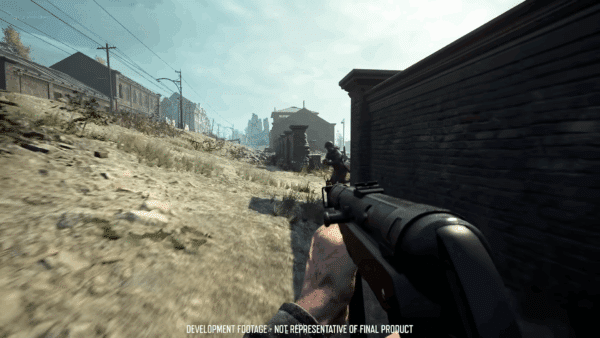
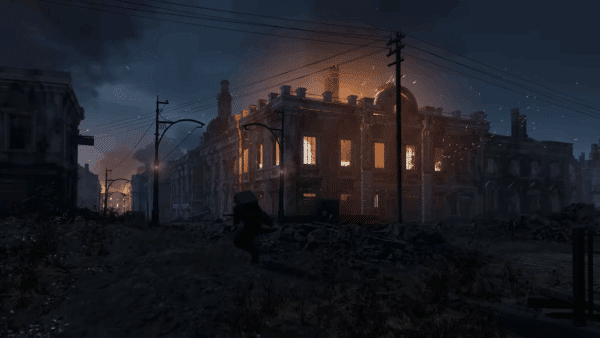
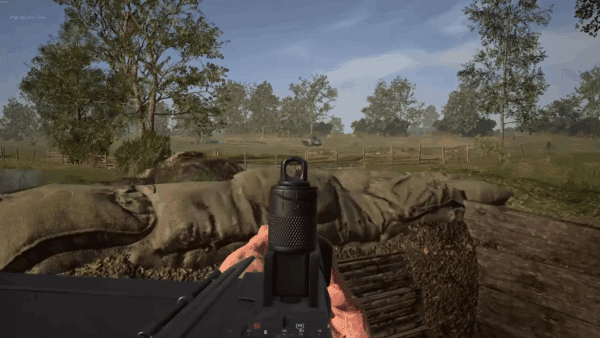
Hell Let Loose Update 18 Deploys Stalingrad Refresh via Patch 1.000.175

Expression Games has released the latest major update for Hell Let Loose, which is known as Update 18. This brings a refresh of the Stalingrad map, as well as various fixes pertaining to other gameplay elements.
Console gamers will see the Oct. 7 patch as version 1.000.175, and expect a significant download on all platforms.
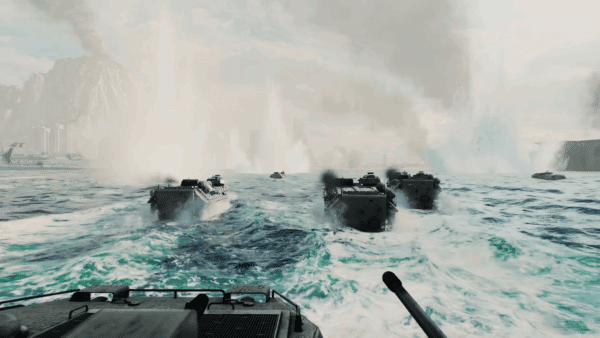
For the complete list of changes, read on for the patch notes.
Hell Let Loose Update on Oct. 7 Applies Patch 1.000.175 Changes
Aside from the Stalingrad overhaul, there are also qualty-of-life improvements. Update 18 is the first of two major updates planned before the end of 2025, with Update 19 set to be deployed in November.
Stalingrad Refresh
After reviewing the map and filtering through player reports and community posts across various platforms, the most contentious problems with the map were identified. The main goal was to fix performance, making the map accessible to people on various platforms.
- General improvements include:
- Adjusted the player spawners balancing the HQs
- Adjusted the scale and placement of the capture point’s hard caps
- General map-wide cover pass where needed (making sure to retain the legacy map’s openness)
- General map-wide VFX pass
- General terrain adjustments
- General destruction pass
- Updated roads meshes
- Updated the consistency of buildable behaviour when trying to place objects inside buildings
- Addressed floating assets
- Added five new lighting scenarios
- Skirmish set up
The intention behind Stalingrad’s map refresh was to balance and enhance gameplay, expanding on the legacy map’s existing theme and retaining what makes Stalingrad so iconic.
- Alternative routes across embankments (new player paths)
- Additional road-side cover to block long lines of sight (helps with defending and approaching)
- Added more destroyed buildings in empty lots
Nail Factory
- Opened up various fences and brick walls to provide alternative player routes
- Reviewed and addressed vehicle routes throughout the factory, unblocking previously blocked paths
- Added trench bridges to provide alternative player routes
- General cover pass around the factory and throughout the trenches
- Added more destruction to the factory building as a whole to aid theme
- Added a trench network and cover to combat the dominance of the enterable 3 storey building with roof top access
City Overlook
Opened up various fences to provide alternative player routes
- Additional cover along the roads to block long lines of sight
- Added more destroyed buildings to aid the theme and provide cover
- Added a trench network to the outskirts (helps with defending and approaching)
Dolgiy Ravine
- Added a trench network to the south east of the point to aid defenders of the point
- Added cover within the ravine that players can dip in and out of
- Added additional destroyed buildings with the existing buildings to add cover and provide alternative player routes
Yellow House
- Added destroyed vehicles to the central open field – creating cover and alternate player paths (while creating more destruction and adding to the maps overall demolished theme)
- Additional road-side cover to block long lines of sight (helps with defending and approaching)
- Added trench networks to provide cover from the wide open areas
- Added a new point of interest building to the outskirts creating a distinctive landmark that is based on real-world reference
Komsomol HQ
- Added cover along side the road to address long lines of sight
- Added additional destroyed buildings with the existing buildings to add cover and provide alternative player routes
- Added cover and a trench networks on the approach to the central two storey building to combat the dominance of it’s position
Railway Crossing
- Added new carriages, adding more destroyed variants, scattering some in disarray to emphasise the maps theme
- Added a new variation of the carriages – flat carriages that provide different levels of cover via ammunition crates
- Added new trench networks to provide more verticality to the area
- Blocked long lines of sight along the train tracks
Carriage Depot
- Reworked the layout of the carriages creating a variety of player routes and also providing covered sightlines within the carriages to combat the high ridge towards the west
- Added rubble near the bottom of some carriages to provide players full cover in some areas to combat the dominant position to the west
- Added more destruction to aid the map’s theme
- Extended the carriage theme towards both capture points to the North and South making the rails feel cohesive
- Opened up various brick walls to provide alternative player routes
- Added rubble within the trench to provide cover whilst within them
Train Station
- Added a destroyed non-enterable train station building to provide cover to the open area – this also creates landmark, enhances the capture point’s theme and adds visual interest to the area
- Extended the existing trench network bringing it around defending the train station building
- Added additional destroyed buildings to the area
- Opened up various brick walls to provide alternative player routes
- Continued the theme and added new carriages, adding more destroyed variants
- Blocked long lines of sight that looked into the capture point to the north
- Added trench bridges to provide alternative infantry and vehicle routes
House of the Workers
- Added a variety of trench networks to combat the dominant position within the large enterable building at the centre of the point – this also provides more verticality to the open area
- Addressed long lines of sight to aid approaching and defending the capture point
- Added cover along side the road to address long lines of sight
- Opened up various brick walls to provide alternative player routes
- Added more destroyed buildings to aid the theme and provide cover
Pavlov’s House
- Added more enterable buildings to allow for cross fire with the two existing Pavlov buildings and combat the two large enterable apartment blocks to the east
- Replaced the Pavlov’s House building with a similar apartment block asset to balance gameplay – this new building provides sightlines that are less dominant and the new building also complements the gameplay strategies with the new surrounding buildings
- Added large trench networks throughout the open courtyard that interlink with many buildings providing an alternative strategy to fight the large enterable buildings – this also provides more player routes and allows for cover from the courtyard
The Brewery
- Added an enterable building to the capture point to provide cover and assist with capture point’s theme
- Added cover utilising more thematic assets added to emphasis the capture point’s original theme
- Added new trench networks to help with the capture point’s defense and also provide more verticality to the area
- Opened up and added various brick walls to provide alternative cover and player routes
L-Shaped House
- Added cover along side various roads throughout the capture point to block extremely long lines of sight
Grudinin’s Mill
- Added cover scattered along side the roads to address long lines of sight and provide the Soviet side a safer route to approach the capture point from their HQ
- Added a trench network to the area to add alternate covered routes from various longer lines of sight
Volga Banks
- Added more buildings to the area to provide cover and
- Added various trench networks to allow for different strategic approaches
- Reviewed and adjusted barbed wire in the central area to create a vehicle route
- Opened up brick walls to provide alternative cover and player routes
Skirmish Mode
Two Skirmish mode scenarios have been created for Stalingrad. In this mode, players must fight over the ‘Carriage Depot’ capture point. Skirmish mode comes with the following lighting scenarios:
- Stalingrad – Skirmish – Dusk Variant
- Stalingrad – Skirmish – Overcast Variant
Lighting updates
Five new lighting updates have been added with the night setting updated. Volumetric fog has been enabled throughout with the addition of atmospheric pockets of fog throughout the map.
- Day – Overcast
- Morning
- Morning – Overcast
- Dusk
- Night
Armor Rework
This rework marks the beginning of a longer process, not only for tanks but for every role affected by armor.
The new systems and structures introduced below provide greater flexibility to adjust, balance and iterate in the future. The goal is to create a fairer, more enjoyable experience for all players, and this will take time. Player feedback is invaluable in refining armor.
Tank Balancing
All light, medium and heavy tanks have had a balance pass for the following factions:
- Any entry in green is a buff
- If in red is a nerf
- And in grey means it remains unchanged.
US Tank Changes


Terrain Modifiers
Tank movement has been updated to incorporate terrain-based modifiers. Track friction and speed now dynamically adjust depending on surface type. Environments like mud, snow and sand provide a more accurate performance variation, while remaining balanced within the world of Hell Let Loose. These changes are subtle but will make all the difference while trying to race towards the strongpoint.
Tank Physics System
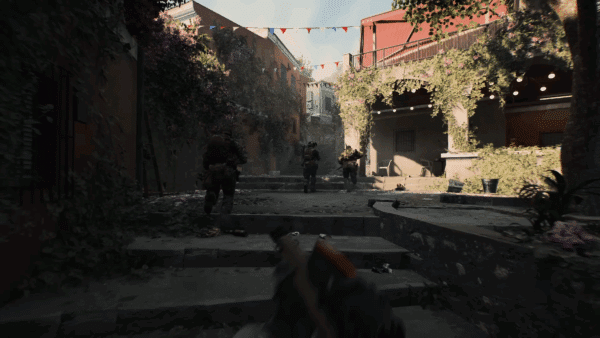
The physical model of each armored vehicle has been individually updated and refined. Tanks can now more reliably cross trenches, gaps and other terrain features they are designed to handle on the battlefield. The improved physical model is key in ensuring that tanks can traverse over uneven landscapes and small obstacles with greatly reduced physics-based issues. Tanks now react to hitting large obstacles such as walls and buildings more realistically.
Maps in Hell Let Loose are large and sprawling, and contains legacy collision issues that affect vehicle navigation. Work will continue to improve the tank driving experience in future updates.
Firing Knockback Force
Tank firing from its main turret now includes a slight recoil effect. When a shell is fired, the tank will experience a small knockback to better reflect the force of the shot. Coupled with this are new camera shakes for light, medium and heavy tanks to further emphasise the force applied when firing.
Contextual Repairs
To deepen the armor gameplay experience, the repair system has been overhauled.
Previously, the act of repairing a vehicle had an order of priority for which components should be repaired first. The engine was given the highest priority, but could be repaired by using the torch on any area of the tank, likewise with the hull, tracks and turret. A prompt would be displayed to the user to show which component was being repaired, but there was no way for the player to decide which component to repair first.
With this improvement, an Engineer or Tank Crewman can – for example – prioritise the tracks to make a quick retreat, or focus repairs on the turret to fight back in a last-resort combat effort.

Heavy Tank Spawn Limitations
Each team may field a maximum of two heavy tanks at any given time.
Their buffs make them a significant threat to both armor and infantry. Taking one down requires strong coordination and resource investment, all the while this limitation reinforces the importance of medium and light tanks throughout the match.
The cooldown timer on all heavy tanks has been increased from 5 minutes to 10 minutes, preventing any early-game strategies using a heavy tank.
Anti-Tank adjustments
With increased tank health, anti-tank capabilities have been rebalanced. The Panzerschreck, Bazooka and PIAT damage has been slightly reduced, allowing some heavy tanks to survive longer. This is to emphasise their toughness without impacting medium and light tanks. Meanwhile, the anti-tank rifles, PTRS and Boys AT, have received a small damage buff when firing at the hull and turret, making them slightly more effective against tanks.
The following table shows how many shots it takes to destroy each tank. These values are using prime conditions; correct armor penetration and full damage applied to the hull.

Technician Loadout
Alongside the tank updates, the Crewman role now features a new addition: the Technician loadout.
This new variant of the role provides engineering capabilities, allowing players to construct barricades, repair stations and a new deployable ammo depot. This new depot refills tank shells in limited quantities.
These additions enable armor squads to establish forward positions for resupply and repair without needing to return to HQ.
Salvaging Wreckages
A new Salvage mechanic allows infantry to remove vehicle wreckage from the map. By using the hammer to interact with a destroyed vehicle for a set duration, the wreckage is cleared and a portion of fuel is returned to the friendly Commander.
This applies to both enemy and allied vehicles and can be performed by any player equipped with a hammer. In conjunction with this, all recon loadouts have been given a hammer, allowing these units to salvage enemy vehicles in hostile territory before others can reach them.
Vehicle Cosmetic Application
Armor cosmetics are now available alongside the soldier customization system. Players who purchase a cosmetic item for a vehicle can use the Exterior Customization tool to apply it in gameplay. While previewing, other players will also see the previewed cosmetic, so armor squads can decide on their tank’s visual style.
Once applied, tank cosmetics are locked to that particular instance of the vehicle, and would have to be reapplied to other vehicles of that type in the same match. Once a player is previewing cosmetics on a tank, other players will not be able to interact with it. Players will also be prevented from previewing and applying cosmetics when the tank is occupied.
Audio
This update, the audio changes have been mainly focused around the armour rework quality of life fixes. The updates are as follows:
Tank shell impact and deflections have had increased attenuation and volume
A volume level pass of tank engine interior/exteriors so they are more consistent throughout
Increased the attenuation of tank tracks SFX for all armoured units
Added occasional gear grinding SFX when changing gears inside tanks
Added SFX for when changing/applying customization cosmetics
Fixed an issue where MGs fired by the tank driver and gunner simultaneously could sound out of phase and unnatural
This update, the audio changes have been mainly focused around the armour rework quality of life fixes. The updates are as follows:
- Tank shell impact and deflections have had increased attenuation and volume
- A volume level pass of tank engine interior/exteriors so they are more consistent throughout
- Increased the attenuation of tank tracks SFX for all armoured units
- Added occasional gear grinding SFX when changing gears inside tanks
- Added SFX for when changing/applying customization cosmetics
- Fixed an issue where MGs fired by the tank driver and gunner simultaneously could sound out of phase and unnatural

New Mechanics Added in Hell Let Loose Update 18
Commander Ability – Artillery Strike
Commanders for all factions have a new ability called ‘Artillery Strike’, this allows them to place up to three artillery clusters (per turn) on the battlefield, at the expense of Munitions.
- Each stack of the ability costs 100 Munitions
Quality of Life Improvements via Hell Let Loose’s Oct. 7 Update
Ability to See Both Teams on the Map (Admin Camera only)
In admin camera, as well as being able to see players from both forces in the game world, server owners and admins will now be able to see players from both forces on the tac-map as well.
Invite Only Locked Unit
Invite only locked units can now be created, which block requests for others to join your squad. The pre-existing locked unit type and open units remain.
ADS FOV
This is a quality-of-life improvement that allows players to adjust their field of view (FOV) while aiming down sights (ADS). This matches the experience of aiming from the hip, with adjustable FOV settings. ADS and hip-fire have independent values, with separate settings in the options menu.
ADS FOV is not allowed to exceed the current base FOV value, to prevent visibility exploits that would produce an unfair advantage.
Picking up Supplies (Support Role)
Players who are playing as the Support role can now pick up and redistribute their supply box should they wish to be relocated. Once a supply box is placed down and the cooldown has started, the player can interact with the box to resupply them back into their inventory. The cooldown the supply box will also be reset.
Note:
- Only the player who placed down the supply box can pick them back up
- Other team members cannot pick up friendly supply boxes
- The supply box cannot be picked up if any of the supplies have been used (subject to change)
- This does not affect Commander supply drops or supply truck drops
- If a percentage of supplies have been used, a portion of the cooldown is reimbursed to the player relative to the amount of supplies remaining
UI Updates
New Icon – Enemy Supplies
- An enemy supplies marker has been added to the list of available markers
‘Killed in Action’ Screen
The ‘killed in action’ screen has been revamped, with players now given the following information:
- Who killed the player (blue text for friendly, red text for enemies)
- Which faction they belonged to
- Cause of death
- How long the player was alive prior to death
Redeployment Screen
A redeployment screen has been added, fixing the issue where players were incorrectly informed that they were ‘killed in action’. It also includes a breakdown of how long the player was alive since their last deployment.
Network Connection Icons
The following network connection icons are available on the HUD:
- The Network Latency icon: displayed when client latency is above a threshold
- The Packet Loss icon: displayed when losing an amount of network packets that would be detrimental to gameplay
- Strict NAT Type: displayed when NAT type is strict, which may impact networked gameplay performance
Vehicle VFX Improvements
The technical art has begun to address game-wide VFX improvements. The key area of initial focus was around vehicle explosion VFX. This was broken down by vehicle type, with explosions scaled to match each one. Some randomization was also added to the effect, making each explosion appear unique.
Dynamic Weather Updates
El Alamein
Dynamic sandstorms are now available in El Alamein Warfare and Offensive maps.
Driel
Dynamic rain storms with lightning are now in Driel Offensive maps.
For the list of bug fixes, cosmetics and other misc. items, head on over to the Hell Let Loose article about the update.
Given the scope of this patch, don’t be surprised to see a follow-up update aimed at fixes get released.
This website contains affiliate links. If you click a link and make a purchase, we may earn a commission at no additional cost to you. This helps support our work. Learn more on our affiliate page.