Overwatch 2 Season 18 Update Now Live via Patch 4.07/1.000.071
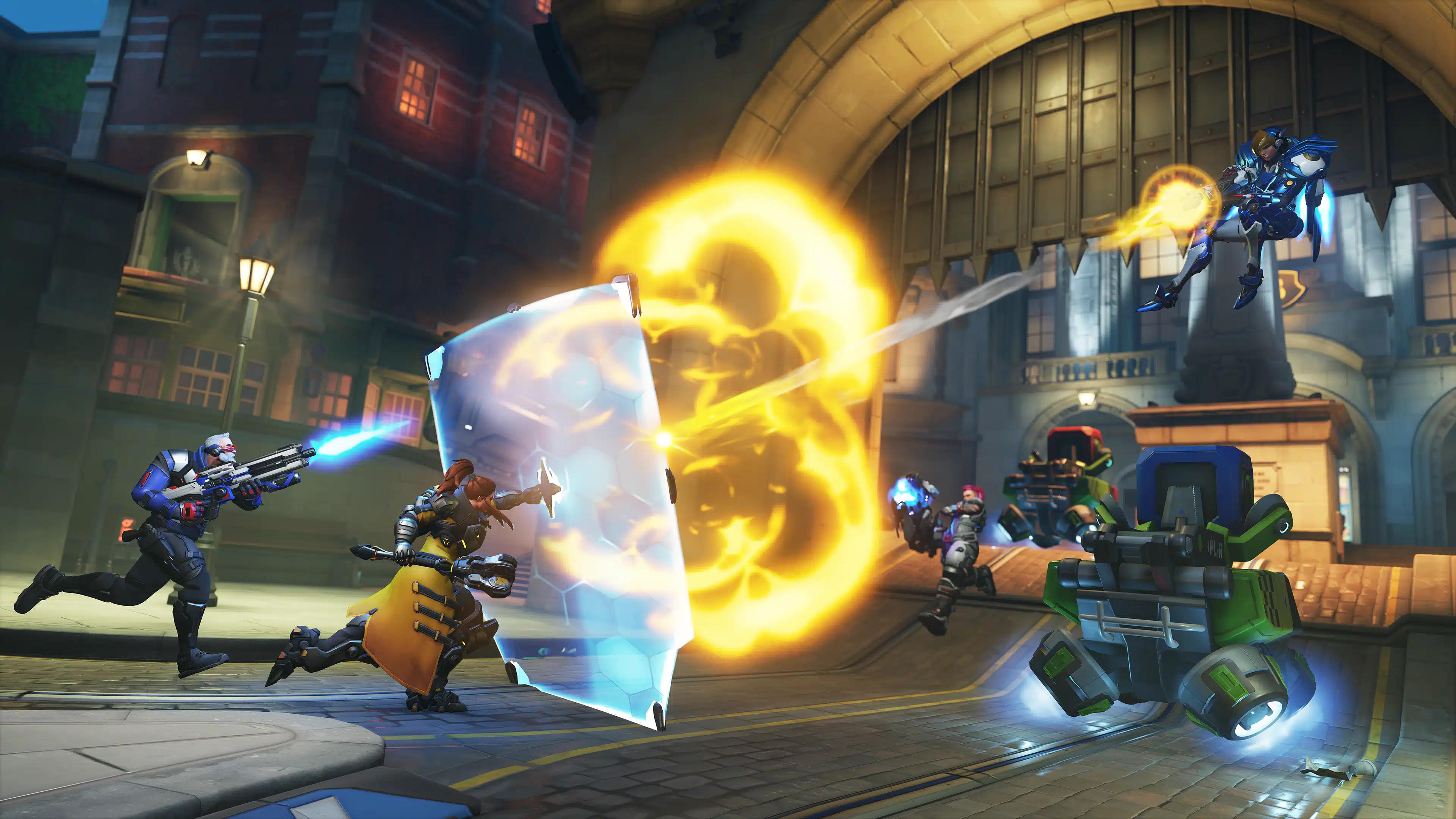
The latest season of Overwatch 2 is here, bringing Stadium Quick Play, new cosmetics, major changes to hero progression, and a lot more.
Those on consoles will see this download appear as Overwatch 2 update 4.07/1.000.071, and this also brings a host of hero changes too. More importantly for some, this update now allos keyboard and mouse controls on consoles!
For those who prefer Competitive, this update now allows Wuyang to compete in Comp! There are also balance changes associated with the new Support hero as well.

This is one of the biggest updates we’ve seen for the game, and the patch notes reflect that.
Overwatch 2 Update on Aug. 26 Brings Season 18 via Patch 4.07/1.000.071
Season 18: Stadium Quick Play
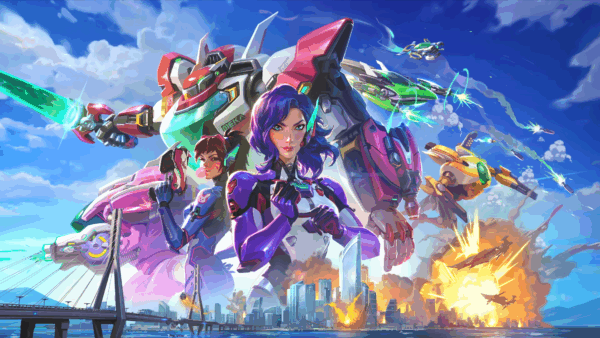
Season 18: Stadium Quick Play reshapes the current with a PvP refresh, a massive Stadium overhaul, and the debut of our newest Support hero—the rebellious aquatic, Wuyang. Master the rhythm with a flow-powered kit, dive into the updated Stadium with new heroes and Payload Race mode plus climb the ranks after our PvP System Refresh resets the competitive playing field. Whether you’re drafting comps, experimenting with Perks, or flexing your skills in third person Lúcio Ball, it’s time to make a splash.
Event Updates
Summer Games 2025
Summer Games return with a slick new POV and a few extra tricks. Lúcio Ball & Lúcio Ball Remix kick into third person for the first time and the high-flying Winston Volleyball has returned for you to rally your squad on the court. Earn a new summer-colored skin for Lúcio and more seasonal rewards just by logging in and getting your reps. Spike, slide, and score—Summer Games heat up from Sept 2–15!
Junkrat’s Loot Hunt
It’s raining loot again (and probably shrapnel). From September 12 to September 15, Junkrat’s Loot Hunt brings chaos back to the weekend with daily match challenges that unlock up to 9 Loot Boxes. Play 2, 5, and 10 matches each day to hit your milestones and stack the rewards. Wins count double, and all game modes apply. Progress resets at 11AM PT—so jump in, cause a little mayhem, and claim what’s yours before it all goes up in smoke.
General Updates
Hero Progression Updates
Hero Progression 2.0 rebuilds the system from the ground up with faster leveling, smoother UI, and a permanent prestige system built to flex your grind. Earn animated Ascended borders at milestone levels, unlock Loot Boxes at key breakpoints, and track long-term growth with every Hero. If you’ve been putting in the hours, this is the system that finally shows it off.
- Hero Level represents how much time you’ve spent playing each hero. Level up your heroes by completing games in any game mode.
- Progression Level represents how much you play overall. Every time you level up a hero, your Progression Level also goes up.
- Your hero and account level badges are automatically prestiged after reaching certain levels.
- Level up your heroes to earn Ascended borders, which displays in most areas during the course of a match. Opponents will not be able to see your Ascended prestige until after the match begins.
- As you level up, kickstart your cosmetic collection for your favorite heroes by earning Highlight Intros, Emotes, Victory Poses, Player Icons, Credits, and more.
- Additionally, unlock evolving Name Cards and Player Titles to show off your high level heroes!
- Progression accolades can be hidden in Streamer Mode settings.
Advanced Information Panel
- While in a match or the Practice Range, players can now interact with the Hero Information screen to find advanced details about their weapons, abilities, and passives.
- The following types of information are present for all heroes where relevant: Damage, Healing, Cooldowns, Range, Radius, Effect Durations, Magazine Size, Reload Time, Falloff Ranges, Barrier Health, Overhealth, Overshield, Overarmor, Damage Amplification, Damage Reduction, Movement Speed Modifications, Deployable Health, Shot Spread, Shots Per Volley, Knockback, Charge Times, Energy, and many hero-specific mechanics that don’t fall into the above categories are also included.
- Some notable exceptions like Ultimate Charge and Rate of Fire are works in progress that we hope to add in future updates. We’re excited to hear your feedback on this feature and we’d love to hear what specific additional information you’d like us to add in the future!
- Keywords are included to help players understand how they interact with each other.
- Keyword definitions can be accessed for in-depth explanations of mechanics.
- Any part of a Keyword definition that is highlighted indicates that this aspect of the definition is not always the same for every instance of this Keyword.
- Perks are not currently included in this feature.
- This feature is not supported to calculate for Stadium Powers and Items equipped.
- This feature is not supported in the Hero Gallery.
Mouse and Keyboard for Consoles
- Console players can now use a Mouse and Keyboard natively to play Overwatch 2 if they prefer not to use a controller.
- When it comes to the matchmaking pools, PC Pool and Console Pool will now be referred to as the Mouse and Keyboard Pool and the Controller Pool. This change will be updated in our in-game UI in a future update.
- When on console and using a Mouse and Keyboard, you will be prompted to switch to the Mouse and Keyboard Pool in order to use a Mouse and Keyboard to play the game with. If you do not accept to switch to the Mouse and Keyboard Pool, your Mouse and Keyboard inputs will not work for gameplay controls, and you will only be able to use Controller. You can also manually switch to either pool in your Gameplay Options.
- You can still use Mouse and Keyboard in either Pool to type messages into text chat and other editable fields.
- When you switch to the Mouse and Keyboard Pool, you will be paired with all PC platforms and any console players who are using Mouse and Keyboard inputs and your internal MMR, skill ratings, and ranks for all game modes will be separate from your statistics in the Controller Pool.
- When playing in the Mouse and Keyboard Pool, aim assist features are not available even when you are using a controller.
- Controller players on PC platforms cannot enter the Controller Pool and cannot access aim assist features. To play on the Controller pool, you must play on a console platform.
- Use of unauthorized peripherals to bypass the restrictions in the Controller Pool will be considered as cheating and will result in actions taken on your Battle.net account.
Real-Time Text Moderation
- If another player types a message into Text Chat that is detected to be potentially disruptive, offensive, or harmful to other users, the message in its entirety will be hidden from other players.
- You may choose to see that message and report it, if necessary, directly from the text chat feed.
- You can disable this filter in the Text Chat section of the Social Options.
- As always, using inappropriate chat or being disruptive to other players is against our In-Game Code of Conduct, regardless of the words used or the context implied.
First-Time User Experience
- New players will now have access to every Hero in the game from the start!
- The entry requirement to participate in Competitive matches has been lowered to 20 wins in Unranked matches.
Competitive Play Updates
Hero Skill Rating
Skill Rating (SR) has returned to Overwatch in a new form, allowing players to analyze their skill at individual heroes. We originally removed Skill Rating from Competitive Play because players perceived it as an absolute truth about skill, instead of the best-guess approximation it really is. For two Gold 5 players on a team together today, we think players feel accurately represented in how closely skilled they are. But for 2069 and 2068 players on a team together, we’ve made a subtle implication that one of these players is better. These players are extremely close in skill and it would be incorrect to assume with certainty that one is more skilled than the other, but players tended to see a higher number as objectively more skilled, and this led to some unfortunate social dynamics within matches because of the comparisons it caused.
Comparisons are great for Hero Skill Rating though! Since this information isn’t shared outside of your Career Profile, we think giving you our best guesses will help you to understand and analyze your own skill at your stable of heroes in the most fun way.
- Hero Skill Rating is a number between 0 and 5000, with 5000 being equivalent to the top of Champion 1.
- Hero Skill Rating is not used in Matchmaking in any way.
- After Placements in Role or Open Queue, players will now be able to Place each of the 44 heroes in Season 18.
- A hero needs to play 5 Placement matches to get their final Hero Skill Rating.
- A hero must be played for at least 3 minutes within a match to qualify for Placement.
- A hero must be one of your top 3 most played heroes within that match to qualify for Placement.
- Hero Placements (and Hero Skill Rating) are not shared across Role and Open Queues.
- Hero Skill Rating updates are shown at the end of the match on the Competitive Overview screen.
- Only your top 3 most played heroes within that match will be displayed here, but every hero played in the match is updated behind the scenes based on the amount of time they were played within the match.
- Your Hero Skill Ratings can be viewed in the Career Profile under the Hero Comparison dropdown at any time, and on each hero’s Statistics page.
- A new tab has been added to the Competitive Info screen explaining many of the topics above.
Skill Rank Reset
- With a huge wave of new Perks and tuning to existing Perks, this soft reset is designed to put players on an even playing field and give them a chance to climb even higher than ever before.
- The highest Ranks (Master, Grandmaster, and Champion) have been tuned again to include a higher percentage of the player population once players are well calibrated.
- All ranks in Role Queue and Open Queue in Competitive Play have been reset to Unranked, and all players will need to complete their respective 10 placement matches for each role.
- Hero Skill Ratings have also been soft reset for the first time.
Competitive Rewards
- Achieving Diamond or above in Role Queue or Open Queue will now unlock Freja’s Galactic skin.
- Rewards are now based on your highest rank in a season instead of your final rank.
- Top 500 rewards are an exception to the change above and require your final rank to be Top 500 at the end of the season.
Competitive Play New Player Requirements
- The new player requirement to unlock Competitive Play has been lowered to 20 total matches won in Unranked modes.
Hero Updates
- Armor still reduces incoming damage by 7, up to a maximum of 50% of the damage received.
- Combined damage reduction and armor can no longer exceed 50% unless an ability increases it past that point, such as Ramattra’s Block or Hazard’s Block.
- In cases where total damage reduction already exceeds 50% before armor is applied, armor will have no additional effect.
For the complete list of hero changes, check out Blizzard’s in-depth explanation.
This website contains affiliate links. If you click a link and make a purchase, we may earn a commission at no additional cost to you. This helps support our work. Learn more on our affiliate page.