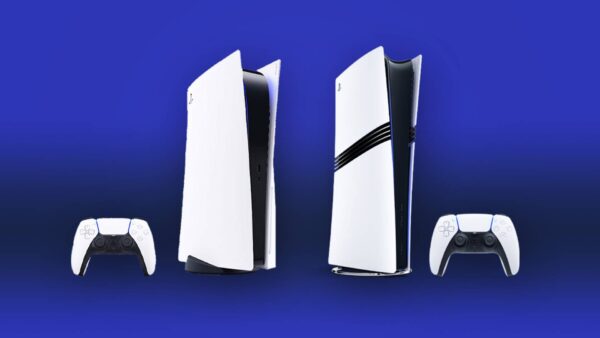
PS5 New Update 25.06-12.00.00.43 Adds Power Save Feature, DualSense Pairing for Multiple Devices

Sony has released the latest major PS5 new system update, which players will see as version 25.06-12.00.00.43. This adds a few new features to the console, with one benefiting those who even use controllers on other devices.
Clocking in at 1.317 GB, this download is live now worldwide and could very well be the last significant system update of the year.

Read on for everything that got added with the official patch notes.
PS5’s Latest Firmware Update on Sept. 17 Adds DualSense and Power Save Features via Version 25.06-12.00.00

Here are the new features for the today’s PS5 system update:
- You can now turn on power saver for supported PS5 games. When using power saver, you can scale back performance as needed to reduce power consumption.
- You can adjust this in Settings > System > Power Saving > Use Power Saver. You can turn this on or off for each supported game.
- When power saver is on, and a game supporting power saver is active, an icon appears next to the game in Switcher in the control center.
- We’ve updated the device software for the DualSense wireless controller and the DualSense Edge wireless controller.
- It’s now possible to pair your controller with multiple devices. You can register up to 4 devices and switch the device you’re connected to using your controller. For details, see the User’s Guide for your PlayStation®5 console.
- We’ve updated the device software of the DualSense and DualSense Edge wireless controllers, PlayStation VR2 Sense controllers, and Access controller to improve stability.
- We’ve improved the messages and usability on some screens.
- We’ve improved system software performance and stability

How to Pair DualSense Controller to Multiple Devices
By pressing a combination of the PS button and one of the action buttons (triangle button/circle button/cross button/square button), you can assign a device to your desired slot.
If a USB cable is connected to your controller, disconnect it before pairing.
- Make sure the light bar and player indicator on your controller is off. If they’re turned on, press and hold the PS button until they turn off.
- Press and hold one of the action buttons (triangle, circle, cross, or square) and the PS button for over 5 seconds. The light bar and player indicator flash two times.
- Turn on Bluetooth® on your device, and select the option to add Bluetooth® devices. Your device detects nearby Bluetooth® devices.
- Select your controller from the detected devices. The light bar lights up, and the player indicator’s lights blink according to the slot number.
How to Switch Devices
Once the device is registered on your controller, you can switch between devices by pressing the PS button and the action buttons (triangle, circle, cross, or square) corresponding to a slot. You can do this when the controller is turned on or off.
- Turn on the device you want to connect to.
- Press and hold one of the action buttons and the PS button for about 3 seconds. When the light bar and player indicator blink, release both buttons. The light bar lights up, and the player indicator’s lights blink according to the slot number.
| Slot number | Button used | Player indicator lights | Connected Device (Example)* |
| Slot 1 | PS button and Triangle button | One light on | PS5 |
| Slot 2 | PS button and Circle button | Two lights on | PS5 Pro |
| Slot 3 | PS button and Cross button | Three lights on | Windows PC |
| Slot 4 | PS button and Square button | Four lights on | iPhone |
That’s about it for this new system update for today. If Sony plans to release another major firmware update, we should know about it beforehand given the company tests it first in the beta branch.
In other PlayStation news, we recently reported that Marvel’s Wolverine will be released next year, and that Insomniac is also working on a Venom project.

This website contains affiliate links. If you click a link and make a purchase, we may earn a commission at no additional cost to you. This helps support our work. Learn more on our affiliate page.