HYTE Y50 RGB PC Case Review – A Love Letter
`With the PC market seeing a massive shakeup due to the rise of AI and other global pressures, many manufacturers have begun scaling back while raising prices on existing products to absorb surging production costs. What was once a rather manageable budget build is now pushing enthusiast-tier pricing, effectively wiping out the entry-level segment and redefining what it costs just to get in the door.
To say the least, it’s been a very tough year for gamers, especially those looking to jump to PC, as no matter where they look, it seems that essential components now carry a price tag designed for corporate expense accounts rather than everyday hobbyists. I know; I just built a brand-new PC- actually, two of them over the last year- and weren’t for the fact that I had some spare RAM lying around for both builds, I probably wouldn’t have bothered.

What’s a person supposed to do, wait? Sure, but as we’ve seen over the last few years, waiting only seems to be setting a new entry-level record high, rather than driving components down. It seems that almost every major corporation out there is out there to take advantage of its buyers, which, in all fairness, is the way of business. But I say “almost” every business out there, because it seems that one company is willing to read the room: HYTE.

Enter the HYTE Y50, HYTE’s newest PC gaming case that takes everything you love about their flagship PC gaming cases and refocuses it through an accessible, builder-first lens. It may not be driving down the price of GPUs, CPUs, RAM, and other critical PC components, but HYTE’s new approach to the market is exactly the kind of wake-up call the rest of the hardware industry needs.
This Should Be HYTE’s New Flagship
Since their splash in the PC market, HYTE has positioned itself as a premium brand. Sure, they started with the Revolt 3, a fairly priced mini-ITX case, though anyone in the PC-building business knows mini-ITX is more on the “niche” side. That, and let’s not forget about the “ITX-tax”, which is essentially paying more for smaller parts, despite there being cheaper options, at the cost of being, well, bigger parts. As much as I would love to see HYTE bring us a new ITX case (come on, do it already!), it’s understandable why they’ve moved away from that market and more towards something mainstream.
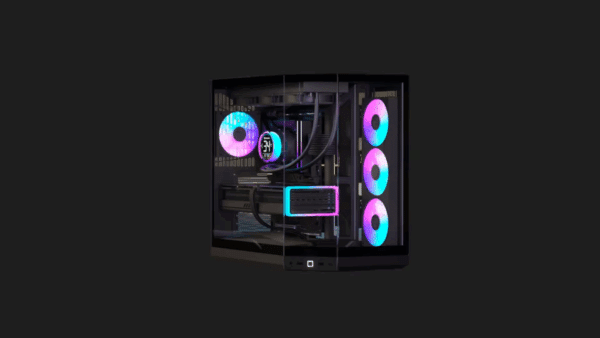
For HYTE, this was the dual-chamber market, and to make an impression, they went full fish tank. They weren’t the first to do it, but it’s hard to argue they didn’t revolutionize it. In 2022, a few months after releasing the HYTE Revolt 3, HYTE launched an all-new PC case, the Y60. Almost immediately, the PC community fell in love. With its panoramic glass design, distinctive corner construction, and vertical GPU orientation, the Y60 stood out in a market that was becoming increasingly difficult to differentiate in.
It was unlike any other dual-chamber case on the market at the time, heralding the start of a dual-chamber revolution. It’s hard to look at other dual-chamber cases out there and not see a hint of HYTE’s influence. Whether you love the fishtank design or not, there’s no denying that HYTE helped push it into the mainstream. Suddenly, dual-chamber cases weren’t just about hiding cables and separating components; they became a way to turn the PC itself into a display piece. The Y60 made that concept accessible enough that other manufacturers took notice, and the market hasn’t really looked back since.
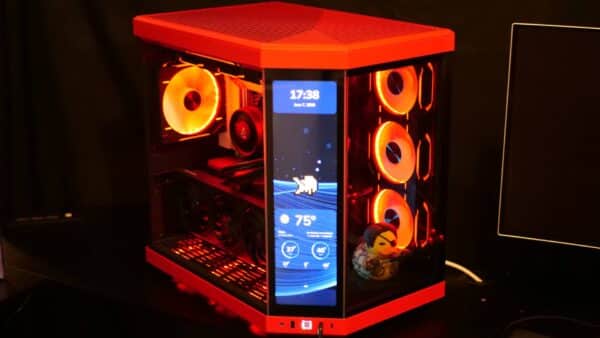
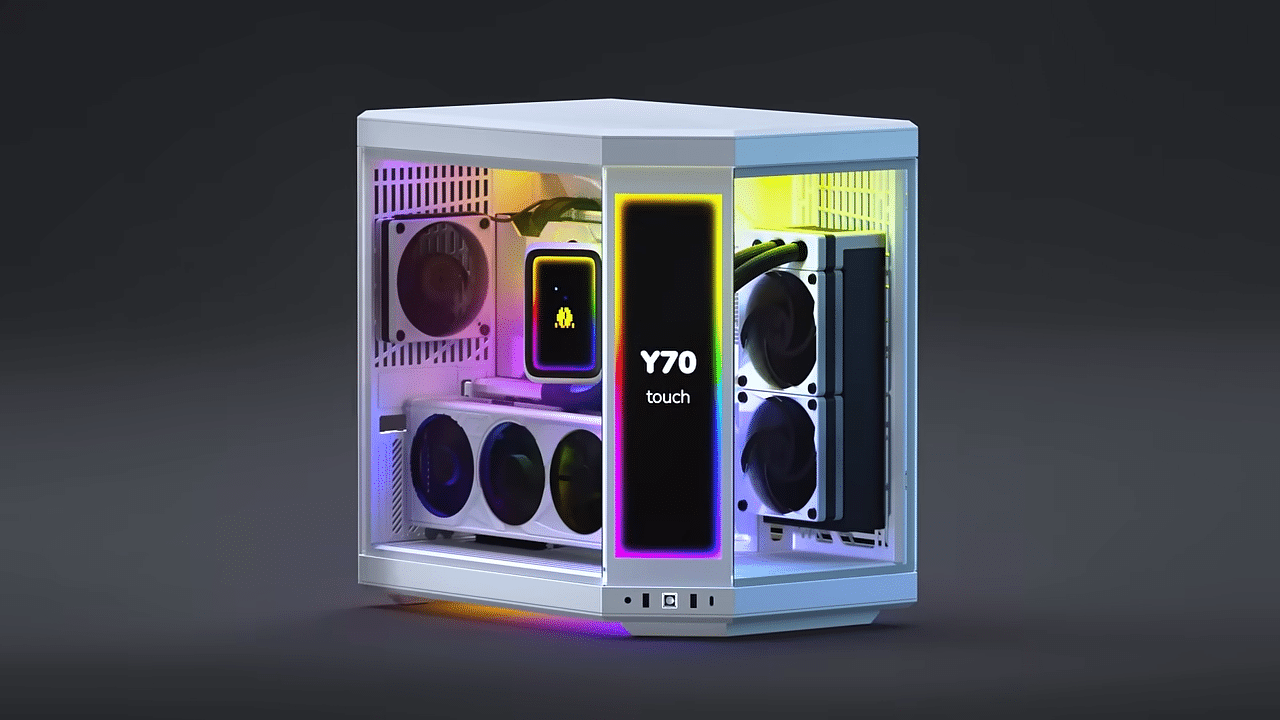
Mind, the Y60 wasn’t perfect. Far from it. But its influence is undeniable. But it wasn’t cheap. It launched at $199.99, which was a big ask in 2022, even one today for a PC case. This trend of prices would only continue for HYTE, as they eventually would launch the case’s successor, the HYTE Y70, which came in with an MSRP of $219.99 for the standard model, or $359.99 for the Touch display model (which would update to $399.99 with a new touch infinite display).
On one hand, HYTE addressed many of the issues the Y60 had with the Y70. On the other hand, it came with a pricier tag that many consumers already struggled to justify. It was a premium case, designed for enthusiasts who wanted to show the world just what their PC case was made of.
That was HYTE’s target audience, and, in all fairness, it worked and made sense. They established themselves as a premium brand by aligning with top content creators and publishers, offering a wide range of collaborations. You didn’t buy a HYTE case to save money. You bought one because you wanted something different. Something that would stand out from the sea of black boxes that had dominated the PC market for decades. You were willing to pay extra for the design, the build quality, the branding, and, increasingly, the experience of owning one.
But we’ve all seen what’s been going on in the PC and gaming market the last few years. Rising costs of components, on top of increased tariffs. AI is certainly the big reason for the mess we are in, and it doesn’t look like things are slowing down any time soon. So what’s a company supposed to do? Raise prices to squeeze every possible penny out of their consumer? Sure, and that’s sadly been the unwillingly acceptable norm the last few years.

The problem is, HYTE doesn’t make GPUs, CPUs, motherboards, and the like. They’re mainly a PC case maker, but that doesn’t mean they aren’t still deeply impacted by ongoing global issues (Gamer Nexus did an amazing documentary on this, which also features HYTE).
For HYTE, this meant being backed into a corner, and when you corner something, you usually have two choices: fight back or fold.
HYTE chose to fight back, and in doing so, made them rethink their entire market approach. How do you deliver on the same luxury experience without demanding a luxury price? As a brand that has built itself around premium products, how do you deliver something that doesn’t price consumers out while maintaining everything that makes your brand what it is—without compromise?
That answer is the HYTE Y50, the company’s biggest gamble to date, and frankly, I think it’s the one that will pay off.
So let’s explore what HYTE has done with the Y50 that makes it so damn special for the PC community.
As the newest sibling in HYTE’s Y-series, the smaller number in nearly any product line typically means fewer features. Look at GPUs, for example. Unless it’s a “super” variant of a card, the likelihood of seeing a smaller-numbered series card outperforming the higher-numbered ones is practically zero. You expect missing features, compromised materials, and an underlying sense that you settled just to save a buck.
Yet somehow, the HYTE Y50 pulls off a rare feat in the chassis space: it trims away the bloat without gutting the experience. What you get is not only the premium, high-end gaming enthusiast experience that HYTE has positioned itself with their past Y-series cases, but you get it all at a fraction of the cost, with features that make the case quite formidable.
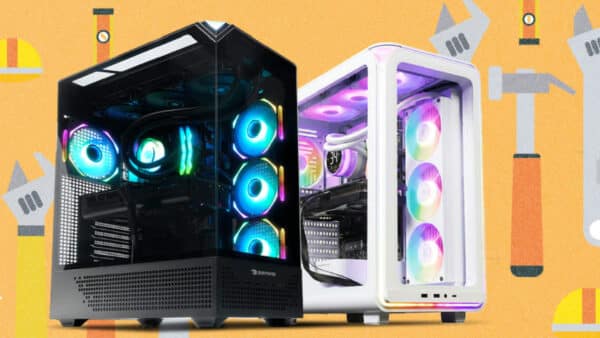
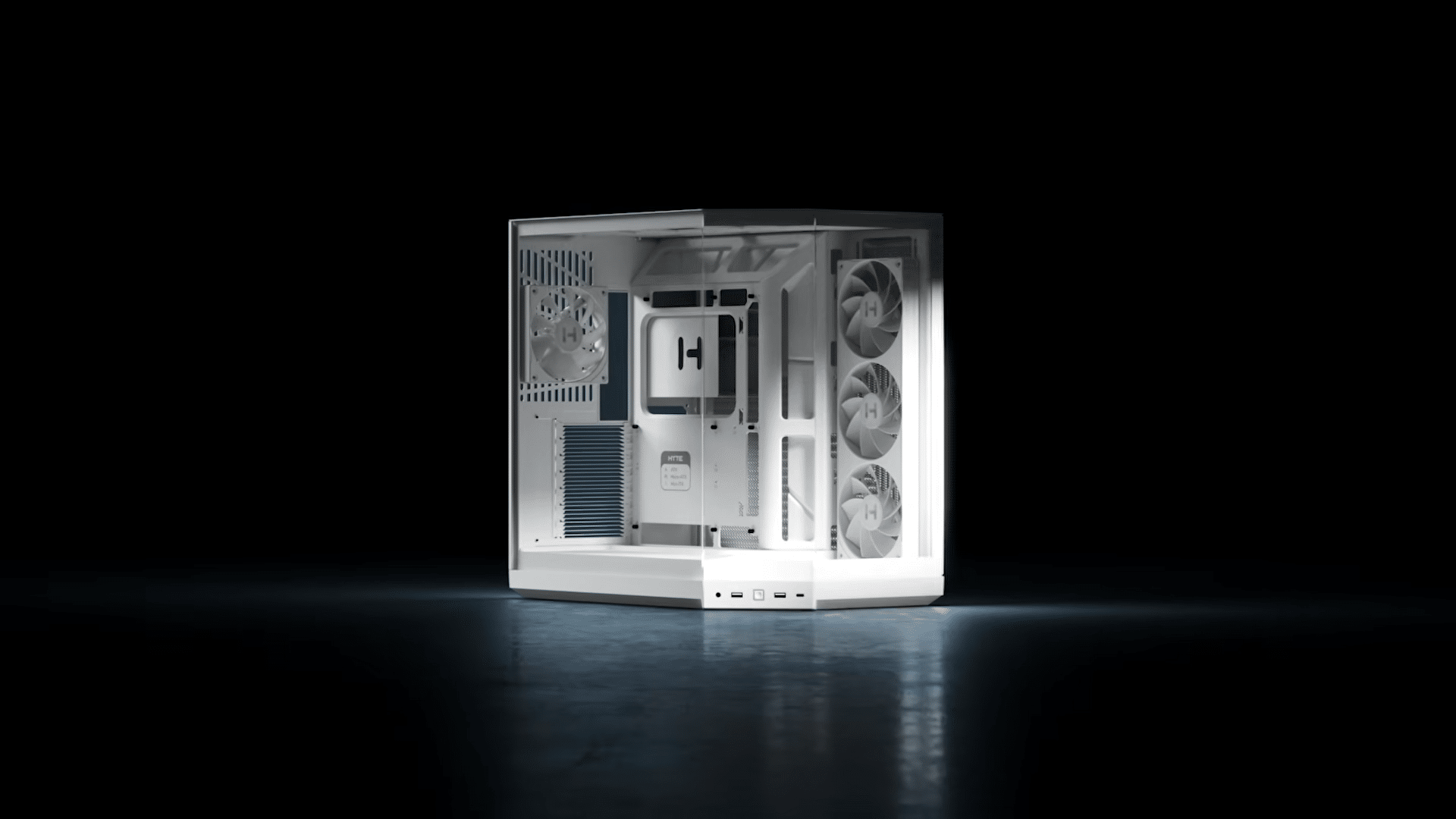
Like previous Y-series cases, the Y50 features three glass panels, giving you a panoramic view of the inside of your PC. You’ve spent hard-earned cash on building your PC, and HYTE has always understood that, so why shouldn’t you and others get to admire what you’ve made?
HYTE has continued to nail this design, and while it’s smaller than the Y70 in volume, there’s plenty of room inside to show off all your different components. HYTE also saw what fans were doing with the space in their cases. Specifically, the area on the front corner glass panel is a spot where people often put some sort of figurine. To really lean into this, the Y50 features stair-stepped flooring as part of its floating base redesign. It gives it enough clearance to maintain that floating base, but with the step design, it also opens up room for decorations or figurines to sit comfortably inside the case. Even without anything inside, I’m really fond of the shape created by the flooring. I’m so used to seeing things leveled with each other, so having this little bit of depth and separation inside the case gives the interior a much more intentional look.
Overall, HYTE has done a lot of redesigning with this case. It’s not just a scaled-down version of the previous models, as every piece of paneling and almost every aspect of the internal layout has been redesigned. The removable top and side panels feature mesh holes, much like the HYTE X50 (the Y50 borrows quite a bit from that case). They aren’t entirely flat either. It’s very hard to tell from photos and videos, but the panels have a design that weaves up and down. I can’t tell you if this helps with ventilation, but the design is cool and, from afar, gives the illusion of a flat, level panel. 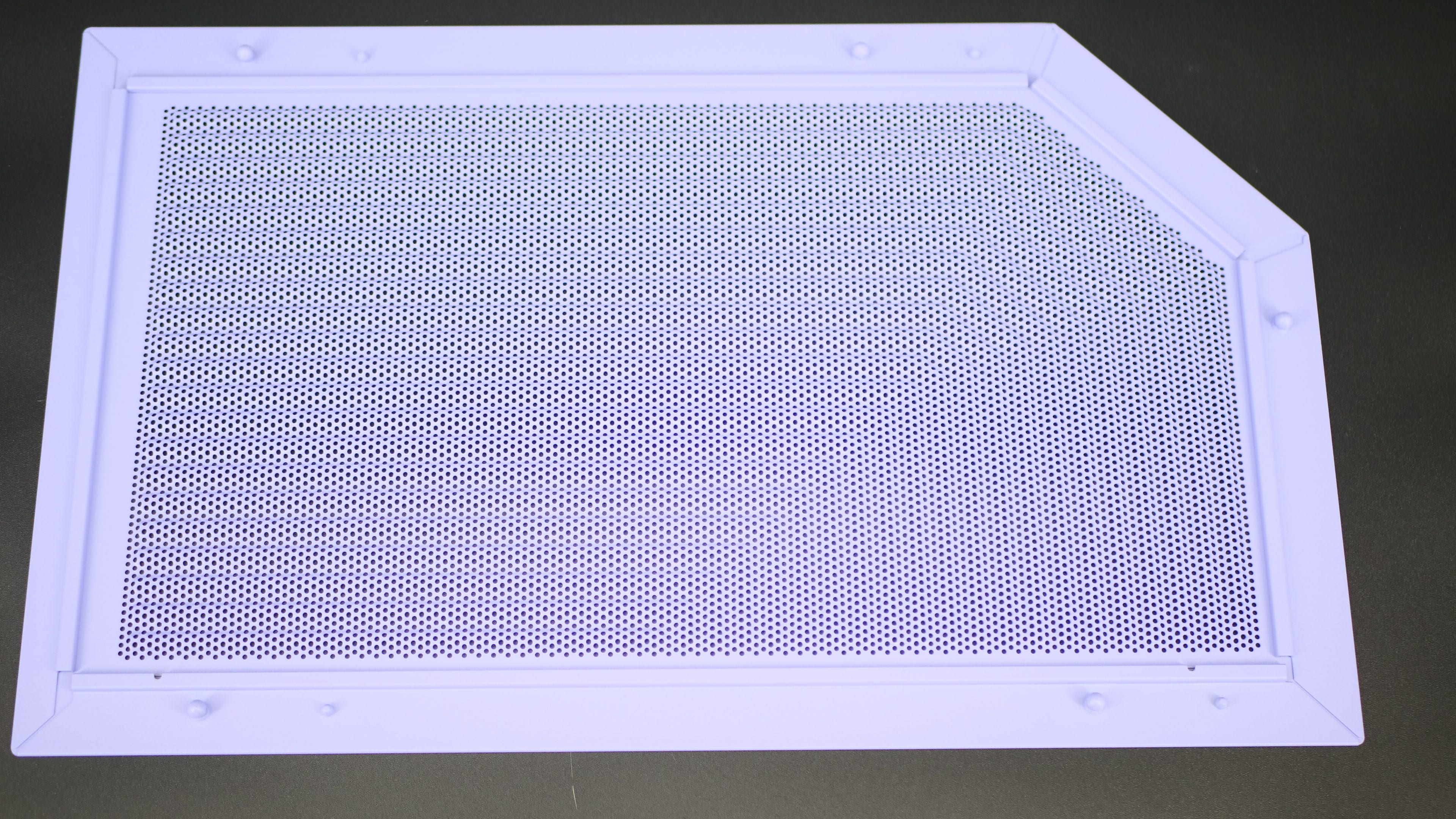
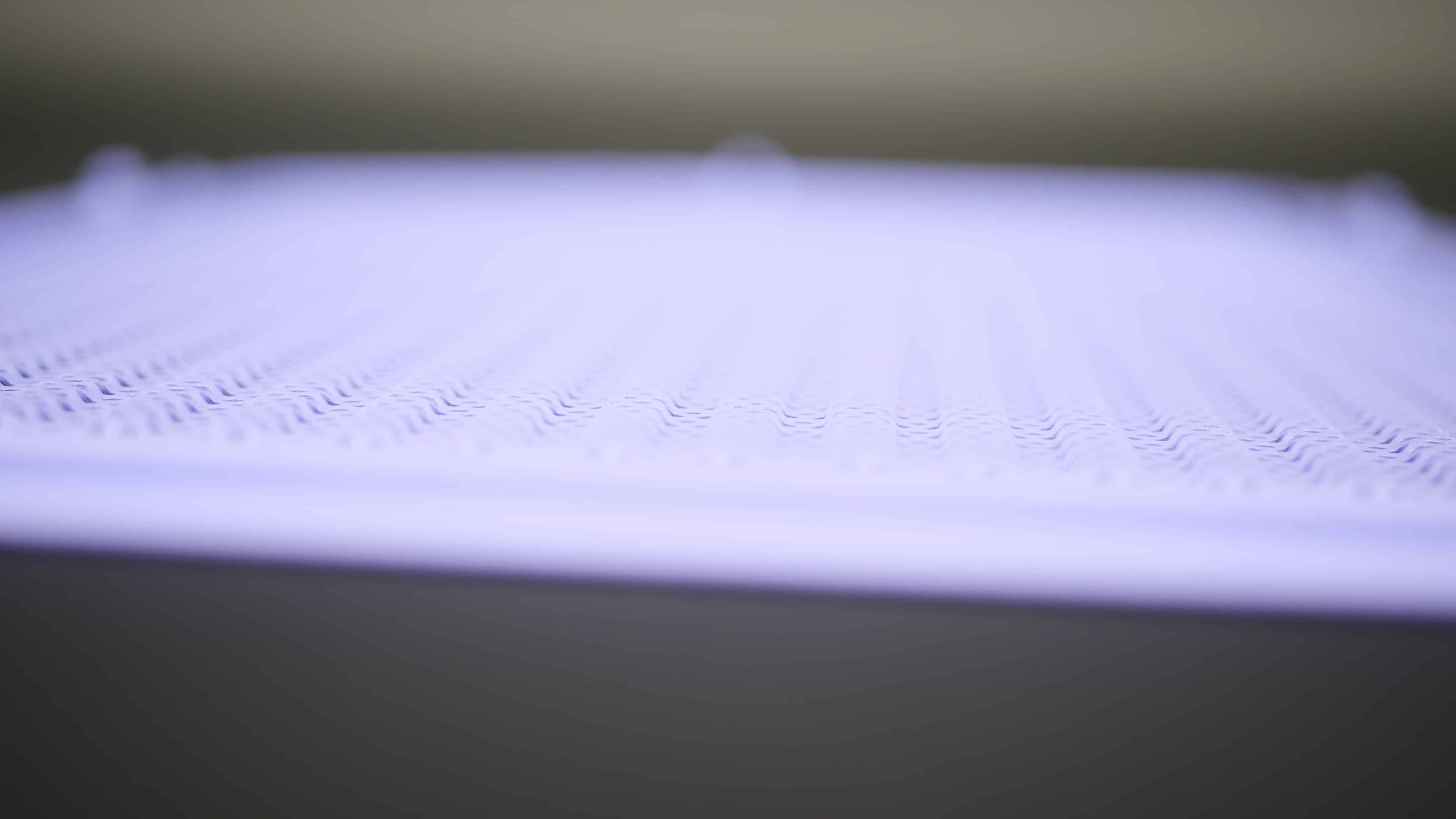
It is a single piece of paneling, which I took issue with in the Y70, where the dust filter was layered onto the panel with a third component. This sadly means neither of the two panels has a dust filter (the bottom of the case does).

There’s not much to stop dust, and this is a similar design choice shared with the HYTE X50. I can tell you now that I’ve had that case for much longer; it can get pretty dusty inside. More so than my HYTE Y70 and Corsair 5000D case, both equipped with dust filters on the top and side panels.
I’m fully expecting the Y50 to get pretty dusty at some point. At the same time, considering these are relatively flat panels (unlike the curved front one in the X50), you can just buy a do-it-yourself dust filter ($10-$15). It’s what I’ve done, and it’s helped tremendously with catching dust. My cats especially love lounging around on top of the case when it’s not in use, and their tiny toe beans love picking up debris to leave on top of the case. Cat owners, expect your cat to be making a new home on top of this case. It’s the life we live, and the sacrifice we all understand.
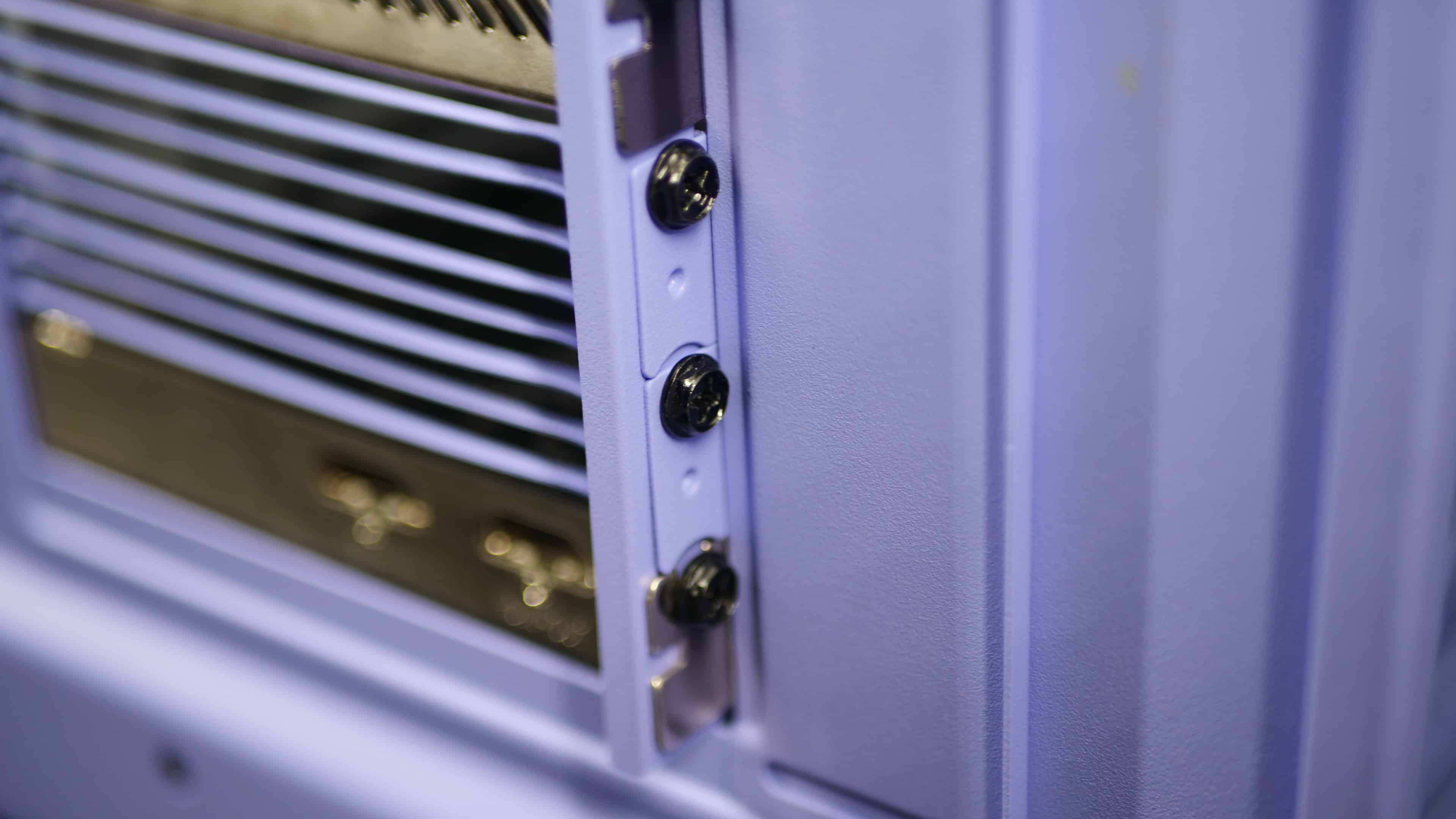
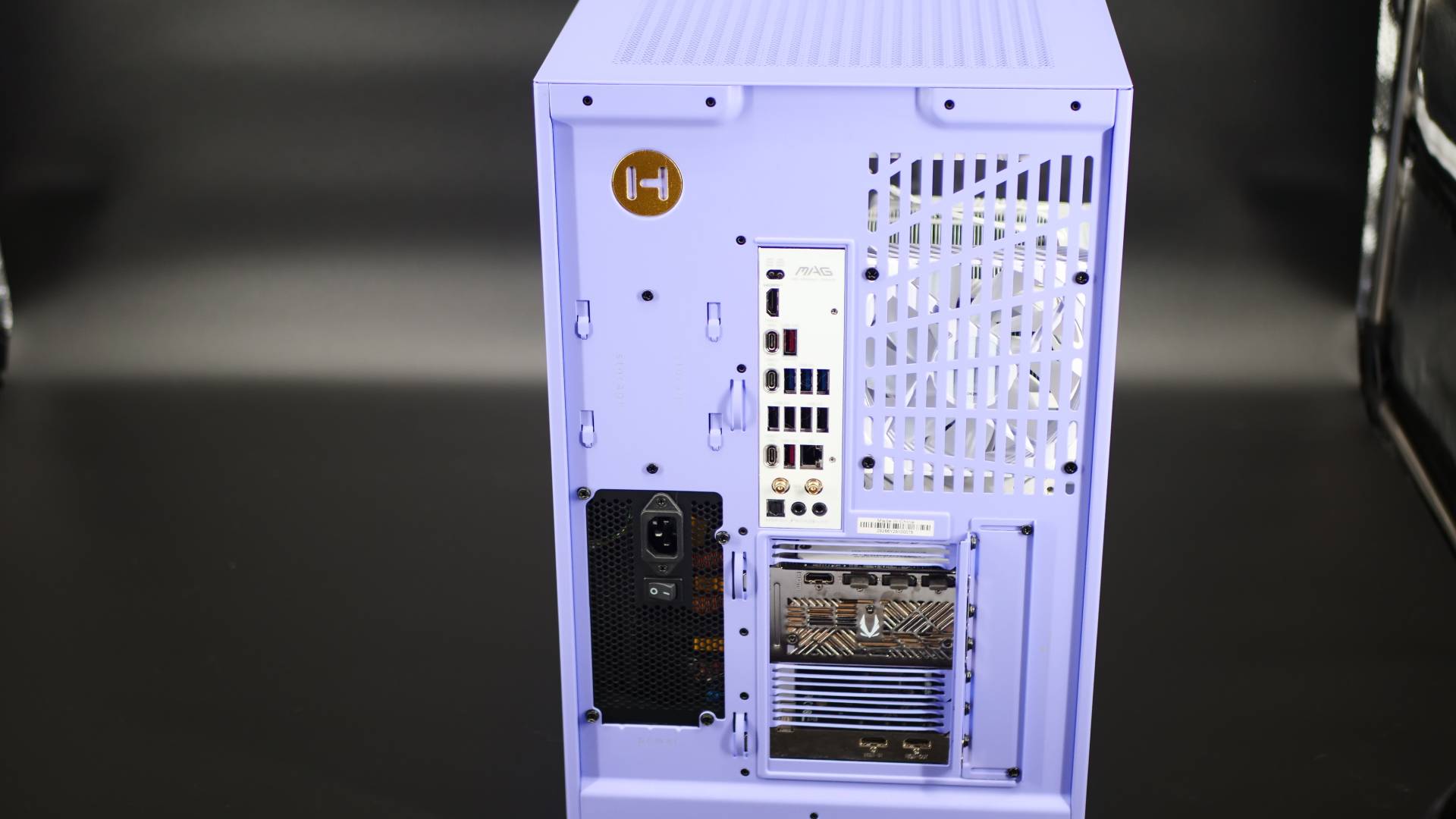
Moving on, the rear paneling. The airflow holes mix two designs: the long rectangular cut-outs from past Y-Series cases and the louvered blade ventilation from the HYTE X50 for the expansion slots. It’s interesting that they chose two different ventilation designs here, but I ain’t complaining. I loved the louvered blades first seen in the HYTE X50, so I’m glad to see them added to newer products. Not just that, but HYTE kept the exterior expansion slot screw design from the Y70, rather than keeping them internal. That means no more accidentally dropping a screw inside the case while you remove it to fit something else, like a GPU or some PCIe expansion card. I’m not sure what genius said, but most PC cases needed expansion slots that were a pain to deal with, and at least someone is fixing that.

Save 5% on your next top-up, games, gift cards, and virtual currency at Eneba.
Use code MP1ST5 at checkout.
HYTE’s golden glittered badge is in the back, and even though I’m not looking at the back of my case for 99.99% of the time, I gotta love that small touch. To help with cable management, there are some zip ties and strap holders to secure cables neatly.
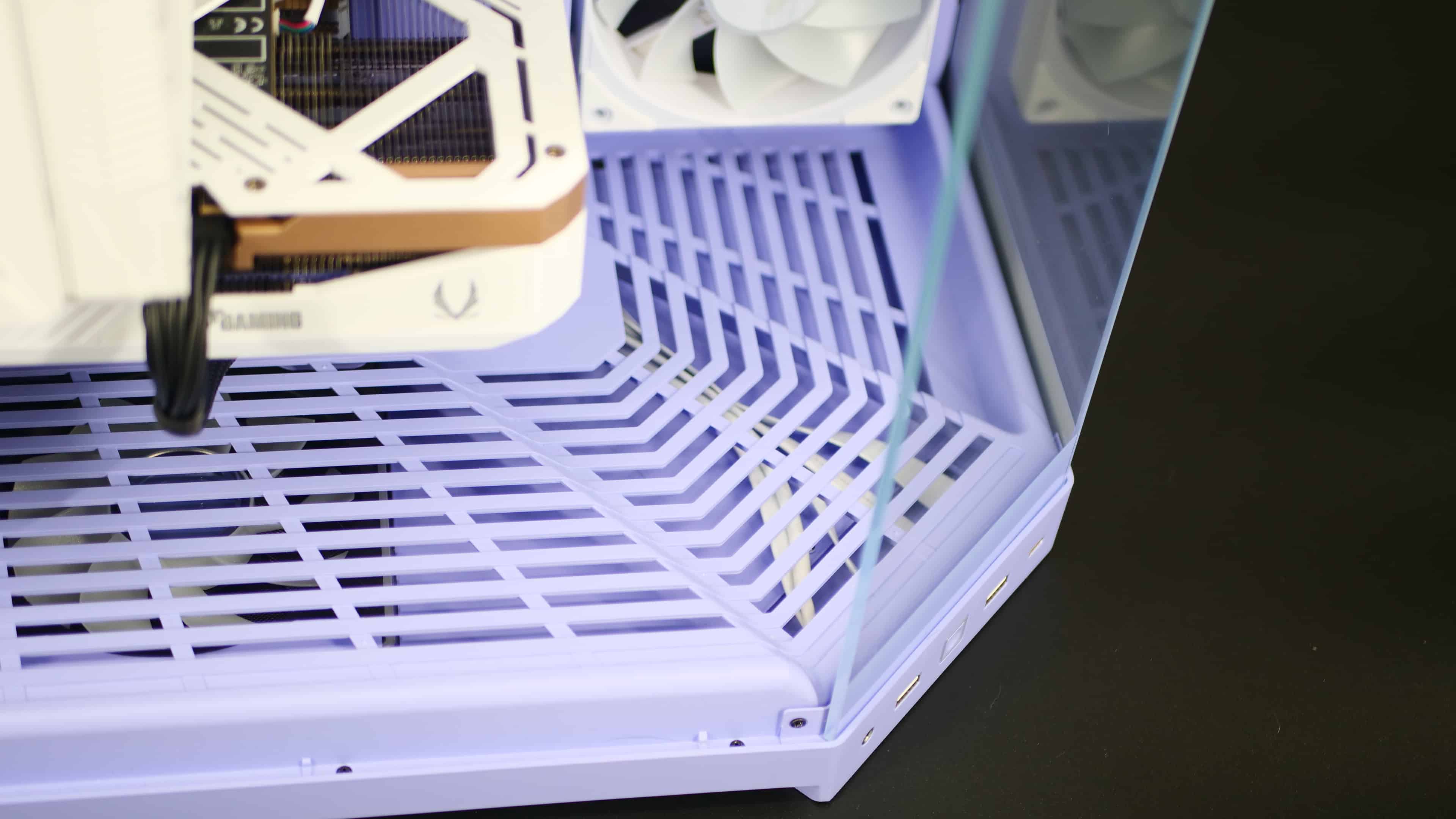
As for the bottom of the case, there have been a few changes based on past feedback on other cases. One of my biggest complaints about the HYTE Y70 was how difficult it was to install three fans on the bottom. You had to set up the first fan inside the case with the mounting bracket off, then install the other two on the removable bracket. It just wasn’t very friendly. As a result, the Y50 supports only two bottom fans (120mm fans), not three. The airflow difference isn’t at all that drastic because the fans still cover the entire GPU and motherboard zone. Sure, it’s fewer fans, but it also makes the build experience that much better. I didn’t have to look up a YouTube video this time around to install something that should have been pretty self-explanatory.
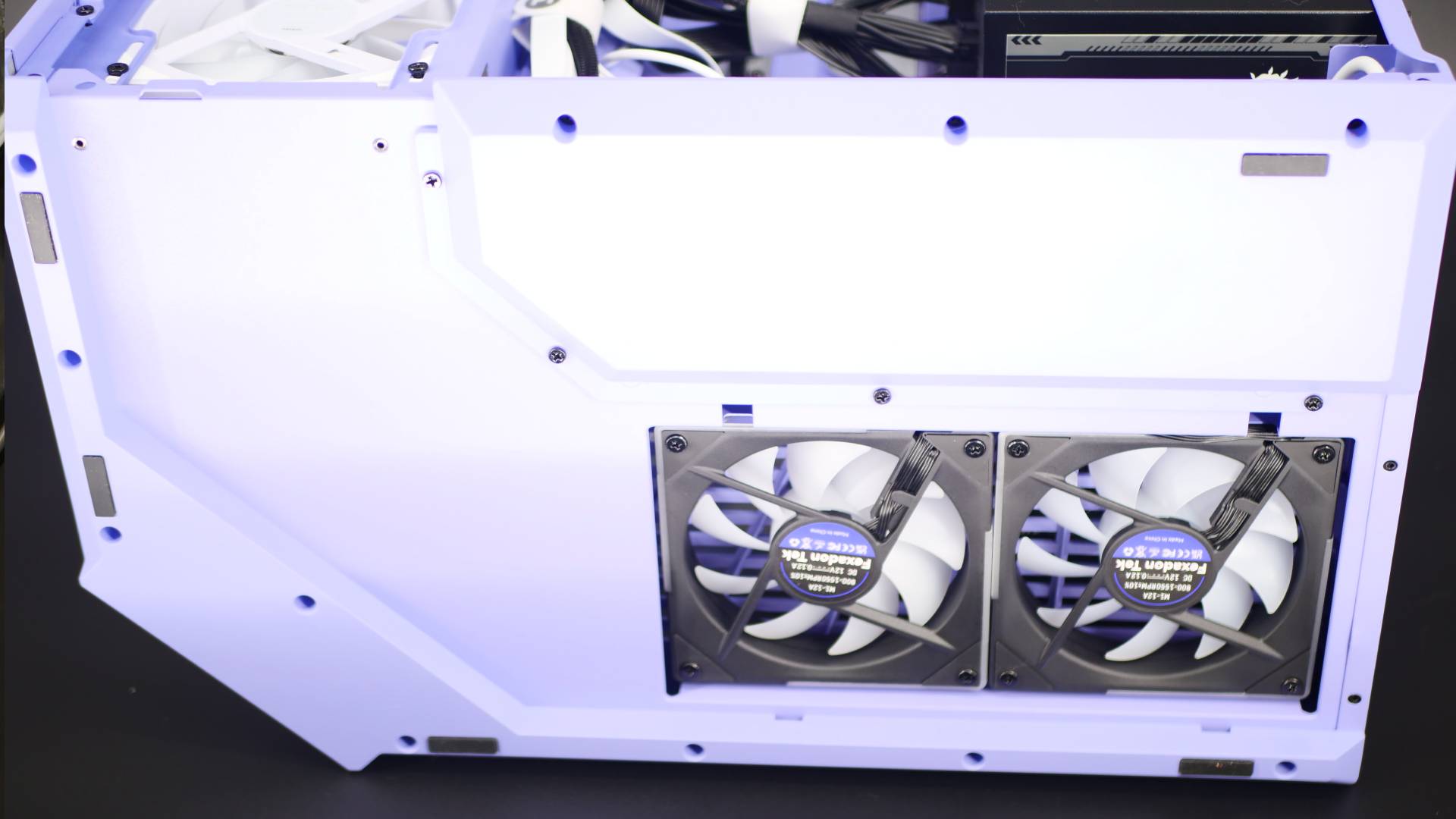
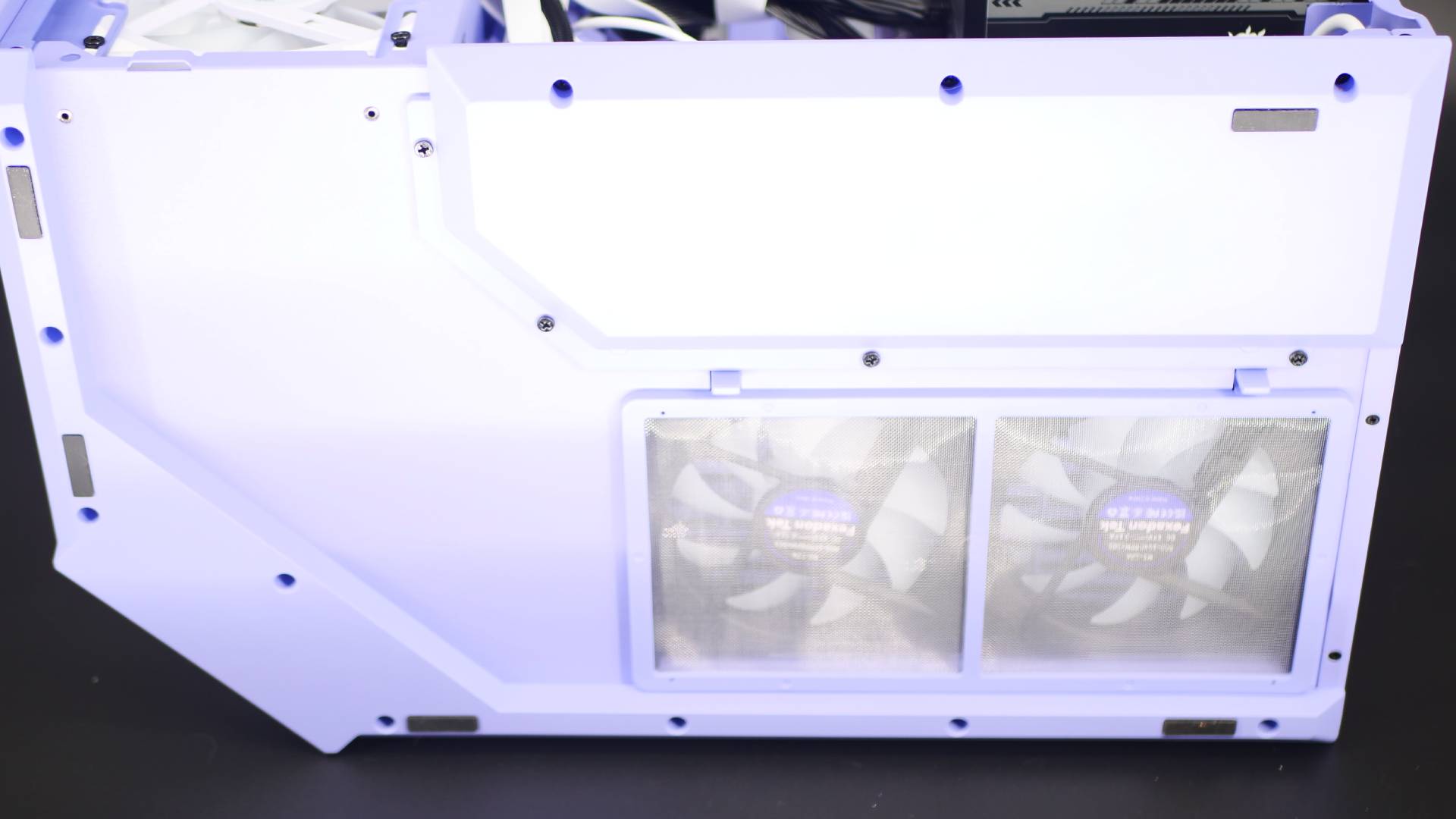
The Y50 also has a revised cold-floor cooling design. The “feet” on this case now extend fully around the bottom, leaving only two gaps for the rear and side fans. I can’t say for certain whether this really helps with cooling, but logically, if these openings are near the intakes, they should funnel in air more smoothly rather than trying to grab it from all directions. The “lip” or under portion where the case dips into the leg slopes inward, rather than having a prominent lip like the Y70. From an authentic standpoint, I really love this, and it uses the case’s natural shadow casting to give it an optical illusion that it’s floating.
This does mean you’re limited in how you can pick up the case. With the Y70, as bulky and massive as it is, you can pick it up from any angle since there is a lip underneath to slide your fingers under. With the Y50, you have to pick it up with the glass facing your chest. I suppose this is “safer,” but it’s also a bit awkward to fumble around to find the right grip. Will you be moving your case all the time? Of course not, but I’d have preferred the bottom to have a lip you can grab underneath to help you lift it.
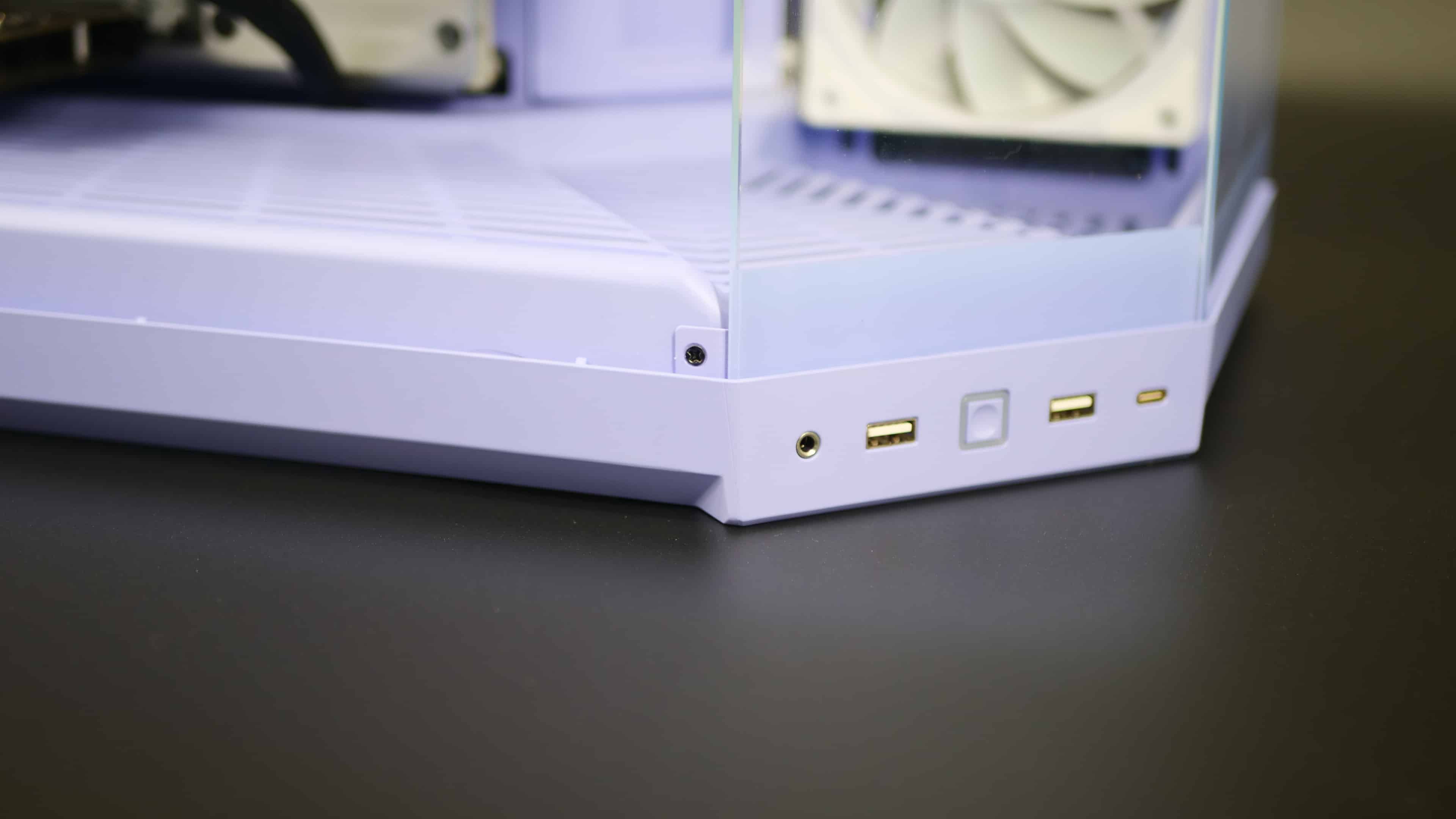
The last noticeable exterior change (there’s likely more) is the front panel IO. The power button now instantly clicks with a press and doesn’t dip into the case like in the other Y-Series’ power button. The front I/O includes an audio jack, two USB 3.2 Gen 1 Type-A ports (5 Gbps), and one USB 3.2 Gen 2 Type-C port (10 Gbps). The only change in this model is the ports’ orientation, which are now horizontal instead of vertical. I like to think there’s meaning in that difference: it matches the horizontal GPU orientation, while the Y70 and Y60 have the I/O ports in a vertical orientation due to vertical GPU support. Whether that’s intentional or not, I’ll leave it at that.
That’s it for the exterior. Now let’s take a tour of the inside.
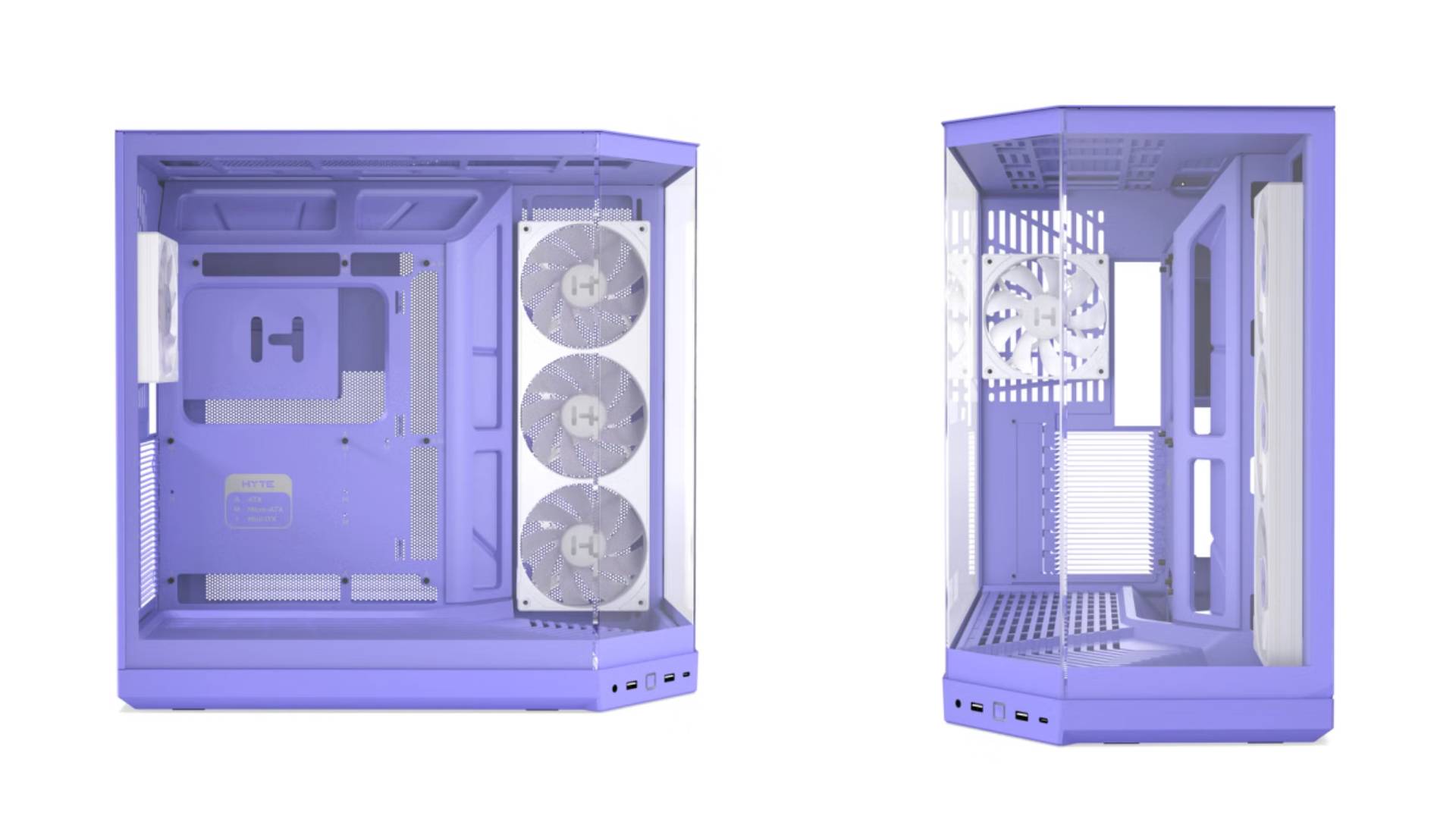
The interior of the Y50 has a lot of changes over its older siblings. The big obvious one is the stair-stepped flooring I mentioned earlier. I think this is one of the coolest things in the case, because most PC cases keep things entirely flat. Of course, you can use this spacing to display some sort of figurine, but even with it being empty, the step design really makes it pop when you view it up close, and from a distance, with the cornered glass and the slope for the edging of the step, it gives it an optical illusion that is flat. HYTE probably could have kept the same fully leveled, flat design as its previous case, but this adds a bit of personality to the case overall.
Taking yet another page from the HYTE X50 line, the Y50 also features matching case-color rubber grommets. They do an amazing job hiding the case’s rough edges and strongly promote a clean aesthetic and smooth cable routing. These grommets are featured on all three sides around the motherboard (top, bottom, and right) and make cable management a breeze.
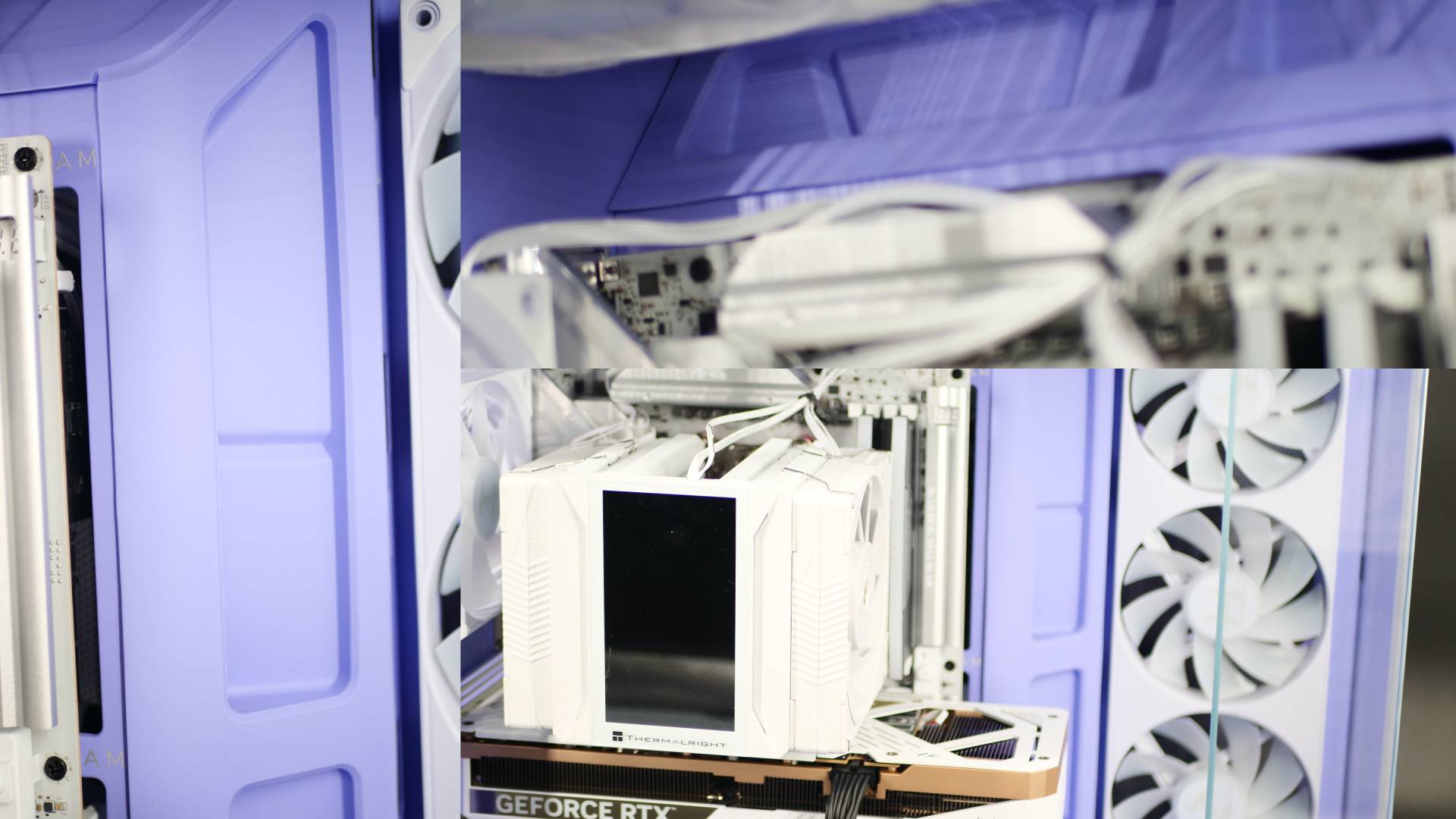
But perhaps the most exciting new addition is that this’s HYTE’s first PC case to support Back to the Future. No, I’m not referring to this case being some sort of time-traveling machine like the DeLorean, but rather the rising industry standard for cable-free motherboards—often called BTF (Back to the Future) or Project Zero by manufacturers like ASUS, MSI, and Gigabyte. These motherboards have their connectors on the back, rather than the front, which means you can hide all that messy cable management even more easily.
This is a wonderful fit for HYTE, and I’m really excited to see them finally supporting these motherboards. It essentially means you can have a killer dual-chamber case that looks even more incredible due to the lack of visible cabling. Honestly, it looks amazing. Don’t get me wrong, back-connected components are pricey, especially GPUs (which I didn’t opt for), but even without shelling out extra for a specialized back-connect graphics card, the motherboard compatibility alone makes cable routing a dream to work with.
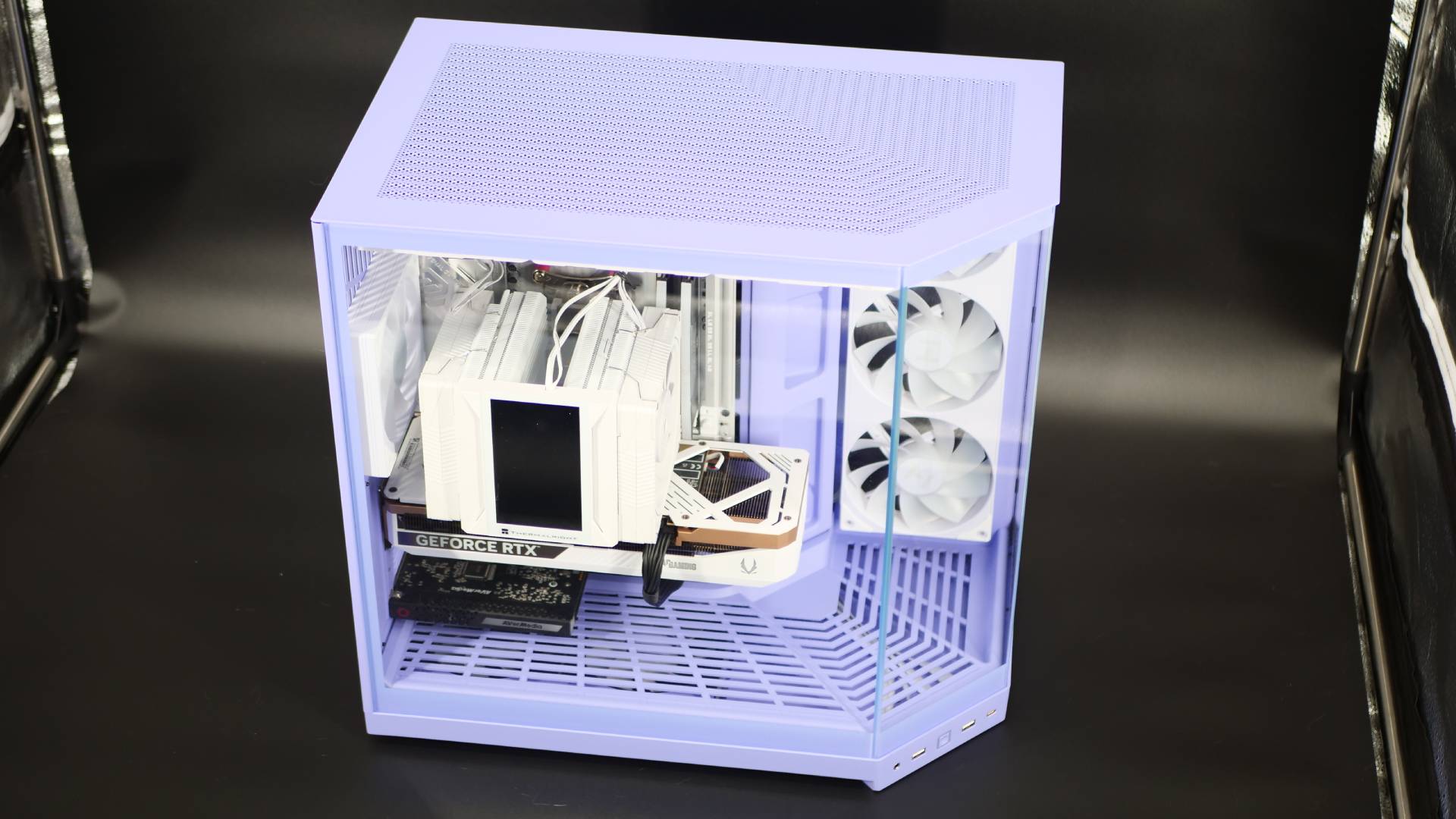
Another first for HYTE is that this case also comes with some fans. I know, I know, a majority of cases on the market today come with fans, and I’m not trying to play that off as some new innovation that HYTE is doing. It’s more, it’s about damn time they included some fans. I’m more surprised they included them, and this case still comes in at only $99.99. It’s a sign of changing times for HYTE, and it’s a welcome one. You get a pre-installed trio of fans: a reverse-blade 360mm fan unit on the side intake and a standard 120mm fan tucked into the rear. Oh, and did I forget to mention these are RGB fans? Look, you don’t have to be a fan of RGB, and perhaps HYTE could have maybe saved a few more bucks there. The only thing to note is that the fans aren’t color-matched to the case unless you are getting the basic white, black, or cherry black (black interior, with black fans). The other two colorways, Strawberry Milk and Taro Milk, feature white fans. They look good for the color scheme, but I think matching color fans would have been nicer here.
To keep the case cost down, HYTE hasn’t included a vertical GPU mount or riser cable. In fact, unlike the Y70, this case is designed for horizontal mounting. It’s the first Y-Series case to support horizontal mounting natively, but that doesn’t mean it doesn’t support vertical mounting, unofficially. Countless users on the HYTE Subreddit have already modified the case to support vertical GPU mounting, so if you prefer that option, it’s completely possible.
HYTE Y50 Specs
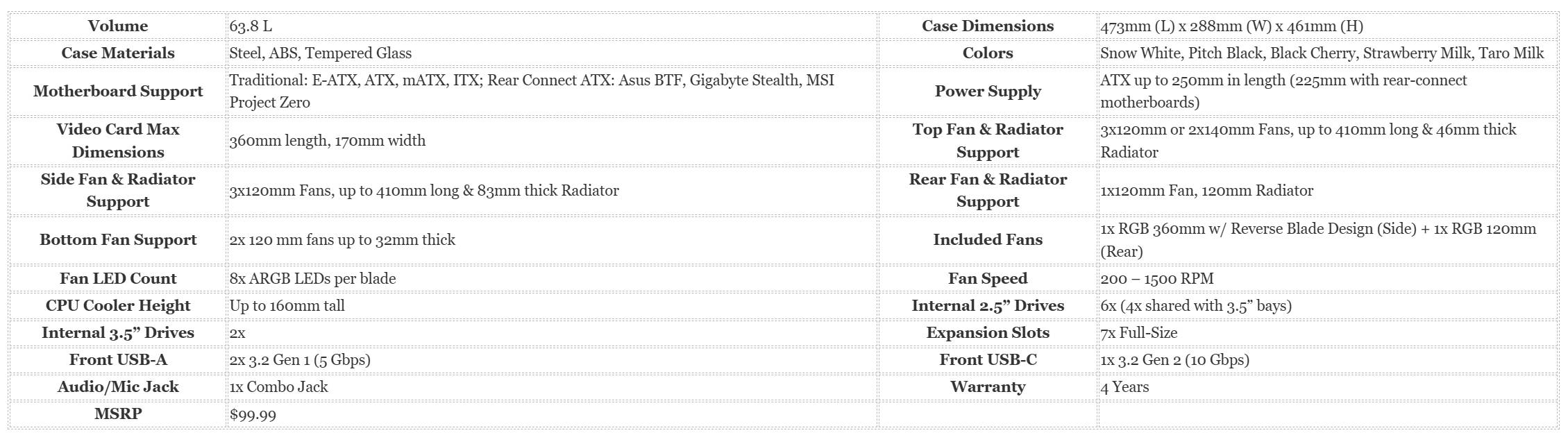
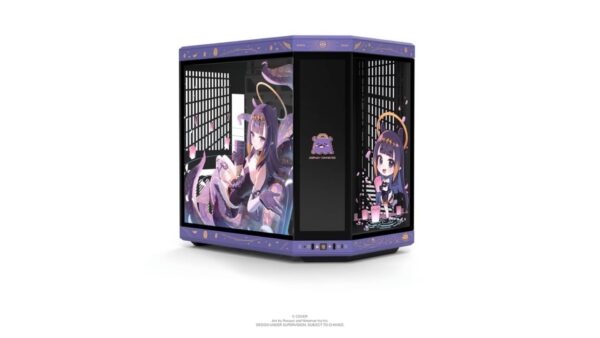
So that’s most of what comes with this case. It’s still a rather large case, coming in at 63.8 liters. But that’s dual-chamber cases for you, and the very thing that made HYTE so popular. But with the Y50, HYTE has now positioned itself in a much better position to sell to consumers with something actually affordable. What’s more, this is a case that HYTE can easily shift their collaboration product line to. It doesn’t support the Infinite Touch Display because of paneling sizes, but even then, the unique colorways and artwork HYTE has produced for some of their collaborations can now be offered to a whole new market of potential buyers. Granted, that would increase the initial price of the Y50 for collaborations, but $150-$200 is a better pill to swallow than +$300.
That, of course, assumes HYTE makes that shift, but given this is their answer to being more accessible, I can’t see that not being the case. In fact, I have a good feeling the HYTE Y50 will be their new go-to PC case for collaborations down the road. Either way, this case has plenty to offer in specs and design.
That said, how is it to build in this case? Well, the short answer: probably the most user-friendly case I’ve ever built.

A PC Case Designed for Everyone
HYTE aimed to make this case accessible not just from a price standpoint, but also from a builder’s standpoint. Whether you’re building your first PC or you’re an expert builder who wants something that feels future-proof, the HYTE Y50 has all the things you need out of a PC case, and more. As a dual-chamber case, it offers plenty of room to work in.
I can tell you, the build experience is easily one of the best ones I’ve ever had. The spacious room in both the front and back makes installing PC components effortless.
Since I’m more on the expert side of building, for this case I opted to go with MSI’s Project Zero motherboard, the MSI MAG X870E TOMAHAWK MAX. Additionally, instead of an AIO, I went with a massive air cooler: the Thermalright Peerless Assassin 120 VISION MAX. And last, I went with a GeForce RTX 5070 Ti Zotac Gaming GPU. Big, expensive components, plus an AverMedia capture card I brought over from one of my other PC. I also had a set of RAM lying around, and a spare PSU.
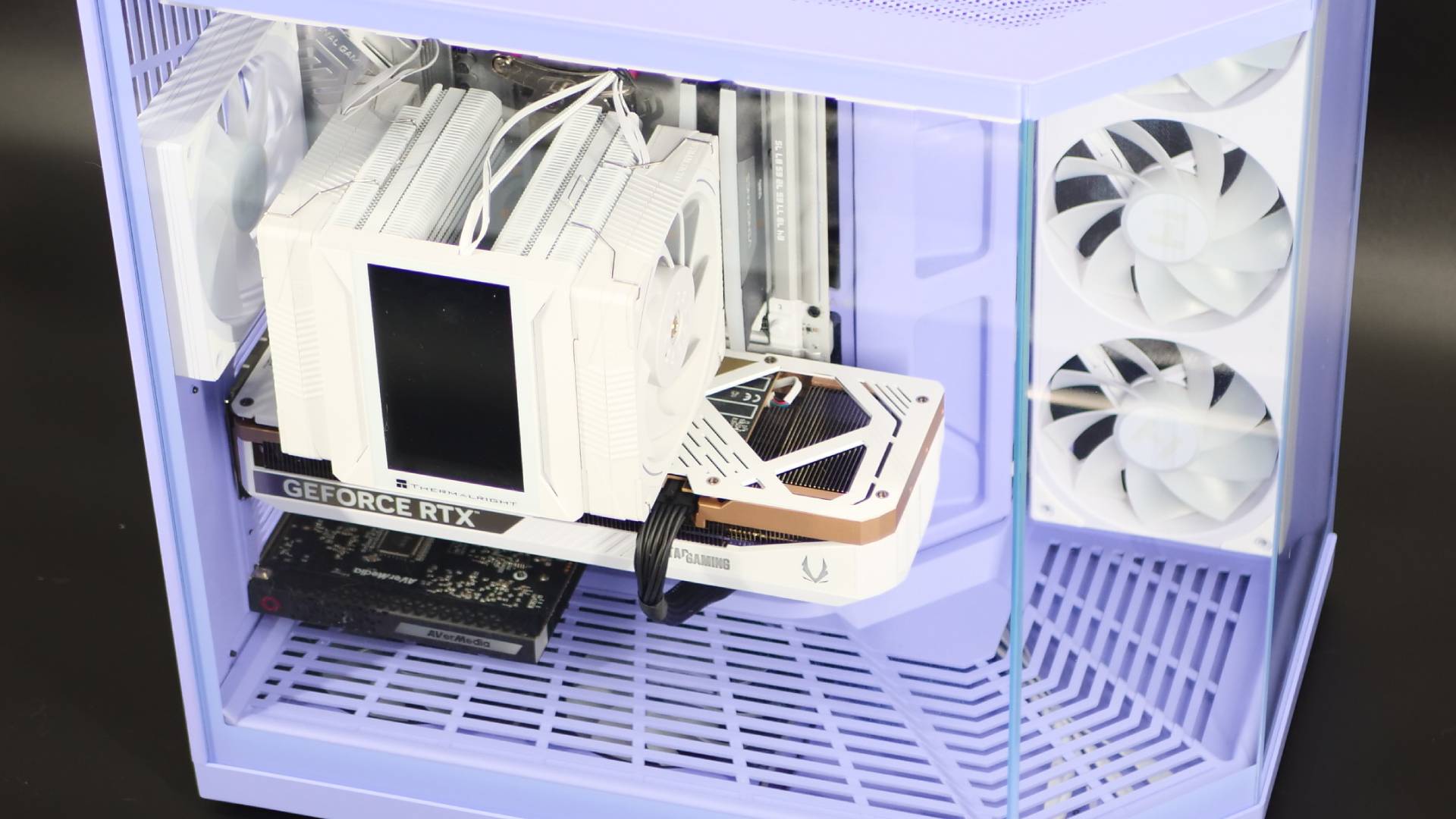
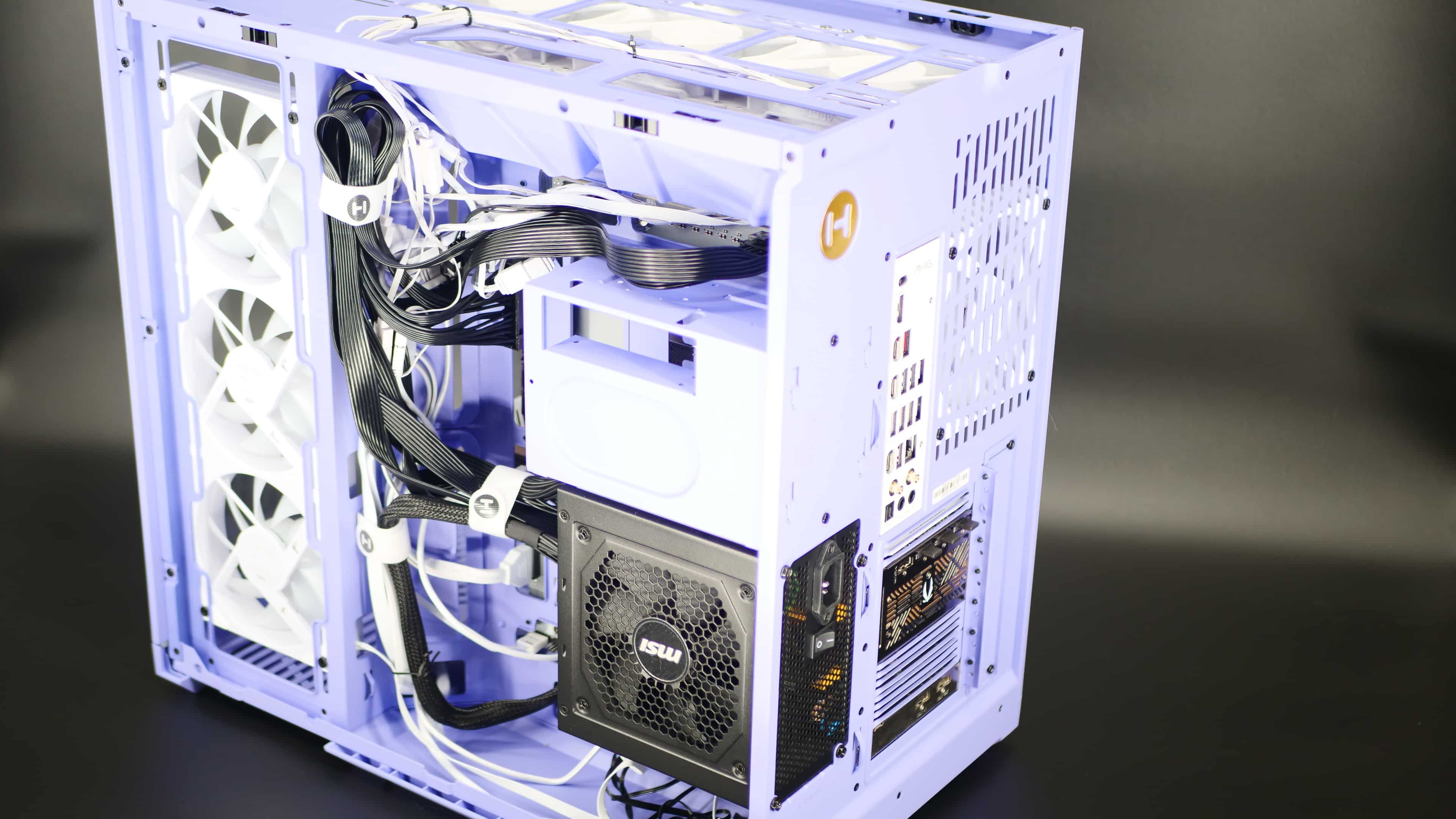
Mounting the PSU was like any other case, with a housing spot on the back of the case. But it’s not a cramped spot, as there’s plenty of room to route and tie cables together.
For the motherboard, I did have to remove the included rear fan, which is also pretty common in the build space. I do wish they adopted the X50’s rear fan design, where it sits in its own space and not in front of the motherboard housing, but it’s not a big deal. There’s plenty of clearance on all sides (except the back, because, obviously, it’s the rear), which makes things really comfortable inside the case. If I had gone with a standard front-cable motherboard, there would be plenty of room and channel to route the cables in the front without it feeling like a tight fit.
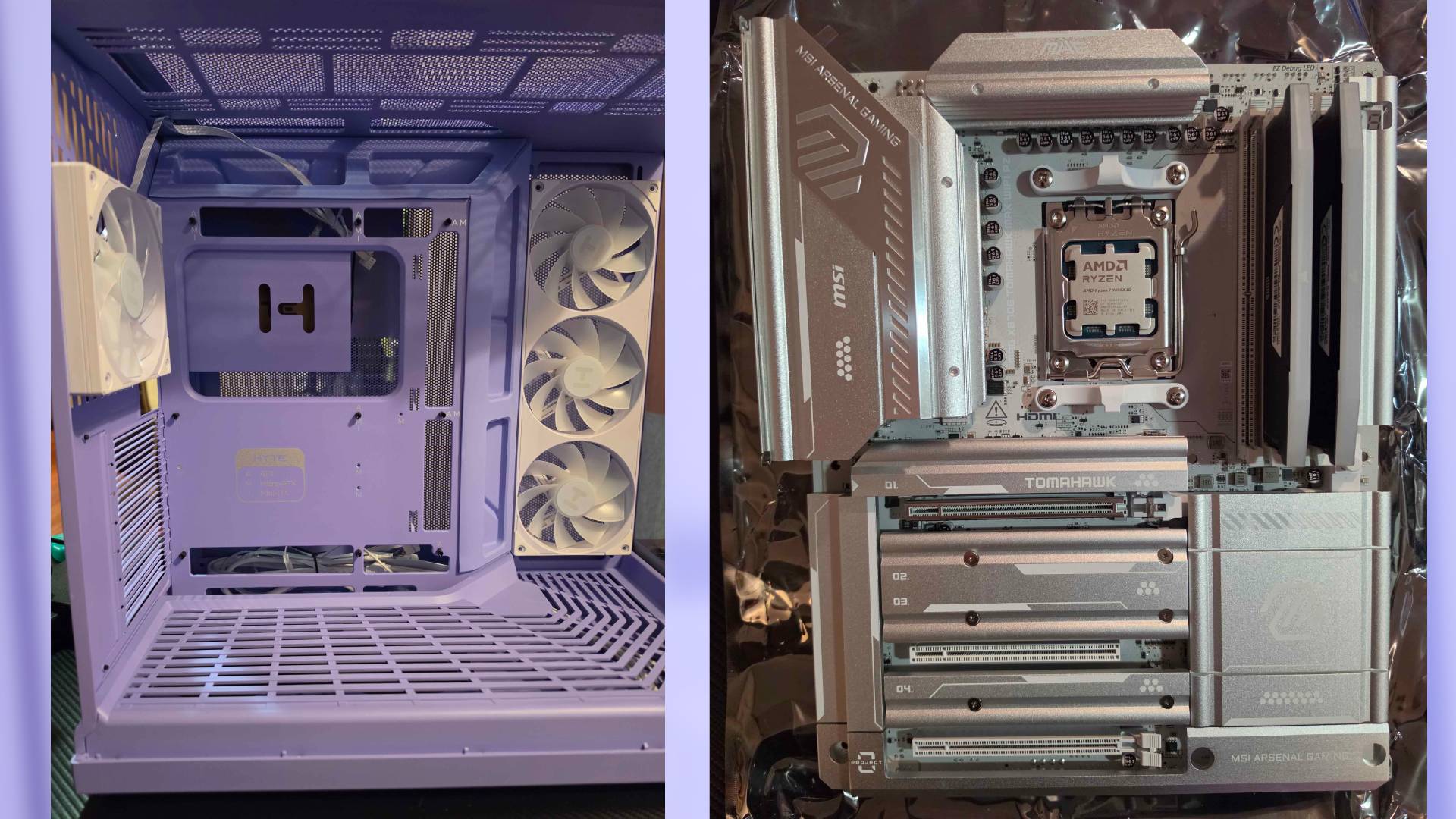
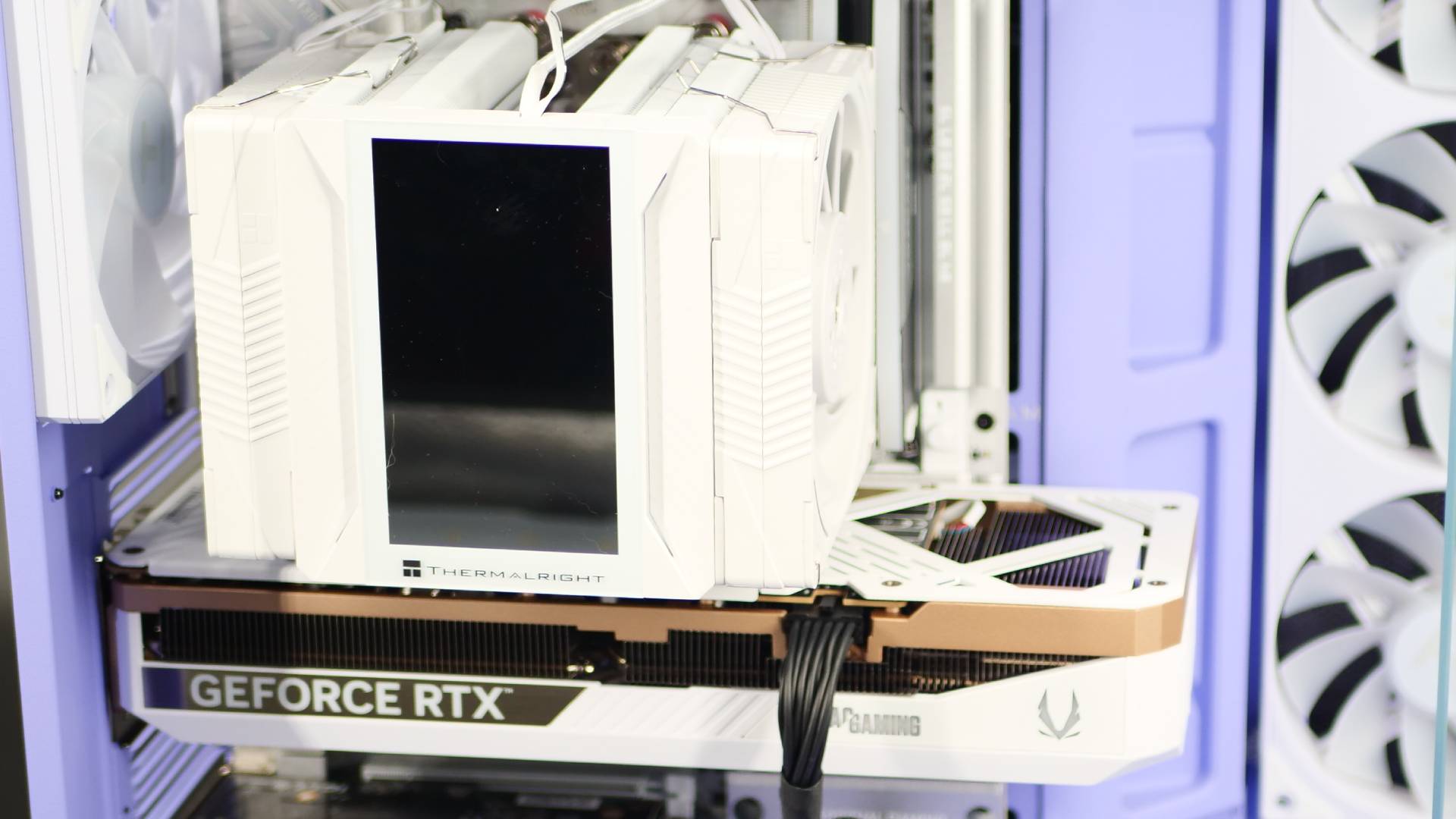
Lastly, the cooler. Since I was using an AMD 9080X3D CPU, I wanted something that could keep it cooled through extensive workload and gaming. Of course, I could have opted for an AIO, but because I wanted to keep things pretty “cable-free,” I decided an air cooler would give me the look I wanted. The Thermalright Peerless Assassin 120 VISION MAX seemed like a perfect fit, and in white to match the rest of the components. For those wondering, with the combination of an MSI MAG X870E TOMAHAWK MAX, the Thermalright Peerless Assassin 120 VISION MAX does, in fact, fit in this case without it touching the glass panel. Barely, and I mean a sliver of clearance, but it fits cleanly, leaving just enough breathing room so you aren’t stressing about micro-vibrations hitting the panoramic glass. Note that it might not with different motherboards, so do keep that in mind.
Sliding in the massive Zotac RTX 5070 Ti and the capture card felt similarly stress-free, with plenty of room to spare along the bottom chamber without cramping the airflow from those pre-installed reverse-blade intake fans. That’s the real magic of the Y50: even when you’re stuffing it to the brim with top-tier, oversized enthusiast hardware—thick dual-tower air coolers, monstrous modern GPUs, and extra expansion cards—it never feels like you’re fighting the chassis to fit it all. These are high-end components, and the case has plenty of clearance to accommodate them.
Cable management is also superb. I’m still trying to perfect my cable-routing skills, but even if I decided, “who cares about the cables?” because they’ll all be hidden behind a massive panel anyway, the space to just leave them there is more than enough. You shouldn’t have any buckling on the back panel because you ignored cable management and just bundled it all up. There are so many channels to work with; you can practically route cables from any direction, and it’ll still look clean inside the case. Well, alright, you can make a mess of it, but HYTE offers the tools right there to keep you from doing that.
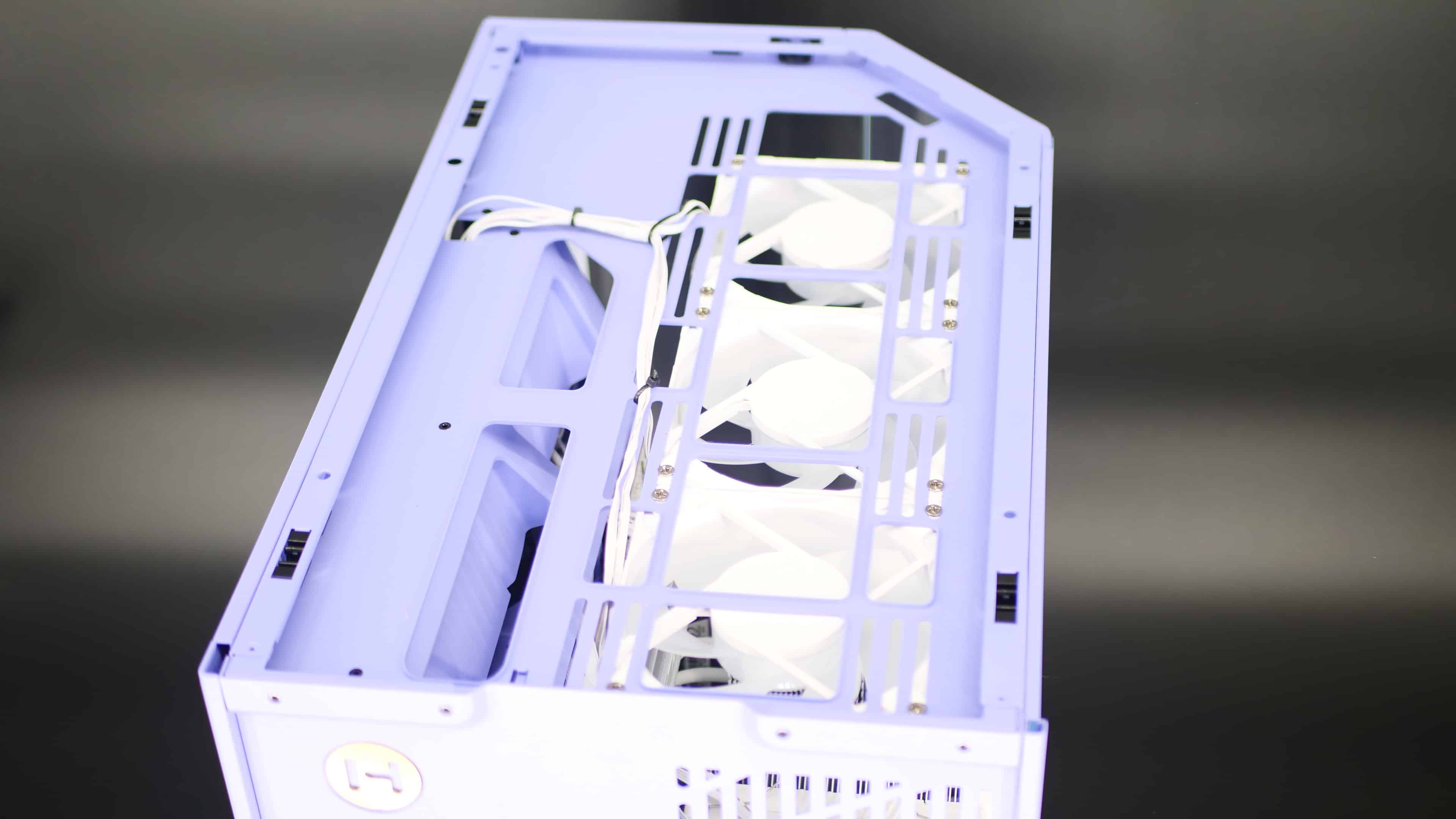
Fan installation is pretty simple for those wanting to add more. I’m bringing up the bottom fans again because I cannot stress enough how much better it is to install fans in the Y50 than in the Y70. It’s only two fans, instead of three, but the design, just to make it so you can just pop the fans in there without taking out a mounting bracket or feel like you’re having to cram them in there, is a massive improvement.
Building out of the HYTE Y50 is just plain and simple, exactly what the builder experience should be. But it’s one that does put a smile on my face, because building a PC shouldn’t feel like a chore or a test of patience. That’s part of why I love dual-chambers so much: they offer plenty of room to work in and make the experience stress-free, but HYTE has really taken the build experience to the next level.
What makes the HYTE Y50 even more special is that it goes beyond being a budget-friendly case you would typically view as a “starter.” I know when I started my PC journey, picking a case wasn’t so much of a big choice for me. I wanted something cheap and something that could house my setup at the time. It’s been so many years (over a decade) since my first PC build, and I can’t remember which case it was at the time, but consequently, when it came time to upgrade my system, it turned out I simply didn’t have the clearance for a new GPU and an AIO.
It was a rookie mistake, and I can tell you I’ve chased after larger PC cases since. Granted, that came with a hefty price tag, but it was typically justified by the future-proofing it provided. Pay more now so you can pay less later- a very normal thing in most consumer goods. We all know the saying: you get what you pay for. That’s not to say paying a premium means you’re getting the best, but more often than not, the cheaper route is cheaper for a reason.
Now the final thing I want to touch on is the airflow.
The case supports up to nine 120mm fans, with four preinstalled. You have the one on the rear for exhaust, then the 3 in 1 on the side for intake. This leaves the top and bottom of the case, supporting three and two 120mm fans, respectively. If you go with an air cooler as I did, that adds two more fans (11 total) and supports up to 160mm tall coolers. If you go with an AIO, here are the specs for radiator support:
- TOP FAN & RADIATOR SUPPORT: 3x120mm or 2x140mm Fans | Up-to-410mm long & 46mm thick radiators
- SIDE FAN & RADIATOR SUPPORT: 3x120mm Fans | Up-to-410mm long & 83mm thick radiators
- REAR FAN & RADIATOR SUPPORT: 1x120mm Fan | 120mm Radiator
For the setup I went with, I used bottom fans as intake, top fans as exhaust, and left the preinstalls as they were (back exhaust, side intake). It’s a pretty common fan setup, and considering the case design, the one that makes the most sense.
For this test, I ran my system through a few popular benchmarks, like 3DMark and PCMark 10. These were in line with my average results.
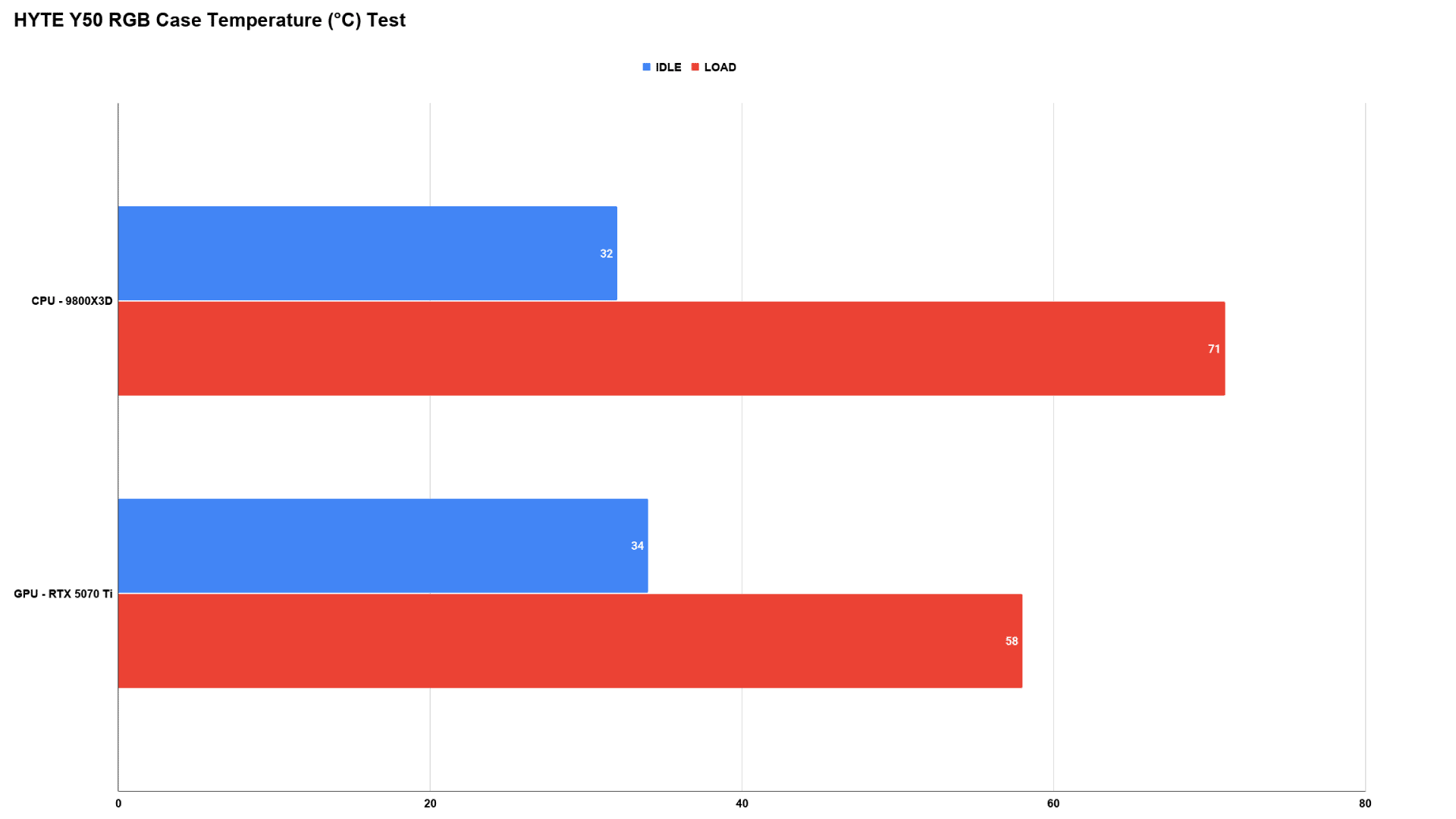
I also tested it in some of the more demanding applications: Premiere Pro for work productivity and, for gaming, Cyberpunk 2077. In Premiere Pro, I ran an hour-long 4K render with the timeline filled with effects and videos layered with images and such; my CPU temps peaked around 80°C, with my GPU hitting about 60°C.
For Cyberpunk, I turned all the settings up to max, including path tracing. The CPU temps hovered around 60°C, with my GPU peaking around 65°C.
Other things are driving those low temps, but as far as I can tell, the case isn’t contributing to unnecessary heat build-up. It has the perfect amount of space for everything to breathe properly and for airflow to do its job. Fantastic overall airflow in this case.
HYTE Y50 Earns Its Mark as the Best Dual-Chamber PC Case
HYTE set out with two goals in mind: make it affordable and make it accessible. They’ve certainly achieved both, and they’ve done so without dampening the HYTE experience. Instead, the case moves the brand forward, introducing several improvements and design changes that somehow come in at a lower price point while maintaining its premium allure. At a price point of $99.99, it’s hard to argue that this isn’t one of, if not the best, dual-chamber cases you can get on the market right now, and quite easily the best value-to-performance chassis HYTE has ever put out.
Whether you’re building your first PC or putting together a high-end system, the HYTE Y50 RGB delivers an experience that feels considerably more expensive than its $99.99 asking price. I’m not sure how HYTE plans to top this case with newer series, because the HYTE Y50 feels like a definitive love letter to everything the Y-Series has strived to be.
Pros
- $99 is an incredible value for this case.
- Stunning Panoramic Design
- Builder friendly, regardless if you are new to PC building or a veteran.
- Native support for back-connected motherboards, with plenty of cable channels for excellent cable managment.
- Excellent thermal performance.
- With the addition of fans, it's ready to build out of right out of the box.
Cons
- No mesh screens for the side and top panels.
- Cold-floor cooling design is beautiful, but does make it awkward to grab the case.
Where to Buy:
Links are non-affiliate
- HYTE Official Website
- iBUYPOWER (Pre-Built/Custom Built)
- Amazon
HYTE provided a HYTE Y50 RGB for review purposes. You can read MP1st’s review and scoring policy right here.
Save 5% on your next top-up, games, gift cards, and virtual currency at Eneba.
Use code MP1ST5 at checkout.
This website contains affiliate links. If you click a link and make a purchase, we may earn a commission at no additional cost to you. This helps support our work. Learn more on our affiliate page.