Dying Light 2 Update 1.56 for Version 1.19 Released for Tower Raid: Halloween Run

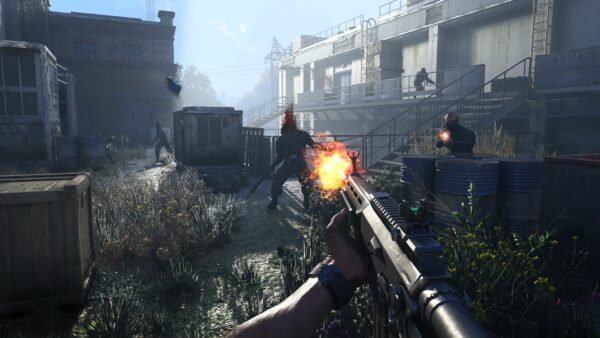
Techland has released a new massive download for Dying Light 2 this October 30, and this adds the Halloween festivities to the zombie action game. Players can now download Dying Light 2 update 1.56 (PS5/Xbox Series X|S version 1.056), and this is for the Tower Raid: Halloween Run, which also brings in new features as part of Patch 1.19!
There’s a new control Firearms layout for controllers, and of course, various fixes. In addition to that, Techland has also released a developer insight video on the new content as well as “beyond.”
Dying Light 2 Update 1.56 Patch Notes and Tower Raid: Halloween Run Info
Download Size: 14GB (PC)
Tower Raid: Halloween Run
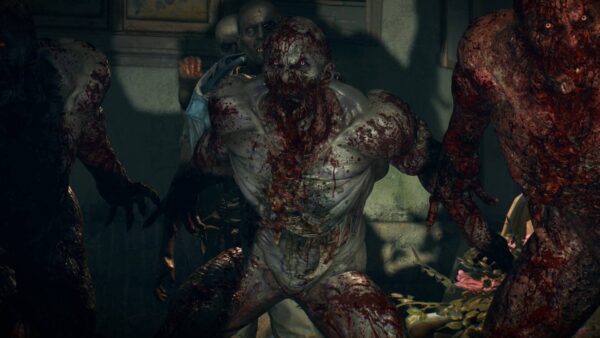
Tower Raid is back, but this time with a spooky vibe! Nightmarish creatures have awoken under the All Hallows’ Eve moon and stormed the Tower. Now, it’s your job to take them on with your friends. You’ll be duly rewarded for doing so with Halloween Candies that can be used to get all the items from the brand new Van Aiden Bundle and more!
Once you’ve made your way in, you’ll be asked to choose one of four themed-characters. So unlike the Open Beta, you will get a preset loadout based on which character you pick. Each of them have their own traits and weapons, so try them all out and find the one that best suits your style! These spooky characters are:
- Scarecrow
- Van Aiden
- Plague
- Cursed Pirate
Baka also makes his return, and he’s hanging outside the Bazaar and fully restocked with new items. There’s also stuff from last year’s Halloween event in case you’re interested. If you have leftover candies from the last Dying Light 2 Halloween event, these will be converted to fresh ones to spend at Baka’s shop.
If you want more of a challenge, Techland has you covered. Starting November 6, you’ll be able to take on “Elite Mode,” and this is where enemies are harder to kill and they deal more damage. In return, players can expect special bounties. After that, there’s also something to look forward to on November 13, as a new group of bounties will be unveiled available to all players regardless if you’re playing Elite Mode or not.
Dying Light 2 Version 1.19 Patch Notes Changes
New Control Scheme
Alongside the standard one, we have introduced a Firearms layout for controllers, which you can activate in the Controls menu (via Options). The new layout will allow you to use LT/L2 to aim your guns and block when using melee weapons. So get ready, sharpshooters.
There are also other small adjustments to controls. Make sure to check them in-game from the Controls menu and select the mapping you want to use.
Game Updates
Aside from all the big news from Update 1.19 above, we’ve also introduced the following fixes and improvements to the game:
Tower Raid
- Lobby: fixed overlapping meshes
- Fixed getting stuck in obstacles in Floors 5, 10, 11 and 20
- Fixed visual issues with Floors 17
- Fixed clipping items and assets on Floors 9 and 19
- Roof: The window that allowed you to escape out-of-bounds is now closed and assets positioning is adjusted
- Volatile Tyrant can no longer trap you between objects to get you stuck
- Adjusted “Raid Failed” screen to show without delay
- Fixed progress tracking for several bounties
- Fixed minor issues with modifiers
Co-op
- Fixed co-op spawning in Tower Raid
- Fixed co-op soft locks in Tower Raid
- Players will no longer get stuck on the “Waiting for Host” screen
Gameplay
- Infected around Military Convoys will attack when approached
- Lola’s mink stole will no longer get stuck in “Diva” quest
- Fixed issues with AI collision (Biters will now respect your personal space)
- Volatile Hives return to their GRE Vaccine Lab spawn
- Fixed soft locks on Pilgrim Missions
- Fixed issues with soft-locking caused by NPCs
- Video previews for both Bash and Crowd Runner skills were updated to reflect this mechanic in-game
- Improved physics for Bash and Crowd Runner skills
- Patched unlimited balls bug (picked-up Game Ball will remain in your inventory)
- Fixed the issue of being unable to pick some droppable items
Technical
- Updated “Gritty” Filter preset (“Gritty Dark” stays the same with no changes)
- Restored some missing materials in the environment
- Added missing SFX and VFX (e.g., for EXPcalibur or grenade splash)
- Minor fixes to water splash behavior (e.g., for throwable items, accessories, and traps)
- Vegetation will behave according to the weather (lowered reaction to the wind)
- Fixed LODs in the Wharf area and Garrison Electrical Station
- Adjusted Aiden’s reactions if he enters and leaves a UV area quickly
- Changing outfits in a player’s stash no longer resumes dialogue playback
- Adjusted direction Aiden is facing when dialogue is finished
- Fixed game freeze when you open a map while changing locations
- Fixed issue with pop-up about missing DLC if the previous session was offline
- Patched issues occurring when changing some visual settings
- Adjusted calibration when upscale options are selected
- Addressed the issue with redirect buttons in the Steam overlay
- Fixed issues with DL Points purchase if logged on both PS4 and PS5
- Adjusted bonus from Vigilant Jackal Charm
UI
- Fixed some subtitle inconsistencies in side quests
- Fixed occasionally missing dialogue options with the Colonel
DevTools
- New slums prefabs added
- Missing terrain bug fixed
- LoD bugs fixed
That’s a lot of new stuff and just in time for Halloween too! In other Dying Light news, the game’s director, Tymon Smetkala, mentioned how the PS5 Pro’s PSSR feature might be more important than the added GPU boost.
[Source: Pilgrim Outpost]
This website contains affiliate links. If you click a link and make a purchase, we may earn a commission at no additional cost to you. This helps support our work. Learn more on our affiliate page.