Fortnite Update 1.000.175 Released This April 15 for a Hotfix

[summaraize]
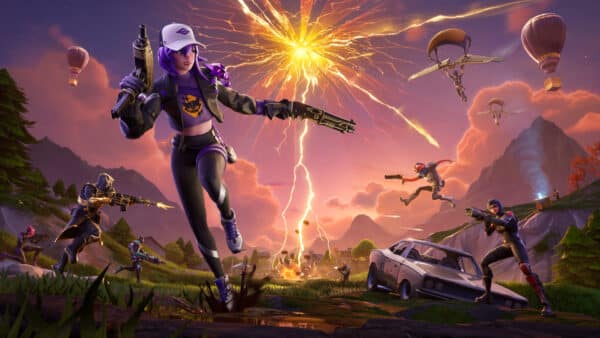
Epic Games has released Fortnite update 1.000.175 today for a hotfix. Downtime should commence while this update is being installed.
Read on to see more details for Fortnite update 4.64.
Fortnite Update 1.000.175 for April 15

Update: Unfortunately, the only tangible aspect of today’s patch that Epic mentioned is Scorpion’s Spear. “We’ve made some adjustments with today’s game update to improve accuracy with Scorpion’s Kombat Kit,” the developers said today.
Original Story:
Epic Games has not released full patch notes for this update just yet, but our readers can check out the current known issues from the official Fortnite Trello Board.
General Top Issues
- Nintendo Switch players encountering storage space issues
- Unable to change the style of Outfits with customizable elements.
- Players cannot close the emote wheel without selecting an emote
- Built-In Emotes do not play in Creative / UEFN Experiences.
- Splitscreen Issue when player 2 logs out.
- The Technician Naya Outfit may have display issues in Performance Mode.
Battle Royale/Reload/OG Top Issues
- When readying up for Duo, Trio or Squad, the mode switches to Solo
- Can’t edit structures while a DBNO (knocked) player is nearby.
- Some Outfits may change their rarity when scrolling in the Locker.
- Players may float briefly after using Typhoon Blade’s Cyclone Slash upon exiting a vehicle.
- Changing to another item right after using the Fishing Rod breaks the animation.
- Can’t reboot a teammate if the ‘Reboot’ key is the same as the ‘Buy Reboot Cards’ key.
Ballistic Top Issues
- Battle Royale Building UI may appear in Spectate Mode.
- UI may disappear from the top of the screen after spamming the “Inventory” and “Buy” buttons on keyboard.
- Combat Report might be inaccurate.
- Player’s character may drop the items and disappear from the post-match screen after exiting the game.
LEGO Fortnite Top Issues
- Lag/hitching issues in the Storm King fight
- Opening and closing the Text Chat or Build menu with an equipped Offhand/Hold/Toggle item may cause unexpected behavior.
- ‘F’ key conflict: unable to interact with objects.
- Vacant Apartment and Housing Lot Icons are sometimes not displayed on Map.
- A prompt to flip a vehicle no longer appears when a vehicle is flipped.
- Isabelle won’t talk to players while interacting with the blackboard.
- Can’t move placed decorations in Edit Mode if the Decor Inventory is full.
- The Wasp 8000 Motorcycle may float after hopping off while in motion.
- The scrollbar overlaps the Home Shop options in the ‘Homes’ app tab.
- Storm King’s Weak Points and Rift Spawners are immune to damage when an enemy is around.
- Enemies’ health bars may not appear at times.
- Stuck when exiting the Crusher.
- Players may get stuck in a cannon if its damaged or falls into water while operating it.
- Consumable buff timers can be overwritten when eating another consumable with a buff
- Villagers exploring with players may destroy structures while trying to harvest.
- Bottom of HUD can disappear after using macrobinoculars.
- There is no indication of which direction some furniture is being placed
- The Swag Shot emote is not correctly translating on the Chalk Board

Rocket Racing Top Issues
- [Switch] Non Party Leaders may experience matchmaking errors when attempting to queue for Casual mode while in a party.
- Locker’s Vehicles – SUV/Truck and Sports Cars sections changes to a different background color when navigating through the cosmetics options
- Players may observe extremely bright lights.
- All Foliage Trail Ranked reward previews incorrectly displayed in the Forest Green Style.
- Vehicle handling may be unresponsive after passing through a Teleporter Checkpoint in a Community track.
Fortnite Festival Top Issues
- Audio Stuttering On Switch After Extended Play
- Jam Stage Mixers – Players need to equip Jam Tracks before hopping into the Jam Stage to access songs and start making music.
- [Local Multiplayer] Incorrect HUD loading in Main Stage.
Save the World Top Issues
- Players might get stuck if they use Jam Loops just before completing a Mission.
- Flutter’s Wisp eliminations do not trigger ‘On Elimination’ effects or contribute to Combat Score.
- Global Daily Bonus Goal completion does not count towards Quest Pack progress.
Fortnite Mobile Top Issues
- ADS remains active when switching between Combat and Build mode.
- When held, the ‘Shoot’ button may be unresponsive after editing a Build.
- Unable to send Game Channel messages in Battle Royale Solos.
- Scope reticle may not appear, or appears in low resolution on Low quality settings.
MP1st will let our readers know when more Fortnite news is revealed. We will also update this post if full and official patch notes are revealed.

This website contains affiliate links. If you click a link and make a purchase, we may earn a commission at no additional cost to you. This helps support our work. Learn more on our affiliate page.