Minecraft Bedrock 26.60 Out for New Stuff via Update 1.061
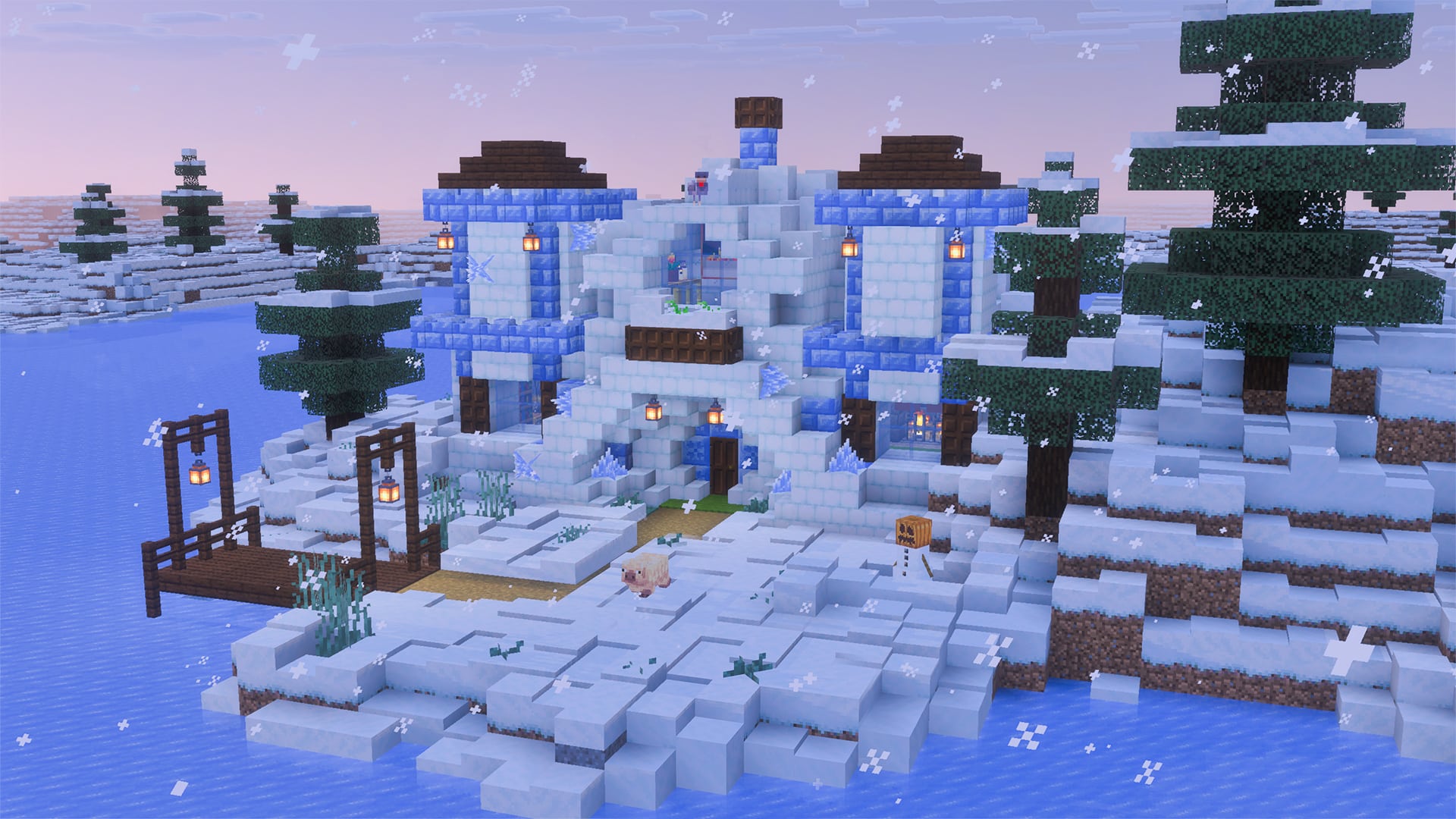
Minecraft Bedrock 26.60 is now available on all platforms, and this brings a bunch of new features and bug fixes.
Console gamers will see this as Minecraft update 1.061 | 1061.000, and this hefty download also adds a slew of technical changes too.
Read on for the complete patch notes.
Minecraft Bedrock 26.60 Available on October 27
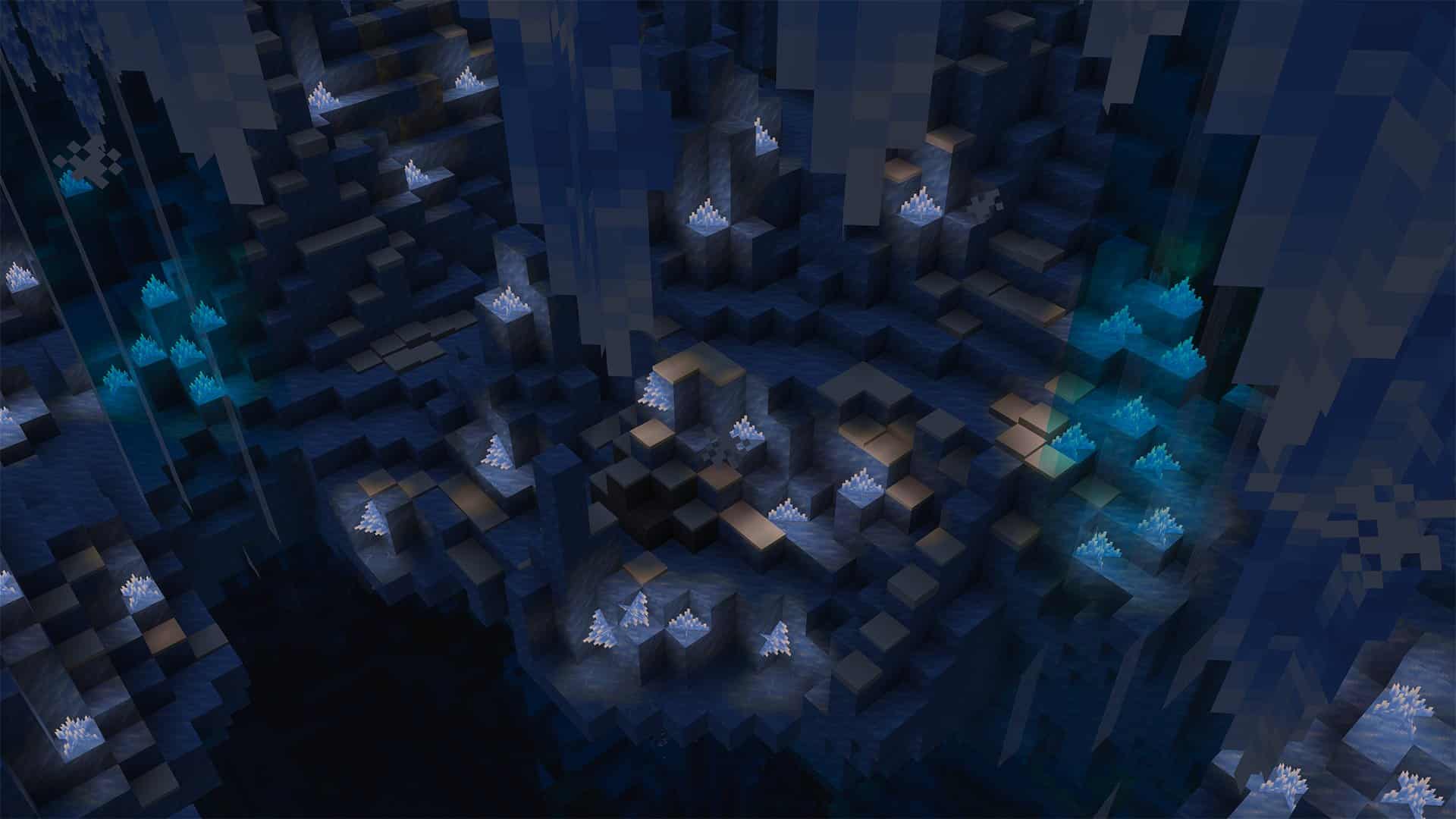
Drop 4 of 2026
Biomes
- The Ice Cave is a new cave biome that generates under the colder biomes in the Overworld. It consists mainly of Packed Ice and Calcite
- Features terrain composed primarily of Packed Ice and Calcite
- Icicles generate hanging from the ceiling
- Large icicles made of Packed Ice generate on the ground and hanging from the ceiling
- Patches of Snow occasionally generates on the ground
- Ores generate embedded in pockets of Stone and Deepslate
- Dirt and Granite do not generate in this biome
- Glow Lichen does not generate in this biome
- In addition to the mobs that normally spawn in caves, Strays and Frostbites can also spawn here
- Ice Crystals occasionally generate on the ground
- Ice Caves appear under biomes with low temperature
Blocks
- Ice Crystals are the only light source found in Ice Caves, as there is no Glow Lichen there. They can generate naturally on top of Packed Ice blocks
- A new crystal-like block similar to Amethyst Clusters
- Breaks if the support block is removed
- It emits light and can be placed in any direction
- Known issue: Ice Crystals are currently smaller than intended
- Icicles can be found all over the ceiling of ice caves. They generate under blocks of packed ice. If light levels are high enough, there is a chance they will drop and cause damage to anyone or anything unlucky enough to be hit by it
- A new speleothem-like block similar to Dripstone and Sulfur Spikes
- Can naturally grow up to 5 blocks long when pointing downward
- Only grows in areas without nearby light sources and outside the Nether
- Damages entities when it falls and deals extra damage to entities that land on it
- Breaks when exposed to nearby light sources or while in the Nether, except for its base block
Freezing Mob Effect
- The Freezing Effect will cause players to shake, reduce their jump height, and eventually deal damage
- Causes those affected to slowly become frozen as if in Powdered Snow for its duration
- Leather Armor will keep them from becoming freezing, just like with Powder Snow, but will not keep the effect from being applied and will not remove the effect
- Mobs will take additional damage from Freezing while they are affected by the mob effect
- Mobs that are vulnerable to freezing have a five times multiplier to the damage taken
- Lingering Potion, Splashing Potion, and Potion of Freezing can be brewed using Ice Balls
- Arrow of Freezing can be crafted by dipping Arrows into a Cauldron filled with Potion of Freezing
Frostbite
- The Frostbite is a zombie variant that can throw ice balls. However, what they really like is to get close to you and use melee attacks that cause the Freezing Effect
- A new Zombie variant
- Spawns in cold/icy biomes
- Switches between melee and ranged combat based on target distance and whether they have Ice Balls; melee attacks apply Freezing, while ranged attacks throw Ice Balls
- Uses Zombie-style melee animations and dedicated Ice Ball throwing animations for both adult and baby variants
- Transforms into a Zombie when underwater for long enough
- Drops Rotten Flesh and Ice Balls
- It can stand on top of Powder Snow
- It is immune to freezing and does not get slowed by the Freezing effect or Powder Snow
- Zombies and Husks now transform into Frostbites when inside Powder Snow
Ice Ball
- Ice balls are the projectile weapon of choice for the Frostbite. They deal a small amount of damage and have knockback
- A new projectile that can be thrown by the Frostbite
- Deals 4 damage to entities it hits, scaling down with velocity
- Breaks on impact with blocks or entities, creating a particle effect and sound
Sounds
- Added custom sounds for Ice block
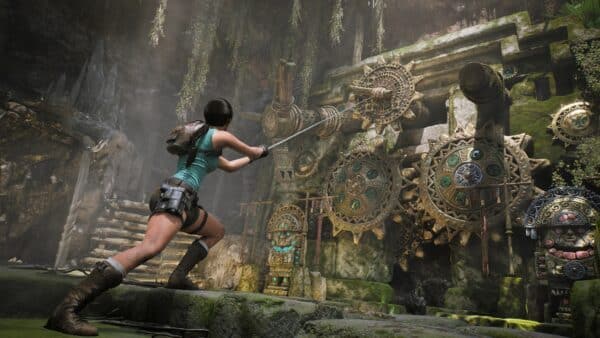
Minecraft New Features and Bug Fixes for October 27
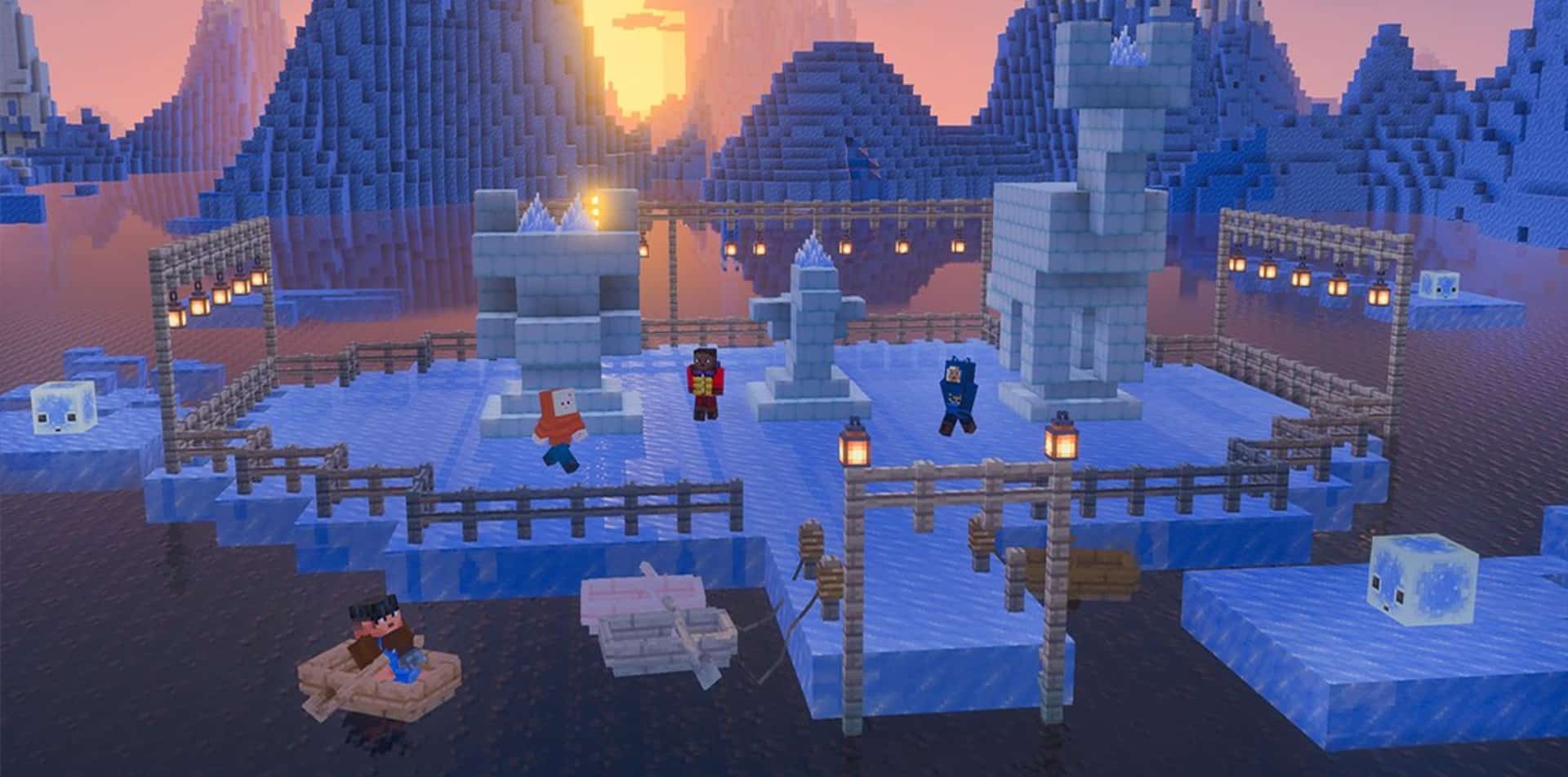
Abandoned Camp
- Camps in the Swamp no longer contain a Mycelium block
- The Abandoned Camp no longer contains singular Coarse Dirt blocks
Accessibility Features
- Screen narration now correctly announces the position of navigation controls in the Realms Timeline tab
- Fixed closed captions for baby turtles and baby polar bears so they display “Baby Turtle” and “Baby Polar Bear” instead of the adult subtitle
- Fixed multiple narration enumeration problems within modals
- Updated order and descriptions of text background opacity options in Accessibility tab
- Fixing enumeration problems with controller on various modals on Realms
- Fixing Realm rate limit modal not being enumerated
- Fixing close X button on moderation feed options modal not being enumerated
- Screen narration now pauses between each bullet point in Realms Plan Picker details
- Progress bars now meet the minimum 3:1 non-text contrast ratio against the default menu background
- Fixing border focus issues on medium sized Realm Stories
- Fixing text blocks below What are Realms? section on Realms PDP not being enumerated
- Extra Large UI now returns to the default GUI scale when disabled
- Fixed a bug on Android where the Disclosure pop-up couldn’t be interacted with.
Accounts
- Fixed silent Xbox Live sign-in hanging indefinitely by adding a timeout that surfaces a network error
Biomes
- Lush Caves now generate instead of Dripstone Caves or Sulfur Caves in very humid regions
Blocks
- Snow now produces vibrations when placed (MCPE-115444)
- Updating Shelf Mushroom textures to match Java, removes hidden faces from texture
- Wool and Concrete blocks now correctly produce instrument sounds when used with Note blocks (MCPE-241748) (MCPE-241749)
- When placing blocks at the height limit the game no longer spams error messages
- Fixed Redstone not visually connecting properly to custom blocks with a Redstone producer component (MCPE-242204)
- Red and Brown Mushrooms now require central block support
- Fixed Redstone dust not rendering the climb up the side of a block when the same wire also steps down to another wire on the opposite side
Cushion
- Cushions in unloaded chunks no longer disappear when the chunk reloads (MCPE-241970)
Straw Bed
- Straw Beds can no longer be placed on blocks occupied by an entity
- Fixed the Straw Bed block reporting missing geometry content errors and rendering incorrectly in worlds and templates using a base game version older than 1.26.50
Commands
- Fixed an issue where players are kicked when using a command with ‘no entity’ selectors into the message. (MCPE-241436) Sample commands fixed:
- /kick <ClientNickname> @a[name=nonexistent_player]
- /tell <ClientNickname> @a[tag=nonexistent_tag]
- Fixed an issue where some blocks did not have correct Redstone functionality after being replaced by /fill or /setblock (MCPE-240207)
- Fixed an issue where a Piston’s arm could get stuck in the neighbouring block when replaced by /fill or /setblock
- Fixed an issue where an extended Piston was missing from the results of /clone when its arm was outside the cloned area, and where a piston cloned without its arm would destroy itself
- /time command now prevents setting a negative time value. When adding time or setting time to the next day results in a value larger than the maximum time amount, it will evaluate to the equivalent time from the first day
- Running /time add <time> in worlds currently with a negative time will be fixed up to add the result from the first day
Cushion
- Moved down the player by two pixels when sitting on a Cushion (MCPE-240499)
Effects
- Regeneration from Axolotls can no longer be stacked infinitely (MCPE-183841)
Gameplay
- Minecraft is now available on Nintendo Switch™ 2, with support for Vibrant Visuals. Find out more at minecraft.net.
- Large fireball no longer ignites targets on hit (MCPE-186607)
- Bonus Chests now generate correctly in Water World and Snowy Kingdom flat world presets (MCPE-223639) (MCPE-224162)
- When placing a Bundle in a Double Chest, the contents will no longer randomly disappear (MCPE-188043)
- Grown up baby Horses can no longer pass through two blocks high and one block wide corridors (MCPE-238139)
- Players now take fall damage when landing on a solid block at the boundary of a water block
- Villagers no longer become unresponsive when player interacts with them while opening the inventory menu (MCPE-138181)
- Reduced the lag spike that could happen when opening an Abandoned Camp chest for the first time (MCPE-310693)
- The following Explorer Maps have been renamed to have more consistent naming
- Ocean Explorer Map -> Ocean Monument Map
- Swamp Explorer Map -> Swamp Hut Map
- Trial Explorer Map -> Buried Trial Chambers Map
- Woodland Explorer Map -> Woodland Mansion Map
- Jungle Explorer Map -> Jungle Pyramid Map
- Blocks pushed by Pistons now push or damage entities based on whether the entity can be pushed by blocks, matching the behavior of Pistons themselves
- Shulkers are now pushed by Pistons and by blocks that Pistons move, matching Java Edition
- A Wind Burst enchanted Mace no longer launches the player up in the air when hitting non-living entities such as Boats, Minecarts, and Cushions
- Untipped Arrows no longer bounce off entities when their damage is fully absorbed or mitigated (MCPE-241191)
- Fixed a bug where a Zombie trying to simultaneously equip multiple items on the ground could lead to some of those items disappearing instead (MCPE-238979)
- Effects that are weaker but have longer duration now correctly resume after a stronger but shorter duration effect of the same type expires (MCPE-74059)
- Trapdoors now have snappable placement: holding the place block control while a Trapdoor is selected will only place Trapdoors in a fixed direction until the control is released
- Snappable placement de-activates interaction with blocks until the placement interaction is completed.
- Players no longer stop sneaking when touching water (MCPE-167218)
- Red and Brown Mushrooms can now be placed on any block with a top solid face regardless of lighting conditions
- They still cannot spread unless the brightness at the new growth is less than 13, or its support block overrides light requirements like Mycelium
- Fixed camera height when sleeping in a Straw Bed (MCPE-240511)
- The HUD now correctly shows an effect when a weaker but longer duration effect resumes after a stronger but shorter effect of the same type expires (MCPE-242400)
- When dismounting a Strider the passenger will be dismounted onto a block in the location where the passenger is looking on a block that is not Lava and one block away (MCPE-175573)
- Added dedicated server settings to observe or enforce entity attack request compatibility and targeted-actor range
General
- Fix untranslated text while importing worlds on PlayStation (MCPE-237739)
Graphical
- Fixed the block selection outline not appearing when aiming at a block with a mob standing on top of it (MCPE-172630)
- Fixed a bug which caused aliasing artifacts on Beds and Signs when colored block lighting is enabled.
- Fixed instability when Block Light Quality is set to Volumetric Lights on PS4 and Android
- Added warning for going above the ‘visual’ graphics level render distance for Vibrant Visuals
- Shulkers no longer have comfort dithering applied as they are a stationary (block-like) mob
- Fixed a crash when adjusting render resolution on PlayStation with high settings in Vibrant Visuals
- Fix resource packs and fog command not affecting fog start and end distance when the dragon is dead or far away. The fog start and end are still overridden when the dragon is alive and nearby. (MCPE-239959)
- Fade in sky when night vision and blindness are both active
- Fix texture of minecarts with hopppers in ray traced graphics mode(MCPE-240625)
- Fixed Character Creator items and custom skin layers, such as outerwear, footwear, leggings, socks, and belts, not being hidden underneath equipped armor
- Corrected detection of cube-map array texture support on older Windows graphics hardware
- Character Creator skins now consistently use the matching level-of-detail texture after changing profiles
- The size of The End flash in Fancy graphics mode now more closely matches Java Edition.
- Fixed UI elements appearing in world preview images when using Vibrant Visuals on Nintendo Switch 2 (MCPE-241596)
- Fixed some inventory items appearing invisible with non-default Display Brightness and anti-aliasing set to 1 (MCPE-241108)
- Fixed bug where distance fog was overly bright when rendered in front of a water surface.
- Automatic upscaling now uses the closest supported resolution rounded down when switching to the Custom graphics settings, and Custom mode displays a notice that automatic resolution is only valid for presets
Input
- Fixed instances of first inputs not appearing in chat window textbox on Android devices (MCPE-241422)
- Fixed an issue for Switch where wireless controllers would not be usable on the world selection screen after leaving a world (MCPE-241768)
- Improved cursor movement while scrolling
Items
- Fixed issue where ice bombs (Education Feature) did not produce ice when thrown on water
Marketplace
- Fixed marketplace updates not completing and progress screen not closing automatically
- Imported custom skins are no longer reset to a default skin after relaunching the game (MCPE-241720)
- Fixed a bug where declining to purchase a missing Marketplace pack could leave players stuck in an error loop
- Improved frame time of subcategory piece screens
Add-Ons
- Worlds that had achievements incorrectly disabled due to add-on use will have them re-enabled on first play (MCPE-242586)
Character Creator
- Skin info panel now displays on unpurchased skins
Mobs
- The Drowned model now more closely matches Java Edition
- Helmets equipped by Drowned are now visible (MCPE-153500)
- Fix a rare issue where a healing a mob could result in its death
- Armor Stands now correctly reject invalid equipment swaps and swap equipped items directly with items held by players
- Fixed an issue where Sheep would get stuck in their grazing animation
- Fixed a bug where split Slimes would have their parent’s properties
Realms
- Free trial is now available on Nintendo Switch!
- World upload & download – Major improvements have been made to speed and reliability! (REALMS-474) (REALMS-419)
- Added support for opening a specific Realm from a Realms Play deep link
- Updated Realms purchase terms to include required automatic renewal notice
Realms Hub
- Realm Member screens have been updated to OreUI with improved functionality.
- It’s now faster to add members with search from the Members screen. You can now invite players to your Realm without the extra step of making them an Xbox friend.
- The Members screen now shows ‘Recommended’ friends.
- Added applied packs list to Realms hub world tab.
- New ‘Learn more’ subtab in Settings tab has a new help guide for Realm owners and admins
- Hardcore worlds are now identified correctly in Realm world slots
- The correct active world size is now displayed consistently in the Realms Hub World tab
- Fixed Realm world name wrapping too much on member-view worlds tab

User Interface
- Updated Poplar Hanging sign’s GUI to match Java and other hanging signs
- Focus now follows a pack to its new position when it is reordered, instead of moving somewhere unrelated
- Added extended Latin, Cyrillic and Greek characters to the bitmap font. Character size increased to 8x12px. Languages that use these characters will no longer be displayed in a mix of fonts in the menus.
- Let us know what you think here
- Fixed an issue where a friend’s world could appear more than once in the Play menu when the friend was signed in to multiple online services
- Fixed button icons in the player profile menu briefly flash when entering the screen or switching tabs
- Price information on Marketplace offers will still be visible on items temporarily owned through Marketplace pass
- Old Worlds synchronization can now be accessed using a gamepad in Ore UI Storage Settings
- Vibrant Visuals content is no longer shown in the Marketplace Pass tab on unsupported devices
- The side panel of the report player screen is now scrollable, so the mute player option is no longer cut off on short screens or at large UI scales
- The pack list now scrolls while an active pack is being carried, so packs can be reordered past the visible area (MCPE-160072)
- Fixed a bug that caused an active pack being reordered with a controller to jump to the wrong position when the pack list was scrolled mid-drag
- Fixed issue where disabled buttons would appear clickable when narration is on
- Improved error messaging when joining Featured Experiences and Creator Experiences to make it more clear why a connection failed
- Subscription plan picker buttons now show when a free trial is available
- Removed the Change User button from the main menu on Xbox consoles
- Improve initial loading time for Ore UI screens in Betas and Previews (MCPE-180677)
- Added an informational message explaining when Improved Input Response is unavailable (MCPE-230699)
- Improved the alignment and line wrapping of Chinese, Japanese, and Korean text in chat, books, and signs
- The Command Block screen no longer censors partially typed words while the command is being edited (MCPE-238739)
- Large worlds can now be duplicated on Switch when sufficient storage is available.
- Fixed Android back button not working in Ore UI
- Fixed issue where accordion component was not narrating expanded hint
- Updated how received party invites are shown and interacted with in the Social Drawer
- Improves screen reader context readout when exiting text fields
- Fixed missing label narration for toggles, sliders, input binding and button panels in Settings
- Tag Panel in PDP Description now enabled even for items that don’t have Subgenre or PlayerCount (Addons, Skins, Textures)
- Graphics mode buttons remain responsive after switching to Vibrant Visuals and adjusting brightness
- Fixed Arcana glyphs not appearing in Enchanting Table slots
- The Gift button no longer appears for free, unobtainable, or default content (MCPE-242293)
- Fixed unreadable text in resource packs using legacy custom bitmap fonts, including The Ultimate Survival World (MCPE-242277)
- The Inbox now finishes loading when categories arrive after the page opens
- Vietnamese and Lao combining marks now render without extra spacing or unwanted dotted circles
- Fixed Show More Button in Classic Skins “Get More” and “Marketplace Pass” lists not hiding after loading all offer list
- Fixed a bug where profile stats loaded indefinitely on the achievements page when accessed through the in-game pause menu (MCPE-239946)
- Returning from a failed server join now preserves navigation back to the Servers tab instead of skipping to the main menu (MCPE-242417)
- Added reusable responsive pagination utilities for Marketplace layouts
- Improved Wishlist pagination and alignment across different screen widths
- Improve initial loading time for out-of-game Ore UI screens (MCPE-180677)
- The Marketplace Wishlist now updates immediately after items are added, removed, or purchased, instead of showing the previous contents until the game is restarted
- Fixed “unkown” typos in error message strings with “unknown” (MCPE-242276)
- First-use onboarding now starts the selected multiplayer world while the player’s Persona appearance is still loading
- Adds ‘Marketplace Storage’ bar to the storage menu on devices with separate World and Marketplace storage directories , 1656224
- Added missing and fixed incorrect closed captions
- Cod, Pufferfish, Salmon, and Tropical Fish have the correct closed caption when killed
- Pufferfish, Salmon, Tropical Fish, and Elder Guardians have the correct closed caption when hurt
- Pufferfish, Salmon, Tropical Fish, Tadpole, and Elder Guardian have the correct closed caption when flopping
- Elder Guardian has the correct closed caption when flapping on land
- Comparators, Tripwires, and Dispensers now have the correct closed captions when emitting their clicking sounds
- Dispensers now have the correct closed captions when failing to dispense an item
- Slime mobs now have the correct closed caption when killed and summoned
- Eggs, Eyes of Ender, Ender Pearls, Fishing hooks, potions, Snowballs, and other throwables now have the correct closed captions when thrown
- Creeper now has the correct closed caption when primed
- Support for new Audio category in Marketplace
- Adding new icon for Creators navigation button in Marketplace
- Fix visual stuttering with touch controls (MCPE-243048)
Sounds
- Fixed an issue where sounds could become out of sync after the game was paused and resumed
Stability and Performance
- Dedicated servers now exit cleanly when incompatible allow-list and online-mode settings are configured
- Reduced stutter associated with mobs and items across multiple play sessions (MCPE-241707)
- Fixed a crash that could occur when loading a world containing large, densely connected structures of blocks such as fences, glass panes, iron bars, or walls (MCPE-242312)
- Improved stability for Nintendo Switch devices connected to a network
- Fixed a crash that could occur when loading malformed resource archives
- Fixed a crash when trying to render too many hearts on the HUD
- Players no longer become stuck on the “Generating World” loading screen when attempting to pause during dimension transfer
- Fix crash when holding an invalid photo
- Fixed an issue where joining a friend’s world while already in a world could incorrectly load newer Vanilla resources when the friend’s world used an older template
- Fixed issue with infinitely growing string values in level data.
For the technical additions and changes, read on.
This website contains affiliate links. If you click a link and make a purchase, we may earn a commission at no additional cost to you. This helps support our work. Learn more on our affiliate page.

Subscribe
0 Comments
Oldest