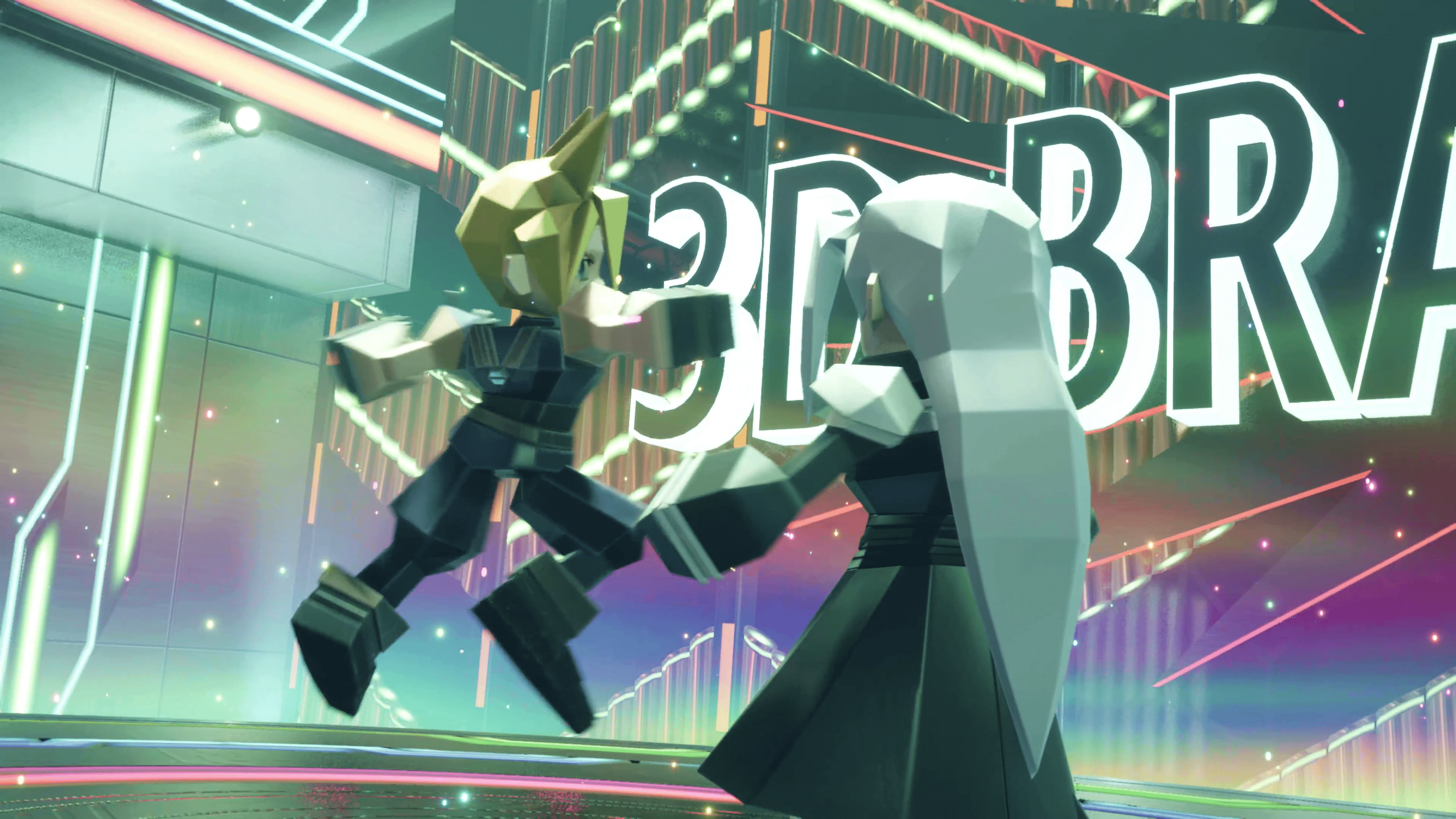
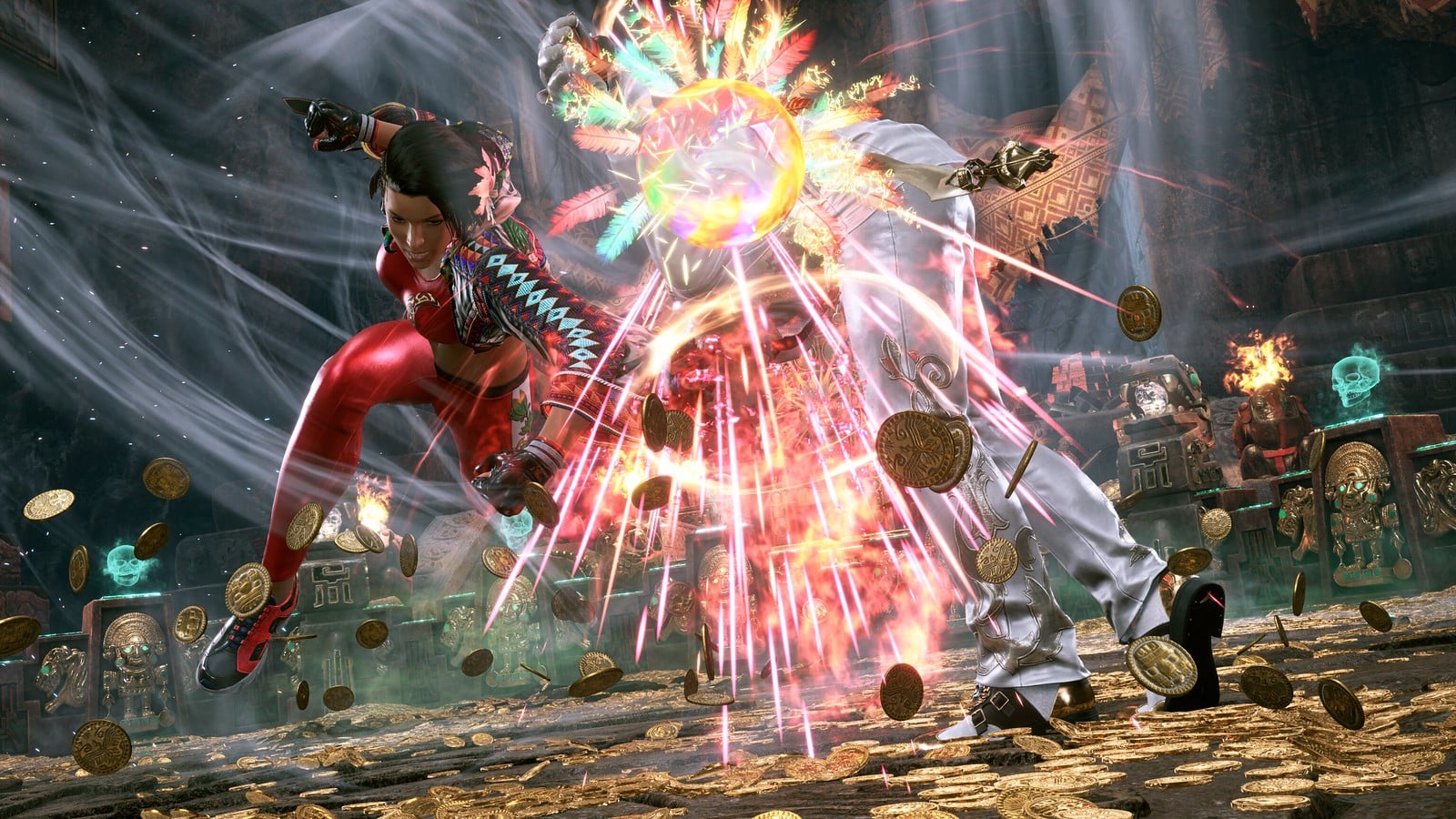
The final boss in the 3D Brawler mini-game is none other than the One-Winged Angle himself, and he’s just as challenging as you’d expect him to be. Luckily, we have some tips on how you can beat him, including his full move sets and when exactly you’ll be able to strike him.
How to Beat Sephiroth in Final Fantasy 7 Rebirth’s 3D Brawler:
Understanding His Attacks
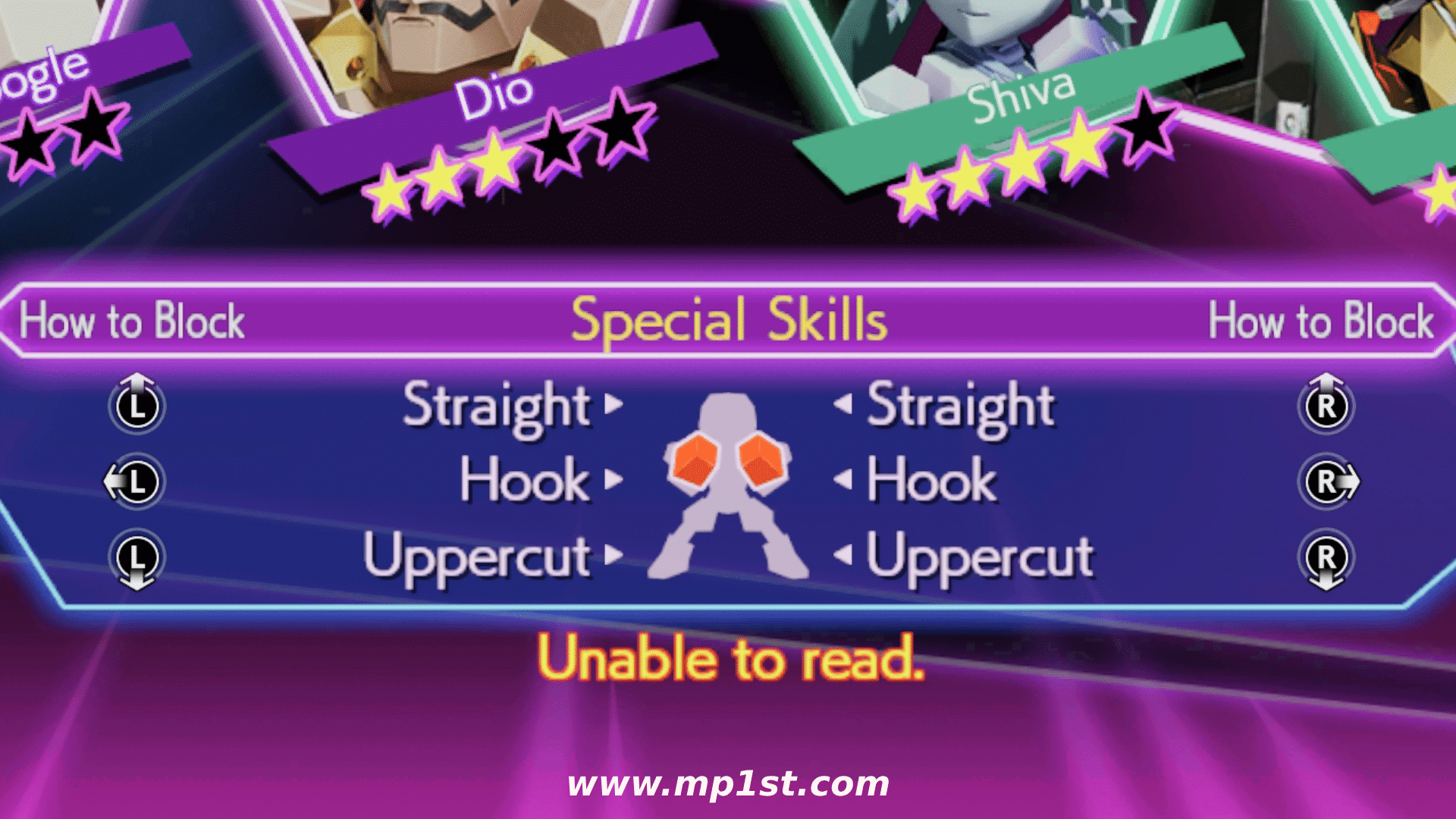
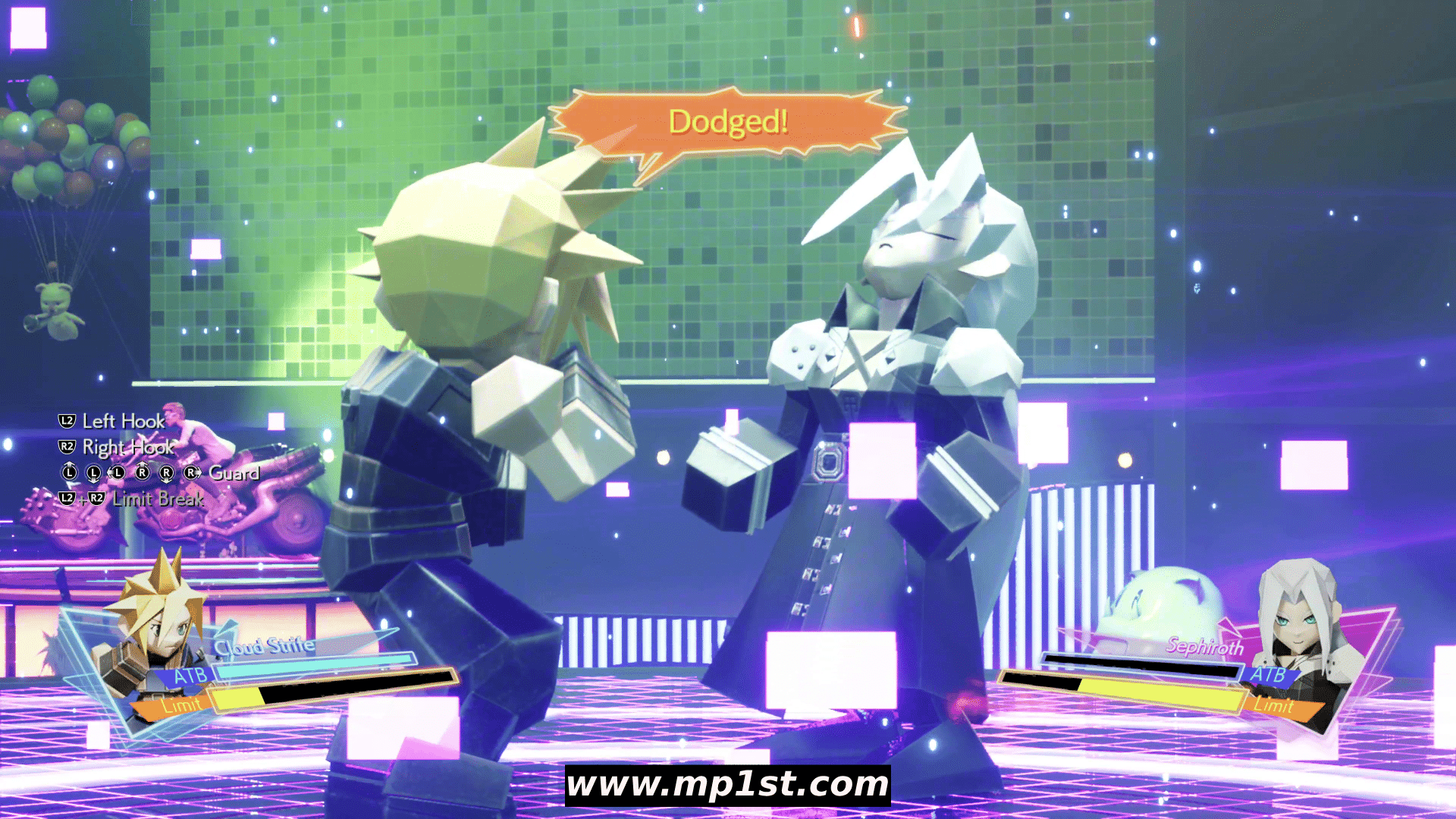
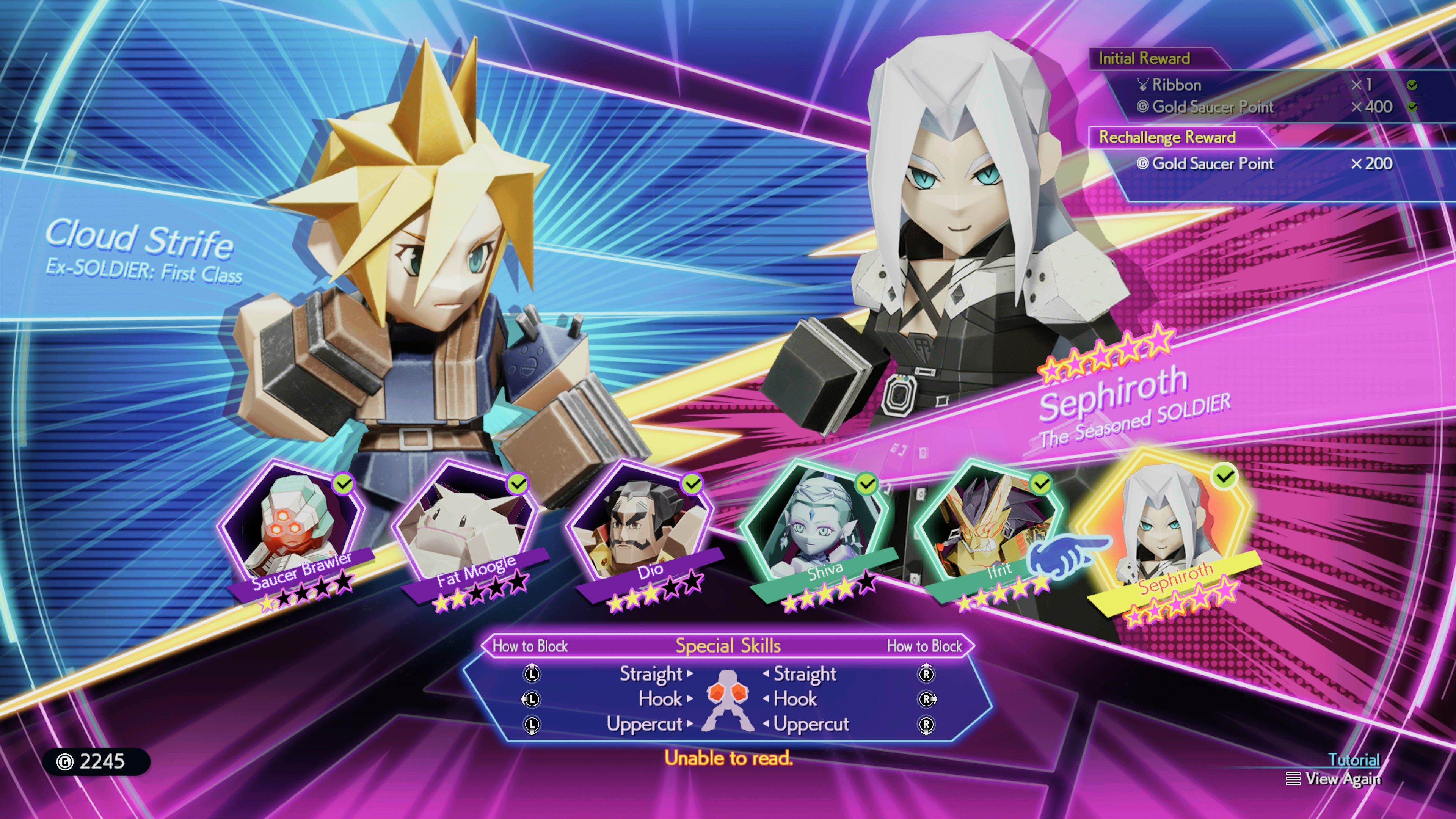
Like the Shinra Middle Manager that you fought to unlock Sephiroth, Sephiroth is a full six-special skill fighter. This means that you’ll be using all six available movements, three on each stick, during your fight with Sephiroth in 3D Brawler. He has six attacks, and you have six directions you can use to dodge or block, though, for this fight, you’ll want to ensure you’re dodging (more on that later).
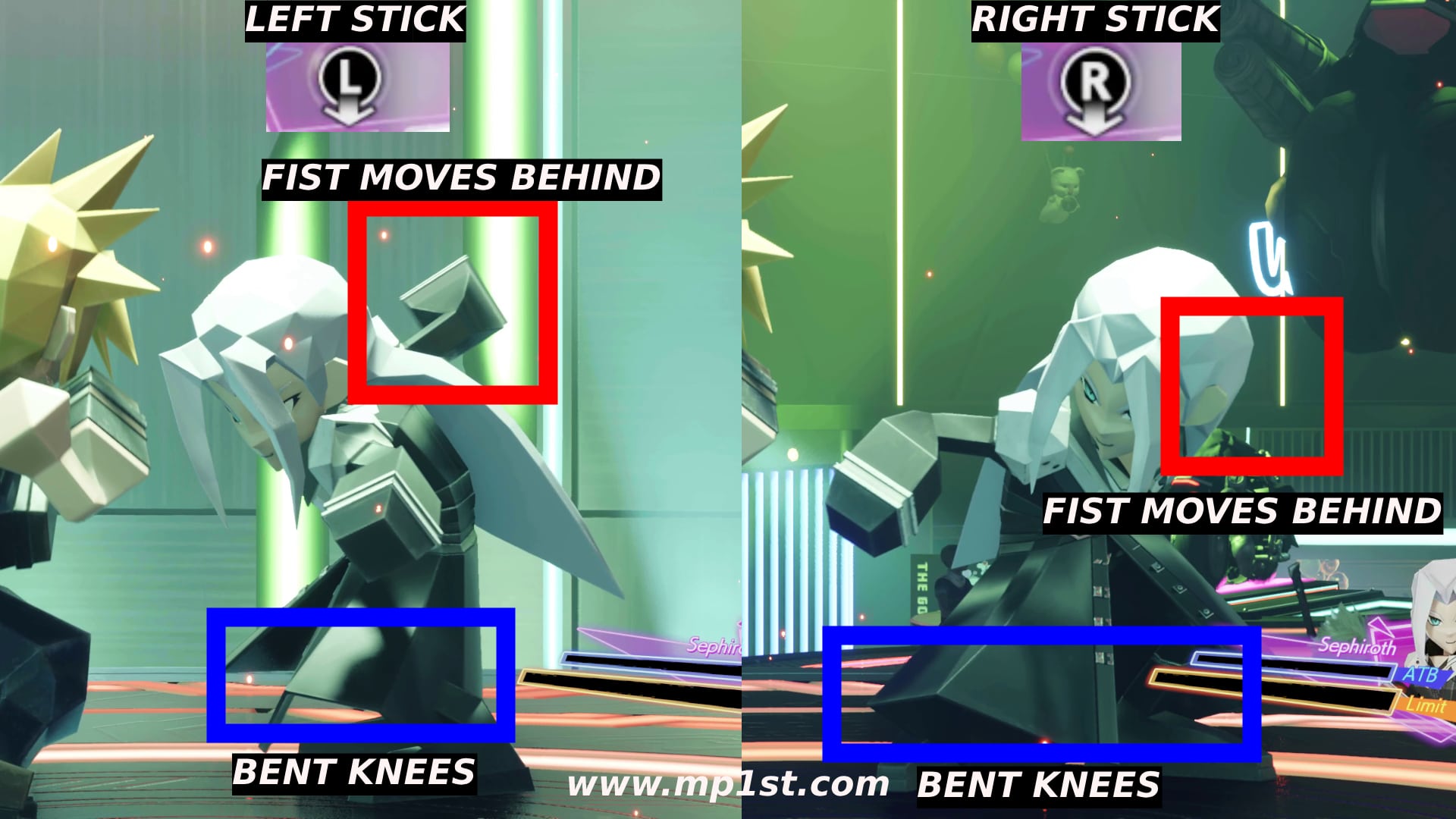
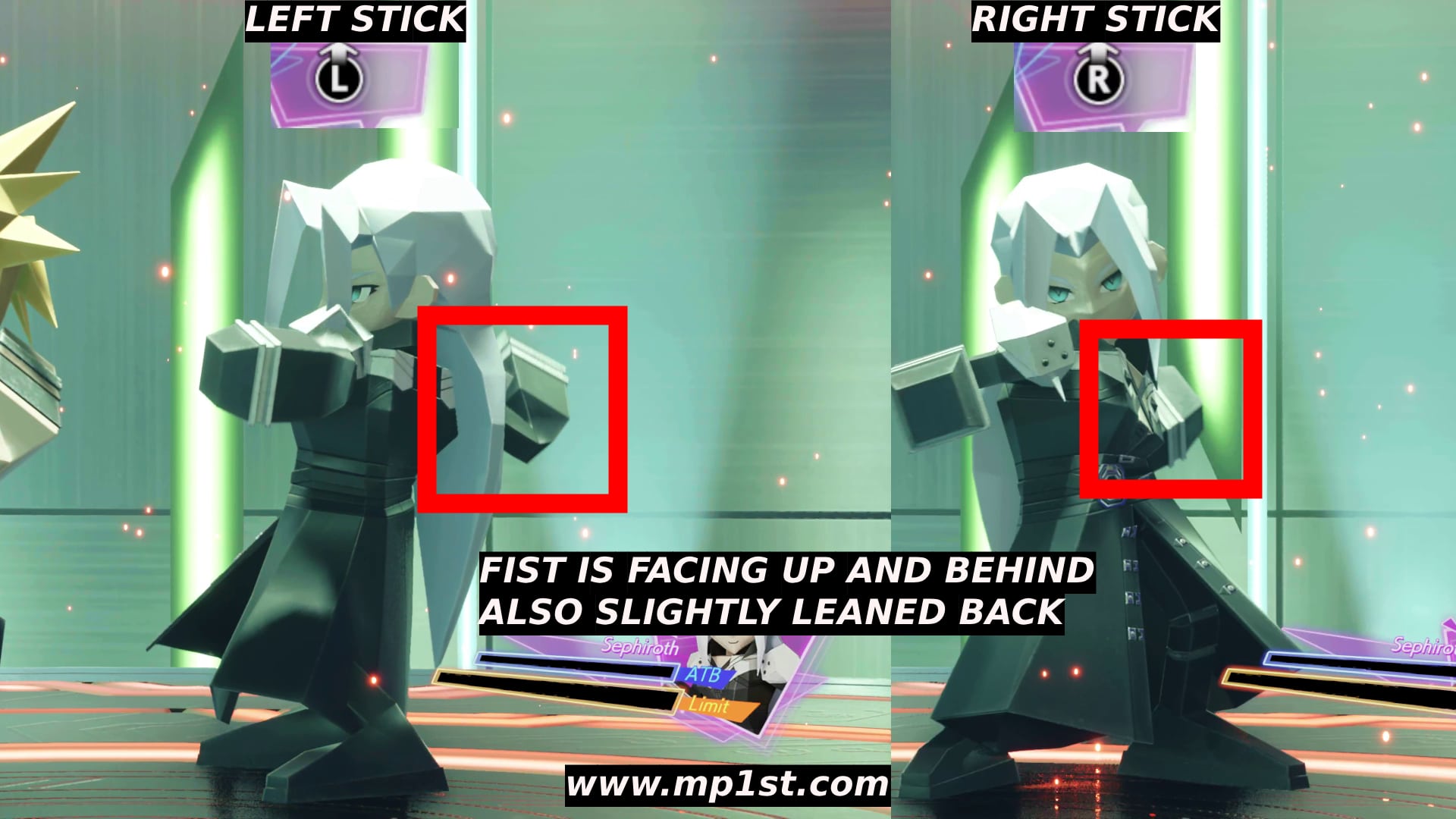
So, let’s go over each of those attacks so you know exactly which button to press when you see it. We’ll start with the stick’s downward action. For Sephiroth, this is an uppercut move and has a very distinct animation, though it’s easy to get it mixed up with the stick’s left and right attacks if you aren’t paying close attention.
Sephiroth will begin to move his fist behind himself while also bending his knees. This means he’s preparing to do an uppercut, and depending on which fist is attacking, you should move the corresponding stick down. Also, pay attention to the position of the front side of the fist. It’s facing away from you.
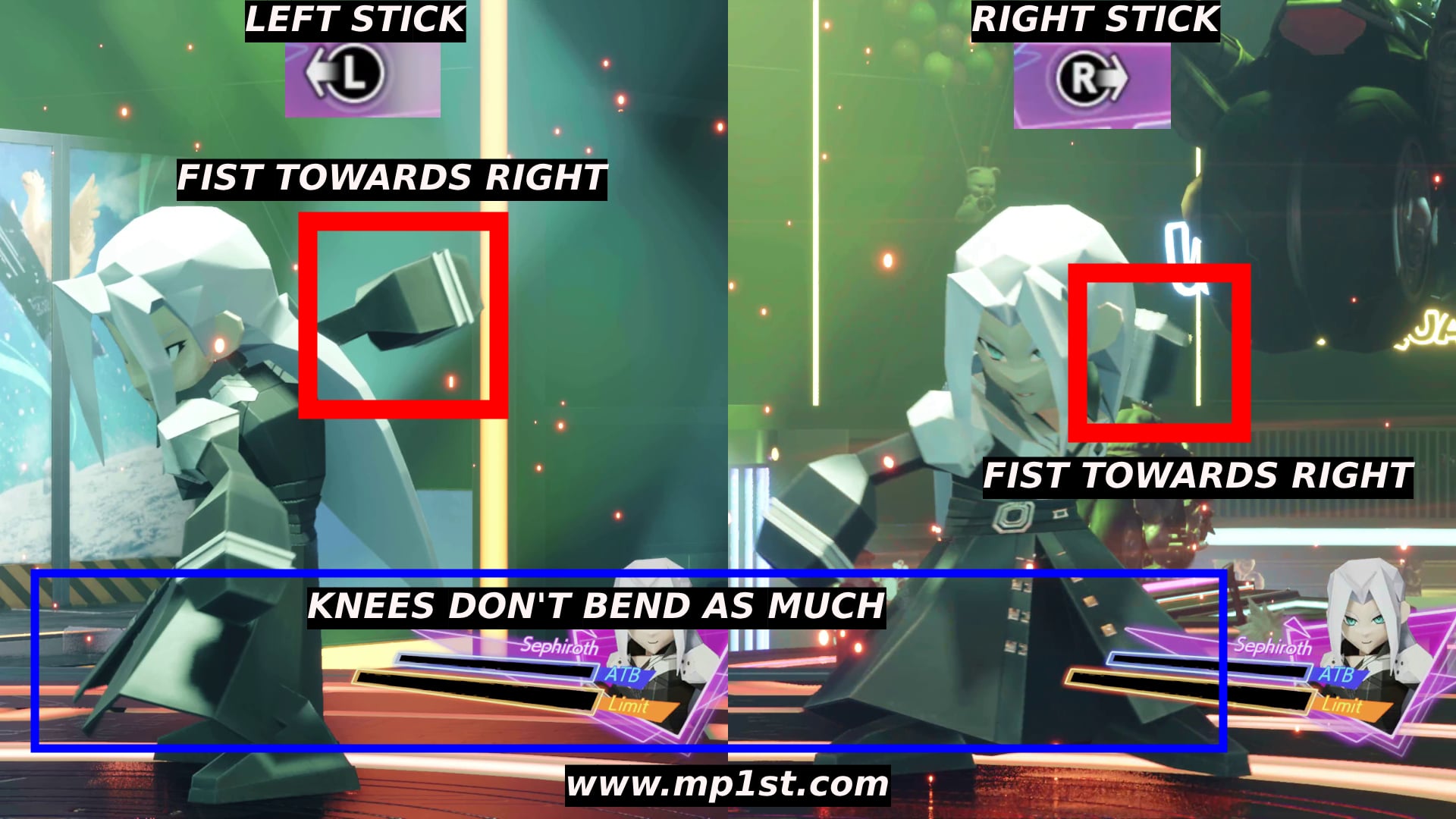
The second attack is the hook, which is either left or right on the stick. There’s no left stick moving right and right stick moving left, so all you have to worry about is whether he’s making a left hook or a right hook, in which you’ll respond with a left stick move left or right stick move right. The animation he makes to indicate this move can be tough to spot, but his knees don’t bend as much. His fist also moves right behind him, and it faces to the fight rather than to the back. When it does this, then you know he’s going to use a hook.
His last move is a straight attack, which requires you to move one of the two sticks up, depending on which fist is attacking. To determine when Sephiroth is going to use this move, he will lean back a little, move his fist behind him, and it will be facing up, or slightly upwards for the right side.
This is a breakdown of all basic standard attacks; now, let’s go over when you can attack him.
How Do You Attack Sephiroth in 3D Brawler?
Hitting Sephiroth isn’t as easy as it sounds because, compared to the other 3D brawlers, you have to reach his special attack (where they turn red and unless consecutive strikes) before you get the opportunity to hit him. So, starting with the fight, you have to dodge seven of his attacks, and then he will perform his special attack, which is another four dodges you have to do, for a total of 11 dodges. Once you’ve done that, he will open up for the first strike as he will be too exhausted to move. Be quick because he doesn’t stay in this state for much longer.
This initial phase is what makes this fight undoubtedly hard. You don’t have to dodge seven times in a row, but it would be best not to get hit because Sephiroth can kill you in three hits. So dodge the first seven attacks, which are sadly random. Once he starts glowing red, he will perform five consecutive strikes. Luckily, the first time isn’t random, and the combo is as follows:
Right straight, left hook, right hook, left straight, right uppercut = Right stick up, left stick left, right stick right, left stick up, right stick down
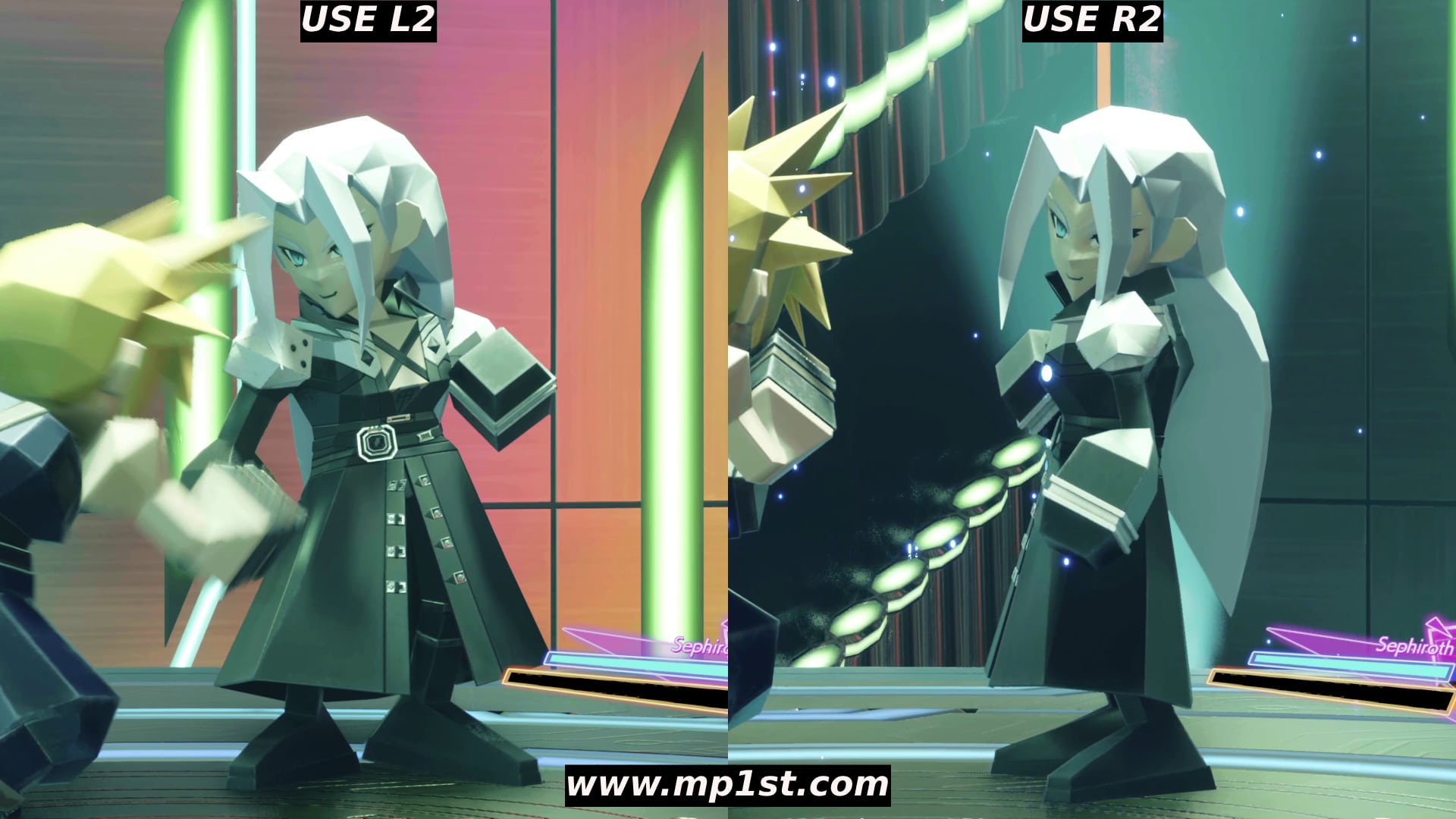
If you dodge all his attacks, he will go into a down state, and you can attack him with L2 or R2.
After this, you must pay close attention to his attacks because things become entirely random. So, everything you learned during the first phase is going to weigh heavily in the next minutes of the fight. At this point, he also gains an additional two power-up combo, possibly a third one. He will alternate between them, so remember the first one well. I haven’t mapped out all the combos, but I believe there are three in total.
Left hook, left hook, right straight, left uppercut = Left Stick Left, Left Stick Left, right stick up, left stick down
Right straight, left hook, right hook, left straight, right uppercut = Right stick up, left stick left, right stick right, left stick up, right stick down
Left Stick Down, right stick right, ????
The best tip I can offer you in determining which set he will use is as soon as he turns red, pause the game, then keep unpausing and pausing it until you see his hand move. You should be able to determine, based on his fist positioning, which moves he will use. You can try to exploit the pause mechanic after this, but you have to be extremely fast; otherwise, it will result in a block. Better to find out which combo he will use and just memorize the moves in one solid flow.
Sephiroth also offers players other opportunities that are random to strike him after the first hit phase. This will correspond with L2 or R2, but only one of them, unlike the down state from dodging all his attacks. You’ll know when the opportunity comes up because he strikes a pose, and it’s in either the left or right direction.
It’s all really about paying close attention from here on out, so don’t expect to get this on the first try. It took me a few hours to beat him myself, and we’re sure that’ll be the case for you, too. Just have patience, learn his moves, and practice, and eventually, you’ll get it.
A gamer at heart, James has been working for MP1st for the last decade to do exactly what he loves, writing about video games and having fun doing it. Growing up in the 90's gaming has been in his DNA since the days of NES. One day he hopes to develop his own game.
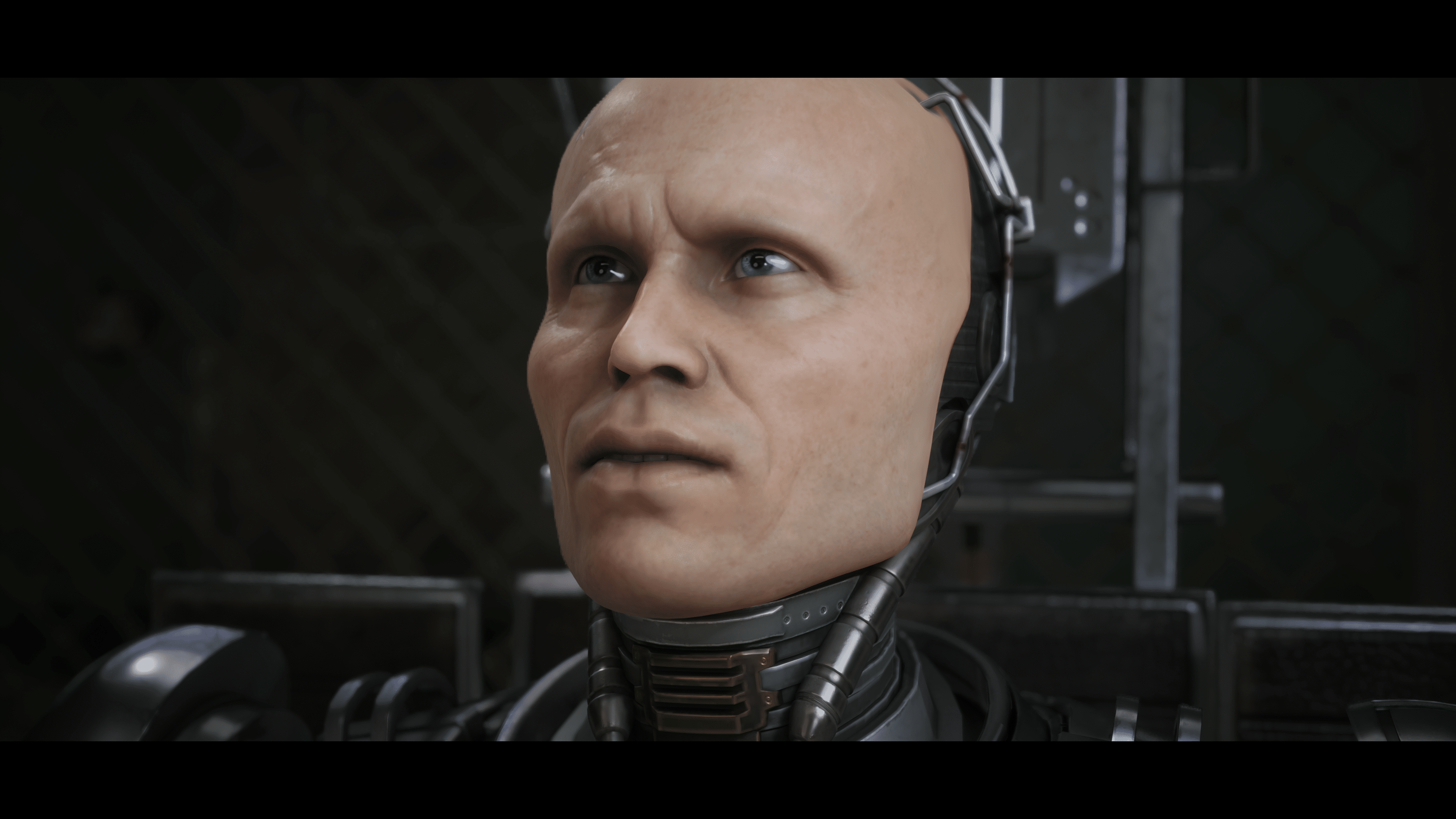
Teyon has pushed out RoboCop: Rogue City update 1.005, and this is a surprise patch, so don’t expect much. Read on for what’s new in the RoboCop: Rogue City patch notes for Feb. 29.
RoboCop Rogue City Update 1.005 Patch Notes for Feb. 29:
Update: The full patch notes, though short they might be, has been released by the studio (via Steam).
Improved game stability
Fixed the Sony Dualshock detection issue
Fixed a few localization issuese
Added AMD FSR 3.03
Fixed the Tattoo Shop quest
Other minor fixes
So far, Teyon has not mentioned anything about today’s title update just yet. We are hoping it fixes the myriad of tech issues on the PS5 version, which is something the community is asking for as well.
The last title update we got was last month, which introduced New Game+ alongside new cosmetics for the game. Hopefully, we’ll hear back from Teyon within the day, and once we know more, we’ll update the article with the info. For readers who applied the patch, leave a comment below and let us know what you spot.
Given how Rogue City is a standalone game with no DLC planned, don’t expect a lot of updates to it. Even so, it’s a solid action game with our review stating, “RoboCop: Rogue City is a complete, single-player game, with no DLC currently in sight. Its rendition of Detroit, satire, gory violence, witty and occasionally campy writing and voice acting, all feel ripped straight out of the original movie, while giving us a standalone story that you’ll likely want to see through to its conclusion.”
D3 Publisher Inc. has announced that Earth Defense Force World Brothers 2 will be released on September 26, 2024 for the PS4, PS5, and Nintendo Switch. Read on for the different pricing tiers, key features and more.
Earth Defense Force World Brothers 2 Release Date Details and Key Features:
Standard Edition – $49.99/$39.99 (Switch)
Deluxe Edition – $74.99/$64.99 (Switch)
Pre-orders are now live, with PlayStation Plus subscribers getting a 10% additional discount and several additional characters as an additional reward.
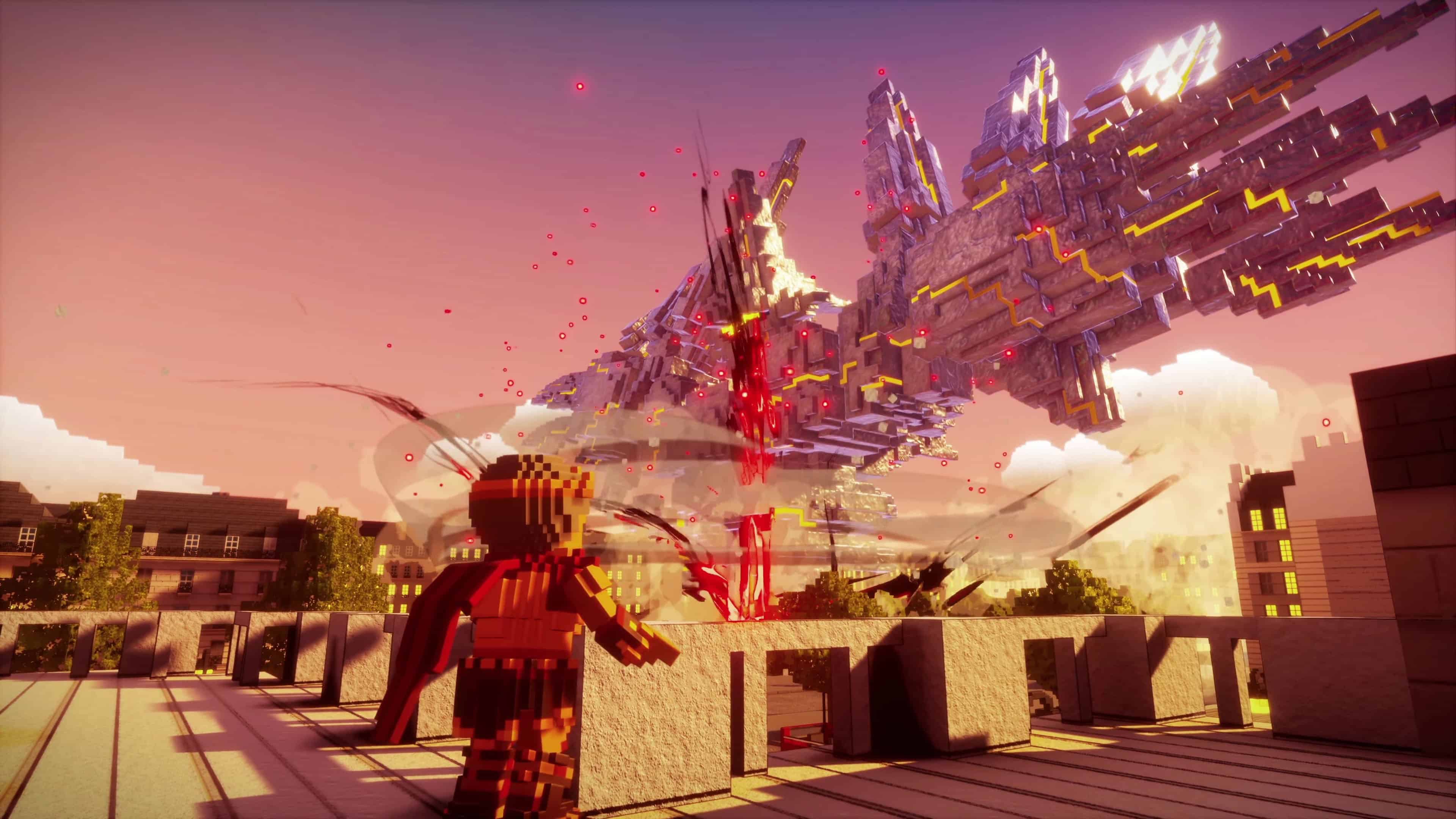
EDF: WB2 tells the story of what happened to the voxel (cube) Earth after the events of the first installment. Brothers from across the world reunite to face an unprecedented threat brought about by an all-new enemy that threatens to tear the Earth apart all over again. To restore peace to the voxel Earth, the EDF has been dispatched for an emergency mission the likes of which no one has ever seen before! Featuring a unique voxel art style, epic 4-player team battles, and filled with more love for the EDF series than ever before, players must stand together to save the world once more. EDF move out!
Key Features:
The Voxel World of Square Earth: Unlike the original EDF series, which is portrayed in a photorealistic style, EDF: WB2 uses bold voxel graphics for a distinct look. Get ready to blast hordes of monsters into pixel oblivion!
Build Your Very Own EDF Squad: EDF members are struggling in isolated locations around the world. Rescue and assemble a unique Earth Defense Force team to save the cube Earth. Each mission is tackled by a 4-member team that players mix and match to maximize their abilities and lay waste to their enemies.
Legends Assemble: Classic soldiers, characters, and weapons from the first game, THE EARTH DEFENSE FORCE, up to Earth Defense Force 6, and various EDF series spin-offs return in voxelated form! Longtime fans of the series are in for a serious dose of nostalgia, while those who have never played an EDF game before can enjoy EDF: WB2 as an introduction to the series.
Enemies of Generations Past Reborn: The invaders who attacked Earth and caused mass destruction countless times before are returning in full (voxelated) force. Many enemies, giant weapons, and huge monsters from past EDF games are back and bigger than ever! What hell-spawn will show up next?
Fully Voiced in Multiple Languages: Like its predecessor, EDF: WB2 features English, Japanese, Chinese, and Korean voiceovers, so an even greater audience can get in on the action!
In related news, Earth Defense Force 6 will be released in the west in Summer 2024. Read up on that here.
Trying to clean up all the trophies in Final Fantasy 7 Rebirth and realized there’s one for defeating Sephiroth in 3D Brawler? Well, you probably also noticed that he’s not an available fighter, and that’s because there are a few things you have to do before you’ll be able to fight him. We’re here to help with the MP1st Final Fantasy 7 Rebirth How to Unlock Sephiroth in 3D Brawler guide!
Some spoiler warning if you aren’t far in Chapter 12.
How to Unlock Sephiroth in 3D Brawler in Final Fantasy 7 Rebirth:
First and foremost, you’ll need to be on Chapter 12. Despite the 3D Brawler mini-game being accessible in earlier chapters, you won’t be able to unlock Sephiroth until later in the game, that being in Chapter 12. Chapter 12 marks the return to the Gold Saucer, which also happens to be the chapter where you get to go on a date with one of the other characters (more on that here).
But storywise, and specifically to unlocking Sephiroth in 3D Brawler, you’ll need to progress in a few things. The first is the chapter itself; you’ll want to continue with the main story, go through the date, meet up with Dio, and defeat the Turks. Once you’ve done the big story portion, you’ll gain access to some new stuff in the Gold Saucer. It’s at this point that you’ll need to be in the story, as this is basically the last time you’ll be able to wander freely around the world. This is also the point in the story where everything else in the game can be unlocked, which comes to the next part you’ll need to do.
You’re going to want to start completing all the side missions in the Coral Region. In total, there are nine, though you’ll only have access to a limited few. Once you’ve cleared enough, more will begin unlocking. It’s side-mission 9, dubbed “Can’t Stop Won’t Stop,” that you’ll eventually unlock, which takes you back to the Gold Saucer to meet up with a certain middle manager you meet in the game a few chapters back.
Complete the quest, and afterward, you’ll get a Gambler Materia and access to a new 3D Brawler fighter, Sephiroth. Be ready, though, as he is a very hard fight. Luckily, we have a guide offering tips on how to beat him!
That’s it; that’s how you unlock Sephiroth in 3D Brawerl!
A gamer at heart, James has been working for MP1st for the last decade to do exactly what he loves, writing about video games and having fun doing it. Growing up in the 90's gaming has been in his DNA since the days of NES. One day he hopes to develop his own game.
Rockstar Games has just released a new GTA Online weekly update for February 29 with fresh activities plus discounts, GTA Plus benefits and more! Read on below for the full highlights and details in one handy list below.
New GTA Online Weekly Update for February 29 – Discounts, GTA Plus & More:
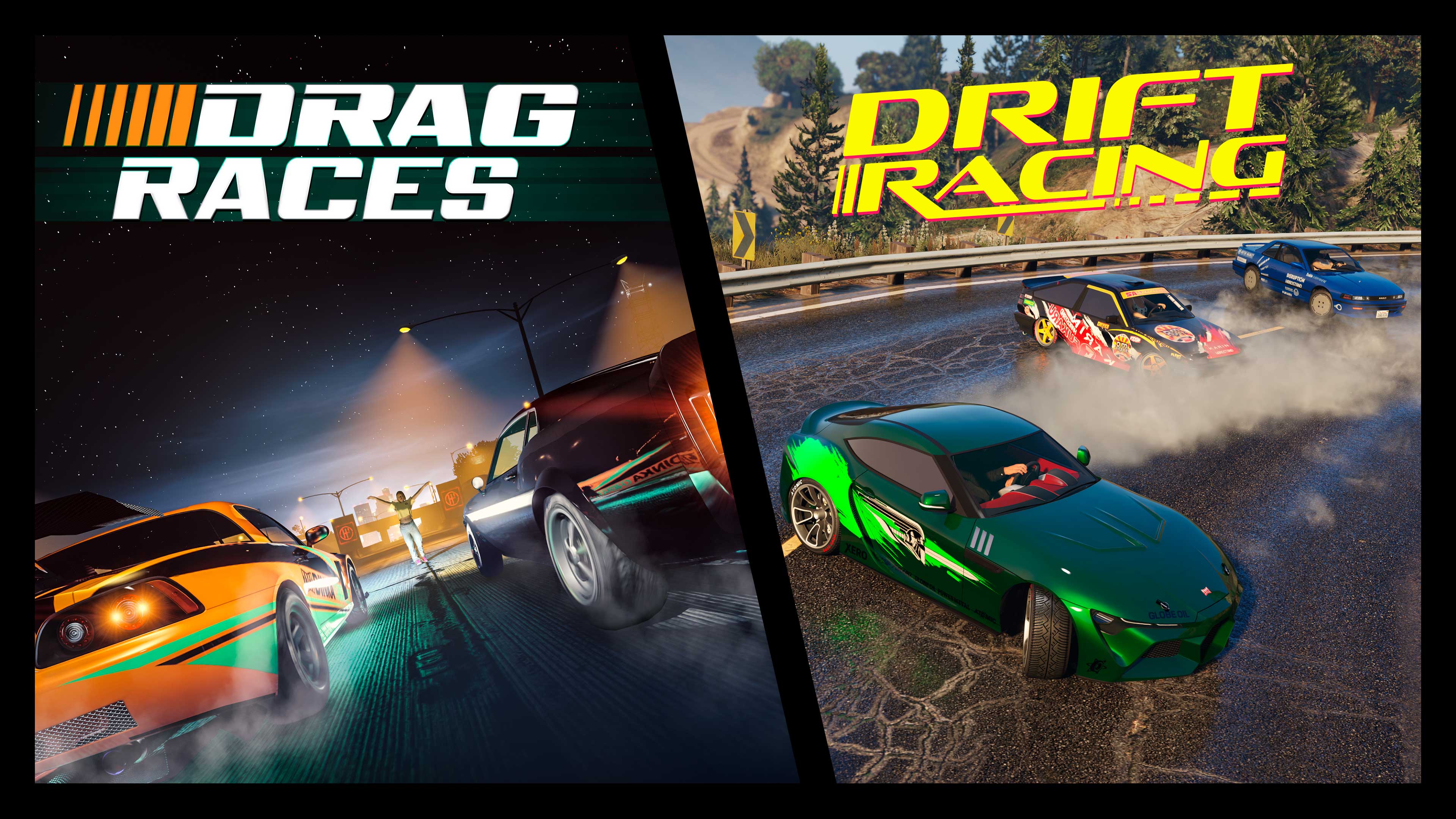
It’s pedals to the metal this week in GTA Online, where players can earn double GTA$ and RP for playing a range of race types including Drag and Drift Races – the newest circuits to hit the Southern San Andreas racing scene.
Plus, players can earn three times the usual GTA$ and RP for jumping into any of the seven new Community Series Jobs, ranging from a Deluxo Race on a giant pool table to a futuristic Team Deathmatch.
Full details include:
Double GTA$ and RP on Drift, Drag, Land, and Issi Classic Races
Triple GTA$ and RP on New Community Series Jobs
20% off Drift Tuning Upgrades
30% off HSW Conversion Costs
Salvage Yard Robbery Targets: Obey Omnis e-GT, Vapid Dominator GT, and Karin Previon
LS Car Meet Test Rides: The Ocelot Virtue, Emperor Vectre, and Karin Boor – all decked out in limited-time liveries
HSW Premium Test Ride: The Pfister Astron Custom
LS Car Meet Prize Ride: Win the LS Car Meet Series three days in a row to claim the Maibatsu MostroCiti
Lucky Wheel Top Prize: The Vapid Flash GT
This Week at Simeon’s Premium Deluxe Motorsport Showroom: Karin Futo GTX, Annis Euros, Dinka Jester RR, Penaud La Coureuse, and Grotti Itali GTO Stinger TT
On Display at the Luxury Autos Showroom: The Albany Cavalcade XL and Karin Asterope GZ
Vehicle Discounts: 30% off the Ocelot Virtue, 40% off the Grotti Itali GTO Stinger TT, Dinka Jester RR, Annis Euros, and Karin Boor
Gun Van Discounts: 40% off the Compact Grenade Launcher and 50% off the Tactical SMG (GTA+ Members)
GTA+ Members: A free Ocelot Jugular (Sports); two Chameleon Paints; the Heartbreakers Jacket, Heartbreakers Caps, Black Lunar New Year Shirt and Pants, and Red Lunar New Year Shirt and Pants; 2X GTA$ and RP on Casino Work Missions and Casino Story Missions; plus 40% off the Casino Penthouse
GTA+:
Sign up for GTA+ and supercharge your GTA Online experience to gain access to the following Member benefits through March 6:
Claim a free Ocelot Jugular (Sports) at the Vinewood Car Club showroom
Soft Pink Pearl Chameleon Paint and Pink Prismatic Pearl Chameleon Wheel Paint
Heartbreakers Jacket, Heartbreakers Caps, Black Lunar New Year Shirt and Pants, and Red Lunar New Year Shirt and Pants
2X GTA$ and RP on Casino Work Missions and Casino Story Missions, plus 40% off the Casino Penthouse
Plus, a GTA$500,000 bonus delivered upon billing each month, access to download and play a rotating assortment of classic Rockstar Games titles, and more. Visit the GTA+ website for full details.
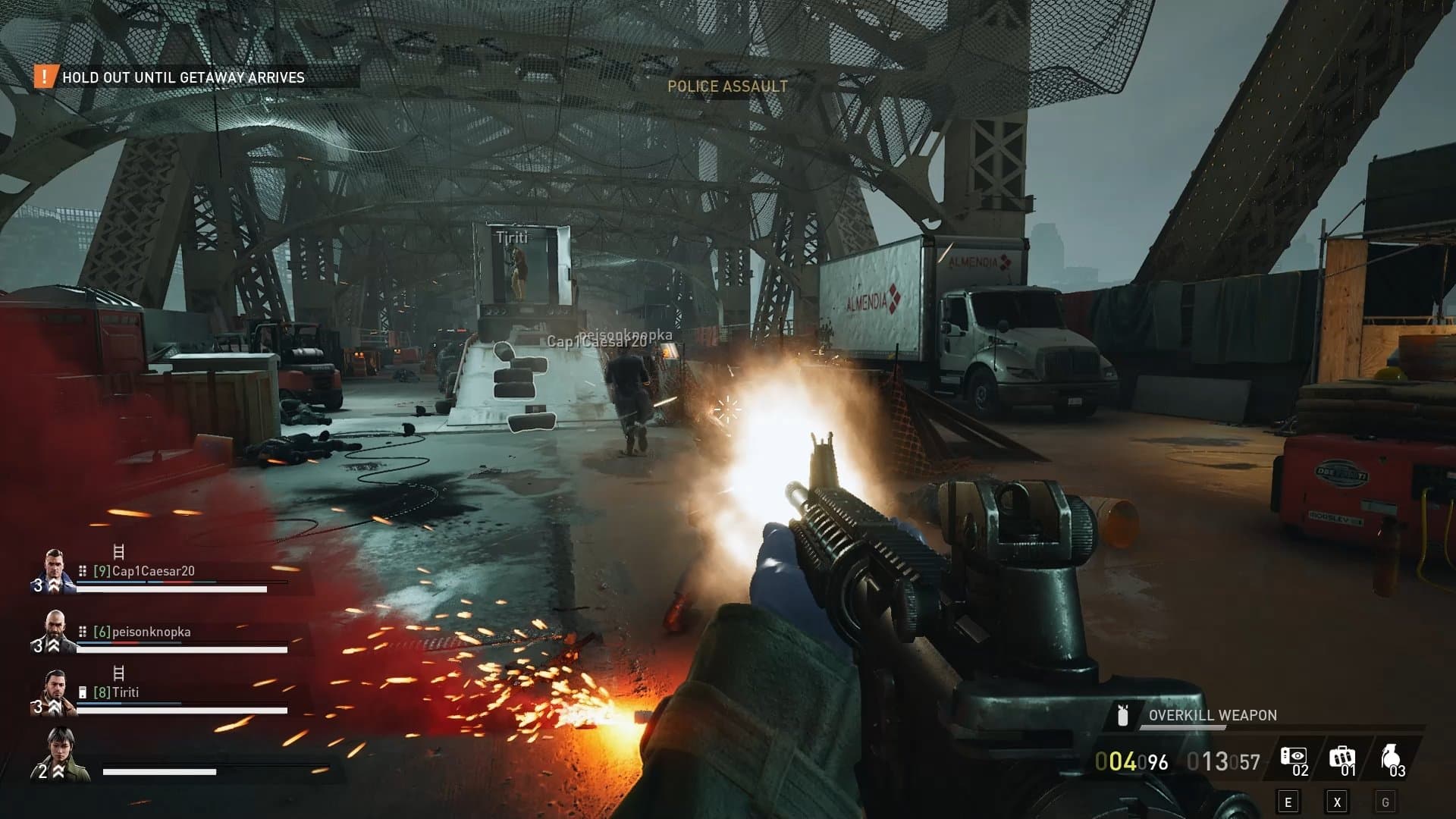
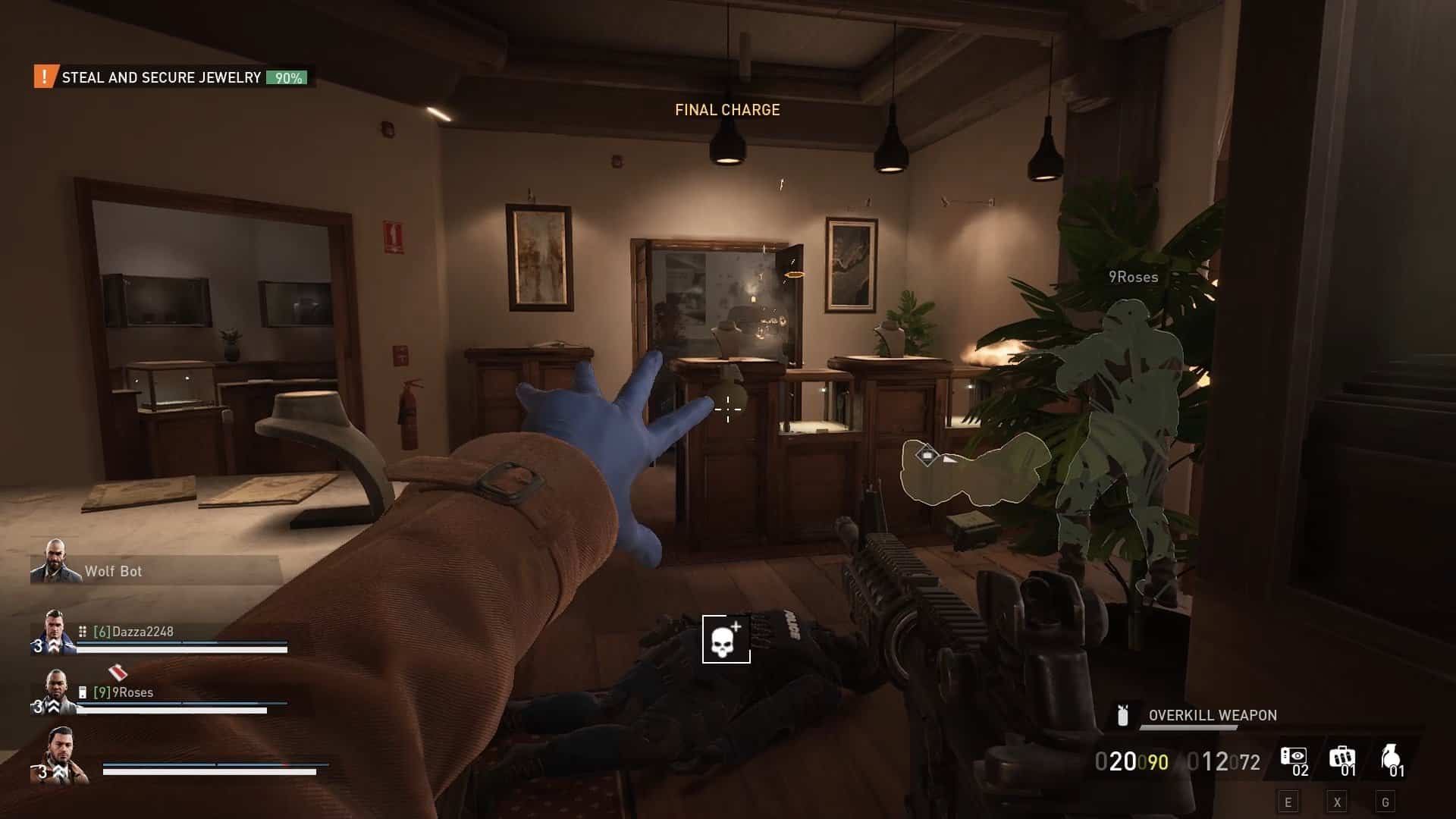
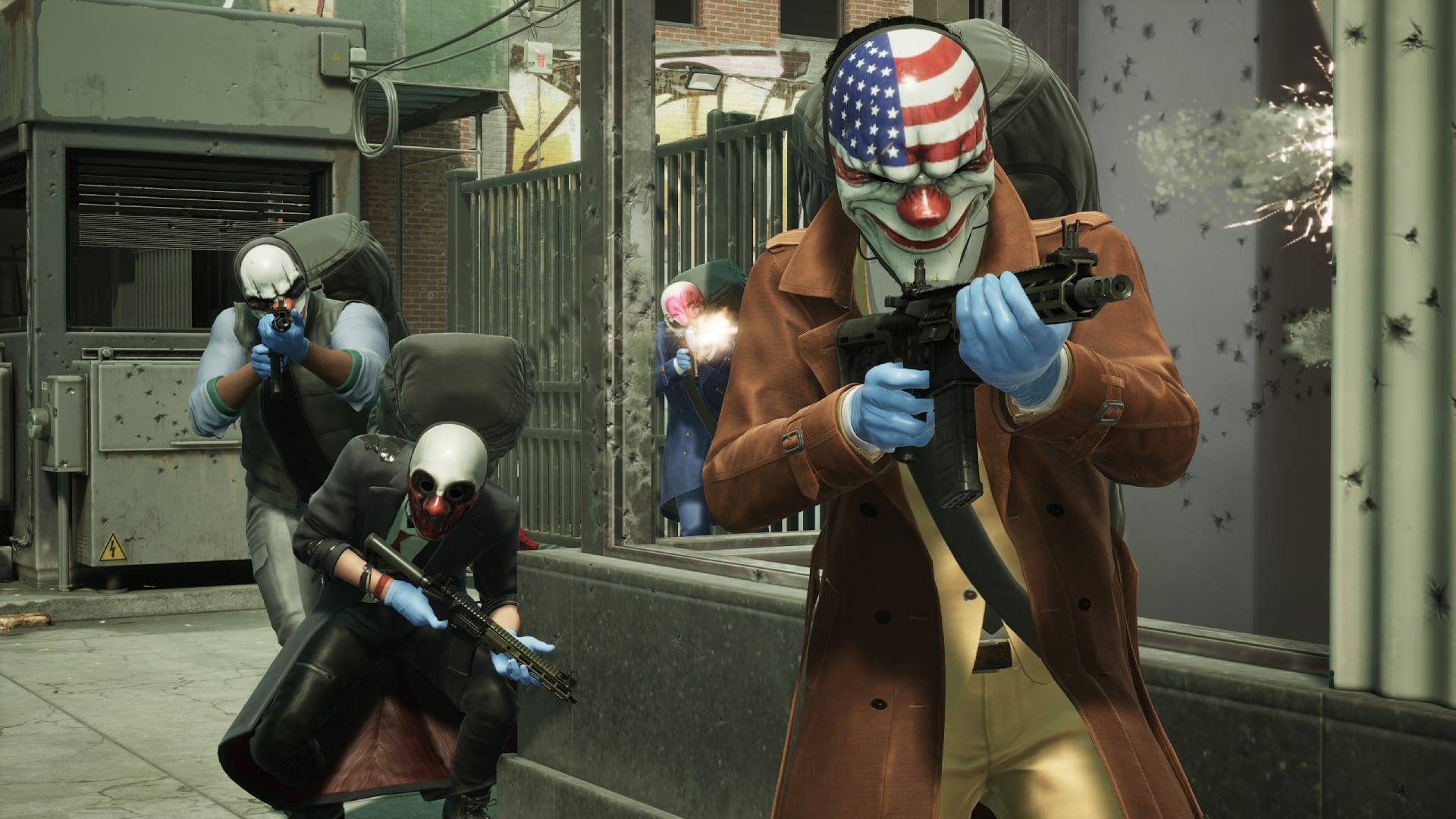
Starbreeze Studios has released Payday 3 update 1.1.1 and this houses over 300 improvements to the game! Expect adjustments on heists, the visuals, audio, balance and more! There’s a lot to take in, so grab a drink and read the complete patch notes below.
Payday 3 Update 1.1.1 Patch Notes:
UPDATE HIGHLIGHTS & NEW FEATURES
In addition to about 300 bug fixes and improvements getting implemented, we’re happy to introduce the first of the features coming out of “Operation Medic Bag”, our grand game improvement project.
Some new tech features that let us take advantage of Nvidia’s advanced features.
DirectX 12
Added DirectX12 as the standard graphics API, inhouse testing shows a significant performance improvement when using DX12. DX11 remains and can be manually chosen with the launch option “-dx11“.
Hardcore “Cook Off” Challenge Reward
There’s a new challenge called “Kiss the Chef.”Securing 19 bags of perfectly cooked meth on Cook Off on OVERKILL difficulty will reward a unique weapon charm.
Various UI improvements
We’ve made several fixes to the UI, such as adding sliders, as well as added the much requested lobby unready function.
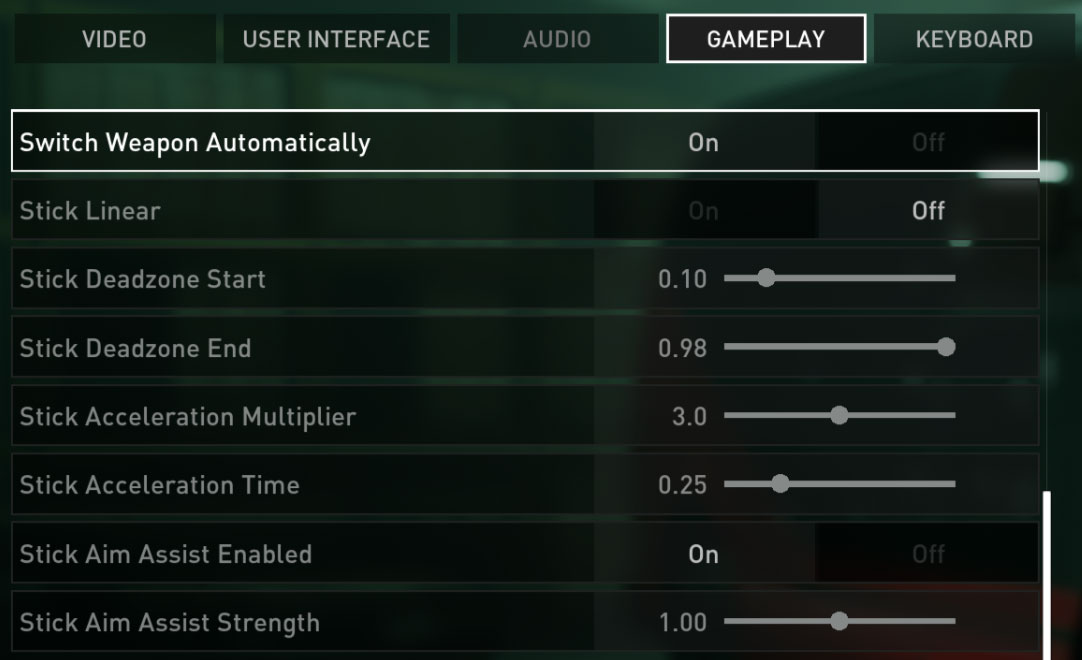
Controller Dead Zone settings
Additional controller settings allow for a much finer customization of your controller gameplay.
Rotating Security Modifiers
Starting with this patch, we’ll be rotating security modifiers on all heists for Very Hard and Overkill difficulty, to freshen up the experience. We’ll be updating the modifier distribution every two weeks. In the future, expect more stealth modifiers and loud modifiers in the rotation.
Game State Consistency
The game will now remember if you’ve chosen to show or hide the story videos in the heist selection even after restarting the game.
Lobby type and difficulty will now automatically be set to the same as the previous game.
KNOWN ISSUES
Skill point assignment has been reset on loadouts but you retain your earned skill points, so remember to recreate your builds after updating the game.
[PC] The introduction of DX12 support has helped us to identify an issue that is present in the previous version of the game that we were unable to reproduce on DX11. This means that there is a rare edge-case issue while using GeForce Experience/Shadowplay’s ‘Instant Replay’ feature can cause a system lock if you ALT+Tab during game startup, or while switching between fullscreen and windowed modes in the game’s video settings.
We advise turning off ‘Instant Replay’ in the Nvidia settings to prevent this issue while we work on a fix for this.
GENERAL
The game will now remember if you’ve chosen to show or hide the story videos in the heist selection even after restarting the game.
Lobby type and difficulty will now automatically be set to the same as the previous game.
Prevented a party slot from being reserved if the player aborted or failed to join the lobby.
Fixed an issue of where bumping into an escorting guard will reset the escort
Fixed an issue of where guards don’t react if players bump into them while investigating.
Fixed an issue of where keypad highlights are hard to read due to lighting conditions
Fixed a possibly crash happening during an OVK weapon drop
Fixed an issue with security camera marking targets along with sensor tool outlines
Fixed an issue of where some skills selected in loadout were not active in the heist
Fixed an issue with the controller in menus where it becomes unresponsive after switching inputs
Fixed an issue of where the drill fixing animation keeps playing after canceling the interaction when two players start the interaction at the same time
Tweaked so that keypads highlights are now easier to see
Fixed a potential crash on crew AI
Fixed an issue of where lobby chat input didn’t work when entering pre planning lobby
Fixed an issue of where players can throw civilians through cuttable fences when it’s not been cut yet.
Fixed an issue with no outline is shown when a radio pops up on a dead guard
Fixed a plausible crash from Crew AI
Fixed an issue of where attack drones didn’t target crew AI
Fixed an issue of where picking up dead bodies ended up in T-pose and horizontal when released
Fixed an issue with first aid kits and repair kit outlines which couldn’t be seen in the distance
Improved Cloaker sneaking to be more reliable
Fixed an issue with voting in heists, where if a player left during a voting session, they still counted in for the final result
Fixed a crash related to loadouts when setting weapon pattern color
Fixed an issue of where players were unable to move or shoot after being revived a third time
Fixed so ECM jammer icon doesn’t get stuck on screen permanently if the player that put it down leaves
Fixed an issue of where players sometimes being ready in lobby didn’t move them into the session
Fixed an issue of where players were able to get infinite throwables/placeables & tool ammo.
Tweaked so that drones may now be highlighted by sensor tools
Fixed an issue of where NPC civilians sometimes didn’t react to broken windows
Added an outline to traded and rescued NPC hostages
Fixed an issue with Match summary screen after completing a tutorial level
Fixed so that sentry guns don’t disappear when accidentally spawned closed to an area they shouldn’t be able to
Tweaked the reload input to not “accidently” happen while the player is “interacting” in-game with controllers
Fixed an issue of where NPC AI tends to get stuck on vehicles
Added settings option to “Hold to slide”
Fixed an issue with tools being visibly floating when placed on glass or fence and cut through
Added player death animations
Fixed an issue with “Starter Kit” challenges being completed when not meeting the requirements
Fixed an issue of where players could change weapon while being cuffed
Fixed an issue with negotiation phase will only end when civilian is actually killed and not just despawned from being traded
Tweaked an issue of where Cloakers sometimes not completed their sabotage action
Fixed an issue of civilians not properly reacting to seen illegal actions
Fixed an issue of players sometimes not being able to escape if there are more than 1 player in the server
Fixed an issue of where Infamy points weren’t calculated correctly
Prevents the game from locking if the restart button is pressed repeatedly from the heist-failed screen.
Fixed an issue for preventing parties being dissolved after heist completion.
Fixed an issue with Scrambler Aced Rush buff not being refreshed by the Transporter Skill
The sneakier heister may notice 2 new masks in the game files, these will be unlockable in a future community event. You may see them in our official streams before they are made publicly available
BALANCE
Skills
Tweaked the skill “Disengage” (Tank) so that sprinting is not blocked by Nader gas
“Disengage sees a lot of use, but after the once-per-heist effect is over, it feels like a wasted skill point. With this change, we want it to still have an impact” -Mio
“Hardy” (Tank) has been changed to: “When one of your armor chunks breaks, you gain damage immunity for 2 seconds.”
“Hardy’s use felt redundant compared to “Solid” (Enforcer), so we’ve changed it to this new effect to give players more margin for error when in combat.” -Mio
Shell Shock” (Demolitionist) now works on all enemies and its bonus is increased to 20% (from 10%)
Tweaked so that throwable flashbangs now also trigger the Demolitionist Aced skill
“This was an oversight on our part.” -Mio
Negotiator” (Manipulator) now drops 2 extra resources (from 1)
“Negotiator didn’t feel like it was worth taking until you exhausted all other trading upgrades, so we’ve made it drop an additional resource to make it more appealing.” -Mio
CQC Specialist Base has been changed to say: “Whenever you grab a human shield, gain or refresh RUSH”
“We’ve made several changes to the CQC Specialist line to improve its flow and utility.” -Mio
CQC Specialist Aced has been changed to say: “Whenever you perform a takedown, gain or refresh GRIT”
Groundskeeper” (CQC Specialist) now has increased takedown speed bonus to 60% (from 20%)
“Savage Takedown” (CQC Specialist) now intimidates civilians when grabbing human shields and not when performing a takedown
“Soft Assets” (CQC Specialist) has been changed to now say: “If you have RUSH and shove away a SWAT you held as a human shield, RUSH is consumed, and you repair your current armor chunk if it’s damaged. This ability only triggers once per enemy. You move 5% faster while holding a human shield.”
“The old skill’s ability to restore ammo wasn’t as useful in the current state of the game, so we decided to replace it with a way to repair armor.” -Mio
Triage skill” (Medic) no longer consumes buffs to activate.
“Steady Hands” (Medic) now gives its effect to any teammate interacting with a Medic Bag. If multiple players have this skill, its effectiveness is increased by 5% for each player on top of the base 20%.
“We’ve made this change to improve the support playstyle. Let us know what you think so we can make more adjustments in the future.” -Mio
“High grain” (Ammo Specialist) now gives its effect to any teammate interacting with an Ammo Bag. If multiple players have this skill, its effectiveness is increased by 5% for each player on top of the base 20%.
“We’ve made this change to improve the support playstyle. Let us know what you think so we can make more adjustments in the future.” -Mio
Added an HUD icon for High Grain (Ammo Specialist) when active
Increased the bonus from “Threat Assessment” in skill line Strategist to 20% (from 10%)
Adjusted Signal Scan (Scrambler) so that it only marks cameras in stealth while the other entities are marked in loud.
Increased hacking distance vs gun drones to 15 meters (from 10m)
Decreased hacking time to gun drones to 0.5s (from 1.5s)
Infiltrator Base now gives “RUSH” when picking up loose cash.
“We’ve made this change because it both fits thematically and it makes it easier to bag cash in vaults if you’re running Transporter and Infiltrator skills together.” -Mio
Fixed an issue with ECM jammers skill “Cam Distortion” to properly disable the ability to apply runtimes.
Fixed so that the Hacker Aced skill requires a previously applied runtime in order to detonate the camera
Weapons
Balance pass for R900
Can now penetrate shields when paired with the “Cutting Shot” skill
Armor pen increased from 1.3 to 2
DMG increased 0-40m 130 to 160, 41-60m from 62.5 to 77.61, 61-100m from 41.7 to 51.3
Balance pass for Mosconi 12
Reduced hipfire spread
Reduced pellet spread
Added a unique inspect animation for HET5.
Added a unique inspect animation for the Marcom Mamba MGL
Equipment
Medic bags now restore 1 down by default
Increased healing from “First Aid Kits” to 25% (from 20%)
Increased base amount of health gained from Medic Bags to 50% (from 35%)
Lowered the armor repair kit interaction time to 0.5s (from 1 second)
Tweaked the regen time for “Standard Lining Armor” to 3 seconds (From 4s)
Enemies
On OVERKILL difficulty, enemy intensity will now update mid-wave instead of between assault waves
“This is how we had waves update originally in the game, but it was changed during development for several reasons. We’ve brought it back for OVK difficulty only, to address the issue of players manipulating escalation triggers to bypass more difficult enemies.” -Mio
Enemy AI will now escalate orders when going to combat no matter what caused it
Fixed an issue of where the special unit Techie wasn’t able to spawn Drones.
Adjusted special unit Techie spawn rate.
Tweaked the hit collision of Techie to make it easier for crew AI to hit.
Tweaked so that the special unit Techie will now maintain a more consistent distance from players
Tweaked so that the enemy drone can now hit players peeking out of cover
Tweaked the techie HUD “glitch effect” which will now also take player look direction into account
Increased special unit Techie spawn rate cooldown by 20 seconds.
Tweaked so that techies sneak to their hiding spots
Techie now drops an armor repair kit on death
Fixed an issue with the Techie not being correctly marked by the ECM jammer while signal scan is active
Reduced the enemy attack drone’s health to 50 and damage to 1. (From 150 health & 2 to 1 (Normal/Hard), 4 to 1 (Very Hard), 6 to 1 (OVK) )
Tweaked so that the Dozer can now close the distance to the player and kick them when otherwise blocked by other actions such as players hiding behind civilians or charge being on cooldown. Whenever a kick successfully connects and deals damage to the player, it reduces the taunt cooldown of the dozer by 1 second.
TECHNICAL
UI
Fixed an issue of where preplanning asset names were cut-off in game lobby
Tweaked so that it is easier for keyboard & mouse inputs to change the min-max value for Crosshair & FOV sliders.
Fixed an issue of changing some setting values by 0,05 without seeing a difference in the displayed UI.
Tweaked the settings menu when in-game to have less margin between bars & settings
Tweaked so that the slider options in menu settings is more on par with how the other sliders work for mouse input
Tweaked so that input mapping overlaps when players change their input bindings
Lowered a gap in the HUD between Security area display text & “searching…” text.
Fixed an issue with SMG magazines showing the wrong amount of information in the UI when customizing the weapon
Improved the readability of the player pings and the revive timer.
Tweaked settings menus so that options that don’t support decimals numbers don’t show decimals displayed in their value
Audio
Updated Voice lines to be able to play during assault waves
Fixed an issue of a missing audio from the hackable computer interaction
Tweaked the enemy drone audio to make it more clear & loud in general
Tweaked the audio for hacked cameras (Secure loop)
Added a second sound with more pin-pointable spread to the enemy drone
Fixed an issue with burning thermite being silent for drop-in players.
Added an interaction audio for keypad input
Fixed an issue with flare SFX looping when interacting with multiple times
Tweaked the flare SFX so it has a shortened ignition
Added an idle sound effect for Techie special unit
Fixed an issue of where some NPC AI didn’t have their voice lines functioning
Fixed an audio issue with guards/cops not playing their radio dialogue when held hostage.
Fixed an issue with heisters saying a starter loud voiceline midthrough the game
Added audio for NPC animations such as using laptops, drinking, phone use etc.
Tweaked the Cloaker sabotage voiceline to start of animation instead of when running towards it’s objective
Visuals
[PC] Fixed an issue where lowering the View Distance quality setting would make civilians and guards face animations disappear (lip sync)
[PC] Various tweaks to the game quality settings and what it affects in the game allowing players to better control visual quality for their hardware specs
[PC] Players can press ‘Set Recommended Settings’ in the video settings menu to select ideal quality based on their hardware specs
[PC] Fixed various D3D12 related crashes, including one when using the Statue of Liberty Mask
[PC] Upgraded Nvidia DLSS to version 3.5, now using NIS sharpening for better visual quality
Fixed an issue of where the “paint stripper” texture made guns more black in color.
Fixed an issue with “chrome paints” not applying correctly.
Fixed an issue of where weapon parts are not properly updated in the modding screen
Fixed a visual issue with Enforcer gloves on female heisters
Fixed the surgical gloves icon to fit the teal look
Fixed some visual issues with the heister Wolf
Tweaked masks and weapon pattern materials
Fixed a visual issue of where some masks have a striped color pattern visible
Fixed a visual issue with certain billboards displaying low resolution
Tweaked a small red button to have a bigger interaction surface
Fixed an visual issue with a sedan vehicle flickering
Tweaked the Digital Ops suit to not visually clip with male characters
Fixed the CAR4 iron sight being misaligned
Fixed an issue with foliage not moving with the wind
Fixed an issue on MS Store where the game would crash when loading a heist with Shadows settings set to High / Ultra
Fixed an issue on Xbox X & S of where accepting game invites after games were shut down will result in inability to start any new game
Lowered the particle FX on some heists that were more demanding, causing FPS issues.
Fixed a possible crash for xbox users when payday 3 is constrained in active gameplay
Added Epic Games Store overlay support with Invite/Leave functions
Added DirectX12 as the standard graphics API, inhouse testing shows a significant performance improvement when using DX12. DX11 remains and can be manually chosen with the launch option “-dx11“.
Prevented sending multiple friend requests to the same account, it will now wait for pending requests to be resolved.
Fixed an issue with consoles where there was an issue with playing the game while it was downloading/installing.
Added support for unready/toggle ready functionality for pre match lobby
Fixed an issue of where xbox players might get stuck in an infinite loading screen after signing out with their xbox profile
Fixed an issue of when the game crashes after changing xbox profile during constrained mode
Tweaked and improved some performance and optimizations
Fixed an issue with changing resolution in settings using mouse clicks
Fixed an issue on PS5 where the player is not directed to the heist screen after using “joinHeist” activity.
Fixed an issue with DLC items sometimes not being granted, causing players to restart their game to get their DLC items
Fixed an issue on Xbox where players fail to join party searched games while being in a suspended state
Added functionality for platform specific loadouts. Your console equipment will no longer be affected if you create a build on PC.
HEIST
Syntax Error
Fixed an issue on Syntax Error where using zipline in loud doesn’t open the doors to the control room
Fixed an issue on Syntax Error of where players cannot interact with deployable bags dropped in the park area
Added more special unit Techie hiding spots for Syntax Error
Fixed a visual issue in Syntax Error of where a statue is floating
Fixed a visual issue in Syntax Error on some door frames in Ryan park area
Tweaked the red keycards in Syntax Error to make them easier to notice
Tweaked an escape zone for civilians on Syntax Error to make it easier for civilians to reach it
Fixed an issue on Syntax Error where bags could get stuck after throwing them into a specific area
Tweaked the spawn zones for Syntax Error towards the end of the heist
Fixed an issue on Syntax Error of where the player could get stuck in street area
FIxed an issue on Syntax Error of where players can gain access to some server rooms without QR code or Red Keycard
Fixed an issue on Syntax Error of where the escape helicopter doors wouldn’t open
Fixed a visual issue on Syntax Error of when vent covers were shot they disappear
Fixed a visual issue on Syntax Error with elevators
Fixed a lighting issue on Syntax Error with the DLSS option switched off
Fixed an issue on Syntax Error of where a lamp was climbable
Fixed a visual issue on Syntax Error with vents going through the ceiling
Fixed a visual issue on Syntax Error where Doors may disappear in the distance
Fixed an issue with missing background video when in results screen for Syntax Error & Turbid Station
Fixed an visual issue on Syntax Error heist with misaligned elevator doors
Fixed an visual issue on Syntax Error heist with floating cameras
Fixed an visual issue on Syntax Error heist with some boxes disappearing
Fixed an visual issue on Syntax Error heist with some invisible collision under a staircase
Fixed an visual issue on Syntax Error heist with a climbable street lamp
Fixed an visual issue on Syntax Error with some flowers
Fixed an visual issue with colors on keypads for Syntax Error barely being visible
Fixed an issue with Syntax Error of where drop-in players didn’t have correct floor lights emitted for rooms already looted.
Fixed an visual issue on Syntax Error with misaligned shadows in control room
Fixed an audio issue on Syntax Error of where there was no audio heard in the entrance building from when a window was destroyed
Tweaked audio zones in Syntax Error to better reflect the ambient space the player is standing in
Fixed an visual issue on Syntax Error of where a cable was clipping with the floor
Fixed an issue on Syntax Error with collision in the manager’s office
In Syntax Error, we’ve tweaked the outline settings of servers located in the server rooms from shimmering to outlines.
Fixed an visual issue on Syntax Error where a sign disappeared from player view
Fixed an issue on Syntax Error where the AI control panel didn’t have an outline when interactable
Updated the time of day on Syntax Error and improved the overall visibility in the basement.
Fixed an issue on Syntax Error where the metal detector guard broke their idle animation
Fixed an visual issue on Syntax Error where vent shafts disappeared from player view
Fixed an visual issue on Syntax Error with letters disappearing from walls when in player vision
Fixed an visual issue on Syntax Error where some boxes became floating when other assets were shot
Fixed an visual issue on Syntax Error where civilian AI stood bent at a crosswalk
Fixed an issue on Syntax Error where bags may get stuck and unreachable
Fixed an issue on Syntax Error where some props disappeared from player view
Fixed an audio issues on Syntax Error where no explosives thrown onto metro stairway could be heard
Fixed an visual issue on Syntax Error where powerbox outlines were visible through the wall
Touch the Sky
Fixed an issue on Touch the Sky where the Team AI wouldn’t follow the player from the window cleaning platform.
Fixed an issue on Touch the Sky of where sound volume for office sounds doesn’t cover the balcony
Fixed an issue on Touch the Sky for enemy AI navigation issues
Fixed an issue on Touch the Sky of a black wall appearing within the vault.
Fixed an issue in Touch the Sky with the NPC that’s supposed to give Mason a spiked drink not moving
Fixed an issue on Touch the Sky where the OVK weapon failed to drop in
Fixed some visual issues in Touch the Sky with a wall in the storage room
Fixed a visual issue on Touch the Sky with black boxes in Storage area
Fixed an Issue on Touch the Sky where the “secure SSD bag” – objective wouldn’t update if the laundry chute pre-planning option was in-use.
Fixed so that the zipline bag should return back if thrown into the laundry chute.
Tweaked vents in Touch the Sky to not teleport out players anymore when going loud, but instead spawn toxic gas inside of them.
Fixed an visual issue on Touch the Sky where there were visible gaps between stairs & floor
Tweaked an issue on Touch the Sky where securing thermite bag with other loot bags counted towards “all bags bonus”
Fixed an issue on Touch the Sky with snipers floating in helicopters
Fixed an issue on Touch the Sky where bags could get stuck inside the kitchen
Fixed an issue on Touch the Sky where players could secure loot in the elevator in loud
Fixed an issue on Touch the Sky where players are able to throw bags on top of a statue making them inaccessible
Fixed an issue on Touch the Sky where players might get stuck behind a breech door
Fixed an issue on Touch the Sky where placables were seen clipping through terrace floor
Road Rage
Fixed an issue on Road Rage of where players were teleported out of the armored transport van
Fixed an issue on Road Rage where crew AI could fall through the scaffolding
Fixed an issue on Road Rage where the player might get stuck inside the moving vehicle when at the ramp
Fixed an issue on Road Rage with player potentially getting stuck between scaffolding on the ground
Fixed an visual issue on Road Rage where items disappear from player vision
Dirty Ice
Fixed an issue on Dirty Ice with some double doors where they briefly open when they already were opened
Fixed an issue on Dirty Ice where the distracted manager favor didn’t work as intended
Fixed an issue on Dirty Ice where if the player killed the manager, the VO about the managers departure would still play
Fixed an issue on Dirty Ice where no animation would play while picking up jewelry from the cleaning machine
Fixed an visual issue on Dirty Ice where the jeweler’s workshop had items disappear from player sight
Fixed an issue on Dirty Ice of where guards were unable to see bodies through the fence
Fixed an visual issue on Dirty Ice where the VIP room had objects disappear from player view
Fixed an visual issue on Dirty Ice with the Ashton Fine text and it’s wall
Cook Off
Fixed an issue on Cook Off of where players were able to get stuck behind a door
Fixed an issue on Cook off where the Ingredient helicopter could drop items out of bounds.
Fixed an issue on Cook Off where the meth outline disappears after being shot at
Fixed an issue on Cook off of where Characters use the wrong VO when looting components
Fixed an visual issue on Cook off with Meth textures being overly bright
Fixed an issue on Cook off where the player might get stuck between ammo lockers
Fixed an issue on Cook off where the van sometimes gets stuck
Fixed an visual issue on Cook off when shooting mirrors
Fixed an visual issue on Cook off with a cardboard box clipping into a stool
Turbid Station
Fixed an issue on Turbid Station of where invisible collision blocked player movement
Fixed some collision issues on Turbid Station inside the computer room in the basement
Fixed an issue on Turbid Station where bags could get stuck after throwing them under some specific trains
Fixed a visual issue on Turbid Station with pillars going through the ground floor
Fixed an issue on Turbid Station where sound and chat messages were missing when marking the Quantz Panels
Fixed an issue on Turbid Station of where the locomotive had no collision
Fixed an issue on Turbid Station where the player might instantly get downed if jumped between a gap of train & terrain.
Fixed an issue on Turbid Station where players could unlock train doors from underneath the trains
Fixed an issue on Turbid Station of where invisible collision could potentially get players stuck
Fixed an visual issue on Turbid Station of where objects hanging from the train might disappear from player view
Fixed an visual issue on Turbid Station with grass disappearing out from player view
Tweaked the red light drones emit on Turbid Station to make them more visible
Fixed an issue on Turbid Station where a wooden crate was missing collision
Fixed an issue on Turbid Station where Crew AI could fall through the stairs
Fixed an visual issue on Turbid Station where some tools were sinking into the pavement
Fixed an issue on Turbid Station where opening doors stopped eye scanning interaction
Fixed an issue on Turbid Station where eye scanning was possible even after the door already was opened
Fixed an issue on Turbid Station where players were able to throw bags out of reach on top of pipes
Fixed an issue on Turbid Station where players were able to throw bags under the train near the landfill making them inaccessible
Fixed an issue on Turbid Station where players were able to throw bags out of reach inside the basement room
Fixed an issue on Turbid Station where players were able to throw bags out of reach next to some yellow railings
Fixed an issue on Turbid Station where players could walk on top of a fence with barb wire
Fixed an issue on Turbid Station of where players could place deployables outside of playable area
No Rest for the Wicked
Fixed an issue on No Rest for the Wicked where bollard boxes could be interacted with twice
Fixed an issue on No Rest for the Wicked where casing players could get stuck behind some boxes
Fixed an issue on No Rest for the Wicked where some enemy AI spawns were blocked off unintentionally
Fixed an issue on No Rest for the Wicked of where the collision for some flowerbeds was wrong
Fixed an issue on No Rest for the Wicked where hostages were sometimes unable to be traded in the IT room
Tweaked so that Dye Packs for the money in No Rest for the Wicked can now be paused using ECM jammers.
Fixed an issue on Gold & Sharke and No Rest for the Wicked with a missing cable icon
Fixed a visual issue on No Rest for the Wicked of where door handles are floating in the air
Fixed a visual issue on No Rest For the Wicked of where tools were sinking into the pavement
Gold & Sharke
Fixed an visual issue on Gold & Sharke with a floating black box
Fixed an issue on Gold & Sharke of where civilian vehicles would fall out of the world when spawning
Fixed an visual issue in Gold & Sharke with player seeing AI spawn in front of them
Fixed an issue on Gold & Sharke security room’s door not being locked
Fixed an issue in Gold & Sharke of where the player could get stuck in vault door
Fixed a visual issue in Gold & Sharke with some doors in the basement garage
Fixed an issue on Gold & Sharke of where a private room instance was overlapping with a public room.
Disabled a redundant Shade voiceline for the server room.
Fixed an issue on Gold & Sharke of where players were unable to vault through some flora
Fixed an issue on Gold & Sharke where the thermal lance cannot be started again
Rock the Cradle
Fixed an issue on Rock the Cradle where bouncer blocks player path while attempting to access VIP area
Tweaked navigation area on Rock the Cradle
Fixed an issue on Rock the Cradle where failing one objective blocked the player from resetting the biometric scanner
Fixed an issue on Rock the Cradle where player can’t crouch up the stairs when against the wall
Fixed an issue on Rock the Cradle where some objectives stayed on the screen even though they were completed
Fixed an visual issue on Rock the Cradle where cables were clipping with the switchbox monitor
Fixed an issue on Rock the Cradle where zipline was clipping with elevator cable
Fixed an issue on Rock the Cradle where collision is extended beyond floor surface
Fixed an visual issue on Rock the Cradle with lights being rough on shadow edges
Fixed an issue on Rock the Cradle with some visual issues on the train carts.
Fixed multiple visual issues on Rock the Cradle with the cage within the VIP area.
Fixed a visual issue on Rock the Cradle under the ventilation entrance to the control room
Fixed a visual issue on Rock the Cradle with one of the signs in the VIP area being too bright
Fixed a visual issue on Rock the Cradle with some barriers disappearing when viewed from a distance
Fixed an visual issue on Rock the Cradle behind ventilation areas
Under the Surphaze
Fixed an issue on Under the Surphaze where the exhibition doors had to be opened twice if players jumped inside from the roof
Fixed an issue on Under the Surphaze of where the escape helicopter didn’t show up after picking up the fake UMA painting.
Fixed an issue on Under the Surphaze for some AI navigation issues on scaffoldings
Added gas to vents for loud in Under the Surphaze
Tweaked some collision on flora for Under the Surphaze that caused navigation issues for AI
Fixed an issue on Under the Surphaze where some flora collision caused navigation issues for enemy & crew AI.
Fixed an issue on Under the Surphaze of where some collision for flora was missing
Fixed an issue on Under the Surphaze where the security guard is standing in a half-crouched position
Fixed an issue on Under the Surphaze where AI could see through bushes
Fixed an visual issue on Under the Surphaze in visible gaps between metro station stairs and pavement
99 Boxes
Fixed an issue on 99 boxes where crew AI might get stuck
Tutorial Heists
Fixed a crash in tutorial heists when escape zone timer reaches 0
Fixed an issue on Crowd Control tutorial where player was able to pick up loot before opening the glass display
Fixed an issue on Tutorial Level Detection where guards didn’t react to broken cameras along with not spawning correctly
Don’t expect another patch anytime soon, as we’re expecting the next one to drop in April.
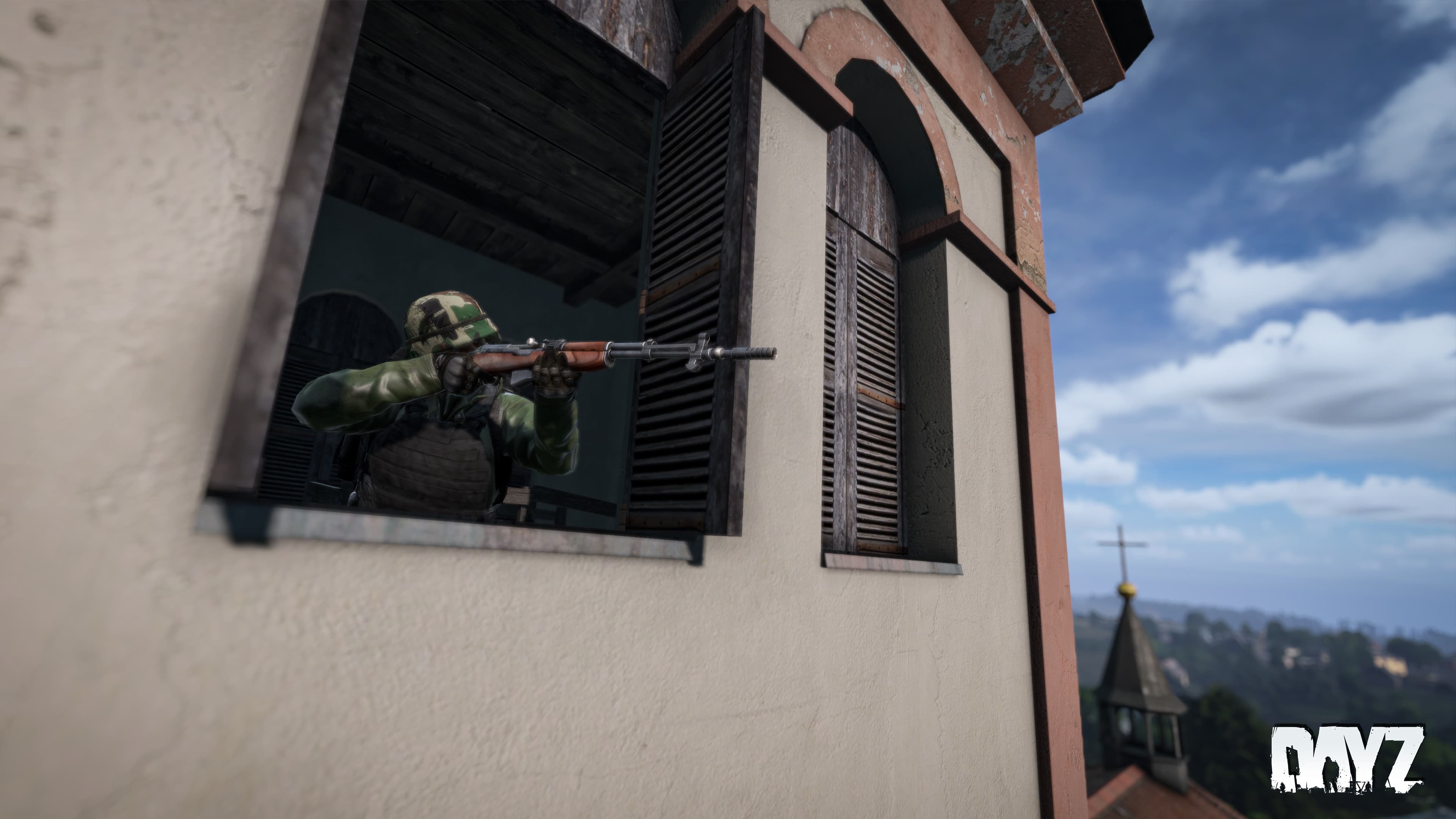
Bohemia Interactive has released DayZ Update 1.62 on consoles and PC, and this is a small patch that exterminates a few bugs that stemmed from the big 1.24 patch released earlier this month. For those who had issues connecting, it’s due to the game undergoing maintenance earlier today.
Read on for what got changed in today’s DayZ update patch notes.
DayZ Update 1.62 Patch Notes:
Console Stable 1.24 Update 2 – Version 1.24.157551 (Release on 29.02.2024)
GAME
FIXED
A loud sound distortion could appear upon entering the main menu
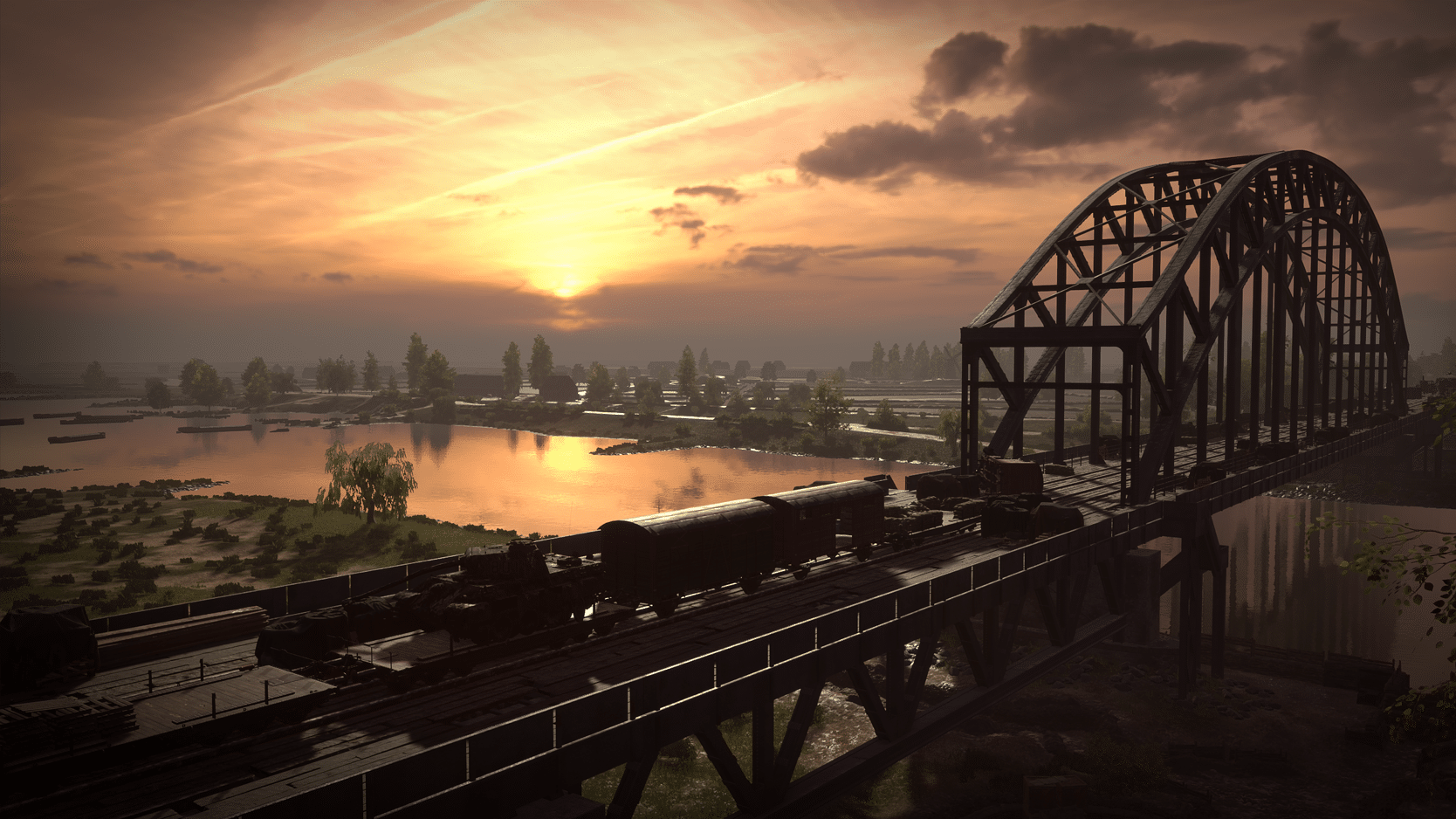
Hell Let Loose update 1.028 is now out on both consoles and PC, and this is for patch version 14.8 that brings British Forces Rework Part 2! There’s a lot to sink your teeth into, so let’s get to it in the official patch notes below.
Hell Let Loose Update 1.028 Patch Notes | Hell Let Loose Update 14.8 Patch Notes | Hell Let Loose British Forces Rework Part 2 Patch Notes:
This update completes the British rework phase of development. We decided to expand on the initial release of the British forces last year following a swath of valuable feedback. After two content updates comprising overhauls, we feel confident in the enhancements and improvements to transform this portion of the game. Thank you for your assistance in helping us accomplish this!
We’ve also implemented a new game mode, Control Skirmish. Based on feedback from previous PTEs, we’ve focused on refining our ‘seeding’ (rebranded to Control) game mode which originally featured on Foy and Kharkov.
Skirmish is a gateway experience for new players of Hell Let Loose. This game mode allows players to get straight into the action and experience some of the core mechanics of Hell Let Loose with fewer moving parts.
This is a quicker 50vs50 experience for some of our core audience who want to hop in for a few games and immerse themselves in the battle immediately.
Featuring a new type of garrison – the forward position, each side will be limited to one Armour squad and one Recon squad; the Commander can only spawn in medium tanks and no artillery pieces will be placed on the map.
Both teams start with control over their half of the map while the middle sector is neutral with a single capture point. Both teams must fight, attack and then defend this single capture point. Only the middle section of the map and the single capture point can change hands. At the end of the game, the team that controls the capture point is declared the winner.
To support this, there will be dedicated servers on PC, running these Skirmish maps, 24/7, so they’re always available for you to join.
HLL Official – Europe #16 > HLL Official Skirmish – Europe #01
HLL Official – US East #12 > HLL Official Skirmish – US East #01
HLL Official – Asia #16 > HLL Official Skirmish – Asia #01
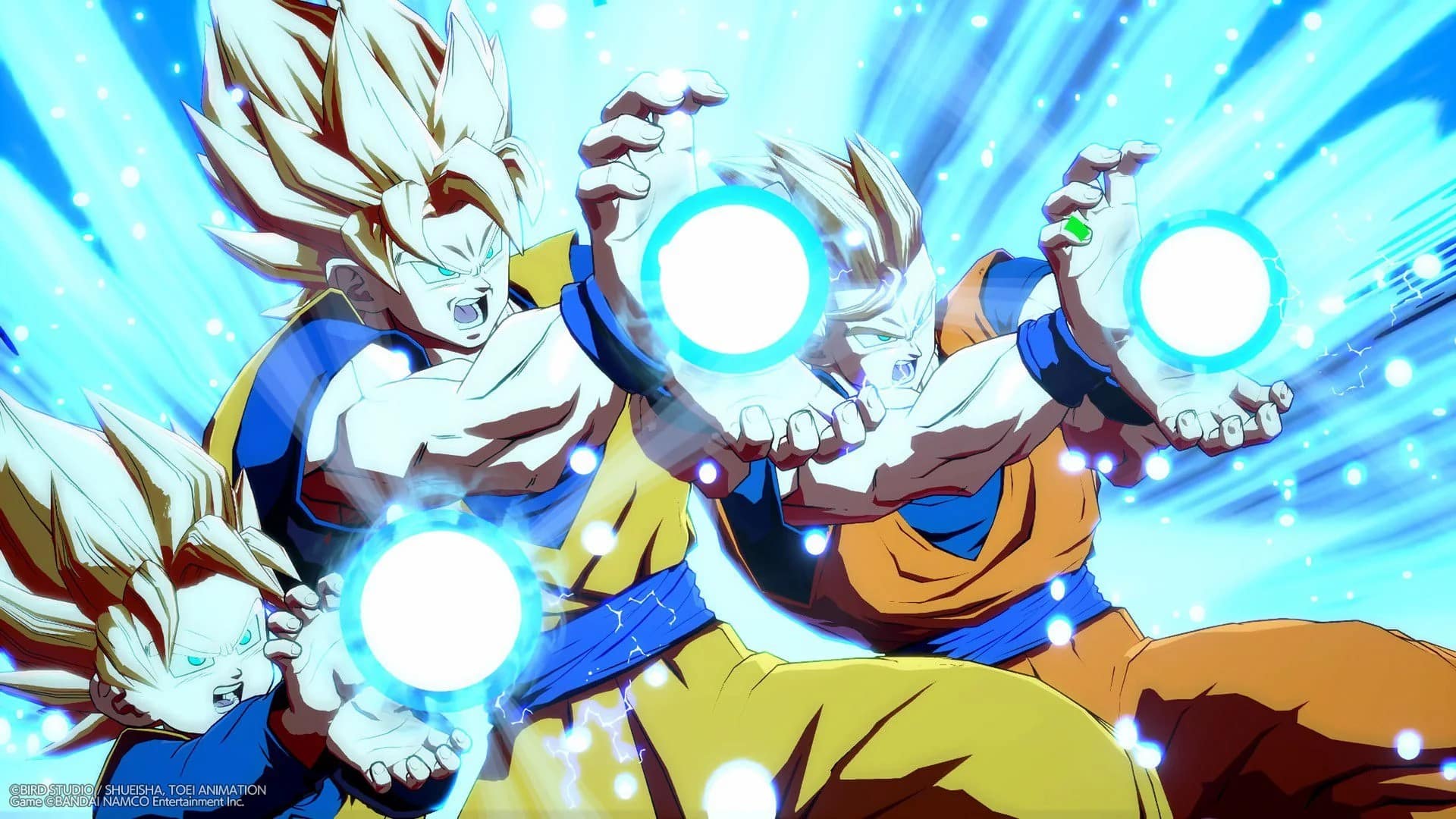
Arc System Works has released Dragon Ball FighterZ update 1.000.001 today for the PS5 and Xbox Series X/S versions of the game. This should be the day-one patch since the next-gen versions are out today. Read on for the Dragon Ball FighterZ February 29 patch notes down below.
Dragon Ball FighterZ Update 1.000.001 | DB FighterZ February 29 Patch Notes:
Arc System Works has not released the official patch notes for this update just yet, but the official Twitter/X page noted a known issue for the Xbox version. See the announcement below.
🎮 DB FighterZ – Xbox Update 🎮 We apologize for the inconvenience, but the free upgrade for DRAGON BALL FighterZ from Xbox One to Xbox Series X|S is not functioning as expected. If you have the Xbox One version, please hold off on upgrading until we provide further updates.
In related news, the development team has also highlighted an issue with the game not launching on PlayStation platforms. Check out the message down below.
For DRAGON BALL FighterZ PS+ players, we have identified an issue where the game can’t be launched or downloaded.
Our team is currently investigating and will inform you once the issue has been addressed. We apologize for the inconvenience and thank you for your patience! #DBFZ
We will update this post as soon as we can if proper patch notes are released. Hopefully, more patches will be released to address the problems that have been highlighted above.
CD Projekt RED has deployed Cyberpunk 2077 update 2.120, which is tagged as version patch 2.12 by the devs. This brings platform-specific fixes, as well as fixes that surfaced from the 2.11 patch released last month. Read on for the official Cyberpunk 2077 update 2.12 patch notes for February 29, 2024 below.
It will now be possible to properly rebind the Radioport and dropping bodies to a different key on AZERTY keyboards. Switching quest objectives will now be assigned to the T key on all keyboards.
Fixed an issue where trying to bind the T key to actions in Exploration & Combat resulted in a “Binding Failed” error.
Together with Intel we fixed the stuttering issue that occurred while the “Prioritize P-Cores” option was enabled.
Together with Razer we fixed a crash that occurred when using Razer Chroma enabled devices.
Fixed an issue where NPC hair could appear extremely bright inside vehicles when Ray Tracing is enabled.
Fixed a crash that occurred on Steam Deck when playing with Ray Tracing enabled.
Xbox-specific
Addressed an issue where the game could enter an infinite loading state, hang up or crash on Xbox when using some saves.
All Platforms
Fixed an issue causing the inability to access the menu, inventory, stash, holocalls and fast travel.
Updated the description of the Sonic Shock quickhack so that it properly reflects the changes made to its behavior in 2.1.
Improved visibility of the controller cursor in menus and when using computers or keypads. This change will primarily help Steam Deck users, but will also benefit consoles and PC when using a controller.
New Dawn Fades – Fixed an issue where it wasn’t possible to open the phone to read the notification from the Automated Delivery System.
I Can See Clearly Now – Lowered the Body attribute check required to move the dumpster.
I Walk the Line – Sasquatch’s jump attack will now properly register as a hit and deal damage.
Riders on the Storm – Enemy cars in the chase sequence will now shoot at Panam’s van.
Nocturne Op55N1– Fixed an issue where, after choosing to call Reed, the conversation sometimes wouldn’t trigger, blocking progression.
Sonic Shock will now be properly categorized as a Covert quickhack.
Fixed instances where groups of immortal enemies could appear across Night City.
Fixed an issue where some elements on the perk screen wouldn’t change after switching to Colorblind Mode.
BioDyne Berserk will now properly have increased Crit Chance from its Reflexes Attunement.
Larian Studios has pushed out Baldur’s Gate 3 update 1.006.300 on all platforms, and this brings a list of fixes to the RPG (which is relatively short compared to their previous patches). Read on for what’s new in the official BG3 Hotfix 20 patch notes for Feb. 29, 2024.
We have another hotfix for you today, fixing several bugs, issues, and blockers.
Was Minthara exercising perhaps a little too much independence? We’ve fixed an issue where everyone’s favourite drow would simply decide to not follow the party in Act II or Act III. You should find her more willing to fall in line now – at least in terms of keeping up. She’s still something of a free spirit.
Mac players, you’ll be pleased to hear that this hotfix brings the full release of Patch 6 and subsequent hotfixes to the platform, so kiss without delay. Thank you for your patience!
As with previous updates, if you’re experiencing issues after installing the latest hotfix, please check whether the issue persists with your mods uninstalled. If you continue to experience issues after uninstalling mods, please contact our support team with your report.
FIXES
Introduced a few crash safeguards to ensure that when a savegame fails to load, you’ll be sent back to the Main Menu.
Fixed some issues causing the second player on split screen to have a black screen for 30 seconds.
Fixed a bug preventing you from opening containers (like the Camp Supply Sack) while trading if you selected a different character from the one who initiated the trade. This also fixed a sneaky money exploit.
Fixed a bug causing the environment to never take its turn, blocking combat from progressing.
Fixed a bug causing you to get stuck in combat if there were still some bats remaining after you defeated Cazador.
Fixed an infinite loot bug that would duplicate Herdmaster Skardjall’s Scale Mail every time you removed the Whipping Cane from his body.
Fixed a bug causing the crime dialogue for trespassing to get spammed beside the Steel Watch Foundry.
Fixed some banding and shader issues in cinematics that were causing VFX artefacts on faces at certain angles.
Fixed Minthara sometimes not following the party in Act II or Act III.
Fixed a case where Halsin wouldn’t move to his position when you arrived at Last Light in Act II.
Fixed an issue where Minthara wouldn’t leave the party after being escorted out of Moonrise Towers.
Fixed an issue causing characters to tell you they were too busy to talk to you when you tried to speak to them. They were lying.
Fixed missing tab textures in the Trade UI.
Hid the filter tabs for traders when bartering with them, these will be reintroduced in a future update pending further testing.
Fixed a potential crash when preloading complex cinematics.
For the rest of our Baldur’s Gate 3 coverage, you can check that out here.
Payday 3 update 1.000.022 has been pushed out by Starbreeze Studios during the game’s server maintenance this Feb. 29. This brings various features for PC gamers, as well as dead zone adjustments and more to controllers.
Payday 3 Update 1.000.022 Patch Notes for Feb. 29:
Update: Complete patch notes have been added to what Starbreeze calls patch version 1.1.1!
UPDATE HIGHLIGHTS & NEW FEATURES
In addition to about 300 bug fixes and improvements getting implemented, we’re happy to introduce the first of the features coming out of “Operation Medic Bag”, our grand game improvement project.
Some new tech features that let us take advantage of Nvidia’s advanced features.
DirectX 12
Added DirectX12 as the standard graphics API, inhouse testing shows a significant performance improvement when using DX12. DX11 remains and can be manually chosen with the launch option “-dx11“.
Hardcore “Cook Off” Challenge Reward
There’s a new challenge called “Kiss the Chef.”Securing 19 bags of perfectly cooked meth on Cook Off on OVERKILL difficulty will reward a unique weapon charm.
Various UI improvements
We’ve made several fixes to the UI, such as adding sliders, as well as added the much requested lobby unready function.
Controller Dead Zone settings
Additional controller settings allow for a much finer customization of your controller gameplay.
Rotating Security Modifiers
Starting with this patch, we’ll be rotating security modifiers on all heists for Very Hard and Overkill difficulty, to freshen up the experience. We’ll be updating the modifier distribution every two weeks. In the future, expect more stealth modifiers and loud modifiers in the rotation.
Game State Consistency
The game will now remember if you’ve chosen to show or hide the story videos in the heist selection even after restarting the game.
Lobby type and difficulty will now automatically be set to the same as the previous game.
KNOWN ISSUES
Skill point assignment has been reset on loadouts but you retain your earned skill points, so remember to recreate your builds after updating the game.
[PC] The introduction of DX12 support has helped us to identify an issue that is present in the previous version of the game that we were unable to reproduce on DX11. This means that there is a rare edge-case issue while using GeForce Experience/Shadowplay’s ‘Instant Replay’ feature can cause a system lock if you ALT+Tab during game startup, or while switching between fullscreen and windowed modes in the game’s video settings.
We advise turning off ‘Instant Replay’ in the Nvidia settings to prevent this issue while we work on a fix for this.
GENERAL
The game will now remember if you’ve chosen to show or hide the story videos in the heist selection even after restarting the game.
Lobby type and difficulty will now automatically be set to the same as the previous game.
Prevented a party slot from being reserved if the player aborted or failed to join the lobby.
Fixed an issue of where bumping into an escorting guard will reset the escort
Fixed an issue of where guards don’t react if players bump into them while investigating.
Fixed an issue of where keypad highlights are hard to read due to lighting conditions
Fixed a possibly crash happening during an OVK weapon drop
Fixed an issue with security camera marking targets along with sensor tool outlines
Fixed an issue of where some skills selected in loadout were not active in the heist
Fixed an issue with the controller in menus where it becomes unresponsive after switching inputs
Fixed an issue of where the drill fixing animation keeps playing after canceling the interaction when two players start the interaction at the same time
Tweaked so that keypads highlights are now easier to see
Fixed a potential crash on crew AI
Fixed an issue of where lobby chat input didn’t work when entering pre planning lobby
Fixed an issue of where players can throw civilians through cuttable fences when it’s not been cut yet.
Fixed an issue with no outline is shown when a radio pops up on a dead guard
Fixed a plausible crash from Crew AI
Fixed an issue of where attack drones didn’t target crew AI
Fixed an issue of where picking up dead bodies ended up in T-pose and horizontal when released
Fixed an issue with first aid kits and repair kit outlines which couldn’t be seen in the distance
Improved Cloaker sneaking to be more reliable
Fixed an issue with voting in heists, where if a player left during a voting session, they still counted in for the final result
Fixed a crash related to loadouts when setting weapon pattern color
Fixed an issue of where players were unable to move or shoot after being revived a third time
Fixed so ECM jammer icon doesn’t get stuck on screen permanently if the player that put it down leaves
Fixed an issue of where players sometimes being ready in lobby didn’t move them into the session
Fixed an issue of where players were able to get infinite throwables/placeables & tool ammo.
Tweaked so that drones may now be highlighted by sensor tools
Fixed an issue of where NPC civilians sometimes didn’t react to broken windows
Added an outline to traded and rescued NPC hostages
Fixed an issue with Match summary screen after completing a tutorial level
Fixed so that sentry guns don’t disappear when accidentally spawned closed to an area they shouldn’t be able to
Tweaked the reload input to not “accidently” happen while the player is “interacting” in-game with controllers
Fixed an issue of where NPC AI tends to get stuck on vehicles
Added settings option to “Hold to slide”
Fixed an issue with tools being visibly floating when placed on glass or fence and cut through
Added player death animations
Fixed an issue with “Starter Kit” challenges being completed when not meeting the requirements
Fixed an issue of where players could change weapon while being cuffed
Fixed an issue with negotiation phase will only end when civilian is actually killed and not just despawned from being traded
Tweaked an issue of where Cloakers sometimes not completed their sabotage action
Fixed an issue of civilians not properly reacting to seen illegal actions
Fixed an issue of players sometimes not being able to escape if there are more than 1 player in the server
Fixed an issue of where Infamy points weren’t calculated correctly
Prevents the game from locking if the restart button is pressed repeatedly from the heist-failed screen.
Fixed an issue for preventing parties being dissolved after heist completion.
Fixed an issue with Scrambler Aced Rush buff not being refreshed by the Transporter Skill
The sneakier heister may notice 2 new masks in the game files, these will be unlockable in a future community event. You may see them in our official streams before they are made publicly available
BALANCE
Skills
Tweaked the skill “Disengage” (Tank) so that sprinting is not blocked by Nader gas
“Disengage sees a lot of use, but after the once-per-heist effect is over, it feels like a wasted skill point. With this change, we want it to still have an impact” -Mio
“Hardy” (Tank) has been changed to: “When one of your armor chunks breaks, you gain damage immunity for 2 seconds.”
“Hardy’s use felt redundant compared to “Solid” (Enforcer), so we’ve changed it to this new effect to give players more margin for error when in combat.” -Mio
Shell Shock” (Demolitionist) now works on all enemies and its bonus is increased to 20% (from 10%)
Tweaked so that throwable flashbangs now also trigger the Demolitionist Aced skill
“This was an oversight on our part.” -Mio
Negotiator” (Manipulator) now drops 2 extra resources (from 1)
“Negotiator didn’t feel like it was worth taking until you exhausted all other trading upgrades, so we’ve made it drop an additional resource to make it more appealing.” -Mio
CQC Specialist Base has been changed to say: “Whenever you grab a human shield, gain or refresh RUSH”
“We’ve made several changes to the CQC Specialist line to improve its flow and utility.” -Mio
CQC Specialist Aced has been changed to say: “Whenever you perform a takedown, gain or refresh GRIT”
Groundskeeper” (CQC Specialist) now has increased takedown speed bonus to 60% (from 20%)
“Savage Takedown” (CQC Specialist) now intimidates civilians when grabbing human shields and not when performing a takedown
“Soft Assets” (CQC Specialist) has been changed to now say: “If you have RUSH and shove away a SWAT you held as a human shield, RUSH is consumed, and you repair your current armor chunk if it’s damaged. This ability only triggers once per enemy. You move 5% faster while holding a human shield.”
“The old skill’s ability to restore ammo wasn’t as useful in the current state of the game, so we decided to replace it with a way to repair armor.” -Mio
Triage skill” (Medic) no longer consumes buffs to activate.
“Steady Hands” (Medic) now gives its effect to any teammate interacting with a Medic Bag. If multiple players have this skill, its effectiveness is increased by 5% for each player on top of the base 20%.
“We’ve made this change to improve the support playstyle. Let us know what you think so we can make more adjustments in the future.” -Mio
“High grain” (Ammo Specialist) now gives its effect to any teammate interacting with an Ammo Bag. If multiple players have this skill, its effectiveness is increased by 5% for each player on top of the base 20%.
“We’ve made this change to improve the support playstyle. Let us know what you think so we can make more adjustments in the future.” -Mio
Added an HUD icon for High Grain (Ammo Specialist) when active
Increased the bonus from “Threat Assessment” in skill line Strategist to 20% (from 10%)
Adjusted Signal Scan (Scrambler) so that it only marks cameras in stealth while the other entities are marked in loud.
Increased hacking distance vs gun drones to 15 meters (from 10m)
Decreased hacking time to gun drones to 0.5s (from 1.5s)
Infiltrator Base now gives “RUSH” when picking up loose cash.
“We’ve made this change because it both fits thematically and it makes it easier to bag cash in vaults if you’re running Transporter and Infiltrator skills together.” -Mio
Fixed an issue with ECM jammers skill “Cam Distortion” to properly disable the ability to apply runtimes.
Fixed so that the Hacker Aced skill requires a previously applied runtime in order to detonate the camera
Weapons
Balance pass for R900
Can now penetrate shields when paired with the “Cutting Shot” skill
Armor pen increased from 1.3 to 2
DMG increased 0-40m 130 to 160, 41-60m from 62.5 to 77.61, 61-100m from 41.7 to 51.3
Balance pass for Mosconi 12
Reduced hipfire spread
Reduced pellet spread
Added a unique inspect animation for HET5.
Added a unique inspect animation for the Marcom Mamba MGL
Equipment
Medic bags now restore 1 down by default
Increased healing from “First Aid Kits” to 25% (from 20%)
Increased base amount of health gained from Medic Bags to 50% (from 35%)
Lowered the armor repair kit interaction time to 0.5s (from 1 second)
Tweaked the regen time for “Standard Lining Armor” to 3 seconds (From 4s)
Enemies
On OVERKILL difficulty, enemy intensity will now update mid-wave instead of between assault waves
“This is how we had waves update originally in the game, but it was changed during development for several reasons. We’ve brought it back for OVK difficulty only, to address the issue of players manipulating escalation triggers to bypass more difficult enemies.” -Mio
Enemy AI will now escalate orders when going to combat no matter what caused it
Fixed an issue of where the special unit Techie wasn’t able to spawn Drones.
Adjusted special unit Techie spawn rate.
Tweaked the hit collision of Techie to make it easier for crew AI to hit.
Tweaked so that the special unit Techie will now maintain a more consistent distance from players
Tweaked so that the enemy drone can now hit players peeking out of cover
Tweaked the techie HUD “glitch effect” which will now also take player look direction into account
Increased special unit Techie spawn rate cooldown by 20 seconds.
Tweaked so that techies sneak to their hiding spots
Techie now drops an armor repair kit on death
Fixed an issue with the Techie not being correctly marked by the ECM jammer while signal scan is active
Reduced the enemy attack drone’s health to 50 and damage to 1. (From 150 health & 2 to 1 (Normal/Hard), 4 to 1 (Very Hard), 6 to 1 (OVK) )
Tweaked so that the Dozer can now close the distance to the player and kick them when otherwise blocked by other actions such as players hiding behind civilians or charge being on cooldown. Whenever a kick successfully connects and deals damage to the player, it reduces the taunt cooldown of the dozer by 1 second.
TECHNICAL
UI
Fixed an issue of where preplanning asset names were cut-off in game lobby
Tweaked so that it is easier for keyboard & mouse inputs to change the min-max value for Crosshair & FOV sliders.
Fixed an issue of changing some setting values by 0,05 without seeing a difference in the displayed UI.
Tweaked the settings menu when in-game to have less margin between bars & settings
Tweaked so that the slider options in menu settings is more on par with how the other sliders work for mouse input
Tweaked so that input mapping overlaps when players change their input bindings
Lowered a gap in the HUD between Security area display text & “searching…” text.
Fixed an issue with SMG magazines showing the wrong amount of information in the UI when customizing the weapon
Improved the readability of the player pings and the revive timer.
Tweaked settings menus so that options that don’t support decimals numbers don’t show decimals displayed in their value
Audio
Updated Voice lines to be able to play during assault waves
Fixed an issue of a missing audio from the hackable computer interaction
Tweaked the enemy drone audio to make it more clear & loud in general
Tweaked the audio for hacked cameras (Secure loop)
Added a second sound with more pin-pointable spread to the enemy drone
Fixed an issue with burning thermite being silent for drop-in players.
Added an interaction audio for keypad input
Fixed an issue with flare SFX looping when interacting with multiple times
Tweaked the flare SFX so it has a shortened ignition
Added an idle sound effect for Techie special unit
Fixed an issue of where some NPC AI didn’t have their voice lines functioning
Fixed an audio issue with guards/cops not playing their radio dialogue when held hostage.
Fixed an issue with heisters saying a starter loud voiceline midthrough the game
Added audio for NPC animations such as using laptops, drinking, phone use etc.
Tweaked the Cloaker sabotage voiceline to start of animation instead of when running towards it’s objective
Visuals
[PC] Fixed an issue where lowering the View Distance quality setting would make civilians and guards face animations disappear (lip sync)
[PC] Various tweaks to the game quality settings and what it affects in the game allowing players to better control visual quality for their hardware specs
[PC] Players can press ‘Set Recommended Settings’ in the video settings menu to select ideal quality based on their hardware specs
[PC] Fixed various D3D12 related crashes, including one when using the Statue of Liberty Mask
[PC] Upgraded Nvidia DLSS to version 3.5, now using NIS sharpening for better visual quality
Fixed an issue of where the “paint stripper” texture made guns more black in color.
Fixed an issue with “chrome paints” not applying correctly.
Fixed an issue of where weapon parts are not properly updated in the modding screen
Fixed a visual issue with Enforcer gloves on female heisters
Fixed the surgical gloves icon to fit the teal look
Fixed some visual issues with the heister Wolf
Tweaked masks and weapon pattern materials
Fixed a visual issue of where some masks have a striped color pattern visible
Fixed a visual issue with certain billboards displaying low resolution
Tweaked a small red button to have a bigger interaction surface
Fixed an visual issue with a sedan vehicle flickering
Tweaked the Digital Ops suit to not visually clip with male characters
Fixed the CAR4 iron sight being misaligned
Fixed an issue with foliage not moving with the wind
Fixed an issue on MS Store where the game would crash when loading a heist with Shadows settings set to High / Ultra
Fixed an issue on Xbox X & S of where accepting game invites after games were shut down will result in inability to start any new game
Lowered the particle FX on some heists that were more demanding, causing FPS issues.
Fixed a possible crash for xbox users when payday 3 is constrained in active gameplay
Added Epic Games Store overlay support with Invite/Leave functions
Added DirectX12 as the standard graphics API, inhouse testing shows a significant performance improvement when using DX12. DX11 remains and can be manually chosen with the launch option “-dx11“.
Prevented sending multiple friend requests to the same account, it will now wait for pending requests to be resolved.
Fixed an issue with consoles where there was an issue with playing the game while it was downloading/installing.
Added support for unready/toggle ready functionality for pre match lobby
Fixed an issue of where xbox players might get stuck in an infinite loading screen after signing out with their xbox profile
Fixed an issue of when the game crashes after changing xbox profile during constrained mode
Tweaked and improved some performance and optimizations
Fixed an issue with changing resolution in settings using mouse clicks
Fixed an issue on PS5 where the player is not directed to the heist screen after using “joinHeist” activity.
Fixed an issue with DLC items sometimes not being granted, causing players to restart their game to get their DLC items
Fixed an issue on Xbox where players fail to join party searched games while being in a suspended state
Added functionality for platform specific loadouts. Your console equipment will no longer be affected if you create a build on PC.
HEIST
Syntax Error
Fixed an issue on Syntax Error where using zipline in loud doesn’t open the doors to the control room
Fixed an issue on Syntax Error of where players cannot interact with deployable bags dropped in the park area
Added more special unit Techie hiding spots for Syntax Error
Fixed a visual issue in Syntax Error of where a statue is floating
Fixed a visual issue in Syntax Error on some door frames in Ryan park area
Tweaked the red keycards in Syntax Error to make them easier to notice
Tweaked an escape zone for civilians on Syntax Error to make it easier for civilians to reach it
Fixed an issue on Syntax Error where bags could get stuck after throwing them into a specific area
Tweaked the spawn zones for Syntax Error towards the end of the heist
Fixed an issue on Syntax Error of where the player could get stuck in street area
FIxed an issue on Syntax Error of where players can gain access to some server rooms without QR code or Red Keycard
Fixed an issue on Syntax Error of where the escape helicopter doors wouldn’t open
Fixed a visual issue on Syntax Error of when vent covers were shot they disappear
Fixed a visual issue on Syntax Error with elevators
Fixed a lighting issue on Syntax Error with the DLSS option switched off
Fixed an issue on Syntax Error of where a lamp was climbable
Fixed a visual issue on Syntax Error with vents going through the ceiling
Fixed a visual issue on Syntax Error where Doors may disappear in the distance
Fixed an issue with missing background video when in results screen for Syntax Error & Turbid Station
Fixed an visual issue on Syntax Error heist with misaligned elevator doors
Fixed an visual issue on Syntax Error heist with floating cameras
Fixed an visual issue on Syntax Error heist with some boxes disappearing
Fixed an visual issue on Syntax Error heist with some invisible collision under a staircase
Fixed an visual issue on Syntax Error heist with a climbable street lamp
Fixed an visual issue on Syntax Error with some flowers
Fixed an visual issue with colors on keypads for Syntax Error barely being visible
Fixed an issue with Syntax Error of where drop-in players didn’t have correct floor lights emitted for rooms already looted.
Fixed an visual issue on Syntax Error with misaligned shadows in control room
Fixed an audio issue on Syntax Error of where there was no audio heard in the entrance building from when a window was destroyed
Tweaked audio zones in Syntax Error to better reflect the ambient space the player is standing in
Fixed an visual issue on Syntax Error of where a cable was clipping with the floor
Fixed an issue on Syntax Error with collision in the manager’s office
In Syntax Error, we’ve tweaked the outline settings of servers located in the server rooms from shimmering to outlines.
Fixed an visual issue on Syntax Error where a sign disappeared from player view
Fixed an issue on Syntax Error where the AI control panel didn’t have an outline when interactable
Updated the time of day on Syntax Error and improved the overall visibility in the basement.
Fixed an issue on Syntax Error where the metal detector guard broke their idle animation
Fixed an visual issue on Syntax Error where vent shafts disappeared from player view
Fixed an visual issue on Syntax Error with letters disappearing from walls when in player vision
Fixed an visual issue on Syntax Error where some boxes became floating when other assets were shot
Fixed an visual issue on Syntax Error where civilian AI stood bent at a crosswalk
Fixed an issue on Syntax Error where bags may get stuck and unreachable
Fixed an issue on Syntax Error where some props disappeared from player view
Fixed an audio issues on Syntax Error where no explosives thrown onto metro stairway could be heard
Fixed an visual issue on Syntax Error where powerbox outlines were visible through the wall
Touch the Sky
Fixed an issue on Touch the Sky where the Team AI wouldn’t follow the player from the window cleaning platform.
Fixed an issue on Touch the Sky of where sound volume for office sounds doesn’t cover the balcony
Fixed an issue on Touch the Sky for enemy AI navigation issues
Fixed an issue on Touch the Sky of a black wall appearing within the vault.
Fixed an issue in Touch the Sky with the NPC that’s supposed to give Mason a spiked drink not moving
Fixed an issue on Touch the Sky where the OVK weapon failed to drop in
Fixed some visual issues in Touch the Sky with a wall in the storage room
Fixed a visual issue on Touch the Sky with black boxes in Storage area
Fixed an Issue on Touch the Sky where the “secure SSD bag” – objective wouldn’t update if the laundry chute pre-planning option was in-use.
Fixed so that the zipline bag should return back if thrown into the laundry chute.
Tweaked vents in Touch the Sky to not teleport out players anymore when going loud, but instead spawn toxic gas inside of them.
Fixed an visual issue on Touch the Sky where there were visible gaps between stairs & floor
Tweaked an issue on Touch the Sky where securing thermite bag with other loot bags counted towards “all bags bonus”
Fixed an issue on Touch the Sky with snipers floating in helicopters
Fixed an issue on Touch the Sky where bags could get stuck inside the kitchen
Fixed an issue on Touch the Sky where players could secure loot in the elevator in loud
Fixed an issue on Touch the Sky where players are able to throw bags on top of a statue making them inaccessible
Fixed an issue on Touch the Sky where players might get stuck behind a breech door
Fixed an issue on Touch the Sky where placables were seen clipping through terrace floor
Road Rage
Fixed an issue on Road Rage of where players were teleported out of the armored transport van
Fixed an issue on Road Rage where crew AI could fall through the scaffolding
Fixed an issue on Road Rage where the player might get stuck inside the moving vehicle when at the ramp
Fixed an issue on Road Rage with player potentially getting stuck between scaffolding on the ground
Fixed an visual issue on Road Rage where items disappear from player vision
Dirty Ice
Fixed an issue on Dirty Ice with some double doors where they briefly open when they already were opened
Fixed an issue on Dirty Ice where the distracted manager favor didn’t work as intended
Fixed an issue on Dirty Ice where if the player killed the manager, the VO about the managers departure would still play
Fixed an issue on Dirty Ice where no animation would play while picking up jewelry from the cleaning machine
Fixed an visual issue on Dirty Ice where the jeweler’s workshop had items disappear from player sight
Fixed an issue on Dirty Ice of where guards were unable to see bodies through the fence
Fixed an visual issue on Dirty Ice where the VIP room had objects disappear from player view
Fixed an visual issue on Dirty Ice with the Ashton Fine text and it’s wall
Cook Off
Fixed an issue on Cook Off of where players were able to get stuck behind a door
Fixed an issue on Cook off where the Ingredient helicopter could drop items out of bounds.
Fixed an issue on Cook Off where the meth outline disappears after being shot at
Fixed an issue on Cook off of where Characters use the wrong VO when looting components
Fixed an visual issue on Cook off with Meth textures being overly bright
Fixed an issue on Cook off where the player might get stuck between ammo lockers
Fixed an issue on Cook off where the van sometimes gets stuck
Fixed an visual issue on Cook off when shooting mirrors
Fixed an visual issue on Cook off with a cardboard box clipping into a stool
Turbid Station
Fixed an issue on Turbid Station of where invisible collision blocked player movement
Fixed some collision issues on Turbid Station inside the computer room in the basement
Fixed an issue on Turbid Station where bags could get stuck after throwing them under some specific trains
Fixed a visual issue on Turbid Station with pillars going through the ground floor
Fixed an issue on Turbid Station where sound and chat messages were missing when marking the Quantz Panels
Fixed an issue on Turbid Station of where the locomotive had no collision
Fixed an issue on Turbid Station where the player might instantly get downed if jumped between a gap of train & terrain.
Fixed an issue on Turbid Station where players could unlock train doors from underneath the trains
Fixed an issue on Turbid Station of where invisible collision could potentially get players stuck
Fixed an visual issue on Turbid Station of where objects hanging from the train might disappear from player view
Fixed an visual issue on Turbid Station with grass disappearing out from player view
Tweaked the red light drones emit on Turbid Station to make them more visible
Fixed an issue on Turbid Station where a wooden crate was missing collision
Fixed an issue on Turbid Station where Crew AI could fall through the stairs
Fixed an visual issue on Turbid Station where some tools were sinking into the pavement
Fixed an issue on Turbid Station where opening doors stopped eye scanning interaction
Fixed an issue on Turbid Station where eye scanning was possible even after the door already was opened
Fixed an issue on Turbid Station where players were able to throw bags out of reach on top of pipes
Fixed an issue on Turbid Station where players were able to throw bags under the train near the landfill making them inaccessible
Fixed an issue on Turbid Station where players were able to throw bags out of reach inside the basement room
Fixed an issue on Turbid Station where players were able to throw bags out of reach next to some yellow railings
Fixed an issue on Turbid Station where players could walk on top of a fence with barb wire
Fixed an issue on Turbid Station of where players could place deployables outside of playable area
No Rest for the Wicked
Fixed an issue on No Rest for the Wicked where bollard boxes could be interacted with twice
Fixed an issue on No Rest for the Wicked where casing players could get stuck behind some boxes
Fixed an issue on No Rest for the Wicked where some enemy AI spawns were blocked off unintentionally
Fixed an issue on No Rest for the Wicked of where the collision for some flowerbeds was wrong
Fixed an issue on No Rest for the Wicked where hostages were sometimes unable to be traded in the IT room
Tweaked so that Dye Packs for the money in No Rest for the Wicked can now be paused using ECM jammers.
Fixed an issue on Gold & Sharke and No Rest for the Wicked with a missing cable icon
Fixed a visual issue on No Rest for the Wicked of where door handles are floating in the air
Fixed a visual issue on No Rest For the Wicked of where tools were sinking into the pavement
Gold & Sharke
Fixed an visual issue on Gold & Sharke with a floating black box
Fixed an issue on Gold & Sharke of where civilian vehicles would fall out of the world when spawning
Fixed an visual issue in Gold & Sharke with player seeing AI spawn in front of them
Fixed an issue on Gold & Sharke security room’s door not being locked
Fixed an issue in Gold & Sharke of where the player could get stuck in vault door
Fixed a visual issue in Gold & Sharke with some doors in the basement garage
Fixed an issue on Gold & Sharke of where a private room instance was overlapping with a public room.
Disabled a redundant Shade voiceline for the server room.
Fixed an issue on Gold & Sharke of where players were unable to vault through some flora
Fixed an issue on Gold & Sharke where the thermal lance cannot be started again
Rock the Cradle
Fixed an issue on Rock the Cradle where bouncer blocks player path while attempting to access VIP area
Tweaked navigation area on Rock the Cradle
Fixed an issue on Rock the Cradle where failing one objective blocked the player from resetting the biometric scanner
Fixed an issue on Rock the Cradle where player can’t crouch up the stairs when against the wall
Fixed an issue on Rock the Cradle where some objectives stayed on the screen even though they were completed
Fixed an visual issue on Rock the Cradle where cables were clipping with the switchbox monitor
Fixed an issue on Rock the Cradle where zipline was clipping with elevator cable
Fixed an issue on Rock the Cradle where collision is extended beyond floor surface
Fixed an visual issue on Rock the Cradle with lights being rough on shadow edges
Fixed an issue on Rock the Cradle with some visual issues on the train carts.
Fixed multiple visual issues on Rock the Cradle with the cage within the VIP area.
Fixed a visual issue on Rock the Cradle under the ventilation entrance to the control room
Fixed a visual issue on Rock the Cradle with one of the signs in the VIP area being too bright
Fixed a visual issue on Rock the Cradle with some barriers disappearing when viewed from a distance
Fixed an visual issue on Rock the Cradle behind ventilation areas
Under the Surphaze
Fixed an issue on Under the Surphaze where the exhibition doors had to be opened twice if players jumped inside from the roof
Fixed an issue on Under the Surphaze of where the escape helicopter didn’t show up after picking up the fake UMA painting.
Fixed an issue on Under the Surphaze for some AI navigation issues on scaffoldings
Added gas to vents for loud in Under the Surphaze
Tweaked some collision on flora for Under the Surphaze that caused navigation issues for AI
Fixed an issue on Under the Surphaze where some flora collision caused navigation issues for enemy & crew AI.
Fixed an issue on Under the Surphaze of where some collision for flora was missing
Fixed an issue on Under the Surphaze where the security guard is standing in a half-crouched position
Fixed an issue on Under the Surphaze where AI could see through bushes
Fixed an visual issue on Under the Surphaze in visible gaps between metro station stairs and pavement
99 Boxes
Fixed an issue on 99 boxes where crew AI might get stuck
Tutorial Heists
Fixed a crash in tutorial heists when escape zone timer reaches 0
Fixed an issue on Crowd Control tutorial where player was able to pick up loot before opening the glass display
Fixed an issue on Tutorial Level Detection where guards didn’t react to broken cameras along with not spawning correctly
Starbreeze hasn’t revealed the patch notes just yet, but the studio did relay some of the highlights in today’s patch in last week’s dev blog post.
We’ve added two features to help your game look & run better on PC; support for DirectX 12 will be added in the next PAYDAY 3 update. (You’ll still be able to choose DirectX 11 via the launch option -dx11 should you for some reason prefer that).
We’re also adding Nvidia’s Scaler features such as Image Scaling Upscaler (NIS), DLAA 3.5 as well as DLSS Super Resolution 3.5. These should help anyone with a weak or a fancy GPU make the game look and run even better!
In addition to that, we’ve got several controller options such as the much requested dead zone adjustments to make controllers more customizable and feel much better to use.
Another very requested feature has been added as well: the unready function! You can now click “READY” again to… unready.
And the last thing we want to mention in this post, for all you hardcore players, we’ve added a challenge for completing Cook Off on OVERKILL and getting out with 19 perfectly cooked bags. Anyone who pulls this off will be rewarded with a unique weapon charm.
Once the official patch notes are out, we’ll update the article with the info.
Starbreeze Studios has pulled the Payday 3 servers down for maintenance this Feb 29, and as one might expect, the game won’t be playable during this time. Read on for the schedule and details.
Payday 3 Down for Server Maintenance Schedule for Feb. 29:
Here’s the announcement from the studio:
The PAYDAY 3 Services will be under maintenance on Thursday, February 29, 2024, between 10:00 AM GMT+1 and 12:00 PM GMT+1. You may experience outages or slowness in your connection during this time.
Time: 5 am ET/2 am PT/6 pm HKT
Duration: 2 hours
The PAYDAY 3 Services will be under maintenance on Thursday, February 29, 2024, between 10:00 AM GMT+1 and 12:00 PM GMT+1. You may experience outages or slowness in your connection during this time.
The Finals update 1.10.0 (PS5 update version 1.000.019) is now live, and this brings the Smoking Guns event into the game alongside a host of gameplay fixes. Read on for everything new this February 29 in the official The Finals new update patch notes.
The Finals Update 1.10.0 for Patch Notes | The Finals Update 1.000.019 Patch Notes| The Finals Smoking Guns Update Patch Notes:
We’re bringing back a fan favorite from the early days (of Beta): Single Round Tournament! In this game mode four teams enter the Arena at once and compete against each other in a single round. Add to this the brand new look of Monaco and the limited loadouts and it’s sure to be a show for the sponsors!
Cash in all the contracts to earn the High Noon Noir outfit! And don’t miss the opportunity to collect the Chamber Chum Twitch Drop!
Alongside update 1.10 we’re running our first Collaborative Community Event! We’re challenging all of you to collectively cashout $250.000.000.000 in one week, and if you do it – you’re all getting a reward! :nama_hug: There might be a few lucky ones among you who’ll bring home a t-shirt as well… Join the Official Discord and check out #server-announcements in a bit for the full details!
Gameplay
Fixed an issue with the play again button where it was unavailable at unintended times
Lowered the time for when you can cancel an emote to 1.5 seconds from 3 seconds
Fix for an issue with the tournament screen which caused it to get interrupted if you were eliminated just before the transition happened
Fixed a bug where the camera could appear offset in the end of round screens
UI
Fix for the mouse cursor disappearing when using the systems menu while in gameplay
Squad member offscreen indicator will now list name and health instead of a blue dot
You can now equip items directly from the store and equipment page
Fixed one of the issues that lead to multiple skins being equipped to the same gun Note: This issue has caused various error codes for our players, if you’ve frequently encountered issues with TFGE0000, TFSS0007 or other crashes/failure to launch the game please give it a try after updating and let us know on Discord if the situation has improved!
Maps
Update to the collision of the ground mesh on Monaco
Animation
Fixed more cases where the character deformation would look wrong in squad lineups, such as inwards knees
Improved character mesh deformations
Security
General security updates
Video
Various shadow quality improvements, especially on lower-quality settings
Performance
Optimized system memory usage of the game
Fixed a number of console-specific crashes, especially on Xbox Series S models
Various improvements to the performance of the game across the board
Known Issue
The anti-virus program “CrowdStrike” prevents players from being able to launch THE FINALS. If you’re running into trouble launching the game, please check if you have this software installed
The Glint Tint weapon skin is partially broken, resulting in a darker look than normal, we aim to solve this by the next update
The Smoking Guns splashscreen shows an incorrect end date and time. It reads “28th of February” but the event ends on the 7th of March
Las Vegas had issues with players being able to spawn under the sand, so we have disabled the sandstorm version of Las Vegas for now
That’s about it. Enjoy the new content, contestants and see you in The Finals!
Developer Dimps has released Dragon Ball: The Breakers update 1.14 today and this adds Season 5 content to the game. The characters of Zamasu and Goku Black have been added as new Raiders. Read on for the February 29 Dragon Ball: The Breakers patch notes down below.
Dragon Ball: The Breakers Update 1.14 Patch Notes | Dragon Ball: The Breakers February 29 Update Patch Notes:
Update Details
The New Raider “Zamasu & Goku Black” Arrives!
The two of them coordinate to corner Survivors as a Double Raider.
If the Raider is Zamasu & Goku Black, the Super Transpheres introduced in Season 4 will appear during the battle.
This time they will only appear twice per match, so players will need to come up with new strategies.
After clearing certain conditions, Trunks will send Super Transpheres a total of two times.
The character you can change into varies depending on the Super Transphere obtained.
*Possible Character Changes*
1st Super Transphere: Trunks (Super Saiyan)(Rage)
2nd Super Transphere: Vegito (SSGSS)
New Battlefield “DARK FUTURE” Arrives!
The present and future collide on this awesome new map.
Experience the strong contrast between the verdant and lush present area and the devastated future area!
Crossplay Implemented!
It is now possible to match with players on different platforms! Enjoy playing with friends on other platforms, and matching with a much wider pool of players!
*Crossplay can be turned on or off in the options.
*Players with different crossplay settings cannot be matched together.
Season 5 Ranked Matches Coming Mid-April!
During the ranking period, you can earn rank points from wins and losses in online matches, as well as from the medals obtained after a match.
After accumulating enough rank points, you will be promoted to a higher rank, with rewards being distributed based on the highest rank achieved during the ranking period.
Aim for the top ranks to get fantastic rewards!
*Rewards will be calculated and distributed after the season ends.
Highlight Reward (Raider)
Raider Z5 Rank T-Shirt (Season 5)
Raider Z Rank T-Shirt (Season 5)
Highlight Reward (Survivor)
Survivor Z5 Rank T-Shirt (Season 5)
Survivor Z Rank T-Shirt (Season 5)
More details such as other rewards will be released at a later date!
Friend Feature Arrives!
In the Room Menu or ONLINE MATCH Results screen, Friend Requestyou can send a Friend Request, and if it is accepted, you will become friends with the player you sent it to.
Friend Requests sent to you can be confirmed from the SOCIAL screen. From there, select Friend Request to accept or deny. Make Friends with lots of players, and expand your BREAKERS circle!
Block List Introduced
From the Friend Feature, you can check currently blocked players and even unblock players in the Block List section.
Preview Function Added to Dragon Tier Screen
We have added a function to preview the principal rewards on the Dragon Tier screen.
Similar to in the Shop screen, hovering the cursor over a reward will display a preview on the left side of the screen, and custom voices can be played.
Main In-Game Adjustments and Specific Changes
The FLEX: RAIDER/SURVIVOR option has been removed from the ROLE SELECTION screen.
Excluding Area X, two supply boxes will no longer fall in the same area.
Using the Super Attack during Ultimate Dragon Change will now reduce the Limit Gauge.
*The Limit Gauge will be reduced by less than when using the Super Attack during normal Dragon Change, and as previously it will not be depleted by time or normal ki attacks.
Added a signal for food placed using the active skill “Cook”.
Added unique signals for each type of vending machine.
When using the skill “Head Start [X]” to bring items, you will now start the battle with two of the relevant item in your possession.
*If you have three or more skills of this type equipped, the relevant items for the first two skills selected will be placed in your inventory, and the remaining items will be placed on the ground in front of your avatar when the match begins.
In ONLINE MATCH, when the opponent is a Raider whose HP can change by swapping out or recovery, the “VS Raider” medal that Survivors can obtain will depend on Raider’s overall HP at the last evolution stage they achieved.
The following strike-based Transphere Super Attacks have been changed to allow evasion during the charge motion:
└Transphere Super Attack “Gigantic Charge”
└Transphere Super Attack “Apocalyptic Burst”
└Transphere Super Attack “Fierce Fist”
The resistance of the Super Attack “Fierce Fist” to Raiders’ attacks has been equalized with other strike-based Transphere Super Attacks such as Kaioken Assault.
Changed the knockback direction of the Transphere Super Attack “Gigantic Meteor” and shortened the time required before another action can be taken after the execution of this Super Attack.
Adjusted the active skill “Shapeshift (Camouflage)” so that contact with the lava on the DANGEROUS GROUND battlefield will revert the effect of the skill.
Adjusted the active skill “Shapeshift (Missile)” so that proximity to the lava on the DANGEROUS GROUND battlefield will no longer revert the effect of the skill.
Made changes to active skills that depend on the view orientation of targeted characters such as Charming Pose and Solar Flare so that they take the affected character’s vertical facing into account.
Adjusted the active skill “Zipline Device” to increase the range and make it easier to install on cliffs higher than the user.
Adjusted the passive skill “Midair Jump” so that Survivors with this skill may no longer jump in the air when the “Jump” button is pressed while moving with the active skill “Grappling Device”.
Adjusted the “Fortuneteller Baba” Survivor Skin so that landing on the ground after ascending a cliff while floating will no longer halt the ascent even if the jump input continues to be pressed.
Made fixes so that when a Survivor is defeated above the water in a stage, they will now sink to the bottom of the water without being slowed by the water’s surface.
Added an automatically respawning destructible object in Area X in Practice Mode.
The following Raiders have been adjusted based on current battle statistics.
Raider: Cell
・Increased the hit detection box size of evolution stage 3 regular Ki Attack (Kamehameha).
・Increased the distance from which is it possible to lock-on to Survivors.
・Increased the distance required for the lock-on to a Survivor to automatically disengage.
・Adjusted the passive skill “Ki Control” from evolution stage 2-4 to reduce the amount of time the Raider is detected by Survivor active skills such as Telepathy and Ki Detection.
・Adjusted the close-range attacks at evolution stage 2 so that when attacking a Survivor that is using Dragon Change in certain types of terrain, those Survivors will be knocked back instead of staying still.
・Adjusted the Super Attack “All Clear” at evolution stage 4 so that when the large-scale attack does not land and Survivors are hit by subsequent Ki Blasts or explosions, the distance they are knocked back will be consistent.
Raider: Frieza
・Slightly increased the evolution energy received when delivering the finishing blow to civilians who do not have Dragon Balls.
・Increase the strengthening effect of the passive skill “You Really Know How to Piss Me Off!”
・Slightly reduced evolution energy required for evolution stage 2.
・Slightly increased evolution energy required for evolution stage 3/4.
・Slightly shortened cooldown time for the Super Attacks “Death Beam” and “Crazy Finger Shot” at evolution stage 3.
Raider: Majin Buu
・Increased the projectile speed and hit detection zone/box of evolution stage 2 normal Ki Attack.
・Increased the speed bonus granted by centering the camera on a Survivor while moving towards them at evolution stage 2.
・Increased distance from which is it possible to lock-on to Survivors at evolution stages 2-4.
Raider: Vegeta
・Adjusted evolution stage 4 so that any vehicles or vending machines walked over by Vegeta (Great Ape) will be destroyed.
Raider: Broly
・Shortened the duration of the animation lock after activating evolution stage 2-4 active skill “Gigantic Power”.
・Increased the invincibility period after activating evolution stage 2-4 active skill “Gigantic Power” which is maintained while no other movements or actions are performed.
*Using a skill or evading will cancel this invincibility period.
・Adjusted evolution stage 2-4 active skill “Gigantic Power” to allow the user to evade earlier than when the animation lock ends and normal movement becomes possible.
・Adjusted the active skill “Blaster Meteor” at evolution stage 3, as well as the active skill “Omega Blaster” at evolution stage 3-4 so that while the barrier granted by these skills is active, if a Survivor hits it with a vanish move, the barrier will explode, damaging the Survivor.
・Adjusted the active skill “Blaster Meteor” at evolution stage 3, as well as the active skill “Omega Blaster”, so that if Broly hits a Survivor with a vanish move while the barrier granted by these skills is active, the barrier will not break.
Made the following adjustments to the Super Attacks of certain Transpheres:
Transphere Super Attack “Super Kamehameha”
*Includes the Super Attack of the Super Transphere that appears during matches against Raider: Broly which allows players to transform into Goku (SSGSS).
・Decreased attack startup time and time required before another action can be performed.
・Projectile speed and hit detection box size increased.
・Visual effects adjusted.
Transphere Super Attack “Perfect Kamehameha”
・Decreased attack startup time and time required before another action can be performed.
・Projectile speed and hit detection box size increased.
・Visual effects adjusted.
Transphere Super Attack “Super Galick Gun”
・Decreased attack startup time and time required before another action can be performed.
・Projectile speed and hit detection box size increased.
Transphere Super Attack “Warp Kamehameha”
・Adjusted the lock-on to not disengage if the target moves out of range between activating the technique and warping.
*Does not apply to movement due to Area Destruction.
Transphere Super Attack “Father-Son Kamehameha”
・Projectile speed and hit detection box size increased.
Overview of Resolved Bugs
Fixed an issue where a Raider would not be knocked back when, while receiving a close-ranged attack or certain close-ranged Super Attacks from a Survivor, a different Survivor attacked them at the same time.
Made fixes so that when a Survivor is sent flying horizontally when near the ground during Dragon Change, they will no longer immediately land on the ground.
Fixed an issue where sometimes a Survivor’s vanish move would not land against a Raider being knocked back with its back turned.
Fixed an issue where, after a Survivor uses Dragon Change without detecting the Raider, the screen effect signifying that the Raider is outside the screen will not occur even after the Raider is detected.
Fixed an issue where the flying sound effect would not play when a Survivor flies vertically during Dragon Change.
Fixed an issue where holding the Item Help button without any items in the player’s possession would cause the player to become unable to interact with objects.
Fixed an issue where the effect from the Barrier Recovery Device item or the Barrier Auto-Recovery passive skill would activate after receiving certain attacks, even if the barrier wasn’t destroyed.
Fixed an issue where the game would allow players to move to interact with objects during certain damage reactions after being hit with certain attacks, such as the Solar Flare.
Fixed an issue where changing the item in a Survivor’s possession mid-air while jumping after grabbing a wall would allow the player to grab the wall again immediately.
Fixed an issue where during Dragon Change with the Pan (GT) Transphere pressing and holding the jump command while ascending or double-pressing the jump button in mid-air while descending would prevent the player from attacking.
Fixed an issue where the final blow of the consecutive Justice Combination Super Attack could be dodged just before it hit depending on factors such as connection.
Fixed an issue where the Zipline Device active skill would be deployed to an unintended location.
Fixed an issue where the active skill Instant Rise would get caught on certain objects and the player would be unable to move upwards.
Fixed an issue where if the active skill The Savior Has Come was used while the Raider and Survivor had their backs turned to each other, it would unintentionally hit the Raider.
Made fixes to the Shocking Speed passive skill so it will be activated correctly while crouching or swimming.
Fixed an issue where, when the Vehicle Skin (Dragon) was equipped, when landing or jumping on a metal surface, a sound effect would not play.
Made fixes so that when evolution stage 4 Raider: Vegeta uses his Ultimate Super Attack Super Mouth Cannon, the screen darkens for both Survivors and the Raider like it does when other Raiders use their Super Attacks.
Fixed an issue where, when a Raider was hit by skills that restrict Raider’s actions and make it possible to increase how much the Knockback Gauge is depleted while in effect, such as Solar Flare or Charming Pose, the Raider could not be released from that situation even if they used skills such as Frieza’s active skill Break Strike and became able to move again.
Fixed an issue where, when Raider: Cell or Vegeta were at evolution stage 1, the sound effect from when they try to scale or use Wall Kick on the lava waterfall map gimmick in the DANGEROUS GROUND battlefield stage would not play, and the smoke effect on their feet would not display.
Fixed an issue where a Survivor who was hit mid-air during Dragon Change by certain attacks such as regular Ki Blasts from evolution stage 3 Raider: Cell would fall unnaturally.
Fixed an issue where, when Raider: Frieza delivered a finishing blow to a Namekian and obtained a Dragon Ball, the sound effect for obtaining the Dragon Ball would also play for Survivors.
Made fixes so that the blast from Raider: Buu’s evolution stage 3 Super Attack Ill Rain will split into three regardless of how many Survivors are being tracked.
Fixed an issue where firing Ki Blasts while moving backwards as Raider: Vegeta would cause the blasts to fire from a position lower than the cursor’s location or the target that was locked on to.
Fixed an issue where, if a different character appearing under the conditions outlined below executed a close-range attack against a Survivor using Dragon Change, and the Dragon Change limit gauge reached 0 during the attack, the Dragon Change would end before the Survivor received the final blow of the attack.
– Burter when deployed from Jeice & Burter’s close-range attack
– Recoome when deployed from Jeice and Burter’s close-range attack
– Recoome when deployed from Ginyu’s close-range attack.
Fixed an issue where Ki Blasts that are fired by Raider: Recoome while moving to the right would fire higher than the cursor’s position or the target that’s been locked on to.
Fixed an issue where during collisions between the charge motion of certain Super Attacks used by the Raider and close-range attacks used by a Survivor using a Dragon Change of a higher level, the Raider would unintentionally perform a counterattack motion and the Super Attack would not hit.
Fixed an issue in which the following attacks from the Raiders outlined below would not hit Survivors for a certain period of time if they were executed after the Raider made contact with the Trap Device active skill:
– Various Raiders’ close-range attacks
– Raider: Ginyu Force Evolution Stage 2: Recoome Kick active skill
– Raider: Ginyu Force Evolution Stage 4: Strong Jersey active skill
Other minor bug fixes
Future Fixes
The following will be corrected in a future update. We sincerely apologize for any inconvenience caused.
We kindly ask for your patience until the fixes have been made.
Players who receive a room invitation from someone who is not their friend on either the STEAM® or Nintendo Switch™ platforms will not receive a notification when that invitation is sent via Friend Feature on DRAGON BALL: THE BREAKERS.
That’s it for the patch notes. More patches will be released in the future so stay tuned.
Maxis has released The Sims 4 update 1.88 on all platforms, and this is after the big quality-of-life patch released the other day. As one might expect, this title update is smaller and brings a short list of bug fixes. Read on for the patch notes, simmer!
The Sims 4 Update 1.88 Patch Notes:
PC: 1.105.332.1020 / Mac: 1.105.332.1220
Console: 1.88
Simmers,
Today’s release is a rapid response to two emergent issues discovered in the most recent update. In the interest of expediting these fixes, this is currently live on PC, Mac, and Xbox, with the update rolling out to players on PlayStation as soon as possible
Bug Fixes
The Sims 4
Addressed an issue where Sims that had achieved certain skill levels and had unlocked or crafted specific recipes, or had written music, were then unable to select interactions on themselves, on other Sims, and on certain objects.
Fixed the cart button to correct an issue that was causing it to animate for longer and more frequently than intended.
If you haven’t seen the patch from the other day, here’s what’s new about it (outside of the bug fixes).
This cart emblazoned button has many uses ranging from sharing pack offers and sales information to recommending packs you might be interested in. All accessible without leaving the comfort of your Sims’ homes.
Once a new patch is pushed out, we’ll be sure to let our readers know.
Polyphony Digital has released Gran Turismo 7 update 1.43 (PS5 version 1.430) today for PS5 and PS4. Three new cars have been added to the game and more. Read on for the Gran Turismo 7 February 29 patch notes down below.
Gran Turismo 7 Update 1.43 Patch Notes | Gran Turismo 7 Update 1.430 Patch Notes:
Main Features Implemented
1. Cars
– The following three new cars have been added:
・ Audi TTS Coupe ’09 (Sold at the ‘Legend Cars’ and ‘Used Cars’ dealerships)
・Mitsubishi Lancer Evolution IX MR GSR ’06 (Sold at the ‘Legend Cars’ and ‘Used Cars’ dealerships)
・Renault R4 GTL ’85 (Sold at the ‘Legend Cars’ and ‘Used Cars’ dealerships)
2. World Circuits
– The following new events have been added to ‘World Circuits’:
・Japanese Clubman Cup 550
– WeatherTech Raceway Laguna Seca
・Sunday Cup Classic
– Tsukuba Circuit
・European Clubman Cup 600
– Suzuka Circuit
3. Brand Central
– The following brands have been added to the Museum:
・Bvlgari
(The BVLGARI Aluminium Vision Gran Turismo is now available for purchase.)
4. Café
– The following Extra Menu has been added:
・Extra Menu No.36: ‘Collection: Lamborghini’ (Collector Level 43 and above);
– Added new sets of conversations with the Car Designers and Characters appearing in the Café. These new conversations can be accessed by changing to the following cars in ‘Garage’ and speaking with the Characters in the Café:
CAR DESIGNERS
– Kunihisa Ito
・Nissan R92CP ’92
・Porsche 919 Hybrid ’16
・Toyota TS050 – Hybrid ’16
– Hikonori Kagurazaka
・ Eckert’s Rod & Custom Mach Forty
・Mitsubishi Lancer Evolution IX MR GSR ’06
– Tom Matano
・Aston Martin V12 Vantage GT3 ’12
・Dodge Charger SRT Hellcat ’15
– Shiro Nakamura
・Mazda RX500 ’70
CHARACTERS
– Jeremy
・Mercedes-Benz CLK-LM ’98
・AMG 300 SEL 6.8 AMG ’71
– Stella
・Mazda RX-VISION ’15
5. GT Auto - Car Maintenance & Service
Engine Swaps have been added for the following cars (Unlocked at Collector Level 50):
・Nissan GT-R Premium Edition ’17
・Suzuki Jimny XC ’18
・Toyota GR Corolla MORIZO Edition ’22
・Toyota Sprinter Trueno 3door 1600GT APEX (AE86) ’83
・Toyota Supra 3.0GT Turbo A ’88
6. Scapes
– The ‘Pyrenees’ has been added as a featured Curation in Scapes.
Other Improvements and Adjustments
1. Cars - The text indicating a car’s aspiration type has been adjusted as follows:
・TB (Turbo) → TC (Turbocharger)
・ST (Superturbo) → TC+SC
*’TC+SC’ indicates a forced induction system equipped with a TC (Turbocharger) and a SC (Supercharger).
2. Legend Cars
– Legend Cars (Hagerty Collection) prices have been revised based on real-life valuations from Gran Turismo partner, Hagerty. Hagerty provides valuations and vehicle insurance for classic cars and has sponsored some historic car events in recent years. New prices will be applied the next time a vehicle goes on sale. The next price revision is scheduled for May 2024.
3. World Circuits - The Weekly Challenges are now updated every Friday;
– It is now possible to enter Drift Trials and Time Trials even when Performance Points (PP) cannot be calculated.
4. Multiplayer - Fixed an issue in ‘Split-Screen Race’ wherein the race display would disappear during a pit stop.
5. Localisation
– Fixed various text localisation issues.
6. Others
– Various other issues have been addressed.
That’s it for today’s patch notes. We will update you soon when more GT7 patches are released in the near future.
Studio Wildcard has begun rolling out Ark Survival Ascended update 1.035.011 across all platforms, which appears to be an update for the Gigantoraptor. Here’s everything included in today’s Ark Survival Ascended update.
Though the console-specific patch notes aren’t live just yet, Studio Wildcard has published notes for the PC version, which also received an update today. We’ll assume these notes will be similar, though we will update the story once console-specific notes have been released.
A gamer at heart, James has been working for MP1st for the last decade to do exactly what he loves, writing about video games and having fun doing it. Growing up in the 90's gaming has been in his DNA since the days of NES. One day he hopes to develop his own game.
Bandai Namco Entertainment has released Tekken 8 update 1.0002.001 on all platforms, and this introduces the item shop to the game, adds penalties for cheaters, and brings a host of fighter adjustments as well. Read on for what’s new in the Tekken 8 new update patch notes.
Tekken 8 Update 1.002.001 Patch Notes:
Update Contents
・In-game collaboration “UT×TEKKEN”
・New feature “TEKKEN SHOP” will be implemented.
・Measures against players discovered cheating in RANKED MATCH
・Functional improvements.
・Bug fixes.
・Behavior/properties of moves will be adjusted for some characters.
Details as follows:
・In-game collaboration “UT×TEKKEN”
– Customization items with the same design as the UT collaboration T-shirts commemorating the 30th anniversary of TEKKEN, sold at UNIQLO stores, will be available for free in the TEKKEN SHOP. These items include customization items for playable characters (2 types) and avatar customization items (1 type).
・New feature “TEKKEN SHOP” will be implemented.
– In the TEKKEN SHOP, you can obtain various customization items such as popular legacy costumes for playable characters and avatar skins for specific characters. We plan to add new categories and items every month.
– Various items in the TEKKEN SHOP include both free and paid items. Paid items can be obtained by spending “TEKKEN COINS” purchased in each platform’s store.
・Measures against players discovered cheating in RANKED MATCH
– High ranking players who were reported multiple times and were found to have cheated were removed from the LEADERBOARD, and their ranks were reset to BEGINNER.
・Functional improvements.
– In TEKKEN FIGHT LOUNGE, the matchmaking waiting state now continues after finishing a match in Match Anywhere without needing to select it again.
– In TEKKEN FIGHT LOUNGE, My Profile can be selected when accessing the customization shop’s staff or terminal.
– Status of members in a GROUP in PLAYER MATCH is now displayed.
– Maximum number of consecutive wins displayed increased from 99 to 999.
・Bug fixes.
– Fixed an issue in which some titles wouldn’t unlock via ARCADE QUEST progression. *affected players can obtain those titles automatically next time they enter ARCADE QUEST.
– In TEKKEN BALL, fixed an issue where Panda and Leroy couldn’t do a long back dash.
– Fixed an issue where in certain instances a color unavailable in Character Customization was selectable when saved in Saved Colors.
– During an online match, selecting Rematch and then the opponent declining would sometimes cause the game to become unresponsive for a certain amount of time, however this issue has been fixed.
・Behavior/properties of moves will be adjusted for some characters.
The Tekken 8 servers have been pulled down by Bandai Namco Entertainment, and this is to usher in a new patch (version 1.02.01)! Read on for the complete schedule and detail straight from the developers.
[PST] February 28th (Wednesday) 17:30 – 24:00
[UTC] February 29th (Thursday) 1:30 – 8:00
[JST] February 29th (Thursday) 10:30 – 17:00
[HKT] February 28th (Wednesday)
Here’s what’s in the title update:
Update Contents
・In-game collaboration “UT×TEKKEN”
・New feature “TEKKEN SHOP” will be implemented.
・Measures against players discovered cheating in RANKED MATCH
・Functional improvements.
・Bug fixes.
・Behavior/properties of moves will be adjusted for some characters.
Details as follows:
・In-game collaboration “UT×TEKKEN”
– Customization items with the same design as the UT collaboration T-shirts commemorating the 30th anniversary of TEKKEN, sold at UNIQLO stores, will be available for free in the TEKKEN SHOP. These items include customization items for playable characters (2 types) and avatar customization items (1 type).
・New feature “TEKKEN SHOP” will be implemented.
– In the TEKKEN SHOP, you can obtain various customization items such as popular legacy costumes for playable characters and avatar skins for specific characters. We plan to add new categories and items every month.
– Various items in the TEKKEN SHOP include both free and paid items. Paid items can be obtained by spending “TEKKEN COINS” purchased in each platform’s store.
・Measures against players discovered cheating in RANKED MATCH
– High ranking players who were reported multiple times and were found to have cheated were removed from the LEADERBOARD, and their ranks were reset to BEGINNER.
・Functional improvements.
– In TEKKEN FIGHT LOUNGE, the matchmaking waiting state now continues after finishing a match in Match Anywhere without needing to select it again.
– In TEKKEN FIGHT LOUNGE, My Profile can be selected when accessing the customization shop’s staff or terminal.
– Status of members in a GROUP in PLAYER MATCH is now displayed.
– Maximum number of consecutive wins displayed increased from 99 to 999.
・Bug fixes.
– Fixed an issue in which some titles wouldn’t unlock via ARCADE QUEST progression. *affected players can obtain those titles automatically next time they enter ARCADE QUEST.
– In TEKKEN BALL, fixed an issue where Panda and Leroy couldn’t do a long back dash.
– Fixed an issue where in certain instances a color unavailable in Character Customization was selectable when saved in Saved Colors.
– During an online match, selecting Rematch and then the opponent declining would sometimes cause the game to become unresponsive for a certain amount of time, however this issue has been fixed.
・Behavior/properties of moves will be adjusted for some characters.