

Fortnite Update 1.000.166 Released for a New Loot Pool Update

[summaraize]
Epic Games has released yet another update for Fortnite this week. Today this is Fortnite update 1.000.166, and it’s rolling out now for all platforms.
Sadly, no patch notes have been released just yet, but readers can check out the game’s current known issues below from the official Trello Board. There is however, a small announcement on the Fortnite Status Twitter page.
Reload players – Tomorrow will bring a new loot pool update as well as a Ranked reset! Time to reload 🔁 pic.twitter.com/zkzfas90ml
— Fortnite Status (@FortniteStatus) February 10, 2025
Fortnite Update 1.000.166 Known Issues

General Top Issues
- Nintendo Switch players encountering storage space issues
- PC Crash With Hardware Ray Tracing
- Unable to change the style of Outfits with customizable elements.
- The Batman Comic Book Cape may not animate properly in Performance Mode.
- Players cannot close the emote wheel without selecting an emote
- Built-In Emotes do not play in Creative / UEFN Experiences.
- Jam Emotes may not function properly in Team Rumble and might not work in Battle Royale after a Team Rumble match.
- Splitscreen Issue when player 2 logs out.
Battle Royale/Reload/OG Top Issues
- [PC/EGS] Players unable to enter build mode using build tools bound to the F key.
- Void Oni Mask teleport may fail if the player is swimming.
- Can’t edit structures while a DBNO (knocked) player is nearby.
- Some Outfits may change their rarity when scrolling in the Locker.
- Players may float briefly after using Typhoon Blade’s Cyclone Slash upon exiting a vehicle.
- Changing to another item right after using the Fishing Rod breaks the animation.
Ballistic Top Issues
- Battle Royale Building UI may appear in Spectate Mode.
- UI may disappear from the top of the screen after spamming the “Inventory” and “Buy” buttons on keyboard.
- Weapon may switch to the left side of the screen after joining an ongoing match.
- Combat Report might be inaccurate.
- Player’s character may drop the items and disappear from the post-match screen after exiting the game.
LEGO Fortnite Top Issues
- Unable to upgrade Level 2 Rebel Outpost
- Quality Presets always set to the highest available option when loading into LEGO Fortnite.
- Lag/hitching issues in the Storm King fight
- A prompt to flip a vehicle no longer appears when a vehicle is flipped.
- If the Vampire player disconnects during Vampire Experiment and doesn’t convert anyone, there will be no Vampires left.
- When claiming a Lot, the “Back” and “Close” buttons may not appear if Text Chat is open.
- The ‘B’ button has two actions when ‘LEGO® KITS’ tab is selected in the Locker.
- The Wasp 8000 Motorcycle may float after hopping off while in motion.
- Storm King’s Weak Points and Rift Spawners are immune to damage when an enemy is around.
- In dungeons, the Thunder Lord boss may teleport inside rocks.
- Storm King’s health bar may display incorrectly.
- The Storm King may not reappear if players respawn too close to the Portal.
- Invisible collision in Phase 1 after being eliminated in Phase 2 of the Storm King fight.
- Enemies’ health bars may not appear at times.
- Stuck when exiting the Crusher.
- Players may get stuck in a cannon if its damaged or falls into water while operating it.
- Consumable buff timers can be overwritten when eating another consumable with a buff
- Villagers exploring with players may destroy structures while trying to harvest.
- Bottom of HUD can disappear after using macrobinoculars.
- There is no indication of which direction some furniture is being placed
- The Swag Shot emote is not correctly translating on the Chalk Board
Rocket Racing Top Issues
- Players may be kicked to the Lobby after spending 30+ minutes in a Community Track.
- [Switch] Non Party Leaders may experience matchmaking errors when attempting to queue for Casual mode while in a party.
- Placeholder icons may show when viewing Competitive Reward Boosts or Candy Cane Trail.
- Locker’s Vehicles – SUV/Truck and Sports Cars sections changes to a different background color when navigating through the cosmetics options
- Vehicle appears blurry at start of race
- Players may observe extremely bright lights.
Fortnite Festival Top Issues
- Audio Stuttering On Switch After Extended Play
- Jam Stage Mixers – Players need to equip Jam Tracks before hopping into the Jam Stage to access songs and start making music.[
- Local Multiplayer] Incorrect HUD loading in Main Stage.
Save the World Top Issues
- Pressing the button to open the “Mission Activation Vote” UI may not work as intended.
- Husks may phase through built floor/ceiling sections from ramps.
- Mantling is louder than intended.
Fortnite Mobile Top Issues
- Stamina Bar Location Change
- The screen may flicker on certain Android devices.
- Unable to pick up ammo or items while using a Medkit/Shield Potion.
- Unable to send Game Channel messages in Battle Royale Solos.
- Unable to send Game Channel messages in Battle Royale Solos.
- The ‘Edit’ button is not visible in Combat Mode.
- Missing Dynamic Quickbar Slot prevents Trap/Launch Pad use in OG Zero Build.
- ADS remains active when switching between Combat and Build mode.
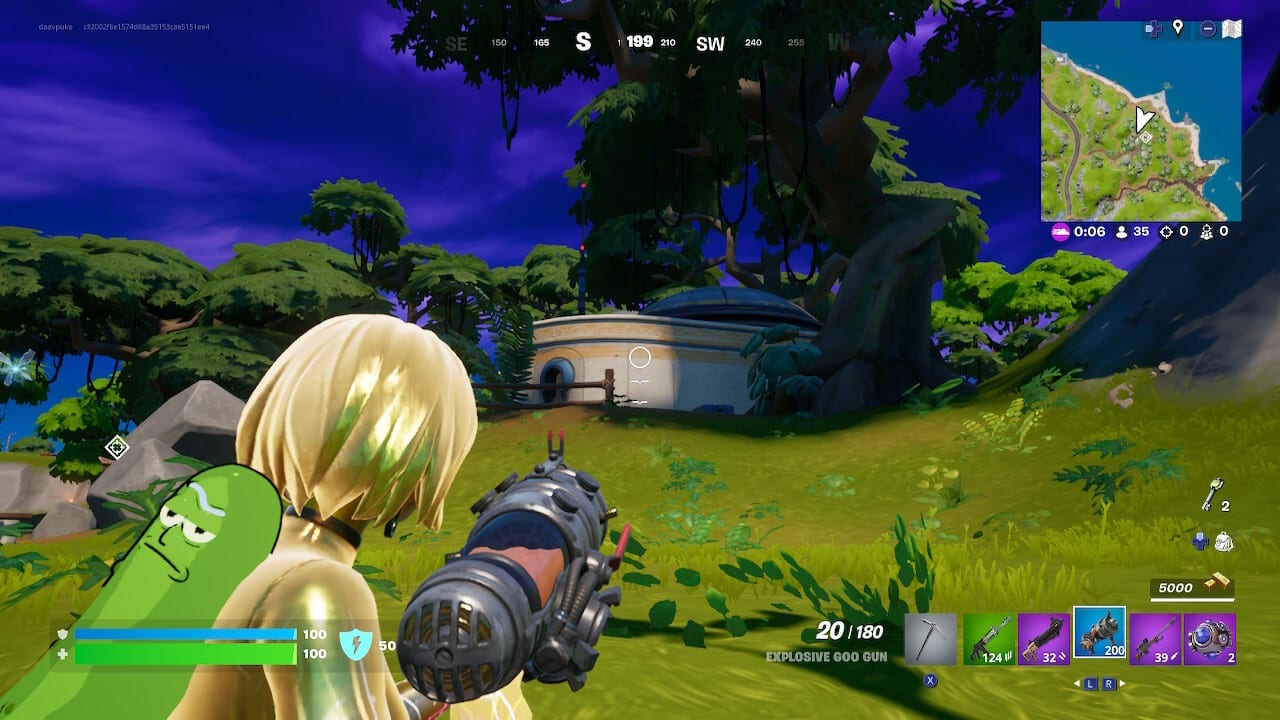
Fortnite Update 1.000.166 Datamined Content
NEW FORTNITE RELOAD LOOTPOOL TOMORROW 🔥
We already know most of it [VIA @Wensoing]
• Sticky Grenade Launcher
• Twin-Mag AR
• Explosive Repeater
• Shockwave Hammer
• Kinetic Blade
• Heavy Sniper
• Infiltrator Pump Shotgun
• LMG
• Cobra DMR
• Tactical DMR
• Thermal DMR… pic.twitter.com/y8suVA46du— HYPEX (@HYPEX) February 10, 2025
TONIGHT’s SHOP: Academy Champions (150 Days), More Valentine’s Skins (1 Year), Glowsticks Emote & Empire Axe (2 Years) ‼️
GET THEM HERE: https://t.co/F53x8ToIxN
Use Code “HYPEX” If you’d like to support me ❤️ #EpicPartner pic.twitter.com/A8l1oPyZFb
— HYPEX (@HYPEX) February 11, 2025
If there are proper patch notes to be published, make sure to refresh this page for more content about this update.
[Source: Fortnite Trello Board]
This website contains affiliate links. If you click a link and make a purchase, we may earn a commission at no additional cost to you. This helps support our work. Learn more on our affiliate page.


There is another issue with Fortnite, but in the lobby, I am playing on PS5, ai used to be able to Rename a outfit set with the character, back item, pickaxe and so on, but now I cannot
When you press down on the d-pad and go over the vehicles in the loadout tab, it gets stuck on the vehicle tab for some reason sometimes