HB Studio[summaraize]s has roled out a fresh patch on the fairway for PGA Tour 2K25 today. While this doesn’t include a a long list of improvements, it does fix a few nagging issues. Players can download PGA Tour 2K25 update 1.011 (complete number 1.011.000) now.
Alongside today’s patch notes, there have been changes made the past few days, and even one last week that seemed to be released as a server-side patch.
For those hoping to be able to use their previous The Elder Scrolls IV: Oblivion mods, or make new ones on the newly remastered release, you'll be saddened to learn that Bethesda has confirmed that there is currently no mod support for The Elder Scrolls IV: Oblivion Remastered.
PGA Tour 2K25 Putter Ball Issues Finally Fixed in Latest Update
Here are the confirmed fixes for today’s download:
Putter ball physics have been resolved: Invisible collision reported concerns when putting have been resolved.
Saved OVR reset bug has been resolved: Reported concern where saved/spent OVR is getting reset after the game goes into a suspend state has been resolved.
However, there was also a patch released last month that some players might have overlooked given there was no client download for it.
Check out the changes made on April 14, which was triggered via a server-side update.
Patch Notes for 4.08:
Addressed reported concerns related to freezes in MyCAREER
Added new clubs to the game – Live this week
Cobra, Callaway, Bridgestone & Western clubs
Cobra driver, hybrid, iron & wood
Callaway driver, hybrid, iron & wood
Bridgestone driver, hybrid, iron, wedge & wood
Western driver (HB original)
Various concerns addressed:
Reported concern related to event results total points (Merits + Season Points) resolved
Swing bias exploit addressed; bias no longer changes after pressing certain buttons
[TPC Scottsdale] Hole-in-one moving through the hole resolved
Course Designer object limit issue resolved when using spline-generated items
Reported concern when viewing clubs in Superstore resolved
Settings resetting between multiplayer rounds resolved
Patch Notes for 4.09:
VC Tuning Announced:
MyCAREER, Ranked Tours, Local Match & Private Match will not be changed.
All Formats Casual Matchmaking
5 VC per hole – Skins and team formats. (+2)
4 VC per hole – All other formats. (+1)
Ranked Matchmaking
5 VC per hole – Solo (+2)
6 VC per hole – Duos (+3)
Societies
4 VC per hole (+1)
Free Daily Drops Announced:
4/10: 3X Consumable Balls
Flight/Spin/Forgiveness
4/11: 2X Club Fittings
Power/Contact
4/12: 2X Level-Up Tokens
4/13: Malbon Bucket Hat
New Quests Announced:
Rose on the Rise
‘Yeehaw!’
Championship Chronicles
Double XP Event Announcement:
Start Date/Time: Thursday 10th April 9 AM PT / 4 PM GMT
End Date/Time: Monday 14th April 9 AM PT / 4 PM GMT
Game Modes: MyCAREER, Casual MM, Ranked Tours, Ranked Matchmaking and Societies
XP: MyPLAYER XP Only
Both patches were released on April 14. Before this, the largest client-side patch, which we wrote about, was released on April 8.
New details have emerged about the upcoming portable PlayStation, revealing that it will require some adjustments for PS5 games to run smoothly on the new system.
For those hoping to be able to use their previous The Elder Scrolls IV: Oblivion mods, or make new ones on the newly remastered release, you’ll be saddened to learn that Bethesda has confirmed that there is currently no mod support for The Elder Scrolls IV: Oblivion Remastered.
That means no official tools, nor support for Creation Club at this time.
As expected, given our report from yesterday, Bethesda's stream for The Elder Scrolls 4: Oblivion Remastered is now out on consoles today, April 22! Players on Xbox Series X|S, PC and even PS5 should be able to check out the epic action-RPG.
Where There’s s Will, There’s a Way
The confirmation comes from Bethesda, which answered whether The Elder Scrolls IV: Oblivion supported mods.
“Mods are not supported for The Elder Scrolls IV: Oblivion Remastered,” their official answer reads.
I suppose this news shouldn’t come as much of a shock, given that Elder Scrolls IV Oblivion Remastered is running an entirely new engine than the original, which was a modified version of the Gamebryo engine. Mods were quite popular for all the Gamebryo titles that Bethesda created, although they eventually transitioned to the Creation Engine, starting with The Elder Scrolls V: Skyrim. Even so, mod support remained a significant deal, as all their games supported it, with even console players being able to use them via the Creation Club.
With the switch to Unreal Engine 5 for the remastered, outright supporting mods out of the gate probably wasn’t a priority for Virtuos and Bethesda Games. It’s still disappointing news nonetheless.
However, given that anyone can download Unreal Engine 5 developer tools, we reckon getting mods up and running for this probably won’t be too hard. Silent Hill 2 Remake, another Unreal Engine 5 title, for example, doesn’t officially support mods, and yet there are plenty of those available on modding marketplaces.
It just means that Bethesda won’t officially support or feature them in-game through the Creation Club and similar features.
That’s not to say the game won’t even get support. Given how popular it was back then, there’s no doubt that this new re-release will be just as massive, if not more, given how much the market has grown. If there’s a demand for it, the studio may reconsider releasing it as part of a game update, though that’s, of course, wishful thinking on our part.
The Elder Scrolls IV: Oblivion Remastered is now available on PS5, Xbox Series X|S, and PC. It’s also available day one on Xbox Game Pass for both console and PC subscribers.
It has been over four years now since we’ve seen a new mainline DOOM game, but the day is almost upon us, with DOOM: The Dark Ages due for release this coming May.
A gamer at heart, James has been working for MP1st for the last decade to do exactly what he loves, writing about video games and having fun doing it. Growing up in the 90's gaming has been in his DNA since the days of NES. One day he hopes to develop his own game.
Critically-acclaimed Blue Prince’s patch 1.02, which was released on PC last week is now out on consoles! Players will see this as Blue Prince update 1.004, and this resolves some bugs involving softlocks, typos and more.
Worth nothing that the patch notes have late-game fixes that will spoil the game for you. If you’re planning to check out what got fixed, there’s the initial bug fixes, and then the fixes that have spoilers in them are nestled below it. We’ll add another warning so you can scroll or click away.
As expected, given our report from yesterday, Bethesda's stream for The Elder Scrolls 4: Oblivion Remastered is now out on consoles today, April 22! Players on Xbox Series X|S, PC and even PS5 should be able to check out the epic action-RPG.
Blue Prince’s Latest Patch 1.004 Fixes Game Locking Up and More
Here are the bugs fixed in this patch that are safe to read:
Added redundant video files of our cinematics compatible with more Steam Decks. This is the fix responsible for the increase in the game’s file size.
Fixed camera lock that occurred while reaccessing the lab machine on subsequent days after activating it / solving it.
Misc. typo and text format fixes.
Fixed major bug causing rarity and directory data to be read from previously accessed save files. This bug would cause rarity changes to inadvertently carry over between save files. This bug also potentially caused some uncommon and rare rooms to appear less frequently than they should have for some players.
SPOILER WARNING!!
The fixes below are unmarked but will spoil parts of the game. Proceed at your own discretion.
LATE GAME SPOILER
Fixed softlock that occurred while accessing the blueprint menu or systems menu while traveling by boat
Fixed hardlock that occurred while attempting to unlock a locked door found outside of the house with a basement key.
Fixed bug that would rarely cause only one item to appear in the TOOLSHED.
In a special room added by the drafting studio, C_s__o , the use of Coin Purse had been prevented. However, due to a bug, one machine was still able to exploit the use of this item. We are sorry to report this has been fixed and Coin Purse no longer works while playing games in this room.
If you haven’t played Blue Prince yet, it’s one heck of a puzzle game. Over on Open Critic, it has a score average of 89 based on 68 reviews. Our review of it speaks very highly of the puzzle game, stating, “Blue Prince was worth the wait. It’s easily the best first-person puzzler since Portal (or its incredible sequel). With countless mansion layouts, dozens of rooms to discover and best utilize, plus a nearly constant drip-feed of lore content to absorb, this is an ideal first game for any studio.”
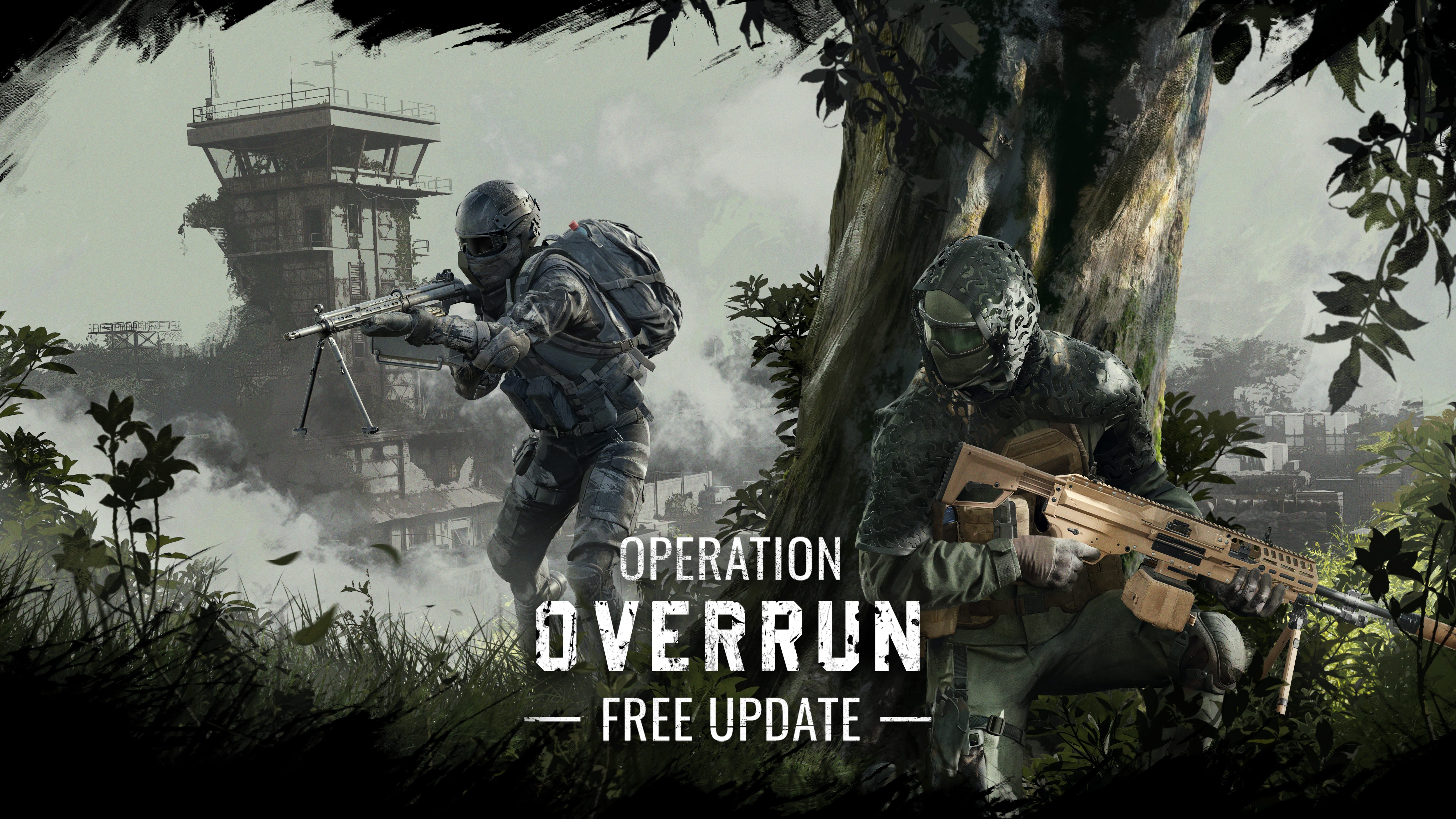
The next major operation is now available in Insurgency, as Saber Interactive has just releasedInsurgency Sandstorm update 1.25 on consoles and PC and this is for the Operation Overrun content drop!
For PS5 and Xbox Series X|S, this patch should show up as Insurgency Sandstorm download 1.012. As with past operations, this update includes a new map, weapons, a playlist update, and, of course, bug fixes.
Insurgency Sandstorm Operation: Overrun Commences With Patch 1.25/1.012
Hello soldiers!Welcome to the release notes for Update 1.18: Operation: Overrun! We’ve officially been cleared for landing, although safe arrival is not guaranteed.This update features a brand-new map, a new LTGM, and two new weapons.
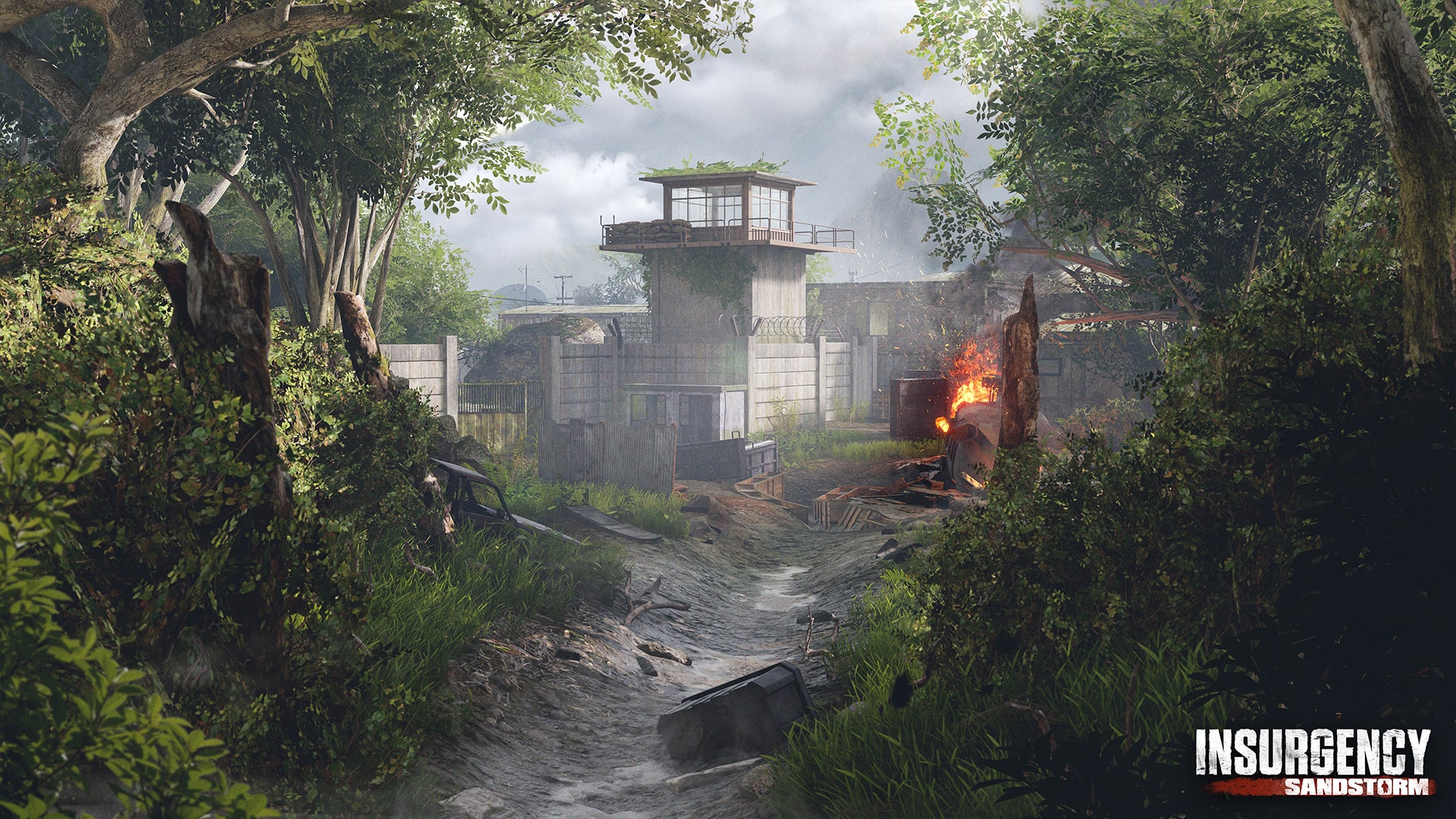
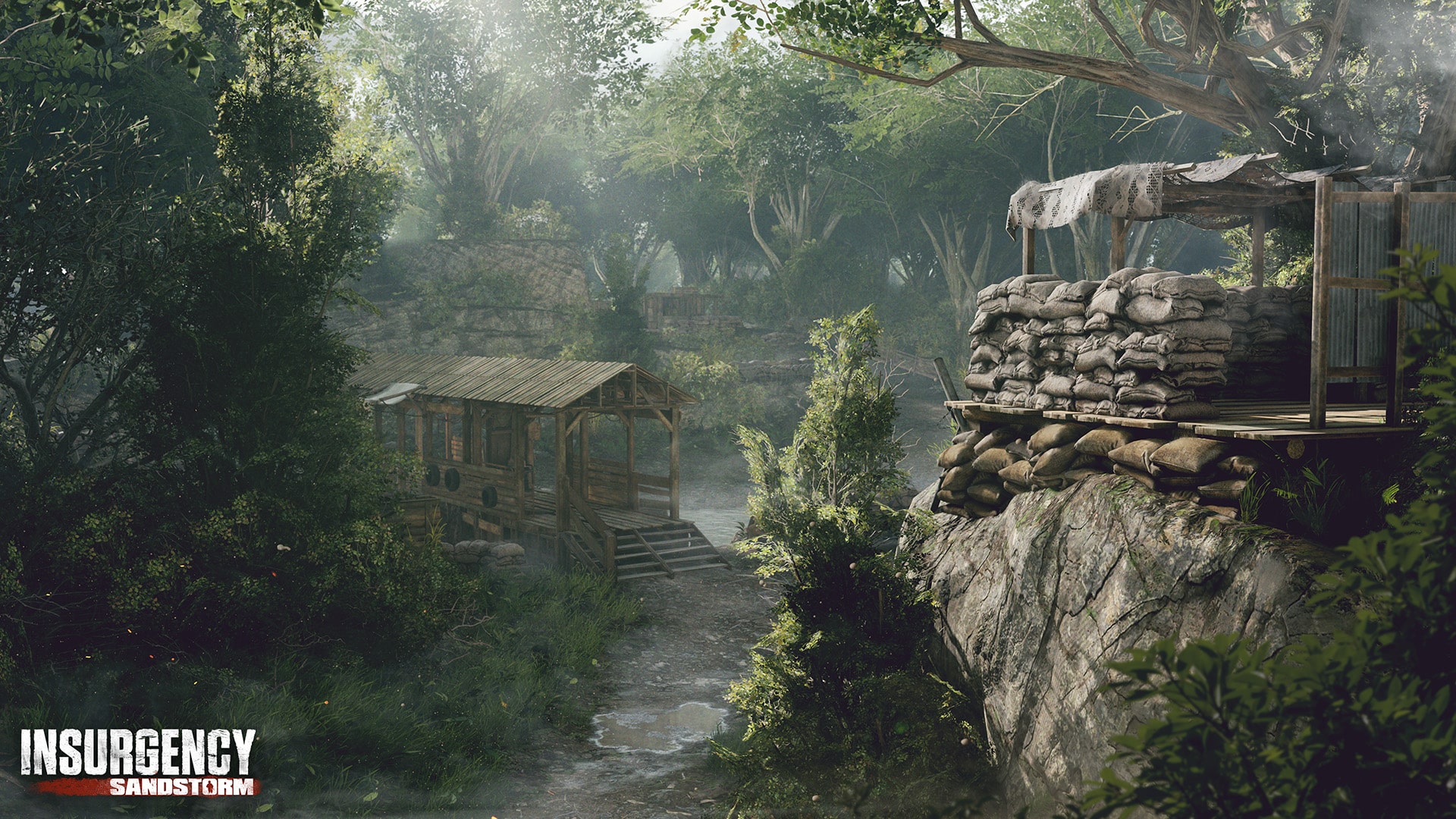
NEW MAP: FOREST
Set in an abandoned airbase overtaken by nature, Forest offers a mix of CQB and long-range engagements, spanning from dense woodland and shallow riverbeds to crumbling runways and rusted hangars.
Forest is playable on:
Versus
Push Security
Push Insurgents
Frontline
Firefight East
Firefight West
Domination
Skirmish
Ambush
Co-op
Checkpoint Security
Checkpoint Insurgents
Hardcore Checkpoint Security
Hardcore Checkpoint Insurgents
Outpost
Survival
NEW WEAPONS: M250 & H21
Operation: Overrun introduces two new weapons to the conflict: the M250 for Security and the H21 for Insurgents!
M250 (SEC)
Built for mobility and control, the M250 provides adaptable firepower in a compact, battle-ready platform.
H21 (INS)
A powerhouse of suppression, the H21 thrives in intense firefights with its rugged design and belt-fed efficiency.
NEW PREMIUM DLC:
Forest Warden Gear Set (SEC)
Adapt to the environment with the Forest Warden Skin Set for Security!
Contains seven different cosmetic gear pieces:
Forest Warden Top
Forest Warden Bottom
Forest Warden Headset
Forest Warden Balaclava
Forest Warden Goggles
Forest Warden Gloves
Forest Warden Boots
Phantom Gear Set (INS)
Strike from the shadows with the Phantom Skin Set for Insurgents!
Contains five different cosmetic gear pieces:
Phantom Top
Phantom Pants
Phantom Helmet
Phantom Gloves
Phantom Boots
Green Recon Weapon Skin Set (SEC)
Master the terrain with the Green Recon Weapon Skin Set for Security!
The Green Recon Weapon Skin can be equipped in the Loadout menu for the Security faction on the following weapons:
Rifleman, Demolitions: M4A1
Advisor: MK 18 CQBR
Gunner: M250
Breacher: MP7
Marksman: MK 14 EBR
Secondary: L106A1
Bloodwood Weapon Skin Set (INS)
Cut down the competition with the Bloodwood Weapon Skin Set!
The Bloodwood Weapon Skin can be equipped in the Loadout menu for the Insurgent faction on the following weapons:
Rifleman, Demolitions: M16A2
Advisor: AKS-74U
Gunner: H21
Breacher: TOZ-194
Marksman: M99
Secondary: Browning HP
NEW PVP LTGM: FIRST BLOOD
First Blood
With the release of the new M250 and H21 light machine guns, we want to give players a fun and focused environment to explore what these weapons offer. That’s where First Blood comes in. It’s a nod to the gritty 80’s action films that inspired the tone of Operation: Overrun.
This limited-time PvP mode strips things down to LMGs and sidearms only, throwing players into chaotic engagements that play to these weapons’ strengths: suppressive fire and raw stopping power. We think it offers a great opportunity to get a feel for these new LMGs.
Cosmetic Patches
We’ve added brand new Overrun-themed cosmetic patches to both factions so you can bring the heat in style!
The following patches will be available at launch:
Security Patches
Operation: Overrun
Unstoppable
Rotorhead
Support is close
Unseen
Hard Landing
Insurgent Patches
Rebel
Hello
Wolverine
Tiger eye
Molotov throw
PLAYLIST CHANGES
Defusal
Defusal mode didn’t quite reach the popularity we’d hoped for, so we’re rotating it into LTGM for now. This change will help us make space to give our new permanent mode, Skirmish, the attention and visibility it deserves.
Free For All
We’re also moving Free For All to the LTGM category, where its fast-paced, arcadey gameplay fits better alongside similar modes.
IMPROVEMENTS
Lighting Changes
In our ongoing mission to improve visibility, we determined that the lighting on Citadel was too dark, leading to frustrating moments where players couldn’t always spot their opponents in the heat of battle. We’ve updated the lighting to make the map brighter overall while maintaining the mood and atmosphere that give Citadel its unique feel.
TWITCH CAMPAIGN
With the release of Operation: Overrun, we are introducing Twitch Drops to Insurgency: Sandstorm for the first time. By tuning in to any participating Twitch streamer, you can earn the following exclusive in-game cosmetics:
A gamer at heart, James has been working for MP1st for the last decade to do exactly what he loves, writing about video games and having fun doing it. Growing up in the 90's gaming has been in his DNA since the days of NES. One day he hopes to develop his own game.
Overwatch 2 Season 16 is now underway, as the latest update 3.99 (1.000.063 on PS5) is now live on all platforms! As with any seasonal update, you can expect loads of new content, including the new Stadium map and the newest hero, Freja.
Here’s a breakdown of everything included in today’s Overwatch 2 update.
Overwatch 2 Season 16 Patch 3.99/1.000.063 Changelog
Season 16 – Stadium
Enter the ultimate battleground with Stadium , an all-new way to play Overwatch 2 where customization takes the reigns in a fun, best of seven, round based fight. Then, celebrate the launch with the Stadium: Initiation seasonal event to unlock exclusive rewards. Plus, the relentless bounty hunter Freja arrives as the latest DPS Hero, bringing precision and mobility to every match. Meanwhile, the battlefield transforms with stunning skins, from the Dokiwatch team—led by Mythic Heart of Hope Juno—to Legendary Ashe, Genji, Brigitte, Lifeweaver, and Mauga in the Premium Battle Pass. Whether you’re outwitting opponents in Stadium, hunting your prey with Freja, or wielding magic with Dokiwatch, this season is packed with action, strategy, and a whole lot more.
Stadium: Initiation
Celebrate Stadium’s launch with the Stadium: Initiation, a special event where winning earns you more than just bragging rights. Make a name for yourself by conquering challenges, climbing the ranks, and unlocking seasonal cosmetics like the Stadium Rookie Soldier: 76 and Stadium All-Star Juno skins before they’re gone. Perfect your strategy, dominate your opponents, or just simply rake in some wins for the fun of it (and the prizes)—the Stadium: Initiation event is the here for you to flex your skills and reap the rewards all season long.
Take on event challenges to earn Stadium: Initiation exclusive rewards like the Soldier: 76 Stadium Rookie skin and additional rewards.
Reach All-Star rank in the new Stadium ranking system to earn the S16 exclusive Stadium All-Star Juno skin.
Complete multiple challenges for unique loot boxes.
Introducing Stadium
Step into Stadium, an all-new way to play Overwatch 2! This fast-paced, best-of-7, round-based experience you to strategically build your Hero’s loadout, customize on the fly, and outmaneuver your foes with tactical upgrades to rise through the Stadium ranking system. With the option to play in first or third person, bounties to speed up progress or make comebacks, and the freedom to play your Heroes in completely different ways, no two battles will ever be the same. Plus, Stadium will have 17 Heroes available at launch with regular updates bringing more Heroes, modes, Items, abilities, maps, and balances to keep things fresh. Rewrite the rules, conquer the ultimate battleground, and have some fun in Stadium. Learn more about how Stadium is played in our official blog.
Stadium is a new core game mode listed alongside the Unranked, Competitive Play, and Arcade cards in the main menu.
Two teams of five compete across multiple rounds and maps.
First to four round wins will win the match.
Available only in Role Queue.
Custom Game modes are not yet available for Stadium.
Players may group up with other players regardless of skill or Competitive rank in Stadium.
Stadium Maps
Nine new or modified maps on three different map types are added.
Control maps play one round only and capture progress is faster.
Clash maps play on three objective points only.
Push maps play with distance to the objective at approximately half the distance as full Push maps.
Heroes
Heroes selected are locked in for the entire match.
Tank Heroes: D.Va, Junker Queen, Orisa, Reinhardt, and Zarya.
Damage Heroes: Ashe, Cassidy, Genji, Mei, Reaper, and Soldier: 76.
Support Heroes: Ana, Juno, Kiriko, Lucio, Mercy, and Moira.
Perks are not enabled in Stadium.
Stadium Cash
Spend Stadium Cash to buy Items for your Hero and gain additional max health.
Earning Stadium Cash
Each player starts with 3,500 at the beginning of the match.
Players earn more Stadium Cash by dealing damage, providing healing, and getting eliminations or assists.
Players can earn bounties by eliminating or assisting with eliminating an opponent that has been performing well.
The player on each team with the most Stadium Cash earned for the round receives a 1,000 cash bonus.
A team that is significantly behind at the start of a round will have a bonus multiplier added to their earnings throughout that round.
Bounties
Every player starts with a value of 300 at the start of the match.
Every time a player gets an elimination or assist their bounty value increases by 75 and can have a maximum value of 2,000.
Every time a player with more than 300 is eliminated their bounty is reset to 300.
Every time a player with 300 or less is eliminated their bounty value drops by 100.
Any player with a bounty of 750 or more is displayed in the gameplay HUD.
Increase Max Health
For Damage and Support players every 500 total cash earned adds 1 additional max health at the end of the round and for the remainder of the match.
For Tank players every 750 total cash earned adds 1 additional max health for the remainder of the match.
Up to 300 additional health can be added on from Stadium Cash earnings.
The initial 3,500 cash at the start of the round does not provide additional max health.
Armory
At the start of each round, players will enter the Armory and have a limited time to browse.
Players can use Stadium Cash to buy Items that modifies their weapons, abilities, and more.
On round 1, 3, 5 and 7, players can equip Powers for transformative modifiers that enhances and changes that Hero’s playstyle.
Example Builds are available for every Hero. These are great places to start!
Items
Players can have up to six Items equipped at any time.
Players can sell previously obtained Items for equal value to the purchase price.
Items are organized into three categories, Weapon, Ability, and Survival.
Weapon Items typically modify the stats of weapons that have no cooldowns to use.
Ability Items typically modify the stats of abilities that are limited by a cooldown or ultimate charge.
Survival Items typically modify the stats of the Hero’s survival capabilities including max health, movement speed, and more.
Items are organized into Common, Rare, and Epic tiers. Common Items are the most affordable with Epic ones being the most exclusive.
Many Items are available to equip for all Heroes.
Each Hero will have exclusive Hero Items that specifically change the attributes of that Hero’s weapons, abilities, or passives.
Powers
At the start of the 1st, 3rd, 5th, and 7th round players will equip a Power for their Hero.
Powers cannot be removed once they are equipped.
Leagues
Stadium is a competitive mode with its own ranking system.
There is a total of seven Leagues, Rookie, Novice, Contender, Elite, Pro, All-Star, Legend
Each League has five divisions with 5 being the lowest rank and 1 being the highest.
Players start in the Rookie Division 5 League every season.
Players gain Stadium Points for every match win along with progress to advancing into the next League.
In the Rookie and Novice Leagues, players do not lose Stadium Points for a loss.
Players lose small amounts of Stadium Points after a match loss in the Contender or Elite Leagues.
Players lose similar amounts of Stadium Points to what they win after a match loss in Pro, All-Star, and Legend Leagues.
Rewards
Players earn 10 Competitive Points for every match win in Stadium.
Players earn additional rewards including Name Cards, Weapon Charms, and Titles based on which League they reached the highest throughout the season and these rewards are only useable for the duration of the next season.
Players can earn the Epic Orisa Elite Skin by reaching the Elite League in the Tank Role in Season 16.
Players can earn the Epic Genji Elite Skin by reaching the Elite League in the Damage Role in Season 16.
Players can earn the Epic Moira Elite Skin by reaching the Elite League in the Support Role in Season 16. Players can earn the Legendary Juno All-Star Skin by reaching the All-Star League in any Role in Season 16.
Competitive Leaver Penalties
The same leaver penalties for Competitive Play also apply for Stadium.
Players who disconnect or leave will only have a few minutes to return without penalty.
Players who abandon a match entirely will be given the same penalties as if leaving a Competitive Play match up and including a season ban.
Players who are suspended or banned in either Stadium or Competitive play cannot play both modes while that suspension is in effect.
New Hero: Freja
Once Overwatch’s top search-and-rescue operative, Freja now uses her elite tracking skills to hunt targets as a merciless bounty hunter. Agile, aggressive, and lethal, Freja rewards players who think fast, reposition smart, and strike with precision. Armed with her Revdraw Crossbow and a deadly set of movement abilities, Freja excels in high-pressure combat. Plus, her Bola Shot Ultimate tangles enemies together, setting up devastating team plays. With a dynamic, strategy-driven kit, she’s built for players who thrive on precision—and she never misses her mark.
Freja is added to the Hero Roster
Freja is now playable in Competitive Play
New Mythic Skin: Heart of Hope Juno Hero Skin
Juno, the newest Hero of Heart, steps into the fight against Woe with her Mythic Heart of Hope skin, featuring four brilliant stages of customization that evolve as her radiance grows. From a bright-eyed protector to an unstoppable warrior, and even a corrupted version lost to Woe In between, her progression tells a story of resilience and destiny. With dynamic ability VFX, shifting colorways, new hairstyles, and the Sharks of Dreams by her side, Juno’s transformation is more than just cosmetic—it’s a magical journey, yours to shape.
New Mythic Aspect: Iridescent Aspects
Introducing the new Iridescent Aspects, a prismatic upgrade that lets you bring even more personality to your fully leveled Mythic Hero Skins. This dazzling new customization option adds a vibrant, high-energy finish, making your Hero stand out like never before. Mythic Heart of Hope Juno’s Iridescent Aspect debuts at launch on April 22, with all previous Mythic Hero Skins gaining their Iridescent Aspects starting May 20.
General Updates
Streamer Protect
New Option: Hide Player Icon from Others – Displays the default player icon instead.
New Option: Hide Name Card from Others – Hides the Name Card, as if no Name Card were equipped.
New Option: Hide Player Title from Others – Hides the Player Title, as if no Player Title were equipped.
Reporting Features
Players can now receive an instant notification if a player is already actioned.
Prior to this feature, reporting a player that had already been banned or suspended would not result in any additional information. The Instant Reporting Feedback feature will immediately inform the player of the fact that banned or suspended players have been actioned when they are reported.
Players can now Report from Replays. This new feature benefits from Instant Reporting Feedback described above. Since Replays can be shared, a new set of measures has been developed that will always prevent organized mass reports from taking actions against players.
Competitive Play Updates
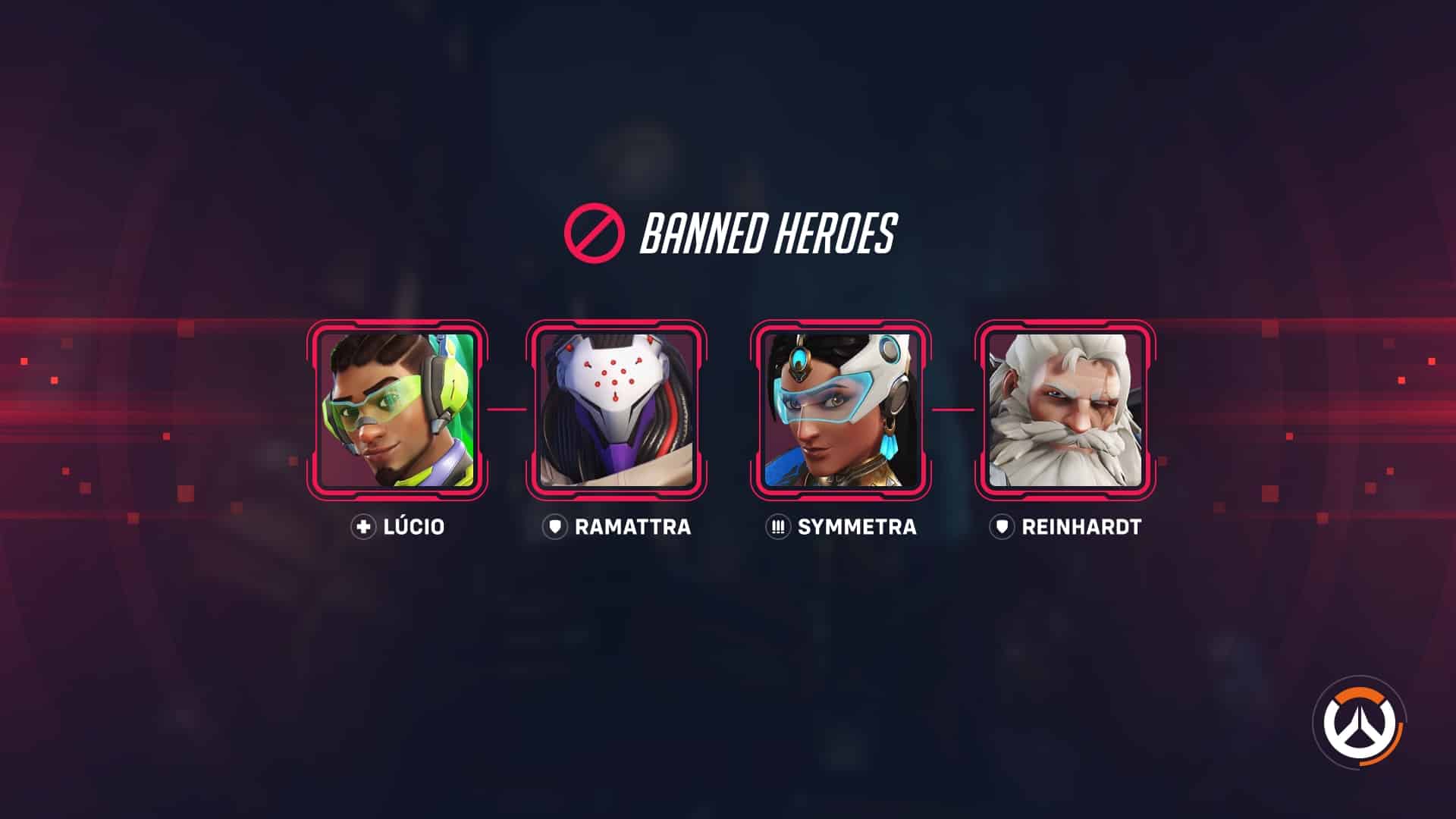
Hero Bans
Hero Bans have been added to Competitive Play modes.
Before the Ban Phase, players will be able to select their Preferred Hero. Selecting a Preferred Hero does not prevent it from being banned, it just communicates which Hero the player would like to play. This selection is optional.
Players will enter the Ban Phase before the Versus Screen is displayed.
Players can communicate with their own team during this phase but can’t see or communicate with the enemy team.
Bans are simultaneous, with each team banning 2 Heroes with a Ranked Choice system.
Each player’s first choice carries the most weight, while their second and third choices contribute proportionally fewer votes.
Players aren’t required to choose any Heroes to ban; they can pass by pressing the Ready button.
Players can reset all their ban choices with the Reset button, or they can select any current choice and then swap that choice individually.
Players can see which Heroes their allies are choosing to ban and which Hero they prefer to play on the left side of the screen during the bans phase.
Allied choices are ordered from left to right, with the leftmost choice being their highest priority to ban.
Ban Results are calculated when the Ban Phase ends. Only 2 Heroes can be banned per role.
If a Hero is tied for votes, ties are broken by the number of players that voted for that Hero.
If Heroes are still tied, ties are broken randomly.
Developer Comments: The battlefield just got more dynamic. With Hero Bans, you can influence matchups in Competitive Play through team-based voting to remove key counters from the game, leading to fresh strategies. You can remove up to two Heroes per match per team, so coordinate with your team, adapt your plans, and shape the meta your way.
In 6v6 Game modes, wave respawn threshold reduced from 6 to 3 seconds.
Developer Comments: At the start of Season 15 we introduced perks, and it’s been amazing to see how you’ve embraced and experimented with them. Our goal is to make sure there’s always a meaningful choice when it comes to both Minor and Major perks, with decisions influenced by the state of the game and your preferred playstyle. We’re constantly iterating on perks, which is why we’re making some changes across the Hero roster. There will be new perks for 9 Heroes, aiming to give those Heroes fresh and exciting ways to fight on the battlefield. We’re also fine-tuning several perks to improve the gameplay experience for both players who use them and those who face them. It’s been incredible to watch the community embrace this new system, and we’re constantly reviewing your feedback to make Perks as great as they can possibly be!
Tank
D.Va
Bunny Stomp
Now combined with Ejection Suit.
Bunny Power
New Minor Perk
Eject grants 75 temporary overhealth and Call Mech’s damage radius is increased by 50%.
Extended Boosters
New Minor Perk
Hitting an enemy with Boosters increases the duration by 0.5 seconds.
Hazard
Off the Top
Increase Leap Slash’s damage from 30% to 50%.
Orisa
Developer Comments: Orisa has been underperforming in comparison to other tanks. Increasing her damage to allow her to be more threatening without boosting her survivability.
Augmented Fusion Driver
Damage increased from 13 to 14.
Fortify
Now prevents Hack’s ability lockout from interrupting abilities.
Heat Dissipater
Increase amount of heat reduced per headshot by 33%.
Reinhardt
Fiery Uptake
Removed.
Crusader’s Fire
New Minor Perk
Refund a charge of Fire Strike when you stun an enemy, overfilling up to 3.
Shield Slam
Shield Slam distance increased by 50%.
Roadhog
Hog Toss
Removed.
Pent Up
New Minor Perk
When Pig Pen is triggered, refill 50% Take a Breather resource which can overfill.
Hogdrogen Exposure
Increased radius from 8 to 10 meters.
Sigma
Levitation
Jump can now be held down to hover.
Winston
Developer Comments: With the introduction of perks, Winston has been overperforming. By adjusting his survivability—exchanging some of his armor for health—we aim to bring him in line with other tanks, without significantly impacting his overall gameplay.
Base health increased from 225 to 275.
Base armor reduced from 250 to 200.
Wrecking Ball
In 6v6 game modes, Armor health reduced from 150 to 100.
Damage
Cassidy
Past Noon
Removed.
Even the Odds
New Minor Perk
Regenerate 20 health per second for each enemy targeted by Deadeye.
Freja
Developer Comments: We received positive feedback during Freja’s Hero trial, and it’s exciting to see how much you enjoy experimenting with her kit. However, we’ve noticed that Freja is struggling to keep up with other Damage Heroes, particularly in terms of lethality. So, we’re adjusting the time it takes for her to earn her minor perk, bringing it in line with other Heroes. Additionally, we’re increasing the number of shots before her max spread kicks in, making her Revdraw Crossbow more reliable at all ranges. Finally, while Freja’s Bola Shot was charging quickly, its effectiveness was somewhat lacking. We’re boosting both its damage and radius slightly, ensuring it can better secure eliminations when it lands.
Time to earn Minor Perk reduced by 18%.
Revdraw Crossbow
Number of shots before max spread increased from 8 to 12.
Bola Shot
Bola Shot Damage and Explosion radius increased from 5 to 5.5 meters.
Bola Shot damage over time increased from 75 to 90.
Hanzo
Developer Comments: Restoring the functionality of Hanzo’s Storm Bow to retain draw progress will enable him to use wall climb more effectively, improving his ability to take space and position himself.
Storm Bow
Arrow draw progress is preserved while wall climbing.
Storm Arrows
Projectile speed increased from 110 to 140 meters per second.
Junkrat
Aluminum Frame
Now also reveals trapped enemies to allies.
Tick Tock
The description has been changed to “Concussive Mine strengthens .5 seconds after landing, increasing damage by 50%, explosion radius by 50%, and health by 200%.”
Mei
Chilling Reach
Removed.
Biting Cold
Moved to Minor perk.
Secondary fire hits slow enemies by 20% for 1.5 seconds.
Deep Freeze
New Major Perk.
Continuously hitting enemies with primary fire freezes them for a short time.
Sombra
Viral Efficacy
Removed.
Encrypted Upload
New Minor Perk.
Hack can be used while invisible, successful hacks increase the duration of stealth by 2 seconds.
Stack Overflow
Removed.
Viral Replication
New Major Perk.
Hitting a hacked enemy with Virus spreads Virus to enemies within 8 meters.
Soldier: 76
Field Emergency
The description has been changed to “Biotic Field’s healing is increased by 100% on Low health targets.”
Torbjörn
Overloaded Turret
Now transforms into Level 3 Sentry Turret if Overload was activated before fully constructed.
Tracer
Flashback
Blinks restored reduced from 3 to 2.
Quantum Entanglement
Quantum Entanglement now additionally grants 20 over ammo.
Support
Ana
Groggy
Reduced initial slow from 75% to 50%.
Now also deals 50 damage over the duration.
Biotic Bounce
Second bounce damage and healing reduced from 50 to 25.
Baptiste
Biotic Launcher
Healing explosion increased from 50 to 60.
Direct impact healing increased from 20 to 30.
Maximum ammo reduced from 13 to 10.
Assault Burst
Will now do instant healing but cannot critically heal low targets.
Juno
Hyper Boost
Removed.
Re-Boots
Moved to Minor Perk.
Duration increase removed.
Locked On
New Major Perk.
Reduce the cooldown of Pulsar Torpedoes by 1.5 seconds for every enemy hit.
Lifeweaver
Thorn Volley
Projectile speed increased from 80 to 100 meters per second.
Lifeweaving
Bonus healing increased from 30 to 40.
Lúcio
Groovin
Removed.
Beat Drop
New Minor Perk.
Amp it Up is active during Sound Barrier.
Mercy
Angelic Recovery
Removed.
Angelic Resurrection
New Minor Perk.
Mercy gains 100 overhealth after casting Resurrect.
Zenyatta
Orb of Discord
In 6v6 game modes, Duration before expiring when target is out of sight reduced from 3 to 1.5 seconds.
Ascendance
Jump can now be held down to hover.
Duality
Increased converted damage from 20% to 30%.
Bug Fixes
Heroes
Juno
Fixed an issue with Juno’s Ember skin.
Kiriko
Fixed an issue preventing Kiriko’s wall climb animation from playing after swift step.
Ramattra
Fixed an issue with Rammatra’s Void Barrier animation.
Whew, that’s a lot of changes! Now get out there and start enjoying the new season!
A gamer at heart, James has been working for MP1st for the last decade to do exactly what he loves, writing about video games and having fun doing it. Growing up in the 90's gaming has been in his DNA since the days of NES. One day he hopes to develop his own game.
Mojang has released a new patch for the Beta and Preview build of Minecraft that’s out now on consoles and PC. Players will see this as Minecraft Preview update 1.67 on last-gen, while those on current-gen will see this as 1.050. The developers refer to this as version 1.21.90.20 when it comes to official client-side build.
Aside from your usual bug fixes, this also improves the UI, Leashing updates, and a lot more.
As expected, given our report from yesterday, Bethesda's stream for The Elder Scrolls 4: Oblivion Remastered is now out on consoles today, April 22! Players on Xbox Series X|S, PC and even PS5 should be able to check out the epic action-RPG.
Mojang Preview and Beta Build Update Improvements for April 22 via Patch 1.67/1.050
Experimental Features
User Interface
The Jump and Dash bars no longer take precedence over the Locator Bar while inactive in Creative Mode
Interaction Button in Creative Mode moved up for Touch devices such that it no longer covers the Locator Bar
Player Dots on the Locator Bar now show correctly while using split-screen
The item name tooltip is no longer cut off while the Locator Bar is enabled in Creative Mode
Player Dots on the Locator Bar now show correctly in third person view while using split-screen
Features and Bug Fixes
Leashing Updates
We are expanding the functionality of leads, to make it possible to leash any leashable entity to another leashable entity and by doing so create chains of leashed entities
Elytra
Using a Firework Rocket to boost while flying with an Elytra now causes leashed mobs to unleash
Leash Knots
Entities can now be leashed to a pre-existing Leash Knot by interacting with it
Players can retrieve entities tied to a Leash Knot by interacting with it
Shears can now be used to remove Leash Knots
Leashing Entities to Other Entities
Any leashable entity can now be leashed to any other leashable entity.
Any leashable entity can now be leashed to any other leashable entity.
To leash an entity to another entity, the player must:
Have the entity already leashed to themselves
Sneak and interact with the target entity while holding the leash
Leashed entities can now be “stolen” by leashing them again, transferring ownership to the player
If re-leashing an entity would result in immediate leash snapping due to distance, the re-leashing cannot be done
To prevent erratic behavior when leashed to each other, llamas that are leashed no longer attempt to form caravans
A leashed entity cannot be leashed to itself
Baby mobs can only be leashed one way – to another entity; they cannot have other mobs leashed to them
Known issue: When two mobs are connected, it results in the lead being rendered with a erroneous y-axis offset and appearing below one of the mobs
Physics
All leashable entities now behave more naturally when being pulled.
When leashed to a Happy Ghast, Horses, Camels, Donkeys, Mules, Boats, Chest Boats, and Sniffers now adjust their position gradually over time, aligning smoothly with their leash holder when suspended mid-air
In all other cases, entities align to the direction they are being pulled and no longer behave erratically when suspended mid-air
Mid-air friction now applies to Boats just like any other entity, meaning they can no longer orbit the player or behave excessively bouncily
The distance at which leashes break has been increased to 12 blocks, except for the Happy Ghast, which has a leash break distance of 16 blocks
When dragged on the leash, leashed objects will now orient themselves towards the leasher
The distance between centers of entities bounding boxes, rather than their feet is used to determine the distance between two leashed entities
Rendering
Boats and large leashable mobs that cannot fit in a Boat (Horses, Donkeys, Mules, Camels, and Sniffers) when leashed to a Happy Ghast are rendered with four leashes instead of one
In this configuration, the Happy Ghast also features a custom rope layer wrapping around it
Shears
Shears can now be used on leashed entities to unleash them, removing both incoming and outgoing leash connections
Players cannot cut other players’ leashes
Dispensers can now use shears to unleash leashed entities
Graphical
Made Vibrant Visuals the default graphics mode for supported devices.
Added the ability to data-drive some of the Vibrant Visuals / Deferred Graphics related settings per biome. Creators can provide multiple versions of atmospherics, color grading, lighting and/or water configurations as long as each has a unique identifier and file name. The reserved JSON names for each group of settings (e.g., lighting/global.json) will continue to function as before. Creators can utilize the minecraft:atmosphere_identifier, minecraft:color_grading_identifier, minecraft:lighting_identifier, and minecraft:water_identifier in Client Biome JSONs to connect particular rendering settings to a given biome. Note that certain parameters, such as tone mapping operators, caustics and wave simulation on/off cannot be customized per biome at this time. Parameters will be spatially blended as players move between biomes. See updated Creator Documentation for more details.
Increased back-scattering of light underwater in Vibrant Visuals
Cloud shadows no longer pop in and out of view when looking around using Vibrant Visuals on Android devices
Fixed a bug where directional lighting cut out 8 blocks under the water surface while using Vibrant Visuals
Painting now renders with correct PBR properties, shadows and illumination when using Vibrant Visuals
Added MERS texture support for Signs in Vibrant Visuals
Added new texture assets for a variety of trims, particles, spawn eggs, water and the dark oak boat in Vibrant Visuals
Updated the appearance of metals for a variety of block textures in Vibrant Visuals
Updated the Cave Vines, Chorus Flower, Pumpkin, Fire Fly Bush and a variety of other plant textures in Vibrant Visuals
Updated the Bee, Dolphin, Ghast, Pig Saddle and Strider textures in Vibrant Visuals
Blocks
Dried Ghast block’s rarity is now common, matching its ingredients
Crimson and Warped Roots cannot be lit on fire or burn anymore (MCPE-80066)
Non-waterlogged Dried Ghast blocks now only play ambient sounds when on top of a Soul Sand or a Soul Soil block
Fixed issue where jungle leaves did not become transparent when setting all leaf types to be transparent. (MCPE-110630)
Commands
Fixed a bug where players could hear sounds played with /playsound even if they were in a different dimension than the one the sound was played in (MCPE-184566)
Gameplay
Fixed crash that would sometimes occur when using command blocks
Graphics
Item bobbing will no longer stagger when the amount of days is high. (MCPE-190647)
Entering pause while breaking a block will reset the breaking animation. (MCPE-191029)
Items
The Trident is now grouped with other tools/weapons in the Creative inventory (MCPE-181002)
Mobs
Happy Ghast now turns more smoothly
Players mounted on the Happy Ghast no longer appear invisible to other players when the Happy Ghast is immobile
Players mounted on the Happy Ghast no longer have their hitbox displaced when the Happy Ghast is immobile
Happy Ghast no longer becomes a platform when a Player is standing next to it
Fixed bug where piloted Happy Ghast could be moved while non-riding players were standing on it
Mobs will no longer push the Happy Ghast when it is controlled by a player (MCPE-201851)
Fixed a bug where Happy Ghast would keep looking at you after no longer being tempted
Ghastlings now grow up to become a Happy Ghast after 20 minutes instead of after 400 minutes (MCPE-212378)
Piglin Brutes will now despawn properly on peaceful difficulty (MCPE-88837)
User Interface
Cursor position now correctly updates when pressing down on L3 or D-pad while hovering a bundle (MCPE-189370)
Bundle tooltip no longer overlaps with item tooltips when quickly interacting with empty inventory slots on touch devices (MCPE-187171)
Bundle UI now correctly disappears when switching Inventory tabs with controller input
New items and blocks related to the Happy Ghast no longer have a trailing space in their names (MCPE-199213)
Tapping on the Bundles Tooltip on Touch devices no longer interacts with the UI behind it
The Text Background Opacity accessibility setting now also affects hotbar tooltips, chat message backgrounds, and leaderboard displays. (MCPE-79331)
Fixed an issue where only changing the access of PlayStation friends to your world would not be saved when exiting the menu
To maintain feature parity with the flatworld presets in the Java Edition, the Snowy Kingdom flatworld preset has been updated to use a snow layer instead of a snow block (MCPE-194367)
Vanilla Parity
Harness goggles will now always be down as long as the harnessed Happy Ghast has at least one mounted Player
Added integer overflow detection in ScoreboardObjective.addScore. Original value will be retained when overflow is detected.
NamespaceNameError now has better error information and the name property value will now be set to “NamespaceNameError”.
BlockComponentPlayerDestroyEvent renamed to BlockComponentPlayerBreakEvent
PlayerPlaceBlockBeforeEvent
– permutationBeingPlaced renamed to permutationToPlace
BlockCustomComponent
– onPlayerDestroy renamed to onPlayerBreak
Added lookAt method on Entity
Added customComponentParameters: CustomComponentParameters to ItemCustomComponentInstance
Added customComponentParameters: CustomComponentParameters to BlockCustomComponentInstance
Custom components V2 now support assigning string, array, object, bool, or number
GameMode enum member names changed
– survival renamed to Survival
– creative renamed to Creative
– adventure renamed to Adventure
– spectator renamed to Spectator
@minecraft/server-ui 2.0.0
@minecraft/server-ui 2.0.0 is now released, 2.1.0-beta is the new beta version for @minecraft/server-ui.
Blocks
Add a parameter to the culling rules schema to disable culling against full and opaque blocks
“condition” field is now optional.
removed “default” as a value for “condition” field in the culling rules schema.
added new optional “cull_against_full_and_opaque” boolean field in the culling rules schema.
if not specified, it will be set to true
if set to “false” culling against full and opaque blocks will not be considered
When custom components v2 experiment is enabled, custom components can be assigned string, array, object, bool, or number
Custom components v2 experiment no longer required to use custom components v2
Custom components v2 is available in JSON versions 1.21.90 and higher
“minecraft:custom_components” deprecated in 1.21.90
The “minecraft:material_instances” component will no longer produce a content error if the “*” material is missing
Commands
Added integer overflow detection in /scoreboard players operation for +=, -=, *=, /= and %=. Original value will be retained when overflow is detected.
Components
Fixed incorrect warnings for using valid older block ids with “minecraft:block_placer” component
Added the "minecraft:remove_in_peaceful" component:
Determines whether an entity should despawn on “Peaceful” difficulty
Content warnings will log missing texture references for “minecraft:material_instances” block component
Added the “minecraft:leashable_to” component:
Allows players to leash entities to the owner entity, retrieve those already leashed, or free them using shears
Players can leash entities to the owner entity by sneaking and interacting while having entities leashed to themselves
The “can_retrieve_from” field determines whether players can retrieve entities leashed to the owner entity
Added new fields to the “minecraft:leashable” component:
“can_be_cut”: Determines whether players can cut both incoming and outgoing leashes by using shears on the entity
“spring_type”: A “presets” subfield that defines the type of spring-like force pulling the entity toward its leash holder
Available values:
“bouncy”: Simulates a highly elastic spring that never reaches equilibrium if the leashed entity is suspended mid-air
“dampened”: Simulates a dampened spring attached to the front of the leashed entity’s collision that reaches equilibrium if the entity is suspended mid-air and aligns with its movement direction.
“quad_dampened”: Simulates four dampened springs connected to the center of each side of the entity’s collision that reaches equilibrium if the entity is suspended mid-air and gradually aligns with the leash holder over time
“rotation_adjustment”: A “presets” subfield that adjusts the rotation at which the entity reaches equilibrium
Editor
Adding a toggle to the Smart Fill tool to allow the user to select if operations should be limited to the selected blocks only
Added ‘Show Locator Bar’ to export/Upload To Realms options
Added exported world file path to the log panel after successful world export
Updated movement controls for Tool mode
Changed default up/down keys to E and Q, Shift and Space are no longer defaults
Changed cursor settings mouse mode toggle shortcut from C to T key
Mouse Scroll now zooms toward the cursor. Updated fixed cursor mode offset to use Shift + Scroll
Added middle-click drag to pan in the XZ plane
Added Z and C keys to orbit around the existing block cursor
Added SHIFT+Z and SHIFT+C keys to orbit around the existing selection
Updated Action Bar items to open automatically once added to Action Bar list
Updated the default UI scale changed to 75% for resolutions that support it. Resolutions that do not support it use a default of 100%.
Updated Download from Realms to provide the user with the directory the world was downloaded to.
Updated Workbench tool to enable block modification outside of selection.
Updated Freehand Selection carve mode so that if there’s already a freehand selection, user can just hold CTRL to remove blocks without resetting it. Previously, this required SHIFT & CTRL to be held together
Fixed a bug to ensure the Terrain Tool’s indicator appears after mouse click
Fixed a bug where a player could incorrectly load another player’s hotbar setting in a multiplayer session after re-entering a game
Fixed a bug that was causing property pane item additions to not update properly on the UI
Whenever a property item or sub-pane is added, the parent pane is automatically notified and refreshed.
Introduced optional beginConstruct and endConstruct functions in the IPropertyPane API to delay notifications until the entire pane is constructed. This improves performance by reducing unnecessary notifications.
Fixed a bug where modals with large text couldn’t scroll
Fixed a bug causing the grapple camera transition to stutter
Custom Command registration will create an alias from the command name without the namespace.
– If the name has already been claimed, then the alias will not be created and a content log warning will appear.
Removed unused classes: EntityIterator, EntityTypeIterator, FilterGroup, and PlayerIterator
Added class PlayerHotbarSelectedSlotChangeAfterEvent. This will be triggered every time the hotbar slot changes.
Added enum PlayerInventoryType.
Added class PlayerInventoryItemChangeAfterEvent. This will be triggered every time an item changes in the player’s inventory. This includes the 27 inventory slots and 9 for hotbar.
Updated class Container
– reverseFind has been renamed to findLast.
– contains now returns undefined if it fails to find the item.
– firstEmptySlot now returns undefined if it fails to find an empty slot.
– firstItem now returns undefined if it fails to find the item.
– find now returns undefined if it fails to find the item.
– reverseFindnow returns undefined if it fails to find the item.
Added stopSound and stopAllSounds to Dimension and Player
@minecraft/debug-utilities 1.0.0-beta
Added new Debug Drawing feature
– Added new classes: DebugArrow, DebugBox, DebugCircle, DebugDrawer, DebugLine, DebugShape, DebugSphere, DebugText.
– Added new global object for accessing and using this new feature: debugDrawer: DebugDrawer.
No word yet on when the retail versions will be getting its new Bedrock patch, but once Mojang releases more info, we’ll let our readers know.
New details have emerged about the upcoming portable PlayStation, revealing that it will require some adjustments for PS5 games to run smoothly on the new system.
The latest major update for The Outlast Trials is here! Called Season 3: Project Relapse, players on consoles will see this as The Outlast Trials update 1.000.022, and this brings a new map, new enemy and more.
If you’re still playing on last-gen, this should appear as The Outlast Trials patch version 1.25, which includes the same new content and improvements.
As expected, given our report from yesterday, Bethesda's stream for The Elder Scrolls 4: Oblivion Remastered is now out on consoles today, April 22! Players on Xbox Series X|S, PC and even PS5 should be able to check out the epic action-RPG.
The Outlast Trials Season 3 New Content and Patch Notes via Version 1.000.022
Patch Highlight and Overview
New Trial: Liquidate the Union
2 New MK-Challenges: Spread the Disease & Cook the Informant
New Deluxe Catalog: Project Relapse
New Enemy: The Jaeger
New Limited-Time Event: Jaeger Onboarding
Introducing a New Game Mode: Trial Maker
Introducing the Relapse Initiative
Player Progression Adjustments
Save Game support in Escalation Therapy
Nudity Filter Toggle
Join Trials “In Progress”
Other additions, improvements and fixes
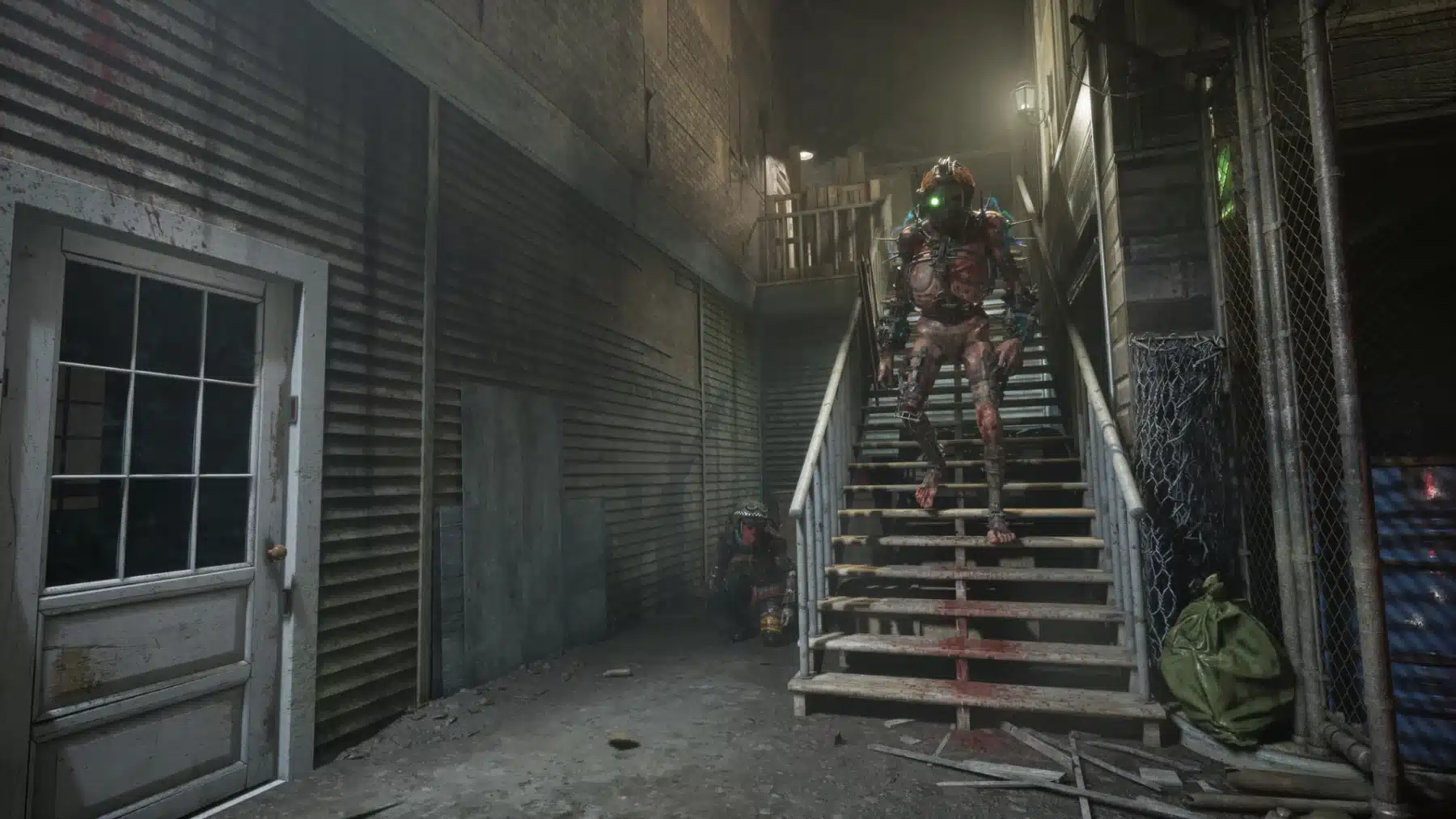
New Enemy: The Jaeger
The Jaeger initiative introduces a valuable new member to our Experimental Population, an exemplar of resilience, dedication, and obedience. Equipped with the latest in radio broadcasting technology, Murkoff guides the Jaeger remotely with simple instructions—Find and kill the assigned Reagent, wherever they run, wherever they hide. A lethal homing device on two legs, the Jaeger doesn’t stop until her target is brutally murdered. Don’t give up, and Murkoff won’t give up on you.
A new enemy type can now visit the Trials: The Jaeger
When the Jaeger appears in a Trial, she will target one Reagent and chase it until death.
New Limited-Time Program: Jeager Onboarding
The Jaeger is currently undergoing vigorous live environment testing. Just as death follows a wasted life, so does the Jaeger follow those it wishes to hold close.
New Variator:
JAEGER: The Jaeger Ex-Pop is permanently present in Trials. Experience the event by selecting the “Jaeger” Program on the Trial Board.
The new variator has also been added to Escalation Therapy and Trial Maker.
Event Schedule:
Part 1: April 22nd to May 6
Part 2: May 6 to May 20
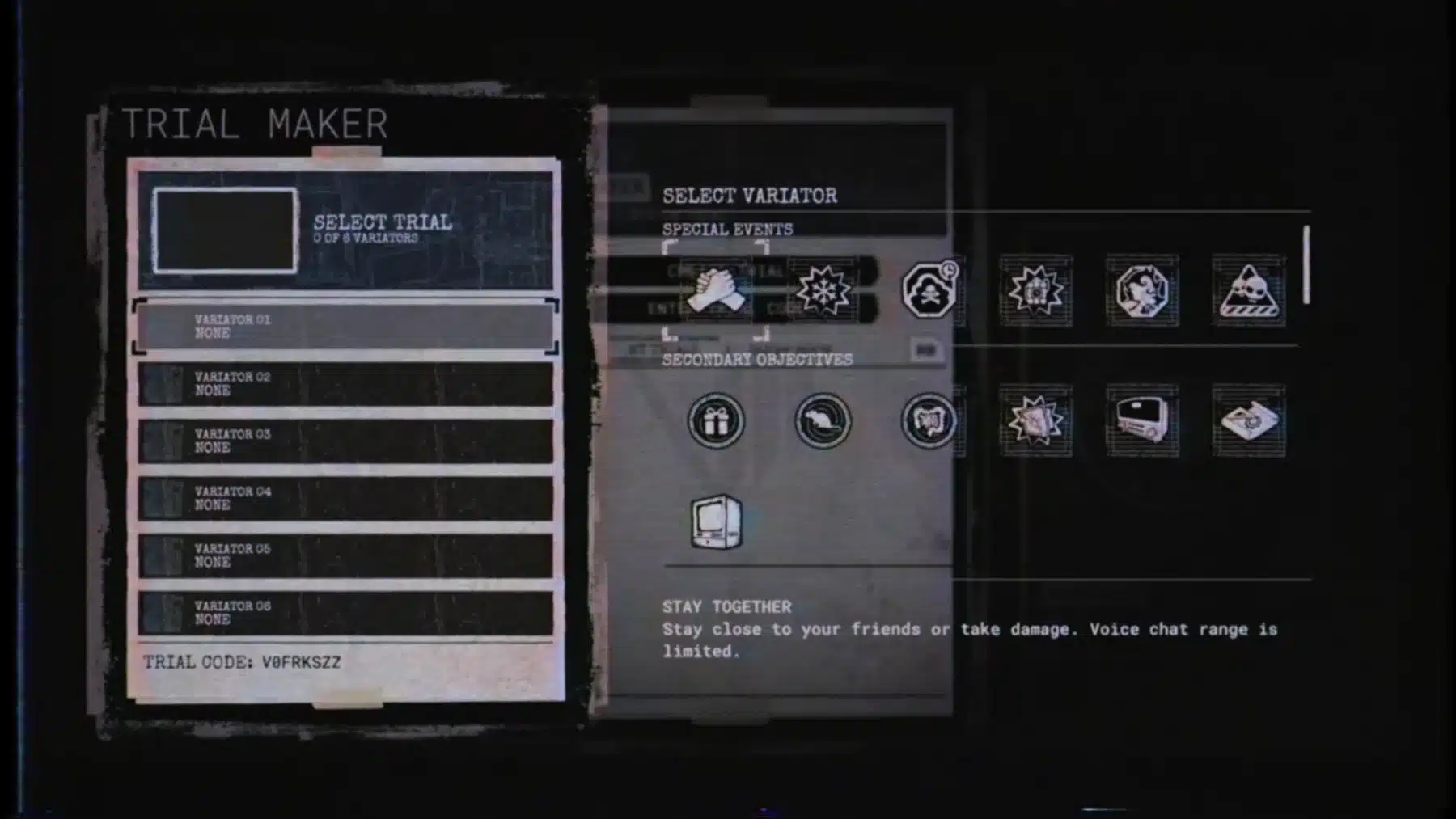
Introducing the Trial Maker
Consider the blood, sweat, and tears that go into creating The Therapy. Experience it for yourself, and experiment with your limits, physical, mental, and emotional, with our new Trial Maker.
With the Trial Maker, players can now:
Build their own Trial by combining various Trials, MK-Challenges, and custom Variators.
Create and save up to 10 unique trials.
Generate names for your creations by selecting from a list of words.
Easily share your creations with friends using a unique Trial code.
Play Trials made by other players using their code or if they are present in the same Sleep Room.
Unleash your creativity and challenge yourself like never before!
Introducing the Relapse Initiative
You have proven your dedication to the therapy, but this is only the beginning. The Relapse initiative is a fresh start. Together, we can go deeper.
Reach the new maximum therapy level (99) to access the Relapse Initiative.
Relapse reverts your therapy to level one in exchange of a permanent upgrade of your choice and rewards.
Reagents will be invited to enter the clinic area located in the Evaluation Corridor after completing a Trial. They must be at maximum therapy level to opt into the Relapse initiative.
Benefits of performing the Relapse initiative:
THERAPY RESET: Your therapy level will be reset and all upgrades will be relocked.
RELAPSE NUMBER: Your relapse number increases after each relapse.
PERMANENT UNLOCK: Unlock one upgrade of your choice to keep permanently. It won’t be locked at future relapses.
KEEP YOUR COSMETICS: All your character and cell cosmetics are kept.
KEEP YOUR STATS: Your stats carry over across relapses.
RELAPSE PLAQUE: A honorific plaque is installed in your cell room with the amount of relapses completed.
Progression Adjustments
The progression has been adjusted to fit the new maximum therapy level (99).
Amps are now unlocked as a batch of 3 at different milestones throughout the progression.
You are now rewarded with XP based on your grade.
XP for completing Trial and MK-Challenges XP have been adjusted.
Performance XP has been improved and is more rewarding based on your performance during a Trial.
Save Game in Escalation Therapy
Players can now save and exit an Escalation Therapy run and return to it later.
Only one save game is possible per player.
Starting a new Escalation Therapy will overwrite the save game.
Players can continue an Escalation Therapy with the same group, and all players will regain their exact loadout.
New players joining a saved game (who haven’t played previously) will need to select an upgrade consecutively for each completed Trial in the saved game.
Murkoff Suspends Reborns Program Temporarily
In response to the recent escape attempts, Murkoff has temporarily suspended the Rebirth program.
To serve as a reminder of the escape incident, Amelia is now displayed in the Sleep Room.
Additionally, the Reborn counter has been concealed.
Added Nudity Filter
Added a new “Nudity Filter” option in the Settings.
Enables visual filter to hide nudity and sexually explicit content that could be considered offensive.
Please note that certain environmental elements, such as artwork or mannequins, may still feature some nudity.
Join Trials in Progress
It is now possible to join friends already playing a Trial (Join-in-progress) via the Social Menu.
Additions/Fixes/Balancing
As some players might have experienced, the imposters have improved their behavior to cause even more confusion during Trials: They can carry items, bleed, suffer from Psychosis effects, Ping, Perform emotes, Look around, Crouch, etc.
Upon entering the game for the first time after the update, players are presented with a new tutorial screens to explain the Relapse Initiative and Progression changes.
Relapse Number is now displayed in the Records/Stats menu.
You are no longer safe while on the other side of a garage door… enemies can grab you!
All of the cell posters now have a unique name.
Other various bug fixes.
Given how Red Barrels usually releases a hotfix or two after a major patch has been released, we’re expecting the same thing to happen with Season 3. If we do get one, expect it to be posted here on MP1st.
New details have emerged about the upcoming portable PlayStation, revealing that it will require some adjustments for PS5 games to run smoothly on the new system.
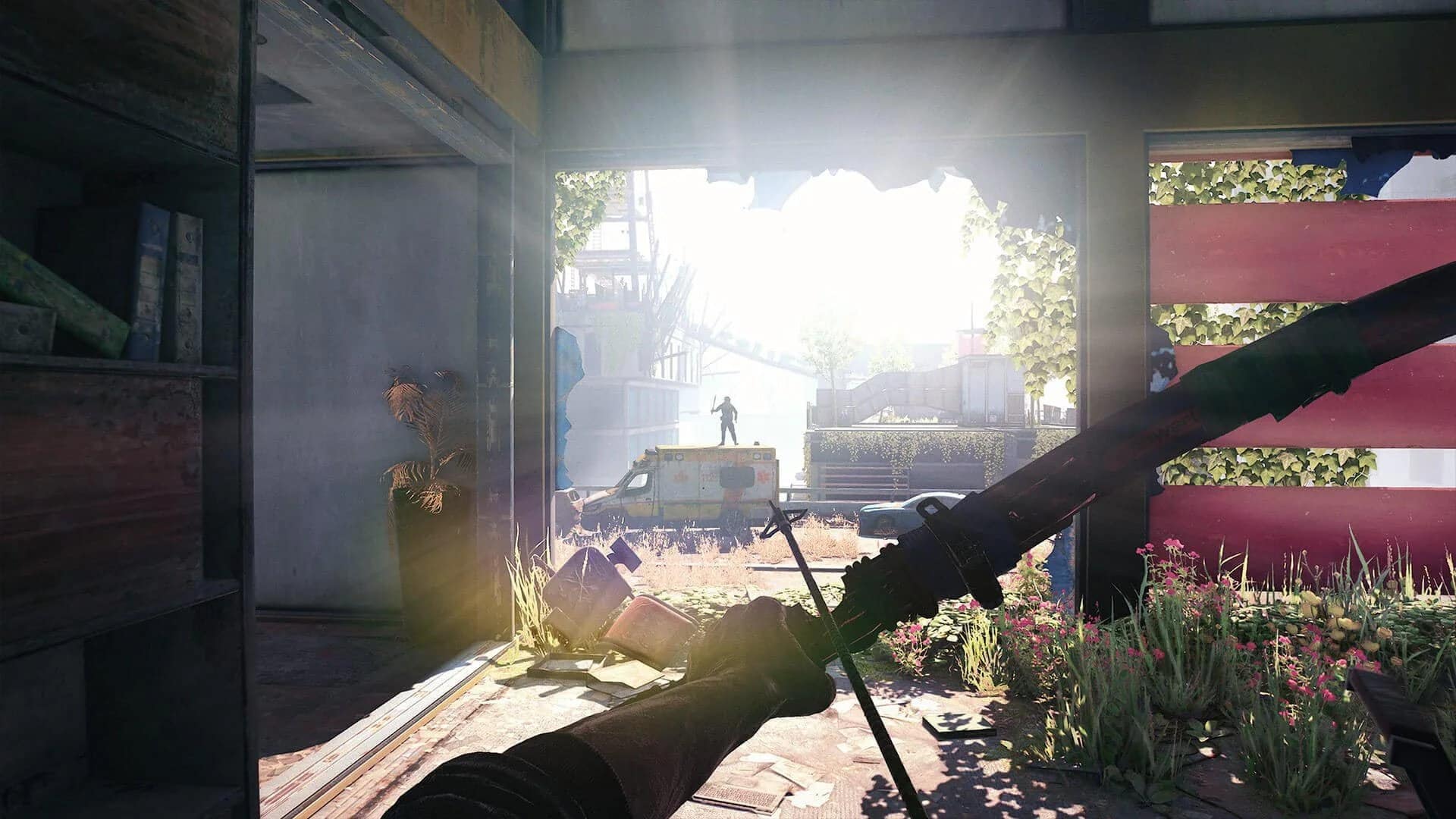
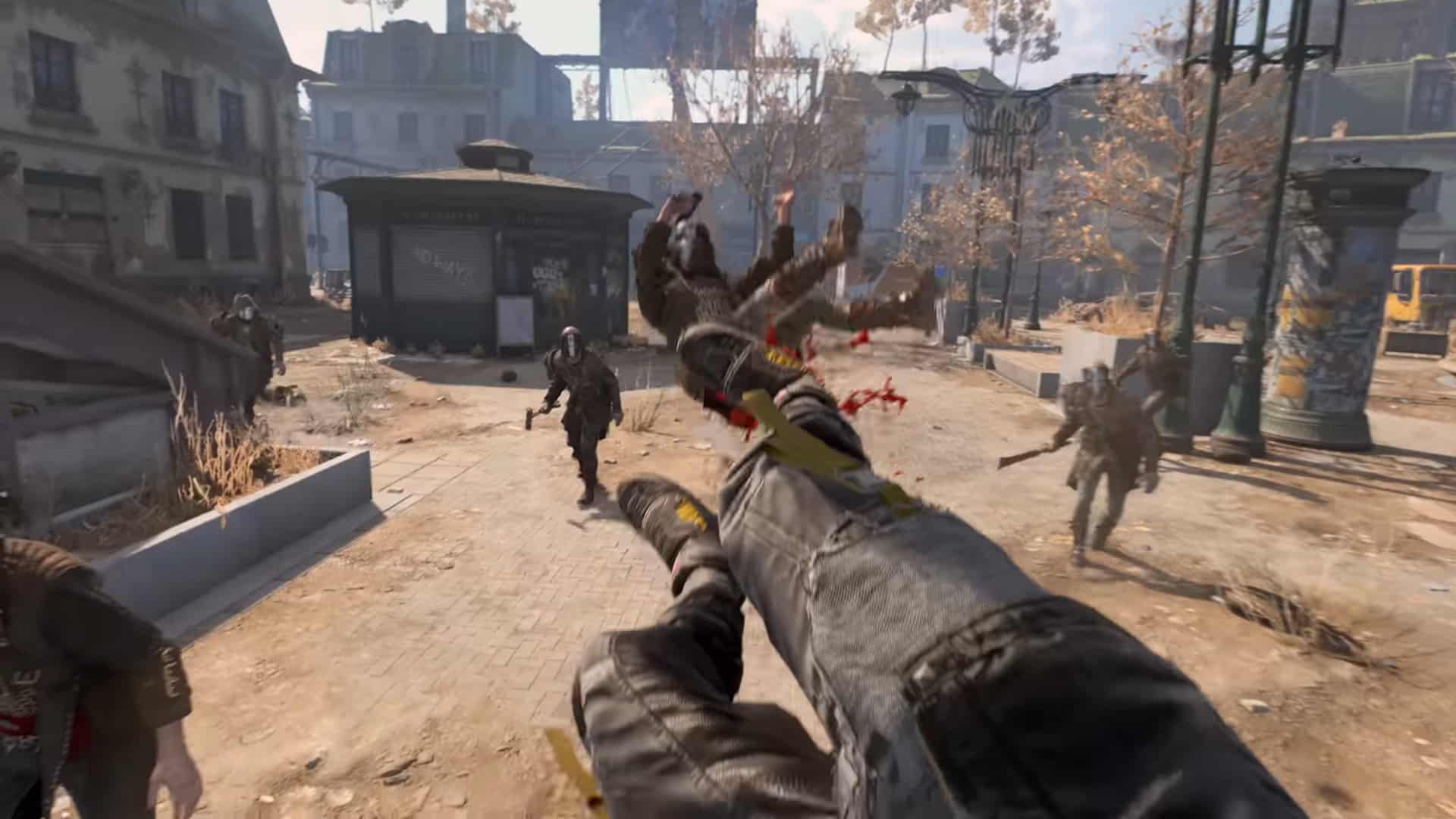
Techland has a new Dying Light 2 patch today, and it’s small hotfix that sorts out an in-game issue. Alongside that, the developers have also released a new premium (read: paid) bundle as well.
Those on consoles, this should appear as Dying Light 2 update 1.068 (full number 1.069.000), and DL2 update version 1.69 on last-gen devices.
As expected, given our report from yesterday, Bethesda's stream for The Elder Scrolls 4: Oblivion Remastered is now out on consoles today, April 22! Players on Xbox Series X|S, PC and even PS5 should be able to check out the epic action-RPG.
Dying Light 2’s Latest Hotfix Released on April 22 Fixes Specific Issue
Per Techland, today’s patch is to fix “some issues” such as Crowdrunner skill disrupting parkour flow. While there are no other specific details on what else got fixed, the studio did announce a new cosmetic bundle too.
Per Techland, here’s what’s in the Fire Brigade bundle:
Fire Brigade Bundle Contents:
Firefighter Axe (Blueprint)
Has a Fire Effect.
Fire Brigade Cap Charm
Increases item durability.
Firefighter Hook
A grappling-style tool.
Firefighter Paraglider
Features a fire rescue-inspired design.
Firefighter Gear Items
Full outfit set:
Helmet
Jacket
Pants
Gloves
Boots
Reduces stamina usage when equipped.
No word yet on when the next major update for the game is due, but once we know more, we’ll let our readers know.
At the recent Star Wars Celebration event held in Japan this weekend, Epic Games unveiled the latest Fortnite crossover collaboration with Star Wars, and it's due on May 2!
Titled the Galactic Battle, not only are we getting new skins, but we're even getting a new narrative event, too.
The developers of Lost Records: Bloom & Rage have deployed Tape 2 update version 2.000.002 for consoles, and version 2.00.128634 on Steam. This hotfix aims to deliver several fixes while a more comprehensive patch is prepared. The fixes for the Geez-o-Meow, Eye See You, and Complete Box Set achievements will be available in the next patch and are not part of this hotfix.
New details have emerged about the upcoming portable PlayStation, revealing that it will require some adjustments for PS5 games to run smoothly on the new system.
Lost Records Tape 2 HotFix 1 Update 2.000.002 Released
Game Progression Blockers Fixes
Fixed a bug in chapter ‘Infiltration‘, where getting help from Kat and being caught by Corey would cause the action choice prompts to disappear, blocking progression.
Crash Fixes
Fixed a crash that could occur when pausing the game right in a middle of a scene transition, in some specific scenes.
Fixed a crash that could occur when transitionning between specific scenes, like in the chapter ‘An Empty Cabin’.
Achievements Fixes
‘90s Chic’: fixed a bug forbidding achievement to unlock in some specific situations.
‘Dear Diary’: fixed a bug forbidding achievement to unlock in some specific situations.
‘Nailed It’: fixed a bug forbidding achievement to unlock in some specific situations.
‘Dead Poets Society’: achievement was unlockable only if player helped Kat cut her hair. This criterium was removed, making unlocking accessible to every player, whatever the level of relationship with Kat.
General Fixes
Fixed a bug with the menu’s setting to invert vertical or horizontal axis, being greyed out and impossible to change.
Fixed a bug with the camcorder view being darker in some situations.
Fixed a bug in chapter ‘The Day We Met’, where Swann walking animation was missing during some dialogue with Dylan.
Fixed a bug in chapter ‘Infiltration‘, where Corey would never go back inside the house after player is getting caught.
Localization fixes
Multiple world object’s description where not properly localized in German, most of all are now fixed (a remaining will be in the next patch).
And that’s all for this update. It’s a pretty short update, mainly focused on resolving progression blockers, crash fixes, and some achievement-related bugs. The fixes for the Geez-o-Meow, Eye See You, and Complete Box Set achievements will be addressed in the next update, so stay tuned to MP1st. As soon as that update drops, we’ll be sure to keep our readers informed.
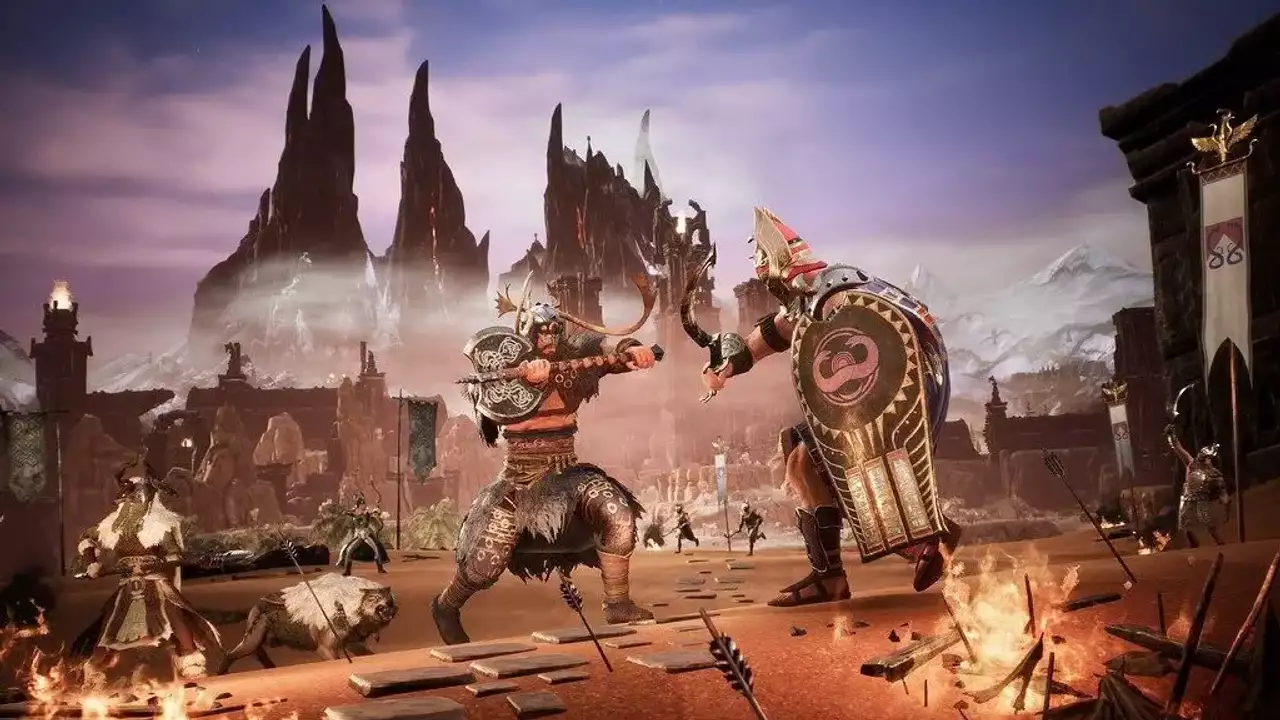
Developer Funcom has released the Conan Exiles April hotfix on all platforms! For consoles, this is Conan Exiles update 2.12, which brings a short list of fixes.
For those on Xbox, Funcom has confirmed that this patch has been delayed, and no timeframe has been given for its release.
As expected, given our report from yesterday, Bethesda's stream for The Elder Scrolls 4: Oblivion Remastered is now out on consoles today, April 22! Players on Xbox Series X|S, PC and even PS5 should be able to check out the epic action-RPG.
Conan Exiles April Hotfix List of Changes
PlayStation Patch Notes:
PlayStation: Fixed an issue where players were unable to continue any co-op game if they had active save games on both Exiled Lands and Isle of Siptah
Liu Fei: Eyes of the Innocent and the Ancient Rhino Horn can now be obtained once more
Sound in the Dregs Dungeon has been restored
Living Settlement thralls now correctly obey “Disable Thrall Use” settings
Removed unintended rewards as loot from chests (but keep an eye out in the future!)
PC Patch Notes:
Liu Fei: Eyes of the Innocent and the Ancient Rhino Horn can now be obtained once more
Sound in the Dregs Dungeon has been restored
Living Settlement thralls now correctly obey “Disable Thrall Use” settings
Removed unintended rewards as loot from chests (but keep an eye out in the future!)
As mentioned above, the Xbox version has been delayed, and no patch notes for it have been shared. However, chances are, it’s the same as the PlayStaion version if past updates from Funcom are anything to go by.
New details have emerged about the upcoming portable PlayStation, revealing that it will require some adjustments for PS5 games to run smoothly on the new system.
Even if Bethesda shared that today’s Fallout 76 patch was supposed to be a small one, it’s not. Players can now download Fallout 76 update 2.05 on consoles and PC, and alongside the promised bug fixes and gameplay improvements, it also refreshes Challenge Events!
Not only that, but this also brings the data for the FO76 Spring event kicking off on April 29! Read on for the complete patch notes, file sizes and more.
As expected, given our report from yesterday, Bethesda's stream for The Elder Scrolls 4: Oblivion Remastered is now out on consoles today, April 22! Players on Xbox Series X|S, PC and even PS5 should be able to check out the epic action-RPG.
Fallout 76’s Latest Update for Version 2.05 Is Not a Seasonal Patch, But It’s Still a Major Improvement
Check the download sizes below for today’s update on your platform of choice:
PC (Steam): 3.6 GB
PC (Microsoft Store): 15.7 GB
Xbox: 20.3 GB
PlayStation: 15.4 GB
Challenge Events Refreshed
Challenge Events like Science of Love and Pioneer Scout’s Uncharted Lands have been a great way to gather the community together to earn some fun rewards.
As they were, we felt that these events were easy for players to miss, which resulted in a lot of people missing out on unique rewards. We also saw that the system for unlocking the rewards created confusion whenever a new event kicked off.
We’re refreshing Challenge Events to make it easier to know when one is happening but also make it more straightforward to obtain the rewards. From here on out, Challenge Events are now called a Mini Season and you’ll be able to find the latest one right next to the current Season within the Seasons menu.
Season Tickets are used to claim the rewards in a Mini Season. Completing all the Event Challenges will give you enough tickets to unlock everything, but if you have enough tickets when a Mini Season starts you can unlock all the rewards immediately. Just make sure you complete the Mini Season challenges to get your tickets back if your goal is to unlock all the rewards in the main season.
Outside of the changes noted above, the Mini Season experience remains very similar to the Challenge Events you know. Things kick off with a free reward (now obtainable through the Mini Season instead of the Atomic Shop) and there are challenges that requires you to wear that reward to get completion status. After that, you complete Mini Season Challenges to obtain more Season Tickets to unlock the rest of the rewards.
The first Mini Season starts today with the Appalachian Outlaws.
The Big Bloom – Starting April 29
Spring is here!
Meet Black-Eyed Susan. She loves flowers, floral arrangements, and she may have a penchant for violence. Right now, she needs your help with her latest project.
Black-Eyed Susan’s favorite meadow has been overtaken by strange, plant-like beasts called Overgrown. They’re making the area too dangerous for her to pick flowers. So, she needs you to head into the meadow, pick some flowers and defeat those monsters.
After gathering flowers and dealing with the Overgrown threat with some explosive flair, Susan’s archnemesis will appear! Bee-zlebub. The King Bee. Defeat him and claim your rewards!
Do watch out for the mines though. They’re the remnants of her previous attempt to get those persistent beasts out of her meadow.
New details have emerged about the upcoming portable PlayStation, revealing that it will require some adjustments for PS5 games to run smoothly on the new system.
Armor
– Power Armor no longer removes the ghoul disguise headwear.
– Vulcan Ultracite Bracers Radiation and Poison effects are now properly identified as “Unarmed” effects.
– Fixed an issue where the Nuclear Jetpack for the Civil Engineer (Muni) armor required you to also know Secret Service Jetpack.
C.A.M.P. and Workshops
– C.A.M.P. items that require any of the following items will no longer return them when being scrapped: Fusion Cores, Mentats, Stimpaks, RadX, Radaway and MedX.
– Fixed an issue where the Skulls Firepit behaved as a container instead of furniture.
– Fixed an issue where the Urinal was not properly being granted when claimed through the Season.
– Fixed an issue where applying wallpaper to the Triumph Terrace walls changed the color from red to blue.
– Blood Transfusion Pump can no longer have multiple versions stacked on itself.
– Fixed an issue where the Mothman Windchime would not animate correctly.
– Improved the “Exit to Appalachia” activator position when leaving the Radiant Remedy shelter.
– Vault Girl Brooch should now properly display on displays.
– Fixed collision for Ranch House Wall and Blue Ridge Outpost Wall kits so wall decor no longer clips into the walls.
– Balloon Animal Bouquet now has proper collision.
– Red Bow Collar (Dog) is now the correct size when added to a display case.
– Iron Mountain Anvil Door no longer has collision when in a destroyed state.
– Thrasher Egg can now be used on the Bird Nest Display.
– Piggy Bank will no longer levitate slightly when placed in a C.A.M.P.
– Light Machine Guns are properly placed into the Rotary Rifle Rack Display Case.
– Deathclaw Radiation Test Dummy is now properly named in the Workshop Menu.
– Ghoul Wanted Poster and Framed News Paper now properly display on wallpapered walls.
Combat
– Onslaught counter no longer de-syncs and stacks properly based on what Perk cards the player has/if they have a Furious modded weapon equipped.
– Fixed an issue where V.A.T.S. could target enemy limbs even if players didn’t meet the proper requirements (5 Perception or Concentrated Fire).
– Increased the base damage of the Hunting Rifle from 100 to 140 at level 50 (proportionally increased at lower levels).
– The Hunting Rifle Prime Receiver no-longer provides an additional damage increase (this is now baked into the Hunting Rifle’s base damage).
– Changed explosion spawned by following sources to target the center of its target instead of its feet:
ㄴ Collateral damage perk
ㄴ Circuit breaker weapon
ㄴ Collateral Damage legendary perk
Creatures/Humans
– Scorchbeasts will no longer spam their sonic blast attack.
– Super Mutants and other enemies once again award the expected amount of XP when running Daily Ops.
– Glowing Hunter should now properly drop Glowing Blood, rather than Glowing Blood Packs.
– Feral Lost now count towards the Kill a Lost Challenge.
– Communists at Camp Liberty no longer spawn with broken weapons.
Items
– Glowing Bobbleheads should properly be granted from Bobblehead Boxes.
– Fixed incorrect movement controls while using a jetpack.
– Players should no longer be notified of Canned Cranberry Relish being a craftable recipe.
Limb Damage and Crippling Changes
We expect the changes below will make most enemies easier to cripple while making limb damage more consistent and predictable. It will also result in making crippling enemies like Region Bosses more difficult, requiring more focused fire.
These changes also allow us to remove cripple immunity from many creatures and leverage limb damage and crippling in more engaging ways moving forward.
– Weapon mods that granted a 20% chance to cripple now increase limb damage by 50%.
– Removed immunity to crippled limbs from most enemy creatures.
Limb Related Perk Changes
– Bashers
ㄴRank 1: Gun bashing does +35% limb damage.
ㄴ Rank 2: Gun bashing does +75% limb damage.
– Enforcer
ㄴ Rank 1: Your shotguns gain a 5% stagger chance and deal +25% limb damage.
ㄴ Rank 2: Your shotguns gain a 10% stagger chance and deal +50% limb damage.
ㄴ Rank 3: Your shotguns gain a 15% stagger chance and deal +75% limb damage .
– Modern Renegade
ㄴ Rank 1: Small guns gain +15% hip fire accuracy and +25% limb damage.
ㄴ Rank 2: Small guns gain +30% hip fire accuracy and +50% limb damage.
ㄴ Rank 3: Small guns gain +45% hip fire accuracy and +75% limb damage.
– One Gun Army
ㄴ Rank 1: Heavy guns gain 4% stagger chance and +25% limb damage.
ㄴ Rank 2: Heavy guns gain 8% stagger chance and +50% limb damage.
ㄴ Rank 3: Heavy guns gain 12% stagger chance and +75% limb damage.
ㄴ Standard: +25% melee, unarmed and bashing damage and +50% limb damage.
ㄴ With Strange in Numbers: +35% melee, unarmed and bashing damage and + 62% limb damage.
Quests
– Harvesting Brahmin meat in “Second Helpings” questline should reliably complete the optional objective to get a piece of Brahmin meat.
– Updated the Sunshine Oil description in Delbert’s Terminal, found in the “Second Helpings” quest, to correctly describe that recipe.
– Corrected a mismatch between subtitles and voiceover for some of Maddox Mullen’s lines.
– As a disguised ghoul, cycling through the disguise after Batter is killed but before talking to Duchess will no longer block the “Wayward Souls” quest progression.
– Players will no longer be stuck in the radiation room during the ghoulification process in the “Leap of Faith” questline.
– Players will now have the correct quest marker for the “Clear the Lost from Vat Storage” objective if they relog during the “Powerhouse of the Cell” quest.
Weapons
– Fixed an issue where several paints could not be applied to the Combat Knife weapon.
– Fixed an issue where the Fancy Single Action Revolver would not receive contextual ammo.
– Patriotic Paint for The Fixer can now be applied to Combat Rifles.
– The needle on the Boiling Point Terror Flamer now animates correctly.
– Nuka Shank knife skin will no longer clip into the player’s hand in first person.
As expected, given our report from yesterday, Bethesda’s stream for The Elder Scrolls 4: Oblivion Remastered is now out on consoles today, April 22! Players on Xbox Series X|S, PC and even PS5 should be able to check out the epic action-RPG.
Priced at $49.99, the Remastered re-release contains all the DLCs! The stream from Bethesda talked about the development, where we also got our first glimpse at official gameplay. We also have details on the PC requirements, Deluxe Edition contents and more.
Last year, we reported on how Ubisoft confirmed that they are working on multiple Assassin's Creed remakes.
The Elder Scrolls 4: Oblivion Remastered Shadowdropped on April 22
The Elder Scrolls 4: Oblivion Remastered Download Links (Steam, Xbox Store, PSN)
Official description and features list from Bethesda:
The Elder Scrolls IV: Oblivion™ Remastered modernizes the 2006 Game of the Year with all new stunning visuals and refined gameplay. Explore the vast landscape of Cyrodiil like never before and stop the forces of Oblivion from overtaking the land in one of the greatest RPGs ever from the award-winning Bethesda Game Studios.
Rediscover Cyrodiil
Journey through the rich world of Tamriel and battle across the planes of Oblivion where handcrafted details have been meticulously recreated to ensure each moment of exploration is awe-inspiring.
Navigate Your Own Story
From the noble warrior to the sinister assassin, wizened sorcerer, or scrappy blacksmith, forge your path and play the way you want.
Experience an Epic Adventure
Step inside a universe bursting with captivating stories and encounter an unforgettable cast of characters. Master swordcraft and wield powerful magic as you fight to save Tamriel from the Daedric invasion.
The Complete Story
Experience everything Oblivion has to offer with previously released story expansions Shivering Isles, Knights of the Nine, and additional downloadable content included in The Elder Scrolls IV: Oblivion Remastered.
The Elder Scrolls 4: Oblivion Remastered Deluxe Edition Contents
Digital base game
Unique digital Akatosh and Mehrunes Dagon Armors, Weapons, and Horse Armor Sets
Digital Artbook and Soundtrack App
Shivering Isles and Knights of the Nine story expansions
Additional downloadable content: Fighter’s Stronghold expansion, Spell Tome Treasures, Vile Lair, Mehrune’s Razor, The Thieves Den, Wizard’s Tower, Orrery, and Horse Pack Armor
Check out some of the official screenshots; they look gorgeous!
Rejoice, gamers! There’s a new epic RPG out today that you can pour literally hundreds of hours in and not finish it. Stay tuned to our deep look into it.
In 2021 Turtle Rock Studios launched Back 4 Blood, a spiritual successor to the acclaimed zombie franchise Left 4 Dead, created by some of the studio's original developers.
Civilization 7’s latest major update is now live on consoles and PC, which Firaxis calls update 1.2.0. If you’re playing on console, this should show up as Civ 7 update version 1.000.008.
Players can expect an update to resources, the new “Just One More Turn” endless play, a rebalance of food and growth and a lot more. There’s a lot to take in, so read on for the complete patch notes.
New details have emerged about the upcoming portable PlayStation, revealing that it will require some adjustments for PS5 games to run smoothly on the new system.
Civilization 7 Major Update 1.2.0 for Version 1.000.008 New Features and Gameplay Fixes
New Features
Resources
Added 10 new Resources to the game: Mangoes, Clay, Flax, Rubies, Rice, Limestone, Tin, Llamas, Hardwood, and Wild Game. Each has new effects and can appear in the Antiquity Age or Exploration Age. Only Rice, Limestone, Tin, Llamas, and Hardwood appear in the Modern Age.
Added at least one new Narrative Event for each resource.
Resources are now randomized on new game starts. Some are guaranteed in certain Ages to enable the Economic Legacy Path in each Age. New placement rules make for more consistent Resource distributions in initial Ages, and more changes between Age Transitions.
Some Resources in the Exploration Age and Modern Age related to the Economic Legacy Paths (Treasure and Factory Resources) will now appear on only one hemisphere or the other, requiring you to expand overseas or trade to access them.
Treasure Resources Updates:
Treasure Resources now have passive effects on your empire, in addition to creating Treasure Fleets when improved in Coastal Settlements in Distant Lands.
Dev Note: We wanted to make these Resources worth improving and protecting even if they didn’t grant you Treasure Fleets on your Homelands.
Horses, Furs, and the new Rubies Resource are Treasure Resources now, and will create Treasure Fleets when improved in Coastal Settlements in Distant Lands. Gold, Silver, Cocoa, Spices, Sugar, and Tea continue to be Treasure Resources. Cocoa, Spices, Sugar, and Tea are divided among the major landmasses and islands of the game, meaning each hemisphere will have some Treasure Resources unique to it.
Homelands and Distant Lands Treasure Resources are distinguished on-map with a Tooltip and new symbol on the Resource Icon.
Dev Note: Homelands and Distant Lands are from each civilization’s perspective, so your Homelands could be Distant Lands to another civilization.
The Distant Lands continent in the Antiquity Age no longer
Resource Balance Changes:
Dyes give +4 Happiness instead of +3.
Fish is no longer a Factory Resource. It is a Bonus Resource with the effect: +6 Food in Settlements with a Port, +3 Food in any other Settlement.
Tin is a new Factory Resource that grants a bonus to Growth Rate.
Dev Note: We like the boost of Growth Rate as an effect, but not in the numbers or scale that Fish was granting it.
Map Generation
Improved coastal erosion on Continents Plus, Continents, Shuffle and Terra Incognita map types to help break up coastlines more, especially near the poles.
Gameplay
AI
AI players will now build larger navies when playing on the Archipelago map type.
AI players will no longer pick City-State Bonuses that have already been chosen by another player.
Improved how AI land Units handle attacks from hostile Naval Units.
Improved AI usage of Great People Unique Civilian Units.
Addressed a reported issue where AI would sometimes fail to attack nearby Enemy Units while forming Units to attack a Settlement.
Age Transition
Addressed a reported issue that could prevent Legacy cards from unlocking during Age Transitions. This is a speculative fix based on an ongoing investigation and may not cover all cases yet – hang in there as we continue to troubleshoot!
Diplomacy
Increased the penalty for being caught stealing Technologies and Civics from 50% of the base cost over 10 turns to 100% of the base cost over 10 turns.
Increased the amount of time it takes to steal a Technology or Civic by 50%.
Counterspy can now be used against any number of players simultaneously.
Added a 30% failure chance to Espionage Actions taken while being counterspied.
Dev Note: We found that stealing Technologies and Civics was a bit too powerful of a strategy, and there was not enough counterplay or repercussions for doing it. These changes should make it riskier to do in the first place, and not allow a player to steal as many Technologies and Civics throughout an Age.
The Influence penalty from conquered Settlements is now properly removed when you lose control of the conquered Settlement.
Addressed a reported issue where the reward for Befriending an Independent Power could sometimes fail to be granted.
Environment
Natural disasters on light setting should appear 50% less frequently compared to before; natural disasters on Moderate setting should appear 25% less frequently compared to before; natural disasters on Catastrophic setting stay unchanged.
Economy
Bridges can now be purchased in Towns.
Towns with a water-based Building are now considered Coastal and will be connected to Settlements whose City centers are on the same Continent (as seen in the Continents Lens).
The cost of upgrading a Town to a City has been increased in the Exploration Age and Modern Age. The base cost and cost per City have been increased by 100 Gold per Age.
Removed Happiness penalties for losing trade routes and spawning or resettling Migrant Units.
Buildings with increased cost modifiers can no longer be purchased without sufficient Gold.
Using a Merchant to connect a City to a Town that already has a Focus will now properly send Food from that Town without needing to reset the Focus.
Addressed a reported issue that sometimes caused Merchants to be unable to connect Settlements by building roads within their land trade range.
Addressed a reported issue where some Town connections were broken after Age Transition.
Dev Note: We’re continuing to make improvements here! We are investigating at least one more known issue where the connections will not always update correctly when loading an autosave from the first turn of an Age.
Buildings that require a full tile can now be built over tiles with only a single obsolete Building.
The Expansionist Legend Attribute now correctly reduces the cost of upgrading a Town.
Unique Quarters no longer retrigger their effects again after being repaired.
The Manhattan Project can no longer be started by a single player in multiple different Settlements at the same time.
Food & Growth
Removed the previous hard-cap effect on Population growth when stockpiling Food. The growth formula now scales quadratically instead of cubically, so each growth event only modestly increases the number of turns until the next Population increase.
Independent Powers
Independent Powers will no longer be removed after losing all of their Units.
Dispersing an Independent Power with a Naval Unit no longer removes adjacent player districts if the borders are touching.
Miscellaneous
Great People can no longer be used on ineligible tiles with no effect.
The Technology Tutorial now correctly occurs before the Grow City Tutorial.
Mementos
Addressed a reported issue where Confucius’ Brush and Scroll Memento could cause Food needed to the next growth event to become 0 or negative.
The Lantern Memento will no longer grant its effect when not equipped.
Military
Packed Units can now be upgraded simultaneously using the Upgrade All button on the Commander that the Units are packed into.
The Production cost and maintenance of Cavalry Units have been increased. The Production cost has increased by 10 Production per Age and the maintenance cost has been increased by 1 Gold in all Ages.
The Initiative Promotion now applies consistently on Rivers and rough terrain, and continues to function correctly after Age Transitions.
Naval Units are now less likely to be placed in inland lakes on Age Transition. On Age Transition, the game now looks for the largest nearby body of water when placing Naval Units.
Players now correctly receive an Aerodrome Commander after conquering a City with an Aerodrome during the Modern Age.
Religion
Fertility Rites now applies to all Settlements, not just Cities.
God of Healing now requires an Altar in the Capital but the effect is still global.
Civs
Chola:
The Samayam Unique Ability now adds the correct amount of extra trade capacity.
Inca:
The Quipu Tradition will no longer stack when slotted and unslotted on the same turn.
Mexico:
Addressed a reported issue where using Mexico’s Great Person José María Morelos on a Commander could result in Units disappearing from the map.
Prussia:
Settlements now only use Prussian names.
UI
New UI Features
Added research queuing, so that a locked Tech or Civic can now be selected to automatically queue the Techs or Civics needed to unlock the selected one the fastest.
Added a Repair All option in the Production/purchase menu for when there are multiple tiles that need to be repaired. Purchasing will instantly repair everything, and selecting for Production will add all to the queue.
Added a highlight on tiles when a Great Person is selected to indicate where they can activate their ability.
Alignment & Spacing
The Civilopedia page no longer overlaps with the Religion Belief selection menu when opening the Civilopedia while attempting to select Beliefs.
Addressed a reported issue where the war support icon was misaligned when players supported themselves in the Leader Diplomacy menu.
Addressed a reported issue where the Settlement HP bar was overlapping with the Diplomacy menu.
Civilopedia
Added explanations for default terrain modifiers in gameplay and Civilopedia.
Corrected historical inaccuracy in Harriet Tubman’s Civilopedia biography.
Corrected historical inaccuracy in Hatshepsut’s Civilopedia biography
Corrected historical inaccuracy in Ibn Battuta’s Civilopedia biography.
Corrected historical inaccuracy in Civilopedia entry for Slinger Unit.
Controller-Specific
Resources are no longer highlighted pink when using the D-pad to place a Building during gameplay.
Focus on Unit Action tab is no longer impacted by other players giving actions to their own respective Units in Multiplayer matches.
The Legacy Path Advisor screen will now function correctly when using the Go Back button after choosing an Advisor.
Left and Right Triggers now correctly cycle between Cities in the Production Screen.
General
Tech and Civics now will show if a Wonder is already built or unlocked by the player.
Addressed a reported issue where the player was able to open the Challenges menu infinite times causing overlapping and freezing.
Addressed a reported issue where Diplomacy options were unable to be interacted with when selecting Leaders or Independent Powers during the Antiquity Age.
Added a new icon to Treasure Resources. Treasure Resources in your Distant Lands that will generate Treasure Fleets have a unique version of this icon to help distinguish between Treasure Resources that will generate fleets for you.
City Banners now correctly display when the player interacts with the City Banner or the Production Menu during gameplay.
The Exploration Age tutorial can now be bypassed or dismissed when the user deletes their Scout Unit during the Antiquity Age.
You can now place a Building in the Building Placement menu after selecting “Tell Me More” options and then using the back button when in the Civilopedia.
The health bar of healthy Units no longer turns red in the Unit Panel after viewing a damaged Unit of the same type during gameplay.
The correct Building information is now displayed when repairing an Improvement during gameplay.
Scrolling now only controls the Reliquary Beliefs menu while founding a Religion.
When attempting to load a save without owning all the content within the save, a popup will appear showing what content is missing.
Golden Age Universities now appear as eligible locations to Research Artifacts in the Continents Lens while playing in the Modern Age.
Ribbon Yields now stay visible with the “Always Show Ribbon Yields” option selected.
Town’s yields now change properly after changing the Town’s Focus.
Combat Previews now only appear when attacking a District with an enemy Unit on it.
Auto-Fill Legacy Cards now only selects unused cards.
Added a background to Subtitles while creating a new game.
Locked leaders and civs now consistently appear locked when creating a new game.
Addressed highlight missing from textboxes in the Attributes menu after unlocking an Attribute.
Addressed Narrate on Hover not properly narrating various tutorial paragraphs, land tiles, and Age progress.
Addressed Resources being unable to be allocated to their origin City after being unassigned appearing with the message “Settlement is not connected to your empire’s trade network” when in the Resource Menu.
Notifications
Reduced the frequency of Town Specialization Available notifications. These will now only appear if the Town has just unlocked a new Focus or if the Settlement has just grown and won’t grow again for more than 20 turns.
Addressed a reported issue where the Settlement Razed Notifications in certain translations would use the wrong adjective vs noun. This fix will require a new save as existing saves in these languages will continue to have this issue.
Text Changes
Added a warning to players that will show who you will go to war with if you Join an Alliance.
Improved the translation for Spread Religion information when not located on a valid District.
The Divine Right Tradition no longer lists its effects twice.
When placing a Building on an existing rural Improvement the popup warning now explains that the Rural Population will not be lost.
Added text to Walls/Defensive Fortifications description that they can only be purchased in a City Center.
Yields greater than 10 are now rounded in the leader ribbon and top Yield bar.
Removed hyphens from all Hawaiian City names as they don’t have hyphens in their language.
Removed text saying that a Settlement has been converted to a religion when capturing a Settlement despite that religion already being dominant.
Resolved missing text appearing when viewing the revealing the Military Sabotage Action in notification and espionage report during gameplay.
Addressed a reported issue where the Hale O Keawe Wonder reveal camera could play with missing text.
Updated the phrasing on Locked Attribute Nodes.
Addressed other various text and formatting issues.
Tooltips
Added estimated turns until the next phase of a Crisis to the Social Policies Screen.
Added the turns remaining until a Diplomatic Action can be performed again.
Plot Tooltips will now appear underneath other 2D UI elements.
Specialist’s tooltip information now only appears on urban plots.
Improved tooltip descriptions for game setup screens.
Tooltips now correctly appear after the tile selector is moved off screen and returned into view.
Civ relationship is now displayed when viewing a Unit’s tooltip.
Tooltips now appear correctly when viewing Buildings in the City Details Breakdown menu.
Tooltips now correctly display the player’s Unit name when hovering over them on the map.
Last week, Bungie's latest game, Marathon, was finally unveiled.
Narrative
Added several Narrative Events, and addressed a number of reported issues preventing Narrative Events from triggering.
Corrected quote attributions for Charted Companies, Pax Britannica, Shipsheds, Sicilian Wars, Society of Antiquaries, and Splendid Isolation.
Body As a Tool: Reward tooltip for the third option now displays correctly in this event.
Denied: Rewards now correctly match the option text in this event.
Engines of War: Quest now can now be completed as described.
Forest Law: Rewards now correctly match the option text in this event.
If Needs Be: City name now displays correctly in the event.
Independent Village Tutorial: Correct village name is now displayed in Tutorial.
Machapuchare: Reward tooltip for the first option now displays correctly in this event.
Surprise Attack: Reward tooltip for the first option now displays correctly in this event.
Varbitsa’s Revenge: Reward tooltip for the second option now displays correctly in this event.
Audio
Addressed reported issues where incorrect VO was playing during certain parts of the game.
Addressed reported issues where some Units were missing sound effects.
Provided further audio updates and support for UI.
Updated SFX for the placement of Buildings in the game.
Platform-Specific
All Consoles
Addressed a reported issue where DLC would sometimes not be available when starting the title offline.
Linux macOS
Addressed several input issues.
MacOS
Addressed gameflow and stability issues.
Addressed several input flows and prompts for the UI.
PlayStation
Improved Multiplayer ability to join lobbies after a disconnect.
Addressed an overlap issue with Storylets window over natural disaster cinematics.
Addressed several input flows and prompts for the UI.
Steam, Steam Deck
Addressed several input flows and prompts for the UI.
[Steam Only] Increased the maximum allowed “Autosaves Amount” setting to 100. This can be controlled via Settings under Options -> Game.
That’s one heck of a patch! Hopefully, nothing gets broken that will need a follow up patch by Firaxis. Those on Nintendo Switch, Firaxias has mentioned that this patch will be rolled into the June update, so there’s no download for that version of the game.
This Tuesday, April 22, Bethesda has taken the Fallout 76 servers down for maintenance, where an update will be released on all platforms. This is your standard downtime, though expect a smaller patch than usual.
Read on for details on what to expect during this downtime and even the patch.
New details have emerged about the upcoming portable PlayStation, revealing that it will require some adjustments for PS5 games to run smoothly on the new system.
Bethesda’s announcement confirmed that a server outage will take place today, April 22, during which a new patch will be released. The servers are expected to be affected from 10 am ET/7 am PT/10 pm HKT and should last for at least 2-4 hours, depending on Bethesda’s needs.
As for the update, while the patch notes aren’t out yet, a Bethesda rep has confirmed it is a smaller patch aimed more at bug fixes than anything else.
“About a month from every patch we typically have an update which includes bug fixes and more. This is one of those updates,” the rep shared on the game’s subreddit.
Once the patch notes are out, we’ll update the article to provide a link to the article housing it. If anything changes regarding the maintenance, or it gets extended, we’ll be sure to let our readers know as well.
The latest patch released at the start of April housed the following fixes:
Fixed situations where Rad Specialist caused other perks to unequip.
The Catalyst questline no longer enters a state where it becomes incompletable.
Players no longer get stuck as a human when completing “A Fresh Pair of Genes” Ghoul questline.
Addressed an issue with Daily Ops which caused them to not rotate as expected.
While we expect a bigger list of fixes in today’s patch, don’t expect anything close to the Ghoul Within update in terms of bug fixes and improvements.
Here’s an odd development. Neople has released a second patch for The First Berserker Khazan on all platforms, and this is an emergency patch that resolves an issue that prevented gamers from playing the game.
Players on PS5 will see this as The First Berserker Khazan update 1.006.001, Xbox Series X|S version 1.1.6.1, and version 501575 on Steam. This is a smaller download than the big April patch released hours earlier.
It's never easy for a live-service game to thrive in today's video game scene regardless if you're a free-to-play title or not.
The First Berserker Khazan Gets an Emergency Update to Fix Crashing Issues
According to Neople, the follow-up patch applies a fix for an issue “where the game would crash when repeatedly pressing the Phantom Form key while using a brutal attack against an exhausted enemy.”
That’s about it. Mind you, this is an emergency patch, which the developers managed to submit and have approved by Sony and Microsoft in less than 12 hours, which is impressive.
For the bigger, and planned patch, that was released hours ago, here’s an overview of the major changes and addition in it:
Balance Adjustments
System Changes
UI/UX Improvements
QoL Enhancements
Error Fixes
You can read the entire changelog to better understand what changed. Don’t be surprised to see another follow-up patch be released in the coming days and weeks, and chances are, this should squash any bugs that surface from today’s major update.
Contrary to the patches we usually get for the baseball sim, San Diego Studio has today released MLB The Show 25 update 1.009 for Patch 9, and this houses a long list of changes.
If you’re used to the devs pitching out small patches, then this new update should surprise players. For Xbox Series X|S players, this will show up as version 1.0.46, and version 1.09 on Switch.
New details have emerged about the upcoming portable PlayStation, revealing that it will require some adjustments for PS5 games to run smoothly on the new system.
MLB The Show Game Update Drops for Big List of Improvements via Patch 1.009
Square Enix has released Final Fantasy 14 patch 7.21 today and this includes even more story quests for the Seekers of Eternity content. New housing items are also available.
Check out more of the patch notes below for Final Fantasy 14 update 11.08.
New details have emerged about the upcoming portable PlayStation, revealing that it will require some adjustments for PS5 games to run smoothly on the new system.
Final Fantasy 14 Update 1.000.309 Has New Story Quests
Playable Content
Quests
New side story quests have been added.
Cosmic Exploration
A Cosmic Homecoming
Disciple of the Hand or Land level 10
Old Sharlayan (X:12.6 Y:13.6)
Namingway
Players must first complete the main scenario quest “Endwalker.”
Passion, Thy Name Is Ardorum
Disciple of the Hand or Land level 10
Sinus Ardorum (X:20.4 Y:20.0)
Searchingway
Players must first complete the sidequest “A Cosmic Homecoming,” and achieve a certain rank in cosmic exploration.
A Manager’s Patience
Disciple of the Hand or Land level 10
Sinus Ardorum (X:21.6 Y:21.1)
Mumukko
Players must first complete the quest “Passion, Thy Name Is Ardorum,” and contribute a certain amount to cosmic exploration.
A Manager’s Persistence
Disciple of the Hand or Land level 10
Sinus Ardorum (X:21.6 Y:21.1)
Mumukko
Players must first complete the quest “A Manager’s Patience.”
Housing
Furnishings from the FFXIV Furnishing Design Contest have been added.
The contrast has been adjusted for magic sigils created by enemy attacks in Recollection and Recollection (Extreme).
Players will now receive the power of the Echo in AAC Light-heavyweight Tier (Savage).
The Echo will take effect upon commencing this duty, increasing players’ maximum HP, damage dealt, and healing potency by 10%. * Unlike other instances, the strength of the Echo will not increase in the event all party members are incapacitated.
Items
Cosmic exploration has been added.
Work together with your fellow Disciples of the Hand and Land to explore the uncharted terrain of the cosmos!
As exploration progresses, the appearance of your base camp will change, new areas will be unlocked, and a variety of rewards may be gained. While new stars will be added regularly throughout the span of Patch 7.x, the first goal is to establish a base upon the Source’s moon in a location called Sinus Ardorum.
You may only access cosmic exploration areas and quests from your Home World.
Requirements
A Cosmic Homecoming
Disciple of the Hand or Land level 10
Old Sharlayan (X:12.6 Y:13.6)
Namingway
Players must first complete the main scenario quest “Endwalker.”
Traveling to Sinus Ardorum
Players can travel to Sinus Ardorum at any time by speaking with Drivingway in Mare Lamentorum (X:21.9 Y:13.2).
Exotablet
Your exotablet will support your endeavors during cosmic exploration.
Infrastructure Index
Shows the current status of cosmic exploration.
By completing stellar missions, progress will increase. Once the progress gauge has been filled and the respective project completed, cosmic exploration will proceed to the next stage.
As cosmic exploration proceeds, new types of stellar missions will be added alongside different facilities, such as the Cosmoliner, a means of speedy transportation.
Stellar Missions
Stellar missions are requests issued to procure necessary materials for cosmic exploration.
Players may accept stellar missions via the exotablet. Completion of stellar missions increases overall progress and unlocks more advanced stellar missions. Missions are scored by three ranks: gold, silver, and bronze. Obtaining a higher score will result in greater returns.
Furthermore, stellar missions are quest synced, ensuring that rewards and difficulty level are distributed appropriately given a player’s current level.
New items have been added.
* Items added in Patch 7.21 will be listed at a later date.
At the recent Star Wars Celebration event held in Japan this weekend, Epic Games unveiled the latest Fortnite crossover collaboration with Star Wars, and it's due on May 2!
Titled the Galactic Battle, not only are we getting new skins, but we're even getting a new narrative event, too.
New dyes have been added.
Carmine Red Dye
Neon Pink Dye
Bright Orange Dye
Neon Yellow Dye
Neon Green Dye
Azure Blue Dye
Violet Purple Dye
Metallic Pink Dye
Metallic Ruby Red Dye
Metallic Cobalt Green Dye
Metallic Dark Blue Dye
New mounts have been added.
A new minion has been added.
A new accessory has been added.
New facewear has been added.
Resolved Issues
The following issues have been addressed.
An issue with AAC Cruiserweight M4 (Savage) wherein the actions Sand Surge and Wind Surge used by certain enemies dealt more damage than intended.
An issue when using duty actions wherein the icon indicating the selected target is out of range did not display.
An issue wherein certain elite marks could not be targeted.
An issue wherein the description for the bard PvE action Barrage listed the incorrect potency for Shadowbite. * This was a text-only issue. The potency of the action remains unchanged.
An issue when playing as sage wherein an action that cannot be executed or set to the hotbar appeared in the Actions & Traits window.
An issue when playing as certain races wherein a portion of the following hairstyles displayed with the incorrect color:
Voidswept Strands, Sharlayan Studies, Sharlayan Rebellion
An issue with the following gear wherein applying certain dyes caused material qualities to display incorrectly:
Augmented Temple Circlet, Augmented Temple Cyclas, Augmented Temple Gloves, Augmented Temple Gaskins, Augmented Temple Boots
An issue when equipping the leg gear Ninja Hakama, Koga Hakama, or Augmented Ninja Hakama while playing as certain races wherein the graphics displayed incorrectly.
An issue with the leg gear Argute Culottes wherein a portion of the colors were incorrect.
An issue wherein the elemental clusters required to craft the newly implemented Cronopio Leather and Diatryma Felt were reversed.
An issue wherein a striking dummy erroneously appeared by the Kugane aetheryte plaza.
An issue when using the Sit emote and interacting with certain furniture while in an estate hall wherein moving and then stopping erroneously triggered the sitting animation.
An issue when using master recipe tomes for which you do not meet the level requirement wherein the recipes did not display in the Crafting Log.
An issue with the Wondrous Tails duty “Dungeons (Lv. 1-49)” available at level 99 and below wherein completing the Bowl of Embers, the Navel, or the Howling Eye did not mark the task as complete.
An issue during certain quest cutscenes wherein objects erroneously obstructed the view of the player and NPCs. * We are continuing to investigate and address this issue.
An issue after completing the seasonal quest “Eggceeding Expectations” wherein Egg Hunter Riggy was not added to the toy chest.
Other various issues have also been addressed.
Known Issues
An issue when speaking with Scanningway while participating in Cosmic Exploration wherein dialogue relevant to the player’s contribution in the previous ranking period is erroneously displayed. * Taking part in a Stellar Mission and making a contribution before speaking with Scanningway again will trigger the correct dialogue.
An issue with certain Cosmic Exploration reward windows wherein the player is able to move the cursor to areas with no item icon present.
An issue with Cosmic Exploration wherein specific NPCs are displayed incorrectly under certain conditions.
An issue when participating in Cosmic Exploration projects wherein allowing the timer to run out causes other players to display incorrectly under certain conditions.
An issue when participating in Cosmic Exploration wherein the NPC Orbitingway does not display while the project “Mech Hangar Beta Expansion” is underway. * Orbitingway will reappear once the project “Mech Hangar Beta Expansion” has been completed.
An issue when participating as ground support in a Mech Op during Cosmic Exploration wherein leaving and rejoining causes the field scanner to become inaccessible. * Using Stellar Return or Teleport will cause the field scanner to become accessible again.
An issue when participating in Cosmic Exploration wherein the Lunar Credit bonus granted by cosmic tools occasionally does not function correctly.
An issue when playing cosmic exploration wherein the 5% lunar credit bonus for certain levels of cosmic tool is not adequately accrued.
Other minor text issues have also been discovered.
Gamers today may be more familiar with characters like Terry Bogard and Mai Shiranui from the prolific King of Fighters series or even Super Smash Bros.
Fortnite update 4.65 is now live on consoles and other platforms, and this is for the big v34.40 patch! This adds new content to LEGO Fortnite alongside other new cosmetics.
While today’s patch has a load of new stuff, the bigger patch for Season 3, and the new Star Wars collaboration is set to hit on May 2.
New details have emerged about the upcoming portable PlayStation, revealing that it will require some adjustments for PS5 games to run smoothly on the new system.
Fortnite Update 4.65 Brings LEGO Additions and More
Here’s an overview of what to expect in today’s patch:
New Cosmetics
TMNT Villains
Potential Teasers for S3
Skin inspired by Jenna Ortega
May Crew Pack
Season 3 Datamining Leaks
New Monks Reskin
Old Collabs updated for shop return
Shield Breaker EMP unvaulted
Business Turret unvaulted
And even more!!
LEGO® Fortnite: Get Cookin’ in Brick Life and Hunt for Oro’s Treasure in Odyssey!
A “Get Cookin’ update is out in Brick Life, plus the hunt of Oro’s Treasure starts April 22.
Fishing comes to Brick Life, and all you need is to get a fishing rod.
Fish you can collect include Seahorse, Unicorn Fish and more.
Place your finds in the fish tank.
Get Cookin’!
There are four cooktops in the game.
Oven – Perfect for tasty treats like Cookies and Key Lime Pie, as well as classic favorites like Mac & Cheese and Fries.
Stove – Flip some Pancakes, throw together an Omelette, assemble a Breakfast Sandwich, and a whole lot more!
Blender – Where all the best beverages are made, including Iced Tea, Chocolate Milkshakes, Fruit Punch, and Melon Soda!
Cutting Board – Suitable for more than just chopping up veggies. Piece together a BLT, go behind Peely’s back with a Nana Split, or construct a Seafood Tower.
There are also recipes for players to make food for.
LEGO Fortnite Odyssey Updates
Oro’s Treasure
Golden King Oro, a former pirate king of the Lost Isles, is trying to rebuild his wealth in all the wrong ways. Also known as Rebel Oro, his followers have banded together and set up camps full of precious loot in Golden Chests!
How to stop Oro’s plunder? Loot his loot! It’s up to you and your friends to find Oro’s Gold Chests and defeat his fiendish forces. You’ll be guided by three Quests — complete them for new Chest recipes:
Find 2 Golden Chests to unlock The Antique Trunk recipe.
Find 5 Golden Chests to unlock The Azure Trunk recipe.
Find 10 Golden Chests to unlock The Golden Trunk recipe.
We’ll be updating the article as more info from Epic Games becomes available.
Epic Games has released Fortnite patch version 34.40 today which is update 1.000.176. This includes some new items for the Lego Fortnite portion of the game. Players can now fish in Brick Bay and try to hunt for Oro’s treasure.
New details have emerged about the upcoming portable PlayStation, revealing that it will require some adjustments for PS5 games to run smoothly on the new system.
New Features Come to Lego Fortnite in Update 34.40
Here’s an overview of what to expect in today’s patch:
New Cosmetics
TMNT Villains
Potential Teasers for S3
Skin inspired by Jenna Ortega
May Crew Pack
Season 3 Datamining Leaks
New Monks Reskin
Old Collabs updated for shop return
Shield Breaker EMP unvaulted
Business Turret unvaulted
And even more!!
LEGO® Fortnite: Get Cookin’ in Brick Life and Hunt for Oro’s Treasure in Odyssey!
A “Get Cookin’ update is out in Brick Life, plus the hunt of Oro’s Treasure starts April 22.
Fishing comes to Brick Life, and all you need is to get a fishing rod.
Fish you can collect include Seahorse, Unicorn Fish and more.
Place your finds in the fish tank.
Get Cookin’!
There are four cooktops in the game.
Oven – Perfect for tasty treats like Cookies and Key Lime Pie, as well as classic favorites like Mac & Cheese and Fries.
Stove – Flip some Pancakes, throw together an Omelette, assemble a Breakfast Sandwich, and a whole lot more!
Blender – Where all the best beverages are made, including Iced Tea, Chocolate Milkshakes, Fruit Punch, and Melon Soda!
Cutting Board – Suitable for more than just chopping up veggies. Piece together a BLT, go behind Peely’s back with a Nana Split, or construct a Seafood Tower.
There are also recipes for players to make food for.
LEGO Fortnite Odyssey Updates
Oro’s Treasure
Golden King Oro, a former pirate king of the Lost Isles, is trying to rebuild his wealth in all the wrong ways. Also known as Rebel Oro, his followers have banded together and set up camps full of precious loot in Golden Chests!
How to stop Oro’s plunder? Loot his loot! It’s up to you and your friends to find Oro’s Gold Chests and defeat his fiendish forces. You’ll be guided by three Quests — complete them for new Chest recipes:
Find 2 Golden Chests to unlock The Antique Trunk recipe.
Find 5 Golden Chests to unlock The Azure Trunk recipe.
Find 10 Golden Chests to unlock The Golden Trunk recipe.
Gamers today may be more familiar with characters like Terry Bogard and Mai Shiranui from the prolific King of Fighters series or even Super Smash Bros.
Epic Games has pulled the Fortnite servers down this April 22, and this is to implement a new patch v34.40 ushering in new content and more. Before that happens, p;layers will be taken out of matchmaking for a few hours.
For the schedule and an overview of what to expect in today’s patch, head on below.
New details have emerged about the upcoming portable PlayStation, revealing that it will require some adjustments for PS5 games to run smoothly on the new system.
Fortnite Servers Downtime Schedule on April 22
Per Epic Games, the servers will be down beginning at 4 am ET/1 am PT/4 pm HKT and while no specific timeframe has been given, these usually last 2-3 hours. There are rare instances where the downtime is longer, but that’s rarely the case.
Here’s an overview of what to expect in terms of today’s patch:
New Cosmetics
TMNT Villains
Potential Teasers for S3
Skin inspired by Jenna Ortega
May Crew Pack
Season 3 Datamining Leaks
New Monks Reskin
Old Collabs updated for shop return
Shield Breaker EMP unvaulted
Business Turret unvaulted
And even more!!
If the schedule is extended, we’ll be sure to let our readers know.