Home > Title Updates and Patches

ARMA Reforger Minor Update 1.030.157 Fixes Issues With Assets, Gameplay Elements on All Platforms

[summaraize]

Bohemia Interactive has released another patch aimed at fixes for ARMA Reforger today. It’s available now on all platforms. Console players will see the download as ARMA Reforger minor update 1.030.157, while PC players will see version 1.3.0.157 appear on the game’s start-up screen.

Some of the changes in today’s patch includes fixes to gameplay elements such as explosion damage, added info on who created the vote kick, garbage system tweaks and a lot more.

ARMA Reforger’s New Update Might Be a Minor Patch, But It Delivers a Significant Amount of Fixes via Version 1.030.157

Assets

  • Changed: HEDP spalling on M247 & S5KO (T189077)
  • Changed: Rank requirement for LAV-25 M240 coax MG ammo (FMJ+Tracer, Tracer = Private; FMJ only = Corporal; AP and AP+Tracer = Lieutenant)


  • Fixed: Disabled destruction on big harbor crane
  • Fixed: Mortar flare projectile would be visible on top of the flare candle, and it would cast a shadow
  • Fixed: Environmental parts of some houses were being dragged down
  • Fixed: Entering the Mi-8 with open doors now plays the correct animation
  • Fixed: Switching seats from/to gunner seats in the Mi-8 is now animating properly
  • Fixed: Rear gunner was stuck in the Mi-8

General

  • Changed: Improvements for explosion damage
  • Changed: Moved mortar azimuth UI element to the bottom of the screen
  • Changed: Disabled Motion Sensor input when using the mortars
  • Changed: Credits updated


  • Tweaked: Garbage system lifetime for vehicles in Combat Ops scenarios increased from 20 to 30 minutes.
  • Tweaked: Garbage system player presence detection radius default radius increased from 25 to 35 meters.
  • Tweaked: Interior probe HDR setting for better view from driver position


  • Fixed: Default Garbage system player radius was incorrectly set to default for vehicles
  • Fixed: Transmission UI could be disabled in server settings
  • Fixed: Removed one tracer round from non-tracer magazine
  • Fixed: Weapons with attached scope missing iron sight zeroing sound
  • Fixed: Raining when changing Overall quality settings to Low

Multiplayer

  • Added: Information about who created the vote kick
  • Added: Additional logging info to the voting system with information about who created, voted, and against whom the vote was created. This logging can be enabled by starting a server with -logVoting CLI parameter

Editor

  • Fixed: Actions would be cut if they were expanding too much towards the top in Game Master and Build Mode
  • Fixed: Actions would overlap on top of the Game Master menu
  • Fixed: Added FIA equipment arsenal to the systems category in GM
  • Fixed: Moved US equipment arsenal to the systems category in GM
  • Fixed: Removed civilian arsenal from objects category in GM

Stability and Performance

  • Fixed: Crash related to spawning a prefab through inventory
  • Fixed: Crashes on PS5 likely caused by memory fragmentation
  • ixed: Crash related to AI driving

The Fire Support patch was released just three weeks ago, so don’t expect a new wave of content and features anytime soon. If Bohemia does release one, expect it up here on MP1st.
Avatar photo

Alex Co

Father, gamer, games media vet, writer of words, killer of noobs.

Home > Title Updates and Patches

The First Descendant Update 1.063 Out for Patch 1.2.14 That Includes New a Character

[summaraize]

A new update has landed for The First Descendant and this is for patch 1.2.14. Update 1.063 includes a new Descendant by the name of Ultimate Blair. A new challenge event is also added for Ultimate Blair too.

Read on for the rest of the update 1.63 patch notes.

The First Descendant Update 1.063 Includes Ultimate Blair

The First Descendant robots

Greetings, Descendants!

Here are the details on The First Descendant Update 1.2.14.

■ Platforms
– Steam, Xbox Series X│S, Xbox One, PS4, PS5

■ Update 1.2.14
New Descendant: Ultimate Blair
– Added a new Ultimate Descendant, Ultimate Blair.
ㄴ You can acquire blueprints and codes from Amorphous Materials.
ㄴ You can acquire materials needed for research in Sigma Sector.
– Equipping Blair or Ultimate Blair will activate the Descendant Exclusive Quest for Blair.
– Completing Blair’s exclusive quest rewards you with the chest attachment Pyromaniac Objet.
Skill Modules
– Skill Module 1: Killer Recipe
ㄴ Attacking an enemy inflicted with Burn increases your Critical Hit Rate, Critical Hit Damage, and Skill Power to deal damage. Attacking an enemy inflicted with Burn generates Chef’s Touch.
ㄴ Fires a meatball forward that explodes on impact, dealing damage and inflicting Burn on enemies.
ㄴ Designates an enemy in front and fires Chef’s Touch. It flies in pursuit of the designated enemy and deals damage.
– Skill Module 2: Next-level Recipe
ㄴ Creates a Flame Zone under your feet at certain intervals. Enemies that step on a Flame Zone take damage and are inflicted with Burn.
ㄴ Spurts fire forward. Fire has up to 3 levels, and changes in level when Skill Effect Range reaches a certain value.
ㄴ You can acquire Ultimate Blair’s skill modules from Hard Intercept Battles and Module Combine.
Added Ultimate Blair Amorphous Materials
– Amorphous Material Patterns 013, 029, 036, 042, 056, 075, 082, 093-Variant AC, 105, 106, 113-Variant AA, and 115-Variant AA can no longer be acquired.
ㄴ You can continue using the Amorphous Materials you already have as before.
– Added the “AC variants” of Amorphous Material Patterns 013, 029, 036, 042, 056, 075, 082, 093, 105, 106, 113, and 115.
ㄴ You can acquire Ultimate Blair’s Enhanced Cell Blueprint, Stabilizer Blueprint, Spiral Catalyst Blueprint, and Code from these Amorphous Materials.
Added Void Erosion Purge: Challenge Difficulty
Unlock Requirements
– Unlocks upon clearing Void Erosion Purge: Normal Difficulty <Stage 30>.
How to Access
– You can access it via the Infiltration Operations Terminal or the Void Erosion Purge: Challenge icon on the World Map.

How to Play
– Void Erosion Purge: Challenge consists of 5 stages.
– Players start at stage 1 and the rest of the stages are locked.
– After starting Erosion Purge, you’ll need to defeat the Vulgus Legion to fill the target gauge. When the gauge is full, the final Commander will appear. Defeat the Commander to complete the Void Erosion Purge.
– Complete Erosion Purge within the target time to unlock the next stage.
Determination of Outcome
– Erosion Purge Complete: If you complete the mission within the target time of 12 minutes, you will receive the mission completion rewards and unlock the next stage.
– Mission Complete: If you complete the mission but exceed the target time of 12 minutes, you will receive the mission completion rewards but the next stage won’t be unlocked.
– Mission Failed: If you fail to complete the mission and exceed all 15 minutes of playtime, you will not receive the mission completion rewards and the next stage won’t be unlocked.
Rewards
– Only Rounds, MP and HP items drop from the Vulgus Legion that appear, and you cannot obtain other items, Descendant EXP or Firearm Proficiency from defeating them.
– Tier X Cores and Weapon Core Amplifiers are available as one-time rewards the first time you complete the Erosion Purge mission.
Public Operation Availability
– Only “Start Private Operation” is available for all stages 1/2/3/4/5.
Season Reset
The cleared Erosion Purge stages are reset every season episode, allowing you to acquire the First Completion Reward again after the reset.
※ With the addition of the Challenge difficulty, the existing Void Erosion Purge has been renamed to Void Erosion Purge: Normal.
Added Void Erosion Purge: Challenge Difficulty Leaderboard
– Added the Void Erosion Purge: Challenge Leaderboard.
– You can check it on the Void Erosion Purge: Challenge Start screen and the Results screen.
– The Void Erosion Purge: Challenge Leaderboard ranks players by their highest stage clear time.
– The Void Erosion Purge: Challenge Leaderboard will be reset as follows:
ㄴ Reset start time: After the server maintenance on 2025.04.16 (Wed)
ㄴ Reset cycle: Season episode
External Components
– Added new External Components.

Image

– Fire Brand, Plague, Enlightened Mage, and Shell Crusher can be obtained in Sigma Sector.
– Moving Fortress can be obtained from Abyss Intercept Battles.
Reactor/External Component Option Enhancement
– Added a system that allows enhancing the options of Reactors and External Components.
– Option enhancement can be performed at the workbenches in Albion or outposts.
– The increase in value by enhancing varies for each option.
– When attempting enhancement, there is a small chance of triggering a Critical Success, which increases the option by twice the default increase in value.
– The amount of materials required for option enhancement increases with each attempt.
ㄴ The amount required stays the same after 5 enhancement attempts.
ㄴ Reactor enhancements require Quantum Crystals and Nano Compounds.
ㄴ External Component enhancements require Energy Control Cores.
ㄴ The amount of materials required to enhance 1 option is as follows.
ㄴ Enhancing 2 options requires double the amount.

Image

Medals
– Added a Medal system.
ㄴ Medals are honorary rewards given to players who have achieved outstanding Awards.
ㄴ Medals are categorized by the type of Award.

Image

– Each time you earn the same medal, the medal’s level increases and its appearance changes.
– You can view the requirements for earning a medal and claim it in Journal > Awards > Medals menu.
– You can equip the medals you earn in Inventory.

Added Guide Quests
– Added ‘Beginner’s Guide’ for new Descendants who want to enjoy The First Descendant.
– You can check the objectives, rewards, and final rewards of the quests in the Guide Quests at a glance in the ‘View Guides’ screen.

Added New Modules
– Added new modules.
– You can acquire new modules from Sigma Sector, Hard Intercept Battles, and Module Combine.

Image

Image

Image

Image

Image

Image

Image

Shop
– Added new products.

Image


Event
(1) A new Event Challenge “Blair’s Protection of Ingris has” begun.
– Added Daily Challenge Tasks.
– Challenge Tasks will be reset every week.
– Period: After the 04.16.2025 (Wed) maintenance – 05.21.2025 (Wed) 23:59 PDT
ㄴ Week 1: After the 04.16.2025 (Wed) maintenance – 04.23.2025 (Wed) 23:59 PDT
ㄴ Week 2: 04.24.2025 (Thu) 00:00 – 04.30.2025 (Wed) 23:59 PDT
ㄴ Week 3: 05.01.2025 (Thu) 00:00 – 05.07.2025 (Wed) 23:59 PDT
ㄴ Week 4: 05.08.2025 (Thu) 00:00 – 05.14.2025 (Wed) 23:59 PDT
ㄴ Week 5: 05.15.2025 (Thu) 00:00 – 05.21.2025 (Wed) 23:59 PDT
(2) A new Event Challenge “Weekly Firepower Support” begun.
– Added a one-time Daily Challenge Task for the event duration.
– Challenge Tasks will be reset every week.
– Period: After the 04.16.2025 (Wed) maintenance – 05.21.2025 (Wed) 23:59 PDT
ㄴ Week 1: After the 04.16.2025 (Wed) maintenance – 04.23.2025 (Wed) 23:59 PDT
ㄴ Week 2: 04.24.2025 (Thu) 00:00 – 04.30.2025 (Wed) 23:59 PDT
ㄴ Week 3: 05.01.2025 (Thu) 00:00 – 05.07.2025 (Wed) 23:59 PDT
ㄴ Week 4: 05.08.2025 (Thu) 00:00 – 05.14.2025 (Wed) 23:59 PDT
ㄴ Week 5: 05.15.2025 (Thu) 00:00 – 05.21.2025 (Wed) 23:59 PDT

■ Hotfix 1.2.14
Content Improvements
(1) Content Improvements
Normal Field Mission/Infiltration Operation Improvements
– Champion monsters no longer use Skill Interruption or MP Leech.
– Kingston ~ The Sterile Land mission improvements
ㄴ Shortened the overall mission target times.
ㄴ Changed the details of some missions.
ㆍ Changed the movement route in the Urban District mission in Kingston – The Destruction.
ㆍ Changed the objective of the Vulgus Data Transmitter mission in Kingston – Grand Square.
ㆍ Changed the movement route in the External Reactor mission in the Sterile Land – Rockfall.
ㆍ Change the movement route in the Kuiper Refinery mission in the Sterile Land – Repository.
ㆍ Changed the movement route in the Barracks mission in the Sterile Land – Restricted Zone.
ㆍ Changed the number of hacking required for the Logistics Facility mission in the Sterile Land – Ironworks.
ㄴ Changed the quantity and spawn timing of monsters.
– Vespers ~ Fortress mission improvements
ㄴ Reduced the duration of Occupation, Hacking, and Seizure missions.
ㄴ Reduced the number of Kuipers required for the Transport Disruption mission and the mission duration.
ㄴ Reduced the number of hacking objects required for some multi-hacking missions.
ㄴ Reduced the number of objects to detonate in the Fortress Control Facility mission in the White-night Gulch.
ㄴ Changed the Occupation mission in some Infiltration Operations to the Extermination mission.
– Adjusted the amount of EXP gained for defeating monsters in Kingston ~ Fortress field missions on Normal difficulty.
– Changed or removed traps used in some Infiltration Operations.
Void Fragments & Void Fusion Reactors
– Void Fusion Reactors no longer require Void Shards.
– Void Shards cannot be acquired from Void Fragments, Special Operations, or quests.
ㄴ The guide message for Void Fragments has been deleted.
Invasion Main Story Mission
– Removed the Invasion hidden mechanics from the Invasion Main Story mission.
Sigma Sector
– Increased the Firearm EXP and Descendant EXP gained from High-risk Sigma Sector from 30,000 to 160,000.
– Energy Control Cores can now be obtained in Sigma Sector.
– Increased the drop rate of modules from Elite monsters in Sigma Sector by around 1.4 times.
– Unique Arche Factor EXP can now be earned in Hard Special Operations.
Erosion Purge Difficulty Improvements
(Updated) To address the overly repetitive combat patterns caused by decreasing skill usage and increasing reliance on firearms at higher stages, the following changes have been made
ㄴ Skill damage for Advantage Attribute Descendants has been significantly increased in Stages 21–30.
ㄴ Skill damage for Inferior Attribute Descendants has been partially increased in Stages 21–30.
ㄴ Firearm damage for Advantage Attributes has been slightly increased in Stages 20–30.
Erosion Purge Improvements
– Added Support Drones to Normal and Challenge difficulties.
– Adjusted the numbers for Awards that are hard to achieve.
ㄴ Respond to Support Requests: 50 → 20, 500 → 50
ㄴ Acquire High-Value Relics: 100 → 1, 250 → 5, 500 → 13, 1000 → 25
ㆍ For these Awards, the Award Points have also been adjusted to match the difficulty adjustment.
void vessel

(2) Descendants
Ultimate Bunny
– Lowered the difficulty of obtaining the blueprints and codes for Ultimate Bunny.
– Amorphous Material Patterns 009, 017-Variant AA, 024, 052-Variant AA, 082, 099-Variant AC, 113-Variant AA, and 123 can no longer be acquired.
ㄴ You can continue using the Amorphous Materials you already have as before.
– Added the “AD variants” of Amorphous Material Patterns 009, 017, 024, 052, 082, 099, 113, and 123.
ㄴ Increased the drop rates of Ultimate Bunny’s Enhanced Cell Blueprint, Stabilizer Blueprint, Spiral Catalyst Blueprint, and Code that could previously be acquired from these Amorphous Materials.
Serena
– When a skin without wings is equipped, the wings will now only be visible while a skill is used.
– The skins without wings are as follows:
ㄴ Albion Administrative Support
ㄴ Dandy Corn
(3) Weapons & Modules
– Unique Ability enhancement or Core unlocking performed once on a weapon will now apply to all identical weapons.
ㄴ When you have multiple copies of the same weapon, Unique Ability enhancement and/or Core unlocking performed on one copy will apply to the rest of the identical weapons.
ㄴ If you dismantle or sell a weapon with Unique Ability enhancement and/or unlocked Cores and acquire the identical weapon again, it will have the same Unique Ability enhancement and/or unlocked Cores.
ㆍ However, this does not apply to weapons that were removed before the update patch.
ㄴ If you have more than one copy of the same weapon at the time of the patch, their Unique Ability levels will be combined.
ㆍ Ex. If you had one copy of Smithereens with Unique Ability Enhancement Lv. 2 and another copy with Unique Ability Enhancement Lv. 1, both copies will now be at Lv. 3.

ㄴ If you had two or more of the same firearms with unlocked Cores at the time of the patch, you’ll receive Core Binders used in excess via in-game mail.

– Firearms with unlocked Core can be dismantled, sold, and used for enhancing Unique Abilities and as materials for Weapon Level Transmission.
ㄴ A warning will be displayed when registering a Firearm equipped with Core as a material for enhancing Unique Abilities or Weapon Level Transmission.
ㄴ A warning will be displayed when selling a Firearm equipped with Core.
– Improved to apply Explosive ATK for Modules that have Firearm ATK Stats from Rare Modules that can be equipped to all High-Power Rounds for Firearms Modules.
ㄴ Items applied with Explosive ATK Stats

Image

– Improved Modules that apply both Firearm ATK and Explosive ATK to display Firearm ATK as Firearm (Explosive) ATK.
ㄴ Tooltip Improvements

Image

Image

Image


(4) UI & UX
– Changed to fix certain icons of small items to make it easier to get to key UI buttons in some menus when navigating with a gamepad.
ㄴ Readjustment Material Icon in Weapon Readjustment Menu
ㄴ Required Item Icon in Reactor Enhancement Menu
ㄴ Implant Material Icon in Reactor Implant Menu
ㄴ Material Details Icon in Craft Core Menu
– Improved UI to display the current number of Reward Items held when using Selectable Boxes.
– Improved UI to display the number of Paint items acquired.
– Added Craft Core guide.
– Improved the Sort By order for Firearms.
ㄴ Changed to place equipped weapons front.
ㄴ Changed the Sort By list and basic options in Equip Core, Weapon Level Transmission, Weapon Readjustment, and enhance Unique Ability screen.
– Changed to display the calculation method applied (e.g., addition or multiplication) behind the numerical value of the displayed Stats.
ㄴ Unique effect UI for Firearms and (Descendant) Skill Tooltip will be updated at a later time.
ㄴ Applied to: Firearm, Module, Accessory, Inversion, Arche Tuning, Reactor, Random Options, Weapon Core Unlocking
– Changes were made to the types of items that display notification upon acquisition.
ㄴ Items excluded: Core Tier 1-5, Ultimate Tier Reactor, External Components excluding Ultimate Tier Sets, Ultimate Tier Module
ㄴ Items included: Rare Tier Set External Component
– Effect application rate (%) is added to Boost Item Icon.
ㄴ It can be viewed in Inventory and View Items screen.

(5) Photo Mode
– Added Play/Stop and Play Speed option to Descendants pose change function.
ㄴ You can pause and restart the motion in play.
ㄴ You can change the Play Speed.
ㆍ x 1.0 / x 0.75 / x 0.5 / x 0.25
– Added Filter option.
– Added Slow Move function to Camera.
– Changed the Reset button’s input to Hold.
– Activating Hide UI hides the mouse cursor as well.

(6) Miscellaneous
– Changed Item Type Info that was previously displayed only in Single/Group in Emotes Tooltip to be displayed as Emote I Single and Emote I Group.
– Added details to view DPS in Laboratory Damage UI.
ㄴ Max DPS: Displays the maximum value of Damage per second during battle.
ㄴ Avg DPS: Displays the average value of Damage per second during battle.
– Modified unnecessary descriptions for some of the External Components.
– Changed the number of “Premium ETA Voucher” acquired when selling Ultimate Bunny’s “Enhanced Cell Blueprint,” “Stabilizer Blueprint,” “Spiral Catalyst Blueprint,” and “Code” at the ETA-0 Shop from 0 to 3.
ㄴ Ultimate Bunny Code: 15 → 3
ㄴ Enhanced Cell Blueprint, Stabilizer Blueprint: 10→ 3
ㄴ Spiral Catalyst Blueprint: 5 → 3
– Evolving Skins save Paint information at each of their evolution stage.
ㄴ Paint information set for stage 2 and 3 of Evolving Skin will be reset.
– Vespers Hunting Dog can now equip Fellow Skin’s “Gift Supply Hat” and “Gift Supply Cloak.”
– Fellow’s Back Attachments and Spawn/Despawn Skins are now common skins.
ㄴ Hagios Sheepdog and Vespers Hunting Dog can both equip them.
– Changed the aggregation standards of the “Perform Arche Tuning with any Descendant” condition for Achievements and Battle Pass Challenge.
ㄴ Previously, the highest invested Arche Tuning counts from Descendants were aggregated, but it has been changed to the Tuning counts of all Descendants.
– Lowered the requirement of the Battle Pass Daily Challenge “Grant Me More Strength.”
ㄴ Kuiper acquired: 5000 → 1000
– For the purpose of optimization, some of Monsters’ effects have been simplified.
ㄴ Defect Sentry, Defect Scrapheap, Defect Devastator, Fortress Guard, Elite Tracker
– For the purpose of optimization, the entire body area of some monsters in the Sigma Sector is now Weak Point.
ㄴ Defect Sentry, Defect Scrapheap, Ecive Shredder Trapball, Ripper
– Added In-game Web Guide button.
ㄴ Web Guide button will be displayed when you need help during your gameplay.
ㄴ Select the button to go to the webpage of corresponding guide.
– Added Quest Rewards for players in the early stages of the game.
ㄴ Added “Bunny Enhanced Cell” as a Reward for completing The Kingston Normal Zone – Operation Authorized.
ㄴ Added “Bunny Spiral Catalyst Cell” as a Reward for completing The Kingston Normal Zone – Target Spotted.
The First Descendant screen

Bug Fixes
(1) Content
– Fixed an issue where sometimes the Immunity of “Immortality Obliviant,” a commander monster, is canceled even when all of the monsters it spawned while it had Immunity effect.
– Fixed an issue where a commander monster falls into the ground when it dies while jumping.

(2) Descendants
– Fixed an issue where Ines’ “Chain Lightning” and “Floating Lightning” skills cannot hit certain objects.
– Fixed an issue where some of Ines’ hit effects are applied with an excessively slow speed on a target whose Speed has been undermined.
(Updated) Fixed an issue where Ines’ “Chain Lightning” and “Floating Lightning” would disappear when the next target was behind terrain.
ㄴ Now, after the initial hit, if the next target is obscured by terrain, the lightning will return to Ines instead of disappearing.

(3) Weapons & Modules
Fixed an issue where the Reset Cooldown effect of “Veteran’s Tactics” Module, one of the Descendant Modules, resets Passive Skill’s Cooldown.

(4) UI & UX
– Changed to display the completion image when completing all “Today’s Bonus” in the Sigma Sector.
– Changed to highlight NPCs in Albion when selecting the Acquisition Information related to Sigma Sector in Library.
– Fixed an issue where “[Aisha’s Squad MIA Recording] James Langdon’s —-” Record appears in duplication at Journal > Records > Operation Records.
– Fixed an issue where the acquisition source of certain items obtainable through Special Operations was displayed incorrectly in the Library.

MP1st will have more news about The First Descendant in the future

Damien Seeto

Home > Title Updates and Patches

Marvel Rivals Latest Update Version 1.000.017 Lets You Recolor Outifts for a Fee

[summaraize]

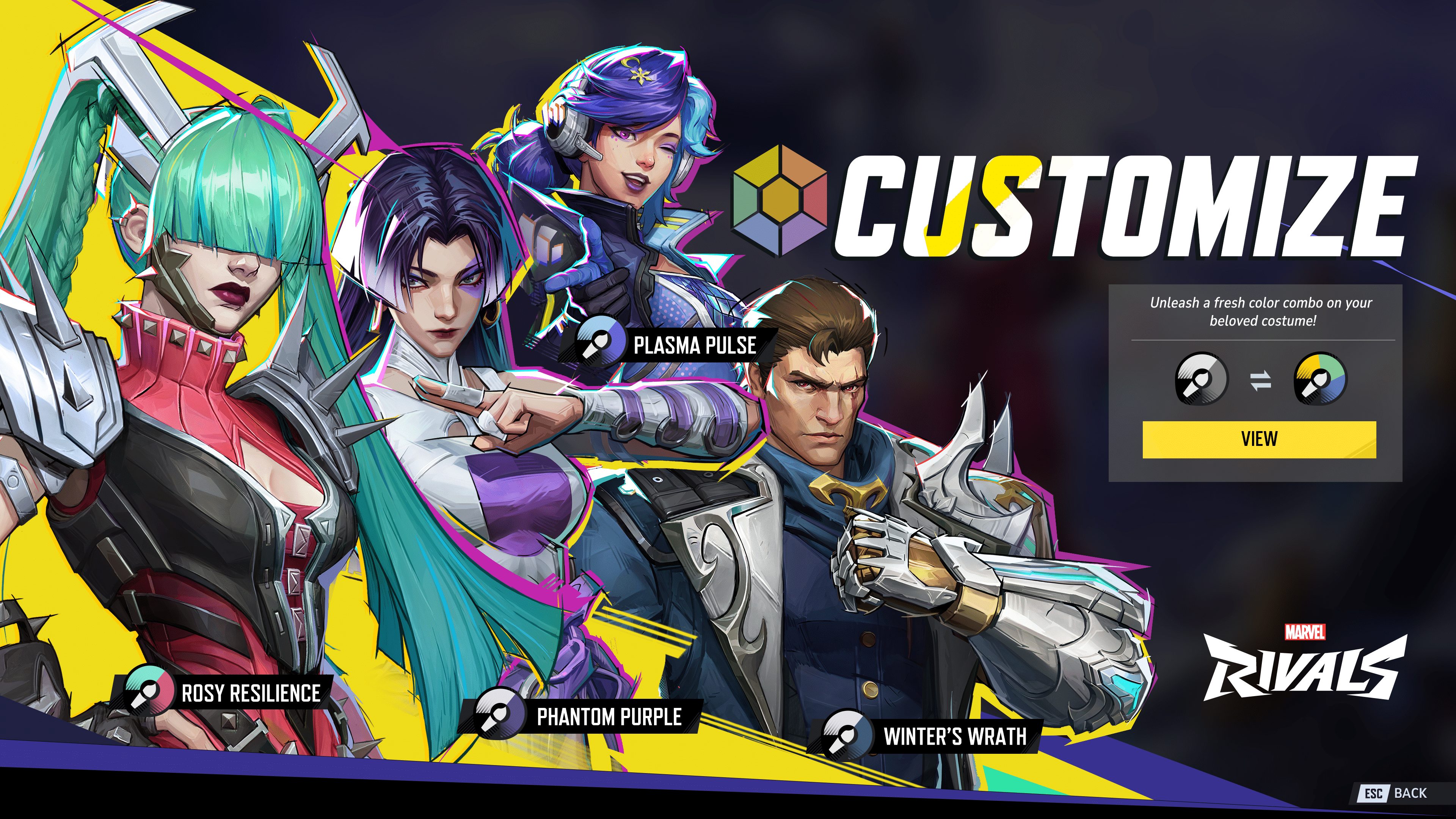
There’s a new patch for Marvel Rivals out today that introduces an awesome feature, though the way it’s implemented might not sit well with a lot of gamers. Starting with Marvel Rivals update version 1.000.017, players will be able to use shaders to change outfit colors for the game’s characters.

However, this won’t be free, and NetEase has introduced another currency that further muddles up the game’s economy. There are also other fixes in the patch, and even new costumes for Dr. Strange and Peni Parker (premium skins).

Marvel Rivals New Update on April 17 Lets Players Customize Costume Colors via Patch 1.000.017

New Content

New In Store (available at Apr 17th 7 PM PDT):

1. Doctor Strange – Doctor Strange in the Multiverse of Madness Bundle

2. Peni Parker – Yatsukahagi Bundle

Fixes

All Platforms

General

1. Fixed a rare issue where the camera perspective could behave oddly after respawning.

2. Resolved an error where importing reticle settings would sometimes show an invalid character message.

Maps and Modes

1. Fixed several terrain issues that could cause characters to become stuck or clip into strange areas.

Heroes

1. Wolverine’s Claw-some Comeback: Fixed an issue where Wolverine’s Ultimate Ability landing sometimes wouldn’t finish properly in poor network conditions. Now, the best there is at what he does can unleash his fury without any hiccups!

2. Fastball Fumble: Resolved an issue where Wolverine could sometimes be unable to control his direction during the Fastball Special after using it multiple times. Now, every throw will be a claw-some hit!

3. Banner’s Hulk Smash Fix: Resolved a rare model display issue that could sometimes occur when Bruce Banner transformed in terrain kill zones. Now, when the good doctor gets angry, he won’t just smash; he’ll do it with style—HULK SMASH, without the visual chaos!

4. The Thing’s Rocky Report: Corrected the ability icon error in the KO Prompt when the Thing’s Ultimate Ability causes terrain kills. Now, when he brings the pain, the prompt will accurately reflect the mayhem.

5. Spider-Island Resurrection Reboot: Fixed an issue where Adam Warlock could accidentally resurrect teammates in the out-of-play area on Spider-Islands. Now, teammates will return to solid ground instead of being stuck in limbo!

PC

Support for Razer Chroma RGB lighting technology and Razer Sensa HD Haptics has been added. Take your Marvel Rivals immersion to the next level with Razer Sensa HD Haptics, giving you over 600+ distinct effects that range from character transformations, projectile impact, to the casting of spells, and more.

You can enable Razer features via experimental feature setting in the Marvel Launcher, and external Razer gear is needed

For those wondering how the customization for costumes work, NetEase has explained that they are ushering in a new in-game currency called Unstable Molecules.

How Much Does It Cost to Customize Colors in Marvel Rivals?

Per NetEase, “Customized Color Costumes will cost 600 Unstable Molecules for exchange. Unstable Molecules can be exchanged from Lattice at a 1:1 rate. You must first obtain the costumes before you can customize them. Initially, only a select few costumes will have this feature and we will expand more over time to other costumes. When you customize your colors, this will affect Intro Animation, MVP and Emotes. Starting Season 3, we will provide more options to obtain Unstable Molecules. Please let us know which costumes you want to see with Customized Colors in the future!”

Will players embrace this addition? Hopefully they will, since this is a great addition by NetEase.

Avatar photo

Alex Co

Father, gamer, games media vet, writer of words, killer of noobs.

Home > Title Updates and Patches

Black Myth Wukong Update 1.000.016 Flies Out on April 17

[summaraize]

Game Science has pushed out Black Myth Wukong update 1.000.016, which is out now on all platforms. This is a smaller patch compared to previous title updates, though one that PC gamers in particular will like.

While this brings bug fixes and the like, the PC version gets added graphical features.

Black Myth Wukong Latest Update Adds Graphical Features

black myth wukong revenue

Major Updates

  • Added language support for Thai.
  • Integrated NVIDIA DLSS 4.0, which delivers sharper Super-Resolution Sampling effect on supported hardware, with Multi-Frame Generation now available in Settings. (PC)
  • Integrated ​Intel XeSS 2.0, with XeSS Frame Generation now available in Settings on supported hardware. (PC)

Bug Fixes

  • Fixed an issue where the Destined One could not perform the second move of a Varied Combo if the first move of the Varied Combo was followed by performing Dodge/Perfect Dodge and casting Immobilize or certain Spirit Skills.

What to Know Before Patch Installation

  • Due to the platform’s update mechanism, your computer will need to reserve a certain amount of free disk space (not necessarily on the same disk if you are s STEAM user) for temporary storage of the update files. (PC)
  • If you have installed any mods in the game, installing the patch may cause compatibility issues. This could prevent you from launching the game, loading your saved games, or triggering error pop-ups during gameplay. We recommend uninstalling the installed mods and verifying the integrity of the game files before restarting the game.
  • If you encounter unusually large update sizes during patch installation, or if the game gets stuck, crashes, or fails to start after installation, please refer to the Installation/Patch FAQ on our official website.
  • This update may require shaders to be recompiled. If you experience crashes during shader compilation, please try restarting the game until the compilation is complete or skip shader compilation. For more details, please refer to the Game Graphics FAQ. (PC)

That’s about it for the latest Black Myth Wukong patch by Game Science. If another one is released, we’ll be sure to let our readers know. As for the long-delayed Xbox Series X|S version, we’re not expecting it anytime soon, especially since Game Science stopped talking about it after mentioning that it was the Series S version that was delaying the release.

Avatar photo

Alex Co

Father, gamer, games media vet, writer of words, killer of noobs.

Home > News

Tekken 8 Down for Server Maintenance to Bring Patch 2.00.002 on April 16

[summaraize]

Tekken 8 servers have been brought down for maintenance so that the developers can prepare for the brand-new update that will be rolling out shortly.

Here’s the schedule and exact timing of when you can expect the servers to be back online so that you can return to beating up some rival players.

Tekken 8 Down for Maintenance, With New Update Rolling Out

Per Bandai, the servers will be down for the following duration:

Maintenance Date and Time

  • [CEST] Thursday, April 17th, 3:30 AM – 5:30 AM
  • [PDT] Wednesday, April 16th, 6:30 PM – 8:30 PM

As for when the update is dropping, it should be within the next few minutes if it hasn’t already.

Application Date and Time

  • [CEST] From around 4:00 AM on Thursday, April 17th, applied sequentially
  • [PDT] From around 7:00 PM on Wednesday, April 17th, applied sequentially

We’ll be sure to update you all once the servers are back up. As for what’s in the update, we’ve included a snippet of the fixes, though you can read the full patch notes here.

Impact of the Update

The application of the update data will affect the following modes and features:

* “DOWNLOADED REPLAYS” / “MY REPLAY & TIPS”
Replay data from before the update will no longer be playable.

* “ONLINE REPLAY”
All replay data from before the update will be deleted.

* “SUPER GHOST BATTLE” / “GHOST MATCH” / “Ghost vs. Ghost”
The behavior and performance of characters after the update will be reflected in ghost data. There will be no loss of data.

 “RANKED MATCH” / “QUICK MATCH”

Adjusted Matching Specifications

  • Adjusted matching to make it easier to pair with opponents whose highest-ranked character is closer to your own.
  • As a result of this adjustment, it may take more time to find an appropriate opponent.

“TEKKEN BALL”

– Fixed the return behavior of certain moves that allowed the ball to be kept in the air.

“Playable Characters”

Fixes and Balance Adjustments to Character Moves

Again, we’ll update the story once the servers are back up.

Avatar photo

James Lara

A gamer at heart, James has been working for MP1st for the last decade to do exactly what he loves, writing about video games and having fun doing it. Growing up in the 90's gaming has been in his DNA since the days of NES. One day he hopes to develop his own game.

Home > Title Updates and Patches

After Significant Backlash From the Season 2 Patch, Tekken 8 Update 2.000.002 Released to Quell Community Outcry

[summaraize]

After the Season 2 patch that brought in Anna Williams and a ton of changes to the Heat system and other core gameplay mechanics of Tekken 8, the community very publicly voiced their displeasure in the changes made.

Now, Bandai Namco seeks to make amends with the Tekken 8 update 2.000.002 download out on all platforms. This is an emergency patch, if you will, to stop the complaints from snowballing further.

Expect adjustments to Ranked and Quick Match, Tekken Ball, and of course, a significant amount of character balance adjustments.

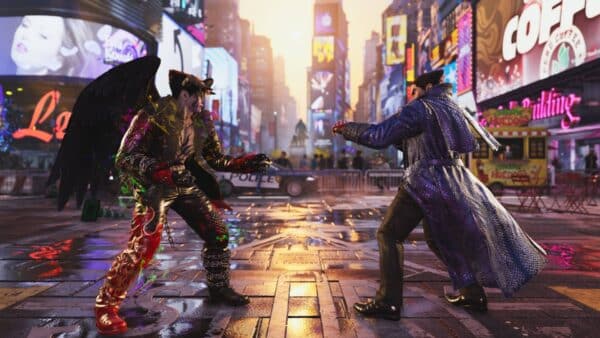
Tekken 8 Season 2 Update 2.000.002 Changes Released Amid Community Complaints

Tekken 8 Down march 31

Here’s what’s new per Bandai Namco:

Impact of the Update

The application of the update data will affect the following modes and features:

* “DOWNLOADED REPLAYS” / “MY REPLAY & TIPS”
Replay data from before the update will no longer be playable.

* “ONLINE REPLAY”
All replay data from before the update will be deleted.

* “SUPER GHOST BATTLE” / “GHOST MATCH” / “Ghost vs. Ghost”
The behavior and performance of characters after the update will be reflected in ghost data. There will be no loss of data.

 “RANKED MATCH” / “QUICK MATCH”

Adjusted Matching Specifications

  • Adjusted matching to make it easier to pair with opponents whose highest-ranked character is closer to your own.
  • As a result of this adjustment, it may take more time to find an appropriate opponent.

“TEKKEN BALL”

– Fixed the return behavior of certain moves that allowed the ball to be kept in the air.

“Playable Characters”

Fixes and Balance Adjustments to Character Moves

Please refer to the following link for the future direction of Season 2 balance adjustments:

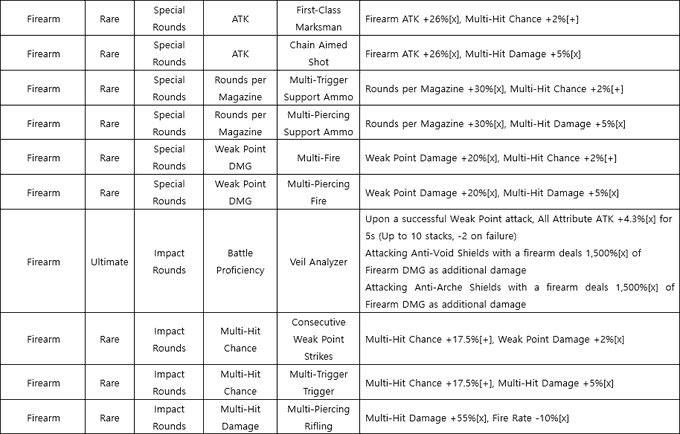
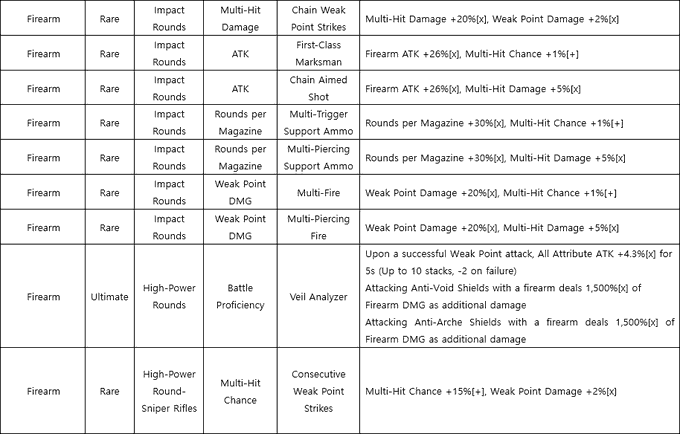
The fighter changes you’re looking for are available in the gallery images below for an easier read.

Will this be enough to stop the community from review bombing the game? Perhaps. We’ll know for sure once the fighting game community spends some time with the update.

Stay tuned for further developments.

Avatar photo

Alex Co

Father, gamer, games media vet, writer of words, killer of noobs.

Home > Title Updates and Patches

Ark Survival Ascended Update 1.065.001 Adds Eggcellent Adventure 2025 and ClubArk

[summaraize]

Studio Wildcard is bringing back the latest yearly tradition of Eggcellent Adventure in Ark Survival Ascended as part of the game’s Easter event! Players can download Ark Survival Ascended update 1.065.001 (PC version 65.1) and we have the full patch notes below.

Aside from the patch notes, we have the Ark Survival Ascended Eggcellent event schedule, rewards and more.

Ark Survival Ascended Eggcellent Adventure 2025 and ClubArk Now Live

Eggcellent Adventure makes its debut into ARK: Survival Ascended next week! Follow the trails of wild Bunny Dodos and Bunny Oviraptors to collect Bunny Eggs scattered across the ARK. These festive finds can be painted for fun or used to craft special holiday-themed cosmetics, including seasonal costumes and chibis.

Get ready to hop into the celebration and make your ARK a little more eggstra!

EVENT DATES

  • Start Date: Wednesday, April 16th, 2025
  • End Date: Wednesday, April 30th, 2025

EVENT RATES

  • PVP/PVE: 2x Harvesting, Taming, and Experience, and Breeding
  • Small Tribes: 4.5x Harvesting, Taming, and Experience + 4x Breeding
  • ARKpocalypse: 5x Harvesting, Taming and Experience, and Breeding

Weekend – Friday 1 PM PST to Monday 1 PM PST:

  • PVP/PVE: 3x Harvesting, Taming, and Experience, and Breeding
  • Small Tribes: 5.5x Harvesting, Taming, and Experience + 5x Breeding
  • ARKpocalypse: 6x Harvesting, Taming and Experience, and Breeding

EVENT CREATURES

  • Bunny Dodo
  • Bunny Oviraptor

EVENT CHIBIS

  • Bunny
  • Easter Chick
  • Jerbunny
  • Spring Shinehorn

EVENT ITEMS

  • Flower Wreath *new*
  • Bunny Egg
  • Festive Dino Candy (Eggcellent Adventure)

EVENT SKINS

  • Shepard’s Crook Spear Skin (Spear)*new*
  • Egg Grenades Skin (Grenades) *new*
  • Lamb Costume Skin (Costume) *new*
  • Spring Tiara Skin (Headgear) *new*
  • Round Sunglasses Skin (Headgear) *new*
  • Dino Round Sunglasses Skin (Headgear) *new*
  • Flower Feeding Trough Skin (Feeding Trough) *new*
  • Flower Vase Skin (Small Decor Boxes) *new*
  • Chocolate Rabbit Club Skin (Club)
  • E4 Remote Eggsplosives Skin (C4)
  • Sweet Spear Carrot Skin (Spear)
  • Bunny Costume
  • Bunny Ears Skin (Headgear)
  • Bunny Tail Skin (Leggings)
  • Easter Chick Hat Skin (Headgear)
  • Easter Egg Hat Skin (Headgear)
  • Easter Egghead Skin (Headgear)
  • Marshmallow Hat Skin (Headgear)
  • Dino Easter Egg Hat Skin (Headgear)
  • Dino Bunny Ears Skin (Creature Hat)
  • Dino Easter Chick Hat Skin (Creature Hat)
  • Procoptodon Bunny Costume (Procoptodon)

EVENT EMOTES

  • Flower Toss Emote *new*
  • Bunny Hop Dance Tail

WILD DINO COLORS

  • Light Green
  • Light Yellow
  • Light Orange
  • Light Red
  • Dino Light Red
  • Dino Light Orange
  • Dino Light Yellow
  • Dino Light Green
  • Dino Light Blue
  • Dino Light Purple
  • Dino Light Brown
  • DragonGreen3
  • WyvernPurple1
  • LightCement
  • LightPink
  • Peach
  • Mint
  • Lavender
  • PowderBlue
  • Glacial
  • Cream
  • LightWarmGray
  • DeepPink
  • Coral
  • Orange
  • Turquoise
  • Dino Medium Blue
  • WyvernPurple0
  • DragonFire
  • WolfFur
  • BigFoot4

STARTING EGGCELLENT ADVENTURE (SINGLE PLAYER/DEDICATED}

  • From the Main Menu, select the mod tab.
  • Search for Eggcellent Adventure in the ARK Mod list and Install it.  Mod ID: 877745
  • After it’s installed, go back to your game setup screen and select ‘Mod Settings’
  • You will see Eggcellent Adventure and any other mods you’ve downloaded in ‘Available Mods’
  • Select Eggcellent Adventure and activate it.

STARTING EGGCELLENT ADVENTURE (UNOFFICIAL)

  • If you would like to enable Eggcellent Adventure on your private servers, please add the mod ID to your server command-line launch arguments (-mods=modID). No other changes should be necessary to activate the event.
    Mod ID: 877745.

Ark Survival Ascended Update 65.1 Patch Notes:

ClubARK & Eggcellent Adventure

  • Eggcellent Adventure is now live!
    • Unofficial server owners can apply this to their servers by adding “-Mods=877745” into their commandline
    • More info can be found here
  • ClubARK has received an Easter makeover
  • Added Easter cosmetics to the store and wardrobe

Bug Fixes

  • Added a display message “Cannot Imprint: Tame Cap reached” when trying to imprint on a baby at tame limit
  • Added a display message “Cannot Claim: Tame Cap reached” when trying to claim a baby at tame limit
  • Fixed players on PlayStation and Xbox losing their tribe access when transferring their character from one map to another in Singleplayer
  • Allowed the Chainsaw to equip melee weapon traits
  • Fixed being unable to pick up dropped items when you have a lot of vanity items
  • Adjusted the throttled food consumption check to be more accurate for creatures that have differing food consumption rates, which should fix cases where baby creatures may have starved before they choose to eat
  • Fixed the Snowman Hat cosmetic floating on some creatures
  • Added the correct icon to the Jolly Jump emote
  • Fixed Winter Wonderland structure cosmetics not appearing in the correct cosmetic folder
  • Fixed players becoming stuck when exiting a Bunk Bed or Tek Sleeping Pod that is placed too close to a wall
  • Prevented Tek Sleeping Pods vertical placement being too close to a wall that would block the ability to sleep in it. Previously placed Tek Sleeping Pods will need to be replaced to be fixed
  • Fixed a case where Pteranodons would sometimes not gain forward momentum when using its barrel roll ability
  • Fixed an issue where Plant Species Y plants inside crop plots would stop producing new fruit until their inventories were updated
  • Fixed Hesperonis and Dimorphodons moving on their own after server restarts
  • Fixed inability to damage the Cat if it is attached to a character but clipping through geo and similar cases
  • Fixed Tribe Tower remaining floating when supporting structures are removed
  • Prevented structures from snapping to the BattleRig Garage when they are placed on other structures to fix cases of floating structures
  • Prevented stacking Bio Grinder structures on itself and being placed on containers to fix cases of floating structures
  • Fixed the inability to adjust the height of waypoint set in the map UI without first adjusting the color
  • Fixed the lock state of the Piano structure not saving correctly on server restart
  • Fixed BattleRigs spawning partially in the ground on ClubARK’s Mad Mark mission
  • Fixed a server crash related to ClubARK’s Mad Mark mission
  • Fixed many cases of cryopodded creatures appearing sunk into the display case when displayed
  • Fixed the Cat’s facial LODs appearing messed up on low graphic settings
  • Fixed Auto Turret having a low LOD on medium settings
  • Fixed an Animated Quetz costume cosmetic skinning issue
  • Fixed Rockdrake’s saddle not appearing cloaked in some cases
  • Fixed a ground conforming issue with baby Managarmrs and Fasolasuchus
  • Fixed inability to place a Tek Teleporter within a 1×1 room if the walls were placed before the teleporter
  • Fixed Blue Crystalized Sap, Corrupted Nodule, Corrupted Wood, Fragmented Green Gem, Red Crystalized Sap, Silicate, Corrupted Heart and Element-Imbued Gasoline resources not stacking correctly when using the config ConfigOverrideItemMaxQuantity
  • Fixed Aberration’s Day and Night % info displaying strangely when localized in French
  • Fixed multiple client crashes related to the BattleRig’s Flight Seeker Missile turret attachment
  • Fixed several exploits

Same with any major update for Ark, expect a follow-up patch or two to fix any issues that might arise from this title update.

Avatar photo

Alex Co

Father, gamer, games media vet, writer of words, killer of noobs.

Home > News

Xbox Console Update for April 16 Released for Series & XB1; Improves Storage Space

[summaraize]

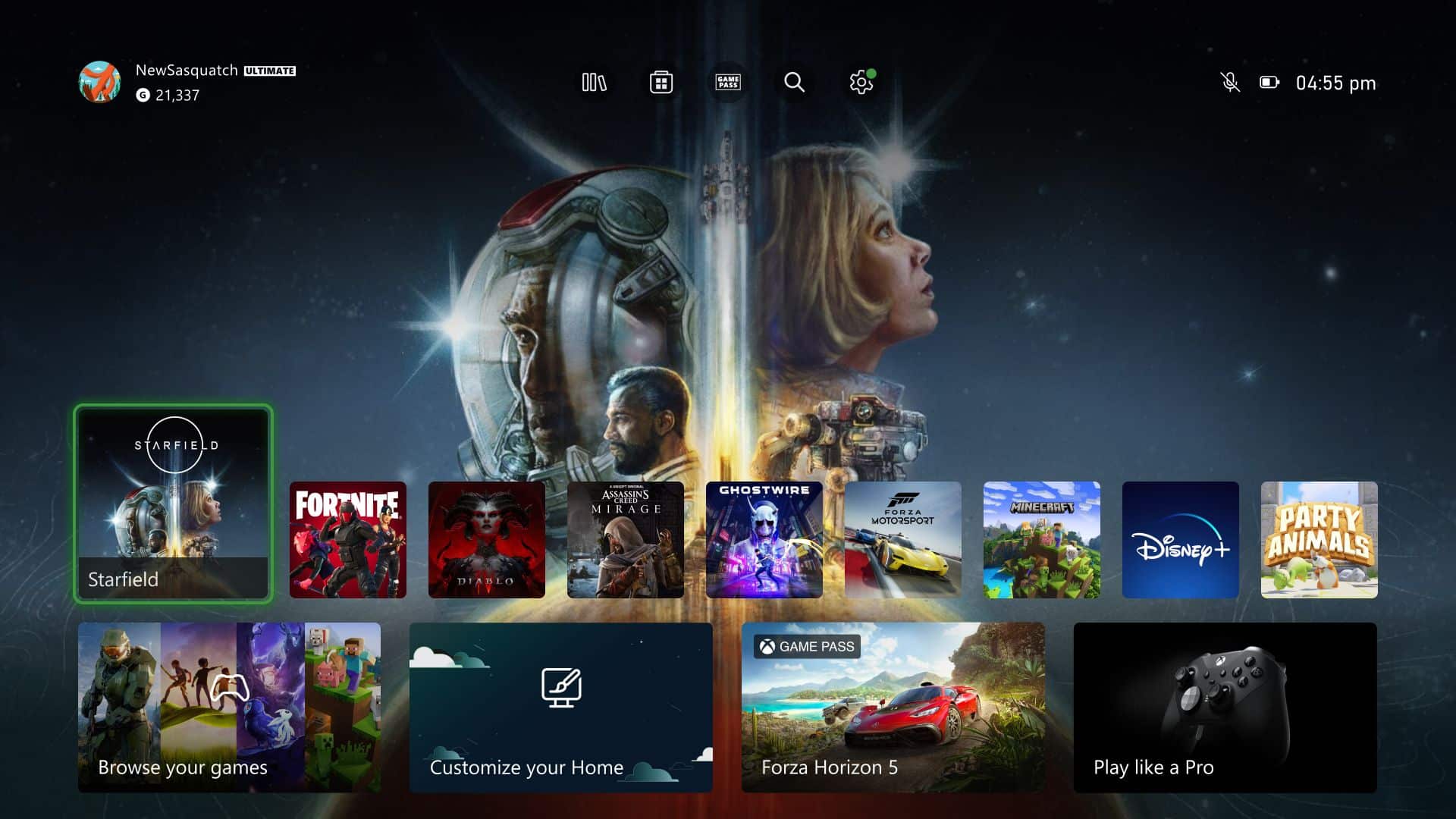
Microsoft has rolled out a new Xbox console update today, April 16, for Xbox Series X|S and Xbox One owners. This is not your usual stability update, but it adds new features to the consoles.

This firmware patch’s major addition is improving the storage space situation on the Xbox One and the Xbox Series X|S. Read on for the OS version and more details straight from Microsoft.

Xbox Series and XB1 Console System Update Adds New Features on April 16

Xbox Series X|S System Update for December 11

Here’s what’s new per Microsoft:

Operating System (OS) Version: 10.0.26100.4020 (xb_flt_2504ge.250410-1100)

New Update Features:

Stream your own game

If you have an active Xbox Game Pass Ultimate subscription, you can stream select games that you own in addition to the Game Pass library. This feature is available for Xbox One and Xbox Series X|S consoles.

To get started streaming:

  1. Go to My games & apps > Full library > Owned games.

  2. Use the filter to sort by Cloud gaming.

  3. Choose a game that you want to stream, and then select Play with cloud gaming.

Free up space in your library

There are now more ways to improve the storage space on your Xbox One or Xbox Series X|S.

Your library displays new info about unused content, shrinkable games, duplicate items, and games that players no longer have access to.

To manage this storage feature, go to My games & apps > Manage > Free up space.

Hopefully, nothing breaks with this system update. Microsoft releases one update per month since January 2025, and if we get another one in May, we’ll let our readers know.

Avatar photo

Alex Co

Father, gamer, games media vet, writer of words, killer of noobs.

Home > Features

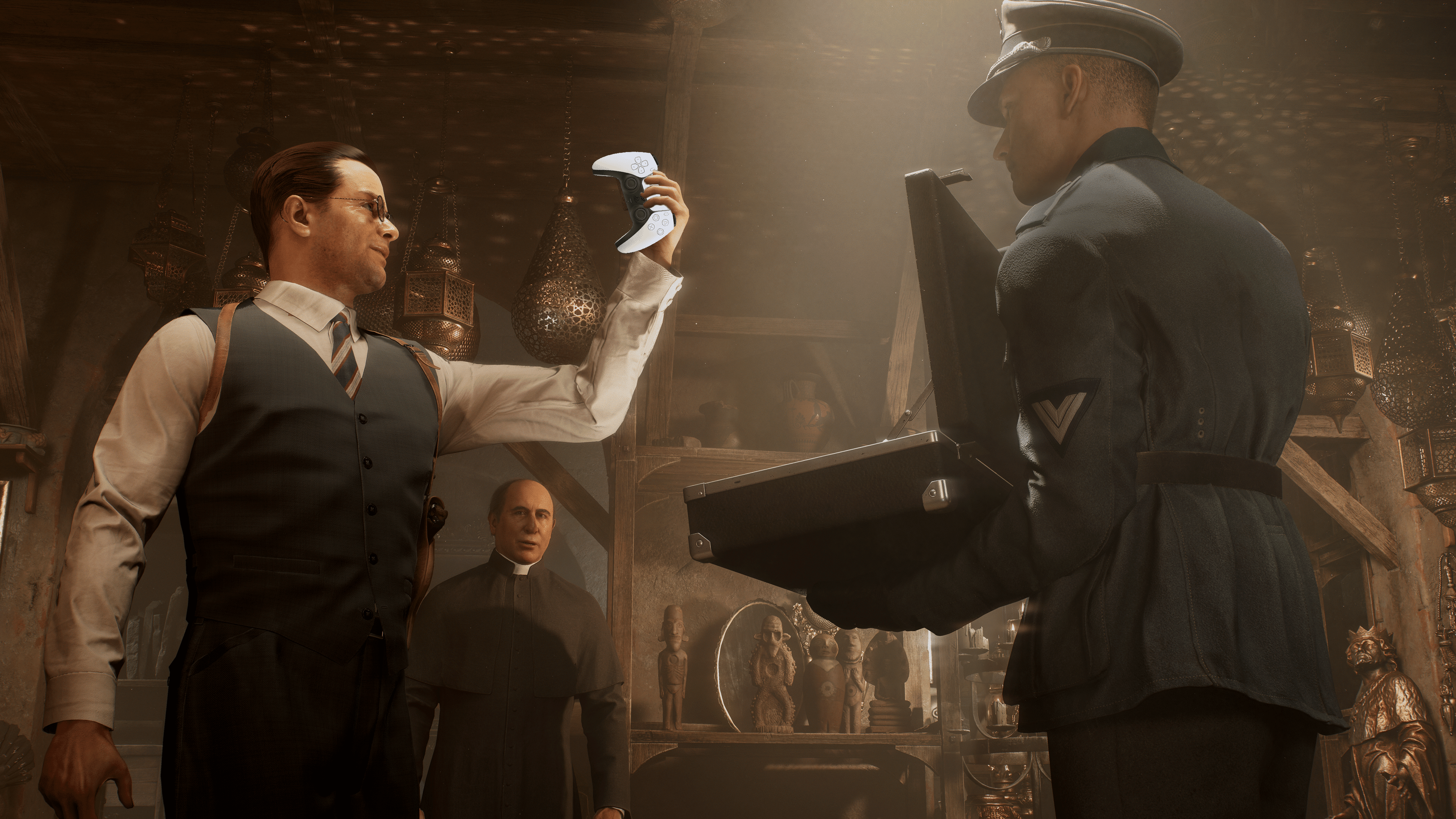
Indiana Jones and Great Circle PS5 DualSense Haptics and Adaptive Triggers Enhance the Experience and Here’s How

[summaraize]

The PS5 version of Indiana Jones and the Great Circle isn’t just a lazy port of the Xbox game to the PS5. Developer MachineGames has even taken advantage of the PS5’s DualSense controller to introduce new haptic effects that even Xbox gamers might find surprising if they experience it themselves.

Effects implemented in combat, movement, and even puzzles add a little spice to an already impressive game.

Indiana Jones and the Great Circle on the PS5 Takes Advantage of the DualSense Features Significantly

Here’s a list of new haptic/HD rumble cues I found in the opening hour:

Movement

  • Water – When jumping into water, the controller will emulate a splashing effect. The same happens when walking over a small puddle; vibration will have a splashier feeling.
  • Doors – Opening doors that are locked have a click effect when you insert keys and turn them.
  • Hanging and moving on ledges – You can now feel Indiana Jones’s hands on everything he picks up to move along a ledge.
  • Ropes and Repelling – As with ledges, you can feel Indiana Jones grabbing and climbing a rope while freely hanging. When he’s climbing up a rope on the side of a building, you can feel each of his steps as his feet make contact with the building.
  • Ziplines – Not only is there a rubbing sensation from the zipline coming into contact with whatever Indy uses to ride it, but the haptics will also emulate the feeling of wind.
  • Swinging also produces a bit of a wind feeling.

General Gameplay and Cutscenes

  • Puzzles – Anything that involves something sliding or moving now offers feedback to emulate that feeling.
  • Gadgets – Things like a camera will produce zoom-in and zoom-out effects. The lighter will produce a click.
  • Cutscenes—This is where players will notice most of the differences, as several cutscenes now feature unique haptics. Here are some examples, and these are all from the intro.
    • When you enter the cave and cut away at the spiderwebs, a feeling of wind passing by can be felt through the controller.
    • The scene with the spiders. Someone at Machine Games not only wanted to make sure they got this scene right from the movies, but they also wanted to ensure you could now feel them. Even if it’s for a quick second, as Indy wipes them off the other character’s back, you can feel them falling on Indy’s feet.
    • After this scene, when Indy lifts his hand into the light, the controller will emulate a tingly feeling, followed by a swinging and rumbling of the trap springing. The controller will then emulate a sliding effect as Indy pushes the trap back into place.
    • The next scene has Indy using his whip to swing across a gap. The Xbox/PC version gives feedback when you use the whip, a quick vibrational jolt. The PS5 version adds a bit more feeling to it, though it also adds the sense of swinging (some emulated wind) that isn’t in the Xbox version.
    • When Indy comes to the booby trapped room with all the pressure plates, and uses a stick to push the plates down, you can feel the plates rubbing against the stone floor as it slides down into place.
    • When Indy springs the trap after lifting the Idol, there’s now feedback of the place falling apart. When the giant rock begins to roll, there’s a rolling feeling.
    • When you first encounter Locus in the academy, he’s pretty intimidating due to his height. To add more to this, the intensity of his footsteps has been increased—a small but effective change.

Combat

  • Guns have unique feedback and trigger effects – Every gun feels different, and provides a different type of feedback.
    • Rifles will produce a strong kickback effect on the triggers.
    • Submachines will have a lighter kickback, but constant due to firing rate.
  • All melee weapons and pickups produce unique sounds when picked up and struck with. Examples of things I tested by hitting a wall: Strings on a guitar vibrate the controller to emulate that. Hitting a metal shovel against a wall has a metallic clink, and a wooden baton has a wobbling effect.
  • Additionally, adaptive triggers are unique not only in the way guns feel but also when throwing an object. The heavier something is, the more resistance there is when throwing it. Objects that require Indy to use both hands will give more resistance when attacking with them and throwing them, compared to objects that only require one hand.
  • If a dog attacks you, you get put into an animation where you have to fight the dog away by mashing L2 and R2 – The effect is powerful, and it feels like really playing a game of tug of war with the dog.

There might be more intelligent ways MachineGames applied the DualSense’s haptics and adaptive triggers in the game outside of what we noticed.  For PS5 gamers, this is a bonus that turned out better than expected.

Make sure to check our Indiana Jones and the Great Circle PS5 review and tech piece comparing its performance to the Xbox Series version.

Alvaro eXtas1s

Home > Title Updates and Patches

Marvel vs. Capcom Fighting Collection: Arcade Classics Update 1.03 Adds New Features

[summaraize]

Capcom has released the Marvel vs. Capcom Fighting Collection: Arcade Classics update 1.03 download on all platforms, and this adds new features to all the games in the collection.

Players can expect new additions to X-Men vs. Street Fighter, Marvel vs. Capcom 2, and new stuff that affects the games in the entire collection.

Marvel vs. Capcom Fighting Collection: Arcade Classics Receives New Features via New Patch Download 1.03

Here’s what’s new per Capcom’s press release about the game.

X-MEN™ VS. STREET FIGHTER®

  • Choose between versions 960910, 961004, and 961023

MARVEL™ vs. CAPCOM® 2 New Age of Heroes

  • Change resolution & increase graphics quality

MARVEL vs. CAPCOM® Fighting Collection: Arcade Classics

  • Versus mode available on all fighting titles
  • Menus can now be accessed with a long press while online to avoid accidental inputs during intense matches
  • Reset the game directly from the pause menu
  • New artwork from Capcom artist Shinkiro
  • New Cap-Jams remixes

Capcom also confirmed that the above changes are also coming to Capcom Fighting Collectiong and Capcom Fighting Collection 2.

In case you haven’t picked this bundle up, you might want to reconsider that. Check out our impressions where we state, “Marvel vs. Capcom Fighting Collection: Arcade Classics should appeal to fighting game fans in general, but especially to Capcom arcade fans. With seven games to choose from, alongside hundreds of unlockable development-related art to view and admire, plus online and offline multiplayer modes, this looks to be a complete package for anyone who ever had a passing interest in the original arcade machines of old”

Avatar photo

Alex Co

Father, gamer, games media vet, writer of words, killer of noobs.

Home > Title Updates and Patches

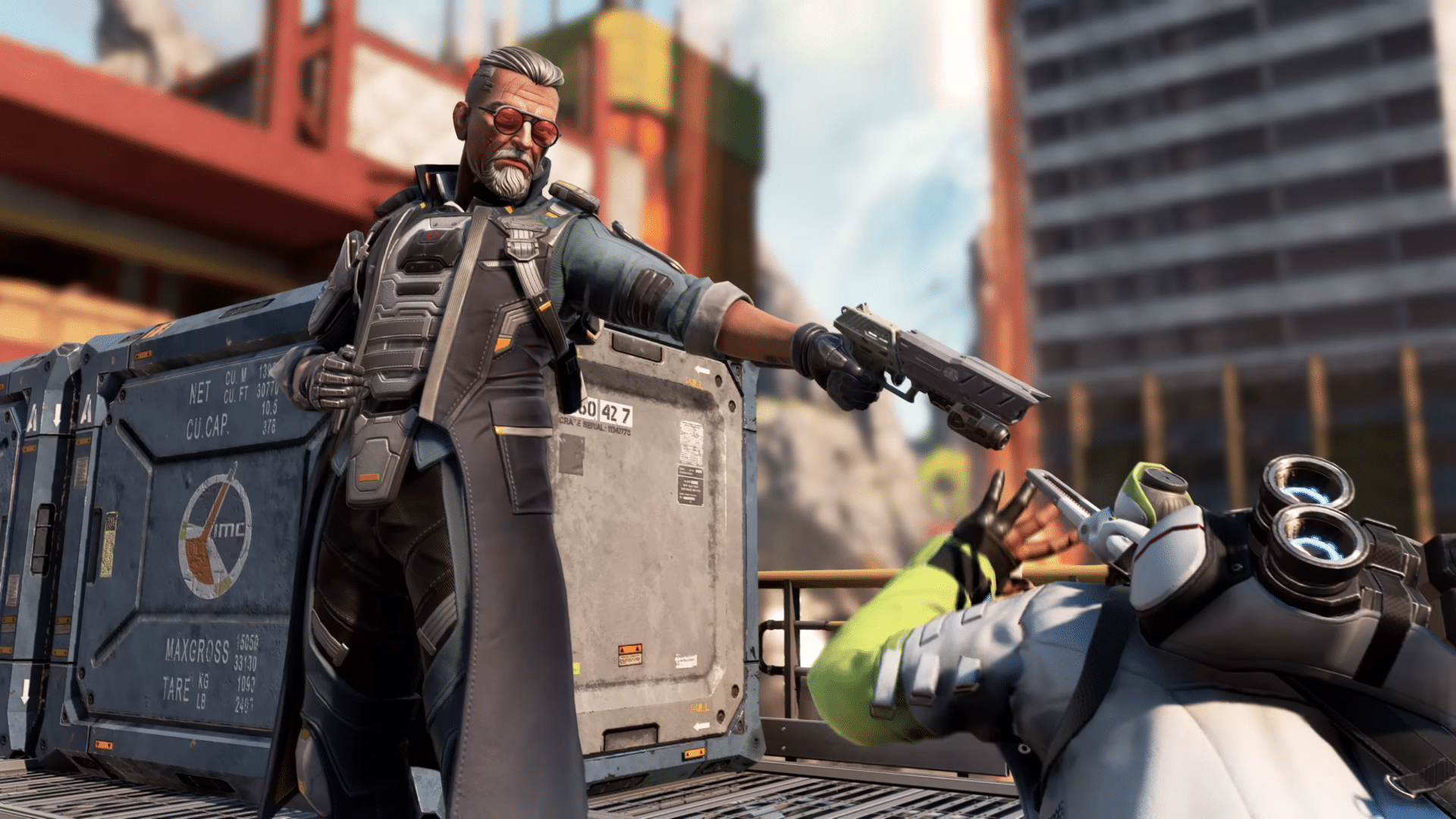
Apex Legends New Update 1.000.096 Released; Fixes Legend-Related Bugs

[summaraize]

Respawn has pushed out Apex Legends new update 1.000.096, which is a minor patch for the game. This brings some much-needed fixes to Lifeline and Ballistic, with the full details available below.

Alongside the patch notes, we also have the known issues being investigated by Respawn as well.

Apex Legends Lifeline, Ballistic Issues Sorted in Latest Patch Version 1.000.096

apex legends Update 2.82

Here’s what’s in the patch via Respawn:

  • Lifeline’s tactical drone not working or being put on an indefinite cooldown under certain circumstances
  • Losing charge on a Sentinel or Rampage after leveling up your Evo when playing as Ballistic

Alongside those fixes, we’ve also listed the known issues via the official Apex Legends Trello board.

Apex Legends Known Issues as of April 16:

INVESTIGATING

  • Reports of high CPU usage while running the game
  • [Xbox] FPS drops with Bloodhound Ult
  • Founder’s badge shows as locked, but can still be equipped
  • Mythic Ordnance skin inconsistent with Fuse’s passive
  • Weapon Mastery + Trackers show different values

FIX IN PROGRESS

  • [Customs] Match remains “In Progress” after it has ended

That seems to be it for the latest patch for the F2P shooter. If we get another one released, we’ll have it up on the site.

Avatar photo

Alex Co

Father, gamer, games media vet, writer of words, killer of noobs.

Home > Title Updates and Patches

Apex Legends Lifeline Tactical Drone Issue Addressed in Update 2.82

[summaraize]

For Apex Legends players annoyed at some of the game’s bugs, Respawn released a minor patch today to address a few key issues. Players can download Apex Legends’ new update as version 2.82, and this fixes Lifeline’s Tactical Drone bug.

Alongside that, there’s also a fix for Ballistic. We’ve also included the known issues the studio is working on regarding the battle royale.

Respawn Fixes Tactical Drone issue with Lifeline via Apex Legends New Update 2.82

Here’s what’s in the patch via Respawn:

  • Lifeline’s tactical drone not working or being put on an indefinite cooldown under certain circumstances
  • Losing charge on a Sentinel or Rampage after leveling up your Evo when playing as Ballistic

Alongside those fixes, we’ve also listed the known issues via the official Apex Legends Trello board.

Apex Legends Known Issues as of April 16:

INVESTIGATING

  • Reports of high CPU usage while running the game
  • [Xbox] FPS drops with Bloodhound Ult
  • Founder’s badge shows as locked, but can still be equipped
  • Mythic Ordnance skin inconsistent with Fuse’s passive
  • Weapon Mastery + Trackers show different values

FIX IN PROGRESS

  • [Customs] Match remains “In Progress” after it has ended

That seems to be it for the latest patch for the F2P shooter. If we get another one released, we’ll have it up on the site.

Avatar photo

Alex Co

Father, gamer, games media vet, writer of words, killer of noobs.

Home > News

Destiny 2 Down for Background Maintenance on April 16, Game Services Might Be Impacted

[summaraize]

While Bungie usually conducts server maintenance for Destiny 2 on a Tuesday, that changes today, as the studio has taken the Destiny 2 servers down on April 16, and while this is marked as “background maintenance,” the game itself might still get impacted.

The patch associated with the downtime won’t be released until tomorrow, April 17, so set expectations accordingly.

Destiny 2 Background Maintenance on April 16 Could Affect Game Services

Destiny 2 update 3.42
Wednesday, April 16, 2025 — Background Maintenance<

10:00 AM PDT -7 UTC
    • Destiny 2 will undergo background maintenance.
    • Game services may be impacted.
    • Players who observe issues should report to the #Help forum.
2:00 PM PDT -7 UTC
    • Destiny 2 maintenance is expected to conclude.

Again, it’s worth mentioning that there will be no patch released today. While the game’s servers might not get impacted at all, if it does, now you know why. If anything changes regarding the patch roll out and the server status, we’ll update the article with the info.

Expect MP1st to cover tomorrow’s downtime as well, and of course, the patch notes.

Avatar photo

Alex Co

Father, gamer, games media vet, writer of words, killer of noobs.

Home > Title Updates and Patches

WWE 2K25 Patch Download Version 1.08 Hits Hard for a Load of Fixes

[summaraize]

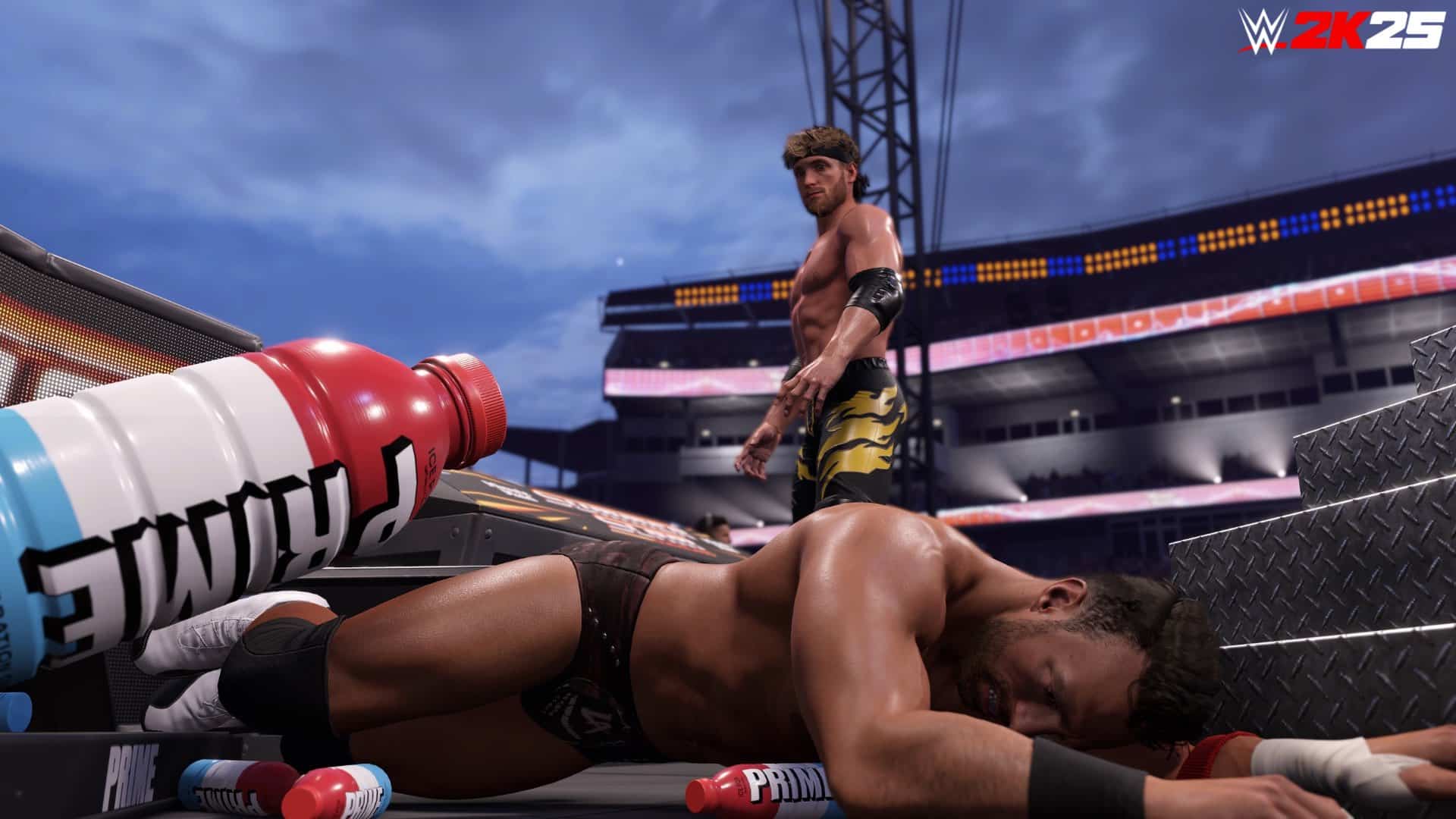
WWE 2K25 has a new patch download that will appear for players as version 1.08, and it’s available on consoles and PC. Compared to other patches, this one is full of various fixes related to Universe, Create and more.

In terms of gameplay, there are fixes related to match options persisting even after a match has ended, and female wrestlers unable to participate in MTB if they are cruiserweight.

Read on for everything new in the official patch notes for the game.

WWE 2K25 Patch Version 1.08 Now Available to Fix a Myriad of Issues

Here’s what’s been addressed in this new update per the developers:

General

  • Stability and Performance improvements

Online

  • Addressed reported concerns of entrance music and dialogue failing to play
  • Addressed reported concerns of incorrect orders being displayed in a Royal Rumble match
  • Addressed reported concerns of players encountering a game session error after playing consecutive matches

Universe

  • Addressed reported concerns of empty match cards being generated
  • Addressed reported concerns of Announce Cash-ins being usable after already using them
  • Addressed reported concerns of the momentum tracker not tracking properly
  • Addressed reported concerns of Superstars appearing invisible during rivalry cutscenes
  • Addressed reported concerns of Superstars not being movable in tag team divisions when editing ranks

Create

  • Addressed reported concerns of more parts than allowed being usable when randomizing than
  • Addressed reported concerns of locked attire parts not displaying their proper thumbnail
  • Addressed reported concerns of randomized part colors persisting after reverting the changes
  • Addressed reported concerns of incorrect motions being assigned
  • Addressed reported concerns of logo positions resetting in Create-a-Arena

Gameplay

  • Addressed reported concerns of DIY titantron movies playing incorrectly
  • Addressed reported concerns of match options persisting after a match has ended
  • Addressed reported concerns of female Superstars being unable to participate in a MITB if they were cruiserweights

MyFaction

  • Addressed reported concerns of icons for various mods and stipulations not appearing

Expect another update to be released next month to coincide with the game’s first DLC drop.

Avatar photo

Alex Co

Father, gamer, games media vet, writer of words, killer of noobs.

Home > Title Updates and Patches

Atomfall’s Latest Update 1.006 Slots in Quality-of-Life Fixes

[summaraize]

Rebellion has released a major new update for action game Atomfall, and this doesn’t just include a handful of fixes, but it even addresses quest-specific bugs and more. Those on PS5, Xbox Series, you’ll see this as Atomfall update 1.006 and the full patch notes for April 16 is available.

If you’re still playing on last-gen, the download will appear as Atomfall patch 1.06, and while it might be a bigger file, the fixes are the same.

Atomfall New Update Sorts Out Various Techhnical and Gameplay Issues via Version 1.006 / 1.06

Here’s what’s new per Rebellion:

General

  • Resolved an issue where some players would experience random movement and stuttering with their mouse
  • Player’s orientation will no longer change dramatically after autosaving
  • Fixed an issue where the map would sometimes become stuck on only one region
  • Fixed an issue where the Inventory occasionally kicked the player from storage tubes
  • Resolved an issue where subtitles were disappearing too quickly
  • Improved translations for (Polish, Brazilian Portuguese, Spanish, Simplified Chinese, Traditional Chinese and French)
  • Fixed an issue where weapon ammo could go missing when equipping or moving weapons between quick slots
  • ‘Already Learnt’ message will no longer remain permanently in the Inventory section
  • Resolved an issue in which the map’s region list would not expand if the ‘Pause in Menus’ setting was enabled
  • Fixed a crash that would occur when players traded for weapons while they had full ammo
  • The pin of explosive lures is no longer visible after the player has pulled the pin out
  • Combat music tracks will now shuffle so players have a lower possibility of hearing the same combat track twice in a row
  • Resolved an issue where players were unable to turn off the Developer Console
  • Ammo will no longer disappear after equipping a gun to a slot and then dropping the same weapon
  • The description for the Modified JM-3 and other JM-3 variants now read correctly as fully automatic
  • The Equipment Shortcuts tutorial no longer shows a bandage in a quick slot as this is not possible in game
  • The ‘Content Installed’ notification for Deluxe Edition players on Epic now has correct formatting
  • The ‘Purchase’ text in the DLC screen is has now been translated in Japanese
  • The Privacy Policy has now been localised in the crash reporter
  • Descriptions have been added for Melee Assist (Strength and Rotation) options

Quest Specific Fixes

  • The correct outro will now be played when the player completes the game with Mother Jago’s ending in all circumstances
  • Resolved an issue where, under certain circumstances, Joyce Tanner did not appear at her ending location

Wyndham Village

  • Fixed an issue where players could get stuck under the building after exiting The Bakery
  • Training stimulants will no longer respawn in the Forgotten Cellar
  • Resolved an issue where the bushes near the bandstand would flicker when players got close

Casterfell Woods

  • Fixed an issue where, under certain circumstances, players could get stuck in the transition space between the Castle Ruins door and the woods
  • A non-existent house no longer appears on the map for the open area near the village gate

Skethermoor

  • Resolved an issue where sounds could become muffled on entering the container in front of the Master Control room in the Prison

Interchange

  • The door to Lower Robotics is now accessible if players complete the puzzle, exit, and then return
  • Players will now have safe passage if they do not have enough health or health items to exit the spore cloud and leave Medical
  • Punch cards have been replaced with correct cards

This isn’t a bad patch by any means, but let’s just hope no issues arise from it or we’ll need another patch to address those issues.

Avatar photo

Alex Co

Father, gamer, games media vet, writer of words, killer of noobs.

Home > News

Cronos: The New Dawn Gameplay Reveal Looks Like If Dead Space, Resident Evil, and Silent Hill Had a Baby

[summaraize]

Finally, after months of teasing, Bloober Team released the first gameplay for Cronos: The New Dawn, their upcoming survival horror shooter. 

Horror fans will be in for a treat, as the gameplay looks to be taking some heavy inspirations from some of the biggest horror games today. 

Cronos: The New Dawn Gameplay Teases Monster Merging Mechanics

We’re definitely feeling this one, and it’s very clear that Bloober Team has taken much of what they learned from their work on the Silent Hill 2 Remake and applied it here. It has a lot of those vibes going on, along with some clear inspiration from both Dead Space and the Resident Evil franchise. 

What’s most interesting, though, is one of the mechanics they’re teasing, where they tell viewers not to let them (the monsters) merge. We can see this very thing happen, with a monster absorbing a dead one to evolve into something much more terrifying. We assume this is the special mechanic that the studio teased to us in our interview with them from last year. It certainly is one that would “spice up” the gameplay, and it’ll be interesting to see just how far it goes. 

At the moment, Cronus: The New Dawn has no release date other than a target 2025 window, and it will be arriving on the PS5, Xbox Series X|S, and PC. 

Avatar photo

James Lara

A gamer at heart, James has been working for MP1st for the last decade to do exactly what he loves, writing about video games and having fun doing it. Growing up in the 90's gaming has been in his DNA since the days of NES. One day he hopes to develop his own game.

Home > Title Updates and Patches

WWE 2K25 New Update 1.008 Brawls Out on April 16 for Create-a-Wrestler Fixes and More

[summaraize]

Visual Concepts has released a new WWE 2K25 patch for today, April 16, though don’t expect any new content as this update is all about bug fixes. layers will see this as WWE 2K25 update 1.008 on consoles and patch 1.08 on PC.

Here’s a list of everything that got addressed with this patch.

WWE 2K25 New Update Curb Stomps More Bugs in Version 1.008

wwe 2k25 update 1.008

Here’s what’s been addressed in this new update per the developers:

General

  • Stability and Performance improvements

Online

  • Addressed reported concerns of entrance music and dialogue failing to play
  • Addressed reported concerns of incorrect orders being displayed in a Royal Rumble match
  • Addressed reported concerns of players encountering a game session error after playing consecutive matches

Universe

  • Addressed reported concerns of empty match cards being generated
  • Addressed reported concerns of Announce Cash-ins being usable after already using them
  • Addressed reported concerns of the momentum tracker not tracking properly
  • Addressed reported concerns of Superstars appearing invisible during rivalry cutscenes
  • Addressed reported concerns of Superstars not being movable in tag team divisions when editing ranks

Create

  • Addressed reported concerns of more parts than allowed being usable when randomizing than
  • Addressed reported concerns of locked attire parts not displaying their proper thumbnail
  • Addressed reported concerns of randomized part colors persisting after reverting the changes
  • Addressed reported concerns of incorrect motions being assigned
  • Addressed reported concerns of logo positions resetting in Create-a-Arena

Gameplay

  • Addressed reported concerns of DIY titantron movies playing incorrectly
  • Addressed reported concerns of match options persisting after a match has ended
  • Addressed reported concerns of female Superstars being unable to participate in a MITB if they were cruiserweights

MyFaction

  • Addressed reported concerns of icons for various mods and stipulations not appearing

That’s all for today’s update, though we should be getting more soon as the first DLC pack is also arriving next month.

Avatar photo

James Lara

A gamer at heart, James has been working for MP1st for the last decade to do exactly what he loves, writing about video games and having fun doing it. Growing up in the 90's gaming has been in his DNA since the days of NES. One day he hopes to develop his own game.

Home > Title Updates and Patches

Assassin’s Creed Shadows Update 1.005.098 Released to Deactivate Multi-Sell Feature, PS5 Fixes

[summaraize]

After last week’s major Assassin’s Creed Shadows patch that ushers in improvements to PS5 Pro and other new features that apply to all platforms, Ubisoft has released another patch for version 1.0.3, and it’s considered a hotfix that solves a bunch of issues.

Console players will see this as Assassin’s Creed Shadows update 1.005.098, and it’s a small download on all platforms. Read on for the official patch notes and files sizes of each platform below.

Assassin’s Creed Shadows New Update Removes Multi-Sell Feature Due to Issues via Patch 1.005.098

Patch Sizes:

  • Xbox Series X|S: 11 GB
  • PlayStation®5: 0.492 GB
  • PC: 9.03 GB
  • Steam: 0.40 GB
  • MAC: 9 GB

Patch highlights:

We have temporarily deactivated the multi-sell feature in shops due to some unexpected issues. We appreciate your patience as we are working to fix the issue and bring the feature back in an upcoming patch.

LIST OF BUG FIXES

Gameplay

  • Deactivated the multi-sell features in shops due to unexpected issues.
  • Fixed an issue where the option to call the allies was missing.

Stability & Performances

  • Fixed stuttering issues on PC.
  • Fixed a crash happening during the prologue.
  • Fixed a graphical distortion on Yasuke’s outfit after dodging.
  • Fixed crashing and visual issues with the ‘Claw of Dragon’ skin when applied to weapons.
    • NOTE: Visual customization for this weapon will be re-enabled with this update.

Audio

  • Addressed an issue with audio loss.

PlayStation®5 and PlayStation®5 Pro

  • Fixed a graphical issue when activating the HDR and PSSR for PlayStation®5 Pro.
  • Fixed crash issues on PlayStation®5.

This is a solid follow-up patch by Ubisoft, and we’re hoping more features will be released in the near future.

Avatar photo

Alex Co

Father, gamer, games media vet, writer of words, killer of noobs.

Home > Title Updates and Patches

Dave the Diver Update 1.024 Out for Ichiban’s Holiday Hotfix

[summaraize]

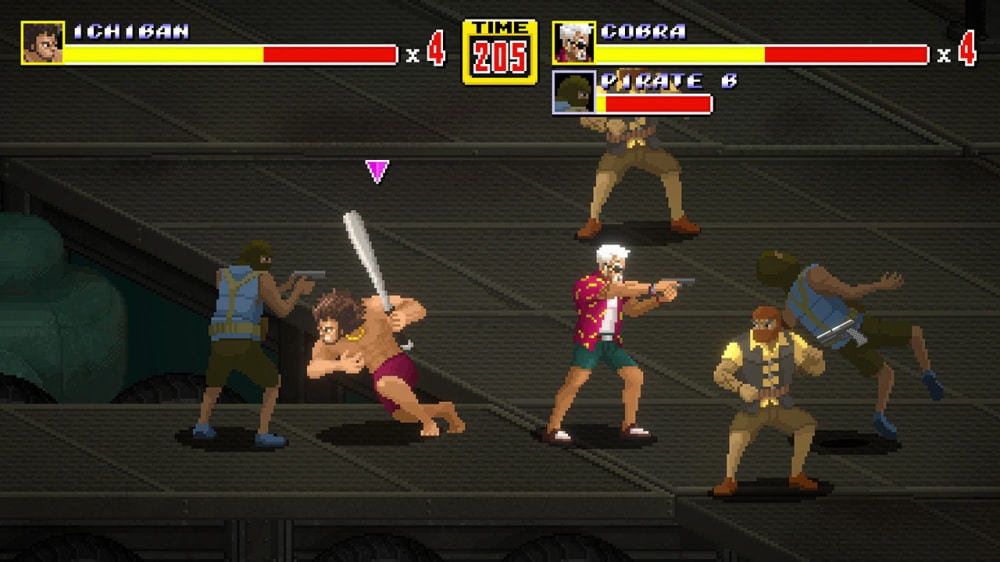
Dave the Diver update 1.024.000 has been released for a hotfix for the previously released ‘Ichiban’s Holiday’ patch from last week. The controls have been fixed to prevent a crash, and other issues have been rectified.

Check out the rest of the bug fixes for Dave the Diver update 1.24.

Dave the Diver Update 1.024 Released for a New Hotfix

dave the diver switch

Hello Divers!

We have conducted a hotfix to address some of the issues that occurred after the update.
Please find the details below:

Update Version:

  • Win: v1.0.4.1642
  • Mac: v1.0.4.585

Update Content

  • Bug fixes

ICHIBAN’S HOLIDAY DLC

[Bug Fixes]

  • Fixed an issue where certain controls would sometimes cause the game to crash at the last stage of the “Beat ’em up” action segment
  • Improved graphical errors of some cutscenes
  • Fixed an issue where Dave’s animation on the top left corner did not play under certain circumstances during the Karaoke rhythm game
  • Fixed an issue where some Charm effects would remain effective in the DLC mission

DAVE THE DIVER – Base Game

[Bug Fixes]

1) Mini-games

  • Fixed an issue where the “Leo Keychain” reward was not provided if the “Evil Factory Demo” mini-game was cleared before Chapter 4
    • Please clear the Evil Factory Demo again to receive the rewards.

2) Sea Exploration

  • Fixed graphical errors that occurred with some characters in certain map regions

3) Other

  • Fixed an audio issue that occurred when the DualSense controller was not connected via wired connection (Windows Only)
  • Fixed an issue where certain DualSense features did not function properly when reconnecting the controller (Windows Only)

Make sure to visit MP1st again for more news on Dave the Diver.

Damien Seeto

Home > Title Updates and Patches

EA Sports FC 25 Latest Update Version 1.20 Released

[summaraize]

Soccer (or footie) fans can now download the latest patch for EA Sports FC 25 on all platforms. This is for Title Update 13, which brings a short list of changes.

Players on consoles will be prompted to download EA Sports FC 25 update 1.20, with the major item here CONMEBOL update.

Ultimate Team and CONMEBOL Improvements Released as Part of EA Sports FC 25’s Newest Patch

EA Sports FC 25 Update 1.000.018

Ultimate Team

Addressed the following issue:

  • A PlayStyle or PlayStyle+ did not trigger in-game for a Player Item with greater than 12 PlayStyles.

General, Audio, and Visual

Made the following changes:

  • Updated several aspects of CONMEBOL competitions, such as competition seeds, kits, teams, crests, banners, flags, scarfs, balls and ad boards.

Addressed the following issue:

  • Addressed some stability issues that could have occurred.

That’s about it. It’s not a big patch, but it is par for the course on what we usually get for EA Sports FC updates. If another one is released, expect it here on MP1st.
Avatar photo

Alex Co

Father, gamer, games media vet, writer of words, killer of noobs.