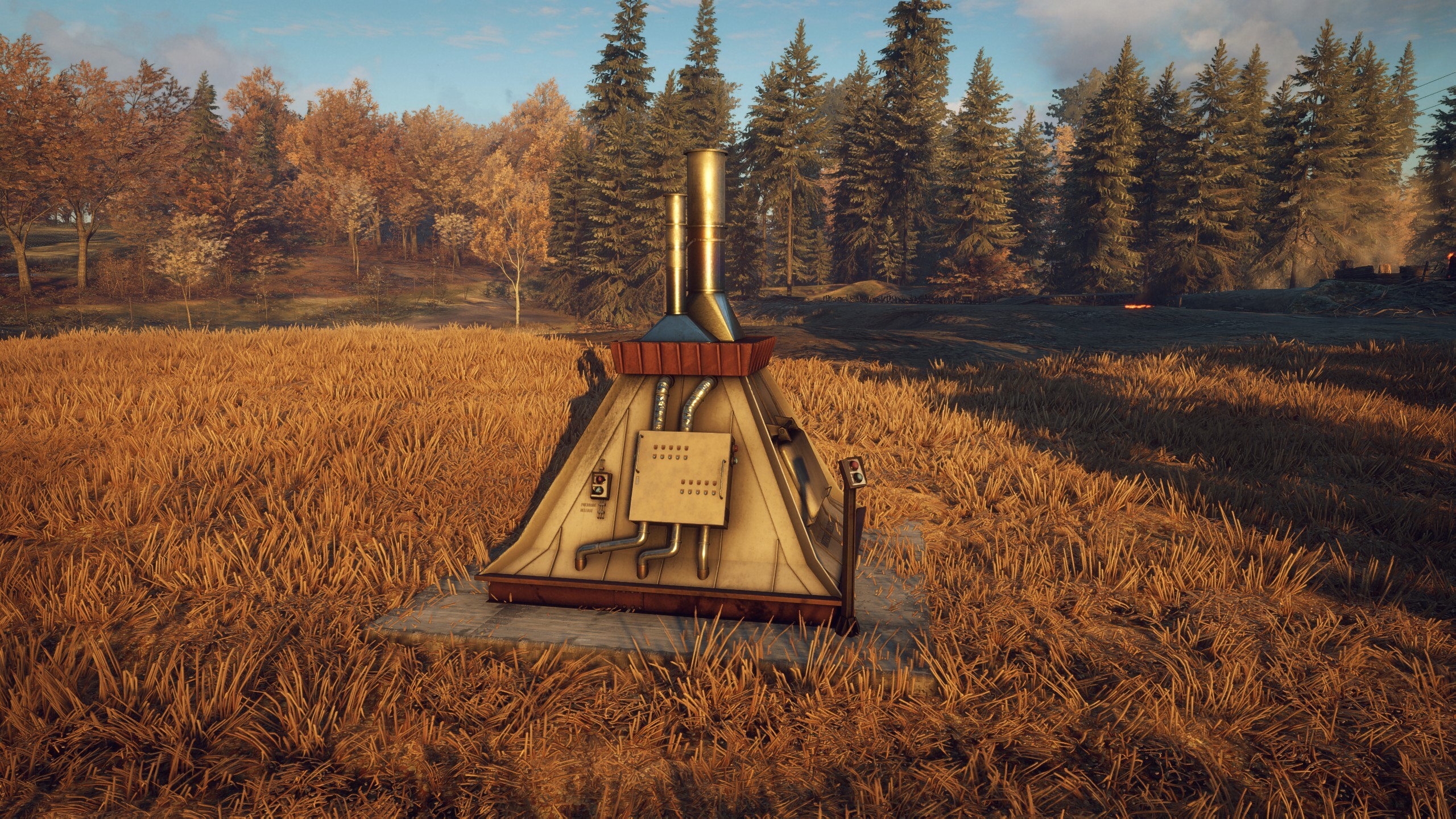
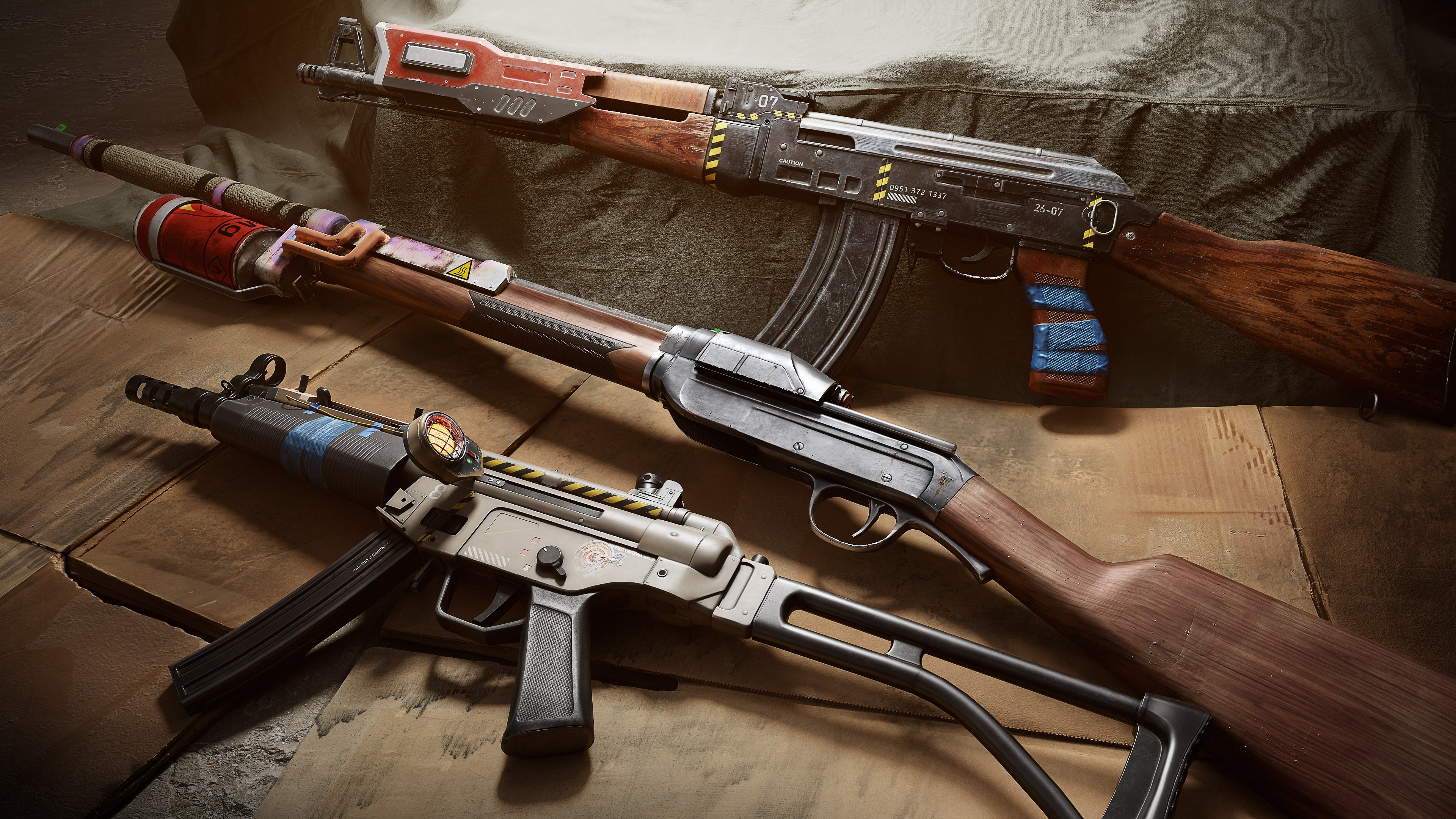
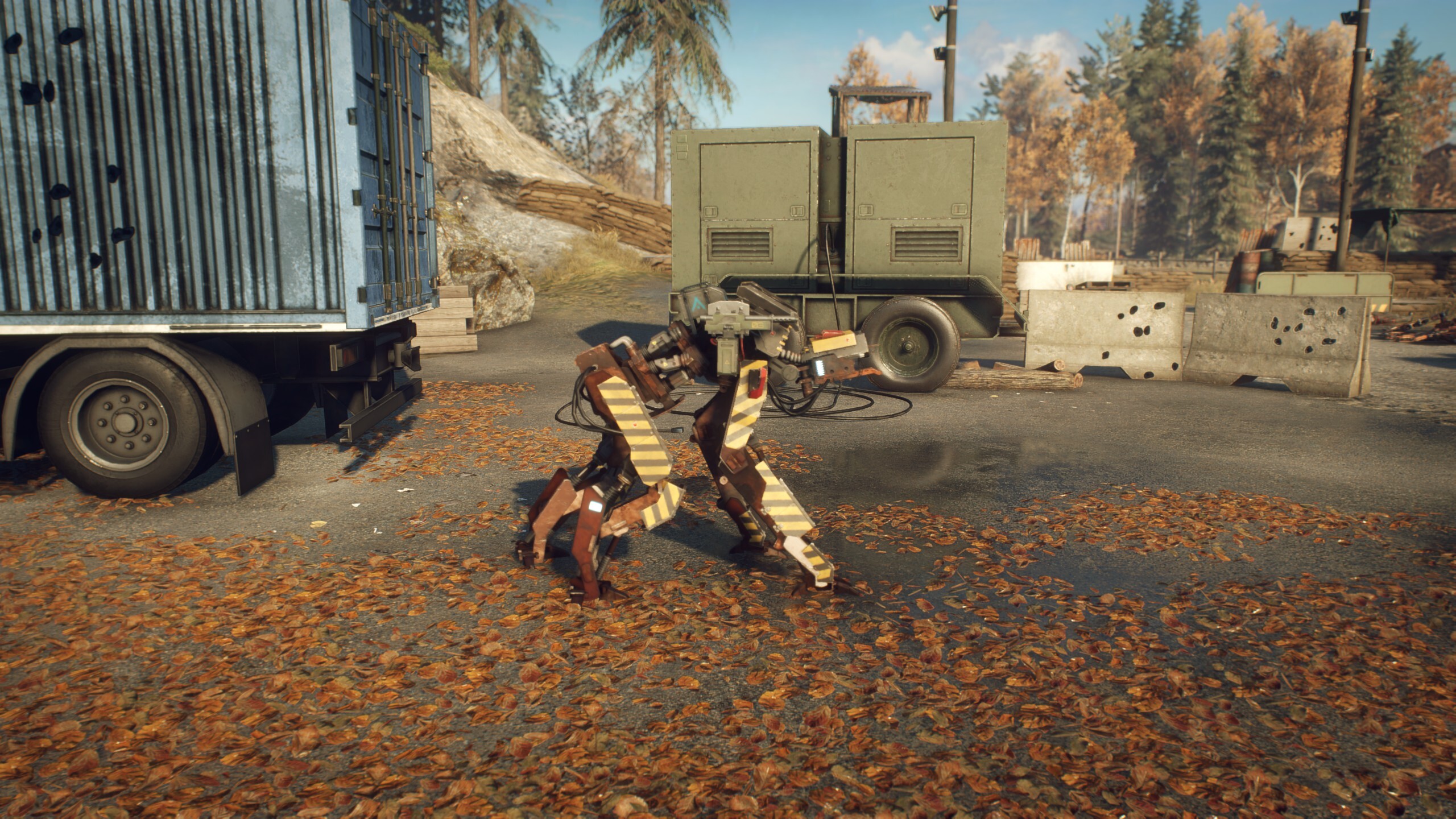
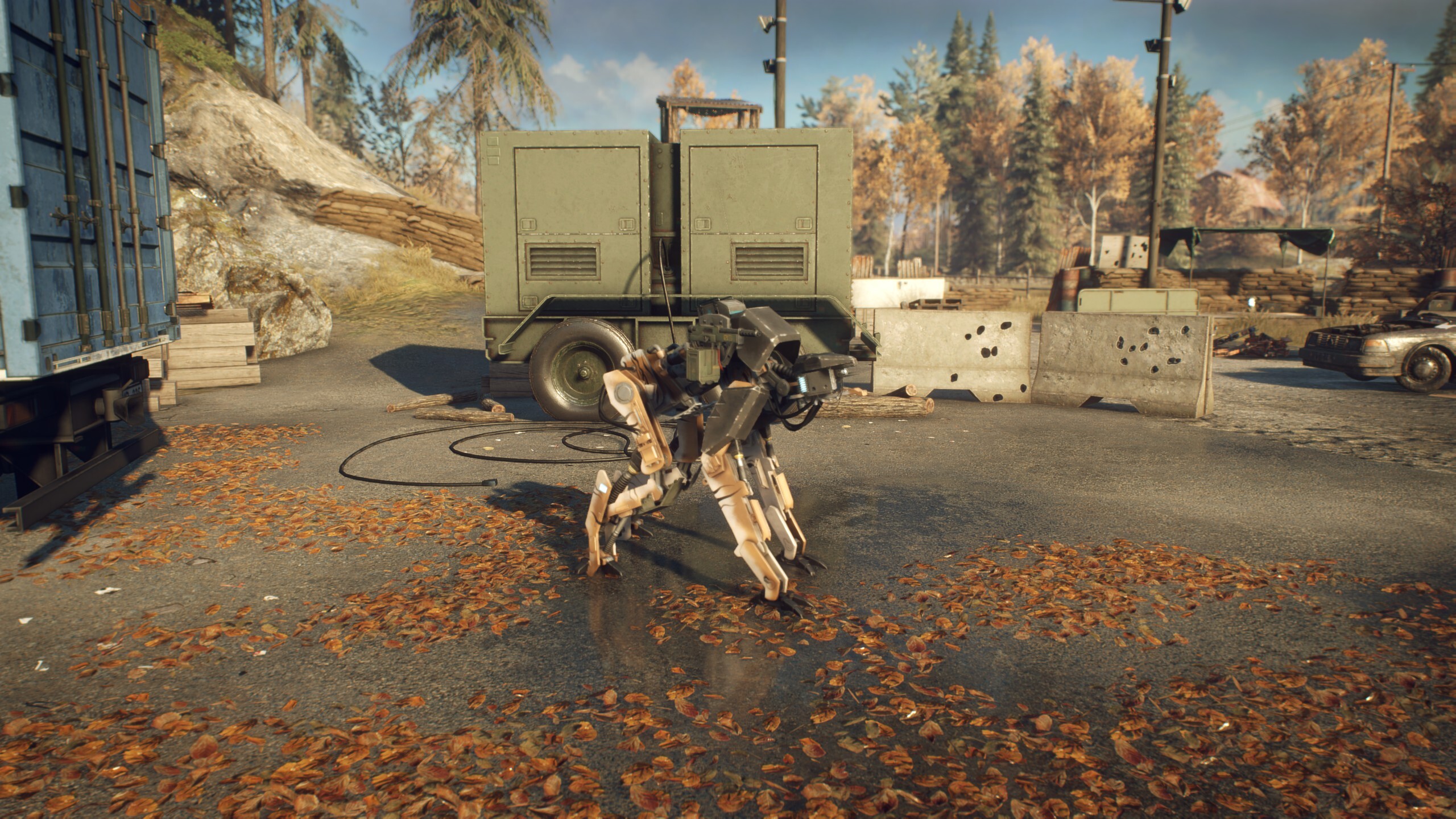
Developer Studio Gobo has released LEGO Horizon Adventures update 1.003, which is for patch 1.03 that’s out now on PS5 and PC. This handles issues with Aloy getting stuck in certain parts of the game, alongside improvements to combat, local co-op and more.
LEGO Horizon Adventures Update 1.003 Improvements and Known Issues Listed
FIXES AND IMPROVEMENTS
Runs
The player can get stuck behind a chest in a Forest area. Mimic? Mimic.
During a Tallneck encounter, there was a chance to become stuck on a rock. The rock has been told to play nicely in future.
Fixed an issue where combat music would continue to play after completing the objective. It is good music, to be fair.
Fixed an issue where spike traps would not be highlighted when scanned with the Focus. Pesky spike traps.
Mother’s Heart
Fixed an issue in local co-op where if one player began building a plot and stopped, the other player would be unable to build the same plot. The plot thickens!
Fixed an issue where the music in Teb the Tailors shop may not play when unlocked. You can’t have confetti without music!
Characters, Combat & Co-op
Fixed an issue where if Varl dies whilst having the homing spear equipped, the weapon could lose its ability to lock onto targets and/or be used. Our finest Oseram tinkerers took a look, it should be good now.
Fixed various issues that would only happen for the guest player during on-line co-op.
Fixed an issue where Varl may throw the spear the wrong way. This way, Varl!
Fixed an issue where Snapmaws may be sent flying after being attacked with an elemental weapon. Snapmaw’s blasting off agaaiiiin.
Fixed an issue where for the guest player, the villagers may not be dancing following completion of a run. They have now equipped their dancing shoes!
Other
Various bug fixes and stability improvements.
Various audio fixes and improvements.
Various text and localisation fixes.
KNOWN ISSUES
Nintendo Switch – Players may become stuck on a loading screen during a cinematic transition whilst playing in online co-op.
The ‘Stay Frosty’, ‘Flaming Ninjas!’ and ‘Silent Storm’ Community Challenges do not progress by defeating element afflicted enemies with a non-elemental weapon.
Changing environment colors increments the wrong Community Challenge.
Some machines may spontaneously explode when entering the area (please keep your distance).
Lighting may appear blown out on HDR Steam Deck. To resolve this either disable HDR, or increase the max luminance value to 4500 in the graphics settings.
The game may crash on boot on specific 13th and 14th generation Intel CPUs. To resolve this a BIOS update may be required. More information is available here.
If the developers release another patch, we’ll let our readers know.
Ubisoft has pushed out Rainbow Six Siege update 2.90 on PS4/XB1 (PS5/XSX version 1.000.095), and this is for Y9S4.1! This ushers in fixes to the game, and there’s no new content included in it, which is understandable given the Year 9 Season 4 patch was just released earlier this month.
Rainbow Six Siege Update 2.90 Targets Bugs
BUG FIXES
GAMEPLAY
FIXED – Squad leader is unable to select banned Operators in a Custom Lobby.
FIXED – Timer animation for recharging Gadgets will grey-out when the available Gadgets reaches zero.
FIXED – Context to toggle preview on or off is missing for Brava’s Kludge Drone Twitch’s Shock Drone guide.
FIXED – Blackbeard’s SR-25 clips through the H.U.L.L Adaptable Shield when viewed by an Opponent.
FIXED – Blackbeard’s H.U.L.L Adaptable Shield remains unequipped after performing a full reload in rappel.
FIXED – Aim Down Sight desync between first-person and third-person view when Blackbeard is selected as an Attacker.
FIXED – Task system is empty when selected for the first time through “Wait in Shooting Range” in Siege Cup or Matchmaking.
FIXED – Weapons appear to float behind the Operators in the Weapon Roulette session.
FIXED – Blackbeard doesn’t get pushed back when colliding with Oryx’s Remah Dash with his own dash ability.
Hollywood actor Jean-Claude Van Damme has been added to Hitman update 1.25 (PS5 version 1.025) as a new target. He will be playing a character named Max Valliant, and players will get a chance to try and take him out. Read more about this update below.
Hitman 3 Update 1.25 Brings Jean-Claude Van Damme as a Target
HITMAN World of Assassination will be updated to version 3.210 on all platforms; PlayStation®5, PlayStation®4, Xbox Series X|S, Xbox One, PC, and Nintendo Switch™.
Maintenance: Starts at 10:00 UTC and is expected to run until at least 13:30 UTC. Starts: 10:00 UTC / 11:00 CET. Patch Release Time: 11 am UTC (This is when the download will roll out, but servers will not be available until the above-mentioned Maintenance period has concluded).
Patch size: Between 1.3 to 4.13 GB on all platforms.
Cloud: Switch players do not need to download or install the patch. They will get access to the latest version when they launch the game after maintenance has concluded.
NEW CONTENT
December 12 – Elusive Target: The Splitter feat. Jean-Claude Van Damme
Movie legend and action superstar Jean-Claude Van Damme takes centre stage in our latest Celebrity Elusive Target mission. In this new role, JCVD will star as Max Valliant, once one of ICA’s best operatives who was thought to have been successfully dealt with years ago after discovering that he was dealing with other organizations, but he is now back with a vengeance. He has now resurfaced, taking control of an ICA data storage facility in Chongqing, and requesting a meeting with the ICA board.
Agent 47’s mission will be threefold: escorting an ICA board member within the facility, uncovering Max Valliant sinister agenda, and most importantly, taking down Max Valliant.
A ruthless and unforgiving assassin whose only weakness seems to be his self-confidence; Max Valliant will not be like any other mission.
Free Starter Pack players will have a chance to experience this new Celebrity Elusive Target through a Two-level Arcade contract, The Replication, featuring The Splitter Elusive Target. Upon failure, progress will restart from the first level and the contract will be locked for 12 hours until the player can attempt to play the contract again.
The original ‘one chance only’ Elusive Target will only be available to World of Assassination players. Players who launch The Splitter mission will earn “The Splitter Suit”.
How to access the Free Starter Pack for new players:
Steam: Download the “HITMAN Free Starter Pack” on HITMAN World of Assassination’s Steam page, at the following link.
Epic Games Store: Download the HITMAN World of Assassination Free Starter Pack at the following link.
PlayStation®4 and PlayStation®5: Download the HITMAN World of Assassination Free Starter Pack at the following link.
Xbox One and Xbox Series X|S: Download the HITMAN World of Assassination Free Starter Pack at the following link.
Additionally, we will be releasing a brand new DLC pack to all platforms, The Splitter Pack which includes The Replication, a two-level Arcade contract featuring The Splitter as well cosmetic items, priced at $4.99/€4.99/£3.99. The Splitter Pack includes:
The Splitter SMG
The Splitter Kukri Knife
The “Good Quark Vol.3” VHS Tape
The Replication – A Two-level Arcade contract featuring The Splitter Elusive Target.
A set of six cosmetics for the Freelancer Safehouse inspired by the Elusive Target.
The Splitter Elusive Target will be available from December 12th, 2024 to January 12th, 2025.
December 12 – Twitch Drop: The Purple Streak ICA19 Classic Baller
Alongside the launch of The Splitter, we are releasing a brand-new Twitch Drop, the Purple Streak ICA19 Classic Baller. Link your Twitch account to your IOI account and simply watch your fellow Agents on Twitch to unlock this brand-new item. For a reminder on how to earn this reward:
Please be aware, that both the streamer and the viewer must link their accounts before progress can be made towards earning the Purple Streak Suitcase. For more details, please see our Twitch Drops FAQ.
We will also be reviving both of our previous Twitch Drops to celebrate the release of the Splitter for anybody who missed the chance to get those items last time. For more details, please see our Twitch Drops FAQ.
December 12 – Support a Streamer: The Purple Streak Boxer Suit
A new suit, The Purple Streak Boxer Suit, will be available through Support a Creator on Twitch. To get access to The Purple Streak Boxer Suit, follow these steps:
Log in to your Twitch account (if necessary, first create a Twitch account for free at twitch.tv).
Link your Twitch Account to your IOI Account. You can do this at https://account.ioi.dk. Simply click on Account Settings > Linked Accounts > Manage.
Visit any Twitch channel streaming HITMAN World of Assassination.
While the channel is live streaming HITMAN World of Assassination, purchase a subscription of any tier to earn the reward.
Please note that a Twitch campaign needs to be live. Any subscription purchased before the start time will NOT be counted towards the campaign. Any subscription purchased while the channel is not live streaming HITMAN World of Assassination with the category set to “HITMAN World of Assassination” also will NOT count towards the campaign. For more details, please see our Twitch Drops FAQ.
New Challenges
December 12th – Staying Warm
Send some warm feelings to your target visiting the Hokkaido Snow Festival to unlock a new suit.
New Featured Contracts
The Starducks Industries Colorful Contracts
Forum user Switcher, along with four other creators, collaborated to create a unique themed set of contracts. The concept began with Switcher, who was inspired by the idea of colors and shared it with the team. The idea was a hit, and each creator designed two contracts based on specific color themes:
Switcher: Brown & Turquoise
magicdave94: Pink & Orange
wigglyweevil211: Purple & Gold
The Elite Institute: Ivory & Gold
mjbsr2008: Red & Black
Together, they’ve added a vibrant twist to the World of Assassination.
Quartz’ Xmas Vortex
Quartz Tan has taken the lead to bring some holiday spirit to HITMAN with a Christmas-inspired batch of Featured Contracts, created with players from the HITMAN forum.
Headhunt by Hamushi
Roadburner by Switcher
That Was Unfortunate by Djsojus
Pow! by Linux_Penguin
The Ghost of Janus’ Past by Blueberry Muffin
SONKO Challenges #95 by Crewdy
Summit of Rivalry by Gaddy & ICA_677
#1000 by White-Half
Look for K.U.M.A. in School and Shin Dakarajima by Quartz Tan
RETURNING CONTENT
Elusive Targets
We’re back with a new round of Elusive Targets, so don’t miss out on your chance to take them down!
Holiday Hoarders
The Holiday Hoarders is back which can only mean one thing, you must stop Harry “Smokey” Bagnato and Marv “Slick” Gonif from breaking into the Palais de Walewska. Enjoy your trip to Paris!
NEW FEATURES AND BUG FIXES
FEATURES
PlayStation®5 Pro
HITMAN World of Assassination will be supporting new PlayStation®5 Pro features, meaning that players will enjoy playing at a locked 60 frames per second, and at a resolution of 3840 x 2160.
SAFEHOUSE
‘Tis the Season
We have added seasonal cosmetics to the Safehouse (Winter Holidays, Chinese New Year), which can be changed.
This is my stuff
We have added a new gear wall in the Safehouse showcasing the items and weapons from The Undying, The Drop, and The Splitter as well as the guns from the Trinity pack.
PLAYER PROFILE
To the top and beyond!
We have added two new levels for the player profiles, APEX VENATOR (Levels 7501 to 10000) and SICARIUS SILENS (Levels 10001 to 12500)
FIXES
LEVEL DESIGN
My Precious
Solved an issue where the ICA Outstanding Service Coin was unavailable in the Freelancer mode.
Working on those moves
Solved an issue where Agent 47 was not able to reach the top floor of the Rangan Tower in Mumbai by climbing through the elevator shaft
They all float
We solved an issue in Santa Fortuna, where some objects located in the doctor’s office and one of the houses would appear to be levitating.
ENVIRONMENT ART
Mixing it up
We corrected a typo on the Sedative and Emetic Pills bottles, where players could read ”Open and colse” instead of “close”, upon inspection in the Freelancer tools.
Pardon my French
We corrected a typo in the French localization of the game, where the challenge “Crime Fighter” in Freelancer mode, which requires eliminating 100 Syndicate Members, would indicate “1000” members instead in its description.
The cake is definitely real
We fixed an issue in Freelancer mode, where the cake added in Paris with the previous patch would prevent players from scanning a clue.
CHARACTER ART
Are those real tattoos?
We have solved an issue where Agent 47 would not have tattoo sleeves when disguised as P-Power in Santa Fortuna.
Quick change act
We have fixed an issue in Contract Creation mode, where some NPCs’ mugshots would render their clothes incorrectly making them look shiny.
Getting the update
Solved an issue where the Plague Doctor and Super Fan suits would not be affected by rain or similar effects.
The Agent’s Eyebrow
We fixed an issue where the eyebrow of Agent 47 was visible through The Club Boom DJ Suit mask.
UI
Push it to eleven
Fixed an issue where the Aim Sensitivity and Camera Sensitivity can be mislabelled in the control settings as 0.00 instead of 1.00 after sliding to the maximum value of 2.00.
A true Icon
We solved an issue where the “counter” objectives would show on screen with the wrong icon.
Breaking the barrier
We fixed an issue where the timer, when set to a long duration in contract creation, would display outside of its intended area.
LOCALIZATION
Mixing it up
Corrected a typo in the name of the Arcade mission “The Oroborous” to “The Oroboros”.
Lost in Translation
We have added the translation for the “True Fan” and “Surgical Procedure” challenges.
That’s not my Name
We renamed the purple explosive duck to “The Purple Streak Explosive Duck”.
Me or You?
We fixed an issue where the Intel description of Alma Reynard and Andrea Martinez would be the same in Japanese.
GAMEPLAY
Groundhog slay
Fixed an issue in PCVR and PSVR where restarting the VR tutorial prevents progress past the strangle section.
RENDER
Water Bender
We solved an issue where crashes would take place due to water horizon mapping and improved general stability thanks to this fix.
When a new update is out, we will let our readers know.
Post Malone enters the world of Hunt Showdown 1896 with the Murder Circus! Players can now download Hunt Showdown 1896 update 1.000.015 to not only ring in the event, but also for the patch 2.2 changes.
Hunt Showdown 1896 Update 1.000.015 Now Out for Murder Circus and Patch 2.2
Circus compound – unique, Event-specific compound that appears on the map for every Bounty Hunt Mission.
Mysterious Fortune Telling Machine – players can spend Pledge Marks to earn random traits and rare items.
Circus balloons – strewn throughout the entire map, players can earn Event Points by popping them.
Pledge to Three Troupes:
The Trickshooter Troupe – for those who seek to enhance the mastery of weapons.
The Ringmaster Troupe – for those who seek to weaponize their connection to the Land of the Dead.
The Mystic Troupe – for those seeking to use chaos and confusion to their advantage.
New Enemies:
Ursa Mortis – a new Monster that can sense bleeding Hunters and will prioritize attacking them. Watch out for thorny branches strewn around the circus, which will cause bleeding if stepped on!
Circus Grunts – new AI Grunt enemies bringing thematic weapons and unique sound design.
New Weapons & Equipment:
Shredder: An experimental weapon that shoots rune-etched sawblades
With Update 2.2, players can receive a Dark Sight Boost even while not holding a Bounty Token. While looting a Bounty Token still gives players the normal 5 seconds of Dark Sight Boost (10 if player is Solo and has Magpie), players can now receive a Dark Sight Boost from the following sources, whether they’re holding a Bounty Token or not: the Dark Sight Boost Sealed Reward, the Corpse Seer Trait, or the Fortune Teller Machine.
Dark Sight Boost Gained Icons
Additionally, Hunters will now leave a scorch mark on the map when they gain a Dark Sight Boost.
This happens regardless of the source and the amount of Dark Sight Boost gained, whether it’s from picking up a Bounty Token, interacting with the Dark Sight Boost Sealed Reward, interacting with the Fortune Teller Machine, or looting a Hunter when using the Corpse Seer Trait.
The icon is visible to everyone in the Mission, so keep this in mind as it will give your position away.
New Equipment
New Weapon: Chu Ko Nu
Medium slot repeating crossbow that fires Compact Bolts. Has a high rate-of-fire and is quiet. Bolts can be recovered and reused. Lacks dedicated iron sights and can only be fired from the hip.
Basic – Special Ammo – 10/10
Incendiary – Special Ammo – 10/10
The Incendiary Bolts are great for setting Hunters on fire and putting pressure on them.
Different to Incendiary Bullets, these Bolts don’t lose their intensity over distance and can therefore set Hunters on fire at any range.
Equipping the Salveskin Trait prevents instant burning from a single hit.
Incendiary Bolts burn out upon use and cannot be retrieved.
Explosive – Special Ammo – 5/10
When hit, they stick to the target, applying bleeding before exploding with a short delay.
The Explosive Bolt’s size results in a reduced magazine capacity.
New Weapon Variant: 1865 Carbine Aperture
Specter Arms made, repeating rifle. Well-balanced and fast reloads make this effective at medium range but lacks Levering abilities. Modified with an enhanced toggle-able peep sight.
Basic – Medium Ammo – 7+1/21
FMJ Ammo – Special Ammo – 7+1/21
New Weapon Variant: Krag Silencer
Springfield made, bolt-action rifle. High fire-rate and ability to top off are offset by lower damage than other rifles. Modified with a silencer.
Basic – Long Ammo – 5+1/12
FMJ Ammo – Special Ammo – 5+1/12
Incendiary Ammo – Special Ammo – 5+1/12
Subsonic Ammo – Special Ammo – 5+1/14
New Weapon Variant: Maynard Sniper Silencer
A scoped rifle with high damage and medium ammo. Requires a two-stage reload with the placement of a percussion cap. Modified with a silencer. Can split ammunition between two different types.
Basic – Medium Ammo – 1/26
Dumdum Ammo – Special Ammo – 5+1/26
High Velocity Ammo – Special Ammo – 5+1/26
Subsonic Ammo – Special Ammo – 5+1/30
New Weapon Variant: Sparks Pistol Silencer
Single-shot rifle, cut down into a small handgun. Equally powerful up to mid-range and convenient to handle. Increased recoil. Modified with a silencer. Can be dual wielded. Can split ammunition between two different types.
Basic – Long Ammo – 1/14
FMJ Ammo – Special Ammo – 1/14
Poison Ammo – Special Ammo – 1/14
Incendiary Ammo – Special Ammo – 1/14
Subsonic Ammo – Special Ammo – 1/16
New Consumable: Recovery Shot
A syringe that delivers a potent shot to restore one previously lost Health Chunk. It brings the Health Chunk back empty, requiring other healing to top it back up.
Developer Note:
With the introduction of the Recovery Shot, we give players a reliable way to replenish lost health mid-Mission and allow them to stay in the fight. Giving the players more ways to replenish lost Health Chunks has been a big request from the community and we are happy to experiment with this on the equipment level with the Recovery Shot. There is also a rare chance to randomly acquire an instance when looting Saddle Bags.
New Ammo Type: Subsonic Ammo
Smaller, weighted bullets with less gunpowder, which travel slower than the speed of sound for quieter gunshots at the expense of harder leading targets at distance and a stronger drop. Equipping them will also yield a larger number of extra bullets.
Introduced to following weapon families:
Bornheim No. 3
Centennial
Frontier 73C
Infantry 73L
Krag
Maynard Sniper
Nagant M1895
Officer
Ranger 73
Sparks
Vandal 73C
Vetterli 71
Silencer Changes
With the introduction of Subsonic Ammo, we are making some general changes to Silencers.
Firing a silenced weapon with default or other custom ammunition is now louder, allowing other players to better determine the position of the shooter up to around 100m out. High Velocity ammo is now audible at the same distances as other non-Subsonic Ammo, but with its stronger propellant still does not hide the muzzle flash.
Loading Subsonic Ammo on a silenced weapon brings it back to a similar level as before the update, making your sounds much harder to pinpoint at medium range up to around 50m already, and become completely inaudible over longer distances.
Non-silenced weapons also benefit from Subsonic Ammo. Loading Subsonic Ammo on a non-silenced weapon makes the shot much less audible and does not travel across the whole map anymore.
Equipping Subsonic Ammo also increases the extra ammo capacity by around 20%, but reduces muzzle velocity by around 15% compared to regular ammunition.
Custom Equipment Animations
With Update 2.2, we are introducing a new Equipment Animations feature that gives players a new way of customizing and showing off their gear during inspect.
Inspecting your weapons can be triggered while inside a Mission in the following ways:
Keyboard – Press ‘I’ Button (default).
Controller – While the Weapon Wheel is open, press Triangle (PS) / Y (Xbox).
Equipment Animations (EAs) are made for and can be applied to specific weapons, Tools, and Consumables, overriding their default inspect animation.
Equipment can only have one active Equipment Animation applied to it at any given time.
The currently active EA is used by all variants of the same equipment. For example, equipping it on the Centennial Shorty will also show it on the Centennial Shorty Silencer, and equipping it on the Krag Silencer will show it on the base Krag, Bayonet, and Sniper variants.
Selecting or switching between EAs is done through the player’s inventory. Here, the player can access all animations unlocked for specific equipment by opening the Actions Menu and entering the Equipment Animations screen.
The list of new Equipment Animations introduced with Update 2.2 is as follows:
Battle Pass
Blade Revolver (Knuckle Knife)
Exhibition Drill Spin (Krag)
Can be used on all Krag variants.
Fake Surrender (Sparks Pistol)
Can be used on all Sparks Pistol variants.
Lever Spin (Centennial Shorty)
Can be used on all Centennial Shorty variants.
Store
Blood Shake (Katana) (200 BB)
Bruiser’s Twirl (Dusters) (300 BB)
Lawson Delta – Map Reintroduction
A complete upgrade has been made to the map, brought to life through the power of our new and updated CRYENGINE 5.11.
Features extensive terrain and vegetation improvements
Detail, dressing, and lighting passes have been made on all compounds
Various gameplay and layout improvements have been made to several compounds
Developer Note:
We are very happy to bring back Lawson Delta, Hunt Showdown’s second released map, revitalized and re-envisioned for Hunt Showdown 1896. Just like with Stillwater Bayou before, this map has undergone significant enhancements thanks to your feedback and our commitment to improving the experience.
General Updates
New Trait: Fast Fingers
Prepare some bullets in hand to reload the Springfield 1866 and Sparks rifles, and their non-pistol variants, faster. Costs 4 Upgrade Points.
Developer Note:
Fast Fingers is a new Trait that allows the player to have some bullets prepared in between their fingers on single-shot weapons, allowing for a faster cycle time to deliver the follow-up shot faster.
For this update, the weapons working with this Trait will be the Sparks rifles (not its pistol variants) and the Springfield 1866 rifles.
In an upcoming update, the Trait will be expanded to the Maynard Sniper and the Martini-Henry rifles.
Trait: Surefoot
You can sprint while holding primed Throwables, First Aid Kits, and Consumable Shots. You move faster while crouching. Costs 4 Upgrade Points.
Developer Note:
A returning favorite from past Events, Surefoot is now added to the regular Trait pool. An issue with the crouch speed buff persisting in other states has also been resolved.
Gunplay
Removed the cracks from Contraband scopes. Every scoped weapon found will always be in mint condition now.
Reduced the recoil on the Vetterli 71 Cyclone.
Reduced the time until maximum stabilization from Steady Aim has been reached from 12 seconds to 3 seconds.
Reduced recoil and spread of the Vandal 73C and its variants.
Reduced reload time of Sparks Pistol from 5 seconds to 3.4 seconds.
Reduced extra ammo of the Uppercut from 9 to 6 rounds, and for its Precision variants from 15 to 12 rounds.
Improved cycle time on the Specter 1882 and its variants for faster follow-up shots.
Reduced ammo swap box interaction duration by 50%.
Increasing rate-of-fire for Throwing Knives.
Steel Bolts improvements:
Increased damage to 246, making it equal to the regular Bolt.
Reduced ammo per slot by 2.
They retain their flat trajectory, making them ideal for shots at longer distances.
Gameplay
Dark Sight Input Changes
Activating Dark Sight Boost is now triggered with RMB / L2 / LT by default. This allows players to enter Dark Sight without using their Dark Sight Boost. This setting can be changed to suit player preference, under Settings > Controls > Auto-Dark Sight Boost. Players can also change the button using the DARK SIGHT BOOST mapping.
The Poltergeist Trait, as well as detonating Dark Dynamite Satchels, can now be performed via Beetles using a new DARK SIGHT INTERACT button mapping (LMB / R2 / RT). Because of this remapping, detonating the Beetle itself is also now moved to INTERACT (F / Square / X)
Some Dark Sight active abilities, like the Poltergeist Trait, the Shadow Crush Trait, and triggering the Dark Dynamite Satchel will only start by holding LMB/R2/RT while looking at the target.
Lootable Saddle Bag Changes
Added Weapon:
Mako 1895
Marathon
1865 Carbine
Removed Weapon:
Centennial Trauma
Added Saddle Bag Loot:
Weak Stamina Shot
Recovery Shot
Removed Saddle Bag Loot:
Stamina Shot
Dynamite Stick
Hive Bomb
Kill Trade Window Improvements
Added a specific 75ms timeout window for shots being rejected after the shooter died.
The system does not remove bullets that are already in the air.
Developer Note:
As mentioned in our recent blog post, with this update we will be releasing our initial set of improvements for the new kill trading window. We will closely monitor this and also want to hear your feedback so we can make any potential adjustments needed. Please let us know what you think!
Ear Ringing
With this patch, we’ve expanded the design and functionality of the Ear Ringing system. Enabling Ear Ringing to be affected from additional sources:
Explosions
Player, Teammate, and enemy Hunter gunfire
Certain AI
Everything that creates a loud sound in the environment can trigger Ear Ringing on a Hunter. This enables players with more tactical opportunities and makes the Ear Ringing behave more predictably and with consistency.
The intensity of the Ear Ringing depends on various parameters (e.g. distance or loudness of the sound). For example, being closer to a loud sound (such an explosion) triggers a stronger Ear Ringing effect, but being close to a quiet sound can give the same audible effect.
An obstruction between the sound’s source and the Hunter will reduce or completely negate the effect of the Ear Ringing.
Penetration Adjustments
Penetration against metal sheets has been adjusted to allow long ammo to again penetrate one layer of metal consistently. The damage lost will still be higher than penetration through wood.
Spitzer penetration will also allow hitting up to two enemies with one shot again reliably.
Penetration damage of Slugs has been adjusted to retain more damage on the first penetration. However, the retained damage will be a bit lower than before 2.1 and won’t one hit kill a player to the upper-torso.
Misc. Gameplay Changes
Adjusted glass and cans Sound Traps detection size so that it is now possible to jump over smaller patches.
Team Indicators above players and beetles fade out when they are behind the crosshair
The Blast Sense Trait’s effect duration was increased from 3 secs to 4 secs.
Meta
Custom Ammo Scarcity
Introduced Custom Ammo scarcity—a new status for Custom Ammo that is similar to Scarce Traits. An ammo type can be marked as Scarce and is consequently no longer available for purchase. It can still be found in-Mission, and players’ existing inventory of the marked Custom Ammo type can still be used.
For Update 2.2, the following Custom Ammo types have been marked as Scarce:
Dolch 96 FMJ & Dumdum
Centennial Dumdum
Scottfield Dumdum
Officer Dumdum
Conversion Dumdum
We plan on reviewing and further adjusting the list of Scarce Custom Ammo in future updates.
Free Recruits
Added the Maynard Sniper as weapon for Recruits
Arsenal
Added 1865 Carbine Aperture for 74 Hunt Dollars
Added Chu Ko Nu for 75 Hunt Dollars
Added Krag Silencer for 396 Hunt Dollars
Added Maynard Sniper Silencer for 159 Hunt Dollars
Added Sparks Pistol Silencer for 178 Hunt Dollars
Added Recovery Shot for 140 Hunt Dollars
Added Compact Subsonic Ammo for 5 Hunt Dollars
Added Medium Subsonic Ammo for 10 Hunt Dollars
Added Long Subsonic Ammo for 20 Hunt Dollars
Reduced price of Bornheim No. 3 Silencer from 174 Hunt Dollars to 167 Hunt Dollars
Reduced price of Centennial Shorty Silencer from 137 Hunt Dollars to 118 Hunt Dollars
Reduced price of Frontier 73C Silencer from 55 Hunt Dollars to 47 Hunt Dollars
Reduced price of Nagant M1895 Silencer from 93 Hunt Dollars to 27 Hunt Dollars
Reduced price of Sparks Silencer from 150 Hunt Dollars to 149 Hunt Dollars
Reduced price of Vetterli 71 Silencer from 150 Hunt Dollars to 120 Hunt Dollars
Reduced price of Dark Dynamite Satchel from 200 Hunt Dollars to 100 Hunt Dollars
Developer Note:
The cost of all Silencer variants have been changed to be percentage-based. All silenced weapons now have a 15% increase over their non-silenced versions, with some weapons only seeing a very minor change systemically.
The price of the Dark Dynamite Satchel was already changed in 2.1.1, but was not communicated in the Patch Notes, so we’ve added it now.
Trait Price Adjustments
Reduced the price of the following Traits:
Frontiersman, from 7 Upgrade Points to 5 Upgrade Points
Pitcher, from 6 Upgrade Points to 4 Upgrade Points
Silent Killer, from 4 Upgrade Points to 3 Upgrade Points
Hunter Progression Rewards
Added 18 Hunters to permanently unlock via Hunter progression.
Reaching Level 50 with certain Hunters now unlocks a new Hunter “tier” representing that character’s experience and personal progression.
Hunters with Hunter progression have 3 tiers: Rookie, Survivor, and Veteran.
Reaching Level 50 for the first time after the update with a Rookie Hunter unlocks the Survivor Hunter tier, and in turn reaching Level 50 with the Survivor Hunter for the first time unlocks the Veteran Hunter tier.
Hunter progression rewards are permanent unlocks and can be recruited and behave like regular Hunters.
In 2.2, the following Hunters have new progression unlocks:
Oliver Whitman: Rookie (Default Bloodline unlock)
Jane Eddings: Rookie (Default Bloodline unlock)
Antonia Higuera: Rookie (Unlocked at Bloodline Rank 5)
Mercy Zener: Rookie (Unlocked at Bloodline Rank 34)
Ambrose Hazen: Rookie (Unlocked at Bloodline Rank 50)
Leon Ulitsky: Rookie (Unlocked at Bloodline Rank 75)
Joan Damon: Rookie (Unlocked at Bloodline Rank 90)
Jesse Buchanan: Rookie (Unlocked at Prestige Rank 1)
Laura Gottschalk: Rookie (Unlocked at Prestige Rank 3)
Bounty Clash Adjustments
Added Bounty bonuses to Bounty Clash contracts. Rewards for extracting with the Bounty Token are increased.
Added Bounty bonuses for extracting with the Bounty Token in Bounty Clash as duos (150) or a solo (600) respectively.
Added the Dark Sight Boon to Event items in Bounty Clash.
Added two new compounds from Lawson Delta to the compound pool for Bounty Clash: Lawson Station and Windy Run.
Removed O’Donovan Stone from the Bounty Clash compound pool based on community feedback.
Reduced timer after the Bounty Token has been extracted from 5 minutes to 90 seconds.
Bloodline Progression Balancing
The Lightfoot and Ghoul Traits are now unlocked at Bloodline Rank 1 (they were previously Ranks 47 and 20)
The Hundred Hands Trait now unlocks at Bloodline Rank 16 (was previously Rank 51)
Added the Surefoot Trait as a regular Trait to be unlocked at Bloodline Rank 20
The Frontiersman Trait is now unlocked at Bloodline Rank 47 (was previously Rank 57)
The Kiteskin Trait is now unlocked at Bloodline Rank 51 (was previously Rank 16)
The Vigor Trait is now unlocked at Bloodline Rank 57 (was previously Rank 63)
The Silent Killer Trait is now unlocked at Bloodline Rank 60 (was previously Rank 62)
Prestige Screen Update
The Prestige screen has been updated, giving players a full overview of the Prestige rewards track.
Black Blood FX Toggle
We have a new option in the Game Settings menu which turns blood effects from red to black.
Weekly Challenges Favoriting
Players can now favorite the Weekly Challenge set of their choice. This is done in the Weekly Challenges screen by interacting with the Star icon on any given set of Weekly Challenges.
There can be only one favorited Weekly Challenges set at any given time.
Team-Only Comms
We are introducing an extra communication channel that can only be received by your teammates which includes both Text Chat and Voice Chat. This will help to level the ground between invite-only teams that self-organize using external voice tools, and random teams that rely on in-game communication.
For Text Chat we are splitting up the chat button between two different inputs, one for team-only and one for proximity chat respectively. Chat entries will also display in the same channel a message was sent.
For VOIP / Voice Chat on PC, we are going to add an additional input key that allows you to speak to either the team-only or in the proximity voice channel. Additionally, we are going to add new option entries that allow the user to control the behavior for the respective channels.
For our users on console platforms or those using gamepads, we are going to provide the ability to cycle through channels (double-tap Dpad Down) and to mute the currently selected channel quickly (single-tap Dpad Down)
Performance
Improved CPU Threading: Optimized CPU thread handling for smoother performance in specific scenarios
Memory Crash Fixes: Addressed memory allocation issues that could cause rare crashes
VRAM Management Enhancements: Optimized VRAM usage to reduce stuttering on PC
Stutter Improvements: Implemented various fixes to improve overall performance and reduce stuttering across all platforms
Loading Time Fixes: Resolved an issue that caused longer loading times on all platforms
Art Optimization: Made several art improvements to enhance performance in certain areas of the maps
Fixed an issue in which the VSync toggle in the menu did not work in the backend, despite the UI looking correct
Optimized particle performance via improved job management
Audio
General additions or changes:
Improved Ear Ringing system (see above)
Added new ambient sounds to the Lawson Delta map
The Mission start sound effect is now audible when Hunt is in the background and the “Play Sound in Background” setting is deactivated.
Added water splash sound effect to water-based Supply Points on Mammon’s Gulch
Reduced repetitiveness of menu ambience, ensuring a less fatiguing audio experience
Mixing Changes
Reduced volume of the cow’s death scream
Slightly increased volume when crouching through item attractors
Slightly reduced overall volume of Hellborn sound effects.
Hellborn Dark Sight screams are not audible anymore when in Beetle View
Slightly reduced volume of “Golden” ambience in Mammon’s Gulch to be in line with the volume of the other ambiences.
Slightly improved loudness alignment of male and female Hunter voices, further balancing the volume difference between both voice sets. This is an ongoing effort, as the volume perception is highly subjective and situational. Our goal is that both voice sets are equally viable in a competitive setting.
Performed a mixing pass on all Hunter animation sounds that are audible e.g. in the Main Menu.
AI
Hellborn
Hellborn can now be discovered in new locations across Mammon’s Gulch
Reduced cooldown on melee attacks
Fixed an issue where the Hellborn would keep throwing fireballs after being killed
Boss Targets
Fixed some instances where the Butcher and Spider Boss Targets could get stuck in the doors at the edge of their compound
Fixed an issue where the Spider would not activate Concertina Trip Mines
Fixed an issue where The Butcher would sometimes only follow Hunters and not attack them
Meathead
Fixed an issue where Meatheads would stand still when inside a closed cattle cage
Fixed an issue where Meatheads would still inflict damage after their death swing animation ended
Miscellaneous
Fixed an issue where Water Devils would not damage players equipped with the Shadow Trait (Note: Water Devils will not actively pursue players equipped with the Shadow Trait)
Projectiles (i.e. Throwing Spear, Arrows, Bolts, Throwing Knives, and Axes) can be retrieved from monster corpses more reliably
Various crashes and bug fixes
UI
With Update 2.2, we’re improving UI features, progression, and communication, addressing the community’s most requested features and fixes. Over 350 reported bugs have been resolved, alongside enhancements to the menu experience, the addition of new systems like Tiered Hunters and Custom Weapon Inspect Animations, and reworked UI elements to deliver an intuitive experience for all players.
—
This is one hefty patch! Given the size of this, don’t be surprised to see a hotfix or another patch be released to fix any issues that stem from this title update.
A new Generation Zero update has been released today and this is version 1.50. Today’s update is the Showdown patch featuring new missions, experimental weapons, and bug fixes. Read on for the full details in the patch notes down below.
Generation Zero Update 1.50 Releases New Features in Showdown Patch
Team up with old friends and even a new one as you look into mysterious signals coming from the island of Aspholmen west of Klinte.
To unlock these new missions, your character has to be level 25 and you have to have played through the main story (the last mission is called Behind the Curtain).
If you’ve done all of that, simply start a level 3 Base Assault and enter the secret hatch used to find the locations of Tyrants and you’ll run into a familiar face.
While we didn’t have as many resources designing the new area as we had when we made Alpine Unrest, we still put in a lot of work to make it feel fresh and engaging. You’ll find bits of environmental storytelling, interesting locations, and one or the other easter egg on Aspholmen. Happy exploring!
Base Defense Revamp
We’ve overhauled the way Base Defense works to make it a more interesting and variable endgame activity.
First off, you will now be able to repair your base for free after each Base Defense. We made this change to reduce frustration due to losing hard earned resources in difficult defense missions.
Secondly, Base Defenses will no longer be about defending the central truck – they are evolving!
Each Control Point location will now allow you to build one new type of building each. According to which type of building you can build, you can earn new special materials used for high end crafting. The three building types are:
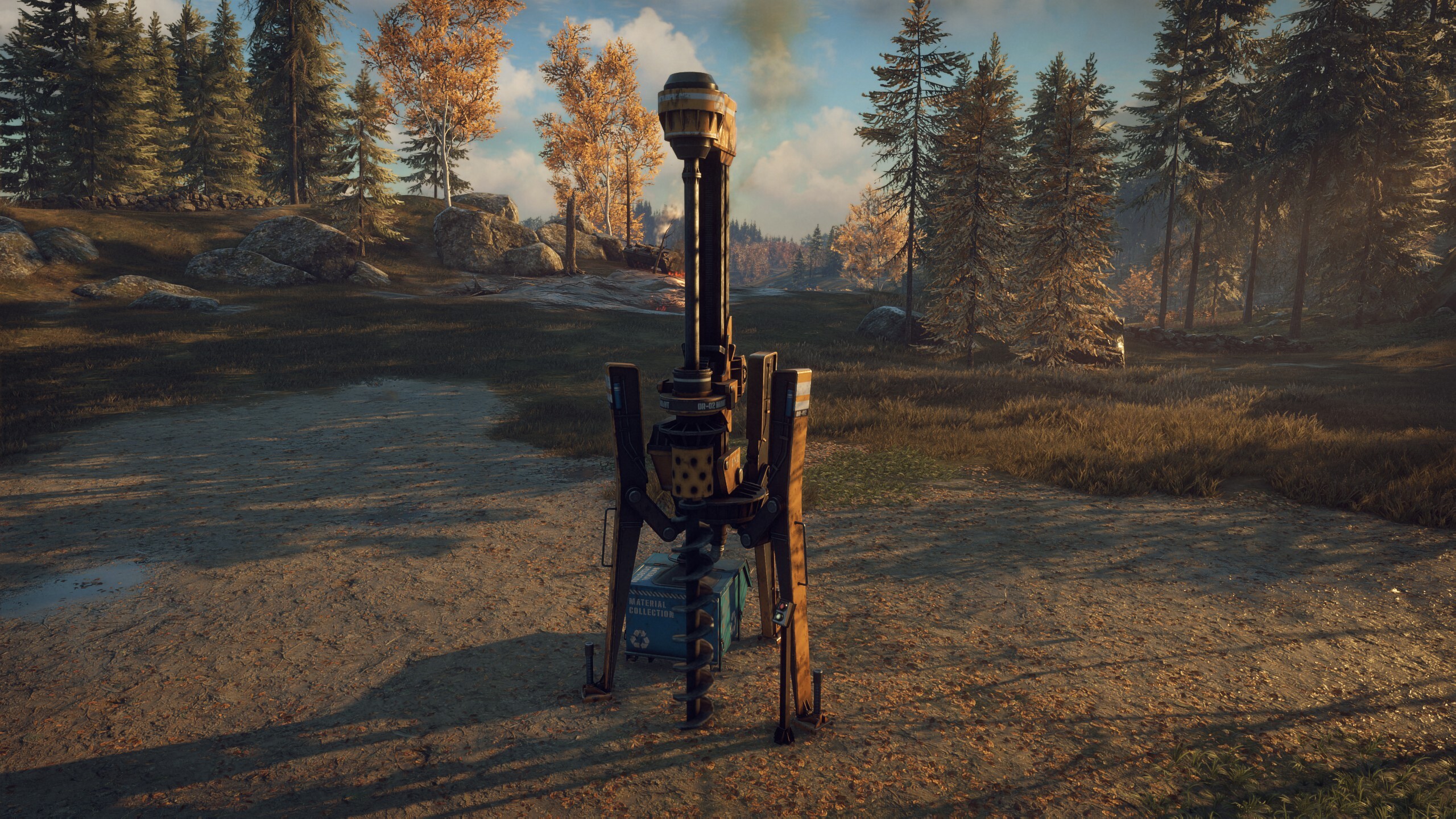
The Drill produces Phosphorus. Phosphorus is used for Fire Resistance Clothing, Adrenaline, Flares, Grenades, some Augmentation Blueprints, and some base buildings. Drills are special in that instead of just one, you can build three of them in the same base – just make sure to place them far from each other.
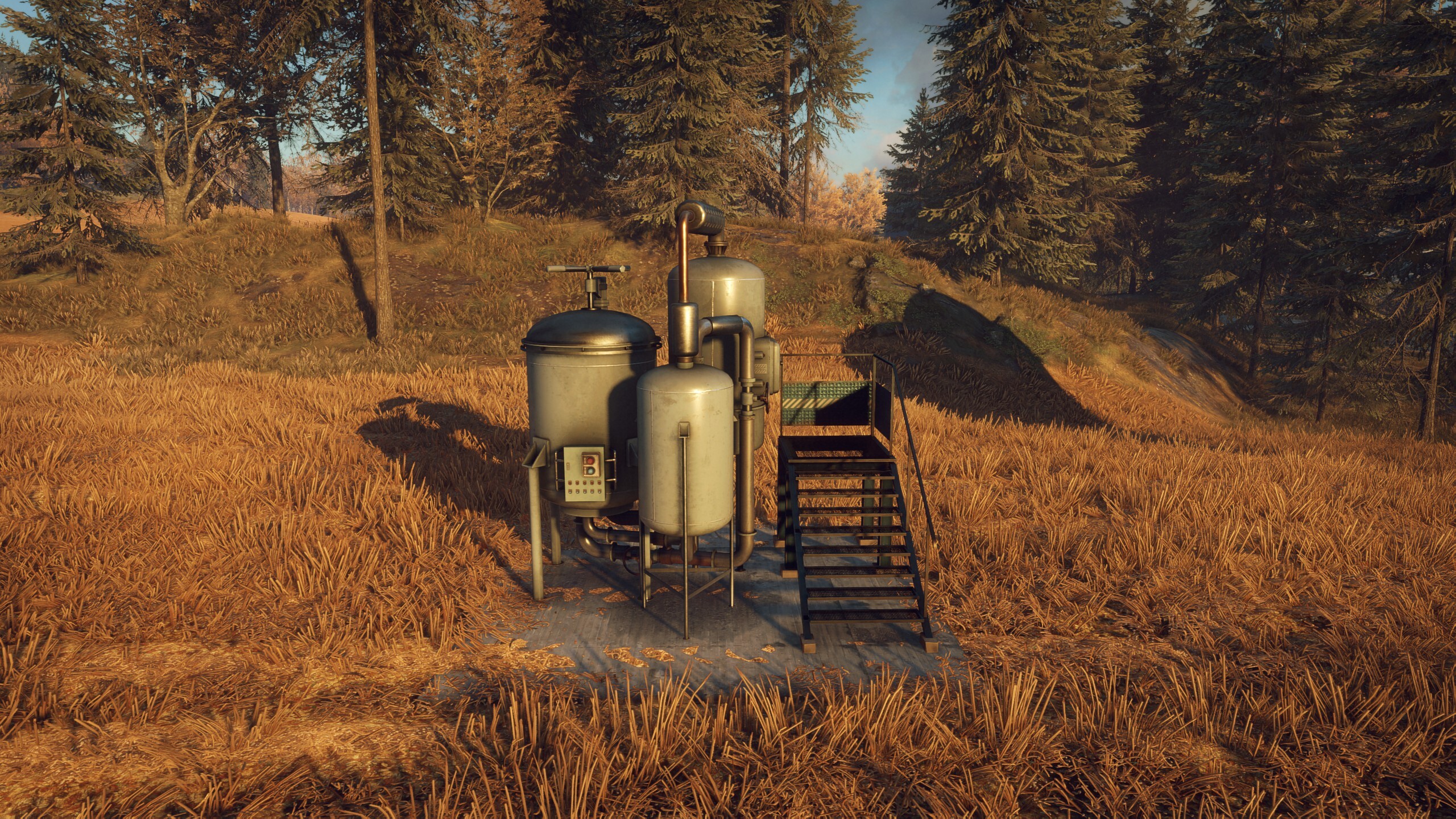
The Chemical Lab slowly outputs Ethanol, which is used for Jump Boost and Visibility Reduction clothes, the new Stealth Companion Armor, some Augmentations, and some healing items. Watch out, the Lab periodically explodes when turned on! Try to stay away and keep your buildings at a safe distance.
The Furnace is activated by placing low level crafting materials like Metal inside and selecting a desired output material. It can produce Refined Aluminium, Refined Tungsten, and Refined Uranium.
During the Base Defense, the Furnace will slowly start producing materials, but it will also heat up. You need to regularly exhaust the excess heat or it won’t output the material you want! Listen for the audio cues when it’s time to vent.
New Experimental Weapons
After the last time we released new Experimentals, you kept asking “What about the AI-76?” and we heard that. In Showdown, you can earn three new EXPs from Rivals and Tyrants:
“Any Ammo” AI-76
Okay, “any” ammo is a lie, but “almost any ammo” just didn’t sound quite as good. While you won’t be able to put buckshot, rockets, or arrows into this thing, you can certainly load it with .50cal explosive ammo. The same goes for .44, .270, 5.56, 9mm, and of course 7.62. Depending on which ammo you load into the weapon, its fire rate, recoil, damage, and magazine size will change. This allows for some crazy combinations and maximum adaptability to each combat situation. Also, our sound guy Peter did an amazing job making each ammo type sound different and punchy!
“Smart Gun” HP5
By aiming down sights with this weapon, you can lock onto a specific part on a machine. Any rounds you fire while the lockon is active will automatically adjust their trajectory to fly towards the targeted component. This enables you to maintain maximum destruction even in the most tense situations.
“Dragon’s Breath” Sjöqvist
Any ammo you use with this weapon (we’ve limited it to buckshot and birdshot, since slugs don’t make a lot of sense for this use case) will be augmented with a magnesium payload, setting everything the pellets hit on fire. This includes machines and the ground, but not foliage, so don’t worry about starting any forest fires. Fire in the hole!
Skill Point Uncap
Over the years, we’ve heard time and time again that our players would like to unlock the full skill tree. Well, now you can! If you reach level 87, you will have earned enough skill points to get every skill. While you’ll still only be able to have one specialization skill active at the same time, you’ll be even more of a threat to the machines.
Don’t worry if you’ve already leveled up past level 31; the earned skill points will be granted retroactively.
Encumbrance changes
With the Showdown update, being overencumbered no longer prevents you from fast traveling. Also, carrying way more than your maximum encumbrance no longer prevents you from moving, instead moving normally now uses stamina.
This is to make inventory management easier and allow for more time spent fighting machines.
New Companion Armors
Two new Companion Armors have been added:
Threat Armor draws enemy attention away from you and towards your Companion. Just be sure to take some Repair Kits with you so it doesn’t go down!
Stealth Armor makes enemy machines less likely to attack your Companion, appointing you the role of Tank and protecting your friend from harm. Well, some harm.
Additional Companion Cosmetics
To go along with the new Armors, we have also added 14 new Companion Skins. Five of them can be found around the new and revamped locations, two drop from normal machines and toolboxes, and the rest are limited to Rival loot pools. Whether you want your metallic friend to blend in in a desert environment (for whatever reason), look like a bucket of rust, or assume the look of a dangerous feline predator, these skins are for you.
Rivals also now drop two new Companion Voice Packs: Small Cat and Big Cat.
Economy Rebalances
Equipment and Clothes crafting as well as Weapon Augmentation have undergone some major cost changes to accommodate for the new materials and make crafting more intuitive. The amount of materials you get from recycling has also been adjusted.
Machines now drop ammo based on the weapons the player is using instead of the machine’s tier and class. Based on the region the looted Machine spawned in, there is also a multiplier that applies to the amount of Ammo that drops.
Note that to incentivise crafting, Machines will only drop basic ammo types like FMJ and Hollow Point. Other types have to be crafted.
To provide you with more space to store the new crafting materials, you can now upgrade your Recycling Station to level 10, which increases the storage capacity to 1600. This has been a highly requested change and you may now hoard resources once more, until you hit the new limit and ask us for another increase. We’ll be waiting.
N16 Model Overhaul
Old Model
New Model
After listening to your feedback around the model of the N16, we realised that it wasn’t quite up to our standards. The Showdown Update contains a completely overhauled model for all five tiers of the N16. Enjoy!
Collectable Player Emotes
We’ve hidden nine new dance emotes as collectable VHS tapes around the new locations. Find them all and start a dance party like Östertörn has never seen before.
Additional Vehicle Colors
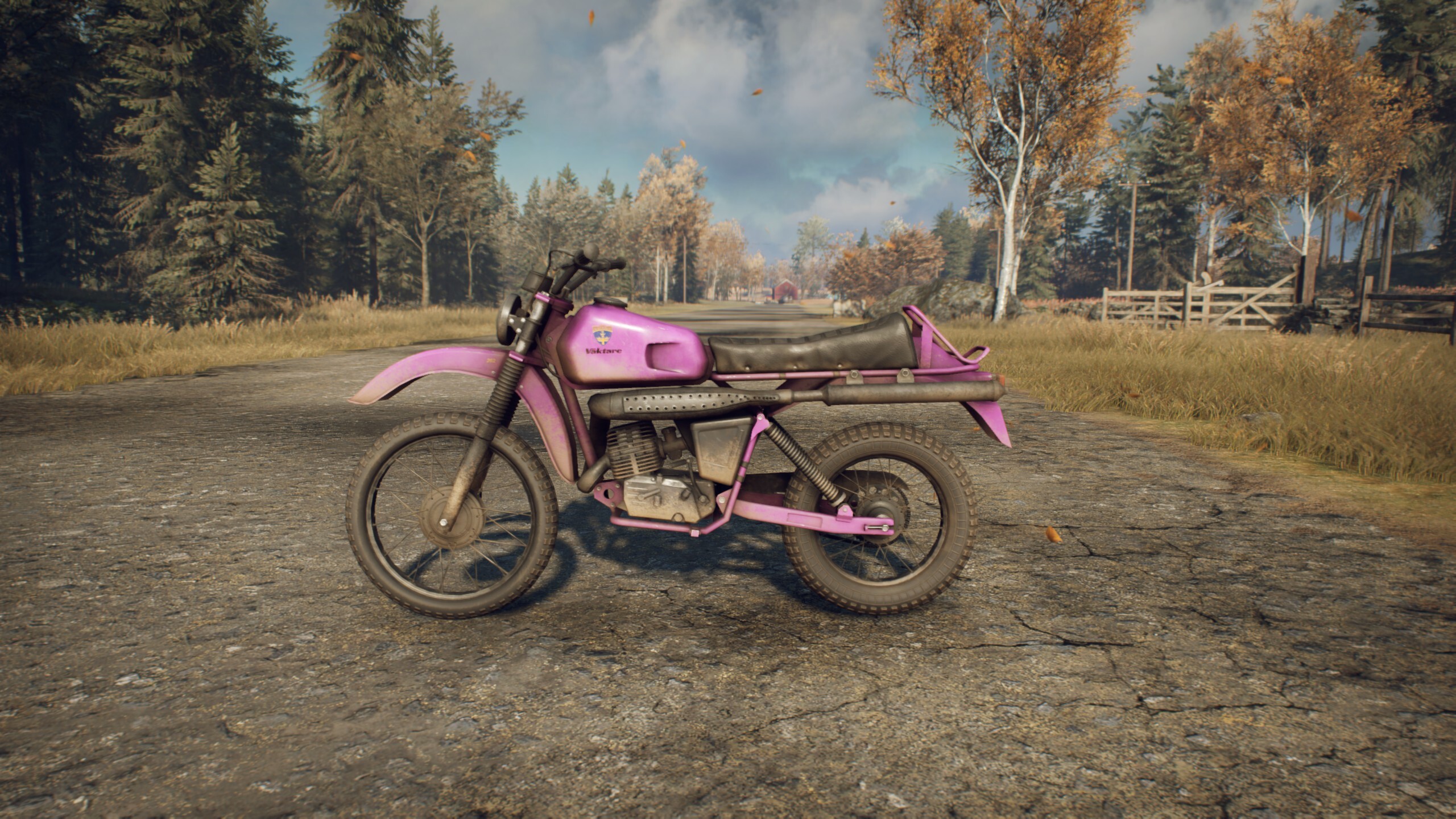
If there is one thing we’ve always wanted to add, it’s purple and pink vehicle skins. Well, now they’re here! Get yours at your local Rival or Tyrant and thank us later.
Design Changes
The firing sounds for the AG5, Möller PP, Klaucke, and silenced COM10 weapons has been improved to a snappier version. Pew pew!
The Minigun now has a brief windup sound before it starts to fire. Yes, we know it doesn’t have that in real life, but it just sounds so cool. This is audio only, so it doesn’t change the performance of the weapon.
The 5 crown version of the AI-76 has been visually updated to look more in line with the progression of the fist four tiers.
Remote Hacking now plays a nice little sound to indicate whether it was successful or not.
Text chat has been visually improved. The reason for this is that we wanted it to be prettier.
Players can now respawn at Field Radios.
Bug Fixes
Machines
Fixed a bug that caused Hunters to disappear randomly
Fixed the Vulture freezing and becoming inactive during combat
Fixed the Vulture not correctly entering the next combat stage by deploying reinforcements and becoming invulnerable
Fixed the Vulture prioritizing swedish machines over the player
Fixed Apoc Tanks and Wolves’ Cluster Mines not deploying correctly
Missions
Fixed scripted Runners not spawning during “The Hellmouth”
Fixed the Tylöveden Base Assault not appearing
Prevented turrets from continuing to shoot at players after being destroyed during the “Outpost Sabotage” Procedural Mission
Companion
Fixed an issue where the Companion would take too long to spawn after being placed down
Challenges
Fixed the “Off the Grid” challenge not counting properly
Fixed the achievement “Go-Getter” not counting properly
Fixed the “Skilled Spotter” Augmentation challenge not counting properly
UI
Fixed item icons not displaying when scrolling through the storage box fast
Fixed a bug where multiple worlds would have the same map progression
Fixed a “no title provided” message that sometimes popped up when hovering over another player on the map
Fixed the player icon disappearing from the map when zooming in
Fixed the challenge screen not correctly showing progress made
Fixed the character preview becoming invisible in the “Profile” and “Team” tabs
Fixed an issue that caused pickup notifications to appear multiple times in the loot feed
Gameplay
Fixed a bug that allowed players to place a field radio on themselves in tight spaces
Prevented Base Assault turrets from shooting through walls
Sound
Fixed sound effects playing multiple times when a Base Assault levels up
Fixed a missing sound when recycling
Stability
Fixed multiple crashes during fights
Many minor and edge case crash fixes
Fixed an instance of players loading infinitely in multiplayer
Performance
Introduced various rendering optimizations
Reduced FPS drops during combat
Fixed FPS drops in multiple locations
When a new update arrives, our readers will be notified.
The Finals Season 5 is here with update 1.000.065 released on all platforms. With Season 5 now ready, players can expect new weapons, new gadgets and even new sights. Check out what Season 5 has in store below.
The spotlight is on, and Season 5 of THE FINALS begins right now! This isn’t just another season—it’s a celebration of an unforgettable year since THE FINALS launched! Over four thrilling seasons, we’ve redefined competition in the ultimate game show. Now, it’s time for the Next Stage.
Season 4 honored our amazing community by bringing back the thrill of Ranked Tournaments, unveiling the vibrant Fortune Stadium, and amplifying everything that makes THE FINALS extraordinary. But this new season isn’t just about looking back, it’s about blazing forward with exciting surprises, groundbreaking features, and a breathtaking new arena.
Get ready to dive into Season 5, the most exhilarating chapter of THE FINALS yet!
LA MAGIA DE BERNAL
As you explore what this season has to offer, your first stop has got to be Bernal, the sprawling new map! Set beneath the imposing Peña de Bernal, one of the largest monoliths in the world, this vibrant town captures the magic and historic charm of Mexico while unleashing the high-octane action of THE FINALS.
This map pulses with energy, inviting you to join in rooftop skirmishes, defend suspended sponsor structures, and conquer the spinning platform that transforms the vibrant colonial plaza into a grand Arena of legendary proportions. Each corner teems with opportunity, offering a stage where the daring and the bold can carve their path
to glory.
Game-Changing Firepower: New Weapons in Season 5
Season 5 raises the stakes with two powerful additions to your arsenal, each designed to reshape the battlefield and your strategies. Prepare to dominate with these innovative tools of destruction:
ShAK-50:
This heavy-hitting assault rifle is a force to be reckoned with! Tailored for the Heavy class, it fires two bullets per shot. Whether you’re holding down a defensive position or charging headfirst into the fray, this weapon packs a punch that demands respect.
Cerberus 12GA:
For the Medium class, the Cerberus 12GA is a triple-barrel, break-action shotgun that brings the heat…literally. Equipped with incendiary shells, this weapon doesn’t just devastate opponents, it also ignites the environment, creating chaos in its wake. Use it to eliminate your enemies, or simply watch the Arena burn as you claim victory.
Whether you prefer precision or pyrotechnics, these tools ensure no moment in the Arena is ever dull.
Innovative New Gadgets in Season 5
We’ve also introduced two groundbreaking gadgets that redefine how you control the battlefield.
Gravity Vortex:
Designed for the Light class, this deployable gadget with a remote trigger unleashes the power of a localized singularity. When activated, the Gravity Vortex pulls everything in its vicinity toward its core: objectives, players, and debris. Use it to disrupt enemy plans, create chaos, or take control of contested areas with a single well-placed trap.
Lockbolt Launcher:
Built for the Heavy class, the Lockbolt Launcher fires an anchor that latches onto the environment and ensnares up to three targets at once. Affected players’ mobility is severely limited, giving you the chance to capitalize on their vulnerability. Whether you’re locking down key locations or setting up for the perfect takedown, this gadget turns control into your strongest weapon.
These tools are designed to give you the upper hand, whether through clever tactics or sheer domination.
New Sights & Reduced Visual Recoil:
With the release of Season 5 more items will be able to equip alternative sights. Additionally, we’ve significantly reduced the amount of Visual Recoil experienced when aiming-down-sights, causing the bullets to land closer to where your reticle indicates.
The following weapons will be receiving sights in S5:
M26 Matter
Cerberus 12GA
ShAK-50
93R
Lewis Gun
Model 1887
LH1
New Season, New Sponsors: Who Will You Choose?
THE FINALS is made possible through the generosity of our sponsors! For Season 5, you can choose to sign your allegiance to either ISEUL-T, VAIIYA or DISSUN. Your pledge lasts the entire season, so choose carefully.
Here’s what’s in store:
ISEUL-T be ANYONE. be EVERYONE. be ISEUL-T.
Returning for a second season, ISEUL-T invites you to transcend the ordinary with their signature fashion. CEO Yun Beom-seok encourages contestants to push beyond the limits with bold, boundary-breaking style. For those of you signing with ISEUL-T for a second season there’s a brand new Loyalty tier filled with rewards, to help redefine your identity.
VAIIYA VAIIYA – We. As One.
VAIIYA isn’t exactly a newcomer to THE FINALS, but this is their first time offering sponsorship to contestants as one of the main sponsors of Season 5! VAIIYA brings security and solidarity to every match. CEO Sal Scoria promises protection like no other: “We deliver confidence. We protect you from everyone. Including yourself.”
DISSUN Power is power, and you want it.
Introducing DISSUN, the sponsor for those who crave power. CEO Damien Vossler doesn’t mince words about what they offer: “Raw power that makes you unstoppable and undeniable, keeping you at the center of any action.”With DISSUN backing you, you’ll claim The Arena with unmatched intensity with a brand new powerful look to boot.
Each sponsor brings their own set of cosmetic rewards for you to stand out and show off your allegiance as you dominate in The Arena. Whether you’re drawn to ISEUL-T’s cutting-edge elegance, VAIIYA’s unwavering protection, or DISSUN’s undeniable strength, the choice is yours. Who will you sign with this season
Introducing Clubs: Your Team, Your Rules
Welcome to Clubs, the new social system for contestants to team up, dominate, and redefine what it means to play together. Whether you’re a solo star seeking camaraderie or a die-hard team player, Clubs offer a fresh way to connect, collaborate, and crush the competition.
This first version of Clubs comes with:
Club Bonus: Earn extra XP and Fans by competing as a team
Club Wall: Stay in the loop with your Club’s latest activities and keep the conversation alive in the chat (PC only at this time)
Team-Up Requests: Easily find teammates to join you in your favorite modes
Daily Club Contracts: Select two contracts per day, complete them, and boost your individual Club Rank. These contracts are a great way to show your loyalty and dedication to your club!
Every Club can have up to 50 members and features a unique name and tag to stand out in The Arena. Get organized with roles:
The Owner leads the Club and sets its direction and information
The Manager helps coordinate members
The Scout handles recruitment, bringing in new talent to strengthen the team
This is just the beginning. Team up and show the world what your Club is made of!
THE FINALS Greatest Hits
This Season will feature an all-new, banging soundtrack from our maestros on the 3rd floor – it sets the stage for heart-pounding action in Bernal! But we have a whole year of hits under our belt, so the highly-requested Jukebox feature has been added. It will allow you to pick your vibe, so you can experience something new or take a trip down memory lane!
Here’s how it works:
Choose Your Soundtracks: Pick from a curated selection of albums, each representing the music of a specific season of THE FINALS
Mix It Up: Select multiple albums to create your own playlist experience. The Jukebox will randomly play a track from any of the seasons you’ve chosen, keeping the audio fresh and exciting every time you log in
Music has always been part of the magic of THE FINALS, and now, you’re in control of the soundtrack to your journey!
An Upgraded Console Experience
Season 5 of THE FINALS brings the destructive mayhem and game show extravaganza to the PlayStation 4 for the very first time, expanding the arenas to a much larger audience!
For players on newer-generation consoles, Season 5 also introduces 120Hz mode to the PS5, PS5 Pro and Xbox Series X. All you need is a 120Hz compatible TV or monitor, and you’ll be able to immerse yourself in THE FINALS’ high-octane competition like never before.
Time to Play Santa Claus
We’re introducing Gifting, a whole new way to spread the love in THE FINALS! Rewarding your friends has never been easier or more fun. Whether it’s a sleek cosmetic item, an exciting piece of gear, or even the Premium Battle Pass, you can now share the thrill of unlocking something special with your team. How it Works:
Gift Limits: Players can send up to 5 gifts per day, giving you multiple chances to brighten someone’s day.
Premium Battle Pass Gifting: Want to gift the Premium Battle Pass? There’s just one rule—you’ll need to own it yourself first.
Why Gifting?
With Gifting, you can celebrate milestones, share your style, and make sure your team looks as sharp as they play. Whether it’s for a birthday, a victory celebration, or just because, Gifting lets you make every moment even more memorable.
And There’s Even More to Explore!
Season 5 is packed with exciting updates that make the experience bigger and better than ever. We’ve added a 3v3 Final Round cashout mode to Private matches and fine-tuned the QuickCash and Ranked modes. We added optimizations for the Kyoto map and more. And you might just spot your name on the Billboards! Plus, we’ve introduced 30 new Career Levels and an additional level of Item Progression. Don’t forget to check your Inbox for all the latest updates. With so much to discover, Season 5 is ready for you to jump in!
Finally, if you played in Season 4, Ranked and World Tour rewards are already waiting for you, so you’ll be able to storm Bernal with your hard-earned weapon skins! You can be on the lookout for your Multibucks from World Tour and the Season 4 gift from the winning sponsor coming to you soon!
Balance Changes
General
Updated the hit sweeps for quick melee attacks, making them much more reliable when trying to hit targets
Gadgets
Defibrillator
Added ‘revive sickness’ to players revived by the Defibrillator, causing their Specializations and Gadgets to be placed on a five-second cooldown
Dev Note: A recurring piece of feedback we receive from players is how frustrating chained Defibrillator revives can be. This change aims to insert a short barrier for such gameplay.
Jump Pad
Increased cooldown from 30s to 40s
Proximity Sensor
Added the ability for Medium contestants to equip the Proximity Sensor
Smoke Grenade
Added the ability for Medium contestants to equip Smoke Grenades
Added the ability for Heavy contestants to equip Smoke Grenades
Sonar Grenade
Decreased active duration from 7.52 to 5.25s
Decreased time between sonar pulses from 2.5s to 1.75s
Zipline
Increased cooldown from 30s to 37s
Game Modes
Quick Cash
Updated the respawn system to be wave-based
When the first player on a team is eliminated, a respawn timer for the entire team starts to count down. Any other teammates eliminated after this point will join the same respawn timer. When the timer hits 0, the eliminated players can spend a coin to respawn or, if all three team members have been eliminated, the full team will respawn with no additional time added for a team wipe. Any players who die in the last 5 seconds before the timer hits zero will set the timer back to 5 seconds remaining, to avoid immediate re-spawns which can feel jarring
Dev Note: This change is an update that aims to reduce the number of ‘long spawns,’ where a team wipe adds extra time until respawning just before a player is about to spend a coin to respawn. We believe this will lead to more fun matches with less downtime and the spawn waves will also help keep teams closer together, aiding teamplay
Added the ability to swap your contestant between team wipes in Quick Cash mode
Dev Note: We’ve made this adjustment to bring Quick Cash in line with Power Shift mode. Both modes are aimed at more casual play and we believe this change increases the fun by lowering some of the risk/reward elements better suited for competitive modes
Updated some of the spawn point selection rules for when teams wipe. These should place teams at a more consistent and reliable distance from the objective
Maps
Kyoto
Adjusted the map border to improve the flow in the Hillside area
Redesigned the Bamboo Forest to improve readability and flow, while reducing visual noise
Dev Note: One of our main goals when creating Kyoto was to explore how we could bring more natural environments to THE FINALS. Since its launch, we’ve had recurring gameplay feedback for Kyoto around the readability and density of the Bamboo Forest. To improve on this, we have reduced the amount of bamboo trees and vegetation, and increased the amount of hard-cover in that part of the map. Please give it a shot and let us know what you think.
Specializations
Cloaking Device
Updated the Cloaking Device to consume energy based on the player’s current movement speed while cloaked, meaning that standing still drains energy much more slowly than running or sprinting
Dev Note: Our aim for the Cloaking Device has always been to encourage a different style of play, one where players could be sneaky and outsmart opponents. However, previous iterations of the device put the focus on using cloaking to ambush or evade enemies in combat, rather than play more stealthily. We believe this change encourages players to avoid and outwit opponents with the Cloaking Device.
Removed the ability for burning damage to break the cloaking effect
Removed the ability for poison damage to break the cloaking effect
Dev Note: Any regular damage or impact damage from fire-based weapons will still remove the effect
Mesh Shield
Reworked the Mesh Shield to make it energy based. The shield has 750 energy in total and loses energy each time it takes damage. A sum of 225 energy is also lost each time the player lowers the shield, with energy only being regenerated when the Mesh Shield has not taken damage for a short time. The Mesh Shield no longer has a cooldown, with energy management replacing it
Dev Note: We previously added longer cooldowns to the Mesh Shield to stop ‘juggling’ of the shield (rapid raising and lowering of it) as players reported this was not fun to play against. After some time with the new shield live, we felt these cooldowns were too long and too limiting, reducing player interest in using the Mesh Shield. This change allows ‘juggling’ again, but limits how often the player can raise/lower the shield via the energy cost. We feel this system works much better than earlier versions, in that it encourages more ‘tanking’ behavior but still gives the player some flexibility to juggle the shield in duels.
Weapons
93R
Increased damage from 24 to 28
Decreased horizontal recoil after the third burst, making the gun easier to control
Decreased vertical recoil slightly, to make the gun easier to control
Increased the damage fall-off start range from 23m to 28m
Increased the damage fall-off multiplier at max range from 45% to 55%, meaning the weapon will do more damage at a longer range
Dev Note: After being somewhat cautious in our buffs of the 93R in previous releases due to some earlier internal testing of higher damage values, we’ve decided to go for a more ‘nuclear’ buff. We hope this finally brings the 93R into the meta in a good way, but we’ll be keeping a close eye on it.
Dual Blades
Basic attack
Increased the speed and duration of the lunge for each attack animation, making it easier to reach targets that are just out of range
Deflect
Decreased the dispersion angle of deflected bullets from 2.5 to 1, meaning deflected bullets are now more accurate
Decreased the damage modifier for direct hits from enemy bullets from 0.2 to 0.1, meaning players will now take less damage when deflecting hits at the center of the Blades’ deflection angle
Decreased the damage modifier for glancing hits from enemy bullets from 0.4 to 0.3, meaning players will now take less damage when deflecting hits at the edge of the Blades’ deflection angle
Increased deflection angle from 25 degrees to 35 degrees, making it easier to block and deflect bullets
Decreased incoming melee damage modifier from 0.33 to 0.25, meaning players will take less damage from melee attacks when trying to deflect
R .357 Revolver
Decreased bullet dispersion when firing from the hip by approximately 20%, making the weapon more accurate
Spear
Basic attack
Increased the lunge distance from 6m to 7.5m on basic attacks, making it easier to hit enemies
Increased the lunge speed by approximately 15%
Increased the lunge cancel on basic attacks, causing the player to come to rest earlier once they hit the target
Secondary attack
Increased the damage of each swing from 100 to 105
XP-54
Increased ammo count from 30 to 34
Weapon Optics
Decreased the amount of animated “visual recoil” significantly on all red dot optics, across all weapons that can equip them, making those weapons easier to aim
Content and Bug Fixes
Animation
Fixed an issue where the player’s character could deform when respawning
Fixed an issue where the player could ride ziplines while emoting at the same time
Fixed an issue where the player would trigger multiple pickup animations when attaching to a zipline while picking up a deployable item
Improved first-person animations when running with a charged throwable such as a grenade
Cleaned up some visual noise that could occur in first-person animations when sliding and aiming down sight
Fixed a minor clipping issue on SR-84
Fixed an issue where hand gesture animations could play while blocking with the Dual Blades
Audio
Fixed an issue where some player sounds could persist after they are eliminated
Added an entirely new voice to Dede’s face. Keep up, or stay out of the way!
Career Rank
Added 30 additional career ranks
Contracts & Achievements
Fixed an issue that could cause any Contracts that required headshots to complete to progress via backstabs with the Dagger by mistake
Fixed an issue that caused interrupted decryptions in Terminal Attack mode to not count towards the “As a team, steal a cashout or interrupt a decryption N times” contract
Fixed an issue where the “Finish the tutorial” achievement would fail to trigger when completing the Cashout Tutorial
Controller
Increased default horizontal sensitivity from 160 to 200
Increased default vertical sensitivity from 130 to 170
Dev Note: The two changes above are based on an analysis we did of current controller players’ settings. We feel these new values will give new players a better experience. Current players will maintain their previous settings.
Increased max horizontal and vertical sensitivity from 500 to 750, giving players more flexibility on what sensitivity they’d like to play with
Gadgets
Gateway
Gateways will now destroy surrounding goo when activated
Gravity Vortex
Deployable, remote-triggered localized singularity added to the Light class
Jump Pad
Fixed an issue where players could use and pick up the Jump Pad at the same time
Lockbolt Launcher
An anchor that latches onto up to three targets added to the Heavy class
Thermal Vision
Fixed an issue causing cloaked characters to be overly bright for players using Thermal Vision on the PS5 Pro and on PC, when the TSR Resolution Scaling Method was selected
Game Modes
General
Added a warning timer, with a five second wait time, before allowing the player to exit an ongoing match early. Our goal is to reduce disconnect rates, which can ruin matches for other players
Fixed an issue where the UI would not behave as expected when backfilling into a match
Fixed a rare issue where players would be unable to spawn when backfilled into a match
Bank It
Fixed an issue that caused Coins to block projectiles
Power Shift
Fixed an issue where weapon customization would not get updated when the player swapped contestant in Power Shift mode
Private Matches
Added Cashout ‘Final Round’ to private matches. This is the 3v3 format from the final round of tournaments
Gameplay
Fixed an issue that caused players on ziplines to not be detached when hitting goo blobs
Fixed an issue where poisonous gas could wrongly block various interactions and projectiles
Fixed an issue that allowed players to pick up objects while emoting
Maps
General
Fixed various behavior issues with doors and how they function
Added two new visual variants of destroyed walls and improved material coverage where buildings have been fractured or destroyed
Kyoto
Made various optimizations to client performance when playing Kyoto
Performance & Stability
Fixed an issue on the client side that could cause performance issues
Fixed an issue where volumetric fog could cause ‘ghosting’ around the edges of the screen on Xbox Series S and on PCs with Shadow Quality set to Medium
Many optimizations for the PS4 and the 120Hz console mode
Settings
Added a new graphics quality setting for Reflections
Dev Note: This allows players to tweak the quality of reflection effects separately.
Added 120Hz mode for Xbox Series X, PS5 and PS5 Pro
Dev Note: The option will show up in the Video Settings if you have a 120Hz capable display connected to your console
Social
Added ‘Incognito Mode’ for players who want to protect themselves when streaming. This feature randomizes the player’s matchmaking queue time to help avoid ‘stream snipers’ and will also hide identifying features such as Rank Score on the player’s own screen
Clubs feature added, allowing players to form clubs with up to 50 members, complete daily club contracts, and more
Added the Inbox, accessible in the top right of the main menu. This feature allows us to send players direct messages about important things happening in the game and in individual accounts
Specializations
Evasive Dash
Fixed an issue where Glitch effects could interrupt an Evasive Dash that was already in progress, changing the length of the dash
Grappling Hook
Fixed an issue introduced in 4.8 that accidentally caused the Grappling Hook to break glass surfaces rather than stick to them
UI
Updated the ‘Play’ button, making it easier to understand where to queue and where to switch modes
Fixed an issue in the inventory HUD that caused it to look like the player could equip an item when they could not
Fixed an issue that could sometimes cause the player to be stuck with Nama Tama hints on the main menu every time they returned to that screen
Updated the “new” label shown in front-end menus to make it less intrusive
VOIP
Overhauled the VOIP system to make it more consistent and reliable, including some fixes to ensure it better respects player settings
Weapons
Cerberus 12GA
New triple-barrel, break action shotgun for the Medium Class
General
Fixed several issues where weapons could end up in a locked state, unable to fire or attack
Glitch Grenade
Fixed an issue that caused Glitch Grenades to not detonate on impact with Dome Shields and Mesh Shields
ShAK-50
New assault rifle for the Heavy Class
Spear
Fixed an issue with the secondary attack which could cause players within range of the swing to not be hit
Security
Hardware restriction capabilities will now be implemented
New and enhanced Aimbot detection
New detection rules for unfair gameplay added
Added additional levels of game (binary) obfuscation
Stay tuned here on MP1st for more coverage on The Finals
Phasmophobia’s holiday-themed update is live now! Kinectic Games has released Phasmophobia update 1.000.005 on consoles, which appears as version 0.11.1.0 on PC. This brings the Winter’s Jest event, a slew of fixes. and even confirmation of the next patch inbound later this month.
Phasmophobia Update 1.000.005 Brings Holiday Horror This December 12
Winter’s Jest Event
Schedule: December 12 to December 31, 2024
Kinectic Games notes, “Continuing on from our Blood Moon event last month, we’ll be tasking Ghost Hunters with working together to achieve a set of shared goals in order to receive rewards. We’ve taken on feedback from the Halloween event and implemented that in to the scoring system, lowering the required scores while increasing the amount earned from completing tasks – and rewarding bonuses for those playing on higher difficulties. This’ll mean progress will feel quicker and more satisfying throughout this event.”
Players can also expect personal daily and weekly challenges for participating in the event. Completing these will reward the player with increased XP and money.
Snowfall
During Winter’s Jest a selection of maps will be blanketed in snow, adorned with festive decorations while also playing host to something incredibly sinister. Be on the lookout, Ghost Hunters.
Bleasdale Farmhouse
6 Tanglewood Drive
Maple Lodge Campsite
Community Goal
Ghost Hunters will once again be tasked with hunting down evidence, identifying ghosts and completing optional objectives during investigations. Adding a festive twist to your games this time will be discoverable jack-in-the-box items. Opening these will grant points towards the overall Community Goal and get you closer to those rewards.
Once a stage of the overall Community Goal is completed, you’ll be able to interact with the Event Altar to claim that stage’s rewards. Incorporating feedback from the Blood Moon event, we’ve made sure there’ll be more time once the Goal is completed for players to claim these prizes before the end of the event.
Phasmophobia Fixes and Changes in Latest Update
New
The Achievement Hunter challenge has been added to the Event Board.
Changes
Main Menu navigation can now loop between menus.
Example: Players can now navigate Contract Board > Main Board > Shop > Contract Board > Main Board > Shop > Contract Board etc.
Fixes
All Platforms:
The most played map stat will now track the correct map.
Note: This will only work for new maps played after this change.
Fixed several issues that were causing crashes.
Players can now rebind global push to talk.
Fixed an issue that was causing Blood Moon reflections in the Edgefield death room.
Fixed an issue that caused the seasonal event clock to count down to an incorrect date for some players.
PS5:
Foveated Rendering will no longer cause the screen to wobble
In addition to the event and changes, Kinectic has confirmed that Ghost Hunters will be able to track their contribution to the event with a new in-game leaderboard, which is found in the Warehouse. The patch for this will be released later in the month, but the devs confirm that progress is still being tracked.
Other notable items mentioned by the studio:
We have introduced daily and weekly tasks for events. These will Task Ghost Hunters with earning event points and reward them with large sums of money as well as XP.
We have lowered the overall scores required for completing the Community Goals. During Crimson Eye, we monitored progress and reacted accordingly to overall progress.
Event points earned for this event’s “totem” have been increased from 1 to 2
Event points earned for completing objectives have been increased from 2 to 3
Ghost Hunters will gain additional event points based on the difficulty they are playing: 1 point per reward multiplier
For example; getting the ghost correct on Nightmare would reward 10 points, plus an additional 4 points for the difficulty.
There are also known issues, which we assume will be part of the patch Kinectic aims to be released later this month.
What looks to be the last patch of the year for Star Wars Outlaws is now live on all platforms. This patch should appear as Star Wars Outlaws update 1.005 on PS5, version 1.0.5.0 on Xbox Series X|S and PC. This patch tows ni updated Frame Generation and DLSS options, and there’s a lot of improvements related to gameplay and technical stuff as well.
There’s even a cosmetic giveaway for Nix, which is also outlined in the patch notes.
Ubisoft Slots in Fixes and Improvements to Star Wars Outlaws Patch 1.005 This December 12
Download Info:
PlayStation®5: 6.76GB (version 01.005.000)
Xbox Series X|S: 7.10GB (version 1.0.5.0)
PC (Ubisoft Connect): 6.32GB (version 1.0.5.0)
Steam: 7.5GB (version 1.0.5.0)
General Gameplay
Balanced damage done to ionized enemies
Fixed an issue with NPC collision area in syndicate districts that prevented shooting in some situations
Smoothed NPC transitions for going in/out cover
Fixed an issue where capital ships would not spawn in space
Improved enemy AI when detecting grenades and when Kay is hidden in smoke
Fixed an issue where enemies would take cover behind hollow fences
Fixed an issue where fast travelling on Akiva to the Abandoned Hideout could cause an infinite loading screen
Fixed an issue where the Wanted status would not decrease in certain areas
Fixed an issue where some NPCs would get stuck in combat areas in an Imperial compound on Toshara
Fixed an issue where VFX would impact the entire screen when shooting outdoors from an indoors location
Performance
Fixed an issue that caused performance drops when aiming the camera straight down with RTDXI enabled
Graphics
Fixed an issue with flickering lights at the bottom of the screen on consoles
UI, HUD and Settings
Updated options for Frame Generation and DLSS
Improved detection when ‘in-combat’ state
Fixed an issue where item descriptions would not show in the loadout menu
Fixed an issue where intention icons no longer appeared above NPCs
Audio
Fixed combat music not playing in syndicate territories in cities
Lowered Nix’s footsteps volume
Fixed missing contract VO’s
Improved music playback in The High Roller quest
Improved Flyer creature foley playback
Improved VO loudness issues on localized versions of the game
Cinematics
Improved quality of ‘The Deal’ cinematic in Wild Card
Fixed an issue where characters could get stuck in a T-pose during the sabacc tournament in Wild Card
Camera
Fixed an issue where Kay’s head would face a different direction than the camera
Worlds, Fauna and Flora
Improved the takeoff animation of the aglis flyer on Toshara
Added additional flee animation and audio to scurriers on Tatooine
Fixed an issue with terrain blending on Tatooine
Photo Mode
Enabled option to toggle cinematic lens effect
Fixed an issue where Nix could be seen clipping through Kay’s chair if photo mode is activated when planting a card during sabacc in Wild Card
Accessibility
Fixed an issue where in-game objects would not change color when switching between colorblind presets
Fixed an issue where simple numerals in sabacc would not show correctly
Fixed an issue where swapping a button for ‘On Foot’ would also change it for the Speeder and Trailblazer
Fixed an issue where you could get stuck in the Custom Control screen when using a mouse and keyboard
Fixed an issue where the gadgets wheel could not be opened after switching the input to toggle
Fixes for various high contrast mode bugs and inconsistencies
Narration on the map screen now reads distance to points of interest
Sabacc:
Fixed an issue when leaving a sabacc game if an enemy is playing the ‘Embargo’ or ‘Direct Transaction’ could prevent continued play at the table
Fixed an issue where Kay’s left hand would suddenly disappear whilst ‘auto-success’ was enabled when using the magnetic dice
Fixed an issue where suspicion states were not registering correctly when caught cheating
Fixed an issue where SFX would play/trigger at incorrect moments
Miscellaneous
Fixed an issue where some NPC clothing was clipping
Fixed an issue with random floating objects
Fixed an issue where defeating enemies using the ‘Blast’ or ‘Pulse’ Power module would not count towards the Power Surge Ubisoft Connect Time-Limited Challenge
PS5 Pro
In addition to the ‘Quality (60FPS)’ mode, the three base PS5 options of ‘Quality’, ‘Performance’ and ‘Balanced’ are now selectable graphics options
An ‘Upscaler Type’ toggle has been added allowing you to use either PSSR or FSR
MAIN & SIDE QUESTS(beware of spoilers)
Canto Bight
Beginnings
Fixed an issue where Kay would be unable to speak to vendors or Preeban after winning a fixed Fathier race
Toshara
Codebreaker
Fixed an issue where a player could get stuck behind an energy barrier after reloading a save
Tosharan Treasure Intel
Fixed an issue where the intel chain does not start after reading the IWM datapad
The Wreck
Fixed an issue where Kay could get stuck navigating a narrow passage
Contracts
Fixed an issue where a slicing terminal will already show as unlocked if completing a contract for a second time
Tatooine
The Hotfixer
Fixed an issue where Kay could get stuck by using the speeder boost to jump into the Sarlacc pit
Akiva
Viper
Fixed an issue where the viper droid could not be damaged once it reached half health
Contracts
Fixed an issue where a ‘Spy on Pyke District’ would fail on completion
The Veteran
Fixed an issue where players were able to access the quest area prematurely
The High Roller
Fixed an issue where Kay was not able to talk to Lando’s associates after the shootout
Kijimi
Passenger
Fixed an issue where the quest fails when the pirate ship hyperjumps and the mission cannot be complete after a reload
The High Roller
Fixed an issue where Kay is not able to interact with Avrar to get Lando’s token
Wild Card – Story Pack
Wild Card
Fixed an issue where the mission would not complete if the player is at the maximum Wanted Level
Fixed an issue where collecting the intel on the shuttle would not register and progress the quest
Fixed an issue where the quest marker does not appear above the shuttle when pressing up on the D-pad
The Game
Fixed an issue where the mission wasn’t automatically tracked in the journal once completing the prior quest
Fixed an issue where a platform was incorrectly placed when escaping from the Morenia
Fixed an issue where a player could get stuck in a dying loop sequence at the end of the quest
Double Down
Fixed an issue where the quest item could disappear if not picked up at the Western Camp before defeating enemies at the Southern Camp
All In
Fixed an issue where actions would not be registered when resuming the game from a pause during a cutscene
New Free Scarf for Nix
Finally, there’s also a new freebie for Nix in the form of a scarf! Players can earn it by taking part in a Ubisoft Connect challenge from today until January 9, 2025. All you have to do is go get it is by taking a photo mode image on Kijimi.
Ubisoft also acknowledged that they are aware of the foliage flickering issue on the PS5 Pro, and the crashes when entering Mirogana City some Luna and GeForce Now players. These issues are currently being investigated, and will be fixed as soon as possible, but there’s no timetable for when this patch will be released.
Gameloft has released Disney Speedstorm update 1.35 (PS5/XSX version 1.035) today to implement Season 11 for the game. This season is inspired by the Pixar film ‘The Incredibles’. Not only that but several UI and gameplay improvements have also been made. Read on for the full patch notes below.
Disney Speedstorm Update 1.35 Brings in Season 11
SEASONS AND GOLDEN PASS UPDATE
A reminder to read about the upcoming changes to the length of some seasons and Golden Passes outlined in our previous Community Pit Stop if you haven’t already.
INBOX
Players will now find a new tab in the player profile menu called “Inbox”. Starting during Season 11, players will find communications about different topics here, such as in-game Time-Limited Events, Community Pit Stops, maintenances, community activations etc.
This is just the first iteration of this feature, and we will develop it further based on community feedback.
TREASURE RUSH
To celebrate the holiday period, players will be able to participate in additional holiday-themed Treasure Rush Time Limited Events (TLEs). These TLE’s will be in addition to the regular Daily Challenge Treasure Rush TLE currently in-game.
Players will be tasked with collecting some festive-themed items rather than coins. There will not be any limit on Tries and as a result, players will only receive rewards from completing the TLE’s Objectives.
REGULATED MULTIPLAYER
Last season, Regulated Multiplayer was moved within the Limited Events menu. Regulated Multiplayer events will still be regulated to Racer Level 30 but now players will be required to have upgraded the Racer they wish to use to at least level 30 in order to race with them.
There will be some guest Racers available to choose but these Racer will be exempt from the ownership and Racer level requirements.
UI IMPROVEMENTS
• A “Racer Class” filter has been added to the Racer select menu.
SHOP
• Offers for “Maxed” Racers and Crew will no longer appear in the Daily Specials tab.
• Players can now instantly “Tier Up” or Max out a Racer via dedicated Shop offers.
RACER VOICEOVER
This season, all 7 Racers, including the 2 mid-season Racers will receive voice lines in-game.
RACER BOOST
Racers Davy Jones, Captain Hector Barbossa, Tia Dalma, Cruella De Vil, Maleficent and Dr. Finkelstein will now be available to select.
SEASON 9 TOURNAMENT AND VAULT PASS
During Season 11, Tournaments and Vault Passes will become available for the Wreck-It Ralph and Hercules Collections.
Tournaments will be available for Racers Vanellope, Wreck-It Ralph, Sergeant Calhoun, Fix-It Felix and King Candy from the Wreck-It Ralph Collection and Racers Hercules, Meg and Hades from the Hercules Collection respectively.
GENERAL FIXES AND IMPROVEMENTS
• Various game crash occurrences fixed across all platforms.
Our readers will be informed when the next update is out.
Two weeks ago, Ubisoft released a patch for Avatar: Frontiers of Pandora that brought in the Secrets of the Spire DLC, and PS5 Pro support. Unfortunately, this enhancement for Sony’s mid-gen console refresh of the PS5 also brought in issues.
Today, Ubisoft released Avatar: Frontiers of Pandora update 1.013, and this brings in a toggle for PS5 Pro players to be able to choose whether they want to enable or disable PlayStation Spectral Super Resolution (PSSR). Choosing to disable PSS5, the game will run using the same upscaling tech as the base PS5.
Avatar: Frontiers of Pandora’s Latest Update Brings Changes to PS5 Pro Graphical Settings
According to Ubisoft, while the PS5 Pro Quality (that enables 60 frames-per-second) will still be available, PS5 Pro players will be able to toggle between base Performance (60fps) and quality (30fps) modes
The company says they will continue t improve the quality of the PS5 Pro Quality Mode using PSSR, though no timetable has been shared as to when we’ll actually see that.
Outside of that, this patch does not mention bug fixes, though that should come in a later patch. We do know the issues the developers are looking into across all platforms.
Known Issues:
[PC] We will deploy a temporary fix for players who were experiencing issues playing on Windows 11 24H2. Please note that you may experience some performance issues while we work on a more permanent fix. As soon as it is ready, we will let you know. Thank you for your understanding.
[PS5] Menu Narration will not read “Additional Info” sections of Hunter’s Guide when reading speed is below 1.80x.
[All Platforms] Warning message does not match the situation when trying to start the quest Anufi’s Favor in co-op without the player having completed the main story.
[All Platforms] Missing preview for ikran patterns while having any ikran body cosmetic override equipped in the in-game store.
[All Platforms] Map icons and overlays load slowly after every game load or respawn.
[All Platforms] “Responsibility” songcord bead has the same icon as “Our Reclamation”.
[All Platforms] Lens flare effects are present on every RDA light source.
[All Platforms] Infinite loading occurs for co-op players after the credits scene ends after playing “The Fight for Home” quest.
[All Platforms] Player character dialogue lines are too quiet while inside MTR Base Echo in the “Into the Mountain” quest.
[All Platforms] “Penance” quest cannot be completed due to the player character not being able to interact with the quest objective.
[All Platforms] Bonus damage for hitting the chiroptera’s weakspot does not properly apply.
[All Platforms] Players randomly receive rewards without looting or completing any quests.
[XBOX] When inspected, Octofin Canyon Fish rarity is displayed as one tier lower than what is gathered.
[XBOX/PS5] Several settings reset to default after waking from rest mode or being idle for a long time, such as HDR settings, custom control rebindings and the Performance Mode toggle.
[All Platforms] Missing “drop” button for ikran gear and Crossbow mods in the ikran menu.
[All Platforms] Hunter’s Guide mentions Healer’s Hollow as a location for gathering legendary Dark Root, on the map this location is called Echoing Cavern.
Once a patch for that or the improvements to PSSR are released, we’ll let our readers know.
Spike Chunsoft has released a massive Dragon Ball: Sparking Zero patch, and this adds in new features, and battle adjustments that affect the entire roster. Those on consoles, you’ll see this December 12 patch appear as Dragon Ball: Sparking Zero update 2.000.004 with the in-game version appearing as 2006.005.003.004.003.
Dragon Ball: Sparking Zero Update 2.000.004 – What You Need to Know
Game Mode Adjustments
Battle
All stages are now able to be selected in offline P1 vs. P2 battles.
Functionality Adjustments
Battle Setup
A function allowing you to change a character’s display method has been added.
The “My Sets” function has been added for Team Members/
Ranked Match / Player Match
You can now skip the intro battle animations (requires both players to input the skip command).
Player Match
You can now set your team to hidden or revealed to your opponent when editing your team
Custom Battle Mode
Text can now be sorted alphabetically.
Options
You can now set the battle camera distance to be closer
Battle System Adjustments
High-Speed Dragon Dash (New Action)
The new quick movement action, “High-Speed Dragon Dash”, where you can move quickly towards your opponent, has been added. Perform with R2 and holding X (PS5) or RT and holding A (XSX|S).
Smash Attack
You will no longer be stunned when being hit by a Rush Ki Blast when charging a Smash Attack.
When charging a Smash Attack during a Rush Attack, charge time reduction based on hit count has been increased.
Rush Ki Blast
The time between being able to fire the next Rush Ki Blast after firing the maximum consecutive amount at once (different for each character) has been increased.
Rush Ki Blast Deflection
You can now move while deflecting Rush Ki Blasts.
Steps
You will now no longer be able to be hit by certain attacks immediately after performing a Step
Rush Ki Blast and Smash Ki Blast can now also be evaded.
Z-Burst Dash
The amount of Ki consumed when activating it has been increased.
Burst Smash
Ki will no longer be consumed when activating it, and will instead consume an amount based on the distance traveled.
Blast
Damage has been increased when using a boost.
Z-Search
Z-Search will no longer lose track of your opponent when characters are swapped.
You will now quickly regain sight of your opponent if they enter your line of sight from the front when Z-Search is not locked onto them.
Z-Counter
The input window has been shortened.
Z-Counter will become more difficult to perform if performed consecutively.
Ki consumed has been increased when successfully performing a Z-Counter.
Skill Count increase speed has been reduced when successfully performing a Z-Counter.
Revenge Counter
Skill Count consumed when using Perception against Revenge Counter has been reduced from 2 to 1.
Rush Attacks during Sparking! Mode
Gradual damage reduction of consecutive hits has been increased.
Combos
The final attack of Aerial Combos and Aerial Slash Combos will no longer be interrupted by guarding.
Character Switch
Health recovery rate of Standby characters has been reduced.
Z-Burst Dash (Giant Characters)
The tackle done by Giant characters during Z-Burst Dashes is now guardable.
Skill Adjustments
Skills that cause instant Sparking! Mode
Skill Count consumed has been increased.
Skills that increase stats in general
Skill Count consumed has been decreased.
Afterimage Strike
Effect duration has been reduced to 10 seconds, and will be removed if your opponent uses Perception while you are under the effect.
False Courage
Skill Count consumed has been increased from 1 to 2.
Technique: All I Need Is Five Seconds!
Skill Count consumed has been increased from 3 to 2 and status increase upon activation has been increased.
Standard Barrier
You can now activate it while receiving melee attacks from the front.
Blast Adjustments
Long-Range Blasts and Ultimate Blasts
Speed has been reduced.
Super Vegito: Final Kamehameha
Ki consumed and damage has been increased.
Goku (Mini): Quick Rush
Trajectory can now be changed while Rushing.
Mr.Satan: Present Bomb
Increased ending lag after activation.
Character Adjustments
Android 19 / Dr. Gero
Health/Ki amount absorbed on successful throw has been adjusted.
Dragon Dash, Quick Ascend, and Quick Descend now consume Ki.
Cell 2nd Form
You can now escape the throw.
Cooler
Amount of Health restored upon transforming has been increased.
Great Ape Vegeta / Dr. Wheelo
Maximum health has been reduced.
Other
We have improved performance and ease of use.
Bandai Namco doesn’t release a lot of patches for the game, so expect the next one sometime next year, or when the first DLC drops. Speaking of which, you can read more about the DLCs to see what’s incoming to the game.
NCSoft is bringing some holiday cheer to Throne and Liberty players with the kickoff of the Startree Solistice Envent. Players can now download Throne and Liberty update 28.200.995 on consoles and PCs, and this is for what the devs call Patch 1.11.0.
Alongside the holiday event, there are new gameplay changes and additions made in the form of new cooking contracts and other adjustments to the mechanics. There are also combat adjustments made, bug fixes to the UI and a lot more.
We’ve included the patch notes and event schedule and rewards, for our readers’ convencience.
Throne and Liberty Update 28.200.995 Rolls in Gameplay Adjustments
Arch Bosses – Additional Spawns for Bellandir and Tevent
Thank you for your patience while we worked to resolve the recent issues related to Arch Boss encounters. We understand the frustration this caused to many, and to ensure players are able to attempt those encounters again, we will be running a limited duration event from December 12, 2024 through January 9, 2025.
During this event, Arch Bosses will spawn twice on their normally scheduled days, once in peace and once in conflict. The additional spawn will take place at 6:00 p.m./18:00 server time and the current 8:00 p.m./20:00 time will also spawn as normal. Good luck, adventurers!
Lifestyle Content – Cooking
New Cooking contracts can be obtained through Contract Managers.
The number of unique cooked food items has been reduced by the consolidation of food quality levels.
General dishes are now crafted as Uncommon grade, Banquet and dungeon ingredient food as Rare grade, and elixirs come in Rare or Uncommon grade depending on the materials used.
The quality of materials used when cooking now determines the quantity of meals received.
Rare materials consume 1 ingredient and produce 3 completed meals.
Uncommon materials consume 3 ingredients and produce 2 completed meals.
Common materials consume 5 ingredients and produce 1 completed meal.
Ingredients for Banquets have been adjusted to account for the new grade consolidation and numbers of meals produced through Cooking.
Ingredient gathering and drop rates have been adjusted due to the change in quantities consumed and number of meals produced through Cooking.
Previously obtained high-tier ingredients intended for use in Banquets can be exchanged for updated rare ingredients through the Dissolve system.
All recipes may now be crafted at both Cooking Ovens and Campfires.
Dungeon Matchmaking Penalty
A cooldown time is now applied for characters who cancel dungeon matchmaking after a party is matched or after entering a dungeon through matchmaking.
This cooldown prevents you from queueing for another dungeon immediately. The timer starts at 10 minutes and will increase with subsequent additional cancellations.
Re-entering an already completed dungeon using Party Matchmaking while the previous instance is still available results in a matchmaking penalty being applied upon leaving the instance. If re-entering the same dungeon using Party Matchmaking, make sure the previous instance has been cleared before doing so.
General
Field and Arch Bosses: Increased the drop rates of Rare and Epic gear from these encounters.
PvP: Reduced the duration of respawn protection granted after entering Conflict areas via resurrecting at a Guild Resurrection Stone or arriving through a Guild Summoning Circle.
Automatic logout time for AFK characters has been increased to 3 hours.
Arena: Weekly reset for the Arena has been adjusted to match the weekly maintenance time, similar to other weekly reset content.
Arena: Upgraded Purification Stones are now usable while in Arenas.
Arena: Added runes to the Arena Vendor that can be purchased with Arena Coins.
Weekly Missions: Adjusted the amount of Dimensional Trials needed to complete the weekly mission.
Gigantrite: Adjusted the route Gigantrite takes between Stonegard and Saurodoma Island.
Fishing: New Fishing Hotspots may appear in bodies of water around the world, indicated by a circling fish effect. The wise fisher knows to cast their line into these areas whenever they’re spotted!
Fishing: Expanded the Fishing Codex to include new fish and a new reward tier.
War Games: Added team chat channel for use during matches.
War Games: Player icons will now display on the minimap.
War Games: Fixed an issue causing the team outfit to remain visible after exiting a match.
War Games: Fixed an issue preventing the Stats button from bringing up game results after ending a match.
Options: Added option to automatically reject party invitations that come from all players not on your Friends list.
Party Matchmaking: Completing dungeons by queuing for random matchmaking now awards 4 Soul Shard Selection Boxes instead of Soul Shards specific to the matched dungeon.
Combat
Stats: Fortitude: Fixed an issue that could cause stat effects to not increase when improving your Fortitude stat value.
Skill: Shadow Strike: The teleportation effect of Shadow Strike now works while the player is jumping.
Skill: Mana Exchange: Remove CC Specialization: Fixed an issue causing this skill specialization to not take effect.
Butcher’s Canyon, Valley of Slaughter: The coordinated crowd control across multiple targets required to complete this dungeon has been adjusted. Now crowd control effects can be applied to the target enemies individually, and once it has been affected, the targeted enemy will not go back to an invulnerable state.
UI
Auction House: Removed the confirmation button when the total amount of Lucent earned from sales is below 10 Lucent.
Ping Display: The option to display your current ping on the HUD should now actually be available in the Settings menu.
Amitoi Expedition: Zone levels now display on unlocked expedition zones.
Amitoi Expedition: Expedition menu now saves selected Amitoi lineup and expedition duration, even when cancelling or exiting the UI.
Party Frames: Improved targeted player visuals on the party frame as well as providing an indicator on the frame when hovering over the target with your cursor.
Skill Menu: Now shows left and right arrows to cycle through presets.
Skill Menu: When filling out empty skill presets, double clicking skills from the top of the screen will fill in the empty loadout slots in order from left to right.
Inventory: Fixed container items not showing their content preview when in the full screen Inventory menu.
Schedule: Fixed an issue where the timetable could display different schedule results when switching between Daily and Weekly view repeatedly.
Schedule: Corrected unlocalized strings appearing in the events schedule.
Fixed several UI overlap and cutoff issues.
Applied latest localization text updates.
Throne and Liberty Startree Solstice Event
Schedule: December 12 to January 9, 2025
New currency introduced: Startree Wreaths will be given out during the event. Exchange your jolly treasure for unique rewards or deliver Startree Orb Decorations for letters from some of your favorite characters. You can also treat yourself to exclusive, limited-time Startree Solstice cosmetics such as the Winter Wonderland Outfit at the in-game shop
New Mode: Snowdrift Island Arena Matches
Snowdrift Island is a 6v6 limited-time PvP mode on a new map. Transform into holiday Amitoi with DPS, Tank, or Support traits and unleash distinct skills depending on your festive form, but watch out. You’ll also have to navigate icy terrain to earn even more rewards each week.
Weekly Snowdrift Island Rewards
Play one game
Reward: Startree Orb Decoration x4
Win 5 games
Reward: Startree Orb Decoration x10
Play ten games
Reward: Startree Wreath x20
Trees of Gratitude
Decorate Trees of Gratitude in holiday villages with a Startree Orb Decoration to receive thank you letters from Amazon Games, NCSOFT, or some of your favorite characters. You’ll also have a chance to receive the following event rewards while enjoying special holiday music.
Temporarily increases: Hit Chance, Critical Hit Chance, Weaken Resistance, Boss Damage, and Boss Hit Chance
Giant Startree Stollen
Temporarily increases: Movement Speed, Attack Speed
Holiday Profile Border Frame: Festival of Harmony and Peace
Gigantrite Transformed
Take in the beauty of Solisium from the sky on “reindeer” Gigantrite and interact with the Red Hat Boba NPC to receive a special buff (Winter Gift from Gigantrite) for Sollant Acquisition, Abyss Consumption Efficiency, and Experience Gained.
Amitoi House Decorations
Fully decorate the tree with ornaments obtained through daily login rewards for a holiday your Amitoi will never forget, plus a Playful Morph: Gift Goblin.
Send your favorite Amitoi on Expeditions for a chance to get additional event rewards.
Amitoi have an icon on their head to indicate where they’ll receive a boost. This boost increases a chance to obtain special rewards from Amitoi Expedition.
Event-only bonus: Startree Solstice-themed Amitoi (Giant Startree Grover, Red-Nosed Shaccoon, Winter Festival Percy, Snowkid Izzy, Icy Talem, and Quiet Izzy) will receive an increased chance of obtaining special rewards enabled regardless of their Expedition.
Gift Thief Goblin
Goblins are roaming Solisium in search of gifts. Track them down in various locations before they cause any more mischief for loot, like a box of Startree Solstice event consumables.
Event Shop
Trade in your Startree Wreaths for event-specific rewards like Special Bait, festive cosmetics, and more.
Gold Paste Bait: This special bait has a 20% chance of reeling in a Golden Fish. Successfully catch the fish and you’ll receive up to 10,000,000 Sollant. Try it once and you’ll be hooked for the holidays.
Headpiece: Winter Wondercap
Headpiece: Reindeer Hood
Giant Startree Grover
Player Title: Stay Frosty
Frame: Radiant Winter
Various materials and supplies, including Precious Active Skill Books, Precious Passive Skill Books, and Precious Omnipotent Skill Books
This major update comes just a week after The Call of the Spear content drop. While we anticipate this to be the year’s last patch in terms of new stuff, there might be hotfixes rolled out to implement fixes. If we get one, we’ll let our readers know.
Nexon has released yet another patch for The First Descendant, and this one is full of gameplay-related fixes. Called Hotfix 1.2.1, console players will see this as The First Descendant update 1.38 on PS4/XB1, while PS5/XSX gamers will see the download as update version 1.038.
The complete patch notes are available below and include improvements such as a Infiltration support function, balance changes to High-Power Rounds, and a smattering of bug fixes.
Patch Details
Content Improvements
(1) Addition of Infiltration Support Function
– When starting an Infiltration, you can activate the “Other Infiltration Support” setting.
ㄴ Activating this option allows you to enter different Infiltration Operations from the currently selected one, with a low number of Descendants.
ㄴ Infiltration Support targets Operations that have the same Difficulty and Kill Score Multiplier as the one selected.
ㄴ You cannot carry out Private Operations when Other Infiltration Support is enabled.
– Other Infiltration Support is unavailable under the following conditions.
ㄴ You can only support Infiltration Operations that you have cleared at least once on Normal Difficulty.
ㄴ Other Infiltration Support is unavailable on Hard Difficulty with the 400% multiplier.
ㄴ Other Infiltration Support is unavailable if you’re in a 4-player party.
– Rewards available from Other Infiltration Support are as follows.
ㄴ Rewards dropped from enemies are based on the Infiltration Operation currently being played.
ㄴ Infiltration Operation Success Rewards are based on the Infiltration Operation that was selected.
ㄴ Selectable Rewards for Hard Difficulty Infiltration Operations are also based on the Infiltration Operation that was selected.
ㄴ The drop rate of the Selectable Rewards is determined by the score table of the Infiltration Operation that you entered.
Quests
– When clearing an Infiltration Operation, the quest progress increases based on the Infiltration Operation that you entered.
(2) Balance
– Upon entering content, the capacity of High-Power Rounds has been increased from 5 to 15.
– The base ‘Weapon Spec’ of the next ultimate weapons have been adjusted
ㄴ The basic ammo capacity of ‘After Glow’ has been increased from 6 to 12.
ㄴ The basic ammo capacity of ‘Piercing Light has been increased from 6 to 11.
ㄴ The basic ammo capacity of ‘Smithereens’ has been increased from 7 to 15.
ㄴ The basic ammo capacity of ‘Executor’ has been increased from 8 to 14.
ㄴ The ‘Explosion ATK Drop-off Range’ of ‘Restored Relic’ has been decreased from 50% to 10%.
ㄴ The ‘Launcher Explosion Radius’ of ‘Restored Relic’ has been increased from 4.7m to 8.3m.
ㄴ The crosshair recovery speed of ‘Smithereens’ and ‘Executor’ has been increased by approximately 30%.
ㄴ The ‘Firearm ATK’ of ‘Smithereens’ has increased by approximately 62%.
The First Descendant’s Latest Update for December 12 Brings Balance Changes, Bug Fixes
(3) Content
– White-night Gulch: In the Mystery’s End – Infiltration Operation on Hard Difficulty, the monster that used to spawn behind the trap now spawns in front of it.
– Updated White-night Gulch: Mystery’s End – Infiltration Operation 400% to allow you to obtain the ‘Heavy Ion Collector.’
– Improved the location of Records in the Void Vessel Record Quest to make progression easier.
– Blueprint Boxes for Keelan and Fellowes can now be acquired in turn for each tier upon completing the Void Vessel, instead of only one of them appearing as before.
– Improved Target Rewards.
ㄴ The Library now displays Target Reward info.
ㄴ The registered objective tracker on the in-game screen now includes Target Reward info.
Bug Fixes
(1) Content
– Fixed an issue where in the Sharen Descendant Quest where the Prowler, upon becoming Immune, would spawn a monster in locations that rendered it undefeatable.
– Fixed an issue where teleporting to join allies would not work correctly in the Invasion Sterile Land: Unknown Laboratory.
– Fixed an issue where the drone would not move automatically in the Vespers: Ruins Path mission.
– Fixed an issue where a Descendant in the DBNO state would be left out when teleporting to the named monster combat area in the White-night Gulch: Mystery’s End.
– Fixed an issue where certain traps would be reactivated after they were switched off in the Void Vessel on Hard Difficulty.
– Fixed an issue where the Vulgus Comms Beacons would not be displayed on the guide in the Void Vessel Quest.
– Fixed an issue where the Laser Drones would spawn even after destroying the Surveillance Drones in the Void Vessel Quest on Normal Difficulty.
– Fixed an issue where using Luna’s “Stage Presence” skill on a destructible Drone Station object would cause the Unique Weapon to not target correctly in the Void Vessel.
– Fixed an issue where the Season Level Purchase pop up screen would be displayed after reaching Battle Pass Lv. 96.
(2) Descendants
– Fixed an issue where Sharen’s “Release Cutting Force” skill would not deal any damage to enemies or objects protected by a “Legion Shield”.
– Fixed an issue where Jayber’s Turret would not be retrieved when pressing the Skill button while jumping.
(3) UI/UX
– Fixed an issue where the item information tooltip scroll in the ‘Access Info’ did not function properly.
– Fixed an issue where using the shortcut for researching ‘Ion Accelerator’ in the Dimension Analyzer’ led to incorrect research details.
– Fixed an issue where outdated Ultimate Reactors (optimization condition reactors for each weapon) were displayed in the ‘Access Info’.
– Fixed an issue where clicking the button to unpin a ‘Target Reward’ in the Item Acquisition Info tab would apply the action immediately.
– Fixed an issue where the item name was incorrectly displayed when clicking “View Details” for the Ultimate Sharen ‘Elite Assassin’ body skin in the shop.
(4) Miscellaneous
– Back Attachment: Fixed an issue where it was impossible to paint Prepared Speedster.
– Grappling Hook now retains its initial speed when re-used.
– Fixed an issue where using the Ecive after killing the “Infernal Walker” would display abnormal info at the top of the screen.
– Fixed an issue where a Fellow’s jump animation would often freeze when there were items that could automatically be picked up.
– Fixed an issue where switching to the Shop menu during a Spawn/Despawn animation preview would cause an unnatural camera transition in Customize menu.
– Fixed an issue where it was possible to change equipped Modules during a battle by using the Module Recommendation feature.
– Fixed an issue where the levels were not displayed correctly for the “Reach Hagios Sheepdog Level” awards under the Fellow category.
ㄴ If the award levels do not update even after reaching the required Fellow level, please unequip and re-equip the Fellow.
This is the third patch aimed at fixes and adjustments following the big Season 2: Void Chasers content drop earlier this month. We wouldn’t be surprised to see Nexon release another one before the year is done, and if there is one pushed out, expect it here on MP1st.
PC and console players just got the biggest patch for Path of Exile 2 to date with version 0.10d! Those on PS5/XSX, this will show up as Path of Exile 2 update 1.008. Expect a long list of gameplay improvements affecting gems, ultimatum and more.
There’s a lot to take in here, so dive in and read the patch notes below.
Path of Exile 2 Update 1.008 for Version 0.1.0d Sees the Game Get a Sweeping List of Improvements
General Improvements and Changes
Passive Block chance now applies to blockable hits from all directions, as opposed to just hits from in front.
Player size is now set to Zero units while dodge rolling instead of One unit.
Some smaller monsters can now be pushed while dodge rolling. This includes monsters such as the Adorned Beetles in Keth.
Inscribed Ultimatums and Djinn Baryas now display whether you will obtain Ascendancy Skill Points upon completing the Trial of Chaos or Trial of the Sekhemas respectively.
Removed World Map Pins for encounters that were not from specific locations in Areas. ie. From Monster drops.
Improved attack in place behaviour.
Rain of Arrows and Firestorm now have a hit-rate limit to prevent cases of them absolutely obliterating very large bosses. This will have little to no impact outside of boss fights with very large hitboxes.
Leech has been buffed.
Boneshatter now more reliably hits your target.
The duration of Armour Break has been increased to 12 seconds (previously 6).
To improve performance, Incinerate now creates circular areas of ignited ground instead of segments.
Added CTRL+Click shortcut to open the Currency Exchange at the appropriate NPCs.
Added a button to travel to the Trial of Chaos on the world map.
Added art for Close Combat Support.
Added 2D art for the Defiance of Destiny Unique Amulet.
Added “Ascendancy Skill Points” as a keyword, which details how sets of Ascendancy Points are obtained.
Added search functionality for Gemcutting and vendor inventories when using a controller. Keybinds for searching Stash on a controller have also been updated.
Added Gemcutting restrictions option for Gamepad.
Added suggested Supports for Time of Need.
Updated the suggested Supports for Bonestorm.
Added an option for opening the Trade website to the main menu for consoles.
Runes now sell to vendors for more Gold.
Updated art for Reserved Life and Mana.
Updated the description on Runes to clarify that once socketed they cannot be replaced.
Auras and Curses that affect ally or enemy resistances now display values in the Skill popout panel.
Tweaked the audio of the Kiwi Pets, Chimera Pet, and Baby Crowbell Pet to reduce their impact in town areas.
Updated the wording on the Invoker’s “…and Protect me from Harm” Ascendancy Passive Skill to clarify its functionality.
Updated the description on Hexblast to clarify that it only detonates a single Curse per Enemy in its radius.
Updated the description on Fiery Death Support to clarify that the Supported Skill does not need to kill the ignited enemy itself.
Reduced the defenses provided to monsters by the Magma Barrier modifier.
Walking Goliaths no longer use their suicide attack if they are Rare.
Trigger Gems and Energy Gain
Trigger gem energy gain was not in the right place and it was far too easy to use ailments to trigger spells. One problem with the previous system is that if we balanced it to make triggering happen in boss fights then the triggering would happen far too often during clearing. In order to address this we are now making “Monster Power” part of the calculation for energy gain. This means that it’s far easier to trigger skills from Unique Monsters than it is from normal monsters, but you also hit many more normal monsters when fighting. Another issue was using low level skills with unconditional ailment applications such as Flame Wall to ignite enemies for triggering. In order to make the source of the ignite matter we are making the energy gain be dependent on the strength of the ignite. We have also rebalanced all energy gain across the board.
Ultimatum Changes
Generally improved balance across the board with Ultimatum monsters, bosses and modifiers. Mostly targeting outliers that were too difficult and bringing them in line.
The monster density of Ultimatum encounters has been made more consistent.
Stormcaller Runes, Blood Globules, Heart Tethers and Impending Doom rings no longer spawn while a player is on a lift or near the altars in the Vaal Soul Core room.
Fixed a bug where Player Minions could get stuck at the top of the lift in the Trials of Chaos.
Bug Fixes
Fixed a bug which caused enemies to be Primed for Stun or Electrocute earlier than intended while in a party.
Fixed a bug where Gemling Legionnaires with the Integrated Efficiency Ascendancy Passive Skill allocated could lose their 3 additional Skill Slots if they were empty when entering a new area.
Fixed a bug with party member reviving when using WASD input where you could revive party members from too far away.
Fixed a bug where “Waystones found have a chance to be a tier higher” on the Atlas Passive Tree wasn’t working.
Fixed a bug where the Audio Mix setting was not being remembered when restarting the game.
Fixed a bug where one of the small Passive Skills in the Fleshcrafter cluster was not connected to the Notable Passive Skill. It is possible for your Passive Skill Tree to be reset if you had this cluster allocated, apologies!
Fixed a bug where you could not open a portal in The Riverbank in Cruel difficulty.
Fixed a bug where some of Zalmarath, the Colossus’ skills could persist after their death.
Fixed a bug where opening a full-screen panel while disenchanting could prevent you from performing any actions until you relogged.
Fixed a bug where some fire spells, such as Volatile Dead and Incinerate, were not functioning correctly with Raging Spirits.
Fixed a bug where “Buffs on you expire Slower” from the Prolonged Assault Notable Passive Skill and other Chronomancer Ascendancy Passive Skills was applying to Debuffs and other effects as well as Buffs.
Fixed a bug where non-reviving Minions were spawning a Remnant from the Grim Feast Buff when dying in your presence.
Fixed a bug Infernalists with the Pyromantic Pact Ascendancy Passive Skill allocated were considered to be on Low Infernal Flame if they were at 50% of Maximum Infernal Flame or lower, instead of 35%.
Fixed a bug where the world map icon for Candlemass in Cruel was not updating correctly.
Fixed a bug where you could be unable to upgrade Gems despite satisfying the Attribute Requirement by having the Adaptive Capability Gemling Legionnaire Ascendancy Passive Skill allocated.
Fixed a bug where Fiery Death Support was not dealing damage correctly.
Fixed Infusion Support Gems on Herald skills applying the gain damage as extra elemental damage to all attacks instead of just the damage from the Herald skill.
Fixed a bug where Expedition encounters could fail to generate in the Decay Map.
Fixed a bug where Quality on the Sacrifice Skill was causing Minions to Revive 0-5% more slowly, instead of more quickly.
Fixed a bug where the exit portal for the final boss in Trial of the Sekhemas did not visually display upon killing the boss.
Fixed a bug where socketed Skills you didn’t meet the requirements for were missing their name in the Skills menu when using a controller.
Fixed a bug where the Elemental Storm skill granted by the Stormweaver’s Tempest Caller Ascendancy Passive Skill could sometimes place the storm underneath you.
Fixed a snapshotting bug with the “Loads an Additional Bolt” Crossbow modifier.
Fixed a bug where the Contagion Skill was not spreading Poison.
Fixed a bug where Tempest Bell could become invisible.
Fixed a bug where NPCs were missing their name labels in Hideouts when using a controller.
Fixed a bug where signing into a guest account on PlayStation 5 could delete your friends list in-game.
Fixed a bug where you could sometimes be unable to enter your hideout on PlayStation 5.
Fixed eight instance crashes.
Fixed six client crashes.
Fixed a client crash that could occur on Xbox.
Fixed three client crashes that could occur on PlayStation 5.
This is one heck of a patch to be released in early access, but we’ll take it. We expect Grinding Gear Games to have more patches in store before the year is over, and once we know more we’ll let our readers know.
As expected, given the current-gen versions got the download earlier, Mojang has released Minecraft update 3.04 on consoles, which is for Bedrock version 1.21.51 . While this title update brings in technical fixes to mitigate crashing issues, it also introduces an updated Play Screen.
Minecraft Update 3.04 for Bedrock Version 1.21.51 Brings Updated Play Screen, Various Fixes
Bug Fixes and Features:
General
Fixed several crashes that could occur during gameplay
The new Magma Cube model and texture are now only used by Resource Packs that explicitly override them, as they have been renamed to differentiate them from the original assets (MCPE-188547)
Fixed issue where some shaped recipes weren’t parsing properly
Fixed issue where legacy data driven block didn’t apply the render layer from the material instances component
Updated Play Screen
We’ve introduced a brand new Play screen!
Worlds tab: Access your saved local and LAN worlds
Realms tab: Easily jump into Realms you own or have joined
Servers tab: Join multiplayer featured servers from our partners, and add or access your custom servers
Create from template: Create from, and rate, your owned templates, discover Minecraft creator made content
Friends: Connect with your Minecraft friends (they now live in the top right hand corner of the screen)
We would love to hear your feedback! Please let us know what you think at feedback.minecraft.net
Known Issue
When playing Hardcore worlds on a Realm, the world tag currently shows Survival instead of Hardcore. We hope to have this addressed as soon as possible!
Given that players just got the big The Garden Awakens patch earlier this month, don’t expect anything major for the game until sometime next year. Once there’s a new update out for Minecraft, we’ll be sure to let our readers know.
Microsoft has rolled out the Xbox Series X|S system update for December 11, and this is a minor firmware patch that doesn’t bring in any new features.
If you want to be technical, this is called version 10.0.26100.2911, though we doubt anyone calls the new software by that number string.
New Xbox Series X|S System Update for December 11 Brings Stability
According to Microsoft, this patch’s lone changelog delivers “general stability and performance improvements,” and that’s about it.
Given the November system patch was a beefier one that introduced new personalization options, and even a ay to direct message voice channels on Discord, it’s understandable that today’s system update is less significant.
For reference, the new features introduced in the November patch are:
New personalization options
Personalize your gaming experience with custom images: create gamerpics from your achievement art or screenshots, or zoom and crop images when setting a home background on your Xbox console.
Direct message voice channels on Discord
Your direct message voice channels can now be joined right from your Xbox! Just open the guide, head to Parties & chats, select Discord, then choose Direct Voice Chats to find the list of direct message channels you are able to join.
Hopefully, we’ll get many more new features once 2025 rolls in.
Meta’s social media platforms, Facebook and Instagram, are both having issues this December 11. If you or anyone you know is having issues accessing Facebook or Instagram, or seeing their feeds not refreshing, it’s not just you, as multiple users have reported on issues affecting logins, feed loading.
Meta Platforms Facebook and Instagram Having Issues This December 11
Downdetector has seen a massive uptick of reports from people:
The outage has also affected Facebook Messenger, with people reporting how their accounts have automatically been signed out. Note that the issues affecting people seems to a worldwide issue, and not just the US. On the Meta status website, it lists various facets as having “major disruptions.”
We are keeping an eye out on the situation and will update the article with pertinent info once we have them. If you can connect and load feeds normally, leave a comment below and let us know where you’re connecting from, and which device, to let other users know, so they’ll be aware.
Unbroken Studios has pushed Harry Potter; Quidditch Champions update 1.08 (PS5/XSX version 1.000.008), which is the game’s big December update. This brings the holiday celebrations to the game, and there are various gameplay bug fixes, balance tuning changes and more
Gameplay Balance/Tuning
Updated the Keeper’s dive ability to prevent them from overshooting their intended goal and make sure the tuning takes into account the speed stats of the equipped broom.
Upped the default difficulty of backfill bots in Pro Quidditch to the maximum level.
Increased the respawn time for all roles to 10 seconds (up from 7 seconds).
Keeper Power Kick
There were some issues identified with the Keeper and their Power Kick skillpoint incorrectly applying the Power Kick to the Quaffle – For clarification, a Keeper should apply the Power Kick to a Quaffle when one of the following is true:
They are kicking the Quaffle back into play after being scored on (regardless of skillpoint assignment or charge level of the kick)
They have the Power Kick skillpoint equipped and kick a loose Quaffle with a perfectly charged kick.
They have the Power Kick skillpoint equipped and kick an opposing player with possession of the Quaffle with a perfectly charged kick.
With the above in mind, the following bugs have been fixed:
Fixed a bug that prevented a Keeper with the Power Kick skillpoint equipped from applying the power kick to a Quaffle that was held by an opposing Chaser at the time of the kick.
Fixed a bug that allowed a Keeper with the Power Kick skillpoint equipped to sometimes apply the power kick to a Quaffle they kicked from their own possession.
Fixed a bug that would cause the Keeper to kick the Quaffle to themselves when they had a teammate targeted.
General Bugfixing
Fixed various crashes.
Fixed a bug that enabled aim assist in Pro Quidditch mode.
Fixed a bug that applied the reduced Snitch Meter reduction on Bludger hit from Pro Quidditch to Casual Quidditch.
Fixed a bug that would apply a Copper rank to any player who managed to get above 10,000 SR
Fixed an issue causing the Postmatch experience gained to not be accurately reflected in the Season XP displayed on the Season Tab. HPQC-627
Fixed an issue that cause Postmatch scores to appear the same for both teams in Cup Modes.
Fixed an issue causing Keepers to overshoot the hoop. HPQC-612
Holiday Content
Added new cosmetic content for upcoming holiday events!
This should be the last patch of the game this year, though expect another one in January. Of course, if there’s any issues that arise from this title update, we should get a hotfix from Unbroken.
After last month’s hotfix for Cruasder Kings 3, Paradox has now released Patch #15 on consoles for the strategy game, Players should see Cruasder Kings 3 update 1.030 available for download now, and this brings a good-sized list of community-requested fixes.
Crusader Kings 3 Update 1.030 Is Now Available for Download This December 11
General
With this Update, we are switching the logic of the game’s autosave system from in-game months to a time-based system. On its default setting, the game will create an autosave once every 5 minutes. Pausing the game will also pause the timer. This change was made to avoid frequent autosaves interrupting the game when playing at higher game speed.
Updated logic of the profanity filter when creating custom names
Fixed an issue where controller vibration wouldn’t stop correctly
Fixed an issue with War & Peace window; it should now take active characters into consideration
Fixed an issue where hunting horns weren’t rendering correctly
Fixed an issue causing visual artifacts on older characters in Event windows
Fixed an issue where achievements would be disabled after custom character creation while playing with Ironman mode enabled
Fixed an issue where Game Rule presets were not correctly applying their settings to the game
Fixed an issue where players would not be notified that they have exceeded their save quota after creating a new save that causes them to exceed the quota
Added detailed tooltips for character personalities.
Stability
Various memory optimizations on all platforms
General UI performance improvements on all platforms
Fixed a rare crash that could occur when expanding a dropdown in the Barbershop window
Fixed a rare crash that could occur when loading the same game repeatedly
Fixed an issue that could cause the game to temporarily freeze when opening save/load screens
Interface
Extended the Title tab to show titles for unlanded characters
Fixed an issue with Grand Tournament activity locale tooltips
Fixed missing description in “Siphon Treasury” window
Fixed missing Faith Tenets tooltips
Corrected an Education tooltip in the Radial Menu
Extended Dynasty Legacies tab with icons and progress indicators, similar to the PC edition of the game
Fixed an issue where character modifier icons could overlap
Fixed an issue where the background of the Tenets and Doctrines button would be distorted.
Fixed an issue where the Activity tab wouldn’t close when opening the Pause menu
Fixed an issue where travel tooltips could end up stuck
Fixed an issue where the window focus wasn’t set correctly in the “On Decline” tab
Fixed an issue where buttons with long text strings would be highlighted incorrectly
Fixed inconsistent text on the ‘You can Claim your Liege’s Title’ hint
Fixed an issue where selecting a besieged holding while in “Pick Character” mode would show a besieged holding screen.
Fixed an issue with window focus after selecting the “Not endorsed by your Priest” hint
Fixed the position of the Title Selection button
Fixed inconsistent text formatting in the description for “Swing the Scales of Power”
Fixed an issue where the modify vassal contract button couldn’t be selected from the liege menu after changing a contract once
Fixed an issue where the Tooltip window would change its position in Advanced Tooltip Mode
Fixed an issue that could prevent completion of the Mercenaries tutorial
Fixed an issue where the Faith tab could get distorted if the Head of Faith’s name was too long
Fixed an issue with scrolling within the War Declaration menu
Fixed extra border lines on the right side of Men at Arms icons
Fixed map overlay when interrupting “Declare War” action with notification log
Added missing indicators for combat rolls
Fixed Cultures and Faith lists in the “Struggle Involvement” window
Disabled the “Power Sharing” button while in Observer mode
Disabled the Titles and Dynasty buttons within the Radial menu while in Observer mode
Fixed an issue affecting advanced personality tooltips in the Character window
Fixed an issue where the outcome of a tournament event would be shown before the smoke animation begins
Fixed an issue where an endless save screen would appear after starting the game with Ironman mode enabled
Fixed an issue where Quick Access buttons could open an empty window for War actions
Fixed an issue that could cause highlighted frames to become misaligned
Fixed an issue that prevented highlighting the Declare War window
This should be the last patch for the game for 2024. Hopefully, Paradox will release a content drop to ring in the new year.
Techland has one more patch for Dying Light 2: Stay Human players this 2024, and this brings the holiday-themed festivities, as well as patch 1.20! Those on consoles will see this as Dying Light 2 update 1.60 on PS4/XB1, while PS5/XSX owners will be greeted with the update 1.060 download.
Alongside the patch and Winter Tales 2024 event, Techland is also giving out presents for players in the form of in-game bundles.
Dying Light 2 Update 1.60 Adds Patch 1.20 Features and Winter Tales 2024 to All Players
Highlights:
No place to go? Let it snow!
Villedor has been hit by frosty weather, and its citizens are ready to celebrate the festive season. There’s a tree, but it’s missing decorations – where are they? Players must complete bounties from Baka or loot containers to gather trinkets, ornaments, and decorations to dress the tree and spread holiday cheer! As a reward for hard work, players will get presents like the Killer Krampus Outfit and Winter Sweets, which can be spent at Baka’s stall.
Baka’s back with his (festive) shack
Baka’s Halloween stand has been exchanged for something more festive and offers up some great and unique items, including the boomerang-style Skoll, Snowballs and much, much more. He has also ordered some new stock with the Killer Krampus items, including The Punisher weapon, used to reprimand those naughty zombies. So before taking on any bounties, players have to make sure to check out all of Baka’s wares!
What’s more, with each level increase of Baka’s reputation, players will get a letter they can send to Santa using the box located next to the stall to get an airdrop full of presents.
They will have to make sure to participate in the weekly airdrop challenges as the rewards will change, allowing them to earn the entire Killer Krampus Gear Set.
Jingle all the slay – new enemy
Uncle Snows and his helpers – the Naughty Infected and Virals—are back and hungrier than ever. Watch out for a new festive zombie, the Ice Spitter, who will shoot icy projectiles. While Naughty Infected can be found all over Villedor, the most formidable Uncle Snows will be guarding precious airdrops.
One more update for 2024…
Alongside the release of Winter Tales: Gifts from Above 2024, we’ll be releasing Patch 1.20. This patch will streamline the Prologue so players can get into the action much quicker, making it the perfect time to jump into the game for the first time, or finally return to see what else has changed since your last visit to Villedor. The patch also addresses various issues, including those relating to crashes and co-op, and several that have been reported by the community, such as the headless Aiden during the stomp animation.
…And two more presents!
This is the season for giving after all, so until January 2nd, all players will be able to grab the Above the Law Bundle completely for free. Just like the Killer Krampus, this bundle is all about making sure those not following the rules get punished, so pick it up and keep law and order in The City.
Dying Light 2 Update 1.20 Patch Notes
Prologue Improvements
We decided to take a look at the prologue and introduce some improvements that would enhance the beginning of the game. Our main goal was to create a more streamlined experience with more readable and easier-to-follow objectives. We have also added some new tutorials, adjusted wordings, rebalanced some early weapons, and reworked the introduction of some early-game features. As a result, it’s now even easier to jump into the game, get to Villedor and make your name among the survivors!
Game Updates
Along with those improvements to the prologue, Update 1.20 introduced the following fixes and improvements to the game:
Co-op
Fixed the occasional issue with other players falling through the elevator floor in the VNC Tower when playing in co-op
Gameplay
Fixed the issue where sometimes killing a Bolter during night time encounters rewarded no experience
Fixed the issue where slow motion doesn’t work for Parkour Shot during Far Jump
Fixed the occasional issue with a headless Aiden being visible if the player looks down during a Head Stomp
The Agony Claws Knuckledusters no longer clip into the character’s leg when crouching
Fixed the issue with Power Shot not working during a slide
Technical
Fixed the crash sometimes happening on Xbox Series X when accessing additional DLC content that’s installed whilst the title is suspended
Fixed the issue with the final cutscene not playing during the “Satellite Dream” quest
Fixed the issue where SFX are sometimes not played when the player is crawling through metal air vents
Fixed the issue when after turning the monitor off and on several times, the screen goes black and doesn’t even display the Microsoft Dashboard on Xbox Series X
Fixed the issue with lightning disappearing for a moment when shifting the camera
UI
Fixed the issue with Hakon’s Crossbow being the wrong rarity in contrast to the Shop Bundle
Fixed the issue with objectives not being marked as night objectives during the “Cain” quest
As one might expect, this is the last patch for the game this year. Having said that, don’t be surprised to see another one be released for any issues that arise from this title update.