Home > News

Endless Dungeon Review – Lost in Roguelike Space

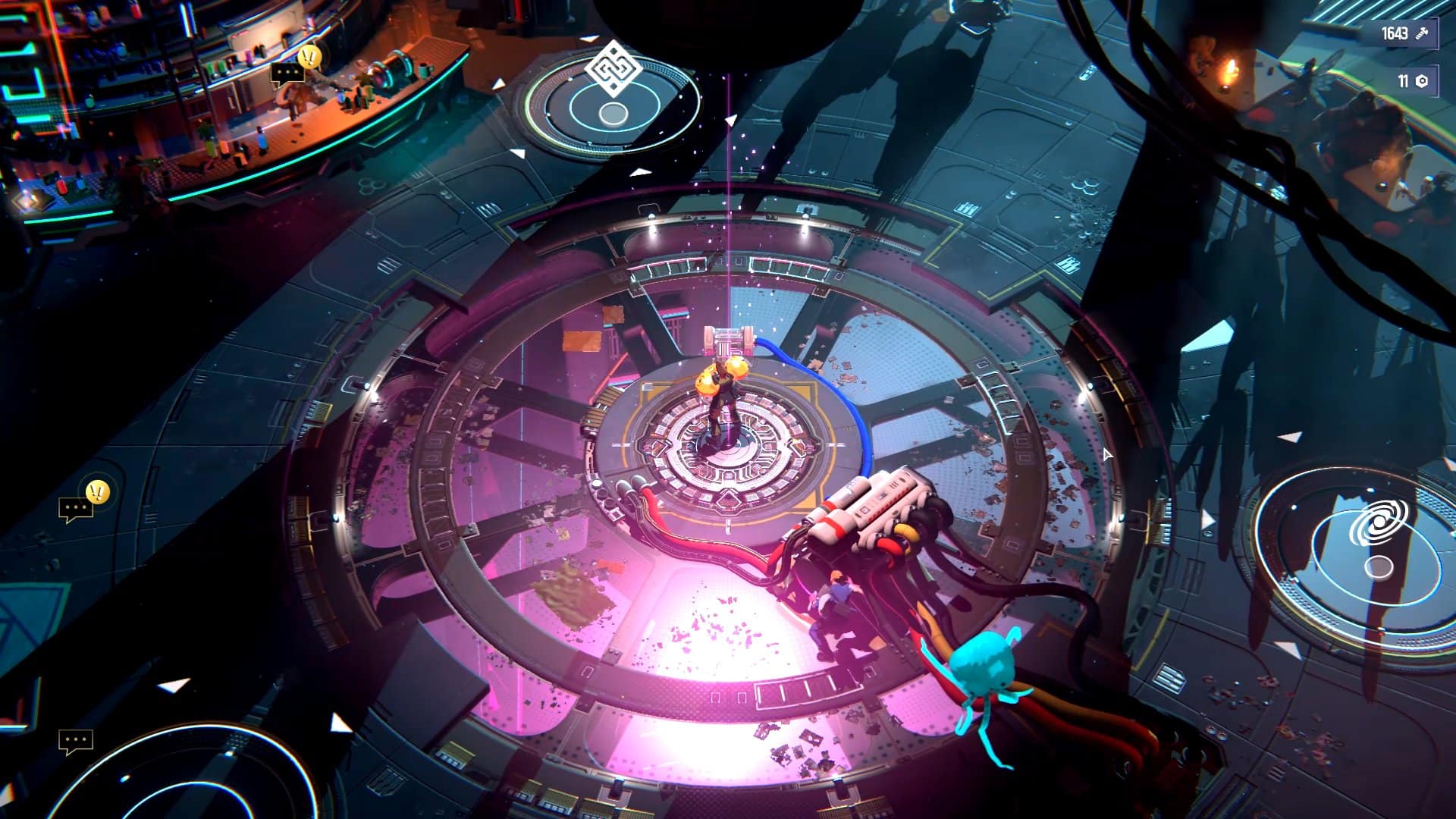
Endless Dungeon is a sci-fi roguelike with the look and feel of a space western mixed with a pinch of Guardians of the Galaxy. Sega’s latest comes packed with distinct heroes and a gameplay that follows the traditional staple of repeat runs to improve your permanent abilities, bringing a flavor of twin-stick shooter and tower defense but with enough twists to make it feel like its own epic.

The Bottomless Dungeon

It may come as a surprise to some players, but Endless Dungeon is a new chapter from a long-running series mostly comprised of strategy games such as Dungeon of the Endless and Endless Space. There’s no need, however, to have played any of the previous titles to enjoy Endless Dungeon to its fullest, as this is pretty much a standalone chapter with just enough lore to get you in the mood for a brand-new story.

Everything begins when your team of unwilling heroes crash into an abandoned space station and swiftly discover that the only way out of there is by reaching its core. Predictably, it sits deep down within the station, with various floors to cross. Stages are procedurally generated, so you can expect different layouts, enemy generator locations, and other elements for each run.

Endless Dungeon Review

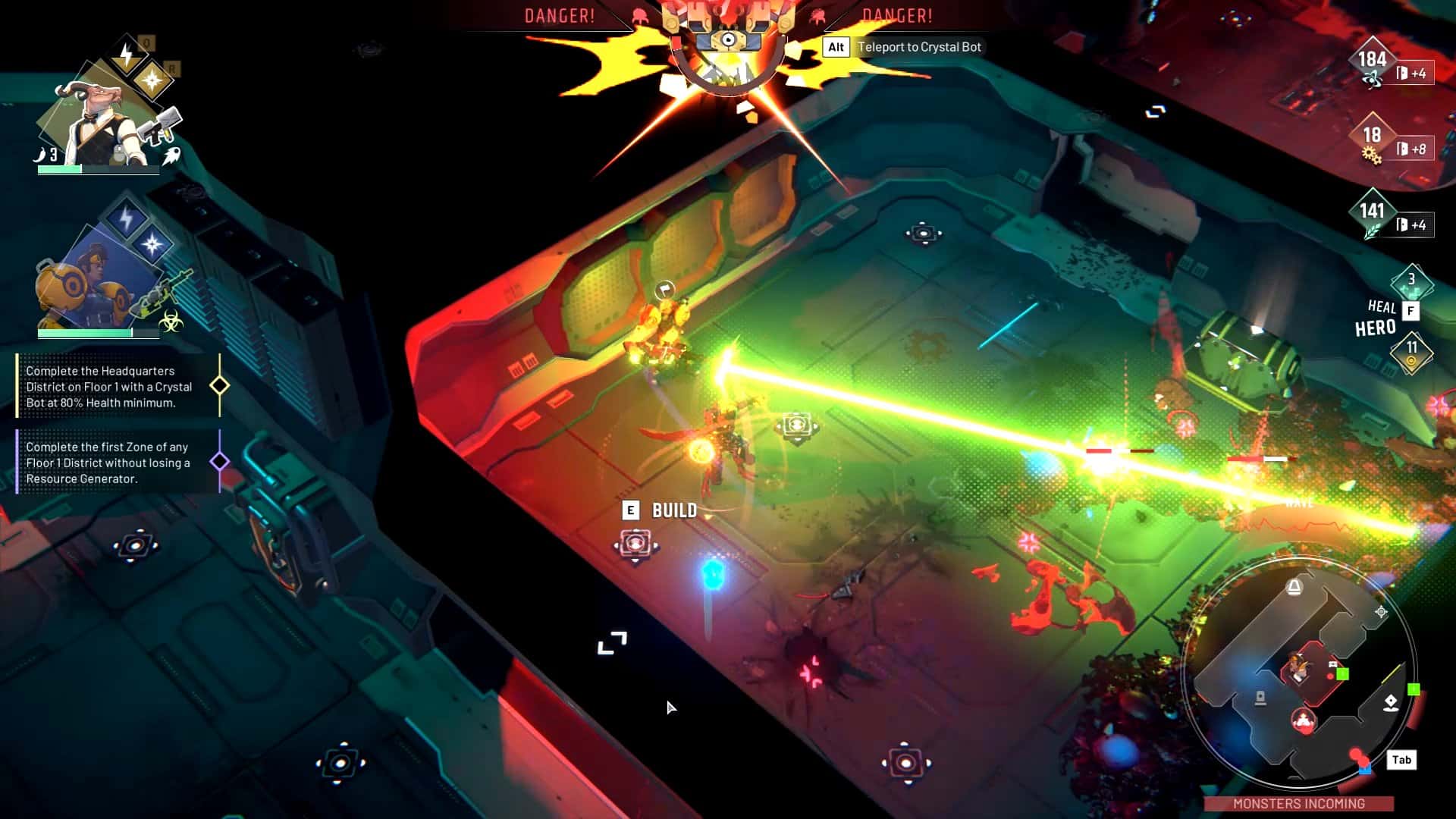
The exciting part about Endless Dungeon is that it plays its tower defense card in a clever way, shifting between protecting your tower – which is in fact a metallic arachnid known as crystal bot – and escorting it to the pod that opens the next zone. The bot is your only shot at survival, and when it is finally destroyed by the relentless enemy waves, it’s time for you to begrudgingly return to the saloon, which is the fancy name for the station where all the shipwrecked heroes spend time, drink, and tell tall tales about their performances. In other words, it’s the hub where you can find new heroes, unlock and upgrade chips and weapon mods, discover new districts to explore, and more.

Choosing the two starting heroes for each dive is one of the most complicated challenges. The rate at which you unlock them is quite pleasing, making the selection diverse and appealing not too far into the adventure. Combining characters in an effective manner is part of the process, finding out if Fassie makes a better team with support specialist Shroom, or if long-ranged Blaze would be a better option. Experimentation will give you the right answers, and it gets even better when a slot for a third hero is unlocked, going from a duo to a trio for the later challenges.

Endless Dungeon is the rare kind of cooperative game that works nicely as a solo game too. In the case of a lone player, you can switch between characters at will, taking control over the one that may feel best suited to a certain challenge. However, AI doesn’t perform nearly as badly as in some games of the ilk, and you have a basic function to order it to follow or stay in a certain spot. It’s fun to work as a team with a human or the AI, the gameplay flows nicely and is chaotic enough, never becoming hard to read among all the blasts and relentless units. Naturally, the game shines if you coordinate your efforts with another player, but it holds its ground if you’re playing by yourself.

Endless Turrets

Endless Dungeon Review

The core mechanics of Endless Dungeon revolve around the gathering of resources and use of turrets. There are three resources to keep an eye out for: science, food, and industry. Production is door-based, which is a technical way of saying that each time you open a door into a new room, the specified amount of resources is added to your total count. Often, you’ll find resource generators that you can use to produce more of the resource you desire, but these gadgets are an enticing target for the enemy critters, so you must try to defend them as well.

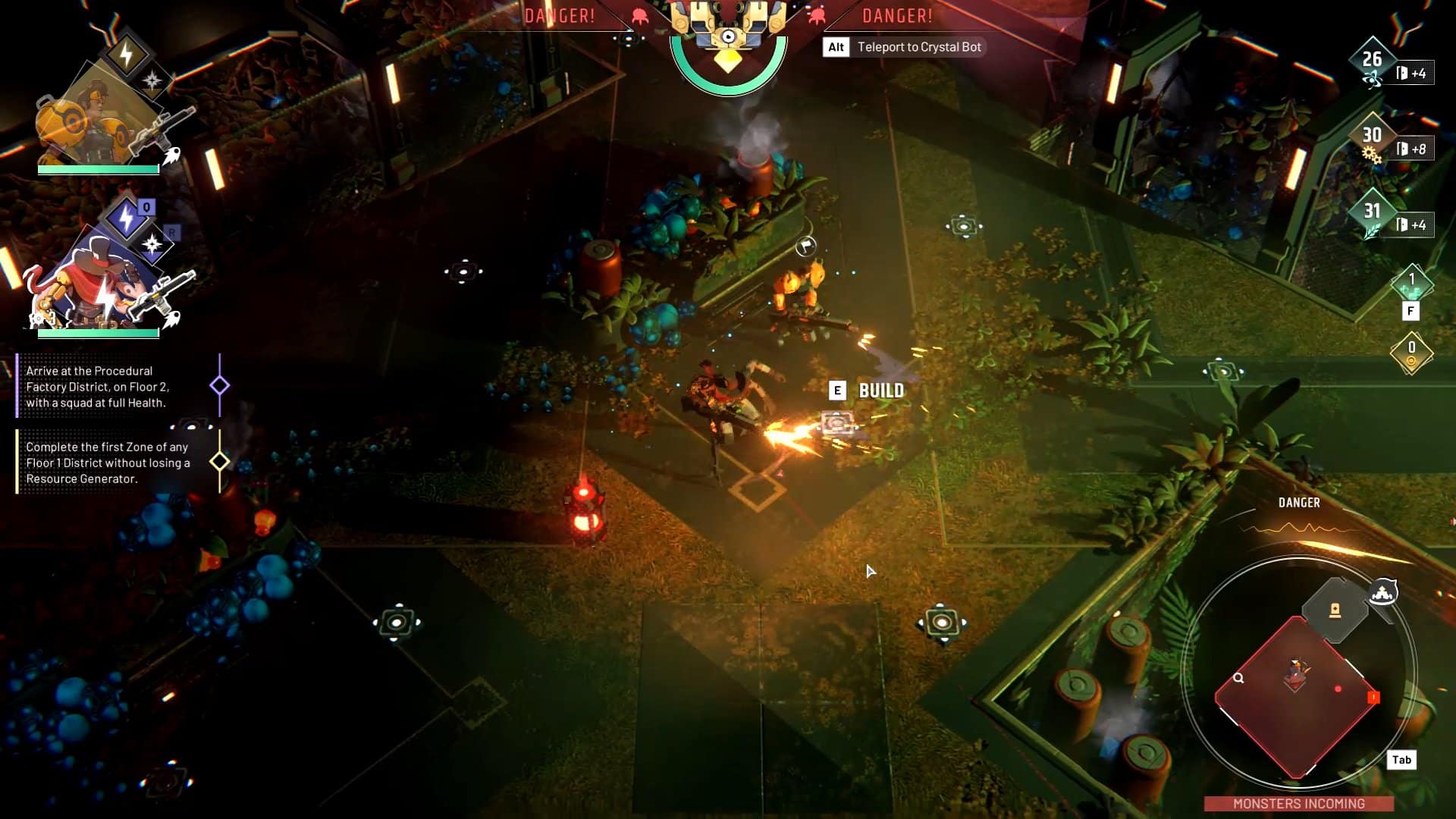
Apart from the raw firepower of your hero team, you can build turrets in designated tiles. You don’t have complete freedom to place them wherever you desire, which is a shame, meaning that you are limited both in range and combinations and there’s nearly not enough potential for imagination and tactics. You can unlock new tower types by spending some resources, and these are upgradeable, ramping up your game for the challenges ahead. There are rooms that just happen to be almost pitch black, and in these cases you can’t place turrets until you spend an item to light up the area and make it fully functional again. You can also find some shards that the crystal bot can mine to result in upgrades such as faster movement or better defense, but again these are optional and you must consider the risk of wrecking a run before ordering your bot to get going.

Some commands such as starting research or ordering the crystal bot to get a move on trigger an enemy wave, reminding you to be fully prepared when you do so. Turrets carefully placed in strategic locations, best weapons equipped, unique ability and ultimate hopefully charged, and medkit at the ready.

Endless Dungeon Review

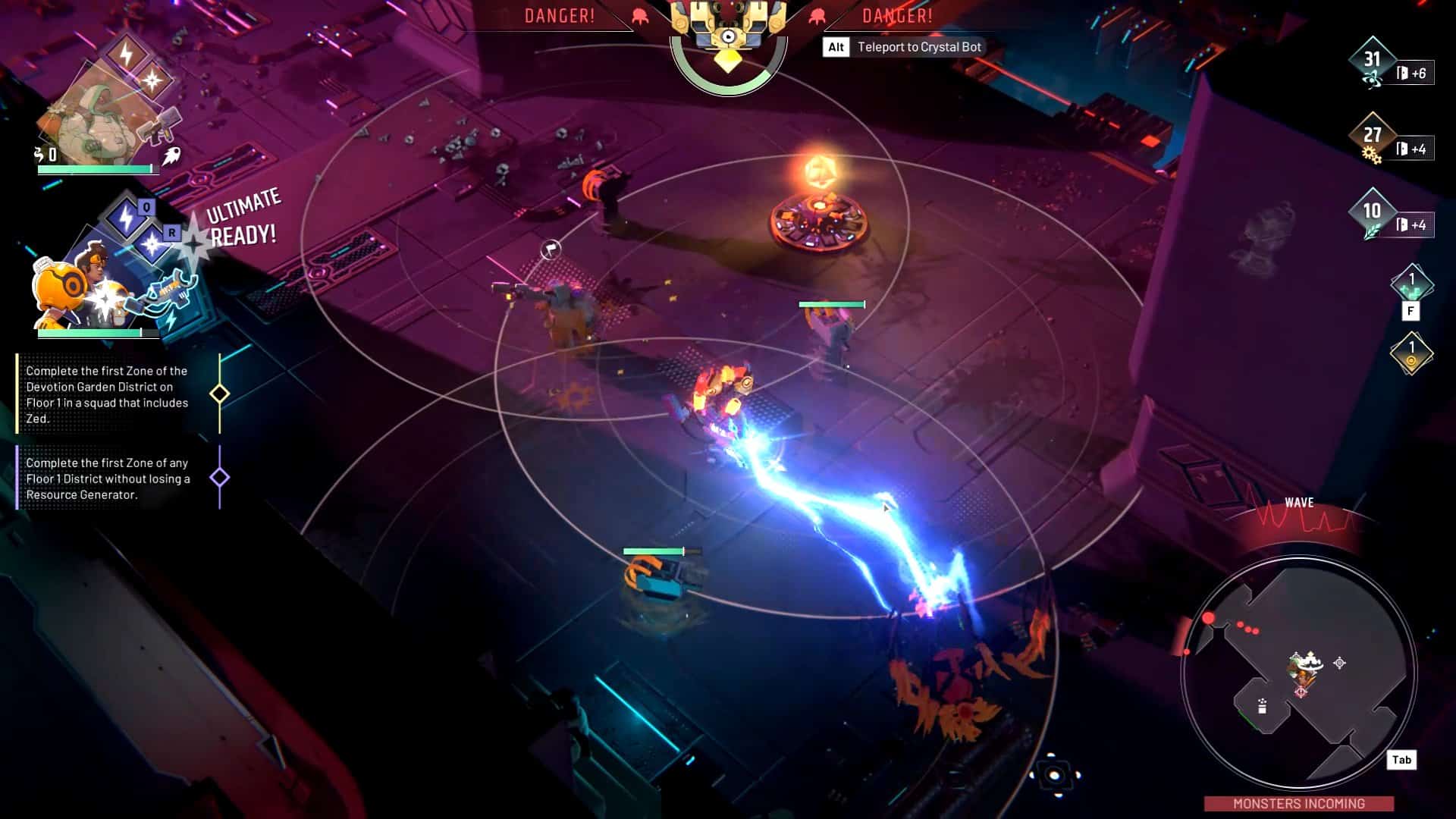
The action is intense, bullets and beams flying everywhere, there’s a lot going on and not enough time to take care of everything, just like the game should be. It plays fast, heroes move with a confident speed, but I couldn’t help notice the somewhat robotic running animation even for the human characters, almost like you have these fast-forward walking frames instead of a natural, flowing movement. However, my biggest concern is the lack of a dash or dodge action, which means that apart from the occasional speed upgrade, all your movement is summed up into this steady pace, with no option for a last-second save of any kind.

Endless Dungeon clearly achieves what it aims to do. Here we have a game that takes a couple of tried and tested genres and puts an original spin into them, with the result both oozing familiarity and novelty, successfully breaking free from the occasional stiffness of tower defense and roguelike gameplay. Cleverly balancing moments of tactics and all-out action, this is a game best enjoyed alongside a couple of players, but it manages to be a fun romp even on your own, as you try to reach the core and finally escape back to normality.

Score: 8/10

Pros:

  • Clever hybrid of tower defense and roguelike
  • Diverse selection of heroes
  • Original resource system
  • Exciting action gameplay, both solo and cooperative

Cons:

  • Limitations to turret placement
  • Awkward running animations

Endless Dungeon review code was provided by the publisher. You can read MP1st’s review and scoring policy right here.

Vitor Braz

Home > News

Madden 24 Crossplay Disabled, Xbox Matchmaking Issues Surface This October 17

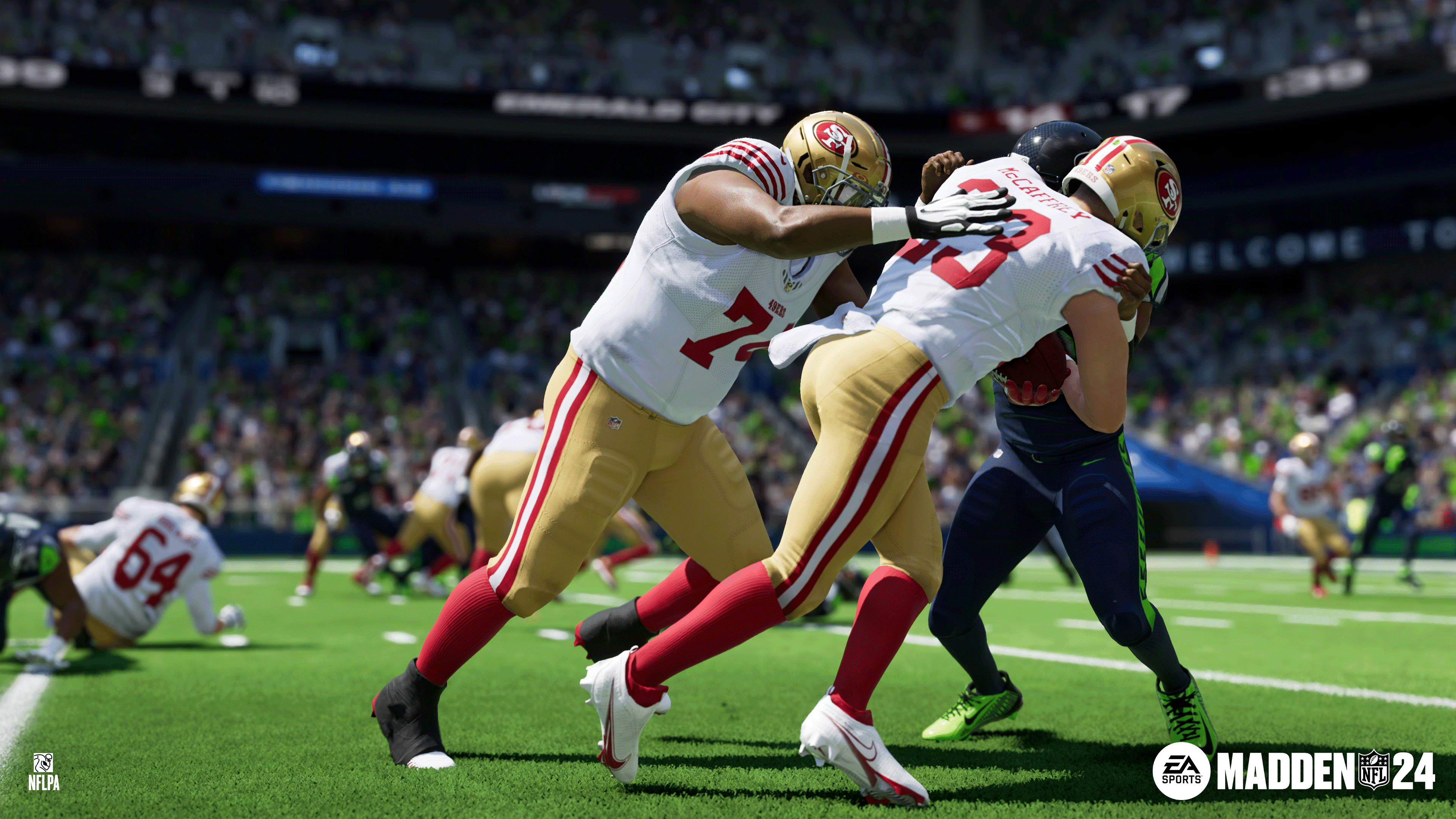
Following today’s Madden 24 title update, it seems things aren’t going smoothly for the football sim. EA has announced that not only is Madden 24 crossplay disabled right now, Xbox gamers are also having issues matchmaking this October 17.

Madden 24 Crossplay Disabled, Xbox Matchmaking Issues for Oct. 17:

Here’s the latest announcement from EA:

We are aware and investigating an issue around Xbox users unable to matchmake in online games.

Additionally, we have temporarily disabled cross-play as we work to resolve the issue.

We will provide an update once the Xbox matchmaking issue is resolved and cross-play is reenabled.

That’s about all the info we have. Once we know more, we’ll update the article. If you spot any other issues, leave a comment below and let us know.

For those who haven’t played Madden 24 yet, go read our review here where we state, “Madden 24 is the epitome of the entire series and of sports games as a whole; an extremely reliable sports game that will leave dedicated fans satisfied but may not offer anything of substance to new players.”

Avatar photo

Alex Co

Father, gamer, games media vet, writer of words, killer of noobs.

Home > News

Second Extinction Development Comes to an End, Servers Shutting Down Next Year

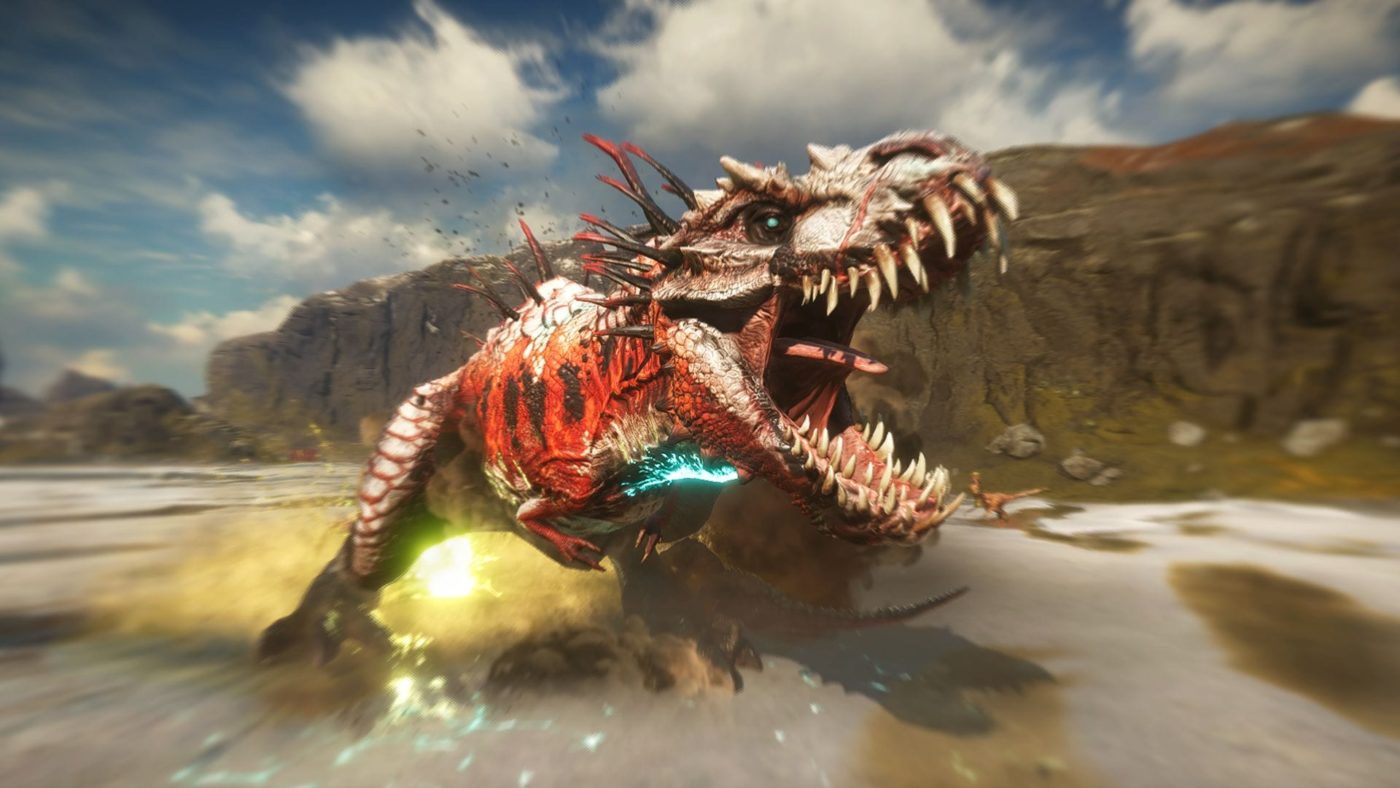
Debuting in 2021, Second Extinction made a concerted effort to establish itself, even by launching on Xbox Game Pass. Regrettably, the game failed to gain the level of traction that the developers had aspired to achieve.

In a heartfelt message to the community, the developers have announced the end of development for the game. This decision, while difficult, was made after careful consideration of the game’s future prospects.

After thoughtful consideration and exploration of our best course of action, we have made the difficult decision to end active development of Second Extinction.

While Second Extinction is well-loved among our players and the gaming community, it regrettably did not achieve the success we hoped it would. Additionally, some unforeseen show-stopping issues prevented us from leaving Early Access and Game Preview.

The game will be removed from sale on storefronts, but the developers assure that the servers will remain active for the time being. However, this will not last long as they indicated that the servers will eventually be taken down in the coming year.

Second Extinction will be removed from sale on storefronts but the game servers will remain active for the time being, allowing everyone who purchased Second Extinction to continue playing solo or with friends. We will eventually take the servers down later next year, but we’ll communicate this well in advance once we have more information.

The shutdown announcement emphasized that there will be no layoffs associated with this decision, and the talent will be redirected towards other projects within the studios.

We want to assure you that there are no layoffs associated with this decision. The passion, talent, and skill of the team who worked on Second Extinction is being put to good use on other projects across Avalanche Studios Group.

Finally, they expressed their gratitude to the community for their support and understanding throughout this journey.

Although the end of Second Extinction’s development is a somber moment, it is heartening to note that no team members were subjected to layoffs. Instead, they are now channeling their efforts into new projects.

Source: Steam

Hammad Taufeeq

Fear the Old Blood

Home > News

Splatoon 3 Update 5.1.0 Drips Out for October 17, Here Are the Patch Notes

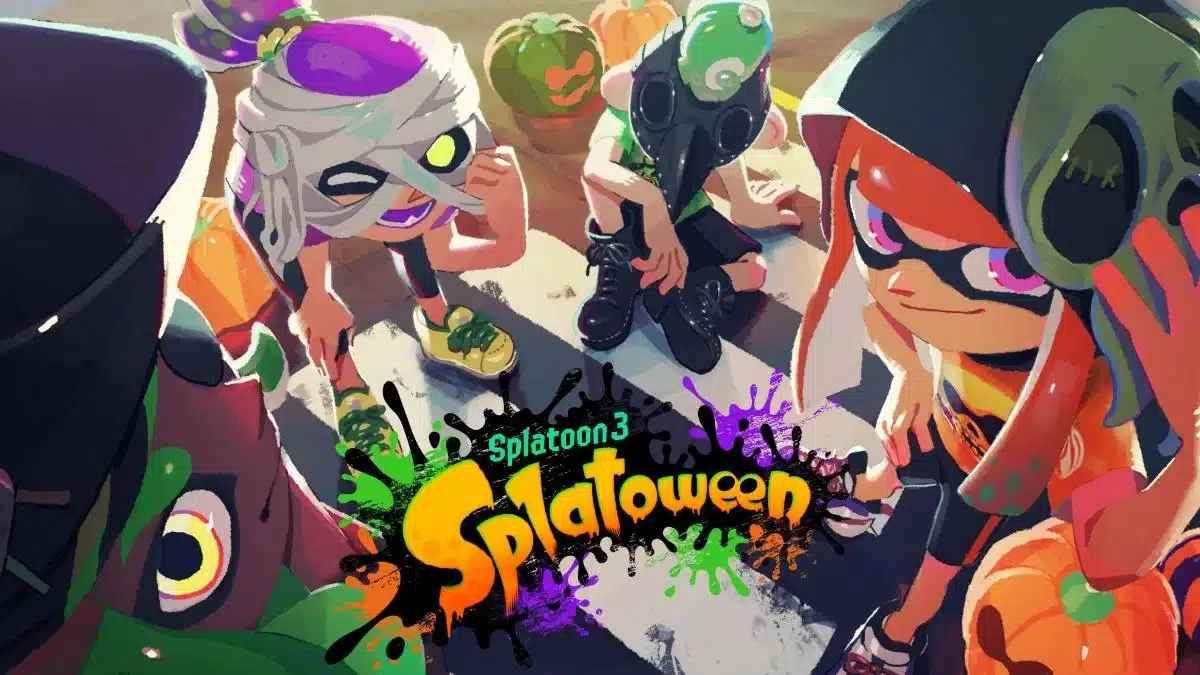
Nintendo has pushed out Splatoon 3 update 5.1.0 and this adds the Splatoween Splatfest event alongside changes to weapons. Read up on everything new in the official Splatoon new update patch notes.

Splatoon 3 Update 5.1.0 Patch Notes:

Changes to Splatfests

  • Data relating to the Splatoween Splatfest has been added.

Changes to Multiplayer

  • The terrain in Mahi-Mahi Resort has been changed in all modes.
  • Specifications for some main weapons have changed.
Weapon Change Details
Splattershot Jr.

Custom Splattershot Jr.

  • Movement speed while firing is now about 6% faster.
L-3 Nozzlenose

L-3 Nozzlenose D

  • The reduction in damage based on how long a shot takes to reach its target is now more gradual.
H-3 Nozzlenose

H-3 Nozzlenose D

  • The reduction in damage based on how long a shot takes to reach its target is now more gradual.
S-BLAST ’92
  • Reduced the amount of ink consumed by approximately 15%
  • Made midjump shot-scatter reduction (which brings it closer to scatter levels while shooting on land) from the Intensify Action gear ability easier to activate even with a smaller number of gear abilities.
    • The effect gained from equipping the maximum number of Intensify Action gear abilities will not change.
Carbon Roller

Carbon Roller Deco

  • Widened the angle at which horizontal swings deal maximum damage.
Splat Roller

Krak-On Splat Roller

  • Widened the angle at which horizontal swings deal maximum damage.
Painbrush
  • Reduced the amount of time it takes for ink to begin recovering after swinging the brush by about 1/6 of a second.
  • The reduction in damage based on how far a shot travels before hitting an enemy has been adjusted, allowing the weapon to deal 50.0 damage/33.4 damage farther than it did before.
Mini Splatling

Zink Mini Splatling

  • Reduced the amount of ink consumed by approximately 13%.
Hydra Splatling
  • Movement speed while charging is now about 10% faster.
  • Increased firing duration by roughly 8%.
Glooga Dualies
  • The reduction in damage based on how long a shot takes to reach its target is now more gradual.
  • Specifications for some sub weapons have changed.
Sub Weapon Change Details
Curling Bomb
  • Reduced the amount of ink consumed when using a standard ink tank from 70% to 65%.
  • Specifications for some special weapons have changed.
Special Weapon Change Details
Killer Wail 5.1
  • Increased damage dealt by approximately 17%.
Kraken Royale
  • Movement speed while not charged is now roughly 11% faster.
Trizooka
  • Reduced the damage dealt by explosions from 60.0 to 53.0.
Tenta Missiles
  • Decreased the radius of the explosion area that deals 30.0 damage by approximately 15%.
  • Points required for some special weapons have been changed.
Weapon Before After
Aerospray RG 200 190
Rapid Blaster 200 190
Big Swig Roller 200 190
Squeezer 200 210
Tri-Slosher Nouveau 190 200
Custom Dualie Squelchers 200 210
Splatana Stamper 200 210

This update focuses on adding special Splatfest data and making tweaks to multiplayer.

We have made it easier to utilize the strengths of some main weapons and increased the options for other main weapons that fulfill similar roles.

Additionally, we made it easier to battle with main weapons that are paired with Curling Bombs.

We have also made adjustments to some special weapons. We adjusted the amount of damage that the Killer Wail 5.1 deals to compensate for the fact that many players are now used to dodging it. For the Kraken Royale, we made adjustments to give players additional options outside of a charge attack. For the Trizooka, we made it more difficult to splat opponents by accident, while preserving the ability for players to splat opponents by aiming well and firing two consecutive shots. For Tenta Missiles, we made adjustments to reduce instances where players still took damage even if they took measures to evade enemy missiles.

We plan on releasing the next patch around the middle of November to add Deep Cut amiibo data.

Bug Fixes

Fixes to Player Controls

  • Fixed an issue where the sound effect that indicates that the special gauge is full wouldn’t play when the player closed the Turf Map at the same time as the special gauge filled.
  • Fixed an issue where a player’s brella sometimes wouldn’t recover if they activated a special weapon immediately before the brella was destroyed.
  • Fixed an issue where the Angle Shooter occasionally ricocheted incorrectly when fired at terrain that isn’t perfectly level.
  • Fixed an issue where it was sometimes impossible to destroy an enemy’s Sprinkler with a bomb when the bomb and Sprinkler overlapped.
  • Fixed issues that could occur when the Crab Tank effect ends, such as the player being at a slightly raised position and able to climb terrain at an unintended height or being unable to smoothly use Squid Surge immediately after the end of the effect.
  • Fixed an issue where a player’s jump height was lower than normal when they extended a Zipcaster arm to attach to a wall while their feet were in enemy ink and then jumped immediately afterward.
  • Fixed an issue where an enemy’s Wave Breaker would sometimes still appear on their own screen even if another player used an Ink Vac to suck up and extinguish it.
  • Fixed an issue where, when a player used a Booyah Bomb at the same time as they blocked an enemy’s attack using the armor from a Squid Roll, Squid Surge, or Squid Spawn, the armor from the Booyah Bomb sometimes would not apply properly.

Fixes to Multiplayer 

  • Fixed an issue in Rainmaker mode where “They have the Rainmaker!” and “They lost the Rainmaker!” announcements sometimes didn’t display when a player was defeated immediately after another player acquired the Rainmaker.
  • Fixed an issue in Clam Blitz mode where, when a clam or power clam that rebounded off terrain entered the other team’s basket at the same time as it touched a teammate, the teammate would acquire the clam or power clam that should have gone in the basket, despite the fact that it counted as a score.
  • Fixed an issue in Wahoo World where a player could clip into certain terrain and become stuck when they used a Reefslider while facing the terrain.
  • Fixed an issue in Flounder Heights in Tower Control mode where players sometimes clipped into terrain and became stuck.
  • Fixed an issue in Humpback Pump Track in Rainmaker mode where there were places where the countdown would not get faster when a player returned the Rainmaker to their own base.
  • Fixed an issue in Manta Maria where performing a Dodge Roll toward the mast immediately after entering swim form while on top of the grate in the center of the stage sometimes caused the player to clip into the mast and get stuck.
  • Fixed an issue in Crableg Capital that prevented players from inking certain walls.
  • Fixed an issue in Crableg Capital where certain bombs would sometimes become stuck and not explode when thrown at certain locations on top of the railing.
  • Fixed an issue in Shipshape Cargo Co. where a player’s Tenta Brella would sometimes vanish immediately when launched.
  • Fixed an issue in Shipshape Cargo Co. in Rainmaker mode where there were places where the countdown would not get faster, even inside areas that the Rainmaker is not allowed to enter.
  • Fixed an issue in Shipshape Cargo Co. in Rainmaker mode where there were places where the countdown would not get faster when a player returned the Rainmaker to their own base.

Fixes to Salmon Run

  • Fixed an issue where a player would occasionally not be able to pick up a new Golden Egg until the end of the wave when they delivered a Golden Egg without throwing it and then immediately picked up another Golden Egg and threw that egg to deliver it.
  • Fixed an issue where the Wave Breaker would sometimes remain without vanishing when a player threw it at a Flyfish’s cockpit.
  • Implemented measures to address an issue in special Rush waves where players sometimes took damage from Salmonids if they were moving forward at high speed while splatting the Salmonid with a roller.
  • Fixed an issue in special Griller waves where attacking the exposed weak point with a charger sometimes did not deal any damage when the Griller was turning in place.
  • Fixed an issue in Salmonid Smokeyard where the game would slow down when a player swam on certain walls while being targeted by Salmonids.
  • Fixed an issue in Salmonid Smokeyard where Maws sometimes passed through the interior of the terrain to appear suddenly at the player’s feet.
  • Fixed an issue in Salmonid Smokeyard where Scrappers were sometimes unable to exit the lift after boarding.

Fixes to Splatfest

  • Fixed an issue where certain animations did not match the tempo of the music during Splatfests in Inkopolis.

Other Fixes

  • Fixed an issue where a player’s locker might not display properly and they would not be able to return to the edit screen if they started editing their locker at the same time as the Splatcast ended.
  • Fixed an issue in the lobby and Grizzco where the Fresh! count for a player’s notifications sometimes didn’t display properly when their own notifications displayed consecutively.
  • Fixed an issue with the locker where stickers stuck to the locker would sometimes display in a disarrayed manner when selecting certain decorations.

That’s about it. Once a new patch is released, we’ll be sure to let our readers know.

Source: Nintendo

Avatar photo

James Lara

A gamer at heart, James has been working for MP1st for the last decade to do exactly what he loves, writing about video games and having fun doing it. Growing up in the 90's gaming has been in his DNA since the days of NES. One day he hopes to develop his own game.

Home > News

Wizard With a Gun Review – Bullet Time Travels

Wands are so overrated; there’s nothing like a Wizard with a Gun. Incidentally, that’s also the name of the new game from Devolver Digital, the prolific developer with a knack for offbeat games, both small and large. This one fits nicely into the survival and roguelike labels, a cute but somewhat grindy mashup that could high-five the Don’t Starve series if they happen to find each other deep in the wilderness, except with more wizards.

Time Travel Wizardry

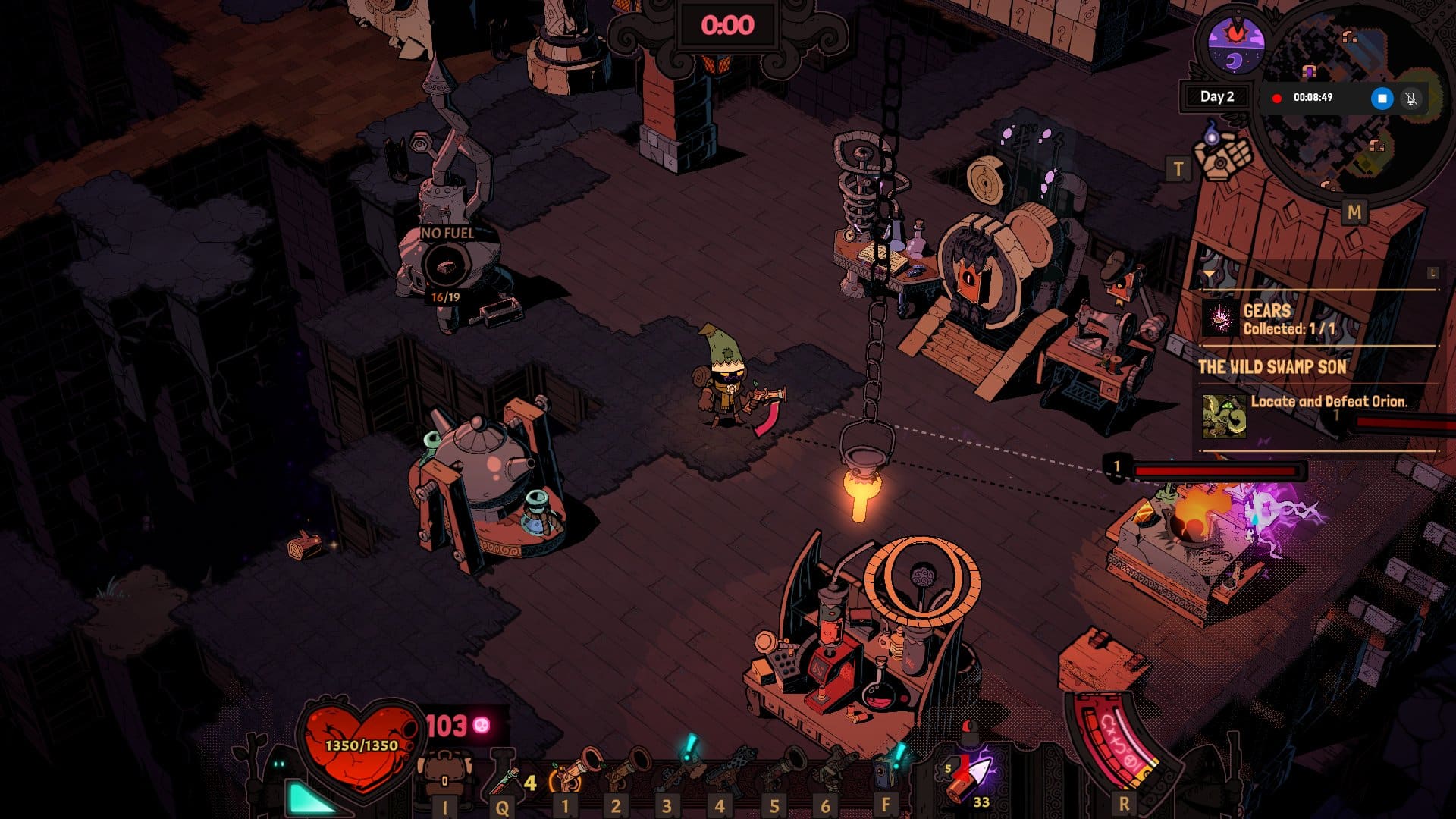
Your hapless wizard reluctantly turns out to be the only option to prevent the end of the world by traveling back in time in successive runs. But first, you must head to the tower that will serve as your safe house, the place where you are going to evolve, not ignoring a fair share of cosmetic additions on the side because there’s no place like home, even if a temporary one.

Customizing your wizard for the beginning of the adventure is the first step. With a decent selection of hats, robes, masks, and more, which isn’t quite bad for a character with a pitch-black face, you can make a first sketch of what you will turn out to be a few hours later.

Wizard with a Gun Review

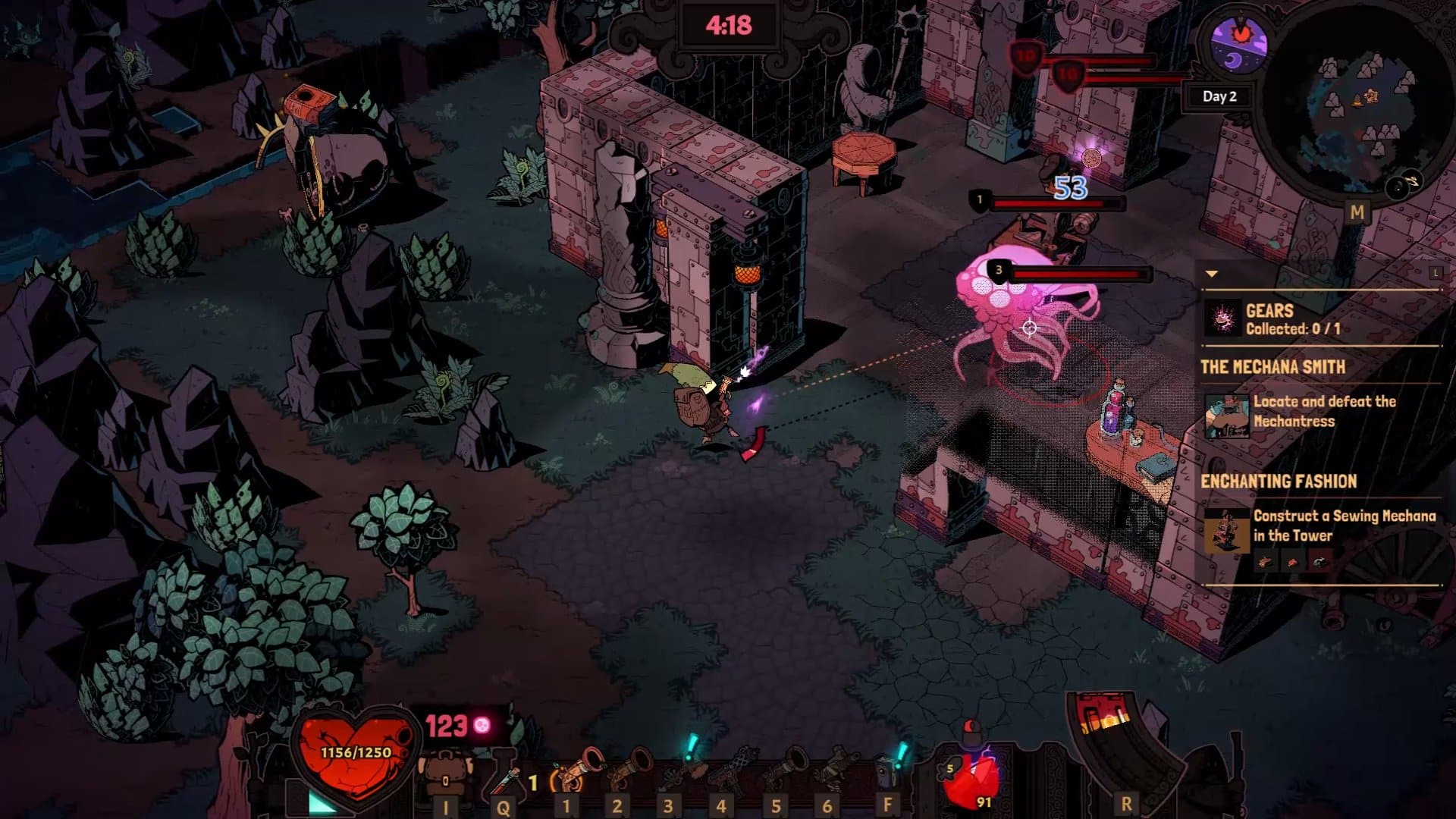
Reaching the tower allows you to confirm that there are indeed a few strange contraptions in this place, one of them capable of rolling back time and giving you another shot at exploring the wilderness before all hell… actually, before all chaos breaks loose. There’s already quite a wealth of vicious creatures, but this is far from the full extent of it. Now, your task is to balance survival with the search for gears that let you explore more regions, find other bosses, and eventually put a stop to the forces of chaos.

You can learn more about the world by using your first edition tome to scan enemies and objects – some give you info, others unlock recipes for crafting. Upgrading the tome lets you scan more objects, many of these being furnishings for you to craft a cozy living spot inside the tower. To place an item you need the required resources, but also the tool known as Worldbuilder, which you will retrieve early on.

Inside the tower and even in the wilderness you also notice a very strange thing – some resources are simply beyond reach, with no solid ground to get there. Soon you are going to unlock a new tool, the Groundlayer, which as the name implies, lets you place tiles on the ground to form pathways. These come in different types requiring diverse resources, from grass to stone, so you’re not always locked into a specific one. This tool not only allows you to reach some resources and places that you previously could not, it may also come in handy to save a creature or two out there and reap the rewards.

Wizard with a Gun Review

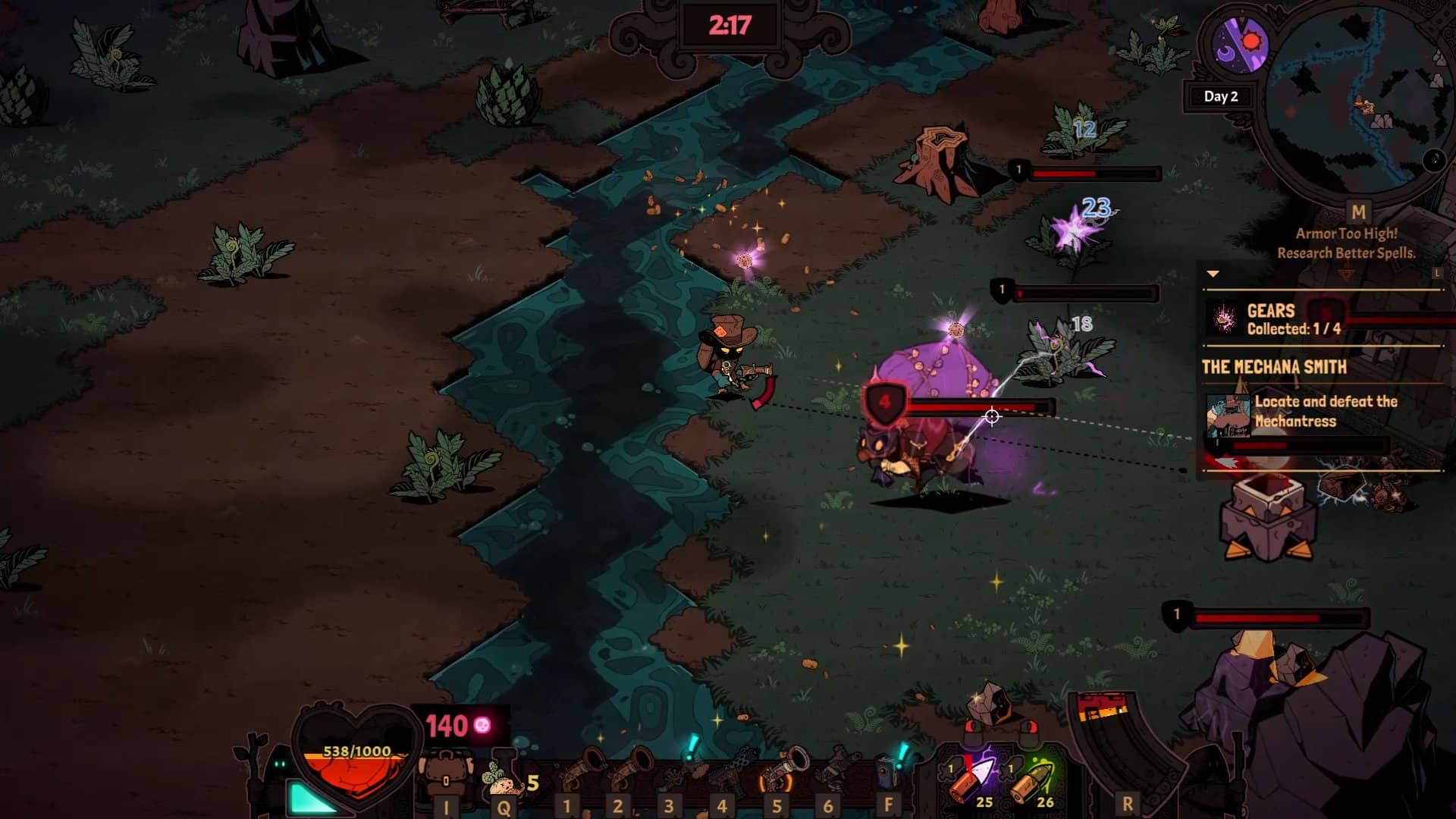
The gameplay loop powering Wizard with a Gun is a solid and engaging one. You must roll back time to reset a new level with a procedurally generated layout, but you only have five minutes to get in and get out, as if a bank heist of cartoony style. You must search for the all-important gears to unlock new levels, the valuable arcane tomes, and collect all the resources you need to upgrade your research and crafting stations. There are quite a few mechanics at work and you must pay close attention to every single one if you want to upgrade your wizard, making him capable of taking out the stronger foes – sometimes their armor is so beyond your level that your shots don’t even make a scratch.

Let time run out and you lose all the items in your inventory, but thankfully you still get to keep your guns. The only way you can lengthen time and explore for longer is by finding these chaos creatures – or more truthfully, have them find you – and destroying them, with the resulting loot giving you a boost of varying amounts, including 30 seconds or three minutes, depending on the foe. With some luck and dedication, you can get that timer up to the double digits and have more than enough comfort to reach other biomes, including a swamp, tundra, and prairie.

The time pressure is an interesting addition to the game, a factor that you have to constantly juggle with your goals. You’ll often find structures that reveal a good chunk of the map and the location of a gear or other important objects, and considering the time it takes you to reach that and safely return to the portal – or finding another one – is what turns each run into a high stakes affair.

But it’s all a bit of a grind, that’s for sure. It does get somewhat tiring after a few hours of scavenging for resources, dealing with the limitations of the inventory, and having to return to the tower only because you must store some precious materials inside the chests or risk losing them forever. It’s a game that requires a few breaks here and there, and the appeal to return to it quickly isn’t quite there; it begs for some rest before finding the will for another sequence of runs.

Bullets in Time

Wizard with a Gun Review

A big aspect of Wizard with a Gun is, unsurprisingly, guns. Or in fact, the bullets that come out of them. You don’t have a great choice of guns to start with, only capable of crafting a wooden gun, with the rest found in the wilderness, including some machine wands, which are machine guns all but in name. However, you get an incredible array of bullet crafting and bullet customization options, which put quite a few twists to your exploration.

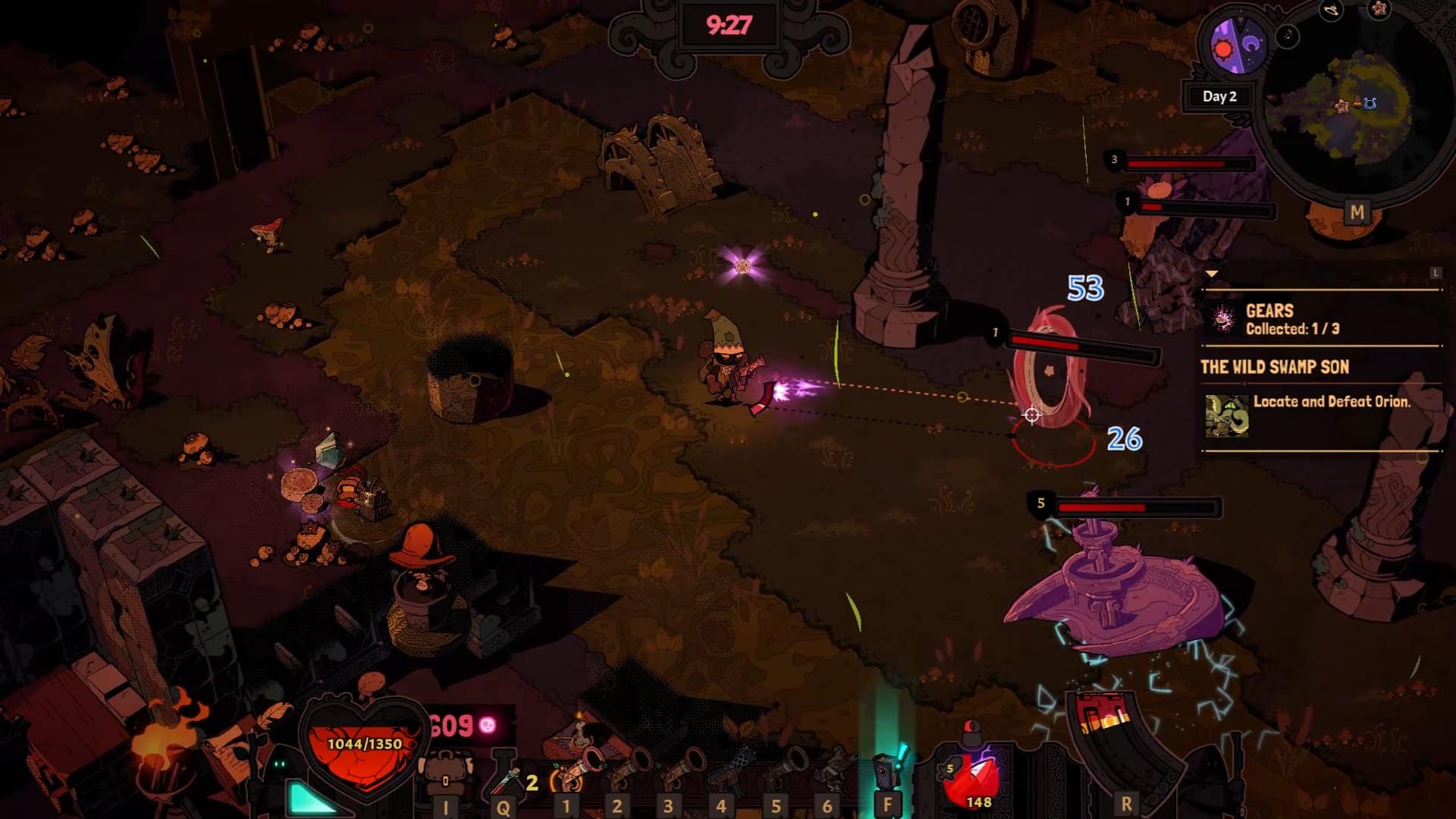
The normal bullets are the easiest to craft, but sooner you’ll find out that you have resources for incendiary bullets, poison bullets, electricity bullets, ice bullets, and more, each one with several possibilities for expansion with additional effects. Finding out the bosses weaknesses and which type of bullet is best suited for each creature is part of the game, with some interesting elemental combinations to use, such as turning a river into an electricity conductor, shocking the enemies. The frequent resource gathering and bullet crafting is quickly going to occupy an important slice of your gameplay.

One thing that somewhat irked me is the inventory limitation and issues inside the tower. As logical as they may sound, it’s a chore to adhere to such strict rules of crafting and rummaging through so many storage chests trying to find that item you need at the time. To further explain, to craft or upgrade one of the several things you need, only the items inside your personal inventory are taken into account. So, you must do some juggling to have those items ready with you, while the game could easily consider your overall stash – chests included – for the upgrades within the tower. This is a cumbersome and unnecessary design choice that deserved some extra thought.

Wizard with a Gun Review

Wizard with a Gun comes with a two-player cooperative mode that improves on combat, most of all, making all the dodging and shooting a lot more fun. While most of the time for this review was spent solo, the potential for a fun coop experience is clearly there.

Wizard with a Gun is a 2D isometric roguelike with charming stylized visuals, a heavy focus on crafting, and nice but somewhat repetitive resource gathering and bullet creation systems. It’s the kind of game that may sometimes feel a little overwhelming, forgetting that it should be more lenient with things such as inventory management to avoid frustration from setting in. Still, it’s fun in short bursts and overall a very solid game that gets more enjoyable the more you progress, the more time you get to stay inside the wilderness and discover all the surprises coming with the new biomes.

Rating: 8/10

Pros:

  • Deep focus on crafting and customization
  • Interesting gameplay loop
  • Two-player cooperative mode
  • Stylized visuals

Cons:

  • Some heavy grind to be expected
  • Inventory management isn’t ideal

Wizard with a Gun review code was provided by the publisher. You can read MP1st’s review and scoring policy right here.

Vitor Braz

Home > News

Rocket League Update 2.33 for October 17 Zooms Out

Psyonix has kicked off Rocket League update 2.33 and this prepares the game for Haunted Hallows! There’s also bug fixes implemented as well, with the full info listed in the Rocket League patch notes for October 17.

Rocket League Update 2.33 Patch Notes:

HAUNTED HALLOWS

  • v2.33 prepares Rocket League for Haunted Hallows
  • Haunted Hallows begins Wednesday, October 18 at 9am PDT (4pm UTC)
  • Unlock new items by completing Haunted Hallows Event Challenges
  • Items from Golden Pumpkins are eligible for trade-up
  • The Spooky Cube LTM will be playable from October 18 to October 24
  • The Haunted Heatseeker LTM will be playable from October 24 to November 1
  • Farmstead (Spooky) will be available in Private Matches, Exhibition Matches, and Free Play

CHANGES AND UPDATES

PLAYER-TO-PLAYER TRADING

  • Added new text to the “All Trades Are Final” pop-up window that appears when a trade is started: “HEADS UP: Player-to-Player trading will be removed on December 5, 2023”
    • You can learn more about the removal of trading here

BUG FIXES

  • Neo Tokyo (Hacked) now uses the same arena and boost pad collision mesh as all other Arenas
  • Fixed a bug preventing Custom Tournament creators from spectating ongoing matches
  • Fixed a softlock issue when returning to the Main Menu after selecting a Private Tournament while using a mouse in the Tournaments menu
  • [PC] Fixed a bug with the Bloom advanced video setting creating light artifacts for some AMD GPU users
  • The Ombre Decal on the Nissan Silvia and Porsche 911 Turbo can now be customized with Paint Finishes
  • [PS/Xbox] Fixed a bug preventing some players from seeing the EULA when updated in the game client, or accepting the updated EULA in settings

Source: Rocket League

Avatar photo

Alex Co

Father, gamer, games media vet, writer of words, killer of noobs.

Home > News

Insomniac Dev Reveals Marvel’s Spider-Man 2 Fast Travel Could Be Faster as Hold-to-Confirm Prompt Doesn’t Hide Loading

Marvel’s Spider-Man 2 review embargo lifted yesterday, and one of the trending moments to arise from it was a video demonstrating instantaneous fast travel. Though some were quick to point out that despite not having a loading screen, the studio had been stealthily hiding it behind a button prompt. This isn’t the case, as a developer from Insomniac Games has come out to clarify that loading isn’t being hidden, but rather the prompts are for the player’s usability.

For those who might not have seen the video, here it is for some context.

Many were quick to point out that the hold-to-confirm prompt was being cleverly used to hide the loading when selecting a location on the map. Since then, however, an Insomniac dev has responded to a user on ResetEra’s Marvel’s Spider-Man 2 review thread, confirming this isn’t the case.

“That’s a hold-to-confirm prompt, not hiding a load. If anyone wants to check, they can look at how late it’s possible to cancel it out when they’re playing.

Last month I brought up whether we should remove the hold-to-confirm, mostly to address that accusation we were seeing. But it was correctly pointed out to me that having a confirmation window was important for player usability, which at the end of the day is far more important than Internet cred points (even though we love our Internet cred points).”

What this means is that they (Insomniac) didn’t want users to accidentally press somewhere and be instantly teleported. This confirm prompt was added so players wouldn’t make that mistake.

This also means that fast-traveling could be slightly faster if the prompt were removed, though based on the video, it’d only cut the time by about two seconds per the prompt’s length.

While other games have had seamless transitions and little to no load time during fast travel, one has to remember the scope of what Marvel’s Spider-Man 2 achieves not just in its visuals with ray-trace in every mode but also its scale and densely populated world that makes its instantaneous loading the more impressive.

Marvel’s Spider-Man 2 launches exclusively on the PS5 this Friday.

Avatar photo

James Lara

A gamer at heart, James has been working for MP1st for the last decade to do exactly what he loves, writing about video games and having fun doing it. Growing up in the 90's gaming has been in his DNA since the days of NES. One day he hopes to develop his own game.

Home > News

Call of Duty Will Be 100% Parity for Content on All Platforms Confirms Phil Spencer

Xbox’s CEO of gaming, Phil Spencer says that Call of Duty will no longer have exclusive perks for any platform in terms of content, as their goal is to offer 100% parity for everyone in the Call of Duty fanbase. 

Speaking during today’s Xbox Podcast Show, the Xbox boss, Phil Spencer, took to discussing the recent Activision Blizzard King deal closure, while confirming that the company has no plans to use Call of Duty to sell Xbox, promising content parity across every platform. 

“I want you to feel 100% part of the community. I don’t want you to feel like there’s content you’re missing out, there’s skins you’re missing out, there’s timing that you’re missing out on. That’s not the goal. The goal is 100% parity across all platforms as much as we can for launch and content. I say as much as we can on parity because clearly, some platforms have resolution and framerate differences, just based on perf. But there’s nothing else. We have no goal of somehow trying to use Call of Duty to try and get you to buy an Xbox console. 

I want the Call of Duty nation to be supported across all platforms. We’ve been on the other side of those skins, and even this beta wasn’t on Xbox the first week. I don’t think that helps the community, I don’t think that helps the game. So it’s the focus if you’re a PlayStation player, a Nintendo player, PC player, or an Xbox console player, I want you to fell like 100% part of the Call of Duty nation.”

That means that once the current agreements are expired, all content for Call of Duty, from skins, modes, and maps, to even alpha and beta tests, will be available on every platform the game runs on. There won’t be any platform exclusives like we’ve seen over the decade for the franchise, nor will Xbox use it as a means to sell the console. 

Fantastic news, as one of the biggest fears of Microsoft buying Activision was that it would bring a new era of exclusivity, though Phil seems very determined to keep the Call of Duty community together. Of course, that may not hold true for the rest of the IPs acquired, but for many, this was always about Call of Duty, and we’re glad to see Phil still holds the same stance he’s been pushing since this whole acquisition started. 

Of course, parity on content doesn’t mean Microsoft won’t put the franchise on Game Pass. While Modern Warfare 3 is confirmed to not be part of the subscription service, recent comments from Activision-Blizzard makes it seem like this is an inevitability. 

Avatar photo

James Lara

A gamer at heart, James has been working for MP1st for the last decade to do exactly what he loves, writing about video games and having fun doing it. Growing up in the 90's gaming has been in his DNA since the days of NES. One day he hopes to develop his own game.

Home > News

COD Warzone Haunting Event Grants Players a Diablo 4 Cosmetic

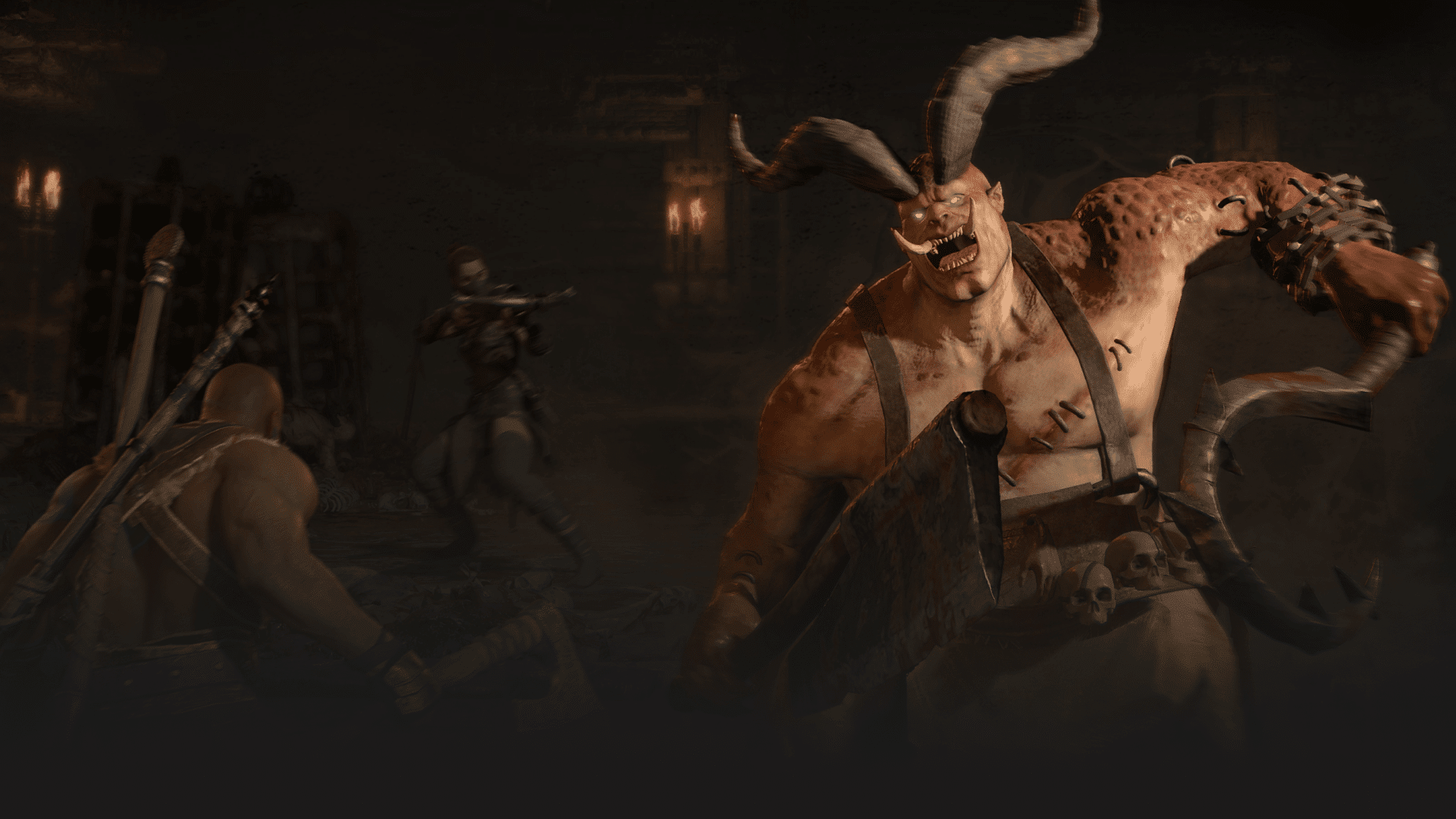
For any of you out there who play both Call of Duty and Diablo, Activision Blizzard is looking to reward your loyalty. During Warzone’s Haunting event running from now to November 6, players who kill an in-game boss will be granted a special reward in Diablo 4.

The boss in question is known as The Butcher: a horned, hulking beast with a massive hook for a weapon. The Butcher spawns in Warzone’s Al Mazrah (Night) and Vondead maps during the event after players summon him using a portal. Once he’s taken down, you’ll get his Meat Hook as a Scythe cosmetic in Diablo 4.

Here’s the step-by-step as listed on Call of Duty’s official site:

Warzone Haunting Diablo 4 Reward Steps:

  1. Link your Battle.net account to your Activision account by accessing the Profile tab on the Call of Duty website.
  2. Slay The Butcher in Call of Duty: Warzone by first uncovering a portal to his otherworldly lair and then defeating him in combat (available within Al Mazrah and Vondead maps).
  3. The reward will then be granted to your Battle.net account! May take up to 4 days to appear.
  4. If you killed The Butcher before you linked your Activision and Battle.net accounts, don’t worry – after you link your accounts, your reward will still make its way to your Diablo IV Wardrobe in up to 4 days. Please note: you must have a Scythe equipped in order to view the transmog.
    • Players must link their accounts and kill The Butcher before the Haunting ends on 11/6/2023 to redeem the reward.
    • Check out the FAQ if you have any more questions about this year’s Haunting event.

That about sums it up. The Haunting event is live in Warzone and Modern Warfare 2 now and will run until November 6. You can check out the patch notes for that update here.

Source: Call of Duty

More Call of Duty Reading

Jack Breitenbach

Game the night away!

Home > News

RoboCop: Rogue City New Trailer Breaks Down Everything You Need to Know in 60 Seconds

Dead or alive, if you’re a fan of Robocop, you’ll probably end up buying RoboCop: Rogue City after that incredible demo released last week. But if for whatever reason you need more convincing, a new RoboCop: Rogue City trailer has just been released, giving you 60 seconds to decide your fate.

RoboCop: Rogue City New Trailer

Alright, alright, that was longer than 60 seconds, but we don’t make the rules, and there’s no denying that the trailer was entertaining. And if you were too caught up in nostalgia, here are the 10 things you need to know about RoboCop: Rogue City.

10 Things You Can Expect in RoboCop: Rogue City:

  1. An original story taking place between the events of RoboCop 2 and 3
  2. Peter Weller, the original RoboCop actor, reprises his iconic role for the first time in 30 years returning as the voice and face of the part-man part-machine, all cop hero
  3. An explorable Old Detroit across different open areas
  4. Choices that affect the story, the citizens of Old Detroit, and the outcome of RoboCop’s mission.
  5. Crimes and cases for RoboCop to investigate and solve
  6. RoboCop’s trusty Auto-9 pistol and 20 other weapons for RoboCop to enforce the law and eradicate criminals with
  7. Light RPG elements including an upgradable RoboCop and Auto-9 pistol
  8. Familiar locations and iconic characters such as Anne Lewis, Sergeant Warren Reed, and ED-209, RoboCop’s robot rival
  9. A new criminal mastermind, The New Guy in Town, to stop and ensure justice is enforced
  10. Police work such as assisting the Detroit Police Department’s front desk and handing out tickets

RoboCop: Rogue City launches on November 2 for the PS5, Xbox Series X|S, and PC. You can read our hands-on preview of the demo to learn just how faithful the game is to the movie franchise.

Avatar photo

James Lara

A gamer at heart, James has been working for MP1st for the last decade to do exactly what he loves, writing about video games and having fun doing it. Growing up in the 90's gaming has been in his DNA since the days of NES. One day he hopes to develop his own game.

Home > News

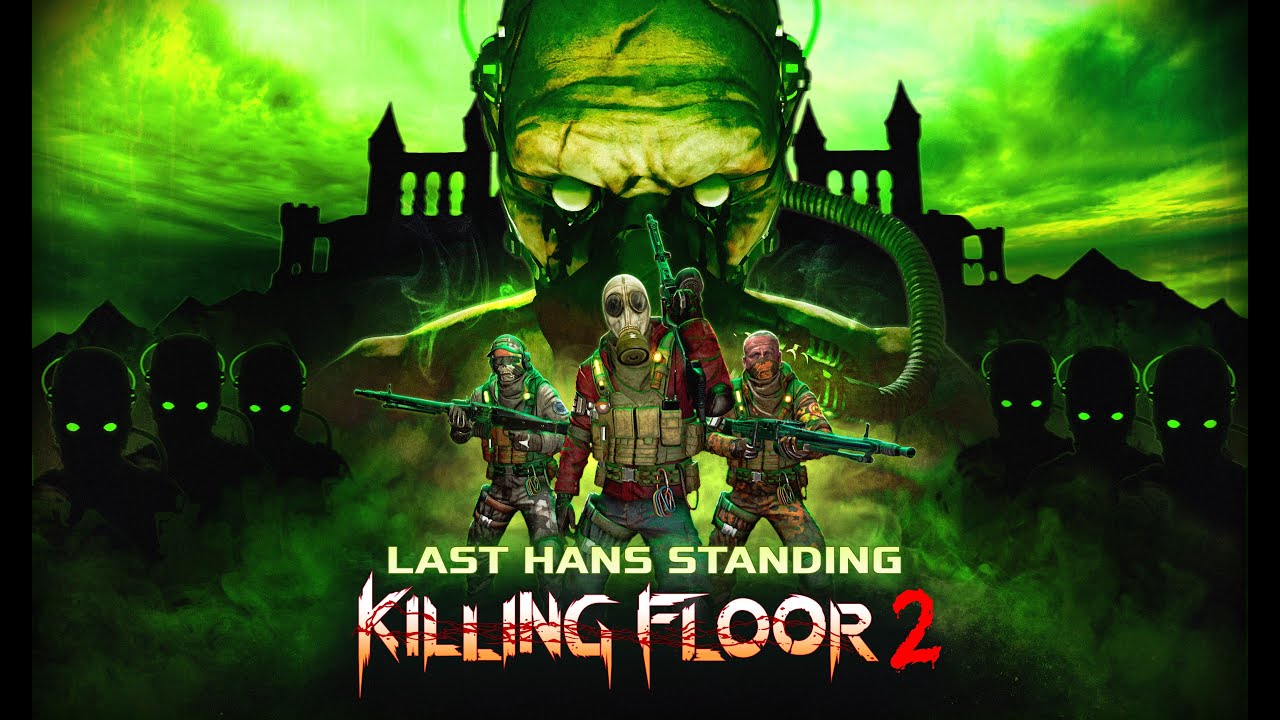
Killing Floor 2 Update 1.75 for Oct. 17 Shoots Out for Last Hans Standing and More

Tripwire has deployed Killing Floor 2 update 1.75 on all platforms, and this is to bring the Last Hans Standing patch into the game! Read up on what’s new this Halloween and more in the official KF2 patch notes for October 17’s update.

Killing Floor 2 Update 1.75 Patch Notes | KF2 Last Hans Standing Patch Notes:

What’s new?

  • New Official Map: Castle Volter by Saber Interactive
    • Compatible for Survival, Weekly, Endless
  • New Weekly: Bounty Hunt (For every wave, several zed are marked as Bounty Zeds which needs to be killed. Bounty Zeds attempt to flee on sight and become stronger if other zeds are killed before it. Dosh is only awarded for Bounty Zed kills and heals during trader time. Suicidal difficulty, 7 waves)
    • Complete the Weekly to earn the Bounty Hunt weapon skin for the .50 Desert Eagle
  • 2 New weapons
    • HRG 93R (Off-Perk, Tier 0, Dual-Wieldable, Can be set as part of any perk’s Starting Loadout [Replacing the 9mm Pistol]/$150 for Dual-Wield)
    • MG3 Shredder (Commando, Tier 5, $2000)
    • Note: The MG3 Shredder is a DLC weapon. It can be acquired via purchase from the in-game store or from owning the Armory Season Pass II DLC. This weapon can be tried out by Steam/EGS players in private matches by inputting GiveWeapon KFGameContent.KFWeap_LMG_MG3 into the dev console after enabling cheats.
    • Note: The HRG 93R is free for all users
  • New Objectives, tickets, cosmetics, and store bundles
    • Complete all seasonal objectives to earn the Volter weapon skin for the Mkb. 42(H) Rifle

Quality of life improvements:

  • Option to select and play any Weekly Outbreaks
    • Available for Matchmaking, Server Browser, and Solo Offline
    • Server owners can set their servers to run a specific Weekly by putting “?WeeklySelectorIndex=<NUMBER>” in their batch file (with <NUMBER> being the specific weekly – i.e. Boom is 1, Cranium Cracker is 2…etc – refer to the announcement page for the full list of Weeklies’ numbers)
    • Note: The current Weekly Outbreak rotation system will continue working as usual, updated weekly. Weekly rewards will only be granted if the ‘Current Weekly’ option is chosen. Playing any Weeklies outside of the Current Weekly will not grant any reward.

Balance changes:

  • Reducto Ray
    • Shrink incap duration reduced from 10s to 0.5
    • To quote simplecat from the TWI Forums: “(This means) that after not attacking ZED for 0.5s the internal meter resets back to 0 and you’d need to start appying incap from the scratch. Incap wears off really fast now but ZEDs grow in size very slowly”
    • For an explanation on how the Shrink incap works, refer to this explanation on the KF2 Big Doc
  • HRG Head Hunter
    • Time to start head reduction x5 times quicker
    • Head reduction rate decreased by 10%
    • For an explanation on how the HRG Head Hunter’s head-shrinking effect works, refer to this explanation on the KF2 Big Doc
  • Killerwatt
    • Default fire mode damage increased from 50 to 55
    • Alt-Fire charge time reduced by 30%
    • Camera turning ratio is now x5 faster than pre-Fall 2023 version when alt-firing – this makes the weapon easier to control while alt-firing
    • Spare ammo increased from 300 to 450
  • HRG Vampire
    • Added a crosshair to the scope (similar to most Medic weapons)
  • SWAT (Perk-wide Change)
    • All weapon ammo costs (except for the HRG Nailgun PDW) are reduced by -10%
  • Fortitude (Support Level 10)
    • Added +10% damage resistance in addition to the +50% health increase
  • Armor Piercing Shot (Support Level 15)
    • Added +10% perk weapon damage in addition to the +4 penetration stat increase
  • ZED TIME – Penetrator (Support Level 25)
    • Now allows the player to reload in real-time in addition to the +30 penetration stat increase on Zed Time
    • For an explanation on how the Penetration stat works, refer to this explanation on the KF2 Big Doc
  • Acidic Rounds (Field Medic Level 15)
    • Skill has been overhauled
    • Removed poison incap from Perk Weapons’ regular shots
    • Healing darts’ base damage increased; it’s easier now to break Zeds’ poison resistance threshold
    • Dart cost for all Medic weapons (except for the HRG incision and HRG Healthrower) reduced by 20%
  • Castle Volter map
    • Trader timer increased by x1.17 (x2.5 during the last wave so players can admire a museum for a bit longer)
  • Note: The following changes were not mentioned in the official changelogs and were mentioned by simplecat in the TWI Forums thread for Beta 2:
  • HRG Stunner
    • Primary fire damage increased from 60 to 80
  • Riot Shield and Glock 18 (SWAT)
    • Primary (full-auto) fire spread reduced from 0.06 to 0.045
  • FAMAS Masterkey
    • Trader price reduced from $1200 to $1000

Bug fixes:

  • Fixed an issue where the Server Details and Spectate buttons would become unavailable due to the types of servers displayed and the placement in the server list of those servers.
  • Fixed an issue where Default ZEDs used the seasonal SFX when seasonal skins were enabled.
  • Fixed an issue where the Abomination gets stuck when using the Gorge Attack on drones.
  • Addressed issues with EGS servers and online services being unavailable
  • Fixed an issue with the MG3 Shredder where the ADS Alt-Fire tracers and FX would appear misaligned.
  • Fixed an issue with the Killerwatt where two third-level charges could not be fired from a single magazine.
  • Minigun-specific weapon fixes:
    • Fixed issues with the Minigun that would cause ammo amounts to be lost when swapping weapons.
    • Fixed issues with the Minigun that would cause ammo amounts to be lost, reloading and purchasing ammo during Trader Time.
  • Fixed an issue with the G36 Assault Rifle where the ammunition would disappear from the magazine during the magazine check after partially reloading.
  • Fixed an issue with the HRG 93R pistols where the barrel materials were too thin.
  • Fixed S12 shotgun alt-fire FX such that it now displays correctly on top of various environmental surfaces.
  • Fixed an issue with drones (Sentinel/HRG Bombardier) targeting Zeds through the Trader Pod
  • Castle Volter-specific map fixes:
    • Updated the splatter mapping throughout the map where it had missing or incorrect blood splatters.
    • Updated the Spectator collision throughout the map to prevent the Spectator camera from leaving the map bounds.
    • Updated light sources and lighting throughout the map.
    • Updated textures throughout the map to properly reflect the illumination from the flashlight.
    • Updated the bullet decals and impact sounds to reflect the correct materials throughout the map.
    • Adjusted props throughout the map to reduce and remove clipping with the surrounding environment and other props.
    • Adjusted Ammo Crate and Drop Weapon placement to reduce and remove clipping with the surrounding environment.
    • Adjusted railings throughout the map to reduce and remove clipping with the surrounding environment.
    • Walls were adjusted, and seams were welded together throughout the map to remove the visible seams within the environment.
    • Fixed multiple invisible collision boxes throughout the map.
    • Fixed multiple collision boxes around props and railings that would leave the player twitching when right up against them.
    • Fixed multiple instances where players could step onto a railing and take fall damage when stepping back off.
    • Fixed the multiple instances of barriers not having collision for ZEDs, allowing them to walk through them.
    • Fixed multiple instances of walls not having collision, allowing players to get to unintended areas.
    • Fixed multiple instances of walls, props, and environment dressing having single-sided textures, making them invisible or able to be seen through based upon camera angle.
    • Fixed multiple instances of Z-fighting/flickering were fixed throughout the map.
    • Fixed the fir trees so the needles do not have bullet collision.
    • Updated ZED spawns to remove the spawning from the players’ sight line.
    • Fixed multiple areas where shotgun jumping allowed players to reach areas ZEDs could not path to.
    • Fixed an issue where the welding seam on the doors would not fully render on doors throughout the map.
    • Updated the inability to climb on tables in multiple areas in the map to make behavior consistent throughout.
    • Updated draw distance throughout the map to reduce issues of pop-in and disappearing as the player moves through the map.
    • Fixed an issue where some SYG zones were not activating.
    • Updated the SYG zone outlines to reduce clipping with the environment and increase visibility.
    • Updated the SYG zones to ensure that the marked areas represent where the players need to be to qualify for the SYG zone bonus.
  • Fixed an issue where Medic’s weapon dart recharge rates were overly fast for non-medic perks.
  • Fixed an issue with the Support perk Fortitude skill not increasing resistance by the appropriate amount.
  • Fixed Survivalist weapon loadout such that it properly reflect players’ choices in the main menu.
  • Fixed an issue where collectibles only triggered for the user that hit the collectible rather than all users on the server.
  • Fixed multiple issues with the Seasonal Objective “I could do this all day,” not counting progress for both those that got the boss kill and those that did not
  • Fixed an issue where the 2nd and subsequent waves in endless mode would not match the announced timing.
  • Fixed an issue with the Weekly Selector where the “Outbreak Completion Reward” text and dosh reward frame would no longer be visible after changing back to the Current Weekly.
  • Excluded Santa’s Workshop map from certain weeklies to avoid spawn issues.
  • Updated the Castle Volter localization to include all supported languages.
  • Updated the “Current Weekly” localization to fit within the textbox.
  • Updated the Seasonal Objective “I could do this all day” to fit within the textbox across multiple languages.
  • Updated the punctuation within the Seasonal Objectives across the supported languages.
  • Corrected misspelling of “password” in Spanish on certain menus.
  • Fixed multiple clipping issues with the Last Stand Neck Gaiter.
  • Fixed an issue with the HRG Crossboom Spectre skins covering the scope.
  • Updated the display name for Castle Volter within Web Admin.
  • Updated the cinematic and music in the main menu to the seasonal versions.
  • Fixed an issue where trader time could increase after the 1st wave across multiple modes.
  • Fixed an issue where the Weekly Server would be highlighted and selectable when a player hovered between the Server List and the Server Detail button.
  • Fixed client crashes due to high image resolution on WebAdmin.
  • Adjusted weapon type and filtering flags on various weapons.

That’s about it. No word if we’ll get more content updates this year or in the future especially since Killing Floor 3 is on the way.

Source: Reddit

Avatar photo

Alex Co

Father, gamer, games media vet, writer of words, killer of noobs.

Home > News

PSVR2 PC Support Reaches Major Milestone With Windows Support and Running on SteamVR

PlayStation VR2 (PSVR2) PC support may soon become a reality thanks to modders, as they’ve finally managed to get Windows to support it, with even some support for SteamVR. 

Mediator Software, the company behind the iVRy app, which brings driver support for multiple VR headsets to SteamVR, announced on X (formerly Twitter) that not only have they managed to get PSVR2 VR mode to work on Windows but that they’ve also gotten the headset to work with SteamVR.

However, there is a catch. Currently, PSVR2 PC support only works on supported AMD GPUs, with additional hardware required.


Regardless, this is fantastic news, something that many had hoped PlayStation to officially support when the PSVR2 launched early this year. Disappointed, they didn’t, leaving the work to modders. 

It’ll be interesting to see what kind of development unfolds in the coming months and even more interesting to see how the PSVR2 manages on top-of-the-line graphic cards. It already blew us away in our review of it on the PS5, we can only imagine what insane modders will pull off with it once PC support arrives. 

Avatar photo

James Lara

A gamer at heart, James has been working for MP1st for the last decade to do exactly what he loves, writing about video games and having fun doing it. Growing up in the 90's gaming has been in his DNA since the days of NES. One day he hopes to develop his own game.

Home > News

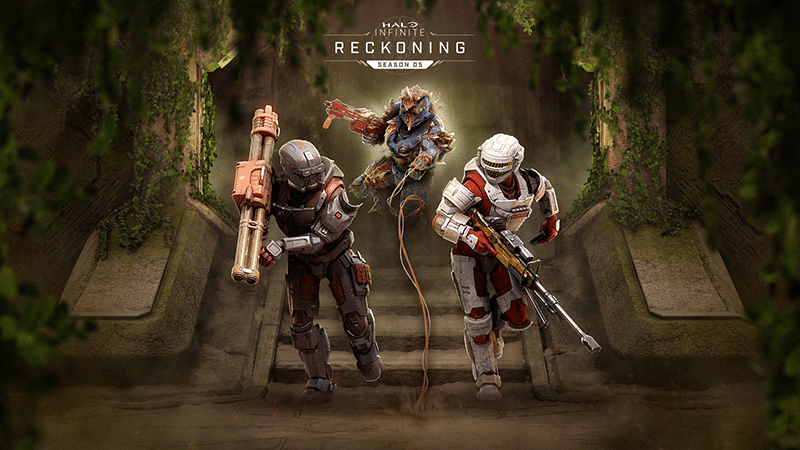
Halo Infinite Season 5 Update for October 17 Fires Out, Here’s the Full Patch Notes

343 Industries has fired out the Halo Infinite Season 5 update, and this brings “Operations” into the game, a new Battle Pass alongside a host of improvements. Read on for the complete Halo Infinite October 17 patch notes.

Halo Infinite Season 5 Update Patch Notes | Halo Infinite Update for Oct. 17 Patch Notes:

50-TIER BATTLE PASS & REWARD IMPROVEMENTS

As outlined in the “Battle Pass & Operations | Season 5” blog on Halo Waypoint, this season’s Battle Pass features 50 tiers and the following reward track improvements:

  • Tiers that reward Armor Coatings now grant that Coating for all available Armor Cores at the same time.
  • Tiers that reward Shoulder Pads will now grant both the Right and Left versions of that Shoulder Pad at once rather than splitting the two versions between different tiers.
  • Rather than being dispersed throughout the full reward track, the free Battle Pass rewards are now grouped within the first 20 tiers. Tiers 21-50 are only available to players who purchase the Premium Battle Pass.

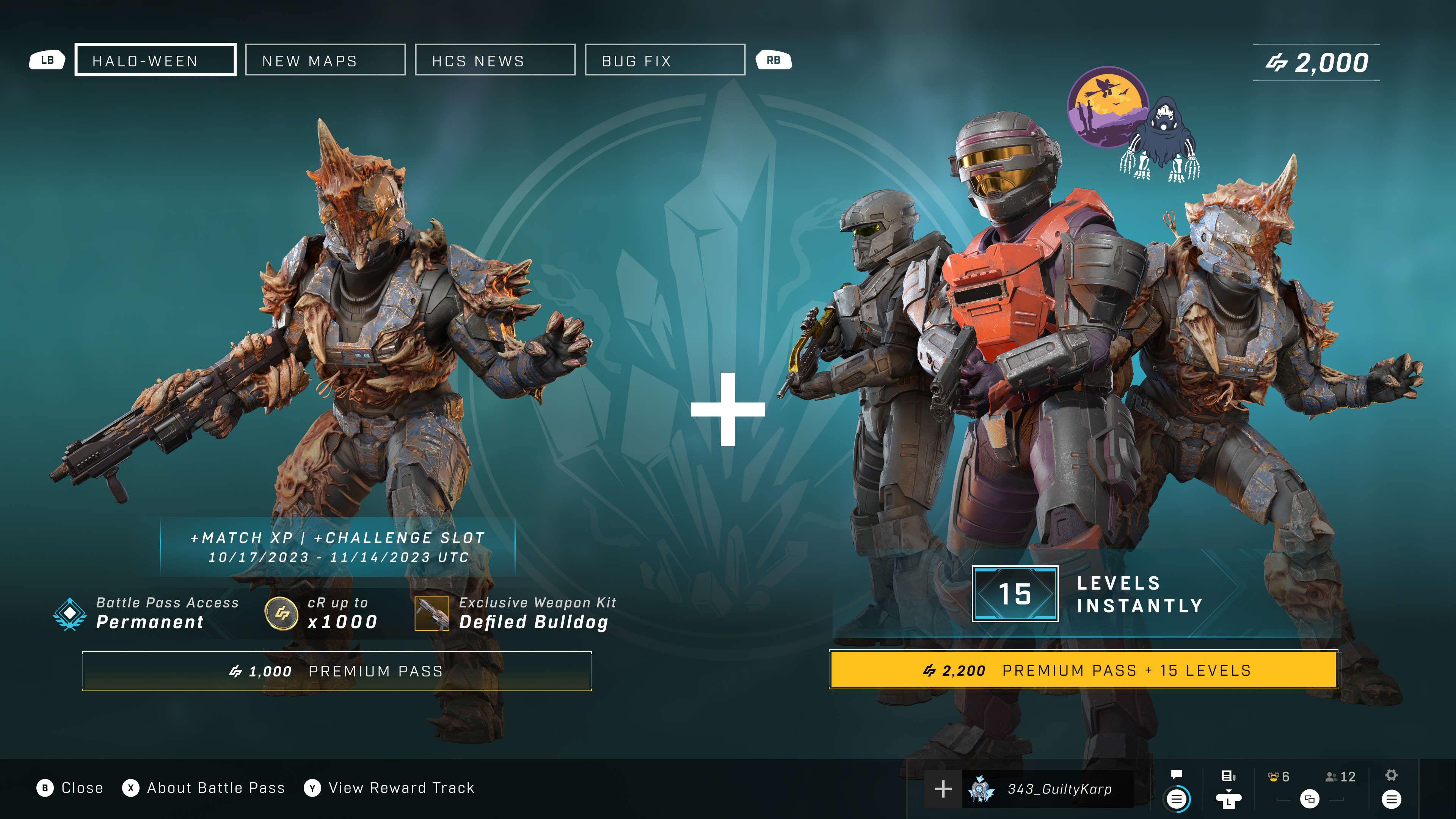
The Season 5: Reckoning Battle Pass will be available for all players between October 17, 2023, and November 14, 2023. Purchasing the Season 5 Premium Battle Pass for 1,000 credits will provide players with the following benefits:

  • Permanent access to progressing the full Battle Pass, which includes 1,000 earnable credits across its 50 reward tiers.
  • An exclusive Weapon Model customization: the Defiled Bulldog.
  • If the Battle Pass is equipped while the Season is active, an extra Challenge slot and bonus Match XP during multiplayer matchmaking.

For 2,200 credits, players can purchase the Premium Battle Pass with all the benefits listed above and instantly unlock the next 15 tiers of the Battle Pass.

Prior to this update, purchasing a Premium Battle Pass Bundle would award a number of XP Grant consumables that had to be manually applied. Starting with the 2,200 credit offer in Season 5, the levels will now be automatically unlocked in the purchased Battle Pass and no XP Grants will need to be consumed.
Season5-Reckoning.png

OPERATIONS

Previous Halo Infinite Seasons featured limited-time themed “Events” that rotated in and out of the game. Starting with Season 5, Events are evolving into longer-running “Operations.” Like Events, the full reward track for Operations will be free for all players while they are active.

Operations feature a themed 20-tier reward track that will be available to all players for free during its 4-6 week duration. Unlike Events, players will have the following premium offers:

  • For 500 credits:
    • Permanent access to the full Operation pass.
    • An exclusive customization item.
    • If the Operation Pass is equipped while the Operation is active, an extra Challenge slot and bonus Match XP during multiplayer matchmaking.
  • For 2,000 credits:
    • Instantly unlock all 20 tiers of the Operation Pass.
    • An exclusive customization item (the same item included in the 500-credit offer).
    • If the Operation Pass is equipped while the Operation is active, an extra Challenge slot and bonus Match XP during multiplayer matchmaking.

Once the Operation’s 4-6 week window has concluded and it is no longer available for free, the Operation Pass will be accessible via the two premium offers outlined above.

Previously, players progressed through Event Passes by completing Event Challenges. Operation Passes, however, are progressed via Match XP like a seasonal Battle Pass.

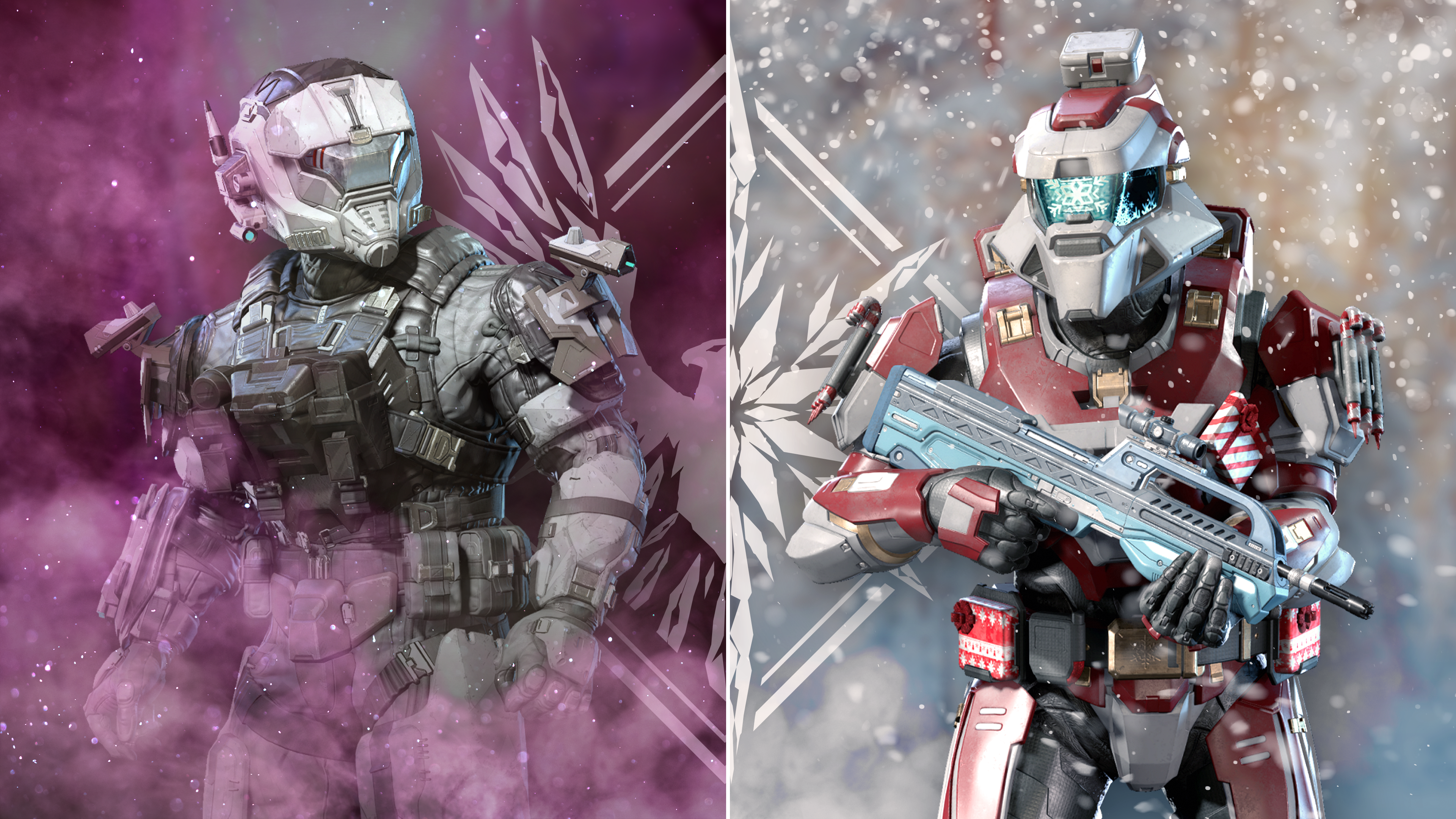
Season 5 features two Operations:

  • Combined Arms
    • Active between November 14, 2023, and December 18, 2023.
    • Free 20-tier Operation Pass featuring RHAKSHASA-themed rewards.
  • Winter Contingency III
    • Active between December 19, 2023, and the end of Season 5 in early 2024.
    • Free 20-tier Operation Pass featuring holiday-themed rewards.
Season5-OperationsCombo-R02.png
Spartans wearing customization items from Season 5’s upcoming Operations: Combined Arms (left) and Winter Contingency III (right).

MATCH XP IN CUSTOM GAMES

Players can now progress their Battle Pass and Operation Passes by earning Match XP in Custom Games. Players will see their progress towards their Match XP daily cap displayed on the Custom Game screen before a match as well as on the Match Rewards menu displayed before the Post Game Carnage Report (PGCR).
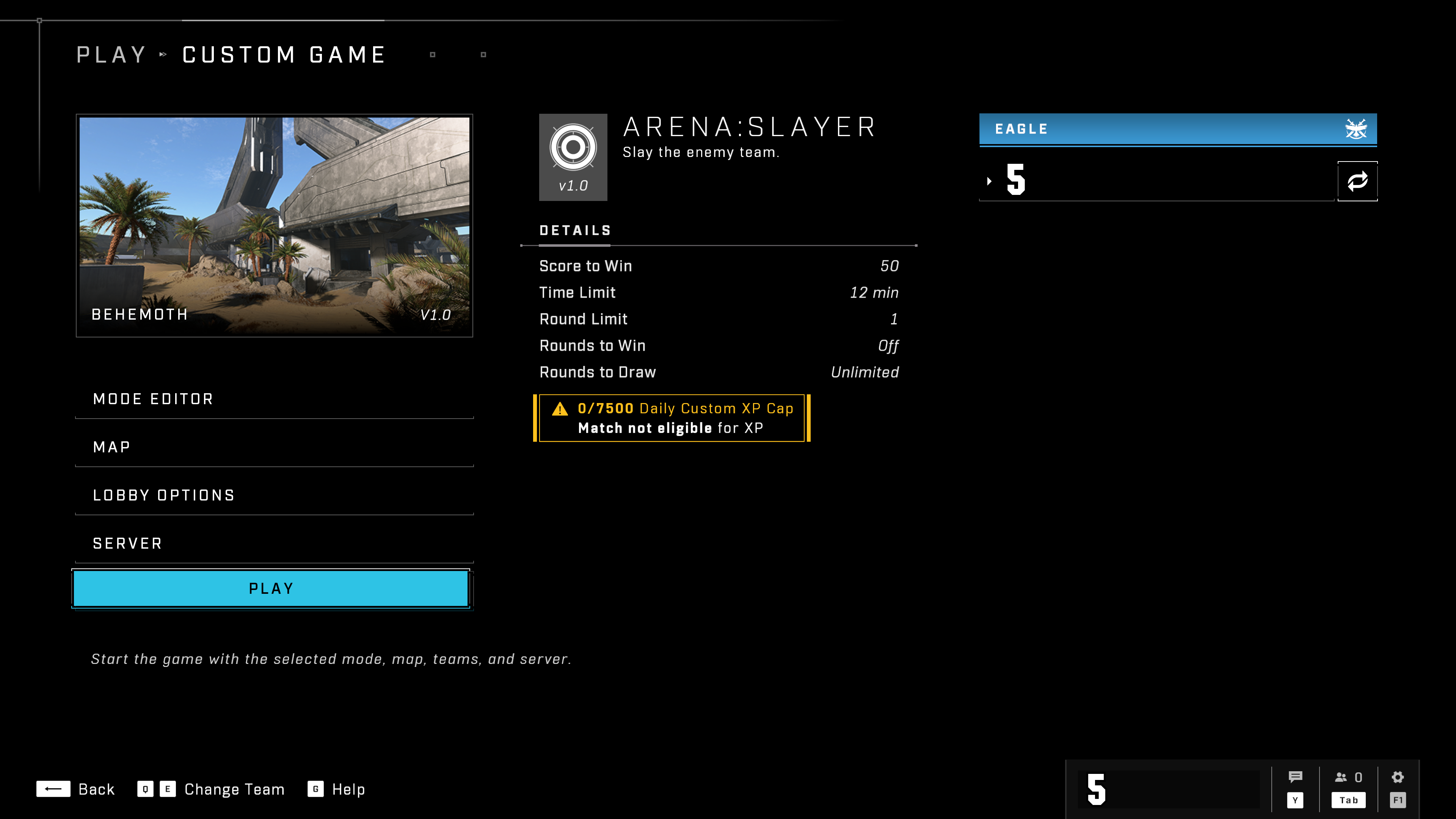
CustomGameXPCap_NoGT.png
Your progress towards the Daily Cap for Custom Game XP is listed in the middle of the Custom Game lobby menu, below the match’s details.

Match XP from Custom Games will be capped at 120 XP per match and 7500 XP per day. Match XP from multiplayer playlists will not be capped.

Learn more about this change in our Halo Infinite Match XP in Custom Games FAQ article.

MENU IMPROVEMENTS

Many menus have a new look for Season 5: Reckoning:

  • The main menu and multiplayer menus now feature a background scene that will rotate to reflect recently released content.
  • Multiplayer Challenges now appear on the Main Menu.
  • Players will now see their Spartan and up to three Fireteam members with their selected Stance in the multiplayer menus. Players’ spawn effects will also play when they join the Fireteam.
    • Players can change their selected Stance in the Spartan ID menu, which is found in the Customize tab of the main menu.
    • Spawn effects are part of a player’s equipped Effect Set. This customization option can be adjusted in the Armor Hall menu, which is found in the Customize tab of the main menu.
  • Multiple Battle Pass-related menus have been improved:
    • Players can now purchase multiple levels of a Battle Pass at once. There are two methods for purchasing Battle Pass levels:
      • When viewing a Battle Pass’s reward track, navigate to a tier then use the shortcut listed along the bottom of the screen to purchase all levels up to and including the selected level. 
      • In the Boosts menu, a new Increase Level slider allows players to select how many levels to purchase.  
    • New tabs have been added to the Battle Pass menu to show the Live Battle Pass, the currently equipped Battle Pass, the Battle Pass switcher, and this week’s Challenges.
    • Selecting the Battle Pass widget on the Main Menu will now take players directly to the Reward Track of the currently Live (or Equipped) Battle Pass.
  • The Post-Game Carnage Report (PGCR) menu has a new background scene and text readability on the menu has been improved as well.
  • Various readability improvements have been made throughout the Halo Infinite menus.

REWARDS FOR REACHING MAXIMUM CAREER RANK

Players who achieve the maximum level in the Career Rank system, also known as Hero rank, will automatically receive the following customization items to use in multiplayer:

  • The Infinite Mark VI Armor Kit for the Mark VII Armor Core.
  • Two Mark VII Armor Coatings:
    • Campaign Season
    • Midway Emerald
  • The Gilded Infinity visor
  • The Hero emblem set

This content will be unlocked automatically for all players who reach the maximum Career Rank level after Season 5’s launch.

For players who reached Hero rank prior to Season 5’s release, the development team will be granting these rewards shortly after launch. If you reached Hero rank prior to Season 5’s launch and do not see the rewards in your inventory, you can submit a ticket and Halo Support agents will reach out when this grant is complete.
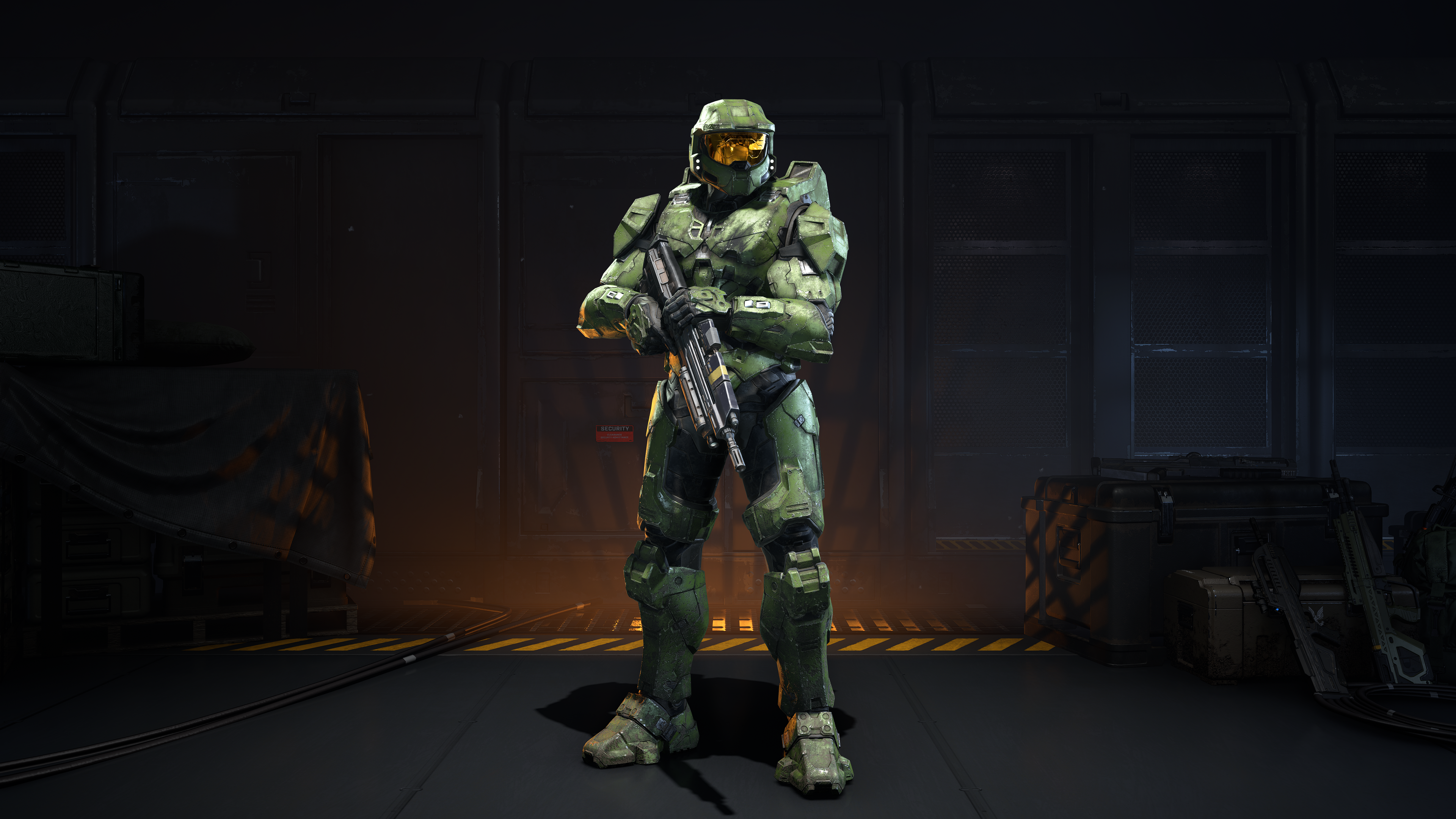
MarkVI_ArmorKit_CampaignSeason.png
The Infinite Mark VI Armor Kit with the Campaign Season Armor Coating equipped. 

MULTI-CORE FOR ALL HELMETS AND ADDITIONAL COATINGS

All helmets in Halo Infinite, regardless of when or how they were released, can now be used on any Armor Core. Additionally, 28 Armor, 2 Weapon Coatings, and 1 Vehicle Coating released prior to Season 4 can now be used on any Armor, Weapon, or Vehicle Core.

Visit the “Customization Overview | Season 5” blog on Halo Waypoint to learn more about Multi-Core and all of the other customization changes in Season 5.
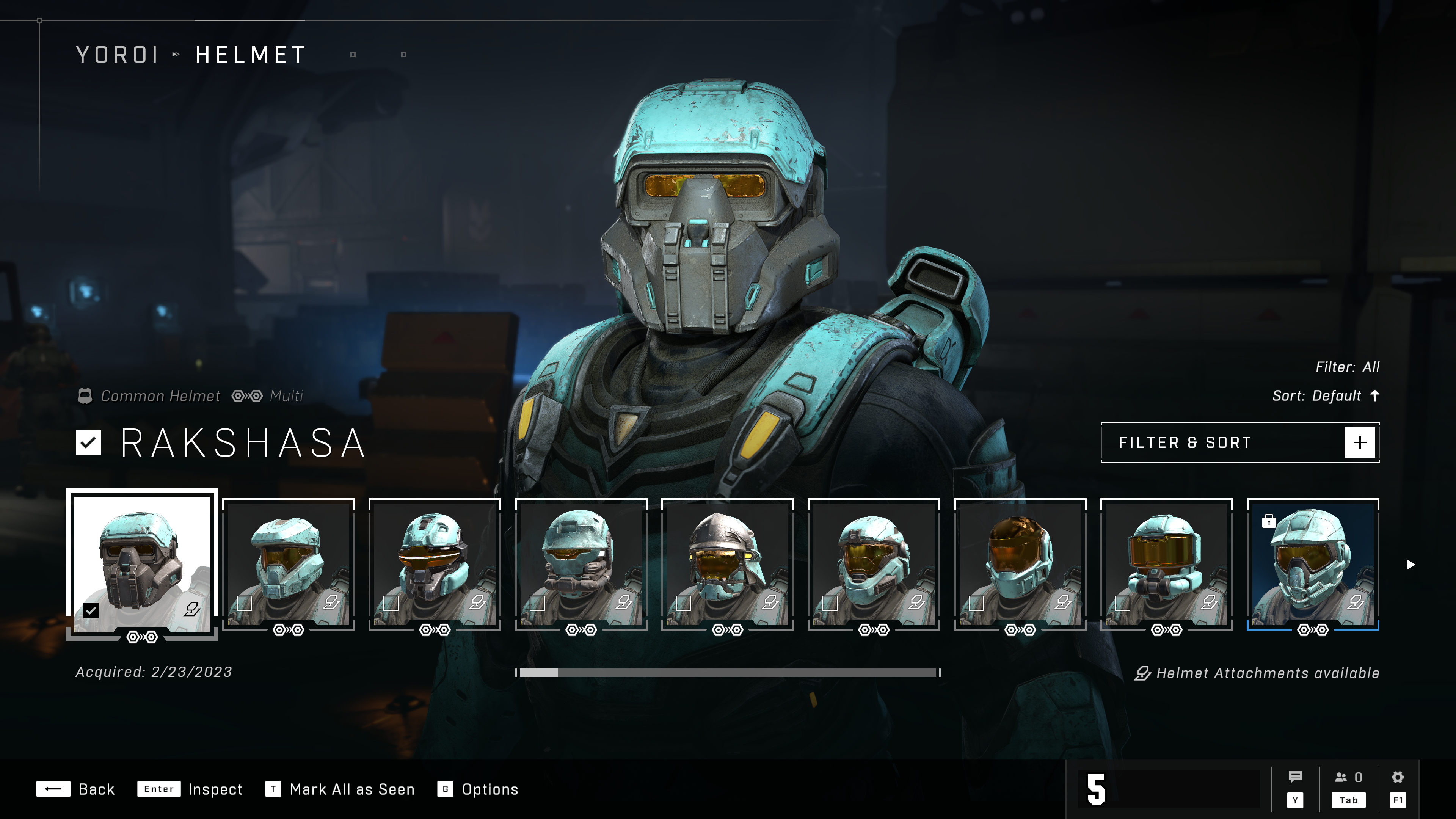
CrossCoreMultiIcon.png
In the Customization menus, Multi-Core items are now identified by a new “Multi” icon along the bottom edge of the item’s tile as well as above the item’s name.

Expand the accordion below for the full list of updated Coatings:

NEW ARENA MULTIPLAYER MAPS

To learn more these new maps, visit the “Maps Overview | Season 5” blog on Waypoint or view the video below for a flythrough of each new map:

Forbidden

Forbidden is now available in Custom Games and various matchmaking playlists. On Forbidden, players will compete inside a long-abandoned Forerunner structure with two distinct sides: a lush jungle side, and a dry barren side.
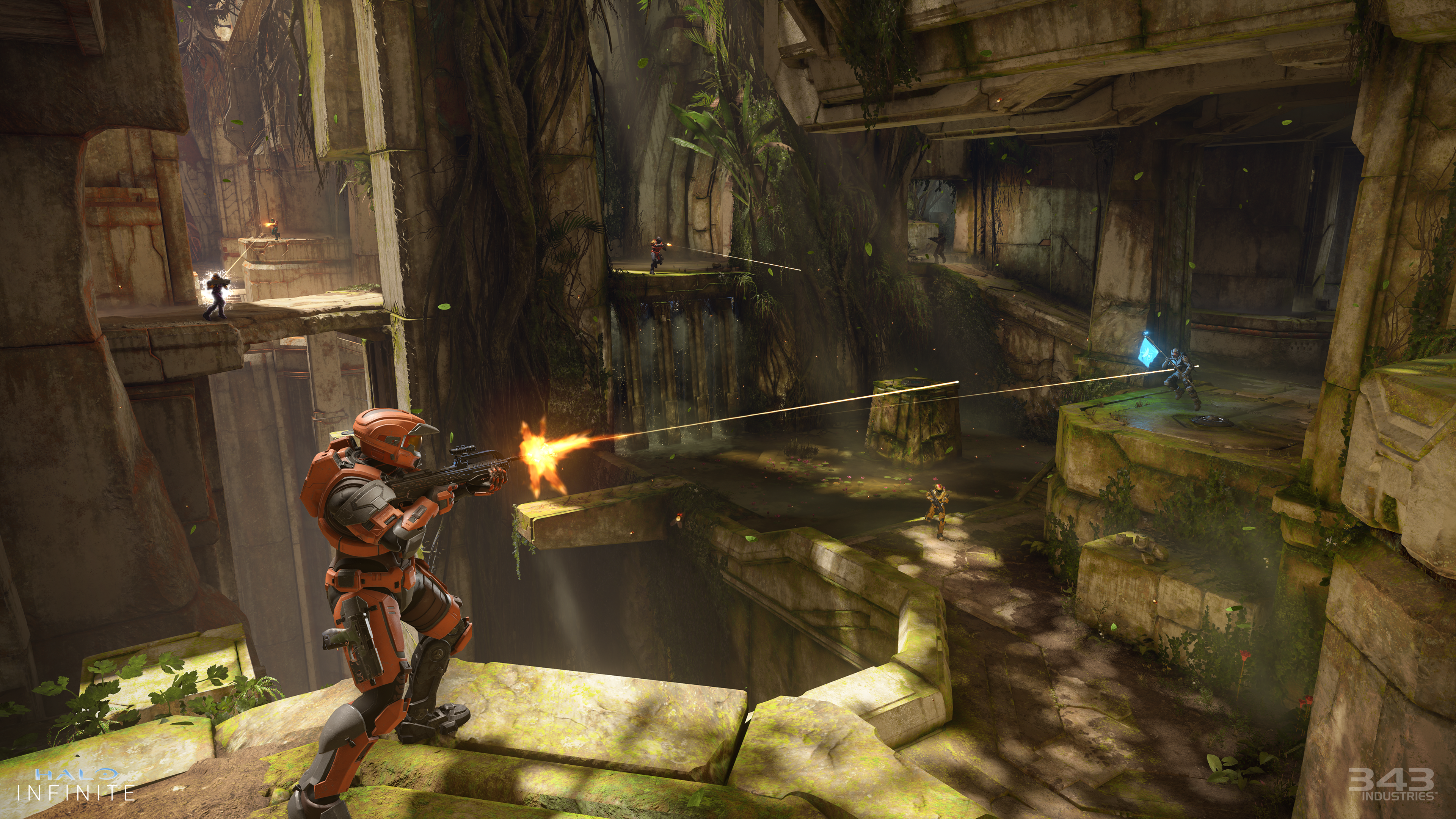
S5_AST_Forbidden_Watermarked_4k.png
Spartans fighting in the lush jungle side of the new multiplayer map, Forbidden. The dry barren side can be seen across the chasm on the lefthand side.

Prism

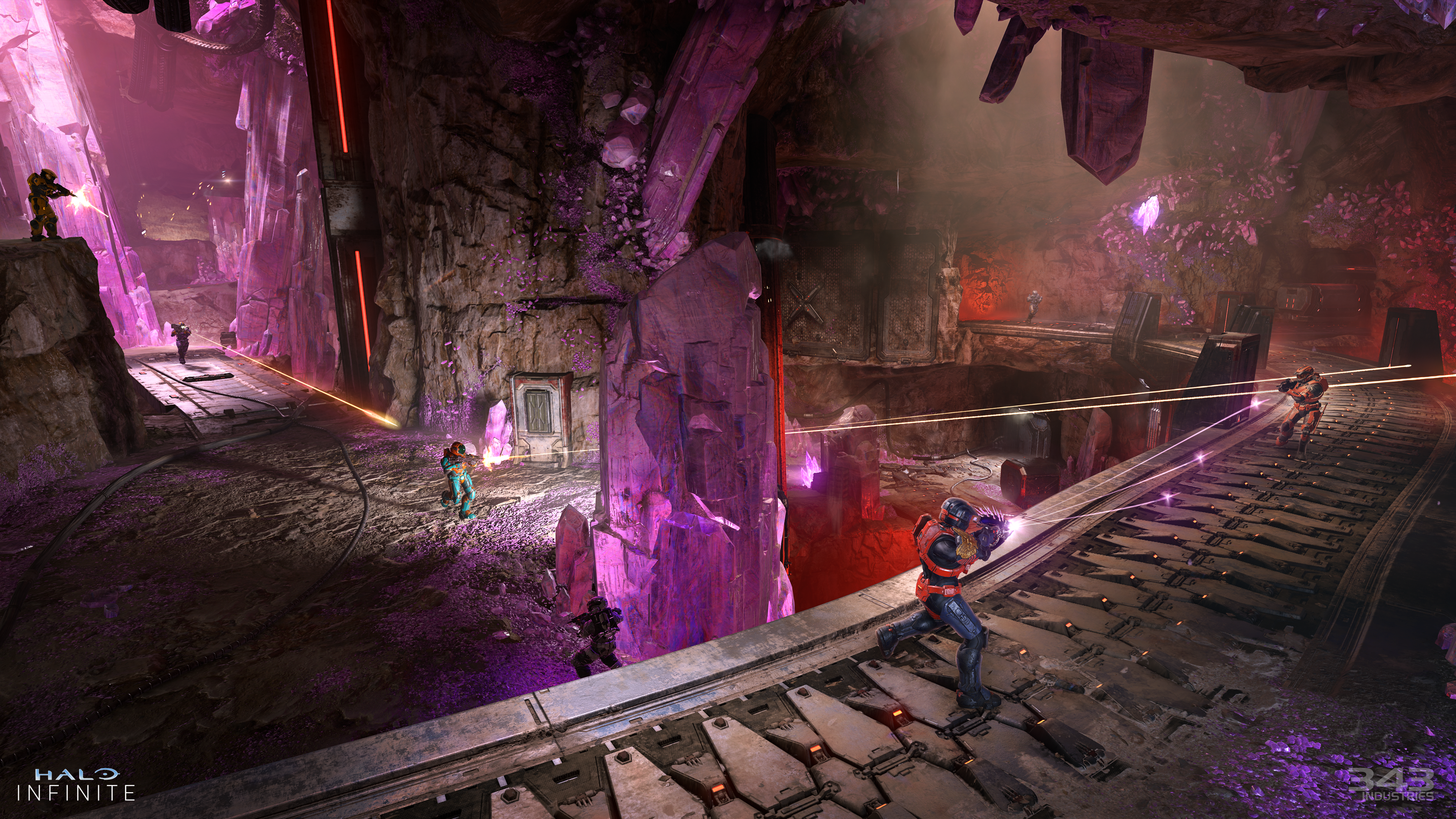
Prism is now available in Custom Games and various Matchmaking playlists. On Prism, players will fight in the caverns of an asymmetrical blamite mine. Players can pick up and throw chunks of blamite found across the map.
S5_AST_Map_Prism_Watermarked_4k.png
Spartans fighting in the new multiplayer map, Prism. The glowing blamite crystals protruding from the ground and ceiling can be detonated via gunfire or picked up and thrown by Spartans. 

NEW MULTIPLAYER GAME MODE: EXTRACTION

The Extraction multiplayer mode, which was first introduced in Halo 4, is now available in Halo Infinite Matchmaking and Custom Games. In Extraction, two teams of four players compete to arm and defend Extraction Sites on the map.

To learn more about the Extraction mode, visit the “Extraction Overview | Season 5” blog on Halo Waypoint.

NEW WEAPON VARIANT: BANDIT EVO

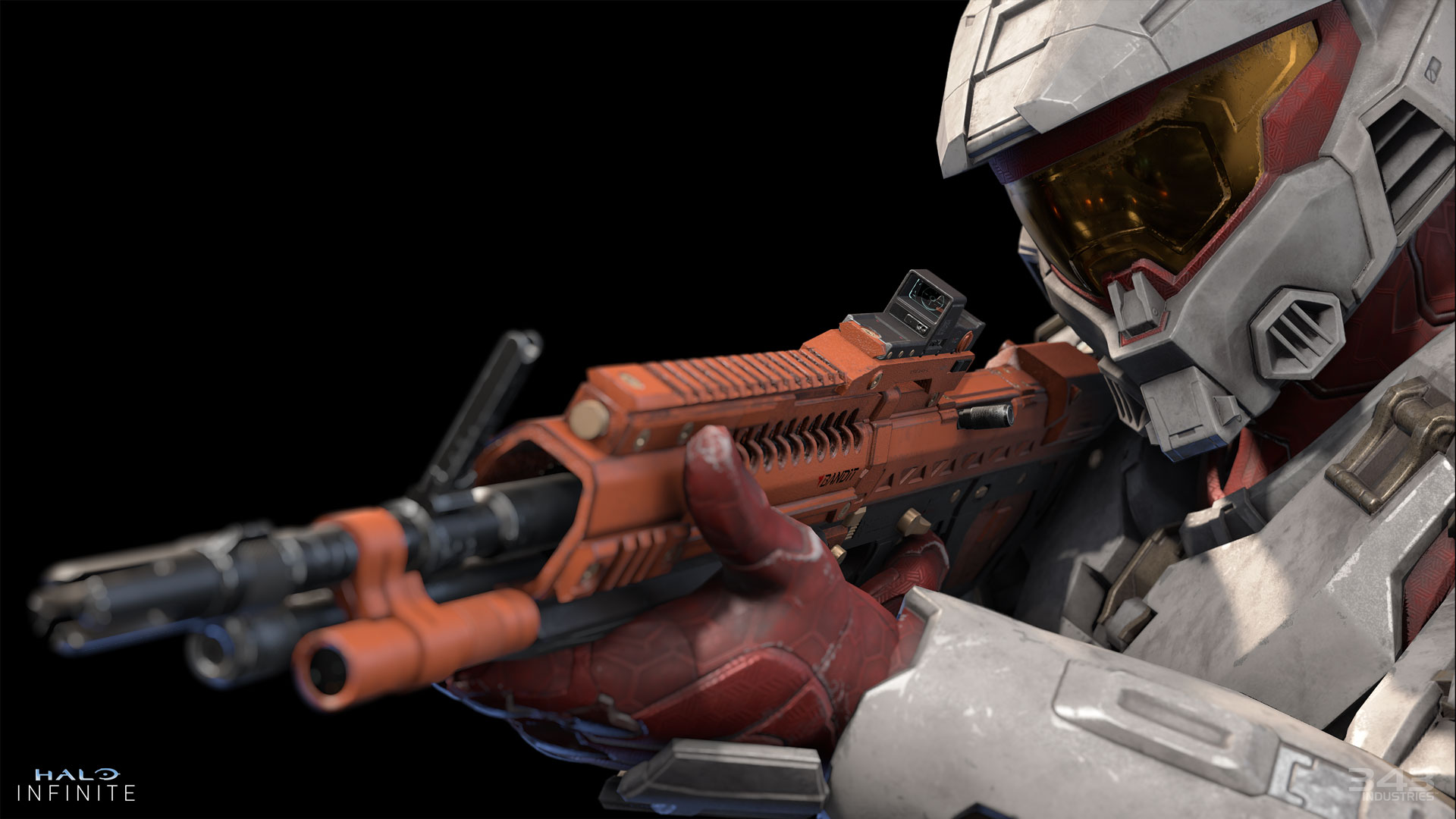
A new variant of the M392 Bandit Rifle, the Bandit Evo, is now available in Ranked matchmaking playlists and Custom Games. For more information on the Bandit Evo and Ranked matchmaking in Season 5, visit the “Ranked Update | Season 5” blog on Halo Waypoint.
HI_S5_BanditEVO_Watermarked_1920x1080.jpg
A Spartan looking through the Bandit Evo’s holographic sight. 

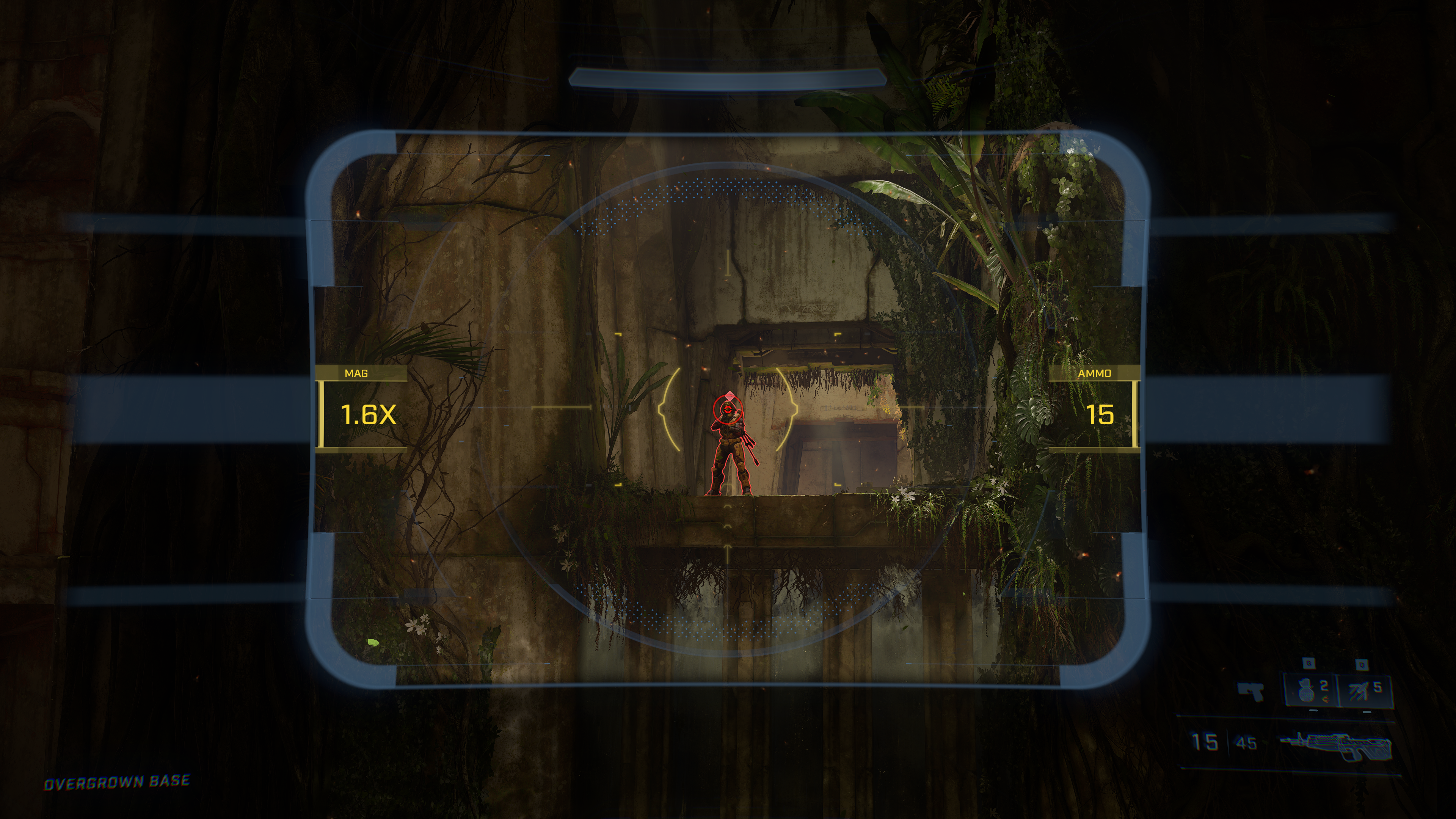
The Bandit Evo features similar damage and performance as the M392 Bandit Rifle, but with a 1.6x holographic scope. If players are damaged while using the Bandit Evo’s sight, they will be descoped back to their standard hip-fire view.
BanditEVO_ScopeIn.png
Screenshot of the Bandit Evo’s 1.6x sight in-game. Being damaged in this view will descope the player.

The Bandit Evo will inherit all customizations, such as Coatings and Weapon Models, from the standard M392 Bandit Rifle.

FORGE IMPROVEMENTS

AI Toolkit

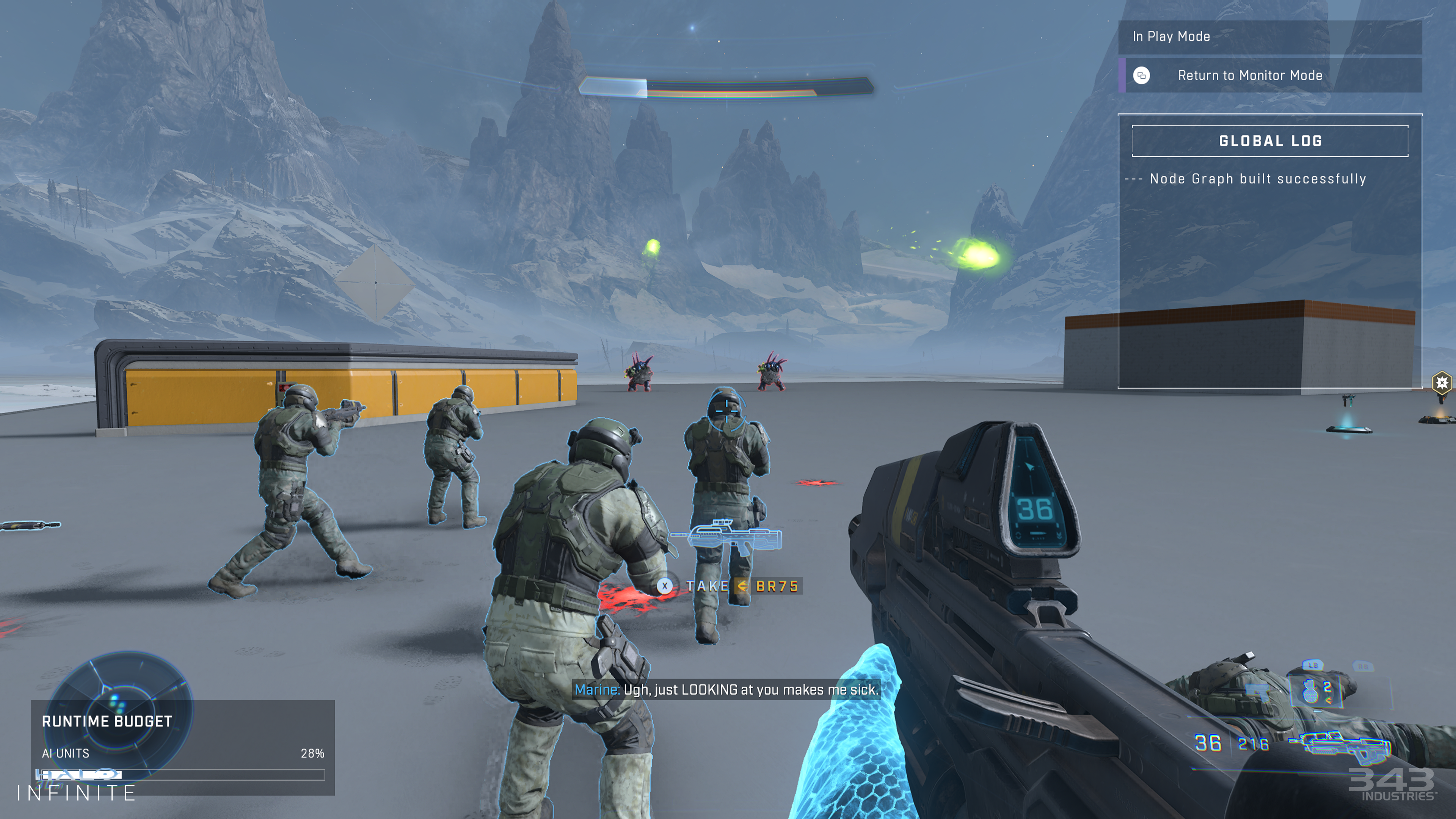
As detailed in the “Forge Overview | Season 5” blog on Halo Waypoint, Forge players now have a new AI Toolkit to create and share experiences using Campaign AI in Forge. The AI Toolkit enables players to spawn AI, control where the AI navigates, change the AI’s team, and use a node graph to further modify AI behavior. Up to 32 AI units can be present on the map at one time.
HI_MarineAssault_Watermarked_4k.png
Marines fighting two Hunters on the new Forge canvas, Permafrost.

The Forge AI Toolkit contains 43 characters, which fall into the categories below:

  • Grunts: 5 variants
  • Jackals: 4 variants
  • Skimmers: 3 variants
  • Elites: 5 variants
  • Brutes: 16 variants
  • Hunters: 2 variants
  • Marines: 6 variants
  • Bosses: 2 variants

Check out the full list of AI units now available in Forge.

The AI toolkit contains the following spawner objects:

  • AI Spawner: up to 8 AI units spawn at this location.
  • AI Drop Pod Spawner: a single AI unit is delivered to this location via a Drop Pod that falls from the sky.
  • AI Phantom Spawner: up to 8 AI units disembark from a Banished Phantom that flies into the map at this location.

Once AI units are spawned, they can be redirected to a new area via the AI Move Zone object. Once the AI units arrive at the directed location, they will carry out normal AI behaviors via the Forge Nav Mesh.
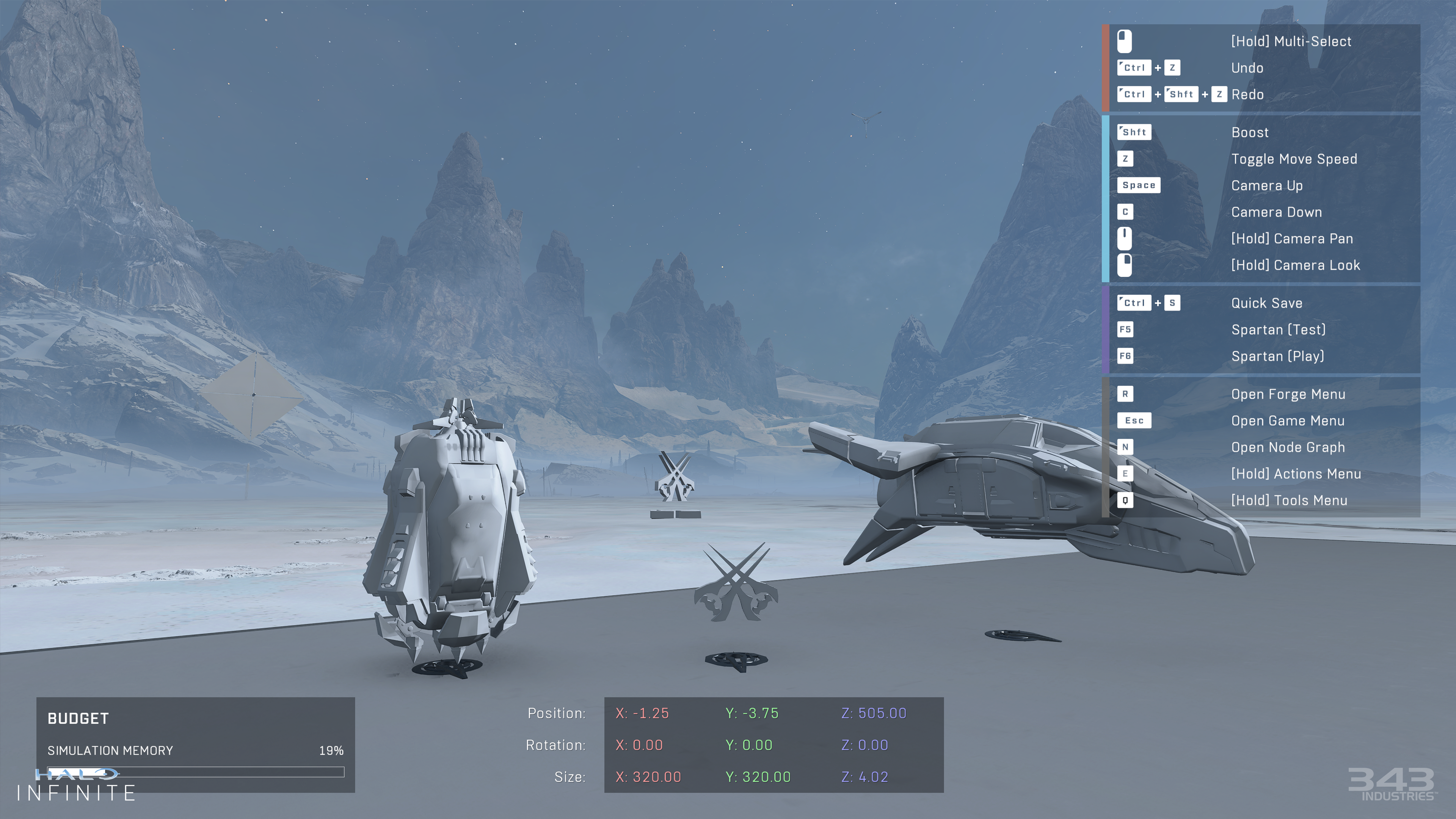
HI_SpawnerCollection_Watermarked_4k.png
Foreground, left to right: the Drop Pod Spawner, the AI Spawner, and the AI Phantom Spawner. The AI Move Zone object is visible in the background. 

AI traits such as their weapon and squad behavior can be adjusted via the AI Spawner Object Properties menu in Edit mode. Additionally, players can create or edit AI waves, behaviors, and events via a node graph.

The following Tool Settings are available for AI unit testing in Edit Mode:

  • Deathless: prevents the player from dying to AI-inflicted damage.
  • Valhalla: prevents the player and all AI from dying, except for kill volumes and backsmacks.
  • Undetectable to AI: AI units cannot detect players.

AI unit difficulty, including a Player Count Difficulty Multiplier, can be set via a node graph in Edit mode. Or, when playing a Forge experience with AI in a custom game, AI unit difficulty can be adjusted via the AI options in the Custom Games Mode Editor menu.

New Forge Canvases

Two new canvases are now available to Forge creators:

  • Barrage: Scarred terrain from a Banished bombing. Features a blackened play area with water-filled craters and broken trees
  • Permafrost: Features snow-covered terrain with frozen ponds, ice and sharp snowy peaks in the distance
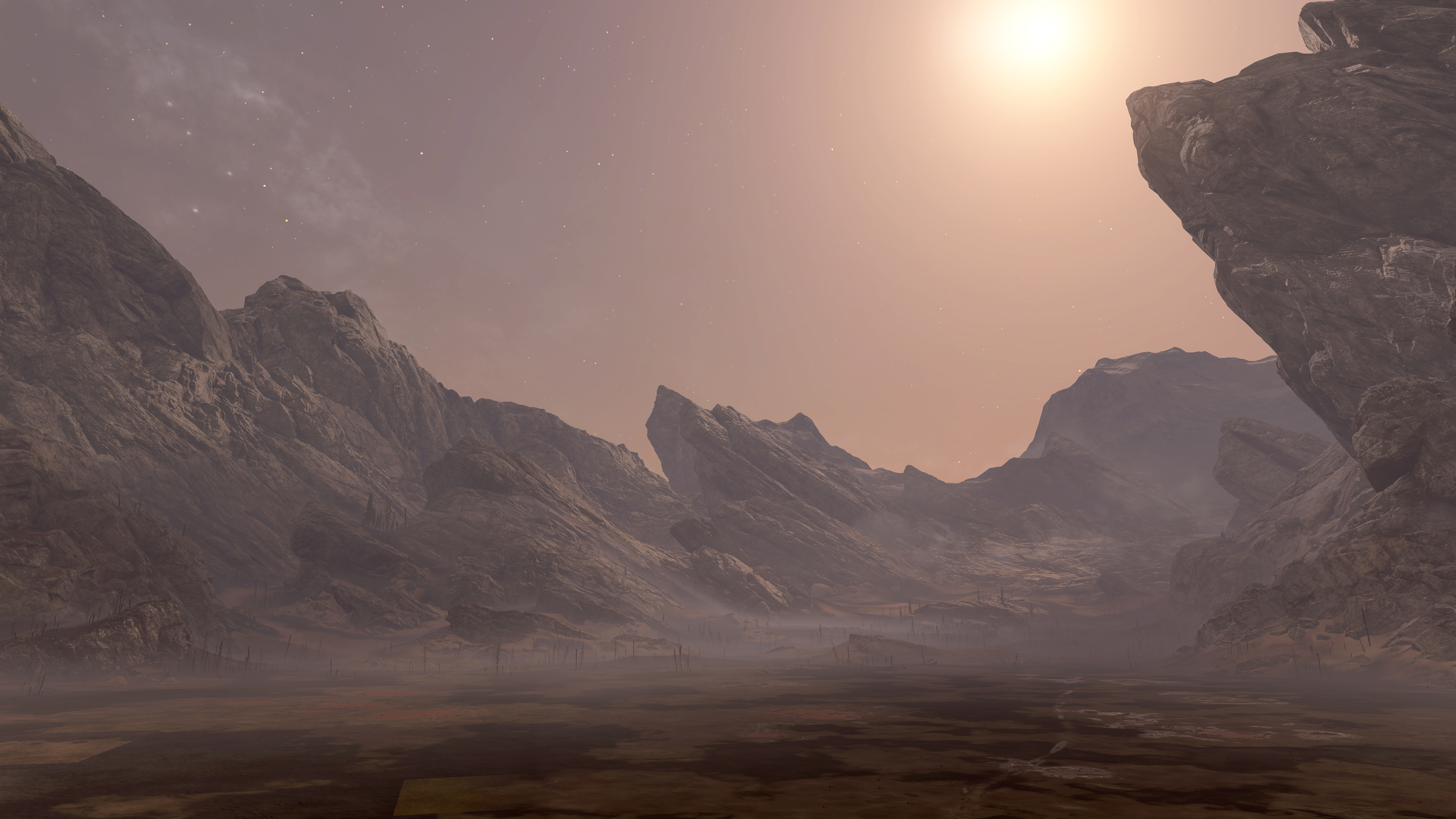
Barrage.jpg
Screenshot of the new Forge canvas, Barrage. 

Banished Objects and Visual FX

Players now have access to new Banished-themed Forge assets and various visual FX. This includes the following object types:

  • 11 primitives
  • 27 structures
  • 10 lights
  • 86 accents
  • 15 decals
  • 13 FX
  • 23 material swatches

Full list of new Banished objects and FX (185 items)

Snow & Ice Objects and Visual FX

Players now have access to new snow and ice-themed Forge assets and visual FX. This includes the following object types:

  • 9 FX
  • 84 biome objects
  • 21 material swatches

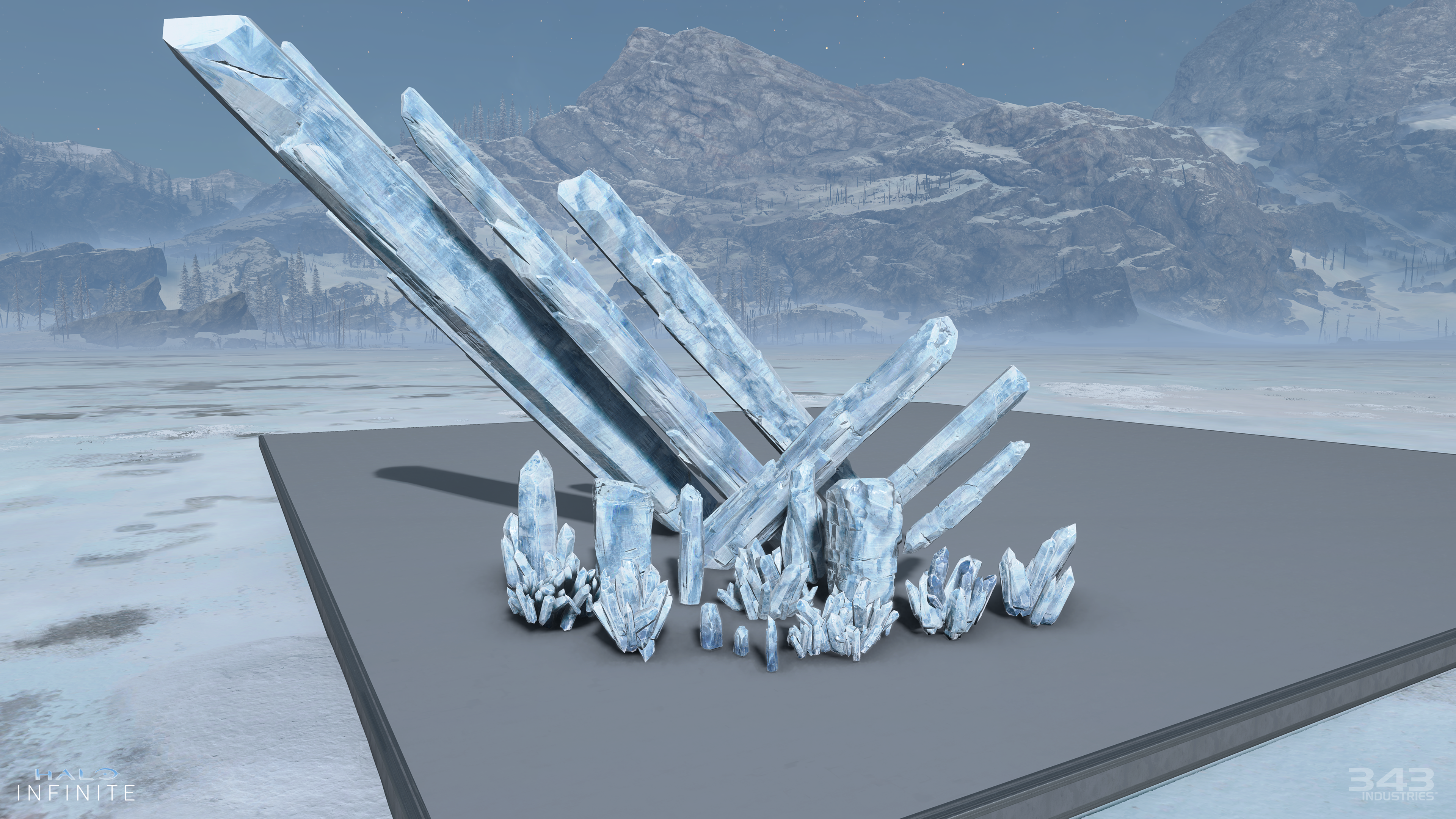
HI_SnowIce_05_Watermarked_4k.png
Screenshot of several new Ice Shard objects on the Permafrost canvas.

Full list of new Snow & Ice objects and FX (114 items)

New Lighting Options

New properties and options have been added for lights in Forge:

  • Minimal Roughness: a new slider ranging from 0 to 1 that adds roughness to the light, with 0 being no roughness and 1 being maximum roughness. Rough lighting may help improve an area’s fill lighting and ambient tones.
  • Near & Far Begin: adjusting a light’s Near Begin will change how far from the source that light starts rendering. Adjusting the Far Begin will change the softness of the edge of the light.
  • First Person Contact Shadows: up to 4 lights can now feature higher fidelity first person shadows. These higher fidelity first person shadows are not visible when playing with lower quality video settings on PC or Xbox One.
  • Volumetric Fog Intensity: a new slider ranging from 0 to 1 that adjusts how a light interacts with the map’s fog. Setting this slider to 0 will disable interaction with fog.
  • Area Lights: enabling the Area Light option in a light’s Object Properties allows players to adjust the radius and length of the light’s specular highlight.
  • Gobo & Light Cone additions: Additional gobos and light cones are now available for use in Forge. Near Fade Start and Near Fade End options are now available for making further adjustments to these light objects.
  • Light Groups: Forgers can add lights to a group to turn off shadows on lower end hardware, increase shadow resolution, or make other performance adjustments.
  • Reflection Volume options:
    • Active Volume toggle: enable or disable the volume’s reflection volume.
    • Intensity: adjust how bright or dim the cube map is.
    • Origin: create an offset from the origin where the cubemap will be created.
    • Blend on Top: set 1 cubemap that will have a higher priority than any overlapping cube maps.
  • Rotating OBBs: the Oriented Bounding Box (OBB) of a light can now be rotated on the X, Y, and Z axis. This will allow for better control of the lighting in maps, and for better performance management.

Massless Children Prefab Property

Players can now set the “child” objects in a prefab to have no mass. For prefabs that are welded onto vehicles, this option will allow the prefab to have less of an impact on the vehicle’s handling.

Object Collision Toggle

A new Object Collision toggle is now available for static Forge objects. This toggle enables objects to not collide with players or vehicles but will still collide with bullets and grenades. This will allow for small decorative objects to have less of an impact on player navigation and potentially reduce instances of desync.

Mouse and Keyboard Improvements

Mouse and keyboard controls in Forge now have the following new functionalities:

  • Camera Pan: while holding the middle mouse button, drag the mouse to pan the camera.
  • Plane Restricted Camera Movement: use the arrow keys to navigate through the map without adjusting the camera’s altitude.
  • Node graph panning: players can now use the WASD keys to pan across the node graph menu.

BALANCE CHANGES

MANGLER

The Mangler can now kill an enemy Spartan with one shot followed by a melee.

M12R ROCKETHOG

The Rockethog is now more effective against turrets and vehicles. When locked-on, the Rockethog’s rockets will track targets more aggressively.

return-to-top-icon.png  BACK TO TABLE OF CONTENTS  return-to-top-icon.png
SectionBreak.png

RESOLVED ISSUES AND BUG FIXES

Many improvements come from Halo Insider and Halo Support tickets submitted by our community. Thank you for participating and please keep submitting tickets!

Halo Support tickets help the team here at 343 Industries understand what issues you would like to see addressed in future Halo Infinite updates. The development team is actively working on a variety of game updates and improvements based on both player feedback and bug report tickets.

If you experience a crash in Halo Infinite, please include as much of the following information as possible:

  • Step-by-step instructions on what caused the crash. The more specific, the better!
  • Attach an up-to-date DxDiagfile. To create a DxDiagfile, type “dxdiag” into the Start menu’s search bar, press the Enter key, then click “Save All Information” when the DirectX Diagnostic Tool pops up.
  • Include the Problem Report from the Control Panel app. To find this, open the Control Panel and enter “problem reports” in the search bar. Click “View all problem reports” then locate the recent Halo Infinite report. Double click on this Halo Infinite entry then use the “Copy to clipboard” button near the bottom of the window. Finally, paste this text into your ticket’s comments.

GLOBAL

  • Improved stability for Halo Infinite on both Xbox consoles and PC.

MULTIPLAYER

Menus

  • The Search Region option, found in the Gameplay tab of the Settings menu, will no longer reset between multiplayer matches or relaunches of Halo Infinite.
  • Decorative objects on clambered surfaces are now less likely to result in minor warping or desync during online multiplayer sessions.
  • To improve clarity when setting up a Customs Browser session, the Privacy setting for Custom Game lobbies has been renamed to Visibility.
  • The Gamertag filter now is now correctly reset when leaving and re-entering the Customs Browser menu.
  • Fireteam members can now switch their team in a Custom Game lobby using a button next to their Gamertag.
  • Purchase buttons in the Shop menu now have a distinct hover state when using a mouse.
  • While in multiplayer gameplay, leaving a Fireteam via the pause menu’s Roster will no longer remove the player from the active match.
  • The Ranked widget visible in the Ranked playlists on the Multiplayer menu no longer shows a value of -1.
  • The post-match Rewards menu now better supports non-16:9 aspect ratios.
  • Vehicle and Weapon Emblems will now remain visible in the Customization menus after equipping then unequipping them.
  • Players will no longer see an incorrect error message when customization items are loading in an Armor Hall menu.
  • Keyboard shortcuts have been added so that players can scroll up or down through the desciption of a Customization item.
  • The Premium Battle Pass’s bonus reward tiers in the Battle Pass menu now have the intended endcap icon.
    • Players who have purchased the Battle Pass will now see a checkbox at the end of the tier, while players who have not purchased the Premium Battle Pass will see a lock icon.”
  • The correct Battle Pass title is now shown when viewing your own profile via the Player Inspect menu.
  • The shortcuts listed along the bottom of the screen will now remain visible after using the tabs in the Post-Game Carnage Report.

Gameplay

  • Bots will no longer enter gameplay and attack players during the match’s non-interactive intro sequence.
  • The fullscreen visual effect for players caught in the Threat Seeker’s pulse radius now aligns with how long they are visible to the player who activated the Threat Seeker.
  • Players who join in-progress Free-For-All Escalation Slayer matches will now be able to win the match as expected when they level up all weapon loadouts.
  • Players will no longer receive duplicate Extermination medals when all four required kills are completed in rapid succession.
  • Players will now respawn as expected when playing Free-For-All Escalation Slayer on the map Empyrean.
  • Players can no longer use the Grappleshot to leave the intended playable space on the map Behemoth.
  • Pelicans vehicle drop-offs on the map Deadlock have been improved to deliver the same vehicle for both teams in the same wave.

Audio

  • Players will no longer hear voiceover lines for BUTLR when a different Personal AI is equipped.
  • Iratus voice lines in the Infection gametype now consistently play in the selected Audio Language.
  • Survivors who win a round of Infection will no longer hear Iratus declaring victory.
  • The in-game announcer will no longer announce an inaccurate amount of time remaining in Infection.

Visual

  • Several Nameplates have been updated to improve the placement of their artwork in relation to the Career Rank flag.
  • The Weapon Coatings listed below no longer display a black texture when equipped to the MK50 Sidekick with the Swiftguard Weapon Model:
    • Flash Fjord
    • Snowbound
    • Tigris Dread
  • Loading screen images and text are no longer offset after increasing either of the Heads-Up Display (HUD) Display Margins values.
    • The HUD Display Margin options can be found in the Gameplay tab of the Settings menu.
  • Adjusting the Head-Up Display (HUD) Opacity value will now adjust the opacity of navigation markers, such as the Last Spartan Standing icon in the Infection gametype.
    • The HUD Opacity option can be found in the Gameplay tab of the Settings menu.

Accessibility

  • Improved contrast ratio for the text in the top left corner of Forge file thumbnails.
  • The arrows for dropdown scrollbars are now larger and scale with the Text Size option.
  • Improved readbility and navigation of setting descriptions in the Video tab of the Settings menu, especially when the Large or Extra Large Text Size options are enabled.
  • “The UI Narration feature now reads out the following:
    • The name of all Halo Championship Series (HCS) Shop bundles.
    • Whether a highlighted bundle in the Shop menu is already owned.
    • The name and assigned keys for all keybindings in the Keyboard/Mouse tab of the Settings menu.”
  • The Linear Navigation feature now navigates the Shop menu as expected.

Theater

  • The spacing between the current timestamp, the film’s total length, and both ends of the film’s timeline has been improved.
  • To better clarify the camera’s behavior, the Cinematic camera type has been renamed to Orbit.
  • Disintegrations via the Heatwave or players leaving the match will no longer cause the viewer to swap between players.

Observer

  • Bots are now listed in the Observer scoreboard.
  • The Observer camera will no longer switch to a different player’s perspective when the currently spectated player respawns.
  • Players can now remap the Change Outlines, View Previous Player, and Toggle Player Switcher functions to another controller button as expected.
  • Setting the Starting Occluded Outlines option to Off, found in the User Interface (UI) tab of the Settings menu, now correctly results in occluded players’ outlines being visible through map geometry.
  • The Free-For-All Attrition gametype now ends as expected when there are Observers in the match.

FORGE

Edit Mode and Creation Tools

  • The Reactive Water Plane now consistently displays water splashing effects for players and vehicles.
  • Using the Undo or Redo function no longer has a chance to apply unintended rotation to the updated object.
  • Disabled or unavailable actions are now greyed out in Forge mode’s radial menu.
  • The position and rotation of Scriptable Switch objects will now be more responsive in Edit mode.
  • Magnet connections no longer vary depending on the camera’s position in relation to the selected objects.
  • Objects set to be non-visible via the Folders tab in the Forge menu will no longer appear visible when entering a Forge map.
  • Prefabs with an asymmetrical Center of Mass pivot point will no longer break when rotated.
  • Scripts using Declare or Get Generic List Variable nodes will now function as expected in every round of a Custom Game.
  • Previously available material swatch regions have been restored to the Eroded Terrain E object, and a separate Terrain Inheritance version of the Eroded Terrain E object is now available.
  • The parent object of a prefab can now be changed more consistently.
  • The Radius and Length options now function as expected for Area Lights.
  • Forerunner Energy objects now consistently have audio in Test and Play mode.
  • Improvements to the performance and speed of light probe generation on Forge maps. For example, here are the light generation times for Argyle when using an Xbox Series X:
    • Argyle (Winter Update): 13663 probes took over 8 minutes to generate
    • Argyle (Season 5): 13663 probes took around 1 minute to generate

File and Map Publishing

  • Non-latin characters and emoji can no longer be used in Forge file names.
  • Highlighting text in a Forge file’s description field no longer results in some characters shifting between lines.
  • Bookmarked Forge maps will now consistently load into the author’s latest published version of that map.
  • A map’s Details menu will now consistently show the correct publishing status.
  • The Forge lobby menu will now consistently reflect the selected version number on the map’s thumbnail.
  • Players can now consistently add or update the screenshots attached to their Forge files.
  • The My Published Files menu will now consistently show all published Forge files.

CAMPAIGN

  • The Headmaster Achievement will now unlock consistently.
    • If the conditions for unlocking this Achievement were completed and it did not unlock in a previous version of Halo Infinite, the conditions will need to be completed again after installing the Season 5 update.

XBOX

  • The Play button can now be used by any player who has menu control during splitscreen sessions on Xbox consoles.

That’s one beefy patch! Once we know more about the next Halo Infinite update, we’ll let our readers know.

Source: Halo Waypoint

Avatar photo

Alex Co

Father, gamer, games media vet, writer of words, killer of noobs.

Home > News

Destiny 2 Update 1.099 for Version 7.2.5 Brings Festival of the Lost This Oct. 17 (Update)

Destiny 2 update 1.099 is out now on all platforms, and this is for patch version 7.2.5! Players can expect the annual Festival of the Lost to be brought back in, which means new items to earn! Read on for what’s new in the Destiny 2 new update patch notes for October 17.

Destiny 2 Update 1.099 Patch Notes | Destiny 2 Patch Version 7.2.5 Patch Notes:

Given today’s maintenance has been extended, Bungie has not released the official patch notes just yet. However, we do know some of the confirmed new stuff incoming with this year’s Halloween event.

Update: Official patch notes have been added.

Activities

CRUCIBLE

  • Fixed multiple out of bounds areas on Multiplex.
  • Disabled Icarus Dash while using Aegis shield in the Crucible Relic game mode.
  • Fixed an issue where Sparrows could be used on Multiplex.

TRIALS OF OSIRIS

  • Meltdown – Made some adjustments to the Dominion Zone and the Heavy ammo spawn positions.

RAID AND DUNGEON

  • Root of Nightmares
    • Encounter challenges are now active.
  • Grasp of Avarice
    • Players no longer lose additional ability charges when acquiring ten Burdened by Riches.

SEASONAL ACTIVITIES

  • Fixed an issue where the Lacuna Card would suppress players after eliminating a combatant with a weapon with Repulsor Brace.
  • Fixed an issue where the Victory Lap Braziers and Deepsights that have been interacted with disappeared before newly joining players could interact with them.
  • Fixed the missing speaker name for holographic message subtitles.

OPEN WORLD

  • Fixed an issue that caused a small number of players to be granted owned Exotics from Legend and Master Lost Sectors and from Vex Strike Force instead of unowned ones.

GAMEPLAY AND INVESTMENT

ARMOR AND EXPRESSIONS

EXOTIC ARMOR

  • Antaeus Ward
    • Reflective Vents now requires full class ability to deploy.
      • Following deactivation of Reflective Vents, your class ability energy is drained proportional to the amount of damage reflected.
    • No longer provides an improved slide.
  • Young Ahamkara’s Spine
    • Reduced the Tripmine Grenade’s increased HP to 70 (down from 100) and removed the bonus 50% damage resistance.
    • Grenade energy is now provided on ability kills instead of damage with abilities.
  • Foetracers
    • No longer grant max surge bonus on Glaive and Sword kills.
  • Icefall Mantle
    • Fixed an issue where players spawned without class ability energy in the Crucible.
  • Astrocyte Verse
    • Description has been updated to better match its functionality.
  • Path of the Burning Steps
    • Fixed an issue where having the Exotic perk active wouldn’t change its appearance.
  • Pyrogale Gauntlets
    • Updated the Exotic perk description to match its gameplay.

GENERAL

  • Fixed an issue where Photonic Vest was not available in the Armor Synthesis screen.
  • Fixed an issue where the Hinterland, Biosphere Explorer, and Ossuary ritual armor sets dropped with lower than intended stats.
  • The Valkyrian Mask Hunter helmet no longer has a hole in it.
  • Fixed an issue that caused the new ritual armor to drop with low stats.

WEAPONS AND ACCESSORIES

WEAPON TUNING

  • Submachine Guns
    • General
      • Increased recoil globally by 10%.
      • Reduced the mouse and keyboard Stability bonus from 20% to 10%.
  • Auto Rifles
    • Rapid-Fire
      • Reduced the Aim Down Sights (ADS) Damage Falloff Scalar from 1.7x to 1.6x.
    • Adaptive
      • Reduced the ADS Damage Falloff Scalar from 1.7x to 1.6x.
      • Increased base damage from 14.25 to 15.
      • Decreased critical hit multiplier from 1.6 to 1.55 (crit damage goes from 22.8 to 23.3).
    • Precision
      • Reduced the ADS Damage Falloff Scalar from 1.7x to 1.6x.
      • Reduced the zoom on Ammit AR4 from 17 to 15.
  • Pulse Rifles
    • General
      • Increased damage falloff range at 0 stat by 1m.
    • Aggressive
      • Increased the ADS Damage Falloff Scalar to 1.8x.
  • Fusion Rifles
    • General
      • Reduced the minimum damage fusions can deal after damage falloff from 50% to 45%.
  • Sniper Rifles
    • General
      • Decreased the airborne accuracy penalty by 20% (Sniper Rifles are now as accurate at base as they were before airborne effectiveness (AE) with Icarus Grip).
    • Aggressive
      • Decreased body shot damage from 157.5 to 135.
      • Increased critical hit multiplier from 3x to 3.5x.
    • Adaptive
      • Decreased body shot damage from 131 to 119.
      • Increased critical hit multiplier from 2.95x to 3.25x.
    • Rapid-Fire
      • Decreased body shot damage from 90 to 85.
      • Increased critical hit multiplier from 3.25x to 3.45x.
  • Shotguns
    • General
      • Decreased the airborne accuracy penalty for Precision Slug Shotguns by 20% (Slug Shotguns are now as accurate at base as they were pre-AE with Icarus Grip).
      • Decreased the airborne pellet spread penalty for Pellet Shotguns by 20%.

CHECKMATE WEAPON TUNING

  • Pulse Rifles
    • Decreased bonus damage very slightly to decrease some resiliency forgiveness (critical to body shot ratio) thresholds by 1 tier.
      • This does not shift optimal time-to-kill against base resilience for any Pulse Rifles.
  • Hand Cannons
    • Increased bonus damage slightly to remove the resiliency threshold that shifts optimal time-to-kill for Adaptive (140 RPM) Hand Cannons.
      • Adaptive HCs will again kill all resilience levels with 3 critical hits.
      • However, they will lose the ability to kill with 3 shots sooner into damage falloff than in standard Crucible.
        • How quickly that happens will still depend on the resilience of the opponent.

WEAPON PERKS

  • Perfect Float
    • Increased base duration from 6s to 10s, increased extended duration from 7s to 12s.
  • Kickstart
    • Reduced damage bonus from 20% to 15%.
  • Enhanced Heal Clip
    • Now heals allies when reloading after a kill.

GENERAL

  • Modified the descriptions on how to obtain the intrinsic perks for crafted Dead Man’s Tale and what each of them unlocks.
  • Fixed an issue where the Defiant Ghost Projection was not showing the right image.
  • Fixed an issue where the Word of Crota Hand Cannon could be crafted with unintended magazine perks.
  • Fixed an issue where the Cataphract GL3 Grenade Launcher was still showing grenades in its magazine when empty.
  • Fixed an issue where Tessellation was impairing vision when combined with certain armor pieces.
  • Fixed an issue where Tessellation could reload its alternative fire mode an unlimited number of times in combination with Gunpowder Gamble or Arbor Warden.
  • Fixed an issue where Aggressive Frame Sword’s airborne heavy attacks required full energy and did not start the energy recharge delay.

ABILITIES

  • Strand Warlock
    • Fixed an issue where The Wanderer Tangles didn’t suspend Champions.

SEASONAL ARTIFACT

  • Fixed an issue where tangles created using the Thanatotic Tangles Seasonal perk had a longer cooldown than intended.
  • Fixed an issue where the Unstoppable Fusion Seasonal perk would incorrectly activate on Linear Fusion Rifles.

VENDOR FOCUSING

Reduced the price of Exotic armor tier-2 focusing.

PLAYER IDENTITY

  • Fixed an issue where Guardian Rank objectives were displayed as completed before the player reached the rank required to claim them.
  • Fixed a spelling error on the Seasonal Challenges objective for Guardian Rank 6.
  • The Luminous Paragon Sparrow from Guardian Games is now available in Collections.

UI AND UX

  • Favorited Ornaments no longer act chaotically.

GENERAL

  • Fixed issue where players could send whisper messages in text chat to recipients who could not read the message due to having restricted message settings. Players will now get an error when sending a message to someone who cannot receive it.
  • Fixed issue where text chat whisper command would fail to open the text chat channel in certain cases.
  • Fixed missing subtitle for Cayde’s coughing in Forsaken’s opening cinematic. [cough]
  • Updated the quest icon for the Grenade Logic catalyst quest.
  • The Refined Revels shader now correctly reflects its additional effects when viewed in Eververse.
  • Fixed an issue that was causing players to earn Triumphs for certain Guardian Games Vanguard Medals when Guardian Games is inactive.
  • Fixed an issue where the Learning Light quest was not available to some players.

Festival of the Lost Schedule:

Start: October 17 to Nov. 7

  • Legendary Haunted Sectors
  • Acosmic Grenade Launcher
  • Eerie Engrams

Once the official patch notes are out, we’ll update the article ASAP, so sit tight!

Update: Official patch notes have been added.

Source: Bungie

Avatar photo

Alex Co

Father, gamer, games media vet, writer of words, killer of noobs.

Home > News

Forza Motorsport Update 1.0 Skids Out This Oct. 17

Turn 10 Studios has begun rolling out Forza Motorsport Update 1.0 across PC and Xbox Series consoles. This is a major update, addressing several launch day bugs, adjusting progression, and bringing general improvements. Here are the patch notes for Forza Motorsport October 17 update

Forza Motorsport Update 1.0 Patch Notes | Forza Motorsport October 17 Patch Notes

Stability [All Platforms]

  • General stability improvements with fixes for various crash scenarios.
  • Fixed a crash that could occur in the Builders Cup Career Mode after upgrading a car and entering Open Practice in the Fox Body Challenge race on Watkins Glen.
  • Fixed a crash that could occur on Grand Oak Club Circuit during a cinematic when entering Open Practice for the third race of the Builders Cup Intro Series.
  • Fixed a crash that could occur when entering a Free Play race from the My Cars menu if there were too many cars with custom thumbnail images.
  • Fixed a crash that could occur upon loading into a Free Play race. 

Progression [All Platforms]

  • Adjusted car part unlock levels to increase player upgrade options at lower car levels. Most car parts should now be unlocked within a single Builders Cup series.
  • Improvements to ensure Car Affinity manufacturer reward discounts are unlocked when intended – once a player reaches Car Level 50 in a car from the respective brand.

Progression [Xbox Series X|S Only]

  • Fixed an issue that would cause players to lose gameplay progress if they continued to play Forza Motorsport after a new game update has been released.

Graphics [Xbox Series X|S Only]

  • Fixed an issue when entering and exiting the video menu in-game resulted in black levels being substantially raised, creating a “washed out” look.

Multiplayer [All Platforms]

  • Fixed an exploit in Featured Multiplayer where in specific scenarios, a player could post impossible lap times onto the Qualifying leaderboard by entering Qualifying directly from a Practice session. 
  • Resolved an issue where at times incorrect Safety Rating and Driver Skill Ratings were used for matchmaking.
  • Fixed an issue where control of the car wouldn’t be handed back to the player upon exiting the pits in Featured Multiplayer and beginning a solo race in Free Play.
  • Fixed an issue that prevented players from downloading and saving another player’s livery while in a Private Multiplayer pre-race.

Livery Editor [All Platforms]

  • Fixed an issue on the 2016 Ford #66 Ford Racing GT Le Mans while moving a decal around the “Top” or “Hood” of the vehicle while in the Livery Editor which caused decals to appear reflected and offset on the other side of the car.
  • Fixed an issue on the 2018 Porsche 911 GT2 RS where stripe decals would not correctly line-up between the hood, roof and wing.
  • Fixed a crash encountered in Apply Decals when importing a Layer Group from a previous Forza game and then attempting to apply a Vinyl Shape.

Tracks [All Platforms]

  • Updated trackside flag textures on Indianapolis Motor Speedway.
  • Fixed an issue on Le Mans track layouts where a specific curb would stop LMP cars as if they were colliding with an invisible wall.

Physics [All Platforms]

  • Improved wet tire wear rates in conditions where track wetness levels are moderate. Wet tires will still wear quickly in dry or semi-dry conditions.

Tuning Setup [All Platforms]

  • Fixed an issue that prevented players from downloading another player’s custom Tuning Setup while browsing a Leaderboard.

Accessibility [All Platforms]

  • Fixed an issue where custom key binds for a controller or keyboard would not be saved between game sessions.

Accessibility [Steam Only]

  • Fixed an issue where the speech-to-text window did not appear when speech-to-text or text-to-speech would be enabled.
  • Fixed an issue where the speech-to-text or text-to-speech window would persist on-screen for an indefinite duration until the game was relaunched.

Replay [All Platforms]

  • Improved the visuals of the replay camera shown for the last segment of VIR Grand West.

Cars [All Platforms]

  • Fixed an issue with the 1956 Jaguar D-Type where cockpit view would appear too low and clip through the driver’s collar.
  • Fixed an issue with the Alfa Romeo Giuletta Quadrifoglio Verde where the front of the car disappeared after selecting a front bumper visual upgrade.
  • Fixed an issue where the 2014 Volkswagen Golf R side skirts could not be seen after installing a bodykit.
  • Fixed an issue with the 1977 Holden Torana where both Street and Sport Roll Cages would be visibly present on the car after installing a Race Roll Cage.
  • Removed visible graining on the 2021 Lexus LC 500 Race Roll Cage texture.
  • Fixed an issue with the 2004 Porsche 911 GT3, 1997 Nissan Skyline GT-R V-Spec, 2018 Renault Megane R.S. and 2012 MINI John Cooper Works GP where higher-level Roll Cage would be visible on lower-level upgrades.
  • Fixed an issue with the 2021 BMW M3 where the RPM displayed on the digital dash would be desynced with the RPM shown on the Forza UI HUD.
  • Fixed ambient occlusion errors on both the exterior and interior views in the 2016 Cadillac ATS-V and fixed a separate issue of damage geometry clipping when viewing the car from a distance.
  • Fixed an issue with the 2014 Lamborghini Huracan where no light is cast from the car gauge and dashboard cluster, as well as the headlights, taillights and brake lights. We’ve also fixed ambient occlusion errors on this vehicle.
  • Updated the mirror texture of the 2018 SUBARU #1 Adrian Flux SUBARU Racing Levorg GT from a repeating pattern to its intended semi-gloss metallic silver texture.
  • Fixed an issue with the 2020 Chevrolet C8 Corvette Stingray where using the Remove Wing Upgrade left the Stock Wing visible on the car.
  • Fixed an odd behavior scenario that would occur for players who own the Forza Motorsport Premium Edition or Premium Add-Ons Bundle on both Xbox and Steam and use the same Gamertag on both versions where duplicated DLC cars would result in an error message prompting the player to repurchase the associated DLC.
  • Fixed an exploit where DLC car duplicates purchased from the Showroom could be used on another account or platform where the DLC has not been purchased.

It looks like Turn 10 is taking feedback to heart, specifically around the progression—something I even noted in my Forza Motorsport review. More tuning will come, and I can’t wait to see how the studio continues transforming the game. 

Source: Forza Motorsport

Avatar photo

James Lara

A gamer at heart, James has been working for MP1st for the last decade to do exactly what he loves, writing about video games and having fun doing it. Growing up in the 90's gaming has been in his DNA since the days of NES. One day he hopes to develop his own game.

Home > News

Destiny 2 Update 3.04 for October 17 Drops for Patch 7.2.5 (Update)

Bungie has released Destiny 2 update 3.04 and this is for patch 7.2.5 which ushers in this year’s Festival of the Lost! Read on for what’s new in the Destiny 2 update 7.2.5 patch notes.

Destiny 2 Update 3.04 Patch Notes | Destiny 2 Update 7.2.5 Patch Notes:

Given today’s maintenance has been extended, Bungie has not released the official patch notes just yet. However, we do know some of the confirmed new stuff incoming with this year’s Halloween event.

Update: Official patch notes have been added.

Activities

CRUCIBLE

  • Fixed multiple out of bounds areas on Multiplex.
  • Disabled Icarus Dash while using Aegis shield in the Crucible Relic game mode.
  • Fixed an issue where Sparrows could be used on Multiplex.

TRIALS OF OSIRIS

  • Meltdown – Made some adjustments to the Dominion Zone and the Heavy ammo spawn positions.

RAID AND DUNGEON

  • Root of Nightmares
    • Encounter challenges are now active.
  • Grasp of Avarice
    • Players no longer lose additional ability charges when acquiring ten Burdened by Riches.

SEASONAL ACTIVITIES

  • Fixed an issue where the Lacuna Card would suppress players after eliminating a combatant with a weapon with Repulsor Brace.
  • Fixed an issue where the Victory Lap Braziers and Deepsights that have been interacted with disappeared before newly joining players could interact with them.
  • Fixed the missing speaker name for holographic message subtitles.

OPEN WORLD

  • Fixed an issue that caused a small number of players to be granted owned Exotics from Legend and Master Lost Sectors and from Vex Strike Force instead of unowned ones.

GAMEPLAY AND INVESTMENT

ARMOR AND EXPRESSIONS

EXOTIC ARMOR

  • Antaeus Ward
    • Reflective Vents now requires full class ability to deploy.
      • Following deactivation of Reflective Vents, your class ability energy is drained proportional to the amount of damage reflected.
    • No longer provides an improved slide.
  • Young Ahamkara’s Spine
    • Reduced the Tripmine Grenade’s increased HP to 70 (down from 100) and removed the bonus 50% damage resistance.
    • Grenade energy is now provided on ability kills instead of damage with abilities.
  • Foetracers
    • No longer grant max surge bonus on Glaive and Sword kills.
  • Icefall Mantle
    • Fixed an issue where players spawned without class ability energy in the Crucible.
  • Astrocyte Verse
    • Description has been updated to better match its functionality.
  • Path of the Burning Steps
    • Fixed an issue where having the Exotic perk active wouldn’t change its appearance.
  • Pyrogale Gauntlets
    • Updated the Exotic perk description to match its gameplay.

GENERAL

  • Fixed an issue where Photonic Vest was not available in the Armor Synthesis screen.
  • Fixed an issue where the Hinterland, Biosphere Explorer, and Ossuary ritual armor sets dropped with lower than intended stats.
  • The Valkyrian Mask Hunter helmet no longer has a hole in it.
  • Fixed an issue that caused the new ritual armor to drop with low stats.

WEAPONS AND ACCESSORIES

WEAPON TUNING

  • Submachine Guns
    • General
      • Increased recoil globally by 10%.
      • Reduced the mouse and keyboard Stability bonus from 20% to 10%.
  • Auto Rifles
    • Rapid-Fire
      • Reduced the Aim Down Sights (ADS) Damage Falloff Scalar from 1.7x to 1.6x.
    • Adaptive
      • Reduced the ADS Damage Falloff Scalar from 1.7x to 1.6x.
      • Increased base damage from 14.25 to 15.
      • Decreased critical hit multiplier from 1.6 to 1.55 (crit damage goes from 22.8 to 23.3).
    • Precision
      • Reduced the ADS Damage Falloff Scalar from 1.7x to 1.6x.
      • Reduced the zoom on Ammit AR4 from 17 to 15.
  • Pulse Rifles
    • General
      • Increased damage falloff range at 0 stat by 1m.
    • Aggressive
      • Increased the ADS Damage Falloff Scalar to 1.8x.
  • Fusion Rifles
    • General
      • Reduced the minimum damage fusions can deal after damage falloff from 50% to 45%.
  • Sniper Rifles
    • General
      • Decreased the airborne accuracy penalty by 20% (Sniper Rifles are now as accurate at base as they were before airborne effectiveness (AE) with Icarus Grip).
    • Aggressive
      • Decreased body shot damage from 157.5 to 135.
      • Increased critical hit multiplier from 3x to 3.5x.
    • Adaptive
      • Decreased body shot damage from 131 to 119.
      • Increased critical hit multiplier from 2.95x to 3.25x.
    • Rapid-Fire
      • Decreased body shot damage from 90 to 85.
      • Increased critical hit multiplier from 3.25x to 3.45x.
  • Shotguns
    • General
      • Decreased the airborne accuracy penalty for Precision Slug Shotguns by 20% (Slug Shotguns are now as accurate at base as they were pre-AE with Icarus Grip).
      • Decreased the airborne pellet spread penalty for Pellet Shotguns by 20%.

CHECKMATE WEAPON TUNING

  • Pulse Rifles
    • Decreased bonus damage very slightly to decrease some resiliency forgiveness (critical to body shot ratio) thresholds by 1 tier.
      • This does not shift optimal time-to-kill against base resilience for any Pulse Rifles.
  • Hand Cannons
    • Increased bonus damage slightly to remove the resiliency threshold that shifts optimal time-to-kill for Adaptive (140 RPM) Hand Cannons.
      • Adaptive HCs will again kill all resilience levels with 3 critical hits.
      • However, they will lose the ability to kill with 3 shots sooner into damage falloff than in standard Crucible.
        • How quickly that happens will still depend on the resilience of the opponent.

WEAPON PERKS

  • Perfect Float
    • Increased base duration from 6s to 10s, increased extended duration from 7s to 12s.
  • Kickstart
    • Reduced damage bonus from 20% to 15%.
  • Enhanced Heal Clip
    • Now heals allies when reloading after a kill.

GENERAL

  • Modified the descriptions on how to obtain the intrinsic perks for crafted Dead Man’s Tale and what each of them unlocks.
  • Fixed an issue where the Defiant Ghost Projection was not showing the right image.
  • Fixed an issue where the Word of Crota Hand Cannon could be crafted with unintended magazine perks.
  • Fixed an issue where the Cataphract GL3 Grenade Launcher was still showing grenades in its magazine when empty.
  • Fixed an issue where Tessellation was impairing vision when combined with certain armor pieces.
  • Fixed an issue where Tessellation could reload its alternative fire mode an unlimited number of times in combination with Gunpowder Gamble or Arbor Warden.
  • Fixed an issue where Aggressive Frame Sword’s airborne heavy attacks required full energy and did not start the energy recharge delay.

ABILITIES

  • Strand Warlock
    • Fixed an issue where The Wanderer Tangles didn’t suspend Champions.

SEASONAL ARTIFACT

  • Fixed an issue where tangles created using the Thanatotic Tangles Seasonal perk had a longer cooldown than intended.
  • Fixed an issue where the Unstoppable Fusion Seasonal perk would incorrectly activate on Linear Fusion Rifles.

VENDOR FOCUSING

Reduced the price of Exotic armor tier-2 focusing.

PLAYER IDENTITY

  • Fixed an issue where Guardian Rank objectives were displayed as completed before the player reached the rank required to claim them.
  • Fixed a spelling error on the Seasonal Challenges objective for Guardian Rank 6.
  • The Luminous Paragon Sparrow from Guardian Games is now available in Collections.

UI AND UX

  • Favorited Ornaments no longer act chaotically.

GENERAL

  • Fixed issue where players could send whisper messages in text chat to recipients who could not read the message due to having restricted message settings. Players will now get an error when sending a message to someone who cannot receive it.
  • Fixed issue where text chat whisper command would fail to open the text chat channel in certain cases.
  • Fixed missing subtitle for Cayde’s coughing in Forsaken’s opening cinematic. [cough]
  • Updated the quest icon for the Grenade Logic catalyst quest.
  • The Refined Revels shader now correctly reflects its additional effects when viewed in Eververse.
  • Fixed an issue that was causing players to earn Triumphs for certain Guardian Games Vanguard Medals when Guardian Games is inactive.
  • Fixed an issue where the Learning Light quest was not available to some players.

Festival of the Lost Schedule:

Start: October 17 to Nov. 7

  • Legendary Haunted Sectors
  • Acosmic Grenade Launcher
  • Eerie Engrams

Once the official patch notes are out, we’ll update the article ASAP, so sit tight!

Update: Official patch notes have been added.

Source: Bungie

Avatar photo

Alex Co

Father, gamer, games media vet, writer of words, killer of noobs.

Home > News

Diablo 4 Down With Error Code 300010 This Oct. 17, Blizzard Delays Season of Blood for a “Few Hours”

Are you looking forward to playing the latest season of Diablo 4? If so, you’re going to have to wait a bit. While the patch itself is out, Diablo 4 is down with players seeing error code 300010 this October 17.

Diablo 4 Down With Error Code 300010 This October and Season of Blood Delay:

Players on the game’s subreddit have reported the 300010 error right this moment:

anyone else experiencing code 300010 ? client doesn’t fit to server content ?
byu/xbhrdx indiablo4

In addition to that, Blizzard has announced that Season of Blood’s start time has been delayed by a “few hours” due to complications:

We’ve encountered some complications and will be delaying Season of Blood’s start time a few hours to remedy these issues.

We’ll share updates as soon as we have them. We appreciate your patience.

As you can see, things aren’t really going smoothly for the game. Once we know more about what’s happening, we’ll update the article, so sit tight.

Avatar photo

Alex Co

Father, gamer, games media vet, writer of words, killer of noobs.

Home > News

New Destiny 2 Weekly Reset October 17, 2023 and Eververse Inventory

As Xur bids Destiny players farewell until next Friday, a new set of weekly activities and Eververse offerings are here to keep players busy. The new Destiny 2 weekly reset October 17, 2023 refresh of activities is now live, fully detailed below along with the new Eververse inventory.

New Destiny 2 Weekly Reset October 17, 2023 and Eververse Inventory:

Nightfall – The Ordeal: The Scarlet Keep

Modifiers:

  • Nightfall: Hero
    • Shielded Foes: You will face combatants with [Arc] Arc and [Solar] Solar shields. Activity modifiers may add more shield types.
    • Shielded Foes: [Arc] Arc and [Solar] Solar Shields
    • Increased Vanguard Rank: All Vanguard Rank point gains are increased!
    • Hero Modifiers: Extra Shields Maximum Effective Level 1765
    • Champion Foes: You will face [Shield-Piercing] Barrier and [Stagger] Unstoppable Champions. Visit the Character or Mod Customization screen to view your active anti-Champion perks.
    • Champion Foes: You will face [Shield-Piercing] Barrier and [Stagger] Unstoppable Champions.
    • Arc Threat: 25% increase to incoming Arc damage.
    • Fire Pit: When defeated, Acolytes spawn fire pools that cause damage over time.
    • Overcharged Weapons: Weapon overcharges from the Seasonal Artifact are active in this activity. Kinetic weapons do increased damage when your subclass element matches an active surge.
    • Strand Surge: 25% bonus to outgoing Strand damage.
    • Void Surge: 25% bonus to outgoing Void damage.
    • Overcharged Sniper Rifle: 25% bonus to Sniper Rifle damage.
    • Galvanized: Combatants have more health and are more difficult to stun.
  • Nightfall: Legend
    • All previous modifiers
    • Legend Modifiers: Locked Loadout Extra Shields Maximum Effective Level 1815
    • Equipment Locked: You will not be able to change your equipment after this activity starts.
  • Nightfall: Master
    • All previous modifiers
    • Master Modifiers: Extra Champions Locked Loadout Extra Shields Maximum Effective Level 1820
    • Chaff: Radar is disabled.
  • Nightfall: Grandmaster
    • All previous modifiers
    • Grandmaster Modifiers: Extinguish Limited Revives Contest Join In Progress Disabled Extra Champions Locked Loadout Extra Shields Maximum Effective Level 1815
    • Extinguish: If your fireteam falls in a Restricted Zone, everyone is returned to orbit.
    • Limited Revives: Limited fireteam revives. Gain additional revives by defeating Champions.

Rewards:

  • Pinnacle reward: Earn 200,000 cumulative points by completing Nightfalls.

Weekly Crucible Rotators

Relentless: Rift

Achieve victory by collecting the Spark and igniting the opponent’s Rift.

Party: Momentum Control

Achieve victory by capturing zones and defeating opponents. All weapons are more lethal; abilities replenish only with targets defeated, and tracker is disabled.


Vanguard Surge: Void Surge

The other modifiers rotate daily, check out the Daily Reset Thread for them!


Raids and Dungeons

Weekly Raid and Dungeon

  • Raid: Garden of Salvation
  • Dungeon: Pit of Heresy

Raid Challenges

Deep Stone Crypt

  • Red Rover: A challenge awaits…

Vow of the Disciple

  • Defenses Down: A challenge awaits…

Vault of Glass

  • Out of Its Way: A challenge awaits…

King’s Fall

  • Devious Thievery: A challenge awaits…

Root of Nightmares

  • Crossfire Challenge: A challenge awaits…

Last Wish

  • Which Witch: A challenge awaits…

Dares of Eternity: Legend

Contestants: Disciples of the Neigh

  • Round 1: Hive
  • Round 2: Vex
  • Final Round: Valus Ta’aurc

Loot


Neomuna

Campaign Mission: No Time Left

Stop the Darkness relay from activating and creating a link between the Witness and the Veil.

Partition: Hard Reset

Chase down a Shadow Legionary wreaking havoc in the VexNet.

Vex Incursion Zone: Límíng Harbor

The Vex are testing CloudArk defenses in this region. Reality fractures as the VexNet bleeds through into Neomuna.


Legacy Activities

  • Savathûn’s Throne World
    • Campaign Mission: The Communion: Commune with the Europan Pyramid to strengthen your new Darkness power, Deepsight.
  • Europa
    • Eclipsed Zone: Cadmus Ridge
    • Empire Hunt: The Technocrat: Hero: Defeat Eramis’s technology expert, Praksis, the Technocrat.
    • Exo Challenge: Simulation: Safeguard: Simulated Skill-Set Training: Test your defensive abilities amongst a Vex onslaught.
  • Moon:
    • Campaign Mission: In the Deep
    • Wandering Nightmare: Fallen Council (Archer’s Line)
    • Trove Guardian is in Hellmouth
  • Dreaming City: Strong Curse
    • Petra is at Rheasilvia.
    • Weekly Mission: Dark Monastery – Provide recon for Petra’s forces by investigating strange enemy activity in Rheasilvia.
    • Ascendant Challenge: Keep of Honed Edges, Harbinger’s Seclude
    • Blind Well: Taken, Plague: Inomina

Guns, etc.

Banshee’s Weapons

Name Type Column 1 Column 2 Column 3 Column 4
Memory Interdict Heavy Grenade Launcher Countermass // Linear Compensator Alloy Casing // Mini Frags Clown Cartridge Disruption Break
Stochastic Variable Energy Submachine Gun Extended Barrel // Polygonal Rifling Alloy Magazine // Armor-Piercing Rounds // Phase Magazine Surplus Wellspring
Boudica-C Kinetic Sidearm Arrowhead Brake // Fluted Barrel Armor-Piercing Rounds // High-Caliber Rounds Hip-Fire Grip Gutshot Straight
Ammit AR2 Energy Auto Rifle Full Bore // Smallbore Extended Mag // Ricochet Rounds Triple Tap Gutshot Straight
Marsilion-C Heavy Grenade Launcher Quick Launch // Smart Drift Control Augmented Drum // High-Velocity Rounds Envious Assassin Incandescent
Glissando-47 Kinetic Scout Rifle Corkscrew Rifling // Extended Barrel High-Caliber Rounds // Flared Magwell No Distractions Harmony

Ada-1’s Wares

Name Description Cost
GENOTYPENULL-ZERO Apply this shader to change the color of your gear. 10000 Glimmer
Flowers of Io (Worn) Apply this shader to change the color of your gear. 10000 Glimmer
Dead Orbit’s Fate Apply this shader to change the color of your gear. 10000 Glimmer
Upgrade Module A collection of universal components that can be used to infuse power between gear items. Can be purchased from the Gunsmith or acquired from special reward sources. 1 Enhancement Core & 10 Legendary Shards & 5000 Glimmer

Eververse Bright Dust Offerings

Name Description Type Cost
Concentrated Mattergem An Upgrade Module ionizer created from refined Mattergems. Consumable 200 Bright Dust
Glimmershard A shard with the ability to generate Glimmer during combat. Consumable 250 Bright Dust
Tombstone Emote 3250 Bright Dust
Hexing Shell Ghost Shell 2850 Bright Dust
Bat Wing Entrance Modifications for your ship’s transmat systems, so you’ll always arrive in style. Transmat Effect 450 Bright Dust
Skele-Ghaul Equip this shader to change the color of your gear. Shader 300 Bright Dust
Bloodmane Equip this shader to change the color of your gear. Shader 300 Bright Dust
Crawling Chaos Titan Bundle Contains a full set of Festival of the Lost 2023 Titan universal ornaments. Bundle price reduced for each item you already own. Package 6000 Bright Dust
Technosaurus Titan Bundle Contains a full set of Technosaurus Titan universal ornaments. Bundle price will be reduced for each item already owned. Package 6000 Bright Dust
Chemflesh Titan Contains a full set of Chemflesh Titan universal ornaments. Bundle price will be reduced for each item already owned. Package 6000 Bright Dust
Skeletal Titan Bundle Contains a full set of Festival of the Lost 2019 Titan universal ornaments. Bundle price reduced for each item you already own. Package 6000 Bright Dust
Lustrous Chromite Titan Bundle Contains a full set of Festival of the Lost 2018 Titan universal ornaments. Bundle price reduced for each item you already own. Package 6000 Bright Dust
Buster Ray Emote 3250 Bright Dust
Accursed Sun Emote 400 Bright Dust
Jack-o’-Shell Ghost Shell 2850 Bright Dust
Manse Macabre Ship 2000 Bright Dust
Mad Machinery Vehicle 2500 Bright Dust
Wyrm Perilous Equip this ornament to change the appearance of Parasite. Once you get an ornament, it’s unlocked for all characters on your account. Weapon Ornament 1250 Bright Dust
Howling Projection Equip this item to change your Ghost’s projection. Ghost Projection 1500 Bright Dust
Shadowstrike Apply this shader to change the color of your gear. Shader 300 Bright Dust
Melchizedek Bramble Apply this shader to change the color of your gear. Shader 300 Bright Dust
Clinging Cobweb Apply this shader to change the color of your gear. Shader 300 Bright Dust
Looming Moon Modifications for your ship’s transmat systems, so you’ll always arrive in style. Transmat Effect 450 Bright Dust
Only the Finest Modifications for your ship’s transmat systems, so you’ll always arrive in style. Transmat Effect 450 Bright Dust
Shattered Shrieker Modifications for your ship’s transmat systems, so you’ll always arrive in style. Transmat Effect 450 Bright Dust

Weekly Bounties

Petra Venj, The Dreaming City

Name Description Cost Requirement Reward
Ascendant Challenge “The Awoken have long practiced the art of walking between worlds.” —Techeun Kalli 1500 Glimmer 1 Ascendant challenge completed XP++ & Dark Fragment & Legendary Gear
Gateway Between Worlds “The Blind Well can split wide the veins that run between realities.” —Techeun Sedia 40 Dark Fragment 10 Activity completions XP++ & Offering to the Oracle

Eris Morn, Moon

Name Description Cost Requirement Reward
Slow-Wave Disruption Complete waves of Altars of Sorrow in Sorrow’s Harbor. 1000 Glimmer 7 Waves completed Hymn of Desecration
Lunar Spelunker Loot chests in 3 of the Moon’s Lost Sectors. 1000 Glimmer 1 K1 Communion Lost Sector looted & 1 K1 Logistics Lost Sector looted & 1 K1 Crew Quarters Lost Sector looted 1 Firewall Data Fragment

Lectern of Enchantment, Moon

Name Description Cost Requirement Reward
Nightmare Hunter Defeat Nightmares in Nightmare Hunts. 5 Phantasmal Fragment 100 Nightmares XP++ & 1 Phantasmal Core
Nightmare Sojourner Defeat Nightmares in Lost Sectors across the solar system. Nightmares defeated on the Moon only grant reduced progress. 5 Phantasmal Fragment 100 Nightmares XP++ & 1 Phantasmal Core

Variks, Europa

Name Description Cost Requirement Reward
Courageous Expedition On Europa, complete Lost Sectors, public events, and patrols. 1000 Glimmer 15 Progress XP++
Controlled Experiment During the Empire Hunt “The Technocrat,” defeat Praksis and earn points by defeating combatants with precision final blows. Higher difficulties grant more efficient progress. 1000 Glimmer 50 [Headshot] Precision & 1 Praksis, the Technocrat defeated XP++

Shaw Han, Cosmodrome

Name Description Cost Requirement Reward
Public Disturbance Complete public events on the Cosmodrome. Heroic public events grant the most efficient progress. 1000 Glimmer 3 Public events XP++ & Glimmer
Full Spectrum Defeat combatants on the Cosmodrome with Arc, Void, and Solar damage. 1000 Glimmer 25 [Arc] Arc & 25 [Void] Void & 25 [Solar] Solar XP++ & Glimmer

Starhorse, Eternity

Name Description Cost Requirement Reward
Balmung’s Return Complete the following objectives in a single run of Dares of Eternity. Objectives will reset if not completed when the activity ends. Defeat combatants with Arc Swords, rapidly defeat combatants, and complete the activity with an impressive score. 5 Strange Coin 100 [Arc] [Sword] final blows & 125 Rapidly defeated & 1 180000 Points 2 Paraversal Haul & 1 Enhancement Core & XP++ & 50 Strange Favor
Aces High Complete the following objectives in a single run of Dares of Eternity. Objectives will reset if not completed when the activity ends. Defeat combatants with precision Hand Cannon final blows, rapidly defeat combatants, and complete the activity with an impressive score. 5 Strange Coin 75 [Hand Cannon][Headshot] Hand Cannon & 125 Rapidly defeated & 1 180000 Points 2 Paraversal Haul & 1 Enhancement Core & XP++ & 50 Strange Favor
Close and Impersonal Complete the following objectives in a single run of Dares of Eternity on Legend difficulty. Objectives will reset if not completed when the activity ends. Defeat combatants with Submachine Guns, Sidearms, Fusion Rifles, or Shotguns; defeat combatants within streaks; and complete the activity with an incredible score. 7 Strange Coin 130 Weapon & 150 Defeated in streaks & 1 300000 Points 3 Paraversal Haul & 1 Enhancement Prism & XP++ & 150 Strange Favor

Nimbus, Neomuna

Name Description Cost Requirement Reward
Vex Incursion Countermeasures In the Vex Incursion Zone, defeat combatants using Strand to obtain Shellcode Fragments. Open a Terminal Overload Key Chest to obtain a Polymorphic Engine. 1000 Glimmer 8 Shellcode Fragments & 1 Polymorphic Engine XP++ & Polymorphic Shellcode

Seasonal Challenges

Name Description Objectives Rewards
Sol Sorcery Defeat combatants anywhere in the system with the damage type that matches your subclass. Earn bonus progress from combatants in Haunted Sectors during Festival of the Lost. 1000 Matching damage defeats Challenger XP+
Sun and Moon Defeat combatants with Void or Solar damage in the Altars of Summoning. 75 [Void] Void or [Solar] Solar final blows Challenger XP+
Into the Unknown Complete Lost Sectors on Neptune, in Savathûn’s throne world, or on Europa. Haunted Sectors also grant progress during Festival of the Lost. 100 Lost Sectors completed Challenger XP
Ritual Ornament Acquire any ornament for the Seasonal ritual weapon. 1 Weapon Ornament Challenger XP+++ & Bright Dust
Moon Activities On the Moon, earn progress by completing bounties, patrols, public events, and Lost Sectors. 14 Progress Challenger XP+ & Bright Dust
Eyeing Iron Complete Crucible matches. Earn bonus progress in Iron Banner and for victories. 15 Progress Challenger XP+ & Bright Dust
Darkest Nightfall Complete any Nightfall strike on Hero difficulty or higher. 4 Nightfall Nightfall Weapon & Challenger XP++ & Bright Dust

Notable Armor Rolls

Only notable rolls (stat total >= 59 or single stat >= 26) are listed here.

Class Name Vendor Type MOB RES REC DIS INT STR Total Cost
Titan Exodus Down Helm Nessus Helmet 22 6 2 15 2 16 63 25 Legendary Shards & 1000 Glimmer
Titan Insight Unyielding Helm Ada-1 Helmet 2 2 30 6 16 6 62 25 Legendary Shards & 1000 Glimmer
Warlock Insight Vikti Gloves Ada-1 Gauntlets 2 2 28 2 25 2 61 25 Legendary Shards & 1000 Glimmer

Stay tuned for our Xur post on Friday.

(Thanks as always, /r/DestinyTheGame!)

Avatar photo

Salman Haider Zaidi

That's a nice argument, Senator.

Home > News

WWE 2K23 Update 1.19 for October 17 Slams Out

Visual Concepts has released WWE 2K23 update 1.19 (PS5 version 1.019) and this is another unannounced patch, which not only brings in fixes, but also new content to MyFaction. Read up on what’s new in the WWE 2K23 patch notes for October 17.

WWE 2K23 Update 1.19 Patch Notes | WWE 2K23 Update 1.019 Patch Notes:

So far, 2K and Visual Concepts have not released any official patch notes just yet. Thankfully, the community is here to save the day! Reddit user FireflyNitro confirmed that Lilly, Scott “Big Poppa Pump” Steiner and other wrestlers have been added in MyFaction.

Lilly (and others) added to MyFaction in today’s patch 💀
byu/FireflyNitro inWWEGames

We are keeping an eye out on any official patch notes and will update the article if we spot any. If we see any changes, fixes and whatnot from the community, we’ll slot those in as well, so make sure to check back on this article throughout the day.

Avatar photo

Alex Co

Father, gamer, games media vet, writer of words, killer of noobs.

Home > News

Madden NFL 24 Update 1.007 Released This Oct. 17 (Update)

Madden NFL 24 update 1.007 is out on last-gen and current-gen platforms this October 17, and this should bring in fixes and nothing new in terms of content given we just got the big Season 2 patch earlier this month. Read on for what’s new in the Madden 24 new update patch notes.

Madden NFL 24 Update 1.007 Patch Notes | Madden NFL 24 New Update Patch Notes:

Update: EA has released the patch notes!

Today, a Title Update has been made available for Madden NFL 24. This update is a planned update, focusing on the following key items:

  • Addressed an issue where the Kicking UI blocked visibility of the Kick Meter.

Dev Note: The team is continuing to actively work on unintended dropped catches & interceptions while playing on the Competitive game setting with improvements coming in a future Title Update.

Superstar KO: Addressed key issues with Superstar KO and as a result the mode has been ungated.


So far, EA hasn’t released any patch notes just yet, nor has the dev team acknowledged that a patch has been released. In the meantime, go check out some of the issues that the dev team has acknowledged over the past few days.

We have some updates for you regarding some issues in game.

📌All players should now begin receiving the Derrick Henry player item from Unstoppable.

📌All players who did not receive the Most Feared Welcome Pack should now see an objective which will provide the experience required to catch up with the Most Feared Daily Calendar.

There’s also acknowledgement of the feedback from players where issues causing unintended dropped interceptions are happening in Competitive.

Hey Madden fans,

We have heard your feedback and are actively investigating whether there is an issue causing unintended dropped interceptions when playing on the Competitive game setting.

Updates on this, as well as all other gameplay updates, will be shared in our next Title Update Gridiron Notes.

We’re hoping that the official patch notes will be shared later today, and we’ve also reached out to EA to ask what changes are in today’s patch.

Update: The official patch notes are out.

Source: EA Answers

Avatar photo

Alex Co

Father, gamer, games media vet, writer of words, killer of noobs.