Home > guides

Like A Dragon: Infinite Wealth – Best Leveling Up and XP Job Farming Spots and Tips

It’s easy to get overwhelmed in Like A Dragon: Infinite Wealth, especially in the latter portions of the game. Lucky you, we’ve been doing some of that grinding and have found some of the Like a Dragon: Infinite Wealth best leveling and XP farming spots with some helpful tips to get you started.

Like A Dragon: Infinite Wealth – Leveling Up Tips

Before we dive into the best areas to farm for XP to level up, let’s first dive into some things you should do before heading to these spots.

Play The Story

This almost seems like a no-brainer, but Like A Dragon: Infinite Wealth is a massive game, and it’s easy to get sidetracked into many things. But the best advice I can give you to help you level up is to play the story. A lot of the side content is only unlockable by progressing into the story, including the best areas to farm for XP.

That, and the story does level you quite a lot, enough to make a good headway through the story. But like me, you’ll eventually run into parts where enemies are too strong to handle, requiring some grinding.

Don’t Take On Enemies That Are Ten or More Levels Higher Than You

There may not be a game over in Like A Dragon when you lose to an enemy in the open world, but you do lose money, and the higher the level (purple markers on their head) you are, the more you lose. It doesn’t take that many levels for an enemy to easily overpower you either, as I found enemies that typically were ten levels above me to be quite the challenge.

It’s not worth the trouble, so go to an area with enemies equal (red marker on their head) or lower level than you. The time it takes to beat them will more than make for the small XP increase you get from more difficult enemies. You also don’t risk losing money this way, which can become necessary when buying new armor and weapon upgrades. At higher levels, losing a battle could cost you tens and even hundreds of thousands of dollars. Yeah, it gets that high later in the game.

Focus on Upgrading Your Weapon

The biggest thing that is going to help you face off against enemies is better gear. To get better gear, you need resources, most of which can be farmed from random enemies. Focus on upgrading those weapons because it will make the most significant difference outside leveling.

Abuse Smackdown

Smackdown is a new feature in Infinite Wealth that lets you autocomplete a battle if the enemies are low enough level. How low? They need to be 11 levels below yours for the Smackdown option to appear. You’ll know when you can perform a Smackdown, as the enemies will have a blue marker over their head rather than a red or purple one.

The trigger to perform a Smackdown will appear as you transition into battle, allowing you to press L2/LT before the fight begins. This will make the party attack the enemies, winning the battle within seconds. This is an easy and quick way to get XP, which brings us to the next part.

Like A Dragon: Infinite Wealth – XP Farming Spots for Leveling Up

Labyrinths – Early Game

If you’re going to do some XP farming in Like A Dragon: Infinite Wealth, the first thing, as I mentioned, is to play the story first. Little farming is needed early in the game, and the story will get you to a decent level before it starts throwing big-level gap enemies at you. But fairly early, you’ll unlock side activities known as Labyrinths. This is part of the story, so you can’t miss it.
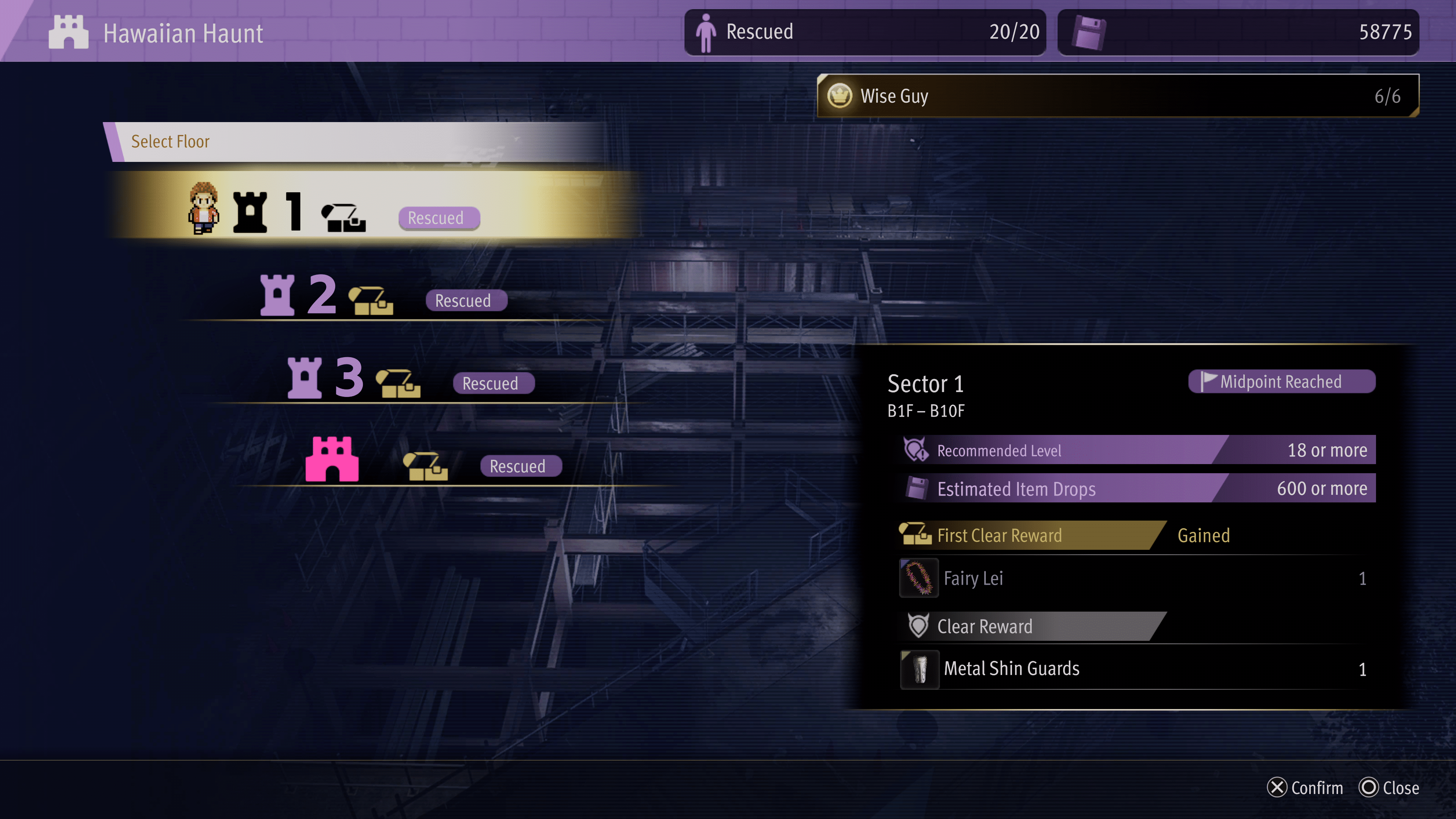
You’ll likely be a little under-leveled, but this is the perfect early farming spot very early on as there are some powerful enemies in these labyrinths, and if you happen to lose, you don’t lose anything. Plus, the number of resources you’ll get can be put to good use towards better weapons.

I used the Labyrinth as my main way of leveling for a good chunk of hours, but eventually, it can become boring, and other methods become quicker and more efficient.

Luckily, the main farming area I used afterward was outside the Labyrinth area. There are tons of high-level enemies roaming outside, and if you power up enough, you can even perform a smackdown on them. They spawn infinitely, but the best enemies to get XP from are the ones driving in cars. Focus on those, and if you have Smackdown available for them, you’ll be leveling up in no time.

Outside the Labyrinth is a set of strong enemies, too. You can keep fighting them and wait for them to spawn back by walking to a new area. The best thing is you don’t have to worry about wasting MP or health items since there is a healing station at the Labyrinth entrance.

Otherwise, Labyrinths are probably your best bet for early-to-late XP farming.

Farming XP for Leveling Jobs Post-Story

When you beat the game, all the enemies in the world will increase their levels, with level 40-50 enemies being common. Labyrinths are still great to do, and by now, you should be close to being able to take on those higher-level ones. I was level 50, but by the time I reached the end, that put me high enough to perform smackdowns on enemies in the 30s.

The higher the level of the enemy is, the better the XP. So use the Smackdown feature well; it will get you XP quickly. This area has level 40 enemies that you should be able to use Smackdown on.
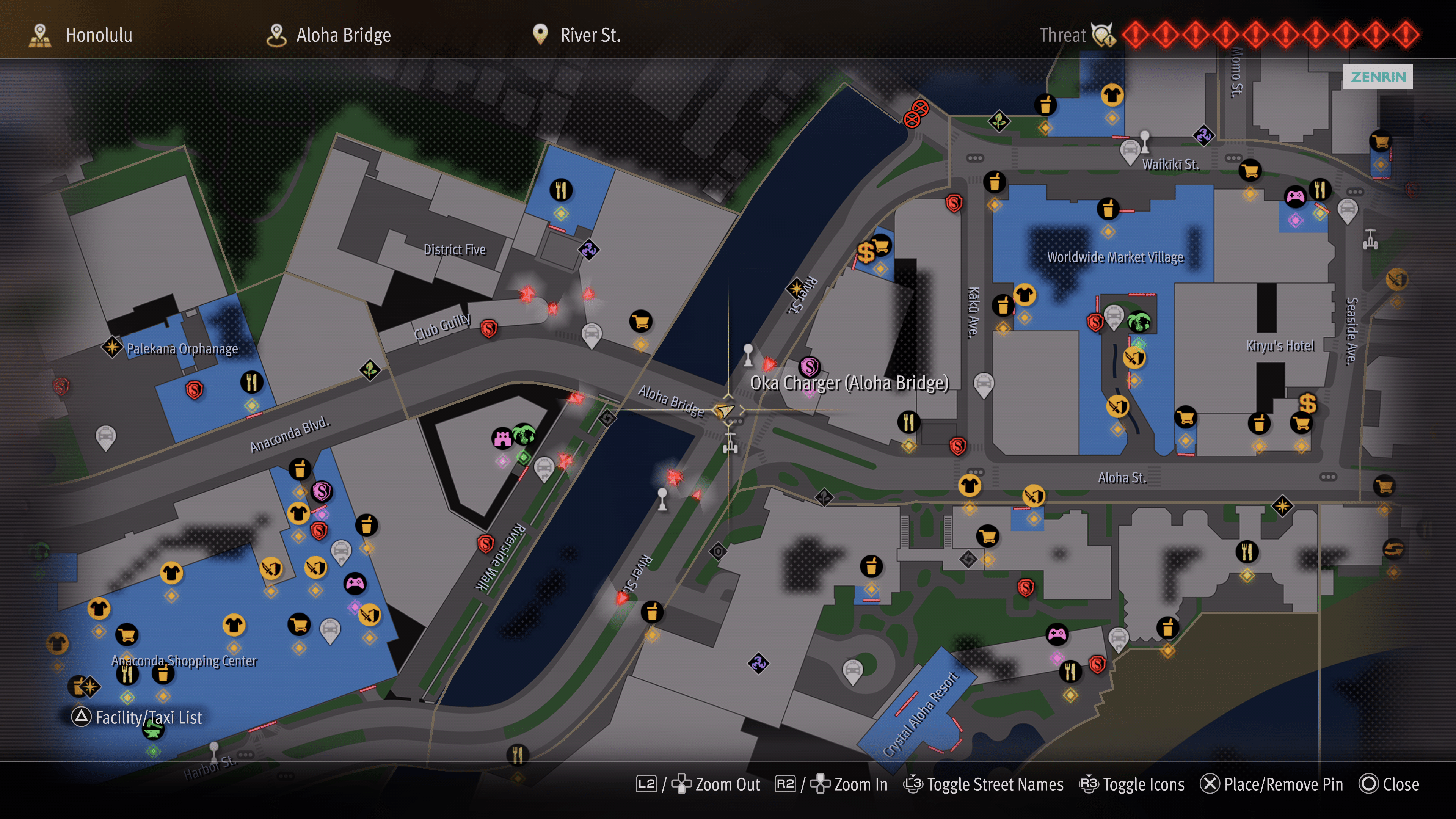
You’ll level up fast, though once you reach level 60, things will become much grindier. But beyond your character level, you’ll also want to focus on job leveling for some added stats and new abilities. The above spot is the perfect section to level up all your jobs. Level 30 for each job will unlock all the skills, and reaching that in that area and using nothing but smackdown will take you less than an hour to get there for each character.

You could use the Smackdown technique in the Labyrinth, but this method is far faster since you don’t have to hunt down enemies. They just keep spawning in the same area over and over.

Use XP Gaining Gear, and Eat Food for XP Bonuses

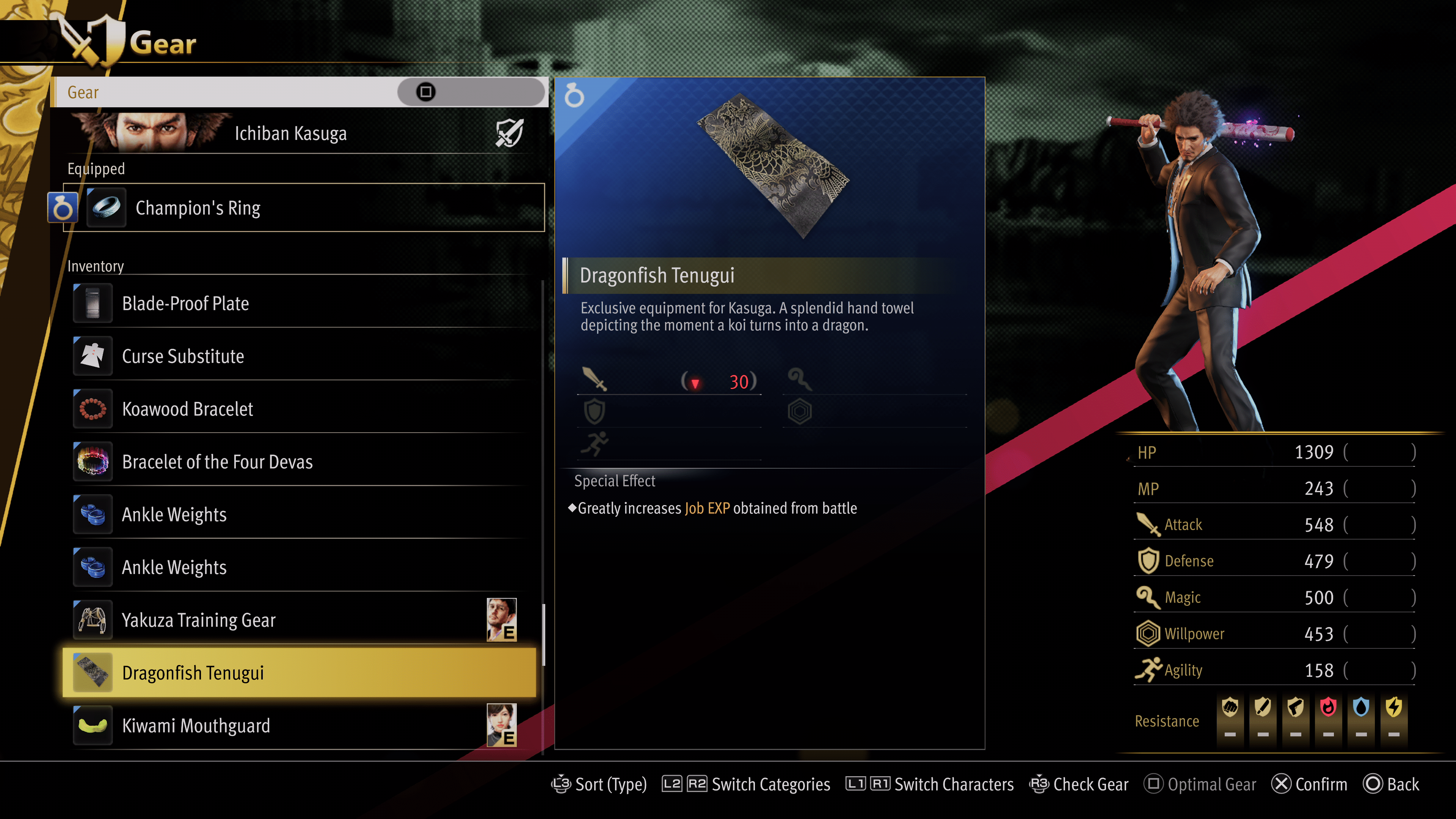
A few items in Infinite Wealth will help you get a little extra regarding character XP and job XP. The items you’ll probably notice first are the gear items. These should be unlocked from playing naturally, at least they were for me, and they provide some XP gain bonuses for characters and jobs.
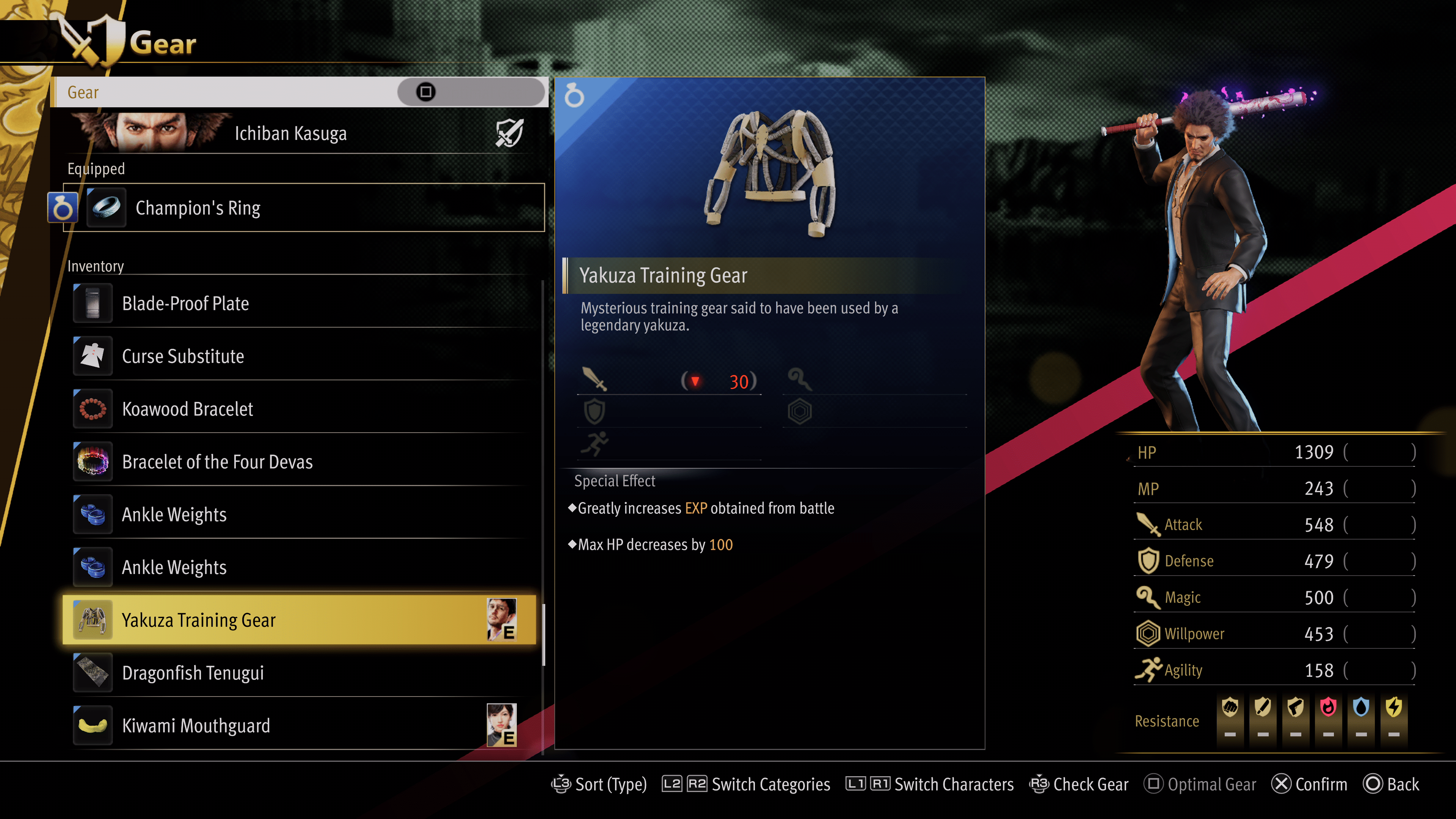
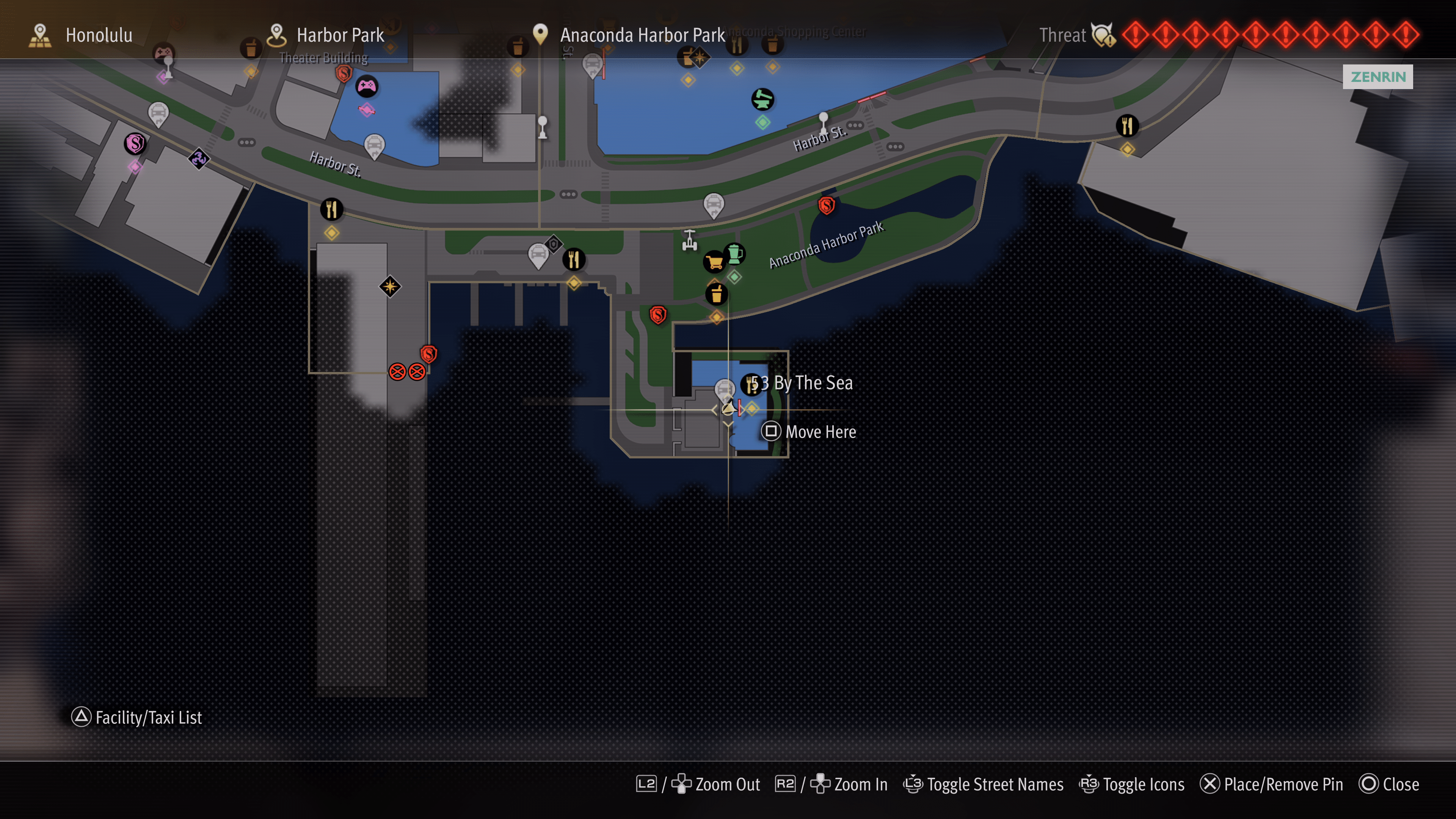
The next one is a temporary boost from eating food/meals. “53 By The Sea” is a high-end restaurant in the southeast portion of the map.
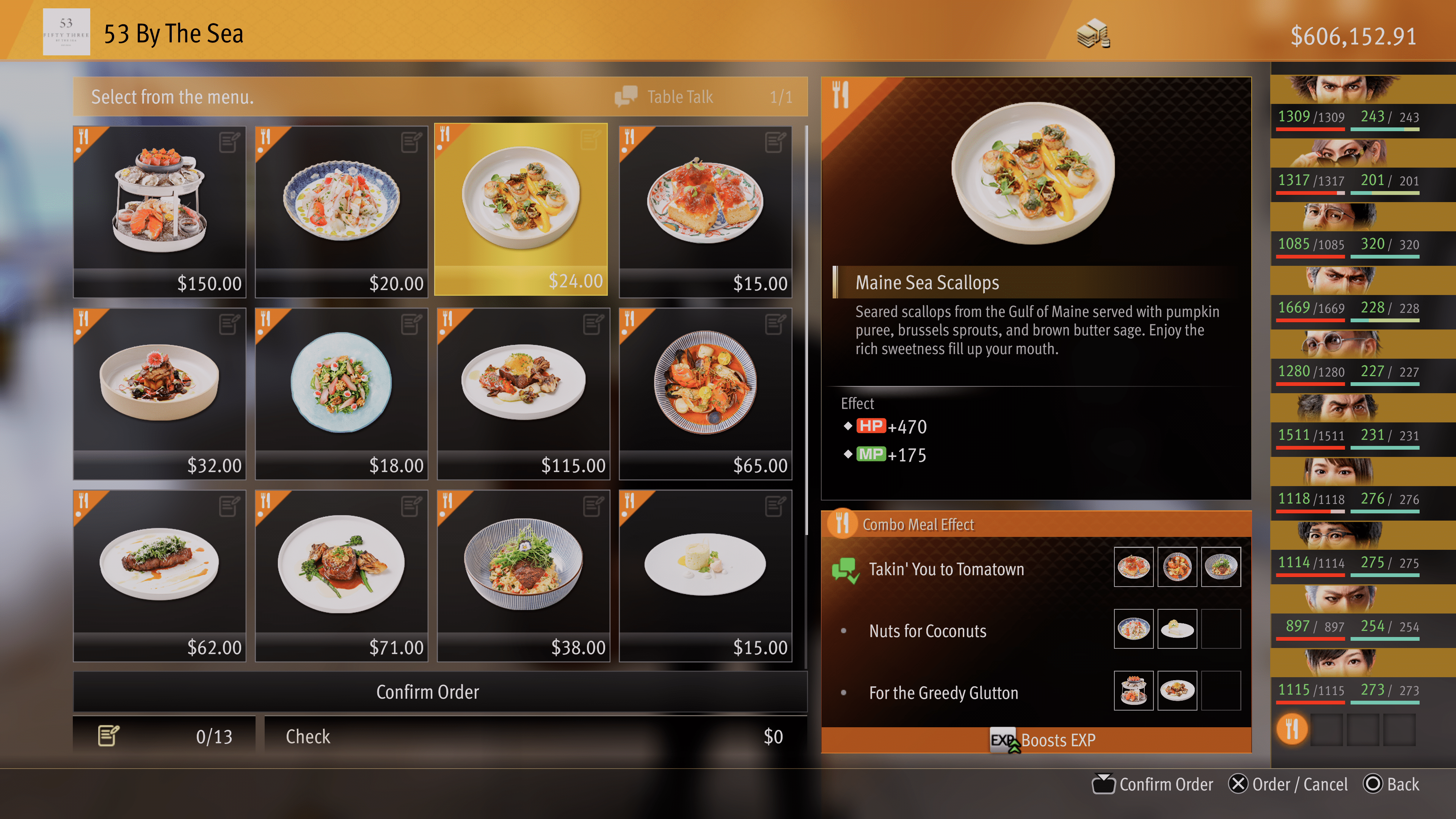
They sell all kinds of food there, and if you group them correctly, they’ll make a combo meal that gives bonuses. All restaurants have this feature, but only this one gives XP bonus.
The nice thing is, there’s a taxi right at the restaurant, so you can easily fast-travel to it to get an XP bonus when it ends. It’s a pricier restaurant than most in Honolulu, so be sure you have plenty of cash on hand.

I’m sure there are other XP farming methods, but these are the ones I used the most throughout the game and at the end. They’re efficient and fast enough to help you get to the level you need, but you’ll still need to invest a lot of time grinding.

Like A Dragon: Infinite Wealth is now available to play. To learn more and read up on our thoughts, check out our Like A Dragon: Infinite Wealth review!

Avatar photo

James Lara

A gamer at heart, James has been working for MP1st for the last decade to do exactly what he loves, writing about video games and having fun doing it. Growing up in the 90's gaming has been in his DNA since the days of NES. One day he hopes to develop his own game.

Home > News

The Long Dark Update 2.27 Drags Fixes for Bugs This Jan. 25

Hinterland has released The Long Dark update 2.27 and this brings fixes to issues that were introduced in the Part Four update. Read on for the complete The Long Dark patch notes for January 25, though there is a slight spoiler warning for players before trudging on.

The Long Dark Update 2.27 Patch Notes | The Long Dark Jan. 25 Patch Notes:

This is a Hotfix to THE LONG DARK and THE LONG DARK: SURVIVAL EDITION and contains fixes for issues introduced with our Part Four release.

Update Details

ADJUSTED REQUIREMENTS TO START ‘BURIED ECHOES’ TALE

Players no longer need to complete SIGNAL VOID in the same run as they intend to attempt BURIED ECHOES. Instead, so long as you’ve completed SIGNAL VOID in another Survival game – and obtained the Badge for completing it – you can begin BURIED ECHOES in any new or existing run.

NEW CUSTOM EXPERIENCE SETTING FOR SCURVY

We’ve added an additional option in the Custom Experience. Players can now choose to play with or without Scurvy, or even set it to a high rate for a more punishing experience with the ‘Scurvy – Vitamin-C Drain Rate’ option.

screen_9c1b42f4-ea8d-48a8-9a57-f8209eeff960.thumb.png.3f694e731f4b7cf94c06183447e27ab2.png

Bug Fixes

This Hotfix includes fixes for the following issues:

CRASHES

  • Fixed an issue where players would encounter a -988 or -998 error code and fail to launch THE LONG DARK on Epic Games.
  • Fixed an issue where attempting to swap from the WINTERMUTE to Survival menu on Mac Epic Games would result in closing the application instead.

GAMEPLAY, UI, CONTROLS

  • Fixed an issue in the Mystery Lake Camp Office where the Survivor could become stuck beneath the stairs.
  • Fixed an issue which caused a notable frame rate drop near the Cannery in Bleak Inlet.
  • Adjusted Chemical Hazard territory to better match the visual representation of their boundaries.
  • Fixed an issue which could cause the player to rotate 90 degrees upon transitioning to a new location while hauling a Travois.
  • Fixed an issue where attempting to Harvest undressed Wildlife with Bare Hands and a lit Torch equipped caused the Survivor to stow the Torch while still lit.
  • Fixed an issue which made it difficult to find a valid location to place a Rock Cache.
  • Fixed an issue which caused Carcasses to cease defrosting when being Harvested near a Campfire.
  • Fixed an issue where the Survivor would teleport to the surface above them when crouching and Harvesting in specific locations.
  • Fixed an issue where players would be unable to equip the Respirator from their Backpack after picking up a fresh Canister.
  • Added a message to better indicate when a Carcass cannot be Harvested with Bare Hands prior to being dressed.
  • Fixed an issue where Coal could spawn in an unreachable location in the transition Cave from Mountain Town to Mystery Lake.
  • Fixed an issue where players were unable to transfer stacks of items to a Container if the stack weighed more than the remaining capacity of the Container.
  • Fixed an issue where the Travois could fall beneath the terrain if left on a steep slope when transitioning to and from an interior or Region.
  • Fixed an issue where the text explaining what a Skill Book will improve was misplaced in the Inspect user interface.
  • Fixed an issue which could cause a ‘Failed to Load Save’ error after using the Respirator.
  • Fixed an issue where items on Benches would be left floating after breaking them down.
  • Fixed an issue where the Langston Mine Keys were not included in Journal > Collections > Mementos.
  • Fixed an issue where debug text could be seen when hovering the transition icon to Zone of Contamination from the Transfer Pass Map.
  • Fixed an issue where the cave transition to Zone of Contamination from Forsaken Airfield was labeled ‘To Transfer Pass’.
  • Fixed an issue where debug text could be seen on the Harvesting interface when interacting with a Poisoned Wolf Carcass that was 50% or more frozen.
  • Fixed an issue where Survivor-held light sources would not deteriorate when Harvesting a Carcass.
  • Fixed an issue where Survivor Condition would not deteriorate when Harvesting a Carcass.
  • Adjusted Harvesting of Rabbits and Ptarmigan to allow for Bare-handed Harvesting at the cost of a small percentage of meat.
  • Fixed an issue where no idle animation would play in the Harvesting user interface when interacting with certain Carcass types.
  • Fixed an issue where some canned beverages could not be reached on the floor of a vehicle interior.
  • Fixed an issue where the Survivor would be placed too far from the ladder when transitioning into the Prepper Cache in Bleak Inlet.
  • Fixed an issue where the Travois would become stuck in a ‘Loaded’ state if the player selected ‘Drop All’ while water was stored in the Travois.
  • Fixed an issue in Zone of Contamination where the Survivor was unable to pick up a Knife sticking out of a tree.
  • Fixed an issue which could result in multiple Vaughn’s Rifles spawning in Carter Hydro Dam.
  • Fixed an issue where certain Books could not be interacted with in the Zone of Contamination.
  • Reduced the damage dealt to Insulated Flasks from Survivor falls.
  • Increased the Condition of Chemical Boots.

ART & ENVIRONMENTS

  • Adjusted the Simple Lure and Fishing Lure to remove some hard edges from the model.
  • Updated the Dress Shirt to address inconsistencies and visual issues between the inventory and in-world models.
  • Fixed multiple locations in the Zone of Contamination where snow piles could be seen fading in and out as the Survivor approached and retreated.
  • Fixed an issue where shadows could pop in and out on door handles in the Concentrator building depending on the Survivor’s position.
  • Fixed an issue where lift cables were missing from the exterior of the Concentrator building.
  • Fixed multiple visual issues where items and terrain could be found floating or intersecting with each other within the Langston Mine.
  • Fixed an issue where a concrete barrier in the Zone of Contamination could shift to a new location as the Survivor approached it.
  • Fixed an issue with Rope spawn orientation that could result in the model oriented stiffly against walls.
  • Fixed a visual issue with the Security Chief’s Remains, allowing players to see through the back of the model from the eye sockets.
  • Fixed an issue where the entrance to the Langston Mine could be seen clearly through inclement weather.
  • Fixed an issue which caused a visual mismatch between what the player would see prior to exiting from the main entrance of the Langston Mine, compared to what they saw once they had exited.
  • Fixed an issue which resulted in some items being offset from trees they should be resting on in Hushed River Valley.
  • Fixed an issue which made it difficult for the Survivor to move onto the platform above the waste pool in Langston Mine.
  • Fixed an issue which caused a jarring visual mismatch between trees seen within the transitional cave to Forsaken Airfield and those after exiting the cave.
  • Adjusted the pit in the cave transition from Airfield to Zone of Contamination to better communicate it shouldn’t be entered.
  • Adjusted the pit beneath the rickety bridge in Langston Mine so Torches and Flares can no longer be seen when they hit the bottom.
  • Fixed an issue in Zone of Contamination where Burdock Bushes intersected with nearby rocks.
  • Fixed an issue which could result in the ‘Security Chief’s Log’ being completely unlit when picked up and read.
  • Fixed an issue where a shadow was incorrectly projected from the door of a Medical Locker in the Concentrator building.
  • Adjusted the lighting effects of Survivor held light sources on both sides of the chute transition in Langston Mine for better consistency.
  • Adjusted the chute in Langston Mine to make movement through this area easier.
  • Fixed an issue where a cardboard box could be seen intersecting a minecart in the Concentrator building.
  • Fixed an issue where a pallet could be seen intersecting a handrail in the Concentrator building.
  • Fixed an issue with terrain in the Forsaken Airfield to Zone of Contamination cave transition which resulted in gaps through which the player could see out of bounds.
  • Fixed multiple locations in Desolation Point where Old Man’s Beard was not correctly connected to trees.
  • Fixed an issue where a clipboard could be found intersecting a console in the Concentrator building.
  • Fixed an issue where Wildlife could spawn or climb into a tree.
  • Fixed an issue in Zone of Contamination where the Trainyard building would change its level of detail too abruptly, making it look like parts of the interior were appearing and disappearing.
  • Fixed an issue in Zone of Contamination where the preplaced beds in Scaffolder’s Hideout intersected with the ground.
  • Fixed an issue in Zone of Contamination where weather effects would not render outside while within the Forgotten Exploration tunnel.
  • Fixed an issue which resulted in a slight light source emanating from the Survivor while inside the Forgotten Exploration tunnel.

ANIMATION

  • Fixed an issue where the Survivor’s thumb could intersect with the Flashlight while held.
  • Fixed an issue where the Survivor’s hand would clip through the Elevator Crank when removing it from an Elevator.
  • Fixed an issue where the Survivor’s hands could intersect with an Interview Transcript clipboard when interacted with.
  • Adjusted the Travois pickup animation to be smoother and reduce player disorientation.
  • Adjusted Wolf Harvesting animations to look more polished.
  • Fixed an issue where a Wolf Carcass could shift slightly when the Survivor bent down to begin Harvesting.
  • Fixed an issue with Rabbit Carcasses that resulted in a lump on the model when held in the Survivor’s hands for Harvesting.
  • Fixed an issue with Doe Carcasses which resulted in the Harvesting animation being offset.
  • Fixed an issue where Moose would not gracefully transition to their death pose after falling to the ground.
  • Fixed an issue where using a Hunting Knife on a Doe would cause a short animation jolt on initiation.

AUDIO

  • Adjusted which audio tracks could play while inside the Langston Mine, preventing calming music from playing in a decidedly unsafe location.
  • Fixed an issue which caused wind ambience in the Main Menu to sound slightly tinny.
  • Fixed an issue which caused too much reverb when near the pit of the Langston Mine in Zone of Contamination.
  • Adjusted sound effects when climbing the rope in the Elevator of Langston Mine to better match the environment.
  • Fixed an issue which caused snow footstep sound effects on the wooden bridge from the Concentrator to the locked Langston Mine gate.
  • Fixed an issue in which voice-overs could be preemptively cut off when interacting with multiple items which would cause a voice-over to begin.
  • Adjusted the Misophonia filter to include footsteps through Chemical Hazard Zones.
  • Fixed an issue which caused Misophonia triggering sounds to play through reverb effects.
  • Fixed an issue which caused snow footstep sound effects on the concrete floor of the Concentrator building entryway.
  • Adjusted the audio of items thrown into bottomless pits so they can no longer be heard.

That’s it for this title update.

Source: Hinterland Forums

Avatar photo

Alex Co

Father, gamer, games media vet, writer of words, killer of noobs.

Home > News

Palworld Update 0.1.1.1 and 0.1.1.2 Released for Xbox This Jan. 25

Palworld update 0.1.1.1 and then 0.1.1.2 has been released today on Xbox platforms, and while this isn’t a major patch, it still brings important bug fixes that help with the game’s stability. Read on for the complete new Palworld update patch notes below.

Update (Jan. 29): For the update released this January 29, head on over here.

Palworld Update 0.1.1.1 and 0.1.1.2 Patch Notes:

[Patch Notice]
・Steam version patch v0.1.3.0
・Xbox version patch v0.1.1.1

Steam version v0.1.3.0 update has been released.
(Xbox version v0.1.1.1 will be released as soon as it is ready)

Changes are as follows:

===

▼Main changes
・Fixed a bug where the loading screen did not end when logging into the world
・Fixed a bug where the world date was not displayed correctly and appeared to reset.
・Corrected various incorrect text
・Countermeasures against various cheats and exploits

===
We will continue to place top priority on fixing major issues.
Thank you for your continued support of Palworld.

Unfortunately, it seems some gamers are experiencing issues connecting to the game after the update.

Source: Palworld Twitter/X page 

More Palworld Reading:

Avatar photo

Alex Co

Father, gamer, games media vet, writer of words, killer of noobs.

Home > News

Palworld Down With Infinite Loading When Connecting to Servers This Jan. 25

Following today’s Palworld update, it seems some players are having issues playing the game. Pocket Pari has acknowledged the Palworld down reports and how players are seeing an infinite loading when trying to connect to the game.

Palworld Down With Infinite Loading When Connecting to Servers This Jan. 25:

Here’s the acknowledgement from Pocket Pair regarding the connecting issues (via Discord):

[Regarding the issue of infinite loading when connecting to official servers]

Following the recent patch, numerous logins are concurrently underway, leading to congested access.
We are sorry for the inconvenience but please wait a moment before trying to connect to the servers.
Single-player, co-op and private servers should be relatively unaffected by this.

We apologize for any inconvenience.
Thank you for your understanding and cooperation.

Once more news regarding the issues are out, we’ll update the article. If you know someone affected, link them to the article to let them know they’re not the only ones seeing this issue.

More Palworld Reading:

Avatar photo

Alex Co

Father, gamer, games media vet, writer of words, killer of noobs.

Home > News

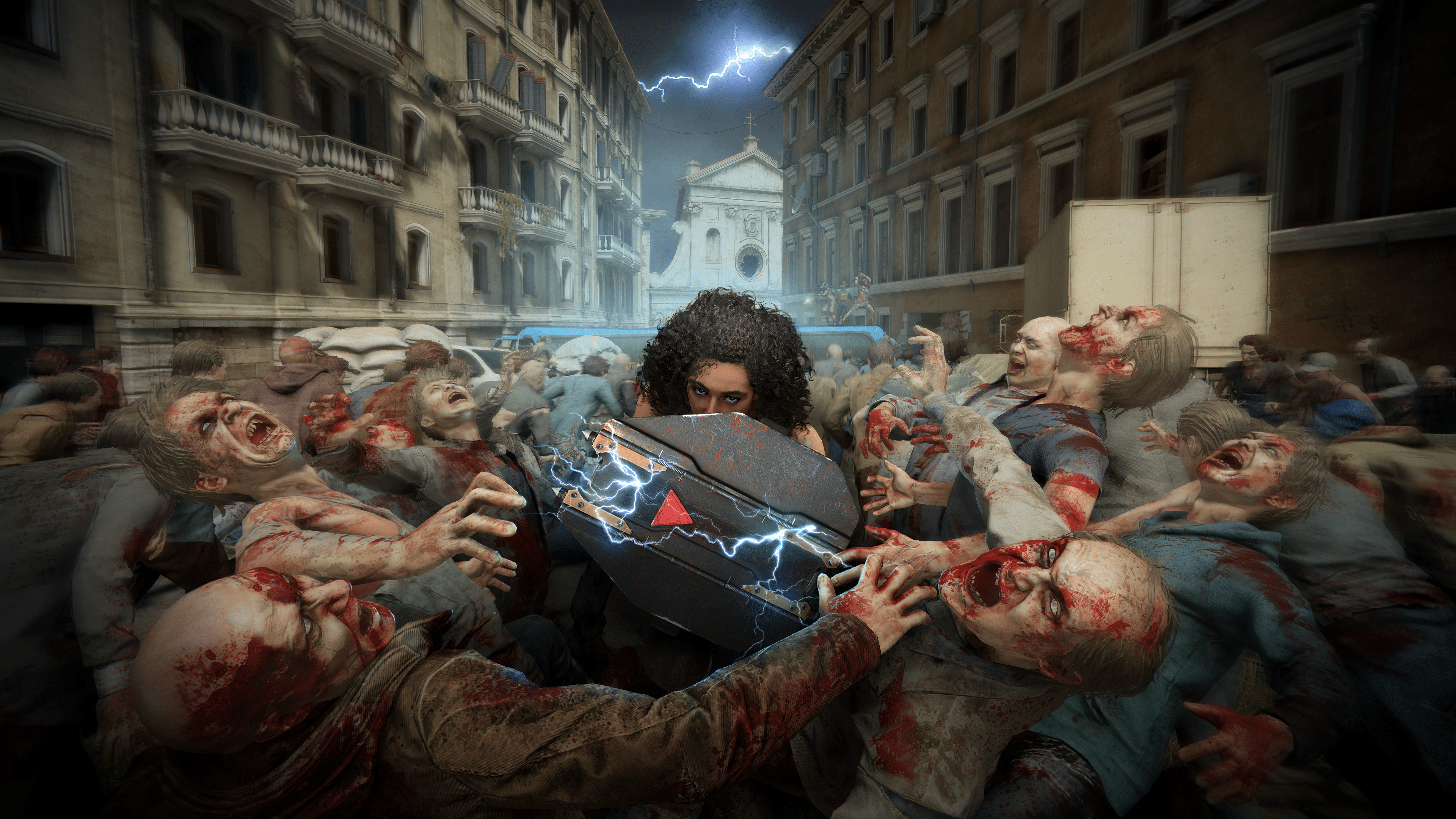
World War Z Update 1.54 Brings Host of Fixes This Jan. 25

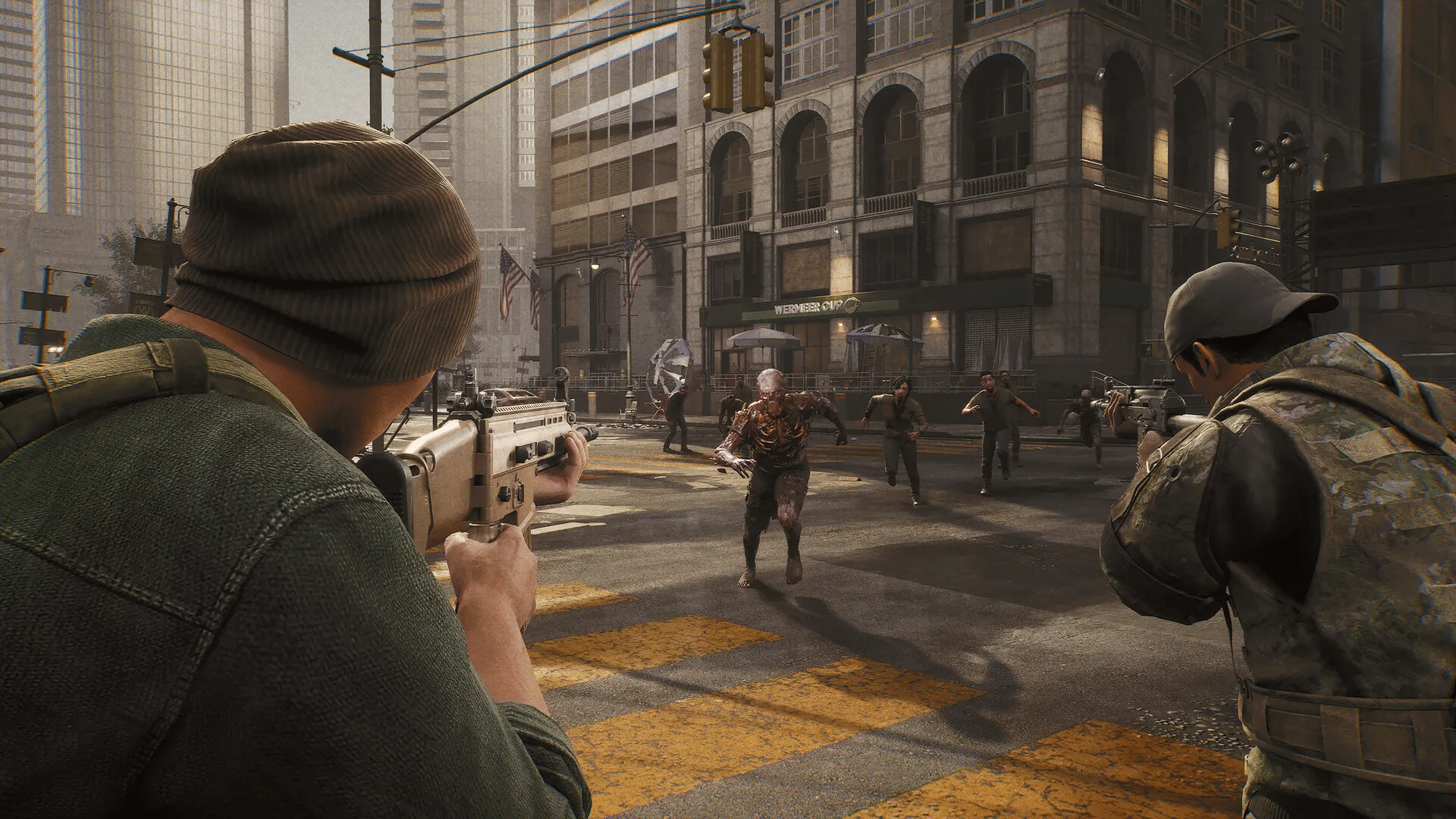
World War Z update 1.54 (PS5 update version 1.017) has been released, and while this doesn’t bring any new content, this does bring a host of gameplay fixes and improvements. Read on for the complete WWZ January 25 patch notes for all platforms.

World War Z Update 1.54 Patch Notes | World War Z Update 1.017 Patch Notes:

General

  • Fixed a bug where players could not stop Bull with Vanguard’s shield.
  • Fixed a bug where players could use Vanguard’s shield even with no equipment charges.
  • Fixed a bug with a missing silencer on a lever-action rifle.
  • Fixed several bugs when players would respawn behind the closed doors in Episode 8: Phoenix maps.
  • Fixed random stutters and freezes during some explosions in Episode 8: Phoenix – Fighting for Home.
  • Tweaked the performance in the outro video in Episode 8: Phoenix – The Low Road.
  • Fixed the ‘Chainsaw Massacre’ mutator bug. Now, bots don’t receive a chainsaw that a player cannot use after an exchange.
  • Fixed the ‘Gun Shortage’ mutator not affecting bots.
  • Fixed a bug in the ‘My Chainsaw and Me’ mutator. The scenario now continues when the player with the chainsaw exits.
  • Fixed a bug in the ‘My Chainsaw and Me’ mutator. Now, the player is resurrected with an infinite chainsaw.
  • Fixed marking voiceovers for Episode 8: Phoenix characters.
  • Fixed voiceovers for planting thermite.
  • Added thermite burning sound.
  • Fixed the ‘Exchange Heavy Weapons’ hint missing in Episode 8: Phoenix.
  • Fixed a bug when mutators were not displayed in Challenges for some players.
  • Fixed a bug when players could get through a closed window in Episode 8: Phoenix – Fighting for Home.
  • Fixed a bug when players could not open the door when playing with other people in Episode 8: Phoenix – Fighting for Home.

No word yet on whether we’re going to get more content expansions for World War Z, but once if we know more, we’ll be sure to let our readers know.

Source: Saber Interactive

Avatar photo

Alex Co

Father, gamer, games media vet, writer of words, killer of noobs.

Home > News

Palworld Update v0.1.3.0 and Xbox v0.1.1.2 Out This Jan. 25

Pocket Pair has released Palworld update v0.1.3.0 on Steam and v0.1.1.2 for those playing the game on Xbox. Many of the changes made today are for important bug fixes. Check out the new Palworld January 25 patch notes down below.

Palworld Update v0.1.3.0 Patch Notes | Palworld Update v0.1.1.2 Patch Notes:

The official patch notes were revealed on the Palworld Twitter/X page. Check out the details posted down below.

[Patch Notice]

・Steam version patch v0.1.3.0
・Xbox version patch v0.1.1.2

Steam version v0.1.3.0 update has been released.
(Xbox version v0.1.1.2 will be released as soon as it is ready)

Changes are as follows:

===

▼Main changes
・Fixed a bug where the loading screen did not end when logging into the world
・Fixed a bug where the world date was not displayed correctly and appeared to reset.
・Corrected various incorrect text
・Countermeasures against various cheats and exploits

===
We will continue to place top priority on fixing major issues.
Thank you for your continued support of Palworld.

That’s all the details that have been revealed for the game today. Be sure to check out more updates in the near future as the game continues to improve during its Early Access phase on both PC and Xbox platforms.

Source: Palworld Twitter/X page 

More Palworld Reading:

Damien Seeto

Home > News

The Division 2 Down for Server Maintenance This Jan. 25, Here’s the Schedule (Update)

The Division 2 servers has been taken down by Ubisoft this January 25, and this for maintenance. Expect this to last longer than your standard server maintenance outage, with the full schedule available below.

The Division 2 Down for Server Maintenance Schedule for Jan. 25:

Update: Per Ubisoft, the maintenance has been extended by an hour.

Here’s the announcement by the dev team:

To perform infrastructure updates, we’ll be taking #TheDivision2 servers down for scheduled maintenance Thursday, January 25, at 9:30 AM CET, 3:30 AM ET, 12:30 AM PT.  Estimated downtime is 5 hours

  • 9:30 AM CET,
  • 3:30 AM ET,
  • 12:30 AM PT.

Convert to your timezone here.

Can We Expect a Title Update for The Division 2 During Maintenance This Jan. 25?

We aren’t expecting a patch to be released, but Massive Entertainment does release an unannounced update now and again. If a new one is rolled out, we’ll be sure to let our readers know about it.

Avatar photo

Alex Co

Father, gamer, games media vet, writer of words, killer of noobs.

Home > News

Gran Turismo 7 Update 1.42 Drives Out for New Cars and More

Polyphony Digital has released Gran Turismo 7 update 1.42 (PS5 version 1.420) and includes some new cars and new events. Read on for the Gran Turismo 7 January 25 patch notes posted down below.

Gran Turismo 7 Update 1.42 Patch Notes | Gran Turismo 7 Update 1.420 Patch Notes:

Main Features

1. Cars
– The following three new cars have been added:
・BVLGARI Aluminium Vision Gran Turismo
・Genesis X Gran Berlinetta Vision Gran Turismo Concept
・Suzuki Jimny XC ’18

Those who purchase the BVLGARI Aluminum Gran Turismo Limited Model chronograph timepiece and register via the QR code will receive this car as a free gift before the official release. The car will be available for regular purchase from Brand Central in late February.

2. World Circuits
– The following new events have been added to World Circuits:
・Jimny Cup
– Sardegna Windmills
– Willow Springs International Raceway
– Lake Louise
・Vision Gran Turismo Trophy
– Monza Circuit
– Tokyo Expressway

3. Brand Central
 - The following brands have been added to the Museum:
・Genesis
・Pagani

4. Café
– The following Menu Books have been added:
・Menu Book No.50: Jimny Cup (Collector Level 28 and above)

– The following Extra Menus have been added:
・Extra Menu No.34: Collection: Nissan Motorsports (Collector Level 46 and above)
・Extra Menu No.35: Collection: Dodge (Collector Level 32 and above)

– Added new sets of conversations with the Car Designers and Characters appearing in the Café. These new conversations can be accessed by changing to the following cars in the Garage and speaking with the personalities in the Café:

CAR DESIGNERS
– Ed Welburn
・GT by Citroën Road Car
・Mercedes-Benz 300 SL Coupé ’54

– Fabio Filippini
・Mitsubishi Lancer Evolution VI GSR T.M. EDITION Special Color Package ’00
・Porsche Taycan Turbo S ’19
・Renault Clio R.S. 220 Trophy ’16
・Toyota Celica GT-Four Rally Car (ST205) ’95

– Freeman Thomas
・Porsche 917 LIVING LEGEND
・RUF CTR3 ’07

– Hideo Kodama
・Mercedes-Benz S Barker Tourer ’29
・Toyota Prius G ’09

5. GT Auto
 - Car Maintenance & Service
Engine Swaps have been added for the following cars (unlocked at Collector Level 50):
・Dodge Charger R/T 426 Hemi ’68
・Ford F-150 SVT Raptor ’11
・Garage RCR Civic
・Jaguar XJ220 ’92
・Mercedes-Benz 190 E 2.5-16 Evolution II ’91
・Nismo 400R ’95
・Toyota GR Supra RZ ’19
・Toyota GR Supra RZ ’20
・Toyota Alphard Executive Lounge ’18
・Toyota Corolla Levin 2Door 1600GT APEX (AE86) ’83

6. Scapes
– The Service Areas and “Turn the camera vertically” locations have been added as a featured Curation in Scapes.

Other Improvements and Adjustments

1. World Circuits
 - Weekly Challenges
The display that is shown before the bonus menu if an event has not been opened has been changed.

2. Physics Simulation Model
 - The stability of rival cars in wet conditions has been adjusted.

3. Multiplayer
 - We addressed an issue where Player 1 would be at an advantage in Split Screen Race.

4. GT Auto
 - The color and quality of the following paint has been adjusted:
・Aston Martin Ocellus Teal

5. Localization
– We fixed various text localization issues.

6. Others
– Various other issues have been addressed.

Source: Gran Turismo

Damien Seeto

Home > News

The Pokemon Company Releases Statement Regarding Palworld, Will Take Appropriate Action If Needed

The Pokemon Company has finally stepped in to address the massive and successful elephant in the room, Palworld, as they’ve released a statement with intentions of launching an investigation.

Posted on The Pokemon Company website, below is a statement regarding Palworld, and recent news circulating that the game may have stolen assets from Pokemon.

“We have received many inquiries regarding another company’s game released in January 2024. We have not granted any permission for the use of Pokémon intellectual property or assets in that game. We intend to investigate and take appropriate measures to address any acts that infringe on intellectual property rights related to the Pokémon. We will continue to cherish and nurture each and every Pokémon and its world and work to bring the world together through Pokémon in the future.

The Pokémon Company”

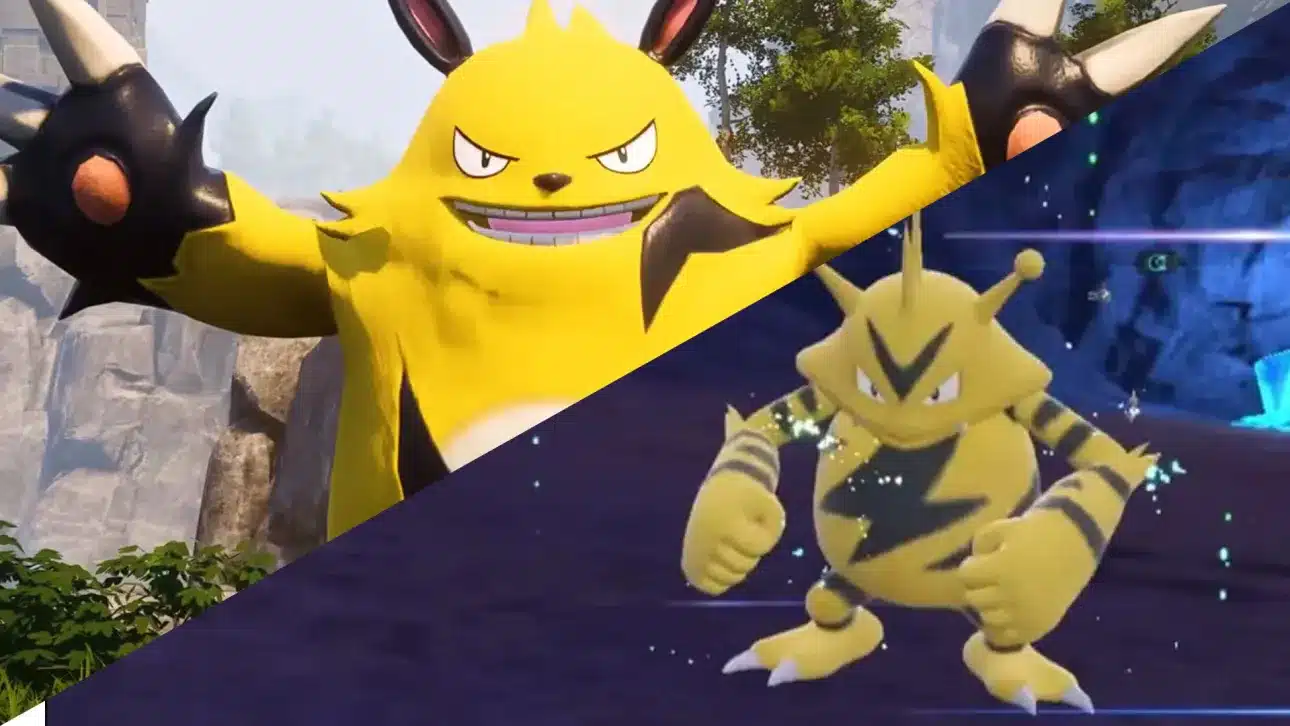
While Palworld isn’t specifically named, it’s clear The Pokemon Company is talking about the game, as it launched this month, and there’s little else out there that is being compared to the game.

So what exactly does this mean? Well, at the moment, not much. Based on the statement, The Pokemon Company will be investigating, and if they find any of their intellectual property, they’ll likely take legal action.

That could mean that while Palworld clearly has some designs taken from Pokemon, The Pokemon Company understands these are just inspired creatures. Only if any assets have been proven to be stolen will they most likely pursue it.

It’s surprising to see them acknowledge anything related to Palworld, though this may be due to the amount of comments they’ve been receiving about the matter. Regardless, this may end up being nothing or a lengthy legal battle. While fair use laws are pretty clear here in the state, Japan, where both The Pokemon Company and Pocket Pair Inc. are from, doesn’t have such laws and is a lot more strict when it comes to copyright.

Avatar photo

James Lara

A gamer at heart, James has been working for MP1st for the last decade to do exactly what he loves, writing about video games and having fun doing it. Growing up in the 90's gaming has been in his DNA since the days of NES. One day he hopes to develop his own game.

Home > News

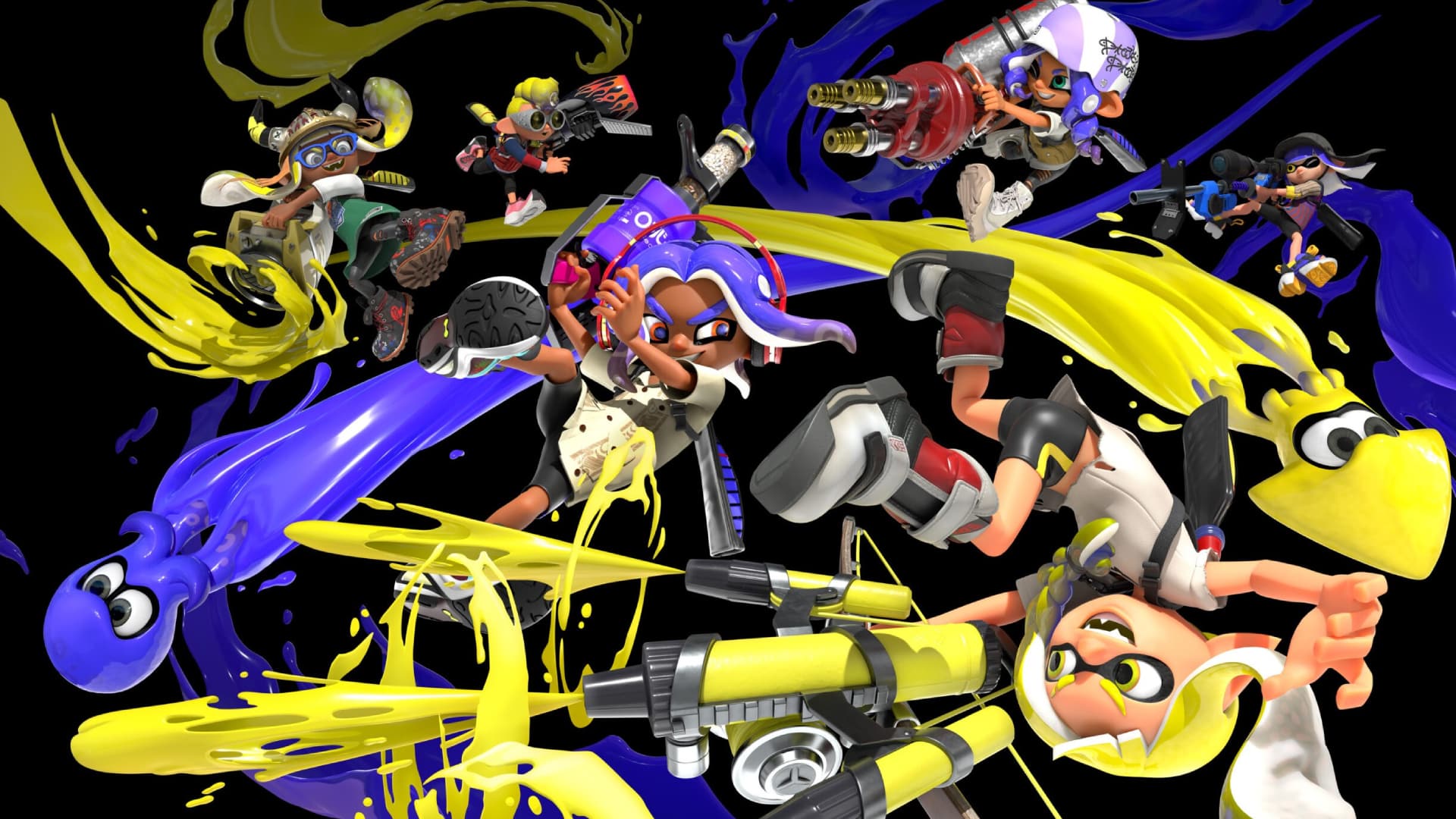
Splatoon 3 Update 6.1.0 Splashes Out This January 24

Nintendo have released Splatoon 3 update 6.1.0, for today, January 24. Read up on the official patch notes available below.

Splatoon 3 Update 6.1.0 Patch Notes:

Changes to Multiplayer

  • The terrain in Mincemeat Metalworks has been changed in all modes.
  • Specifications for some main weapons have changed.
    Weapon Change Details
    N-ZAP ’85
    N-ZAP ’89
    • Maximum damage has been increased from 28.0 to 30.0.
    Dynamo Roller
    Gold Dynamo Roller
    • Widened the angle at which horizontal swings deal maximum damage.
    Flingza Roller
    • Widened the angle at which horizontal swings deal maximum damage.
    • Reduced the amount of time it takes for ink to begin recovering after a vertical swing by about 5/60 seconds.
    Inkbrush
    Inkbrush Nouveau
    • Increased movement speed when holding the ZR Button to paint while moving forward by approximately 3%.
    • Reduced the amount of ink consumed when holding the ZR Button to paint while moving forward by approximately 7%.
    Splat Brella
    Sorella Brella
    • Reduced the amount of ink consumed when firing a shot by approximately 13%.
    Undercover Brella
    Undercover Sorella Brella
    • When the player holds the ZR Button to fire, they will now be able to jump higher than before.
    Squeezer
    Foil Squeezer
    • Increased the amount of ink consumed by the first shot fired after pressing the ZR Button by approximately 9%.
    • Slightly decreased the number of spray droplets created by shots fired when holding the ZR Button.
    Ballpoint Splatling
    Ballpoint Splatling Nouveau
    • Slightly increased the scatter of shots fired on land at the longer flight range.
    Splatana Stamper
    Neo Splatana Stamper
    • Reduced the width of spray droplets created by charged slashes by approximately 10%.
  • Specifications for some special weapons have changed.
    Special Weapon Change Details
    Wave Breaker
    • When placed, enemies around it will be marked for a short period of time.
    Ink Storm
    • Damage taken while within the area of effect of your own team’s Ink Storm will recover more quickly, even when not submerged in ink.
  • Points required for some special weapons have been changed.
    Weapon Before After
    Neo Sploosh-o-matic 180 170
    Forge Splattershot Pro 210 200
    Luna Blaster 180 170
    Bamboozler 14 Mk I 200 190
    Zink Mini Splatling 200 190
    Splattershot
    Hero Shot Replica
    190 200
    N-ZAP ’85 190 200
    Tri-Slosher Nouveau 200 210
    Heavy Edit Splatling 190 200

This update focuses on making tweaks to multiplayer. For main weapons, we made adjustments with the intention of making it easier to handle and utilize the strengths of some weapons, as well as adjusting the performance of some weapons that can hold the line in battle from a distance. For special weapons, we made changes that will create new ways to use them, expanding the range of gameplay. We plan on releasing the next update at the end of the current season. It will focus primarily on weapon balance adjustments and adding features for the new season starting in March.

Bug Fixes

  • Fixed an issue while charging a Fizzy Bomb that sometimes indicated the number of charged explosions had increased approximately 1/60 seconds faster than when they had actually increased.
  • Fixed an issue that sometimes caused the jumping animation to be omitted when the player activated the Kraken Royale while swimming in ink on a wall.
  • Fixed an issue that sometimes caused the Rainmaker to become embedded in the wall if a player carrying the Rainmaker was splatted while submerged in ink on a wall.
  • Fixed an issue in Bluefin Depot that caused players who activated the Zipcaster near certain areas on the elevators to clip into the terrain when they returned to their original spot after the effect ended.
  • Fixed an issue in Bluefin Depot that caused Tenta Missiles and Ink Storm to get cut off by things like the elevators or the metal bridge.
  • Fixed an issue in Bluefin Depot in Turf War and Rainmaker modes that allowed players to unintentionally reach higher terrain by using Triple Splashdown in certain areas.
  • Fixed an issue in Bluefin Depot in all modes except Tower Control that allowed players to unintentionally land on certain terrain.
  • Fixed an issue in Bluefin Depot in Tower Control mode that allowed players to get inside certain terrain.
  • Fixed an issue in Bluefin Depot in Tower Control mode that prevented certain walls near the center of the stage from being inked correctly.
  • Fixed an issue in Bluefin Depot in Rainmaker mode where certain areas would not allow players to swim, even if those areas appeared to be inked.
  • Fixed an issue when replaying job scenarios recorded in past versions where a different King Salmonid would sometimes appear than the King Salmonid that appeared originally.
  • Fixed an issue that sometimes prevented players from being able to splat Boss Salmonids with a charged swipe using a Grizzco Splatana if another player on their work crew had a Splatana Stamper or Splatana Wiper.
  • Fixed an issue in Spawning Grounds that caused slowdown when players were on top of certain terrain.
  • Fixed an issue on the locker editing screen that sometimes caused the name of a selected weapon to not display correctly when the weapon icons were arranged in a certain order.

Source: Nintendo

Avatar photo

James Lara

A gamer at heart, James has been working for MP1st for the last decade to do exactly what he loves, writing about video games and having fun doing it. Growing up in the 90's gaming has been in his DNA since the days of NES. One day he hopes to develop his own game.

Home > News

Quest VR Headsets Outsold PSVR2 Nearly 30:1 on Amazon During the 2023 Holiday

It looks like VR had quite the Holiday season, as VR headsets saw a massive surge in sales. The surprising bit is that the Meta Quest 2 and 3 have managed to outsell PlayStation’s VR headset, the PSVR2, by 30:1 on Amazon.

Meta Quest 2 and Meta Quest 3 Sold Over 300K During the Season

According to data gathered from the VR-focused site Road To VR, Meta Quest VR headsets were the top-selling VR headsets on Amazon for this Holiday season, selling roughly 320,000 units. This total is a combined amount of the Quest 2 and 3 sales, accounting for the period between November 16 and January 16.

In comparison to PSVR2, PlayStation’s newest VR headset for the PS5, its sales came in at an estimated low of 10,500.

To put this into perspective, for every PSVR2 headset sold, 30 more Quest headsets were sold. That’s a 30:1 ratio, which is quite insane. But why?

Why Are the PSVR2 Sales So Low?

While PlayStation’s PSVR2 offers what many (including us in our review) would say is one of the best VR experiences, the headset does come with some pretty significant drawbacks. For one, it’s a wired experience, limiting players in movement and such, as opposed to the Quest headsets, which are fully wireless.

Because of that, the Quest headsets can work as a standalone device. It doesn’t need additional hardware but is compatible with a PC for added power.

The PSVR 2, on the other hand, requires the PS5. Retailing for $500 for the PS5 and $550 for the PSVR2, you’d be looking at spending over $ 1,000 just to play VR on PlayStation. The Quest 3’s cheapest model is also $50 cheaper than the PSVR2, coming in at $500.

That makes the Quest far more attractive as a VR headset, even if it’s missing some major features that the PSVR 2 has, like foveated rendering and eye-tracking. Many would see the PSVR2 as an affordable headset for PC if it was compatible with it, as to get those features it has, you’d have to spend up to close to over $1000 on a set alone.

Another big draw for the Quest headsets is using them on a PC. PSVR2 doesn’t have that capability, limiting its user base and VR library to those on PlayStation only. The PSVR2 may have some major hits like Gran Turismo 7 and Horizon Call of the Mountains, but it lacks many, like Half-Life Alyx, Bonelab, and many more.

There are still PSVR2 games that are being made and developed, but at the moment, nothing from PlayStation itself, which has also been a cause of concern.

Will we see a price cut for the PSVR2 anytime soon? What about the announcement of major IPs? PC support?

Avatar photo

James Lara

A gamer at heart, James has been working for MP1st for the last decade to do exactly what he loves, writing about video games and having fun doing it. Growing up in the 90's gaming has been in his DNA since the days of NES. One day he hopes to develop his own game.

Home > News

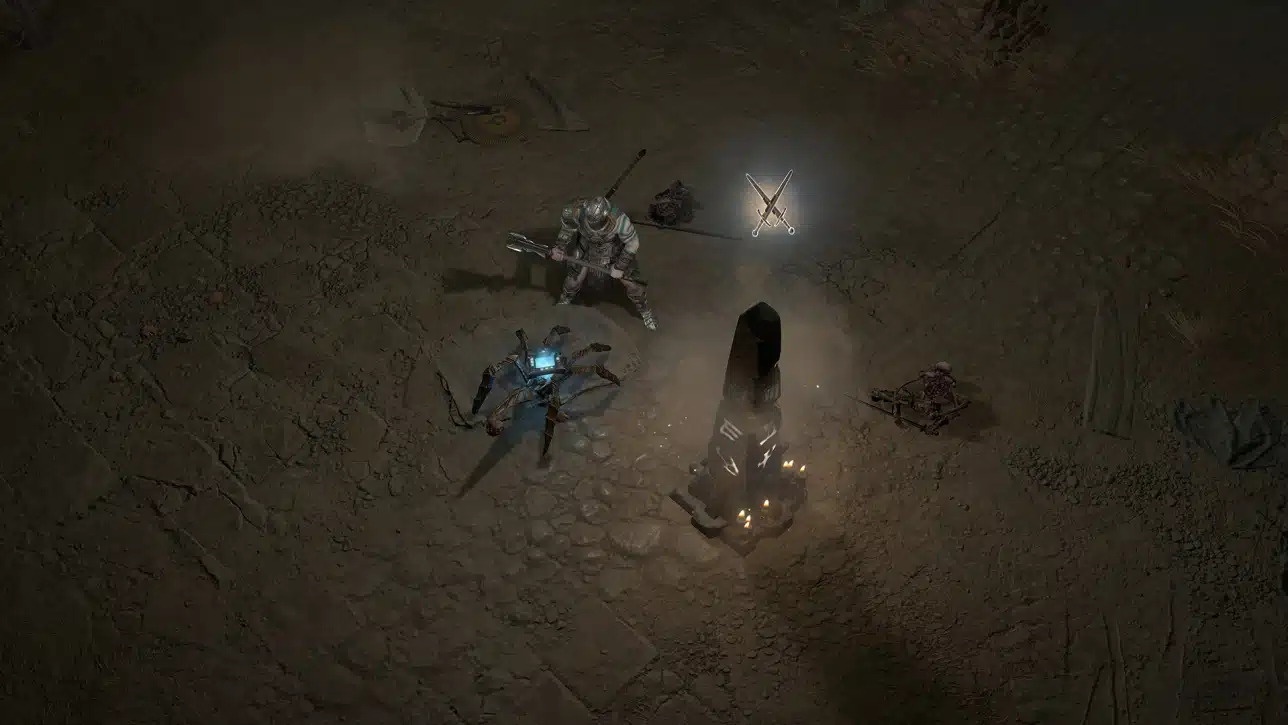
Diablo 4 Update for Jan. 24 Fixes Quest Progression Block as Hotfix 1 of Season 3

Following yesterday’s big Season of Construct title update for Diablo 4, Blizzard Entertainment has released a new Diablo 4 update for January 24, and this is called Hotfix 1 for Season 3!

For those wondering, this is a server-side patch and doesn’t require a download, as the update will automatically be applied once players connect to the game’s servers.

Diablo 4 Update for Jan. 24 Patch Notes:

HOTFIX 1 – January 24, 2024 – 1.3.0

BUG FIXES

  • *Addressed an issue with the quest ‘Drums of the Vault’ that led to a progression blocker.
  • *Stability and performance updates

Those wondering what’s in the big Diablo 4 patch from yesterday, it touched on all the classes, and of course, new activities for the new season were available as well. Read on for everything new here.

Source: Blizzard Forums

Avatar photo

Alex Co

Father, gamer, games media vet, writer of words, killer of noobs.

Home > News

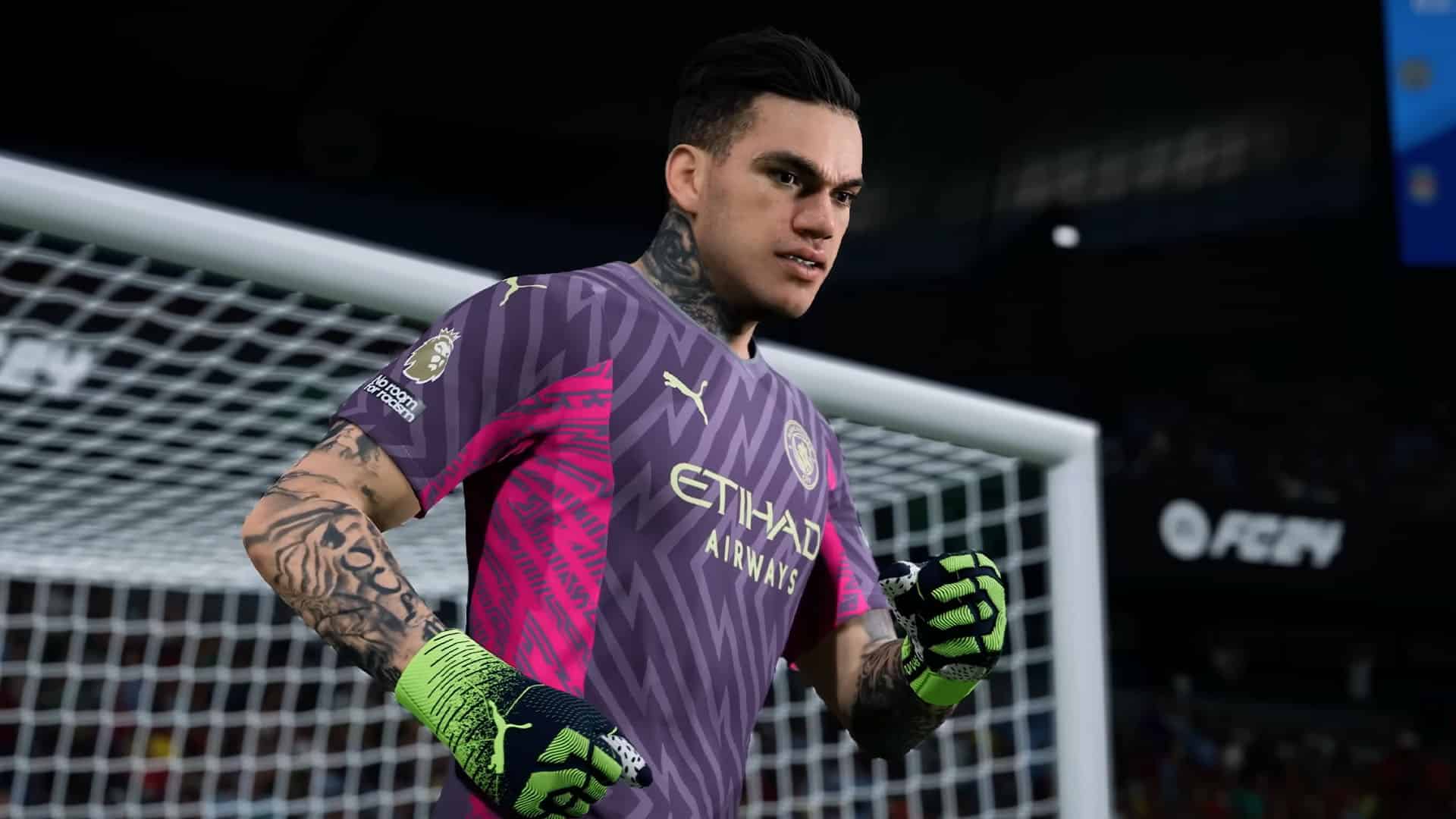
EA Sports FC 24 Update 1.10 Kicks Out for Title Update 8 This Jan. 24

EA Sports FC 24 update 1.10 is now available on PS4 an Xbox One, and is for Title Update 8! This brings adjustments to Ultimate team, Volta Football, Career Mode, and other technical items. For those on PC and current-gen, this patch is rolling out at a later time, which we’re assuming is sometime this week.

EA Sports FC 24 Update 1.10 Patch Notes | EA Sports FC 24 Title Update 8:

Ultimate Team

Addressed the following issues:

  • Help information could have unintentionally displayed without being prompted during SBCs.
  • Some Squad Foundation Player Item visuals did not display correctly during Pack openings.
  • In a rare scenario, the EA connect button callout did not display.

Gameplay

Made the following change:

  • Improved ball trajectory consistency when successfully performing a Chip Shot.

Volta Football

Addressed the following issues:

  • In rare instances, the scoreboard stopped updating correctly.

Career Mode

Addressed the following issues:

  • The player Bio screen could have displayed an incorrect badge.
  • When creating a club in a Manager career, some kits were unavailable

General, Audio, and Visual

Made the following changes:

  • Updated some kits, badges, boots, and star heads.

Addressed the following issues:

  • Addressed instances of placeholder text.
  • In some stadiums, a Manager could have been located outside of the technical area.
  • Some team kit colors were not displayed correctly on the match scoreboard.
  • Addressed instances of stability issues that could have occurred.

To keep track of all our EA Sports FC 24 articles, head on over here.

Source: EA Sports FC 24 Trello Board

Avatar photo

Alex Co

Father, gamer, games media vet, writer of words, killer of noobs.

Home > News

The Day Before Developer Addresses Poor Launch, Blaming “Negative Bias” for Its Failure

The garbage truck on fire that was The Day Before recently shut down for good. Following its closure, The Day Before developer Fntastic, who allegedly closed their doors in December, has just released a statement responding to the game’s poor launch and citing blogger hit jobs and an overwhelming “negative bias” as reasons for the game’s monumental crash and burn.

The statement was posted on Fntastic’s official Twitter/X account early this morning, an especially strange move given the developer’s supposed closure just last month:

https://twitter.com/FntasticHQ/status/1750076648798785989/

The statement reads as follows:

Recently, a lot of misinformation has emerged on the Internet from supposedly anonymous sources. Fntastic provides an official response to these statements.

Anonymous people allege that we deceived players

We worked hard and honestly on the game for five years. We didn’t take a penny from users, didn’t use crowdfunding, and didn’t offer pre-orders. Even after the game was closed, we, together with the publisher, returned money to all players, including forcibly issuing refunds to those who did not request them. How many companies return money like that? We are not a fly-by-night company. We have been operating since 2015 and have always conducted our business honestly.

Anonymous people allege that we deceived the investor

This is not true. We still have a great relationship with our publisher. The closure of The Day Before did not affect our partnership. Since 2021, we’ve had a New Zealand venture called MytonaFntastic and a successful game, Propnight, which has sold almost a million copies. Propnight also co-financed the development of The Day Before.

Anonymous former employees tell different stories about the development

We’re unsure whether these employees are real or not, but we had excellent relationships with our team. Despite being a small indie company with a limited budget, we assisted employees with relocation and healthcare and helped some of them to buy equipment and with their mortgages and other personal matters. We offered an extra non-working day off each month, vacation pay, and timely salary payments, along with the option of working remotely. Our low churn rate and the fact that half of those who left returned to the company demonstrate our positive work environment. One hundred percent of the team did everything they could to make The Day Before a success.

Who made money on The Day Before?

Certain bloggers made huge money by creating false content with huge titles from the very beginning to gain views and followers, exploiting the lack of information about the game’s development. Their actions triggered a gold rush among content creators due to the game’s pre-release popularity.

Why do they say that the released game is not the same as that in the trailers, and why was the game closed?

We implemented everything shown in the trailers, from home improvements and a detailed world to off-road vehicles. We only disabled a few minor features, like parkour, due to bugs but planned to include them in the full release.

Remember the experiment where you’re asked to count pink objects in a room and then recall the blue ones? You won’t remember any. It’s all about focus. The negative bias instilled by certain bloggers making money on hate affected perceptions of the game. Look at unbiased gameplay like Dr. Disrespect’s stream at release. Despite the initial bugs and server issues, he liked the game, which we fixed later, and the game received improved reviews over the weekend. Unfortunately, the hate campaign had already inflicted significant damage.

By the way, after sales closed, many people wrote to us that bloggers had deceived them and they liked the game, and they asked for access. We also heard that petitions were created to continue development, and on the black market, the game’s price exceeded $200, and some even began to make their own mods.

We are grateful to all the senders of mails who expressed support and appealed not to give up and to continue to work. Finally, we encourage you to subscribe to our social networks to know what will happen next.

-Fntastic

This entire statement reads like a parody. Referring to key sites as “the black market” and citing a random pink-and-blue balloon experiment seems entirely bizarre when trying to reclaim your reputation. While we could normally empathize with a developer who suffered excessive negative backlash for a product as a result of a hate train, it’s a little harder to get behind a company that repeatedly demonstrated poor communication and a lack of transparency, especially when they’re insinuating a continuation of business after announcing a studio closure a month ago.

We’ll be keeping an eye on Fntastic’s social media accounts for an upcoming announcement, but we’ve learned our lesson. We’ll believe in their ability to make a great game when we see it happen.

More MP1st Reading

Jack Breitenbach

Game the night away!

Home > News

PS5 Latest Software Update Takes a Stand Against Cronus Zen Cheaters

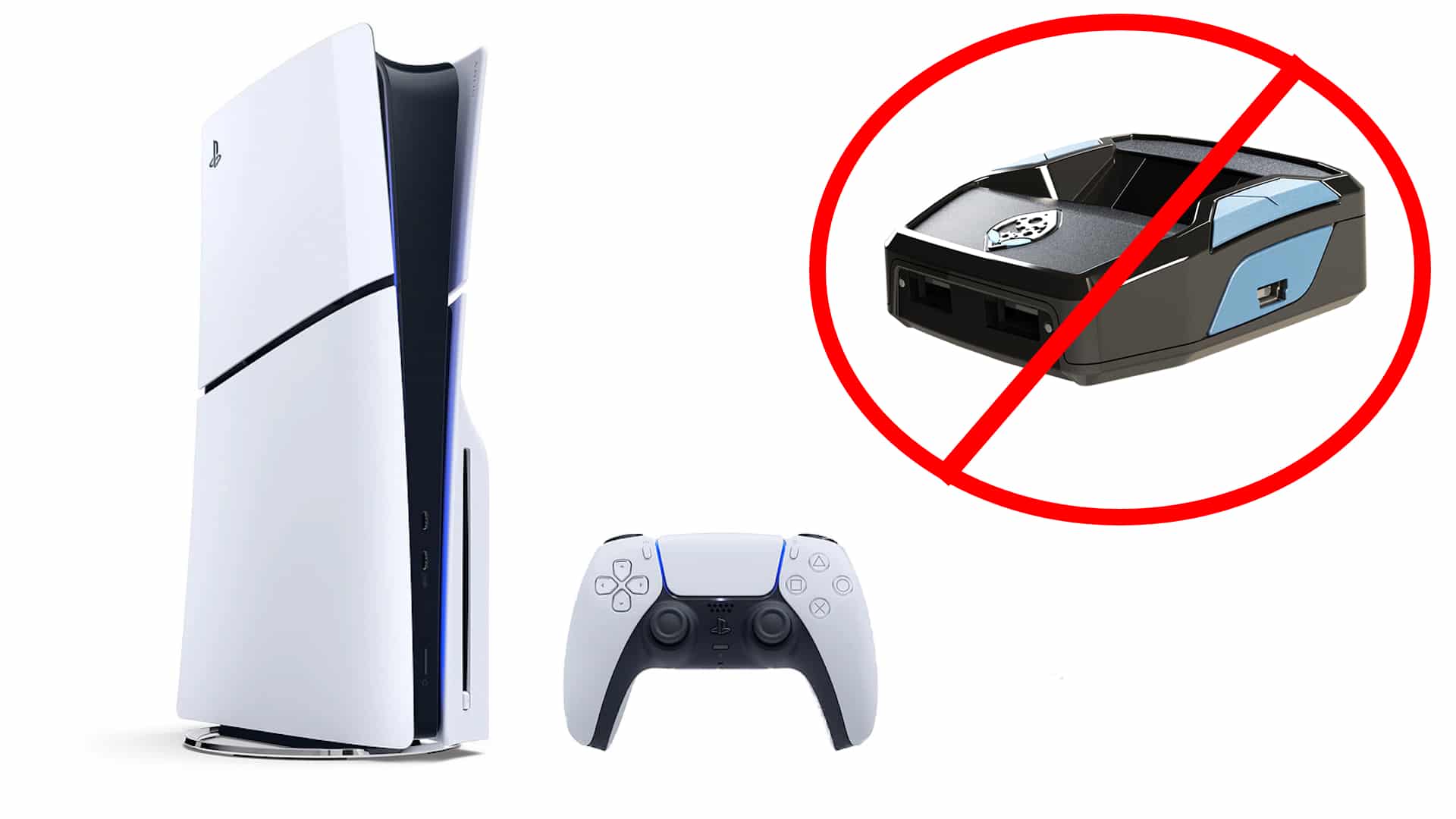
PlayStation’s latest software update for the PS5 does more than add a few new features, as the update brings some additional changes that have nearly broken the use of a third-party controller emulator, the Cronus Zen.

Online Multiplayer Just Became A Bit Safer On PS5

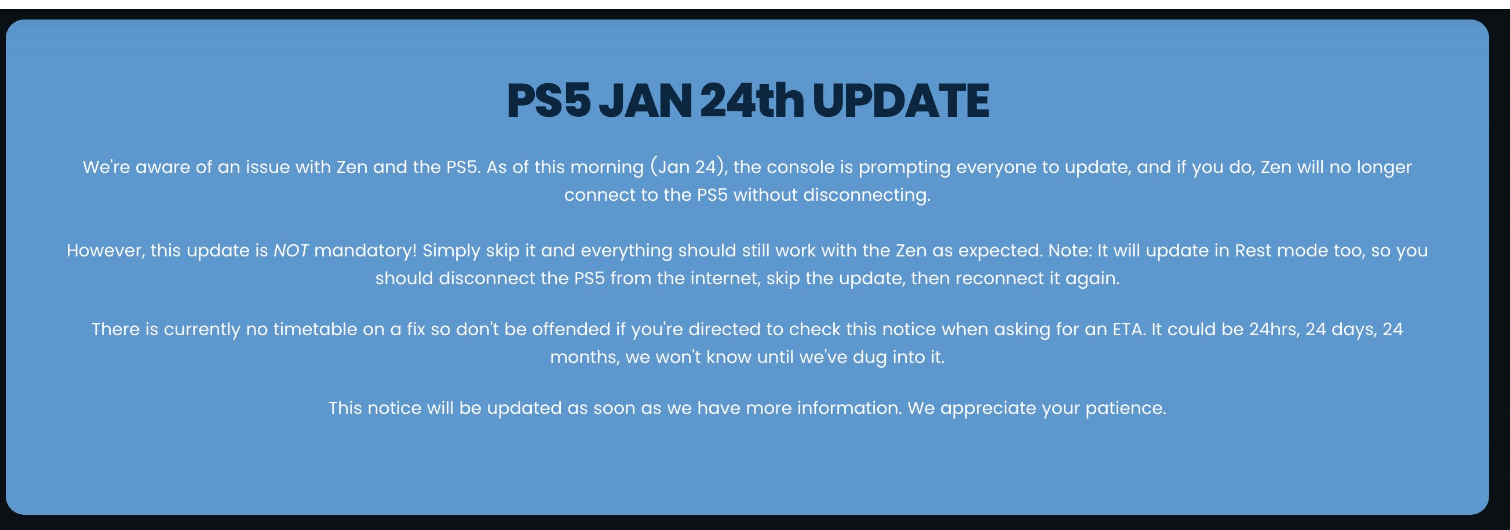
Whether this is intentional or not, the latest PS5 software update 24.01-08.60 has seemingly rendered Cronus Zen nearly broken on the PS5, as reports from Zen users have started to flood in. 

In a follow-up response to those reports, a game pack developer for Cronus on the official Cronus Zen community forums confirmed that the latest update breaks nearly all capabilities when it comes to PS5-specific versions of games. 

“Did you update the PS5 firmware? If so the team is working on a fix.” The dev said.

Reports on the forums and from a few scripting Discord channels have users confirming this exact thing, with a majority saying that the controller works for a second and then turns off. The Cronus website has also been updated, and users are being warned of the update.

While the PS5 software update does combat the use of Cronus Zen, from the details provided by the developer and other users, it doesn’t block the emulator device completely, as PS4-specific versions of games still work with the device with a certain setup. It also works with remote play still.

We aren’t sure if this specifically only affects Cronus devices or if the changes affect its competitor, the XIM, or any third-party controllers. 

Considering the Cronus Zen still works to some compacity on the PS5, outside of PS5 games, we’d guess that isn’t the case with other controllers. 

We’ll continue to keep tabs on those devices as the story develops. 

What Is Cronus Zen? What Makes It A Cheater’s Device?

On paper, the Cronus Zen is a third-party peripheral that emulates one controller to another. This allows essentially cross-platform usage for controllers. For example, a user could use an Xbox controller on a PS5 console and vice-versa. This is all done on a hardware level, emulating a controller to match a platform.

It sounds harmless at first, but it’s something else the Cronus Zen comes loaded with. You see, the Cronus Zen also allows users to run custom scripting and macros. These features have called for the device’s ban, as many feel they offer an upper hand in online multiplayer.

Specifically, Call of Duty and other first-person shooters, where Cronus Zen users take single firing modes and turn weapons into full automatics via rapid firing modes offered on the device. In many games, the single-firing mode deals slightly more damage than the full auto mode. Pistols, shotguns, and other non-automatics can also be turned into fully automatic. 

Other scripts and macros are available, such as those to help with recoil and aim assist. 

Of course, not everyone uses the device to cheat, but it’s hard to get past that aspect when it’s so readily available on the device.

Bad News For Accessibility

As mentioned, not everyone uses the Cronus Zen and other devices like it to cheat. A large market of gamers use it solely for accessibility reasons, allowing them to use a controller that would better suit their needs. 

Xbox and PlayStation have their accessibility controllers, but some may prefer one over the other. The means to get those controllers working on these platforms has always come through third-party devices such as Cronus. 

With the Cronus being disabled for PS5-specific games, those using such devices for this reason will now be locked out until Cronus fixes it.

But for How Long Will the Cronus Zen Stop Working on the PS5?

It’s hard to say, as the developers behind it have already said they’re working on a fix. 

But for PlayStation, combating cheaters and hackers has been an uphill battle for them for the last decade. Their consoles receive numerous stability updates, which, behind the scenes, are typically related to fixing console exploits. Save editor tools on the PS4 is one thing PlayStation has actively been combating, and yet, time and time again, those tools manage to find a way to circumvent security measures. 

So, for how long is anyone’s guess, but for now, you can enjoy knowing that online multiplayer is a little safer for the time being.

Avatar photo

James Lara

A gamer at heart, James has been working for MP1st for the last decade to do exactly what he loves, writing about video games and having fun doing it. Growing up in the 90's gaming has been in his DNA since the days of NES. One day he hopes to develop his own game.

Home > News

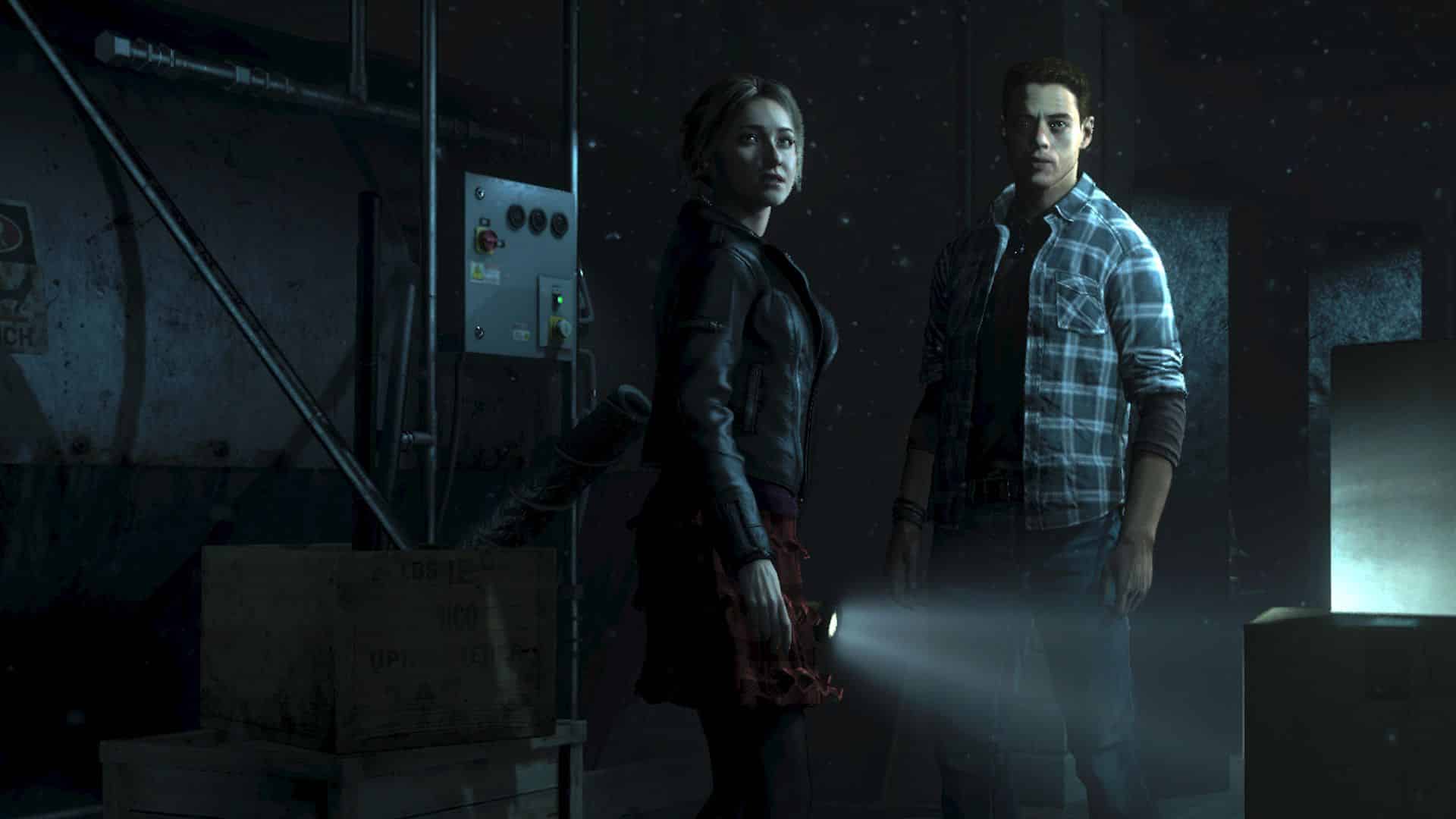
Rumor: Until Dawn PS5 and PC Versions Reveal Coming Soon

Following their recent report of Death Stranding 2’s full title, reputable leaker billbil-kun has returned with another piece of juicy information. According to them, Until Dawn PS5 and PC versions are planned for the near future, with a reveal arriving sometime in the next few weeks.

Billbil-kun revealed this information in an article on Dealabs’ website. According to them, the rumor initiated from an anonymous 4chan user last Friday who claimed to be a Nixxes employee and detailed some upcoming Sony games that are slated to arrive on PC this year. While billbil-kun was unable to confirm the authenticity of most of these titles, they did confirm that Until Dawn will be heading to PS5 and PC in the near future.

As of yet, there are no details on whether the new version of the game will be a simple port, a remaster, or a full-blown remake. We imagine that, like most updated Sony titles, the game will feature a slight graphics facelift and some quality-of-life improvements without any significant changes to the original product. Regardless, Until Dawn is a thoroughly entertaining game, so it’ll be great to get it into the hands of more gamers and modernize it.

We should always take these stories with a grain of salt. That being said, the timing would line up with Sony’s recent announcement of an Until Dawn film adaptation. It only makes sense to bring the game back into the spotlight ahead of the movie’s release. Until Dawn is also one of Sony’s more beloved titles in the last decade, maintaining a solid cult following and causing a significant rise in popularity for developer Supermassive Games.

Billbil-kun estimates that, like the Death Stranding 2 reveal, we could see an official announcement of the Until Dawn PS5 and PC versions sometime in the next 15 days. We’ll be sure to let our readers know as soon as we hear more.

Source: 4chan via Dealabs

Related MP1st Reading

Jack Breitenbach

Game the night away!

Home > News

Palworld Roadmap Reveals Plans for PvP and Raid Bosses

Palworld has exploded in popularity in the last week, breaking numerous records on Steam and becoming a prominent topic of discussion. This morning, the devs revealed a Palworld roadmap that details plans for PvP and additional end-game content down the road, as well as numerous major fixes.

The roadmap was revealed on Palworld’s Twitter/X account this morning:

While it doesn’t get too detailed, there are a number of enticing additions and fixes coming to Palworld, including the following:

Palworld Roadmap Details

Addressing Critical Issues

Currently, numerous bugs have been identified, and the team is prioritizing fixing those.

  • Sometimes, the world date may experience rollbacks.
  • The loading screen may persist when trying to load into worlds.

…and so on.

Improvements to Implement ASAP

  • Key configuration improvements.
  • Improvements to base Pal AI and pathing.

Planned Future Updates

  • PvP
  • Raid Bosses (End-Game Content)
  • Pal Arena (PvP for Pals)
  • Steam-Xbox Crossplay
  • Various Xbox Feature Improvements
  • Server Transfers and Migrations
  • Improvements to the Building System
  • New islands, Pals, Bosses, and Technologies.

Palworld continues to climb on the Steam charts. Just this morning, it surpassed the 2 million concurrent players milestone. It’s no surprise that the devs are looking to capitalize on their success before the hype burns out and player drop-off begins. In its current state, Palworld seems to have plenty of hours of content to indulge in, so they should be alright for now.

The entire internet is waiting to see if Nintendo sends their lawyers after Palworld due to some extreme similarities to their own Pokémon IP. Numerous users on Twitter have pointed out some near-identical similarities between Palworld and Pokémon’s creature models, though whether they’re comparable enough to warrant legal action remains to be seen. You can read about that here if you’re curious.

We’ll be sure to let our readers know as the above features are added to the game.

Related MP1st Reading

Jack Breitenbach

Game the night away!

Home > News

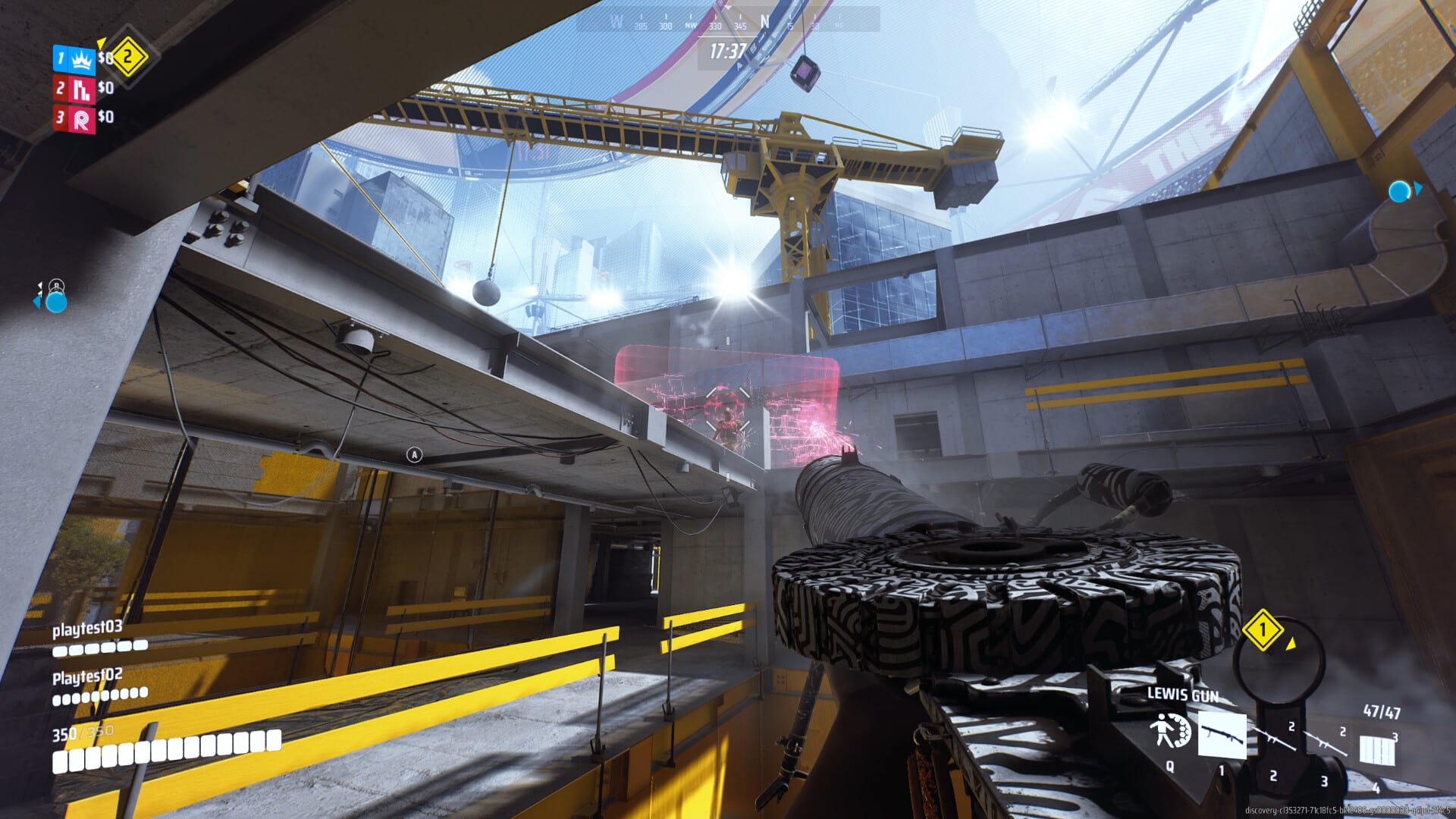
The Finals Update 1.000.012 Out for Patch 1.5.5 This Jan. 24

Embark Studios has released The Finals update 1.000.012 today for patch 1.5.5. This update comes with many balance changes. Read on for what’s new in The Finals update patch notes for January 24.

The Finals Update 1.000.012 Patch Notes | The Finals Update 1.5.5 Patch Notes:

Welcome to Update 1.5.5

Today’s update comes with a number of balance changes for weapons and gadgets, including a decrease in the length of invulnerability after revival. We’ve also implemented crash fixes, and an adjustment to tournament matchmaking that will lead to tighter player skill-gap in tournaments. There is also a fix to the crossplay settings so it can be turned off successfully.

On top of all of this, we have some new content in the store!

We have a survey available now in Embark ID that focuses on Solo Bank It and we’d appreciate it if you have the time to give us some feedback on this experimental mode.

A note about the future: based on your feedback and our own telemetry evaluation, we recognize that the Recon Senses ability for the Medium build needs an overhaul and we’re working on that right now. You can look forward to that change and more in next week’s update!

Balance Changes

Gadgets

Defibrillators

  • Decreased the length of invulnerability applied after a revive to 0.75s from 1.5s

Revives

  • Decreased the length of invulnerability applied after a revive to 0.75s from 1.5s

Weapons

.357 Revolver

  • Decreased the amount of bullet dispersion applied when aiming down sights

  • Reduced damage fall-off start range to 23m from 35m

  • Reduced damage fall-off end range to 40m from 50m

CL-40

  • Increased player damage to 110 from 100

FCAR

  • Decreased damage to 25 from 26

Guardian Turret

  • Decreased health to 280 from 300

MGL32

  • Increased player damage to 83 from 80

Throwing Knives

  • Decreased the amount of projectile dispersion applied when falling

  • Decreased the amount of projectile dispersion applied when sprinting

Content And Bug Fixes

Crashes

  • Fixed an issue where certain GPUs would sometimes crash

Matchmaking

  • Fixed an issue where crossplay settings would not be respected when the player was in a party

  • Updated matchmaking configuration in Tournament and Ranked Tournament modes, to help ensure closer matches by skill-rating

Source: Reach the Finals

Damien Seeto

Home > News

PS5 Update 24.01-08.60.00 Adds New Party Features and More This Jan. 24

Sony has rolled out PS5 update 24.01-08.60.00 (otherwise also known as 24.01-08.60.00.04), and this isn’t your usual stability update, but rather, this adds new features! Read on for what’s new in the latest PS5 system update roll out this January 24.

PS5 Update 24.01-08.60.00 Patch Notes for Jan. 24:

Size: 1.186GB

Main features in this system software update

We’ve added new features in Parties.

  • In the (Parties() tab, you can now see the list of parties you’ve joined in the past. You can easily restart a part just by selecting it from the (Recent) list.

We’ve updated the device software for the PULSE Elite wireless headset and PULSE Explore wireless earbuds.

  • You can now use the sound equalizer feature.
  • You can now use the sidetone feature, which makes it easier for you to hear your own voice in voice chats.
  • When you have a PULSE Elite wireless headset or PULSE Explore wireless earbuds nearby, a notification will now appear to let you connect them quickly. You can now easily switch the connection from your PC to your PS5 through this notification.


  • We’ve improved system software performance and stability.
  • We’ve improved the messages and usability on some screens.

What Are the New Features in the New PS5 System Update Released on Jan. 24, 2024?

It adds a feature to Parties to let players restart one easily from their “Recent” tabs. The PULSE Elite wireless earbuds and wireless headsets also got new quality of life features from the system update.

That’s about it. If anything new comes from Sony about today’s PS5 firmware update that’s not mentioned above, we’ll be sure to let our readers know by updating the article.

Related Reading:

Avatar photo

Alex Co

Father, gamer, games media vet, writer of words, killer of noobs.

Home > News

The Last of Us Part 2 Remastered Update 1.000.050 Released This Jan. 23

Naughty Dog have released The Last of Us Part 2 Remastered Update 1.000.050 on PS5. This is a minor update. Here’s what’s included in today’s The Last of Us Part 2 Remastered patch notes.

Update (Feb. 2): For the update released this Feb. 2, head on over here for the patch notes.

The Last of Us Part 2 Remastered Update 1.000.050 Patch Notes | The Last of Us 2 Update 1.000.050 Patch Notes | TLOU2 Update Jan. 23 Patch Notes

Size: 253 MB

According to Naughty Dog, this update addresses the following issue.

  • A patch for The Last of Us Part II Remastered is now available, fixing an issue where bonus points were not correctly being awarded for earning trophies, including those earned from imported PS4 saves. After updating your game, points should be properly allocated automatically.

That’s all for today’s update! Expect to see plenty more updates arrive, as while Naughty Dog doesn’t have an official list of bugs, users on Reddit have compiled some, which you can read up below.

  • In No Return mode, some characters are unable to change their weapon skins for some reason. If you try to select any of the different weapon skins, the game will make the “locked” noise and you’ll be stuck on whatever skin you had equipped at the time of the glitch occurring. I’ve personally seen this with Jesse, Yara, and Mel so far, but it may happen with other characters too.
  • Enemy dialogue that would play at the start of and during Abby’s brewery encounter on day 3 no longer triggers. The WLF soldiers would call out Abby for betraying them and talk about Owen doing the same briefly, but now none of the enemy dialogue throughout this encounter triggers at all. (I’m also wondering if there’s any other missing/broken dialogue).
  • Ellie’s “Boston” skin from promotional material seems to be missing from the game entirely. It’s unable to be seen or selected in any of the menus. While it’s possible this was cut prior to release, it would be very strange since the skin looked finished and was very recently seen in the marketing prior to release. Additionally, Abby’s Santa Barbra skin does not use the correct backpack model despite the menu indicating that it should.
  • Skins seem to not be applying for multiple users correctly in story mode.
  • The main menu won’t change back to the original boat in the water look after starting a new game.
  • I’ve not experienced this myself, but No Return seems to cause major frame drops for many players. Personally, I’m really curious what’s causing this as it only seems to affect some people.
  • Some users report being unable to escape from grapples despite mashing the square button as prompted by the game.

We expect some of these to hopefully be fixed in the next update.

Source: Twitter

Avatar photo

James Lara

A gamer at heart, James has been working for MP1st for the last decade to do exactly what he loves, writing about video games and having fun doing it. Growing up in the 90's gaming has been in his DNA since the days of NES. One day he hopes to develop his own game.