Home > News

Chivalry 2 Update 1.37 Brings Hotfix 2.10.2, and Here Are the Patch Notes

Chivalry 2 update 1.37 (PS5 update version 1.037) is now live across all platforms, and this is for minor hotfix 2.10.2! Players can expect new anti-cheat protection updates, with details available below as well as how to report cheaters.

Chivalry 2 Update 1.37 for Hotfix 2.10.2 Patch Notes:

PS5 Update Version 1.037

General

  • Updated anti-cheat security on all platforms.

As our 2.10.1 Hotfix notes mentioned, our team has been working hard on this next stage of anti-cheat protection for Chivalry 2. This security update will help stop users who have been bypassing our anti-cheat protections and add further tools our moderation team can use to address cheaters and their multiple accounts.

We believe this security update will help curb the use of cheats within Chivalry 2, although we know there may still be outliers that bypass even the new protection. Not to worry; our staff and moderation team will be on hand working hard to address any future tickets and reports regarding cheaters.

If you believe you have encountered a user in-game who may be cheating, here are some steps to report them.

How to report a suspected cheater:

  • In-Game Reporting:
    • Open the in-game scoreboard.
      • Xbox Button: Menu Button > Scoreboard
      • PS Button: Start Button > Scoreboard
      • PC Key: TAB
    • Navigate the scoreboard till you find the offending user.
    • Select the user and use the “Report” option.
  • ChivMail Reporting:
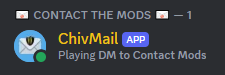
    • To Access the ChivMail bot you’ll need to join our Official Discord.
      • ChivMail can be found on the top right of the User List once you’ve entered the Discord.
    • Use either a screen capping software or an HD mobile device to capture video of the suspected user.
    • Attach this video in a message to the ChivMail Bot on Discord in addition to the suspected user’s in-game username.
      • Videos should be around 30 seconds long and clearly show the suspected user using in-game cheats if possible.
        • (If the video is too large for Discord, it can be uploaded unlisted onto a streaming platform like Youtube)
    • This will start a ticket on the topic that our moderators can respond to if additional information is needed.
      • Additional Step for EGS / Steam Users – Acquire the user’s PlayerID:
        • Open the console by pressing ( ~ ) or ( NUMPAD – ) (If your console does not open, you may have to “Enable developer console” in GAME SETTINGS)
          • Rebindable in the setting if necessary
        • Type the command “listplayers” and hit ENTER (This copies the player list to your clipboard)
        • Open any Word processing application ( Notepad, Microsoft Word, etc ) and press CTRL + V to paste the player list.
        • Find the offending player’s name and ID # and include them in your ChivMail report. (For example – Username – 12AB34CD56EF78GH).

That seems to be it, and it doesn’t seem like there are any front-facing changes made with today’s Chivalry 2 patch.

Source: Chivalry 2

Avatar photo

Alex Co

Father, gamer, games media vet, writer of words, killer of noobs.

Home > News

DayZ Experimental Update 1.25 Now Live, Here Are the Patch Notes

Bohemia Interactive has deployed DayZ Experimental Update 1.25 on Xbox and Steam, and this gives players a preview of what changes are incoming soon! The important additions here include the new VS-89 rifle and magazine, and support for game crash reporter.

You can check out the complete patch notes below, but remember: this is for the Experimental build, and as such, there might be differences to the changelog to the live build once it’s released to everyone.

DayZ Experimental Update 1.25 Patch Notes:

Xbox Experimental 1.25 Update 1 – Version 1.25.157877 (Release on 23.04.2024)

NOTES

GAME

ADDED

  • VS-89 rifle and magazine
  • Support for game crash reporter

FIXED

  • It was possible to aim with a weapon with an opened gesture wheel
  • With the “disableContainerDamage” server setting enabled, it was not possible to repair sea chests and wooden crates (https://feedback.bistudio.com/T177819)
  • Deploying any trap while there was a player within 150m to 1100m away would prevent certain behaviours from working on the client (https://feedback.bistudio.com/T179347, https://feedback.bistudio.com/T179743)
  • Removed impact of bad internet connectivity on the weapon lift check
  • Fixed multiple exploits to look through walls (https://feedback.bistudio.com/T179674 – private)
  • Server time was not properly translated in the server browser
  • Players muted outside of the game were still audible in some cases (PlayStation)

CHANGED

  • Items located inside of nested containers are no longer accessible through the quick bar or the reload key
  • Reworked the sound sets for all shotguns shots
  • Reworked the sound set for the crossbow shots
  • Reworked the sound set for the M79 grenade launcher shots
  • Adjusted the attenuation of character action sounds
  • Reworked character reconciliation between client and server
  • Updated the game credits
  • Reduced the width of the weapon collection triggers to allow more natural behavior of the weapon lifting
  • Removed promotional Livonia DLC highlighting
  • Detailed further several connection errors for better understanding

SERVER

  • Added: Server config parameter ‘networkObjectBatchUseEstimatedBandwidth’ to switch between the method of replication limiter. Enabled means it will use an estimated bandwidth sent and disabled means it will use the true bandwidth (recommended disabled)
  • Added: Server config parameter ‘networkObjectBatchUseDynamicMaximumBandwidth’ to choose if the bandwidth limit should be a percentage of the maximum bandwidth or an absolute value. The maximum bandwidth can fluctuate depending on network quality
  • Added: Server config parameter ‘networkObjectBatchBandwidthLimit’, if above is enabled, the range is (0, 1). If above is disabled, the range is (1000, inf). Recommended is 0.8 and 20000 respectively
  • Fixed: Server crash when running out of loot points to spawn items (https://feedback.bistudio.com/T179664 – private)
  • Fixed: CfgGameplay: Values set for ‘rotationSpeedJog’ or ‘rotationSpeedSprint’ would not synchronize to clients resulting in stuttering movement (https://feedback.bistudio.com/T178103, https://feedback.bistudio.com/T175489, https://feedback.bistudio.com/T178397)
  • Fixed: Spawning ammopile types into weapons with inner magazines via json loadouts was not fucntioning properly (https://feedback.bistudio.com/T179268)
  • Changed: Server config parameter ‘networkObjectBatchSend’ split into ‘networkObjectBatchSendCreate’ and ‘networkObjectBatchSendDelete’
  • Changed: Improved replication statistics in server debug window on diag builds
  • Changed: DayZ client will no longer use hardcoded port 2304 and up but use OS assigned ports instead

MODDING

  • Added: ‘Math3D.IntersectRayPlane’
  • Added: ‘Math3D.MatrixInverse3’/’Math3D.MatrixInverse4’
  • Added: ‘Pawn’ class with full feature set of functions
  • Added: ‘PawnMove’ and ‘PawnState’ class
  • Added: ‘PlayerIdentity.Possess(Pawn)’ to possess a Pawn
  • Added: Security: Config parameter ‘hasHistory’ per entity type to allow tracking of the entity as it may move throughout the world, otherwise only current position is used
  • Fixed: Object creation on remote clients would update the last value synchronized for clients that had already had the Object created
  • Changed: Moved calls to ‘OnVehicleSeatDriverEnter’ and ‘OnVehicleSeatDriverLeft’ from script to native, ‘OnVehicleSeatDriverLeft’ is now called when getting out starts instead of when the command ends
  • Changed: ‘Human.LinkToLocalSpaceOf’ will now internally call ‘UnlinkFromLocalSpace’ if ‘Human’ is already parented and prevent linking if already parented to the same entity
  • Changed: ‘DayZPlayerTypeRegisterItems’ now gets called when (re)joining servers

KNOWN ISSUES

  • Xbox consoles might experience performance degradation over time, noticeable in a decreasing frame rate – a fix is in the works and will be deployed as soon as possible
  • In rare occasions, the character might be desynced after respawning  – a fix is in the works

PC Experimental 1.25 Update 1 – Version 1.25.156961 (Release on 23.04.2024)

NOTES

  • Consider using the Steam client option to verify the integrity of the local game cache to avoid corrupted data after downloading this update.
  • Consider de-fragmenting your HDD after downloading large updates.
  • In case of problems, please check the Bohemia Interactive support F.A.Q., DayZ F.A.Q., or BattlEye F.A.Q.
  • You can help us to further improve the game by posting your feedback on the Feedback Tracker.

GAME

ADDED

  • VS-89 rifle and magazine
  • Support for game crash reporter

FIXED

CHANGED

  • Items located inside of nested containers are no longer accessible through the quick bar or the reload key
  • Reworked the sound sets for all shotguns shots
  • Reworked the sound set for the crossbow shots
  • Reworked the sound set for the M79 grenade launcher shots
  • Adjusted the attenuation of character action sounds
  • Reworked character reconciliation between client and server
  • Updated the game credits
  • Reduced the width of the weapon collection triggers to allow more natural behaviour of the weapon lifting
  • Removed promotional Livonia DLC highlighting

SERVER

  • Added: Server config parameter ‘networkObjectBatchUseEstimatedBandwidth’ to switch between the method of replication limiter. Enabled means it will use an estimated bandwidth sent and disabled means it will use the true bandwidth (recommended disabled)
  • Added: Server config parameter ‘networkObjectBatchUseDynamicMaximumBandwidth’ to choose if the bandwidth limit should be a percentage of the maximum bandwidth or an absolute value. The maximum bandwidth can fluctuate depending on network quality
  • Added: Server config parameter ‘networkObjectBatchBandwidthLimit’, if above is enabled, the range is (0, 1). If above is disabled, the range is (1000, inf). Recommended is 0.8 and 20000 respectively
  • Fixed: Server crash when running out of loot points to spawn items (https://feedback.bistudio.com/T179664 – private)
  • Fixed: CfgGameplay: Values set for ‘rotationSpeedJog’ or ‘rotationSpeedSprint’ would not synchronize to clients resulting in stuttering movement (https://feedback.bistudio.com/T178103, https://feedback.bistudio.com/T175489, https://feedback.bistudio.com/T178397)
  • Fixed: Spawning ammopile types into weapons with inner magazines via json loadouts was not functioning properly (https://feedback.bistudio.com/T179268)
  • Changed: Server config parameter ‘networkObjectBatchSend’ split into ‘networkObjectBatchSendCreate’ and ‘networkObjectBatchSendDelete’
  • Changed: Improved replication statistics in server debug window on diag builds
  • Changed: DayZ client will no longer use hardcoded port 2304 and up but use OS assigned ports instead

MODDING

  • Added: ‘Math3D.IntersectRayPlane’
  • Added: ‘Math3D.MatrixInverse3’/’Math3D.MatrixInverse4’
  • Added: ‘Pawn’ class with full feature set of functions
  • Added: ‘PawnMove’ and ‘PawnState’ class
  • Added: ‘PlayerIdentity.Possess(Pawn)’ to possess a Pawn
  • Added: Security: Config parameter ‘hasHistory’ per entity type to allow tracking of the entity as it may move throughout the world, otherwise only current position is used
  • Fixed: Object creation on remote clients would update the last value synchronized for clients that had already had the Object created
  • Changed: Moved calls to ‘OnVehicleSeatDriverEnter’ and ‘OnVehicleSeatDriverLeft’ from script to native, ‘OnVehicleSeatDriverLeft’ is now called when getting out starts instead of when the command ends
  • Changed: ‘Human.LinkToLocalSpaceOf’ will now internally call ‘UnlinkFromLocalSpace’ if ‘Human’ is already parented and prevent linking if already parented to the same entity
  • Changed: ‘DayZPlayerTypeRegisterItems’ now gets called when (re)joining servers

There’s more to DayZ incoming this year than just the big 1.25 patch, and you can read up about it here.

Source: DayZ Forums (1, 2)

Avatar photo

Alex Co

Father, gamer, games media vet, writer of words, killer of noobs.

Home > News

Destiny 2 Servers Pulled Down for Maintenance and Patch 7.3.6.2 Roll Out This April 23

The Destiny 2 servers have been pulled down by Bungie, and this is for your standard game maintenance where players will see a new title update be released this April 23. Read on for the schedule for today’s Destiny 2 downtime.

Update: The patch notes for 7.3.6.2 is available here.

Destiny 2 Servers Maintenance Schedule for April 23:

Tuesday, April 23, 2024 – Maintenance
6:00 AM PDT -7 UTC
    • Destiny 2 will undergo maintenance.
    • Sign-on and game integration features will be unavailable on web, mobile, third-party apps, and the Bungie Store.
    • Players who observe issues should report to the #Help forum.
6:45 AM PDT -7 UTC
    • Destiny 2 will be brought offline for expected maintenance.
    • Players will be removed from activities and won’t be able to log back in until 10 AM PDT.
    • Ongoing Destiny maintenance is expected to conclude at 12 PM PDT.
10:00 AM PDT -7 UTC
    • The latest Destiny 2 update will be available across all platforms and regions.
    • Players will be able to log back into Destiny 2.
    • Players logging into the game may be placed in a queue and may experience sign-on issues as background maintenance is still ongoing.
    • Clan features may remain offline until maintenance is complete.
2:00 PM PDT -7 UTC
    • Destiny 2 maintenance is expected to conclude.
    • Console players who encounter issues updating should restart their console and try downloading the update.
    • Players who observe issues should report to the #Help forum.

Same as always, once the patch notes are out, we will update the article with a proper link to the complete changelog. If anything changes regarding the maintenance times, we’ll update the article to reflect the changes made.

Source: Bungie

Avatar photo

Alex Co

Father, gamer, games media vet, writer of words, killer of noobs.

Home > News

New Battlefield 2042 Weekly Missions, Store Bundles for Season 7 Week 6 Listed (April 23)

Battlefield 2042’s weekly missions and store have just been refreshed for this week! MP1st’s Battlefield 2042 Season 7 Week 6 weekly missions, store bundles, and Portal Modes post lists this week’s new missions, modes, and store items down below.

New Battlefield 2042 Weekly Missions, Store Bundles for Season 7 Week 6 (April 23):

New Battlefield 2042 Weekly Missions

Weekly Missions:

  • 8 Kills and Assists While Playing as Recon (3)
  • 5 Spawns on Insertion Beacons or Teammate Spawns on Your Insertion Beacons (3)
  • 15 Enemies Spotted (3)

Available After 2 Missions:

  • 20 Kills and Assists With Marksman or Sniper Rifles (4)
  • 5 Intel Ribbons Earned (4)
  • 3 Enemy Vehicles Disrupted (4)

Available After 4 Missions:

  • 25 Spots Blocked With Blasco’s X6-Infiltration Device (6)
  • 10 Kills From a Distance of 100m or More (6)
  • 3 Melee Kills While Playing as Recon (6)

Available After 5 Missions (Bonus Mission):

  • 5 Headshot Kills (10)

Portal Modes:

New Battlefield 2042 Weekly Missions

  • Conquest of Ages (All Eras | Conquest | 32v32)
  • BF2042 Team Gun Master (2042 | Gun Master | 16v16)

New Store Bundles:

New Battlefield 2042 Weekly Missions

No new bundles have appeared in the store this week. Last week’s Crimson Front bundle and its sub-bundles remain available for purchase through this week.

That’s all for Week 6. We’ll post Week 7’s rotation of missions, Portal Modes, and store bundles next week, so watch this space for further updates!

More Battlefield Reading:

Avatar photo

Salman Haider Zaidi

That's a nice argument, Senator.

Home > News

MLB The Show 24 Update 1.06 Bats Out This April 23 for Game Update 6

San Diego Studio has released MLB The Show 24 update 1.06 (PS5 version 1.006, Xbox 1.0.0.73) today on all platforms, and this is for game update 6. This update includes new uniforms for the New York Mets and features various bug fixes. Check out even more details in the April 23 patch notes for MLB The Show 24 below.

MLB The Show 24 Update 1.06 Patch Notes:

PS5 Update Version: 1.006.000 | Xbox One and Xbox Series X|S: 1.0.0.73 | Nintendo Switch: 1.06

GENERAL: 

  • New York Mets City Connect uniform has been added.
  • Fixed an issue with Dynamic Difficulty while player locked.
  • Fixed a crash that could occur when selecting a team in Daily Lineups on Jackie Robinson Day.

ONLINE HEAD-TO-HEAD: 

  • Fixed a crash that could occur after attempting to throw out a baserunner after a walk.

ROAD TO THE SHOW: 

  • The simulation screen will now match the game scenario in extra innings.

FRANCHISE AND MARCH TO OCTOBER: 

  • Teams will now wear their City Connect uniforms for the correct home games during the season.
  • Fixed a crash that could occur when entering Franchise or March to October.

MISCELLANEOUS:   

  • Fixed an issue causing some player names to display incorrectly on the back of jerseys.
  • Various fixes to presentation and audio.

DEVELOPER NOTES 

  • There are no gameplay or live content balance changes at this time.

You can expect to see even more free updates for MLB The Show 24 later this year.

Source: The Show

Damien Seeto

Home > News

EA Sports FC 24 Update 1.16 Patch Notes for Title Update 13 Listed

EA Sports FC 24 update 1.16 is now available for download on all platforms, and this is for Title Update 13. Those on current-gen, this will show up as EA Sports FC 24 version 1.000.016. Expect bug fixes to Ultimate Team, Career Mode and more, which are all listed in the official patch notes.

EA Sports FC 24 Update 1.16 Patch Notes for April 23:

PS5 Version 1.000.016

Ultimate Team

Addressed the following issues:

  • An incorrect New Level notification could have displayed without a level increase.
  • Addressed instances of Concept Player position search not functioning as intended.

Career Mode

Addressed the following issues:

  • When switching difficulty to Legendary, the Game Settings CPU Slider for Acceleration could have been incorrectly lowered.
  • Penalty Takers could not have been selected during penalty shootouts.
  • In Manager Career, when a contract was terminated, the next job offer could have incorrectly been for the same club.

General, Audio, and Visual

Made the following changes:

  • Updated 4 star heads which will become visible in-game following a server release.

Addressed the following issues:

  • Updated instances of incorrect text, UI and ad boards displaying.
  • Addressed instances of stability issues that could have occurred.

That’s it for this title update. Once a new one is released, expect MP1st to cover it ASAP. You can keep track of all our EA Sports FC 24 coverage here.

Source: EA Sports FC Trello

Avatar photo

Alex Co

Father, gamer, games media vet, writer of words, killer of noobs.

Home > News

Avatar: Frontiers of Pandora Update 1.007 Flies Out This April 23

Ubisoft has released Avatar: Frontiers of Pandora update 1.007, and this is an unannounced title update, and comes after Patch 3 was released last month, with another patch for fixes rolled out just a week after. Read on for what’s new in the game with the available info below.

Avatar: Frontiers of Pandora Update 1.007 Patch Notes for April 23:

Update: Ubisoft has released the official patch notes for what the devs call Title Update 3.2!

TU3.2 PATCH SIZES: 

  • PS5 – 2,4 GB
  • Xbox Series X/S – 3.1 GB
  • PC – 3 GB

NOTABLE IMPROVEMENTS: 

  • [Xbox Series X/S, PS5] Added a 40 FPS mode.
  • [PC] Enabled Intel XeSS Super Sampling.

GLOBAL:

  • Added Fast Travel option to Research Station Alpha.
  • Controller re-mapping no longer resets on game restart.
  • Fixed various crashes.
  • Fixed a few misspellings.
  • Fixed some voice lines overlapping during dialogue.

TECHNICAL: 

  • [PC] AMD FSR3 has been temporarily rolled back.
  • Dev Note: To prevent visual artifacts impacting the interpolation output of FSR3 Frame Generation we’ve decided to roll back to the previously used version of FSR3. Despite this rollback, we’ve decided to keep certain improvements that we introduced with the upgraded version, such as improvements to UI composition when using Frame Generation.

MAIN QUESTS & SIDE-QUESTS: 

  • [Main Quest – Shadows of the Past] Fixed an issue that would prevent the quest from updating when done in co-op.

ADDITIONAL BUG FIXES: 

  • [All Platforms] Rescued Resistance human characters no longer appear back in the Resistance HQ with a mask on.
  • [All Platforms] Some NPCs no longer become invisible when at the edge of the Player’s vision.

Ubisoft has not mentioned anything about today’s patch just yet, though we’re expecting that to change within the day. So far, the only new thing available is a new 40fps (frames-per-second) mode on the PS5, though it’s worth mentioning that your monitor or TV should be able to handle 120hz refresh rate to handle this (thanks, PowerUser77)

Given this new feature, we’re expecting this to be called Title Update 4, and once we know more about it, we’ll update the article with the info.

There are also new ikran skins available in the in-game shop after today’s update.

New ikran patterns are available in the store!😀
byu/letstalkaboutavatar inFrontiersOfPandora

Once the official patch notes are released, we’ll update the article, so refresh this from time to time until you see the “Update” at the top added.

Update: Official patch notes have been added.

Avatar photo

Alex Co

Father, gamer, games media vet, writer of words, killer of noobs.

Home > News

Fortnite Update 4.23 Makes Its Way Out for v29.30; Patch Notes and Datamine Listed

Another significant patch has been released by Epic Games for its free-to-play experience Fortnite, and it brings new content, bug fixes and more. Read on for the Fortnite update 4.23 patch notes, known issues and datamine content for what the devs call the v29.30 patch.

Fortnite Update 4.23 Patch Notes for v29.30:

FORTNITE FESTIVAL SEASON 3 FEATURES BILLIE EILISH!

The Fortnite Team
You’ve seen her in a crown, now see her in Fortnite. Award-winning artist Billie Eilish is the Icon of Fortnite Festival Season 3!Season 3 sounds off today and ends June 13, 2024, at 12 AM ET. During this time, keep up the tempo to unlock new Instruments, Jam Tracks, and other items in the Season 3 Festival Pass, which has a free reward track and a Premium Reward Track upgrade.Feel a surge of boldness with the Premium Reward Track — upon purchasing this extra layer of unlockable rewards, you’ll automatically receive the Green Roots Billie Outfit!

KEEP AN EAR TO THE FESTIVAL PASS TAB

Season 3’s a lost cause if you’re not at the right venue. When you enter the Lobby of a Fortnite Festival experience (“Main Stage” or “Jam Stage”), head to Festival Pass in the top navigation. Here you’ll find the Season 3 Festival Pass and a button to view Festival Quests!

SEASON 3 FESTIVAL PASS

Level up your performance, level up your collection of in-game rewards! Completing Festival Quests will earn you Festival Points that forward your progress in the Festival Pass. 🎵 The more you progress, the more rewards you get 🎵

Free Reward Track

Here’s an Instrument that any audience will fall in lava with. The Lavatronik Bass is the final reward in the free reward track — turn the music up and then burn it all down!

Ready to riff? Rock the world by unlocking these four Jam Tracks in the free reward track:

  • Epic Games – “Change”
  • Epic Games – “Silly Bros”
  • Epic Games – “Sweet Victory”
  • WitchGang – “Runaway”

“Sweet Victory” existed previously in Fortnite as a Lobby Track. Players who had this Lobby Track in their Locker before Fortnite Festival Season 3 will receive a one-time V-Bucks refund equivalent to the amount they paid for it, plus the Jam Track version!

Fortnite Festival Free Reward Track Jam Tracks

Channel the rhythm with two new Auras. First up is one that’ll spread the love: the Heart Groove Aura. Did things just get a little frosty? That’s the Snow Beat Aura for you.

The Snow Beat Aura.

Want to put your own spin on the stage? Then with your Mic in-hand, give the audience a twirl with the Spinback Emote.

Premium Reward Track 

If you’re feelin’ this Festival Pass is not one to sleep on, you can purchase the Premium Reward Track upgrade for 1,800 V-Bucks to add a whole new layer of rewards to the mix! No additional Quests are required to unlock these rewards. When you upgrade, you’ll instantly unlock the Green Roots Billie Outfit!

The final reward of the Premium Reward Track is the music-reactive Ultraviolet Style for Green Roots Billie, an alt Style exclusive to the Season 3 Festival Pass. Nothing quite glows like neon green!

If the party’s over, start it back up again with these four unlockable Jam Tracks:
  • Maroon 5 – “Maps”
  • The Cure – “Friday I’m in Love”
  • 5 Seconds Of Summer – “Youngblood”
  • Billie Eilish – “Oxytocin”

Don’t be afraid, it’s just a microphone — the Burial Mic is one of two Billie Eilish-themed Instruments you can unlock in the Premium Reward Track. The beat keeping you up at night? Enjoy sweet dreams (and tunes) with the Sleeper Keys Keytar!

Fortnite Billie Eilish Instruments

Please note! 🎵 The Ultraviolet Style of the Green Roots Billie Outfit is exclusive to the Season 3 Festival Pass. The other content of the Season 3 Festival Pass is NOT exclusive to Fortnite Festival Season 3, and may become purchasable in the Shop at a later date.

BILLIE EILISH ITEMS IN THE SHOP!

All the good girls go to jam. In the Shop ‘til the end of Season 3 are three of Billie’s biggest hits as Jam Tracks:

  • Billie Eilish – “all the good girls go to hell”
  • Billie Eilish – “Happier Than Ever – Edit”
  • Billie Eilish – “Therefore I Am”

More Billie Eilish items will be in the Shop until the Season’s last set, including the “bad guy” Emote and the “you should see me in a crown” Emote.

A new Billie Eilish Outfit and Jam Tracks from her new album will be coming to the Shop later during Season 3!

ROCK OUT WITH GUITAR CONTROLLERS!

You can now use your Rock Band 4 guitar controllers to go all out on new Pro Lead and Pro Bass song parts on the Main Stage on PlayStation, Xbox, and PC! Check out the table below to see whether your controller is supported with the launch of Season 3.

PlayStation 5 and PlayStation 4 Xbox Series X|S and Xbox One PC
RIFFMASTER Wireless Guitar Controller for PlayStation 5, PlayStation 4 ✅
RockBand 4 Rivals Wireless Fender™ Jaguar Guitar for PlayStation 4 ✅
RockBand 4 Wireless Fender™ Stratocaster™ Guitar for PlayStation 4 ✅
RIFFMASTER Wireless Guitar Controller for Xbox Series X|S, Xbox One, and PC ✅ ✅
RockBand 4 Rivals Wireless Fender™ Jaguar Guitar for Xbox One ✅ ✅


(requires the Microsoft Xbox One Wireless Adapter for Windows 10 to use on PC)

RockBand 4 Wireless Fender™ Stratocaster™ Guitar for Xbox One ✅ ✅


(requires the Microsoft Xbox One Wireless Adapter for Windows 10 to use on PC)

We’ll have more instrument controller news to announce in the future, so follow Fortnite Festival’s social channels to make sure you don’t miss a beat!

FORTNITE FESTIVAL SEASON 3 CONTENT CREATION

Wanting to make Season 3 content for YouTube? This Season, content creators in the Support-A-Creator (SAC) program will be able to host VOD content on YouTube featuring the below selection of Jam Tracks (and their loops) and monetize it.

Jam Track selection:

  • Billie Eilish – all the good girls go to hell
  • Billie Eilish – Happier Than Ever – Edit
  • Billie Eilish – Therefore I Am

The selection of Jam Tracks will change each week on Thursdays at 10 AM ET, so keep checking back to see what’s safe to feature in your content! No takedown notifications should occur during the Jam Track selection’s time window.

More info:

  • In order to monetize their content featuring the Jam Tracks, SAC members need to link their YouTube and Support-A-Creator accounts.
  • IMPORTANT: When uploading the content to YouTube, be sure to upload it as Unlisted or Public. If you upload the video as Private, it’s possible you could receive a monetization claim on your video.
  • For uploading the content on other platforms, refer to the channel’s platform policies for tips on how to avoid copyright strikes.

Although unlikely, if you do receive a claim on any SAC content, there may be a short delay in YouTube processing the release of the claim. During this time, please do not dispute the claim.

Not in SAC? Don’t worry, you can still share your Fortnite Festival experiences on YouTube during Season 3 featuring the selected Jam Tracks. However, you will not be able to monetize this content on YouTube.

Please note! 🎵 For Twitch creators streaming content featuring the selected Jam Tracks, we cannot prevent your VODs or clips from getting flagged by third-party copyright detection systems. The general recommendation is to disable VODs/clips when streaming Fortnite Festival. For more information, see Twitch’s DMCA & Copyright FAQs help page.

IMPROVEMENTS AND FIXES

PRO LEAD AND PRO BASS

  • Added two new song parts: Pro Lead and Pro Bass! All current and future Jam Tracks now have these two playable song parts, accessible on the Main Stage with a guitar controller.
    • Pro Lead and Pro Bass have hammer-on and pull-off notes. When you have a streak going, you can hit these notes without strumming!
    • Pro Lead and Pro Bass have colored notes for each lane, corresponding with the guitar controller’s buttons.
    • Leaderboards now have new listings to support Pro Lead and Pro Bass scores. Climb to the top!
  • To support the release of Pro Lead and Pro Bass, we’ve updated the Overdrive color for all song parts from bright orange to silver-white. How you gather and activate Overdrive hasn’t changed, but we felt with the added note colors that Overdrive needed to appear more distinct.
  • For now, the whammy bar only provides a visual effect. There is no audio distortion or extra Overdrive energy when whammying.
  • We’re continuing to improve the feel of playing with a guitar controller and want your feedback! For rhythm-rocking veterans, there may be situations where you miss a note you’d expected to hit, or where a familiar Jam Track feels different. Let us know your thoughts as you don the axe in Fortnite Festival. We’re excited to see you shred!

TUNING UP

  • The Music Library now shows an expanded set of stats, showing your selected Instrument type’s best performance in each Jam Track row.
  • The Music Library is now also ordered with new and featured Jam Tracks at the top by default (this can be re-sorted), allowing players with large libraries to easily access Quest-relevant Jam Tracks.
  • New Wristband Quests and rewards have been added.
  • Season 2 leaderboard scores have been recorded and archived. The leaderboards await your new top performances with Season 3!
  • For more convenient song selection, you’ll be closer to the organ when you arrive Backstage. No more sprinting to make your setlist!
  • There are more stats on the Results screen after each performance. You can now see the percentage of notes hit and missed and the average from your other performances to see how you’ve improved.
  • We’ve reordered the song parts selection menu to Vocals > Bass > Lead > Drums.
  • We fixed a bug that was granting a “Double Overdrive” meter during certain note sections.
  • Made various other fixes and improvements.

LEGO FORTNITE V29.30: FARM FRIENDS!

The Fortnite Team
LEGO® Fortnite seems ripe for another major update. Nay, a content harvest! Turn animals into friends and populate your Villages’ acres in v29.30 (a.k.a. the Farm Friends update), which brings animal recruitment and major Village improvements to your world’s pleasant pastures.

Get those Shovels ready because you’re gonna dig this one. Farm Friends launches April 23!

THE ANIMALS ARE READY TO MOOOOOOOOOOOOOVE IN 

It’s never lonely at the farm! The Farm Friends update increases the Village recruitment cap to ten per Village. Three Village slots are available to Villagers, three slots are available to animals, and four slots are available to Villagers OR animals.

Animals you can recruit to your Village include cows, sheep, chickens, and a new animal arriving with this update: pigs!

LEGO Fortnite FeedingPigs

HOW TO TAME AND RECRUIT ANIMALS 

1. Build an Animal House

You’ll need to gain the trust of wild animals before you can lead them back to your Village. But before they’re ready to follow you, you’re gonna need to build them a new home: an Animal House. 

The Animal House is a new Station, made for feeding your animals and farming resources. You’ll unlock the Animal House recipe once your Village reaches Level 2!

2. A Friend with Feed is a Friend Indeed 

The way to an animal’s heart is through its stomach. Build the trust of wild animals by petting them, then gain their friendship by giving them an Animal Treat! Unlock the recipe for Animal Treats by building an Animal House.

LEGO Fortnite AnimalGivingHearts

 3. Be the Shepherd

If the animal accepts your delicious treat, you’ve got a limited amount of time to get them back to your Village. Make sure their journey back is a peaceful one — any unpleasant encounters could upset them so much that they give you the hoof!

Get creative with how you lead an animal back to your Village. Lure them into a vehicle for a quick journey, use a Fishing Rod to pull them across tight spots, or cross barriers by building bridges! If the animal gets hurt on the journey, make sure to heal them by giving them another Animal Treat.

LEGO Fortnite SheepBeach
4. Assign Animals to Animal Houses and Keep Them Happy! 

When you’ve braved the journey back, it’s time to put a roof over your new companion’s head! Interact with an Animal House to assign your animal its new home, and to name it from a selection of names. (Only one animal can be assigned per Animal House.)

Once they’re settled in, it’s your job to ensure they enjoy life on the farm. Keep your animals happy by feeding them, petting them, or having a boogie next to them! You can also build objects for them to interact with.

LEGO Fortnite Piginhome

If your animals feel ignored, they won’t stick around for long. We recommend assigning a Villager to take good care of them when you’re not around!

RESOURCES GALORE 

We reap what we sow. Take good care of your animals and you’ll be rewarded with new resources to help you out:

  • Chickens produce Feathers and Fertilizer over time.
  • Cows produce Milk and Fertilizer over time.
  • Sheep produce Wool and Fertilizer over time.
  • Pigs produce Mushrooms and Fertilizer over time.

NEW VILLAGERS 

Five new Villagers are ready to lend a helping hand and separate the wheat from the chaff! Cadence is a master woodworker, Ash is wild about plants, and Brooks is all about channeling nature’s beat!

As for the bright and cheerful engineer Lana Llane, she can’t wait to settle in a Village and find some new projects to work on. And then there’s Guernsey. Guernsey is… one of a kind.

BEWARE THE BEAR!

Farm Friends is all about making new friends, whether they’re animals or Villagers. That said, not all of the animals like to play nice…

Bear = bad. Don’t let Bears follow you back to your Village because you’ll never hear the end of it. Thankfully, they’re quite sleepy and can be easily avoided… as long as you’re quiet.

NEW ANIMAL VARIANTS

LEGO Fortnite Animal Variants

Farming has never looked so fantastic. Farm Friends adds new variants for animals:

  • Brown and tan chickens spawn in the Dry Valley.
  • Yellow chickens spawn in the Grasslands.
  • Cows now have different spot patterns and colors.

Try to find every variant of animal in the wild!

ANARCHY ACRES BUNDLE

Organized chaos, organically farmed. The Anarchy Acres Bundle is available from the Shop for 800 V-Bucks and includes:

  • Fully Furnished Farm – LEGO Kit with 3 Builds, the Homestead Interiors Decor Bundle, and Rural Hospitality Decor Bundle (This Kit is 600 V-Bucks individually.)
  • Farmer’s Favorites – LEGO Decor Bundle with 9 Decor items (This Bundle is 400 V-Bucks individually.)

MAJOR IMPROVEMENTS, ADJUSTMENTS, AND BUG FIXES 

VILLAGE SQUARE IMPROVEMENTS 

LEGO Fortnite Village UI Improvements

The Village Square UI has been revamped to help you keep a close eye on your Villages:

  • Monitor who lives in your Village, the backstories of your Villagers, and the happiness of your animals. You can also view the jobs of Villagers and even ask them to leave.
  • You can see who’s visiting your Village, which jobs are assigned, the biome you’re in, and your Village’s upgrade requirements. You can also edit your Village banner and rename your Village from a selection of names.

(Another Village improvement: you can now choose from a selection of names when first setting up your Village.)

GRAZE UPON THESE BUG FIXES 

  • Fixed an issue where stamina would sometimes become enabled in worlds where stamina was turned off.
  • Fixed an issue where saplings couldn’t be destroyed if they were growing near other objects.
  • Fixed an issue where swords would sometimes stop doing damage.
  • Fixed an issue where the first attack from swords would sometimes miss.
  • Fixed an issue that caused some Pickaxes to stop doing damage to certain objects.
  • Villagers no longer pester players when players are regenerating Health.
  • Starting a sneak while sprinting no longer makes players stuck in sprinting.

LEGO STYLIN’ 

v29.30 brings even more LEGO Styles for your favorite Outfits! If you already own these Outfits, the LEGO Styles will automatically be in your Locker:

  • 8-Ball vs Scratch
  • Aeronaut
  • Airhead
  • Antonia
  • Atlantean Fishstick
  • Bandolier
  • Bendie
  • Blue Striker
  • Bonehead
  • Brainstorm
  • Bunnywolf
  • Cade
  • Championship Aura
  • Chopper
  • Chrome Punk
  • Cipher
  • Circuit Breaker
  • Cobalt
  • Colby
  • Crossheart
  • D’Ark
  • Dazzle
  • Devastator
  • Diecast
  • Doggo
  • Dominator
  • Double Helix
  • Eco
  • Ether
  • Fable
  • Far Out Man
  • Fennix
  • Fixer
  • Flare
  • Frigid Foregoer
  • Galaxy
  • Galaxy Crossfade
  • Glow
  • Gumbo
  • Gumshoe
  • Hard Charger
  • Heart-Stopper
  • Huntress
  • Jumpshot
  • Jun-Hwan
  • Kalia
  • King Krab
  • Lennox Rose
  • Lt. John Llama
  • Meow Skulls
  • Midfield Monstrosity
  • Midnight Ops
  • Noir
  • Onesie
  • Oppressor
  • The Order
  • The Paradigm
  • Phantasm
  • Point Patroller
  • Princess Felicity Fish
  • Prodigy
  • Professor Slurpo
  • Psion
  • Purradise Meowscles
  • Razor
  • Ready Penny
  • The Reaper
  • Recon Specialist
  • Reese
  • Renegade Lynx
  • Renegade Shadow
  • Rose Team Leader
  • Sea Wolf
  • Shaman
  • Shiver
  • Showdown
  • Snowdancer
  • Stage Slayer
  • Sterling
  • Street Striker
  • Surf Rider
  • Survival Specialist
  • Synth
  • Tek
  • Tender Defender
  • The Good Doctor
  • Tilted Teknique
  • Tracker
  • Triarch Nox
  • Tricksy
  • Trog
  • Undying Sorrow
  • Ventura
  • Venturion
  • Victor Elite
  • Victoria Saint
  • Vivi Chroma
  • Vulture
  • Warpaint
  • Wildcat
  • Wiretap
  • Wonder
  • World Warrior
  • Wrangler

As expected, Epic hasn’t released the complete patch notes just yet, but we do know the known issues being tackled as part of the official Fortnite Trello board.

GENERAL TOP ISSUES:

In Development:

  • Players may be unable to use their driving controls when attempting to drive a Vehicle.
  • Gifting Unavailable For Some Players

BATTLE ROYALE TOP ISSUES:

Fixed in Next Game Update:

  • The visual indicator showing “First Match Loss Prevention” in Ranked Battle Royale & Ranked Zero Build has been temporarily disabled.

LEGO FORTNITE TOP ISSUES:

In Development:

  • Dynamic Structure parts may displace and shift when moving fast
  • Consumable buff timers can be overwritten when eating another consumable with a buff
  • Villagers exploring with players may destroy structures while trying to harvest.
  • Players are unable to sit on Seating furniture that is touching a wall
  • There is no indication of which direction some furniture is being placed

ROCKET RACING TOP ISSUES:

Fixed in Next Game Update:

  • “First match protected” text is occasionally displayed after switching game modes
  • Occasionally after skipping the Rocket Racing trailer, screen turns black and is unresponsive.
  • Tracks sometimes have unexpected collisions
  • Console and Mobile players may experience hitches while navigating Discover Menu

In Development:

  • Vehicle appears blurry at start of race

Investigating:

Ranked quests show incomplete after reaching the next rank.

FORTNITE FESTIVAL TOP ISSUES:

In Development:

  • Jam Stage Mixers – Players need to equip Jam Tracks before hopping into the Jam Stage to access songs and start making music.
  • Not seeing any songs available upon launching Fortnite Festival Main Stage.
  • Players will sometimes not animate on the Main Stage.
  • Fender Stratocaster and Fender Precision Bass selectable colors show as an X.

Investigating:

  • Audio Stuttering On Switch After Extended Play
  • ‘Toggle’ custom keybind interfering with ‘Open Songlist’

SAVE THE WORLD TOP ISSUES:

Fixed in Next Game Update:

  • Camera stuck during first Storm Shield or Tutorial cutscene
  • Crosshairs disappear after eating a consumable.
  • View Distance Rendering

Fortnite Update v29.30 Datamined Content:

https://twitter.com/HYPEX/status/1782682030137847920

https://twitter.com/HYPEX/status/1782689008578920640

https://twitter.com/HYPEX/status/1782690541647409527

Once the official patch notes and datamined content are available, expect an update to this article. You can monitor our Fortnite articles here.


Source: Epic Games (1, 2)

Avatar photo

Alex Co

Father, gamer, games media vet, writer of words, killer of noobs.

Home > News

Fortnite Update 29.30 for Version 1.000.135 Out This April 23, Patch Notes and Known Issues Listed

Epic Games has released Fortnite update 29.30 (PS5 update version 1.000.135), and you can expect to see a ton of new content today including a Billie Eilish skin and lots more. Read on for the known issues, as well as the patch notes for Fortnite’s April 23 update.

Fortnite Update 29.30 Patch Notes for April 23:

PS5 Update Version: 1.000.135

FORTNITE FESTIVAL SEASON 3 FEATURES BILLIE EILISH!

The Fortnite Team
You’ve seen her in a crown, now see her in Fortnite. Award-winning artist Billie Eilish is the Icon of Fortnite Festival Season 3!Season 3 sounds off today and ends June 13, 2024, at 12 AM ET. During this time, keep up the tempo to unlock new Instruments, Jam Tracks, and other items in the Season 3 Festival Pass, which has a free reward track and a Premium Reward Track upgrade.Feel a surge of boldness with the Premium Reward Track — upon purchasing this extra layer of unlockable rewards, you’ll automatically receive the Green Roots Billie Outfit!

KEEP AN EAR TO THE FESTIVAL PASS TAB

Season 3’s a lost cause if you’re not at the right venue. When you enter the Lobby of a Fortnite Festival experience (“Main Stage” or “Jam Stage”), head to Festival Pass in the top navigation. Here you’ll find the Season 3 Festival Pass and a button to view Festival Quests!

SEASON 3 FESTIVAL PASS

Level up your performance, level up your collection of in-game rewards! Completing Festival Quests will earn you Festival Points that forward your progress in the Festival Pass. 🎵 The more you progress, the more rewards you get 🎵

Free Reward Track

Here’s an Instrument that any audience will fall in lava with. The Lavatronik Bass is the final reward in the free reward track — turn the music up and then burn it all down!

Fortnite Lavatronik Bass

Ready to riff? Rock the world by unlocking these four Jam Tracks in the free reward track:

  • Epic Games – “Change”
  • Epic Games – “Silly Bros”
  • Epic Games – “Sweet Victory”
  • WitchGang – “Runaway”

“Sweet Victory” existed previously in Fortnite as a Lobby Track. Players who had this Lobby Track in their Locker before Fortnite Festival Season 3 will receive a one-time V-Bucks refund equivalent to the amount they paid for it, plus the Jam Track version!

Fortnite Festival Free Reward Track Jam Tracks

Channel the rhythm with two new Auras. First up is one that’ll spread the love: the Heart Groove Aura. Did things just get a little frosty? That’s the Snow Beat Aura for you.

Fortnite Snow Beat Aura

The Snow Beat Aura.

Want to put your own spin on the stage? Then with your Mic in-hand, give the audience a twirl with the Spinback Emote.

Premium Reward Track 

If you’re feelin’ this Festival Pass is not one to sleep on, you can purchase the Premium Reward Track upgrade for 1,800 V-Bucks to add a whole new layer of rewards to the mix! No additional Quests are required to unlock these rewards. When you upgrade, you’ll instantly unlock the Green Roots Billie Outfit!

The final reward of the Premium Reward Track is the music-reactive Ultraviolet Style for Green Roots Billie, an alt Style exclusive to the Season 3 Festival Pass. Nothing quite glows like neon green!

If the party’s over, start it back up again with these four unlockable Jam Tracks:
  • Maroon 5 – “Maps”
  • The Cure – “Friday I’m in Love”
  • 5 Seconds Of Summer – “Youngblood”
  • Billie Eilish – “Oxytocin”

Don’t be afraid, it’s just a microphone — the Burial Mic is one of two Billie Eilish-themed Instruments you can unlock in the Premium Reward Track. The beat keeping you up at night? Enjoy sweet dreams (and tunes) with the Sleeper Keys Keytar!

Fortnite Billie Eilish Instruments

Please note! 🎵 The Ultraviolet Style of the Green Roots Billie Outfit is exclusive to the Season 3 Festival Pass. The other content of the Season 3 Festival Pass is NOT exclusive to Fortnite Festival Season 3, and may become purchasable in the Shop at a later date.

BILLIE EILISH ITEMS IN THE SHOP!

All the good girls go to jam. In the Shop ‘til the end of Season 3 are three of Billie’s biggest hits as Jam Tracks:

  • Billie Eilish – “all the good girls go to hell”
  • Billie Eilish – “Happier Than Ever – Edit”
  • Billie Eilish – “Therefore I Am”

More Billie Eilish items will be in the Shop until the Season’s last set, including the “bad guy” Emote and the “you should see me in a crown” Emote.

A new Billie Eilish Outfit and Jam Tracks from her new album will be coming to the Shop later during Season 3!

ROCK OUT WITH GUITAR CONTROLLERS!

You can now use your Rock Band 4 guitar controllers to go all out on new Pro Lead and Pro Bass song parts on the Main Stage on PlayStation, Xbox, and PC! Check out the table below to see whether your controller is supported with the launch of Season 3.

PlayStation 5 and PlayStation 4 Xbox Series X|S and Xbox One PC
RIFFMASTER Wireless Guitar Controller for PlayStation 5, PlayStation 4 ✅
RockBand 4 Rivals Wireless Fender™ Jaguar Guitar for PlayStation 4 ✅
RockBand 4 Wireless Fender™ Stratocaster™ Guitar for PlayStation 4 ✅
RIFFMASTER Wireless Guitar Controller for Xbox Series X|S, Xbox One, and PC ✅ ✅
RockBand 4 Rivals Wireless Fender™ Jaguar Guitar for Xbox One ✅ ✅


(requires the Microsoft Xbox One Wireless Adapter for Windows 10 to use on PC)

RockBand 4 Wireless Fender™ Stratocaster™ Guitar for Xbox One ✅ ✅


(requires the Microsoft Xbox One Wireless Adapter for Windows 10 to use on PC)

We’ll have more instrument controller news to announce in the future, so follow Fortnite Festival’s social channels to make sure you don’t miss a beat!

FORTNITE FESTIVAL SEASON 3 CONTENT CREATION

Wanting to make Season 3 content for YouTube? This Season, content creators in the Support-A-Creator (SAC) program will be able to host VOD content on YouTube featuring the below selection of Jam Tracks (and their loops) and monetize it.

Jam Track selection:

  • Billie Eilish – all the good girls go to hell
  • Billie Eilish – Happier Than Ever – Edit
  • Billie Eilish – Therefore I Am

The selection of Jam Tracks will change each week on Thursdays at 10 AM ET, so keep checking back to see what’s safe to feature in your content! No takedown notifications should occur during the Jam Track selection’s time window.

More info:

  • In order to monetize their content featuring the Jam Tracks, SAC members need to link their YouTube and Support-A-Creator accounts.
  • IMPORTANT: When uploading the content to YouTube, be sure to upload it as Unlisted or Public. If you upload the video as Private, it’s possible you could receive a monetization claim on your video.
  • For uploading the content on other platforms, refer to the channel’s platform policies for tips on how to avoid copyright strikes.

Although unlikely, if you do receive a claim on any SAC content, there may be a short delay in YouTube processing the release of the claim. During this time, please do not dispute the claim.

Not in SAC? Don’t worry, you can still share your Fortnite Festival experiences on YouTube during Season 3 featuring the selected Jam Tracks. However, you will not be able to monetize this content on YouTube.

Please note! 🎵 For Twitch creators streaming content featuring the selected Jam Tracks, we cannot prevent your VODs or clips from getting flagged by third-party copyright detection systems. The general recommendation is to disable VODs/clips when streaming Fortnite Festival. For more information, see Twitch’s DMCA & Copyright FAQs help page.

IMPROVEMENTS AND FIXES

PRO LEAD AND PRO BASS

  • Added two new song parts: Pro Lead and Pro Bass! All current and future Jam Tracks now have these two playable song parts, accessible on the Main Stage with a guitar controller.
    • Pro Lead and Pro Bass have hammer-on and pull-off notes. When you have a streak going, you can hit these notes without strumming!
    • Pro Lead and Pro Bass have colored notes for each lane, corresponding with the guitar controller’s buttons.
    • Leaderboards now have new listings to support Pro Lead and Pro Bass scores. Climb to the top!
  • To support the release of Pro Lead and Pro Bass, we’ve updated the Overdrive color for all song parts from bright orange to silver-white. How you gather and activate Overdrive hasn’t changed, but we felt with the added note colors that Overdrive needed to appear more distinct.
  • For now, the whammy bar only provides a visual effect. There is no audio distortion or extra Overdrive energy when whammying.
  • We’re continuing to improve the feel of playing with a guitar controller and want your feedback! For rhythm-rocking veterans, there may be situations where you miss a note you’d expected to hit, or where a familiar Jam Track feels different. Let us know your thoughts as you don the axe in Fortnite Festival. We’re excited to see you shred!

TUNING UP

  • The Music Library now shows an expanded set of stats, showing your selected Instrument type’s best performance in each Jam Track row.
  • The Music Library is now also ordered with new and featured Jam Tracks at the top by default (this can be re-sorted), allowing players with large libraries to easily access Quest-relevant Jam Tracks.
  • New Wristband Quests and rewards have been added.
  • Season 2 leaderboard scores have been recorded and archived. The leaderboards await your new top performances with Season 3!
  • For more convenient song selection, you’ll be closer to the organ when you arrive Backstage. No more sprinting to make your setlist!
  • There are more stats on the Results screen after each performance. You can now see the percentage of notes hit and missed and the average from your other performances to see how you’ve improved.
  • We’ve reordered the song parts selection menu to Vocals > Bass > Lead > Drums.
  • We fixed a bug that was granting a “Double Overdrive” meter during certain note sections.
  • Made various other fixes and improvements.

LEGO FORTNITE V29.30: FARM FRIENDS!

The Fortnite Team
LEGO® Fortnite seems ripe for another major update. Nay, a content harvest! Turn animals into friends and populate your Villages’ acres in v29.30 (a.k.a. the Farm Friends update), which brings animal recruitment and major Village improvements to your world’s pleasant pastures.Get those Shovels ready because you’re gonna dig this one. Farm Friends launches April 23!THE ANIMALS ARE READY TO MOOOOOOOOOOOOOVE IN 

It’s never lonely at the farm! The Farm Friends update increases the Village recruitment cap to ten per Village. Three Village slots are available to Villagers, three slots are available to animals, and four slots are available to Villagers OR animals.

Animals you can recruit to your Village include cows, sheep, chickens, and a new animal arriving with this update: pigs!

LEGO Fortnite FeedingPigs

HOW TO TAME AND RECRUIT ANIMALS 

1. Build an Animal House

You’ll need to gain the trust of wild animals before you can lead them back to your Village. But before they’re ready to follow you, you’re gonna need to build them a new home: an Animal House. 

The Animal House is a new Station, made for feeding your animals and farming resources. You’ll unlock the Animal House recipe once your Village reaches Level 2!

LEGO Fortnite AnimalHouse

2. A Friend with Feed is a Friend Indeed 

The way to an animal’s heart is through its stomach. Build the trust of wild animals by petting them, then gain their friendship by giving them an Animal Treat! Unlock the recipe for Animal Treats by building an Animal House.

 3. Be the Shepherd

If the animal accepts your delicious treat, you’ve got a limited amount of time to get them back to your Village. Make sure their journey back is a peaceful one — any unpleasant encounters could upset them so much that they give you the hoof!

Get creative with how you lead an animal back to your Village. Lure them into a vehicle for a quick journey, use a Fishing Rod to pull them across tight spots, or cross barriers by building bridges! If the animal gets hurt on the journey, make sure to heal them by giving them another Animal Treat.4. Assign Animals to Animal Houses and Keep Them Happy! 

When you’ve braved the journey back, it’s time to put a roof over your new companion’s head! Interact with an Animal House to assign your animal its new home, and to name it from a selection of names. (Only one animal can be assigned per Animal House.)

Once they’re settled in, it’s your job to ensure they enjoy life on the farm. Keep your animals happy by feeding them, petting them, or having a boogie next to them! You can also build objects for them to interact with.

If your animals feel ignored, they won’t stick around for long. We recommend assigning a Villager to take good care of them when you’re not around!

RESOURCES GALORE 

We reap what we sow. Take good care of your animals and you’ll be rewarded with new resources to help you out:

  • Chickens produce Feathers and Fertilizer over time.
  • Cows produce Milk and Fertilizer over time.
  • Sheep produce Wool and Fertilizer over time.
  • Pigs produce Mushrooms and Fertilizer over time.

NEW VILLAGERS 

Five new Villagers are ready to lend a helping hand and separate the wheat from the chaff! Cadence is a master woodworker, Ash is wild about plants, and Brooks is all about channeling nature’s beat!

As for the bright and cheerful engineer Lana Llane, she can’t wait to settle in a Village and find some new projects to work on. And then there’s Guernsey. Guernsey is… one of a kind.

BEWARE THE BEAR!

Farm Friends is all about making new friends, whether they’re animals or Villagers. That said, not all of the animals like to play nice…

Bear = bad. Don’t let Bears follow you back to your Village because you’ll never hear the end of it. Thankfully, they’re quite sleepy and can be easily avoided… as long as you’re quiet.

NEW ANIMAL VARIANTS

LEGO Fortnite Animal Variants

Farming has never looked so fantastic. Farm Friends adds new variants for animals:

  • Brown and tan chickens spawn in the Dry Valley.
  • Yellow chickens spawn in the Grasslands.
  • Cows now have different spot patterns and colors.

Try to find every variant of animal in the wild!

ANARCHY ACRES BUNDLE

LEGO Fortnite Anarchy Acres

Organized chaos, organically farmed. The Anarchy Acres Bundle is available from the Shop for 800 V-Bucks and includes:

  • Fully Furnished Farm – LEGO Kit with 3 Builds, the Homestead Interiors Decor Bundle, and Rural Hospitality Decor Bundle (This Kit is 600 V-Bucks individually.)
  • Farmer’s Favorites – LEGO Decor Bundle with 9 Decor items (This Bundle is 400 V-Bucks individually.)

MAJOR IMPROVEMENTS, ADJUSTMENTS, AND BUG FIXES 

VILLAGE SQUARE IMPROVEMENTS 

LEGO Fortnite Village UI Improvements

The Village Square UI has been revamped to help you keep a close eye on your Villages:

  • Monitor who lives in your Village, the backstories of your Villagers, and the happiness of your animals. You can also view the jobs of Villagers and even ask them to leave.
  • You can see who’s visiting your Village, which jobs are assigned, the biome you’re in, and your Village’s upgrade requirements. You can also edit your Village banner and rename your Village from a selection of names.

(Another Village improvement: you can now choose from a selection of names when first setting up your Village.)

GRAZE UPON THESE BUG FIXES 

  • Fixed an issue where stamina would sometimes become enabled in worlds where stamina was turned off.
  • Fixed an issue where saplings couldn’t be destroyed if they were growing near other objects.
  • Fixed an issue where swords would sometimes stop doing damage.
  • Fixed an issue where the first attack from swords would sometimes miss.
  • Fixed an issue that caused some Pickaxes to stop doing damage to certain objects.
  • Villagers no longer pester players when players are regenerating Health.
  • Starting a sneak while sprinting no longer makes players stuck in sprinting.

LEGO STYLIN’ 

v29.30 brings even more LEGO Styles for your favorite Outfits! If you already own these Outfits, the LEGO Styles will automatically be in your Locker:

  • 8-Ball vs Scratch
  • Aeronaut
  • Airhead
  • Antonia
  • Atlantean Fishstick
  • Bandolier
  • Bendie
  • Blue Striker
  • Bonehead
  • Brainstorm
  • Bunnywolf
  • Cade
  • Championship Aura
  • Chopper
  • Chrome Punk
  • Cipher
  • Circuit Breaker
  • Cobalt
  • Colby
  • Crossheart
  • D’Ark
  • Dazzle
  • Devastator
  • Diecast
  • Doggo
  • Dominator
  • Double Helix
  • Eco
  • Ether
  • Fable
  • Far Out Man
  • Fennix
  • Fixer
  • Flare
  • Frigid Foregoer
  • Galaxy
  • Galaxy Crossfade
  • Glow
  • Gumbo
  • Gumshoe
  • Hard Charger
  • Heart-Stopper
  • Huntress
  • Jumpshot
  • Jun-Hwan
  • Kalia
  • King Krab
  • Lennox Rose
  • Lt. John Llama
  • Meow Skulls
  • Midfield Monstrosity
  • Midnight Ops
  • Noir
  • Onesie
  • Oppressor
  • The Order
  • The Paradigm
  • Phantasm
  • Point Patroller
  • Princess Felicity Fish
  • Prodigy
  • Professor Slurpo
  • Psion
  • Purradise Meowscles
  • Razor
  • Ready Penny
  • The Reaper
  • Recon Specialist
  • Reese
  • Renegade Lynx
  • Renegade Shadow
  • Rose Team Leader
  • Sea Wolf
  • Shaman
  • Shiver
  • Showdown
  • Snowdancer
  • Stage Slayer
  • Sterling
  • Street Striker
  • Surf Rider
  • Survival Specialist
  • Synth
  • Tek
  • Tender Defender
  • The Good Doctor
  • Tilted Teknique
  • Tracker
  • Triarch Nox
  • Tricksy
  • Trog
  • Undying Sorrow
  • Ventura
  • Venturion
  • Victor Elite
  • Victoria Saint
  • Vivi Chroma
  • Vulture
  • Warpaint
  • Wildcat
  • Wiretap
  • Wonder
  • World Warrior
  • Wrangler

Epic Games has not posted the official patch notes yet, but you can read the current known issues from the game’s official Trello Board.

GENERAL TOP ISSUES:

In Development:

  • Players may be unable to use their driving controls when attempting to drive a Vehicle.
  • Gifting Unavailable For Some Players

BATTLE ROYALE TOP ISSUES:

Fixed in Next Game Update:

  • The visual indicator showing “First Match Loss Prevention” in Ranked Battle Royale & Ranked Zero Build has been temporarily disabled.

LEGO FORTNITE TOP ISSUES:

In Development:

  • Dynamic Structure parts may displace and shift when moving fast
  • Consumable buff timers can be overwritten when eating another consumable with a buff
  • Villagers exploring with players may destroy structures while trying to harvest.
  • Players are unable to sit on Seating furniture that is touching a wall
  • There is no indication of which direction some furniture is being placed

ROCKET RACING TOP ISSUES:

Fixed in Next Game Update:

  • “First match protected” text is occasionally displayed after switching game modes
  • Occasionally after skipping the Rocket Racing trailer, screen turns black and is unresponsive.
  • Tracks sometimes have unexpected collisions
  • Console and Mobile players may experience hitches while navigating Discover Menu

In Development:

  • Vehicle appears blurry at start of race

Investigating:

Ranked quests show incomplete after reaching the next rank.

FORTNITE FESTIVAL TOP ISSUES:

In Development:

  • Jam Stage Mixers – Players need to equip Jam Tracks before hopping into the Jam Stage to access songs and start making music.
  • Not seeing any songs available upon launching Fortnite Festival Main Stage.
  • Players will sometimes not animate on the Main Stage.
  • Fender Stratocaster and Fender Precision Bass selectable colors show as an X.

Investigating:

  • Audio Stuttering On Switch After Extended Play
  • ‘Toggle’ custom keybind interfering with ‘Open Songlist’

SAVE THE WORLD TOP ISSUES:

Fixed in Next Game Update:

  • Camera stuck during first Storm Shield or Tutorial cutscene
  • Crosshairs disappear after eating a consumable.
  • View Distance Rendering

Fortnite Update v29.30 Datamined Content:

https://twitter.com/HYPEX/status/1782682030137847920

https://twitter.com/HYPEX/status/1782689008578920640

https://twitter.com/HYPEX/status/1782690541647409527

We will update this post as soon as we can when the official patch notes are released by Epic Games later today. Be sure to refresh this page to see all the latest notes.

Source: Epic Games (1, 2)

Damien Seeto

Home > News

Fortnite Servers Brought Offline for Downtime This April 23 to Bring v29.30 to Players

Epic Games has brought the Fortnite servers down for maintenance, and this is to bring the v29.30 patch to players on all platforms. Read on for the Fortnite server downtime schedule and info.

Fortnite Server Downtime Schedule for April 23:

Update: Patch notes and details for v29.30 is now available!

Here’s the announcement from Epic Games:

Start: 4 am ET/1 am PT/4 pm HKT

Duration: Not specified but usually 2 hours

While the patch notes for v29.30 isn’t available yet, players can expect the Page 2 Quest Rewards for the Battle Pass to be available tomorrow, as it’s part of the roll out of fixes.

In addition to that, we’ve also included the known issues with the game’s various modes, and we’re expecting some of the listed problems to be part of today’s fixes.

GENERAL TOP ISSUES:

In Development:

  • Players may be unable to use their driving controls when attempting to drive a Vehicle.
  • Gifting Unavailable For Some Players

BATTLE ROYALE TOP ISSUES:

Fixed in Next Game Update:

  • The visual indicator showing “First Match Loss Prevention” in Ranked Battle Royale & Ranked Zero Build has been temporarily disabled.

LEGO FORTNITE TOP ISSUES:

In Development:

  • Dynamic Structure parts may displace and shift when moving fast
  • Consumable buff timers can be overwritten when eating another consumable with a buff
  • Villagers exploring with players may destroy structures while trying to harvest.
  • Players are unable to sit on Seating furniture that is touching a wall
  • There is no indication of which direction some furniture is being placed

ROCKET RACING TOP ISSUES:

Fixed in Next Game Update:

  • “First match protected” text is occasionally displayed after switching game modes
  • Occasionally after skipping the Rocket Racing trailer, screen turns black and is unresponsive.
  • Tracks sometimes have unexpected collisions
  • Console and Mobile players may experience hitches while navigating Discover Menu

In Development:

  • Vehicle appears blurry at start of race

Investigating:

Ranked quests show incomplete after reaching the next rank.

FORTNITE FESTIVAL TOP ISSUES:

In Development:

  • Jam Stage Mixers – Players need to equip Jam Tracks before hopping into the Jam Stage to access songs and start making music.
  • Not seeing any songs available upon launching Fortnite Festival Main Stage.
  • Players will sometimes not animate on the Main Stage.
  • Fender Stratocaster and Fender Precision Bass selectable colors show as an X.

Investigating:

  • Audio Stuttering On Switch After Extended Play
  • ‘Toggle’ custom keybind interfering with ‘Open Songlist’

SAVE THE WORLD TOP ISSUES:

Fixed in Next Game Update:

  • Camera stuck during first Storm Shield or Tutorial cutscene
  • Crosshairs disappear after eating a consumable.
  • View Distance Rendering

Once the patch notes and datamined content are out, expect us to update our patch article. Speaking of which, you can keep track of it here.

Avatar photo

Alex Co

Father, gamer, games media vet, writer of words, killer of noobs.

Home > News

Skull and Bones Update 1.000.007 Sets Sail for Patch 1.5 This April 22; Here’s What’s New

Ubisoft has a new major title update (version 1.5) for its pirate game Skull and Bones available on all platforms. and players can expect a lot of quality-of-life additions, bug fixes and more. Read on for the complete Skull and Bones update 1.000.007 patch notes.

Skull and Bones Update 1.000.007 Patch Notes | Skull and Bones Update 1.5 Patch Notes:

Gameplay Updates

seasonal rewards

  • Players who reach Diamond tier by the end of the current season will be eligible for vanity set ‘Gilded Sin’ Set

activities & events

  • Relocated the activities notification to the right side of the screen over the tracker widget.
    • Tracker widget will disappear when the notification is visible.
    • Loot notification appear up and pushes old notifications down.
    • Included new notification for PVP encounters.
  • Only 1 notification will be displayed for all new available Empire Opportunities
    • Players may select the “Empire Opportunities” notification to expand the Helm Overview to view the new opportunities available on the map.
  • Zamaharibu and Rode Maangodin returns to the Indian Ocean from 21st May onwards, up till the end of Season 1 (28th May).
    • Previously, players had to complete “From the Deep” contract before being able to pick up the bounty contract “Jaws of Retribution”. After the update, players who are at Kingpin Infamy Tier will be eligible to pick up “Jaws of Retribution” contract from the Sainte-Anne or Telok Penjarah bounty board while the activity is scheduled.
    • Previously, players had to complete “Oceans Apart” contract before being able to pick up the bounty contract “Anguish from the Abyss”. After the update, players who are at Kingpin Infamy Tier will be eligible to pick up “Anguish from the Abyss” contract from the Sainte-Anne or Telok Penjarah bounty board while the activity is scheduled.
  • Updated number of Rode Maangodin clone ships to a maximum of 4 at any one time, even when players are grouped up while attempting “Anguish of the Abyss” bounty contract.
  • Increase world activity timer from 10 to 12 minutes for solo players attempting to engage in the La Peste world activity.
  • Added a cooldown period penalty for players that leave Hostile Takeover and Helm Wager after the activity begins.
    • Hostile Takeover: Upon leaving the activity midway, the player would not be able to join any Hostile Takeover opportunities in the next 20 mins.
    • Helm Wager: Upon leaving the activity midway, the player would not be able to join any Helm Wager opportunities in the next 30 mins.
  • Players can earn up to a maximum of 350k Pieces of Eight after successfully completing a Helm Wager.
    • i.e player carries 600k Po8, starts and completes Helm Wager, they earn up to 350k Po8 for a total of 950k Po8.

multiplayer (co-op)

  • Increase Call-for-Help distance range from the local region to server-wide. Increased from 5000m >32000m.
  • Increase persistent duration of the Call-for-Help notification from 60 sec > 300 sec.

Improvements and Bug Fixes

combat

  • Fixed an issue where Players participating in a PvP activity with the PvP flag off could not heal other players with the flag off and not participating in a PvP activity.
  • Increased damage dealt by Rempah towers so they pose more challenge to players of similar Ship Rank.

the helm & empire overview

  • Fixed an issue where the unfunded Manufactory continues to produce Pieces of Eight.
  • Fixed an issue where the incorrect ‘Supply run’ material was displayed on tooltip of the Empire Management upgrade “Discounted Supply Materials”.
  • Fixed an issue where an inaccurate production rate for Pieces of Eight is displayed when player tries to fund any Manufactory after exiting the game.

inventory & storage

  • Contract items will no longer use up inventory slots.
  • Fixed an issue where excess quest items could not be removed from the player’s inventory after completing the contracts.

text & voice chat

  • Updated our voice and text chat in-game feedback in compliance with Ubisoft Player Safety Guidelines. Players can now choose to customize chat privacy settings through their ubisoft account page.
  • Additional information from Self-Help pages: ubisoft account chat preferences

contracts

  • Fixed an issue where the contract tracker does not update to “Deliver: Plaguebringer Captain head” for ‘Peste Control’ contract.
  • Fixed an issue where “Anguish from the Abyss” bounty contract did not correctly end upon after a player group took down Rode Maangodin.
  • Fixed an issue where players cannot progress with the contract “The Arms Of Night” as “Van Kinckel’s schemes” objective item was missing from inventory.
  • Fixed an issue where the contract “Hell’s Blacksmith” cannot be completed because the player is able to hand over Ornate cannon outside of the contract.
  • Fixed an issue where the player cannot find the Usurper Leader in the contract “Nightfall Missives”.
  • Fixed an issue where the DMC Patroller did not spawn during the contract “Twilight Keepers”.
  • Fixed an issue where players are unable to interact with the crate should they interact with it without reading the ‘Kinckel’s Scheme’ to progress with the contract “The Arms of Night”.
  • Fixed a bug where the 2 Plaguebringer captains’ heads is not correctly removed from the players’ inventory after turning them in for the contract “Peste Control”.

interactions

  • Fixed an issue where the “Interact” prompt was unavailable when player was in combat at various forts.
  • Fixed an issue where players will get stuck when talking to the Carpenter in Sainte-Anne first.
  • Fixed an issue where the player to get stuck in the Vanity Atelier upon repeatedly pressing ‘close’ while on the captain customization screens.

leaderboard

  • Fixed an issue where the weekly reset visually occurred a day early in the weekly leaderboard.
  • Fixed end-of-season reward string showing as invalid ID on the Leaderboard.
  • Fixed an issue affecting some players where Sovereigns were not being awarded to affected players that met achievement reward conditions.

ui & notifications

  • Updated world event map markers to display on the edge of the map.
  • Updated Call-for-Help indicators to be displayed on the edge of the map edge when Call for Help is initiated.
  • Fixed an issue where the notification ‘Pieces of Eight secured’ pops up when the player who had accepted Helm Wager is sunk and respawns at sea.
  • Updated the ‘dismiss’ option for the Helm Wager opportunity from press to hold.
  • Fixed an issue where player cannot mark another player’s ship on map whose PVP setting is ‘On’.
  • Fixed an issue where Store Preview is stuck in infinite loading for “First Mate Whiskers” in seasonal tab.
  • Fixed an issue where the player can claim Smuggler Pass rewards before completing the prerequisite contract to interact with the NPC William Blackwood.
  • Mitigated an issue where player is unable to interact with game menus, objects and/or NPCs after collecting mail from mailbox and sprinting.
  • Fixed an issue where player will get stuck on black screen while repeatedly presses ‘select ‘and ‘back’ button in Settings menu.
  • Fixed an issue where purchasing Premium Pass using Battle Pass Tokens causes an error when purchasing the Premium Pass Bundle.
  • Fixed an issue where player receives notification ‘Cannot afford more’ while buying items in the Black Market despite having enough Pieces of Eight
  • Fixed the low-resolution icon of the ‘White Skull Rum’ when collecting the finished product from the Distillery.
  • Fixed the missing Contract icon for the contract item “van Kinckel’s orders” letter for the contract ‘Twilight Keepers’.
  • Fixed “Serpentine Slaughter” ship vanity icon to display the two-headed version for depicted for medium-sized ships.

localization & text

  • Fixed the incorrect text in the Empire Overview screen from “Season” to “Resets in”.
  • Fixed an incorrect description for Ouroboros Armor to “heals 15% of damage braced” instead of “15% of hull health”.
  • Fixed various localization issues in the Store.
  • Fixed a localisation issue where certain characters were displayed as “??” in the Maintenance notice.
  • Fixed an issue where translated text is missing for “End of season reward” on Seasonal Leaderboards when menu language is changed to other than English.
  • Updated various localization text.
  • [Codex] Removed descriptions and hints regarding the Carronade weapon from the Codex and the Blacksmith crafting screen.
  • [Codex] Percentage symbol is displayed twice on ‘Offensive’ and ‘Utility’ furniture tooltips in codex under Knowledge tab.
  • [Codex] Removed an unobtainable note displayed under the Telok Penjarah Knowledge menu.

others

  • Fixed a crash that occurs after fast travelling multiple times.
  • Fixed potential crash when archives have been read, and subsequently unspawned.
  • Fixed potential crash when status effect expires.
  • Fixed a crash that occurred after interacting with the “Embark” option after accepting the “First Blood” contract.
  • Fixed a server crash due to during outpost refresh, player with helm orders, quit the game or abandon the helm orders.
  • Fixed an issue where player will get stuck with loading screen after quitting the store menu opened by gold-purchased cosmetic items.
  • Fixed an issue where player gets stuck in a black screen at the settings menu after changing the subtitle language.
  • [Ubisoft Connect] Fixed an issue where the ‘Time Limited Challenges’ does not display progress.
  • [Ubisoft Connect] Fixed an issue where users are not informed about chat restrictions after changing the consent type.
  • Fixed an issue where the sails on a Brigantine would be distorted in the Docking screen.
  • Fixed an issue where a toggle glitch occurs when the player switches the setting for Microphone Input Device and Voice Chat Mode.
  • Robotic Voice is heard for a Crew Bark that is triggered during combat when audio is set to German.
  • General improvements to Matchmaking and re-matchmaking upon initial failure.
  • [Controls] Fixed an issue where the Playstation controller inputs affected in-game controls while Ubisoft Connect overlay is open.

Ongoing & Upcoming Season Events

The Blighted Bastion – 16th April – 28th May

Take on La Peste as he makes his last stand in Blighted Bastion. Thanks to William Blackwood, the location of La Peste’s stronghold has been revealed.

The Opwelling – 30th April – 7th May

The DMC have deployed the Opwelling, a powerful warship. Designed to enable the DMC to cement their supremacy in the Indian Ocean. Do you have what it takes to take it on?

The Mizerja – 14th May – 28th May

The Fara’s formidable warship has reappeared in another effort to impair the Sea People. Are you brave enough to take on this challenge?

Jaws of Retribution – 21st May – 28th May

A mysterious create has returned once again to the East Indies. Its time to take on the Zamaharibu. And as we’ve said before, no it is most definitely not a pet.

Anguish from the Abyss – 21st May – 28th May


Don’t be surprised to see another patch from Ubisoft released for bug fixes and whatnot before we get to the next seasonal patch.

You can keep track of all our Skull and Bones articles here.

Avatar photo

Alex Co

Father, gamer, games media vet, writer of words, killer of noobs.

Home > News

Nintendo Switch System Update 18.0.1 Rolled Out for April 22

Nintendo Switch system update 18.0.1 is out now on all regions, and this fixes wi-fi issues for the consoles. Read up on what else got fixed in the patch notes available below/

Nintendo Switch System Update 18.0.1 Patch Notes:

Applies to:  Nintendo Switch Family, Nintendo Switch, Nintendo Switch Lite, Nintendo Switch – OLED Model

Nintendo constantly aims to improve the functionality of its systems and services in order to provide the easiest, most user-friendly experience possible. As a part of these efforts, we are making Nintendo Switch system updates available for download via the Internet.

Ver. 18.0.1 (Released April 22, 2024)

  • Fixed an issue where some wireless access points cannot be found when setting up a new wireless network.
    • If you’re unable to update to Version 18.0.1 because of the issue, temporarily change the security settings for your wireless network to use only “WPA2 (AES)” so you can connect wirelessly to download and install the system update.
    • After updating to Version 18.0.1, restore your network’s security settings to its previous settings.
  • General system stability improvements to enhance the user’s experience.

That’s about it for this system update, and given we’re about to be getting the next Nintendo console soon-ish, we’re not expecting any major system updates for the Switch in the future.

Once Nintendo releases a new system patch, we’ll be sure to let our readers know, so make sure to keep it locked here on MP1st.

Avatar photo

Alex Co

Father, gamer, games media vet, writer of words, killer of noobs.

Home > News

Reddit Down With Unexpected Issue This April 22 (Update)

For those trying to access Reddit, or being directed there for search results via Google’s new search algorithm, you might be having issues loading the app or refreshing it, and it’s not just you, as all of Reddit seems to be down this April 22.

Reddit Down This April 22:

Update: It seems this issue has been sorted itself out based on our own experience logging in to the platform.

After testing numerous subreddits, we were all greeted with the following image:

Unfortunately, Reddit’s official status page has no acknowledgement of the outage just yet, though we’re expecting that to change soon-ish.

On the Reddit downdetector page, it shows a massive spike of user reported outages:

Same as always, to help the millions of redditors, once we have an official update or any new developments, we’ll update the article with the info, so sit tight.

If you can somehow connect, leave a comment below and let us know which country you’re connecting from and what device.

More MP1st Reading:

Avatar photo

Alex Co

Father, gamer, games media vet, writer of words, killer of noobs.

Home > News

Apex Legends Update 1.000.068 Dispatched This April 22

Respawn Entertainment has pushed out Apex Legends update 1.000.068 on consoles and PC, and this brings the Urban Assault Collection Event data for the kick off tomorrow, alongside other fixes. Read on for the known issues, event details and more.

Apex Legends Update 1.000.068 Patch Notes for April 22:

Size: 207MB (PS4)

While Respawn hasn’t revealed the complete changelog just yet, we are expecting that to change soon. In the meantime, go read up on the known issues that the dev team are taking on in the official list below (via the official Apex Legends Trello board). Note that some of the issues below might be fixed with this patch.

INVESTIGATING:

  • Progress made between 04/02’s update and 04/03’s server downtime is missing
  • Death Boxes can collide/block doors
  • [Mad Maggie] Ultimate not impacting some pass/tacs/ults

FIX IN PROGRESS:

  • Breakout Challenge progress reset
  • [Ranked] Badges for season 4/5 were reset

The studio also confirmed that the Mischief Medic skin issue will be fixed in a “future update.”

As for what’s new in tomorrow’s event, head on for a quick rundown below.

Highlights:

  • Three Strikes Is Back – Returning with vengeance, the popular LTM is returning better than ever.

  • Event Offers & Rewards Track – Boasting fresh event offers, players may storm the streets in 24 limited-time event cosmetics. If they manage to unlock all 24 limited-time items before the event ends, they can get their hands on Octane’s Prestige Skin “Apex Riptide”!

For a more detailed look at what’s inbound for tomorrow’s event, head on over here.

If we get the full patch notes for the event today, we’ll update the article with the info, so stay tuned! While the download is available now, don’t forget that the Urban Assault Collection Event won’t start until tomorrow, April 23.

Avatar photo

Alex Co

Father, gamer, games media vet, writer of words, killer of noobs.

Home > News

Apex Legends Update 2.54 Rolled Out for Urban Assault Collection Event Data and More Today

Apex Legends update 2.54 is now out on all platforms this April 22, and this brings the Urban Assault Collection event data that starts tomorrow, alongside various fixes. Read on for the changes and known issues

Apex Legends Update 2.54 Patch Notes for Today:

Size: 207MB (PS4)

While Respawn hasn’t revealed the complete changelog just yet, we are expecting that to change soon. In the meantime, go read up on the known issues that the dev team are taking on in the official list below (via the official Apex Legends Trello board). Note that some of the issues below might be fixed with this patch.

INVESTIGATING:

  • Progress made between 04/02’s update and 04/03’s server downtime is missing
  • Death Boxes can collide/block doors
  • [Mad Maggie] Ultimate not impacting some pass/tacs/ults

FIX IN PROGRESS:

  • Breakout Challenge progress reset
  • [Ranked] Badges for season 4/5 were reset

The studio also confirmed that the Mischief Medic skin issue will be fixed in a “future update.”

As for what’s new in tomorrow’s event, head on for a quick rundown below.

Highlights:

  • Three Strikes Is Back – Returning with vengeance, the popular LTM is returning better than ever.

  • Event Offers & Rewards Track – Boasting fresh event offers, players may storm the streets in 24 limited-time event cosmetics. If they manage to unlock all 24 limited-time items before the event ends, they can get their hands on Octane’s Prestige Skin “Apex Riptide”!

For a more detailed look at what’s inbound for tomorrow’s event, head on over here.

If we get the full patch notes for the event today, we’ll update the article with the info, so stay tuned! While the download is available now, don’t forget that the Urban Assault Collection Event won’t start until tomorrow, April 23.

Avatar photo

Alex Co

Father, gamer, games media vet, writer of words, killer of noobs.

Home > News

Tales of the Shire: A The Lord of the Rings Game Is a Hobbit Life Sim and Arrives Later This Year

Back in September, Weta Workshop along with Private Division, announced “Tales of the Shire,” which is a game based on The Lord of the Rings media property. Today, we now know what the game is about, as a new trailer alongside game details have been shared.

Officially titled “Tales of the Shire: A The Lord of the Rings Game,” this is a huge departure from past games based on the license, as this one is all about that hobbit life! Yes, instead of a normal action game, this one is a “Hobbit life sim” set in the Middle-earth universe!

“From Wētā Workshop, known for their work on the world of Middle-earth in The Lord of the Rings film trilogy, Tales of the Shire: A The Lord of the Rings Game invites players to experience the storybook return of living life as a Hobbit in the idyllic town of Bywater. Unwind in the breathtaking pastures, visit the townsfolks’ local shops, or even enjoy second breakfast. Help bring the community together and achieve official village status by throwing the greatest Bywater Festival the Shire has ever seen.”

For those tired of killing orcs, having to deal with Saruman and Sauron, but a fan of The Lords of the Rings property, then this might be the game for you! I mean, Hobbits live a very relaxed and comforting life, and I couldn’t think of another character that would have an interesting life sim than that, no?

No release date is set for Tales of the Shire: A The Lord of the Rings Game, but it’s confirmed to be headed to PS5, Xbox Series X|S, Switch and PC this summer.

Avatar photo

Alex Co

Father, gamer, games media vet, writer of words, killer of noobs.

Home > News

Former WipEout Devs at Starlight Games Announce Futuristic Sports Title, House of Golf 2 and a Sci-Fi Rogue-lite

Remember Psygnosis? The former PlayStation first-party studio that developed notable hits such as the WipEout, Destruction Derby and more? Former studio members based in Liverpool have banded together to form Starlight Games, and they are working on a “futuristic sports title” among other things.

In the press release, it mentions how Starlight is led by industry vet Gary Nichols, and has a senior management team comprised of WipEout co-creator Nick Burcombe, and co-creator of Skate Andy Santos (who also directed Horizon: Call of the Mountain), and Production Director Ben Cronin. The studio has been set up to develop a new IP that focuses on innovative gameplay experiences that are also visually stunning.

For today, the studio confirmed that three projects are in development, and the most exciting out of the three (at least for me) is the futuristic sports game.

While the “futuristic sports title” has no title as of now, we did get a snazzy new teaser featuring some of what looks like the players garbed in uniform and looking all futuristic-like.

“Welcome to the future of sports… Stay tuned, over the coming months, Starlight Games will announce an exciting new game developed in Unreal Engine 5, which is being directed by WipEout co-creator Nick Burcombe.”

The first project coming from the studio is House of Golf 2 set for release this summer on the PS5, Xbox Series X|S and PC, which also has a short teaser to give players a peek at what’s to come.

Lastly, the studio also confirmed that they are working on a still-untitled sci-fi rogue-lite action experience that will be revealed soon.

With all the studio shutdowns happening worldwide, I’m glad to see one sprout one with multiple projects in development. Let’s hope Starlight Games’ titles will be worth the wait.

Once we know more about the futuristic sports title or the rogue-lite, we’ll let our readers know.

Avatar photo

Alex Co

Father, gamer, games media vet, writer of words, killer of noobs.

Home > News

Construction Simulator Update 1.31 for Patch 11.2 Deployed This April 22; Here Are the Changes

Construction Simulator update 1.31 (PS5 update version 1.031) on all platforms, and this is for Update 11.2! This brings another round of bug fixes touching on vehicle improvements, multiplayer and more.

Construction Simulator Update 1.31 Patch Notes | Construction Simulator Update 1.031 Patch Notes | Construction Simulator Update 11.2 Patch Notes:

Vehicle improvements and fixes:

  • Fixed offset hydraulics on LH R956 excavator
  • Fixed loud banging noise when driving with the flatbed
  • Optimization of smaller buckets on the compact excavators were done
  • Interruptions with the CAT AP1055F Asphalt Paver and SANY STR130C8S Asphalt compactor have been fixed

Multiplayer:

  • Fixed an error in multiplayer that blocked player input as soon as someone entered a specific vehicle
  • Reduced the amount of data needed to be synchronized in a multiplayer session to reduce disconnects when joining
  • Fixed an error where the crossplay-only setting didn’t work as intended

Other fixes:

  • Fixed a blocker in the teahouse mission on high job scope
  • Fixed an error with the localization in the finance screen, that prevented the transfer of money between two companies
  • Fixed some errors in the Japanese localization

For the rest of the title updates to the game, head on over here.

Source: Steam

Avatar photo

Alex Co

Father, gamer, games media vet, writer of words, killer of noobs.

Home > News

Alone in the Dark Update 1.000.006 Shines Out for Patch 2 This April 22

Alone in the Dark update 1.000.006 is now available on all platforms, and this is for Patch 2, that brings not only bug fixes to the horror game, but also various graphical additions.

Alone in the Dark Update 1.000.006 Patch Notes for April 22:

Changes:

  • Added the option to set Shader Pre-Loading in the Video Options Menu.
  • Added the option to enable support for older HDDs by improving streaming and pre-loading, reducing potential stutters and asset loading issues on older hardware.
  • Added the option to disable copyrighted music in the Text & Audio Options menu. This will allow streamers to play the game without copyright-protected audio.

Optimization:

  • General VFX and lighting optimization.

Bugs fixed:

  • Fixed collision issues on several assets.
  • Fixed issue where the player could not exit the Infirmary in Chapter 4.
  • Changed Cemetery Grapple logic to prevent the player from getting pushed into walls during grapple.
  • Fixed issue with the Teetotaller trophy.
  • Fixed issue where player ended up outside of the playable area when loading a save in Chapter 4.
  • Fixed invisible gladstone bag in the Small Parlor in Chapter 2.
  • Animation polish on the Jacob boss introduction in Arctic.
  • Fixed a save issue where the player could get locked in the Derceto Reception in Chapter 4.
  • Fixed save issue on the gate in French Quarters in Chapter 1 where the gate in the final courtyard remained shut after loading the game.
  • Melee weapons left on the ground should now remain when loading a save.
  • Fixed issue with a black screen appearing in Chapter 3 when opening the sarcophagus when transitioning from Gallatin Street to Desert Standing
  • Stones.
  • Fixed issue with a black screen appearing after solving the puzzle on the Attic in Chapter 4.
  • Fixed issue with the locked Library door in Chapter 4.
  • Fixed issue where the lowered bridge in Oil Rig in Chapter 2 wasn’t lowered after loading a save.
  • Fixed sound issues when loading a save in the Conservatory.
  • Fixed issue where you can trigger the final cutscene in Convent of Taroella using investigation mode.
  • Fixed softlock issue in St Georges Hotel in French Quarters in Chapter 4.
  • Fixed issue that teleported the player when pressing the HOME key in Desert Standing Stones in Chapter 3.
  • Fixed issue where the alternative ending that requires the collected lagniappe set did not trigger.
  • Fixed issue where player was stuck at the two medallion door on the Lafayette Cemetery level in Chapter 2.
  • Fixed issue where the player could not interact with the three medallion door at the end of the Lafayette Cemetery level in Chapter 2.

So far, Pieces Interactive nor THQ Nordic have announced any sales numbers for the game, or any post-release additions. If we spot any, we’ll be sure to let our readers know about it.

If you’re still on the fence about the horror game, go read our review of it here.

Source: Steam 

Avatar photo

Alex Co

Father, gamer, games media vet, writer of words, killer of noobs.

Home > News

Unicorn Overlord Update 1.04 Out for Improvements This April 22

Vanillaware has released Unicorn Overlord update 1.04 (PS5 update version 1.004), for the PS4 and PS5 versions of the game. This same update will be released for Xbox and Nintendo Switch at a later date. You can expect bug fixes and overall improvements. Check out the Unicorn Overlord April 22 patch notes down below.

Unicorn Overlord Update 1.04 Patch Notes:

PS5 Update Version: 1.004

Update content

Bug fixes

  • Fixed a bug that occurred under certain conditions.

Function addition

  • Added the ability to select units in the unit list.
  • Added items that can be set in options.
  • Changes have been made so that you can retry stages that appear when certain conditions are met .

Functional improvement

  • We have improved the display information on unit formation and battle screens.
  • We have improved the sorting function on various screens.
  • We have upwardly adjusted the parameter changes when multiple weapons and shields are equipped.
  • In addition, we have made system improvements and improved operational stability.

We will let you know in the near future when the next update for this game is released.

Source: Atlus Japan

Damien Seeto

╳