Home > News

Ark Survival Ascended Update 1.034.048 Released This Feb. 8 for Fixes

Studio Wildcard has released Ark Survival Ascended update 1.034.048 on PlayStation 5, which addresses a bug introduced in the last update. Read on for the official patch notes for the latest Ark update below.

Ark Survival Ascended Update 1.034.048 Patch Notes:

Earlier today, Studio Wildcard released an Ark Survival Ascended update that brought many fixes and new features. Unfortunately, the PlayStation 5 version also introduced some movement issues that the studio said they would fix with another update later in the day. This appears to be the update they promised.

We’ll watch for any additional notes, but expect this update to address the abovementioned issue. This update also brings it on par with the PC patch that dropped today. More on that update can be found below.

Ark Survival Ascended Update v34.48 Patch Notes:

v34.49 (34.48 client) – 02/08/2024 – Minor version for servers and clients

Patch Notes

  • Winter Wonderland content has been merged into the base game, so you no longer need to run the mod on your servers.
  • Simple Game Framework Devkit Update with Steamboat Willie Game Example
  • The CrossARK system is now enabled for Official Servers and will be coming to unofficial next week.
  • Enabled the Custom Cosmetic Skins with Steamboat Willie Skin and Structure Mod Example

Example

  • Official Servers, by default, will have an approved set of Custom Cosmetics featured on the Mods UI page.
  • The approved list can be modified by modifying the following option in GameUserSettings.ini
    •  [ServerSettings]
    •  CosmeticWhitelistOverride=”URL”
  • To disable the Custom Cosmetic system on your server, use the following commandline parameter: -DisableCustomCosmetics

Bug Fixes

  • Fixed a bug where Single Player would fail to save
  • Adjusted the hitbox of the beelzebufo’s attacks so it can more easily reach Meganeura above it
  • Creature Tracker filter “Low HP Creatures” now excludes baby creatures
  • Added missing icons for Species X plants
  • Prevented baby Tusoteuthis from producing oil, so that it is less tedious to feed
  • Rhyniognatha’s placed structures will no longer restart their pick-up timer
  • Boss corpses can now be harvested so that players no longer get stuck inside them (Dragon, Megapithecus, Broodmother)
  • Unclaimed dinos no longer count as enemy dinos when deploying a cryopod
  • Amphibious dinos will no longer be uncryoable outside of water if they require it (This won’t affect babies already in cryopods, but will affect all future ones going forward)
  • Kaprosuchus no longer gets points added to oxygen stat (as it does not use it)
  • Added baby age progress on tracked tamed POI
  • Made the hotbar quick swap respect keybinds vs using set keys 1 through 0
  • Added dynamic text on Spray Painter and Tek Binoculars descriptions for gamepad controls
  • Some terrain in the Megapithecus boss arena can no longer be based on to prevent cheesing the bossfight
  • Fixed an issue that sometimes caused a visual obstruction/flicker in FPV when a weapon is equipped
  • Fixed oxygen sometimes not regenerating on dinos and players when swimming at the surface of water
  • Fixed Species X plants being able to be picked up
  • Fixed Tek roof, ramp & stairs can not being grindable
  • Fixed Tek Leggings & Tek Gauntlets missing descriptions
  • Fixed Sarco’s bite attacks being small causing them to miss the majority of their attacks
  • Fixed being able to place Tek Turrets on motorboats on Official servers
  • Fixed rubberbanding when using Tek Leggings ability to move while overencumbered
  • Fixed multiple display issues of cryopodded dinos in the Display Case
  • Fixed an issue that would cause flyers to walk forward on their own after landing, after using the “Whistle flyer to land” whistle
  • Fixed Tek Glove VFX getting stuck on the player visually after using a Tek Teleporter on a server
  • Fixed “Default Location” not displaying on Tek Teleporters on server
  • Fixed getting stuck inside Alpha Carno with flyers, such as Rhyniognatha
  • Fixed Gigantopithecus being unable to be pixel painted
  • Fixed an issue causing poop to visually disappear on the ground
  • Fixed water dinos instantly dying when teleporting away from them in Singleplayer
  • Fixed the inability to damage flyers that are carrying the player with hitscan weapons
  • Fixed Arthropleura visually floating up above the structure they are based on
  • Fixed difficulty snapping ladders down from hatch frames when next to walls
  • Fixed an issue causing tames on the Dino tracker to be highlighted erroneously
  • Fixed a bug that allowed unpowered Tek Teleporters to be teleported to
  • Fixed a typo in the Dino tracker
  • Fixed a player character teeth texture issue
  • Fixed female training dummy holding weapons incorrectly
  • Fixed low fps movement of clients connected to a non-dedicated server
  • Fixed scuba mask visual effect remaining active when switching between FPV/TPV and riding a raft
  • Fixed rank icons on some structures not matching up with the actual rank
  • Fixed Battle Tartare recipe being missing from Industrial Cooker and Cooking Pot
  • Fixed “Enable Public Transport” toggle being available without Tek Teleporter engram
  • Fixed an issue that allowed players to get outside of the Dragon Arena on some dinos
  • Fixed Cryofridge showing “Show Cryopod Range” instead of “Enter Pin Code” for allys
  • Fixed Ankylosaurus sometimes collecting berries with main attack
  • Fixed several issues caused by Giant Bee sting attacks
  • Fixed cryopod removing tribe name from Tek Binoculars
  • Fixed inability to cryopod dinos after removing them from a Procoptodon pouch
  • Fixed being able to dismount players with Baryonyx on PVE
  • Fixed Inclusion/Exclusion turret options not working correctly
  • Fixed Moschops inconsistency when harvesting special resources
  • Fixed an issue which caused players to fall out of the bed they were laying in
  • Fixed damage over time effects not dealing damage properly due to the “digesting” buff
  • Fixed corpses blocking projectiles and instant hit weapons
  • Fixed an issue allowing players to move faster on land than intended using Scuba flippers
  • Fixed “Wants Care In” tooltip not displaying when holding E with Dino Tooltip option set to “Only Action”
  • Fixed Procoptodon sometimes not playing kick animation when server is under stress
  • Fixed a Battleye timeout after ascension
  • Fixed being unable to tame Equus with gamepad due to instant dismount on input
  • Fixed Minimap displaying incorrect coordinates
  • Fixed not staying locked onto players in Spectator Mode
  • Fixed already installed mods showing as needing to be installed when joining a server
  • Fixed PlayersJoinNoCheckList.txt not working with -exclusivejoin (now reads EOS ids)
  • Disabled the use of various console commands used to gain visual advantages (we will continue to monitor and disable more of these as necessary).
  • Fixed multiple exploits
  • Fixed client crash related to painted canvases
  • Fixed multiple server crashes

Source: Survive the Ark (1)

Avatar photo

James Lara

A gamer at heart, James has been working for MP1st for the last decade to do exactly what he loves, writing about video games and having fun doing it. Growing up in the 90's gaming has been in his DNA since the days of NES. One day he hopes to develop his own game.

Home > News

GTA 5 Sales Hit Over 195 Million; Red Dead Redemption 2 Sales at 61 Million

If you need more evidence that Grand Theft Auto 5 is the most successful video game of all-time, then look no further than to its sales, as it has managed to break yet another milestone alongside Red Dead Redemption 2.

Take-Two Interactive just held its third quarterly reporting call, and to the surprise of no one, GTA 5 sales have gone up yet another five million units since last quarter. This brings its total sales to a whopping 195 million copies sold worldwide. But that’s not the publisher’s only sales milestone, as Red Dead Redemption 2 also surpassed 61 million sold units, up four million copies from the last quarter.

Take-Two didn’t have much to share regarding comments about the sales of each title, though they did list in their presentation that both games exceeded their expectations.

“Grand Theft Auto V, Grand Theft Auto Online, the Red Dead Redemption series, and Zynga’s in-app purchases, led by Toon Blast, exceeded our expectations. This was partially offset by softness in mobile advertising and NBA 2K24”

Sales for GTA 5 may still be going strong, but based on these quarterly numbers, it does seem it may finally be slowing down. To put some perspective, GTA 5 sales in the previous quarter were at 190 million copies, a 10 million increase from the quarter before. That number is now half of this quarter, suggesting a slowdown in sales. However, that may be due to several contributing factors, such as other major releases that dropped during the last quarter. So while the sales are down from the prior quarter, we could see them back up next.

Either way, that 200 million milestone will get hit later this year, potentially during the next quarter. The question will be, will Rockstar do something special to celebrate that achievement? We hope so!

As for the franchise, we’re all eagerly awaiting the actual gameplay reveal of GTA 6, though there’s no release date yet, we’re not expecting it to be released this year.

More GTA Reading:

Avatar photo

James Lara

A gamer at heart, James has been working for MP1st for the last decade to do exactly what he loves, writing about video games and having fun doing it. Growing up in the 90's gaming has been in his DNA since the days of NES. One day he hopes to develop his own game.

Home > News

“EvilVEvil” Vampire FPS and Closed Beta Announced, Gameplay Trailer and Features Bite Out

Swedish studio Toadman Interactive has announced “EvilVEvil” which is a vampire first-person shooter that gives players the ultimate power fantasy. It’s set to be released this summer on the PS5, Xbox Series X|S and PC for $19.99.

Before reading about the details, check out the EvilVEvil gameplay trailer to see how the action is looking so far.

EvilVEvil Game Features:

STORY CAMPAIGN

In EvilVEvil players will become an ancient powerful vampire awoken from their long slumber. They are members of The Order of the Dragon; divinely ordained protectors against Zagreus – an all-powerful evil hell-bent on consuming the essence of humanity to make him into the most powerful being in the universe. The only way to fight evil is to become evil, so players must give in to their vampiric urges, and cause bloody Armageddon across EvilVEvil’s rich story campaign, which features 11 episodic missions for 1 to 3 players.

LAUNCHES IN SUMMER WITH THREE PLAYABLE CHARACTERS

EvilVEvil launches this Summer with three playable characters. Mashaka, who surprises his enemies with a teleport ability, then scorches them with his fire magic; Leon the juggernaut, who chains enemies, pulling them towards a devastating fate; and Victoria, the leader of the team, who can send out copies of herself to hunt down enemies and then slice them apart with her deadly katana.

EMBRACE THE RAMPAGE

EvilVEvil is a fast-paced first-person vampire shooter that rewards you for mowing through hordes of enemies without remorse. The game features a cast of badass vampires, each with powerful abilities and a heavy dose of attitude. Shoot your way through their story as you uncover the plans of the evil Zagreus and his devoted cultists.

Unveil the Dark Conspiracy

Immerse yourself in a gripping narrative as you unravel the sinister machinations of Zagreus’ fanatical followers. Every mission brings you closer to the heart of evil, where you’ll confront the ultimate threat to humanity.

Blood-Pumping Co-Op Action

Join forces with up to two fellow vampires in adrenaline-fueled battles against the forces of darkness. Or take on the cult alone and prove your prowess as the ultimate vampire.

Unleash Your Inner Evil

Dive into a selection of diabolical vampires, each with their own unique playstyle and abilities. From assassin, to berserker, to arcanist, choose the vampire that best suits your preferred method of hunting.

Forge Your Own Legend

Craft your perfect vampire warrior by enhancing their strengths and shoring up their weaknesses with a diverse array of powerful artifacts. Mold your character to fit your preferred style of combat and dominate the battlefield.

Arm Yourself For Battle
Equip yourself with an arsenal of deadly weapons, from modern firearms to ancient relics of the night. Whether you favor the rapid-fire chaos of an SMG or the elegant precision of a revolver, the choice is yours.

Harness Unholy Power
Take customization to the next level by modding your weapons with an extensive selection of upgrades. From explosive rounds to vampiric life-steal, tailor your arsenal to suit your preferred method of destruction.

For those interested in trying it out, a closed beta is set to start on March 1, and players can register for it here.

At just $19.99, there is a chance it make a dent in the multiplayer landscape. Let’s hope it can bring something unique to the multiplayer shooter genre.

Avatar photo

Alex Co

Father, gamer, games media vet, writer of words, killer of noobs.

Home > News

Assassin’s Creed Red Release Planned by March 2025, Star Wars Outlaws Still Set for 2024

In a report on the company’s Q3 sales, Ubisoft confirmed plans for an Assassin’s Creed Red release by March 2025, the end of the company’s fiscal year 2025. They also re-stated that Star Wars Outlaws is indeed planned for release by the end of this year following a delay in October 2023.

The fiscal report, which recounted Ubisoft’s performance from October to December 2023, was posted on Ubisoft’s investors website this morning. According to the report, the company is looking forward to several titles in the near future. The Division Resurgence and Rainbow Six Mobile were mentioned by name, as were Assassin’s Creed Red and Star Wars Outlaws.

Assassin’s Creed Red, as well as the other titles, were included in the full fiscal year (FY) 2024-25 line-up, which was confirmed to be fully revealed in May. Ubisoft’s FY2025 runs from April 2024 to March 2025, meaning that the next Assassin’s Creed title is slated to release somewhere within that window.

CEO and co-founder Yves Guillemot also spoke regarding the release of Star Wars Outlaws. His words on the title were as follows:

Moving forward, we’re gearing up for a very promising line-up for fiscal year 2025, including the upcoming release of Star Wars Outlaws in 2024, which should be a major milestone in the video game industry, especially given the undeniable appeal of this legendary franchise that will be coming for the first time to the Open World territory, as well as Assassin’s Creed Codename Red, set in the long-awaited feudal Japan universe. We look forward to revealing the full extent of the creative capabilities of Ubisoft’s teams, who are working hard to make these games a success that will live up to gamers’ expectations.

Ubisoft seems confident that Star Wars Outlaws will hit its 2024 release window, and Assassin’s Creed Red could very likely end up releasing this year as well. Either way, two major Ubisoft titles are very close on the horizon. Judging by the earnings report, we’ll hear more about firm release dates for these titles in May.

Source: Ubisoft

Related MP1st Reading:

Jack Breitenbach

Game the night away!

Home > News

Armored Core 6 Sales Performed “Beyond Expectations” Last Quarter According to Kadokawa

In a recent earnings report for Q3 2024, which ended in December, FromSoftware’s parent company Kadokawa revealed that Armored Core 6 sales exceeded company expectations. Elden Ring also reportedly contributed to a better performance in their gaming subsidiaries than they expected.

The report was published online early this morning. It breaks down all of Kadokawa Group’s financials from October to December 2023, as well as how those financials compare to years prior. While most of the report was not related to gaming, the company did highlight FromSoftware’s contributions to their profits.

While sales were reportedly lower for the company than 2022, Armored Core 6 “contributed beyond expectations” for them. In fact, it helped their gaming segment to be one of their most profitable areas in the last quarter. Elden Ring also contributed significantly as sales for the game continued to roll in, though those numbers were markedly smaller than they were in 2022 following the game’s release.

It’s great to hear that Armored Core 6 sales were positive for the company. Our team at MP1st loved the game, and in our review we gave it an 8.5/10 and said, “solid combat mechanics and endless customization options pair nicely with the story to produce a linear action game that caters to its audience.” It’s nice to see that opinion widely reflected in sales.

Kadokawa Group expects continued profits from their gaming sector as a result of the upcoming Elden Ring DLC. We’ll be sure to let readers know as soon as we have more details on that.

Source: Kadokawa

Related MP1st Reading:

Jack Breitenbach

Game the night away!

Home > News

Subnautica 2 Will Feature Multiplayer and Live-Service Elements (Update)

Update: Subnautica developer Unknown Worlds posted to their website to clear up some details regarding Krafton’s report. According to them, Subnautica 2 is not targeting an early access release in 2024, and the game will not feature typical GaaS factors such as battle passes or subscriptions. Instead, it will just receive regular updates as the two previous games have. They also reiterated that co-op will be entirely optional, and that singleplayer will still be just as viable of a play style. The original story continues below.

Original Story:

According to a financial earnings report from publisher Krafton, a sequel to the popular deep-sea survival game is slated for release this year. Subnautica 2 will reportedly also be a switch-up from the first title and feature multiplayer and a Games-as-a-Service (GaaS) structure.

Plans for Subnautica 2 were included on a slide amidst Krafton’s plans for 2024. According to the slide, the game is being built in Unreal Engine 5. It’ll operate under a GaaS model, allowing for seasonal updates and likely offering players plenty of ways to dump more money into it after their initial purchase.

Additionally, the sequel will feature multiplayer for the first time. While players can still explore the ocean in singleplayer, they’ll also have the option for 4-player co-op. This’ll allow them to explore a mysterious alien planet with their friends at their side, making for a less purely horrifying experience.

Subnautica 2 is slated to release this year, though Krafton did not yet specify a date. We’re hoping that the sequel retains all the magic of the original game and isn’t ruined by the shift in structure. It’s not uncommon for a big publisher like Krafton to acquire a smaller studio like Unknown Worlds and then guide them down the wrong path in an attempt to capture a trend such as live-service games.

We’ll be sure to update our readers as soon as we learn more.

Source: Krafton via GameWatcher

More MP1st Reading:

Jack Breitenbach

Game the night away!

Home > News

Ark Survival Ascended Update 1.034.039 Trucks Out This Feb. 8 (Update)

Studio Wildcard has released Ark Survival Ascended update 1.034.039 (v34.48 on PC) on all platforms, and this brings a load of bug fixes, and also for transfers! Read on for the official patch notes for the latest Ark update below.

Ark Survival Ascended Update 1.034.039 Patch Notes:

Update: Studio Wildcard has confirmed that this client patch is to fix movement issues, as well as confirmed that server transfers are now live in official servers!

While the official patch notes for console isn’t out yet, Studio Wildcard made the following announcement recently on the game’s official Twitter:

Once the official console patch notes are out, we’ll update the article.

Ark Survival Ascended Update v34.48 Patch Notes:

v34.49 (34.48 client) – 02/08/2024 – Minor version for servers and clients

Patch Notes

  • Winter Wonderland content has been merged into the base game, so you no longer need to run the mod on your servers.
  • Simple Game Framework Devkit Update with Steamboat Willie Game Example
  • The CrossARK system is now enabled for Official Servers and will be coming to unofficial next week.
  • Enabled the Custom Cosmetic Skins with Steamboat Willie Skin and Structure Mod Example

Example

  • Official Servers, by default, will have an approved set of Custom Cosmetics featured on the Mods UI page.
  • The approved list can be modified by modifying the following option in GameUserSettings.ini
    •  [ServerSettings]
    •  CosmeticWhitelistOverride=”URL”
  • To disable the Custom Cosmetic system on your server, use the following commandline parameter: -DisableCustomCosmetics

Bug Fixes

  • Fixed a bug where Single Player would fail to save
  • Adjusted the hitbox of the beelzebufo’s attacks so it can more easily reach Meganeura above it
  • Creature Tracker filter “Low HP Creatures” now excludes baby creatures
  • Added missing icons for Species X plants
  • Prevented baby Tusoteuthis from producing oil, so that it is less tedious to feed
  • Rhyniognatha’s placed structures will no longer restart their pick-up timer
  • Boss corpses can now be harvested so that players no longer get stuck inside them (Dragon, Megapithecus, Broodmother)
  • Unclaimed dinos no longer count as enemy dinos when deploying a cryopod
  • Amphibious dinos will no longer be uncryoable outside of water if they require it (This won’t affect babies already in cryopods, but will affect all future ones going forward)
  • Kaprosuchus no longer gets points added to oxygen stat (as it does not use it)
  • Added baby age progress on tracked tamed POI
  • Made the hotbar quick swap respect keybinds vs using set keys 1 through 0
  • Added dynamic text on Spray Painter and Tek Binoculars descriptions for gamepad controls
  • Some terrain in the Megapithecus boss arena can no longer be based on to prevent cheesing the bossfight
  • Fixed an issue that sometimes caused a visual obstruction/flicker in FPV when a weapon is equipped
  • Fixed oxygen sometimes not regenerating on dinos and players when swimming at the surface of water
  • Fixed Species X plants being able to be picked up
  • Fixed Tek roof, ramp & stairs can not being grindable
  • Fixed Tek Leggings & Tek Gauntlets missing descriptions
  • Fixed Sarco’s bite attacks being small causing them to miss the majority of their attacks
  • Fixed being able to place Tek Turrets on motorboats on Official servers
  • Fixed rubberbanding when using Tek Leggings ability to move while overencumbered
  • Fixed multiple display issues of cryopodded dinos in the Display Case
  • Fixed an issue that would cause flyers to walk forward on their own after landing, after using the “Whistle flyer to land” whistle
  • Fixed Tek Glove VFX getting stuck on the player visually after using a Tek Teleporter on a server
  • Fixed “Default Location” not displaying on Tek Teleporters on server
  • Fixed getting stuck inside Alpha Carno with flyers, such as Rhyniognatha
  • Fixed Gigantopithecus being unable to be pixel painted
  • Fixed an issue causing poop to visually disappear on the ground
  • Fixed water dinos instantly dying when teleporting away from them in Singleplayer
  • Fixed the inability to damage flyers that are carrying the player with hitscan weapons
  • Fixed Arthropleura visually floating up above the structure they are based on
  • Fixed difficulty snapping ladders down from hatch frames when next to walls
  • Fixed an issue causing tames on the Dino tracker to be highlighted erroneously
  • Fixed a bug that allowed unpowered Tek Teleporters to be teleported to
  • Fixed a typo in the Dino tracker
  • Fixed a player character teeth texture issue
  • Fixed female training dummy holding weapons incorrectly
  • Fixed low fps movement of clients connected to a non-dedicated server
  • Fixed scuba mask visual effect remaining active when switching between FPV/TPV and riding a raft
  • Fixed rank icons on some structures not matching up with the actual rank
  • Fixed Battle Tartare recipe being missing from Industrial Cooker and Cooking Pot
  • Fixed “Enable Public Transport” toggle being available without Tek Teleporter engram
  • Fixed an issue that allowed players to get outside of the Dragon Arena on some dinos
  • Fixed Cryofridge showing “Show Cryopod Range” instead of “Enter Pin Code” for allys
  • Fixed Ankylosaurus sometimes collecting berries with main attack
  • Fixed several issues caused by Giant Bee sting attacks
  • Fixed cryopod removing tribe name from Tek Binoculars
  • Fixed inability to cryopod dinos after removing them from a Procoptodon pouch
  • Fixed being able to dismount players with Baryonyx on PVE
  • Fixed Inclusion/Exclusion turret options not working correctly
  • Fixed Moschops inconsistency when harvesting special resources
  • Fixed an issue which caused players to fall out of the bed they were laying in
  • Fixed damage over time effects not dealing damage properly due to the “digesting” buff
  • Fixed corpses blocking projectiles and instant hit weapons
  • Fixed an issue allowing players to move faster on land than intended using Scuba flippers
  • Fixed “Wants Care In” tooltip not displaying when holding E with Dino Tooltip option set to “Only Action”
  • Fixed Procoptodon sometimes not playing kick animation when server is under stress
  • Fixed a Battleye timeout after ascension
  • Fixed being unable to tame Equus with gamepad due to instant dismount on input
  • Fixed Minimap displaying incorrect coordinates
  • Fixed not staying locked onto players in Spectator Mode
  • Fixed already installed mods showing as needing to be installed when joining a server
  • Fixed PlayersJoinNoCheckList.txt not working with -exclusivejoin (now reads EOS ids)
  • Disabled the use of various console commands used to gain visual advantages (we will continue to monitor and disable more of these as necessary).
  • Fixed multiple exploits
  • Fixed client crash related to painted canvases
  • Fixed multiple server crashes

Stay tuned to the article, as we’ll update it with the info once the official PS5 and XSX notes are available.

Source: Survive the Ark (1)

Avatar photo

Alex Co

Father, gamer, games media vet, writer of words, killer of noobs.

Home > News

Lords of the Fallen Update 1.031 Patch Notes Listed for v1.1.485 This Feb. 8

Developer HexWorks has dropped another Lords of the Fallen update for players this February 8! Console gamers will see this as Lords of the Fallen update 1.031, which is tagged as version 1.1.485 and tackles multiplayer feedback and performance optimization.

Lords of the Fallen Update 1.031 Patch Notes | LOTF Update v1.1.485 Patch Notes:

Greetings Lampbearers,

In this week’s update we have made another optimization pass, focusing on various enemy cloth mechanics to increase performance for lower-end systems. Additionally, we have also introduced multiplayer connectivity feedback and multiplayer indicators. These allow players to have greater insight into the current state of their online experience, with icons to indicate both ping rate and packet loss. And, as always through our own investigations and player reports, we have made a further 40+ tweaks to continue enhancing the game.

Please find today’s highlights below:
Cloth Optimization on Enemies – We’ve made several optimization improvements to the cloth mechanics for various enemies to increase performance for lower-end systems.

Added Multiplayer Connectivity Feedback / Indicators  – We have added a new system in multiplayer that provides informative icons for both player ping rate and packet loss. These enable players to instantly see the current state of their multiplayer health.
Optimization
  • Optimization pass on Shuja Warrior’s cloth to increase performance.
  • Optimization pass on Shuja Strider’s cloth to increase performance.
  • Optimization pass on Crimson Rector’s cloth to increase performance.
  • Optimization pass on Corrupted Penitent’s cloth to increase performance.
  • Optimization pass on Accursed Wretch’ cloth to increase performance.
  • Optimization pass on Proselyte’s cloth to increase performance.
  • Optimization pass on Raw Mangler’s cloth to increase performance.
  • Optimization pass on Pureblade’s cloth to increase performance.
  • Optimization pass on Abiding Defender’s cloth to increase performance.

Multiplayer
  • Added an option in multiplayer for players to ignore ping matchmaking rules when randomly matchmaking.
  • Fixed an issue in multiplayer that could allow one player to begin General Engstrom’s fight by just approaching the fog wall, leaving the other partner behind.
  • Fixed an issue where players could make changes to multiplayer settings while establishing a multiplayer session, which could result in a prolonged loading screen lasting around 7 minutes and potentially crashing the title.
  • Fixed an issue in multiplayer that could cause an incorrect notification to appear for the host when the co-op partner attempted to access the Coffer in Skyrest Bridge.
  • Fixed an issue in multiplayer that may cause a co-op partner’s withered health to be displayed incorrectly.
  • Fixed an issue in multiplayer that may cause a co-op partner to lose the ability to jump, if they rapidly press the jump action near certain walls
  • Fixed an issue in multiplayer where an invader may receive Plucked Eyeballs when the player host killed an enemy marked by the revenge system.
  • Fixed an issue in multiplayer that could result in the host player becoming separated from their co-op partner by the moth wall Pilgrim’s Perch.
  • Added new icons within the multiplayer UI that can indicate low ping and packetloss for players.
Collision
  • Fixed a collision issue that may cause Enslaved Miners to become stuck on wooden boxes in the flooded area located in the Mines.
  • Fixed a collision issue that could cause players to walk through a wooden structure in Fief of the Chill Curse.
  • Fixed a collision issue that may allow players to enter an inaccessible area close to the Infernal Enchantress boss arena.
  • Fixed a collision issue that could result in players falling out of the world when being pushed from an edge during death.
Visuals
  • Fixed an issue that could cause the Lucent Beam spell to not be deflected when blocking it with a shield.
  • Fixed an issue where a corrupted texture could be noticed while wearing Trapper Garb on extra-large Body Type B.
  • Fixed a small visual glitch that could cause the player character’s feet to jitter under certain circumstances.
  • Fixed an issue where birds didn’t have correct textures applied.
Enemies
  • Fixed an issue that could cause the third Rhogar Architect to spawn prematurely and become stuck inside the environment if players explore Bramis Castle without reloading the game.
  • Fixed an issue where the Sin-Piercer present in the corridor near the Vestige of Rosamund, could disappear completely if players ran away far enough in regular combat.
  • Fixed an issue where the Scarlet Shadow’s underground attack could result in the player falling through the elevator floor.
Controls
  • Fixed an issue where the player could lose the ability to dodge while using Umbral Lamp, Ranged Ability or Magic if they rebound one of their options to the Dodge button.
  • Fixed an issue that could cause players to be unable to switch Ranged/Lamp to LT/L2 and LB/L1.
  • Fixed an issue that could cause a player’s attack and dodges to work incorrectly after being caught by Womb of Despair’s grab attack.
Bosses
  • Fixed an issue that could cause the Crimson Rector Percival’s mini-boss fight to be triggered too early, resulting in the player being locked out of combat.
  • Fixed an issue that may cause General Engstrom to not drop Vigor when defeated.
  • Fixed an issue where Damarose the Marked could be interacted with through a moth wall during the boss fight with Gentle Gaverus, Mistress of Hounds.
UI
  • Fixed an issue that could cause General Engstrom’s health bar to appear when approaching the moth wall prior to fighting them.
  • Fixed an issue that could cause socketed runes on weapons to not appear correctly in the UI if the weapon was not recently equipped.
Items
  • Fixed an issue that incorrectly displayed General Engstrom’s Armour, Gauntlet, and Leggings as medium, when they are in fact heavy armour pieces.
  • Fixed an issue where the chest containing the Empyrean Church Key may be missing from the second level of the cathedral in High See.
Other
  • Fixed a rare crash that could occur when 3rd party online services were offline.
  • Fixed a rare crash that could occur when closing the Vestige menu while in multiplayer.
  • Fixed an issue that may prevent sound feedback from occurring when knocking down armored hounds.
  • Fixed an issue where Vestige Seeds transferred to the Coffer disappeared if they exceeded the limit of seeds in the Coffer or the Inventory.

That’s about it. Don’t be surprised to see a hotfix released after this, or a new client patch in the coming week, as we seem to be getting weekly updates for the game.

Source: Steam

Avatar photo

Alex Co

Father, gamer, games media vet, writer of words, killer of noobs.

Home > News

EA UFC 5 Update 1.005 Slams Out for Feb. 8, Patch Notes Listed

EA UFC 5 update 1.005 is now out, and this is the fighting game’s big February title update! This brings three new fighters into the mix, adjustments to striking, grappling and other quality of life improvements. Read on for the UFC 5 new update patch notes.

EA UFC 5 Update 1.005 Patch Notes | UFC 5 February Update Patch Notes:

NEW FIGHTERS

  • Maycee Barber (#6 WFW)
  • Bryce Mitchell (#10 FW)
  • Joe Pyfer

UFC 298 FIGHT WEEK CHALLENGES AND NEW ALTER EGOS

  • These will be added on Feb. 13, 2024

STRIKING

  • Increased the short-term stamina cost of blocked, missed, and evaded strikes in the stand-up.
    • The long-term stamina cost is also increased, even though its ratio stays the same. The math for the increase is a bit nuanced, but here is a “before and after” example of a strike that would cost 10 stamina on a clean hit.
      • Hit: 10 to 10 (unchanged)
      • Blocked: 11.5 to 11.75
      • Missed: 17.5 to 18
      • Evaded: 26.5 to 27.75
  • Fixed an issue with ground and pound strike-tracking.
  • Reduced the damage of Full Guard Postured Up strikes to the head by 20%.
  • Reduced the frequency of leg kick checks by the AI.
  • Reduced the frequency of ground and pound elbows by the AI.

GRAPPLING

  • Improved the AI’s use of the Struggle in Submissions on higher difficulty levels.
  • Increased the differences in submission tactics between different fighting styles. For instance, fighters focusing on ground and pound will more likely use submission attacker transitions to get to ground and pound positions.
  • Fixed a camera issue on late denials against pulling guard.

MISC. ADDITIONS AND UPDATES

  • New vanity rewards
  • Updated Online Career mode to award move XP from more gameplay events (e.g., Knockdowns, stuns, KOs, etc.)
  • Fixed Bobby Green’s stance.
  • Fixed a variety of visual glitches in the Store tab
  • Fixed various text inaccuracies across several modes
  • Fixed a rare crash in practice mode.
  • Fixed a rare crash in gameplay.
  • Fixed a rare crash when attempting to restart a fight.

While EA has already revealed — and released — the new fighters for January and February, we should be getting new additions to the roster at some point in the year, and once we know more, we’ll let our readers know.

Source: EA

Avatar photo

Alex Co

Father, gamer, games media vet, writer of words, killer of noobs.

Home > News

Dead by Daylight Update 7.5.1 for Version 3.06 Out This Feb. 8

Behaviour Interactive has released Dead by Daylight update 7.5.1 (PS4 version 3.06, PS5 version 7.500.100), bringing a ton of new bug fixes and improvements. Read on for everything new in the official Dead by Daylight update notes for February 8.

Dead by Daylight Update 7.5.0 Patch Notes | Dead by Daylight Update 3.06 Patch Notes | Dead by Daylight Update 7.500.100:

Killer Adjustments – The Blight

Addons

  • Adrenaline Vial
  • Increases maximum Rush tokens by 2.
  • Increases maximum Rush look angle by 20 degrees.
  • Decreases Rush turn rate by 55%. (re-added functionality)
  • Increases Rush speed by 5%
  • Compound Thirty Three
  • Rush cannot be performed more than 2 times (new functionality)
  • Increases Rush turn rate by 33% (slightly adjusted functionality)
  • Increases Rush duration by 33% (new functionality)

Killer Adjustments – The Hillbilly

Addons

  • Greased Throttle
  • Decreases recovery time after using the Chainsaw by 8%
  • This effect does not apply while in Overdrive (new functionality)
  • The Thompson’s Mix
  • Decreases recovery time after using the Chainsaw by 12%
  • This effect does not apply while in Overdrive (new functionality)PatchNotesDividerSmolWhite.png

Killer Adjustments – The Onryo

Killer Power

  • Removed the Condemned cooldown
  • Increased the number of Condemned stacks that lock in when a Survivor is hooked to 3 (was 2)
  • Increased the Projection movement speed boost duration to 2 seconds (was 1.5)
  • Increased movement speed while Manifesting to 4 m/s (was 3.68)

Events

  • Modifier: Lights Out will be active from February 7, 2024 11:00am ET to February 14, 2024 11:00am ET.
    • A Modifier: Lights Out event Tome will also open while the Modifier is active.

Bug Fixes

Archives

  • The Brand New Part Skill Checks no longer award progress for Archive Quests requiring succeeding Generator Skill Check.

Achievements

  • The Nerves of Steel achievement now properly tracks Skill Checks.

Audio

  • Fixed an issue where The Good Guys laugh could overlap the Slice & Dice scream
  • Fixed an issue that caused no sound to be heard when an invite is accepted.
  • Fixed an issue that caused all the Killers sounds to be muted when opening the option menus in-game.
  • Fixed an issue where the End Game Collapse bell sound wasn’t heard.

Bots

  • Bots no longer run away from a Killer on a different floor.

Characters

  • Fixed an issue where The Good Guy’s “Wedding Dress” torso stretches and distorts when selecting the outfit icons.
  • Fixed an issue that caused The Hag to be unable to move in any direction when attacking while carrying a Survivor.
  • The Plague no longer has a 1 second cooldown before being able to attack after performing Vile Purge.

Environment/Maps

  • Fixed an issue in Shattered Square where blockers prevented the killer from getting to a hook
  • Fixed an issue in Midwich Elementary School where items could be hidden under rubbles
  • Fixed an issue with the Harvester where bots could get stuck
  • Fixed an issue with the crashed Bus where Bots would not leave their position
  • Fixed an issue in Underground Complex entity effect were clipped near a hook
  • Fixed an issue in Mother’s Dwelling where The Nurse could not blink through railings around the house
  • Fixed an issue with the collision on a maze tile in Pale Rose
  • Fixed an issue in the Underground Complex where the The Singularity’s Biopods would not stick to the walls properly
  • Fixed an issue in the Dead Dawg Saloon map where a collision would block the players from navigating as intended.
  • Fixed an issue in Eyrie of Crows where The Demogorgon could shred through different obstacles from the hill tile
  • Fixed an issue in Shattered Square where an invisible collision was blocking the players navigations
  • Fixed an issue where an unready Survivor could switch to the Killer role when attempting to start a Trial in custom matches.

Perks

  • Fixed an issue that caused the Healing speed buff for Circle of Healing not to apply when the medkit runs out of charge while healing.
  • The Save the Best for Last Perk now correctly grants 4% decreased attack cooldown instead of 5%.
  • The Champion of Light perk properly grants the Hindered effect when the Killer is blinded while carrying a Survivor.

UI

  • Fixed missing SFX when a player joins or leaves a party
  • Fixed an unresponsive Daily Rituals button in the Main menu when coming back from a Killer Lobby or the Archives
  • Fixed an issue where the cursor could be visible/movable during the intro cinematic

Source: Behaviour Forums

Avatar photo

James Lara

A gamer at heart, James has been working for MP1st for the last decade to do exactly what he loves, writing about video games and having fun doing it. Growing up in the 90's gaming has been in his DNA since the days of NES. One day he hopes to develop his own game.

Home > News

Mortal Kombat 1 Down for Server Maintenance This Feb. 8

The Mortal Kombat 1 servers have been taken down by NetherRealm Studios this Feb. 8, and this for planned maintenance. Read on for the schedule and info.

Mortal Kombat 1 Servers Down Schedule for Feb. 8:

Here’s the announcement from NetherRealm:

As you can see, it’s set to be down for an hour only, though there have been instances where it went over the allocated time frame

No word yet on whether a patch is dropping or not, but if there is one, we’ll be sure to post a link to it within the article  If there are any changed to the downtime, we’ll update the article with the info as well.

Avatar photo

Alex Co

Father, gamer, games media vet, writer of words, killer of noobs.

Home > News

GTA Online Weekly Update for February 8 – Discounts, GTA Plus & More

Rockstar Games has just released a new GTA Online weekly update for February 8 with fresh activities plus discounts, GTA Plus benefits and more! Read for the full highlights and details in one handy list.

New GTA Online Weekly Update for February 8 – Discounts, GTA Plus & More:

  • Lunar New Year Gifts: The Regal Dragon Mask, Midnight Dragon Mask, and a celebratory Red Envelope gift of GTA$188,888 for playing anytime this week, plus free Dragon Tattoos
  • Carnival Gifts: The Carnival Sun Dress, Carnival Bandana, Bigness Carnival Sports Tee, and Bigness Carnival Bucket Hat for playing anytime this week
  • Valentine’s Day Gifts: The Red Heart Shades and Yellow Heart Shades for playing anytime through February 14, plus the Purple Heart Shades for taking on the role of a Bodyguard
  • Triple GTA$ and RP on Shotgun Wedding and Till Death Do Us Part
  • Double GTA$ and RP on The Dragon and Other Rockstar-Created Transform Races
  • Opportunities to find Diamonds in The Diamond Casino Heist
  • Free drinks at The Diamond Casino & Resort
  • Premium Deluxe Motorsport Showroom Vehicles: The Pegassi Vacca (Super), Pegassi Zorrusso (Super), Dewbauchee JB 700 (Sports Classic), Dundreary Landstalker XL (SUV, 30% off), and Albany Roosevelt (Sports Classic, 30% off)
  • Luxury Autos Showroom Vehicles: The Albany Roosevelt Valor (Sports Classic) and Pegassi Torero XO (Super)
  • Lucky Wheel Vehicle: The Truffade Adder
  • 30% off Arcade Properties, their Upgrades and Modifications
  • Vehicle Discounts: 30% off the Lampadati Tigon (Super) and the Ocelot Swinger (Sports Classic) at the Test Track, the Dundreary Landstalker XL (SUV), and Albany Roosevelt (Sports Classic)
  • Weekly Gun Van Discounts: 50% off the Gusenberg Sweeper, and 40% off the Stun Gun for GTA+ Members
  • GTA+ Members: A free Ocelot Jugular (Sports); two Chameleon Wheel Paints; the Heartbreakers Jacket, Heartbreakers Caps, Black Lunar New Year Shirt and Pants, and Red Lunar New Year Shirt and Pants; 2X GTA$ and RP on Casino Work Missions and Casino Story Missions; plus 40% off the Casino Penthouse

GTA+

Sign up for GTA+ and supercharge your GTA Online experience to gain access to the following Member benefits through March 6:

  • Claim a free Ocelot Jugular (Sports) at The Vinewood Car Club showroom
  • Soft Pink Pearl Chameleon Paint and Pink Prismatic Pearl Chameleon Wheel Paint
  • Free Heartbreakers Jacket, Heartbreakers Caps, Black Lunar New Year Shirt and Pants, and Red Lunar New Year Shirt and Pants
  • 2X GTA$ and RP on Casino Work Missions and Casino Story Missions, plus 40% off the Casino Penthouse

DISCOUNTS

  • Free drinks at The Diamond Casino & Resort
  • Arcade Properties – 30% off
  • Arcade Upgrades and Modifications – 30% off
  • Free Dragon Tattoos (all other Tattoos 50% off)
  • Lampadati Tigon (Super) – 30% off at the Test Track
  • Ocelot Swinger (Sports Classic) – 30% off at the Test Track
  • Dundreary Landstalker XL (SUV) – 30% off
  • Albany Roosevelt (Sports Classic) – 30% off

Gun Van Discounts and Inventory

Pool Cue | Gusenberg Sweeper (50% off) | Battle Rifle |Railgun| Stun Gun (40% off for GTA+ Members) | Heavy Revolver | Double Barrel Shotgun | Machine Pistol | Grenades | Sticky Bombs | Pipe Bombs | Armor

That’s all for this week’s update, be sure to check back next week for another new refresh.

Avatar photo

James Lara

A gamer at heart, James has been working for MP1st for the last decade to do exactly what he loves, writing about video games and having fun doing it. Growing up in the 90's gaming has been in his DNA since the days of NES. One day he hopes to develop his own game.

Home > News

Disney Invests $1.5B Into Epic Games to Create New Games and Universe

For years, Disney has been trying to get their foot into the gaming industry, licensing out high-profile IPs such as those from Star Wars and Marvel to some of the biggest gaming studios. For the most, this seems to have had a pretty successful run, but now the company is looking at taking its biggest leap, as they’ll be teaming up with Epic Games to create new games and a new explorable universe at the cost of $1.5 billion.

The news was broken today by Disney in a press release, where they confirmed they’ll be investing $1.5 billion for an equity stake in Epic Games. This will allow them to create new games and an entertainment universe (supposedly within Fortnite) for people to explore all things Disney.

“Our exciting new relationship with Epic Games will bring together Disney’s beloved brands and franchises with the hugely popular Fortnite in a transformational new games and entertainment universe,” said Robert A. Iger, Chief Executive Officer, The Walt Disney Company. “This marks Disney’s biggest entry ever into the world of games and offers significant opportunities for growth and expansion. We can’t wait for fans to experience the Disney stories and worlds they love in groundbreaking new ways.”

“This will enable us to bring together our incredible collection of stories and experiences from across the company for a broad audience in ways we have only dreamed of before,” said Josh D’Amaro, Chairman, Disney Experiences. “Epic Games’ industry-leading technology and Fortnite’s open ecosystem will help us reach consumers where they are so they can engage with Disney in the ways that are most relevant to them.”

A teaser of this new universe was also shared.

Disney and Epic Games have worked closely together for the last few years, with Disney using Unreal Engine across several projects, including The Mandalorian. Epic Games has also benefitted from the relationship, seeing several collaborations with Disney-owned properties within Fortnite. Last November, we saw Peter Griffin, a now Disney-owned character, join the battle royale fray in Fortnite.

Logically, it makes sense why Disney would invest so much into Epic Games, as the studio has already built what many consider gaming’s largest universe with Fortnite. With big ambitions, you need the right people, and who better to bring the multi-space Disney universe to life than Epic Games?

Avatar photo

James Lara

A gamer at heart, James has been working for MP1st for the last decade to do exactly what he loves, writing about video games and having fun doing it. Growing up in the 90's gaming has been in his DNA since the days of NES. One day he hopes to develop his own game.

Home > News

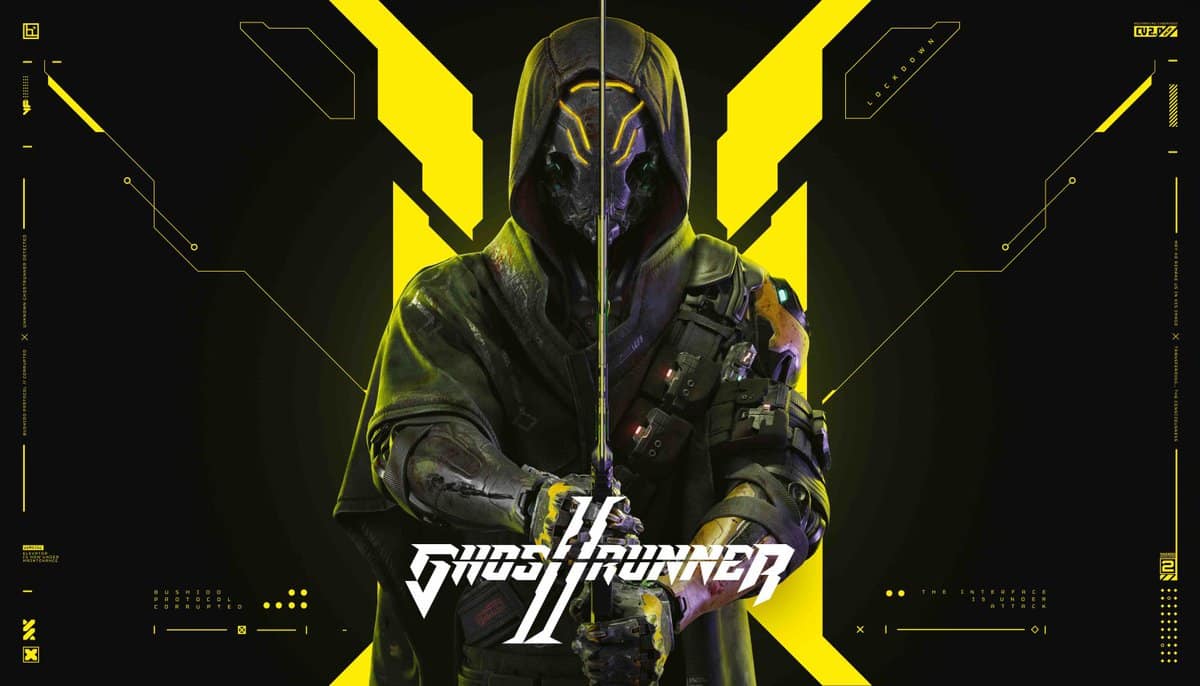
Ghostrunner 2 Update 1.000.012 Slides Out This Feb. 8 for New DLC (Update)

One More Level has released Ghostrunner 2 update 1.000.012, which brings the Dragon Pack DLC to the game in time for the Lunar New Year. Here’s what’s included in the February 8 Ghostrunner 2 patch notes.

Ghostrunner 2 Update 1.000.012 Patch Notes for February 8

Update: Here’s the info revealed by One More Level (via Steam)

Dragon Pack DLC emerges as a beacon of tradition and innovation, casting a new light on the neon-drenched streets of Dharma Tower. This latest chapter is not just a DLC; it’s a celebration of resilience, agility, and the indomitable spirit of the dragon, seamlessly woven into the fabric of Ghostrunner 2’s exhilarating universe.

The Dragon Pack ushers in a collection of meticulously crafted skins that embody the essence of the dragon—QiFang, QiScaled, and QiGalaxy for your swords and hands, with the Design Qi motorcycle skin ensuring your ride through the dystopian landscapes is nothing short of legendary. These aren’t just aesthetic upgrades; they’re your new identity markers in a world where speed and precision are your greatest allies.

Celebrating the Lunar New Year within the cyberpunk realm adds a layer of cultural depth to the already rich narrative of Ghostrunner 2. The Dragon Pack is more than just a nod to tradition; it’s an integration of cultural symbolism into the heart-pounding action that defines the game, inviting players to embark on a journey that honors the past while racing towards the future.

Today we are also releasing a free expansion of Roguerunner.exe Mode, challenging the Ghostrunner community to strive for new heights of mastery. This update isn’t just about new parkour puzzles; it’s about pushing the limits of what you thought possible, wrapped in the exhilarating rush of cyber ninja action.


The introduction of a free Chinese VO option is a significant step towards embracing global engagement, offering players around the world an opportunity to experience the game in their language. This not only enriches the game’s accessibility but also adds a layer of immersion, allowing players to connect more deeply with the story and characters of Ghostrunner 2.

At the moment, One More Level has yet to release the full patch notes for this update. However, we do know, based on the roadmap and a previous announcement, that this update introduces the new Dragon DLC pack. This pack is a cosmetic that includes several new hand and sword skins and even Chinese VO (voice over). Check out the short trailer for it.

We also know that this update is supposed to bring some changes to Roguerunner.exe mode. What changes those are we don’t know, but One More Level should be releasing the changes real soon.

Once we know what got added and changed in the patch, we’ll update the article with the info.

Avatar photo

James Lara

A gamer at heart, James has been working for MP1st for the last decade to do exactly what he loves, writing about video games and having fun doing it. Growing up in the 90's gaming has been in his DNA since the days of NES. One day he hopes to develop his own game.

Home > News

Helldivers 2 Matchmaking Down and Crash Reports Surface This Feb. 8 (Update 2)

Helldivers 2 is officially out, but it doesn’t seem like the launch is going as smoothly as many had hoped for, as reports of matchmaking being down in Helldivers 2 have begun surfacing, with crashes appearing both on PC and the PS5.

Helldivers 2 Matchmaking Down Status and Updates for Feb. 8:

Update 2: Arrowhead has issued another update on its Discord:

“Hey @everyone! Mikael here again. I want to give you an update on the issues we’ve experienced today. I’m happy to say that we’ve now improved matchmaking (🤞 ) and the most frequent crashes.

Let me explain where we are:

We’ve made a patch, and are about to start playing alongside you to check it works as intended.
If it’s a success, we’ll trigger a hotfix and get it out to the Steam community first, then roll it out to PS5 players as quickly as we can.

Thank you – seriously – for your patience. We really want you all to have a blast playing this game. Bear with us, we’re almost there.

See you on the battlefield soon!”

Update: Johan Pilestedt, the Chief Executive Visionary of Creative & Business Strategy at Arrowhead made the following announcement on the game’s Discord server:

Image

“Hey everyone, we did an optimization update to the backend that unfortunately gate rushed ourselves (can you say friendly fire?). In common English: “someone tripped on the network cable”.

Backend will be up and running soon. And service will continue. We are actively Monitoring and resolving the situation.

Head of backend says sorry”

We’ll update the article as more info surfaces.


As of writing, the matchmaking for Helldivers 2 is down outside of private matches, though even that appears to be a hit-and-miss. Arrowhead Game Studios has issued a statement on the game’s official Discord, saying that they’re working on resolving all the issues.

“Hey everybody!

It’s been a bit of crisis mode in the studio today therefore I have not been as active as I would have liked. We are seeing the matchmaking issues as well as some of the unfortunate stuck och login screen / crashes.

I just wanted to let you all know we’re working as hard as we can on resolving these, the volume of players exposed some shenanigans in the system that went past many, many, many hours or testing.

We have tried resolving it on the backend only but it seems like we will have to patch the game to resolve the issue. Sorry for this and thank you for your patience.

For now I recommend to team up with people from the community as joining friends work fine.

I hope you are enjoying the experience once you get into the game.”

We’ll continue to monitor the Helldivers 2 server situation for matchmaking and crashes, and once the studio issues a new update, we’ll let you know.

Avatar photo

James Lara

A gamer at heart, James has been working for MP1st for the last decade to do exactly what he loves, writing about video games and having fun doing it. Growing up in the 90's gaming has been in his DNA since the days of NES. One day he hopes to develop his own game.

Home > News

Train Sim World 4 Update 1.027 Whistles Out This February 8

Dovetail Games has released Train Sim World 4 update 1.027 (1.30 on PS4), which is a massive update focused primarily on bug fixes. Read on for what’s in today’s Train Sim World 4 update.

Train Sim World 4 Update 1.027 | Train Sim World 4 Update 1.30 Train Sim World 3 February 8 Patch Notes:

Hello everyone,

Welcome to February! The days are getting longer, spring is around the corner, and – perhaps most excitingly of all – we have a wide range of improvements and quality of life changes releasing today as part of a large core update, which includes a Open Beta for Formation Designer for Steam and Epic players.

You can expect to see improvements for Blackpool Branches, Maintalbahn, Centro Regional Railway Class 323, and many more!

These will be rolling out to players on all platforms over the course of the next 24 hours – consoles this morning, and PC later this afternoon, so keep your eyes peeled for downloads!

Headliners

  • General improvement to brightness on PIS screens to be more visible/readable during both day and night.
  • Multiple Free Roam fixes for locos that weren’t able to move after spawning
  • Adjustments to scoring thresholds to make achieving a Platinum medal possible across many services and scenarios, and more in line with expectations (90% of maximum possible score).
  • Improvement to ensure created liveries are appearing correctly in gameplay
  • Added option to disable Traction Lock icon for the Minimal HUD

Birmingham Cross City

  • Fixed no passengers spawning at Kings Norton or Gravelly Hill.
  • Passengers no longer appear at Lichfield Trent Valley in the scenario “Engineering a Shunt”, as this station has engineering work going on.
  • Fixed an issue where Kings Norton and Lichfield City didn’t show on the PIS

Bernina Line

  • Adjustments to fog variables to improve visuals and fine-tunability to fit the scenery better.
    (Valleys will have less dense fog, hills will have more dense fog)

GWE BR Class 43 HST

  • Upgraded windows to include new TSW4 rain effects
  • Fixed an issue where the front wipers wouldn’t clear rain from windows

Full Changelog
Core

  • General improvement to brightness on PIS screens to be more visible/readable during both day and night.
  • Fixed an issue where service names would extend outside of the Debriefing UI screens
  • Fixed an issue where medals for completed Timetables, Scenarios, and Training modules didn’t display correctly on the main menu.
  • Fixes to Journey Mode continue option so that the option is consistently offered and works as intended.
  • Fixed a crash with Xbox S/X on Scenario Planner with multiple add-ons installed
  • Resuming a saved game using Classic Controls will no longer lock the screen.
  • Minor memory performance improvements.
  • Minor core performance improvements to slightly improve boot time and maintain stability, especially when in large freight yards and on larger routes.
  • Various NPC passenger model improvements and fixes.
  • Various localisation changes.

Minimal HUD

  • Added option to disable Traction Lock icon
  • The Clock will now correctly be visible when standing
  • Minimal Hud will no longer display 44kmh before actual gameplay starts

Photo Mode

  • Added autofocus toggle
  • Fixed various issues with camera collisions when orbiting.

Free Roam

  • Fixed an issue with the SD70ACe display screens so that the brakes can be cut in correctly, allowing the loco to be started.
  • Fixed an issue preventing the MRCE and Dispolok 182 from moving.
  • Fixed an issue where the DB BR 185.5 wouldn’t move after spawning.
  • Fixed an issue where the Class 47 and 52 wouldn’t take power after spawning.
  • Fixed an issue where the BR 146 wouldn’t take power after spawning.
  • Fixed an issue where the BR 182, 185, 187 wouldn’t take power after spawning.
  • Fixed an issue on the Bakerloo Line where players were unable to set destination path for the full length of the route.

Livery Designer

  • Improvement to ensure created liveries are appearing correctly in gameplay
  • Fixed an issue with the loco model not appearing when copying liveries.
  • Fixed an issue where deleted liveries would continue to appear in UI options

Scoring

  • Adjustments to scoring thresholds to make achieving a Platinum medal possible across many services and scenarios, and more in line with expectations (90% of maximum possible score).
  • Added player assist notification to alert what systems need to be turned on to award the safety system bonus.
  • Fixed an issue on the Scoring Breakdown where the added score was inconsistent to the total score awarded.
  • Fixed an issue where the speeding penalty was not being correctly applied.
  • Fixed an issue where activating Safety systems mid way through a route would award 0 points in the scoring breakdown.
  • Fixed an issue where wiper penalties were being applied without it raining due to weather settings.

Known Scoring Issues
We are aware of some existing issues with scoring which we intended to resolve in this patch but weren’t able to include, so we’d like to highlight these for you:

  • Antelope Valley ‘EMD F125 Training Introduction’ – Unable to achieve platinum
  • Vorarlberg ‘Pick Up’ scenario – Unable to achieve platinum
  • Antelope Valley (Services/Scenarios) – Too easy to achieve platinum without safety systems enabled
  • Maintalbahn ‘Getting the Cold Shoulder’ scenario – Too easy to achieve platinum without safety systems enabled
  • [PS4] Score for using safety systems is set to 0 if you enable them after starting a scenario

Blackpool Branches

  • Moved markers at Salwick Goods Loop to be more forgiving to players
  • Moved stop location at Blackpool North to accomodate longer locomotives
  • Fixes timing errors on services 2J56, 2J54 and 2J52 where instructions were an hour early
  • Fixes to locomotives spawning in buffers if they were too long which caused derailments in multiple services
  • Made the Class 31 drivable on the 3-coach-consist and the Mineral wagons on freight services
  • Fixed Numbering so each class 142 livery displays correct numbers for the era
  • Fixed an issue where Service 2J52 would cause a derailment upon launch.

Class 142

  • Fixed an issue with AI getting stuck trying to open doors
  • Implemented a manual Gear Hold switch in the cab of the 142

Class 47

  • Changed font on vehicle numbering to the correct type
  • Fixed an issue on the Class 47 service 0Z25 where the player spawns at a faraway station

Midland Main Line

  • Fixed various spelling mistakes on signage and in text.
  • Reduced number of high-rise buildings around Loughborough, Long Eaton and Derby stations to better represent the area.
  • Removed a signal box from a yard behind Spondon station.
  • Fixed various posters at Derby station to resolve flickering textures.

Class 158

  • Gangways and cab/gangway doors will now behave as expected on 4-car formations.

Bernina Line

  • Adjustments to fog variables to improve visuals and fine-tunability to fit the scenery better.
    (Valleys will have less dense fog, hills will have more dense fog)
  • Carriages coupled behind Allegra EMU will correctly have new rain effects on the windows.
  • Passengers should now be lit by the interior passenger lights

Birmingham Cross City

  • Fixed no passengers spawning at Kings Norton or Gravelly Hill.
  • Fixed an issue where Kings Norton and Lichfield City didn’t show on the PIS

WMR Class 323

  • Fixed an issue with headlight emissions

EWS Class 66

  • Tweaks to textures (Exterior body made redder, window glass glare reduced, and head/tail/marker bulb textures made more yellow tinted)

Centro Regional Railway Class 323

  • AWS and DVD audio now plays out of the PlayStation controller.
  • Fixed duplicate Journey Mode services.
  • Player can now interact with the MCBs in the PTS.
  • Player can now interact with the guard panels in the PTS.
  • Fixed a crash while loading the ‘Misty Morning Start’ scenario
  • Corrected introduction text on the ‘Misty Morning Start’ scenario
  • Fix incorrect AI headlight setup on the ‘Regional Rescue’ scenario when the player passes an AI service at 12:09.
  • Fixed assets with no texture in the “Engineering a Shunt” scenario
  • Fixed destination marker to correctly display ‘Four Oaks’ on the ‘Regional Speed Restriction’ scenario.
  • Fixed an issue causing text messages to appear in the wrong location on the ‘Regional Speed Restriction’ scenario.
  • Fixed Four Oaks unloading not completing when late, and tail lights being on for the player consist.
  • Shifted Hunslet interactable in cab so the TPWS isolation can be accessed more easily.
  • Removed texture seam on Hunslet and fixes issue with incorrect lighting.
  • Added difficulty tags for all scenarios.
  • Added emergency indicators in scenario D.
  • Altered emergency indicator flash rate and increased emissives.
  • Fixed an issue with headlight emissions.
  • Fixed a texture issue on the PTS.
  • In Livery Editor, artefacts no longer appear when using decals and a green trim around. windows no longer appears.

Antelope Valley

  • Fixed an issue where cars/vehicles can drive through trains on multiple crossings instead of stopping between Lancaster and Palmdale.
  • Fixed an issue across multiple services where players couldn’t achieve Platinum medals

Metrolink Rotem cars

  • Will now correctly use air as appropriate
  • Fixed an issue with the brake application audio hiss not playing
  • Doors should correctly operate down the entire consist when paired with Bi Level cars
  • Fixed a texture issue where the blue ribbon on the fireman side was flickering constantly.
  • Reduced the volume of passenger door beep audio inside the cab.
  • Fixed an audio artefact in the running sounds.

Metrolink F125

  • Air valve will now open when the horn presses
  • Fixed various texture issues where labels are flickering constantly.

Maintalbahn

  • Fixed a texture issue causing some buses to have vibrant emissive windows
  • Fixed an issue where Service 44882 would cause a derailment upon launch.
  • Fixed an issue during the ‘On Your Bike’ scenario where the ‘Close doors’ objective was automatically completed, regardless of door status.
  • Score breakdown is no longer missing in the debrief screen for the ‘Filling Up’ scenario
  • Fixed an issue with floating platform signs at Aschaffenburg station.

BR 642

  • Parking brake buttons will now correctly apply the brakes.
  • ‘Konfiguration’ screen now displays the correct vehicle number ‘641 001’.
  • PIS will display the correct information after reloading from a save.
  • Player will no longer be able to climb up through a passenger door if it is closed.
  • Fixed an issue where the “Federspeicher” message on the left displays didn’t disappear
  • Fixed issue where moving the throttle would incorrectly reset the SIFA

Vorarlberg

  • Fixed an issue on service REX1 [5599] which was blocked and incompletable

Cargo Line Vol. 1 – Petroleum

  • Adjustments to ensure wheels of the TEA are aligned correctly, rotate as expected and sit on the rails correctly.

Flying Scotsman

  • Fixed an issue in tutorials and scenarios where players couldn’t achieve Platinum medals.

Sand Patch Grade

  • Fixed an issue on the ‘Train Brakes Theory’ tutorial where the “Set Auto Brake” objective would not clear.

Hauptstrecke Hamburg-Lubeck

  • Fixed a missing medal showing in the debriefing screen for the route introduction

Nahverkehr Dresden

  • Fixed an issue where certain textures appear blurred on Xbox One and PS4 consoles.

Great Western Express
BR Class 43 HST

  • Upgraded windows to include new TSW4 rain effects
  • Fixed an issue where the front wipers wouldn’t clear rain from windows
  • Adjusted the bogie position and ride height of the HST so the bogie is in the right place

Source: Dovetail Games

Avatar photo

James Lara

A gamer at heart, James has been working for MP1st for the last decade to do exactly what he loves, writing about video games and having fun doing it. Growing up in the 90's gaming has been in his DNA since the days of NES. One day he hopes to develop his own game.

Home > News

Alan Wake 2 Update 1.000.016 Released This February 8 for Fixes

Remedy Entertainment has released Alan Wake 2 update 1.000.016 (Xbox version 1.0.0.16, PC version 1.0.16), a small update addressing a few known issues. Here are the patch notes for today’s Alan Wake 2 update.

Alan Wake 2 Update 1.000.016 Patch Notes | Alan Wake 2 February 8 Update Patch Notes

PlayStation 5 (1.000.16)

Xbox Series (1.0.0.16)

PC (1.0.16)

  • Xbox – Fixed random crashes on game exit or when the game is suspended.
  • Fixed cases where players couldn’t exit interactable notes and containers (e.g. Nursery Rhymes or the Shotgun Puzzle in the Covenience Store).
  • Fixed the missing Lighthouse keys after opening the last Cult Stash in Cauldron Lake.
  • Fixed Saga’s magical crossbow so that it stays in the Shoebox if put in there and does not appear on her back anymore unless carried for real.

A pretty small update, though that’s to be expected since we just got a big update last week for Alan Wake 2. We expect plenty of more updates to arrive in the coming weeks and months, as there are still some issues, such as audio on the Xbox Series, and performance improvements that players are still experiencing.

Source: Alan Wake

Avatar photo

James Lara

A gamer at heart, James has been working for MP1st for the last decade to do exactly what he loves, writing about video games and having fun doing it. Growing up in the 90's gaming has been in his DNA since the days of NES. One day he hopes to develop his own game.

Home > News

Madden NFL 24 Update 1.015 Touches Down This Feb. 8

Madden NFL 24 update 1.015 is now and it seems to be for current-gen platforms only based from what we checked. Players shouldn’t expect anything from this outside of fixes, as we just got a meaty fix-filled patch patch two weeks ago. Read what’s new in the Madden 24 new update patch notes for February 8.

Madden NFL 24 Update 1.015 Patch Notes | Madden NFL 24 New Update Patch Notes for Feb. 8:

At the moment, EA has yet to release any patch notes for this update, though that should change within the day as is usually the case.

We don’t expect this update to be a big one, likely around bug fixes, as it is an unannounced update that didn’t have any maintenance tied to it. Once EA has released the patch notes, we’ll be sure to update the story. For now, don’t expect this update to have anything major tucked away in it.

PC players may also want to check if any of the reported issues on Steam have been resolved with this update.

Avatar photo

James Lara

A gamer at heart, James has been working for MP1st for the last decade to do exactly what he loves, writing about video games and having fun doing it. Growing up in the 90's gaming has been in his DNA since the days of NES. One day he hopes to develop his own game.

Home > News

Prince of Persia: The Lost Crown Update 1.04 for Version 1.0.4 Delivers Fixes This Feb. 8

Prince of Persia: The Lost Crown update 1.04 (PS5 update version 1.004) has been released on all platforms by Ubisoft Montpellier, and this houses a good load of fixes. Read on for the patch size on each platform as well as for the official PoP: The Lost Crown update 1.0.4 patch notes.

Prince of Persia: The Lost Crown Update 1.04 Patch Notes | Prince of Persia: The Lost Crown Update 1.004 Patch Notes | Prince of Persia: The Lost Crown Update 1.0.4 Patch Notes:

Patch size (& planned release):

• Nintendo Switch: 397 MB (TBD)³
• PlayStation®5: 1.49 GB (08.02)
• PlayStation®4: 3.36 GB (08.02)
• Xbox One: 2.2 GB (08.02)
• Xbox Series X|S: 7.27 GB (08.02)
• PC: 484.58 MB (08.02)

USER INTERFACE & MAP

Addressed:

• Reward notification for ‘Young Sargon’ overlaps in the game when unlocking the Digital Artbooks in the same session via the Ubisoft Connect overlay.
• Placing a marker on the map while focused on a Memory Shard locks the in-game cursor.
• Upgrading the Blessing amulet while equipped and not at full life renders the health bar visually stuck.
• During the first fight with Vahram, the camera can be offset following Vahram’s finishing move.²

GAMEPLAY

Addressed:

• Re-entering Mount Qaf’s main gate rarely leads to replay the initial ‘Ardashir Cutscene’.²
• Trapdoor above Wak-wak tree in The Depths remains closed, with the lever stuck in pulled position after a soft reset.²
• Player can receive damage using the dodge granted by the Elusive Water amulet when adding input during its animation.
• Player cannot unlock Mystery Chest located in Lower City after firing arrow at the correct spot.²
• Sargon loses ‘frozen’ status effect when hanging on to a wall while the effect triggers.²
• Sargon is invincible and invisible if player uses Shadow of the Simurgh just when Dragon King amulet’s effect triggers.
• Player can enter the Pit of Eternal Sands by breaking the 3rd warp seal exploiting aerial UP and DOWN attack combo + Rush of the Simurgh.²
• Kiana and Sargon spawn outside of the rendered world if player dies and retries the fight right before Kiana’s transition to camouflage-attacks.
• Defeating Menolias or Orod while they are burning breaks the quick time event leaving players to restart the game and fight.²
• In some cases, King Darius and Sargon become immune to melee attacks when the player uses Fabric of Time on King Darius during his ‘Holy Flames’ attack.
• A soft reset when fighting the final boss can restart its phase counter, requiring the player to beat phase 4 four times

QUESTS

Addressed:

• Moon Gatherer – Players previously stuck in the progression of this side quest are now able to finish it by returning to its initial starting location in Sacred Archives.
• Treasure of the Seven Seas – Stubborn but colorful parrot does not want to return to the Pirate Captain leaving players unable to finish the quest.²
• Treasure of the Seven Seas – Quest breaks when it’s start wasn’t confirmed before leaving the level due to too many side quests being active at the same time. ²
• Lost Warriors – The lost warrior on the bridge outside of Mount Qaf’s main gate respawns one more time after reloading the level after he was defeated.

If you still haven’t played the game yet, you might want to remedy that, as it’s one heck of a ride. Read on here for our review.

Source: Prince of Persia Discord

Avatar photo

Alex Co

Father, gamer, games media vet, writer of words, killer of noobs.

Home > News

The Finals Update 1.7.0 Fires Out for Version 1.000.016 This Feb. 8

Embark Studios has released The Finals update 1.7.0 which is version number 1.000.016. This update comes with a ton of Quality of Life changes and more. Read on for The Finals February 8 patch notes down below.

The Finals Update 1.7.0 Patch Notes | The Finals Update 1.000.016 Patch Notes:

This week we are rolling out some changes to progression, with several adjustments to how XP is earned. These changes will help you tackle the Battlepass and Career Ranks! It’s time to scramble!

Important to note:

Default settings for VoIP have been reset for all players! The best offense is a good defense, and the best defense requires good communication. Check out the details of the changes below and make sure to change your settings if you prefer.

Finally, we are aware of problems with the explosive power of the red canisters and that barrels have unintentional stacking damage. You can expect a fix to these issues in the next major update.

Check the full playbook of changes below:

Content And Bug Fixes
  • Game Show Events
    • Disabled the ‘Dead Go Boom’ game show event
      • Dev Note:
        We feel this event punishes melee users too much at present, so we’re disabling it for now. We’re hoping to return it to the game, after a re-work, at some point in the future
  • UI
    • Added a ‘play again’ button to the end-of-round sequence, allowing players in a party to quickly get into the next match
  • VoIP
    • Set VoIP to be enabled by default on PC, with Push To Talk set as the default input (existing players)
    • Set VoIP to be enabled by default on console, with Voice Activated set as the default input (existing players)
      • Dev Note:
        we want to encourage more teamplay in matches, and enabling VoIP for all players is part of that effort. Players can disable VoIP via settings. We previously made this change in update 1.5 for new players and saw positive results!

Progression Changes

  • Contracts
    • Increased the amount of XP given for Weekly Contracts from 2000 to 4500 (+)
    • Increased the amount of XP given for Weekly Goals from 4000 to 9000 (+)
    • Reduced the number of Weekly Contracts that need to be completed to get the Weekly Goal from 8 to 6 (-)
  • XP
    • Increased the amount of XP given for opening a vault from 100 to 200 (+)
    • Increased the amount of XP given for starting a cashout from 100 to 300 (+)
    • Increased the amount of XP given for completing a cashout from 200 to 400 (+)
    • Increased the amount of XP given for stealing a cashout from 100 to 300 (+)
    • Increased the amount of XP given per coin delivered in Bank It mode from 50 to 80 (+)
    • Increased the amount of XP given for finishing in 4th place in a round from 100 to 200 (+)
    • Increased the amount of XP given for finishing in 3rd place in a round from 200 to 400 (+)
    • Increased the amount of XP given for finishing in 2nd place in a round from 400 to 600 (+)
    • Increased the amount of XP given for finishing in 1st place in a round from 600 to 800 (+)

That’s it for the patch notes. Stay tuned in the near future for more updates about The Finals.

Source: Steam

Damien Seeto

╳