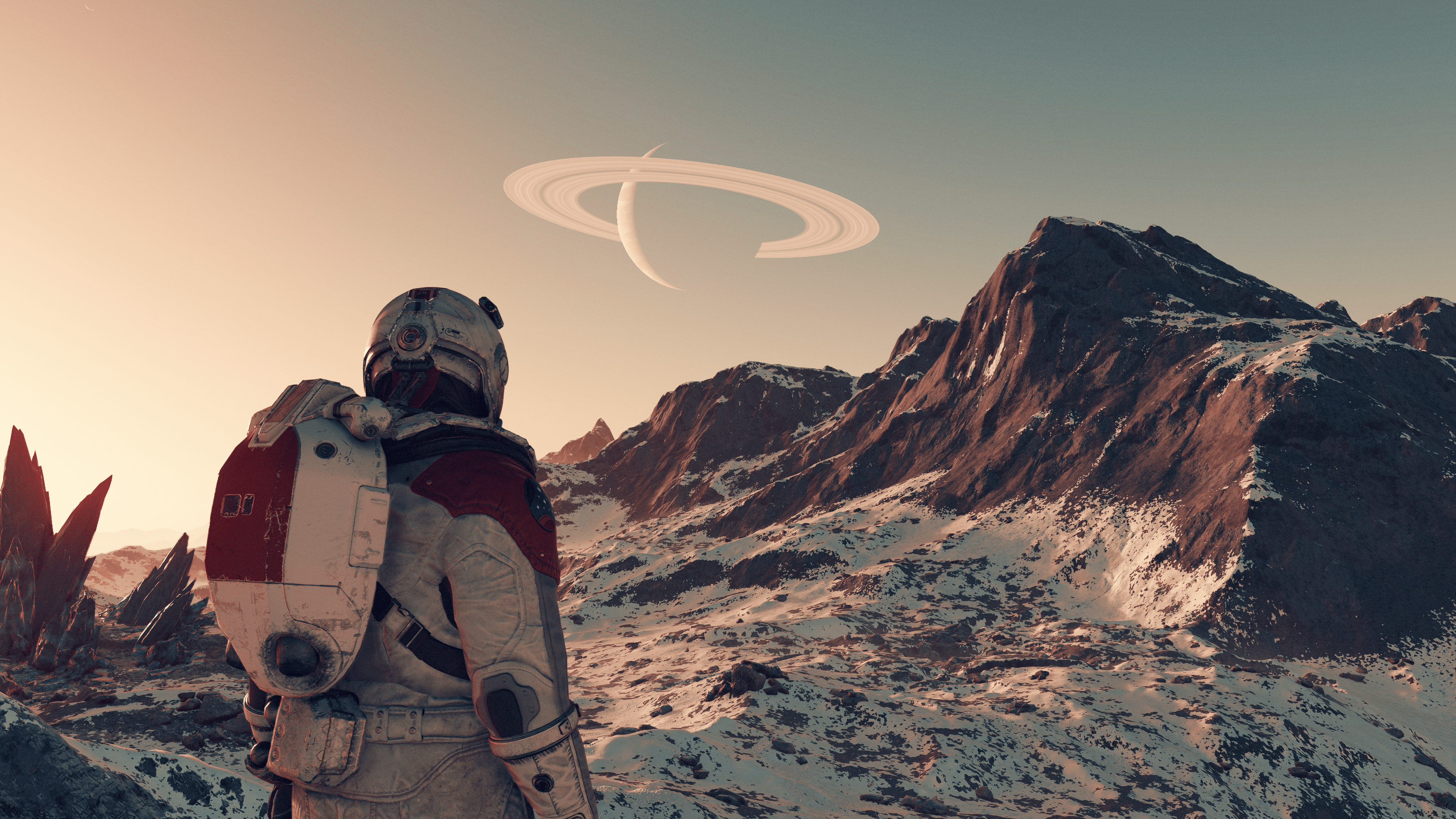
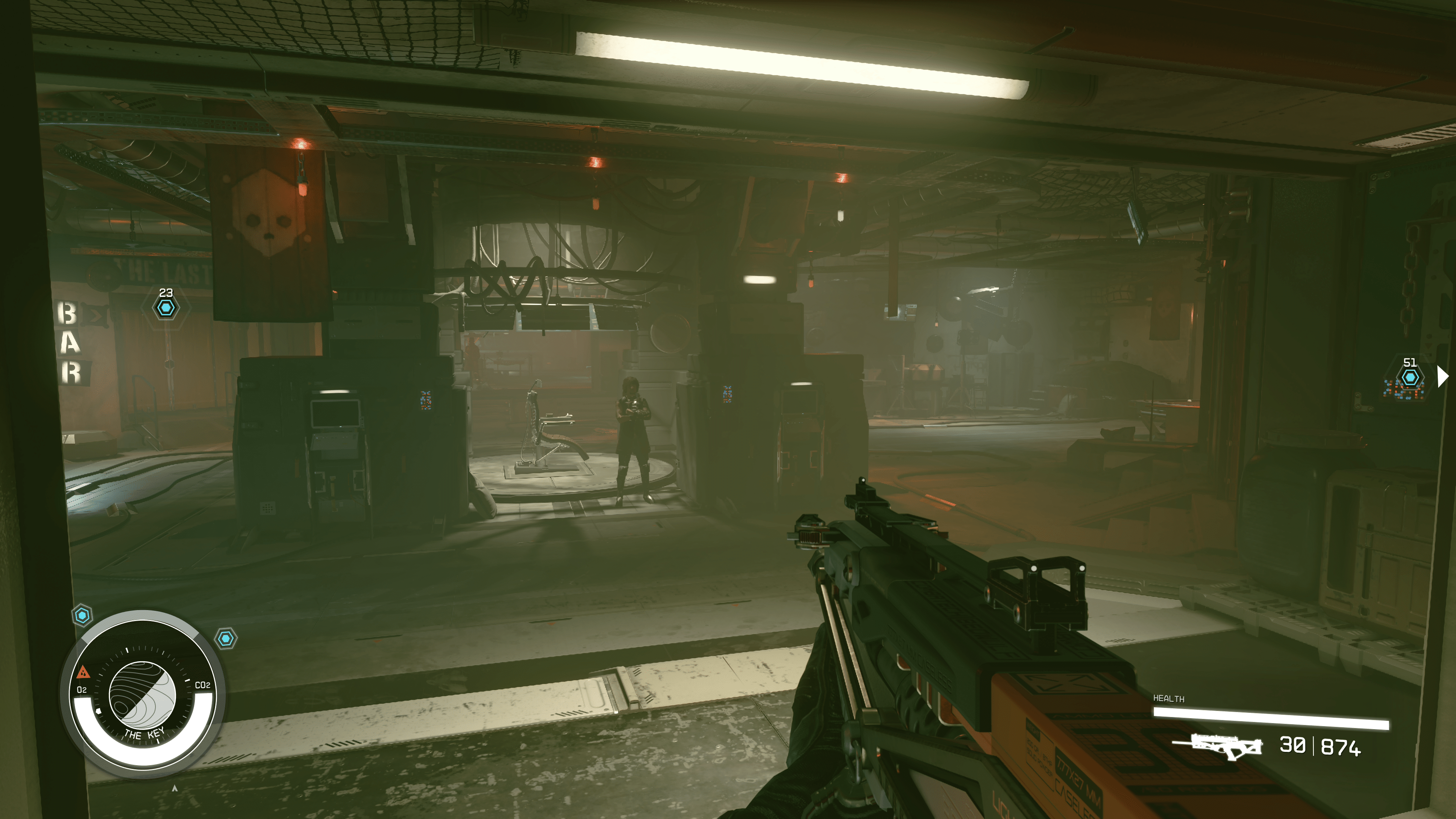
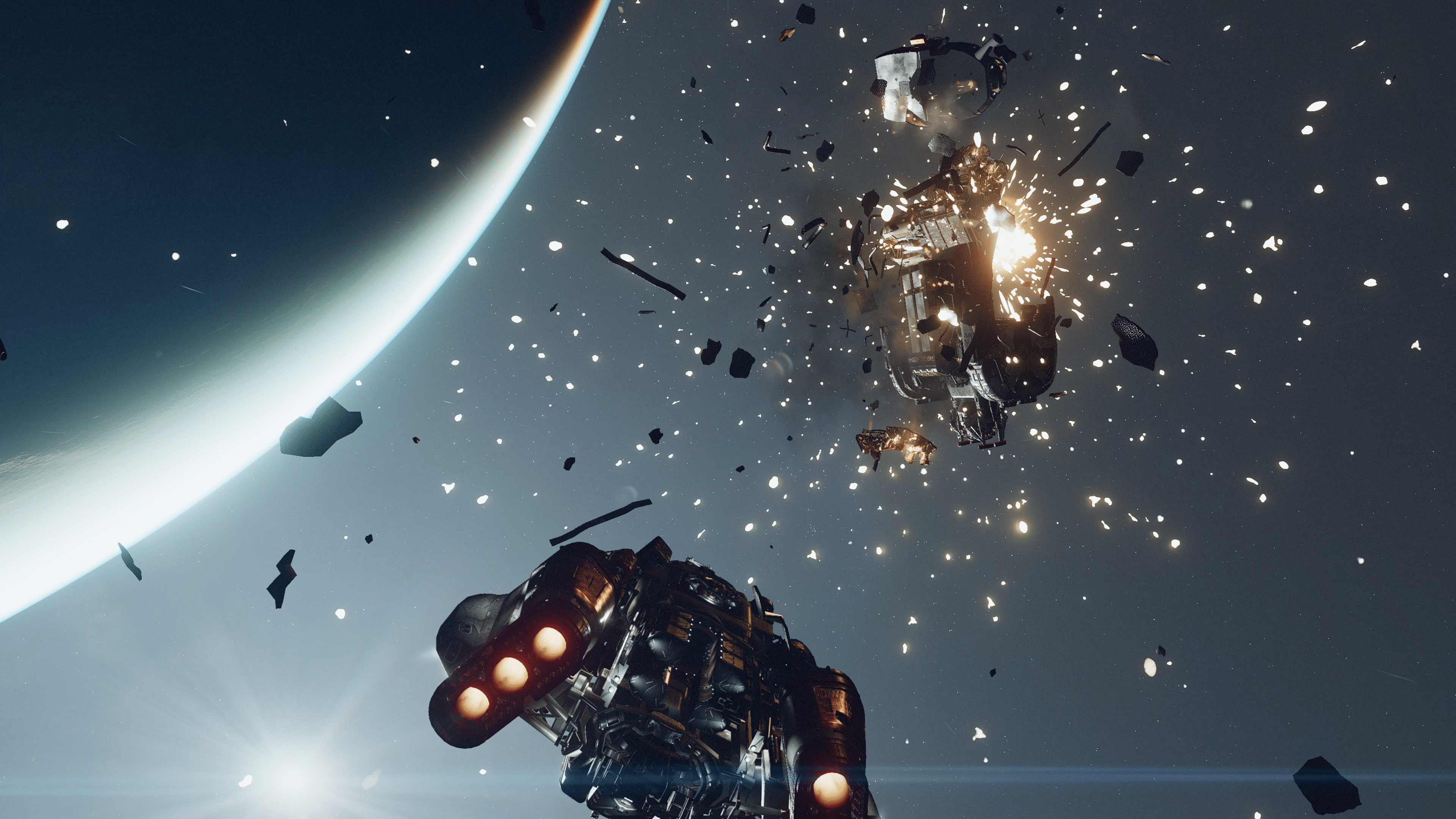
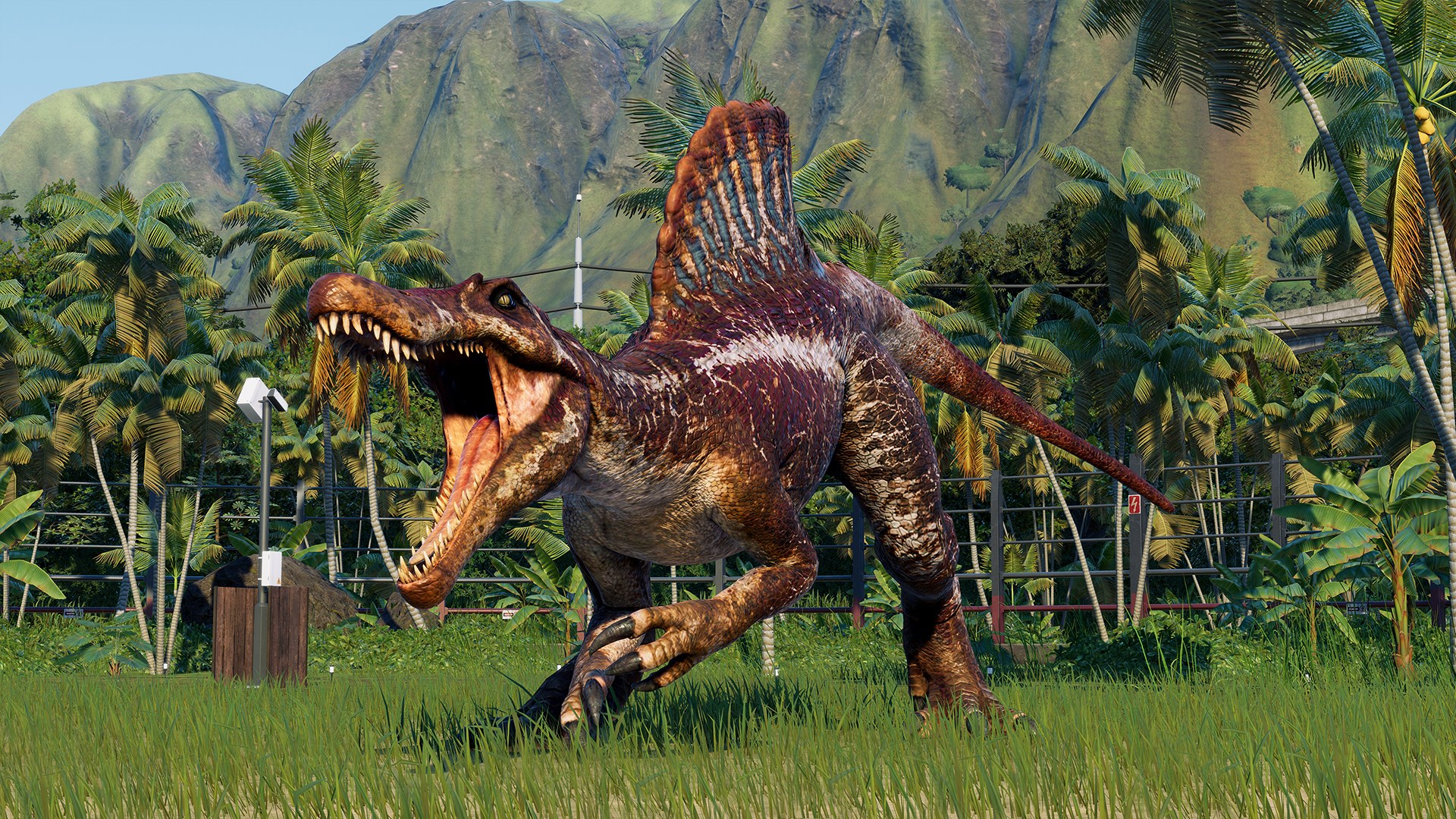
Starfield is officially out for early access players. However, judging from things, it’s not a smooth launch as many players have flooded forums and social media to report several issues, from crashes and graphical bugs to even issues trying to start the game. Lucky for you, Bethesda has provided a few resources to report bugs and issues in Starfield so that they may get the proper details to find fixes.
How to Report Bugs and Issues in Starfield
Method #1: The first place players will want to report any bugs in Starfield is directly on Starfield’s official Bethesda support site. You’ll need a Bethesda account to use it, but once logged in, you can supply Bethesda with the platform you are on and what kind of issue you are experiencing.
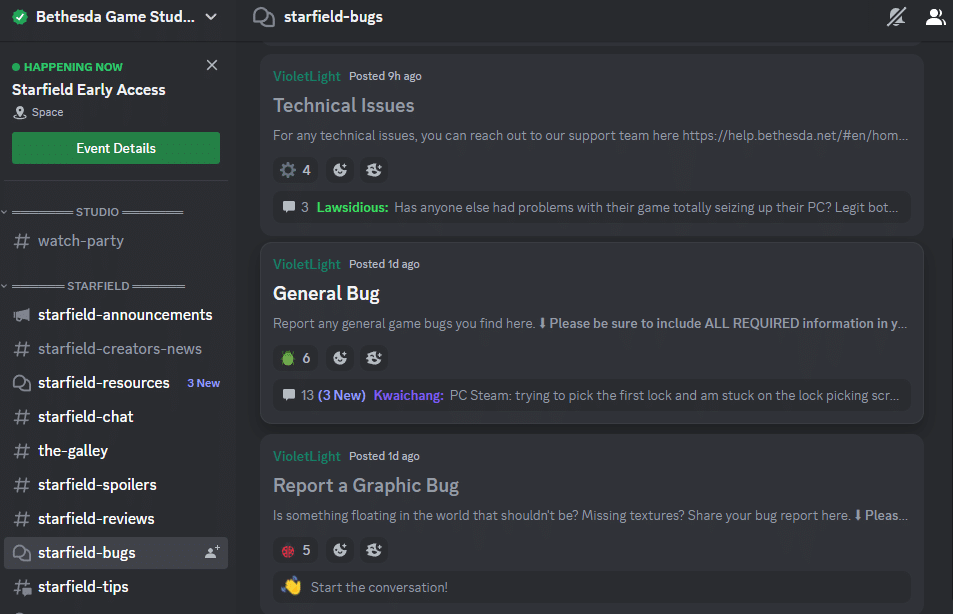
Method #2: The official Bethesda Game Studios Discord channel has now opened a channel exclusively for bug reports. This Discord is run by Bethesda themselves, and in the bug report channel users will find different threads, each categorized by a specific bug type.
Additionally, you can comment below, and we’ll compile a list of bugs to send to the team and keep a log of them in our list of known issues (crash-specific ones here) for Starfield.
Hopefully, this has helped you find the correct place to report all these issues. We know Reddit tends to be the go-to, but given how large of a launch Starfield is, many of those threads are getting buried. At least this way, you can get the information directly to Bethesda.
A gamer at heart, James has been working for MP1st for the last decade to do exactly what he loves, writing about video games and having fun doing it. Growing up in the 90's gaming has been in his DNA since the days of NES. One day he hopes to develop his own game.
For those voyaging the vast universe of Starfield, your adventure might be hampered by technical issues (mostly on PC). If you are one of the gamers suffering from Starfield crashing issues on PC, we’re here to help with the known workarounds.
Solution #2: Cap the framerate to 60 FPS. For AMD GPU’s you can do this via Guru3D RTSS Rivatuner.
Crashing with a RTX Series GPU
Solution #1: Turn FSR off
Solution #2: If that doesn’t work, open the Nvidia control panel via desktop and lock the framerate. Test it, though it seems 60 FPS eliminates the crashes.
Crashing when trying to enter the Kreet research labs
Solution: Update to the latest AMD drivers (via okguonng)
Crashing when using cheat engine or command prompt
Solution: Avoid using either, as at the moment, they both seem to be causing random crashes.
Starfield Crashes on Xbox Series X and Xbox Series S
Sadly, due to the nature of consoles, there isn’t much you can do right now to combat crashes on the Xbox Series X or S. You’ll need to wait for Bethesda to release an official patch addressing these. In the meantime, we recommend using our Starfield bugs and issues reporting guide to find the proper channels to report issues directly to the team.
We’ll be adding more crashing issues and workarounds as more are spotted by the community, so expect this article to be updated.
Not sure whether to buy the game or not? Read our Starfield review here where we state, “There’s so much to love about the game, and honestly, it might just be the best space RPG out there of this caliber. It has everything you’d want from a Bethesda game: a deep and prosperous universe filled with endless possibilities and limitless potential. Be who you want to be, go where you want to go; your freedom is in your hands, and what you do with it is entirely up to you in Starfield.”
Red Games has released LEGO Brawls update 1.06, and this is for the game’s v5.5 patch called “Brawl Out.’ This brings a small list of changes, and of course, brings back Brawl Out. Read on for what’s new in the official LEGO Brawl v5.5 patch notes.
Brawl out every week this September to see a rotating roster of themes, and see which will reign supreme: Western vs. Castle, Ninjago vs. VIDIYO, Pirates vs. Hidden Side and Space vs. Jurassic! Players can collect new content from the limited-time Brawl Out Mystery bags, including T-Rex Fan, Robot Warrior, Rogue and more!
Plus – players can bring home the gold in the new Trophy Rush game mode! This game mode challenges players to collect the most gold studs to win.
Patch Notes:
New mashup levels featuring rivalries between classic LEGO themes
Bring home the gold in the new Trophy Rush game mode
Collect new content for each theme from limited time Brawl Out Mystery Bags
General Improvements
Bug fixes and polish
BRAWL OUT SCHEDULE
(All times UTC)
WEEK 1: Castle vs Western
Start: 8/31, 7:00 AM
End: 9/7, 11:59 PM
Those looking forward to the next Elder Scrolls chapter, we have some good and bad news for you. While The Elder Scrolls VI is indeed in development, it’s quite early on, and it looks like Bethesda won’t be talking about it anytime soon.
Speaking in an interview, Bethesda VP Pete Hines confirmed that The Elder Scrolls VI is in early development, but also mentioned that people shouldn’t expect the studio to talk about it anytime soon (via Google Translate).
Let’s see, over time, but years later. We have put all of our studios focused on making this game the best it can be. And yes, there are people working on The Elder Scrolls VI, but this is what the studio has focused on. So no, at no point early are you going to hear about The Elder Scrolls VI for nothing. Starfield is our focus for now, and it’s going to remain our priority for a while before we talk about anything else.
When asked whether the game is in pre-production or in a concept phase, Hines confirmed that it is in development but in “early” development.
For reference, The Elder Scrolls VI’s existence was announced back in 2018, but Bethesda has shown nothing for it since then, which is understandable given the studio has been busy with a little game called Starfield.
The last thing we heard from The Elder Scrolls VI is that Xbox boss Phil Spencer thinks it’s about five or so more years away from being released, which means it might even not make it out this generation.
Speaking of which, Starfield is set to fly out on Xbox Series X|S and PC, and you can read our review of it here, and why it’s one of this year’s best games.
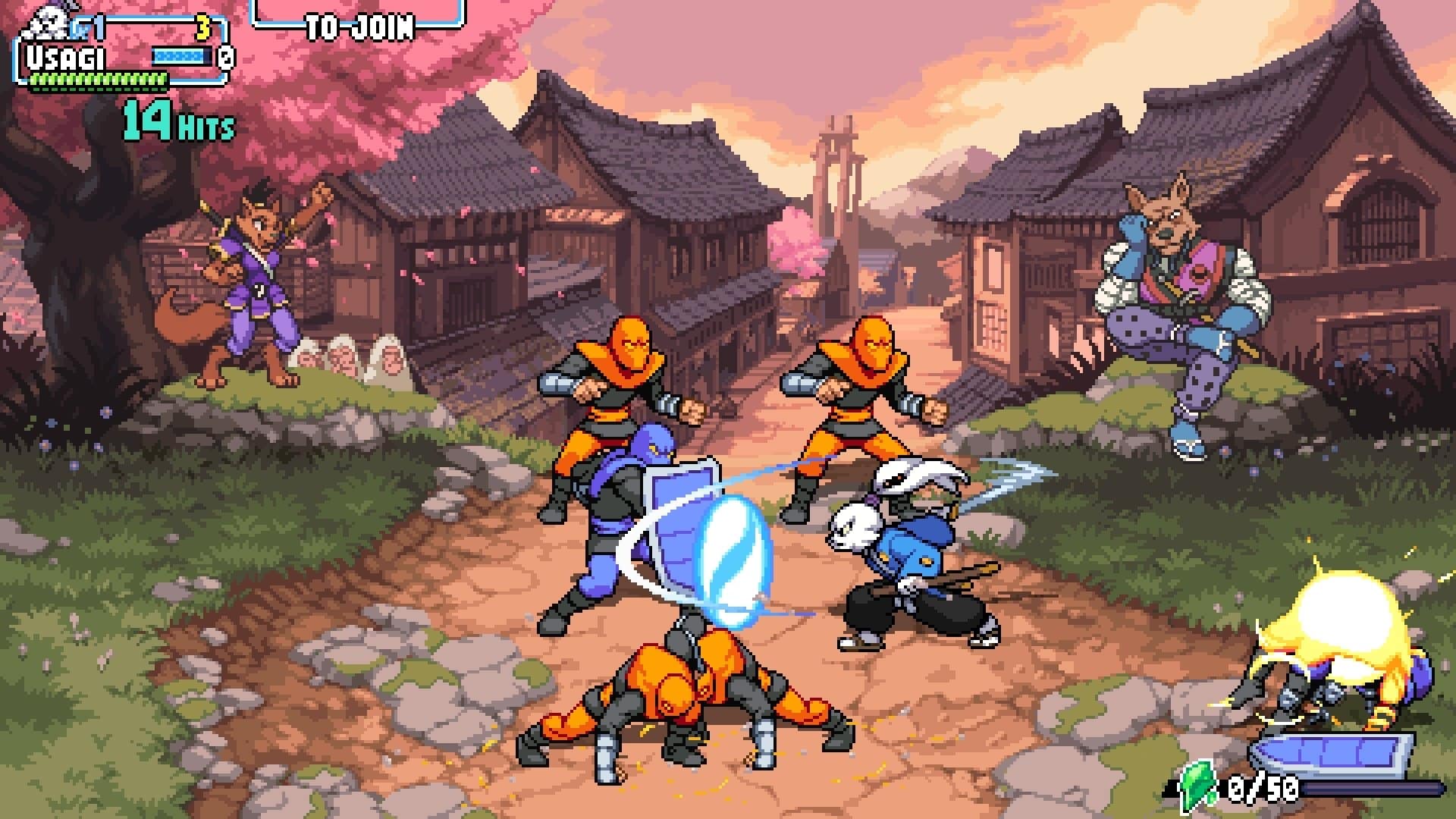
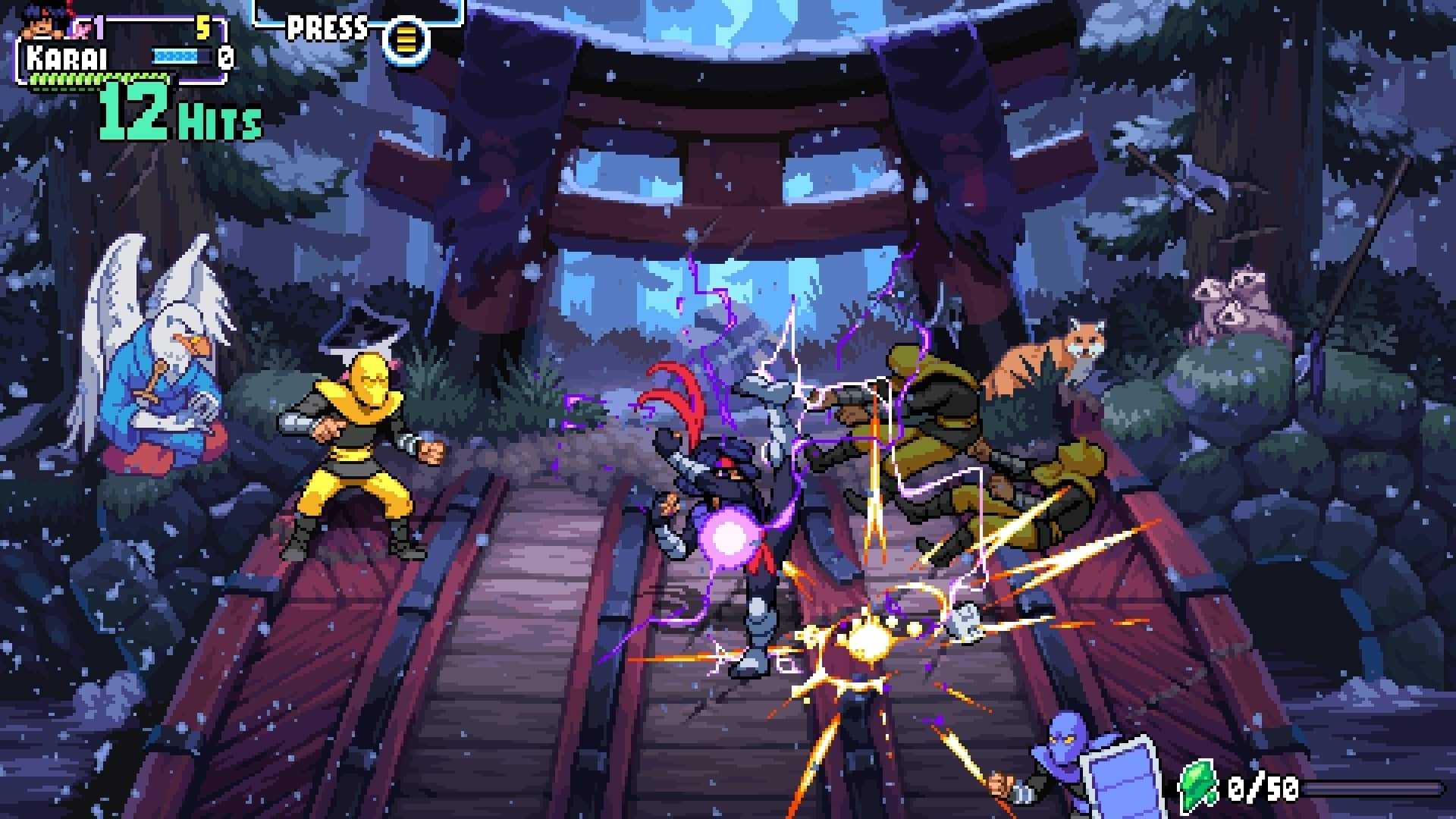
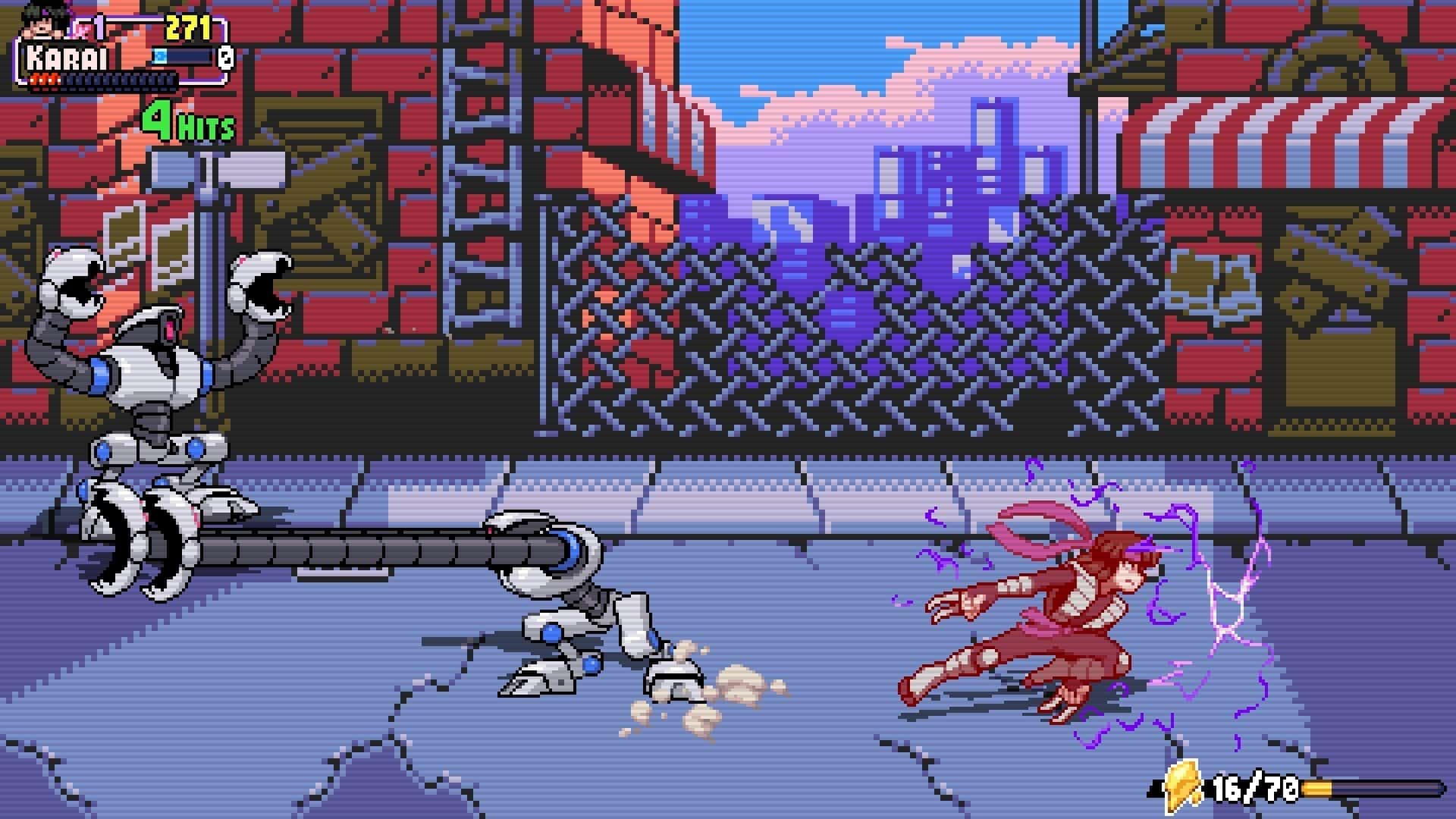
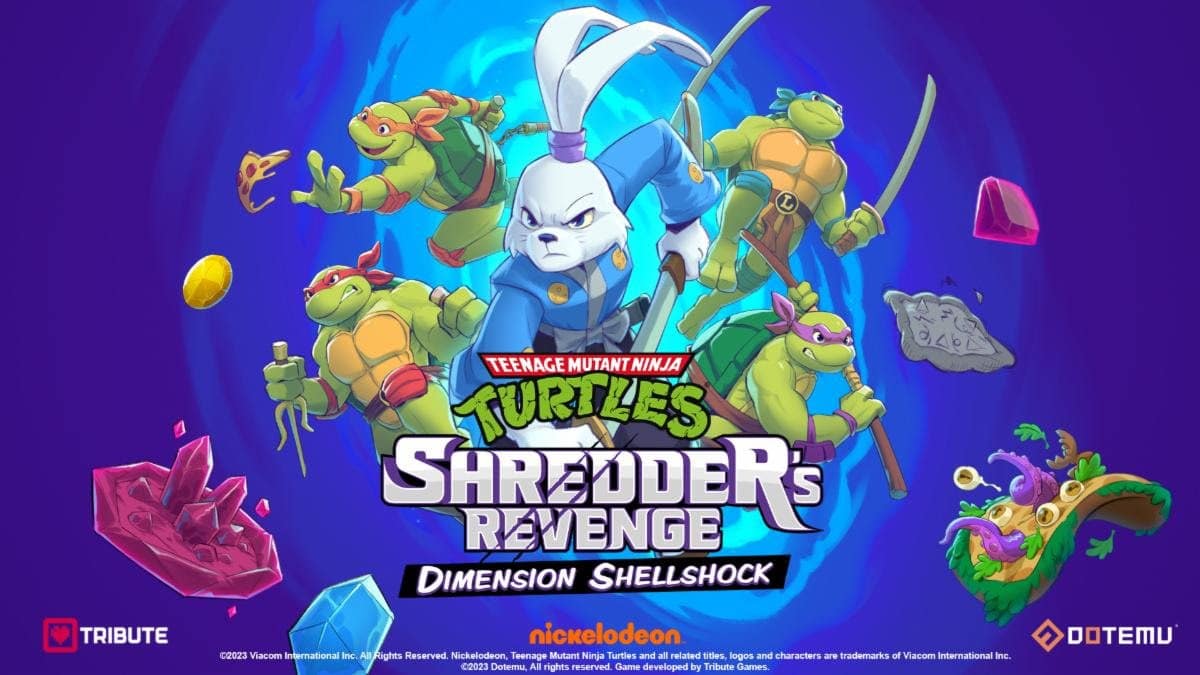
The turtles are back for another round of relentless old-school beat’em up, now with the bonus of dimension leaping. Fighting for justice but also for the award of the longest title ever, Teenage Mutant Ninja Turtles: Shredder’s Revenge – Dimension Shellshock is the new expansion for the acclaimed original launched in 2022 by Dotemu (read our review of that here). With a focus on roguelike elements and single-screen battles, this release is both about hitting the enemies and the leaderboards, aided by two new appealing playable characters.
Dimensional Cowabunga
The new Survival mode is the highlight of the DLC, as you jump between dimensions in this multiverse threatened by the turtles’ good old buddy, Shredder. You can play solo or with friends, with the latter being the best choice both for fun and progress, as going in alone will prove complicated – this mode is designed to be intentionally difficult, rewarding persistence and progress as you get crushed during the initial playthroughs until you unlock permanent bonuses giving you an extra edge. This is roguelike design at its finest, keeping you engaged and challenged until you learn the intricacies of every enemy, perk, and randomizer, progressing just that little bit each time.
Collecting crystal shards is the way to go, upgrading your character and consequently the challenge. After a certain number of shards, a full-blown crystal is crafted, potentially unlocking welcome permanent upgrades, and opening new dimensions to you. Perks such as additional hit points and lives, even a dimension skip option are available to balance the odds. Crystals also unlock new color palettes for your heroes, giving them different combinations and even some monochrome hues to pay homage to the classic era.
Crystal unlocks are bound to the character you have earned them with. This ends up encouraging further runs with different characters, adopting new tactics to see which fighter is most suited to your skills, and ultimately extending the playtime and enjoyment of the Survival mode.
A full run shouldn’t take much longer than 30 minutes, but it’s successfully achieving this that is the main issue, as the challenge isn’t easy and the path is far from a linear one. Completing each screen will offer you two choices, two temporary bonuses forcing you to pick wisely, getting you to your next battle alongside the reward that you have chosen. Some of these double your attack power but also your damage, spawn sushi plates for combo attacks, and more interestingly, morph you into a different character, giving you an additional health line for as long as it is active.
Each stage may have some randomizers at work, again turning everything on its head and requiring you to adapt to the changes that they bring into the battle. Low gravity, faster enemies, or missiles raining down on you are just a few of the events that you may stumble upon.
Not everything is perfect though, with some issues inherited from the base game. The dimensions may have holes in the ground or smaller arenas where collisions don’t really work to its fullest, as if the characters are walking on thin air or over bottomless pits. It’s not flawless, not very enjoyable to see, and takes some getting used to.
Two New Contenders Enter the Arena
The other big feature of Dimension Shellshock is the introduction of two new playable characters, rabbit samurai Miyamoto Usagi and ninja Karai. With different moves and feel, it’s worth experimenting and finding out if they are better in your hands than the original cast. Personally, I found Karai to be a very interesting and fast fighter, with some great moves such as the rising kick, and an ultimate that unleashes a flurry of attacks to both sides. Combining characters and discovering combos is all part of the fun, as the combat system allows for some clever team moves.
Dimension Shellshock doesn’t break any new ground nor it even attempts to, but as an unexpensive ($7.99) addition to a great old-school brawler, it’s hard to pass on the opportunity. It’s more of a good thing, significantly different from the main course while still faithful to what made the original fun and challenging, so it ends up being a refreshing update for all fans of the mythical pizza-loving turtles.
Score: 8/10
Pros:
Survival mode is a great time sink with plenty of replayability
Two new fighters are nice additions to the roster
Cons:
Some problems inherited from the base game, such as collision issues
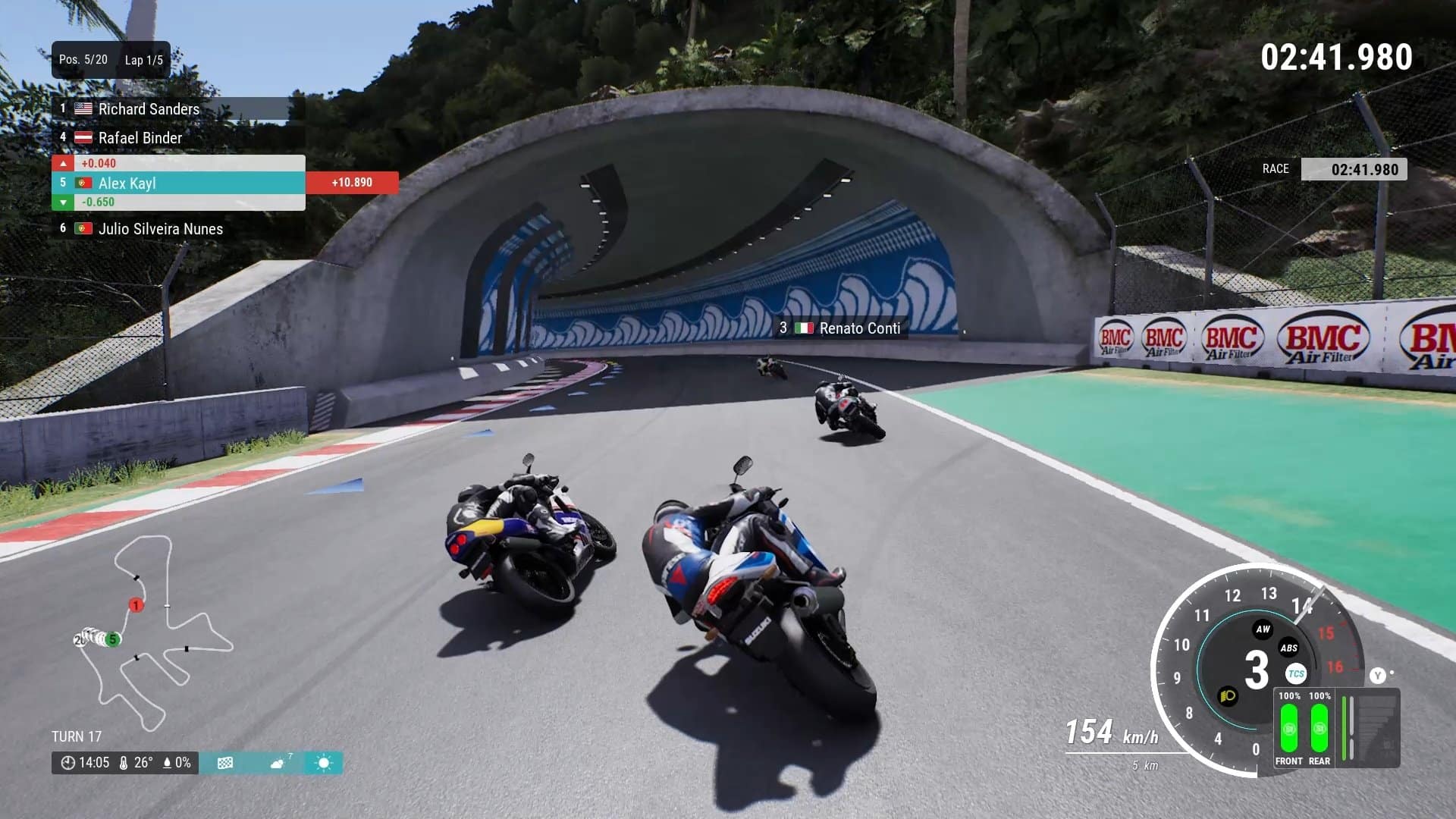
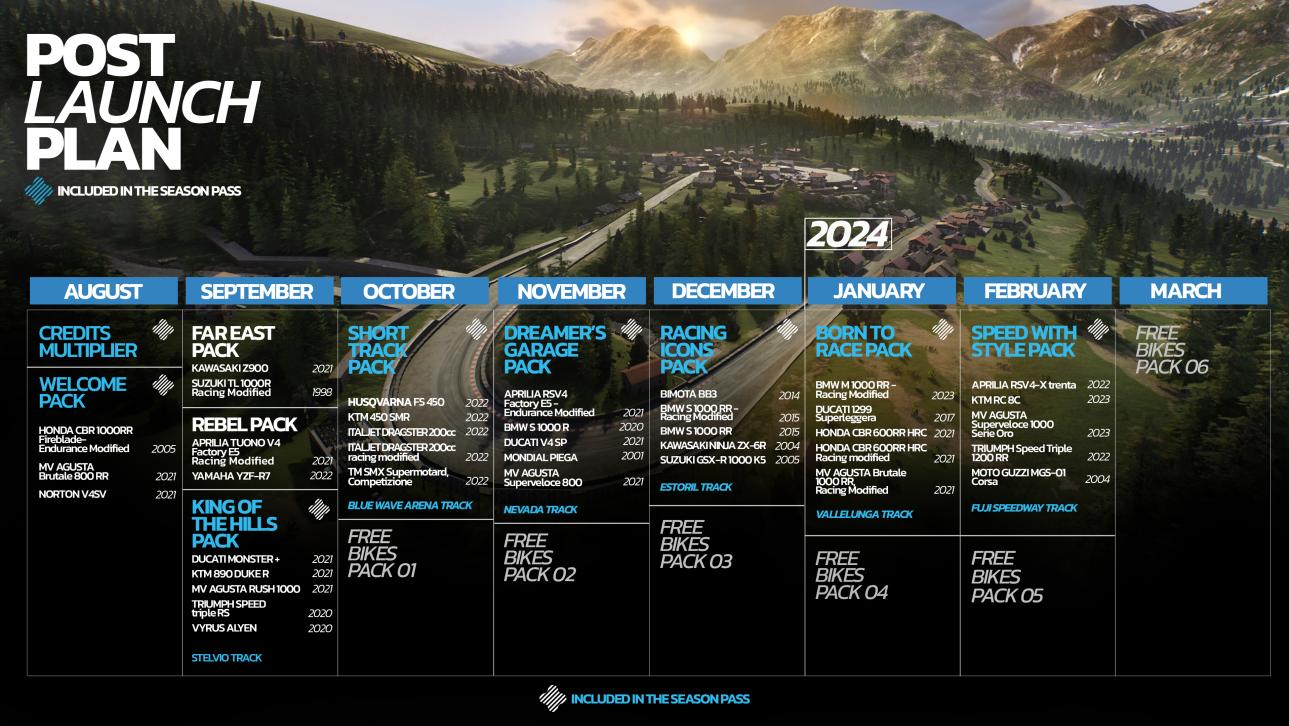
Developer Milestone has just announced the Ride 5 post-launch support and what content the Season Pass will house, and there’s a lot.
Players can expect both free and premium content drops that include bikes, circuits, events and more. There’s also the game’s Season Pass, which will grant players a slew of bikes, tracks and even a credit multiplier.
Ride 5 Post-Launch Support and Season Pass Contents:
Season Pass:
Will grant players access to 33 additional motorbikes,6 more tracks, Credits Multipliers for a grand total of more than 270 real motorbikes from 20 different manufacturers and more than 40 tracks.
D1 BIKE LIST:
Aprilia RS 250 (2001)
Aprilia RS 250 – Racing Modified (2001)
Aprilia RSV 1000 R (2003)
Aprilia RSV 1000 R – Racing Modified (2003)
Aprilia RSV Mille Tuono (2004)
Aprilia RSV4 Factory 1100 (2019)
Aprilia RSV4 R (2010)
Aprilia RSV4 RF (2018)
Aprilia RSV4 RF – Racing Modified (2018)
Aprilia Tuono V4 1100 Factory (2019)
Aprilia RS 660 (2021)
Aprilia RS 660 – Racing Modified (2021)
Aprilia RSV4 Factory E5 (2021)
Aprilia RSV4 Factory E5 – Racing Modified (2021)
Aprilia Tuono 660 (2021)
Aprilia Tuono V4 Factory E5 (2021)
Bimota Tesi H2 (2021)
BMW HP2 Sport Motorsport Special Edition (2010)
BMW M 1000 RR (2020)
BMW S 1000 R (2021)
BMW S 1000 R – Racing Modified (2021)
BMW S 1000 RR (2020)
BMW S 1000 RR (2008)
BMW S 1000 RR – Racing Modified (2020)
BMW M 1000 RR (2023)
BMW M 1000 RR – Endurance Modified (2021)
BMW M 1000 RR – Racing Modified (2021)
BMW S 1000 RR – Endurance Modified (2020)
Ducati 748 (1998)
Ducati 916 (1994)
Ducati 1098R (2008)
Ducati 1098R – Endurance Modified (2008)
Ducati 1098R – Racing Modified (2008)
Ducati 1299 Panigale S (2017)
Ducati 1299 Panigale S – Racing Modified (2017)
Ducati 888 SP5 (1993)
Ducati 888 SP5 – Racing Modified (1993)
Ducati 998R (2002)
Ducati 998R – Racing Modified (2002)
Ducati 999R (2006)
Ducati 999R – Racing Modified (2006)
Ducati Desmosedici RR (2006)
Ducati Monster 1200 S (2020)
Ducati Monster 1200 S – Racing Modified (2020)
Ducati Panigale V2 (2021)
Ducati Panigale V4 (2018)
Ducati Panigale V4 R (2019)
Ducati Panigale V4 R – Endurance Modified (2019)
Ducati Panigale V4 R – Racing Modified (2019)
Ducati Superleggera V4 (2021)
Ducati V4 S Naked (2021)
Ducati V4 S Naked – Racing Modified (2021)
Honda CB 1300 (2003)
Honda CB 1300 – Racing Modified (2003)
Honda CB1000R – Racing Modified (2021)
Honda CB1000R Black Edition (2021)
Honda CB600F – Hornet (2006)
Honda CBR 1000 RR-R Fireblade SP (2022)
Honda CBR 1000 RR-R Fireblade SP – Endurance Modified (2022)
Honda CBR 1000 RR-R Fireblade SP – Racing Modified (2022)
Honda CBR 1000RR Fireblade (2005)
Honda CBR 1000RR Fireblade (2008)
Honda CBR 1000RR Fireblade – Endurance Modified (2008)
Honda CBR 1000RR Fireblade – Racing Modified (2008)
Honda CBR 1000RR Fireblade – Racing Modified (2005)
Honda CBR 1000RR Fireblade SP (2015)
Honda CBR 1000RR Fireblade SP (2019)
Honda CBR 1000RR Fireblade SP – Endurance Modified (2019)
Honda CBR 1000RR Fireblade SP – Racing Modified (2019)
Honda CBR 600RR (2009)
Honda CBR 600RR (2005)
Honda CBR 600RR (2018)
Honda CBR 600RR – Racing Modified (2005)
Honda CBR 600RR – Racing Modified (2018)
Honda CBR 900RR Fireblade (1992)
Honda NR750 (1992)
Honda NS 400R (1985)
Honda NS 400R – Racing Modified (1985)
Honda NSR 250R (1995)
Honda NSR 250R – Racing Modified (1995)
Honda RC 213 V-S (2015)
Honda RC181 (Hailwood) (1966)
Honda RVF750 RC45 (1994)
Honda VFR750R RC30 (1988)
Honda VFR750R RC30 – Endurance Modified (1988)
Honda VFR750R RC30 – Racing Modified (1988)
Honda VTR1000 SP1 (2001)
Honda VTR1000 SP1 – Endurance Modified (2001)
Honda VTR1000 SP1 – Racing Modified (2001)
Kawasaki KZ1000R (1982)
Kawasaki KZ1000R – Racing Modified (1982)
Kawasaki Ninja H2 (2020)
Kawasaki Ninja H2R (2021)
Kawasaki Ninja ZX-10R (2006)
Kawasaki Ninja ZX-10R (2008)
Kawasaki Ninja ZX-10R (2004)
Kawasaki Ninja ZX-10R – Endurance Modified (2008)
Kawasaki Ninja ZX-10R 30th Anniversary (2015)
Kawasaki Ninja ZX-10RR (2021)
Kawasaki Ninja ZX-10RR – Endurance Modified (2019)
Kawasaki Ninja ZX-10RR – Endurance Modified (2021)
Kawasaki Ninja ZX-10RR – Racing Modified (2021)
Kawasaki Ninja ZX-6R (2008)
Kawasaki Ninja ZX-6R (2005)
Kawasaki Ninja ZX-6R – Racing Modified (2005)
Kawasaki Ninja ZX-6R 636 (2014)
Kawasaki Ninja ZX-6R 636 (2020)
Kawasaki Ninja ZX-6R 636 – Racing Modified (2020)
Kawasaki Ninja ZX-7RR (1996)
Kawasaki Ninja ZX-7RR – Endurance Modified (1996)
Kawasaki Ninja ZX-7RR – Racing Modified (1996)
Kawasaki Z H2 (2021)
Kawasaki Z1000 (2014)
Kawasaki Z1000 – Racing Modified (2014)
Kawasaki Zephyr 1100 – Racing Modified (1992)
Kawasaki ZRX1200 R (2006)
Kawasaki ZRX1200 R – Racing Modified (2006) ok
Kawasaki ZXR750 (1989) ok
Kawasaki ZXR750 – Endurance Modified (1989)
Kawasaki ZXR750 – Racing Modified (1989)
Kawasaki ZZR 1400 (2020)
Kawasaki ZZR 1400 – Racing Modified (2020)
Kawasaki Ninja ZX-10RR (2019)
Kawasaki Ninja ZX-10RR – Racing Modified (2019)
Kawasaki Zephyr 1100 (1992)
KTM 1190 RC8R (2014)
KTM 1190 RC8R – Racing Modified (2014)
KTM 1290 Super Duke R (2021)
KTM 1290 Super Duke R (2019)
KTM 1290 Super Duke R – Racing Modified (2021)
MV Agusta 500cc Three (Agostini) (1969)
MV Agusta Brutale 1000 RR (2021)
MV Agusta Brutale 1000 Serie Oro (2019)
MV Agusta Brutale 1090 RR (2018)
MV Agusta Brutale 1090 RR – Racing Modified (2018)
MV Agusta F3 675 (2019)
MV Agusta F3 675 – Racing Modified (2019)
MV Agusta F3 800 RR (2022)
MV Agusta F4 (2019) ok
MV Agusta F4 – Endurance Modified (2019)
MV Agusta F4 – Racing Modified (2019)
MV Agusta F4 1000S (2006)
MV Agusta F4 1000S – Racing Modified (2006)
MV Agusta F4 750 (1998)
MV Agusta F4 Mamba (2006)
MV Agusta F4 RR (2019)
MV Agusta F4 RR 312 1078 (2009)
MV Agusta F4 Tamburini (2006)
MV Agusta RVS #1 (2018) ok
Paton 500cc Bicilindrica (1969)
Paton S1-R Lightweight Race Edition (2019)
Suter 500 mmx (2017)
Suzuki GSX1100S Katana (1981)
Suzuki GSX1100S Katana – Racing Modified (1981)
Suzuki GSX-R 1000 (2020)
Suzuki GSX-R 1000 (2014)
Suzuki GSX-R 1000 (2003)
Suzuki GSX-R 1000 (2007)
Suzuki GSX-R 1000 – Endurance Modified (2007)
Suzuki GSX-R 1000 – Racing Modified (2007)
Suzuki GSX-R 1000R – Endurance Modified (2020)
Suzuki GSX-R 600 (2017)
Suzuki GSX-R 600 (2005)
Suzuki GSX-R 600 – Racing Modified (2005)
Suzuki GSX-R 600 – Racing Modified (2017)
Suzuki GSX-R 750 (1985)
Suzuki GSX-R 750 – Endurance Modified (1985)
Suzuki GSX-R 750 – Racing Modified (1985)
Suzuki GSX-R 750 SRAD (1998)
Suzuki GSX-R 750 SRAD – Racing Modified (1998)
Suzuki GSX-R 750RR LE (1989)
Suzuki GSX-S 1000 – Racing Modified (2021)
Suzuki GSX-S 1000 ABS (2021)
Suzuki GSX-S 750 ABS (2020)
Suzuki Hayabusa (2021) ok
Suzuki Hayabusa – Racing Modified (2021)
Suzuki Katana (2019)
Suzuki Katana – Racing Modified (2019)
Suzuki RG 500 (1987)
Suzuki RG 500 – Racing – Racing Modified (1987)
Suzuki RGV 250 (1991)
Suzuki RGV 250 – Racing Modified (1991)
Suzuki GSX-R 1000R (2020)
Suzuki GSX-R 1000R – Racing Modified (2020)
Suzuki TL 1000 R (1998)
Triumph Daytona 675R (2017)
Triumph Daytona 675R – Racing Modified (2017)
Triumph Daytona 765 Moto2 (2020)
Triumph Speed Triple 1200 RS (2021)
Triumph Speed Triple 1200 RS – Racing Modified (2021)
Triumph Speed Triple 955i (2004)
Triumph Street Triple R (2014)
Triumph Street Triple RS (2020)
Triumph Trident 660 (2021)
Vyrus 986 M2 (2017)
Vyrus 986 M2 Stradale (2017)
Yamaha FZ -1 N (2009)
Yamaha FZ 750 (1986)
Yamaha FZR 750 R OW 01 (1989)
Yamaha FZR 750 R OW 01 – Endurance Modified (1989)
Yamaha FZR 750 R OW 01 – Racing Modified (1989)
Yamaha MT07 (2021)
Yamaha MT09 (2021)
Yamaha MT10 ABS (2020)
Yamaha MT10 ABS – Racing Modified (2020)
Yamaha RD 500LC (1985)
Yamaha RD 500LC – Racing Modified (1985)
Yamaha TZR 250 R (1994)
Yamaha TZR 250 R – Racing Modified (1994)
Yamaha XJR1300 (2006)
Yamaha XJR1300 – Racing Modified (2006)
Yamaha YZF-R1 (1998)
Yamaha YZF-R1 (2014)
Yamaha YZF-R1 (2020)
Yamaha YZF-R1 (2019)
Yamaha YZF-R1 (2008)
Yamaha YZF-R1 – Endurance Modified (2014)
Yamaha YZF-R1 – Endurance Modified (2008)
Yamaha YZF-R1 – Racing Modified (1998)
Yamaha YZF-R1 – Racing Modified (2008)
Yamaha YZF-R1M (2020)
Yamaha YZF-R1M – Endurance Modified (2019)
Yamaha YZF-R1M – Endurance Modified (2020)
Yamaha YZF-R1M – Racing Modified (2019)
Yamaha YZF-R1M – Racing Modified (2020)
Yamaha YZF-R6 (2015)
Yamaha YZF-R6 (2019)
Yamaha YZF-R6 (2002)
Yamaha YZF-R6 – Racing Modified (2019)
Yamaha YZF-R6 – Racing Modified (2002)
Yamaha YZF-R7 (1998)
Yamaha YZF-R7 – Endurance Modified (1998)
Yamaha YZF-R7 – Racing Modified (1998)
D1 TRACK LIST:
Algarve – Car variant (Portugal)
Algarve – Motorcycle variant (Portugal)
Almeria – Circuito de Almerìa (Spain)
Andalucia – Andalucia Circuit Layout 1 (Spain)
Andalucia – Andalucia Circuit Layout 2 (Spain)
Autopolis – International Circuit (Japan)
Autopolis – Short Circuit (Japan)
Blue Wave Circuit – Main Course (USA)
Blue Wave Circuit – Long Course (USA)
Blue Wave Circuit – Short Course (USA)
Brandshatch – GP Circuit (Great-Britain)
Brandshatch – Indy Circuit (Great-Britain)
Cadwell Park – Full Circuit + Motorcycle Full Circuit (Great-Britain)
Canadian – GP Circuit (Canada)
Daytona – Motorcycle Road Course (USA)
Daytona – Road Course (USA)
Daytona – Speedway (USA)
Donington – GP Circuit (Great-Britain)
Donington – National Circuit (Great-Britain)
French Riviera – Full Course (France)
French Riviera – Short Course (France)
Iberia – Iberia Circuit (Spain)
Imola – GP Circuit + Variante Bassa (Italy)
Interlagos – GP Circuit (Brazil)
Kanto – Full Course (Japan)
Kanto – South Course (Japan)
Kanto – North Course (Japan)
Kyalami – GP Circuit (South-Africa)
Laguna Seca – Road Course (USA)
Le Mans – Bugatti Circuit (France)
Magnycours – GP Circuit (France)
Monza – GP Circuit (Italy)
Mugello – GP Course (Italy)
Mugello – Short Course (Italy)
Nordschleife – Nordschleife (Germany)
North West 200 – Full Circuit (Northern-Ireland)
Nurburgringgp – GP Circuit (Germany)
Okayama – GP Circuit (Japan)
Okayama – Piper Circuit (Japan)
Oulton Park – International Circuit (Great-Britain)
Oulton Park – Island Circuit (Great-Britain)
Oulton Park – Fosters Circuit (Great-Britain)
Ricardo Tormo – National Circuit (Spain)
Ricardo Tormo – GP Circuit (Spain)
Road America – Road America (USA)
Road America – The Kink Course (USA)
Road Atlanta – Motorcycle GP Circuit (USA)
Road Atlanta – GP Circuit (USA)
Road Atlanta – Short Course (USA)
Snetterton – Snetterton 300 (Great-Britain)
Snetterton – Snetterton 200 (Great-Britain)
Snetterton – Snetterton 100 (Great-Britain)
Sonoma – Motorcycle Circuit + Alternative Motorcycle Circuit (USA)
Sonoma – Long Circuit (USA)
Southern 100- Full Circuit (Britain)
Sugo – GP Circuit + Fast Course (Japan)
Suzuka – Motorcycle GP Circuit (Japan)
Suzuka – GP Circuit (Japan)
Suzuka – East Circuit (Japan)
Tsukuba – Motorcycle variant (Japan)
Ulster GP – Full Circuit (Northern-Ireland)
Utah – Full Course (USA)
Utah – Outer Course (USA)
Utah – East Course (USA)
Utah – West Course (USA)
Virginia – North Course (USA)
Virginia – Full Course (USA)
Virginia – Grand Course (USA)
Virginia – South Course (USA)
For those who haven’t played the game, go read our review here where we state, “Ride 5 is an exhilarating ride, forgive the redundancy, once again a terrific motorcycle racing game for experts who are ready to throw away all the riding aids and dive deep into the raw and unforgiving experience.”
Minecraft Legends update 1.10 (PS5 version 1.010) has been released this August 31 on all platforms, and this brings a short list of fixes to the game. Read on for what’s new in the official patch notes for Minecraft Legends version 1.17.53059.
Bethesda’s Starfield is here, and it’s one of the most ambitious games ever crafted. If you want the best gameplay experience visually for the sci-fi action-RPG, MP1st is here to help with our Starfield best settings guide.
Not only does this compare the settings for the PC version and what’s ideal, but we also list the ones needed for Steam Deck, Xbox, controllers, and more.
I recommend locking your framerate to the preferred FPS via the control panel for Nvidia GPUs or Guru3D RTSS Rivatuner for AMD cards. Many seem to have performance issues with it unlocked, getting as high as the 100s, then suddenly dropping to the 60s. Locking the framerate may at least give you a consistent experience.
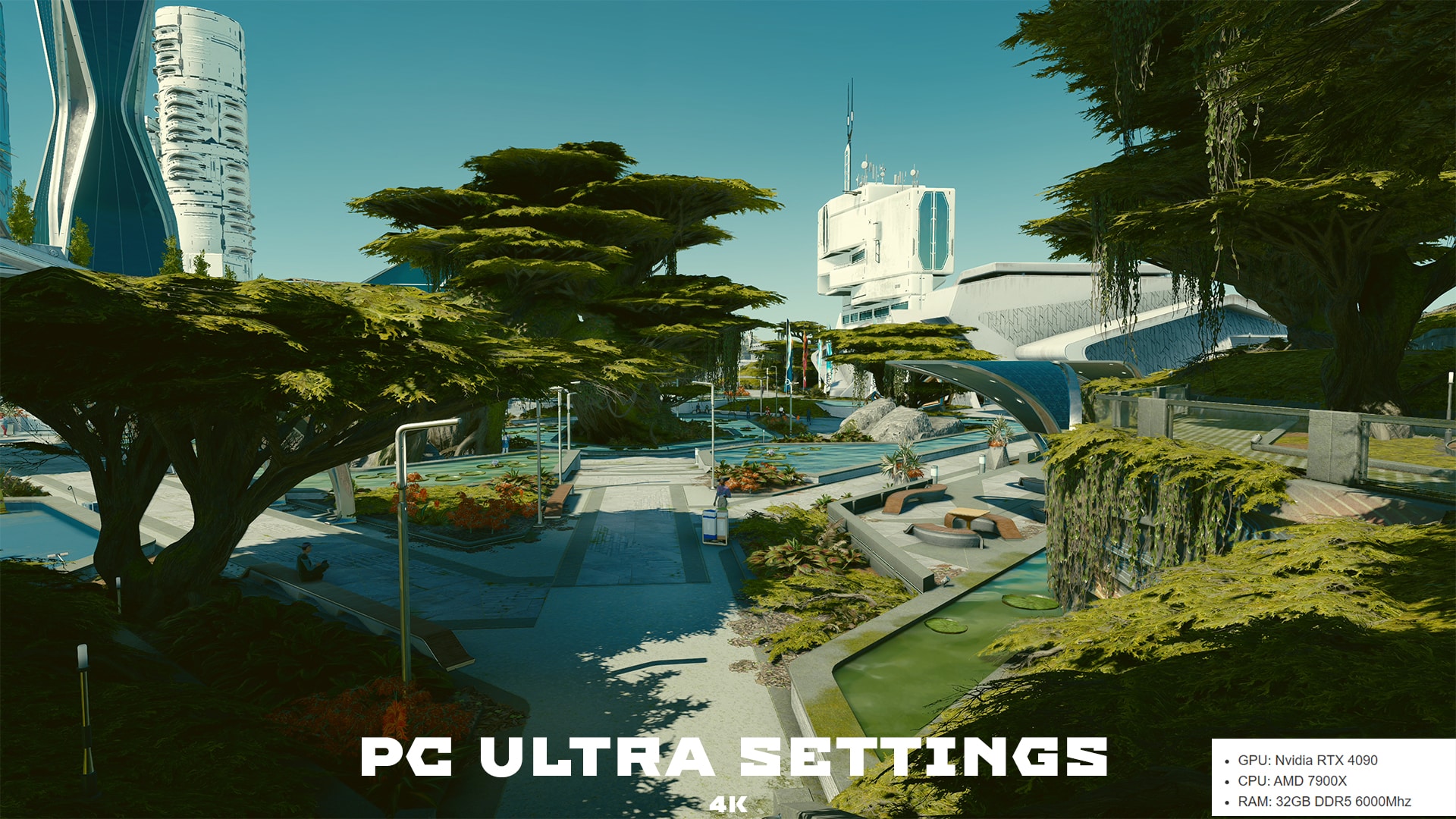
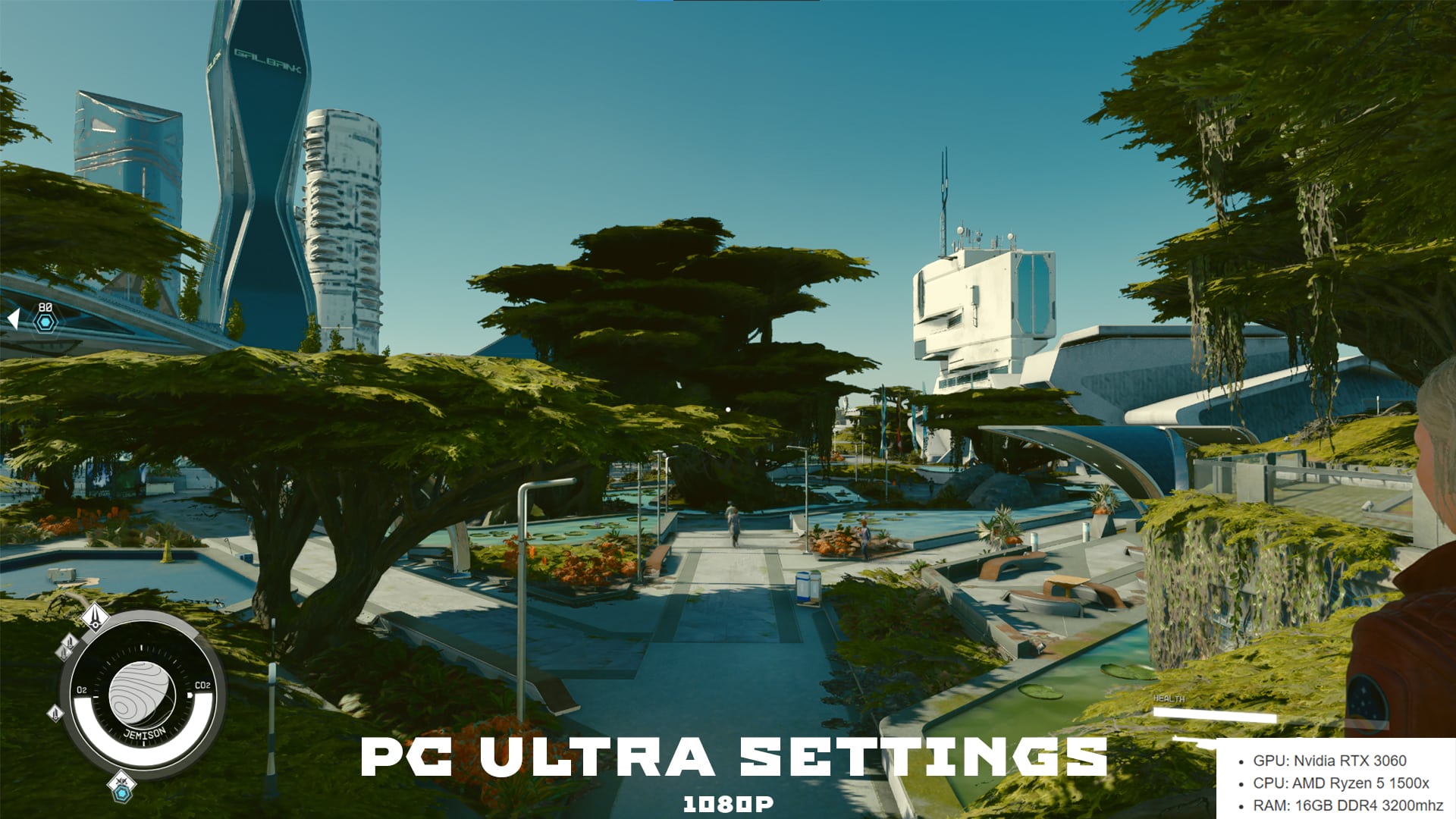
Best Display and Graphics Settings (PC) for Starfield – Ultra (Maxed Out)
Borderless Full Screen – On
Window Size – Match Your Monitor
Dynamic Resolution – On as it can help with performance, though if you want consistency, off.
Render Resolution Scale – 75% (default) seems to be the sweet spot. Any higher and performance takes a hit.
Graphics Preset – Ultra
Shadow Quality – Ultra
Indirect Lighting – Ultra
Reflections – High
Particle Quality – High
Volumetric Lighting – Ultra
Crowd Density – High
Motion Blur – Off, unless you like this or are playing on the Xbox Series consoles
GTAO Quality – Ultra
Grass Quality – Ultra
Contact Shadows – Ultra
VSync – On
Upscaling – FSR2 (On) – There have been reports of random crashes if you are using an AMD graphic card. Turing FSR2 off may fix those crashes.
DLSS2 – There is a mod available to replace FSR2 with DLSS2 support. Download here: Starfield DLSS2 Mod
XeSS – There is a mod available to replace FSR2 with XeSS support. Download here: Starfield XeSS Mod
Sharpening – 75% here also.
Enable VRS – On
Film Grain Intensity – 0%
Brightness and Gamma Levels – If you are looking for this option, there aren’t any, nor anything for HDR tuning. We aren’t sure why this option was committed, but we suspect it’ll be added in a patch for Starfield. Nvidia owners can use NVidia’s Game Filter (Alt + F3) to force adjustments of brightness and gamma levels.
FoV (Field of View) – added 9/1/23 – Like brightness and hammer, there is no option to change FoV in Starfield. However, there is a way to bypass as explained in this guide: How to Change FoV in Starfield.
There are no framerate options here, though we recommend going into your GPU control panel and locking it to whatever your monitor supports. 60 FPS will run smoothly on high-end PCs, though you can push 120 FPS if you have the hardware.
Those using high-end graphic cards such as the RTX 4000 series or the AMD 7900 series should be able to run the game at full 4K and everything on ultra. We recommend playing around with the FSR2 slider if you have any performance issues before dropping down some of the options, though if there are some, toy with shadows and reflections first. Then GTAO and crowd density. Not everyone will run smooth on their setup, but these ones are the big ones when it comes to performance issues. Lower them down one at a time, test it, rinse and repeat until something works.
The settings above are what I settled for on an RTX 4090 build with an AMD 7900X CPU. I didn’t notice any significant dips or graphical issues, though that may vary from user to user.
Best Display and Graphics Settings (PC) for Starfield – High
Borderless Full Screen – On
Window Size – Match Your Monitor
Dynamic Resolution – On as it can help with performance, though if you want to always render at a specific resolution, turn this off.
Render Resolution Scale – 75%-70% (default)
Graphics Preset – High
Shadow Quality – High
Indirect Lighting – High
Reflections – High
Particle Quality – High
Volumetric Lighting – High
Crowd Density – High
Motion Blur – Off, unless you like this or on the Xbox Series consoles
GTAO Quality – High
Grass Quality – High
Contact Shadows – High
VSync – On
Upscaling – FSR2 (On) – There have been reports of random crashes if you are using an AMD graphic card. Turing FSR2 off may fix those crashes.
DLSS2 – There is a mod available to replace FSR2 with DLSS2 support. Download here: Starfield DLSS2 Mod
XeSS – There is a mod available to replace FSR2 with XeSS support. Download here: Starfield XeSS Mod
Sharpening – 75%
Enable VRS – On
Film Grain Intensity – 0%
Brightness and Gamma Levels – If you are looking for this option, there aren’t any, nor anything for HDR tuning. We aren’t sure why this option was committed, but we suspect it’ll be added in a patch for Starfield. Nvidia owners can use NVidia’s Game Filter (Alt + F3) to force adjustments of brightness and gamma levels.
FoV (Field of View) – added 9/1/23 – Like brightness and hammer, there is no option to change FoV in Starfield. However, there is a way to bypass as explained in this guide: How to Change FoV in Starfield.
A 3080/3090 card with a good CPU that doesn’t bottleneck should be easy sailing under the high options if you want 60 FPS. However, for resolution, we recommend going for 1440P rather than 4K. 4K is still possible, but you should consider dropping some of these settings to medium to achieve optimal performance. Lower crowd density can help lower CPU usage, resulting in better frames.
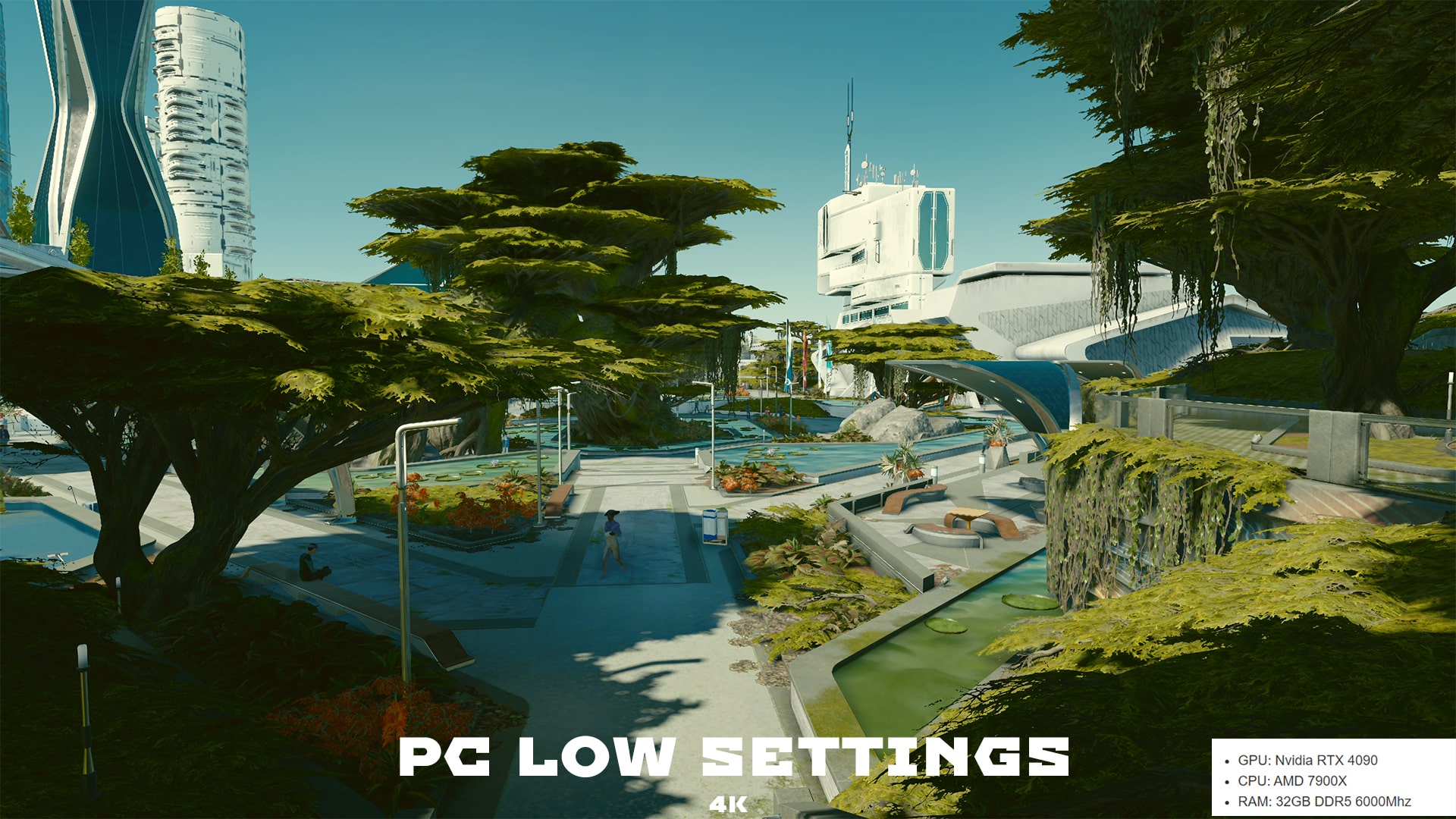
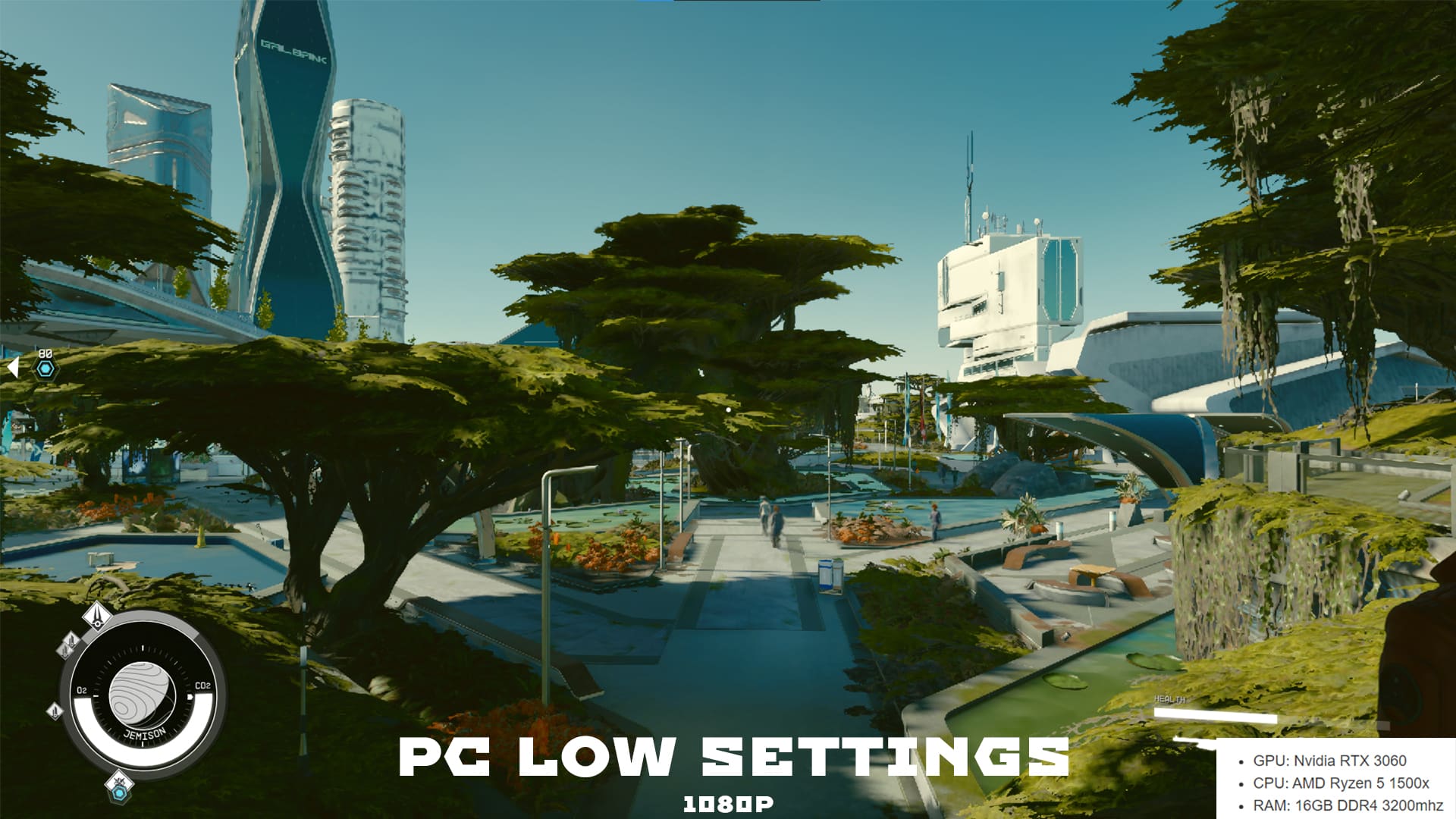
Best Display and Graphics Settings (PC) for Starfield – Low
Those meeting the minimum requirements or falling a little under will want to play this with everything set to low and at 1080P. The experience is very playable, though at the cost of visuals, but having FSR2 enabled does help (or doesn’t in some cases) with image sharpening. You can go higher in graphic options, but at that point, you may want to lock your performance to 30 FPS rather than 60 FPS.
Best Display and Graphics Settings (PC) for an Optimal Experience (Performance)
Dynamic Resolution: On
Render Resolution: 75%
Graphics Preset: Custom
Shadow Quality: Medium
Indirect Lighting: High
Reflections: Medium
Particle Quality: Low
Volumetric Lighting: Medium
Crowd Density: Low
Motion Blur: Off
GTAO Quality: Medium
Grass Quality: High
Contact Shadows: Medium
VSync: On
Upscaling: FSR2
Sharpening: 75%
Enable VRS: On
Depth of Field: On
These settings don’t shoot for the stars when it comes to visuals but are instead optimized for performance. With these settings, you should be able to get a big performance boost in Starfield while still having it look good without dropping everything to low.
More graphic options for other builds are coming soon…
Best Display and Graphics Settings (Steam Deck) for Starfield
For playing Starfield on the Steamdeck, you will want to start by turning everything low with film grain and motion blur set to zero. The Steam Deck doesn’t meet the minimum requirements to play Starfield, and while playable, you should expect some issues such as crashing, long-loading, and massive frame dips. Try this out and see how it performs. Afterwards, you can tweak the settings a bit more. These are the ones I use:
Dynamic Resolution: On
Render Resolution: BELOW 40%
Graphics Preset: Custom
Shadow Quality: Low
Indirect Lighting: Low
Reflections: Low
Particle Quality: Low
Volumetric Lighting: Low
Crowd Density: Low
Motion Blur: Low
GTAO Quality: Medium
Grass Quality: Low
Contact Shadows: Low
VSync: OFF
Upscaling: FSR2
Sharpening: 75%
Enable VRS: OFF
Depth of Field: On
On the Steam Deck itself:
Ensure you’ve updated the Steam Deck to the latest OS, which addresses some Starfield crash-related issues.
In the display settings of the Steam Deck, use these:
Refresh Rate: 60hz
Frame Rate Cap: 30fps
Make sure you are also running Proton Experimental. This should let you get past the black screen while botting Starfield on Steam Deck. Just tap the screen and it should get you into the main screen.
Best Display and Graphics Settings (Xbox) for Starfield
There are few options to tinker around here, so keep most of it default. Motion blur should remain on since the game runs at 30 FPS. Motion blur helps make it look smoother than it actually is, and turning it off completely could cause the impression of frame dipping.
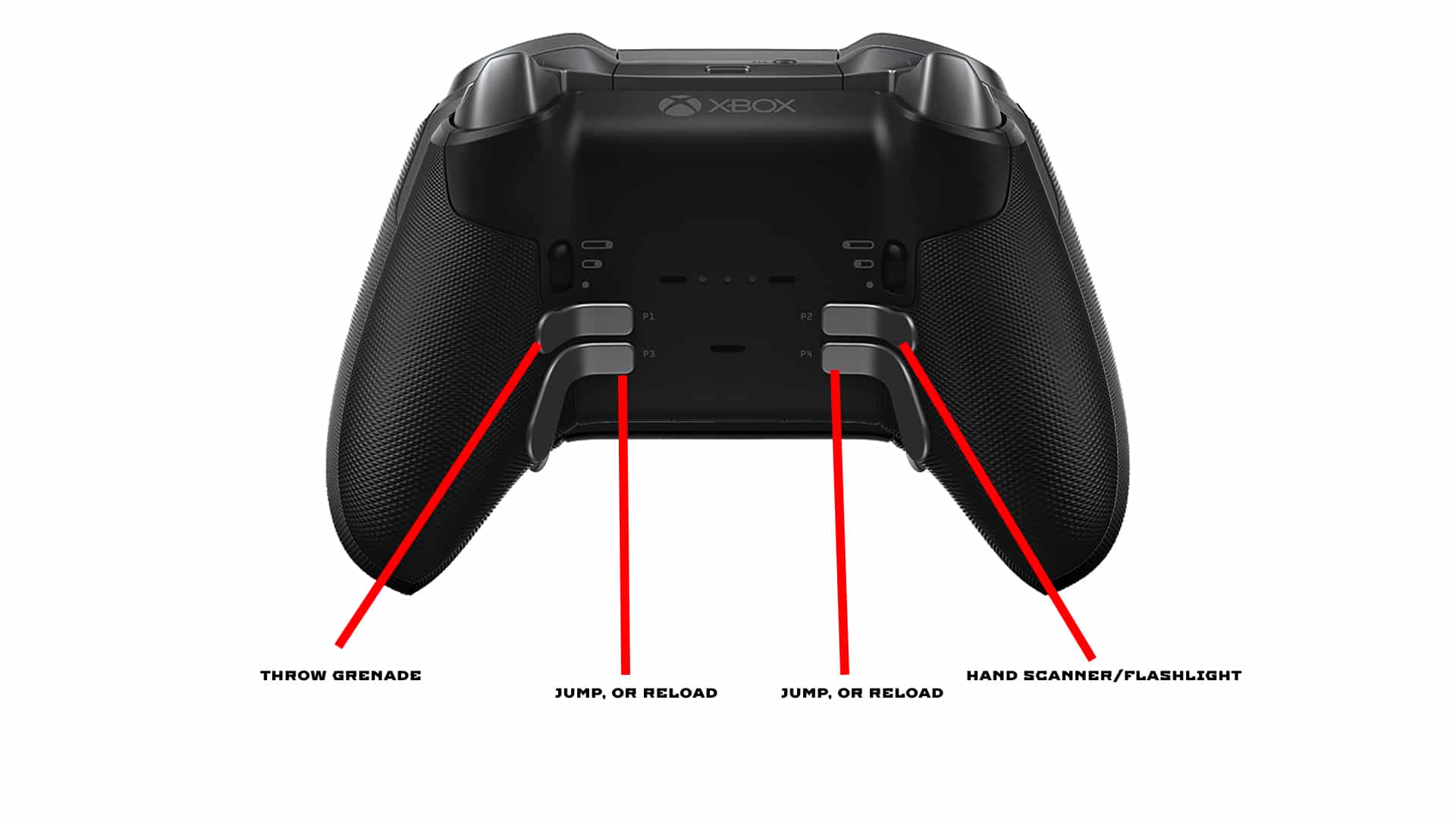
Starfield Xbox Elite Back Buttons Mapping
If you’re using an elite controller to play Starfield, the ideal setup will be the one where you won’t be moving your fingers off any buttons or sticks that often. Because Starfield has a lot of different mechanics, that’s almost impossible, but I did find the above configuration to work for the most part. You can jump without ever removing your thumb from the stick and reload. You can keep your fingers on the triggers, too, as the right and left bumpers are mapped to the top back buttons. This setup won’t be for everyone, so play around with it yourself, just make sure you’re optimizing the controller features as much as you can.
Starfield Best Interface Settings (All Platforms)
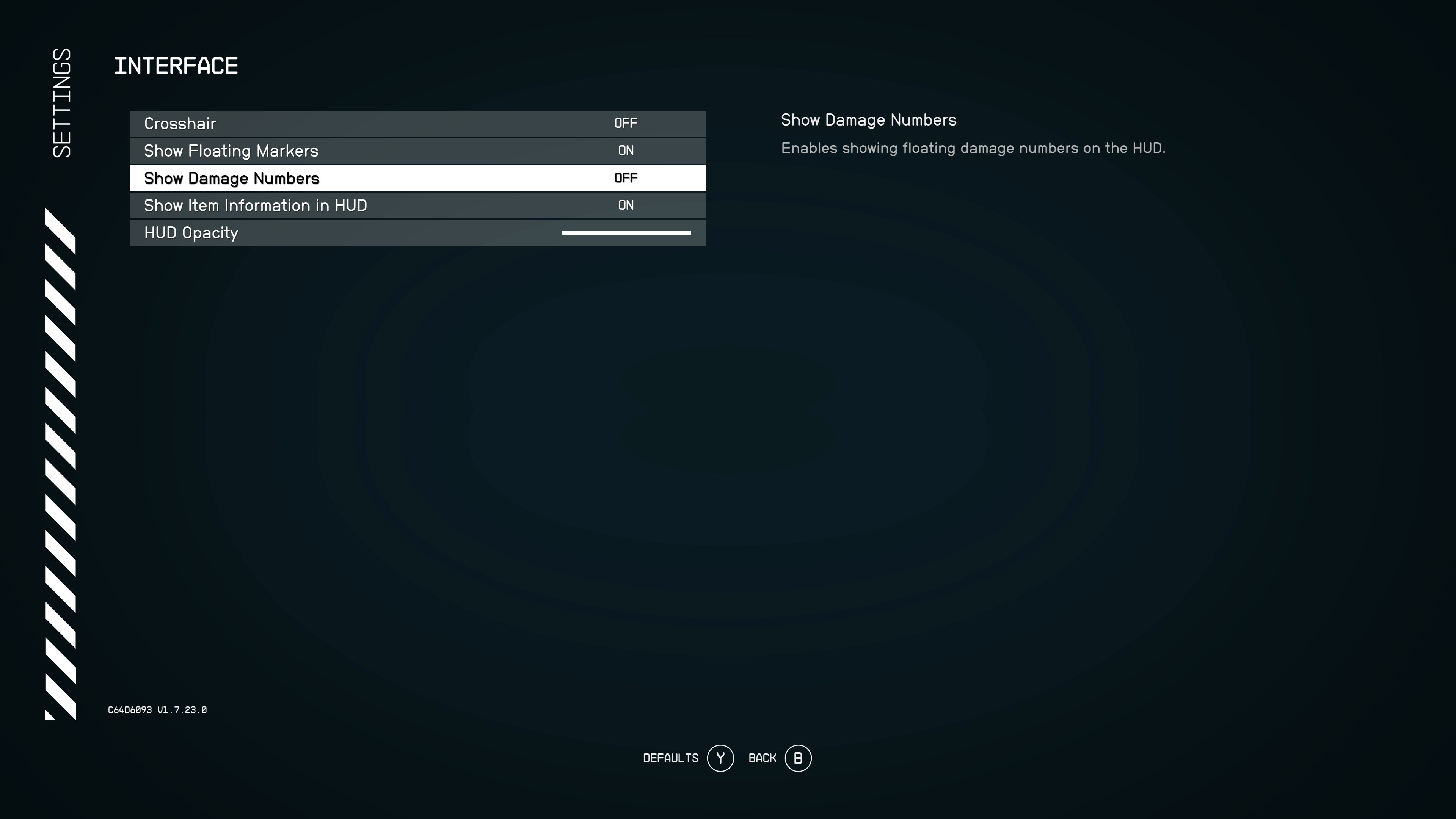
These can mostly stay the same, but you can turn everything off if you want the most immersive experience. Just be aware this includes objective waypoints, as they do not have their own option. The damage number is off by default, and unless you’re a content creator wanting to compare weapons and such, or just like numbers, we say keep it off.
Starfield Best Audio Settings (All Platforms)
Most options can stay the same here also, but we did notice that the music can, at times, drown out the dialogue, so you might want to turn that down and raise voices. I found 50% of the music volume to be perfect. It’s loud enough to hear clearly but low enough that all other audio comes in good.
Starfield Best Controls Settings (All Platforms)
The only thing I can recommend under this setting is to invert the flight controls. Everything else is user preference, though the crosshair option might be a big one for some.
Starfield Best Gameplay Settings (All Platforms)
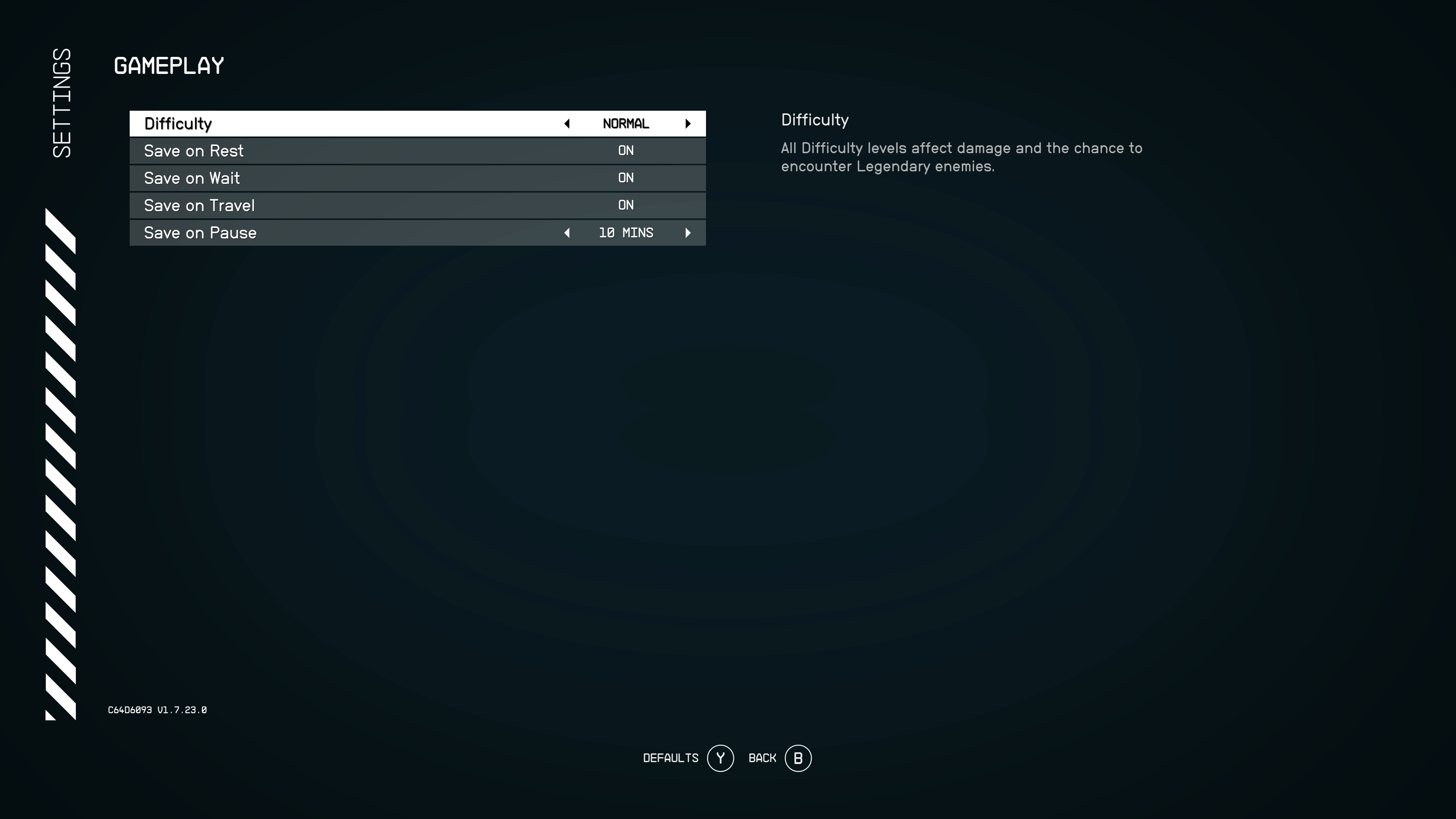
Ensure all these options are toggled on, as they will create autosaves in case anything breaks. It’ll come in handy when you need to load an earlier save that isn’t hours back.
Starfield Best Accessibility Settings (All Platforms)
Here, I made sure item rotation hold and drag was set to hold well and drag. The other option is to click, letting you rotate an item until you click again. I’m not a fan of that one, but it’s there if you want. All subtitle options are turned on, and for those who may find the text to be too small, there is a large font option here.
That’s it for Starfield, as there aren’t a lot of options to really play around with outside the ones listed above. We’ll be adding more build-specific settings shortly in case these ones don’t work for you, so stay-tuned!
A gamer at heart, James has been working for MP1st for the last decade to do exactly what he loves, writing about video games and having fun doing it. Growing up in the 90's gaming has been in his DNA since the days of NES. One day he hopes to develop his own game.
Double Eleven has launched Rust update 1.80 and this is for the game’s big Horsepocalypse content drop! This adds rideable horses, new safe zones and a lot more. Read on for everything new in the Rust August 31 patch notes.
Horse dung no longer spawns in the wild. Horses will produce it naturally.
Horse equipment like double saddles, horse armour, horse shoes and saddle bags.
Two new safe zones – the Ranch and Large Barn.
New monument layouts.
New default blueprint – The Hitch and Trough.
New NPC mission system.
Sharks can now be found in the water and they are hostile towards the players.
New weapon – The Speargun.
GAMEPLAY
Reduced the instances of the audio crash by deactivating certain game sounds. This will make sound crashes much less frequent and will help us determine what’s causing it. Your own footsteps sound is now disabled in the game, but all the other players will still be able to hear it.
Fixed a bug causing players to be able to surf on projectiles.
Fixed a bug causing sleeping players to take damage and become affected by status effects and environmental hazards.
Fixed a bug causing players’ Hunger and Thirst mechanics to rapidly deplete.
Starvation and Dehydration statuses now cause incremental damage correctly.
Fixed a bug causing Radiation damage to continue once the debuff has disappeared.
Fixed a bug causing FPS drops when hitting objects with bullets.
Fire effects no longer slow players in PvE.
The Produce Exchange vendor now sells Scrap.
HV Rockets now match the Steam version.
Changed Bolt Action and L96 rifle controls to match the Steam version.
Heavy scientists’ accuracy with M249 now matches the Steam version.
While gathering from the Scientist’s body, the yield of the bone fragments matches the Steam version.
Scientists’ projectiles now collide with sleeping players.
Scientists can no longer hit one another with friendly fire.
Scientists no longer disappear when killed.
Fixed a bug causing players to spawn at lakes or freshwater pools.
Fixed a glitch causing items to clip through junkpiles.
“Alive for” timer is now accurate.
Fixed a bug causing players to turn invisible when they die in safe zones and not wake up from sleep.
Players no longer ragdoll through items when killed.
We made improvements to alleviate the invalid shots issue.
Fixed an exploit with Wooden Ladders.
Chickens are now harvestable.
Fixed a bug causing players to clip through the floor instead of crouching when being climbed on by another player.
Fixed a bug causing the player to walk through trees and not harvest them.
Fixed a visual bug causing it to look like the player is drawing back a bow when swimming.
MONUMENTS
Improved load times for Monuments.
Improved build restriction at monuments.
Monuments are no longer generated in a way that would restrict the player being able to travel around them.
Fixed a bug causing players to get killed in Bandit Camp and Outpost without triggering aggro timer.
Fixed a bug causing players to teleport when auto-swimming in front of the Cargo Ship.
Ceiling lights and light switches in Check Point Building are now correctly placed.
The Airfield Tunnel now renders properly.
Fixed a bug causing part of the underground tunnel in Airfield to be misplaced on the terrain surface.
Fixed invisible train at Power Plant monument.
Fixed a bug causing Sewer Branch to not connect to terrain.
Rocks around the Sewer are more consistent and no longer block exits.
Fixed a bug causing crates to spawn stacked at the Trainyard.
Locked Crates no longer get stuck on the lamp post in Trainyard.
Bodies are now lootable in Trainyard.
Fixed a bug causing players to phase through the wall at Launch Site.
Fixed a visual issue causing a blinding haze around the Bandit Camp.
Fixed a bug causing bandits to all face the same direction at the Bandit Camp.
Fixed visual flicker in the gambling room when looking at the chair.
Fixed a bug causing players to be looted through the Blue Keycard room wall in the Water Treatment Plant.
Cargo Heli Drop now drops crates more evenly to monuments across the map.
Fixed a bug causing players to move erratically whilst standing on top of a moving conveyor belt in Quarry Monument.
Sheet metal at Quarries now no longer resembles wood at a distance.
The Hobo Barrel at the Outpost no longer floats.
Fixed a bug causing boxes found the the Tugboat in Small Harbor to clip.
Fixed visual issue with fire particles at Large Oil Rig.
Scientists are no longer able to walk through crates at Oil Rig.
Fixed a bug causing the Satellite Dish to become see-through.
WORLD
Burlap Headwrap now renders properly.
Fixed a bug causing players to be able to pass through, shoot, and build through cliffs.
Fixed a bug causing Heavy Scientists to lose their weapons when you die from them.
Scientists are no longer culled from the server after a certain amount of time has elapsed.
Fixed a bug causing Road Signs to disappear.
Road Signs no longer spawn in the middle of roads.
Fixed a bug causing barrels to spawn in the middle of the road.
Fixed a bug causing Scientists to kill you with multi shots.
Semi-automatic Rifle is no longer missing from the Supply Drop table.
Fixed a collision issue with Deployable/Door.
Fixed visual bugs on hostile animals when at a distance.
Fixed a bug causing nodes to spawn on unclimbable cliff terrain.
Fixed animations when throwing weapons.
Lanterns filled with fuel can no longer be picked up via the Radial Menu.
Fixed a bug causing terrain to be missing and grass to float.
Lights/Lamps now match the Steam version.
Fixed a visual flicker with trees causing them to appear invisible.
Fixed a bug causing players to be able to see through the Wood Door Frame.
Fixed a bug causing players to partially sink into the floor when sleeping.
Junkpiles no longer fade in and out when in close proximity.
Foliage now disappears when junkpiles are cleared.
Fixed a bug causing Code Locked Crates to spawn on the edge of platforms.
Fixed a bug causing the chest on the rowboat to disappear from a distance.
Fixed depth of field issues.
Fixed textures on various objects.
Torches now have visible fire particles.
ITEMS
Milk Commando skin no longer appears grey in darkness.
Fixed the 4x Scope, Flashlight, and Laser Sight so they are now visible when attached to weapons.
Fixed a bug causing weapon Laser Sights to be too bright.
The “Roof Triangle” now connects and has no gap.
Auto-turret now shows correct ammo count.
Oxygen levels now remain visible with a Diving Tank equipped.
UI
Fixed various missing languages in the UI menu.
Fixed multiple grammatical errors in HUDs and Info panels.
Pumpkin and Corn icons are now visible when planted.
The Mushroom icon now matches the Steam version.
Fixed a bug showing the wrong time on Map Screen.
Fixed a bug causing a softlock when switching tabs whilst viewing attachments of a holstered weapon.
Bait values are now shown for Berries.
Correct ammo count shown when the player is sleeping.
Berry outline now matches the model exactly.
Removed Christmas lights from Seasonal crafting Tab.
Fixed visual flicker and blur when in menus.
Tool-tips no longer persist after death.
OTHER CHANGES
Fixed a bug causing a softlock when selecting “Kill & Respawn”.
Fixed camera jitter that could occur when a player is wounded.
Controller disconnect and reconnect no longer causes softlock when accessing the Rust Coin page.
Fixed a bug causing the players selection cursor to move as unintended when accessing the Bradley APC crate.
Fixed a bug causing the “Controller Disconnected” window to disappear when dying while the controller is disconnected.
Fixed an issue that caused some players to be booted from servers when immediately loading in.
That’s about it. Once a new patch is released, we’ll let our readers know.
Developer FutureLab has released PowerWash Simulator update 1.07 (PS5 version 1.06) and this is for the Muckingham Files Chapter for patch 1.4! Read on for what’s new in the PowerWash Simulator August 31 patch notes.
We’ve been busy dishing the dirt on Muckingham’s latest mishaps on our socials and now the day has finally arrived for you to poke around for yourself.
As part of this update, you’ll find three filthy new jobs to tackle in the Bonus Jobs menu:
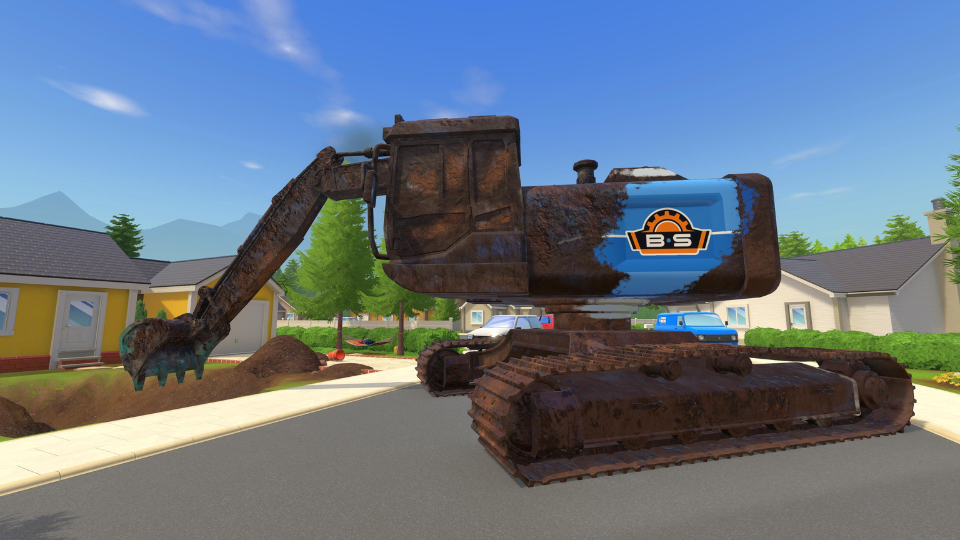
Clean The Excavator
Some hulking heavy machinery is blocking one of Muckingham’s picturesque picket-fence streets. Will you be the one to move it? Heck no. But will you clean it up? Heck yes.
Clean The Paintball Arena
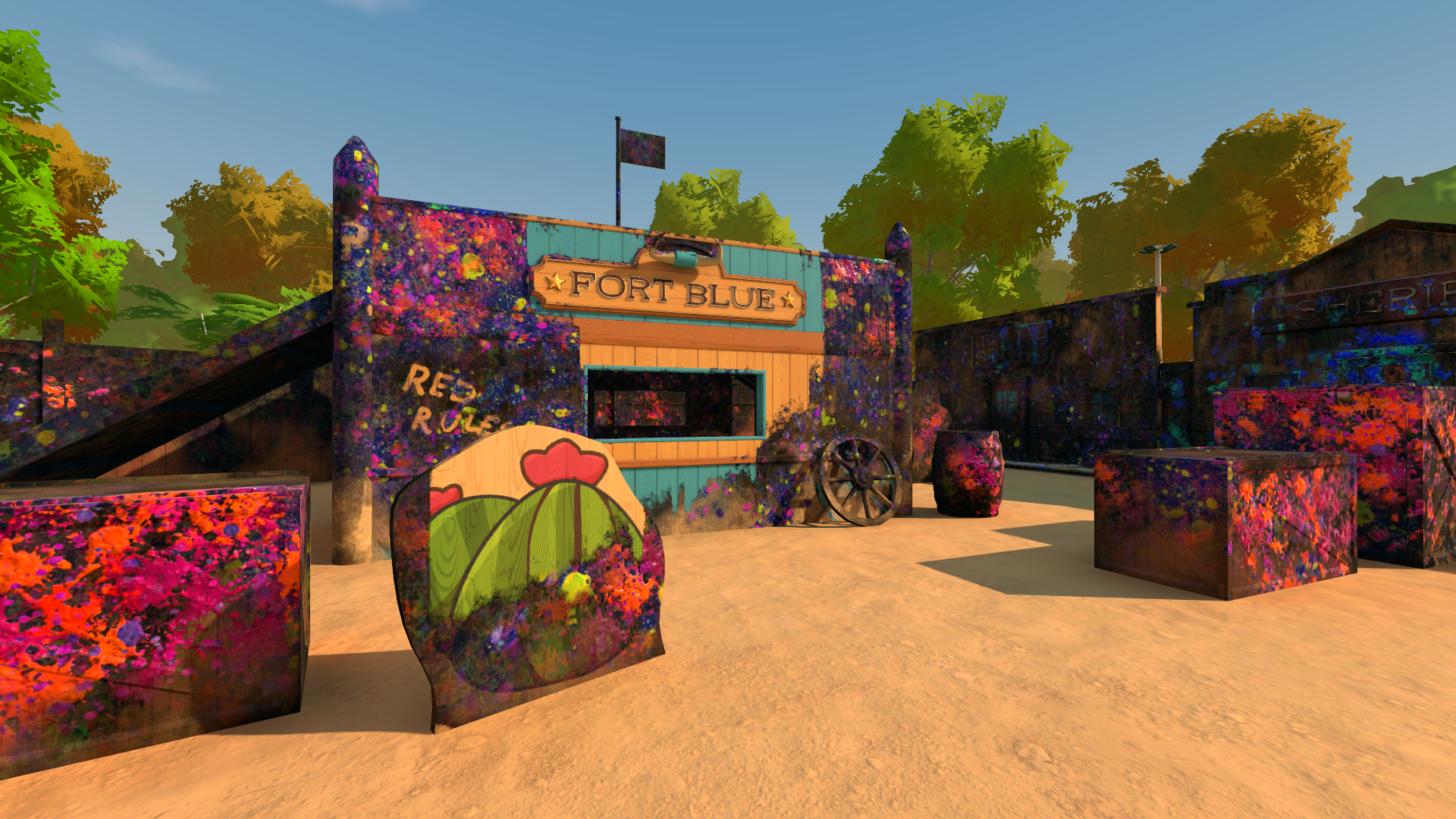
We’ve been dye-ing to create this level since it was suggested in one of the Community Map Votes! Get ready to un-splat an arena caked in years of brightly-coloured ballistics.
Clean The Spanish Villa
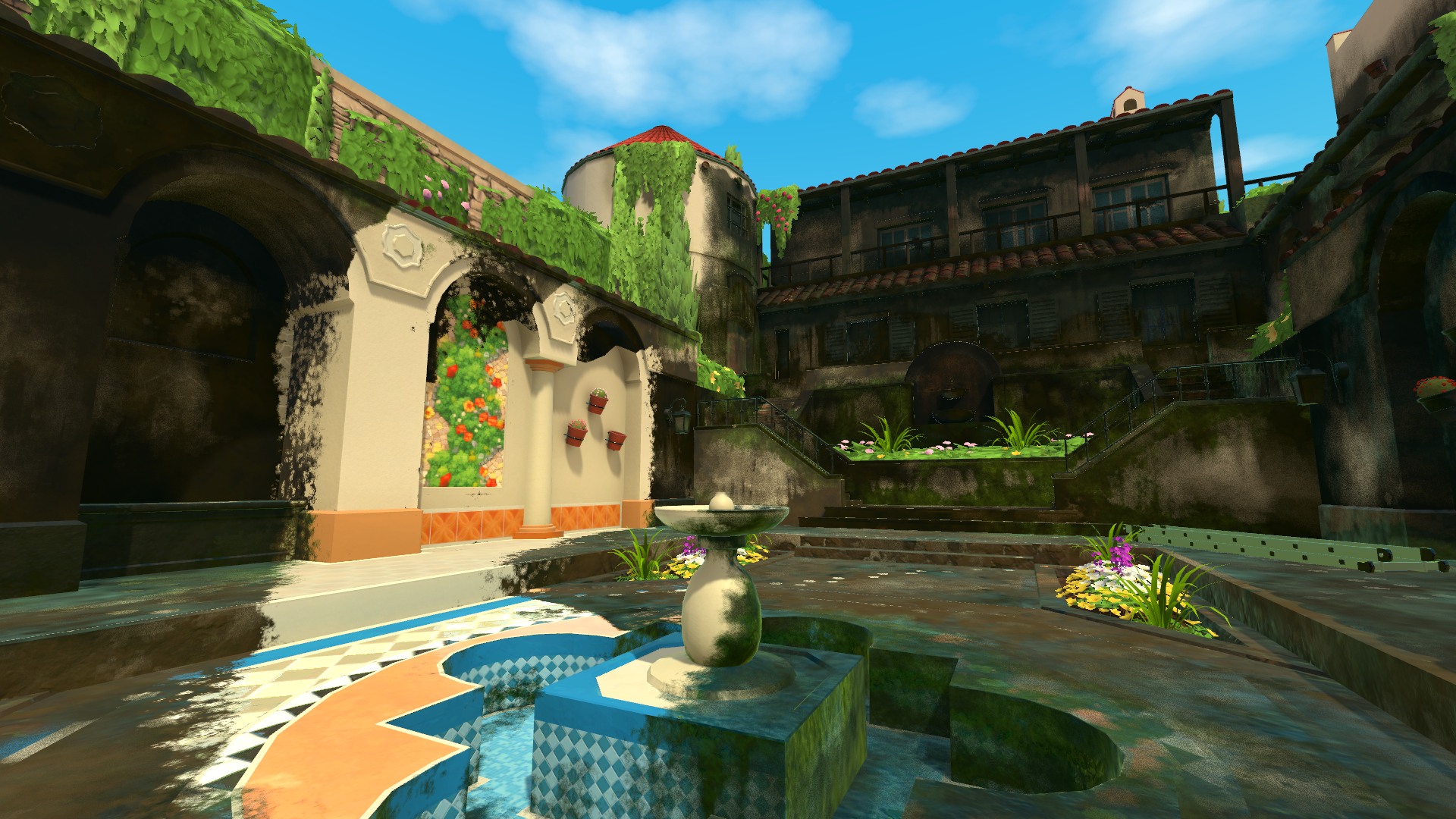
¡Vámonos! Unveil glorious mosaics and soak in the stunning lake-view at the home of one of Muckingham’s most eccentric residents.
Bug Fixes
Fixed Audio settings resetting when relaunching game.
Retrospective Achievement unlocks – Players should acquire previously achieved achievements upon updating build.
Fixed Bug when launching game without a Network Connection
Multiplayer Stability updates
Fixed Timelapse issues in the credits showing unclean jobs
Fixed issues preventing players from completing the tutorial when opening the Tablet.
Fixed Controller Vibrations not being produced when option is toggled “on”
Fixed Hard lock on Boot creating infinite load screen.
Fixed Hard Lock when entering Seventh Heaven
Fixed Accessibility equipment placement bug in SpongeBob Levels
Fixed missing Turbo Nozzle in some levels after being unlocked.
Fix for Entering Mars Rover, Gnome Fountain, or Minigolf before any other bonus jobs.
Friend Invite button being greyed out is now fixed.
Fixed invisible dirt in Lost Palace
Performance improvements whilst using the Trident nozzle
Save data stability updates
Localisation Updates
FAQ:
Is this a free update?
Yes! The Muckingham Files is a series of free updates to PowerWash Simulator that expands the original universe of the base game. (Note: you do need to own the base game of PowerWash Simulator.
How do I access the update?
Once you’ve downloaded the update, the new jobs will automatically be available to select from the Bonus Jobs menu.
Will there be achievements?
Sadly, not in this update!
Will there be more free updates in the future?
Yep! There are more free updates to PowerWash Simulator on the way as well as exciting collaborative paid Special Packs.
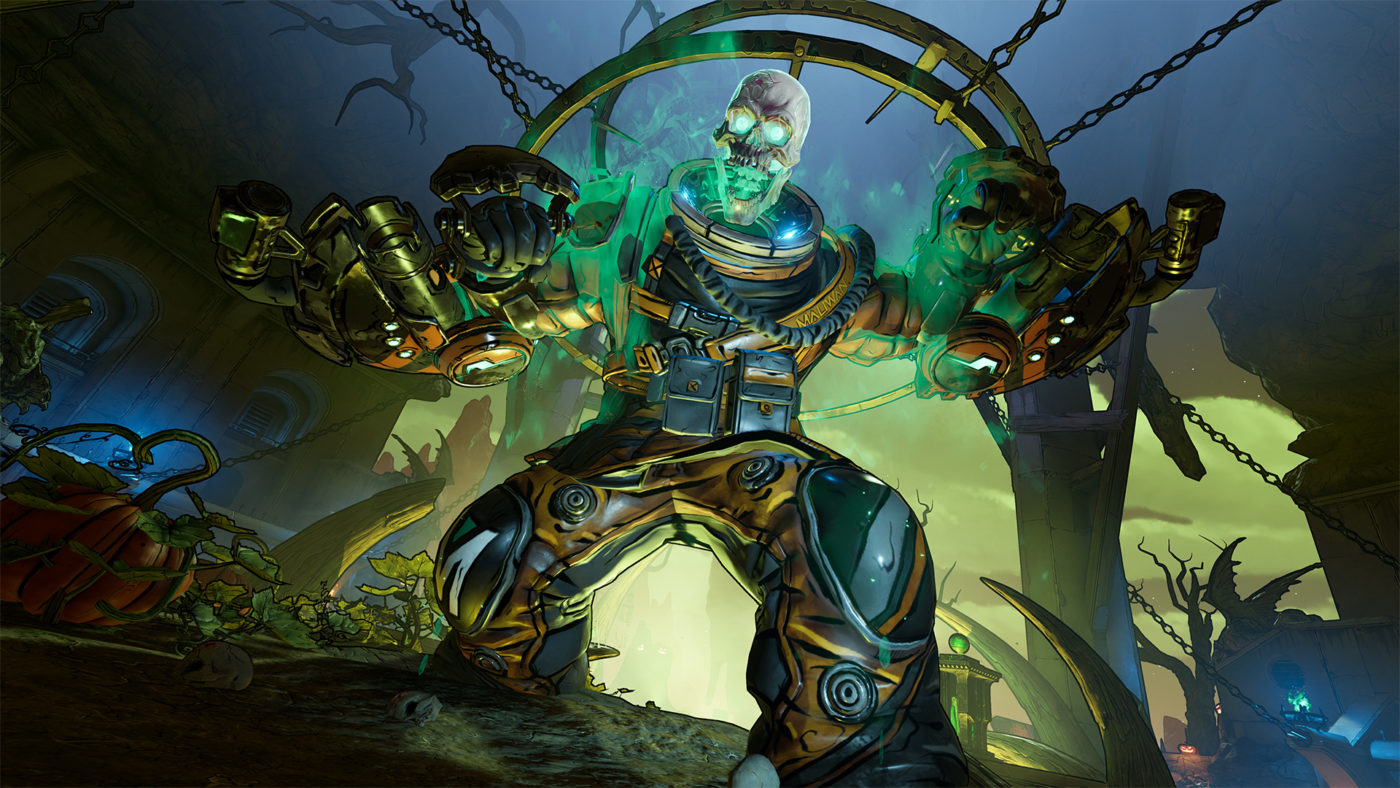
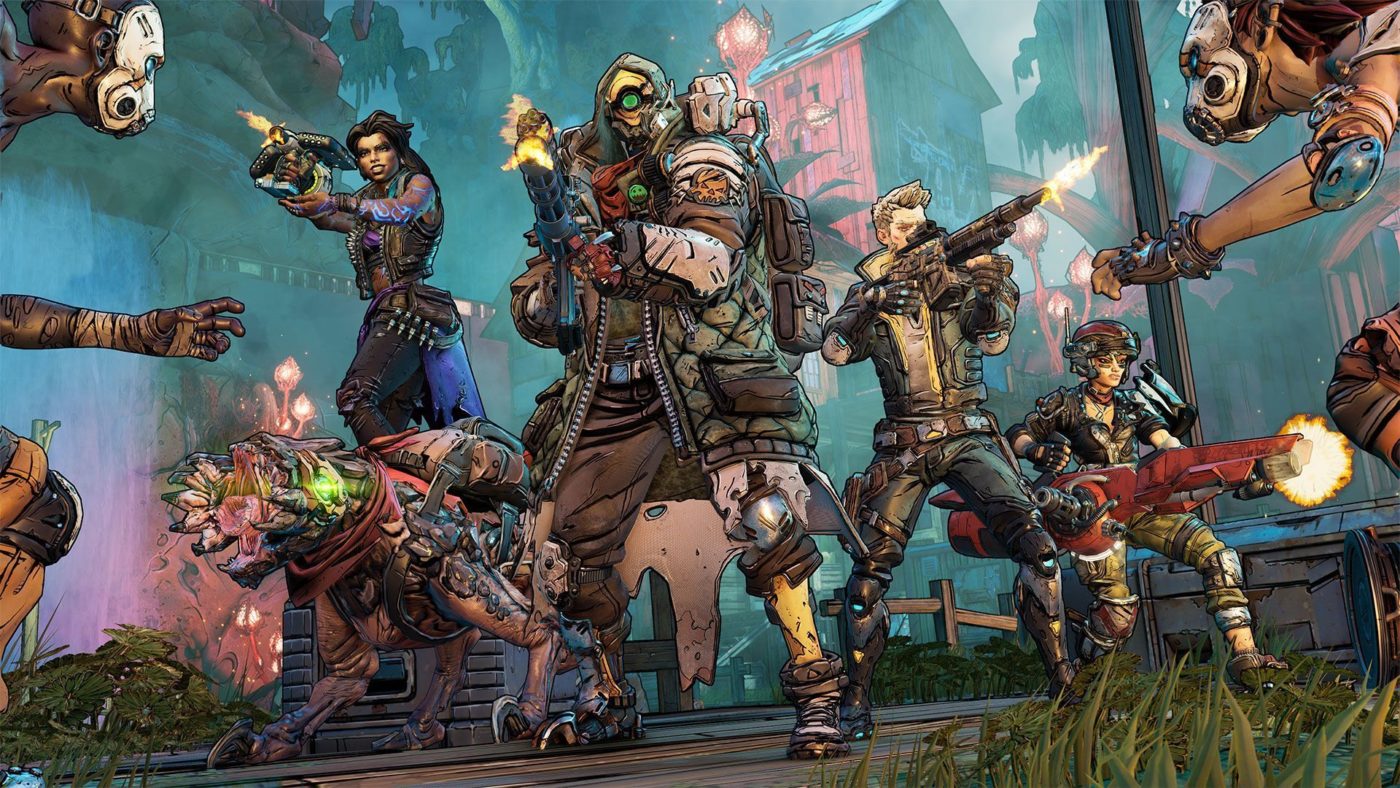
Gearbox Software has released Borderlands 3 update 1.921 on all platforms this August 31, and this adds new customization and cosmetic items to the game. Read up on what got added in the Borderlands 3 new update patch notes.
This update coincides with today’s announcement of the Borderlands Collection: Pandora’s Box which houses Borderlands: GoTY Edition, Borderlands 2, Borderlands: The Pre-Sequel, Tales from the Borderlands, Borderlands 3, New Tales from the Borderlands and all the games’ DLC, too!
Once the official patch notes are available, we’ll update the article, so stay tuned.
Update: Official patch notes have been released and we’ve updated the article with the info.
Borderlands 3 update 1.30 is out now on all platforms, and this is a surprise patch given the last one released was over a year ago back in August. Read on for what’s new in the Borderlands 3 August 31 patch notes.
This update coincides with today’s announcement of the Borderlands Collection: Pandora’s Box which houses Borderlands: GoTY Edition, Borderlands 2, Borderlands: The Pre-Sequel, Tales from the Borderlands, Borderlands 3, New Tales from the Borderlands and all the games’ DLC, too!
Once the official patch notes are available, we’ll update the article, so stay tuned.
Update: Official patch notes have been released and we’ve updated the article with the info.
We hate to be the bearer of bad news today, but here we are. Embracer, the parent company of Volition, has closed the studio’s doors! This has been announced today by the studio most famously known for crafting the Saints Row franchise and has been around for the past 30 years.
Here’s the complete letter by the studio which was shared on the official Volition website but oddly enough, not on its Twitter.
“The Volition team has proudly created world-class entertainment for fans around the globe for 30 years. We’ve been driven by a passion for our community and always worked to deliver joy, surprise, and delight.
“This past June, Embracer Group announced a restructuring program to strengthen Embracer and maintain its position as a leader in the video game industry. As part of that program, they evaluated strategic and operational goals and made the difficult decision to close Volition effective immediately.
“To help our team, we are working to provide job assistance and help smooth the transition for our Volition family members. We thank our customers and fans around the world for all the love and support over the years. You will always be in our hearts.”
– Volition Games
The latest (and last) Volition game was the Saints Row reboot, which was released last year. While ambitious, it did get bog down by a multitude of technical problems. You can read our review of it here. With today’s studio closure, it’s no wonder Volition said they are not doing any work on a Saints Row 1 or 2 remake.
This is sad news to hear, and we here at MP1st hope everyone at Volition lands on their feet.
BattleBit Remastered update 2.1.1 for August 31 has been released, and this adds community servers to the shooter and more! Read on for the complete patch notes.
BattleBit Remastered Update 2.1.1 Patch Notes:
Community Servers
For the past month, we’ve been developing a customization interface for community servers, starting from scratch.
What does it mean to you? (as a player)<
If you experienced cases where you wanted to play a specific gamemode, map or wanted the game to be slower/faster, maybe with a different ruleset, it’s your time to use the server browser for it’s intended purpose.
You can also find some community server posts in our Discord
If you are interested in hosting your own server with your own rules, we will open applications soon once again, check community-hosting.
This is our first true rollout of community servers, and you can expect more addtions, improvements, changes in the future as we develop this feature further.
v2.1.1 Patch Notes
Prestige will no longer reset weapon/gadget/vehicle kills, no longer required to re-unlock attachments.
Leaning spam has been nerfed.
Bandages wouldn’t sync when used in vehicle fixed.
To decide if players are in the safe zone or the dead zone, vehicle’s center will be used as reference point. This prevents the driver from staying safe zone while other players are in the danger zone (outside boundaries).
Domination tickets increased.
Anti Grenade Trophy moved to light gadget section from heavy gadget section.
Anti Grenade Trophy will no longer destroy friendly grenades.
Anti Grenade Trophy will give XP when destroys a grenade.
Destroying Anti Grenade Trophy/MDX will give XP.
News/updates will no longer showup unless changed.
Player will get attack/defend bonus + squad point when they are in flag regarless the flag is marked as target by captain in casual gamemode.
Server browser searching fixed.
Server browser additional filters fixed.
Server browser, server that has progression will have proper indicators.
Players will be no longer allowed to change squad while alive.
Gun game, a bug where player’s ammo would desync fixed.
[*]Old District, Old Eduardovo, Old Namak, Old OilDunes will be available for community servers.
(Depending on how we receive feedback on those maps, we are planning to return some of them to official map server’s rotation as well)
WEAPON ADJUSTMENTS
Misc
All snipers will give off stronger muzzle flash.
ASVAL/SVD/Groza/PP19/PP2000/SV98/AK15 will have access to OKP7 – 1P78 – PKAS scopes
FAMAS
Damage increased from 24 to 26.
SG550
Muzzle scale changed from 0.85 to 0.6
L86
Default sight is now (Red Dot)
Ultimax
Increase reload speed by 10%.
Reduce first shot kick from 2.0 to 1.5.
Reduce vertical recoil from 1.5 to 1.1.
Increase ads speed from 0.35 to 0.3
Increase run-speed from 0.9 to 0.925
As Val
Horizontal recoil lowered, from 1.9 to 1.2.
Accuracy increased, from 68.75 to 75.
Sound spread lowered, from 600 to 200.
Control lowered, from 0.86 to 0.8.
Reload time increased, from 3 seconds to 3.33 seconds.
Damage fall-off starting distance increased, from 20m to 40m.
Honey Badger
Damage lowered, from 32 to 28.
Vertical recoil lowered, from 1.5 to 1.25.
Horizontal recoil lowered, from 1.9 to 1.1.
Velocity lowered, from 440 to 400.
Accuracy increased, from 68.75 to 72.25.
Firerate increased, from 800 to 880.
Sound spread lowered, from 600 to 200.
Reload time lowered, from 4.17s to 3.79s.
Base magazine capacity increased, from 24 to 25.
Damage fall-off starting distance increased, from 20m to 40m.
G36C
Vertical recoil from 1.40 to 1.45
Horizontal recoil from 1.00 to 0.84
UMP45
Damage increased, from 25 to 28
Vertical recoil increased, from 0.9 to 1
Horizontal recoil increased, from 0.5 to 0.65
Velocity lowered, from 500 to 475
Damage fall-off START reduced, from 50m to 30m
PP2000
Increased damage, from 23 to 24
Reduced vertical recoil, from 1.2 to 1.1
Increased firerate, from 900 to 1000
Reduced ADS time, from 0.2s to 0.15s
Reduced damage fall-off starting distance, from 50m to 30m
MAPS
District – Added Frontline 64v64 and 32v32
District – Rush gamemode adjusted one of attacker spawn on objective to avoid spawncamp.
FFA (FreeForAll) gamemode added to District and Namak in 16p and 32p players sizes.
Experimental old Elimination gamemode 32v32 was added on Frugis, District, Lonovo, OilDunes, Salhan, Sandy Sunset, Tensa Town, Wine Paradise
Once a new patch is released, we’ll let our readers know.
Larian Studios has deployed the Baldur’s Gate 3 update for August 31, and this is for the big Patch 2 that not only brings in a host of fixes, but even a better ending for Karlach and more as promised. Read on for the complete BG3 update 2 patch notes below.
Note: Spoilers are unmarked so proceed at your own risk.
Withers has heard tales of Tavs, having requested the presence of their friends for an afternoon of adventuring, wanting to return to the lifestyle of a solo adventurer without their friends in tow. Therefore, he has come up with a solution. Introducing Withers’ Wardrobe of Wayward Friends! With this woodworked wonder, you can now dismiss co-op party members and bring your companions back into the fold. Withers’ solution only extends to custom Tavs, however – so no throwing Gale into a cupboard (although we’re sure it’s comfy in there).
As well as plenty of performance improvements and UI tweaks, we’ve added a new epilogue scene for Karlach, and are working on additional endgame scenes featuring other characters. Additional Karlach moments have also been added in Acts 1 and 2, allowing her to better reflect on her infernal engine and the options available to her.
HIGHLIGHTS
Features
Introducing Withers’ Wardrobe of Wayward Friends! You can now dismiss co-op party members from
your campaign.
Performance optimisations across the board.
Reduced the size of savegames.
Karlach
This patch brings an additional scene to conclude the ending in which Karlach decides to travel to Avernus.
If Karlach is in your party at the end of the game and the Blade of Avernus offers to go to the Hells with her, you can now decide whether to go with them, go alone with Karlach, or let them go by themselves.
Added new moments for companion and avatar Karlach to reflect on the state of her engine between acts.
Added a new moment for avatar Karlach to reflect on the possibility of her engine burning out after getting her second upgrade.
Blockers
Fixed potentially getting stuck in combat because a player character cannot be selected to end their turn.
Fixed an issue causing you to get stuck in dialogue with Angry Mar’hyah and Oyster Boy Dringo by the Sword Coast Couriers.
UI Improvements
Added a ‘Delete all but latest’ option for each campaign, so you can regain a little storage space wiggle room.
Added new icons for equipped items! It’s easier to tell if they’re equipped by the selected character, one of your characters, or another player’s character. (Who’s hoarding all the
interesting equipment?)
Added item rarity filters to the inventory.
Your Turn notification now lists which character’s turn it is.
The character summary on Level Up will now update to reflect changes in ability scores.
The Active Search list now persists after being opened and is more informative.
Action Radial now creates containers for spells created by other spells, making them easier to manage.
CRASHES AND BLOCKERS
Fixed an issue blocking saving.
Fixed a crash when finishing Character Creation.
Fixed a crash when generating loot that can’t be picked up.
Fixed a crash when switching between controller and keyboard while scrolling up and down the credits.
Fixed a crash when assigning an action to a slot in the radial menu.
Fixed a crash when loading a savegame.
Fixed a crash when selecting ‘Pick Up and Add to Wares’ on a multiselection that included a corpse.
Fixed potentially getting stuck in combat because a player character cannot be selected to end their turn.
Fixed an issue with picking up corpses within containers.
Putting a dead character in a container and then yeeting that container into a chasm will no longer permanently destroy the character – they will now float around as a resurrectable Soul Echo as expected.
You will no longer get stuck in dialogue if you disconnect during an active roll and then reconnect.
You’ll no longer get stuck or die beneath the platform at the Adamantine Forge if you go to camp, use the platform, and then return from camp.
Fixed an issue causing you to get stuck in dialogue with Angry Mar’hyah and Oyster Boy Dringo by the Sword Coast Couriers.
Fixed a crash on venturing forth while the passives tab is selected.
PERFORMANCE AND OPTIMISATION
Improved performance and made optimisations across the game.
Improved CPU load.
Made performance improvements related to controller movement.
Made optimisations for when moving around the world on controller.
Moved surface texture and decal creation to worker threads.
Moved loading shroud textures to worker threads.
When AI can use a nearby AI hint, limit AI flooding.
Improved minimap performance.
Optimised the controller map by removing some duplicate items.
Reduced the size of savegames.
Made changes to make loading savegames made in older patch versions significantly faster. These changes will continue to make loading old savegames speedier in any patches and hotfixes to come.
Removed some unnecessary calls for the hotbar to update to improve on stuttering.
Slightly delayed when tooltips pop up when hovering over things like actions, items, and spells. This prevents the game from unnecessarily loading and unloading tooltips. The delay is now set to 200 milliseconds. Still reactive, more performant.
Made optimisations for selectable elements on controller.
Removed an irrelevant sound analytics event for optimisation.
Fixed a memory leak when opening the inventory with a controller connected.
Fixed a memory leak when streaming textures.
Wrote velocity vectors to help with overall visual quality (e.g. when using TAA, to reducing visual aliasing).
UI
Hotbar and HUD
Made the hotbar icons for the number of unlocked and available Spell Slots you have more intuitive.
Fixed hotbar sliders disappearing when changing the selected character while sliding them.
Fixed the portraits of summons not fitting in their frames in the Party Line.
Inventory
Improved the Light Source tooltip to clarify the purpose of the slot.
Removed duplicate ‘close’ prompts when the equipment slot pop-up is open. We got it the first time, thanks.
Tweaked the layout for equipment slots in the Character Sheet on splitscreen.
If you’re carrying a character in your inventory and the weight of that character’s inventory changes, that character’s weight will now update too.
Combat
Fixed portraits in the Turn Order UI sometimes disappearing under certain conditions.
Fixed the Combat Log not always showing attack damage rolls after loading a savegame.
Fixed advantage and disadvantage indicators sometimes showing up in the Active Roll UI in dialogue even if you didn’t have any available.
The Combat Log will now have entries for all items looted from corpses.
Fixed the health bar animation.
Fixed the Unbreakable Will of the Netherbrain missing its portrait and character model in its Examine panel.
Fixed the Saving Throw overhead icon appearing over very-much-dead characters.
Fixed Attack Roll bonuses sometimes being duplicated as penalties beneath the Turn Order UI in combat.
Added information to reaction tooltips about whether the reaction is enabled and whether it’s set to ask you before triggering or not. Also made sure the resource type (‘Reaction’) appears at the bottom of the tooltips.
The ‘Ask’ icon for reactions will now only be editable when a reaction is enabled.
Spells
Fixed the Learn More Spells button opening the window for the currently selected character instead of the character whose Character Sheet you clicked it on.
Fixed hardcoded text saying ‘Manage powers’ so that it can be translated.
Journal
If there were lots of speakers in a dialogue, the list of their names will no longer be cut off in the Dialogue History UI.
Quest categories and entries in the Journal will now remember whether you’ve expanded or collapsed them.
Trading
Added a mouse-over label to the Balance Offer button in the Barter UI for clarity.
Tooltips
Fixed conditions on nested tooltips not showing on pinned tooltips.
Added Agonising Blast’s Charisma modifier bonus to the damage on the Eldritch Blast tooltip.
Saves
Added the difficulty setting to the savegame information.
Savegames will now save under your character’s name even if you’re polymorphed. No more savegames called ‘Sheep’… unless, of course, that’s your character’s name.
Updated text to fit a button in the Load/Save window.
Options
Organised the Keybinds menu into categories to make it more user-friendly.
Reordered and reworked the Options menus to make them more intuitive.
The Options menu now closes when you enter a dialogue while it’s open.
Fixed the Reset Tutorials button in the Options menu not working as expected.
Character Creation, Level Up
You can skip the Level Up animation.
Fixed the class icon overlapping the Level Up banner.
Fixed the Level Up UI sometimes disappearing when levelling up.
Miscellaneous
Fixed an issue causing the UI to disappear after speaking to Blurg.
Made sure some non-player-facing conditions and passives don’t rear their heads.
Made the context menu animation snappier and tweaked the background for a brighter, neater appearance.
Brightened up the tutorial pop-ups and improved the alignment.
Fixed the Change Difficulty screen fading a little too late and appearing briefly on the Main Menu.
Fixed overlapping text for bonus names in the Active Roll UI.
Fixed some text being cut off in the Alchemy UI for translated languages.
Fixed the ping action prompt saying ’empty’ when targeting containers.
CONTROLLER
Radials
The shortcut menu and character selection are now accessible from the Action Radial menu.
Added Fast Travel to the character radial menu.
Added shortcut prompts to the Jump and Hide actions on the Action Radial menu.
Added a short delay to stick input after selecting an Action in the radial menus to avoid accidentally selecting something immediately after that or moving the camera.
Limited the maximum number of radial menus.
Fixed ritual spells not being marked as such on the Action Radial menu. We promise, they don’t cost a spell slot!
Fixed tooltips showing up in the Action Radial menu even if you have nothing selected.
Added additional error messages for the radial menus.
Added more detailed warning messages on controller to indicate why you can’t perform a certain spell or action.
Spell variants will now be placed at the top of the Action Radial menu instead of in the next available free slot, making it more consistent and user-friendly.
Added a missing icon for Heal in the radial menu.
Character Sheet
Made several improvements to the Character Sheet, for example by adding zoom capability; updating the style of lists, the XP bar, and equipment slots; and adding an indicator for the
character’s main Ability.
Fixed the Light Source menu not filtering light sources properly.
Added a brief description of what reactions are.
Fixed the abbreviations for Abilities not fitting properly in Russian.
Fixed some clipping and overlapping in the Character Sheet.
Moved the Consume action to the context menu and restored the Equip action as the default in the inventory panel.
Fixed the prompt to toggle tooltips showing in the Character Sheet filters, and fixed the background of the slots increasing if the text on them is long.
Fixed Character Sheet navigation issues when using filters.
Equipping an item via the equipment slot pop-up in the Character Sheet will no longer close the pop-up immediately.
Repositioned tooltips slightly when checking equipment slots.
Fixed some missing tooltips in the Character Sheet.
World Interaction
Added information about the state of containers (e.g. if they’re empty) to the Active Search menu.
Fixed a small issue in cursor error messages.
Fixed the ping action not exiting the ping state on Left Stick Press.
Fixed the Examine panel on objects or characters with multiple resistances not scrolling properly.
Made it possible to select and inspect more items in the Examine panel, like item descriptions and conditions.
Fixed some portraits missing in the Examine panel and polished the selector.
Fixed the context menu not being navigable using the D-pad.
HUD
Fixed issues with overlapping text and UI fading in the Party Line and the Resource Bar.
Fixed an issue preventing you from grouping or splitting summons when you only have one party member available.
Removed arrow icons from D-pad button prompts.
Updated button prompts and made them look consistent.
Added a background image for Luck Points to match the other resources.
Fixed the Long Rest button prompts falling off the edge of the screen or overlapping other button prompts, particularly in translated languages.
Fixed the button prompts overlapping the Resource Bar in Turn-Based Mode.
Cleaned up button prompts at the bottom of the screen to make them more consistent.
Made improvements to the action resource bar, such as position and colour changes. Also reworked the movement indicator to account for larger numbers, and increased icon width to avoid stretching.
Spells
Fixed not being able to cast a spell with variants from a spell scroll.
Fixed some overflowing text in the Spellbook for translated languages.
Tweaked the appearance of default spells in the Prepared Spells section of the Spellbook so they don’t look inaccessible.
Added more information to the Spellbook about when
Combat
Made it more obvious if you’re low on health at the start of your turn in combat.
Fixed not being able to attack stalactites with ranged spells.
Tweaked the Reactions UI.
Added surface information to the cursor on controller, rearranged some of the cursor target details, added a new overlay for surfaces when D-pad is pressed down, and added the Actions prompt in combat.
Improved readability in the Combat Log by reducing empty space and tightening up the list.
Made reactions that are turned off still readable and gave them a greyed out icon.
Tooltips
Adjusted some margins and sizes in tooltips to avoid issues like damage text getting cut off.
Improved the tooltips: added new icons; tidied them up with new font sizes and placement; fixed the Inspect prompt; added the right colour and icon for the Equipped line; and added a new frame, footer, and header style.
Tooltip prompts now show if they’re enabled or not.
Tweaked the placement of tooltips for open containers.
Fixed tooltips showing up in dialogue while the dialogue options are still hidden.
Fixed the width of pinned tooltips changing when selected.
Trading
Pressing your cancel button will now close the filter pop-up in the Trade UI.
Fixed the trade button prompts overlapping the split item button prompts.
Fixed the trader attitude not showing up in the Trade window.
Character Creation, Level Up
You can now rotate and zoom in and out on your character in Character Creation when you’re choosing a name.
You can now access multiplayer settings during Character Creation as well.
Fixed scrolling with controller in the Prepare Spells section of Level Up.
Fixed characters in Character Creation sometimes getting obscured by tooltips on controller.
Added a grid icon and button prompt on Character Creation options that open up a grid for selection (like when choosing colours) on controller.
On splitscreen, if one player is watching an Origin character’s introduction and another is zooming in and out and spinning their character around in Character Creation, that second person’s button prompts will no longer affect the Origin character’s introduction.
Spell tooltips in Character Creation will now always show up in the same horizontal alignment.
Fixed the alignment of chevrons in the Character Creator.
Miscellaneous
Fixed the Enter Invite Code textbox for Direct Connect getting cleared when you deselect it.
Made general visual improvements to the controller UI.
Fixed scrolling and cropped text in the Journal.
Added information about how long you need to press-and-hold.
Fixed some issues with navigating the Dialogue History UI.
Updated the layout of the Save/Load window, added in-game locations for quicksaves and autosaves, and made it possible to see longer savegame names.
Adjusted line heights in the multiplayer lobby and Options menus to save space and reduce the need to scroll.
MULTIPLAYER UI
Fixed secondary local players not having quest, location, and secret map markers unlocked until saving or loading.
Fixed some host error messages appearing on client screens.
Dialogue interface settings (such as font size) will now be applied to both players in splitscreen.
Enabled the Combat Feed on splitscreen.
Fixed some of the UI getting cut off on splitscreen when a player is in the multiplayer settings.
Fixed tooltips overlapping the party line on splitscreen.
Fixed button prompts being mirrored when connecting a secondary local player.
Fixed an empty notification when another player starts their turn in splitscreen.
Fixed multiselection for containers in splitscreen.
Fixed splitscreen not hiding when a fullscreen UI (like the Save window) is opened, causing you to see things like tooltips in the fullscreen UI.
Fixed the alignment of the Turn Order UI in split screen, when two players are in different combats at the same time.
GAMEPLAY
If you dismiss your companion to camp and shove them into a chasm, Withers will now be able to resurrect them… so you can shove them into a chasm again, probably.
Clicking a party member’s portrait on the map or minimap will now select that character and focus on them.
Fixed client–server inconsistencies for Attack of Opportunity, causing the client to incorrectly indicate that an entity will react to you even if it can’t (e.g. if it’s Prone or Unconscious).
Fixed characters’ Soul Echoes sometimes teleporting away from where the character died.
Fixed projectiles not waiting for items to leave inventories.
Fixed the ‘Hide during dialogues’ option for helmets sometimes causing your character to lose their hair after a dialogue.
The portal to the House of Hope will no longer decide to become invisible.
Fixed complex idle animations sometimes not starting.
Falling items will now leave Turn-Based Mode and then re-enter after falling to fix them remaining suspended in the air.
Removed the examine option from some objects that shouldn’t be examinable.
Fixed knocked-down entities always playing their knocked-down animation when loaded into frame.
Fixed the Falling damage number preview when preparing to Jump not always matching how much damage will actually be dealt.
Fixed edge panning not working correctly when the camera is locked on a party member.
Fixed reactions not always triggering if you Sneak and then cast Silence, or when using Astarion’s Vampire Bite action.
Active Search: the starting search radius is increased, the camera moves to the selected item, and you now get a button hint for Active Search after every combat until Level 3.
The tutorial pop-up for trapped items won’t trigger anymore when coming near certain destroyed traps.
Fixed the option to pickpocket your companions sometimes disappearing in single player.
Prevented you from being able to multiselect and then drop other players’ items.
Fixed not being able to split item stacks outside of your turn.
Fixed not being able to enter Turn-Based Mode with a Downed character.
Fixed items briefly appearing beneath your feet when you pick them up.
Fixed being able to see characters turn towards you briefly before a dialogue starts.
Fixed the lava VFX disappearing if you load a game that was saved during the combat with Grym.
COMBAT AND BALANCE
Fixed an issue with auras causing NPCs to make inefficient choices like running towards you to Shove you, then running away again to make a ranged attack.
Fixed Ansur’s Stormheart Nova blasting right through the ice shields you can hide behind.
Aggressive beasts now enter combat instead of fleeing when attacked from afar. Additionally, when you attack an NPC from afar out of combat, they’re now more likely to sprint up to you (instead of getting stuck).
Fixed your resources not getting restored on your next turn if you join a combat late.
Viconia is no longer too stubborn to die. She will now go down at 0 HP or when knocked out.
The timer in the Chamber of Courage will now reflect the correct number of turns remaining.
Fixed certain spells not taking into account inherited conditions.
Updated the grace period for joining a combat late to be at the end of world items’ turn in the 1st round.
FLOW AND SCRIPTING
Fixed Silenced characters sometimes not being able to start story-critical dialogues, like with other party members or bosses at the end of a combat.
Fixed an issue causing party members to be Silenced after every dialogue.
If you break your oath as a paladin, the Oathbreaker Knight will now come back to your camp in later acts, despite how much you may have scandalised him.
Fixed companions sometimes not saying anything during dialogues where they are supposed to make comments.
Fixed an issue where only the character who accepted the quest from Lucretious to find Dribbles could talk to her after doing so.
Fixed Gale not reacting to you having The Annals of Karsus.
Fixed Gale’s dialogue force-closing when offering him The Annals of Karsus.
Fixed Gale’s romance scene not triggering in Act I.
Fixed Gale commenting on a deal with Raphael before it’s made.
If Orin’s abductee gets killed on the altar before they’re rescued in gameplay, they will now remain dead.
Kerri will no longer get stuck in the Atelier if the dialogue didn’t trigger after the portrait was destroyed.
Fixed enemies sometimes spawning outside of the Atelier at the Jannath Estate when hitting the portrait.
Prisoners rescued from Moonrise Towers that take the boat with you will no longer attempt to arrest you for trespassing upon arriving at Last Light.
Fixed a bug causing Astarion to be permanently knocked out by the vampire spawn during a camp night and disappearing after a Long Rest.
Fixed a bug where Gortash had a dialogue bubble over him after being knocked out, but clicking on him wouldn’t result in a dialogue – the bubble is no longer present and you can now loot him after knocking him out.
Fixed a bug where Ravengard would disappear from the camp after Mizora resurrected him.
Dark Urge players turning into the Slayer during dialogue will now have the appropriate level of the Slayer form during the duel with Orin.
CHARACTER CREATION AND LEVEL UP
You can skip the Level Up animation.
Fixed characters in Character Creation sometimes getting obscured by tooltips on controller.
Spell tooltips in Character Creation will now always show up in the same horizontal alignment.
Fixed the class icon overlapping the Level Up banner.
Added a grid icon and button prompt on Character Creation options that open up a grid for selection (like when choosing colours) on controller.
On splitscreen, if one player is watching an Origin character’s introduction and another is zooming in and out and spinning their character around in Character Creation, that second person’s button prompts will no longer affect the Origin character’s introduction.
The character summary on Level Up will now update to reflect changes in ability scores.
Fixed the alignment of chevrons in the Character Creator.
LEVEL DESIGN AND MAP
Fixed some artefacts appearing at the bottom right of the screen due to fog of war.
Fixed the map shroud not working correctly in one area of the Goblin Camp.
Fixed a bug preventing you from walking on certain items, like the fireplace in the Teahouse.
STEAM DECK
Reworked our system for default video options so that values are defined per platform. For example, the Steam Deck will now default to 16:9.
Settings now default to auto-rotate camera with speed set to max. This works better for a snappy handheld experience.
CINEMATICS
Cleaned up some mocap in dialogues across the game.
Fixed healing numbers appearing in the cinematic dialogue when you press the button in the Dank Crypt.
When taking the final Netherstone from Orin, dead Gortash is no longer floating in the air.
Fixed your head clipping into Wyll’s as you kiss on the ground.
OTHER
Fixed several text issues, like typos.
Whew! That’s one heck of a patch, no? Once we spot a new one or any relevant Baldur’s Gate 3 news, we’ll be sure to let our readers know.
It’s been 16 long years since Bethesda released an original IP, and today, we’re finally getting to venture into their most significant and most ambitious title yet and that’s Starfield. There’s a lot of controversy surrounding the title given not only its scope, but with Microsoft’s acquisition of Bethesda and how the game was flipped to be an Xbox console exclusive, there’s a lot riding on the game to be Microsoft’s first legitimate system-seller exclusive on the Xbox Series X|S.
The big question now here is: does it deliver? In a word, it’s a simple yes, but not without certain caveats.
Adventures Awaits in the Endless Sea of Stars
The tale of Starfield begins on a miner outpost in deep space. You play as a recruit who, after doing a bit of mining, comes in contact with a mysterious metal artifact. Upon touching it, visions begin to flash before your eyes. Are they of the past? The future? Or something else entirely? Whatever they were, it seemed to have gotten the attention of a group called the Constellation. Members of the group consist of people from all reaches of the universe, each having come in contact with different artifacts, sharing similar tales of the visions you saw. They proclaim they’re peaceful explorers, traveling across systems in search of pieces of these artifacts, as they seemingly react with one another, forming a shape of sorts. And what exactly it does that’s the mystery you’ll need to solve for yourself.
This is the premise of Starfield’s main campaign, and if you think it’s centered around finding a MacGuffin, you wouldn’t be far off.
Its central plot is focused on finding these pieces, and while not the most original, in execution, I promise it’s one tale you’ll undoubtedly get invested in.
However, in my 12 to 15 hours spent on the campaign alone, I learned that the story of what Bethesda was telling wasn’t at all that important. It’s a story that I’m sure many will come to love, but it’s not THE story that many will focus on. Instead, what I believe Starfield wants to tell is your story and what you’d do if you had limitless possibilities in a universe brimming with opportunities.
My journey didn’t start when a directive told me where to go and what to do. It started when I decided to break free from the path of destiny, searching for my meaning in life in this bold new world. For me, I was set on the life of a bounty hunter, going around and tracking down the most dangerous and wanted criminals in all the systems. I had nothing but a trash heap of a ship and only a few credits to my name, but I was determined to make this life work.
So, rather than follow the first major story waypoint after the introduction, I decided to explore New Atlantis, the capital city of the United Colonies. As a newbie, I thought the perfect place to start would be to go around asking the locals, and sure enough, it eventually led me to the UC’s security offices, a place where my story would begin.
But before I could take on any bounties, I realized I needed guns, armor, and, most of all, a ship capable of taking me anywhere, with the firepower to take on an entire fleet. So, I had to take on the little missions, earn money, and slowly build up my power and reputation.
It was a long journey, but after 20 hours, I had achieved my dream of becoming one of the most well-known bounty hunters in the entire system. I was respected and looked up to by the common people yet feared by all wanted criminals. It was a life that I was proud of, and if I wanted, I could probably play the game without ever touching the main campaign again.
This is where Starfield shines in its narrative. It may lay a path for you to follow, but you don’t have to in this massive universe that Bethesda has crafted. It wants you to play the role you desire and offers you as much freedom as possible to take it. So, instead of being a bounty hunter, maybe I wanted to go out and be an explorer, searching every planet for signs of life and treasures, such as historical artifacts and other things of value.
Maybe I wanted to join and lead a gang in the cyberpunk city of Neon. Or perhaps get hired by a corrupt megacorporation and do some corporate espionage, stealing from a rival business to take them down.
Not a fan of any of that? Well, how about living out that Western film fantasy, becoming sheriff of a small settlement, stopping bank robberies and other crimes from the local outlaws? Be that badass space cowboy that you’ve always dreamed of being.
You could even get a job in a chemical factory, risking your health to mix highly toxic chemicals, all so some businesses can profit off you and give you pennies on the dollar for your work. It’s a miserable life, but it’s there.
Starfield is a game that wants you to be who you want to be, however and whenever. It’s the ultimate role-playing game set in space.
There is so much content, so much to see and do in Starfield, and every time a new activity popped up or I went after a different role, I felt as if I was playing an entirely different game each time. The funny thing is, I’m well over 70 hours, and I’ve only felt I’ve scratched the surface as there is a load of content still for me to play through. I could probably spend an entire decade in this game and still only feel as though I’ve seen a glimpse of what it truly offers.
Now, it helps that there are a lot of components connecting everything nicely. Take the voice acting. It’s terrific, and whoever directed it deserves every ounce of praise thrown at them. Characters come off as believable, and I can sit there for hours listening to them tell me the universe’s rich history.
And don’t get me started on the soundtrack. It’s some of the best we’ve heard in a Bethesda game. I could listen to it all day, and the in-game mixing is fantastic. It’s almost like you have an orchestra behind you, knowing exactly what piece to play and when. The composer, Inon Zur, doesn’t miss a single note.
Into the Eye of the Universe
On the gameplay side, fans of Bethesda games should expect familiar mechanics in Starfield as in their past games. There’s a companion system, faction reputations, crafting, cooking, lock picking, pickpocketing, and more. Of course, the extensive dialogue system that the studio has been known for is also present, with each decision potentially offering you different outcomes in certain situations.
But there are some significant improvements that Starfield introduced. For starters, the gunplay. I’ve always found Fallout and Oblivion to be too sluggish in movement. Some may think that’s part of the charm of those games, but I could never get behind the way combat and movement felt. Starfield changes it for the better, as the character movement feels good and looks smooth in animations. It’s more “realistic.” There’s even a full-on sprint, which doesn’t feel like running in mud.
Weapon recoil is much more punchier, but not to the point where you don’t have complete control over it. The aiming speed has been increased. It’s not crazy like Call of Duty or Doom, but it’s a big step up from what it was before, and I’d say it’s damn near perfect for a Bethesda game.
Elsewhere, character animations and world physics have been drastically overhauled for Starfield. You’ll still get some characters that look like they’re staring into the void, but for the most part, Bethesda has done a fine job with their animations for a game of this scale. The physics changes are even more interesting, as different planets have different gravitation and other physic-altering effects. On some planets, you’ll float up as you jump, while on others, you’ll sink like a rock thrown in a lake. It’s fun being able to move around in these environments seeing all the different conditions.
The real-time weathering system is bigger and better than before, something that Fallout 4 had previously improved on. You can expect rain, clouds, sunlight, mist, fog, and all the different types of weather we get on Earth. But space and all the planets found in it can be rather violent. Take Mars, a world that is primarily red dust. Massive sandstorms will roll in randomly, only for it to clear and then suddenly begin to pour acid rain. It hurts, and you must find safety quickly or risk having a painful and slow death. Land on a cold, frozen planet, and you’ll instantly feel the Arctic temperature creep, only to get stuck in a blizzard. When it comes to the weather, expect the unexpected.
Space combat (space in general) is something new for Bethesda, and they’ve nailed i, which is a huge accomplishment give this is the studio’s first take on it. Flying a spacecraft is a fantastic feeling, as it’s easy to control but very satisfying when you can pull off crazy maneuvers. There are clear inspirations taken from games like Elite Dangerous and No Man’s Sky, but I’d say what Bethesda has built is far more accessible and easy for anyone to pick up and master.
There’s shipbuilding, too, as you can modify an existing ship or start from scratch and build whatever ship design you desire. Don’t be surprised if you see iconic ships such as the Millennium Falcon from Star Wars and the Normandy from Mass Effect make their way into Starfield from the shipbuilder. I’ve toyed around with it a few times and love the complexity behind it and how much you can modify on a ship. There’s also an outpost building, which in many ways, is like the Fallout 4 settlement building. I didn’t touch this, and I’m sure I’m missing out, but base building has never been my thing.
The dialogue tree has also changed again, though it’s more of a return to form. Fallout 4 left much to be desired, as many options didn’t matter. Sure, it had the most hilarious dialogue at times, but I think most can agree that a good chunk of choices had no real bearing on their outcomes. Tell a character one thing, and they do the very opposite that your choice was supposed to avoid. There were a lot of false options to pick from, creating an illusion of free will when it all stuck to the script. Starfield reverts that (for the most), with dialogue options doing what they intend to do, so it feels like you’re in control. Plus, they’re very meaty when it comes to lore, which is a great thing, considering this is a new IP.
Factions and companion quests are also back and bigger and better than before. Some of the quest lines are just as long as the campaign itself. Sadly, though, there isn’t (unless I’m blind) a morality or karma system in Starfield; some will see that as a blessing, which I can agree with since these systems have always been more misses than hits. But outside of all the NPCs getting mad at you, if you try to kill someone, there aren’t any evil choices to play around with. Factions also don’t care if you side with an opposing one. It basically removes consequences from player actions, which is a bit of a bummer. New game plus exists, so it’s sort of odd to me I can’t just go around wiping everyone out, since they’ll be back anyway in a NG+ run.
There are a few other things that make Starfield feel dated, and others plain annoying. I’ll start with the one that’s been in all Bethesda games: the weight limit. This might be a hot take, but I never liked this mechanic, or at least how it’s been implemented. In Starfield, it’s easy to get encumbered due to all the things you pick up, and a lot of times, there’s no good way to unload it. It slows you down, and you can’t fast-travel with it to sell it off to a merchant. You can offload it to a companion, but their space gets full quickly, and you are stuck debating which of the few items you want to keep. Resources, especially, can quickly cause you to be heavy. So, do you want to keep these ship parts to help you repair your ship during combat, or do you want to keep all these high-power weapons and gear? It’s a constant battle of being forced to decide, and walking back with it all isn’t fun.
Luckily, you can level up and find gear with increased weight stats, but still, it bugs me that this game has solved interstellar travel yet can’t figure out a portable storage solution or give you more starting weight capacity. I mean, it has figured it out; you just can’t access it, which comes to my next annoyance: the lack of land vehicles.
As I’ve mentioned, Starfield is a big game, touting 1000 explorable planets. Only a few are handcrafted, which is fine, given that even in real life, only a few planets have been found that might be possible to house life, and that’s a big might. But you can land on any of these planets and explore them, though with some caveats; it’s not seamless exploration. Worlds are fully explorable, but by sections, meaning you have to land in a new spot to explore a different section. I don’t think this is all that much of an issue. Would I have liked it to be one massive connected map? Sure, I guess, but I can’t picture myself walking around for 50+ hours on some of these barren planets, especially since it all gets procedurally generated. There’s not a lot going on in most of these planets, and you’d likely only ever land to get some resources for crafting and building outposts. It’s not a deal-breaker for me, and even if it was seamless, I don’t think that would have changed my opinion on how I feel about exploring them anyway. I didn’t care for it in a game like No Man’s Sky, and I don’t care for it here, but you might, so it’s something you should know.
That does reinforce the fear that many, which was that most of the planets, would be empty. Sure, you’ll find an enemy outpost here and there, but it’s not exactly the kind of content I’d be too excited about. It’s a marketing move more than anything, and I think Starfield could have done without the excess amount of planets. But hey, they’re there, and it’s not like they’re bothering me in the end, especially since the game does tell me which planets are barren and which aren’t. There is a plus, though, as they do offer spectacular capture moments, especially when on a moon revolving around a gas giant. But exploring the planets themselves circles back to the lack of vehicles.
The only means of transportation when landing on these planets is by foot. Some planets have objective markers several hundred and even thousands of feet away from your ship, and your only choice to get there is to walk, run, and jet jump. There’s nothing much else between moving between these points, so adding a vehicle wouldn’t have taken anything away from the experience. The lack of LVRs (Lunar Roving Vehicles) is disappointing, and the constant tease of mechs throughout the game just makes me want to scream why we couldn’t use them. That reason is explained, but even so, what is really stopping wanted criminals and others from using them when they’re already breaking several laws?
Mechs and LVRs could have easily solved the whole weight issue, especially regarding the resources you need for outposts and your ships. Perhaps it boils down to technical problems, which I’m sure modders will address shortly after launch. I don’t think that should be one of the things modders need to do when it should have been part of the game from the get-go.
Another annoyance I found is that there’s no detailed local map you can pull up for all those handcrafted worlds and locations you visit. These aren’t procedurally generated planets I’m talking about; they’re places that’ll be identical for every player out there, and it surprised me that there wasn’t a map you could pull up. I get that they want you to explore and figure stuff out yourself, and generally, most key points are right near the start of each location, but I hate having to guess where a specific vendor might be. You likely won’t remember where they are after being away from a planet for more than 10 hours. I’m not asking for full 3D viewing, just something with some information telling me which direction something is in.
The whole skill system is oddly designed, too. As you level up, you unlock skill points, which can go into a specific skill, broken down by trees and tier levels. For example, the physical skill tree has four tier-one skills, and to unlock the next tier, you need to invest a certain amount of points into tier-one. Standard stuff here, and you can invest and use as many skills as you want. But then there’s an added layer of challenges after unlocking a skill for the first time. Each skill can be upgraded four times, but you need to finish the challenge to upgrade them. So take locking picking, for example. To become an expert, you need to lockpick ten times. Then, to become a master, you need to lockpick another fifteen times. And so on.
This may sound all right, and to some, that may be, but to me, it felt like forced padding that could have been fixed with one simple change: being given a skill point for completing a challenge. Currently, the only way to earn skill points is by leveling up. I know the purpose of it is to reward your playstyle, but it didn’t make me want to go out of my way to finish these challenges when I could invest in something free. Leveling is slow, which is nothing new for a Bethesda title, but when you invest so much time in that already, it gets a little tedious having to do a challenge on top of that. They removed the level requirements, but the replacement isn’t much better. But who knows, maybe others will like it more than I did.
I think the big thing most will notice is the load screens. Seeing that this is a new version of the Creation Engine (dubbed Creation Engine 2,) Bethesda has introduced many improvements over the previous. These include better visuals, performance, physics, overall polishing (I’ll get to that later), offering more significant environments and bigger ones, and much more. Unfortunately, those pesky load screens that have plagued past Bethesda games are still there. It’s gotten better, mind you, as there are more buildings you can enter in and out without any loading, but there are still plenty of interiors scattered around that you’ll always have to load into. Luckily, they’re just a few seconds if you use a decent SSD.
As for the space-traveling itself, expect a lot of loading into things there, too. It’s not seamless, as you can’t go from space and fly to the surface of a planet. You can’t even fly to the next star. You have to chart a course to it and either fast travel to the spot immediately by pointing at it or fast travel to each point between. What’s even stranger is sometimes, when you select a planet to fast travel to, it instantly puts you on the planet itself, while at other times, it’ll set you outside of its orbit just for you to go back into the menu again and have to select land again. You’ll find out quickly that you’ll spend a lot of time on the fast travel menu.
There are also a couple of mechanics that feel half-measured, or they don’t do anything at all. Going back to space traveling, when you jump between different points, your ship consumes fuel, which also determines how far you can jump. The thing is, there’s absolutely no reason why this should ever be the case because you have an unlimited amount of it. You will never run out despite the game saying you will because as soon as you jump to a point, it instantly replenishes, and you can go back and fast-travel again. So, what’s the point of the fuel mechanic if it essentially does nothing? They could have slapped a fuel sticker in the cockpit, and it’d achieve the same result.
The stamina system is associated with H2O and CO2. You run, you start consuming your suits H2O, and CO2 builds up, causing you to take damage. It makes sense, but it lacks dynamic components. Whether you are in space or on a breathable planet, this system could care less as it acts the same in any conditions. If I have an unlimited supply of H2O, shouldn’t my CO2 build-up be non-existent, or at least not enough to harm me?
This is a tiny thing, but like fuel, there are plenty of other mechanics that don’t feel entirely complete or thoroughly thought out with a real purpose. It teeters on the edge of wanting to be a full-blown simulator. If anything, this is probably an indicator that we’ll get a survivor mode down the road, which I’m all for. But at the moment, some things may seem out of place.
I know reading all this, you’d probably get the impression that maybe I don’t like the game, or it just isn’t for me. It’s the opposite. Starfield is easily amongst my favorite gaming experiences this year, and without a question, it will be gunning for some Game of the Year awards this 2023. But I do think there are a few things holding it back, some of the above being part of those reasons. However, I can promise that in due time, most of these will be addressed. And on the plus side, none of these issues I have are what I would call game-breaking. This brings up a big question: How buggy is Starfield?
Bugthesda…Free?
When you think of Bethesda, you typically think about all the incredible RPG experiences they’ve crafted over the last decades. There’s no other studio out there producing games like the ones from the Fallout and Elder Scrolls series.
So unsurprisingly, many have been kind to the studio in that when it comes to bugs and performance issues, they’re usually ignored and pushed to the side to focus more on the good rather than the bad.
But performance and bugs should always be a concern for any title out there, as their severity could immensely impact the end user’s experience, and not pointing them out would mean you want a studio to continue to repeat itself rather than improve.
This happened release after release for Bethesda’s titles, eventually leading to one of their most broken and worst-reviewed titles, Fallout 76.
There’s no need for me to dive into the specifics of Fallout 76, as it’s well documented in nearly every review, as well as by the community, but given the state of the game at the time of launch, it was clear to everyone that something needed to change at Bethesda Software.
Fast forward a few years later, and the studio revealed they were working on a new original IP, the first in over 16 years. Dubbed Starfield, anticipation soon filled the air, with the studio promising that this would be their biggest and most ambitious title yet. However, with it came concerns, as many had begun setting the stage of expectations for it to be possibly one of their buggiest games to date. And sure, Microsoft owns the studio now, but concerns remained, as several other major projects under the Xbox were falling behind with delays, cut content, and questionable performance issues (looking at you, Redfall.)
So, I’d be lying if I said I wasn’t part of the many who believed Starfield might be in trouble because I truly thought there would be bugs and performance issues around every corner going into this review. However, after clocking in over seventy hours, those expectations could not be any further from the truth.
Starfield is, by far, Bethesda’s most polished game, not just in bugs but in performance and visual presentation. I’ve clocked in a little over 70 hours (and plan on doing plenty more) over the last two weeks, and not once did I ever run into any game-breaking, progression locks, severe crashes, or save lost. I’m usually that guy who plays through a Bethesda game, eventually being forced to restart my entire campaign, all because an NPC bugged out, my quest marker went missing, or the game wasn’t loading in an area, graphics freaking out, and even death and crash loops.
At worst for Starfield, I had one graphical bug that got patched in the day one update where all the NPCs in the game suddenly went bald. It was a hilarious bug, but it didn’t break my game, and a simple restart fixed it. Otherwise, I’m completely blown away by how polished Starfield is. This level of polish is not one I expected from the studio, but it is one you’d hope every AAA game has. Now, I should point out that just because I’m having a near bug-free experience does not mean that will be the case for everyone else. With the different available PC configurations out there and having a far larger group of players going off and seeing areas I’ve yet to see, this may be different for some at launch. That was evident when I saw the day one patch notes, which addressed several bugs, none of which I encountered other than the NPCs’ baldness bug.
But even then, looking back at past Bethesda games where those bugs were worn like badges on their chests as if to be proud of, Starfield wears one that is rightfully earned for its level of polishing. It’s hard to explain, but upon booting, there was this feeling that was immediate that made me think, “Wow, this looks and feels great,” and it’s one that stuck with me throughout my entire journey.
Now don’t get this wrong, as if I’m saying there are zero bugs because there are some, but none to go off and write Starfield off as a mess. As I said, it was far from it, with most encountered bugs being rare, like something made a minor mistake rather than breaking down unpredictably.
I suppose the next thing to talk about is Starfield’s performance. While I can’t comment on how it runs on the Xbox Series consoles, I can say to all PC gamers out there who meet the minimum requirements you’ll be delighted to know that Bethesda has given it their all to ensure that the PC version runs as best as it possibly can (minus DLSS support).
Your mileage may vary, but I tested Starfield on a few different builds (full story completion on each, which means I beat the campaign four times), and I got this:
Build #1
GPU: Nvidia RTX 4090
CPU: AMD 7900X
RAM: 32GB DDR5 6000Mhz
Storage: NVME SSD (Gen 4) with r/w speeds around 7,000 MB/s
Presets: All options are set to ultra (or the highest) with a target of Full 4K resolution. No Ray-Tracing is available at this time.
This is my primary build, which may be considered overkill to some. Regardless, those sporting the same configurations or stronger can rest easy knowing that Starfield runs like an absolute dream with everything set to ultra. For the frame rate, I settled for software locking (out of choice) it to 60fps, though you can expect this to be pushed between the high 90s and 120s. Even more, if you lower the resolution to 2K. Sadly, there’s no DLSS support to take full advantage of Nvidia cards, but FSR seems to be doing a great job in Starfield.
To help combat those load screens, I recommend using an SSD with fast read and write speeds, which help keep those loads to a few seconds. Though in our other builds with lower rates and older PCIe gen, it didn’t seem to matter. I suspect Starfield is utilizing Direct Storage, but I can’t confirm. Either way, the load times seem fast, there’s just a lot of them to go through.
Build #2
GPU: Nvidia RTX 3080
CPU: Intel 12900K
RAM: 128GB DDR4 3600Mhz
Storage: NVME SSD (Gen 4) with r/w speeds around 5,000 MB/s
Presets: All options are set to high with a target of full 4K resolution.
This is my workstation; there is no reason for me to have that much RAM. I only got it because there was an insane deal on it, and my motherboard could support it. I promise you it’s not because I have one million Chrome tabs open…I swear, please believe me!
Ignoring this machine’s ridiculous amount of unused RAM, Starfield mainly ran at a solid 60 FPS at 4K resolution. You can expect random hitches occasionally, but nothing detrimental to the experience. Lowering the resolution will provide better frames (if not more) and some options to be increased to ultra. If you go for 4K and set it to ultra, expect frames to hover between 30-45 FPS.
Build #3
CPU: AMD 5800X3D
GPU: Nvidia RTX 3080
RAM: 32 GB 3600MHZ DDR4
Storage: NVME SSD (Gen 4) rated at 4800 MB/s
Presets: All options are set to high with a target of full 4K resolution.
Outside of the CPU, this build is very similar to Build #2. The experience is mostly the same with a stable 60fps when running at 4K. Setting everything to ultra also seems to have a similar performance hit as build #2, with drop frame rates between 30-45 frames-per-second.
Build #4
GPU: Nvidia RTX 3060
CPU: AMD Ryzen 5 1500x
RAM: 16GB DDR4 3200mhz
Storage: NVME SSD (Gen 3) 3,000 MB/s
Presets: All options are set to medium to low, with a target resolution of 1080P
We’re over the minimum requirements outside the CPU on this build, which is a gen behind the AMD Ryzen 5 2600X. Of course, that doesn’t mean you can’t run the game, but anyone looking at these specs can probably tell that the CPU is bottlenecking everything else. Still, Starfield can push close to 60fps in Medium, targeting 1080P. You can lower the visuals to low to increase the frame rate, but I can’t promise it will look good.
If you feel daring, you could try and play with these specs running at ultra, but then expect frames to be around 30-35, with drops below that being common. It’s essentially t the point where it’s unplayable, but it will help in photo mode if you are looking to catch the game in its best possible state on your hardware.
Overall, I’m impressed by the optimization level that Bethesda has delivered with Starfield. Expectations have been exceeded, and I’m glad to see it run smoothly on both higher and lower-end PCs. Of course, things may differ as more and more people get their hands on it, but based on my testing and what I’ve heard from other reviewers, I expect Starfield to be one smooth experience for most players. This is undoubtedly Bethesda’s most polished and best-performing title thus far.
The Final Countdown
Despite some of the things I have issues with, I can confidently say that Starfield is an absolute must-play. There’s so much to love about the game, and honestly, it might just be the best space RPG out there of this caliber. It has everything you’d want from a Bethesda game: a deep and prosperous universe filled with endless possibilities and limitless potential. Be who you want to be, go where you want to go; your freedom is in your hands, and what you do with it is entirely up to you in Starfield.
Score: 9/10
Pros:
The story is fantastic, but the role-playing aspect takes the spot. This truly is a story about you.
Loads of side quests to play. They’re beefy, too, especially the faction missions.
Visuals – It helps that I like space, but the graphics are jaw-droppingly good.
Smooth performance and a very polished experience.
General gunplay and character animations feel great.
The score – The music fits so damn good, playing at just the right moments.
Cons:
The skill and leveling system has unnecessary padding with the challenges.
Plenty of mechanics don’t do much and could use tweaking.
There are a lot of menus to go through, which becomes annoying as the game wants you to use the fast-travel system as much as possible.
The lack of vehicles leaves a lot of desire when exploring planets. You’ll grow bored quickly.
Only a few planets are hand-crafted, whereas the rest (over 900) are procedurally generated. They’re gorgeous, but there’s not a lot to be found out there, with most activities being rinse and repeat for these planets.
A gamer at heart, James has been working for MP1st for the last decade to do exactly what he loves, writing about video games and having fun doing it. Growing up in the 90's gaming has been in his DNA since the days of NES. One day he hopes to develop his own game.
Hello Games has released No Man’s Sky update 4.43 (PS5 version 4.043) and this once again brings fixes to items related to the Echoes major update. Read up on everything new in the NMS August 31 patch notes.
No Man’s Sky Update 4.43 Patch Notes | No Man’s Sky Update 4.043 Patch Notes:
Bug fixes
Fixed an issue that prevented the Dream Arial from functioning correctly.
Removed a pink cube attached to some dropship variants.
Fixed a VR camera issue with Autophage customisations.
Fixed an issue which could result in multitools changing colour.
Fixed an issue that caused the Sentinel Interceptor generated at each crash site to have changed appearance.
Fixed a crash when salvaging certain Multitools.
Fixed a Vulkan crash on PC.
That’s about it. For the rest of the fixes released, head on over to our No Man’s Sky game hub.
Tribute Games has released (Teenage Mutant Ninja Turtles) TMNT: Shredder’s Revenge update 1.08, and this is for the Dimension Shellshock (paid) DLC that adds Karai and Usagi into the game. For those who own the base game, this adds a slew of color options.
The far-out new Survival Mode in today’s DLC introduces collectible crystals that allow you to jump from dimension to dimension, with each world featuring its own unique look and feel. Level up and grow stronger through runs across dimensions – and when you die after having collected enough crystals, unlock a new life, ninja power bars, Radical Mode and extra hit points. Fight well enough and you’ll earn the ability to skip dimensions, and Dimension Shellshock will come complete with flashy new character colors for players to show their style.
Also joining the cast today are two all-new playable characters:
Miyamoto Usagi, who fans will recognize as the star samurai of his beloved comic book series, Usagi Yojimbo and a fan-favorite ally to the Turtles, seen in previous cameos across the Teenage Mutant Ninja Turtles animated series and action figure releases.
Karai, an outlaw from the Foot Clan and one of the Turtles’ most fearsome foes, unleashing her lightning-fast moves as a powerful ally.
Rockstar Games has unleashed a new GTA Online weekly update for August 31 with a fresh set of activities plus discounts, GTA Plus benefits and more! Read on for the full highlights and details in one convenient list below.
New GTA Online Weekly Update for August 31 – Discounts, GTA Plus & More:
Nightclub owners across Los Santos can rake in Double Rewards on Nightclub Sell Missions, boosted popularity for Nightclub Management, and tripled Daily Income rates all week long.
Plus, players can earn double GTA$, RP, and AP on the Arena War Series, and Double Rewards for battling it out as The Juggernaut and The Beast in Trading Places (Remix).
Full details include:
Double GTA$ and RP on Nightclub Sell Missions and Trading Places (Remix)
Boosted popularity for Nightclub Management
Tripled Nightclub Daily Income rates
40% off all Nightclub Properties, Upgrades, and Modifications
Double GTA$, RP and AP on the Arena Wars Series
Free Pinned Flames livery for the Vapid Clique Wagon for completing both a Nightclub Management and Nightclub Source Goods Mission
Earn a Blêuter’d Tee for purchasing and popping any bottle of champagne
This week at Simeon’s Premium Deluxe Motorsport Showroom: The Weeny Issi Sport, Übermacht Zion Classic, Lampadati Viseris, Declasse Tulip, and Declasse Lifeguard
On Display at the Luxury Autos Showroom:The Declasse Scramjet and Pegassi Tezeract
On PlayStation 5 and Xbox Series X|S:
HSW Test Ride: The Declasse Vigero ZX
This week’s HSW Time Trial takes place between Textile City and Stab City
LS Car Meet Prize Ride: Place Top 4 in the LS Car Meet Series 2 days in a row to earn the Pegassi Infernus
Lucky Wheel Top Prize: The Benefactor Schlagen GT
Vehicle Discounts: 30% off the Declasse Scramjet, 40% off the Benefactor Terrorbyte, Canis Freecrawler, Declasse Apocalypse, Future Shock and Nightmare Impaler, Declasse Impaler, Declasse Tulip, Declasse Lifeguard, HVY Menacer, and Pegassi Tezeract, 50% off the Vapid Festival Bus and Übermacht Zion Classic
Gun Van Discounts: 30% off the Homing Launcher (and Advanced Rifle for GTA+ Members)
GTA+ Benefits: A free Annis Apocalypse ZR380, Anodized Burgundy Pearl and Dark Holographic Chameleon Wheel Paints, Soft Pink Pearl Chameleon Paint, Fist Fury Outfit (Female), Love Fist Tee, and Love Fist Shortsleeve Shirt, and more
GTA+:
This month, GTA+ Members get the Annis Apocalypse ZR380 and more through September 13, including:
Free Anodized Burgundy Pearl and Dark Holographic Chameleon Wheel Paints
Free Soft Pink Pearl Chameleon Paint
The Fist Fury Outfit (Female), Love Fist Tee, and Love Fist Shortsleeve Shirt
And much more, including a GTA$500,000 bonus delivered upon billing each month, access to The Vinewood Car Club, and other benefits updated monthly. Visit the GTA+ website for the complete breakdown.
Discounts:
Nightclub Properties, Upgrades, and Modifications – 40% off
Benefactor Terrorbyte (Commercial) – 40% off
Canis Freecrawler (Off-Road) – 40% off
Declasse Apocalypse, Future Shock, and Nightmare Impaler (Muscle) – 40% off
Jurassic World Evolution 2 update 1.008.002 is now out on all platforms this August 31. This is update 1.8.2 and it includes loads of bug fixes. Read on for what’s new in the patch notes down below.
Jurassic World Evolution 2 Update 1.008.002 Patch Notes | Jurassic World Evolution 2 Update 1.8.2 Patch Notes | Jurassic World Evolution 2 August 31 Patch Notes:
Hi Park Managers!
Update 1.8.2 is now available for all versions of Jurassic World Evolution 2. Please see the changes below:
Bug Fixes
Lagoon Viewing Domes and Lagoon Rock Platforms should no longer float on the surface of Lagoons after loading a save. Players with this issue need to save and reload their game again to resolve it
Hunting packs of dinosaurs should no longer panic after attacking and taking down another dinosaur
Fixed certain cases of dinosaurs disliking their own species
Added the research required to counter the “Fussy” trait in Sandbox or Custom Challenge Mode
“Building Style” and “Staff and Guests” category details are no longer switched in the Custom Challenge Mode set-up
Genome Modification Limits should now be applied as intended in Custom Challenge mode
Fixed an instance where all missions would vanish during Chaos Theory: Jurassic Park’s introduction dialogue
Prehistoric Marine SpeciesPack:
Nothosaurus has found her courage and should no longer panic when seeing the Archelon. This will also allow Nothosaurus to use Lagoon Rock Platforms alongside Archelon