Home > Title Updates and Patches

Marvel’s Spider-Man 2 Update 1.004.003 Sneaks Out on PS5

Insomniac Games has dropped Marvel’s Spider-Man 2 update 1.004.003 on PS5, and this is an unannounced patch, and given it’s a small download, don’t expect much from it outside of fixes, as the PS5 Pro support patch has already been released last month.

Marvel’s Spider-Man 2 Update 1.004.003 Mysteriously Drops This November 21

Download Size: 400MB

Insomniac Games has not issued any patch notes, which is surprising to see given the studio is always on the ball when it comes to updates. Chances are, this fixes something with the way the game interacts with the PS5 Pro, as Ratchet & Clank: A Rift Apart also got an update today.

We’ve reached out to Insomniac and if we hear anything back when it comes to changes made with today’s patch, we’ll update the article with the info. For those that notice fixes and anything that got changed, leave a comment below and let us know what you find.

More MP1st Reading:

Avatar photo

Alex Co

Father, gamer, games media vet, writer of words, killer of noobs.

Home > Title Updates and Patches

Dragon Age: The Veilguard Update 1.000.004 for Patch 3 Inserts Quality-of-Life Changes

Dragon Age: The Veilguard update 1.000.004 for Patch 3 is now live on consoles and PC, and this not only slots in bug fixes, but even a few quality-of-life changes too.

Dragon Age: The Veilguard Update 01.000.004 New Quality-of-Life Changes and Bug Fixes

Quality of Life Changes: 

  • Arrow keys can now be bound to input mappings.
  • Filters added to Photo Mode.
  • Screenshot file names from Photo Mode have been simplified, showing the date the photo was taken.
  • The File Path where screenshots are saved is now shown in game when a screenshot is taken through Photo Mode.
  • It is now easier to identify where an Enchantment has been applied to a companion’s equipment.
  • Adjusted the Glint option description in Settings.
  • New rings can now be compared against both equipped ring slots.
  • A notification now appears when the Crossroads’ Spirit Merchant is available.
  • Added new icons for some weapons.

Bug Fixes: 

  • Eliminated the causes of a small number of crashes.
  • Rook’s body shape no longer changes unexpectedly after a cutscene with Emmrich.
  • Adjusted an odd facial expression when Rook first meets Emmrich.
  • Fixed a rare issue where some of an existing Rook’s settings got unintentionally reset after making and saving a new Rook. This fix is now also on consoles and retroactively affects saves on all platforms.
  • Adjusted the volume level of Spite’s voice in some scenes.
  • Fixed some instances where music would incorrectly stop playing.
  • Fixed some instances where unintended music or sound effects would play.
  • Antaam Champions now correctly do slightly more damage.
  • Mage Rooks no longer shift to the right awkwardly after performing an extended dodge.
  • The Rogue Skill “Underdog’s Bite” now correctly lists “Enhanced Damage” instead of “Empowered Damage.”
  • Fixed some instances where enemies could get stuck or were unreachable in some areas.
  • Fixed some instances where companions could get stuck on balance beams.
  • Bellara can no longer endlessly charge Rook’s Ultimate outside of combat.
  • Emmrich’s attack stat is now displayed correctly at the start of the Where the Dead Must Go quest.
  • Fixed a bug where Emmrich was sometimes not available on the ability wheel during the Where the Dead Must Go quest.
  • Companions’ revives are now correctly refilled at the start of The Last Gambit quest.
  • The Kataranda now has its correct unique coloring.
  • Fixed an issue with the critical hit and penetration modifiers on the “Twin Edged Pick” Warrior weapon.
  • Taash’s cape on the “Rivain’s Legacy” armor no longer stretches in cutscenes.
  • The Grey Warden “Recruit’s Simple Tunic” appearance no longer clips uncomfortably through Rook’s neck.
  • The “Mythals’ Light” Mage weapon now does the intended amount of physical base damage (0).
  • The “Mythal’s Light” Mage weapon now does physical damage to enemy health if a physical damage enchantment is applied.
  • Fixed instances where stat bonuses from some Treviso valuables were applied incorrectly.
  • Fixed instances where valuables with stat increases were not all visible in merchant stores.
  • Improved textures on various characters and environment objects.
  • Fixed an issue where VFX could become extremely bright.
  • Fixed several distance “pop-in” issues.
  • Fixed an issue that caused the camera to stutter when closing the eluvian interface.
  • Fixes several instances where quest objectives would not update correctly during some quests.
  • The On Deadly Wings quest can now be completed even if the A Slow Poison quest has not been fully completed.
  • The Mayor of D’Meta’s Crossing no longer appears in two places at once during the Lives Spared quest.
  • One of the Revenants will no longer fail to appear in the Crossroads.
  • Fixed an issue where a door would not open during the Heights of Athim memory in the Regrets of the Dreadwolf quest.
  • The intended 2D cinematic scene now plays after the Shadows Crossing quest.
  • Fixed an issue where the path forward could become blocked in the A Murder of Crows quest.
  • Fixed a blocking issue during the In Entropy’s Grasp quest.
  • Companions are now present when loading the first autosave made in the Isle of the Gods quest.
  • The HDR Calibration setting is now saved correctly between game sessions.
  • Prevented multiple instances where Rook could get stuck while exploring Thedas.
  • One of the “Watcher’s Robe” appearance variations is now correctly granted after completing the Disrupt and Conquer memory.
  • Fixed a place in Arlathan Forest where Rook could get stuck in a drowning loop.
  • Fixed instances where Rook forgot they already had the lyrium dagger and could not interact with treasure chests and altars.
  • Codex entries that were already read will no longer be re-marked as unread.
  • Fixed an issue where the scrollbar could get stuck in the Codex screen.
  • Enchantments on abilities are now reset correctly when Skill Tree nodes are reset.
  • The Crossroads’ Spirit Merchant now shows the intended faction reputation gained for whichever city was blighted when selling valuables.
  • Fixed a rare issue where some Skill Tree nodes were sometimes unable to be unlocked.
  • Some adjustments to the game credits.

Chances are, we’ll probably get another patch before the year is over, so stay tuned for that.

[Source: EA]

Avatar photo

Alex Co

Father, gamer, games media vet, writer of words, killer of noobs.

Home > Title Updates and Patches

A Quiet Place: The Road Ahead Update 1.006 Adds Quality-of-Life Features

Stormind has pushed out A Quiet Place: The Road Ahead update 1.006 on consoles and PC, and this ushers in quality-of-life features to the game, an adjustment to the AI, alongside a good number of bug fixes and improvements.

There are even platform-specific adjustments available in this patch, with the full patch notes listed below.

A Quiet Place: The Road Ahead Update 1.006 Patch Notes

Improvements

Quality of Life & Accessibility 

  • The game journal functionality now allows players to display journal entries locally (from the current walkthrough) or globally (from any walkthrough), preventing spoilers unless specifically enabled.
  • Physical interactions for objects thrown into the water were added.
  • Improved support for all resolutions, including ultrawide.
  • The position of the inhaler icon and sound level meter icon in the inventory have been standardized for consistency.
  • New options for greater customization in the main menu were introduced to the graphics settings.
  • A menu toggle now lets players select their preferred sound effects for the creatures.
  • The timer for non-blocking tutorials was adjusted to minimize interference with gameplay.
  • An additional tutorial for the microphone was added for better clarity.
  • The timing for planks breaking when players stand on them was refined.

Balancing

  • The AI in Easy Difficulty was adjusted to make the level more accessible for less experienced players.
  • AI behaviour was balanced to prevent it from staying too close to the player too frequently.

Optimization

  • Improved performance when RTX is turned on.

Issue Fixes

Creature AI

  • Aggressive AI behaviour near the Camper Parking bottle trap at the Campsite was resolved.
  • AI at the Pool area of the Fire Station level no longer gets stuck on PC.
  • AI navigation issues at the Harbor’s “CityEnter” and shipyard areas were addressed.
  • AI at the Hospital’s “Garage” hide-and-seek zone now turns properly at the start of the sequence.
  • Aggressive AI overpassing the environment during Bear Trap encounters at the Campsite was corrected.

General Fixes

All Platforms  

  • Subtitles are no longer displayed when the “Subtitles” setting is turned off
  • There is no longer a shortcut through the pallet in the last hide-and-seek zone in the Forest level.
  • Sand is now being poured correctly throughout the game.
  • The plank can`t be moved through the air vent at the “Canal” area at the Pump Station.
  • Hint markers no longer float if the camera moves before the hint disappears.
  • The letters of the Radio Station sign are no longer reflected on the wall at the Campsite.
  • Creature animations no longer clip with the environment during Bear Trap sequences at the Campsite.
  • Trigger input is no longer ignored the first time on rope traps’ skill checks.
  • The countdown to the achievement/trophy “A Fast Swim” now starts after Alex activates the sprinklers in the pool at the Fire Station level.
  • The unmuted microphone icon no longer displays incorrectly during starting level sequences.
  • The space shuttle collectible is now easier to retrieve after the Watchtower at the Campsite.
  • It is now easier to interact with a specific rope trap in the “Parking” area at the Campsite.
  • Diary progress now resets correctly when starting a new game.
  • Vertical deadzone for the left stick in the Game Menu was adjusted for better navigation.
  • Save creation issues at the Harbor level’s “Pier” area were addressed.
  • Selecting “Survivor Mode” now sets “Hint Type” to “Objective Only,” hiding Locator hints.
  • Button prompts for picking up the mixtape in “Theater” mode now display correctly.
  • The mic icon will now show muted status during document interactions.
  • Narrative sequences now mute the microphone as expected when activated.
  • Difficult interactions with ropes and tunnels were adjusted for ease.
  • Alex can no longer avoid boxes by climbing a car at the Campsite’s start.
  • Achievements/trophies “Art Lover” and “Passionate” now unlock after the first purchase of art and models in the game with pre-order content ON PS5 and Xbox.

PC Only

  • The restore default button button is now disabled if options are already on default in video options.
  •  Chromatic aberration is turned off by default on 4K monitors.
  •  HWRT is no longer active on low presets.
  •  Letters on button prompts now display correctly when the keyboard layout is switched to Cyrillic.
  • DLSS no longer creates artifacts across the game.

PlayStation 5 Only

  • Exiting to the main menu during the final cinematic before the credits now correctly unlocks the Concept Art for The Fire Station.
  • Reactivating the microphone no longer reactivates vibration feedback on the DualSense controller.

Xbox Series X|S Only

  • Diary menu navigation issues were resolved.

Audio & Visual Fixes

All Platforms

  • Objects with physics now have improved animations and sounds when falling into the water at the Pump Station level.
  • Lighting in the Trainwreck cave now remains consistent regardless of player distance.
  • Floating leaves on the Market Roof at the Harbor level were corrected.
  • Animation clipping during Bear Trap sequences was resolved at the Campsite.
  • Floating seams in the Harbor level buildings and Pump Station Sewers ground were fixed.
  • The visible seam on the ground at the Pump Station’s Sewers checkpoint has been fixed.
  • Overlapping sand textures on the inhaler after the Forest’s first gap were resolved.
  • Creature animations no longer clip with the environment during special cases at the Campsite.
  • Creature foot-slip animations during a jump to the deposit were fixed at the Campsite.

PC Only

  • Low-resolution UI elements in Options and the “Skip” progress fill bar were improved when “Texture Quality” is set to Low.

PlayStation 5 Only

  • Car shadows no longer blink in Quality mode on IIS for PS5.

Xbox Series X|S Only

  • Game Over screen text resolution was enhanced on XSX.
  • Red light rendering with “Protanope” Color Correction Type on XSX now behaves consistently.

If you haven’t picked the game up yet, go read our review of it here.

[Source: Saber Support]

Avatar photo

Alex Co

Father, gamer, games media vet, writer of words, killer of noobs.

Home > Title Updates and Patches

Baldur’s Gate 3 Update 1.007.400 Brings Hotfix #29 to Consoles

Larian Studios has released a new console-only hotfix for Baldur’s Gate 3, and this aims to resolve performance issues and the like, and it affects mods. Players can now download Baldur’s Gate 3 update 1.007.400, which is called Hotfix #29.

Baldur’s Gate 3 Update 1.007.400 Changes in Latest Patch

MODDING

  • On console, added a 100-mod limit to prevent stability issues. Savegames that exceed this limit cannot be loaded for the time being. A follow-up fix is planned to give you the means to restore these saves.

GAME

Crashes and Blockers

  • On Xbox, fixed a crash when suspending the game while flicking through the multiplayer lobby settings.

Alongside this, Larian explained a few things regarding mods and how it affects consoles.

Console Platform File Limits

Unlike PC, consoles can only “juggle so many files at once,” which is why some are experiencing slowdown, and this is due to to the number of mods installed.

There is now a 100-mod limit for consoles with today’s patch. So what if you already have more than 100 mod installed before the patch?  Larian states, “If you’ve already got more than 100 mods enabled on a console save, you won’t be able to load it for the time being. If you play on both PC and console using cross-saves and have more than 100 mods enabled on a save, you may be able to disable the number of active mods from your PC, so that you can continue accessing your cross-save on console.”

Larian will release another patch soon that aims to give players means to access console saves that were disabled with today’s patch. Larian adds, “it is important to note that mods can cause general instability, particularly on console, and depending on the mods you’ve had enabled on a save, you may run into issues when certain mods are disabled.”

Things To Keep In Mind For PC Cross-Saves

For those playing with cross-saves enabled, you will need to respect the console limits when playing on PC.

More Mods Being Tested For Console

Larian has a new video out where the studio explains the technical limitations and guidelines in place for mods.

As you can see, there are more patches on the way, and once that’s out, we’ll be sure to let our readers know.

[Source: Baldur’s Gate 3]

Avatar photo

Alex Co

Father, gamer, games media vet, writer of words, killer of noobs.

Home > News

GTA Online Update This Week of November 21 Drops Bonuses on Original Heist Finales and More

Rockstar Games has rolled out the GTA Online update this week for November 21, and we get bonuses on original heist finales, and more! Of course, your usual dose of discounts, and GTA+ benefits is also available as well.

GTA Online Update This Week of November 21

  • Double GTA$ and RP on The Fleeca Job, Series A Funding, Prison Break, and the Pacific Standard Finales
  • Free Pacific Standard Sweater and GTA$100K bonus for completing any Heist Finale
  • Double GTA$ and RP on Auto Shop Robbery Contracts, Hotring Races, and Running Back (Remix)
  • The Heist Challenge Continues: Collectively stealing GTA$20 trillion until December 4 in select Heist Finales will award all players the Pacific Standard Varsity Jacket and a pair of brand-new surprises in December’s new GTA Online update.
  • Complete The Cluckin’ Bell Farm Raid to earn a GTA$250,000 bonus
  • This Week at Simeon’s Premium Deluxe Motorsport Showroom: The Överflöd Imorgon, RUNE Cheburek, Dinka Enduro, Enus Cognoscenti, and Enus Cognoscenti 55
  • On Display at the Luxury Autos Showroom: The Albany Cavalcade XL and Declasse Yosemite 1500
  • HSW Premium Test Ride: The Karin Vivanite
  • LS Car Meet Prize Ride: Earn the Vulcar Nebula Turbo for winning a Race in the LS Car Meet Series two days in a row
  • On The LS Car Meet Test Track: The Coil Brawler, Ocelot Lynx, and Lampadati Furore GT
  • Lucky Wheel Top Prize: The Bravado Dorado
  • 40% off High-End Apartment Properties, Upgrades and Modifications
  • 30% off Auto Shop Properties, Upgrades and Modifications
  • Vehicle Discounts: 40% off the Lampadati Casco, 30% off the Mammoth Hydra, Dinka Jester RR, Grotti Visione, Coil Brawler, Ocelot Lynx, Lampadati Furore GT, and Übermacht Cypher
  • Gun Van Discounts: 30% off the Compact EMP Launcher, 50% off all Weapons and Throwables (GTA+ Members only)
  • GTA+ Benefits: A free Nagasaki Shinobi (Motorcycle), biker-themed apparel, and 50% off MC Clubhouses, Double Rewards for LS Tags, and much more

DISCOUNTS

  • High-End Apartment Properties, Upgrades and Modifications – 40% off
  • Auto Shop Properties, Upgrades and Modifications – 30% off
  • Mammoth Hydra (Plane) – 30% off
  • Lampadati Casco (Sports Classic) – 40% off
  • Dinka Jester RR (Sports) – 30% off
  • Grotti Visione (Super) – 30% off
  • Übermacht Cypher (Sports) – 30% off
  • Coil Brawler (Off-Road) – 30% off
  • Ocelot Lynx (Sports) – 30% off
  • Lampadati Furore GT (Sports) – 30% off

Gun Van Inventory and Discounts

50% off all Weapons and Throwables (GTA+ Members only) | Compact EMP Launcher (30% off) | Compact Grenade Launcher | Battle Rifle | Musket | Assault Rifle | Machete | Grenades | Pipe Bombs | Sticky Bombs | Armor

GTA+

GTA+ Members can rev it up with a free Nagasaki Shinobi (Motorcycle), biker-themed apparel, and 50% off MC Clubhouses. Further embrace the spirit of rebellion with Double Rewards for LS Tags vandalism, customize your rides with bold new Chameleon Paints, and more.

GTA+ Members also get access to the 100-vehicle storage capacity of The Vinewood Club Garage, a selection of classic Rockstar Games titles in the GTA+ Games Library, special GTA+ Shark Cards with an extra 15% GTA$ bonus, and much more.

Avatar photo

Alex Co

Father, gamer, games media vet, writer of words, killer of noobs.

Home > Title Updates and Patches

Phasmophobia Update 1.000.004 Rolled Out for Hotfix v011.0.3

Kinetic Games has rolled out Phasmophobia update 1.000.004 on all platforms today, which is for Hotfix v011.0.3! This seeks to fix a few pressing issues reported on by the community.

While this is a minor patch, this also helps for those who play the game on PlayStation VR 2, as it also increases the resolution for all textures on the platform.

Phasmophobia Update 1.000.004 Patch Notes for November 21

Changes

  • With this latest patch, we have increased the resolution of all textures for those of you playing on PlayStation VR2, which aims to create a smoother experience for all VR2 players.

Fixes

Xbox Series

  • Fixed an issue that would prevent players joining multiplayer games when encountering the ‘Bad Username’ error message.

Xbox Series/PlayStation:

  • Fixed an issue that would cause Phasmophobia to crash when playing on Point Hope.

All Platforms:

  • Optimised memory usage on Point Hope

There was also a patch (hotfix) released earlier this month, which you can read about here. While there is no Quest standalone version in development, the studio didn’t rule it out completely as something that can happen in the future.

[Source: Kinetic Games]

Avatar photo

Alex Co

Father, gamer, games media vet, writer of words, killer of noobs.

Home > Reviews

Stalker 2 Heart Of Chornobyl Review – Good Hunting, Stalkers

After 14 years of waiting, Stalker 2, the anticipated follow-up to Stalker: Call of Pripyat, has finally been released. It’s been quite the journey to get here, with the game taking seven years to make, going through countless delays and even a cancellation,  and then being re-announced and delayed even more. It’s a game that many thought would never see the light of day, as the developers faced many ongoing real-life challenges, from the COVID-19 pandemic to a studio fire, to hacking, and now a full scale war, which saw many of their fellow Ukrainian workers join in.

The odds were stacked against GSC Gameworld at nearly every step. Yet, they didn’t give up hope, and through it all, they have managed to persevere, pushing through the hardships to deliver on their long-awaited vision. While many of you are about to start your journey into The Zone, I’ve been playing through Stalker 2 this past week, sinking in well over 30 hours. Though I haven’t seen all the game has to offer, I will say that GSC Gameworld has not disappointed me, as Stalker 2 is nearly everything I was hoping to see in the series’ long-awaited return. 

Walking the Lonely Zone One More Time

In Stalker 2, you play as Skif, a lone Stalker (Scavengers, Trespassers, Adventurers, Loners, Killers, Explorers, and Robbers) who is tasked with entering The Zone, a restricted area closed off from the rest of the world after the disastrous Chornobyl reactor explosion that occurred decades ago. There’s not much known about Skif, but such is the life of a Stalker, who typically keeps to themselves. In many ways, Skif is a nobody, a blank slate meant to be filled by you, the player, as you explore freely through The Zone, interacting with countless NPCs and factions that will shape the story around you. Though make no mistake, despite being in control, you are a blip in time, an insignificant speck, as the Zone itself is a character, arguably, the main character, that is very much alive with a ruthless and uncaring nature, that you and everyone else is trying to survive through.

With the Zone constantly evolving and new threats being born, such as an electrical storm, radiation zones, anomalies, mutant creatures, and warring human factions, it’s a dangerous and unforgiving place to explore. It’s no surprise that the locals, the armies, and other Stalkers who stick around have so little faith and trust in one another because, ultimately, this zone has turned even the best of men into cruel monstrosities who will do anything in their power to thrive. For you, the player, you aren’t some grand savior who will change the world. Instead, you’re just another grunt, a nobody, just like the rest, doing anything you can to survive in these harsh lands. 

That’s where the series has always shined the most when it comes to the story because it’s never been about saving the world; it’s been about how you go about freely, in almost a sandbox-ish type of way, as every decision you make will come with rewards or dire consequences. There’s no morality system or clear systems of faction standings, but you can certainly make decisions that may be considered “good” and decisions that may be considered “bad.” Emphasis on the quotations because Stalker doesn’t always paint things as black and white, as you’ll quickly learn that choices often fall more in the gray. 

Sure, there’s a central plot to follow, but it’s your story to control along the way, and you can decide who lives and who dies in it. Some of those choices will have major ramifications, while others will offer you unique opportunities in the form of side quests, each with a tale to tell. That’s the kind of world the Zone has created, a world that is so easy to get immersed in, as for every breath it breathes, new beauty and horror is birthed.

So many dynamics are happening in the world, leading to many different stories that make the world feel alive, something that so many other games fail to do. It’s not littered with things to give the player content but instead filled with life to make the world a living entity. Like I said, you aren’t the story’s hero; you aren’t even the centerpiece of it; it’s the Zone. That’s why so many fell in love with the original trilogy: because of how much focus was put on the world. Stalker 2 doesn’t hold back and recaptures the feeling I had so many years ago when I first explored the Zone. 

However, for those looking for a more focused plot, Stalker 2 does have you covered. That is, if you can overcome some of the harsh challenges that await you.

Like previous Stalker games, starting Stalker 2 can be very unforgiving. You’ll be given a pistol with ammo and a few resources, such as bandages, health packs, and radiation cures to start. It’s just enough to get you into the Zone, which, after decades since the reactor’s explosion, has been reclaimed by nature, with the radiation that was spewed from the reactor bringing forth nightmarish mutants that now roam the land. It’s not long after your first steps into the Zone that you’ll encounter those very dangers, as a mutant mole-slash-boar viciously runs towards you in hopes of mauling you to death.

Playing on the hardest difficulty, it took nearly 20 shots to put the beast down, with a few medkits and bandages to heal and stop the constant bleeding inflicted by nearly every attack. At that moment, I knew instantly that this would be the same experience I remembered when I played through the original Stalkers, and fans who grew up and loved those games will undoubtedly love what Stalker 2 has to offer. 

It’s a challenge, even on the lowest difficulty, and because of that, one could say that Stalker 2 isn’t meant for the casual gamer. However, don’t let that scare you if you fall into that category of gamers. I know I do, as I’ve mostly stuck with games such as Call of Duty, Overwatch, Apex Legends, and the like for the last decade, which are described as more casual-friendly shooters. Playing Stalker again after so many years (over a decade since the last major game), I wanted to throw the game out the window. But it started to come back to me slowly, and the critical thing to know about going into Stalker 2 is that the world has a very specific set of rules that are easy to learn by trial and error. Don’t get me wrong, it’s brutal, but once you learn how things work in Stalker 2, you’ll appreciate what the world has to offer, which is quite a lot in terms of lore, content, and freedom. 

But continuing with the gameplay, Stalker 2, like its predecessors, is best described as a blending of genres. It’s a survival horror, an RPG, an open-world, an immersive first-person shooter, and many more, all rolled up beautifully into a single package that makes Stalker, well, Stalker. 

If you’re new to the franchise, the gunplay might not feel all that good. It can be pretty clunky, though once you start learning about the several systems in place, it becomes clear why. There’s a bit of “realism” in the sense that there are bullet drop-offs, wear and tear that affects aiming and even jams up weapons. If something feels off, it’s likely due to its condition, as everything has durability.  So, if you find a gun you like, you’ll have to ensure that you always maintain it by bringing it over to a gunsmith for repair. Plenty of systems like that in the game, where you must do things to keep it in shape. You, the player, for example, get hungry, which can bring on dizziness if you don’t eat something. Too much damage can also cause bleeding, which you must bandage up. Stay around in the radiation for far too long, and you’ll get sick. Even coming into contact with certain anomalies in the game can apply these debuffs. 

On top of all this, there’s an inventory system like the ones you’ve seen from classic Resident Evil games. Your character has a weight limit and can only carry so much at a time, but it’s pretty generous in that you can carry more than enough without limiting movement. Still, you’ll find that you’ll be in constant battle, balancing your inventory-to-weight ratio and making tough decisions on what to keep and what not. 

That sounds like a lot to deal with, and for some, it might be, but personally, it makes for a rather enjoyable survival experience. It’s not as hardcore as some other games I’ve seen, and once you get used to how things work, it takes little to no effort to manage. It also all comes together nicely, such as going up against a group of soldiers and realizing you’re running low on supplies in the middle of a fight. So you end up in a firefight, scavenging what little scraps you can find around the battlefield to keep fighting. There are some tactics underneath all of this, and as soon as it all started to click for me, I found it pretty exhilarating. There are a lot of stakes in combat, as it feels like life and death.

It’s Stalker, Expect the Jank, With a Side of Performance Issues

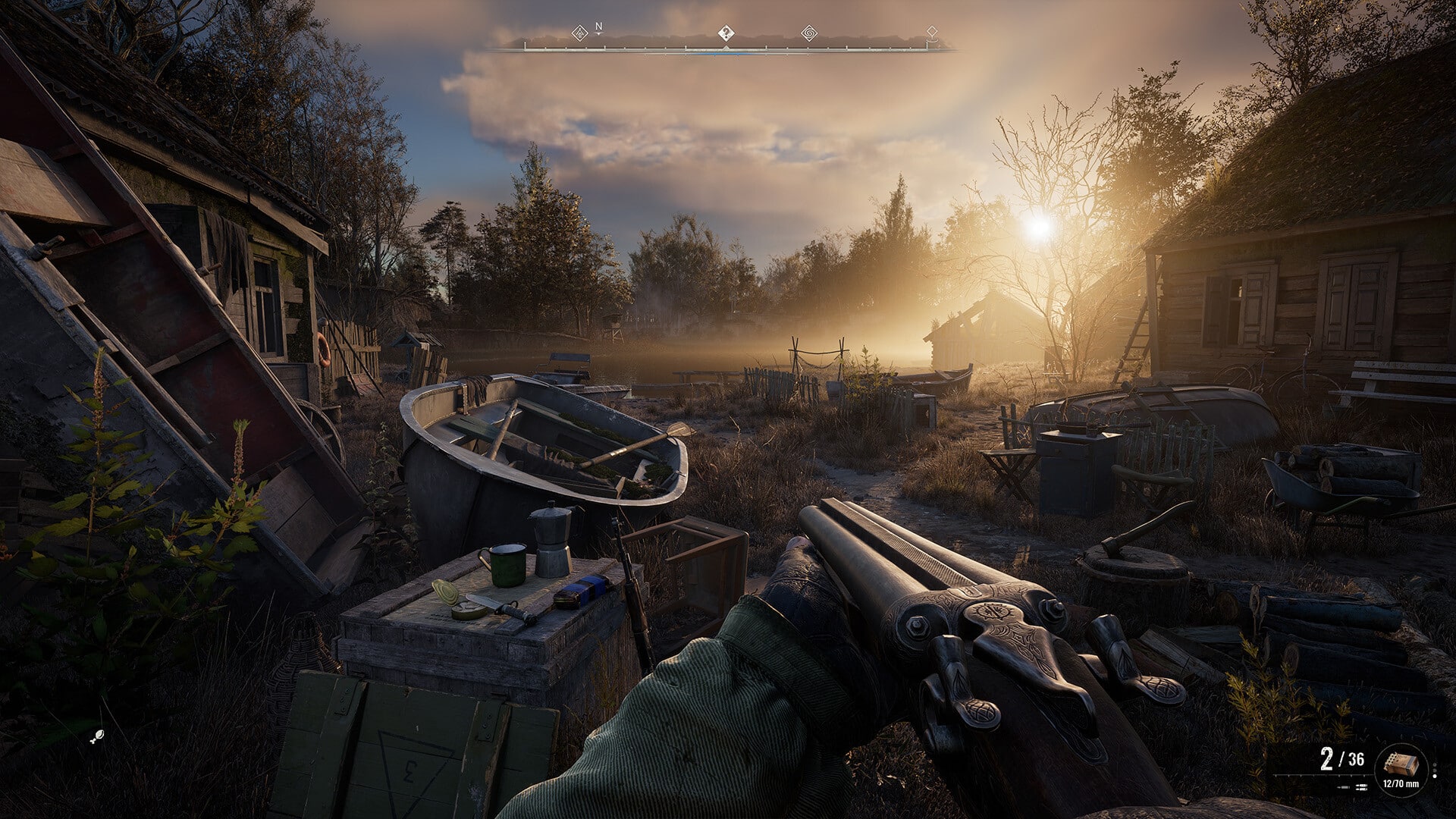
All right, so initially, this portion of the review was going to tell you to stay away from the Xbox Series version of the game. I had a few paragraphs written out discussing the poor performance and that players should probably stick with PC for this release. Well, I deleted most of that because, despite being told previously about one, the studio released not just one but two pre-launch updates a day before release. It’s a puzzling decision to do so, considering the prior build wasn’t what I would call very playable, but with this update, most of my performance gripes with Stalker 2 on the Xbox Series X were addressed. 

It did involve redownloading the entire game as an update, followed by a 36GB update that was released soon after that one, but as of right now, Stalker 2 performance on Xbox Series X is pretty good. Mind you, it’s not perfect; there are still occasional dips, which clearly shows having trouble maintaining a lock 60 FPS on the platform. However, from not recommending the platform to now saying, go ahead, PC is probably better, but the Xbox Series version “playable” is quite the turnaround. 

It does need more optimization and performance patches, but I left feeling pretty impressed by the improvements, something I don’t think many players will really mind, or at least be able to tolerate a lot better.
Stalker 2 Release Date

With that said anyone who knows the Stalker series is probably well aware of just how janky and buggy they can be. They aren’t titles known for their groundbreaking level of polishing, as every single one of them has had countless quality-of-life updates, with even the community overhauling the titles with mods (Zone Reclamation Project) and such to make them better titles. They’re a buggy mess, but like a Bethesda game, sometimes, those bugs are just part of the charm because of how hilarious they can be. 

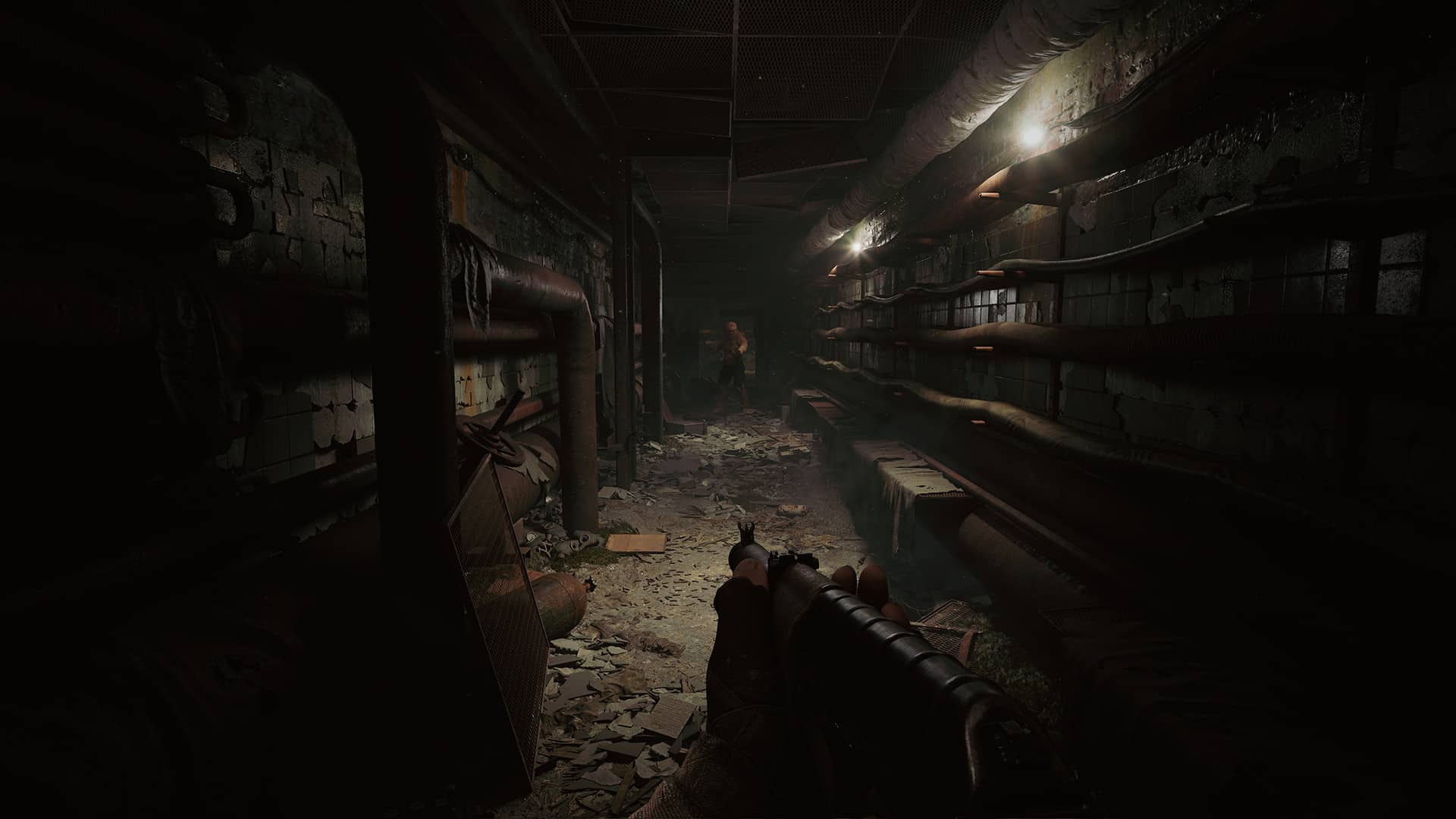
So, as one might expect, Stalker 2 is a very buggy game. It starts out very “OK,” but once you get deeper and deeper into The Zone, things start breaking everywhere. Enemies will randomly spawn in front of you (and not for lore-specific reasons) while trying to sneak around quietly, which can result in some extremely frustrating moments as you’re gunned down, like Alex Murphy from RoboCop. Cutscenes will have NPC models desyncing from some of their equipment, leaving you talking to a floating piece of gear or clothing while the rest of their body drifts elsewhere. Graphical and audio bugs are very common, with lighting breaking in many areas, and characters who are supposed to be voiced are suddenly muted. Clipping is pretty common, too. The overall experience is best described as “janky.”

Considering the past games, that’s probably not a big issue for the long-time fans. It wasn’t much for me because I expected that, but for newcomers, that might push them away from the title, as it can get annoying. There are some bugs I don’t mind seeing because they can be so funny to happen. One such bug had a bunch of NPCs have their necks snap and twist into themselves, leaving them walking around with their head facing backward. I got a chuckle out of it.

Of course, I’m not excusing the bugs, as some can be pretty game-breaking. Luckily, the save system is very generous, auto-saving several points and allowing you to save almost anytime. Abuse it, as it can get you out of a tight spot. 

Still, if you’re on the fence and it mostly concerns performance and bugs, I would suggest waiting a bit longer for more patches. PC players can probably expect the community to work around the clock, just like they did with the originals, creating unofficial updates and performance boosts. 
Stalker 2 release date

My Kind of Eurojank 

Look, if you’re a fan of the Stalker franchise, then Stalker 2 is going to be everything you’d hoped and probably expected from it. It’s a spectacular game with enjoyable combat that is filled with challenge and thrills, with a story and world that will have you hooked the moment you step in. It’s not breaking away from the formula established by its predecessors, but despite coming out 14 years later, it’s impressive that GSC Game World still has that magic touch that made the original games so special.

That’s with everything going on in Ukraine; it’s commendable that GSC Game World even managed to release this. It doesn’t excuse the technical aspects, as Stalker 2 needs more polishing on both bugs and performance, though if you can look past that or wait a few months, you’ll find Stalker 2 to be quite an experience. That’s, of course, if you can even make it into the Zone alive. 

Score: 8/10

Pros:

  • Fantastic story where decisions matter, and affect the world around you. 
  • There are tons of side quests that all feel unique. They aren’t cookie cutters spread across an open world. 
  • The Zone truly feels “alive.” Its gritty and brutal atmosphere is easy to get drawn into. 
  • A harsh and challenging world that lives up to the survival expectations of the game. 

Cons:

  • The game is pretty buggy. Whether you think that’s part of the charm, some still impact the experience and can be game-breaking. If it weren’t for the save system, I’d probably never beat the game.
  • Performance – The day zero patches improved the frame rate, but it can still get pretty choppy from time to time. 

Stalker 2 Heart Of Chornobyl review code was provided by the publisher. You can read MP1st’s review and scoring policy right here.


Avatar photo

James Lara

A gamer at heart, James has been working for MP1st for the last decade to do exactly what he loves, writing about video games and having fun doing it. Growing up in the 90's gaming has been in his DNA since the days of NES. One day he hopes to develop his own game.

Home > Title Updates and Patches

LEGO Horizon Adventures Gets First Post-Release Update Version 1.002

Studio Gobo has released the first-ever patch for LEGO Horizon Adventures on PS5 and PC, and this adds a new player progression screen to tack game progress, and there are also various fixes implemented as well. Those on PS5 will see this as LEGO Horizon Adventures update 1.002, which the studio calls patch version 1.02.

LEGO Horizon Adventures Update 1.002 Adds a New Quality-of-Life Feature and Slots in Fixes

NEW FEATURES

  • Added a Player Progression screen to track content / overall game progress.
  • Options have been added to allow you to customize which features are highlighted when using the Focus. Highlight ALL THE THINGS.

FIXES AND IMPROVEMENTS

Runs

  • Various fixes to reduce the risk of the player getting stuck outside of the level.
  • Performed a balancing pass on various Apex Hunts.
  • Fixed the player having a chance of being eaten by (stuck inside) the Dragon Cart masterbuilding object when it has been built.

Mother’s Heart

  • Added stud rewards when having interacted with various yard customization plots.
  • The fish from the Fishing Pond can now be eaten by animals (sorry fish).

Characters & Co-op

  • Improved the visibility of player rings when playing in co-op.
  • Improved Teersa’s ability to defend herself against projectiles. This old gal’s still got it!
  • Improved the responsiveness of Teersa’s hold attack ability. Seriously, don’t mess with Teersa…
  • Fixed an issue where the guest player may be missing a pickup prompt on gadgets and weapons after dying and being revived.
  • Fixed an issue where the Deathbringer may always target the host player and not the guest. No playing favorites!

UI/UX

  • Added a note to indicate which player opened the Pause Menu.
  • Various localization improvements.
  • Fixed an issue where simultaneously pressing the Cross and OPTIONS buttons may cause the Pause Menu to become unresponsive. There’s no trophy for button mashing!
  • Removed a ‘Continue’ button that does not function on various Brick screens.
  • Improved the HUD Scale option to increase the size of the quest markers, damage numbers, danger warnings, and more!
  • Added ‘+’ signs to upgrade stickers to better highlight stat increases.

Combat

  • PC Only – Fixed an issue where the player can lose functionality by pausing and clicking off the game window when charging the Arrow Storm Bow. Stay focused Aloy!
  • Ensured that Erend’s stacked Giant Hammer now deals increased damage to the Deathbringer. Don’t stop him now!
  • Fixed an issue where machines may become stuck on geometry. Math is hard.

Other

  • PC Only – Adjusted default graphics settings based on hardware.
  • PC Only – Improved performance on Intel ARC series GPUs.
  • Various bug fixes and stability improvements.
  • Various audio fixes and improvements.
  • Significantly improved stability of reflections and facial animations on Nintendo Switch.

The studio has also outlined the known issues they’re tackling, which should be resolved in a later patch.

KNOWN ISSUES

  • The ‘Stay Frosty’, ‘Flaming Ninjas!’ and ‘Silent Storm’ Community Challenges do not progress by defeating element afflicted enemies with a non-elemental weapon.
  • Changing environment colors increments the wrong Community Challenge.
  • Some machines may spontaneously explode when entering the area (please keep your distance).
  • Lighting may appear blown out on HDR Steamdeck. To resolve this either disable HDR, or increase the max luminance value to 4500 in the graphics settings.
  • The game may crash on boot on specific 13th and 14th generation Intel CPUs. To resolve this a BIOS update may be required. More information is available here.

Once another patch for the game is released, we’ll let our readers know.

[Source: Reddit]

Avatar photo

Alex Co

Father, gamer, games media vet, writer of words, killer of noobs.

Home > News

Elon Musk Could Technically Be the Best Diablo 4 Player in the World After Breaking Tier 150 Speedrun Record

Elon Musk has achieved yet another unexpected feat, this time in Diablo 4, Blizzard Entertainment’s renowned hack-and-slash RPG. Known for his fascination with the game, Musk has shattered a record in one of its most grueling challenges.

Specifically, the billionaire completed Tier 150 of the Pit in an astonishing 1 minute and 52 seconds, beating the previous record of 1 minute and 59 seconds. If officially validated, this achievement will place him at the top of the global rankings. Earlier this month, during an appearance on Joe Rogan’s podcast, Musk revealed he was already ranked among the top 20 players worldwide. Now, this latest milestone could elevate him to the number one spot.

Following his success, Musk shared the news on X/Twitter, referencing the Matrix movies: “So many life lessons to be learned from speedrunning video games on max difficulty. Teaches you to see the matrix, rather than simply exist in the matrix.” He jokingly suggested that Blizzard should crown him “salesperson of the month” for the attention his gaming achievements have brought to Diablo 4.

To complete Tier 150 in record time, Musk used Quill Volley Spiritborn build—introduced with the Vessel of Hatred expansion. This build takes advantage of a bug that allows for quadrillions of damage in a brief window. While this exploit has been widely adopted by players, Blizzard Entertainment has opted not to patch it until Diablo 4’s seventh season, citing feedback from a player survey conducted in October.

Critics, however, have downplayed Elon Musk’s performance, suggesting he relied on costly in-game gear (thanks to his wealth). For instance, X/Twitter user Niko pointed out similar concerns. Still, breaking a record requires significant game knowledge, dedicated training, and sharp reflexes. Musk has already proven his expertise in Diablo 4 with an impressive feat in the Zir Slaughterhouse.

More MP1st Reading:

Avatar photo

Taha

Television kills your vision.

Home > Title Updates and Patches

F1 24 Update 1.15 Prevents a Heavy Smoke Issue This November 21

Codemasters has released F1 24 update 1.15, and this is a small hotfix that address the heavy smoke issue for players. If you’re playing the game on PS5/XSX, this should show up as update version 1.015. Read on for the patch notes down below.

F1 24 Update 1.15 Fixes “Heavy Smoke” Issue

The official patch notes were revealed on the game’s X/Twitter page. Read the announcement below.

Version 1.15 of #F124 is currently rolling out across all platforms. This hotfix addresses the “heavy smoke” issue that was recently reported by players, reducing the amount generated by lockups, wheelspins and driving off-track.

While this is a smaller patch than what we’re used to, there was a bigger patch released earlier this month that ushered in Season 4, which you can read about here.

That’s all the patch notes that have been released for today. We will let our readers know when the next update for F1 24 races out very soon.

Source: EA Sports F1 X/Twitter

Damien Seeto

Home > Title Updates and Patches

Fortnite Update 4.47 for v32.11 Released; New Content and Known Issues Listed

Epic Games has a new Fortnite patch available for download on consoles, PC and mobile, and this is for v32.11! Those on consoles will see this as Fortnite update 4.47, and this sees the addition of kicks to the game.

Read on for the official word from Epic Games, as well as the datamined info and even known issues for all modes of the game.

Fortnite Update 4.47 for Adds Kicks

Flex Your Style as Kicks Arrive in Fortnite as a New Cosmetic Type!

Tie your virtual laces and drop in with fresh footwear as Kicks come to Fortnite on November 21! Kicks are a new Cosmetic type that can be equipped in your Locker, adding true-to-life and Fortnite original shoes to your Outfits for a new look.

The arrival of Kicks will be marked by a free universal ‘Show ‘Em Off’ emote! Just head to the shop between November 21 at 7 PM ET and December 1 at 7 PM ET to claim it for 0 V-Bucks. Kick out those Kicks and flaunt your collection to friends and foes alike.

Unboxing the News

For players with the Remix Pass, your first pair, the iconic Air Jordan 1 Retro High OG ‘Black Toe Reimagined’, will be usable once v32.11 goes live!

Fornite Kicks Air Jordan 1 Retro High Og Black Toe Reimagined

Air Jordan 1 Retro High OG ‘Black Toe Reimagined’

Starting on November 21, new Kicks will also be featured in their own section in the Shop, with new styles debuting regularly. The first four drops will all feature Nike Shoes, Jordan Shoes, or Fortnite originals.

KICKS DROP 1

Four classic sneakers arrive in the first week of drops and will be in the Shop from November 21 to 26. Step back in time with the Nike Cortez OG, reach for the stars with the Nike Air Foamposite, rev things up a notch with the Nike Shox R4, or rep your inner shark with the Chomp Stompers.

  • Nike Cortez Leather OG – 800 V-Bucks

Fornite Kicks Nike Cortez Leather Og

  • Nike Air Foamposite One ‘Galaxy’ – 1,000 V-Bucks

Fortnite Kicks Nike Air Foamposite One Galaxy

  • Nike Shox R4 ‘Comet Red’ – 1,000 V-Bucks

Fortnite Kicks Nike Shox R4 Comet Red

  • Chomp Stompers – 600 V-Bucks

Fortnite Kicks Chomp Stompers

KICK DROP 2

From November 22 to 26, it’s all about the legendary Air Jordan, with four new pairs arriving in the Shop. Slip on the classic Air Jordan 3 Retro ‘Palomino’, opt for the iconic Air Jordan 3 ‘Black Cement-Gray’ or embrace the beloved style of the Air Jordan 11 ‘Black/Gym Red’ and prestigious Air Jordan 4 Retro ‘Manila’.

  • Air Jordan 3 Retro ‘Palomino’– 800 V-Bucks

Fortnite Kicks Air Jordan 3 Retro Palomino

  • Air Jordan 3 ‘Black Cement-Gray’ – 1,000 V-Bucks

Fortnite Kicks Air Jordan 3 Black Cement Gray

  • Air Jordan 11 ‘Black/Gym Red’ – 1,000 V-Bucks

Fornite Kicks Air Jordan 11 Black Gym Red

  • Air Jordan 4 Retro ‘Manila’ – 1,000 V-Bucks

Fortnite Kicks Air Jordan Retro Manila

What’s Compatible?

Kicks are standalone cosmetic items that replace the original shoes on compatible outfits. At launch, Kicks will be equipable with over 500 existing outfits, with more than 95% of Outfits expected to be compatible by Spring of 2025. Existing shoes that appear on Outfits are not interchangeable with other Outfits. Kicks do not provide a competitive advantage, and will not be usable in LEGO Fortnite, Rocket Racing, Save the World, with Player Reference or Dance Mannequin Devices in Creative or UEFN, nor in LEGO or Fall Guys Creator Islands.

When purchasing a new pair of Kicks from the Shop, you can click on the new Kicks Usability button on the product page to see which Outfits in your Locker are compatible with Kicks. You can also filter your owned Outfits in Locker for those that are usable with Kicks. Or, you can check out the Fortnite Kicks Outfit compatibility page, which has the full list of currently compatible Outfits.

Fortnite Known Issues as of v32.11

GENERAL TOP ISSUES

Fixed in Future Game Update

  • Low-resolution textures on Nintendo Switch

In Development

  • Nintendo Switch players encountering storage space issues
  • Videos in the Lobby playing with every launch on Amazon Luna.
  • Splitscreen Issue when player 2 logs out.

Investigating

  • Built-In Emotes may not appear in the “My Locker Loadout” tab.
  • Players cannot close the emote wheel without selecting an emote
  • Incorrect Emote order in the Emote Wheel.
  • Unable to change the style of Outfits with customizable elements.
  • Built-In Emotes do not play in Creative / UEFN Experiences.
  • Jam Emotes may not function properly in Team Rumble and might not work in Battle Royale after a Team Rumble match.

BATTLE ROYALE TOP ISSUES

Known issues from official Fortnite Trello board

Fixed in Future Game Update

  • Default Brake/Reverse bindings swapped with Accelerate bindings on controllers.

In Development

  • Can’t edit structures while a DBNO (knocked) player is nearby.

Investigating

  • Players may get stuck in “Toggle Walk” mode at times.
  • Some Outfits may change their rarity when scrolling in the Locker.

LEGO FORTNITE TOP ISSUES

Fixed in Future Game Update

  • “Memory Reached Critical Levels” error followed by a crash.
  • Selecting “Return to Lobby” while in a World may force a game crash.
  • Swivels might break when touched while on a moving vehicle.

In Development

  • Players may get stuck in a cannon if its damaged or falls into water while operating it.
  • Consumable buff timers can be overwritten when eating another consumable with a buff
  • There is no indication of which direction some furniture is being placed
  • The Swag Shot emote is not correctly translating on the Chalk Board
  • Cleared areas in the Rebel Outpost don’t complete

Investigating

  • NPCs might spawn in foundations or terrain.
  • Stuck when exiting the Crusher.
  • Villagers exploring with players may destroy structures while trying to harvest.
  • Bottom of HUD can disappear after using macrobinoculars.

ROCKET RACING TOP ISSUES

In Development

  • Locker’s Vehicles – SUV/Truck and Sports Cars sections changes to a different background color when navigating through the cosmetics options
  • Vehicle appears blurry at start of race

Investigating

  • Players may observe extremely bright lights.

FORTNITE FESTIVAL TOP ISSUES

Fixed in Future Game Update

  • The “Level Up” sound effect may be too loud and overlap the currently played Jam Track.

Investigating

  • Audio Stuttering On Switch After Extended Play

In Development

  • Jam Stage Mixers – Players need to equip Jam Tracks before hopping into the Jam Stage to access songs and start making music.

SAVE THE WORLD TOP ISSUES

Fixed in Future Game Update

  • Class icons may not appear on the Lobby screen.
  • Floor Launchers may be indestructible or prevent players from walking over.
  • Upgrading the Primal Flame Bow from Shadowshard to Sunbeam is incorrectly costing Legendary Flux instead of Schematic XP.
  • ‘Successfully Logged Out’ error message may pop up when trying to enter Save the World.

Investigating

  • Mission Alerts may reset incorrectly.
  • The “Starting Mission” screen may reset before the Mission starts.

Datamined Content From v32.11 

If Epic releases more info about the patch, we’ll update the article.

[Source: Fortnite (1, 2)]

Avatar photo

Alex Co

Father, gamer, games media vet, writer of words, killer of noobs.

Home > Title Updates and Patches

Fortnite Update 1.000.158 Out for v32.11 and Adds Kicks for Players This November 21

Epic Games has released Fortnite update 1.000.158 for version 32.11 today. This patch includes the addition of Kicks which allows players to wear cool Nike shoes and more. Check out more in the patch notes down below.

What’s New In The Fortnite Update 1.000.158:

Flex Your Style as Kicks Arrive in Fortnite as a New Cosmetic Type!

Tie your virtual laces and drop in with fresh footwear as Kicks come to Fortnite on November 21! Kicks are a new Cosmetic type that can be equipped in your Locker, adding true-to-life and Fortnite original shoes to your Outfits for a new look.

The arrival of Kicks will be marked by a free universal ‘Show ‘Em Off’ emote! Just head to the shop between November 21 at 7 PM ET and December 1 at 7 PM ET to claim it for 0 V-Bucks. Kick out those Kicks and flaunt your collection to friends and foes alike.

Unboxing the News

For players with the Remix Pass, your first pair, the iconic Air Jordan 1 Retro High OG ‘Black Toe Reimagined’, will be usable once v32.11 goes live!

Fornite Kicks Air Jordan 1 Retro High Og Black Toe Reimagined

Air Jordan 1 Retro High OG ‘Black Toe Reimagined’

Starting on November 21, new Kicks will also be featured in their own section in the Shop, with new styles debuting regularly. The first four drops will all feature Nike Shoes, Jordan Shoes, or Fortnite originals.

KICKS DROP 1

Four classic sneakers arrive in the first week of drops and will be in the Shop from November 21 to 26. Step back in time with the Nike Cortez OG, reach for the stars with the Nike Air Foamposite, rev things up a notch with the Nike Shox R4, or rep your inner shark with the Chomp Stompers.

  • Nike Cortez Leather OG – 800 V-Bucks

Fornite Kicks Nike Cortez Leather Og

  • Nike Air Foamposite One ‘Galaxy’ – 1,000 V-Bucks

Fortnite Kicks Nike Air Foamposite One Galaxy

  • Nike Shox R4 ‘Comet Red’ – 1,000 V-Bucks

Fortnite Kicks Nike Shox R4 Comet Red

  • Chomp Stompers – 600 V-Bucks

Fortnite Kicks Chomp Stompers

KICK DROP 2

From November 22 to 26, it’s all about the legendary Air Jordan, with four new pairs arriving in the Shop. Slip on the classic Air Jordan 3 Retro ‘Palomino’, opt for the iconic Air Jordan 3 ‘Black Cement-Gray’ or embrace the beloved style of the Air Jordan 11 ‘Black/Gym Red’ and prestigious Air Jordan 4 Retro ‘Manila’.

  • Air Jordan 3 Retro ‘Palomino’– 800 V-Bucks

Fortnite Kicks Air Jordan 3 Retro Palomino

  • Air Jordan 3 ‘Black Cement-Gray’ – 1,000 V-Bucks

Fortnite Kicks Air Jordan 3 Black Cement Gray

  • Air Jordan 11 ‘Black/Gym Red’ – 1,000 V-Bucks

Fornite Kicks Air Jordan 11 Black Gym Red

  • Air Jordan 4 Retro ‘Manila’ – 1,000 V-Bucks

Fortnite Kicks Air Jordan Retro Manila

What’s Compatible?

Kicks are standalone cosmetic items that replace the original shoes on compatible outfits. At launch, Kicks will be equipable with over 500 existing outfits, with more than 95% of Outfits expected to be compatible by Spring of 2025. Existing shoes that appear on Outfits are not interchangeable with other Outfits. Kicks do not provide a competitive advantage, and will not be usable in LEGO Fortnite, Rocket Racing, Save the World, with Player Reference or Dance Mannequin Devices in Creative or UEFN, nor in LEGO or Fall Guys Creator Islands.

When purchasing a new pair of Kicks from the Shop, you can click on the new Kicks Usability button on the product page to see which Outfits in your Locker are compatible with Kicks. You can also filter your owned Outfits in Locker for those that are usable with Kicks. Or, you can check out the Fortnite Kicks Outfit compatibility page, which has the full list of currently compatible Outfits.

Datamined Content: 

[Source: Fortnite (1, 2)]

Damien Seeto

Home > Title Updates and Patches

Star Wars Outlaws Update 1.004 for TU 1.4.0 Takes Out Forced Stealth and Grants Greater Combat Freedom

Ubisoft has pushed out the biggest patch we’ve gotten so far for Star Wars Outlaws in patch 1.4.0, and this removes forced stealth in most missions (yay!), and gives players more combat freedom! Alongside that, Star Wars Outlaws update 1.004 also delivers a good chunk of bug fixes as well.

Star Wars Outlaws’ Latest Update Improves Stealth Sections, Better Combat Flow

PATCH DETAILS (version 7309905):

  • PlayStation®5: 7.44 GB (version 01.004.000)
  • Xbox Series X|S: 10.18 GB (version 1.0.4.0)
  • PC: 8.83 GB (version 1.0.4.0)

NOTABLE CHANGES:

  • Notable updates to stealth and combat that allow players greater choice, including using stealth or reaching for their blaster, even in syndicate territories in cities.
  • Enemy AI and detection improvements, with players being notified when they’re being detected and can choose to escalate or change tactics to remain in stealth.
  • Enemy weak points have been added to reward strategic gameplay, which if targeted can trigger explosions or cause enemies to die in spectacular new ways.
  • Re-tuned Kay’s blaster and pickup weapons to improve the combat experience, including being able to carry two handed weapons in more situations.
  • Facial expressions and animations in dialogue scenes have been improved, the option to toggle off the cinematic lens during gameplay has been added, and the visibility of distant lights has been improved.

Star Wars Outlaws day one patch

FULL PATCH NOTES:

General Gameplay

  • Fixed an issue where players could get stuck by not being able to take off using the Trailblazer after certain missions
  • Kay now holsters a two-handed weapon in more situations such as when climbing, grappling or using the speeder
  • Improved AI speeder usage
  • Improved enemy detection
  • Improved enemy tactical decision-making in combat to encourage more active management of their positioning
  • Decreased enemy damage per shot while increasing the damage cadence increase over time
  • Improved detection signs and feedback of cameras
  • Player state (crouched, standing) is now kept after traversal actions
  • Fixed an issue where only one NPC would be alerted when whistling
  • Fixed an issue where the player could remain undetected in high grass while performing aggressive actions
  • Enabled the use of combat in parts of syndicate districts
  • Added weak points to various enemies
  • Adjusted weapon aiming (spread, recoil, etc.) to allow for more precision and management
  • Updated weapon damage values for Kay for all weapons
  • Increased headshot damage when hitting enemies
  • Improved blaster module usage (Ion and Power)
  • Removed player blast damage from the Power module
  • Added enemy stagger to explosions
  • Added body part-specific death animations to improve combat satisfaction
  • Improved NPC cover usage during combat
  • Fixed an issue where Kay would put away the holotracker when crouching
  • Fixed an issue where hostile NPCs were sometimes marked as friendly and could not be damaged by blaster fire
  • Adjusted jumping to give more control in the air of where you will land

UI, HUD and Settings

  • Added visual indication of when an NPC starts detecting the player
  • Added text highlighting which blaster module should be used when aiming at heavy guards, droids and cameras
  • Prompt to ping the tracked objective is now more prominent and affected by HUD visibility settings
  • Added icons to environmental objects that require unlockable abilities
  • Improved Nix quick action icon by highlighting button when having an active target
  • Made it clearer whether a takedown could trigger combat
  • Added NPC tags above their heads (works with existing colorblindness settings)
    • White – Neutral
    • Orange – Aware
    • Red – In Combat
  • Adjusted Adrenaline Rush cost based on difficulty
    • Story mode – 100% (unchanged)
    • Normal – 110%
    • Challenging/Hard -150%
  • Improved wanted system messaging and display
  • Fixed an issue where some gear effect icons were not showing correctly

Audio

  • Improved enemy dialogue when they are going in and out of cover
  • Fixed an issue where sound wouldn’t play through the DualSense controller on PS5
  • Fixed an issue where arcade games would be missing music after starting a new game

Cinematics

  • Added facial animations to gameplay dialogue scenes and vendors
  • Improved animations and visuals of some dialogue scenes
  • Fixed an issue where ND-5 would be missing from the passenger seat when landing/taking off from Renpalli or Achra stations

Camera

  • Improved camera when shooting, aiming down sights, and moving aim
  • Improved cover camera, including the ability to manually shoulder swap when aiming
  • Improved the camera by showcasing a better view of each shop when interacting with a vendor

Worlds, Fauna and Flora

  • Fixed an issue with destructible flora
  • Fixed an issue where the visual effects created by waterfalls were broken
  • Increased the distance at which lights can be seen in the world
  • Improved the visuals of some grass textures and mud, especially at distance

Photo Mode

  • A new clean lens has been added

Accessibility

  • Added a Custom Controller Preset to allow remapping of individual buttons. You can choose separate sets of button swaps for Kay, the speeder, and the Trailblazer.
  • Added a new ‘strong’ aim assist setting
  • Added a new auto-transfer option for climbing, which lets you automatically hop between climbable objects by moving towards them instead of having to press a button
  • Added setting to change how large and clear the effect showing the security camera detection area is
  • Sound effects slider split into two separate sliders, for gameplay sounds and background sounds
  • Faster menu narration, settings now go up to 400% speed.
  • Menu narration now reads lockpicking and slicing minigames, objective hints, and which Sabacc card is currently highlighted in your hand and while drawing/discarding
  • Option added to toggle the Cinematic Lens (distortion, fringing, and vignetting effects) off for gameplay
  • ‘Fill screen’ is now the default screen ratio, meaning larger text size for the initial menus before you reach the ratio setting screen
  • ‘Remove all’ hold input for map markers added to ‘change holds to presses’ setting
  • Descriptions of accessibility settings reworded for improved clarity

Miscellaneous

  • Fixed an issue where destroying a ship by ramming it would not count towards the ‘Never tell me the odds’ trophy/achievement
  • Fixed an issue where the ‘Shoot First’ achievement/trophy and ‘The Better’ ability could not be unlocked at the same time
  • Fixed an issue where defeating Death Troopers during certain missions would not count towards the ‘Defying Death’ Ubisoft Connect Challenge

Star Wars Outlaws Update 1.003.001

Star Wars Outlaws Update 1.004 Fixes Quest-Related Issues

MAIN & SIDE QUESTS (beware of spoilers)

Toshara

  • Rejected
    • Fixed an issue where Kay can’t listen at the bar to progress the intel quest

Tatooine

  • The Veteran
    • Fixed an issue where the quest line would not start if travelling to Akiva before the dialogue finishes
  • Partners
    • Fixed an issue where the cinematic would not trigger if using Adrenaline Rush as the Rancor hits the hangar doors

Akiva

  • Revelator
    • Fixed an issue where ND-5 could spot Kay when going from crouched to standing while on a steam vent

Outside of today’s patch, the first major story pack titled “Wild Card” is set to drop sometime this Fall 2024.

More Star Wars Outlaws Reading:

[Source: Ubisoft]

Avatar photo

Alex Co

Father, gamer, games media vet, writer of words, killer of noobs.

Home > Title Updates and Patches

Throne and Liberty Update 26.100.763 Brings 2 Star Dungeons in Patch 1.8.0

The latest content drop for Throne and Liberty is now available for consoles and PC, and this brings new content, weapon skill and balance changes, and a lot more. This is one beefy update, and NCSoft has shifted the console version’s patch numbers drastically, as they will see patch 1.8.0 appear as Throne and Liberty update 26.100.763.

Read on for the highlights, patch notes and everything new about the 2 Star Dungeon.

Throne and Liberty Update 26.100.763 Patch Notes and Everything New in Version 1.8.0

Highlights

  • 2 Star Dungeons
  • Solisium Sprouts and Sages
  •  Interserver Conquest Battles
  • Weapon skill balance changes, and more!

2 Star Dungeons

A new tier of challenge beckons — 2 Star Dungeons.

  • 2 Star Dungeons are reimagined versions of existing dungeons featuring more challenging versions of bosses to conquer as well as some entirely new boss encounters.
  • Rewards for 2 Star Dungeons include all existing 2- and 4-piece set bonus equipment as well as new Accessory items.
  • Characters must have a Combat Power of at least 2,500 to challenge 2 Star Dungeons.
  • 2 Star Dungeons added in this update:
    • Carmine Rage Island
    • Voidwastes
    • Island of Terror
    • Valley of Slaughter

Solisium Sprouts and Sages

The new Solisium Sages program allows for more experienced players to assist newcomers to Solisium with learning and progressing in THRONE AND LIBERTY.

  • Characters will become eligible to obtain Sage status when they:
    • Reach level 50
    • Complete Act 10 of the Adventure Codex
    • Acquire 1 Star Dungeon completion rewards 3 times for each of the 6 dungeons
    • Acquire 20 Dynamic Event Participation Rewards
    • Use 40,000 Abyssal Contract Tokens
    • Defeat 20 Field Bosses
    • Complete 20 Region Exploration Progress subsections of the Exploration Codex.
    • Complete 100 Resistance Contracts
  • A new button and icon appear at the top left of the Character sheet, allowing eligible characters to enable or disable Sage status.
  • Characters will lose Sprout eligibility when they:
    • Reach level 50
    • Complete Act 10 of the Adventure Codex
    • Complete 15 1 Star Dungeons or higher
    • Obtain 10 Dynamic Event Participation Rewards
    • Use 10,000 Abyssal Contract Tokens
    • Defeat 10 Field Bosses
    • Obtain 1 Weekly reward
  • A new button and icon appear at the top left of the Character sheet, allowing eligible characters to enable or disable Sprout status.
  • Sages and Sprouts both receive a title and profile border to display their status to others.
  • New map markers allow Sages to see the location of nearby Sprouts on the minimap. Sages cannot see icons for other Sages. These icons will not appear in conflict areas, or if the user’s map icon settings have disabled Sprout icons, or the user is blocked.
  • A new Sprout chat channel has been added for Sages and Sprouts to communicate from anywhere in game.
  • Sprouts can leave a ‘Like’ commendation on the character cards of Sages to indicate helpfulness. An individual Sprout can only leave 1 Like for a given Sage.

Weapon Skill and Balance Changes

  • Weapon balance in combat has been adjusted, and several skill errors have been fixed; see below for details.
  • Added new specializations to some weapon skills, and changed values applied to existing specializations.
Sword and Shield
  • Stalwart Bastion: Added the new specialization: Cooldown Reduction. Decreases Stalwart Bastion cooldown by 15 seconds when applied. Costs 5 Specialization Points.
Greatsword
  • Blood Devotion: Added the new specialization: Cooldown Reduction. Decreases Blood Devotion cooldown by 15 seconds when applied. Costs 5 Specialization Points.
  • Devoted Shield: Now shows skill range when the Devotion Sanctuary specialization is applied.
  • Precision Dash: Updated to count as a Fury Attack when the Bind specialization is applied.
  • Vital Force: Added tooltip notation for the maximum Health limit.
Dagger
  • Vampiric Strike: Increased base damage and skill heal. Increased the damage for the specialization: Additional Hit. Increased the value of Vampirism from the specialization: Boost Effects.
  • Frenzied Sword Dance: Added the new specialization: Area Damage. Increases damage to all enemies within 3m of your arrival point by 60% of Base Damage when applied. Costs 3 Specialization Points.
  • Knife Throwing: Increased the debuff applied that reduces incoming recovery effects.
Crossbow
  • Selfless Diffusion: Removed the specialization: Remove CC.
  • Mana Exchange: Added the specialization: Remove CC. Costs 7 Specialization Points.
  • Explosive Trap: Increased base duration. Improved duration bonuses provided by the specialization: Increase Duration.
  • Multi-Shot: Decreases Nimble Leap cooldown by 15 seconds when used.
Longbow
  • Healing Touch: Now shares cooldown with the Wand skill Swift Healing. Now stacks with other players’ Healing Touch skill when used on friendly targets.
  • Purifying Touch: Increased the maximum effect stacks that can be removed when cleansing Weaken CC effects.
  • Devoted Shield: Effect changed. Now creates a 3 second shield when target is hit at or below 30% health. 60 second cooldown.
Staff
  • Serial Fire Bombs: The specialization: Focused Fire Bombs now has an 80% chance to reduce the effect of received healing by 80% for 6 seconds.
  • Inferno Wave: Adjusted the specialization: Frenzied Lightning Wave to have 1 base activation and 1 additional activation for Wet and Frost.
  • Chain Lightning: Fixed the specialization: Chain Thunder so that it no longer activates the Crossbow’s Mother Nature’s Bowstring effect.
  • Ice Spear: Fixed an issue where the Frost effect was applied for a shorter duration than intended. Fixed an issue where the specialization: Bind would always ignore Defense and Resistance to apply.
  • Judgment Lightning: The specialization: Consecutive Use now has an additional 80% chance to debuff Shield Block Chance by 30% for 4 seconds.
  • Infernal Meteor: Increased damage. Increased damage of the specialization: Hellfire Rain and adjusted the falling meteor to be more centered. Increased the specialization: Heal Reduction debuff effect.
  • Frost Master: Now when landing a basic attack, inflicts the Frost effect on targets within 3 meters for 3 seconds. Does not stack.
Wand
  • Clay’s Salvation: The specialization: Weaken Removal now removes all stacks of 1 type of effect, instead of 1 stack.
  • Time for Punishment: The specialization: Burning Time now also adds a debuff to Shield Block Chance.
  • Karmic Haze: Fixed an issue where it would ignore spread chance in some cases. Adjusted to ignore Shield Block when spreading.
  • Ray of Disaster: Now if a target dies during the effect, transfers to an additional target within 10 meters. The specialization: Expand Targets now provides 10m of bonus range, increased from 5m. The specialization: Move Speed Reduction now debuffs by 30%, increased from 15%.
  • Swift Healing: Now shares a cooldown with the Longbow skill Healing Touch.

Interserver Conquest Battles

  • Guilds who control a Riftstone or Boonstone can participate in a bi-weekly cross-server competition for additional rewards.
  • Riftstones: Join an inter-server Conflict mode boss fight for the boss corresponding with your Riftstone for loot drops and Lucent generated by Auction House taxes.
  • Boonstones: Join an inter-server dynamic event for the zone corresponding with your Boonstone. The winning guild will receive an amount of Lucent generated by Auction House taxes.

General

  • Random Matchmaking: Parties of 4 may now queue for random dungeon matchmaking, increased from the prior limit of 2 characters.
  • Chat: Added a new type of chat channel for Alliances (friendly guilds), using the shortcut ‘/al’.
  • Chat: Adjusted the colors of Party chat and Party Recruitment notices to make these easier to distinguish from each other.
  • Chat: The Chat UI can now be moved, as well as separated from the chat entry field.
  • Various minor UI adjustment and spacing improvements.
  • Peace-Mode Boss Portals: Adjusted the positioning of the portal for peace-mode Junobote events to move it outside of the PvP enabled area.
  • Blackhowl Plains: Fixed an issue that occasionally prevented the Blackhowl Plains Boonstone from being claimable.
  • Contracts: Fixed an issue where the fifth contract would not be pinned to the Content Notifications UI after being accepted.
  • Codex: The Happiest Day Ever: Fixed an issue causing a collection page to be inaccessible.
  • Tooltips: Fixed an issue causing item tooltips opened from chat to be partially cut off.
  • Battle Pass UI: Fixed an issue causing the red notification dot to occasionally not disappear after using the Claim All Points button.

[Source: Throne and Liberty]

Avatar photo

Alex Co

Father, gamer, games media vet, writer of words, killer of noobs.

Home > Title Updates and Patches

The First Descendant Update 1.32 Delivers Hotfix 1.1.9

Nexon has pushed out The First Descendant update 1.32, which is for Hotfix 1.1.9. Players can expect content improvements such as the hitbox for the Death Stalker’s weak point has been expanded, alongside bug fixes for descendants and more.

Those on PS5/Xbox Series X|S, you should see this as The First Descendant update 1.032, and should have the same changes with the last-gen version.

The First Descendant’s November 21 Patch for Version 1.32 Brings Various Fixes

Content Improvements

– The hitbox for the Death Stalker’s Weak Point has been expanded.

ㄴ The area of the “Core”, “Core Cover”, “Rear Core”, “Rear Core Cover”, and “Sensor” have been expanded by a minimum of 20% and a maximum of 50%, helping to target the Weak Point and to remove via Grappling Hook.

– The outgoing damage formula for explosives has been changed from certain percentage of HP to a certain percentage of HP and Shield.

– Special Operations have been improved to allow you to start operations through a map, similar to Infiltration Operations.

Event

Descendant’s Daily Tasks Event

– To celebrate Thanksgiving, the Descendant’s Daily Tasks Event will be held in-game, from PST 11.20.2024 (Wed), after the hotfix, until 12.04.2024 (Wed), before maintenance.

– Complete challenges to acquire rewards! For further details, refer to Descendant’s Daily Tasks Event Notice.

Bug Fixes

(1) Descendants

– Fixed an issue where the damage of the “Deadly Cuisine” skill’s “Small Fireball” was displayed incorrectly, fixed at Level 1, when Blair’s “Backdraft” Skill Module was equipped. It now displays correctly according to each level.

– Fixed an issue where the Level 2 damage of “Venom Trauma” was displayed incorrectly as the Level 4 damage, when Ultimate Freyna’s “Contagion” Skill Module was equipped. It now displays correctly.

(2) UI/UX

– Fixed an issue where no message appeared when trying to block additional players while the Block List was full.

– Fixed an issue where the quest icons were incorrectly displayed on NPCs who were not quest targets in some Descendant quests.

While this is a smaller patch, expect a bigger patch to be released

[Source: TFD Nexon]

Avatar photo

Alex Co

Father, gamer, games media vet, writer of words, killer of noobs.

Home > Title Updates and Patches

Gran Turismo 7 Update 1.054 Delivers New Cars and More for the Racing Game’s Big November Patch

Polyphony Digtital is back this month with another major update for Gran Turismo 7, and this one adds five new cars, including a historic F1 racing vehicle, and even a new steering wheel brand, Rotiform. Players should be getting the Gran Turismo 7 update 1.054 (last-gen is 1.54) download prompt as you read this, and you can check out the explosive new trailer and new content details available below.

Gran Turismo 7 Update 1.054 Adds New Cars and a New Brand for November

Main Features

1. Cars
– The following five cars have been added:
・Ford Escort RS Cosworth ’92 (available at the Used Cars dealership)
・Mercedes-Benz W 196 R ’55 (available at the Legend Cars dealership)
・Porsche 911 Turbo S (992) ’20
・Porsche Mission X ’23
・Suzuki Jimny Sierra JC ’18

2. PlayStation®5 Pro
– Support for the PlayStation®5 Pro has been enhanced, with the following additions:
・We added a mode that combines higher Image quality and frame rate performance by fully utilizing the PlayStation Spectral Super Resolution (PSSR) for PlayStation®5 Pro.
・Ray-traced reflections have been introduced during races, with the option available by selecting “Prioritize Ray Tracing/Resolution” in the Display settings:
・8K resolution compatibility.
・Enhanced rendering quality in VR Mode.
・Smoother video playback in VR Mode, achieved through the VR Positional Reprojection function.

3. Gran Turismo Sophy
– Gran Turismo Sophy is now implemented for the following track layouts:
・Trial Mountain Circuit
・Tokyo Expressway – East Clockwise

Please note that the Gran Turismo Sophy mode is only available on the PS5 version of Gran Turismo 7.

4. World Circuits
 - The following new events join the World Circuits lineup:
・Gran Valley Highway 1
– Jimny Cup
・WeatherTech Raceway Laguna Seca
– Porsche Cup
・Mount Panorama
– Race of Turbo Sportscars

5. Café
– The following Extra Menu has been added:
・ Extra Menu No.42: Collection: Ferrari Speciale (Collector Level 48)

6. Brand Central
 - New Museum entries have been added for the following brand:
・Mitsubishi

7. GT Auto
– Car Maintenance & Service
Engine Swaps are now available for the following cars (unlocked at Collector Level 50):
・Alfa Romeo Giulia Sprint GT Veloce ’67
・ Audi R8 Coupé V10 plus ’16
・Autobianchi A112 Abarth ’85
・ Dodge Challenger SRT Demon ’18
・Mitsubishi Lancer Evolution VIII MR GSR ’04
・Nissan GT-R Premium edition T-spec ’24
・Porsche 911 GT3 RS (991) ’16
・Subaru WRX STI Type S ’14
・Suzuki Jimny Sierra JC ’18
・Volvo 240 SE Estate ’93

– Car Customization
The following brand has been added to Wheels:
・Rotiform

New wheels have been added for the following brands:
・American Racing
・KMC
・Motegi Racing

The following brands have been added to Preset Decals in the Livery Editor:
・Brembo
・Rotiform

8. Scapes
– “Colorado” has been added as a featured Curation in Scapes.

Other Improvements and Adjustments

1. Cars
 - We have added the cockpit view to the following car:
・Mercedes-Benz AMG Vision Gran Turismo
– We also adjusted the default ride height of the following car:
・Ferrari 308 GTB ’75

2. Legend Cars
– Legend Cars (Hagerty Collection) have undergone price adjustments, reflecting real-world valuations provided by Gran Turismo’s partner, Hagerty. Renowned for its expertise in classic car valuations and insurance, Hagerty has also sponsored various historic car events in recent years. These updated prices will take effect the next time each vehicle becomes available for purchase. The subsequent price revision is scheduled for March 2025..

3. World Circuits
 - We adjusted the difficulty level of the following Race Event:
・Fuji Speedway
– Super Formula

4. Physics Simulation Model
– We have resolved an issue affecting certain hybrid vehicles, where, after depleting fuel during driving, the car would not regenerate power upon releasing the accelerator.

5. GT Auto
– We have fixed an issue within the Car Customization Livery Editor, where modifying and saving a Light Cover or Tire Sticker would prevent users from reverting to the original livery.
– We removed the following decals with duplicate shapes from the Preset Decals in the Livery Editor (decals currently being used will not be impacted).
・Shape 1: 01-60
・Shape 2: 02-15 / 02-25 / 02-60 / 02-77

6. Sound
 -We resolved an issue where background music would not play in surround sound when using Dolby Atmos output through an AV amplifier.

7. Localization
– We fixed various text localization issues.

8. Others
– Various other issues have been addressed.

Expect one more title update next month before the year is over, with Gran Turimos 7’s December update.

[Source: Gran-Turismo]

Avatar photo

Alex Co

Father, gamer, games media vet, writer of words, killer of noobs.

Home > News

Marvel Rivals “Hawkeye” Character Reveal Trailer Features the Sharpshooter’s Abilities

NetEase has just sprung a surprise character reveal for upcoming free-to-play hero multiplayer game, Marvel Rivals, and it confirms Hawkeye’s inclusion in the roster.

Clint Barton, which is the real legal name of the superhero, uses arrows at his disposal and a lot of fancy shooting to keep pace against the other heroes he goes up against. As one might expect, Hawkeye is a damage character, which is known as a “Duelist” in Marvel Rivals.

What can Hawkeye do in Marvel Rivals? Here’s a a quick rundown of his abilities:

DIFFICULTY – 4/5 Stars

TEAM-UP –  ANCHOR

ATTACKS

  • PIERCING ARROW – Shoot a powerful arrow.
  • BLAST ARROW – Shoot three explosive arrows.

ABILITIES

  • HUNTER’S SIGHT – Capture Afterimages of enemies in his view. Damage dealt to an Afterimage is transferred to the corresponding enemy.
  • CRESCENT SLASH -Unsheathe a katana and slash forward, Knocking hit enemies airborne.
  • HYPERSONIC ARROW – Shoot a Hypersonic Arrow, dealing additional damage to enemies in its path.
  • RONIN SLASH – Swing the wakizashi to strike frontal enemies, deflecting all incoming projectiles.
  • SKYWARD LEAP – Perform a double jump in the direction of movement.
  • (Passive) ARCHER’S FOCUS – Aim at an enemy to improve focus, enhancing the damage inflicted by Piercing Arrow.

Hawkeye also has a double jump. and as one might imagine, he closely resembles Hanzo from Overwatch in terms of usage. Unless I’m mistaken, he has a one-shot kill ability, which I’m not sure how I feel about at the moment.

Marvel Rivals launches as a F2P game this December 6 on the PS5, Xbox Series X|S and PC, and will feature 33 heroes playable at launch. Check out our interview of NetEase where we ask all sorts of Marvel Rivals questions including microtransactions, balancing and more.

Avatar photo

Alex Co

Father, gamer, games media vet, writer of words, killer of noobs.

Home > Title Updates and Patches

Dead Rising Deluxe Remaster Update 1.040 Released for Auto-Pause When Controller Disconnects, Bug Fixes

Capcom has a fresh batch of bug fixes in store for Dead Rising Deluxe Remaster update 1.040 today, which is now available on all platforms. With this update, the game will automatically pause the game if your controller disconnects, and there’s a host of bug fixes as well listed in the official patch notes below.

Dead Rising Deluxe Remaster Update 1.040 Brings New Quality-of-Life Feature

Xbox Series X | S / PlayStation®5 / Steam

New features and balance fixes

  • The Pause Menu will now open automatically when the controller is disconnected.

Various bug fixes

  • Fixed a bug causing the number of PP earned on the current playthrough displayed on the Results Screen to be calculated incorrectly on Casual difficulty.
  • Fixed a bug causing the number of PP earned for Photo Score on the Results Screen to be calculated incorrectly.
  • Fixed a bug preventing the right voice clip to be played for Frank when earning 5000 PP or more when taking a picture.
  • Fixed a bug preventing a voice clip to be played for Frank when leveling up.
  • Fixed a bug occasionally preventing the passage of time to return to normal when selecting Advance Time, then fast-forwarding, and then canceling the fast-forward.
  • Fixed a bug occasionally preventing the number of days survived in ∞ MODE from being displayed correctly after dying.
  • Fixed a bug occasionally preventing the reward costume from unlocking when completing the Marathon Runner Challenge.
    Note: If this bug occurred for you, you can unlock the costume after applying this update by loading save data where the requirements have already been met.
  • Fixed a bug preventing the player from hitting zombies outside of the shopping mall with the sniper rifle.
  • Fixed a bug causing survivors to get stuck on some corpses.
  • Fixed a bug causing characters thrown using the Hammer Throw skill to hit only a small area of other characters.
  • Various other minor bug fixes.

Steam

Various bug fixes

  • Fixed a bug causing the movement area of the camera to be smaller than intended when using a mouse and moving it around very quickly.

This is the second patch for the zombie game players received this month, as the one released previously added a new Casual difficulty mode and more.

[Source: Capcom]

Avatar photo

Alex Co

Father, gamer, games media vet, writer of words, killer of noobs.

Home > News

Reddit Down With Upstream Connect Error Issues This November 20

While trying to check on Reddit’s mobile app, I noticed each and every story I clicked had zero comments, which was odd. Well, as it turns out, Reddit is down on both mobile and browsers, with people seeing an “upstream connect error” message this November 20.

Reddit Is Having Issues This November 20

Upon further checking with other staff members of MP1st, they have also experienced Reddit issues today. Over on the Reddit Status page, it’s confirmed that the platform is experiencing “degraded performance” on almost every facet.

Hopefully, this outage won’t last long. If you can connect to the platform, leave a comment below where you’re located, as this might be a regional outage. Once Reddit issues a proper update. we’ll add it to the article to keep our readers up to date on what’s happening.

More MP1st Reading:

Avatar photo

Alex Co

Father, gamer, games media vet, writer of words, killer of noobs.

Home > Title Updates and Patches

Minecraft Preview Patch 1.21.60.21 Released on All Platforms

Mojang has another patch out for the Minecraft Preview client available this November 20. Those on consoles will see this as Minecraft Preview update 1.49, with the PS5/XSX version showing up as version 1.033 and should be available for download now.

Players can expect a new accessibility feature where narration is added in the realms plan picker screen, and there are also improvements to blocks and more. There are , of course technical updates included as well, which is par for the course with these big Minecraft Preview updates.

Minecraft Preview New Update Complete Changelog

Features and Bug Fixes

Accessibility

  • Added narration in the Realms plan picker screen informing the player they can navigate below the “buy” button to get more information about a given plan

Blocks

  • Slightly improved the collision detection between moving blocks and mobs in some cases
  • Sculk Sensors now detect Resin Clumps being placed by the Creaking Heart (MCPE-188260)
  • Fixed various plant blocks rendering their faces differently to Java (MCPE-40646)
    • All saplings
    • Short Grass
    • Dead Bush
    • Crimson Roots
    • Warped Roots
    • Poppy
    • Blue Orchid
    • Allium
    • Azure Bluet
    • All Tulips
    • Oxeye Daisy
    • Cornflower
    • Lily of the Valley
    • Dandelion
    • Red and Brown Mushrooms
    • Carrots
    • Wither Rose
    • Open and Closed Eyeblossom
    • Torchflower
    • Sweet Berry Bush
    • Lilac
    • Tall Grass
    • Lage Fern
    • Rose Bush
    • Peony
  • Mangrove Leaves no longer display black pixels when held by Players with the “Fancy Leaves” option disabled (MCPE-156469)
  • Torchflowers, Pitcher Plants, Open Eyeblossoms and Closed Eyeblossoms now increase the probability of a nearby Sapling growing into a tree with a Beehive

Copper bulb

  • Updated the Exposed Copper Bulb’s Lit Powered texture (MCPE-177105)

Gameplay

  • Added ability to pause the game in singleplayer worlds when entering the pause screen, the feature can be turned on/off from the Settings in the General section.

General

  • The world spawn point algorithm has been improved, so that locations with good biomes but far from the world’s origin are preferred over really bad locations but closer to the origin (MCPE-120237)
  • Filter Profanity Toggle. We are introducing a new “Filter Profanity” setting on Windows. When on, all text content including chat will perform as it always has; profanities will be filtered for you and others. When off, most profanities, with the exception of some potentially harmful content, will be unfiltered for you and all others who also have the toggle off. The setting is default on for all players and cannot be changed for child accounts or players not signed in. You can toggle it off in Settings under “General”.

Mobs

  • Creakings now crumble if their Creaking Heart is forcibly deactivated through commands
  • Creakings are now persistent like any other hostile mob, meaning they won’t disappear on save/load (MCPE-188352)
  • Creaking no longer plays ambient sounds when aggravated, only when idle

Breeding

  • Breeding Sheep with compatible wool colors now gives the Baby Sheep a mixture of the colors (MCPE-19862)
  • Breeding Wolves now produce offspring with one the parents’ collar colors or a mixture of the parents’ collar colors if the colors are compatible
  • Breeding Cats with compatible collar colors now gives the Baby Cat a collar with a mixture of the colors (MCPE-188187)

Breeding

  • Breeding Sheep with compatible wool colors now gives the Baby Sheep a mixture of the colors (MCPE-19862)
  • Breeding Wolves now produce offspring with one the parents’ collar colors or a mixture of the parents’ collar colors if the colors are compatible
  • Breeding Cats with compatible collar colors now gives the Baby Cat a collar with a mixture of the colors (MCPE-188187)

Realms

  • Player profile pics in Realms Stories will now load in more reliably
  • Fixed an issue where users could sometimes not rejoin a Realm they left by using an invite code.
  • Removed unnecessary duplicate calls to the Realms API.
  • At the Realms World Select screen, when a world slot is selected, the focus will change to the Edit World button if is it present, or Activate World if not.
  • Added logic to check for Realms trial offer availability on top of the client’s trial eligibility before presenting it to players.

User Interface

  • Disabling Realms Stories badge notifications via the Stories Settings screen now hides badges in the Story Feed as well as the Play Screen
  • Touch Controls: The empty space in the center of the D-pad no longer acts as the forward button when flying or swimming (MCPE-183944)
  • Fixed Players needed to skip night slider on the Edit World screen to be able to go to 0%
  • Changed wording for lowest number required for player sleeping to skip the night.
  • In response to player feedback signaling confusion around the meaning of the potion bottle, we’ve updated the location, labeling and icon usage for Achievements across multiple screens.
  • For the achievement % counter, a new book asset replaced the potion bottle and supports multi-tier visual states to celebrate progress, including a delightful animation for 100% completion.
  • Consolidated the fancy graphics toggle and ray tracing toggle into a single Graphics Mode dropdown. Fancy and Ray Tracing mode are equivalent to having the previous Fancy and Ray Tracing toggles enabled, and the Simple mode is equivalent to having neither of the previous toggles enabled.

Vanilla Parity

Biomes

  • Zombie Villagers that spawn in the Mangrove Swamp biome now have the correct skin applied (MCPE-158736)
  • Monsters that normally spawn in the Overworld (Zombies, Endermen, Spiders, Creepers, etc., with the exception of Skeletons) can now spawn in the Mangrove Swamp biome (MCPE-170183)

Blocks

  • The Lily Pad Block’s hitbox has been updated to be in parity with Java (MCPE-60826)
  • The Sugar Cane Block’s hitbox has been updated to be in parity with Java (MCPE-60827)
  • TnT Blocks no longer flash with a solid white color when exploding (MCPE-51809)
  • Candles and Candle Cake Blocks now play ambient sounds properly (MCPE-130585)
  • Shears can now be used on Cave Vines, Kelp, Twisting Vines, and Weeping Vines to prevent further growth (MCPE-141497)

Mobs

  • Horses, Skeleton Horses, Zombie Horses, Donkeys, and Mules now play their ambient sounds as intended (MCPE-178313)
  • Foxes now periodically play their “mad” sound while defending a player
  • Baby Drowneds now move with the same speed as their Zombie and Zombie Villager counterparts (MCPE-34574)
  • Gold Swords dropped by Piglins and Zombified Piglins now have randomized durability to match Java (MCPE-75292)
  • Axes dropped by Piglin Brutes now have randomized durability to match Java (MCPE-95543)
  • Creepers no longer flash with a solid white color when exploding (MCPE-51809)
  • Neutral Mobs no longer become aggressive when Players or other Mobs throw Lingering Potions with positive effects on them (MCPE-105343)

Minecraft preview update 1.49

Technical Updates

API

  • Updated numeric JavaScript enums now properly handle and support reverse value mappings.
  • Fixed a bug where calling Player.hideAllExcept could crash the server.
  • InputPermissions
    • Moved the following InputPermissionCategory enum values to 1.17.0: LateralMovementSneakJumpMountDismountMoveForwardMoveBackwardMoveLeft, and MoveRight
    • Moved the following methods on PlayerInputPermissions to 1.17.0:
      • isPermissionCategoryEnabled(permissionCategory: InputPermissionCategory): boolean;
      • setPermissionCategory(permissionCategory: InputPermissionCategory, isEnabled: boolean): void;
  • Removed the “compostingChance” available from the ItemStack API. The composting chance for Vanilla items can now be accessed via the singular CompostableItemComponent->compostingChance in the Item Component API.
  • Fixed edge cases where ModalFormData scrolls to the bottom when UI is opened.

Blocks

  • Removed “Upcoming Creator Feature” toggle requirement for minecraft:item_visual component.
  • Updated "minecraft:material_instances" component
    • Removed UpcomingCreatorFeatures experiment requirement for "abmient_occlusion" field to be float type
  • Re-added new field "ambient_occlusion_exponent" to blocks.json file schema in resource packs, replaces broken "brightness_gamma" field. (MCPE-188216 , MCPE-188221)

Components

  • The Strider now makes use of the minecraft:movement_sound_distance_offset component for its movement sound distance offset

Editor

  • Added Roughen brush to terrain tool
  • Added color picker hue gradient selector works for monochromatic values
  • Updated Editor Compass body to toggle between NSEW directions and Axis directions (Z, -Z, X, -X) on click
  • Updated block picker to a floating window and made the viewport behind it clearer for middle-click
  • Updated Flatten Brush to a Native Brush, increased maximum Height and Radius
  • Updated export and play test pane to now include beds work and required sleeping players as export options
  • Updated hot bar item to open block picker when shortcut key is pressed and block is already selected
  • Fixed a number of missing block icon thumbnails for block:// image resource
  • Fixed error sound triggered by pressing the number 9 key

Entity Components

  • The “minecraft:breedable” component now has a field that enables the offspring’s “minecraft:color” attribute to be a blend of the parents’ “minecraft:color”
    • “combine_parent_colors”, If a color mutation will not happen, the baby will get a combination of the parents’ colors if the colors are compatible. Color combinations follow the rules of DyeItem combinations. If the colors are not compatible the baby will get one of the parents colors chosen randomly
      • Valid values: “true”, “false”

Entity Filters

  • Added new entity filter “home_distance”, which checks the distance of an entity from its home
    • Requires the subject entity to have a “minecraft:home” component
    • Returns false if the subject has no home or if the home is in a different dimension
  • Added new entity filter “is_bound_to_creaking_heart”, which checks if the Creaking Heart that spawned the subject Creaking still exists

Graphical

  • Improved logic for handling very large textures within atlases. Textures that are guaranteed to overflow the maximum atlas size will now have mips dropped individually rather than forcing the entire atlas to drop mips.

Items

  • Added a content warning to the “minecraft:durability_sensor” item component’s “particle_type” when an invalid value is provided

Sounds

  • Added “base” parameter to block sounds specifying another block sound they should use sounds for if they do not define a sound themselves

Minecraft Preview Update 1.033

Technical Experimental Updates

Add-Ons and Script Engine

  • Updated Aim Assist, now it can only be used in third person camera perspectives. Switching to a unsupported camera type will disable aim assist

Commands

  • Added support for input glyph replacement for /me and /tell commands. For example, using input string “:_input_key.jump:” will be replaced with “JUMP” when using keyboard, or an emoji in case of using a gamepad.

Gameplay

  • Added easing between two moving cameras when “Creator Camera: New Third Person Presets” experiment is enabled

Components

  • Removing a waterlogged custom block using the minecraft:liquid_detection component with stopsLiquidFlowingFromDirection enabled for all directions now results in flowing water rather than a stagnant block of water.

Graphical

  • Fixed a bug that caused a black screen on some PowerVR-based Android devices when using the Deferred Technical Preview. Some PowerVR devices are still known to experience issues.
  • Fixed a bug that caused blocks moved by a piston to flicker with the Deferred Technical Preview enabled
  • Sub Surface Scattering is now affected by point lights in the Deferred Technical Preview.
  • Fixed a bug where the seams of certain cubemap faces would be visible in sky reflections in the Deferred Technical Preview

User Interface

  • Added a new radio button to allow players to select if they want Deferred Video Settings to favor performance or favor visuals.
  • Added support for input glyph replacement for signs, signed books, and NPC dialogs. For example, using input string “:_input_key.jump:” will be replaced with “JUMP” when using keyboard, or an emoji in case of using a gamepad.

[Source: Minecraft]

Avatar photo

Alex Co

Father, gamer, games media vet, writer of words, killer of noobs.