Home > Title Updates and Patches

Rainbow Six Siege Update 2.86 Delivers Patch Y9S3.3 This Oct. 22

Rainbow Six Siege update 2.86 is now available for download, and this brings Y9S3.3! This brings a round of operator and weapon balancing changes affecting consoles and PC. Those on current-gen platforms, R6 Siege update 1.000.091, and implements the same changes.

Rainbow Six Siege Latest Update Patch Notes and Changes:

OPERATOR BALANCING

IANA

  • Reduced hologram cooldown when destroyed to 20 seconds (from 30).

JACKAL

  • Removed distortion caused by bullets.

KALI

  • Added Smoke Grenades.

MOZZIE

  • Increased Pests to 4 (from 3).
  • Added Impact Grenades.

ZERO

  • Increased Argus cameras to 6 (from 4).

ZOFIA

  • Removed Breach Charges.
  • Added Hard Breach Charges.

WEAPON BALANCING

CSRX-300

  • Reduced bullet trail duration and size.

BUG FIXES

GAMEPLAY

  • FIXED – UI element that lets a team know they’re moving into the lower bracket of Siege Cup says “unknown” instead.
  • FIXED – A player watching a match is unable to access text chat.
  • FIXED – Siege Cup banner says “Waiting for others to join” despite being paired against an enemy team.
  • FIXED – Caster card placement differs when spectating certain Custom Game presets.
  • FIXED – Devices briefly reactivate when picked up despite being affected by an EMP.
  • FIXED – “!!Missing Timer” text present in the AAR screen.
  • FIXED – The More Info section of Siege Cup has incorrect information about the registration requirements.
  • FIXED – Some Siege Cup players’ games do not start, and those players remain with the ribbon stating: “NEXT MATCH IN Starting Soon”.

OPERATORS

  • FIXED – Skopós’s idle V10-Pantheon Shells spawns without a shield at 2F Executive Office in the Plane map.

USER EXPERIENCE

  • FIXED – Redeem button is missing from the Bravo Collection with a Bravo Pack Ticket.
  • FIXED – Marketplace is missing the thumbnail for the Crushing Canes skin for Montagne’s Le Roc shield.

Expect another major update for Rainbow Six Siege in a few months, and MP1st will cover the new operator and changes as we know more.

[Source: Ubisoft]

Avatar photo

Alex Co

Father, gamer, games media vet, writer of words, killer of noobs.

Home > News

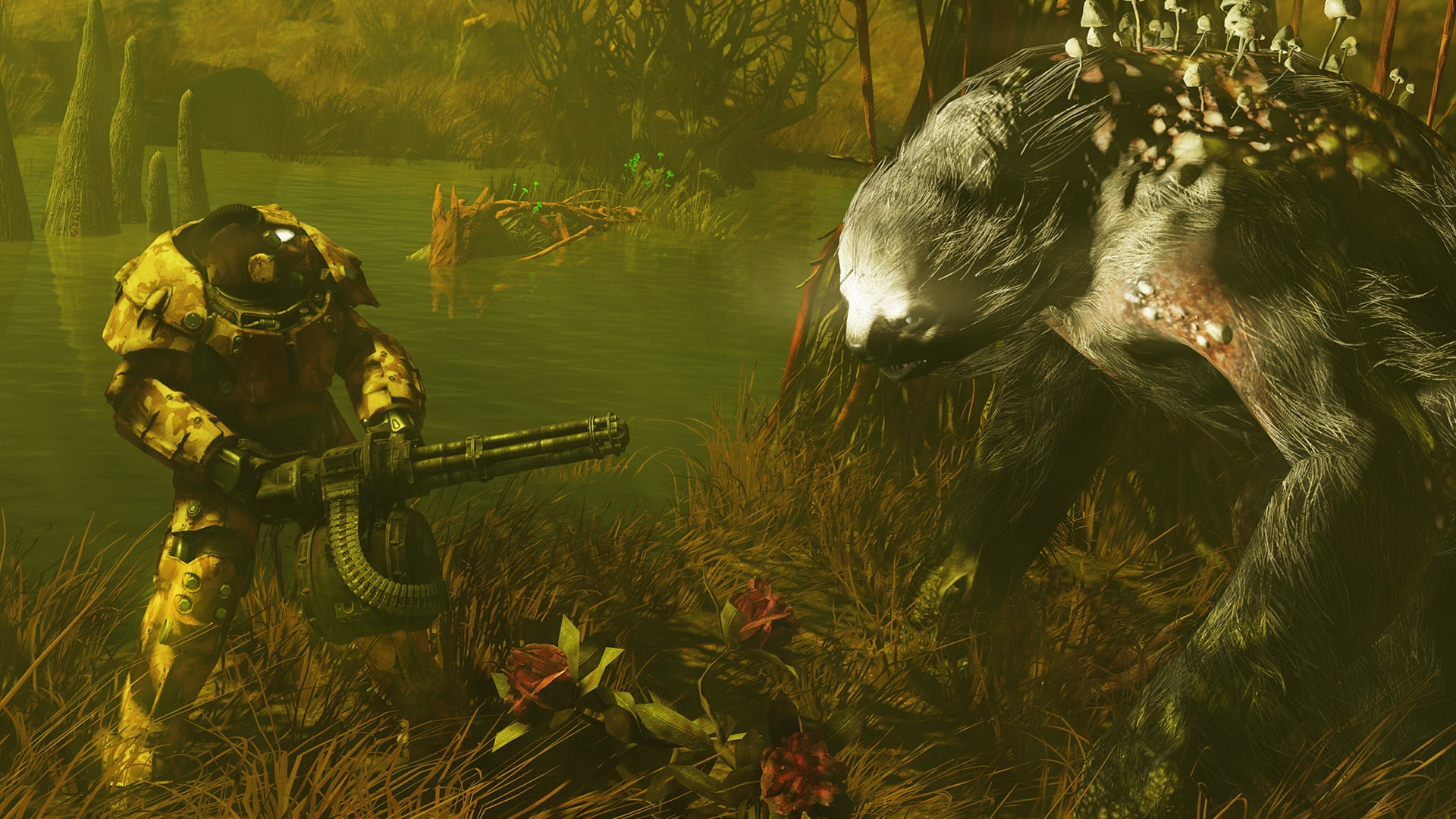
Fallout 76 Servers Taken Down for Maintenance This October 22

Can’t get into your Vault? Yeah, you’re not the only one, but don’t fret, as the Fallout 76 servers have been taken down by Bethesda as part of planned maintenance this October 22! During this time, players can expect a new title update to be released on all platforms as well.

The Fallout 76 Servers Are Down This October 22

Update: The complete patch notes for the latest Fallout 76 update is live and can be viewed here.

Per Bethesda’s announcement, downtime begins at 10 am ET/7 am PT/9 am CT. While there is no duration specified, it usually lasts at least 2-4 hours and sometimes more.

As for what’s going to be rolled out, the Gleaming Depths patch was just tested on the PTS (Public Test Server) last week. While we don’t think that’ll be the patch released today, expect something meaty given tomorrow is Fallout Day.

Speaking of which, there is a Fallout Day broadcast airing tomorrow, October 23! This will showcase a preview of the upcoming major updates headed to Fallout 76 including the CAMP addition of pets! There’s also a post-show planned as well, which will feature more Fallout content.

If anything changes regarding the downtime, we’ll update the article with the info. Once the patch notes are out, we’ll provide a link to it within the article, so refresh this from time to time.

Avatar photo

Alex Co

Father, gamer, games media vet, writer of words, killer of noobs.

Home > News

Destiny 2 Down for Server Maintenance and Patch 8.1.0.2 Roll Out This October 22

Guardians having issues logging in to Destiny 2, it’s due to server maintenance that has kicked off this October 22 on all platforms. If your friends are seeing Destiny 2 down reports surface, let them know that there’s scheduled downtime happening today, and there’s also a new patch set to be released alongside it.

Is Destiny 2 Down This October 22?

Yes, the servers are down as Bungie is doing server maintenance to roll out a new patch today.

Tuesday, October 22, 2024 – Update 8.1.0.2
6:00 AM PDT -7 UTC
    • Destiny 2 will undergo maintenance.
    • Sign-on and game integration features will be unavailable on web, mobile, third-party apps, and the Bungie Store.
    • Players who observe issues should report to the #Help forum.
6:45 AM PDT -7 UTC
    • Destiny 2 will be brought offline for expected maintenance.
    • Players will be removed from activities and won’t be able to log back in until 10 AM PDT.
    • Ongoing Destiny maintenance is expected to conclude at 12 PM PDT.
10:00 AM PDT -7 UTC
    • The latest Destiny 2 update will be available across all platforms and regions.
    • Players will be able to log back into Destiny 2.
    • Players logging into the game may be placed in a queue and may experience sign-on issues as background maintenance is still ongoing.
    • Clan features may remain offline until maintenance is complete.
12:00 PM PDT -7 UTC
    • Destiny 2 maintenance is expected to conclude.
    • Console players who encounter issues updating should restart their console and try downloading the update.
    • Players who observe issues should report to the #Help forum.

Same as always, once the patch notes are out, we’ll provide a link to it within the article. If there are any changes to the server downtime, we’ll be sure to update the article.

For our continued coverage of Destiny 2, head on over here.

Avatar photo

Alex Co

Father, gamer, games media vet, writer of words, killer of noobs.

Home > Title Updates and Patches

The Texas Chain Saw Massacre Update for Oct. 22 Brings Grapple Reworks, Bug Fixes

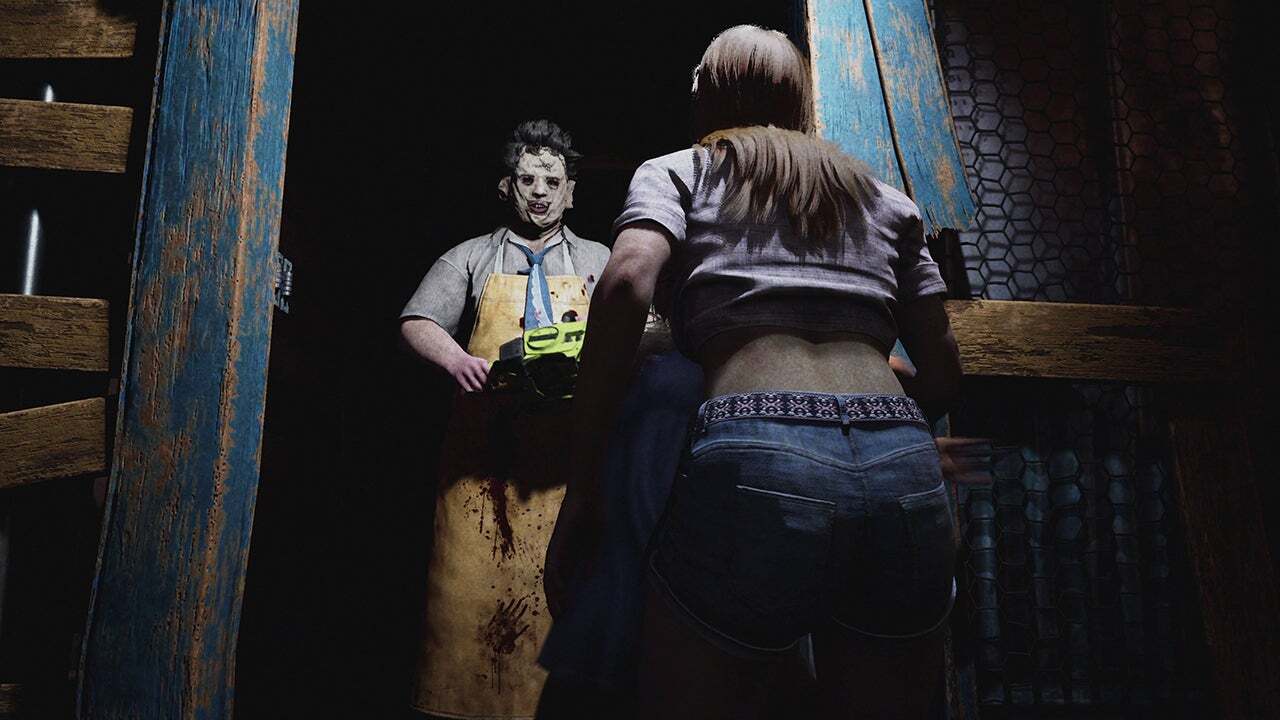
Gun Interactive has released The Texas Chain Saw Massacre update for October 22, and it’s out now on consoles and PC. This brings new cosmetics for sale, grapple rework and bug fixes. Those on consoles, this will show up as The Texas Chain Saw Massacre update 1.31 (last-gen), and version 1.000.034 for PS5 and Xbox Series X|S.

What’s New in The Texas Chain Saw Massacre Update for Today, October 22:

Changed: Close Encounters/ Grapples

  • Each character will now have a grappling value assigned to them to determine their effectiveness in a close encounter

  • Read the full changes here

Tuned: Custom Private Match Toggles

  • The following toggles are now available in custom private matches

    • Victim Health – Half, Default, Double

    • Family Damage – Half, Default, Double

    • Character Abilities – Enable or Disable

    • Character Perks – Enable or Disable

    • HUD toggle – Enable or Disable

Tuned: ‘Rush Week’- Johnny’s Melee Damage

  • We have slightly increased the amount of melee hits it takes to execute a Sorority Girl

  • It will now take Johnny 3 hits to execute a Sorority Girl

Tuned: ‘Rush Week’ – Johnny’s Lockpicking

  • We have increased Johnny’s Proficiency

  • Johnny will now be able to lockpick doors faster

Tuned: ‘Rush Week’ – Johnny Door Stuns

  • Johnny’s stun time from door slams has been decreased

Tuned: ‘Rush Week’- Attic Pole Spawns

  • We have updated the amount of spawn locations for the Attic Pole

  • The Attic Pole will now spawn farther away from Sorority Girls

Tuned: ‘Rush Week’ – Sorority Girls Vent Damage

  • We have decreased the damage that Sorority Girls take from falling out of a vent

  • They will no longer receive damage

Fixed: Base Game – Xbox Series X and S Title Crashes

  • Our team has resolved crashing issues impacting Xbox Series X and S players that occurred when loading into a public lobby or match

Fixed: Base Game – Grandpa Perks

  • Activation levels for Grandpa Perks has been fixed, and will activate at the correct Family Bond level

Fixed: Base Game – Blood Trails

  • We fixed an issue where blood trails were no longer showing up for either Victim or Family Players

Fixed: Base Game – Door and Gate Inconsistencies

  • We have fixed a bug that caused Family members to not properly open doors and gates

Fixed: Base Game – ‘Clear Eyes’

  • Electric Traps set by Hands that were disabled or triggered were not highlighting for Victims with ‘Clear Eyes’

    • This has been fixed to be consistent with Hitchhiker’s traps and Nancy’s barbed wires, which are highlighted even after being triggered

Fixed: Base Game – ‘Fast Hands’

  • Issues with ‘Fast Hands’ not working properly have been resolved and the perk will now function as intended

Fixed: Base Game – Victim Endurance

  • We have (once again) fixed an issue where the Victim Endurance stat did not feel noticeably different for players

    • Victim’s total stamina capacity, stamina drain, and regeneration will now scale properly as players allocate more points into Endurance

Fixed: Base Game – Cook Tagging Dead Bodies

  • Cook’s Seek Ability was incorrectly highlighting dead bodies after using his Lovely Neck Execution

    • This has been fixed, and Cook’s Seek Ability will now only highlight alive Victims

Fixed: Base Game – Cook Tagging Escaped Victims

  • We have again fixed a bug where Cook could highlight Victims who have already escaped with his Seek Ability

  • Cook is now able to use his ability only on active playing Victims

Fixed: Base Game – Close Encounters Door Interruption

  • We have resolved an issue where the Close Encounter animation would cancel out if a Family member opened or closed a nearby door

  • Player can now engage in a Close Encounter near a door without this interruption

Fixed: Base Game –  Hitchhiker Traps and Windows

  • We have fixed an issue where if a Victim stepped in a Hitchhiker trap placed on the inside of a window, it would still activate the window jump cinematic and Victims would receive double the damage

  • Victim players will no longer get stuck under the window in this scenario

Fixed: Base Game – Rough Cut Thrust

  • An issue has been resolved where Victims who were hit with a thrust melee attack didn’t take damage over time from the perk ‘Rough Cut’

  • Damage over time will now apply to a Victim when hit with a thrust with ‘Rough Cut’ equipped

Fixed: Base Game – Noise Indicators Following Victims

  • An issue has been fixed where Noise Indicators wouldn’t follow Victims after they’ve opened a sliding door

Fixed: Base Game – ‘Exterior Alarms’ Noise VFX

  • We have resolved an issue where sliding doors wouldn’t produce noise VFX for victims if the Grandpa perk ‘Exterior Alarms’ was active

  • Sliding doors will now produce noise VFX for victims at all times

Fixed: Base Game – Stabbing Grandpa Prompt

  • We have fixed an issue where the prompt for Victims to stab Grandpa wouldn’t populate from certain angles and distances

  • Stabbing Grandpa will now feel more consistent for players

Fixed: Base Game – Lighting in Customization Menu

  • When players would go to the Customization Menu, the lighting was too bright and caused textures to go missing

  • The lighting is now correct in the menus and textures are no longer missing

Fixed: Base Game – ‘Heart Attack’ UI

  • We have fixed an issue where the UI for Hands’ perk ‘Heart Attack’ was not proccing on a Barge hit

Fixed: Base Game – Family Member Adjusting with Camera Movement

  • An issue where Family Members were not correctly turning away when players faced their camera towards them has been resolved

Fixed: ‘Rush Week’ – Living Room Collision

  • We added collision to the side table in the Living Room

Fixed: ‘Rush Week’ – Dining Room Collision

  • We removed incorrect collision in the Dining Room that would prevent players from navigating between a side table and flower vase

Fixed: ‘Rush Week’ – Sorority Girl Models

  • A visual bug has been resolved where a seam line would appear on the Sorority Girl’s back or shoulder

Fixed: ‘Rush Week’ – Opening Doors as Johnny

  • We have resolved issues players were facing with doors not opening consistently for Johnny, despite pressing the correct inputs

Fixed: ‘Rush Week’ – Perfume and Hunt Ability

  • When using the perfume on Johnny, it was not disabling his Hunt ability as described in the tutorial

  • Now, when a Johnny player steps into a perfume cloud, his Hunt ability is deactivated

Fixed: ‘Rush Week’ – Fusebox

  • When Johnny turns off the fusebox, the Sorority Girls were still able to make phone calls to the police

  • This has been fixed so that the prompt to turn off the fusebox was removed

Fixed: ‘Rush Week’ – Anonymize Player Names

  • The Anonymize Player Names option would show all players in a Rush Week lobby who was Johnny

  • Players with Anonymize Player Names turned on will now see a “?” for everyone in the lobby

Fixed: Private Matches – Victim UI

  • We have fixed an issue where the Victim UI for minigames would be visible to Family members

Fixed: Private Matches – Health Potion UI

  • Missing UI has been fixed for when Players would use a health item after canceling a mini-game

Fixed: Private Matches – Stuck After Canceling Minigame

  • There was an issue where if the Host of a lobby canceled out of a minigame and used a health potion afterwards, they would be softlocked

  • This has now been fixed

For the cosmetics added, head on over here.

Avatar photo

Alex Co

Father, gamer, games media vet, writer of words, killer of noobs.

Home > Title Updates and Patches

Alan Wake 2 Update for October 22 Lights the Way for Anniversary Patch and The Lake House DLC

Remedy’s last expansion for Alan Wake 2, The Lake House DLC, is rolling out with a title update! For those that do not want to shell out the cash for the story expansion, there’s still a lot to look forward to, as the Alan Wake 2 update for October 22 brings the game to version 1.200.002 which ushers in the big Anniversary Update.

Players can expect a new Gameplay Assist functionality alongside other quality-of-life improvements such as Words of Power now easier to unlock and more. For those picking up a PS5 Pro, this title update also adds the enhanced visual features exclusive to the console.

Alan Wake 2 Update 1.200.002 Patch Notes for October 22:

Xbox Series X|S Version 1.2.0.2 | PC Version 1.2.2

Download Sizes:

  • PC: 20 GB
  • Xbox: 18 GB
  • PS5: 15 GB

This “Anniversary” update contains The Lake House expansion for the Deluxe Edition owners, but also comes with many improvements for all owners of Alan Wake 2. 

Global 

  • Added new Gameplay Assist functions under the Options / Gameplay menu including: 
    • Infinite Ammo 
    • Infinite Batteries 
    • Immortality 
    • Several options to change holds into taps 
    • (Gamepad) Sticks swap 
    • (Gamepad) Alternative input for Quick turn 
    • And more 
  • (Deluxe Edition) added the Classic Alan Wake Outfit for our writer. Also known as the Layered One. 

 Improvements 

  • Finetuned Flashlight Boost’s usability. Shooting should now feel better while boosting. Then again, we have worked on this game for so long  
  • Words of Power are now easier to unlock as they accept a wider angle from the flashlight. This should help especially with that one Word of Power in the Oceanview hotel 
  • Resources from all containers are now easier to pick up (no more less strange camera movements to grab stuff) 
  • [PS5] Added support for PlayStation 5 Pro. More details here.
  • [PS5][PC] Added Optional Support for Motion Sensor (Gyro) controls while using a DualSense Controller (so that one person on Reddit who kept asking for this, hope you enjoy!) 
  • [PS5][PC] Refined and additional haptics. Haptics will now trigger when using throwables and healing Items (reminder: we should have had healing items like in Final Fight. Apples. Chickens). 
  • [XBox Series S] Increased internal render resolution from 1280 x 720 to 1505 x 847. 
  • [Xbox Series]: Added support for Variable Refresh Rate (VRR) displays. 

Fixes 

  • Fixed an issue where while trying to shoot while recharging batteries would sometimes trigger a melee attack instead. 
  • Fixed an issue where the player was getting pushed towards (instead of away) enemies upon hit if they had the flashlight equipped. 
  • Fixed an issue where Case Board clues would now always trigger voice over lines. 
  • Fixed some areas becoming too dark if the character automatically unequipped the flashlight. 
  • [Night Springs] Fixed Achievement / Trophy for completing the episodes, that on occasion would not trigger when playing them as part of the main campaign. 
  • Several other fixes and improvements. 

Chances are, unless this patch breaks something, this will be the game’s last feature-packed update. We’re hoping to be wrong, but given The Lake House is the game’s last DLC drop, and the game’s complete enough as it is, we’re not expecting anything more.

Related Reading:

[Source: Alan Wake]

Avatar photo

Alex Co

Father, gamer, games media vet, writer of words, killer of noobs.

Home > Title Updates and Patches

Starship Troopers: Extermination Update 1.000.300 Shoots Out for Patch 1.0.3 and Adds New Features and More

Offworld Industries has released Starship Troopers Extermination update 1.000.300 on consoles and PC this October 21, and this brings performance changes, adds a community-requested feature, and bug fixes. There’s a lot to take in, so read on for the complete patch notes.

Starship Troopers: Extermination Update 1.000.300 Patch Notes for Version 1.0.3:

PERFORMANCE CHANGES:

Client Performance Improvements

  • Optimization to Weapon Swapping
  • Bug LOD’ing Optimizations
  • Sound now plays without registering and unregistering Audio

NEW FEATURES/CONTENT/QUALITY OF LIFE:

Quality-of-Life

Companies

We have now added the highly requested search feature to help troopers find companies.

Suggested Companies” can now be filtered with search text in the “Company” tab. This can be found on the top right of the ”Company” page.

  • Enter the exact name of the Company to join, or the first few letters from its name to find a list of Companies whose names start with those letters.
  • Delete the entire search text to get back to a list of unfiltered suggested companies

For example: “The Hunters” will probably find and list just that Company, but entering just “The” will list all Companies starting with that prefix.

We are continuing to work on additional Quality-of-Life features for the Company system, such as the much-requested “Invite Friend to Company” feature, and look to release them in future updates. We are grateful to the community and continue to welcome trooper feedback on the Company and Social systems of Starship Troopers: Extermination.

NOTABLE BUG FIXES:

Known Issues

  • Certain maps will have darker and more creepy than normal shadows, we will be adjusting this in 1.0.4.

Highlights

  • Fixed an issue where the Tanker bug fell through terrain when knocked back.
  • Fixed an infinite reload bug for SPLIT Shotguns when resupplied while reloading.
  • Fixed an issue where the Medical UAV did not return to the Medic when deploying it and pressing the ability button again.
  • Improvements to reduce crashes on Agni Prime if an Xbox were set on “Quality” mode.

Console Fixes

  • Fixed an issue where the “Join Friend via Activity” showed the incorrect status and would fail to reconnect to matches on PS5.
  • Fixed an issue where the game would crash when starting a S.O.G. mission on Xbox.
  • Fixed an issue where Weapon Skin Customization would not work correctly.
  • Fixed an issue where the title screen would freeze and display a “suspendPoint” error when users tried to queue for a mission
  • Fixed an issue where troopers who reach level 14 on an After Action Report would cause a crash.
  • Fixed an issue where troopers could Aim Down Sight (ADS) during an automatic reload when out of ammo.
  • Fixed an issue where the story page could not be changed when players rapidly pressed the Y/Triangle button after switching to the “Galactic Front” menu tab.
  • Fixed an issue that would cause an infinite matchmaking loop when only one player is in the party.
  • Fixed an issue on Agni Prime AAS Easy, which caused stuttering and FPS drops at the start of the match.
  • Fixed an issue where player gamertags that have been changed would not update on Company screens.
  • Fixed an issue where troopers were unable to enter Planet Valaka after a first attempt causing “Connection Timeout” and a black screen.
  • Fixed an issue causing the Build Tool to be in Place mode when equipping it for the “Equip the Build Tool” mission objective in the Tutorial mission.
  • Fixed an issue where a second invitation would not arrive when sent from a full party.
  • Fixed an issue causing “Output Device” to be cut off in the “Settings/Audio” menu.
  • Fixed an issue where rapidly changing “Video” settings on Agni Prime would cause consoles to crash.
  • Fixed an issue where users could find themselves stuck in matchmaking while queuing for a Hive Hunt mission.

UI

  • Fixed an issue where players with Online IDs/Gamer tags longer than 16 characters exceeded the banner/nameplate holder.
  • Removed unnecessary HUD elements from S.O.G. missions.
  • Added HUD markers for downed squadmates during S.O.G.missions.
  • Fixed an issue where the “Rico Speaking” text appeared on the S.O.G. reset campaign screen.
  • Fixed an issue where the Living Planet would get stuck in a victory state even after a new war started.

Audio

  • Fixed an issue where players joining a Horde mode late would have no background music.
  • Fixed an issue where the main menu music would not play after exiting to the Credits.
  • Fixed an issue where the main menu music changed when the player clicked on “Main Mission.”
  • Fixed an infinite loop caused by a single AI trooper trying to vocalize.

Art & Animation

  • Fixed a bug where rounds from the E-Pulse 88 CSW consistently fired below the reticle during sustained fire.
  • Fixed an issue where the Sniper character model used the Ranger texture for its backpack.
  • Fixed an issue where the Frost Drone body LOD appeared invisible at a distance.
  • Fixed backward shoulder patches on trooper models.
  • Fixed stretched and blurry ground textures in S.O.G. missions.

Gameplay & General Fixes

  • Fixed the handling of the Sniper with the Morita Hawkeye, which previously depended on the gun selected.
  • Fixed incorrect damage resistance for the Tanker bug against Hi-Ex Grenades.
  • Fixed inconsistent translations for the Demolisher, Guardian, and Ranger Trooper classes.
  • Fixed an issue where the “Restart Needed – Graphical assets need a restart to be localized” screen was not localized after a language change.
  • Fixed an inconsistency in the naming of Planet X-11, where it was referred to as “X11” in some strings.
  • Fixed an issue where users were unable to progress on the ARC mission using the X-11 map.
  • Fixed an issue where S.O.G. Bots did not follow the user immediately after leaving the Dropship in several S.O.G. missions.
  • Fixed an issue where the Tiger could spawn inside a wall during the 5th Encounter in S.O.G. Mission #9.
  • Fixed an incorrect mission objective on the Tac Map screen for S.O.G. Mission 12.
  • Fixed non-player-facing text appearing in the mission briefing for S.O.G. Mission 18.
  • Fixed inconsistent objective listings on the Tac Map and Scoreboard for S.O.G. Mission #20.
  • Fixed an issue where the game did not refocus after closing a social menu modal window in the pause menu.
  • Fixed an issue where the player no longer received a “Kicked” modal from the company after losing internet connection.
  • Fixed an issue where players could move while holding a resource canister when using class abilities that should lock them in place.
  • Fixed an incorrect distance-from-objective indicator when multiple objectives were active.
  • Fixed an issue where the player could unlock during extraction instead of after winning on normal difficulties.
  • Fixed an issue where S.O.G. Bots would float and become stuck if a Carnage corpse was destroyed while they stood on it.
  • Fixed an issue causing a disappearing utility item when a player picked up a 4th utility item.

[Source: Starship Troopers Extermination]

Avatar photo

Alex Co

Father, gamer, games media vet, writer of words, killer of noobs.

Home > News

Delta Force Open Beta Launches on PC This December With First Season

Delta Force open beta, previously called early access, will officially launch on PC on December 5 alongside its first season, Genesis.

The Season of Genesis Begins This December in Delta Force

As announced on Steam, fans around the world will soon be able to get their hands on Delta Force, as the full open beta will be made available this December! Those who previously played it through the closed beta testing will be happy to know that the team has made several improvements and changes, something we’ll be able to read up more come launch. But that’s not the only thing you can expect to be new, as the game’s first season, Genesis, will also arrive, bringing plenty of new content for everyone to experience. The highlights include new maps, mods, weapons, operators, and much more!

To celebrate the news, a new cinematic trailer has been released.

Additionally, the team has also released a FAQ, answering some of the biggest questions the community may have, including on when we can expect the console version.

Q1: When does the Global Open Beta launch?
A1: The Global Open Beta will launch on December 5th, 2024.

Q2: Is Early Access still happening?
A2: Our Open Beta version will replace Early Access, and will feature full live service content updates with no more progress resets.

Q3: Will there be paid content in the Global Open Beta?
A3: Yes, there will be paid content available for purchase in the Global Open Beta, primarily Battle Passes, weapon appearances, and vehicle appearances. However, there will be no pay-to-win elements.

Q4: What languages will be available in the Global Open Beta?
A4: The Global Open Beta will offer support for English, French, German, Latin American Spanish, Brazilian Portuguese, Russian, Japanese, Traditional Chinese, Turkish, Korean, and Arabic.

Q5: What’s new in the Global Open Beta compared with the Next Fest version?
A5: Expect a ton of new content like maps, modes, Operators, weapons, and vehicles along with major improvements to gameplay, including better performance, bug fixes, and a stronger anti-cheat system.

Q6: Does the Global Open Beta support controllers?
A6: Controller support is currently not available in the Global Open Beta, but it’s under development and will be added soon.

Q7: When will the game be available on consoles and mobile?
A7: Console and mobile versions are planned for a Q1 2025 release.

Exciting times, and I cannot wait to see how much the game has improved since I last had my hands on with it.

Avatar photo

James Lara

A gamer at heart, James has been working for MP1st for the last decade to do exactly what he loves, writing about video games and having fun doing it. Growing up in the 90's gaming has been in his DNA since the days of NES. One day he hopes to develop his own game.

Home > News

Call of Duty: Black Ops 6 Prestige Emblems, Rewards, Prestige Master and Weapon Camos Revealed

Leading up to Call of Duty: Black Ops 6’s launch later this week, Activision has revealed a ton of stuff about the game’s Prestige system, which is sort of the endgame for Call of Duty titles. Not only have the Black Ops 6 Prestige emblems have been revealed, but we even get info about the Prestige Master, weapon camos and more.

First off, check out the Black Ops 6 Prestige emblems from 1-10!

Black Ops 6 Prestige Emblems

Prestige

Global System (MP, ZM, WZ)

Barracks > Progression > Prestige

Complete Level 55 and reach Max Level and you’ll face the option to take your grind to the next level: Welcome to Black Ops 6 Prestige. Not only has “Classic Prestige” returned in Black Ops 6, but it’s also the most rewarding version of Prestige that Call of Duty has ever seen – with rewards and each Prestige themed around a title in Black Ops history.

The Prestige Hub

Enter the Prestige Hub via the “Progression” button in the Barracks tab to view the full Prestige journey, preview rewards, and check in on your Prestige stats and Challenges.

Select a Prestige, and you’ll be able to view all that Prestige’s rewards (and your progress through them depending on your current level).

Choosing to Prestige

It wouldn’t be “Classic Prestige” if it wasn’t just a little… dangerous. Choosing to Prestige in past Call of Duty titles wasn’t without its risks, and that’s no different in Black Ops 6. Make the choice to enter Prestige and you’ll get promoted to Prestige 1, but it will also be:

  • Reset to Player Level 1.
  • All Level Unlocks will be relocked and must be unlocked again, except for Base Operators, Emotes, and Zombies GobbleGums, as well as anything you Permanently Unlock (more on that later).
  • Your Loadouts will be reset.
  • Lifetime stats will remain viewable in the Combat Record, but your stats elsewhere in the game will only show stats for your current Prestige.

However, the following items WILL NOT be relocked or reset:

  • Weapon Progression, Camos, & Reticles.
  • Weapon Builds – your favorite Weapon may be relocked but all the Builds you’ve created for it will be waiting for you when you reach the level needed to unlock it again.
  • Challenge Progress & Unlocks.
  • Store and Battle Pass Content.
  • Operator and Emote Unlocks.
  • Zombies GobbleGums.

Additionally, any item you have a Blueprint or Skin for will remain Permanently Unlocked through Prestige. This means that if you have a Blueprint for the AS Val Assault Rifle, it won’t be relocked when you Prestige. The same goes for any Equipment, Field Upgrades, or Scorestreaks you possess Skins for.

When you choose to enter Prestige 1, you’ll immediately receive the following:

  • Prestige 1 Icon: Your first Prestige icon, which slots into the center of your Level insignia for all players to see!
  • “Nacht Raider” Weaver Operator Skin.
  • Access to the Prestige 1 Multiplayer and Zombies Calling Card Challenge Sets (more on Calling Card Challenges later in the blog).
  • One Permanent Unlock (continue reading for more information).

Additionally, as you start leveling through Prestige 1, you’ll unlock a unique Prestige reward every 10 Levels (at Level 10, 20, 30, 40, and 50).

Prestige Leveling

If you took the plunge and entered Prestige, your level resets to Level 1, Prestige 1. The date you entered Prestige is recorded, and you receive an instant reward. Now, as you level up and re-unlock the Level rewards, you also unlock the Prestige rewards as well.

Welcome to Black Ops History! In Black Ops 6, each Prestige is themed around a game in Black Ops history, featuring a variety of rewards inspired by and paying homage to moments and elements found in each Black Ops title. For example, Prestige 1 features rewards inspired by the first game in the Black Ops timeline: 2008’s Call of Duty: World at War, the origin of Zombies in Call of Duty.

Become a Legend: Prestige Mastery Levels

There are 10 Prestiges in Call of Duty: Black Ops 6. If you’re dedicated enough to complete all of them, you’ll automatically graduate into Prestige Master and enter the final phase of Black Ops 6 Career Progression. In Prestige Master, your Level rises above 55 for the first time as you are now able to climb up all the way to Level 1,000 and gain additional rewards in the process.

Still cloaked in mystery, the rewards for ascending all the way to Prestige Master are well worth the grind. Who will be the first to unlock theirs?

Prestige Master Instant Reward: “Sitting Bull Reborn” Marshall Operator Skin
Marshall rocks an outfit inspired by the cover art of Black Ops 6, capturing the essence of the ‘sitting bull’ pose and the 90s military era.

Prestige Master Level 90: “Classified Arsenal” AMES 85 Animated Blueprint
Redacted bits cover the weapon in a striking pattern, symbolizing the covert and secretive world of Black Ops 6.

Prestige Master: Legacy Prestige Icons and More

Players who reach Prestige Master Level 100 will gain the ability to customize their Prestige via access to Legacy Prestige Icons from past Call of Duty titles. Equipping one of these Legacy Prestige Icons replaces your Prestige Master icon and changes the way your Prestige Master status appears to other players anywhere it’s seen in-and-out of game. At Prestige Master Level 100, access to Legacy Prestige 1 icons becomes available. From this point forward, gain access to a new set of Legacy Prestige Icons every 100 Prestige Master Levels:

Prestige Master Level 100: Equip any Legacy Prestige 1 Icon
Prestige Master Level 200: Equip any Legacy Prestige 2 Icon
Prestige Master Level 300: Equip any Legacy Prestige 3 Icon
Prestige Master Level 400: Equip any Legacy Prestige 4 Icon
Prestige Master Level 500: Equip any Legacy Prestige 5 Icon
Prestige Master Level 600: Equip any Legacy Prestige 6 Icon
Prestige Master Level 700: Equip any Legacy Prestige 7 Icon
Prestige Master Level 800: Equip any Legacy Prestige 8 Icon
Prestige Master Level 900: Equip any Legacy Prestige 9 Icon
Prestige Legend (Level 1,000): Equip any Legacy Prestige 10 icon (or above)

Prestige Master players who’ve reached Level 100 or above can select a Legacy Prestige Icon via the “Customize” menu in the Barracks.

Become a Legend: As you reach the zenith of your Black Ops 6 career and become a “Prestige Legend” at the game’s maximum Level (1,000), expect additional, Classified rewards for your incredible progress, only unlocked and redacted when you reach Level 1,000.

Weapon Camos

Weapon Camos: System Overview

The Weapon Camo system has been overhauled in Black Ops 6. Inspired by Headshot-based Camo Challenges in past Black Ops games, with a mix of elements from modern Camo Systems you’re familiar with, the Black Ops 6 Camo journey removes many of the barriers that interrupted the flow of earning Camos in past games. The result is a streamlined and meaningful Camo journey for each Weapon. Also, for the first time ever, Call of Duty: Warzone will have its own dedicated Camo journey with unique Camos and Challenges only available to unlock in Call of Duty: Warzone (in Season 01).

No Weapon Leveling Needed

Unlocking Weapon Camos in Black Ops 6 is accessible from the moment you get your hands on a weapon; no Weapon Leveling required. Earn Camos at your own pace without any barriers.

Unlocking Weapon Camos

Each Weapon’s quest for the final Mastery Camo – Dark Matter (MP), Nebula (ZM), and Abyss (WZ) — is broken down into three steps:

Step 1: Military Camos

Each Weapon’s Camo journey begins with nine Military Camos that are unlocked sequentially by reaching progressive milestones in each mode. For most weapons, these are progressed by earning:

Multiplayer: Headshots

Zombies: Critical Kills

Call of Duty: Warzone: Eliminations

This means that in Multiplayer, just earning Headshots with a Weapon will progress through and unlock the 9 named Military Camos:

Granite: 5 Headshots required.

Woodland: 10 Headshots required.

Savanna: 15 Headshots required.

Splinter: 20 Headshots required.

Moss: 30 Headshots required.

Shade: 40 Headshots required.

Digital: 50 Headshots required.

Tide: 75 Headshots required.

Red Tiger: 100 Headshots required.

Military Camos must be unlocked individually per weapon. For example, if you’ve unlocked the first Multiplayer Military Camo (Granite) for the AMES 85, it can be equipped to the AMES 85 (in MP, ZM, or WZ), but not to any other weapon until you’ve separately unlocked Granite with that weapon.

Step 2: Special Camos

Complete all nine Military Camos for a Weapon in your mode of choice, and the next step in the journey is Special Camos! Each Weapon has two unique Special Camo Swatches per mode that can only be earned with that weapon only. Special Camos can be unlocked in any order once you’ve gained access to them, and each has a different unlock criteria, usually related to the strengths or playstyle of the Weapon you’re progressing.

Special Camos: Equip to Any Weapon

Once unlocked, Special Camos are universal and can be equipped to any weapon, as long as that new weapon has completed the Military Camos and unlocked access to the Special Category in at least one mode. It can then be fitted with any Special Camo you like and used in any game mode you like.

Step 3: Mastery Camos

With Military Camos and both Special Camos unlocked for a specific weapon, your Weapon Camo grind enters its final phase: Mastery Camos! As previously revealed, Black Ops 6 has four Mastery Camos available to be earned in each mode: Multiplayer, Zombies, and – for the first time ever – Call of Duty: Warzone (in Season 01). Here’s a look at each set:

  • Multiplayer Mastery Camo: Gold.
  • Multiplayer Mastery Camo: Diamond.
  • Multiplayer Mastery Camo: Dark Spine (Animated).
  • Multiplayer Mastery Camo: Dark Matter (Animated, Dynamic).
  • Zombies Mastery Camo: Mystic Gold.
  • Zombies Mastery Camo: Opal.
  • Zombies Mastery Camo: Afterlife (Animated).
  • Zombies Mastery Camo: Nebula (Animated, Dynamic).
  • Warzone Mastery Camo: Gold Tiger.
  • Warzone Mastery Camo: King’s Ransom (Animated).
  • Warzone Mastery Camo: Catalyst (Animated).
  • Warzone Mastery Camo: Abyss (Animated, Dynamic).

Dynamic Mastery Camos: For the first time in Call of Duty, the final Mastery Camo in each mode has dynamic elements that change as you fire your weapon for maximum visual impact.

How to Unlock Mastery Camos

Mastery Camos require full participation in the Camo System to access and unlock.

Mastery Camo Tier 1: Gold (Multiplayer), Mystic Gold (Zombies) & Gold Tiger (Call of Duty: Warzone)

Access by earning all nine Military Camos and two Special Camos in the corresponding mode, and then complete the applicable Camo Challenge.

Mastery Camo Tier 2: Diamond (Multiplayer), Opal (Zombies) & King’s Ransom (Call of Duty: Warzone)

Access by earning Mastery Camo Tier 1 for the designated number of Weapons in one Weapon Class in the corresponding mode, and then complete the applicable Camo Challenge. For example, in Multiplayer players must earn Gold Camo on seven Assault Rifles before they gain access to the Diamond Camo Challenge on those Weapons.

Mastery Camo Tier 3: Dark Spine (Multiplayer), Afterlife (Zombies) & Catalyst (Call of Duty: Warzone)

Access by earning Mastery Camo Tier 2 for the designated number of Weapons across multiple Weapon Classes in the corresponding mode, and then complete the applicable Camo Challenge. For example, a Multiplayer player must earn Diamond Camo on 33 Weapons (the number of launch Weapons in Black Ops 6) before they gain access to the Dark Spin Camo Challenge on those Weapons.

Mastery Camo Tier 4: Dark Matter (Multiplayer), Nebula (Zombies) & Abyss (Call of Duty: Warzone)

Access by earning Mastery Camo Tier 2 for the designated number of Weapons across multiple Weapon Classes in the corresponding mode, and then complete the applicable Camo Challenge. For example, a Multiplayer player must earn Dark Spine Camo on 33 Weapons (the number of launch Weapons in Black Ops 6) before they gain access to the Dark Matter Camo Challenge on those Weapons.

Just like Military Camos, Mastery Camos must be unlocked individually with each Weapon and once unlocked can only be used with that Weapon. For example, if you’ve unlocked Gold Camo for the AMES 85, it can be equipped to the AMES 85 anywhere you use it, but not to any other weapon until you’ve separately unlocked Gold with that weapon.

For reticles, calling cards and other progression rewards, head on over here.

Call of Duty: Black Ops 6 launches October 25 on the PS4, Xbox One, PS5, Xbox Series X|S and PC.

Related Black Ops 6 Reading:

Avatar photo

Alex Co

Father, gamer, games media vet, writer of words, killer of noobs.

Home > Title Updates and Patches

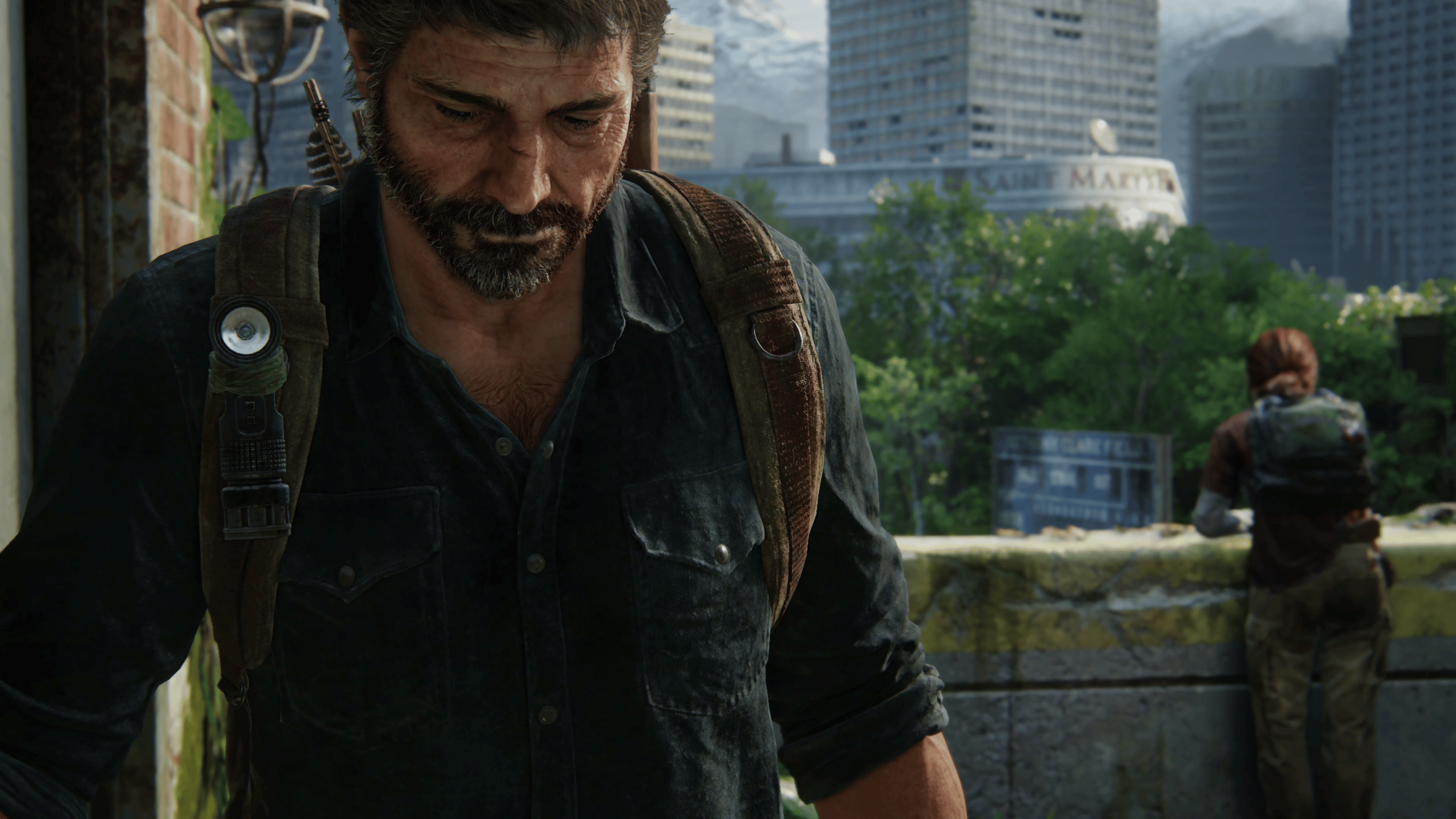
The Last of Us Part 1 Update 2.000 Delivers PS5 Pro Improvements, Various Fixes

Alongside The Last of Us Part 2 Remastered patch released today, Naughty Dog has also pushed out The Last of Us Part 1 update 2.000, and this is for the game’s PS5 Pro enhancement patch. Alongside the newly added features, the devs also patched out various bug fixes listed in the patch notes.

The Last of Us Part 1 Update 2.000 Patch Notes:

Avatar photo

Alex Co

Father, gamer, games media vet, writer of words, killer of noobs.

Home > News

Call of Duty Warzone Disappears and Cannot Be Played After COD HQ App Overhaul Update

Earlier today, Activision released a huge patch for Call of Duty: Modern Warfare 3 and Warzone that aimed to overall the COD HQ app in order to make it more manageable when it comes to storage. Unfortunately, this patch seems to have towed in a huge bug as well, as it has made the Warzone client disappear from the new UI!

Warzone Has Disappeared from Call of Duty HQ After the October 21 Update

Players who apply the update will see the new Call of Duty HQ app show the following tiles:

Image courtesy of skrawberriefps

As you can see, Warzone has completely disappeared from the choices. This major bug has been echoed by various members of the community, and even on social media as well:

Over on the game’s subreddit, people are up in arms and questioning COD HQ’s existence as well. We’re currently unsure whether this bug has hidden the Warzone game client, or removed it entirely. So far, Activision has not acknowledged this major issue. We have reached out to Activision about it and will update the article if we hear anything back.

For those that manage to find a workaround or something, leave a comment below and let us know what you did. If it’s also not appearing for you, share which platform you’re on as well.

More Call of Duty Reading:

Avatar photo

Alex Co

Father, gamer, games media vet, writer of words, killer of noobs.

Home > Title Updates and Patches

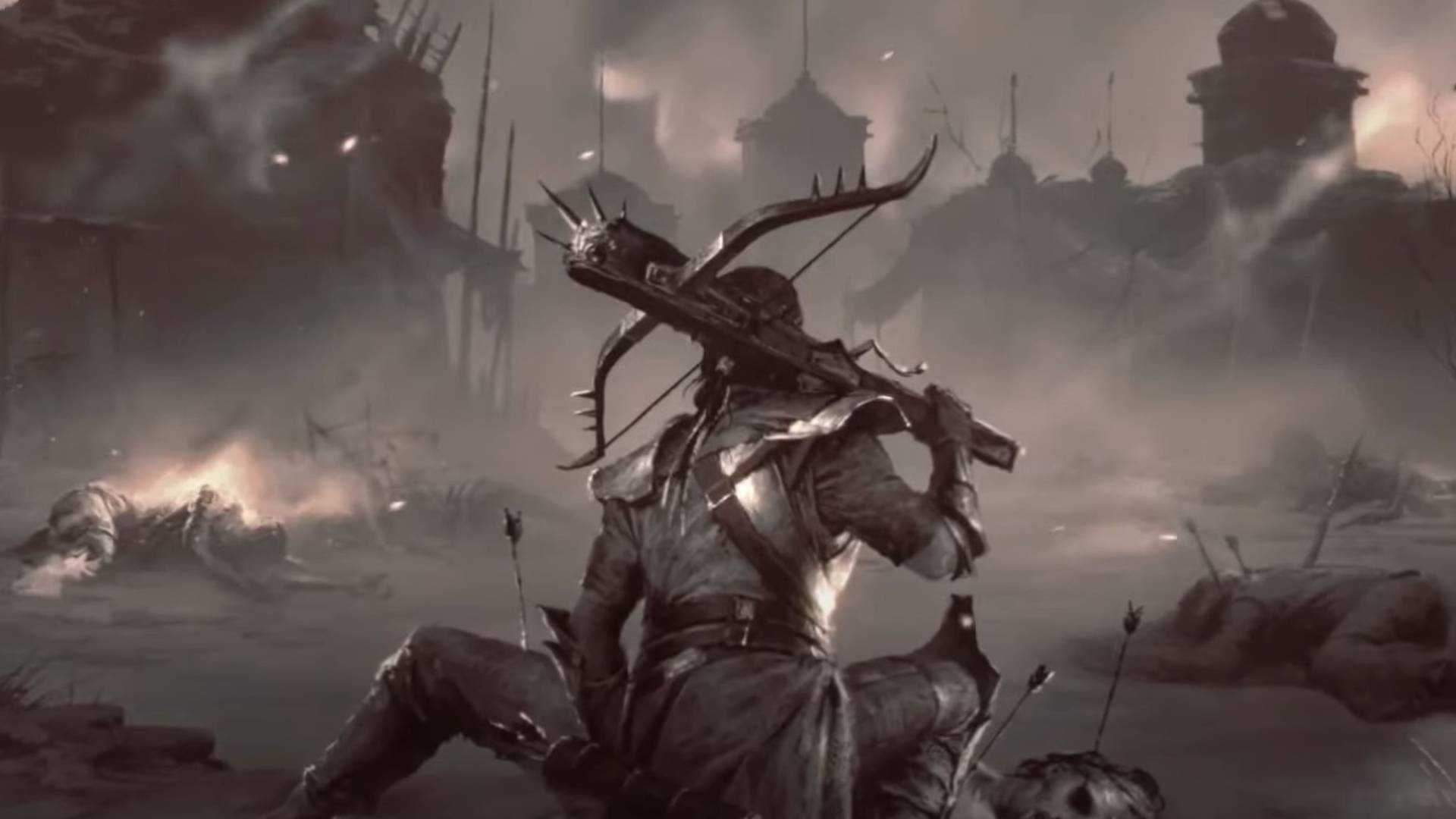
Diablo 4 Gets a New Update This October 21 It’s a Minor Patch for Stability

Blizzad Entertainment has released a very minor patch for Diablo 4 today, and it’s available for download on all platforms. Those on last gen will see this as Diablo 4 update 1.66, while current-gen (PS5, Xbox Series X|S) will see this as update version 1.064.

What’s New in Diablo 4 Update 1.66 (PS4, XB1) and 1.064 (PS5, XSX, PC) This October 21:

BUG FIXES:

  • Various stability improvements.

Yep, that’s about it. This is quite understandable, as we just got a patch last week that housed a good number of changes. Some of the big changes included updates to the UI and User Experience:

User Interface and User Experience

  • The crafting notification for Runes now displays what’s being crafted instead of the Runes used.
  • The recipes for crafting random Runes at the Jeweler now include what Runes are needed for each recipe.
  • The tooltip for swapping Runes and Gems in sockets now says “swap” instead of “socket” when in that context.
  • Tooltips for Runes and Runewords have been updated to better communicate their effects.
  • The tooltip for Masterworking now indicates that the item must be Tempered twice before it can be Masterworked.
  • Various tooltips and icons for crafting materials have been updated for improved readability.
  • Infernal Hordes and Kurast Undercity will now be at the top level of activities in the Party Finder menu, alongside activities such as the Pit and Dark Citadel.
  • The icon for Glyph Sockets has been adjusted to make it more visually distinct in Paragon Boards.
  • The Non-Physical damage stat has been removed from the Character Stats window.

Developer’s Note: The Non-Physical Damage stat consists of separately listed stats of all included elements, such as Fire Damage. This stat was also incorrectly listed as a standalone entry and has been removed. Its impact on the individual elements has not changed.

  • Combat text for damage numbers are now abbreviated.
    • e.g. 10000 damage now displays as 10k damage.
  • New Nahantu-themed loading screens will now appear in-game.

Head on over here for the complete list of patch notes which we’ve put in a table for an easier read.

[Source: Blizzard]

Avatar photo

Alex Co

Father, gamer, games media vet, writer of words, killer of noobs.

Home > Title Updates and Patches

The Last of Us 2 Remastered Update 1.002 Brings PS5 Pro Enhancements and Various Fixes

With the PS5 Pro launch inching nearer and nearer, expect a lot of first-party PlayStation games to get patched. Speaking of which, Naughty Dog has released The Last of Us Part 2 Remastered update 1.002, and this brings the PS5 Pro enhancements, and there are bug fixes that everyone that owns the game will experience as well.

The Last of Us 2 Remastered Update 1.002 Patch Notes:

General

  • Fixed an issue where some trophies would not unlock after importing PS4 save data
  • Fixed an issue where Abby’s torso could disappear when switching between her bonus skins

Gameplay

  • [The Tunnels] Fixed an issue where Dina could be grabbed an additional time while escaping in the subway

No Return

  • Fixed an issue where the stun bomb was not being accurately counted toward the player’s “Stun” stats
  • Fixed an issue where some weapon kills were not accurately tracking toward player’s stats when performing stealth kills in between those weapon kills
  • Fixed an issue where shiv kills were not being accurately counted toward the player’s “Shiv” stats

Audio

  • [On Foot] Fixed an issue where music tracks would not progress as intended when speedrunning

Accessibility

  • Added additional support so more PlayStation 5 console Accessibility settings are now reflected in-game
  • [The Tunnels] Fixed an issue where code for the locked room could not be located using Enhanced Listen Mode
  • [No Return] Fixed an issue where enemies specified by a Gambit were not properly identified when using High Contrast Mode

Localization

  • Various minor localization fixes across multiple languages

The Last of Us Part 2 Remastered PS5 Pro Enhancements:

PlayStation 5 Pro

  • New rendering mode added that takes advantage of PlayStation® Spectral Super Resolution (PSSR)
    • New “Pro” mode renders at 1440p, with PSSR upscaling output to 4K, while maintaining a target of 60 fps*
    • Performance and Fidelity rendering modes are still available and provide smoother experience and high framerates compared to the original PS5*

Aside from TLOU2 Remastered, another first-party PlayStation game — Horizon Forbidden West — also got an update today, as well. Chances are, we should be getting more patches throughout the week to add in PS5 Pro enhancements, and once we do, we’ll be sure to let our readers know.

Related Reading:
[Source: Naughty Dog]

Avatar photo

Alex Co

Father, gamer, games media vet, writer of words, killer of noobs.

Home > News

Report: Red Dead Redemption Will Get Native PS5 Version

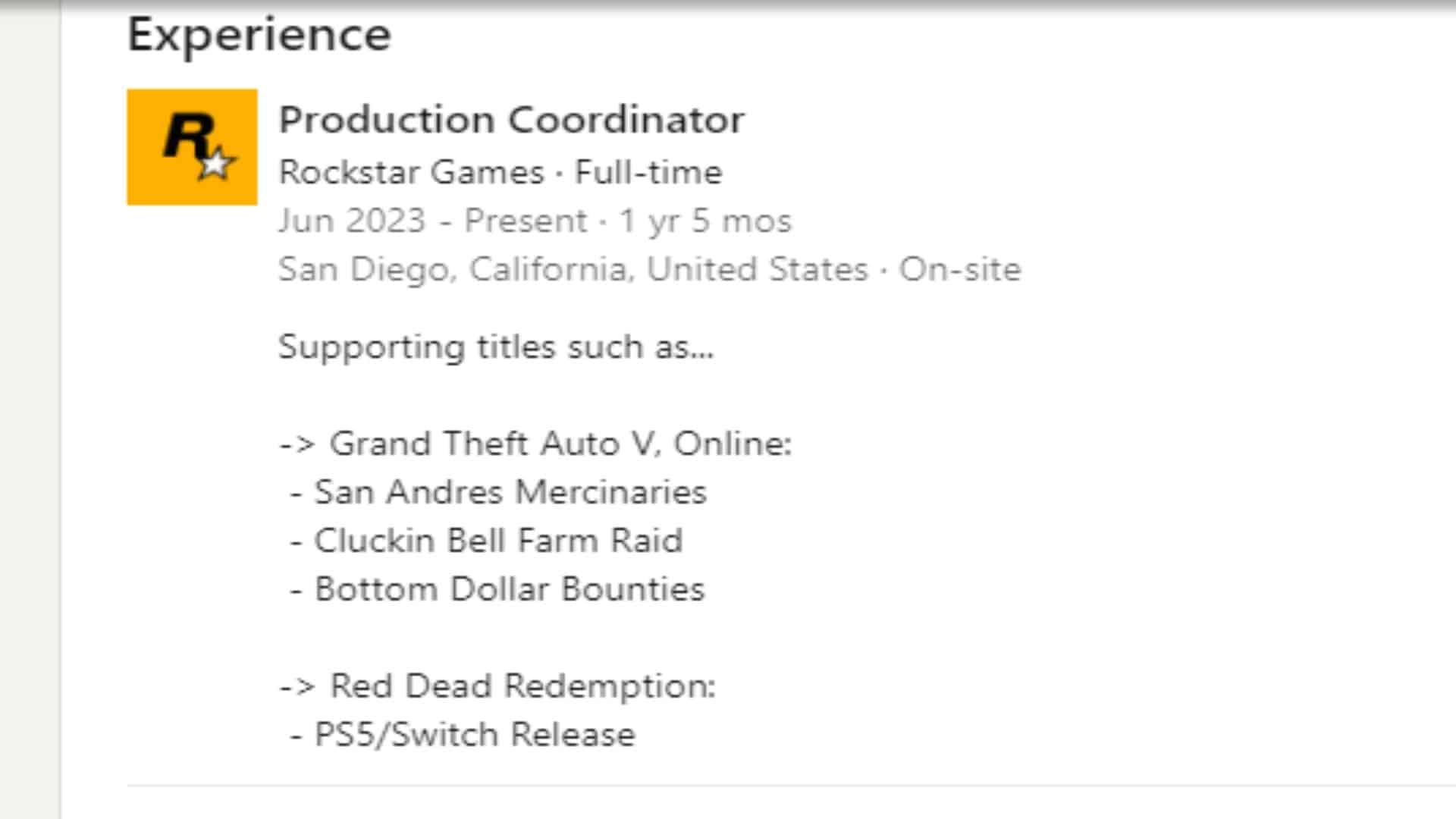
Rockstar Games might be preparing a native version of Red Dead Redemption for PS5. Right now, PS5 players can only play the game through backward compatibility using the PS4 version. But recent hints point to something bigger—a native PS5 version.

This information comes from the LinkedIn profile of a Rockstar Games developer, where she mentioned both PS5 and Switch versions of Red Dead Redemption. While the game is already available on Switch, this detail suggests that the developer may have worked on that platform’s version and could now be working on a native PS5 release. Although this information isn’t official, it does catch attention. The fact that a developer’s resume includes references to these platforms suggests that something is in development.

red dead redemption ps5
Rockstar developer’s LinkedIn profile hints at PS5 release for Red Dead Redemption.

It’s also worth noting that the mention of PS5 could potentially be a typo, and the developer might have meant PS4 instead. Since the game was released last year on Switch and PS4 and is now on its way to PC, there’s a chance she likely worked on those versions, and the PS5 could have been listed by mistake.

However, the possibility of a PS5 version becomes even more interesting with the release of the PS5 Pro on the horizon. The new hardware should really take full advantage of the enhanced power and graphics capabilities of the new console. It’s expected that a PS5 version would come with noticeable visual upgrades.

One big question is whether Rockstar will offer a free upgrade to those who already own the PS4 version or if they’ll be asked to pay for the game again. Ideally, a free update would be the fair option, as it wouldn’t seem right to charge players twice for the same game they’ve already purchased.

For now, players will need to wait for official confirmation from Rockstar Games. But if the rumors are true, it could bring something new for PS5 players. In the meantime, Red Dead Redemption is set to launch on PC on October 29, 2024.

More MP1st Reading:

Thanks, Timur222!

Avatar photo

Taha

Television kills your vision.

Home > Title Updates and Patches

Modern Warfare 3 and Warzone Update 1.57 Brings the Call of Duty HQ App UI Changes

Those who own any Call of Duty game from the past few years, rejoice! You’ll be able to pick and choose which ones you want downloaded and installed in your console or PC starting today with Phase 1 of the Call of Duty HQ app changes by Activision. This download will show ip as Modern Warfare 3 and Warzone update 1.57, and this is primarily to section and overhaul the Call of Duty app UI!

Modern Warfare 3 and Warzone Update 1.57 Patch Notes

Download Size: 52GB (PS5)

Update: Activision has just released patch notes for  Multiplayer and Warzone for the October 21 title update.

Global

Stability & Performance

  • Addressed niche causes of server-side stability and performance degradation.

Customization

  • Corrected the colors of the WZ Season 6 Gold, Platinum, and Diamond Camos.
  • Corrected the assets displayed for the Light Your Outer Fire Emblem and The Tinker Calling Card.
  • Corrected the icon for the Flit and Float Camo in the Gunsmith.
  • Fixed an issue causing the Revolution Rising Calling Card to be incorrectly animated.
  • Fixed a placeholder image for the American Gothic Blueprint in the Store.

Multiplayer

Playlists

As the Call of Duty: Modern Warfare III live season ends, the following Featured Playlists are now available permanently.

  • Small Map Mosh Pit (+ Hardcore)
  • All the Shipments! 24/7 (+ Hardcore)
  • Party Modes
    • Team Gun Game
    • Domination
    • Hardpoint
    • Team Deathmatch
    • Kill Confirmed
    • Capture the Flag
    • One in the Chamber
    • Havoc
    • Minefield
  • G3T_H1GH3R
  • Mosh Pit
    • Call of Duty: Modern Warfare 2 (2009) Maps only.
  • 10v10 Mosh Pit
  • War Mode
  • Cutthroat
  • Blueprint Gunfight
  • Ground War & Invasion

In addition to the day-one Modes available in Quick Play, you can add the following permanent Playlists to your filters.

  • Capture the Flag
  • Demolition
  • Cyber Attack (+ Hardcore)
  • Escort
  • Defuse or Destroy
  • Gun Game
  • Infected
  • Vortex Mosh Pit

UIX

  • Bug Fixes
    • Added a preview model for the Enhanced Vision Goggles to the Loadout editor.
    • Fixed an issue allowing locked Loading Screens to be set as Favorites.
    • Fixed an issue causing the Tectonic Herald Light Barrel name to be incorrect in Killcams.

Gameplay

  • Reduced the likelihood of spawning near teammates in Kill Confirmed to align with the spawn weights of Team Deathmatch.
  • Fixed an issue allowing Equipment to be thrown while being executed.
  • Fixed an issue causing loss of control after picking up a Guardian-SC or Remote Turret.

Maps

  • Subbase
    • Fixed an exploit allowing players to exit the playable area near the North Dock.

Weapons & Attachments

Shotguns

  • Reclaimer 18
    • Decreased shot termination distance from 30.5m to 26.7m (-13%).
    • Decreased shot termination distance in water from 7.6m to 5.1m (-33%).
    • Increased aim down sight spread by 40%.
    • Decreased far-medium damage from 35 to 25 (-29%).

Handguns

  • .50 GS (MWII)
    • Increased minimum damage from 55 to 68 (+24%).

Killstreaks

  • Juggernaut Recon
    • Fixed an exploit causing Kills to award 2 Score in Free-for-All mode.
  • Missile Drone
    • Adjusted drone flight path on Invasion to avoid colliding with buildings.
  • Gunship
    • Fixed an issue causing the visual overlay to persist after destruction by Stormender.

Warzone

CUSTOMIZATION

  • Corrected the colors of the WZ Season 6 Gold, Platinum, and Diamond Camos.
  • Corrected the assets displayed for the Light Your Outer Fire Emblem and The Tinker Calling Card.
  • Corrected the icon for the Flit and Float Camo in the Gunsmith.
  • Fixed an issue causing the Revolution Rising Calling Card to be incorrectly animated.
  • Fixed a placeholder image for the American Gothic Blueprint in the Store.

WEAPONS

Shotguns

RECLAIMER 18

  • Akimbo 
    • Max Damage Range decreased to 2.54 meters, down from 3.81.
    • Max Damage decreased to 35, down from 45.
    • Near-Mid Damage decreased to 15, down from 20.

Modern Warfare 3 and Warzone Update 1.57 COD HQ APP Changes

Greater File Control: Keep the titles and individual modes that you’re currently playing and uninstall the rest to free up storage space.

With Black Ops 6 on the way, Call of Duty will take up more space on your device if you choose to keep all of your previous content installed since a new game is being added on top of your existing files.

Prepare for the Black Ops 6 download and future Call of Duty updates by actively managing what you have installed. To free up additional space, you can remove content that you’re no longer playing, including full titles and individual modes (e.g. uninstalling single player once you’ve finished the Campaign).

Players can uninstall content within the Call of Duty user interface or via their platform’s install manager. After content is removed, you can reinstall it at any point if you wish to return to those games or modes in the future.

Players will be able to take a tour of the new Call of Duty on October 21 after downloading the pre-launch update.

Meet the New UI: Access featured titles and modes on your Home page, previous titles under All Games, and the latest purchasable content under Store.

At launch, the new interface will include three main hubs: Home, All Games, and Store. Each hub displays all of its content on one page, eliminating the need to scroll. Here’s a rundown of what you’ll find in each section.

Home

The new UI features a landing page that brings together a variety of Call of Duty content. The Home tab showcases various tiles which each serve different purposes:

  • Game Tiles – Unlike the previous Call of Duty UI, players will now be able to directly access games, which have their own self-contained user interfaces. The newest annual title – Black Ops 6 starting on October 25 – and Call of Duty: Warzone will be shown on the Home tab. Other games are accessible via the All Games tab.
  • Featured Tile – This tile can showcase a variety of top content such as modes, maps, and Battle Passes depending on what is new and most relevant at the time.
  • What’s Hot Row – Similar to today’s What’s Hot row, these tiles highlight new playlists, bundles, etc. and give players easy access to that content.
  • Last Played Tile – This tile gives players quick access to what they played most recently. When you first log in to the new interface, this tile will be a fourth What’s Hot option until you’ve played a game within the UI

Depending on your preference, you can access game content through both the Game Tiles and any modes or playlists that are elevated to the Featured Tile or What’s Hot Row.

All Games

Cycle to the All Games tab to view your full library of Call of Duty titles dating back to Call of Duty: Modern Warfare® (2019). Cross-launch into owned titles, purchase unowned titles, and manage your installations from here.

Store

This tab will give players a path to access the Call of Duty in-game stores and showcase any other top purchasable content. The full Call of Duty in-game stores will be accessible at the game-level of the UI within Black Ops 6, Call of Duty: Warzone, etc. This tab sends players to those full stores.

New COD UI Phases

Phase 1: Pre-Black Ops 6 Launch (October 21 – October 24)

Initially, there will be a transition period from October 21 through 24 when the new UI goes live before Black Ops 6 launches.

During these few days, Call of Duty: Modern Warfare III and Call of Duty: Warzone will be the primary Game Tiles on the Home tab and players will cross-launch into those games. Modern Warfare III will retain its legacy UI. Call of Duty: Warzone will retain its legacy UI until the Season 01 update.

The Store tab will direct players into the full Modern Warfare III and Call of DutyWarzone in-game stores via cross-launch.

Phase 2: Post-Black Ops 6 Launch (October 25 – )

When Black Ops 6 launches, it will replace Modern Warfare III, making Black Ops 6 and Call of Duty: Warzone the primary Game Tiles on the Home tab. Players will be able to instantly access Black Ops 6 and cross-launch into Call of Duty: Warzone.

Players who wish to continue playing Modern Warfare III can access it via cross-launch on the All Games tab or the Last Played Tile if that’s the content you’ve played most recently.

For players who have purchased Black Ops 6, the Store tab will now direct you to the full Black Ops 6 in-game store.

Black Ops 6 will have its own individual user interface designed to easily get players into the modes and content they want to play. Players can access Campaign, Multiplayer, and Zombies from the Black Ops 6 game UI. Look out for new updates to the gunsmith, playlist selection, and social showcase within Black Ops 6!

Phase 3: Season 01 

When Season 01 begins, the UI will enter its fully realized state. Black Ops 6 and Call of Duty: Warzone will continue to be the primary Game Tiles on the Home tab and players will be able to instantly access both Black Ops 6 and Call of Duty: Warzone for a faster, more direct path to gameplay.

The Store tab will now direct all players to the full Black Ops 6 and Call of Duty: Warzone in-game stores based on what you have installed.

A Battle Pass tab will be introduced in Season 01 with similar functionality as the Store tab, directing players to the full Battle Pass within Black Ops 6 or Call of Duty: Warzone.

With the Season 01 update, Call of Duty: Warzone will also have its own individual user interface with improvements similar to the Black Ops 6 UI.

Changes to Features and Settings Management

Players will be able to manage some global settings at the top Call of Duty level of the UI that apply to all games. Settings in this bucket will be automatically imported from your previous title.

Other settings that are more game-specific can be managed at the individual title levels of the UI (e.g. gameplay settings related to new mechanics like Omnimovement). Settings at this level will not be automatically imported from prior games.


If we do get a changelog affecting gameplay, we’ll add it to the article.

More Call of Duty Reading:
[Source: Call of Duty, (1, 2)]

Avatar photo

Alex Co

Father, gamer, games media vet, writer of words, killer of noobs.

Home > Title Updates and Patches

Horizon Forbidden West Update 1.029 Pushed Out by Guerrilla

Guerrilla Games has released Horizon Forbidden West update 1.029 on PS5 today (nope, PS4 did not get an update — we checked), and this is an unannounced patch for the action-adventure game. Don’t expect any new content from this given there was no previous announcement.

What’s New in Horizon Forbidden West Update 1.029:

Download Size: 1GB

Oddly enough, Guerrilla has not released any patch notes just yet. Usually, the studio releases the changelog within a few minutes of the patch going out. Our take? This is for the PS5 Pro performance patch, which is coming to a lot of games. Of course, there is a chance this patch is related to the upcoming Horizon Zero Dawn Remastered out next week, though there doesn’t seem to be any logic why this game would have a patch for its predecessor.

Hopefully, this patch also brings with it bug fixes, as the game still has a few bugs even if it has gotten a good number of updates since release. We’re checking to see what’s been fixed, and if we spot anything, or if the community spots something, we’ll update the article with the info.

Related Reading:

Avatar photo

Alex Co

Father, gamer, games media vet, writer of words, killer of noobs.

Home > Title Updates and Patches

Call of Duty: Modern Warfare 3 Update 1.057 Released for COD HQ UI Change

Not only is the Black Ops 6 pre-load starting today, but Activision has also pushed out Call of Duty: Modern Warfare 3 update 1.057, which brings in the major UI changes to Call of Duty HQ! This is a huge download, though its goal is make the game file of each Call of Duty game more manageable.

Call of Duty: Modern Warfare 3 Update 1.057 Patch Notes:

Download Size: 52GB (PS5)

Update: Activision has just released patch notes for  Multiplayer and Warzone for the October 21 title update.

Global

Stability & Performance

  • Addressed niche causes of server-side stability and performance degradation.

Customization

  • Corrected the colors of the WZ Season 6 Gold, Platinum, and Diamond Camos.
  • Corrected the assets displayed for the Light Your Outer Fire Emblem and The Tinker Calling Card.
  • Corrected the icon for the Flit and Float Camo in the Gunsmith.
  • Fixed an issue causing the Revolution Rising Calling Card to be incorrectly animated.
  • Fixed a placeholder image for the American Gothic Blueprint in the Store.

Multiplayer

Playlists

As the Call of Duty: Modern Warfare III live season ends, the following Featured Playlists are now available permanently.

  • Small Map Mosh Pit (+ Hardcore)
  • All the Shipments! 24/7 (+ Hardcore)
  • Party Modes
    • Team Gun Game
    • Domination
    • Hardpoint
    • Team Deathmatch
    • Kill Confirmed
    • Capture the Flag
    • One in the Chamber
    • Havoc
    • Minefield
  • G3T_H1GH3R
  • Mosh Pit
    • Call of Duty: Modern Warfare 2 (2009) Maps only.
  • 10v10 Mosh Pit
  • War Mode
  • Cutthroat
  • Blueprint Gunfight
  • Ground War & Invasion

In addition to the day-one Modes available in Quick Play, you can add the following permanent Playlists to your filters.

  • Capture the Flag
  • Demolition
  • Cyber Attack (+ Hardcore)
  • Escort
  • Defuse or Destroy
  • Gun Game
  • Infected
  • Vortex Mosh Pit

UIX

  • Bug Fixes
    • Added a preview model for the Enhanced Vision Goggles to the Loadout editor.
    • Fixed an issue allowing locked Loading Screens to be set as Favorites.
    • Fixed an issue causing the Tectonic Herald Light Barrel name to be incorrect in Killcams.

Gameplay

  • Reduced the likelihood of spawning near teammates in Kill Confirmed to align with the spawn weights of Team Deathmatch.
  • Fixed an issue allowing Equipment to be thrown while being executed.
  • Fixed an issue causing loss of control after picking up a Guardian-SC or Remote Turret.

Maps

  • Subbase
    • Fixed an exploit allowing players to exit the playable area near the North Dock.

Weapons & Attachments

Shotguns

  • Reclaimer 18
    • Decreased shot termination distance from 30.5m to 26.7m (-13%).
    • Decreased shot termination distance in water from 7.6m to 5.1m (-33%).
    • Increased aim down sight spread by 40%.
    • Decreased far-medium damage from 35 to 25 (-29%).

Handguns

  • .50 GS (MWII)
    • Increased minimum damage from 55 to 68 (+24%).

Killstreaks

  • Juggernaut Recon
    • Fixed an exploit causing Kills to award 2 Score in Free-for-All mode.
  • Missile Drone
    • Adjusted drone flight path on Invasion to avoid colliding with buildings.
  • Gunship
    • Fixed an issue causing the visual overlay to persist after destruction by Stormender.

Warzone

CUSTOMIZATION

  • Corrected the colors of the WZ Season 6 Gold, Platinum, and Diamond Camos.
  • Corrected the assets displayed for the Light Your Outer Fire Emblem and The Tinker Calling Card.
  • Corrected the icon for the Flit and Float Camo in the Gunsmith.
  • Fixed an issue causing the Revolution Rising Calling Card to be incorrectly animated.
  • Fixed a placeholder image for the American Gothic Blueprint in the Store.

WEAPONS

Shotguns

RECLAIMER 18

  • Akimbo 
    • Max Damage Range decreased to 2.54 meters, down from 3.81.
    • Max Damage decreased to 35, down from 45.
    • Near-Mid Damage decreased to 15, down from 20.

COD: Modern Warfare 3 Update 1.057 COD HQ APP Changes

Greater File Control: Keep the titles and individual modes that you’re currently playing and uninstall the rest to free up storage space.

With Black Ops 6 on the way, Call of Duty will take up more space on your device if you choose to keep all of your previous content installed since a new game is being added on top of your existing files.

Prepare for the Black Ops 6 download and future Call of Duty updates by actively managing what you have installed. To free up additional space, you can remove content that you’re no longer playing, including full titles and individual modes (e.g. uninstalling single player once you’ve finished the Campaign).

Players can uninstall content within the Call of Duty user interface or via their platform’s install manager. After content is removed, you can reinstall it at any point if you wish to return to those games or modes in the future.

Players will be able to take a tour of the new Call of Duty on October 21 after downloading the pre-launch update.

Meet the New UI: Access featured titles and modes on your Home page, previous titles under All Games, and the latest purchasable content under Store.

At launch, the new interface will include three main hubs: Home, All Games, and Store. Each hub displays all of its content on one page, eliminating the need to scroll. Here’s a rundown of what you’ll find in each section.

Home

The new UI features a landing page that brings together a variety of Call of Duty content. The Home tab showcases various tiles which each serve different purposes:

  • Game Tiles – Unlike the previous Call of Duty UI, players will now be able to directly access games, which have their own self-contained user interfaces. The newest annual title – Black Ops 6 starting on October 25 – and Call of Duty: Warzone will be shown on the Home tab. Other games are accessible via the All Games tab.
  • Featured Tile – This tile can showcase a variety of top content such as modes, maps, and Battle Passes depending on what is new and most relevant at the time.
  • What’s Hot Row – Similar to today’s What’s Hot row, these tiles highlight new playlists, bundles, etc. and give players easy access to that content.
  • Last Played Tile – This tile gives players quick access to what they played most recently. When you first log in to the new interface, this tile will be a fourth What’s Hot option until you’ve played a game within the UI

Depending on your preference, you can access game content through both the Game Tiles and any modes or playlists that are elevated to the Featured Tile or What’s Hot Row.

All Games

Cycle to the All Games tab to view your full library of Call of Duty titles dating back to Call of Duty: Modern Warfare® (2019). Cross-launch into owned titles, purchase unowned titles, and manage your installations from here.

Store

This tab will give players a path to access the Call of Duty in-game stores and showcase any other top purchasable content. The full Call of Duty in-game stores will be accessible at the game-level of the UI within Black Ops 6, Call of Duty: Warzone, etc. This tab sends players to those full stores.

New COD UI Phases

Phase 1: Pre-Black Ops 6 Launch (October 21 – October 24)

Initially, there will be a transition period from October 21 through 24 when the new UI goes live before Black Ops 6 launches.

During these few days, Call of Duty: Modern Warfare III and Call of Duty: Warzone will be the primary Game Tiles on the Home tab and players will cross-launch into those games. Modern Warfare III will retain its legacy UI. Call of Duty: Warzone will retain its legacy UI until the Season 01 update.

The Store tab will direct players into the full Modern Warfare III and Call of DutyWarzone in-game stores via cross-launch.

Phase 2: Post-Black Ops 6 Launch (October 25 – )

When Black Ops 6 launches, it will replace Modern Warfare III, making Black Ops 6 and Call of Duty: Warzone the primary Game Tiles on the Home tab. Players will be able to instantly access Black Ops 6 and cross-launch into Call of Duty: Warzone.

Players who wish to continue playing Modern Warfare III can access it via cross-launch on the All Games tab or the Last Played Tile if that’s the content you’ve played most recently.

For players who have purchased Black Ops 6, the Store tab will now direct you to the full Black Ops 6 in-game store.

Black Ops 6 will have its own individual user interface designed to easily get players into the modes and content they want to play. Players can access Campaign, Multiplayer, and Zombies from the Black Ops 6 game UI. Look out for new updates to the gunsmith, playlist selection, and social showcase within Black Ops 6!

Phase 3: Season 01 

When Season 01 begins, the UI will enter its fully realized state. Black Ops 6 and Call of Duty: Warzone will continue to be the primary Game Tiles on the Home tab and players will be able to instantly access both Black Ops 6 and Call of Duty: Warzone for a faster, more direct path to gameplay.

The Store tab will now direct all players to the full Black Ops 6 and Call of Duty: Warzone in-game stores based on what you have installed.

A Battle Pass tab will be introduced in Season 01 with similar functionality as the Store tab, directing players to the full Battle Pass within Black Ops 6 or Call of Duty: Warzone.

With the Season 01 update, Call of Duty: Warzone will also have its own individual user interface with improvements similar to the Black Ops 6 UI.

Changes to Features and Settings Management

Players will be able to manage some global settings at the top Call of Duty level of the UI that apply to all games. Settings in this bucket will be automatically imported from your previous title.

Other settings that are more game-specific can be managed at the individual title levels of the UI (e.g. gameplay settings related to new mechanics like Omnimovement). Settings at this level will not be automatically imported from prior games.


Once the official patch notes are out, we’ll update the article to reflect it.

More Call of Duty Reading:

[Source: Call of Duty, (1, 2)]

Avatar photo

Alex Co

Father, gamer, games media vet, writer of words, killer of noobs.

Home > News

Report: Next Game from Hazelight Studios to Be Called “Split Fiction”

Last week, Hazelight Studios’ founder Josef Fares teased their next project on social media, hinting at the title of the upcoming game while suggesting it will once again focus on cooperative gameplay. Now, Dealabs has revealed further details and confirmed the game’s title as Split Fiction.

According to the ever-reliable billbil-kun, Split Fiction will incorporate a new mechanic tied to the use of split-screen or shared-screen modes. But it’s not just any split-screen. The game will implement dynamic screen-sharing, with the screen dividing vertically, horizontally, or even obliquely, depending on the gameplay situation.

hazelight studios new game
This hint posted by Hazelight studio could indicate the presence of dynamic screen sharing in their new game Split Fiction (Credit: Dealabs)

Hazelight Studios has been working on Split Fiction for at least two years, and it will be released under Electronic Arts’ EA Originals label, just like A Way Out and It Takes Two. Billbil-kun also suggests we might get an official announcement in November 2024, which would line up with Hazelight’s tenth anniversary. However, whether we’ll get a release window or just more gameplay insights remains uncertain.

In related news, It Takes Two has been a massive hit, selling over 20 million copies worldwide. This sets a high bar for Split Fiction. Whether the new game can meet these expectations and continue the studio’s streak of innovative co-op experiences remains to be seen.

As always, it’s wise to take rumors with a grain of salt until official confirmation arrives. If the rumors hold true, we might hear more about this exciting title soon given the teases.

More MP1st Reading:

Avatar photo

Taha

Television kills your vision.

Home > Title Updates and Patches

V Rising Update 1.010 Whips Out for New Legacy of Castlevania Additions, Bug Fixes

Stunlock’s V Rising and Castlevania collab is getting a free update today that adds various items to the Legacy of Castlevania Premium Pack. This coincides with Steam’s upcoming Castlevania Fair, and the patch is available on both PC and consoles as V Rising update 1.010. There’s also a short list of bug fixes as well, which are listed below and this is called Hotfix 10 by the studio.

V Rising Update 1.010 Patch Notes and New Content:

IMPORTANT NOTE: Please make sure you have updated your client! You may experience crashing issues if you do not update your client.

  • Removed the ability for players to name themselves from a certain range of Arabic shorthand codes.
  • These codes cause the UI to break when encountered in a player name.
  • Any players who currently have names with these codes should display as “aaaa”, which will no longer cause UI issues.
  • Added new items to the Legacy of Castlevania Pack! More details on this will be revealed later, but if you want a preview, they should be available now!

Perfect Your Palace: New Castle Decor

With this new wall paneling, beautiful gold and blue doors, and…for the first time ever, a new fence option for the discerning Vampire, you’re free to express your elegant and refined taste.

  • Luxury Wooden Wall Panels
  • Gold-Lined Stained Glass Windows and Door
  • Brand New Metal Fencing
  • Four Perfect New Paintings

Dressed To Kill: Two Legendary New Cosmetic Outfits

Don two impeccable new outfits in the style of iconic Castlevania characters!

In the style of Shanoa, the powerful warrior from Castlevania: Order of Ecclesia. A blue and black gothic dress with dark flowing fabrics, dark metallic accents, and mysterious markings.
Included:

  • Shanoa’s Gown
  • Shanoa’s Leggings

Battle against the tide of Sorrow in the simple perfection of Soma Cruz’s timeless style! Wearing the coat, high-neck black shirt and silver chain, sleek blue slacks, and high boots of the protagonist of Castlevania: Dawn of Sorrow.
Included:

  • Soma Cruz’s Coat
  • Soma Cruz’s Boots
  • Soma Cruz’s Leggings

The images for the new Castlevania items are slotted in the gallery above. According to Stunlock, there will be more V Rising news making its way out later this month, and once we know about them, we’ll let our readers know.

[Source: Steam]

Avatar photo

Alex Co

Father, gamer, games media vet, writer of words, killer of noobs.

Home > Title Updates and Patches

NBA 2K25 Update 1.05 Shoots Out This October 21

Visual Concepts has released NBA 2K25 update 1.05 today for the PS4 and Xbox One platforms. This is a different update to the PS5 and Xbox Series X/S versions which received an update a few days ago. Check out the latest details down below.

NBA 2K25 Update 1.05 Patch Notes:

Neither 2K Games or Visual Concepts have posted official patch notes for this update yet, but they did post a small announcement about Season 1 winners on Discord. Check out the announcement below.

2K25 Season 1 Winners

REP bonuses are actively being applied to eligible RISE players (must have contributed to RISE vs. ELITE affiliation event competitions in Season 1 — Basketball Godz, Blackout, or Strikeout). All eligible players receive the same amount of bonus REP but keep in mind the amount your progression bar increases may vary depending on how high your REP tier is. You will know you have received your REP bonus once you see a new RISE shirt in your inventory that says “SEASON 1 WINNERS” on it. That is also the same shirt you’ll need to wear during the October 21 RISE-exclusive event in order to earn 2XREP. If you are eligible and do not have your REP bonus and winners shirt in the next 48 hours, please open a ticket with 2K Support: https://support.2k.com/hc/requests/new

Here are also some known current issues.

Category: MyCAREER
Issue: Stats and records in Player Card from Season 1 are not displaying with the start of Season 2.
Status: Investigating
Updates:

  • Updates will be shared here as available

Category: MyTEAM

We have resolved an issue where some players who claimed the 90+ OVR Premium Option Pack at Level 28 of the Season 2 Pro/Hall of Fame Pass may have received a pack that contained Series 1 player cards. Affected players should now have received a replacement pack in your Unopened Packs menu.

Category: MyTEAM
Issue: We are aware that eligible Showdown players are unable to select a group of rewards for the week ending on October 18 and are working on a resolution. Thanks for your patience.
Status: Fix released
Updates:

  • [October 18, 10:30 PM PT]
    • Affected players who were previously unable to select a Showdown reward group for the week ending on October 18 should now be able to! Please exit and re-enter Showdown to view your rewards.

We will update this post as soon as possible if proper patch notes are revealed later today. If you want to check out what has been changed previously, you can see our article about patch 1.04 here.

Source: NBA 2K Discord

Damien Seeto

Home > Title Updates and Patches

Silent Hill 2 Update 1.004 Released This Oct. 21 (Complete Patch Notes Listed)

Bloober Team has released Silent Hill 2 update 1.004 on PS5 and PC, and this seems to add new graphical options alongside bug fixes. Needless to say, don’t expect new content related to the story. Read on for what’s new for the Silent Hill 2 remake’s patch for October 21 below.

Silent Hill 2 Update 1.004 Patch Notes:

Download Size: 128MB

PS5:

Technical

  • Fixed some rare crash in AI.
  • Fixed some rare crash with texture binding.
  • Fixed some rare crash in streaming.
  • Fixed some rare crash in audio portal update.
  • Fixed an issue with the option of switching In Game Motion Blur.

Gameplay

  • Fixed an issue with translation for UI “High” preset not being translated and displayed correctly.
  • Fixed an issue with Wooden Plank appearing during James’ death animation.
  • Fixed streaming issue where staring at the walls inside the Grand Market caused problems with loading all of the environment around James.
  • Fixed an issue where interacting with the wrong side of the peephole in Brookhaven Hospital teleported James to the other side.
  • Fixed an issue where breaking windows near Neely’s Bar got James stuck in the window frame.
  • Fixed an issue that allowed James to access the inaccessible balcony in Blue Creek Apartments.
  • Fixed an issue with Abstract Daddy’s behavior during boss fight where the enemy was not hitting James properly.
  • Fixed multiple issues with Abstract Daddy’s 3rd TV – it should now have the correct audio, and the wall won’t interfere with its position.
  • Fixed an issue with a question mark from the Conference Room not disappearing after obtaining Cinderella figurine in Lakeview Hotel.
  • Fixed an issue with collision detection with the Dayroom walls in Brookhaven Hospital.
  • Fixed an issue where James was falling under the map when approaching Laura entering Brookhaven Hospital from the bushes on the left.
  • Removed debug numbers displayed behind wallpapers in Blue Creek Apartments’ Clock Room.
  • Resolved an issue with James not being able to leave the 3F corridor in the Lakeview Hotel.
  • Fixed an issue with the lightbulb on the 3rd floor of Blue Creek Apartments constantly switching on and being impervious to destruction.
  • Resolved an issue with the small coffee table blocking James in the corner of the room located in Woodside Apartments.
  • Fixed an issue where after completing the Disgust Path in Labyrinth, the player was forced to do it all over again.
  • Fixed an issue with Spider Mannequins getting stuck when attacking James while he is going through squeeze traversal.
  • Fixed an issue with James getting stuck in the window frame while attacking Lying Figures located outside of the window.
  • Added more natural movement for James when switching weapons while aiming.
  • Fixed an issue with triggering Spider Mannequin event on Fear Path in the Labyrinth multiple times.
  • Improved the ability to pick up items during the final boss fight.
  • Fixed an issue with picture frames overlapping in the Moth Room.
  • Improved the deformation of Nurses’ skirts.
  • Fixed an issue occurring when displaying the information about unlocking NewGame+ which didn’t appear in the player’s chosen language.
  • Fixed visible unloading of the door of an abandoned garage in the west side of South Vale.
  • Fixed question mark on the map during Chute Puzzle in Woodside Apartments.

STEAM:

Technical

  • Reduced visual glitches when using the latest version of NVIDIA DLSS.
  • Added an option to enable DLSS frame generation in the menu when using DLSS for supersampling.
  • NVIDIA Reflex is now active when DLSS frame generation is enabled.
  • Added support for AMD FSR 3.1.1.
  • Added an option to enable AMD Fluid Motion Frames in the menu when using FSR 3.1 for supersampling.
  • Updated Intel Nanites to support upcoming driver updates.
  • Improved performance and optimization for Steam Deck.
  • Fixed stuttering issues related to sky map generation.
  • Added an option to enable/disable HZB culling to fix stuttering on some AMD/Intel GPUs.
  • All graphic settings should be saved locally.

Gameplay

  • Fixed an issue with translation for UI “High” preset not being translated and displayed correctly.
  • Fixed an issue with Wooden Plank appearing during James’ death animation.
  • Fixed streaming issue where staring at the walls inside the Grand Market caused problems with loading all of the environment around James.
  • Fixed an issue where interacting with the wrong side of the peephole in Brookhaven Hospital teleported James to the other side.
  • Fixed an issue where breaking windows near Neely’s Bar got James stuck in the window frame.
  • Fixed an issue that allowed James to access the inaccessible balcony in Blue Creek Apartments.
  • Fixed an issue with Abstract Daddy’s behavior during boss fight where the enemy was not hitting James properly.
  • Fixed multiple issues with Abstract Daddy’s 3rd TV – it should now have the correct audio, and the wall won’t interfere with its position.
  • Fixed an issue with a question mark from the Conference Room not disappearing after obtaining Cinderella figurine in Lakeview Hotel.
  • Fixed an issue with collision detection with the Dayroom walls in Brookhaven Hospital.
  • Fixed an issue where James was falling under the map when approaching Laura entering Brookhaven Hospital from the bushes on the left.
  • Removed debug numbers displayed behind wallpapers in Blue Creek Apartments’ Clock Room.
  • Resolved an issue with James not being able to leave the 3F corridor in the Lakeview Hotel.
  • Fixed an issue with the lightbulb on the 3rd floor of Blue Creek Apartments constantly switching on and being impervious to destruction.
  • Resolved an issue with the small coffee table blocking James in the corner of the room located in Woodside Apartments.
  • Fixed an issue where after completing the Disgust Path in Labyrinth, the player was forced to do it all over again.
  • Fixed an issue with Spider Mannequins getting stuck when attacking James while he is going through squeeze traversal.
  • Fixed an issue with James getting stuck in the window frame while attacking Lying Figures located outside of the window.
  • Added more natural movement for James when switching weapons while aiming.
  • Fixed an issue with triggering Spider Mannequin event on Fear Path in the Labyrinth multiple times.
  • Improved the ability to pick up items during the final boss fight.
  • Fixed an issue with picture frames overlapping in the Moth Room.
  • Improved the deformation of Nurses’ skirts.
  • Fixed an issue occurring when displaying the information about unlocking NewGame+ which didn’t appear in the player’s chosen language.
  • Fixed visible unloading of the door of an abandoned garage in the west side of South Vale.
  • Fixed question mark on the map during Chute Puzzle in Woodside Apartments.

No patch notes are available yet, but according to PC players, it adds the Scene Occlusion setting. We’re hoping that the patch fixes some of the game’s stuttering issues happening on both versions as well. In addition to that, we’ve also experienced a bug on the PS5 version where you can sometimes get stuck in an environment when an enemy dies near a unmovable object near where James is.

Once the official patch notes are out, we’ll add it to the article, so refresh this from time to time.

More Silent Hill 2 Reading:

[Source: Konami]

Avatar photo

Alex Co

Father, gamer, games media vet, writer of words, killer of noobs.