Home > Title Updates and Patches

Helldivers 2 Update: 1.001.103 Propelled Out for Crashing and Various Bug Fixes This Oct. 1

Arrowhead Game Studios has pushed out Helldivers 2 update 1.001.103 for PS5 and PC, and this is a minor patch that aims to resolve crashing issues, as well as various bug fixes. Read on for the complete patch notes, as well as the known issues the dev team is currently investigating.

Helldivers 2 Update: 1.001.103 Patch Notes:

Fixes

Crash fixes:

  • Fixed a crash caused by unique stim pistol owners leaving the game
  • Fixed crash when equipping any purchased hellpod skins on a fresh account

Miscellaneous Fixes:

  • Fixed bug where helldivers wearing heavy armors would be immune to gas status effect
  • Can no longer call down multiple seismic probes and prospecting drills at the same time
  • Bots will not get stuck shooting at walls as frequently during evacuate high-value asset missions
  • The audio for all Bug and Bot enemies has been cleaned up and re-balanced recently. The focus has mostly been on their voices, but the movement has been looked at as well. The goal was to make enemy audio more balanced between each enemy type and to make enemies more audible in various situations. It will be subjective but please keep on the lookout for moments where you think the audio should have informed you about the enemy’s presence but didn’t
  • General Brasch-issued Protection Order for pygmy hippos implemented (The Moo Deng Accord)

Known Issues

These are the highest priority issues that were either introduced by this patch and are being worked on, or are from a previous version and have not yet been fixed. This is not a comprehensive list.

Top Priority:

  • The hive breaker drill may be inaccessible when called in
  • Not enough enemies spawn to complete Eradicate missions
  • Enemies are sometimes capable of shooting through walls
  • Players may not receive Friend Requests sent from another platform
  • In High Value Asset defense missions, some enemies may prioritize the generators over the players
  • Social menu is stuck on ‘Please Wait Democratically’ for some players
  • Dead bodies of Chargers can launch the Helldiver into the air
  • Title may crash during intro cinematic or title screen

Medium Priority:

  • Stratagem balls bounce unpredictably off cliffs and some spots
  • Terminals may lose functionality blocking completion of a mission
  • Some Eagle Stratagems may not drop when deployed on a swamp planet
  • Reinforcement may not be available for players who join a game in progress
  • Pelican-1 may sometimes be launched away if hit with an impaler tentacle
  • Supply packs may be incorrectly used if pressing down on a controller while calling in a stratagem
  • Friends “Invite only” games can still be seen on the Galactic War Map but cannot be joined
  • High damage weapons will not detonate hellbombs already present on the map
  • Some enemies that bleed out do not progress Personal Orders and Eradicate missions
  • QWERTY keyboard numpad bindings does not save correctly after the Title restart

We are inching closer and closer to Arrowhead’s 60-day update plan that was announced back in August. Once another patch is out, we’ll let our readers know.

[Source: Helldivers Discord]

Avatar photo

Alex Co

Father, gamer, games media vet, writer of words, killer of noobs.

Home > Title Updates and Patches

Fortnite Update 4.39 Released for v31.30 This Oct. 1

During today’s Fortnite maintenance, Epic has pushed out Fortnite update 4.39 on consoles, and this is for patch v31.30 that ushers in new content and more. This brings NBA legend Shaquille O’Neal into the game, alongside other new stuff. Read on for what’s new in the patch notes.

Fortnite Update 4.39 Patch Notes for Oct. 1:

While the official patch notes aren’t available yet, Epic has revealed that we’ll be getting Sleep Mode!

Alongside that, we’ve also included the datamined content as revealed by reliable dataminers:

Datamined Content:

We’ll be updating the article with the official info and datamined content as they become available.

Avatar photo

Alex Co

Father, gamer, games media vet, writer of words, killer of noobs.

Home > News

Fortnite Servers Pulled Down to Roll Out Patch 31.30 This Oct. 1

It’s the start of the month, and coincidentally, Epic Games is set to roll out a new patch for Fortnite! Before that though, the Fortnite servers have been pulled down this October 1 on all platforms.

Are the Fortnite Servers Down This October 1?

Yes, it is and here’s the announcement from Epic Games:

While there is no mention of how long the servers will be out, it usually lasts for a few hours, with the servers already up at 6 am ET/3 am PDT/6 pm HKT. Do note that the PlayStation Network is suffering from outrage since yesterday, and as such, even if the Fortnite servers themselves are up, don’t be surprised if PS4, PS5 gamers still cannot log on.

As for what’s new in the patch, head on over here to see not only the new content, but also the datamined info. We’ll update this article if the maintenance period gets extended or if something changes.

Avatar photo

Alex Co

Father, gamer, games media vet, writer of words, killer of noobs.

Home > Title Updates and Patches

Fortnite Update 31.30 for Console Patch 1.000.150 Slams Dunks Shaq This Oct. 1

Epic Games has released update 31.30 for Fortnite today and this is patch 1.000.150 for PS5 consoles. This update will bring NBA Legend Shaquille O’Neal into the game! He will have two skins in the game. Check out more details about Fortnite down below.

Fortnite Update 31.30 for Version 1.000.150 Patch Notes:

Epic Games has not posted patch notes just yet, but players can earn a special Bird Call Emote when spending V-Bucks. Check out the details below.

Buy Fortnite V-Bucks, Earn the Bird Call Emote!

Birds of a feather should always flock together so get ready to call your squad! Receive the Bird Call Emote as a bonus digital item for purchasing V-Bucks between October 2 and November 1, 2024*.
For digital V-Bucks purchases (i.e. buying V-Bucks on the Epic Games Store or your gaming console), players must log into Fortnite between October 2 and November 1* — on the platform where they bought the V-Bucks — to receive the Emote.For V-Bucks cards, players must redeem their card at fortnite.com/vbuckscard between October 2 and November 1* to receive the Emote.

*The start and end times for being able to get the Emote will vary depending on your region. Check out the list below for a rundown of start and end times in specific time zones.
Start and End Times

  • Pacific Time: October 1 at 5 PM – October 31 at 5 PM
  • Eastern Time: October 1 at 8 PM – October 31 at 8 PM
  • Coordinated Universal Time (UTC): October 2 at 12 AM – November 1 at 12 AM
  • British Summer Time: October 2 at 1 AM – November 1 at 1 AM
  • Central European Time: October 2 at 2 AM – November 1 at 2 AM
  • Japan Standard Time: October 2 at 9 AM – November 1 at 9 AM
  • Australian Eastern Time: October 2 at 10 AM – November 1 at 10 AM
  • New Zealand Daylight Time: October 2 at 12 PM – November 1 at 12 PM

Fortnite Bird Call Emote Times

You’ll need a valid Epic Games account to receive this promotional item inside Fortnite, and only one Bird Call Emote can be granted per account.

Getting a V-Bucks card? As a reminder, V-Bucks received on Nintendo Switch by redeeming a V-Bucks card can only be used on Nintendo Switch, and V-Bucks received on a platform that supports Fortnite Shared Wallet by redeeming a V-Bucks card can be used across other platforms that support Fortnite Shared Wallet.

Platforms that support Fortnite Shared Wallet are: PlayStation, Xbox, PC, mobile, and cloud gaming services.

You can learn more about V-Bucks cards, including the regions where they’re available, at fortnite.com/vbuckscard. If you don’t live in a region where V-Bucks cards are available, you can still purchase V-Bucks from the Epic Games Store or your console’s storefront if these are available options in your region.

Note: The Bird Call Emote is not exclusive to this promotion, as it may become purchasable in the Fortnite Shop at a later date.

Datamined Content:

Be sure to update this article as we will add more datamined content and patch notes when they become available.

[Source: Fortnite]

Damien Seeto

Home > Title Updates and Patches

The Division 2 Update 1.78 Deployed for TU21.5 This Oct. 1

The latest update for The Division 2 is now live, and this is for Title Update 21.5 (TU21.5). Those on consoles will see this as The Division 2 update 1.78, and this houses a fair amount of adjustments to the Year 6 Season 1 Climax mission and more.

The Division 2 Update 1.78 Patch Notes | TU21. 5 Patch Notes:

YEAR 6 SEASON 1 CLIMAX MISSION

  • Fixed the issue with the enemies not reacting to the player if the player stayed in the bunker before the Arena.
  • Fixed the issue with Chimera not using the grenade launcher weapon after players reached the third phase.
  • Fixed the issue with Chimera attacking Keener during the final beat.
  • Fixed the issue with Chimera using Shock Grenades instead of only Frag Grenades.
  • Fixed the issue where Keener would deal 0 damage to Chimera when shooting it during the final beat.
  • Fixed the issue with Keener healing himself after each hacking phase.
  • Fixed the issue with steam pipe devices not taking damage and functionality was not interrupted when attempting to jam them.
  • Fixed the issue where Disabling Shields timer would continue to count down after Keener was downed during the final beat.
  • Fixed the issue where dying in Beat 3 after defeating all enemy waves would cause the bunker entrance to close, preventing players from returning.
  • Fixed the issue where Keener would start attacking the NPCs if he was downed and revived during the hack animation.

WORLD TIER REMOVAL

  • Fixed the issue with level 40 players being unable to gain XP towards the Season Pass and Manhunt events if they had not unlocked Keener’s Watch.
  • Fixed the issue with The Mast and Sinkhole Control Points not resetting when a player resets all control points with a DC-only boosted level 40 character.
  • Fixed the issue with The Summit not appearing on the Megamap at level 30.
  • Fixed the issue with the Kenley College off-site locations not appearing on the Megamap at level 30.

OTHER

  • Fixed the issue with the Dark Hours leaderboard, which incorrectly displayed the top clan from the Iron Horse Raid in the completion times.
  • Fixed the issue with matchmaking in the Dark Zone where players were placed in parties outside of their SHD level bracket.
  • Fixed the issue where players matchmaking for the two different Climax Missions located in Camp White Oak could sometimes be placed in the same group.
  • Fixed the issue where players could start matchmaking for Kenley College despite it being inactive.
  • Fixed the issue with any bullet shot from a Rifle causing the audio to play nonstop on any weapon.
  • Fixed the issue where the description for the Mosquito Song talent was missing.
  • Added other minor UI fixes.
  • Added various stability and performance improvements.
  • Fixed multiple issues affecting audio.
  • Fixed various animation issues.

In terms of what’s next. go check out the TU22 Phase 1 PTS patch notes to get an idea what the developers are looking into in terms of changes. Note that while this is already an extremely long read, this is just the first phase.

Also newsworthy is that The Division 3’s development is getting more manpower, as former The Division 2 Creative Director Julian Gerighty is about to jump ship from working on Star Wars Outlaws updates, to The Division 3 very, very soon.

[Source: The Division Trello Board]

Avatar photo

Alex Co

Father, gamer, games media vet, writer of words, killer of noobs.

Home > Title Updates and Patches

Palworld Update 0.3.9 Brings Improved Server Frame Rates

Pocketpair has pushed out Palworld update 0.3.9 on PC and Xbox, and this brings improved server frames-per-second (FPS) and other crashing fixes. Note that PS5 gamers will be getting the patch “as soon as it is ready” according to the developers.

Palworld Update 0.3.9 Patch Notes:

  • Improved server FPS when there are many guilds on dedicated servers
  • Fixed a bug that caused the game to crash during cutscenes in towers

That’s about it. Speaking of the PS5 version, there was a patch released for the platform yesterday, which you can read about here. Of course, with PSN still down and having issues, we’re not 100% sure that title updates won’t be affected.

In other Palworld news, Pocketpair has issued a statement on Nintendo’s ongoing lawsuit against the developer for allegedly infringing on various trademarks held by the Pokemon Company and the Big N.

[Source: Discord]

Avatar photo

Alex Co

Father, gamer, games media vet, writer of words, killer of noobs.

Home > News

PSN Servers Down and Having Issues Worldwide This Sept. 30

Those jumping in online on their PS4 and/or PS5, we’re here to be the bearer of bad news. It seems the PlayStation Network is down for gamers worldwide this September 30 (October 1 for outside the US), and more and more reports are flooding in right now.

Are the PSN Servers Down This September 30?

Update 2 (Oct. at 5:14 am EDT): PSN is back up! The official status page has announced that the service is up and running again.

Update (Oct. 1 at 2 am EDT): The PSN servers are still down, and the most Sony has acknowledged it is with a Bungie (which is a Sony owned studio) announcement:

We’ll provide more updates once more news develops.

Over on the PS5 subreddit, multiple thread have sprouted all stating that PSN is indeed down.

Did PlayStation Network just crashed?
byu/Raiden_1503 inPS5

Servers are down
byu/Ornery-Ambassador289 inPS5

It’s also confirmed to be having issues on Downdetector as well. Sony’s official PSN status page has acknowledged the outages for all facets of the service:

The official Ask PlayStation account where most announcements regarding outages have not acknowledged the outage, though we expect that to change soon. There is no planned maintenance, so this unexpected outage has no warning whatsoever. Once Sony acknowledges it or provides a proper announcement, we’ll be sure to update the article.

If you can connect (or can’t) to PSN, leave a comment below and let us know where you’re connecting from. Refresh this article from time to time, as we’ll be updating it with info throughout the outage.

More MP1st Reading:

Avatar photo

Alex Co

Father, gamer, games media vet, writer of words, killer of noobs.

Home > Title Updates and Patches

Payday 2 Update 1.54 Brings Various Fixes, Read on for the Patch Notes

While Starbreeze is busy toiling away at Payday 3, they haven’t forgotten about its predecessor! Payday 2 update 1.54 has been released and this brings various fixes to the game making your heists a wee bit better.

Payday 2 Update 1.54 Patch Notes:

Licensed Content

Removed expired licensed content (does not affect owners who have purchased PAYDAY 2 prior to this update)

Crashes

  • Fixed a crash when inviting or accepting in the SocialHub.
  • Fixed a crash that could happen if dominating a cop while they were being electrocuted.

Fixes

  • Prevented Steam community items from disappearing.
  • Fixed an issue where some guards were not being alerted by explosives.
  • Changed the “Stealth Prompt” setting when creating a lobby from enabled to disabled by default.
  • Molotov’s now only explode on contact, instead of having a timer.
  • Enabled the damage over time from Dragon’s Breath rounds to trigger the “OVERKILL” skill.
  • Fixed the “System Shocked” achievement not working.
  • Prevented Team AI from T-posing when equipped with certain bullpup rifles or shotguns.
  • Fixed the KS12 rifle causing animation errors.
  • Fixed the Káng Arms X1 Sniper Rifle causing animation errors.
  • Added news feed in the main menu.

Hotfix Notes:

Fixes

  • Fixed some items being missing for players who should have them.
  • The piano in the safehouse will now be available even without its room upgrade.

Note that Starbreeze released two patches for the PC version in two consecutive days, and odds are, these two patches are rolled into one for the console versions (which usually happens).

[Source: Payday (1, 2)]

Avatar photo

Alex Co

Father, gamer, games media vet, writer of words, killer of noobs.

Home > Title Updates and Patches

Grounded New Update for Sept. 30 Squeaks Out for Small List of Changes

Obsidian Entertainment has rolled out the Grounded new update for September 30, which is developer version 1.4.5! Those on consoles will see this as Grounded update 1.11 on last-gen , and version 2.000.010 on current-gen. This brings a short list of fixes, and no new content, so temper expectations accordingly.

Grounded New Update 1.11 Patch Notes | Version 2.000.010 Patch Notes:

Steam Native Support

  • Steam players no longer require a Microsoft Account to play multiplayer
    • While not logged into a Microsoft Account, you can host and join standard world multiplayer sessions with players from your Steam friends list
    • Note: a Microsoft Account is still required for Crossplay, Shared Worlds and Playgrounds

Changes:

  • Added a Crossplay Toggle in the Main Menu to quickly switch between a “Crossplay State” and a “Steam Native State”
    • Friends will need to be in the same “State” to see and join each other online
  • Players can now unlink their Microsoft Account from their Steam Account
    • Navigate by going to Options – Game Tab – At the bottom you will see “Unlink Microsoft Account”

The last title update we got before this one was two months ago, which ushered in a load more changes, which we’ve listed down here.

[Source: Grounded]

Avatar photo

Alex Co

Father, gamer, games media vet, writer of words, killer of noobs.

Home > Title Updates and Patches

NBA 2K25 Update 1.03 Which Is the First Post-Release Patch for Last-Gen Released

In a surprise drop, Visual Concepts has released NBA 2K25 update 1.03 on last-gen which is the first post-release patch for the PS4, Xbox One, and Switch versions. In comparison, the current-gen version already got two patches already.

NBA 2K25 Update 1.03 Patch Notes:

As expected, Visual Concepts has not mentioned anything about the last-gen title update that was released. Don’t be surprised by this, as even when it comes to features, most of the new stuff in the current-gen versions aren’t available in the last-gen versions of the game.

However, we’ve included the patch notes from the two patches released, as chances are, the fixes that can be applied to the last-gen versions, are the fixes we can expect.

Version 1.005 Changelog:

The City:

  • Addressed the user-reported framerate issues when playing games in ELITE/RISE/Beach Courts.
  • A number of fixes/improvements made to the Squad Finder feature.
  • The Shut It Down feature will now function as expected when playing Streetball C0-Op games.
  • Resolved an exploit in The Track that allowed user to achieve unrealistic times.
  • Fixed a disconnect that could occur when playing games with NBA players in MyCOURT.

Gameplay: 

  • Addressed a user-reported situation where players were prevented from being substituted when on extended hot streaks.
  • Fixed an issue that could cause the Takeover meter to drop down to Tier 1 if already at Tier 5 when the Team Chemistry meter is filled.

MyNBA: 

  • Arenas will now appear correctly when playing with All-Time teams at home in MyNBA.
  • Expansion teams will now have a proper floor when playing NBA Cup games in MyNBA.

MyTEAM: 

  • Fixed a user-reported disconnect that could occur at the start of Showdown and Salary Cap games.

PC: 

  • Fixed an issue that prevented the “Sim To Next Appearance” option from activating as expected in MYCAREER when playing on monitors with a particularly high refresh rate.
  • Resolved an issue that could cause long hangs during the initial launch sequence.

Version 1.007 Changelog:

  • Fixed a number of user-reported hang/stability issues when playing in MyCareer or in the City.
  • Fixed a hang that some users were reporting when loading into a MyCareer save.
  • Fixed a user-reported issue that prevented advancement during the offseason in MyCareer.
  • Removed the 1.5 REP bonus that was erroneously attached to certain clothing items in MyCareer.
  • Resolved an issue in MyTeam that allowed for players to be subbed in at ineligible positions.

Visual Concepts has also announced that they are releasing another patch before Season 2 starts, though it’s not specified whether the last-gen versions are included in the rollout.

If ever anything new is announced, we’ll let our readers know.

Avatar photo

Alex Co

Father, gamer, games media vet, writer of words, killer of noobs.

Home > Title Updates and Patches

Tekken 8 Update 1.008.001 Strikes Out for Version 1.08; Brings Heihachi and More During Server Downtime

It’s finally here, Tekken players! Bandai Namco has released Tekken 8 update 1.008.001, which is for the big version 1.08 patch! This brings Heihachi Mishima, a new stage and more into the game. Note that in order to bring the new content, the developers have to take the servers down this September 30 (Oct. 1 for non-US folk), and we’ve also included the maintenance schedule down below.

Maintenance Period:

  • Start: 6 pm EDT/3 pm PDT/7 pm JST/6 am HKT
  • End: Sept. 30 – 9 pm (PDT) | Oct. 1 at 12 am EDT/12 pm HKT/1 pm JST

Tekken 8 Update 1.008.001 Patch Notes for Version 1.08:

Playable Character “Heihachi Mishima” Available
The paid DLC “Heihachi Mishima” is scheduled to be available on each platform’s store starting from the following times:

– Early Access:
[JST] From around 8:00 on Tuesday, October 1st
[CEST] From around 1:00 on Tuesday, October 1st
[PDT] From around 16:00 on Monday, September 30th

– General Access:
[JST] From around 8:00 on Friday, October 4th
[CEST] From around 1:00 on Friday, October 4th
[PDT] From around 16:00 on Thursday, October 3rd

– Note: Early access is available to holders of the “Playable Character Year 1 Pass” included in the following products:
“TEKKEN 8 Deluxe Edition Upgrade Pack”
“TEKKEN 8 Ultimate Edition”
“TEKKEN 8 Deluxe Edition”

Battle Stage “GENMAJI TEMPLE” Support
The paid DLC “GENMAJI TEMPLE” is scheduled to be available on each platform’s store from the following times:

– For all users:
[JST] From around 8:00 on Tuesday, October 1st
[CEST] From around 1:00 on Tuesday, October 1st
[PDT] From around 16:00 on Monday, September 30th

Playable Character “Heihachi Mishima” Available
The paid DLC “Heihachi Mishima” is scheduled to be available on each platform’s store starting from the following times:

– Early Access:
[JST] From around 8:00 on Tuesday, October 1st
[CEST] From around 1:00 on Tuesday, October 1st
[PDT] From around 16:00 on Monday, September 30th

– General Access:
[JST] From around 8:00 on Friday, October 4th
[CEST] From around 1:00 on Friday, October 4th
[PDT] From around 16:00 on Thursday, October 3rd

– Note: Early access is available to holders of the “Playable Character Year 1 Pass” included in the following products:
“TEKKEN 8 Deluxe Edition Upgrade Pack”
“TEKKEN 8 Ultimate Edition”
“TEKKEN 8 Deluxe Edition”

Battle Stage “GENMAJI TEMPLE” Support
The paid DLC “GENMAJI TEMPLE” is scheduled to be available on each platform’s store from the following times:

– For all users:
[JST] From around 8:00 on Tuesday, October 1st
[CEST] From around 1:00 on Tuesday, October 1st
[PDT] From around 16:00 on Monday, September 30th

“TEKKEN SHOP”

Added “TEKKEN FIGHT PASS -ROUND 3-“
– Achieve missions during the period to level up and earn various items.
– Two collaboration items with the sportswear brand “NIKE” are available for “FREE”.

– About “TEKKEN FIGHT PASS”:
In “PREMIUM,” more items can be obtained than in “FREE.”
In “FREE,” up to 100 “TEKKEN COINS” can be earned.
In addition to the 100 coins in “FREE,” “PREMIUM” allows earning up to 600 coins, for a total of 700 “TEKKEN COINS.”

Added customization items “Grim Reaper Pack” and “Seductive Pack”
– Common costumes for playable characters available for “400 TEKKEN COINS” each.

Added customization item “Heihachi”
– Avatar skin available for “400 TEKKEN COINS”.
– To celebrate the release of “Heihachi Mishima,” a limited-time sale is being held at 75% off (100 TEKKEN COINS).

Added customization item “GENTLE MONSTER INFERNO”
– Collaboration item with eyewear brand “GENTLE MONSTER.”
– Customization item for a playable character available for free.

Added customization item “Crocodile Leather Top Hat”
– Customization item for a playable character available for free.

“STORY”

Added “Episode: Unforgotten Echoes”
– An alternate story focusing on Heihachi, Lidia, and Eddy, running concurrently with the main story.
– In this episode, the DLC characters “Heihachi,” “Lidia,” “Eddy,” and “GENMAJI TEMPLE” can be played even if not purchased.

“MAIN MENU”

Added “Main Menu Character Display Settings”
– A feature to display any chosen character in the main menu has been added.
– This can be configured in “OPTIONS” > “Screen Settings” > “Main Menu Character Display Settings.”
– Selecting “Reset Settings” will revert to the default display.

“TEKKEN FIGHT LOUNGE”

Added “ONLINE PRACTICE” to “TEKKEN DOJO”
– Selecting “Practice with Two” on the dedicated practice stage in “TEKKEN DOJO” allows you to play “PRACTICE” with other players.

Changed the layout of “TEKKEN DOJO” and “BATTLE LOUNGE”
– With the addition of “ONLINE PRACTICE,” the locations and number of setups for the machines have been modified.

Other players’ characters and ranks can now be viewed
– When approaching players using the machines, their main character and rank will be displayed.
Note: “PRACTICE” and “ONLINE PRACTICE” are excluded.

“RANKED MATCH”
To enjoy intense battles between players of similar skill levels, rank points and matching specifications have been adjusted.

Changed the rank points that can be earned
– Overall adjustments have been made to the rank points that fluctuate when competing against opponents of differing ranks.
– Reduced the rank points that fluctuate when competing against opponents with significantly different ranks.
Note: The fluctuation amount when competing against opponents of the same rank remains unchanged.

Changed matching specifications
– The specifications have been modified to match players with closer ranks across all search criteria.
– For certain regions where matching has been difficult, the matching range has been expanded.

Added options on the result screen after matches
– An option to directly move to “MY REPLAY & TIPS” from the result screen after a match has been added.

“QUICK MATCH”

Changed matching specifications
– For certain regions where matching has been difficult, the matching range has been expanded.

Added options on the result screen after matches
– An option to directly move to “MY REPLAY & TIPS” from the result screen after a match has been added.

“PRACTICE”

Added two shortcut operations for restarting
– Pressing [Touchpad/BACK] + [←] will restart with a wall behind you (when you are LEFT).
– Pressing [Touchpad/BACK] + [→] will restart with a wall in front of you (when you are LEFT).

Added features to “Practice Settings”
– Added options for health settings: “Automatic Health Recovery,” “Health Recovery Cap,” and “Health Points.”
– In “Player Rage/Opponent Rage,” added the option “Disable Rage State,” which prevents entering a rage state regardless of health points.
– In practice mode “Offense,” added a setting for the number of contacts that switch the opponent’s behavior.

Added features to “Restart Settings”
– Added “Camera Position,” allowing players to swap sides.

Added features to “Display Settings”
– Added “Health Information,” which visualizes health values and recoverable gauge values.

Added features to “Command List” and “Sample Combos”
– You can now jump to previous and next headings using [L2/LT] and [R2/RT].
– Pressing [Touchpad/BACK] in the command list “All Techniques” will filter techniques with icons.
– Added a command list showing techniques used in Special Styles.

“SPECIAL STYLE”

Added usable commands and techniques
– Added new variations for “Aerial Combo.”
– A new feature has been added where entering “Aerial Combo” immediately after successfully parrying a low attack will trigger a technique suitable for that situation.

“PLAYABLE CHARACTERS”

Behavior fixes and performance adjustments for some characters
– In v1.08, in addition to the behavior adjustments of several characters, we implemented small balance tweaks based on recent online match data. For certain characters whose performance stood out, we reduced their effectiveness within a range that does not affect their behavior in order to maintain system stability.
– In the upcoming v1.09 update, we are considering adjustments that will affect the behavior of certain characters (such as Dragunov and Alisa), including changes to the tracking performance of their attacks and the reaction of opponents when hit.

Expect another Tekken 8 Talk as we gear nearer patch 1.09. Once we know more about that, we’ll let our readers know.

[Source: Tekken]

Avatar photo

Alex Co

Father, gamer, games media vet, writer of words, killer of noobs.

Home > News

Dragon Quest 3 HD-2D Remake Hands-On Preview – Resurrected Warrior (TGS 2024)

The Dragon Quest 3 HD-2D Remake was the expected overload of nostalgia and much more. First thing anyone notices in a remake is the graphics, and you can see for yourself in screens and videos that they don’t disappoint. Square Enix’s “HD 2D” visual style, seen elsewhere in the Octopath Traveler games and tactical RPG Triangle Strategy, is perfectly suited for Dragon Quest 3, a game whose original version was released 37 years and six console generations ago. Bathing in the afterglow of this demo, something crazy hit me: even DQ3’s existing remakes and ports would be considered retro, having been released on Super Famicom in the ’90s and Game Boy Color in 2000 (holy crap)!

The goal of a remake is to make an old game play the way we remember it playing, not necessarily how it did play. I’ve gone back to old Dragon Quest games, and lemme tell ya, they can be a pain. I tried to power my way through the Super Famicom Dragon Quest 5 and just couldn’t do it, despite allegedly loving that game. The interface, lack of modern options, and a dozen other things just stick out like sore thumbs — and not the fun kind of sore thumbs like you’d get after playing SNES fighting games. It needs more than a visual facelift, and thankfully, Dragon Quest 3 Remake has plenty more indeed.


Quality-of-life additions abound. Remember getting super lost in the original 2D versions of a lot of RPGs? Well, it sure happened to me a lot, anyway. Dragon Quest 3’s newest version includes a “memory” feature, allowing players to commit certain pieces of advice to memory and recall them later, which will help in avoiding wasted time and, presumably, making the most of hints that point toward secrets.

Story objectives are now marked on the map, reducing the time wondering where you’re supposed to go next. Likewise, the simple addition of a run button is a feature I didn’t realize I’d wanted so badly until it was at my fingertips.

Corners have not been cut here, with modern additions such as voice acting feeling welcome rather than just slapped on as a selling point for a press release. There were times I accidentally button-mashed through dialogue due to my situation — a news guy in something of a rush playing with a time limit at a huge gaming convention — but I didn’t regret the times I let the audio play out. It felt like what I’d expect if Dragon Quest III hadn’t existed until this year.

The one sore spot was the battle camera being locked into first-person view. The camera swoops in at the start and shows the player’s party briefly, but when the actions start rolling out, it zooms in and only shows the enemy. Effect animations happen, but we don’t get to see our heroes actually using them. We’ll see fire blast out from the bottom of the screen toward a monster near the top of it but not see the party member launch the attack. Instead of seeing our warrior actually slice a foe, we simply see a white slash cut across the air from seemingly nowhere while the enemy grimaces at the impact.

Even healing works this way. A green swirl will twist up from the bottom of the screen to the middle, right about where the recipient should be, but we don’t actually see our party member get healed.


I understand the reasoning behind it. It was like that for the first several Dragon Quest games (originally known as Dragon Warrior outside of Japan), and that look and feel hold a place in the hearts of longtime fans. Nostalgia is important. I fully get it. But in this, with everything else remade and bumped up and ready to amaze, it felt a little jarring to switch into battle and not even see my team. Some people won’t mind; others might easily overlook it, but there will be players who find that a major turnoff, especially in a long and battle-heavy RPG like Dragon Quest 3. But, to reiterate, this is a small gripe amid a long list of upsides.

It’s tough to ignore the unspoken asterisk of having only played a demo, but I was left feeling like this is exactly the way to do remakes of 2D games. When Dragon Quest 3 HD-2D Remake is released on PS5, PC, Xbox Series X|S, and Nintendo Switch in November of 2024, this looks to be the definitive way to play Dragon Quest 3, for newcomers or nostalgic old vets alike.

Heath Hindman

Home > News

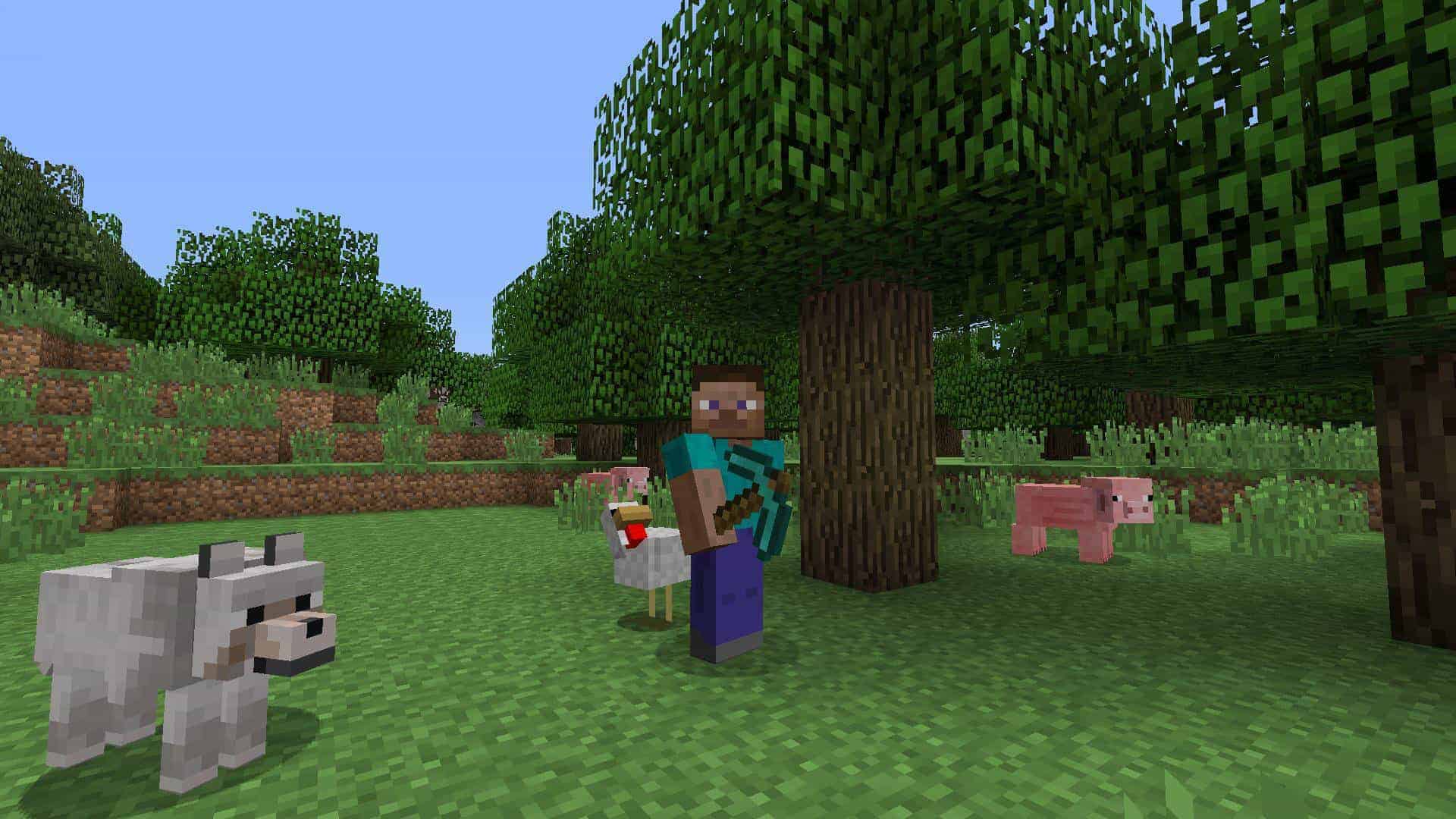
Minecraft the Pale Garden, Hardcore Mode Coming to Bedrock; Announced as Future Updates

Earlier this month, Mojang announced that they are aiming for release smaller — but more frequent — updates to Minecraft. During yesterday’s Minecraft Live, the studio revealed some of the future updates players can expect, and these seems to shake up the experience a fair bit.

The Pale Garden

The first thing revealed was the “Pale Garden,” which seems to up the stakes when it comes to horror experiences for the game. While at daytime, the Pale Garden might seem like a peaceful place to hang around in, that changes quickly once nighttime falls. Players can expect the “Creaking” to come out in the biome at night, and daring to look at it will freeze it in place, and attacking it directly will have no effect. Players will need to search for the Creaking’s heart block for a chance to survive this ordeal.

No word yet on when we can expect this piece of content but we’re hoping it’ll be sometime this year.

Hardcore Mode for Bedrock and Bundles!

Two long-awaited features are finally coming to the Bedrock version! Mojang announced The Bundles of Bravery game drop that brings Hardcore mode to the Bedrock edition (it’s already available in Java), and also bundles (incoming to all editions). Per Mojang, bundles will help players keep a clean inventory no matter how you choose to play. More details on this will be revealed in the future, though the studio hasn’t given it a specific date yet.

So far, Mojang has been pushing out a large patch, and a patch focused on bugs, which was usually a once-a-month thing. Hopefully, this means players won’t have to wait for new content drops and updates that long in the coming future. Speaking of which, the studio released a new patch today that aims to resolve issues that stemmed from the previous patch

Once we know more about the two incoming content drops, we’ll be sure to let our readers know. You can watch the entire Minecraft Live presentation below”

[Source: Minecraft]

Avatar photo

Alex Co

Father, gamer, games media vet, writer of words, killer of noobs.

Home > Title Updates and Patches

Starfield Update for Sept. 30 Flies Out Patch 1.14.70 and Shattered Space DLC

The first major content drop for Starfield is here! Bethesda has officially launched Shattered Space to players who are willing to fork out the extra dough. If you aren’t part of that lot, don’t fret, as the Starfield update for Sept. 30 has something for everyone — even for base game owners.

Starfield Update for Sept. 30 Patch Notes for Version 1.14.70:

Features

  • Creation Kit: The automated process used to create models for Distant LOD is now available

General

  • General performance and stability improvements
  • Resolved an issue that limited the number of loaded creations to 255
  • Lighting changes and enhancements have been made throughout the game
  • Made several visual improvements and bug fixes for weapon models
  • Improved player headtracking when exiting dialogue
  • The player’s camera should no longer be jostled when jumping

Gameplay

  • The Annihilator Particle Beam damage-over-time effect no longer affects Companions
  • Robots and Turrets will now take damage from EM weapons
  • Crafting: Addressed an issue with The Boom Pop! Dynamite recipe
  • Elite Crew: Autumn Macmillan no longer repeats herself when asking about her sister
  • Addressed an issue with Crowd behavior near The Well elevator in the New Atlantis Spaceport when combat is initiated

Quests

  • Brownout: Addressed an issue with progression after speaking with Joyce Osaka in New Homestead
  • Due In Full: Addressed a rare issue with The Delinquent Space Ship appearing
  • Eye Witness: Player can no longer enter the destroyed ship on the spaceport landing pad
  • Hostile Intelligence: Addressed an issue that could cause the door to the Security Office to be inaccessible if they fast travel away and wait during this quest objective
  • In Memoriam: Addressed an issue that could prevent progression during the “Speak with Sarah” objective that takes place near the waterfall
  • In Memoriam: Fixed an issue that could prevent the objective “Proceed to Cassiopeia I” from completing if the planet had been visited previously
  • Leader of the Pack: Addressed an issue that could prevent the Ashta Alpha from being aggressive
  • Legacy’s End: Addressed an issue that could prevent interaction with Delgado if siding with SysDef
  • Legacy’s End: Released Crimson Fleet prisoners will no longer target Ikande after obtaining weapons
  • Managing Assets: Addressed a rare issue that could prevent Tomo from appearing at Paradiso
  • One Giant Leap: Fixed an issue that could cause incorrect music to play during the Unity Scene
  • One Giant Leap: Addressed an issue with Audio that could occur during the credits
  • One Small Step: Resolved a rare camera issue that could occur if the first Crimson Fleet ship in the tutorial is boarded
  • Revelation: Addressed an issue with Quest Target consistency in the final encounter
  • Rook Meets King: Dmitri Moldavski will now respond as intended if Austin Rake is killed during the encounter
  • Rook Meets King: Addressed an issue where one of the Ragana crew was using the incorrect weapon animations
  • Rough Landings: Fixed a rare issue with Milena Axelrod’s ship to appearing
  • The Best There Is: Addressed an issue that could prevent Huan from moving to the Jade Swan after the first meeting
  • The Best There Is: The Jade Swan is now accessible if the player still has the “Search and Seizure” quest active
  • The Best There Is: Addressed an issue that could make the UC Vigilance difficult to locate because it was very far away
  • The Showdown: Resolved an issue that could cause the door to the Strikers Hangout to remain locked

Locations

  • Akila: Updated some textures in the Slums
  • Akila: Resolved a collision issue with bunk beds
  • Deserted Biotics Lab: Fixed missing panels on the exterior floor
  • Lair of the Mantis: Resolved a minor texture issue that could appear on some panels
  • Londinion Steam Tunnels: Fixed collision in an area that could allow players to get out of bounds
  • Maheo I: Closed an open gap on the roof of Sonny Di Falco’s Mansion
  • Neon: Nyx’s Apartment: Fixed an issue with collision in the area
  • Neon: Addressed a collision issue with grated panels in Ebbside
  • New Atlantis: Addressed small areas where water in the lake North of New Atlantis could appear to intersect terrain
  • Stroud-Eklund Staryard: Addressed collision in an area
  • The Clinic: Addressed a visual issue that could appear in Dr. Cassidy’s office
  • The Red Mile: Addressed a collision issue under the platforms in the final area

Ships

  • Ship Builder: A new option has been added to the game settings to allow for toggling Flip Merge behavior use
  • Ship Builder: Fixed an audio issue that could occur when deleting a hab
  • Ship Builder: Fixed a crash that could occur when modifying a ship that contained a live mine
  • Addressed an issue that could allow non-sellable ships to be sold to vendors

Vehicle

  • Addressed an issue with Set Active in the Vehicle menu when using a gamepad
  • Fixed an issue with the position of Wheel VFX
  • Addressed an issue with opening the Favorites menu while entering the vehicle
  • Name plates and health bars will now display consistently while in a vehicle
  • Settings for look sensitivity will now affect the vehicle camera
  • Kaiser and Vasco will no longer both sit in the Rev-8 when following the player
  • The vehicle icon will no longer display in interior maps
  • The vehicle lights will no longer be automatically on when loading a save
  • The fast travel distance for the vehicle is now in-line with other POIs and landed ships

UI

  • Xbox Display Settings: Resolved an issue where setting the frame rate target to 60 would automatically revert the priority back to performance
  • Removed a debug string that would display when uploading saves on Xbox to Customer Service
  • Updated the Skills menu to resolve an issue in Large Font Mode for certain languages
  • Resources with long names are now truncated for Large Font Mode when scanning
  • Resolved an issue with Large Font Mode in the Barter Menu when selling higher quantities of items
  • Temporary text will no longer display if you quickly select the “Continue” option from the Main Menu
  • Ship registration costs will now display the accurate amount both on vendors and the hangar menu
  • Addressed Mass display when selling items from ship cargo
  • Skill Challenge pop-ups will now have truncated text instead of shrunken text where applicable
  • Resolved an issue with gravity wells appearing on the Missions Menu when opening it from the Starmap
  • Location names and quest objectives will now truncate properly on the planet map
  • Creations store title displays fully in all languages
  • A message prompt will appear when trying to load a save where a Creation is unavailable on the current platform
  • Weapons will default to their original skin in menus if a weapon skin creation is disabled
  • Addressed an issue with sorting for Best Results in Creations menu
  • Addressed an incorrect notification of insufficient credits when an exceptionally large number of credits are available
  • Ammo counts should now display correctly for values over 100,000
  • The damage popup can now display numbers larger than 4 digits
  • Addressed an issue caused by aiming down sights while pickpocketing a character
  • Crew menu will now correctly display when someone is assigned to the player’s home
  • The repair button is no longer visible in the hangar inspect menu
  • Resolved an issue with waiting that could briefly cause unintended text to appear
  • Healing items now preview the amount of health restored
  • Storage containers will now have their weight updated when all items are cleared from them
  • The ship marker in the scanner will display at the correct location when docked at a space station
  • Crafting completion confirmation prompt will now be spaced correctly for longer titles
  • Tunneling creatures will no longer show their nameplates or quest targets when tunneling
  • Scanner Anomalies can now be a landing target while piloting a ship in orbit

Audio

  • Increased center channel audio usage for surround sound setups
  • Addressed an issue that could cause power allocation audio to play repeatedly while the engine system is damaged with one power allocated
  • Ecliptic Mercenary voices now use the same filtering in all languages

Shattered Space New Content Details:

Shattered Space brings a completely new handcrafted location to explore and a deep new storyline where players embark on a journey to the homeworld of House Va’ruun for the first time. Players must unravel the mysteries surrounding the elusive followers of the Great Serpent and help them restore their fractured society as it faces the brink of collapse.

Along with new environments and a fresh story, Shattered Space introduces formidable new enemies, new opportunities to discover unique weapons, spacesuits, gear, and more,

Don’t be surprised to see a hotfix or another patch drop to fix some of the issues in the DLC. In related news, Bethesda says they want Starfield to live as long as Skryim, and claims they are always “working on something” when it comes to the game.

[Source: X]

Avatar photo

Alex Co

Father, gamer, games media vet, writer of words, killer of noobs.

Home > Title Updates and Patches

Minecraft Update 2.98 Delivers Bedrock 1.21.31 and Aims to Resolves Issues With Previous Patch

Mojang has rolled out Minecraft update 2.98 this September 309, and this is for Bedrock version 1.21.31. While this doesn’t bring in any new content, it does patch in fixes to various issues that stemmed from the big patch released two weeks ago.

Minecraft Update 2.98 | Bedrock Version 1.21.31 Patch Notes:

Fixes:

  • Fixed several crashes that could occur during gameplay
  • Fixed a crash that could occur when trading with Villagers using only the second slot (MCPE-186676)
  • An issue where some commands did not recognize certain block or item names has been fixed
  • Fixed an issue with transparent objects showing incorrect or missing textures on certain devices (MCPE-185038)
  • Armor Stands will now stay on the ground and not enter one block lower each dimension change (MCPE-186726)

That’s about it. It’s not a long changelog, but I gather, the player base appreciates the fixes all the same.

Don’t forget, Mojang recently announced that Hardcore mode is coming to Bedrock as well as bundles, though there’s no release date set for that yet.

[Source: Minecraft]

Avatar photo

Alex Co

Father, gamer, games media vet, writer of words, killer of noobs.

Home > Title Updates and Patches

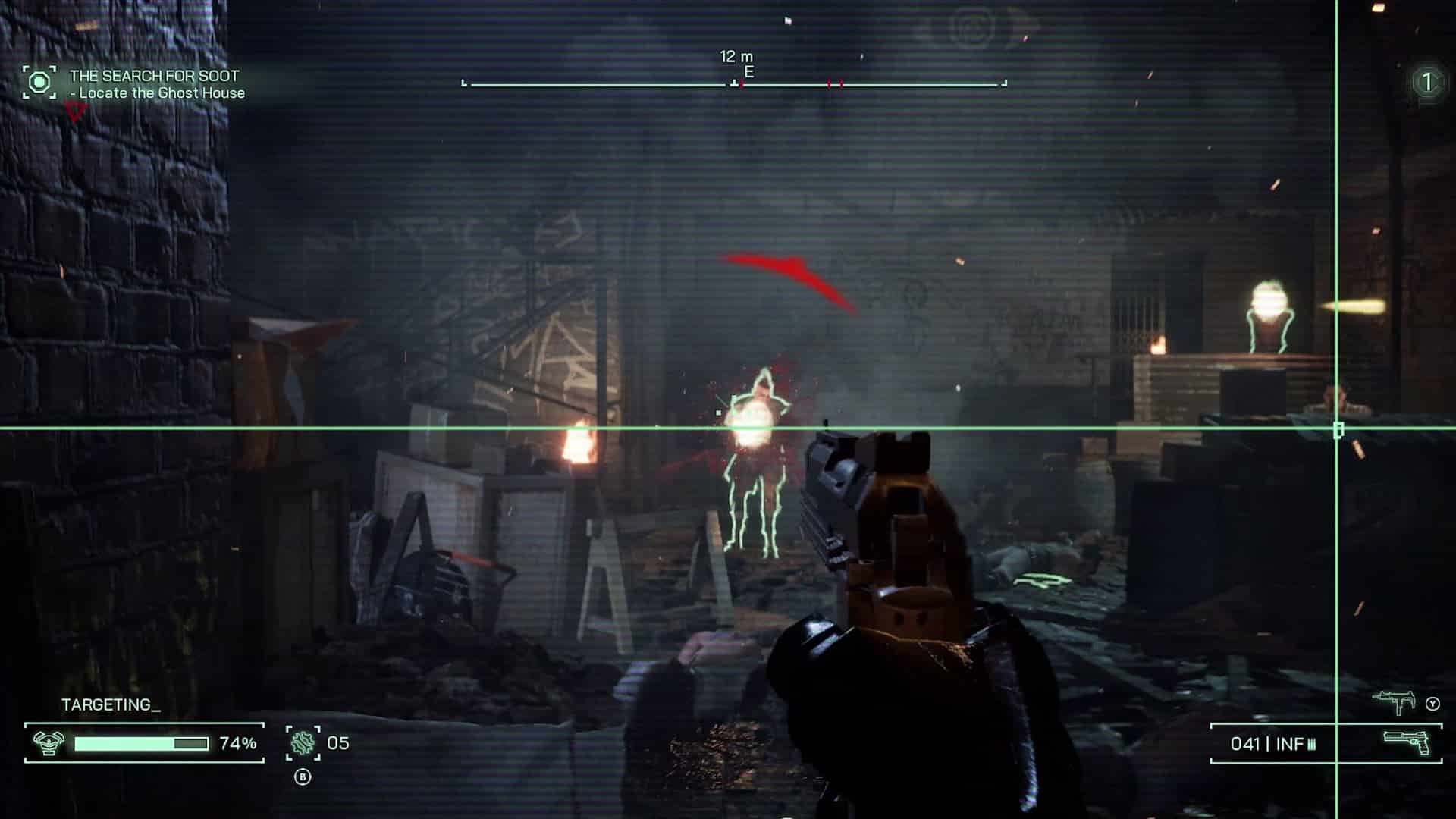
RoboCop: Rogue City Update 1.006 Mysteriously Drops This Sept. 30, Causes Crashing and Save Data Deletion to Some

Developer Teyon has rolled out RoboCop: Rogue City update 1.006 on consoles and PC, and this seems to be a huge download, though is an unannounced title update. Unfortunately, it seems to have dragged along some major issues as well.

RoboCop: Rogue City Update 1.006 Patch Note:

Download Size: 35GB (PC)

Teyon has not acknowledged the title update yet, even if it’s a massive 30GB download on PC! According to one Steam user, the patch changed only a dozen or so files to the game itself, though it’s not know what this does specifically.

Unfortunately, it seems to have affected the game negatively on PC, as multiple users have reported on crashing issues, fatal errors, and even worse, save data deletion!

One user notes that they turned off Nvidia DLSS, upscaling and frame generation and this seems to have done the trick for crashing problems.

Note that some users have mentioned that their saves were not affected at all, so it’s a case-by-case basis it seems. We have reached out to Teyon to see what the patch is about, and if we get a reply, we’ll update the article with the info.

The last patch released for the game was back in February, and it included a short list of fixes. In terms of significant updates, the New Game+ mode was introduced in the January 2024 patch.

Avatar photo

Alex Co

Father, gamer, games media vet, writer of words, killer of noobs.

Home > Title Updates and Patches

Pacific Drive Update for September 30 Tows in Various Fixes on PC and Consoles

Ironwood Studios is back with a Pacific Drive update for September 30 that’s now available on consoles and PC! For console gamers, you will see this as Pacific Drive update 1.007.003, while it’s tagged as version 1.7.3 on PC.

Pacific Drive Update 1.007.003 Patch Notes for Sept. 30:

Version 1.7.3 – Highlights

  • Various fixes related to Achievements and presets
  • Colossal Cappy is now scannable, with the correct logbook implementation
Bugs and UX Fixes
  • Players are now warned when choosing a custom preset that includes settings that will disable achievements on main menu, and in game.
    • Scenic Route now has a warning that explicitly states that achievements will be disabled because it turns off player death.
  • It is now more difficult to disable Achievements from main menu and settings menu
    • Achievements can only be disabled if game is started with settings applied from either the main menu, or from the settings menu – changes will not take effect if the pause menu has not been exited.
  • Colossal Cappy is now easier to scan, and it’s entry will now appear in the logbook after being scanned.
  • Removed a road-less map from the early game pool.
    • A specific Forest map was proving to be too nasty when encountered early on in higher difficulties due to the lack of roads. This map has been removed from the pool of viable early game maps and will now only appear later in the game.
  • Fixed typo in credits for “Worse in Person”
Gameplay Balance and Scripting
  • Implemented an “Accident Forgiveness Plan” where players who encountered an issue where achievements were erroneously disabled after scrolling through difficulties now have achievements enabled again for viable saves.
    • Fix is retroactively applied to existing saves – it will be possible to start earning achievements again on affected saves.
    • Story-related achievements will need to be re-attempted.
Known Issues
  • ‘Resource Replenishment’ upon return to garage setting is not activating upon death
    • Planned fix is being tested, likely to be resolved soon.
  • OGG files are not as reliable as MP3’s for custom radio music
    • Temp solution: Convert songs to MP3 format
  • PS5 only – Presets are currently not removable on console
    • It’s possible to keep creating presets without deleting old ones
    • Currently an issue because the file system is inaccessible on the console
    • Fix is being researched and investigated
  • Duplicate cosmetics from Deco-vends can become ‘falsely’ duplicatable if players don’t add them to the detail station and hold them in inventory.

In case you didn’t know, there was also a patch released last week that ushered in custom radio fixes and more.

[Source: Steam]

Avatar photo

Alex Co

Father, gamer, games media vet, writer of words, killer of noobs.

Home > Title Updates and Patches

Funko Fusion Update 1.002.002 Rolled Out This Sept. 30

1010 Games has pushed out Funko Fusion update 1.002.002, and this is another unannounced patch for the game, so expect fixes, though there is a new batch of free content revealed that’s incoming soon.

Funko Fusion Update 1.002.002 Patch Notes for Sept. 30:

Update: The devs have finally released the patch notes and it’s confirmed this is for consoles and PC.

  • Fixed an issue for audio cutting off after extended play
  • Fixed an issue that prevented doors from fully opening
  • Fixed an issue that prevented the Initializing Systems to get to the main menu when offline
  • Proto character unlock – You now only need to collect the Proto Parts from the main World levels to unlock Proto
  • Cameo Levels now show up as transparent logos on the level select screens of levels in which they can be found.
  • NOPE – increased the timer for the final encounter
  • The Mummy – increased Evelyn’s health to better balance the final encounter
  • Various smaller bug fixes


The studio has not revealed the official patch notes just yet, though there has been a hotfix released on PC recently that resolves an issue stating,  The changleog from September 25 states, “This hotfix is a quick one-off that resolves an issue causing some players to get soft locked when picking up a Gold Crown in a Cameo Level.”

There was a big quality-of-life patch released last week, which you can read about here.

In terms of new content, the developers confirmed that we’ll be seeing the Team Fortress 2 Pack drop for the PS5 and Xbox Series X|S versions as free DLC!

Hopefully, the devs release an actual changelog, and we’ve reached out to them as well, and if we hear anything back, we’ll update the article with any info we scrounge up.

Avatar photo

Alex Co

Father, gamer, games media vet, writer of words, killer of noobs.

Home > News

Like a Dragon: Pirate Yakuza in Hawaii Hands-On Preview – Ahoy, Matey! (TGS 2024)

The Mad Dog of Shimano, Majima Goro, stars in his own game this February, and we got a chance to sit down with a hands-on demo during our Tokyo Game Show visit this year. Cancel the Game of the Year awards because we may have just found our Game of the Year, and it involves a mad dog dressing up as a pirate while cruising down the streets of Hawaii in a Segway, beating up punks as they go.

Yo Ho, Yo Ho, A Yakuza’s Pirate’s Life for Me

Like a Dragon: Pirate Yakuza in Hawaii’s TGS demo began with Majima Goro sailing into Honolulu and hoping to play it cool for a while. However, wouldn’t ya know it, shit gets real on the beach. Confronted by ruffians almost immediately, it was time for combat. Goro told his teenage-looking crew member to stand aside while he took out the trash.

The boy was surprised to learn that, quite simply, there are bad guys around. Goro, of course, knows this all too well and cautioned his junior that there are scumbags everywhere, even in paradise. It’s a mad world, and in it, you’ve sometimes got to become a mad dog.

Goro had two styles to select in combat, switchable mid-fight with the d-pad. One was his own regular self, and the other was a pirate dual-wielding hiller knives. Fighting was, for the most part, the same smooth, accessible, flat-out excellence one expects from the classic entries in the Like a Dragon series (formerly known as the Yakuza series). It followed the familiar pattern of lighting a guy up with fists, ducking his attack, and hitting him from another angle to make that health bar disappear. Combos, air juggling, and Heat Actions were all there to liven things up. If you’ve played the series before, you’ll feel right at home; new players will still get the hang of this pretty quickly.

Our boy was usually outnumbered, because of course, but dodge rolls and fast sidesteps were there to help him survive. He could also do an almost teleport-like dash up to the face of the next enemy to start whipping him with less delay. Grappling with the O button was there for enemies who were blocking or foolish enough to show you their backs.

Heat Actions — Like a Dragon’s cinematic attacks, which usually defeat an enemy — that I saw were the usual over-the-top, brutal fun. Every installment of this series, I wonder how they came up with this stuff and every time, they impress me again. For example, Goro throws a spinning knife into the air and then kicks the handle to jam it into a dude. God, I want to be in the boardroom when these ideas are first tabled.

And we get to the best part: riding around town on a Segway (as previously seen in Infinite Wealth). Faster than running but definitely not a teleport, it was funny and convenient. Frankly, it was hilarious to see Goro rolling around the streets on that thing, then hopping off to smash some assholes, finding an energy drink on the ground, then hopping back on.

Goro and company rode their pirate ship into Madlantis, which had plenty of side stuff that was not yet available in this demo version, as well as the main story bits I was supposed to chase. It was a dimly lit ship graveyard that also served as a sort of hub for pirates and other shady types. Unfortunately, I didn’t get a lot of time here other than a few fights due to my time limit expiring, but it looks like the type of place players will be returning to now and again over the course of Pirate Yakuza in Hawaii.

Despite playing the PS5 version of the game, there was nothing visual that made me go, “Wow, so that’s what the new generation looks like!” Despite this being maybe my first experience with a PS5, I didn’t notice anything that I didn’t already see in PS4. NPC models looked a little rough around the edges and moved in their pre-determined paths, taking clunky walkarounds if something interfered. This is cross-gen, so perhaps some things had to be held out or kept simple in order for previous-gen versions to exist. It’s hard to say.

Speaking from the experience of playing both the PS3 and PS4 versions of some of yesteryear’s cross-gen titles (including Yakuza: Ishin), I’d have to guess that the PS5’s version runs more smoothly and has less pop-in. The difference isn’t always immediately visible with games like these. These performance advantages being in Pirate Yakuza are, I reiterate, my own speculation and not confirmed by the devs or publishers.

Either way, as a longtime Yakuza fan, I left the demo feeling overwhelmingly positive. Everything was clicking.

Like a Dragon: Pirate Yakuza in Hawaii is currently on track for a Feb. 28, 2025 release on PS4, PS5, Xbox One, Xbox Series X|S, and PC. You can check out the game’s pre-order bonuses and different editions here.

Heath Hindman

Home > Title Updates and Patches

Dredge Patch 1.5.3 Casts Out for PS4, PS5 This Sept. 30

While Black Salt Games has already pushed out Dredge patch 1.5.3 on PC, Xbox and even the Switch earlier this month, the PS4 and PS5 versions are just getting it today! Those on PS4 will see this as Dredge update 1.10, while it’s version 1.011 on PS5.

This is a hotfix for the Iron Rig update, so don’t expect any new content outside of fixes.

Dredge Update 1.10 | 1.011 Patch Notes:

Fixes

  • Fixed an issue where the Aurous Anchor could be duplicated. Players who already have excess Aurous Anchors can get rid of them by doing the following: Deploying them all at sea (via Inventory > Cast Overboard). Save and Quit the game. When loading, only 1 will be preserved, which you can collect.
  • Fixed an issue where 16:10 aspect ratios were considered unsupported.
  • Fixed an issue where a handful of ooze spots in Twisted Strand and Stellar Basin could not be cleared under certain conditions.
  • Fixed an issue where SteamDeck detection was not working in certain conditions.

According to the developers, they are “hoping” this is the final patch intended for Iron Rig bugs, which is something we’re hoping for as well.

[Source: Steam]

Avatar photo

Alex Co

Father, gamer, games media vet, writer of words, killer of noobs.