Home > News

GTA 5 Update 1.46 Released This Feb. 28 (Update)

Rockstar just released (Grand Theft Auto 5) GTA 5 update 1.46 on all platforms, and this brings in fixes once again. Check out what’s new in the GTA 5 Feb. 28 patch notes.

GTA 5 Update 1.46 Patch Notes | GTA 5 Feb. 28 Patch Notes:

Size: 1GB (Xbox), 400MB (PC)

Update: Rockstar has released the official patch notes!

[February 28, 2023] – PS5 / PS4 / Xbox Series X|S / Xbox One / PC

  • Fixed an issue that prevented players from being able to modify the TM-02 Khanjali, RCV, and Chernobog in their facility

[February 28, 2023] – PS5 / PS4 / Xbox Series X|S / Xbox One

Security

  • Implemented a new data protocol in GTA Online to improve the security of network sessions and player-to-player messaging

Game Stability and Performance

  • General stability improvements

[February 28, 2023] – PS5 / Xbox Series X|S

Game Stability and Performance

  • Fixed an issue that resulted in car windows missing reflections in some graphics modes
  • Fixed multiple crashes that occurred in GTA Online

[February 28, 2023] – PC

Game Stability and Performance

  • Fixed an issue that resulted in players being incorrectly notified that they need to complete the Prologue to access GTA Online
  • Fixed an issue that prevented some accounts from accessing GTA Online due to stats having been modified by a third party
  • Fixed multiple issues that resulted in some users being able to abuse text chat systems on PC

Rockstar has not released the official patch notes just yet, but we’ve listed the changes spotted by the community, and what fixes were implemented in the Feb. 1, 2023 patch released on PC.

GTA Online:

I just completed a small warehouse sale and got a prompt I hadn’t seen before. It said something like ‘buyers only accept full shipments and if a vehicle is destroyed the remaining stock will be returned to your warehouse’. Is this new? I don’t remember seeing it before.. I might try selling again soon to see if I can recreate it.

  • Reflections on car windows, buildings on Performance mode and Performance RT fixed (via Mythicalsz)

GTA 5 Patch 1.66 Released Feb. 1, 2023 (PC Only):

Security

  • Implemented a new data protocol in GTA Online to improve the security of network sessions and player-to-player messaging
  • Fixed an issue that could result in a player’s GTA Online experience being modified by a third party, including:
    • altering GTA$ balance, RP level, Bad Sport status, and other player stats
    • manipulation of players being kicked or crashed

Game Stability and Performance

  • General stability improvements

Once the full patch notes are out, we’ll be sure to update the article.

Update: The official patch notes have been slotted in!

Source: Rockstar support

Avatar photo

Alex Co

Father, gamer, games media vet, writer of words, killer of noobs.

Home > News

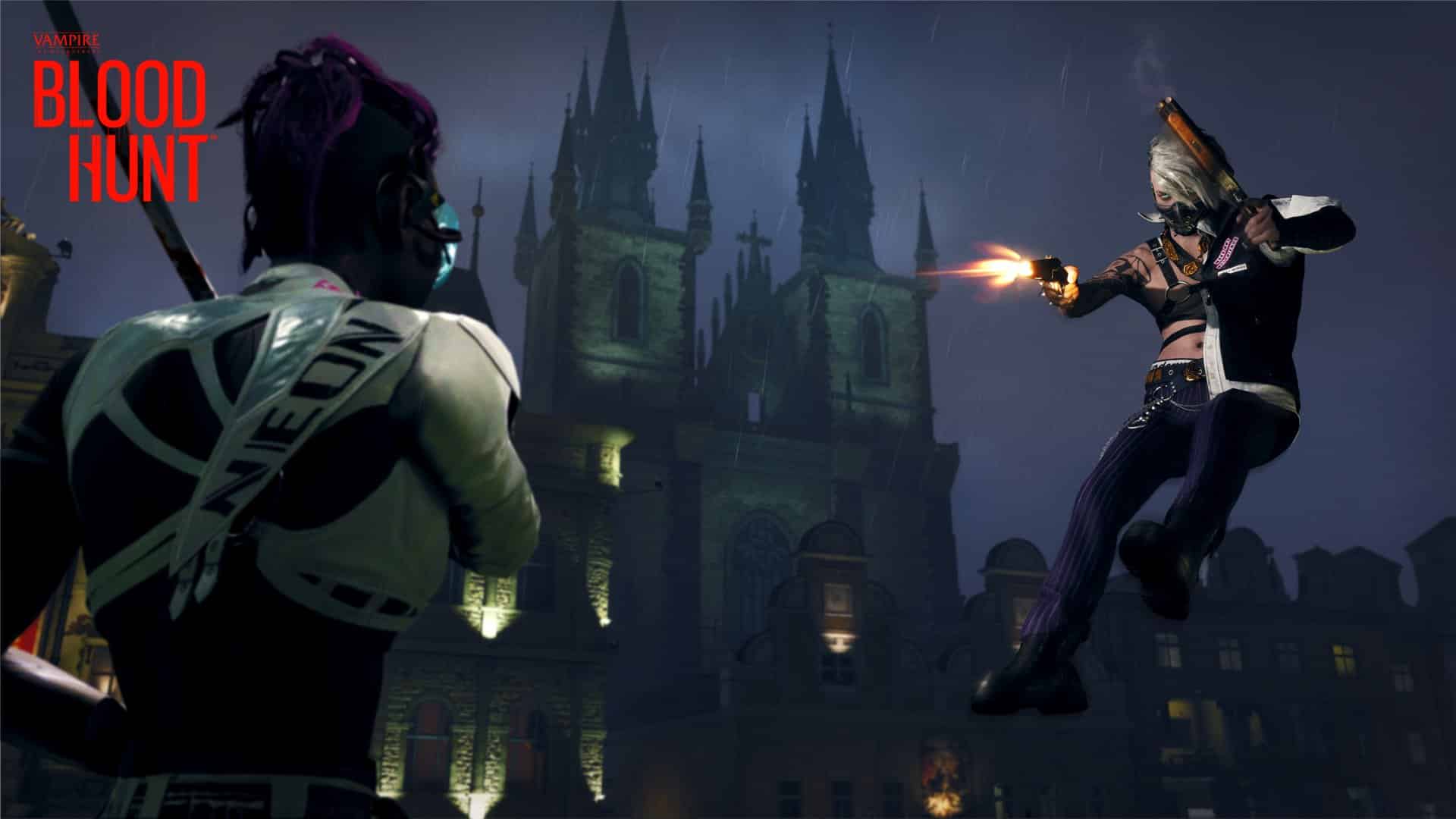
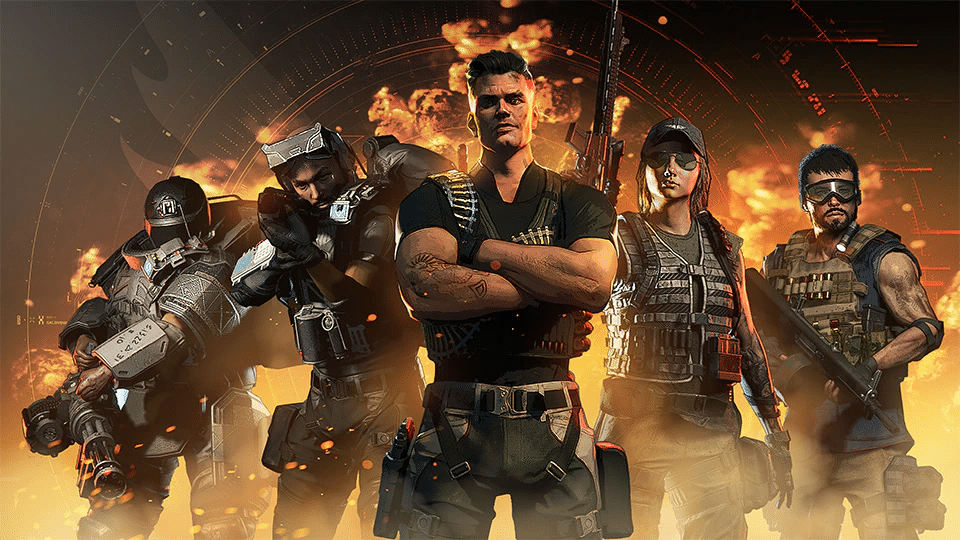
Bloodhunt Update 1.008 Bites Out for Combat & Power Patch This Feb. 28

Sharkmob has released Bloodhunt update 1.008, which brings in the Combat & Power patch. Prepare for major adjustments to powers, and more! Read on for the official Bloodhunt Feb. 28 patch notes.

Bloodhunt Update 1.008 Patch Notes | Bloodhunt Combat & Power Update Patch Notes | Bloodhunt Feb. 28 Patch Notes:

ARCHETYPE POWERS

With the following changes, we aim to emphasize what makes each Archetype unique to play. We at times see players getting by a little bit too well just using their guns, which is why all Archetype powers are getting some facelifts. The goal is to open up for additional strategic play where your Archetype powers can more often be a deciding factor for winning an encounter. This will also likely shift the meta around a bit and give players a fresh take on the combat.

The most significant adjustments have been made for the Vandal, Brute, Siren, and Prowler.

EARTH SHOCK (VANDAL)

The base damage has been increased and is further multiplied the higher the point is that you drop from relative to the target you are applying the damage to.

This change allows for more potential damage of the power itself, especially when you use high-ground advantage and crash down on your enemies.

The knock-up force has also been reduced, making the window of helplessness of the target slightly shorter compared to before.

SHOCKWAVE PUNCH (BRUTE)

The knockback force of the Shockwave punch is increased, which makes it not as easy to follow up with ranged weapons as before. But the power has had its damage increased to compensate, and it makes the power more potent when pushing people off a high ground, which can be incredibly useful in the right situations.

BLINDING BEAUTY (SIREN)

The Archetype power will now also silence the affected opponent, but the duration of the effect is slightly shorter. Enemies may still use their powers as a reaction to your casting but find themselves in a worse spot if they decide to take the fight.

SCOUTING FAMULUS (PROWLER)

Scouting Famulus now has the added effect of making enemies take more damage from all sources. This effect makes following up with ranged weapons (or even melee weapons) a good option. It also helps this ability be used more in combat since it has been lacking in utility when you already have your target in sight. Now it can help you get that extra burst damage if used in combination with an ambush for example.

We have also adjusted the Archetype powers for the other Archetypes; however, these have only had their previous values buffed.

UNYIELDING CHARGE (ENFORCER)

The damage output has been doubled.

SHACKLES (WARDEN)

The cast speed has been sped up.

SEWER BOMB (SABOTEUR)

The damage output has been increased.

REJUVENATING VOICE (MUSE)

The instant heal amount has been raised slightly, and it now is more difficult for other players to interrupt the channeling.

RESONANCE PROGRESSION

Feeding is a core mechanic in Bloodhunt and the players are supposed to use the feeding mechanic to heal, but also grow stronger throughout the match. However, we have noticed that many players either ignore or only utilize this opportunity to a limited extent.

Therefore, we have removed the initial limit of being able to only obtain three resonances before diablerizing or feeding on Entity to gain additional slots, so you can now continue to progress to your maximum total of 12. On top of this, you will also receive a filled blood resonance slot at random by committing diablerie or by feeding on Entity.

The path to increasing your resonances becomes more intuitive and less limited AND taking risks and spending time feeding and committing diablerie will feel much more rewarding.


To balance these changes, the number of civilian NPCs in Prague has decreased. You will now have to look around a bit more to find a specific resonant civilian.

Additionally, we have improved the visual representation of the resonances, partly to display the progression to maximum power more clearly, but also to make the progression through the different resonances feel more rewarding and more visually appealing.

WEAPON REWORK

In this update, we are doing an overhaul of certain aspects of our weapons, where each weapon will have the same max range and falloff regardless of rarity and class.

Classes:

  • Shotguns (Pump Shotgun (except Legendary), Double Barrel, Dual Shotguns)
  • Short-Range (Pistol, Dual Pistols, Silenced SMG, Tommy Gun)
  • Mid-Range (Assault Rifle, Light Machine Gun, Minigun)
  • Mid-to-Long-Range (Toggler, Burst Rifle)
  • Long-Range (Revolver, Marksman Rifle, 9-barrel, Hunting Rifle)
  • Very Long Range (Sniper Rifle)

As an example, for Short-Range class weapons this means that regardless of which of these weapons or rarity you pick, all will have the same max-range and damage falloff.

This also means that if you wish to hit a target at a long-range range, you will no longer be able to use a higher rarity weapon that was designed to work at shorter ranges. Each class is specialized in its own range.

ARTIFACT SYSTEM, SAFES, AND EXPEDITUS’ BOOTS

With this update, we have introduced a new Artifact system. Artifacts can be found at rotated locations across Prague.

  • Safe locations will change for every match
  • Safes can be opened without keys
  • They will contain an artifact that will grant you certain abilities when picked up
  • You will be able to utilize one artifact at a time

The first artifact added with this update is the Expeditus’ Boots. We know some of you miss the opportunity to traverse more smoothly across Prague, which is something that these will allow for. These boots grant you the ability to double jump (without desync issues!).


DUAL SHOTGUNS

The Dual Shotguns are two dual-wielded sawed-off double-barrelled shotguns with a capacity of four rounds. Practically they land somewhere in the middle of the other two shotguns. If fired in quick succession, they will do devastating damage at short range, which allows you to quickly take down or kill your opponent. The Dual Shotgun combines both burst and consistent damage, which makes them ideal for close-quarters combat (as with other weapons, these come in assorted rarities)


CAMARILLA CACHE CHESTS ROTATION

To reward exploration and add more dynamic factors to Prague, the Camarilla Cache chests will now rotate between locations in each match. In order to discover these locations, you need to either keep an eye out for them or activate your Heightened Senses. Be mindful that they still will require a key to unlock.

BOT CHANGES

We continue to make various adjustments to the bot logic. In this one, we have made a couple of changes that make bots a bit smarter and more well-dressed.

CUSTOMIZATION

The bots’ vanity selections will now have different customizations, these will be random to make them less distinguishable from real players.

BETTER USE OF POWERS

Bots are now more selective when using their powers and more often will utilize them when it makes more tactical sense. For example, a Ventrue might use their Flesh of Marble power as a defensive maneuver, rather than using it immediately when spotting an opponent.

LESS LIKELY TO USE BLOOD BAGS OR ARMOR WHILE IN COMBAT

In certain situations, in the past, the bots would decide to start feeding from a blood bag or wearing a new armor whilst in combat. The bots have collectively decided to stop doing this.

LESS LIKELY TO RUN PAST THE TARGET WHEN IN COMBAT

Bots will now be more aware of their target location and will be less eager to chase them to the point of sprinting past them.

SNIPER SCOPE RETICLE

We have changed the sniper scope reticle to one that looks much cooler and that should also help with aligning the shots better!


WEAPON BALANCING

The Dual Crossbows nerf you all asked for is here! The fire rate has been lowered and the area of effect drop-off damage has been increased (less damage farther away from the center). You will now need to adjust your aim and place each shot closer to the target to get the full damage potential from these.

We have slightly buffed the Hunting Rifle fire rate. This change should make it less punishing to miss a shot, and more reliably apply the bleed effect. Hitting multiple shots in a row still has diminishing returns and the damage from any previous bleeds is lost when you hit the same target in succession.

Lastly, the Gold Sniper Rifle can now reload a bit faster to compensate for its limited magazine size. The rate of fire should now match the other sniper rarities.

MATCHMAKER AND NETWORKING ADJUSTMENTS

We have made several changes to the matchmaker to ensure that the player’s first experience in Bloodhunt is a learning experience, having time to practice against bots rather than immediately facing the absolute best players. Furthermore, we wanted a more dynamic matchmaker that could adapt to the number of players, so that it would be less strict when there are fewer players queueing versus when there are many. This adaptive ability is already live now but might need further adjustments in the future.

Additionally, we have implemented a change that prevents players from leaving the matchmaking queue when the matchmaker has found enough players to start a match. This will contribute towards maximizing the number of players in matches, will help prevent starting with uneven numbers in TDM (Team Deathmatch) matches, and will also help prevent groups with missing players.

Also, we have made several optimizations to improve the responsiveness and overall server performance. This is an ongoing process and further investigations are underway. We plan for additional improvements to this aspect in future updates.

BUG FIXES AND ADDITIONAL CHANGES

  • We sorted a rare issue where the player was unable to change Archetype in the Archetypes menu in Elysium
  • We fixed an issue where the player sometimes would not enter a match after a match was found
  • Golden rarity weapons can now spawn naturally in TDM
  • Fixed an issue where the in-game medals would show a player name despite streamer mode being enabled
  • Silence from Blinding Beauty will now interrupt the Katana’s Reflect ability
  • Mastery challenges will now no longer appear in the Elysium HUD
  • Resolved some issues with floating lamps in Prague

Source: Bloodhunt

Avatar photo

Alex Co

Father, gamer, games media vet, writer of words, killer of noobs.

Home > News

Destiny 2 Xbox Series X|S Login Issues for Lightfall Surface This Feb. 28, Here’s a Workaround (Update)

Bungie has issued a multi-step workaround for potential Destiny 2 Xbox Series X|S login issues that may keep players from signing into Destiny 2 when the servers go back up for the Lightfall expansion at 12pm ET/9am ET today. The workaround involves disabling multiple addons from past expansions before signing into the game.

Destiny 2 Xbox Series X|S Login Issues for Lightfall Workaround:

The much-awaited showdown between the Calus-backed Witness and the Traveler is finally happening in the new Destiny 2: Lightfall expansion, which goes live later today. However, multiple problems have arisen in the days before the launch of Lightfall, including the pre-load going live in multiple regions before the scheduled time. Bungie has now identified a potential login issue on Xbox Series X|S consoles in advance before the servers go back up, and has issued a multi-step workaround as follows:

  • Quit Destiny 2 if it is running
  • Highlight Destiny 2 tile
  • Press Menu button
  • Select “Manage game and add-ons”
  • Select Destiny 2
  • Unselect all of the following add-ons:
    • Destiny 2: Forsaken – Black Armory
    • Destiny 2: Forsaken – Joker’s Wild
    • Destiny 2: Forsaken – Penumbra
    • Destiny 2: Forsaken Annual Pass
    • Expansion I: Curse of Osiris
    • Expansion II: Warmind
  • Select “Save Changes”
  • The add-ons will uninstall on the “Manage Queue” screen
  • Launch Destiny 2 when completed

Bungie notes that affected players will not be able to log in at all unless these expansions are disabled, and as such, said players on Xbox Series X|S consoles will remain unable to access the above content until a proper fix is issued.

The Destiny 2: Lightfall expansion is currently available for pre-order on PS4, PS5, Xbox One, Xbox Series X|S, and PC, and is mere hours away from launch. It brings the new Neomuna location and Legendary campaign, new weapons and enemies, Guardian Ranks, commendations, and the ability to create and save loadouts. A detailed explanation of some of these new quality-of-life features can be found here.

Update: Bungie has added additional steps to the workaround to ensure that sign-ins are not blocked for Xbox Series X|S players:

  • Select “My games & apps”
  • Select “Manage”
  • Select “Updates
  • For all Destiny 2 tiles that appear, select each and then Update
    Once the updates are complete, Destiny 2 can be launched.

After launching Destiny 2, if you see any “There’s an upgrade!” screens:

  • Select the Upgrade button
  • Wait for the update to complete
  • Quit Destiny 2
  • Relaunch Destiny 2
  • Repeat these steps until no more upgrade screens appear
Avatar photo

Salman Haider Zaidi

That's a nice argument, Senator.

Home > News

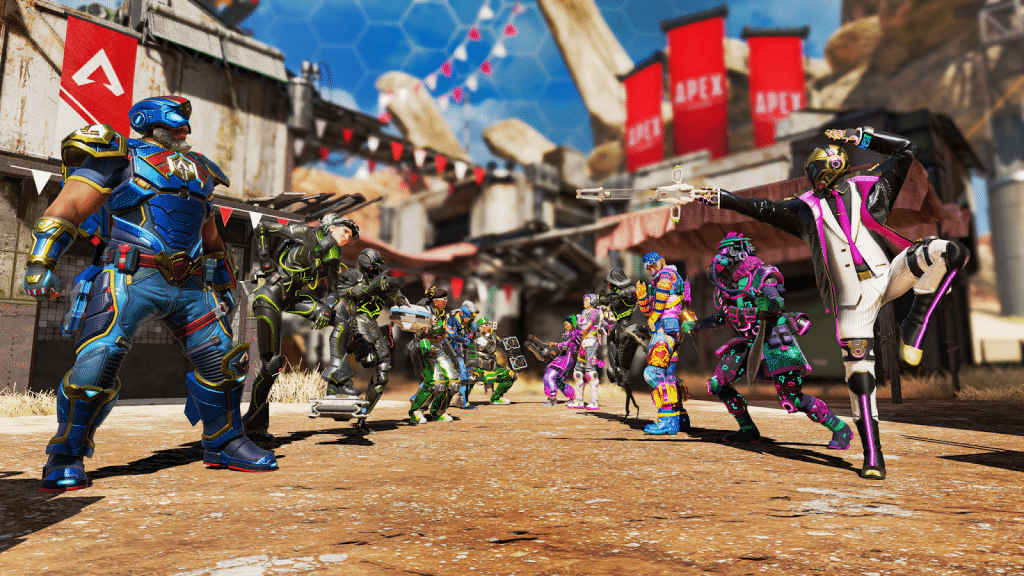
Apex Legends Update 1.000.032 Released This Feb. 28

Respawn Entertainment has released Apex Legends 1.000.032, and this is once again a patch ushering in fixes more than anything else. Check out what’s new in the Apex Legends Feb. 28 patch notes.

Apex Legends Update 1.000.032 Patch Notes | Apex Legends Feb. 28 Patch Notes:

Size: 438MB (PS5)

Respawn hasn’t released the official patch notes just yet, but we do know some of the issues the studio has been tinkering with.

We’ve been working behind the scenes to roll out some fixes to Ranked:
-You will no longer be inaccurately demoted.
-We’re still working on a visual bug showing inaccurate RP loss.
-We’re looking to make an exceptional, one-time RP restoration for players. More info on that soon!

Once the official patch notes are out, we’ll be sure to update the article, so refresh it from time to time.

Avatar photo

Alex Co

Father, gamer, games media vet, writer of words, killer of noobs.

Home > News

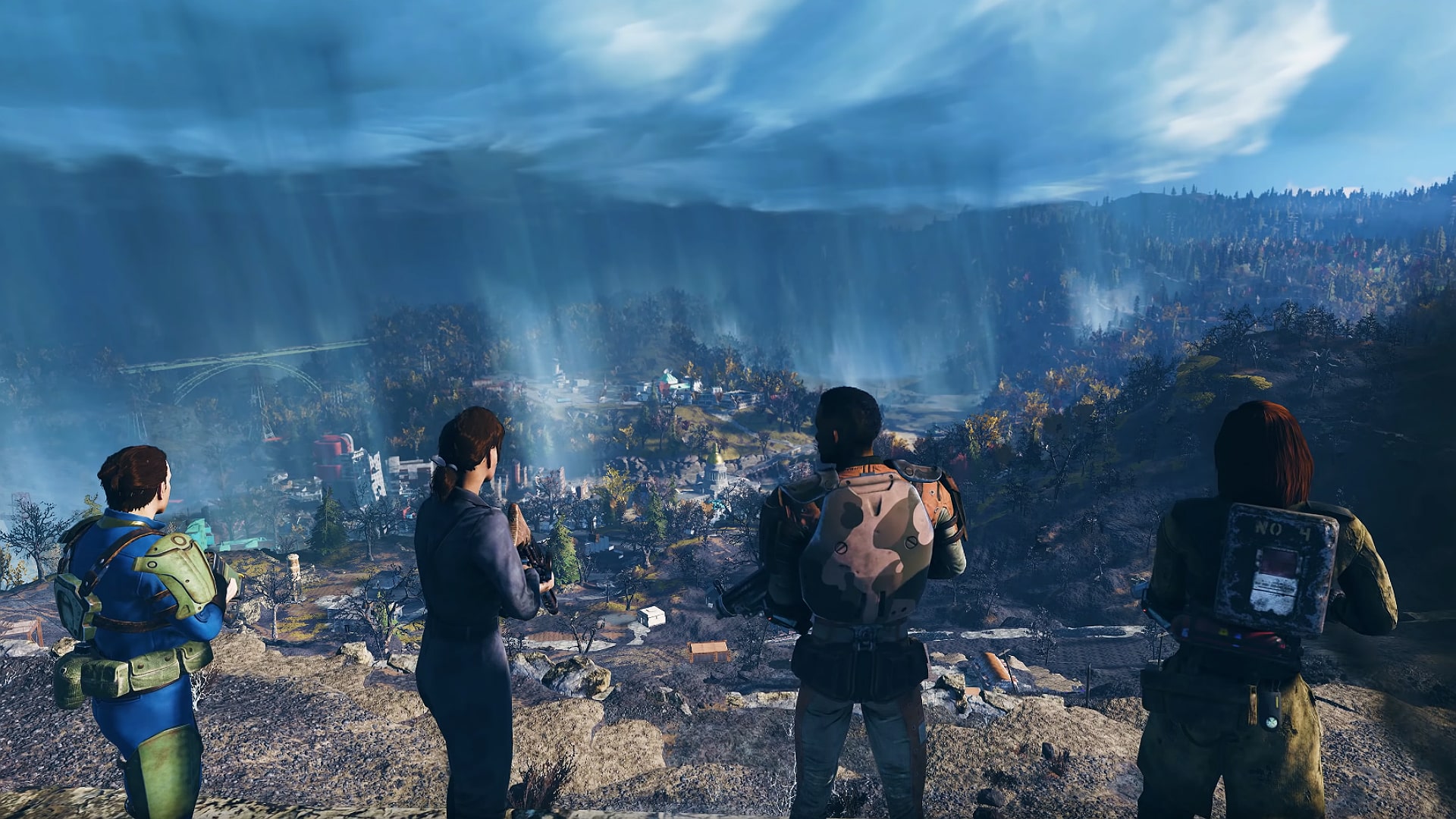
Fallout 76 Servers Down for Maintenance and Mutation Invasion Roll Out This Feb. 28 (Update)

Those having issues connecting to Fallout 76, it’s not just you, as Bethesda has taken the Fallout 76 servers down this Feb. 28, and this is for a spot of maintenance where players will see a new title update be released.

Fallout 76 Servers Down Schedule and Updates for Feb. 28:

Update 3: Bethesda has announced that maintenance is over!

Update 2: Bethesda has confirmed that servers are still down!

Update: Here are the complete patch notes for Mutation Invasion released this Feb. 28!

Here’s the announcement from Bethesda:

Tomorrow at 9 AM EST @Fallout 76 will be taken offline to perform maintenance and bring you Mutation Invasion! Keep an eye here or Discord for updates. discord.gg/bethesdastudios

Same as before, there’s no timeframe on how long the server outage will last, but based on our experience, it’ll take at least 2-3 hours before it’s fully restored. Once we know more news regarding the downtime, we’ll be sure to let our readers know.

Once the Mutation Invasion patch is live, we’ll provide a proper link to it from this article, so stay tuned!

Avatar photo

Alex Co

Father, gamer, games media vet, writer of words, killer of noobs.

Home > News

SnowRunner Update 1.37 Rides Out for Season 9 This February 28

Focus Home Interactive has deployed SnowRunner update 1.37 today on all platforms. This includes Season 9 content such as new DLC and more. Check out the SnowRunner February 28 patch notes below.

SnowRunner Update 1.37 Patch Notes | SnowRunner February 28 Patch Notes:

  • New content

    • [DLC] New region, Ontario – a region consisting of 2 new maps set in Canada.
    • [DLC] New trucks:
  • Derry Special 15C-177

  • ZiKZ 566A

Other Changes

  • Towers on Island lake in Michigan are fixed
  • Parking brakes logic for Tatra Force evacuator is fixed
  • Fixed a bug where the DLC Rezvani Hercules pack was missing in the ‘’Content Library’’ menu on Xbox One, Xbox Series and PlayStation 4
  • Fixed a bug where the Mod Browser showed an infinite loading after loading a save in coop
  • Fixed a bug where crash encountered when selecting the ‘’Clean All Up’’ option in Mod Browser
  • Fixed a bug where the user could start the contests two more times after using all the attempts displayed in Hard mode
  • Fixed a bug where the user was redirected to the base game store page when attempting to access the DLC “Season 8 Grand harvest” store page from content library on PC
  • Fixed a bug where the active zone of the ‘’Honest Work’’ task was not fully displayed at a certain camera angle on the ‘Railway Terminal’ area of the ‘Crossroads’ level, Belozersk on PC
  • Fixed a bug where crack textures appeared on the ground
  • Fixed a bug where the game crashed when selecting the ‘’Clean All Up’’ option in Mod Browser on Nintendo Switch
  • Fixed a bug where not all unused cache files were deleted when unsubscribing from some mods through the mod browser after pressing ‘’Clean up all’’ on Nintendo Switch
  • Fixed a bug where after changing setting ‘’Invert clutch’’ to ‘’on’’ was impossible to go back to main menu or pause menu on Xbox One and Xbox Series
  • Fixed a bug where force feedback was missing on Logitech G920 and G923 on Xbox One and Xbox Series
  • Fixed a bug where marker was invisible or had a distorted shape if marker was set on any active zone (gateway, warehouse, garage entrance or fuel station) on Xbox Series
  • Various collision fixes
  • Various render fixes
  • Localization fixes

New Game Plus (NGP)

  • Fixed a bug where descriptions of the rules of the NGP save slot were missing in the ‘’List of Saved Games’’ menu
  • Fixed a bug where creating a NGP save interfered with the last Custom Scenario with NGP mode save
  • Fixed a bug where addons were sold at 50% of the price in NGP when all parameters were set to default
  • Fixed a bug where the contracts rewards displayed in the profile menu failed to match the actual reward when ‘’Contract payout rules’’ was set to 50, 150, 200, 300 percent in New Game Plus
  • Fixed a bug where the trailer’s selling price was also increased when the ‘’Trailer pricing rules’’ parameter was set to ‘’2 times normal price’’ NGP
  • Fixed a bug where the addons purchased price was different for the sale price if the ‘’Vehicle addon pricing rules’’ is not 2x on Nintendo Switch
  • Fixed a bug where the NGP banner was missing from the Pause menu
  • Fixed a bug where the contest wasn’t locked after finishing not at gold in NGP with ‘’Unavailable after scoring less than gold’’ option in “contest availability rule” on Nintendo Switch
  • Fixed a bug where the contract rewards displayed in profile menu fail to match the actual reward when ‘’Contract payout rules’’ is set to 50, 150, 200, 300 percent in NGP on Xbox Series
  • Fixed a bug where the trailer’s selling price was also increased when the ‘’Trailer pricing rules’’ parameter was set to ‘’2 times normal price’’ on Nintendo Switch
  • Fixed a bug where the addons purchase price was different for the sale price if the ‘’Vehicle addon pricing rules’’ was not 2x on Nintendo Switch
  • Fixed a bug where two different outcomes were encountered after selecting specific parameters in NGP on PlayStation 5
  • Fixed a bug where the ‘’All trucks are available from the Start’’ parameter from the ‘’Truck availability rules’’ overwrote the Maine region garage rules on PlayStation 5
  • Removed ‘’Only trailers found in the world are available’’ NGP option

Mod editor

  • Fixed a bug where the ‘’Distribution group name’’ field was missing in the settings of the zones
  • Fixed a bug where starting parameters were not applied when launching the custom map
  • Fixed a bug where the editor couldn’t be launched in the Steam and EGS store
  • Fixed a bug where the ‘’State’’ field was missing in the settings of the distribution
  • Added DLC 9 cargo types: CargoGold, CargoLogsMedium_Burnt

Be careful, when working with rivers and overlays in the mod editor, there will be issues (rivers and overlays are randomly duplicated) until the next patch, we apologize for inconvenience.

Source: Focus Forums

Damien Seeto

Home > News

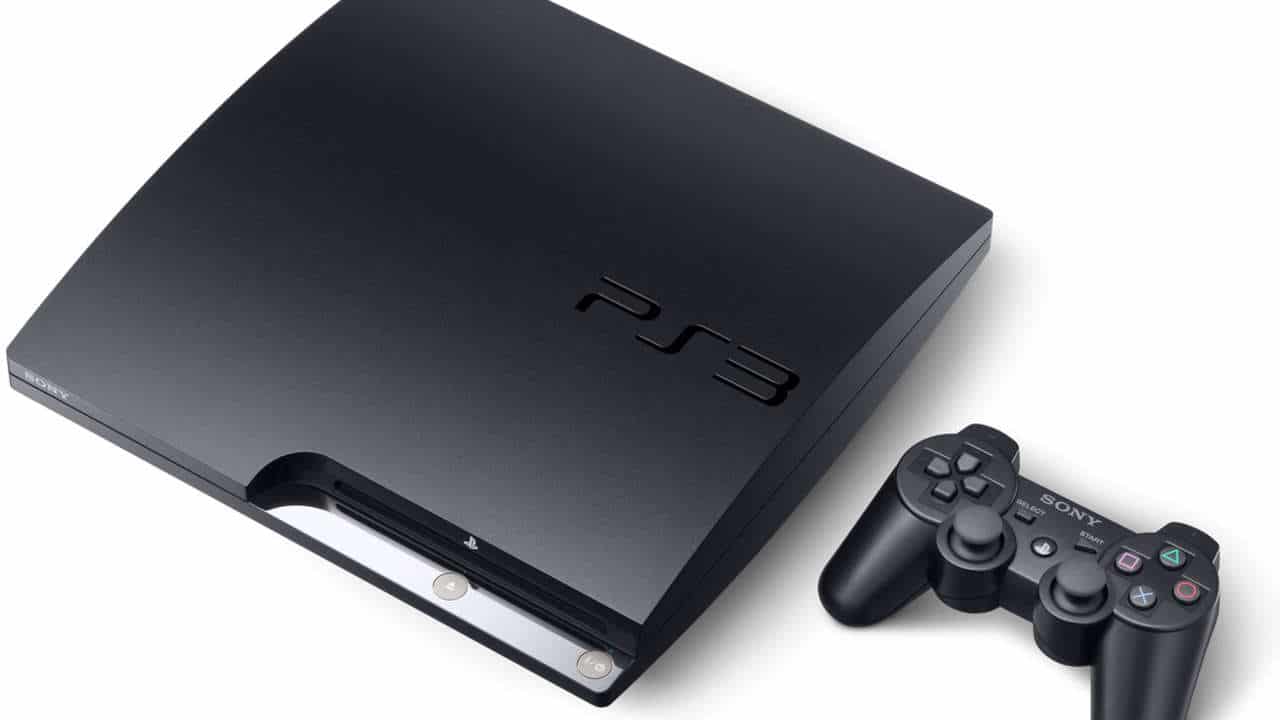
PS3 Update 4.90 Released This Feb. 28 and Brings More of What Players Expect

Sony has sneakily (and oddly) released PS3 update 4.90 today, and it’s a small download that doesn’t add any new features. Read on for more details regarding today’s firmware system update in the PS3 Feb. 28 patch notes.

PS3 Update 4.90 Patch Notes | PS3 System Software Update 4.90 Patch Notes | PS3 Feb. 28 Update Patch Notes:

An update to the PlayStation 3 system software was released on 28/02/23.

In order to download the update, you need a minimum 200MB of free space on either the PS3 Hard Disk Drive (System Update) or on removable storage media (PC Update).

Always update your PS3 system to the latest version of the system software. By updating, you can enjoy additional features, improved usability, and enhanced security.

Version 4.90

  • This system software update improves system performance.

Note that while Sony doesn’t list it specifically, these firmware updates also add another layer of security when it comes to potential exploits and the like.

If there are any other changes or adjustments included that’s spotted by the community, we’ll be sure to update the article, though don’t on it.

Source: PlayStation

Avatar photo

Alex Co

Father, gamer, games media vet, writer of words, killer of noobs.

Home > News

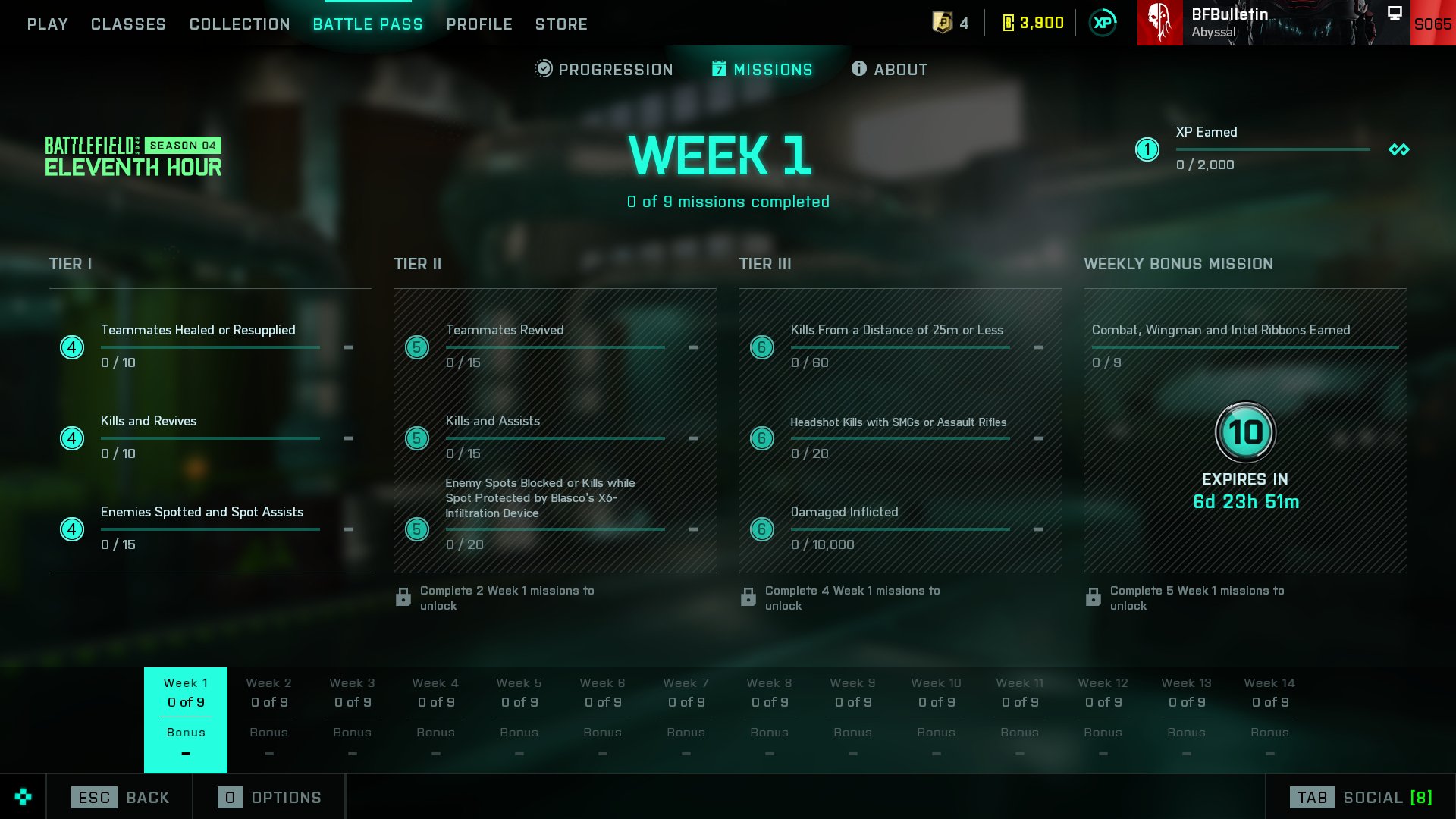
New Battlefield 2042 Weekly Missions, Battle Pass Rewards for Season 4 Week 1 Listed (Feb. 28)

MP1st is here to bring players the new Battlefield 2042 weekly missions and store refresh for February 28. Check out the official Battlefield 2042 Season 4 Week 1 weekly missions, Battle Pass rewards, and Featured Experiences!

New Battlefield 2042 Weekly Missions, Battle Pass Rewards for Season 4 Week 1:

Week 1 Missions:

  • 10 Teammates Healed or Resupplied (4)
  • 10 Kills and Revives (4)
  • 15 Enemies Spotted and Spot Assists (4)

Available After 2 Missions Completed:

  • 15 Teammates Revived (5)
  • 15 Kills and Assists (5)
  • 20 Enemy Spots Blocked or Kills While Spot Protected by Blasco’s X6-Infiltration Device (5)

Available After 4 Missions Completed:

  • 60 Kills From a Distance of 25m or Less (10)
  • 20 Headshot Kills With SMGs or Assault Rifles (10)
  • 10000 Damage Inflicted (6)

Available After 5 Missions Completed (Bonus Mission):

  • 9 Combat, Wingman, and Intel Ribbons Earned (10)

Portal Featured Experiences:

  • Team Deathmatch of Ages (All Eras | Team Deathmatch | 16v16)
  • Conquest of Ages (All Eras | Conquest | 32v32)

New Store Bundles:

  • Nation Builder (5 Items, 1750 BFC)
    • “Terraformer” Specialist Set for Blasco
    • “Desert Lance” CAV-Brawler Vehicle Skin
    • XP Booster (3 hours)
    • Player Card Background
    • “Xenolith” SWS-10 Weapon Skin

That’s about it! Tune in next Tuesday for the Season 4 Week 2 new weekly missions, store bundles and more.

(Thanks, BFBulletin!)

More Battlefield Reading:

Avatar photo

Salman Haider Zaidi

That's a nice argument, Senator.

Home > News

Battlefield 2042 Servers Down and Experiencing Login Issues This Feb. 28

If you’re trying to login to play Battlefield 2042’s Season 4: Eleventh Hour today, you might be having a hard time logging in. It seems the Battlefield 2042 servers are down this Feb. 28, as players have reported issues logging in and connecting.

Battlefield 2042 Servers Down Info and Status This Feb. 28:

Multiple reports on the game’s subreddit have surfaced regarding the outage:

Can’t connect to online services
byu/Woolwich88 inbattlefield2042

DICE has acknowledged the issues:

We’re seeing many of you trying to login to Season 4: Eleventh Hour right now for #Battlefield 2042.

You may experience some connectivity issues. Our team is on it to get you all logged in and playing.

We’re keeping an eye out and will update the article if anything new transpires about it today. Chances are, this will be resolved soon. 

As for Season 4, go check out everything new and the official patch notes right here.

Avatar photo

Alex Co

Father, gamer, games media vet, writer of words, killer of noobs.

Home > News

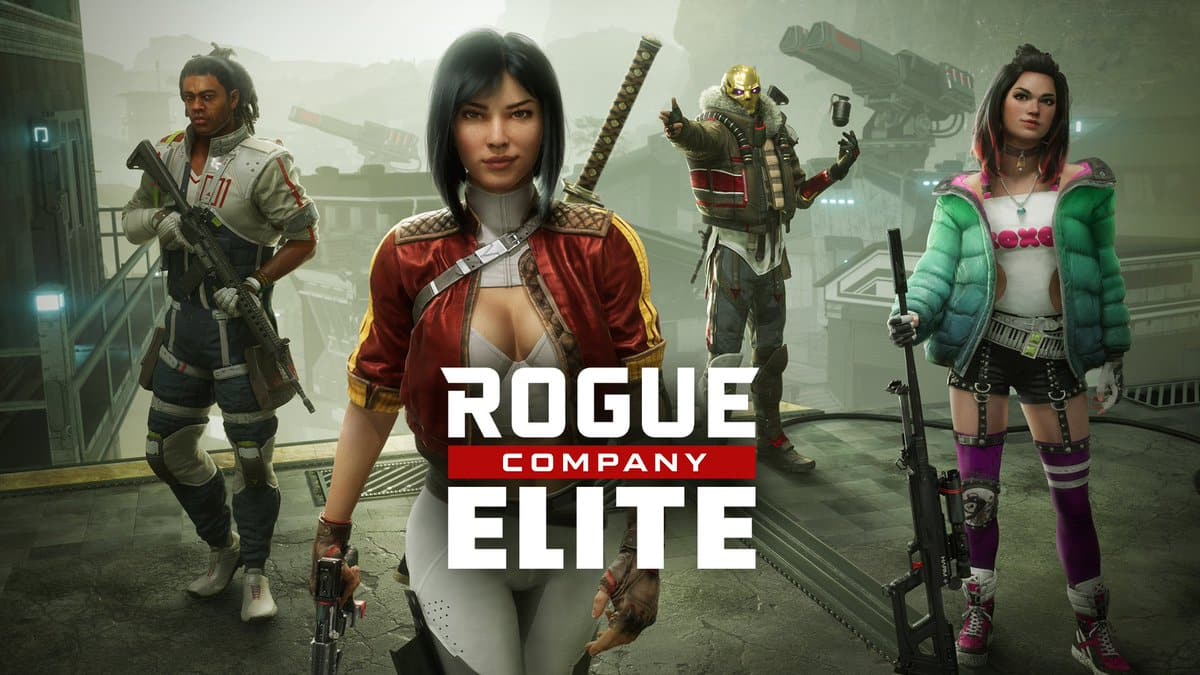
Rogue Company Update 2.18 Out for Eternal Conflict Season 10 This Feb. 28

First Watch Games has released Rogue Company update 2.18 (PS5 version 1.000.052) today for all platforms. This introduces Season 10 content called ‘Eternal Conflict. Check out the Rogue Company February 28 patch notes below. 

Rogue Company Update 2.18 Patch Notes | Rogue Company Season 10 Patch Notes | Rogue Company February 28 Patch Notes:

First Watch Games has not posted the full and official patch notes yet, but the Rogue Company Twitter page posted some details about the new update. You can expect to see new skins, new items, and other content. Check out some of the details posted down below.

We will update this post as soon as we can if the official patch notes are revealed later today. Make sure to keep refreshing this page to see all of the latest updates for the game.

Source: Rogue Company Twitter

Damien Seeto

Home > News

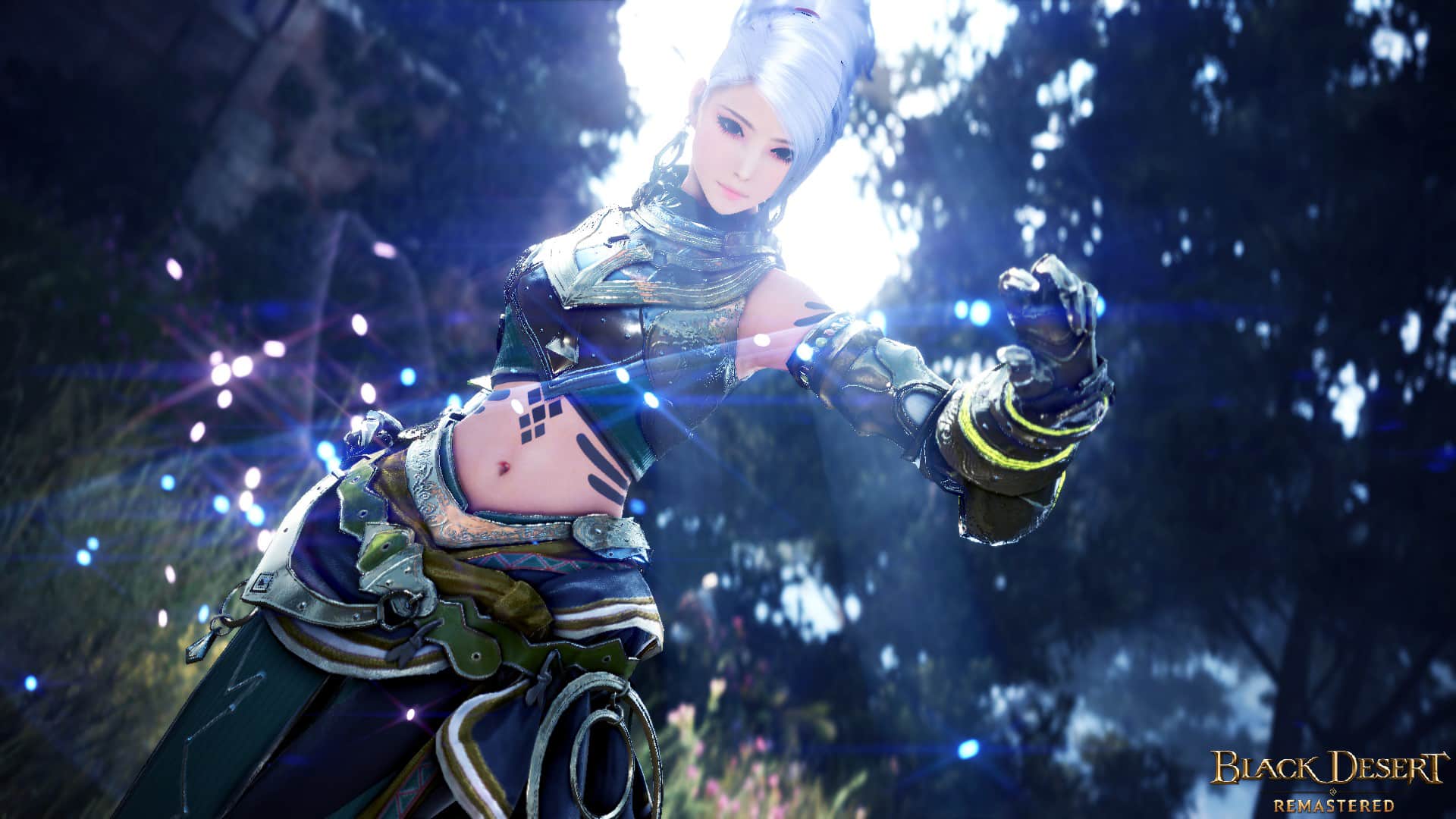
Black Desert Online Update 2.69 Out for New Content This February 28

Pearl Abyss has released Black Desert Online update 2.69 today for all platforms. This update includes new content and fixes. Check out the Black Desert Online February 28 patch notes down below.

Black Desert Online Update 2.69 Patch Notes | Black Desert Online February 28 Patch Notes:

Improvement on Wizard’s Posture
Today’s patch includes a change to the Wizard’s model.
We’ve been preparing this change since September of 2021 and we’re pleased to finally deliver it today.
This was possible thanks to your widespread support of us and the Wizard class.
Thank you again for your patience and support.
 
As we have completely changed Wizard’s body shape, what we thought most important was, “The body shape has changed, but the feel of playing Wizard should stay the same as much as possible.” This is because we didn’t want you to experience any change from the gameplay that you are already familiar with. Therefore, we worked on all the animations for a long time while simultaneously testing the way he feels to play, but please understand that some animations may feel slightly different from the previous ones.
 
In the case of clothing, all of them were reworked to fit the new model. You can see that the overall silhouette of the Wizard has become more striking, as now he has strong and stiff shoulders.
Lastly, with the model change, the previously saved customizations are no longer available. The previous customizations of Wizard that you loved will be preserved via the “Wizard Archive,” so please be understanding even if it’s unfortunate.
 
We hope your adventurers with the reworked Wizard will be that much more enjoyable.
Thank you.
 
* Although it was not fixed today, we are diligently looking into the bug where the Forward Guard effect of the “Chilling Wave” is occasionally not applied. We’re working on it so that it can be fixed in due time.
 
  • Improved the Wizard’s model.
    • As a result, some of the animations of the Wizard have been changed to match his new model.
 
  • The customization information of the Wizard has been reset. All previous customizations of the Wizard uploaded in the Beauty Album now can only be viewed from the Wizard Archive category of the Beauty Album on the website.
 

Events

● Catch up with this week’s events!
Black Desert’s events and coupons at a glance!
Catch up with this week’s events!


New Additions and Improvements
Class Changes

Wizard, Witch

Main Weapon, Succession
  • Changed the camera effect for the following main weapons:
    • Fireball, Fireball Explosion, Earthquake, Multiple Magic Arrows, Residual Lightning, Lightning Storm
 
  • Fixed the issue where the cooldown for I to Absolute would be reset during the cooldown if it was used again.
 
  • Fixed the following upon using the below skills while mounted:
    • Fixed the issue where Prime: Freeze skill effects wree applied to Monsters.
    • Fixed the issue where the Stiffness effect of Prime: Lightning Storm: High Voltage skill was applied in PvP 
    • Fixed the issue where Prime: Flame Explosion: Spread and Prime: Lightning Storm: Strike skill effect would not be displayed.
    • Fixed the issue where Prime: Meteor Shower: Focus skill’s attack range was applied abnormally.
    • Fixed the issue where Prime: Earth Arrow II would be activated abnormally.
    • Fixed the issue skill descriptions for using the skill while mounted was missing for Prime: Blizzard: Domain.
    • Fixed the issue of extra attacks descriptions being written incorrectly for the Prime: Freeze skill.
    • Fixed the issue where the cooldown for Prime: Lightning would be reset during the cooldown if it was used again,.
    • Fixed the issue where the skill animation and number of hits would be displayed abnormally for Prime: Residual Lightning: Combo.
    • Fixed the issue where Mana Absorption skill animation and effect would be displayed abnormally.


Witch

Main Weapon, Succession

Lightning

  • Fixed so the motion connects more naturally upon using Lightning skills while mounted.


Woosa

Main Weapon, Succession

Butterfly Step

  • Improved so that Butterfly Step can be added to a Quick Slot.
  • Improved so that you can stop the movement at any time by pressing the backward key (S).
  • Reduced the distance of lateral movement while using the skill.
Before After
 

Thunderstroke, Prime: Thunderstroke

  • Fixed the issue where the skills would activate right in front of the character in certain areas.
 

Cloudcarve

  • Fixed the issue where combo into Cloudcarve from Chain: Fan Kick was applied differently if comboed into Cloudcarve after Fan Kick 2 hits.


Maegu

Succession

Prime: Foxspirit: Deceiver

  • Fixed the issue where, from a certain distance, the name of Maegu’s illusory double would not be displayed for other characters while the skill was active.
 
 
Contents
 
The number of Contribution Points required for certain Production Nodes and the connecting of certain nodes has been reduced. Contribution Points were originally set when these nodes were released as new territories, but as time has passed and with new territories are on the way, we decided that the original requirement is too high. If you’d previously invested in any of the Nodes listen below, Contribution Points will be returned according to the new requirements after today’s maintenance.
 
Reduction of Contribution Points for Certain Nodes and Production Nodes
  •  The amount of Contribution Points required for connecting the following nodes and Production Nodes has been reduced.
* For those who have invested in nodes listed below, Contribution Points will be returned according to the updated requirements. (Up to 113 Contribution Points)
Node Contribution Points Before Contribution Points After
Omar Lava Cave – Mining 3 2
Iron Mine – Mining 3 1
Elric Shrine – Gathering 3 1
Ancient Fissure – Mining 3 2
Ancient Fissure – Gathering 3 1
Basilisk Den 4 2
Aakman 5 2
Derko Island 5 2
Bashim Base – Mining 3 1
Capotia – Gathering 3 1
Pilgrim’s Haven – Mining 3 1
Bambu Valley – Gathering 3 1
Iris – Gathering 3 1
Kmach Canyon – Gathering 3 1
Aakman – Gathering 3 1
Crescent Shrine – Gathering 3 1
Crescent Mountains – Mining 3 1
Titium Valley – Gathering 3 1
Bazaar Farmland – Nutmeg 3 1
Bazaar Farmland – Teff 3 1
Shakatu Farmland – Fig 3 1
Shakatu Farmland – Star Anise 3 1
Altas Farmland – Teff 3 1
Erdal Farm – Pistachio 3 1
Erdal Farm – Date Palm 3 1
Valencia Plantation – Pistachio 3 1
Valencia Plantation – Date Palm 3 1
Valencia Plantation – Freekeh 3 1
Fohalam Farm – Teff 3 1
Erdal Farm – Silk Culture, Silk Thread 3 1
Roud Sulfur Works – Excavation 5 2
Duvencrune Farmland – Farming 3 1
Marak Farm – Farming 3 1
Akum Rocky Mountain – Mining 5 3
Khalk Canyon – Mining 5 3
Dormann Lumber Camp – Lumbering 5 3
Khimut Lumber Camp – Lumbering 5 3
Sherekhan Necropolis – Excavation 3 2
Fountain of Origin – Excavation 3 2
Crypt of Resting Thoughts – Excavation 5 3
Olun’s Valley – Mining 5 3
Olun’s Valley – Mining 5 2
Mountain of Division – Excavation 3 2
Mountain of Eternal Winter – Mining 5 2
Jade Starlight Forest – Mining 5 2


We have also begun improvements to the management of workers. For starters, we have reduced the worker promotion test duration and reduced the required EXP for changing worker skills. The upcoming patches will also see several more improvements such as new worker skills and the ability to  change the portrait of workers to an image of your choice (just as with the Character Selection window).
 
Improvements on Worker Promotion
  •  Reduced the worker promotion test duration to the following:
    • Worker promotion test duration : 24 hours → 8 hours
* For workers undergoing the promotion test, 16 hours will be deducted from the remaining time during the February 22, (Wed) maintenance.
  • With the adjustments made to the worker promotion test duration, the number of Pearls required for the Worker Instant Promotion has been adjusted according to the remaining time.
 
  • Adjusted the worker’s promotion success rate per level to the following:
    • From Lv. 10 Workers, the success rate will increase by 2% per level, and pass the promotion test to the below rate.
Promotion Worker Lv. 10 Worker Lv. 20 Worker Lv. 30
Normal → Skilled 35% → 50% 55% → 70% 80% → 90%
Skilled → Professional 25% → 30% 35% → 50% 45% → 70%
Professional → Artisan 10% (same) 20% → 30% 30% → 50%
 
Reduced the required EXP for Change Worker Skill
  •  Reduced the required EXP for one skill change has been reduced to the following:
    • Amount of EXP required to change skill: 50% → 20%
 
Increased the appearance probability of Professional/Skilled workers.
  •  The probability of workers appearing in each city and village upon hiring a worker via [Work Supervisor] NPC has been adjusted for each level.
    • Increased the probability of professional level workers appearing by approximately 2 times.
    • Increased the probability of skilled level workers appearing by appoximately 1.4 times.
    • With the increased probability of professional and skilled workers appearing, the probability of normal level workers appearing has been reduced.
    • Unified the appearing probability of same level workers (Giant, Human, Goblin, etc.) to be equal.
  • However, the appearing probability of workers hired via [Work Supervisor] NPC of Old Wisdom per level remain the same.
 
  • Fixed so related descriptions match the changes made above.


Increased Exchange Limit of Trade Items for Barter
 
With this update, we’ve increased the exchange limit per island for Barter to reduce the fatigue on our Adventurers by shortening the travel route each time you set sail. You can now spend less time to make greater profit, especially for level 5, with the increase in the exchange limit. 
As much as Special Barter is enjoyable content available for Sailing, we’ve removed certain items and replaced them with items that are likely to be more appealing.
We will continue to find ways to not only increase your profit but also allow you to more conveniently enjoy Bartering.
  •  Changed the number of times trade items can be exchanged on an island for each level as follows:  
Barter Level Trade Item Exchange Limit
Barter Lv. 1 Land Materials → Lv. 1 10 (Before: 6)
Barter Lv. 2 Lv. 1 → Lv. 2 10 (Before: 2)
Barter Lv. 3 Lv. 2 → Lv. 3 10 (Before: 4)
Barter Lv. 4 Lv. 3 → Lv. 4 10 (Before: 6)
Barter Lv. 5 (Inshore) Lv. 4 → Lv. 5 6 (Before: 4)
Barter Lv. 5 (The Great Ocean) Lv. 4 → Lv. 5 4 (Before: 3)
 
Changed Barter Land Material Items
  •  Barterers signed a contract to exchange new land materials for trade items and have announced they will no longer exchange certain trade items. 
    • Changed the items available for Lv. 1 Barter as follows: 
      • Added the following seven new items available for Barter: 
Fire Horn
Dragon Scale Fossil
Thick Fur
Fancy Reptile Skin
Aloe
Iron Ingot
Sheep Hide
      • Decreased the quantity of each of the following items required for Barter: 
Legendary Beast’s Blood
Tyrant’s Blood
Tin Ingot
Silk
Silk Thread
White Cedar Plank
Tough Hide
Silkworm Cocoon
      • Removed the following items to no longer be available for Barter:
Big Sky Mushroom
Big Cloud Mushroom
Big Emperor Mushroom
Big Fortune Teller Mushroom
Big Tiger Mushroom
Bear Hide
Trace of Forest
 
  • Changed the Riddle-Me Barter Support Box obtainable from the “Explore” option of the Anchor menu due to the changed list of land material items for Barter.
    • However, the contents of the Riddle-Me Barter Support Box you’ve already obtained will remain the same.
 
 
Improved Special Barter
  •  Added the following items to the list of items obtainable from Special Barter: 
Lightstone of Fire: Strike
Epheria’s Star

4 types of DUO (II) Manos Accessory
4 types PRI (I) Manos Accessory
Crow Coin x1800-2000
Crow Coin x1300-1700
Golden Turtle Shell
Obsidian Crystal Bracelet
 
  • Removed the following items from the list of items obtainable from Special Barter: 
Ship upgrade materials
4 types of PRI (I) Geranoa Accessory
 
  • Changed the required enhancement level of the following blue-grade accessories for Special Barter: 
Obtainable Item Before After
Manos Sailor’s Clothes  TRI (III) Kagtum Submission Ring  DUO (II)Kagtum Submission Ring
4 types of Manos Accessory  DUO (II)Kagtum Submission Ring  PRI (I) Kagtum Submission Ring
DUO (II) Geranoa Belt  DUO (II) Shrine Guardian Token  PRI (I) Shrine Guardian Token
DUO (II) Geranoa Belt  PRI (I) Tree Spirit Belt  Tree Spirit Belt
DUO (II) Geranoa Necklace  DUO (II)Blue Coral Ring  PRI (I) Blue Coral Ring
Crow Coin x600-800   DUO (II) Kagtum Submission Ring  PRI (I) Kagtum Submission Ring
Crow Coin x600-800   DUO (II)Shrine Guardian Token  PRI (I) Shrine Guardian Token
Crow Coin x600-800   PRI (I) Tree Spirit Belt  Tree Spirit Belt
Crow Coin x600-800   PRI (I) Rainbow Coral Ring  Rainbow Coral Ring
Crow Coin x600-800   PRI (I) Red Coral Earring  Red Coral Earring
Crow Coin x400-500   PRI (I) Ancient Weapon Core  Ancient Weapon Core
Changed the probability of obtaining the following items from Special Barter:
Item Changed Probability
Bave Ricksa’s Quest Voucher Increased by 100% 
Crow Coin x900-1000 Increased by 19% 
Crow Coin x800-900 Increased by 40% 
Crow Coin x700-800 Increased by 61% 
Crow Coin x600-800 Decreased by 10% 
Crow Coin x400-500 Increased by 13% 
Crow Coin x200-300 Increased by 37% 
  • Removed the following items from the list of required items for Special Barter: 
Fine Lightweight Plume
Fine Tough Hide
Fine Thick Fur
Cotton Fabric
Flax Fabric
 
  • Added Lv. 3 trade items to the list of items required for Special Barter. 
 
  • With the removal of ship upgrade materials from Special Barter, the same Special Barter will now appear regardless of the number of Barters. 


Improved Hunting Matchlock and Sniper Rifle Controls
  •  Improved the following controls with your Matchlock equipped: 
    • Improved to stand up and run instead of roll when pressing SHIFT + ↑while crouching. 
    • Fixed the issue where holding Q while crouched would make your character rapidly and continuously stand up and crouch.
  • Fixed the issue where reloading your Matchlock while mounted after consuming Hunter’s Salad or Khalk’s Fermented Wine would decrease the number of loads to 3 for characters of at least Hunting Guru 1.
 
  • Improved the following controls with your Sniper Rifle equipped: 
    • Improved to stand up and run instead of rolling when pressing SHIFT + ↑while crouching. 
    • Fixed the issue where holding RMB while crouched would make your character go back and forth between closing-in on the target and standing idle.
    • Changed to go back to standing idle by releasing, then pressing RMB again while closing-in on a target. 
    • Fixed the issue where your character wouldn’t move immediately when releasing, then pressing a directional key again while crouched. 
    • Fixed the issue where pressing SPACE while crouched would make your character repeatedly stand up and crouch.


We’ve brought great news for Adventurers who enjoy Housing content in Black Desert. You can now craft the items below, which you could previously only obtain in a few ways, including the Pearl Shop, from a Furniture Workshop. First, you can craft furniture special to each region from the Old Moon Furniture Workshops starting from Kamasylvia and Eilton. We are planning to continue adding more such crafting content, so we hope this update provides new opportunities for Adventurers who enjoy Housing content and for those who have been wanting to spruce up their unique homes. 
 
Old Moon Furniture Workshop
  •  Added “Old Moon Furniture Workshop” to Grána, the capital city of Kamasylvia, and Eilton of the Mountain of Eternal Winter. 
    • You can craft the following items from each Old Moon Furniture Workshop. 
      • You can get the same effects from placing furniture crafted via the Old Moon Furniture Workshop, but the Interior Points set-effect will not be applied. 
 
[Kamasylvia] Grána Old Moon Furniture Workshop 
Lv. 1
Kamasylvia Flower Pot B
Kamasylvia Flower Pot A
Kamasylvia Flower Pot Rack
Kamasylvia Flower Pot E
Kamasylvia Clothes Hanger
Kamasylvia Mirror A
Kamasylvia Partition B
Kamasylvia Wall Flower Pot
Kamasylvia Plate
Kamasylvia Flower Pot C
Kamasylvia Wall Lamp
Kamasylvia Partition A
Kamasylvia Lamp A
Kamasylvia Mirror B
Kamasylvia Kettle Table
Kamasylvia Flower Pot D
Kamasylvia Carpet A
Kamasylvia Carpet B
Kamasylvia Lamp B
Kamasylvia Lamp C
Kamasylvia Flower Pot F
Lv. 2
Kamasylvia Drawers
Kamasylvia Dining Table
Kamasylvia Chair
Kamasylvia Floor A
Kamasylvia Floor B
Kamasylvia Floor C
Kamasylvia Floor D
Kamasylvia Floor E
Kamasylvia Floor F
Kamasylvia Wall A
Kamasylvia Wall B
Kamasylvia Wall C
Kamasylvia Wall D
Kamasylvia Wall E
Kamasylvia Wall F
Kamasylvia Table
Lv. 3
Kamasylvia Dressing Table
Kamasylvia Cabinet
Kamasylvia Rocking Chair
Kamasylvia Bookshelf
Kamasylvia Bed
 
[Mountain of Eternal Winter] Eilton Old Moon Furniture Workshop
Lv. 1
Flower Pot and Tableware
Wooden Book Decoration A
Wooden Book Decoration B
Wooden Book Decoration C
Candle, Bowl and Chopping Board
Delicious Snack
Hot Tea
Winter Scented Candle
Winter Wood Engraving A
Winter Wood Engraving B
Winter Wood Engraving C
Winter Wood Shelf
Winter Wood Stand
Winter Wood Bookcase
Winter Wood Wall Lamp
Kotatsu
Dice Fireplace
Winter Candle Stand
Winter Wood Furnace
Winter Wood Bedside Table
Lv. 2
Winter Wood Dining Table
Winter Wood Rocking Chair
Winter Wood Chair
Winter Wood Table
Lv. 3
Winter Wood Wardrobe
Winter Wood Sofa
Winter Wood Bookshelf
Winter Wood Bed
 
  • Added Furniture Crafting Permit which is an item required to craft the furniture listed in the chart above. 
    • You can purchase Furniture Crafting Permit with 10 million Silver from the following NPCs in the following locations: 
Town & NPC
[Velia] Sealus
[Heidel] Lebyos
[Calpheon] Lylina
[Altinova] Verosi
[Valencia City] Vatputa
[Grána] Talishia
[Duvencrune] Siemo
[O’draxxia] Kesharu
[Eilton] Vatu
 
Item
  • Improved the descriptions of Noel, Jolly Winter Dream, and Crayodel Soldier outfit boxes.


Cloud Accessory and Dreamy Cloud Stone Exchange
  •  Cloud accessories have been changed to Capotia accessories of the same enhancement level.
    • The selectable reward for “Special Accessory for Growth Support!” from Challenges (Y) has been changed from a TRI (III) Cloud accessory → TRI (III) Capotia accessory.
  • Dreamy Cloud Stones, which were used to enhance Cloud accessories, have been changed to Dream Crystals of Balance.
    • The quest “Dreamy Cloud Stones!” has been changed to “Dreamy Crystal of Balance!”


  • The quest reward of “[EXC] A New Choice: PEN (V) Capotia Accessory,” where you can exchange PEN (V) Capotia accessory to another Capotia accessory, has been changed from Drained Crystal of Balance to Dreamy Crystal of Balance.


With this update, we’ve added an additional daily choice in an item that can grant you a Life EXP buff. Now adventurers who enjoy Life-Skilling content can opt for the Mercenary’s Life item for a boost to Life EXP gains every day. Just like Mercenary’s Experience, Mercenary’s Life can be claimed from Challenges and stored away so you can use them whenever you please.
  •  Added Mercenary’s Life (60 min).
    • Effects: Life EXP +50% for 60 min
      • You can craft Mercenary’s Life (Life EXP +150%) via Simple Alchemy (L) with three Mercenary’s Life (Life EXP +50%).
 
  • Changed the daily rewards from the “Daily Blood Frenzy!” Challenge (Y) to Mercenary’s Experience and Mercenary’s Life.
  • Added 50 Contribution EXP to the base reward for “Daily Blood Frenzy!”
    • The name of said Challenge has been changed to reflect the update.


Monster
 
Protty Cave and Sycraia Underwater Ruins are not easily accessible when compared to other zones, but they provide a unique underwater atmosphere. To reinforce this underwater theme, we’ve added the “Protty’s Song” buff which will act as a unique mechanic of these underwater zones. There are two different types of Protty’s Songs, and the buff will steadily increase in power as you spend more time in a zone. Also, we’ve increased the prices of junk items dropped from monsters in Protty Cave and Sycraia Underwater Ruins Upper Zone. With these changes, defeating monsters in these zones for a longer period of time will be a more enjoyable experience than before.
 
Improvements to Loot from Protty Cave and Sycraia Underwater Ruins (Upper Zone)
  •  Changed the price of an item that drops from enemies in Protty Cave. (The price of items obtained prior to this change will remain unchanged)
    • Protty Fin 2,100 Silver → 10,500 Silver
  • Increased the drop rate of Ancient Seal – Red Shard from enemies in Protty Cave by 20%.
 
  • Changed the price of items that drop from defeated enemies in Sycraia Underwater Ruins. (The price of items obtained prior to this change will remain unchanged)
    • Destroyed Ancient Weapon Power Stone 2,350 Silver → 6,110 Silver


Protty’s Song Buffs (Additional Effects Over Time)
  •  Added the Protty’s Song buff that can stack up to Level 5 in Protty Cave and Padix Island.
  • Added the Protty’s Song buff that can stack up to Level 5 in Sycraia Underwater Ruins Upper Zone and Abyssal Zone.
Protty Cave, Padix Island Sycraia Underwater Ruins (Upper Zone, Abyssal Zone)
Level 1: Item Drop Rate +2% Level 1: Monster Damage Reduction +2
Level 2: Item Drop Rate +4% Level 2: Extra AP Against Monsters +2, Monster Damage Reduction +2
Level 3: Item Drop Rate +6% Level 3: Extra AP Against Monsters +4, Monster Damage Reduction +4
Level 4: Item Drop Rate +8% Level 4: Extra AP Against Monsters +7, Monster Damage Reduction +7
Level 5: Item Drop Rate +10% Level 5: Extra AP Against Monsters +10, Monster Damage Reduction +10
* Buffs will apply immediately upon picking up a Protty’s Song item.
* You must obtain a certain amount of Protty’s Song items to level up the buff.
* If you have not yet reached the required amount of Protty’s Song items to progress to the next level upon collecting one, the duration of your current buff will be refreshed instead.            
* The duration of the Protty’s Song buff will stop depleting when the characer is offline.            
* Your progress toward the next level of Protty’s Song will reset upon changing servers, moving to the character select screen, or leaving the zone.      
 
  • Sped up the respawn timer of “Ghost of Ash Forest,” which is a target monster for certain quests, by 10 times.     
 
 
Mount
 
Epheria Galleon
 
You can now seize the opportunity to helm the greatest ship the Black Desert world has ever seen – the “Epheria Galleon!” However, we felt its size and firepower too great to permanently be under the possession of any one person, so we’ve been working on a variety of means to obtain temporary ownership of this vessel. One of these means involves Special Barter. Another, which won’t be updated today due to the working out of certain kinks, involves Guild Masters of a Guild/Alliance who’ve become a Lord after a Conquest War being able to utilize the “Present” system to award certain Guild Members with the special opportunity to commandeer this grand vessel. This and other means we will continue to work on to be released in the near future..
 
 
Special Barter
  •  When a Special Barter occurs during a Barter, there is a low chance for “Epheria’s Star” to appear.
    • With Epheria’s Star in your inventory, you accept a special quest from “Philaberto Falasi” in Port Epheria. Complete this quest to obtain “Ship License: Epheria Galleon” and the [Captain Epheria] title, which is a temporary title that lasts for 7 days.
 
* You can only ride and control an Epheria Galleon if you have the [Captain Epheria] title, and you can only access other features if you do not have the title or if it has expired.
 
Epheria Galleon Details
Ship Durability 3,000,000
Ration 3,000,000
Inventory 50
Weight Limit 30,000 LT
Cannon 4 on each side
Cannonball Capacity 2,000
Cannon Fire Rate 10 sec
Speed 180%
Acceleration 185%
Turn 170%
Brake 175%
Cabin
* The fire rate and max range of Epheria Galleon’s cannons are identical to Epheria Carrack’s cannons.
* Epheria Galleons cannot equip ship equipment.
* The cost of repairs for an Epheria Galleon is 10 million Silver per 10% damage. (Damage increases upon remote collection or ship destruction)
* Like Epheria Carracks, Epheria Galleons need to be supplied upon initial registration.
 
 
Quest & Knowledge
 
Many Adventurers who wish to craft a carrack are doing daily sailing quests, and they have pointed out how prerequisite quests can cause inconveniences by extending sailing routes. To solve this problem, we removed the prerequisites for daily sailing quests so you can plan out efficient sailing routes that encompass all your quest objectives at once. Furthermore, you can now receive all rewards from completing these quests instead of selecting one reward..
 
Improvements to Oquilla’s Eye Daily Sailing Quests (Combat)
  •  Changed the following quests so you can accept and progress them without completing prerequisite quests.
    • [Daily] Old Moon Guild’s Candidum Hunter
    • [Daily] Old Moon Guild’s Nineshark Hunter
    • [Daily] Old Moon Guild’s Black Rust Hunter
    • [Daily] Old Moon Guild’s Young Candidum Hunter
    • [Daily] Old Moon Guild’s Young Nineshark Hunter
    • [Daily] Old Moon Guild’s Young Black Rust Hunter
* However, you can still choose and progress only one regular sea monster quest or young sea monster quest a day.
 
  • The objectives of the following quests have been changed, and their rewards now match regular sea monster quests.
Quest Objective Reward
[Daily] Old Moon Guild’s Young Candidum Hunter Defeat Young Candidum
x1 → x5
Contribution Point EXP
Sailing EXP
Moon Scale Plywood x5 → x10
[Daily] Old Moon Guild’s Young Nineshark Hunter Defeat Young Nineshark
x1 → x5
Contribution Point EXP
Sailing EXP
Moon Vein Flax Fabric x1 → x3
[Daily] Old Moon Guild’s Young Black Rust Hunter Young Black Rust
x1 → x5
Contribution Point EXP
Sailing EXP
Abyssal Gem x1 → Tear of the Ocean x1
 
Improvements to Oquilla’s Eye Daily Sailing Quests (Barter)
  •  Changed the following quests so you receive all the rewards instead of choosing only one.
Quest Objective Reward
[Daily] Ravikel’s Test Barter 5 Times ▼ Obtain All of the Following Rewards
Sailing Skill EXP
Oquilla Coin x1
Pure Pearl Crystal x2
Deep Sea Memory Filled Glue x8
Bright Reef Piece x8
[Daily] For the Serendian Soldiers Barter 10 Times ▼ Obtain All of the Following Rewards
Sailing Skill EXP
Oquilla Coin x1
Enhanced Island Tree Coated Plywood x10
Cox Pirates’ Artifact (Parley Expert) x1
 
Node & Conquest War
 
Change in requirements for participation opportunities to be restored
  •  The minimum requirements for participation opportunities to be restored for Node War have been changed as follows:
    • Before: total number of enemy forts destroyed or enemies defeated/killed is 20 or greater
    • After: total number of enemy forts destroyed or enemies defeated/killed is 50 or greater
 
  • On servers where a Node/Conquest War is in progress, the DP of all adventurers’ mounts not participating in the war will be set to 0.
 
  • Fixed the information in the tooltip regarding the return criteria for participation opportunities in occupied areas to match the changed criteria in Guild (G) – Guild Information.
 
NPC, Background, Sound
  • Spring has arrived in Black Desert.
    • Changed some backgrounds in Black Desert to reflect a spring theme.
 
UI
  • Changed so now you can apply Hide mount’s gear option to each mount individually, not all mounts at once.
  • The saved information on See Other’s Campsite option has been reset.
  • Fixed the issue where mount gear is not hidden properly in certain situations after using some of the content, even though the Hide mount’s gear option is turned on.
  • Expanded the space of the Black Spirit’s adventure completion reward item.
 
  • Added an effect to make it easier to notice when the Agris Fever is full.
 
 
System
 
Previously, it took an hour to use Character Transport between towns via the Character Selection window. With the addition of the Magnus, the difficulty of traveling between towns has been greatly reduced. As an one hour requirement for Character Transport is deemed to be a bit too long now, we have adjusted it to 20 minutes. We hope that this will make it easier for adventurers to relocate characters scattered across the BDO world or transport sub-characters somewhere else.
 
<b”>Adjustment to the time required in Character Transport system
  •  Changed the time required for Character Transport from the Character Selection window from an hour to 20 minutes.

 
Web
  • Changed the Wizard’s appearances registered in the Beauty Album to a category called “Wizard Archive”.
  • Fixed the issue where the search result displayed text other than titles.
  • Improved the UI for search results.
  • Added a sort function for search results.
  • Improved the style of how the videos and messages are displayed on the Adventure’s Board (F1).
  • Fixed the issue where, when writing on the Class Discussion forum, tags that were not selected would be displayed.
  • Improved the text of the age guide on the Guardian Email Authentication page.
  • Changed the link for creating an account on the upper right of the homepage.
  • Fixed the issue where English would be displayed for the in-game coupon page with the es-ES language selected.
 
Translation
  • Changed and unified the following terms in German:            
    • Tisch: Kamasilvia → Esstisch: Kamasilvia
    • Nahrung aus Kusha → Räucherrindfleisch aus Kusha
    • Jasper → Jaspara
    • Eingerissener Teil einer Schatzkarte → Eingerissenes Teil einer Schatzkarte
    • Kirscheneisfisch → Kirschblüten-Eisfisch
    • [Event] Errungenschaftskiste Stufe N – N → [Event] [St. N] Perlenpaket – N
    • Kapitel 36: Garmoth, Drieghans Unterlegene → Kapitel 36: Garmoth, die Despotin Drieghans
  • Changed and unified the following terms in French:
    • Pénalité de mort → Résistance à la pénalité de mort (unified)
    • EXP d’entraînement → EXP de dressage
    • Pierre de puissance détruite  d’arme ancestrale → Pierre de puissance d’arme ancestrale endommagée
    • Cheminée dé → Cheminée carrée
    • [Événement] Ginseng 1000 ans d’âge → Ginseng de 1000 ans d’âge


Modified or Changed
  • Fixed the issue where the non-combat stance appeared abnormally upon equipping the awakening weapon for [Woosa, Maegu] within the Dye (J) window of the Pearl Shop (F3).
  • Fixed the issue where the [Ninja] Shuriken Throw skill would not activate while jumping in air. 
  • Fixed the issue where a grayed out Quest Widget would be displayed after a Node War was concluded.            
  • Fixed the issue where upon hovering over My Information (P) – Battle Stats, text for Maegu would not be displayed.
  • Fixed the issue where classes would ocassionally be applied damage upon entering into the Magnus through the Bartali Farm.
  • Fixed the issue where the quest related item description was different within the [Alchemy] The Final Test quest description.
  • Fixed the issue where the Control Menu would overlap with the House Usage list if it was longer than 7.
  • Fixed the issue where the text would bleed out of the My Stats window if the font size settings were set to big.
  • Fixed the issue where Saltwater Crocodiles would not respond to ship attacks made from a far distance.
  • Fixed the issue where the skill effect would remain after using the Emergency Escape skill while using a skill.
  • [Witch] Fixed the issue of not being able to dye parts 7, 8, and 9 of the Kibelius Robe and Kibelius Divinus Robe.
  • [Wizard] Fixed so the character’s gaze follows the camera when idle.
  • [Wizard] Fixed the issue of part of the outfit being abnormally displayed when equipping with the following outfit and gear:
    • Marnist Outfit
    • Derek’s Light Leather Shoes, Beia’s Black Magic Gloves
  • [Wizard] Fixed the issue of the part of the character’s leg displaying abnormally when equipping El Pento Clothes with the following underwear:
    • [Wizard] Robert Boxer Briefs, [Wizard] Martillo Swimsuit
  • [Sage] Fixed the issue of the outfit displaying abnormally when equipping with Winterland Soiree Armor and specific gloves.
  • [Maegu] Fixed the issue of part of the first dye in Moonlit Silver Armor displaying abnormally.
  • Added so a message displays when using some Pearl items.
  • Fixed the issue of the link in Announcements not working when changing the chat window setting when an announcement is up at the top of the chat.
  • Fixed the issue of the notification widget icon displaying again even after deactivating it.
  • Fixed the issue of number of crystals overlapping with the rank button when registering crystals up to maximum quantity to the Crystal Inventory.
  • Fixed the issue of a button related to obtainable item displaying in processing confirmation message for Gamepad UI mode.
  • Fixed the issue of the “Learn Max Level” function not working for Gamepad UI mode.
  • Fixed the issue of third preset alignment being abnormal when saving the skill preset.
  • Fixed the issue of an invalid message showing when pressing the Pearl Shop close button in certain situations.

Source: Play Black Desert

Damien Seeto

Home > News

Scars Above Review – Elemental Intergalactic Voyage

Reaching for the stars but failing to fully deliver a tale of galactic proportions, Scars Above is a competent and often enthralling sci-fi journey offering a balanced mix of action and puzzles. The intricate mystery will keep you invested and exploring a strange new planet, but it never achieves the brilliance that it hints at, if given more attention to its intriguing idea of elemental weaponry.

The Power of the Elements

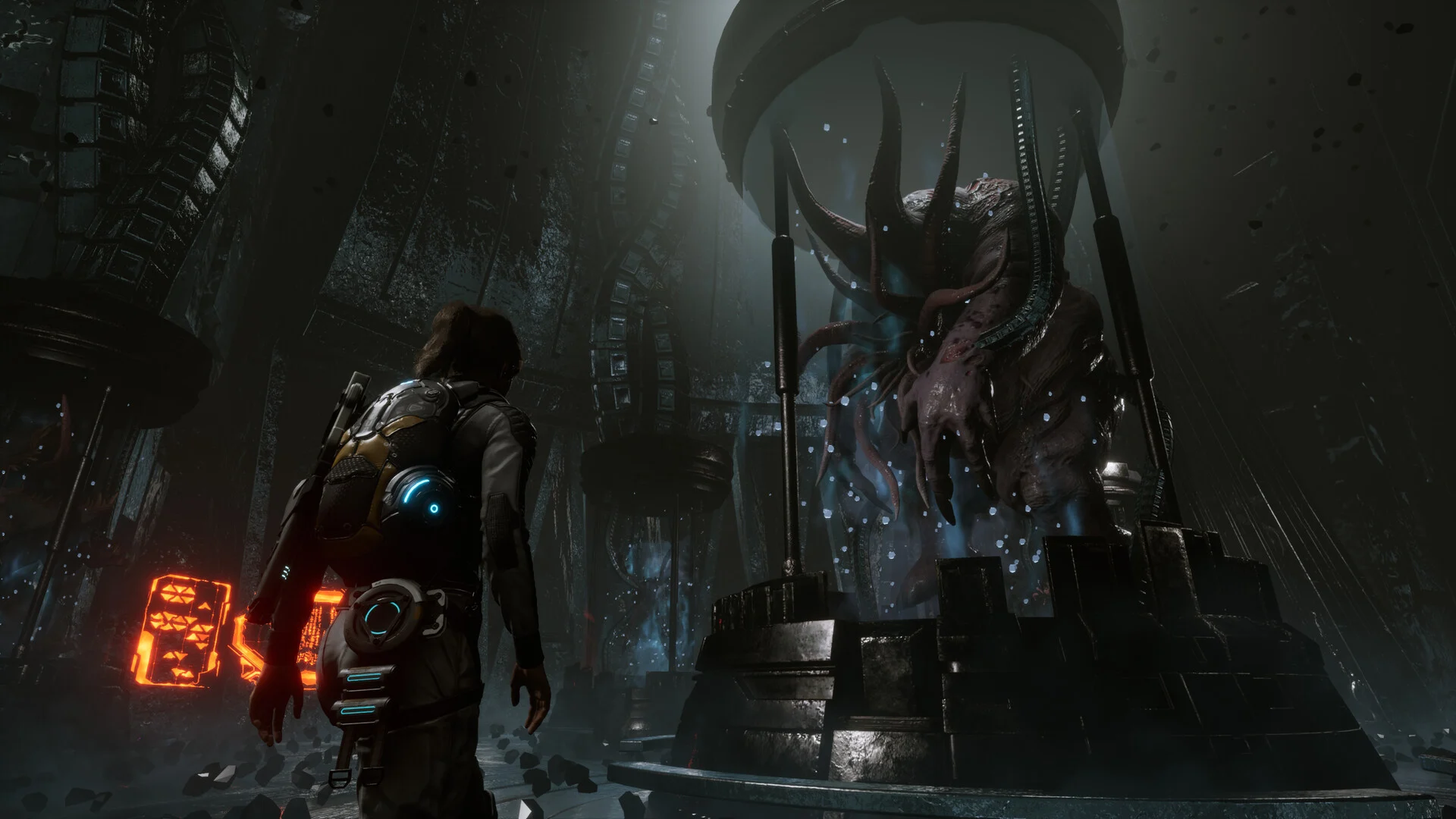
Kate Ward is at the center of Scars Above, an astronaut and scientist without any actual weapon training. She is a part of the SCAR, the Sentient Contact Assessment and Response team, which is sent to investigate this gigantic structure that suddenly appeared in the orbit of the Earth. Naturally, things don’t go as expected, and the ship is drawn to this Metahedron shape, with Kate waking up alone on an unknown and hostile planet. Her task is to survive, find the three missing crew members, discover what is going on in this alien place, and perhaps – just perhaps – attempt to return to her home planet. Easier said than done, but Kate will prove to be a surprisingly resourceful army of one.

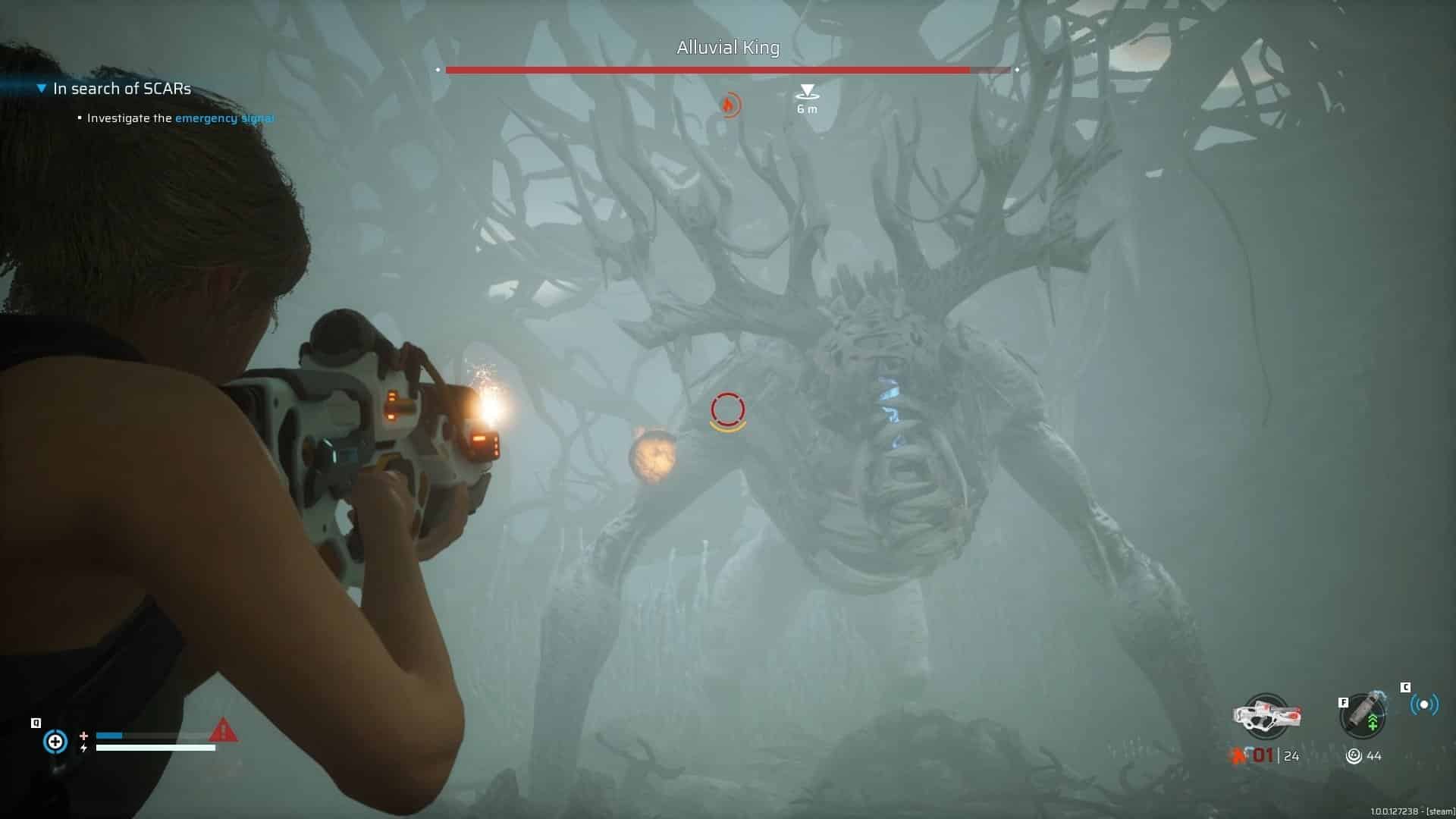
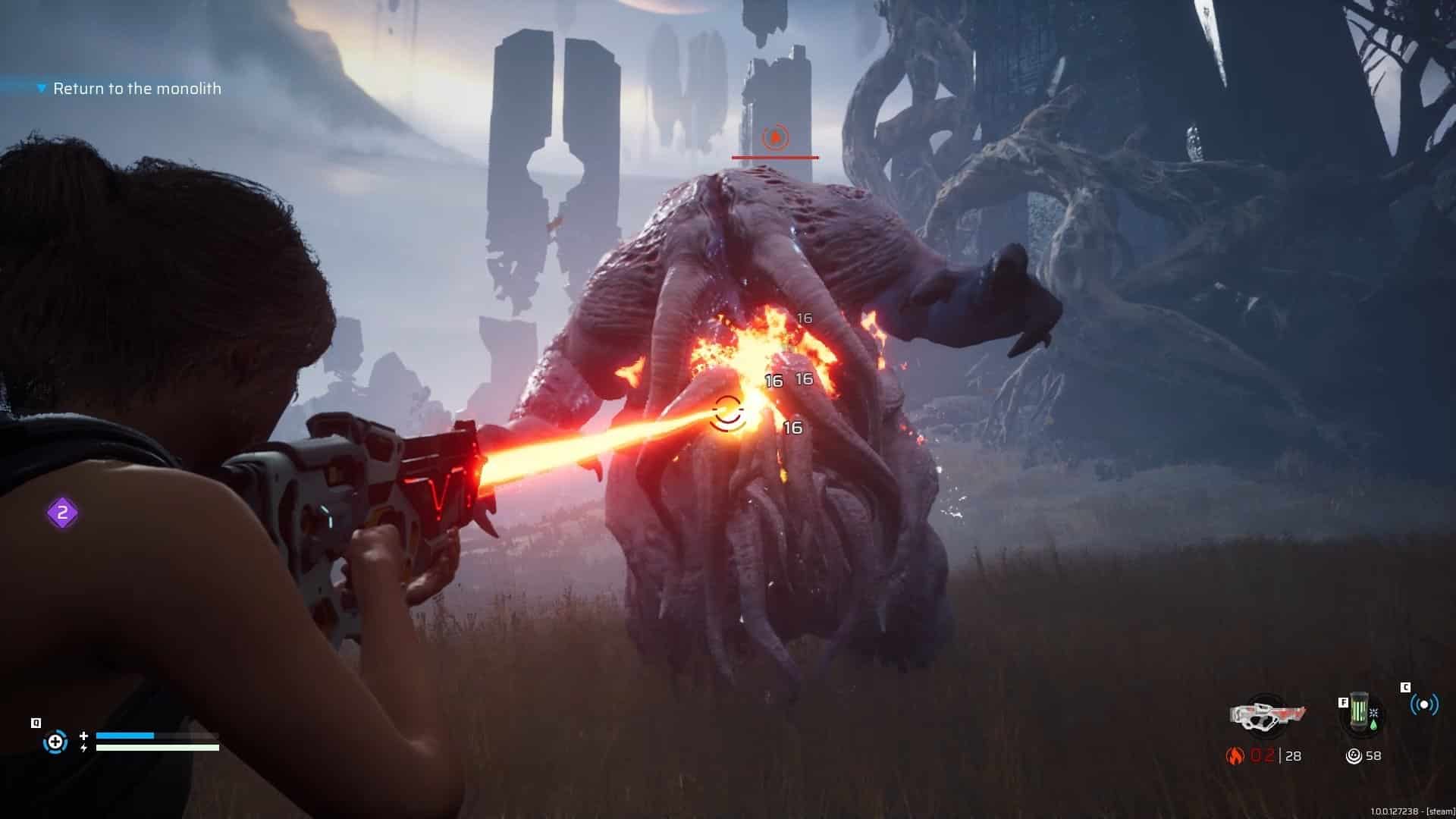
Scars Above is a third-person action-adventure game with a knack for elemental weaponry and gadget use. Most of the time you will find yourself exploring the planet in a very linear fashion and unlocking new types of weapons, learning how to effectively use them against each foe, and combining arsenal attacks with gadgetry. You can get some fun and ingenious combinations out of these, such as slowing down enemies in a gravity bubble, freezing time as you displace your character to a better location, and lighting them on fire to round it up. It’s an entertaining little playground of chemistry and devastation.

The downside is that you’ll spend quite a few hours limited to a few basic options before the game decides that it’s finally time to go wild and unleash the best options – when that happens, the adventure is nearing its end, so you can expect some glaring pacing issues that could lead to unnecessary early struggles.

Scars Above Review

The elemental weapons cover the basics: electrical, fire, ice, and toxic, with a couple of them having alternate fire modes available to unlock much later. Kate scans every new enemy and stores the information in a detailed log, analyzing its weak points and how to tackle them. This isn’t entirely obvious at first, but the joy of discovery and elemental combinations is part of the process.

Freezing an enemy to stop it in its tracks and then using the ray gun to hit its weak points is one example of many, but you must learn to play with the environment as well – water is a great electricity conductor, and you can use it to create the so-called wet combos. A chemical combo is another option, as you use your fire and chemical weapons to create a massive enemy combustion. Thin ice is ripe for shattering with your thermic weapon, freezing your opponents as they fall into the icy water and offering you enough time to eliminate them.

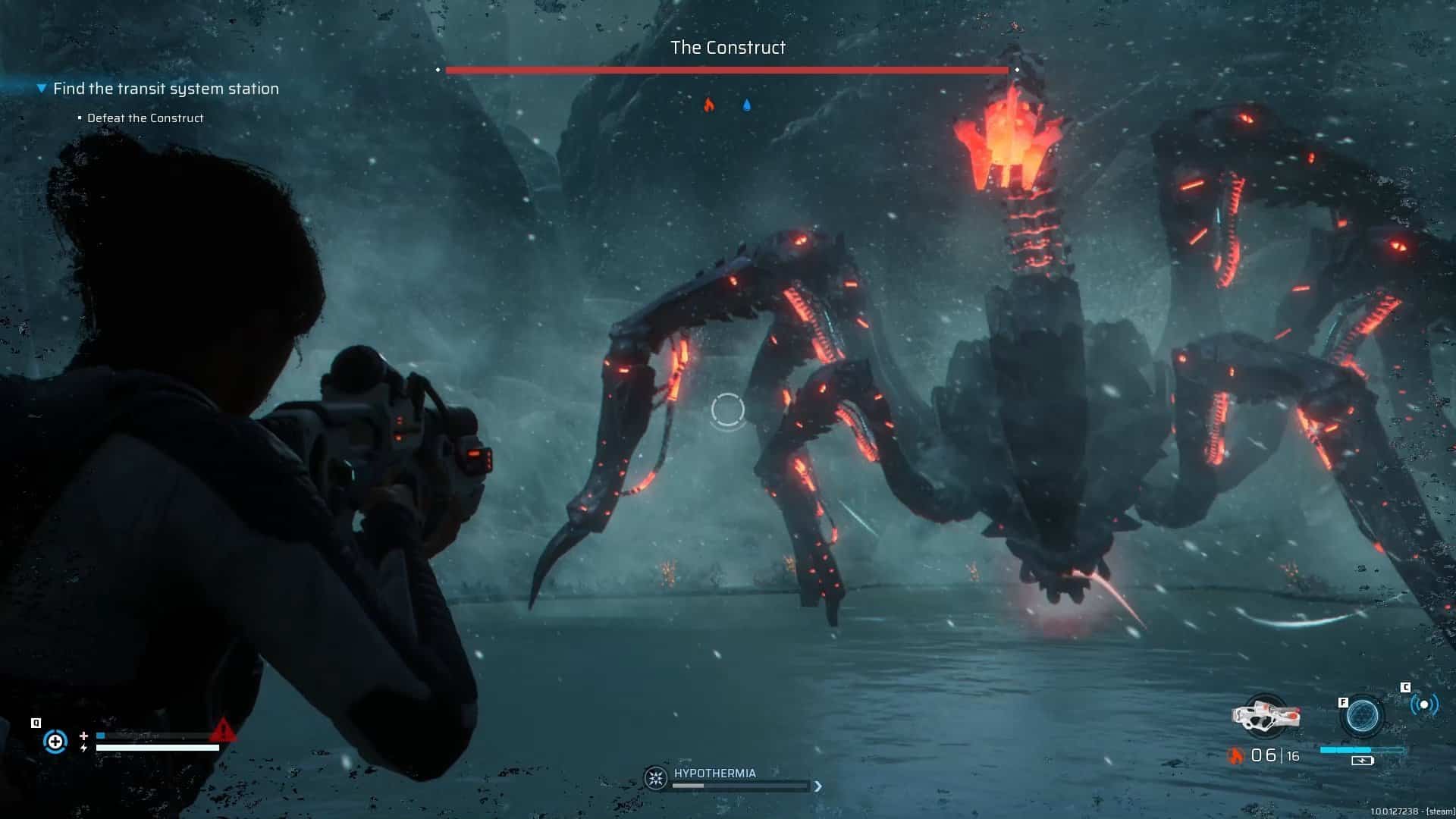
Despite the interesting tactical scope, Scars Above lacks the ambition to fully explore all the potential of this system. The elemental chains aren’t entirely organic; they are heavily scripted, mostly ignoring the environment apart from the examples above. It’s a shame that you can’t set the tall grass on fire to create blazing ambuscades, or that your cryo weapon has no effect whatsoever on the flammable bushes that Kate needs to set on fire to prevent hypothermia – this is a nice mechanic to the coldest sections of the snow-based levels, as it adds an additional layer of stress and urgency.

A little imagination could go a long way to create memorable plays to show your friends, but unfortunately you can forget about any sort of free-form elemental combos apart from the ones evidently scripted for the enemies.

The Illusive Planet

Scars Above Review

Despite an assumed perception of freedom in such a vast planet, most levels in Scars Above are linear and only divert you from the main path for a short span, as the branching paths and sudden dead ends mean that you won’t get sidetracked in this mysterious new world. Nonetheless, sometimes you will be hard-pressed to find the right way to go, as you look for these small gaps between rock formations, or a rare environmental puzzle that you somehow missed; don’t expect anything remotely close to open world – these biomes are linear and favor combat setpieces and puzzles over exploration.

Speaking of puzzles, sometimes you have these examination sections that nicely break up the game. In first-person mode, you must scan a small area or room to discover investigation clues that give you more insight on what is going on. A late area will require some reasoning and backtracking involving limited power sources and elevators, without being too taxing.

There’s an ability tree to unlock with the discovery of knowledge cubes throughout the maps, but scanning new enemies and learning information from other sources also raises your knowledge level. The balancing of these items felt a little off, as the cubes are few and far between during the first couple of hours, but around halfway you’ll begin stumbling upon one every 30 seconds, as if a late realization that it would be interesting to have more of these abilities before the adventure is over.

Scars Above Review

As Kate moves on, you may be annoyed by the overuse of invisible walls in places where you would be expected to go through, or a noticeable disregard for proper collision detection. The way your character reacts to its surroundings can be rough at times, as if you are enveloped in this area without any concern for the size or height of obstacles preventing your passage. This is more visible when we are trying to outrun a boss within a limited arena and Kate awkwardly glues herself and slides along these invisible walls.

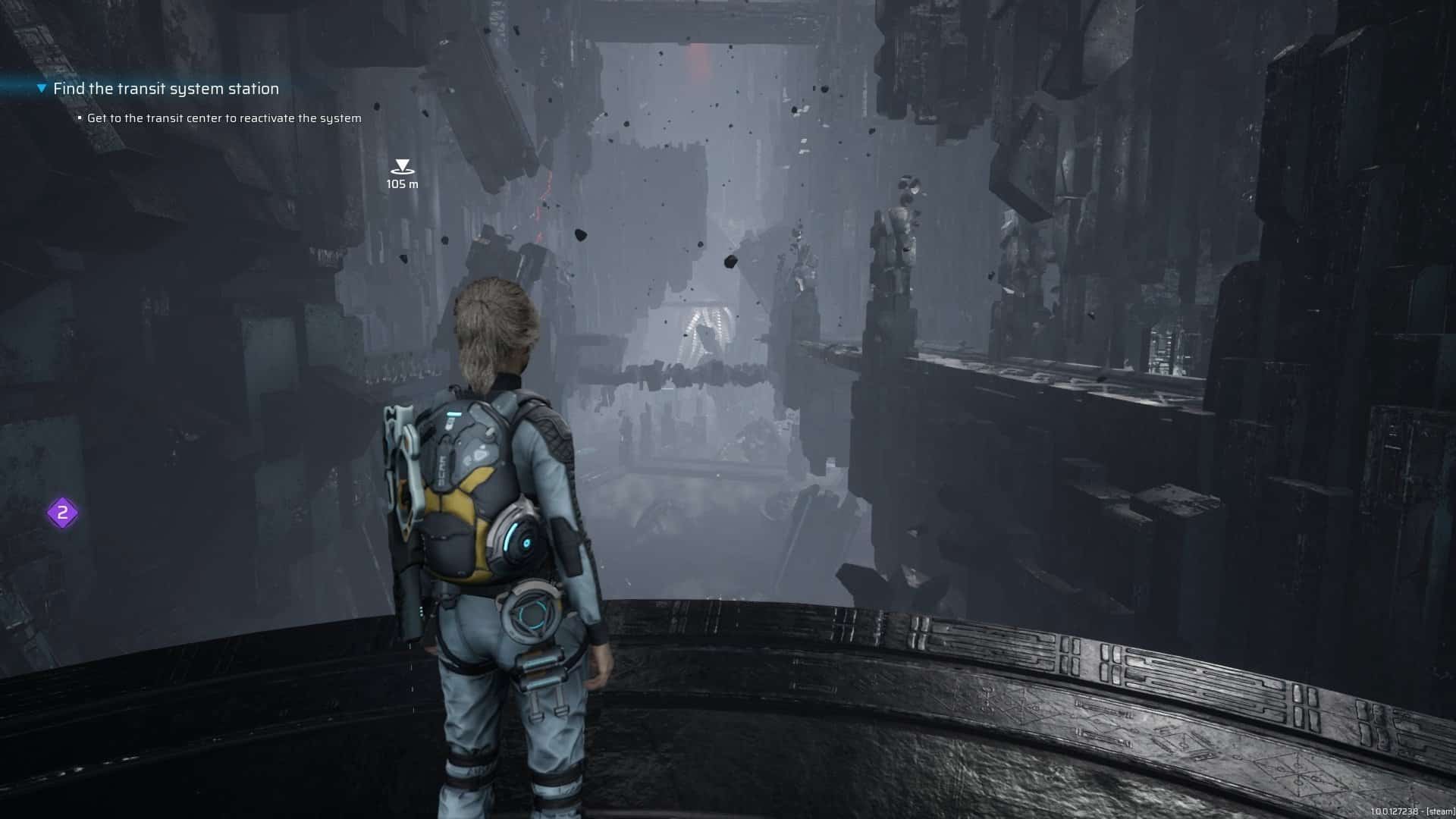
Occasionally, you’ll spot clipping issues where the camera shows the interior of rocks as Kate slides through narrow paths. It’s a minor detail in a planet that looks good, sometimes superb, especially the areas that feel more suffocating, without going into much detail. It’s not difficult to guess where the adventure will take you, but you can enjoy the sights as they are often very enjoyable. The snow biome is extremely appealing, often with a great balance of nature and alien structures to give it a distinct beauty, featuring some stunning snowstorm effects.

Dodge and Roll

Kate is a capable protagonist and a clear adept of the popular dodge roll, her main way of steering clear from danger. Enjoyable to observe and control, a few animations still could do with some finetuning, especially the stiff way of dropping from a ledge, barely bending her legs to soften the fall. It looks weird, a shame considering that while not brilliant, the overall animation is above average.

This dodge roll action by itself won’t slap a Souls-like label on Scars Above, but the ten-hour campaign can be very challenging at times, especially the boss battles. More than blindly charging at each boss, it’s a matter of scanning for weak points, discovering their elemental weaknesses, and learn how to use some of the arena’s designs in our favor. Some encounters are quite memorable, but it’s disappointing to find a certain recycling of bosses throughout the campaign, diminishing the impact they had when we first met them.

Speaking of recycling, the late game also falls prey to this issue. Familiar settings are reused in a bid to extend the longevity of the campaign, linked to a few smaller areas that are vital to the story. This could have been designed in a way that saved us from threading familiar ground, often with the same enemies spawning in the exact same areas as before, giving it an unnecessarily lazy feel.

An epic galactic chronicle that sadly skimps on the epic part, Scars Above is an entertaining but flawed sci-fi romp that could do with expanded design over aspects such as elemental combos and world exploration. There is some challenging combat to enjoy and enticing places to discover, but this ends up feeling like it could have been so much more.

Far from being a wasted opportunity, Scars Above remains a journey worth taking if you’re not the overly demanding type – just turn off your brain, let yourself go, and appreciate the ride for what it is.

Score: 7/10

Pros:

  • Elemental combos are fun to use
  • Gadgets add another tactical layer to combat
  • Challenging boss fights
  • Occasional puzzles positively break the action flow

Cons:

  • Elemental combos could do with expanded environmental possibilities
  • Exploration is mostly linear
  • Tired recycling of bosses and later levels

Scars Above review code provided by publisher. You can read MP1st’s review and scoring policy right here.

Vitor Braz

Home > News

Battlefield 2042 Update 1.000.031 Out for Season 4 This February 28

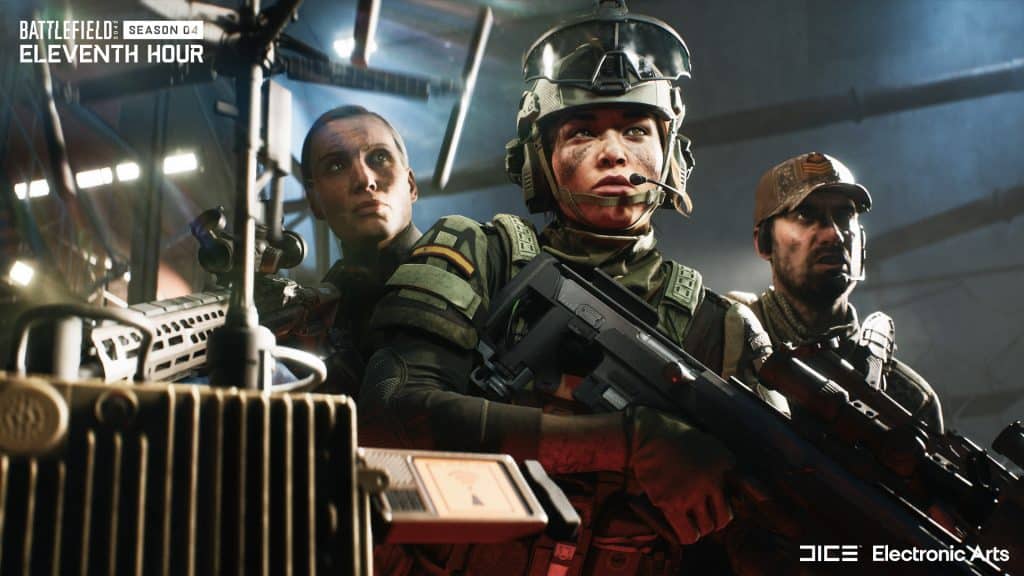
EA and DICE have released Battlefield 2042 update 1.000.031 today for all platforms. This is for Season 4 which includes a new specialist, new map and more. Check out the Battlefield 2042 new update patch notes posted down below.

Battlefield 2042 Update 1.000.031 Patch Notes | Battlefield 2042 February 28 Patch Notes:

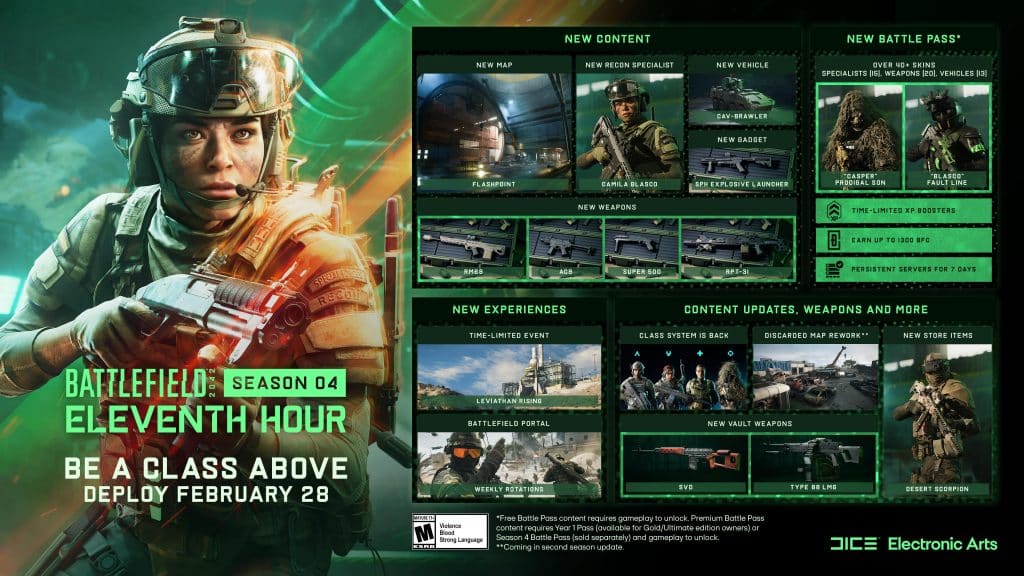
What’s new in Season 4?

Here is an overview of the new content alongside highlights of changes and improvements:

  • New Map: Flashpoint
  • New Specialist: Camila Blasco
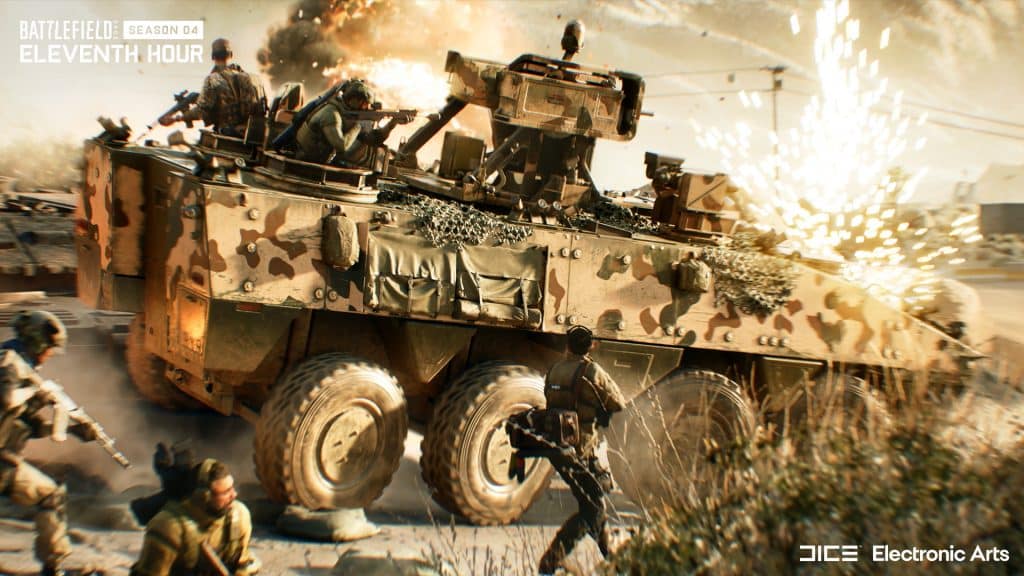
  • New Vehicle: CAV-Brawler
  • New Weaponry: AC9 SMG, RM68 Assault Rifle, RPT-31 LMG and Super 500 Shotgun
  • New Gadget: SPH Explosive Launcher
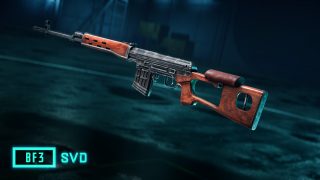
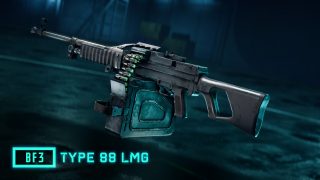
  • New Vault Weaponry: SVD and Type 88 LMG

When can I play?

Season 3 officially comes to a close on February 28th at 08:59 UTC

Update 4.0.0 which includes all changes and improvements for this Season goes live on on the same day at 09:00 UTC. 

Seasonal and Battle Pass progression starts several hours later at 12:00 UTC. This is where you start your  journey towards unlocking our latest and final Specialist, Camila Blasco, new weaponry such as the RPT-31 LMG and our latest vehicle, the CAV-Brawler.

Season 4 Playlists

Once the new Season is underway you can jump straight onto our new location: Flashpoint, through 24/7 Playlists that we’ll activate for both Conquest and Breakthrough.

CHANGELOG

General Improvements

  • The End of Round sequence now explains what will happen after this transition phase. For example, if you switch sides if you stay in the lobby. You’ll now also be presented with a prompt to confirm if you’d like to exit – this will help reduce accidental quitting to the main menu.
  • Fixed issue where reaching Extraction Streak 3 in Hazard Zone with Crawford and Zain wouldn’t unlock the Risk Worth Taking Player Card Background
  • Fixed an issue that would cause vehicle icons to flicker while the big map was open.
  • Increasing the size of the minimap will no longer also increase the size of the icons.
  • Added an option to allow customization of the scale of the minimap icons.
  • Added an option for the scale of the minimap icons to scale with the view distance of the minimap (Enabled by Default).
  • Fixed an issue that was causing the visuals of a ping to display incorrectly.
  • Fixed an issue where the base circle VFX on a location ping was sometimes missing.

Controller Mapping
As part of update 3.2.0 and the Return to the Class System the Default Mappings for Controller Layouts were updated to accommodate the addition of the new Class Gadget slot, and accompanying gameplay changes. Due to these changes we’ll need to reset Custom Layouts for controllers. As part of this update we’ll reset the following binding options in order to avoid any further conflict with the new default layouts:

  • Throw Grenade
  • Switch Primary Weapon / Open Plus Menu
  • Plus Menu Navigation (Choosing of Attachments)

We encourage you to familiarize yourself with these changes and to update and re-customize your controls prior to jumping into a match.

Battlefield Portal

  • Portal – Battlefield 3 – Fixed an issue with the SMAW / RPG-7V2 where the rocket was deflected into the ground when the user was shooting into a fence.
  • Portal – Battlefield 3 – Fixed an issue where the SFX for detonation was not functioning properly when using a C4 remote detonation.
  • Custom Portal experiences that have PvP AI (but not PvE) and no other change than to the map list will have Ribbons XP enabled, Mastery Progression up to Tier 12 and Weekly Missions enabled instead of the usual Restricted XP.

Maps

Breakaway

  • The Penguins have filled in a hole near B1 where players were unable to get out of if they had fallen victim to it. Pesky penguins.
  • Fixed a visual issue with the billowing smoke from the two silos near the waste pools.

Kaleidoscope

  • Fixed an issue where sector lines between Sectors D and C were overlapping while playing Conquest.

Stranded

  • Fixed an issue where players were sometimes spawned within a container on FFA and Gun Master FFA modes.
  • Fixed an issue where the cinematic camera during the intro would sometimes behave incorrectly on Conquest.

Spearhead

  • Fixed an issue while playing Conquest Assault where a player was spawned OOB when trying to deploy on the “A” Capture Point.

Soldier

  • Improved the consistency of Melee takedowns for standing and crouching soldiers.
  • Improved prone behavior on steep slopes.
  • Improved zipline behavior when a vehicle was parked near the same location as the zipline.
  • Fixed an issue which would sometimes cause the camera to become stuck while using a ladder.
  • Fixed an issue which was causing audio to play from the wrong direction while in a downed state.
  • Fixed an issue that caused the icon of selected weapons to disappear when climbing a ladder.

Specialists

Casper

  • Fixed an issue that caused Casper’s OVP-Recon Drone to be able to destroy certain map objects it wasn’t intended to.

Crawford

  • Fixed an issue that resulted in no health bar being present while repairing Boris’ Sentry Gun and Ranger whilst playing as Crawford.

Dozer

  • Fixed an issue that caused the throwing knife to generate a ricochet bullet when hitting Dozer’s Ballistic Shield

Falck

  • Fixed an issue that caused shockwaves from explosions to interrupt Falck’s self-heal interaction.

Lis

  • Reduced the maximum range of Lis’ G-84 TGM from 600m to 475m.
  • Reduced the boost speed of Lis’ G-84 TGM from 150m/s to 110m/s.
  • Tightened the turning angles of Lis’ G-84 TGM.
  • Adjusted the input clamping when boosting with G-84 TGM in accordance to the new turning angles.
  • Reduced the acceleration modifier when boosting with Lis G-84 TGM from 1.85x force to 1.15x force.

Dev Comment: With these adjustments we’re looking to push Lis into having a higher skill ceiling (more skill required to master) and also ease up on the vehicle player experience.

The turning adjustments introduced in this update will make it so the missile will be less agile, hindering its ability greatly to double-back on itself after an initial miss

The boost acceleration & speed reductions will now enable vehicle players more of a chance to react to an inbound missile.

Also we want players to have a clear target they wish to attack with the TGM before it has been fired which we saw was not the case in update 3.2.1, these turning changes combined with the boost acceleration, speed and max range reductions are targeted to address this.

Paik

  • Fixed an issue that caused Paik to be unable to use her EMG-X Scanner in passenger seats

Zain

  • Fixed an issue where the sound which would play when updating the airburst distance from Zains’ XM370A Airburst Rifle was being triggered in instances where it shouldn’t.

Gadgets

  • Fixed an issue where the EMP Grenade did not disable some vehicular weaponry or trigger any visual VFX as intended.
  • Fixed an issue where some Gadgets were able to hit enemy soldiers through autonomous gates
  • Fixed an issue where using the T-UGS would cause unwanted screenshake.
  • Fixed an issue where the SFX for the detonation remote on C5 would not play properly.
  • The Assault will now be able to carry a maximum of two Med Pens. Upon spawn, you will still have one available to you.
  • Fixed an issue with the M18 Claymore so that it has a forward facing explosion exclusively.
  • The M18 Claymore will no longer be capable of destroying building walls, this is to bring it more in line with its intent
  • Adjusted the AT Mine so that it blends into the terrain better.
  • Fixed issue where damaging a player-operated Mounted Vulcan would result in receiving Vehicle Assist XP when a teammate destroyed it
  • Location pings will no longer display when pinging a neutral Mounted Vulcan.

Vehicles

  • Fixed an issue where Air Radar was present while the minimap is disabled.
  • Updated the crosshair for the UAV-1 Drone.
  • Fixed an issue with the Active Protection System on vehicles that would sometimes cause VFX to apply twice on successful interception.
  • Fixed an issue where vehicle wheels would sometimes move while in an elevator.
  • Fixed an issue that caused both crosshairs on the M5C Bolte to show hit markers when the missiles were equipped.
  • Updated the rangefinder in vehicles to go to 100+ instead of 200+
  • Using a knife on a light vehicle now has a reduced impact, we’ve previously stated that we haven’t invented adamantium for knives and that is still the case.
  • Fixed an issue which would sometimes cause tracers to spawn offset while firing the Canister Pod on vehicles.
  • Enabled threat detection system audio cue for passengers in EMKV90-TOR as intended.
  • While piloting or driving a vehicle, lock-on sounds will no longer play for any passengers.
  • APS will no longer remain active after a vehicle has been hacked.
  • Brake lights on vehicles have had their brightness toned down while on Stranded.

Aircraft specific

  • Made lift and drag improvements on the aileron and elevator areas of Jet Aircraft to allow for smoother pitching.
  • Improved pitch down to now turn faster than pitching up as intended.
  • VTOL mode will now correctly activate and deactivate for the F35 and Condor
  • Made adjustments to the F35 turning rate to be more in line, and in competition against the SU-57 Felon.

Weapons

  • Fixed a visual issue that was present on the PKS-07 scope while ADS’ing.
  • Fixed an issue where using a Bipod against any surface would decrease dispersion by 40% instead of the intended 20%.
  • Fixed an issue where weapon stats were sometimes showing up in both the pros and cons fields within the collection menu.

AC-42

  • The AC-42 will no longer clip through the screen when opening the Plus Menu.

MTAR-21

  • Fixed an issue where the MTAR-21 had the incorrect headshot multiplier.
  • The MTAR-21 heavy barrel attachment now affects recoil, dispersion, bullet velocity and ROF.
  • Fixed issue where the MTAR-21 didn’t display Burst as an available fire mode in the weapon details.

M416

  • Fixed an issue where the M416 had the incorrect headshot multiplier.

NVK-22

  • NVK-22 no longer has a broken reload animation while supplying.
  • NVK-22 will no longer shoot 2 times if holding the fire button during the reload animation.

XM8 LMG

  • The XM8 LMG now has the correct magazine count.

WHAT’S NEW?

New Map: Flashpoint
Head towards The Richtersveld, an arid, rocky South African battlefield where the conflict is about to get up-close and personal with our latest location, Flashpoint.

Water Treatment
Get your squad together and make your move on flag A1, a short to medium vehicle friendly combat zone that you need to take command of. Don’t risk losing it to the enemy.

Wellspring Access
Move forward with your squad to flag B1, but have your wits about you as this multi-tiered short to medium close-quarters combat area will be swimming with enemies.

Fuel Processing
Get your squad in the CAV-Brawler and get straight into the fray at flag C1. The close-quarters combat will be all around you at every turn. Word of warning, keep an eye out for sharpshooters.

Construction Tunnel
Bring a ground-vehicle and your A-game to flag D1, as you take the fight inside using the vehicle elevator. With ample cover, any infantry at your side will stand a chance to make it out alive.

Mineral Extraction
It’s only a short sprint across the desert to flag E1, where an infantry focused turbine room and site tower awaits.

Reactor Maintenance
Regroup your squad and lead the way to flag F1. A large Team Deathmatch inspired space that’s yours for the taking – all wrapped around a large, and central reactor core. A close-quarters combat dream.

Solar Substation
Push onwards to flag G1, and lock it down fast. This is one flag you want to control. Keep the enemy back!

New Specialist: Camila “Blasco”
Our final Specialist enters the fray with Season 4: Eleventh Hour.

Stepping up to the task at hand is Camilla Blasco. Adept in ambush tactics, Blasco is more than capable of stealthily navigating through enemy lines in order to enact deadly attacks upon unaware foes through her reconnaissance training and tactical gear.

Specialty – X6-Infiltration Device – Placing this device on the ground creates a dead zone in the immediate area, interfering with enemy spotting technology and preventing lock-ons from hostile rocket ordnance. This handy device will also spot and reveal enemy devices within the immediate dead zone range, allowing you to quickly clean out any enemy interference around your objective.

Trait – Ambush Expert – Utilizing her reconnaissance training, Blasco is able to move swiftly past motion-based Gadgets such as Claymores, T-UGS, or Proximity Sensors and larger equipment like Boris’ SG-36 Sentry Gun.

Ambush Expert coupled with the X6-Infiltration Device positions Blasco as the ideal choice for players looking for a sneaky approach. Be aware however; you may be able to fool enemy devices, but you may not find such success with the actual enemy.

New Vehicle: CAV-Brawler
The CAV-Brawler is a IFV-type vehicle that is capable of traversing through small spaces while providing ample protection for your squadmates within it.

Along with its high maneuverability, the main purpose of this vehicle is as a squad spawner, as it easily navigates through the battlefield towards control points and objectives, your squad has the ability to spawn on this vehicle and actively join you in the push.

With a full suite of Active Threat Detection as well as a defensive system that throws grenades out in all surrounding directions, this is truly the infantry trojan horse that you’re looking for.

New Weapons: AC9 SMG, RM68 Assault Rifle, RPT-31 LMG and Super 500 Shotgun

Season 4: Eleventh Hour offers an array of weaponry capable of tackling any scenario you may come across as you battle it out on the rocky, industrial areas of Flashpoint.

AC9 SMG
An extremely lightweight submachine gun that is well-crafted for fast hipfire exchanges. With its improved receiver ergonomics this ambidextrous small submachine gun is more controllable than its high rate of fire would have you believe.

RM68 Assault Rifle
Perfect for close-quarter battles of Flashpoint, the RM68 is a next-gen assault rifle with a distinct and suppressive design. The built-in silencer offers counter-weight for improved stability and recoil control. Take full advantage of the integrated canted sights to adapt to every situation in front of you.

RPT-31 LMG
If an SMG or Assault Rifle isn’t your cup of tea when it comes to weaponry, then the new RPT-31 prototype LMG might be what you’re looking for. While it has a low rate-of-fire, the rounds are heavy hitting with a high bullet speed. This LMG also comes with a new “flip-scope” attachment that allows you to tackle encounters as you see fit.

Super 500 Shotgun
Destined to become a favorite with Recon Specialists – this high risk and high reward sidearm shotgun is perfect for short range encounters. Select this weapon for your sidearm slot and you’ll quickly find yourself dominating the battlefield as you breach those objectives.

New Gadget: SPH Explosive Launcher

If you’re looking for something more explosive, the SPH Explosive Launcher fires a sticky payload capable of attaching to players, vehicles and just about any other surface on the battlefield that will detonate after a short delay. Ideal for both destruction and anti-infantry play.

The SPH Explosive Launcher becomes available for the Assault Class as a selectable gadget and shoots up to two projectiles that are housed inside on casing before needing to reload.

New Vault Weapons: SVD and Type-88 LMG

Two iconic weapons from classic eras of old become available as Vault Weapons in the All-Out Warfare arsenal.

Battlefield 3 – SVD

The infamous SVD is a squad support weapon that juxtaposes long range with rapid and accurate semi-automatic fire.

Unlock Criteria:

  • 100 Kills and Assists with the SVD (Portal) or SVK
  • 50 Kills with Marksman Rifles at a distance of 100m or less

Battlefield 3 – Type-88 LMG

If you’re wanting even more bullets at your disposal, the Type-88 LMG is a light machine gun with a 200-round magazine strapped to it.

Unlock Criteria:

  • 100 Kills and Assists with the Type 88 LMG (Portal) or M240B
  • 10000 Damage Inflicted with LMGs

Source: EA

Damien Seeto

Home > News

Battlefield 2042 Update 1.28 Shoots Out for Season 4: Eleventh Hour This Feb. 28

Battlefield 2042 update 1.28 is now out, and this brings Season 4: Eleventh Hour into the fold! Expect a new specialist, new weapons and more! Read on for what’s new in the official BF2042 Feb. 28 patch notes.

Battlefield 2042 Update 1.28 Patch Notes | BF2042 Season 11: Eleventh Hour Patch Notes | Battlefield 2042 Update 4.00 Patch Notes | BF2042 Feb. 28 Patch Notes:

What’s new in Season 4?

Here is an overview of the new content alongside highlights of changes and improvements:

  • New Map: Flashpoint
  • New Specialist: Camila Blasco
  • New Vehicle: CAV-Brawler
  • New Weaponry: AC9 SMG, RM68 Assault Rifle, RPT-31 LMG and Super 500 Shotgun
  • New Gadget: SPH Explosive Launcher
  • New Vault Weaponry: SVD and Type 88 LMG

When can I play?

Season 3 officially comes to a close on February 28th at 08:59 UTC

Update 4.0.0 which includes all changes and improvements for this Season goes live on on the same day at 09:00 UTC. 

Seasonal and Battle Pass progression starts several hours later at 12:00 UTC. This is where you start your  journey towards unlocking our latest and final Specialist, Camila Blasco, new weaponry such as the RPT-31 LMG and our latest vehicle, the CAV-Brawler.

Season 4 Playlists

Once the new Season is underway you can jump straight onto our new location: Flashpoint, through 24/7 Playlists that we’ll activate for both Conquest and Breakthrough.

CHANGELOG

General Improvements

  • The End of Round sequence now explains what will happen after this transition phase. For example, if you switch sides if you stay in the lobby. You’ll now also be presented with a prompt to confirm if you’d like to exit – this will help reduce accidental quitting to the main menu.
  • Fixed issue where reaching Extraction Streak 3 in Hazard Zone with Crawford and Zain wouldn’t unlock the Risk Worth Taking Player Card Background
  • Fixed an issue that would cause vehicle icons to flicker while the big map was open.
  • Increasing the size of the minimap will no longer also increase the size of the icons.
  • Added an option to allow customization of the scale of the minimap icons.
  • Added an option for the scale of the minimap icons to scale with the view distance of the minimap (Enabled by Default).
  • Fixed an issue that was causing the visuals of a ping to display incorrectly.
  • Fixed an issue where the base circle VFX on a location ping was sometimes missing.

Controller Mapping
As part of update 3.2.0 and the Return to the Class System the Default Mappings for Controller Layouts were updated to accommodate the addition of the new Class Gadget slot, and accompanying gameplay changes. Due to these changes we’ll need to reset Custom Layouts for controllers. As part of this update we’ll reset the following binding options in order to avoid any further conflict with the new default layouts:

  • Throw Grenade
  • Switch Primary Weapon / Open Plus Menu
  • Plus Menu Navigation (Choosing of Attachments)

We encourage you to familiarize yourself with these changes and to update and re-customize your controls prior to jumping into a match.

Battlefield Portal

  • Portal – Battlefield 3 – Fixed an issue with the SMAW / RPG-7V2 where the rocket was deflected into the ground when the user was shooting into a fence.
  • Portal – Battlefield 3 – Fixed an issue where the SFX for detonation was not functioning properly when using a C4 remote detonation.
  • Custom Portal experiences that have PvP AI (but not PvE) and no other change than to the map list will have Ribbons XP enabled, Mastery Progression up to Tier 12 and Weekly Missions enabled instead of the usual Restricted XP.

Maps

Breakaway

  • The Penguins have filled in a hole near B1 where players were unable to get out of if they had fallen victim to it. Pesky penguins.
  • Fixed a visual issue with the billowing smoke from the two silos near the waste pools.

Kaleidoscope

  • Fixed an issue where sector lines between Sectors D and C were overlapping while playing Conquest.

Stranded

  • Fixed an issue where players were sometimes spawned within a container on FFA and Gun Master FFA modes.
  • Fixed an issue where the cinematic camera during the intro would sometimes behave incorrectly on Conquest.

Spearhead

  • Fixed an issue while playing Conquest Assault where a player was spawned OOB when trying to deploy on the “A” Capture Point.

Soldier

  • Improved the consistency of Melee takedowns for standing and crouching soldiers.
  • Improved prone behavior on steep slopes.
  • Improved zipline behavior when a vehicle was parked near the same location as the zipline.
  • Fixed an issue which would sometimes cause the camera to become stuck while using a ladder.
  • Fixed an issue which was causing audio to play from the wrong direction while in a downed state.
  • Fixed an issue that caused the icon of selected weapons to disappear when climbing a ladder.

Specialists

Casper

  • Fixed an issue that caused Casper’s OVP-Recon Drone to be able to destroy certain map objects it wasn’t intended to.

Crawford

  • Fixed an issue that resulted in no health bar being present while repairing Boris’ Sentry Gun and Ranger whilst playing as Crawford.

Dozer

  • Fixed an issue that caused the throwing knife to generate a ricochet bullet when hitting Dozer’s Ballistic Shield

Falck

  • Fixed an issue that caused shockwaves from explosions to interrupt Falck’s self-heal interaction.

Lis

  • Reduced the maximum range of Lis’ G-84 TGM from 600m to 475m.
  • Reduced the boost speed of Lis’ G-84 TGM from 150m/s to 110m/s.
  • Tightened the turning angles of Lis’ G-84 TGM.
  • Adjusted the input clamping when boosting with G-84 TGM in accordance to the new turning angles.
  • Reduced the acceleration modifier when boosting with Lis G-84 TGM from 1.85x force to 1.15x force.

Dev Comment: With these adjustments we’re looking to push Lis into having a higher skill ceiling (more skill required to master) and also ease up on the vehicle player experience.

The turning adjustments introduced in this update will make it so the missile will be less agile, hindering its ability greatly to double-back on itself after an initial miss

The boost acceleration & speed reductions will now enable vehicle players more of a chance to react to an inbound missile.

Also we want players to have a clear target they wish to attack with the TGM before it has been fired which we saw was not the case in update 3.2.1, these turning changes combined with the boost acceleration, speed and max range reductions are targeted to address this.

Paik

  • Fixed an issue that caused Paik to be unable to use her EMG-X Scanner in passenger seats

Zain

  • Fixed an issue where the sound which would play when updating the airburst distance from Zains’ XM370A Airburst Rifle was being triggered in instances where it shouldn’t.

Gadgets

  • Fixed an issue where the EMP Grenade did not disable some vehicular weaponry or trigger any visual VFX as intended.
  • Fixed an issue where some Gadgets were able to hit enemy soldiers through autonomous gates
  • Fixed an issue where using the T-UGS would cause unwanted screenshake.
  • Fixed an issue where the SFX for the detonation remote on C5 would not play properly.
  • The Assault will now be able to carry a maximum of two Med Pens. Upon spawn, you will still have one available to you.
  • Fixed an issue with the M18 Claymore so that it has a forward facing explosion exclusively.
  • The M18 Claymore will no longer be capable of destroying building walls, this is to bring it more in line with its intent
  • Adjusted the AT Mine so that it blends into the terrain better.
  • Fixed issue where damaging a player-operated Mounted Vulcan would result in receiving Vehicle Assist XP when a teammate destroyed it
  • Location pings will no longer display when pinging a neutral Mounted Vulcan.

Vehicles

  • Fixed an issue where Air Radar was present while the minimap is disabled.
  • Updated the crosshair for the UAV-1 Drone.
  • Fixed an issue with the Active Protection System on vehicles that would sometimes cause VFX to apply twice on successful interception.
  • Fixed an issue where vehicle wheels would sometimes move while in an elevator.
  • Fixed an issue that caused both crosshairs on the M5C Bolte to show hit markers when the missiles were equipped.
  • Updated the rangefinder in vehicles to go to 100+ instead of 200+
  • Using a knife on a light vehicle now has a reduced impact, we’ve previously stated that we haven’t invented adamantium for knives and that is still the case.
  • Fixed an issue which would sometimes cause tracers to spawn offset while firing the Canister Pod on vehicles.
  • Enabled threat detection system audio cue for passengers in EMKV90-TOR as intended.
  • While piloting or driving a vehicle, lock-on sounds will no longer play for any passengers.
  • APS will no longer remain active after a vehicle has been hacked.
  • Brake lights on vehicles have had their brightness toned down while on Stranded.

Aircraft specific

  • Made lift and drag improvements on the aileron and elevator areas of Jet Aircraft to allow for smoother pitching.
  • Improved pitch down to now turn faster than pitching up as intended.
  • VTOL mode will now correctly activate and deactivate for the F35 and Condor
  • Made adjustments to the F35 turning rate to be more in line, and in competition against the SU-57 Felon.

Weapons

  • Fixed a visual issue that was present on the PKS-07 scope while ADS’ing.
  • Fixed an issue where using a Bipod against any surface would decrease dispersion by 40% instead of the intended 20%.
  • Fixed an issue where weapon stats were sometimes showing up in both the pros and cons fields within the collection menu.

AC-42

  • The AC-42 will no longer clip through the screen when opening the Plus Menu.

MTAR-21

  • Fixed an issue where the MTAR-21 had the incorrect headshot multiplier.
  • The MTAR-21 heavy barrel attachment now affects recoil, dispersion, bullet velocity and ROF.
  • Fixed issue where the MTAR-21 didn’t display Burst as an available fire mode in the weapon details.

M416

  • Fixed an issue where the M416 had the incorrect headshot multiplier.

NVK-22

  • NVK-22 no longer has a broken reload animation while supplying.
  • NVK-22 will no longer shoot 2 times if holding the fire button during the reload animation.

XM8 LMG

  • The XM8 LMG now has the correct magazine count.

WHAT’S NEW?

New Map: Flashpoint
Head towards The Richtersveld, an arid, rocky South African battlefield where the conflict is about to get up-close and personal with our latest location, Flashpoint.

Water Treatment
Get your squad together and make your move on flag A1, a short to medium vehicle friendly combat zone that you need to take command of. Don’t risk losing it to the enemy.

Wellspring Access
Move forward with your squad to flag B1, but have your wits about you as this multi-tiered short to medium close-quarters combat area will be swimming with enemies.

Fuel Processing
Get your squad in the CAV-Brawler and get straight into the fray at flag C1. The close-quarters combat will be all around you at every turn. Word of warning, keep an eye out for sharpshooters.

Construction Tunnel
Bring a ground-vehicle and your A-game to flag D1, as you take the fight inside using the vehicle elevator. With ample cover, any infantry at your side will stand a chance to make it out alive.

Mineral Extraction
It’s only a short sprint across the desert to flag E1, where an infantry focused turbine room and site tower awaits.

Reactor Maintenance
Regroup your squad and lead the way to flag F1. A large Team Deathmatch inspired space that’s yours for the taking – all wrapped around a large, and central reactor core. A close-quarters combat dream.

Solar Substation
Push onwards to flag G1, and lock it down fast. This is one flag you want to control. Keep the enemy back!

New Specialist: Camila “Blasco”
Our final Specialist enters the fray with Season 4: Eleventh Hour.

Stepping up to the task at hand is Camilla Blasco. Adept in ambush tactics, Blasco is more than capable of stealthily navigating through enemy lines in order to enact deadly attacks upon unaware foes through her reconnaissance training and tactical gear.

Specialty – X6-Infiltration Device – Placing this device on the ground creates a dead zone in the immediate area, interfering with enemy spotting technology and preventing lock-ons from hostile rocket ordnance. This handy device will also spot and reveal enemy devices within the immediate dead zone range, allowing you to quickly clean out any enemy interference around your objective.

Trait – Ambush Expert – Utilizing her reconnaissance training, Blasco is able to move swiftly past motion-based Gadgets such as Claymores, T-UGS, or Proximity Sensors and larger equipment like Boris’ SG-36 Sentry Gun.

Ambush Expert coupled with the X6-Infiltration Device positions Blasco as the ideal choice for players looking for a sneaky approach. Be aware however; you may be able to fool enemy devices, but you may not find such success with the actual enemy.

New Vehicle: CAV-Brawler
The CAV-Brawler is a IFV-type vehicle that is capable of traversing through small spaces while providing ample protection for your squadmates within it.

Along with its high maneuverability, the main purpose of this vehicle is as a squad spawner, as it easily navigates through the battlefield towards control points and objectives, your squad has the ability to spawn on this vehicle and actively join you in the push.

With a full suite of Active Threat Detection as well as a defensive system that throws grenades out in all surrounding directions, this is truly the infantry trojan horse that you’re looking for.

New Weapons: AC9 SMG, RM68 Assault Rifle, RPT-31 LMG and Super 500 Shotgun

Season 4: Eleventh Hour offers an array of weaponry capable of tackling any scenario you may come across as you battle it out on the rocky, industrial areas of Flashpoint.

AC9 SMG
An extremely lightweight submachine gun that is well-crafted for fast hipfire exchanges. With its improved receiver ergonomics this ambidextrous small submachine gun is more controllable than its high rate of fire would have you believe.

RM68 Assault Rifle
Perfect for close-quarter battles of Flashpoint, the RM68 is a next-gen assault rifle with a distinct and suppressive design. The built-in silencer offers counter-weight for improved stability and recoil control. Take full advantage of the integrated canted sights to adapt to every situation in front of you.

RPT-31 LMG
If an SMG or Assault Rifle isn’t your cup of tea when it comes to weaponry, then the new RPT-31 prototype LMG might be what you’re looking for. While it has a low rate-of-fire, the rounds are heavy hitting with a high bullet speed. This LMG also comes with a new “flip-scope” attachment that allows you to tackle encounters as you see fit.

Super 500 Shotgun
Destined to become a favorite with Recon Specialists – this high risk and high reward sidearm shotgun is perfect for short range encounters. Select this weapon for your sidearm slot and you’ll quickly find yourself dominating the battlefield as you breach those objectives.

New Gadget: SPH Explosive Launcher

If you’re looking for something more explosive, the SPH Explosive Launcher fires a sticky payload capable of attaching to players, vehicles and just about any other surface on the battlefield that will detonate after a short delay. Ideal for both destruction and anti-infantry play.

The SPH Explosive Launcher becomes available for the Assault Class as a selectable gadget and shoots up to two projectiles that are housed inside on casing before needing to reload.

New Vault Weapons: SVD and Type-88 LMG

Two iconic weapons from classic eras of old become available as Vault Weapons in the All-Out Warfare arsenal.

Battlefield 3 – SVD

The infamous SVD is a squad support weapon that juxtaposes long range with rapid and accurate semi-automatic fire.

Unlock Criteria:

  • 100 Kills and Assists with the SVD (Portal) or SVK
  • 50 Kills with Marksman Rifles at a distance of 100m or less

Battlefield 3 – Type-88 LMG

If you’re wanting even more bullets at your disposal, the Type-88 LMG is a light machine gun with a 200-round magazine strapped to it.

Unlock Criteria:

  • 100 Kills and Assists with the Type 88 LMG (Portal) or M240B
  • 10000 Damage Inflicted with LMGs

Source: EA

Avatar photo

Alex Co

Father, gamer, games media vet, writer of words, killer of noobs.

Home > News

Fortnite Update 1.000.094 Out for v23.50 Feb. 28; Patch Notes & Datamined Content Released (Update)

Epic Games has released Fortnite update 1.000.094 today and this is for the v23.50 patch. Read on for what’s new in the Fortnite February 28 patch notes.

Fortnite Update 1.000.094 Patch Notes | Fortnite Feb. 28 Patch Notes:

FORTNITE CREATIVE V23.50 UPDATE

The Fortnite v23.50 update has changes to the Hiding Prop Gallery and Pop-up Dialog device, plus updates to the Loot Controller and Map Settings device on Battle Royale Islands. v23.50 also adds the Shifty Shafts Prefabs and Galleries, and additional assets in several other Galleries, along with bug fixes for Prefabs, Galleries, devices, and more.

HIDING PROPS UPDATE: HIDDEN TRAVEL

Hiding props give players a place to hide, but now players can also travel from one hiding prop to another! Any hiding prop can be assigned to a group using the Hidden Travel Group option. You can set other hiding props to send players to another group of hiding props using the Hidden Travel Target Group option. If you’ve enabled the Hidden Travel option on a prop, a player who hides inside it will travel to the target hiding prop and jump out. If you have the prop set to random selection, you can also set it to avoid repeats whenever possible. Keep in mind that when a hiding prop is enabled, it will be invulnerable if it is set up for hidden travel. For more information, see the Hiding Prop Gallery page in our official documentation.

POP-UP DIALOG UPDATE: RICH TEXT EDITOR

With the Pop-up Dialog device, you can now use a rich text editor when typing in the dialog text. This gives you options for styling the text in different ways. Click the Edit Text button next to the Description option to open the editor in a new full-screen interface. For more details, see the updated Pop-up Dialog Devices page in our documentation.

OTHER UPDATES

PREFAB & GALLERY UPDATES

  • New Shifty Shafts Prefabs:
    • Shifty Shafts Mine A
    • Shifty Shafts Mine B
    • Shifty Shafts Mine C
  • New Shifty Shafts Galleries:
    • Shifty Shafts Building Gallery
    • Shifty Shafts Prop Gallery
  • Sanctuary Mighty Monument Gallery: Added destroyed statue assets. Door Gallery: Added more door variants.
  • Pirate Ship Gallery: Added destroyed ship assets.
  • Chapter 4 Nature Gallery: Added three Autumn bush variants.
  • Cloud Prop Gallery: Added four clouds that have no collision properties.

DEVICE UPDATES

  • Battle Royale Island Loot Controller has new options:
    • Restrict Health Items (Yes/No)
    • Restrict Shield Items (Yes/No)
    • Allow Consumable Items in Loot (Yes/No)
    • Allow Weapons in Loot (Yes/No)
    • Allow Ammo in Loot (Yes/No)
  • Battle Royale Island Loot Controller loot pools were updated to match current Battle Royale items. Primal items were removed from loot pools.
  • Battle Royale Island Loot Controller has new options for islands converted to direct event binding:
    • On Common Chest Looted
    • On Rare Chest Looted
    • On Produce Box Looted
    • On Ammo Box Looted
    • On Cash Register Looted
  • Battle Royale Island Map Settings Device has added a new option to turn Reality Augments on or off. If the option is turned on, all released Reality Augments will be available to players on Battle Royale Islands.
  • The Accolade device is now available in Battle Royale Islands.

BUG FIXES

PREFAB & GALLERY FIXES

  • Fixed an issue where the indestructible Quarry Cube from The Citadel Prop Gallery displayed destruction effects if it was near another prop that was destructible.
  • Fixed an issue where some brace walls flipped when The Citadel Prefabs were placed.
  • Fixed an issue where terrain pieces in the Chapter 4 Nature Gallery were being placed outside of the preview volume. Fixed a missing thumbnail for an individual asset in the Chapter 4 Nature Gallery.
  • Fixed an issue where the individual prop images for Cyber City Prop Gallery A were not showing.
  • Fixed an issue where the field lines on the Sports Gallery’s soccer field asset were floating above the field.

EVENT BINDING FIXES

  • Fixed an issue where some devices were not displaying Events and Functions tabs when a Battle Royale Island was converted to the direct event binding system.
  • Fixed an issue where guards that were hired with the Auto Hire When Spawned function would not transmit When Hired Transmit On events.

DEVICE FIXES

  • Fixed an issue where guards would spawn in a Downed But Not Out state while inside a Barrier device.
  • Fixed an issue with the Guard Spawner device where the Disable and Despawn options would only affect one guard at a time.
  • Fixed an issue where Player Counter devices could not count Target Bots in Battle Royale Islands.
  • Fixed an issue where changing the Interact Time option on a Timer device would change the interaction time for Create mode to the same amount of time.
  • Fixed an issue where My Island settings would override customized options in a Down But Not Out device.
  • Fixed an issue where the Ball Spawner device would not interact with a Capture Area.
  • Fixed an issue where Target Bots in Battle Royale Islands could not receive items using an Item Granter device.
  • Fixed an issue where the Class Selector UI would appear even if the UI was disabled in the device options.

UPGRADED DEVICE FIXES

  • Fixed an issue where a Tracker device’s Stat to Track option would change to an incorrect value when an island was converted to upgraded devices. This occurred when the Stat to Track option was set to Channel before converting, and the option value changed to None after converting the island. The Channel value now correctly changes to Event after converting the island.
  • Fixed an issue that prevented players from interacting with Timer devices that have the Applies To option set to Player and the Can Interact option set to Yes when there was a second Timer that had the Applies To option set to the default.

GAMEPLAY FIXES

  • Fixed an issue where sprinting players were unable to crouch correctly when the Allow Sliding option in My Island > Settings was set to Off.
  • Fixed an issue where a thrown Cow Catcher on an island could not be destroyed.
  • Fixed an issue where Slap Berries would spawn on the ground instead of the appropriate bushes in Battle Royale Islands.
  • Fixed an issue where items did not spawn correctly on some older islands.
  • Fixed an issue where creators could not place Prefabs or Galleries at different distances.

FORTNITE BATTLE ROYALE V23.50: CRACK THE CODE AND COMPLETE CIPHER QUESTS!

Encrypted and unencrypted messages have been intercepted in the form of Cipher Quests. The unencrypted messages are straightforward, but it’s up to you to solve the mystery of the encrypted ones! Figure out how to crack the encrypted Quests then complete all of them. In the process, take up the unvaulted Six Shooter and Infantry Rifle!

Fortnite Cipher Quests In Battle Royale

CIPHER QUESTS: INTERPRET THE CRYPTIC MESSAGES

Messages received.

In the Cipher Quests section of the Quests page, you’ll find unencrypted Quests that have clear objectives, and an encrypted Quest with an objective that’s… inconclusive. Use the clues at your disposal to figure it out! After completing the encrypted Quest, you’ll unlock the next one after it becomes available. A new Cipher Quest will be added each day until March 7, 2023, and all the Quests will be available until 3/10/23.

Earn XP by completing individual Cipher Quests. For completing certain amounts of Cipher Quests, you’ll unlock new items for your Locker:

  • 7 unencrypted Cipher Quests: Keep the Peace Spray
  • 15 unencrypted Cipher Quests: Order Up Loading Screen
  • 24 unencrypted Cipher Quests: Deciphered Emoticon
  • encrypted Cipher Quests: Circuitry Wrap

Fortnite Cipher Quests Item Rewards

For completing a certain encrypted Cipher Quest, you’ll unlock the Distant Roar Spray.

CIPHER QUESTING OLD-SCHOOL

Fortnite Six Shooter And Infantry Rifle

Speaking of mysteries, it’s no mystery that the Six Shooter and the Infantry Rifle are out of the vault! These classic weapons can be found from the ground, Chests, and Supply Drops. Some of the Cipher Quests will have you using ’em!

MISCELLANEOUS UPDATES

  • The Oathbound Chest spawn rate has increased from 70% to 100%.
  • Players have an increased chance to roll the Mechanical Archer Reality Augment.
  • In v23.50, Reality Augments you haven’t unlocked will be more likely to unlock.

MAJOR BUG FIXES 

  • Fixed the issue that caused us to disable the Rift-jector Seat Reality Augment. This Reality Augment is now re-enabled.

FORTNITE SAVE THE WORLD | V23.50 HOMEBASE STATUS REPORT

The v23.50 update in Save the World brings Weeks 6 and 7 of Wargames: Quantum Countdown and Shortcut! This update also brings back the Valor questline, rewarding the Hero Major Oswald upon completion.

WARGAMES WEEK 6: QUANTUM COUNTDOWN

Week 6 of Wargames begins Wednesday, March 1, 2023, at 7pm ET. A bomb is teleporting all throughout your base and the Husks will be trying their hardest to destroy it. This Wargames Challenge will require fast thinking and even faster moving Commanders.

Fortnite Wargames Quantum Countdown Png

WARGAMES WEEK 7: SHORTCUT

Wargames’ Week 7 begins Wednesday, March 8, 2023, at 7pm ET. Teleporting Husks may be a-door-able, but their elements? Not so much. In Shortcut, Strange doors will appear near the enemy spawners. When Husks get near one of these doors, they’ll be teleported to one of the exit doors closer to your fort. Beware! Husks that travel through these doors gain elemental effects. 

Fortnite Wargames Shortcut Png

VALOR QUESTLINE

Starting Wednesday, March 7, 2023, at 7pm ET, complete the returning Valor questline to recruit Major Oswald to join your fight against the Horde:

MAJOR OSWALD

Major Oswald Png

  • Standard Perk: Command Presence
    • War Cry snares enemies within its range by 30% for its duration.
  • Commander Perk: Command Presence+
    • War Cry snares enemies within its range by 30% for its duration. Additionally, affected enemies take 25% increased weapon damage. 

EVENT AND WEEKLY STORE

FALLEN LOVE RANGER – MARCH 1 AT 7 PM ET

Fallen Love Ranger Png

“LOVE HURTS.” – FALLEN LOVE RANGER 

  • Standard Perk: Fuel for the Fallen

    • Eliminations restore 6 Energy over 3 seconds. Duration refreshed with additional eliminations.

  • Commander Perk: Fuel for the Fallen+

    • Eliminations restore 18 Energy over 3 seconds. Duration refreshed with additional eliminations.

BATTLE HOUND JONESY – MARCH 7 AT 7 PM ET

Battle Hound Jonesy Png

“ I have a bone to pick with The Storm.”- Battle Hound Jonesy

  •  Standard Perk: Rucksack
    • Increases Frag Grenade maximum charges by 1.
  • Commander Perk: Rucksack+
    • Increases Frag Grenade maximum charges by 4

BUG FIXES

A number of bug fixes were included in the v23.50 game update, including:

  • Fixed an issue where the Fill/No Fill setting on the Map and Quests tabs could become out of sync.
  • Save the World now supports the use of Fill when party joinability is set to Invite Only.
    • This results in a Public game that will allow players to matchmake into your mission, but will NOT allow your friends to join your party without an invite.
    • People who matchmake into the mission with you will not be added to your party after the mission ends unless you invite them to join.
  • In-And-Outlander+ now correctly grants 2 charges, and has been buffed slightly.
    • Using In-And-Outlander+ to eliminate 4 enemies in 10 seconds after using Phase Shift grants 2 charges of Phase Shift.
    • Note that the support version of In-And-Outlander is unchanged. (Eliminating 6 enemies grants 1 charge.)
  • Fixed an issue where the wrong prompt could be displayed when interacting with the Defender Post.

As expected, Epic hasn’t released the full patch notes just yet, though that should change within the day.


Fortnite v23.50 Datamined Content:

Here are the datamined content straight from reliable miners:

https://twitter.com/HYPEX/status/1630503926482042880

https://twitter.com/HYPEX/status/1630506025034870784

https://twitter.com/HYPEX/status/1630506989846511617

Same as always, we’ll update the article with the proper patch notes as it’s released, and we’ll also update it with the datamined content as more are found. Once it’s done, we’ll post an “Update” on the article headline to reflect that changes have been made and finalized.

Source: Epic Games

Damien Seeto

Home > News

Fortnite Update 3.83 Fires Out for v23.50; Patch Notes & Datamined Content Listed for Feb. 28 (Update)

Fortnite update 3.83 has been released on all platforms by Epic Games, and this is for patch v23.50! Players can expect gameplay adjustments, new cosmetics and more to make its way. Read on for what’s new in the Fortnite v23.50 patch notes for Feb. 28!

Fortnite Update 3.83 Patch Notes | Fortnite Update v23.50 Patch Notes | Fortnite Feb. 28 Patch Notes:

Update: The official patch notes have been added!

FORTNITE CREATIVE V23.50 UPDATE

The Fortnite v23.50 update has changes to the Hiding Prop Gallery and Pop-up Dialog device, plus updates to the Loot Controller and Map Settings device on Battle Royale Islands. v23.50 also adds the Shifty Shafts Prefabs and Galleries, and additional assets in several other Galleries, along with bug fixes for Prefabs, Galleries, devices, and more.

HIDING PROPS UPDATE: HIDDEN TRAVEL

Hiding props give players a place to hide, but now players can also travel from one hiding prop to another! Any hiding prop can be assigned to a group using the Hidden Travel Group option. You can set other hiding props to send players to another group of hiding props using the Hidden Travel Target Group option. If you’ve enabled the Hidden Travel option on a prop, a player who hides inside it will travel to the target hiding prop and jump out. If you have the prop set to random selection, you can also set it to avoid repeats whenever possible. Keep in mind that when a hiding prop is enabled, it will be invulnerable if it is set up for hidden travel. For more information, see the Hiding Prop Gallery page in our official documentation.

POP-UP DIALOG UPDATE: RICH TEXT EDITOR

With the Pop-up Dialog device, you can now use a rich text editor when typing in the dialog text. This gives you options for styling the text in different ways. Click the Edit Text button next to the Description option to open the editor in a new full-screen interface. For more details, see the updated Pop-up Dialog Devices page in our documentation.

OTHER UPDATES

PREFAB & GALLERY UPDATES

  • New Shifty Shafts Prefabs:
    • Shifty Shafts Mine A
    • Shifty Shafts Mine B
    • Shifty Shafts Mine C
  • New Shifty Shafts Galleries:
    • Shifty Shafts Building Gallery
    • Shifty Shafts Prop Gallery
  • Sanctuary Mighty Monument Gallery: Added destroyed statue assets. Door Gallery: Added more door variants.
  • Pirate Ship Gallery: Added destroyed ship assets.
  • Chapter 4 Nature Gallery: Added three Autumn bush variants.
  • Cloud Prop Gallery: Added four clouds that have no collision properties.

DEVICE UPDATES

  • Battle Royale Island Loot Controller has new options:
    • Restrict Health Items (Yes/No)
    • Restrict Shield Items (Yes/No)
    • Allow Consumable Items in Loot (Yes/No)
    • Allow Weapons in Loot (Yes/No)
    • Allow Ammo in Loot (Yes/No)
  • Battle Royale Island Loot Controller loot pools were updated to match current Battle Royale items. Primal items were removed from loot pools.
  • Battle Royale Island Loot Controller has new options for islands converted to direct event binding:
    • On Common Chest Looted
    • On Rare Chest Looted
    • On Produce Box Looted
    • On Ammo Box Looted
    • On Cash Register Looted
  • Battle Royale Island Map Settings Device has added a new option to turn Reality Augments on or off. If the option is turned on, all released Reality Augments will be available to players on Battle Royale Islands.
  • The Accolade device is now available in Battle Royale Islands.

BUG FIXES

PREFAB & GALLERY FIXES

  • Fixed an issue where the indestructible Quarry Cube from The Citadel Prop Gallery displayed destruction effects if it was near another prop that was destructible.
  • Fixed an issue where some brace walls flipped when The Citadel Prefabs were placed.
  • Fixed an issue where terrain pieces in the Chapter 4 Nature Gallery were being placed outside of the preview volume. Fixed a missing thumbnail for an individual asset in the Chapter 4 Nature Gallery.
  • Fixed an issue where the individual prop images for Cyber City Prop Gallery A were not showing.
  • Fixed an issue where the field lines on the Sports Gallery’s soccer field asset were floating above the field.

EVENT BINDING FIXES

  • Fixed an issue where some devices were not displaying Events and Functions tabs when a Battle Royale Island was converted to the direct event binding system.
  • Fixed an issue where guards that were hired with the Auto Hire When Spawned function would not transmit When Hired Transmit On events.

DEVICE FIXES

  • Fixed an issue where guards would spawn in a Downed But Not Out state while inside a Barrier device.
  • Fixed an issue with the Guard Spawner device where the Disable and Despawn options would only affect one guard at a time.
  • Fixed an issue where Player Counter devices could not count Target Bots in Battle Royale Islands.
  • Fixed an issue where changing the Interact Time option on a Timer device would change the interaction time for Create mode to the same amount of time.
  • Fixed an issue where My Island settings would override customized options in a Down But Not Out device.
  • Fixed an issue where the Ball Spawner device would not interact with a Capture Area.
  • Fixed an issue where Target Bots in Battle Royale Islands could not receive items using an Item Granter device.
  • Fixed an issue where the Class Selector UI would appear even if the UI was disabled in the device options.

UPGRADED DEVICE FIXES

  • Fixed an issue where a Tracker device’s Stat to Track option would change to an incorrect value when an island was converted to upgraded devices. This occurred when the Stat to Track option was set to Channel before converting, and the option value changed to None after converting the island. The Channel value now correctly changes to Event after converting the island.
  • Fixed an issue that prevented players from interacting with Timer devices that have the Applies To option set to Player and the Can Interact option set to Yes when there was a second Timer that had the Applies To option set to the default.

GAMEPLAY FIXES

  • Fixed an issue where sprinting players were unable to crouch correctly when the Allow Sliding option in My Island > Settings was set to Off.
  • Fixed an issue where a thrown Cow Catcher on an island could not be destroyed.
  • Fixed an issue where Slap Berries would spawn on the ground instead of the appropriate bushes in Battle Royale Islands.
  • Fixed an issue where items did not spawn correctly on some older islands.
  • Fixed an issue where creators could not place Prefabs or Galleries at different distances.

FORTNITE BATTLE ROYALE V23.50: CRACK THE CODE AND COMPLETE CIPHER QUESTS!

Encrypted and unencrypted messages have been intercepted in the form of Cipher Quests. The unencrypted messages are straightforward, but it’s up to you to solve the mystery of the encrypted ones! Figure out how to crack the encrypted Quests then complete all of them. In the process, take up the unvaulted Six Shooter and Infantry Rifle!

Fortnite Cipher Quests In Battle Royale

CIPHER QUESTS: INTERPRET THE CRYPTIC MESSAGES

Messages received.

In the Cipher Quests section of the Quests page, you’ll find unencrypted Quests that have clear objectives, and an encrypted Quest with an objective that’s… inconclusive. Use the clues at your disposal to figure it out! After completing the encrypted Quest, you’ll unlock the next one after it becomes available. A new Cipher Quest will be added each day until March 7, 2023, and all the Quests will be available until 3/10/23.

Earn XP by completing individual Cipher Quests. For completing certain amounts of Cipher Quests, you’ll unlock new items for your Locker:

  • 7 unencrypted Cipher Quests: Keep the Peace Spray
  • 15 unencrypted Cipher Quests: Order Up Loading Screen
  • 24 unencrypted Cipher Quests: Deciphered Emoticon
  • encrypted Cipher Quests: Circuitry Wrap

Fortnite Cipher Quests Item Rewards

For completing a certain encrypted Cipher Quest, you’ll unlock the Distant Roar Spray.

CIPHER QUESTING OLD-SCHOOL

Fortnite Six Shooter And Infantry Rifle

Speaking of mysteries, it’s no mystery that the Six Shooter and the Infantry Rifle are out of the vault! These classic weapons can be found from the ground, Chests, and Supply Drops. Some of the Cipher Quests will have you using ’em!

MISCELLANEOUS UPDATES

  • The Oathbound Chest spawn rate has increased from 70% to 100%.
  • Players have an increased chance to roll the Mechanical Archer Reality Augment.
  • In v23.50, Reality Augments you haven’t unlocked will be more likely to unlock.

MAJOR BUG FIXES 

  • Fixed the issue that caused us to disable the Rift-jector Seat Reality Augment. This Reality Augment is now re-enabled.

FORTNITE SAVE THE WORLD | V23.50 HOMEBASE STATUS REPORT

The v23.50 update in Save the World brings Weeks 6 and 7 of Wargames: Quantum Countdown and Shortcut! This update also brings back the Valor questline, rewarding the Hero Major Oswald upon completion.

WARGAMES WEEK 6: QUANTUM COUNTDOWN

Week 6 of Wargames begins Wednesday, March 1, 2023, at 7pm ET. A bomb is teleporting all throughout your base and the Husks will be trying their hardest to destroy it. This Wargames Challenge will require fast thinking and even faster moving Commanders.

Fortnite Wargames Quantum Countdown Png

WARGAMES WEEK 7: SHORTCUT

Wargames’ Week 7 begins Wednesday, March 8, 2023, at 7pm ET. Teleporting Husks may be a-door-able, but their elements? Not so much. In Shortcut, Strange doors will appear near the enemy spawners. When Husks get near one of these doors, they’ll be teleported to one of the exit doors closer to your fort. Beware! Husks that travel through these doors gain elemental effects. 

Fortnite Wargames Shortcut Png

VALOR QUESTLINE

Starting Wednesday, March 7, 2023, at 7pm ET, complete the returning Valor questline to recruit Major Oswald to join your fight against the Horde:

MAJOR OSWALD

Major Oswald Png

  • Standard Perk: Command Presence
    • War Cry snares enemies within its range by 30% for its duration.
  • Commander Perk: Command Presence+
    • War Cry snares enemies within its range by 30% for its duration. Additionally, affected enemies take 25% increased weapon damage. 

EVENT AND WEEKLY STORE

FALLEN LOVE RANGER – MARCH 1 AT 7 PM ET

Fallen Love Ranger Png

“LOVE HURTS.” – FALLEN LOVE RANGER 

  • Standard Perk: Fuel for the Fallen

    • Eliminations restore 6 Energy over 3 seconds. Duration refreshed with additional eliminations.

  • Commander Perk: Fuel for the Fallen+

    • Eliminations restore 18 Energy over 3 seconds. Duration refreshed with additional eliminations.

BATTLE HOUND JONESY – MARCH 7 AT 7 PM ET

Battle Hound Jonesy Png

“ I have a bone to pick with The Storm.”- Battle Hound Jonesy

  •  Standard Perk: Rucksack
    • Increases Frag Grenade maximum charges by 1.
  • Commander Perk: Rucksack+
    • Increases Frag Grenade maximum charges by 4

BUG FIXES

A number of bug fixes were included in the v23.50 game update, including:

  • Fixed an issue where the Fill/No Fill setting on the Map and Quests tabs could become out of sync.
  • Save the World now supports the use of Fill when party joinability is set to Invite Only.
    • This results in a Public game that will allow players to matchmake into your mission, but will NOT allow your friends to join your party without an invite.
    • People who matchmake into the mission with you will not be added to your party after the mission ends unless you invite them to join.
  • In-And-Outlander+ now correctly grants 2 charges, and has been buffed slightly.
    • Using In-And-Outlander+ to eliminate 4 enemies in 10 seconds after using Phase Shift grants 2 charges of Phase Shift.
    • Note that the support version of In-And-Outlander is unchanged. (Eliminating 6 enemies grants 1 charge.)
  • Fixed an issue where the wrong prompt could be displayed when interacting with the Defender Post.

Per usual, Epic Games has not released the official patch notes just yet, though that should change within the day.


Fortnite Update 2.83 Datamined Content:

Here are the datamined content straight from reliable miners:

https://twitter.com/HYPEX/status/1630503926482042880

https://twitter.com/HYPEX/status/1630506025034870784

https://twitter.com/HYPEX/status/1630506989846511617

Same as always, we’ll update the article with the proper patch notes as it’s released, and we’ll also update it with the datamined content as more are found. Once it’s done, we’ll post an “Update” on the article headline to reflect that changes have been made and finalized.

Source: Epic Games

Avatar photo

Alex Co

Father, gamer, games media vet, writer of words, killer of noobs.

Home > News

The Division 2 Update 1.50 Blazes Out for Season 11 Title Update 17 This Feb. 28

The Division 2 update 1.50 is finally here on all platforms, and this brings Season 11: Reign of Fire (otherwise known as Title Update 17) into the game! Prepare for new Targets, a new apparel event, gameplay adjustments and more! Read on for the complete The Division 2 Feb. 28 patch notes.

The Division 2 Update 1.50 Patch Notes | The Division 2 Title Update 17 Patch Notes | The Division 2 Season 11: Reign of Fire Patch Notes | The Division 2 Feb. 28 Patch Notes:

Overview of Season 11/Title Update 17:

Content

  • 1 Manhunt
    • Reign of Fire
  • 1 Gear Brand Set
    • Habsburg Guard a.k.a. “HG”
  • 1 Gear Set
    • Hotshot
  • 2 Exotics
    • NinjaBike Messenger Bag (Backpack)
    • Sacrum Imperium (G28 Marksmen Rifle)
  • 2 Named Items
    • Prophet – Police 686 Magnum revolver
    • Relic – G28 Marksmen Rifle
  • 1 New Talent
    • Determined
  • PVP Changes
    • Raid Exotics drop as random drop in DZ
    • Balancing changes

MANHUNT

With the Black Tusk and True Sons alliance solidified and Captain Lewis’s troops joining the Division, new battle lines are drawn.

Natalya Sokolova has come out of the shadows and is taking a more active and visible role leading the Black Tusk on more aggressive campaigns across Washington.

Additionally, Hunters have been more active in the capital and a new recruit emerges to help decipher encrypted Hunter Drone files.

[TCTD2] News - Season 11: Reign of Fire - Image 1

Season 11 follows the story of the latest target to find – Zachary “Stovepipe” Beattie, an Explosive Ordinance Disposal Specialist. Tasked to destroy explosives, Stovepipe began collecting schematics and prototypes for increasingly unstable Improvised Explosive Devices. This caught the eye of the Black Tusk, who eventually recruited Stovepipe as one of their own.

The Division is now tasked to collect intel for Stovepipe’s whereabouts. To do that, we must find and neutralize four targets (Charles “Chunks” Crawford, Lieutenant Bantam, Mort “Cursed” Kellogg and Beatrice “Auntie” Kaplan). Taking down these four targets is the key to locating Stovepipe. Good luck, Agents!

CALENDAR

[TCTD2] News - Season 11: Reign of Fire - Calendar v2

GEAR, WEAPONS & TALENTS

Season 11 comes with an array of new weapons and gear! This includes one Gear- and one Brand Set, one new Exotic Weapon, 2 new Named Weapons and a bunch of new Weapons & Gear Talents. And finally, Season 11 is bringing back a fan favorite from The Division 1 – NinjaBike Messenger Exotic Backpack!

NEW EXOTIC WEAPON

   
Sacrum Imperium

Exotic variation of the G28 Marksman Rifle

Talent The Trap

Tags enemies when in scope (maximum 10). Killing any marked target with a headshot applies 10 second Burn Status Effect and gives a 50% (20% in PVP modes) Speed Movement decrease on all other targets.

Cooldown is 30 seconds. Killing another enemy with a headshot shortens the cooldown for 10 seconds. Targets are marked after 2 seconds in scope.

[TCTD2] News - Season 11: Reign of Fire - Image 3

NEW EXOTIC GEAR

   
NinjaBike Messenger Bag

Exotic Backpack

Talent Resourceful

Slots in with any equipped Gear Set and/or Brand Set item to fulfill a requirement towards unlocking a Gear Sets bonus. Allows to unlock bonuses from multiple sets simultaneously.

[TCTD2] News - Season 11: Reign of Fire - Image 4

NEW GEAR

   
Hotshot

Gear Set

2 Pieces equipped give +30% Marksman Rifle Damage & +30% Stability

3 Pieces equipped give +30% Headshot Damage

4 Pieces equipped give access to a new unique talent

Talent Headache

First Headshot with a Marksman Rifle will increase next headshot by 20%, second consecutive headshot with a Marksman Rifle will give +10% armor (if at full armor it will give bonus armor max +50% of current armor value), third consecutive headshot will refill magazine. From the fourth headshot forward, agents will get all 3 bonuses for each consecutive headshot kill. Missing a headshot will reset the cycle.

Chest and Backpack Bonuses:

Chest Talent Daring

Increases bonus Armor from 50% to 100%

Backpack Talent Blessed

Agents can miss a headshot before resetting the cycle

Habsburg Guard a.k.a. “HG”

Brand Set

1 Piece equipped gives +15% Headshot Damage

2 Pieces equipped give +15% Marksman Rifle Damage

3 Pieces equipped give 10% Status Effect

Chest and Backpack Bonuses:

Named Chest Cherished

Talent Perfect Trauma

Applies blind to enemy hit in the head. Cooldown 20 seconds. Applies bleed to an enemy hit in the chest. Cooldown 20 seconds.

Named Backpack The Courier

Talent Perfect Creeping Death

Causing Status Effect on an enemy has a chance to spread that same Status Effect to the nearest enemy within a 10-meter radius. Can only occur once every 10 seconds.

[TCTD2] News - Season 11: Reign of Fire - Image 5

NEW NAMED WEAPON

   
Prophet

Police 686 Magnum revolver

Talent Perfectly Determined

Killing an enemy with a headshot guarantees that the next shot will be a critical headshot. Exclusive for Pistols, Rifles and Marksmen Rifles.

Relic

G28 Marksmen Rifle

Talent Perfectly Determined

Killing an enemy with a headshot guarantees that the next shot will be a critical headshot. Exclusive for Pistols, Rifles and Marksmen Rifles.

Talent Determined Killing an enemy with a headshot guarantees that the next shot will be a guaranteed headshot.

Exclusive for Pistols, Rifles and Marksmen Rifles.

BALANCING EXISTING GEAR

   
Doctor Home Exotic Rifle Armor repair kit dropped upon killing a marked target will be picked up automatically and will no longer drop at the target’s position.

Changed 15% Armor regen to 10% Armor regen.

QUALITY OF LIFE CHANGES

PVP

  • Lower Skill Tier players will be able to use the Jammer skill against Skill Tier players 3 levels above their own.
  • Fixed an issue where Shrapnel Trap would apply PvE damage in PvP.
  • Exotics that are otherwise exclusive to a specific source are available as random contaminated drops in the DZ. Exotic weapons that can be received as random loot drops after killing enemies in DZ:
    • The Ravenous
    • The Bighorn
    • Eagle Bearer

UI

  • Added an Inventory Pouch Space AR on the backpack to allow players see the remaining space in their Inventory after looting an item.
  • Added a checkmark displaying the current Loadout equipped.
    • To find the checkmark go to the Main Menu – Inventory – Press H for Loadouts.
  • The Caches tab from the Apparel Event Menu will display the ongoing Apparel Event cache image. When no Apparel Event is running, the default cache box will be displayed.
  • Season tile background will display the current ongoing event.
  • Added an item type display icon to the Apparel Cache Reveal button.

OTHER CHANGES

GEAR & TALENTS

  • Fixed with the Focus Chest Talent not being triggered when aiming with the Doctor Home Exotic Rifle and Oh Carol Named Marksman Rifle.
  • Fixed the issue with The Doctor Home Exotic Rifle deconstruction not giving exotic components.
  • Fixed the issue where changing between two loadouts of Gear sets that have at least two distinct item pieces nullified the effect of the set bonus.
  • The Twinkling Lights Talent from the Oh Carol Named Marksman Rifle can no longer be added to the Recalibration Library at the Recalibration Station
  • Fixed the issue with the mark from the Sledgehammer and Perfected Sledgehammer Talents applying the movement speed debuff to the player

EXPERTISE

  • Exclamation mark now disappears after checking an item in the Expertise Menu
  • Fixed the issue with the highlighted item in a Gear/Brand Set category not resetting when switching from one set to another.
  • Fixed the issue where scrolling through a gear piece’s stats in the Expertise Menu also caused scrolling through the items list.
  • Fixed the issue with the incorrect manufacturer name being shown in the Donation Materials tab of the Expertise Menu for the Fox’s Prayer Kneepads.
  • Fixed the issues with the information panel for the highlighted item not updating the Mods and Dye fields.
  • Fixed the issue with the Expertise level of the weapon not increasing when donating the Oh Carol Marksman Riffle at the Recalibration Station.
  • Fixed the issue with the Expertise level being shown as -1 for all the specialization sidearms.
  • Added the missing “Insufficient Materials” prompt that should appear when trying to upgrade any item from the Specialization category.

PVP

  • Fixed the issue where players could enter both invaded and non-invaded Dark Zone with no other players around by turning Rogue just as they were about to log out

UI

  • Fixed the tooltip for the “True Sons Broadcast Outpost” SHD Side Mission.
  • Fixed the issue with The Full Stop Talent displaying the TAC-50 C Rifle signature weapon ammo icon.

VANITY

  • Fixed minor clipping issues for the Dark Path Apparel Event items.
  • Fixed minor clipping issues for the Santa Suit.
  • Fixed minor clipping issues for the Gamology outfit.

APPAREL EVENT

New Season means new vanity items!

When the event is active, you can earn Apparel Cache keys in game by levelling up your watch levels and unlock the different items through caches. The best part is there are no duplicates in these event caches!

NECESSARY TACTICS

This apparel event is scheduled to be released in March and features 6 outfits to collect alongside completion rewards such as three new masks.

The theme of the Apparel Event is Camouflage. A sneak peek below at one of the outfits shows the Let’s Go outfit which has one of a kind asymmetrical vest.

[TCTD2] News - Season 11: Reign of Fire - Image 6

Necessary Tactics Apparel Event keys for the Apparel Caches can be earned from the following sources: 1 free key granted to all players, SHD Levelling – one key every four SHD levels, direct purchase with Premium Credits, and, if you are a Season 11 Pass owner, you’ll be granted 3 extra keys.

SEASON PASS

The optional Season Pass is available for 1000 Premium Credits ($9.99 or your regional equivalent) in the in-game store, granting additional cosmetics and opportunities for season gear as you progress. Season 11: Reign of Fire is available to all The Division® 2 Warlords of New York owners and Ubisoft+ subscribers.

[TCTD2] News - Season 11: Reign of Fire - Image 7

In addition, players with the Season Pass can gain access to the following premium track rewards:

  • 12 new weapon skins
  • 11 new gear dyes
  • Two new face masks – one available as the level 100 reward

This is one meaty update! If there’s a new The Division 2 patch released, or new info is shared, we’ll be sure to let our readers know. You can keep track of all our stories for the game in our The Division game hub!

Source: Ubisoft

Avatar photo

Alex Co

Father, gamer, games media vet, writer of words, killer of noobs.

Home > News

The Division 2 Servers Down This Feb. 28 for Season 11 Roll Out

Ubisoft has taken The Division 2 servers down this Feb. 28, and this is not only for maintenance, but also to roll out the Season 11: Reign of Fire content! 

The Division 2 Servers Feb. 28 Schedule and Status:

Here’s the announcement from Ubisoft:

To deliver you the new Season 11: Reign of Fire, we’ll be taking #TheDivision2 servers down for a scheduled maintenance Tuesday, February 28th at 09:30 AM CET, 03:30 AM ET, 12:30 AM PT.

Estimated downtime is 3 hours.

As for what’s incoming, go check out the complete Season 11: Reign of Fire patch notes and new content right here.

If anything changes regarding the downtime, we’ll be sure to update the article accordingly. Once the title update is out, we’ll also be posting it ASAP. You can keep track of all our The Division 2 news in the franchise’s game hub.

Avatar photo

Alex Co

Father, gamer, games media vet, writer of words, killer of noobs.

Home > DLC and Expansions

Elden Ring New Expansion “Shadow of the Erdtree” Announced and Currently in Development

The announcement all Tarnished has been waiting for is finally here! FromSoftware Inc. has announced that an Elden Ring new expansion (DLC) called “Shadow of the Erdtree” is currently in development!

The announcement comes from the official Twitter account for Elden Ring:

Rise, Tarnished, and let us walk a new path together.

An upcoming expansion for #ELDENRING Shadow of the Erdtree, is currently in development

We hope you look forward to new adventures in the Lands Between.

Sadly, that’s all we know so far. Mind, this DLC isn’t exactly groundbreaking news, as FromSoftware has mentioned previously that they are developing ways for people to enjoy the game’s world. 

If you still haven’t played it yet, go read our review where we gave it a perfect 10/10 score, and said, “Elden Ring is clearly the culmination of FromSoftware’s past 13 years of experience and development philosophy of the souls franchise. Miyazaki and FromSoftware have crafted something so massive, special, wondrous and triumphant that it’s unfathomable how they can top it. Easily FromSoftware’s best game to date and a genuine masterpiece.”

Avatar photo

Alex Co

Father, gamer, games media vet, writer of words, killer of noobs.

Home > News

Fortnite Down for Patch v23.50 Roll Out This Feb. 28

If you’re seeing Fortnite down reports surface from players, it’s because Epic Games has taken the Fortnite servers down this Feb. 28 to roll out patch v23.50!

Fortnite Down Schedule and Status for Feb. 28:

Here’s the announcement from Epic Games:

3 18 1 3 11 20 8 5 3 15 4 5
Downtime for 23.50 begins at 3 AM ET, with matchmaking being disabled shortly before.

While no specific timeframe has been given, Fortnite’s usual outages take 2-3 hours, with servers usually back up by before 6 am ET/3 am PT/7 pm HKT. If there are any changes to that, we’ll update this article to reflect it.

Same as always, once the patch is out, we’ll post it alongside the datamined info. You can keep track when the patch is out right here.

Avatar photo

Alex Co

Father, gamer, games media vet, writer of words, killer of noobs.