Home > News

New Destiny 2 Weekly Reset October 22, 2024 and Eververse Inventory

As Xur and his wares take their leave from Destiny until next Friday, a new set of weekly activities and Eververse offerings have been pushed out to keep players busy. The new Destiny 2 weekly reset October 22, 2024 refresh of activities is now live, detailed in full below along with the new Eververse inventory.

New Destiny 2 Weekly Reset September 17, 2024 and Eververse Inventory:

Nightfall – The Ordeal: Heist Battleground: Moon

Modifiers:

  • Nightfall: Advanced
    • Shielded Foes: You will face combatants with [Arc] Arc, [Solar] Solar, and [Void] Void shields.
    • Overcharged Weapons: Weapon overcharges from the Seasonal Artifact are active in this activity. Kinetic weapons do increased damage when your Super element matches an active surge.
    • Advanced Modifiers: Extra Shields
    • Champion Foes: You will face [Shield-Piercing] Barrier and [Stagger] Unstoppable Champions. Visit the Character or Mod Customization screen to view your active anti-Champion perks.
    • Void Threat: 25% increase to incoming Void damage.
    • Overcharged Sniper Rifle: 25% bonus to Sniper Rifle damage.
    • Arc Surge: 25% bonus to outgoing Arc damage.
    • Stasis Surge: 25% bonus to outgoing Stasis damage.
    • Galvanized: Combatants have more health and are more difficult to stun.
  • Nightfall: Expert
    • All previous modifiers
    • Expert Modifiers: Locked Loadout Extra Shields
    • Equipment Locked: You will not be able to change your equipment after this activity starts.
    • Randomized Banes: Combatants are granted random Banes.
  • Nightfall: Master
    • All previous modifiers
    • Master Modifiers: Extra Champions Locked Loadout Extra Shields
    • Arc Hunger: Savathûn has loaned you a worm. When it hungers, deal damage of the focused type to satiate it. When the worm is full, your ability regeneration is increased. If the worm starves, your ability regeneration is reduced and you take increased damage from the focused damage type.

Rewards:

  • Grandmaster reward: Uzume RR4 (Adept)
  • Pinnacle reward: Earn 200,000 cumulative points by completing Nightfalls.

Weekly Rotators

Featured PvE Activities

  • Raid: Deep Stone Crypt, Root of Nightmares
  • Dungeon: Prophecy, Ghosts of the Deep
  • Exotic Mission: Vox Obscura, Vox Obscura (Expert)

Raid Challenges & Modifiers

Deep Stone Crypt

  • Red Rover: A challenge awaits…
  • Copies of Copies: A challenge awaits…
  • Of All Trades: A challenge awaits…
  • The Core Four: A challenge awaits…

Garden of Salvation

  • Zero to One Hundred: A challenge awaits…

Vow of the Disciple

  • Looping Catalyst: A challenge awaits…

Vault of Glass

  • Wait For It…: A challenge awaits…

King’s Fall

  • Hands Off: A challenge awaits…

Root of Nightmares

  • Illuminated Torment Challenge: A challenge awaits…
  • Crossfire Challenge: A challenge awaits…
  • Cosmic Equilibrium Challenge: A challenge awaits…
  • All Hands Challenge: A challenge awaits…

Last Wish

  • Strength of Memory: A challenge awaits…

Salvation’s Edge

  • Shielded Foes: You will face combatants with [Solar] Solar and [Void] Void shields. Activity modifiers may add more shield types.
  • Balanced Diet Challenge: “Salvation’s Edge” raid challenge modes.

Dares of Eternity: Legend

Contestants: The Way of the Hoof

  • Round 1: Fallen
  • Round 2: Hive
  • Final Round: Zydron

Loot


Pale Heart of the Traveler

Cooperative Focus Mission: Iconoclasm

Using the Vanguard’s diversion and your fireteam’s resourcefulness, seek out the ritual site where the Witness was created to learn how to destroy it.


Legacy Activities

  • Neomuna
    • Campaign Mission: Downfall: Infiltrate the heart of Calus’s lair and destroy the Darkness relay.
    • Partition: Ordnance: Help a Neomuni citizen break through VexNet defenses to upload a virus.
    • Vex Incursion Zone: Ahimsa Park
  • Savathûn’s Throne World
    • Campaign Mission: The Ghosts: Follow Fynch’s tip to a Hive temple that may contain a clue about how Savathûn stole the Light.
  • Europa
    • Eclipsed Zone: Asterion Abyss
    • Empire Hunt: The Warrior: Advanced: Defeat Eramis’s military commander, Phylaks, the Warrior.
    • Exo Challenge: Simulation: Agility: Simulated Skill-Set Training: Test your dexterity as you move against the Vex.
  • Moon:
    • Campaign Mission: A Mysterious Disturbance
    • Wandering Nightmare: Nightmare of Xortal, Sworn of Crota (Sorrow’s Harbor)
    • Trove Guardian is in Anchor of Light
  • Dreaming City: Growing Curse
    • Petra is at Divalian Mists.
    • Weekly Mission: The Oracle Engine – The Taken threaten to take control of an irreplaceable Awoken communications device.
    • Ascendant Challenge: Shattered Ruins, Spine of Keres
    • Blind Well: Hive, Plague: Cragur

Miscellaneous

Ada-1’s Wares

Name Description Cost
Rasmussen Clan Apply this shader to change the color of your gear. 10000 Glimmer
New Pacific Sink (Worn) Apply this shader to change the color of your gear. 10000 Glimmer
War Cult Camo Apply this shader to change the color of your gear. 10000 Glimmer
Upgrade Module A collection of universal components that can be used to infuse power between gear items. Can be purchased from the Gunsmith or acquired from special reward sources. 1 Enhancement Core & 5000 Glimmer

Eververse Bright Dust Offerings

Name Description Type Cost
Concentrated Mattergem An Upgrade Module ionizer created from refined Mattergems. Consumable 200 Bright Dust
Glimmershard A shard with the ability to generate Glimmer during combat. Consumable 250 Bright Dust
Unchained Emote 3250 Bright Dust
Wolf-Kissed Mark Equip this ornament on any eligible Legendary armor item to change its appearance. Once you get a universal ornament, it’s unlocked for all characters of the relevant class on your account. Titan Universal Ornament 1200 Bright Dust
Vex Incursion Entrance Modifications for your ship’s transmat systems, so you’ll always arrive in style. Transmat Effect 450 Bright Dust
Dyed Finality Equip this shader to change the color of your gear. Shader 300 Bright Dust
Argent Teratorn Equip this shader to change the color of your gear. Shader 300 Bright Dust
Birthday Cake Multiplayer Emote 4250 Bright Dust
Jaunty Dance Multiplayer Emote 1250 Bright Dust
Keramos Shell Ghost Shell 2850 Bright Dust
Alfa-Zulu Ship 2000 Bright Dust
Red Veteran Vehicle 2500 Bright Dust
Raised Voice Equip this weapon ornament to change the appearance of Choir of One. Once you get an ornament, it’s unlocked for all characters on your account. Weapon Ornament 1250 Bright Dust
Muffintop Projection Equip this item to change your Ghost’s projection. Ghost Projection 1500 Bright Dust
Sunrise Warrior Equip this shader to change the color of your gear. Shader 300 Bright Dust
Verdigris Equip this shader to change the color of your gear. Shader 300 Bright Dust
Iridescent Coral Equip this shader to change the color of your gear. Shader 300 Bright Dust
Boreal Char Equip this shader to change the color of your gear. Shader 300 Bright Dust
Vex Arrival Modifications for your ship’s transmat systems, so you’ll always arrive in style. Transmat Effect 450 Bright Dust
Nightmare Emergence Modifications for your ship’s transmat systems, so you’ll always arrive in style. Transmat Effect 450 Bright Dust
Vitreous Entrance Modifications for your ship’s transmat systems, so you’ll always arrive in style. Transmat Effect 450 Bright Dust

Weekly Bounties

Petra Venj, The Dreaming City

Name Description Cost Requirement Reward
Ascendant Challenge “The Awoken have long practiced the art of walking between worlds.” —Techeun Kalli 1500 Glimmer 1 Ascendant challenge completed XP++ & Dark Fragment & Legendary Gear
Gateway Between Worlds “The Blind Well can split wide the veins that run between realities.” —Techeun Sedia 40 Dark Fragment 10 Activity completions XP++ & Offering to the Oracle

Eris Morn, Moon

Name Description Cost Requirement Reward
Slow-Wave Disruption Complete waves of Altars of Sorrow in Sorrow’s Harbor. 1000 Glimmer 7 Waves completed Hymn of Desecration
Lunar Spelunker Loot chests in 3 of the Moon’s Lost Sectors. 1000 Glimmer 1 K1 Communion Lost Sector looted & 1 K1 Logistics Lost Sector looted & 1 K1 Crew Quarters Lost Sector looted 1 Firewall Data Fragment

Lectern of Enchantment, Moon

Name Description Cost Requirement Reward
Nightmare Hunter Defeat Nightmares in Nightmare Hunts. 5 Phantasmal Fragment 100 Nightmares XP++ & 1 Phantasmal Core
Nightmare Sojourner Defeat Nightmares in Lost Sectors across the solar system. Nightmares defeated on the Moon only grant reduced progress. 5 Phantasmal Fragment 100 Nightmares XP++ & 1 Phantasmal Core

Variks, Europa

Name Description Cost Requirement Reward
Courageous Expedition On Europa, complete Lost Sectors, public events, and patrols. 1000 Glimmer 15 Progress XP++
The Heat of Battle During the Empire Hunt “The Warrior,” defeat Phylaks and earn points by defeating combatants with precision final blows. Higher difficulties grant more efficient progress. 1000 Glimmer 50 [Headshot] Precision & 1 Phylaks, the Warrior defeated XP++

Shaw Han, Cosmodrome

Name Description Cost Requirement Reward
Public Disturbance Complete public events on the Cosmodrome. Heroic public events grant the most efficient progress. 1000 Glimmer 3 Public events XP++ & Glimmer
Full Spectrum Defeat combatants on the Cosmodrome with Arc, Void, and Solar damage. 1000 Glimmer 25 [Arc] Arc & 25 [Void] Void & 25 [Solar] Solar XP++ & Glimmer

Starhorse, Eternity

Name Description Cost Requirement Reward
Bring the Overkill Complete the following objectives in a single run of Dares of Eternity. Objectives will reset if not completed when the activity ends. Defeat combatants with your Super, disintegrate combatants with high-damage elemental final blows, and complete the activity with an impressive score. 7177 Glimmer 75 Super & 80 Disintegrations & 1 180000 Points 2 Paraversal Haul & 1 Enhancement Core & XP++ & 50 Strange Favor
Aces High Complete the following objectives in a single run of Dares of Eternity. Objectives will reset if not completed when the activity ends. Defeat combatants with precision Hand Cannon final blows, rapidly defeat combatants, and complete the activity with an impressive score. 7177 Glimmer 75 [Hand Cannon][Headshot] Hand Cannon & 125 Rapidly defeated & 1 180000 Points 2 Paraversal Haul & 1 Enhancement Core & XP++ & 50 Strange Favor
Maximum Temper Complete the following objectives in a single run of Dares of Eternity on Expert difficulty. Objectives will reset if not completed when the activity ends. Pick up Orbs of Power, rapidly defeat combatants, and complete the activity with an incredible score. 11777 Glimmer 100 Orbs of Power & 125 Rapidly defeated & 1 300000 Points 3 Paraversal Haul & 1 Enhancement Prism & XP++ & 150 Strange Favor

Nimbus, Neomuna

Name Description Cost Requirement Reward
Vex Incursion Countermeasures In the Vex Incursion Zone, defeat combatants using Strand to obtain Shellcode Fragments. Open a Terminal Overload Key Chest to obtain a Polymorphic Engine. 1000 Glimmer 8 Shellcode Fragments & 1 Polymorphic Engine XP++ & Polymorphic Shellcode

Seasonal Challenges

Name Description Objectives Rewards
Missions of Mercy III Complete Part III of Act I “Eliksni Rescue.” 1 Challenger XP+
Playing the Field Unlock minor discoveries in fieldwork. Track them with Eido in her Tonic Laboratory. 4 Fieldwork Challenger XP+
Unwavering Complete waves in Onslaught: Salvation. 30 Progress Challenger XP+
Throne World Activities In the Throne World, complete bounties and earn progress by completing patrols, public events, and looting Lost Sectors. 30 Progress Challenger XP++ & Bright Dust
High-Value Hunter Defeat powerful combatants in Gambit. Earn bonus progress for defeating high-value targets. 150 Targets Challenger XP+++ & Bright Dust

Notable Armor Rolls

Only notable rolls (stat total >= 59 or single stat >= 26) are listed here.

Class Name Vendor Type MOB RES REC DIS INT STR Total Cost
Hunter Tangled Web Mask Ada-1 Helmet 15 16 2 2 14 10 59 1 Enhancement Core & 10000 Glimmer

That’s all for this week’s Destiny 2 update. Stay tuned for our Xur and Trials of Osiris posts on Friday.

(Thanks again, /r/DestinyTheGame!)

Avatar photo

Salman Haider Zaidi

That's a nice argument, Senator.

Home > Title Updates and Patches

Dead Island 2 Update 1.10 Brings New Game+ and Neighborhood Watch Mode

Dambuster has released Dead Island 2 update 1.10 on all platforms, and this is for what the studio calls “Patch 6.” Players can expect New Game+ and the Neighborhood Watch mode to be the new additions as well as bug fixes.

Dead Island 2 Update 1.10 Patch Notes:

The patch notes for today’s update is part of an FAQ for the Ultimate Edition.

What’s in Patch 6

Patch 6 is free for everyone who owns Dead Island 2 base game. Patch 6 includes a list of bugfixes’ and two brand new game modes: Neighborhood Watch and New Game Plus

New Game +

11. What’s New Game Plus?

A special mode where players can take their existing character progression from a completed save and do a more challenging playthrough with new unique rewards.

12. How do I start NG+?

·       After completing the story, a pop-up will let you know NG+ is unlocked.

·       Head to the Main Menu -> Slayers, and export your character to NG+, which now has its own tab in the menu.

·       Pro tip: We recommend being at least level 30 before taking the plunge.

13. Can I access the save before NG+?

Yes, exporting your Slayer to NG+ creates a separate save. Your original save remains unaltered and can be accessed from the Slayer menu for further exploration or co-op play.

14. Will I keep my equipment?

The save file carries over your Slayer’s level, Skill Cards, and Inventory. Note that keys, journals and weapons left in the Storage Locker are not carried over.

15. Can I play co-op NG+?

NG+ and Standard mode are separate. Meaning a NG+ friend cannot join a friend’s session if that friend is still in standard mode. And vice versa, but the NG+ person can swap back to their standard save to join / help their friend. To play in NG+ both players will need to be in NG+ and the person that is ahead progression wise, needs to join the person that is behind.

16. Can you switch characters in NG+?

No, you use the character that has completed the game and unlocked NG+ . If you want to play NG+ with the other characters, then you need to complete the standard game with those characters too.

17. Can I export the same original save twice?

No, you can only export the original save once. If you attempt to export it again, it will overwrite the existing NG+ slot for that character.

Neighborhood Watch

18. What is Neighborhood Watch?

Neighborhood Watch (NHW) is a 3 players co-op game mode that offers a unique mix of roguelike, defend the shelter and horde mechanics, within the gameplay of DI2.

19. How to start NHW?

NHW is available from the Main Menu

20. Can I play NHW solo?

Yes, you can play NHW in both solo and co-op modes (with friends or randoms). Please note, that playing in solo will be more challenging.

21. Do I need to finish the main game to play NHW?

No, NHW mode is available right from the start.

22. Is there level/game progress limitation for NHW matchmaking?

No, there are no restrictions based on game progression for NHW matchmaking.

23. Can I join a game of NHW already in progress?

No, you can only join a session from the lobby before it starts.

24. Can my team include two or three of the same Bobcat?

Yes.

Known issue regarding NHW and NG+

–          If the host of an NHW session has an active NG+ save, the session will be as difficult as NG+, making it very challenging. The host needs to re-select their standard save before hosting NHW to fix this. Don’t worry—it won’t affect your NG+ run, and you can switch back to your NG+ save at any time.

–          For mission objectives where you must kill a certain amount of zombies/need to hold out for a certain amount of time, it can happen that the objective does not seem to progress. The reason is that you probably missed a mission relevant zombie. To progress, search the nearby area for any zombie hiding and kill them.

Given there are issues with New Game+, expect another patch for Dead Island 2 to be released

Avatar photo

Alex Co

Father, gamer, games media vet, writer of words, killer of noobs.

Home > Title Updates and Patches

Destiny 2’s Latest Update Brings a Host of Fixes in Patch 8.1.0.2 on Consoles and PC

As part of today’s maintenance, Bungie has released Destiny 2’s latest update which the studio calls patch 8.1.0.2. This brings fixes to various activities, armors, weapons and more. For those on consoles, you’ll see this as Destiny 2 update 3.42 (version 1.137 on PS5/Xbox Series X|S), and we have the complete patch notes available below.

What’s New in Destiny 2 Update 3.42 Patch Notes:

Activities

Excision

  • Fixed an issue where the incorrect skybox was showing during The Final Shape ending cinematic.

Seasonal

  • Fixed an issue where Act I progression would be blocked if the player abandoned the prologue quest.
  • Fixed an issue where the Tonic Capsule would soft lock the game when accessed through the Quests menu.
  • Fixed an issue where players could get locked out of creating Tonics if the Tonic Brewing Guide went to the Postmaster.
  • Fixed an issue where Major Fieldworks did not play their corresponding voiceover.
  • Fixed an issue where onscreen tutorials could not be dismissed during Fieldwork missions.

Onslaught: Salvation

  • Fixed an issue where only the first player opening the extra chest at the end of wave 50 of Onslaught would earn the reward.

Raid and Dungeons

Vesper’s Host

  • Fixed an issue where Master difficulty was not rewarding Artifice Armor.
  • Fixed an issue where players could duplicate nuclear cores.

UI/UX

Pathfinder

  • Fixed an issue where Pathfinder third completion was not giving rewards.

Gameplay and Investment

Armor

Sanguine Alchemy

  • Added adebuff icon so players can identify that they have been marked by an enemy.

Peacekeepers

  • Fixed an issue where SMGs could maintain their damage buff indefinitely when swapping between weapons.

Weapons

Heavy Burst Hand Cannons

  • Fixed an issue where they were dealing slightly reduced precision damage.

Revision Zero

  • Fixed an issue where Revision Zero would lock into sniper mode when using the Heavy Burst origin trait.

The Last Word

  • Fixed an issue where The Last Word was doing too much damage against players.
    • Increased damage vs. combatantats has not been readjusted.
      • Enjoy the PvE buff and yeehaw responsibly.
    • Weapon has been reenabled in PvP and Gambit.

Emblems

  • Fixed an issue where the Bungie Foundation Through the Storm emblem was missing its title in the Collections screen.

Artifact

  • Fixed an issue where the Retinal Burn Artifact perk has the wrong name assigned in the Artifact screen.

Localization

  • Fixed an issue with the French translation of the Precision Instrument perk.
  • Fixed an issue where text would become truncated for some languages on the Season Content Overview and Offer screen.
Expect the Season of the Lost patch to be released sometime next week.

[Source: Bungie]

Avatar photo

Alex Co

Father, gamer, games media vet, writer of words, killer of noobs.

Home > Title Updates and Patches

Minecraft Update 2.99 Chips Out for Bedrock Version 1.21.40 “Bundles of Bravery” This Oct. 22

Mojang has released the next major update for Minecraft! Called “Bundles of Bravery” which was mentioned last month as part of the studio’s more frequent but smaller updates, players can now download Minecraft update 2.99, which is tagged as Bedrock version 1..21.40. Read on for the exhaustive list of additions and changes made in the patch notes.

Complete Minecraft Update 2.99 Patch Notes for Bedrock Version 1.21.40:

Update: For those seeing another patch download, Mojang has addressed that here.

Message from Mojang:

Today marks the launch of our third game drop: Bundles of Bravery! Featuring space-saving bundles and the hardest Survival mode out there (Hardcore mode!) this drop is all about embarking on a new adventure, collecting everything you can along the way, and definitely not dying. Given Hardcore mode brings hardcore stakes, we really can’t recommend backing up your Hardcore worlds enough – especially if you’ll be playing the new drop on low internet speeds (Read more about these bugs here!). If that wasn’t enough stuff to stuff into a changelog, we’ve also fixed over 140 bugs, increased the spawn rate for bats above ground (because they’re cute, and more players should see them) and made a heap of technical changes for creators. Goodness, that was a lot, wasn’t it! Perhaps I should’ve stuffed it all into a bundle?
Features and Bug Fixes

Hardcore Mode

A new game mode for Bedrock Edition!

  • You can’t turn off Hardcore mode after creating this world
  • The game is locked to the highest difficulty
  • There are no second chances. If you die, it’s game over!
  • Upon death, you can only respawn as a spectator. You can still explore your world and watch others, but you’ll no longer be able to interact or rebuild

Developer’s Note: We’re confident that Hardcore mode will run smoothly for most Bedrock players, but we’re still working on quashing some smaller bugs. Two of these impact multiplayer gameplay – one related to low internet speeds, and another when replacing a Creative mode Realm with a Hardcore mode world. While we develop a fix for these final bugs, we recommend all players regularly back up their worlds and check below for more detailed information on factors that might trigger them.

Bundles

A Bundle is an item that lets you stack different blocks or items together in the same inventory slot. Different items normally don’t stack together, so you can end up wasting space by only having a few items in each slot. A Bundle lets you pack those items together so there is no wasted space.

  • A Bundle is an item that can pack different items together into the same stack
  • A Bundle only fits one stack (usually 64 items) but it can be a mixture of many different item types
  • You can insert items into a Bundle directly in the inventory
  • Bundles have a tooltip that shows the items inside
    • If a Bundle has less than 12 item types inside, the tooltip will show all of them
    • Otherwise, the tooltip will show the top three rows of items and the others will be hidden below
  • You can select any of the visible items to pull out of the Bundle
    • Use the scroll wheel on mouse, the right stick on a game controller, or tap on a touch device
  • When selecting an item to remove, the Bundle icon shows that item poking out of the Bundle
  • When holding a Bundle in hand, you can empty it onto the ground
  • The Bundle is crafted with one String above one Leather

Developer’s Note: The original prototype for Bundles was much more expensive to craft and used Rabbit Hide, which is only available in certain biomes, so the player had to explore to get their first Bundle. In this version we’ve made it cheaper and something that you can craft at home in almost any biome. We want it to be easy to get Bundles in a new world so you can use it in your early adventures.

Accessibility Features

  • Re-implemented the left handed mode on touch devices for accessing the inventory from the hotbar (MCPE-179608)
  • Added text-to-speech voiceover for items in Marketplace Pass Content tab and Realms Content tab

Android

  • Fixed double input when using analog triggers on certain gamepads (MCPE-175113)

Blocks

  • Vines placed with commands are now visible (MCPE-131854)
  • “mushroom_stem” is now its own block and is no longer a variant of “red_mushroom_block” and “brown_mushroom_block”
  • “skull” has been split into 7 unique instances: “skeleton_skull”, “wither_skeleton_skull”, “zombie_head”, “player_head”, “creeper_head”, “dragon_head”, “piglin_head”
  • Mob Spawner step sounds and hit sounds now play at their intended volume
  • Trial Spawner hit sounds now play at their intended volume
  • Fixed an issue with shipwrecks only generating lower-slabs. (This fix will not alter already generated shipwrecks) (MCPE-186235)
  • Updated references to old block names in behavior pack wood recipe files
  • Updated references to old block names in remaining behavior pack recipe files
  • Fixed a bug where a block could be placed on a Vault block, causing weird block behaviors (MCPE-186627)
  • Updated references to old block names in remaining behavior pack files

Commands

  • Game rule ShowRecipeMessages is no longer considered a cheat (MCPE-177299)
  • Added the ‘entity_offset’ parameter to the camera command
  • Issue where some commands did not recognize certain block or item names has been fixed

“>Creative Inventory Changes

Developer’s Note: Items and blocks in the creative inventory have been reorganized, with the goal of making overall sorting more intuitive.

  • Trial Chamber items
    • Trial Keys were moved to be next to Ominous Trial Keys, very ominous (MCPE-180280)
    • Ominous Bottles were moved next to the existing Potions and were made into its own “Ominous Bottle” group (MCPE-180278)
  • Stone group in the Nature tab
    • Stone was moved into the Stone group, finally (MCPE-116364)
    • Stone is now the front block of the Stone group
    • Basalt and Smooth Basalt were moved into the Stone group
    • Tuff and Polished Tuff were moved into the Stone group (MCPE-176383)
  • Decorative Stone in the Construction tab
    • Smooth Stone was moved into Decorative Stone
    • Tuff Brick, Chiseled Tuff, and Chiseled Tuff Bricks were moved from the Nature Category to Decorative Stone in the Construction Category
    • Prismarine Bricks were moved from the Decorative Stone group, now they are next to Prismarine and Dark Prismarine
  • Copper family etc. (MCPE-176384)
    • Reordered Raw Iron, Raw Copper, Raw Gold to Raw Copper, Raw Iron, Raw Gold
    • The Copper, Iron, and Gold blocks were moved to match the Raw versions ordering
    • The Copper Doors were moved to all the other Doors
    • The Copper Trapdoors were moved to the group with all the other Trapdoors, this is not a trap
    • Copper Blocks and Copper Grates are now sorted by Block type then by Oxidation level, instead of Oxidation level then Block type
  • Tuff family
    • Tuff Stairs, Tuff Slabs, Tuff Walls, and their polished versions were moved from the Nature tab to the Construction Tab into their respective groups
  • Other blocks
    • Bricks are now placed before the Slabs group
      • This change only affects Bricks made from Clay and not all the brick blocks
    • Chiseled Nether Bricks and Cracked Nether Bricks were moved next to the Nether Brick Block and Red Nether Brick
    • Quartz Bricks placed next to the other Quartz blocks
    • Rooted Dirt is now next to the other Dirt blocks
    • Many Dirt blocks and Grass variants were shuffled around to match Java Edition
    • Gravel is now ordered after the Stone group and is next to Sand and Red Sand
    • Clay was moved from the Construction Category to the Nature Category, placed next to the Mud Block

>Gameplay

  • Wind Charges can’t be hit and redirected shortly after throwing them
  • Interacting with a Bed now sets it as the respawn point regardless of nearby enemies (MCPE-152134)
  • Hardcore mode is now fully released. This mode locks player’s game mode to Survival, locks difficulty to hard, and disables cheats. Players only have one life in Hardcore mode, if you die, you cannot respawn, only spectate
  • Players hitting the edge of the generated world will keep their velocity. Example: While flying with the Elytra, the player will stay floating instead of losing all speed instantly
  • Fixed a bug where Oozing, Weaving, and Wind Charged effects did not apply on player’s death (MCPE-180640)
  • Mobs can now perform Mace Smash attacks
  • Players getting killed by the Mace’s Smash Attack now get the correct death message (MCPE-185952)
  • Fixed an issue that could prevent the player from respawning correctly (MCPE-186324)
  • TNT explosions no longer reset momentum of other falling Primed TNTs. This should fix any issues that were occurring with TNT cannons (MCPE-181055)

General

  • Removed some Keyboard key bindings from Settings that should only exist in Minecraft Education: Control Tips, Code Builder, and Immersive Reader
  • Added Minecraft for PlayStation®5, an enhanced version of the game for PlayStation®5 users that better utilizes the hardware for smoother performance

Graphical

  • Addressed an issue where the game would show pink on iOS when using Large Zoom (MCPE-174398) (MCPE-185373)
  • Data driven items are no longer misplaced in screenshots (MCPE-185132)

Hardcore Mode

Here are some of the bugs that we’ve fixed that could be especially troubling when playing in Hardcore mode!

  • Fixed an issue where End Gateway Portals could teleport some players incorrectly (MCPE-66061)
  • Fixed a bug that could sometimes cause the player to get pushed when pillaring up (REALMS-9874)
  • Fixed issues with taking random fall damage (MCPE-120140 , MCPE-136406)

Known Issues: These are some of the issues that may rarely occur, and may be worse when playing on a world with a slow connection

  • Rain/snow sometimes does not visually match the actual weather (MCPE-131325)
  • Blocks sometimes disappear when placed (MCPE-112420)

Known Realms Issue:

  • Replacing an existing Realms Creative world with a Hardcore world, or vice versa, may corrupt some world settings for the newly-uploaded world. It is safest to only replace a Survival mode world with a Hardcore mode world to avoid this issue.

Mobs

  • Polar bear now drops Cooked Fish when killed by fire or lava (MCPE-122488)
  • Pillager’s ‘celebrate3’ sound now works (MCPE-121058)
  • Wolves, Cats, and Parrots trying to catch up to their owner now seamlessly resume navigation after teleporting to them
  • Wolves, Cats, and Parrots now teleport to their owner when panicking and far enough away
  • Wolves now teleport to their owner when in a fight and far enough away, preventing them from being left behind (MCPE-151765)
  • Piglins will no longer pick up and admire Powered Rail items (MCPE-91187)
  • Wither Skeleton step sounds now play at their intended volume (MCPE-185913)
  • Carved Pumpkin and Skull now rotates with Bogged’s head when worn (MCPE-178959)
  • The Breeze can no longer jump away from a player if it is on top of a Honey Block (MCPE-176991)
  • Zombified Piglins spawned by a Nether Portal now have 15-second cooldown before it can use the Portal
  • Jump Boost now increases how high a Breeze can jump (MCPE-176922)
  • Fixed issue with Minecarts stopping unexpectedly and then only being pushable in one direction (MCPE-185643)
  • Updated the rules under which Bats spawn in the world:
    • Bats can now spawn at any height, provided the area is covered and sufficiently dark
    • Bats must spawn on one of the following blocks: Stone, Granite, Diorite, Andesite, Tuff, or Deepslate
    • As a result, Bats may now happen to spawn above the surface

Realms

  • Added two new Realm Events. Can you discover them?
  • Fixed a bug that would prevent activation of addon for a Realm via Marketplace

User Interface

  • Hint about dismounting an entity no longer appears when changing dimensions and re-entering the world (MCPE-182876)
  • Armor HUD now updates properly when the player’s equipped armor breaks (MCPE-103592)
  • Fixed a bug where the close button subpanel in the Stonecutter panel was empty instead of hidden while using controller
  • Added a new message to explain when a Marketplace Template is not available on a specific platform
  • Aligned the hunger and health bars with the experience bar in Classic UI on mobile devices (MCPE-177192)
  • Air bubbles now line up properly with hunger bar (MCPE-185268)
  • Position of player paper doll in the UI is now consistent between Classic and Pocket UI settings (MCPE-57498)
  • Potions with percentage-based effects now show the percentage sign correctly on their tooltips (on mobile devices) (MCPE-28531)
  • When dying by the thorns of a Guardian, the death message now reads “‘Player’ was killed trying to hurt ‘Mob'” (MCPE-114752)
  • Chat messages no longer overlap with one pixel (MCPE-119761)
  • Item text no longer jumps up when looking at a non-interactable entity (MCPE-161140)
  • Close and help button visuals for Smithing Table and Loom changed to match visuals for Cartography Table (MCPE-166008)
  • “Hide Controller Hints” now properly hides all control hints in the Villager trading menu (MCPE-167134)
  • Fixed a bug where the incorrect message would be shown on the experimental bed screen for certain values of the playerssleepingpercentage game rule (MCPE-183431)
  • Single-tap to destroy now works with joystick/crosshair controls in Creative mode, without causing blocks to glitch (MCPE-181789)
  • Fixed a bug where Realms invite links could overflow past their text boxes
  • Items no longer get stuck in crafting grid after dropping an identical item from the recipe screen (MCPE-73593)
  • Take From Bundle functionality now takes precedence over Clear Hotbar when an item in a Bundle is selected using gamepad (MCPE-186359)
  • Inventory screen no longer shows item categories in tooltips unless the recipe book search screen is actually visible (MCPE-128464)
  • When using the Swap Jump and Sneak option with touch controls, sneak button no longer flickers when you press close to it (MCPE-159557)
  • Non-empty Bundles now have a fullness bar when inside of a Bundle (MCPE-185457)
  • Added the possibility to edit the thumbnail of a world in the new OreUI Edit World screen

Vanilla Parity

  • Creepers now drop a Music Disc upon being killed by a Bogged (MCPE-179008)
  • Bogged now drops Poison Arrows when killed by Mobs tamed by a Player
  • Dyeing Sheep and collars on Cats and Dogs now plays the dyeing sound as in Java Edition (MCPE-150684)
  • Mushroom Stems used on the Composter have had their fill chance adjusted from 85% to 65%
  • The all-sided pore mushroom block has been removed from the creative inventory
  • Enchanted Golden Apples now give Regeneration II instead of Regeneration V, matching Java Edition (MCPE-103061)
  • Added infinite duration option to Effect command. /effect <player: target> <effect: Effect> infinite [amplifier: int] [hideParticles: Boolean]
  • Added specific effect removal option to Effect command. /effect <player: target> clear <effect: Effect>
  • Placing Cocoa Beans now plays a sound (MCPE-49126)
  • Beehive and Bee Nest can no longer be used as fuel in Furnaces (MCPE-128393)
  • Identical Lodestone Compass items now stack up to 64, matching Java Edition (MCPE-109595)

VR / MR

  • Our ability to support VR/MR devices has come to an end, and will no longer be supported in updates after March of 2025, when you will receive your final update. After you receive the final update, you will still receive updates on your PC and be able to play without a VR/MR device. From this point on you can keep building in your worlds, and your Marketplace purchases (including Minecoins) will continue to be available on a non-VR/MR graphics device such as a computer monitor. You will no longer be able to use your VR/MR device with Minecraft as it will no longer be supported in the latest updates.

Technical Updates

>Add-Ons and Script Engine

  • Fixed a bug where using “bone_visibility” for a block geometry would cause the “item_display_transforms” not to be applied properly (MCPE-185868)
  • Fixed issue which prevented the new 1.21.30 trade table format from loading in-game
  • New Beta options in “minecraft:looked_at” and “minecraft:home” entity components now properly require that “use_beta_features” is specified in the root JSON object

API

  • Fixed method ItemStack.getComponents from returning components that are unsupported in the current @minecraft/server version
  • Fixed issue where invalid ModalFormData would never reject or resolve its promise (MCPE-178148)
  • BlockLiquidContainerComponents API (water, lava, potion, snow) have been removed from beta
  • BlockFluidContainerComponent API has been added to beta, replacing the BlockLiquidContainerComponents
  • Fixed some cases when the entityRemove World event would sometimes not be triggered
  • Fixed a crash that could occur with getDimension when called within onBeforeActorRemove on an entity that was invalid
  • Moved getRedstonePower from beta to 1.15.0
  • Moved isHardcore from beta to 1.15.0
  • Moved EntityBreathableComponent from beta to 1.15.0
  • Moved breathesAir from beta to 1.15.0
  • Moved breathesLava from beta to 1.15.0
  • Moved breathesSolids from beta to 1.15.0
  • Moved breathesWater from beta to 1.15.0
  • Moved generatesBubbles from beta to 1.15.0
  • Moved inhaleTime from beta to 1.15.0
  • Moved suffocateTime from beta to 1.15.0
  • Moved totalSupply from beta to 1.15.0
  • Moved componentId from beta to 1.15.0
  • Moved getBreatheBlocks() from beta to 1.15.0
  • Moved getNonBreatheBlocks() from beta to 1.15.0
  • Moved class BlockLocationIterator from beta to 1.15.0
  • Moved class InvalidIteratorError from beta to 1.15.0
  • Moved property BlockVolumeBase.getBlockLocationIterator from beta to 1.15.0
  • Moved enum BlockVolumeIntersection from beta to 1.15.0
  • Moved class BlockVolume from beta to 1.15.0
  • Added the DyeableItemComponent to beta
  • Moved PlayerInteractWithBlockBeforeEvent and PlayerInteractWithBlockAfterEvent from beta to 1.15.0
  • Moved PlayerInteractWithEntityBeforeEvent and PlayerInteractWithEntityAfterEvent from beta to 1.15.0

“>Blocks

  • Added content warning when “carried_textures” or “blockshape” are incorrectly written in blocks.json
  • Updated the Jigsaw Block
    • Fixed a bug where block data would not be saved when pressing “Done” (MCPE-181405)
    • Updated the Jigsaw Block UI
    • Added Selection Priority and Placement Priority fields

Camera

  • The minecraft:follow_orbit preset is no longer behind the experimental toggle

Commands

  • Added new overloads for the schedule command which allows you to clear a queued function
    • /schedule clear <function name> – Clears all queued functions matching the given name
    • /schedule on_area_loaded clear function <function name> – Clears all queued functions that are scheduled as on_area_load by name
    • /schedule on_area_loaded clear tickingarea <tickingarea name> [function name] – Clears all queued functions that are scheduled as on_area_load by ticking area name (and optionally also checks function name too)

Components

  • The “restriction_type” field has been added to the “minecraft:home” component, allowing to define how an entity is restricted to its home position:
    • Its values are:
      • “none”, which poses no restriction
      • “random_movement”, which restricts randomized movement around the home position
      • “all_movement”, which restricts any kind of movement around the home position
    • The “all_movement” value is currently in [Beta] and is planned to be fully released at a later date
    • Entities that have moved too far from their home will always be able to move closer to it if prompted
    • The radius of the restriction is still specified with “restriction_radius”
    • Entities with a format version prior to 1.21.40 will be upgraded to use the new field in a way that preserves their existing behavior
  • Added the “minecraft:dimension_bound” component, which prevents entities from changing dimension through portals
    • In Vanilla content, this is used by the Ender Dragon, the Fishing Hook, and some projectiles
  • Added the “minecraft:transient” component, entities with this component will never be saved. In Vanilla content, this is currently used for the Fishing Hook
  • Renamed the “minecraft:lookat” component to “minecraft:looked_at” to better reflect its functionality
    • Its “look_event” field was also renamed to “looked_at_event”
    • Its “look_cooldown” field was also renamed to “looked_at_cooldown”
  • Expanded the “minecraft:looked_at” component functionality with the addition of six new [Beta] fields:
    • “find_players_only” restricts the search for entities looking at the owner entity to Players only, ensuring that the closest Player satisfying the specified “filters” is selected
    • “look_at_locations” defines the parts of the owner entity that are targeted for being looked at
      • For these parts, a line-of-sight check is performed to ensure no blocks obstruct the view
      • Supported values are “head”, “body”, and “feet”
    • “not_looked_at_event” specifies the event to trigger when no suitable entity is looking at the owner entity
    • “field_of_view” defines the width of the field of view, in degrees, for entities looking at the owner entity:
      • If “scale_fov_by_distance” is set to true, this value corresponds to the field of view at a distance of one block between the entities
    • “scale_fov_by_distance” determines if the field of view narrows as the distance between the owner entity and the entity looking at it increases
      • This ensures that the width of the view cone at the owner entity position remains relatively constant, regardless of distance
    • “line_of_sight_obstruction_type” defines which block shape is considered when checking for line-of-sight obstructions
      • Supported values are “outline,” “collision,” and “collision_for_camera”
    • Moreover, “set_target” now supports three different values:
      • “never”, looking entities are never set as targets, but events are emitted
      • “once_and_stop_scanning”, the first detected looking entity is set as target, but scanning and event emission is suspended if and until the owner entity has a target
      • [Beta] “once_and_keep_scanning”, the first detected looking entity is set as target, but scanning and event emission continues
    • All these fields are planned to be taken out of [Beta] and fully released at a later date
  • Moved the “minecraft:redstone_conductivity” component out of the Upcoming Creator Features experiment for format_versions 1.21.30 and above
  • The “minecraft:damage_sensor” component’s “deals_damage” field now supports three values:
    • “yes”, received damage is applied to the entity
    • “no”, received damage is not applied to the entity
    • “no_but_side_effects_apply”, received damage is not applied to the entity, but the side effects of the attack are
      • This means that the attacker’s weapon loses durability, enchantment side effects are applied, etc.
    • Pre-existing content will be automatically updated to maintain its original behavior
  • Removed support for the “allow_invulnerable” field from the “minecraft:looked_at component”
    • This field never had any functionality, so this change won’t affect pre-existing or future content in any way
    • The field will be ignored for any content with a format version lower than 1.21.40
    • A content error will be emitted for any content with a format version equal to or higher than 1.21.40 that still uses this field

Entities

  • Horse armor now correctly renders on horses when using resource packs with a minimum engine version of 1.17.0 or lower (MCPE-185316)

Entity Components

  • “behavior.fire_at_target” is no longer usable if it is missing a projectile definition and will now throw a content error if so

Entity Event Responses

  • Added the “execute_event_on_home_block” entity event response, which allows the entity to execute an event on the block at its home position
    • The “event” field allows to specify the event to execute
    • For this to work properly, the entity must have a “minecraft:home” component with a set home position
  • Added the “reset_target” entity event response, which allows an entity to reset its target
  • The “behavior.jump_around_target” can no longer be used by an Entity on top of a Honey Block (MCPE-176991)
  • Jump Boost now increases how high an Entity can jump when using “behavior.jump_around_target” (MCPE-176922)
  • Wind Charges now use the minecraft:explode component instead of minecraft:wind_burst
  • Expanded minecraft:explode with the following new fields:
    • damage_scaling: A scale factor applied to the explosion’s damage to entities. A value of 0 prevents the explosion from dealing any damage. Negative values cause the explosion to heal entities instead
    • toggles_blocks: If true, the explosion will toggle blocks in the explosion radius
    • knockback_scaling: A scale factor applied to the knockback force caused by the explosion
    • particle_effect: The name of the particle effect to use. The accepted strings are wind_burst or breeze_wind_burst. All other inputs will use the default explosion particles
    • sound_effect: The name of the sound effect played when the explosion triggers
    • negates_fall_damage: Defines whether the explosion should apply fall damage negation to Players above the point of collision
    • allow_underwater: If true, the explosion will affect blocks and entities underwater

Feature

  • Using unsupported feature placement in “pregeneration_pass” will now throw a content error instead of crash

General

  • Made the following changes to ‘minecraft:single_block_feature’
    • ‘places_block’ now supports a list of weighted block specifiers
    • New ‘randomize_rotation’ property
    • New ‘may_not_attach_to’ placement conditions
    • Added ‘diagonal’ as a new option for ‘may_attach_to’ conditions
    • File format version increased to 1.21.40

Graphical

  • Fixed bug where the tessellation of Redstone dust does not match the powered state of the dust for the following blocks:
    • minecraft:*_slab
    • minecraft:chain
    • minecraft:chorus_flower
    • minecraft:chorus_plant
    • minecraft:farmland
    • minecraft:grass_path
    • minecraft:heavy_core
    • minecraft:jigsaw
    • minecraft:sea_lantern
    • minecraft:sniffer_egg
    • minecraft:structure_block
  • Add new the_end.client_biome.json as the first new type of file to contain per-biome rendering and audio settings in resource packs
  • Starting with base game version 1.21.40, built-in biomes_client.json files will no longer be loaded. That file from other packs will continue to be loaded. Water and fog settings are now in individual client_biome.json files in resource packs. When both biomes_client.json and the individual client_biome.json file specify competing values, the loaded biomes_client.json from creator content will have priority

Blocks

  • Fixed a bug where old block IDs were incorrectly overwriting data of new block IDs from blocks.json format_version 1.21.20 or higher (MCPE-186255)
  • Updated references to old block names in behavior pack color recipe files
  • Updated references to old block names in behavior pack feature files
  • Updated references to old block names in biome definition files

Items

  • The "minecraft:item" object is parsed with a strict loader from 1.21.40
    • Numbers and booleans are no longer interchangeable in the JSON input
    • Floating point numbers are no longer accepted where an integer is expected

Molang

  • Molang queries “wing_flap_position” and “wing_flap_speed” now work for the Chicken

Resource and Behavior Packs

  • Built-in packs now include archive files for improved load performance on some platforms

Stability and Performance

  • Increased the size of biome ids in saved chunk data from 8 bit to 16 bit values
  • Fixed a bug where extremely fast moving entities would cause the game to crash. Entities can now no longer move more than 16 blocks in a single tick. (For reference, an entity with Speed 255 will move ~11 blocks in a single tick.)
  • Game will no longer crash when loading a world near an End City
  • Worlds created with Experimental Custom Biomes before Caves & Cliffs update will have their Custom Biomes in Chunks replaced with a default Biome (Ocean for Overworld)
  • Custom biome ids are now assigned with values starting at 30,000 and are stored in ‘BiomeIdsTable’ in world data so their id assignments persist for the duration of the world
  • Made a change on Nintendo Switch which may help neighboring chunks to load quicker when player has maximum framerate set (MCPE-120971

Resource and Behavior Packs

  • Fixed an issue where packs were not downloaded or applied when joining a server that had CDN enabled
  • Fixed an issue where user choice for downloading/applying resource packs during server join was ignored when CDN is enabled on the server

Trading

  • Fixed an issue where trades with negative ‘max_use’ values could not be traded

Experimental Technical Updates

Add-Ons and Script Engine

  • Add support for custom items with the “minecraft:block_placer” item component to use the referenced “block” as the icon for the item
    • If the “minecraft:icon” component is specified, it will override the “block” icon
    • Requires the “Upcoming Creator Features” toggle. Must use item json version 1.21.40 or higher
  • Added “replace_block_item” field to the “minecraft:block_placer” item component. This field allows you to specify that this item should replace the default item created for the data-driven block it places. To use this field, the identifier of the item must match the identifier of the block it places. This field is optional and defaults to false.

API

  • Added enum PlatformType
    export enum PlatformType {
    Console = ‘Console’,
    Desktop = ‘Desktop’,
    Mobile = ‘Mobile’,
    }
    Class ScriptClientSystemInfo

    • Added field platformType
    • Added field maxRenderDistance

Cameras

  • Fixed an issue where rider_rotation_lock of minecraft:rideable had no effect when using the minecraft:follow_orbit camera
  • Added minecraft:camera_attach_to_player to minecraft:follow_orbit
  • Added align_target_and_camera_forward option to the camera preset behavior pack JSON which can be used when the third person camera preset experiment is enabled
  • 3rd person camera experiment – The radius property of the creator cameras is now constrained to a value between 0.1 and 100
  • Third person boom camera will now reset to the starting rotation values specified in json when the ‘default’ parameter is passed in the camera command
  • Added camera relative movement to the “New Third Person Presets” experimental toggle
    • Camera relative movement is enabled on any camera that inherits from minecraft:follow_orbit and sets align_camera_and_target_forward to false
  • Added horizontal and vertical rotation limits to the Focus Target Camera experimental toggle
  • Added “continue_targeting” bool to the Focus Target Camera experimental toggle for tracking entities outside of set rotation limits


Molang

  • Adding under upcoming creator features:
    • query.client_memory_tier. Returns a number representing the client RAM memory tier, 0 = ‘Undetermined’, 1 = ‘SuperLow’, 2 = ‘Low’, 3 = ‘Mid’, 4 = ‘High’, or 5 = ‘SuperHigh’. Available on the Client (Resource Packs) only
    • query.server_memory_tier. Returns a number representing the server RAM memory tier, 0 = ‘Undetermined’, 1 = ‘SuperLow’, 2 = ‘Low’, 3 = ‘Mid’, 4 = ‘High’, or 5 = ‘SuperHigh’. Available on the server side (Behavior Packs) only

Scripting

  • Added enum MemoryTier
    export enum MemoryTier {
        Undetermined = 0,
        SuperLow = 1,
        Low = 2,
        Mid = 3,
        High = 4,
        SuperHigh = 5
    }
  • Added base class SystemInfo
    • Field MemoryTier
  • Added class ClientSystemInfo.
    • Field MemoryTier
  • Class Player
    • Added property clientSystemInfo
  • Class System
    • Added property serverSystemInfo

Once a new update is out, we’ll let our readers know.

[Source: Minecraft]

Avatar photo

Alex Co

Father, gamer, games media vet, writer of words, killer of noobs.

Home > Title Updates and Patches

Dead Island 2 Update 1.000.010 Crawls Out for Patch 6 This October 22

Dambuster is not only releasing the Ultimate Edition of Dead Island 2 today, but the studio has also pushed out Dead Island 2 update 1.000.010, which the studio calls “Patch 6.” For today’s update for the zombie game, players can expect a new game mode and New Game Plus!! Read on for details on Neighborhood Watch and more below.

Dead Island 2 Update 1.000.010 Patch Notes:

The patch notes for today’s update is part of an FAQ for the Ultimate Edition.

What’s in Patch 6

Patch 6 is free for everyone who owns Dead Island 2 base game. Patch 6 includes a list of bugfixes’ and two brand new game modes: Neighborhood Watch and New Game Plus

New Game +

11. What’s New Game Plus?

A special mode where players can take their existing character progression from a completed save and do a more challenging playthrough with new unique rewards.

12. How do I start NG+?

·       After completing the story, a pop-up will let you know NG+ is unlocked.

·       Head to the Main Menu -> Slayers, and export your character to NG+, which now has its own tab in the menu.

·       Pro tip: We recommend being at least level 30 before taking the plunge.

13. Can I access the save before NG+?

Yes, exporting your Slayer to NG+ creates a separate save. Your original save remains unaltered and can be accessed from the Slayer menu for further exploration or co-op play.

14. Will I keep my equipment?

The save file carries over your Slayer’s level, Skill Cards, and Inventory. Note that keys, journals and weapons left in the Storage Locker are not carried over.

15. Can I play co-op NG+?

NG+ and Standard mode are separate. Meaning a NG+ friend cannot join a friend’s session if that friend is still in standard mode. And vice versa, but the NG+ person can swap back to their standard save to join / help their friend. To play in NG+ both players will need to be in NG+ and the person that is ahead progression wise, needs to join the person that is behind.

16. Can you switch characters in NG+?

No, you use the character that has completed the game and unlocked NG+ . If you want to play NG+ with the other characters, then you need to complete the standard game with those characters too.

17. Can I export the same original save twice?

No, you can only export the original save once. If you attempt to export it again, it will overwrite the existing NG+ slot for that character.

Neighborhood Watch

18. What is Neighborhood Watch?

Neighborhood Watch (NHW) is a 3 players co-op game mode that offers a unique mix of roguelike, defend the shelter and horde mechanics, within the gameplay of DI2.

19. How to start NHW?

NHW is available from the Main Menu

20. Can I play NHW solo?

Yes, you can play NHW in both solo and co-op modes (with friends or randoms). Please note, that playing in solo will be more challenging.

21. Do I need to finish the main game to play NHW?

No, NHW mode is available right from the start.

22. Is there level/game progress limitation for NHW matchmaking?

No, there are no restrictions based on game progression for NHW matchmaking.

23. Can I join a game of NHW already in progress?

No, you can only join a session from the lobby before it starts.

24. Can my team include two or three of the same Bobcat?

Yes.

Known issue regarding NHW and NG+

–          If the host of an NHW session has an active NG+ save, the session will be as difficult as NG+, making it very challenging. The host needs to re-select their standard save before hosting NHW to fix this. Don’t worry—it won’t affect your NG+ run, and you can switch back to your NG+ save at any time.

–          For mission objectives where you must kill a certain amount of zombies/need to hold out for a certain amount of time, it can happen that the objective does not seem to progress. The reason is that you probably missed a mission relevant zombie. To progress, search the nearby area for any zombie hiding and kill them.

Given there are issues with New Game+, expect another patch for Dead Island 2 to be released in the future.

Avatar photo

Alex Co

Father, gamer, games media vet, writer of words, killer of noobs.

Home > Title Updates and Patches

Stellar Blade Update 1.008 Adds PS5 Pro Support This October 22

Korean studio Shift Up has pushed out Stellar Blade update 1.008 this October 22, and this is a minor patch that aims to enhance the game’s visual fidelity for those playing the action game on the PS5 Pro. Read on for what’s new and the file download size below.

What’s New in Stellar Blade Update 1.008:

Download Size: 499MB

Update (11/7/24): Shift Up has shared more details just in time for the PS5 Pro’s launch.


While there’s no actual patch notes available yet, we do know what got added thanks to the community.

  • New “Pro” and “Pro Max” graphic settings got added (via )

Chances are, this also brings in bug fixes as well, though we won’t know for sure until Shift Up releases the changelog. It seems the recently announced Nier Automata crossover isn’t included in the patch, though that’s set to be released soon.

Aside from Stellar Blade, other first-party games like The Last of Us 2 Remastered recently got a PS5 Pro patch as well, and even third-party titles like Alan Wake 2 have gotten it recently. Expect more PS5 games (especially first-party titles) to get a PS5 Pro to take advantage of the upcoming console’s added horsepower.

Based on the info revealed so far, the roadmap leak a few months ago seem to be the real deal. Once the official patch notes are out, we’ll update the article with the info, so stay tuned.

Avatar photo

Alex Co

Father, gamer, games media vet, writer of words, killer of noobs.

Home > Title Updates and Patches

Fallout 76 Update 1.97 Dropped Before Fallout Day on All Platforms This Oct. 22

With today’s maintenance for Fallout 76, Bethesda is also rolling out an update on all platforms. Chances are, the Fallout 76 update 1.97 download available now is somehow connected to tomorrow’s Fallout Day broadcast where we’ll see the future content incoming to the game.

What’s New in Fallout 76 Update 1.97 This October 22:

Download Size: 15GB (PlayStation), 14.5GB (Xbox)

Update Version 1.7.15.12 & Sizes

Check the download sizes below for today’s update on your platform of choice:

  • PC (Steam): 2.5 GB
  • PC (Microsoft Store): 15.7 GB
  • Xbox: 19.8 GB
  • PlayStation: 15.1 GB

Armor

  • Power Armor HUD compass will now properly display icons.
  • Fixed an issue where various combinations of Torso and Jetpack skins would cause selections to change upon entering the Power Armor.
  • Secret Service Armor gives scrap when scrapping it.
  • Fixed an issue where having multiple Mining Helmets could cause the lamp to not function.

Best Builds

  • Best Builds: Submission window has been updated to include an icon for the Featured Photo.

C.A.M.P. and Workshops

  • Pheasant Plushie workbench preview now faces the correct direction.
  • All players in possession of “Plan: Herdsman’s Bell – Basic” can now craft the Bell at the Tinker’s Workbench.
  • Fixed an issue where some variants of the Blue Ridge Pit Stop Guard Post would float when placed.
  • Fixed an issue where the Destroyed Farm Wagon would replay VFX upon fast traveling back to C.A.M.P..
  • Fixed an issue where the Pioneer Scouts Recruiting Poster was not displaying properly.
  • Red Nuka Cola chimes will now correctly play audio.
  • Removed a non-functional power connector from the Watchpost C.A.M.P. structure.
  • The Jumpy Juice Company Tea Machine now properly states it generates Tea.
  • Workshop: Adjusted the preview icon of the Atomic Roller Machine to be less zoomed out.
  • Workshop: Fixed an issue where objects could clip into the Performance Stage Metal and Performance Stage Wood structures.
  • Workshop: Fixed an issue where the Vault-Tec Fusion Core Recharger did not display properly after being broken and repaired.
  • Workshop: Removed “Triumph Terrace” from the Track House’s name.
  • Workshop: Small Flatbed crafting resources have been adjusted to 1 Concrete, 2 Steel, and 3 Wood.
  • Workshop: Triumph Terrace Screen Door now has SFX.
  • Workshop: Straw Goat is now properly craftable for players who learned the recipe previously.

Caravans

  • Fixed several areas where the Brahmin could become stuck, preventing progress.
  • Fixed several areas where the Brahmin could become stuck, preventing progress.
  • Fixed an issue where hurrying the brahmin could hurry all active Caravan Brahmin.
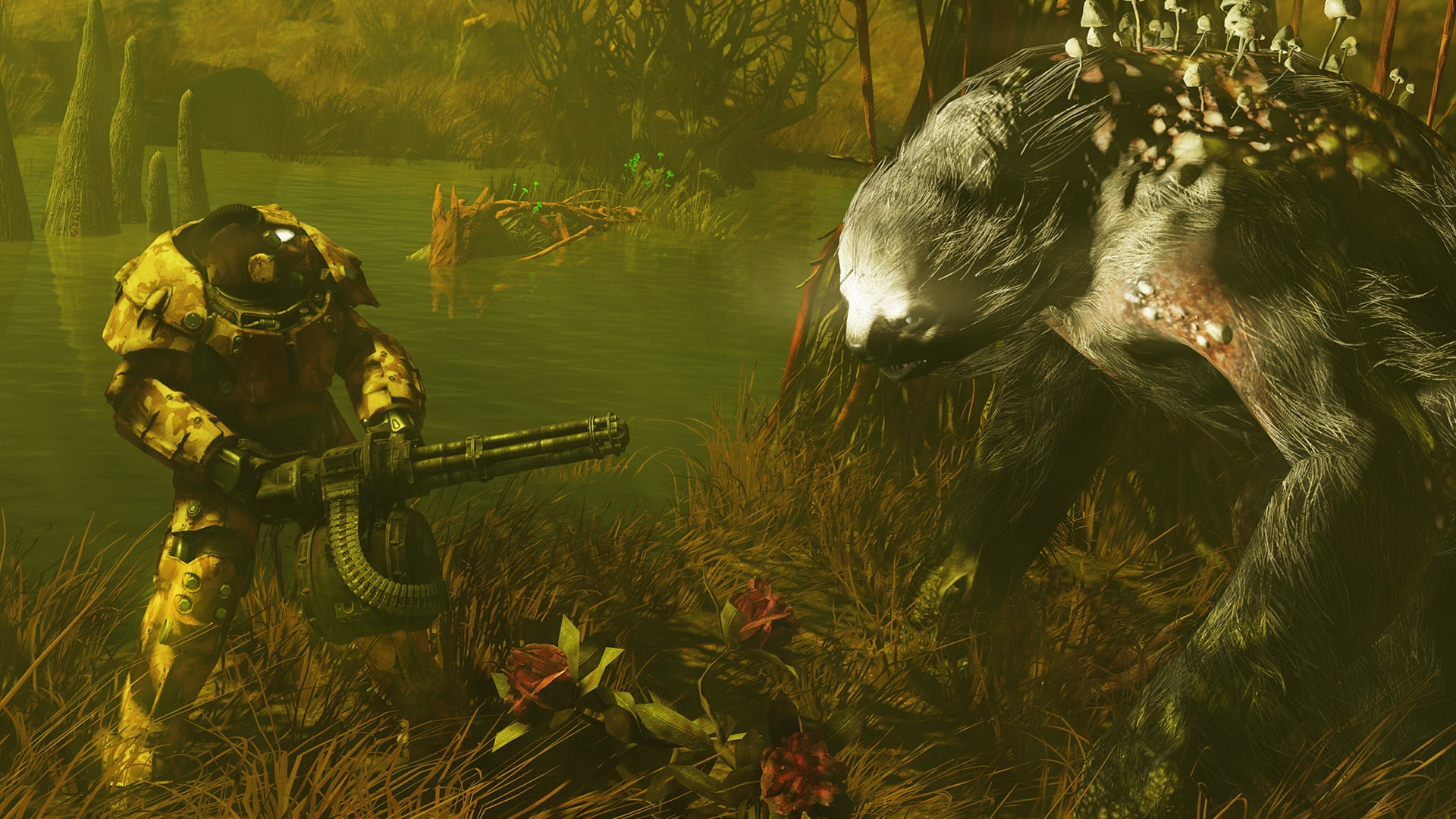
  • Fixed an issue where additional Yao Guai would spawn after the “Defeat the Yao Guai” objective.
  • Fixed several areas where the Brahmin could become stuck, preventing progress.
  • Fixed an issue that would allow players to get full Supplies from another player’s caravan.
  • Joined Caravans will now appear in the “Events” tab of the pip-boy.
  • Challenges: Completing a Caravan will now properly count towards the “Complete an Event while in a Group” challenge.
  • Supply payout for helping caravans have been increased:
    • Helping Small Caravans: 4 Supplies, 3 Scrip, Stimpaks, Contextual Ammo (increased amounts).
    • Helping Medium Caravans: 12 Supplies, 4 Scrip, Stimpaks, Contextual Ammo (increased amounts).
    • Helping Large Caravans: 20 Supplies, 5 Scrip, Stimpaks, Contextual Ammo (increased amounts).
    • Failing a Caravan will give you 3 supplies instead of 1 now.

Combat

  • Basher, Modern Renegade and Twisted Muscles Now they should reference the proper perk.
  • Enforcer Rank 1 now can cripple Enemies.
  • Fixed a case where AP would not regenerate while taking RAD damage.
  • Addressed an issue where the Tenderizer perk could result in more damage than intended.
  • The legendary explosion mod now applies bonus to explosive attacks.
  • Adjusted the damage caused by the poison cloud from Toxic Blood mutated enemies.
    • Dev Note: Players should expect the poison cloud to be weaker at lower levels and the poison effect drops off faster.

Combat Balancing

  • Increased damage for Lesser Devils.
  • Alien Invader
    • Reduced Health
    • Reduced Damage in Daily Ops
  • Slightly lowered the duration of the slow effect on the Floater Freezer’s freezing breath.
  • Slightly reduced the rate at which the slow effect accumulates for the Floater Freezer’s freezing breath.
  • Reduced damage for the Floater Freezer’s freezing breath.
  • Reduced damage for the Floater Flamer’s fire breath.
  • Reduced the cryo damage for the Floater Freezer’s blast/stare/shockwave attack (the one which also deals fusion core damage).
  • Reduced damage for the Floater Gnasher’s bite attack.
  • Adjusted the damage for the following Beta/Gamma laser mods:
    • Laser Gun
    • Ultracite Laser Gun
    • Gatling Laser
    • Ultracite Gatling Laser
    • Plasma Gun

While these weapons are still being evaluated for overall balance, these particular mods over-shot the current target for fire damage mods (especially when taking into account the recent adjustments to creature health and resistances) and are being brought in line with similar mods for other weapons. This allows for more consistency among weapons and mods when making future changes.

Creature Balance

The creatures below will generally be less threatening at mid-level (especially 35-75) but should be a bit tougher towards level 100. In some cases, at lower level, these creatures may be slightly weaker or stronger to ensure that they’re appropriately engaging even when first met.

Their resistances have been adjusted in a way that it’s now more valuable to explore which damage types they are now weaker too.

These changes are similar to the creature changes that were made in the Skyline Valley and Milepost Zero updates.

The following creatures have been adjusted:

  • Hellcat Mercenaries
  • Rad Scorpions
  • Overgrown Thorn
  • Overgrown Pollinator
  • Overgrown Elder
  • Overgrown Elderwood
  • Mr. Handy/Gusty
  • Settlers
  • Mothman
  • Union NPCs
  • Mobsters, Showmen, and Auditors
  • Blue Devil
  • Jersey Devil
  • Lesser Devils
  • Fanatics, Fanatic Foreman, Fanatic Harrower, Fanatic Elite Harrower, Fanatic Conqueror
  • Lieutenant Kappa, General Zeta, Captain Alpha/Captain Omega
  • Alien Drone, Alien Detonator Drone, Alien Elite Drone
  • Sentry Bot
  • Glowing Ones
  • Feral Ghouls
  • Bloodbugs
  • Grafton Monsters
  • Ogua
  • Wendigo Colossus
  • Critters
  • Rad Roach
  • Flatwoods Monster
  • Rad Rats
  • Mirelurks, Mirelurk Queen, Mirelurk Hunter
  • Trog Superior, Trog Devourer, Trog Fledgling, Glowing Trog
  • Assaultron
  • Radtoad
  • Radstag
  • Sheepsquatch

Events

  • Powerhouse of the Cell: Addressed several issues where players could become stuck between objectives and unable to continue.
  • Powerhouse of the Cell: Addressed several issues where players could become stuck between objectives and unable to continue.
  • Project Paradise: Teammates fast traveling to a team leader who is participating in this event will no longer spawn stuck inside the central reactor.
  • Lode Baring: Fixed an issue where players could be blocked from entering the mine by an uncleared rock pile located just inside the interior entrance.
  • Out of the Blue: Fixed an issue where obtaining the caravan camp notes before starting the quest could break progression.
  • Test Your Metal: Potential reward “Rust Eagle Banner” is now properly displayed as “Plan: Rust Eagle Banner”.
  • The Elusive Crane: Fixed a blocking issue where Sol would not execute Crane when prompted.
  • Event Challenges: Fixed an issue where the weekly repeatable Kill Spooky Scorched challenge was missing the Star icon.
  • Updated potential rewards listed for Public Events on their preview information to reflect that they now award Legendary Modules, rather than Legendary Cores.
  • Clowns that were spawning near the Foundation Outpost/Eviction Notice have been returned to the circus…honk honk.

Magazine Changes

The following Magazines have received updates. For the most part, these are direct increases to the Magazines’ effects.

  • Astoundingly Awesome Tales 7: +25 max AP, up from +5.
  • Astoundingly Awesome Tales 10: +35% more damage with scoped weapons while aiming, previously +15% without needing to aim.
    • Dev Note: This magazine now specifically offers its benefit to weapons fired using manual aim and does not affect VATS.
  • Backwoodsman 2: Name and cover art updated to match effect.
    • Dev Note: This is a purely cosmetic change for the magazine’s name and cover. It was previously swapped with Backwoodsman 7 (see below).
  • Backwoodsman 6: Now only affects healing from cooked foods, rather than all effects from cooked food.
  • Backwoodsman 7 (name and cover art updated to match effect): Now affects all thrown weapons (Sheepsquatch Shard, Tomahawk, Throwing Knife, Meat Cleaver) instead of just Tomahawks.
  • Live and Love 1: +25 max HP while on a team, up from 10.
  • Live and Love 3: Now only affects healing from fruits & veggies, rather than all effects from fruits & veggies.
  • Live and Love 6: +25 damage resistance while on a team, up from 10.
  • Grognak the Barbarian 3: +25 poison resistance, up from 15.
  • Grognak the Barbarian 8: +25 cryo resistance (Charisma no-longer required), instead of +2 damage resistance per point of Charisma.
  • Grognak the Barbarian 9: +25 carry weight, up from +10.
  • Grognak the Barbarian 10: +25 energy resistance, up from +15.
  • Tesla Science 6: +75 radiation resistance, up from +15.
  • Guns and Bullets 6: +75 damage resistance at night, up from +10 damage resistance at night.
  • Now occurs slightly later at night to match Nocturnal and other night-time effects.
  • Scout’s Life 3: Now reduces all items’ weight by 10%, instead of +10 carry weight.
  • Scout’s Life 9: Now provides +25 fire resistance, instead of -80% camp placement cost.
  • US Covert operations Manual 1: +50 damage resistance while sneaking, up from +10 while sneaking.

Backwoodsman 6 and Live and Love 3 far exceeded the intended level of benefit for magazines and have been adjusted to match their original effect of boosting Healing from food items. Backwoodsman 6’s prior change in the Once in a Blue Moon update had been made in error, and we apologize for the confusion.

Prior to this update, these magazines boosted all foods effects, including (but not limited) to Carry Weight, S.P.E.C.I.A.L. stats, VATS Critical Attack damage, etc.

The effects of these magazines will be further adjusted if needed in future updates.

Milepost Zero

  • Milepost Zero HQ: Fixed an issue that could cause players to not be able to hire new employees.
  • Milepost Zero HQ: Fixed an issue where Stairs were not appearing with the Military theme.
  • Milepost Zero HQ: Axel will now properly give players the snowglobe plan when changing themes at Tier 3.
  • Milepost Zero HQ: Fixed an issue causing NPCs to give snowglobe plans after the player has already recieved them.
  • Milepost Zero HQ: Theodore now gives the snowglobe through the correct dialogue line.
  • Milepost Zero HQ: Fixed an issue that would cause Marley to give a Snowglobe plan every time you tried to start a new caravan.
  • Milepost Zero HQ: Fixed an issue where Ineke’s dialogue would display incorrect text in French and German.
  • Milepost Zero HQ: Fixed a mismatch between voice line and subtitles in Axel’s dialogue.
  • Milepost Zero HQ: Fixed voice lines for Axel in Spanish and French languages.
  • Milepost Zero HQ: Fixed an issue where Ineke’s upgrade options were not consistently appearing in Marley’s dialogue.
  • Milepost Zero HQ: Removed duplicate dialogue options from Josie.
  • Milepost Zero HQ: Fixed an issue where Axel would sometimes not initiate dialogue when interacted with.
  • Milepost Zero HQ: Fixed a mismatch between voice line and subtitles in Axel’s dialogue.
  • Milepost Zero HQ: Fixed an issue with Ineke’s dialogue where the conversation would end unexpectedly after initial introductions.
  • Milepost Zero HQ: Fixed an issue where Theodore would not play certain voice lines
  • Milepost Zero HQ: Fixed missing voice lines for Theodore.
  • Milepost Zero HQ: Fixed an issue that would cause the current theme to be eligible for purchase in Axel’s dialogue.
  • Milepost Zero HQ: A notification will now appear when the brahmin has been upgraded through Josie.
  • Milepost Zero HQ: Fixed an issue where some structures within the HQ could be damaged.
  • Fixed an issue where the player character’s head would clip through the British Redcoat Army Hat.
  • V63 Laser Carbine: Fixed an issue where Explosive legendary VFX were not working properly.

Quests

  • Trade Secrets: Fixed an issue where some characters were missing the Hornwright Senior Executive Keycard.
  • Refuge Daily Quests: Fixed an issue where the Vault Boy animation would overlap with quest description.
  • Overseer’s Mission: For players who have completed this quest, dropped Overseer’s Log holotapes may now be picked up again from their original locations.
  • Custodial Compulsions: Fixed an issue where other characters would say Saltwater Sam’s dialogue lines if the player was on a specific part of the quest.
  • Duty Calls: Fixed an issue where the brain jars were missing upon relog, blocking progression.
  • Beckett now appropriately says romantic/flirty dialogue lines to players who have romanced him.

Weapons

  • Ticket to Revenge has its intended legendary mods again (Furious, Rapid, Lightweight).
  • Deathclaw Hand is no longer returned when scrapping an item that uses it as a component for crafting.
  • Deathclaw Gauntlet and Unstoppable Monster now require 1 Deathclaw Hand to craft instead of 2.
  • Fixed an issue where “The Tenderizer” with the standard mod would display as “The Tenderizer Tenderizer.”
  • Fixed an issue where 3-star melee weapons could sometimes spawn with reload speed.
  • **Plan**: Headhunter Scythe has been renamed to Plan: Head Hunter Scythe to be consistent with the weapon.
  • V63-Zweihaender now benefits from the “Science” Perk card family – “Science”, “Science Expert” and “Science Master”.
  • Enemy minigun audio should no longer continue playing after death.
  • Fixed an issue with the Lever Action Rifle where the Compensator mod did not display correctly with various paints.

Miscellaneous Fixes

  • Addressed various typos in the new “Legendary Crafting” help menus.
  • Atomic Shop: Fixed an issue where cursor would disappear after making a purchase.
  • Beckett now appropriately says romantic/flirty dialogue lines to players who have romanced him.
  • Creatures now have an increased chance to drop meat.
  • Cultist Dungeon Outfit: Fixed an issue where mismatched skin textures could appear on characters wearing this outfit.
  • Fixed a spelling error with the Fireproof mod name.
  • Fixed an issue where Colored Mirror Balls were not emitting light correctly.
  • Fixed an issue where players were sometimes not receiving contextual ammo drops in expeditions.
  • Fixed an issue where some Backpack Skins would display their name multiple times.
  • Fixed an issue where the Live and Love #3 magazine would increase the benefit of non-healing effects.
  • Fixed an issue where the Ogua would still be vulnerable after retreating into it’s shell.
  • Fixed an issue where the pip-boy would not update correctly when switching between weapons with the same name.
  • Fixed an issue where the tutorial flyout and help menu displayed the incorrect keybinding for collecting Power Armor chassis.
  • Fixed an issue with several Notes where the “Exit” command was improperly being displayed on notes that must be collected.
  • Fixed lighting issues within the Burning Mine location.
  • Pulowski Preservation Shelter: Players should no longer become trapped in the doors
  • Removed vendor window from Johnny Bills at the Blue Ridge Bunkhouse.
  • Speculative Fix: Free daily re-rollers should now reset at the same time as challenges, instead of an hour later during daylight savings.
  • The Shadow Person haunting the cliffs near Lake Eloise has been banished.
  • Thrasher Backpack: Fixed an issue that could cause the backpack to become static.

As expected, the official patch notes aren’t out just yet. Given that Halloween is almost here, we’re counting on another Spooky Scorched event to be part of the new content players will receive.

Of course, possibly the bigger news is that tomorrow, October 23, Bethesda will air the Fallout Day broadcast at 12 pm PST/3 pm EST/8 pm BST/3 am HKT. During the show, players will be given a glimpse of the upcoming updates headed to Fallout 76, and even the addition of a community-requested feature for CAMP, and that’s pets!

Once we know more details about today’s patch, we’ll update the article. Given players can’t connect to the servers and test things out, that will be a while. Stay tuned to this article, as we will update it with the correct info once it’s available.

[Source: Reddit]

Avatar photo

Alex Co

Father, gamer, games media vet, writer of words, killer of noobs.

Home > Title Updates and Patches

Rainbow Six Siege Update 2.86 Delivers Patch Y9S3.3 This Oct. 22

Rainbow Six Siege update 2.86 is now available for download, and this brings Y9S3.3! This brings a round of operator and weapon balancing changes affecting consoles and PC. Those on current-gen platforms, R6 Siege update 1.000.091, and implements the same changes.

Rainbow Six Siege Latest Update Patch Notes and Changes:

OPERATOR BALANCING

IANA

  • Reduced hologram cooldown when destroyed to 20 seconds (from 30).

JACKAL

  • Removed distortion caused by bullets.

KALI

  • Added Smoke Grenades.

MOZZIE

  • Increased Pests to 4 (from 3).
  • Added Impact Grenades.

ZERO

  • Increased Argus cameras to 6 (from 4).

ZOFIA

  • Removed Breach Charges.
  • Added Hard Breach Charges.

WEAPON BALANCING

CSRX-300

  • Reduced bullet trail duration and size.

BUG FIXES

GAMEPLAY

  • FIXED – UI element that lets a team know they’re moving into the lower bracket of Siege Cup says “unknown” instead.
  • FIXED – A player watching a match is unable to access text chat.
  • FIXED – Siege Cup banner says “Waiting for others to join” despite being paired against an enemy team.
  • FIXED – Caster card placement differs when spectating certain Custom Game presets.
  • FIXED – Devices briefly reactivate when picked up despite being affected by an EMP.
  • FIXED – “!!Missing Timer” text present in the AAR screen.
  • FIXED – The More Info section of Siege Cup has incorrect information about the registration requirements.
  • FIXED – Some Siege Cup players’ games do not start, and those players remain with the ribbon stating: “NEXT MATCH IN Starting Soon”.

OPERATORS

  • FIXED – Skopós’s idle V10-Pantheon Shells spawns without a shield at 2F Executive Office in the Plane map.

USER EXPERIENCE

  • FIXED – Redeem button is missing from the Bravo Collection with a Bravo Pack Ticket.
  • FIXED – Marketplace is missing the thumbnail for the Crushing Canes skin for Montagne’s Le Roc shield.

Expect another major update for Rainbow Six Siege in a few months, and MP1st will cover the new operator and changes as we know more.

[Source: Ubisoft]

Avatar photo

Alex Co

Father, gamer, games media vet, writer of words, killer of noobs.

Home > News

Fallout 76 Servers Taken Down for Maintenance This October 22

Can’t get into your Vault? Yeah, you’re not the only one, but don’t fret, as the Fallout 76 servers have been taken down by Bethesda as part of planned maintenance this October 22! During this time, players can expect a new title update to be released on all platforms as well.

The Fallout 76 Servers Are Down This October 22

Update: The complete patch notes for the latest Fallout 76 update is live and can be viewed here.

Per Bethesda’s announcement, downtime begins at 10 am ET/7 am PT/9 am CT. While there is no duration specified, it usually lasts at least 2-4 hours and sometimes more.

As for what’s going to be rolled out, the Gleaming Depths patch was just tested on the PTS (Public Test Server) last week. While we don’t think that’ll be the patch released today, expect something meaty given tomorrow is Fallout Day.

Speaking of which, there is a Fallout Day broadcast airing tomorrow, October 23! This will showcase a preview of the upcoming major updates headed to Fallout 76 including the CAMP addition of pets! There’s also a post-show planned as well, which will feature more Fallout content.

If anything changes regarding the downtime, we’ll update the article with the info. Once the patch notes are out, we’ll provide a link to it within the article, so refresh this from time to time.

Avatar photo

Alex Co

Father, gamer, games media vet, writer of words, killer of noobs.

Home > News

Destiny 2 Down for Server Maintenance and Patch 8.1.0.2 Roll Out This October 22

Guardians having issues logging in to Destiny 2, it’s due to server maintenance that has kicked off this October 22 on all platforms. If your friends are seeing Destiny 2 down reports surface, let them know that there’s scheduled downtime happening today, and there’s also a new patch set to be released alongside it.

Is Destiny 2 Down This October 22?

Yes, the servers are down as Bungie is doing server maintenance to roll out a new patch today.

Tuesday, October 22, 2024 – Update 8.1.0.2
6:00 AM PDT -7 UTC
    • Destiny 2 will undergo maintenance.
    • Sign-on and game integration features will be unavailable on web, mobile, third-party apps, and the Bungie Store.
    • Players who observe issues should report to the #Help forum.
6:45 AM PDT -7 UTC
    • Destiny 2 will be brought offline for expected maintenance.
    • Players will be removed from activities and won’t be able to log back in until 10 AM PDT.
    • Ongoing Destiny maintenance is expected to conclude at 12 PM PDT.
10:00 AM PDT -7 UTC
    • The latest Destiny 2 update will be available across all platforms and regions.
    • Players will be able to log back into Destiny 2.
    • Players logging into the game may be placed in a queue and may experience sign-on issues as background maintenance is still ongoing.
    • Clan features may remain offline until maintenance is complete.
12:00 PM PDT -7 UTC
    • Destiny 2 maintenance is expected to conclude.
    • Console players who encounter issues updating should restart their console and try downloading the update.
    • Players who observe issues should report to the #Help forum.

Same as always, once the patch notes are out, we’ll provide a link to it within the article. If there are any changes to the server downtime, we’ll be sure to update the article.

For our continued coverage of Destiny 2, head on over here.

Avatar photo

Alex Co

Father, gamer, games media vet, writer of words, killer of noobs.

Home > Title Updates and Patches

The Texas Chain Saw Massacre Update for Oct. 22 Brings Grapple Reworks, Bug Fixes

Gun Interactive has released The Texas Chain Saw Massacre update for October 22, and it’s out now on consoles and PC. This brings new cosmetics for sale, grapple rework and bug fixes. Those on consoles, this will show up as The Texas Chain Saw Massacre update 1.31 (last-gen), and version 1.000.034 for PS5 and Xbox Series X|S.

What’s New in The Texas Chain Saw Massacre Update for Today, October 22:

Changed: Close Encounters/ Grapples

  • Each character will now have a grappling value assigned to them to determine their effectiveness in a close encounter

  • Read the full changes here

Tuned: Custom Private Match Toggles

  • The following toggles are now available in custom private matches

    • Victim Health – Half, Default, Double

    • Family Damage – Half, Default, Double

    • Character Abilities – Enable or Disable

    • Character Perks – Enable or Disable

    • HUD toggle – Enable or Disable

Tuned: ‘Rush Week’- Johnny’s Melee Damage

  • We have slightly increased the amount of melee hits it takes to execute a Sorority Girl

  • It will now take Johnny 3 hits to execute a Sorority Girl

Tuned: ‘Rush Week’ – Johnny’s Lockpicking

  • We have increased Johnny’s Proficiency

  • Johnny will now be able to lockpick doors faster

Tuned: ‘Rush Week’ – Johnny Door Stuns

  • Johnny’s stun time from door slams has been decreased

Tuned: ‘Rush Week’- Attic Pole Spawns

  • We have updated the amount of spawn locations for the Attic Pole

  • The Attic Pole will now spawn farther away from Sorority Girls

Tuned: ‘Rush Week’ – Sorority Girls Vent Damage

  • We have decreased the damage that Sorority Girls take from falling out of a vent

  • They will no longer receive damage

Fixed: Base Game – Xbox Series X and S Title Crashes

  • Our team has resolved crashing issues impacting Xbox Series X and S players that occurred when loading into a public lobby or match

Fixed: Base Game – Grandpa Perks

  • Activation levels for Grandpa Perks has been fixed, and will activate at the correct Family Bond level

Fixed: Base Game – Blood Trails

  • We fixed an issue where blood trails were no longer showing up for either Victim or Family Players

Fixed: Base Game – Door and Gate Inconsistencies

  • We have fixed a bug that caused Family members to not properly open doors and gates

Fixed: Base Game – ‘Clear Eyes’

  • Electric Traps set by Hands that were disabled or triggered were not highlighting for Victims with ‘Clear Eyes’

    • This has been fixed to be consistent with Hitchhiker’s traps and Nancy’s barbed wires, which are highlighted even after being triggered

Fixed: Base Game – ‘Fast Hands’

  • Issues with ‘Fast Hands’ not working properly have been resolved and the perk will now function as intended

Fixed: Base Game – Victim Endurance

  • We have (once again) fixed an issue where the Victim Endurance stat did not feel noticeably different for players

    • Victim’s total stamina capacity, stamina drain, and regeneration will now scale properly as players allocate more points into Endurance

Fixed: Base Game – Cook Tagging Dead Bodies

  • Cook’s Seek Ability was incorrectly highlighting dead bodies after using his Lovely Neck Execution

    • This has been fixed, and Cook’s Seek Ability will now only highlight alive Victims

Fixed: Base Game – Cook Tagging Escaped Victims

  • We have again fixed a bug where Cook could highlight Victims who have already escaped with his Seek Ability

  • Cook is now able to use his ability only on active playing Victims

Fixed: Base Game – Close Encounters Door Interruption

  • We have resolved an issue where the Close Encounter animation would cancel out if a Family member opened or closed a nearby door

  • Player can now engage in a Close Encounter near a door without this interruption

Fixed: Base Game –  Hitchhiker Traps and Windows

  • We have fixed an issue where if a Victim stepped in a Hitchhiker trap placed on the inside of a window, it would still activate the window jump cinematic and Victims would receive double the damage

  • Victim players will no longer get stuck under the window in this scenario

Fixed: Base Game – Rough Cut Thrust

  • An issue has been resolved where Victims who were hit with a thrust melee attack didn’t take damage over time from the perk ‘Rough Cut’

  • Damage over time will now apply to a Victim when hit with a thrust with ‘Rough Cut’ equipped

Fixed: Base Game – Noise Indicators Following Victims

  • An issue has been fixed where Noise Indicators wouldn’t follow Victims after they’ve opened a sliding door

Fixed: Base Game – ‘Exterior Alarms’ Noise VFX

  • We have resolved an issue where sliding doors wouldn’t produce noise VFX for victims if the Grandpa perk ‘Exterior Alarms’ was active

  • Sliding doors will now produce noise VFX for victims at all times

Fixed: Base Game – Stabbing Grandpa Prompt

  • We have fixed an issue where the prompt for Victims to stab Grandpa wouldn’t populate from certain angles and distances

  • Stabbing Grandpa will now feel more consistent for players

Fixed: Base Game – Lighting in Customization Menu

  • When players would go to the Customization Menu, the lighting was too bright and caused textures to go missing

  • The lighting is now correct in the menus and textures are no longer missing

Fixed: Base Game – ‘Heart Attack’ UI

  • We have fixed an issue where the UI for Hands’ perk ‘Heart Attack’ was not proccing on a Barge hit

Fixed: Base Game – Family Member Adjusting with Camera Movement

  • An issue where Family Members were not correctly turning away when players faced their camera towards them has been resolved

Fixed: ‘Rush Week’ – Living Room Collision

  • We added collision to the side table in the Living Room

Fixed: ‘Rush Week’ – Dining Room Collision

  • We removed incorrect collision in the Dining Room that would prevent players from navigating between a side table and flower vase

Fixed: ‘Rush Week’ – Sorority Girl Models

  • A visual bug has been resolved where a seam line would appear on the Sorority Girl’s back or shoulder

Fixed: ‘Rush Week’ – Opening Doors as Johnny

  • We have resolved issues players were facing with doors not opening consistently for Johnny, despite pressing the correct inputs

Fixed: ‘Rush Week’ – Perfume and Hunt Ability

  • When using the perfume on Johnny, it was not disabling his Hunt ability as described in the tutorial

  • Now, when a Johnny player steps into a perfume cloud, his Hunt ability is deactivated

Fixed: ‘Rush Week’ – Fusebox

  • When Johnny turns off the fusebox, the Sorority Girls were still able to make phone calls to the police

  • This has been fixed so that the prompt to turn off the fusebox was removed

Fixed: ‘Rush Week’ – Anonymize Player Names

  • The Anonymize Player Names option would show all players in a Rush Week lobby who was Johnny

  • Players with Anonymize Player Names turned on will now see a “?” for everyone in the lobby

Fixed: Private Matches – Victim UI

  • We have fixed an issue where the Victim UI for minigames would be visible to Family members

Fixed: Private Matches – Health Potion UI

  • Missing UI has been fixed for when Players would use a health item after canceling a mini-game

Fixed: Private Matches – Stuck After Canceling Minigame

  • There was an issue where if the Host of a lobby canceled out of a minigame and used a health potion afterwards, they would be softlocked

  • This has now been fixed

For the cosmetics added, head on over here.

Avatar photo

Alex Co

Father, gamer, games media vet, writer of words, killer of noobs.

Home > Title Updates and Patches

Alan Wake 2 Update for October 22 Lights the Way for Anniversary Patch and The Lake House DLC

Remedy’s last expansion for Alan Wake 2, The Lake House DLC, is rolling out with a title update! For those that do not want to shell out the cash for the story expansion, there’s still a lot to look forward to, as the Alan Wake 2 update for October 22 brings the game to version 1.200.002 which ushers in the big Anniversary Update.

Players can expect a new Gameplay Assist functionality alongside other quality-of-life improvements such as Words of Power now easier to unlock and more. For those picking up a PS5 Pro, this title update also adds the enhanced visual features exclusive to the console.

Alan Wake 2 Update 1.200.002 Patch Notes for October 22:

Xbox Series X|S Version 1.2.0.2 | PC Version 1.2.2

Download Sizes:

  • PC: 20 GB
  • Xbox: 18 GB
  • PS5: 15 GB

This “Anniversary” update contains The Lake House expansion for the Deluxe Edition owners, but also comes with many improvements for all owners of Alan Wake 2. 

Global 

  • Added new Gameplay Assist functions under the Options / Gameplay menu including: 
    • Infinite Ammo 
    • Infinite Batteries 
    • Immortality 
    • Several options to change holds into taps 
    • (Gamepad) Sticks swap 
    • (Gamepad) Alternative input for Quick turn 
    • And more 
  • (Deluxe Edition) added the Classic Alan Wake Outfit for our writer. Also known as the Layered One. 

 Improvements 

  • Finetuned Flashlight Boost’s usability. Shooting should now feel better while boosting. Then again, we have worked on this game for so long  
  • Words of Power are now easier to unlock as they accept a wider angle from the flashlight. This should help especially with that one Word of Power in the Oceanview hotel 
  • Resources from all containers are now easier to pick up (no more less strange camera movements to grab stuff) 
  • [PS5] Added support for PlayStation 5 Pro. More details here.
  • [PS5][PC] Added Optional Support for Motion Sensor (Gyro) controls while using a DualSense Controller (so that one person on Reddit who kept asking for this, hope you enjoy!) 
  • [PS5][PC] Refined and additional haptics. Haptics will now trigger when using throwables and healing Items (reminder: we should have had healing items like in Final Fight. Apples. Chickens). 
  • [XBox Series S] Increased internal render resolution from 1280 x 720 to 1505 x 847. 
  • [Xbox Series]: Added support for Variable Refresh Rate (VRR) displays. 

Fixes 

  • Fixed an issue where while trying to shoot while recharging batteries would sometimes trigger a melee attack instead. 
  • Fixed an issue where the player was getting pushed towards (instead of away) enemies upon hit if they had the flashlight equipped. 
  • Fixed an issue where Case Board clues would now always trigger voice over lines. 
  • Fixed some areas becoming too dark if the character automatically unequipped the flashlight. 
  • [Night Springs] Fixed Achievement / Trophy for completing the episodes, that on occasion would not trigger when playing them as part of the main campaign. 
  • Several other fixes and improvements. 

Chances are, unless this patch breaks something, this will be the game’s last feature-packed update. We’re hoping to be wrong, but given The Lake House is the game’s last DLC drop, and the game’s complete enough as it is, we’re not expecting anything more.

Related Reading:

[Source: Alan Wake]

Avatar photo

Alex Co

Father, gamer, games media vet, writer of words, killer of noobs.

Home > Title Updates and Patches

Starship Troopers: Extermination Update 1.000.300 Shoots Out for Patch 1.0.3 and Adds New Features and More

Offworld Industries has released Starship Troopers Extermination update 1.000.300 on consoles and PC this October 21, and this brings performance changes, adds a community-requested feature, and bug fixes. There’s a lot to take in, so read on for the complete patch notes.

Starship Troopers: Extermination Update 1.000.300 Patch Notes for Version 1.0.3:

PERFORMANCE CHANGES:

Client Performance Improvements

  • Optimization to Weapon Swapping
  • Bug LOD’ing Optimizations
  • Sound now plays without registering and unregistering Audio

NEW FEATURES/CONTENT/QUALITY OF LIFE:

Quality-of-Life

Companies

We have now added the highly requested search feature to help troopers find companies.

Suggested Companies” can now be filtered with search text in the “Company” tab. This can be found on the top right of the ”Company” page.

  • Enter the exact name of the Company to join, or the first few letters from its name to find a list of Companies whose names start with those letters.
  • Delete the entire search text to get back to a list of unfiltered suggested companies

For example: “The Hunters” will probably find and list just that Company, but entering just “The” will list all Companies starting with that prefix.

We are continuing to work on additional Quality-of-Life features for the Company system, such as the much-requested “Invite Friend to Company” feature, and look to release them in future updates. We are grateful to the community and continue to welcome trooper feedback on the Company and Social systems of Starship Troopers: Extermination.

NOTABLE BUG FIXES:

Known Issues

  • Certain maps will have darker and more creepy than normal shadows, we will be adjusting this in 1.0.4.

Highlights

  • Fixed an issue where the Tanker bug fell through terrain when knocked back.
  • Fixed an infinite reload bug for SPLIT Shotguns when resupplied while reloading.
  • Fixed an issue where the Medical UAV did not return to the Medic when deploying it and pressing the ability button again.
  • Improvements to reduce crashes on Agni Prime if an Xbox were set on “Quality” mode.

Console Fixes

  • Fixed an issue where the “Join Friend via Activity” showed the incorrect status and would fail to reconnect to matches on PS5.
  • Fixed an issue where the game would crash when starting a S.O.G. mission on Xbox.
  • Fixed an issue where Weapon Skin Customization would not work correctly.
  • Fixed an issue where the title screen would freeze and display a “suspendPoint” error when users tried to queue for a mission
  • Fixed an issue where troopers who reach level 14 on an After Action Report would cause a crash.
  • Fixed an issue where troopers could Aim Down Sight (ADS) during an automatic reload when out of ammo.
  • Fixed an issue where the story page could not be changed when players rapidly pressed the Y/Triangle button after switching to the “Galactic Front” menu tab.
  • Fixed an issue that would cause an infinite matchmaking loop when only one player is in the party.
  • Fixed an issue on Agni Prime AAS Easy, which caused stuttering and FPS drops at the start of the match.
  • Fixed an issue where player gamertags that have been changed would not update on Company screens.
  • Fixed an issue where troopers were unable to enter Planet Valaka after a first attempt causing “Connection Timeout” and a black screen.
  • Fixed an issue causing the Build Tool to be in Place mode when equipping it for the “Equip the Build Tool” mission objective in the Tutorial mission.
  • Fixed an issue where a second invitation would not arrive when sent from a full party.
  • Fixed an issue causing “Output Device” to be cut off in the “Settings/Audio” menu.
  • Fixed an issue where rapidly changing “Video” settings on Agni Prime would cause consoles to crash.
  • Fixed an issue where users could find themselves stuck in matchmaking while queuing for a Hive Hunt mission.

UI

  • Fixed an issue where players with Online IDs/Gamer tags longer than 16 characters exceeded the banner/nameplate holder.
  • Removed unnecessary HUD elements from S.O.G. missions.
  • Added HUD markers for downed squadmates during S.O.G.missions.
  • Fixed an issue where the “Rico Speaking” text appeared on the S.O.G. reset campaign screen.
  • Fixed an issue where the Living Planet would get stuck in a victory state even after a new war started.

Audio

  • Fixed an issue where players joining a Horde mode late would have no background music.
  • Fixed an issue where the main menu music would not play after exiting to the Credits.
  • Fixed an issue where the main menu music changed when the player clicked on “Main Mission.”
  • Fixed an infinite loop caused by a single AI trooper trying to vocalize.

Art & Animation

  • Fixed a bug where rounds from the E-Pulse 88 CSW consistently fired below the reticle during sustained fire.
  • Fixed an issue where the Sniper character model used the Ranger texture for its backpack.
  • Fixed an issue where the Frost Drone body LOD appeared invisible at a distance.
  • Fixed backward shoulder patches on trooper models.
  • Fixed stretched and blurry ground textures in S.O.G. missions.

Gameplay & General Fixes

  • Fixed the handling of the Sniper with the Morita Hawkeye, which previously depended on the gun selected.
  • Fixed incorrect damage resistance for the Tanker bug against Hi-Ex Grenades.
  • Fixed inconsistent translations for the Demolisher, Guardian, and Ranger Trooper classes.
  • Fixed an issue where the “Restart Needed – Graphical assets need a restart to be localized” screen was not localized after a language change.
  • Fixed an inconsistency in the naming of Planet X-11, where it was referred to as “X11” in some strings.
  • Fixed an issue where users were unable to progress on the ARC mission using the X-11 map.
  • Fixed an issue where S.O.G. Bots did not follow the user immediately after leaving the Dropship in several S.O.G. missions.
  • Fixed an issue where the Tiger could spawn inside a wall during the 5th Encounter in S.O.G. Mission #9.
  • Fixed an incorrect mission objective on the Tac Map screen for S.O.G. Mission 12.
  • Fixed non-player-facing text appearing in the mission briefing for S.O.G. Mission 18.
  • Fixed inconsistent objective listings on the Tac Map and Scoreboard for S.O.G. Mission #20.
  • Fixed an issue where the game did not refocus after closing a social menu modal window in the pause menu.
  • Fixed an issue where the player no longer received a “Kicked” modal from the company after losing internet connection.
  • Fixed an issue where players could move while holding a resource canister when using class abilities that should lock them in place.
  • Fixed an incorrect distance-from-objective indicator when multiple objectives were active.
  • Fixed an issue where the player could unlock during extraction instead of after winning on normal difficulties.
  • Fixed an issue where S.O.G. Bots would float and become stuck if a Carnage corpse was destroyed while they stood on it.
  • Fixed an issue causing a disappearing utility item when a player picked up a 4th utility item.

[Source: Starship Troopers Extermination]

Avatar photo

Alex Co

Father, gamer, games media vet, writer of words, killer of noobs.

Home > News

Delta Force Open Beta Launches on PC This December With First Season

Delta Force open beta, previously called early access, will officially launch on PC on December 5 alongside its first season, Genesis.

The Season of Genesis Begins This December in Delta Force

As announced on Steam, fans around the world will soon be able to get their hands on Delta Force, as the full open beta will be made available this December! Those who previously played it through the closed beta testing will be happy to know that the team has made several improvements and changes, something we’ll be able to read up more come launch. But that’s not the only thing you can expect to be new, as the game’s first season, Genesis, will also arrive, bringing plenty of new content for everyone to experience. The highlights include new maps, mods, weapons, operators, and much more!

To celebrate the news, a new cinematic trailer has been released.

Additionally, the team has also released a FAQ, answering some of the biggest questions the community may have, including on when we can expect the console version.

Q1: When does the Global Open Beta launch?
A1: The Global Open Beta will launch on December 5th, 2024.

Q2: Is Early Access still happening?
A2: Our Open Beta version will replace Early Access, and will feature full live service content updates with no more progress resets.

Q3: Will there be paid content in the Global Open Beta?
A3: Yes, there will be paid content available for purchase in the Global Open Beta, primarily Battle Passes, weapon appearances, and vehicle appearances. However, there will be no pay-to-win elements.

Q4: What languages will be available in the Global Open Beta?
A4: The Global Open Beta will offer support for English, French, German, Latin American Spanish, Brazilian Portuguese, Russian, Japanese, Traditional Chinese, Turkish, Korean, and Arabic.

Q5: What’s new in the Global Open Beta compared with the Next Fest version?
A5: Expect a ton of new content like maps, modes, Operators, weapons, and vehicles along with major improvements to gameplay, including better performance, bug fixes, and a stronger anti-cheat system.

Q6: Does the Global Open Beta support controllers?
A6: Controller support is currently not available in the Global Open Beta, but it’s under development and will be added soon.

Q7: When will the game be available on consoles and mobile?
A7: Console and mobile versions are planned for a Q1 2025 release.

Exciting times, and I cannot wait to see how much the game has improved since I last had my hands on with it.

Avatar photo

James Lara

A gamer at heart, James has been working for MP1st for the last decade to do exactly what he loves, writing about video games and having fun doing it. Growing up in the 90's gaming has been in his DNA since the days of NES. One day he hopes to develop his own game.

Home > News

Call of Duty: Black Ops 6 Prestige Emblems, Rewards, Prestige Master and Weapon Camos Revealed

Leading up to Call of Duty: Black Ops 6’s launch later this week, Activision has revealed a ton of stuff about the game’s Prestige system, which is sort of the endgame for Call of Duty titles. Not only have the Black Ops 6 Prestige emblems have been revealed, but we even get info about the Prestige Master, weapon camos and more.

First off, check out the Black Ops 6 Prestige emblems from 1-10!

Black Ops 6 Prestige Emblems

Prestige

Global System (MP, ZM, WZ)

Barracks > Progression > Prestige

Complete Level 55 and reach Max Level and you’ll face the option to take your grind to the next level: Welcome to Black Ops 6 Prestige. Not only has “Classic Prestige” returned in Black Ops 6, but it’s also the most rewarding version of Prestige that Call of Duty has ever seen – with rewards and each Prestige themed around a title in Black Ops history.

The Prestige Hub

Enter the Prestige Hub via the “Progression” button in the Barracks tab to view the full Prestige journey, preview rewards, and check in on your Prestige stats and Challenges.

Select a Prestige, and you’ll be able to view all that Prestige’s rewards (and your progress through them depending on your current level).

Choosing to Prestige

It wouldn’t be “Classic Prestige” if it wasn’t just a little… dangerous. Choosing to Prestige in past Call of Duty titles wasn’t without its risks, and that’s no different in Black Ops 6. Make the choice to enter Prestige and you’ll get promoted to Prestige 1, but it will also be:

  • Reset to Player Level 1.
  • All Level Unlocks will be relocked and must be unlocked again, except for Base Operators, Emotes, and Zombies GobbleGums, as well as anything you Permanently Unlock (more on that later).
  • Your Loadouts will be reset.
  • Lifetime stats will remain viewable in the Combat Record, but your stats elsewhere in the game will only show stats for your current Prestige.

However, the following items WILL NOT be relocked or reset:

  • Weapon Progression, Camos, & Reticles.
  • Weapon Builds – your favorite Weapon may be relocked but all the Builds you’ve created for it will be waiting for you when you reach the level needed to unlock it again.
  • Challenge Progress & Unlocks.
  • Store and Battle Pass Content.
  • Operator and Emote Unlocks.
  • Zombies GobbleGums.

Additionally, any item you have a Blueprint or Skin for will remain Permanently Unlocked through Prestige. This means that if you have a Blueprint for the AS Val Assault Rifle, it won’t be relocked when you Prestige. The same goes for any Equipment, Field Upgrades, or Scorestreaks you possess Skins for.

When you choose to enter Prestige 1, you’ll immediately receive the following:

  • Prestige 1 Icon: Your first Prestige icon, which slots into the center of your Level insignia for all players to see!
  • “Nacht Raider” Weaver Operator Skin.
  • Access to the Prestige 1 Multiplayer and Zombies Calling Card Challenge Sets (more on Calling Card Challenges later in the blog).
  • One Permanent Unlock (continue reading for more information).

Additionally, as you start leveling through Prestige 1, you’ll unlock a unique Prestige reward every 10 Levels (at Level 10, 20, 30, 40, and 50).

Prestige Leveling

If you took the plunge and entered Prestige, your level resets to Level 1, Prestige 1. The date you entered Prestige is recorded, and you receive an instant reward. Now, as you level up and re-unlock the Level rewards, you also unlock the Prestige rewards as well.

Welcome to Black Ops History! In Black Ops 6, each Prestige is themed around a game in Black Ops history, featuring a variety of rewards inspired by and paying homage to moments and elements found in each Black Ops title. For example, Prestige 1 features rewards inspired by the first game in the Black Ops timeline: 2008’s Call of Duty: World at War, the origin of Zombies in Call of Duty.

Become a Legend: Prestige Mastery Levels

There are 10 Prestiges in Call of Duty: Black Ops 6. If you’re dedicated enough to complete all of them, you’ll automatically graduate into Prestige Master and enter the final phase of Black Ops 6 Career Progression. In Prestige Master, your Level rises above 55 for the first time as you are now able to climb up all the way to Level 1,000 and gain additional rewards in the process.

Still cloaked in mystery, the rewards for ascending all the way to Prestige Master are well worth the grind. Who will be the first to unlock theirs?

Prestige Master Instant Reward: “Sitting Bull Reborn” Marshall Operator Skin
Marshall rocks an outfit inspired by the cover art of Black Ops 6, capturing the essence of the ‘sitting bull’ pose and the 90s military era.

Prestige Master Level 90: “Classified Arsenal” AMES 85 Animated Blueprint
Redacted bits cover the weapon in a striking pattern, symbolizing the covert and secretive world of Black Ops 6.

Prestige Master: Legacy Prestige Icons and More

Players who reach Prestige Master Level 100 will gain the ability to customize their Prestige via access to Legacy Prestige Icons from past Call of Duty titles. Equipping one of these Legacy Prestige Icons replaces your Prestige Master icon and changes the way your Prestige Master status appears to other players anywhere it’s seen in-and-out of game. At Prestige Master Level 100, access to Legacy Prestige 1 icons becomes available. From this point forward, gain access to a new set of Legacy Prestige Icons every 100 Prestige Master Levels:

Prestige Master Level 100: Equip any Legacy Prestige 1 Icon
Prestige Master Level 200: Equip any Legacy Prestige 2 Icon
Prestige Master Level 300: Equip any Legacy Prestige 3 Icon
Prestige Master Level 400: Equip any Legacy Prestige 4 Icon
Prestige Master Level 500: Equip any Legacy Prestige 5 Icon
Prestige Master Level 600: Equip any Legacy Prestige 6 Icon
Prestige Master Level 700: Equip any Legacy Prestige 7 Icon
Prestige Master Level 800: Equip any Legacy Prestige 8 Icon
Prestige Master Level 900: Equip any Legacy Prestige 9 Icon
Prestige Legend (Level 1,000): Equip any Legacy Prestige 10 icon (or above)

Prestige Master players who’ve reached Level 100 or above can select a Legacy Prestige Icon via the “Customize” menu in the Barracks.

Become a Legend: As you reach the zenith of your Black Ops 6 career and become a “Prestige Legend” at the game’s maximum Level (1,000), expect additional, Classified rewards for your incredible progress, only unlocked and redacted when you reach Level 1,000.

Weapon Camos

Weapon Camos: System Overview

The Weapon Camo system has been overhauled in Black Ops 6. Inspired by Headshot-based Camo Challenges in past Black Ops games, with a mix of elements from modern Camo Systems you’re familiar with, the Black Ops 6 Camo journey removes many of the barriers that interrupted the flow of earning Camos in past games. The result is a streamlined and meaningful Camo journey for each Weapon. Also, for the first time ever, Call of Duty: Warzone will have its own dedicated Camo journey with unique Camos and Challenges only available to unlock in Call of Duty: Warzone (in Season 01).

No Weapon Leveling Needed

Unlocking Weapon Camos in Black Ops 6 is accessible from the moment you get your hands on a weapon; no Weapon Leveling required. Earn Camos at your own pace without any barriers.

Unlocking Weapon Camos

Each Weapon’s quest for the final Mastery Camo – Dark Matter (MP), Nebula (ZM), and Abyss (WZ) — is broken down into three steps:

Step 1: Military Camos

Each Weapon’s Camo journey begins with nine Military Camos that are unlocked sequentially by reaching progressive milestones in each mode. For most weapons, these are progressed by earning:

Multiplayer: Headshots

Zombies: Critical Kills

Call of Duty: Warzone: Eliminations

This means that in Multiplayer, just earning Headshots with a Weapon will progress through and unlock the 9 named Military Camos:

Granite: 5 Headshots required.

Woodland: 10 Headshots required.

Savanna: 15 Headshots required.

Splinter: 20 Headshots required.

Moss: 30 Headshots required.

Shade: 40 Headshots required.

Digital: 50 Headshots required.

Tide: 75 Headshots required.

Red Tiger: 100 Headshots required.

Military Camos must be unlocked individually per weapon. For example, if you’ve unlocked the first Multiplayer Military Camo (Granite) for the AMES 85, it can be equipped to the AMES 85 (in MP, ZM, or WZ), but not to any other weapon until you’ve separately unlocked Granite with that weapon.

Step 2: Special Camos

Complete all nine Military Camos for a Weapon in your mode of choice, and the next step in the journey is Special Camos! Each Weapon has two unique Special Camo Swatches per mode that can only be earned with that weapon only. Special Camos can be unlocked in any order once you’ve gained access to them, and each has a different unlock criteria, usually related to the strengths or playstyle of the Weapon you’re progressing.

Special Camos: Equip to Any Weapon

Once unlocked, Special Camos are universal and can be equipped to any weapon, as long as that new weapon has completed the Military Camos and unlocked access to the Special Category in at least one mode. It can then be fitted with any Special Camo you like and used in any game mode you like.

Step 3: Mastery Camos

With Military Camos and both Special Camos unlocked for a specific weapon, your Weapon Camo grind enters its final phase: Mastery Camos! As previously revealed, Black Ops 6 has four Mastery Camos available to be earned in each mode: Multiplayer, Zombies, and – for the first time ever – Call of Duty: Warzone (in Season 01). Here’s a look at each set:

  • Multiplayer Mastery Camo: Gold.
  • Multiplayer Mastery Camo: Diamond.
  • Multiplayer Mastery Camo: Dark Spine (Animated).
  • Multiplayer Mastery Camo: Dark Matter (Animated, Dynamic).
  • Zombies Mastery Camo: Mystic Gold.
  • Zombies Mastery Camo: Opal.
  • Zombies Mastery Camo: Afterlife (Animated).
  • Zombies Mastery Camo: Nebula (Animated, Dynamic).
  • Warzone Mastery Camo: Gold Tiger.
  • Warzone Mastery Camo: King’s Ransom (Animated).
  • Warzone Mastery Camo: Catalyst (Animated).
  • Warzone Mastery Camo: Abyss (Animated, Dynamic).

Dynamic Mastery Camos: For the first time in Call of Duty, the final Mastery Camo in each mode has dynamic elements that change as you fire your weapon for maximum visual impact.

How to Unlock Mastery Camos

Mastery Camos require full participation in the Camo System to access and unlock.

Mastery Camo Tier 1: Gold (Multiplayer), Mystic Gold (Zombies) & Gold Tiger (Call of Duty: Warzone)

Access by earning all nine Military Camos and two Special Camos in the corresponding mode, and then complete the applicable Camo Challenge.

Mastery Camo Tier 2: Diamond (Multiplayer), Opal (Zombies) & King’s Ransom (Call of Duty: Warzone)

Access by earning Mastery Camo Tier 1 for the designated number of Weapons in one Weapon Class in the corresponding mode, and then complete the applicable Camo Challenge. For example, in Multiplayer players must earn Gold Camo on seven Assault Rifles before they gain access to the Diamond Camo Challenge on those Weapons.

Mastery Camo Tier 3: Dark Spine (Multiplayer), Afterlife (Zombies) & Catalyst (Call of Duty: Warzone)

Access by earning Mastery Camo Tier 2 for the designated number of Weapons across multiple Weapon Classes in the corresponding mode, and then complete the applicable Camo Challenge. For example, a Multiplayer player must earn Diamond Camo on 33 Weapons (the number of launch Weapons in Black Ops 6) before they gain access to the Dark Spin Camo Challenge on those Weapons.

Mastery Camo Tier 4: Dark Matter (Multiplayer), Nebula (Zombies) & Abyss (Call of Duty: Warzone)

Access by earning Mastery Camo Tier 2 for the designated number of Weapons across multiple Weapon Classes in the corresponding mode, and then complete the applicable Camo Challenge. For example, a Multiplayer player must earn Dark Spine Camo on 33 Weapons (the number of launch Weapons in Black Ops 6) before they gain access to the Dark Matter Camo Challenge on those Weapons.

Just like Military Camos, Mastery Camos must be unlocked individually with each Weapon and once unlocked can only be used with that Weapon. For example, if you’ve unlocked Gold Camo for the AMES 85, it can be equipped to the AMES 85 anywhere you use it, but not to any other weapon until you’ve separately unlocked Gold with that weapon.

For reticles, calling cards and other progression rewards, head on over here.

Call of Duty: Black Ops 6 launches October 25 on the PS4, Xbox One, PS5, Xbox Series X|S and PC.

Related Black Ops 6 Reading:

Avatar photo

Alex Co

Father, gamer, games media vet, writer of words, killer of noobs.

Home > Title Updates and Patches

The Last of Us Part 1 Update 2.000 Delivers PS5 Pro Improvements, Various Fixes

Alongside The Last of Us Part 2 Remastered patch released today, Naughty Dog has also pushed out The Last of Us Part 1 update 2.000, and this is for the game’s PS5 Pro enhancement patch. Alongside the newly added features, the devs also patched out various bug fixes listed in the patch notes.

The Last of Us Part 1 Update 2.000 Patch Notes:

Avatar photo

Alex Co

Father, gamer, games media vet, writer of words, killer of noobs.

Home > News

Call of Duty Warzone Disappears and Cannot Be Played After COD HQ App Overhaul Update

Earlier today, Activision released a huge patch for Call of Duty: Modern Warfare 3 and Warzone that aimed to overall the COD HQ app in order to make it more manageable when it comes to storage. Unfortunately, this patch seems to have towed in a huge bug as well, as it has made the Warzone client disappear from the new UI!

Warzone Has Disappeared from Call of Duty HQ After the October 21 Update

Players who apply the update will see the new Call of Duty HQ app show the following tiles:

Image courtesy of skrawberriefps

As you can see, Warzone has completely disappeared from the choices. This major bug has been echoed by various members of the community, and even on social media as well:

Over on the game’s subreddit, people are up in arms and questioning COD HQ’s existence as well. We’re currently unsure whether this bug has hidden the Warzone game client, or removed it entirely. So far, Activision has not acknowledged this major issue. We have reached out to Activision about it and will update the article if we hear anything back.

For those that manage to find a workaround or something, leave a comment below and let us know what you did. If it’s also not appearing for you, share which platform you’re on as well.

More Call of Duty Reading:

Avatar photo

Alex Co

Father, gamer, games media vet, writer of words, killer of noobs.

Home > Title Updates and Patches

Diablo 4 Gets a New Update This October 21 It’s a Minor Patch for Stability

Blizzad Entertainment has released a very minor patch for Diablo 4 today, and it’s available for download on all platforms. Those on last gen will see this as Diablo 4 update 1.66, while current-gen (PS5, Xbox Series X|S) will see this as update version 1.064.

What’s New in Diablo 4 Update 1.66 (PS4, XB1) and 1.064 (PS5, XSX, PC) This October 21:

BUG FIXES:

  • Various stability improvements.

Yep, that’s about it. This is quite understandable, as we just got a patch last week that housed a good number of changes. Some of the big changes included updates to the UI and User Experience:

User Interface and User Experience

  • The crafting notification for Runes now displays what’s being crafted instead of the Runes used.
  • The recipes for crafting random Runes at the Jeweler now include what Runes are needed for each recipe.
  • The tooltip for swapping Runes and Gems in sockets now says “swap” instead of “socket” when in that context.
  • Tooltips for Runes and Runewords have been updated to better communicate their effects.
  • The tooltip for Masterworking now indicates that the item must be Tempered twice before it can be Masterworked.
  • Various tooltips and icons for crafting materials have been updated for improved readability.
  • Infernal Hordes and Kurast Undercity will now be at the top level of activities in the Party Finder menu, alongside activities such as the Pit and Dark Citadel.
  • The icon for Glyph Sockets has been adjusted to make it more visually distinct in Paragon Boards.
  • The Non-Physical damage stat has been removed from the Character Stats window.

Developer’s Note: The Non-Physical Damage stat consists of separately listed stats of all included elements, such as Fire Damage. This stat was also incorrectly listed as a standalone entry and has been removed. Its impact on the individual elements has not changed.

  • Combat text for damage numbers are now abbreviated.
    • e.g. 10000 damage now displays as 10k damage.
  • New Nahantu-themed loading screens will now appear in-game.

Head on over here for the complete list of patch notes which we’ve put in a table for an easier read.

[Source: Blizzard]

Avatar photo

Alex Co

Father, gamer, games media vet, writer of words, killer of noobs.

Home > Title Updates and Patches

The Last of Us 2 Remastered Update 1.002 Brings PS5 Pro Enhancements and Various Fixes

With the PS5 Pro launch inching nearer and nearer, expect a lot of first-party PlayStation games to get patched. Speaking of which, Naughty Dog has released The Last of Us Part 2 Remastered update 1.002, and this brings the PS5 Pro enhancements, and there are bug fixes that everyone that owns the game will experience as well.

The Last of Us 2 Remastered Update 1.002 Patch Notes:

General

  • Fixed an issue where some trophies would not unlock after importing PS4 save data
  • Fixed an issue where Abby’s torso could disappear when switching between her bonus skins

Gameplay

  • [The Tunnels] Fixed an issue where Dina could be grabbed an additional time while escaping in the subway

No Return

  • Fixed an issue where the stun bomb was not being accurately counted toward the player’s “Stun” stats
  • Fixed an issue where some weapon kills were not accurately tracking toward player’s stats when performing stealth kills in between those weapon kills
  • Fixed an issue where shiv kills were not being accurately counted toward the player’s “Shiv” stats

Audio

  • [On Foot] Fixed an issue where music tracks would not progress as intended when speedrunning

Accessibility

  • Added additional support so more PlayStation 5 console Accessibility settings are now reflected in-game
  • [The Tunnels] Fixed an issue where code for the locked room could not be located using Enhanced Listen Mode
  • [No Return] Fixed an issue where enemies specified by a Gambit were not properly identified when using High Contrast Mode

Localization

  • Various minor localization fixes across multiple languages

The Last of Us Part 2 Remastered PS5 Pro Enhancements:

PlayStation 5 Pro

  • New rendering mode added that takes advantage of PlayStation® Spectral Super Resolution (PSSR)
    • New “Pro” mode renders at 1440p, with PSSR upscaling output to 4K, while maintaining a target of 60 fps*
    • Performance and Fidelity rendering modes are still available and provide smoother experience and high framerates compared to the original PS5*

Aside from TLOU2 Remastered, another first-party PlayStation game — Horizon Forbidden West — also got an update today, as well. Chances are, we should be getting more patches throughout the week to add in PS5 Pro enhancements, and once we do, we’ll be sure to let our readers know.

Related Reading:

[Source: Naughty Dog]

Avatar photo

Alex Co

Father, gamer, games media vet, writer of words, killer of noobs.

Home > News

Report: Red Dead Redemption Will Get Native PS5 Version

Rockstar Games might be preparing a native version of Red Dead Redemption for PS5. Right now, PS5 players can only play the game through backward compatibility using the PS4 version. But recent hints point to something bigger—a native PS5 version.

This information comes from the LinkedIn profile of a Rockstar Games developer, where she mentioned both PS5 and Switch versions of Red Dead Redemption. While the game is already available on Switch, this detail suggests that the developer may have worked on that platform’s version and could now be working on a native PS5 release. Although this information isn’t official, it does catch attention. The fact that a developer’s resume includes references to these platforms suggests that something is in development.

red dead redemption ps5
Rockstar developer’s LinkedIn profile hints at PS5 release for Red Dead Redemption.

It’s also worth noting that the mention of PS5 could potentially be a typo, and the developer might have meant PS4 instead. Since the game was released last year on Switch and PS4 and is now on its way to PC, there’s a chance she likely worked on those versions, and the PS5 could have been listed by mistake.

However, the possibility of a PS5 version becomes even more interesting with the release of the PS5 Pro on the horizon. The new hardware should really take full advantage of the enhanced power and graphics capabilities of the new console. It’s expected that a PS5 version would come with noticeable visual upgrades.

One big question is whether Rockstar will offer a free upgrade to those who already own the PS4 version or if they’ll be asked to pay for the game again. Ideally, a free update would be the fair option, as it wouldn’t seem right to charge players twice for the same game they’ve already purchased.

For now, players will need to wait for official confirmation from Rockstar Games. But if the rumors are true, it could bring something new for PS5 players. In the meantime, Red Dead Redemption is set to launch on PC on October 29, 2024.

More MP1st Reading:

Thanks, Timur222!

Avatar photo

Taha

Television kills your vision.