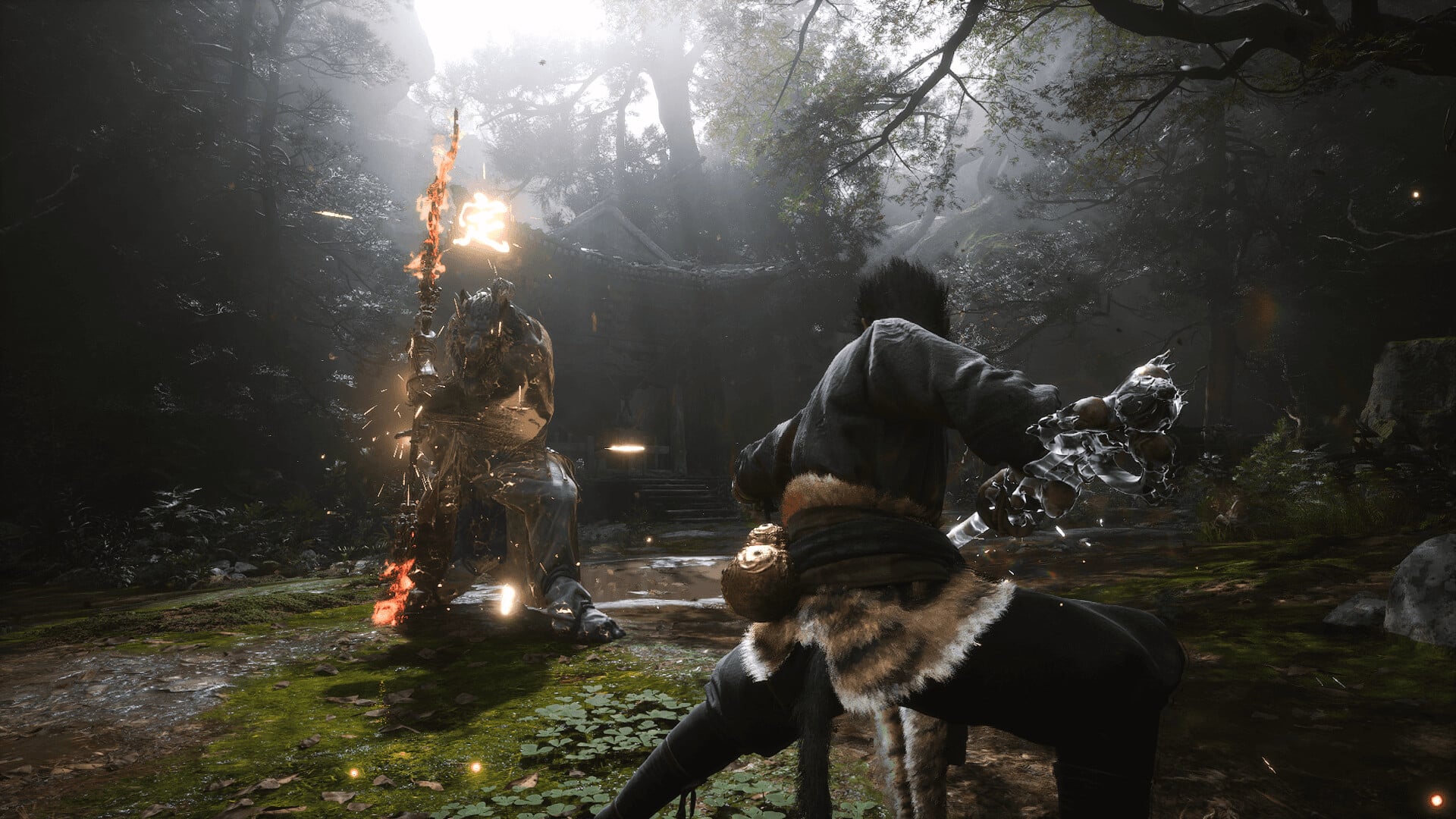
In just a few days, one of the most hyped action games in recent memory is about to be released, and we’re talking about Game Science’s Black Myth Wukong. Oddly enough, the pre-release review codes have been quite sparse, which means not a lot of people managed to get their hands on it. Thankfully there’s still a few that did, and we corralled them up in our Black Myth Wukong reviews round up!
Black Myth Wukong Reviews Round Up:
Note: All the reviews are from the PC version, as Game Science has not given out PS5 codes for press.
Black Myth: Wukong delivers breathtaking combat, stellar production quality, and unforgettable boss fights. Its few quirks don’t hold it back from being one of the genre’s best games in recent memory.
Black Myth: Wukong is everything we hoped for and more a game that, by its own merits, is set to crown itself as one of the best of the year, without a doubt. With exquisite gameplay and a cinematic narrative development, it puts the finishing touch on a well-rounded game if you’re into challenges. The difficulty curve, in my opinion, is absolutely unbalanced, becoming increasingly harder as you progress through the chapters, with some utterly broken bosses that will drive you crazy. However, the feeling you get after overcoming them is something entirely different. Overall, this is an absolutely unmissable title if you’re a fan of Souls-like games. Here, you’ll find hours of entertainment and a good hundred final bosses for your delight, enjoyment, and frustration the Yin and Yang perfectly represented in a video game.
Black Myth: Wukong is only a Soulslike in the way Stellar Blade is, and that’s to its credit. It lightly borrows elements from the subgenre but carves out a niche for itself by focusing on its key differences. Despite some performance issues and frustrating difficulty spikes, Black Myth: Wukong’s frenetic combat and emphasis on fluid movement make it feel unlike any of its other contemporaries.
Black Myth: Wukong is an absolute delight. Its gorgeous world, incredible enemy variety, and satisfying combat all come together to create an experience worthy of the Great Sage himself.
With strong combat and a fascinating world that mostly rewards exploration, Black Myth: Wukong is a fun action RPG that feels like the modern God of War games viewed through the lens of Chinese mythology.
Black Myth Wukong is the Journey to the West adaptation I’ve always wanted – an ambitious action RPG with stunning visuals, spectacular boss designs, and snappy combat. However, sluggish camera tracking, restrictive exploration, and early-game difficulty spikes might be a dealbreaker for some.
Despite some frustrating technical issues, Black Myth: Wukong is a great action game with fantastic combat, exciting bosses, tantalizing secrets, and a beautiful world.
Black Myth: Wukong is an uneven game where the highlights often outnumber the lowlights. Its triumphant boss battles and fast-paced combat make up for the stale moments in between, where bland level design and a scarcity of enemies will have you clamoring for the next face-off with a deadly Yaoguai. I appreciate that it’s not just another souls-like in what is now a crowded genre, and the choice to go for a boss gauntlet is unexpected and, honestly, quite refreshing. It’s disappointing that it falters outside of its cinematic clashes against mighty beasts, but designing this many rousing boss battles while avoiding a sense of fatigue is no mean feat and deserves praise.
Ultimately, Black Myth: Wukong is a very solid action RPG, complete with thrilling cinematic boss fights, diverse, gorgeously rendered locales, a rich combat system replete with build options, and a well-told story. However, it holds itself back with bland level design and disappointing enemy variety, along with a superfluous gear system and a few noteworthy performance issues.
A game with peaks and valleys like this is, as I’ve stated throughout the review, frustrating. I can see a 10/10 in this game somewhere, but multiple questionable-level design and game design choices combined with a hefty amount of performance issues and bugs unfortunately drag it down. Black Myth: Wukong is a beautiful, somber, fascinating tale to experience — you just have to muddle your way through a forest of problems to enjoy it.
Where is the MP1st Black Myth Wukong Review?
Sadly, we did not get one. Fret not, as we’ll be reviewing the console version (which no one got) once it’s out next week. Regardless if we got a code or not, we will review it fairly and to the best of our capabilities.
Black Myth Wukong is out on August 20 on PC and PS5.
Just yesterday, Mojang announced that the Minecraft Realms issue plaguing players for days now has since been resolved. The developer even released a patch just for Realms stability. Well, it seems despite the client update and even the announcement, Minecraft Realms is still down for some people this August 16, and yes, those that manage to connect are experiencing connectivity issues as well.
Minecraft Realms Down With Connection Issues This August 16:
Update: Mojang has just acknowledged the server issues for today.
After yesterday’s announcement that the Realms service was healthy again, we saw connectivity issues and latency increase. We have continued working around the clock to mitigate the issue, and are doing everything we can to get your Realms back up and running.-DK
The latest announcement from Mojang has been 14 hours ago since this article went up, where they mention that the Realms service is back up and running globally:
The Realms service is back up and running globally. It has been running healthy for more than the last hour. You should be able to see, manage, and play on your Realms again. Thank you again for patience as we worked through the issues. -DK
However, the tweet has since been given an update via a “Community Note” from various Twitter users have tagged it, and mentioned,” While some users may be able to access the Realms service, very many users are still unable to as shown by the replies, as well as services like Downdetector.”
While there might be less people running into connectivity issues with Minecraft Realms, there are still issues reporting about it according to not only Downdetector, but even the official Realms subreddit have reported on progress lost and other issues as recent as the last hour.
One Reddit use advises people to not log off if you can help it, so you won’t have issues connecting again, which isn’t really something a lot of people can follow. Another Reddit user has shared their support chat conversation where the customer service rep admitted that there are still issues with the Realms servers.
Note that just yesterday, a client-side update was released (Bedrock 1.21.21) which had the sole purpose of improving the reliability of the Realms servers. Clearly, whatever was done was not enough. Perhaps Mojang needs to rollback the version of it? Or perhaps release another patch? Once we know more about the situation or if Mojang announces anything, we’ll add the info in the article.
In other Minecraft news, Mojang also released a hefty patch for the Preview version of the game which you can read about here.
Back in 2020, Epic Games went into a messy battle with both Apple and Google regarding Fortnite, and the two mobile makers’ policies, which translated to the game being pulled from both the App Store and Play Store. Not only did Epic Games lose a ton of money by not having Fortnite on mobile devices, but there’s also the legal fees involved and other stuff as well.
In an interview, Epic Games CEO Tim Sweeney revealed that Epic has spent about $1 billion in its fight against the two monolithic mobile companies. However, Sweeney deems this money well spent, and is a “small price” to pay for the future of the company, for all developers and gaming in general.
I guess as a matter of public record, you could see that we’ve spent hundreds of millions of dollars on the battle in the combination of legal fees. You saw Apple sent us a $74 million bill for their legal fees. [laughs] We had legal fees, too. [Note: Apple’s bill was for $73.4 million, to be precise.]
And, there’s a lost revenue component associated with Apple blocking Fortnite from the iOS App Store for these last four years. It’s hard to say what that would be, because it’s talking about what this alternative reality scenario would be. But it might well be a billion dollars of lost revenue in four years of Fortnite being off the iOS App Store.
But we see the brightest days for Epic and the game industry as a whole, as coming in the future.
And there’s really no price that isn’t worth paying for freedom, for all developers and the future of gaming.
Apple literally collects tens of millions of dollars of these junk fees, as a result of not allowing competing stores and payment processors on iOS.
And if we spent a billion dollars so far, that’s a small price to pay for the future freedom of our company and of all of the others who want to participate in the market.
Fortnite is returning to Android mobile devices with the release of the Epic Games Store on mobile, though for iOS devices, it’s only coming to EU for now.
For those that bought Dead Island 2, the game’s content drop isn’t over just yet. Dambuster has announced that there’s another major title update in the works, which will be out in October 22! This Dead Island 2 next update is called “Patch 6” and brings new content to the game and for free.
Dead Island 2 Next Update “Patch 6” Overview:
New Game+
This will allow players to jump back into the main story with their favorite characters and weapons, with an additional skin slot and increased level cap. This mode also adds fresh new skins and weapons, an increased difficulty, and even new enemies.
Neighborhood Watch
This is a brand-new co-op horde mode! Players will be able to team up with friends to tackle missions, set traps and stockpile a lethal arsenal.
Per Dambuster: “Team up with your crew to tackle missions, set traps and stockpile a lethal arsenal. And then…brace yourselves for the fifth and final day, when the zombie onslaught hits hard. If your defenses and teamwork are up to scratch, you might just survive to tell the tale. Plus, you’ll constantly unlock new abilities to make every run more savage and electrifying than the last.”
The mode will also introduce new weapons, skins, a new location and even new game mechanics.
We’re also expecting bug fixes and various gameplay adjustments to be part of Patch 6. Dambuster said more details will be shared at a later date, so stay tuned.
For those who haven’t dipped their toes in the Dead Island 2 pool, now might be the perfect time, as not only is the game is cheaper than at launch, but there has been a few patches released to make the overall game experience better. You can read our in-depth review of it here, where we state, “With a consistent and crunchy limb damage system, some great sightseeing to catch, and more secret side-quests than you can shake your damaging electrocutor pike at, Dead Island 2 is absolutely worth the ride, despite its flaws.”
Epic Games has released Fortnite update 4.33 today and this is for v31.00. The new season is called Absolute Doom because it centers around the major Marvel villain Doctor Doom. Check out the new content in Fortnite below via the patch notes provided.
Fortnite Update 4.33 Patch Notes for August 16:
Be a Marvel Hero in Fortnite Battle Royale Chapter 5 Season 4: Absolute Doom!
Wielding the ancient power of Pandora’s Box, Marvel’s armored despot Doctor Doom has transplanted his Latvarian domain to the Battle Royale Island and seized a foothold with his army of loyal henchmen. Once his empowered armor is complete, he’ll reap total control. Doctor Doom and his lieutenants must be defeated! Whatever it takes.
Power Without Limit
With the power of Pandora’s Box, Doctor Doom has begun to establish his kingdom on the Island. Several new POIs dot the map with new foes:
Castle Doom
Dark shadows from Castle Doom loom over the Island, and its forge burns red as each metal clank rings ever closer to the completion of Doctor Doom’s impervious new armor.
Doomstadt is a peaceful and prosperous village full of happy, productive citizens… under penalty of Doom.
The Raft
In a bid to recruit like-minded allies, Doctor Doom has summoned The Raft to the Island, a prison for supervillains and extraterrestrial threats.
Inside of The Raft.Doctor Doom’s henchmen have begun excavating the Island in search of artifacts. When downed, they can be persuaded to have a change of heart and fight alongside you. Everyone deserves a chance to do the right thing!
Lock In, Lock On, Fire Away
It’ll take a whole lot of firepower to stop Doctor Doom’s assault. Luckily, our heroes brought the heavy munitions.
Dual Micro SMGs
Two guns are better than one — embrace the spray with the Dual Micro SMGs to make quick work of your adversaries. Rendezvous with Gwenpool to pack the potent pink Mythic version!
War Machine’s Arsenal, Shoulder Auto Turret & Hover Jets
It’s time to step into the cutting edge of human-platform weapon systems. Unleash a hailstorm of bullets and rockets at your enemies with War Machine’s Arsenal, shoulder-mount War Machine’s Auto Turret for supporting fire, and turn the tide of battle from above with War Machine’s Hover Jets.
Wield Arms and Medallions
Your rivals best prepare for their… doom. Hit them with pinpoint accuracy by taking aim with the hair-trigger Monarch Pistol! Find and defeat the Doombot in the Castle Doom throne room to bag the Mythic version and the Siphon Medallion, which grants Health and Shield Siphon from eliminating opponents.
Boom Shaka-Shotgun!
Also surgical when aiming down sight is the new lever-action boomstick: the Sovereign Shotgun! Claim victory over Mysterio in Doomstadt for the Mythic version and his Stealth Medallion, which gives temporary invisibility while crouched.
Striker Burst – Unvaultedfrosted
The Striker Burst Rifle returns in moddable form. Recapture The Raft prison and defeat the pristine Emma Frost to obtain the Mythic version and her Reveal Medallion. This Medallion occasionally reveals the location of nearby enemies!
Enhanced for the Field: Doom’s Gauntlets & Captain America’s Shield
Doom’s Arcane Gauntlets, which drop from Doombot at Castle Doom, are back and better than ever for raining havoc from the palms of your hands. A suitable counter is charging into battle with Captain America’s Shield, unvaulted and updated with new capabilities.
(Note: Doom’s Arcane Gauntlets are not included in tournaments.)
Jarvis, Open My Weapons Cache
Don’t forget the tools already at your disposal! You’ve seen some of the unvaulted weapons already, but here’s all of them and the carried-over ones:
Captain America’s Shield (Returning from the Endgame LTM in Chapter 1!)
Balance changes:
New shield-charge capability.
Now blocks while sliding and jumping.
Doom’s Arcane Gauntlets
Balance changes:
Added attack functionality from Iron Man’s Repulsors.
Increased repulsor attack speed.
Increased repulsor damage.
Can now overheat.
Striker Burst Rifle
Balance changes:
Now moddable.
Increased fire rate.
Increased damage.
Decreased reload time.
Striker Assault Rifle
Combat Assault Rifle
Ranger Pistol
Hammer Pump Shotgun
Gatekeeper Shotgun
Hyper SMG
Shockwave Grenade (technically not a weapon but it kinda sounds like one)
Join the Fight with the Absolute Doom Battle Pass
Pick up the Absolute Doom Battle Pass for 950 V-Bucks and unlock rewards by earning XP across Fortnite Battle Royale, creator-made islands, LEGO® Fortnite, Rocket Racing, and Fortnite Festival. You can earn up to 1,500 V-Bucks back by leveling it up, as well as some pretty super Outfits:
Gwenpool (unlocked right away!): “I played the Galactus Event. That makes me an Avenger, right?”
War Machine: Ace pilot, military veteran, and trusted armored ally of Tony Stark.
Peelverine: Nanamantium-infused skeleton with a ripen-eration mutant ability.
Emma Frost: A devious and brilliant mutant psychic with an unbreakable will.
Captain Jones: Take up the shield of justice.
Mysterio: An inventive supervillain with illusions of grandeur.
Shuri: The genius Princess of Wakanda and current Black Panther.
Updates for Fortnite Reload are in the works and planned for release later this Season! More will be shared in the months ahead. Until then, grab a friend and test your mettle — this Season, more than $1,000,000 is dedicated to Reload competitive prize pools! Check out the Chapter 5 Season 4 Competitive Details blog for more info.
Superstar Karol G Brings the Rhythm to Fortnite Festival Season 5!
Put your hands together for the next Festival Icon! Fresh off her historic stadium world tour, award winner and pop culture powerhouse Karol G brings her Latin sounds to the world of Fortnite in Festival Season 5.
Unlock Karol G Instruments and a Karol G Outfit in the Festival Pass’ Premium Reward Track, and combat the darkness in a playable concert experience featuring your Festival crew and a special guest list of familiar Fortnite characters. Season 5 kicks off August 16 with v31.00 and ends November 2, 2024, at 12 AM ET!
Karol G MSB Fortnite: A Playable Concert Experience!
Experience a Karol G concert like none other in Karol G MSB Fortnite: a five-part playable concert with an iconic setlist from the five-time Latin GRAMMY winner.
Collect EmPower-Ups to blast away negative energy and spread posi vibes in a neon-drenched party. Familiar locations from the Karol G universe await as you race, surf, and dance the night — and darkness — away.
Made by Magnopus, you can jump into Karol G MSB Fortnite starting Friday, August 23, at 3 PM ET and dance it out all weekend long until 12 PM ET on August 26, 2024. Find the experience in Fortnite’s Discover screen and party up with a max of three other members of your crew! Players who attend the concert in full will get the Bichota 4-String Bass:
After the concert, it’s time for the afterparty where you can play Karol G songs on either the Main Stage or Battle Stage from a featured rotation! Complete the Karol G Quests that go live at the same time as the concert (August 23 at 3 PM ET) to unlock the Love, Karol G Loading Screen and a Karol G-based Banner Icon.
Power up in Pink with the Festival Pass Tab
Don’t wait ‘til the concert to get the party started. The Festival Quests for Season 5 are in the Festival Pass tab in the Lobby after selecting Main Stage, Jam Stage, or Battle Stage!
Season 5 Festival Pass
Be decked out from head to toe. Complete Festival Quests to earn Festival Points that’ll help you progress through the Season 5 Festival Pass, which has a free reward track and a Premium Reward Track upgrade.
Free Reward Track
Shimmer as you show off with the Keyluxe Keytar, the final reward of the free reward track. Made with some of the finest marble this side of the front row, it includes three alt Styles: Gold, Iridescent, and Starlight!
Fancy some new Jam Tracks to play on your fancy Keytar? The Season 5 Festival Pass includes three Fortnite-favorite Lobby Tracks as Jam Tracks:
Epic Games – “Keep Poppin’”
Epic Games – “Orbital Overload”
Epic Games – “Way Too Fast”
If you already had these Lobby Tracks in your Locker before Fortnite Festival Season 5, you’ll receive a one-time V-Bucks refund for each one, equivalent to the amount you paid for it. You’ll also receive the Jam Track version!
The stars have aligned and the stage is all yours: grab some star power from the free reward track with the Constellation Aura. Some things are just meant to be.
Stars are one kind of flashy, showmanship is another. Get your Guitar and prove you know the setlist like the back of your head with the Heads Up Emote!
Premium Reward Track
Looking for Karol Goodies? Ones with floral flourishes, pink aplenty, and some glitter too? Purchase the Premium Reward Track for 1,800 V-Bucks and start unlocking Karol G items and more rewards! No additional Quests are required to unlock these.
Dress yourself as the Latin music artist herself — you’ll immediately unlock the Bichota Season Karol G Outfit when you upgrade to the Premium Reward Track. Never stop believing in yourself!
As for what else is in the Premium Reward Track… Deliver a vocal performance like a boss with the Bichota Mic complete with a flowery base. And make the crowd’s love for you bloom with the Bichota 6-String Guitar. It’s fluorescent, floral, and the final reward of the Premium Reward Track.
And then there’s the music. You can unlock Karol G’s “Qlona” as a Jam Track near the end of the Premium Reward Track. The Jam Tracks from other artists are:
Avicii – “The Nights”
Afrojack, Eva Simons – “Take Over Control”
Ava Max – “My Oh My”
Please note! 🎵 The Season 5 Festival Pass’ free reward track items and Premium Reward Track items are not exclusive to the Pass, and they may become purchasable in the Shop at a later date. Say “OKI DOKI” to More Karol G
Wanna dance and jam to some certified Karol G bangers? Then the Bonito Jams Bundle is what you’re looking for! This bundle will be purchasable in the Shop for all of Season 5 and includes Karol G Emotes and Jam Tracks:
“OKI DOKI” Emote
“Cairo” Emote
“OKI DOKI” Jam Track
“Cairo” Jam Track
If you’d rather rip the riffs in red than pink, we’ve got just the thing. The Karol G Bundle includes the Karol G dressed-in-red Carolina Outfit and will be in the Shop starting August 22 at 8 PM ET, just in time for MSB Fortnite! Available ‘til the end of Season 5, here’s everything in the bundle:
Carolina Outfit
Cool Transport Back Bling
Bonito Wrap
MSB Mic
“PROVENZA (Remix)” Jam Track by Karol G
Season 5 Improvements
General Improvements
The “Restart” and “Replay” pause menu options have been re-enabled!
We’ve made some changes to the Music Library. If your Jam Track collection is taking up too much space, you can archive Jam Tracks to hide them. Archiving a Jam Track will also remove it from your “Jam Loops” wheel while jamming.
You can see which Jam Tracks have relevant Quests.
Daily Quests are sorted by which Festival experience they can be completed in.
In Battle Stage private matches, your party can return backstage to pick a new song after battling, rather than backing out to the Lobby.
We’ve added a new setting for more robust haptic feedback. You can toggle “Vibration for Hitting Notes” on or off during gameplay, adding a short vibration pulse on every note hit when enabled.
The Lefty Flip accessibility setting (previously available for Pro Lead and Pro Bass song parts only) is available for all song parts! The left-right order of lanes in the note highway is reversed when Lefty Flip is on.
The Jam Stage starting area has been reworked to provide more space for players spawning in.
Battle Stage UI Updates
Know what you’re up against. The Battle Stage results screen will show your opponents’ difficulty selections. You can also see their difficulty selections when backstage in a private match.
You can see your targeted opponent’s score multiplier more clearly, giving you better insight into when to attack and if you broke their note streak.
When you’re in first place, the target indicator showing that your Overdrive will not attack anyone is clearer.
The placement display will show when there are 30 seconds left in a battle and which players are in danger of being eliminated, and will better show when opponents are using Overdrive or are under attack.
Jam Track Tune-Ups
We’ve made minor adjustments to the following Jam Tracks:
Blur – “Song 2”
BTS – “Dynamite”
Gorillaz – “Feel Good Inc”
Megan Thee Stallion – “Savage”
Metallica – “Nothing Else Matters”
Metallica – “For Whom The Bell Tolls”
Post Malone ft. Morgan Wallen – “I Had Some Help”
Selena Gomez and Marshmello – “Wolves”
Content Creation – Season 5 Jam Tracks
Each week throughout Season 5, content creators in the Support-A-Creator (SAC) program will be able to monetize VODs of Fortnite Festival gameplay content on YouTube, with music limited to new Jam Tracks (and their loops) for the seven days following their release. No takedown notifications should occur during this time.
Content Creation – Karol G MSB Fortnite
Content creators in the Support-A-Creator (SAC) program will be able to host VOD content from “Karol G MSB Fortnite” on YouTube and monetize it from Friday, August 23, at 3 PM ET until Monday, August 26, at 12 PM ET. No takedown notifications should occur during this time.
More info:
In order to monetize your “Karol G MSB Fortnite” content, you need to link your YouTube and Support-A-Creator accounts.
IMPORTANT: When uploading the content to YouTube, be sure to upload it as Unlisted or Public. If you upload the video as Private, it’s possible you could receive a monetization claim on your video.
For uploading the content on other platforms, refer to the channel’s platform policies for tips on how to avoid copyright strikes.
Although unlikely, if you do receive a claim on any SAC content, there may be a short delay in YouTube processing the release of the claim. During this time, please do not dispute the claim.
Not in SAC? Don’t worry, you can still share your highlights from the experience. However, you will not be able to monetize this content on YouTube.
Please note: For Twitch creators streaming “Karol G MSB Fortnite,” we cannot prevent your VODs or clips from getting flagged by third-party copyright detection systems. The general recommendation is to disable VODs/clips when streaming the experience. For more information, see Twitch’s DMCA & Copyright FAQs help page.
Fortnite BR Chapter 5 Season 4 Competitive Details: Travel the Champions Road!
Battle Royale Chapter 5 Season 4 is upon us, which means the FNCS Global Championship 2024 — where top players will compete for a share of the $2,002,000 prize pool — is right around the corner.
To celebrate this culmination of FNCS 2024, become a champion yourself in Fortnite’s Champions Road happening August 21 through September 29! This celebration of competition offers objectives and tournaments for a variety of skill levels — learn what’s coming and get ahead of the game.
Embrace the Spirit of Competition in Champions Road
Battle Royale’s Champions Road Quests will be live from August 21 at 9 AM ET to 9 AM ET on September 29. You don’t need to compete in all of the tournaments below, but competing in some will help you complete the tourney-specific objectives in the Quests!
Together, the tournaments this Season with cash prizes (excluding the Globals) will offer players over $4,000,000. Reload tournaments are making their debut here — with more than $1,000,000 of prizes dedicated specifically to Reload!
Here’s an overview of the events you can compete in on the road ahead:
Tournament
Date
Rank Requirement
Champion Kyra + Cosmic Infinity FNCS Cup
Aug 21
No rank requirement
Champion Stash’d Cup
Aug 22
No rank requirement
Champion Siren Cup
Aug 23
No rank requirement
Champion Sparkplug Cup
Aug 24
No rank requirement
Champion Kuno + Renzo the Champion FNCS Cup
Aug 25
No rank requirement
PlayStation SypherPK Cup
Aug 31 (Qualifier)
Sep 1 (Finals)
No rank requirement
Solo Victory Cash Cups
Frequent opportunities during Champions Road and beyond
Gold I or above in Battle Royale or Zero Build (depending on which one you’re competing in)
Reload Squads Victory Cash Cups
Frequent opportunities during Champions Road and beyond
Gold I or above in Battle Royale
Performance Evaluations
Frequent opportunities during Champions Road and beyond
Invitational Only
Cash Cups
Frequent opportunities during Champions Road and beyond
Gold I or above in Battle Royale or Zero Build (depending on which one you’re competing in)
Reload Platform Cash Cups
Frequent opportunities during Champions Road and beyond
Gold I or above in Battle Royale
Ranked Cups
Frequent opportunities during Champions Road and beyond
Play against other players in the same rank pool
Note: All tournament dates and times are subject to change. Make sure to check out the “Compete” tab in-game and follow our social channels for the most up-to-date timings!
Tournament Summary
Champion Kyra + Cosmic Infinity FNCS Cup
It’s not quite infinite, but many paths to victory lie ahead in Champions Road. The Champion Kyra + Cosmic Infinity FNCS Cup is similar to the FNCS Community Cup – Chapter 4 Season 4! Become a champion in your pursuit to earn these returning FNCS items before they hit the Shop August 28 at 8 PM ET:
Add a stash of rewards to your Locker! The Champion Stash’d Cup returns with another chance to earn these FNCS items before they come back to the Shop September 18 at 8 PM ET:
Champion Stash’d Outfit
Victor’s Crest Back Bling
Champion’s Blade Pickaxe
Champion’s Colors Wrap
Make It Known Lobby Track
Champion Siren Cup
She’s inescapable! Compete in the returning Champion Siren Cup for an opportunity to earn FNCS items before they’re back in the Shop August 28 at 8 PM ET:
Champion Siren
Challenger’s Crest Back Bling
Determination Daggers Pickaxe
FNCS Game Day Wrap
Find the Fury Lobby Track
Champion Sparkplug Cup
The Champion Sparkplug Cup is also back! Scrap your way to the top to earn these FNCS items before they return to the Shop September 11 at 8 PM ET:
Champion Sparkplug Outfit
Winner’s Emblem Back Bling
Scarlet Champion Pickaxe
FNCS Elite Wrap
Bouncin’ Back Lobby Track
Champion Kuno + Renzo the Champion FNCS Cup
Go for The Gold! The Champion Kuno + Renzo the Champion FNCS Cup is a new Duos Battle Royale event, where your duo can play up to ten matches in your region’s three-hour time window! The specific event timing for your region can be found in the “Compete” tab in-game. These items will be awarded to the top point-earning duos in each region before they debut in the Shop September 4 at 8 PM ET:
Champion Kuno Outfit
Renzo the Champion Outfit
The Gold Back Bling
Axe of Champions 2.0 Pickaxe (the very one)
Champion’s Gold Wrap
Winner! Emote
PlayStation SypherPK Cup
PlayStation players! Don’t have the SypherPK Outfit in your collection? Well you’ll have another chance to get it in this Solo Battle Royale event! In the Qualifier, the top point-earning players in each region will move on to the Finals happening the next day. In the Finals, each region’s top players will get a share of the $250,000 prize pool and these returning SypherPK items:
Victory Cash Cups – On the regular schedule for Mondays (Solo Battle Royale and Zero Build) and Saturdays (Squads Reload)
Compete for cash! In Victory Cash Cups, you don’t necessarily get cash by finishing the tourney in a top spot. Instead, you get cash for every Victory Royale you or your team gets in Round 2! The top point-earning parties in each region during Round 1 advance to Round 2, which happens on the same day as Round 1.
There’ll be plenty of chances to hop into a Victory Cash Cup during Chapter 5 Season 4, with the format of either Solo Battle Royale, Solo Zero Build, or Squads Reload! (To participate in a Squads Reload Victory Cash Cup, you’ll need to be Gold I rank or higher in Battle Royale.)
We’ve made changes to the number of qualifications compared to the previous Season’s Victory Cash Cups, so be sure to check in-game and the Official Rules for the latest.
Performance Evaluations – On the regular schedule for Tuesdays
These Cups are mainly to help us better understand how to improve performance and test new ideas for high-end tournament play. While they’re unlikely to replicate the exact same conditions as an FNCS Grand Finals, we are adjusting Performance Evaluation eligibility this Season to be more competitive. For this Season, Performance Evaluations will only be available to players from the top 1,000 teams from NA and EU FNCS in the previous Season (Chapter 5 Season 3).
This Season, we’ll be introducing Reload Performance Evaluations in the NA region!
Cash Cups – On the regular schedule for Wednesdays
Compete for cash, with a companion. There’ll be many opportunities in Chapter 5 Season 4 to jump into Battle Royale Duos Cash Cups or Zero Build Duos Cash Cups. Whichever one you choose, it’ll take place across two rounds, with the top 50 duos moving onto Round 2 a day after Round 1!
The top 40 Battle Royale duos and the top ten Zero Build duos will earn cash prizes, and we’ve increased the first place prize significantly for the winning Battle Royale duos in NA and EU ($10,000).
Reload Platform Cash Cups – On the regular schedule for Fridays
Go up against your fellow PC, console, or mobile players… while all being fellow Reload players! There’ll be separate Cups for PC, console, and mobile throughout Chapter 5 Season 4, all in the Duos format. Each Cup will have two rounds taking place on the same day. The top 20 duos in each region will advance to Round 2, with the top ten PC and console duos and the top three mobile duos earning cash prizes.
Ranked Cups – On the regular schedule for Saturdays
Throughout Chapter 5 Season 4, you’ll have frequent opportunities to play Duos against other players in the same rank pool. Compete in either Battle Royale or Zero Build! You’ll have the option to queue by yourself as a Fill player so you can be matchmade with a Fill partner.
Your victory is on the horizon: earn at least 50 points in any Ranked Cup this Season to earn the Ranker’s Doom Brella!
The Champions Road… Ventures Outside Battle Royale?
Battle Royale’s not the only way to become a champ — feel the competitive drive in Rocket Racing, hit new highs in Fortnite Festival, and score that replay-worthy goal in Rocket League:
Rocket Racing – Put the “Road” in Champions Road
In Rocket Racing, Ranked Racing is where you put it all on the line. (The starting line.) Rocket Racing’s Champions Road Quests will have you playing a lotta Ranked. Two Quests will unlock each day from August 21 to August 30, and will stick around ‘til September 29 at 9 AM ET! Get ready to go Turbo, dodge hazards, and leave your rivals behind.
On your path to champion stardom, unlock the Starchain Wheels for completing just one Quest. Unlock Starchain paint colors as you complete more Quests, including Gold at the very end!
Fortnite Festival – Make the Note Highway Your Road
From September 4 with the release of v31.10 to September 29 at 9 AM ET, the I’m A Winner and Beyond The Flame Jam Tracks will be in Fortnite Festival’s featured rotation. To claim these Jam Tracks as your own, gold star them by September 29 at 9 AM ET! To gold star a song, fill the gold meter after reaching five stars in Expert. It’s you against the rhythm.
For each of these songs you try to gold star, you’ll get a Loading Screen just for stepping up to the stage.
Rocket League – Where the Road Began
If you’re a Rocket League fan, you may know that Champions Road is based on the Rocket League World Championship celebration of the same name. This year’s in-game Champions Road event in Rocket League starts in September — but we’re kicking things off a little earlier with a series of Open Tournaments with over $475,000 up for grabs globally.
Take Champions Road on the road — you can also register now for the Sideswipe Open 1v1 tournament running from September 20 to September 22.
Earn Drops by Watching the Global Championship
That’s the end of the road for Champions Road stuff — let’s talk about Fortnite drops! You can earn Fortnite drops just by watching the FNCS Global Championship 2024 at competitive.fortnite.com:
Watch for 30 minutes on Day 1: Glimmering Trophy Emoticon
Watch for 1 hour on Day 1: Renzo in Profile Spray
Watch for 30 minutes on Day 2: Renzo’s Victory Crest Emoticon
Watch for 1 hour on Day 2: Kuno’s Contemplation Spray
Stay tuned to our social media channels for the Global Championship broadcast schedule. Looking to practice your casting abilities while still earning Fortnite drops? We’ll have a clean feed at fn.gg/cleanfeed!
Passing The Axe of Champions 2.0… to the Community!
Since The Axe of Champions 2.0 was first introduced, it’s been a prize reserved for the regional winners of FNCS tournaments to hold — and then transferred to new FNCS champions!
The Axe will be awarded to the winners of the Champion Kuno + Renzo the Champion FNCS Cup, and for the first time ever on September 4 at 8 PM ET it will be available for purchase in the Fortnite Shop. With The Axe no longer being a limited item, the Champion Kuno + Renzo the Champion FNCS Cup winners will keep it in their Locker. All previous regional FNCS winners of The Axe will have it added to their Locker before it comes to the Shop.
What’s next in The Axe of Champions line? A third iteration is in the works, and it will replace The Axe of Champions 2.0 as the reward that’s passed from FNCS champ to FNCS champ!
Tournament Eligibility Update
In recent competitions, all competitors were required to have a minimum Account Level in order to compete. With Chapter 5 Season 4, we are updating this as follows:
Most cash prize tournaments will now require an Account Level of 350 or higher in order to participate.
Other tournaments will require an Account Level of 50 or higher in order to participate.
You can find your current Account Level in the “Career” tab in Fortnite. If you’re unsure about an upcoming tournament, you can check the tournament rules at our rules library.
Competitive Fortnite FAQ
Have additional questions about competitive Fortnite? Check out our FAQ below or see the rules library.
Where can I find the tournament schedule and rules library?
You can find the tournament schedule and rules library at fortnite.com/competitive under “Calendar” and “Rules & Guidelines,” respectively. You can also find your local region’s start time for a specific tournament in the “Compete” tab in-game.
Can I compete in multiple server regions this Season?
Players can compete in any region in any competitive offering this Season.
What is the best way to report a suspected cheater in tournaments?
Please report any suspicious activity in our official Tournament Support Discord server and through the in-game reporting tools. You can also use the Discord server to report any tournament issues or bugs experienced during tournament gameplay.
How are qualifications changing for tournaments this Season?
Advancements from Round 1 to Round 2 are changing in Chapter 5 Season 4 (C5S4). New qualification numbers are in bold below:
Fortnite Battle Royale Solo Victory Cash Cups
NA: 5,000 players in C5S3; 10,000 players in C5S4
EU: 7,000 players in C5S3; 15,000 players in C5S4
BR: 2,000 players in C5S3; 2,500 players in C5S4
ME: 2,000 players in C5S3; remains 2,000 players in C5S4
ASIA & OCE: 2,000 players in C5S3; 1,500 players in C5S4
Fortnite Zero Build Solo Victory Cash Cups
NA: 5,000 players in C5S3; 2,500 players in C5S4
EU: 7,000 players in C5S3; 3,000 players in C5S4
BR, ME, & ASIA: 2,000 players in C5S3; 1,000 players in C5S4
OCE: 2,000 players in C5S3; 600 players in C5S4
"Also surgical when aiming down sight is the new lever-action boomstick: the Sovereign Shotgun! Claim victory over Mysterio in Doomstadt for the Mythic version and his Stealth Medallion, which gives temporary invisibility while crouched." pic.twitter.com/yzbVAoE4UZ
• Siphon Medallion: grants Health and Shield Siphon from eliminating opponents. • Stealth Medallion: gives temporary invisibility while crouched. • Reveal Medallion; occasionally reveals the location of nearby enemies. pic.twitter.com/nvAoClv1FK
Epic Games has released Fortnite update 31.00 (PS5 update version 1.000.145) for Chapter 5 Season 4: Absolute Doom! This patch comes with tons of new Marvel content and characters. Read the patch notes now for Fortnite this August 16.
Fortnite Update 31.00 Patch Notes for August 16 | Fortnite Update 1.000.145 Patch Notes:
Be a Marvel Hero in Fortnite Battle Royale Chapter 5 Season 4: Absolute Doom!
Wielding the ancient power of Pandora’s Box, Marvel’s armored despot Doctor Doom has transplanted his Latvarian domain to the Battle Royale Island and seized a foothold with his army of loyal henchmen. Once his empowered armor is complete, he’ll reap total control. Doctor Doom and his lieutenants must be defeated! Whatever it takes.
Power Without Limit
With the power of Pandora’s Box, Doctor Doom has begun to establish his kingdom on the Island. Several new POIs dot the map with new foes:
Castle Doom
Dark shadows from Castle Doom loom over the Island, and its forge burns red as each metal clank rings ever closer to the completion of Doctor Doom’s impervious new armor.
Doomstadt is a peaceful and prosperous village full of happy, productive citizens… under penalty of Doom.
The Raft
In a bid to recruit like-minded allies, Doctor Doom has summoned The Raft to the Island, a prison for supervillains and extraterrestrial threats.
Inside of The Raft.Doctor Doom’s henchmen have begun excavating the Island in search of artifacts. When downed, they can be persuaded to have a change of heart and fight alongside you. Everyone deserves a chance to do the right thing!
Lock In, Lock On, Fire Away
It’ll take a whole lot of firepower to stop Doctor Doom’s assault. Luckily, our heroes brought the heavy munitions.
Dual Micro SMGs
Two guns are better than one — embrace the spray with the Dual Micro SMGs to make quick work of your adversaries. Rendezvous with Gwenpool to pack the potent pink Mythic version!
War Machine’s Arsenal, Shoulder Auto Turret & Hover Jets
It’s time to step into the cutting edge of human-platform weapon systems. Unleash a hailstorm of bullets and rockets at your enemies with War Machine’s Arsenal, shoulder-mount War Machine’s Auto Turret for supporting fire, and turn the tide of battle from above with War Machine’s Hover Jets.
Wield Arms and Medallions
Your rivals best prepare for their… doom. Hit them with pinpoint accuracy by taking aim with the hair-trigger Monarch Pistol! Find and defeat the Doombot in the Castle Doom throne room to bag the Mythic version and the Siphon Medallion, which grants Health and Shield Siphon from eliminating opponents.
Boom Shaka-Shotgun!
Also surgical when aiming down sight is the new lever-action boomstick: the Sovereign Shotgun! Claim victory over Mysterio in Doomstadt for the Mythic version and his Stealth Medallion, which gives temporary invisibility while crouched.
Striker Burst – Unvaultedfrosted
The Striker Burst Rifle returns in moddable form. Recapture The Raft prison and defeat the pristine Emma Frost to obtain the Mythic version and her Reveal Medallion. This Medallion occasionally reveals the location of nearby enemies!
Enhanced for the Field: Doom’s Gauntlets & Captain America’s Shield
Doom’s Arcane Gauntlets, which drop from Doombot at Castle Doom, are back and better than ever for raining havoc from the palms of your hands. A suitable counter is charging into battle with Captain America’s Shield, unvaulted and updated with new capabilities.
(Note: Doom’s Arcane Gauntlets are not included in tournaments.)
Jarvis, Open My Weapons Cache
Don’t forget the tools already at your disposal! You’ve seen some of the unvaulted weapons already, but here’s all of them and the carried-over ones:
Captain America’s Shield (Returning from the Endgame LTM in Chapter 1!)
Balance changes:
New shield-charge capability.
Now blocks while sliding and jumping.
Doom’s Arcane Gauntlets
Balance changes:
Added attack functionality from Iron Man’s Repulsors.
Increased repulsor attack speed.
Increased repulsor damage.
Can now overheat.
Striker Burst Rifle
Balance changes:
Now moddable.
Increased fire rate.
Increased damage.
Decreased reload time.
Striker Assault Rifle
Combat Assault Rifle
Ranger Pistol
Hammer Pump Shotgun
Gatekeeper Shotgun
Hyper SMG
Shockwave Grenade (technically not a weapon but it kinda sounds like one)
Join the Fight with the Absolute Doom Battle Pass
Pick up the Absolute Doom Battle Pass for 950 V-Bucks and unlock rewards by earning XP across Fortnite Battle Royale, creator-made islands, LEGO® Fortnite, Rocket Racing, and Fortnite Festival. You can earn up to 1,500 V-Bucks back by leveling it up, as well as some pretty super Outfits:
Gwenpool (unlocked right away!): “I played the Galactus Event. That makes me an Avenger, right?”
War Machine: Ace pilot, military veteran, and trusted armored ally of Tony Stark.
Peelverine: Nanamantium-infused skeleton with a ripen-eration mutant ability.
Emma Frost: A devious and brilliant mutant psychic with an unbreakable will.
Captain Jones: Take up the shield of justice.
Mysterio: An inventive supervillain with illusions of grandeur.
Shuri: The genius Princess of Wakanda and current Black Panther.
Updates for Fortnite Reload are in the works and planned for release later this Season! More will be shared in the months ahead. Until then, grab a friend and test your mettle — this Season, more than $1,000,000 is dedicated to Reload competitive prize pools! Check out the Chapter 5 Season 4 Competitive Details blog for more info.
Superstar Karol G Brings the Rhythm to Fortnite Festival Season 5!
Put your hands together for the next Festival Icon! Fresh off her historic stadium world tour, award winner and pop culture powerhouse Karol G brings her Latin sounds to the world of Fortnite in Festival Season 5.
Unlock Karol G Instruments and a Karol G Outfit in the Festival Pass’ Premium Reward Track, and combat the darkness in a playable concert experience featuring your Festival crew and a special guest list of familiar Fortnite characters. Season 5 kicks off August 16 with v31.00 and ends November 2, 2024, at 12 AM ET!
Karol G MSB Fortnite: A Playable Concert Experience!
Experience a Karol G concert like none other in Karol G MSB Fortnite: a five-part playable concert with an iconic setlist from the five-time Latin GRAMMY winner.
Collect EmPower-Ups to blast away negative energy and spread posi vibes in a neon-drenched party. Familiar locations from the Karol G universe await as you race, surf, and dance the night — and darkness — away.
Made by Magnopus, you can jump into Karol G MSB Fortnite starting Friday, August 23, at 3 PM ET and dance it out all weekend long until 12 PM ET on August 26, 2024. Find the experience in Fortnite’s Discover screen and party up with a max of three other members of your crew! Players who attend the concert in full will get the Bichota 4-String Bass:
After the concert, it’s time for the afterparty where you can play Karol G songs on either the Main Stage or Battle Stage from a featured rotation! Complete the Karol G Quests that go live at the same time as the concert (August 23 at 3 PM ET) to unlock the Love, Karol G Loading Screen and a Karol G-based Banner Icon.
Power up in Pink with the Festival Pass Tab
Don’t wait ‘til the concert to get the party started. The Festival Quests for Season 5 are in the Festival Pass tab in the Lobby after selecting Main Stage, Jam Stage, or Battle Stage!
Season 5 Festival Pass
Be decked out from head to toe. Complete Festival Quests to earn Festival Points that’ll help you progress through the Season 5 Festival Pass, which has a free reward track and a Premium Reward Track upgrade.
Free Reward Track
Shimmer as you show off with the Keyluxe Keytar, the final reward of the free reward track. Made with some of the finest marble this side of the front row, it includes three alt Styles: Gold, Iridescent, and Starlight!
Fancy some new Jam Tracks to play on your fancy Keytar? The Season 5 Festival Pass includes three Fortnite-favorite Lobby Tracks as Jam Tracks:
Epic Games – “Keep Poppin’”
Epic Games – “Orbital Overload”
Epic Games – “Way Too Fast”
If you already had these Lobby Tracks in your Locker before Fortnite Festival Season 5, you’ll receive a one-time V-Bucks refund for each one, equivalent to the amount you paid for it. You’ll also receive the Jam Track version!
The stars have aligned and the stage is all yours: grab some star power from the free reward track with the Constellation Aura. Some things are just meant to be.
Stars are one kind of flashy, showmanship is another. Get your Guitar and prove you know the setlist like the back of your head with the Heads Up Emote!
Premium Reward Track
Looking for Karol Goodies? Ones with floral flourishes, pink aplenty, and some glitter too? Purchase the Premium Reward Track for 1,800 V-Bucks and start unlocking Karol G items and more rewards! No additional Quests are required to unlock these.
Dress yourself as the Latin music artist herself — you’ll immediately unlock the Bichota Season Karol G Outfit when you upgrade to the Premium Reward Track. Never stop believing in yourself!
As for what else is in the Premium Reward Track… Deliver a vocal performance like a boss with the Bichota Mic complete with a flowery base. And make the crowd’s love for you bloom with the Bichota 6-String Guitar. It’s fluorescent, floral, and the final reward of the Premium Reward Track.
And then there’s the music. You can unlock Karol G’s “Qlona” as a Jam Track near the end of the Premium Reward Track. The Jam Tracks from other artists are:
Avicii – “The Nights”
Afrojack, Eva Simons – “Take Over Control”
Ava Max – “My Oh My”
Please note! 🎵 The Season 5 Festival Pass’ free reward track items and Premium Reward Track items are not exclusive to the Pass, and they may become purchasable in the Shop at a later date. Say “OKI DOKI” to More Karol G
Wanna dance and jam to some certified Karol G bangers? Then the Bonito Jams Bundle is what you’re looking for! This bundle will be purchasable in the Shop for all of Season 5 and includes Karol G Emotes and Jam Tracks:
“OKI DOKI” Emote
“Cairo” Emote
“OKI DOKI” Jam Track
“Cairo” Jam Track
If you’d rather rip the riffs in red than pink, we’ve got just the thing. The Karol G Bundle includes the Karol G dressed-in-red Carolina Outfit and will be in the Shop starting August 22 at 8 PM ET, just in time for MSB Fortnite! Available ‘til the end of Season 5, here’s everything in the bundle:
Carolina Outfit
Cool Transport Back Bling
Bonito Wrap
MSB Mic
“PROVENZA (Remix)” Jam Track by Karol G
Season 5 Improvements
General Improvements
The “Restart” and “Replay” pause menu options have been re-enabled!
We’ve made some changes to the Music Library. If your Jam Track collection is taking up too much space, you can archive Jam Tracks to hide them. Archiving a Jam Track will also remove it from your “Jam Loops” wheel while jamming.
You can see which Jam Tracks have relevant Quests.
Daily Quests are sorted by which Festival experience they can be completed in.
In Battle Stage private matches, your party can return backstage to pick a new song after battling, rather than backing out to the Lobby.
We’ve added a new setting for more robust haptic feedback. You can toggle “Vibration for Hitting Notes” on or off during gameplay, adding a short vibration pulse on every note hit when enabled.
The Lefty Flip accessibility setting (previously available for Pro Lead and Pro Bass song parts only) is available for all song parts! The left-right order of lanes in the note highway is reversed when Lefty Flip is on.
The Jam Stage starting area has been reworked to provide more space for players spawning in.
Battle Stage UI Updates
Know what you’re up against. The Battle Stage results screen will show your opponents’ difficulty selections. You can also see their difficulty selections when backstage in a private match.
You can see your targeted opponent’s score multiplier more clearly, giving you better insight into when to attack and if you broke their note streak.
When you’re in first place, the target indicator showing that your Overdrive will not attack anyone is clearer.
The placement display will show when there are 30 seconds left in a battle and which players are in danger of being eliminated, and will better show when opponents are using Overdrive or are under attack.
Jam Track Tune-Ups
We’ve made minor adjustments to the following Jam Tracks:
Blur – “Song 2”
BTS – “Dynamite”
Gorillaz – “Feel Good Inc”
Megan Thee Stallion – “Savage”
Metallica – “Nothing Else Matters”
Metallica – “For Whom The Bell Tolls”
Post Malone ft. Morgan Wallen – “I Had Some Help”
Selena Gomez and Marshmello – “Wolves”
Content Creation – Season 5 Jam Tracks
Each week throughout Season 5, content creators in the Support-A-Creator (SAC) program will be able to monetize VODs of Fortnite Festival gameplay content on YouTube, with music limited to new Jam Tracks (and their loops) for the seven days following their release. No takedown notifications should occur during this time.
Content Creation – Karol G MSB Fortnite
Content creators in the Support-A-Creator (SAC) program will be able to host VOD content from “Karol G MSB Fortnite” on YouTube and monetize it from Friday, August 23, at 3 PM ET until Monday, August 26, at 12 PM ET. No takedown notifications should occur during this time.
More info:
In order to monetize your “Karol G MSB Fortnite” content, you need to link your YouTube and Support-A-Creator accounts.
IMPORTANT: When uploading the content to YouTube, be sure to upload it as Unlisted or Public. If you upload the video as Private, it’s possible you could receive a monetization claim on your video.
For uploading the content on other platforms, refer to the channel’s platform policies for tips on how to avoid copyright strikes.
Although unlikely, if you do receive a claim on any SAC content, there may be a short delay in YouTube processing the release of the claim. During this time, please do not dispute the claim.
Not in SAC? Don’t worry, you can still share your highlights from the experience. However, you will not be able to monetize this content on YouTube.
Please note: For Twitch creators streaming “Karol G MSB Fortnite,” we cannot prevent your VODs or clips from getting flagged by third-party copyright detection systems. The general recommendation is to disable VODs/clips when streaming the experience. For more information, see Twitch’s DMCA & Copyright FAQs help page.
Fortnite BR Chapter 5 Season 4 Competitive Details: Travel the Champions Road!
Battle Royale Chapter 5 Season 4 is upon us, which means the FNCS Global Championship 2024 — where top players will compete for a share of the $2,002,000 prize pool — is right around the corner.
To celebrate this culmination of FNCS 2024, become a champion yourself in Fortnite’s Champions Road happening August 21 through September 29! This celebration of competition offers objectives and tournaments for a variety of skill levels — learn what’s coming and get ahead of the game.
Embrace the Spirit of Competition in Champions Road
Battle Royale’s Champions Road Quests will be live from August 21 at 9 AM ET to 9 AM ET on September 29. You don’t need to compete in all of the tournaments below, but competing in some will help you complete the tourney-specific objectives in the Quests!
Together, the tournaments this Season with cash prizes (excluding the Globals) will offer players over $4,000,000. Reload tournaments are making their debut here — with more than $1,000,000 of prizes dedicated specifically to Reload!
Here’s an overview of the events you can compete in on the road ahead:
Tournament
Date
Rank Requirement
Champion Kyra + Cosmic Infinity FNCS Cup
Aug 21
No rank requirement
Champion Stash’d Cup
Aug 22
No rank requirement
Champion Siren Cup
Aug 23
No rank requirement
Champion Sparkplug Cup
Aug 24
No rank requirement
Champion Kuno + Renzo the Champion FNCS Cup
Aug 25
No rank requirement
PlayStation SypherPK Cup
Aug 31 (Qualifier)
Sep 1 (Finals)
No rank requirement
Solo Victory Cash Cups
Frequent opportunities during Champions Road and beyond
Gold I or above in Battle Royale or Zero Build (depending on which one you’re competing in)
Reload Squads Victory Cash Cups
Frequent opportunities during Champions Road and beyond
Gold I or above in Battle Royale
Performance Evaluations
Frequent opportunities during Champions Road and beyond
Invitational Only
Cash Cups
Frequent opportunities during Champions Road and beyond
Gold I or above in Battle Royale or Zero Build (depending on which one you’re competing in)
Reload Platform Cash Cups
Frequent opportunities during Champions Road and beyond
Gold I or above in Battle Royale
Ranked Cups
Frequent opportunities during Champions Road and beyond
Play against other players in the same rank pool
Note: All tournament dates and times are subject to change. Make sure to check out the “Compete” tab in-game and follow our social channels for the most up-to-date timings!
Tournament Summary
Champion Kyra + Cosmic Infinity FNCS Cup
It’s not quite infinite, but many paths to victory lie ahead in Champions Road. The Champion Kyra + Cosmic Infinity FNCS Cup is similar to the FNCS Community Cup – Chapter 4 Season 4! Become a champion in your pursuit to earn these returning FNCS items before they hit the Shop August 28 at 8 PM ET:
Add a stash of rewards to your Locker! The Champion Stash’d Cup returns with another chance to earn these FNCS items before they come back to the Shop September 18 at 8 PM ET:
Champion Stash’d Outfit
Victor’s Crest Back Bling
Champion’s Blade Pickaxe
Champion’s Colors Wrap
Make It Known Lobby Track
Champion Siren Cup
She’s inescapable! Compete in the returning Champion Siren Cup for an opportunity to earn FNCS items before they’re back in the Shop August 28 at 8 PM ET:
Champion Siren
Challenger’s Crest Back Bling
Determination Daggers Pickaxe
FNCS Game Day Wrap
Find the Fury Lobby Track
Champion Sparkplug Cup
The Champion Sparkplug Cup is also back! Scrap your way to the top to earn these FNCS items before they return to the Shop September 11 at 8 PM ET:
Champion Sparkplug Outfit
Winner’s Emblem Back Bling
Scarlet Champion Pickaxe
FNCS Elite Wrap
Bouncin’ Back Lobby Track
Champion Kuno + Renzo the Champion FNCS Cup
Go for The Gold! The Champion Kuno + Renzo the Champion FNCS Cup is a new Duos Battle Royale event, where your duo can play up to ten matches in your region’s three-hour time window! The specific event timing for your region can be found in the “Compete” tab in-game. These items will be awarded to the top point-earning duos in each region before they debut in the Shop September 4 at 8 PM ET:
Champion Kuno Outfit
Renzo the Champion Outfit
The Gold Back Bling
Axe of Champions 2.0 Pickaxe (the very one)
Champion’s Gold Wrap
Winner! Emote
PlayStation SypherPK Cup
PlayStation players! Don’t have the SypherPK Outfit in your collection? Well you’ll have another chance to get it in this Solo Battle Royale event! In the Qualifier, the top point-earning players in each region will move on to the Finals happening the next day. In the Finals, each region’s top players will get a share of the $250,000 prize pool and these returning SypherPK items:
Victory Cash Cups – On the regular schedule for Mondays (Solo Battle Royale and Zero Build) and Saturdays (Squads Reload)
Compete for cash! In Victory Cash Cups, you don’t necessarily get cash by finishing the tourney in a top spot. Instead, you get cash for every Victory Royale you or your team gets in Round 2! The top point-earning parties in each region during Round 1 advance to Round 2, which happens on the same day as Round 1.
There’ll be plenty of chances to hop into a Victory Cash Cup during Chapter 5 Season 4, with the format of either Solo Battle Royale, Solo Zero Build, or Squads Reload! (To participate in a Squads Reload Victory Cash Cup, you’ll need to be Gold I rank or higher in Battle Royale.)
We’ve made changes to the number of qualifications compared to the previous Season’s Victory Cash Cups, so be sure to check in-game and the Official Rules for the latest.
Performance Evaluations – On the regular schedule for Tuesdays
These Cups are mainly to help us better understand how to improve performance and test new ideas for high-end tournament play. While they’re unlikely to replicate the exact same conditions as an FNCS Grand Finals, we are adjusting Performance Evaluation eligibility this Season to be more competitive. For this Season, Performance Evaluations will only be available to players from the top 1,000 teams from NA and EU FNCS in the previous Season (Chapter 5 Season 3).
This Season, we’ll be introducing Reload Performance Evaluations in the NA region!
Cash Cups – On the regular schedule for Wednesdays
Compete for cash, with a companion. There’ll be many opportunities in Chapter 5 Season 4 to jump into Battle Royale Duos Cash Cups or Zero Build Duos Cash Cups. Whichever one you choose, it’ll take place across two rounds, with the top 50 duos moving onto Round 2 a day after Round 1!
The top 40 Battle Royale duos and the top ten Zero Build duos will earn cash prizes, and we’ve increased the first place prize significantly for the winning Battle Royale duos in NA and EU ($10,000).
Reload Platform Cash Cups – On the regular schedule for Fridays
Go up against your fellow PC, console, or mobile players… while all being fellow Reload players! There’ll be separate Cups for PC, console, and mobile throughout Chapter 5 Season 4, all in the Duos format. Each Cup will have two rounds taking place on the same day. The top 20 duos in each region will advance to Round 2, with the top ten PC and console duos and the top three mobile duos earning cash prizes.
Ranked Cups – On the regular schedule for Saturdays
Throughout Chapter 5 Season 4, you’ll have frequent opportunities to play Duos against other players in the same rank pool. Compete in either Battle Royale or Zero Build! You’ll have the option to queue by yourself as a Fill player so you can be matchmade with a Fill partner.
Your victory is on the horizon: earn at least 50 points in any Ranked Cup this Season to earn the Ranker’s Doom Brella!
The Champions Road… Ventures Outside Battle Royale?
Battle Royale’s not the only way to become a champ — feel the competitive drive in Rocket Racing, hit new highs in Fortnite Festival, and score that replay-worthy goal in Rocket League:
Rocket Racing – Put the “Road” in Champions Road
In Rocket Racing, Ranked Racing is where you put it all on the line. (The starting line.) Rocket Racing’s Champions Road Quests will have you playing a lotta Ranked. Two Quests will unlock each day from August 21 to August 30, and will stick around ‘til September 29 at 9 AM ET! Get ready to go Turbo, dodge hazards, and leave your rivals behind.
On your path to champion stardom, unlock the Starchain Wheels for completing just one Quest. Unlock Starchain paint colors as you complete more Quests, including Gold at the very end!
Fortnite Festival – Make the Note Highway Your Road
From September 4 with the release of v31.10 to September 29 at 9 AM ET, the I’m A Winner and Beyond The Flame Jam Tracks will be in Fortnite Festival’s featured rotation. To claim these Jam Tracks as your own, gold star them by September 29 at 9 AM ET! To gold star a song, fill the gold meter after reaching five stars in Expert. It’s you against the rhythm.
For each of these songs you try to gold star, you’ll get a Loading Screen just for stepping up to the stage.
Rocket League – Where the Road Began
If you’re a Rocket League fan, you may know that Champions Road is based on the Rocket League World Championship celebration of the same name. This year’s in-game Champions Road event in Rocket League starts in September — but we’re kicking things off a little earlier with a series of Open Tournaments with over $475,000 up for grabs globally.
Take Champions Road on the road — you can also register now for the Sideswipe Open 1v1 tournament running from September 20 to September 22.
Earn Drops by Watching the Global Championship
That’s the end of the road for Champions Road stuff — let’s talk about Fortnite drops! You can earn Fortnite drops just by watching the FNCS Global Championship 2024 at competitive.fortnite.com:
Watch for 30 minutes on Day 1: Glimmering Trophy Emoticon
Watch for 1 hour on Day 1: Renzo in Profile Spray
Watch for 30 minutes on Day 2: Renzo’s Victory Crest Emoticon
Watch for 1 hour on Day 2: Kuno’s Contemplation Spray
Stay tuned to our social media channels for the Global Championship broadcast schedule. Looking to practice your casting abilities while still earning Fortnite drops? We’ll have a clean feed at fn.gg/cleanfeed!
Passing The Axe of Champions 2.0… to the Community!
Since The Axe of Champions 2.0 was first introduced, it’s been a prize reserved for the regional winners of FNCS tournaments to hold — and then transferred to new FNCS champions!
The Axe will be awarded to the winners of the Champion Kuno + Renzo the Champion FNCS Cup, and for the first time ever on September 4 at 8 PM ET it will be available for purchase in the Fortnite Shop. With The Axe no longer being a limited item, the Champion Kuno + Renzo the Champion FNCS Cup winners will keep it in their Locker. All previous regional FNCS winners of The Axe will have it added to their Locker before it comes to the Shop.
What’s next in The Axe of Champions line? A third iteration is in the works, and it will replace The Axe of Champions 2.0 as the reward that’s passed from FNCS champ to FNCS champ!
Tournament Eligibility Update
In recent competitions, all competitors were required to have a minimum Account Level in order to compete. With Chapter 5 Season 4, we are updating this as follows:
Most cash prize tournaments will now require an Account Level of 350 or higher in order to participate.
Other tournaments will require an Account Level of 50 or higher in order to participate.
You can find your current Account Level in the “Career” tab in Fortnite. If you’re unsure about an upcoming tournament, you can check the tournament rules at our rules library.
Competitive Fortnite FAQ
Have additional questions about competitive Fortnite? Check out our FAQ below or see the rules library.
Where can I find the tournament schedule and rules library?
You can find the tournament schedule and rules library at fortnite.com/competitive under “Calendar” and “Rules & Guidelines,” respectively. You can also find your local region’s start time for a specific tournament in the “Compete” tab in-game.
Can I compete in multiple server regions this Season?
Players can compete in any region in any competitive offering this Season.
What is the best way to report a suspected cheater in tournaments?
Please report any suspicious activity in our official Tournament Support Discord server and through the in-game reporting tools. You can also use the Discord server to report any tournament issues or bugs experienced during tournament gameplay.
How are qualifications changing for tournaments this Season?
Advancements from Round 1 to Round 2 are changing in Chapter 5 Season 4 (C5S4). New qualification numbers are in bold below:
Fortnite Battle Royale Solo Victory Cash Cups
NA: 5,000 players in C5S3; 10,000 players in C5S4
EU: 7,000 players in C5S3; 15,000 players in C5S4
BR: 2,000 players in C5S3; 2,500 players in C5S4
ME: 2,000 players in C5S3; remains 2,000 players in C5S4
ASIA & OCE: 2,000 players in C5S3; 1,500 players in C5S4
Fortnite Zero Build Solo Victory Cash Cups
NA: 5,000 players in C5S3; 2,500 players in C5S4
EU: 7,000 players in C5S3; 3,000 players in C5S4
BR, ME, & ASIA: 2,000 players in C5S3; 1,000 players in C5S4
OCE: 2,000 players in C5S3; 600 players in C5S4
Fortnite Update v31.00 Datamined Content:
"Also surgical when aiming down sight is the new lever-action boomstick: the Sovereign Shotgun! Claim victory over Mysterio in Doomstadt for the Mythic version and his Stealth Medallion, which gives temporary invisibility while crouched." pic.twitter.com/yzbVAoE4UZ
• Siphon Medallion: grants Health and Shield Siphon from eliminating opponents. • Stealth Medallion: gives temporary invisibility while crouched. • Reveal Medallion; occasionally reveals the location of nearby enemies. pic.twitter.com/nvAoClv1FK
The next major update for Fortnite is almost upon us, but before that happens, Epic Games has to take the Fortnite servers down, and this is to bring the Chapter 5, Season 4 patch this August 15 (August 16 for those outside the US).
Fortnite Servers Down for Maintenance Schedule – Chapter 5, Season 4:
According to Epic Games, downtime is expected to start at:
August 15 – 11 pm ET/9 pm PDT
August 16 – 11 am HKT
Duration: Unspecified, but dataminers have said that it will last for five hours.
The patch accompanying this downtime will be for Absolute Doom, which brings another Marvel-themed event into the game.
What’s Incoming for Fortnite Chapter 5, Season 4?
Based on the D23 livestream that aired back in August 8, players can expect the X-Men, other Marvel characters, with Doctor Doom as the featured villain. For the new locales, expect it to be themed around the Marvel supervillain, Castle Doom, Doomstadt and more are expected.
There are also gameplay adjustments and more on the way as well, and once those are available, we’ll be sure to provide a link out to it.
In the past two days, Minecraft players have suffered through outages in their Realms servers, which only got resolved now. To help with that, Mojang has released Minecraft update 2.94, which is for Bedrock version 1.21.21. Those on PC might have gotten hours ago, but console players should be able to download it right now.
Minecraft Update 2.94 for Bedrock 1.21.21 Patch Notes:
Fixed a number of bugs related to downloading content getting stuck, including errors related to: “Downloads all stuck at 0%” and broken content updates (MCPE-177684)
Fixed item and block corruption when converting worlds from legacy Console Edition
Fixed an issue on Amazon devices where game would occasionally crash when joining a world
General
Fixed an issue so that Marketplace content is properly imported before creating or starting a world
Legacy worlds no longer have chunks at the edge of the world that don’t render
Gameplay
Fixed a bug that caused the environment within a chunk to noticeably change when thousands of blocks away from spawn (REALMS-11625)
The sound emitted when a player walks on a Heavy Core Block is now controlled by the appropriate slider in the audio preferences
Trial Chambers now generate far less frequently in the Deep Dark biome
Jumping no longer overrides any previous greater upward velocity, and therefore doesn’t cancel momentum from a Wind Burst explosion when both happen at the same time
Loot ejected from Vaults in Trial Chambers are now dependent on level, position and player seed
Players will no longer receive damage when in the world load or dimension transfer loading screen (MCPE-42310)
Players no longer momentarily go into a crawl for a single tick when moving towards a Bed with a 1.5 unit gap above it (MCPE-178370, MCPE-180810)
Area Effect Clouds no longer shrink when entered by entities immune to the effect
Mobs
The Bogged’s underwater melee attack no longer applies a Slowness effect to the victim (MCPE-178884)
Bogged no longer levitates when riding a Boat, Raft, or Minecart (MCPE-178876)
Parrots now correctly imitate the Bogged when nearby
Witches now always drop 4-8 Redstone Dust on death
This is to improve the viability of farms that utilize Witch Huts to obtain Redstone Dust
Fixed mob animations not playing when mobs were unloaded in split screen
Fixed a bug where the Breeze could get stuck in one place when beneath a roof of blocks while attacking
Entities that fail to load due to missing content will now be preserved inside the level. These entities will re-appear when the missing content becomes available (i.e. Removing and re-applying an Add-On)
Drowned now spawn individually in rivers instead of in groups of two
Drowned now spawn in aquifers in dripstone caves (MCPE-144066)
Wolves, Bears, and Pandas will panic and try to avoid danger when damaged by environmental sources, eg: fire, lava, freezing
Pufferfish now gives Nausea I effect instead of Nausea II when consumed (MCPE-98458)
Zoglins now play angry sounds when chasing the player or mobs (MCPE-95523)
Bees now start taking drowning damage after one second when underwater (MCPE-114688)
Mounts and vehicles are no longer given a slight velocity during a dismount
Blocks
Fixed a bug that caused Crafter to be audible from more than five blocks distance
Fixed some Trial Spawner texture inconsistencies (MCPE-181455)
Slabs and Stairs should no longer randomly start placing on the bottom when continuously building (MCPE-54855)
Particles generated when breaking Leaves will now match the color of the destroyed leaves (MCPE-179726)
Mirrored the back side of Skull, Guster, and Flow Banner textures (MCPE-179894)
Fixed an issue with the Quartz Slab’s texture (MCPE-182604)
Restored the back-side texture of the Sunflower to be leafy green (MCPE-181275)
Doors of different materials will now be able to form a double door
The Heavy Core Block is now properly scaled in the inventory (MCPE-179656)
The Heavy Core Block is now positioned correctly in Item Frames (MCPE-181155)
The Bell Block no longer rings twice when hit with a Wind Charge Projectile
The Scaffolding block no longer flickers when moving at far distances (MCPE-120910)
Copper Doors now follow the intended design of only dropping when mined with a Stone Pickaxe or better
Doors no longer drop when top block is mined in Creative mode
Smooth Quartz Slab’s texture is back to normal (MCPE-182104)
Crafting with Oxidized Cut Copper in Stonecutter now yields two slabs instead of one (MCPE-136077)
Crafting Quartz Bricks from Blocks of Quartz now yield 4 Quartz Bricks instead of 1 (MCPE-69281)
Naturally spawned Mushroom stems no longer drop Mushrooms when mined (MCPE-71123)
The chance of dropping Mushrooms (max of 2) from Brown and Red Mushroom Block was increased to match Java Edition, from 10% per Mushroom to 11.11%
A damaged Anvil block may now spawn in Trail Ruins, as it would in Java Edition
Trapdoors and Fence Gates no longer push players or mobs when activated by Redstone
Fixed double-plant blocks breaking in worlds of older versions (MCPE-183072)
Wind Charge
The Wind Charge Projectile can now be summoned via the /summon command (MCPE-178937)
Using Trident with Riptide enchantment now correctly cancels fall damage reduction from Wind Charge
Fixed a bug where the fall damage protection from a Wind Charge incorrectly prevented fall damage when landing a second time
Wind Charges thrown by players no longer have a chance of dealing more than 1 damage per hit
The Wind Charge model now correctly renders within its bounding box
Increased player-fired wind charge speed by 50%, bringing it into parity with Java Edition
The Wind Charge Projectile shot by the Breeze no longer toggles blocks when Mob Griefing is disabled in Settings (MCPE-181211)
Mounted entities are no longer immune to Wind Charge projectile damage
Wind charges now work the same on all terrain
Crouching no longer affects wind charge knockback / jump amount
Wind charges used by the player aimed straight down now knock the player upward ~6 blocks instead of ~2.5
Latency related fall damage when using a Wind Charge will occur less often
The launch position of the Wind Charge has been adjusted so it no longer fires too far from the player
Items
Using Trident with Riptide enchantment now correctly cancels fall damage reduction from Wind Charge
Breeze Rods now render correctly in third-person view (MCPE-179661)
The Mace no longer breaks Cobwebs and Bamboo as fast as Swords and other sharp items (MCPE-179754)
The Fishing Rod hook no longer sticks to actors that have the Projectile Reflection component (MCPE-180337)
The Mace’s Smash Attack no longer knocks back Mobs that have been tamed by the Player wielding the Mace (MCPE-180962)
Attacking an entity with a Mace enchanted with the Wind Burst enchantment no longer negates fall damage (MCPE-181496)
Locator Maps will now only render head and head attachments (MCPE-61891)
Leads now attach to the front of Boats, instead of to their center (MCPE-182145)
Fixed flickering item icon when quick moving a stack to non-empty stacks
Added rarity coloring in the tooltips of Creeper Charge, Skull Charge, Thing, Snout, Flow, and Guster Banner Patterns
The rarity color of Trident, Mace, and Heavy Core have been changed to the Epic color (magenta)
Banners are once again obtainable via the recipe book (MCPE-179650)
Fixed Wolf Armor breaking not emitting enough Scute particles (MCPE-179664)
Fixed Torch item icon being temporarily misplaced when transferring it between the inventory and the hotbar when quick-moved (MCPE-180913)
Fixed an issue where structure icons or other Map decorations were not visible at Map edges on Maps with unlimited tracking, such as Trial Explorer Maps (MCPE-182681)
Music / Sound
“Echo in the Wind” now plays in Lush Caves biome (MCPE-182278)
“5”, “Otherside”, “Relic”, “Creator”, “Creator (Music Box)” & “Precipice” are now assigned to the Jukebox / Noteblock slider (MCPE-169933)
The Rooted Dirt block now has unique sounds, to better match the Java Edition (MCPE-121664)
Copper Door’s “open” sound is now pitched differently
Copper Grate step sounds play at a lower volume
Trial Spawner break and place sounds are now pitched differently
Vault break and place sounds are now pitched differently
Break, place and hit sounds now pitch differently for Tuff, Tuff Bricks, and Polished Tuff Blocks
Crafter craft and fail sounds now have a random pitch offset
Crafter fail sound now has a max distance of 3 blocks instead of 5
Copper Bulb break, place and hit sounds are now pitched differently
Copper Grate break, place and hit sounds are now pitched differently
“light_block_0” and its derivatives now have their block sound defined (MCPE-183449)
Added a sound effect to help players understand that they have already looted a Vault
Added break, fall, hit, jump, land, place, and step sounds for the Mob Spawner block
Realms Invite Links
We are making some changes to how Realms invite links work to make it easier than ever to invite your friends and to keep your Realm safe from unwanted joiners:
You can now create up to 5 invite links per Realm
Invite links can be enabled or disabled at will, or set to have an expiration date in the future
Invite links can be deleted entirely
Newly created invite links codes will be 15 characters long (increased from 11)
All new Realms will not have an invite link created for them by default. Realm owners will need to manually create an invite link for their Realm
Existing links that have not been used will be deleted, while previously used links will not be deleted
Realms
Fixed an issue that was preventing RealismCraft and some other packs from working on Realms. This was a service-side fix that went live prior to this release (REALMS-11940, REALMS-11913, REALMS-11916)
Fixed a crash that could occur when viewing Realms Stories on a busy Realm
All items on the Realms purchase screens are now focusable and can be navigated through using a gamepad input
Removed an extra “the” in Realms section of Minecraft Encyclopedia
Typing into the search box on the Realms Stories Members tab no longer overrides the filter options
Added a new reporting flow that lets players add more context and information about why the report is being made
New lines are no longer removed from Realms Stories posts that are displayed in the story feed
Removed an unnecessary warning from 2 Player Realms subscription
Cleaned up the disabled Realms Stories button interface on the pause screen when playing as a second user in split screen
Fixed issues with the Realms button sticking around when it shouldn’t or not showing up when it should
Fixed a bug that locked players on an infinite loop after cancelling the process of joining a recently claimed preview Realm
Fixed a bug where players with a freshly installed Minecraft needed to restart before being able to see Realms Stories
Fix so that pressing “Join Realm” on the new Play screen does not lead into an empty void (MCPE-183428)
Players are no longer kicked from the Realm if the owner enters and exits the Realms Settings screen without modifying packs while multiple Add-Ons are applied
Navigating away from the Realms Stories Story Feed tab upon reading the first page of stories will remove the unread stories badge as the user has seen the most recent posts
Fixed a bug where brand new Realm Events wouldn’t display properly the first time the Story Feed is opened
Fixed a bug where items from certain Add-ons could appear without textures or names when joining Realms
Fixed a bug that prevented two back-to-back error screens when the client was out of date and a Realm had a pending update
Fixed a bug where the unread badge for the Realms Stories button on the Pause Screen did not update
Accessibility
Fixed an issue where Apple Pencil was not recognized as a valid input method (MCPE-158895)
Fixed an issue where Screen Narration would not describe how to accept a game invitation on Android and iOS
Text to speech now reads the how to play screens by hovering over, tapping on or navigating to the respective headers and paragraphs
Customizable Controls
Customized controls no longer revert after player stops flight (MCPE-180234)
The control customization screen is now automatically exited when input mode is switched to something other than touch controls
The paper doll can now be shown in the HUD when customizable controls is enabled (MCPE-176334)
Customized control button sizes remain stable when going up or down Scaffolding or Ladders (MCPE-178820)
Buttons can now slide completely to the right when customizing controls on iOS
When customizing touch controls, the safe zones on the left and right side are now ignored
User Interface
Added animated title to the loading tips dialog
Refreshed assets for Achievements screen: all achievements unlocked illustration, no achievement unlocked illustration, and the GamerScore icon
Fixed a bug that caused half-absorption hearts not be rendered (MCPE-181245)
The Water Breathing effect icon and timer no longer flicker while wearing the Turtle Helmet (MCPE-142173)
Updated the Hide Paperdoll toggle to default to false on Chromebooks
When Regeneration effect is active, hearts on the HUD no longer move too fast (MCPE-180864)
Shift-clicking inventory items no longer causes the item stack count to briefly appear above the stack
Interacting with a block outside of a players reach no longer causes the block interface to briefly appear
Items no longer render in front of stack size number when being quick moved (MCPE-180712)
Number on a stack of items no longer overlaps with item hover text in Villager’s trade menu (MCPE-181338)
Item no longer moves slightly in slot after being quick moved to Anvil (MCPE-180275)
Items no longer stay selected on touch devices when switching between Creative inventory tabs (MCPE-173506)
Items can now be removed from the off-hand slot and crafting grids by tapping on other items in Creative inventory on mobile devices (MCPE-168757)
Fixed the Help button link in the Structure Block’s menu (MCPE-179672)
The chat quick access history no longer stores duplicate chat entries
Fixed an issue where content of the previously used text field was carried over to Signs on Xbox (MCPE-182645)
Updated the Dressing Room category names for “Headwear”, “Outerwear”, and “Footwear”
Safe Zone Screen position now saves properly on closing the menu
Safe Zone Screen text no longer is obscured when you hover over it
Safe Zone Screen sliders now properly save even when the value is changed by just 0.1
Safe Zone Screen Position sliders now properly reset and rescale based on the Scale sliders
Safe Zone Screen no longer errors on iOS when set to minimum values
Fixed tags showing up vertically in Marketplace item descriptions
Fixed missing texture in My Content section of Marketplace (MCPE-181964)
Replaced Marketplace Pass gradient with solid gray to improve readability
Fixed the message that appears when using the ‘Copy Coordinates’ feature to copy player coordinates to the clipboard (MCPE-182146)
Game Tips
Game tips now appear and disappear from the screen with “fade-in” and “fade-out” animations
Added a swim tip for touch devices
How to move is now taught to players on touch devices with the D-pad control scheme
Sometimes it’s not a good time to learn new game play skills. For example, opening your inventory is not a relevant skill when you just discovered that the floor is lava. So here are some additional constraints for when game tips don’t show up:
Only the swim game tip shows up when you are in water
The break block tip is the most relevant tip when you’re freezing in powder snow. Other tips won’t show up
When there are hostile mobs nearby you can still learn skills that will help you run away (movement, jumping and camera movement). But other tips won’t bother you
Added emote game tip. The tip appears when there are remote players close to the player and the player has spent at least 30 seconds with other players in the world
Added chat game tip. The tip appears when there are remote players in a world or if cheats are enabled
If the chat game tip can be shown for a player, the open chat instructions posted in the chat are removed
Added a game tip that informs players on touch devices that they are sneaking in order to avoid having new players stuck in crouch
Added some minor tip interruption improvements for existing game tips
This is but half of the patch notes, as there are technical updates available as well, which you can read about here.
Later this month, the Call of Duty: Black Ops 6 beta is kicking off on all platforms! For those wondering how much disk space you’ll need to allocate, wonder no more, as Activision has revealed the Black Ops 6 beta file size for all platforms.
Black Ops 6 Beta File Size – All Platforms (Estimated):
Players with Call of Duty and the Season 5 Reloaded Update Installed
Manual Download from Platform Storefront
Automatic Update to Existing Install
Manual Download from Platform Storefront
PS5
34GB
80GB
PS4
15GB
67GB
Xbox Series X|S
35GB
75GB
Xbox One
17GB
52GB
Battle.net
32GB
74GB
Steam
32GB
66GB
Microsoft Store
29GB
68GB
Aside from the file sizes, we also have the Black Ops 6 beta schedule which we’ve included below for easy reference.
Weekend One: Early Access
Available to players who have preordered the game across all platforms (consoles and PC), as well as Game Pass subscribers, the first Beta weekend is scheduled to begin on Friday, August 30 at 10AM PT/1 pm ET/1 am HKT, and end on Wednesday, September 4 at 10AM PT1 pm ET/1 am HKT.
Weekend Two: Open Beta
The second Beta weekend is for all players on all platforms, regardless of their preorder status, as well as Game Pass subscribers. The second Beta weekend is scheduled to begin on Friday, September 6 at 10AM PT,/1 pm ET/1 am HKT and end on Monday, September 9 at 10AM PT/1 pm ET/1 am HKT.
Don’t forget, MP1st will be giving away closed beta keys as we get nearer to the beta start date! Keep an eye out (and follow/like) the MP1st Twitter and Facebook pages to be aware of when it’s happening.
In addition to the Black Ops 6 beta file sizes, Activision has also revealed the new user interface incoming to the Call of Duty HQ launcher! This is part of the optimization updates that will kick off next week on August 21.
While patch 9.03 was just released the other day for Valorant’s PC and console versions, Riot Games has issued another client-side patch today primarily for consoles. Players will be able to download Valorant update 1.000.009 right now, and this is to fix a crashing issue affecting players.
Do note that all queues will “go down” starting 1:30 pm PT/4:30 pm ET/4:30 am HKT for this patch to roll out.
Valorant Update 1.000.009 Patch Notes for Aug. 15:
Here’s the announcement from Riot regarding today’s patch:
We’re deploying a hotfix for a crash that can occur for some players when loading into a match and cause long load times. The fix is rolling out soon and all queues will go down starting at 1:30 pm PT. We’ll keep you posted on when queues are back
That’s about it. Chances are, the queue times are back to normal levels by the time you read this, but if it hasn’t, we’ll update the article with more announcements from Riot if any are made.
For those experiencing Valorant server outages, this is the reason why. If you notice any other changes, leave a comment below and let us know.
In case you didn’t know, there’s a new shooter incoming, and it seems to be taking on the Battlefield franchise head-on! I’m referring to Timi Studio’s Delta Force: Hawk Ops! While the Delta Force series has mostly been relegated to mobile games and the like, this time around, it’s aiming at the top as the game is currently being tested on PC, and is headed to consoles as well.
With the Delta Force: Hawk Ops closed alpha in full swing on PC, the developers recently answered some fan questions on the PCGaming subreddit by hosting an AMA (Ask Me Anything). In the Q&A, Delta Force: Hawk Ops game director Shadow Guo answers a few burning questions, and confirms a good number of things in the process.
According to Guo, Delta Force: Hawk Ops will “absolutely not” feature any pay-to-win elements, and confirmed the in-game currency will be used to buy cosmetics and the Battle Pass.
When it comes to each new season, Guo confirms that it will take 2-3 months before a new season is introduced, which seems to fall in line with most live service games. Read on for the complete AMA, soldier!
Delta Force: Hawk Ops AMA
Q: Will you support 21:9 and 32:9? I’m rocking 3440×1440.
ShadowGuo: We’re aware of the issues users are experiencing in widescreen resolutions. We want our players to experience our game the way you want, in any device/monitor you want. We’ll try to address those issues as soon as possible!
Q: How many operators, maps and weapons are you planning on for release?
ShadowGuo: We are receiving excellent feedback from the community during this alpha stage, and aligning our development roadmap according to it. We plan to have a new season every 2-3 months, and each season will include new maps, new gameplay, new vehicles and more. In fact, we’re already deep into designing content for Season 3. While we can’t share too many details yet about the final version’s content, we can assure you that there will be much more to explore than what you’ve experienced in this Alpha test so far.
Q: Are you planning on being pay to win like arena breakout?
ShadowGuo: We’re extremely happy to receive feedback from experienced players, such as yourself. Those are fantastic games that many members of our team hold in high regard – and some of us have even worked as developers in some of those titles. I believe that every game has it’s own unique features and dedicated player base.
We plan to regularly update our content, with new seasons every 2-3 months. Each season will bring new maps, new gameplay modes, new vehicles, new weapons, new Operators, new events, new skins and more.
We’ll also be working hard to continuously adjust and balance the weapons and equipment within the game. Apologies for not answering all your questions, but rest assured we’re taking all feedback into consideration.
Q: Will you be improving audio in havoc mode? It’s just constant explosives overrun everything else
ShadowGuo: Definitely! We’ve received a lot of feedback, regarding audio issues, among other things, it’s something that we’re always working on. Thank you for your feedback!
Q: Will you have paying for in game currency? ABI said no pay to win yet you can pay to get in game currency which is pay to win and ruins the integrity of the mode.
ShadowGuo: I can promise that this will absolutely not happen – this is a clear standard that we wanted to set for our game. As a dedicated FPS gamer myself, I made sure our team placed great importance on the global player experience and community. The primary content we offer for our players to purchase includes weapon skins, character cosmetics, and battle passes.
First and foremost, our large-scale Havoc Warfare mode has no pay-to-win elements. We also promise that Tekniq Alloy and equipment in Hazard Ops will never be sold – they must be earned through gameplay, participating in events, or trading with other platers in the auction house. We will not sell these items directly, unlike other games. The highest level of safeboxes (3×3) will also be available for free, by completing missions in our Hazard Ops mode.
Adding to that, a large number of safes in Hazard Ops will be given away during our community events, and more seasonal rewards will be provided through the battle pass. We also promise that all multiplayer content will be free to experience, with no game content locked behind a paywall.
Q: What is your opinion regarding the players’ reception to the return of delta force, are there any release dates, beta?
ShadowGuo: We always believed in the power of the Delta Force brand, as it’s something we grew up with and have held a deep love and respect for since we were kids. Delta Force was also the first FPS game I was introduced to. As a matter of fact, it became a nationwide phenomenon here in China in the 2000s, being available everywhere in Internet Cafés, so many people here are familiar with it. Having said that, we were surprised and delighted by the positive reception we got from fans of the series once we announced that we were working on an all-new entry. This project is truly a labor of love for everyone on our team, and we hope that even in this early stage, that passion is reflected in the quality of the experience.
We’ve also been humbled by the reception to our current PC Alpha test, and this positivity is driving us to work hard on releasing a game that all Delta Force fans can be proud of.
As far as release dates go, right now we’re focused on our Alpha test. But we promise we’re doing all we can to ensure the wait won’t be too long for the full release version!
Q: I know you won’t answer this but, will console players get an update on the console versions? You’ve said next to nothing about console, and ignored every question and post asking about it.
ShadowGuo: We’ve actually been addressing this question in every meeting we’ve had so far. We’re working on it with the utmost urgency – internally, it’s already possible to play Havoc Warfare mode with a controller, on our development consoles. We ask for a bit more time to share more information, and we’ll gradually share some gameplay footage from the console version. Expect updates very soon!
Q: Delta Force seems like a AAA experience and will be able to compete with Battlefield. However, the destruction is currently in a lackluster state. Will you guys be able to refine and increase destruction so that it matches competitors such as the Battlefield franchise?
ShadowGuo: Our main purpose during this alpha is to identify and correct issues players are having, while also measuring the demand for certain features that might currently be lacking. Destructibility is definitely and important factor in enhancing immersion, and it’s something we’re actively working on. However, our current primary focus is to ensure that every player has a smooth and consistent gaming experience.
While we continue to refine the game, we’re also paying close attention to community feedback, which will help us determine what current issues need to be dealt with the quickest.
Q: How did ye manage to make an unreal engine game that doesn’t stutter every 5 seconds?
ShadowGuo: With lots of love and – erm – sleepless nights… (haha)
Q: Will there be Linux support? Not asking for a native port just proton compatibility.
ShadowGuo: Currently, we’re focused on refining the core experience of Delta Force: Hawk Ops, during this alpha test phase. However, we’re absolutely listening to all our player’s feedback. While Linux support is not on the top of our priority list at this moment, we’ll seriously consider it. We recognize how important it is for the players, and for us, as we want everyone to have a chance to play our game.
Q: Why “hawk ops”? It sounds almost like a joke title. Personally didn’t think it was an actual game title.
ShadowGuo: Thank you for the message, it’s actually something we wanted to address soon. During this Alpha test, we’ve received some interesting feedback on the name, and we’re currently discussing internally the possibility of a name change. We’ll confirm any decisions with everyone soon.
Q: I have noticed that there are “bots” disguised as real players with dog tags in some matches and it’s 100% not real players. Is there any plan to completely remove the bots besides maybe your very first match? I think it’s very unnecessary to have bots disguised as players to make people feel like they are doing good.
ShadowGuo: We’re certainly aware of the feedback we’ve received in our community regarding the bots in Havoc Warfare. This is indeed a challenging issue we’ve been trying to address. Indeed, we introduced bots and have actively been making several adjustments to the AI.
The main reason for this is that, during the Alpha test, the number of players is relatively low. To reduce matchmaking times and ensure players can start games quickly during off-peak hours, we used bots to fill-in empty positions. At the same time, we’ve received feedback that the AI is too strong and we will be making adjustments to address this issue.
Q: With the title being free to play, the discussion of anti-cheat is paramount. How will you guys approach this?
ShadowGuo: We take this matter very seriously, and have established an entire team to focus on this: G.T.I. Security. You can find out more from our dedicated anti-cheat video, but rest assured our team are very experienced when it comes to detecting and counteracting malicious plug-ins and software.
As you may have seen in our community, once a report is verified, the cheater is quickly banned – much faster than in similar games. Adding to this, to ensure full transparency, we’ll release a ban list every week. If you encounter any issues, please submit your all details you may have through the in-game report system, or the official website’s G.T.I. security page right here.
Q: Why did you guys choose to add operators with unique abilities/gadgets rather than nameless, class based characters like the old battlefield titles? It’s just as easy to monetize and easier to keep the game balanced.
Most games that have operators usually devolve into a few meta characters and the rest are never touched by the playerbase. How do you plan to address the issue of balancing operators or getting people to engage with the “weaker” operators? Especially over time as you guys add more and more playable operators with unique abilities?
ShadowGuo: We believe that our Operator’s abilities can provide a more stylized combat experience, enabling players with different playstyles to enjoy the game in their own way. Our game design direction allows us to keep the game fresh and modern, while helping maintain a strong connection between the game and the players, so we chose to have our Operators as the core of our game. We will try our best to update Delta Force with new Operators every season, please try them for yourself and share with us your feedback to help improve Delta Force.
Q: This probably wont get answered and isn’t a question as much as it is a statement. I grew up on the OG Deltaforce and Black hawk down/ Joint operation games and absolutely loved them. If your company wants to maximise their success then all we need is a remaster of any of the original games or atleast follow the formula to what made them successful in the first place.
That combined with modern graphics= Unlimited potential. Anyways i wish you guys all the best and hope you consider these words with great thought
ShadowGuo: Hey, BoneTrippa, thank you for your kind words. I’m here with Shadow by my side, helping him translate his message to you. Our team has been focused on developing three game modes that cater to different audiences. Currently, we’re playtesting Hazard Ops, an extraction shooter, and Havoc Warfare, a large-scale, intense battle mode where squads can play against each other. During our current Alpha playtest, Cracked in Havoc Warfare is a classic remake of the old Delta Force: Black Hawk Down and many more classic maps from several old Delta Force titles will be added later to these game modes.
However, we’re also hard at work in our story-mode campaign, Black Hawk Down, which will be designed to capture the essence of the classic experience, combining it with modern graphics – as you said. Hopefully it will be a great experience for both new players, and veterans – such as yourself – who have been following Delta Force from the beginning.
Delta Force: Hawk Ops has no release date set just yet, but odds are it’ll be out this year given the state of the game’s alpha (at least on PC). Don’t forget, it’ll feature a campaign as well running on Unreal Engine 5.
We have played Demon’s Mirror a couple of months ago and enjoyed the rogue-like nature of this deck builder mixed with chain-3 battle mechanics. It’s simplicity only on the surface, a host of mechanics under the hood working for a game that seems to offer a lot of depth beyond the initial tries. We managed to dive deeper into it and discover some additional information before the official release on September, so let’s get to it right now.
Wulfs and Dragas
There will be three characters to unlock and choose from, with unique trinkets that provide different types of gameplay: the first one is Wulf, then we have Drago and Axo. Wulf is about power and strength, and its trinket gives one Energized each turn, which is a free tile chain, no need for action points. Considering the utility – and often the need – to use the board for and to avoid damage, this can be a valuable perk to have, but more on this soon. Other characters also have their own buffs which can turn the tables at any point.
You’ll start each run in a randomized biome of a total of three so far, encouraging experimentation and replayability. As in other rogue-like deck builders, carefully choosing your path to the objective – often a boss battle as is the case here – is vital to maximize the power of our character and reach the ending with a significant chance of success.
Players will spend a lot of time in battles, and this is where the blend of card game and chain-3 elements appears. The enemies will show up in the middle of the screen, with the board featured on the right side, prominently displaying the various icons that you must learn to deal with. Chaining the assorted types will yield varied results, knowing that circumstances may demand different approaches according to your needs.
There are four basic tile types that you can chain for specific outcomes; the longer the chain, the best the result: Swords are the straightforward ones which deal damage, Shields give you block that will prevent damage, the green blobs are Essence which will make certain cards stronger, and the purple gems are Willpower, gives you three choices after collecting a certain amount of these.
Action points are what makes the game flow, and they refresh after each turn to the default three points. You can use these with the cards in your hand, the cost clearly visible in each card, but the twist is that action points are also used to chain tiles in the board. Since we’re starting with Wulf who has the Energized trinket, he can chain once for free per turn, but the subsequent chains will cost two action points, which you can opt to use… or play a card or two instead.
It’s simplicity as mentioned before, but under the hood there are many choices to be made, most times with noticeable consequences. When enemies place enemy tiles into the board, these can break potential chains and deal a specific amount of damage after a certain number of turns, so it’s up to you to interrupt that either by doing a chain or using a tile damaging card. Easier said than done, as it shifts your priorities towards this tile instead of letting you focus on dealing damage to the enemies.
After each successful battle, you gain a treasure chest with valuable items such as coins and a card draft. After that, you return to the map and choose the next possible tile, which can be a normal or elite battle, a shop, or a random event where your choice will determine a reward of some type, among a few other options.
A full run can last more than one hour, if you take your time to carefully consider your path and battles. Our experience tells us that this is definitely not something that overstays its welcome, given the randomization of the biomes.
Chains of Addiction
So far, Demon’s Mirror is looking like a game that has this addictive factor to it, the “one more try” kind. It’s classic to some extent but breaks the mold with the inclusion of the chain-3 aspect, creating this enjoyable blend that just works. A game that is both original and generic at the same time, and yet manages to provide a fairly unique experience? That’s definitely a chain that is bound to please fans of both genres.
MP1st was given access to a preview build of Demon’s Mirror. Demon’s Mirror is launching for PC in 2024.
There’s no denying that Call of Duty has been a massive space eater when it comes to disk space, and every year that gets even more bloated with each new version of Call of Duty. Thankfully, Activision is aware of this annoying issue, and have outlined a Call of Duty HQ optimization initiative which will come in the form of updates.
Players will be able to download patches leading up to the Black Ops 6 beta, with the goal of:
A new streamlined interface
Direct access to games
More control over your downloads, including Call of Duty: Warzone™ content
Expanded streaming technology to reduce file sizes
After these large initial updates, Activision says that these will enable future Call of Duty downloads to be smaller in file size. Players can expect the first of these optimization updates next week when Call of Duty: Modern Warfare 3 Season 5 Reloaded launches on August 21.
Following these updates and optimizations, future Call of Duty download sizes will decrease. Call of Duty: Black Ops 6 will be a smaller download than Call of Duty®: Modern Warfare® III at launch.
In addition to regular season releases, the calendar of updates are as follows:
Reorganizing Game Content, Part of the Season 5 Reloaded Update (August 21)
Black Ops 6 Open Beta (August 30)
New User Interface (Mid-October)
Black Ops 6 Launch (October 25)
Season 1
First Major Update for August 21:
Paving the way for these benefits requires a large initial update set to release alongside the launch of Season 5 Reloaded on August 21, introducing:
Game file reorganization
Separating Call of Duty: Warzone from the default download for annual titles
Implementing new texture streaming tech
Activision is also implementing something I’ve longed for all these years, and that’s de-coupling the Warzone file download with the other Call of Duty games. When players purchase a new Call of Duty title, you will only be required to download files for that game by default (hell yes!).
Players can opt-in to get Call of Duty Warzone when they are downloading a new annual Call of Duty release or choose to download it at a later date.
Expanded Texture Streaming Tech
Starting with the Season 5 Reloaded patch, Activision will be expanding their usage of texture streaming. Here’s the explanation from the company:
With these capabilities, we can cycle content that is less frequently used by players to a streaming cache, avoiding the need to download it directly to your device’s storage. Going forward, more content will be included in this cache.
With this change, you may see older content that briefly appears at a lower quality until the streaming cache has fully loaded. The resolution of content streamed from the cache will depend on what setting you select for this feature.
To capture this change and give players more control over their content streaming experience, we are updating the current “On-Demand Texture Streaming” setting to “On-Demand High Quality Streaming” and offering two options:
Optimized (Default) – content appears at a high-fidelity graphical quality; increased internet bandwidth usage
Minimal – content appears at reduced graphical quality; lower internet bandwidth usage
Expect the August 21 download to be a “big one” according to Activision, but this massive download now will pave the way over the next several weeks and will lead to a better experience when Black Ops 6 launches.
This initial download will not permanently add the stated file size to the storage space that Call of Duty takes up on your device. The update is reorganizing game files and adding new tech to prep the way for the full player interface arriving in October. Once complete, Call of Duty’s footprint will decrease due to these file optimizations.
PlayStation® 5 players will acquire this update via four separate downloads. The initial download will be similar to other updates that are needed before booting up Call of Duty. The next update will be triggered within the Call of Duty experience – a download when first accessing Modern Warfare III or Call of Duty: Warzone. After the second update is completed, there will be another download when accessing Modern Warfare III and a final download when accessing Call of Duty: Warzone.
The PS5 requires split downloads due to differences in file organization. The initial download may be larger in size for players who also have Modern Warfare II content installed.
Players on other platforms will acquire the entire update via a single download, similar to other updates that are needed before booting up Call of Duty.
As a thank you to players, Activision is giving out Community Packs for completing the download. Players will be getting a pack of Battle Token Tier Skips and 2XP Tokens just by logging in the start of Season 5 Reloaded (August 21) until the end of Season 5. For those who complete the download, you’ll be getting:
10 1-Hour Double Player XP Tokens (10 Hours Total)
10 1-Hour Double Weapon XP Tokens (10 Hours Total)
10 Battle Pass Token Tier Skips
These tier skips and tokens will be delivered when you first log into Call of Duty after the Season 5 Reloaded update.
New User Interface (Mid-October)
Get your hands on the improved menu and navigation experience when the new user interface arrives in mid-October. We are still putting the finishing touches on the new interface and will follow up with the exact date of the transition in the weeks ahead. However, we’re excited to give players a preview of where we’re headed for the launch of Black Ops 6 (work-in-progress pre-release video, final product may vary):
The new user interface will introduce a Call of Duty landing zone where top content will be visible on one clean page without needing to scroll. The landing page’s main focus is on games, and gives players the ability to directly access those games.
The new landing page will feature our most recent annual title and Call of Duty: Warzone for ease of access. Other Call of Duty titles can be accessed via your games library or the “Last Played” tile if that is the game you played last.
The user interface and landing page will evolve over several initial stages:
Before the Launch of Black Ops 6 (Mid-October)
When Black Ops 6 launches, it will replace Modern Warfare III, making Black Ops 6 and Call of Duty: Warzone the featured titles. Players will be able to instantly launch Black Ops 6 and cross-launch into Call of Duty: Warzone.
Season 1 of Black Ops 6:
At Season 1, Black Ops 6 and Call of Duty: Warzone will remain the featured titles, but players will be able to instantly launch into both Black Ops 6 and Call of Duty: Warzone.
We will follow up with the associated download sizes for this update and more details around the new user interface before it goes live in October.
Thanks to these updates, Activision notes that Black Ops 6 will be a smaller download at launch than Modern Warfare 3. Important to note that players with previous updates installed who purchase BO6 will automatically download the title as an update to their existing install. New or returning players without Call of Duty installed can download Black Ops 6 from their platform storefront.
Starting with Black Ops 6. the games will have their own individual user interfaces designed to get players as quick and easily into the modes and content they want to play, which is a stark contrast now where players need to wade in through various menus to even access the multiplayer.
In case yuo didn’t get the memo, Cryax got a gender change for Mortal Kombat 1! Check out our first gameplay look at the character in three minutes of gameplay revealed today by NetherRealm Studios!
It’s In Our Blood. Discover a reborn Mortal Kombat Universe created by Fire God Liu Kang. Mortal Kombat 1 ushers in a New Era of the iconic franchise with a new fighting system, game modes, and Fatalities!
Aside from Cyrax, the other confirmed new fighters incoming for Khaos Reigns are: Ghostface from the Scream movie franchise, T-1000 from the Terminator film franchise, Conan The Barbarian, and returning characters Noob Saibot, Sektor and Cryax. Animalities are also incoming as well, with concept art for it available here.
Mortal Kombat 1 Khaos Reigns starts on Sept. 24, so expect a lot more reveals to happen before the patch for it is released.
The Texas Chain Saw Massacre new update 1.27 is out now, and this brings changes to private matches, new cosmetics and more. Note that Gun has mentioned that there are issues with the patch, so don’t be surprised if you haven’t gotten the prompt to download it yet. Those on PS5, this will show up as patch version 1.000.029.
The Texas Chain Saw Massacre New Update 1.27 Patch Notes:
What’s New:
Will show up as version 1.000.029 on PS5
Family House – Blood Moon out for a limited time
New cosmetics (free and paid)
Private Matches can be started with only one person
Fixes
Family House – Blood Moon will be dropping for a limited time. This map variant will show up in rotation as Family House – Dawn, meaning that this variant will be a surprise when you load into the match.
Players will be able to download FREE chainsaw skins with Danny Outfit Pack II also available for $4.99 USD.
Changed: Private Matches
Private Matches can be now be launched with only 1 person
We have seen some occurrences of the title locking up if a private match player is on any screen other than the lobby screen when the lobby countdown timer ends.
This will cause a lockup/crash of the title
Players can restart the title to correct this
All players should make sure they are in the lobby screen and waiting when the timer reaches zero
There are some instances of a player getting stuck in a non-functional lobby if they open a hosted lobby and close it again immediately.
This will trap the player in a lobby that will not work
If a player does end up stuck in a non-functional lobby due to attempting to close again too quickly, simply restart the title
If opening a private match lobby, make sure to give it a second before closing the lobby again
Both of these issues are currently on our list for a fix in a later patch
Fixed: Camera Slingshotting in Museum Mode
We have fixed an issue where if the camera were positioned behind a crouching victim, the camera would slingshot and move out of bounds during photo opportunities in Museum Mode
Fixed: Non-Interactable Hiding Spots
We have fixed an issue where approaching a hiding spot from the farthest right side in Museum Mode would make the hiding spot non-interactable
We fixed an issue where the button to interact with a hiding spot would vanish if a player got too close to the hiding spot
Fixed: Blood on The Mill – Night
We have fixed an issue where blood stains and blood buckets would sometimes appear gray or bright white when viewing from a specific angle in the darker areas of The Mill – Night
Fixed: Ghost Town Puddle on The Mill – Night
We have fixed a lighting issue where a bright silver puddle would be present under a car in the Ghost Town area
That’s about it. Hopefully, players on all platforms can download this now without any issues.
As part of the press release confirming the earlier leak that Dragon Age: The Veilguard is indeed releasing in Oct. 31, 2024, EA has also shared the info on the action-RPG’s different editions and pre-order bonus players can expect!
First, check out the trailer and then go read on for the pricing and contents of the edition that will be available at launch.
Dragon Age: The Veilguard Pre-Order Bonus:
Applies to both Standard and Deluxe Edition.
Blood Dragon Armor Set (Warrior, Mage, Rogue – cosmetic only)
Dragon Age: The Veilguard Different Editions:
Standard Edition ($59.99 on PC, $69.99 on consoles)
Includes: Dragon Age: The Veilguard game
Deluxe Edition ($79.99 on PC, $89.99 on consoles)
Includes:
Dragon Age: The Veilguard
3 Rook armor sets (cosmetic only)
6 Rook weapons (cosmetic only)
7 Companion armor sets (cosmetic only)
7 Companion weapons (cosmetic only)
There are also variants not including the game at all (though it does include a good number of collectibles).
Physical Item Bundles:
Rook’s Coffer Edition ($150 – does NOT include the game)
Lyrium Dagger
Thedas Map with Quiver Tube
Rook’s Deck
Potion Flask
Enchanted Die
EA notes to check your local retailer for availability and pricing (does not include the game).
Exclusive SteelBook® Case (No Game) –
ICONART™ Metal Print and magnet wall mount
Notebook
Collector’s rigid Outerbox
If you’re not familiar with Dragon Age: The Veilguard or entering the franchise for the first time, here are some of the game’s features:
Key Features
Fellowship – Dragon Age: The Veilguard‘s brand new companions come alive with some of the most compelling individual storylines in Dragon Age history. Expansive and dynamic stories navigate love, loss and complex choices that will affect your relationships and the fate of each member of the Veilguard. New companions like the Veil Jumper Bellara, the necromancer Emmrich, and the private detective Neve, come from iconic factions in Dragon Age lore, possessing individual skill trees and specialized gear for advanced team progression. You’ll see familiar faces, too, such as the archer Lace Harding who returns to the series as a full time companion.
Choice and Consequences – Dragon Age: The Veilguard builds on the series’ deep role-playing roots, providing extraordinary storytelling and worldbuilding, deep personalities for each companion, meaningful choices and impactful cinematic moments. The bonds you create and the relationships you forge will be affected by your choices made throughout your journey.
A Crafted Experience – As a character-driven RPG, Dragon Age: The Veilguard delivers a crafted experience that pays homage to BioWare’s history of storytelling. The Lighthouse provides a central place where you can rest, learn more about the world through conversations, while the Crossroads allows you to traverse to separate explorable regions of the world with your companions. You’ll experience more of Thedas than ever before as your story unfolds across meticulously crafted biomes and beautiful regions including Rivain, Weisshaupt, Arlathan, Minrathous, the Deep Roads and more, each inviting you to delve deeper into the narrative and uncover the mysteries of the land.
Fluid, Customizable Combat – Immersive combat blends fluid moment-to-moment controls with tactical decision-making. Players can fully customize their experience to fit their playstyle with diverse skill trees among three different classes—Warrior, Mage, and Rogue—each with unique abilities and specializations. Choose two companions to join you on your quests and unleash powerful team combos that can change the tide of any battle. Make strategic choices and direct your allies to fight, heal or stay out of the fray with the newly-added ability wheel.
Be the Leader You Want to Be – Dragon Age: The Veilguard features a robust character creation system that allows you to be the leader you want to be with a vast range of customization. BioWare has created the most comprehensive character creator in Dragon Age yet to make this story truly your own\
Dragon Age: The Veilguard is being developed by BioWare and will be released this October 31 on the PS5, Xbox Series X|S and PC.
Minecraft Preview new update 1.34 (version 1.019 on PS5) is now live on all platforms, and this is for patch version 1.21.30.23. While this isn’t as big as previous preview patches, there’s still a lot to take in.
Players can expect the experimental bundle feature to be part of this update, as well as various adjustments.
Minecraft Preview New Update Patch Notes:
Experimental Features
Bundles
A Bundle is an item that lets you stack different blocks or items together in the same inventory slot. Different items normally don’t stack together, so you can end up wasting space by only having a few items in each slot. A Bundle lets you pack those items together so there is no wasted space
Bundles are an experimental feature – to use them, you must turn on the Bundle experiment when creating a new world
A Bundle is an item that can pack different items together into the same stack
A Bundle only fits one stack (usually 64 items) but it can be a mixture of many different item types
You can insert items into a Bundle directly in the inventory
Bundles have a tooltip that shows the items inside
If a Bundle has less than 8 item types inside, the tooltip will show all of them
Otherwise, the tooltip will show the top two rows of items and the others will be hidden below
You can select any of the visible items to pull out of the Bundle
Use the scroll wheel on mouse, the right stick on a game controller, or tap on a touch device
Developer’s Note: In the original Bundle experiment, you could only pick the top item. We got a lot of feedback that players wanted more flexibility when taking items out. To address this we put a submenu inside the Bundle, which has never been done before in Minecraft!
When selecting an item to remove, the Bundle icon shows that item poking out of the Bundle
When holding a Bundle in hand, you can empty it onto the ground
The Bundle is crafted with one String above one Leather
Developer’s Note: The original prototype for Bundles was much more expensive to craft and used Rabbit Hide, which is only available in certain biomes, so the player had to explore to get their first Bundle. In this version we’ve made it cheaper and something that you can craft at home in almost any biome. We want it to be easy to get Bundles in a new world so you can use it in your early adventures.
Known issues:
The Bundle recipe may not appear as a suggested crafting item, but can still be crafted
When moving items on touch devices, the wrong item icon may appear briefly
Features and Bug Fixes
Blocks
“tnt” block is now split into unique instances: “tnt” and “underwater_tnt”
Parsing blocks.json now produces a Content Error if its format_version is greater or equal than the block names it overrides
The following block names are now considered outdated in “blocks.json” from format_version 1.21.30 onward (MCPE-100267)
minecraft:carpet
minecraft:colored_torch_bp
minecraft:colored_torch_rg
minecraft:concrete
minecraft:concrete_powder
minecraft:coral
minecraft:coral_block
minecraft:coral_fan
minecraft:coral_fan_dead
minecraft:coral_fan_hang
minecraft:coral_fan_hang2
minecraft:coral_fan_hang3
minecraft:double_plant
minecraft:double_stone_block_slab
minecraft:double_stone_block_slab2
minecraft:double_stone_block_slab3
minecraft:double_stone_block_slab4
minecraft:double_wooden_slab
minecraft:fence
minecraft:hard_stained_glass
minecraft:hard_stained_glass_pane
minecraft:leaves
minecraft:leaves2
minecraft:light_block
minecraft:log
minecraft:log2
minecraft:monster_egg
minecraft:planks
minecraft:red_flower
minecraft:sapling
minecraft:shulker_box
minecraft:stained_glass
minecraft:stained_glass_pane
minecraft:stone_block_slab
minecraft:stone_block_slab2
minecraft:stone_block_slab3
minecraft:stone_block_slab4
minecraft:stonebrick
minecraft:tallgrass
minecraft:terracotta
minecraft:wood
minecraft:wooden_slab
minecraft:wool
“chemistry_table” has been split into 4 unique instances: “compound_creator”, “material_reducer”, “element_constructor”, and “lab_table”
Requires the Education Edition toggle
Gameplay
Fixed an issue where End Gateway Portals could teleport some players incorrectly (MCPE-66061)
The ‘/camera set’ command will now run in the correct order when an existing camera interpolation is running (MCPE-183986)
General
Adding input glyph support in the name tags displayed over the entities
Items
Fixed block items turning into an incorrect variant when importing worlds older than 1.5.0 (MCPE-181944)
EDU: Fixed Material Reducer recipes not working with some flattened blocks such as Andesite or Terracotta
Mobs
The Breeze no longer has a minimum distance required to attack a target (MCPE-183011)
Basalt Deltas now have a moody ambient sound again
User Interface
Renamed the “All worlds” tab to “Worlds” in OreUI Play screen (Preview only)
The hardcore heart displayed on worlds in the new Play screen now animates when world is hovered (Preview only)
Beacon title text is no longer different from the other containers in Pocket UI (MCPE-176186)
Fixed a bug where crafting category tabs would not be visible in Pocket UI after hiding the recipe book in Classic UI (MCPE-183825)
The arrow from the Stonecutter screen is now visible all the time, just like in the other similar screens (MCPE-160236)
Fixed an issue where items durability and storage bar was incorrect size and placement on certain screens
Added hotkeys to take screenshots in game on controller and keyboard. On mouse/keyboard: F2. On controller: LB+RB, L1+R1, L Button+R Button
Vanilla Parity
Fixed Mushroom Farms in Woodland Mansions that incorrectly spawned Dirt instead of Coarse Dirt
The following blocks have been brought to parity with Java Edition for Redstone power:
minecraft:mangrove_roots -> now powered (MCPE-153838)
minecraft:beacon -> no longer powered
minecraft:tnt -> no longer powered
minecraft:sea_lantern -> no longer powered (MCPE-79271)
When mining Top Snow with a Silk Touch enchanted Shovel, Top Snow is now dropped in an amount corresponding to the number of layers of the block (MCPE-59729)
If there are 8 layers, a Snow Block will be dropped instead
Technical Updates
AI Goals
Removed the minecraft:behavior.peek AI goal component that was never used
API
Changes to iterators to make them properly store their own state, be simplified and better handle common usages
Fixed the next method for iterable objects
The following APIs have been shipped out of experimental: PlayerCursorInventoryComponent API, Target Selector for Actor Properties APIs, and the Block Record Player Component APIs
Blocks
The “item_display_transforms” field in block geometries no longer requires the “Upcoming Creator Features” toggle
Editor
The Editor and its corresponding API are in early development, and available for keyboard/mouse on Windows PC Bedrock Preview builds. Tag us on social channels with#BedrockEditor. Learn how to use the Editor, join the GitHub Discussion forum to engage with the team, and get started building extensions via the starter kit and samples.
This week we’re releasing Editor V0.7! This release was jam packed with tons of few features:
Paste Preview
Deferred Lighting Settings
Custom Input Mapping
Entity Transactions
Attach Debugger
Client Widget System
Export Pane
Brush Tool + masking support
Ruler Tool
Structure Manager
Navigation Panel
Simple Tool Wrapper
Updated Property Pane API
Action Bar API
Checkout the full changelog with demos at the GitHub Discussion page.
Updates this week:
Added Navigation Panel which adds a mini-map to teleport around your world and add labels for key points
Added Structure Panel action bar item for managing structures stored in the project.
Added Editor Structure Manager API to interface with it
Added Hardcore mode as an option in the export pane
Added getSelectedToolId and setSelectedToolId functions to IModalToolContainer API
Fixed a bug where Editor operations could exhaust all available ticking areas causing all future operations to fail
Fixed a bug where sometimes IModalTool.onModalToolActivation API event was called in the wrong order
Fixed a bug which could sometimes cause brush masks to fail to load
Items
Item data versioned 1.16.100+ can now be overridden by item data versioned 1.16.100+ higher in the pack stack
Enables Creators to override 1.16.100+ data driven Vanilla items with 1.16.100+ data
Added “minecraft:storage_item” item component to allow an item to store data of the dynamic container associated with it
This component requires that the Bundles toggle is enabled
A dynamic container is a container for storing items that is linked to an item instead of a block or an entity
To use this component the item must have “minecraft:max_stack_size” set to 1
The “max_slots” field (1 to 64) defines the number of slots of the dynamic container
The “max_weight_limit” field defines the maximum allowed sum of the weight of the items in all slots of the dynamic container
Items that stack to 64 weigh 1 each, those that stack to 16 weigh 4 each and unstackable items weigh 64
The “allow_nested_storage_items” field allows for other items with a “minecraft:storage_item” component to be put inside it
The “weight_in_storage_item” (0 to 64) defines the additional weight the item adds when inside another storage item
A value of 0 means that this item is not allowed inside another storage item
The “banned_items” field defines the items that are not allowed in the item’s dynamic container
The “allowed_items” field defines the items that are exclusively allowed in the item’s dynamic container
If empty all items are allowed in the item’s dynamic container
Added “minecraft:bundle_interaction” item component to enable bundle-specific interaction scheme and tooltip
This component requires that the Bundles toggle is enabled
To use this component the item must have a “minecraft:storage_item” component defined
The “minecraft:bundle_interaction” component interacts with the container created by the “minecraft:storage_item” component
The “num_viewable_slots” field (1 to 64) defines the maximum number of item stacks accessible from the top of the bundle, while other slots are hidden
Textures named [item_name]_open_front and [item_name]_open_back must be added to textures/textures_list.json
Trade Tables
The Trade Table files are now versioned
TradeTier’s “total_exp_required” is a required member from version 1.21.30
TradeTier’s “groups” is a required member from version 1.21.30
TradeItem’s quantity “min” cannot be lower than “max” from version 1.21.30
Experimental Technical Updates
API
Moved class PlayerCursorInventoryComponent from beta to 1.14.0
Blocks
Fixed an issue with ‘minecraft:redstone_conductivity’ support for custom blocks
Graphical
Fixed night vision potions having no effect in Deferred Technical Preview
Fishing lines are now rendered correctly in first person when the FOV setting has been changed in Deferred Technical Preview.
The retail version did get a hefty update a few days ago which you can read about here. For those subscribed to Realms, there have been issues with the service the past two days, but Mojang has mentioned that most of the players should be able to login normally.
Black Salt Games has cast out Dredge new update 1.08 on all platforms, and this is for the Iron Rig premium DLC, though it also houses new features available to all players of the game. Read on for what’s new and the gameplay fixes implemented for the fishing game’s title update for August 15.
Dredge New Update 1.08 Patch Notes:
For all players:
Features
Added some new apparitions that can rarely be seen through the fog.
Added the ability to select which Crab Pot & Bait type is being deployed.
Added a custom background when using a late-game ability to harvest fish.
Added a custom background to most shore caches.
Added a new shipwreck to Stellar Basin
Added Polish language.
Added new themes for the title screen. These are unlocked by owning their respective DLC, and can be selected via a new setting in the “General” section.
The “Complete Edition” theme requires The Pale Reach, The Iron Rig, and Blackstone Key DLCs.
Adjustments
Increased the size of Storage from 72 to 99 cells.
Increased the maximum number of map markers from 50 to 100.
Reduced maximum panic-reducing effect of lights by 10%
Made the Game Over screen look nicer.
Moved a small number of fishing and dredging spots around.
Added a paint bucket icon to The Painter in Little Marrow.
Infection can now spread even if your inventory is open.
Infection can now [REDACTED]
When new abilities are unlocked, they’re now highlighted on the radial ability wheel until selected.
Your Net tab can now be viewed at some additional locations to facilitate [REDACTED].
Added new names to the credits.
The UI now completely disappears during cutscenes in The Iron Rig and The Pale Reach.
Changing the language now changes which primary font is used.
Added a new Russian font
Numerous performance tweaks and optimizations.
Fixes
Fixed a longstanding issue/exploit where saving and reloading caused all fishing and dredging spots to repopulate. Sorry!
Fixed a longstanding issue where research parts never appeared in crab pots. You’re welcome!
Fixed an issue where, in extremely rare cases, if a save file failed to load, the game would overwrite it with a new save.
When a [REDACTED] causes a fish to land on your deck, it now counts towards your catch count in the encyclopedia, and will show the “new species” banner if it’s a new discovery.
Adjusted the position of the panic tutorial slightly to not overlap the panic eye animation so much.
Trawl nets no longer function during the final cutscene, which prevents “new species discovered!” banners from popping up over the climax of the game.
Ravens will no longer spawn if the player is currently right next to a dock.
Random events will no longer spawn while the player is locked in dialogue with the photographer in The Pale Reach.
The light on the Fort in Stellar Basin is now visible from further away.
The “Perfect Packing” achievement wasn’t unlocking in some scenarios.
The “debt repayment” bar at Greater Marrow wasn’t respecting custom colour choices.
Placing map markers should always play a SFX now.
The creaking traps in Twisted Strand are no longer audible from halfway across the map.
Fixed an issue where text could get stuck on screen if it was very short, and Text Speed was set to Fast. Mostly affected Korean and Chinese languages.
When playing with a cursor, you can no longer click on the Cargo tab while using the Spyglass.
Quest grids that require players to make a decision about whether to pick up or leave an item no longer show a (non-functional) “Return to town” prompt.
Players can no longer pick up an item from some quest grids and then interact with dialogs with the item still on their cursor.
Removed a couple of bushes that were floating in the sky above Twisted Strand. Apologies to the folks who thought this was us hinting at a secret zone in the clouds!
Adjusted a few pieces of terrain to prevent the hull of your boat from clipping through.
The Travelling Merchant’s bunting has been re-added.
Rain no longer looks weird when climbing the steps to the Ancient Lighthouse.
The Photographer’s camera case is no longer able to be discarded via the temporary storage tray beneath the fishing minigame.
Hundreds of text and localization fixes.
Dredge Iron Rig DLC New Content:
For owners of The Iron Rig:
Features
The Iron Rig paid DLC – a new constructable destination visitable at any time in your playthrough, with new:
Fish
Pursuits
Equipment
Achievements
Enhanced Abilities
Consumable items
…and more!
Once there’s a new patch for Dredge, we’ll let our readers know.
Rockstar Games has rolled out the GTA Online new weekly update for August 15, and this time around, the studio is offering triple GTA$ and RP on new Community Series Jobs! Read on for the details, discounts, GTA+ perks and more.
GTA Online New Weekly Update for Aug. 15
This week, the Community Series features a new lineup of exciting player-created jobs ranging from a neon-soaked Team Deathmatch to a Phantom Truck Stunt Race across the city, all offering triple the usual GTA$ and RP.
Plus, Nightclub owners can rake in double Nightclub Daily Income and enjoy doubled Nightclub Warehouse Goods Production Speed alongside other bonuses. And Nightclub Properties are 30% off this week for those looking to get in on the action.
Double Nightclub Daily Income and Nightclub Warehouse Goods Production Speed
Double GTA$, RP, and Goods on Request Nightclub Goods
30% off Nightclub Properties and their Upgrades and Modifications
Triple GTA$ and RPon the Community Series featuring a new set of player-created jobs
Claim the Vysser Neo in The Gangbanger Robbery
A new multi-stage Adversary Mode coming next week
This week at Simeon’s Premium Deluxe Motorsport Showroom: The Dundreary Landstalker XL, Grotti Stinger, Canis Seminole Frontier, Albany Alpha, and Western Wolfsbane
On Display at the Luxury Autos Showroom: The Canis Castigator and Vapid Dominator FX
HSW Premium Test Ride: The Penaud La Coureuse
LS Car Meet Test Rides with limited-time Liveries: The Karin Kuruma, Karin Previon, and Emperor Vectre
LS Car Meet Prize Ride: Place Top 3 in the LS Car Meet Series three days in a row to earn a free Pegassi Tempesta
Lucky Wheel Top Prize: The Declasse Walton L35
Gun Van Discounts: 40% off the Sweeper Shotgun and Combat Shotgun (for GTA+ Members)
30% off the Truffade Thrax and Vapid Festival Bus
GTA+ Members: Last month to get an additional GTA$1,000,000 bonus alongside the standard GTA$500,000, plus a free Benefactor Vorschlaghammer (Sedan), a Drift Tuning Upgrade for the Vorschlaghammer, free clothing, and more
August is the last month for GTA+ members to get an additional GTA$1,000,000 automatically deposited alongside the standard GTA$500,000 into their Maze Bank account. Members can also claim the following through September 4:
Free Benefactor Vorschlaghammer (Sedan)
Free Drift Tuning Upgrade for the Vorschlaghammer at the LS Car Meet
Bonuses on Nightclub Management and Casino Story Missions
Cobalt Jackal Racing Jacket and Pants, and The Diamond Jackpot Tee
That’s it for everything new in GTA Online this week!
343 Industries, the developer behind the Halo franchise, is stepping into the world of generative AI. The studio is actively seeking a Senior AI Engineer to integrate cutting-edge AI technology into the development of future games.
According to the job listing, the role involves designing and implementing scalable solutions that utilize generative AI and machine learning to enhance in-game experiences. The new hire will also guide the team on effectively using these technologies, indicating that 343 Industries is looking for someone with significant experience in this area.
This development follows broader industry trends where studios are increasingly incorporating AI into their workflows. While some, like Nintendo, have opted out of using generative AI, others, including Activision, have already introduced AI-generated content in their games.
However, the use of generative AI in gaming is controversial, with debates surrounding job security and the creative potential of AI-generated content. Despite these concerns, Take-Two CEO recently dismissed the notion that AI will reduce employment or development costs, calling it the ‘stupidest thing’ he’s heard.
The integration of generative AI could push the boundaries of what’s possible in these upcoming projects, making them more immersive and innovative than ever before.
Regardless of our view on AI, it seems it’s here to stay for now. Let’s just hope it doesn’t take away any jobs for actual people since the industry’s workforce is suffering enough as it is. Just this year, multiple studios have either shut down or laid off a lot of employees, with the most recent high-profile one being Bungie who had to shed off 220 staff members.