Home > News

Dave the Diver New Update 1.14 Wades Out for Improvements, Balance Adjustments

Mintrocket has dived into the title update pool once again for Dave the Diver, as a new patch is available on consoles and PC. Players will be prompted to download Dave the Diver new update 1.14 (PS5 version 1.014) which drops bug fixes and balance adjustments as well.

Dave the Diver New Update 1.14 Patch Notes:

  • Win: v1.0.2.1450
  • Mac OS: v1.0.2.470

Update Content

  • Improvements
  • Balance adjustments
  • Bug fixes

[Improvements]

1) Sea Exploration

  • Adjusted placement of minerals to prevent mined minerals from scattering in different directions

2) Mini-game

  • [Post-Chapter 4 entry] Adjusted unlocking conditions for ‘GYAO!’
    Removed requirements related to main mission progress
    Will be unlocked the day after clearing ‘Stormy Night 2’ mission

3) Sushi Restaurant

  • [Post-Chapter 6 entry] Improved Branch menu order display
    When ‘Provide party menu to party guests only’ is turned off, the menu will now be shown in the order based on the selected Operation Policy, regardless of party or regular menu items.

4) Other

  • Improved the message displayed when entering a promotion code for content from DLC that is not installed

[Bug Fixes]

1) Sea Exploration
  • Fixed an issue where tuna species would get stuck in a certain spot in certain circumstances
  • Fixed an issue where certain hostile fish could detect Dave despite terrain obstacles
  • Fixed an issue where items did not drop when harvesting minerals and seaweed with Mjolnir Charged Attack
  • Fixed an issue where some conditions during photo missions were marked as unmet despite the photos being correctly captured
  • Fixed an issue where the camera zoom would change when retrying after failing certain boss fights
  • Fixed an issue where, in certain circumstances, sound effects were still audible even when the sound was set to 0
  • Fixed an issue where the screen would temporarily freeze at the start of specific boss fights
  • Fixed an issue where some fishes would move unnaturally in certain situations when using the Lure Capsule
  • Fixed a display issue that occurred in certain situations with the Steel Net Gun’s net

2) Sushi Restaurant

  • Fixed an issue where gold amount did not update immediately when dismissing staff
  • Fixed an issue where the animation of cats would occasionally freeze after feeding
  • Fixed an issue with unnatural placement of some interior items
  • [Post-Chapter 6 entry] Fixed an issue where the “Show Menu” button did not work at Branch
  • Fixed an issue where mouse dragging would sometimes not work in the Ingredients tab

3) Mini-game

  • Fixed an issue where the EVIL FACTORY mini-game would not pause during dialog when started in the sushi restaurant
  • [Post-Chapter 4 entry] Fixed issue that caused duplicate Favorites of GYAO! to be registered in certain situations
  • Fixed an issue where the NEW notification icon was not displayed when certain mini-games were unlocked

4) Sea People Village

  • Fixed an issue where the Beluga Taxi would get stuck in walls under certain conditions
  • Fixed an issue where pop-ups would appear incorrectly during certain actions in the Seed Shop

5) Other

  • Improved some translations and typos reported by the community

[DLC Related Fixes]

[Improvements]
1) Godzilla DLC
  • Some improvements have been made to adjust the difficulty of the Ebirah boss fight.
    • The attack range of the submarine bullets has been increased.
    • An option to deal “double damage” has been added in case of multiple retries.
  • Improved the display of deactivated UI buttons in certain battle situations.
2) DREDGE DLC
  • Improved spawn locations and movement patterns of aberrant fish
[Bug Fixes]
1) ALL DLC
  • Fixed an issue where Kaiju Figurines from Godzilla DLC could be found in the DREDGE ocean
2) DREDGE DLC
  • Fixed a display issue with Translucent Sturgeon that occurred in certain situations
3) Godzilla DLC
  • Fixed an issue where the BGM played incorrectly during the Ebirah battle

That’s one meaty update to the game. Once another patch is released into the waters, we’ll let our readers know. You can stay tuned to our Dave the Diver coverage here.

[Source: Steam]

Avatar photo

Alex Co

Father, gamer, games media vet, writer of words, killer of noobs.

Home > News

Halloween and Ash vs. Evil Dead 16-Bit Action Platform Games Announced as Part of “RetroRealms”

Just yesterday, word was out that there were multiple games based on the Halloween franchise being made, and while one of these games is being built on Unreal Engine 5, it seems the other game is a much smaller project. Today, one of the Halloween games is announced alongside a new Ash vs. Evil Dead game, and both are 16-bit-themed action platformers!

Check out the trailer for RetroRealms where we see RetroRealms: Halloween and RetroRealms: Ash vs. Evil Dead (each sold separately) in action:

The games are being developed by Boss Team Games and WayForward Technologies, in association with Compass International Pictures, Forward Front, Lionsgate and STARZ.

More info straight from the press release:

Developed by WayForward Technologies, the RETROREALMS games let players traverse worlds and enter different realms to overcome challenges inspired by ‘Halloween’ and ‘Ash vs Evil Dead.’ Combining retro visuals with modern mechanics, players venture between two overlapping worlds, with the ability to enter the nightmare infested Dark Realm at any time, which unlocks shortcuts, hidden pathways, and rewards for those brave enough to enter.

The two RETROREALMS titles, each sold separately, connect with each other to create an ever-expanding universe of popular characters that unlocks additional gameplay. The games can be played individually or, if both titles are purchased, new features can be accessed including taking characters from one game into the other. Players can also commemorate their achievements within the RetroRealms Arcade, a lovingly realized 3D gateway and tribute to arcade gaming that connects both RETROREALMS titles, providing a single way to access every game in the series and to redeem in-game tickets, view leaderboards, and find other exclusive content.

Both titles will be released simultaneously on PS5, Xbox Series X|S, Xbox One, Nintendo Switch and PC on October 18, 2024 for $24.99 each or bought together via pre-order now in a physical Double Feature bundle fir $49.99. All game pre-orders placed before October 18 will grant the buyer one additional fan-favorite character with purchase (Laurie Strode included with RETROREALMS: HALLOWEEN and Kelly Maxwell included with RETROREALMS: ASH VS EVIL DEAD) included as bonus playable DLC with their own weapons, story, and playstyle).

Avatar photo

Alex Co

Father, gamer, games media vet, writer of words, killer of noobs.

Home > News

Zenless Zone Zero Update 1.100 Out for Undercover R&B Content This Aug. 13

miHoYo has just released Zenless Zone Zero update 1.100, the game’s first major content update. While maintenance is currently underway, players won’t have long to wait before they get to try out all the new content added with this update, and it’s quite a lot, as miHoYo has detailed everything included in today’s update with some lengthy patch notes.

Zenless Zone Zero Update 1.100 Patch Notes:

[New Content]

1. New Characters

● S-Rank Agent [Qingyi (Stun – Electric)]

Qingyi is an Agent who can rapidly Stun enemies and inflict more DMG on those Stunned enemies. While inflicting Electric DMG, she can build up Flash Connect Voltage, entering the [Flash Connect] state after accumulating up a certain amount.

While in this state, hold down Basic Attack to unleash a Finishing Move, inflicting [Subjugation] on enemies and increasing the target’s Stun DMG Multiplier.

*Exclusive S-Rank Agent [Qingyi (Stun – Electric)] can be obtained from Signal Searching the “Untainted Jade” channel.

● S-Rank Agent [Jane (Anomaly – Physical)]

Jane is an Agent who relies on quickly triggering [Assault] Anomaly to deal damage. Her moves accumulate Passion Stream and she enters [Passion] state. While in this state, Jane’s Anomaly Buildup Rate and ATK will increase, and some of her moves will be enhanced.

During Jane’s [Passion] state, different moves will consume or restore Passion Stream. When Passion Stream has been depleted, Jane will leave the [Passion] state.

● A-Rank Agent [Seth (Defense – Electric)]

Seth is an Agent who can provide Attribute Anomaly and survivability buffs to squadmates. By unleashing his EX Special Attack, Seth can build up [Resolve] and gain [Shield of Firm Resolve]. Once [Resolve] exceeds a certain amount, hold Basic Attack to consume [Resolve] and launch [Basic Attack: Lightning Strike – Electrified]. His Finishing Move will launch against enemies after performing continuous attacks.

When Seth hits an enemy with a Finishing Move or Assist Follow-Up, it will trigger a Quick Assist for the previous squad member and provide [Shield of Firm Resolve] for that squad member. A squad member with [Shield of Firm Resolve] has their Anomaly Proficiency increased.

*Exclusive S-Rank Agent [Jane (Anomaly – Physical)] and A-Rank Agent [Seth (Defense – Electric)] can be obtained from Signal Searching channels that will be released later.

2. New W-Engines

  • S-Rank W-Engine [Ice-Jade Teapot (Stun)]
    • Exclusive S-Rank W-Engine [Ice-Jade Teapot (Stun)] can be obtained from Signal Searching the “Dissonant Sonata” channel.
  • S-Rank W-Engine [Sharpened Stinger (Anomaly)]
  • A-Rank W-Engine [Peacekeeper – Specialized (Defense)]
    • *Exclusive S-Rank W-Engine [Sharpened Stinger (Anomaly)], A-Rank W-Engine [Peacekeeper – Specialized (Defense)] can be obtained via Signal Searching channels that will be released later.
  • A-Rank [Gilded Blossom (Attack)]
    • *Obtained via Version 1.1 limited-time event “Camellia Golden Week.”

3. New Bangboo

  • S-Rank Bangboo [Officer Cui]

*Can be obtained via “An Outstanding Partner” channel.

4. New Areas

  • New Eridu Public Security: Unlocks after accepting the Commission [Special Episode “Undercover R&B”]
  • Gang Transfer Station: Unlocked for a limited time during [Special Episode “Undercover R&B”]

5. New Story

● Special Episode: Undercover R&B

A Thiren lady who walks among vicious criminals wearing a mysterious smile…

Availability: Permanently available after Version 1.1 goes live

How to Unlock: Complete Main Story Chapter 3 “The Midnight Pursuit”

● Qingyi Agent Story: The Case of a Missing Bangboo

Become an Assistant Public Security Officer and help Qingyi get to the bottom of the case!

Availability: Permanently available after Version 1.1 goes live

How to Unlock: Complete the Main Story Chapter 2 Interlude “Mission Unthinkable”

● Agent Trust Events

New Trust Events for Jane, Qingyi, and Seth

Availability: Permanently available after Version 1.1 goes live.

How to Unlock: Obtain the corresponding Agents and complete the required Stories (Please see Workbench > Partner Archive)

6. New Events

● All-New Programs

Log in for a total of 7 days to earn Encrypted Master Tape ×10!

Event Duration: After Version 1.1 goes live – 2024/09/24 03:59 (server time)

Requirements: Reach Inter-Knot Lv. 8 and in Prologue- Intermission unlock the “Events” function

● Camellia Golden Week

The most anticipated holiday in New Eridu, and rewards unexpectedly unearthed by a Companion Hollow~

Get ready to celebrate! Secret treasure! Gold! Golden Week!

Event Duration: 2024/08/21 10:00 – 2024/09/23 03:59 (server time)

Requirements: Reach Inter-Knot Lv. 32 and complete Main Story Chapter 3 “The Midnight Pursuit

● Scene One, Shot One!

Tell the tale of New Eridu through the camera in your hand

“Lights! Camera! And… Action!”

Event Duration: 2024/09/13 10:00 – 2024/09/23 03:59 (server time)

Requirements: Reach Inter-Knot Lv. 36 and complete Special Episode “Undercover R&B”

● Daily Life of a PubSec Officer

What’s the daily life of a PubSec Officer like?

A “law-abiding,” passionate, and compassionate Ridu citizen wants to try it out!

Event Duration: 2024/08/30 10:00 – 2024/09/09 03:59 (server time)

Requirements: Reach Inter-Knot Lv. 36 and complete Special Episode “Undercover R&B”

● Immersive Tactical Drill

The HIA Career Club VR Challenge just got a new update:

A special limited-time challenge is now open to all players!

Event Duration: 2024/09/06 10:00 – 2024/09/16 03:59 (server time)

Requirements: Reach Inter-Knot Lv. 30 and complete up to Chapter 2 Interlude – Intermission in the Main Story

● First-Class Customer Service

If you wanna build a reputation for your store, you gotta have good customer service.

Your player’s broken? Yup… the video store can take care of that now!

Event Duration: 2024/08/16 10:00 – 2024/08/26 03:59 (server time)

Requirements: Reach Inter-Knot Lv. 15 and complete Agent Story “Mole in the Hole (I)”

※ Please look out for official announcements for updates on other events.

7. New Gameplay

  • New Hollow Zero Challenge “Inferno Reap”

Within 180s, continuously suppress Symbiotic Ethereal Swarm, codename: Nineveh, to reduce its Ether activity, and control the spread of Withering

How to Unlock: Complete “Withering Garden: Core” and reach a certain point in “Foliage Hunt”

8. Other Updated Content

1. New Commissions

  • After progressing the Special Episode “Undercover R&B” story, Proxies can accept new Commissions in various areas and via Inter-Knot notifications.
  • Obsidian Division have posted a number of Combat Commissions on Inter-Knot. Proxies will receive notifications for these Commissions by raising their Inter-Knot level.
  • Some Commissions have added epilogue content. After completing a Commission, Proxies can encounter Clients in the city and talk to them to find out more about what happened after their Commissions were completed.

2. New Content

  • Adds Agent Avatars: Unlocked by obtaining the corresponding Agents.
  • Adds Agent Mindscape Cinema Namecards: Obtain by evoking the corresponding Agent’s Mindscape Cinema 3/6 times.
  • Adds Dynamic Backgrounds: Obtain Agents Qingyi, Jane, and/or Seth, and increase their Trust Level to unlock the corresponding Agent’s Dynamic Background.
  • Adds Trigger Mode for [Chain Attacks]: Auto Mode and Manual Mode. Can be changed in the settings menu.
  • On mobile devices while using the touchscreen layout, go to [Options > Input > Button Position Settings] and adjust the size and positioning within the provided parameters.
  • Adds Selfie Mode: Proxies can switch to the selfie perspective as needed.
  • Adds Selfie Poses: In Selfie Mode, Proxies can choose from preset poses to take photos.
  • Adds Filter Function: Multiple filters have been provided. Proxies can choose the filter that suits their preferences.
  • Adds recommended Drive Disc sets for each Agent based on usage rates (Data is sourced from recently active players).
  • Adds recommended Drive Disc main stats for each Agent based on usage rates (Data is sourced from recently active players).
  • Adds a Teleporter to the HDD in “Random Play.”
  • Adds the “Logistics Shop” Teleporter to “Scott Outpost.”
  • Adds the New Eridu Public Security area and associated Teleporter.
  • Adds Achievements (incl. hidden achievements) to A Ridu Journey, Proxy Business, Agent Trust events, Agent Stories, Special Episodes, Hollow Zero, Shiyu Defense, and Hollow Exploration Guide.
  • Some stores in “Sixth Street” and “Lumina Square” have added in-store voice lines.
  • Adds some new NPCs to the “NEPS Lumina Branch” area.
  • Adds “NEPS Lumina Branch” street corner random encounter conversation. Adds street corner random encounters to “Lumina Square”, “HIA Club,” and other areas.
  • Adds a filter function to the Agent screen, allowing Proxies to filter Agents by specialty.
  • Adds “Rampant Brute” to “Expert Challenge.”
  • Adds Challenge Target to [Combat Details > Commissions] in the “Routine Cleanup” details screen.
  • Adds “go to next stage” function to the Challenge Result screen of Audition Stage “The Final Callback.” Using this function, Proxies can directly experience the next Agent’s Audition Stage.
  • Adds Friends Chat portal to the right of Personal Info in the top left corner of the screen.
  • Adds a Claim All button to the “New Eridu City Fund” Level Rewards screen. Claiming single rewards has also been optimized.
  • In [Options > Other], added [Quick Use of Bangboo Plug-Ins on the Board] settings. Bangboo Plug-Ins can be switched between two different modes: “hold down on a Plug-In to use it instantly, click/tap to open the Plug-In panel” OR “Click/tap to use a Plug-In instantly, hold down to open the Plug-In panel.”
  • In [Options > Other], adds “Remember Board Acceleration Status” setting. Once activated, your chosen acceleration status will be carried over to future Commissions.

3. Shiyu Defense

“Disputed Node”

Adds permanently open node: “Disputed Node.” There are eight frontiers at the “Disputed Node.” There are no time limits for this challenge. You will receive two “Ether Dewdrops” (these will restore Agent HP automatically when defeated). Your rating will be determined by the total number of Agent defeats.

Unlock Requirements: Complete Main Story Chapter 2 Interlude “Mission Unthinkable” and Stable Node: Fifth Frontier to unlock.

“Critical Node”

After the Version 1.1 update is complete, the reset time for “Critical Node” in “Shiyu Defense” will be changed to 04:00 (server time) of the 1st and 16th day of each month. The buffs of the updated “Critical Node” are as follows:

Phase I:

Daze from [Basic Attacks] is increased by 15%. DMG from [Chain Attacks] is increased by 100%.

Agents deal an additional 50% damage to Stunned enemies.

Phase II:

When an enemy is Stunned, all squad members gain 2 stacks of [Fervor], and when an Attribute Anomaly is triggered, all squad members gain 1 stack of [Fervor]. [Fervor] lasts for 20s and stacks up to 3 times. The duration of each stack is calculated separately.

For each stack of [Fervor], Agent ATK increases by 10% and Anomaly Proficiency increases by 10 points.

Phase III:

Increases Agent ATK by 20%, and Attribute Anomaly DMG by 30%.

[Adjustments & Optimizations]

1. Agents

  • Optimizes Agent “Piper’s” walk-to-run transition animation after triggering certain moves.
  • Optimizes Agent “Nekomata’s” blade glint special effects during [Basic Attack: Crimson Blade].
  • Corrected “Soldier 11’s” Mindscape Cinema display.
  • Corrected the text description and word order for Agent “Ellen’s” [EX Special Attack] (These are text-only fixes and do not affect actual skill effects)
  • Optimizes the way buff icons are displayed for Agent “Soukaku’s” different “Vortex” states.
  • Optimizes the way buff icons are displayed for Agent “Grace’s” different “Electric” stacks.
  • Optimizes the text descriptions for some skills (These are text-only fixes and do not affect actual gameplay).
    • ATK and DEF in some skill descriptions were changed to “initial ATK” and “initial DEF.”
    • “Increases ATK by 10%” in text description of 2-piece Drive Disc has been adjusted to “ATK +10%.”

2. Enemies

  • Optimizes visual display of Stun DMG Multiplier info for some enemies.
  • Optimizes the UI design and display for some elite enemies.
  • Corrected the background color of “Hornet” Ether Mutants in “Phaethon’s Database.”

3. Systems

  • Adjusted the portal to the mail function. Proxies will be able to directly access their mail using the button to the right of [Options] in the bottom part of the main menu interface.
  • Optimizes the user experience for Inter-Knot notifications, DMs, and using the camera function. After finishing using these functions, the player will be able to move again much quicker than before.
  • Optimizes the user experience for upgrading Agents: Players will be able to jump to the corresponding gameplay directly from the material item details interface. Then, on the challenge results screen, players will be able to return directly to the Agent upgrade screen by using the “Return to Upgrading” button.

4. Gameplay

  • In Hollow Zero, the number of times Special Commissions that need to be completed within Bounty Commissions each week will be adjusted from 5 to 2 times, and the number of Special Commission tasks will be reduced from 4 to 2. This adjustment will take effect on the first Monday at 04:00 (server time) after the Version 1.1 update is complete.
  • Increases the number of Bangboo System Widgets and Whitestar rest area Z-Merits that can be obtained in a single reward in Hollow Zero. The weekly limit will not change. This adjustment will take effect after the Version 1.1 update is complete.
  • Optimizes the call for support logic in “Hollow Zero.” When Proxies don’t require support, Agents won’t enter the squad, and players can select their support items.
  • Optimizes the description of the challenge to go to the next floor in “Hollow Zero.”
  • Optimizes the description of The Hollows Bank event in “Hollow Zero.”
  • Optimizes the display logic of different area unlock requirement descriptions in “Hollow Zero.”
  • Optimizes the enemy display animations in the “Hollow Zero” portal.
  • Optimizes relevant enemy descriptions in Key Enemy Info in “Hollow Zero,” adding gameplay details.
  • Optimizes the visual display of enemy attribute weakness and resistances in “Shiyu Defense.”
  • Optimizes the logic of the timer in data recovery gameplay. Only the time spent during data recovery will be recorded.
  • Adjusted the combat special effects for some enemies in “Expert Challenge.”
  • Adds no. of enemy waves and enemy descriptions to Enemy Details in “Shiyu Defense.”
  • Adds enemy resistance info to the enemy details screen in “Notorious Hunt” and “Expert Challenge.”
  • The “Restart” button description on the “Notorious Hunt” Challenge Result screen has been changed to “Let’s do it again!”

5. Mouse & Keyboard and Controller Optimizations

  • Adds controller vibrations to interactions in some areas, when obtaining an A-Rank Signal through Signal Search, and when evoking Agent Mindscapes.
  • Optimizes the controller prompts for finding materials when lacking the corresponding upgrade materials for Agents, W-Engines and Drive Discs.
  • Adds a button prompt for calling up the Shortcut Wheel in Controller Mode.
  • Optimizes the claim reward experience for “New Eridu City Fund” in Controller Mode.
  • Adjusted the Exclusive Skin on/off button on the Agent Equipment screen while in controller mode.
  • Adds a function allowing players to select some options using number keys while in Keyboard & Mouse mode.
  • Adds more ways of activating the Shortcut Wheel in Keyboard & Mouse mode: Players can go to [Options > Input] and select hold, drag, and release to activate or click to activate.
  • In Keyboard & Mouse mode (hold, drag, and release) and Controller mode, added a needle prompt showing the highlighted function.
  • In Keyboard & Mouse mode and on mobile devices while using the touchscreen layout, added a call-up progression bar to the “Shortcut Wheel.” Holding down one of the corresponding buttons on the “Shortcut Wheel” will bring up the call-up progression bar.

6. Others

  • Fixes an issue on some mobile devices where there is a chance of stuttering occurring during combat.
  • Optimizes the layout surrounding the NPC “Casper” in “Scott Outpost.” Teleportation for some upgrade materials and items has been added.
  • Corrected the completion requirements for some Achievements (These are text-only fixes).
  • Reduced the flashing intensity of some special effects.
  • Sped up some of the animations for the “Monitor Array” and the time it takes to switch from “HDD” Commissions to Story content.
  • Optimizes information display on the New Eridu City Fund screen.
  • Optimizes information display on the “Inter-Knot Membership” screen.
  • Optimizes the visual display for when W-Engines are obtained: When obtaining an already owned B-Rank W-Engine, the “NEW!” icon will no longer appear.
  • Optimizes the visual prompt for receiving a new Disc Drive: The “NEW!” icon in the top right corner of newly obtained Disc Drives will disappear the following day at 04:00 (server time) after logging out and logging back in again.
  • Optimizes the speed it takes to complete resource integrity checks in certain circumstances.
  • Optimizes the external volume for some Android devices while playing the game.
  • Optimizes “Nineveh’s” combat sound effects.
  • Optimizes the English, Japanese, and Korean voice-overs for parts of the story.
  • Changed the English voice actors for Agents “Lucy” and “Soukaku,” and replaced the corresponding voice lines.
  • Optimizes the 3D models for some NPCs.
  • Optimizes the mission prompts for “Spend the day at my own pace.”

[Issue Fixes]

1. Agents

  • Fixes an issue with Agent “Soukaku” where, after entering combat via a Chain Attack, there is a chance she will incorrectly move side-to-side.
  • Fixes an issue where, under certain circumstances, when Agent “Soukaku” applies the buff from her Core Skill “Core Passive: Blade Banner” to herself, there is a chance that the buff will be removed.
  • Fixes an issue where a minority of incoming attacks that hit “Lucy’s” Guard Boars cause incorrect attack effects.
  • Fixes an issue where there is a chance Agent 3D models do not display correctly when entering combat.
  • Fixes Agent “Rina’s” incorrect EX Special Attack description. “Order Anastella to…” was changed to “Order Drusilla and Anastella to…” *These are text-only fixes and do not affect actual skill effects).
  • Fixes an issue where, after suffering “Shadow of Horror” Corruption in Hollow Zero, when Agent “Ben” successfully blocks an attack while invulnerable during his [Special Attack] or [EX Special Attack], Dead End Butcher will still be able to regain health.
  • Fixes an issue in Hollow Zero where after activating a certain Ether Activity in [Withering Garden], when Agent “Ben” successfully blocks an attack while invulnerable during his [Special Attack] or [EX Special Attack], Energy and Decibels are still consumed.
  • Fixes an issue where, under certain circumstances, there is a chance that Agent 3D models can disappear or flash.

2. Enemies

  • Fixes an issue where attacks from some enemies, such as “Heavy Striker” and “Lightfoot Rover,” have a chance of being interrupted.
  • Fixes an issue where, under certain circumstances, after an Agent triggers a [Perfect Assist], “Thanatos'” Daze is calculated incorrectly.
  • Fixes an issue where some of “Nineveh’s” skill visual effects have a chance of being displayed incorrectly.
  • Fixes an issue where, while playing on a mobile device, textures for some enemies are not displayed correctly.
  • Fixes an issue where some enemies’ visual effects do not display correctly.
  • Fixes an issue where the [Disorder] effect incorrectly builds up Daze.

3. Systems

  • Fixes an issue where there is a chance that Agent Story “Cat and Mouse Game (I)” cannot be experienced normally.
  • Fixes an issue where, when entering an “Agent Story” via the “Video Archive,” there is a chance that it does not display correctly.
  • Fixes an issue where, on some devices, when calling up the “Quick Menu,” there is a chance that it does not display correctly.
  • Fixes an issue where, on some devices, after interacting with “Howl” at the newsstand, there is a chance of being unable to exit the interface.

4. Gameplay

  • Fixes an issue that occurs while attempting Main Commission “[Challenge] Saving Hacker Rain” on Hard Mode, where the results are calculated incorrectly after completion.
  • Fixes an issue that occurs during the “Rally” series of Commissions, where there is a chance that the player cannot control their Agents.
  • Fixes an issue where City Commission “King of Street Soccer (II)” cannot be completed.
  • Fixes an issue that occurs in some “Monitor Arrays,” where there is a chance that the player cannot control their character as normal.
  • Fixes an issue that occurs during “Shiyu Defense,” where there is a chance that the game will crash.
  • Fixes an issue where, after collecting the max. amount of “HIA Commemorative Coins” in “Lumina Square”, “Sage in a Barrel” indicates that there are still 10 Commemorative Coins to be collected.

5. Environments

  • Fixes an issue where, under certain circumstances, environment models have a chance of disappearing or flashing.
  • Fixes an issue that occurs while taking elevators in some environments, where there is a chance that the player cannot control their character.
  • Fixes an issue in “Lumina Square” where some vehicle models do not display correctly.

6. Others

  • Fixes an issue where, on some devices, there is a chance the 3D models of “Wise” or “Belle” do not display correctly while moving.
  • Fixes an issue where, while playing the game on PC, there is a chance of experiencing stuttering while in “Lumina Square.”
  • Fixes an issue that occurs on some devices where there is a chance of experiencing a black screen crash.
  • Fixes an issue where the text and voice lines for some languages do not match.
  • Fixes typos found in some in-game text.
  • Adjusts, improves, and fixes the in-game text for some languages. These changes will not affect gameplay or functions.

Source: Hoyolabs

Avatar photo

James Lara

A gamer at heart, James has been working for MP1st for the last decade to do exactly what he loves, writing about video games and having fun doing it. Growing up in the 90's gaming has been in his DNA since the days of NES. One day he hopes to develop his own game.

Home > News

Shovel Knight Pocket Dungeon Update 1.04 Digs Out for Paradox DLC This Aug. 13

Yacht Club Games has released Shovel Knight Pocket Dungeon update 1.04 on all platforms. and this is for the game’s Paradox Pack DLC! Read on for what got added and everything new in today’s new title update.

Shovel Knight Pocket Dungeon Update 1.04 Patch Notes for Aug. 13:

Mod Support is now Available!!

Head on over to the Pocket Dungeon’s Community Workshop to check out user created mods, or even begin building mods yourself!

New Characters

Enchantress
  • Spend 2HP to attack in all directions at once
  • Unlock: Defeat Enchantress
Chester
  • Can access the shop at any moment. Cheaper relics and can carry more
  • Unlock: Find him inside siderooms
New Relics
  • Pocket Portal – Can loop out of bounds
  • Explosion Jar – When hit by an explosive, repeats it 5 turns later with lower power + can’t die to bombs
  • Hearty Wand – When at full HP, attacks shoot a short beam for 1 damage
  • Wicked Whetstone – Attacking a block sharpens your next attack for +1 damage
  • Frosty Fauld – After being damaged 5 times, your next attack freezes units around you
  • Thorny Tambourine – Press Turbo to waste a turn to increase your next attack’s power
New Items
  • Glitzemizer – +1 sword. Pay 500 gems to gain a random amount of durability. This can only be found in specific siderooms
  • Throwing Anchor – Throw an anchor that deals damage in a 3×3 area
  • Copy Card – Transforms a chain of units into another type at random to form bigger combos
  • Flip Wand – Flip units that are in a row or column upside-down
  • Morphy Wand – Your attacks get a random status effect
  • Super Spear – Spear attack that deals 2 damage instead of 1
  • Poison Dagger – Your attacks deal poison
  • Sploder + – Explodes horizontally and vertically from your current position
  • Sploder x – Explodes diagonally in both directions from your current position
New Siderooms
  • Tief’s shady shop – Sells relics for cheap! However there might be a catch…
  • Armorer’s shop – Trade items and/or upgrade your item’s durability starting at 500 gems
  • New “survive” siderooms – Survive waves of attacks for free items!
  • New “puzzle” siderooms – Clear the sideroom within the attack limit to open a chest with a reward
  • New “themed” siderooms – Poison sideroom: Spawns units that deal poison and a free poison dagger
  • Miniboss sideroom: Spawns a big unit in the center with +2HP

And more!

New Hats
  • Broken Heart Hat – Some foes will spawn with more or less HP than normal
  • Teleporter’s Trapper – Magic floors will appear in each level
  • Quester’s Hat – Levels behave as if on the selected character’s Quandary Quest
  • Cornucopia Hat – Levels behave as if on the Trial of Offerings
  • Shuffler’s Hat – Worn hats, except for this one, will be randomly shuffled after each stage
New Stages & Level Order

As you progress through the game, you will start to encounter new stages, siderooms and items in your runs. However, if you want to return the game’s level order to what it used to be before this update, you can do so in the Adventure settings.

New stages:
  • Explodatorium
  • Lost City
New Level Order:

Stages swap out at random, the length of a run remains the same; however, you can now expect these stages at each level:

  1. Plains
  2. Pridemoor Keep, Explodatorium
  3. Lich Yard, Pridemoor Keep, Explodatorium
  4. Magic Landfill, Lich Yard
  5. Iron Whale, Lost City
  6. Crystal Caverns, Lost City, Iron Whale
  7. Clockwork Tower, Crystal Caverns, Lost City
  8. Stranded Ship, Flying Machine, Clockwork Tower, Crystal Caverns
  9. Flying Machine, Stranded Ship, Clockwork Tower
  10. Scholars Sanctum
Changes
  • New Save Point system, if you close the game or quit mid-run, next time you boot the game you will be prompted to continue
  • Random Knight and Shuffle Knight are now shown in the VS battle intro
  • You can now lock a seed so it does not reset in between runs
  • Pressing the Turbo key will skip one turn. You can still hold the key like before
Balance
  • Runs are now more likely to spawn one “good sideroom” (i.e. shop, troupple…) but only a maximum of three can spawn in a run
  • You won’t get two of the same type of sideroom in a run
  • Shuffle Knight B now gets 1 potion when changing into Mona B or Plague Knight B
Bug Fixes
  • Fixed when examining a unit in VS, the text wouldn’t display properly in all languages
  • Fixed Ram Rod not being taken into account for Bump Buffer
  • Fixed Mole Knight B was able to lift Grapps’ body parts
  • Fixed Swarmbees kept resetting their sprite after exiting a sideroom
  • Fixed Grapps were not correctly destroyed when crushed by a door
  • Fixed Troupple Chalices could be destroyed with the War Horn
  • Fixed player could use items infinitely when riding a Mobile Gear as Tinker Knight B
  • Fixed wrong best scores shown at the end of a Quandary
  • Fixed poison from Toad Totem Topper would work during red alert
  • Fixed Mona’s potion explosions would deal damage to bombproof units
  • Fixed appearance hats sometimes wouldn’t work when playing as Shuffle Knight B
  • Fixed Shield Knight’s barriers weren’t accounted for when Bumper Buffer is active

In other Shovel Knight news, Yacht Club announced a new mainline entry for the franchise, though details are scant at the moment. Shovel Knight Dig is also headed to PS5 and Xbox Series X|S, with more details about that available here.

[Source: Steam]

Avatar photo

Alex Co

Father, gamer, games media vet, writer of words, killer of noobs.

Home > News

Minecraft Realms Slowdowns and Connection Issues Happening This Aug. 13, Mojang Investigating

Those having issues accessing their servers in Minecraft, it’s not just you, as there seems to be a widespread issue affecting Minecraft Realms this August 13, and this is something Mojang is aware of.

Minecraft Realms Connection Issues Status for Aug. 13:

Update (Aug. 16 at 10:34 am EDT): Those still experiencing connectivity issues, you are not alone. Here’s the latest development on it so far.

Update 2 (Aug. 14): Mojang says the Realms service is up and running but admits there are still issues and that a client patch is on the way for it.


Update: Mojang said the Realms service is starting to recover, though players might experience longer than normal load times.

Here’s the announcement about it via Mojang:

No word yet on how long this will take to fix but chances are, it won’t take that long. This server issue comes today, as Mojang has released a very meaty patch for Minecraft (bedrock version 1.21.20) that includes over 5,000 words of fixes!

For those not familiar with Realms, it’s a subscription service that allows players to manage their own servers in the game, play online with friends, create your own experiences.

Once Mojang releases another update, we’ll add it into the article. If you found a workaround or can connect, leave a comment below and let us know where you’re connecting from.

Avatar photo

Alex Co

Father, gamer, games media vet, writer of words, killer of noobs.

Home > News

Zenless Zone Zero Down for Server Maintenance on All Platforms This Aug. 13

Can’t log in to Zenless Zone Zero? It’s not just you, as the game’s servers have been taken down this August 13 (Aug. 14 for those outside the US), and this is for standard maintenance where patch 1.1 is set to be released. Read on for the schedule, compensation details and more.

Update: Check out the complete patch notes for version 1.1 here.

Zenless Zone Zero Down for Server Maintenance Schedule and Compensation Details for Aug. 13:

[Version Update Time]

  • 2024/08/14 06:00:00 (UTC+8) – 6 pm EDT/3 pm PDT/6 am HKT
  • Duration: Estimated this will take five hours.

[Version Update Compensation]

Server Update Compensation: Polychrome ×300

Server Update Compensation Eligibility: Proxies who are I v. 4 or above before 2024/08/14 06:00:00 (UTC+8).

Server Update Compensation will be issued via the in-ga me mail after the update has been completed. The claim deadline is before the end of Version 1.1.

[How to Update]

Once the update maintenance starts, Proxies can follow the in-game instructions to update their game.

• PC

Exit the game, restart, then select update.

• Android

After entering the game, follow the in-game pop-up instr uctions to complete the update.

• IOS

Go to the App Store and select update.

• PS5

Open the PS5 home screen > Highlight Zenless Zone Zer o > Press the Options button on your controller > Select Check for Update.

The file download is expected to b e at 12GB for PC, 8GB for mobile. Once the official patch notes are out, we’ll update the article with a link out to it.

[Source: Zenless]

Avatar photo

Alex Co

Father, gamer, games media vet, writer of words, killer of noobs.

Home > News

League of Legends New Update 14.16 Drops for Matchmaking Improvements, Legend Tweaks This Aug. 13

The League of Legends new update 14.16 download is now live, and this is another significant patch that houses legend adjustments, matchmaking improvements, changes to penalties and a lot more. Dive into the official patch notes below to see everything that got changed.

League of Legends New Update 14.16 Patch Notes:

Patch Highlights

 T1 Jayce, T1 Bard, T1 Jinx, T1 Orianna, T1 Lee Sin, and Prestige T1 Jayce will be available August 14, 2024 at 19:00 UTC.

As a reminder, Swarm Operation: Anima Squad will be leaving the game mode rotation on August 19, 2024 so make sure to check it out if you haven’t already!

Ranked Split 2 End and Split 3 Start Times

 Split 2 will end on September 24, 2024, 23:59:59 according to each region’s local time, which is the last day of patch 14.18.

Split 3 will start on September 25 2024, 12:00:00 according to each region’s local time, which is the first day of patch 14.19.

Local server time zones for reference:

OC1 Australian Eastern Standard Time (AEST)
JP1 Japan Standard Time (JST)
PH Philippine Standard Time
KR1 Korea Standard Time (KST)
SG Singapore Standard Time (GMT+8)
VN Indochina Time (GMT+7)
TH Indochina Time (GMT+7)
RU Moscow Standard Time (MSK)
TW Taipei Standard Time (GMT+8)
EUN1 Central European Summer Time (CEST)
TR1 Time zone in Istanbul, Turkey (GMT+3)
EUW1 Greenwich Mean Time (GMT)
LA2 Time zone in Buenos Aires, Argentina (GMT-3)
BR1 Time zone in São Paulo, Brazil (GMT-3)
LA1 Central Standard Time (CDT)
NA1 Pacific Standard Time (PDT)
ME1 Arabian Standard Time (GMT+3)

Matchmaking Improvements

 Recently we’ve seen a lot of player feedback around issues surrounding the balance of blue side, red side and off-role balance. This patch, we’re making changes to better match off roles, including matching secondaries as if they were off roles. We’ve also made some improvements to make team vs team balance feel more fair and not repeatedly place the same players on the same teams (especially at the top of the ladder).

  • Increased off-role parity, both teams should now have a more similar amount of players autofilled or placed into their secondary roles
  • Reduced how large LP gaps could be between players in a game
  • Decreased the red vs blue side imbalance, especially in higher MMRs

Boosting and Ranked Manipulation Penalties

 As of this patch we’ll be increasing the penalties for first-time offenders participating in malicious forms of ranked manipulation such as account boosting, win trading, and de-ranking.

Previously, our “warning” ban for first-time offenders was short enough so players at high ranks could return before ranked decay kicked in. Now the penalty will last a full 30 days, ensuring that these accounts will decay.

The penalty for a second offense is still a permanent ban. We take this behavior very seriously, so everyone only gets a single warning.

Career Stats Profile

 We introduced the career stats page because there were a lot of players looking to dive into the nitty gritty details of their match history. But that was a few years ago and now we have lots of third-party partners that have created a ton of helpful and detailed tools that do a fantastic job at capturing the same information, but more in-depth or with improvement tips. We’re still invested in finding ways to help players improve in League, like with our Bot AI update, but as less than 3% of players use the career stats page, we are making the decision to remove it from the client. If you’re looking for other ways to view this information, here are some of our third-party partners that we’d recommend checking out:

Champions

Azir

Base Health Regeneration and Armor increased.

 We have some relatively straightforward changes for Azir this patch, giving him some more resilience, particularly against physical damage opponents. Our last round of Pro-focused nerfs mainly affected him in solo queue, so we’re rolling them back.


Base Stats

  • Health Regeneration: 3.5 ⇒ 5
  • Base Armor: 22 ⇒ 25

Corki

Q mana cost and cooldown increased.

 It doesn’t take Major Tom for ground control to realize Corki’s currently flying a bit too high. With these changes, we’re looking to force Corki to be more intentional when he’s using his Phosphorus Bomb by limiting how often he can use it, meaning he’ll have to make the call if he wants to use it to trade or clear waves.


Q – Phosphorus Bomb

  • Mana Cost: 60/65/70/75/80 ⇒ 80 at all ranks
  • Cooldown: 8/7.5/7/6.5/6 ⇒ 9/8.5/8/7.5/7 seconds

Katarina

Q damage increased. E damage decreased. R on-hit effectiveness decreased.

 As it stands today, the majority of Katarina players are building AP and opting to max Q first, despite E max and AD on-hit builds being statistically better. In order to better match Katarina to how players want to build her, we’ll be shifting some of her power from E-max and on-hit builds into Q-max AP builds.


Q – Bouncing Blade

  • Damage: 80/110/140/170/200 (+35% AP) ⇒ 80/120/160/200/240 (+45% AP)

E – Shunpo

  • Damage: 20/35/50/65/80 (+40% AD) (+25% AP) ⇒ 20/30/40/50/60 (+40% AD) (+25% AP)

R – Death Lotus

  • On-Hit Effectiveness: 30/35/40% ⇒ 25/30/35%

Lucian

Passive damage increased. Q damage decreased.

 It’s been a few years, and Lucian’s back to terrorizing the mid lane. Thankfully, we’ve got some very specific levers for Lucian that he can only really benefit from in bot lane, so we’re pulling them to make him less dominant in mid. We’re lowering the wave clear and burst damage in his Q and directly compensating that damage by buffing his bot-lane oriented passive.


Passive – Lightslinger

  • Vigilance Damage: 15 (+15% total AD) ⇒ 15 (+20% total AD)

Q – Piercing Light

  • Damage: 95/125/155/185/215 (+60/75/90/105/120% bonus AD) ⇒ 85/115/145/175/205 (+60/75/90/105/120% bonus AD)

Orianna

Q damage increased.

 Orianna has remained underperforming in a mid-lane meta that is largely unfavorable towards her, so we’re looking to give our favorite ballerina more of a fighting chance in the dance battle of mid lane by bringing her primary poke ability in line with other champions.


Q – Command: Attack

  • Damage: 60/90/120/150/180 (50% AP) ⇒ 60/90/120/150/180 (55% AP)

Qiyana

Base armor increased. Q damage increased, bonus damage to monsters increased. W damage decreased. R damage decreased, damage to monsters decreased.

 We missed Qiyana in our assassin sweep last patch so her time is now. Qiyana is in an odd spot where she’s both very Elite-skewed and late-game skewed, which doesn’t normally happen. We want to give her a much better laning phase, so we’re trading some of her late-game burst to get her there. As another goal, we want to give her some fringe jungle capabilities as well, though we anticipate there’s more work to do before she’s truly good there.


Base Stats

  • Base Armor: 28 ⇒ 31

Q – Edge of Ixtal / Elemental Wrath

  • Damage: 50/85/120/155/190 (+75% bonus AD) ⇒ 60/90/120/150/180 (+90% bonus AD)
  • Bonus Damage to Monsters: 50% ⇒ 75%

W – Terrashape

  • Bonus On-Hit Damage: 8/22/36/50/64 (+10% bonus AD) (+45% AP) ⇒ 8/16/24/32/40 (+10% bonus AD) (+45% AP)

R – Supreme Display of Talent

  • Damage: 100/200/300 (+170% bonus AD) (+10% of target’s maximum health) ⇒ 100/200/300 (+150% bonus AD) (+10% of target’s maximum health)
  • Monster Damage Cap: 500/750/1000 (+150% bonus AD) ⇒ 500/750/1000 (+125% bonus AD)

Senna

All abilities (except E) adjusted.

 Over time, Senna has morphed into a champion who can be the team’s primary DPS carry as opposed to a supportive markswoman. Right now only pros play her with farming tanks to extract her full power, and she’s much too strong in coordinated play when teams build around her. Meanwhile, the majority of at-home players overwhelmingly pick her as a support where she’s significantly weaker. This patch, we’re buffing her supportive aspects and nerfing her sustained DPS, which has crept up over the years.

On top of that, we’re buffing several AP ratios to make AP (or at least a splash of an Ardent Censer) Senna a viable alternative build without pushing her into buying Mage or Enchanter items full time.

Finally, we’re making a change to Black Cleaver this patch that allows her to always deliver two stacks on every attack and Q on enemy champions, further boosting her performance alongside traditional AD carries.


Base Stats

  • Attack Speed Growth: 4% ⇒ 2%

Passive – Absolution

  • Critical Strike Chance per 20 Stacks: 10% ⇒ 8%

Q – Piercing Darkness

  • Healing: 40/50/60/70/80 (+30% bonus AD) (+40% AP) (+160% Lethality) ⇒ 40/60/80/100/120 (+40% bonus AD) (+80% AP)
  • Slow: 15% (+0.1% per bonus AD) (+0.06% per AP) ⇒ 15% (+0.15% per bonus AD) (+0.1% per AP)

W – Last Embrace

  • Root Duration: 1/1.25/1.5/1.75/2 ⇒ 1.25/1.5/1.75/2/2.25 seconds

R – Dawning Shadow

  • Shield: 100/150/200 (+40% AP) (+1.5 per Mist collected) ⇒ 120/160/200 (+70% AP) (+1.5 per Mist collected)

Miscellaneous

  • Now that Black Cleaver now always applies a stack on-hit, this means Senna applies 2 stacks on Auto and Q

Skarner

Base health and attack damage increased. Q AD ratio increased.

 Skarner still isn’t doing too well, so we’re continuing to bring up his ability to tank and scrap with either jungle camps or top laners in the early game. We also want to help out his old juggernaut players, so we’re buffing his AD ratios to make that build more appealing.


Base Stats

  • Base Health: 610 ⇒630
  • Base Attack Damage: 60 ⇒ 63

Q – Shattered Earth / Upheaval

  • Bonus AD Ratio: 60% ⇒ 75%

Sylas

Base health increased. Passive damage increased. W damage increased.

 After his recent changes, Sylas is in need of a little bit more power to get him into a good place. Now that players are building more health on him with items like Rod of Ages, Hextech Rocketbelt, and Cosmic Drive, we’re making two changes that should help him thrive in more extended fights.


Base Stats

  • Base Health: 575 ⇒ 600

Passive – Petricite Burst

  • Damage to Primary Target: 130% AD (+25% AP) ⇒ 130% AD (+30% AP)

W – Kingslayer

  • Damage: 65/100/135/170/205 (+70% AP) ⇒ 75/110/145/180/215 (+70% AP)

Syndra

R damage increased.

 Syndra’s midscope was pretty successful in making her early game less oppressive, but as a result she’s all but disappeared from Pro play. We want to give her an opportunity to transcend to the highest levels of play again, so we’re increasing some of her Pro-skewed strengths.


R – Unleashed Power

  • Damage per Orb: 90/130/170 (+17% AP) ⇒ 100/140/180 (+17% AP)

Vi

Q damage increased.

 Historically Vi has been a champion that, even if appropriately balanced, found herself in Pro play jail (oh the irony). These changes are intended to give her a little bit of power back without landing her in the slammer.


Q – Vault Breaker

  • Minimum Damage: 45/70/95/120/145 + 80% bonus AD ⇒ 50/75/100/125/150 + 80% bonus AD
  • Maximum Damage: 90/140/190/240/290 + 160% bonus AD ⇒ 100/150/200/250/300 + 160% bonus AD

Wukong

Passive bonus armor increased. E bonus attack speed increased.

 Wukong is one of the simpler champions in the game and not driving everyone in Pro play bananas, so he’s got plenty of room for more power! We’re specifically playing up his sustained combat and ability to withstand incoming physical damage to give him strengths beyond just one-shotting his opponents.


Passive – Stone Skin

  • Bonus Armor: 5-9 (based on level) ⇒ 6-10 (based on level)

E – Nimbus Strike

  • Bonus Attack Speed: 35/40/45/50/55% ⇒ 40/45/50/55/60%

Items

Black Cleaver

 We’re softening some of Black Cleaver’s stacking rules, which will make the item much stronger for some champions who used to be able to apply two stacks at once.


  • Black Cleaver no longer prevents champions from applying two stacks for basic attacks and abilities that apply after on-hit effects (e.g. Senna).

Blade of the Ruined King

 Blade of the Ruined King came out a little stronger than it should have for ADCs so we’re bringing its power down and compensating its melee users. Blade should be specifically good when targeting health-stackers, not just a generically great starter item, hence the reduction in base stats.


  • Attack Damage: 55 ⇒ 50
  • Attack Speed: 30% ⇒ 25%
  • On-Hit Damage: 9% (melee) / 6% (ranged) ⇒ 10% (melee) / 6% (ranged)

Doran’s Blade

 In an effort to chip away at ADC lane dominance in the early game, we’re tapping down some of the early strength of Doran’s Blade. Solo lane ADCs spend a large amount of time attacking minions relative to their bot lane brethren, and more consistently lane against those who threaten to burst them, so by reining in the durability of this item, we aim to make ADCs weaker to early aggression in solo lanes.


  • Health: 100 ⇒ 80
  • Life Steal: 3.5% ⇒ 3%

Death Timers and Deathguards

 In patch 13.20 we lowered death timers as one of several adjustments to reduce snowballing. This change unfortunately created cases where a player got killed in lane but gained an advantage due to teleporting back quickly enough to freeze the wave. It’s incorrect and frustrating for the player who got a kill to be punished and it also contributes to Teleport being such a powerful and prevalent spell.

We’d like to lower the frequency of the above case and indirectly nerf Teleport, so we’re adjusting both death timers and respawn homeguards (deathguards). It’ll take longer for the teleporting player to return to lane after respawning while the player without it receives mitigation from the deathguard buff. Since the 13.20 timer changes likely contributed to snowballing being significantly reduced that patch, we’d like to preserve that improvement despite higher timers.


Death Timers

  • Level 1: 6 ⇒ 10 seconds
  • Level 2: 6 ⇒ 10 seconds
  • Level 3: 8 ⇒ 12 seconds
  • Level 4: 8 ⇒ 12 seconds
  • Level 5: 10 ⇒ 14 seconds
  • Level 6: 12 ⇒ 16 seconds
  • Level 7: 16 ⇒ 20 seconds
  • Level 8: 21 ⇒ 25 seconds
  • Level 9: 26 ⇒ 28 seconds

Death-guards

  • Decaying Movement speed: 66.67% decaying movement speed over 5 seconds ⇒ 66.67% decaying movement speed over 8 seconds
  • Fountain Range: The range of the fountain for when deathguards start ticking down has been made more generous

Arena

Systems

 Marksmen have been dominant in high-skilled play, especially with the new toys they got in patch 14.15. Due to this we’ll be reducing some of the hidden power that these players typically take advantage of, which should help bring this class down to a more level playing field. We also added a nifty reroll tracking feature.

  • Arena Stat Adjustment – On-Hit Damage: 1% of the target’s health, doubled if partner is dead ⇒ 0.5% of the target’s health, doubled if partner is dead
  • Reroll Tracking: Your amount of rerolls will now show on your buff bar during the shopping phase

Champions

 In previous patches, both Taric and Xayah received some Arena-specific nerfs that left them in a less-than-ideal state, so we’re walking them back this patch.

On the other hand, Udyr and Shavana have been strong due to their inherent flexibility. We still expect these champions’ flexibility to be valuable for them, but when the stars align they’re quite overbear(stance)ing, so we’re going to make their power levels (dragon’s) descend.


Champion Buffs

Ornn

  • W Cooldown: 12/11.5/11/10.5/10 ⇒ 10 seconds at all ranks
  • E Bonus Armor and Magic Resistance Ratios: 40% ⇒ 50%
  • R Cooldown: 140/120/100 ⇒ 80/60/40 seconds

Renata Glasc

  • Q AP Ratio: 80% ⇒ 90%
  • E Cooldown: 14/13/12/11/10 ⇒ 12/11/10/9/8 seconds
  • E Shield AP Ratio: 50% ⇒ 60%
  • R Cooldown: 150/130/110 ⇒ 100/90/80 seconds

Taric

  • Passive Bonus Armor Ratio: 10% ⇒ 15%
  • Q Base Heal: 15 ⇒ 20
  • E Cooldown: 22/20.5/19/17.5/16 ⇒ 19/17.5/16/14.5/13 seconds

Xayah

  • Attack Speed Growth: 3.7% ⇒ 3.9%
  • W Second Strike Damage: 15% ⇒ 20%
  • E bonus AD Ratio: 50% ⇒ 55%

Champion Nerfs

Nami

  • W Base Heal: 70/110/150/190/230 ⇒ 70/100/130/160/190
  • W Base Damage: 75/120/165/210/255 ⇒ 65/100/135/170/205

Shyvana

  • Q AD Ratio: 20/40/60/80/100% ⇒ 20/35/50/65/80%
  • E On-Hit Damage: 2.5% (+1% per 100 bonus AD) max health ⇒ 2% (+0.5% per 100 bonus AD) max health
  • Dragon E Fireball bonus AD Ratio: 50% ⇒ 30%

Sivir

  • Q AD Ratio: 90/100/110/120/130% ⇒ 80/85/90/95/100%

Sylas

  • W Minimum Heal AP Ratio: 30% ⇒ 20%
  • W Cooldown: 12/10.5/9/7.5/6 ⇒ 13/11.5/10/8.5/7 seconds

Udyr

  • Q Max Health Damage Ratio: 3% per 100 bonus AD ⇒ 2% per 100 bonus AD
  • Q Awaken Max Health Damage Ratio: 6% per 100 bonus AD ⇒ 4% per 100 bonus AD

Augments

 Following up on our patch 14.15 content drop we’ll be re-tuning some augments that are over the line or need some love. This includes making Ultimate Roulette a bit more fun in the early game for more ults and making Dual Wield increase your TOTAL attack speed. Additionally, we agree with recent player feedback that anvils provide a bit too much Lethality for Assassins, so we’re tuning them down a tad.


Augment Buffs

Dual Wield

  • Attack Speed: 250% bonus attack speed ⇒ 100% total attack speed

Ultimate Roulette

  • Cooldown (Dr. Mundo’s Maximum Dosage): 30/25/20 ⇒ 25/22.5/20 seconds
  • Cooldown (All Other Ultimates): 25/20/15 ⇒ 20/17.5/15 seconds

Augment Nerfs

Fire Sale

  • Prismatic Item Sell Value: 5000 ⇒ 4000 gold
  • Quality of Life Change: Selecting Fire Sale no longer flags to the game that you are finished shopping.

Minionmancer

  • Minion Damage: 45% ⇒ 40%
  • Minion Health: 45% ⇒ 40%
  • Minion Size: 45% ⇒ 40%

Quest: Urf’s Champion

  • Required Takedowns if Selected as Second Augment: 15 ⇒ 13
  • Golden Spatula Critical Strike Chance: 35% ⇒ 25%
  • Golden Spatula Attack Damage: 100 ⇒ 90
  • Golden Spatula Ability Power: 150 ⇒ 125
  • Golden Spatula Attack Speed: 70% ⇒ 60%

Stat Anvils

  • Attack Speed Shard – Minimum Roll: 15% ⇒ 13%
  • Attack Speed Shard – Maximum Roll: 30% ⇒ 26%
  • Lethality Shard – Minimum Roll: 9 ⇒ 7
  • Lethality Shard – Maximum Roll: 18 ⇒ 14
  • Swift Shard Attack Speed – Minimum Roll: 11.5% ⇒ 10.5%
  • Swift Shard Attack Speed – Maximum Roll: 23% ⇒ 21%

Items

 We’re adding Black Cleaver to the Last Whisper-exclusive list of items and adding Blood Letter’s Curse to the Blight exclusion list to match how they are on Summoner’s Rift. In addition, we’re re-balancing some Prismatic Items that didn’t quite hit our targets.

We also have some bigger changes for Dragon Heart and Reverberation. We’re shifting Dragon Heart’s power more into the later game by removing the 5% stat increase, but making Elder Dragon the item’s seventh soul. As for Reverberation, the on-hit damage upon immobilizing an enemy landed stronger than anticipated, so we’re gating its power behind 100 stacks to give enemies more counterplay opportunities.

  • Black Cleaver added to the Last Whisper exclusion list
  • Blood Letter’s Curse added to the Blight exclusion list

Item Buffs

Black Hole Gauntlet

  • Health: 800 ⇒ 900
  • Damage per Second (Level Scaling): 20-60 ⇒ 30-100
  • Damage per Second: 20-60 (based on level) (+50% armor) (+50% magic resistance) ⇒ 30-100 (based on level) (+60% armor) (+60% magic resistance)

Kinkou Jitte

  • Flat Magic Penetration Ratio: 0.1% ⇒ 0.15%
  • Lethality Ratio: 0.1% ⇒ 0.15%
  • Base Percent: 2% ⇒ 3%

Item Nerfs

Dragon Heart

  • Removed: Dragon Heart no longer grants a 5% increase to all stats
  • More Soul: Dragon Heart now give Elder Dragon Soul as a 7th soul

Guardian’s Dirk

  • Lethality: 15 ⇒ 13

Lightning Rod

  • Lightning Cooldown: 14 ⇒ 16 seconds

Reverberation

  • Health gain now happens at combat start to avoid temporary health being factored in. Attack Speed gain now starts 2 seconds after combat starts to let temporary sources drop off.
  • Now only applies bonus on hits when you immobilize while at 100 stacks
  • No longer gains stacks when you are hit.
  • Stack Duration: 6 ⇒ 8 seconds

Twin Masks

  • Shared Base Stats: 15% ⇒ 10%

Bugfixes

  • Fixed a bug where Smolder couldn’t fly over the Koi Pond Rivers while the Lilypad was closed.
  • Fixed a bug where Regicide would reset if Viego turned into another champion.
  • Fixed a bug where if both players had Regicide only one player would receive kill credit.
  • Fixed a bug where if you were revived when touching the side of the arena you would not rejoin the fight.
  • Selecting Fire Sale will no longer count you as having finished shopping.
  • Selling Lighting Rod will now correctly stop calling lighting bolts on your location.
  • Fixed a bug where Puppeteer was being reset by Sword of Blossoming Dawn and Moonstone Renewer.
  • Damage caused by energized items, along with Lighting Rod, and Kinkou Jitte are now counted as item damage and thus can crit with Vulnerability.
  • Fixed a bug stopping Hamstringer’s DoT from being able to crit. It can now crit but stops itself from going infinite with Vulnerability.
  • Fixed a bug preventing Rite of Ruin from shielding allies when you apply heal or shield ability. It is now added to the Support Shop and Support anvil.
  • Updated Mystic Punch’s tooltip to correctly call it an “On-hit”.
  • Darius’s Noxian Guillotine (R) is no longer blocked by Fallen Aegis’s black shield.
  • Quantum Computing’s tooltip has been updated to reflect its scaling.
  • Quantum Computing’s cooldown is now correctly reduced by Lighting Rod’s Fully Automated passive.
  • Diamond-Tipped Spear now correctly grants bonus damage to non-missile abilities.
  • Runecarver now correctly removes the bonus attack range granted by Rapid Firecannon.
  • Light Warden’s cooldown is now correctly 8 instead of 7 seconds.
  • Reaper’s Toll Reap passive now correctly reduces the max health of champions when they are shielded.
  • Gangplank can no longer create infinite barrels with tricky Power Flower usage.
  • Fixed a bug where casting an Ultimate Roulette ultimate would count as your ultimate cast for Ultimate Revolution.
  • Fixed an issue where the lighting on some arenas was darker than intended.
  • Augment cards no longer double-play their Flash-in and Refresh animations sometimes when first rendering.

Swarm

 Final City survives the invasion of the Primordians. Thanks to everyone who answered the call to fight, the power of friendship and Anima prevails once again!

Swarm Operation: Anima Squad will be leaving the game mode rotation on August 19, 2024 so if you’re itching to kick some Primordian butt one last time this is the time to do it.

ARAM

 Hello ARAMers! In this patch we’re focusing on champions that we haven’t visited in a while by giving them some extra stats that should help them succeed in doing what each of them likes to do best. On the flip side, we’re bringing down some bonus modifiers on champions that don’t need them as much right now. The one exception being LeBlanc, who is struggling as an assassin mage, but is far too slippery with 20% bonus tenacity.


Buffs

  • Aurora: Ability Haste: 0 ⇒ 10
  • Diana: Damage Dealt: 100% ⇒ 105%
  • K’Sante: Damage Dealt: 100% ⇒ 105%
  • Maokai: Healing Done: 80% ⇒ 90%
  • Olaf: Damage Dealt: 100% ⇒ 105%
  • Rakan: Damage Taken: 100% ⇒ 95%
  • Sion: Ability Haste: -20 ⇒ -10

Nerfs

  • Kalista: Total Attack Speed: 2.5% ⇒ 0%
  • LeBlanc: Tenacity: 20% ⇒ 10%
  • Lee Sin: Healing Done: 120% ⇒ 110%

Mythic Shop Rotation

 Here’s our next Mythic shop rotation! We’ll be leaving Prestige T1 Jayce in the shop a bit longer than usual to make sure everyone has enough time to collect Mythic Essence if they’re looking to pick up this skin. Just make sure you pick it up before it leaves on Patch 14.20!


Now Available

  • Prestige Inkshadow Yasuo
  • Prestige K/DA ALL OUT Kai’Sa
  • Prestige Lunar Beast Fiora
  • Prestige True Damage Qiyana
  • Prestige T1 Jayce

Leaving the Mythic Shop

  • Prestige Eclipse Knight Senna
  • Prestige DRX Aatrox
  • Prestige Firecracker Vayne
  • Prestige Debonair Brand

Bugfixes & QoL Changes

QoL Improvements

  • By popular demand from players, champion Mastery Points have been added back to the loading screen! You can now have your opponents quake in their boots as they witness each and every Mastery Point you’ve managed to accumulate.

Bugfixes

  • Units affected by charm can no longer act for a brief period when another crowd control effect should prevent them.
  • Fixed a bug that caused Senna’s E VFX to repeatedly play in spectator mode.
  • Fixed a bug that caused Aurora’s Q to not grant stacks for Electrocute, Phase Rush, or Conqueror if it was used shortly before or after her E.
  • Fixed a bug where players could get both Triple Tonic and Biscuit Delivery from the same row if they took Hexflash but not Summoner Flash
  • Fixed multiple bugs that caused several SFX and VFX to be visible/audible from the Fog of War.
  • Fixed a bug that caused Alistar’s W to grant him passive stacks if used against CC immune enemies.
  • Fixed a bug that caused Rell’s Q to grant two stacks of her passive if it was empowered by her E.
  • Fixed a bug that caused Leona’s E auto attack reset to not trigger Electrocute, Phase Rush, or Conqueror.
  • Fixed a bug that caused Yorick’s R to not benefit from Malignance’s ultimate cooldown reduction.
  • Fixed a bug that caused Cassiopeia’s E heal to treat jungle monsters as champions.
  • Fixed a bug that caused Scuttle to transform into Void Scuttle visually, but underneath her shell she was actually just a normal scuttle. She will now properly be a Void Scuttle inside and out (and gameplay wise).
  • Fixed some bugs that caused Neeko and her clone to sometimes display different VFX.
  • Fixed a bug that caused Sudden Impact to go on cooldown in the event it was triggered but not used.
  • Fixed a bug that caused Aurora’s R to sometimes interrupt dashes that were used to get inside of her zone.
  • Fixed a bug that caused Rift Herald to charge into a tower twice if it was spawned near a tower that was destroyed nearby while spawning.
  • Fixed a bug where Locket of the Iron Solari would display an aura icon that would do nothing.
  • Fixed a bug that caused Aurora’s Passive, W, and R to not extend her passive’s duration.
  • Fixed a bug that caused Varus’ Q to cast in a different direction if used while ending a long distance movement.
  • Fixed a bug that caused Taliyah to fall off of her wall if she used a consumable while riding.
  • Fixed a bug that caused Aurora’s R VFX to remain invisible in the Fog of War unless the opponent could see the center of the ability.
  • Fixed a bug that caused Sylas to not keep Master Yi and Jax ultimate passives for the duration of the active spells.
  • Item damage effects no longer grant stacks of Spear of Shojin and no longer benefit from the bonus damage.
  • Sterak’s Gage no longer provides an invisible 25% size when triggered (sorry Tahm).
  • Neeko no longer displays Mountain Soul or Sunfire aura VFX when disguised as a non-champion or as her clone.
  • Hextech Alternator no longer triggers other item effects.

For a look at the upcoming skins, head on over here.

Avatar photo

Alex Co

Father, gamer, games media vet, writer of words, killer of noobs.

Home > News

Helldivers 2 Update Plans for Next 60 Days Revealed in Response to Escalation of Freedom Changes

Just last week, Arrowhead Game Studios released the “Escalation of Freedom” patch that introduced new enemies, a new difficulty level and loads more. As is with almost every major update for a live service game, this also included gameplay adjustments, weaponing tuning changes and the like, which didn’t resonate well with players.

Today, the studio (posting on the game’s official Discord channel) acknowledged the missteps they made in terms of balancing. While they can’t undo everything in one go. the studio did reveal the plans they have for Helldivers 2 in the next 60 days in terms of updates. According to Game Director Mikael Eriksson, they have been listening to feedback since the Escalation of Freedom update, and admits they haven’t hit their target with it, and mentions how they need to address “other more fundamental inconsistencies in our approach to game balance and game direction.”

Here’s what the studio plans to do for Helldivers 2 in the next 60 days:

  • Continue to re-examine our approach to balance. Our intention is that balance should be fun, not “balanced” for the sake of balance.
  • Update how the fire damage mechanic works to tweak how the flamethrower serves as a close range support weapon. (A quick straight revert won’t work, as it would break other things)
  • Rework gameplay to prevent excessive ragdolling
  • Re-think our design approach to primary weapons and create a plan for making combat more engaging
  • Re-prioritize bug fixes so that the more immediate gameplay-impacting bugs are prioritized.
  • Improve game performance (frame rate is a focus)
  • Rework Chargers

Additionally, from a bigger picture perspective we will be:

  • Exploring creation of an opt-in beta-test environment to improve our testing processes and we consider this a high-priority.
  • Post regular player surveys to gather more insights and feedback from the community.
  • Improve our process for patch/release notes – providing more context and reasoning behind changes.
  • More blog posts and streams where we expand on these topics for those interested.

Speaking of updates, there was one released today, which included adjustments to weapons and stratagems alongside other fixes.

Avatar photo

Alex Co

Father, gamer, games media vet, writer of words, killer of noobs.

Home > News

Remnant 2 New Update 1.000.033 Brings Memory Improvements This Aug. 13

For Remnant 2 players, there’s a new patch download awaiting you today. Unfortunately this doesn’t bring in any content, and was released to fix a memory improvement issue more than anything else. Read on for what’s new in the Remnant 2 new update 1.000.033 patch notes straight from the developers.

Remnant 2 New Update 1.000.033 Patch Notes:

-|Performance and Crashes|–

– Memory Improvements for XBox Series S to reduce crashes.

– Fixed an issue that was causing some players to crash when loading into their character.

If you are still experiencing Out Of Memory/Shader Decompression crashes on 13th/14th generation Intel Processors when loading the game, here are some supporting articles: https://community.intel.com/t5/Processors/July-2024-Update-on-Instability-Reports-on-Intel-Core-13th-and/m-p/1617113#M74792

Additional information and possible support solutions can also be found at Epic owned RAD tools post: https://www.radgametools.com/oodleintel.htm

–|Quality of Life|–

– Updated FSR to FSR 3.1.

There was also a patch released last month that included a lot more fixes, which you can read about here.

While not related to Remnant 2, developer Gunfire Games is also working on another game, and it’s none other than a new Darksiders game.

[Source: Gunfire Games]

Avatar photo

Alex Co

Father, gamer, games media vet, writer of words, killer of noobs.

Home > News

Assassin’s Creed Shadows Producer Says Four Years Is the Ideal Development Time for a New Assassin’s Creed Game

Set in 16th century Japan, Assassin’s Creed Shadows is the first main entry in the series to have a four-year development cycle, the longest in the franchise’s history. Lead producer Karl Onnée believes this extended timeline strikes the perfect balance between quality and efficiency.

In an interview, Onnée emphasized the importance of iteration, stating, “The more time you have, the more you can iterate.” He explained that while increasing manpower could speed up production, it wouldn’t allow for the critical feedback loop needed to refine the game effectively.

This iterative process was especially evident as the development team took cues from last year’s Assassin’s Creed Mirage, a game that marked a return to the series’ stealth roots. Onnée noted that the teams across different Assassin’s Creed projects collaborate closely to avoid redundant work and ensure a cohesive experience across titles.

Despite its long development, Assassin’s Creed Shadows has not been without controversy. The game’s inclusion of Yasuke, a Black samurai, has sparked debate on social media. Ubisoft responded by clarifying that while the game is inspired by history, it is not a factual representation. The goal is to ignite players’ curiosity about the historical setting.

Assassin’s Creed Shadows will be available on PS5, Xbox Series X/S, and PC on November 15, 2024.

More MP1st Reading:

[Source: GamesIndustry.biz]

Avatar photo

Taha

Television kills your vision.

Home > Title Updates and Patches

Destiny 2 New Update 3.35 Patches in Version 8.0.5.1 Changes This August 13

Bungie has once again deployed another new Destiny 2 update this week! Those on consoles will see this as Destiny 2 new update 3.35 (PS5 version 1.130), and those on PC as version 8.0.5.1. This doesn’t bring in any new content, but players can expect tweaks to Trials of Osiris, dungeons, perks and more.

Patch Notes for August 13:

Activities 

Trials of Osiris

  • Fixed issue where some players were unable to access Trials despite having the latest expansion.

Raids and Dungeons

  • Salvation’s Edge
    • Fixed an issue where completing the Substratum encounter with an all-Warlock fireteam was not counting towards the “Unified Front” Triumph.

UI/UX

Fireteam Finder

  • Fixed an issue in Fireteam Finder where listings created for Grandmaster Nightfalls could launch you into a different Nightfall.

Gameplay and Investment

Perks

  • Fixed an issue that allowed Eager Edge’s lunge benefits to occasionally apply to non-Sword melee attacks.

Pathfinder

  • Reduced Gambit Big Game Hunter objective completion value to 1.
  • Fixed an issue where melee and grenade kill objective completion values were reversed for the lower and higher tier variants.
  • Fixed an issue where elemental ability kill objectives were missing text.

Investment

  • Fixed an issue where the Solstice Keepsake memento would not drop if a player was already holding one. Now, the Solstice Keepsake will continue to drop until the player has three in their inventory.
  • Fixed an issue where the description of the Solstice Ghost projection “Fireworks Projection” did not note that it is subclass reactive.
  • Fixed an issue where the store tile icons for the “Aggressively Affirmative”, “Confident Strut” and “Raise the Roof” emotes were not appearing with correct art.

General

  • Fixed an issue that caused the Ghost Shell “IX Shell” to glow extremely brightly when certain shaders were applied.

Make sure to check out this week’s reset of activities and Eververse items as well to see what’s new.

[Source: Bungie]

Avatar photo

Alex Co

Father, gamer, games media vet, writer of words, killer of noobs.

Home > Title Updates and Patches

Apex Legends Update 1.000.077 Ushers in Temporal Chaos Collection Event in Latest Patch

Apex Legends update 1.000.077 is now live for current-gen platforms, and this is for the Temporal Chaos Collection Event! Don’t expect any new legend or weapons, but there is a new LTM and new cosmetics to earn.

Patch Notes for August 13:

Update: Respawn has confirmed the following fixes in today’s patch:

-A crash related to using Ballistic’s abilities
-Players losing mouse input when entering a game
-The “Training” button not functioning properly for new players.

Note that the Ranked issues are still being worked on, and the studio will give an update once it’s fixed.

NEW LTM: STRAIGHT SHOT REVIVAL

Straight Shot Revival drops hot, along with some shocking updates. First up, unlimited Free respawns ‘til the end of Round 3, so you can easily charge back into the fight. Next, an increased Akimbo and LMG drop rate to really let the bullets fly. So grab a kitted gun, rush in, and get amped—you’ll always have another straight shot. Straight Shot Revival kicks off August 20, 2024 and runs until September 3, 2024.

Need a TLDR on Straight Shot? Faster games with 30 players and no jumpmasters. You’ll spawn above a random POI with another squad. Enemy Highlights and Health Bars are enabled here by default, so keep your aim on a swivel.

COLLECTION EVENT ITEMS

Unlock 24 chaotic limited-time cosmetics, with Legendary skins for Octane, Bangalore, and more!

All 24 items will be available in exchange for Apex Coins or Crafting Metals and in Temporal Chaos Event Apex Packs† for the entire duration of the event.

Unlock them all before the event ends and you’ll automatically receive Bangalore’s “Emerald Edge” Heirloom and her new finisher “Reveille.”

REWARD TRACK

You can earn up to 1,400 points per day and challenges refresh daily. All these challenges also stack with your Battle Pass so you can complete multiple challenges at once.

For the new store items, head on over here. No word yet on whether this brings gameplay adjustments, and so far, that doesn’t seem to be the case. In the meantime, we’ve included the known issues the dev team is looking into (via the official Apex Legends Trello board).

INVESTIGATING:

  • [Revival] Requeue displays “party not ready”
  • [Alter] Occasionally skipping Tac teleport animation
  • [Xbox] FPS drops with Bloodhound Ult
  • [Broken Moon] Zip Rail near Terraformer missing on mini map
  • [R-99/Peacekeeper] Specific trials not tracking in BR/Mixtape
  • Founder’s badge shows as locked, but can still be equipped
  • [Mad Maggie] Ultimate not impacting some pass/tacs/ults
  • Weapon Mastery + Trackers show different values

FIX IN PROGRESS:

  • [PC] Loss of input when tabbing out and back in
  • [PC] Mouse not tracking camera movement

If Respawn reveals any changes made with the patch, we’ll add it to the article. Chances are, there are no major changes given the Shockwave patch introduced a host of tweaks.

Avatar photo

Alex Co

Father, gamer, games media vet, writer of words, killer of noobs.

Home > News

Minecraft New Update 2.93 for Bedrock Version 1.21.20 Adds a Load of Bug Fixes

4J Studios and Mojang have released Minecraft new update 2.93, and this is classified as Bedrock version 1.21.20! While this doesn’t add any new content, there is a lot of bug fixes in it. Expect adjustments and improvements to stability, mobs, blocks and more.

Minecraft New Update 2.93 Patch Notes for Bedrock Version 1.21.20:

Fixes and Changes:

Performance / Stability:

  • Fixed a number of bugs related to downloading content getting stuck, including errors related to: “Downloads all stuck at 0%” and broken content updates (MCPE-177684)
  • Fixed item and block corruption when converting worlds from legacy Console Edition
  • Fixed an issue on Amazon devices where game would occasionally crash when joining a world

General

  • Fixed an issue so that Marketplace content is properly imported before creating or starting a world
  • Legacy worlds no longer have chunks at the edge of the world that don’t render

Gameplay

  • Fixed a bug that caused the environment within a chunk to noticeably change when thousands of blocks away from spawn (REALMS-11625)
  • The sound emitted when a player walks on a Heavy Core Block is now controlled by the appropriate slider in the audio preferences
  • Trial Chambers now generate far less frequently in the Deep Dark biome
  • Jumping no longer overrides any previous greater upward velocity, and therefore doesn’t cancel momentum from a Wind Burst explosion when both happen at the same time
  • Loot ejected from Vaults in Trial Chambers are now dependent on level, position and player seed
  • Players will no longer receive damage when in the world load or dimension transfer loading screen (MCPE-42310)
  • Players no longer momentarily go into a crawl for a single tick when moving towards a Bed with a 1.5 unit gap above it (MCPE-178370MCPE-180810)
  • Area Effect Clouds no longer shrink when entered by entities immune to the effect

Mobs

  • The Bogged’s underwater melee attack no longer applies a Slowness effect to the victim (MCPE-178884)
  • Bogged no longer levitates when riding a Boat, Raft, or Minecart (MCPE-178876)
  • Parrots now correctly imitate the Bogged when nearby
  • Witches now always drop 4-8 Redstone Dust on death
    • This is to improve the viability of farms that utilize Witch Huts to obtain Redstone Dust
  • Fixed mob animations not playing when mobs were unloaded in split screen
  • Fixed a bug where the Breeze could get stuck in one place when beneath a roof of blocks while attacking
  • Entities that fail to load due to missing content will now be preserved inside the level. These entities will re-appear when the missing content becomes available (i.e. Removing and re-applying an Add-On)
  • Drowned now spawn individually in rivers instead of in groups of two
  • Drowned now spawn in aquifers in dripstone caves (MCPE-144066)
  • Wolves, Bears, and Pandas will panic and try to avoid danger when damaged by environmental sources, eg: fire, lava, freezing
  • Pufferfish now gives Nausea I effect instead of Nausea II when consumed (MCPE-98458)
  • Zoglins now play angry sounds when chasing the player or mobs (MCPE-95523)
  • Bees now start taking drowning damage after one second when underwater (MCPE-114688)
  • Mounts and vehicles are no longer given a slight velocity during a dismount

Blocks

  • Fixed a bug that caused Crafter to be audible from more than five blocks distance
  • Fixed some Trial Spawner texture inconsistencies (MCPE-181455)
  • Slabs and Stairs should no longer randomly start placing on the bottom when continuously building (MCPE-54855)
  • Particles generated when breaking Leaves will now match the color of the destroyed leaves (MCPE-179726)
  • Mirrored the back side of Skull, Guster, and Flow Banner textures (MCPE-179894)
  • Fixed an issue with the Quartz Slab’s texture (MCPE-182604)
  • Restored the back-side texture of the Sunflower to be leafy green (MCPE-181275)
  • Doors of different materials will now be able to form a double door
  • The Heavy Core Block is now properly scaled in the inventory (MCPE-179656)
  • The Heavy Core Block is now positioned correctly in Item Frames (MCPE-181155)
  • The Bell Block no longer rings twice when hit with a Wind Charge Projectile
  • The Scaffolding block no longer flickers when moving at far distances (MCPE-120910)
  • Copper Doors now follow the intended design of only dropping when mined with a Stone Pickaxe or better
  • Doors no longer drop when top block is mined in Creative mode
  • Smooth Quartz Slab’s texture is back to normal (MCPE-182104)
  • Crafting with Oxidized Cut Copper in Stonecutter now yields two slabs instead of one (MCPE-136077)
  • Crafting Quartz Bricks from Blocks of Quartz now yield 4 Quartz Bricks instead of 1 (MCPE-69281)
  • Naturally spawned Mushroom stems no longer drop Mushrooms when mined (MCPE-71123)
  • The chance of dropping Mushrooms (max of 2) from Brown and Red Mushroom Block was increased to match Java Edition, from 10% per Mushroom to 11.11%
  • A damaged Anvil block may now spawn in Trail Ruins, as it would in Java Edition
  • Trapdoors and Fence Gates no longer push players or mobs when activated by Redstone
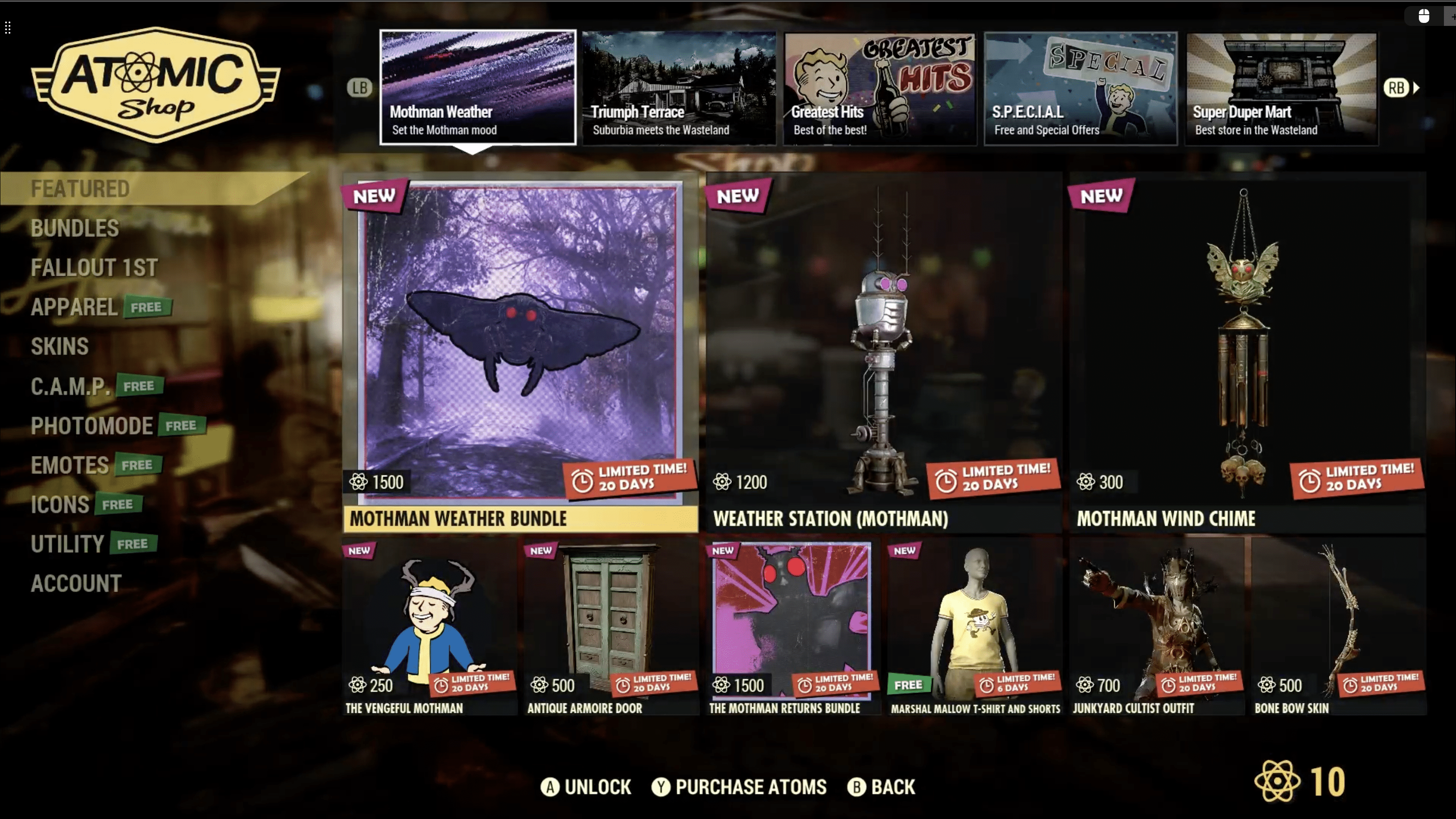
  • Fixed double-plant blocks breaking in worlds of older versions (MCPE-183072)

Wind Charge

  • The Wind Charge Projectile can now be summoned via the /summon command (MCPE-178937)
  • Using Trident with Riptide enchantment now correctly cancels fall damage reduction from Wind Charge
  • Fixed a bug where the fall damage protection from a Wind Charge incorrectly prevented fall damage when landing a second time
  • Wind Charges thrown by players no longer have a chance of dealing more than 1 damage per hit
  • The Wind Charge model now correctly renders within its bounding box
  • Increased player-fired wind charge speed by 50%, bringing it into parity with Java Edition
  • The Wind Charge Projectile shot by the Breeze no longer toggles blocks when Mob Griefing is disabled in Settings (MCPE-181211)
  • Mounted entities are no longer immune to Wind Charge projectile damage
  • Wind charges now work the same on all terrain
  • Crouching no longer affects wind charge knockback / jump amount
  • Wind charges used by the player aimed straight down now knock the player upward ~6 blocks instead of ~2.5
  • Latency related fall damage when using a Wind Charge will occur less often
  • The launch position of the Wind Charge has been adjusted so it no longer fires too far from the player

Items

  • Using Trident with Riptide enchantment now correctly cancels fall damage reduction from Wind Charge
  • Breeze Rods now render correctly in third-person view (MCPE-179661)
  • The Mace no longer breaks Cobwebs and Bamboo as fast as Swords and other sharp items (MCPE-179754)
  • The Fishing Rod hook no longer sticks to actors that have the Projectile Reflection component (MCPE-180337)
  • The Mace’s Smash Attack no longer knocks back Mobs that have been tamed by the Player wielding the Mace (MCPE-180962)
  • Attacking an entity with a Mace enchanted with the Wind Burst enchantment no longer negates fall damage (MCPE-181496)
  • Locator Maps will now only render head and head attachments (MCPE-61891)
  • Leads now attach to the front of Boats, instead of to their center (MCPE-182145)
  • Fixed flickering item icon when quick moving a stack to non-empty stacks
  • Added rarity coloring in the tooltips of Creeper Charge, Skull Charge, Thing, Snout, Flow, and Guster Banner Patterns
  • The rarity color of Trident, Mace, and Heavy Core have been changed to the Epic color (magenta)
  • Banners are once again obtainable via the recipe book (MCPE-179650)
  • Fixed Wolf Armor breaking not emitting enough Scute particles (MCPE-179664)
  • Fixed Torch item icon being temporarily misplaced when transferring it between the inventory and the hotbar when quick-moved (MCPE-180913)
  • Fixed an issue where structure icons or other Map decorations were not visible at Map edges on Maps with unlimited tracking, such as Trial Explorer Maps (MCPE-182681)

Music / Sound

  • “Echo in the Wind” now plays in Lush Caves biome (MCPE-182278)
  • “5”, “Otherside”, “Relic”, “Creator”, “Creator (Music Box)” & “Precipice” are now assigned to the Jukebox / Noteblock slider (MCPE-169933)
  • The Rooted Dirt block now has unique sounds, to better match the Java Edition (MCPE-121664)
  • Copper Door’s “open” sound is now pitched differently
  • Copper Grate step sounds play at a lower volume
  • Trial Spawner break and place sounds are now pitched differently
  • Vault break and place sounds are now pitched differently
  • Break, place and hit sounds now pitch differently for Tuff, Tuff Bricks, and Polished Tuff Blocks
  • Crafter craft and fail sounds now have a random pitch offset
  • Crafter fail sound now has a max distance of 3 blocks instead of 5
  • Copper Bulb break, place and hit sounds are now pitched differently
  • Copper Grate break, place and hit sounds are now pitched differently
  • “light_block_0” and its derivatives now have their block sound defined (MCPE-183449)
  • Added a sound effect to help players understand that they have already looted a Vault
  • Added break, fall, hit, jump, land, place, and step sounds for the Mob Spawner block

Realms Invite Links

We are making some changes to how Realms invite links work to make it easier than ever to invite your friends and to keep your Realm safe from unwanted joiners:

  • You can now create up to 5 invite links per Realm
  • Invite links can be enabled or disabled at will, or set to have an expiration date in the future
  • Invite links can be deleted entirely
  • Newly created invite links codes will be 15 characters long (increased from 11)
  • All new Realms will not have an invite link created for them by default. Realm owners will need to manually create an invite link for their Realm
  • Existing links that have not been used will be deleted, while previously used links will not be deleted

Realms

  • Fixed an issue that was preventing RealismCraft and some other packs from working on Realms. This was a service-side fix that went live prior to this release (REALMS-11940REALMS-11913REALMS-11916)
  • Fixed a crash that could occur when viewing Realms Stories on a busy Realm
  • All items on the Realms purchase screens are now focusable and can be navigated through using a gamepad input
  • Removed an extra “the” in Realms section of Minecraft Encyclopedia
  • Typing into the search box on the Realms Stories Members tab no longer overrides the filter options
  • Added a new reporting flow that lets players add more context and information about why the report is being made
  • New lines are no longer removed from Realms Stories posts that are displayed in the story feed
  • Removed an unnecessary warning from 2 Player Realms subscription
  • Cleaned up the disabled Realms Stories button interface on the pause screen when playing as a second user in split screen
  • Fixed issues with the Realms button sticking around when it shouldn’t or not showing up when it should
  • Fixed a bug that locked players on an infinite loop after cancelling the process of joining a recently claimed preview Realm
  • Fixed a bug where players with a freshly installed Minecraft needed to restart before being able to see Realms Stories
  • Fix so that pressing “Join Realm” on the new Play screen does not lead into an empty void (MCPE-183428)
  • Players are no longer kicked from the Realm if the owner enters and exits the Realms Settings screen without modifying packs while multiple Add-Ons are applied
  • Navigating away from the Realms Stories Story Feed tab upon reading the first page of stories will remove the unread stories badge as the user has seen the most recent posts
  • Fixed a bug where brand new Realm Events wouldn’t display properly the first time the Story Feed is opened
  • Fixed a bug where items from certain Add-ons could appear without textures or names when joining Realms
  • Fixed a bug that prevented two back-to-back error screens when the client was out of date and a Realm had a pending update
  • Fixed a bug where the unread badge for the Realms Stories button on the Pause Screen did not update

Accessibility

  • Fixed an issue where Apple Pencil was not recognized as a valid input method (MCPE-158895)
  • Fixed an issue where Screen Narration would not describe how to accept a game invitation on Android and iOS
  • Text to speech now reads the how to play screens by hovering over, tapping on or navigating to the respective headers and paragraphs

Customizable Controls

  • Customized controls no longer revert after player stops flight (MCPE-180234)
  • The control customization screen is now automatically exited when input mode is switched to something other than touch controls
  • The paper doll can now be shown in the HUD when customizable controls is enabled (MCPE-176334)
  • Customized control button sizes remain stable when going up or down Scaffolding or Ladders (MCPE-178820)
  • Buttons can now slide completely to the right when customizing controls on iOS
  • When customizing touch controls, the safe zones on the left and right side are now ignored

User Interface

  • Added animated title to the loading tips dialog
  • Refreshed assets for Achievements screen: all achievements unlocked illustration, no achievement unlocked illustration, and the GamerScore icon
  • Fixed a bug that caused half-absorption hearts not be rendered (MCPE-181245)
  • The Water Breathing effect icon and timer no longer flicker while wearing the Turtle Helmet (MCPE-142173)
  • Updated the Hide Paperdoll toggle to default to false on Chromebooks
  • When Regeneration effect is active, hearts on the HUD no longer move too fast (MCPE-180864)
  • Shift-clicking inventory items no longer causes the item stack count to briefly appear above the stack
  • Interacting with a block outside of a players reach no longer causes the block interface to briefly appear
  • Items no longer render in front of stack size number when being quick moved (MCPE-180712)
  • Number on a stack of items no longer overlaps with item hover text in Villager’s trade menu (MCPE-181338)
  • Item no longer moves slightly in slot after being quick moved to Anvil (MCPE-180275)
  • Items no longer stay selected on touch devices when switching between Creative inventory tabs (MCPE-173506)
  • Items can now be removed from the off-hand slot and crafting grids by tapping on other items in Creative inventory on mobile devices (MCPE-168757)
  • Fixed the Help button link in the Structure Block’s menu (MCPE-179672)
  • The chat quick access history no longer stores duplicate chat entries
  • Fixed an issue where content of the previously used text field was carried over to Signs on Xbox (MCPE-182645)
  • Updated the Dressing Room category names for “Headwear”, “Outerwear”, and “Footwear”
  • Safe Zone Screen position now saves properly on closing the menu
  • Safe Zone Screen text no longer is obscured when you hover over it
  • Safe Zone Screen sliders now properly save even when the value is changed by just 0.1
  • Safe Zone Screen Position sliders now properly reset and rescale based on the Scale sliders
  • Safe Zone Screen no longer errors on iOS when set to minimum values
  • Fixed tags showing up vertically in Marketplace item descriptions
  • Fixed missing texture in My Content section of Marketplace (MCPE-181964)
  • Replaced Marketplace Pass gradient with solid gray to improve readability
  • Fixed the message that appears when using the ‘Copy Coordinates’ feature to copy player coordinates to the clipboard (MCPE-182146)

Game Tips

  • Game tips now appear and disappear from the screen with “fade-in” and “fade-out” animations
  • Added a swim tip for touch devices
  • How to move is now taught to players on touch devices with the D-pad control scheme
  • Sometimes it’s not a good time to learn new game play skills. For example, opening your inventory is not a relevant skill when you just discovered that the floor is lava. So here are some additional constraints for when game tips don’t show up:
    • Only the swim game tip shows up when you are in water
    • The break block tip is the most relevant tip when you’re freezing in powder snow. Other tips won’t show up
    • When there are hostile mobs nearby you can still learn skills that will help you run away (movement, jumping and camera movement). But other tips won’t bother you
  • Added emote game tip. The tip appears when there are remote players close to the player and the player has spent at least 30 seconds with other players in the world
  • Added chat game tip. The tip appears when there are remote players in a world or if cheats are enabled
    • If the chat game tip can be shown for a player, the open chat instructions posted in the chat are removed
  • Added a game tip that informs players on touch devices that they are sneaking in order to avoid having new players stuck in crouch
  • Added some minor tip interruption improvements for existing game tips

Technical Updates

General

  • Removed the “Holiday Creator Features” experiment
  • Fixed an instance where input could stop working as expected when using Touch Controls and Custom Cameras
  • Updated documentation for Feature Rules’ schema
  • Biome components “minecraft:forced_features” and “minecraft:ignore_automatic_features” are now deprecated
  • “minecraft:scatter_feature” now has a “distribution” field like “minecraft:feature_rules” to define the scattering settings. Features now use schema version “1.21.10”
  • Updated schema documentation for Filter Groups
  • Modified ItemUseInventoryTransactionpacket by adding Trigger Type. This new value tells us if the packet is sent from a direct player input or the simulation tick from the button being held down
  • Using ‘minecraft:wearable’ with slot set to ‘slot.weapon.offhand’ in combination with ‘minecraft:allow_off_hand’ set to false will now cause a content error

Add-Ons and Script Engine

  • Added a content error when ‘snow_accumulation’ array in a biome JSON has the minimum value set higher than the maximum value
  • Fixed Camera sometimes having a visible easing motion after a non-eased camera set command (MCPE-181364)
  • Fixed an issue that caused sideloaded .mcpack files to fail to apply when uploading to Realms
  • Deprecated Entity Permutations
    • Permutations can no longer be parsed and applied to entities via their JSON file under the flag permutations
  • Deprecated Volume and /volumearea command
  • Entity Aliases is deprecated when a format_version of 1.21.10 or higher is specified
  • Fixed an issue where particle effect lifetime event timeline did not trigger events as expected
  • Fixed a bug where having an Add-On applied to a dedicated server would force players to download all resource packs applied to that server in order to join. Note: If you downloaded unwanted packs as a result of this issue, you may have to delete them locally from your device to avoid having them apply when joining a world (MCPE-180344)
  • Updated the “minecraft:geometry” block component to validate whether geometries fit within the 30/16 unit bounds and have at least 1/16 of their length within the unit cube on each axis. This validation occurs for all geometry components on all blocks using json version 1.21.0 or later (MCPE-178607)

API

  • Fixed a crash with getTagsmethod on Item Stack when called on the Air Block Item
  • Dimension
    • Released method getTopmostBlock from beta to 1.13.0
    • Released interface VectorXZ from beta to 1.13.0
  • Fixed a bug that prevented get and StructureManager.place from loading structures stored in the root of the structures directory
  • MinecraftItemTypes no longer contains old item names
  • Fixed bug that caused the game to crash when executing a run command from the runCommand() and Dimension.runCommandAsync() scripting APIs
  • Potions
    • Added class Potions which contains helpers for retrieving handles to potion associated types
    • Added class PotionEffectType which is a potion effect type handle associated with MinecraftPotionEffectTypes
    • Added class PotionModifierType which is a potion modifier type handle associated with MinecraftPotionModifierTypes
    • Added class PotionLiquidType which is a potion type handle associated with MinecraftPotionLiquidTypes
    • Added class ItemPotionComponent which can be obtained from a valid potion ItemStack
    • Added interface PotionOptions for use in createPotion
    • Added function createPotion for creating valid potion items
  • Vanilla-Data
    • Added enum MinecraftPotionLiquidTypes containing potion liquid IDs
    • Added enum MinecraftPotionEffectTypes containing potion effect IDs
    • Added enum MinecraftPotionModifierTypes containing potion modifier IDs
  • BlockExplodeAfterEvent
    • Released BlockExplodeAfterEvent from beta to 1.12.0
    • Released BlockExplodeAfterEventSignal from beta to 1.12.0
    • Released blockExplode from beta to 1.12.0
  • Released ItemTypes from beta to 1.12.0
  • Released InputPermissionCategory from beta to 1.12.0
  • Released PlayerInputPermissions and inputPermissions from beta to 1.12.0
  • Released PlayerInputPermissionCategoryChangeAfterEvent and afterEvents.playerInputPermissionCategoryChanged from beta to 1.12.0
  • Added bound check for setCurrentValue. The provided value will be clamped to the range of this attribute
  • GameRules
    • Released ShowDaysPlayed from beta to 1.12.0
    • Released showDaysPlayed from beta to 1.12.0
  • EnchantmentTypes
    • Released getAll(): EnchantmentType[] from beta to 1.12.0
  • EntityRaycastOptions
    • Released ignoreBlockCollision from beta to 1.12.0
    • Released includeLiquidBlocks from beta to 1.12.0
    • Released includePassableBlocks from beta to 1.12.0
    • Released hitBlockPermutation member of EntityHitBlockAfterEvent from beta to 1.12.0
  • Released beta version of addEffect method on Entity to 1.3.0, which adds a return type for the newly created effect (or undefined if no effect was added)
  • BlockRecordPlayerComponent
  • Added UIManager class and uiManager object to @minecraft/server-ui beta
    • Renamed the componentId to minecraft:record_player for consistency
    • Added methods getRecordejectRecordpauseRecord and playRecord
    • Removed method clearRecord, instead you should now pass undefined to setRecord to reset it
    • Removed property readonly getLifetimeState: EntityLifetimeState from beta
  • Removed enum EntityLifetimeState from beta
    • Move setBlockPermutation(location: Vector3, permutation: BlockPermutation): void from beta to 1.12.0
    • Move setBlockType(location: Vector3, blockType: BlockType | string): void from beta to 1.12.0
    • Moved getTags(): string[] from beta to 1.12.0
    • Moved hasTag(tag: string): boolean from beta to 1.12.0
    • Removed property readonly fallDistance: number from beta
  • Released WorldInitializeBeforeEvent from beta to 1.12.0
  • Released WorldInitializeBeforeEventSignal from beta to 1.12.0
  • Custom Components
    • Released ItemComponentRegistry from beta to 1.12.0
    • Released ItemCustomComponent from beta to 1.12.0
    • Released ItemComponentBeforeDurabilityDamageEvent from beta to 1.12.0
    • Released ItemComponentCompleteUseEvent from beta to 1.12.0
    • Released ItemComponentConsumeEvent from beta to 1.12.0
    • Released ItemComponentHitEntityEvent from beta to 1.12.0
    • Released ItemComponentMineBlockEvent from beta to 1.12.0
    • Released ItemComponentUseEvent from beta to 1.12.0
    • Released ItemComponentUseOnEvent from beta to 1.12.0
  • Moved EntityTameableComponent from beta to 1.12.0 with properties getTameItems, isTamed, probability, tamedToPlayer, tamedToPlayerId and function tame
  • Moved EntityAgeableComponent from beta to 1.12.0 with properties durationgrowUptransformToItem and function getDropItemsgetFeedItemsEntityDefinitionFeedItemTrigger
  • Fixed an issue where a warning would incorrectly appear when reloading item custom components
  • EntityTameMountComponent
    • Moved method tameToPlayer and readonly properties tamedToPlayerId, tamedToPlayer, isTamed, isTamedToPlayer from beta to 1.12.0
  • Released runJob method on System from beta to 1.12.0
  • Released clearJob method on System from beta to 1.12.0
  • Released waitTicks method on System from beta to 1.12.0
  • @minecraft/server-ui
    • Released version 1.2.0
    • Added new beta version 1.3.0
    • Released submitButton method on ModalFormData from beta to 1.2.0
  • EntityLeashableComponent
    • Moved class EntityLeashableComponent from beta to 1.13.0

Blocks

  • Fixed a bug where interacting, while sneaking, with Command, Jigsaw, and Structure blocks could cause the UI to open/close multiple times
  • Top Snow/snow_layer block now falls when placed using the /setblock command
  • “double_stone_block_slab” block is now split into unique instances “smooth_stone_double_slab”, “sandstone_double_slab”, “oak_double_slab”, “cobblestone_double_slab”, “brick_double_slab”, “stone_brick_double_slab”, “quartz_double_slab”, and “nether_brick_double_slab”
    • The id “oak_double_slab” had already been split from “double_wooden_slab”, as a result, any “double_stone_block_slab:2” will be turned into the already existing “oak_double_slab” id
  • “monster_egg” block is now split into unique instances: “infested_stone”, “infested_cobblestone”, “infested_stone_bricks”, “infested_mossy_stone_bricks”, “infested_cracked_stone_bricks”, and “infested_chiseled_stone_bricks”
  • “infested_cobblestone” block destroy time has been changed to match Java Edition
  • “stonebrick” block is now split into unique instances: “stone_bricks”, “mossy_stone_bricks”, “cracked_stone_bricks”, and “chiseled_stone_bricks”
  • “Smooth Stone Bricks” block can no longer be obtained through commands and existing “Smooth Stone Bricks” will be converted to “Stone Bricks”
  • “stone_block_slab3” block is now split into unique instances “end_stone_brick_slab”, “smooth_red_sandstone_slab”, “polished_andesite_slab”, “andesite_slab”, “diorite_slab”, “polished_diorite_slab”, “granite_slab” and “polished_granite_slab”
  • “prismarine_slab”, “dark_prismarine_slab”, “prismarine_brick_slab”, “andesite_slab”, “polished_andesite_slab”, “diorite_slab”, “polished_diorite_slab”, “granite_slab” and “polished_granite_slab” now have a destruction time of 1.5
  • “end_stone_brick_slab” now has a destruction time of 3.0
  • “stone_block_slab2” block is now split into unique instances “red_sandstone_slab”, “purpur_slab”, “prismarine_slab”, “dark_prismarine_slab”, “prismarine_brick_slab”, “mossy_cobblestone_slab”, “smooth_sandstone_slab”, and “red_nether_brick_slab”
  • The “blocks.json” files found in resource packs are now versioned
    • Overriding the block “stone” with a format_version of 1.20.50 or higher will assume the texture data in terrain_texture.json is flattened and not using an array
    • Overriding the block “prismarine” with a format_version of 1.21.10 or higher will assume the texture data in terrain_texture.json is flattened and not using an array
    • Overriding the block “anvil”, “quartz_block”, “red_sandstone”, “sand” and “sandstone” with a format_version of 1.21.20 or higher will assume the texture data in terrain_texture.json is flattened and not using an array
  • “infested_stone” and its derivatives now have their block sound defined (MCPE-182290)
  • Texture overrides that intended to target all block variants no longer only override the default variant
  • “light_block” block is now split into unique instances: “light_block_0”, “light_block_1”, “light_block_2”, “light_block_3”, “light_block_4”, “light_block_5”, “light_block_6”, “light_block_7”, “light_block_8”, “light_block_9”, “light_block_10”, “light_block_11”, “light_block_12”, “light_block_13”, “light_block_14”, and “light_block_15”
  • “coral_fan_hang” block is now split into unique instances “tube_coral_wall_fan”, “brain_coral_wall_fan”, “dead_tube_coral_wall_fan”, and “dead_brain_coral_wall_fan”
  • “coral_fan_hang2” block is now split into unique instances “bubble_coral_wall_fan”, “fire_coral_wall_fan”, “dead_bubble_coral_wall_fan”, and “dead_fire_coral_wall_fan”
  • “coral_fan_hang3” block is now split into unique instances “horn_coral_wall_fan” and “dead_horn_coral_wall_fan”
  • “stone_block_slab4” block is now split into unique instances “mossy_stone_brick_slab”, “smooth_quartz_slab”, “normal_stone_slab”, “cut_sandstone_slab” and “cut_red_sandstone_slab”
  • “mossy_stone_brick_slab” now has a destruction time of 1.5
  • The “minecraft:yellow_flower” block has been renamed to “minecraft:dandelion”
    • The old name is still understood from commands and data
  • “sandstone” block is now split into unique instances “sandstone”, “chiseled_sandstone”, “cut_sandstone”, and “smooth_sandstone”
    • “smooth_sandstone” destroy time changed from 0.8 to 2.0, and explosion resistance from 0.8 to 6.0
  • “double_stone_block_slab2” block is now split into unique instances “red_sandstone_double_slab”, “purpur_double_slab”, “prismarine_double_slab”, “dark_prismarine_double_slab”, “prismarine_brick_double_slab”, “mossy_cobblestone_double_slab”, “smooth_sandstone_double_slab” and “red_nether_brick_double_slab”
  • “prismarine_double_slab”, “dark_prismarine_double_slab” and “prismarine_brick_double_slab” now have a destruction time of 1.5
  • Fixed Ancient City entrance using a single Deepslate tile slab instead of a double slab
  • “double_stone_block_slab3” block is now split into unique instances “end_stone_brick_double_slab”, “smooth_red_sandstone_double_slab”, “polished_andesite_double_slab”, “andesite_double_slab”, “diorite_double_slab”, “polished_diorite_double_slab”, “granite_double_slab”, and “polished_granite_double_slab”
  • “end_stone_brick_double_slab” now has a destruction time of 3.0
  • “andesite_double_slab”, “polished_andesite_double_slab”, “diorite_double_slab”, “polished_diorite_double_slab”, “granite_double_slab”, and “polished_granite_double_slab” now have a destruction time of 1.5
  • “double_stone_block_slab4” block is now split into unique instances “mossy_stone_brick_double_slab”, “smooth_quartz_double_slab”, “normal_stone_double_slab”, “cut_sandstone_double_slab”, and “cut_red_sandstone_double_slab”
  • “mossy_stone_brick_double_slab” now has a destruction time of 1.5
  • “prismarine” block is now split into unique instances “prismarine”, “dark_prismarine”, and “prismarine_bricks”
  • Added VanillaBlockTag “one_way_collidable” that can be used to emulate the one way collision of Doors, Trapdoors, and Fence Gates that don’t push out a mob when inside their collision box
  • “anvil” block is now split into unique instances: “anvil”, “chipped_anvil”, “damaged_anvil”, and “deprecated_anvil”
  • “quartz_block” is now split into unique instances “quartz_block”, “chiseled_quartz_block”, “quartz_pillar”, and “smooth_quartz”
  • Smooth Quartz has had its destroy-time adjusted to match Java Edition (MCPE-101893)
  • Pillar Quartz Block has been renamed to Quartz Pillar
  • “red_sandstone” block is now split into unique instances “red_sandstone”, “chiseled_red_sandstone”, “cut_red_sandstone”, and “smooth_red_sandstone”
    • “smooth_red_sandstone” destroy time changed from 0.8 to 2.0
  • “dirt” block is now split into unique instances: “dirt” and “coarse_dirt”
  • “sand” block is now split into unique instances “sand” and “red_sand”
  • minecraft:custom_components no longer requires the Beta APIs experiment
  • minecraft:entity_fall_on no longer requires the Beta APIs experiment
  • minecraft:tick no longer requires the Beta APIs experiment
  • Fixed a recipe bug where “chiseled_sandstone” and “cut_sandstone” sandstone variants could be used in a furnace to craft “smooth_sandstone”. It can now only accept normal “sandstone” and no other types of sandstone
  • Fixed Vanilla recipes involving “red_sandstone_slab” as an ingredient or result item, they would incorrectly use “red_sandstone” instead
    • “red_sandstone_slab” can now be crafted again with 3 horizontal “red_sandstone:0”
    • “red_sandstone_slab” can now be crafted again with 3 horizontal “red_sandstone:1”
    • “red_sandstone:1” can now be crafted again with 2 vertical “red_sandstone_slab”

Camera

  • Two new 3rd person camera experiments are now available!
  • Added the ‘Creator Cameras: New Third Person Presets’ experimental toggle which contains:
    • New ‘minecraft:follow_orbit’ preset that is accessible by the /camera command and can have a view offset
  • Added the Creator Cameras: Focus Target Camera experiment. This functionality can be applied to the free camera preset
    • A new free camera command that pivots the camera to track a target entity
      • Includes option to add an offset from the center of the entity
      • Includes option to remove the target
  • Added the view offset to the 3rd person camera for the experimental follow_orbit preset
    • The view offset is anchored to a pivot point at the center of the screen. When applied to the follow_orbit preset, the player is shifted to be at a distance from center specified by the the offset
    • The range for this offset is -100 to 100
    • This can be set by both commands and JSON
      • /camera @s set minecraft:follow_orbit view_offset viewX viewY
    • A new learning portal article detailing the 3rd person camera, including JSON syntax, will be published soon
  • Added starting radius and rotation to the follow_orbit and 3rd person boom camera presets
    • The starting radius (distance from player) is fixed right now at 10 blocks from the player position
    • The starting rotation (pitch and yaw) are fixed right now at 45X and 45Y
    • The follow orbit camera is the only preset available, the 3rd person boom preset will be coming in a future release
  • Exposed radius component to behavior packs to be overwritten by creator cameras. Also added ‘minecraft:third_person’ and ‘minecraft:third_person_front’ to the allow list of presets that can be inherited from
    • This allows you to make a 3rd person camera based on the vanilla 3rd person cameras but with a variable radius.
      The radius (distance from player) is not limited but render distance and other constraints still exist.
    • This does not allow modifications to the vanilla cameras

Commands

  • Music will no longer be stopped by the ‘/stopsound’ command
  • Fixed a bug where the /spreadplayers command could result in the target being teleported one block below the intended location
  • Added a Max Height parameter to the /spreadplayers command, which allows you to specify a maximum height that the spreading is done underneath
  • The /locate structure command now uses namespaced structure names. Structure names provided without a namespace will assume the “minecraft” namespace (MCPE-151807)

Entities

  • Improved “behavior.follow_owner” teleportation logic:
    • Entities now seamlessly resume navigation after teleporting to their owner
    • Added the “post_teleport_distance” field, allowing to specify how far from its owner an entity will be placed after teleporting
      • If no value is specified, “stop_distance” increased by one will be used
    • These changes only affect entities with format version of 1.21.20 or above
  • Armor equipped to the second slot of “minecraft:equippable” is now applied to “slot.armor.body” instead of “slot.armor.torso”
    • To retrieve information about it, “query.armor_texture_slot”, “query.armor_color_slot” and “query.armor_damage_slot” should now be used with a value of 4
    • This change only affects entities with a format version equal to or greater than 1.21.10
  • Added a wind_burst_on_hit subcomponent for Projectiles which creates a wind burst upon collision with an entity or block before being removed from the world
  • Wind Charges no longer burst when removed by command
  • Exposed “minecraft:behavior.swim_up_for_breath” AI goal component, which allows a mob to try to move to a location where it can breathe air once it is close to running out of its breathable supply
    • In Vanilla, this is used by the Dolphin
    • Any custom content built off of the Vanilla dolphin at or above version 1.21.20 will need to manually add this component to enable this AI behavior
  • Added the “behavior.teleport_to_owner” goal, which allows an entity to teleport to its owner
    • This goal is designed for emergency situations where “behavior.follow_owner” could be too slow or too low priority
    • The “filters” field allows defining the conditions for teleportation using entity filters
    • The “cooldown” field allows defining how often the entity should attempt to teleport
  • minecraft:behavior.move_away_from_target has been renamed to minecraft:behavior.move_around_target to better describe what the goal does, since it can be used both for moving away from the target, but also to move towards a random position around the target
  • Added new entity filter “owner_distance”, which checks the distance of an entity from its owner

Graphical

  • Particle Emitters that use the “minecraft:particle_appearance_lighting” component now use the correct light level instead of the world’s origin light level
  • 2 Channel textures in resource packs are now properly supported. When loaded they will always use the first channel to represent all three color channels and the second channel for alpha (I.E A normal texture would be (R, G, B, A)where a 2 channel texture will always be treated as (R, R, R, A))
  • Fixed fog JSON validation to allow for max_density_height and zero_density_height values to range from (-64,320)

Items

  • Trimmed custom armor item icons now appear correctly when their icon texture name includes a namespace or does not match the item name
  • [BETA] Introduced “slot.armor.body” as an extra armor slot for entities like Horses, limited to a single armor item but needing the effects of a full armor set
    • “slot.armor.body” is supported by:
      • Commands (even if no suitable item is currently available for manipulation)
      • “minecraft:attachable”
      • “minecraft:interact”
      • “query.armor_texture_slot” (with value 4)
      • “query.armor_color_slot” (with value 4)
      • “query.armor_damage_slot” (with value 4)
      • “query.equipment_count”
      • “has_equipment” entity filter (with domain “body”)
      • “all_slots_empty” entity filter (with domain “body”)
      • “any_slot_empty” entity filter (with domain “body”)
    • “slot.armor.body” is not supported by:
      • “minecraft:wearable”
    • Future adjustments may alter how items equipped to “slot.armor.body” affect entity visibility (intended as how easy an entity is detected by other entities), enchantments, and armor protection
  • Released minecraft:custom_components item component out of experimental in json formats 1.21.10 and higher
  • Introduced “slot.armor.body” as an extra armor slot for entities, like horses, limited to a single armor item but needing the effects of a full armor set
  • Introduced the “minecraft:damage_absorption” item component, enabling items to absorb damage intended for their wearer
    • The “absorbable_causes” field allows to specify which damage causes to absorb
    • Absorbed damage depletes the item’s durability, and surplus damage is ignored
    • Requires equipping the item in an armor slot for damage to be absorbed
    • When multiple damage absorbing items are equipped, a suitable one is selected at random to absorb incoming damage
  • Introduced the “minecraft:durability_sensor” item component, enabling items to emit sounds and particles when damage causes them to lose durability
    • The “durability_thresholds” field allows to define a list of both durability thresholds and the effects to emit when they are met
    • When the item receives enough damage to meet multiple thresholds at the same time, only the one corresponding to the lowest durability is considered
  • Learning portal documents on these features and how to use them are being written and will be available soon

Molang

  • Released state_time which no longer requires the ‘Upcoming Creator Features’ toggle
  • Fixed Molang content errors to include the expression in the logged message

Petrified Oak Slab

  • The Oak-Slab-looking variation of “stone_block_slab” (aux value 2) is now flattened into its own new block “minecraft:petrified_oak_slab” (MCPE-180964)
    • Will behave like other Stone Slabs, eg. cannot be destroyed by fire, but will look like an ordinary oak slab
    • “minecraft:petrified_oak_slab” can only be obtained and placed through commands
  • The Oak-Slab-looking variation of “double_stone_block_slab” (aux value 2) is now flattened into its own new block “minecraft:petrified_oak_double_slab” (MCPE-180964)
    • Will behave like other stone double slabs, eg. cannot be destroyed by fire, but will look like an ordinary oak double slab
    • “minecraft:petrified_oak_double_slab” can only be placed through commands

Structure Block

  • Fixed issue where player ID was not being saved on structure blocks when saving and exiting the level (MCPE-149183)
  • From versions 1.21.20, the player ID given to tamed mobs loaded from a Structure Block will always be the original owner’s ID

Experimental Technical Updates

API

  • Camera
    • Added `CameraFixedBoomOptions` to the options for the `setCamera` function in beta
    • CameraFixedBoomOptions
      • New interface added to beta
      • Allows you to customize `minecraft:follow_orbit` cameras only when the third person camera presets toggle is enabled
      • Introduced `viewOffset?: Vector2`. This property allows you to change the offset of the camera relative to the player to create an over the shoulder effect
    • WorldInitializeBeforeEvent
      • Renamed property blockTypeRegistry to blockComponentRegistry
    • Moved BlockComponentRegistry from beta to 1.12.0
    • Moved BlockCustomComponentAlreadyRegisteredError from beta to 1.12.0
    • Moved BlockCustomComponentReloadVersionError from beta to 1.12.0
    • Moved BlockCustomComponentReloadNewEventError from beta to 1.12.0
    • Moved BlockCustomComponentReloadNewComponentError from beta to 1.12.0
    • Moved BlockCustomComponent from beta to 1.12.0
    • Moved BlockComponentStepOnEvent from beta to 1.12.0
    • Moved BlockComponentTickEvent from beta to 1.12.0
    • Moved BlockComponentRandomTickEvent from beta to 1.12.0
    • Moved BlockComponentEntityFallOnEvent from beta to 1.12.0
    • Moved BlockComponentStepOffEvent from beta to 1.12.0
    • Moved BlockComponentPlayerInteractEvent from beta to 1.12.0
    • Moved BlockComponentPlayerPlaceBeforeEvent from beta to 1.12.0
    • Moved BlockComponentPlayerDestroyEvent from beta to 1.12.0
    • Moved BlockComponentOnPlaceEvent from beta to 1.12.0
    • Added four new error class types used for custom block component registration
      • ScriptBlockCustomComponentAlreadyRegisteredError – When registering a custom block component and it has already been registered
      • ScriptBlockCustomComponentReloadVersionError – When registering a custom block component with a different script version between reloading
      • ScriptBlockCustomComponentReloadNewEventError – When registering a custom block component and it implements a new event between reloading
      • ScriptBlockCustomComponentReloadNewComponentError – When registering a custom block component between reloading
    • Added Block::getMapColor binding to Script Block API (Beta)
    • EntityBreathableComponent
      • Changed function setAirSupply(value: number): void to property airSupply: number in beta
      • Added property readonly canBreathe: boolean to beta
    • EntityComponent
      • Moved class EntityMovementComponent from beta to 1.12.0
      • Moved class EntityLavaMovementComponent from beta to 1.12.0
      • Moved class EntityMovementGlideComponent from beta to 1.12.0
      • Moved class EntityMovementSwayComponent from beta to 1.12.0
      • Moved class EntityUnderwaterMovementComponent from beta to 1.12.0
    • Added class PlayerCursorInventoryComponent which adds read-only access to the players cursor inventory and the ability to clear it
    • Added playerEmote which fires after a player uses an emote
    • Block Custom Components
      • Use of the ‘onTick’ event requires the block has the ‘minecraft:tick’ component to configure how the block ticks
      • Blocks that are world generated, and have the ‘minecraft:tick’ component, will now tick
    • EntityBreathableComponent
      • Changed function setAirSupply(value: number): void to property airSupply: number in beta
      • Added property readonly canBreathe: boolean to beta
    • Added isHardcore to 1.14.0 beta

Blocks

  • Added “item_display_transforms” control to the block geometry file. This controls the way a block is visually represented in the UI, on the player, and floating on the ground. It exists inside minecraft:geometry, and requires format_version 1.21.20
    • Default values example:
      • “item_display_transforms”: {
        “gui” : {
        “translation”: [0, 0, 0],
        “rotation”: [30, 225, 0],
        “scale”: [0.625, 0.625, 0.625]
        },
        “firstperson_righthand”: {
        “translation”: [0, 0, 0],
        “rotation”: [0, 45, 0],
        “scale”: [0.4, 0.4, 0.4]
        },
        “firstperson_lefthand”: {
        “translation”: [0, 0, 0],
        “rotation”: [0, -135, 0],
        “scale”: [0.4, 0.4, 0.4]
        },
        “thirdperson_righthand”: {
        “translation”: [0, 2.5, 0],
        “rotation”: [75, 45, 0],
        “scale”: [0.375, 0.375, 0.375]
        },
        “thirdperson_lefthand”: {
        “translation”: [0, 2.5, 0],
        “rotation”: [75, 45, 0],
        “scale”: [0.375, 0.375, 0.375]
        },
        “ground”: {
        “translation”: [0, 3.0, 0],
        “rotation”: [0, 0, 0],
        “scale”: [0.25, 0.25, 0.25]
        },
        “fixed”: {
        “translation”: [0, 0, 0],
        “rotation”: [0, 0, 0],
        “scale”: [0.5, 0.5, 0.5]
        },
        “head”: {
        “translation”: [0, 0, 0],
        “rotation”: [0, 0, 0],
        “scale”: [1, 1, 1]
        }
        }

Entity Components

  • EntityLeashableComponent
    Added property canBeStolen: boolean
    Added property hardDistance: number
    Added property leashHolder: Entity
    Added property leashHolderEntityId: string
    Added property maxDistance: number
    Added property isLeashed: boolean
    Renamed function leash(leashHolder: Entity): void to leashTo(leashHolder: Entity): void
Avatar photo

Alex Co

Father, gamer, games media vet, writer of words, killer of noobs.

Home > News

New Destiny 2 Weekly Reset August 13, 2024 and Eververse Inventory

As Xur and his wares take their leave from Destiny until next Friday, a new set of weekly activities and Eververse offerings have been pushed out to keep players busy. The new Destiny 2 weekly reset August 13, 2024 refresh of activities is now live, detailed in full below along with the new Eververse inventory.

New Destiny 2 Weekly Reset August 13, 2024 and Eververse Inventory:

The highlights of this week’s update are:

  • Nightfall: Liminality
  • Weapon: Adept Undercurrent
  • Exotic Rotator: Vox Obscura
  • Dungeon: Shattered Throne
  • Raid: DSC

That’s all for this week’s Destiny 2 update. Stay tuned for our Xur and Trials of Osiris posts on Friday.

(Thanks again, /r/DestinyTheGame!)

Avatar photo

Salman Haider Zaidi

That's a nice argument, Senator.

Home > News

New Fallout 76 Atomic Shop Weekly Update for August 13, 2024

It’s a new Tuesday, bringing yet another store refresh for Fallout players. That’s right, the items for sale in Fallout 76’s Atomic Shop have been updated!

As usual, MP1st is here with the new Fallout 76 Atomic Shop weekly update today, August 13’s list of items for sale. Check out this week’s best Atomic Shop items and bundles below.

New Fallout 76 Atomic Shop Weekly Update for August 13:

Fallout 76 Atomic Shop weekly update for August 13

Notable Items This Week:

  • Mothman Weather Bundle – 1500
  • Weather Station (Mothman) – 1200
  • Mothman Wind Chime – 300
  • Triumph Terrace Housing Development Shelter – 1500
  • Mothman Fanatic Bundle – 1000
  • The True Power Bundle – 1500
  • Praise Mothman Bundle – 1000
  • King of Hearts Poster – Free
  • Caps x250 – Free
  • Mothman Frame – 125
  • Super Duper Mart Bundle – 1500
  • Super Duper Mart – 700
  • Super Duper Mart Letters – 500

What is the Fallout 76 Atomic Shop?

The Atomic Shop is an in-game store in Fallout 76 offering cosmetics, C.A.M.P. objects and more in exchange for a special currency called Atoms. Most purchases are unlocked account-wide, and may be accessed by any character on the account.

Some objects require an in-game plan to be learned in order to gain access, while other items are only unlocked for a single, specified character. All exclusive items are character-bound, and cannot be dropped or traded with other players. The Atomic Shop is accessible at any time from the main menu, as well as the pause screen after leaving Vault 76 for the first time.

That’s it for this week’s refresh. Is there anything in particular that interests you?

If not, there’s always next week, which we’ll have covered, so be sure to check again next Tuesday!

Avatar photo

Salman Haider Zaidi

That's a nice argument, Senator.

Home > News

Valorant Update 1.000.008 Shoots Out for Patch 9.03, Complete Patch Notes Detailed This Aug. 13

Riot Games has pushed out Valorant update 1.000.008 on PS5, which will show up as version 9.03 on PC. This is a significant update that adds the map Pearl in unrated and Swift Play, agent adjustments and more! Read on for the patch notes for both consoles and PC.

Valorant Update 1.000.008 Patch Notes for Version 9.03:

Download Size; 2.4GB (PS5)

ALL PLATFORMS:

GENERAL UPDATES

  • Made improvements to how overlapping interactable objects work. You should now perform the desired action more consistently.
    • For Example: A dart from Cypher’s Spycam should no longer prevent you from attaching to a rope if you’re directly looking at it.

AGENT UPDATES

  • Ground Spreading Abilities
    • We’re making improvements to abilities that spread along the ground like Brimstone’s Incendiary and Viper’s Snakebite. Previously, these abilities had inconsistent effects depending on the exact location they landed, ranging from extremely different sizes or damaging through walls and in areas the ability wasn’t visually present. With this update, these abilities should spread more consistently and only apply damage in places that are consistent with the visuals.
  • Map Targeted Abilities Improvements
    • You can now ping and see additional icons on maps used for ability targeting
      • Affected abilities: Brimstone’s Sky Smoke and Orbital Strike, Clove’s Ruse, and Omen’s From The Shadows
  • Sage’s Barrier Orb
    • Barrier Orb’s placement preview now also shows up on the minimap

PERFORMANCE UPDATES

  • Improved the performance of Iso’s Kill Contract ability.

BUG FIXES

General

  • Fixed issue where opening menus would reset your toggle crouch / toggle walk state.

Gameplay Systems

  • Fixed a bug where pinging guns on the ground was not displaying the gun’s name in the text feed.
  • Fixed a rare bug that resulted in the defuse timer showing up as ‘-00.00’ if the Spike was defused as the round timer hit 0.
  • Fixed an issue with Ability icons not appearing on the minimap as an Observer.
  • Fixed an issue where in certain scenarios, you can see an enemy but they don’t appear on the minimap.
  • Fixed an issue where “DAMAGE TO YOU/YOU DEALT” is overlapping the Combat Report widget.
  • Fixed font size readability issues with Combat Report in certain languages.
  • Fixed an issue with auto re-scoping for Outlaw, Marshall, Operator staying active while the gun goes through a reload.

Maps

  • Abyss
    • Fixed a spot in Mid Library where thrown abilities can clip through the shelves into gameplay space.
    • Fixed a spot where Agent utility could be thrown off the map and used as a platform.
    • Revised the message from the Scions of the Hourglass to fix text errors.
    • Fixed a minor visual issue for the railings around Defender Spawn.
  • The Range
    • Fixed a bug where certain words in the Range were not being translated correctly into various languages.

CONSOLES:

MAP UPDATES

  • Pearl enters Unrated & Swift Play queues.

KNOWN ISSUES

General

  • Fixed issue where opening an Ability map and the Shop/Scoreboard simultaneously could result in a loss of input.
  • Fixed an issue where pressing an Ability button while diffusing the Spike would equip a weapon.

Agents

  • Harbor
    • Fixed an issue where Harbor’s High Tide wall would end prematurely.

PC:

BUG FIXES

Client

  • Combat Report
    • Fixed a bug where during pre-round, [Tab] must be held down while pressing the cursor toggle button to enable the cursor.

Once another Valorant patch is pushed out for either consoles or PC, we’ll be sure to let our readers know.

[Source: Valorant]

Avatar photo

Alex Co

Father, gamer, games media vet, writer of words, killer of noobs.

Home > News

Grounded New Update 2.000.008 Crawls Out for Current-Gen and Here’s What’s New

The Grounded new update 2.000.008 download is live now on consoles and PC, and this brings a good list of fixes related to crashing, specific fixes to the PS5 and Nintendo Switch changes and more. Read on for the complete list of adjustments and fixes made in the official patch notes.

Patch Notes for August 13:

General Changes:

  • Login / Host / Join failures display more information on the failure popup.

REMIX.D Yard – Changes:

  • Reduced the damage multiplier all creatures get in New Game+ by 33%.
  • Reduced the infusion chance for spiders added in the Hedge Broodmother boss fight by 50%.
  • MIX.Rs no longer spawn in double or more of the amount of creatures compared to the standard campaign. Instead if is only 10% more each New Game+.
  • Reduced the AOE range of the Mint infusion attack that applies to players when hit. Reduces the number of one shots that can happen when playing in multiplayer while clumped together.
  • A certain late game character no longer triggers infusion attacks when hit. (Hint: he could really use a Billy Hog right now)

Optimizations:

  • Reduced CPU usage.

PlayStation 5:

  • Added Adaptive Trigger support.
  • Microsoft accounts are no longer permanently linked. You can logout and log into a new Microsoft account as many times as you want per PlayStation account.
    • Note: It can take up to 15 minutes after unlinking to be able to link a new account.

Nintendo Switch:

  • Added Gryo aiming controls. (Can be enabled / disabled in the Options screen).
  • Four leaf clover cave properly renders on Switch.
  • Cutscene videos are less choppy.
  • Microsoft accounts are no longer permanently linked. You can logout and log into a new Microsoft account as many times as you want per Nintendo account.
    • Note: It can take up to 15 minutes after unlinking to be able to link a new account.

Major Fixes:

  • Fixed a client crash that could occur when repairing buildings.
  • Fixed crash that could occur when using charged bow attacks with a Sleek Bard’s Tudor and Sleek Fire Ant armor.
  • Fixed crash that could occur when loading a save while having a pet.
  • Fixed additional random crashing that could occur.

Other Bug Fixes:

  • Arcane Archer status effect properly triggers now.
  • Clients who join Remixed yards and have Milk Molar stats below the hosts will no longer improperly get double the Milk Molar bonuses.
  • Activating a creature trophy, Gong, or Termite Organ near a ladder no longer produces a harsh noise beforehand.
  • “Gotta Peep Them All” achievement properly triggers if the last card you collect is a gold card.
  • Handful of fixes related to joining games and crossplay.
  • Fixed a crash that could occur when downloading your own Playground.

For the rest of the Grounded updates released, you can check it out here,

[Source: Grounded]

Avatar photo

Alex Co

Father, gamer, games media vet, writer of words, killer of noobs.

Home > News

Grounded Update 1.10 for Patch 1.4.4 Released This Aug. 13

Obsidian Entertainment has pushed out Grounded update 1.10 which is for patch version 1.4.4! This brings crashing fixes, Remix.D Yard changes, and more. Note that the patch below is for the last-gen version of the game, with the current-gen versions getting a small list of changes exclusive to the platform.

Grounded Update 1.10 Patch Notes for Version 1.4.4:

General Changes:

  • Login / Host / Join failures display more information on the failure popup.

REMIX.D Yard – Changes:

  • Reduced the damage multiplier all creatures get in New Game+ by 33%.
  • Reduced the infusion chance for spiders added in the Hedge Broodmother boss fight by 50%.
  • MIX.Rs no longer spawn in double or more of the amount of creatures compared to the standard campaign. Instead if is only 10% more each New Game+.
  • Reduced the AOE range of the Mint infusion attack that applies to players when hit. Reduces the number of one shots that can happen when playing in multiplayer while clumped together.
  • A certain late game character no longer triggers infusion attacks when hit. (Hint: he could really use a Billy Hog right now)

Optimizations:

  • Reduced CPU usage.

Nintendo Switch:

  • Added Gryo aiming controls. (Can be enabled / disabled in the Options screen).
  • Four leaf clover cave properly renders on Switch.
  • Cutscene videos are less choppy.
  • Microsoft accounts are no longer permanently linked. You can logout and log into a new Microsoft account as many times as you want per Nintendo account.
    • Note: It can take up to 15 minutes after unlinking to be able to link a new account.

Major Fixes:

  • Fixed a client crash that could occur when repairing buildings.
  • Fixed crash that could occur when using charged bow attacks with a Sleek Bard’s Tudor and Sleek Fire Ant armor.
  • Fixed crash that could occur when loading a save while having a pet.
  • Fixed additional random crashing that could occur.

Other Bug Fixes:

  • Arcane Archer status effect properly triggers now.
  • Clients who join Remixed yards and have Milk Molar stats below the hosts will no longer improperly get double the Milk Molar bonuses.
  • Activating a creature trophy, Gong, or Termite Organ near a ladder no longer produces a harsh noise beforehand.
  • “Gotta Peep Them All” achievement properly triggers if the last card you collect is a gold card.
  • Handful of fixes related to joining games and crossplay.
  • Fixed a crash that could occur when downloading your own Playground.

For the rest of the Grounded updates released, you can check it out here,

[Source: Grounded]

Avatar photo

Alex Co

Father, gamer, games media vet, writer of words, killer of noobs.

Home > News

Dragon Ball: Sparking Zero Latest Trailer Introduces Roster Additions From Android, Cell Sagas

Bandai Namco has confirmed new additions to the Dragon Ball: Sparking Zero roster once again, and this time, they’re from the Android and Cell sagas! The latest Dragon Ball: Sparking Zero trailer features a good number of characters confirmed to be in the upcoming fighting game.

Here are the fighters shown in the video:

  • Trunks (Sword), Super Saiyan
  • Mecha Frieza
  • King Cold
  • Dr. Gero
  • Android 19
  • Android 18
  • Android 17
  • Piccolo Fused With Kami
  • Cell, 1st Form
  • Android 16
  • Cell, 2nd Form
  • Cell, Perfect Form
  • Gohan (Teen), Super Saiyan
  • Cell Jr.
  • Gohan (Teen), Super Saiyan 2

Based on the table shown at the end, we have about 2-3 more trailers for the character reveals left.

Dragon Ball: Sparking Zero is set for release this October 11 on PS5, Xbox Series X|S and PC, and it is the latest game in the Budokai Tenkaichi series after a 15-year hiatus, and is being developed buy Spike Chunsoft. If you’re thinking of snatching the game up, check out the pre-order bonus and different editions available here.

Avatar photo

Alex Co

Father, gamer, games media vet, writer of words, killer of noobs.

Home > News

Apex Legends Update 2.63 Zaps Out for Temporal Chaos Collection Event This August 13

Apex Legends update 2.63 is out this August 13, and this brings the Temporal Chaos Collection Event! This brings a new limited-time mode (LTM) called Straight Shot Revival, new Collection Event items, and new in-game store cosmetics for purchase.

Apex Legends Update 2.63 Patch Notes for Temporal Chaos Collection Event:

Update: Respawn has confirmed the following fixes in today’s patch:

-A crash related to using Ballistic’s abilities
-Players losing mouse input when entering a game
-The “Training” button not functioning properly for new players.

Note that the Ranked issues are still being worked on, and the studio will give an update once it’s fixed.

NEW LTM: STRAIGHT SHOT REVIVAL

Straight Shot Revival drops hot, along with some shocking updates. First up, unlimited Free respawns ‘til the end of Round 3, so you can easily charge back into the fight. Next, an increased Akimbo and LMG drop rate to really let the bullets fly. So grab a kitted gun, rush in, and get amped—you’ll always have another straight shot. Straight Shot Revival kicks off August 20, 2024 and runs until September 3, 2024.

Need a TLDR on Straight Shot? Faster games with 30 players and no jumpmasters. You’ll spawn above a random POI with another squad. Enemy Highlights and Health Bars are enabled here by default, so keep your aim on a swivel.

COLLECTION EVENT ITEMS

Unlock 24 chaotic limited-time cosmetics, with Legendary skins for Octane, Bangalore, and more!

All 24 items will be available in exchange for Apex Coins or Crafting Metals and in Temporal Chaos Event Apex Packs† for the entire duration of the event.

Unlock them all before the event ends and you’ll automatically receive Bangalore’s “Emerald Edge” Heirloom and her new finisher “Reveille.”

REWARD TRACK

You can earn up to 1,400 points per day and challenges refresh daily. All these challenges also stack with your Battle Pass so you can complete multiple challenges at once.

For the new store items, head on over here. No word yet on whether this brings gameplay adjustments, and so far, that doesn’t seem to be the case. In the meantime, we’ve included the known issues the dev team is looking into (via the official Apex Legends Trello board).

INVESTIGATING:

  • [Revival] Requeue displays “party not ready”
  • [Alter] Occasionally skipping Tac teleport animation
  • [Xbox] FPS drops with Bloodhound Ult
  • [Broken Moon] Zip Rail near Terraformer missing on mini map
  • [R-99/Peacekeeper] Specific trials not tracking in BR/Mixtape
  • Founder’s badge shows as locked, but can still be equipped
  • [Mad Maggie] Ultimate not impacting some pass/tacs/ults
  • Weapon Mastery + Trackers show different values

FIX IN PROGRESS:

  • [PC] Loss of input when tabbing out and back in
  • [PC] Mouse not tracking camera movement

If Respawn reveals any changes made with the patch, we’ll add it to the article. Chances are, there are no major changes given the Shockwave patch introduced a host of tweaks.

Avatar photo

Alex Co

Father, gamer, games media vet, writer of words, killer of noobs.