Xur has returned to Destiny this Friday with a fresh set of Exotics, Engrams, and Legendary gear, all on sale only in exchange for Legendary Shards. For those seeking the eccentric merchant’s wares, MP1st’s new Destiny 2 Xur location today August 30, 2024 post lists both his location and full inventory until the next Weekly Reset.
New Destiny 2 Xur Location Today August 30, 2024 (And What Xur Is Selling):
Xûr, Agent of the Nine
A peddler of strange curios, Xûr’s motives are not his own. He bows to his distant masters, the Nine.
Location:
Bazaar, Tower, The Last City
SGA: Check Xûr’sthreeinventories online to ensure he is offering items at the lowest prices!
Complete Vanguard or Exotic playlist activities, or win matches in Crucible or Gambit. Extra progress is awarded for more challenging activities and for succeeding with clanmates.
Currencies & Engrams
Name
Description
Cost
Other
Name
Description
Huckleberry Catalyst
When upgraded to a Masterwork, this weapon will obtain enhanced capabilities, such as increased stats and/or additional perks.
Trinity Ghoul Catalyst
Upgrades this weapon to a Masterwork. Once upgraded, the weapon will obtain enhanced capabilities, such as increased stats and/or additional perks. Defeat targets using this weapon to unlock this upgrade.
Stoicism
This item comes with randomized perks.
Exotic Engram
An engram with a predestined outcome. Contains a new Exotic if any of the possible rewards remain to be collected.
Xûr, Agent of the Nine, is an eccentric merchant who randomly appears in a Public Sector on one of the Worlds. Xûr offers Exotic equipment and only takes Legendary Shards as payment.
TL;DR: He’s the Santa Claus of Destiny and every weekend is Christmas. Sometimes he brings you what you want, sometimes he brings you coal. Mostly it’s coal.
When does Xûr visit?
Xûr visits every Friday at 17:00 UTC and departs at Weekly Reset (Tuesday 17:00 UTC). If you would like to see all the live conversions of Time Zones, please follow this link here.
Call of Duty: Modern Warfare 3 update version 1.53 is out now on consoles and PC, and this is a small download that’s for the Black Ops 6 beta that starts today for early access! Given the Call of Duty HQ’s integration with all of the COD titles, expect the overall client to get updated for any of the games that get a patch (be it for Warzone, MW3,BO6).
Call of Duty: Modern Warfare 3 Update Version 1.53 Patch Notes:
Download Size: 730MB (PS5)
Sledgehammer Games has not revealed any patch notes for Modern Warfare 3 and Warzone for today, and we suspect none will be released given the patch is for the Black Ops 6 beta, For reference, we did list the known issues for both MW3 and Warzone below (via the official Trello boards of both games).
Modern Warfare 3 Known Issues:
Multiplayer:
The “Change to Loadout #” keybinds do not function as intended
Reactive Operator Skins, Reactive Blueprints, and Operators stolen with the “Identity Theft” Finishing Move, lose their visual effects upon round change in round-based playlists
Players are encountering instances of manned killstreak UI persisting or reappearing after exiting the streak
Zombies:
Switching weapons while possessing the “Numb Foot” Passive Item in the 3rd Aether Rift removes its movement speed boost
Players are unable to interact with certain prompts while using the “Prioritize Interact” Interact/Reload Behavior setting
Exfilling from Urzikstan to any Dark Aether Rift counts as a Loss in the player’s Combat Record
Warzone:
Global:
[PC] Crashing and Stability Reports: Submit a PC Crash Report to help us identify, investigate, and resolve game crashes.
[PC] RAM Usage: We’re investigating reports of higher-than-usual memory (RAM) usage on PC platforms following a recent game update.
Battle Royale, Resurgence, Plunder, Lockdown:
[All Platforms] Bunker Buster: We’ve temporarily disabled Bunker Busters while we investigate a related issue.
Torque 35: We’re aware of an issue causing incorrect ammo type to be displayed on the HUD while using the Torque 35 (new bow).
[All Platforms] Match ID: We’re aware of an issue causing the match ID in the lower left corner of the screen to appear larger than usual.
[All Platforms] Sky Piercer Parachute: This customization has been disabled until further notice.
[All Platforms] Thermobaric Grenade: Disabled damage caused by the fiery residue.
[All Platforms] Spy Drone: This contract has been disabled across all modes on Urzikstan while we investigate an issue.
[All Platforms] Final Elimination Cam: Players may notice that smoke does not appear as intended during killcams.
Ranked Play:
[All Platforms] Explosive Bolt: Disabled this Ammunition for Crossbow in Ranked Play
[All Platforms] Matchmaking: Some players that meet the Party SR Restrictions requirements are unable to matchmake with each other.
Outside of the known issues, the patch should prep the data released earlier this week for the Black Ops 6 beta, which kicks off today for early access at 1 pm ET/10 am PT/1 am HKT! For those that redeemed a platform code but seeing a “pre-order” required when accessing the title, it’s a known issue Activision is aware of.
If any notes are released, we’ll update the article.
Heads up! Activision has released the Call of Duty: Modern Warfare 3 and Warzone update 1.053 on all platforms this August 30, and this is a small patch that activates the Black Ops 6 beta starting today! Don’t expect any new content in this download.
Call of Duty: Modern Warfare 3 & Warzone Update 1.053 Patch Notes :
Download Size: 730MB (PS5)
So far, Sledgehammer Games has not revealed any patch notes for Modern Warfare 3 and Warzone just yet. We’ll list the known issues for both MW3 and Warzone below.
Modern Warfare 3 Known Issues:
Multiplayer:
The “Change to Loadout #” keybinds do not function as intended
Reactive Operator Skins, Reactive Blueprints, and Operators stolen with the “Identity Theft” Finishing Move, lose their visual effects upon round change in round-based playlists
Players are encountering instances of manned killstreak UI persisting or reappearing after exiting the streak
Zombies:
Switching weapons while possessing the “Numb Foot” Passive Item in the 3rd Aether Rift removes its movement speed boost
Players are unable to interact with certain prompts while using the “Prioritize Interact” Interact/Reload Behavior setting
Exfilling from Urzikstan to any Dark Aether Rift counts as a Loss in the player’s Combat Record
Warzone:
Global:
[PC] Crashing and Stability Reports: Submit a PC Crash Report to help us identify, investigate, and resolve game crashes.
[PC] RAM Usage: We’re investigating reports of higher-than-usual memory (RAM) usage on PC platforms following a recent game update.
Battle Royale, Resurgence, Plunder, Lockdown:
[All Platforms] Bunker Buster: We’ve temporarily disabled Bunker Busters while we investigate a related issue.
Torque 35: We’re aware of an issue causing incorrect ammo type to be displayed on the HUD while using the Torque 35 (new bow).
[All Platforms] Match ID: We’re aware of an issue causing the match ID in the lower left corner of the screen to appear larger than usual.
[All Platforms] Sky Piercer Parachute: This customization has been disabled until further notice.
[All Platforms] Thermobaric Grenade: Disabled damage caused by the fiery residue.
[All Platforms] Spy Drone: This contract has been disabled across all modes on Urzikstan while we investigate an issue.
[All Platforms] Final Elimination Cam: Players may notice that smoke does not appear as intended during killcams.
Ranked Play:
[All Platforms] Explosive Bolt: Disabled this Ammunition for Crossbow in Ranked Play
[All Platforms] Matchmaking: Some players that meet the Party SR Restrictions requirements are unable to matchmake with each other.
Outside of the known issues, the patch should prep the data released earlier this week for the Black Ops 6 beta, which kicks off today for early access at 1 pm ET/10 am PT/1 am HKT! For those that redeemed a platform code but seeing a “pre-order” required when accessing the title, it’s a known issue Activision is aware of.
If any notes are released, we’ll update the article.
Those who either pre-ordered or received a Black Ops 6 early access beta code and redeemed it may have noticed that the in-game menu was still telling you to pre-order the title. Worry not, as this appears to be a bug, with Activision acknowledging it and confirming that players won’t have to worry this beta weekend.
In an update on the official Black Ops 6 beta Trello board, the studio confirmed that the “pre-order” text appearing in the beta is indeed a bug.
Thank you for your reports!
Players who have redeemed a code or already digitally pre-purchased/pre-ordered for Open Beta Early Access (Weekend 1) are set and no additional actions are necessary to access the Open Beta.
Make sure that your Call of Duty application is up to date to preload, and we will see you online at 10 am/PT on Friday, August 30th!
Players who previously redeemed their code, or pre-ordered Black Ops 6 were facing an issue upon booting into the Call of Duty HQ App, with it requesting players to pre-order to gain access to the beta.
Good thing, as we ourselves, we also experienced the issue, thinking to ourselves, “Didn’t we just redeem our code?” Thankfully it’s just a bug, one that is expected to disappear once the beta goes live tomorrow.
As a reminder, for those who participate in any of the beta weekends, there will be some earnable rewards that’ll transfer into the full release. For more details on what you can earn, refer to our Call of Duty Black Ops 6 beta rewards post.
A gamer at heart, James has been working for MP1st for the last decade to do exactly what he loves, writing about video games and having fun doing it. Growing up in the 90's gaming has been in his DNA since the days of NES. One day he hopes to develop his own game.
It seems someone at Sony HQ has dropped the ball, as Final Fantasy 16 is apparently free for PlayStation Plus Premium members who can download and play it in full currently!
Multiple players have verified that they can download it now (not stream) and play the full version of the game. From our understanding, and baed on our testing using PS Plus Premium, this seems to be for UK PS5 owners only. You can see it as “included” and downloadable based on the screenshot we captured just now:
Sony has not made any official announcement about Final Fantasy 16’s availability in the service, though it could very well be a surprise release incoming this September, and somebody accidentally made it available a wee bit early. While the action-RPG isn’t getting any more DLC, it is confirmed for a release on PC this September 18, and there’s even a demo for it available now on Steam.
Released in June 2023, Final Fantasy 16 is one of the most cinematic entries in the franchise, and had a combo-heavy combat system as well. Our review of it was very favorable as it snagged a 9.5/10 rating where our own James Lara said, “Those looking for the series’ return to glory, rejoice! Final Fantasy XVI is that game, and this is one fantasy you’ll want to make sure you’re a part of.”
For those who have PS Plus Premium on a UK account, we suggest downloading and playing it right now, though bear in mind that Sony might yank your permission at any time to prevent you from progressing further.
Late last week, we were invited to Capcom’s private showing of their gamescom lineup in Los Angeles. We sampled a handful of upcoming games and DLC, not least of which was the latest update for Street Fighter 6. We fought both as and against Fatal Fury guest character Terry Bogard, as well as spent some time in the new modes arriving with this update. Read on to learn what’s noteworthy in this DLC.
Meet the King of Fighters
One of the most notable inclusions in this update is Street Fighter 6’s first guest character. Terry Bogard from Fatal Fury has joined the fray, and is rendered fairly accurately, with a detailed character model and smooth animations. He has a fireball attack called Power Wave which has different effects depending upon how long the attack button was held, along with three Super Art moves, one of which can be upgraded mid-move if so desired. He’s a fast-moving, loud-talking, buff and blonde ‘Murican street fighter ripped from the ‘90s and plopped right into the present day, some thirty-odd years later. It’s hilarious and yet amazing at the same time.
Besides Terry, there are a core set of new, exciting features coming to Street Fighter 6 via this latest update. First up, a new V-Rivals mode lets you play against CPU-controlled opponents, which are trained on an actual player’s play record and style. You can fight against any other character, and choose which tier to draw opponents from. All levels of players are represented here, starting with the Rookie rank and moving up from there. This should help new players before they hop online with actual human opponents, and it will also help those who are more skilled in ranking up their own abilities.
Learn by Overtaking
Not content with one key new feature, Capcom is also shipping the new Replay Takeover functionality with this content drop. As the name implies, soon players will be able to view game replays, whether theirs, a friend’s, or a leaderboard player’s, and pick a spot in the replay to take over control. This will help players who are looking for an edge in specific scenarios that may come up during competitive games. Other fighting games have this feature, so it’s great to see its inclusion in Street Fighter 6.
Terry feels like a sensible tie-in for Street Fighter 6. Fans of Fatal Fury should be pleased to see Terry rendered in such exquisite detail. He brings a unique moveset, and of course brings a fresh play style for veteran players to master. V-Rivals promises to help players at all levels of the game to improve their game with human-trained CPU opponents, while Replay takeover options will no doubt help competitive fighters in training against certain strategically-important scenarios which can sometimes be difficult to replicate in training mode. Get ready, because Terry Bogard and the latest DLC for Street Fighter 6 is currently slated for release on September 24, 2024.
Paulmichael has been writing in the gaming industry since 2008. Living just outside of Los Angeles, he has been lucky enough to attend numerous gaming events around the world, including the last ten E3 shows (RIP)! A thoughtful reviewer, every game you see scored by PmC has been given careful attention. Paulmichael is also an aviation fan and an avid snowboarder. Favorite games include: No Man's Sky, Gran Turismo 7, skate., CloverPit.
For those on Xbox bummed out that they can’t play Black Myth Wukong, you’re not alone. While Microsoft’s statement on why the game isn’t available on Xbox was a bit vague, it seems there are some truth to it.
Contrary to earlier reports that GameScience faced technical issues in the Xbox version of Black Myth Wukong, multiple reports have surfaced today stating that the reason why we haven’t seen the action-game based on the Chinese folklore is due to an exclusivity agreement with Sony.
Forbes has mentioned this exclusivity deal which IGN’s own sources have corroborated. Per the report, there are no tech issues that would delay Black Myth Wukong for Xbox, and describes the memory issue being the cause as “inaccurate.” While GameScience has remained mum on the issue, the official statement released previously mentions optimization issues as the cause, “We are currently optimizing the Xbox Series X|S version to meet our quality standards, so it won’t release simultaneously with the other platforms. We apologize for the delay and aim to minimize the wait for Xbox users. We will announce the release date as soon as it meets our quality standards.”
When asked about the Xbox version of the game and what’s happening with it, this is what Microsoft said in June, “”“We’re excited for the launch of Black Myth Wukong on Xbox Series X|S and are working with Game Science to bring the game to our platforms. We can’t comment on the deals made by our partners with other platform holders, but we remain focused on making Xbox the best platform for gamers, and great games are at the center of that.”
We’ve reached out to Sony and GameScience to ask for any comment about this, and if we hear anything back, we’ll update the article with the info. What’s interesting here is, most of the time (if not all the time), Sony’s marketing deal with games consist of it being mentioned in trailers and other marketing materials, which Wukong doesn’t have any.
With Black Myth Wukong already selling over 10 million copies in its first few days of availability, imagine if this was available on Xbox as well. That would surely add a bit more to the overall total, no? Let’s hope we get clarification on this sooner rather than later to put all these rumors to rest.
Update: Reliable leaker from Giant Bomb Jeff Grub has said that there is no marketing deal keeping Black Myth Wukong from releasing on Xbox per a new video. In addition to that, Shpeshal_Nick who’s also a known insider for Xbox info corroborates this and says there is no exclusivity deal and that Sony only paid to get the port done.
That’s not what I heard.
I heard there was a misunderstanding around this stuff.
Crime Boss: Rockay City update 1.025 is live for consoles and PC, and this is for patch 11.2 that brings a short list of fixes to the game. Exoect daily rewards to properly show in the debrief screen with the fix, and zipties in multiplayer should no longer break host controls. There are more fixes listed in the patch notes below.
Crime Boss: Rockay City Update 1.025 Patch Notes for August 29:
Daily reward should properly show in debriefing screen
Zipties in MP should no longer break hosts controls
All urban legends should be started as expected now
Perk name Sturdy III is now correctly named as Sturdy III in Chinese HK language – was incorrectly named as Sturdy II
Rejoin of Gold Cup should now not result in losing controls
Electric fence should no longer prevent regeneration of health
Main menu prompt to visit the store to purchase Cagnali’s order on Epic version should now work properly
The Mana series of games have been around since way back in 1991, with the release of Final Fantasy Adventure on the Gameboy. Developed by Square Enix and released across a myriad of different platforms, it has been a series that has stood the test of time and continued to churn out solid and fun games. Visions of Mana is the latest in the series and aims to continue that tradition. As the first mainline game in the series since 2006, does Visions of Mana continue in that same vein? We tackle that and more in the review below.
An Exciting Return
Visions of Mana puts players into the role of Val, a soul guard whose job it is to protect the Alms on their pilgrimage to the Mana Tree. Alms are those that have been selected by a fairy and must then make the trip with Van to offer up their life in exchange for keeping the world in balance. Val is a strong character who has no qualms with his job and puts his all into it. Along with Val, you start the journey with his childhood friend Hina, who happens to be the Alm of Fire. Together, you set out to reach the Mana Tree and set things right.
The characters in Visions of Mana are where this game really shines. Each person you recruit has a good backstory, which helps to shape who they are in the game, and everyone gets a fair amount of screen time here to get their point of view across. The dialogue isn’t always the best, and there are a few story beats that feel like they sped past you, but overall you have a vibrant world full of likable characters and a plot that does enough to push you forward. The story, while not overly deep in its complexity, does present interesting topics such as giving your life for a specific goal, being a part of something bigger than yourself, and what it truly is to sacrifice for others. It often has you wondering if the plight of the alms is one of blind acceptance or a noble cause. It’s not only the main characters that are well developed either, as there are a handful of side characters that aren’t shoehorned in and provide good depth to the experience.
Combat in Visions of Mana plays out similar to what you might see in a Tales of game, with real time combat taking place in a circular area. Players will control one of three field combatants, with the ability to switch between the three, along with options to set up how the AI-controlled members react when you aren’t controlling them. The combat is smooth and works, though it oftentimes feels a bit stiff in its movements. There are also times when you are fighting six plus enemies at a time, and between their abilities and your parties, there can sometimes be a bit too much going on at a given time. All that being said, the combat is enjoyable and rather deep. As you progress the story, you will recruit new members and also find new elemental vessels, which when equipped will gain you access to new abilities. Along with the vessels, you can also equip characters with ability seeds, which have various effects such as boosting your attack, resistances, and more. Each character also has three different weapon types they can use, which changes depending on the vessel you have equipped. This makes trying all the different elemental styles and weapons rather fun, trying to nail down the best combination for your playstyle.
Boss battles provide good value as well here, with plenty of larger than life baddies to get through. These fights can get rather lengthy, as you are often dodging multiple area attacks and switching between different party characters. The difficulty in these fights, and really fights in general felt solid. Like I mention later, I didn’t partake in a ton of side quests and would say I was pretty minimal with a lot of extra battles, but I never felt particularly over or under powered in any fight.
Exploration is a lot more open-ended than I remember in past games (truthfully, I’ve only played Secret of Mana and Legend of Mana). The world provides you with various different things to collect or activate on your journey from point A to point B. It’s not really an expansive world full of lots to do, but what it gives you is enough to keep you occupied and interested in collecting next item. One problem I did find though was just like the combat, exploration can also be a bit stiff at times. There were a few times when my jump or path just didn’t feel fluid enough, but this was really a minor gripe that didn’t pop up all that often. Enemies you find across your travels are also easy to skip past if you don’t feel like fighting at that moment, and the game gives you lots of vertical elements to make the world map feel a bit bigger.
Visually speaking, Visions of Mana is a good looking game, full of colorful and well-designed characters, with plenty of charm to be found everywhere you look. Each person you met was well thought out and for the most part, characters’ voices matched what you were seeing on screen, with a few strange exceptions (looking at you Careena). I do wish that some of the world itself had a little bit more to it, as the open world can look a little barren at times. Enemies are also given a fair amount of polish, with both grunts and bosses looking great. The soundtrack, on the other hand, was neither memorable nor ear-destroying, so I guess we can call that a wash.
At the end of it all, Visions of Mana is a well-crafted game full of vibrant characters, good combat, and a lot of experimentation with the elemental vessel system. The story is solid enough to carry you through, and with a few surprises I didn’t see coming, but it isn’t anything world-breaking. Clocking in at over 25 hours with minimal time spent on side quests, the game didn’t feel short and also didn’t overstay its welcome. In my opinion, this is a game I think could be enjoyed by veterans of the series or newbies straight off the street. Visions of Mana is well worth the price of admission for anyone looking for a good RPG to add to their backlog.
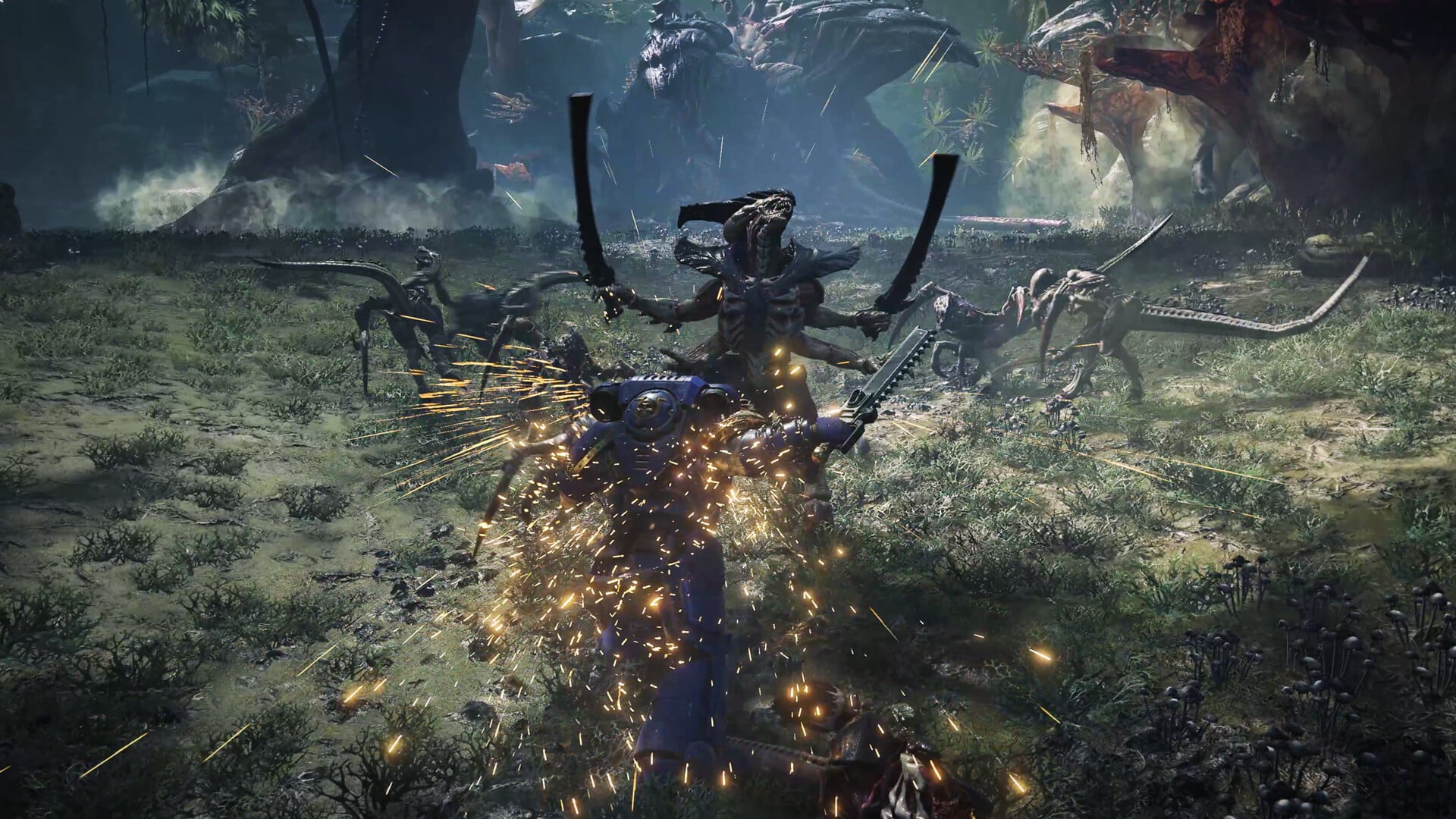
With Warhammer 40K: Space Marine 2 almost upon us, Saber Interactive has blown the lid wide open when it comes to the game’s performance, whether it’ll be on Xbox Game Pass, how will multiplayer co-op and PvE work and more.
Warhammer 40K: Space Marine 2 Performance Info:
On PlayStation 5 and Xbox Series X|S, is there a performance mode, quality mode, and what FPS can we expect? And other specific details.
Quality Mode: 4K resolution at 30FPS.
Performance Mode: Up to 60FPS at 1080p.
Please note that on Xbox Series S, the Quality Mode will allow for 1440p at 30FPS and the Performance Mode will not be available.
Multiplayer and about playing with teammates in all 3 different modes…
Will my progression be saved when playing offline?
Be reassured, in Campaign Mode, your progression will be saved on PC, PlayStation 5 and Xbox Series X|S while playing offline.
For Operations Mode (PvE), you will need to be online to ensure your progress in PvE is saved. Offline progression will not carry over to your next session, so make sure you’re connected to keep all earned perks, skins, and other rewards.
Does cross-platform save work well?
➡️ Yes, cross-platform saves are fully functional through the platform Prism Ray Online Services (PROS).
Is PvE/PvP playable via LAN?
➡️ LAN play will not be supported.
Will the game support crossplay, and can it be toggled off?
➡️ Yes, full crossplay between Steam, Epic Games Store, PlayStation 5 and Xbox Series X|S players will be supported from Day One.
You will be able to play the Campaign and PvE modes without any restriction, but note that for fairness and balancing purposes, crossplay for the PvP mode “Eternal War” will be split between PC players in one pool (Steam & EGS) and console players in the other one (PlayStation 5 & Xbox Series X|S).
You will also have the option to disable crossplay functionality if you prefer to only play with those using the same platform as yours.
Are there any restrictions for what classes can be played in Operations mode (PvE)? What about Eternal War (PvP)?
➡️ Your squad may only include one Space Marine of each class in Operations mode. In Eternal War mode, there is a limit of two players per class and per team.
No all-Sniper teams, but you’ll have plenty of strategic variety! 🎯
Is there friendly fire when playing Campaign, Operations or Eternal War modes?
➡️ There is no friendly fire in either of the 3 game modes.
FAQ on Pre-Load, Anti-Cheat, and More
Will I be able to pre-load the game, and if so, when will pre-load be available?
➡️ Your ability to pre-load Space Marine 2 depends on your platform of choice:
On Xbox Series X|S: Pre-loading is already available. You will download the full game as soon as you pre-order either of the game’s versions. The game will unlock on September 5 or September 9 depending on whether you purchased the Standard, Gold or Ultra Edition.
On PlayStation 5: Pre-loading will be available on September 3 at 11:00 AM UTC if you have pre-ordered the Gold or Ultra Edition, to allow you to play up to 4 days before the official release. If you have pre-ordered the Standard Edition, pre-loading will start on September 7 at 4:00 PM UTC and the game will unlock on September 9, the day of release.
On PC: Pre-loading will not be available.
What kind of communication tools will we have in-game?
➡️ There is a Voice Chat, a Communication Wheel with preset messages and a Text Chat (exclusive to PC versions) to facilitate your exchanges with your teammates.
Does the game support the haptic features of the DualSense controller?
➡️ We support force triggers on the DualSense controller, but not haptic feedback at launch.
What about RayTracing, DLSS, and other PC-specific technologies?
DLSS2 / FSR2: Available at launch.
DLSS3 / FSR3: Planned for post-launch.
RayTracing / HDR: Not supported.
Is the game compatible with wide screens?
➡️ Wide screen support is planned. While it won’t be available right at launch, we’re working on implementing it by the end of September.
Will the game be playable on Steam Deck?
➡️ We are working on official Steam Deck support, but it’s not ready yet. We’re currently targeting the end of the year for full Steam Deck support.
Will the game have official mod support (e.g., NexusMods, mod.io)?
➡️ We currently have no plans for official mod support.
What anti-cheat system is in place?
➡️ We will be using Easy Anti Cheat on PC at launch.
Does the game use DRM software (ie. Denuvo…)?
➡️ No.
Will the game be available Day One on GeForce Now?
➡️ Yes.
Will the game be available through the Xbox Game Pass?
➡️ No.
Can the HUD elements be removed? Is there a “Cinematic” mode available?
➡️ Though there is no actual “Cinematic” mode available where all of the UI elements can be turned off at once, all of them can be individually displayed or removed through the Settings menu. Only the crosshair, enemy attacks and missions objective pop-ups will be visible.
Three options are available: ON, OFF or DYNAMIC, with “Dynamic” meaning that the UI elements you’ve chosen will appear when you need it most (for example, during combat) and disappear otherwise.
Do I need to have played the first Space Marine to enjoy Space Marine 2?
➡️ Having played Space Marine is absolutely not a requirement for playing and enjoying Space Marine 2. Both games’ storylines can be enjoyed individually, and both offer brutal third-person action gameplay. You may be missing some very specific references, but that won’t stop you from enjoying the bigger picture at all.
What are the game’s accessibility options?
➡️ You can enlarge the size of subtitles to make them easier to read, as well as 3 different colour blind modes.
Which languages will be available?
➡️ The game is fully voiced in 7 languages: English, French, German, Spanish, Russian, Japanese and Mandarin Chinese.
➡️ All the texts are available in no less than 17 languages: English, French, German, Italian, Russian, Czech, Polish, Ukrainian, Spanish, Spanish (Latino-American), Japanese, Korean, Brazilian Portuguese, Mandarin Chinese, Traditional Chinese, Thai and Turkish.
At what time does the game release?
➡️ Mark your calendars:
Outside of the launch plans, Saber Interactive has also shared details on the Space Marine 2 roadmap which promises a load of free content incoming post-launch for free!
Warharmmer 40K: Space Marine 2 will shoot out this September 9 on PS5, Xbox Series X|S and PC, and you can look forward to our review at launch.
KT Racing has designed Test Drive Unlimited Solar Crown (TDUSC ) to be a live service game, and that means regular updates, content drops and the like. For those planning to pick up the racing game, Nacon and KT Racing have revealed the complete Test Drive Unlimited Solar Crown roadmap for its first year, alongside the planned post-launch content incoming for racers.
Test Drive Unlimited Solar Crown Roadmap for Year 1:
Season 1 – Launch content from September 12, 2024
The Solar Crown competition opens its doors! Once the game is released, the most competitive players will be able to embark on a series of races and frantic challenges to climb the ranks, collect Solar Points and climb to the top of the leaderboard in the hope of becoming the next Solar King/Queen. This first season also includes 60 player levels, 50 Sharps/Streets clan progression levels and a free 25-level Solar Pass featuring various rewards, including cosmetics and an exclusive car.
Season 2 – Ibiza city makes its comeback
This second season marks the return of a familiar location that TDU2 fans have known for 13 years: Ibiza (Eivissa in Catalan) is back in TDUSC, more splendid than ever. Players will be able to discover the city and its outskirts, recreated at 1:1 scale in the KT Engine, offering players a different and complementary experience to Hong Kong Island, 3 months after the game’s release. The season will be accompanied by an island-exclusive clan progression with 20 new levels, a Solar Pass, new rewards and exclusive cars, including 5 car models revisited for the occasion.
Season 3 – Clan War, a constantly evolving game mode
This third season revolves around a clash between the Sharps (whose members consider themselves the elite of sophistication and luxury) and the Streets (provocative and sometimes extreme, seeking to make their mark) across Hong Kong Island and Ibiza/Eivissa, with the arrival of the clan war. This season will also feature 30 new clan progression levels and seasonal content additions.
Season 4 – The Casino, an iconic location in the Unlimited series
The fourth and final season of Year 1 marks the grand return of the Casino, a favorite of Test Drive Unlimited 2 fans. This new Solar Crown version of the Casino will offer players the chance to wager their virtual currency through a variety of activities, including poker and slot machines. In addition to bringing 50 player levels, the Casino will allow players to win exclusive new cars, cosmetics and rewards.
In addition to the four seasons already announced, KT Racing will also release updates “designed to enhance the gameplay” which includes ongoing work on cameras and steering wheel animations in first-person view. The TDUSC team is said to be “committed to keeping the game active for many years to come.”
Player First Games has pushed out MultiVersus update 1.41 on last-gen, update version 1.041 on current-gen this August 29. This title update enables all fighters to be playable in local play game modes and also introduces a host of fighter balance adjustments,
Patch Notes:
General
All fighters are now available for play in local play game modes
General Combat
With the Ground Bounce Auto-Tech system now in place, we’re able to start bringing back more ground bounces and improve combo routes and approach options. This is the beginning of this effort.
Air Down and Air Down-Forward Dodges will now more reliably land on platforms
Certain air attacks now maintain less momentum when executed as part of a dodge off of a platform
General Bugfixes
Fixed an issue where controller rumble was not properly playing
Fixed an issue where the Marceline Ringout was disabled
Fixed an issue where Voice Lines were not playing for some characters
Rifts
Rift Updates
“In The Shadows” gem is now re-enabled
Fixed issues with the camera preventing progression during the co-op golf mini-game
+ Repeat-move lockout reduced to 13 frames from 18 frames
Air Neutral Special
+ Start-up window before charge reduced 4 frames
Beetlejuice
Ground Dash Attack
+ Knockback scaling increased to 20 from 18
+ Damage increased to 9 from 8
Ground Side Attack 2
+ On-hit cancel window advanced 1 frame
– Hitstun reduced
Ground Side Attack 3
+ Start-up window reduced 3 frames
Ground Down Attack
+ Start-up window before charge reduced 4 frames
Ground Up Attack
+ On-hit cancel window advanced 5 frames
~ Hitbox updated to better match the fist on up attack
Air Side Attack
+ Damage increased to 8 from 7
+ Knockback scaling increased to 15 from 13.5
Air Up Attack
+ Damage increased to 7 from 6
+ Knockback scaling increased to 9 from 8
Ground Down Special
* Fixed an issue where the bomb visuals would stay on screen if the ground disappeared underneath Beetlejuice
Air Side Special
+ Sour Spot Hitbox Damage increased to 7 from 5
– Sour Spot Hitbox Knockback reduced to 2650 from 2800
+ Knockback Scaling to 15 from 9
Garnet
“Marker” Perk
~ Gauntlets no longer spawn a star if the gauntlets are too close to the edge of the arena
Jake
Air/Ground Side Special
* Fixed an issue where Jake wouldn’t look like he was running while moving as a horse
LeBron
Air Down Attack (Basketball and No Basketball Versions)
+ Now allows fast-fall during attack start-up
Air Neutral Attack
~ More upward aerial momentum is maintained on attack start-up
Morty
This is a revert to the Air Side Attack 1 changes from patch 1.2.0. This should make the Air Side Attack more reliable connecting into Air Side Attack 2 and it should bring back its ground bounce properties due to the knockback angle popping up less.
Air Side Attack 1
– Knockback reduced to 1000 from 1300
– Knockback scaling reduced to 5 from 6
+ Knockback angle made more horizontal allows for more ground bouncing
Air Down Attack
+ Hitbox start-up time advanced 1 frame; Hitbox active duration increased 1 frame
~ Visual effects now better match attack properties
Ground Up Attack
+ Gun tip Hitbox damage increased to 6 from 1
+ Knockback increased to 1350 from 750
Reindog
Ground Side Attack 1
– Hitstun reduced
Air Side Attack
+ Knockback made more downwards to allow ground bounce combos
Air Neutral Attack
+ Projectile start-up time reduced 1 frame
Shaggy
Rage Air Side Special
* Fixed an issue where this attack was breaking armor unintentionally
Taz
Dodge Land
* Fixed an issue where Taz’s dodge land would not slide off of platforms
Once another MultiVersus patch is out, we’ll be sure to let our readers know.
Rockstar Games has just released the GTA Online new weekly update for August 29 with fresh activities and discounts, GTA+ benefits and more! Read on below for the full highlights and details in one handy list below.
GTA Online New Weekly Update for Aug. 29:
Double GTA$ and RP on Bunker Sell Missions, Fooligan Jobs, and Deadline
Double GTA$, RP, and Research Progress on Bunker Research Missions
A GTA$100,000 bonus and free Warstock Tee for completing three Bunker Research Missions
Double Bunker Research Speed
30% off Bunker Properties, their Upgrades & Modifications
Premium Deluxe Motorsport Vehicles: The Lampadati Tigon, Dewbauchee Rapid GT Classic, Bravado Verlierer, Pegassi Vacca, and Nagasaki Hot Rod Blazer
Luxury Autos Vehicles: The Annis Euros X32 and Överflöd Pipistrello
LS Car Meet Prize Ride: Place Top 2 in the LS Car Meet Series two days in a row to win a Principe Lectro
LS Car Meet Test Rides: The Vysser Neo, Invetero Coquette BlackFin, and Dewbauchee Rapid GT Cabrio
Vehicle Discounts: 40% off the Lampadati Tigon, plus 30% off the Nagasaki Shotaro, Progen T20, BF Dune FAV, HVY Nightshark, Declasse Weaponized Tampa, and Vapid Flash GT
Gun Van Discounts: 30% off the Grenade Launcher and Vintage Pistol (for GTA+ Members)
GTA+ Benefits: Last month to get an additional GTA$1,000,000 bonus alongside the standard
Navigate the obstacles of Bullworth Academy as mischievous teenager Jimmy Hopkins in Bully — now part of the GTA+ Games Library included with GTA+ Membership. Members can also claim the following through September 4:
Free Benefactor Vorschlaghammer (Sedan)
Free Vorschlaghammer Drift Tuning Upgrade at the LS Car Meet
Nightclub Management and Casino Story Mission Bonuses
Crytek has deployed Hunt Showdown 1896 update 1.000.004, which is available for download now on consoles and PC. This is a minor update that seeks to address various issues that have affected players since the launch of the current-gen game engine upgrade for the game. Note that there is associated server downtime with the patch as well.
Hunt Showdown 1896 Update 1.000.004 Patch Notes for Aug. 29:
We will be bringing the PC and PS5 servers down at 14:00 CEST to deploy a patch addressing several issues that have occurred since the release, including fixes for various crash scenarios, blurry scope, and more.
The estimated downtime is 90 minutes.
We apologize for the late notice. Thank you for your patience.
Please note, Xbox servers will also be affected during this process.
After the downtime, Xbox players can still matchmake with updated PS5 players. We appreciate your patience and understanding as we work to get this update rolled out swiftly. Stay tuned for more updates!
Update: Added the official patch notes from Crytek!
BUG FIXES:
Fixed a bug that caused the game to freeze or crash when opening the map during banishment in Bounty Hunt.
Fixed a bug that caused the game to crash when triggering multiple light sources (such as alert trips or fuses).
Fixed a bug that caused a crash when adjusting any HDR setting on consoles.
Fixed a bug that caused the game to get stuck on an indefinite loading screen after resuming from a suspended state during a multiplayer session.
Fixed a bug that prevented the “Recently Played With” list from populating after completing a Bounty Hunt session.
Fixed a bug that caused scopes to appear blurred.
Fixed a bug that caused the mission summary to be missing after completing Soul Survivor or Bounty Hunt.
Fixed a bug where the “Filter On” and “Sell” buttons shared the same shortcut on the gear screen.
Fixed a bug that allowed regions with a ping above the limit to still be selected and applied.
Fixed a bug where the region was not displayed in the mission stats.
KNOWN ISSUES:
Users of AMD Vega and Polaris (500) GPUs experiencing issues with shadows not rendering correctly, causing excessive darkness within a 20 meter range.
Consoles occasionally overheating during specific menu interactions and gameplay situations.
Stuttering when activating Dark Sight near a clue, upon being killed and when the death screen UI loads, during fights with Hellborn, and/or when entering compounds.
A black screen may occur when launching the game for the first time.
Statistics and last match screens may be unavailable at certain points.
Filtering of equipment is not always working reliably.
Occasional crashes.
No word yet whether we’ll be getting a proper changelog, but if we do spot one, we’ll update the article to reflect it. Hunt Showdown 1896 is out now and is the game engine upgrade version of Hunt Showdown. If you owned the game before, you should be able to upgrade for free.
Hangar 13 has released a new update for TopSpin 2K25 today on all platforms, and this rolls out the return of serve with Flat Control shots, updates the attribute requirements for Shot Counter and more. This will show up as TopSpin 2K25 update 1.14 (PS5 version 1.014), and the patch notes are available below, as well as what the devs have planned in terms of future updates.
Invite your friends to play TopSpin 2K25 and earn up to 3 rewards! Your referred friends will also receive in-game rewards! This new game feature went live today! Learn more about it HERE!
Game Updates: Our next patch, Patch 3.1:
Updated returns of serve with Flat Control shots to be better in terms of power and aiming.
This change benefits all players regardless of their Reflexes attribute, but is more noticeable for players with a higher Reflexes attribute, making them able to hit better returns with Flat Control shots, even when receiving fast serves.
Rebalanced the impact of the Return Service Counter skill to make it more noticeable when returning fast serves with Flat Control shots
Rebalanced the impact of Shot Counter, Monster Defense and Longer, Better! skills to make them more noticeable
Updated the Attribute requirement for Shot Counter skill to be Reflexes>=50 (was Forehand>=50)
Future Patch Considerations Hangar 13 Is Looking Into:
Rebalanced serves performed by Al players at higher difficulty levels to have better power and aiming output when their Serve attribute is high
Investigating the ability for “bad” shots to aim closer to the line on rare occasions to add more variety
Investigating tweaks to the Fatigue system in MyCAREER
Rebalancing the impact of the Forehand and Backhand attribute and how they influence where the ball lands on the court
Rebalancing the impact of slice shots to be more impactful in neutralizing the opponent’s shots (power and aiming)
If we get another changelog from the devs with more fixes, we’ll update the article.
Earlier today, well-known leaker billbil-kun hinted at the possibility of upcoming news about “a new version of hardware you’re very familiar with,” strongly suggesting that the PS5 Pro might be the subject of this leak. This speculation has now turned into reality, as the insider has just released an image revealing the console’s design, along with a possible launch window.
The information comes from billbil-kun, who claims that the PS5 Pro design will closely resemble the PS5 Slim model. According to the insider, the packaging for the PS5 Pro displays an image of the console’s design. The sketch indicates a design similar to the PS5 Slim but with three black stripes across the middle. Additionally, the PS5 Pro might be slightly thicker than the PS5 Slim, with likely compatibility with existing faceplates.
Sketch of the PS5 Pro design (Credits: Dealabs)
As for the features, there is no confirmation yet on whether the PS5 Pro will include a disc drive, since the leaked image only shows a digital version. The PS5 Pro could launch either as a digital-only edition or with an optional disc drive, much like the PS5 Slim. The announcement is expected in the first half of September, but the exact date is unclear.
Well, that’s all the information that has come to light thanks to this leak. Since this information comes from a relatively reliable source, it’s likely that these details are accurate. That said, please don’t take any of this as fact just yet since they’re not official in any way. Now, we just need to wait for an official statement from PlayStation.
For those that can’t login to College Football 25, it’s not just you, as servers have been pulled down by EA, and this is for maintenance! During this time, a new patch will be available for download, which will show up as College Football 25 new update 1.010 and this should be for Season 2 for the sports sim.
College Football 25 Update 1.010 Patch Notes and Server Outage Schedule for Aug. 29:
Update 2: EA has revealed the entire patch notes
GAMEPLAY
New Switch Stick Delay option is available. This will be found in your game options menu. The options include:
No Delay
Slight Delay
Large Delay
Disable Switch Stick
Fixed an issue where players would receive a Speed Boost when using Custom Stems and Smart Routing.
Dev Note: We will be working on an additional fix slated for the next title update which will result in further balancing.
Increased the responsiveness of the pass block slider for users and CPU.
Fixed an issue where defenders could slip through double teams without the appropriate animation.
General CPU play call and coach suggestion tuning across all modes.
Dev Note: We will monitor feedback on this and make necessary changes in future title updates.
Decreased the times the CPU calls jet touch pass.
Increased the effectiveness of Pass Committing vs Trick Plays.
Increased the risk of Run Committing from Man Coverage.
Fixed an issue where players could continue to spin when using a conservative ball carrier coach adjustment.
Adjusted the AI Logic to significantly reduce the chances of receiving a roughing the kicker penalty on punts and field goals.
Increased the chance for Defensive Linemen to sniff out HB Screen plays
Added 11 new formations to teams’ playbooks including:
Singleback Wing Slot Over (Uconn, Charlotte)
Pistol Ace Double Wing (Ball State)
Pistol Doubles Y Off Stack (Florida, Louisville, Illinois)
Pistol Trips Over Y Off (Cincinnati)
Pistol Full House Twins Over (NMSU, UNLV, Option, Spread Option)
Pistol Wing Slot Over (Florida, Texas A&M, Michigan, Kennesaw State)
Pistol Weak Slot Over (Texas A&M, Cincinnati)
Pistol Strong Trips Over (Florida, Multiple, Cincinnati)
Added new Jet Sweep series plays under center for Utah, Bowling Green, Kentucky
Added more formations and plays to multiple teams’ playbooks, specifically empty and short-yardage formations (will continue through future title updates)
Changed default personnel for Liberty’s pistol formations to have 2 HBs instead of an HB and a TE/FB
DYNASTY
Enabled the ability to edit ratings for non NIL players and recruits.
Further Super Sim tuning to reduce completion percentages across the country, especially limiting quarterbacks completing more than 70% of their passes.
Introduced new AI Super Sim timing logic for in-game simming. Play time will now scale to the selected quarter length.
Dev Note: This applies to Super Sim – Normal and Super Sim – Fast settings
Enabled Mass Subs for Online and Offline Dynasty games when playing against the AI. You will be able to sub in either your entire 2nd unit (if your starters are in) or your entire starting group (if your 2nd unit is in).
Further tuning of Awards systems.
Fixed an issue with the Stat Display for Returner of the Year.
Updated data for Kent State and Oklahoma State Coaching Staff
Dev Note: You will be required to start a new Dynasty for the updated staff.
Fixed an issue where the Broken Vertebrae injury was incorrectly labeled as a Strained Back.
COLLEGE ULTIMATE TEAM
Player Upgrade & Refund animations are no longer misaligned.
Fixed an issue that was causing Milestone Progress to display incorrectly. You would see two different milestone totals at times depending on where in the Challenge Sequence you viewed.
Fixed an issue that was causing the filter drop down for ‘My Rank’ and ‘Top 100’ to remain on the screen after navigating away in Solo Battles.
Fixed a navigation issue on the Live Events tab that was giving users error messages after selecting ‘Objectives.
When viewing Team Chemistry on the Upgrade Tab of the Single Item Viewer, the required coin amount to unlock the Chem will be displayed. Previously, the amount was only shown on the confirmation popup.
Fixed an issue with Sets that gave users server errors after trying to add an Item Set.
‘Open Next Pack’ is now available during the Fantasy Pack Flow. Hopefully it’s a little quicker to open up some of those rewards from Season 1.
Cleaned up truncated text on various screens.
ROAD TO GLORY MODE
Gave players the ability to audible regardless of what position you are in when lined up on the field.
Re-tuned starting attributes for all HB archetypes, which includes an increase to speed, agility, change of direction, and stamina (to lower the times you get pulled from the game after a big run)
Re-tuned starting attributes for all CB archetypes, which includes an increase to speed, stamina, acceleration, and agility
PRESENTATION AND UI UPDATES
Introducing new uniforms for Arkansas State, UAB, Western Kentucky, Louisiana Monroe, Tennessee, ECU, West Virginia, UMass, Charlotte, Ohio State (jersey swoosh will only turn diamond when in playoff games), Colorado State, Minnesota
Additional Tier Rebalancing to reflect the 5 Tier format.
Season 2 is here!
Season 2 of College Football Ultimate Team™ launches today. Work your way up the Field Pass to earn all-new player rewards, packs, Coins and more. Dominate the new Daily Solo Seasons mode, kick off the college football season with Welcome Packs, honor Legends, celebrate Weekly Phenoms, and more.
Update: While EA has not revealed the complete patch notes, there’s a lot of info about now available thanks to the community!
Patch removed Bevo XV from his designated area during home ages (via JRiggsIV)
Ohio State “Heritage Stripe” home and away jerseys have been added (via WalkingOnSunshine_)
Expect the servers to be out for at least 2-4 hours if past maintenance outages are anything to go by.
As for the patch notes, EA has not revealed anything yet, though we know that Season 2 will be revealed today! Players can expect new uniforms and new fixes as well.
Tune in to the CFB Rundown tomorrow at 11AM ET for reveals of both Season Two and College Kickoff Vol. 1 #CFB25
Once the community finds anything that got fixed, we’ll be sure to update the article with new info. Hopefully, it won’t take EA a day to push out the official patch notes which has happened with the last title update.
The first-ever post-release patch for Black Myth Wukong is now live, and this brings a bunch of gameplay-related fixes, with some enemies even getting adjustments, Those on console will see this as Black Myth Wukong new update 1.000.008, which has the official developer version as 1.0.8.14860!
Black Myth Wukong New Update 1.000.008 Patch Notes for Aug. 29:
Download Size: 1GB (PS5)
Major Updates:
Fixed an issue where enabling FSR could cause crashes for some players during startup or the prologue.
Fixed a crash issue in certain areas of the Webbed Hollow when NVIDIA Full Ray Tracing is enabled.
Fixed an issue where hair would stretch abnormally.
Optimized the hair effects for Yaoguai King “Lingxuzi”.
Fixed an issue where certain enemies could get stuck motion in specific situations.
Slightly reduced the stats of Yaoguai King “Captain Wise-Voice”.
Fixed an issue where the attack from Lesser Yaoguai “Lantern Warden” in Pagoda Realm could push players into walls.
Fixed an issue where the Destined One could get stuck in performing “Whirling Thrusts in Thurst Stance” and become unresponsive.
Fixed an issue where the Destined One could not switch stances properly in the sixth chapter.
Fixed an issue where the Destined One could encounter stats errors in specific situations.
Fixed an issue where the icon for the quest related to Yaoguai Chief “Daoist Mi” would still appear on Travel menu after the quest became unable to complete.
Fixed an issue where the progress display for collecting Portraits in Journals was incorrect.
Fixed some text errors in Chinese.
Added translations for Portraits in several languages and optimized existing translations.
Added translations for song titles and lyrics in Music library in several languages and corrected display errors in English lyrics.
Optimized translations for Talents, Equipment, and Inventory in several languages and fixed some text errors.
Improved the layout of subtitles in several languages.
Optimized the translation of loading screen tips in several languages.
In addition to the fixes, GameScience has also identified an issue where setting the system’s language to Turkish on PS5 causes the game to crash on launch! Here’s a temporary workaround before the patch for it is released:
Change the console language to English (or another language) via the PS5 main menu: Settings > System > Language > Console Language
This will be addressed in an upcoming patch per the studio, and we’re hoping this also comes with other bug fixes as well.
It’s finally here, descendants! The game’s first major patch has dropped for Season 1: Invasion! Those on consoles will see this as The First Descendant update version 1.18 (PS5 version 1.018) this August 29, which introduces a new descendant, Karel’s new weapon, and a ton more content!
Read on for the patch notes and the changes made by Nexon today in Season 1 patch 1.1.0!
Complete The First Descendant Update Version 1.18 Patch Notes for August 29:
New Content:
Update 1.1.0
New Descendant: Hailey
– Added “Hailey Scott.”
Hailey Skills
– [Passive Skill] Safe Strategic Retreat: The “Weak Point Damage” decreases when attacking nearby enemies, and increases when attacking distant enemies.
– [Active Skill 1] Cryo Round: Fires multiple Cryo Rounds at enemies to deal damage and inflict “Cryo.”
ㄴ Enemies inflicted with “Cryo” receive additional damage from Hailey’s firearm attacks.
– [Active Skill 2] Storm Snare: “Knocks back” enemies with a “Chill Vortex” and fires a giant Freezing Beam. Hit enemies are inflicted with “Cryo.”
– [Active Skill 3] Cold Fury: Grants “Cold Fury” to herself every second.
ㄴ While in the “Cold Fury” state, her Movement Speed gradually decreases, but her Firearm Penetration and Critical Hit Rate for Firearms and Skills all increase significantly.
ㄴ Once “Cold Fury” reaches maximum stacks, she becomes immune to “Knockdown” and her Firearm and Skill Critical Hit Damage increases.
– [Active Skill 4] Zenith: Equips her “Unique Weapon.” When attacking with the “Unique Weapon,” greatly increases Penetration and Firearm ATK and deals additional Chill skill damage. Recovers MP upon attacking Weak Points. When the “Unique Weapon” skill ends, decreases the Cooldown of the skill depending on the number of bullets.
– Hailey’s “Enhanced Cell DNA,” “Stabilizer Components,” “Spiral Catalyst Links,” and “Data Chips” can be acquired by completing “Invasion Dungeons.”
ㄴ Clear any Invasion Dungeon to acquire one of Hailey’s Research Materials with a 100% chance.
ㄴ Clear Invasion Dungeons faster to acquire up to 3 Hailey Research Materials at once.
ㄴ Invasion events occur daily in two dungeons. Invasion Dungeons can be cleared twice per day.
– Hailey’s Research Materials can also be acquired by defeating monsters in Hard Infiltration Operations. To farm Hailey’s research materials faster, participate in the following Hard Infiltration Operations.
ㄴ Hailey Enhanced Cell DNA: [Kingston] [Hard] – Magister Lab, Slumber Valley
ㄴ Hailey Stabilizer Component: [Vespers] [Hard] – The Shelter, [Echo Swamp] [Hard] – The Chapel
ㄴ Hailey Data Chip: [Hagios] [Hard] – The Haven, [White-night Gulch] [Hard] – Mystery’s End
New Episode: Invasion
– After completing all existing main quests, the Invasion episode continues with the “Mysterious Phenomena” quest.
– Progress through the main quest “Altered Design” to unlock the new progression system “Inversion Reinforcement.”
– Progress through the main quest “How to Hide the Truth” to unlock the new content “Invasion Dungeon.”
Invasion Dungeon
– You can enter Invasion Dungeons from the Infiltration Operations Terminal.
– The Invasion event occurs daily in two of the “Hard Infiltration Operation” dungeons.
– You can choose to play either “Infiltration Operation” or “Invasion” in a dungeon where the Invasion event has occurred.
– Invasion Dungeons can only be played solo.
– While the number of entries isn’t limited, you will no longer be able to enter the Invasion Dungeon once you’ve acquired all of the “Ironheart Particles,” which are obtained by clearing the dungeon.
– Invasion Dungeons have unique mechanics for each Vulgus Legion, requiring different strategies.
ㄴ Legion of Immortality: The “Phase Separation Veil” blocks the entrance. As it nullifies all attacks, you need to overload it and shut it down. Defeat the enemies and feed their “Artificial Brains” into the Quantum Computing Unit. Unlock the entrance while the “Phase Separation Veil” is down.
ㄴ Order of Truth: You must survive the explosion from Inversion Energy and ancient Arche. Remove malignant tumors from the “Arche Pillar” and identify its symbol. You must find the “Ancestor Drone” that matches the symbol. After surviving the explosion, destroy the “Wall of Malignant Tumors” with the “Inversion Energy Emitter.”
ㄴ Legion of Darkness: You must disable the encryption system sealed with Inversion Energy. Climb the “Central Control Unit” and identify the trait of the “Arche Tile” with Guide’s help. Occupy “Arche Tiles” of the same color to decode the encryption. The Legion of Darkness Vulgus will try to take back the “Arche Tiles.”
– The faster you clear Invasion Dungeons, the more Hailey Research Materials you can acquire.
– Clear Invasion Dungeons to acquire Gold and “Ironheart Particles (Inversion Reinforcement EXP).”
Inversion Reinforcement
– You can check the Inversion Reinforcement from your Inventory.
– Acquire “Ironheart Particles (Inversion Reinforcement EXP)” to level up your “Inversion Reinforcer.”
– As the level of the “Inversion Reinforcer” increases, you will gain “Energy” which can be used to learn the Inversion Reinforcement Effects.
ㄴ There are 5 types of Inversion Reinforcement Effects: “Hunt,” “Attribute,” “Recovery,” “Survival,” and “Season.”
ㄴ When you learn all 4 effects in the same line, the line’s Collection Effect will be enabled at all times.
ㄴ You can enable and use 3 of the Inversion Reinforcement Effects you’ve learned.
ㄴ You cannot enable 2 effects in the same line simultaneously.
ㄴ The Inversion Reinforcement Effects are applied to all Descendants.
– Inversion Reinforcement will be reset at the end of the Invasion Season.
Hard Difficulty Field – Collect Ironheart Particles
– Added the “Collect Ironheart Particles” task for the Hard Difficulty fields.
– Complete the task to acquire “Ironheart Particles (Inversion Reinforcement EXP).”
– The progress status of the “Collect Ironheart Particles” task will be reset at the end of the Invasion Season.
New Module: Luna’s Modification Modules
– Singer’s Mercy: When using a skill, places a speaker and grants buffs to allies near the speaker.
– Aggressive Melody: Changes the effects of “Passionate Stage” and “Delightful Stage” to the increase of Firearm Damage and Weak Point Damage.
Battle Pass
End of Pre-Season Battle Pass
– The Pre-Season Battle Pass, Battle Supply Shop, and Bonus Shop will be closed.
– You will automatically receive Battle Pass rewards you unlocked by leveling up but have not claimed.
– If you have any remaining Supply Coins, you will automatically receive the remaining items in the Battle Supply Shop in sequence.
– Remaining Supply Coins after the purchase of all Battle Supply items will expire and cannot be recovered.
– Unused Bonus Coins will expire and cannot be recovered.
Start of Invasion Season Battle Pass
– The new Invasion Season Battle Pass arrives.
– Get the new Ultimate Weapon, EXCAVA, as the Battle Pass reward.
– Acquire the helmetless head skins of Bunny (Exhilarating Breakaway), Valby (For Freedom), and Sharen (Tactical Decision).
– Also check out the cute cat back attachment “With Cats”.
– Enjoy many more Battle Pass rewards, including free rewards.
Start of Invasion Season Battle Supply Shop
– The new Invasion Season Battle Supply Shop arrives.
– The Battle Supply Shop is all free. Level up your Battle Pass and obtain various skins.
– Acquire Bunny’s “Golden Afterimage” body skin and “Voltage Control Mask” head skin.
– Acquire Valby’s “Liquefaction Acceleration” body skin and “Hydraulic Adjustment Helmet” head skin.
Added New Products
– Added Hailey to the list of standard Descendants in the shop.
Recently, we’ve received feedback that players who are hard of hearing find it difficult to locate Encrypted Vaults. Therefore, we’ve added visual cues to the Encrypted Vaults hint to help more players feel comfortable playing The First Descendant. We hope this small change helps players with hearing loss, and we will continue to work hard to improve accessibility so that everyone can have a better gaming experience.
– Replaced missions in Hard Infiltration Operations with more combat-oriented ones.
Regions
Missions
Changes
Kingston
Magister Lab
Replaced Occupation with Extermination
Slumber Valley
Replaced Occupation with Extermination
Sterile Land
The Forgottense
Replaced Defense with Collection Extermination
Unknown Laboratory
Replaced Occupation with Annihilation
Vespers
Sepulcher
Replaced Escort with Extermination and Destruction
Echo Swamp
The Chapel
Replaced Seizure with Extermination
Agna Desert
The Asylum
Replaced Transport Disruption with Collection Extermination and Hacking with Extermination
Caligo Ossuary
Replaced Transport Disruption with Collection Extermination and Hacking with Extermination
White-night Gulch
Mystery’s End
Replaced Seizure with Power Shutdown and two Occupation missions with Extermination and one Occupation mission with Destruction
Bio-Lab
Replaced Occupation and Defense with Extermination.
Hagios
The Haven
Replaced Defense with Extermination
Old Mystery
Replaced Transport Disruption with Extermination
The Fortress
Heart of the Fortress
Replaced Transport Disruption with Extermination
– Increased the EXP reward for completing Hard Infiltration Operations. Also increased EXP for defeating monsters by 1.5 times.
– You can now acquire rare basic materials as a reward for completing Hard Infiltration Operations.
– Increased EXP for defeating monsters in Normal Infiltration Operations by 1.5 times.
# Director’s Comment
The 1.1.0 update brings many changes to Hard Infiltration Operations. We’ve changed some of the pre-existing missions such as Occupation, Defense, and Escort to Extermination or Destruction to give players a run-and-gun styled fast-paced combat experience as they enjoy repeated farming. The reward system has also been adjusted to reflect this: we’ve significantly increased the amount of EXP gained from defeating monsters and completing missions in Hard Infiltration Operations, and while Special Operations are still the better option for farming EXP, Infiltration Operations can now provide a decent amount of EXP as players farm items. Additionally, we’ve increased the amount of rare basic materials you can receive from clearing Hard Infiltration Operations. We’ll continue to add more content that allows players to enjoy their favorite styles of combat.
– Added directions to appear when using Ecive during missions.
– Monsters will no longer target players who are participating in other missions.
– Story dialogues will no longer be repeated in Hard Difficulty missions. As a result, Hard Difficulty missions will not play additional voice lines or subtitles.
– Changed the Immunity mechanics of certain Named Monsters. Replaced the sphere destruction mechanic of Eterllick, Celdir, Dmigor, and Plaudia with shooting weak points.
– Increased the barrier hit range of Named Monster Eterllick.
– Players will no longer be teleported when joining Largescale Outpost missions.
– Increased the Gold reward for completing Hard Difficulty Largescale Outposts by approximately 3 times.
– Improved the routes so that shards acquired from Void Fragments can be used on the Fusion Reactor in the same battlefield.
– More than doubled the amount of shards obtained from Void Fragments.
– Changed monster types and spawn locations in certain Void Fragment missions.
– Removed the starting requirements (Void Shards) of Void Fusion Reactors and added requirements (Void Shards) to the Reconstructed Devices that appear in Fusion Reactors.
– Made an improvement so that only one type of shard is required when using the Reconstructed Device in a Void Fusion Reactor.
– Reduced the time to interact with Reconstructed Devices.
– Summoned Reconstructed Devices now expire 10 seconds after all participants have used them.
# Director’s Comment
With the 1.1.0 update, we’ve made adjustments so that a single playthrough of a Void Fragment will yield enough Void Shards to use the Reconstructed Devices in Fusion Reactors once. We’ve also improved accessibility by making Void Fragments and Fusion Reactors on the same battlefield drop and require the same type of shards. While you can still obtain two types of shards from Void Fragments, the Reconstructed Devices in Fusion Reactors now require only one type of shard, further improving accessibility.
We are constantly monitoring feedback to further improve Outposts and Void Fragments. For long-term improvements, the dev team is considering ideas to evolve Outposts into a non-stop combat experience, as well as improving the farming accessibility of Void Fragments and Fusion Reactors with the integration of content.
In this 1.1.0 update, we’ve also changed the spawn location of certain Void Fragment missions to provide an efficient way to farm shards for each attribute. In addition, we’ve added snipers in certain Void Fragment areas to prevent the use of macros.
in certain Void Fragment areas
We hope these changes will make your farming experience more enjoyable.
– Players can now view the “Past Mission Results” from the menu after completing Special Operations, allowing them to restart the mission.
– Improved display of the mission tooltip information on the Special Operation and Infiltration Operation World Map screen.
– More than doubled the amount of shards that can be picked up in Special Operations.
– Acquire additional Descendant EXP when completing waves in Special Operations.
# Director’s Comment
We’ve made adjustments to Special Operations so that there is improved efficiency when farming EXP. While we recognize many players enjoy leveling up through Sterile Land Mine Blocking, we still believe it’s not as rewarding as other EXP farms that require a simpler play, such as Void Fragments.
As a result, in this update, we’ve added EXP when clearing waves in Special Operations. The fastest, “Mine Blockade,” will now give you about 1.5 times more EXP than before, while “Resource Defense” and “Neutralize Experiment” will give you 2 times more EXP. We hope this will help players level up more efficiently across various Special Operations.
(2) UI/UX
– Fixed issue to allow multiple socket types to be assigned to a single module socket.
ㄴ The socket type applied to Loadout Setting 1 can also be used for Settings 2 and 3 as well.
– For slots with multiple socket types, the socket type can be changed from the selected menu
ㄴ Each socket type for Loadout Settings 1, 2, 3 can be changed so they all may differ.
– Fixed issue to allow the dismantling of equipment during combat.
– Added dead zone settings to the game controller options.
– Made improvements so that the Amorphous Materials linked to Fusion Reactors are displayed in the acquisition information, like Intercept Battles.
– Made improvements to allow the ability to designate the quantity of researches when researching enhancement materials.
– Reduced research time for [Standard/Precision] Ion Accelerator, Phase Exchanger, and Adjustment Control Axis.
# Director’s Comment
We have added the ability to select the quantity of researches when researching enhancement materials. One consequence of this change is that only two studies in the research list will result for each enhancement material. This means, previously, multiple Adjustment Control Axis could be simultaneously created; now, when it comes to Adjustment Control Axis, only two can be researched at the same time.
With the addition of the research quantity selection feature, players can now research up to 500 Adjustment Control Axis at a time. This allows them to conduct more research in one go, reducing the number of visits to Anais. However, the inability to simultaneously conduct multiple research will reduce the amount of enhancement materials that can be acquired in a short period of time.
While we want to give players new features, we also want to make sure that players in certain situations aren’t losing out. As a result, we’ve shortened the time it takes to research enhancement materials so that despite only doing one research at a time, you’ll still acquire a similar amount of enhancement materials as before. We hope this will help players research and utilize enhancement materials more efficiently.
– Made improvements to display only modules you have in duplicate when combining modules.
– Increased the number of symbols that can be displayed, when designating them as Attached Items, to 8.
– Made improvements to allow the ability to set an “Equipment Option” category in “Filter all as junk” for Reactors and External Components in equipment.
– Changed the display location and design of the random options to improve inventory slots. Removed displays for the Reactor’s attributes/Arche type and fixed the display for External Components set effects.
– The Reactor icon has changed so that it now varies, depending on the Arche type.
– Changed some External Component icons to differentiate their appearance based on their DEF, Shield, and HP stats.
# Director’s Comment
Previously, in Update 1.0.7, we added information for random options, Arche type of Reactors, and External Component sets for item icons. The feedback we received was, that players were distracted, as there was too much information included. Based on this, we’ve made improvements so that the icon information is presented in a cleaner, more organized way. Dev Team will continue to listen to the valuable feedback given by community and players as we continue to make improvements to the game.
– Schematized the “Amount of Owned Equipment” tooltip in inventory.
– Significantly increased the quantity of Shape Stabilizer you own.
– Improved the map to show the location of records needed to be found when progressing Descendant related quests.
– Made improvements by adding a Tracking On tab when researching, making it easier to view the tracked target.
– Improved the Intercept Battle screen to display the number of Linked Amorphous Materials players have at each Intercept Battle.
– Improved the ability to view “Mission Details” through the mission tooltip on the map.
– Improved the display of the red dot when there are unacquired Battle Pass items.
– Improved the ability to purchase a one-time, large quantity of enhancement materials at the shop.
– Improved the ability to preview each component of a bundled product without moving the screen.
– Improved the ability to view each Evolution Stage of an evolving skin in the shop.
– [Console] Added attributes and Arche keywords, by type, to the Descendant and Weapon Module screens, making it easier to find modules on console platforms as well.
(3) Descendants
– Jayber
ㄴ Fixed an issue where some stats were not reflected in Jayber”s “Turret.”
Skill Power Modifier, Additional ATK for skills when attacking Colossus/Legion of Darkness/Order of Truth/Legion of Immortality, Incoming Damage Modifier
ㄴ Improved Jayber’s “Turret Sync” effect to apply to summoned turrets.
ㄴ When equipping skill module “Turret Engineering,” instead of improving summoned turrets to create a “Turret Zone,” increased cooldown of “Turret Engineering.”
– Blair
ㄴ Improved Blair’s “Pitmaster” Skill so it now increases the Critical Hit Rate by the number of “Flame Zones” he has, up to a maximum of 5.
ㄴ Increased Blair’s “Flame Zone” Skill DMG.
ㄴ Increased the DMG dealt by Blair’s “Burn” Skill effect.
ㄴ Made changes so that Blair’s “Extinguish” Skill no longer retrieves “Flame Zones.”
ㄴ Improved “Taste of Aggression” effect to stack for the “Extinguish” Skill.
ㄴ Improved the MP Heal per “Flame Zone” from the “Taste of Aggression” and “Power of Fire” effects to be proportional to Blair’s Max MP.
ㄴ Increased the maximum amount of “Flame Zones” that can be absorbed through the “Extinguish” Skill.
ㄴ Increased the duration of the “Blaze Up” Skill, reducing its MP cost.
ㄴ Improved the “Burn Taste” Skill so that the skill can be halted when pressing the button during use.
Increased skill DMG of the “Burn Taste” skill and improved it to be affected by duration-related modules.
Increased the Max Stack when equipping the “Incendiary Bomb” skill module, and reduced MP cost.
Increased the number of “Small Fireballs” for the “Deadly Cuisine” skill when the “Classic Chef” skill module is equipped, and increased the effect of the “Pitmaster” skill based on the Flame Zone count.
– Ajax
Improved Ajax’s “Orbit Barrier” and “Hyper Cube” barrier to be affected by attribute resistances, and increased the barriers’ HP and DEF ratios.
Increased the ratios of barrier-related stats when the “Life Barrier” and “Void Barrier” skill modules are equipped.
Fixed an issue with continuously recovering shield for “Void Walk” and “Matrix Recomputation” skills and increased the Max Shield Up ratio.
Improved the “Void Walk” skill to have faster motion transitions when used while enhanced.
Modified the “Body Enhancement” skill to increase HP, DEF, and Shield, and improved it to grant 100% Void Energy when used, but increased the Cooldown and Skill Cost.
Changed the “Void Walk” skill so that it can be stacked when the “Void Charge” skill module is equipped, and increased the damage dealt proportional to DEF when using the “Void Walk” and “Expulsion” skills.
Improved “Void Charge” to restore “Void Walk” stacks and reset the Cooldown of “Expulsion” when used while enhanced.
# Director’s Comment
In this update, we’ve made balance adjustments to Ajax, Blair, and Jayber. We’ve been closely analyzing feedback from the community and continue to monitor all Descendants and Ultimate Weapons. As we move forward with this Invasion Season, we’ll continue to balance more Descendants and Ultimate Weapons based on your feedback. We’ll do our best to make your experience more enjoyable and fair.
– Improved level balance for Descendant spawn sounds.
– Removed a voice that would play repetitively whenever hitting a note while Luna’s “Noise Surge” skill module was equipped.
(4) Equipment
– Changed the 4-piece set effect of the Ultimate External Component “Bravery” to increase “Skill Duration” without any conditions.
– Increased the “Incoming Damage Modifier” values for the “Pain Reliever”, “Sensory Dep (HP)”, “Sensory Dep (MP)”, and “Psychological Victory” modules.
Optimization Improvements
– Made some performance improvements when fighting many enemies.
– [PC, PS5, XSX] Made some performance improvements when using ray tracing.
– [PC] Optimized the Shader preparation stage.
Bug Fixes
(1) UI/UX
– Fixed an issue in the inventory where the DPS value within the weapon icon would change when designated as junk while in “View Module Stats” mode.
– Fixed an issue where the quantity tracker on the HUD would not update if you have Tracking On for an item you do not have on the Library screen.
– Fixed an issue where the “Start with the current squad” button would not display on the results screen after completing the final wave of Special Operations.
– Changed the squad recruitment countdown to no longer appear in the center of the screen when “Restart Mission” is selected in matchmaking.
– Fixed an issue where the icons for High-Value Mark for Arrest and Mark for Arrest’s icon looked unnatural when viewing their acquisition information.
– Changed “Firearm Critical Hit Resistance” to display to 3 decimal points in the inventory’s info screen as well.
– Fixed an issue with the Kingston Special Operation not being counted for the Resource Defense award.
– Fixed an issue where the “None” setting was showing as “Friends Only” in the Support Requests options.
– Fixed an issue where skipping the Descendant and Weapon research cutscenes would skip the acquisition result screen sound.
– Improved the display of names and weak points for enemy commanders and assassination targets so that they are now only displayed within the Ecive radius.
(2) Descendants
– Fixed an issue where, when using Bunny’s “Lightning Emission” and “High-Voltage” skills, the first hit’s connection effect would not appear.
– Fixed an issue where the status effect icon for Bunny’s “Electric Transition” skill would appear to be the same as her Speed of Light icon.
– Fixed an issue where the “Ice Sphere” for “Viessa” and “Ultimate Viessa” looked the same.
– Fixed an issue where notes would not display in certain situations while Luna’s “Noise Surge” skill module was equipped.
– Fixed an issue where some Descendants’ skill damage was not being applied correctly to Void Fragments.
(3) Equipment
– Fixed an issue with the Ultimate Weapon “Smithereens” where the Fire Rate reduction from the effect of the Unique Ability “Fearlessness” was slower than stated.
– Fixed an issue where each effect’s icon looked the same on the Unique Ability info screen of “The Final Masterpiece”.
– Fixed an issue where some Ultimate External Components would display the same icon when triggering their set effects. (Annihilation, Polar Night, Venom Essence, Frozen Heart, Active Volcano)
(4) Modules
– Fixed an issue where the Shotgun module “Targeted Vulnerability” module would appear to have the same name as the “Weak Point Sight” module.
– Fixed an issue where icons for effects triggered by some ultimate modules were displayed as icons for other modules (Decimator, Passionate Sponsor, Mental Focus, Real-Life Fighter)
(5) Miscellaneous
– Improved an issue where characters would get stuck in some areas of the world.
– Fixed an issue where characters could move through terrain that was not intended to be traversable.
– Fixed an issue that caused effects to remain in some areas.
– Fixed an issue where the named monster Sigvore’s Grenade skill generated 2 AOEs.
– Fixed an issue where the named monster Sigvore’s Explosive skill was generated mid-air.
– Fixed an issue where named monsters would intermittently fail to teleport in their immunity phase.
– Fixed an issue where pressing the number 0 key in Kingston would briefly pan the camera to a different area.
– Fixed an issue where the target items would be flung around excessively in Seizure missions.
– Fixed an issue with the Void Fragment sound overlapping when restarting after aborting a Void Fragment mission.
Don’t forget, the patch has been split into two sections, and the second patch is dropping this October 10! Don’t be surprised to see another patch be released in between to fix any bugs that surface.
Nintendo has released the Splatoon 3 update version 9.0.0 patch notes ahead of the update’s release. This includes changes to amiibo, loads of weapon changes, and a lot more. There’s a lot to take in, so dive in!
Splatoon 3 Update Version 9.0.0 Patch Notes:
Changes to amiibo
Added support for the following amiibo.
Callie (Alterna)
Marie (Alterna)
Pearl (Side Order)
Marina (Side Order)
Changes to Connectivity
Improved connectivity programming to shorten the time between sent data being received by recipients and the response that is then returned.
For general connectivity during multiplayer, an average reduction of approximately 0.4/60 second is expected.
The amount of reduction will vary depending on the amount of information being sent back and forth via connectivity and on the processing load.
In situations such as dealing damage to or defeating opponents, an average reduction of approximately 3.4/60 second is expected.
Changes to Multiplayer
Specifications for some main weapons have changed.
Weapon
Change Details
Squeezer
Foil Squeezer
Slowed the speed of the first shot fired after pressing the ZR Button by approximately 5% and shortened its flight distance.
Slowed movement speed while firing by approximately 8%.
Range Blaster
Custom Range Blaster
Decreased the radius of the damaging explosion by approximately 6%.
Decreased the radius of the ink splatter at the point of impact with a floor or wall or when detonated midair by approximately 9%.
Snipewriter 5H
Snipewriter 5B
Slightly decreased the width of spray droplets created by shots.
Slosher
Slosher Deco
Order Slosher Replica
Increased the amount of ink consumed by approximately 9%.
Heavy Edit Splatling
Heavy Edit Splatling Nouveau
Slightly decreased the number of spray droplets created by shots.
The frequency of inking occurring at the player’s feet is unchanged.
Wellstring V
Custom Wellstring V
Decreased the radius of the ink splatter that occurs upon impact by approximately 8%.
Specifications for some special weapons have changed.
Special Weapon
Change Details
Trizooka
Increased the amount of time between activation and becoming able to fire by approximately 1/12 of a second.
Points required for some special weapons have been changed.
Weapon
Before
After
Custom Range Blaster
200
210
Slosher
Order Slosher Replica
200
210
In X Battles, made it less likely for players to be matched again with players they just encountered in the previous X Battle.
This will not completely prevent players from being matched again with players they just encountered in the previous X Battle.
Made it so that Japan and regions near it cannot select Tentatek Division when selecting an X Battles division.
Changes to Splatfests
Made it possible for players who achieve a Splatfest Title of Ruler or higher to board the Splatfest Float and take pictures with the allies they last won a Splatfest Battle (Open) or Splatfest Battle (Pro) with.
Made it so that players can choose additional poses from atop the Splatfest Float after achieving a Splatfest Title of Ruler +1 or higher.
Made it possible to select a Deep Cut pose atop the Splatfest Float.
Made it possible for players who have downloaded the Expansion Pass to select Squid Sisters and Off the Hook poses atop the Splatfest Float.
Changes to Salmon Run
Added data for a special Big Run.
Added an item that can be exchanged for fish scales.
Made it so that you can get capsules containing fish scales from the reward meter.
The gear you can get from the reward meter will now change each shift rather than each month.
Other Changes
Reduced the XP required for a weapon’s Freshness to reach 1 ★ from 10,000 to 5,000 to make it easier to get Sheldon Licenses.
The total XP required to reach 2 ★ or higher will not change.
Weapons that had 5,000 XP or more but less than 10,000 XP before applying the update data will reach 1 ★ after applying the update data and using that weapon once in battle.
Changed the design of some Splashtag banner designs.
This update focuses on adding data for a special Big Run that will be held in the near future, improving connectivity, and making adjustments to battles.
In regards to connectivity, we have reduced the time it takes to convey the things that happen in-game to the other players by optimizing the game’s internal processing and adjusting the communication control processing.
For multiplayer balance, we made the changes that we previously notified you about to lower the performance of some select weapons.
The Squeezer and Foil Squeezer were intended as weapons that are difficult to master but can produce high performance when mastered. However, because their shots could reach from a long distance and because they had high movement speed while firing, it was easy to make a lot of attempts, which made it easier to make up for the control difficulty. For that reason, their performance has been reduced.
For the Range Blaster and the Custom Range Blaster, by reducing the area of the attack and inking due to the explosion, we maintained the property of dealing damage to opponents you aim for carefully while reducing the property that deals damage to opponents whose positions are not precisely known.
Our intention with both weapons is to make it so that players who specialize in other weapons are not forced to switch to these weapons, while also maintaining a level of performance sufficient enough for players who already specialized in these weapons to continue to fight using them.
For the Snipewriter 5H and the Snipewriter 5B, we slightly reduced their ability to maintain inking status from a distance.
With the Slosher, Slosher Deco, and Order Slosher Replica, we have adjusted performance and points required for specials to make them like many other sloshers in that they have high instantaneous fighting and inking power, but when fighting with them continuously over time, it is easy to run out of ink.
Regarding the Heavy Edit Splatling and the Heavy Edit Splatling Nouveau, we changed the aspect of them where, in comparison to other splatlings with shorter flying distances, they were very effective at maintaining ink coverage when exchanging fire across areas such as Splat Zones.
For the Wellstring V and the Custom Wellstring V, we made changes to slightly lower performance when maintaining inking status from a distance.
With the Trizooka, we made changes to increase the opening when used on an opponent at close range, and also slightly increased the time to find a safe place to take cover after hearing an opponent’s Trizooka’s activation noise.
Additionally, we have changed it so that Japan and regions nearby it cannot participate in the Tentatek Division for X Battles.
Of the total number of players in Japan and nearby regions, an extremely small percent select Tentatek Division (the division for the Americas and Europe) despite living in Japan or nearby regions. However, we have made this change because it has reached a percentage that has a negative effect on rankings among players participating in the Tentatek Division.
The next update will focus on adding data for the Grand Festival.
Bug Fixes
Fixes to Player Controls:
Fixed an issue on some stages where sometimes, when the player moved their character to corners of certain terrain, the character would hang in the air and become unable to move.
Adjusted the display method for the aiming reticle for chargers in order to fix an issue where it was difficult to see with certain ink colors.
Fixed an issue where sometimes, when the player hit the boundary between a wall and a grate or fence with an ink shot from a blaster, stringer, or Ink Vac, the explosion would not ink the wall.
Fixed an issue where sometimes, when the player performed a dualie Dodge Roll or splatana lunge on certain slopes, the player could not smoothly reach the top of the slope.
Fixed an issue where, when a player used the Dread Wringer or Dread Wringer D while jumping, the flight distance of the ink was slightly shorter than intended.
Fixed an issue where, depending on the ink color, it was sometimes difficult to see the expected impact point when using certain sub weapons and special weapons.
Fixed an issue where sometimes, when a player threw a Tacticooler so that it collided with moving terrain, the Tacticooler would vanish instead of deploying properly.
Fixed an issue when using the Zipcaster or Inkjet where, when a player pressed and held the A Button or L Button to ready a clam or Fizzbang while in the middle of returning to their original position after the end of the effect and tilted the Left Stick to activate the Drop Roller gear ability, the player might perform an unintended action or an unintended sound effect might play.
Fixed an issue where sometimes, when a player descended onto the tower pillar after using a Booyah Bomb and slipped off, the player would hang in the air and be unable to move until the tower moved.
Fixes to Multiplayer:
Fixed an issue in Scorch Gorge in Turf War mode where, by using Squid Roll, players could enter their opponent’s base in unintended ways.
Fixed an issue in Scorch Gorge in Clam Blitz mode where, by using Squid Roll, players could enter their opponent’s base in unintended ways.
Fixed an issue in Scorch Gorge in Clam Blitz mode where certain points would not allow swimming despite appearing to be inked.
Fixed an issue in Eeltail Alley in Rainmaker mode where there were locations where the countdown did not speed up despite being inside a Rainmaker-free Zone.
Made it so that when trying to Super Jump to the top of certain rotating terrain in Museum d’Alfonsino, players will now land in the center of the lower level rather than on top of the terrain.
Fixed an issue in Museum d’Alfonsino in Turf War and Splat Zones modes where, when attacking players atop certain boxes from the bottom side of the boxes, it was possible for attacks to pass through the boxes and deal damage.
Fixed an issue where sometimes, when using the Zipcaster at Mahi-Mahi Resort, players would clip into certain terrain.
Moved a streetlamp in Inkblot Art Academy to fix an issue where sometimes, when trying to Super Jump near the streetlight at the edge of the stage, the player would become unable to control their character.
Fixed an issue in Inkblot Art Academy where there were locations the Zipcaster could attach to despite appearing as if there was no terrain.
Fixed an issue in Inkblot Art Academy where sometimes, when using the Zipcaster on certain terrain, the player would clip into the terrain after the end of the effect.
Fixed an issue in Inkblot Art Academy in Turf War and Splat Zones modes where, by using Squid Roll, players could enter their opponent’s base in unintended ways.
Fixed an issue in Sturgeon Shipyard where, by using Squid Roll, players could enter their opponent’s base in unintended ways.
Fixed an issue in Sturgeon Shipyard where players could get on top of lights mounted on the walls.
Fixed an issue in Sturgeon Shipyard where sometimes, when using the Zipcaster or Inkjet at certain locations, the player would clip into the terrain after the end of the effect.
Fixed an issue in Brinewater Springs where sometimes, when using the Zipcaster, players would clip into certain terrain.
Fixed an issue in Brinewater Springs where the area of certain grates that players could stand on was slightly smaller than it appeared.
Fixed an issue in Brinewater Springs in Rainmaker mode where there were locations where the countdown did not speed up despite being inside a Rainmaker-free Zone.
Fixed an issue in Barnacle & Dime in Tower Control mode where certain points allowed swimming despite appearing to be not inked.
Fixed an issue in Humpback Pump Track where sometimes, when it shows the stage before the battle starts, the inside of terrain would be shown.
Fixed an issue in Lemuria Hub where, by jumping from moving terrain, players could enter their opponent’s base in unintended ways.
Fixed an issue in Lemuria Hub where sometimes the camera clipped into certain terrain and the terrain obscured the screen.
Fixed an issue in Lemuria Hub where sometimes the movements of moving terrain became unstable.
Fixed an issue in Lemuria Hub where sometimes, when the player placed an Ink Mine at the edge of moving terrain, the placed Ink Mine would immediately vanish or explode.
Fixed an issue in Lemuria Hub where sometimes, when using Reefslider on top of moving terrain, the direction of the rail would change greatly if the angle of that terrain changed.
Fixed an issue in Lemuria Hub in Clam Blitz mode where sometimes it was not possible to pick up clams or power clams fallen near moving terrain.
Fixes to Salmon Run:
Fixed an issue where, when a brella’s canopy is damaged, the canopy would be uninked on other players’ screens.
Fixed an issue where a communication error would sometimes occur when the explosion from destroying a Horrorboros’s weak point and a Megalodontia’s attack both hit a Fish Stick at the same time.
Fixed an issue with special Rush waves in Bonerattle Arena where sometimes, when Salmonids passed certain locations, they would become stuck there.
Fixed an issue in Grizzco where, when the player repeatedly approached the Mr. Grizz radio, the radio would not bounce.
Fixed an issue where sometimes, when the XTRAWAVE result is ✘ because defeating the final member of the Triumvirate barely did not make it within the time limit, the result for the XTRAWAVE recorded in SplatNet 3 would display as ✓ instead.
Fixed an issue with Big Runs where sometimes, when a communication error occurred at a certain timing on the rewards acceptance screen, the rewards would not be reflected in the SplatNet 3 records, despite having actually received them.
Fixed an issue that sometimes prevented game progression when players selected Again! with certain timing after finishing an Eggstra Work job.
Fixes to Splatfests:
Fixed an issue where sometimes, when players landed a Fizzbang on the ground inside a Big Bubbler, the Fizzbang would not launch properly.
Fixed an issue where sometimes the band that indicates the Splatfest team that displays at the start of battles would continue to display during the battle.
Fixed an issue in Eeltail Alley in Tricolor Turf War mode where certain terrain did not display on the Turf Map.
Fixed an issue in Eeltail Alley in Tricolor Turf War mode where the Zipcaster could not attach to certain terrain near the center of the stage.
Fixed an issue in Mahi-Mahi Resort where, despite being inked by the same team’s ink, the ink’s brightness appeared unnaturally different in some areas.
Fixed an issue in Crableg Capital in Tricolor Turf War mode where the parts of certain slopes that players can stand on were slightly larger than they appeared.
Other Fixes:
Fixed an issue with Regular Battles where sometimes, when players selected Keep Going at the end of the battle, it would continue to display as if players who selected Stop were still in the room.
Fixed an issue with the Card List in Tableturf Battle where sometimes, when sorting by Spaces or Rarity, the Custom Range Blaster would not be listed at the intended position.
Fixed an issue that would cause the news to stop progressing when repeatedly pressing the L Stick while an Anarchy Splatcast was playing to alternate between watching the news in full screen and listening to the Splatcast.
Fixed an issue where sometimes, when players had nearly the maximum amount of cash and received an item they already have from the Shell-Out Machine that would be converted into cash, the players would not receive the converted cash.
Fixed an issue when using Photo Mode during Private Battle recon where a message saying “The connection is unstable.” was included in captured photos.
Fixed an issue with battle-replay graph view where sometimes the number of WIPEOUTs during the match differed from the number displayed in the graph.