Home > News

Generation Zero Update 1.42 Released for Three-Wheeled Patch

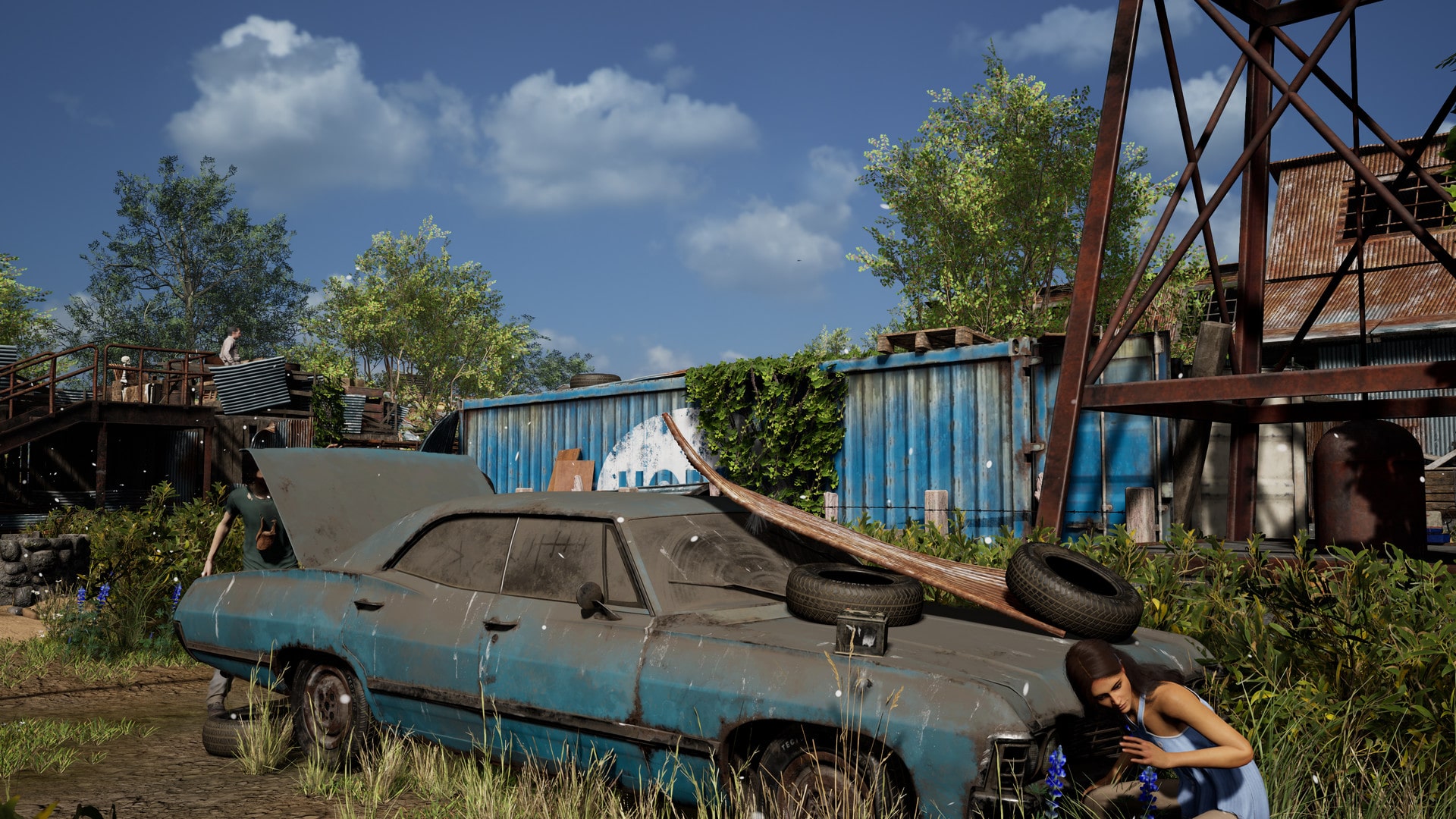
Avalanche Studios has released Generation Zero update 1.42 today for what it calls the Three-Wheeled patch. You can expect new content and more. Check out the full Generation Zero December 12 patch notes down below.

Generation Zero Update 1.42 Patch Notes | Generation Zero Three-Wheeled Update Patch Notes:

Greetings, Survivors!

Thank you for joining us as we round out the year with one more smaller release before we ramp up our efforts for what’s in store in 2024. Tomorrow, the Three-Wheeled Update arrives on all platforms. It brings a new vehicle, new customization and randomization options, a new seasonal event, and bug fixes. Here’s what we have in store for you!

NEW VEHICLE – THE FLAKMOPED
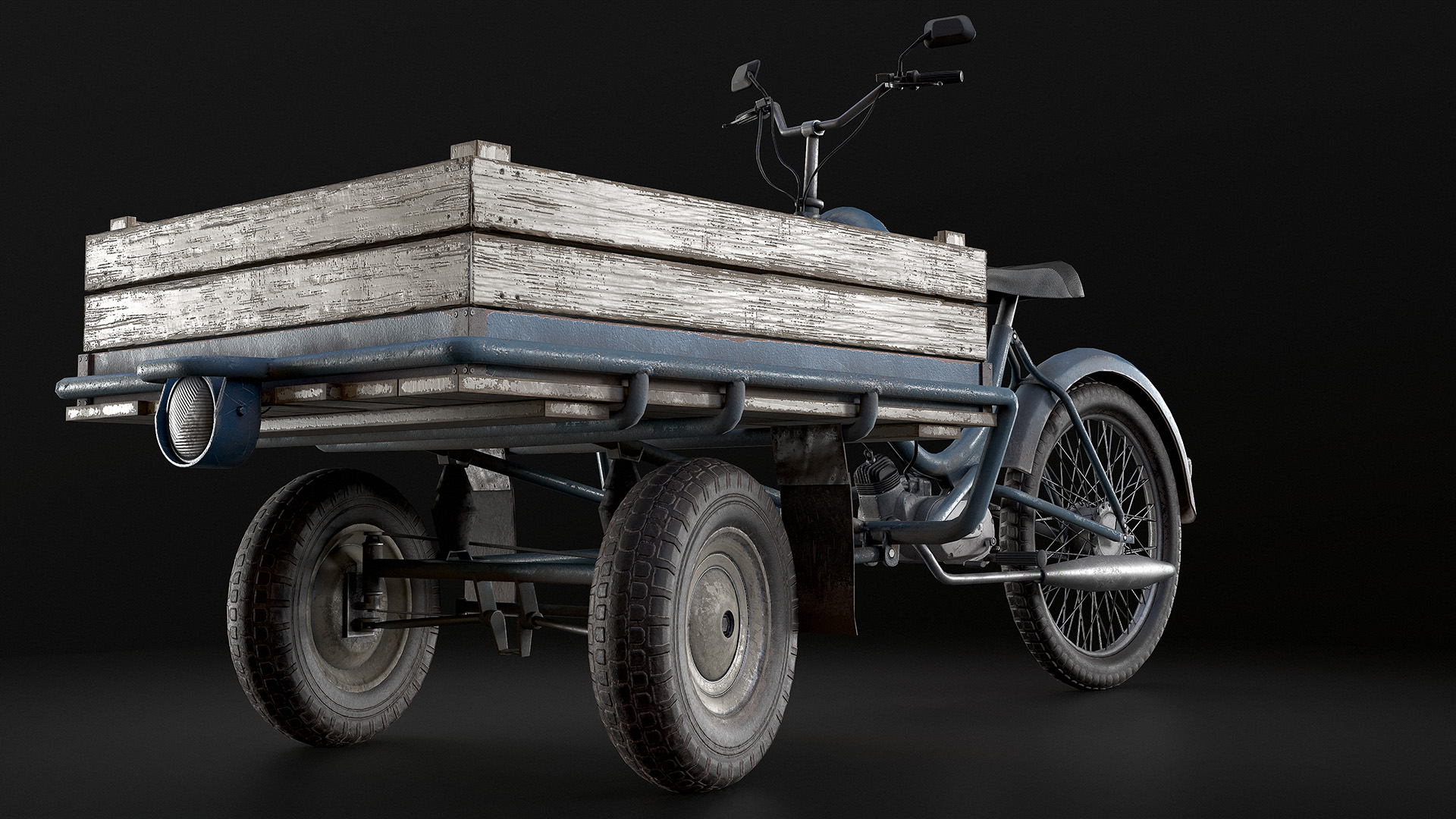
This traditional Swedish moped has been modified to feature a frontal flatbed supported by two smaller wheels. This allows for easy transportation of goods (or friends).
Topping out at 50km/h, the Flakmoped has quite some energy hiding in those tiny wheels! While one person is driving, another (or multiple) can get onto the flatbed and act as their protection detail.
Currently, equipment cannot be placed directly on the flatbed, that’s a functionality we want to add in a future update. However, there are ways around that limitation that lead to some hilarious behaviors and outcomes. We can’t wait until you find them all and post about them on social media! Don’t forget to tag us when you do.

NEW DLC – REINFORCED FLAKMOPED PACK
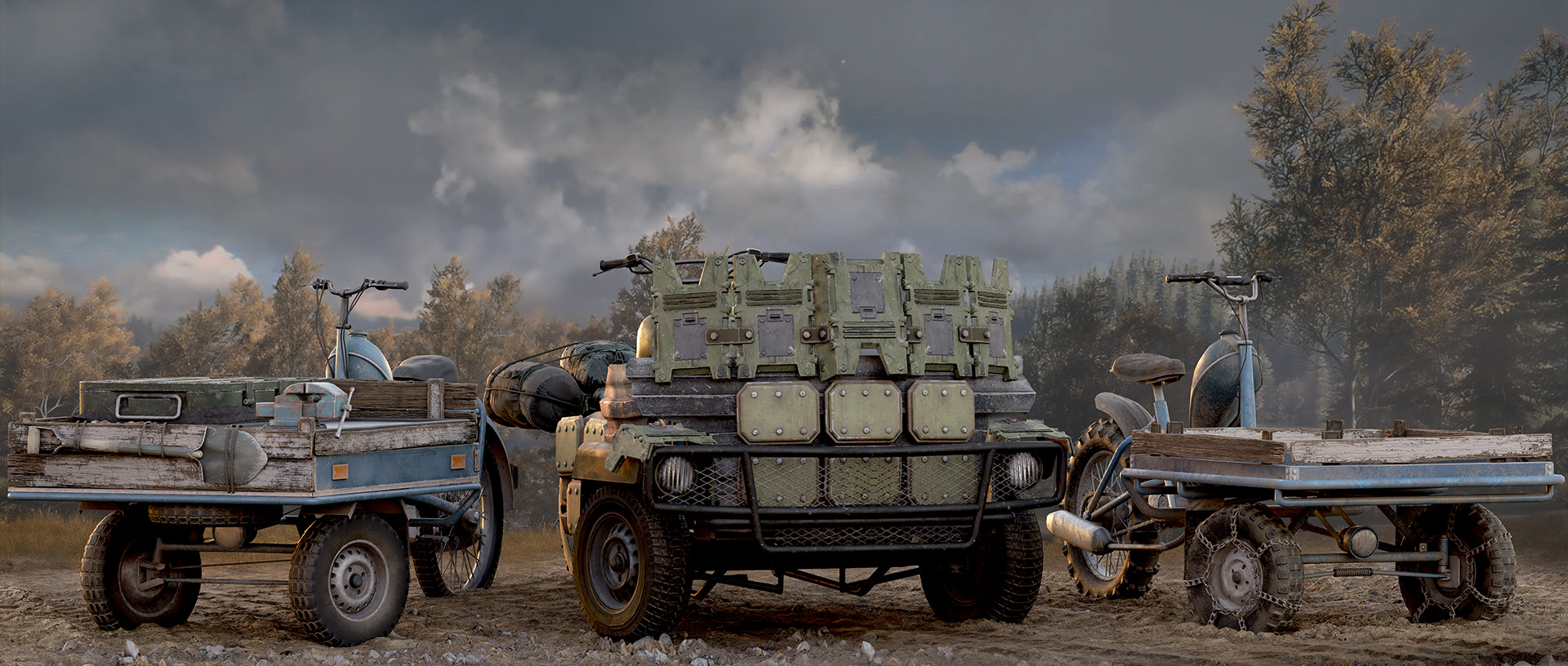
This DLC brings additional functionality to the Flakmoped in the shape of three variants that are each specialized for a specific purpose.

The Utility Flakmoped has a full workbench installed on its flatbed, giving you access to your storage box, a recycling station, and a crafting station, all while on the move.
The Ramming Flakmoped features a reinforced frontal wall that functions as protection for your passengers and doubles as a battering ram to inflict maximum damage by running over machines.
The Off-Road Flakmoped has been augmented with an improved suspension system and better tires so you can ride at full speed – even in the thicket.

This DLC is available alongside the Three-Wheeled Update on the 12th of December at a price point of $6.99 or a regional equivalent. We can’t wait to see what crazy shenanigans you’ll get up to once you get your hands on these!

NEW PROCEDURAL MISSION LOCATIONS

We are listening to all the feedback around Procedural Missions and how we can make them even more interesting, engaging, and rewarding. New location options have been added for the Resistance Dead Drop, Resistance Radio Maintenance, and High Value Target procedural missions. This means that there will be more variation in the way these missions play out when they are available. Please let us know how they play out for you and report any bugs you encounter on our forums.

NEW COMPANION NAME PARTS

We’ve heard lots of positive comments about the naming options for Companions, but we also know that there are a lot more names that you’d like us to add! In this iteration, we’ve added 23 new name parts:

Titles: Sister, Brother, Comrade, Reverend
Prefixes: Mad, Steel, Bullet, Scrap, Laser, Cuddle, Fuzz, Mecha, Robo
Suffixes: K47UR, 54MUR, K1M1, 54M50N, Guard, Pal, Bob, Killer, Sprocket, Bandit

Some of these were suggested by the community, some are Dev dogs’ names, and some are just cool in general. We hope you enjoy the new combinations!

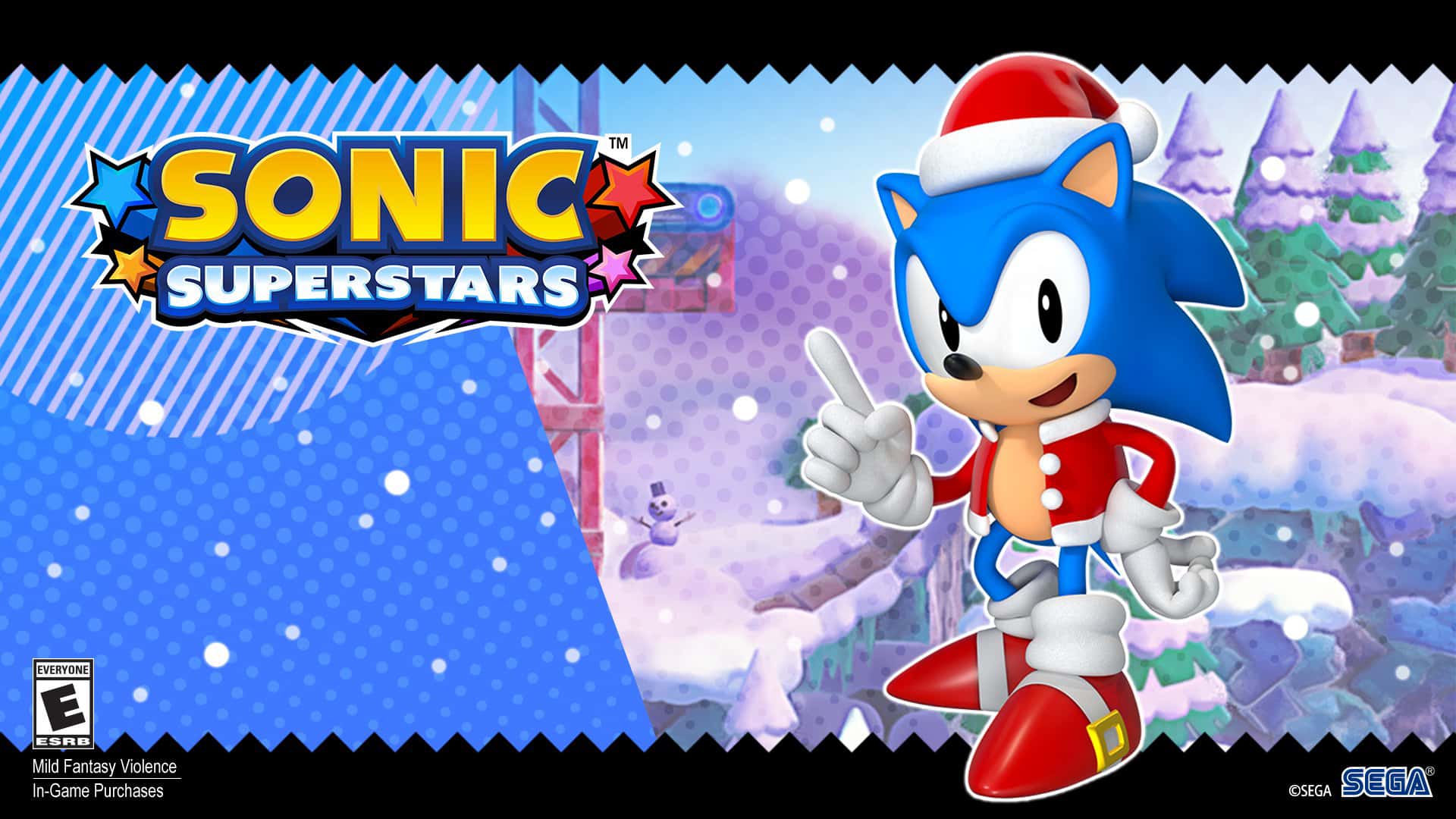
NEW EVENT – WINTER SNOWBALL FIGHT
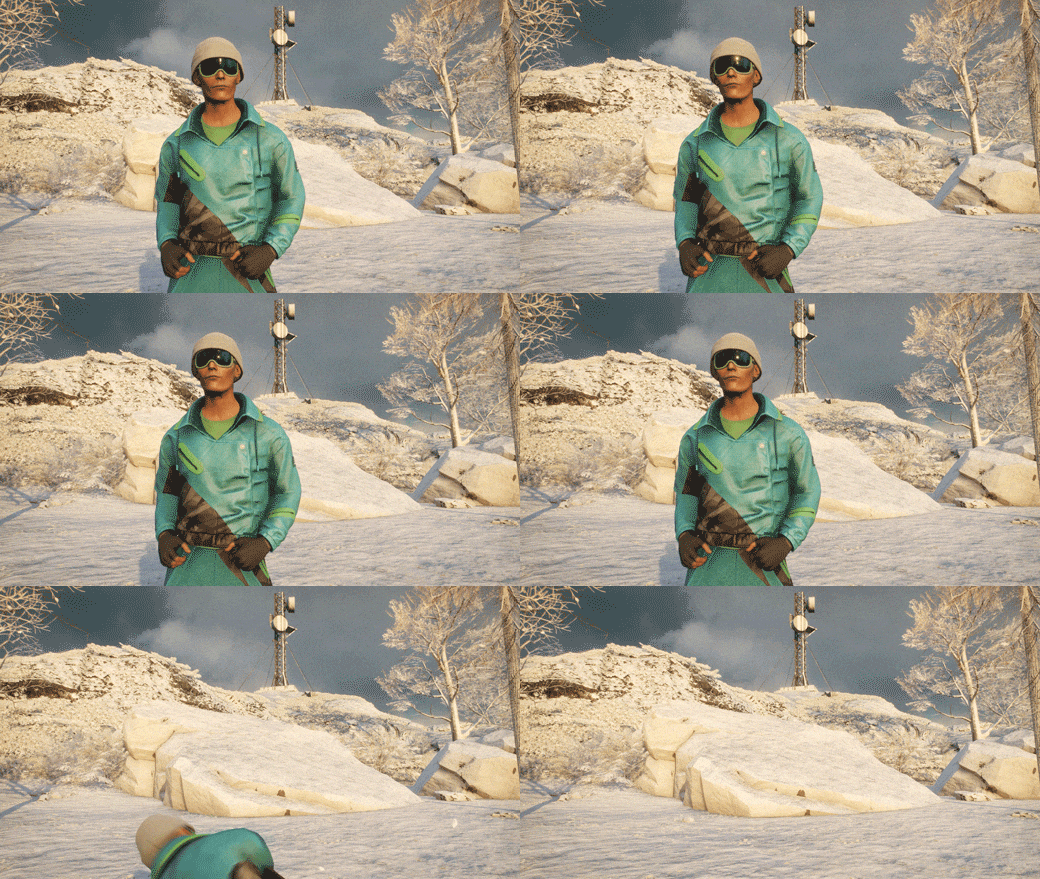
Person getting hit by a snowball

Snow and frost have taken over Östertörn and it’s time to stick it to your friends – literally.
From the 16th until the 31st of December, you will find mounds of snow all over the map. You can use these to grab yourself some snowballs, which you can throw at your friends! Landing a hit will topple the other person over until they get back up. After getting up from a hit, you’ll be temporarily unaffected by snowballs and get a chance to return the favor!
You can also throw snowballs at machines if you want, but it won’t do anything and you’ll probably regret it. But the option is there.
If you don’t want to get blindsided by your co-op partner while you’re fighting machines, don’t worry: You can turn on permanent snowball immunity in the game options.
Now go out and make sure to bring a change of clothes so you don’t catch a cold!

QUALITY OF LIFE

  • Hid the model of the selected weapon in the background of the Augmentation process to declutter the screen
  • Made it easier to loot Runners, Seekers, Hunters, Lynxes and Firebirds
  • Improved Companion Voice Box icons
  • Hid the chat when the player is in a menu to prevent visual overlap
  • Adjusted the size of the companion collision to better represent its actual size. It can now walk through Bunker doors, so no more leaving your buddy out in the rain!
  • Updated the Game Credits

BUG FIXES

UI

  • Previously looted items no longer get displayed on top of loot and inventory windows
  • Fixed a bug where the player had to press the fuel refill button repeatedly instead of holding
  • Fixed a gap in the list of Companion armor. No more phantom apparel for your trusty friend!
  • Removed some specific Augmentation Designs from the Equipment crafting tab and moved them back to the Augmentation tab, where they belong
  • [Community Reported] Fixed an issue where placeholder text would appear during the Augmentation process
  • [Community Reported] Fixed a bug where a Rival’s profile couldn’t be accessed

Loot

  • The blue bicycle doesn’t drop as loot from Procedural Missions anymore

Equipment

  • Found and removed an instance where the Sensory Jammer couldn’t be activated

Audio

  • Fixed a bug where Companion Voice Box previews wouldn’t play correctly

Missions

  • Fixed several issues related to the placement of items during the new Procedural Missions
  • [Community Reported] Fixed a bug where the mission “Ghosts of the Past” was stuck at 9/10 placed barricades.

World

  • Fixed several misaligned props and world items
  • Fixed multiple rendering issues in and around Vesslan bunker
  • [Community Reported] Revolvers and Meusser Hunting Rifles picked up from the ground now appear in the player’s inventory 100% of the time, which is several % more than before
  • [Community Reported] Made the Lilla Hammarnäs safe house easier to unlock upon arriving. We had too many complaints from players twisting their ankles trying to climb up onto the Plundra.

Peformance

  • Made several performance improvements
  • Fixed a crash that occurred when looking at an electric arc created by shock ammo
  • Fixed a crash when disrupting the ritual in the “An Invitation” mission in multiplayer
  • Fixed several other crash issues

KNOWN ISSUES

Missions

[Community Reported] Building blocks mission might get broken

Companion

  • Fire deals more damage to Companion armor than intended. This is fixed in the next update

AI

  • Companions can damage other Companions. This is fixed in the next update
  • NPCs can sometimes be invisible. A restart usually brings them back


Source: Generation Zero
Damien Seeto

Home > News

Riders Republic Update 1.22 Out for Season 9 Content

Ubisoft has released Riders Republic update 1.22 (PS5 version 1.022) today and this is to implement Season 9 content to the game. Check out the full Riders Republic December 12 patch notes down below.

Riders Republic Update 1.22 Patch Notes | Riders Republic Update 1.022 Patch Notes | Riders Republic December 12 Patch Notes:

Patch Highlights

Cartoon Pack – This pack offers a new experience! It includes a pair of goggles and a pair of glasses that will let you see the world in cartoon! On top of that, when you get this pack, you get a cartoon filter for the Photo and Replay modes!

Various elements of the Winter Season, including new shop items, exclusive rewards for new season progression, live events, live areas, and weekly challenges.

Fixes

  • Fixed an issue where weekly challenges would not display correctly.
  • Give the Leap of Faith emote back its glory!
  • Fixed the infinite grind in The Deck area.
  • The new creations will now correctly appear in the “My Stuff” tab.
  • Fixed weekly challenges that only counted in leaderboard mode.
  • Corrected misleading secondary objective text for “Trees Don`t Move”
  • Corrected translation for Killing Moon objective in Simplified Chinese.
  • Fixed a translation for Snowboard in Snake Run for Simplified Chinese
  • Fixed a bug that prevented Korean players from customizing their riders.
  • The Mini Logo Sponsor Contract “Skate Vans Grind” is now working correctly!
  • Corrected the Mini Logo Sponsor Contract “Skate Airtime 52”.
  • Fixed the Powell sponsor contract “Skate Tricks Rotation”.

Source: Ubisoft

Damien Seeto

Home > News

Wo Long: Fallen Dynasty Update 1.23 Out for Version 1.300

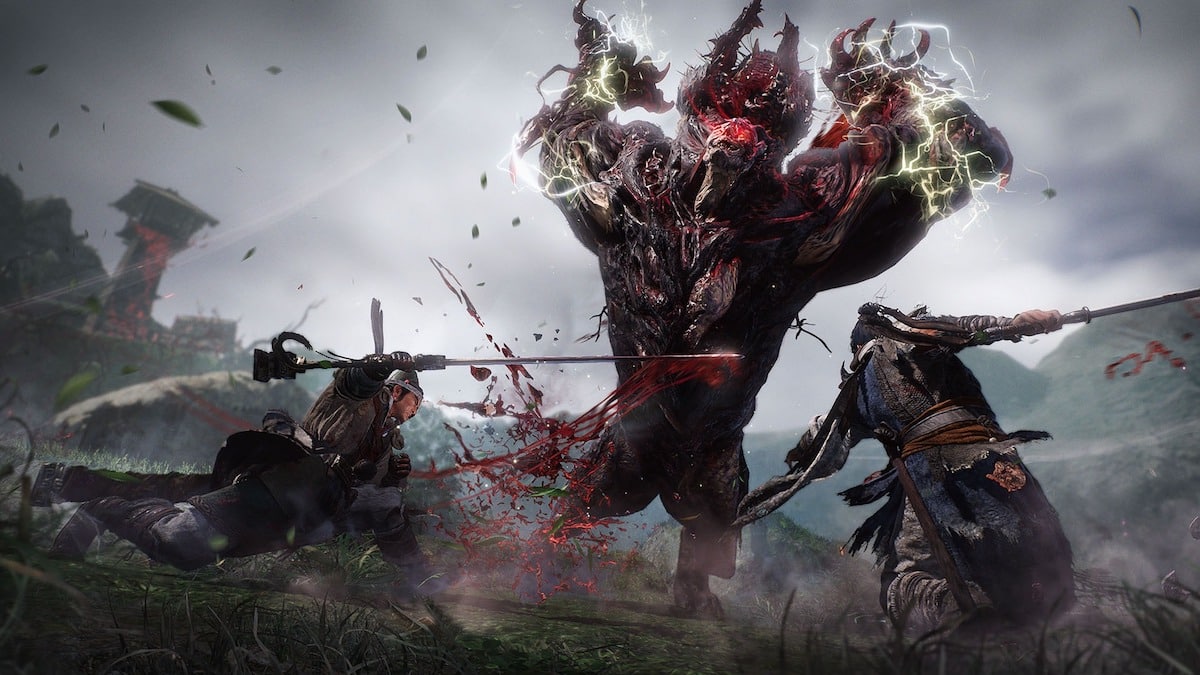
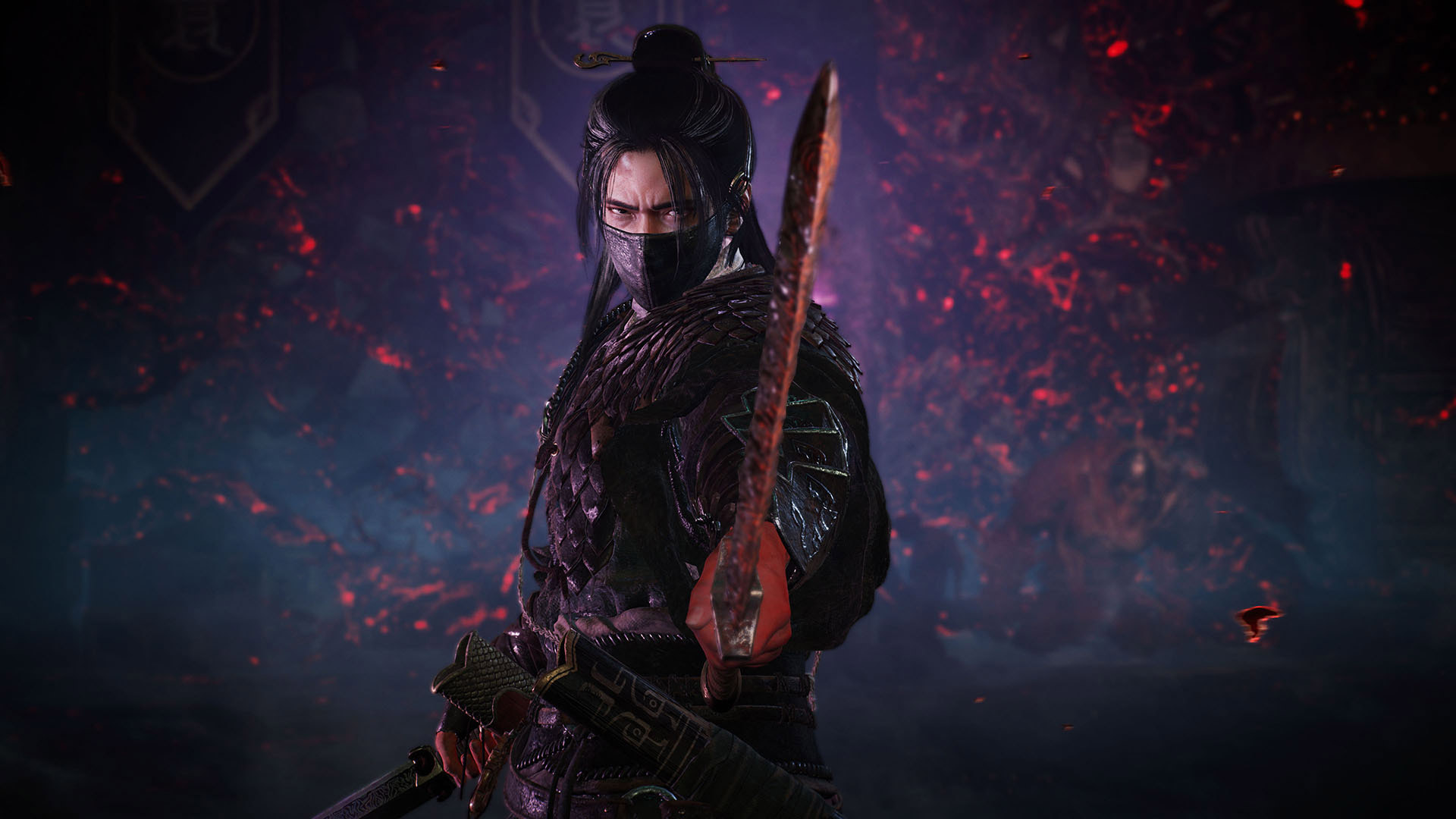
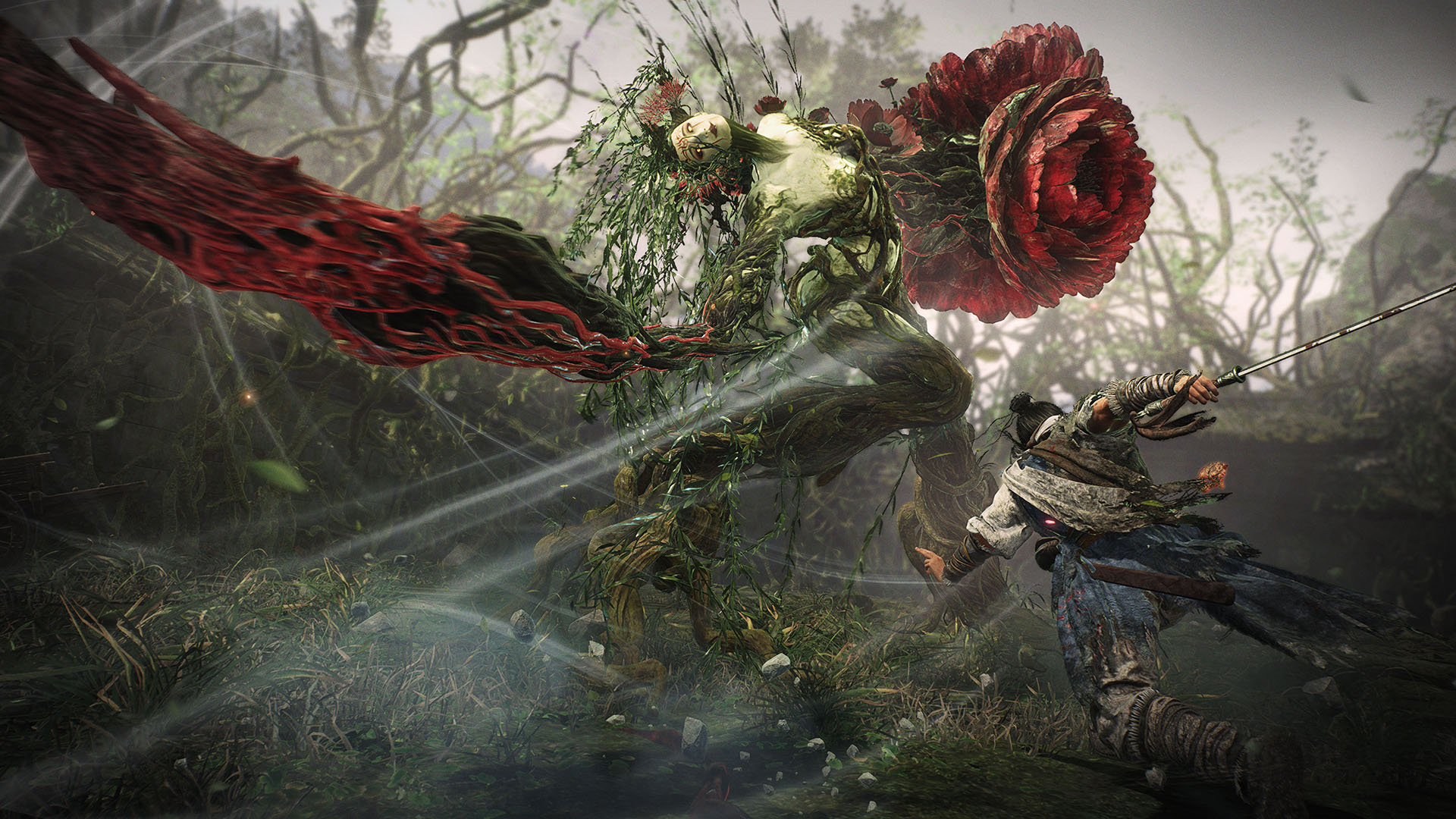
Wo Long: Fallen Dynasty update 1.23 (PS5 version 1.023) has been rolled out by Team Ninja and this is for patch version 1.300. The main purpose of the update is to add the new DLC called “Upheaval in Jingxiang”. Check out the Wo Long: Fallen Dynasty patch notes for December 12 down below.

Wo Long: Fallen Dynasty Update 1.23 Patch Notes | Wo Long Update 1.023 Patch Notes | Wo Long Version 1.300 Patch Notes:

All Platforms

DLC “Upheaval in Jingxiang”

  • Added the new story “Upheaval in Jingxiang”
    • Players must first complete the main battlefield “The Crouching Dragon Roars” in the main game in order to play “Upheaval in Jingxiang.”

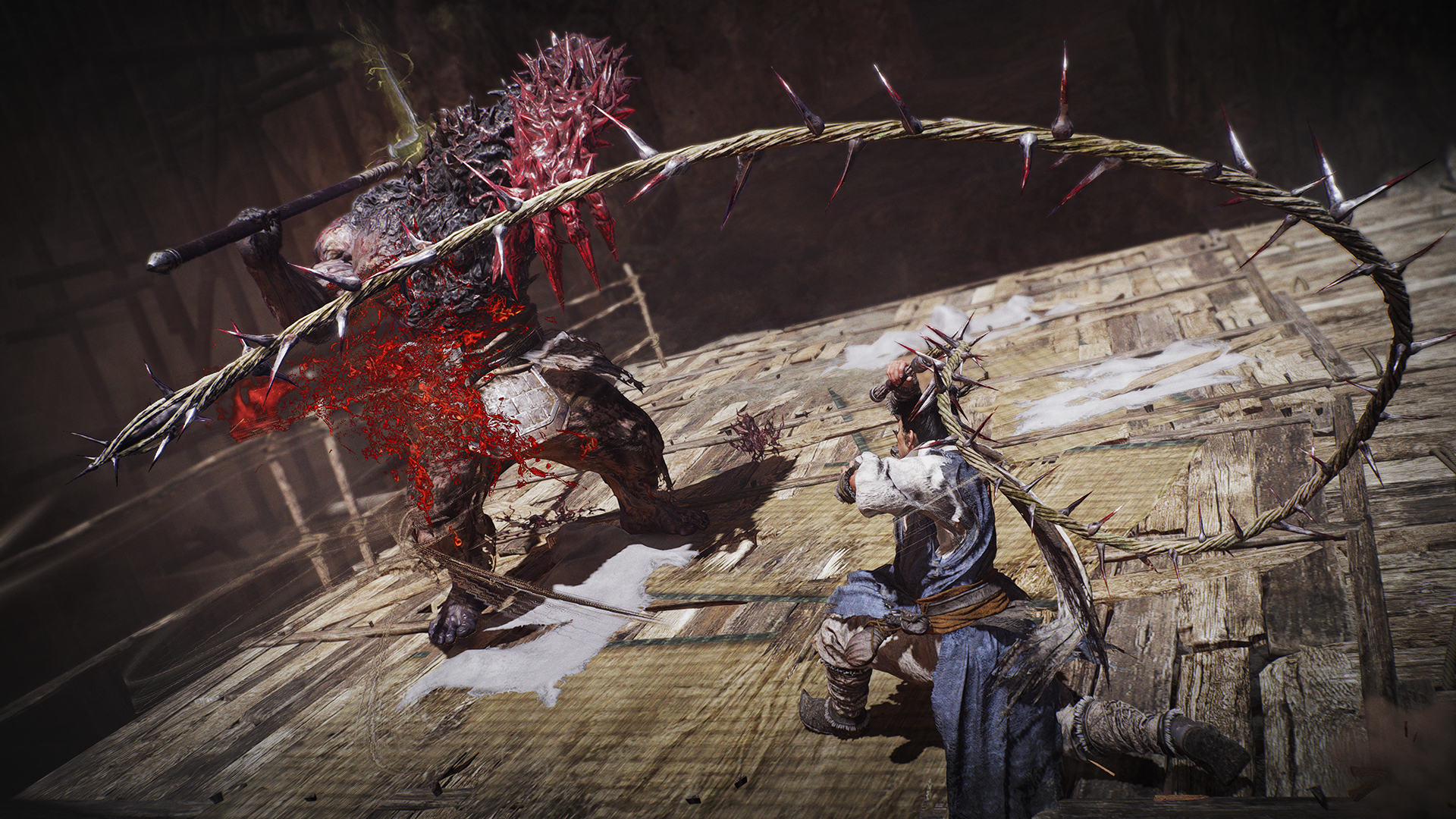
  • Added whips as a new weapon category.
    • These weapons will be available from the beginning of the game.
    • After the DLC is applied, players may claim a whip for free via Deliveries in the Battle Flag menu.
    • Whips will be added to reward and dropped item lotteries.

  • Added the higher difficulty mode “Path of the Dragon King.”
    • Players can unlock this difficulty by conquering a certain number of battlefields under the difficulty “Path of the Heavenly Dragon.”
    • In “Path of the Dragon King,” it is now possible to obtain equipment with upgrade levels and rarities higher than the current maximum level, and the maximum cap for players’ levels will be increased.
  • Added new demons and enemies.
  • Added a new Divine Beast.
  • Added new weapons and armor.
  • Added set bonuses corresponding to equipment obtainable in “Path of the Dragon King.”
  • Added new accolade rewards.
  • Added new trophies and achievements.
  • Added new titles and records.
  • Added Mile 101 and beyond to The Thousand-Mile Journey.
    • Players can unlock this content by conquering a certain number of battlefields under the difficulty “Path of the Heavenly Dragon.”
    • New types of battlefields are available in this content.
    • A purchase of either of the following is required in order to unlock this content: all three DLCs, or the “Wo Long: Fallen Dynasty Season Pass.”
    • All three DLCs, “Battle of Zhongyuan,” “Conqueror of Jiangdong,” and “Upheaval in Jingxiang,” are currently available.
  • Added new items to the Exchange Golden Horse Hooves feature in The Thousand-Mile Journey.
    • These items will be accessible after clearing certain miles from Mile 101 and beyond.
  • Added the new feature Apex Bonus.
    • Players can unlock this content by reaching level 500.
    • It will be made available via Level Up in the Battle Flag menu.
  • Added the new system Stratagem.
    • Players can unlock this system by conquering the main battlefield “The Rampant Demon Emperor” in “Upheaval in Jingxiang.”
    • The field Set Stratagems has been added to Battle Preparation in the Battle Flag menu.

Free Updates

  • Expanded the feature Inner Discipline.
    • Players can now choose from even more options when placing restrictions upon themselves via Inner Discipline on the Battle Preparation screen.
    • Placing restrictions will enable drops of even rarer equipment.
    • It will also enable enemy drops of equipment with upgrade levels of 13 or higher in “Path of the Dragon King” or in the further reaches of The Thousand-Mile Journey.
  • Added the new feature “Determine Your Path,” which allows players to select multiple battlefields in advance and plan out their path to the next camp in The Thousand-Mile Journey.
    • Players can choose their path via the sub menu.
  • Added a feature allowing players to spend coppers in order to search for new battlefields in The Thousand-Mile Journey.
    • This feature can be unlocked by clearing Mile 30 in The Thousand-Mile Journey.
  • Increased the maximum number of Golden Horse Hooves players can acquire.
  • Added 15 new Wizardry Spells.
    • These new spells can be used by first obtaining the item Hidden Tomes.
    • The tomes can be obtained as possible drops after defeating bosses in “Path of the Rising Dragon” and beyond.
  • Added the Martial Arts technique Suffocating Stream, which can be used with hammers and poleaxes.
    • This technique will be randomly assigned when an applicable weapon is acquired.
  • Added the Martial Arts technique Entwined Blades, which can be used with dual swords, dual sabres, and dual halberds.
    • This technique will be randomly assigned when an applicable weapon is acquired.
  • Added new special effects.
    • These special effects will be randomly assigned to equipment in the same way as current special effects.
  • Added a feature enabling players to increase or decrease values by units of 10 on the Level Up and Reset Parameters screens.
  • Added an option to display the Control Guide on the screen in-game.
    • Players can enable this option via Control Guide in the game settings.
  • Added an option to display the Key Guide on the screen while playing.
    • Players can enable this option via Key Guide in the game settings.
  • Added a feature enabling players to set Equipment Type, Items with/without Jewelry Essence, and Set Bonus as filter conditions.
  • Added a feature to switch between tabs for some filter fields.
  • Added a feature to change the button combination type.
    • Players can enable this feature via Button Combination Type in Control Settings.
  • Added a feature enabling players to extract all of the jewels in a piece of equipment at one time via Embedment in the Blacksmith menu.
  • Added a feature to Salvage in the Blacksmith menu enabling players to automatically sell any materials that exceed the amount they can acquire via salvaging.
  • Added the sort option “By Martial Arts Lv.” to the Equipment, Inventory, and Upgrade Martial Arts menus.
  • Made changes to allow characters other than those from the English alphabet to be used for custom names in the Battle Set, Battle Flag Customization, and Character Creation menus in certain languages.
    • Changes made to custom names will not be saved if they contain characters not supported by the game.
  • Made changes so that any equipment obtained via Exchange Golden Horse Hooves will have an upgrade level of 8.
  • Made changes so that after unlocking “Path of the Rising Dragon,” any equipment obtained via Accolade Rewards will have an upgrade level of 8.

Adjustments

Weapon Categories

All Weapon Categories
  • Shortened the recovery sequence after deflect counterattacks.
Straight Sabre
  • Shortened the startup sequence of the first strike of normal attack chains.
Sword
  • Shortened the startup sequence of the first strike of normal attack chains.
Curved Sabre
  • Shortened the startup sequence of the first strike of normal attack chains.
Glaive
  • Made adjustments to timing so that normal attacks while dashing can be chained to follow-up normal and Spirit attacks at an earlier point.
Halberd
  • Made changes to normal attacks following normal attacks while dashing.
    • The timing of the follow-up attacks was adjusted to match these changes.
Spear
  • Made changes to normal attacks following normal attacks while dashing.
    • The timing of the follow-up attacks was adjusted to match these changes.
Slashing Spear
  • Made changes to normal attacks following normal attacks while dashing.
    • The timing of the follow-up attacks was adjusted to match these changes.
Staff
  • Made adjustments to timing so that normal attacks while dashing can be chained to follow-up normal attacks at an earlier point.
Hammer
  • Made adjustments to timing so that normal attacks while dashing can be chained to follow-up Spirit attacks at an earlier point.
Poleaxe
  • Made adjustments to timing so that normal attacks while dashing can be chained to follow-up Spirit attacks at an earlier point.
Dual Swords
  • Made adjustments to timing so that normal attacks while dashing can be chained to follow-up Spirit attacks at an earlier point.
Dual Sabres
  • Made adjustments to timing so that normal attacks while dashing can be chained to follow-up Spirit attacks at an earlier point.
Dual Halberds
  • Made adjustments to timing so that normal attacks while dashing can be chained to follow-up Spirit attacks at an earlier point.

Bosses

Zhang Liang
  • Reduced his HP.
Demonized Zhang Liang
  • Increased the amount of Spirit damage received by Demonized Zhang Liang.
  • These changes are only in effect during the first battle after starting a new game.


  • Made adjustments so that after the status effect Armor Break is inflicted once, resistance to Armor Break will increase significantly.
  • Lengthened the startup sequence for some of Xu Sheng’s Critical Blows.
  • Made upward adjustments to the HP of companions.
  • Changed the effect of “Offer Golden Horse Hoof” in The Thousand-Mile Journey so that it will increase the likelihood of obtaining accessories.
    • The previous effect, raising the Battlefield Rank, will be removed.
  • Made changes to reward players with one random piece of equipment bestowed with Grace after they have completed “Onslaught of Warlords” for each camp in The Thousand-Mile Journey.
  • Made changes so that players who have lowered their Fortitude Rank with Inner Discipline in The Thousand-Mile Journey will receive additional Golden Horse Hooves upon reaching a camp, based on the difference between their original and current Fortitude Ranks.
  • Increased the number of Golden Horse Hooves that can be obtained upon conquering a battlefield with camps disabled in The Thousand-Mile Journey.
  • Made changes to Recruit sessions in The Thousand-Mile Journey, so that if the host has determined their path to the next camp, the party will be able to continue their multiplayer session until arriving at that camp.
  • Increased the drop rate of Legendary equipment upon defeating certain characters in The Thousand-Mile Journey.
  • Made changes so that one additional piece of equipment will be dropped when players defeat certain characters in The Thousand-Mile Journey.
  • Increased the active duration of the Benefits “Boost Fortitude 1★” and “Boost Fortitude 2★” to 10 in The Thousand-Mile Journey.
  • Made it impossible to use the consumable item Mystic Crane during “Battleground Conquest” in The Thousand-Mile Journey.
  • Made changes so that when the host of a Recruit session initiates a boss battle and then rechallenges the boss, the guests will be awarded the same amount of Morale Points.
  • Made adjustments to some of the pickups in the main battlefields “The Demon Fort of the Yellow Heaven,” “The Battle of Hulaoguan Pass,” and “Lu Bu, Mightiest Among Men.”
  • Shortened the loading time before starting some battlefields.
  • Changed the maximum number of effect icons for bosses from 10 to 16.
  • Changed the name of the attribute “Elemental Resistances” to “Elemental Defense.”
  • Adjusted the list order of Effect Icons on the Documents screen.
  • Added ruby characters to some Japanese text.
  • Changed the name of the field “Maximum Effect Icons Displayed” to “Max Number of Effect Icons on Player” in the game settings.
  • Made changes to the zoom in/zoom out controls in Character Creation.
    • The controls are now aligned to those in Photograph mode.
  • Adjusted the distance at which player characters become transparent when the player moves the camera closer to them in Photograph mode.
  • Removed the option “Equipment without Warrior Set Bonuses” from the field “Auto-Salvage/Auto-Sell Based on Set Bonus” in the Auto-Salvage/Auto-Sell Settings for accessories.
  • Made it possible for players to acquire Martial Soul Fragments upon salvaging a weapon with a Martial Arts level of 1 or higher.
  • Made it possible for players to see their upgrade level and Martial Arts level when changing equipment in the Inventory and Blacksmith menus.
  • Increased the effectiveness of the special effects “Elemental Damage,” “Flame Damage,” “Water Damage,” “Lightning Damage,” “Stone Damage,” and “Toxin Damage.”
  • Added the note “This does not apply to elemental damage” to the descriptions of certain special effects.
    • Only the text has been changed. The behavior of the special effects remains unchanged.
  • Made changes so that players no longer take damage from status effects when bestowed with the positive effect Perfect Restoral.

Warrior Set Bonuses (Legendary)

Aspiration of Restoring the Han Empire
  • Increased the effectiveness of “HP.”
  • Increased the effectiveness of “Spirit Damage Taken in Perfect Condition.”
With Sky High Righteousness
  • Increased the effectiveness of “Spirit Gain from Deflecting.”
  • Increased the effectiveness of “Martial Arts Spirit Consumption.”
Rival of the Masses
  • Increased the effectiveness of “Martial Arts Spirit Consumption.”
  • Increased the effectiveness of “Spirit Gain.”
Hero beyond the Age
  • Increased the effectiveness of “Morale Rank Points Gain.”
Unscrupulous Hero’s Right Hand
  • Increased the effectiveness of “Status Effect Resistance.”
  • Increased the effectiveness of “Spirit Damage Received.”
Thunderous Raider
  • Increased the effectiveness of “Ammo Held Max.”
Tiger of Jiangdong
  • Increased the effectiveness of “Spirit Consumption.”
  • Increased the effectiveness of “Spirit Gain from Deflecting.”
Ferocious Young Conqueror
  • Increased the effectiveness of “Spirit Gain from Normal Attacks.”
Inheritor of the Tiger
  • Increased the effectiveness of “Spirit Consumption.”
Lu Bu, the Mightiest among Men
  • Increased the effectiveness of “HP.”

Grace Effects

Grace of Zhuanxu the Black Emperor
  • Strengthened the effects of “Fatal Strike Damage.”
  • Decreased the duration of the effects of “Subtlety of Water Phase.”
Grace of the Supreme Heavenly Emperor
  • Increased the effectiveness of “Divine Beast Gauge Gain.”
  • Changed “Divine Beast Resonation Duration” into “Summon Divine Beast Damage.”
  • Increased the effectiveness of “Skyward Majesty.”
Grace of Chiyou
  • Changed “‘Damage Reduction’ upon Aerial Skill” into “‘Haste’ upon Deflect Counterattack.”
  • Changed “‘Haste’ upon Deflect Counterattack” into “Damage upon Springboarding.”
  • Increased the effectiveness of “Physical Resistance.”


  • Updated part of the staff list in the end credits and added the DLC cast.

Major Bug Fixes

  • Fixed a bug in which prolonged gameplay within a single mission caused lagging.
  • Fixed a bug that prevented players from exchanging the item “Level Cap +1” under certain conditions.
  • Fixed a bug causing an increase in Spirit gained when landing attacks, along with an increase in Morale Points gained from Spirit attacks, while using a glaive, halberd, spear, slashing spear, or staff.
  • Fixed a bug causing the special effect “Element-Imbued Weapon Damage/Spirit Damage” to be activated when a glaive, halberd, spear, slashing spear, or staff was equipped, even if that weapon was not imbued with an element.
  • Fixed a bug that disabled input buffering for the Wizardry Spell set to R2+△.
  • Fixed a bug enabling players to perform a breakfall when falling from a height that would normally kill their character.
  • Fixed a bug causing a knockdown motion to play when players jumped into the air in areas that were on fire.
  • Fixed a bug causing the camera to shake when players performed a Fatal Strike against a Changgui while their animation camera was disabled.
  • Fixed a bug allowing players to launch one-sided attacks against the boss Gan Ning under certain conditions.
  • Fixed a bug allowing players to launch one-sided attacks against the boss Taishi Ci under certain conditions.
  • Fixed a bug causing part of the sword to disappear if players fully charged the Martial Arts technique Starlight Blade and then immediately cancelled the attack.
  • Fixed a bug causing characters to float above Battle Flags in some battlefields in The Thousand-Mile Journey.
  • Fixed a bug causing the number of acquired Benefits shown on the Thousand-Mile Map to be one higher than the actual amount after players raised the difficulty level in The Thousand-Mile Journey.
  • Fixed a bug causing the Morale Rank of Demonized Taishi Ci to increase significantly when he transformed into his second form in The Thousand-Mile Journey.
  • Fixed a bug that induced a hitstun on players despite them not being hit by anything in certain locations in “Battleground Conquest” in The Thousand-Mile Journey.
  • Fixed a bug causing screen stuttering when bosses appeared in some “Boss Annihilation” battlefields in The Thousand-Mile Journey.
  • Fixed a bug that sometimes prevented the dialogue of companions from playing correctly during cross-play Co-op sessions.
  • Fixed a bug in which the BGM did not play if players resumed the game from certain Battle Flags in the main battlefield “The Battle of Hulaoguan Pass.”
  • Fixed a bug causing Xielong to disappear from guests’ screens if certain controls were used during Co-op sessions in the main battlefield “Centuries of Glory Burned Away.”
  • Fixed a bug causing a delay between the black screen and the ambient sound playback at the start of a mission in the main battlefield “Darkness over the Hanshui River.”
  • Fixed a bug causing the BGM to be cut off during cutscenes in missions in the main battlefield “Lu Bu, Mightiest Among Men.”
  • Fixed a bug in which the companion Guan Yu’s HP did not recover after players defeated Yan Liang and Wen Chou and transitioned to the latter half of the stage in the main battlefield “Behold the Glaive of Righteousness.”
  • Fixed a bug that sometimes caused the dialogue of companions Guan Yu and Zhang Fei to play at the same time in the main battlefield “Behold the Glaive of Righteousness.”
  • Fixed a bug in which interacting with the door that triggers the boss fight in the main battlefield “Behold the Glaive of Righteousness” sometimes failed to do so.
  • Fixed a bug in which groups were not disbanded after completing Recruit sessions in the sub battlefield “A King-like Tolerance.”
  • Fixed a bug that allowed players to go outside the bounds of the current stage from certain locations in some stages.
  • Fixed a bug that caused characters to become stuck (in the ground or surrounding objects) in certain locations in some stages, making it impossible for players to progress.
  • Fixed a bug in which hitstun motions were not induced when players landed hits with Firecrackers on enemies preparing to launch ballista.
  • Fixed a bug that prevented players from receiving the title Vanquisher of Mezuki even after defeating Mezuki without taking damage.
  • Fixed a bug in which fixed special effects were set on the accessory Sonorous Jade Flute.
  • Fixed a bug in which Detonation, a positive effect that is bestowed upon activation of the Wizardry Spell Stellar Fury, was not listed among the Effect Icons in Documents.
  • Added “with the same weapon” to the description of Gonggong’s Wicked Sin under the set bonus Grace of Gonggong.
    • Only the text has been changed. The behavior of the special effect remains unchanged.
  • Fixed a bug causing the count for the title requirements “Defeated a certain number of enemies with staffs or maces” and “Defeated a certain number of enemies with hammers or spiked clubs” to be added at the same time after defeating enemies with certain weapons.
  • Fixed a bug causing the screen to flicker under certain conditions in the Blacksmith, Inventory, and Character Creation menus.
  • Fixed a bug that prevented the Martial Arts technique Scattered Leaves from being set to the Dual Reaper Halberds via Replace Martial Arts.
  • Fixed a bug causing the UI to remain dark after skipping videos in THEATER.
  • Fixed a bug in which the “turn page” caption was not displayed on certain screens.
  • Fixed a bug in which the “turn page” caption was displayed when selecting stickers in Photograph mode.
  • Fixed a bug that sometimes prevented the Crushing Defeat animation from playing when guests died in Recruit or Invade sessions.
  • Fixed a bug causing the rewards screen to appear for a moment after players conducted a search in Recruit, Invade, or Co-op sessions.
  • Fixed a bug causing the incorrect text to be displayed under certain conditions when recruiting players while one Co-op guest was present.
  • Fixed a bug that sometimes caused the HP Gauge above enemies’ heads to shift lower or be hidden from view.
  • Fixed a bug in which leaving a battlefield in “Path of the Rising Dragon” and beyond without clearing it caused an incorrect number of captured Battle Flags and Marking Flags to be displayed on the Travel screen.
  • Fixed a bug in which the comparisons of equipment information displayed in the Inventory menu were incorrect.
  • Fixed a bug in which captions sometimes disappeared after players returned to the Travel screen from the Thousand-Mile Map screen.
  • Fixed a bug that sometimes caused unintended sound effects to play after the loading period ended.
  • Fixed a bug in which the notification for obtaining a Hidden Tome in the battlefield “Decisive Battle of Guandu” appeared after the boss had been defeated.
  • Fixed a bug causing incorrect information to be displayed when players used the items Dragon Vein Essence or Dragon Vein Crystals in The Thousand-Mile Journey.
  • Fixed a bug in which the effects were not displayed correctly when other players performed perfect deflects using dual swords, dual sabres, or dual halberds during online multiplayer sessions.
  • Fixed other minor bugs.

Steam®/Microsoft Store Versions

Additional Features

  • Improved the mouse controls.
    • Made it possible to switch tabs on certain screens by clicking the mouse.
    • Made it possible to switch equipment information sheets by clicking the mouse.
    • Made it possible to change the selected battlefield on the Travel screen by clicking on a battlefield other than the one selected.
    • Made it possible to set Wizardry Spells by clicking on their icons on the Set Wizardry Spells screen.

Major Bug Fixes

  • Reduced the rendering time for effects.
  • Made changes so that the pointer’s appearance changes when the mouse cursor moves over the game’s UI on certain screens.
  • Fixed a bug in which the “turn page” caption was displayed during key configuration in Control Settings.
  • Fixed a bug causing the mouse cursor and in-game cursor to be out of alignment on the Thousand-Mile Map and Learn Wizardry Spells screens.

Source: Team Ninja

Damien Seeto

Home > News

Grand Theft Auto V Update 1.006 Rides Out This Dec. 12 (Update)

Grand Theft Auto V update 1.006 is now out on all platforms, and this is a big download to usher in new content and improvements to GTA Online. With GTA 6 now formally announced, don’t be surprised if there’s an Easter egg or two hidden in this title update for players to discover. Read on for everything new in the GTA V patch notes for December 12.

Grand Theft Auto V Update 1.006 Patch Notes | GTA Online Update 1.006 Patch Notes:

Size: 6.21GB (PS5)

Update: Complete patch notes have been added for version 1.68.

[December 12, 2023] – New Content in Grand Theft Auto Online

The Chop Shop update adds a new business property, Salvage Yard Robberies missions, new vehicles, Drift Racing, PlayStation 5 and Xbox Series X|S exclusive features including animals in Freemode, a range of experience improvements, creator additions, and more.

Salvage Yard

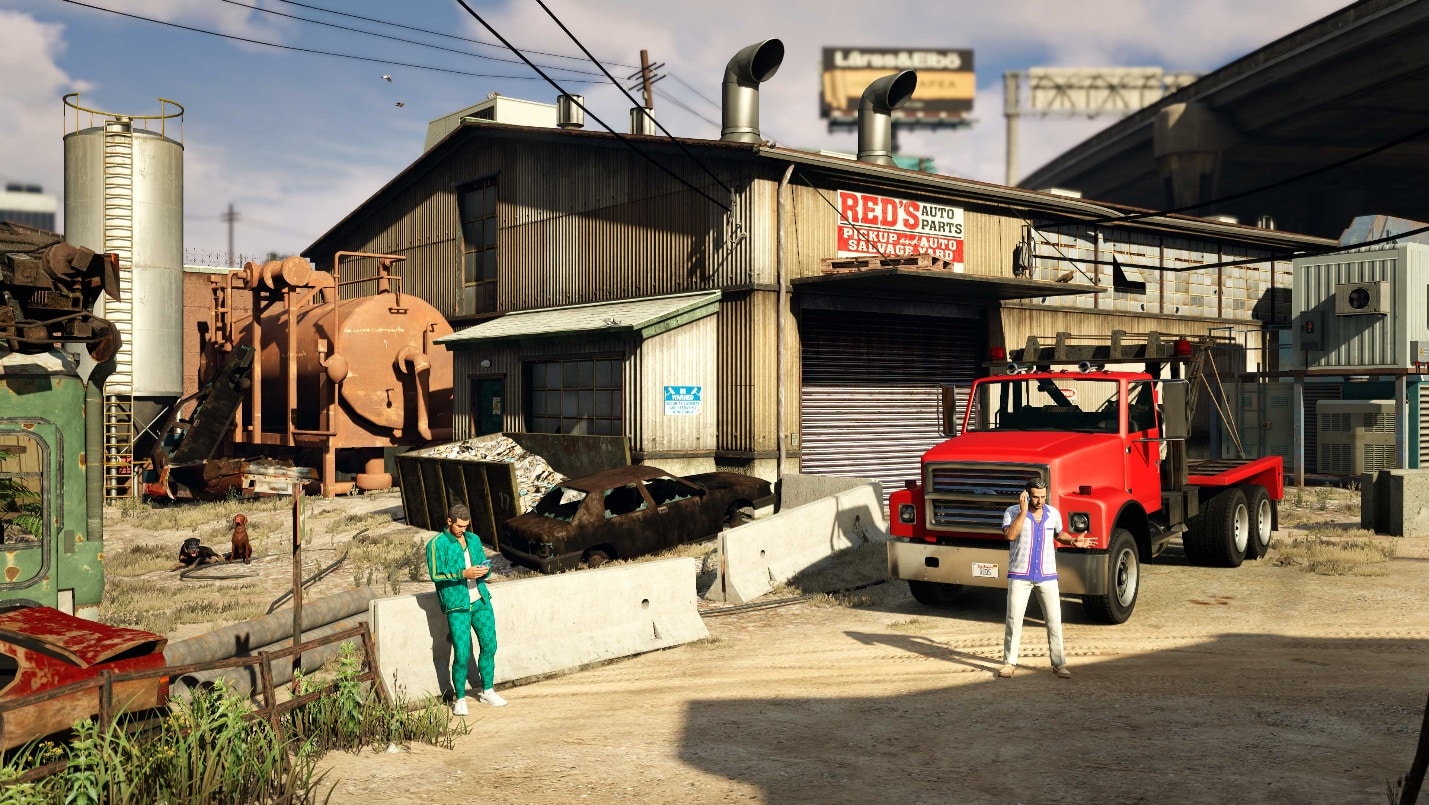
  • Purchasing this business provides access to a range of Salvage Yard Robberies, a Tow Truck Service, and other features
  • Each week, Salvage Yard owners can complete three multi-part Freemode Salvage Yard Robberies: scoping and planning to steal highly prized vehicles that can be sold or salvaged for a profit
  • Salvage Yard owners can purchase a Tow Truck, providing access to a Tow Truck Service where players collect abandoned cars and take them back to be salvaged over time
    • Completing Tow Truck work also temporarily increases the rate at which the Salvage Yard generates passive income
  • Salvaged vehicles are stripped for parts over time inside the Salvage Yard. Upon completion, players will receive a payment
  • This property will come with new Awards as well as Career Progress Challenges on PlayStation 5 and Xbox Series X|S consoles

Drift Races

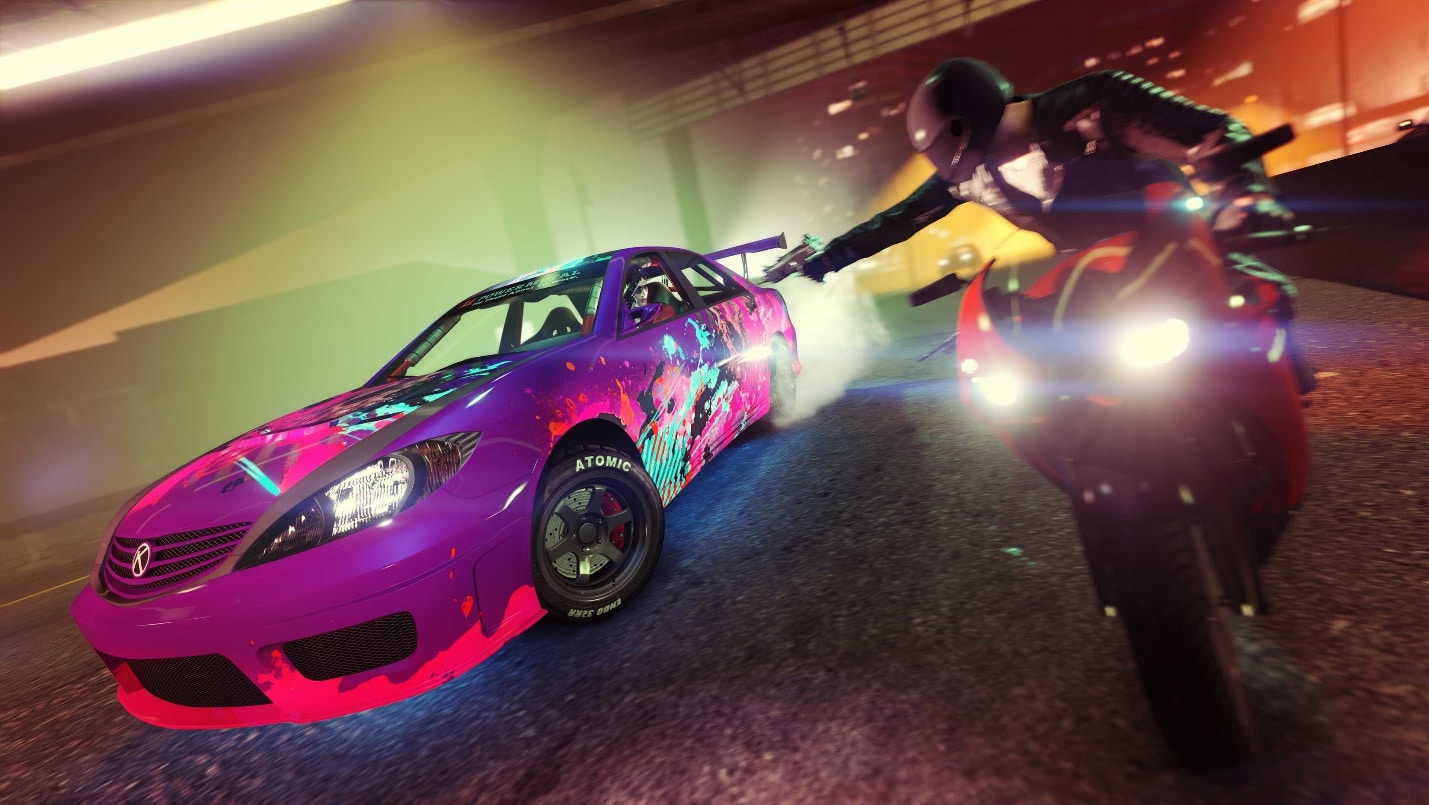
  • Players with a Los Santos Car Meet membership will gain access to a range of Drift Races, where you aim to score the most points by chaining drifts together, narrowly avoiding obstacles, and building up score multipliers
  • Drift Races can be accessed via a new series blip on the map or from the Race Organizer inside the Los Santos Car Meet
  • These races make use of custom Drift-Tuning upgrades for 7 existing vehicles and 1 new vehicle:
    • Declasse Drift Yosemite (Muscle)
    • Declasse Drift Tampa (Sports)
    • Annis Remus (Sports)
    • Annis Euros (Sports)
    • Karin Futo GTX (Sports)
    • Annis ZR350 (Sports)
    • Dinka Jester RR (Sports)
    • New Vehicle – Fathom FR36 (Coupe)
  • These Drift-Tune upgrades can be applied to the above personal vehicles in Freemode while inside the Los Santos Car Meet

Vehicles

Eleven new vehicles have been added:

  • Grotti Turismo Omaggio (Super) – With Imani Tech
  • Vapid Aleutian (SUV) – With Imani Tech
  • Declasse Vigero ZX Convertible (Muscle) – with HSW Upgrade (PlayStation 5 and Xbox Series X|S only)
  • Karin Vivanite (SUV) – with HSW Upgrade (PlayStation 5 and Xbox Series X|S only)
  • Fathom FR36 (Coupe)
  • Vapid Dominator GT (Muscle)
  • Declasse Impaler LX (Muscle)
  • Karin Asterope GZ (Sedan)
  • Vapid Stanier LE Cruiser (Emergency)
    • This police cruiser is unlocked for purchase after completing The Gangbanger Robbery scope out mission
  • Vapid Unmarked Cruiser (Emergency)
    • This unmarked police cruiser is unlocked for purchase after surviving a 3-star wanted level for 5 minutes
  • Police Riot (Emergency)
    • This riot van is unlocked for purchase after naturally losing a 4/5-star wanted level

New Weapon

  • One new Weapon has been added, which is available for purchase from the Gun Van and Agency Armory
    • Battle Rifle

Cosmetics

  • 150+ pieces of male clothing and accessories have been added to clothing stores
  • 150+ pieces of female clothing and accessories have been added to clothing stores
  • 1 new male and 1 new female hair style has been added to barber shops
  • 32 new unisex tattoos have been added to tattoo parlors

Ambient Animals on PlayStation 5 and Xbox Series X|S consoles

  • Ambient animals have been introduced to Freemode for PlayStation 5 and Xbox Series X|S consoles
  • Ambient animals can be enabled or disabled in the Creator for PlayStation 5 and Xbox Series X|S consoles

Daily Challenges Update

  • Daily Challenges replace the existing daily objectives located in the Interaction Menu and now contain a range of new challenges

Character Birthday Gift

  • Players will now receive a gift in game on their character’s birthday (creation date). These gifts will be given retroactively

GTA+ Updates

The Vinewood Club Garage

  • GTA+ Members will gain access to a new garage with space for 100 vehicles
  • If a players’ GTA+ membership expires, any vehicles inside The Vinewood Club Garage can still be accessed and stored, however they will be unable to replace or add any additional vehicles to the garage

Experience Improvements

  • Players on PlayStation 5 and Xbox Series X|S consoles now have access to a Vehicle Organization section in the Interaction Menu, allowing them to easily move owned vehicles between garages
  • The Interaction Menu has been updated, making the most used functions easier to access
  • Weapon pickups in Freemode have been updated with new locations and weapons to find
  • Players can now add custom garage tooltips to each individual floor of the Eclipse Blvd garage
  • Reduced transition time between modes when playing in a Playlist or Series
  • Rank restrictions for purchasing all throwables have been removed
  • The Los Santos Car Meet specification service is also now available on PC, PS4, and Xbox One
  • Players will now gain Los Santos Car Meet reputation when starting a private takeover
  • Jukeboxes inside player properties can now play any radio station
  • Pursuit and Street Races have had their Los Santos Car Meet reputation gains increased by 20%
  • Players registering as a CEO/VIP/MC President for the first time via a “Register as Boss” prompt in Freemode can now name the Organization/MC
  • The Up-N-Atomizer is now disabled when inside interiors to prevent players from getting stuck
  • Voice chat now defaults off on console platforms. This can be switched on by navigating to Pause Menu > Settings > Voice Chat > Voice Chat Enabled
  • Player Reporting and Player Created Job Reporting options have been updated. This can be accessed by navigating to Pause Menu > Online > Players > Report Player or Pause Menu > Online > Jobs > Report Job
  • Options have been added to restrict the display of in-game phone text messages to friends and crew only, or completely to block all texts from other players. This can be accessed by navigating to the Pause Menu > Online > Options > Player Text Messages

Creator Updates

  • Several updates have been added to the Creator as part of this update

General

  • Players can now preview weather options while inside the Creator
  • Players can now block different weather options from appearing as options in lobbies while inside the Creator

Race Creator

  • Players can now place units inside the Race Creator, these are new scenarios that can consist of people and vehicles
    • People:
      • A race starter to signal the start of a race
      • A crowd of 6–8 people in different positions
    • Vehicles:
      • A stationary vehicle
      • Police roadblocks of different sizes
      • Race crowd roadblocks of different sizes
      • A triggered driver that drives in a straight line when a player gets in range
      • A stationary clone of the race Creator’s Personal Vehicle
  • New options have been added to the Race Creator and lobby screens to allow players to customize the layout of the starting grid according to the following criteria:
    • Most/Least races played
    • Highest/Lowest win ratio
    • Highest/Lowest position on leaderboard (appears only during a playlist)
  • Four new catchup options have been added to the Race Creator and Race lobbies, allowing hosts to adjust their desired catchup rate
  • Players can now choose from six ambient traffic levels while in the Race Creator
  • Players can now allow GTA mode when creating a Stunt Race
  • Players can now block people from exiting their vehicle while in a GTA Race
  • Players can now disable the wrong way indicator
  • Players can now lock the time of day for a Race
  • While testing a Race in the Creator, players can now see what their current checkpoint is
  • Tall checkpoints have been added to all Race Creators
  • An option has been added to Race Creators to disable the race start boost
  • Catchup and Slipstream can now be disabled for specific checkpoints; this can be used to ensure jumps are landed more consistently

Deathmatch Creator

  • A new option has been added to set the number of teams in a Deathmatch to the intended default
  • A new option has been added to the End Conditions menu, allowing inactive teams to go to the bottom of the leaderboard

Prop Additions

  • Road smoothing props have been added
  • Colored and graffiti traffic cone props have been added
  • A range of painted sign props have been added
  • Plastic and metal barriers have been added

Fixes

The Chop Shop update brings a range of fixes to various issues

Game Stability and Performance

  • Fixed multiple crashes and issues affecting stability that occurred in GTAV

Matchmaking and Networking

  • Fixed multiple issues that affected network stability in GTA Online

Content

  • Fixed an issue that resulted in Strike Teams being called on players who are currently scoping out Cayo Perico
  • Fixed an issue that resulted in The Pacific Standard Job not ending when the escape dinghy was destroyed
  • Fixed an issue that resulted in players getting stuck in a loading screen upon entering the elevator during Data Leak – Nightlife Leak
  • Fixed an issue that resulted in incorrect parachutes appearing during Junk Energy Skydiving activities
  • Fixed an issue that resulted in players being unable to enter the Avenger during LSA Operation – Direct Action
  • Fixed an issue that resulted in players being unable to deliver the EMP during LSA Operation – Whistleblower
  • Fixed an issue that resulted in players being unable to progress after being killed during LSA Operation – Whistleblower
  • Fixed an issue that resulted in the Operations Terminal appearing black during Project Overthrow – Reporting for Duty
  • Fixed an issue that resulted in players being unable to access the Avenger turrets during Project Overthrow – Reporting for Duty
  • Fixed an issue that resulted in players not being able to request their Avenger when far away during Project Overthrow – Falling In
  • Fixed an issue that resulted in players getting kicked from Avenger when entering the hold during Project Overthrow – Falling In
  • Fixed an issue that resulted in players being unable to swap between map views while inside the server farm during Project Overthrow – Unconventional Warfare
  • Fixed an issue that resulted in the mission not progressing after entering the avenger hold during Project Overthrow – Unconventional Warfare
  • Fixed an issue that resulted in Avi Schwartzman getting stuck while leaving the server farm during Project Overthrow – Unconventional Warfare
  • Fixed an issue that resulted in guards inside the server farm not being alerted if players entered after having alerted the outside guards during Project Overthrow – Unconventional Warfare
  • Fixed an issue that resulted in players spawning on the ground after exiting the Avenger during the HALO jump section of Project Overthrow – Unconventional Warfare
  • Fixed an issue that resulted in players spawning under the map after restarting Project Overthrow – Unconventional Warfare
  • Fixed an issue that resulted in Charlie’s airstrike not occurring during Project Overthrow – Shock & Awe
  • Fixed an issue that resulted in players falling under the map when spawning during Assault on Cayo Perico
  • Fixed an issue that resulted in the Assault on Cayo Perico mode not progressing properly
  • Fixed an issue that resulted in players being kicked to Story Mode during Assault on Cayo Perico
  • Fixed an issue that resulted in players entering the Assault on Cayo Perico mode by themselves
  • Fixed an issue that resulted in RP rewards for the Assault on Cayo Perico mode being capped at a lower than intended amount
  • Fixed an issue that resulted in players not being directed to their owned Weed Farm after recovering supplies from a Gang Convoy
  • Fixed an issue that resulted in players starting a Sell Cargo mission with a higher than intended wanted level
  • Fixed an issue that resulted in Agent ULP not following players during The Bogdan Problem – Rescue ULP
  • Fixed an issue that resulted in a text message not being localised during Casino – Strong Arm Tactics
  • Fixed an issue that resulted in players getting stuck on a black screen when entering the casino during The Diamond Casino Heist Finale
  • Fixed an issue that resulted in players being unable to launch a Bike Service delivery from their Clubhouse
  • Fixed an issue that resulted in The Doomsday Heist’s planning screen appearing blank
  • Fixed an issue that resulted in the Acid Lab setup mission blip still appearing after the player has already purchased a functioning Acid Lab
  • Fixed an issue that resulted in the compound not loading during the Cayo Perico Heist Finale
  • Fixed an issue that resulted in players getting stuck on the lobby screen when launching First Dose – Welcome to the Troupe
  • Fixed an issue that resulted in the player’s Personal Vehicle changing color after a quick restart when playing First Dose – Make War not Love
  • Fixed an issue with police spawns during the final sequence of the Last Dose – BDKD
  • Fixed an issue with the closing cutscene during VIP Contract – Don’t Fuck With Dre
  • Fixed issues that resulted in players not receiving a prompt to send a photo to Ghosts Exposed
  • Fixed an issue that resulted in the player’s Personal Vehicle not being blipped when playing the tutorial on PlayStation 5 and Xbox Series X|S
  • Fixed an issue that resulted in the delivery truck moving erratically when completing a Nightclub Source Goods mission
  • Fixed an issue that resulted in players gaining an unexpected wanted level when the Police Rescue Random Event starts nearby
  • Fixed an issue that resulted in players being moved out of bounds when inspecting the head of security during The Cayo Perico Heist Prep Mission – Safe Code
  • Fixed an issue that resulted in players who are passengers in another player’s Taxi getting kicked out unexpectedly
  • Fixed an issue that resulted in players finishing in the wrong position during a Random Weapons Deathmatch
  • Fixed an issue that resulted in the victory screen persisting into subsequent races when playing RC Bandito Races
  • Fixed an issue that resulted in players getting stuck in place when investigating a Los Santos Slasher clue
  • Fixed an issue that resulted in the radio not playing during Short Trip – Seed Capital
  • Fixed an issue that resulted in players seeing an incorrect cutscene play when completing Short Trip – Fire It Up
  • Fixed an issue that resulted in crates appearing unexpectedly during a land-based Sell Cargo mission
  • Fixed an issue that resulted in players being unable to progress the Repo – Burn Rate mission
  • Fixed an issue that resulted in the Insurgent turret being difficult to aim during The Data Contract
  • Fixed an issue that resulted in Buried Stashes not resetting for players to collect again
  • Fixed an issue during Bomb Ball that resulted in entries in the leaderboard appearing empty
  • Fixed an issue that resulted in no briefcase appearing after blowing open the rear doors of an Armored Truck
  • Fixed an issue that resulted in players having incorrect blips on the map when launching Junk Energy Time Trials

Properties

  • Fixed an issue that resulted in the F-160 Raiju jet moving erratically during the entry cutscene when entering a hanger damaged
  • Fixed an issue that resulted in players not receiving customer bikes for their MC Clubhouse Bike Service
  • Fixed an issue that resulted in players being unable to access their Bunker laptop
  • Fixed an issue that resulted in no elevator doors appearing inside the Agency property
  • Fixed an issue that resulted in players being unable to modify vehicle trim color inside the Arena Workshop
  • Fixed an issue that resulted in the QUB3D arcade cabinet being invisible inside the Auto Shop
  • Fixed an issue that resulted in players appearing under the map when joining a job from inside the Hangar
  • Fixed an issue that resulted in Hangars not appearing for purchase on Maze Bank Foreclosures
  • Fixed an issue that resulted in vehicles moving erratically when swapping between display vehicles inside the Hangar
  • Fixed an issue that resulted in trade-in values of properties being inconsistent if players purchased upgrades with the initial purchase or separately afterwards
  • Fixed an issue that resulted in players not receiving the notification that “the maximum number of CEOs and VIPs has been reached in this session” when registering as a CEO via the Hangar’s computer in a session that already has the maximum number of CEOs and VIPs
  • Fixed an issue that resulted in players entering a broken state when launching a land-based Source Cargo mission from the Hangar laptop
  • Fixed an issue that resulted in PC players having conflicting buttons when modifying a vehicle inside the Facility

Vehicles

  • Fixed an issue that resulted in planes and jets being abnormally difficult to destroy with bullet damage
  • Fixed an issue that resulted in bumper mods for the Penaud La Coureuse not persisting when joining a new session
  • Fixed an issue that resulted in players being unable to request their Avenger when joining a new session
  • Fixed an issue that resulted in the Vapid Speedo Custom Personal Vehicle acquired from Career Progress challenges disappearing from the Nightclub garage
  • Fixed an issue that resulted in the Vapid Speedo Custom’s rear wheels floating in the air
  • Fixed an issue that resulted in the incorrect renovate cost appearing for the Avenger on Warstock
  • Fixed an issue that resulted in players being charged a repair fee when modding the Buckingham Weaponized Conada inside the Hangar
  • Fixed an issue that resulted in the top and bottom turrets on the Volatol clipping into the player’s view
  • Fixed an issue that resulted in players seeing a prompt to drop mines when remote controlling the Penaud La Coureuse
  • Fixed an issue that resulted in players being unable to take cover against the Police Riot when it was dirty
  • Fixed an issue that resulted in players being prevented from using the Machine Guns on the Avenger
  • Fixed an issue that resulted in players being unable to enter the F-160 Raiju on foot

Miscellaneous

  • Rockstar Games website branding has been updated
  • Players can no longer email each other in-game
  • Fixed an issue that resulted in the tint on the Tactical SMG changing when changing the tint on the Micro SMG
  • Fixed an issue that resulted in BMXs rotating during stunt jumps
  • Fixed an issue that resulted in players completing Casino Missions on Hard difficulty using only pistols and not progressing the relevant Career Progress challenge
  • Fixed an issue that resulted in proximity mines equipped to the Vapid Speedo Custom not functioning
  • Fixed an issue that resulted in SMG skins resetting when interacting with the Gun Van
  • Fixed an issue that resulted in the Tier 4 Project Overthrow challenges not updating upon mission completion
  • Fixed an issue that resulted in the Tier 4 Adversary Modes Career Progress challenge not progressing upon playing the Assault on Cayo Perico mode
  • Fixed an issue that resulted in the Tier 4 Import/Export Career Progress challenge not listing the Collectors names
  • Fixed an issue that resulted in the Tier 2 Diamond Casino Heist Career Progress challenge not completing
  • Fixed an issue that resulted in Display Text Chat settings appearing on consoles when text chat only appears on PC
  • Fixed an issue that resulted in the Contractual Obligations Award logo having a spelling error
  • Fixed an issue that resulted in players being unable to view bookmarked Jobs in-game or via the Rockstar Games website
  • Fixed an issue that resulted in players having a negative amount of Body Armor
  • Fixed an issue that resulted in pedestrians on benches appearing in different positions for players in the same session
  • Fixed an issue where the ‘Lick My Acid’ Award was not unlocking when expected
  • Fixed an issue that resulted in personal vehicles requested from the Mechanic appearing far away from the player when in the Terminal and Buccaneer Way areas
  • Fixed an issue that resulted in players being unable to use the Los Santos Car Meet Specification service
  • Fixed an issue that resulted in players not being awarded Los Santos Car Meet Reputation after their vehicle was specified by another player
  • Fixed an issue that resulted in the radio wheel displaying incorrectly for passengers when using Station Favorites
  • Fixed an issue that resulted in players not having access to subscription options in the GTA+ settings menu
  • Fixed an issue that resulted in GTA+ stickers not appearing for different sections of the Landing Page
  • Fixed an issue that resulted in some Career Progress challenges descriptions cutting off in non-English languages

PlayStation Specific

  • Fixed an issue that resulted in an abnormally long load time for players accepting an invite from another player while on the PlayStation 5 home screen

Xbox Specific

  • Fixed an issue that resulted in players getting stuck on an ‘Initializing’ screen when entering The Diamond Casino & Resort while in a Crew session
  • Fixed an issue that resulted in the game crashing when suspended while on the HDR calibration screen
  • Fixed an issue that resulted in a player blocked via the Xbox guide still receiving Organization invites from the player that blocked them

PC Specific

  • Fixed numerous issues relating to stability and security

Creator

  • Fixed an issue that resulted in changes made to ‘Vehicle Health’ while inside the Deathmatch Creator not persisting when the mode was published
  • Fixed an issue that resulted in players being unable to open the weapon wheel when testing a Deathmatch if they had previously tested a race in the same session
  • Fixed an issue that resulted in some prop options in the Race Creator appearing blank
  • Fixed an issue that resulted in button prompt information not appearing when editing a previously published Open Wheel Race
  • Fixed an issue that resulted in players being unable to place a trigger while creating a Last Team Standing mode
  • Fixed an issue that resulted in players being able to view leaderboards for Survival modes that were not Rockstar created
  • Fixed an issue that resulted in menu options appearing blank while using Creators

Editor

  • Fixed an issue that resulted in a green weed filter being applied over the screen
  • Fixed an issue that resulted in Neon Lights always being active despite them being off when recording a clip
  • Fixed an issue that resulted in vehicle lights and afterburner effects missing from exported clips

While the official patch notes aren’t out yet, we do know what’s incoming today thanks to Rockstar’s earlier press release sent out.

Highlights:

  • A new Salvage Yard business fueled by action-packed Vehicle Robberies
  • The all-new specialized Drift Race series and vehicle customization options
  • The return of The Ballad of Gay Tony’s illustrious real-estate developer Yusuf Amir
  • Festive surprises for the holidays
  • Plus, a host of player-requested experience improvements, including:
  • Animals roaming Southern San Andreas in Freemode (on PlayStation 5 and Xbox Series X|S)
  • A newly streamlined interaction menu
  • Access to the new 100-vehicle Vinewood Club garage for GTA+ members (on PlayStation 5 and Xbox Series X|S)

Additional Features and Improvements

As we continue to take further advantage of the latest PS5 and Xbox Series console hardware, December’s update will add exciting new features for players on these newer systems including:

  • Wildlife comes to Freemode: animals now rove the Southern San Andreas landscape across GTA Online on PS5 and Xbox Series consoles
  • GTA+ Members will get access to The Vinewood Club Garage, a new vehicle storage facility with the capacity to hold 100 vehicles
  • PS5 and Xbox Series players will be able to organize and manage vehicle collections more conveniently via the Interaction Menu, moving them between garages with ease

Plus, players across all platforms will receive a host of new experience improvements, including:

  • A newly streamlined Interaction menu for easier navigation
  • Increased LS Car Meet Reputation points for competing in Pursuit and Street Races
  • New Specification Service at the LS Car Meet, allowing drivers to now purchase copies of another player’s Personal Vehicle on PlayStation 4, Xbox One, and PC
  • Custom description tags for each floor of the Eclipse Blvd. Garage
  • Console voice chat now defaults to “Off”
  • A small birthday gift for all players on their character’s birthday

Once the official patch notes are out, we’ll update the article, so refresh this from time to time.

Update: Official patch notes are now available.

Source: Rockstar Support

More GTA Reading:

Avatar photo

Alex Co

Father, gamer, games media vet, writer of words, killer of noobs.

Home > News

GTA 5 Update 1.48 Shoots Out for Improvements This Dec. 12 (Update)

Rockstar has pushed out (Grand Theft Auto V) GTA 5 update 1.48 and this brings a host of improvements and stuff in GTA Online. This is a hefty download, and with GTA 6 now officially announced, don’t be surprised if there’s an Easter egg or two tucked into this patch.

GTA 5 Update 1.48 Patch Notes | GTA Online Update 1.48 Patch Notes:

Size: 3GB (PS4)

Update: Complete patch notes have been added for version 1.68.

[December 12, 2023] – New Content in Grand Theft Auto Online

The Chop Shop update adds a new business property, Salvage Yard Robberies missions, new vehicles, Drift Racing, PlayStation 5 and Xbox Series X|S exclusive features including animals in Freemode, a range of experience improvements, creator additions, and more.

Salvage Yard

  • Purchasing this business provides access to a range of Salvage Yard Robberies, a Tow Truck Service, and other features
  • Each week, Salvage Yard owners can complete three multi-part Freemode Salvage Yard Robberies: scoping and planning to steal highly prized vehicles that can be sold or salvaged for a profit
  • Salvage Yard owners can purchase a Tow Truck, providing access to a Tow Truck Service where players collect abandoned cars and take them back to be salvaged over time
    • Completing Tow Truck work also temporarily increases the rate at which the Salvage Yard generates passive income
  • Salvaged vehicles are stripped for parts over time inside the Salvage Yard. Upon completion, players will receive a payment
  • This property will come with new Awards as well as Career Progress Challenges on PlayStation 5 and Xbox Series X|S consoles

Drift Races

  • Players with a Los Santos Car Meet membership will gain access to a range of Drift Races, where you aim to score the most points by chaining drifts together, narrowly avoiding obstacles, and building up score multipliers
  • Drift Races can be accessed via a new series blip on the map or from the Race Organizer inside the Los Santos Car Meet
  • These races make use of custom Drift-Tuning upgrades for 7 existing vehicles and 1 new vehicle:
    • Declasse Drift Yosemite (Muscle)
    • Declasse Drift Tampa (Sports)
    • Annis Remus (Sports)
    • Annis Euros (Sports)
    • Karin Futo GTX (Sports)
    • Annis ZR350 (Sports)
    • Dinka Jester RR (Sports)
    • New Vehicle – Fathom FR36 (Coupe)
  • These Drift-Tune upgrades can be applied to the above personal vehicles in Freemode while inside the Los Santos Car Meet

Vehicles

Eleven new vehicles have been added:

  • Grotti Turismo Omaggio (Super) – With Imani Tech
  • Vapid Aleutian (SUV) – With Imani Tech
  • Declasse Vigero ZX Convertible (Muscle) – with HSW Upgrade (PlayStation 5 and Xbox Series X|S only)
  • Karin Vivanite (SUV) – with HSW Upgrade (PlayStation 5 and Xbox Series X|S only)
  • Fathom FR36 (Coupe)
  • Vapid Dominator GT (Muscle)
  • Declasse Impaler LX (Muscle)
  • Karin Asterope GZ (Sedan)
  • Vapid Stanier LE Cruiser (Emergency)
    • This police cruiser is unlocked for purchase after completing The Gangbanger Robbery scope out mission
  • Vapid Unmarked Cruiser (Emergency)
    • This unmarked police cruiser is unlocked for purchase after surviving a 3-star wanted level for 5 minutes
  • Police Riot (Emergency)
    • This riot van is unlocked for purchase after naturally losing a 4/5-star wanted level

New Weapon

  • One new Weapon has been added, which is available for purchase from the Gun Van and Agency Armory
    • Battle Rifle

Cosmetics

  • 150+ pieces of male clothing and accessories have been added to clothing stores
  • 150+ pieces of female clothing and accessories have been added to clothing stores
  • 1 new male and 1 new female hair style has been added to barber shops
  • 32 new unisex tattoos have been added to tattoo parlors

Ambient Animals on PlayStation 5 and Xbox Series X|S consoles

  • Ambient animals have been introduced to Freemode for PlayStation 5 and Xbox Series X|S consoles
  • Ambient animals can be enabled or disabled in the Creator for PlayStation 5 and Xbox Series X|S consoles

Daily Challenges Update

  • Daily Challenges replace the existing daily objectives located in the Interaction Menu and now contain a range of new challenges

Character Birthday Gift

  • Players will now receive a gift in game on their character’s birthday (creation date). These gifts will be given retroactively

GTA+ Updates

The Vinewood Club Garage

  • GTA+ Members will gain access to a new garage with space for 100 vehicles
  • If a players’ GTA+ membership expires, any vehicles inside The Vinewood Club Garage can still be accessed and stored, however they will be unable to replace or add any additional vehicles to the garage

Experience Improvements

  • Players on PlayStation 5 and Xbox Series X|S consoles now have access to a Vehicle Organization section in the Interaction Menu, allowing them to easily move owned vehicles between garages
  • The Interaction Menu has been updated, making the most used functions easier to access
  • Weapon pickups in Freemode have been updated with new locations and weapons to find
  • Players can now add custom garage tooltips to each individual floor of the Eclipse Blvd garage
  • Reduced transition time between modes when playing in a Playlist or Series
  • Rank restrictions for purchasing all throwables have been removed
  • The Los Santos Car Meet specification service is also now available on PC, PS4, and Xbox One
  • Players will now gain Los Santos Car Meet reputation when starting a private takeover
  • Jukeboxes inside player properties can now play any radio station
  • Pursuit and Street Races have had their Los Santos Car Meet reputation gains increased by 20%
  • Players registering as a CEO/VIP/MC President for the first time via a “Register as Boss” prompt in Freemode can now name the Organization/MC
  • The Up-N-Atomizer is now disabled when inside interiors to prevent players from getting stuck
  • Voice chat now defaults off on console platforms. This can be switched on by navigating to Pause Menu > Settings > Voice Chat > Voice Chat Enabled
  • Player Reporting and Player Created Job Reporting options have been updated. This can be accessed by navigating to Pause Menu > Online > Players > Report Player or Pause Menu > Online > Jobs > Report Job
  • Options have been added to restrict the display of in-game phone text messages to friends and crew only, or completely to block all texts from other players. This can be accessed by navigating to the Pause Menu > Online > Options > Player Text Messages

Creator Updates

  • Several updates have been added to the Creator as part of this update

General

  • Players can now preview weather options while inside the Creator
  • Players can now block different weather options from appearing as options in lobbies while inside the Creator

Race Creator

  • Players can now place units inside the Race Creator, these are new scenarios that can consist of people and vehicles
    • People:
      • A race starter to signal the start of a race
      • A crowd of 6–8 people in different positions
    • Vehicles:
      • A stationary vehicle
      • Police roadblocks of different sizes
      • Race crowd roadblocks of different sizes
      • A triggered driver that drives in a straight line when a player gets in range
      • A stationary clone of the race Creator’s Personal Vehicle
  • New options have been added to the Race Creator and lobby screens to allow players to customize the layout of the starting grid according to the following criteria:
    • Most/Least races played
    • Highest/Lowest win ratio
    • Highest/Lowest position on leaderboard (appears only during a playlist)
  • Four new catchup options have been added to the Race Creator and Race lobbies, allowing hosts to adjust their desired catchup rate
  • Players can now choose from six ambient traffic levels while in the Race Creator
  • Players can now allow GTA mode when creating a Stunt Race
  • Players can now block people from exiting their vehicle while in a GTA Race
  • Players can now disable the wrong way indicator
  • Players can now lock the time of day for a Race
  • While testing a Race in the Creator, players can now see what their current checkpoint is
  • Tall checkpoints have been added to all Race Creators
  • An option has been added to Race Creators to disable the race start boost
  • Catchup and Slipstream can now be disabled for specific checkpoints; this can be used to ensure jumps are landed more consistently

Deathmatch Creator

  • A new option has been added to set the number of teams in a Deathmatch to the intended default
  • A new option has been added to the End Conditions menu, allowing inactive teams to go to the bottom of the leaderboard

Prop Additions

  • Road smoothing props have been added
  • Colored and graffiti traffic cone props have been added
  • A range of painted sign props have been added
  • Plastic and metal barriers have been added

Fixes

The Chop Shop update brings a range of fixes to various issues

Game Stability and Performance

  • Fixed multiple crashes and issues affecting stability that occurred in GTAV

Matchmaking and Networking

  • Fixed multiple issues that affected network stability in GTA Online

Content

  • Fixed an issue that resulted in Strike Teams being called on players who are currently scoping out Cayo Perico
  • Fixed an issue that resulted in The Pacific Standard Job not ending when the escape dinghy was destroyed
  • Fixed an issue that resulted in players getting stuck in a loading screen upon entering the elevator during Data Leak – Nightlife Leak
  • Fixed an issue that resulted in incorrect parachutes appearing during Junk Energy Skydiving activities
  • Fixed an issue that resulted in players being unable to enter the Avenger during LSA Operation – Direct Action
  • Fixed an issue that resulted in players being unable to deliver the EMP during LSA Operation – Whistleblower
  • Fixed an issue that resulted in players being unable to progress after being killed during LSA Operation – Whistleblower
  • Fixed an issue that resulted in the Operations Terminal appearing black during Project Overthrow – Reporting for Duty
  • Fixed an issue that resulted in players being unable to access the Avenger turrets during Project Overthrow – Reporting for Duty
  • Fixed an issue that resulted in players not being able to request their Avenger when far away during Project Overthrow – Falling In
  • Fixed an issue that resulted in players getting kicked from Avenger when entering the hold during Project Overthrow – Falling In
  • Fixed an issue that resulted in players being unable to swap between map views while inside the server farm during Project Overthrow – Unconventional Warfare
  • Fixed an issue that resulted in the mission not progressing after entering the avenger hold during Project Overthrow – Unconventional Warfare
  • Fixed an issue that resulted in Avi Schwartzman getting stuck while leaving the server farm during Project Overthrow – Unconventional Warfare
  • Fixed an issue that resulted in guards inside the server farm not being alerted if players entered after having alerted the outside guards during Project Overthrow – Unconventional Warfare
  • Fixed an issue that resulted in players spawning on the ground after exiting the Avenger during the HALO jump section of Project Overthrow – Unconventional Warfare
  • Fixed an issue that resulted in players spawning under the map after restarting Project Overthrow – Unconventional Warfare
  • Fixed an issue that resulted in Charlie’s airstrike not occurring during Project Overthrow – Shock & Awe
  • Fixed an issue that resulted in players falling under the map when spawning during Assault on Cayo Perico
  • Fixed an issue that resulted in the Assault on Cayo Perico mode not progressing properly
  • Fixed an issue that resulted in players being kicked to Story Mode during Assault on Cayo Perico
  • Fixed an issue that resulted in players entering the Assault on Cayo Perico mode by themselves
  • Fixed an issue that resulted in RP rewards for the Assault on Cayo Perico mode being capped at a lower than intended amount
  • Fixed an issue that resulted in players not being directed to their owned Weed Farm after recovering supplies from a Gang Convoy
  • Fixed an issue that resulted in players starting a Sell Cargo mission with a higher than intended wanted level
  • Fixed an issue that resulted in Agent ULP not following players during The Bogdan Problem – Rescue ULP
  • Fixed an issue that resulted in a text message not being localised during Casino – Strong Arm Tactics
  • Fixed an issue that resulted in players getting stuck on a black screen when entering the casino during The Diamond Casino Heist Finale
  • Fixed an issue that resulted in players being unable to launch a Bike Service delivery from their Clubhouse
  • Fixed an issue that resulted in The Doomsday Heist’s planning screen appearing blank
  • Fixed an issue that resulted in the Acid Lab setup mission blip still appearing after the player has already purchased a functioning Acid Lab
  • Fixed an issue that resulted in the compound not loading during the Cayo Perico Heist Finale
  • Fixed an issue that resulted in players getting stuck on the lobby screen when launching First Dose – Welcome to the Troupe
  • Fixed an issue that resulted in the player’s Personal Vehicle changing color after a quick restart when playing First Dose – Make War not Love
  • Fixed an issue with police spawns during the final sequence of the Last Dose – BDKD
  • Fixed an issue with the closing cutscene during VIP Contract – Don’t Fuck With Dre
  • Fixed issues that resulted in players not receiving a prompt to send a photo to Ghosts Exposed
  • Fixed an issue that resulted in the player’s Personal Vehicle not being blipped when playing the tutorial on PlayStation 5 and Xbox Series X|S
  • Fixed an issue that resulted in the delivery truck moving erratically when completing a Nightclub Source Goods mission
  • Fixed an issue that resulted in players gaining an unexpected wanted level when the Police Rescue Random Event starts nearby
  • Fixed an issue that resulted in players being moved out of bounds when inspecting the head of security during The Cayo Perico Heist Prep Mission – Safe Code
  • Fixed an issue that resulted in players who are passengers in another player’s Taxi getting kicked out unexpectedly
  • Fixed an issue that resulted in players finishing in the wrong position during a Random Weapons Deathmatch
  • Fixed an issue that resulted in the victory screen persisting into subsequent races when playing RC Bandito Races
  • Fixed an issue that resulted in players getting stuck in place when investigating a Los Santos Slasher clue
  • Fixed an issue that resulted in the radio not playing during Short Trip – Seed Capital
  • Fixed an issue that resulted in players seeing an incorrect cutscene play when completing Short Trip – Fire It Up
  • Fixed an issue that resulted in crates appearing unexpectedly during a land-based Sell Cargo mission
  • Fixed an issue that resulted in players being unable to progress the Repo – Burn Rate mission
  • Fixed an issue that resulted in the Insurgent turret being difficult to aim during The Data Contract
  • Fixed an issue that resulted in Buried Stashes not resetting for players to collect again
  • Fixed an issue during Bomb Ball that resulted in entries in the leaderboard appearing empty
  • Fixed an issue that resulted in no briefcase appearing after blowing open the rear doors of an Armored Truck
  • Fixed an issue that resulted in players having incorrect blips on the map when launching Junk Energy Time Trials

Properties

  • Fixed an issue that resulted in the F-160 Raiju jet moving erratically during the entry cutscene when entering a hanger damaged
  • Fixed an issue that resulted in players not receiving customer bikes for their MC Clubhouse Bike Service
  • Fixed an issue that resulted in players being unable to access their Bunker laptop
  • Fixed an issue that resulted in no elevator doors appearing inside the Agency property
  • Fixed an issue that resulted in players being unable to modify vehicle trim color inside the Arena Workshop
  • Fixed an issue that resulted in the QUB3D arcade cabinet being invisible inside the Auto Shop
  • Fixed an issue that resulted in players appearing under the map when joining a job from inside the Hangar
  • Fixed an issue that resulted in Hangars not appearing for purchase on Maze Bank Foreclosures
  • Fixed an issue that resulted in vehicles moving erratically when swapping between display vehicles inside the Hangar
  • Fixed an issue that resulted in trade-in values of properties being inconsistent if players purchased upgrades with the initial purchase or separately afterwards
  • Fixed an issue that resulted in players not receiving the notification that “the maximum number of CEOs and VIPs has been reached in this session” when registering as a CEO via the Hangar’s computer in a session that already has the maximum number of CEOs and VIPs
  • Fixed an issue that resulted in players entering a broken state when launching a land-based Source Cargo mission from the Hangar laptop
  • Fixed an issue that resulted in PC players having conflicting buttons when modifying a vehicle inside the Facility

Vehicles

  • Fixed an issue that resulted in planes and jets being abnormally difficult to destroy with bullet damage
  • Fixed an issue that resulted in bumper mods for the Penaud La Coureuse not persisting when joining a new session
  • Fixed an issue that resulted in players being unable to request their Avenger when joining a new session
  • Fixed an issue that resulted in the Vapid Speedo Custom Personal Vehicle acquired from Career Progress challenges disappearing from the Nightclub garage
  • Fixed an issue that resulted in the Vapid Speedo Custom’s rear wheels floating in the air
  • Fixed an issue that resulted in the incorrect renovate cost appearing for the Avenger on Warstock
  • Fixed an issue that resulted in players being charged a repair fee when modding the Buckingham Weaponized Conada inside the Hangar
  • Fixed an issue that resulted in the top and bottom turrets on the Volatol clipping into the player’s view
  • Fixed an issue that resulted in players seeing a prompt to drop mines when remote controlling the Penaud La Coureuse
  • Fixed an issue that resulted in players being unable to take cover against the Police Riot when it was dirty
  • Fixed an issue that resulted in players being prevented from using the Machine Guns on the Avenger
  • Fixed an issue that resulted in players being unable to enter the F-160 Raiju on foot

Miscellaneous

  • Rockstar Games website branding has been updated
  • Players can no longer email each other in-game
  • Fixed an issue that resulted in the tint on the Tactical SMG changing when changing the tint on the Micro SMG
  • Fixed an issue that resulted in BMXs rotating during stunt jumps
  • Fixed an issue that resulted in players completing Casino Missions on Hard difficulty using only pistols and not progressing the relevant Career Progress challenge
  • Fixed an issue that resulted in proximity mines equipped to the Vapid Speedo Custom not functioning
  • Fixed an issue that resulted in SMG skins resetting when interacting with the Gun Van
  • Fixed an issue that resulted in the Tier 4 Project Overthrow challenges not updating upon mission completion
  • Fixed an issue that resulted in the Tier 4 Adversary Modes Career Progress challenge not progressing upon playing the Assault on Cayo Perico mode
  • Fixed an issue that resulted in the Tier 4 Import/Export Career Progress challenge not listing the Collectors names
  • Fixed an issue that resulted in the Tier 2 Diamond Casino Heist Career Progress challenge not completing
  • Fixed an issue that resulted in Display Text Chat settings appearing on consoles when text chat only appears on PC
  • Fixed an issue that resulted in the Contractual Obligations Award logo having a spelling error
  • Fixed an issue that resulted in players being unable to view bookmarked Jobs in-game or via the Rockstar Games website
  • Fixed an issue that resulted in players having a negative amount of Body Armor
  • Fixed an issue that resulted in pedestrians on benches appearing in different positions for players in the same session
  • Fixed an issue where the ‘Lick My Acid’ Award was not unlocking when expected
  • Fixed an issue that resulted in personal vehicles requested from the Mechanic appearing far away from the player when in the Terminal and Buccaneer Way areas
  • Fixed an issue that resulted in players being unable to use the Los Santos Car Meet Specification service
  • Fixed an issue that resulted in players not being awarded Los Santos Car Meet Reputation after their vehicle was specified by another player
  • Fixed an issue that resulted in the radio wheel displaying incorrectly for passengers when using Station Favorites
  • Fixed an issue that resulted in players not having access to subscription options in the GTA+ settings menu
  • Fixed an issue that resulted in GTA+ stickers not appearing for different sections of the Landing Page
  • Fixed an issue that resulted in some Career Progress challenges descriptions cutting off in non-English languages

PlayStation Specific

  • Fixed an issue that resulted in an abnormally long load time for players accepting an invite from another player while on the PlayStation 5 home screen

Xbox Specific

  • Fixed an issue that resulted in players getting stuck on an ‘Initializing’ screen when entering The Diamond Casino & Resort while in a Crew session
  • Fixed an issue that resulted in the game crashing when suspended while on the HDR calibration screen
  • Fixed an issue that resulted in a player blocked via the Xbox guide still receiving Organization invites from the player that blocked them

PC Specific

  • Fixed numerous issues relating to stability and security

Creator

  • Fixed an issue that resulted in changes made to ‘Vehicle Health’ while inside the Deathmatch Creator not persisting when the mode was published
  • Fixed an issue that resulted in players being unable to open the weapon wheel when testing a Deathmatch if they had previously tested a race in the same session
  • Fixed an issue that resulted in some prop options in the Race Creator appearing blank
  • Fixed an issue that resulted in button prompt information not appearing when editing a previously published Open Wheel Race
  • Fixed an issue that resulted in players being unable to place a trigger while creating a Last Team Standing mode
  • Fixed an issue that resulted in players being able to view leaderboards for Survival modes that were not Rockstar created
  • Fixed an issue that resulted in menu options appearing blank while using Creators

Editor

  • Fixed an issue that resulted in a green weed filter being applied over the screen
  • Fixed an issue that resulted in Neon Lights always being active despite them being off when recording a clip
  • Fixed an issue that resulted in vehicle lights and afterburner effects missing from exported clips

While the official patch notes aren’t out yet, we do know what’s incoming today thanks to Rockstar’s earlier press release sent out.

Highlights:

  • A new Salvage Yard business fueled by action-packed Vehicle Robberies
  • The all-new specialized Drift Race series and vehicle customization options
  • The return of The Ballad of Gay Tony’s illustrious real-estate developer Yusuf Amir
  • Festive surprises for the holidays
  • Plus, a host of player-requested experience improvements, including:
  • Animals roaming Southern San Andreas in Freemode (on PlayStation 5 and Xbox Series X|S)
  • A newly streamlined interaction menu
  • Access to the new 100-vehicle Vinewood Club garage for GTA+ members (on PlayStation 5 and Xbox Series X|S)

Additional Features and Improvements

As we continue to take further advantage of the latest PS5 and Xbox Series console hardware, December’s update will add exciting new features for players on these newer systems including:

  • Wildlife comes to Freemode: animals now rove the Southern San Andreas landscape across GTA Online on PS5 and Xbox Series consoles
  • GTA+ Members will get access to The Vinewood Club Garage, a new vehicle storage facility with the capacity to hold 100 vehicles
  • PS5 and Xbox Series players will be able to organize and manage vehicle collections more conveniently via the Interaction Menu, moving them between garages with ease

Plus, players across all platforms will receive a host of new experience improvements, including:

  • A newly streamlined Interaction menu for easier navigation
  • Increased LS Car Meet Reputation points for competing in Pursuit and Street Races
  • New Specification Service at the LS Car Meet, allowing drivers to now purchase copies of another player’s Personal Vehicle on PlayStation 4, Xbox One, and PC
  • Custom description tags for each floor of the Eclipse Blvd. Garage
  • Console voice chat now defaults to “Off”
  • A small birthday gift for all players on their character’s birthday

Once the official patch notes are out, we’ll update the article, so refresh this from time to time.

Update: Official patch notes are now available.

Source: Rockstar Support

More GTA Reading:

Avatar photo

Alex Co

Father, gamer, games media vet, writer of words, killer of noobs.

Home > News

Tales of Arise Update 1.07 Rises Out This Dec. 11

Bandai Namco has released Tales of Arise update 1.07 (PS5 version 1.000.007), which addresses sub-quest issues, trophy icons, and general improvements. Here’s what’s included in today’s Tales of Arise patch notes.

Tales of Arise Update 1.07 Patch Notes | Tales of Arise Update 1.007 Patch Notes | Tales of Arise December 11 Patch Notes

  • Fixed issues occurring in certain Sub-Quests
  • Adjusted some trophy icon images.
  • Improved stability.

That’s everything for today’s update. It’s not a major one, which isn’t surprising considering the Beyond the Dawn DLC launched for Tales of Arise last month.

About Tales of Arise (via Steam)

A world of nature drawn with the “Atmospheric Shader”

We are introducing a new graphics shader, inspired by anime and watercolor painting. Characters with attractive designs travel among backgrounds filled with beautiful and delicate visuals.

Explore a world that feels alive

Explore the world of Dahna, where a mix of unique, natural environments change in appearance based on the time of day. Climb over the rocky terrain, swim in rivers, gather around the campfire, cook food, head to the next town, defeat the master of an alien planet, and liberate the people!

Stylish action and battles

Through the new system “Boost Strike”, you can now chain combos of powerful attacks together with your party members. Chain Artes, Boost Attacks, and Boost Strike combos to take down your enemies!

Experience the story of the divided Renan and Dahnan people

The protagonists who will determine the fate of these two worlds are Alphen and Shionne. They will overcome hardships and grow together with their unique group of friends. Gorgeous animation by ufotable is inserted at key points in the story, adding more color to our protagonists’ journey.

Source: Twitter

Avatar photo

James Lara

A gamer at heart, James has been working for MP1st for the last decade to do exactly what he loves, writing about video games and having fun doing it. Growing up in the 90's gaming has been in his DNA since the days of NES. One day he hopes to develop his own game.

Home > News

Sonic Superstars Update 1.001 Bashes Out This Dec. 11

SEGA has released Sonic Superstars update 1.001 for the PlayStation, Xbox, PC, and Nintendo Switch. Here’s everything we know included in the patch notes for today’s Sonic Superstar update.

Sonic Superstars Update 1.001 Patch Notes | Sonic Superstars December 11 Patch Notes

Size: 7GB (PC) (The update is available on all platforms):

  • Improved game stability.
  • Fixed various bugs affecting game progression.
  • Fixed various other minor bugs.

Do note that the patch notes were gathered from the PS4 version through its history log, meaning there are likely more specific changes. We’ll update the story once SEGA has published those notes, but in the meantime, keep an eye out for anything new. We’ll monitor the game ourselves and update the notes once we’ve spotted anything.

In the meantime, you can enjoy a new Sonic skin-themed off Christmas! That’s right, Santa Sonic has arrived and is completely free in the Sonic Superstars Holiday Costume DLC. Just visit your game’s platform storefront, and the Holiday Costume DLC pack will be waiting for you to download.

Avatar photo

James Lara

A gamer at heart, James has been working for MP1st for the last decade to do exactly what he loves, writing about video games and having fun doing it. Growing up in the 90's gaming has been in his DNA since the days of NES. One day he hopes to develop his own game.

Home > News

Sonic Superstars Update 1.10 Dashes Out This December 11

SEGA has begun rolling out Sonic Superstars update 1.10 across all platforms. This update comes at a rather large download size, focusing on bugs and performance fixes. Here are the patch notes for today’s Sonic Superstar update.

Sonic Superstars Update 1.10 Patch Notes | Sonic Superstars December 11 Patch Notes

Size: 7GB (PC)

As listed on the PS4’s history log (update is available on all platforms):

  • Improved game stability.
  • Fixed various bugs affecting game progression.
  • Fixed various other minor bugs.

Sega has yet to release the full patch notes for this update, so we can only go based on the PS4’s history log. We’re sure there’s more than that, as the update is rather large (7GB) on PC. We’ll continue to monitor Sonic’s and SEGA’s social accounts and update the story once the complete list of changes has been posted. If you spot any changes yourself, let us know, and we’ll be sure to credit you!

In some related Sonic Superstars news, and in case you missed the announcement from SEGA, there’s a free Holiday Costume DLC now available for Sonic to use in-game. Not bad, and maybe we’ll see more free holiday skins for Sonic Superstars as we inch closer to Christmas.

Avatar photo

James Lara

A gamer at heart, James has been working for MP1st for the last decade to do exactly what he loves, writing about video games and having fun doing it. Growing up in the 90's gaming has been in his DNA since the days of NES. One day he hopes to develop his own game.

Home > News

Texas Chainsaw Massacre Update 1.11 Cuts Out For Fixes

GUN Interactive has begun rolling out Texas Chainsaw Massacre update 1.11 (PS5 version 1.012) a day earlier than planned. This update focuses on fixes and tweaks, which you can read in the Texas Chainsaw Massacre patch notes. 

Texas Chainsaw Massacre Update 1.11  Patch Notes

Patch Notes

  • Fixed: Danny Permanently Opening Fuse Exit Door

    • We have fixed an issue where Danny could tamper with the fusebox and permanently open the exit door

  • Fixed: UI for Leatherface Saw Rev

    • We have resolved a UI issue that would show the incorrect amount of overheat/stall status on the rev meter for Leatherface’s chainsaw

  • Fixed: Invincible Hiding Victims

    • We have fixed an exploit where Victims could become invincible after being pulled from a hiding spot while in the animation of entering it

  • Fixed: Overlooked Perk

    • The Overlooked perk had an issue where all charges would be instantly consumed and that is now fixed

  • Fixed: Crawl Spaces and Barbed Wire

    • An issue has been resolved that caused Victims to not trip barbed wire traps on crawl spaces

    • Nancy should now be able to trap crawl spaces and have all the normal functionality when a Victim triggers it

  • Fixed: Nancy’s House Well Stuck Spot

    • We have fixed a stuck spot on Nancy’s House that would trap Victims after using a well

    • The well is located near the sunflowers in the front yard

  • Fixed: Danny Tampering with Car Battery

    • We have fixed an issue that would make the car battery unusable if Danny tampered with it while it was turned off

  • Fixed: Sliding Door Anim Skip

    • Fixed an issue where the animation of opening a sliding door would be skipped if hit while in the animation

  • Fixed: Linger Level 3

    • We have fixed an issue with Sissy’s Linger perk at level 3

    • The issue was causing players to become marked for the remainder of the match

  • Fixed: Missing Window Jump Audio

    • A couple of missing audio issues have been resolved for window jumps

    • One was the window jump on Nancy’s House

    • One was the window jump on Family House

  • Fixed: Repeat Electro Shock Grid on Nancy’s House

    • We have fixed an issue where if entering a powered on cattle grid on Nancy’s House from a specific angle, it would repeatedly shock the player

  • Fixed: Stuck Spot in Trophy Room

    • Fixed a stuck spot for Family in the Trophy Room on Nancy’s House

  • Fixed: Scoreboard Stuck on Screen

    • Resolved an issue that would cause the scoreboard to be stuck on screen if viewed while spectating

  • Fixed: Nancy Skill Tree Incorrectly Showing Nodes Unlocked

    • We have fixed an issue that would show nodes unlocked incorrectly even after a full respec of the tree

  • Fixed: Danny Skill Tree Nodes Server Error

    • Fixed an issue that made the top right of Danny’s skill tree visible after unlocking any node

    • The visible nodes would return a server error if selected

  • Fixed: General Skill Tree Node Visibility

    • Fixed a general issue that would make skill tree nodes visible, despite not being unlocked or uncovered

  • Fixed: Nancy Attack Audio Issue

    • Fixed an issue where only the first strike of a combo strike from Nancy would have the correct audio play

  • Fixed: Character Swap Issues

    • Fixed an issue where character swap requests would choose the wrong character if the character was changed simultaneously

    • Fixed an issue where players could receive swap requests for a previous character despite having changed characters

  • Fixed: Scroll Wheel Rebinding

    • Fixed an issue that would not allow you to rebind the scroll wheel effectively

  • Fixed: Missing Connection Error Message

    • Fixed an issue on some platforms that would cause no message to appear if experiencing a connection error on the main menu, then attempting to access online services

  • Changed: Johnny Changes Reverted

    • We are reverting the changes made to Johnny in the Big Patch

    • The Hunt ability changes are not being reverted

    • This change affects his lunge/speed issues

      • Johnny is intended to have a lunge

      • The issue is his speed boost when attacking

      • In trying to correct that boost we unintentionally altered his lunge and tweaked his animations

      • This was not a desirable result, and will be reverted

      • The speed boost will be separated out and worked on at a later date with the intention to not alter his lunge

  • Changed: Remove Barbed Wire on Ladders

    • We have made a change to removing barbed wire and the prompt to do so

    • Previously you would get a prompt to remove Nancy’s barbed wire traps from yourself while on a ladder

    • This would cause the Victim player to become stuck

    • You will no longer see a prompt or be able to begin removing barbed wire while using a ladder

  • Changed: Community News and DLC Main Menu Banner

    • We are adjusting the sizing of the banner on the main menu

    • The banner is now 4x larger

    • Just kidding, it’s slightly smaller and flows better with the background

  • Tuned: Nuggets, Radius, Range, and Duration Issues

    • With the changes made to noise being sticky to Victims, we uncovered some issues with various Nugget locations

    • Some Nuggets were detecting Victims through walls, that has been fixed

    • Some Nuggets were sticking noise pings to Victims for far too long, that has been fixed

    • Please continue to report any Problem Nuggets to the support team for investigation

Whew, that’s a lot of changes!

Source: Reddit
Avatar photo

James Lara

A gamer at heart, James has been working for MP1st for the last decade to do exactly what he loves, writing about video games and having fun doing it. Growing up in the 90's gaming has been in his DNA since the days of NES. One day he hopes to develop his own game.

Home > News

The Texas Chainsaw Massacre Update 1.000.012 Released This Dec. 11

Launching a day early, GUN Interactive has pushed out Texas Chainsaw Massacre update 1.000.012, which introduces several fixes and tweaks. Read up on everything new in the December 11 Texas Chainsaw Massacre patch notes.

Texas Chainsaw Massacre Update 1.000.012  Patch Notes | Texas Chainsaw Massacre December 11 Patch Notes:

List of Changes and Tweaks

  • Fixed: Danny Permanently Opening Fuse Exit Door

    • We have fixed an issue where Danny could tamper with the fusebox and permanently open the exit door

  • Fixed: UI for Leatherface Saw Rev

    • We have resolved a UI issue that would show the incorrect amount of overheat/stall status on the rev meter for Leatherface’s chainsaw

  • Fixed: Invincible Hiding Victims

    • We have fixed an exploit where Victims could become invincible after being pulled from a hiding spot while in the animation of entering it

  • Fixed: Overlooked Perk

    • The Overlooked perk had an issue where all charges would be instantly consumed and that is now fixed

  • Fixed: Crawl Spaces and Barbed Wire

    • An issue has been resolved that caused Victims to not trip barbed wire traps on crawl spaces

    • Nancy should now be able to trap crawl spaces and have all the normal functionality when a Victim triggers it

  • Fixed: Nancy’s House Well Stuck Spot

    • We have fixed a stuck spot on Nancy’s House that would trap Victims after using a well

    • The well is located near the sunflowers in the front yard

  • Fixed: Danny Tampering with Car Battery

    • We have fixed an issue that would make the car battery unusable if Danny tampered with it while it was turned off

  • Fixed: Sliding Door Anim Skip

    • Fixed an issue where the animation of opening a sliding door would be skipped if hit while in the animation

  • Fixed: Linger Level 3

    • We have fixed an issue with Sissy’s Linger perk at level 3

    • The issue was causing players to become marked for the remainder of the match

  • Fixed: Missing Window Jump Audio

    • A couple of missing audio issues have been resolved for window jumps

    • One was the window jump on Nancy’s House

    • One was the window jump on Family House

  • Fixed: Repeat Electro Shock Grid on Nancy’s House

    • We have fixed an issue where if entering a powered on cattle grid on Nancy’s House from a specific angle, it would repeatedly shock the player

  • Fixed: Stuck Spot in Trophy Room

    • Fixed a stuck spot for Family in the Trophy Room on Nancy’s House

  • Fixed: Scoreboard Stuck on Screen

    • Resolved an issue that would cause the scoreboard to be stuck on screen if viewed while spectating

  • Fixed: Nancy Skill Tree Incorrectly Showing Nodes Unlocked

    • We have fixed an issue that would show nodes unlocked incorrectly even after a full respec of the tree

  • Fixed: Danny Skill Tree Nodes Server Error

    • Fixed an issue that made the top right of Danny’s skill tree visible after unlocking any node

    • The visible nodes would return a server error if selected

  • Fixed: General Skill Tree Node Visibility

    • Fixed a general issue that would make skill tree nodes visible, despite not being unlocked or uncovered

  • Fixed: Nancy Attack Audio Issue

    • Fixed an issue where only the first strike of a combo strike from Nancy would have the correct audio play

  • Fixed: Character Swap Issues

    • Fixed an issue where character swap requests would choose the wrong character if the character was changed simultaneously

    • Fixed an issue where players could receive swap requests for a previous character despite having changed characters

  • Fixed: Scroll Wheel Rebinding

    • Fixed an issue that would not allow you to rebind the scroll wheel effectively

  • Fixed: Missing Connection Error Message

    • Fixed an issue on some platforms that would cause no message to appear if experiencing a connection error on the main menu, then attempting to access online services

  • Changed: Johnny Changes Reverted

    • We are reverting the changes made to Johnny in the Big Patch

    • The Hunt ability changes are not being reverted

    • This change affects his lunge/speed issues

      • Johnny is intended to have a lunge

      • The issue is his speed boost when attacking

      • In trying to correct that boost we unintentionally altered his lunge and tweaked his animations

      • This was not a desirable result, and will be reverted

      • The speed boost will be separated out and worked on at a later date with the intention to not alter his lunge

  • Changed: Remove Barbed Wire on Ladders

    • We have made a change to removing barbed wire and the prompt to do so

    • Previously you would get a prompt to remove Nancy’s barbed wire traps from yourself while on a ladder

    • This would cause the Victim player to become stuck

    • You will no longer see a prompt or be able to begin removing barbed wire while using a ladder

  • Changed: Community News and DLC Main Menu Banner

    • We are adjusting the sizing of the banner on the main menu

    • The banner is now 4x larger

    • Just kidding, it’s slightly smaller and flows better with the background

  • Tuned: Nuggets, Radius, Range, and Duration Issues

    • With the changes made to noise being sticky to Victims, we uncovered some issues with various Nugget locations

    • Some Nuggets were detecting Victims through walls, that has been fixed

    • Some Nuggets were sticking noise pings to Victims for far too long, that has been fixed

    • Please continue to report any Problem Nuggets to the support team for investigation

That’s all for today!

Source: Reddit
Avatar photo

James Lara

A gamer at heart, James has been working for MP1st for the last decade to do exactly what he loves, writing about video games and having fun doing it. Growing up in the 90's gaming has been in his DNA since the days of NES. One day he hopes to develop his own game.

Home > News

League of Legends Dev Update Discusses Split 2 Rewards and Monetization

A new League of Legends dev update video has been published, featuring Jeremy “Riot Brightmoon” Lee, Andrei “Meddler” van Roon, Pu “Riot Pupulasers” Liu and Drew “just a capybara” Levin. In the video, the devs address Split 2 rewards, the team’s philosophy on monetization, the start of Season 2024, and more.

The dev update can be viewed here:

Here’s everything the video covered:

  • Season 2023 Split 2 ends on January 9th.
  • Players can earn Honor and Ranked rewards before Season 2024 begins on January 10th.
  • Season 2023 Split 2’s Honor skin is Three-Honors Akshan, which will be given to Honor Rank 5 players in Patch 14.2 in late January.
  • Split 2’s Ranked rewards will come in February.
  • Season 2023 Split 2’s Ranked skin is Victorious Tryndamere, which will come to the Rift in Patch 14.4 in mid-late February.
  • Also starting in Patch 14.4, League of Legends will no longer support Windows 7, Windows 8, or Windows 8.1. These updates are critical for allowing the League team to continue improving the game’s stability and performance.
  • Pu “Riot Pupulasers” Liu and Drew “just a capybara” Levin shared an update on League’s monetization philosophy. More details on the set of values the team will be referencing for future work can be found in the dev blog released today.
  • After eight years, Jeremy “Riot Brightmoon” Lee will be leaving the League team in early 2024 and passing the torch to a new Executive Producer.
  • Players can look forward to hearing more from the League team in a few weeks for Season Start 2024.
  • The team wished a happy and healthy holiday season to fans and looks forward to seeing everyone on the updated Rift in 2024!

We’ll see how players respond to these updates, especially the monetization discussion. The community has been known to have pretty strong opinions regarding pricing and the level of quality on in-game items, so we’re interested to see how they feel about the way Riot’s described their philosophy.

We’ll be sure to let our readers know when the next dev update arrives.

Jack Breitenbach

Game the night away!

Home > News

Alan Wake 2 New Game Plus Missing Items Bug Surfaces for Some Players

If you were hoping to start a new playthrough of Alan Wake 2 with the launch of the New Game+ mode, you might want to be aware of ongoing issues that players are reporting where their collectibles aren’t transferring. 

Alan Wake 2 New Game+ Missing Items, What’s Happening?

Alan Wake 2’s New Game Plus mode launched earlier today, giving players the ability to carry over some of their progress, which includes weapon upgrades, charms, and some collectibles. However, it seems that the mode isn’t working as intended, as players have reported (via Reddit) issues with it, including us, where we have a “completed” save with all the collectible charms, and weapon upgrades aren’t showing up once we’ve reached the first shoebox. 

Weapons appear, but only one charm is there for us, which is particularly strange as it was the same “progression” as my first playthrough when I beat them, which was overwritten by a 100% completion after loading back into the game to mop up the rest of the game. Others have reported this being the same case for them.

Remedy notes that this is based on your first playthrough, which does seem to be the case for many, but it is a rather significant oversight, as most games handle NG+ in a way that allows players to select which save they can continue from. Overwriting all the save slots with the save you want to carry over and beating the game again doesn’t fix the problem either. 

Moreover, those who have managed to get their saves to carry over properly notice that charms are all available to collect again. This creates duplicate charms, which occupy the player’s inventory. You can’t drop charms outside of the Coffee Mug ones, which get destroyed upon death.

Now, you may be wondering why you would want to carry over your items in a game like Alan Wake. People love running through a game without worrying about re-collecting everything and having it all from the get-go. There were also a few items that are easily missed, such as the commercial videos that players hoped to get with NG+, though you need to collect the other ones now if you have this bug.

Not everyone is affected, though it seems to be a growing issue. We’re assuming a patch will be coming soon to fix this, and once it’s out, we’ll let our readers know. Bookmark our Alan Wake 2 game hub to know once it’s out.

Avatar photo

James Lara

A gamer at heart, James has been working for MP1st for the last decade to do exactly what he loves, writing about video games and having fun doing it. Growing up in the 90's gaming has been in his DNA since the days of NES. One day he hopes to develop his own game.

Home > News

The Finals False Bans Addressed by Devs: “We’re Chasing the False Bans”

Following its surprise drop at The Game Awards, The Finals has been blowing up on Steam, albeit with some unexpected side effects. A slew of false bans have hit The Finals, and the devs have communicated that they’re working to fix these bans as quickly as possible.

The communication comes from the official Discord server for The Finals. Embark responded to the bans as follows:

We are chasing the false bans. We have fixed some of the issues – please give it a try and restart your client. After that, if you are still banned now and you know that you should not be, write into player support so we can handle your case. Make sure to provide your Embark ID – it’s much faster for us that way.

If you already wrote to player support, sit tight, we are working through the list! The team is busy and we’re really happy that you are here with us, playing with us, and being patient and kind to each other. We’re aware of the other issues you are facing as well, but this message is already so long that most people won’t get to this part.

Hang in there with us, we have fun things planned. We just need to get over these growing pains.

The team also addressed player’s complaints about movement and the lack of Oceania servers. The movement has not actually changed at all since the beta, but the default FOV has been lowered significantly. Players who feel like they’re moving slowly should set their in-game FOV to 90 or above.

As for those concerned about OCE servers, those servers do actually exist, but they don’t have a dedicated option in the menus. Those in OCE regions who set their matchmaking region to “Auto” will be placed on those servers. Outside of peak matchmaking hours, however, you may still get placed in a different region to ensure quick matchmaking times.

If The Finals is at all interesting to you, we’ve got 40 minutes of gameplay for you to check out here.

Source: Discord

Jack Breitenbach

Game the night away!

Home > News

GTFO Console Version Still “Seriously” Considered by 10 Chambers, Discusses One of the Challenges

Originally released in Steam Early Access, 10 Chambers’ GTFO seemed like it was destined to hit consoles at some point. Well, here we are, four years after, and the final chapter has been released and there’s still no news on a GTFO console version…at least until now.

During our studio chat with 10 Chambers, we asked about the GTFO console version and what’s happening with it. Thankfully, studio co-founder Simon Viklund didn’t skirt around the issue, and even provided an example of one of the hurdles facing the dev team from porting the game to consoles.

MP1st: For GTFO console version, you guys were just still kind of testing the waters there?

Simon Viklund: We’re looking at options for getting the right tools or help in order to turn it out on consoles. Which we haven’t done before. We really mean it when we say we’re seriously considering it. We’re trying to get it off the ground

Continuing with the chat, Viklund mentions how the terminal hacking element in GTFO presents a challenge when it comes to the console version, as it requires a keyboard, which is something not usually used by console gamers.

Simon Viklund: That’s gonna be one of the challenges of making GTFO work on consoles. It’s just how do you make that work with a controller? That’s gonna be a challenge. We’re not gonna go down that route. Now with that we’re considering building it from the get go to work on consoles because it’s going to be something that’s more streamlined.

While there’s no release date or formal announcement made, it does seem like GTFO appearing on consoles will happen at some point.

Would you want to see GTFO come to consoles and how do you think 10 Chambers will hurdle the controller issues?

Stay tuned to our full interview with 10 Chambers where we talk about GTFO and the studio’s latest announced game, Den of Wolves, which we have an early preview of it that you can read right here.

Avatar photo

Alex Co

Father, gamer, games media vet, writer of words, killer of noobs.

Home > News

Alan Wake 2 Update 1.000.013 Scribbles Out for The Final Draft

Announced last week, Remedy has begun rolling out Alan Wake 2 update 1.000.013 across all platforms. This update is dubbed “The Final Draft‘ adding a new game plus mode, new story elements, new ending, several fixes, performance improvements, and much more. Here’s everything included in the December 11 patch notes for Alan Wake 2.

Alan Wake 2 Update 1.000.013 Patch Notes | Alan Wake 2 December 11 Patch Notes | Alan Wake 2 The Final Draft Patch Notes

Size: 1.48GB

Versions: 

PlayStation 5 (1.00.13)
Xbox Series (1.0.0.13)
PC (1.0.13)

New Game Plus mode 

  • New ending 
  • New Nightmare difficulty level 
  • New Manuscript pages and video content 
  • Retain all unlocked videos, Charms and upgrades 

NOTE: To access the New Game Plus mode, a completed playthrough of Alan Wake 2 is required. In New Game Plus, you will find the unlocked weapons in the first available shoebox for the character. 

Performance 

  • Improved overall quality of the occlusion culling algorithm, improving GPU performance especially on locations with a lot of geometry.  
  • The performance upgrade is most visible in the PlayStation 5 Quality mode, where (incredibly) there are up to 1.8ms improvements. Cauldron Lake should be coughing less. 
  • Optimized HUD UI content setup so rendering the HUD takes less time. This brings between ~0.5-0.7ms improvements to performance. 
  • A few selected tweaks and optimizations for path tracing and rendering. 
  • Improved streaming by removing occasional 10 – 100ms stalls that mostly affected Xbox Series platforms. 
  • Reduced memory usage by 16 MB on all platforms. 
  • [PC] Slightly improved performance on by removing some error diagnostics instrumentation. 

Tutorials 

  • Changed when some Tutorials appear in the Tutorials menu. 
  • Added a timeout to the Tutorial about Fadeouts. 
  • Players can now slow down to walking speed while a Tutorial is open. 
  • Tutorial messages are not slowing down player movement speed anymore. 
  • If tutorials are disabled, the player won’t be locked in the diorama when the first investigation clue gathering tutorial would take place… 

Stability 

  • Fixed several infuriating Lua script errors that made the game more stable and less unpredictable. 
  • Fixed a hang on Xbox that could occur when attempting to suspend the application during launch. 
  • Fixed audio middleware crash on Xbox Series platforms. 
  • Fixed a rare crash that could happen during streaming. 

Visuals 

  • Somewhat reduced specular aliasing (“shimmering”) on shiny surfaces with a new algorithm. 
  • Improved Trailer Park cinematic lighting. 
  • Improved shadow quality inside the Valhalla Nursing Home to respect the elderly even more. 
  • Flashlight shadows are now prioritized to avoid a blocky look in locations featuring heavy dynamic lights usage. 
  • Fixed (or ruined, depending on your view) the “chameleon chair” visible in front of the sauna. It’s not changing color anymore 🙁 
  • Fixed LODs on the hotdog stand. 
  • Fixed a variety of broken or ugly LODs. 
  • Fixed incorrect rendering culling mode on leaf and coffee pot materials to prevent path tracing issues. 
  • Fixed broken materials on the garage building in downtown Bright Falls raising property value. 
  • [PC] Improved quality for low ray-tracing preset, fixing flickering fireflies on character’s faces during cinematics. 

Audio & localization 

  • Improved overall audio quality on PlayStation 5. 
  • Fixed lip sync being off during the cinematic where Saga and Casey arrive at Cauldron Lake. 
  • Localization fixes for agent Estevez audio lines. 
  • Additional fixes for localized subtitles. 

We are still working on the audio sync being off for some players on Xbox Series and expect to address this in our next update. 

Global 

  • Fixed an issue with Koskela Brothers Coffee World ad that prevented some players from unlocking the related trophy.
  • Father Doll should now be easier to find on the map so that players can complete the last Nursery Rhyme.
  • Fixed an issue where the player could be blocked by medical balls by resetting the Wellness Centre props when the mission Return 09 starts. 
  • Fixed an issue where skipping a cinematic during Deerfest would bring forth premature darkness by fading the screen to black. 
  • Added heavy duty blockers to stop the player potentially falling out of the world in Return 05 near the Nursing Home. 
  • Removed the force camera look-at of the Dark Substance at the Witch’s Ladle if the player walks away. 
  • Disabled the Reality Switch VFX bleeding in the lodge in Return 04. 
  • Fixed a mysterious blocky shadow in the Sheriff’s station staircase. 
  • Added a loading screen if skipping a cinematic in Initiation 02 so that lighting can take its time to load correctly. 
  • Fixed pesky FBC light arrays in Return 06 and 09 to restore their state after loading a save game, and to show the correct visuals when powered on/off. 
  • Fixed an issue of not being able to pick up some items from red toolboxes after loading into a saved game. 
  • Fixed a rude manuscript page that was visible but not interactive in Valhalla Home forest shack.
  • Fixed an issue where an invisible collision was active near the Bright Falls Sheriff’s Station, making a section of a nearby street narrower than intended. 
  • Fixed an issue where manuscript pages would stay blank after switching levels when a single page was available in the Mind Place. 
  • Fixed English being sometimes unselectable in the language drop-down menu after changing language. 
  • Found manuscript pages should not show up on the map anymore.
  • Added UI prompt for items that can be placed from hand to the Case Board. 
  • Fixed an issue where Saga was misplaced on the ladder after being attacked by the Taken in the Overlap. 
  • Made ladder interaction icons better positioned. 
  • Disabled crossbow magnet for dead enemies.
  • Fixed missing subtitles in cinematics.
  • The player’s inventory now closes when an enemy grapples the player.  
  • Allow enemies to recover from grapple quick escape when stun ends. 
  • Changed the orientation of the hint on top of the Bright Falls Sheriff Station Cult Stash so that it its more readable.
  • Fixed an issue where the player couldn’t wield a weapon after being interrupted by being hit in the boss fight at the end of Return 03. 
  • Fixed an issue where in some cases Estevez would not talk to Saga after coming back from the morgue.
  • Fixed an issue where Alan could reload his weapon while simultaneously doing a Light Shift. Seems like a thing he should be able to do, but anyway. 
  • Fixed an issue where Saga could reload invisible weapons even though she was socially bound to not wield weapons in certain areas (kertaus on opintojen äiti). 
  • Fixed an issue where Saga was able to reload the flashlight and other weapons simultaneously causing the unholstered weapon to disappear and reappear after flashlight reload was completed. 
  • [PC] Added drag and drop support for moving items in the Inventory and Shoebox. 
  • [PC] Added a mouse smoothing option (defaulted to on) to prioritize mouse and camera. Movement smoothness over accuracy. 
  • [PC] Fixed an issue with the mouse that resulted in jittery camera movements if not playing in 30fps. 

In addition to today’s patch, Remedy has mentioned that another update is set for next year, which will include some much-requested features. Once we know more about that, we’ll let our readers know.

Source: Alan Wake

Avatar photo

James Lara

A gamer at heart, James has been working for MP1st for the last decade to do exactly what he loves, writing about video games and having fun doing it. Growing up in the 90's gaming has been in his DNA since the days of NES. One day he hopes to develop his own game.

Home > News

The Day Before Support Pulled Just Five Days After Release, Fntastic Announces Closure

Are you one of the people who bought The Day Before when it was released last week? If so, well, we have some very bad news for you. It seems the game’s support is being pulled, as Fntastic, the studio behind it, has announced its closure!

Yes, you read that right! A game that was released just five days ago is being shut down by the studio that made it, citing lack of resources, as the game failed financially.

Check out the full statement made by the studio:

Today, we announce the closure of Fntastic studio. Unfortunately, The Day Before has failed financially, and we lack the funds to continue. All income received is being used to pay off debts to our partners.

We invested all our efforts, resources, and man-hours into the development of The Day Before, which was our first huge game. We really wanted to release new patches to reveal the full potential of the game, but unfortunately, we don’t have the funding to continue the work.

It’s important to note that we didn’t take any money from the public during the development of The Day Before; there were no pre-orders or crowdfunding campaigns. We worked tirelessly for five years, pouring our blood, sweat, and tears into the game.

At the moment, the future of The Day Before and Propnight is unknown, but the servers will remain operational.

We apologize if we didn’t meet your expectations. We did everything within our power, but unfortunately, we miscalculated our capabilities. Creating games is an incredibly challenging endeavor.

We’re grateful to everyone who supported us during these difficult years. It’s been a fantastic journey over the past eight years:
2015: Opening of the studio
2017: Release of The Wild Eight
2018: Release of Dead Dozen
2018: Release of Radiant One 2021: Release of Propnight
2023: Release of The Day Before

FNTASTIC

While the game itself is still operational for now, don’t expect any new content or bug fixes for it, based on the developer’s statement, the closure is happening now.

To be honest, we’re not entirely surprised at this, as the game felt vaporware for the most part, and I was honestly surprised it was released at all. Just last year, it got into a trademark dispute that saw its YouTube channel taken down.

Not only that, but our comparison article on the game’s trailer even showed how some shots were lifted from other games.

Avatar photo

Alex Co

Father, gamer, games media vet, writer of words, killer of noobs.

Home > News

Starfield Update 1.8.88 Rockets Out This December 11 With Fixes

Bethesda has rolled out Starfield update 1.8.88, which was previously in beta and addresses a few bugs on PC and consoles. Here are the full December 11 patch notes for Starfield.

Starfield Update 1.8.88 Patch Notes for December 11

This small update addresses a few issues, including a crash that could occur on some Xbox and Microsoft Store playthroughs, an issue with weapon cases in Outposts, and we say goodbye to the “pet rock” that would follow some players through space.

We appreciate all of you who participated in our Steam Beta and will continue to read your feedback and make updates to the game.

Thanks for playing!

FIXES AND IMPROVEMENTS

GAMEPLAY:

  • Addressed an issue that would cause space matter to become stuck to player’s ship during space travel. Loading a save will now remove the space clingon.

Please note: This fix should address any space matter being stuck in your travels, but not in instances where player ships have New Atlantis attached. A fix for that will be released in a later update.

OUTPOST:

  • Fixed an issue that prevents random guns from spawning in a newly created Weapon Case after loading a save.

SAVE/LOAD:

  • [MSS/Xbox] Fixed an issue where players could experience crashes while saving during long playthrough without going through the Unity.

Once a new patch is released for Starfield, we’ll be sure to let our readers know.

Source: Bethesda

Avatar photo

James Lara

A gamer at heart, James has been working for MP1st for the last decade to do exactly what he loves, writing about video games and having fun doing it. Growing up in the 90's gaming has been in his DNA since the days of NES. One day he hopes to develop his own game.

Home > News

Free Radical Closed for Good as Developers Say Their Goodbyes

Development studio Free Radical has seemingly closed for good today following the news that it would be shut down by parent company Embracer a couple weeks ago. Several members of the development team have surfaced on social media to say their goodbyes and lament the death of the studio.

While it was initially reported that the studio was at risk of closing in early November, VGC later confirmed that Free Radical would be shut down by December 11. As of this morning, Free Radical’s website has been pulled down, with only a “404 Company Not Found :-(” message displaying.

Following the shutdown, some members of the development team have taken to posting on Twitter/X to say farewell:

Mark Normington, Senior Artist

Adam Kiraly, Senior Tech Artist

Some former employees have also posted about the closure on LinkedIn. Former QA Manager Kevin Ellis wrote the following:

As the sun sets on my last day at Free Radical Design, I feel privileged to have had the opportunity to collaborate both with industry legends and with emerging talents who will no doubt shape the future of the industry. Free Radical Design was a hub of creativity, but sadly, we join an ever-growing list of casualties in a broken industry where entire studios are treated as replaceable cogs in a soulless machine fixated on nothing but share prices.

To all who lent their skills, dedication and creativity, you are the heartbeat of Free Radical Design. As we part ways, I’m confident your talents will persist in shaping gaming’s trajectory. Let’s carry forth the spirit of innovation, resilient against industry challenges, fueled by an unwavering passion for gaming.

Here’s to new beginnings and the everlasting legacy of Free Radical Design.

Free Radical had been working on a TimeSplitters reboot prior to their closure by Embracer. They are the latest in a long line of Embracer Group’s casualties, a list that includes Volition and several others. We hope to see the trend of studio shutdowns slow down soon.

If you’d like to read more about the other companies that Embracer has damaged this year, click here.

Source: VGC

Jack Breitenbach

Game the night away!

Home > News

Battlefield 2042 “Holiday Protocol” Event Kicks Off Dec. 12, New Modes, Rewards and More Revealed

As expected, DICE has announced a new mid-season Battlefield 2042 event, and this one is fitting for the holidays! Called the Battlefield 2042 “Holiday Protocol” event, it kicks off tomorrow, December 12!

Battlefield 2042 “Holiday Protocol” Event Details:

Schedule: December 12 to January 9, 2024

Four New Limited-Time Modes:

Rapid Strike – Rapid Strike brings hardcore home for the holidays with a community-built experience from SgtPuggle01. Rapid Strike is a faster, deadlier, more realistic Conquest experience than ever before. Can you stay alive long enough to bleed the enemy dry?

Attack of the Elves – The elves drank a bad batch of eggnog and are intoxicated with madness. Can the Santas outlast the elves and save the holidays before it’s too late?

Infantry Conquest Chaos – This holiday season, the stockings are stuffed with chaos. Conquest goes botts on the ground with no vehicles and faster objective capture, bullets, respawn, equipment throwing and max run speed.

Pondhawk Superiority – Conquest transforms into a pondhawk paradise. Equip your grappling hook, grab a handgun, and load out with C5 or your favorite rocket launcher – with infante gadget ammo. ‘Tis the season for pandemonium.

As one might expect, there are new rewards to earn during the event as well (and expect new ones for sale, too), which should add spice to the mayhem.

Rewards:

  • “No Pain, No Cane” Weapon Charm

  • “Gift Wrapped” Irish Specialist Set

Not a bad way to close out 2023, no? Of course, there’s a lot more to look forward to come next year, as DICE has confirmed that we’ll be seeing Season 7! Not only that, but the announcement seems to tease that we’ll be getting more than one new map in the new season.

If there’s a title update released for the event, we’ll be sure to let our readers know. We’re not expecting one, but if anything gets announced, we’ll be sure to have it up on the site.

Source: EA

More Battlefield Reading:

Avatar photo

Alex Co

Father, gamer, games media vet, writer of words, killer of noobs.

Home > News

Beat Saber Update 1.012 Released This Dec. 11 for Bonus Track

Beat Games has released Beat Saber update 1.012 on all platforms, bringing the game to version 1.34.2. The last update introduced OST 6 for free for everyone, and as teased there, this update adds a bonus track to OST 6. Read on for everything included in Beat Saber’s December 11 update.

Beat Saber Update 1.012 | Beat Saber v1.34.2 Patch Notes | Beat Saber December 11 Patch Notes

Hey players!

As promised – A bonus track to the OST 6 is out now! The track ‘Cathedral’ from your favorite Boom Kitty is exclusively composed for Beat Saber and has Content ID turned off, similar to all other OST songs.

That’s all for today’s Beat Saber update. A small one, that is solely for the newly composed track.

As a refresher, here’s everything that was added in the last update, including the songs from OST 6.

Beat Saber OST 6 Patch Notes

OST 6 Track List:

  • Lindsey Stirling – Heavy Weight
  • Far Out – Lift Off
  • DragonForce – Power of the Saber Blade
  • Camellia – Tempo-Katana

The OST 6 is a free update for all Beat Saber players and all songs are Content ID free so you can stream them without any limitations.

The update also includes a bunch of new tech and fixes for all platforms, check them below

Release notes:

[STEAM]

  • Fixed: After adding a song to Favorites, a user is not able to select the song in Favorites until re-opening the Favorites list
  • Fixed: Default position for Valve controllers (Z position fix)
  • Fixed: The ‘X’ button cannot properly dismiss the pause menu, gameplay flickering briefly before the menu appears again

[Level Editor]

  • Added: New easing types with Circle, Bounce, Elastic and Back
  • Added: More options for strobes – soft strobes and option to pick strobe “off” color
  • Fixed: Several event “hover” issues
  •  Fixed: Few BPM-related issues

Source: Steam

Avatar photo

James Lara

A gamer at heart, James has been working for MP1st for the last decade to do exactly what he loves, writing about video games and having fun doing it. Growing up in the 90's gaming has been in his DNA since the days of NES. One day he hopes to develop his own game.