Home > News

Diablo IV Update 1.22 Rolled Out This Oct. 24

Blizzard Entertainment has released Diablo IV update 1.22 on all platforms this October 24, and this looks to fix Battle Pass issues. Read on for what’s new in the official patch notes provided by the developers.

Diablo IV Update 1.22 Patch Notes:

1.2.0d Build #46536 (All Platforms) – October 24, 2023

  • Fixed an issue that prevented players from redeeming their Accelerated Seasonal Battle Pass after upgrading to the Ultimate Edition of Diablo IV.

That’s about it. Don’t forget, we got a patch last week that included actual gameplay-related fixes for Season of Blood, which you can read more about here. If you haven’t logged in since the start of Season 2, go check out everything new for it here.

If another patch is pushed out, we’ll be sure to let our readers know.

Source: Blizzard

Avatar photo

Alex Co

Father, gamer, games media vet, writer of words, killer of noobs.

Home > News

Diablo 4 Update 1.023 for Oct. 24 Issued for Patch 1.2.0d Battle Pass Fixes

Diablo 4 update 1.023 has been pushed out by Blizzard Entertainment on all platforms, and this seems to be focused on Battle Pass fixes. Read on for what’s new in the D4 new update patch notes for October 24 tagged as dev version 1.2.0d.

Diablo 4 Update 1.023 Patch Notes | D4 Update 1.2.0d Patch Notes:

1.2.0d Build #46536 (All Platforms) – October 24, 2023
  • Fixed an issue that prevented players from redeeming their Accelerated Seasonal Battle Pass after upgrading to the Ultimate Edition of Diablo IV.

That’s about it. Don’t forget, we got a patch last week that included actual gameplay-related fixes for Season of Blood, which you can read more about here.

If another patch is pushed out, we’ll be sure to let our readers know.

Source: Blizzard

Avatar photo

Alex Co

Father, gamer, games media vet, writer of words, killer of noobs.

Home > News

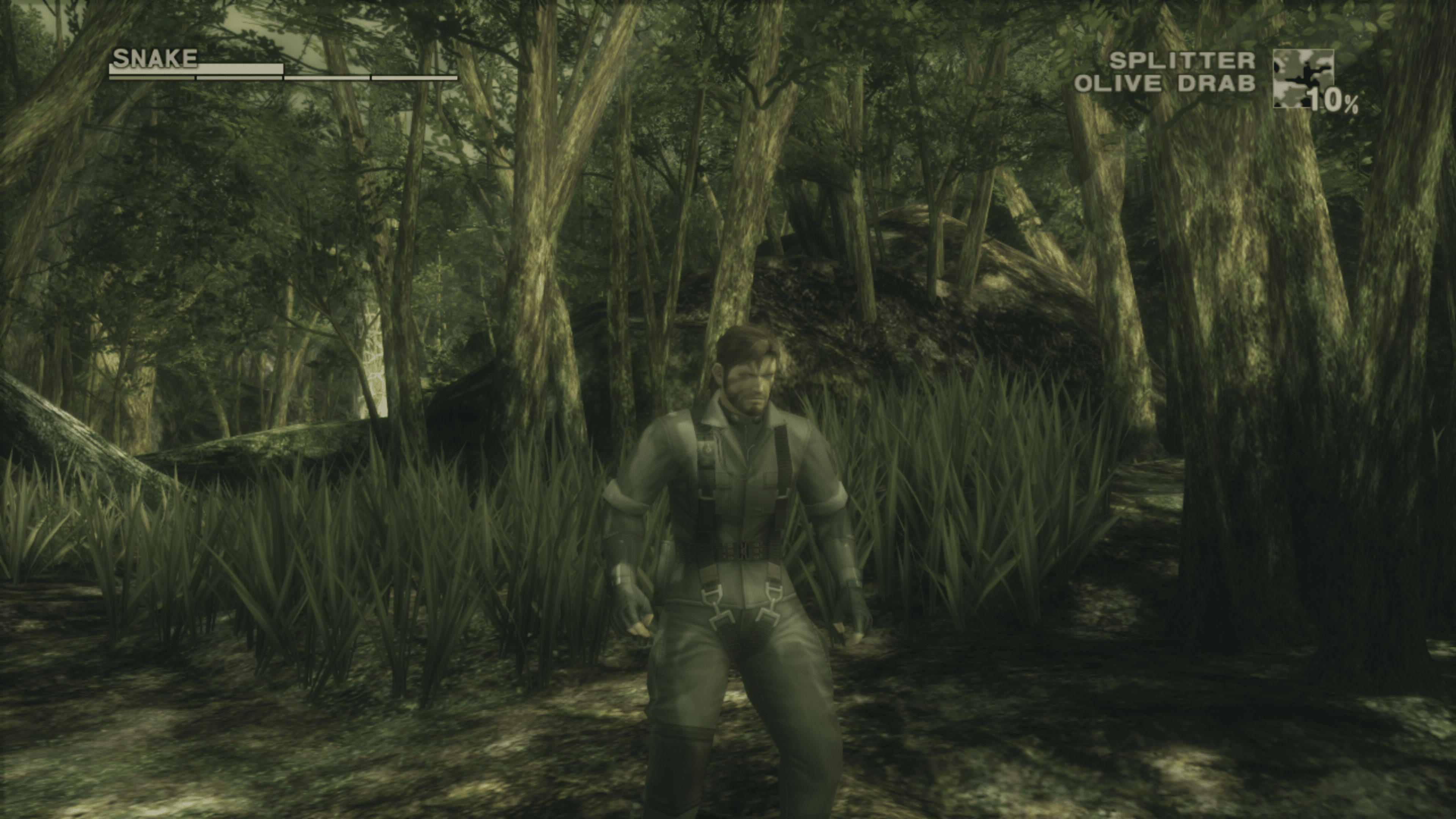
Metal Gear Solid: Master Collection Vol. 1 Review – Snake in the Snow

Metal Gear Solid: Master Collection Vol. 1 may not be what everyone had hoped for, but it’s still an incredible package that lets you conveniently enjoy the MGS trilogy on modern consoles. Here’s our full Metal Gear Solid: Master Collection Vol. 1 review to see how it holds up.

A Solid Collection

The Metal Gear Solid franchise is no stranger when it comes to re-releases. Countless versions of each game exist, with even an HD Collection released over a decade ago on the PS3 and Xbox 360. While many may be irked about some of the cutbacks made with this Master Collection, I’ll just say it; it feels damn good to be able to play through the original trilogy again and on modern consoles. 

Playing through these games has been, well, a bit difficult for console players. The HD Collection exists for PlayStation and Xbox, but only for the PS3 and Xbox 360. That means PlayStation gamers were essentially locked out of these classic games unless they had an old console. On the other hand, Xbox gamers could enjoy (via backward compatibility) MGS2 and MGS3, but not the first game, as it never came to that platform, even in the collection. 

So, having all three games plus the four Metal Gear games (MG1 and MG2, which have both MSX and NES versions) come to modern-day platforms, including PC and the Nintendo Switch, makes for one jammed-packed collection.

I won’t divulge into each game’s story, as there are decades of individual reviews to read for that. But I will say the original Metal Gear Solid trilogy is still one of the best trilogies ever to grace gaming. They’re absolute masterpieces, and anyone who has never played the original Metal Gear Solid trilogy will be in for one hell of a ride with this collection. 
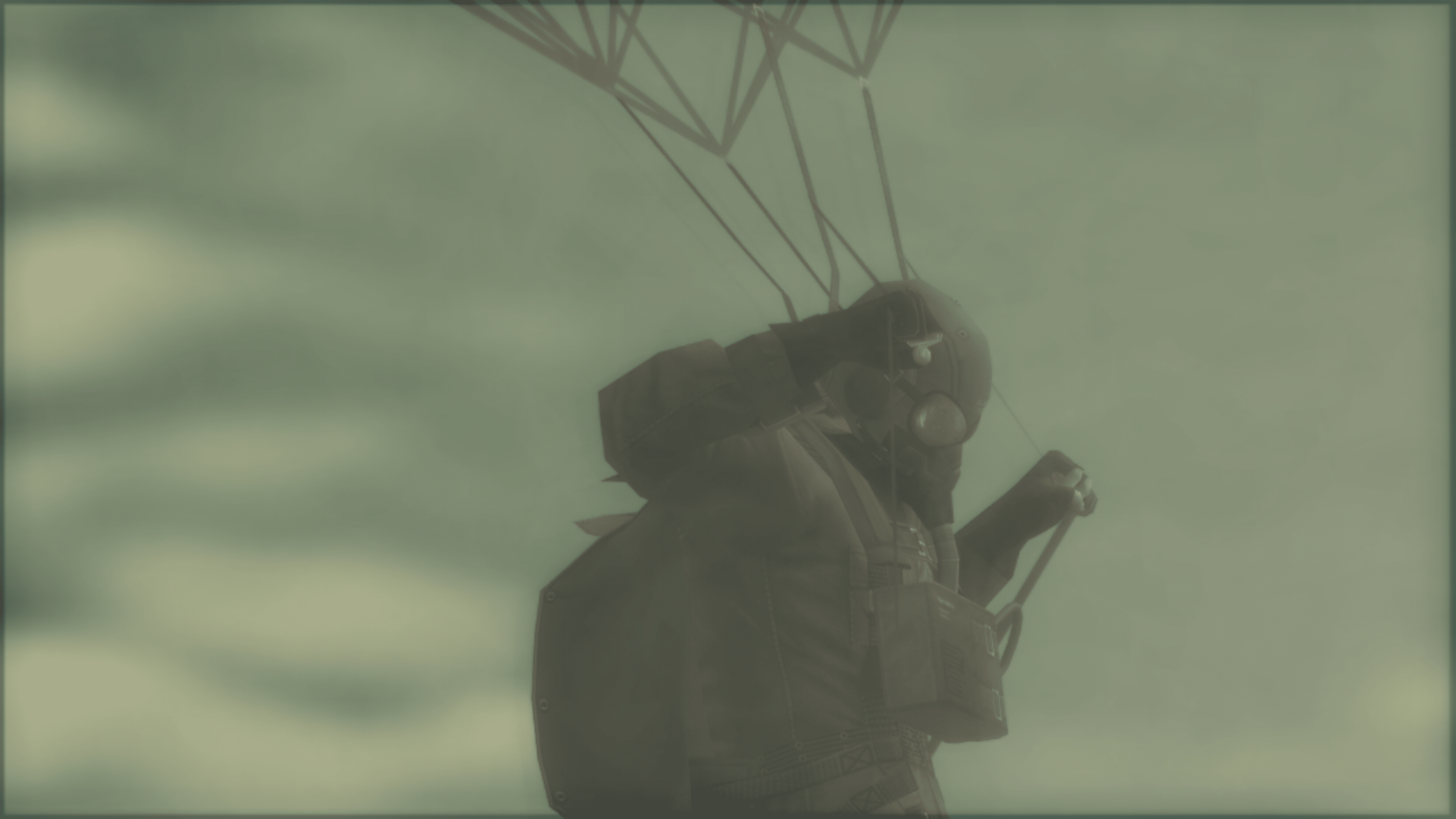
What I am going to talk about is the collection as a whole, meaning its features and presentation. So, let’s talk first about what I loved about the Master Collection Vol. 1. 

First and foremost, the bonus content. Every game in the collection has a Master Book detailing the rich history of the games and an in-depth walkthrough. This is a massive addition, as it provides some behind-the-scenes details that I’m sure mega fans will be scouring for years. Each game in the collection also comes with the entire screenplay, and judging from how some of the text is presented, I’d almost say these are the original screenplays. It’s a wonderful addition, even if most won’t care.

Elsewhere, the released digital graphic novels are all included in this collection, giving you even more lore of the series to experience. There is one issue with them, as with the different game versions, which I’ll discuss later.  

Taking cues from Capcom’s Mega Man Collection, some of the games in the Master Collection feature their different releases, including native regional ones. That’s a big deal, as the European versions of some of these games received heavy censoring. Metal Gear Solid 3 had plenty of blood-toned tones and other graphical changes. You can now enjoy the native North American release that has all that on full display. 

Metal Gear Solid 1 includes the standard edition, VR Missions, Special Missions, and Integral (no Twin Snake Remake though) releases. I wasn’t expecting to see all these included, as with the other games with different regional versions. However, I would have loved it if they included the standard and substance of MGS2 and the standard and Subsistence of MGS3, even if the latter versions are the superior ones; just having all the versions in one place would have been great for those who prefer one over the other. 

For performance, Metal Gear Solid 2 and 3 support full 60fps, though their resolution, as with the rest of the collection, is upscaled 1080p rather than native or even 4K. They still look fantastic mind you, but the resolution bump could have done wonders. 

I do love the menus that each game has before booting into them. They’re displayed against a full key artwork. It’s simple yet gorgeous, though hindered by the same issue mentioned before that I’ll discuss in a bit.
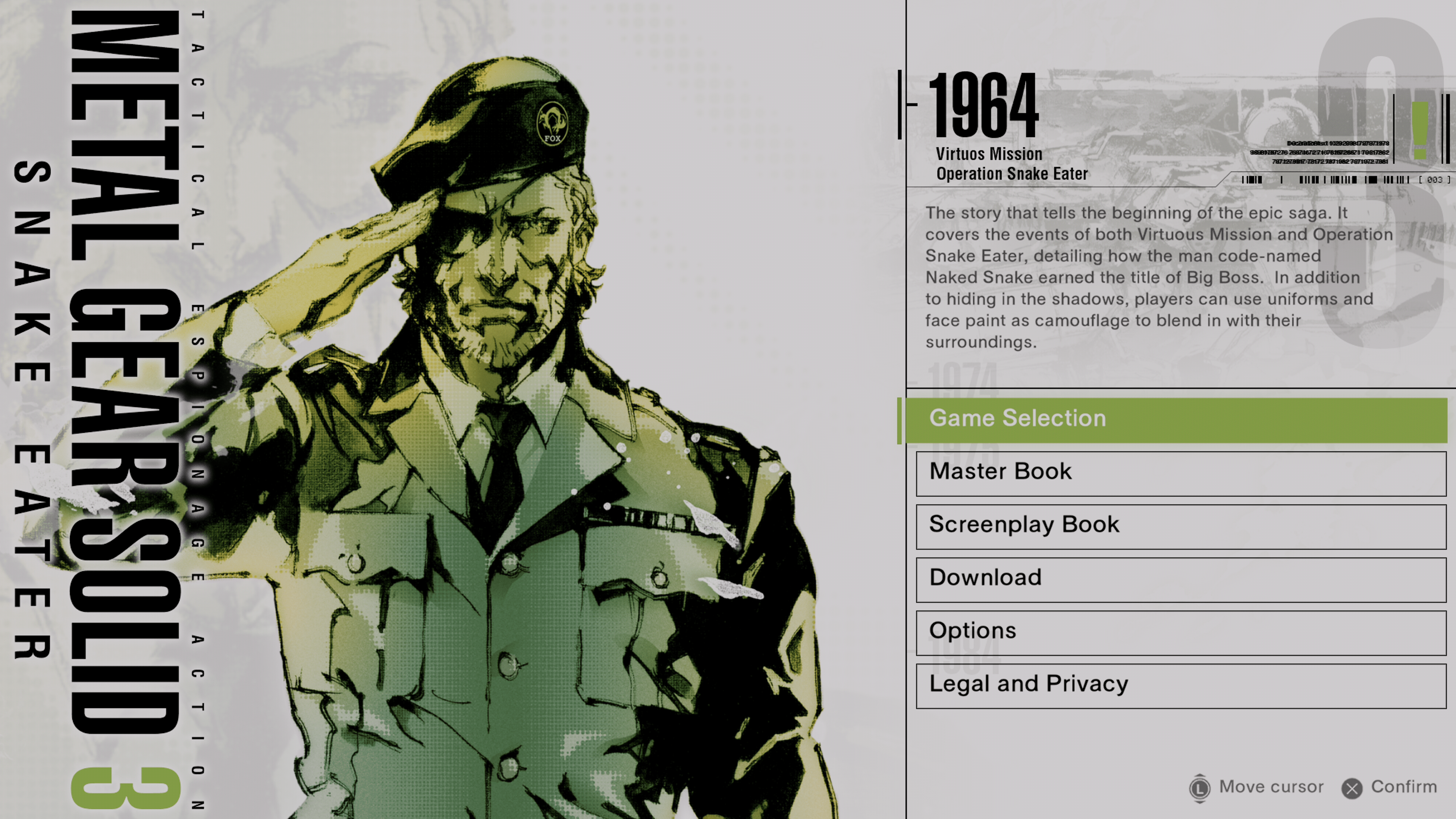
Regarding content and what’s included, Metal Gear Solid: Master Collection Vol. 1 is a definitive collection of MGS games you’d hope to see from a first-volume collection. There’s not much to dislike in terms of what’s lacking in the games themselves, and newcomers will find this to be the best way to play on current platforms. That does go without saying, though, that while new players won’t take much issue with these titles, old-time fans may have a different opinion, with some areas impacting everyone. 

The Inferior Genes

While Metal Gear Solid: Master Collection Vol. 1 is loaded with games and extra content, the general presentation isn’t as good as it should be. The original HD Collection featured MGS2 and 3 (MGS1 was a digital download) on the same screen and as a timeline. 
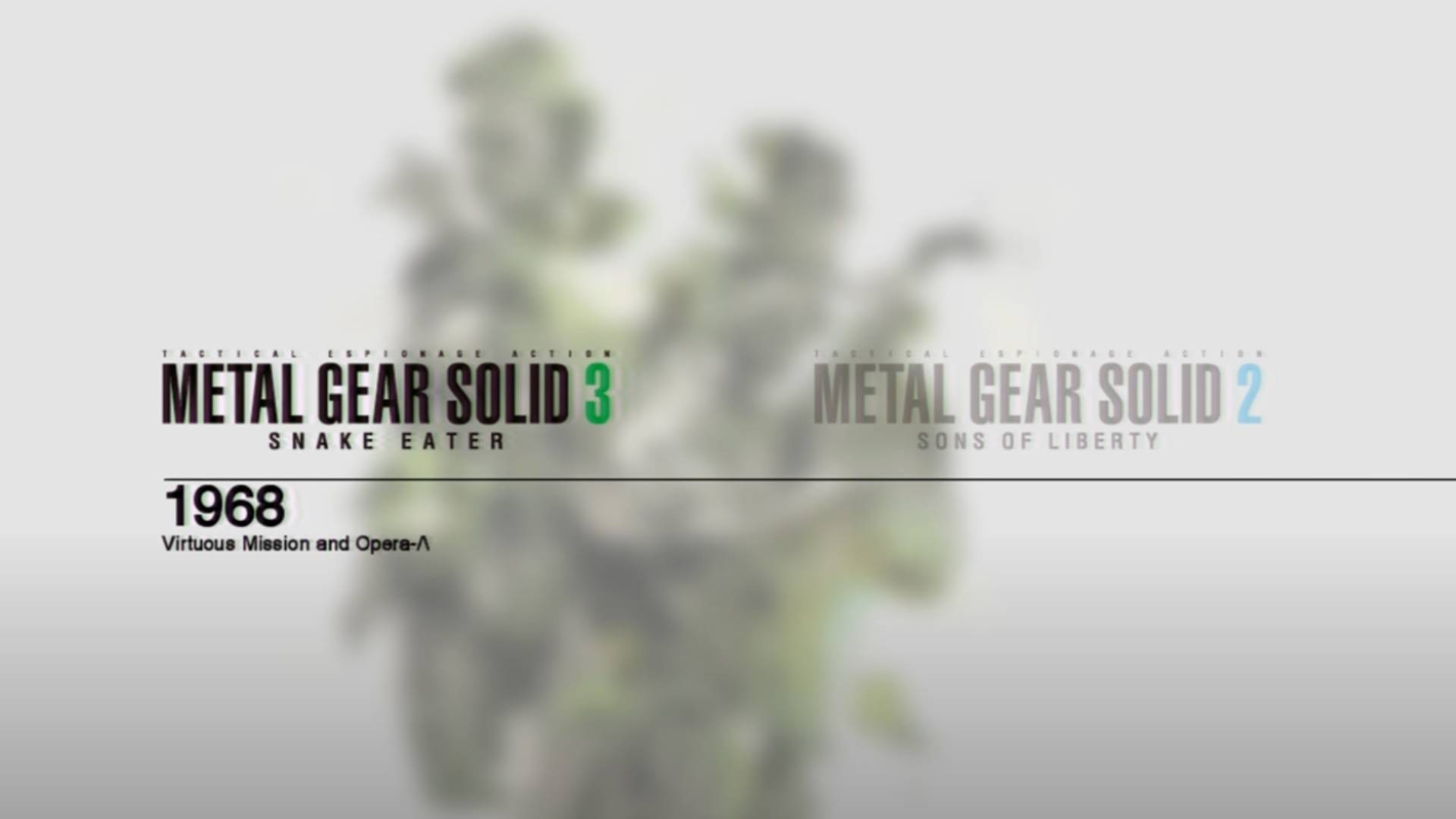
Metal Gear Solid Master Collection Vol. 1 Review Screen 4

The Master Collection instead offers each title as a separate application to download rather than an entire standalone title. This sucks and makes the collection feel disjointed rather than a single collection. I understand why Komani did it, as they intend to sell each game separately, but for what should feel like a tribute to the franchise, this really hurts it. Each game even has a year displayed on its launch menu, which makes me wonder if there were some intentions to keep it as a unified package. Having it all in a single menu would have not only made it feel more special but also added some accessibility rather than cluttering our console’s dashboard. I think it would have been important for new players to understand the game’s timeline, and having them separate does not help with that. 

Then there’s the whole online required to experience everything. Despite the entire collection coming in at under 20GB, for whatever reason, you must connect to the internet to download additional menu-featured items. The graphic novels display, but you can’t view them unless you download them. The same goes for some of the other game versions. Metal Gear Solid Integral, which some may prefer due to the lower difficulty and additional content, can’t be played unless you download it. The same goes for some of the other regional versions of the other games. 

I know we live in an age where almost everything is connected online, but that shouldn’t be an excuse to deliver content like this, and there’s no excuse why it shouldn’t be included in the initial download for digital owners. It is a head-scratcher, as everything, when said and done, could have fit a 50GB Blu-ray disc. 

Then there’s the lack of touch-ups. 

These are essentially direct ports from the original HD Collection, which, by today’s standards, suffers from some poor image quality. The games all look fantastic, but the lack of 4K resolution hurts, especially when you realize it’s not even native 1080p but upscaled from 720p. This would require a lot of work, as evident from the Zone of the Enders 2 HD release, as textures would have had to be worked on due to issues mentioned before. But ZotE2 is easily one of the best HD remasters out there because of it, and I had high hopes that this collection would have received a similar treatment. 

Metal Gear Solid 1 is completely untouched visually. I love it, but even I know it doesn’t look good running on a full 65-inch 4K TV at low resolution. 
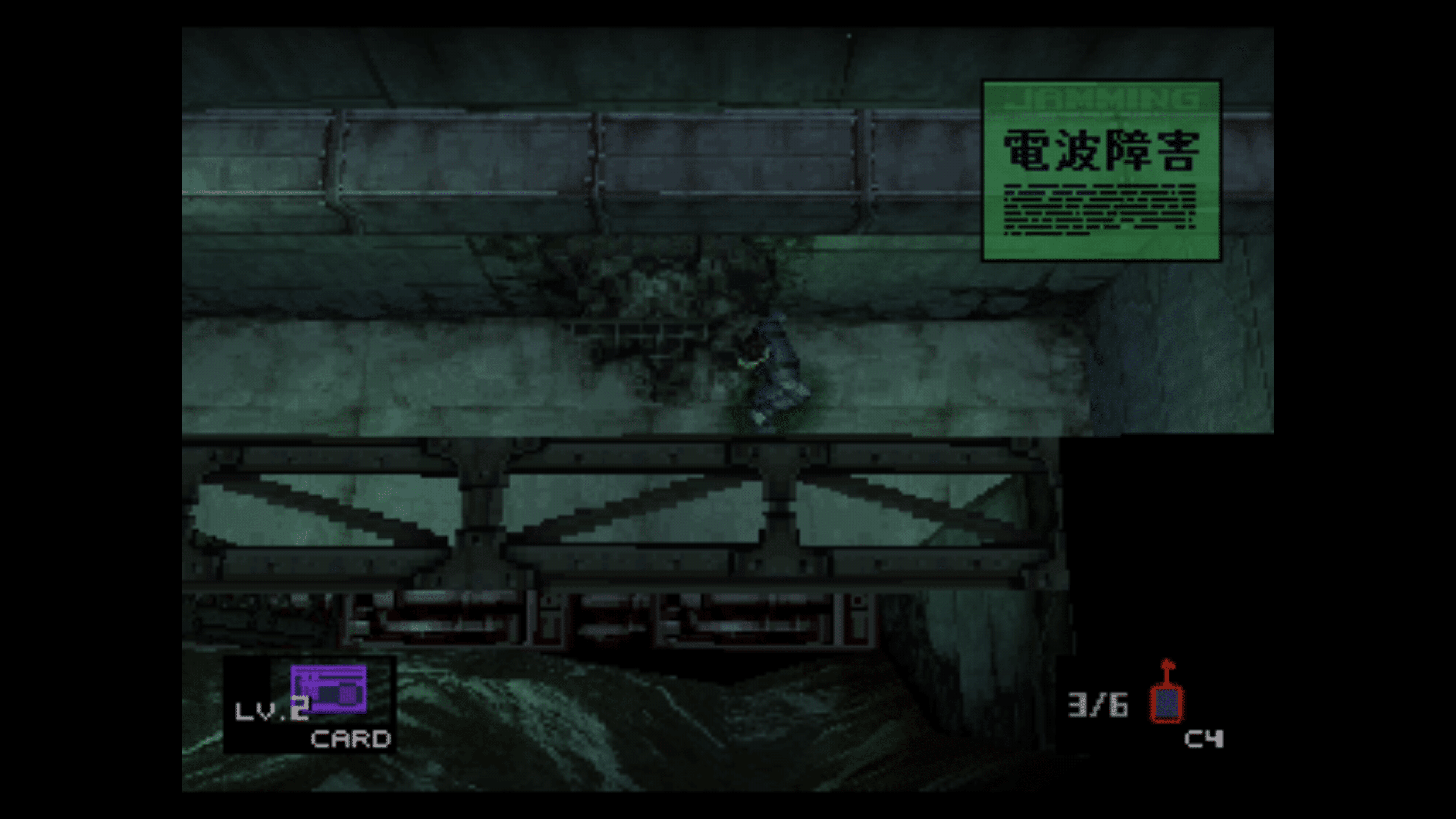
MGS1 deserves better than a straight port. Unfortunately, Twin Snake isn’t included in this package, but even if it was (which I would have relished), there’s no beating the original game with its soundtrack and setpieces that were altered in the remake. 

With some of these complaints, I’d say you’d be better off getting this on PC due to the amount of modding that will (no doubt) bring over these missing features and improvements. But even if you don’t care for it, there are some other issues with this collection that Konami has acknowledged before release. 

MGS2 has significant slowdowns during some cutscenes in what was otherwise perfect before. There are some graphic bugs, such as effects not playing correctly and some subtitle issues. These will all be addressed in a post-launch patch, but given the effort put into these titles (it doesn’t look like much), seeing these issues even crop up is odd. 

I’m also surprised that there is a lack of save states, which has become a common feature in other game collections. There’s no rewind function, though that’s not one I was expecting to see in the 3D games, at least. 

Visual improvements are generally nonexistent if you compare this collection to the HD Collection, which is a huge disappointment. 

Still in a Dream

Despite the shortcomings, I still recommend this collection to anyone, especially those who never played these games. They’re simple ports of games that are considered to be among the best. The Metal Gear Solid Trilogy is a masterpiece everyone has to play. And that’s been the biggest issue over the last decades where there was no real good way to play them all, outside of emulators on PC. With Metal Gear Solid: Master Collection Vol. 1, Konami has provided a convenient way to do just that on modern and future consoles. Let’s hope Vol. 2 has more effort put into it next time, as most of those games should be based on mostly recent titles. 

Score: 8/10

Pros:

  • Finally, an easy way to play the original games on modern platforms. 
  • Despite some flaws, every game is as much a masterpiece as we remember. 
  • Bonus content adds a rich history of lore and behind-the-scenes of the series. 
  • Trophy and Achievement support for the first game!

Cons:

  • There is no unified hub; everything is a separate application, making it feel disjointed.
  • Online is required for downloading additional content like graphic novels and other game editions. 
  • Visually untouched – No 4K resolution, and returning to MGS1 can be a pixelated mess. It’s still a great game, though. 
  • Some performance and other issues in MGS2 and 3. 

Metal Gear Solid: Master Collection Vol. 1 review code was provided by the publisher. You can read MP1st’s review and scoring policy right here.


Avatar photo

James Lara

A gamer at heart, James has been working for MP1st for the last decade to do exactly what he loves, writing about video games and having fun doing it. Growing up in the 90's gaming has been in his DNA since the days of NES. One day he hopes to develop his own game.

Home > News

Minecraft Update 2.75 for October 24 Slinks Out for Patch 1.20.40

Mojang and 4J Studios have pushed out Minecraft update 2.75, and this for Bedrock patch version 1.20.40! This ushers in a huge list of fixers to the building game, which are listed in the official Minecraft patch notes for October 24.

Minecraft Update 2.75 Patch Notes | Minecraft Update 1.20.40 Patch Notes:

A new update has been released, bringing several changes to the game! Here are the highlights:

  • Experimental: Rebalanced several Villager trades
  • Updated and improved several in-game sounds
  • Tweaked the splash sounds when entering and leaving water
  • Buckets can no longer pick up liquids for a few ticks after they’ve been placed

Your thoughts on the game continue to shape new updates so please upvote and report any new bugs at bugs.mojang.com and leave us your feedback at feedback.minecraft.net.

Vanilla Parity

Gameplay

  • Changed the default value of the Respawn Radius in the Advanced Settings to 10
  • Falling from a great height while in a Boat no longer deals fall damage (MCPE-152753)
  • Fall damage is now absorbed by the entity that lands on the ground when mounted and passed on to passengers if the mount dies
  • Goat Horns can now be heard up to 256 blocks away (MCPE-153254)
  • Tweaked the boss bar HUD color (MCPE-43591)
  • Flowing Lava and Water mixing mechanics now match Java Edition (MCPE-41103)
  • Closing the inventory of Boat, Raft, or Minecart with Chest now emits vibrations

Mobs

  • Zombified Villager curing time is now randomized between 3 and 5 minutes, to match Java Edition
  • Zombified Villagers now have the correct biome overlays (MCPE-172377)
  • Witches now target players within a 16 block distance
  • Sheep that have been sheared previously and have since grown back wool will now drop wool on death (MCPE-99972)
  • Camels can no longer dash while in Lava or Water
  • Iron Golems no longer spawn naturally in 2-block-high spaces where they would start suffocating (MCPE-173006)
  • Iron Golems and Snow Golems now have a crumbling-like particle effect when they are created
  • Cartographers no longer offer exploration maps as a trade item when not in the overworld

Audio

  • Guardians and Elder Guardians now make flopping sounds when on land (MCPE-26929)
  • Wither Skeletons now have their own unique sounds (MCPE-174857)
  • Updated the sound that’s played when Wither Skeleton Skulls are placed on top of Note Blocks
  • The sound for picking up items is now played when using the ‘/give’ command
  • Stray Cats now play a sound when begging for food
  • Changes to Bottles (MCPE-157918)
    • Bottles now emit sounds when filling from Water Blocks
    • Pouring water or potions from a Glass Bottle into a Cauldron emits the appropriate sound
    • Filling a Glass Bottle with Water or Potion from a Cauldron now emits the appropriate sound
    • Drinking from a Glass Bottle now emits the appropriate sound
  • Changes to water splash sounds (MCPE-174524)
    • The ambient sounds for entering exiting water is now played only when actor is submerged below eye-level in water, matching Java Edition
    • The splash sound for entering water has been updated to match Java Edition

Experimental Features

Villager Trade Rebalancing

This experiment has no effect on normal worlds. If you want to try these changes, you must turn on the Feature Toggle in the Experiments Menu when creating a new world.

Thank you to everyone that has sent in their suggestions and feedback regarding the experimental trade change! We are trying out these changes to rebalance the villager trade system and make it more fair and fun for everyone. However, these changes are not yet final and they will stay as experimental features while we continue to work on them. We appreciate your feedback on these changes. Visit this link to share your thoughts! We have been following the discussions about the previous Librarian and Wandering Trader updates and look forward to seeing the conversation continue.

Cartographer

Before now, Cartographers only sold maps to the Ocean Monument and Woodland Mansion. In this experiment Cartographers can sell seven new maps as well. These new maps each point to a different village or structure and can be used to find seven different biomes. This will help players who want to quickly find a specific location without waiting until they come across it by chance.

Cartographers from different biomes will sell a different selection of maps. Starting from one village, it will be possible to find every other village type by following maps from village to village.

villager-trades-1.png

Cartographers now sell 7 new maps: Desert Village Map, Jungle Explorer Map, Plains Village Map, Savanna Village Map, Snow Village Map, Swamp Explorer Map, and Taiga Village Map.

Armorer

The Armorer’s trades have been updated with many changes.

The biggest change is that buying diamond armor now requires paying a small amount of Diamonds as well as Emeralds. This is meant to make the Armorer’s diamond armor trades less useful at the start of the game when players don’t have any Diamonds, while still giving a powerful advantage to advanced players who have spent some time collecting Diamonds.

Early-game players will find Armorers useful as a great source of iron armor, Shields, and Emeralds.

Other changes include:

  • Most master-level Armorers buy Iron Blocks (and pay very well for them)
  • Chainmail armor is exclusively sold by the secret Jungle and Swamp Armorers
  • The Savanna Armorer sells cursed diamond armor at reduced prices
  • The Taiga Armorer can swap one piece of diamond armor for another

villager-trades-2.png

Structure Loot

Certain Enchanted Books now have a high chance of generating in some structures:

  • Ancient Cities: Mending
  • Mineshafts: Efficiency (I to V)
  • Pillager Outposts: Quick Charge (I to III)
  • Desert Temples: Unbreaking (I to III)
  • Jungle Temples: Unbreaking (I to III)

Fixes and Changes

Performance / Stability

  • Fixed several crashes that could occur during gameplay
  • Fixed a crash that could occur when running in the Archold room in the Spellrune Marketplace map
  • Fixed a crash related to tessellation of water blocks
  • Fixed an issue where the game would lock up if a mob would move on a block with 0 friction (MCPE-173073)

Gameplay

  • Players are no longer affected by Arrow effects if the Arrow is blocked (MCPE-52904)
  • Villages in the End and Nether are no longer saved to the Overworld (MCPE-85954)
  • Players can no longer sometimes clip through blocks when gliding with Elytra into blocks (MCPE-73307)
  • Buckets can no longer pick up liquids for a few ticks after they’ve been placed (MCPE-100598)
    • This should help make placing and retrieving liquid in a quick succession far more consistent as well as help players that are using a water bucket to quickly avoid fall damage
  • Fixed an issue where moving slowly on Soul Sand would sometimes cause the player to not receive the Soul Speed movement speed (MCPE-173155)
  • Players can no longer sometimes clip through blocks when flying in Creative Mode and spamming the sneak button (MCPE-172785)

Mobs

  • Fixed a bug where the Sniffer ended digging as soon as item was created, not at the end of the specified dig duration
  • Camels no longer appear to slide when walking (MCPE-169666)
  • Camels no longer move their legs when standing still (MCPE-172846)
  • Camels no longer dash indefinitely when in Lava (MCPE-172369)
  • Mobs no longer receive fall damage when falling into a 1 block deep water pool (MCPE-173094)
  • Rabbits can once again eat partially and fully grown Carrot crops (MCPE-131980)

Blocks

  • Fixed a bug where the wrong side of Signs would sometimes be edited (MCPE-169067)
  • Fixed an extremely rare bug (~0.000003% chance) that could cause Item Frames to not drop their item when hit or destroyed
  • Third person camera no longer phases through the lower part of Cauldron (MCPE-173010)
  • Falling in Powder Snow no longer causes any damage, no matter the height fallen from (MCPE-174859)
  • Lightweight mobs and entities wearing Leather Boots once again sink into the top layer of Powder Snow when falling from a height of more than two and a half blocks
  • Sculk Block no longer drops XP when mined with Silk Touch (MCPE-174656)

Items

  • Diagonal Banner patterns no longer get inverted when applied to a Shield (MCPE-169577)
  • Placing invalid items into offhand slot will no longer cause them to drop
  • Warped Fungus on a Stick is no longer held backwards in first person view (MCPE-169765)
  • Updated structure icons on Explorer Maps sold by Cartographers

Accessibility

  • Fixed an issue where text-to-speech did not say how to open chat or use emotes
  • Text-to-speech message for popup title/description is now played properly

User Interface

  • Added a sprint button for Camels when “sprint using the joystick” option is turned off (MCPE-172674)
  • Fixed Sneak button partially blocking the D-Pad Up button when using touch controls (MCPE-38566)
  • Smithing Table no longer shows double overlapping tooltips for some slots (MCPE-168369)
  • Item names no longer overlaps with the absorption health bar (MCPE-152131)
  • Item names no longer overlaps with the mount health bar (MCPE-152130)
  • Item names no longer overlaps with the oxygen bar (MCPE-152129)
  • Updated Brewing Stand interface to always stay within its background when scaled (MCPE-154385)
  • Improved disconnect message when trying to join a Realm when not a member
  • Autocompleting text now moves the caret to end of the line

Graphical

  • Equipped enchanted armor now has an overall weaker glint, however its intensity more noticeably increases and decreases over time
  • Random lights no longer appear in the world without a source (MCPE-169001)
  • Splash particles are now emitted at an actor’s waist instead of above their head

Technical Updates

Updated Add-On Template Packs

  • Updated Add-On templates for 1.20.40 with new resources, behaviors, and documentation are available to download at aka.ms/MCAddonPacks

Stability and Performance

  • The Sounds definition file sound_definitions.json will no longer crash the game if the wrong json type is used for a specific sound definition (MCPE-168913)

Commands

  • Re-entering a world no longer breaks command autocomplete after a command using “@e[type=item]” was used (MCPE-164734)
  • The /damage command with the “override” cause now causes damage through post hit invulnerability (MCPE-160290)
  • The recipe command color has been changed to white instead of blue (MCPE-173362)

Mobs

  • Added a new “query.is_in_lava” Query Function to Molang, to know if a mob is currently in Lava

Molang

  • Molang updated to version 1.20.40 which replaces “block_property” and “has_block_property” with “block_state” and “has_block_state”
    • This is a Molang Versioned Change that only takes effect for Molang expressions in packs that use a min_engine_version of 1.20.40 or higher

Trade Tables

  • Trade items now have a “filters” property to determine if a trade should be considered
  • Trade items no longer support the “biome” property to check villager biome types, the “is_mark_variant” filter can be used in the “filters” property instead to check the villager biome type

API

  • Released World.getMoonPhaseMoonPhase, and MoonPhaseCount v1.6.0
  • Camera APIs moved from beta to 1.6.0
    • Camera
      • setCamera
      • fade
      • clear
    • EasingType
    • CameraSetRotationOptions
    • CameraSetFacingOptions
    • CameraSetPostionOptions
    • CameraDefaultOptions
    • CameraSetLocationOptions
  • Changed the names of the CameraSetOptions options to not include the word ‘Script’
  • Released Entity.is* APIs from beta to 1.6.0
    • isSleeping
    • isSneaking
    • isSprinting
    • isSwimming
    • isClimbing
    • isOnGround
    • isInWater
    • isFalling
  • Released Player level & XP APIs from beta to 1.6.0
    • addLevels
    • addExperience
    • level
    • getTotalXP
    • xpEarnedAtCurrentLevel
    • totalXpNeededForNextLevel
    • resetLevel
  • Released Player.is* APIs from beta to 1.6.0
    • isEmoting
    • isGliding
    • isJumping
    • isFlying
  • Updated all methods besides show on ActionFormDataMessageFormData, and ModalFormData to be callable in read-only mode
  • BlockInventoryComponent
    • container member variable now correctly reflects it can be a Container or undefined
  • Fixed a versioning bug preventing @minecraft/server-ui module from working with @minecraft/server above version 1.2.0
  • WeatherType moved to 1.6.0
    • Moved function setWeather to 1.6.0
    • Moved event/property entityRemove from beta to 1.6.0
    • Moved event/property entityRemove from beta to 1.6.0
  • Moved class EntityRemovedAfterEvent from beta to 1.6.0
  • Moved class EntityRemoveAfterEventSignal from beta to 1.6.0
  • Moved class EntityRemovedBeforeEvent from beta to 1.6.0
  • Moved class EntityRemoveBeforeEventSignal from beta to 1.6.0
    • Moved event/property entityLoad from beta to 1.6.0
  • Moved class EntityLoadAfterEvent from beta to 1.6.0
  • Moved class EntityLoadAfterEventSignal from beta to 1.6.0
    • Moved event/property entitySpawn from beta to 1.6.0
  • Moved enum EntityInitializationCause from beta to 1.6.0
  • Moved class EntitySpawnAfterEvent from beta to 1.6.0
  • Moved class EntitySpawnAfterEventSignal from beta to 1.6.0
    • Moved event/property playerBreakBlock from beta to 1.6.0
    • Moved event/property playerBreakBlock from beta to 1.6.0
  • Moved class PlayerBreakBlockAfterEvent from beta to 1.6.0
  • Moved class PlayerBreakBlockAfterEventSignal from beta to 1.6.0
  • Moved class PlayerBreakBlockBeforeEvent from beta to 1.6.0
  • Moved class PlayerBreakBlockBeforeEventSignal from beta to 1.6.0
    • Moved event/property playerPlaceBlock from beta to 1.6.0
  • Moved class PlayerPlaceBlockAfterEvent from beta to 1.6.0
  • Moved class PlayerPlaceBlockAfterEventSignal from beta to 1.6.0
  • Moved class BlockEventSignalOptions from beta to 1.6.0
    • Move isAir(): boolean from beta to 1.6.0
    • Move isLiquid(): boolean from beta to 1.6.0
    • Moved amount from beta to 1.6.0
    • Moved keepOnDeath: boolean from beta to 1.6.0
    • Moved lockMode: ItemLockMode from beta to 1.6.0
    • Moved nameTag?: string from beta to 1.6.0
    • Moved clone(): ItemStack from beta to 1.6.0
    • Moved getTags(): string[] from beta to 1.6.0
    • Moved hasTag(tag: string): boolean from beta to 1.6.0
    • Moved setCanDestroy(blockIdentifiers?: string[]): void from beta to 1.6.0
    • Moved getCanDestroy(): string[] from beta to 1.6.0
    • Moved setCanPlaceOn(blockIdentifiers?: string[]): void from beta to 1.6.0
    • Moved getCanPlaceOn(): string[] from beta to 1.6.0
    • Moved function getProperty to 1.6.0
    • Moved function resetProperty to 1.6.0
    • Moved function setProperty to 1.6.0
  • Moved getRotation from beta to 1.6.0
  • Move setRotation from beta to 1.6.0
  • Released PlayerDimensionChangeAfterEvent from beta to 1.6.0

Blocks

  • “minecraft:transformation” now prevents blocks from being transformed past the 30x30x30 pixel limit and “minecraft:unit_cube” from being translated or scaled. Invalid block will instead display the “update” block (MCPE-173799)
  • Chest blocks, Trapped Chest blocks, Ender Chest blocks, and Stonecutter blocks now use state “minecraft:cardinal_direction” instead of “facing_direction”, this state uses string values [“south”, “west”, “north”, and “east”] instead of [0, 1, 2, 3, 5, 6]

Items

  • Added a content error when attempting to load a damage sensor with an invalid “cause” value
  • Allow single value parsing for “minecraft:icon” item component
  • The Camel mob Dash Component can now be applied to rideable mobs other than Horse, Donkey, and Mule using “minecraft:dash”
  • Deprecated “minecraft:weapon” component starting in version 1.20.40
  • Deprecated “minecraft:on_use” component starting in version 1.20.40
  • Deprecated “minecraft:on_use_on” component starting in version 1.20.40

Entity Components

  • Unlocked “behavior.random_search_and_dig” for creators to use
  • “target_blocks” field added. List of blocks that the mob can dig on. Default if “target_blocks” isn’t added is Dirt, Grass, Podzol, Dirt with Roots, Moss, Mud, and Muddy Mangrove Roots
  • “item_table” field added. Path to a loot table that specifies what the mob can dig up. “item_table” takes precedence over “items”
  • Content errors added if the behavior has trouble reading or finding “item_table” and if unable to get an item from “items”
  • ‘on_item_found’ event now fires on item found AND digging finished. Before the event firing caused the digging to stop early
  • The “behavior.random_look_around_and_sit” now has the field “continue_sitting_on_reload” exposed for Creators to use. This is how the Camel stays sitting on reload
  • behavior.is_scenting” renamed to generic “behavior.timer_flag_1” and released to creators
  • behavior.is_rising” renamed to generic “behavior.timer_flag_2” and released to creators
  • behavior.is_feeling_happy” renamed to generic “behavior.timer_flag_3” and released to creators
  • behavior.timer_flag 1”: Fires an event when this behavior starts, then waits for a duration before stopping. When stopping due to that timeout or due to being interrupted by another behavior, fires another event. query.timer_flag_1 will return 1.0 on both the client and server when this behavior is running, and 0.0 otherwise
  • behavior.timer_flag 2”: Fires an event when this behavior starts, then waits for a duration before stopping. When stopping due to that timeout or due to being interrupted by another behavior, fires another event. query.timer_flag_2 will return 1.0 on both the client and server when this behavior is running, and 0.0 otherwise
  • behavior.timer_flag 3”: Fires an event when this behavior starts, then waits for a duration before stopping. When stopping due to that timeout or due to being interrupted by another behavior, fires another event. query.timer_flag_3 will return 1.0 on both the client and server when this behavior is running, and 0.0 otherwise

Experimental Technical Updates

Script API

  • Added function getWeather
  • Added the chat(message: string) method
  • Changed ItemTypes.get to return ItemType | undefined
  • Changed source on ItemDefinitionTriggeredAfterEvent to be optional
  • Added the following methods to Player
    • above(steps?: number): Block | undefined;
    • below(steps?: number): Block | undefined;
    • north(steps?: number): Block | undefined;
    • east(steps?: number): Block | undefined;
    • south(steps?: number): Block | undefined;
    • west(steps?: number): Block | undefined;
    • offset(offset: Vector3): Block | undefined;
    • center(): Vector3;
    • bottomCenter(): Vector3;
    • Made getItemStack function return ItemStack or undefined
  • BlockStates
    • Made get function return BlockStateType or undefined
  • getSculkSpreader
    • Made getSculkSpreader return SculkSpreader or undefined
  • Updated ExplosionAfterEvent and ExplosionBeforeEvent
    • getUpdatedBlocks() will now return Block[]
    • setUpdatesBlocks(blocks: Block[]) now takes in a Block[]
  • Added the following methods to Player playMusic(trackId: string, musicOptions?: MusicOptions): void; queueMusic(trackId: string, musicOptions?: MusicOptions): void; stopMusic(): void;
  • Dynamic Properties
    • Property registration is no longer required and propertyRegistry has been removed from the worldInitialize event
    • Removed limits on the count and size of properties that can set on an entity or the world
    • Default values have been removed. getProperty will now always return undefined for unset properties
    • String dynamic property values are now restricted to a length of 32767 bytes
  • Dynamic Properties
    • Removed function removeDynamicProperty – Please use setDynamicProperty with a value of undefined to remove a property
    • Added function getDynamicPropertyIds – Returns an array of all dynamic property ids on an entity/world used by the behavior pack
    • Added function getDynamicPropertyTotalByteCount – Returns the total number of bytes used by all dynamic properties on an entity/world by the behavior pack
    • Added function clearDynamicProperties – Removes all dynamic properties added by this behavior pack from an entity/world
  • Dynamic Properties
    • Dynamic property numbers are now stored with double precision (64 bits)
  • Adding PlayerInteractWithBlock + PlayerInteractWithEntity before & after events
  • Adding PlayerDimensionChangeBeforeEvent and PlayerDimensionChangeAfterEvent in beta
  • Added matches function called on an entity, which takes in EntityQueryOptions and returns true if the entity matches and false otherwise
  • Added PlayerLeaveBeforeEvent – This event fires when a player leaves the server, before the Player object is removed

Once a new patch is out, we’ll be sure to let our readers know.

Source: Minecraft

Avatar photo

Alex Co

Father, gamer, games media vet, writer of words, killer of noobs.

Home > News

The Texas Chain Saw Massacre Update 1.000.008 Slashes Out for Today, October 24

Gun Interactive has started to roll out The Texas Chain Saw Massacre update 1.000.008 on all platforms this Oct. 24. It’s a minor update, addressing some bugs, feature tuning, and support for new cosmetic skins.

The Texas Chain Saw Massacre Update 1.000.008 Patch Notes | The Texas Chain Saw Massacre New Update Patch Notes for October 24:

  • Fixed: XP for Disconnected Victims Killed
    • We have fixed an issue that caused XP to be lost if a player disconnected during the execution.
  • Changed: Match End Logic
    • Match End Logic will now check for disconnected players, rather than waiting the 10 seconds previously to end the match.
  • Tuned: XP Values for Family Actions
    • We have increased the XP earned for various Family actions and objectives to bring it closer to balance with the Victim side.
  • Tuned: Character Bios
    • We have edited and updated some of the character bios.

Additionally, this update also brings DLC support for the new Leatherface skin, as well as some victim and family outfits and skins.

  • Nicotero Leatherface Premium Content: Includes the Nicotero Leatherface outfit, Nicotero Leatherface saw with unique saw sound, and Nicotero Leatherface exclusive universal execution.
  • Victim Outfit Packs: Each Victim gets one new outfit pack which includes a new outfit with 3 color swaps and 3 texture/pattern swaps to choose from for that outfit.
  • Victim Outfit Pack Bundle: Get all five Victim Outfit Packs for the price of four with the Victim Outfit Pack Bundle.
  • Slaughter Family Bloody Skins Pack: Feeling like the blood of your Victims in game just isn’t quite enough? Get the Slaughter Family Bloody Skins Pack to really layer it on. Comes with blood… lots of it. All 5 Family members Bloody Skins included in this pack.

That’s all for today’s update, and should we, or anyone els in the community spot any other changes, we’ll be sure to update the notes with those findings.

Source: Texas Chain Saw Game Reddit

Related Reading:

Avatar photo

James Lara

A gamer at heart, James has been working for MP1st for the last decade to do exactly what he loves, writing about video games and having fun doing it. Growing up in the 90's gaming has been in his DNA since the days of NES. One day he hopes to develop his own game.

Home > News

Texas Chainsaw Massacre Update 1.07 for October 24 Brings Cosmetic Support and More

Texas Chainsaw Massacre update 1.07 is now available on all platforms, adding support for new premium DLC, as well as some additional changes. Read on for the other details in the Texas Chainsaw Massacre patch notes for October 24.

Texas Chainsaw Massacre Update 1.07 | Texas Chainsaw Massacre Patch Notes for October 24:

The Texas Chain Saw Massacre Update 1.000.008 Patch Notes | The Texas Chain Saw Massacre New Update Patch Notes for October 24:

  • Fixed: XP for Disconnected Victims Killed
    • We have fixed an issue that caused XP to be lost if a player disconnected during the execution.
  • Changed: Match End Logic
    • Match End Logic will now check for disconnected players, rather than waiting the 10 seconds previously to end the match.
  • Tuned: XP Values for Family Actions
    • We have increased the XP earned for various Family actions and objectives to bring it closer to balance with the Victim side.
  • Tuned: Character Bios
    • We have edited and updated some of the character bios.

Support for the following premium DLC has been added:

  • Nicotero Leatherface Premium Content: Includes the Nicotero Leatherface outfit, Nicotero Leatherface saw with unique saw sound, and Nicotero Leatherface exclusive universal execution.
  • Victim Outfit Packs: Each Victim gets one new outfit pack which includes a new outfit with 3 color swaps and 3 texture/pattern swaps to choose from for that outfit.
  • Victim Outfit Pack Bundle: Get all five Victim Outfit Packs for the price of four with the Victim Outfit Pack Bundle.
  • Slaughter Family Bloody Skins Pack: Feeling like the blood of your Victims in game just isn’t quite enough? Get the Slaughter Family Bloody Skins Pack to really layer it on. Comes with blood… lots of it. All 5 Family members Bloody Skins included in this pack.

That’s all for today’s Texas Chainsaw Massacre update. If there are any stealth changes that get discovered, we’ll update the post, otherwise, happy hunting!

Source: Texas Chain Saw Game Reddit

Related Reading:

Avatar photo

James Lara

A gamer at heart, James has been working for MP1st for the last decade to do exactly what he loves, writing about video games and having fun doing it. Growing up in the 90's gaming has been in his DNA since the days of NES. One day he hopes to develop his own game.

Home > News

New Destiny 2 Weekly Reset October 24, 2023 and Eververse Inventory

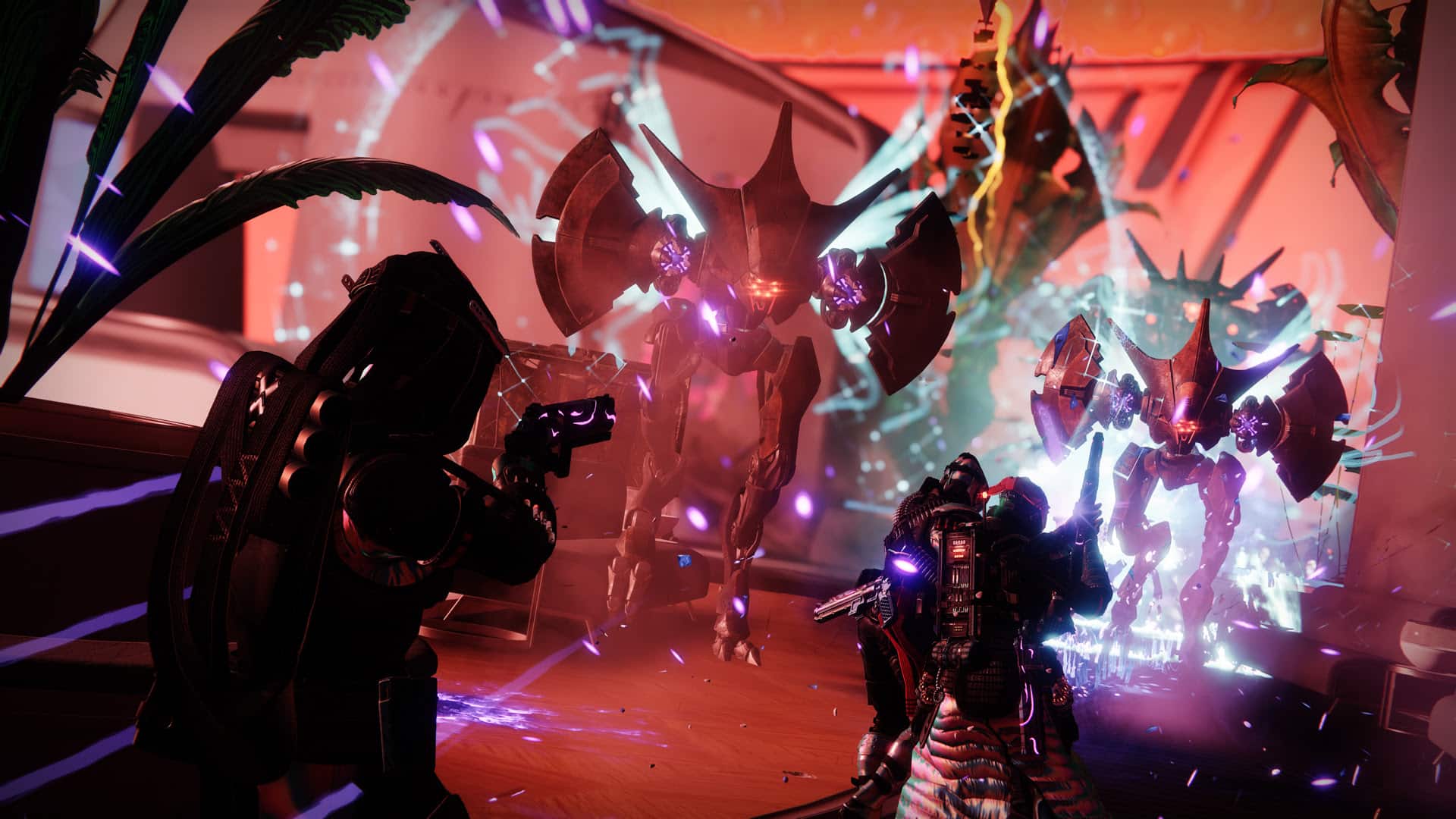
As Xur bids Destiny players farewell until next Friday, a new set of weekly activities and Eververse offerings are here to keep players busy. The new Destiny 2 weekly reset October 24, 2023 refresh of activities is now live, fully detailed below along with the new Eververse inventory.

New Destiny 2 Weekly Reset October 24, 2023 and Eververse Inventory:

Nightfall – The Ordeal: Heist Battleground: Europa

Modifiers:

  • Nightfall: Hero
    • Shielded Foes: You will face combatants with [Arc] Arc, [Solar] Solar, and [Void] Void shields.
    • Shielded Foes: [Arc] Arc, [Solar] Solar, and [Void] Void Shields
    • Hero Modifiers: Extra Shields Maximum Effective Level 1765
    • Champion Foes: You will face [Shield-Piercing] Barrier and [Stagger] Unstoppable Champions. Visit the Character or Mod Customization screen to view your active anti-Champion perks.
    • Champion Foes: You will face [Shield-Piercing] Barrier and [Stagger] Unstoppable Champions.
    • Solar Threat: 25% increase to incoming Solar damage.
    • Fire Pit: When defeated, Acolytes spawn fire pools that cause damage over time.
    • Overcharged Weapons: Weapon overcharges from the Seasonal Artifact are active in this activity. Kinetic weapons do increased damage when your subclass element matches an active surge.
    • Strand Surge: 25% bonus to outgoing Strand damage.
    • Arc Surge: 25% bonus to outgoing Arc damage.
    • Overcharged Linear Fusion Rifle: 25% bonus to Linear Fusion Rifle damage.
    • Galvanized: Combatants have more health and are more difficult to stun.
  • Nightfall: Legend
    • All previous modifiers
    • Legend Modifiers: Locked Loadout Extra Shields Maximum Effective Level 1815
    • Equipment Locked: You will not be able to change your equipment after this activity starts.
  • Nightfall: Master
    • All previous modifiers
    • Master Modifiers: Extra Champions Locked Loadout Extra Shields Maximum Effective Level 1820
    • Famine: All ammunition drops are significantly reduced.
  • Nightfall: Grandmaster
    • All previous modifiers
    • Grandmaster Modifiers: Extinguish Limited Revives Contest Join In Progress Disabled Extra Champions Locked Loadout Extra Shields Maximum Effective Level 1815
    • Extinguish: If your fireteam falls in a Restricted Zone, everyone is returned to orbit.
    • Limited Revives: Limited fireteam revives. Gain additional revives by defeating Champions.
    • Chaff: Radar is disabled.

Rewards:

  • Pinnacle reward: Earn 200,000 cumulative points by completing Nightfalls.

Weekly Crucible Rotators

Relentless: Clash

Fight for victory by defeating opponents.

Party: Team Scorched

Everyone on both teams has a Scorch Cannon. Be brave.


Vanguard Surge: Solar Surge

The other modifiers rotate daily, check out the Daily Reset Thread for them!


Raids and Dungeons

Weekly Raid and Dungeon

  • Raid: Deep Stone Crypt
  • Dungeon: The Shattered Throne

Raid Challenges

Deep Stone Crypt

  • Red Rover: A challenge awaits…
  • Copies of Copies: A challenge awaits…
  • Of All Trades: A challenge awaits…
  • The Core Four: A challenge awaits…

Vow of the Disciple

  • Looping Catalyst: A challenge awaits…

Vault of Glass

  • Strangers in Time: A challenge awaits…

King’s Fall

  • Gaze Amaze: A challenge awaits…

Root of Nightmares

  • Cosmic Equilibrium Challenge: A challenge awaits…

Last Wish

  • Forever Fight: A challenge awaits…

Dares of Eternity: Legend

Contestants: The Way of the Hoof

  • Round 1: Cabal
  • Round 2: Taken
  • Final Round: Crota

Loot


Neomuna

Campaign Mission: Desperate Measures

Fight alongside your allies in a final stand against Calus, the Disciple.

Partition: Backdoor

Break into a Vex Mind’s stronghold and defeat it.

Vex Incursion Zone: Zephyr Concourse

The Vex are testing CloudArk defenses in this region. Reality fractures as the VexNet bleeds through into Neomuna.


Legacy Activities

  • Savathûn’s Throne World
    • Campaign Mission: The Cunning: Following a lead from Fynch, search the dark corners of Savathûn’s throne world for another clue to how she stole the Light.
  • Europa
    • Eclipsed Zone: Eventide Ruins
    • Empire Hunt: The Dark Priestess: Hero: Defeat the new leader of the Fallen, Kridis, the Dark Priestess.
    • Exo Challenge: Simulation: Survival: Simulated Skill-Set Training: Survive the harsh weather as you take down the Vex.
  • Moon:
    • Campaign Mission: Beyond
    • Wandering Nightmare: Nightmare of Xortal, Sworn of Crota (Sorrow’s Harbor)
    • Trove Guardian is in Archer’s Line
  • Dreaming City: Weak Curse
    • Petra is at The Strand.
    • Weekly Mission: Broken Courier – Respond to a distress call in the Strand.
    • Ascendant Challenge: Agonarch Abyss, Bay of Drowned Wishes
    • Blind Well: Scorn, Plagues: Sikariis & Varkuuriis

Guns, etc.

Banshee’s Weapons

Name Type Column 1 Column 2 Column 3 Column 4
Palmyra-B Heavy Rocket Launcher Hard Launch // Smart Drift Control Alloy Casing // Black Powder Surplus Chill Clip
Funnelweb Energy Submachine Gun Arrowhead Brake // Hammer-Forged Rifling Tactical Mag // Steady Rounds Steady Hands Adrenaline Junkie
Enyo-D Kinetic Submachine Gun Chambered Compensator // Smallbore Extended Mag // Alloy Magazine Feeding Frenzy Rampage
Aurvandil FR6 Kinetic Fusion Rifle Full Bore // Hammer-Forged Rifling Accelerated Coils // Particle Repeater Slideways Demolitionist
Harsh Language Energy Grenade Launcher Volatile Launch // Countermass High-Velocity Rounds // Implosion Rounds Envious Assassin Disruption Break
Nasreddin Heavy Sword Hungry Edge // Enduring Blade // Honed Edge Burst Guard // Heavy Guard Wellspring Whirlwind Blade

Ada-1’s Wares

Name Description Cost
New Age Black Armory Apply this shader to change the color of your gear. 10000 Glimmer
Arctic Dreamscape Apply this shader to change the color of your gear. 10000 Glimmer
New Monarchy Allegiance Apply this shader to change the color of your gear. 10000 Glimmer
Upgrade Module A collection of universal components that can be used to infuse power between gear items. Can be purchased from the Gunsmith or acquired from special reward sources. 1 Enhancement Core & 10 Legendary Shards & 5000 Glimmer

Eververse Bright Dust Offerings

Name Description Type Cost
Concentrated Mattergem An Upgrade Module ionizer created from refined Mattergems. Consumable 200 Bright Dust
Glimmershard A shard with the ability to generate Glimmer during combat. Consumable 250 Bright Dust
Lunar Roar Emote 3250 Bright Dust
Retrograde Tourer Ship 2000 Bright Dust
Reanimated Entrance Modifications for your ship’s transmat systems, so you’ll always arrive in style. Transmat Effect 450 Bright Dust
Angel’s Gleam Equip this shader to change the color of your gear. Shader 300 Bright Dust
Reanimated Verve Equip this shader to change the color of your gear. Shader 300 Bright Dust
Crawling Chaos Titan Bundle Contains a full set of Festival of the Lost 2023 Titan universal ornaments. Bundle price reduced for each item you already own. Package 6000 Bright Dust
Technosaurus Titan Bundle Contains a full set of Technosaurus Titan universal ornaments. Bundle price will be reduced for each item already owned. Package 6000 Bright Dust
Chemflesh Titan Contains a full set of Chemflesh Titan universal ornaments. Bundle price will be reduced for each item already owned. Package 6000 Bright Dust
Skeletal Titan Bundle Contains a full set of Festival of the Lost 2019 Titan universal ornaments. Bundle price reduced for each item you already own. Package 6000 Bright Dust
Lustrous Chromite Titan Bundle Contains a full set of Festival of the Lost 2018 Titan universal ornaments. Bundle price reduced for each item you already own. Package 6000 Bright Dust
Gourd Summoner Emote 3250 Bright Dust
No Escape Emote 700 Bright Dust
Spinneret Shell Ghost Shell 2850 Bright Dust
Extra-Terrestrial Vehicle Ship 2000 Bright Dust
Stygian Steed Vehicle 2500 Bright Dust
Promethean Prelude Equip this ornament to change the appearance of Grand Overture. Once you get an ornament, it’s unlocked for all characters on your account. Weapon Ornament 1250 Bright Dust
Pumpking Projection Equip this item to change your Ghost’s projection. Ghost Projection 1500 Bright Dust
Basalt Toxic Equip this shader to change the color of your gear. Shader 300 Bright Dust
Melchizedek Bramble Apply this shader to change the color of your gear. Shader 300 Bright Dust
Chrome Stock Equip this shader to change the color of your gear. Shader 300 Bright Dust
Nougat Delight Equip this shader to change the color of your gear. Shader 300 Bright Dust
Arachnophile Modifications for your ship’s transmat systems, so you’ll always arrive in style. Transmat Effect 450 Bright Dust
Bat Wing Entrance Modifications for your ship’s transmat systems, so you’ll always arrive in style. Transmat Effect 450 Bright Dust

Weekly Bounties

Petra Venj, The Dreaming City

Name Description Cost Requirement Reward
Ascendant Challenge “The Awoken have long practiced the art of walking between worlds.” —Techeun Kalli 1500 Glimmer 1 Ascendant challenge completed XP++ & Dark Fragment & Legendary Gear
Gateway Between Worlds “The Blind Well can split wide the veins that run between realities.” —Techeun Sedia 40 Dark Fragment 10 Activity completions XP++ & Offering to the Oracle

Eris Morn, Moon

Name Description Cost Requirement Reward
Slow-Wave Disruption Complete waves of Altars of Sorrow in Sorrow’s Harbor. 1000 Glimmer 7 Waves completed Hymn of Desecration
Lunar Spelunker Loot chests in 3 of the Moon’s Lost Sectors. 1000 Glimmer 1 K1 Communion Lost Sector looted & 1 K1 Logistics Lost Sector looted & 1 K1 Crew Quarters Lost Sector looted 1 Firewall Data Fragment

Lectern of Enchantment, Moon

Name Description Cost Requirement Reward
Nightmare Hunter Defeat Nightmares in Nightmare Hunts. 5 Phantasmal Fragment 100 Nightmares XP++ & 1 Phantasmal Core
Nightmare Sojourner Defeat Nightmares in Lost Sectors across the solar system. Nightmares defeated on the Moon only grant reduced progress. 5 Phantasmal Fragment 100 Nightmares XP++ & 1 Phantasmal Core

Variks, Europa

Name Description Cost Requirement Reward
Courageous Expedition On Europa, complete Lost Sectors, public events, and patrols. 1000 Glimmer 15 Progress XP++
Divine Intervention During the Empire Hunt “The Dark Priestess,” defeat Kridis and earn points by defeating combatants with precision final blows. Higher difficulties grant more efficient progress. 1000 Glimmer 50 [Headshot] Precision & 1 Kridis defeated XP++

Shaw Han, Cosmodrome

Name Description Cost Requirement Reward
Public Disturbance Complete public events on the Cosmodrome. Heroic public events grant the most efficient progress. 1000 Glimmer 3 Public events XP++ & Glimmer
Full Spectrum Defeat combatants on the Cosmodrome with Arc, Void, and Solar damage. 1000 Glimmer 25 [Arc] Arc & 25 [Void] Void & 25 [Solar] Solar XP++ & Glimmer

Starhorse, Eternity

Name Description Cost Requirement Reward
Sticky Situation Complete the following objectives in a single run of Dares of Eternity. Objectives will reset if not completed when the activity ends. Defeat combatants with attached grenade abilities, defeat combatants with grenades, and complete the activity with an impressive score. 5 Strange Coin 15 Attached grenades & 50 [Grenade] Grenade & 1 180000 Points 2 Paraversal Haul & 1 Enhancement Core & XP++ & 50 Strange Favor
Pins Pulled Complete the following objectives in a single run of Dares of Eternity. Objectives will reset if not completed when the activity ends. Defeat combatants with grenade abilities or Grenade Launchers, rapidly defeat combatants, and complete the activity with an impressive score. 5 Strange Coin 110 Grenade final blows & 125 Rapidly defeated & 1 180000 Points 2 Paraversal Haul & 1 Enhancement Core & XP++ & 50 Strange Favor
Match Game Complete the following objectives in a single run of Dares of Eternity on Legend difficulty. Objectives will reset if not completed when the activity ends. Defeat combatants using a Void, Arc, or Solar weapon that matches your currently equipped subclass; defeat combatants with any Power weapon; and complete the activity with an incredible score. 7 Strange Coin 115 Matching weapon & 60 Power weapon & 1 300000 Points 3 Paraversal Haul & 1 Enhancement Prism & XP++ & 150 Strange Favor

Nimbus, Neomuna

Name Description Cost Requirement Reward
Vex Incursion Countermeasures In the Vex Incursion Zone, defeat combatants using Strand to obtain Shellcode Fragments. Open a Terminal Overload Key Chest to obtain a Polymorphic Engine. 1000 Glimmer 8 Shellcode Fragments & 1 Polymorphic Engine XP++ & Polymorphic Shellcode

Seasonal Challenges

Name Description Objectives Rewards
Greatsword Logic Defeat bosses and minibosses anywhere in the system. Earn bonus progress by defeating Headless Ones in Haunted Sectors during Festival of the Lost. 100 Bosses Challenger XP+
Hive Eradicator Defeat Hive anywhere in the system. Earn bonus progress by defeating Hive in Season of the Witch activities or in Haunted Sectors during Festival of the Lost. 300 Hive Challenger XP+
Throne World Activities In the Throne World, complete bounties and earn progress by completing patrols, public events, and looting Lost Sectors. 18 Progress Challenger XP+ & Bright Dust
Mean and Green Get final blows with Strand weapons or abilities in the Crucible. 25 Strand final blows Challenger XP+ & Bright Dust
Bring a Sword Get final blows with Swords. Earn bonus progress in Haunted Sectors. 80 Calibration Challenger XP+ & Bright Dust
Primary School Get final blows with Primary ammo in ritual activities. Earn bonus progress for Submachine Gun, Bow, or Scout Rifle final blows or by defeating Guardians. 200 Primary ammo weapon Challenger XP++ & Bright Dust

Notable Armor Rolls

Only notable rolls (stat total >= 59 or single stat >= 26) are listed here.

Class Name Vendor Type MOB RES REC DIS INT STR Total Cost
Warlock Exodus Down Robes Nessus Chest Armor 2 7 18 2 15 16 60 25 Legendary Shards & 1000 Glimmer

That’s all for this week’s Destiny 2 update. Stay tuned for our Xur and Trials of Osiris posts on Friday.

(Thanks as always, /r/DestinyTheGame!)

Avatar photo

Salman Haider Zaidi

That's a nice argument, Senator.

Home > News

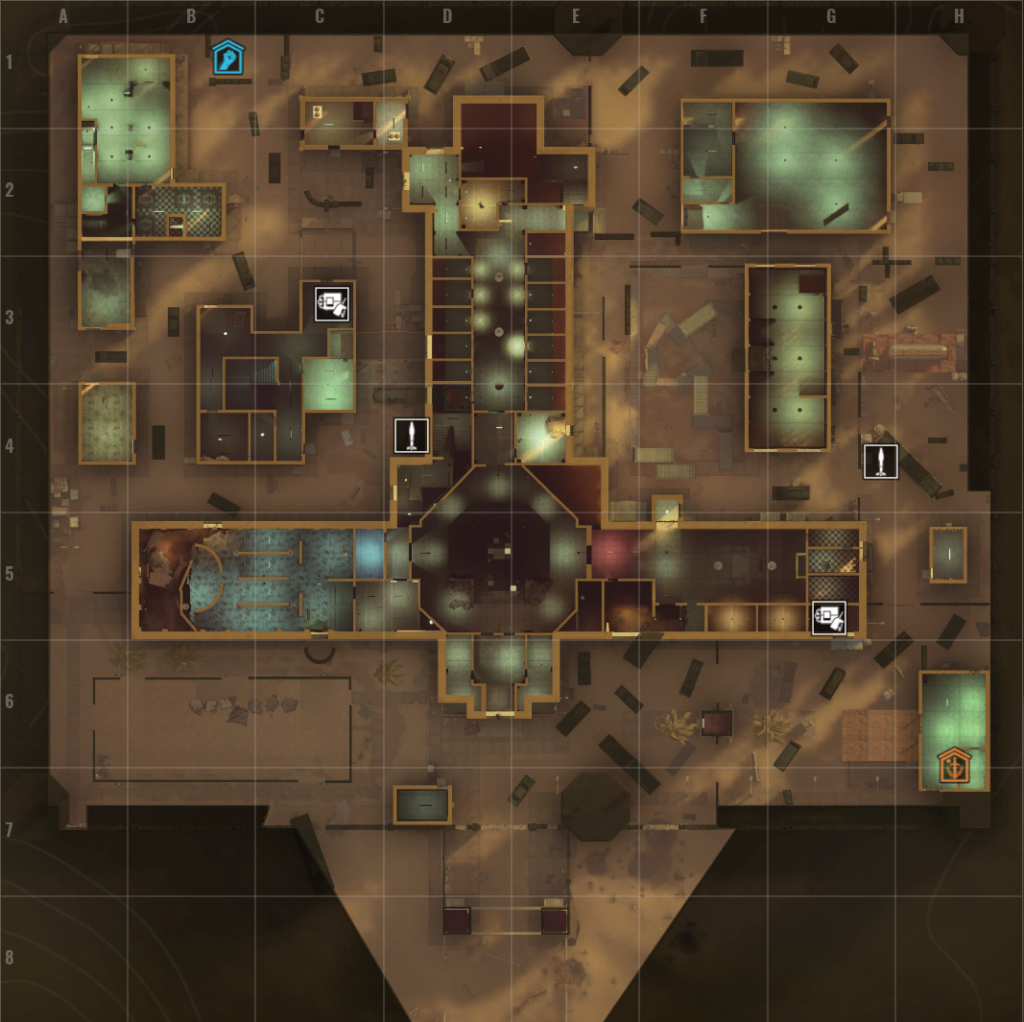
Insurgency Sandstorm Update 1.18 for Oct. 24 Fires Out for Operation Onslaught Patch 1.15

New World has released Insurgency Sandstorm update 1.18 on all platforms this October 24, and this brings the Operation Onslaught (dev version 1.15) free content drop! Prepare for new weapons, new premium cosmetics and more!

Check out everything new in the Insurgency Sandstorm update 1.15 patch notes listed below.

Insurgency Sandstorm Update 1.18 Patch Notes | Insurgency Sandstorm Operation Onslaught Patch Notes | Insurgency Sandstorm Update 1.15 Patch Notes

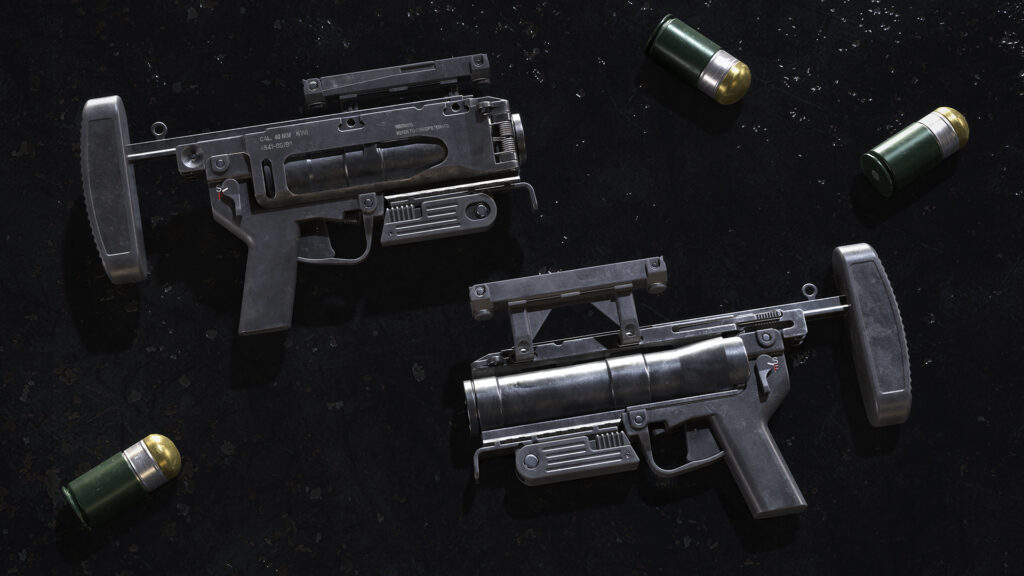
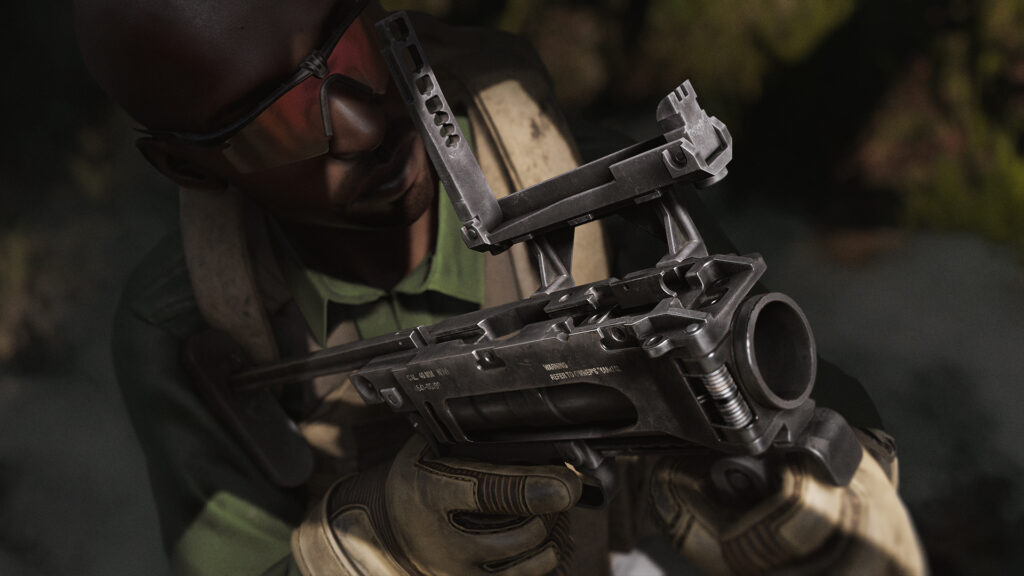
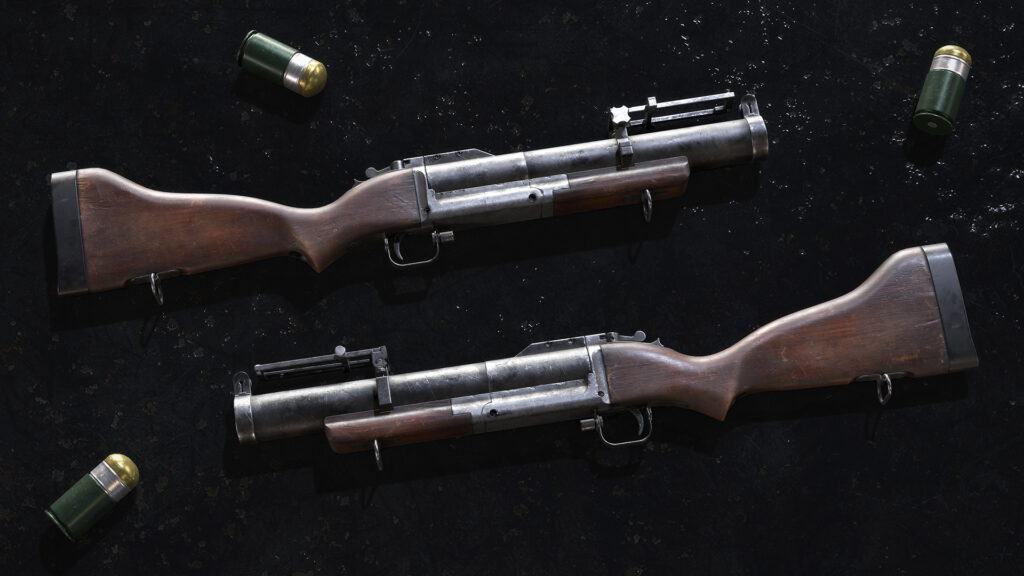
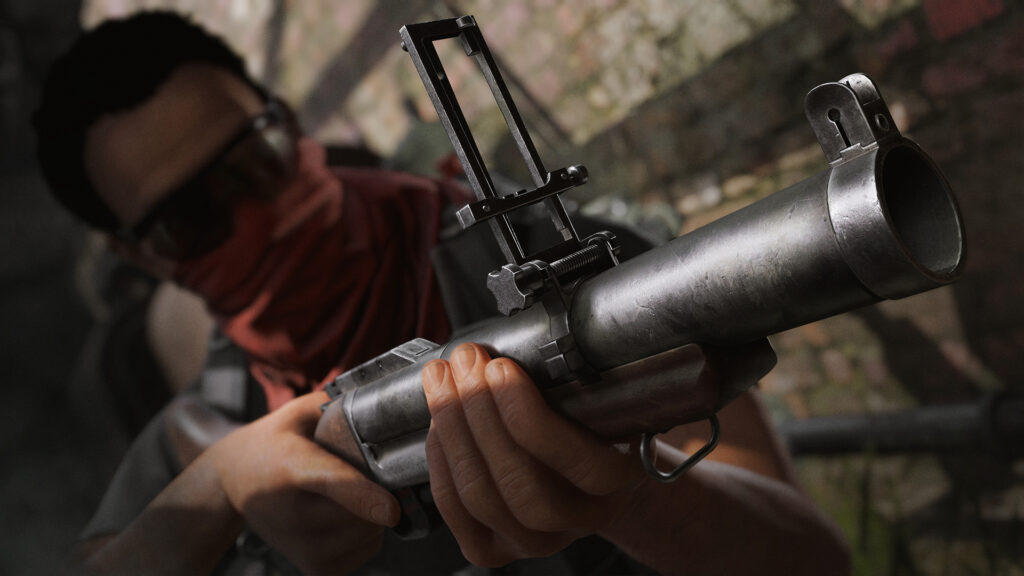
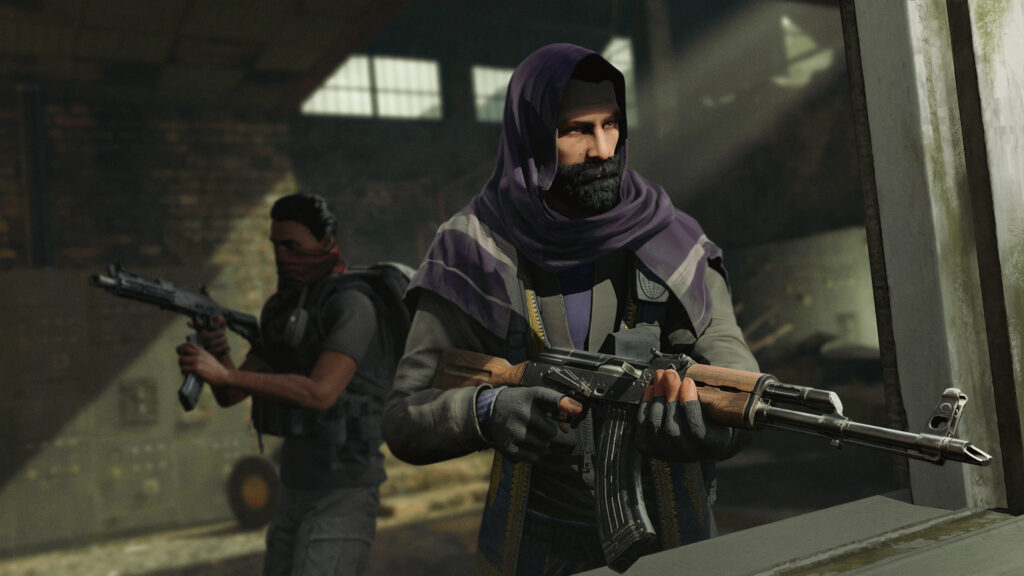
Exploding onto the field of battle in Operation: Onslaught, we have two brand new grenade launchers to rain destruction on your enemies: the M320 launcher for Security, and the M79 launcher for Insurgents. Both sport rounds of 40x46mm explosive shells and have enough stopping power to bring any assault to its knees!

M320 (SEC)

Send a message with a bang with the new M320 Grenade Launcher for Security!

M79 (INS)

He sells these shells by the half dozen with the new M79 grenade launcher for Insurgents!

New DLC: The Onslaught Set Bundle

Bring unmatched destruction to the battlefield and dominate your enemies like never before with the Onslaught Set Bundle of premium gear items and weapon skins!

The Onslaught Set Bundle contains the following DLC:

Mountain Tactical Set (SEC)

Embark on a thrilling battle with the Mountain Tactical Gear Set for Security! Gear up and conquer any rugged terrain that stands in your way.

Contains five different cosmetic gear pieces:

  •  Mountain Tactical Hat
  • Mountain Tactical Top
  • Mountain Tactical Bottom
  • Mountain Tactical Gloves
  • Mountain Tactical Boots

Digital Splatter Weapon Skin Set (SEC)

Find the perfect cover in chaotic battlefields with the Digital Splatter Weapon Skin Set and paint the battlegrounds with your personal touch.

The Digital Splatter Weapon skins can be equipped in the Loadout menu for the

Security faction for the following weapons where available:

  • Rifleman: G36K
  • Breacher: MP5A5
  • Demolitions: M320
  • Gunner: Galil SAR
  • Secondary: L106
  • Marksman: M82

Mountain Nomad Set (INS)

Combine the rugged resilience of nomadic attire and the tactical prowess of combat gear with the Mountain Nomad Gear Set for Insurgents.

Contains five different cosmetic gear pieces:

  • Mountain Nomad Hat
  • Mountain Nomad Top
  • Mountain Nomad Bottom
  • Mountain Nomad Gloves
  • Mountain Nomad Boots

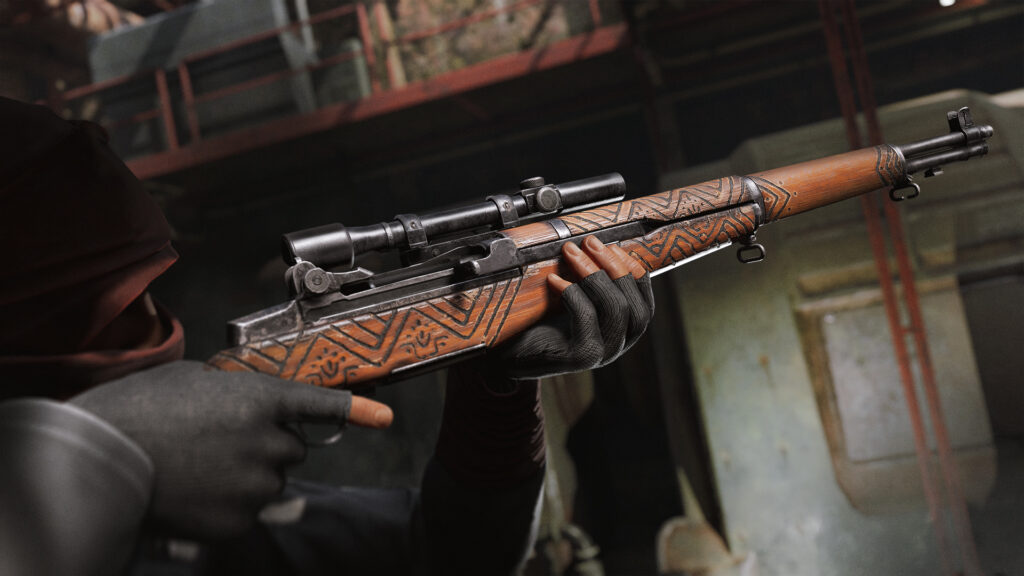
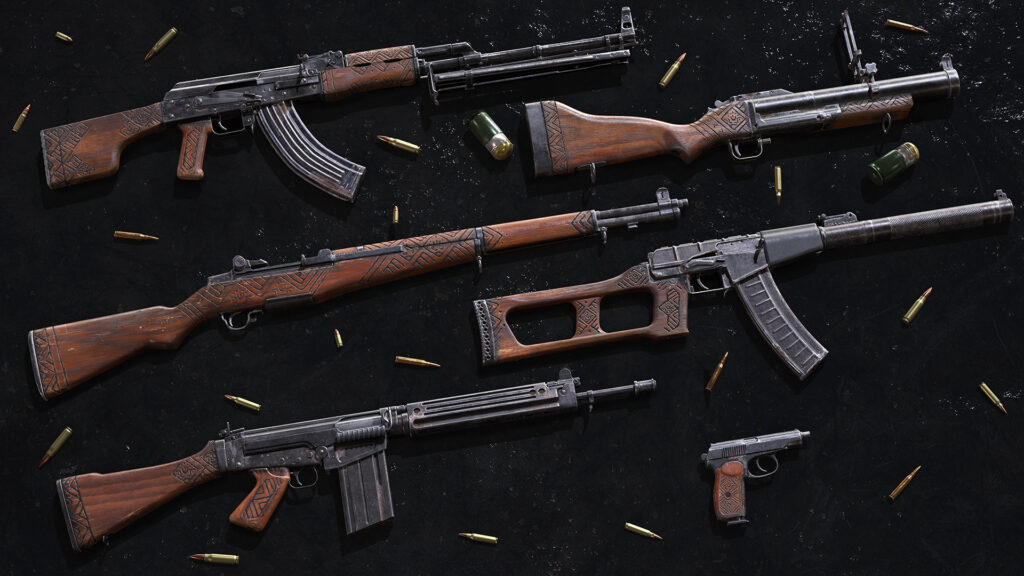
Woodburn Weapon Skin Set (INS)

Bring a touch of timeless elegance to your arsenal and embrace the charm of classic wood weapons with the Woodburn Weapon Skin Set.

The Woodburn Weapon skins can be equipped in the Loadout menu for the Insurgent faction for the following weapons where available:

  • Gunner: RPK
  • Demolitions: M79
  • Breacher: AS VAL
  • Marksman: M1 Garand
  • Secondary: Makarov
  • Rifleman: AK-74

Cosmetic Patch System

We’re excited to introduce our new cosmetic patch system, bringing a whole new way for players to customize their soldiers! This feature is launching with over 70 options to choose from to truly make your character your own. Both Insurgent and Security factions have many patches to choose from to set themselves apart on the field of battle! So whether you want to highlight a class, an anti-authority slogan, a specific operation, or more… there’s a patch for that!


The following patches are available at launch and purchasable with in-game currency:

Security Patches:

  • Day of Infamy
  • Britain
  • Britain khaki
  • Canada
  • Canada khaki
  • France
  • France khaki
  • Germany
  • Germany khaki
  • Turkey
  • Turkey khaki
  • Ukraine
  • Ukraine khaki
  • USA
  • USA khaki
  • Insurgency 1
  • Insurgency 2
  • Nightfall 1.7
  • Breakaway 1.8
  • Cold blood 1.9
  • Exodus 1.10
  • Warlord 1.11
  • Glasshouse 1.12
  • Livewire 1.13
  • Accolade 1.14
  • Onslaught 1.15
  • Airforce
  • Elite
  • Medic
  • Military division
  • Special forces
  • S.W.A.T.
  • Advisor
  • Breacher
  • Commander
  • Demolitions
  • Gunner
  • Marksman
  • Observer
  • Rifleman
  • Shield
  • S.O.R.T. rectangle *
  • S.O.R.T. round 1 *
  • S.O.R.T. round 2 *

*available if players have the S.O.R.T. DLC on their account

Insurgent Patches

  • Defy system
  • F*ck obedience
  • No mercy
  • Stand up
  • Born to be free
  • Break your chains
  • Stop the tyranny
  • Take your life back
  • Wreak some havoc
  • Knife and chain
  • Lightning
  • Scull and bullets
  • Grenade wings
  • Hand and chain
  • Insect
  • Lightning (shield)
  • Molotov
  • Snake
  • Tiger
  • Death to the usurpers
  • Fight your way
  • Free of death
  • Achievement blast
  • Achievement blood
  • Achievement fire
  • Achievement gas
  • Achievement knife
  • Achievement skull
  • Achievement insurgency
  • Insurgency 1
  • Insurgency 2
  • Advisor
  • Breacher
  • Commander
  • Demolitions
  • Gunner
  • Marksman
  • Observer
  • Rifleman

New Game Mode: Free For All

Are you constantly top of the leaderboard? Do you think your skills outshine the rest of the server? Time to test your mettle in our newest game mode: Free For All! Be your own backup and face off against the rest of the lobby in the ultimate test of skills. Get good or die trying.

Game Mode info:

  • Kill enemies to get points. The player with the highest number of points at the end of a round wins.
  • Player is assigned a ‘solo’ faction instead of Security or Insurgents.
  • Respawns happen individually for each player shortly after they die.
  • Available classes are:
    • Assault
    • Breacher
    • Advisor
    • Gunner
    • Marksman
  • Spectators are not allowed.

For available maps see the New Layouts section below!

New Layouts

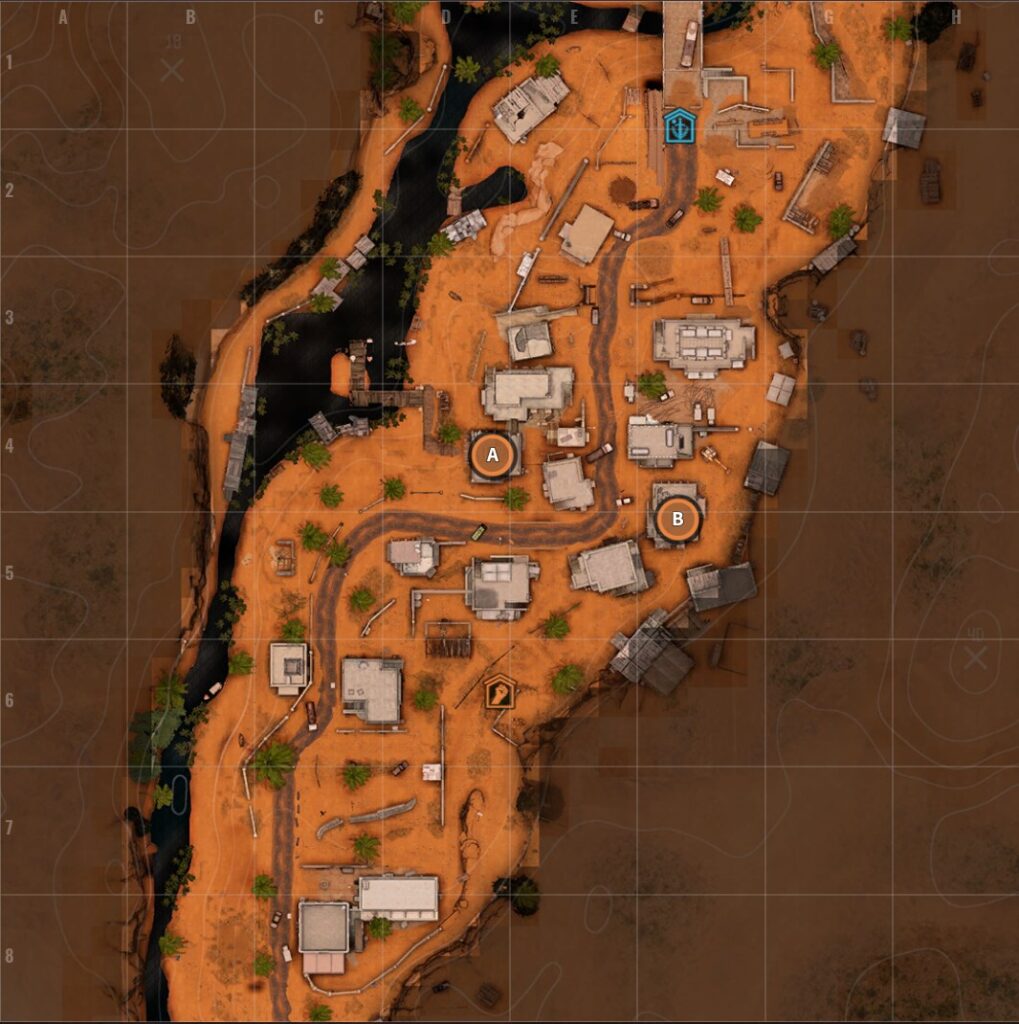
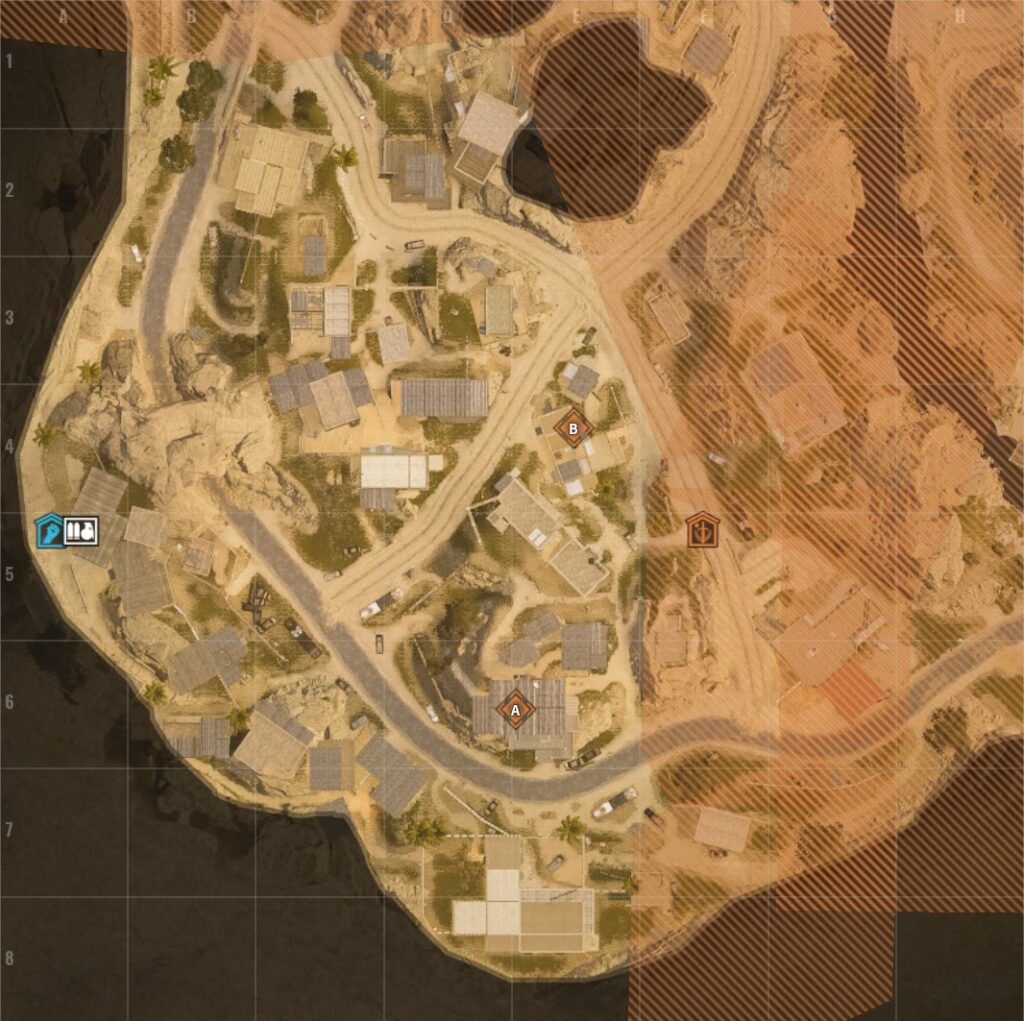
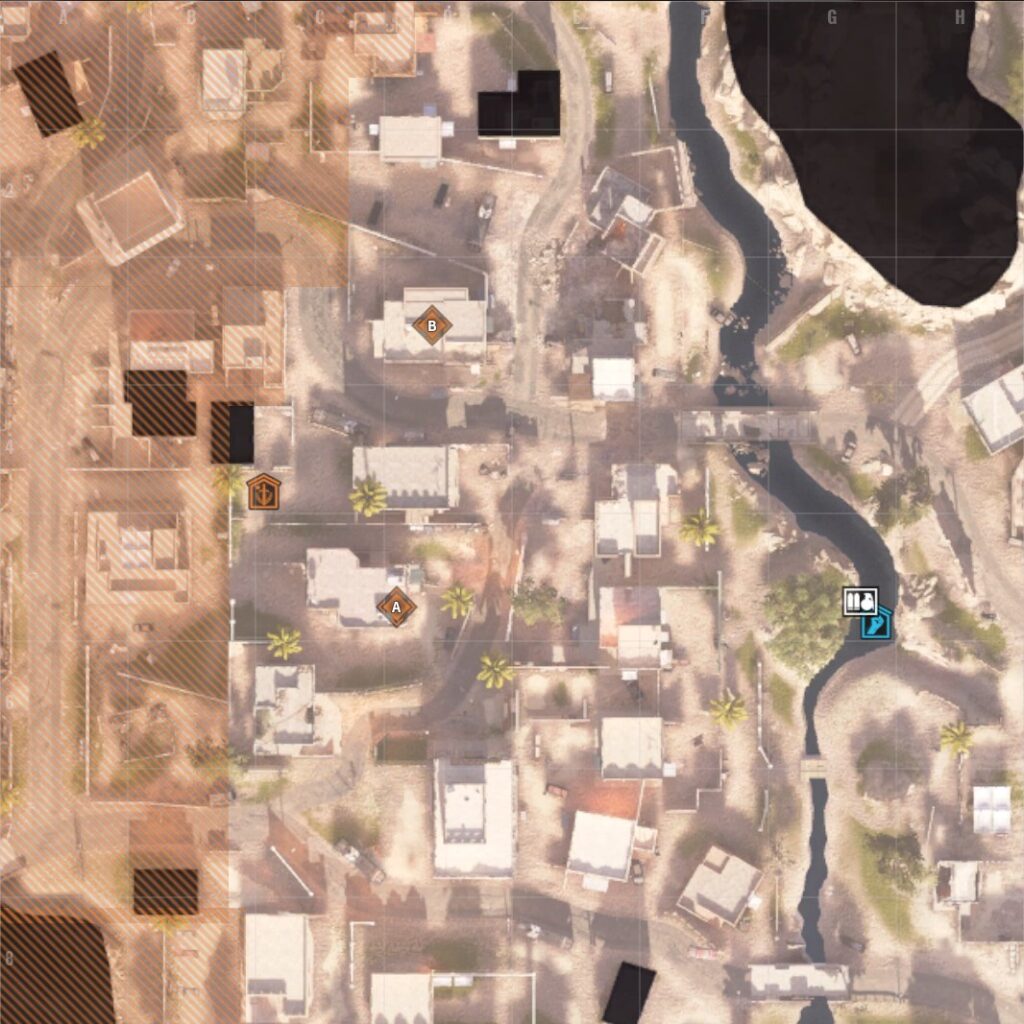
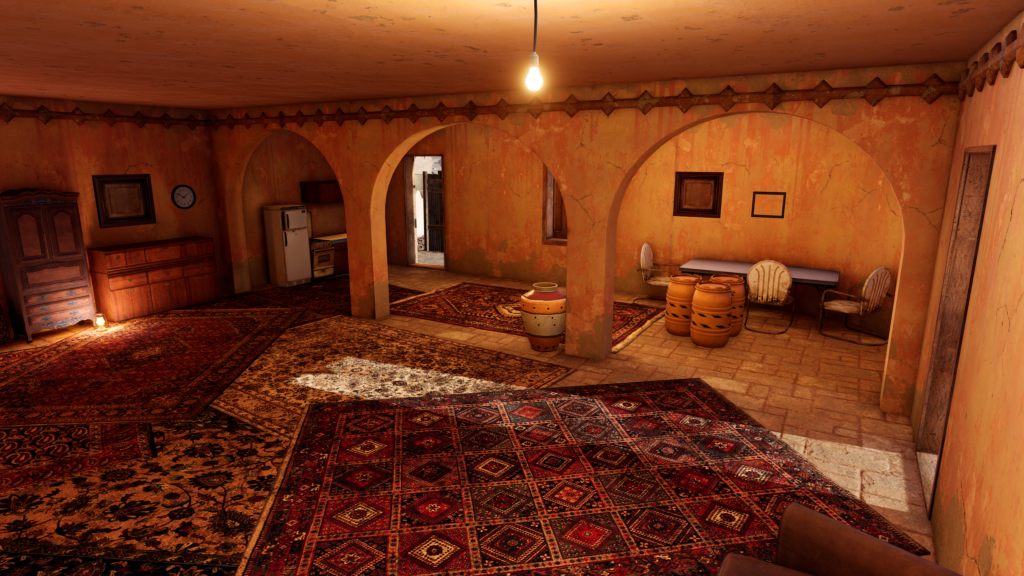
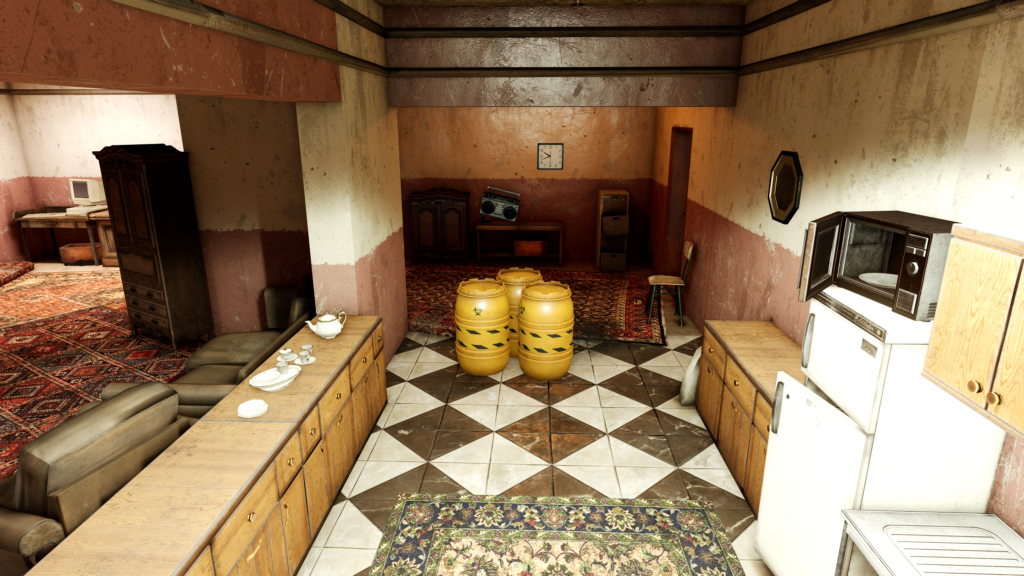
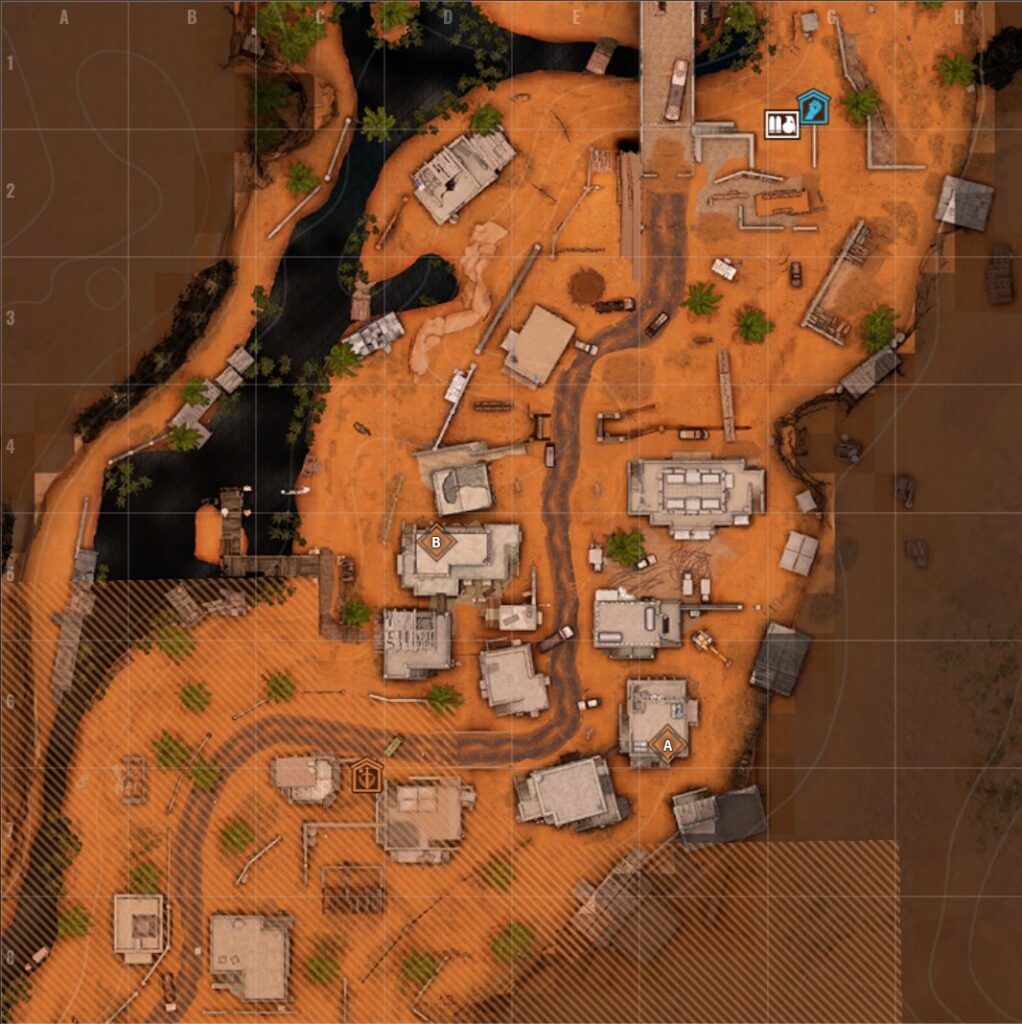
Operation: Onslaught brings with it a total of 14 brand new layouts across five modes: Defusal, Free For All, Frontline, and the Limited Time Game Mode, Team Deathmatch. Pull up a chair and feast your eyes below for a more in-depth peek at these new layouts!

Ambush

Tideway

Defusal

Crossing

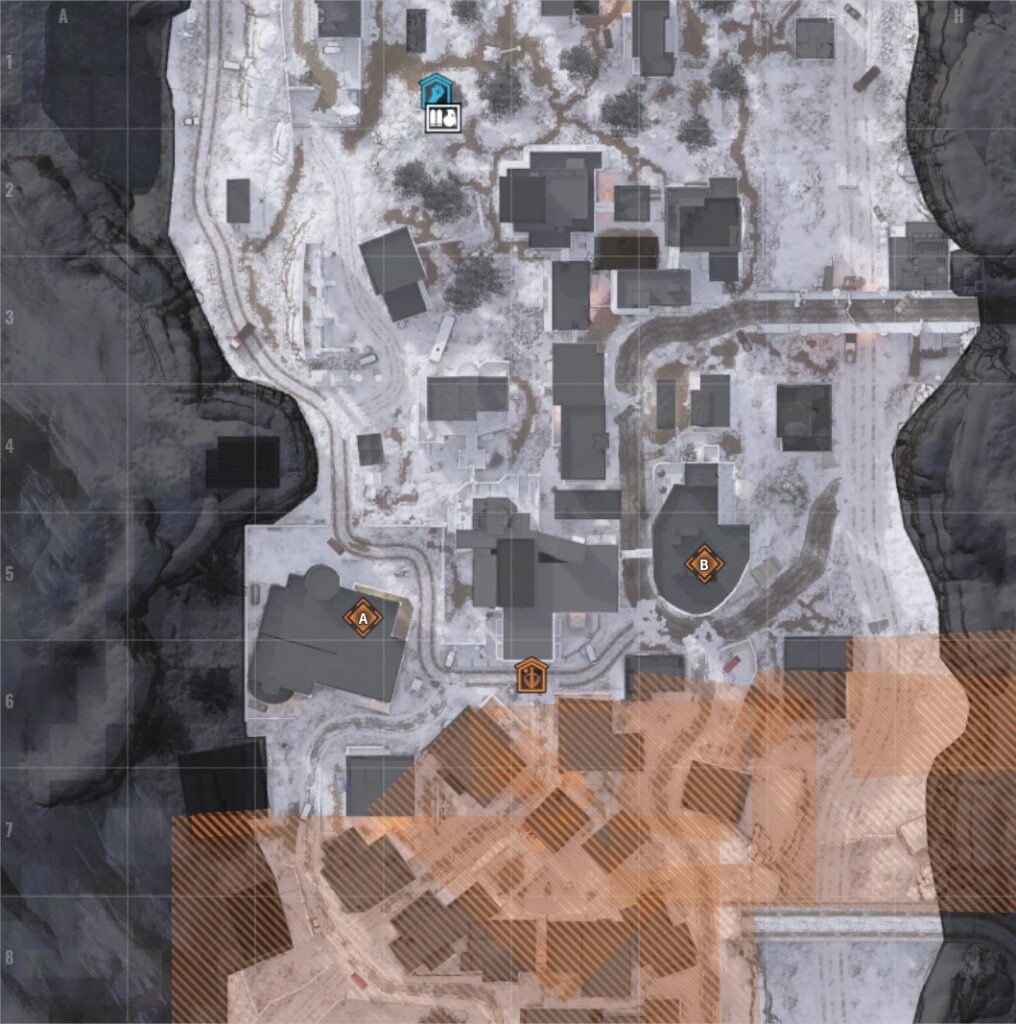
Point A
Point B

Hideout

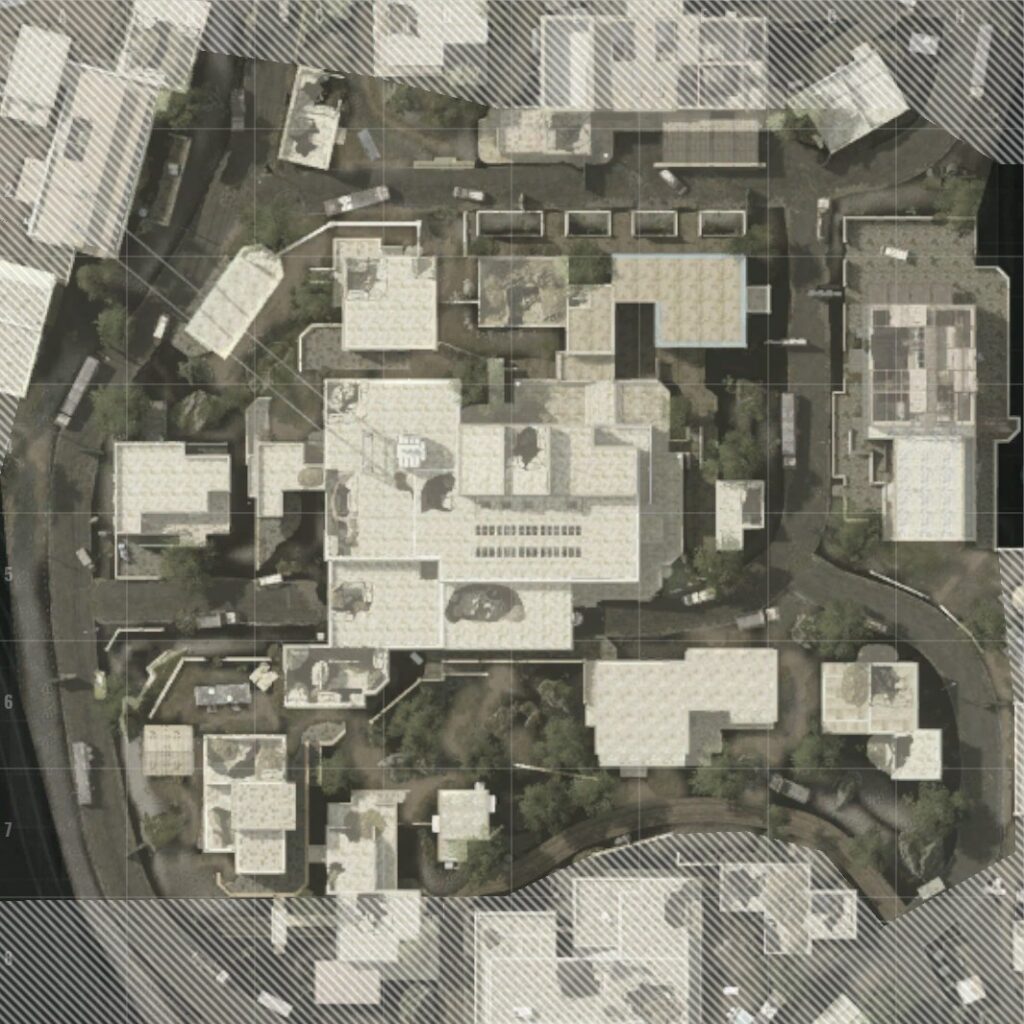
Point A
Point B

Hillside

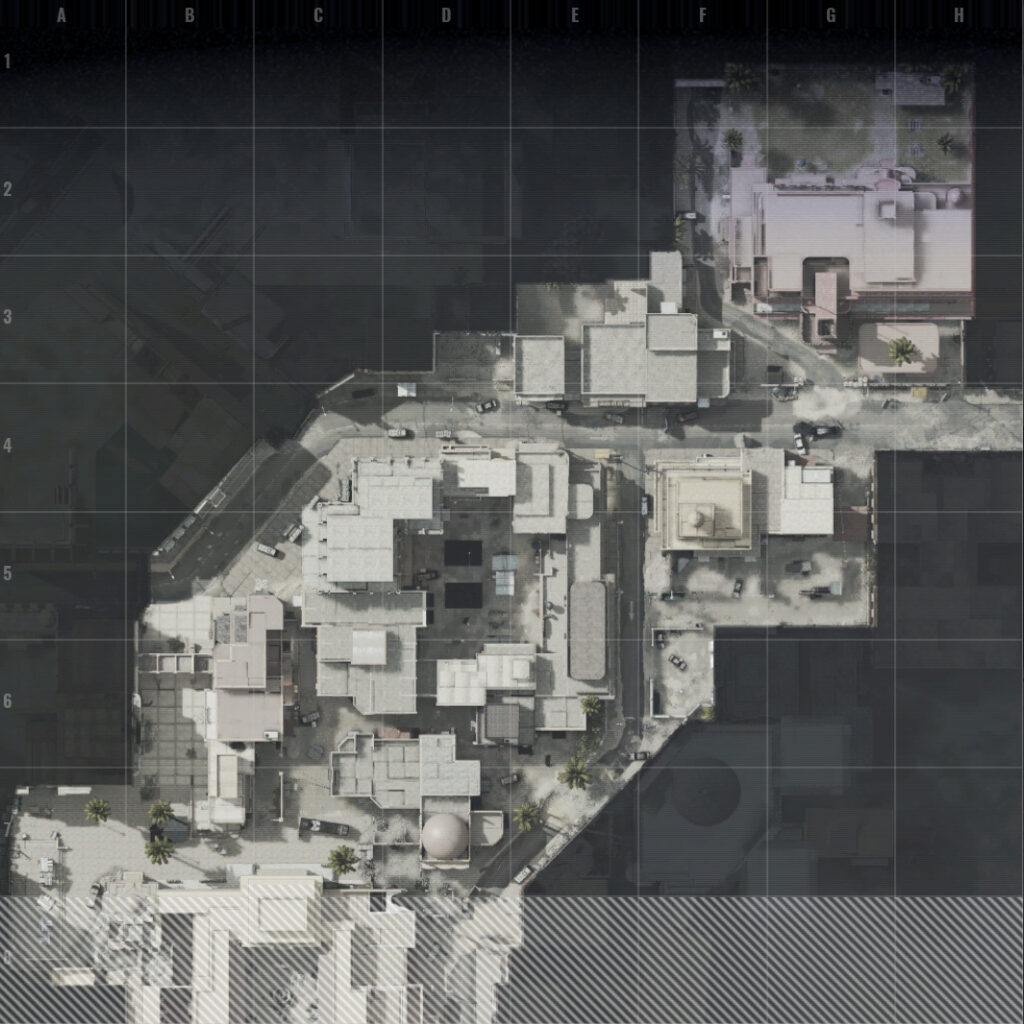
Point A
Point B

Tideway

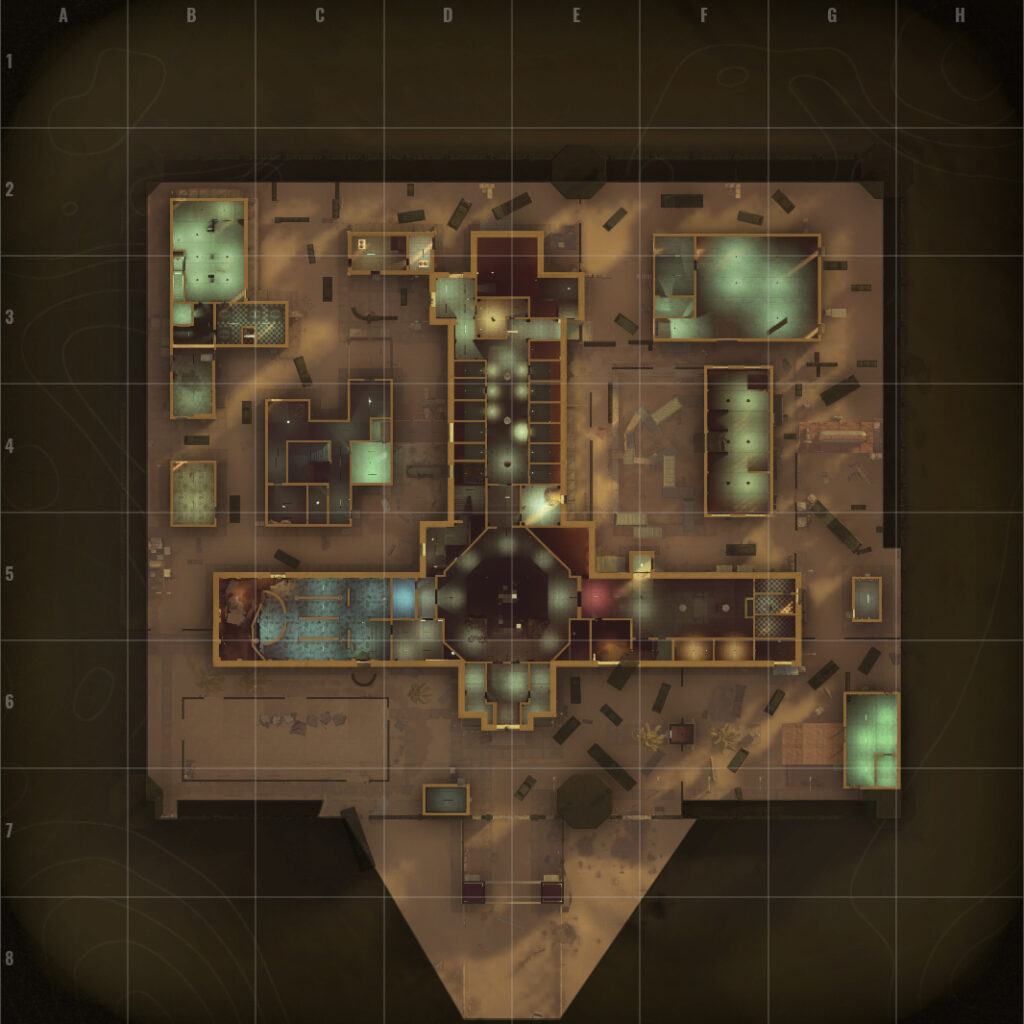
Point A
Point B

Free For All

Crossing

Power Plant

Precinct

Prison

Tell

Frontline

Citadel

Team Deathmatch (LTGM)

Gap

Last Light

Prison

Resolved Issues

Gameplay Improvements

  • Fixed an issue where Molotovs and incendiaries wouldn’t destroy caches
  • Fixed an issue where NPC’s would “T-pose” after death
  • Fixed an issue where the spent grenade model could appear on the “M1 Garand” when switching to the standard firing mode
  • Fixed an issue where Molotov rag does not appear to be burning
  • Fixed an issue where the player is holding the wrong weapon after switching sides in Firefight
  • Fixed an issue where muzzle flashes may not render correctly after switching between primary and secondary weapons
  • Fixed an issue where the MR73 secondary weapon would not show correctly in the menu on Hardcore Checkpoint Insurgents
  • Fixed an issue where the player was able to throw a grenade while prone and moving
  • Fixed an issue where NVG would hang in the air after a players death
  • Fixed an issue where the gas mask would appear stuck in the players hand in third person if they hit the unequip button repeatedly
  • Fixed an issue where dismemberment wasn’t working correctly on bots in local play
  • Fixed an issue where the player could die when selecting their own team in a versus game mode
  • Fixed an issue where the game could crash on the last point of Checkpoint Insurgents on Last Light in local play
  • Fixed an issue where vehicles would only take damage after being used
  • Fixed an issue where opening the scoreboard at the beginning of a round would cause the player to move automatically
  • Fixed an issue where smoke grenades could be held while active
  • Fixed an issue where the customization menu could stop functioning
  • Fixed an issue where the game could lock up if a player switched windows with the chat window open
  • Fixed an issue where two mines would be dropped if a player was killed while planting a mine
  • Fixed an issue where players could scavenge infinite underbarrel ammunition
  • Fixed an issue where ragdolls wouldn’t be affected by physics
  • Fixed an issue where the if a player unequipped all weapons but the knife before round start, they may spawn with no weapons.
  • Reverted Molotov and AN-M14 radius and damage to pre 1.14 level
  • Fixed an issue where the tool-tip for Fire Support was not shown on screen
  • Fixed an issue where the first round loaded into a fully emptied KS-23 was not counted

Art & Graphics

  • Fixed an issue where the body of a dead player would immediately disappear leaving their armor floating in the air
  • Fixed an issue where the Anchor, Imperial and Garibaldi beards become invisible when wearing the Balaclava Open
  • Fixed an issue where the 4x-1x M150 BUS scope is distorted when aiming through 1x mode with the picture-in-picture setting turned on
  • Fixed an issue where the incorrect animation would play when switching the Famas’ fire mode
  • Fixed an issue where switching away and back to an empty launcher would show the player load an invisible grenade.
  • Fixed an issue where reloading the MR73 would show the wrong model briefly
  • Fixed an issue where having a quick draw grip equipped would break the explosive planting animation
  • Fixed an issue where bullet decals could render at the wrong size
  • Fixed an issue where the sight could partially disappear while firing using a 1x sight on the M4A1 or M16A4
  • Fixed an issue where bullethole decals on windows could flash
  • Fixed an issue where the arms of dead players could clench and unclench
  • Fixed an issue where bipods wouldn’t reflect their proper stance in third person
  • Fixed an issue where flashlight attachments on the G3A3 would clip through the bipod
  • Fixed an issue where having a grip equipped on the M60E4 would cause part of the model to float in front of the sight
  • Fixed an issue where several optics would become partially invisible if the FOV was changed from it’s default setting
  • Fixed an issue where bullets would be shown between the feet of a player who had the MDR equipped
  • Fixed an issue where the players left hand appeared deformed when resupplying from a supply box with the KSG equipped
  • Fixed an issue where the sprinting animation was broken in third person on Hardcore Checkpoint
  • Fixed an issue where changing the FOV would cause issues with ADS animations
  • Fixed an issue where the mag and bolt would move when reloading the M4A1 or M16A4
  • Fixed an issue where mounted MG’s had no collision

UI/UX

  • Fixed an issue where when using voice chat the UI element could show “Team & Proximity” when using “Proximity”
  • Fixed an issue where the vehicle door icon would display when interacting with the Technical turret
  • Fixed an issue where the vehicle horn button was missing from the binds and controls settings
  • Fixed an issue where the laser dot looked like a square even on the highest settings
  • Fixed an issue where the UI icon for the PMC Mottom displayed other pants
  • Fixed an issue where Basic Training could always show as incomplete
  • Fixed an issue where using the handbrake in a vehicle caused a strange spammable noise
  • Fixed an issue where resetting controller layout to default would not reset the values
  • Fixed an issue where “CO-OP’ text would be displayed in the top left corner ot the post match UI in local games
  • Fixed an issue where the “custom color” prompt window will remain stuck on the user’s screen if it is opened during the end of a round where teams are swapped in Versus
  • Fixed an issue where the Ammo carrier of the Security faction is available for Insurgents in “Customize” and “Range” mode
  • Fixed an issue where the explosive launcher wouldn’t appear correctly attached when viewed in third person
  • Fixed an issue where “Uniform Camo” does not appear in the color variations of the “Pilot” set
  • Fixed an issue where Worn Veteran appears as “Damascus Weapon Set” within the unlock screen

Level Design Improvements & Fixes

  • Fixed an issue where a door model on Precinct would fall through the world when breached
  • Fixed an issue on Outskirts where a playable areas showed as an out of bounds area
  • Fixed several issues with lighting inside building on Outskirts

Miscellaneous

  • Fixed an issue where a players mic could transmit audio without holding the “push to talk” button
  • Fixed an issue where cross-platform players could not report each other
  • FAL damage values returned to pre-1.14 levels
  • Fixed an issue where the wire cutters displayed incorrectly in third person while defusing the bomb in Defusal mode

Known Issues

  • An invited player cannot create a party if the leader left the party before the invite window opens
  • Molotov fire does no damage to a player if they throw it directly at their own feet from a prone position
  • The Mountain Tactical has some clipping issues
  • The damage area of the AN-M14 Incindiary may suspend in the air if the grenade explodes while airborne
  • Team voice chat may not work correctly after the first match while playing in Ambush and Defusal mode
  • Upon exiting Checkpoint mode, a party member may not be correctly promoted to party leader after the current leader leaves
  • Mountain Tactical Bottoms may cause players feet to display on the wrong feet in third person

Source: New World Interactive

Avatar photo

Alex Co

Father, gamer, games media vet, writer of words, killer of noobs.

Home > News

Forza Motorsport Update 1.1 Drives Out for October 24

Turn 10 Studios has begun rolling out Forza Motorsport update 1.1, which addresses an infinite loading screen bug. Here are the patch notes for Forza Motorsport’s October 24 update.

Forza Motorsport Update 1.1 Patch Notes | Forza Motorsport October 24 Patch Notes

  • This hotfix will help mitigate an issue where players could encounter an infinite loading screen when saving a Quick Upgrade in the Builders Cup Intro Series under variable network conditions.

Yeah, there’s not much to this update, though we aren’t surprised, considering a big 1.0 update dropped last week. Still, there are plenty of issues still present in the game, and seeing how tiny this update is, it’s a bit of a disappointment. Hopefully, Turn 10 has a bigger update dropping soon, as there are several performance and crash issues still plaguing the game on PC.

Source: Forza Motorsport

Avatar photo

James Lara

A gamer at heart, James has been working for MP1st for the last decade to do exactly what he loves, writing about video games and having fun doing it. Growing up in the 90's gaming has been in his DNA since the days of NES. One day he hopes to develop his own game.

Home > News

Media Molecule Hit With Layoffs

Award-winning PlayStation Studio and the developers behind Dreams, Media Molecule, has confirmed the rumors of layoffs and what it means for the studio’s future and its games.

Rumors began circulating recently that Media Molecule had been hit with layoffs, and today, the studio confirmed in an X posting that the rumors are indeed true.

” Media Molecule has made significant strategic changes during the past year, including shifting our focus from Dreams to our new project.

We have had to make the difficult decision to begin the consultation process for team members within certain departments of the studio. This is a tough moment for the individuals impacted and the studio overall.

Every single role that has been put at risk is delivered by someone who has contributed something special to Media Molecule. We will make sure those impacted receive the best support we can provide during this process.

We will continue to support the Dreams Community for the foreseeable future and will update on future plans at a later date.”

Media Molecule joins Crystal Dynamics, Epic Games, Striking Distance, and other publishers and gaming studios that were hit with layoffs this year.

Layoffs are never a good thing to see within our industry, but they’re also unavoidable given the ever-changing landscape. We wish the best of luck to those affected by the layoff, and hopefully, they’ll be able to quickly land back on their feet.

Avatar photo

James Lara

A gamer at heart, James has been working for MP1st for the last decade to do exactly what he loves, writing about video games and having fun doing it. Growing up in the 90's gaming has been in his DNA since the days of NES. One day he hopes to develop his own game.

Home > News

Destiny 2 Update 1.100 Rolled Out for Patch 7.2.5.1 This Oct. 24

Bungie has released Destiny 2 update 1.100 on last-gen and current-gen platforms, and this is for patch version 7.2.5.1, which brings various changes to the game’s activities, events and more. Read on for everything new in the official D2 new update patch notes for October 24.

Destiny 2 Update 1.100 Patch Notes | D2 New Update Patch Notes for Oct. 24:

ACTIVITIES

Ritual Loop

  • Fixed an issue where the proc rate calculation of the number of active cards for Deck of Whispers Liminal Card (Arc) was incorrect.
  • Fixed an issue where Deck of Whispers Liminal Card (Arc) and Lacuna Card (Void) could trigger effects for other players.

The Imbaru Engine mission

  • Fixed an issue where dialog would not play after solving a navigation puzzle. The aforementioned navigation puzzle can be replayed to hear dialog missed in the first playthrough.

GAMEPLAY AND INVESTMENT

EVENTS

  • Fixed an issue where the ship Nyxpterón, which is earned from the Bookworm III event challenge, was not available in Collections once acquired.
  • Fixed an issue where Lightfall campaign checkpoints could be used to gain far more Spectral Pages than intended quickly and repeatedly.
  • Fix an issue where the Event Challenge Heads Will Roll could only be progressed by defeating Headless Ones in Legend Haunted Sectors.
  • Revised the Festival of the Lost Event Card pop-up to note that the event offers a title rather than a Seal.

GENERAL

  • Revised animation causing flickering on the Deck of Whispers in the H.E.L.M. on certain platforms.

That’s about it for this patch. For the latest updates on the on-going maintenance, head on here.
Source: Bungie

Avatar photo

Alex Co

Father, gamer, games media vet, writer of words, killer of noobs.

Home > News

Destiny 2 Update 3.05 for October 24 Released for Version 7.2.5.1

Destiny 2 update 3.05 is now out on all platforms this October 24, and this brings patch version 7.2.5.1 to the looter shooter. Read on for what’s new in the Destiny 2 update 7.2.5.1 patch notes.

Destiny 2 Update 3.05 Patch Notes | Destiny 2 Update 7.2.5.1 Patch Notes:

ACTIVITIES

Ritual Loop

  • Fixed an issue where the proc rate calculation of the number of active cards for Deck of Whispers Liminal Card (Arc) was incorrect.
  • Fixed an issue where Deck of Whispers Liminal Card (Arc) and Lacuna Card (Void) could trigger effects for other players.

The Imbaru Engine mission

  • Fixed an issue where dialog would not play after solving a navigation puzzle. The aforementioned navigation puzzle can be replayed to hear dialog missed in the first playthrough.

GAMEPLAY AND INVESTMENT

EVENTS

  • Fixed an issue where the ship Nyxpterón, which is earned from the Bookworm III event challenge, was not available in Collections once acquired.
  • Fixed an issue where Lightfall campaign checkpoints could be used to gain far more Spectral Pages than intended quickly and repeatedly.
  • Fix an issue where the Event Challenge Heads Will Roll could only be progressed by defeating Headless Ones in Legend Haunted Sectors.
  • Revised the Festival of the Lost Event Card pop-up to note that the event offers a title rather than a Seal.

GENERAL

  • Revised animation causing flickering on the Deck of Whispers in the H.E.L.M. on certain platforms.

That’s about it for this patch. For the latest updates on the on-going maintenance, head on here.
Source: Bungie

Avatar photo

Alex Co

Father, gamer, games media vet, writer of words, killer of noobs.

Home > News

Aliens Fireteam Elite Update 1.38 for Oct. 24 Fires Out for Quality of Life Improvements

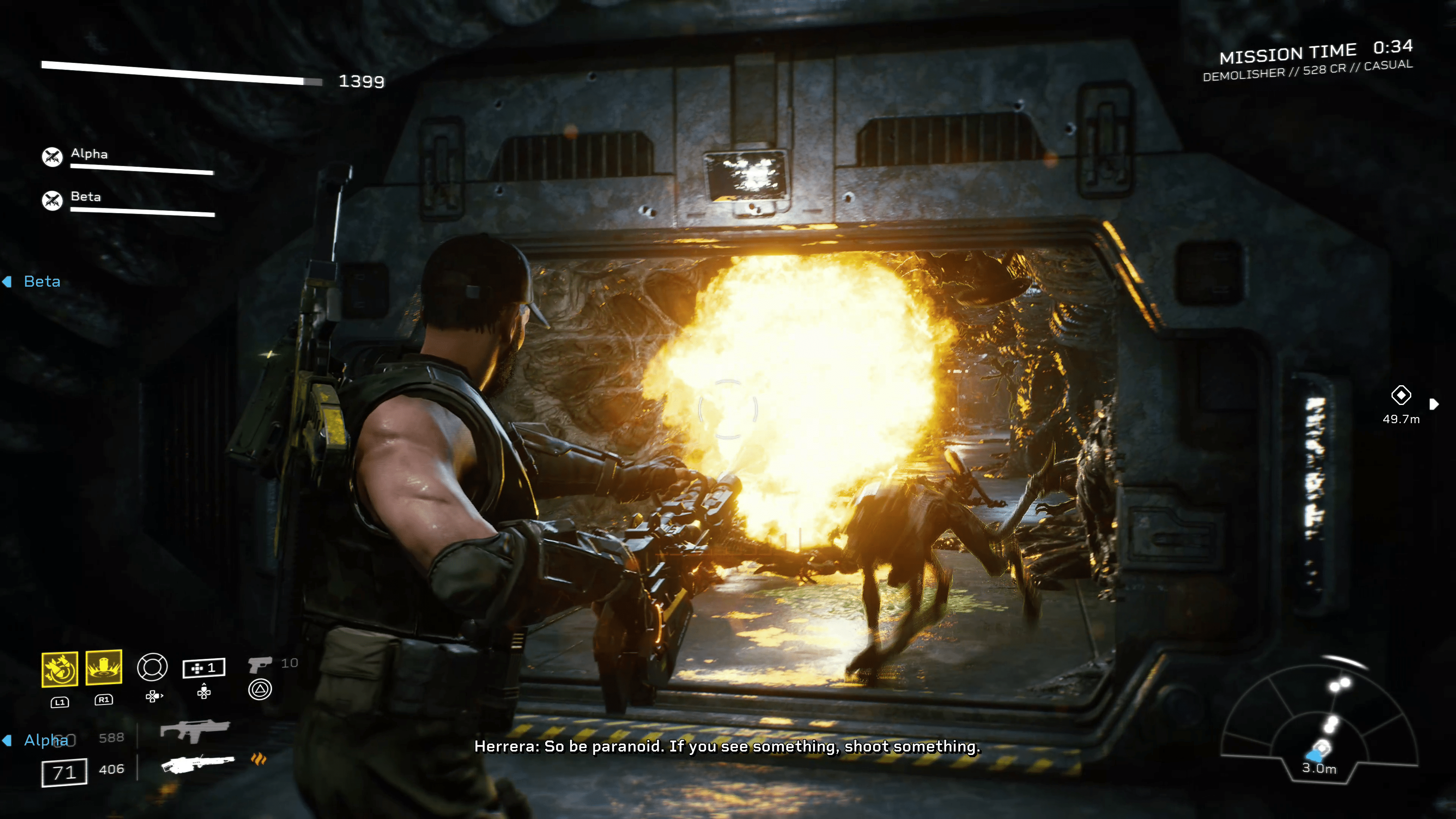
Cold Iron Studios has deployed Aliens Fireteam Elite update 1.38 (PS5 version 1.038) on all platforms this October 24, and this is the quality of life update that was mentioned in yesterday’s announcement. Read on for what’s new in the official patch notes below.

Aliens Fireteam Elite Update 1.38 Patch Notes | Aliens Fireteam Elite Update 1.038 Patch Notes:

Welcome to the Aliens: Fireteam Elite quality of life patch notes. We’ve got dozens of bug fixes, plus major updates to matchmaking and your favorite synth, heading your way. Alpha and Beta now have improved offensive, defensive, and support capabilities, meaning they’ll act smarter and more inline with how an actual player might respond to the situation. They’ll also scale more appropriately with higher difficulty levels and should perform more intelligently in regards to friendly fire, reviving and healing, and engagement.

<Quality of Life Updates

  • Updates to matchmaking that fix host errors, disconnects, queue issues, crossplay, crashes and more
  • All game modes have been added to Quickplay
  • Added additional logs and analytics
  • Alpha and Beta Updates
    • Improved offensive capabilities
    • Improved defensive capabilities
    • Improved support capabilities
    • Adjusted scaling and healing for difficulties
    • Adjusted behavior when reviving player
    • Adjusted behavior relating to fire paths and friendly fire
    • Adjusted Sleep Mode parameters leaving Alpha and Beta in at least a state of minimal engagement at all appropriate times

Bug Fixes

  • Lancer Horde Slayer skin is retroactively granted to players who have already beaten a horde mode on extreme
  • Fixed a rare bug that caused game fails when connecting to Epic servers
  • Fixed a missing SFX bug related to HEL
  • Fixed an exploit in Cathedral Bridge
  • Fixed a bug on Likasi Tower that prevented players from purchasing additional consumables
  • Fixed bugs related to the following Challenge Cards: By the Lowest Bidder, Slow But Sure, Stuck Magazines, Expendable Crew, Threat Neutralized, Chain Reaction, Sidearm Expertise, Sentry Turret 
  • Fixed a bug related to player stumbling
  • Fixed a bug causing the perk ‘Guard Dog’ to not deal appropriate damage
  • Fixed a bug that prevented Warriors being highlighted by the T22E4 Sargodha N-HANCE Large Optic
  • Fixed a bug that caused the ‘Anesthesiologist’ perk to grant 20% temporary health
  • Fixed a bug that caused animation and SFX errors with the EDS-93 Zadak
  • Fixed a bug that caused the Gunner’s grenade to be not visible after emoting
  • Fixed a bug that allowed the player to exploit character movements
  • Fixed a bug that caused client crashes when players accept invites from Hardcore players
  • Fixed a bug that caused malfunctions with the OCAP-91 VOLCAN while using the Lancer kit
  • Fixed a bug causing Lifetime Stats to appear negative if the number cap is exceeded
  • Fixed a bug that prevented the Requisition Store from working consistently across all Horde Modes
  • Fixed a bug that caused Alpha and Beta to continuously fire after being knocked down

That’s about it. Don’t forget, Cold Iron is working on a new project, so expect any patch for Aliens Fireteam Elite to be around QoL improvements and not new content.

Source: Aliens Fireteam Elite

Avatar photo

Alex Co

Father, gamer, games media vet, writer of words, killer of noobs.

Home > guides

Ghostrunner 2 Best Settings – PC, Console, and Controller

Looking for the best settings in Ghostrunner 2? Well, we got you covered, walking you through which settings we think are best, including PC configs, consoles, and even controller settings.

Ghostrunner 2 Best Settings On Consoles (and PC General Gameplay):

There’s not a whole lot of settings to play around with for Ghostrunner 2 on consoles. I recommend playing in performance mode, as Ghostrunner 2 is a fast-paced action game where speed and precision are vital.

So, under the video tab, change the quality mode to performance, and if you have a VRR monitor or TV, then change it to high performance for 120Hz support.

The next option is the field of view. 85 is the default, and I recommend turning this somewhere between 105 and 115. It goes up to 120, which is fine, but I found it disorienting things a bit. I use 110. The default is manageable, but you are missing much screen information at the lower FoV. That’ll become important later in the game when tons of enemies occupy the screen. The more of them you can see, the easier it’ll be to dodge attacks and such.

Ghostrunner 2 Best Settings FOV

I also recommend Instant restart. This will cut down on loading as it avoids the death screen. You are going to die a lot, so any advantage to get back into the game is a must.

Ghostrunner 2 Best Settings Pro Controllers:

The one thing that annoys me about Ghostrunner 2 is where the abilities are mapped to.  Every ability you unlock gets assigned to the d-pad, and that could make things very annoying as switching requires your thumb to leave the left stick. Leave that stick, and your character stops moving, which in Ghostrunner 2 is crucial to always be doing.

So if you have a PlayStation Edge, Xbox Elite Series, or a third-party controller with back paddles (2 or 4 paddles), you’ll want to map those d-pad abilities to each paddle. Since the Edge and Elite Series only have two paddles, you have to pick which two abilities you want. Don’t worry, you can remap them in-game so you aren’t constantly messing with the controller settings.

Ghostrunner 2 Best Settings on PC (RTX 4090 GPU, More Configs Incoming):

The recommended specs for Ghostrunner 2 aren’t at all that demanding, so if you have a 3000 series Nvidia card or higher, you should be able to run Ghostrunner 2 pretty smoothly. There’s AMD FSR 2.0, DLSS, and Intel XeSS for ai upscaling. For Nvidia cards, stick with DLSS on either quality or balance if you are targeting 60 FPS.

Otherwise, on a 4090 card, this is what I found to be the most stable in terms of FPS.

  • Post Process Quality – High
  • Shadow Quality – High
  • Texture Quality – High
  • Effects Quality – High
  • Blur – Off
  • Gore Effect – On
  • Frame Rate Limit – Match your monitor or choose unlimited.
  • V-Sync – On
  • FoV – 110

A 4090 should be more than enough to handle everything on Epic, but we did find there were some hitches in the latter section of the game. Turning a few things down to high seems to have made things more stable and consistent.

RTX 3080 and up should be able to handle the settings listed above, though depending on the target resolution, you may want to scale some options down if you are aiming for native 4K.

We weren’t able to check out ray tracing in our pre-launch build, though, as with any game, adjust settings accordingly. I’ll update this section for 4090 card owners once the ray tracing patch is enabled.

That’s really all there is to Ghostrunner 2. Not much in terms of options, though the game is, in general, very well optimized.

Related Reading:

Avatar photo

James Lara

A gamer at heart, James has been working for MP1st for the last decade to do exactly what he loves, writing about video games and having fun doing it. Growing up in the 90's gaming has been in his DNA since the days of NES. One day he hopes to develop his own game.

Home > News

NHL 24 Update 1.11 for October 24 Skates Out for Patch 1.1.1

EA has released NHL 24 update 1.11 (PS5 version 1.011), which is called patch version 1.1.1 and brings hybrid controls and updated goalie controls to the hockey sim! Read on for everything new in the official NHL 24 patch notes for October 24.

NHL 24 Update 1.11 Patch Notes | NHL 24 Update 1.011 Patch Notes | NHL 24 Update 1.1.1 Patch Notes:

Gameplay

Hybrid Controls Update:

Community Feedback: The removal of HYBRID control options has made the game difficult to play for users who require the ability to perform core actions on the Face Buttons of the controller.

– HYBRID controls have been re-introduced as an option in the Control Settings menu.

– HYBRID controls allow users to use the Face Buttons to perform core actions like Shoot, Pass, and Hit.

– HYBRID controls utilize the same controller mapping as NHL23 with some modification in order to support core gameplay changes to Protect Puck and Reverse Hit.

Goalie Controls Update:

Community Feedback: Veteran User Goalies felt that the Tether control system was too limiting and wanted the ability to control the Goalie similar to NHL23. Additionally, the removal of Alternate Controls and forcing automatic Hug-Post removed other aspects of controls that veteran User Goalies were accustomed to.

User Goalie Controls Settings have been expanded in the CONTROL SETTINGS menu.

Goalie Controls can be set between DEFAULT or ALTERNATE

DEFAULT = Original control layout

ALTERNATE = Swaps the placement of Butterfly, Hug Post, Instincts. (NHL23)

Goalie Tether can be set to ON / OFF / HYBRID.

ON = Tether remains the same as launch.

OFF = Tether is disabled.

HYBRID = Tether is disabled while in Butterfly

Hug Post can be set to AUTO / MANUAL

AUTO = Aiming LS towards the posts will auto enter Hug Post.

MANUAL = User must hold Manual Hug Post button while aiming LS towards the post to enter Hug Post.

Goalie Fatigue System:

Community Feedback: A goalie who performs a Desperation Dive can stay on their side for too long, making the goalie feel less reactive to the situation.

– When in an urgent situation, Goalies will now transition from Desperation Side poses back to Sitting Pose, and then from sitting, they may get back into Butterfly or Set.

– This helps create more urgency for the Goalie while allowing them to make future desperation saves from sitting or recover quicker back to a Butterfly or Set.

Stick Lift Update:

Community Feedback: Defensive players who perform a Stick Lift have a high chance of taking a penalty.

– Stick Lift targeting has been updated to target a lower location on the opposing players stick, which reduces the chances of taking a penalty.

General Bug Fixes:

Community Feedback: The community has helped identify some core bugs that impact the gameplay experience.

– Vision Passing icons now appear while in a Backhand/Forehand Stickhandling state.

– Fixed a rare bug which could lead to a User Goalie spinning on the spot when moving.

– Fixed a rare physics bug that could result in game desync.

General

– Fixed an issue where the credits for the song “Do It Faster” were incorrectly displayed.

World of Chel

– Resolved a bug where the Ones/Threes Eliminator leaderboards were not properly displaying rankings.

– Fixed a crash that occurred when transitioning from the “Thank You for pre-ordering EA Sports NHL 24” screen in the Player Rewards Screen in WoC back to the Customize Tab.

– Resolved a crash that occurred when equipping an emblem and then discarding changes in the World of Chel Creation Zone.

– Addressed a bug where rapidly scrolling back and forth in the Battle pass would cause the instant reward tile framing to break.

– Resolved an issue where special character boosts were not displayed in the attribute chart when users were in the dressing room.

– Resolved an issue where users were not brought to the post-matchup dressing room when using 1v1 matchmaking.

– Fixed a bug where drop-in goalies who quit out of a game were not replaced with AI characters.

Creation Zone

– Addressed game crash that occurred when setting up Logos and Branding while in “Create Expansion Team” and “Create Team”.

– Improved the scroll speed in the ‘Player Details’ menu of the Creation Zone from the main menu.

– Fixed a bug where creating a Defensemen in Offline Creation Zone and leaving their Player Class as Defensive Defenseman would cause the incorrect class to be displayed once the player was created.

– Resolved an issue where the goalie glove/trapper geometry was warped and clipping when re-coloring.

Art

—-

Updated the following teams center ice art

NHL

– Boston Bruins

– Buffalo Sabres

– Calgary Flames

– Dallas Stars

– Detroit Red Wings

– Edmonton Oilers

– Florida Panthers

– Montreal Canadiens

– Vegas Golden Knights

– Winnipeg Jets

AHL

– Colorado Eagles

– Henderson Silver Knights

Uniforms

NHL

Minnesota Wild – Alternate

AHL

Bakersfield Condors – Third

ECHL

Reading Royals – Third

Toledo Walleye – Home, Away, Third and Fourth

Wheeling Nailers – Home and Away

Wichita Thunder – Home and Away

ICEHL

BEMER Pioneer Vorarlberg – Home and Away

EC IDM Warmepumpen VSV – Home and Away

EC-KAC – Home and Away

EC Red Bull Salzburg – Home and Away

HCB Sudtirol Alperia – Home and Away

HC Pustertal Wolfe – Home and Away

HC TWK Innsbruck – Home and Away

HK SZ Olimpija Ljubljana – Home and Away

Hydro Fehervar AV 19 – Home and Away

Migross Supermercati Asiago Hockey – Home and Away

Moser Medical Graz 99ers – Home and Away

SPUSU Vienna Capitals – Home and Away

Steinbach Black Wings Linz – Home and Away

Liiga

Jukurit Mikkelin – Home and Away

JYP – Home and Away

Porin Assat – Home and Away

TPS Turku – Home and Away

SHL

Farjestad BK – Home and Away

HV71 – Home, Away and Third

IK Oskarshamn – Home and Away

Leksands IF – Home and Away

EA has added that players can expect a “larger list of gameplay updates” based on community feedback to be released in the upcoming November patch. This includes addressing feedback around the lacrosse move, unintentional push checks in front of the net when attempting a one-timer, goal tuning and more.
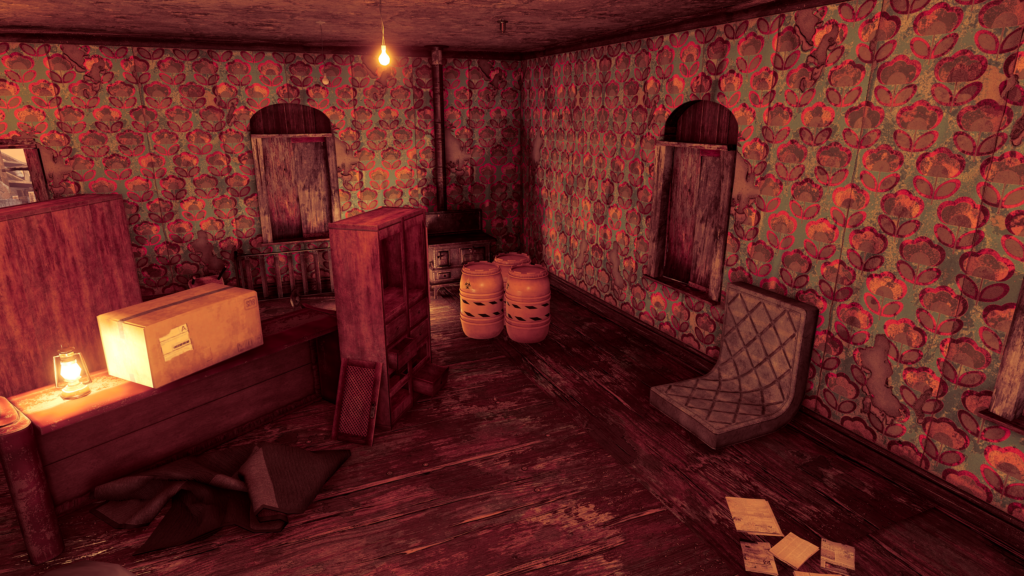
There’s also an update planned on feedback regarding hip-checks that’s planned for the patch following what will be released in the early November patch.

If you still haven’t bought the game, head on over here for our review.

Source: EA

Avatar photo

Alex Co

Father, gamer, games media vet, writer of words, killer of noobs.

Home > News

New Fallout 76 Atomic Shop Weekly Update for October 24, 2023

It’s a new Tuesday, bringing yet another store refresh for Fallout players. That’s right, the items for sale in Fallout 76’s Atomic Shop have been updated!

As usual, MP1st is here with the new Fallout 76 Atomic Shop weekly update today, October 24’s list of items for sale. Check out this week’s best Atomic Shop items and bundles below.

New Fallout 76 Atomic Shop Weekly Update for October 24:

Fallout 76 Atomic Shop weekly update for October 24

Notable Items This Week:

  • Close Shave Bundle – 1500
  • Close Shave Outfit – 900
  • Guinevere’s Nurse Outfit – 700
  • Haunted Bell Tower Bundle – 1500
  • Haunted Bell Tower – 900
  • Skull Knocker – 500
  • Clean Bathroom – 1350
  • Camp Structure Bundle – 1500
  • Display Frame Set – 840
  • Nuka-World Geyser – Free
  • Free Scout’s Banner – Free
  • Tough Guy – 125

What is the Fallout 76 Atomic Shop?

The Atomic Shop is an in-game store in Fallout 76 offering cosmetics, C.A.M.P. objects and more in exchange for a special currency called Atoms. Most purchases are unlocked account-wide, and may be accessed by any character on the account.

Some objects require an in-game plan to be learned in order to gain access, while other items are only unlocked for a single, specified character. All exclusive items are character-bound, and cannot be dropped or traded with other players. The Atomic Shop is accessible at any time from the main menu, as well as the pause screen after leaving Vault 76 for the first time.

That’s it for this week’s refresh. Is there anything in particular that interests you?

If not, there’s always next week, which we’ll have covered, so be sure to check again next Tuesday!

Avatar photo

Salman Haider Zaidi

That's a nice argument, Senator.

Home > News

Star Wars Dark Forces Remaster Arrives February 28, 2024

Nightdive Studios‘ newest retro game restoration, Star Wars Dark Forces Remaster, has an official release date, coming to a galaxy near you next February!

Revealed just two months ago, Lucasfilm Games and Nightdive Studios have revealed that the remastered Star Wars Dark Forces will be shooting its way onto PCs and consoles on February 28, 2024! This remaster will be treated similarly to past Nightdive remasters, with full 4K support, modern gaming controls, and more! Here’s a breakdown of key features you can expect, along with the reveal trailer showing those features in action. 

Star Wars: Dark Forces Remaster Key Features:

  • Engaging first-person ground combat featuring ten weapons and twenty types of enemies

  • Up to 4K 120FPS visuals on PC, PlayStation 4|5, and Xbox One and Series X|S

  • Advanced 3D rendering enables realistic lighting and atmospheric effects

  • Modern gamepad support adds a new weapon wheel, rumble, and motion/gyro controls

  • Trophies and Achievements on Windows PC via Steam, PlayStation, and Xbox consoles

About Star Wars Dark Forces Remaster:

“In this first Star Wars FPS video game, players assume the role of Kyle Katarn, a defector of the Galactic Empire turned mercenary for hire. Katarn joins the Rebel Alliance’s covert operations division tasked with infiltrating the Galactic Empire, where he discovers the secret Dark Trooper Project. The development of this powerful new series of Imperial battle droids and power-armored stormtroopers stands to strengthen the Empire’s grip on the galaxy unless Katarn and the Rebel Alliance intervene.”

I, for one, cannot wait to venture back into the world of Dark Forces. While it has received a re-release on all current-day platforms, many can agree it hasn’t aged well, making it rather challenging to play. Nightdive promises to address that, plus some with this remaster, and if it’s anything like their past remasterings, this will surely be the definitive way to play. 

Star Wars Dark Forces Remaster launches on PC and consoles on February 28, 2024. 

Avatar photo

James Lara

A gamer at heart, James has been working for MP1st for the last decade to do exactly what he loves, writing about video games and having fun doing it. Growing up in the 90's gaming has been in his DNA since the days of NES. One day he hopes to develop his own game.

Home > News

Destiny 2 Down for Maintenance and Patch 7.2.5.1 Deployment This Oct. 24 (Update)

Bungie has taken the Destiny 2 servers down for maintenance this October 24, and during this time, players can expect update version 7.2.5.1 to be released.

Destiny 2 Down for Maintenance This October 24:

Update: Bungie has announced that downtime has been extended for another hour!

Tuesday, October 24, 2023 – Update 7.2.5.1
6:00 AM PDT -7 UTC
    • Destiny 2 will undergo maintenance.
    • Sign-on and game integration features will be unavailable on web, mobile, 3rd-party apps, and the Bungie Store.
    • Players who observe issues should report to the #Help forum.
7:15 AM PDT -7 UTC
    • Destiny 2 will be brought offline for expected maintenance.
    • Players will be removed from activities and won’t be able to log back in until 10 AM PDT.
    • Ongoing Destiny maintenance is expected to conclude at 12 PM PDT.
10:00 AM PDT -7 UTC
    • The latest Destiny 2 Update will be available across all platforms and regions.
    • Players will be able to log back into Destiny 2.
    • Players logging into the game may be placed in a queue and may experience sign-on issues as background maintenance is still ongoing.
    • Clan features may remain offline until maintenance is complete.
11:00 AM PDT -7 UTC
    • Destiny 2 maintenance is expected to conclude.
    • Console players who encounter issues updating to the latest Update should restart their console and try downloading the Update.
    • Players who observe issues should report to the #Help forum.

Same as always, once the patch is out, we’ll update the article to provide a link out. If there are any changes to the maintenance schedule, we’ll be sure to let our readers know.

Source: Bungie

Avatar photo

Alex Co

Father, gamer, games media vet, writer of words, killer of noobs.

Home > News

New Battlefield 2042 Weekly Missions, Store Bundles for Season 6 Week 3 Listed (October 24)

A new set of weekly missions and store items has now arrived in Battlefield! Our Battlefield 2042 Season 6 Week 3 weekly missions, store bundles, and Portal Modes post details the new missions, modes, and store items for this week below.

New Battlefield 2042 Weekly Missions, Store Bundles for Season 6 Week 3 (October 24):

New Battlefield 2042 Weekly Missions

Weekly Missions:

  • 10 Kills and Assists (4)
  • 3 Spawn Beacons or X6-Infiltration Devices Deployed (4)
  • 3 Enemies Hit by EMP Grenade or Concussion Grenade (4)

Available After 2 Missions:

  • 15 Spawns on Insertion Beacon or Teammate Spawns on Your Insertion Beacon (4)
  • 5 Kills and Assists While in Smoke or to Enemies in Smoke (4)
  • 15 Kills on Spotted Enemies (4)

Available After 4 Missions:

  • 15 Kills in a Round (4)
  • 50 Enemies Disrupted – Disruption on Vehicles Doubles Mission Progression (4)
  • 100 Teammates Revived (4)

Available After 5 Missions (Bonus Mission):

  • 300 Damage Inflicted With Throwable Grenades (10)

Portal Modes:

  • Community Experience – Rapid Strike (BF3 | Conquest | 64v64)
  • BF2042 Tank Superiority (2042 | Tank Superiority | 24v24)

New Store Bundles:

New Battlefield 2042 Weekly Missions

No new store bundles have been added with this week’s refresh so far. If any new ones show up, we’ll let our readers know.

That’s all for Week 3. Check back next Tuesday for the Season 6 Week 4 refresh post from MP1st!

More Battlefield Reading:

Avatar photo

Salman Haider Zaidi

That's a nice argument, Senator.

Home > News

EA Sports PGA Tour Update 1.000.014 for Oct. 24 Pitches Out for Season 7

EA PGA Tour update 1.000.014 is now out on all platforms this October 24, and this ushers in the new Season 7 and Halloween-themed content! Read up on everything new in the official EA PGA Tour Season 7 patch notes.

EA PGA Tour Update 1.000.014 Patch Notes | EA PGA Tour Season 7 Patch Notes:

Welcome to Season 7!

The season, Halloween has come to EA SPORTS™ PGA TOUR™ with new themed gear and cosmetics. Season 7 Pro Pass** includes seasonal content such as Scottie Scheffler’s Signature Wood Spec in the free tier, while the premium tier includes Halloween themed gear and apparel such as the Trick or Tee Driver. Throughout the season you’ll earn tokens to level up your Pro Pass by completing live Quests and playing rounds in Online, Tournaments, and Career modes.

Menus, screens, and key art have been updated to replace the Ryder Cup theming with the original Masters theme.

Online playlists have been updated to replace the Ryder Cup Foursomes and Match Play formats with standard Foursomes and Match Play formats that include a wider variety of courses. Ryder Cup formats have also been removed from Private Match due to technical limitations of having them available during a non-Ryder Cup season, but we will be looking to bring them back in a future update. Ryder Cup formats remain available in Quick Play.

One of the most noticeable visual improvements in this update is that 3D grass now reacts when it collides with the ball, club, or golfer. Here’s an example of what it looks like in gameplay.

On October 24th, EA SPORTS™ PGA TOUR™ will get an update which includes a new season, Halloween themed gear and cosmetics, and many highly requested features and bug fixes. Read on to learn about all the details about the update.

Welcome to Season 7!

The season, Halloween has come to EA SPORTS™ PGA TOUR™ with new themed gear and cosmetics. Season 7 Pro Pass** includes seasonal content such as Scottie Scheffler’s Signature Wood Spec in the free tier, while the premium tier includes Halloween themed gear and apparel such as the Trick or Tee Driver. Throughout the season you’ll earn tokens to level up your Pro Pass by completing live Quests and playing rounds in Online, Tournaments, and Career modes.

Menus, screens, and key art have been updated to replace the Ryder Cup theming with the original Masters theme.

Online playlists have been updated to replace the Ryder Cup Foursomes and Match Play formats with standard Foursomes and Match Play formats that include a wider variety of courses. Ryder Cup formats have also been removed from Private Match due to technical limitations of having them available during a non-Ryder Cup season, but we will be looking to bring them back in a future update. Ryder Cup formats remain available in Quick Play.

One of the most noticeable visual improvements in this update is that 3D grass now reacts when it collides with the ball, club, or golfer. Here’s an example of what it looks like in gameplay.

Many quality of life updates and bug fixes were prioritized for this patch. Highlights include improving AI’s ability around the green, fix for the divot flying before the ball is hit in online gameplay, and fixes for how AI playing partner is selected in Career mode. Lastly, there has been an issue affecting Challenges where stars sometimes wouldn’t be received in the first attempt, but would work after the player restarts the challenge. We believe this issue has been fixed with this update, but will continue to monitor results to confirm.

Thank you for your continued support!

  • New specs for Season 7:
    • Superior Impact: Significantly increases Power and Accuracy attributes.
    • Superior Pathfinder: Significantly increases Control and Recovery attributes.
  • Gameplay:
    • Improved AI golfer’s ability to hit pitch and sand shots around the green.
    • Drive shot type is now available to use on shots closer to the hole so that it is available on short par 3’s for golfers who have not yet unlocked the Finesse shot type.
    • Fix for 2 putt read lines being shown if an unplayable lie is requested while the golfer is already on the green.
    • Fixed noticeable lagging that could occur when opening the scorecard screen during active gameplay. The issue was most apparent if the scorecard screen was opened while the ball was in motion.
  • Online:
    • Fixed issue where divot could be seen flying before the ball was hit for remote golfers in online turn-based gameplay.
    • Fixed an issue that caused the online hole timer to continue running in the background for a golfer after they hit into a hazard.
    • The tee and tee flying VFX is now visible for remote golfers in online turn-based gameplay.
    • Fixed an issue where “Team Leaderboards” were not available. The fix was applied to servers on September 28th.
    • Fixed an issue where 2 balls would be visible on the tee if the previous golfer hit their ball out of bounds.
    • Fixed an issue where yardage in the hole info widget would sometimes be displayed in feet instead of yards.
    • Added the ability for the host to kick players during gameplay using the view golfers screen in Private Match.
    • Fix for “Not Enough Players” pop-up preventing matchmaking in online Foursomes or Four-Ball if a player entered and exited an online Foursomes or Four-Ball lobby immediately before.
    • Fix for an issue where if both players remain idle in online match play, the round can continue without either of them being kicked due to time violations.
    • Fixed an issue where if a player remains idle for multiple holes in online Four-Ball, they are now kicked immediately after their final timeout instead of waiting until the next hole-out occurred.
  • Career:
    • Multiple fixes for how the AI playing partner is selected. The logic now ensures that the closest AI player in the leaderboard is selected and your player’s tee time is not affected by which AI playing partner was selected. This also fixed a rare issue where the in-game scorecard could show a different golfer’s name than the AI playing partner.
    • Fixed the “End of Career” pop-up so that the “Restart Career” option now functions correctly.
    • Fixed a bug where OWGR points were not updated if multiple events were skipped. This also fixed a related bug where the scoring average would show in an incorrect value at the end of the season.
  • Challenges:
    • Fixed challenge stars sometimes not being received in the first attempt, but working after the player restarts the challenge.
    • Shot challenges now retain the player’s previously selected club and shot type instead of resetting it to the recommended values after every shot.
    • Rewards such as specs and cosmetics that have already been earned are now visible in the “preview rewards” screen.
    • Removed unplayable lie functionality from shot challenges.
  • Pro Pass:
    • Rewards such as specs and cosmetics that have already been earned are now visible in the “preview rewards” screen.
    • Added “More Info” screen that explains Pro Pass features and commonly asked questions.
    • Additional improvements to support cleanly transitioning from one season to the next.
  • Quests:
    • Updated par save stat to include birdies and eagles.
    • Updated the recovery shot stat to include shots from mud, dirt, path, and heavy rough.
  • Courses:
    • [Augusta National] Fix for hole 15’s Sarazen Bridge cutscene being delayed until after the following shot if the player hits their approach over the green past the trees.
    • [Evian Resort] Fixed visible artifact in the stream near the bridge by the green at hole 16.
    • [Marco Simone] Fixed hole 16’s Wednesday pin. Was floating above the ground causing unexpected collisions to occur.
    • [Olympia Fields] Told crowd members who were walking in circles on hole 1 and 3 to return to their seats.
    • [Pebble Beach] Fix for crowd obstructing post shot reaction cutscenes on the hole 10 tee box.
    • [Torrey Pines] Crowd clipping through the structure behind the tee box on hole 18.
    • [Wolf Creek] Fixed a hole in 12th green which causes the ball to abruptly bobble and stop. Friendly reminder to repair your ball marks.
  • Outfits & Gear:
    • Update Jack Nicklaus’s outfit and equipment in the Masters Honorary Starters cutscene.
    • Fixed some shirts not being visible when previewed in the store. Affected shirts were Nike Dri-FIT Tour Polo Black, Cactus, Eclipse, and Gold.
    • Reduced the size of logos and branding on Titleist balls.
    • Updated thumbnail image for TaylorMade 2023 Summer Commemorative Staff Bag.
  • UI:
    • [Career] The golfer is now hidden when viewing Career settings.
    • [Gameplay] Fix for the widget shown during round intro cutscenes having inconsistent color theming in Ryder Cup formats.
    • [Equipment] Fix to ensure that clubs are always ordered from longest to shortest in the Yardage Breakdown widget.
    • [Equipment] Fix for Ball Trails disappearing too slowly after previewing them in the Equipment screen.
    • [Equipment] Fix for the “Equip to All” option still being functional for putters even though the button hint was removed.
    • [Main Menu] Updated camera angle to show golfer’s full body and their golf bag.
    • [Main Menu] Fix for the golfer continuing to wear the selected Ryder Cup uniform in the main menu after exiting a Ryder Cup Quick Play lobby when disconnected from servers.
    • [Main Menu] Added ability to disable the “View” link for dynamic messages that don’t require a link.
    • [Main Menu] Fix for non-functional “View” link for dynamic messages if the player disconnects from servers while loading into gameplay.
    • [Main Menu] Fix for the text on a skill points notification sometimes overlapping with the edge of the box.
    • [Online] The nameplates of any players who disconnect or quit a match are now immediately removed from the View Golfers screen.
    • [Online] The player is no longer able to change the camera angle in the scorecard screen, if the player is waiting for other players to finish a hole in online stroke play.
    • [Online] At the end of a stroke play round, the leaderboard widget is now hidden during the post-round cutscene.
    • [Online] The position shown for each player in their nameplates in online stroke play gameplay is now updated more frequently to ensure it is up to date.
    • [Online] Fix for sometimes showing a wedge image instead of a putter during online turn-based gameplay.
    • [Online] Fix for the golfer being displayed in the lobby as Scottie Scheffler instead of their created golfer if a player accepts an invite with the game closed.
    • [Outfits] Fix for flashing between previewed item and currently equipped item when scrolling quickly through inventory.
    • [Online] Fix for no tabs being visible in the lobby if the player accepts an invite in the rewards summary screen.
    • [Online] Fix for lobby tabs being shown in the main menu instead of the main menu tabs if a player accepts an invite while in a Tournament lobby and then exits to the main menu.
    • [Online] Fix for advancing to a lobby with incorrect settings if a player accepts an invite during the “Event Settings” pop-up in Career mode.
    • [Online] Fix for some of the round settings in online foursomes (Time of Day, Hole Location, Wind Speed, and Wind Direction) appearing to be editable even though they were non-functional and should have been grayed out.
    • [Pro Pass] Removed Pro Pass title from the top left of the Pro Pass screen.
    • [Pro Pass] Fixed progress not updating immediately if a player opens a pack and navigates from Rewards to Pro Pass tab.
    • [Quests] Quests widget in gameplay has been moved to the other side of the screen to improve its visibility and avoid overlapping with other UI elements.
    • [Quests] Timing for when the Quests widget in gameplay is shown and hidden has been updated.
    • [Rewards Summary] Fix for duplicate XP, stats, and Pro Pass Tokens being displayed if the player loses network connection while exiting a round.
    • [Settings] Renamed the “Controller” tab to “Controls”.
    • [Store] Ensure that the first item in each bundle is always displayed as the featured item.
    • [Store] Updated multiple item icons to be higher resolution.
    • [Store] Fix for the preview items button hint not being displayed after a bundle is purchased.
    • [Tournaments] Surfaced the tiebreaker stat in Tournament leaderboards.
    • [Tournaments] Updated column descriptions for tournament leaderboards.
  • Branding:
    • Added Ralph Lauren logo to UI for store and outfit screen.
    • Added Ryder Cup 1927 logo to UI for store and outfit screen.
    • Updated PGA of America logo.
  • Stability:
    • [Equipment] Fix for a softlock that could occur if a player accepts an invite while changing clubs in the Equipment screen.
    • [Identity] Fix for a softlock that could occur if a player disconnects and reconnects their controller and then selects a new Swing Style for their golfer.
    • [Main Menu] Fix for a softlock that could occur if a player disconnects from the network while attempting to link to Quests screen.
    • [Private Match] Fix for a softlock that could occur if an invitee was kicked from the session by the host while they were loading into the lobby.
    • [Private Match] Fix for a softlock that could occur if an invitee disconnects from the network while accepting an invite.
    • [Quick Play] Fix for a softlock that could occur if the player disconnects from the network while in the scorecard screen and selects “Continue Offline”.
    • [Store] In order to fix multiple issues and improve stability, the ability to equip a new item from a bundle immediately after purchasing it has been removed.
    • Additional crash and stability-related fixes.

Source: EA

Avatar photo

Alex Co

Father, gamer, games media vet, writer of words, killer of noobs.