Home > News

New Red Dead Online Monthly Update February 2023 Schedule and Info Revealed

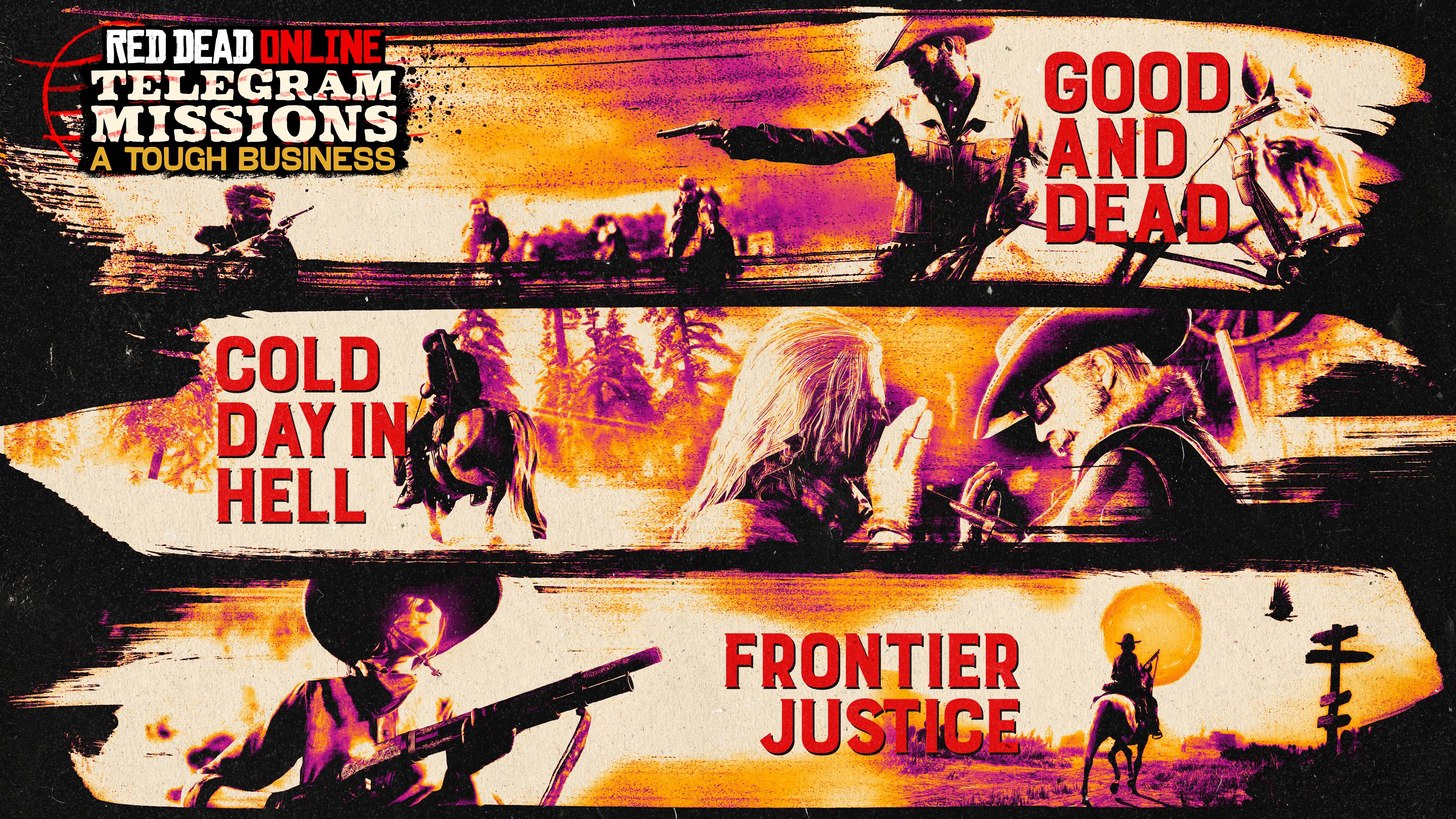
Rockstar Games is continuing with their monthly announcements for everything new heading to Red Dead Online! The new Red Dead Online monthly update February 2023 schedule and info has been revealed, with the highlights and important details and dates listed below.

New Red Dead Online Monthly Update December 2023 Schedule and Info

Red Dead Online celebrates the season of love with a month-long event filled with Valentine’s Day-themed bonuses, including a special one-day-only (2/14) gift of five Chocolate Bars, a bottle of Brandy, and the Pink and Black Oakley Boots.

Plus, emoting to a fellow player on Valentine’s Day will earn players 50% off any Established or Distinguished Role Item.

Full highlights from this month’s update include:

  • Triple RDO$, Gold, and XP on Hardcore Telegram Missions
  • Double RDO$, Gold, and XP on Trade Route and the Ember of the East Blood Money Opportunity
  • Double Gold and XP on Call to Arms
  • Double RDO$, Gold, and XP on Free Roam Missions, plus a 30% XP bonus for those who partake in Free Roam Missions, Free Roam Events and Bounties with a Posse
  • Valentine’s Day Bonuses: 5 Chocolate Bars, 1 Brandy, Pink and Black Oakley Boots, and an Offer for 50% off any Established or Distinguished Role Item for emoting to another player – all just for playing on Valentine’s Day
  • Triple RDO$ and XP on Featured Series
  • Waived Persistent Posse creation fees
  • Free Community Outfit inspired by BreadBoxin including the Inkstone Hat, Hunter Jacket, Everyday Overshirt (Male) or Winford Shirtwaist (Female), Opulent Vest, Rifleman Gloves, Cabrera Pants, Lumber Boots, Gerden Copper Spurs, and Bandana
  • Limited-time Clothing: The Concho Pants in silver and the Woodland Gloves in red
  • Discounts: 30% off Kladruber and Race Horses, Camp Dogs, and Camp Themes; 40% off Saddles and Improved Saddles, Revolvers, and High Velocity Ammo; plus 50% off Pants and Skirts
  • Featured Series Calendar:
    • Jan 31 – Feb 6: Team Up Series: Hostile Territory, Name Your Weapon, Plunder, and Team Shootout
    • Feb 7 – Feb 13: Race Series: Race, Open Race, Target Race, and Open Target Race
    • Feb 14 – Feb 20: Bow and Arrow Series: Make It Count and Target Race
    • Feb 21 – Feb 27: Hardcore Public Enemy Series
  • Prime Gaming: Red Dead Online players who connect their Rockstar Games Social Club account with Prime Gaming will receive a gift consisting of 5 Gold Bars, the Rulfo Boots in red, Marshall Coat in black, and an Offer for 40% off a Deluxe Campfire

Plus, an array of weekly and monthly bonuses is available as outlined below:

 Weekly Bonuses

  • Jan 31 – Feb 6: Play with a Persistent Posse this week to receive the Tiltham Hat in black
  • Feb 7 – Feb 13: Play Call to Arms with a Persistent Posse this week to receive the red version of the Daventry Jacket
  • Feb 14 – 20: Complete any Blood Money Opportunity with a Persistent Posse this week to receive a pair of silver Concho Pants
  • Feb 21 – Feb 27: Play the Featured Series with a Persistent Posse this week to receive red Woodland Gloves

Monthlong Rewards

  • Complete Destroyed by Grief to receive an Offer for 50% off a Camp Tent
  • Craft an item at your Campfire to receive an Offer for 40% off the Fast Travel Post
  • Place Top 3 in any Race to receive the Subtle Wave Emote

Featured Series Calendar:

  • Jan 31 – Feb 6: Team Up Series: Hostile Territory, Name Your Weapon, Plunder, and Team Shootout
  • Feb 7 – Feb 13: Race Series: Race, Open Race, Target Race, and Open Target Race
  • Feb 14 – Feb 20: Bow and Arrow Series: Make It Count and Target Race
  • Feb 21 – Feb 27: Hardcore Public Enemy Series

Community Outfit:

Love is in the air so there’s no better month than February to look sharp and dress the part. This outfit inspired by BreadBoxin is sure to turn some heads. Valentine isn’t just the capital of The Heartlands, after all. Procure the needed pieces for this look from participating Tailors or the Wheeler, Rawson & Co. Catalogue all month long:

Discounts:

  • 30% off – Kladruber and Race Horses
  • 30% off – Camp Dogs and Camp Themes
  • 40% off – Saddles and Improved Saddles
  • 40% off – Revolvers
  • 40% off – High Velocity Ammo
  • 50% off – Pants
  • 50% off – Skirts

Prime Gaming Benefits:

Red Dead Online players who connect their Rockstar Games Social Club account with Prime Gaming will receive a gift consisting of 5 Gold Bars. Players will also receive the Rulfo Boots in red, Marshall Coat in black, and an Offer for 40% off a Deluxe Campfire, now through March 6.

Check Rockstar Support for details and limitations.

That’s it for this month, cowpokes! See you in March!

Avatar photo

Salman Haider Zaidi

That's a nice argument, Senator.

Home > News

Tribes of Midgard Update 4.01 Brings Hotfixes This January 31

Norsfell has released Tribes of Midgard update 4.01 (PS5 version 4.001), and this brings a list of fixes to the game’s Witch Saga update. Read up on everything new in the official Tribes of Midgard January 31 patch notes.

Tribes of Midgard Update 4.01 Patch Notes | Tribes of Midgard Update 4.001 Patch Notes | Tribes of Midgard January 31 Patch Notes:

  • Fixed a rare crash that could occur when applying statuses with a Thunder or Dark Weapon
  • Fixed an issue in which Challenges relating to Hel defeats were not visibly tracking
  • Fixed an issue in which the Hunter’s Decoy and Seer’s Sapling could fail to spawn in longer sessions
  • Fixed an issue with the hit box accuracy of Jörmungandr’s Tail Slam attack
  • Fixed an issue in which you would not receive Essences when harvesting farmed Rowan or Mushrooms at Night
  • Fixed an issue that caused Storage Chests to be dismantled from the Repair function
  • Fixed a rare issue in which Fenrir would decide to nope out of their fight with the Einherjar and leap out of the arena
  • Fixed an issue in which the Toy Surtr artifacts were not being looted from the Volcanic Spire camps
  • Slightly reduced the maximum amount of wolves spawned by Wolfmancer Fenrir, and Draugr spawned by Hel

That’s about it. If there are more changes released, we’ll be sure to let our readers know.

Source: Tribes of Midgard

Avatar photo

Alex Co

Father, gamer, games media vet, writer of words, killer of noobs.

Home > News

Fallout 76 Update 1.74 Rolled Out for Stability Fixes and More This January 31

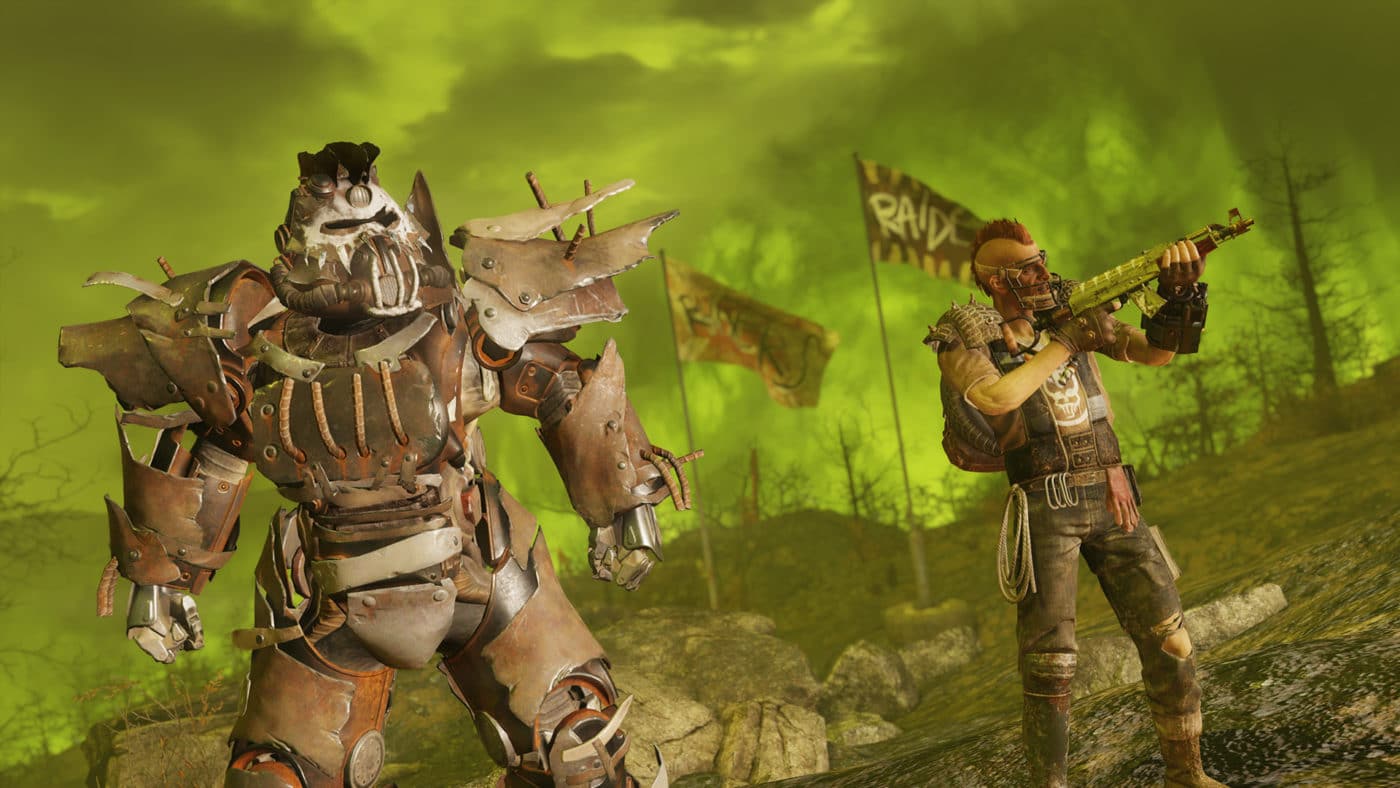
Bethesda has released Fallout 76 update 1.74, and this should further alleviate the crashing issues players have been experiencing since last week. Read on for what’s new in the FO76 January 31 patch notes.

Fallout 76 Update 1.74 Patch Notes | FO76 January 31 Patch Notes:

Here’s the announcement for the PC patch that went out yesterday (PC is quicker since there is no certification process that needs to be passed first):

Players on PC can now download the latest Hotfix. This will resolve server stability first and foremost. Additional fixes such as Bear Arms not functioning correctly are on their way but not included in this just yet.

Here’s what’s in today’s patch via the official Bethesda Discord server:

Hello all! Quick update from our dev team to let you know the hotfix for server stability is being sent out on PlayStation currently. We’ll have info on the Xbox version soon.

That’s about it. There doesn’t seem to be any gameplay-related fixes included, but if Bethesda mentions anything, we’ll update the article soon. From the looks of it, given the Bear Arms issue, we should be getting another patch soon-ish.

Avatar photo

Alex Co

Father, gamer, games media vet, writer of words, killer of noobs.

Home > News

World War Z Update 1.004 Fires Out for Hotfix This Jan. 31

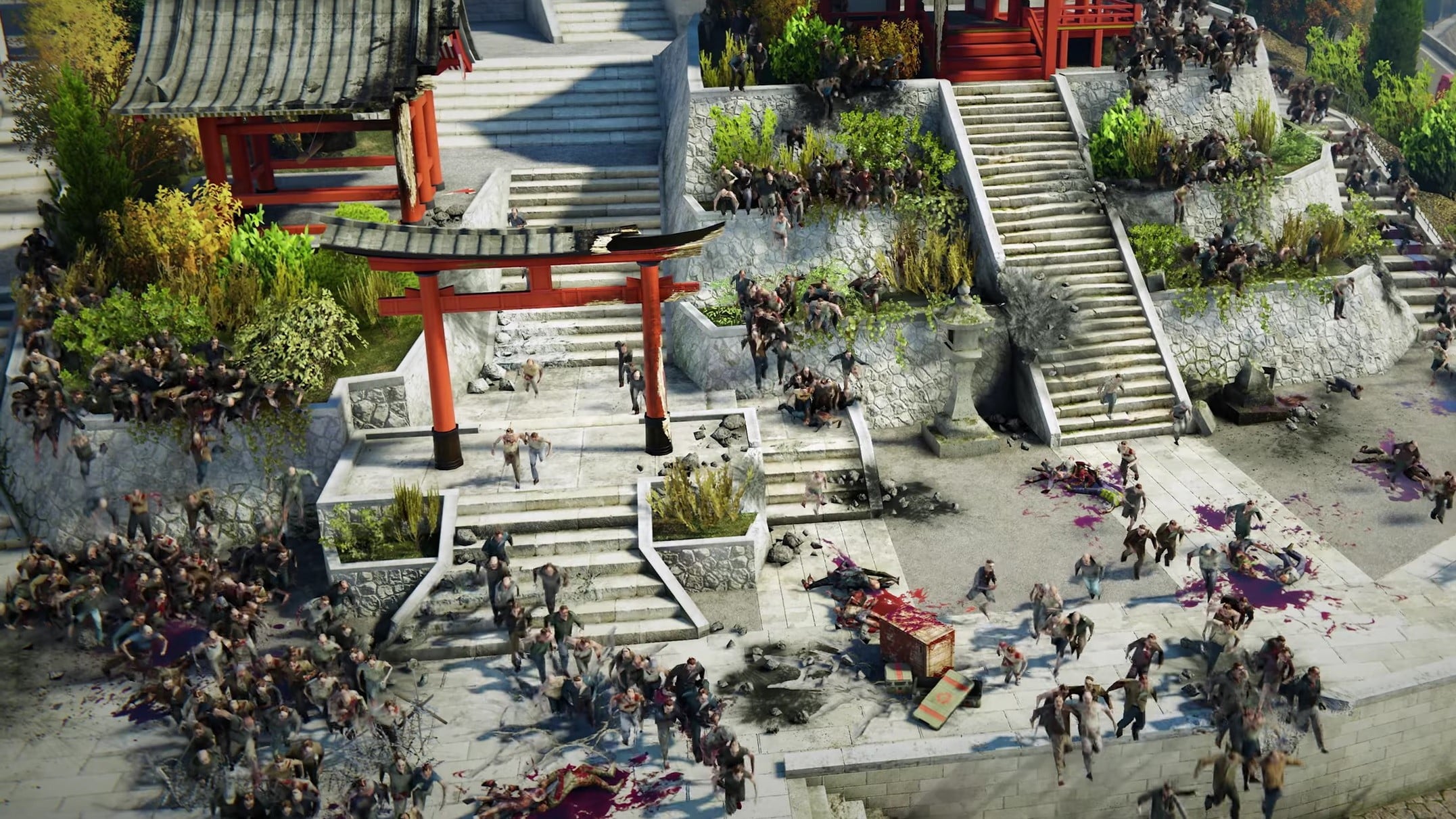
World War Z update 1.004 is out on both last-gen and next-gen platforms, and this brings a short list of fixes to the game. Read on for what’s new in the WWZ new update patch notes.

World War Z Update 1.0004 Patch Notes | WWZ New Update Patch Notes:

General

  • Fixed when some players experience the error “save data is invalid” after the save transfer.
  • Fixed a bug where stealth gameplay would break after players fired guns with silencers equipped.
  • Fixed an issue unlocking the ACW-20 unique skin.
  • Fixed when some players’ save file conversions don’t properly convert the PlayStation 4 game progression to PlayStation 5.

As for what’s new for the game, the next-gen upgrade and Horde Mode XL was released last week, which you can read about here.

Source: Saber Support

Avatar photo

Alex Co

Father, gamer, games media vet, writer of words, killer of noobs.

Home > News

World War Z Update 1.41 Deployed for Hotfix This January 31

Saber Interactive has released World War Z update 1.41 on all platforms today, and this brings a short list of fixes to the shooter. Read on for what’s new in the WWZ January 31 patch notes.

World War Z Update 1.41 Patch Notes | WWZ January 31 Patch Notes:

General

  • Fixed when some players experience the error “save data is invalid” after the save transfer.
  • Fixed a bug where stealth gameplay would break after players fired guns with silencers equipped.
  • Fixed an issue unlocking the ACW-20 unique skin.
  • Fixed when some players’ save file conversions don’t properly convert the PlayStation 4 game progression to PlayStation 5.

As for what’s new for the game, the next-gen upgrade and Horde Mode XL was released last week, which you can read about here.

Source: Saber Support

Avatar photo

Alex Co

Father, gamer, games media vet, writer of words, killer of noobs.

Home > News

Cyberpunk 2077 Update for January 31 Out on PC for DLSS 3 and Reflex Support

CD Projekt RED has released the Cyberpunk 2077 update for January 31 for PC players, and this adds DLSS 3 and Reflex support. Read on for what’s new in Cyberpunk 2077 today in the patch notes.

Cyberpunk 2077 Update for January 31 Patch Notes:

Here’s the announcement from CDPR’s Global Community Director Marcin Momot:

As to how to enable it, read on below:

DLSS Frame Generation – how to enable Hardware-Accelerated GPU scheduling

The DLSS Frame Generation requires a GeForce RTX 40 Series graphics card and Hardware-Accelerated GPU Scheduling being enabled in operating system. In Windows 11 this option is turned on by default.

Enabling Hardware-Accelerated GPU Scheduling in Windows 10:

  1. Press Windows key on your keyboard and type “graphics” and press enter. – Graphics settings menu should open.
  2. In the Graphics settings menu toggle the “Hardware-accelerated GPU scheduling” option.
  3. Restart your PC.

NOTE: it is recommended to enable upscaling (DLSS) on graphics cards with 16GB or less of VRAM and 1440p or higher resolution.

That’s about it. If there are any gameplay-related changes in today’s update, we’ll be sure to let our readers know.

Source: CD Projekt RED Support

Avatar photo

Alex Co

Father, gamer, games media vet, writer of words, killer of noobs.

Home > News

New Battlefield 2042 Weekly Missions, Battle Pass Rewards for Season 3 Week 11 Listed (Jan. 31)

MP1st is here to bring players the new Battlefield 2042 weekly missions and store refresh for January 31. Check out the official Battlefield 2042 Season 3 Week 11 weekly missions, Battle Pass rewards, and Featured Experiences!

New Battlefield 2042 Weekly Missions, Battle Pass Rewards for Season 3 Week 11:

Week 11 Missions:

  • 1000 Damage Inflicted With Primary Weapons (4)
  • 5 Self-Heals With Med-Pen (4)
  • 1 Objectives Neutralized (4)

Available After 2 Missions Completed:

  • 1000 Damage Inflicted With C5 or Zain’s XM370A (5)
  • 10 Kills With Gear (5)
  • 3 Combat Ribbons Earned (5)

Available After 4 Missions Completed:

  • 30 Kills With Vault Weapons (6)
  • 50 Kills and Assists With Vehicles (6)

Available After 5 Missions Completed (Bonus Mission):

  • 6 Objectives Captured or Neutralized (10)

Featured Experiences:

Battlefield 2042 Season 3 Week 11 January 31 Portal Modes

  • Rush XL
  • Gun Master BF3

New Store Bundles:

Battlefield 2042 Season 3 Week 11 Crackdown Store Bundle

  • Crackdown (9 Items, 1750 BFC)
    • “Cutting Edge” SU-57 Felon
    • “Storm Ward” Rao Set
    • “Nordvik Issue” G57 Skin
    • “Armored Response” MAV Skin
    • “Nightstick” Takedown
    • “Breachpoint” Boris Headgear
    • “Operation Wildcard” Background
    • “Adaptive” PF51 Skin
    • “Draconian” Tag

That’s about it! Tune in next Tuesday for the Season 3 Week 12 new challenges and more.

(Thanks, BFBulletin | Pizza Operator | ombaaa)

More Battlefield Reading:

Avatar photo

Salman Haider Zaidi

That's a nice argument, Senator.

Home > News

Fortnite Update 1.000.089 Drops for v23.30 This Jan. 31; Patch Notes & Datamined Content Listed

Epic Games has released Fortnite update 1.000.089 today and this is for the v23.20 patch. You can expect crossover content with Dragon Ball Super and more. Read on for what’s new in the Fortnite January 31 patch notes.

Fortnite Update 1.000.089 Patch Notes | Fortnite v23.30 Patch Notes:

Just as you’ve been powering yourself up with Reality Augments in Battle Royale, power yourself up with the return of Fortnite x Dragon Ball. In the v23.30 update, Son Gohan and Piccolo from the Dragon Ball Super: SUPER HERO movie make their Fortnite debut, the Kamehameha attack item and Nimbus Cloud (Kintoun) mobility item are out of the vault, and Dragon Ball Adventure Island is back!

GO BEYOND ONCE AGAIN IN BATTLE ROYALE

Fortnite Kamehameha

Throughout each match in Battle Royale/Zero Build, the Kamehameha and Nimbus Cloud (Kintoun) items will fall from the sky in capsules. Launch a devastating energy beam with the Kamehameha, and with the Nimbus Cloud (Kintoun), take flight around the Island! The frequency of capsules will increase as the Storm closes in, meaning the end of each match will be primetime for an epic showdown. 

These two items will remain in Battle Royale/Zero Build until v23.40.

BEYOND BATTLE ROYALE: DRAGON BALL ADVENTURE ISLAND RETURNS

The adventure continues!

Back in Fortnite starting now, go on a Dragon Ball collecting adventure in Dragon Ball Adventure Island. Made by creator team Vysena Studios, this island features sites inspired by iconic locations from Dragon Ball — visit Goku’s HouseKami’s Palace, the Room of Spirit & Time, and Beerus’ Planet! At any time during your adventure, test your power in Tenkaichi Budokai, the open PvP battle arena.
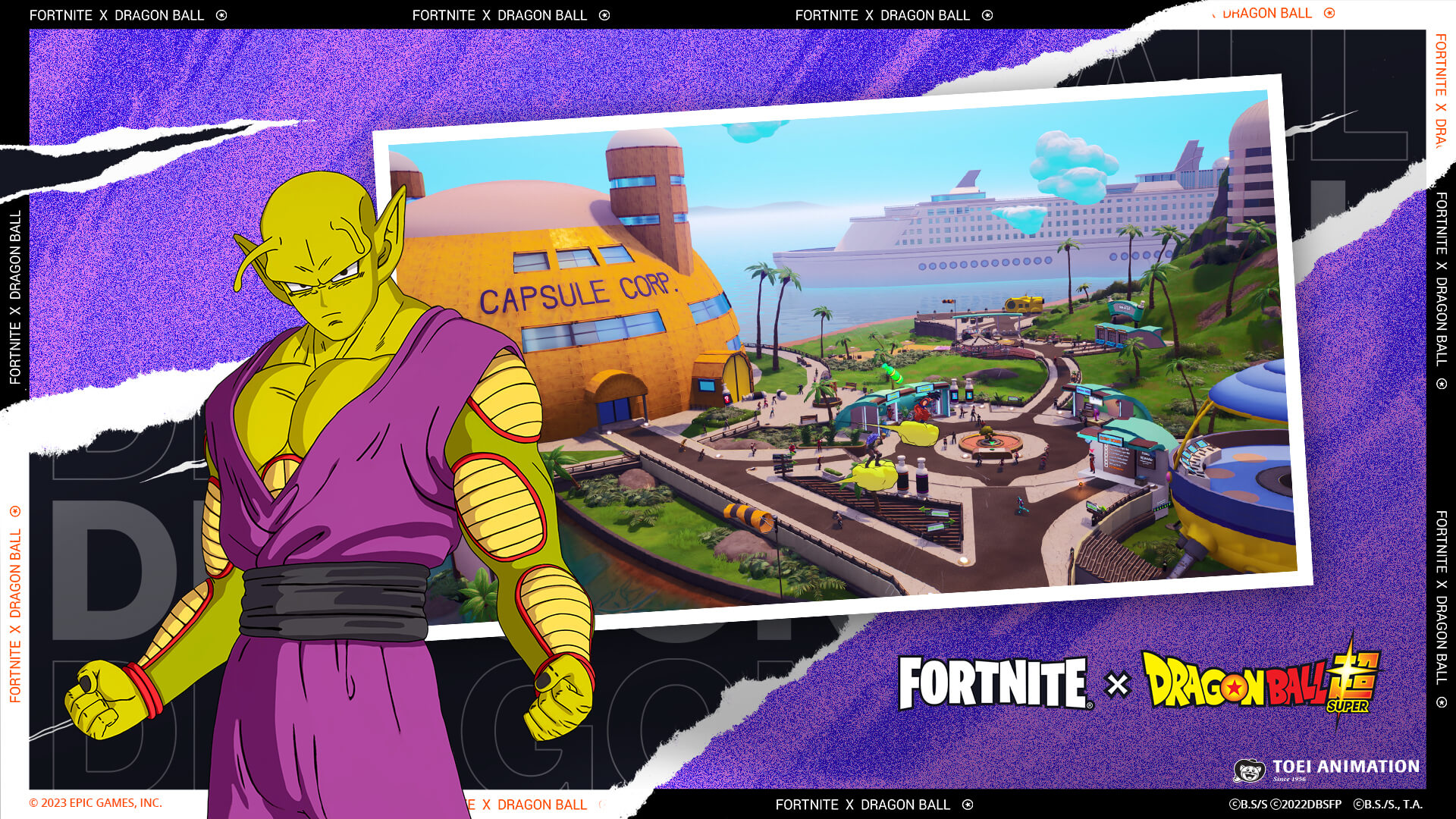
Fortnite Dragon Ball Adventure Island

Starting January 31 at 9 AM ET, complete a Dragon Ball-themed Weekly Quest on this island to unlock the Gohan Beast Spray. And starting 9 AM ET on February 7, complete another Dragon Ball-themed Weekly Quest to unlock the Orange Piccolo Spray! Dragon Ball Adventure Island can be accessed from either the Discover screen or island code 5642-8525-5429.
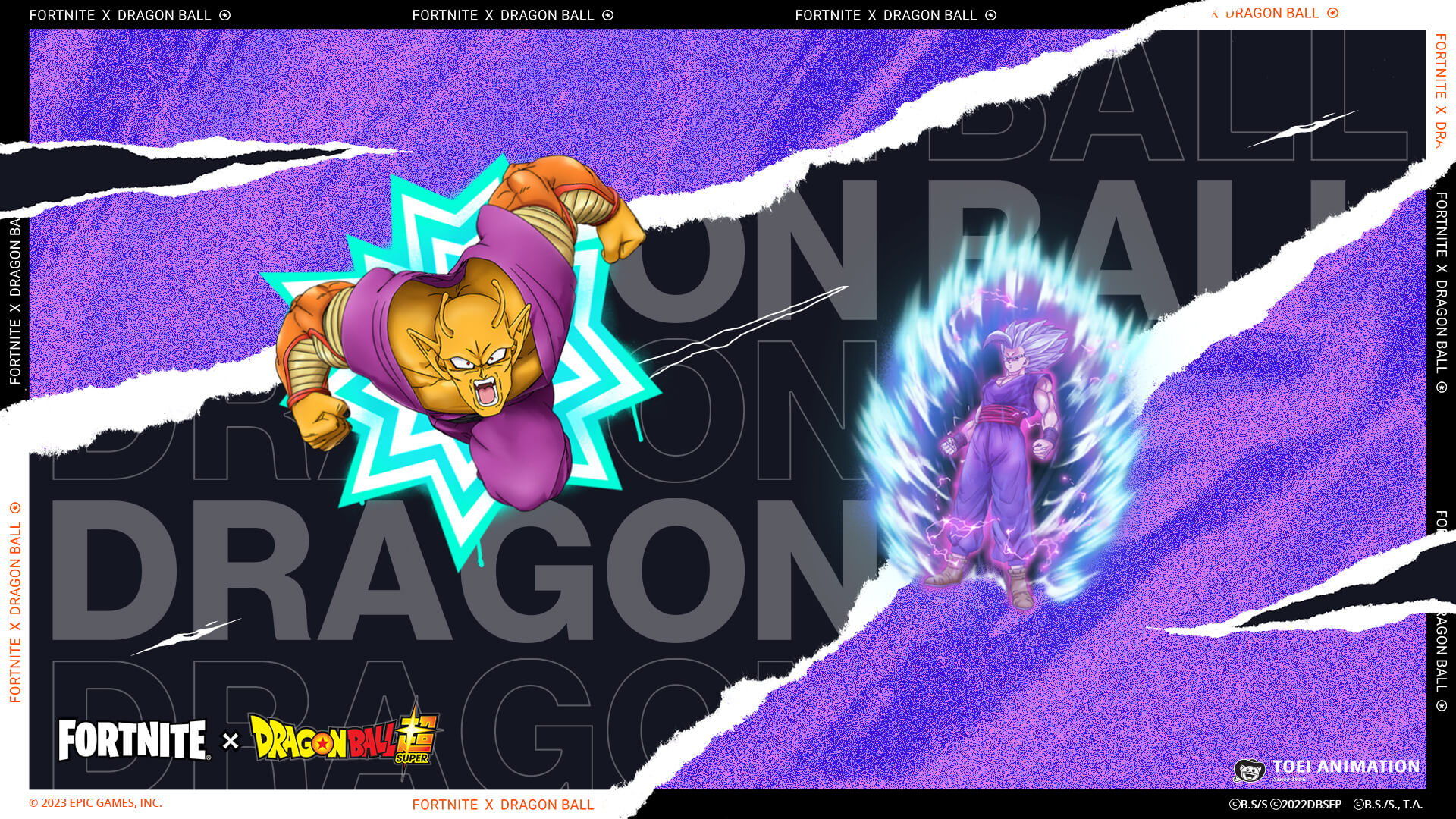
Fortnite Orange Piccolo Spray and Gohan Beast Spray

THE DRAGON BALL SET GAINS POWER

While wielding great powers on the Battle Royale Island or collecting Dragon Balls in Dragon Ball Adventure Island, venture as Dragon Team members Son Gohan or Piccolo. These new Outfits — and their matching accessories — are available in the Item Shop starting now!

SON GOHAN OUTFIT

Fortnite Son Gohan Outfit

Go beyond your limit! Use the Son Gohan Outfit’s built-in Gohan’s Charging Up Emote to switch to Super Saiyan. (The Super Saiyan Style can be selected in the Locker as well.)

SON GOHAN ACCESSORIES
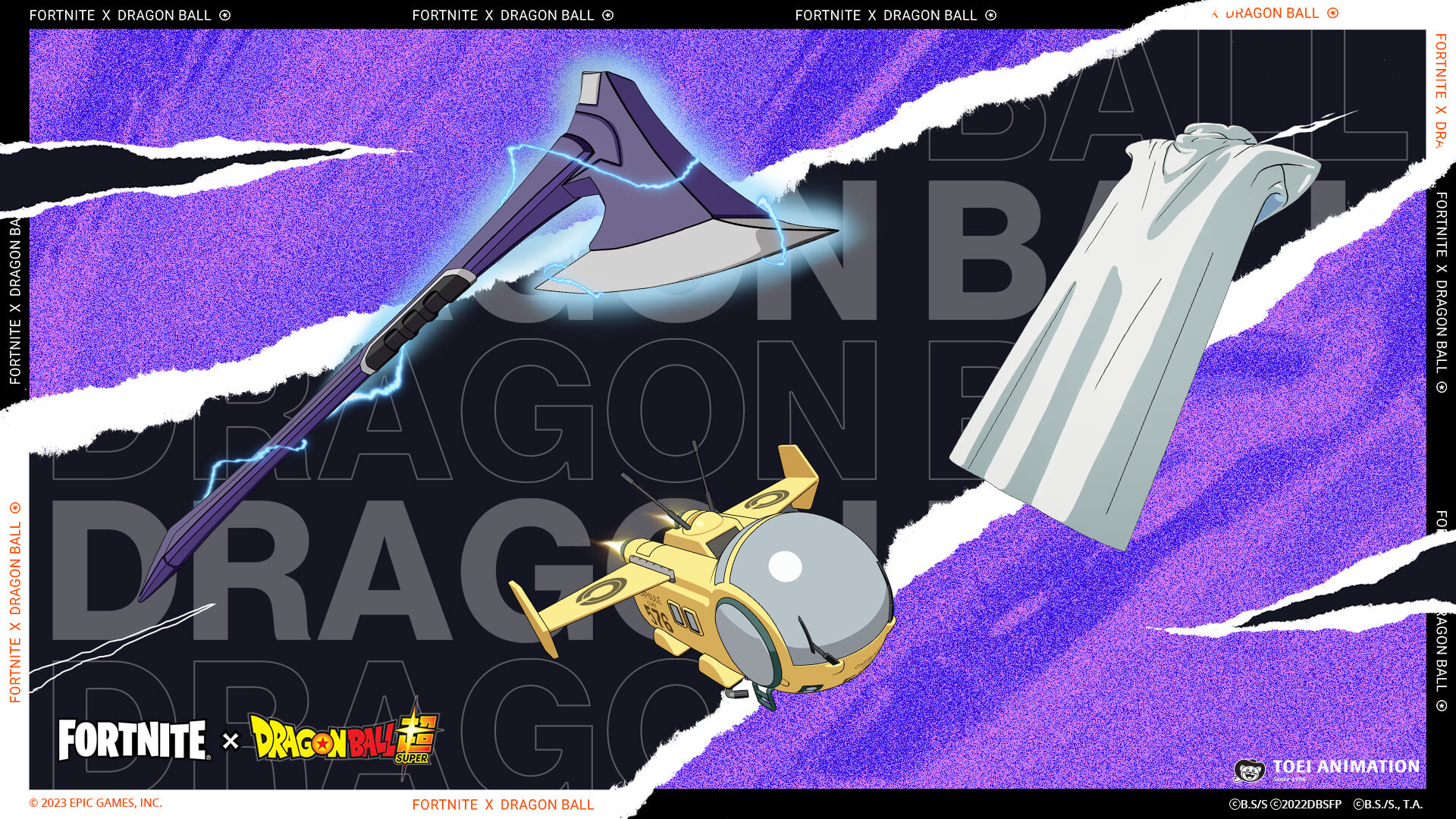
Fortnite Son Gohan Accessories

Accessories matching the Son Gohan Outfit are also available: 

  • Gohan’s Cape Back Bling – A gift from Piccolo to inspire him to return to training. (Included with the Son Gohan Outfit. Can only be used with this Outfit.)
  • Gohan’s Beast Axe Pickaxe – Go beyond ultimate!
    • Reactive — surges with lightning upon hitting Weak Points.
  • Capsule No. 576 Glider – Property of Capsule Corporation.

PICCOLO OUTFIT
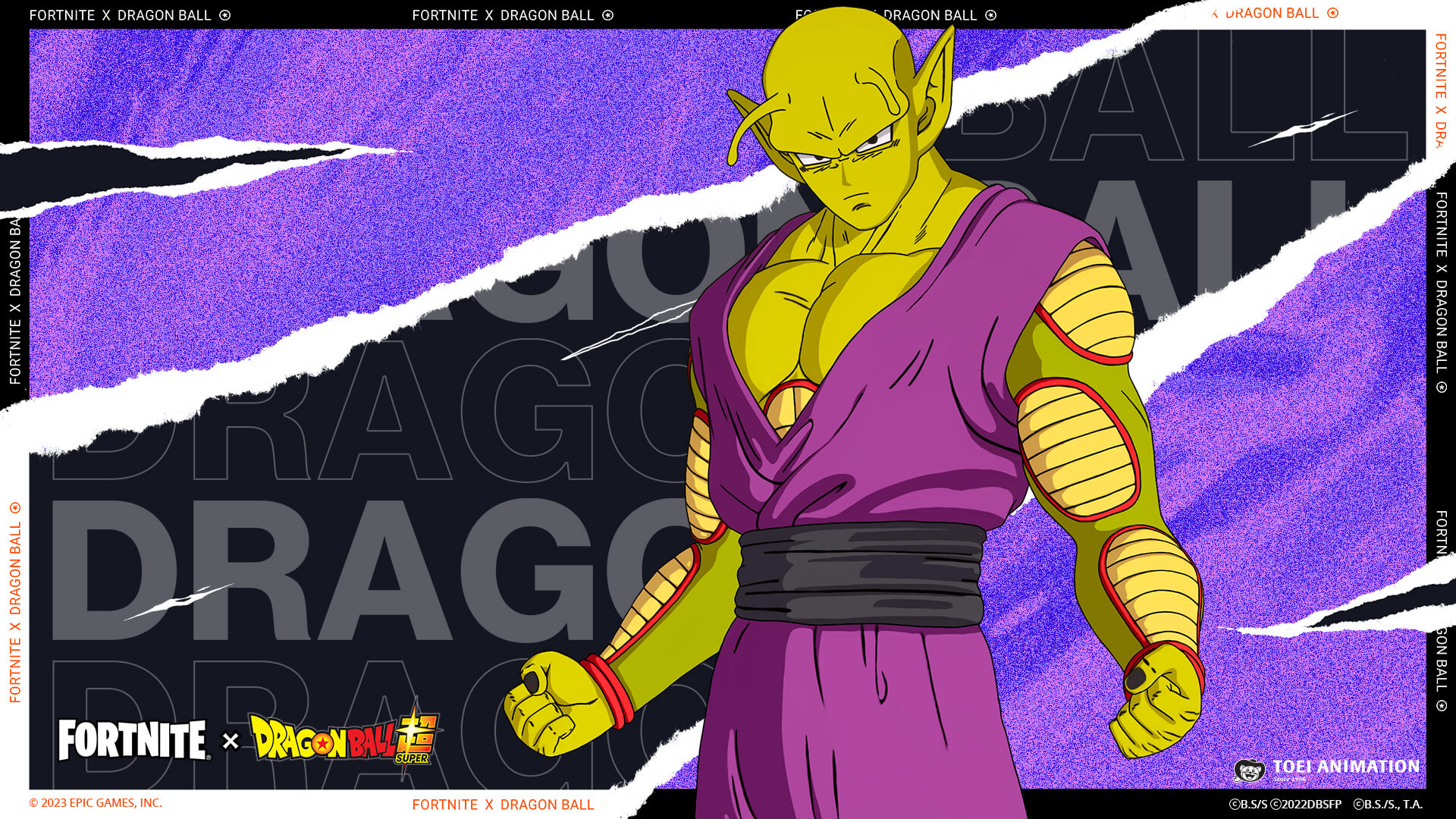
Fortnite Piccolo Outfit

Unleash your inner strength. Use the Piccolo Outfit’s built-in Piccolo’s Charging Up Emote to manifest the Power Awakening version of Piccolo. (The Power Awakening Style can also be selected in the Locker.)

PICCOLO ACCESSORIES

Fortnite Piccolo Accessories

Additionally available are accessories matching the Piccolo Outfit:

  • Piccolo’s Cape and Turban Back Bling – Cape and turban that Piccolo can put on and take off with his demon power. (Included with the Piccolo Outfit. Can only be used with this Outfit.)
  • Piccolo’s Demon Symbol Back Bling – The mark that Piccolo used to wear. (Included with the Piccolo Outfit.)
  • Piccolo’s Handheld House Pickaxe – Piccolo’s unique shell-like house.
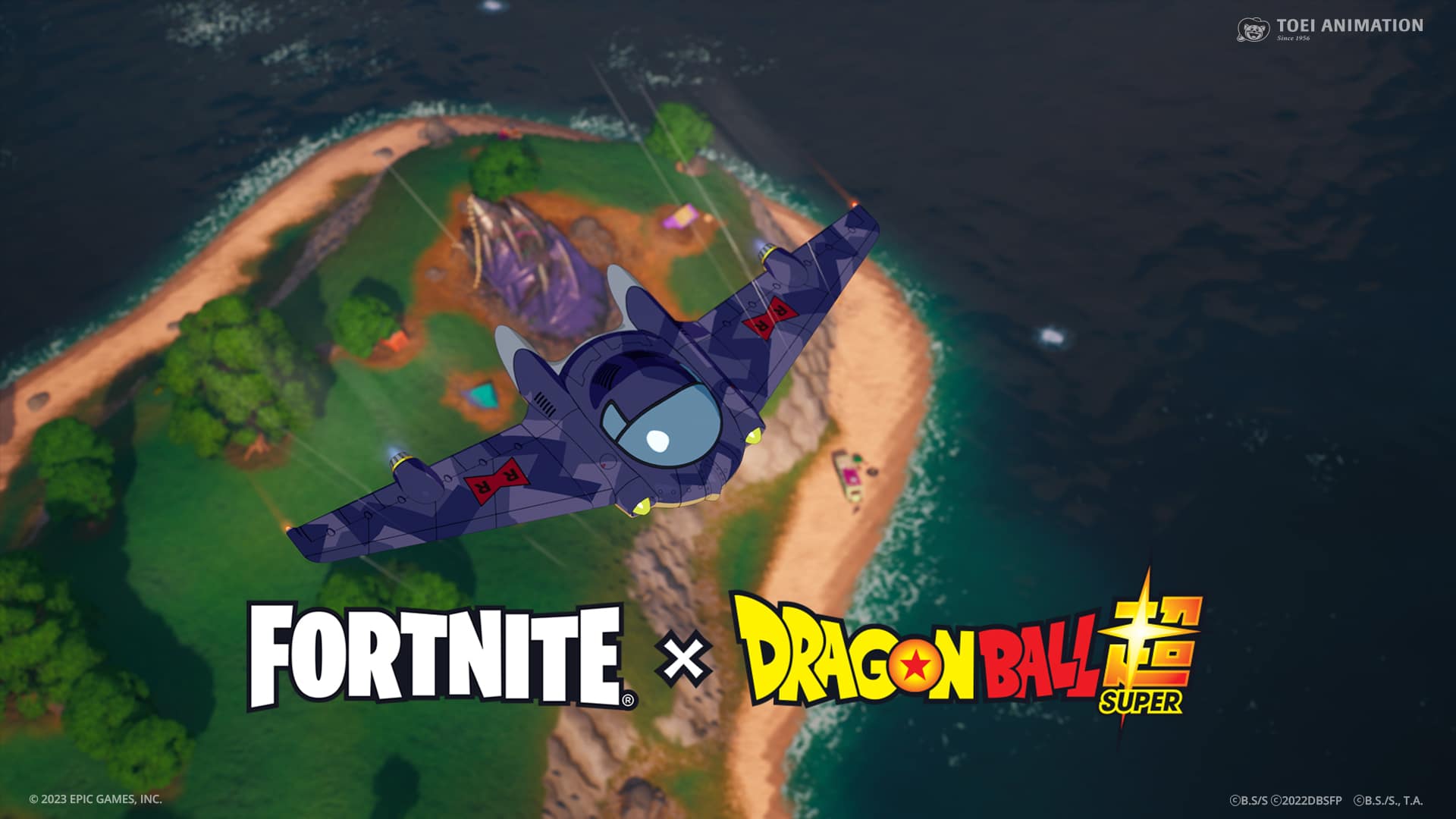
  • Red Ribbon Army Aircraft Glider – Property of Red Ribbon Army.

Included in either the Son Gohan Bundle or Piccolo Bundle, players can also get the Gohan & Piccolo Loading Screen:
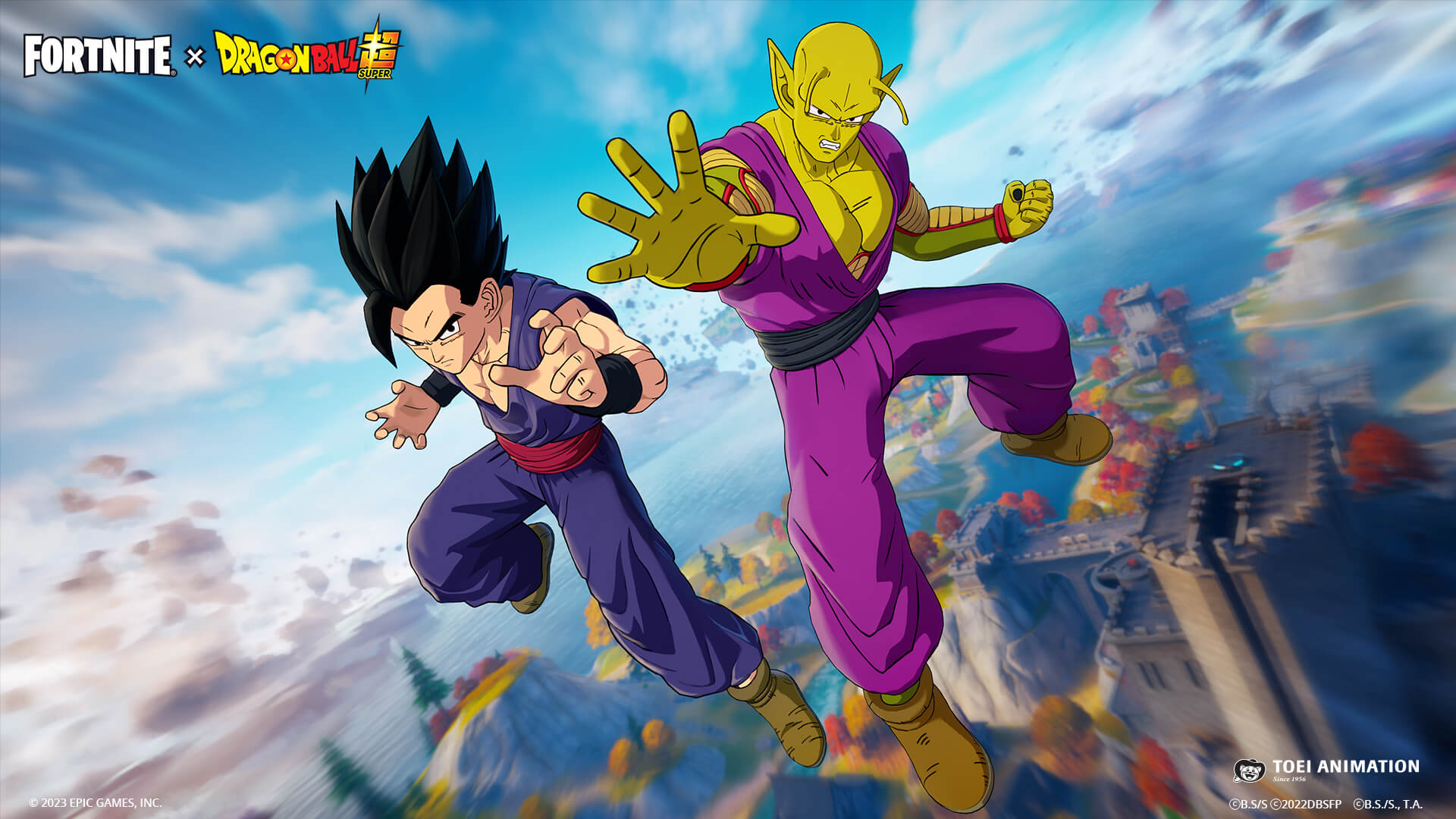
Fortnite Gohan & Piccolo Loading Screen

Time to get back to training.

Speaking of the Dragon Ball Set, look out for returning Dragon Ball items coming to the Item Shop at a later date!


MORE IN V23.30: NEW BATTLE ROYALE REALITY AUGMENTS!

v23.30 introduces five new Reality Augments to Battle Royale. Power yourself up with:

RIFT-JECTOR SEAT

Fortnite Rift-jector Seat Reality Augment

Anytime your Shield breaks, you’ll rift into the sky after a short delay.

SHADOW STRIKER

Fortnite Shadow Striker Reality Augment

Become able to get Shadow Bombs from containers.

ICY SLIDE

Fortnite Icy Slide Reality Augment

Get a brief icy speed boost after sliding.

HARVESTER

Fortnite Harvester Reality Augment

Foliage you destroy will drop Big Bush Bombs and forageables. Also increases the effectiveness of eating forageables.

MYTHIC MUNITION

Fortnite Mythic Munition Reality Augment

Obtain a Mythic Pistol.

Heads-up! New Reality Augments are discovered by selecting Reality Augments in matches. Rerolling does not discover new Reality Augments.

WEEKLY QUESTS UPDATE

From v23.30 and onwards, Battle Royale Chapter 4 Season 1 Weekly Quests will no longer expire after a week. They will remain until the end of Season, meaning players can complete a set of Weekly Quests anytime until Chapter 4 Season 1’s end date.

MISCELLANEOUS UPDATES

  • Wind currents will be disabled in Battle Royale/Zero Build for the duration of v23.30.
  • The Forecast Reality Augment has been adjusted to only show the next three Storm circles after being selected, instead of showing all future Storm circles.

COMPETITIVE NOTES

  • The Kamehameha and Nimbus Cloud (Kintoun) items are not included in competitive playlists.
  • The Rift-jector Seat Reality Augment is not included in competitive playlists.
  • FNCS Major 1 begins on February 2! For more info, read our Fortnite Champion Series Global Championship Roadmap.

MAJOR BATTLE ROYALE BUG FIXES

  • The Guardian Shield now blocks the Deku’s Smash ability.
  • Fixed the issue that caused us to disable the Party Time Reality Augment. This Reality Augment is now re-enabled.
  • Fixed some movement-related bugs.
  • Players who own the Battle Pass and have unlocked the Noble Shroud Back Bling prior to v23.20 will now receive the Back Bling.
  • Physics on the Joni the Red Outfit’s cape are now behaving correctly.
  • The helmet on the Battle Hound and Molten Battle Hound Outfits no longer appears sideways.
  • Players can again Emote after a Victory Royale.
  • Players no longer take fall damage when sliding and using the Shockwave Hammer.
  • On touch devices, the Falcon Scout no longer goes up or down without players touching any button.

The v23.30 update in Save the World brings the second and third week of Wargames, an update to when several questlines change, and a reloading change. Also, certain Heroes become available once again!

WARGAMES WEEK 2: MIST PODS 

Week 2 begins Thursday, February 2, 2023! Peas are in the pod and bosses are in the base. Take down the Mist Pods quickly or else tougher enemies will emerge! 

Fortnite Wargames Mist Pods Png

WARGAMES WEEK 3: SPACE ROCKS

Week 3 starts Thursday, February 9! It’s all coming down in this Wargames simulation — defend your fort while massive meteorites pour in. 

Fortnite Wargames Space Rocks Png

QUEST CHANGES

With the start of the Mild Meadows Venture Season, we’ll be adjusting the end dates of questlines available during the Season. We’re making this adjustment because having too many narrative quests running simultaneously can make it hard to follow the stories, especially for new and returning players who join late in a season. The following questlines have had their end date changed, or have been moved from the Season.

  • The Blockbuster questline remains unchanged and will last the entire Season (to April 5, 2023).
  • The No Dancing questline has been shortened to four weeks and will run from February 9 to March 8, 2023.
  • The Valor questine will run for four weeks, from March 9 to April 5, 2023.
  • The Brawl of the Wild questline has been moved from this Venture Season and will return in the next Venture Season.

NO DANCING QUESTLINE

Get ready for Love Defense 101.

The dreaded Love Storm has returned and according to our most trusted Major, this is an extremely dangerous threat! Stop this lovely phenomenon from hitting Homebase to have the “premiere matchmaker” Stoneheart Farrah join your squad after completing the questline.

Fortnite Stoneheart Farrah Png

“It’s time to harden your hearts” – Stoneheart Farrah

STONEHEART FARRAH

  • Standard Perk: Cupid’s Arrow
    • Arrows splinter on Bow hit, dealing 20% damage to nearby targets.
  • Commander Perk: Cupid’s Arrow+
    • Arrows splinter on Bow hit, dealing 60% damage to 5 nearby targets.

HEROES RETURN

The Heroes Razor and Kurohomura are available again! They can be earned via the Arcade Cabinet quests. If you’ve already completed these quests but don’t have the heroes, you’ll receive them in a gift box in-game. They can also be recruited from the Collection Book.

Fortnite Razor And Kurohomura Png

NEW RELOADING GAMEPLAY CHANGES

Most ranged weapons in Save the World can now be reloaded while you’re aiming down sights, making it easier to keep a bead on your target as you’re reloading. Weapons with a zoom scope are the exception – those will retain the old behavior and pull out to the regular third-person view while reloading.

EVENT AND WEEKLY STORE

SNUGGLE SPECIALIST SARAH – FEBRUARY 2 AT 7PM ET

Fortnite Snuggle Specialist Sarah Png

“Does somebody need a hug?” – Snuggle Specialist Sarah

  • Standard Perk: Tail of the Dragon
    • Dragon Slash leaves behind an energized trail, dealing 26 base Energy Damage per second.
  • Commander Perk: Tail of the Dragon+
    • Dragon Slash leaves behind an energized trail, dealing 64 base Energy Damage per second and slowing enemies by 30% for 3 seconds.

LOVE RANGER JONESY – FEBRUARY 9 AT 7PM ET

Fortnite Love Ranger Jonesy Png

“I have a heart of stone… literally.” – Love Ranger Jonesy

  • Standard Perk: Power Impact
    • Increases Shockwave radius by 37.5%.
  • Commander Perk: Power Impact+
    • Increases Shockwave radius by 112.5%.

Fortnite The Heartbreaker Crossbow Png

THE HEARTBREAKER CROSSBOW – FEBRUARY 9 AT 7PM ET

This piercing bow is skilled at breaking two things: hearts and Husks.

BUG FIXES

A number of important bug fixes were included in the v23.30 game update, including:

  • Fixed a variety of terrain issues in the Autumn Foothills Biome.
    • This includes locations that would potentially eliminate the character, certain objectives being partially in terrain, tracks being unplaceable for Deliver the Bomb missions. 
  • Fixed an issue where the player would be unable to hear footsteps.
  • Fixed an issue where players could accidentally mount and ride wildlife while hoverboading.

The Fortnite v23.30 update introduces Over-Budget Editing, the Crowd Volume device, the Hiding Props Gallery, and the Big Bush Bomb from Battle Royale.

v23.30 also contains new command options for hired guards in the Guard Spawner, the addition of Sky Jellies to the Wildlife Spawner, and the new Cyber City Prefabs and Galleries, Video Player Screen Gallery, Reactive Trim Gallery, and Background Equalizer Buildings and Background Equalizer Skyscraper Galleries.

OVER-BUDGET EDITING 

Memory management is a big concern to creators, so we want to make it easier. The total memory limit for published islands is still 100K – but when you are in Create mode on your islands, you can now place and move props normally up to 115K total memory. This will make it easier for you to manage memory fluctuations, and prevent situations where you are unable to place or move objects on your island because you have exceeded the 100K memory limit.

Keep in mind that the new 115K memory limit is only for when you are in Create mode, and is a hard limit. If you exceed 115K memory, you will be blocked from placing and moving objects again. The additional memory is meant to give you freedom to adjust your island so the memory used is within the 100K limit before you publish your island.

CROWD VOLUME 

Crowd Volume

The Crowd Volume is a device that spawns a group of cheering NPCs. Populate the stands for races, concerts, or any other experience where you need an audience. You can determine the density of the crowd, the size of the volume, and how randomly the NPCs are distributed in the space.

HIDING PROPS GALLERY 
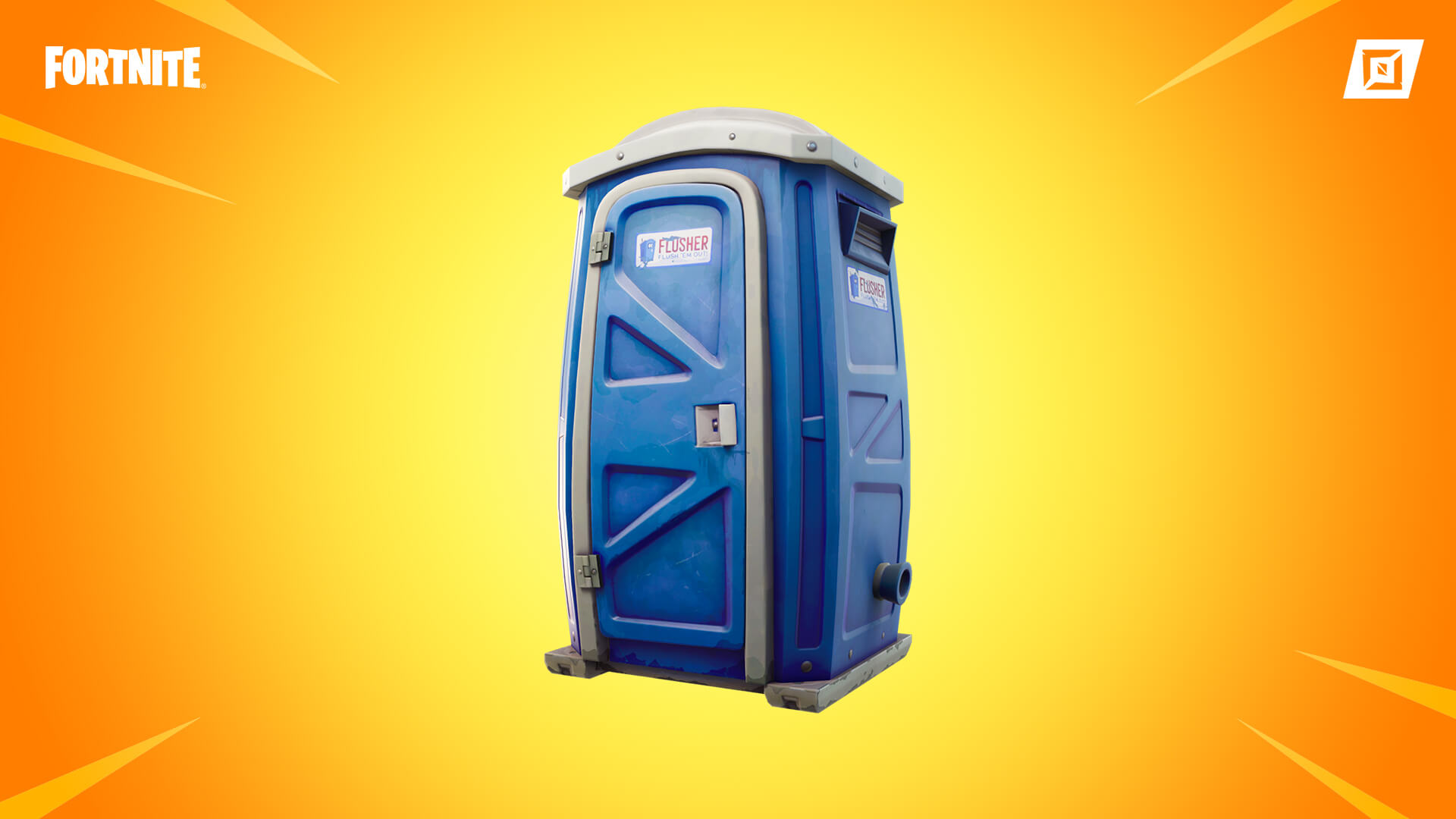
Hiding Prop Gallery

The Hiding Props Gallery gives you three different props that players can hide in: a Dumpster, a Haystack, and a Portapotty. You can use these to create a new kind of Hide-and-Seek game that is different from a Prop Hunt. Because you can customize which teams and classes can use a particular hiding prop, you can create new game modes focused around those elements. 

You can also customize the props so that more than one player can hide in one, and determine whether the prop has sound effects and a wobbling animation when it is occupied. You can even set time limits on how long a player can hide before being ejected from the hiding place, or have other devices signal the hiding prop to eject players based on events or triggers.

GUARD SPAWNER: COMMAND OPTIONS FOR HIRED GUARDS

If you enable the Can Be Hired option in the Guard Spawner device, there is a new Can Be Given Commands option. When this is set to Yes, it gives your players the ability to control their hired guards by giving them different commands. The following commands are displayed on a new UI element, the Command Wheel:

  • Move
  • Wait
  • Follow
  • Dismiss

All spawned guards that have commands enabled can be controlled by the player, and players can command up to three hired guards at the same time.

SKY JELLIES 

Sky Jelly

Sky Jellies are now available in the Type option of the Wildlife Spawner device. Sky Jellies are helpful creatures that exist in the world with the single goal of healing any living thing that comes near them. If wildlife or players approach a Sky Jelly, it will slowly float toward them and give off a healing splash if the target has less than full health. Players can interact with the Sky Jelly to trigger the healing splash more quickly.

When players jump on top of the Sky Jelly, it bounces the player upward and makes them immune to fall damage for a short time. Players can shoot Sky Jellies to detonate them, but if a Sky Jelly is shot, it explodes with a shockwave instead of a healing splash. This shockwave will also detonate other Sky Jellies that are nearby.

BIG BUSH BOMB

Use the Big Bush Bomb in your island, so player can throw a large bush out into the environment to hide in or to confuse their opponents.

OTHER UPDATES 

PREFAB & GALLERY UPDATES

  • New Cyber City Prefabs:
    • Cyber City Building A
    • Cyber City Building B
    • Cyber City Building C
    • Cyber City Building D
    • Cyber City Building E
    • Cyber City Building F
  • New Cyber City Galleries:
    Cyber City Gallery Small

    • Cyber City Building Prop Gallery A
    • Cyber City Building Prop Gallery B
    • Cyber City Building Prop Gallery C
    • Cyber City Building Prop Gallery D
    • Cyber City Prop Gallery A
    • Cyber City Prop Gallery B
    • Modern Interior Prop Gallery
    • Destroyed Floor Prop Gallery
    • Supply Drop Prop Gallery
  • New Video Player Screen Gallery: This includes a set of customizable screens that can mirror the image from a Video Player device. Play your video on a hologram screen, an array of floating cubes, and more.
  • New Reactive Trim Gallery: Use the neon shapes and equalizer bars to liven up your island with colorful, customizable decorations. They can even react to music playing on your island. Wrap them around buildings or other props too!
  • New Background Equalizer Buildings and Skyscraper Galleries:
    • Background Equalizer Buildings Gallery A
    • Background Equalizer Buildings Gallery B
    • Background Equalizer Buildings Gallery C
    • Background Equalizer Skyscraper Gallery A
    • Background Equalizer Skyscraper Gallery B
    • Background Equalizer Skyscraper Gallery C
    • Background Equalizer Skyscraper Gallery D
    • Background Equalizer Skyscraper Gallery E
    • Background Equalizer Skyscraper Topper Gallery A
    • Background Equalizer Skyscraper Topper Gallery B
  • Expanded Disco Gallery: This gallery has been expanded with additional music-related props such as a laptop, drum pad, DJ desk, and more.

DEVICE UPDATES 

  • Wildlife Spawner: This device has been adjusted so that it is aligned with other devices with visuals that only appear in Create mode. 
  • Loot Controller (Battle Royale Island): Bosses will now drop loot packages regardless of loot settings, unless loot is set to No Loot.
  • Deployment Console (Battle Royale Island): Battle Bus deployments have variable height settings, so you can configure them to deploy at different heights.

UPDATES TO UPGRADED DEVICES

  • Color Changing Tile (Opt-In Upgraded Devices Only): New options have been added to the Color Changing Tile:
    • Alternate Tile Shape
    • Alternate Tile Shape Starting Primary Color
    • Alternate Tile Shape Starting Top Color
    • Alternate Tile Shape Icon
    • Icon Visible at Game Start
    • Show Icon
    • Hide Icon
    • Change Color on Player Contact  (channel option or event/function)
    • Activate Glow  (channel option or event/function)
    • Deactivate Glow  (channel option or event/function)

BUG FIXES

PREFAB & GALLERY FIXES

  • Fixed an issue with broken fans/propellers from the IO Blimp Prop Gallery and the Pandora Prop Gallery.
  • Fixed an issue where the straight cave asset in the different Cliff Galleries could not be placed or pasted.

DEVICE FIXES 

  • Fixed an issue where teleporting failed if players were hurdling.
  • Fixed an issue where Sequencer devices did not operate correctly when set to infinitely loop.
  • Fixed an issue where disabled props attached to Prop Manipulator devices were shown in-game.
  • Fixed an issue where the Button device failed to reset if it did not send a message on a channel.
  • Fixed an issue where Launch Pad devices were not placed in the center of the floor.

FIXES FOR UPGRADED DEVICES

  • Fixed an issue where players could build in the volume of upgraded Mutator Zone devices, even with the Allow Building option set to No.
  • Fixed an issue where the Tracked Weapon Category option in the upgraded Tracker device had incorrect values. 
  • Fixed an issue where the game crashed when the creator multi-selected upgraded devices and attempted to place the selected group in the Quick Bar.
  • Fixed an issue where upgraded devices caused guards to spawn at their patrol path nodes instead of spawning at the device location.

ISLAND FIXES

  • Fixed the Battle Royale Island icon to feature the new Chapter 4 map.
  • Fixed a texture issue with traffic lights on Fortilla Island.
  • Fixed an issue with missing asset bottoms showing on Canyon Island.
  • Fixed an issue where maps were failing to load.
  • Fixed an issue where creating an island using the same template as one of your other islands required you to change the name of the new island manually, if the existing island still had its default name.
  • Fixed an issue where the values for the Custom Post Game Show Scoreboard options in the End Game device and My Island settings had different names but functioned correctly.

GAMEPLAY FIXES

  • Fixed an issue where the Battle Royale Island Loot Controller placed items from past Battle Royale Seasons in chests when it was set to Current Battle Royale
  • Fixed an issue with the Battle Royale Island, where the Time Alive For Team Tracking Method option in the My Island UI tab caused matches to always end in a draw when the option was set to Shortest.
  • Fixed an issue where players kept the Reboot Cards of eliminated teammates after swapping teams.

Source: Fortnite.com


While official patch notes have not been released yet, a lot of info gathered from datamined content has been uncovered. You can read what we have seen so far below.

You can read some bug fixes addressed below from the Trello Board.

  • Players are unable to claim the Exile variation of the Mind’s Eye back bling
  • Joni the Red’s coat is not reacting to physics correctly.
  • The helmet on the Battle Hound and Molten Battle Hound outfits appears sideways.
  • Players are getting a blue lobby background instead of the correct one.
  • Please note that you must claim all rewards on the Bonus Rewards page(s) before unlocking rewards on the next page. For instance, all rewards on Page 1 must be unlocked before moving on to Page 2.
  • The Sparkle Specialist outfit does not look sparkly/shiny and instead appears matted.
  • We’re aware of an issue that causes the player to take fall damage when sliding and using the Shockwave Hammer.
  • Players are unable to emote at the end of winning a match.
  • The red dot at the centre is missing when aiming with the Red-Eye Assault Rifle.
  • The “Party Time” Augment has been temporarily disabled, and we are working on bringing it back once the issue is fixed.
  • We’ve disabled the Shotgun Striker Augment due to an issue, however it can still be discovered. We’ll provide another update when it has been re-enabled.
  • The “Aerialist” Augment has been temporarily disabled, and we are working on bringing it back once the issue is fixed.

We will update this article when the patch notes are released. Until then, this is all the info so far about today’s update

Fortnite Update v23.30 Datamined Content:

https://twitter.com/HYPEX/status/1620360075897626624

Damien Seeto

Home > News

Fortnite Update 3.79 Released for v23.30 This January 31; Patch Notes & Datamined Content Listed (Update)

Fortnite update 3.79 is now out on all platforms, and this is for the v23.30 title update! Players can expect another crossover content with Dragon Ball alongside fixes and more! Same as always, you can check out the Fortnite January 31 patch notes and datamined content below.

Fortnite Update 3.79 | Fortnite January 31 Patch Notes:

Just as you’ve been powering yourself up with Reality Augments in Battle Royale, power yourself up with the return of Fortnite x Dragon Ball. In the v23.30 update, Son Gohan and Piccolo from the Dragon Ball Super: SUPER HERO movie make their Fortnite debut, the Kamehameha attack item and Nimbus Cloud (Kintoun) mobility item are out of the vault, and Dragon Ball Adventure Island is back!

GO BEYOND ONCE AGAIN IN BATTLE ROYALE

Fortnite Kamehameha

Throughout each match in Battle Royale/Zero Build, the Kamehameha and Nimbus Cloud (Kintoun) items will fall from the sky in capsules. Launch a devastating energy beam with the Kamehameha, and with the Nimbus Cloud (Kintoun), take flight around the Island! The frequency of capsules will increase as the Storm closes in, meaning the end of each match will be primetime for an epic showdown. 

These two items will remain in Battle Royale/Zero Build until v23.40.

BEYOND BATTLE ROYALE: DRAGON BALL ADVENTURE ISLAND RETURNS

The adventure continues!

Back in Fortnite starting now, go on a Dragon Ball collecting adventure in Dragon Ball Adventure Island. Made by creator team Vysena Studios, this island features sites inspired by iconic locations from Dragon Ball — visit Goku’s HouseKami’s Palace, the Room of Spirit & Time, and Beerus’ Planet! At any time during your adventure, test your power in Tenkaichi Budokai, the open PvP battle arena.

Fortnite Dragon Ball Adventure Island

Starting January 31 at 9 AM ET, complete a Dragon Ball-themed Weekly Quest on this island to unlock the Gohan Beast Spray. And starting 9 AM ET on February 7, complete another Dragon Ball-themed Weekly Quest to unlock the Orange Piccolo Spray! Dragon Ball Adventure Island can be accessed from either the Discover screen or island code 5642-8525-5429.

Fortnite Orange Piccolo Spray and Gohan Beast Spray

THE DRAGON BALL SET GAINS POWER

While wielding great powers on the Battle Royale Island or collecting Dragon Balls in Dragon Ball Adventure Island, venture as Dragon Team members Son Gohan or Piccolo. These new Outfits — and their matching accessories — are available in the Item Shop starting now!

SON GOHAN OUTFIT

Fortnite Son Gohan Outfit

Go beyond your limit! Use the Son Gohan Outfit’s built-in Gohan’s Charging Up Emote to switch to Super Saiyan. (The Super Saiyan Style can be selected in the Locker as well.)

SON GOHAN ACCESSORIES

Fortnite Son Gohan Accessories

Accessories matching the Son Gohan Outfit are also available: 

  • Gohan’s Cape Back Bling – A gift from Piccolo to inspire him to return to training. (Included with the Son Gohan Outfit. Can only be used with this Outfit.)
  • Gohan’s Beast Axe Pickaxe – Go beyond ultimate!
    • Reactive — surges with lightning upon hitting Weak Points.
  • Capsule No. 576 Glider – Property of Capsule Corporation.

PICCOLO OUTFIT

Fortnite Piccolo Outfit

Unleash your inner strength. Use the Piccolo Outfit’s built-in Piccolo’s Charging Up Emote to manifest the Power Awakening version of Piccolo. (The Power Awakening Style can also be selected in the Locker.)

PICCOLO ACCESSORIES

Fortnite Piccolo Accessories

Additionally available are accessories matching the Piccolo Outfit:

  • Piccolo’s Cape and Turban Back Bling – Cape and turban that Piccolo can put on and take off with his demon power. (Included with the Piccolo Outfit. Can only be used with this Outfit.)
  • Piccolo’s Demon Symbol Back Bling – The mark that Piccolo used to wear. (Included with the Piccolo Outfit.)
  • Piccolo’s Handheld House Pickaxe – Piccolo’s unique shell-like house.
  • Red Ribbon Army Aircraft Glider – Property of Red Ribbon Army.

Included in either the Son Gohan Bundle or Piccolo Bundle, players can also get the Gohan & Piccolo Loading Screen:

Fortnite Gohan & Piccolo Loading Screen

Time to get back to training.

Speaking of the Dragon Ball Set, look out for returning Dragon Ball items coming to the Item Shop at a later date!


MORE IN V23.30: NEW BATTLE ROYALE REALITY AUGMENTS!

v23.30 introduces five new Reality Augments to Battle Royale. Power yourself up with:

RIFT-JECTOR SEAT

Fortnite Rift-jector Seat Reality Augment

Anytime your Shield breaks, you’ll rift into the sky after a short delay.

SHADOW STRIKER

Fortnite Shadow Striker Reality Augment

Become able to get Shadow Bombs from containers.

ICY SLIDE

Fortnite Icy Slide Reality Augment

Get a brief icy speed boost after sliding.

HARVESTER

Fortnite Harvester Reality Augment

Foliage you destroy will drop Big Bush Bombs and forageables. Also increases the effectiveness of eating forageables.

MYTHIC MUNITION

Fortnite Mythic Munition Reality Augment

Obtain a Mythic Pistol.

Heads-up! New Reality Augments are discovered by selecting Reality Augments in matches. Rerolling does not discover new Reality Augments.

WEEKLY QUESTS UPDATE

From v23.30 and onwards, Battle Royale Chapter 4 Season 1 Weekly Quests will no longer expire after a week. They will remain until the end of Season, meaning players can complete a set of Weekly Quests anytime until Chapter 4 Season 1’s end date.

MISCELLANEOUS UPDATES

  • Wind currents will be disabled in Battle Royale/Zero Build for the duration of v23.30.
  • The Forecast Reality Augment has been adjusted to only show the next three Storm circles after being selected, instead of showing all future Storm circles.

COMPETITIVE NOTES

  • The Kamehameha and Nimbus Cloud (Kintoun) items are not included in competitive playlists.
  • The Rift-jector Seat Reality Augment is not included in competitive playlists.
  • FNCS Major 1 begins on February 2! For more info, read our Fortnite Champion Series Global Championship Roadmap.

MAJOR BATTLE ROYALE BUG FIXES

  • The Guardian Shield now blocks the Deku’s Smash ability.
  • Fixed the issue that caused us to disable the Party Time Reality Augment. This Reality Augment is now re-enabled.
  • Fixed some movement-related bugs.
  • Players who own the Battle Pass and have unlocked the Noble Shroud Back Bling prior to v23.20 will now receive the Back Bling.
  • Physics on the Joni the Red Outfit’s cape are now behaving correctly.
  • The helmet on the Battle Hound and Molten Battle Hound Outfits no longer appears sideways.
  • Players can again Emote after a Victory Royale.
  • Players no longer take fall damage when sliding and using the Shockwave Hammer.
  • On touch devices, the Falcon Scout no longer goes up or down without players touching any button.

The v23.30 update in Save the World brings the second and third week of Wargames, an update to when several questlines change, and a reloading change. Also, certain Heroes become available once again!

WARGAMES WEEK 2: MIST PODS 

Week 2 begins Thursday, February 2, 2023! Peas are in the pod and bosses are in the base. Take down the Mist Pods quickly or else tougher enemies will emerge! 

Fortnite Wargames Mist Pods Png

WARGAMES WEEK 3: SPACE ROCKS

Week 3 starts Thursday, February 9! It’s all coming down in this Wargames simulation — defend your fort while massive meteorites pour in. 

Fortnite Wargames Space Rocks Png

QUEST CHANGES

With the start of the Mild Meadows Venture Season, we’ll be adjusting the end dates of questlines available during the Season. We’re making this adjustment because having too many narrative quests running simultaneously can make it hard to follow the stories, especially for new and returning players who join late in a season. The following questlines have had their end date changed, or have been moved from the Season.

  • The Blockbuster questline remains unchanged and will last the entire Season (to April 5, 2023).
  • The No Dancing questline has been shortened to four weeks and will run from February 9 to March 8, 2023.
  • The Valor questine will run for four weeks, from March 9 to April 5, 2023.
  • The Brawl of the Wild questline has been moved from this Venture Season and will return in the next Venture Season.

NO DANCING QUESTLINE

Get ready for Love Defense 101.

The dreaded Love Storm has returned and according to our most trusted Major, this is an extremely dangerous threat! Stop this lovely phenomenon from hitting Homebase to have the “premiere matchmaker” Stoneheart Farrah join your squad after completing the questline.

Fortnite Stoneheart Farrah Png

“It’s time to harden your hearts” – Stoneheart Farrah

STONEHEART FARRAH

  • Standard Perk: Cupid’s Arrow
    • Arrows splinter on Bow hit, dealing 20% damage to nearby targets.
  • Commander Perk: Cupid’s Arrow+
    • Arrows splinter on Bow hit, dealing 60% damage to 5 nearby targets.

HEROES RETURN

The Heroes Razor and Kurohomura are available again! They can be earned via the Arcade Cabinet quests. If you’ve already completed these quests but don’t have the heroes, you’ll receive them in a gift box in-game. They can also be recruited from the Collection Book.

Fortnite Razor And Kurohomura Png

NEW RELOADING GAMEPLAY CHANGES

Most ranged weapons in Save the World can now be reloaded while you’re aiming down sights, making it easier to keep a bead on your target as you’re reloading. Weapons with a zoom scope are the exception – those will retain the old behavior and pull out to the regular third-person view while reloading.

EVENT AND WEEKLY STORE

SNUGGLE SPECIALIST SARAH – FEBRUARY 2 AT 7PM ET

Fortnite Snuggle Specialist Sarah Png

“Does somebody need a hug?” – Snuggle Specialist Sarah

  • Standard Perk: Tail of the Dragon
    • Dragon Slash leaves behind an energized trail, dealing 26 base Energy Damage per second.
  • Commander Perk: Tail of the Dragon+
    • Dragon Slash leaves behind an energized trail, dealing 64 base Energy Damage per second and slowing enemies by 30% for 3 seconds.

LOVE RANGER JONESY – FEBRUARY 9 AT 7PM ET

Fortnite Love Ranger Jonesy Png

“I have a heart of stone… literally.” – Love Ranger Jonesy

  • Standard Perk: Power Impact
    • Increases Shockwave radius by 37.5%.
  • Commander Perk: Power Impact+
    • Increases Shockwave radius by 112.5%.

Fortnite The Heartbreaker Crossbow Png

THE HEARTBREAKER CROSSBOW – FEBRUARY 9 AT 7PM ET

This piercing bow is skilled at breaking two things: hearts and Husks.

BUG FIXES

A number of important bug fixes were included in the v23.30 game update, including:

  • Fixed a variety of terrain issues in the Autumn Foothills Biome.
    • This includes locations that would potentially eliminate the character, certain objectives being partially in terrain, tracks being unplaceable for Deliver the Bomb missions. 
  • Fixed an issue where the player would be unable to hear footsteps.
  • Fixed an issue where players could accidentally mount and ride wildlife while hoverboading.

The Fortnite v23.30 update introduces Over-Budget Editing, the Crowd Volume device, the Hiding Props Gallery, and the Big Bush Bomb from Battle Royale.

v23.30 also contains new command options for hired guards in the Guard Spawner, the addition of Sky Jellies to the Wildlife Spawner, and the new Cyber City Prefabs and Galleries, Video Player Screen Gallery, Reactive Trim Gallery, and Background Equalizer Buildings and Background Equalizer Skyscraper Galleries.

OVER-BUDGET EDITING 

Memory management is a big concern to creators, so we want to make it easier. The total memory limit for published islands is still 100K – but when you are in Create mode on your islands, you can now place and move props normally up to 115K total memory. This will make it easier for you to manage memory fluctuations, and prevent situations where you are unable to place or move objects on your island because you have exceeded the 100K memory limit.

Keep in mind that the new 115K memory limit is only for when you are in Create mode, and is a hard limit. If you exceed 115K memory, you will be blocked from placing and moving objects again. The additional memory is meant to give you freedom to adjust your island so the memory used is within the 100K limit before you publish your island.

CROWD VOLUME 

Crowd Volume

The Crowd Volume is a device that spawns a group of cheering NPCs. Populate the stands for races, concerts, or any other experience where you need an audience. You can determine the density of the crowd, the size of the volume, and how randomly the NPCs are distributed in the space.

HIDING PROPS GALLERY 

Hiding Prop Gallery

The Hiding Props Gallery gives you three different props that players can hide in: a Dumpster, a Haystack, and a Portapotty. You can use these to create a new kind of Hide-and-Seek game that is different from a Prop Hunt. Because you can customize which teams and classes can use a particular hiding prop, you can create new game modes focused around those elements. 

You can also customize the props so that more than one player can hide in one, and determine whether the prop has sound effects and a wobbling animation when it is occupied. You can even set time limits on how long a player can hide before being ejected from the hiding place, or have other devices signal the hiding prop to eject players based on events or triggers.

GUARD SPAWNER: COMMAND OPTIONS FOR HIRED GUARDS

If you enable the Can Be Hired option in the Guard Spawner device, there is a new Can Be Given Commands option. When this is set to Yes, it gives your players the ability to control their hired guards by giving them different commands. The following commands are displayed on a new UI element, the Command Wheel:

  • Move
  • Wait
  • Follow
  • Dismiss

All spawned guards that have commands enabled can be controlled by the player, and players can command up to three hired guards at the same time.

SKY JELLIES 

Sky Jelly

Sky Jellies are now available in the Type option of the Wildlife Spawner device. Sky Jellies are helpful creatures that exist in the world with the single goal of healing any living thing that comes near them. If wildlife or players approach a Sky Jelly, it will slowly float toward them and give off a healing splash if the target has less than full health. Players can interact with the Sky Jelly to trigger the healing splash more quickly.

When players jump on top of the Sky Jelly, it bounces the player upward and makes them immune to fall damage for a short time. Players can shoot Sky Jellies to detonate them, but if a Sky Jelly is shot, it explodes with a shockwave instead of a healing splash. This shockwave will also detonate other Sky Jellies that are nearby.

BIG BUSH BOMB

Use the Big Bush Bomb in your island, so player can throw a large bush out into the environment to hide in or to confuse their opponents.

OTHER UPDATES 

PREFAB & GALLERY UPDATES

  • New Cyber City Prefabs:
    • Cyber City Building A
    • Cyber City Building B
    • Cyber City Building C
    • Cyber City Building D
    • Cyber City Building E
    • Cyber City Building F
  • New Cyber City Galleries:
    Cyber City Gallery Small

    • Cyber City Building Prop Gallery A
    • Cyber City Building Prop Gallery B
    • Cyber City Building Prop Gallery C
    • Cyber City Building Prop Gallery D
    • Cyber City Prop Gallery A
    • Cyber City Prop Gallery B
    • Modern Interior Prop Gallery
    • Destroyed Floor Prop Gallery
    • Supply Drop Prop Gallery
  • New Video Player Screen Gallery: This includes a set of customizable screens that can mirror the image from a Video Player device. Play your video on a hologram screen, an array of floating cubes, and more.
  • New Reactive Trim Gallery: Use the neon shapes and equalizer bars to liven up your island with colorful, customizable decorations. They can even react to music playing on your island. Wrap them around buildings or other props too!
  • New Background Equalizer Buildings and Skyscraper Galleries:
    • Background Equalizer Buildings Gallery A
    • Background Equalizer Buildings Gallery B
    • Background Equalizer Buildings Gallery C
    • Background Equalizer Skyscraper Gallery A
    • Background Equalizer Skyscraper Gallery B
    • Background Equalizer Skyscraper Gallery C
    • Background Equalizer Skyscraper Gallery D
    • Background Equalizer Skyscraper Gallery E
    • Background Equalizer Skyscraper Topper Gallery A
    • Background Equalizer Skyscraper Topper Gallery B
  • Expanded Disco Gallery: This gallery has been expanded with additional music-related props such as a laptop, drum pad, DJ desk, and more.

DEVICE UPDATES 

  • Wildlife Spawner: This device has been adjusted so that it is aligned with other devices with visuals that only appear in Create mode. 
  • Loot Controller (Battle Royale Island): Bosses will now drop loot packages regardless of loot settings, unless loot is set to No Loot.
  • Deployment Console (Battle Royale Island): Battle Bus deployments have variable height settings, so you can configure them to deploy at different heights.

UPDATES TO UPGRADED DEVICES

  • Color Changing Tile (Opt-In Upgraded Devices Only): New options have been added to the Color Changing Tile:
    • Alternate Tile Shape
    • Alternate Tile Shape Starting Primary Color
    • Alternate Tile Shape Starting Top Color
    • Alternate Tile Shape Icon
    • Icon Visible at Game Start
    • Show Icon
    • Hide Icon
    • Change Color on Player Contact  (channel option or event/function)
    • Activate Glow  (channel option or event/function)
    • Deactivate Glow  (channel option or event/function)

BUG FIXES

PREFAB & GALLERY FIXES

  • Fixed an issue with broken fans/propellers from the IO Blimp Prop Gallery and the Pandora Prop Gallery.
  • Fixed an issue where the straight cave asset in the different Cliff Galleries could not be placed or pasted.

DEVICE FIXES 

  • Fixed an issue where teleporting failed if players were hurdling.
  • Fixed an issue where Sequencer devices did not operate correctly when set to infinitely loop.
  • Fixed an issue where disabled props attached to Prop Manipulator devices were shown in-game.
  • Fixed an issue where the Button device failed to reset if it did not send a message on a channel.
  • Fixed an issue where Launch Pad devices were not placed in the center of the floor.

FIXES FOR UPGRADED DEVICES

  • Fixed an issue where players could build in the volume of upgraded Mutator Zone devices, even with the Allow Building option set to No.
  • Fixed an issue where the Tracked Weapon Category option in the upgraded Tracker device had incorrect values. 
  • Fixed an issue where the game crashed when the creator multi-selected upgraded devices and attempted to place the selected group in the Quick Bar.
  • Fixed an issue where upgraded devices caused guards to spawn at their patrol path nodes instead of spawning at the device location.

ISLAND FIXES

  • Fixed the Battle Royale Island icon to feature the new Chapter 4 map.
  • Fixed a texture issue with traffic lights on Fortilla Island.
  • Fixed an issue with missing asset bottoms showing on Canyon Island.
  • Fixed an issue where maps were failing to load.
  • Fixed an issue where creating an island using the same template as one of your other islands required you to change the name of the new island manually, if the existing island still had its default name.
  • Fixed an issue where the values for the Custom Post Game Show Scoreboard options in the End Game device and My Island settings had different names but functioned correctly.

GAMEPLAY FIXES

  • Fixed an issue where the Battle Royale Island Loot Controller placed items from past Battle Royale Seasons in chests when it was set to Current Battle Royale
  • Fixed an issue with the Battle Royale Island, where the Time Alive For Team Tracking Method option in the My Island UI tab caused matches to always end in a draw when the option was set to Shortest.
  • Fixed an issue where players kept the Reboot Cards of eliminated teammates after swapping teams.

Source: Fortnite.com


As expected, the official patch notes aren’t out yet, though that will change within the day. Here’s what Epic has announced regarding the patch so far:

Fortnite January 31 Datamined Content:

https://twitter.com/HYPEX/status/1620360075897626624

Once the official patch notes are out, we’ll update the article. We’ll also be updating it throughout the day as more datamined info is unearthed.


Avatar photo

Alex Co

Father, gamer, games media vet, writer of words, killer of noobs.

Home > News

Battlefield 2042 Update for January 31 Brings Class Rework Patch 3.2

It’s finally here, DICE has released the Battlefield 2042 update for January 31, which is for the massive Update 3.2 class rework! Read on for the new Battlefield 2042 update patch notes.

Battlefield 2042 Update for January 31 Patch Notes:

Size: 4.5GB (PS5), 5.5GB (Xbox)

What’s new in Update 3.2?

Here is an overview of the changes and improvements in this update:

  • Play as the familiar Assault, Engineer, Recon and Support as we Return to the Class system
  • Customize your class with Class Equipment, Class Gadgets and Weapon Proficiencies
  • Map Rework: Breakaway
  • New Vault Weapons: M39 EMR, MTAR-21, PP-2000
  • New Suppressor, Long-range Scope and Thermal Scopes
  • The Active Protection System becomes available for the M1A5 and T28
  • Below Radar arrives for Air Vehicles
  • Exclusive Rewards for Year 1 Pass, Gold and Ultimate owners

What’s New ?

Return to the Class System

Representing the most substantial change to Battlefield 2042 so far, the Return to the Class System introduces familiar gameplay by bringing back the structure and class identity that you’re used to from previous Battlefield titles.

Classes

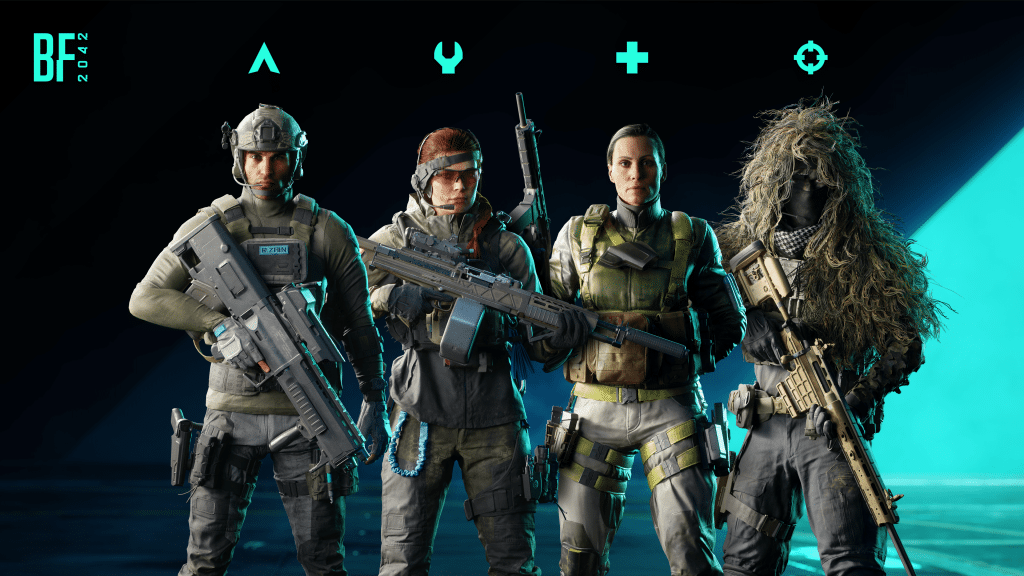
Each Specialist has now been assigned to a familiar Battlefield Class that signifies the expected gameplay behavior of that particular Specialist.

We have also taken our previously open pool of Equipment and Gadgets and assigned them to particular Classes to further encourage the role of Class gameplay, while simultaneously adding structure to assist with the readability of encounters while you’re on the Battlefield.

Here’s a quick overview of which Specialists, Class Equipment and Class Gadget apply to each Class:

Assault: Dozer, Mackay, Sundance, Zain

Class Equipment: Med Pen

Class Gadgets: C5 Explosive, IBA Armor Plate, M18 Claymore, Smoke Launcher

Engineer: Boris, Crawford, Lis

Class Equipment: Repair Tool

Class Gadgets: AT Mine, C5 Explosive, EOD Bot, FM-148 Javelin, FXM-33 AA, Recoilless M5 

Recon: Casper, Paik, Rao

Class Equipment: Insertion Beacon

Class Gadget: C5 Explosive, M18 Claymore, Prox Sensor, SOFLAM, Tracer Dart, T-UGS 

Support: Angel, Falck, Irish

Class Equipment: Defibrillator

Class Gadget: Ammo Crate, Health Crate, M18 Claymore, Smoke Launcher

Weapon Proficiencies

The Return to the Class System also introduces Weapon Proficiencies. A set of optional and passive benefits that encourages using the Weapon Archetype for your Class during gameplay.

Assault + Assault Rifles: 3 Extra Magazines

Engineer + LMG: Improved Dispersion while Crouched or Prone

Recon + Sniper Rifles: Immediate, constant and steady scope

Support + SMG: Faster Draw Time

Weapon Proficiencies will help you understand what setup may work best for each particular Class, while also adding back Class Identity to the Battlefield.

Breakaway

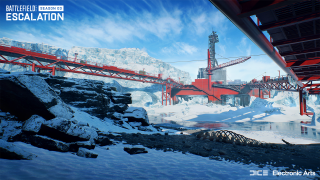
Featuring some of the most visible and extensive changes to take place on our map reworks, Breakaway has been streamlined and reduced in size to encourage more intensive encounters than you have previously experienced.
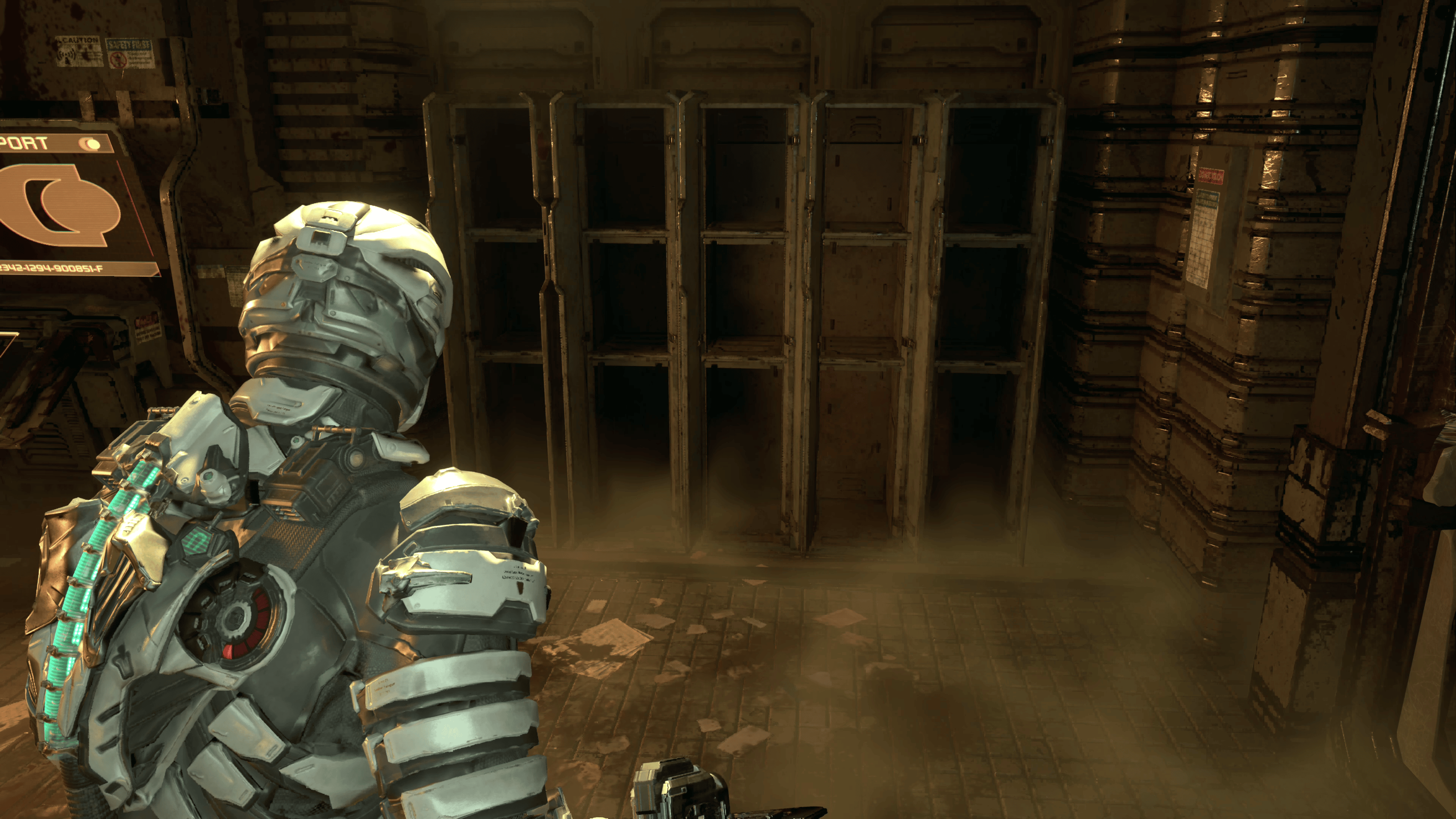
Areas of Improvement

Glacier Top: Previously a wide open expanse with little cover to protect yourself, the penguins have created an outpost settlement with buildings to battle through as you establish control of the immediate area.

Ice Shelf: Extensive improvements have been made to the overall Ice Shelf area of Breakaway, featuring a new flag on top of the Glacier, and new routes to encourage flanking between the glacier and the relocated Oil Rig.

Oil Rig: One of our favorite playspaces has been relocated to the foot of the Glacier, allowing for more frantic combat encounters as it’s much closer to the action than before. New ways to assault the Oil Rig have been established, and new paths and cover have been included throughout the deck.

Snow Cave: Nestled within the glacier you will find a Snow Cave that features a downed MV-38 Condor, precious resources are scattered throughout this location as your team works to secure this new Capture Point

Workers Village: Military presence and fortification has increased throughout this area. Cleaner navigation and shorter distances between Capture Points should ensure the action remains ever flowing across the Workers Village. Rumor has it that the workers in this village also throw the best parties. But so far we haven’t been invited yet.

Thermal Scopes

There was one clear winner when reviewing which type of attachment we could release next throughout Season 3: Thermal Scopes.

While they are no stranger to Battlefield – we’ve had them in previous games – technical and engine improvements have allowed us to show these scopes in a way that we haven’t done before. Previous titles had these scopes changing the entire screen. But with Battlefield 2042 we can now isolate this effect to only show within the scope itself, alongside showing multiple hotspots for a single item… use a Thermal Scope on Twin-Engine aircraft and you’ll see what we mean!

With this Update, Zain shall also be able to utilize thermals with his XM370A Airburst Launcher.

On the balance front we have also made several steps to ensure that these attachments bring appropriate gameplay for today’s Battlefield. That means that some expectations of how these attachments work in real-life do not equate to a fun gameplay experience. Fun is always our priority when introducing new things to the Battlefield. So as an example, tactical smoke from gadgets, grenades or vehicles will be opaque to Thermal Scopes. While smoke and steam that originates from the environment will be transparent.
TR-1 Thermal 1.25x: This scope is ideal for close-range combat, its compact screen will provide valuable info while operating in dark staircases or tight corridors.

Equippable with: 12m Auto, AC-42, AK-24, AM40, Avancys, Ghostmaker R10, K30, LCMG, M5A3, MCS-880, MP9, NVK-S22, PBX-45, PKP-BP, PP-29, Rorsch Mk-4 and SFAR-M GL

T4 Thermal 2.5x: The mid-range option out of the three new scopes, whose black and white screen finds optimal use when engaging players in warehouses or container parks.

Equippable with: AC-42, AM40, Avancys, BSV-M, DM7, GVT 45-70, M5A3, PKP-BP, Rorsch Mk-4, SFAR-M GL, SVK, VCAR

2038 Thermal 6x: Perfect for long range engagement, and for finding opposition snipers who are hiding away in a bush.

Equippable with: BSV-M, DM7, DXR-1, NTW-50, Rorsch Mk-4, SVK, SWS-10

New Suppressor: NVK-Box Suppressor

What’s better than a suppressor? Two welded together, of course. Specifically designed for the NVK-S22, the ‘box’ will allow you to add a little bit of sneak to your ventures into close-quarters combat.

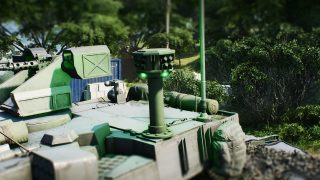
Active Protection System for M1A5 and T28

As previously announced in our Dev Notes blog for Vehicles, the Active Protection System is now available on the M1A5 and T28.

Below Radar arrives for Air Vehicles

Flying below 30 meters from the ground will now ensure that you’re immune to lock-ons from Vehicle-based weaponry.

We are also reducing the height limits for Helicopters. Previously we have seen some instances of pilots flying high and unleashing havoc with very little response as lock-on launchers were unable to reach that high. This tweak helps bring those helicopters down to the ground (literally).

This change does not currently affect Jets, or missiles that are already fired. We will continue to review your feedback in the meantime.

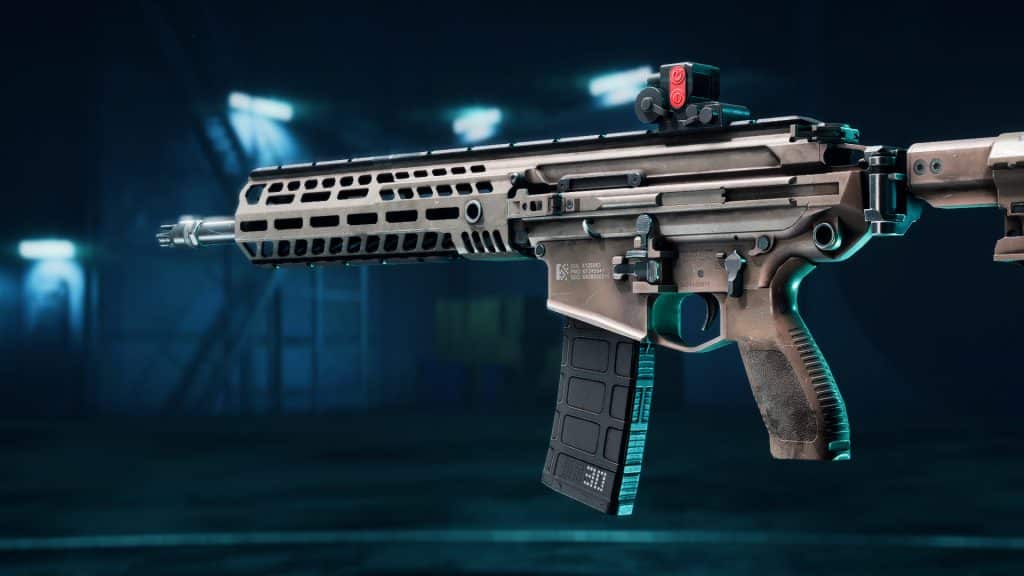
New Vault Weapons: M39 EMR, MTAR-21, PP-2000

The M39 EMR, MTAR-21 and PP-2000 have been added to the All-Out Warfare arsenal.

M39 EMR

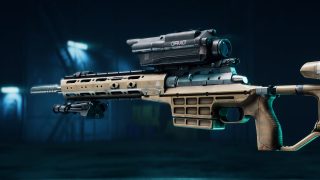
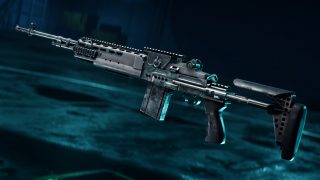
Significantly lighter than the “OG” M14, this rifle comes with match-grade 7.52mm long range ammo and a standard 8X Rifle Scope to position it as an adaptable, medium range Sniper Rifle. 

MTAR-21

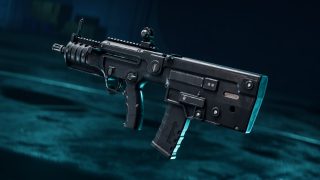
A compact Bullpup Assault Rifle chambering 5.56x45mm NATO rounds. Being popular for its ambidextrous setup, its heavy modularity and reliability, this medium-range AR is the proof that size deceives. The MTAR-21 also arrives within Battlefield Portal as part of this Update.

PP-2000

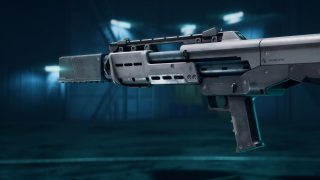
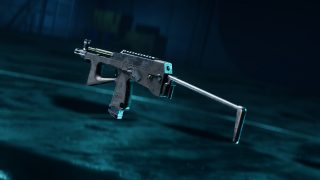
This modern SMG features a 40-round magazine, lightweight frame and a high rate of fire. Coupled with its high muzzle velocity, even the smallest of ammo rounds pack a punch. 

Exclusive Rewards for Year 1 Pass, Gold and Ultimate owners

Good news for our Year 1 Pass, Gold and Ultimate owners that missed out on unlocking the Tier 0 Premium Battle Pass rewards for Season 1 or Season 2. You’ll find that these are now unlocked for you upon logging into the game for the first time once the update is live!

This includes the following items:

Season 1:

  • “All-Seeing Eyes” Legendary Specialist Set for Angel
  • “Light Bringer” Legendary Weapon Skin for AC-42
  • “Ghost Assassin” Player Card Background
  • “Omniscient” Player Card Tag

Season 2:

  • “Undeniable” Legendary Specialist Set for Boris
  • “Red Eye” Legendary Weapon Skin for DXR-1
  • “The Mountain King” Player Card Background
  • “Wolverine” Player Card Tag

Owners of the versions listed above will also receive Specialists Lis and Crawford immediately upon login.

CHANGELOG

AI Soldiers

  • Fixed an AI issue in TDM where AI remains standing still while the player is in a downed state or in the deploy screen.
  • ixed an AI issue that should improve vehicle navigation around palm trees.
  • Fixed an issue where AI doesn’t avoid the fire from tank wreckage.

Battlefield Portal

Due to the scale of changes taking place with the Return to the Class system, some of your creations may need to be updated as part of this update.

  • Fixed an issue where Caspian Border and Battle of the Bulge are displayed incorrectly on the world mini-map in the loading screen.
  • Fixed an issue with 1942 era Conquest where the opposing team had less aircraft than the other.
  • Fixed an issue where “Frag” text in bottom right HUD (Inventory) was flickering when using the Defibrillator with the Assault Class
  • Bad Company 2 – Tracer Dart Gun – fixed an issue with Tracer Dart Gun, where the lock on icon would sometimes expand when aiming at vehicles
  • Bad Company 2 – Gadgets – fixed an issue where Mortar Strike lock in area gets stuck on top of the buildings
  • Bad Company 2 – fixed an issue with Tracer Lock on UI remaining present on screen after the player returns to the Deploy screen
  • Bad Company 2 – improved player collision with the M1114.
  • Battlefield 1942 – updated the Preview video of Binoculars in the collection screen menu to properly showcase its functionality
  • Battlefield 3 – Gadgets – SOFLAM – fixed an issue where the the target does not get highlighted anymore, after the target is acquired once
  • Bad Company 2 – fixed an issue where Mortar Strike Gadget was spotting enemies automatically when it should not
  • Bad Company 2 – fixed an issue with the Tracer Dart Gun where the lock-on is no longer active after canceling it

Modifiers

  • Added 2 new modifiers for disabling 2042 era Gadget and Throwable restrictions. This makes it possible for 2042 era Classes to equip any non-Class Gadget if you enjoyed this playstyle. This change does allow access to Class Gadgets, which are moved to a separate slot.
  • Added WeaponProficiencies to the Gadget Restrictions part of the Battlefield Portal website.
  • Added the Proximity Sensor to the OpenGadget selection list and deprecated it in the Throwables selection list.

Rules Editor

  • Fixed an issue where Crawford was appearing with the wrong name in the Rules Editor
  • Added a new InventoryClassGadgets selection list block that allows you to access Gadgets from the new Class Gadget slot. The Class Gadgets that were previously in the InventoryOpenGadget selection list have been removed.

Gadgets

  • Fixed an issue where two Grenade trails can be seen after throwing one Grenade
  • Added multiple gadgets from portal into the hands of our 2042 Specialists:
    • EOD Bot, Tracer Dart Gun, M18 Claymore, FGM-148 Javelin & T-UGS.
  • Moved the Repair Tool, Insertion Beacon, Defibs and Medpen Gadgets to the new Class Gadget slot.
  • Manually equipped defibrillator revive range (and damage) increased to match the range for interaction revives.
  • Fixed an issue where SFX and VFX would appear incorrectly when a grenade is thrown through trees and bushes.
  • Fixed issues with Throwing knife dealing no damage if the thrower is killed, significantly reducing the likelihood of it happening.
  • Fixed a visual issue where the sparks when repairing the Nightbird with the repair tool, would appear at a distance from the vehicle .
  • Fixed an issue with Throwing Knife disappears when throwing them at trees.

Ammo Crate

  • Insertion beacons now get resupplied by Ammo Crates.
  • The Ammo Crate can now resupply the Tracer Dart & M18 Claymore.

C5

  • Fixed an issue where C5 was not always displayed to other players.

EOD Bot

  • Adjusted the EOD Bot’s collision to fix an issue where the gadget’s arm would poke through walls.
  • Updated the game hints on the EOD Bot for both when holding the gadget and controlling it.
  • Updated the acceleration and turning angles of the EOD Bot to be more responsive.
  • Lowered EOD Bot’s health from 400 to 300.
  • Added an impulse modification to the EOD Bot so that when it gets shot with bullets it doesn’t push the EOD Bot around.
  • Fixed an issue that caused the EOD Bot to blow up when gently ramming a tank.

FGM-148 Javelin

  • Updated the first person screen and crosshair of the FGM-148 Javelin, it also showcases more info about the gadget and its current mode.
  • Reduced the reload duration of the FGM-148 Javelin by 10%.
  • Reduced the damage of the FGM-148 Javelin to most tanks and aircraft when in Direct Attack mode (top-down attack remains unchanged). 
  • The FGM-148 Javelin now has longer lock forgiveness and has had its max range extended from 250m to 450m.
  • Added a contextual game hint for when in hipfire and when zooming with the FGM-148 Javelin.
  • Fixed an issue that allowed the FGM-148 Javelin to be fired in hipfire.
  • Fixed an issue that prevent the FGM-148 Javelin from using its top-down attack.
  • Fixed an issue that caused the FGM-148 Javelin Direct Attack to miss its target if it locked too close.
  • Adjusted the trajectory of the top-down FGM-148 Javelin attack to be more akin to the real behavior.
  • Added tooltip in the HUD to help you learn how to use the FGM-148 Javelin.
  • The FGM-148 Javelin can now lock-on-to empty vehicles.

FXM-33 AA Missile

  • Increased acceleration and top speed of the projectile slightly.
  • Added a contextual game hint for when in hipfire and when zooming.
  • The FXM-33 AA Missile can now lock on-to empty vehicles
    • Dev Comment: As with the Recoilless M5, these alterations are to aid Engineers in their role to combat vehicles.

Insertion Beacon

  • The Insertion Beacon can now only be spawned upon 4 times before self-destructing
  • The Insertion Beacon no longer self-destructs if the owner spawns on it.
  • Fixed issues with not being able to spawn on Insertion Beacon that are put in tight places.
    • Dev Comment: Every Recon Specialist will now be carrying an Insertion Beacon. These changes are to ensure that usage of the Insertion Beacon does not disrupt the flow of a match as a result of that.

M18 Claymore

  • Updated the M18 Claymore in-world icon to use the same one as in menus.
  • The M18 Claymore is now using the same deploy flow as the Insertion Beacon & Irish’s construction kit. This allows us greater control over where you can place the gadget.
  • M18 Claymore has been scaled up 33% to help players to spot them more easily within the environment.
  • M18 Claymore Blast Radius lowered from 6m -> 5m.
  • M18 Claymore Laser Length lowered from 3m -> 1.75m.
  • Minimum activation speed to trigger the M18 Claymore reduced from 3.8 m/s -> 3ms.
  • M18 Claymores can no longer be deployed too close to ladders, ziplines or hanging ropes.
  • Adjusted the VFX of the lasers on the M18 Claymore to stand out more when close.
  • M18 Claymore will now continue to stay in the world after the player who placed it has died, so long as they don’t place new ones.
  • Any placed M18 Claymores will be removed from the world if the player switches their loadout
  • Lowered the health of the M18 Claymore so that it’ll explode in one shot.
    • Dev Comment: We have scaled up the size of the M18 Claymore and adjusted the Laser VFX to ensure that they stand out more in the hope that it’ll alleviate concern that these gadgets are hard to spot. Watch where you’re walking though!

Med Pen

  • Reduced the amount of charges to 1 to balance it for the new Class Gadget slot.
  • Reduced the time it takes to initiate healing with the Med Pen from 2s -> 1s.
  • Reduced the health per second of the Med Pen from 50 -> 35.
  • Fixed an issue that allowed the player to zoom in with the Med Pen.
  • Fixed an issue that caused shockwaves from explosions to interrupt the Med Pen.
  • Pressing the button to switch to the Med Pen when already at full health should now play a sound effect to tell you that you can’t switch to it right now.
    • Dev Comment: These alterations are to improve the responsiveness of the Med Pen whilst also taking balancing into consideration as Assault now receives this as their Class Gadget.

Recoilless M5

  • Increased the acceleration and top speed of the projectile.
    • Dev Comment: We anticipate there to be less launchers on the field at any one time after this update. We’ve increased the acceleration and top speed of the projectiles to aid Engineers as part of this system change.

Prox Sensor

  • Moved the Prox Sensor to the Open Gadget slot.
    • Dev Comment: The Gadget was too powerful in the Grenade slot and had a very large pickrate in the Grenade slot, this move is to reduce Prox Sensor spam to drive toward a healthier meta.

SOFLAM

  • The “Designated” UI is now only visible if you have a gadget that can lock on or currently hold the SOFLAM in your hands.

T-UGS

  • Updated the animation to now fold out the legs of the T-UGS when you equip it,
  • Substantially lowered the vertical scanning of the T-UGS to be more in line with All Out Warfare verticality.
  • Adjusted the crosshair of the T-UGS.
  • Changed the icon for the T-UGS in the world and menus to more accurately show off the gadget.
    • Dev Comment: While the T-UGS has received some general polish as indicated above, lowering the verticality check significantly from 500m > 30m results in a healthier gameplay experience. Some of our Battlefield Portal maps do not contain a lot of verticality, whereas Battlefield 2042 locations do and we believe it’s not healthy for gameplay to spot someone 500m above you and be rewarded score for that but should also help in a reduced amount of spotting taking place.

Tracer Dart Gun

  • Launchers can now lock onto the Tracer Dart when shot into environmental objects.
  • The “Designated” UI is now only visible if you have a gadget that can lock on or currently hold the Tracer Dart Gun in your hands.
  • Fixed an issue that prevented the Tracer Dart from smashing glass windows.
  • Adjusted the Tracer Dart Gun’s crosshair.
  • Fixed an issue where it would not be possible to switch to the Tracer Dart when out of ammo.

Gameplay Flow & Social Elements

  • As part of the Return to the Class System, we have revamped the Loadout UI on the Deploy Screen, resulting in a more compact approach while also including buttons to quickly switch between your last selected Soldier in each Class.
  • The Soldier Selection UI on the Deploy Screen now includes relevant information about your specialist Trait, Class Gadget, Weapon Proficiency and more.
  • Added Class Iconography to the Squad List, Scoreboard and Player Name Tags to help with identifying what Classes other players are playing.
  • Players that are not alive are now slightly faded out on the Scoreboard and their Class Icon becomes an “x” to reflect that change too.
  • Implemented a new “Classes” screen in the main menu, this is your go-to place to learn about the Classes, Specialists, their Traits and Gadgetry and also your new home for editing your Loadouts as they are now tied to each Class. The previous Loadout screen has been removed to reflect this overall change.
  • Added a new slot to the Inventory HUD (bottom right whilst in a match) for your Class Gadget.
  • Added a Weapon Proficiency Icon that is displayed in the Kill Card, Inventory HUD and Weapon Selection UI when the Class + Weapon archetype synergy is fulfilled.
  • Changed the Squad Leader Icon to now resemble a star, because delivering instructions to your Squad Mates alongside successful coordination should give you a star, you MVP you.
  • Changed the order of the tabs within the “Collection” menu so “Specialists” is no longer first. This is because the new Classes Screen is the new goto place for customizing Specialists and their Loadouts, so we wanted to make it quicker to customize Vehicles instead.
  • Added a new biography submenu to the “Specialists” collection screen aimed at helping you get to know the Specialists, their backstories and what they stand for.
  • Added a new charge-up crosshair for the manually equipped defibrillators to show when they are on cooldown after use and also convey that you revive with more health the longer you hold.
  • The inventory HUD now greys out a gadget if it’s not currently usable. For example the Med Pen when you are already at full health.
  • Renamed the “Utility” weapon category to “Tactical”.
  • The button prompt to switch to your primary or secondary in the inventory HUD on controllers is now hidden for the one you currently have equipped, to better show you which one you will switch to when pressing the contextual button.

General Improvements and Progression

Controller default mappings have been updated to accommodate the addition of the new Class Gadget slot. This means that a few actions have also been moved around. We encourage taking a moment to update your controls and familiarize yourself with these changes before jumping into a game. The below changes are representative of one particular controller scheme, and may differ depending on your choice of peripheral.

  • Class Gadget: Added to Dpad UP
  • Grenade Throw: Moved to LB (Was previously Dpad UP By default)
  • Plus Menu: Moved to Y and now requires you to hold the button for a short duration before opening (was previously LB by default).
  • Default Navigation has changed to Dpad Up/Down/Left/Right (was previously Y/X/A/B by default).
  • Fixed an issue where “Show HUD Prompts” setting in options did not work
  • Optimized mouse input processing to ensure that the input is processed at a steadier rate and avoiding mouse input events processing spikes.
  • Fixed an issue where the Origin in-game overlay caused a negative impact on processing of the mouse input even if the overlay was not actually active.
  • Improved the quality of death animations from explosions
  • Improved the soldier ragdoll experience after a melee takedown
  • Fixed an issue where the correct animation wasn’t playing in first person when traversal sprinting with a one handed gadget
  • Improved transitions between sliding and prone states.
  • Show distance (in meters) on long range kills in the kill feed
  • Improved responsiveness of melee attack animations
  • Improve melee takedown registration on fast moving targets.
  • Fix for takedowns not working on fast moving elevators
  • Resolved scenarios of Specialists being stuck in a downed state after being revived from a melee takedown.
  • Made improvements to correctly portray the Blood Splatter when shooting enemy combatants.
  • Moving whilst aiming down scopes should no longer interrupt the action of holding your breath.
  • Fix for soldiers in vehicles preventing the vehicle from receiving damage from explosions
  • Added an option called “Damage Numbers Visibility” under DISPLAY > CROSSHAIR > HIT INDICATOR.
    • Dev Comment: This feature is experimental and turned OFF by default. When enabled, the damage dealt to enemies will be visible in the “Skull Train feed” (bottom center of the Screen) to let the player know how much damage was dealt.
  • Fixed an issue where Aiming Down-Sights immediately after bashing through a door could cause problems with the weapon animations.
  • Added brand new physical landing animations when jumping or falling, different animations should now play when hitting the ground from different fall heights – don’t go too high, you may splat.
  • Fixed an issue where the soldier could sometimes slightly move through the ground when hitting the ground at high speed.
  • Improved fall damage calculation consistency.
  • Improved the jumping experience on Gen4 Consoles (XB1, PS4).
  • Fixed an issue where you could freely rotate the camera during insertion and see inside of your own body.
  • Fix for downed characters in Hazard Zone changing their positions and directions suddenly multiple times in a row.
  • Fixed issue where soldiers sometimes got stuck when jumping onto the edge of objects.
  • Updated the visual look of UI directional damage indicators.
    • Dev Comment: The new visual look will make it easier to judge the amount of damage taken and when taking multiple hits from the same player, let us know your thoughts!
  • Fixed an issue where it wouldn’t be possible to perform a melee attack when jumping.
  • Supporting teammates by resupplying, healing or repairing now gives you score. This is shown in a new column in the scoreboard.
  • Fixed issue where repairing the Ranger would reward Healing XP instead of Repairing. XP. The Ranger might be a No-Pat’s best friend, but it’s not an actual puppy.
  • Changed the default unlocked weapon and gadgets to ensure all classes have access to a gadget and weapon with their proficiency from the start.

Hazard Zone

Note: Class Gadgets and Weapons Proficiencies have been added to Hazard Zone. Players will retain the option to purchase any Weapon or Gadget as part of the pre-round, independent of which Class you are playing.

  • Fixed an issue where a player could spawn under the map.
  • Fixed an issue where several up-links were placed in positions they can’t be interacted with.

Maps

  • Manifest
  • Fixed a clipping issue while prone on the platform between the stairs and the cabin of the guard tower.
  • Fixed an issue where fire remains after tire piles are destroyed.
  • Fixed a collision issue at Sector A4 allowing some players to get out of bounds.
  • Fixed an issue where ramps under static objects can still be activated.
  • Fixed an issue in Breakthrough where MD540 Nightbird placed in out of bounds can be used by the players.
  • Repositioned Light Post on the Road leading to Weather Station.
  • Fixed an issue where parts of the destroyed CCTV’s remain floating after the wall is destroyed.
  • Fixed an issue where signs will remain floating after the fences are destroyed.
  • Fixed an issue at A1 where players can clip through roof support of A1 building.
  • Fixed texturing issues near the cliffs at the A1 flag.
  • Fixed an issue with floating assets near the dumpsters.
  • Fixed an issue with floating assets behind some containers near E1 flag.
  • Fixed culling issue on zipline hanging rope near road.
  • Fixed an issue with floating containers near the water.
  • Fixed an issue where the extended collision for sandbag walls in one of the destroyed states can lead to a broken prone stance.
  • Fixed an issue where after destroying the emitting assets on the pillars, the light remains without a source.
  • Fixed several floating assets next to the Caju building.
  • Fixed an issue where a tarp is clipping with the asphalt inside a flag area.
  • Fixed an issue where the rope gadget is half-buried.
  • Fixed an issue where several bushes are floating before the zipline.
  • Fixed an issue where there is a flickering gap in the corner of a room at the ground floor in the Caju building.

Kaleidoscope

  • Fixed an issue where players can get inside the elevator shaft and inside the building when standing close to the elevator door near F1.
  • Fixed a spawn issue where contested spawns on A1 / A2 are inside of the Capture Point area.
  • Fixed an issue where the bridge control panel is highlighted in green.
  • Expanded the capture area for C2 flag during the last sector on Breakthrough Large
    • Dev Comment: We were noticing that when coming up against a very strong attacking force, the only response for Defending Teams was to park vehicles within the lobby area in order to succeed against Attackers. This change should allow for more breathing space for both teams on this flag point.

Spearhead

  • Fixed an issue where players can get stuck after walking in craters made by explosions.
  • Fixed an issue where players can get stuck when walking into the space between some covers in the A1 flag area.
  • Fixed an issue where jets are not destroyed upon crashing into the rocks.
  • Fixed an issue where deployed gadgets are not destroyed by moving platforms.
  • Fixed a weather issue where cloud animation is inconsistent when the weather is changing.
  • Fixed some level of detail issues for both factories.
  • Fixed an issue where a line of light appears when players approach the walls inside the building.
  • Fixed level of detail issues at C1 for the roof panel when in a destroyed state.
  • Fixed an issue where the factory interior walkways are leading towards walls.
  • Made improvements to initial spawns during the insertion phase of the match.

Stranded

  • Fixed an issue where the UI overlay menus on Stranded are darker than on other maps.
  • Fixed an issue with incorrect spawning on Gun Master Game Mode on the FFA layout.
  • Fixed an issue where dying inside the ship will result in the camera being overexposed for a brief period of time.
  • Fixed an issue where in Tactical Conquest 8v8 each team has only 1 spawn point which can lead to one team being spawn camped.

Soldier

  • Fixed an issue where holding down Control to crouch and opening the Call-in Tablet at the same time forced the player to stand up.
  • Fixed an issue where the running animations were not correctly displaying when sprinting and sliding with one handed weapons
  • Adjusted the way the interaction revive works to be closer to the manual revive behavior.
  • Adjusted the blood effect when hitting soldiers. The effect will now be more transparent and not as “bright” in dark spaces.
  • Soldier health starts automatically regenerating 1 second after being revived at the regular passive health regeneration rate (5HP/s)
  • Squad Revives for non-Support Specialists now gives 25 HP back on revive instead of 50.
  • Fire-Mode can now be toggled when Aiming Down Sights.
  • Underbarrel toggle can now also be toggled when Aiming Down Sights, but will require holding the button.
  • Locking onto targets is no longer interrupted if the target vehicle becomes empty during the locking-on phase, countering some pesky behavior by some drivers/pilots.
  • Made improvements to the locking-on target acquisition behavior, small objects in-front of intended targets should be less likely to obstruct locking on.
  • Parachute: Lowered the cooldown between being able to deploy your parachute after recently cutting it from 1s to 0.6s
    • Dev Comment: This is to help alleviate an issue in which players would cut their parachute and plummet to the floor without being able to redeploy the chute, hopefully this now results in less splat.

Specialists

Angel

  • Changed Angel’s Loadout Crate to allow you to customize each individual slot in your loadout.
  • Reduced the number of magazines Angel’s Supply Bag resupply down to 3 per pouch.
  • Angel’s Loadout Crate can now resupply the M18 Claymore, MAV (Battlefield Portal), and T-UGS
  • Added two interact behaviors to the Loadout Crate so now if you only press the button you will resupply ammo for your weapons and gadgets. If you keep holding the button you will open up the full loadout customization menu.
    • Dev Comment: We’ve heard some of your questions and feedback about Angel’s Loadout Crate and while we’ll continue to assess your reactions, we have in the meantime adjusted the Loadout Crate and applied some Balancing Adjustments to the Ammo.

Boris

  • The SG-36 Sentry Gun no longer overlays targets but instead highlights their name tags for Boris and his squad mates.
  • The SG-36 Sentry Gun ammo caliber has changed and can now deal damage to heavy vehicles.
    • Deals about 0.6-0.8% dmg per shot.
  • Reworked the SG-36 Sentry Gun’s target prioritization. It will now focus target vehicles primarily, unless infantry is within 25m of the Sentry Gun.
    • Dev Comment: These alterations push Boris further into an Engineer role of Anti-Vehicular combat. This should also change the behavior of his Sentry Gun and therefore alleviate some frustrations you have about it being Anti-Infantry.

Casper

  • Fixed an issue where Casper was unable to deploy the OV-P Recon Drone while prone in bushes

Crawford

  • Crawford has been moved from Support to the Engineer Class.
  • Crawford has received a new Trait: Critical Repair, which provides faster repair for vehicles and gadgets that are at critical health.
  • Crawford’s Mounted Vulcan bullet caliber has changed and can now deal damage to all vehicle categories.
  • Crawford’s Mounted Vulcan now deals 0.1% damage per bullet to tanks at a fire rate of 1200 RPM.
  • Fixed an issue that prevented Crawford’s Mounted Vulcan from being repaired.
    • Dev Comment: As we’ve explained throughout the development of the Return to the Class System, we agree that Crawford is better suited as an Engineer given his stationary playstyle.

Dozer

  • Fixed an issue where you could not destroy Boris’  SG-36 Sentry Gun using Dozer’s SOB-8 Ballistic Shield.

Falck

  • Falck’s Combat Surgeon Trait is now active with the manually equipped defibrillator. This allows Falck to charge the defibrillator faster to perform a full health revive compared to Irish or Angel.

Irish

  • Irish has been moved from Engineer to the Support Class.
    • As a Support, Irish now has access to the Defibrillator Class Gadget, and is able to revive any teammate.
  • As part of Irish’ repositioning to an Engineer role we have replaced his Trait with the Cache Point, which was previously attributed to Crawford. This Trait provides successfully revived players with additional Gadget Ammo.
  • Irish’ APS-36 Shootdown Sentinel can now be repaired by Engineers.
  • The APS-36 Shootdown Sentinel will now be able to intercept Javelin Missiles.
    • Dev Comment: Alongside the repositioning of Crawford, we also agree that Irish is better suited as a Support through his ability to put down cover whilst close to the frontline, and using that benefit to pick up fallen teammates.

Lis

  • Increased Lis’ G-84 TGM maximum range from 450m -> 600m.
  • Reduced the ground vehicle range of Lis’ armor hunter trait from 175m -> 125m.
  • Reduced the air vehicle range of Lis’ armor hunter trait from 400m -> 300m.
  • Increased the speed of Lis’ G-84 TGM when boosted from 100m/s -> 150m/s.
  • Increased the hitbox of Lis’ G-84 TGM by 20% (will help in shooting it down as its incoming).
  • Increased turning angles of Lis’ G-84 TGM.
  • Lowered the turning angle of Lis’ G-84 TGM when boost has been activated.
  • Fixed an issue where Lis G-84 TGM Projectiles dealt no damage to the enemy when shot at their legs.
  • Fixed an issue that caused Lis’ G-84 TGM to have a 1 second delay before initiating a reload after exiting the missile view.
  • Fixed an issue that caused Lis’ G-84 TGM boost mode to not use the correct acceleration modifier unless the boost key was held down.
  • Fixed an issue that caused Lis’ TGM to travel through soldiers legs.
  • The Armor Hunter Trait will now only trigger when the G-84 TGM is equipped.
  • Added a contextual game hint for when in hipfire and when zooming.
  • Fixed an issue where Lis’ G-84 TGM missile moved considerably slower diagonally when using a controller.
    • Dev Comment: Most of these changes reflect the overall Rocket Launcher balancing that we are committed to as part of the Return to the Class System. With Lis only being able to use her G-84 TGM we have made some balancing passes to ensure competence remains when compared to other Anti-Vehicle options available to you.

Mackay

  • Mackay’s Grapple Hook Range changed from 30m to 24m
  • Mackay’s Nimble Trait bonus movement speed has been reduced when zoomed in particular with heavy weapons (AMR, LMG, Sniper Rifle). Bonus movement speed with Assault Rifles, DMRs, and Lever Action Rifles has also been reduced but SMGs and Pistols will still have similar speeds.

Rao

  • Fixed an issue where Rao’s Signal Hacker gadget had “lowering gun logic” which lead to him lowering his hand and gadget when close to walls and objects
  • Hacked targets should now be targetable by teammates, similar to targets painted by the SOFLAM, to allow more synergies with the Engineer class. Launchers like the Recoilless will now be able to lock-on to hacked targets via this method.
  • Increased cooldown after hacking a vehicle from 5s -> 8s.
  • Increased the time it takes to hack a vehicle from 1.5s -> 2.25s.
    • Dev Comment: The overall changes impacts the way some players may have been playing as with Rao, in that it had often been a hacking + lock on launcher combo. As Rao now no longer has the ability to use Shoulder-launched Missile Launchers, the changes listed above are to allow for that synergy to still exist as we feel it’s an important part of teamplay / squad play behavior.

Sundance

  • Fixed an issue that sometimes caused Sundance’s Smart Explosives to display the wrong icon.

Zain

  • Fixed an issue where Zains’ Perseverance trait VFX would override the “Return to Combat Screen” when stepping out of bounds.
  • Fixed a minor collision issue with Zain’s Gadget when equipped on his back.
  • Fixed an issue with the XM370A Airburst Launcher reload animation, where it was out of sync when reloading.
  • As part of the rollout of Thermal Scopes, Zain will also be able to use thermals with his XM370A Airburst Launcher.

Vehicles

  • Increased the damage of Air to Ground Missiles to Light and Medium Transport Vehicles.
    • Air-to-Ground Missile replenish rate decreased from 20 -> 16.
    • Air-to-Ground Missile will no longer stop reloading when you hold fire.
  • The LCAA Hovercraft will no longer visually lose its Light Machine Gun when viewed at a distance of 30+ meters.
  • The EBLC-RAM’s Insertion Beacon will now always spawn you on foot.
  • VFX now plays on all mines deployed by the M5C Bolte.
  • KA-520 Super Hokum now has a wreckage after being destroyed.
  • You can no longer kill passengers in a LATV4 by shooting under the vehicle.
  • Fixed an issue where aim sensitivity is too high when zooming in with a vehicle weapon.
  • Fixed an issue that would incorrectly reset the camera view when freelooking whilst using Southpaw layout settings.
  • Range meters in spotter seats no longer always show 200+ as distance when aiming at vegetation.
  • Fixed the roll camera for Jets when conducting a 90° spin.
  • Fixed an issue that prevented aircraft landing gear from automatically deploying when trying to land on certain objects, occasionally resulting in damage to the aircraft when colliding with the object.
  • VFX will now trigger for grenades that are thrown towards a vehicle armed with Active Protection from close range.
  • Occupied Helicopters will no longer start spinning around when destroyed on the ground.
  • Fixed an issue that would cause vehicle engine sounds to play after it has been destroyed.
  • Aircraft Flare Countermeasures will no longer continue to fire if the vehicle is destroyed while the ability is active.
  • Vehicles can only lock-on when they have ammo available to do so.
    • Dev Comment: This is to ensure that we reduce unnecessary lock-on warning spam, while also adding further readability to the game.
  • Descriptions for all tank turrets have been updated.
  • Helicopters will now stall at -200 meters from the set maximum height of the level, as indicated in our Height Limits comments.
  • As indicated within our Dev Note’s from the Vehicle Team, Turret Speeds for the M1A5 and T28 have now improved.
  • Locking against laser designated targets with vehicle weapons now uses correct locking settings.
    • Dev Comment: This should result in vehicles receiving a boost in time to lock on, and lock range increases for laser-pointed targets.

EMKV90-TOR

  • Fixed an issue that would cause Threat Detection SFX to be played outside of the EMKV90-TOR.
  • Fixed an issue that would cause vegetation to not be pushed down when driving the EMKV90-TOR.
  • Further improvements to align EMKV90-TOR shots with its crosshair.
  • Fixed an issue that would cause the EMKV90-TOR to not deal any damage to the very top of an enemy vehicle.

KA-520 Super Hokum and MV38-Condor

  • Replenish rate of ammo 50mm Cannon Pod for Transport Helicopters reduced from 6 -> 4.5 seconds.

MD540 Nightbird

  • Blast Damage reduced from 40 -> 25.
  • Replenish Rate reduced from 2.5 -> 2.
  • Ammo count lowered from 16 -> 10.

RAH-68 Huron and YG-99 Hannibal

  • The Stealth Bomb crosshair will no longer display for Helicopters over 400m above the ground.
  • Stealth Helicopters will now have the repair and flare equipment under the same slot. It’s dangerous to go alone, choose wisely.
  • Air-to-Ground Missiles can no longer be manually reloaded.
  • TOW Missiles time to gain control reduced to 0.1
    • Dev Comment: This should help make TOW launchers feel more consistent and responsive to use, let us know!

Weapons

  • Fixed an issue that would allow for continuous shooting while in burst mode of the M93R.
  • Fixed an issue which would cause Specialist hands to clip through several M240B scopes while reloading.
  • Realigned the beam of the flashlight on the NVK-S22 when viewed from 3rd person perspective.
  • Realigned the beam of the flashlight on the Avancys when viewed from both 1st and 3rd person perspective.
  • The correct crosshair now displays for Slug Shell ammunition.
  • Removed tracers from appearing when using the Subsonic Magazine on the NVK-P125.
  • Improved the NVK-P125’s burst fire animation.
  • Fixed an issue that would cause a weapon to appear to fire from 3rd person perspective when the player throws a grenade.
  • Bipods will now remain open if switching to and from other weapons.
  • Fixed the MP443’s empty reload animation.
  • Aim Assist snap is now functional when set to 100 on PS5.
  • Highlights are now present on an enemy weapon after pick-up.
  • The aborted reload on the 12G Automatic is now consistent with other weapons.
  • Increased weapons idle sway across the board
  • Fixed 2.5x Zoom Aim Sensitivity option not properly applying to 2.5x Scopes
  • Fixed an issue where the in-game customization menu would move out of screen when the player’s weapon is close to a wall.
  • Updated ADS movespeed for gadgets, weapons (especially Battlefield Portal weapons that were often much slower than AOW weapons), also adjusted base speed.

That’s one heck of a patch! Aside from this, we’re also expecting a host of stealth changes to be implemented as well. Once this patch is out, expect that stealth changes article from us as well.

Source: EA

Avatar photo

Alex Co

Father, gamer, games media vet, writer of words, killer of noobs.

Home > News

Fortnite Servers Down This January 301 in Prep for v23.30 Roll Out

Epic Games has disabled matchmaking and has taken the Fortnite servers down this January 31 in order to prepare the game for patch v23.30, which is rolling out today.

Fortnite Servers Down Status and Updates for January 31:

Update: Here are the v23.30 patch notes!

Here’s the announcement from Epic Games:

Prepare to power up in v23.30!
Downtime begins at 4AM ET, with matchmaking being disabled shortly before.

While it doesn’t say how long the maintenance period is, it should be for 2-3 hours tops. Same as always, once the patch notes are out, we’ll provide a proper link out. We’ll also update the article if there are changes to the maintenance schedule.

Avatar photo

Alex Co

Father, gamer, games media vet, writer of words, killer of noobs.

Home > News

The Division 2 Servers Down for Maintenance This January 31

Ubisoft has taken The Division 2 servers down this January 31 for your standard maintenance period. Read on for the schedule and info regarding the downtime.

The Division 2 Servers Down Status and Updates for January 31:

Here’s the announcement from the studio:

To extend Season 10 Manhunt we’re taking #TheDivision2 servers down for a scheduled maintenance tomorrow Tuesday, January 31st at 09:30 AM CET, 03:30 AM EDT, 12:30 AM PDT.

To extend Season 10 Manhunt we’re taking The Division 2 servers down for a scheduled maintenance tomorrow Tuesday, January 31st at

  • 09:30 AM CET,
  • 03:30 AM EDT,
  • 12:30 AM PDT.

» Worldtime

As you can see, the servers will be down for three hours. No word on whether a patch will be released alongside this, but don’t be surprised if there is one. As for new content for the game, Ubisoft has announced that Season 11: Reign of Fire will be released on February 7!

If there are changes to the maintenance schedule or if there’s a patch, we’ll update the article to reflect it.

Avatar photo

Alex Co

Father, gamer, games media vet, writer of words, killer of noobs.

Home > News

MLB The Show 23 Releases March 28, Will Feature Jazz Chisholm Jr. as Cover Athlete

Sony has announced the MLB The Show 23 release date and it’s set for March 28, 2023! Not only that, but the MLB The Show cover athlete has been revealed today as well, and it’s none other than Jazz Chisholm Jr.

Check out the trailer along with release details, pricing and more.

The standard edition on PlayStation 4 is $59.99 USD/$79.99 CAD. Standard edition on PlayStation 5 is $69.99 USD/$89.99 CAD. The game will offer cross-platform progression and crossplay.

Cross-Platform Play, Cross Saves and Cross Progression continue for MLB The Show 23

Have access to all your progress and card inventory in MLB The Show 23 on every platform you own. Once again Cross-Platform Play, Cross Saves, and Cross Progression return allowing you to share your progress on PlayStation, Xbox, and Nintendo Switch*. Cross progression allows you to earn and use any earned content on any platform or generation (this excludes PS5 and Xbox Series X|S exclusive features like Stadium Creator). With cross saves you can transfer a save file for Road to the Show or Franchise mode to a different console.**

More of the game’s features will be revealed in the coming days and weeks via the official Twitch and YouTube channels of the game. The Collector’s Edition will be revealed on February 2.  

MLB The Show 23 will be released on the PS4, PS5, Xbox One, Xbox Series X|S and Nintendo Switch, and will even be able on Xbox Game Pass on day one too.

Source: PlayStation Blog

Avatar photo

Alex Co

Father, gamer, games media vet, writer of words, killer of noobs.

Home > News

Dead Space Remake Update Graphic Fix Live on PS5; Before and After Comparison

There’s a new Dead Space Remake patch available, and for those curious, it fixes a resolution/graphical bug that the PS5, Xbox Series, and PC versions were having. To give you a better idea of how much of an improvement this patch makes the game look, here’s a comparison of what Dead Space Remake looked like before and after the patch. 

For those unaware, the Dead Space Remake on PS5 (as well as Xbox Series and PC) was suffering from a nasty graphical bug that made the game appear more blurry and pixelated than it should have been. While the issue didn’t affect everyone, several players (on Reddit), including us, noticed something about the remake almost immediately after playing it. Lucky for us, EA Motive eventually acknowledged the issue (so we weren’t all crazy!) and has issued a fix as of today. To better show off this fix, I have captured a couple of before and after images of the new patch. 

Note that these screens are captured using the quality mode before and after the patch. As for the change in lighting, both images are captured with 100% brightness to show the issue better, so there is no difference in settings despite the lighting being changed and improved in the new patch. 

Close-up comparison

Yeah, that is definitely looking a lot better now! For those who didn’t notice it or were unaffected, at the very least, you should now see that the lighting and black contrasts now appear to be improved, so there is a bit of something for you there. 

Dead Space Remake is now available on the PS5, Xbox Series, and PC. For those interested in our own thoughts, be sure to read our full Dead Space Remake review!

More Dead Space Reading:

Avatar photo

James Lara

A gamer at heart, James has been working for MP1st for the last decade to do exactly what he loves, writing about video games and having fun doing it. Growing up in the 90's gaming has been in his DNA since the days of NES. One day he hopes to develop his own game.

Home > News

Activision Exec Says Microsoft Needs ATVI to Compete Against Sony’s “Unrivaled Warchest of IP,” Names TLOU HBO Show as Proof

Have you watched The Last of Us episode 3 on HBO? If so, chances are you were impressed with what you saw. It seems someone from Activision-Blizzard got so impressed that they are now using it to lobby for the still-in-investigation Activision-Blizzard acquisition.

Over on Twitter, Lulu Cheng Meservey, EVP of Corporate Affairs and CCO at Activision-Blizzard fired off a series of tweets tagging the FTC (Federal Trade Commission) on how TLOU episode 3 was so “incredible,” and made a point that it was produced by Sony Pictures Television and PlayStation Productions, and is based on a best-selling video game developed by a Sony-owned studio, and published as a PlayStation exclusive.

We’ve compiled the series of tweets in text form for an easier read:

Hi @FTC — did you catch last night’s episode of The Last of Us? It was incredible.

No wonder the show is breaking records. It’s a true blockbuster, watched by tens of millions.

If you haven’t already, you should check it out. You may be particularly interested in the fact that

The Last of Us is produced by Sony Pictures Television and PlayStation Productions.

It’s based on a best-selling video game developed by a Sony-owned studio and published by Sony as a PlayStation exclusive.

Why does this matter?

The FTC has opposed the Microsoft – Activision Blizzard deal on the grounds that Microsoft could “suppress competition” from rival consoles by leveraging Activision games.

It sounds like there’s some worry that Sony’s position as market leader could be jeopardized by this deal.

But there’s no cause for concern.

Sony has an unrivaled warchest of IP, not just in gaming but TV, movies, and music — which can be developed into games, or can market existing games.

Case in point: the TV show The Last of Us is already generating renewed interest in that game.

Sony’s talent and IP across gaming, TV, movies, and music are formidable and truly impressive.

It’s no wonder they also continue to dominate as the market leader for consoles.

In gaming, Sony is “the first of us” – and they will be just fine without the FTC’s protection.

While I do see that Lulu has put the “personal views” disclaimer on her Twitter bio, it still seems odd to see this from a company exec. 

In related news to this, Microsoft’s Communication Lead Frank Shaw mentioned that Sony has allegedly misled EU regulators on Call of Duty parity. As for The Last of Us episode 3, you can check our review of that here.

Avatar photo

Alex Co

Father, gamer, games media vet, writer of words, killer of noobs.

Home > Features

The Last of Us HBO Series Episode Three Review: Well-Made Diversion

The Last of Us series, thus far, has show how to faithfully adapt the story of the game while also being able to expand on the story and change things up when it can work. Episode three, “Long Long Time” is all expansion with a tiny bit of faithful adaptation. While I’m sure many will find this episode to be great, to me it felt like all diversion that did very little to advance the overall story.

The episode begins with Joel and Ellie outside of Boston, making their way to Bill and Frank as Tess had advised them. The episode ends with Joel and Ellie making their way to Wyoming to look for Tommy and see if he can aid them on their quest. These bookends are the best part of the episode for me as they advance the story and Joel and Ellie’s relationship – the entire point of the story.

In between these bookends we’re told the story of Bill and Frank and the entirety of their relationship. Bill is a conspiracy theory survivalist who manages to stay behind in his small town after its evacuated at the start of the outbreak in 2003. Bill lives alone until one fateful day when one of his traps ensnares Frank, a survivor from Maryland who is trying to get to the Boston quarantine zone. Frank asks if Bill has anything to eat and after some convincing, Bill relents and takes Frank in to feed him. This leads to their relationship growing and becoming romantic and we then see the progression of their lives together over the 20 years since they met.

For those familiar with the game a lot of this is eluded to but never explicitly stated or shown. It’s a good piece of back story for these characters that the show has been wont to do. However, there is a massive divergence from the story of the game that makes all of this history completely irrelevant to the main story. Without spoiling it, it ends up with Joel reading a note from Bill that acts as an almost on the nose statement of intent of the show: find someone worth loving and saving at all costs. Which isn’t bad in and of itself, but considering Joel would have found that note anyway, spending almost the entire episode dedicated to a flashback that doesn’t move Joel and Ellie’s story forward and instead felt like a really well made waste of time. I also am not at all fond of the massive change made to the story because it robs us of some great moments and tense, action set pieces.

In the end I’m torn. One one hand it’s an incredibly well-written and acted. On the other, I just can’t reconcile with the fact that barring the last 10 minutes of the episode, nothing we are shown here matters, could have been completely cut and nothing of any importance would change. Next time the show diverges from the source material this much, I hope it feels essential rather than live action supplementary material.

Score: 7/10

Pros:

  • Ellie and Joel’s story and characters keep moving forward
  • The set and production design is once again impeccable
  • It’s extremely well written and acted

Cons:

  • It feels like supplementary material rather than essential to move Joel and Ellie’s story forward
  • Deviates too much from the source material for my liking

Sean Mesler

Home > News

New Like a Dragon: Ishin! Trailer Slashes Out, Reveals More of the Game’s Cutscenes

The upcoming Yakuza spinoff, titled “Like a Dragon: Ishin!,” just got a new trailer, and it showcases a bit more of the game’s story. We learn more about Sakamoto Ryoma and his story, as well as his conflicts, both internal and external.

SEGA posted the trailer on the official YouTube channel, which you can find below:

A treacherous road awaits Sakamoto Ryoma. Framed for the murder of his mentor and unable to distinguish friend from foe, this solemn samurai’s fight for justice challenges the course of Japan’s history.

For those only vaguely familiar with the Yakuza series, Like a Dragon: Ishin! promises a brand-new story that’s separate from the mainline series. This means that even if you’re not familiar with the franchise’s deep gang-themed lore, you’ll still be able to enjoy Like a Dragon: Ishin! for what it is. The spinoff does introduce familiar faces, however, so fans of the franchise won’t be missing out on anything, either.

Like a Dragon: Ishin! is set to launch on February 21 on PS4, PS5, Xbox One, Xbox Series X|S, and PC.

Carlos Perez

Home > News

Dead Space Update 1.000.003 Shoots Out This January 30

Motive Studio has released Dead Space update 1.000.003, which is the game’s first-ever post-launch patch! Given the game is close-ended, don’t expect any DLC from it, as this is mostly for fixes. Read on for what’s new in the Dead Space January 30 patch notes.

Dead Space Update 1.000.00 Patch Notes | Dead Space January 30 Patch Notes:

Size: 250MB

Here’s what EA has to say about today’s update:

Hey, #DeadSpace players!

Updates that address fixes to graphical issues have been pushed live to Steam and PS5. Updates for the EA app and Xbox are both in progress and should arrive within the week or sooner.

Yep, that’s about it. Hopefully, any other game-affecting bugs will be patched out soon. If any gameplay-related changes are spotted, we’ll update the article.

More Dead Space Reading:

Avatar photo

Alex Co

Father, gamer, games media vet, writer of words, killer of noobs.

Home > News

The Division 2 Season 11: Reign of Fire Launches Feb. 7

Those looking forward to more The Division 2 events and content, you won’t have to wait long, as The Division 2 Season 11: Reign of Fire is now set to launch this February 7!

This was announced over on the official The Division Twitter account, where it also mentioned that a livestream is set on Feb. 6 where more details will be shared.

Those who want to watch what’s in store, you can check out the official The Division Twitch channel on Feb. 6. If you can’t watch it, don’t fret, as we here on MP1st will be covering whatever’s shown there. Chances are, there’s a title update tied to this and once we know more, we’ll let our readers know.

Hopefully we’ll get more than a cosmetic even with this new season. 

Avatar photo

Alex Co

Father, gamer, games media vet, writer of words, killer of noobs.

Home > News

God of Rock Hands-On Preview – Fighting to the Beat

A genre mashup like few have attempted before, God of Rock is the kind of oddity that you need to experience to believe. Described as a rhythm-fighter game, it’s Street Fighter meets Guitar Hero with everything that is great about both franchises – heart-racing gameplay, a burst of combos to the face, a soundtrack to bang your head to, and a substantial dose of frustration as you fail your timing in succession. This is one for a true rockstar…scratch that, rock legend, as you need lightning-fast reflexes and skills worthy of Jimmi Hendrix on his best days.

We Will, We Will Hit You

The hands-on version that I could experience lacks a few notable features such as the story mode, which is planned for the official launch, but it offered more than enough to grasp the concept and enjoy the inner workings of what might seem a shallow game on first sight. Bolstered by the frantic speed at which notes zip along on the fretboard, this is an intricate game that requires a lot of practice to master. You won’t have to turn into Brian May to take down your opponent, but you must be deeply focused and bring a brilliant display of skills to the arena, otherwise a knockout will come your way.

This playable build included seven out of the planned dozen fighters, each one featuring an over-the-top synopsis that could suit a true rock icon. While most of them seem to be a mix of influences or an original take on a divine rock entity, one of them is a blatantly obvious tribute to Elvis Presley, right down to the voice work and name: King. It’s an eclectic bunch for sure, but it’s not all for looks either; their unique moves could make them more suitable to a particular playstyle, so it’s worth experimenting with the full roster before deciding on who to select.

God of Rock Preview

Contrary to Guitar Hero and Rockband, God of Rock doesn’t include any popular songs in its soundtrack. Instead, it opts for a completely original set comprised of over 40 tracks. From what I could gather, these are instrumental only, so you shouldn’t expect any catchy sing-along chorus; however, there are some hard-hitting tracks with enough riffs to get those speakers blasting and your neighbors knocking on walls, making for a solid trade-off. Despite the laudable work placed on an entirely original and fairly diverse selection of tunes, there’s no avoiding the fact that some of the mainstream appeal is lost along the way, as genre fans might have been anticipating a few radio hits. How this will weigh on the overall public reception is something we’ll have to wait and see.

Nailing the timing for the notes is part of what makes a successful music battle, but a flawless execution of the special abilities is key. This is where the fighting game inspiration comes in with a loud bang, together with combos that you should memorize and fully master to deliver with impeccable timing. There are three levels of Special Moves, a Super, and an Ultra move. You can do a Reversal on your opponent’s Special move by paying close attention to the center dial and delivering a Special of higher level. Bar for the odd exception, every Special has a cooldown time, so spamming these is out of the equation.

Each battle starts with the typical fighting game introduction, as both contenders stylishly walk into the arena and unleash their mighty one-liners. On top of the screen lies the two health bars and the actual factor that defines your victory or defeat, since your goal is not to effectively complete the music, but to take out your rival. The fighters occupy most of the screen, but you truly want to be focused on the bottom part where the fretboards are, the spot where the button prompts come and go in the blink of an eye.

Play It Again, Sam

God of Rock Preview

This is where one of my issues with God of Rock lies. It takes an almost uncanny ability to be able to pay any attention to the fighters, as you concentrate your efforts on the musical notes. Since you technically have no control whatsoever over your character, you might as well disregard it entirely and solely focus on the rhythm part of the game.

Picture the battle scenes as the exact same thing as the bands playing in Guitar Hero – an elaborate but non-interactive choreography that delightfully enlivens the scene for spectators, but you, the player, may entirely ignore it. In fact, this is downright recommended during the first hours of practice since you will need all your focus to fully grasp the mechanics and win some battles in medium difficulty.

And practice you will need because God of Rock is extremely tough to master. Apart from the memory aspect involving all the skills and counters that you must trigger at the right time, the simple act of hitting the musical notes with brilliant accuracy can be a frustrating exercise. It seems hard, almost nail-bitingly difficult, and it can make you question your ability to pull it off. With training and the occasional shift to the easy mode if desperately needed, you eventually start feeling more comfortable and the combos will start chaining in a more natural way… let me stress the eventually part, because God of Rock is a doesn’t take any prisoners and certainly isn’t for those who give up easily.

For Those About to Rumble

God of Rock Preview

There’s an undeniable appeal to this surprising genre mashup that could easily capture the attention of any Guitar Hero fan, as it clearly veers towards the rhythm side of things, leaving the fighting portion as more of a cosmetic choice. With local and ranked online multiplayer, God of Rock ingeniously taps into the wildly competitive spirit of many gamers who will do their best to excel in these battles. Nonetheless, it’s impossible to ignore the lack of any mainstream tracks and the overall high difficulty, making this an even more niche game than it seemed at first. God of Rock ranks high on the originality scale, but despite some potentially exciting showdowns, this rhythm-fighter game still has to prove that it’s more than a one-trick guitar.


MP1st was given access to a preview build of God of Rock for our hands-on session. God of Rock is set to release on April 18, 2023 for PC, PS4, PS5, Xbox One, Xbox Series X, Nintendo Switch.

Vitor Braz