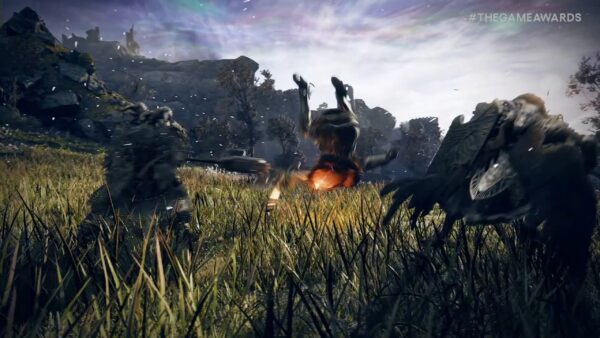
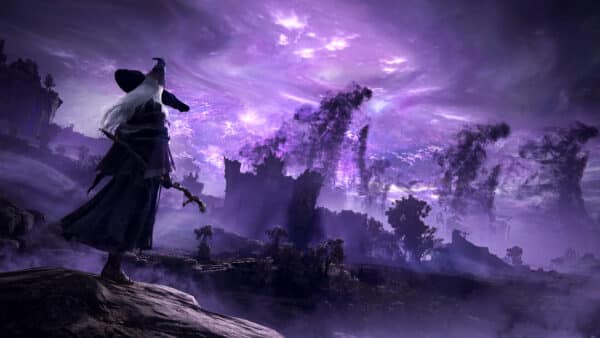
Bandai Namco Entertainment has announced today that Elden Ring Nightreign, the spin-off that focuses on boss fights and multiplayer, will be released on May 30 on consoles and PC.
In addition, we also get a new pre-order trailer and details on the game’s different editions and what each one contains.
Elden Ring Nightreign was recently announced as a standalone adventure in the iconic Elden Ring universe.
Elden Ring Nightreign Features Four Different Editions
Elden Ring Nightreign Pre-Order Bonus (Across All Variants)
Bonus Gesture: “It’s Raining!”
Standard Edition – $39.99 MSRP
Main Game
Physical version is only available for PlayStation 5/Xbox Series X|S
Deluxe Edition (Physical or Digital) – $54.99 MSRP
Includes Standard Edition
DLC Code
Digital Artbook
Digital Soundtrack
Seekers Edition (Region-Specific)
Main Game
DLC**
Digital Artbook
Mini Soundtrack
SteelBook®
**DLC content will be available after the release of the main game
Collector’s Edition – $199.99 MSRP
Main Game
DLC**
Hard-cover Artbook
Digital Soundtrack
SteelBook®
Statue of Wylder (25 cm)
8 Nightfarer Cards
**DLC content will be available after the release of the main game
Bandai Namco is also selling the Wylder character helmet, which will be a 1:1 scale, prop-quality replica. The Wylder Helmet does not contain a copy of the game, but it’s limited to 9999 pieces, and includes a certificate of authenticity. If you’re interested, you can pre-order it here with the item expected to ship at launch.
For those not familiar with Elden Ring Nightreign, Bandai Namco’s official description of it reads: “Teaming up in squads of three – or daring to go solo – players must choose one of eight Nightfarers, each with different abilities, to outlast a three day-and-night cycle. Players must make split-second decisions about combat and exploration across a map that can fluctuate with different biomes, weapons, and enemies in order to become stronger, and outrun the encroaching circle of fire to be able to take on terrifying bosses at the end of each day. This culminates on the third day, where if players were successful in surviving the night must take on one of the Nightlords – new bosses for this version. Nightfarers must learn to cooperate to take down these challenges, combining their unique abilities together for an unparalleled experience in the ELDEN RING universe. All is not lost for those who fall in defeat. Unsuccessful runs will grant players relics to allow them to customize and upgrade their characters tailored to their personal play styles.”
Elden Ring Nightreign will be available on May 30 on PS5, Xbox Series X|S and PC. Just don’t forget, the game will not feature crossplay, so make sure to coordinate that with your future team members.
One of the biggest surprises at The Game Awards for fans was the announcement of Elden Ring: Nightreign, a new online cooperative game, created by Hidetaka Miyazaki and George R.
Hello Games released a new patch for No Man’s Sky on February 12, 2025, for all platforms. Like previous patches, this one includes a good list of fixes related to the Worlds Part 2 patch. Players on consoles will see this as No Man’s Sky update 5.055 on PS5/XSX, and version 5.55 on PS4/XB1/PC.
Important fixes include fixing the problem that causes players to move erratically in some environments, fixing water issues, fixing underwater bass that appears invisible on the PS5, and more.
Valve has updated the Steamworks documentation to clarify the types of advertising and promotions allowed on Steam, explicitly banning advertising-based business models that are often seen in mobile games, especially the kind that force players to watch ads to continue playing.
No Man’s Sky Receives a New Patch This Feb. 12, 2025 as Download 5.055
Bug Fixes
Fixed an issue that caused Favourited teleport destinations to be unfavourited after warping to them.
The teleporter page will now show the closest destination to your selected mission as the first entry in the list.
Fixed an issue that caused the Nautilon platform to become unstable in the water.
Fixed an issue that caused trader starships to plummet to the ground immediately after takeoff when leaving an outpost on the moon of a gas giant.
Fixed a number of collision issues with Exocraft and lasers.
Fixed a collision issue affecting biodomes.
Fixed an issue that caused the starship to sound like it was landing on water when it was not.
Fixed an issue that could cause some starships to snag on the entrance to the freighter hangar.
Fixed an issue that could cause the player to move erratically in some enviroments, such as the Space Anomaly or in bases.
Fixed an issue that could cause the galaxy map to select a route that went through invisible systems.
Fixed a number of rare issues with saving settlements.
Fixed an issue that caused the UI to be unclear about if abandoned mode was enabled or not.
Fixed an issue that caused some sea creatures to show as extinct in the discovery page.
Fixed an issue that caused broken slots to be “sorted” by the inventory sort options.
Fixed an issue that caused some discovery screen text to flicker while playing in multiplayer.
Fixed an issue that caused two identical options to appear during a dialogue tree in They Who Returned.
Fixed a text issue with some monolith interactions.
Fixed an issue that caused water to appear too dark when viewed from space.
Improved the visibility of underwater jetpack effects.
Fixed a number of water rendering issues.
Fixed an issue that made abandoned and pirate space stations too bright.
Fixed an issue that caused holograms to be invisible when viewed against the sky.
Fixed an issuee that caused some sea creature to use the wrong death effects.
Fixed an issue that caused some underwater bases to appear invisible on PS5.
Fixed a crash related to memory management.
Expect more patches from Hello Games to be released in the coming weeks.
While Ubisoft has announced they are developing a Splinter Cell remake, the initial trailer was released back in 2021, with Ubisoft's only update being the concept art stuff that was released as part of the franchise's 20th anniversary in November 2022,
If you're looking for something close to it, Korean developer EVR Studio's in-development project might be worth watching.
Arrowhead Game Studios has released a follow-up patch to yesterday’s big weapon balancing pass, and it’s live now on PS5 and PC. Players should see Helldivers 2 update 1.002.104, which is available for download now.
Today’s patch for Helldivers 2 fixes a crashing issue that surfaced from yesterday’s patch. This issue normally occurs when players drop into a mission.
Due to a new crash discovered in yesterday’s patch we are issuing all Helldivers a new update to amend this error. We thank you for your patience and continued war effort
Fixes
Fixed a common crash which could occur when dropping into a mission.
That’s about it for this patch. While it’s slim, there is a chance Sony announces new content for Helldivers 2 in today’s State of Play. If we find anything, we’ll be sure to let our readers know.
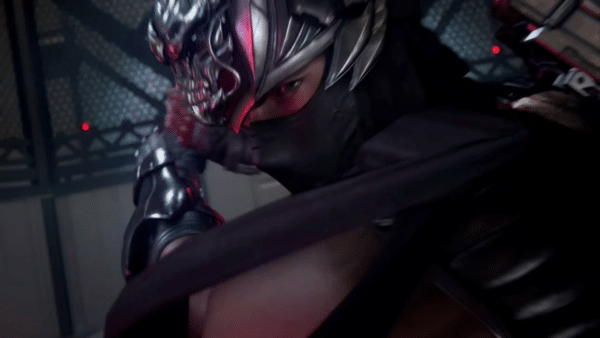
In today's Xbox Developer Direct stream, KOE Tecmo unveiled the latest entry in the Ninja Gaiden franchise, Ninja Gaiden 4.
Ninja Gaiden 2 Black Update 1.003 Has Some Surprising New Features
Additional Content:
New Game+ Added the ability to begin a new game on a difficulty level you have previously cleared with the weapons and Ninpo you obtained in your previous playthrough already unlocked. When starting a new game this way, your weapons and Ninpo will be reverted to level 1.
Photo Mode Added Photo Mode to the in-game Options Menu. You can move the camera around within a set limit to take screenshots.
Ability to Hide Projectile Weapon Added a “Show Projectile Weapon” option under “Game Settings” in the Options Menu, which allows you to hide your projectile weapon while it is carried on your back.
Adjustments:
Lowered the HP of enemies in Ch. 8, “City of the Fallen Goddess”
Lowered the HP of enemies in Ch. 11, “Night in the City of Water”
Raised the number of enemies in Ch. 13, “The Temple of Sacrifice”
Raised the number of enemies in Ch. 14, “A Tempered Gravestone”
Raised the damage dealt by some of Ayane’s attacks.
Bug Fixes:
Fixed control issues that occurred when playing at over 120 FPS or while under high computing load.
Fixed an issue where controllers would not vibrate based on computing load or FPS settings.
Fixed bugs that caused the player to go out of bounds during certain chapters.
Fixed bugs that made it impossible to progress during certain chapters.
Fixed a bug which caused the game to crash during long play sessions.
Other minor bug fixes
That’s everything in today’s update. Pretty surprising to see Team Ninja add some new content, but hey, I ain’t complaining! Let’s hope this isn’t the last of it that we’ve seen for Ninja Gaiden 2 Black.
A gamer at heart, James has been working for MP1st for the last decade to do exactly what he loves, writing about video games and having fun doing it. Growing up in the 90's gaming has been in his DNA since the days of NES. One day he hopes to develop his own game.
For those who played the first Monster Hunter Wilds open beta, chances are, you’ve noticed changes to the hitstop. It was such a big deal that we even made an article out of it.
That shouldn’t be an issue in the final version of the game, according to Capcom.
Monster Hunter Wilds PS5 Pro support has finally been detailed.
Monster Hunter Wilds’ Hitstop Changes Were Made Intentionally, So It Wouldn’t Interfere With the Gaming Experience
Speaking to MP1st, Producer Ryozo Tsujimoto and Director Yuya Tokuda talked about a good number of things, and one of these were the hitstops. The devs explained (via a translator) what happened with it and why it shouldn’t be an issue in the final version of the game.
If you’re not familiar with hitstops, the short explanation of it is that it’s the pause your weapon makes as it makes a connection with its attack, adding a bit of a dramatic effect. Every Monster Hunter game has featured it, and though Monster Hunter Wilds also has it, it appears to have been severely reduced to the point that it’s almost gone in some cases.
We asked Capcom: Weapon hitstops — why was it weakened in the first place? Was the dev team surprised at the community’s reaction to it being changed?
The duo answered, “So when we released Monster Hunter World, there were many comments and requests from the audience that hitstop was too strong and it interfered with their gaming experience. When we had the open-beta test for Monster Hunter Wilds, because we have such seamless gameplay, we made it intentionally just a little bit lighter so that it wouldn’t interfere with the gaming experience, and there were some elements that didn’t make it into the OBT, so it was released as is. It ended up feeling a little bit lighter than what was intended, but after releasing the OBT, we heard that everybody wanted to have a harder hit stop, and that was honestly something we werehappy to hear that people were looking into the actual hitting, the feeling of the weapons hitting the monster. They (the studio) prioritized that, so, in the final product version, we will have hit stops and additional sound effects that make it feel like you are hitting the actual monsters. It will be closer to what people are looking forward to.”
That’s a relief to hear, right? We’ve asked a few more hard-hitting questions to Capcom, so stay tuned here on MP1st for our full interview.
Monster Hunter Wilds will be released February 28 for the PS5, Xbox Series X|S and PC.
With how games these days are handled post-launch, it's normal for gamers to feel a bit cautious on what kind of DLC will be slotted to make them pry their wallets open once more after buying the base game.
Activision has released a new Call of Duty: Black Ops 6 and Warzone update this Feb. 11, 2025, and this is a server-side patch, which means players don’t need to download anything, as the changes will be applied once you connect to the game’s servers.
For today’s title update, it fixes an exploit in Urzikstan, and Experimental Gas grenade has been restricted in Ranked Play. Over on the multiplayer side, an issue regarding weapon blueprints has been addressed, and new weapons have been added to the restricted list in Ranked Play.
With Battlefield 2042, not only did it not meet publisher Electronic Arts' sales expectations, but it also didn't meet the expectations of a lot of Battlefield fans.
Black Ops 6 and Warzone Gets an Update for Feb. 11, 2025 That Touches Ranked Play and More
MULTIPLAYER
Gunsmith
Addressed an issue that could prevent the player from equipping some Weapon Blueprints for the XMG.
Ranked Play
Restrictions Update
The following weapons have been restricted in Ranked Play
While Ubisoft has announced they are developing a Splinter Cell remake, the initial trailer was released back in 2021, with Ubisoft's only update being the concept art stuff that was released as part of the franchise's 20th anniversary in November 2022,
If you're looking for something close to it, Korean developer EVR Studio's in-development project might be worth watching.
WARZONE
RANKED PLAY
Experimental Gas grenade has been restricted in Ranked Play.
Fixed an issue where demotion protection wouldn’t prevent a player from demoting.
BUG FIXES
Fixed additional collision issues on Urzikstan that allowed players to exploit geography.
Fixed an issue causing squad members self-revives from showing on the squad widget.
Fixed an issue that prevented players from purchasing limited stock items in the Buy Station.
Fixed an issue preventing legacy Ranked achievements from carrying over into the next season.
That’s about it. Don’t forget, this is a server-side patch, so don’t expect to download anything to apply this patch. Once Activision releases another one, we’ll let our readers know.
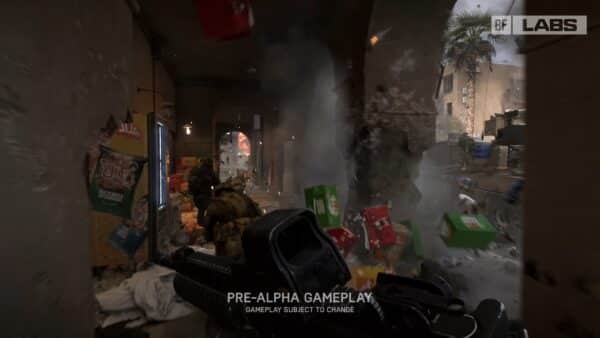
Last week, publisher Electronic Arts released a trailer for Battlefield Labs -- the community testing environment for the next Battlefield game, which the publisher confirmed will launch before April 2026.
Alongside the last-gen console versions, Mojang has also released Bedrock 1.21.60 on current-gen platforms (PS5, XSX), which players will see as Minecraft update 1.012.
This is one of the biggest patches we’ll see for the game, as it introduces new features, implements bug fixes, a good chunk of Experimental improvements and more.
While Insomniac Games might seem synonymous with Sony and the PlayStation brand now, that wasn't always the case.
Minecraft Update 1.012 Is Now Available for Download on All Platforms
Experimental Features in Patch 1.21.60
There is a new experimental toggle for the next game drop update! You will need to enable it in order to test out these features that are in development. We would love to hear your thoughts on these updates, so please leave us your feedback at aka.ms/mcgamedropfeedback and reports any bugs to bugs.mojang.com !
Pig Variants
Added two new Pig variants – Warm Pig and Cold Pig!
These have their own own unique texture and geometry, but not a separate spawn egg
These will spawn in different biomes, making the biomes feel more distinct from each other:
‘Cold Biomes’
These Biomes now spawn the cold variants:
Old Growth Pine Taiga
Old Growth Spruce Taiga
Taiga
Snowy Taiga
Windswept Hills
Windswept Gravelly Hills
Windswept Forest
‘Warm Biomes’
These Biomes now spawn the warm variants:
Savanna
Savanna Plateau
Windswept Savanna
Jungle
Sparse Jungle
Bamboo Jungle
Eroded Badlands
Wooded Badlands
Badlands
‘Temperate Biomes’
These biomes spawn the same pigs as before. There is no change.
Forest
Flower Forest
Birch Forest
Old Growth Birch Forest
Dark Forest
Swamp
New Leaf Particles
All Leaves blocks now emit falling leaf particles. These blocks are affected by this change:
Oak Leaves
Jungle Leaves
Acacia Leaves
Dark Oak Leaves
Spruce Leaves
Mangrove Leaves
Birch Leaves
Azalea Leaves
Flowering Azalea Leaves
Two blocks already emitted falling leaf particles before this update. They will continue to work like they did before:
Cherry Leaves
Pale Oak Leaves
Lodestone Changes
Lodestone is now crafted from 1 Iron Ingot surrounded by 8 Chiseled Stone Blocks
The crafting recipe unlocks when the player obtains an Iron Ingot or a Lodestone.
Lodestones can now be found as loot at Ruined Portals in the Overworld or Nether.
The action-adventure game Stellar Blade, developed by South Korea’s Shift Up, was released in April exclusively for the PS5.
Features and Bug Fixes Applied in Minecraft’s Feb. 11, 2025 Update
Accessibility
Added narration in the Realms plan picker screen informing the player they can navigate below the “buy” button to get more information about a given plan.
Achievements
The Monster Hunter achievement can now be unlocked by destroying a Creaking Heart while it has a spawned Creaking
Audio
Music volume now goes back to normal when exiting the game from a Pale Garden biome (MCPE-188766)
Biomes
Pale Gardens now generate more frequently and are overall larger
Woodland Mansions can now generate in Pale Gardens
Blocks
Slightly improved the collision detection between moving blocks and mobs in some cases
Sculk Sensors now detect Resin Clumps being placed by the Creaking Heart (MCPE-188260)
Fixed various plant blocks rendering their faces differently to Java (MCPE-40646)
All saplings
Short Grass
Dead Bush
Crimson Roots
Warped Roots
Poppy
Blue Orchid
Allium
Azure Bluet
All Tulips
Oxeye Daisy
Cornflower
Lily of the Valley
Dandelion
Red and Brown Mushrooms
Carrots
Wither Rose
Open and Closed Eyeblossom
Torchflower
Sweet Berry Bush
Lilac
Tall Grass
Lage Fern
Rose Bush
Peony
Mangrove Leaves no longer display black pixels when held by Players with the “Fancy Leaves” option disabled (MCPE-156469)
Torchflowers, Pitcher Plants, Open Eyeblossoms and Closed Eyeblossoms now increase the probability of a nearby Sapling growing into a tree with a Beehive
Fixed a crash that could occur when teleporting back into a chunk where a block entity was destroyed (MCPE-178461)
Lily Pads no longer flicker when seen from afar (MCPE-91452)
Fence Gate blocks use state “minecraft:cardinal_direction” instead of “minecraft:direction”. Uses string values (“north, south, east, west”)
Tall Grass Blocks that are placed when using Bone Meal on Moss Blocks or Pale Moss Blocks no longer render only their bottom half (MCPE-188789)
Crafter with no BlockActor data no longer produce a crash (MCPE-188674)
Bone Meal can no longer be used on single Dark Oak or Pale Oak Saplings (MCPE-187564)
The map color of Pale Oak Leaves and Pale Oak Sapling has been updated to better match their actual in-game color
The Creaking Heart now has an additional state for when it is in a valid configuration but unable to spawn a Creaking due to it being daytime
Eyeblossoms now open when the moon starts rising, and close when the moon has completely set
Big Dripleaf blocks can no longer be placed on top of Pale Moss blocks
Fixed a crash that could occur when destroying a Creaking Heart
Fixed rendering issue with grass block under monster spawner block (MCPE-188809)
A Player can now place blocks on Iron Doors and Iron Trapdoors without having to sneak (MCPE-19129)
Open and Closed Eyeblossoms no longer appear in the Creative Inventory for worlds that have not been updated to 1.21.50 (MCPE-189030)
Fixed trigger rate of Redstone powered Droppers and Dispensers (MCPE-189895)
Water placed on Magma or Soul Sand will now flow again (MCPE-189889)
Copper bulb
Updated the Exposed Copper Bulb’s Lit Powered texture (MCPE-177105)
Gameplay
The second passenger of a boat will no longer have large camera twitches when rotating toward the west direction.
Fixed a bug where mobs would teleport to a height of 32767 when going to the Overworld from The End (MCPE-157125)
Fixed issue where players who entered a world while crawling would sometimes take suffocation damage (MCPE-185676)
Players no longer float above the bed while sleeping
Pause Feature
The pause functionality will only be available in Beta and Preview for the time being. We know you’re super excited to be able to pause in Bedrock. However, we need a bit more time to perfect this feature before we can release it to you. Thanks for your patience and understanding as we work to bring you the best possible experience.
We’d love to know what you think of this feature, so please continue to test it in Beta and Preview and send us your feedback at aka.ms/mcbedrockpausefeedback
General
The world spawn point algorithm has been improved, so that locations with good biomes but far from the world’s origin are preferred over really bad locations but closer to the origin (MCPE-120237)
Filter Profanity Toggle. We are introducing a new “Filter Profanity” setting on Windows. When on, all text content including chat will perform as it always has; profanities will be filtered for you and others. When off, most profanities, with the exception of some potentially harmful content, will be unfiltered for you and all others who also have the toggle off. The setting is default on for all players and cannot be changed for child accounts or players not signed in. You can toggle it off in Settings under “General”.
Pistons, Sticky Pistons, Droppers, and Dispensers now show up in the recipe book again when crafting
Graphical
The dark edges around the screen at low Y coordinates now fade in gradually rather than appear suddenly (MCPE-121983)
Added support for ‘minecraft:foliage_appearance’ and ‘minecraft:grass_appearance’ components in client_biome JSON files to control color or palette selection for foliage and grass rendering
Items
Open Bundle textures updated such that there is no longer a missing string pixel (MCPE-188355)
Resin Bricks are no longer found in Woodland Mansion chests (MCPE-188234)
The XP rewarded for smelting Resin Clump into Resin Bricks has been reduced from 0.3 to 0.1
Loot Tables
Entity loot tables with a spawn egg that omits the actor ID will no longer drop an invalid spawn egg when destroyed via the minecraft:instant_despawn component.
Mobs
Creakings now crumble if their Creaking Heart is forcibly deactivated through commands
Creakings are now persistent like any other hostile mob, meaning they won’t disappear on save/load
Creaking no longer plays ambient sounds when aggravated, only when idle
A Creaking’s eyes now render even when the Creaking is invisible, provided it has a target (MCPE-188259)
Creakings spawned from Creaking Hearts now always persist upon reloading the world (MCPE-188352)
Creaking’s eyes now properly flicker when the Creaking Heart which spawned it is destroyed
Creakings now emit vibrations when swaying after being hit
Creakings spawned by a Creaking Heart can now be nametagged, preventing them from despawning during the day
Destroying their Creaking Heart will still cause them to crumble
Hitting a nametagged Creaking during the day will result in a particle trail, but no Resin
The Creaking can now spawn when the moon starts rising, and crumbles when the moon has completely set
Fixed issue preventing Squid from rotating to match their movement
Fixed an issue to prevent Enderman from teleporting when riding Boats and Minecarts (MCPE-31761)
Magma Cube
The new Magma Cube model and texture are now only used by Resource Packs that explicitly override them, as they have been renamed to differentiate them from the original assets (MCPE-188547)
This change is retroactive, starting from version 1.21.50
Breeding
Breeding Sheep with compatible wool colors now gives the Baby Sheep a mixture of the colors (MCPE-19862)
Breeding Wolves now produce offspring with one the parents’ collar colors or a mixture of the parents’ collar colors if the colors are compatible
Breeding Cats with compatible collar colors now gives the Baby Cat a collar with a mixture of the colors (MCPE-188187)
Realms
Player profile pics in Realms Stories will now load in more reliably
Fixed an issue where users could sometimes not rejoin a Realm after using an invite code
On Play Screen Friends Tab hide a Joinable Friends world if it is a realm world and not a joinable Realm
Fixed an issue where player permissions reverted to the previous state after leaving the Manage Realm tab.
Fixed issue where game mode appears as Unknown on the Realms Tab of the new play screen even if the realm has a world with a valid game mode
From new Play screen users can now access Realms Stories of Realms they are a part of even when multiplayer access is disabled in the account’s privacy settings
We recently shipped a couple of service changes behind the scenes (prior to this client update). You may have already experienced them since they have been live for a few weeks now:
Persistent game settings: Changes using /gamerule do not persist when a world is unloaded/reloaded (REALMS-10030)
We now properly persist game settings updates made in-game via slash commands.
Note that there is a bug in the Realms Edit World and in-game pause menu settings screens which causes settings that were adjusted via in-game slash commands to not display properly and also causes changes made in those screens to not save properly. If that happens to you, just run the in-game slash commands again.
We are working on a resolution for the UI bug and expect to have it fixed soon.
Server hosting region allocation: We are working behind the scenes to improve how Realms are assigned to data center regions. Currently we are only testing these improvements for a subset of players to make sure there are no negative side effects. So far, the change has dramatically reduced network latency, improving the connection of these players to their Realms. We will be sharing a lot more information about this soon when we roll the change out to all Realms. Keep your eyes open!
Recipes
Added content error when parsing shaped recipes if none of the keys can be mapped to any of the pattern characters, this fixes a crash when opening the crafting screen with such malformed recipes (MCPE-178520)
User Interface
Disabling Realms Stories badge notifications via the Stories Settings screen now hides badges in the Story Feed as well as the Play Screen
Touch Controls: The empty space in the center of the D-pad no longer acts as the forward button when flying or swimming (MCPE-183944)
Fixed Players needed to skip night slider on the Edit World screen to be able to go to 0%
Changed wording for lowest number required for player sleeping to skip the night.
In response to player feedback signaling confusion around the meaning of the potion bottle, we’ve updated the location, labeling and icon usage for Achievements across multiple screens.
For the achievement % counter, a new book asset replaced the potion bottle and supports multi-tier visual states to celebrate progress, including a delightful animation for 100% completion.
Consolidated the fancy graphics toggle and ray tracing toggle into a single Graphics Mode dropdown. Fancy and Ray Tracing mode are equivalent to having the previous Fancy and Ray Tracing toggles enabled, and the Simple mode is equivalent to having neither of the previous toggles enabled.
Touch controls: It is now possible to place blocks on top of containers when flying downwards, like on PC. (MCPE-176407)
Inbox messages with long content are now scrollable with gamepad immediately after entering the screen
Fixed “An unknown error has occurred” when downloading resource packs under specific circumstances.
Touch controls: Touch button for Pick Block is now available for both Survival and Creative
[PlayStation®5] ‘Enable Screen Reader’ accessibility setting is now used to initialize Text-to-Speech during first launch
Fixed a bug where the game could soft lock in certain scenarios when it was suspended right before the player dying
Changed wording for enabling/disabling player’s sleep skipping the night to “Skip night by sleeping” from “Beds work”
Add additional debug info regarding Realms features in the general settings screen
Updated the text on the new bed screen when sleeping to skip the night is disabled
Fixed an issue which prevented the user from exiting Edit World when choosing Play on Realm button and cancelling the Sign-in process
It is now possible to scroll through the friends tab with text-to-speech enabled and cross-play disabled
The achievements disabled crossed bottle icon is now a blocked icon.
Fixed a bug where incorrect text would be shown on the bed screen (MCPE-189823)
Added support for input glyph replacement for signs, signed books, and NPC dialogs. For example, using input string “:_input_key.jump:” will be replaced with “JUMP” when using keyboard, or an emoji in case of using a gamepad.
Added full support and fixes for some input glyph replacement strings. This is to make them work across all the platforms (PC, Consoles, Mobile). These are the values fixed:
:_input_key.forward:
:_input_key.back:
:_input_key.left:
:_input_key.right:
:_input_key.inventory:
:_input_key.use:
:_input_key.chat:
:_input_key.attack:
:_input_key.sprint:
The icons for these strings are updated in diverse areas of the game that support contextual glyphs, such as: signs, signed books, tags, chat, commands.
Also, as improvement, replacement of these values depends on the interaction/control mode when using touch as input mode. These modes are Joystick & tap to interact, D-Pad & tap to interact, and Joystick & aim crosshair.
Play Screen
We’ve introduced a brand new Play Screen:
Worlds tab – access your saved local and LAN worlds.
Realms tab – easily jump into Realms you own or have joined.
Servers tab – join multiplayer featured servers from our partners, and add or access your custom servers.
Create from template – create from, and rate, your owned templates, discover Minecraft creator made content.
Friends – connect with your Minecraft friends (they now live in the top right hand corner of the screen)
These updates are being rolled out incrementally to all platforms except Nintendo Switch, so they might not be available right away.
Vanilla Parity
Wheat color is now yellow on a Map instead of green (MCPE-148982)
Please note – there is a known issue with this change that means the colour is shown as yellow regardless of growth stage
Shears can now be used on Cave Vines, Kelp, Twisting Vines, and Weeping Vines to prevent further growth (MCPE-141497)
Biomes
Zombie Villagers that spawn in the Mangrove Swamp biome now have the correct skin applied (MCPE-158736)
Monsters that normally spawn in the Overworld (Zombies, Endermen, Spiders, Creepers, etc., with the exception of Skeletons) can now spawn in the Mangrove Swamp biome MCPE-170183
Eyeblossoms and Pale Moss Carpets no longer generate inside Pale Oak Tree trunks
The vegetation of many Overworld biomes has been updated to more closely match Java Edition and align with the intended look and feel of Minecraft:
Overworld (applies to all biomes)
Pumpkins now generate in larger patches
Dandelions are now alternated with Poppies when generating in flower patches
Sugar Canes no longer generate through other blocks
Plains
Short Grass now generates more frequently and in larger amounts (MCPE-141364)
Tall Grass now generates less frequently but in larger patches
Flower patches now contain mixed flowers, are larger and generate more frequently
Sunflower Plains
Sunflowers now generate in more cohesive patches
Mushroom Fields
Mushrooms now generate in larger patches
Savanna
Short Grass now generates more frequently and in larger amounts
Tall Grass now generates less frequently but in larger patches
Flower Forest
Trees are now denser
Flowers now generate in more cohesive patches
Taiga
Small Ferns now generate more frequently
Large Ferns now generate less frequently
Sweet Berry Bushes now generate in larger patches
Old Growth Spruce Taiga
Mushrooms now generate in larger and more cohesive patches
Ferns now generate more frequently
Sweet Berry Bushes patches now generate (MCPE-152452)
Old Growth Pine Taiga
Mushrooms now generate in larger and more cohesive patches
Ferns now generate more frequently
Sweet Berry Bushes patches now generate (MCPE-152452)
Jungle
Trees are now denser
Big Jungle Trees now generate more frequently
Jungle Bushes are now larger
Melon patches now generate more frequently
Bamboo Jungle
Bamboo now generates in larger and denser patches
The width of Bamboo is now consistent across the entire plant
Trees are now denser
Big Jungle Trees now generate more frequently
Jungle Bushes are now larger
Sparse Jungle
Bamboo no longer generates
Ferns and Short Grass now generate more frequently
Kelp now generates more frequently and in denser patches
Developer’s Note:While the exact placement of features like tall grass and flowers may vary between platforms, the overall distribution of these features should remain consistent across larger areas, even if specific chunks differ slightly.
Seagrass now generates more frequently, with the amount of tall Seagrass varying by biome (MCPE-188870)
Kelp can now generate at any depth, leading to increased overall generation (MCPE-188870)
Mangrove Swamp downfall value now matches that of regular Swamp (MCPE-156495)
Mangrove Swamp underwater fog now gradually fades out after entering water, as it does in other biomes (MCPE-158256)
Fossils now generate under Mangrove Swamps, similar to regular Swamps (MCPE-175680)
Jungle Bushes now use Oak Leaves for foliage, aligning with the intended game aesthetic, despite their Jungle Log trunks (MCPE-164963)
Blocks
The Lily Pad Block’s hitbox has been updated to be in parity with Java (MCPE-60826)
The Sugar Cane Block’s hitbox has been updated to be in parity with Java (MCPE-60827)
TnT Blocks no longer flash with a solid white color when exploding (MCPE-51809)
Candles and Candle Cake Blocks now play ambient sounds properly (MCPE-130585)
The Pale Oak Leaves no longer appear lighter than on Java (MCPE-188217)
Renamed Banners no longer lose their custom names when broken, or when washed in cauldrons (MCPE-36429)
Twisting Vines and Weeping Vines now have an increased chance of dropping as items when broken with Fortune enchanted tools, including a 100% chance when using Fortune III (MCPE-91033)
Dispensers can now place Shulker Boxes under water (MCPE-76004)
Sniffer Egg block now only provides center support on top and bottom faces (MCPE-169520)
Water and Lava no longer remains in the world when placing a Water or Lava Bucket against a Cave Vine with Glow Berries
Sniffer Egg block no longer provides side support to any block
Changed the player’s hurt sound when walking on a Magma Block to use the fire hurt sound instead of the default sound (MCPE-125864)
Items
Suspicious Stews crafted with Tulips now apply the Weakness Effect for 7 seconds when consumed, matching Java (MCPE-188040)
Suspicious Stews with the Weakness Effect acquired from Shipwrecks and trading with Villagers now apply the Weakness Effect for 7 seconds when consumed.
Mobs
Horses, Skeleton Horses, Zombie Horses, Donkeys, and Mules now play their ambient sounds as intended (MCPE-178313)
Foxes now periodically play their “mad” sound while defending a player
Baby Drowneds now move with the same speed as their Zombie and Zombie Villager counterparts (MCPE-34574)
Gold Swords dropped by Piglins and Zombified Piglins now have randomized durability to match Java (MCPE-75292)
Axes dropped by Piglin Brutes now have randomized durability to match Java (MCPE-95543)
Creepers no longer flash with a solid white color when exploding (MCPE-51809)
Neutral Mobs no longer become aggressive when Players or other Mobs throw Lingering Potions with positive effects on them (MCPE-105343)
Endermen now correctly have a delay before they become hostile when you look at them (MCPE-23544)
Sounds
Nether Brick Slab, Red Nether Brick Slab, Nether Brick Wall, Red Nether Brick Wall, Cracked Nether Bricks and Chiseled Nether Bricks now have the same sound as Nether Bricks, matching Java Edition (MCPE-74879)
Iron Bars, Iron Blocks, Iron Trapdoors, Iron Doors and Heavy Weighted Pressure Plates now make iron sounds when you mine, break, place and walk on them
Added unique sound effects for Vines, Glow Berry Vines, Weeping Vines, and Twisting Vines (MCPE-188001)
Wood stripping now plays a wood stripping sound instead of a wood step sound (MCPE-106552)
Creating a Grass Path now makes a shovel flattening sound instead of a grass step sound (MCPE-114390)
Spawner
Zombie Villagers can no longer randomly spawn from a Zombie Mob Spawner, matching Java Edition (MCPE-91436)
World Generation
Creaking Hearts now generate more often in naturally generated Pale Oaks (MCPE-187337)
Ravines now generate more often
Ravines can once again reach the surface (MCPE-121708)
Ravines can once again generate on the ocean floor
Ravines now completely carve through Copper Ore veins and most other underground blocks (MCPE-181410)
Ravines now properly interact with aquifers, filling with water instead of generating as disconnected segments
Fixed issue that caused new terrain generation to not match already saved chunks in some Biomes (MCPE-175332)
Structures
Some Savanna Villages no longer have a hole where a Dirt Path block should be
Valve has updated the Steamworks documentation to clarify the types of advertising and promotions allowed on Steam, explicitly banning advertising-based business models that are often seen in mobile games, especially the kind that force players to watch ads to continue playing.
Technical Updates in Minecraft’s Patch 3.05
Add-Ons and Script Engine
Added the ability to define the order for the items for the creative inventory & recipe book, called the crafting item catalog, for new items added by packs. New items can either merge with existing groups, create new groups with your own item for the icon, or just become added as loose items without a group. This catalog should be saved as item_catalog/crafting_item_catalog.json in your behavior pack
Example:
{
   "format_version": "1.21.60",
   "minecraft:crafting_items_catalog": {
      "categories": [
         {
            // Valid values are construction, equipment, nature, and items
            "category_name": "construction",
            "groups": [
               {
                  // This will add the items to the end of the
                  // existing planks group
                  "group_identifier": {
                     "icon": "minecraft:oak_planks",
                     "name": "minecraft:itemGroup.name.planks"
                  },
                  "items": [
                     "mynamespace:my_planks1",
                     "mynamespace:my_planks2"
                  ]
               },
               {
                  // This will create a new group
                  "group_identifier": {
                     "icon": "mynamespace:my_item",
                     // This is the name of your group which doubles as
                     // the localization string. The namespace is required
                     "name": "mynamespace:my_group_name"
                  },
                  "items": [
                     "mynamespace:my_item"
                  ]
               },
               {
                  // This adds items without being part of a
                  // group as loose items
                  "items": [
                     "mynamespace:my_loose_item"
                  ]
               }
            ]
         }
      ]
   }
}
Item and Block json files now require a namespace for group names in the “menu_category” object.
Added new Creator toggle setting `Show Content Log GUI On Error During Load.
This setting with make the Content Log GUI automatically open and display after loading into a world and there was either warnings or errors found during the loading process.
This setting is disabled in the Editor.
API
Updated numeric JavaScript enums now properly handle and support reverse value mappings.
Fixed a bug where calling Player.hideAllExcept could crash the server.
InputPermissions
Moved the following InputPermissionCategory enum values to 1.17.0: LateralMovement, Sneak, Jump, Mount, Dismount, MoveForward, MoveBackward, MoveLeft, and MoveRight
Moved the following methods on PlayerInputPermissions to 1.17.0:
Removed the “compostingChance” available from the ItemStack API. The composting chance for Vanilla items can now be accessed via the singular CompostableItemComponent->compostingChance in the Item Component API.
Fixed edge cases where ModalFormData scrolls to the bottom when UI is opened.
Added script bindings to beta for the experimental Aim-Assist feature.
class AimAssistCategory
class AimAssistCategorySettings
class AimAssistPreset
class AimAssistPresetSettings
class AimAssistRegistry
enum AimAssistTargetMode
interface PlayerAimAssistSettings
class PlayerAimAssist
method Player.getAimAssist to modify a player’s aim-assist settings
method World.getAimAssist to add aim-assist presets and categories.
Added enum InvalidArgumentErrorType that adds extra context to the type of invalid argument error.
Added property type to InvalidArgumentError for checking the type of argument error.
Moved the following methods from beta to 1.17.0:
Block::isWaterlogged
Block::setWaterlogged
Biomes
Add creature spawn probability JSON component for spawning related experiments
Blocks
Removed “Upcoming Creator Feature” toggle requirement for minecraft:item_visual component.
Removed UpcomingCreatorFeatures experiment requirement for "ambient_occlusion" field to be float type
Re-added new field "ambient_occlusion_exponent" to blocks.json file schema in resource packs, replaces broken "brightness_gamma" field. (MCPE-188216 , MCPE-188221)
Fixed issue where legacy data driven block didn’t apply the render layer from the material instances component
Fix spurious content log error: ‘trying to override the Geometry component with blocks.json settings for a custom block’
Door blocks use state minecraft:cardinal_direction instead of minecraft:direction. Uses string values (“north, south, east, west”)
Removed content log error: ‘Block needs both a geometry and material instances component’
Cameras
Focus Target Camera is released. Its associated experimental toggle is removed (“Creator Cameras: Focus Target Camera”)
Focus Target Camera has vertical_rotation_limits of [0.0, 180.0] by default to reflect world space changes
Focus Target camera now stops targeting when either `clear` from the camera command is used, or when the target is over 64 chunks away from the camera
Focus Target Camera now displays a command output error when trying to target an entity when not on a free camera or custom camera that inherits from free camera.
Focus Target Camera `vertical_rotation_limits` are now in world space. 0 degrees is straight down, 90 degrees is horizontal and 180 degrees is straight up. The limits for the values are [0, 180] inclusive.
Commands
Fixed a bug that would cause messages to report double the items that match the criteria when using the clear command with a max count of 0
the “mine” overload of the /loot command has been moved to outside of Upcoming Creator Features experiments:
The /kick command now allows use of target selectors on Realms.
wsserver command disabled by default. Enable in General Settings.
Websocket encryption default enabled for all platforms
Added support for input glyph replacement for /me and /tell commands. For example, using input string “:_input_key.jump:” will be replaced with “JUMP” when using keyboard, or an emoji in case of using a gamepad.
Components
The Strider now makes use of the minecraft:movement_sound_distance_offset component for its movement sound distance offset
Added the “minecraft:renders_when_invisible” component, which enables entities to render even when invisible
Appropriate rendering behavior can then be specified in the corresponding “minecraft:client_entity”
Moved the minecraft:liquid_detection component out of the Upcoming Creator Features experiment for format_versions 1.21.60 and above
Expand the minecraft:breedable component to allow inheriting properties to child entities
Adds the new “property_inheritance” field which takes property name keyed objects
The objects in property_inheritance can contain a “mutation_chance” which give the chance it should not inherit from either parent
They can also contain the “mutation_values” array of values to select from if mutating and the component has random mutation set
Added “min_looked_at_duration” field to “minecraft:looked_at” component to specify how long a stare has to be maintained before the target and cooldown logic is set
The Strider now makes use of the minecraft:movement_sound_distance_offset component for its movement sound distance offset
Two values on the minecraft:storage_item component have been split off into separate components:
max_weight_limit has been moved to the new minecraft:storage_weight_limit component
weight_in_storage_item has been moved to the new minecraft:storage_weight_modifier component
Moved the “minecraft:compostable” item component out of experimental and to Release. Moved the related scripting apis out of Beta to Release
Collisions
Entities with no collision box but with the minecraft:custom_hit_test component are no longer sometimes unable to be interacted with
Dedicated Server
The movement mode authority chosen settings will now be displayed in the command window on dedicated server launch.
Editor
Added Roughen brush to terrain tool
Added a new Workbench tool which allows for quickly changing block states for blocks with modifiable properties (doors, fences, etc)
Added new Vertical Fly Speed ability.
Added a night vision setting to the view settings pane. This enables night vision within the editor for the user and is enabled by default.
Added ContinuousAction to supported key binding actions that simulate key repeats at set tick intervals
Added ‘Test World’, ‘Export’, and ‘Settings’ to the ActionBar
Added missing image for ‘Navigation Panel’ in the ActionBar
Added color picker hue gradient selector works for monochromatic values
Added right click on action bar items to toggle selector menus
Added data-driven rendering to editor block images
Added block name aliasing for signs
Added support for namespace block names for block:// protocol
Added a new BlockTable UI element to Property Pane API.
Added an optional CursorPosition property to the CursorPropertiesChangeAfterEvent. Using this new property, developers can track when the block or block face under the mouse cursor changes.
Updated Editor Compass body to toggle between NSEW directions and Axis directions (Z, -Z, X, -X) on click
Updated block picker to a floating window and made the viewport behind it clearer for middle-click
Updated Flatten Brush to a Native Brush, increased maximum Height and Radius
Updated export and play test pane to now include beds work and required sleeping players as export options
Updated hot bar item to open block picker when shortcut key is pressed and block is already selected
Updated daylight cycle and multiplayer options to now be respected in an exported world
Updated Bedrock Dedicated Server to correctly load an existing Editor project regardless if the Editor=true command line argument is used
Updated Fly Speed Multiplier Global Hotkeys.
Q, E, Shift + Q and Shift + E have been added as viewport keyboard shortcuts for increasing and decreasing fly speed
Updated rotation slider to be an integer
Updated /reload (and the Reload Scripts action bar item) to now work in the editor when hosting a session, or connected to a remote session (when only a single player is connected).
Updated player model to now be fully hidden while in tool mode
Updated farm generator to use transactions allowing for undo and redo functionality
Updated the summon tool nudge operation to remain active as long as the key binding is held down.
Fixed an assert/crash that occurs when changing dimensions
Fixed an assert/crash when saving world and re-entering a world multiple times
Fixed a bug that occasionally made panel scrollbars unresponsive.
Fixed a bug that caused action bar items to change positions when scrollbar is visible
Fixed a bug where game menus are shown in the tool mode viewport
Fixed incorrect maximum value for fixed distance mode
Fixed a bug that caused text field to lose focus when another UI element is hovered
Fixed a number of missing block icon thumbnails for block:// image resource
Fixed error sound triggered by pressing the number 9 key
Fixed block thumbnail images to be centered in hotbar, block picker and lists
Entities
Fixed issue where No more entities assert failure occurred when flying through biomes during a storm
Entity Components
The “minecraft:breedable” component now has a field that enables the offspring’s “minecraft:color” attribute to be a blend of the parents’ “minecraft:color”
“combine_parent_colors”, If a color mutation will not happen, the baby will get a combination of the parents’ colors if the colors are compatible. Color combinations follow the rules of DyeItem combinations. If the colors are not compatible the baby will get one of the parents colors chosen randomly
Valid values: “true”, “false”
Entity Filters
Added new entity filter “home_distance”, which checks the distance of an entity from its home
Requires the subject entity to have a “minecraft:home” component
Returns false if the subject has no home or if the home is in a different dimension
Added new entity filter “is_bound_to_creaking_heart”, which checks if the Creaking Heart that spawned the subject Creaking still exists
Fog
Fixed issue where “inherit_from_prior_fog” field in biomes_client.json was ignored on first content on resource pack stack (MCPE-187805)
Gameplay
Fixed a bug where opening a chest while the clone command is spamming could crash the server.
Graphical
Improved logic for handling very large textures within atlases. Textures that are guaranteed to overflow the maximum atlas size will now have mips dropped individually rather than forcing the entire atlas to drop mips.
Single-channel textures in resource packs are now interpreted as grayscale, rather than red. This change does not apply to single-channel UI textures, which were already interpreted as such
client_biome JSON files now support a “surface_opacity” field in the “minecraft:water_appearance” component
This change also restores swampland and warm_ocean surface opacity to what they were until recently when the client_biome JSON files were introduced
Items
Added a content warning to the “minecraft:durability_sensor” item component’s “particle_type” when an invalid value is provided
Fixed an issue where non-host clients joining multiplayer sessions would be missing an icon for packs that had duplicate items
The following legacy item (pre 1.16.100) components are now synced to the client:
minecraft:camera
minecraft:seed
minecraft:max_damage
minecraft:hand_equipped
minecraft:stacked_by_data
minecraft:foil
minecraft:block
minecraft:use_duration
minecraft:max_stack_size
Removed “Upcoming Creator Feature” toggle requirement for minecraft:block_placer item component
Migrated ItemData from StartGamePacket into ItemRegistryPacket (renamed from ItemComponentPacket)
Network Protocol
Added ActorFlags::RENDERS_WHEN_INVISIBLE
Scripting
Fixed Entity.getComponent and Entity.getComponents from crashing when called within EntityDieAfterEvent callback.
Sounds
Added “base” parameter to block sounds specifying another block sound they should use sounds for if they do not define a sound themselves
Stability and Performance
Fixed an issue where optional and required resource packs couldn’t be downloaded when joining a multiplayer game if it was cancelled on the first download and join attempt
Players on Switch should remain signed into their Microsoft Account after putting Minecraft app to sleep and resuming it.
Removed redundant biome data from chunks and improved World Template generation stability.
Made changes to add up to 4% CPU performance improvement on Switch
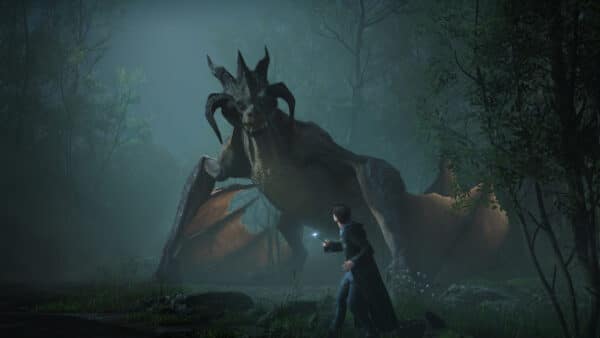
It seems that work is underway for Hogwarts Legacy 2, as a new report claims that Avalanche Software is now working on the sequel.
New Technical Experimental Updates
Aim Assist
Updated Aim Assist, now it can only be used in third person camera perspectives. Switching to a unsupported camera type will disable aim assist
Changed aim-assist preset item settings to reference categories by unique namespace Ids globally instead of via name in a ‘categories’ list.
Aim assist will no longer get automatically enabled when switch to vanilla third-person-behind camera by default (MCPE-188005)
Aim assist will now only allow interactions within player’s interact distance
Aim Assist can now properly detect entities have hitbox partially inside detection area
Block and entity targeting of Aim assist will now apply to touch control modes: ‘Joystick & tap to interact’ and ‘D-Pad & tap to interact’
API
Added scriptEvent method to system object which sends a script event similar to the /scriptevent command to beta
Added NamespaceNameError error which validates namespace usage to beta
Added NamespaceNameErrorReason enum which shows the types of issues that namespace validation can run into to beta
Added new function collectPluginStats to @minecraft/debug-utilities which will return the types and counts of all active script objects.
Removed /script watchdog exportstats command, deprecated in favor of script API.
Added setDynamicProperties method to World, Entity, ItemStack and ContainerSlot.
Added enum LiquidType.
export enum LiquidType {
    Water = 'Water'
}
Added four new bindings to Script Block API (Beta).
Block::canBeDestroyedByLiquidSpread
Block::isLiquidBlocking
Block::liquidSpreadCausesSpawn
Block::liquidCanFlowFromDirection
Added three new bindings to Script Block Permutation API (Beta).
BlockPermutation::canBeDestroyedByLiquidSpread
BlockPermutation::isLiquidBlocking
BlockPermutation::liquidSpreadCausesSpawn
Fixed bug where Block.setWaterlogged would create a water source that does not flow.
Rename handleCounts interface to HandleCounts in @minecraft/debug_utilities module.
Fixed BlockLocationIterator crash that could happen if the BlockVolume that the iterator came from was deleted first.
Commands
Place: Entities saved within structures will now be placed unless specified
Added two subcommands to the /place command behind the Upcoming Creator Features Experiment toggle
/place feature
/place featurerule
RegistrationBuilder.structureLocation method in @minecraft/server-gametest
Added optional argument structureDimension: DimensionTye | string to specify which dimension the gametest should spawn in. If not provided, it will default to whichever dimension the test is ran from.
system.scriptEvent() no longer returns ScriptEventMessageSizeError but instead an InvalidArgumentError for the message size exceeding 2048 characters in size in Beta
Removed ScriptEventMessageSizeError from Beta
Moved CameraTargetOptions from beta to v1.16.0
Cameras
Added easing between two moving cameras when “Creator Camera: New Third Person Presets” experiment is enabled
Added the option to limit yaw rotations on all cameras with an orbit component
Creator
Added support for ItemTags in match_tool loot table conditions behind the Upcoming Creator Features Experiment toggle
Components
Removing a waterlogged custom block using the minecraft:liquid_detection component with stopsLiquidFlowingFromDirection enabled for all directions now results in flowing water rather than a stagnant block of water.
Molang
Moved query.last_input_mode_is_any to stable. It takes one or more arguments (‘keyboard_and_mouse’, ‘touch’, ‘gamepad’, or ‘motion_controller’). If the last input used is any of the specified string values, returns 1.0. Otherwise returns 0.0. Available on the Client (Resource Packs) only.
Moved query.touch_only_affects_hotbar to stable. It returns 1.0 if the touch input only affects the touchbar, otherwise returns 0.0. Available on the Client (Resource Packs) only.
Scripting API
Moved enum InputMode from beta to 1.17.0.
Moved class InputInfo from beta to 1.17.0.
Moved property lastInputModeUsed from beta to 1.17.0.
Moved property touchOnlyAffectsHotbar from beta to 1.17.0.
Class Player.
Moved property inputInfo from beta to 1.17.0.
Moved class PlayerInputModeChangeAfterEvent from beta to 1.17.0.
Moved class PlayerInputModeChangeAfterEventSignal from beta to 1.17.0.
Class WorldAfterEvents.
Moved property playerInputModeChange from beta to 1.17.0.
Moved class InvalidEntityError from beta to 1.17.0.
system.scriptEvent updated to return a new error for exceeding the message size
Structure
Added waterlogged: boolean parameter to setBlockPermutation. This can be used to set whether the specified block within a structure is waterlogged.
Removed ScriptBlockType.canBeWaterlogged from Beta – instead, ScriptBlock.canContainLiquid or ScriptBlockPermutation.canContainLiquid can be used to check if a block can be waterlogged.
Stability and Performance
Resolved a crash that could occur when using top_layer_modification in custom jigsaw structures
Resolved a crash that could occur when entering the nether with a custom jigsaw structure in the nether
Experimental support for applying a service-driven texture memory budget in low memory situations. When enabled, memory will be conserved by progressively reducing resolution of some textures as usage approaches the budgeted limit.
User Interface
Added a new radio button to allow players to select if they want Deferred Video Settings to favor performance or favor visuals.
With a patch this big, don’t be surprised if Mojang releases a hotfix for any bugs that surfaces.
While Ubisoft has announced they are developing a Splinter Cell remake, the initial trailer was released back in 2021, with Ubisoft's only update being the concept art stuff that was released as part of the franchise's 20th anniversary in November 2022,
If you're looking for something close to it, Korean developer EVR Studio's in-development project might be worth watching.
The latest Apex Legends patch is out on all platforms, and it shakes up the meta. The “Takeover” patch rebalances weapons, buffs legends, and more. With the changes listed below, console players will see this as Apex Legends update 2.77.
With Battlefield 2042, not only did it not meet publisher Electronic Arts' sales expectations, but it also didn't meet the expectations of a lot of Battlefield fans.
Apex Legends Takeover Update 2.77 Released This February 11, 2025
HIGHLIGHTS
Creator Commissioners – The community’s favorite Creators are taking over, bringing unique and curated challenges and rewards to Apex Legends.
Arsenals – Arsenals are the weapon stations players didn’t know they needed – bringing every weapon of a single ammo type at their fingertips.
Meta Changes – The Games are heating up, with Assault Legends unlocking new perks like Extra Firepower, and Armed and Dangerous, giving players extra ammo, grenade slots, improved weapon handling and a Battle Surge for faster reloads and movement on shield cracks.
Road to Ranked – Expect an upgrade in how players can access Ranked, making it more competitive, fun and fair.
Anniversary Event – Join the party and unleash destruction, as players gather from 36 Anniversary Event items with every item being Legendary or above, including a set of Heirloom Shards and the first-of-its-kind Mythic R-301!
Mythic R-301 – New this season is the Wraith-inspired Mythic R-301 that comes fully loaded with three unlockable tiers that come stacked with a fresh new void-inspired look, brand new animations for everything from reloads to enemy knock effects and even a new suite of sounds.
MUZZLE FLASH
Visual clutter in gunfights is no joke. In an attempt to combat this, we’ve reduced the effects and particles you see when you fire your weapon. We believe this update balances increased visual clarity while still selling the impact and fantasy of firing our weapons.
All 1P weapons muzzle flashes have been updated
95% less visual noise over the line of sight (sparks, smoke, glows etc)
Noise/visuals kept below line of sight
Reduced size of muzzle flashes
Optimized particle count
Cleaned noise from shells ejects
Cleaned lingering elements (smoke, sparks, etc)
Light toned down to avoid flickering on weapons and environment models
BALANCE UPDATES
Care Package
R-99 returns to the floor (balance details below)
Peacekeeper enters the Care Package (balance details below)
Max level achievable by earning EVO is now Level 3 (Purple Armor)
Red Armor no longer earnable through leveling
EVO required to reach Level 3 increased to 1700 (was 1350)
Dev Note: Red armor allowed for a much wider health disparity in the mid to late game which reinforced activities like farming damage on the outskirts and avoiding encounters to collect resources. By lowering the total Armor available to these actions and the levels required to earn them, you can now get end-game ready more easily and focus on what matters most—the fight.
Accelerated Weapons
Assists with an Accelerated Weapon equipped will no longer grant the extra 30% ult charge in Mixtape Modes
While Insomniac Games might seem synonymous with Sony and the PlayStation brand now, that wasn't always the case.
GAMEPLAY UPDATES
NEW Arsenals
These stations provide players with easy and deterministic access to weapons and ammo of their choice.
Stations across all POI’s on every map with fixed locations
Ammo type provided randomizes each match
Equipped with an enhancing terminal that upgrades one weapon matching the ammo type per Arsenal
Enhancing grants an upgraded attachment and provides an optic if one is missing
Healing
Cells now take 2.5s to complete (was 3s)
Syringes now take 4s (was 5s)
Cells & Syringes now stack up to 6
Players now start with 4 Cells and 4 Syringes (was 2 each)
Battery and Medkit spawn rates have been slightly increased
Dev Note: Players will undoubtedly need to continue popping meds whenever they can with lowered max health, a universal gold helmet perk, and a ton of weapon buffs. We’ve decided to shave down some of those sharp edges to make healing a little easier across the board.
Helmets
White, blue, and purple have been removed from the loot pool
Players no longer start with a white helmet
Dev Note: Finding and equipping Helmets has always been a bit lackluster in both feeling the impact of wearing one and making the potential damage output a bit murky. Removing headshot damage reduction from the game makes damage more consistent, understandable, and easier to calculate.
Gold Helmet
Reworked into Gold Armor Upgrade Helmet
Offers Improved Minor Healing perk that doubles the output of Cells & Syringes
Sets the player’s Armor to 100 regardless of Level
Leveling still required to unlock Legend Upgrades, but no longer affects armor while equipped
No headshot damage reduction
Chance to appear in Gold Bins after Bin Reset
NEW Mythic Armor Upgrade Helmet
Red tier introduced
Sets player’s armor to 125 regardless of level
Leveling is still required to unlock Legend Upgrades, but no longer affects armor while this item is equipped
Red helmets offer no headshot damage reduction
Appears in the Mythic Bin & late game Care Packages
Dev Note: Both the new Gold and Red Helmets are designed to pull some of the passive power embedded in Legends and put it into the loot pool to create new items to chase and fight for. They’ll also create dynamic gameplay options for players to strategize which squadmates don these powerful new items.
Knocked Down State
Significantly increased crawl speed while knocked with and without knockdown shield raised
POI Names on Drop
Now able to see the name and loot tier of each POI projected over the POI during first drop
Also includes Arsenal info to help drive drop choice
AMMO & ATTACHMENTS
Hop Ups: Hammerpoints have been removed from the loot pool
Gold Magazines: time to reload while stowed decreased to 2s (was 5s)
Optics: 1x Holo optic has been removed from the loot pool
Replicator: reduced the amount of ammo to 1 stack per weapon (was 2 stacks)
WEAPONS
AR
Havoc Rifle [Care Package]
Damage increased to 21 (was 18)
Headshot damage: 27
Beam Shot damage increased to 70 (was 53)
Beam Shot headshot damage: 105
Hemlok Burst AR
Damage increased to 20 (was 19)
Headshot damage: 26
Nemesis Burst AR
Damage increased to 17 (was 16)
Headshot damage: 22
R-301 Carbine
Damage increased to 14 (was 13)
Headshot damage: 18
VK-47 Flatline
Damage increased to 19 (was 18)
Headshot damage: 25
LMG
Devotion LMG
Damage increased to 16 (was 15)
Headshot damage: 20
L-STAR EMG
Damage increased to 20 (was 18)
Headshot damage: 25
M600 Spitfire
Damage increased to 21 (was 19)
Headshot damage: 26
Rampage LMG
Damage increased to 30 (was 26)
Headshot damage: 38
Reduced the decay rate of the revved state over time
MARKSMAN
30-30 Repeater
No charge damage increased to 43 (was 39)
No charge headshot damage: 69
Full charge damage increased to 58 (was 53)
Full charge headshot damage: 93
Slightly increased projectile size at long range
Bocek Compound Bow [Care Package]
Damage increased to 75 (was 70)
Headshot damage: 120
Fire rate slightly reduced
Removed Deadeye’s Tempo passive
Shattercaps damage per pellet increased to 13 (was 12)
G7 Scout
Damage increased to 35 (was 33)
Headshot damage: 56
Fire rate slightly reduced
Slightly increased projectile size at long range
Triple Take
Damage per bullet increased to 22 (was 21)
Headshot damage: 105 (all bullets)
Slightly increased projectile size at long range
Dev Note: Marksman weapons sit between the mid-range arsenal and snipers, but find themselves often outclassed by one of their neighbors. Their adjustments this season should make them feel more consistent at range, improve their performance when tracking enemies, and staying on target while providing headshots without stealing the play-making potential of our snipers.
PISTOL
P2020
Damage increased to 24 (was 21)
Headshot damage: 30
RE-45 Auto
Damage increased to 14 (was 13)
Headshot damage: 18
Wingman
Damage increased to 48 (was 45)
Headshot damage: 72
Base magazine size reduced to 5 (was 6)
With added magazine – White: 6, Blue: 7, Purple/Gold: 8
SMG
Alternator SMG
Damage increased to 18 (was 16)
Headshot damage: 22
C.A.R. SMG
Damage increased to 14 (was 13)
Headshot damage: 17
Added Laser Sight barrel attachment
Prowler PDW
Damage increased to 16 (was 15)
Headshot damage: 19
R-99 SMG [Floor Loot]
Damage decreased to 13 (was 14)
Headshot damage: 16
No longer has damage fall-off
ADS strafe speed normalized to other SMGs
No longer eliminates movement penalty when equipped
Recoil increased
Volt SMG
Damage increased to 16 (was 15)
Headshot damage: 19
SHOTGUN
EVA-8 Auto
Damage per pellet increased to 8 (was 7)
No longer deals increased headshot damage
Mastiff Shotgun
Damage per pellet increased to 16 (was 14)
No longer deals increased headshot damage
Mozambique Shotgun
Damage per pellet increased to 16 (was 15)
Headshot damage: 60 (all pellets)
Peacekeeper [Care Package]
Damage per pellet increased to 12 (was 9)
Headshot damage: 135 (all pellets)
Choke speed significantly increased
Fully choked blast pattern is significantly tighter
Pellets pierce dealing 50% damage after the first enemy hit
Dev Note: Shotguns are receiving a base damage increase, but losing their ability to deal increased headshot damage. They already represent incredible burst damage, but hitting those headshots create sharp output spikes that’s difficult to account for. This change creates a more understandable damage landscape that encourages players to land as many pellets as possible (instead of aiming for the head and whiffing half of them). Mozambiques will retain their headshot damage as a hybrid shotgun-pistol and the Care Package version of the Peacekeeper also keeps it to really lean into that slug shotty territory.
SNIPER
Charge Rifle
Base damage unchanged
Headshot damage (min. distance): 135
Headshot damage (max. distance): 198
Autofire headshot damage (min. distance): 101
Autofire headshot damage (max. distance): 149
Limb damage reduced to 70% (was 90%)
Kraber .50-Cal Sniper
Damage increased to 150 (was 140)
Headshot damage: 210
Longbow DMR
Base damage unchanged
Headshot damage: 108
Limb damage reduced to 70% (was 80%)
Sentinel
Base damage unchanged
Headshot damage: 126
Limb damage reduced to 70% (was 90%)
Removed Deadeye’s Tempo passive
Dev Note: For our Snipers, we’ve tuned their headshot damage to be much more impactful rather than increase their base body shot damage. This is to key into their role and fantasy as precision weapons that reward patient and skilled gameplay. To hammer this home, we’ve reduced the amount of damage they deal to limbs. These weapons benefit greatly from well placed shots and we don’t want that to change.
Removed Carry Extra Ammo & Access Weapon Supply Bin perks (now integrated into Combat Reserve)
Support Class Perks
Heal Expert Removed: Support Legends no longer heal double with small meds or have increased movement speed while healing
Dev Note: The Support Class was very strong last season. The faster movement and double small med heals gave these Legends rapid combat-reset potential that made them effective skirmishers, but didn’t inherently have a team-oriented feel. While this was great during the season of Support, we felt their identity was stronger as revival experts and this change will let them focus on that team-oriented specialization rather than feeling hard to kill.
Ash
Predator’s Pursuit
Removed ability to scan Death Boxes to reveal killers, but they’ll still show on the minimap and map with info on how recently they died
NEW: press the Jump key while in the air to perform a dash
Arc Snare
Tether plants at location of projectile on impact rather than the hit player’s location
Tether is slightly harder to break and no longer gets instantly broken by some abilities
Phase Breach
Range increased to 100m (was ~76m)
Travel time reduced
Improved reliability of placement
Removed one frame delay on placement preview
Now has VFX to show max range when in placement mode
Upgrades: Level 2
Murder Machine: removed
One Minute to Live: removed
Greedy Snare: moved to Level 2
NEW Dual Breach: adds additional ult charge
Upgrades: Level 3
NEW Ghost in the Machine: adds additional Dash charge
Dev Note: Ash was overdue for some improvements to her kit to resurge her as a top Apex Predator. Many of her changes aim to improve the effectiveness and efficiency of her abilities: the improved placement, distance and speed of her Ult, and the snare’s tether point snagging from the projectile’s point rather than her escaping target. Most notably, Ash sees the addition of a brand new movement passive – reminiscent of her titan’s ability of yore. Her new dash is an incredibly effective mid-combat repositioning tool or distance closer making her a more effective skirmisher when closing in on her prey or quickly out-maneuvering in a duel. We expect to see a lot of impressive Ash players rise to the top with many of her upgrades doubling her abilities this season.
Ballistic
Sling
Now upgrades with Level by default
Can now carry Crate Weapons and they will gain infinite ammo with Ult
Whistler
Tac now has 2 charges
Overheat reaction time increased to 1.2s (was 1s)
Smart Bullet on ground damage increased to 20 (was 10)
This damage is now equal to the direct hit damage
Tempest: squad gains a speed boost when empowered by Ult
Upgrades: Level 2
Sling Shot: removed (integrated into base kit)
NEW Killing Time: increases duration of Ult by 15s
Upgrades: Level 3
Extra Bullets: doubles the number of Tac charges (was +1 charge)
Quiet Time: Overheat now also silences enemy for 6s
Dev Note: Ballistic has had a few updates, but has never really found his footing to lead the charge. Integrating the Sling and extra bullet upgrades into his kit gives more players access to the core of the Legend while empowering his Ult with speed—increasing his natural combat effectiveness and encouraging his squad to push and engage. Allowing Ballistic to carry a Crate Weapon in his Sling has always been something we’ve been dubious of, but this season we’re taking a bold stance to let Ballistic go…well, ballistic. The increased number of Tac charges should also allow players to more freely deploy the Overheat into their combat patterns or control the field if they also opt into the lasting bullet upgrade, giving more range of play and options for Ballistic.
Crypto
EMP: once again destroys Gibraltar’s Dome of Protection
Loba
Ult back to starting at 50% charge
Dev Note: This was always intended as a short term buff to help Loba shine among an all-star Support lineup. However, it messed with the delicate dance that is landing off drop, which impacted long standing ‘good’ player behaviors around landing near your squad, looting, and using abilities into slightly more disruptive behaviors.
Maggie
Wrecking Ball
Once again destroys Gibraltar’s Dome of Protection
Will now destroy Newcastle’s Mobile Shield
Dev Note: We’re returning these hard counters to empower Maggie in this Assault-focused season…for now.
While Ubisoft has announced they are developing a Splinter Cell remake, the initial trailer was released back in 2021, with Ubisoft's only update being the concept art stuff that was released as part of the franchise's 20th anniversary in November 2022,
If you're looking for something close to it, Korean developer EVR Studio's in-development project might be worth watching.
MAPS
Pubs
Kings Canyon
Olympus
Broken Moon
Ranked
Kings Canyon
Olympus
Storm Point
Mixtape
February 11-March 24, 2025
TDM: Thunderdome, Habitat, Skull Town, Estates, Zeus Station
Rampart’s new experimental care packages deliver three Mythic R-301 weapon variants
Hornet (Yellow): faster movement and reload speed, Tac charge on shield break, Ult charge on knock
Limelight (Green): helps replenish your squad’s health and shields when damaging enemies
Vermilion (Red): increases critical hit damage and triggers Thermite on knocked enemies
Takeover: Redemption Trios & Duos (February 25-March 3, 2025)
In collaboration with Creator Commissioner: Ninjayla
Respawn Tokens are a new Mythic rarity Survival Slot item only available in this Takeover. If you are eliminated with this item in your inventory, you’ll immediately respawn back into the action
At the start of the match, all players are given one Respawn Token
Collect additional Respawn Tokens from: eliminating other players, Care Packages, and Mythic Supply Bins
No respawn limit and no penalty for respawning multiple times
Usable until the start of the final ring, then any equipped Respawn Tokens will be exchanged for EVO Armor XP
They only last a short while when on the ground, so pick one up if you need one!
Respawn Beacons can still be used to bring back players without Respawn Tokens
Takeover: Relic Weapons Trios & Duos (March 4-10, 2025)
In collaboration with Creator Commissioner: Ninjayla
Weapons spawn fully kitted
Only weapons on the ground are Gold and Mythic tier
Sights can be looted and swapped out, but all other attachments come with the weapon
Increased supply drops each round which carry two Mythic tier weapons
The second Mythic weapon replaces the Evo Caches
Reduced Evo for scanning Care Packages
Standard Trios & Duos
March 11-24, 2025
LTM: Three Strikes Mystery Legends (March 11-24, 2025)
In collaboration with Creator Commissioner: Oraxe
Three Strikes returns with a twist modifier
Mystery Legends
All Legends will be selected for you before entering the Drop Ship
Respawning will select a new random Legend
Squads can have duplicate Legends
With each EVO level up, you’ll gain all upgrades for that Level automatically and your Level will be maintained through respawns
It seems that work is underway for Hogwarts Legacy 2, as a new report claims that Avalanche Software is now working on the sequel.
RANKED
NEW Road to Ranked Challenges
Introduced a new set of challenges to unlock Ranked for new players and returning players who have not yet reached the level requirement.
Level 20 minimum still required to access Ranked and this is reflected as one of the challenges
Existing players above Level 20 retain access
Party restrictions apply: all members must complete challenges to access Ranked
Dev Note: The previous system of only requiring Level 20 was very prone to abuse by third-party bots, and could also be achieved by players who preferred Mixtape or LTMs. This new system will ensure that all new players joining Ranked have done the required work in BR matches and tested their mettle to a sufficient level to earn a spot in the competition.
SYSTEM
NEW Bot Royale Tutorial
Notes will appear to assist with Legends, weapons, loot, and gameplay scenarios
Low ammo or health items also receive prompts to ping nearby desired loot items
On by default for accounts below Level 20 and will turn off once that threshold is reached
Can be manually turned on/off through the System menu under “Tutorial Systems”
Weapon Mastery
Trial simplification
Re-designed all trials
Removed weapon level restriction for trials
Dev Note: The current Weapon Mastery system presented some issues, including overly complex gating mechanics that disrupt progression, trials demanding high player skill levels, and excessive reliance on randomness that can slow or stall progress. These new trials remove unnecessary randomness, shifting the focus back to the essence of weapon usage: dealing damages and eliminating enemies. If you’ve already completed trials and earned rewards they will remain unaffected. If your trials were partially completed or 90% done, no problem! Your progress will be converted, no need to start over.
BUG FIXES
Fixed an issue where the Mythic Bin could become merged with a Gold Bin
Fixed more firing range realm spawning issues:
Thermite VFX
Maggie ball bouncing off of invisible doors
Mirage decoys getting stuck on invisible doors
Fixed rare issue that could prevent the ring VFX and other particles from spawning
Mixtape: swapping to secondary akimbo weapons from loadouts will no longer play the first draw animation
PK will no longer occasionally lock up after using the Choke
Rechamber times can no longer be bypassed on the Sentinel and PK by swapping attachments
Reactive weapons will no longer lose their reactive state after swapping
Squadmate animations once again play during Legend selection
“View upgrades” button in Legend locker will no longer take you to friends list
LEGENDS
Alter / Ash / Wraith: Void Vision (enemy highlighting) no longer applies on enemy portals
Alter: Upgrades Tactical Cooldown+ and Void Vision returned to correct tier placements
Lifeline
Crashing will no longer occur when gliding or using the D.O.C. Heal Drone
Gliding will no longer occasionally lower performance
Pathfinder grapple can once again attach to D.O.C. Halo
Mirage
Fixed a crash that could occur when using Mirage’s Ult near Gravity Cannons
Lifeline’s D.O.C. now cloaks properly to prevent revealing Mirage (previous hotfix)
Newcastle: Ult no longer canceled by Ash’s snare
Revenant
Resolved rare crash that could occur when pouncing
Shadow Pounce now plays leap audio when spectating a Revenant
Wattson: fixed upgrade that was allowing the placement of two interception pylons
Valkyrie: Tac now working inside of D.O.C. Halo and near Dome of Protection’s edges
Vantage: sprinting no longer available while using Ult Accelerant
QUALITY OF LIFE
Added further hardening to prevent hipfire cheats
Added Account Level details
Info about your Account Level progress and rewards granted at each future level
Accessed via Lobby (top left), also displays XP bar and level progress
Adjustments to Match Summary
XP Gain, Challenge, and Pass progression added to end of match flow
Squad Summary section now picks from a small set of stats instead of always showing “Revives,” “Respawns,” and “Time Survived” for unranked Duos and Trios
Mixtape: disabled assist Ult gain with accelerated weapons which allowed for some Ults to be used too quickly
Reactive skins now show their effects in the lobby menus
Some Rat Spots have been eliminated across all maps
AI Bots: Cover and Peeking
Can now use geometry in the environment as cover
Can also utilize “peeking” behavior to provide more of a challenge
Plethora of bug fixes across all parts of the Bot experience
Improvements and tuning on Easy and Normal difficulty Bots (E1 – N3 Difficulty)
AUDIO
Added Mono output option for players with limited hearing
Mono audio combines left and right sound channels into one, making it easier for players with hearing impairments to hear all audio cues. It ensures no important sounds are missed, regardless of ear or stereo positioning.
Friendly footsteps volume and audible distance reduced
Friendly skydive volume reduced to allow for strategizing during drop (enemy volumes unchanged)
Increased importance for zipline attach/detach and doors to ensure they are heard more consistently
Reduced volume of squadmate and ambient audio while enemies are being revived
Reduced volume for Fuse’s Tac and Ult
Reduced volume for Survey Beacons and Ring Consoles for self and squadmates (enemy volumes unchanged)
Dev note: Audio can be crucial whether you’re the squad attacking or the one being attacked. We’ve adjusted multiple audio cues to assist with combat effectiveness, and have a few more initiatives in the works to optimize audio throughout the match.
GRAPHICS
Improved CPU rendering performance on all consoles
DX12 (PC)
Changed the way that ultrawide monitors handle 16:9 and 16:10 resolutions in full-screen mode. They will now have pillarboxing (black borders on left and right) and no stretching. This behavior can be disabled with +mat_wide_pillarbox 0 launch argument, if stretching is desired.
CPU rendering performance improved 5%-10% (situation based) and some frame drops may be reduced
Added a launch argument +mat_minimize_on_alt_tab 1 that allows behavior similar to DX11 where tabbing away from/clicking out of the fullscreen game causes Apex to minimize
Improved loading performance after compiling shaders for the first time (up to 30% faster on some systems). Note that shaders always need to be pre-loaded to minimize gameplay stuttering.
Added a launch notification for players with incompatible GPUs that DX11 support will be discontinued
That’s it from EA, don’t be surprised to see a follow up patch to fix anything that gets broken from today’s patch.
Mojang released the latest major patch for Minecraft on February 11, 2025, and this is for Bedrock version 1.21.60. You’ll see those on consoles as Minecraft update 3.05 on PS4/XB1, while current-gen players will see this download version 1.012.
This is a major patch that ushers in new experimental features, pig variants, new leaf particles, and much more.
While Insomniac Games might seem synonymous with Sony and the PlayStation brand now, that wasn't always the case.
Minecraft’s Latest Update Brings Bedrock 1.21.60 Content via Patch 3.05/1.012
Experimental Features in Patch 1.21.60
There is a new experimental toggle for the next game drop update! You will need to enable it in order to test out these features that are in development. We would love to hear your thoughts on these updates, so please leave us your feedback at aka.ms/mcgamedropfeedback and reports any bugs to bugs.mojang.com !
Pig Variants
Added two new Pig variants – Warm Pig and Cold Pig!
These have their own own unique texture and geometry, but not a separate spawn egg
These will spawn in different biomes, making the biomes feel more distinct from each other:
‘Cold Biomes’
These Biomes now spawn the cold variants:
Old Growth Pine Taiga
Old Growth Spruce Taiga
Taiga
Snowy Taiga
Windswept Hills
Windswept Gravelly Hills
Windswept Forest
‘Warm Biomes’
These Biomes now spawn the warm variants:
Savanna
Savanna Plateau
Windswept Savanna
Jungle
Sparse Jungle
Bamboo Jungle
Eroded Badlands
Wooded Badlands
Badlands
‘Temperate Biomes’
These biomes spawn the same pigs as before. There is no change.
Forest
Flower Forest
Birch Forest
Old Growth Birch Forest
Dark Forest
Swamp
New Leaf Particles
All Leaves blocks now emit falling leaf particles. These blocks are affected by this change:
Oak Leaves
Jungle Leaves
Acacia Leaves
Dark Oak Leaves
Spruce Leaves
Mangrove Leaves
Birch Leaves
Azalea Leaves
Flowering Azalea Leaves
Two blocks already emitted falling leaf particles before this update. They will continue to work like they did before:
Cherry Leaves
Pale Oak Leaves
Lodestone Changes
Lodestone is now crafted from 1 Iron Ingot surrounded by 8 Chiseled Stone Blocks
The crafting recipe unlocks when the player obtains an Iron Ingot or a Lodestone.
Lodestones can now be found as loot at Ruined Portals in the Overworld or Nether.
The action-adventure game Stellar Blade, developed by South Korea’s Shift Up, was released in April exclusively for the PS5.
Features and Bug Fixes Applied in Minecraft’s Feb. 11, 2025 Update
Accessibility
Added narration in the Realms plan picker screen informing the player they can navigate below the “buy” button to get more information about a given plan.
Achievements
The Monster Hunter achievement can now be unlocked by destroying a Creaking Heart while it has a spawned Creaking
Audio
Music volume now goes back to normal when exiting the game from a Pale Garden biome (MCPE-188766)
Biomes
Pale Gardens now generate more frequently and are overall larger
Woodland Mansions can now generate in Pale Gardens
Blocks
Slightly improved the collision detection between moving blocks and mobs in some cases
Sculk Sensors now detect Resin Clumps being placed by the Creaking Heart (MCPE-188260)
Fixed various plant blocks rendering their faces differently to Java (MCPE-40646)
All saplings
Short Grass
Dead Bush
Crimson Roots
Warped Roots
Poppy
Blue Orchid
Allium
Azure Bluet
All Tulips
Oxeye Daisy
Cornflower
Lily of the Valley
Dandelion
Red and Brown Mushrooms
Carrots
Wither Rose
Open and Closed Eyeblossom
Torchflower
Sweet Berry Bush
Lilac
Tall Grass
Lage Fern
Rose Bush
Peony
Mangrove Leaves no longer display black pixels when held by Players with the “Fancy Leaves” option disabled (MCPE-156469)
Torchflowers, Pitcher Plants, Open Eyeblossoms and Closed Eyeblossoms now increase the probability of a nearby Sapling growing into a tree with a Beehive
Fixed a crash that could occur when teleporting back into a chunk where a block entity was destroyed (MCPE-178461)
Lily Pads no longer flicker when seen from afar (MCPE-91452)
Fence Gate blocks use state “minecraft:cardinal_direction” instead of “minecraft:direction”. Uses string values (“north, south, east, west”)
Tall Grass Blocks that are placed when using Bone Meal on Moss Blocks or Pale Moss Blocks no longer render only their bottom half (MCPE-188789)
Crafter with no BlockActor data no longer produce a crash (MCPE-188674)
Bone Meal can no longer be used on single Dark Oak or Pale Oak Saplings (MCPE-187564)
The map color of Pale Oak Leaves and Pale Oak Sapling has been updated to better match their actual in-game color
The Creaking Heart now has an additional state for when it is in a valid configuration but unable to spawn a Creaking due to it being daytime
Eyeblossoms now open when the moon starts rising, and close when the moon has completely set
Big Dripleaf blocks can no longer be placed on top of Pale Moss blocks
Fixed a crash that could occur when destroying a Creaking Heart
Fixed rendering issue with grass block under monster spawner block (MCPE-188809)
A Player can now place blocks on Iron Doors and Iron Trapdoors without having to sneak (MCPE-19129)
Open and Closed Eyeblossoms no longer appear in the Creative Inventory for worlds that have not been updated to 1.21.50 (MCPE-189030)
Fixed trigger rate of Redstone powered Droppers and Dispensers (MCPE-189895)
Water placed on Magma or Soul Sand will now flow again (MCPE-189889)
Copper bulb
Updated the Exposed Copper Bulb’s Lit Powered texture (MCPE-177105)
Gameplay
The second passenger of a boat will no longer have large camera twitches when rotating toward the west direction.
Fixed a bug where mobs would teleport to a height of 32767 when going to the Overworld from The End (MCPE-157125)
Fixed issue where players who entered a world while crawling would sometimes take suffocation damage (MCPE-185676)
Players no longer float above the bed while sleeping
Pause Feature
The pause functionality will only be available in Beta and Preview for the time being. We know you’re super excited to be able to pause in Bedrock. However, we need a bit more time to perfect this feature before we can release it to you. Thanks for your patience and understanding as we work to bring you the best possible experience.
We’d love to know what you think of this feature, so please continue to test it in Beta and Preview and send us your feedback at aka.ms/mcbedrockpausefeedback
General
The world spawn point algorithm has been improved, so that locations with good biomes but far from the world’s origin are preferred over really bad locations but closer to the origin (MCPE-120237)
Filter Profanity Toggle. We are introducing a new “Filter Profanity” setting on Windows. When on, all text content including chat will perform as it always has; profanities will be filtered for you and others. When off, most profanities, with the exception of some potentially harmful content, will be unfiltered for you and all others who also have the toggle off. The setting is default on for all players and cannot be changed for child accounts or players not signed in. You can toggle it off in Settings under “General”.
Pistons, Sticky Pistons, Droppers, and Dispensers now show up in the recipe book again when crafting
Graphical
The dark edges around the screen at low Y coordinates now fade in gradually rather than appear suddenly (MCPE-121983)
Added support for ‘minecraft:foliage_appearance’ and ‘minecraft:grass_appearance’ components in client_biome JSON files to control color or palette selection for foliage and grass rendering
Items
Open Bundle textures updated such that there is no longer a missing string pixel (MCPE-188355)
Resin Bricks are no longer found in Woodland Mansion chests (MCPE-188234)
The XP rewarded for smelting Resin Clump into Resin Bricks has been reduced from 0.3 to 0.1
Loot Tables
Entity loot tables with a spawn egg that omits the actor ID will no longer drop an invalid spawn egg when destroyed via the minecraft:instant_despawn component.
Mobs
Creakings now crumble if their Creaking Heart is forcibly deactivated through commands
Creakings are now persistent like any other hostile mob, meaning they won’t disappear on save/load
Creaking no longer plays ambient sounds when aggravated, only when idle
A Creaking’s eyes now render even when the Creaking is invisible, provided it has a target (MCPE-188259)
Creakings spawned from Creaking Hearts now always persist upon reloading the world (MCPE-188352)
Creaking’s eyes now properly flicker when the Creaking Heart which spawned it is destroyed
Creakings now emit vibrations when swaying after being hit
Creakings spawned by a Creaking Heart can now be nametagged, preventing them from despawning during the day
Destroying their Creaking Heart will still cause them to crumble
Hitting a nametagged Creaking during the day will result in a particle trail, but no Resin
The Creaking can now spawn when the moon starts rising, and crumbles when the moon has completely set
Fixed issue preventing Squid from rotating to match their movement
Fixed an issue to prevent Enderman from teleporting when riding Boats and Minecarts (MCPE-31761)
Magma Cube
The new Magma Cube model and texture are now only used by Resource Packs that explicitly override them, as they have been renamed to differentiate them from the original assets (MCPE-188547)
This change is retroactive, starting from version 1.21.50
Breeding
Breeding Sheep with compatible wool colors now gives the Baby Sheep a mixture of the colors (MCPE-19862)
Breeding Wolves now produce offspring with one the parents’ collar colors or a mixture of the parents’ collar colors if the colors are compatible
Breeding Cats with compatible collar colors now gives the Baby Cat a collar with a mixture of the colors (MCPE-188187)
Realms
Player profile pics in Realms Stories will now load in more reliably
Fixed an issue where users could sometimes not rejoin a Realm after using an invite code
On Play Screen Friends Tab hide a Joinable Friends world if it is a realm world and not a joinable Realm
Fixed an issue where player permissions reverted to the previous state after leaving the Manage Realm tab.
Fixed issue where game mode appears as Unknown on the Realms Tab of the new play screen even if the realm has a world with a valid game mode
From new Play screen users can now access Realms Stories of Realms they are a part of even when multiplayer access is disabled in the account’s privacy settings
We recently shipped a couple of service changes behind the scenes (prior to this client update). You may have already experienced them since they have been live for a few weeks now:
Persistent game settings: Changes using /gamerule do not persist when a world is unloaded/reloaded (REALMS-10030)
We now properly persist game settings updates made in-game via slash commands.
Note that there is a bug in the Realms Edit World and in-game pause menu settings screens which causes settings that were adjusted via in-game slash commands to not display properly and also causes changes made in those screens to not save properly. If that happens to you, just run the in-game slash commands again.
We are working on a resolution for the UI bug and expect to have it fixed soon.
Server hosting region allocation: We are working behind the scenes to improve how Realms are assigned to data center regions. Currently we are only testing these improvements for a subset of players to make sure there are no negative side effects. So far, the change has dramatically reduced network latency, improving the connection of these players to their Realms. We will be sharing a lot more information about this soon when we roll the change out to all Realms. Keep your eyes open!
Recipes
Added content error when parsing shaped recipes if none of the keys can be mapped to any of the pattern characters, this fixes a crash when opening the crafting screen with such malformed recipes (MCPE-178520)
User Interface
Disabling Realms Stories badge notifications via the Stories Settings screen now hides badges in the Story Feed as well as the Play Screen
Touch Controls: The empty space in the center of the D-pad no longer acts as the forward button when flying or swimming (MCPE-183944)
Fixed Players needed to skip night slider on the Edit World screen to be able to go to 0%
Changed wording for lowest number required for player sleeping to skip the night.
In response to player feedback signaling confusion around the meaning of the potion bottle, we’ve updated the location, labeling and icon usage for Achievements across multiple screens.
For the achievement % counter, a new book asset replaced the potion bottle and supports multi-tier visual states to celebrate progress, including a delightful animation for 100% completion.
Consolidated the fancy graphics toggle and ray tracing toggle into a single Graphics Mode dropdown. Fancy and Ray Tracing mode are equivalent to having the previous Fancy and Ray Tracing toggles enabled, and the Simple mode is equivalent to having neither of the previous toggles enabled.
Touch controls: It is now possible to place blocks on top of containers when flying downwards, like on PC. (MCPE-176407)
Inbox messages with long content are now scrollable with gamepad immediately after entering the screen
Fixed “An unknown error has occurred” when downloading resource packs under specific circumstances.
Touch controls: Touch button for Pick Block is now available for both Survival and Creative
[PlayStation®5] ‘Enable Screen Reader’ accessibility setting is now used to initialize Text-to-Speech during first launch
Fixed a bug where the game could soft lock in certain scenarios when it was suspended right before the player dying
Changed wording for enabling/disabling player’s sleep skipping the night to “Skip night by sleeping” from “Beds work”
Add additional debug info regarding Realms features in the general settings screen
Updated the text on the new bed screen when sleeping to skip the night is disabled
Fixed an issue which prevented the user from exiting Edit World when choosing Play on Realm button and cancelling the Sign-in process
It is now possible to scroll through the friends tab with text-to-speech enabled and cross-play disabled
The achievements disabled crossed bottle icon is now a blocked icon.
Fixed a bug where incorrect text would be shown on the bed screen (MCPE-189823)
Added support for input glyph replacement for signs, signed books, and NPC dialogs. For example, using input string “:_input_key.jump:” will be replaced with “JUMP” when using keyboard, or an emoji in case of using a gamepad.
Added full support and fixes for some input glyph replacement strings. This is to make them work across all the platforms (PC, Consoles, Mobile). These are the values fixed:
:_input_key.forward:
:_input_key.back:
:_input_key.left:
:_input_key.right:
:_input_key.inventory:
:_input_key.use:
:_input_key.chat:
:_input_key.attack:
:_input_key.sprint:
The icons for these strings are updated in diverse areas of the game that support contextual glyphs, such as: signs, signed books, tags, chat, commands.
Also, as improvement, replacement of these values depends on the interaction/control mode when using touch as input mode. These modes are Joystick & tap to interact, D-Pad & tap to interact, and Joystick & aim crosshair.
Play Screen
We’ve introduced a brand new Play Screen:
Worlds tab – access your saved local and LAN worlds.
Realms tab – easily jump into Realms you own or have joined.
Servers tab – join multiplayer featured servers from our partners, and add or access your custom servers.
Create from template – create from, and rate, your owned templates, discover Minecraft creator made content.
Friends – connect with your Minecraft friends (they now live in the top right hand corner of the screen)
These updates are being rolled out incrementally to all platforms except Nintendo Switch, so they might not be available right away.
Vanilla Parity
Wheat color is now yellow on a Map instead of green (MCPE-148982)
Please note – there is a known issue with this change that means the colour is shown as yellow regardless of growth stage
Shears can now be used on Cave Vines, Kelp, Twisting Vines, and Weeping Vines to prevent further growth (MCPE-141497)
Biomes
Zombie Villagers that spawn in the Mangrove Swamp biome now have the correct skin applied (MCPE-158736)
Monsters that normally spawn in the Overworld (Zombies, Endermen, Spiders, Creepers, etc., with the exception of Skeletons) can now spawn in the Mangrove Swamp biome MCPE-170183
Eyeblossoms and Pale Moss Carpets no longer generate inside Pale Oak Tree trunks
The vegetation of many Overworld biomes has been updated to more closely match Java Edition and align with the intended look and feel of Minecraft:
Overworld (applies to all biomes)
Pumpkins now generate in larger patches
Dandelions are now alternated with Poppies when generating in flower patches
Sugar Canes no longer generate through other blocks
Plains
Short Grass now generates more frequently and in larger amounts (MCPE-141364)
Tall Grass now generates less frequently but in larger patches
Flower patches now contain mixed flowers, are larger and generate more frequently
Sunflower Plains
Sunflowers now generate in more cohesive patches
Mushroom Fields
Mushrooms now generate in larger patches
Savanna
Short Grass now generates more frequently and in larger amounts
Tall Grass now generates less frequently but in larger patches
Flower Forest
Trees are now denser
Flowers now generate in more cohesive patches
Taiga
Small Ferns now generate more frequently
Large Ferns now generate less frequently
Sweet Berry Bushes now generate in larger patches
Old Growth Spruce Taiga
Mushrooms now generate in larger and more cohesive patches
Ferns now generate more frequently
Sweet Berry Bushes patches now generate (MCPE-152452)
Old Growth Pine Taiga
Mushrooms now generate in larger and more cohesive patches
Ferns now generate more frequently
Sweet Berry Bushes patches now generate (MCPE-152452)
Jungle
Trees are now denser
Big Jungle Trees now generate more frequently
Jungle Bushes are now larger
Melon patches now generate more frequently
Bamboo Jungle
Bamboo now generates in larger and denser patches
The width of Bamboo is now consistent across the entire plant
Trees are now denser
Big Jungle Trees now generate more frequently
Jungle Bushes are now larger
Sparse Jungle
Bamboo no longer generates
Ferns and Short Grass now generate more frequently
Kelp now generates more frequently and in denser patches
Developer’s Note:While the exact placement of features like tall grass and flowers may vary between platforms, the overall distribution of these features should remain consistent across larger areas, even if specific chunks differ slightly.
Seagrass now generates more frequently, with the amount of tall Seagrass varying by biome (MCPE-188870)
Kelp can now generate at any depth, leading to increased overall generation (MCPE-188870)
Mangrove Swamp downfall value now matches that of regular Swamp (MCPE-156495)
Mangrove Swamp underwater fog now gradually fades out after entering water, as it does in other biomes (MCPE-158256)
Fossils now generate under Mangrove Swamps, similar to regular Swamps (MCPE-175680)
Jungle Bushes now use Oak Leaves for foliage, aligning with the intended game aesthetic, despite their Jungle Log trunks (MCPE-164963)
Blocks
The Lily Pad Block’s hitbox has been updated to be in parity with Java (MCPE-60826)
The Sugar Cane Block’s hitbox has been updated to be in parity with Java (MCPE-60827)
TnT Blocks no longer flash with a solid white color when exploding (MCPE-51809)
Candles and Candle Cake Blocks now play ambient sounds properly (MCPE-130585)
The Pale Oak Leaves no longer appear lighter than on Java (MCPE-188217)
Renamed Banners no longer lose their custom names when broken, or when washed in cauldrons (MCPE-36429)
Twisting Vines and Weeping Vines now have an increased chance of dropping as items when broken with Fortune enchanted tools, including a 100% chance when using Fortune III (MCPE-91033)
Dispensers can now place Shulker Boxes under water (MCPE-76004)
Sniffer Egg block now only provides center support on top and bottom faces (MCPE-169520)
Water and Lava no longer remains in the world when placing a Water or Lava Bucket against a Cave Vine with Glow Berries
Sniffer Egg block no longer provides side support to any block
Changed the player’s hurt sound when walking on a Magma Block to use the fire hurt sound instead of the default sound (MCPE-125864)
Items
Suspicious Stews crafted with Tulips now apply the Weakness Effect for 7 seconds when consumed, matching Java (MCPE-188040)
Suspicious Stews with the Weakness Effect acquired from Shipwrecks and trading with Villagers now apply the Weakness Effect for 7 seconds when consumed.
Mobs
Horses, Skeleton Horses, Zombie Horses, Donkeys, and Mules now play their ambient sounds as intended (MCPE-178313)
Foxes now periodically play their “mad” sound while defending a player
Baby Drowneds now move with the same speed as their Zombie and Zombie Villager counterparts (MCPE-34574)
Gold Swords dropped by Piglins and Zombified Piglins now have randomized durability to match Java (MCPE-75292)
Axes dropped by Piglin Brutes now have randomized durability to match Java (MCPE-95543)
Creepers no longer flash with a solid white color when exploding (MCPE-51809)
Neutral Mobs no longer become aggressive when Players or other Mobs throw Lingering Potions with positive effects on them (MCPE-105343)
Endermen now correctly have a delay before they become hostile when you look at them (MCPE-23544)
Sounds
Nether Brick Slab, Red Nether Brick Slab, Nether Brick Wall, Red Nether Brick Wall, Cracked Nether Bricks and Chiseled Nether Bricks now have the same sound as Nether Bricks, matching Java Edition (MCPE-74879)
Iron Bars, Iron Blocks, Iron Trapdoors, Iron Doors and Heavy Weighted Pressure Plates now make iron sounds when you mine, break, place and walk on them
Added unique sound effects for Vines, Glow Berry Vines, Weeping Vines, and Twisting Vines (MCPE-188001)
Wood stripping now plays a wood stripping sound instead of a wood step sound (MCPE-106552)
Creating a Grass Path now makes a shovel flattening sound instead of a grass step sound (MCPE-114390)
Spawner
Zombie Villagers can no longer randomly spawn from a Zombie Mob Spawner, matching Java Edition (MCPE-91436)
World Generation
Creaking Hearts now generate more often in naturally generated Pale Oaks (MCPE-187337)
Ravines now generate more often
Ravines can once again reach the surface (MCPE-121708)
Ravines can once again generate on the ocean floor
Ravines now completely carve through Copper Ore veins and most other underground blocks (MCPE-181410)
Ravines now properly interact with aquifers, filling with water instead of generating as disconnected segments
Fixed issue that caused new terrain generation to not match already saved chunks in some Biomes (MCPE-175332)
Structures
Some Savanna Villages no longer have a hole where a Dirt Path block should be
Valve has updated the Steamworks documentation to clarify the types of advertising and promotions allowed on Steam, explicitly banning advertising-based business models that are often seen in mobile games, especially the kind that force players to watch ads to continue playing.
Technical Updates in Minecraft’s Patch 3.05
Add-Ons and Script Engine
Added the ability to define the order for the items for the creative inventory & recipe book, called the crafting item catalog, for new items added by packs. New items can either merge with existing groups, create new groups with your own item for the icon, or just become added as loose items without a group. This catalog should be saved as item_catalog/crafting_item_catalog.json in your behavior pack
Example:
{
   "format_version": "1.21.60",
   "minecraft:crafting_items_catalog": {
      "categories": [
         {
            // Valid values are construction, equipment, nature, and items
            "category_name": "construction",
            "groups": [
               {
                  // This will add the items to the end of the
                  // existing planks group
                  "group_identifier": {
                     "icon": "minecraft:oak_planks",
                     "name": "minecraft:itemGroup.name.planks"
                  },
                  "items": [
                     "mynamespace:my_planks1",
                     "mynamespace:my_planks2"
                  ]
               },
               {
                  // This will create a new group
                  "group_identifier": {
                     "icon": "mynamespace:my_item",
                     // This is the name of your group which doubles as
                     // the localization string. The namespace is required
                     "name": "mynamespace:my_group_name"
                  },
                  "items": [
                     "mynamespace:my_item"
                  ]
               },
               {
                  // This adds items without being part of a
                  // group as loose items
                  "items": [
                     "mynamespace:my_loose_item"
                  ]
               }
            ]
         }
      ]
   }
}
Item and Block json files now require a namespace for group names in the “menu_category” object.
Added new Creator toggle setting `Show Content Log GUI On Error During Load.
This setting with make the Content Log GUI automatically open and display after loading into a world and there was either warnings or errors found during the loading process.
This setting is disabled in the Editor.
API
Updated numeric JavaScript enums now properly handle and support reverse value mappings.
Fixed a bug where calling Player.hideAllExcept could crash the server.
InputPermissions
Moved the following InputPermissionCategory enum values to 1.17.0: LateralMovement, Sneak, Jump, Mount, Dismount, MoveForward, MoveBackward, MoveLeft, and MoveRight
Moved the following methods on PlayerInputPermissions to 1.17.0:
Removed the “compostingChance” available from the ItemStack API. The composting chance for Vanilla items can now be accessed via the singular CompostableItemComponent->compostingChance in the Item Component API.
Fixed edge cases where ModalFormData scrolls to the bottom when UI is opened.
Added script bindings to beta for the experimental Aim-Assist feature.
class AimAssistCategory
class AimAssistCategorySettings
class AimAssistPreset
class AimAssistPresetSettings
class AimAssistRegistry
enum AimAssistTargetMode
interface PlayerAimAssistSettings
class PlayerAimAssist
method Player.getAimAssist to modify a player’s aim-assist settings
method World.getAimAssist to add aim-assist presets and categories.
Added enum InvalidArgumentErrorType that adds extra context to the type of invalid argument error.
Added property type to InvalidArgumentError for checking the type of argument error.
Moved the following methods from beta to 1.17.0:
Block::isWaterlogged
Block::setWaterlogged
Biomes
Add creature spawn probability JSON component for spawning related experiments
Blocks
Removed “Upcoming Creator Feature” toggle requirement for minecraft:item_visual component.
Removed UpcomingCreatorFeatures experiment requirement for "ambient_occlusion" field to be float type
Re-added new field "ambient_occlusion_exponent" to blocks.json file schema in resource packs, replaces broken "brightness_gamma" field. (MCPE-188216 , MCPE-188221)
Fixed issue where legacy data driven block didn’t apply the render layer from the material instances component
Fix spurious content log error: ‘trying to override the Geometry component with blocks.json settings for a custom block’
Door blocks use state minecraft:cardinal_direction instead of minecraft:direction. Uses string values (“north, south, east, west”)
Removed content log error: ‘Block needs both a geometry and material instances component’
Cameras
Focus Target Camera is released. Its associated experimental toggle is removed (“Creator Cameras: Focus Target Camera”)
Focus Target Camera has vertical_rotation_limits of [0.0, 180.0] by default to reflect world space changes
Focus Target camera now stops targeting when either `clear` from the camera command is used, or when the target is over 64 chunks away from the camera
Focus Target Camera now displays a command output error when trying to target an entity when not on a free camera or custom camera that inherits from free camera.
Focus Target Camera `vertical_rotation_limits` are now in world space. 0 degrees is straight down, 90 degrees is horizontal and 180 degrees is straight up. The limits for the values are [0, 180] inclusive.
Commands
Fixed a bug that would cause messages to report double the items that match the criteria when using the clear command with a max count of 0
the “mine” overload of the /loot command has been moved to outside of Upcoming Creator Features experiments:
The /kick command now allows use of target selectors on Realms.
wsserver command disabled by default. Enable in General Settings.
Websocket encryption default enabled for all platforms
Added support for input glyph replacement for /me and /tell commands. For example, using input string “:_input_key.jump:” will be replaced with “JUMP” when using keyboard, or an emoji in case of using a gamepad.
Components
The Strider now makes use of the minecraft:movement_sound_distance_offset component for its movement sound distance offset
Added the “minecraft:renders_when_invisible” component, which enables entities to render even when invisible
Appropriate rendering behavior can then be specified in the corresponding “minecraft:client_entity”
Moved the minecraft:liquid_detection component out of the Upcoming Creator Features experiment for format_versions 1.21.60 and above
Expand the minecraft:breedable component to allow inheriting properties to child entities
Adds the new “property_inheritance” field which takes property name keyed objects
The objects in property_inheritance can contain a “mutation_chance” which give the chance it should not inherit from either parent
They can also contain the “mutation_values” array of values to select from if mutating and the component has random mutation set
Added “min_looked_at_duration” field to “minecraft:looked_at” component to specify how long a stare has to be maintained before the target and cooldown logic is set
The Strider now makes use of the minecraft:movement_sound_distance_offset component for its movement sound distance offset
Two values on the minecraft:storage_item component have been split off into separate components:
max_weight_limit has been moved to the new minecraft:storage_weight_limit component
weight_in_storage_item has been moved to the new minecraft:storage_weight_modifier component
Moved the “minecraft:compostable” item component out of experimental and to Release. Moved the related scripting apis out of Beta to Release
Collisions
Entities with no collision box but with the minecraft:custom_hit_test component are no longer sometimes unable to be interacted with
Dedicated Server
The movement mode authority chosen settings will now be displayed in the command window on dedicated server launch.
Editor
Added Roughen brush to terrain tool
Added a new Workbench tool which allows for quickly changing block states for blocks with modifiable properties (doors, fences, etc)
Added new Vertical Fly Speed ability.
Added a night vision setting to the view settings pane. This enables night vision within the editor for the user and is enabled by default.
Added ContinuousAction to supported key binding actions that simulate key repeats at set tick intervals
Added ‘Test World’, ‘Export’, and ‘Settings’ to the ActionBar
Added missing image for ‘Navigation Panel’ in the ActionBar
Added color picker hue gradient selector works for monochromatic values
Added right click on action bar items to toggle selector menus
Added data-driven rendering to editor block images
Added block name aliasing for signs
Added support for namespace block names for block:// protocol
Added a new BlockTable UI element to Property Pane API.
Added an optional CursorPosition property to the CursorPropertiesChangeAfterEvent. Using this new property, developers can track when the block or block face under the mouse cursor changes.
Updated Editor Compass body to toggle between NSEW directions and Axis directions (Z, -Z, X, -X) on click
Updated block picker to a floating window and made the viewport behind it clearer for middle-click
Updated Flatten Brush to a Native Brush, increased maximum Height and Radius
Updated export and play test pane to now include beds work and required sleeping players as export options
Updated hot bar item to open block picker when shortcut key is pressed and block is already selected
Updated daylight cycle and multiplayer options to now be respected in an exported world
Updated Bedrock Dedicated Server to correctly load an existing Editor project regardless if the Editor=true command line argument is used
Updated Fly Speed Multiplier Global Hotkeys.
Q, E, Shift + Q and Shift + E have been added as viewport keyboard shortcuts for increasing and decreasing fly speed
Updated rotation slider to be an integer
Updated /reload (and the Reload Scripts action bar item) to now work in the editor when hosting a session, or connected to a remote session (when only a single player is connected).
Updated player model to now be fully hidden while in tool mode
Updated farm generator to use transactions allowing for undo and redo functionality
Updated the summon tool nudge operation to remain active as long as the key binding is held down.
Fixed an assert/crash that occurs when changing dimensions
Fixed an assert/crash when saving world and re-entering a world multiple times
Fixed a bug that occasionally made panel scrollbars unresponsive.
Fixed a bug that caused action bar items to change positions when scrollbar is visible
Fixed a bug where game menus are shown in the tool mode viewport
Fixed incorrect maximum value for fixed distance mode
Fixed a bug that caused text field to lose focus when another UI element is hovered
Fixed a number of missing block icon thumbnails for block:// image resource
Fixed error sound triggered by pressing the number 9 key
Fixed block thumbnail images to be centered in hotbar, block picker and lists
Entities
Fixed issue where No more entities assert failure occurred when flying through biomes during a storm
Entity Components
The “minecraft:breedable” component now has a field that enables the offspring’s “minecraft:color” attribute to be a blend of the parents’ “minecraft:color”
“combine_parent_colors”, If a color mutation will not happen, the baby will get a combination of the parents’ colors if the colors are compatible. Color combinations follow the rules of DyeItem combinations. If the colors are not compatible the baby will get one of the parents colors chosen randomly
Valid values: “true”, “false”
Entity Filters
Added new entity filter “home_distance”, which checks the distance of an entity from its home
Requires the subject entity to have a “minecraft:home” component
Returns false if the subject has no home or if the home is in a different dimension
Added new entity filter “is_bound_to_creaking_heart”, which checks if the Creaking Heart that spawned the subject Creaking still exists
Fog
Fixed issue where “inherit_from_prior_fog” field in biomes_client.json was ignored on first content on resource pack stack (MCPE-187805)
Gameplay
Fixed a bug where opening a chest while the clone command is spamming could crash the server.
Graphical
Improved logic for handling very large textures within atlases. Textures that are guaranteed to overflow the maximum atlas size will now have mips dropped individually rather than forcing the entire atlas to drop mips.
Single-channel textures in resource packs are now interpreted as grayscale, rather than red. This change does not apply to single-channel UI textures, which were already interpreted as such
client_biome JSON files now support a “surface_opacity” field in the “minecraft:water_appearance” component
This change also restores swampland and warm_ocean surface opacity to what they were until recently when the client_biome JSON files were introduced
Items
Added a content warning to the “minecraft:durability_sensor” item component’s “particle_type” when an invalid value is provided
Fixed an issue where non-host clients joining multiplayer sessions would be missing an icon for packs that had duplicate items
The following legacy item (pre 1.16.100) components are now synced to the client:
minecraft:camera
minecraft:seed
minecraft:max_damage
minecraft:hand_equipped
minecraft:stacked_by_data
minecraft:foil
minecraft:block
minecraft:use_duration
minecraft:max_stack_size
Removed “Upcoming Creator Feature” toggle requirement for minecraft:block_placer item component
Migrated ItemData from StartGamePacket into ItemRegistryPacket (renamed from ItemComponentPacket)
Network Protocol
Added ActorFlags::RENDERS_WHEN_INVISIBLE
Scripting
Fixed Entity.getComponent and Entity.getComponents from crashing when called within EntityDieAfterEvent callback.
Sounds
Added “base” parameter to block sounds specifying another block sound they should use sounds for if they do not define a sound themselves
Stability and Performance
Fixed an issue where optional and required resource packs couldn’t be downloaded when joining a multiplayer game if it was cancelled on the first download and join attempt
Players on Switch should remain signed into their Microsoft Account after putting Minecraft app to sleep and resuming it.
Removed redundant biome data from chunks and improved World Template generation stability.
Made changes to add up to 4% CPU performance improvement on Switch
It seems that work is underway for Hogwarts Legacy 2, as a new report claims that Avalanche Software is now working on the sequel.
New Technical Experimental Updates
Aim Assist
Updated Aim Assist, now it can only be used in third person camera perspectives. Switching to a unsupported camera type will disable aim assist
Changed aim-assist preset item settings to reference categories by unique namespace Ids globally instead of via name in a ‘categories’ list.
Aim assist will no longer get automatically enabled when switch to vanilla third-person-behind camera by default (MCPE-188005)
Aim assist will now only allow interactions within player’s interact distance
Aim Assist can now properly detect entities have hitbox partially inside detection area
Block and entity targeting of Aim assist will now apply to touch control modes: ‘Joystick & tap to interact’ and ‘D-Pad & tap to interact’
API
Added scriptEvent method to system object which sends a script event similar to the /scriptevent command to beta
Added NamespaceNameError error which validates namespace usage to beta
Added NamespaceNameErrorReason enum which shows the types of issues that namespace validation can run into to beta
Added new function collectPluginStats to @minecraft/debug-utilities which will return the types and counts of all active script objects.
Removed /script watchdog exportstats command, deprecated in favor of script API.
Added setDynamicProperties method to World, Entity, ItemStack and ContainerSlot.
Added enum LiquidType.
export enum LiquidType {
    Water = 'Water'
}
Added four new bindings to Script Block API (Beta).
Block::canBeDestroyedByLiquidSpread
Block::isLiquidBlocking
Block::liquidSpreadCausesSpawn
Block::liquidCanFlowFromDirection
Added three new bindings to Script Block Permutation API (Beta).
BlockPermutation::canBeDestroyedByLiquidSpread
BlockPermutation::isLiquidBlocking
BlockPermutation::liquidSpreadCausesSpawn
Fixed bug where Block.setWaterlogged would create a water source that does not flow.
Rename handleCounts interface to HandleCounts in @minecraft/debug_utilities module.
Fixed BlockLocationIterator crash that could happen if the BlockVolume that the iterator came from was deleted first.
Commands
Place: Entities saved within structures will now be placed unless specified
Added two subcommands to the /place command behind the Upcoming Creator Features Experiment toggle
/place feature
/place featurerule
RegistrationBuilder.structureLocation method in @minecraft/server-gametest
Added optional argument structureDimension: DimensionTye | string to specify which dimension the gametest should spawn in. If not provided, it will default to whichever dimension the test is ran from.
system.scriptEvent() no longer returns ScriptEventMessageSizeError but instead an InvalidArgumentError for the message size exceeding 2048 characters in size in Beta
Removed ScriptEventMessageSizeError from Beta
Moved CameraTargetOptions from beta to v1.16.0
Cameras
Added easing between two moving cameras when “Creator Camera: New Third Person Presets” experiment is enabled
Added the option to limit yaw rotations on all cameras with an orbit component
Creator
Added support for ItemTags in match_tool loot table conditions behind the Upcoming Creator Features Experiment toggle
Components
Removing a waterlogged custom block using the minecraft:liquid_detection component with stopsLiquidFlowingFromDirection enabled for all directions now results in flowing water rather than a stagnant block of water.
Molang
Moved query.last_input_mode_is_any to stable. It takes one or more arguments (‘keyboard_and_mouse’, ‘touch’, ‘gamepad’, or ‘motion_controller’). If the last input used is any of the specified string values, returns 1.0. Otherwise returns 0.0. Available on the Client (Resource Packs) only.
Moved query.touch_only_affects_hotbar to stable. It returns 1.0 if the touch input only affects the touchbar, otherwise returns 0.0. Available on the Client (Resource Packs) only.
Scripting API
Moved enum InputMode from beta to 1.17.0.
Moved class InputInfo from beta to 1.17.0.
Moved property lastInputModeUsed from beta to 1.17.0.
Moved property touchOnlyAffectsHotbar from beta to 1.17.0.
Class Player.
Moved property inputInfo from beta to 1.17.0.
Moved class PlayerInputModeChangeAfterEvent from beta to 1.17.0.
Moved class PlayerInputModeChangeAfterEventSignal from beta to 1.17.0.
Class WorldAfterEvents.
Moved property playerInputModeChange from beta to 1.17.0.
Moved class InvalidEntityError from beta to 1.17.0.
system.scriptEvent updated to return a new error for exceeding the message size
Structure
Added waterlogged: boolean parameter to setBlockPermutation. This can be used to set whether the specified block within a structure is waterlogged.
Removed ScriptBlockType.canBeWaterlogged from Beta – instead, ScriptBlock.canContainLiquid or ScriptBlockPermutation.canContainLiquid can be used to check if a block can be waterlogged.
Stability and Performance
Resolved a crash that could occur when using top_layer_modification in custom jigsaw structures
Resolved a crash that could occur when entering the nether with a custom jigsaw structure in the nether
Experimental support for applying a service-driven texture memory budget in low memory situations. When enabled, memory will be conserved by progressively reducing resolution of some textures as usage approaches the budgeted limit.
User Interface
Added a new radio button to allow players to select if they want Deferred Video Settings to favor performance or favor visuals.
With a patch this big, don’t be surprised if Mojang releases a hotfix for any bugs that surfaces.
While Ubisoft has announced they are developing a Splinter Cell remake, the initial trailer was released back in 2021, with Ubisoft's only update being the concept art stuff that was released as part of the franchise's 20th anniversary in November 2022,
If you're looking for something close to it, Korean developer EVR Studio's in-development project might be worth watching.
Respawn Entertainment’s next major patch for Apex Legends is here with the “Takeover” update drop. This brings weapon and Legend buffs, Assault class perks and more. Players will see this as Apex Legends download version 1.000.91, with the full patch notes available below.
There’s a lot to take in, so read on for the changes made to Ash and Ballistic, and more.
With Battlefield 2042, not only did it not meet publisher Electronic Arts' sales expectations, but it also didn't meet the expectations of a lot of Battlefield fans.
Apex Legends Takeover Brings Massive Changes to the Meta
HIGHLIGHTS
Creator Commissioners – The community’s favorite Creators are taking over, bringing unique and curated challenges and rewards to Apex Legends.
Arsenals – Arsenals are the weapon stations players didn’t know they needed – bringing every weapon of a single ammo type at their fingertips.
Meta Changes – The Games are heating up, with Assault Legends unlocking new perks like Extra Firepower, and Armed and Dangerous, giving players extra ammo, grenade slots, improved weapon handling and a Battle Surge for faster reloads and movement on shield cracks.
Road to Ranked – Expect an upgrade in how players can access Ranked, making it more competitive, fun and fair.
Anniversary Event – Join the party and unleash destruction, as players gather from 36 Anniversary Event items with every item being Legendary or above, including a set of Heirloom Shards and the first-of-its-kind Mythic R-301!
Mythic R-301 – New this season is the Wraith-inspired Mythic R-301 that comes fully loaded with three unlockable tiers that come stacked with a fresh new void-inspired look, brand new animations for everything from reloads to enemy knock effects and even a new suite of sounds.
MUZZLE FLASH
Visual clutter in gunfights is no joke. In an attempt to combat this, we’ve reduced the effects and particles you see when you fire your weapon. We believe this update balances increased visual clarity while still selling the impact and fantasy of firing our weapons.
All 1P weapons muzzle flashes have been updated
95% less visual noise over the line of sight (sparks, smoke, glows etc)
Noise/visuals kept below line of sight
Reduced size of muzzle flashes
Optimized particle count
Cleaned noise from shells ejects
Cleaned lingering elements (smoke, sparks, etc)
Light toned down to avoid flickering on weapons and environment models
BALANCE UPDATES
Care Package
R-99 returns to the floor (balance details below)
Peacekeeper enters the Care Package (balance details below)
Max level achievable by earning EVO is now Level 3 (Purple Armor)
Red Armor no longer earnable through leveling
EVO required to reach Level 3 increased to 1700 (was 1350)
Dev Note: Red armor allowed for a much wider health disparity in the mid to late game which reinforced activities like farming damage on the outskirts and avoiding encounters to collect resources. By lowering the total Armor available to these actions and the levels required to earn them, you can now get end-game ready more easily and focus on what matters most—the fight.
Accelerated Weapons
Assists with an Accelerated Weapon equipped will no longer grant the extra 30% ult charge in Mixtape Modes
While Insomniac Games might seem synonymous with Sony and the PlayStation brand now, that wasn't always the case.
GAMEPLAY UPDATES
NEW Arsenals
These stations provide players with easy and deterministic access to weapons and ammo of their choice.
Stations across all POI’s on every map with fixed locations
Ammo type provided randomizes each match
Equipped with an enhancing terminal that upgrades one weapon matching the ammo type per Arsenal
Enhancing grants an upgraded attachment and provides an optic if one is missing
Healing
Cells now take 2.5s to complete (was 3s)
Syringes now take 4s (was 5s)
Cells & Syringes now stack up to 6
Players now start with 4 Cells and 4 Syringes (was 2 each)
Battery and Medkit spawn rates have been slightly increased
Dev Note: Players will undoubtedly need to continue popping meds whenever they can with lowered max health, a universal gold helmet perk, and a ton of weapon buffs. We’ve decided to shave down some of those sharp edges to make healing a little easier across the board.
Helmets
White, blue, and purple have been removed from the loot pool
Players no longer start with a white helmet
Dev Note: Finding and equipping Helmets has always been a bit lackluster in both feeling the impact of wearing one and making the potential damage output a bit murky. Removing headshot damage reduction from the game makes damage more consistent, understandable, and easier to calculate.
Gold Helmet
Reworked into Gold Armor Upgrade Helmet
Offers Improved Minor Healing perk that doubles the output of Cells & Syringes
Sets the player’s Armor to 100 regardless of Level
Leveling still required to unlock Legend Upgrades, but no longer affects armor while equipped
No headshot damage reduction
Chance to appear in Gold Bins after Bin Reset
NEW Mythic Armor Upgrade Helmet
Red tier introduced
Sets player’s armor to 125 regardless of level
Leveling is still required to unlock Legend Upgrades, but no longer affects armor while this item is equipped
Red helmets offer no headshot damage reduction
Appears in the Mythic Bin & late game Care Packages
Dev Note: Both the new Gold and Red Helmets are designed to pull some of the passive power embedded in Legends and put it into the loot pool to create new items to chase and fight for. They’ll also create dynamic gameplay options for players to strategize which squadmates don these powerful new items.
Knocked Down State
Significantly increased crawl speed while knocked with and without knockdown shield raised
POI Names on Drop
Now able to see the name and loot tier of each POI projected over the POI during first drop
Also includes Arsenal info to help drive drop choice
AMMO & ATTACHMENTS
Hop Ups: Hammerpoints have been removed from the loot pool
Gold Magazines: time to reload while stowed decreased to 2s (was 5s)
Optics: 1x Holo optic has been removed from the loot pool
Replicator: reduced the amount of ammo to 1 stack per weapon (was 2 stacks)
WEAPONS
AR
Havoc Rifle [Care Package]
Damage increased to 21 (was 18)
Headshot damage: 27
Beam Shot damage increased to 70 (was 53)
Beam Shot headshot damage: 105
Hemlok Burst AR
Damage increased to 20 (was 19)
Headshot damage: 26
Nemesis Burst AR
Damage increased to 17 (was 16)
Headshot damage: 22
R-301 Carbine
Damage increased to 14 (was 13)
Headshot damage: 18
VK-47 Flatline
Damage increased to 19 (was 18)
Headshot damage: 25
LMG
Devotion LMG
Damage increased to 16 (was 15)
Headshot damage: 20
L-STAR EMG
Damage increased to 20 (was 18)
Headshot damage: 25
M600 Spitfire
Damage increased to 21 (was 19)
Headshot damage: 26
Rampage LMG
Damage increased to 30 (was 26)
Headshot damage: 38
Reduced the decay rate of the revved state over time
MARKSMAN
30-30 Repeater
No charge damage increased to 43 (was 39)
No charge headshot damage: 69
Full charge damage increased to 58 (was 53)
Full charge headshot damage: 93
Slightly increased projectile size at long range
Bocek Compound Bow [Care Package]
Damage increased to 75 (was 70)
Headshot damage: 120
Fire rate slightly reduced
Removed Deadeye’s Tempo passive
Shattercaps damage per pellet increased to 13 (was 12)
G7 Scout
Damage increased to 35 (was 33)
Headshot damage: 56
Fire rate slightly reduced
Slightly increased projectile size at long range
Triple Take
Damage per bullet increased to 22 (was 21)
Headshot damage: 105 (all bullets)
Slightly increased projectile size at long range
Dev Note: Marksman weapons sit between the mid-range arsenal and snipers, but find themselves often outclassed by one of their neighbors. Their adjustments this season should make them feel more consistent at range, improve their performance when tracking enemies, and staying on target while providing headshots without stealing the play-making potential of our snipers.
PISTOL
P2020
Damage increased to 24 (was 21)
Headshot damage: 30
RE-45 Auto
Damage increased to 14 (was 13)
Headshot damage: 18
Wingman
Damage increased to 48 (was 45)
Headshot damage: 72
Base magazine size reduced to 5 (was 6)
With added magazine – White: 6, Blue: 7, Purple/Gold: 8
SMG
Alternator SMG
Damage increased to 18 (was 16)
Headshot damage: 22
C.A.R. SMG
Damage increased to 14 (was 13)
Headshot damage: 17
Added Laser Sight barrel attachment
Prowler PDW
Damage increased to 16 (was 15)
Headshot damage: 19
R-99 SMG [Floor Loot]
Damage decreased to 13 (was 14)
Headshot damage: 16
No longer has damage fall-off
ADS strafe speed normalized to other SMGs
No longer eliminates movement penalty when equipped
Recoil increased
Volt SMG
Damage increased to 16 (was 15)
Headshot damage: 19
SHOTGUN
EVA-8 Auto
Damage per pellet increased to 8 (was 7)
No longer deals increased headshot damage
Mastiff Shotgun
Damage per pellet increased to 16 (was 14)
No longer deals increased headshot damage
Mozambique Shotgun
Damage per pellet increased to 16 (was 15)
Headshot damage: 60 (all pellets)
Peacekeeper [Care Package]
Damage per pellet increased to 12 (was 9)
Headshot damage: 135 (all pellets)
Choke speed significantly increased
Fully choked blast pattern is significantly tighter
Pellets pierce dealing 50% damage after the first enemy hit
Dev Note: Shotguns are receiving a base damage increase, but losing their ability to deal increased headshot damage. They already represent incredible burst damage, but hitting those headshots create sharp output spikes that’s difficult to account for. This change creates a more understandable damage landscape that encourages players to land as many pellets as possible (instead of aiming for the head and whiffing half of them). Mozambiques will retain their headshot damage as a hybrid shotgun-pistol and the Care Package version of the Peacekeeper also keeps it to really lean into that slug shotty territory.
SNIPER
Charge Rifle
Base damage unchanged
Headshot damage (min. distance): 135
Headshot damage (max. distance): 198
Autofire headshot damage (min. distance): 101
Autofire headshot damage (max. distance): 149
Limb damage reduced to 70% (was 90%)
Kraber .50-Cal Sniper
Damage increased to 150 (was 140)
Headshot damage: 210
Longbow DMR
Base damage unchanged
Headshot damage: 108
Limb damage reduced to 70% (was 80%)
Sentinel
Base damage unchanged
Headshot damage: 126
Limb damage reduced to 70% (was 90%)
Removed Deadeye’s Tempo passive
Dev Note: For our Snipers, we’ve tuned their headshot damage to be much more impactful rather than increase their base body shot damage. This is to key into their role and fantasy as precision weapons that reward patient and skilled gameplay. To hammer this home, we’ve reduced the amount of damage they deal to limbs. These weapons benefit greatly from well placed shots and we don’t want that to change.
Removed Carry Extra Ammo & Access Weapon Supply Bin perks (now integrated into Combat Reserve)
Support Class Perks
Heal Expert Removed: Support Legends no longer heal double with small meds or have increased movement speed while healing
Dev Note: The Support Class was very strong last season. The faster movement and double small med heals gave these Legends rapid combat-reset potential that made them effective skirmishers, but didn’t inherently have a team-oriented feel. While this was great during the season of Support, we felt their identity was stronger as revival experts and this change will let them focus on that team-oriented specialization rather than feeling hard to kill.
Ash
Predator’s Pursuit
Removed ability to scan Death Boxes to reveal killers, but they’ll still show on the minimap and map with info on how recently they died
NEW: press the Jump key while in the air to perform a dash
Arc Snare
Tether plants at location of projectile on impact rather than the hit player’s location
Tether is slightly harder to break and no longer gets instantly broken by some abilities
Phase Breach
Range increased to 100m (was ~76m)
Travel time reduced
Improved reliability of placement
Removed one frame delay on placement preview
Now has VFX to show max range when in placement mode
Upgrades: Level 2
Murder Machine: removed
One Minute to Live: removed
Greedy Snare: moved to Level 2
NEW Dual Breach: adds additional ult charge
Upgrades: Level 3
NEW Ghost in the Machine: adds additional Dash charge
Dev Note: Ash was overdue for some improvements to her kit to resurge her as a top Apex Predator. Many of her changes aim to improve the effectiveness and efficiency of her abilities: the improved placement, distance and speed of her Ult, and the snare’s tether point snagging from the projectile’s point rather than her escaping target. Most notably, Ash sees the addition of a brand new movement passive – reminiscent of her titan’s ability of yore. Her new dash is an incredibly effective mid-combat repositioning tool or distance closer making her a more effective skirmisher when closing in on her prey or quickly out-maneuvering in a duel. We expect to see a lot of impressive Ash players rise to the top with many of her upgrades doubling her abilities this season.
Ballistic
Sling
Now upgrades with Level by default
Can now carry Crate Weapons and they will gain infinite ammo with Ult
Whistler
Tac now has 2 charges
Overheat reaction time increased to 1.2s (was 1s)
Smart Bullet on ground damage increased to 20 (was 10)
This damage is now equal to the direct hit damage
Tempest: squad gains a speed boost when empowered by Ult
Upgrades: Level 2
Sling Shot: removed (integrated into base kit)
NEW Killing Time: increases duration of Ult by 15s
Upgrades: Level 3
Extra Bullets: doubles the number of Tac charges (was +1 charge)
Quiet Time: Overheat now also silences enemy for 6s
Dev Note: Ballistic has had a few updates, but has never really found his footing to lead the charge. Integrating the Sling and extra bullet upgrades into his kit gives more players access to the core of the Legend while empowering his Ult with speed—increasing his natural combat effectiveness and encouraging his squad to push and engage. Allowing Ballistic to carry a Crate Weapon in his Sling has always been something we’ve been dubious of, but this season we’re taking a bold stance to let Ballistic go…well, ballistic. The increased number of Tac charges should also allow players to more freely deploy the Overheat into their combat patterns or control the field if they also opt into the lasting bullet upgrade, giving more range of play and options for Ballistic.
Crypto
EMP: once again destroys Gibraltar’s Dome of Protection
Loba
Ult back to starting at 50% charge
Dev Note: This was always intended as a short term buff to help Loba shine among an all-star Support lineup. However, it messed with the delicate dance that is landing off drop, which impacted long standing ‘good’ player behaviors around landing near your squad, looting, and using abilities into slightly more disruptive behaviors.
Maggie
Wrecking Ball
Once again destroys Gibraltar’s Dome of Protection
Will now destroy Newcastle’s Mobile Shield
Dev Note: We’re returning these hard counters to empower Maggie in this Assault-focused season…for now.
While Ubisoft has announced they are developing a Splinter Cell remake, the initial trailer was released back in 2021, with Ubisoft's only update being the concept art stuff that was released as part of the franchise's 20th anniversary in November 2022,
If you're looking for something close to it, Korean developer EVR Studio's in-development project might be worth watching.
MAPS
Pubs
Kings Canyon
Olympus
Broken Moon
Ranked
Kings Canyon
Olympus
Storm Point
Mixtape
February 11-March 24, 2025
TDM: Thunderdome, Habitat, Skull Town, Estates, Zeus Station
Rampart’s new experimental care packages deliver three Mythic R-301 weapon variants
Hornet (Yellow): faster movement and reload speed, Tac charge on shield break, Ult charge on knock
Limelight (Green): helps replenish your squad’s health and shields when damaging enemies
Vermilion (Red): increases critical hit damage and triggers Thermite on knocked enemies
Takeover: Redemption Trios & Duos (February 25-March 3, 2025)
In collaboration with Creator Commissioner: Ninjayla
Respawn Tokens are a new Mythic rarity Survival Slot item only available in this Takeover. If you are eliminated with this item in your inventory, you’ll immediately respawn back into the action
At the start of the match, all players are given one Respawn Token
Collect additional Respawn Tokens from: eliminating other players, Care Packages, and Mythic Supply Bins
No respawn limit and no penalty for respawning multiple times
Usable until the start of the final ring, then any equipped Respawn Tokens will be exchanged for EVO Armor XP
They only last a short while when on the ground, so pick one up if you need one!
Respawn Beacons can still be used to bring back players without Respawn Tokens
Takeover: Relic Weapons Trios & Duos (March 4-10, 2025)
In collaboration with Creator Commissioner: Ninjayla
Weapons spawn fully kitted
Only weapons on the ground are Gold and Mythic tier
Sights can be looted and swapped out, but all other attachments come with the weapon
Increased supply drops each round which carry two Mythic tier weapons
The second Mythic weapon replaces the Evo Caches
Reduced Evo for scanning Care Packages
Standard Trios & Duos
March 11-24, 2025
LTM: Three Strikes Mystery Legends (March 11-24, 2025)
In collaboration with Creator Commissioner: Oraxe
Three Strikes returns with a twist modifier
Mystery Legends
All Legends will be selected for you before entering the Drop Ship
Respawning will select a new random Legend
Squads can have duplicate Legends
With each EVO level up, you’ll gain all upgrades for that Level automatically and your Level will be maintained through respawns
It seems that work is underway for Hogwarts Legacy 2, as a new report claims that Avalanche Software is now working on the sequel.
RANKED
NEW Road to Ranked Challenges
Introduced a new set of challenges to unlock Ranked for new players and returning players who have not yet reached the level requirement.
Level 20 minimum still required to access Ranked and this is reflected as one of the challenges
Existing players above Level 20 retain access
Party restrictions apply: all members must complete challenges to access Ranked
Dev Note: The previous system of only requiring Level 20 was very prone to abuse by third-party bots, and could also be achieved by players who preferred Mixtape or LTMs. This new system will ensure that all new players joining Ranked have done the required work in BR matches and tested their mettle to a sufficient level to earn a spot in the competition.
SYSTEM
NEW Bot Royale Tutorial
Notes will appear to assist with Legends, weapons, loot, and gameplay scenarios
Low ammo or health items also receive prompts to ping nearby desired loot items
On by default for accounts below Level 20 and will turn off once that threshold is reached
Can be manually turned on/off through the System menu under “Tutorial Systems”
Weapon Mastery
Trial simplification
Re-designed all trials
Removed weapon level restriction for trials
Dev Note: The current Weapon Mastery system presented some issues, including overly complex gating mechanics that disrupt progression, trials demanding high player skill levels, and excessive reliance on randomness that can slow or stall progress. These new trials remove unnecessary randomness, shifting the focus back to the essence of weapon usage: dealing damages and eliminating enemies. If you’ve already completed trials and earned rewards they will remain unaffected. If your trials were partially completed or 90% done, no problem! Your progress will be converted, no need to start over.
BUG FIXES
Fixed an issue where the Mythic Bin could become merged with a Gold Bin
Fixed more firing range realm spawning issues:
Thermite VFX
Maggie ball bouncing off of invisible doors
Mirage decoys getting stuck on invisible doors
Fixed rare issue that could prevent the ring VFX and other particles from spawning
Mixtape: swapping to secondary akimbo weapons from loadouts will no longer play the first draw animation
PK will no longer occasionally lock up after using the Choke
Rechamber times can no longer be bypassed on the Sentinel and PK by swapping attachments
Reactive weapons will no longer lose their reactive state after swapping
Squadmate animations once again play during Legend selection
“View upgrades” button in Legend locker will no longer take you to friends list
LEGENDS
Alter / Ash / Wraith: Void Vision (enemy highlighting) no longer applies on enemy portals
Alter: Upgrades Tactical Cooldown+ and Void Vision returned to correct tier placements
Lifeline
Crashing will no longer occur when gliding or using the D.O.C. Heal Drone
Gliding will no longer occasionally lower performance
Pathfinder grapple can once again attach to D.O.C. Halo
Mirage
Fixed a crash that could occur when using Mirage’s Ult near Gravity Cannons
Lifeline’s D.O.C. now cloaks properly to prevent revealing Mirage (previous hotfix)
Newcastle: Ult no longer canceled by Ash’s snare
Revenant
Resolved rare crash that could occur when pouncing
Shadow Pounce now plays leap audio when spectating a Revenant
Wattson: fixed upgrade that was allowing the placement of two interception pylons
Valkyrie: Tac now working inside of D.O.C. Halo and near Dome of Protection’s edges
Vantage: sprinting no longer available while using Ult Accelerant
QUALITY OF LIFE
Added further hardening to prevent hipfire cheats
Added Account Level details
Info about your Account Level progress and rewards granted at each future level
Accessed via Lobby (top left), also displays XP bar and level progress
Adjustments to Match Summary
XP Gain, Challenge, and Pass progression added to end of match flow
Squad Summary section now picks from a small set of stats instead of always showing “Revives,” “Respawns,” and “Time Survived” for unranked Duos and Trios
Mixtape: disabled assist Ult gain with accelerated weapons which allowed for some Ults to be used too quickly
Reactive skins now show their effects in the lobby menus
Some Rat Spots have been eliminated across all maps
AI Bots: Cover and Peeking
Can now use geometry in the environment as cover
Can also utilize “peeking” behavior to provide more of a challenge
Plethora of bug fixes across all parts of the Bot experience
Improvements and tuning on Easy and Normal difficulty Bots (E1 – N3 Difficulty)
AUDIO
Added Mono output option for players with limited hearing
Mono audio combines left and right sound channels into one, making it easier for players with hearing impairments to hear all audio cues. It ensures no important sounds are missed, regardless of ear or stereo positioning.
Friendly footsteps volume and audible distance reduced
Friendly skydive volume reduced to allow for strategizing during drop (enemy volumes unchanged)
Increased importance for zipline attach/detach and doors to ensure they are heard more consistently
Reduced volume of squadmate and ambient audio while enemies are being revived
Reduced volume for Fuse’s Tac and Ult
Reduced volume for Survey Beacons and Ring Consoles for self and squadmates (enemy volumes unchanged)
Dev note: Audio can be crucial whether you’re the squad attacking or the one being attacked. We’ve adjusted multiple audio cues to assist with combat effectiveness, and have a few more initiatives in the works to optimize audio throughout the match.
GRAPHICS
Improved CPU rendering performance on all consoles
DX12 (PC)
Changed the way that ultrawide monitors handle 16:9 and 16:10 resolutions in full-screen mode. They will now have pillarboxing (black borders on left and right) and no stretching. This behavior can be disabled with +mat_wide_pillarbox 0 launch argument, if stretching is desired.
CPU rendering performance improved 5%-10% (situation based) and some frame drops may be reduced
Added a launch argument +mat_minimize_on_alt_tab 1 that allows behavior similar to DX11 where tabbing away from/clicking out of the fullscreen game causes Apex to minimize
Improved loading performance after compiling shaders for the first time (up to 30% faster on some systems). Note that shaders always need to be pre-loaded to minimize gameplay stuttering.
Added a launch notification for players with incompatible GPUs that DX11 support will be discontinued
That’s it from EA, don’t be surprised to see a follow up patch to fix anything that gets broken from today’s patch.
Developer Saber Interactive has released new DLC for SnowRunner this February 11, and alongside that, a new patch that delivers various improvements. Console gamers will see this as SnowRunner update 1.58 (version 1.039 on PS5, XSX), and the complete patch notes are available below.
The new content is listed below as well as details on the improvements touching on UI/UX, vehicle fixes, co-op bug squashes and more.
The rumors were true, a new State of Play is set to air tomorrow, February 12, which will focus on games coming to the PS5.
SnowRunner’s February 11 Patch Delivers New DLC and Various Improvements
New Content
🚛 [DLC] New Trucks:
Mack TerraPro
Mack Pinnacle
🛠️ [DLC] New Add-ons & Trailers:
Sideboard for Mack TerraPro
Crane for Mack Pinnacle
Log Trailer for Mack Pinnacle
UI/UX Improvements
Added RGB Selector in Garage for painting trucks
Updated the Trailer Store UI
Updated the Cargo slots UI
Added Maintenance pop-up
Fixed some missing or mixed UI buttons when the DualSense or DualShock gamepads are connected
Render Improvements
Fixed the issue with falling terrain parts in Co-op sessions
Visual improvement of puddles near the Garage
Visual improvement of the field terrain after cultivation
Fixed visual issue with aurora borealis sky
Vehicle Fixes & Improvements
Fixed dashboard indicators of EarthRoamer trucks
Fixed some issues with ‘Hood Ornaments’ items for EarthRoamer trucks
Fixed the issue where the light on the ‘Heavy Duty Pipe’ upgrade didn’t match the location of the headlights on the EarthRoamer SX truck
Fixed the issue with ‘Futom-S’ and ‘Futom-M’ logging trailers missing for some trucks
Fixed some issues with interior stickers for different trucks
Fixed the shaking rearview mirror while driving if any ‘Accessories’ upgrade is installed on the Futom 7290RA truck
Fixed the driver’s hands appearing outside the truck texture in cockpit mode of the GMC MH9500 truck
Co-op
Fixed: Users from the blocklist no longer become unblocked after creating a co-op session (Steam)
Fixed: Players now correctly appear in the ‘Recent Players’ list
Other Changes
Trucks can now be purchased in any region. The only limitation is the completion of a task or contract. This feature does not apply to Hard Mode and NGP
The game’s sound system has been reworked and optimized (this may cause unexpected behavior in some sounds, which will be fixed in future updates)
Added an additional parameter to increase the brightness of an emissive map during daytime in the Editor
Fixed: The number of logs at logging stations now correctly matches the amount required for loading
Fixed: The last liter of fuel no longer remains when refueling an empty tank
Fixed: Add-ons and trailers can now properly be filled with water from the Water Tower
Fixed: The ‘Fertilizer Trouble’ contract no longer restarts after each game relaunch
Various visual fixes on maps
Multiple connection issues fixed on different platforms
Various mod browser fixes
Fixed: Some issues with AppStore saves
Various crash fixes
Localization fixes
That’s all Saber shared for today’s update. Once another one is live, we’ll be sure to let our readers know.
Just yesterday, Sucker Punch Productions unveiled the Ghost of Tsushima sequel we've all been waiting for and it's titled "Ghost of Yotei.
State of Play Returns Tomorrow, Will Showcase Upcoming PS5 Games
Fans can tune in tomorrow, February 12 at 2 pm PT/5 pm ET/11 pm CET/ February 13 at 7 am JST/6 am HKT. Same as before, expect it to be broadcast on the official PlayStation YouTube channel, and Twitch.
The games we expect to be featured by Sony include Ghost of Yotei, the formal announcement of Metal Gear Solid Delta: Snake Eater’s release date (which got leaked last week), and more.
There’s also a rumor of Sony releasing a God of War Greek Saga remaster, which is set to be released this 2025, that we think will surface as well.
Tune in to MP1st for the latest important news about the event. We’ll post it here as soon as possible.
What are you hoping Sony announces tomorrow? Leave a comment and let us know.
In January, Nightdive Studios released patch 1.1 for The Thing: Remastered on PC. Today, that patch is now available on consoles, too, and this brings a host of various fixes. Players can download it now as The Thing: Remastered update 1.002 (version 1.02 on last-gen platforms), and this brings fixes connected to achievements/trophies, weapon fire rates not behaving properly and more.
On the technical side, this patch fixes depth of field effect sometimes causing flickering pixels, improvement to performance and crashing, and more.
Phasmophobia is about to have a very busy 2025 as developers Kinetic Games have just revealed the roadmap for this year.
The Thing: Remastered Gets First Post-Release Patch via Version 1.002
Update: Nightdive has included console-specific changes in this patch, which we’ve added.
GENERAL
Fixed the Conspiracy Theorist achievement. Old saved games are retroactively fixed!
Fixed a softlock where Stolls would stop running to the black tech lab door.
Fixed a crash after detonating the C4 on the airstrip level.
Fixed a rare intermittent crash when fighting Thing beasts.
Added a “Most Recent” button to the load game menu, so it’s easier to load your latest save.
Autosaves now contain the name of the level they were saved on, instead of just “Autosave”.
Fixed a bug where characters would sometimes become unable to step up onto higher surfaces after falling off of the curbs in the roadway tunnel.
Fixed a crash when quitting the game.
Fixed a bug where bindings would be missing from the input options on first launch.
Fixed a crash in Strata Medibay when Fisk dies before telling you the code.
Fixed Blake’s hand clipping with his sleeve in the first cutscene with Faraday.
Fixed a bug where the second camera angle would fail to activate during the weather station cutscene, allowing you to interrupt it and recruit yourself.
Improved performance when querying dynamic game options.
Moved the game version information to the options menu, off of the interstitial screen.
Decreased the visibility of the game version information so it is less intrusive.
Reimplemented the pan upwards when the game over screen is visible.
Updated Colin’s Fate achievement description.
GAMEPLAY
Fixed an oversight where weapon firing rates were not properly respected when mashing the fire button. Excluding the pistol.
Ammo and health dispensers now dispense fewer clips and medipacks depending on the difficulty. This can be changed at any time during gameplay.
Marked some grenades as “volatile” so that they explode when damaged, like the original game, to fix a quirk where grenades placed for cinematic purposes would not explode.
Changed the direction Blake faces after ending the cutscene in the weather station level.
LEVELS
Fixed an oversight where an explosive barrel would explode when passing through the tripwire of an already exploded tripmine charge in the penultimate level.
Hid the out of bounds “Back Door Key” item that looked like a document in the submersible level.
Fixed innacurate collision in the first level, where characters would appear to sink into the snow.
Fixed collision in the watchtower on the third level where you could get stuck in the handrail.
Renamed Carter in the Strata Medibay level to Hawk, to utilise a set of unused voice lines.
Added the missing green light to a save terminal in the third level.
Fixed two computers in the weather station level that did not have an ID set for the Conspiracy Theorist achievement (given automatically to old saves).
Shimmied a medipack dispenser down in the level following Strata Medibay that was WAY too high up.
Fixed bad collision on the external stairs in the weather station.
Flipped a few ammo boxes which were facing the wrong direction.
Fixed several collision bugs in the Norwegian outpost where you could fall off of the world and walk underneath the building.
Fixed sounds across several levels that would duplicate forever, causing the game to eventually fall silent.
The action-adventure game Stellar Blade, developed by South Korea’s Shift Up, was released in April exclusively for the PS5. However, it’s aimed to arrive on PC later this year (as we previously reported), and the developers are confident that the PC version will sell better than the PS5 version.
During a Q&A after their 2024 financial results, Shift Up was asked about how they expect the game to do on PC. The company explained that, due to the popularity of the genre in Asia and the large number of PC gamers, they anticipate the PC version will outperform the console version in sales.
If you've seen gameplay footage or played the demo for Stellar Blade, chances are you've noticed that Eve, which is the protagonist in the action game, doesn't look like she's fighting hordes of enemies, but rather, looks like she's ready to pose for a swimsuit photoshoot or something.
Shift Up Expects the PC Version of Stellar Blade to Perform Better Than the Console Version
Shift Up pointed out that, in the AAA gaming market, PC devices hold a larger market share compared to consoles, which makes them confident that the PC version will perform better. They also pointed out that single-player action games are becoming more popular in Asia, which could help the game do well. They likely referenced the success of games like Black Myth: Wukong, which has already sold over 25 million copies.
The studio also mentioned analyzing the success and struggles of other console-exclusive games when they made their way to PC. This research was done to ensure a strong launch on PC. To guarantee success, Shift Up is focusing on things like optimization, enhancing user convenience, additional content, and marketing strategies for the PC launch.
Furthermore, the studio plans to ensure that the game will be fully compatible with handheld devices like the Steam Deck and Asus ROG Ally to attract a wider audience.
Another brand new update has just been unleashed for Helldivers 2 players on PC and PS5. This is Helldivers 2 update 1.002.103, and players can expect more ammo for the GP-31 Ultimatum, plus balancing issues have also been fixed.
Read on to see what else has been fixed in the patch notes below.
After hitting a bit of a delay from its original Season 2 release, Delta Force Black Hawk Down, the campaign remake of the original game, finally has a deployment date.
Helldivers 2 Update 1.002.103 Contains Balancing and Bug Fixes
Overview
Hello everyone!
It’s been an “interesting” week with a patch that had a few unexpected slip-ups. After testing and balancing, the wrong versions of some files for our new Warbond items were shipped, which wasn’t part of the plan. Misaligned scopes also made an unwelcome return, albeit in a new form – some bugs really are persistent, aren’t they? (Silently stares off into the distance…)
So, we even double-checked the scale of the LAS-16 Sickle, just to be sure.
On to the key points for this patch:
The LAS-17 Double-Edge Sickle was meant to start with light armor penetration and build up to medium as more heat built up, but it launched with medium armor penetration right away, even with zero heat.
The GP-31 Ultimatum also gained extra ammo from the previously-a-bug-but-now-a-feature Siege Ready armor passive and we feel that this specific combination is too strong.
We’re huge fans of big booms booming big (to quote our fabulous Design Director) so we didn’t want to make the weapon less satisfying to use – we still want it to bring democratic tears to your eyes every time you use it, like it does for us. However, we will be addressing how easy it is to access extra ammunition for it, ensuring it requires a bit more effort to use it to the full effect.
It’s not our intent to release Warbond items that need immediate balancing, and we understand that any changes we make can evoke strong feelings. We want to assure you that we’re actively listening to your feedback and, as with any of our previous updates, we’ll keep monitoring the situation closely. Your input is invaluable, so please continue to share your thoughts on these changes. We’re always open to making further adjustments if needed!
Balancing
Primary Weapons
LAS-17 Double-Edge Sickle
We’ve rebalanced the weapon to make the risk/reward dynamic more impactful. The goal is to ensure it feels like a truly powerful weapon while properly balancing the self-damage mechanics to reflect its high-risk nature. In the current live version, we felt it lacked both the punch and the level of risk we wanted and we didn’t feel it really lived up to our intent.
+91% heat: AP4 70 damage – Deals 50 damage/second to players + fire status effect
Magazines
Starting magazines increased from 1 to 2
Spare magazines increased from 2 to 3
Sidearms
GP-31 Ultimatum
We have seen a lot of mixed player feedback for this weapon and how certain players feel it trivializes some of the harder content whilst others feel it plays just fine and is a great addition to the game. We have carefully opted for an approach where we’d like to reduce the ease of access to additional ammunition while maintaining the weapon’s core identity as a powerhouse. This means players will need to put in more effort and strategy to maximize its effectiveness at the cost of some armor and booster synergy for this specific weapon.
We will continue to monitor these changes so please keep providing us more feedback!
The GP-31 Ultimatum is no longer influenced by the Hellpod Optimization Booster or the Siege Ready armor passive
Fixes
Resolved Top Priority issues:
Fixed a bug where the scope aim-center was misaligned with the projectile’s fire trajectory, affecting all weapons but most noticeable when aiming down sights (ADS)
Crash Fixes, Hangs and Soft-locks:
Fixed a rare crash that could occur when joining someone who is swapping weapons
Fixed a rare crash that could occur when hot joining a mission with the SEAF artillery objective present on the planet
Fixed a crash when subtitles were shown and the language was changed
Fixed a crash when shutting down the game while in a cutscene with the Democracy Space Station
Fixed a crash when changing language during a mission
Fixed a crash related to switching languages
Fixed a crash that could occur for other players after a player disconnects from the session
Fixed a crash caused by emoting right after dropping a support weapon
Weapons and Stratagems
Fixed an issue where you could accidentally arm the B-100 Portable Hellbomb backpack when entering the FRV
Miscellaneous Fixes
Fixed an issue with the level generation where some objective terminals could become non-interactable
Fixed an issue with the Integrated Explosives armor passive sometimes not triggering
When a newer update is out, our readers will know about it.
An unannounced Fortnite update has been released today for all players. This is Fortnite update 4.55 and its should be rolling out now on all platforms.
While no patch notes have been published yet, we can show you the game’s current known issues. Also, here is a small announcement from the Fortnite Status X page.
Reload players – Tomorrow will bring a new loot pool update as well as a Ranked reset! Time to reload 🔁 pic.twitter.com/zkzfas90ml
With Battlefield 2042, not only did it not meet publisher Electronic Arts' sales expectations, but it also didn't meet the expectations of a lot of Battlefield fans.
Epic Games has released yet another update for Fortnite this week. Today this is Fortnite update 1.000.166, and it’s rolling out now for all platforms.
Sadly, no patch notes have been released just yet, but readers can check out the game’s current known issues below from the official Trello Board. There is however, a small announcement on the Fortnite Status Twitter page.
Reload players – Tomorrow will bring a new loot pool update as well as a Ranked reset! Time to reload 🔁 pic.twitter.com/zkzfas90ml
With Battlefield 2042, not only did it not meet publisher Electronic Arts' sales expectations, but it also didn't meet the expectations of a lot of Battlefield fans.
Following the big Title Update 9 for EA Sportz FC 25 that was released last week, a new patch is out today. Tagged as version 9.1, console players will see this as EA Sports FC 25 update 1.000.014 on PS5/Xbox Series X|S, and version 1.14 on PS4/XB1.
This minor patch aims to issue fixes more than anything else, so don’t expect much from it.
While Insomniac Games might seem synonymous with Sony and the PlayStation brand now, that wasn't always the case.
EA Sports FC 25 Gets a Surprise Patch This February 11, 2025
The lone thing the devs have mentioned, “The latest Title Update will soon be available and addresses stability issues that could have occurred, including instances of players being unable to access EA SPORTS FC 25 Showcase.”
Please note that the final part of the newly released FS Academy Evolution displays incorrect Progress Summary information.
The Player Items will be upgraded to 91 OVR and once one of the following Evolutions is selected, the correct progression information will be displayed:
– Dynamic Defender III
– Methodical Midfielder III
– Aspiring Attacker III
That’s about it. If another significant patch is released, it should be delivered as version update 10. Once we know more about that, we’ll let our readers know.
Last week, publisher Electronic Arts released a trailer for Battlefield Labs -- the community testing environment for the next Battlefield game, which the publisher confirmed will launch before April 2026.
Developer Survios has released patch 1.08 for Alien: Rogue Incrusion today. Those on PlayStation VR2, you’ll see this as Alien: Rogue Incursion Update 1.000.008.
The patch includes a good list of fixes, and possibly the biggest item in the list is a Xenomorph spawning rebalance. Another feature is a support for save history has been added as well.
Major Xenomorph spawning rebalance. The Xenomorph’s hearing and vision were adjusted to avoid spawning in overwhelming numbers and too accurate awareness of the player’s location.
Fixed a bug where the game reloaded with the fuel cell under the floor and was unreachable.
Fixes for missing or incorrect objective map markers on the tablet’s map.
The achievement for reading all the messages has been fixed.
The achievement for solving power boxes has been fixed.
Fix for saves during airlock quarantines causing the player being stuck in either airlock in medical.
The support grip for the pulse rifle and shotgun are now easier to grab.
Addressed areas in the crash site where collision issues caused some players to become stuck.
Tuned Xenomorph taunt duration and open mouth vulnerability to be shorter on harder difficulties
Davis no longer randomly looks away from the player during the catwalk scene on ship
Players are no longer able to lock themselves in closets or airlocks
Synths are no longer visible on the motion tracker after being killed
Fix for fire collision in mess hall still being active if the player dies after extinguishing it
Fix for unfinished welds disappearing after reloading a save.
Increased explosive barrel damage radius
Fix for xenomorphs getting stuck behind closed shutters.
Fix for cargo containers missing door access panels
Fixed intermittent jamming of the revolver upon ejecting the cylinder
Fixed revolver jamming intermittently while finishing a reload
Adjusted flashlight angle
Crashes and lots of smaller fixes
New Gameplay Options:
Support for save history. This gives players the ability to load previous saves.
Once another patch is out, we’ll be sure to let our readers know.
With Battlefield 2042, not only did it not meet publisher Electronic Arts' sales expectations, but it also didn't meet the expectations of a lot of Battlefield fans.
Just last week, Kinetic Games released their acclaimed online cooperative horror title, Phasmophobia, on the Xbox Series, PS5, and PSVR2.
Phasmophobia Getting Major Updates, Maps, and Events This Year
As detailed on Kinetic Games’ blog, the 2025 roadmap for Phasmophobia is here! The biggest highlight of the roadmap is the addition of two planned major updates due this year. Details on everything planned can be found below, as well as a tease of what’s arriving in 2026.
Major Updates
Our first major update to Phasmophobia this year will be our Chronicle update, which we detailed in Development Preview #18 late last year. Chronicle is all about revamping the way you record evidence (and rewarded for it!) such as Photos and Videos in any investigation. The Journal will be receiving a new Media tab which will house Photos, Videos as well as evidence record by our new piece of hunting equipment – the Sound Recorder.
Chronicle will also bring with it a few extra bits aside from what we’ve mentioned, but we’re keeping those a secret until we’re closer to launch.
Preview, and check out a few screenshots in the slideshow below.
Our second planned major update for 2025 will be our Player Character Overhaul. With this update, we’re putting the focus on choice for players when it comes to their in-game Ghost Hunter. We’ll be refreshing character models, improving animations and adjusting the overall experience when it comes to your Phasmophobia character.
While we’ll be making other improvements with the update, we’ll be separating our full player customisation in to an update in 2026. This will allow our dev team to shift their focus in to the much-anticipated Horror 2.0 update and get that in to the hands of players as soon as possible. We’ll share more details on both of these updates later, once we’re ready.
New Map and Map Reworks
This year we’ll be releasing a brand new map. We’re keeping details close to our collective chests, but we can it’ll be a small map – akin to the houses – in a location that’ll be totally unique to anything we’ve done in Phasmophobia up until now. We’ll share more later this year, but we’re excited to invite you in for your first investigations.
For future Phasmophobia maps, we’ll be keeping the size relatively small. This’ll allow us to release more maps, more regularly rather than fewer larger maps.
While we’re busy finishing construction on our new location, we’re also starting introducing a series of map reworks to the game. This year, we’ll be releasing updated versions of Bleasdale Farmhouse,Grafton Farmhouse and 6Tanglewood Drive. The first of which, Bleasdale, will be releasing in March.
Bleasdale Farmhouse’s rework completely overhauls the map with a new look, new props and assets as well as some slight layout changes.
Our Grafton and Tanglewood reworks will release later in 2025 and we’ll share dates on these as we get closer to release.
These reworks are all about bringing these maps in line with our full vision for them. So you can expect to see complete artistic overhauls of each map, including new assets and animations, a high level of visual detail as well as a few layout changes. They’ll still be the maps you’ve grown to love through endless investigations, however.
Moving in to 2026, we’ll be reworking more of our maps while introducing new ones. Stay tuned!
Seasonal Events
Our final section of our Roadmap deep dive is about our Seasonal Events. Last year, we were blown away by how many of you got involved in our season Phasmophobia events, starting with our Easter event all the way through to Winter’s Jest at the end of the year. Thank you!
In 2025, we’ll be implementing the feedback we received across our three events and continuing with the same themes for Halloween and Winter, while introducing a new take on our Easter event.
This means in October, Ghost Hunters will once again be working alongside the Blood Moon cult in order to summon the Blood Moon together. While during the holidays, Krampus will return with a vengeance looking to hunt down investigators who dare get too close in Winter’s Jest.
While the event and overall flow of these events will remain the same, thanks to the feedback provided during and following last year’s iterations, we’re confident they will feel fresh. You’ll be able to earn personal rewards as well as having the chance to experience the event across a wider selection of maps as we rotate the selection on a weekly basis. We’ll talk about these changes in more detail closer to our Easter event in April.
…and Beyond
Of course, we’ve got our eyes looking towards so much more than just what we’ve spoken about today. In 2026, we plan to release Horror 2.0, new maps, further reworks and so much more. While we aren’t ready to talk about all of those right now, we are hard at work at making sure that when we do, they’ll be worth the wait.
The team promises to share more details about each planned update and content drop once we get closer to their release.
But so far, 2025 is looking like a pretty big year for Phasmophobia, and we cannot wait to see how the game continues to grow and evolve in the years to come.
Phasmophobia is now available on PS5, Xbox Series X|S, and PC.
Bloober Team has struck gold with the Silent Hill 2 remake, and in doing so, the studio now have more eyeballs on it for any new project they're developing.
A gamer at heart, James has been working for MP1st for the last decade to do exactly what he loves, writing about video games and having fun doing it. Growing up in the 90's gaming has been in his DNA since the days of NES. One day he hopes to develop his own game.