Arc System Works has released Guilty Gear Strive update 1.40 (PS5 version 1.040) today for a new DLC character named Queen Dizzy. Several other character balances have also been made. Check out the October 31 patch notes posted down below.
Guilty Gear Strive Update 1.40 Patch Notes:
PS5 Update 1.040 Patch Notes
General/All Modes
-Added Queen Dizzy as a playable character
*Queen Dizzy will be available after purchasing “GGST Season Pass 4″ or the Queen Dizzy” DLC item.
-Added Queen Dizzy theme, “Radiant Dawn”.
*Queen Dizzy must be selectable in order to use the BGM
-Added avatar items of Queen Dizzy.
*The new avatar items can be obtained via “fishing”.
-Added new BGM, “Get Over Nightmares” (Sin versus Ky theme).
This plays when selecting the above matchup with the BGM set to “Auto”, and can also be selected from the Character Select screen.
-Added new credits roll footage using new BGM, “Shelter from the Rain”.
This plays after completing Arcade mode as Queen Dizzy.
*Shelter from the Rain is not available in Gallery Mode.
-Updated the end-user license contract.
-Added end-user license contract under Settings.
This was previously only visible when creating an account. It can now be viewed by transferring to an external site.
Battle Related:
-Fixed minor visual issues for some battle animations.
-Updated the Battle Version from 3.07 to Ver. 4.00
Konami has pushed out Yu-Gi-Oh Master Duel update 2.01 (current-gen version 2.001), which is for the card combat game’s version 2.1.0 patch. This applies a few quality-of-life additions such as a feature that lets players check their deck during duels, and a few more enhancements detailed in the patch notes.
Yu-Gi-Oh Master Duel Update 2.01 Patch Notes:
A function has been added that allows you to check your deck during duels.
The Disassembly Protection function has been added to the deck edit.
The card Boost Generate function has been enhanced.
The function for saving replays has been improved.
Card activation effects during a duel have been added.
The UI for various functions has been improved.
Other bugs have been fixed.
That’s about it. The game doesn’t get a lot of patches, but once another one is released, we’ll let our readers know. For those not familiar with the game, Yu-Gi-Oh! MASTER DUEL is a free-to-play cross-platform strategy card game with fast-paced duels and is available now on PC and consoles.
Machine Games’ Indiana Jones and The Great Circle looks to be shaping up to be quite the adventure, and thanks to some new information, it also looks like it’ll be a smooth one as the title has been confirmed to run at 60 frames-per-second (fps) on the Xbox Series.
Indiana Jones and The Great Circle Will Look and Run Great on Consoles
As confirmed by the game’s Creative Director Axel Torvenius in a recent interview with Windows Central, players who plan on playing on either the Xbox Series X or Xbox Series S will be happy to know that Indiana Jones and The Great Circle will run at 60fps on both systems.
“It might be that we will release even more details in terms of specifics, technical details, as we get closer to launch, once we see all the telemetry on performance. But what I can tell you is that the ambition is that the game runs at 60 FPS on Xbox Series X and Xbox Series S, and that, you know, it shouldn’t be compromised in the visuals or the experience of the product. It should feel cohesive, running smoothly at 60 on both.”
Considering the trend for a lot of recent major Xbox first-party console exclusives have been capping the frames at 30, it’s fantastic news to see that one of their biggest license IP will be playable at a framerate many prefer to play in. Based on the many early media hands-on previews, it does appear that the game is running buttery smooth too, though of course, only time will truly tell if that ends up being the case come its release.
Indiana Jones and The Great Circle will launch on the Xbox Series X|S and PC this December 9, with the PS5 version slated for Spring of 2025.
A gamer at heart, James has been working for MP1st for the last decade to do exactly what he loves, writing about video games and having fun doing it. Growing up in the 90's gaming has been in his DNA since the days of NES. One day he hopes to develop his own game.
The next major update for Naraka Bladepoint has begun rolling out, adding a bunch of new content, including a new hero, modes, seasonal awards, events, and much more! Here’s everything included in Naraka Bladepoint update 1.059.
The chief Divine Healer, the Saint of Dawn. Cyra was widely considered a Lunazran treasure. Yet her former glory and good name were lost, replaced by biting criticism and cruel rumors.
Some named her a heretic, others merely considered her insane. She cared little since the Light’s blinding rays would dazzle them so. Cyra is ready to do whatever it takes, entirely unwavering in her quest to champion the Light.
II. New Casual Mode
The new Hungry Dragons mode is now available! Use whatever means you have at your disposal to defeat your opponents and make your dragon the longest one!
Rules:
You can queue for this mode Solo or as a Trio, but this mode is always a free-for-all, with a maximum of 12 people.
1. Earn points by collecting Dragon Orbs (EXP items), defeating opponents, leveling up, and attacking opponents’ tails.
2. Attacking tails degrade the level and grants Dragon Scales (Upgrade items).
3. EXP items provide EXP for leveling up and additional Rage. Reaching a higher level increases your maximum Health and Ultimates’ attack range.
4. Periodic AOE attacks will be triggered by mechanisms in the scene. Use Jump or Crouch to evade as appropriate.
Winning Conditions: Players are ranked based on their total scores at the end of the match.
Small Dragon Orb: +1; Large Dragon Orb: +3
Defeating a player: +15
Attacking the tail once: +5
Each level at the time of settlement: +10
In the event of a tie in final scores, the winner will be determined by comparing the players’ Kill Score, Level Score, and Item Score in that order.
Other Rules:
Characters gain new powerful Ultimate Moves at Lv. 9 and Lv. 17.
Hitting a mechanism in the battlefield with an Ultimate Move triggers resonance, causing an AOE attack.
III. Season Exclusive: Aurora Treasure
1. The Aurora Treasure is priced at 360 Gold. Open for a chance to obtain rewards like Cyra’s Extreme Outfit [Wings of Light] and the Fan’s Extreme Skin [Koi Flow].
2. While wearing [Wings of Light], there will be a Shining Wings effect when you defeat enemies. While standing still and not in combat, a special effect will trigger – Six Wing Splendor. This effect cannot be Imprinted.
3. Equipping [Koi Flow] changes the special effect of Quick Dash Horizontal Strikes and Souljade [Soulshatter]’s attack. Flowing water and fish effects will appear while charging attacks.
4. Minimum Guarantee:
(1) Players are guaranteed to receive at least 1 Red (Extreme) reward during the process of opening at most 100 Treasures. This can be triggered multiple times. Red (Extreme) rewards will not repeat until all of them have been obtained.
(2) Legendary Cosmetic Minimum Guarantee: Within the first 25 Treasures opened, you are guaranteed to get either a Hero Outfit or a Weapon Skin. Subsequently, within every 25 Treasures opened, you are guaranteed to obtain a Legendary cosmetic that you have not yet unlocked. This guarantee can be triggered up to 14 times.
(3) Wishing Legendary Reward: If you draw an Extreme cosmetic, you can set a Legendary cosmetic which will be guaranteed when you draw a Legendary cosmetic next time. Times of guarantee can stack, but you can only set 1 cosmetic each time. If the Legendary Cosmetic Guarantee and Wishing Legendary Reward trigger simultaneously, priority is given to the Wishing Legendary Reward cosmetic and will reduce the number of remaining times that the Legendary Cosmetic Guarantee can be triggered by one.
5. Aurora Treasure 50% Discount Voucher
1. The first 10 Aurora Treasures that you buy will benefit from a 50% discount. This discount cannot be stacked with discounts from other discount vouchers. After 10 Aurora Treasures have been purchased, subsequent Aurora Treasures will return to their standard price.
1. When opening Aurora Treasures, there is a chance to receive the Extreme Outfit, [Star – Autumn Tale] and the Legendary Outfit, [Star – Twilight].
2. When you open an Aurora Treasure, there is a chance to obtain them as an additional reward. This chance increases as you open more. The Maximum chance is 100%.
3. The chances for the 2 Star-Collections are calculated separately and do not impact each other. After getting a Star-Collection, the corresponding chances will then reset.
4. Each account can receive a maximum of 10 [Star – Autumn Tale] and 2 [Star – Twilight].
5. The number of Star-Collections granted through Aurora Treasures is limited and available while stocks last.
Specific cosmetics from before Righteous Season are now returned with a 50% discount at most.
Zai Legendary Outfit [Creatures Myth·Deity of Winter], Valda Cui Legendary Outfit [Pearled Maiden], Tarka Ji Pose [Advance] and other gorgeous cosmetics await!
(Renewal Voucher can be purchased in the Item Store.)
Window to Claim Rewards: Nov. 13th, 2024 at 20:00 (UTC) – Nov. 16, 2024 at 20:00 (UTC)
Event Rules
1. Open Stashes in the Survival modes, participate in Showdown or Hungry Dragons, or join the Dance Parties in Fairyland Penglai to earn Spooky Hats. You can collect up to 40 Spooky Hats from matches and 30 Spooky Hats from Dance Parties every day. For more details about getting Spooky Hats, visit [Get Spooky Hats] on the event page.
2. The Dance Parties are held at Fairyland Penglai – Pantheon – Music Zone. To join in a Dance Party, dance to the beat in the dance area, and you will get Spooky Hat*3 each time you participate.
3. Any participant can play their favorite songs at the Music Zone to become a DJ. Once a DJ has chosen a dance via the Radial Menu, other players can join. A DJ will get Spooky Hat*10 per Dance Party.
4. Players will receive Invitations each day, specifying the dress code. Those who wear cosmetics matching the dress code will get extra Spooky Hat*7. In this case, a code-matching participant gets Spooky Hat*10 totally, while a code-matching DJ gets Spooky Hat*17.
5. Interact with the [Trick or Treat] Pumpkin Carriage on the event page to obtain Magic Candies. Each interaction costs Spooky Hat*4 and grants Magic Candy*1. Magic Candies can be used to redeem for event rewards.
6. After the event ends, expired Spooky Hats can be disposed into Tae.
Window to Claim Rewards: Nov. 13th, 2024 at 20:00 (UTC) – Nov. 17, 2024 at 20:00 (UTC)
Event Rules
Complete Daily Quests to obtain Cyra Trial Vouchers and Golden Twigs.
Complete Event Quests to obtain Golden Twigs. A new quest can be unlocked only after completing the current one. Quests can only be completed when they become available.
1. During the event, 4 kinds of vouchers are claimable in the event page: Legendary Outfit 30% discount voucher, Legendary Weapon 30% discount voucher, Legendary Accessory 30% discount voucher and other Legendary Item 30% discount voucher. There are 2 of each voucher type to be claimed.
2. Use a voucher when purchasing the corresponding Legendary cosmetic with Gold, and you’ll get a 30% discount. These discounts cannot be applied when purchasing gifts for friends.
3. Please note that vouchers are only eligible for the Legendary cosmetics from Season 10: Pioneer Season and previous seasons.
4. Vouchers are valid for a limited time only. Make sure you use yours before it expires.
VI. Fairyland Penglai Adjustments
1. Fairyland Penglai Permanent Feature: Stack Up High
Grab some friends and stack on each other in Fairyland Penglai!
Approach other players to interact with them and lift each other up, forming a tower.
The player that started the interaction is the tower leader, and controls its movement.
This is only available in certain zones. Pantheon nearby and Songbird Arena areas are not supported.
Stacks can have a maximum of 8 people.
2. Fairyland Penglai Brand-new Gameplay—Music Zone
Enter the Music Zone, join the party, become a DJ and dance to your heart’s content!
1. You can play music in the Music Zone to become a DJ.
2. After a DJ uses the Radial Menu to choose certain dances, other players can join.
3. The lights will change according to Trend Points. Send gifts and call your friends over to join the dance party. Let’s all throw down together!
4. Friendly Reminder: Adjust your sound settings in Settings – Audio – Sound to get the optimal experience.
VII. New Function: Lobby Music Selection
1. Open the Lobby Music page via the button in the top-right corner of the Lobby to select music and set the playback mode.
2. Tap [Like] to add a song to [Liked Songs] and decide which songs to play as Lobby Music.
VIII. PlayStation Challenge
Challenge the wind in this race! PlayStation Sky-high Racing #8 is now open!
Compete against players worldwide and ascend the rankings by achieving a place among the Top 100 fastest in Sky-high Racing mode.
How to participate: Start Sky-high Racing on Fairyland Penglai to participate in the event.
Complete daily quests during the event to claim Honor Medals – NOV. You can claim more Medals in the mail after advancing, and the quantity awarded for each rank is as follows:
1st place: 300 Medals
2nd place: 200 Medals
3rd-4th place: 100 Medals
5th-8th place: 50 Medals
Medals can be used for redeeming rewards and participating in rankings.
Start Time of Tournament:
Server
Monday – Friday (UTC)
Saturday – Sunday (UTC)
NA
03:00
23:00
03:00
AS
11:00
07:00
11:00
SEA
11:00
07:00
11:00
EU
19:00
15:00
19:00
Start Time of the First Tournament:
NA: Nov. 1, 2024 03:00 (UTC)
AS: Nov. 1, 2024 11:00 (UTC)
SEA: Nov. 1, 2024 11:00 (UTC)
EU: Nov. 1, 2024 19:00 (UTC)
Hero Adjustments
I. Wuchen
1. Increased the damage dealt by the medium-sized spirit blades generated by the Ultimate [Tai Chi Teleport: Blade Storm] from 0.25 to 0.3 and reduced the knockback distance to enemies; increased the damage dealt by the large spirit blades from 1.8 to 2.1 and changed the hit effect from knocking enemies airborne to knocking them back.
2. Slightly reduced the teleport recovery frames for the skill [Spirit Blades: Swap] and slightly extended the duration of Golden Focus when teleporting.
In-game Adjustments
I. Feature Optimizations
1. Spirit Well Optimization in Immortal War
Players can now view the highest capture progress of a Spirit Well while within a certain range of that Well.
2. Hero Alliance Adjustments
Reduced the Dark Tide Coins required to start an Alliance from 7,500 to 2,500 and shortened the Alliance close time from 1,490s to 490s. (The Alliance will now close 10 seconds after the first Shadow Corruption Spread ends.)
When the Alliance closes, players still in an Alliance will receive a refund of the Dark Tide Coins used to start it.
Out-of-game Adjustments
I. Hair Dyeing System Adjustments
1. New Mode: [Highlights]
Added the new Hair Dyeing method: [Highlights]. 24 Coloriums are required to unlock [Highlights], which can be applied to any hairstyle with the [Highlights] prefix.
When applying Highlights, players can customize the hair color separately for the parts to be dyed. [Flourish] and [Gradient] can also be applied to these parts.
8 [Dye Creams] are required to dye hair using [Highlights].
2. In Hair Dyeing, 7 Flourish colors have been newly added:
Pearlescent color: Aqua, Purple Cowry
Matte color: Oriole, Emberfall, Waves, Starlight, Green
Showdown Adjustments
I. Souljade Adjustments
1. Upgraded the effects for elemental melee Souljades: Attacks now deal elemental damage corresponding to the elemental attribute of the Souljade. (For example: [Velocity Untold·Ice-wielding\Thunder-wielding] has been changed to [Velocity Untold·Element]. If [Velocity Untold·Element] has the elemental attribute “Ice-wielding +1,” Nunchucks’ charged horizontal strikes will deal extra Frostbite Damage; if it has the attribute “Poison-wielding +1,” the strikes will deal extra Toxin Damage; if it has the attribute “Thunder-wielding +1,” extra Thundershock Damage will be applied.)
This change involves the following Souljades:
[Horizontal Blink Strike·Ice-wielding]
[Vertical Blink Strike·Thunder-wielding]
[Horizontal Energy·Ice-wielding]
[Vertical Energy·Thunder-wielding]
[Uppercut Rush·Ice-wielding]
[Abyssal Aura·Thunder-wielding]
[Assassin’s Lunge·Ice-wielding]
[Windy Trinity·Ice-wielding]
[Wild Windspout·Thunder-wielding]
[Storm Slash·Ice-wielding]
[Aerial Rend·Ice-wielding]
[Wave Breaker·Ice-wielding]
[Torrent Flow·Thunder-wielding]
[Jabbing·Ice-wielding]
[Onslaught·Thunder-wielding]
[Cavalry Bloom·Ice-wielding]
[Petal Fall Flurry·Thunder-wielding]
[Crescent Slam·Ice-wielding]
[Crescent Slam·Thunder-wielding]
[Erudition·Ice-wielding]
[Velocity Untold·Ice-wielding]
[Velocity Untold·Thunder-wielding]
[Cyan Fang·Ice-wielding]
[Cyan Fang·Thunder-wielding]
[Cyan Fang·Poison-wielding]
2. Added the elemental melee Souljades: [Chained Sweeping·Element], [Serpent’s Whisper·Element]
4. Changed the Souljade [Rockfall Slash·Thunder-wielding] to [Aerial Rend·Element]
5. Changed the Souljade [Venom Tip] to [Toxic Crossbow] and added it back to the game
6. Optimized the description of the Souljades [Thunder Shot] and [Thunder Detonation] without altering their actual effects.
7. Optimized the special effect triggered when hit by the Souljade [Thunder Detonation]
II. Combat Adjustments
Optimized collision issues that occurred after defeating [Omnius·Beast]
Fixed the issue where spear counterstrikes sometimes cannot hit large enemies
Optimized the finishing motions for some of Stone Monster’s attack moves
III. Nirriti’s Ruins Adjustments
Added the Anima Rings: [Armor Recovery·Vanquisher], [Calamity Fortitude], [Charged Power Strike], [Charged Aegis-break], [Might·Restraint], [Might·Defuse].
IV. Hero Adjustments
Matari’s Defuse martial skill [Soulbreak Tusk] can now use airborne Quick Dash during the special technique “Defuse·Dash”.
Extended Matari’s invulnerability time upon successfully using Defuse. Matari now gains Golden Focus for the duration of the move and can use airborne Quick Dash again after a successful Defuse.
V. Feature Adjustments
Added the new function “Upgrade Sense Level”
The function “Upgrade Sense Level” can be accessed on the Equip Souljade page. Selected upgrade materials will be used to upgrade the 6 equipped Souljades simultaneously according to the optimal solution.
Adjusted Weekly Quests
Added a new Weekly Quest that can be completed by clearing 12 random Showdown stages. Completing this quest grants a reward of 15 Souljade Fragments.
Added descriptions for the drops in Enigma Domain and Nirriti’s Ruins
Enigma Domain yields more Souljades, while Nirriti’s Ruins provide more Carved Crystals.
Existing rules have been elaborated on for clarity, but no adjustments have been made to the actual yields.
//Dev Note: Our data shows that some players have experienced Carved Crystal overflow, so we have increased the yield of Souljade Fragments in the Weekly Quests. Players can manage their Fatigue strategically to balance the quantities of both items.
Optimized the display of remaining rebirth attempts in Showdown.
Disabled the environmental kill mechanism after defeating Omni Core in Buried Giant.
Store Updates
I. New Packs
Added Cyra exclusive Pack [The Lightbearer], which contains the Legendary Outfit [The Lightbearer], Spear Legendary Skin [Shadowbreaker], Legendary Accessory [Laurel of Dawn], Legendary Hairstyle [Honor Tresses] and Cyra’s combat BGM [The Divine Resonance]. Standard price: 6,100 Gold; Now: 3,200 Gold. Individual cosmetics have their own discounts, but the Pack discount is even bigger!
Added Hadi exclusive Pack [Winged Soul], which contains the Hadi exclusive Legendary Accessory [Marrow Eater] (Unlock to change the appearance of Hadi’s Ultimate, “Aerial Ascent” and “Aerial Ascent: Blaze”), and the Hadi exclusive Legendary Accessory [Plume of Frost] (Unlock it to change the appearance of Hadi’s Skill “Mechanical Arm: Blast” and Ultimate “Aerial Ascent”). Standard price: 6,100 Gold; Now: 3,800 Gold. Individual cosmetics have their own discounts, but the Pack discount is even bigger!
Added Hadi exclusive Pack [Abyssal Rule], which contains the Legendary Outfit [Abyssal Rule], Dagger Legendary Skin [Retribution’s Edge], Legendary Accessory [Night Amber], Legendary Hairstyle [Moonlit Locks]. Standard price: 5,300 Gold; Now: 3,200 Gold.
II. New Items
Limited-Time Offer Legendary Grappling Hook [The Girl in the Box]. Standard price: 5,400 Gold; Now: 3,300 Gold. Available from Oct. 31 to Dec. 4 at 23:00 (UTC).
Newly added Legendary Emote Gesture [Nice Try] for all heroes. Standard price: 900 Gold; Now: 360 Gold.
Newly added Aurora Treasure with the price of 3,600 Spectral Silk. Please note that there is a limit of 1 purchase per 24 hours, and a maximum of 6 purchases for each player.
Newly added Cyra Legendary Accessory [Radiant Moon] with a price of 12,000 Spectral Silk.
Just in time for Halloween too! As a reminder, maintenance are currently ongoing with them planned to conclude on October 31st, 2024 at 04:00. So in the very least, you can get the update downloaded and installed now, and be ready to play once the servers come back up.
A gamer at heart, James has been working for MP1st for the last decade to do exactly what he loves, writing about video games and having fun doing it. Growing up in the 90's gaming has been in his DNA since the days of NES. One day he hopes to develop his own game.
Studio Wildcard has released Ark Survival Ascended update 1.055.005, (PC version 55.6 for clients) and this is for the annual Fear Ascended Halloween event! This is the latest addition to the Fantastic Tames DLC creature series for Ark. Read on for what’s new, and the Fear Ascended rates and more.
Ark Survival Ascended Update 1.055.005 Patch Notes ad New Content:
The Dreadmare – his ominous steed is a mythical creature shrouded in darkness and whispered about in legend. With its shadowy wings and corrupted horn, Dreadmare takes to the skies, unleashing powerful dark magic weakening enemies by draining their life force to revitalize itself as foes wither in its wake. The Dreadmare can shroud an ally within a veil of darkness, hiding them away in another dimension for strategic advantage until called upon for aid.
Fear Ascended Schedule: October 30 to November 13
Fear Ascended Event Rates
PVP/PVE: 2x Harvesting, Taming, and Experience, and Breeding (mating interval, egg hatch speed, and maturation)
Small Tribes: 4.5x Harvesting, Taming, and Experience + 4x Breeding
ARKpocalypse: 5x Harvesting, Taming and Experience, and Breeding
New to Fear Ascended
Costumes: Werewolf Suit
Weapon Cosmetics: Cleaver (Sword), Crowbar (Pick)
Armor Cosmetics: Arrow-Head Hat, Axe-Head Hat and Sword-Head Hat.
Structure Cosmetics: Horror Species X
Emotes – a Howl and a Sniff.
Patch Notes:
v55 Major version for servers (v55.5 PS5 Clients)
Fixed issues with armor and skins not properly aligning on training dummies
Fixed textures not loading properly on training dummies, causing them to appear completely black
Fixed Gigantopithecus sliding on Zeppelin with structures
Fixed the map initially displaying incorrect coordinates until the cursor was moved
Fixed rocks sometimes causing rubberbanding and speed issues when riding a Ceratosaurus on a server
Fixed Large Tek Wall triggering wood VFX and audio when damaged
Fixed the inability to snap some structures to Steampunk walls
Additional fix for players sometimes dying to the anti-mesh system when climbing on player placed structures with the climbing picks
Fixed player hands and gloves turning invisible after dismounting a dino in FPV
Fixed creature AI sometimes spinning in circles while on a foundation
Fixed SIR-5rM8 continuing to interact with inventories after automated withdrawal was disabled
Fixed SIR-5rM8 converting spoiling materials like polymer into their non-spoiling counterparts when taking materials for repairing
Fixed Yi Ling’s poison damage not triggering a respawn timer when killing enemies in PvP, and kills will now show in the tribe log
Fixed Reaper King’s audio balance that caused some attacks to be heard from one side
Tek Replicator wireless crafting can now be properly disabled
Fixed constant crackling audio while wearing a Tek Suit in Aberration’s radiation zone
Fixed Crop Plot not displaying Greenhouse bonus with minimal info displayed
Fixed client FPS drop when dragging items to a different inventory
Fixed Pyromane sometimes getting destroyed by the anti-mesh system, specifically during taming, when picked up by a Megalosaurus on a server
Fixed Mineral Carrier trait losing effectiveness on adult creatures
Prevented Alpha Karkinos and Alpha Basilisk from being carried by a Rhyniognatha
Fixed Queen Bee disappearing when destroying a foundation supporting a Beehive
Fixed Greenhouse door audio not respecting master volume
Fixed Main Menu video not respecting audio sliders
Fixed an issue when changing the keybinds of whistle commands which would call the wrong command
Fixed non-dedicated server tether causing players to get stuck in one another when riding tames
Fixed character XP bar not showing the correct amount of required XP to reach the next level
Fixed a desync issue caused by picking up a buried Basilisk with a Rhyniognatha
Fixed an issue causing weapon inaccuracy when aiming while prone
Fixed an issue resulting in the inability to land next to a Titanosaur
Fixed loading screen not appearing soon enough when launching the game
Scorched Earth: Fixed floating tumbleweeds in the Wyvern Trench during weather events
Scorched Earth: Fixed notification spam during super heat when inside a Tek Sleeping Pod
The Center: Fixed inability to uncryo creatures inside the underwater bubbles
Aberration: Prevented ability to place structures directly next to enemy Gas Collectors
Aberration: Fixed multiple server crashes
PC: Added a notification for manually installed custom cosmetics that need to be updated
Xbox: Added a “Save Game” button to the escape menu in Single Player
Xbox and Playstation: Fixed an issue on the Mod UI that prevented using the back button to leave the picture preview of a mod
Fixed several exploits
Fixed several client crashes
Fixed several server crashes
Don’t be surprised to see another patch be released if any bugs surface from this title update. For more on Ark, bookmark our game page.
It seems the four-year development cycle of Call of Duty: Black Ops 6 is worth it, as this year’s entry in the franchise has set records. This is something Microsoft has confirmed not only in their recent quarterly financials call today, but via a press release sent out as well.
This time around, it’s not Bobby Kotick giving the statement, but Microsoft CEO Satya Nadella, since, y’know, he’s the biggest cheese of the company.
Black Ops 6 Sets Multiple Player Records
According to the press release, Black Ops 6 is now #1 in total players, #1 in hours played, and #1 in total matches! Mind, no actual numbers were given, and we expect none will be shared given this is Microsoft and all.
Nadella had this to say regarding the achievements:
“Last week’s launch of Black Ops 6 was the biggest Call of Duty release ever, setting a record for day one players, as well as Game Pass subscriber adds on launch day. Unit sales on PlayStation and Steam were also up over 60 percent year-over-year.”
Matt Cox, SVP and GM of the Call of Duty franchise, shared his thoughts as well.
“Thank you to our players around the world for making Black Ops 6 the biggest Call of Duty launch ever. Our goal from the start has been to bring this great game to as many players as possible wherever they are, however they play. Black Ops 6 is an amazing game, and the response from the Call of Duty community has been incredible. This is only the beginning. Nuketown is only days away and Season 1 is right around the corner. We’re just getting started.”
Given the game established highs on Steam, we’re not that surprised at this bit of info. Don’t forget, we’ll be getting Nuketown on November 1 as well, so more people should be jumping in.
Sony has launched another PlayStation Store sale today, and this one focuses on smaller games. Yes, it means another “Indies” sale is live on the PSN Store! Read on for the complete list of deals, as well as our recommendations.
The “Essential Picks” sale is still live you’re more interested in AAA titles.
PlayStation Store Indies Sale List of Games – Ends 11/13
Note: We have enabled a collapsible table for the games given the huge list. To see the games in each list, click on the black arrow and/or the letters (A – E, F – J, K – O, P – T, U – Z).
Sifu (-60%, $19.99) – Solid brawler. Harder than it looks. Interesting aging health mechanic. From the studio that brought us Absolver.
Dredge (-40%, $16.19) – Horror fishing game? Yeah, and still getting DLCs and updates.
Hell Let Loose (-40%$, $29.99) – Era shooter. Still getting parity support with PC version. Unsure of player base though should be good enough given the studio is still supporting it a lot.
Cities Skylines (-70%, $20.99) – City building game. Given it seems the sequel won’t be appearing on consoles anytime soon, then you might want to nab this one. No more support as devs moved on to second game.
Outlast (-70%, $5.99) – If you’re tired of survival-horror, then this tense-filled first-person horror game might do the trick Very tense, lots of hiding.
Outlast 2 (-70%, $8.99) – Sequel of the first one. If you dig the first one, then go get this.
Construction Simulator (-50%, $19.99) – You construct stuff. Drive big vehicles and this gets timely updates.
Crysis Remastered (-70%, $8.99) – No multiplayer. Crysis campaigns before were awesome. Not sure if the remasters are competent though.
Inside and Limbo Bundle (-75%, $6.74) – Awesome, awesome games. Fantastic art style, and the story is deeper than it looks. Gameplay might seem simple for some, but it’s one that’ll stick to your head.
Classified France ’44 (-45%, $19.24) – Turn-based strategy game based in World War 2. Released last year, and not sure how good it is but saw it from trailers.
Nickelodeon All-Star Brawl 2 Ultimate Ed (-75%, $19.99) – Nick Smash Bros. Getting balance patches every other month or so?
Skull Island: Rise of Kong (-75%, $9.99) – Still priced too high for this, but if you ever wanted to see how bad it is, then here you go.
Tchia (-55%, $15.74) – Heard good things about it before.
The Entropy Centre (-60$, $9.99) – Puzzle game that has you playing with time.
John Wick Hex (-70%, $5.99) – Top-down view and the only John Wick video game on consoles.
The Vanishing of Ethan Carter (-80%, $3.99) – Walking simulator but this one garnered praise back when it was released.
Trine Trilogy (-78%, $6.59) – Puzzle-platform game. Should be good since there’s like a ton of sequels already.
Daymare: 1998 (-75%. $8.74) – Third-person survival horror. Don’t expect Resident Evil but might be good enough for that price? Halloween and all, what’s a little jank, right?
Shing! (-70%, $5.99) – Beat-’em-up. Neat art.
Don’t forget, the big Black Friday PSN sale is set to go live soon and that should include a ton of AAA discounted games.
While the past few months have kept us glued to our screens with one major gaming release after another, a few noteworthy games still await us as the year ends. At the top of that list is a game we’ve all eagerly awaited for years—STALKER 2: Heart of Chornobyl. GSC Game World’s RPG shooter has been on our minds for over a decade since its development was officially announced. Now, with only three weeks until release, exciting news confirms that mod support will be available on Xbox Series X|S alongside PC.
One of the most anticipated features in Heart of Chornobyl is the full support for mods. GSC Game World announced that the mod tool won’t be available right at launch, but they plan to roll it out months later on both consoles and PC, likely alongside the multiplayer mode.
Originally, many assumed that mod support would only be available on PC due to the technical demands of developing the tool. However, in an interview with Radio Times, Yevhenii Kulyk, Technical Producer at GSC Game World confirmed that the mod tool will indeed be cross-platform, coming to both PC and Xbox Series X|S.
The GSC team explained that they want mod support on Xbox, not just PC. This is a big step forward for console players, who rarely have access to mods. Additionally, the studio plans to integrate a system that makes mods accessible directly within the Xbox version, similar to how Bethesda and Larian Studios handle modding, though with more control on consoles than PC.
Kulyk also shared that some team members were originally modders, giving them a deep understanding of the modding community. “We are watching the modding community and the amazing work that they done all these years,” Kulyk said, adding that this insight motivates them to offer comprehensive tools for modders on as many platforms as possible.
With STALKER 2: Heart of Chornobyl scheduled for a November 20, 2024 release on Xbox Series X|S and PC, and launching day one on Xbox Game Pass Ultimate and PC Game Pass, players can expect not only high-caliber gameplay but also an experience rich in community-driven creativity. The addition of mod support on Xbox could mark a milestone for STALKER 2 and may encourage other studios to bring similar features to consoles in the future.
Those playing horror game A Quiet Place: The Road Ahead, you should see a new download pop up now as version 1.005. This is a small download, but brings in a good list of fixes related to monsters, quality-0f-life additions and a lot more.
A Quiet Place: The Road Ahead Update 1.005 Patch Notes
Download Size: 486MB (PS5)
Creature Fixes
Fixed an issue with the creatures perceiving multiple noises at once.
Fixed an issue where the creature would not react correctly to throwable objects.
Fixed an issue where the creatures would get stuck (they are not supposed to get stuck).
Fixed an issue where the creature would disappear for a moment during a sequence in the Hospital.
Fixed an issue where the creature disappears for a moment while in its aggressive state in the Pump Station.
General Fixes
Fixed an issue where the asthma system would stop working while entering the safe zone at the end of the Forest.
Fixed an issue with a missing collision by the Canal checkpoint at the Pump Station.
Fixed an issue where the stinger sound effect would play while exiting the “investigation” state.
Fixed an issue where the asthma visual would remain active even after taking steps to alleviate it.
Fixed the microphone icon that was showing as unmuted during death sequences.
Did some optimization work on the raytracing stuttering issue that has been reported on PC.
Fixed an issue where the game was not launching in full-screen mode for some players on PC.
Fixed an issue where DLSS was creating artifacts for some PC players.
Quality of Life
We have added a tutorial panel showing players how to toggle the yellow paint hints on/off for those of you who would like to find your own way through this bleak environment.
Moved the microphone tutorial panel that shows at the beginning of the game to better explain that there are gameplay moments where the active mic is not being registered.
Fixed an issue related to the “Art Lover” and “Passionate” achievements for some players who purchased the pre-order content.
Known Issue
We have discovered a rare issue related to RTX and the latest NVIDIA drivers. We are actively investigating this.
If you’ve yet to play the horror game, go check out our review to see if it’s something you’d like.
The beta branch of Minecraft just got a new patch today, and it’s another big one full of various tweaks and adjustments. Players can download Minecraft Preview update 1.45 (version 1.030 for PS5/XSX), and we have the complete patch notes available below for what the studio calls patch 1.21.50.26.
Music volume now gradually lowers to zero when entering a Pale Garden and gradually resumes when leaving it
Pale Garden
Add the Pale Oak Sapling, Eyeblossoms, Pale Moss Block, and Hanging Pale Moss to the Wandering Trader (MCPE-187456)
Blocks
Adjusted the flammability of Pale Moss, Pale Moss Carpet, and Pale Hanging Moss
They now burn more quickly but take longer to catch on fire
They can now be ignited by Lava
The attenuation drop-off rate for Pale Hanging Moss and Creaking Heart ambient sounds is now linear, allowing them to be heard from greater distances (MCPE-187326)
Eyeblossoms now play sounds when opening and closing
Open Eyeblossoms now emit ambient sounds when placed on a Pale Moss Block
Vine, Cave Vines, Twisting Vines, and Weeping Vines now play their correct sounds instead of the Nether Wart sound
Hanging Pale Moss now has the same model as Java (MCPE-187397)
Eyeblossoms placed in world and in Flower Pots now emit a particle when opening/closing
Pale Oak Leaves now emit falling leaf particles
Creaking Heart
Reduced the distance by which the Creaking Heart can spread Resin Clumps by one block
Resin Clumps can now only spread onto Pale Oak Log, Stripped Pale Oak Log, Pale Oak Wood, and Stripped Pale Oak Wood
Resin Bricks
Recipes for Resin Brick Slabs, Stairs, and Walls now give the same amount of blocks as the Nether Brick ones
Developer’s Note:Counting is hard.
Resin Clump
Mobs now correctly pathfind over Resin Clumps
Commands
Translated rawtexts with extra percentage signs in them no longer expand inconsistently for numbered forms (“%%%%1”), compared to non-numbered ones (“%%%%s”). (MCPE-171001)
Effect command now properly displays duration as seconds in the displayed message after adding an effect (MCPE-186963)
Creaking
The volume and pitch of the Creaking’s step sounds have been adjusted
The attenuation drop-off rate for some of the Creaking’s sounds is now linear, allowing them to be heard from greater distances
Features
Standardized the blocks that trees can replace when growing, with a few exceptions (MCPE-187302) (MCPE-187301)
All trees can now grow through leaves, with the exception of Cherry trees cannot grow through their own leaves
All trees can grow on dirt-like blocks
Tall Grass generates properly with its top part in the Pale Garden biome
Tall Grass generates properly with its top part in the Lush Caves biome
Gameplay
Holding the jump button when falling on a Slime Block no longer cancels the bounce (MCPE-185354)
Sneaking while landing on a Slime Block no longer causes fall damage
Developer’s Note: The intended way to stop bouncing on a Slime Block is now to sneak.
Previously players could stop bouncing by holding the jump button, but this was an unintentional oversight that worked since the jump effectively cancelled out the movement from the block.
This caused other types of bugs such as when hitting a mob with a Mace with Wind Charge enchantment while holding the jump button.
The new player jump behaviour is to always pick the highest between existing vertical velocity and jump velocity.
Fixed one case where blocks would fail to place if a player would place a block and then change their selected slot before the server handled the block placement. This would reject the block placement because the server didn’t expect the slot to change (MCPE-112420)
Graphics
Sky color now gradually transitions when traveling between different biomes, rather than changing abruptly (MCPE-90625)
Items
Resin Clump and Resin Brick items no longer float in the Player’s hand in 3rd person view
Open and Closed Eyeblossoms can now be used on Mooshrooms to obtain their respective Suspicious Stews when milking
Blackstone can now be used to repair stone tools and stone weapons (MCPE-71859)
Mobs
Creaking
Reduced the speed of non-hostile Creakings
Tamed Wolves’ attacks no longer prevent Creakings from attacking the Player
Creakings can no longer move when only their feet are observed, and their feet are in Soul Sand or Mud
Creakings can now approach a Player which is looking downward, stopping only once they enter the Player’s field of view
The Creaking now sways when hit by a projectile
The Creaking’s attack animation has been smoothed out for a more natural motion
Realms
Fixed bug where loading screens while loading a realm were not showing Realms UI elements
Stability and Performance
Improved game loading stability
Structures
Jigsaw
Dimension padding is now taken into account when placing the start piece of a jigsaw structure
Technical
Vanilla Trial Spawner NBT normalConfig and ominousConfig tags values now support references to common configurations as an alternative to inline configuration
Trial Spawner
Some Trial Spawners did not have an extra Breeze out at once when Ominous
User Interface
Enables selecting disabled buttons on the ‘join friends’ menu while crossplay is turned off
Dualsense gamepads now have correct tooltip icons on mobile devices
Fixed spacing on Realms Stories and Timeline pages
Touch Controls: Fixed a bug where boats were interactable during control customization (MCPE-184404)
Fixed a bug where the death screen and new bed screen would sometimes have incorrect textures applied when resource packs were used
Vanilla Parity
Blocks
Resin Clumps and Glow Lichen now play their step sound when on top of a block an actor is walking on
Technical Updates
Mobs
Mangrove Swamp no longer spawns mobs from other biomes (MCPE-187514)
Blocks
Added the ‘minecraft:liquid_detection’ component which controls the basic liquid detection properties of a block, such as liquidlogging, liquid blocking, and being broken or popped by liquid spread. The only liquid currently supported by the component is water
Using the “minecraft:block_placer” item component to render the referenced block as the item icon no longer requires the “Upcoming Creator Features” toggle
Cherry Leaves no longer count as custom blocks (MCPE-180725)
Audio
Per-biome ambient sounds are now defined in client_biome JSON components
This uses the new “minecraft:ambient_sounds” component
Named sounds must be defined in “individual_named_sounds” in sounds.json files
Biomes
Client biome JSON files now support a “minecraft:biome_music” component with a “volume_multiplier” field which will gradually affect music volume when the audio listener is inside the corresponding biome
The gradual volume change will take roughly ten seconds and will linearly increase but exponentially decrease
Molang
Moved query.client_memory_tier to stable.
Removed ‘Undetermined’. It returns a number representing the client RAM memory tier, 0 = ‘SuperLow’, 1 = ‘Low’, 2 = ‘Mid’, 3 = ‘High’, or 4 = ‘SuperHigh’. Available on the Client (Resource Packs) only.
Moved query.server_memory_tier to stable.
Removed ‘Undetermined’. It returns a number representing the server RAM memory tier, 0 = ‘SuperLow’, 1 = ‘Low’, 2 = ‘Mid’, 3 = ‘High’, or 4 = ‘SuperHigh’. Available on the server side (Behavior Packs) only.
Moved query.client_max_render_distance to stable.
Editor
Added a new ClipboardWidgetComponent to the client widget system to allow creators to be able to add clipboard items to widgets, and have them displayed as ‘holograms’
Added a flag to Widget and WidgetBaseComponent to allow locking the Y position to the surface, based on the XZ position
Added a flag to Widget to tell the widget to bind it’s position to that of the 3D block cursor
Added quick action button bar to Selection (Deselect & Fill)
Added Copy & Cut to main menu and action bar items
Added information tooltip links for core editor panes
Added a new ClipboardWidgetComponent to the client widget system to allow creators to be able to add clipboard items to widgets, and have them displayed as ‘holograms’
Added a flag to Widget and WidgetBaseComponent to allow locking the Y position to the surface, based on the XZ position
Added a flag to Widget to tell the widget to bind it’s position to that of the 3D block cursor
Added quick action button bar to Selection (Deselect & Fill)
Added Copy & Cut to main menu and action bar items
Added information tooltip links for core editor panes
Added Middle Mouse block picking in block picker modal
Updated the Selection Tool size input box to be enabled when a block is selected
Update IModalToolContainer.addTool API function to take unique tool id as a required argument. Removed inputContextId and inputContextLabel from creation parameters.
Updated Grapple locomotion
Added ‘getRay()’ to Cursor Service API
Camera now rotates towards grapple target during flight and is less snappy
Grapple now lets the creator fly 100 blocks distance towards the mouse pointer if there is no nearby block to grapple to
Changed hotkey for grapple-to-selection from F to CTRL+SHIFT+F
Removed all of the CursorAttachment related types, properties and methods
Removed hide, show, dispose functions from IModalTool API
Renamed anchor in the ClipboardWriteOptions to normalizedOrigin for clarity
Removed all of the CursorAttachment related types, properties and methods
Fixed a bug where cylinder and cuboid brushes with a height of 1 were incorrectly sized
Fixed deselect in Line Tool (this was actually a problem with Client Widgets not correctly tracking selected state in script)
Fixed incorrect key binding in Selection move up/down
Fixed ‘Next Navigation Position’ keyboard shortcut to no longer conflict with ‘Previous Navigation Position’.
Fixed an issue where Brush Painting tools to work in dimensiononly work in the starting dimension (generally Overworld) and do not work when changing dimensions
Fixed keyboard navigation for interactive tooltip links
Fixed padding for Selection tool panel items when the scrollbar is absent
Fixed issue where camera flashes to the inside of the player mobs’ head when grappling
Entity Components
The “minecraft:looked_at” component’s “look_at_locations” field now accepts a list of objects as a parameter, each containing two fields
“location”, the location of the entity that must be visible
Valid values: “head”, “body”, “feet”
“vertical_offset”, an optional vertical offset applied to the entity’s location
Scripting API
Moved ClientSystemInfo from beta to 1.16.0.
Moved MemoryTier from beta to 1.16.0.
Moved PlatformType from beta to 1.16.0.
Moved SystemInfo from beta to 1.16.0.
Enum MemoryTier.
Removed Undetermined entry.
Network Protocol
New level sound events added: Open, OpenLong, Close, and CloseLong
New Particle Type added: EyeblossomOpen
New Particle Type added: EyeblossomClose
New particle type added: PaleOakLeaves
Recipes
Added content error when parsing shaped recipes if the pattern contains undefined keys, also fixes crash when opening crafting screen with such malformed recipes (MCPE-178520)
Stability and Performance
Some stats for packs discovered on launch are stored locally to enable faster future launches on some platforms
Experimental Technical Updates
Blocks
Added “minecraft:item_visual” block component. This component takes nested “minecraft:geometry” and “minecraft:material_instances” components to configure the item representation of a block
“geometry” and “material_instances” fields are required. They utilize the same fields/requirements as “minecraft:geometry” and “minecraft:material_instances” respectively
Block must include “minecraft:geometry” and “minecraft:material_instances” components alongside the “minecraft:item_visual” component
Requires the “Upcoming Creator Features” toggle
Cobwebs now obey ‘blockshape’ and ‘textures’ properties set in blocks.json
Requires the “Upcoming Creator Features” toggle
API
Added access to the composting chance for existing Vanilla items via the ItemStack API
Added access to the composting chance for items with CompostableItemComponent via the Item Component API
Camera
Added the rotation to the camera command for the fixed_boom camera
Component
Added the “minecraft:compostable” item component to UpcomingCreatorFeatures experimental toggle
Scripting
Server UI
Added support for input glyph replacement for server forms (ActionFormData, MessageFormData, and ModalFormData).
Structures
Expose “Data-Driven Jigsaw Structures” experiment toggle to Creators
Creators will be able to modify structure generation rules around placement (location and frequency), layout (how structure pieces are placed relative to one another), and customization (how blocks within a structure piece are modified or replaced).
There are 4 new JSON files comprising Jigsaw Structure data:
Jigsaw Structures: These are structures that can be constructed throughout the world with various structure pieces. The connection block is a jigsaw block.
Processors: A processor can add custom behaviors to the structure that affects how it looks.
Structure Sets: Structure sets are JSON that indicate where and how a structure is placed throughout the world.
Template Pools: A template pool contains the structure pieces that make up a structure.
For more on our what’s in store for Minecraft soon, head on over here.
Nomada Studio is back with their sophomore effort Neva, almost six years after the initial limited release of their well-received game GRiS. While it is another emotional side-scrolling game, the similarities end there. Can this indie team strike gold again with a much-tweaked formula? Incredibly, as our Neva review shows, the answer appears to be yes.
Can Be a Tearjerker
Neva is an emotional journey, with a Bambi-like beginning that will immediately tug at most people’s heartstrings. Without spoiling anything, let’s just say that if violence against animals, even virtual ones, causes you grief, then you may want to skip Neva. Other than that, though, the rest of the game is gore-free, and the violence is relatively tame. Much of the story is told visually, with an eye-pleasing art style which looks great on screens large and small. We played on an OLED TV for most of the game, which really helps to make the various landscapes pop, but it also looks great on the Switch in handheld mode. In fact, there are not many true cutscenes within the game, as most of the story unfolds via in-game events. The only word spoken is by the player character Alba, who calls to Neva, the name of her wolf pup companion, whenever the player presses the button assigned to this function.
The audio work by composer Berlinist is great, befitting the beautiful and occasionally startling world that we find Alba and Neva in. The sounds of nature mix with the ethereal music to produce something that really adds to the emotions experienced in each scene. Neva’s barks, whines, and growls, along with Alba’s occasional calling for Neva is all that’s required to tell the story, as well. There’s no superfluous or repetitive audio here, and wearing headphones can complete the experience.
From Small Pup to Elegant Wolf
Neva the wolf pup starts out small and almost Lemming-like, as she follows you wherever you go, occasionally needing some help or simple encouragement from Alba in order to proceed. As the story progresses, Neva grows with each passing season which constitutes a chapter, until finally she is a fully-grown magical wolf creature who helps to restore nature in a world that has been beset by some evil force, villainous leader included. As Neva grows, she can help Alba more and more, such as being directed to slam into wherever the player is aiming, and biting any enemies she encounters. She is also even used as a light source during one particularly dark scenario, though this sequence is short-lived. Also, yes, you can pet Neva as often and as long as you want whenever she’s standing near you.
Neva is a platformer with occasional combat, alongside some puzzles. Alba has all of her abilities from the beginning of the adventure, and nothing, not even her health, can be upgraded. Instead, players rely on getting better with their limited skill set, combined with Neva’s growing repertoire of moves, to fight evil forces. Having said that, Alba is definitely a skilled fighter, with a trusty sword, the ability to double-jump, and a dash to get out of the way of danger and incoming attacks. This game also rewards playing aggressively, as Alba’s health regenerates with consecutive successful hits against enemies, a lot like in much more challenging games such as Bloodborne. Neva has a handful of boss fights, most of which can be cleared within a couple of tries for most players. It’s not a punishing game, but still the inclusion of an easier Story mode for difficulty will be appreciated by those who aren’t very good at combat.
Runs on Anything, Over Quickly
Neva runs on the Unity Engine, which at this point is a great choice for side-scrolling games of any kind. Even on the Nintendo Switch, the game runs at a nice click and doesn’t noticeably stutter. There are a handful of bosses that have multiple stages of combat, and the action remains smooth throughout. Neva is available on practically every platform available today: there are versions for the Switch (the version we played on), PS4, PS5, Xbox Series (not the One, however), Windows, and even Mac OS.
With a runtime of around four hours, this roughly $20 game doesn’t overstay its welcome, but is also long enough to justify the price. There is a little bit of replayability in that each chapter has a hidden flower to activate. If you manage to find and touch every single one, then you can unlock a special or true ending, which does help to take the sting out of the original ending a little. Beyond that, simply playing the game all over again to experience the sublime artwork and soundscape will no doubt entice fans of these kind of mostly-chill platformers. The length may disappoint some, but overall it feels like a good compromise considering the price.
Neva is a great, concise platformer that should entertain you for a weekend or so. At around four hours for most players (and even quicker on the easier Story difficulty level), the experience doesn’t overstay its welcome, and yet some may be left wanting more. With only one main kind of collectible to grab in order to unlock the game’s best ending, it’s not even much of a chore to completely finish Neva, either. If you enjoyed GRiS, or simply want to support Nomada Studio, then Neva comes highly recommended.
Score: 9/10
Pros:
Beautiful art work and style
Ethereal soundtrack heightens emotions at the right times
Neva is adorable, and can be pet on command!
Interesting light puzzling, combat
Story mode difficulty level for those so inclined
Cons:
Maybe too short for some?
Violence against animals may upset those sensitive to such content.
Paulmichael has been writing in the gaming industry since 2008. Living just outside of Los Angeles, he has been lucky enough to attend numerous gaming events around the world, including the last ten E3 shows (RIP)! A thoughtful reviewer, every game you see scored by PmC has been given careful attention. Paulmichael is also an aviation fan and an avid snowboarder. Favorite games include: No Man's Sky, Gran Turismo 7, skate., CloverPit.
Sony has announced the PlayStation Plus free game for November 2024, and there’s a little surprise waiting for gamers, as a new online-centric Death Note game is part of the freebies. Read on for the complete info on what PS Plus members will get starting next week.
Here Are the PlayStation Plus Free Games for November 2024
The games below will be available for download on November 5 for PlayStation Plus subscribers.
Hot Wheels Unleashed 2 – Turbocharged | PS4, PS5
Race over 130 vehicles, including Hot Wheels Originals, Hot Wheels Monster Trucks, motorbikes and ATVs, each with their unique racing style, across multiple game modes and amazing environments. Upgrade vehicles with a dedicated skill tree that will directly affect their performance. Discover 5 brand new locations, master their secrets, and you’ll feel right at home both there and on the podium. Alternatively create the track of your dreams with the powerful Track Editor, or use the best creations from the community.
Ghostwire: Tokyo | PS5
Tokyo is overrun by deadly supernatural forces as a dangerous occultist causes the city’s population to vanish in an instant. Join forces with a powerful spectral entity on their quest for vengeance and master a powerful arsenal of abilities to unravel the dark truth behind the disappearance as you face the unknown in Ghostwire: Tokyo.
Death Note Killer Within | PS4, PS5
Death Note Killer Within is an online social deduction game for up to 10 players. Players will be split into two teams with different objectives. To win the game, players will need to figure out each other’s identities and either eliminate L who threatens Kira’s power or seize the Death Note. Enjoy a battle of wits as Kira and his followers, or as L and the investigators in the world of Death Note. As equally matched opponents, the two teams clash to control the game while hiding their true identities from each other. The Death Note is hidden among the players, leading to a thrilling game of cat and mouse until one team overpowers the other. Each role has its own characteristics, allowing you to master a deep sense of strategy and tactical play. Depending on your assigned role, a wide range of strategies can be formulated, and each randomized scenario develops into a high-stakes game of tactics.
Not bad, but it doesn’t hold a candle to last month’s freebies. Speaking of which, go download those while you still can.
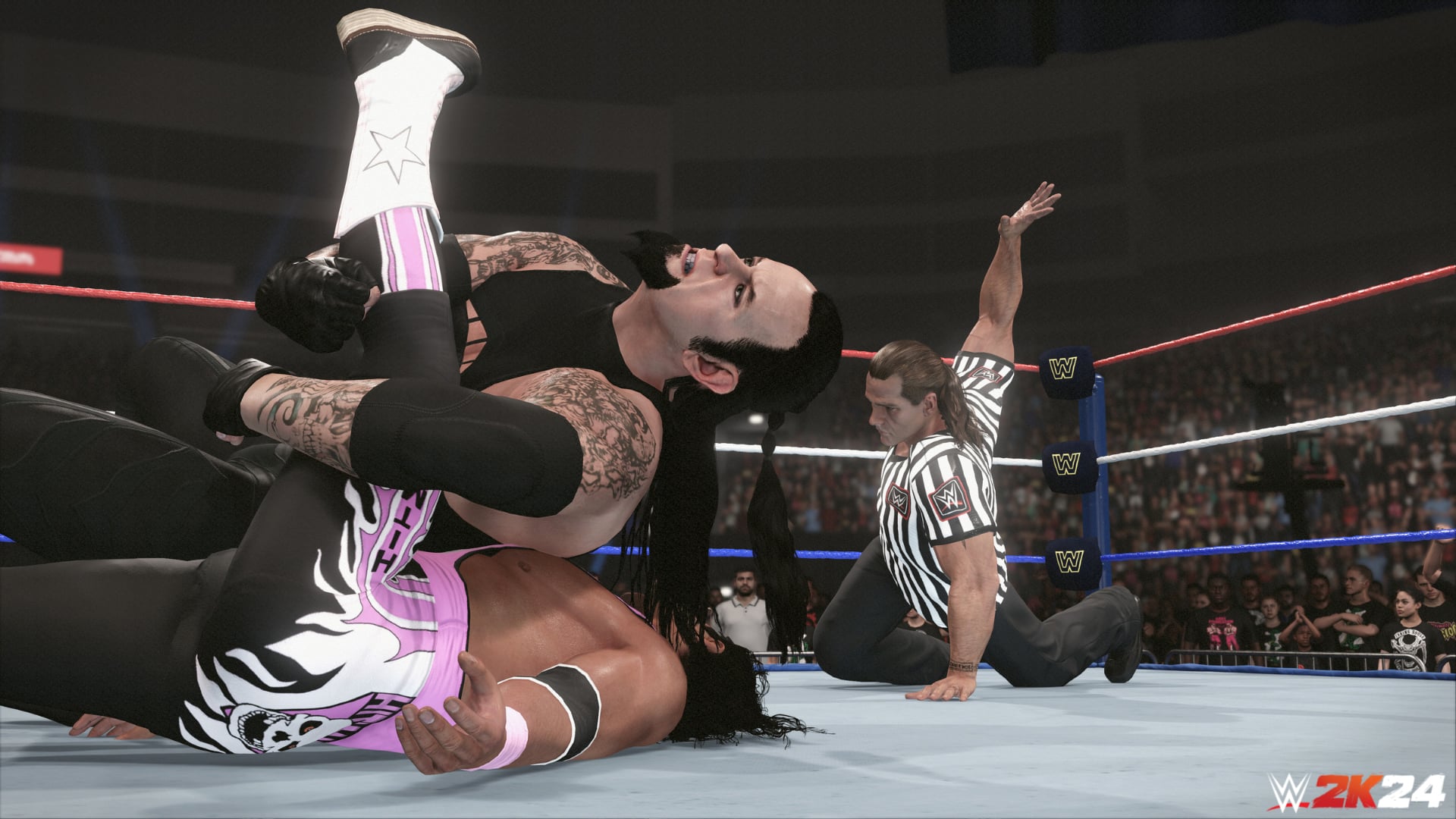
WWE 2K24 update 1.023 is now available for download on consoles and PC, and this is a sizeable patch that adds new MyFaction cards (surprise!). This is another unannounced patch for the wrestling sim, which has seen the last few patches be pushed out by the developers without any acknowledgement of what’s new.
WWE 2K24 Update 1.023 Patch Notes:
Download Size: 8.8GB (PC), 2.4GB (PS5), 2.5GB (Xbox Series X|S)
While Visual Concepts has not released the official patch notes just yet — and there is a chance they won’t given the last few updates, here are some of the confirmed stuff we spotted thanks to the community.
New Persona cards added to MyFaction:
CM Punk (Piper)
Kevin Owens (Stone Cold)
Rhea Ripley (Triple HHH)
New Triple H ’02 jacket added in Create-a-Wrestler:
On the upside, it seems mods still work for PC. However, this patch still does not fix the CM Punk knee pads issue.
We will be adding more to this article, as more info is spotted. If Visual Concepts releases the official patch notes, we’ll add those in as well, so sit tight!
Aside from today’s patch, the next major update for the game will be released on November 13 or sometime before it. This is for the WCW DLC pack, which is the final content drop per the game’s roadmap.
Visual Concepts has another unannounced patch for its yearly wrestling sim, as WWE 2K23 update 1.23 is now live on PC, Xbox and PlayStation platforms. This is a hefty download, and it seems to add quite a few things to the wrestling game.
What’s New in WWE 2K24 Update 1.23 Released This October 30:
Download Size: 8.8GB (PC), 2.4GB (PS5), 2.5GB (Xbox Series X|S)
While Visual Concepts has not released the official patch notes just yet — and there is a chance they won’t given the last few updates, here are some of the confirmed stuff we spotted thanks to the community.
New Persona cards added to MyFaction:
CM Punk (Piper)
Kevin Owens (Stone Cold)
Rhea Ripley (Triple HHH)
New Triple H ’02 jacket added in Create-a-Wrestler:
On the upside, it seems mods still work for PC. However, this patch still does not fix the CM Punk knee pads issue.
We will be adding more to this article, as more info is spotted. If Visual Concepts releases the official patch notes, we’ll add those in as well, so sit tight!
Aside from today’s patch, the next major update for the game will be released on November 13 or sometime before it. This is for the WCW DLC pack, which is the final content drop per the game’s roadmap.
Following yesterday’s patch for The Outlast Trials that saw the release of the Geister Event, Red Barrels has issued another one today. Players can see The Outlast Trials update 1.16 for PS4/Xbox One, while those on PS5/XSX will see this as version 1.000.014. Those on PC, this fixes the crashing issues affecting some processor models.
The Outlast Trials Update 1.16 Patch Notes | The Outlast Trials Update 1.000.014 Patch Notes:
Ubisoft has pushed out the XDefiant Y1S2.3 patch on all platforms, which aims to resolve a few key issues, but there are also gameplay fixes as well. Those on consoles, you’ll see this as XDefiant update 1.000.026, and this adds a Quick Button at the main menu, adjusts some factions, and more.
XDefiant Update 1.000.026 Patch Notes for Y1S2.3:
Gameplay
Added a new Quick Play button to the main menu so players can bypass the pomp and circumstance and jump right into the action.
Widened the entry angle from which a player facing a ledge can mantle it, from 120 degrees to 140 degrees. In other words, now players shouldn’t have to directly face a ledge to mantle it. Also restored missing player animations when mantling an object while wielding the SPAS-12.
Players were inflicting melee damage if they triggered the attack while facing away from their opponent but turned toward them before the melee animation completed. Now players will only inflict melee damage if they are targeting an opponent when the melee animation reaches its moment of impact.
Players were earning twice the intended amount of Battle Pass XP for completing a linear match. Now they earn the intended amount.
Factions
Highwaymen
Highwaymen Saw Launcher blades were killing players, then killing them again right after they respawned, the textbook definition of a buzzkill. They no longer do that.
The Saw Launcher no longer kills players within Médico Supremo’s field of soothing health mist without ricocheting to deliver a second, and fatal, blow.
GS-Kommando
The Flash Shield ultra is now ready to go the moment its status bar is full, at which point the bar turns green (previously, the status bar stayed red for a beat before turning green).
Maps
Players no longer see the incorrect map cinematic displayed when joining a match in progress.
Fixed line-of-sight issues on the Clubhouse, Rockefeller, Daytona, and Pueblito maps that let players see the names of other players through obstructions.
Game Modes
Bomb!
Players joining a Bomb! game in progress were given a chilling glimpse of the bottomless firmament that lies beyond the reassuringly corporeal walls of XDefiant’s combat domains. But good news: The spectator cam no longer clips through the environment to peer into the soulless void.
Fixed a failure of spectator cam and HUD functionality when joining a Bomb! match in progress.
CTF
Xbox Series X players were getting a little progress bump on the achievement “Winner” every time they returned the enemy flag to their base in CTF. That Achievement is only supposed to progress after winning 10 matches and has now been fixed.
Ranked
Hitting the Play button from the Ranked mode screen before that mode is available no longer displays a preview of the currently selected rewards tier.
Fixed the Play button on the Ranked mode menu screen so it no longer remains selectable for players banned temporarily because they quit Ranked matches three times in a row (which incurs a one-hour ban from playing Ranked mode).
Weapons
Players now earn progression XP for their currently equipped weapon when scoring objective points (earned for killing the flag carrier in CTF, taking out Package pushers in Escort, etc.).
Lowered the rates of fire for the AK-47 and ACR 6.8 by 25 rounds per minute respectively.
Players can no longer pick up weapons while in the middle of switching them or, conversely, switch weapons in the middle of picking up a new one. This quality-of-life fix also eliminates a bug that would sometimes turn a player’s weapon invisible while performing weapon-switching and pickup simultaneously.
The Pyroclastic weapon skin now unlocks at level 500 as intended.
Devices
Smoke Grenade
Smoke grenades make their debut on the battlefield. This new grenade type sows confusion among your opponents, blocking their line of sight while disabling aim assist, AI-targeted skills (such as Scrap Turrets and Spiderbots), enemy outlines, and the minimap. Also comes in handy for hiding an aggressive push or just adding a touch of chaotic je ne sais quoi to the battlefield.
Netcode
Further reductions to netcode bandwidth, an ongoing process. You can read more about why bandwidth reduction is so important in our Year 1 Update.
Audio
Echelon’s Digital Ghillie Suit was silencing players’ footsteps as well as turning them invisible, which seemed like an unrealistic and unreasonable level of stealth. So now cloaked agents have audible footsteps again.
Toned down the sound of exploding Spiderbots so it’s more realistic and appropriate in tighter spaces. Also, Spiderbot footsteps and servo noises cease once the little buggers commence face-hugging.
Miscellaneous
Upon completing matches, players were seeing unlock notifications for faction characters they had already unlocked. Now they won’t see those notifications.
Improved PC performance issues that have crept up since the launch of season 2, particularly on the Emporium map.
Fixed an issue preventing the mouse from locking to the game window when playing on a second monitor.
The XDefiant Starter Pack in the in-game store displayed an “Offer Expired” tag when, in fact, the offer has not expired.
Techland has released a new massive download for Dying Light 2 this October 30, and this adds the Halloween festivities to the zombie action game. Players can now download Dying Light 2 update 1.56 (PS5/Xbox Series X|S version 1.056), and this is for the Tower Raid: Halloween Run, which also brings in new features as part of Patch 1.19!
There’s a new control Firearms layout for controllers, and of course, various fixes. In addition to that, Techland has also released a developer insight video on the new content as well as “beyond.”
Dying Light 2 Update 1.56 Patch Notes and Tower Raid: Halloween Run Info
Download Size: 14GB (PC)
Tower Raid: Halloween Run
Tower Raid is back, but this time with a spooky vibe! Nightmarish creatures have awoken under the All Hallows’ Eve moon and stormed the Tower. Now, it’s your job to take them on with your friends. You’ll be duly rewarded for doing so with Halloween Candies that can be used to get all the items from the brand new Van Aiden Bundle and more!
Once you’ve made your way in, you’ll be asked to choose one of four themed-characters. So unlike the Open Beta, you will get a preset loadout based on which character you pick. Each of them have their own traits and weapons, so try them all out and find the one that best suits your style! These spooky characters are:
Scarecrow
Van Aiden
Plague
Cursed Pirate
Baka also makes his return, and he’s hanging outside the Bazaar and fully restocked with new items. There’s also stuff from last year’s Halloween event in case you’re interested. If you have leftover candies from the last Dying Light 2 Halloween event, these will be converted to fresh ones to spend at Baka’s shop.
If you want more of a challenge, Techland has you covered. Starting November 6, you’ll be able to take on “Elite Mode,” and this is where enemies are harder to kill and they deal more damage. In return, players can expect special bounties. After that, there’s also something to look forward to on November 13, as a new group of bounties will be unveiled available to all players regardless if you’re playing Elite Mode or not.
Dying Light 2 Version 1.19 Patch Notes Changes
New Control Scheme
Alongside the standard one, we have introduced a Firearms layout for controllers, which you can activate in the Controls menu (via Options). The new layout will allow you to use LT/L2 to aim your guns and block when using melee weapons. So get ready, sharpshooters.
There are also other small adjustments to controls. Make sure to check them in-game from the Controls menu and select the mapping you want to use.
Game Updates
Aside from all the big news from Update 1.19 above, we’ve also introduced the following fixes and improvements to the game:
Tower Raid
Lobby: fixed overlapping meshes
Fixed getting stuck in obstacles in Floors 5, 10, 11 and 20
Fixed visual issues with Floors 17
Fixed clipping items and assets on Floors 9 and 19
Roof: The window that allowed you to escape out-of-bounds is now closed and assets positioning is adjusted
Volatile Tyrant can no longer trap you between objects to get you stuck
Adjusted “Raid Failed” screen to show without delay
Fixed progress tracking for several bounties
Fixed minor issues with modifiers
Co-op
Fixed co-op spawning in Tower Raid
Fixed co-op soft locks in Tower Raid
Players will no longer get stuck on the “Waiting for Host” screen
Gameplay
Infected around Military Convoys will attack when approached
Lola’s mink stole will no longer get stuck in “Diva” quest
Fixed issues with AI collision (Biters will now respect your personal space)
Volatile Hives return to their GRE Vaccine Lab spawn
Fixed soft locks on Pilgrim Missions
Fixed issues with soft-locking caused by NPCs
Video previews for both Bash and Crowd Runner skills were updated to reflect this mechanic in-game
Improved physics for Bash and Crowd Runner skills
Patched unlimited balls bug (picked-up Game Ball will remain in your inventory)
Fixed the issue of being unable to pick some droppable items
Technical
Updated “Gritty” Filter preset (“Gritty Dark” stays the same with no changes)
Restored some missing materials in the environment
Added missing SFX and VFX (e.g., for EXPcalibur or grenade splash)
Minor fixes to water splash behavior (e.g., for throwable items, accessories, and traps)
Vegetation will behave according to the weather (lowered reaction to the wind)
Fixed LODs in the Wharf area and Garrison Electrical Station
Adjusted Aiden’s reactions if he enters and leaves a UV area quickly
Changing outfits in a player’s stash no longer resumes dialogue playback
Adjusted direction Aiden is facing when dialogue is finished
Fixed game freeze when you open a map while changing locations
Fixed issue with pop-up about missing DLC if the previous session was offline
Patched issues occurring when changing some visual settings
Adjusted calibration when upscale options are selected
Addressed the issue with redirect buttons in the Steam overlay
Fixed issues with DL Points purchase if logged on both PS4 and PS5
Adjusted bonus from Vigilant Jackal Charm
UI
Fixed some subtitle inconsistencies in side quests
Fixed occasionally missing dialogue options with the Colonel
DevTools
New slums prefabs added
Missing terrain bug fixed
LoD bugs fixed
That’s a lot of new stuff and just in time for Halloween too! In other Dying Light news, the game’s director, Tymon Smetkala, mentioned how the PS5 Pro’s PSSR feature might be more important than the added GPU boost.
The Finals update 1.000.060 is here and this is for patch 4.5.0. Since Halloween is just around the corner, this update includes some Halloween-themed rewards. Several balance changes have also been made. Read on for the October 30 patch notes down below.
The Finals Update 1.000.060 Patch Notes:
Halloween is here!
We’ve got an all-new event with 27 collectible rewards and an explosive addition to the World Tour maps starting tomorrow, sponsored by HOLTOW, who reminds you to carve your pumpkins with extreme caution!
For today…
Join the Treat Hunt Collection Event Feeling dizzy, Contestant? It might be the copious amounts of OSPUZE-flavored Halloween candy you’ve been eating, or it could be our brand new feature – the Wheel!
The Reward Wheel is something we’ve never seen before in THE FINALS! We realized that we could not be the World’s greatest game show without a flashy wheel of amazing prizes!
This Halloween, instead of adding all of these amazing cosmetics to the store, we’ve added them to the Reward Wheel. In order to spin the wheel and win something, you must have a ticket, and you can earn up to three tickets per day by completing daily contracts!
There’s an equal chance of winning every item, and if there’s a specific item you want from the wheel you can buy it using either VR’s or Multibucks (depending on the item) – no luck needed! If you spend a ticket on a spin and wind up on a reward you already have, you’ll get some VR’s back – so every spin is a win!
If you collect all the rewards featured on the wheel, you’ll get the grand prize: the Stealth Specter Bundle, which is sure to make you stand out in The Arena!
The event goes live right now, and will be live for two full weeks – so make sure you hop in right now, work your way through those contracts, and…
SPIN.
THAT.
WHEEL!
Do you know what makes this Halloween event extra scary? We’ve never done anything like this before. We want to keep finding new ways to reward and amuse you while keeping the game new and fun! Because this is so new, we would love your feedback on this event. So when it’s over, we’ll ask you to fill out a short survey about your experience.
In this update, the store is Spookier than ever! If you’re still unsure about what to dress up as for Halloween the Seas The Day bundle has you covered, it even comes with a pirate’s booty worth of Multibucks!
For those of you fighting for the top 500, this week, we are introducing Ruby level to the leaderboards!
Check out this week’s balance changes and a longer dev note on how we approach balance changes this season:
Balance Changes
Our approach to balancing the game has evolved since the first season of THE FINALS! In the beginning, we made a lot of changes because the game was brand new and we suddenly had a constant flow of players to provide feedback, telemetry, and information that we could use to quickly calibrate and experiment with.
As time marches on and we start to see this game reach a more stable state, we want to fall into a more sustainable and reliable rhythm that gives us time to plan larger and more meaningful shifts in balance based on how we see the community engage with the meta.
As such, our intent is to do those larger, meta-altering balance passes at the start of each new season, where we can introduce new strategies and ways to play. Then, as needed, we’ll perform another pass halfway through each season aimed at polishing the current meta and addressing major feedback points from our core without fully resetting the meta and causing confusion.
Between these two major balance passes, we’ll only perform smaller nudges to the balance that aim to smooth out the current experience when absolutely necessary.
We’re hopeful this approach will lead to a smoother and clearer experience for you and help set better expectations regarding the weekly game updates while being kinder to our players and to our team!
Weapons
Model 1887
Increased inner pellet radius from 0.45 to 0.65, making the weapon less accurate at longer ranges
Increased outer pellet radius from 1.3 to 1.7, making the weapon less accurate at longer ranges
Decreased damage falloff multiplier from 65% to 60%, causing the weapon to do less damage at range
Dev Note: One way we investigate the balance of weapons is to look at effectiveness in gameplay (i.e. stats like damage, kill rates, headshot rates, and accuracy), in addition to stats like usage and win rates. Looking at this data alone, the Model 1887 is good but not exceptional when it comes to effectiveness during play. However, we’ve seen a large uptick in usage, mostly in higher-skill tiers which has led to the gun being very prevalent in matches and leading to a somewhat stale meta. This ‘nudge’ to the effective range will hopefully disrupt this trend, without making the weapon weaker than its nearest competitors when it comes to effectiveness (i.e. the AKM, Famas and Pike-556).
XP-54
Increased damage falloff start distance from 15m to 20m, making the weapon more impactful at range
Increased damage falloff end distance from 25m to 30m, making the weapon more impactful at range
Decreased damage falloff multiplier from 65% to 62%
Content and Bug Fixes
Contracts
Added new Halloween Contracts as part of the Treat Hunt event
Fixed an issue where the damage values earned on Contracts could be broken, showing large negative scores
Specializations
Cloaking Device
Fixed an issue introduced in 4.4 that caused refraction effects like cloaking, and parts of the dematerialize effect, to not be visible when the effect quality is set to medium
Dematerializer
Fixed an issue where environmental kills were not detected when the dematerialized ‘floor’ was an air vent or other small prop
UI
Fixed an issue where players might not be able to equip an item immediately after purchasing it
Fixed various issues where player outlines could have the wrong color
Fixed an occasional issue where new players could become stuck in the account linking flow
Fixed an issue where the Contract screen would unlock at the wrong time for new players during the first-time user experience
Sponsors
Increased the number of Fans that can be earned by 50% to 100%, depending on the action type
Disabled the ability to earn Fans with the Healing Beam
Dev Note: We’ve disabled the earning of Fans via the Healing Beam as it was too easy for players to exploit this mechanic to farm Fans, at the cost of good, competitive matches. We only want Fans to be earnable for actions that can be completed regardless of the Contestant setup.
VRs
Increased the VR cap from 3000 to 5000
Weapons
Alternate Scopes
Fixed an issue where weapons with an attached sight could have a skewed pose when aiming down sights, causing the sight to be misaligned with where the weapon is aimed
MP1st as always will update our readers when the next update is dropped soon.
Starbreeze Studios has released Payday 3 update 1.000.041 for what the developer is calling its ‘Anniversary Part 2 Update’. This includes QoL tweaks, masks and more. Read on for more details.
Payday 3 Update 1.000.041 Patch Notes for Oct. 30:
Update: Complete patch notes added.
The UI Update includes the following changes, with more to come in the future:
Main Menu Revamp – Fresher and more intuitive
Upgraded Party System – Invite friends and then create/join a Lobby together
Revamped Heists Results Screen
Updated Widgets on the main menu – see the Mask of the Week, Challenges and Latest News at a glance
Server Browser
You can now browse a list of available lobbies for you to join, and you can filter the results to see only certain heists, difficulties, or whether the host intends to Stealth the heist, or Go Loud.
You can also create a lobby from this screen by selecting your chosen heist, difficulty, and method of execution (Stealth/Loud) and other players can join you.
Please Note: The Server Browser doesn’t allow you to join/host heists you do not own. However, a friend who owns a heist can create a lobby and invite you to join them via the Social Menu.
Additional Updates
Other additions and improvements in this update include:
Host Kick (Lobby Leader can remove other players from the heist)
Cross-Platform VOIP (In-game Voice Chat)
Text Chat on PS5 and Xbox
New Halloween Mask
2 New Masks of the Week
New Animations for the Compact 7
New Inspect Animations
Features
Fixed so Xbox & Windows Store users get their DLCs content revoked when uninstalling DLC.
UI
Enabled the party leader to restart the game. Games where the host left will still make use of a vote.
The cost for buying C-stacks in the vendors should now update properly.
Fixed so recoil build up beyond 100 shots fired continues to build up on weapons such as the Arges Overkill weapon and the LMG.
Fixed an issue where ‘mask of the week’ mask slots became unusable when destroying the mask. The slot is now also removed if such a mask is destroyed.
Audio
Additional car engine sounds have been added.
Art
Updated how weapons handle texture quality, prioritizing higher resolutions to prevent compressed low-res textures from showing at random.
Enemy visors and shields glass now have transparency.
Fixed so the ‘Heavy Hitter’ has the correct description.
Gameplay
Fixed an issue causing enemies to become invisible.
Fixed an issue where aiming would not work after respawning, if the player died while the communication wheel was being displayed.
When using the Arges Overkill weapon, player movement speed now varies depending on the following scenarios: walking, walking with barrels spinning, walking while shooting.
Fix an issue where players could mass spam pings on objects which would lead to lag for all players in the heist.
Fixed an issue where it was possible to give bags more velocity than intended by shooting at them, making it possible to move bags out of bounds.
Fixed a typo in the Tribune’s damage falloff stats.
OLD:
>5m – 26 dmg
5-30m – 17.1 dmg
NEW:
>5m – 26 dmg
5-15m – 23 dmg
15-30m – 17.1 dmg
Fixed an issue where players could break the enemy elevator spawn points with the ‘Menacing’ Skill.
Technical Changes
Fixed an issue where leaving the game running on the login screen for an extended period of time caused an ‘Nebula Account – Linking token not found, please try again’ error upon next login
Fixed a crash that occurred when booting the game while the game window was minimized
Fixed a crash that could happen when Dozer armor parts were destroyed
Updated the physics values on dropped SWAT shields to make them bounce around less
Fixed a game crash that could happen if Mamba grenades were spammed
Fixed an issue where Xbox players couldn’t join sessions from a suspended game state
Fixed players being able to join an invite only game session through another player via the in-game social menu
A warning notification is now displayed when joining a session containing a blocked user, or when a blocked user joins the current session
Fixed an issue where the ‘Skip Intro’ feature was sometimes remembering the player’s previous skip intro choice, if the same heist was restarted multiple times in a row, even if the option to remember the player’s choice was disabled in settings.
Flash and Shock grenades now also count toward the “stun 20 enemies” daily challenge
Fixed an issue where parties could sometimes not complete ongoing heists due to other party members abruptly leaving the game from other crashes, because the crashed player tried to rejoin the same ongoing heist
Fixed an issue where the daily challenge to complete 3 loud heists didn’t track progress
Fixed an issue where the daily challenge to complete 3 stealth heists didn’t track progress
Fixed an issue where the daily challenge to complete 2 heists after surving 3 assault waves didn’t track progress
Fixed an issue where the daily challenge to complete 2 different heists on Very Hard or above didn’t track progress
Fixed a crash that could happen if the surface on which a trip laser was placed on, was destroyed.
Fixed a crash that could happen if the current armor chunk dropped to zero, while interacting with an Armor Repair Kit
Fixed an issue where the Techie’s shield collision would remain on the level after the Techie dies
Fixed so players dont get duplicated inventory items when uninstalling and reinstalling DLCs
Fixed so game DLC content unlocks properly if players buy an DLC while game is on, without the need to restart the game
Fixed so daily challenges can be progressed in Solo Mode
Fixed a rare situation where tutorials would sometimes not progress to the result screen
Fixed an issue where the player could experience a ‘Failed to fetch Game Config Data’ error while logging in to the game for the first time on a new account
Fixed so masks are not permanently deleted if a heist lobby is entered during mask customization
Fixed so Xbox users get their DLCs content revoked when uninstalling DLC
Fixed a scanning machine string scaling issue on the Diamond District and Dirty Ice heists
Fixed an issue where sabotage squads could sabotage the circuit breakers right when it finished hacking, causing the heist to soft lock.
Skill Changes
Cameras hacked with ‘Routed Ping’ now correctly mark AI for the intended 5 seconds, rather than 3 seconds, after the AI leaves the camera view
Heists
Multiple Heists
Updated ziplines globally to only show their placement markers if the zipline bag is currently being carried
Fixed an issue where AI would sometimes fall off longer ziplines
Fixed an issue where some glass doors were not see-through for AI (Fear & Greed, Rock The Cradle, and Touch The Sky)
The EMP bomb has been given a text string, explaining that it cannot be used in casing-mode
Added the “Crowd Audio System” to the following heists: No Rest For The Wicked, Dirty Ice, Gold & Sharke, and Rock The Cradle
Under the Surphaze
Adjusted a sniper position so players can see the laser beam before being shot
Rock the Cradle
Fixed an issue where bags could land on a invisible collision above the beer cart
Updated Shade VO to now count bag secures in stealth, up to 10 bags
No Rest for the Wicked
Fixed an issue where optional objective VO would play upon heist failure
Fixed an issue that could cause players to get stuck when opening the fuse box hatch from a certain angle
Fixed so the dumpster favor can secure all the available loot in stealth
Fixed an issue that could cause players to get stuck when placing the thermite, if they were crouching inside the placement zone beforehand
Road Rage
Fixed an issue where the helicopter doors would not close after securing all available loot
Fixed an issue where the armored transport could be seen driving over invisible ramps
Placed ramps should no longer be clipping with other meshes
Touch the Sky
Fixed an issue where loose loot was missing from the vault
Fixed a stuck thermite waypoint and placement marker on the lower floor
Fixed an issue where Crew AI would get stuck in the bathtub
Fixed an issue where the main penthouse doors would close when the alarm was triggered
Fixed an issue where the optional “Lure the guard away” objective and waypoint would get stuck if the level entered Search Mode during this objective
Added additional collision for the staircase near the office, as loot bags could be thrown out of bounds under the staircase mesh
Fixed an issue where heister VO would keep playing every time a player walks near the spawn area staircase
Boys in Blue
Cops no longer jump through a window near the front desk when escorting the player
Fixed the hatch button inside the vault so it can be used in casing again
Turbid Station
Fixed so mandatory loot cannot be picked up from behind laser beams
Cook Off
Fixed an issue where the overkill weapon would get stuck in the air
Syntax Error
Adjusted the out of bounds gray screen effect near the escape area
Fixed an issue where a waypoint might point to the wrong objective when inputting the basement door’s code at the same time as the alarm is triggered
Fixed a rare issue where the escape zone would trigger immediately without needing to use the flare, by securing the mandatory loot just before the van drives away during loud gameplay
Fixed an issue where players could get trapped behind a locker door in the basement area
Houston Breakout
Fixed an issue where Houston could get stuck if killing the guards after opening the counter in the basement, disabling the metal detector, and killing the last guard in the elevator. Houston should now move to the basement after 10 seconds
Removed an escort point where Houston could potentially get stuck
Fixed an issue that caused the wrong objectives would be displayed when going loud during Shade’s phone call
Fixed a broken emergency exit door in the courtroom cafeteria
Fixed an issue where the clerk area drill could remain active if players took an alternate escort route
Fixed a rare scenario where the button waypoint for letting Bile into the garage would get stuck
Updated collisions so bags could not be thrown through the courtroom ceiling
Removed duplicated SWAT spawns, causing some SWATs to fall through the roof
Updated the area around the judge to be consistently “Secure
Fixed an issue where the defend waypoint was not removed after the thermal lance was finished
Fixed an issue where the defend waypoint was not removed after the server room drill was finished
Fixed an issue where the ! waypoint on the courtroom TV could get permanently stuck
Fixed an issue where heister VO about needing to get inside the courtroom could play even though Houston had already been sent to the holding cells
Fixed an issue where a ? waypoint could get stuck inside the server room if the EMP bomb was used out of order with other objectives
Fixed an issue where the evidence scanner had a stuck waypoint even though all loot was already secured
Fixed an issue where civilians in the West Hall F1 could be seen standing inside each other
Fixed an issue where there was a small gap between two identical “Public” areas in the north staircase
Fixed an issue where a vent to the courtroom (from the randomized security room) wasn’t fully “Secure
Fixed an issue where Houston could despawn visually while on the zipline (generally from shocking him with grenades)
Added delays so Shade won’t cut off Houston VO when being taken to the basement
Players should no longer be detected when interacting with the keypad in front of cell 01, if they are crouching
Fixed an issue where the elevator zipline could lead to players getting downed
Fixed an issue where the cell block buttons would occasionally be disabled
Fixed an issue where Houston would sometimes just walk past the metal detector guard in the basement without any consequences
Fixed an issue where the donut placement and waypoint in the basement could get stuck after the item is no longer needed
Added localized text for hooking up Shade to the landline to blackmail the judge
Localized the button prompt for the flip-up countertop in the holding cells area
Fixed a text string scaling issue with the evidence scanner status display and localized its content
The courtroom TV screen texts no longer have a text string scaling issue in any language
Diamond District
Fixed an issue where Crew AI would sometimes clip into glass display
Fixed incorrect shade VO playing when Inside Man favor is enabled
Fixed an issue where loot was accessible before opening display cases
Fixed an issue that caused some doors to not be openable
Fixed an issue where the storefront shutters would sometimes be invisible or be missing collisions
Fear & Greed
Fixed an issue where the crew AI would remain stuck at the rooftop spawn area
Fixed an issue where the Overkill weapon could end up stuck mid-air over the exchange floor
Fixed an issue where a duplicated security screen would appear in the security room
Fixed an issue where the blue keycard would sometimes not spawn
Added Armor Repair Kits to Security Room lockers
Update the exchange floor balconies to be considered “Private
Fixed an issue where the vendor zipline bag waypoint was permanently shown in stealth
Fixed an issue where the game would desync if traversing the container
Fixed a stuck waypoint when fixing the crane controller device
Fixed an issue where the ‘Battering Ram’ skill could be used to breach ‘QR Code’ or ‘RFID tag’ doors to the ‘Jordan Investments’ office
Fixed an issue that caused freed hostages to not leave the main trading floor
Fixed an issue that stopped outside guards and civilians from detecting the sleeping control room civilians (due to sleeping gas favor)
Updated the objective string description for the “Locate the USB access key” objective
Fixed an issue that caused the civilian carrying the red keycard to obtain an outline even if the keycard was taken from them ahead of time
Fixed an issue where the USB stick could sometimes be reinserted into the booths after removing it from the control room
Added location randomization to the hockey trophy
Added a small chance for the “search for papers” objective to not be needed during loud gameplay
Fixed an issue where the silent alarm objective could block heist progression if players went loud at a specific moment
Updated the waypoint behavior for the vendor favor zipline to only appear if the player is on the same floor as the zipline bag
Fixed an issue where some player guidance text strings would not activate after the codes have all been entered
Added additional objective strings to highlight rooftop crane interactions
Fixed an issue where picking up the hockey trophy didn’t play the correct sound effect
Fixed some rubberbanding behavior when standing on top of the satellite dish
Fixed a Solo Mode issue where a waypoint could get stuck after building the satellite dish
Fixed a sync issue for drop-in players where the yellow placement mesh would remain visible even if the sateliite dish was completed by other players
Fixed a visual issue where a text string in the Control Room had scaling issues playing in Polish.
Fixed so any future cash boost events work
While no patch notes have been released just yet, the official Payday blog posted some small info on what today’s update should include. Check out the details below.
Hello Heisters!
For this week’s blog, we’re walking through the upcoming update, as is customary. You can watch the most recent Dev Update if you’d rather watch than read. We’ll go through them in roughly the same order as the video, so it’s easy to follow.
Let’s start at the updated main menu. The main menu itself has been given a new background, one that doubles as the lobby screen where you’ll see all players in your crew lined up, on top of NYC.
We’ve struggled a bit with communicating to all of our players, since not everyone uses the same platform. So we’ve added a news widget here as well, it’ll let us inform you of any upcoming or ongoing events, as well as sales, new content and more, make sure to keep an eye on it.
Additionally, the social menu has been improved, it’s much easier to navigate the menus and to manage your friends and invites.
Next the Server Browser, a part of the original promise of Operation Medic Bag, it’s a big feature and a huge departure from how the game worked at launch and until now. It lets you filter ongoing games for difficulty, tactics (stealth/loud/any), even filter out heists you’re not in the mood for, or create your own game using those same settings.
In this update, we’re getting in-game text chat and in-game VoIP(v1) for all platforms, and cross-platform.
For now, the VoIP(v1) is active in the lobby screen and in-game. It is not active in menus. It will be enabled by default in its first version – if you’re not a “VoIP kinda person,” keep that in mind.
If they still won’t behave, and you created the lobby – there’s now a kick feature. A feature we ask everyone to please use it responsibly. We will be keeping an eye on excessive and malicious use of this feature. It’s not a great experience to get randomly kicked for no reason, so if you don’t want to play with strangers, you can always set the game to friends-only.
For those who enjoy both playing and watching PAYDAY, there will be a new Twitch Drop campaign, with mask, stickers and charm. Additionally, we’ll be adding a Halloween mask for all players.
Not wanting to be outdone, the wonderful champions in the animation team has been filling out our inspect animations. Look how beautiful they are! LOOK!
And lastly, the Year 1 Edition, likely, if you are reading this, and you know someone who hasn’t tried PAYDAY 3 yet, this is a great chance! That said, it’s a special edition allowing new players to catch up with the full first year’s worth of content, available to purchase when the next Update goes live.
We will update this post as soon as possible when the proper patch notes are released.
Gameloft has released Disney Speedstorm update 1.33 (PS5 version 1.033). This is a hotfix for Season 10 featuring UI improvements and the ability for players to remove Kart Wings again. Read on for all the changes that have been made to the game this October 30.
Disney Speedstorm Update 1.33 Patch Notes for October 30:
PS5 version 1.033.000
Hey SpeedStars,
We hope you’ve been enjoying Disney Speedstorm’s Season 10, inspired by Disney Tim Burton’s The Nightmare Before Christmas. Part 2 of the season is coming up fast, and we have a small mid-season hotfix ready to go with some improvements and fixes based on community feedback.
UI/UX IMPROVEMENTS
WIN STREAKS
The pop-up screen that appears when you lose your Win Streak now has an additional button allowing you to dismiss close the screen more easily.
RACER UNIQUE SKILL FIXES
• Fixed an issue causing the gifts dropped during Racer Jack Skellington’s Unique Skill to spawn directly on rival Racers.
• The pieces of fruit dropped during the charged activation of Racer Baloo’s Unique Skill are now visible again.
• Fixed an issue causing the normal activation of Racer Sergeant Calhoun’s Unique Skill to not work as intended.
MULTIPLAYER SKILL FIXES
• Fixed an issue where Unique Skills were being picked up more often than intended after the changes made in Season 10 Update.
TREASURE RUSH
• Fixed an issue causing framerate issues during Treasure Rush on PS5 and PS4.
SHOP
• Fixed an issue causing delays in the Daily Specials tab of the Shop loading in on certain platforms.
RACER VOICEOVER
• Racer Sally now has voice lines added.
GENERAL FIXES AND IMPROVEMENTS
• Fixed an issue on a particular circuit of the A Pirate’s Life race environment where Racers could be forcibly reset.
• Racer Dr. Finkelstein can no longer pick up his Unique Skill by dashing rival Racers.
• Fixed an issue causing Racer Stitch’s “Epic Exclusive” race suit to be unavailable on other platforms after linking your account.
• Kart Wings can once again be completely removed after being equipped.
• Various game crash occurrences fixed across all platforms.
When the next update speeds out, out readers will be informed about it.