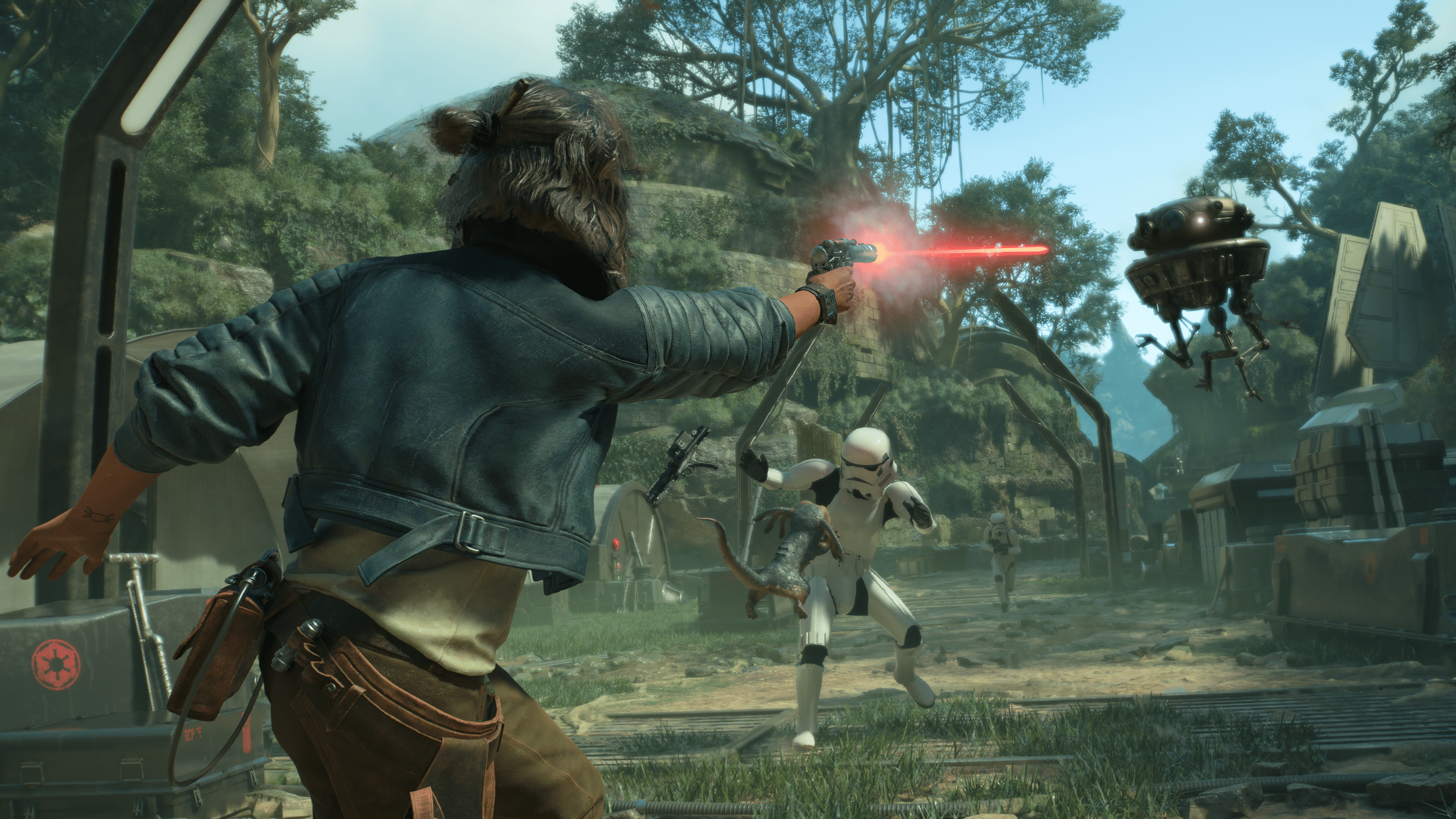
As promised by Ubisoft, Star Wars Outlaws update 1.002 is now live on consoles and PC, and this is for Title Update 2 (TU2)! This doesn’t bring in any new content, but does implement various bug fixes and improvements.
Star Wars Outlaws Update 1.002 Patch Notes:
PATCH DETAILS (version 7063935.TU2):
PlayStation®5: 3.80 GB (version 01.002.000)
Xbox Series X|S: 4.71 GB (version 1.0.2.0)
PC: 5.60 GB (version 1.0.2.0)
NOTABLE CHANGES:
Tweaked the overall stealth experience by adjusting AI detection, the number of NPCs and their positioning, patrol pathing, camera detection and highlighting environmental opportunities to reduce player friction
Fixed an issue where players would get stuck in the hyperjump sequence towards Kijimi
Fixed an issue where the ‘Takeoff’ button prompt wouldn’t be shown after ‘The Wreck’ mission
Improved the position of the speeder camera when the FOV was increased
Improved the speeder’s response and reaction when called
Improved speeder collision with the environment to reduce being knocked off the speeder
Kerro’s Speakeasy – fixed an issue where the energy barrier was not disabled after successfully slicing the panel on Mirogana
Fixed an issue where players could not interact with the triangulation stone in Jet Kordo’s quest line on Toshara, and where the holotracker would not spawn in the Trailblazer
FULL PATCH NOTES:
Performance & Stability
Improved stability and performance across all platforms
Fixed FPS drops with Intel ARC GPUs
Added VRAM impact to RTXDI usage
General Gameplay
Improved animation of Kay’s movements
Scaled AI reaction to environmental actions from investigation to combat (e.g. when Nix detonates an NPC’s grenade more than once)
Reduced adrenaline gain when using melee
Added a quick throw button for using grenades
Improved conflicts when crouching near ledges when camera is facing the opposite direction
Reduced detection chances when using cover
Improved the speeder controls when using a mouse
Added a tutorial reminder for the blaster’s Stun module
Improved elements of the Death Trooper event
Improved sniper rifle sensitivity
Improved speeder collision with the environment to reduce being knocked off the speeder
Added the ability to press jump twice when near a grapple point to activate it
Improved animations after takedowns
Improved melee animation after punching an enemy wearing a helmet
Fixed an issue where Kay wouldn’t receive any damage from enemy blasters
Fixed an issue where Nix accessories and treats were not showing in the menu when in space
Fixed an issue where controller presets weren’t saved when playing on different consoles of the same platform
Fixed an issue where Kay would get stuck in out-of-bound areas
Fixed an issue where the grappling hook wouldn’t snap to the correct position
Fixed an issue where Kay would incorrectly lose reputation when trespassing in Syndicate districts
Fixed an issue where some NPCs could not be distracted by Nix
Fixed an issue where Kay’s reputation wouldn’t be impacted properly when detected completing actions such as stealing or being caught in Syndicate districts
Fixed an issue where player input wouldn’t be registered during slicing if pressed quickly
Fixed an issue where the speeder racing NPC wouldn’t move when starting the race
Fixed an issue where the speeder racing NPC would despawn on Toshara
Fixed an issue where Nix Sense wouldn’t highlight NPCs that can be pickpocketed
Fixed an issue where Kay would teleport to the nearest shoreline when fast travelling if the speeder was on deep water
Fixed an issue where open world events would deactivate after getting close to the location
Fixed an issue where some syndicate events would not grant rewards when completed
Fixed an issue with the Death Trooper event not triggering when reaching Wanted Level 6
Fixed an issue where “Defeat the wanted level 6” objective does not complete after finishing the event in space
UI, HUD and Settings
Added Syndicate names to individual contracts
Improved the flow on individual expert screens to view abilities as they become ready to unlock
Updated the description of gear sets to match their effects
Changed the default setting for the speeder to keyboard (WASD) rather than mouse on PC
Improved in-game menus and scrolling
Improved descriptive text when interacting with vendors that require certain Syndicate reputation
Fixed an issue where the cinematic volume setting was not registering properly
Fixed an issue where FOV was not working correctly when in 21:9 mode on consoles
Fixed an issue where the speeder icon was not present on the map and compass when fast travelling from one planet to another
Graphics
Improved the performance of VRAM, RTXDI, Frame Generation, and Ray Reconstruction
Fixed various graphical corruptions during takeoff and landing sequences and when in space
Fixed an issue with specific gearsets flickering when Frame Generation is on
Improved NPC visuals
Fixed an issue where some ground texture rendered in low quality after rebooting, loading, or fast travelling
Fixed an issue where some object lighting was not appearing correctly
Improved environmental terrain and foliage
Improved lighting during nighttime planetary takeoffs
Audio
Added additional background dialogue to improve immersion
Adjusted audio levels of environmental objects and player/NPC reactions
Fixed an issue where cantina music stopped after speaking to a contract giver
Fixed an issue where a sound effect would get stuck after using Nix pulse
Fixed multiple issues with objects not making sound upon physical impact with Kay or environment
Fixed multiple missing UI sounds in menus
Improved multiple music and ambience transitions in Quests and Open World
Cinematics
Improved narration, dialogue scenes, voice overs and lip syncing
Camera
Improved camera positioning when Kay is in low cover, shooting, and climbing
Improved the position of the speeder camera when the FOV was increased
Worlds, Fauna and Flora
Improved Kay’s hair animations during different rain types
Fixed vendor idle animations that were missing for some locations
Improved Kay’s awareness around waterfalls and rain
Sabacc:
Fixed an issue where Mehdo played the ‘Cook The Books’ shift token, and the effect would exist for the remainder of the game, when it should only be for the next reveal
Fixed an issue where a deck with selected shift tokens was not saved when quitting the game
Fixed an issue during the Sabacc tutorial where the game could be blocked if opening the rules menu
Fixed an issue where gameplay would get stuck if leaving the game during the Double Discard confirmation screen
Fixed an issue where NPCs would not react accordingly during the reveal phase
Fixed an issue where the opponent’s cards wouldn’t show in the header when the Nix cheat was disabled
Photo Mode:
Fixed an issue where players were unable to rotate the camera while Adrenaline Rush was active
Fixed an issue where settings would reset when switching presets
Fixed an issue where photo mode couldn’t be selected while Kay was using binoculars
Accessibility:
Added large font option for subtitles
Added a bold font option for subtitles
Moved overheard subtitles directional arrow to the right side of the container
Added auto accelerate/brake to the auto walk button
A prompt was added to the first-time user experience to enable large fonts
Added the option to auto mantle/vault over small objects
Menu narration order was updated to provide information in a more logical order
Added additional increments for the speeder mouse sensitivity
Added Adrenaline Rush timer setting to allow double or triple time for picking targets
Updated the tutorial text regarding accessibility options for Sabacc
Fixed an issue with missing closed captions for some weapon type explosions
Fixed an issue with audio description being cut off in a cinematic
Miscellaneous
Fixed an issue where Kay closed the wrong eye when aiming down sights
Fixed localization text in dialogue sequences
Fixed some incorrect text during dialogue options
Improved Kay’s gun holster animation
Added a warning when spending a large amount of credits to avoid doing so by mistake
Fixed an issue where purchased items reappeared in the vendor’s menu after saving/loading
Fixed an issue where players could throw unlimited grenades
Fixed an issue where Imperial speeders were missing parts
Fixed an issue where a data pad could not be interacted with during ‘Selo’s People’
MAIN & SIDE QUESTS(beware of spoilers)
Canto Bight
‘Beginnings’ – adjusted number of credits needed to steal with Nix and added an extra keycard opportunity in the Sixth Kin Club
‘The Heist’ – fixed an issue where players could get stuck in an infinite loading loop after dying
Toshara
‘Underworld’ – adjusted enemy amount, AI detection, patrols, and scalable environment to better the stealth experience
‘New Tricks’ – Fixed an issue where Danka’s call could be triggered while in the blaster upgrade menu, resulting in the Ion blast not working on the required door
‘False Flag’ – Fixed an issue where progress could be lost when quitting an active quest
‘The Wreck’
Fixed an issue where the quest marker was not pointing to the correct objective
Fixed an issue where a player could get stuck if saving/loading during the escape sequence
Fixed an issue where the takeoff button prompt would not trigger
Tatooine
‘The Hotfixer’ – Fixed an issue where Kay would dismount the speeder at the start of the chase sequence
Akiva
‘Viper’ – Fixed an issue where the quest marker was not pointing to the correct objective
‘Revelator’
Fixed an issue where players would get a ‘Return to Area’ message, resulting in the mission being failed
Fixed an issue where the player could get stuck if the Trailblazer was destroyed when a certain cinematic triggered
Ubisoft has still not released the official patch notes, though that should change within the day,
Here are some of the confirmed fixes confirmed by the community:
Here are some of the confirmed items that were not fixed:
Crashing on PC
Final mission “Revelator” stoll not fixed
What’s New for Star Wars Outlaws?
We are getting another patch later this month focused on quality-of-life improvements. After that, we will be getting the first story DLC titled Wild Card, which will be released alongside Title Update 4 that will bring in combat and stealth improvements, free new contracts and more.
EA’s latest soccer sim has a new patch available for download today on all platforms! EA Sports FC 25 update 1.000.005 is now available for download on current-gen (PS5, Xbox Series X}S) platforms, while those on last-gen will see this as version 1.05. Read on for the complete patch notes provided by EA.
EA Sports FC 25 Update 1.000.005 Patch Notes | Version 1.05 Patch Notes:
General, Audio, and Visual
Addressed the following issues:
Sometimes button inputs were not being registered when performing actions in the front end.
Stability issue occasionally happening in all Online modes.
[PC Only] Controller compatibility issues when using Steam Input.
Steam Input now needs to be enabled before launching EA SPORTS FC 25 to have it work as intended.
Ultimate Team
Addressed the following issues:
Stability issue when accessing Squad Battles.
Addressed instances of stability issues while in the Store.
Unintended UI elements sometimes displaying on the screen.
Adjusted the message that displays when confirming to start an Evolution.
[Switch Only] Addressed instances of stability issues when loading into Ultimate Team.
Career
Addressed the following issue:
Addressed instances of stability issues within Manager Career.
Clubs
Addressed the following issue:
[PS5/PS4/XBSX|S/XB1 Only] Players on the EA Play Play First Trial were unable to access the ‘My Club’ section of the Clubs menu.
Stay tuned to our reiew of EA Sports FC 25 hitting the site soon.
Amazon Games has just released Throne and Liberty update 13.800.565, and this is for patch version 1.1.0! This title update has been released during the game’s server downtime, which we’ve also listed below as well.
Throne and Liberty Update 13.800.565 Patch Notes:
Server Downtime Schedule: Oct. 3 at 12:30 am PT/3:30 am ET/3:30 pm HKT/7:30 am UTC
Duration: 6 hours
All Platforms
Boss Effects: Mechanic markers should now appear more reliably under high visual effect counts.
UI: Guild Status will no longer have an erroneous ‘Writer:#’ appended to the text.
UI: Congratulatory Package will no longer remain visible on the shop UI after it has been claimed.
UI: Fixed controller D-pad becoming unresponsive after equipping an outfit in the Mirror Boutique.
UI: Fixed controller navigation in the Guild menu when searching for a guild.
Settings: When privacy settings restrict friend requests, these requests will no longer appear when relaunching the game.
Localization: Applied latest localization updates, including the correction of several untranslated strings in game text and voiceover.
Xbox Series X|S and PlayStation 5 (Console Only)
Friend Requests: Requests can now be accepted if the other player is offline or in another world area.
Xbox Series X|S
Graphics: Increased resolution of world map.
Settings: Fixed behavior of some UGC settings related to Guilds.
Settings: Players with restricted privacy settings will no longer see blank Whisper chats from blocked players.
PlayStation 5
Graphics: Optimizations to reduce screen tearing issues.
That’s about it. Stay tuned to our Throne and Liberty console review hitting the site soon.
Polyphony Digital has released their monthly content drop for racing sim Gran Turismo 7! PS5 owners can now download Gran Turismo 7 update 1.520 (PS4 will see this as GT7 update version 1.52), and this brings the Nissan GT-R Premium edition T-Spec ’24 into the game, and more.
Gran Turismo 7 Update 1.520 Patch Notes:
New Content
1. Cars – The following three car models have joined the lineup:
・Mitsubishi Lancer Evolution VIII MR GSR ’04 *Available for purchase in the Brand Central/Used Car Dealer
・Nissan GT-R Premium edition T-spec ’24 *Available for purchase in the Brand Central
・Toyota Hiace Van DX ’16 *Available for purchase in the Brand Central
– A new color selection his now available for the following car model:
・Toyota GR010 HYBRID ’21
2. World Circuit – These new race events have been added to the following tracks:
Colorado Springs
・Evolution Meeting
Circuit de Sainte-Croix
・Nissan GT-R Cup
Monza Circuit
・Evolution Meeting
Tokyo Expressway
・Sunday Cup
Kyoto Driving Park
・Evolution Meeting
3. Gran Turismo Sophy – GT Sophy is now compatible with the following tracks:
・Brands Hatch・GP Circuit
・Dragon Trail Seaside
*Gran Turismo Sophy mode can only be accessed on the PS5 version.
4. Cafe
– The following new Menu Book has been added:
・Menu Book No.51 Challenge the Evolution Meeting (Unlocked at collector level 32)
– The following new Extra Menu has been added:
・Extra Menu No.41 Collection Audi (Unlocked at collector level 42)
– These character dialogues are new for the following cars at the Cafe:
Car Designer
– Mr. Fabio Filippini
・Ferrari 430 Scuderia ’07
・Mazda RX-VISION ’15
– Mr. Freeman Thomas
・Mitsubishi Lancer Evolution VIII MR GSR ’04
・RUF RGT 4.2 ’16
– Mr. Kuni Ito
・Mercedes Benz CLK-LM ’98
・Porsche 962 C ’88
– Mr. Hideo Kodama
・Porsche 911 Carrera RS (993) ’95
– Mr. Tom Matano
・Honda Integra Type R (DC2) ’95
・Lamborghini Gallardo LP560-4 ’08
・Porsche Cayman GT4 Clubsport ’16
5. Brand Central – A new article to the Museum section has been added for the following brand:
・Nissan
6. GT Auto
– Maintenance & Service
The following cars are now compatible with Engine Swaps (Unlocked at Collector Level 50):
・Mazda Roadster NR-A (ND) ’22
・Mazda Roadster Touring Car
・Mitsubishi Lancer Evolution Final Edition ’15
・Mitsubishi GTO Twin Turbo ’91
・Nissan Silvia Q’s (S13) ’88
・Nissan Silvia spec-R Aero (S15) Touring Car
・Toyota 86 Gr.4
・Toyota 86 GRMN ’16
・Toyota 86 GT ’15
・Toyota Hiace Van DX ’16
7. Scapes
– This new location is now featured:
・Chicago
Adjustments and Corrections
1. Vehicle Physics Simulation – We have adjusted the control settings for some cars. These include:
・Measures for front lift during cornering
・Measures for oversteer during braking
– We adjusted the ABS control by:
・Turning brake assist feature linked to applied brake pressure
2. Steering Controller
– The Auto Setup setting for the Fanatec® Podium has been changed to better suit the Torque mode.
・When on High Torque mode, selecting Auto Setup (AS) will set the optimum parameters.
・In the case of Low Torque mode, the force feedback will be weaker. Please adjust the setting in Custom Setup.
・Custom Setup recommended settings (For Low Torque mode).
SEM Auto
FFB 100
NDP 50
NFR 5
NIN Off
INT 3
FEI 100
FOR 100
SPR 100
DPR 100
3.Track – The surface paint area at the pit entry of the Eiger Nordwand Reverse track has been extended to improve visibility.
We post about each GT7 update regularly, and you can check out all our coverage of the game here.
Montreal-based studio Red Barrels, largely known for developing horror franchise Outlast, has been hacked. While the studio made an announcement earlier today that it was contained, the data breach seems to be larger than what’s made public.
First off, here’s the announcement from Red Barrels (who has since made their X account private/locked):
The Red Barrels team regrets to announce that its internal IT systems were recently impacted by a cybersecurity event, involving access to some of its data. As soon as the event was detected, measures were deployed to secure the systems and the information contained therein. A group of leading external cybersecurity experts has been mandated to conduct an in-depth investigation into the incident. We also notified stakeholders potentially affected by the event and the relevant authorities. As a precautionary measure our employees have been offered appropriate support.
With the investigation now completed and the security event contained, we want to reassure you that our players have not been impacted by the event.
The hit on our production timeline has been significant. We will do our best to follow our roadmap but unfortunately, some things will have to be delayed. We’ll share a more detailed update on that as soon as we can.
We take this event and the security of information within our care very seriously. Faced with a constantly evolving cyber threat, the studio will continue to implement appropriate measures guided by best practices to ensure a secure environment for our employees, partners and players.
We appreciate the support of our incredible community as we focus on the future of “The Outlast Trials.”
The Red Barrels Team
According to someone with knowledge about the situation who wishes to remain anonymous (for obvious reasons), the hacker group behind it is known as “Nitrogen,” and they seem to be a newly formed group. Per the files list shared to MP1st, the hack involves credit card info, HR stuff, game builds, and full source code for at least Outlast 1 and Outlast 2.
For obvious reasons, we won’t share the info that was shared to us, but according to the person we’ve communicated with, the total file size that was breached was at 1.8TB, and there are a file list of 1.5 million rows of files! We were told that the hacker group is asking for a still-undisclosed amount of money or the files will be made public. This isn’t the first time a video game studio was the target of ransomware attacks, as the most high profile video game hack in recent memory is Insomniac Games in December of 2023. Sony, which is the parent company of Insomniac, refused to pay the ransomware, and in turn, the hacker group released a load of files across the internet.
We’ve reached out to Red Barrels for a statement on this ransomware attack, and will reply if we hear anything back.
For those that play Outlast Trials, Red Barrels has confirmed that there will be a delay of “some things” that were revealed in the roadmap, though nothing specific was shared so far.
(Editor’s Note: We originally mentioned Red Barrels as a French studio, and we have since corrected this error).
Studio Wildcard has released Ark Survival Ascended update 1.054.001 (version 54.1 on PC), and this gives ClubArk a Steampunk makeover and more! This adds not only new content, but bug fixes as well, which are listed in the official patch notes for the game below.
54.3 – (v54.1 Client) Major version for Servers and Clients – 10/02/2024
ClubARK: Steampunk Ascent Expansion is live! v113
ClubARK has received a Steampunk makeover!
Added a new Bob’s Tall Tales Mission, “Laboratory Escape”
All ClubARK rewards have been updated to include Aberration & Steampunk content
The Wardrobe has been updated to include Aberration & Steampunk content
Creature rewards from Clubark now include a trait
Bug Fixes
Fixed more light flickering that would occur at specific times of day on consoles
Fixed Gas Collector not working correctly after reloading Singleplayer
Fixed Player Stat HUD icons continuing to pulse when filled
Fixed Angler losing its inventory component when caught and released in a Fish Basket
Fixed Aberration end cinematic issue that occurred with low/medium graphics settings
Fixed Reaper babies not spawning with random traits
As far as we’re aware, the PS5, Xbox Series X|S and PC versions all. have the same changelog. There was also a server-side patch applied yesterday, and the changelog for that is available below as well.
v53.13 – Minor version for Servers – 10/01/2024
Fixed an exploit.
Improved performance for Aberration servers.
Plant Z should now drop seeds and heal correctly
Don’t be surprised to see another patch released for the game soon to iron out any bugs. You can keep track of all our Ark Survival Ascended coverage here.
While Saber Interactive hasn’t been gun-shy when it comes to releaseing updates for Warhammer 40K: Space Marine 2, the studio has revealed details on some of the updates we can expect which weren’t detailed in the roadmap.
First off, the studio revealed that a hotfix is set to be released “very soon” which most likely means sometime this week. This patch won’t contain any gameplay balancing changes or new features, but fixes for crashes and stability improvements.
However, Saber also promised quality-of-life improvements, additional customization features (such as new colors for the lenses), and even a 4K Texture Pack for PC all set to roll out at some point, and yes, they will all be free.
Alongside the upcoming updates, the dev team also shared a quick “brief” on the upcoming Operations map as well which is set to arrive sometime this month.
The Tyranid invasion of Kadaku is ending. The planet’s organic material is being transformed into biomass, and Tyranid Capillary Towers stretch high into the skies above, where the Hive Ships wait to taste their victory.
The Cadian forces have made a valiant attempt to push back against the Tyranids. A team of Space Marines arrives on Kadaku with a simple mission: help the Cadians destroy the towers. The Tyranids may win the planet, but the Imperium will make it as painful as possible for them.
This new map is located on Planet Kadaku, and will be released to all players for free as promised.
In case you haven’t played Space Marine 2 yet, you might want to remedy that. Our review can be checked out here where we state, “Saber’s first tour of service in the Ultramarines is one that’s decorated with stars, and we can’t wait to see what the future holds for the game and the franchise.”
Digital Extremes has released the next major update for Warframe this October 2, and this is for the Koumei & The Five Fates content! Called Update 37, console gamers will see this as Warframe update 2.32 on last-gen, while current-gen tennos will see this as patch version 1.040.
Read on for the complete patch notes below, which includes platform-specific changes.
Meaning that everything the team has been working on since the launch of Jade Shadows & The Lotus Eaters is in this update (with the obvious exception of content that is not ready to be released). It is very likely, as it is with all Mainline updates, that things slip through the cracks so we will be watching for bug reports and feedback in the dedicated Koumei & the Five Fates Subforums to address in follow-up Hotfixes.
PlayStation Specific Notes:
Fixed PlayStation controller touchpad callout icons overlapping text on Focus ability descriptions.
Made further optimizations to improve memory usage.
Made micro-optimizing math routines.
Xbox Specific Notes:
Made further optimizations to improve memory usage.
Every 60 seconds, one of Koumei’s weapons will inflict random Status Effects for 60 seconds.
Ability 1: Kumihimo
Weave the threads of destiny. Enemies who touch the threads suffer a random Elemental Status Effect.
A roll of triple sixes creates threads that inflict one of every Elemental Status Effect.
Ability 2: Omikuji
Koumei glimpses a favorable future and the precise steps needed to reach it. Complete the challenge to earn a Decree*. Unlucky rolls will also give her a debuff, but you can hold the ability to reject the Omikuji.
A roll of triple sixes grants a Decree without a challenge.
Successfully completing a Omikuji challenge in Duviri will bring up the Decree selection screen instead of the Decree being picked for Koumei.
*Expand the spoiler below to see the full list of possible Decrees that can be earned:
Morale Boost
Proficient Fighter
Shattering Frost
Duelist’s Advantage
Deadly Momentum
Between the Eyes
Vicious Barb
Irresistible Bombardment
Sweeping Blow
Majestic Strike
Critical Roll
Venomous Touch
Assassin’s Rush
Temporal Acceleration
Greedy Heal
Bombastine’s Malice
Critical Frost
Hammer of Retribution
Smoldering Strike
Rising Agony
Bounce Back
Twofold Torment
Ranger’s Reload
Dueler’s Outburst
Fearsome Bonanza
Envious Economy
Tactical Repositioning
Blazing Bombardment
Nimble Gunner
Corrosive Grit
Salted Wound
Tamm’s Fortune
Fortified Will
Molten Mettle
Wyrmling’s Aid
Brimon’s Nerve
Kexat’s Pounce
Swooping Miasma
Stable Stance
Sythel’s Outburst
Grim Armory
Storm Caller
Rain of Vitality
Marauder’s Nerve
Fault Finder
Ability 3: Omamori
Surround yourself with Omamori Charms, each with a chance to have enemy attacks heal you instead of damage you. The number of charms is determined by Koumei’s dice roll.
A roll of triple sixes grants invulnerability for the duration of your Omamori Charms.
This is Koumei’s Helminth ability.
Ability 4: Bunraku
Wield your foe’s fate threads like the strings of marionettes. Koumei’s dice determine how many Status Effects foes in front of Koumei will suffer.
A roll of triple sixes causes further Status Effect stacks over time and extends Bunraku to enemies behind Koumei.
This is Koumei’s Railjack Kinesis ability.
How to Acquire Koumei
New Shrine Defense missionDrop Table rewards
More information in the dedicated “New Game Mode: Shrine Defense (Saya’s Visions, Earth)” section below.
“Offer Fate Pearls” Shop: Koumei’s Blueprint and her Component Blueprints can be exchanged for Fate Pearls (earned from Shrine defense missions) at Koumei’s Shrine located in Cetus, Earth.
More information in the dedicated “New Game Mode: Shrine Defense (Saya’s Visions, Earth)” section below.
In-Game Market: Koumei is available to purchase in the in-game Market as an individual item or as part of the Koumei Visions Bundle and Koumei Fate Bundle.
Note on Koumei’s Foundry Craft Time: Since Koumei is earned via the new Shrine Defense game mode, which was designed with a difficulty level appropriate for the early game path (more on that in the dedicated section below), we have made Koumei’s crafting time 24 hours instead of the standard 72 hours. This is so that new players can familiarize themselves with the Foundry and enjoy their newly earned Warframe faster (which is a bonus for all!).
Maximum Loadout Slot Increase:
With the release of Koumei, the maximum number of purchasable Loadout Slots has been increased from 26 to 27.
Koumei’s Prex Card
Acquire Koumei’s Prex Card from the Offer Fate Pearls shop — complete the new Shrine Defense missions to earn the Fate Pearls required to purchase it. Learn more in the dedicated “New Game Mode: Shrine Defense (Saya’s Visions, Earth)” section below.
NEW WEAPONS
New Rifle Primary: Higasa
Depend on Higasa when it rains bullets. Aiming creates a shield that blocks weapon fire. Kills and blocked shots charge a beam released by Alternate Fire.
How to Acquire Higasa:
New Shrine Defense missionDrop Table rewards
More information in the dedicated “New Game Mode: Shrine Defense (Saya’s Visions, Earth)” section below.
“Offer Fate Pearls” Shop: Higasa’s Blueprint and Component Blueprints can be exchanged for Fate Pearls (earned from Shrine defense missions) at Koumei’s Shrine located in Cetus, Earth.
More information in the dedicated “New Game Mode: Shrine Defense (Saya’s Visions, Earth)” section below.
In-Game Market: Higasa is available for purchase in the in-game Market individually or as part of the Koumei Visions Bundle and Koumei Fate Bundle.
Higasa Serration Augment Mod
(At Max Rank) Alternate Fire applies a random Status Effect to enemies hit. +450% Damage.
Note on Acquisition: Higasa Serration is available to pick up from the “Offer Fate Pearls” Shop in Cetus for players with the Steel Path unlocked. More information in the dedicated “New Game Mode: Shrine Defense (Saya’s Visions, Earth)” section below.
New Polearm Melee: Amanata
Roll Koumei’s die with every 30 hits of Amanata to empower yourself with 1 of 5 Koumei blessings. Roll a 6 to receive all blessings at once.
How to Acquire Amanata:
New Shrine Defense missionDrop Table rewards
More information in the dedicated “New Game Mode: Shrine Defense (Saya’s Visions, Earth)” section below.
“Offer Fate Pearls” Shop: Amanata’s Blueprint and Component Blueprints can be exchanged for Fate Pearls (earned from Shrine defense missions) at Koumei’s Shrine located in Cetus, Earth.
More information in the dedicated “New Game Mode: Shrine Defense (Saya’s Visions, Earth)” section below.
In-Game Market: Amanata is available for purchase in the in-game Market individually or as part of the Koumei Visions Bundle and Koumei Fate Bundle.
Amanata Reagents Augment Mod
(At Max Rank) When Combo Multiplier reaches 8x, Heavy attacks apply a random Status Effect to enemies hit. +330% Damage
NEW GAME MODE: SHRINE DEFENSE (SAYA’S VISIONS, EARTH)
Terrible horrors have been foretold in a Fate Dream, and danger darkens the Ostron’s shores. Together, Saya and the Tenno can weave a brighter future for Cetus.
Venture into the new Shrine Defense mission to protect Koumei’s shrine and ferry her offerings to help ward off the Infested threat. Access the new Saya’s Vision node on Earth by talking to Saya after completing the Saya’s Vigil and Once Awake Quests.
Pre-Requisites
Complete the Once Awake and Saya’s Vigil Quests
If you have already completed these Quests, you will receive an Inbox message instructing you to visit Saya in Cetus.
Once these Quests are completed, speak to Saya in Cetus to unlock this game mode.
Note On Difficulty
Shrine Defense is an early path game mode with easy-to-learn mechanics that are set at a difficulty appropriate to their skill level. It is not intended to challenge the most seasoned of players, but those looking to play it at an increased difficulty can take it on via the Steel Path.
How To Access
1. After completing the Once Awake and Saya’s Vigil Quests, travel to Cetus on Earth and speak to Saya.
2. Select the “Saya’s Visions” option and follow the waypoint to Koumei’s Shrine.
3. Interact with the Shrine and select the “Saya’s Visions” option to begin the mission.
Note: After completing this mission once, it will become available as a mission node in the Star Chart.
How To Access on the Steel Path: You must have the Steel Path unlocked and have completed a Shrine Defense mission on the Normal Path — once done, the Steel Path option will become available at the Koumei Shrine and via the Star Chart.
How To Play
Your objective is to assist in the preparation and delivery of offerings to Koumei’s Shrine to draw out the Infestation and defeat them. Collect the first offering from the hut to begin.
Offerings are prepared at huts in Cetus, protect the preparation zones marked around the huts by keeping the Infested enemies out of them. Preparation time is interrupted while enemies are within the marked zone. Keep the Infested away long enough for the Ostrons to prepare their offering, which you can then deliver to the Shrine!
Upon delivering an offering, Health Orbs will drop from Koumei’s Shrine and she will roll her Die to grant the Squad a random Blessing. These Blessings are temporary Squad-wide buffs and are chosen at random:
Lyre-Worm’s Feast: Squad becomes invulnerable for 30 seconds.
Twin Kavats: Squad gains Life Steal effect for 30 seconds.
Ripples on the Deep: Squad gains Critical Chance buff for 30 seconds.
The Virtues: Squad gains Heat Damage buff for 30 seconds.
Stars of Perfection: Squad gains Sprint Speed and Parkour Velocity buffs for 30 seconds.
Eidolon’s Jaws: Squad gains Reload Rate and Fire Rate buffs for 30 seconds.
Multiple Blessings can be active at once if offerings are brought to the Shrine within the duration of the currently active buffs. If an already-active Blessing is chosen, its duration will be reset.
After 5 offerings have been delivered, lure out the heart of this festering Fate Dream by killing enemies in the area. When the Infested Oni emerges, weaken it and gather more offerings to Koumei so you can finally defeat the threat. Take it down to tear through this horrible dream!
Mission Rewards
Successfully completing a Shrine Defense mission will award players with 14-18 Fate Pearls (20-24 on Steel Path) and 800 Ostron Standing, as well as a reward from the mission drop table, including:
Koumei’s Blueprint & Component Blueprints
Higasa Blueprint & Components
Amanata Blueprint & Components
Endo
Meso Relics
Offer Fate Pearls (Shop)
Visit Koumei’s Shrine in Cetus after completing a Saya’s Visions mission to gain access to this new shop! Players can find this nearby when loading into Cetus, or by using the new Koumei Fast Travel option via their Gear Wheel! The following wares can be acquired using Fate Pearls (a new resource) earned from Shrine Defense missions:
Koumei Blueprint & Component Blueprints
Higasa Blueprint & Component Blueprints
Amanata Blueprint & Component Blueprints
Koumei’s Prex Card
Amanata Reagents Augment Mod
Note: This Mod becomes available in the Shop for players who have unlocked the Steel Path.
Higasa Serration Augment Mod
Note: This Mod becomes available in the Shop for players who have unlocked the Steel Path.
Roll Koumei’s Dice
Koumei, what shall be my fate?
The Ostrons have turned to Koumei to seek readings and guidance to their present, so shall you.
Select the “Roll Koumei’s Dice” option at Koumei’s Shrine to cast her Dice and see what the future has in store. Saya will decipher to you what the Dice foretell.
This is a purely narrative system inspired by the questions we ask and seek through fortune-telling tools.
NEW INCARNON GENESIS WEAPONS
Cavalero has new offerings for you, Tenno!
The following weapons now have Incarnon Geneses available to install. Earn them from The Circuit Steel Path reward track. Once acquired, visit Cavalero in the Chrysalith on the Zariman to have him install them to the corresponding weapons.
NOTE: These weapons will become available in the Steel Path Circuit reward track with the upcoming weekly reset on Monday, October 7th @ 0:00 UTC.
They will also become available to purchase from Cavalero’s Incarnon Market (Chrysalith, Zariman) when they are offered in The Circuit on October 7th @ 0:00 UTC.
Dera (Base & Vandal)
Awaken this weapon’s ability to fire high power beams and gain Magnetic damage.
Sybaris (Base, Dex & Prime)
Awaken this weapon’s ability to fire 4-round bursts and gain Blast Status.
Cestra
Awaken this weapon’s ability to increase its Critical Chance the longer it is fired uninterrupted.
Sicarus (Base & Prime)
Awaken this weapon’s ability to ricochet its bullets.
Okina (Base & Prime)
Awaken this weapon’s ability to spawn spectral daggers on kill. Daggers seek out enemies, applying max Cold Status Stacks.
Here is the updated Offering Rotation Schedule for the Steel Path Circuit with these new additions:
New Augment Mods for Hildryn, Voruna, Grendel, and Gyre are available to acquire from the Syndicates!
Stats below are all shown at max rank.
Hildryn Aegis Storm Augment: Aegis Gale
Balefire has Alternate Fire during Aegis Storm. The blast deals 15% of Hildryn’s Max Shield as additional damage.
Available in the Cephalon Suda and The Perrin Sequence’s Offerings.
Voruna Shroud of Dynar Augment: Prey of Dynar
Increase an enemy’s Damage Vulnerability by 50%. Using Fang of Raksh on that enemy increases its spread radius by 150%.
Available in the Red Veil and Steel Meridian’s Offerings.
Grendel Regurgitate Augment: Gastro
Regurgitated enemies bounce up to 3 times, create gas clouds that last 8s and inflict nearby enemies with Gas Status Effect.
Available in the Red Veil and Steel Meridian Offerings.
Gyre Coil Horizon Augment: Coil Recharge
Gyratory Sphere can be recalled. Enemies in its radius suffer 500 Electricity Damage and chain other enemies. Enemies pulled into detonation suffer additional discharges.
Available in the Arbiters of Hexis and The Perrin Sequence’s Offerings.
ARBITRATIONS ADDITIONS
Endless Mission Types Added!
Tenno who have completed the Star Chart may already be familiar with The Arbiters of Hexis offering Arbitrations to test a Tenno’s mettle. The following endless mission types can now appear as Arbitration Alerts:
Void Cascade
Void Armageddon
Void Flood
Alchemy
Mirror Defense (both Tyana Pass and Munio)
Conjunction Survival
New Melee Mods in Arbitration Honors
We’ve added the following Galvanized series Melee Mods to the Arbitration Honors Offerings – visit the Arbiters of Hexis in any Relay and trade in Vitus Essence for these new wares.
Stats below are shown at Max Rank.
Galvanized Steel
+110% Critical Chance (2x for Heavy Attacks). On Melee Kill: 30% Critical Damage for 20s. Stacks up to 4x.
Galvanized Reflex
+50% Heavy Attack Efficiency. On Melee Kill: +20 Initial Combo for 20s. Stacks up to 4x.
Galvanized Elementalist
+80% Status Damage. On Melee Kill: +30% Status Chance for 20s. Stacks up to 4 times.
TENNOGEN FATES
TennoGen Fates brings with it unique new creations from the Warframe community’s talented artists! Turn heads with a hot hot skin for Ember, fist weapon skin, claw weapon skin, dazzling leg armor, and a stellar Liset skin.
Ember Technopyre Skin
A unique skin for the Ember Warframe, designed by Master Noob.
Silicai Fist Skin
A unique fist skin, designed by Captain Tagada and blazingcobalt.
Ninurta Claw Skin
A unique claw skin, designed by Apollo Phoenix.
Spicularis Spurs
A unique leg armor for your Warframe, designed by Ventralhound.
Liset Lumis Skin
A unique Liset skin, designed by Felix Leonhart.
NEW IN-GAME MARKET ADDITIONS
Koumei Fate Bundle
Re-weave the strands of fate by adding the dice-maiden Warframe, Koumei, along with her signature Weapons, Customizations and more to your Arsenal! The bundle includes the following, all of which can also be purchased individually:
Koumei Warframe
Test your luck with the dice-maiden. Koumei weaves fate to unleash damage and ensure her survival. To the virtuous, she is an oracle. To the wicked, a perilous game of chance.
Higasa Rifle
Depend on Higasa when it rains bullets. Aiming creates a shield that blocks weapon fire. Kills and blocked shots charge a beam released by Alternate Fire.
Amanata Polearm
Roll Koumei’s die with every 30 swings of Amanata to empower yourself with 1 of 5 Koumei blessings. Roll a 6 to receive all blessings at once.
Koumei Orihime Helmet
Gaze upon the Weaver Star.
Buyoh Emote
Honor Koumei through dance.
Rolling Fates Emote
Discover what fate has in store.
Koumei Ito Glyph
Invoke the weaver of fate.
Koumei Ito Sigil
Invoke the weaver of fate.
Koumei Engimono Decoration
Place this small shrine in your Orbiter and invite Koumei to guide your destiny.
Gift Bonus: Gift the Koumei Fate Bundle to another player and receive the Koumei Engimono as a Gifting Bonus in return.
You can also acquire all of the above and 520 Platinum by purchasing the real-world currency Koumei Visions Bundle.
Caliban Orfeo Collection
The Otherworld awaits your journey into it with the Caliban Orfeo Collection. The collection includes the following Deluxe cosmetics:
Caliban Orfeo Skin
Venture boldly into the Otherworld. None shall defeat the one who shows honor in the face of adversity and courage in the face of death.
Seighe Scythe Skin
Let nothing hinder you from safeguarding those you hold dear.
Heurodis Ephemera
Carry the spirits of the Otherworld with you.
Heurodis Decoration
Invite the spirits of the Otherworld into your Orbiter.
Gift Bonus: Gift the Caliban Orfeo Collection to another player and receive the Heurodis Decoration as a Gifting Bonus in return.
Volt Raijin Skin
Embody the chaos between life-giving storms and calamitous lightning.
It can be purchased for Platinum individually and as part of the Sakura Rain Collection and Sakura Storm Collection (real-world currency).
Nova Aozakura Skin
Sakura petals float upon the water like stars upon the azure sky.
It can be purchased for Platinum individually and as part of the Sakura Rain Collection and Sakura Storm Collection (real-world currency).
Sakura Rain Collection
Embody the fury of the storm and the grace of sakura petals that float upon the water. This collection includes both Volt Raijin and Nova Aozakura skins.
Volt Raijin Accessories Bundle
These accessories can also be purchased individually.
Tomoe Signa
Crown yourself with the majesty of the storm.
Kaminari Ephemera
Thunder erupts from within.
Nova Aozakura Accessories Bundle
These accessories can also be purchased individually.
Hana Ikada Signa
Show strength through elegance.
Maru Obi Ephemera
The perfect flourish for a graceful frame.
Sakura Storm Accessories Bundle
Includes both the Volt Raijin and Nova Aozakura Accessories in one bundle:
We are continuing our series of bundles – Community Art Packs! These packs focus on various Warframes and characters, with art crafted in the style of community artists.
Learn more about the artists who created the glyphs in our article here: wrfr.me/3Nrw9il
In-Game Market Changes:
Packs available in the in-game Market for real world currencies will now display the contents of the bundle in the detailed preview screen.
This is so that you can peruse and learn about each item prior to purchasing.
Added a “Recommended” tab to the Market for MR 0-3 players, featuring a curated selection of items that may be useful for their new Tenno journey.
Added a “Blueprint Owned” icon to items you own the blueprint for in the Market.
Players will see this icon in both the grid-view when browsing items and in the Item Details screen.
This icon only applies to items you own the main blueprint for!
NIGHTS OF NABERUS 2024
The Origin System’s celebration of all things gruesome and macabre returns with all treats, no tricks! Join Daughter’s haunting tradition this year from October 2 at ~11:15 a.m. ET to November 1 at 11 a.m. ET. Earn new bone-chilling rewards like the Wild Hunt Decoration, Glyphs and more!
Here are this year’s new rewards that you can acquire from Daughter (located in the Necralisk, Deimos) in exchange for Mother Tokens:
Vile Discharge (Embolist) Mod
Sentient Surge (Ocucor) Mod
Xaku Spellcast Glyph
Dagath Smiles Glyph
Dagath Accuser Glyph
Daughter Naberus Glyph
Harrow Conjuring Glyph
Dagath Emblem
Wild Hunt Totem
That’s not all that’s coming with Nights of Naberus though, Tenno! The fan-favorite Dullahan Mask escapes from the grave as our Day of the Dead bundles rise once again.
New Day of the Dead items are also available for a limited time in the in-game Market:
Ceramica Day Of The Dead Armor Bundle (items also available for individual purchase):
Ceramica Day Of The Dead Chest Plate
Ceramica Day Of The Dead Leg Plate
Ceramica Day Of The Dead Shoulder Plate
Day Of The Dead VI: Complete Collection (items also available for individual purchase):
Ceramica Day Of The Dead Armor Bundle
Hate Day Of The Dead Skin
Grimoire Day Of The Dead Skin
Soma Day Of The Dead Skin II
Izvara Day Of The Dead Syandana
WARFRAME REWORKS & CHANGES
Caliban Rework
It’s finally Caliban’s turn to receive a Rework! The reign of the twin-kingdom hybrid begins.
As mentioned at the top of the patch notes, login today until October 16th @ 11:59 PM ET to earn Caliban for FREE via inbox message.
Introducing a new Status Effect: Tau Damage
Being of half-Sentient origin, Caliban brings a new element to the fight. He’ll inflict Tau Damage and Tau Status Effects upon the battlefield with many of his abilities (specifics listed below for affected abilities).
Tau’s Status Effect inflicts Status Chance Vulnerability* to enemies affected by it, with a max of 10 Stacks culminating in 100% Status Chance Vulnerability (10% per Stack), with each stack individually lasting 8 seconds!
*This effect was originally introduced by Dante and his Pageflight Paragrimms, which applies Status Chance Vulnerability to enemies. This mechanic increases the likelihood an enemy receives a Status Effect when being hit.
Passive Changes:
Caliban’s Passive is virtually unchanged, but we’ve changed it to gather stacks when Caliban is immune, similar to Adaptation.
Razor Gyre Changes:
Razor Gyre is now a Tau Status-inflicting traversal tool with a multitude of synergies.
Tap to dash forward as a spinning vortex, hitting every enemy within your radius.
For every enemy hit, Caliban gains 30 Health points, and when his Health is overflowed, it becomes 30 Shields. If your Shields overflow, it becomes 30 Overshield!
Razor Gyre will also grant 25% of the Energy cost per enemy hit!
Loot and Energy/Health Orbs can now be collected during Razor Gyre.
Razor Gyre now inflicts Tau Damage and Status instead of Slash and Impact Damage and Status.
Razor Gyre inflicts 500 base Tau Damage and 1,000 base Tau Damage on lifted enemies.
Razor Gyre has a 25% Status Chance to inflict Tau Status on an enemy.
Sentient Wrath Changes:
Enemies suspended by Sentient Wrath will now be locked in-place to prevent them from floating away – similar to how Xaku’s “Deny” and Hydroid’s Tentacle Swarm hold enemies in position.
Sentient Wrath no longer has a target cap (previously capped at 16 targets).
Sentient Wrath now inflicts Tau Damage, instead of Impact, onto affected/lifted enemies.
Sentient Wrath deals 2,000 base Tau Damage with 35% Damage Vulnerability with a base 10 second Duration,
Sentient Wrath will inflict a singular Tau Status Effect onto affected enemies.
Increased the casting speed of Sentient Wrath by 25%.
Additionally, you can now re-cast it even if the first “wave” hasn’t finished traveling.
If the recast hits enemies, the stun duration is reset.
Due to the buffs Sentient Wrath received, the Helminth version will only hit in a frontal cone and will not apply any Tau Status Effects against enemies.
Lethal Progeny Changes:
Caliban can now summon three types of Sentients: Ortholysts, Summulysts, and Conculysts (the OG). All Sentient summons will, naturally, adapt to incoming enemy damage. You can only summon a set of Sentients at a time, so no mixing of 1 Conculyst, 2 Ortholysts, or one of each Sentient type.
Each Sentient comes with its own unique mechanic. Conculysts will match Caliban’s Fusion Strike with one of their own, Ortholysts will deliver a rain of guaranteed Tau Status across the battlefield, and Summulyst summons will try to ensure your Shields are never depleted.
Here’s how Lethal Progeny and each of its Sentient summons work now:
When you cast to summon Caliban’s Sentients, you’ll summon all 3 of the chosen Sentients with one cast instead of previously needing to cast three separate times. Players can now recast the ability to refresh their Sentient count or summon different Sentient types. Recasting will replace existing Sentients and summon new ones where Caliban is aiming.
Conculysts
As Melee-oriented summons, the Concluysts retain their role as the primary damage dealers of Caliban’s trifecta.
Conculysts “Tornado” Ability lasts 10 seconds with a cooldown of 4 seconds.
The Tornado now does 1000 damage, up from the previous 50 damage.
Their Tornado Ability cooldown and Damage does not scale with any Mods.
Concluysts will now cast Fusion Strike alongside Caliban for 0.5x the effectiveness of Caliban’s Fusion Strike.
Conculysts will target their Fusion Strike wherever Caliban’s was fired.
Conculysts’ target priority has been slightly reduced for enemies.
Conculysts target priority was lowered to incentivize using the Summulyst as the premiere distraction noodle!
Target priority, or threat level, defines how the AI decides what’s the most important target to fight on the field at any given time, where the AI will attack the NPC with the highest target priority
Unchanged: Caliban can summon up to 3 Conculysts at a time.
Ortholysts
As long-ranged summons, the Ortholysts inflict only Tau Damage and Tau Status Effects onto the field en masse between their two modes: free-moving and stationary artillery forms!
Ortholysts’ default weapon has a 100% Status Chance, guaranteeing Tau Status Effects
The Ortholysts “Artillery” weapon has 300% Status Chance.
The Status Chance of the Ortholysts won’t scale with any Mods.
Ortholysts’ target priority matches that of Conculysts.
Caliban can summon up to 3 Ortholysts at a time.
Summulysts:
Summulysts are portal-based Sentients that summon Shield-regenerating Choralysts that’ll aggro and distract your foes, while recharging you and your allies’ Shields.
Summulysts will summon 6 Choralysts. These Choralysts, when killed, will be immediately replaced if the Summulyst is still active.
Choralysts have the highest possible target priority, ensuring enemies target them whenever possible instead of the players.
Caliban can summon 1 Summulyst at a time.
His Sentients will benefit from the 10x Damage multiplier against all non-Sentient Factions/enemies whenever a Sentient unit deals Sentient Damage.
Sentients have a base Duration of 45 seconds, up from 25 seconds.
Scales with Ability Duration Mods.
Sentients continue to scale with Ability Strength with the following:
Damage Multiplier (2.5x base)
Health Multiplier (2x base)
Rank (30 base)
Conculysts, Ortholoysts, and Summulysts will restore Shields at 25 Shields per second (scaling with Ability Strength).
Summulysts will be the most effective as the Summulyst and 6 Choralysts will all recharge your Shields!
The range to receive the Shield recharge scales with Ability Range!
Removed collision on summons so Caliban’s Progeny does not get in his way, similar to Nekros’ Shadows.
You can now see your Sentient summons through walls, similar to how Khora can see Venari.
Squad members will see Caliban’s Sentients with some dithering to make it clear they’re allies!
Fusion Strike Changes:
Changed damage type from Blast to Tau and inflicts Tau Status Effects.
The stream itself deals a base of 15,000 Tau Damage per second, scaling with Ability Strength. In addition to the Beam dealing damage, struck enemies will explode with further damage after the cast!
The Convergence Explosion deals 750 base Tau Damage, scaling with Ability Strength.
The Enemy Detonation deals 5,000 base Tau Damage, scaling with Ability Strength.
The stream has a Status Chance of 20%, unaffected by Mods.
Enemies can now be damaged by more than one Fusion Strike beam per cast.
Defense Reduction (Armor + Shields) strip occurs only once.
50% Defense Reduction at 100 Ability Strength or 100% at 200 Ability Strength.
Fusion Strike’s beam will strip defenses alongside the radial field left behind (best of both worlds!)
Fusion Strike’s beam now can deal damage multiple times in one instance (meaning the Beam can proc multiple damage ticks in one activation) to support damaging enemies more than once.
Reduced the player’s turning speed when casting Fusion Strike.
The intention was to ensure that Fusion Strike felt like a committed cast, while helping the player strike enemies effectively due to the beam’s increased lethality.
Casting Fusion Strike now makes Caliban immune from damage for the duration of the cast.
Nova Rework (Lite)
Nova has received a few changes to how her kit functions, aiming to bring extra quality of life alongside build variance.
Passive Changes:
Nova’s original passive emitted Blast Damage upon her being knocked down, meaning any Primed Sure Footed users would have seen this nullified entirely. So, we’ve whipped up a new passive that feels more appropriate for 2024 Warframe standards:
Enemies killed while Slowed have 15% to drop Health Orbs. Enemies killed while Sped Up have 15% to drop Energy Orbs.
Null Star Changes:
This ability is now recastable!
As this is Nova’s main source of Damage Reduction, players were incentivized to reduce Ability Range if they wanted to keep as many Null Star particles as possible. With the ability to recast to maximize your Damage Reduction, DR-minded players have more build diversity available to them.
Increased base particle count from 6 to 12.
18 particles are still needed to maintain 90% Damage Reduction, but it’s now much easier for players to hit that cap.
With the increased particle count, the VFX will become more subtle the more particles you have. These particles will also dissolve while aiming down sights to prevent them from obstructing player view.
Damage Resistance from Null Star now applies to both Shields and Health (previously only applied to Health).
Changed damage type from Slash to Blast damage, with a guaranteed Blast Proc. Base Null Star damage has also been increased from 150 to 300.
With the above improvements, Null Star when applied via Helminth is now altered and has its Damage Reduction capped at 75%.
This was previously 90% – we’ve reduced it in light of the changes above and to have it fall in line with the diminished effectiveness of Mirage’s Solar Eclipse Damage Reduction.
Neutron Star (Augment) Changes:
Recasting will cause remaining particles to seek out enemies, and then replenish the particles orbiting Nova.
Heat Damage and guaranteed Heat Proc now apply to all Null Star particles, not just the ones sent out via recast.
Antimatter Drop Changes:
Tapping the ability input while an Antimatter Drop orb is active will massively increase its speed, causing it to zoom in the direction of the player reticle.
As a result, only one Antimatter Drop orb can be cast at a time.
Antimatter Drop has historically been difficult to control, with its speed only increasing once the orb is “fully charged”. This change gives players the ability to shoot at the slow-moving orb to maximize damage output, and then catapult it towards unsuspecting enemies at their whim.
Changed damage type from Radiation to Blast, with 100% Status Chance.
Only 5 shots will be absorbed by Antimatter Drop to reach full charge (excluding multishot).
Teleporting an Antimatter Drop orb via a Wormhole will automatically charge the orb halfway.
Antimatter Drop’s explosion now uses Line of Sight checks.
With the above improvements, it is now much easier to use and packs a punch, so to prevent disruptive gameplay we added the checks. What this means is that the detonation damage will check for any part of the enemy that has been drawn on the screen, if any part of them is visible it will pass the LoS check and deal damage to them.
In light of this change, we’ve made it so that Antimatter Drop’s explosion range is now affected by Range Mods.
Removed the delay that would occur before Antimatter exploded when making contact with a surface – it will now immediately detonate on impact!
Updated the orb’s appearance to better communicate its charging mechanic:
The orb now looks like one sphere contained within another. The inner sphere will grow in size as damage is absorbed, until it reaches the cap.
Improved Antimatter Drop’s movement logic so it tries to stay within the player’s line of sight, to avoid cases of players “losing” the orb after casting.
Removed collision on the Antimatter Drop orb so it will no longer be blocked by allies. (RIP Orb Surfing 2024)
Wormhole Changes:
Removed Wormhole’s duration.
Wormhole will now stay up indefinitely unless a) all of its charges have been used or b) it has been replaced by a recast Wormhole when players have created the maximum number of portals.
Added icons above each Wormhole indicating how many times it can be used before disappearing.
Each orb represents one use!
Holding the ability input will display the exit point of the Wormhole, similar to Kullervo’s Wrathful Advance.
Molecular Prime Changes:
Added a Tap / Hold functionality: Tap to cast a Slowing effect on enemies. Hold to cast a Speed-Up effect instead.
The “Speedva” build has been a long-time staple of Novas everywhere, and is a fantastic example of bug-turned-feature. While we love the quirk that resulted in our beloved Speedva, negative Strength offers little benefit to Nova’s kit beyond this mechanic. After much deliberation, we decided it was best for all Nova players to make this quality of life change: swap between Speed and Slow in-mission as you wish, without worrying about accidentally bringing a Slowva to your Defense Sorties.
Slow and Speed effects are both capped at 75% respectively, and scale the same with Strength. (i.e. a max Slow build will also provide max Speed).
Increased base Slow/Speed effect from 30% to 50%.
Bonus damage multiplier now applies to Overguard, Health, and Shields.
Previously it only applied to enemy Health!
This multiplier has also been added to the Ability screen so players can better understand Molecular Prime’s mechanics.
Speed-Up effect will bypass crowd control immunity (ex: enemies with Overguard).
Killing Primed enemies has a 20% chance to proc Blast on nearby foes.
Molecular Fission (Augment) Change: Null Star will apply Molecular Prime to enemies struck by its particles.
Hildryn Changes
Our goal with Hildryn for this mini rework was to bring her Aegis Storm a bit more power, while also tying in some nice-to-haves with her Balefire Charger!
Balefire Charger Changes:
Reduced the max Shield cost of a Balefire charged shot and increased the maximum charged shot damage that can be inflicted.
It now costs 200 from 400 Shield for the Max Charged Shot, and now does 1,500 from 1,000 base Damage.
With this, charging the Balefire Charger will be a more worthwhile time investment compared to the dominance of fast-firing the weapon.
Balefire Charger will now stagger enemies instead of ragdoll them when Hildryn has Overshields.
Unequipping Balefire Charger will now re-equip your previously selected weapon instead of your Secondary weapon.
Aegis Storm Changes:
Balefire Charger is now automatically equipped upon activating Aegis Storm instead of needing to activate it.
Aegis Storm is now much more fluid regarding Ability usage and movement!
Hildryn can now use Pillage or any Helminth Ability while Aegis Storm is active!
Jade is allowed to use Pillage while using her 4th Ability, so we felt Hildryn deserved to utilize Pillage while she flew around, too!
Hildryn can now move around when activating Balefire Charger while in Aegis Storm instead of being locked in place for the duration of the animation.
Increased Hildryn’s maximum speed, movement acceleration and hover ascension rate while in Aegis Storm.
Deactivating Aegis Storm now makes Hildryn invincible for a short period to prevent dying mid-animation.
Deactivating Aegis Storm now performs a proper ground slam, similar to Rhino’s “Stomp” or Qorvex’s “Chyrinka Pillar.”
Deactivating Aegis Storm now slams all lifted enemies simultaneously, unlike when they dropped with random delays previously.
Wukong Changes
Wukong has developed what we and fellow players have noted is a disruptive playstyle regarding his ability to animation cancel Heavy Attacks with Cloud Walker. This leads to fast spam of max Combo Counter damage, especially on weapons such as the Arca Titron.
When we nerf anything, we follow a set of three points:
To reduce AFK strategies,
If the playstyle negatively hinders or disrupts the gameplay of others,
To minimize a dominant playstyle that players feel they need to play it.
This Wukong combination falls into the disruptive gameplay category of our above philosophy.
Following this, we aim to remove the problem surgically at its core – the animation cancels. As such, we’re only removing the ability to activate Cloud Walker while a Heavy Slam animation is currently being used.
Cloud Walker Change:
When you Heavy Slam while using Cloud Walker to exit the Ability, you cannot activate Cloud Walker again until the Heavy Slam animation is complete.
Celestial Stomp Augment Change:
Celestial Stomp no longer stuns crowd control-immune enemies, such as Eximus units, to bring Celestial Stomp in line with similar crowd-controlling abilities.
We recognize that Wukong is a popular choice of Warframe, and our intention is to reduce the disruptiveness without an unfair knock-on effect.
COMPANION REWORK (PHASE 2)
Phase 2 of the Companion Rework is here! Your Companions all cheer!
Our overall goal with this update is to address Quality of Life and Balance problems that have become apparent over the last few years with Companions.
So let’s dive in!
Beast Companions Gain a Moddable Weapon
First up, we’ve added a separate weapon slot to all your Beast Companions (except for Hounds, who already have one).
A common complaint that we have heard is that there’s not enough Mod slots for Beast Companions that don’t have a separate weapon, because the same slots are used by Precept Mods, survivability mods, and damaging mods. We absolutely agree that this was a problem!
Here’s what you can expect:
When you login you will automatically receive a Beast-specific weapon for each of your Beast Companions. This does not take inventory space or cost you any resources.
Beast weapons gain Affinity and rank up, but they do not contribute towards your overall Mastery.
Posture Mod slot for Beast melee weapon alters overall behavior, gives extra capacity for modding.
As a result of this change, different Beast Companions now have updated unique weapon stats based on their individual type instead of being identical:
Kubrows: Previously ALL types of Kubrows: Damage 304, Status 5%, Critical 10%/3x.
Chesa Kubrow: Damage 275, Status 15%, Critical 15%/1.5x
Huras Kubrow: Damage 350, Status 5%, Critical 20%/3.5x
Raksa Kubrow: Damage 250, Status 20%, Critical 7.5%/2.5x
Sahasa Kubrow: Damage 300, Status 5%, Critical 10%/3x
Sunika Kubrow: Damage 550, Status 7.5%, Critical 7.5%/3.5x
Predasites: Previously ALL types of Predasites: Damage 304, Status 5%, Critical 10%/3x
Medjay Predasite: Damage 350, Status 20%, Critical 10%/3x
Pharaoh Predasite: Damage 325, Status 25%, Critical 7.5%/2.5x
Vizier Predasite: Damage 300, Status 30%, Critical 5%/2x
Kavats: Previously ALL types of Kavats: Damage 80, Status 7.5%, Critical 20%/2x
Adarza Kavat: Damage 90, Status 5%, Critical 30%/2.5x
Smeeta Kavat: Damage 80, Status 7.5%, Critical 20%/2x
Vasca Kavat: Damage 110, Status 25%, Critical 15%/2x
Vulpaphyla: Previously ALL types of Vulpaphyla: Damage 80, Status 7.5%, Critical 20%/2x
Crescent Vulphaphyla: Damage 100, Status 17.5%, Critical 22.5%/2x
Panzer Vulpaphyla: Damage 90, Status 12.5%, Critical 25%/2x
Sly Vulpaphyla: Damage 80, Status 20%, Critical 20%/2x
Helminth Charger: Previously 350 Damage, now 200 Slash damage plus an additional non-combining 50 Toxin damage. Increased Status Chance from 5% to 25%.
Hounds: Hound companions already had a moddable weapon, but we rebalanced these from a base of 152 Damage to a base of 300 Damage.
Please note that, while these weapons are now moddable, we did not add them to the Riven system nor do we have current plans to. With so many extreme changes to Companions all at the same time, we want to let the dust settle a bit before evaluating.
AI changes
Beast Companions would previously follow behind you while moving, which made it harder to notice them around and put them further away from enemies when combat started. They will now try to lead you instead, staying a few meters ahead while you are moving so they are ready to attack when combat starts.
Beast Companions would previously choose targets in a complete circle around the player. This means that when using their abilities or making attacks, they weren’t even on screen so it was hard to appreciate them being useful. This has been tuned so that Beast Companions will prefer to choose targets that are near you and in your field of view.
When selecting a new target to attack, Beast Companions now gain a speed boost on their way to the target while off-screen (to reduce the time it takes them to engage).
Improved animations while following the player through bullet jumps and double jumps so that they animate more quickly and fluidly.
Decreased the required distance from Beast Companions to their owner to trigger a teleport and reduced the minimum time between teleports so they can more easily keep up with you if you’re bullet jumping at mach speed! They will also now disengage from enemies faster if you are moving quickly through the map.
Improved Beast Companion targeting logic to better match their combat behavior and prevent cases of them “stalling” when trying to decide on their next target. Also tweaked the range at which they’ll attack enemies to ensure they’ll actually hit them!
Note: While Hounds are not technically Beast Companions, they will also benefit from the AI changes listed above!
Changes to Companion Precepts
Many Companion Precept effects are currently too small or too brief to be really beneficial. We want your choice of companion to feel more meaningful and for your Companion to contribute in a more visible way, so there are a whole lot of buffs to get through.
There is one notable precept that will need some special explanation. Out of respect for our readers, let’s get that out of the way first:
Charm (SMEETA Kavat)*: The resource pickup multiplier has been removed from Charm and promoted to being its own separate precept Mod (Loyal Retriever), equippable on all Beasts. Charm’s chance to provide a buff on activation has been increased to 40%. The available buffs are:
25% chance of Reinforced Shield
25% chance of Instant Reload (re-rolled if your current weapon doesn’t need to reload)
10% chance of Bonus Critical Chance buff
20% chance of Free Ability Casts
10% chance of Bonus Affinity. (Affinity bonus has been increased to 3x)
10% chance to receive a Rare resource of the current mission location
Loyal Retriever (Beast companions): Provides a passive 13% chance that each resource or credit pickup will be doubled. This effect is always active: there is no cooldown, no duration, no waiting for it to be ready.
If you already own a Smeeta then you will receive Loyal Retriever for free automatically. In the future, this will be purchased with conservation tags from the Earth conservation vendor.
We chose 13% as being the statistical average of what amount of time Charm’s resource bonus would be active.
Loyal Retriever and its variants are NOT compatible with Khora’s Venari. While we definitely understand the comments asking for this, it wouldn’t be in line with our goals to diversify the meta and steer away from a single “must have” looting loadout. If we were to allow this, Khora would essentially step into Smeeta’s previous domination due to her unique ability to have two pets each with their own Retriever Mod.
*We know Smeeta is very popular so it’s important we explain why this change is happening. There are two reasons:
In a game with so much variety, we never want a specific choice of equipment to dominate our community. For some players, collecting loot is the most important part of any mission so anything that contributes to giving you MORE loot is so important that no alternatives can compete. Our intent is that opening the resource boosting part of Charm to all Beasts will increase your freedom in Companion selection.
Charm’s randomness encouraged players to “wait for buff” in a way that was counter to Warframe’s speed and fluidity. It was advantageous to allow resources to pile up in the level, deliberately NOT picking them up until Charm gives the resource buff, which could take minutes. The resource buff could even stack, creating random chances on top of random chances, slowing down the game even more. In our fast-paced game about space ninjas, we want to reward players who are mobile and actively engaging with enemies, so we have reengineered the effect to be always active.
There are many other Precepts to get through but none that need so much explanation. On with the list!
Acidic Spittle (VIZIER Predasite):
Increased the projectile speed and accuracy, and always applies Corrosion status to its target now. The projectile will now home-in on its target slightly to ensure it hits more reliably.
Fixed Acidic Spittle projectile having collision with Allies and their Companions. Now, your Predasite’s vomit will sail through them safely to blind your foes!
Also fixed blinded VFX not appearing on affected targets.
Anabolic Pollination (PHARAOH Predasite):
Increased the lifetime of the spore clouds from 6 seconds to 10 seconds, and increased the duration of the damage buff from 10 seconds to 15 seconds.
This Precept’s description has also been updated to include the damage buff’s duration.
Anti-Grav Grenade (MOAs):
Effect radius doubled from 3M to 6M, effect duration doubled from 3 seconds to 6 seconds.
Fixed the math which was not giving the correct damage bonus based on the mod’s rank, nor was it considering damage against shields
Coolant Leak (Robotic Companions):
Formerly slowed enemies down by 10% when they were within 3 meters as a constant aura.
Now hits enemies within 10 meters with 40 damage and 3 stacks of Cold status, with a 10 second cooldown.
Changed from cost of 4 Mod points and no ranks, to having a base of 2 Mod points and 3 ranks.
Crescent Charge (CRESCENT Vulpaphyla):
Lifts target into the air, and throws that target at another nearby enemy doing damage of 20% of its Max Health plus the Vulpaphyla’s weapon damage in a 5 meter radius.
Removed the Vulnerability effect since it becomes much harder to capitalize on when the enemy is getting thrown around, and replaced with 5 stacks of Puncture status on affected enemies.
Detect Vulnerability (HELIOS Sentinel):
If the marked target dies, chooses a new target 2 seconds later
Dig (SAHASA Kubrow):
Your Kubrow can now dig up Heavy Weapon ammo packs if you need them.
Draining Bite (VASCA Kavat):
Inflicts 5 stacks of Slash stats on the victims, based on 150% of your Vasca’s weapon damage.
Endoparasitic Vector (PHARAOH Predasite):
Projectile now homes in on its target and creates visible tentacles attaching to the held victims.
Can now attach to enemies that enter the radius after the projectile connects.
Tentacle grab range doubled from 5m to 10m.
Fixed the precept being able to apply Slow to VIP enemies that should be immune to Slow, fixed being able to Slow allies if they were in range, fixed the damage type being incorrect, fixed the precept failing to attach to targets sometimes.
Ferocity (SAHASA Kubrow):
Greatly reduced cooldown, but now can only target enemies open to finishers.
If the enemy gets killed by the finisher, they’ll explode. Nearby enemies have a 30% of being knocked down and opened to finishers for 5s.
Ghost (SHADE Sentinel):
When you move out of range of enemies, there is now a 3 seconds grace period before the invisibility effect ends.
If you move back within range of enemies, invisibility will be sustained.
Iatric Mycellium (VIZIER Predasite):
Doubled the size of the spore trail so it’s easier to collect the healing buff.
Infectious Bite (MEDJAY Predasite):
Spores now explode immediately if they absorb more damage than the victim has Health, and inflict a portion of the absorbed damage in a 3 meter radius (100% at max rank).
Looter (CARRIER Sentinel):
Maximum range increased from 12 meters to 22 meters, and the description updated to clarify that it functions as a wave rather than the sentinel shooting each crate individually.
Hunt (HURAS Kubrow):
Now drags enemies within 2 meters of its charge and staggers within 3 meters, and uses the pet’s weapon damage.
Mischief (SMEETA Kavat):
In addition to its previous effects, Mischief’s decoy now Blinds enemies within 8 meters when the decoy is destroyed.
Negate (WYRM Sentinel):
Allowed Manifold Bond’s cooldown reduction to apply to Negate’s cooldown timer
Neutralize (CHESA Kubrow):
Instead of disarming a single enemy, it now disarms and staggers in a 10m radius.
Paralytic Spores (MEDJAY Predasite):
The initial damage now scales off the pet’s equipped weapon.
In addition to staggering enemies, now applies 5 seconds of 50% slow, and enemies are open to melee finishers.
Reflex Denial (Hounds):
The absorb bubble will now ignore projectiles and attacks of the Hound’s own faction.
Retrieve (CHESA Kubrow):
Tightened up the timings while looking for targets so the Kubrow will choose a new body quicker if its first choice is invalid.
Savagery (SUNIKA Kubrow):
Previously: would enable Kubrow to make a high damage Finisher on a single enemy
Now: Kubrow will rapidly teleport between up to 8 enemies in a 10m radius, doing damage and briefly immobilizing them. All victims are knocked down at the end of Savagery.
Scan Matter (OXYLUS Sentinel):
The duration and cooldown time for showing resources containers and mining locations has been removed, the effect is continuous now.
Additionally it now breaks open one container within 60 meters every 3 seconds and automatically collects the contents.
Sense Danger (Kavats):
Title changed to “Sense Weakness” because the Kavat is now the danger.
Kavat gains 200% bonus damage against highlighted enemies and Kavat attacks have a 30% chance to knock highlighted enemies down.
Shockwave Actuators (MOAs):
Reduced cooldown times to 25/20/15/10 seconds based on rank.
Spare Parts (Robotic Companions):
Now compatible with all Robotic companion types (Sentinels, Hounds, and MOAs).
Marks enemy for extra loot drops for 15 seconds, up from 5 seconds.
Will try to choose an enemy that you can see on-screen instead of totally at random.
Survival Instinct (SLY Vulpaphyla): This precept has been completely reworked.
Formerly reduced enemy accuracy against your Warframe until your next attack.
Now, when you bullet jump it creates a decoy which draws enemy fire for 1.5 seconds. 5 second cooldown time after creating a decoy.
Stalk (HURAS Kubrow):
When you move out of range of enemies, there is now a 3 seconds grace period before the invisibility effect ends.
If you move back within range of enemies, invisibility will be sustained.
Stasis Field (MOAs):
Increased the radius of the Stasis from 5 meters to 10 meters, and made the visual effect more obvious.
Now also works on reducing the damage of hitscan weapons that hit you inside the bubble instead of only projectiles.
Territorial Aggression (Kavats):
Changed the effect from “pacifying wild creatures”, to causing damage.
Your Kavat creates a 6 meter circle that lasts 15 seconds: enemies inside the circle have a 30% chance each second to be hit by a ghostly Kavat that does the same damage as your real Kavat.
Trample (HELMINTH Charger):
Leaves a trail of Virulence behind when charging that applies damage to enemies that touch the spikes.
Trample knocks down and applies Toxin to any enemies struck.
Helminth Charger also gains bonuses to health, armor, and damage for each enemy struck while charging. Damage now properly scales with the effect of the Strain Fever Mod.
Unleashed (SUNIKA Kubrow):
Instead of targeting “VIP” enemies, a category which is somewhat poorly defined and doesn’t come up very often, this will now target Eximus units, doing 300% damage against Overguard.
Volatile Parasite (Predasites):
In addition to its built in damage, Volatile Parasite now explodes for 100% of the damage absorbed while it is attached to the victim, with an additional 1.4x multiplier if the victim dies before the Volatile Parasite expires.
Vacuum (Robotic Companions):
Increased range from 11.5m to 13.5m to match Fetch.
Whiplash Mine (MOAs):
Increased the speed of the projectile in flight, and made the MOA more intelligently choose its target to maximize the number of enemies in the tether radius.
New & Updated Companion Mods
Now that Companions have moddable weapons, they will need Mods to install in them. Some of the existing Beast Mods have been changed, and we have introduced a few new Mods to acquire.
Beast melee Postures! Have you ever wished to have a little more control over specifically how your pet chooses to engage with enemies? Then check out these new melee Posture Mods that shape the behavior of your Beasts:
Balanced Posture: This Posture causes your Beast companion to stagger nearby enemies while it is moving.
Every new Kubrow owner will gain this Mod by default on completing the quest “Howl of the Kubrow”. If you’ve already completed this quest, we will add it to your account automatically. It is also available from Master Teasonai’s “Trade Tags” menu in Cetus, Earth in the case where players may accidentally sell the one they receive from the Quest.
Protector Posture: Your pet will prioritize attacking enemies that are within 15 meters of your warframe. Also applies 4 stacks of Puncture on hit.
Can be acquired with Conservation tags from The Business’ “Trade Tags” menu in Fortuna, Venus.
Elusive Posture: Your pet will not attack enemies unless they strike it with a melee weapon first. Useful if you value your pet’s supporting features rather than its claws and teeth. Also applies 4 stacks of Puncture on hit.
Can be acquired with Conservation tags from Master Teasonai’s “Trade Tags” menu in Cetus, Earth.
Persistent Posture: Your pet will prefer to keep attacking one target until it’s down. Also increases the pet’s damage.
Can be acquired with Conservation tags from The Business’ “Trade Tags” menu in Fortuna, Venus.
Assassin Posture: Your pet will prefer to attack Eximus and VIP enemies. Increases damage to Overguard done by your pet by 300%.
Can be acquired with Conservation tags from The Business’ “Trade Tags” menu in Fortuna, Venus.
Frenzied Posture: Your pet will prefer to hit an enemy once and then switch targets to affect as many different enemies as possible.
Increases Status Duration by 80%.
Can be acquired with Conservation tags from Son’s “Trade Tags” menu in the Necralisk, Deimos.
New Damage Conversion Mods! Equipping these powerful upgrades on their Claws will give your Beast type companion a large bonus of a specific damage type, as well as converting other physical or elemental (depending on the Mod) damage on the weapon into that type. For example if you equip Frost Jaw and Venom Teeth then normally this would combine into Viral damage, but if you also equip Incendiary Inclination then it will all elemental damage be converted to Heat damage instead.
Chilling Claws: 300% Cold Damage, +300% Status Chance, elemental damage converted to Cold
Can be acquired with Conservation tags from The Business’ “Trade Tags” menu in Fortuna, Venus.
Burning Claws: 300% Heat Damage, +300% Status Chance, elemental damage converted to Heat.
Can be acquired with Conservation tags from The Business’ “Trade Tags” menu in Fortuna, Venus.
Sepsis Claws: 300% Toxin Damage, +300% Status Chance, elemental damage converted to Toxin.
Can be acquired with Conservation tags from Son’s “Trade Tags” menu in the Necralisk, Deimos.
Shocking Claws: 300% Electric Damage, +300% Status Chance, elemental damage converted to Electric
Can be acquired with Conservation tags from The Business’ “Trade Tags” menu in Fortuna, Venus.
Precision Conditioning: +140% Melee Damage, physical damage converted to Slash.
Can be acquired with Conservation tags from Master Teasonai’s “Trade Tags” menu in Cetus, Earth.
Brute Conditioning: +140% Melee Damage, physical damage converted to Impact.
Can be acquired with Conservation tags from The Business’ “Trade Tags” menu in Fortuna, Venus.
Disabling Conditioning: +140% Melee Damage, physical damage converted to Puncture.
Can be acquired with Conservation tags from The Business’ “Trade Tags” menu in Fortuna, Venus.
Prosperous Retriever (Beast companions): An alternative to Loyal Companion for players looking for a more focused looting experience, this variant provides a passive 18% chance that each credit pickup will be doubled. This version does not have a chance to double resources.
Can be acquired with Conservation tags from The Business’ “Trade Tags” menu in Fortuna, Venus.
Resourceful Retriever (Beast companions): Another specialized alternative, this variant provides a passive 18% chance that each resource pickup will be doubled. This version does not have a chance to double credits.
Can be acquired with Conservation tags from Son’s “Trade Tags” menu in the Necralisk, Deimos.
Immunity Resistance (Beast Claws): +50% Status Damage.
Can be acquired with Conservation tags from Son’s “Trade Tags” menu in the Necralisk, Deimos.
Magnetic Strike (Beast Claws): 100% chance to inflict an additional Magnetic status on the target when applying Impact status.
Can be acquired with Conservation tags from Son’s “Trade Tags” menu in the Necralisk, Deimos.
Bell Ringer (Beast Claws): Attacks knock down targets and apply 4 stacks of Impact.
Can be acquired with Conservation tags from Son’s “Trade Tags” menu in the Necralisk, Deimos.
Cull the Weak (Beast Claws): +60% melee damage per Status type affecting the target, and +240% damage for non-critical hits.
Can be acquired with Conservation tags from Master Teasonai’s “Trade Tags” menu in Cetus, Earth.
Bloodthirst (Beast Claws): 100 Health stolen on hit per stack of Slash status on the target.
Can be acquired with Conservation tags from Master Teasonai’s “Trade Tags” menu in Cetus, Earth.
These Mods have changed from being compatible with Beasts to being compatible with their weapons instead. Remember to update your builds!
Bite
Maul
Frost Jaw
Venom Teeth
Shock Collar
Flame Gland
Hunter Synergy
Mecha Overdrive (Kubrows only)
Swipe (Kavats only)
Strain Fever (Helminth Charger only)
Strain set effect: Maggots are now created with their AI fully aware, which removes a pause they needed to wake up.
Strain Consume: Increases your maximum Health by 4% and regenerates 2 Health per second, per Maggot that dies within 10 meters. Buff lasts 45 seconds.
Strain Eruption: Now always applies Corrosive status to enemies in range when Maggots explode.
Strain Fever: Fixed this effect not actually giving extra damage per cyst, it was stuck at a flat 40%. Now properly gives +40% damage per each cyst, and has a HUD buff for visibility.
Also fixed the Mod description listing the buff as +30%, when it actually was +40%.
Rebalance of Sentinel weapons
The Origin system never stops developing the most exotic and destructive weapons known to Tenno-kind, and the weapons mounted to our Sentinels are no exception. The gap between the top and the bottom has gotten wider than we would like to see, so please enjoy these changes bringing up some of the weaker weapons. Not all weapons will focus on damage, some will get new utility features instead.
Artax
Previously: Cold based beam weapon, always applies Cold status (Damage 5, Status 3%, Fire Rate 1, Magazine 100/Reload 1.5, Critical 2%/1.5x)
Now: Changed Artax math from old “Chance of status per second”, to newer “Chance of status per firing interval” that other beam weapons use, and buffed the status chance. (Damage 5, Status 35%, Fire Rate 1, Magazine 100/Reload 1.5, Critical 2%/1.5x)
Burst Laser
Previously: Fires a short burst of laser bolts. (Damage 7, Status 2%, Fire Rate 1.61, Magazine 15/Reload 0, Critical 2.5%/1.3x)
Now: Improved accuracy and improved stats. (Damage 20, Status 10%, Fire Rate 1.5, Magazine 15/Reload 0, Critical 15%/2x)
Prisma Burst Laser
Previously: Fires a short burst of prisma laser bolts. (Damage 10, Status 10%, Fire Rate 1.5, Magazine 15/Reload 0, Critical 5%/2x)
Now: Improved accuracy and burst rate, improved stats. (Damage 22, Status 10%, Fire Rate 1.5, Magazine 15/Reload 0, Critical 18%/2.2x)
Burst Laser Prime
Previously: Fires a short burst primed laser bolts. (Damage 12, Status 14%, Fire Rate 1.5, Magazine 15/Reload 0, Critical 6.2%/2.3x)
Now: Improved accuracy and burst rate, improved stats. (Damage 25, Status 15%, Fire Rate 1.5, Magazine 15/Reload 0, Critical 20%/2.3x)
Cryotra
Previously: Cold based beam weapon (Damage 10, Status 35%, Fire Rate 1, Magazine 80/Reload 4, Critical 5%/2x)
Now: Fires volleys of icy grenades that persistently chill the area around them (Damage 30, Status 10%, Fire Rate 0.667, Magazine 3/Reload 5, Critical 10%/1.8x)
Deconstructor:
Previously: Helios Sentinel attacks enemies using pieces of itself (Damage 50, Status 25%, Fire Rate 1.33, Magazine 6/Reload 3, Critical 0%/1x)
Now: Increased the seeking cone for choosing a secondary victim on bounce to 90 degrees; damage increased. (Damage 130, Status 25%, Fire Rate 1.33, Magazine 6/Reload 3, Critical 0%/1x)
Deconstructor Prime:
Previously: Helios Sentinel attacks enemies using pieces of itself (Damage 75, Status 25%, Fire Rate 1.33, Magazine 6/Reload 3, Critical 0%/1x)
Now: Behavior unchanged but damage increased. (Damage 160, Status 25%, Fire Rate 1.33, Magazine 6/Reload 3, Critical 0%/1x)
Deth Machine Rifle:
Previously: Rapid fire Sentinel machine gun with a large magazine capacity and spool-up time. (Damage 5, Status 1%, Fire Rate 8.3, Magazine 100/Reload 2, Critical 5%/2x)
Now: Behavior unchanged but damage increased. (Damage 15, Status 1%, Fire Rate 8.3, Magazine 100/Reload 2, Critical 5%/2x)
Deth Machine Rifle Prime:
Previously: Rapid fire Sentinel machine gun with a large magazine capacity and spool-uptime. (Damage 7, Status 4%, Fire Rate 10, Magazine 100/Reload 2, Critical 10%/2x
Now: Behavior unchanged but damage increased. (Damage 20, Status 4%, Fire Rate 10, Magazine 100/Reload 2, Critical 10%/2x
Helstrum:
Previously: Launch a swarm of micro-missiles. (Damage 9.1 On target + 5 Radial, Status 30%, Fire Rate 0.91, Magazine 80/Reload 2, Critical 5%/1.5x)
Now: Behavior unchanged but damage increased. (Damage 10 On target + 30 Radial, Status 30%, Fire Rate 0.91, Magazine 80/Reload 2, 5%/1.5x)
Laser Rifle
Previously: Automatic gun that shoots laser bolts. (Damage 8, Status 2%, Fire Rate 1.67, Magazine 5/Reload 1.2, Critical 2.5%/1.3x)
Now: Behavior unchanged but damage increased. (Damage 45, Status 7.5%, Fire Rate 2.5, Magazine 5/Reload 1.2, Critical 17%/1.8x)
Laser Rifle Prime:
Previously: Automatic gun that shoots primed laser bolts. (Damage 12, Status 5%, Fire Rate 10, Magazine 5/Reload 1.2, Critical 15%/1.5x)
Now: Behavior unchanged but stats increased. (Damage 55, Status 10%, Fire Rate 3, Magazine 15/Reload 1.2, Critical 20%/2x)
Multron:
Previously: Projectile gun with very low damage and small amount of punch through (Damage 5, Status 5%, Fire Rate 3.33, Magazine 60/Reload 3, Critical 12.5%/1.8x)
Now: Fires a volley of powerful explosive darts that explodes in a large area shortly after embedding into something (Damage 100, Radial distance 3.5M, Status 22%, ROF 1.56, Magazine 3/Reload 3, Critical 15%/2x)
Stinger
Previously: Dart gun that always applies Toxin status on impact (Damage 15, Status 5%, Fire Rate 3.3, Magazine 4/Reload 1.2, Critical 2.5%/1.5x)
Now: Always applies Toxin status on impact, then continues to hit the target once per second for 3 seconds with Stinger’s modded damage types. This can stack. (Damage 15, Status 20%, Fire Rate 3.33, Magazine 4/Reload 1.2, Critical 2.5%/1.5x)
Sweeper
Previously: Sentinel shotgun with short effective range. (Damage 7×6, Status 2.33%, Fire Rate 1, Magazine 10/Reload 2.3, Critical 5%/1.5x)
Now: Behavior unchanged but stats increased. (Damage 35×6, Status 4.5%, Fire Rate 1, Magazine 10/Reload 2.3, Critical 10%/1.8x)
Sweeper Prime
Previously: Sentinel shotgun with short effective range. (Damage 10×6, Status 2.5%, Fire Rate 1, Magazine 20/Reload 2, Critical 5%/2x)
Now: Behavior unchanged but stats increased. (Damage 45×6, Status 5%, Fire Rate 1, Magazine 20/Reload 2, Critical 10%/2.2x)
Tazicor:
Previously: Projectile gun that shoots short bursts of Electric bullets. (Damage 8, Status 15%, Fire Rate 8.33, Magazine 4/Reload 2.5, Critical 2%/1.5x)
Now: Fires a chaining beam of electricity that can incapacitate several enemies. (Damage 5, Status 25%, Fire Rate 12, Magazine 40/Reload 2.0, Critical 5%/1.5x)
Vulcax:
Previously: Charge-up beam weapon that reloads after every shot (Damage 35, Status 10%, Fire Rate 1, Magazine 1/Reload 6, Critical 20%/2.5x, Punchthrough 1M)
Now: Damage has been significantly improved to help the Vulcax’s viability as a heavy weapon, along with better Accuracy, Reload and twice the Punchthrough. (Damage 500, Status 10%, Fire Rate 1, Magazine 1/Reload 3, Critical 20%/2.5x, Punchthrough 2M)
Vulklok:
Previously: Slow, high damage, high accuracy sniper rifle (Damage 85, Status 25%, Fire Rate 0.15, Magazine 10/Reload 2, Critical 35%/2.5x)
Now: Increased damage and gained Punchthrough (Damage 175, Status 25%, Fire Rate 0.15, Magazine 10/Reload 2,Critical 35%/2.5x, Punchthrough 1.5M)
NEW PLAYER EXPERIENCE CHANGES
New Player Quest Changes:
When selecting your Starter Warframe in the Awakening Quest, stats will no longer be displayed in on-hover Ability descriptions. These stats have been moved to a separate tab in this on-hover pop-up.
This change is part of an ongoing effort to elevate information that is critical for new players, while also reducing extraneous details that could lead to information overload.
Added Objective Text to the Awakening Quest.
Previously, players were guided by on-screen tutorial prompts and waypoints. The new Objective Text is another resource to help guide them through the tutorial.
Added a waypoint to direct players to escaping the Grineer after picking a Secondary Weapon in the Awakening Quest
Reduced the hacking puzzle speed in Awakening and Vor’s Prize.
Since players are learning how to use Grineer Hacking consoles for the first time, this change allows them to get used to the mechanic without it feeling too punishing or overwhelming.
Changed the controller binding callout instructing how to cast an ability from “Press [binding] and press [binding]” to “Hold [binding] and press [binding]” in the Awakening Quest.
Indicating “Press” to bring up the ability menu could lead new players in thinking that they must tap both at the same time. So we’ve clarified this further to avoid confusion!
Incubating your first Kubrow in Howl of the Kubrow will now only take 60 seconds instead of the original 48 hours.
Many Quest crafting requirements were reduced across the board with Dante Unbound earlier this year. Now Howl of the Kubrow also meets this standard!
Players who enter the Plains of Eidolon with Saya’s Vigil as their Active Quest before speaking to Saya or Konzu will now see a waypoint directing them to re-enter Cetus.
General New Player Experience Changes:
Updated the Codex’s Quest screen to better distinguish between Main Story Quests, Warframe Quests and Side Quests.
They are now organized by the aforementioned categories and will better communicate which Quests are next up to complete!
Unowned Mods viewed in the Codex will now show their full descriptions and drop locations.
Selling an unmastered item from your Inventory will now display a pop-up message recommending them to rank it up to Level 30 (or Level 40 for overleveled equipment like the Paracesis) before attempting to sell it.
Unlocking an Ability will now show the Input needed to cast it in the “Ability Unlocked” pop-up!
If a piece of equipment in a player’s loadout has 10+ unused Mod capacity and an unused Mod slot, a warning symbol will appear next to it in the Loadout section of the Navigation screen. This only applies to weapons with 10-30 unused Mod Capacity (or 10-40 for Lich/Sister weapons), and will not appear if you are Mastery Rank 6 or higher.
The goal of this change is to encourage new players to Mod their equipment, and learn about Mod capacity as they continue to level up their equipment.
Open Landscape Maps now feature a Legend for the Advanced Map view and new icons for the Extraction Points (ie. Cetus, Fortuna, and Necralisk).
Open Landscapes operate differently from normal Warframe missions, which can be hard for new players to grasp at first. Saya’s Vigil has received changes to reinforce the “Enter and Exit through the Cetus Doors” mechanic, and this addition expands upon that goal.
Duviri’s Advanced Map has also been given a Legend!
Fish resource descriptions have been updated to indicate where players can find the Fish that the resource is earned from.
Bait, Spear, and other fishing-related Gear have also had their descriptions updated to offer more clarity to the Fishing system.
Added the Health and Energy Orb icons next to the “Health/Energy Full” notification in the HUD when walking over Orbs to better communicate to new players why they aren’t being picked up.
Added a pulsing particle effect to incomplete Junctions that are next up to complete to make them more visible to new players.
The 10 x Air Support Charges Blueprint in the Foundry will now only appear on new accounts after they have installed the Landing Craft Foundry Segment.
It was confusing to new players that they could visually see it available in the Foundry, but be unable to craft any until they had installed that Segment.
Updated the Junction UI to more clearly indicate what tasks are complete and incomplete, and gave it an overall refresh!
CROSS PLATFORM PLAY/SAVE CHANGES
Cross Platform Trading/Gifting Changes
You can now trade and gift with players regardless of their Cross Platform Save status!
Previously, you could only trade with players who had matching Cross Platform Save account statuses. In other words, someone with a Cross Platform Save account (PC accounts and/or Console accounts that were Linked or Merged) would only be able to trade with others who also had Cross Platform Save accounts. Now, you can trade with and gift anyone (including both sender and recipient) regardless of their engagement with the Cross Platform Save system.
Since this system’s rollout at the end of 2023, players have consistently voiced confusion and frustration at this “hidden” trading restriction. Without knowing whether your Trading partner matched your Cross Platform Save status, a 2 minute jaunt to the Dojo to trade your Prime sets could end up a lot more complicated than previously anticipated.
Now, with Koumei & the Five Fates, players should be able to trade so long as the following requirements are met:
Be Mastery Rank 2 or higher
Have TennoGuard 2FA enabled (PC and Cross Platform Save players only)
Have Cross Platform Play enabled (only if you want to do trades with Tenno on a different platform)
NOTE: Existing restrictions for Cross Platform trading of in-game premium currency to/from some platforms remain (more details in our FAQ).
General Cross Platform Changes & Fixes:
Fixed a Cross Platform Save issue where starting gear acquired in the Awakening Quest would not be correctly awarded after linking/merging accounts with another platform.
Fixed cases of Excalibur Prime on a Linked Cross Platform Save account not having Exalted Prime Blade.
Founders who Linked a Console account and chose the Console as their Primary Account retained access to their Excalibur Prime with launch. Exalted Prime Blade was not included in this special case. Those who were missing this Exalted weapon should now see it in their accounts after downloading Koumei & the Five Fates.
UI QOL Changes
Arsenal Reskin
We decided to apply a bit of polish to the Arsenal menu! The Arsenal has gone through an overhaul to look more sleek and stylish, following the UI theme you have selected.
We’ve also made significant improvements to the Arsenal grid sizing to support additional columns and rows depending on your aspect ratio. This creates a far less cramped feel.
If you play on displays wider or taller than 16:9, we now use the extra screen space to show additional columns and rows respectively.
NEW “Add to Favorites” Arsenal Feature
A long requested feature from the Warframe Community, Tenno can now favorite equipment in their Arsenal!
When browsing equipment in your Arsenal, you now have the option to “Favorite” Warframes, Weapons, Cosmetics, and more. Favorited Equipment and Cosmetics appear at the top of the list when equipping items in your Arsenal, ensuring you always know right where to find them.
Never lose track of that one Revenant Prime that you love more than the others ever again!
Owned/Crafted Status Added to Void Relics
Void Relics now display owned and crafted status of their possible rewards!
Players can now easily see crafted/owned status of items from their Relics when viewed in the Void Relic selection screen and on-hover as mission rewards.
Our hope was to apply this to the Relic Reward selection screen, but it didn’t quite work as planned. We’re going back to the drawing board on this one, since we know it is a commonly requested feature.
Fusion Screen Changes
The Fusion screen has received a refresh to simplify UI elements and bring the fused Mod to the forefront.
Players can now also Fuse any non-max rank Mods via the Upgrade Screen. Doing so brings up the same Fusion menu to streamline any changes you make to your builds.
General UI Changes:
Added the option to sort your Mods in the Upgrade screen by Rarity.
Added number of burst shots to the “Burst” Trigger stat – for example: “BURST (x2)”.
Added Suggested Damage icons to Sortie and Archon Hunt missions.
The Forma and Focus Lens Installation screens now display how many Blueprints you own for each Forma and Lens type.
Settings that are not set to Default are now marked with a diamond indicator in the Settings menu. If you want to reset that particular setting to Default, you can interact with that indicator to do so!
The “Reset to Defaults” option in the Settings menu will now only apply defaults to the current Settings tab.
Added a dark backer to Ascendant and All Star Dojo icons to help them stand out better in the Navigation screen.
Removed the “Resource Drones” button in the bottom right corner of the Star Chart when zoomed out of a planet since it didn’t do anything.
The button will only appear now when zoomed into a planet – where it can actively be used to manage Drones on that planet.
The special pickup pop up in the bottom left will now only show the rarest Railjack rewards instead of all.
Made the following changes to the settings layout when using controller:
Flipped the order of the Keyboard/Mouse and Controller tabs so that controller users open the Controller Settings by default.
Flipped the order of the Accessibility Keyboard/Mouse and Controller settings so that the Controller options appear above the Keyboard/Mouse options.
Fixed the tabs being offset.
When a Shield Gate is triggered, your Health Bar will now turn gray to indicate you are invulnerable while the Shield Gate is active.
Purchasing Arcanes from a Vendor now displays how many Arcanes you own per rank.
Also added the rank UI element to Arcanes in the Vendor wares to more clearly indicate that they are unranked.
Updated the “Favorite” icon in the Friends and Loadout menus to match the new one in the Arsenal.
Greatly increased visibility on the nearest hackable panel waypoint on the minimap whenever a tileset enters lockdown.
Smoothed various UI animations and removed cases of jagged edges in UI graphics across the game.
Updated the VFX in the login screen when hovering over Daily Tribute options.
Added Warframe description to the right of the screen when hovering over the Warframe tab in the Arsenal.
Removed “Open Squads” counter beside mission nodes. This has been a long-standing feature since 2012, so let’s dive into how this system worked and our reasons for removing it:
This feature was long misunderstood because there are often cases where it implied you would join a squad but actually ended up as the host. Because there are a mind-boggling number of Tenno in the Origin System at any given moment, the Open Squad counts are relatively expensive to calculate; to reduce server strain we would cache the results to avoid overloading them, but this meant that when you hovered over a node there’s a good chance you were looking at an Open Squad count that was up to a minute out of date. By the time you tried to join the squad the last spot might have been filled by someone else or the mission objective might have been completed, preventing you from joining.
The other factor that confused a lot of people was your Matchmaking Ping Limit setting. Even though we try to find squads close to you, sometimes the host is running on a low-spec machine while their roommate uploads rodeo videos over a modest DSL connection. To try to ensure you have a good multiplayer experience we check the ping before joining a squad and if it’s over your configured limit we’ll skip over it. In the end it was decided that, rather than distract players with details about what was happening when they just wanted to shoot some Grineer in the face, we would remove this stat (the server hamsters appreciated this too). RIP “Open Squads” 2012-2024
Updated Login Reward claimed item VFX.
The Virtual Cursor for controllers will now respect its original position when opening the Navigation menu. Previously, it would always appear in the lower-right quadrant of the screen.
Moved Dojo Room Construction context action position to not obscure the progress UI.
Added an on-hover tip for the Status Damage stat to explain its mechanics (notably on Elementalist Mods).
Added a “Prev” button to the Codex’s Training modules so that players can easily skip back a slide instead of having to complete the module and then reopen to revisit a specific slide.
“Last Equipped” Relics in the Relic Selection screen of endless Void Fissure missions will now show all owned Relics of that type, regardless of Refinement. Previously, this tag would only show Relics that were the same Refinement as the one you just cracked.
Added Operator/Drifters to the Loadout selection menu in the Navigation Screen.
Now you can swap your Focus School, Amps, and Arcanes straight from this menu without needing to go to your Transference Chair.
Damage stat tool tips will no longer show unknown Factions as “???” if the player has yet to encounter them.
For example, if you haven’t yet unlocked Albrecht’s Laboratories instead of the Murmur Faction appearing as “???” in the tool tip, it will now just not appear
ADDITIONS
Added several new face, hair, and helmet/mask variants to the Sisters of Parvos procedural character generation system.
These have been added into the Sisters of Parvos’ characteristics pool and have a chance to be generated at random (equal with the current characteristics).
We’ve also improved the randomization system specifically when selecting shoulder armor to prevent clipping issues with the Sister.
Added a 200 x Vosfor pack in the Rank 5 Faction Syndicate Offerings (ex: Cephalon Suda, etc.).
These will appear after completing the Whispers in the Walls Quest.
Added two new Somachord tracks featured in the Jade Shadows update. The following Jade Shadows Tones can be found in the Ascension mission tileset:
Angels Requiem
Final Ascent
Added the “Color Pack: Prime” bundle to Varzia’s Wares!
Purchase this bundle for 1 Regal Aya to receive the Prime Finish and Prime Lacquer Color Palettes, featuring colors from the first 36 Prime Warframes.
CHANGES
Lowered the default Y Offset position for the Ember Heirloom Signa and the Maginav Prime Signa.
We received a lot of Community feedback that these Signas were still sitting rather high when the Y Offset slider is set to 1. So we’ve adjusted it further to give you more freedom towards your desired Signa look! Note that some Warframe helmets may clip with these Signas at their new lower height, which can easily be adjusted using the slider if desired.
We’ve made further changes to the GI Lighting in the Orbiter (which you can also see in the screenshots above!) – colors are now more accurately represented in this space and better match how you see them in other GI Lighting areas (ie. in-mission).
What this means is that when you are viewing your Warframes in the Orbiter, the colors you had selected will now appear as you see/experience them in other GI Lighting environments (Albrecht’s Laboratories for example). In other words, you will now see the most accurate color you can receive in a tint.
This may require you to tweak your color palettes a tad to get it to your preferred look. We’ll be watching for your feedback and/or bug reports!
Alchemy Circuit missions will now spawn Amphors more frequently.
Increased the Crucible’s collision radius to better register when an Amphor has been thrown at it in Alchemy missions. Less air balls!
Enabled Auto-Melee Aerial attacks for Glaive-like weapons that don’t have an Aerial throw, or don’t charge their Aerial throw moves, such as the Wolf Sledge or Sigma & Octantis.
Also fixed an issue where holding the regular Melee attack input with a throw attack, such as the Wolf Sledge, could cause your next Heavy Melee input to execute a regular Melee attack instead.
Made the following changes to the start of Infested Salvage missions to help explain its mechanics better:
Upon loading in, only the A Vaporizer is marked to avoid overwhelming players with various UI elements. The other Vaporizers will be marked once Decryption has begun.
Removed enemy spawns until Decryption has begun.
Three Antiserum Charges are automatically spawned upon arrival to the gameplay area, so players can suss out how they work with their Vaporizer before the Infested start swarming them.
The following abilities now apply their Damage Vulnerability against enemy Shields and Overguard (previously they only applied to enemy Health):
Xaku’s Vast Untime
Mag’s Magnetize
Titania’s Beguiling Lantern Augment
Bonewidow’s Firing Line
Gara’s Mass Vitrify
Gara’s Splinter Storm
Nezha’s Blazing Chakram
Nova’s Molecular Prime
The Tennokai window timer is now paused while the Glaive is flying in mid-air. Previously it could expire mid-throw, when players had little power to actually make use of this window.
The Conquera Syandana, Conquera Ribbon, Conquera Leg Ribbon, Conquer Shoulder Ribbon and the Conquera Sigil are now all color customizable!
Learn more about the Quest to Conquer Cancer this October at warframe.com/qtcc
Adjusted Plasma Torch and Exergis damage output in the Sneaky Sabotage Break Narmer mission to match their effectiveness pre-Jade Shadows.
This fight was unintentionally made more difficult as a result of the Resistances and Status rework that launched with Jade Shadows. Now Kahl’s weapons should be balanced appropriately once more.
Made several improvements to the NPC pathing and actions (jumps, steps, cover actions, etc.) in the Zariman, Grineer Fortress, Grineer Galleon, Grineer Shipyard, Corpus Ship and Corpus Outpost tilesets.
Improved Cantare’s projectile so that it looks better returning to the player’s hands.
Improved lighting in certain Grineer Sealab Defense tiles.
Ragdolled enemies now make a falling sound when they hit the ground.
Made enhancements to GI lighting throughout Albrecht’s Laboratories:
Improved probe filtering so that light is sharper and less leaky.
Changed probe values to be more accurate for directionality.
Changed the reflection probes to use the same lighting information as GI probes to calculate intensity – this means the reflections pop more when they should and glow less.
Improved the skin shader to have more contrast and depth under GI Lighting.
Made the following improvements to Drifter Camp GI Lighting:
Improved glass and water reflections in the Helminth Room.
Improved the material response of reflections in the Camp area. The end result is better-looking reflections that “pop” more!
Ensured essential areas remained lit with Dynamic Lighting disabled.
Updated the Fulmin and Fulmin Prime’s passive to indicate their forced Impact Status Effect on Semi mode at close range.
Now reads: “Alternate Fire switches between Semi and Auto firing modes. Semi mode deals an Impact Status Effect to enemies at close range. Switch speed is doubled when wielded by Wisp.”
Jade’s Light’s Judgement now can heal Defense targets!
Defense targets will be healed 75 Health per second when within range of Light Judgement.
Moved the Conclave Console in the Orbiter from the front of the ship to down the ramp and to the left of your Arsenal to make room for the upcoming 1999 Demo Console coming October 16th!
Note: We have changed the Conclave Console so that it is a movable decoration. We want players to be able to change its location if the one we’ve set for this update is not desirable (notably for our Tenno who already have many decorations placed there!).
Here’s what to expect when the update launches:
The Conclave Console will move to the aforementioned spot.
If you wish to move it, open the pause menu > Equipment > Orbiter > Decorate
Hover over the Conclave Console and use the “Move Decoration” binding to grab a hold of it.
Move it to wherever you desire using the Decoration tools and use the “Confirm” binding to place it.
You can move it around as many times as you desire.
New players who started the tutorial after this change will now receive the Conclave Console in their inventory after completing Awakening. While it will not be automatically placed in their Orbiter, they will still have the ability to place this console should they wish to make Teshin proud.
Removed Grand Finale from the Arsenal as a purchase option when equipping items to the Gear Wheel.
Now, unless you already own Grande Finale, it will not appear. This is to prevent new players from accidentally spending their Platinum on a flavor item.
Note: Grand Finale fans can still purchase this item in the Market!
Reduced the audio gain on Epitaph Prime’s projectile and explosion.
Changed the “Konzu” fast travel option in Cetus to “Konzu & Saya” after completing Saya’s Vigil Quest.
Made some improvements to hair reflections – they will now look more realistic in areas where GI lighting is present.
Updated Trinity’s base skin to PBR.
Adjusted how Sigils sit on Protea Prime’s shoulders with the equipped Kollapsar, Default, Technochron and Voidshell skins.
Previously-scanned Somachord Tones will now appear desaturated to indicate such (similar to Codex and Frame Fighter Fragments).
Changed the description of the Swordsman’s Celerity Incarnon Perk for the Anku and Bo.
Removed the “With Melee Equipped:” portion as this condition did not work and was always applying the Movement Speed bonus regardless of whether or not Melee was equipped. So now it reads “+30% Movement Speed”.
Updated the Dera’s projectile and muzzle flash.
Removed Corrupted Wardens from the Orokin Battlegroup and replaced them with more of the other units (Corrupted Wardens aren’t very representative for this Battlegroup since they’re in only Rescue missions.)
Harmony now has a damage cap in relation to how the weapon calculates Head Shots. After testing this change, Harmony can still achieve large damage with various formulas.
Updated the “Greater Than The Sum” Challenge description to specify that you use Endo to fuse Mods.
Now reads: “Fuse mods with Endo to create a more powerful mod.”
OPTIMIZATIONS
Optimized small hitches when destroying Vitriol Phials in Albrecht’s Laboratories.
Optimized performance hitches due to a combination of playing on lower particle settings and many Credit pickups dropping in mission.
Also optimized describable objects when playing on lower particle settings.
Optimized particle-system texture streaming to help improve performance.
Made micro-optimizations to level loading and streaming.
Made further optimizations to memory usage in Open World levels (e.g. Orb Vallis).
Made micro-optimizations to foliage memory footprints in Open Landscape levels (e.g. Orb Vallis).
Made further optimizations to improve memory usage.
Made micro-optimizing math routines.
Made several optimizations to replication code – this should help with lag related issues.
Made micro-optimizations to level loading.
Made systemic micro-optimizations to low level math routines for PC, Xbox and Playstation.
Made systemic micro-optimizations to math code throughout the engine.
Fixed hitching in Dojo caused by spot-loading Displays.
Fixed killing a large group of enemies causing a significant spike in CPU times.
Fixed an issue where having Khora as your last played Warframe in your Profile would cause spot-loading.
Fixed a long hitch/freeze that occurred whenever the player was downed into a revival state by Zanuka.
Fixed a small hitch during the Awakening Quest tutorial mission when players would inspect the starter Warframe and when they acquire a Melee weapon.
Made experimental fixes towards spot-loading caused by Loadouts.
Improved performance in the Awakening Quest.
TOP FIXES
Fixed slowing effects from Atlas’s Petrify and Dagath’s Wyrd Scythes affecting Thrax enemies while transitioning to their spectral forms.
Fixed Cantare not benefitting from Energizing Shot.
Fixed Mesa being able to Melee while using Peacemaker with the Mesa’s Waltz Augment equipped.
Fixed Mesa’s Ballistic Battery not benefitting the Grimoire’s alt-fire for Clients.
Fixed an issue where certain thrown weapons couldn’t activate Tennokai by doing a Heavy Slam Attack.
Fixed animations no longer playing if players meleed while in Archwing in Open Landscapes and/or transitioned back and forth between Landscapes and Hubs.
Fixed Relics opened in Omni Fissures not counting towards the Antiquarian Nightwave Act.
Fixed Harmony’s passive causing headshot damage bonuses to unintentionally occur twice and multiply the damage way above its intended values.
Fixed Client Excalibur Umbra no longer moving independently after Transference if the Host has the Warrior’s Rest Augment Mod equipped.
Fixed Torid Incarnon’s poison cloud charging its Transmutation gauge while its Incarnon Form is active if it is modded for Blast.
Fixed a bug where the Melee Lifted Status Effect could fling enemies unintentionally.
Fixed the Powerless Personal Modifier having no effect after Host migration in Deep Archimedea missions.
Also fixed the Powerless icon not showing next to Host in the Player list for Clients.
Fixed kills not tracking towards the Powerless Personal Modifier when piloting Necramech.
Also fixed the HUD icons doubling after getting downed in Necramech, reviving and re-entering Necramech.
Fixed Voruna being able to Melee while in Ulfrun’s Descent, sometimes causing players to unintentionally lose her Shroud of Dynar invisibility while in Alpha Mode™.
Fixed Voruna’s jump getting reset after casting Ulfrun’s Descent mid-air.
Fixed issues with Voruna’s Fangs of Raksh line of sight checks not targeting enemies when an incline is in the way.
Fixed Voruna’s Ulfrun Descent not disabling after getting downed, causing player to be unable to shoot their Secondary or self-revive.
Fixed a case where Melee input would be ignored if aiming while switching to Voruna’s Fangs of Raksh passive.
Fixed Gas damage’s radial damage bubble VFX disappearing after hitting 10 stacks on the target.
It should now only disappear after all Gas stacks have expired.
Fixed enemies ragdolled by Mag’s Pull not properly displaying the context action for Ground Finishers.
Fixed Jade’s Deathbringer buff not applying to Melee weapons.
Fixed Mesa’s Peacemaker being unable to target Errant Specters in the Granum Void.
Fixed Incarnon Geneses of the Hate, Dual Ichor, Ceramic Dagger, Ack & Brunt, and Sibear missing the custom Melee Incarnon reticle.
Fixed Alchemy and Excavation Circuit mission objectives not starting after Host migration.
Fixed being unable to swap a Companion’s Polarity if you entered their Upgrade screen via the Star Chart UI.
Fixed game not pausing when opening settings in Simulacrum and Captura while matchmaking is set to Solo.
Fixes towards Incarnon Challenge progress not tracking on specific accounts when playing as Client.
Certain challenges have been fixed, but we are aware that this issue is affecting many challenges for affected Tenno. We recommend attempting these challenges Solo or as Host while we continue to investigate.
Fixed Omni and Requiem Fissure missions not rewarding a random Relic after the 5th round completes in endless mission types.
Unlike regular Fissure missions where Exceptional Relics are specifically rewarded, Omni and Requiem Fissure missions can reward any tier of Relic.
Fixed Equinox’s passive not benefitting from Health and Energy Orbs when at max Health/Energy.
Fixed Protea’s Temporal Anchor ability not inverting correctly when the “Invert Tap/Hold Abilities” toggle is enabled. This fixes canceling the ability with tap not working (hold being the default).
Fixed Volt’s Electric Shield pickup binding being the same as reload when using controller, causing players to drop Shield when manually reloading.
To prevent this issue from occurring, the Shield will now only be dropped when manually reloading on a full magazine (making this more of an intentional act instead of accidental).
Fixed Debt Tokens dropped from the Profit-Taker Orb unintentionally duplicating each time a player in the squad picks them up.
Fixed an issue where Glaive-like weapons, such as the Wolf Sledge or Sigma & Octantis,) lost Heavy Attack functionality while using Wukong’s “Cloud Walker” Ability, preventing players from Heavy Slamming for the duration of the Ability.
Fixed an issue where the 25% extra damage to incapacitated enemies from Vauban’s Passive was not applying to frozen solid enemies due to maximum Cold stacks.
Fixed an issue where a majority of shots fired from the Imperator Archgun against the Orowyrm rings would not register.
Fixed disarmed enemies in the Simulacrum ignoring the pause setting.
Also fixed secondary units spawned from enemies, such as the Sniper Crewmen’s Ratels, not being affected by the Simulacrum’s pause setting.
Fixed Stalker Specters dropping Stalker’s loot when killed in Nightmare missions.
Careful, Tenno. You don’t want him sending you angry inbox messages again, do you?
Fixed Jade Light applying ramped-up damage to the Kuva Injector in the Nabuk Defense mission in the Kuva Fortress.
All other Defense targets received this treatment as of 36.0.8, but clearly the Worm Queen missed the memo!
Fixed Garuda requiring two Heavy Attack inputs to detonate thrown Glaive while dual-wielding a Secondary.
Fixed an issue where performing a Heavy Slam attack immediately after a regular Quick Melee attack would cause a regular Slam attack, or a Slam attack that lacked VFX.
Fixed Primary/Secondary Incarnons losing their special Incarnon reticle if the Melee Retaliation Arcane is equipped
Fixed an issue where Secondary-equipped Semi-Automatic Kitguns (e.g. Catchmoon, Tombfinger) were unable to equip Cannonade Mods.
Fixed the Mantle, E Prime, Gaia, Mariana, and Lith Earth nodes not appearing in the Void Fissure mission rotation.
Fixed Mirage’s Prism Guard becoming permanent if rapidly recast as Client.
Fixed Mag’s Magnetize field not appearing on enemies affected by Garuda’s Blood Altar.
Fixed a crash caused by a host migration in Rathuum.
Fixed an issue where two Orowyrms could spawn following a Host Migration while playing Duviri: Lone Story or The Duviri Experience.
FIXES
UI Fixes:
Fixed unrelated stats list appearing when hovering over an empty Arcane slot for Operator.
Fixed the scroll bar on the stats window snapping back to the top when equipping a new Mod.
Fixed several UI elements in Navigation not adjusting based on UI Scale setting.
Fixed reticle being displaced from the center of the screen after piloting Railjack at resolutions higher than 1600×900.
Fixed squad list briefly lingering in the pause menu after aborting a mission.
Fixed Shield-based Warframes (i.e Hildryn) gaining an Energy stat in the UI when Arcane Battery is equipped.
Fixed the Personal Modifier HUD icons duplicating after getting revived by defeating Void Angel.
Fixed swapping Mods in the Upgrade Screen causing the replaced Mod to use its replacement name as a search term.
If you’ve ever swapped out a Mod and had difficulty finding it in your Upgrade Screen afterward, this should fix that!
Fixed the Ballistica and Rakta Ballistica missing their charged shot stats in the Arsenal UI.
Fixed a very rare case of the Sortie world state window tab showing incorrect Status combinations.
Fixed cases of Unique Traits with custom names clipping into Mod icons in the Upgrade Screen.
Fixed the icon that marks a planet as complete on the Steel Path appearing even if not all nodes are complete.
Fixed certain Warframe Abilities showing 0 Energy Drain (and 0 Shield Drain for Hildryn) in the Abilities screen with Zenurik Inner Might equipped.
Fixed activating Incarnon mode on a weapon while reloading not properly resetting the circle around the reticle.
This UI element is used to denote both reload and Incarnon transformation, resulting in the Incarnon transformation appearing to be completed prematurely.
Fixed being unable to use the “View Augments” button in Excalibur Umbra’s ability screen.
Fixed an incorrect error message appearing when sending a Clan invite to an existing Clan member.
Fixed Stackable Rivens appearing in the upgrade screen for Exalted weapons.
Fixed an issue where the Railjack’s Plexus would incorrectly display the top-right Mod Slot as an Aura Mod Slot, despite not acting like one, in the Upgrade screen.
Fixed the Arsenal list in the Star Chart getting cut off if there is an empty weapon slot.
Fixed the Platinum input field in the expedite Dojo Room construction UI displaying a “0” instead of being blank when selected.
Fixed the text not being centered in the various context actions throughout Duviri.
Fixed duplicating a Mod Config with an Augment Mod to another Config without that Augment’s Ability resulting in a random Mod being placed in its slot instead.
General Fixes:
Fixed Xata’s Whisper buff not applying while on Merulina or a K-Drive.
Fixed Felarx’s evolution “Mounting Momentum” gaining stacks from passive reloads (ex: from Lock and Load) while holstered.
Fixed being able to increase a weapon’s Max Ammo due to a specific interaction between Xaku’s The Vast Untime and Mandonel in Submersible Archwing mode.
Fixed Kompressa’s projectiles flying outside of Mag’s Magnetize instead of being pulled in like other projectiles.
Fixed only the secondary emissive color appearing on Jade.
Fixed enemies not being open to Finishers when put to sleep by the first hit from Cobra and Crane when wielded by Baruuk.
Fixed bug where Clients would see Frost’s Snow Globe at 1 Health after the invulnerability window ends (visual bug only).
Fixed Cantare having an unintentionally high Critical Chance buff when recalled while on Merulina.
Fixed Yareli being able to perform Mercy Kills while on Merulina, resulting in her being unable to reload until she swapped her weapon.
Fixed Yareli’s Loyal Merulina Augment targeting Mind-Controlled allies with its Sea Snares.
Fixed Yareli not having animations during Life Support activation and console hacking while she’s riding Merulina.
Fixed various Eximus abilities not affecting Yareli while she is on Merulina.
Fixed Lumbering and Shuffling Fragments Regurgitated by Grendel landing on top of him instead of being spat away.
Fixed being able to use Transference before entering 1999 in the Whispers of the Walls Quest.
Fixed Operator facing the opposite direction of Warframe when using Transference after the first cutscene in the Boreal Archon Hunt fight.
Also fixed this occurring after first arriving at the Cambion Drift during the Heart of Deimos Quest.
Fixed an issue where holding the Heavy Melee button could sometimes throw a Glaive.
Fixed auto-melee getting stuck in certain cases.
Fixed Bullet Jumping at the end of a Slam animation playing a tiny little hop.
Fixed Hosts being unable to initiate a handshake.
Fixed holding the melee input while summoning Archwing in Open Landscapes causing players to continually Melee while in Archwing.
Fixed enemy animation transitions getting wonky after executing a ground finisher from behind and using the finisher context action.
Fixed the Demolisher Voidrig and Demolisher Bonewidow missing in the Simulacrum enemies to spawn list.
Fixed The Hollow Vein breaking out of Revenant’s Enthrall upon attacking an enemy. The Hollow Vein’s will is strong, but Revenant’s is stronger!
Fixed cases of the Dax Gladius fight showing “|Input|” instead of the correct input for parrying.
Fixed cases of the Dax Gladius not attacking players if they get too close.
Fixed Eximus enemies being considered low-priority foes by Companions and other allied NPCs in Sanctuary Onslaught.
Fixed Host migration at times causing soundtrack to duplicate.
Fixed clipping through walls by spamming Transference while in Titania’s Razorwing form.
Fixed Clients seeing enemies’ animations sped up while they are riding the elevator in Ascension missions.
Fixed Finisher context action on Eximus units alternating between being open to a Mercy or Front Finisher when damage over time Status Effects are active and they are attempting to Shield regen.
Fixed the Rogue Bonewidow having a duplicate Codex entry.
Fixed being able to exit the Juggernaut Behemoth arena during the Jade Shadows Quest.
Fixed a rare case of Archons dying mid-air causing a progression stop.
Fixed Terminal Velocity Mod not affecting the Acceltra’s projectiles.
Fixed the Equinox Omni Helmet appearing darker than the rest of her body.
Fixed unmatured versions of the Helminth Charger turning into a normal Kubrow when set to “Roam the Orbiter”. Since the unmatured version of this Companion is a Cyst, it will remain a Cyst when given the option to roam. It may not move physically, but rest assured its heart is roaming free!
Fixed the Genetic Tools tab not appearing when a Helminth Charger is set to Roaming.
Fixed “Devolved” Vulpaphyla animations not working.
Fixed players getting stuck in a rock in Lua Spy missions if teleported there by a foe (ex: Mania).
Fixed certain dead enemies leaving behind shadows even after dissolving.
Fixed Lavos’ arm plate blocking Client reticles when aiming down sights.
Fixed Shield Lancers clipping through their shields when playing their injury animations.
Fixed Sentinel getting stuck and bouncing around on screen when entering the Arsenal in the Simulacrum.
Fixed case of the Lotus not being visible during her End of Mission transmissions.
Fixed a dropped frame in Jade’s Light’s Judgement ability video.
Fixed another case of some in-game text for the Prisoner side objective in Duviri not being translated.
Fixed opening the Nightwave Screen while mid-melee swing causing your gun to shoot uncontrollably until the fire input is hit.
Fixed entering Dojo via the Clan menu while in the Sanctum Anatomica causing players to spawn in the Navigation room instead of their designated Spawn Point.
Fixed parts of the Railjack flickering while in the Archwing Slingshot.
Fixed certain objects on the walls near the Grineer hanger door flickering in the Enceladus, Saturn Sabotage mission.
Fixed cloth jittering issues during cinematics when character position changes too much.
Fixed a noticeable hitch during the opening cinematic of the Awakening Quest.
Fixed mine level design element in a specific tile of the Kuva Fortress tileset not properly animating.
Fixed rare issue where The War Within Quest would loop back to its “Ordis Purges the Operator Segment” stage after completing it in full.
Fixed Host’s Landing Craft Skins appearing as the default Liset to visiting Client players in the Drifter Camp.
Known issue: The True Master Sumdali also does not appear for the Host.
Fixed being able to insta-kill allied players if they are standing on top of a Domestik Drone in Railjack missions when it is destroyed (ie. when a teammate shoots at it).
Fixed the Vahd and Ceno cosmetics not showing as purchased in the Drifter menu if they were purchased from the Operator menu.
Fixed Cephalon Cy speaking when entering a Relay with a Dry Dock, instead of waiting for you to enter a Railjack to say hi.
Fixed Auto-Installing Mods on Archguns equipped in the Heavy Weapon slot in your Arsenal using outdated Auto-Install logic. Now the correct logic should be applied regardless if the Archgun is equipped as an Archwing weapon or a Heavy Weapon.
Fixed script errors caused by the Inbox message sent after completing The New War Quest.
Fixed script errors caused by the Personal Modifiers in Deep Archimedea missions.
Fixed a crash when entering the Gear/Emote Wheel in the Arsenal.
Fixed picking up Amphors in Alchemy Circuit missions resulting in squadmates being booted from their Decree selection menu.
Fixed the Larkspur Archgun randomly being unable to damage Nullifier Bubbles.
Fixed being able to bypass the Grate puzzle via Titania’s Razorwing in the Albrecht’s Laboratories tileset.
Fixed being able to cast Loki’s Damage Decoy on downed Larvlings/Candidates.
Fixed an issue where rag-dolled enemies received more Electrical Status Effects than they should.
Fixed Abilities or sources that could cleanse Status Effects unintentionally triggering Blast Detonate damage.
Fixed being able to trigger Knell’s Passive indefinitely when dual-wielded with a Glaive.
Fixed a specific tile not appearing in the minimap in Orokin Shield Derelicts in Corpus Railjack missions.
Fixed lighting errors in The War Within cutscenes in the caves if players have dynamic lighting disabled.
Fixed lighting issue in an Albrecht’s Laboratories tile.
Fixed Jade’s Light Judgement FX disappearing if cast on an enemy who is recovering from ragdoll.
Fixed a crash caused by the Rescue Prisoner objective in Duviri.
Fixed armor offset issues with the Prisma Latron Leg Plates when equipped on Dante.
Fixed armor offset issues with the Syrinx Leg Plates when equipped on Protea Prime.
Fixed the “Flawless” Nightwave Act having a file path in its tooltip.
Fixed Operator attacks sounding muffled if Warframe is invisible (specifically Loki, Ivara and Ash) at the time of using Transference.
Fixed the virtual cursor moving to a non-existent element in the Pause Menu when going from menu options to the bottom right corner buttons while using a controller.
Fixed a script error crash caused by Heavy Melee Slamming with Melee Afflictions equipped.
Fixed Sword and Shield melee weapons not holstering correctly on Styanax (Shield not attaching to his forearm).
Fixed issue where enemies could indefinitely spawn in certain enemy Crewship procedural layouts in Railjack missions.
Fixed Rogue Voidrig’s Necraweb radius VFX not appearing in Isolation Vaults.
Fixed Clients not seeing the VFX when damaging Rogue Bonewidows’ shields in Albrecht’s Laboratories.
Fixed an issue where the “Defeat the Archon” Objective marker would not clear after defeating the Archon during “Archon Showdown” missions.
Fixed enhanced damage numbers appearing at the edge of the screen and/or far away from damaged targets if attacked by Nose or Swivel Turrets in Railjack missions.
Fixed being unable to chat link the Primed Deadly Efficiency and Primed Dual Rounds Mods.
Fixed artifacting occurring at the edges of Focus Lens icons.
Fixed an issue where being Operator/Drifter while loading into a Railjack mission, while in a Railjack, would cause multiple Warframes to spawn.
Fixed various texture issues in Tyl Regor’s arena. Notably see-through terrain and texture sheets blocking the background of the tile.
Fixed occasional overlapping terrain on Lua tilesets, resulting in broken geometry and lighting where the overlap occurred.
Fixed missing roof terrain on Mars tilesets that allowed players to escape out of bounds.
Fixed an issue where “Get to Extraction” transmissions weren’t playing after capturing the target in Capture missions.
Fixed a rare issue where your entire Loadout would change after getting captured by Zanuka.
Fixed players being able to stand on top of Hacking Consoles while activating them.
Fixed a mesh clipping through a wall in the Veilbreaker Quest.
Fixed an issue where the SPROUT (Self-Perpetuating Regular Operation for Utilizing Terrain) in Teshin’s Cave would not appear upon completing the Duviri Paradox Quest.
Fixed an issue where weapons set to “hidden” in the Simulacrum Arsenal wouldn’t correctly hide until the player swapped the weapon out for another and then swapped back.
Fixed Clients joining an in-progress free roam Plains of Eidolon mission not seeing rain if it is raining.
Fixed players fully dying in a tileset with rain resulting in the splash VFX on their movements no longer appearing.
Fixed Courtier’s Bliss Dojo Room not using the correct Backdrop if set as spawn room via Arrival Gate
Fixed Domestik Drones getting stuck in a certain spot at the front of the Orbiter. Roam free, little buddies!
Fixed Loid’s hair not appearing as lustrously blonde as expected in the Sanctum Anatomica.
Fixed rendering issues when Nekros’ Shadows are close to you.
Fixed Bubonico and Eukar Claw Skin materials looking noisy and grainy.
Fixed the Felarx and Strun Incarnon Transformations getting cancelled when shooting directly after triggering the Transformation. They will now match other Incarnon guns where a shot cannot be fired until the Transformation animation is complete.
Fixed Arson Eximus fire AoE VFX not matching the true damage zone. The fire is now more sphere-like instead of cylinder to better translate the areas which players should avoid.
Fixed Waterfall FX remaining on screen if the player died and revived under the waterfall.
Fixed Client Drifters being invisible after jumping on a Kaithe if they joined an in-progress Duviri mission.
Fixed Drifters having momentary distorted faces while casting their abilities.
Fixed seeing the game Exit questionnaire after defeating the Whispers in the Walls Quest and proceeding to skip the cutscene.
Fixed auto-failing the mission if the Defense Operative were to ragdoll out of the playable area. This bug was most commonly experienced in an Archon Hunt mission with Chipper.
Fixed a script error in Break Narmer missions.
Fixed enemy reinforcement beacons not summoning reinforcements after a host migration.
Fixed a crash caused by bullet jumping through an Open Landscape door to a Town with Exodia Contagion equipped.
Fixed Necramech Repair having a 3s instead of 60s cooldown at Rank 0 as intended.
Fixed your Warframe being invisible in Junction completion cinematic if you used the Skaut Landing Craft.
Fixed Junctions flashing blue in the Navigation screen during Vor’s Prize.
Fixed the Plasma Torch in the Sneaky Sabotage Break Narmer mission becoming unusable if the players reassigned the “Place Marker” binding.
As a workaround, you can now use the alt-fire binding to place a marker when using the Plasma Torch.
Fixed the cooldown of Radial Effects from Syndicate Weapons (e.g. Vaykor Hek’s Scattering Justice) pausing while the weapon is holstered.
Fixed swapping to a Syndicate weapon while its Radial Effect is on cooldown causing the HUD element to flash.
Fixed the Incarnon UI elements (such as the Transmutation gauge) appearing in Duviri missions for Incarnon weapons you do not own.
Fixed the Opticor and Opticor Vandal stats showing the same Damage for Charged Shots as Quick Shots.
Fixed Cinta icon appearing grainy.
The next major update incoming is none other than Warframe: 1999, and you can read our preview here to know more about it.
In a surprising move, surgeons in Switzerland performed an endoscopy on a pig located in Hong Kong, over 5,780 miles away. What makes this achievement even more surprising is that they used a PS5 controller to guide the procedure. This isn’t just about using gaming gear—it shows real progress for remote surgeries, especially in areas where medical expertise is hard to find.
According to a report by Fox News, surgeons achieved the procedure by combining robotic systems with magnetic endoscopes. A Swiss surgeon operated from Zurich using a PlayStation 3 Move controller, with other tests showing a DualSense controller in use. This setup allowed precise control of the endoscope via real-time data transfer, enabling complex movements within the patient’s body, such as U-turns, to perform tasks like biopsies.
Swiss surgeon uses PlayStation controller for remote endoscopy on a pig in Hong Kong.
The significance of this development cannot be understated. This shows how remote surgeries could bring medical expertise to areas that lack it. The system also aims to reduce the delay during operations to less than 300 milliseconds, which is key for ensuring surgeons can respond in real time during procedures.
Although there are still hurdles to overcome, like ensuring a fast and reliable internet connection and smooth communication between the surgeon and the local team, this achievement offers a glimpse into a future where remote surgeries could become a regular part of medical practice. As technology progresses, surgeons could even use it in space to provide medical care to astronauts.
Interestingly, it’s a bit like PlayStation Remote Play, where players control their console from a distance—except this time, it’s not just a game, but real lives on the line.
Would you trust a surgical procedure performed using a gaming controller from thousands of miles away? Let us know in the comments.
Following the release of Season 2 last week, Ubisoft San Francisco has deployed XDefiant update 1.000.023 on all platforms this October 2, and this is a minor update that aims to resolve a few nagging issues.
What’s New in XDefiant for October 2 in Version 1.000.023:
Here’s what got fixed according to the developers:
Red Dots Not Appearing
Vignette with Highwaymen Not Displaying Correctly
An Accidental “Wallhack”
An Update to the SPAS 12 and PP19 Mastery Skins
Of course, there are still issues with the game and this isn’t a catch-all patch. Most notably, the kill trading and more. Some of the known bugs by the devs include the screen effect for Highwaymen’s ultra staying that way once you hit max and wouldn’t go away:
It’s actually broken. Shouldn’t look the way it does.
Bethesda has pushed out The Elder Scrolls Online update 2.64 (current-gen version is 1.013.002), and this is a minor patch that aims to resolve issues that surfaced in Patch 43. Check out what’s new in the console version update for the MMORPG in the patch notes below.
The Elder Scrolls Online Update 2.64 | Version 1.013.002 Patch Notes:
GOLD ROAD:
Quests
Ayleid Altercations
You can now find Elfbetta outside the ruins regardless of where they received the quest from her.
BASE GAME:
Alliance War & PVP:
General
Fixed an issue with the Ebonheart armory station in Cyrodiil, which was proclaiming itself to be out of range upon interaction.
You will no longer wait in queue when there is already a Battleground with open spots.
Dungeons & Group Content:
Infinite Archive General
The Tentacular Motivation collectible’s movement speed effect now correctly reapplies after returning from Portals to the Unknown.
Fixed an issue that could cause temporary ability bars to clear upon summoning a companion.
Verses and Visions
Several Verses including Undead Avatar, Iron Atronach, Ice Avatar, Frenzied Zeal and Temporal Speed, now correctly reapply all of their effects after exiting a Portal to the Unknown.
Housing:
General
Corrected an issue with the Mundus Stone furnishings that caused Visitors with “Limited Visitors” permissions to be unable to interact with the furnishings as expected.
Fixed an issue with several doors where they no longer closed correctly.
Elsweyr Gate, Garden
Elsweyr Gate Masterwork
Gate, Spiked Iron
Ayleid Gate, Large
Leyawiin Gate, Wooden
Blackreach Gate, Large
UI:
Bug Fixes
Fixed an issue where newly released collectible will always be treated as new in the UI.
Your Addons with names that have an apostrophe or space character in them should now load correctly.
Art General
Blind Path Cultist images should now be visible on Gamepad and Announcement tiles.
The “Eye of the Infinite” icon is now more consistent with other collectible icons.
Once another patch is out, we’ll be sure to let our readers know.
Embark Studios has released The Finals update 4.1.0 which is patch 1.000.053 for console owners. This is the first update for Season 4 and it comes with fixes for matchmaking and error messages popping up. Check out the patch notes down below.
The Finals Season 4 Patch Version 1.000.053 Update Notes:
Update 4.1
Welcome to the first update of Season 4!
Which comes with the first store update:
We’ve got a fix for the dash bug on Light and for the issue with contestant slots causing matchmaking issues!
Regarding World Tour stops from now on: we’ll start announcing them separately from patch notes, so stay tuned every Thursday for info about the current week’s twist, big or small!
We’re still on track to hand out the Season 3 rewards next week! While you wait, you can join us tonight on the fan-run THE FINALS Reddit for an exclusive AMA with Rob, Gustav (Creative Director), Matt (Design Director), and Joakim (Lead Environmental Artist) with support from Oscar and Dusty! Go submit your burning questions there now and join us live tonight from 18:00-20:00 CEST!
Content and Bug Fixes
Animation
Fixed an issue where the character mesh would glitch when performing a charged attack with the sword
Performance & Stability
Fixed issue where players could accidentally create more contestant slots than allowed which could lead to problems with matchmaking
Fixed some issues leading to the error messages TFGE0000 and TFGE0008 which could lead to players disconnecting from matches
Fixed an issue which prevented players from matchmaking into the practice range
Improved client performance on levels with lots of vegetation
When a new update is released for The Finals, our readers will be alerted as soon as possible.
Starting November 15, 2024, Steam will no longer sell games without an age rating in Germany. Valve made this clear through a recent update, telling developers they need to follow this rule. This means that any game on Steam without an age rating won’t be available to German customers after this date. It’s a major change, but one that matches Germany’s strong rules about what can be sold to people.
In an announcement on Steamworks Documentation, developers are required to fill out Steam’s built-in content questionnaire truthfully. Once completed, the system will automatically generate a rating for Germany. However, Valve has warned that certain content, if disclosed, may still prevent a game from being sold in the country.
Germany is making this decision as part of its effort to ensure all digital content, especially games, is properly rated for the right audience. Developers and publishers with games already on Steam before this rule must now make sure their games meet these new requirements.
Developers have the option to get an official rating from the USK, which is Germany’s age rating system, but they don’t have to. For most games, Valve’s built-in system will do the job. However, Valve made it clear that completing the questionnaire doesn’t guarantee a game’s availability in Germany if it contains prohibited content.
In related news, California has taken a different step in managing digital purchases. A new California law forces digital stores to clearly state that customers are only licensing content, not owning it. This change shows how more and more attention is being given to protecting consumers in the digital world, just like how Germany is focusing on age ratings for games.
As the deadline gets closer, developers will need to act quickly to make sure their games stay available in one of the biggest gaming markets in the world.
While Bandai Namco mentioned that Bleach Rebirth of Souls would be releasing “soon,” it seems that isn’t soon enough, as the game is confirmed to be out sometime in 2025.
In addition to the release window confirmation, the publisher also released a new trailer featuring Ichigo Kurosaki and Ulquiorra Shifar. which focuses on “reawakening.”
About Bleach Rebirth of Souls:
The latest console title in the BLEACH series! Experience the thrill of BLEACH’s dramatic battle action for yourself! With each character’s unique “Awakening” moves, the battle is never over until the very end!
Powerful and dramatic action
Create opportunities by making the most of each character’s unique characteristics, then strike a lethal blow to destroy your enemy!
Turn the tides with “Awakening” moves
Use “Awakening” moves (such as Shikai, Bankai, or Resurrección) to reverse the flow of battle!
The story follows the legend of Ichigo Kurosaki
The adventures of a boy forced to become a Soul Reaper, as he grows into a man through the many characters he meets on his journey.
Bleach Rebirth of Souls is slated to be released on PS4. PS5, Xbox Series X|S and on PC via Steam in 2025
Developer FromSoftware Inc. has a new patch for Elden Ring out on all platforms today, and there is no downtime associated with it as well, which is quite unusual. Tarnished players will be able to download Elden Ring update 1.21 now, and this is for what the studio calls the version 1.15 patch.
Elden Ring Update 1.21 Patch Notes for October 2:
Bug Fixes
Fixed a bug where the cutscene that plays when entering the Shadow Keep Church District would play again when re-entering the area.
Fixed a bug where some of the Golem Fist weapon attacks would not deal damage when the player was affected by certain special effects.
Fixed a bug where the Golem Fist weapon one-handed heavy attack power was lower than expected.
Fixed a bug that prevented the Aspects of the Crucible: Thorns incantation from being cast when used in quick succession.
Fixed a bug where the Smithing Talisman effect did not apply to some weapons’ throwing attacks.
Fixed a bug that prevented the use of ashes in some areas of the Scadutree Avatar battle arena.
Fixed a bug where Rellana, Twin Moon Knight would sometimes perform unexpected actions when interacting with objects in the battle area.
Fixed a bug that allowed Skills to be used in incorrect combinations with Weapons under certain circumstances.
Fixed a bug that caused unexpected rendering and behavior of some enemies under certain circumstances.
Fixed a bug where some sound effects did not play correctly.
Several performance improvements and other bug fixes.
Further fixes were added to the game’s end credits.
Possible unstable performance fixes
For the PS5 version of the game, unstable framerate may be improved by using the “Rebuild Database” option from the device’s safe mode.
In some PC versions, Ray Tracing may be unintentionally enabled and cause unstable performance. Please check the Ray Tracing setting in the “System” > “Graphics ” > “Ray Tracing Quality” from the title screen or in-game menu.
In the PC version, the message “Inappropriate activity detected” may appear without cheating.
fix this issue, please verify the integrity of the game’s files before restarting the game.
In the PC version, unstable framerate may be caused by third party applications that control mouse behavior. Deactivating these third party applications may improve performance.
While this title update doesn’t bring any weapon changes, a huge balance patch was pushed out this September, which you can read about here.
FromSoftware has released Elden Ring new update 1.016 this October 2, and this is a for patch v1.15. Oddly enough, this title update was released without any maintenance downtime. While today’s patch doesn’t include any new content or balance changes, it does slot in a fair number of bug fixes and performance improvements.
Elden Ring New Update 1.016 Patch Notes:
Bug Fixes
Fixed a bug where the cutscene that plays when entering the Shadow Keep Church District would play again when re-entering the area.
Fixed a bug where some of the Golem Fist weapon attacks would not deal damage when the player was affected by certain special effects.
Fixed a bug where the Golem Fist weapon one-handed heavy attack power was lower than expected.
Fixed a bug that prevented the Aspects of the Crucible: Thorns incantation from being cast when used in quick succession.
Fixed a bug where the Smithing Talisman effect did not apply to some weapons’ throwing attacks.
Fixed a bug that prevented the use of ashes in some areas of the Scadutree Avatar battle arena.
Fixed a bug where Rellana, Twin Moon Knight would sometimes perform unexpected actions when interacting with objects in the battle area.
Fixed a bug that allowed Skills to be used in incorrect combinations with Weapons under certain circumstances.
Fixed a bug that caused unexpected rendering and behavior of some enemies under certain circumstances.
Fixed a bug where some sound effects did not play correctly.
Several performance improvements and other bug fixes.
Further fixes were added to the game’s end credits.
Possible unstable performance fixes
For the PS5 version of the game, unstable framerate may be improved by using the “Rebuild Database” option from the device’s safe mode.
In some PC versions, Ray Tracing may be unintentionally enabled and cause unstable performance. Please check the Ray Tracing setting in the “System” > “Graphics ” > “Ray Tracing Quality” from the title screen or in-game menu.
In the PC version, the message “Inappropriate activity detected” may appear without cheating.
fix this issue, please verify the integrity of the game’s files before restarting the game.
In the PC version, unstable framerate may be caused by third party applications that control mouse behavior. Deactivating these third party applications may improve performance.
In case you haven’t logged into the game since last month, a huge balance patch was pushed out this September, which you can read about here.
Palworld update 1.000.005 has been released on PS5 this October 2, and this is for the v0.3.9 patch that was released a day ago on Xbox and PC. This is a minor patch that brings frame rate improvements, alongside another bug fix.
Palworld Update 1.000.005 Patch Notes:
Improved server FPS when there are many guilds on dedicated servers
Fixed a bug that caused the game to crash during cutscenes in towers
Fixed an issue where Pals would sometimes get stuck at the base
Fixed an issue where the player character would go under the ground when starting the game
Fixed an issue where the game would sometimes disconnect from the server when trying to add a roof or wall to a large building
In other Palworld news, Nintendo is suing Pocketpair for allegedly infringing on multiple patents, and the studio has released a statement about it as well.
NCSOFT has just released Throne and Liberty update 13.700.557 on the PS5, which appears to address several crashes that players were previously having.
Throne and Liberty Update 13.700.557 Patch Notes
Though NCSOFt hasn’t released a full list of changes, we do know from their social postings on X, that this update should be centered around fixing several crashes on the PS5.
Tonight there is going to be an update for PS5 that will address several common crashes that PS5 players are experiencing. This update will not have any downtime associated with it.
— THRONE AND LIBERTY Game Status (@TLGameStatus) October 1, 2024
The team also noted that they were investigating several issues that arose at launch that may now be fixed in this update.
Our teams are investigating a few issues discovered during launch. These issues include the following: – Black Screen Displayed – Early Access Character Not Appearing (please confirm that you are on the correct region and restart your client) – Unable to Create a Character…
— THRONE AND LIBERTY Game Status (@TLGameStatus) October 1, 2024
They also confirmed that there would be an update that would address issues around item listings and completed sale item distribution from the auction house for today.
The Auction House will be unavailable in the Europe region starting at 2:00 am UTC, 7:00pm PT. We expect it to become available again in 3 hours.
This update will address some pending concerns related to Auction House item listing and completed sale item distribution.
— THRONE AND LIBERTY Game Status (@TLGameStatus) October 2, 2024
We’ll update the notes above should any additional notes be posted.
Throne and Liberty is now available for everyone, free, as it is a free-to-play title.
A gamer at heart, James has been working for MP1st for the last decade to do exactly what he loves, writing about video games and having fun doing it. Growing up in the 90's gaming has been in his DNA since the days of NES. One day he hopes to develop his own game.
Behaviour Interactive is bringing back the Dead by Daylight Halloween event this October 17, and once again, players can expect Haunted by Daylight to rear its murderous head onto players where there are new cosmetics to earn,
Dead by Daylight – Haunted by Daylight 2024, Castlevania Continues and New Threads:
Get Haunted by Daylight
The Void Realm beckons, and those who dare to set foot within may never be the same again. The Haunted by Daylight Event returns from Oct. 17 to Nov. 7 for its third year at the forefront of Dead by Daylight’s Halloween festivities.
The Void is back for this latest iteration of the event and set to play a bigger role than ever. This year not only are there more available portals into the Void Realm, but once opened they can’t be closed. Void Energy must again be collected in order to open these portals, but when inside, it can also be spent to create brand-new role-specific Void Items to help turn the tides of a Trial. Ratcheting up the event’s intensity, Killer Powers are now available to use within the Void Realm itself for the first time ever
Castlevania, Continued
Hot on the heels of the iconic Castlevania making its way into The Entity’s Realm, Tome 21: DOMINUS looks to double down, delivering more stories, Outfits, and rewards from the undying franchise.
A celebration of all things Castlevania, with a specific focus on some popular Nintendo DS titles, DOMINUS features memories that delve deeper into Trevor Belmont and Dracula’s histories as they both seek to recruit Alucard to their cause. In a Dead by Daylight first, every single Outfit, Charm, Banner and Badge, available to earn in DOMINUS will either be Castlevania themed or inspired by gothic horror, including the Legendary Soma Cruz Outfit for Trevor, and the Visceral Legendary True Form Outfit for Dracula, complete with its own Mori.
Threads of Dread
Dressing up is half the fun of Halloween, and Dead by Daylight is out to make sure players have everything they could want when it comes to finding the perfect in-game costume for their favorite characters.
Beginning Oct. 17 and lasting for the duration of the Haunted by Daylight event, new additions to The Void Collection show the chilling effects of a brush with oblivion. This year players can pick up Outfits for Kate Denson, Adam Francis, and Zarina Kassir, along with the Collection’s first Killer Outfit for The Plague.
In a nod to the lighter side of the season, the Tricks and Treats Collection introduces a group costume for Sable Ward and Mikaela Reid, both available in store. Sable steps into the role of a spellcasting witch, while Mikaela plays the part of her feline familiar. The Collection also includes Outfits for Yun-Jin and The Trickster, earnable via the Event, that sees them attending a Halloween concert. Both sets of Outfits are time limited.
Also returning is the fan-favorite Hallowed Blight Collection, with new looks available Oct. 7. Grotesque, gruesome, and endlessly oozing, new additions to the Collection include Outfits for The Pig, The Good Guy, The Deathslinger, and more.
Finally, the Alien Collection serves up two all-new outfits with the “Juggernaut Xenomorph”, as well as the iconic “Pressure Suit” for Ellen Ripley. Both new outfits will be available on Nov. 7.
2v8 Returns!
Fan favorite mode 2v8 us back for a limited time this November 12 to Nov.16! Planned updates are combined with community feedback to offer players not just a rehash, but something more.”The second iteration of the popular mode goes beyond the addition of new characters and Maps, focusing on upping the fun factor for both Killers and Survivors.”
Controlled Chaos
Despite 2v8 Game Mode debuting only a few short months ago, the development team is already back with a second offering. Quick, iterative design has always been part of the plan for this highly complex and chaotic Mode, and as with most things in Dead by Daylight’s approach, it’s all about staying close to the player.
An Expanding Roster
From the jump, the design team knew that more content was needed to fully flesh out the Mode. While all Survivors are available for use, 2v8’s debut featured a limited roster of Killers and Maps which the team has since expanded on.
Joining The Trapper, The Wraith, The Hillbilly, The Nurse, and The Huntress, Killer players will now also be able to team up with The Blight, The Spirit, and The Deathslinger. Additionally, new Maps for the Realms of Yamaoka Estate and Grave of Glendale have been adapted for 2v8, along with several other new Maps for the Mode’s existing Realms.
Survivor Updates
A huge draw of 2v8 is a player’s ability to team two Killers up for the first time in Dead by Daylight. To balance things out, the design team has bolstered the Survivor experience with the addition of Active Abilities as well as improved Unlock Abilities.
Each Survivor Class (Guide, Medic, Escapist, and Scout) will now have access to two unique abilities. Unlock Abilities have been upgraded to provide a unique Perk connected to each of the Survivor Classes. Each class can unlock their Perk after being sent to a Cage, allowing players to make game-changing plays at pivotal moments.
Active Abilities charge over a period of time and can be triggered to do everything from raising or repairing broken pallets, to giving repair speed-bonuses to teammates, and more. When charged, they can also be triggered to recover from the Dying State and let a Survivor pick themselves up off the ground as many times as needed.
New Killer Classes
Killers will now be able to choose between one of four distinct Classes, each one offering benefits in a different aspect of the hunt. Not only will this help players elevate their preferred playstyle even further, but it also creates a more standardized format, making it easier for designers to add more Killers to the Mode in the future.
The four Killer Classes are:
Shadow – Which encourages sneaking up on Survivors, blocking escapes, and working in tandem to create the element of surprise.
Brute – All about being a relentless, unstoppable force during chases.
Enforcer – Perfect for preying on the weak and finishing the job on injured Survivors.
Fearmonger – Focused on movement throughout the Map and staying unseen to aid your partner in the hunt.
Stay tuned for the update set for release within the month! Once it’s live, MP1st will have it up on the site ASAP! Bookmark our Dead by Daylight page to know when it’s live and what the patch notes are.
While Larian Studios just released Patch 7 for Baldur’s Gate 3 on consoles and Mac today, the studio has pushed out yet another patch for consoles, which is for a hotfix. Console gamers will see Baldur’s Gate 3 update 1.007.200 live for download now, and this is a follow up patch that should usher in Hotfix 27, which the PC version also got this October 1.
Baldur’s Gate 3 Update 1.007.200 Patch Notes for Oct. 1:
MODDING
Mod Manager
The ‘Trending’ filter now correctly shows the trending mods.
Fixed an issue preventing you from immediately starting a modded multiplayer game after installing the required mods via the Mod Issues window.
Fixed an issue on controller preventing you from loading a modded game after disabling the mod in the Mod Issues window.
Fixed the Load Game interface registering the input of the arrow keys and the enter key in the background while the Mod Issues window is open.
Fixed a crash when disabling a mod that adds a weapon with an OnEquip passive.
Made sure ‘Uninstall’/’Unsubscribe’ show up correctly on the Mod Details page and the Installed tab, and added a label for mods you’re subscribed to on the Browser tab on controller.
Improved the messaging for when multiple mods fail to download through the Mod Manager.
Made the Mod Issues window wider.
Updated the mod.io login screen to improve spacing across different languages.
Fixed the alignment of the warnings in the Mod Issues window when accessed via the Load Game button, and added confirmation for installed as well as subscribed mods on controller.
Fixed the position of the download bar on controller and fixed the button prompt order on the Mod Details page.
Improved the alignment and spacing on the account creation and login screens in the Mod Manager.
Fixed UI elements overlapping the Report button when you’re not logged into mod.io.
Fixed the Memory Used element in the Mod Manager sometimes displaying the size of a mod instead of the actual memory used.
Added the third-party mods warning to the Main Menu on consoles and improved its appearance, particularly on split screen.
Closing the Mod Details page to go back to the browser will now maintain selection on the mod you just viewed.
The scroll bar in your Installed Mods list will no longer jump to the top after you uninstall a mod.
Hid the Memory Used text when opening an image on the Mod Details page.
Fixed the Memory Used text not showing the correct value in certain cases.
Removed an unnecessary vertical scrollbar that would appear when there were more than four images on the Mod Details page.
Going to the main menu and then reopening the Mod Manager while a mod is downloading will now correctly indicate that it’s still downloading instead of displaying the ‘Download’ button again.
The scrollbar in the mod browser will now jump to the top when you go to a new page.
Fixed the ‘Uninstall’ button sometimes not working on the Mod Details page.
Fixed the wrong email address causing a password error when trying to log into the Mod Manager, requiring you to retype your password even if that was correct.
Fixed an issue with the Mod Manager’s page selector, which would return to Page 1 if you clicked on a page beyond Page 9.
The Mod Issues window will no longer warn you about unresolved issues for mods in the New Mods Detected section.
When you successfully create or log into a Larian Account via the Mod Manager, you’ll now immediately get led to the mod.io splash screen.
Improved the loading speed of thumbnails in the Mod Manager.
The tab key now works in the account creation and login screens.
Opening the Mod Details page from your Installed tab and then going back to the Installed tab will now maintain selection on the mod you just viewed.
The reasons for reporting a mod are now radio buttons instead of checkboxes.
The search filters in the Mod Manager are now enabled by default on keyboard and mouse.
Fixed the ‘Update’ button still appearing after you update to the latest version of a mod.
Fixed two sounds playing instead of one when changing pages in the Mod Manager on controller.
Fixed a button getting cut off on the Japanese localisation of the Mod Manager’s splash screen.
Fixed the Mod Issues window displaying misleading warnings for mods that have yet to fully load.
Added a scrollbar to the Mod Details page on controller so you can now read longer descriptions, and fixed some UI elements getting cut off on certain aspect ratios on keyboard and mouse.
Fixed the aspect ratio of mod images in the Mod Manager.
The Mod Issues window now shows a spinning wheel while mod information is loading.
Fixed the mod loading order when enabling or disabling mods or when loading an unordered modsettings file.
Fixed incorrect mod names appearing in the Mod Issues window when loading a savegame with additional third-party mods enabled.
Fixed the wrong button prompt showing up on controller on the Mod Details page.
Toolkit
In the UUID Object Editor, fixed the formula bar not correctly updating to reflect the text selected in the SpellList column.
Fixed a crash when deleting a visual texture that shares a GTex with another visual texture and when trying to preview this still-existing visual texture with no GTex.
Prevented the splash screen from being modded, which could let you bypass accepting terms and conditions.
Fixed a crash when opening the Project Settings window when a mod is also in the downloaded folder.
Fixed the Root Template Manager selecting more than one item when changing folder. This could cause it to, for example, delete more than one item when clicking the ‘Delete Selected’ button.
GAME
Gameplay
Reminded characters how to use ladders.
Fixed items disappearing when sending a container with a stackable item inside to a companion that has a stackable item of the same type in the main inventory.
Fixed items inside a container not scattering when you destroy the container.
Fixed BOOOAL being invisible when starting combat.
Fixed some horizontal lines appearing when Ambient Occlusion is on.
The Ruleset options are now available in the Custom Mode settings if you select the mode via the multiplayer lobby.
Crashes and Blockers
Fixed a crash related to missing equipment for new modded classes.
Fixed an occasional crash when returning to the main menu from the multiplayer lobby.
Fixed a potential soft-blocker caused by falling beneath an elevator in the Mind Flayer Colony and getting stuck there. Characters who slip through the gaps will now die and become Soul Echoes.
Fixed a crash when trying to load into a playthrough instead of a particular savegame within that playthrough.
Cinematics
Wyll will no longer be squatting over an invisible throne during his evil ending cinematic.
Fixed an NPC popping into place before meeting his grizzly end in the Dark Urge evil ending cinematic.
Fixed some camera bugs when talking to His Majesty. Also fixed a case where His Majesty would appear unambiguously headless, revealing his glowing, hollow insides.
Fixed some camera bugs and freeze-frames during Karlach’s evil ending cinematic.
Fixed some minor visual bugs during the Dark Urge evil cinematic atop the Netherbrain, including Karlach baring her bottom teeth for an uncomfortably long time.
Writing
The Shattered Flail’s description now indicates that it doesn’t trigger other passives that react to healing.
Fixed several typos and other minor text issues across the game.
If another patch is released, we’ll be sure to let our readers know.